FOUNDATION Software is the best overall construction accounting software in PlugRoute’s 2026 independent ranking, mainly for contractors running union or prevailing-wage payroll. Viewpoint Spectrum ranks second as a full construction ERP for midsize firms, and Sage Intacct Construction ranks third for multi-entity contractors. Payroll complexity, entity count and back-office capacity matter more than feature lists.
Contractors who outgrow generic bookkeeping often build AIA pay applications in spreadsheets and track retainage by hand. They also give bonding companies WIP reports that are hard to defend. Many cannot tell whether QuickBooks is still enough or whether they need a construction-specific system.
PlugRoute has no affiliate relationships with any company listed. Rankings are determined entirely by research data and objective evaluation criteria.
Not sure whether you have outgrown QuickBooks? Start with the section on how construction accounting software differs from general accounting software. Then use the Quick Decision Framework to build a demo shortlist of two or three products.
What Are the 4 Categories of Construction Accounting Software?
Construction accounting software falls into four categories: construction accounting suites, construction ERPs, cloud financial platforms and general accounting with construction features. The category usually predicts how a product handles certified payroll and multi-entity growth. Knowing the right category narrows a shortlist faster than comparing feature lists.
- Construction Accounting Suite: A construction accounting suite is a construction-only system with job costing and payroll built in. FOUNDATION Software and Sage 100 Contractor are in this category.
- Construction ERP: A construction ERP adds project, field and operations modules to construction accounting. Viewpoint Spectrum, Acumatica Construction Edition and Premier Construction Software are in this category.
- Cloud Financial Platform: A cloud financial platform is a general cloud financial system with a construction layer added. Sage Intacct Construction is in this category, built on a dimensional general ledger for multi-entity reporting.
- General Accounting with Construction Features: This category covers small-business bookkeeping with job-cost workflows added on top. QuickBooks Online Advanced is the familiar starting point that many contractors outgrow.
How Do the Top Construction Accounting Software Tools Compare at a Glance?
FOUNDATION Software leads PlugRoute’s 2026 comparison because it pairs native construction payroll with job costing. Viewpoint Spectrum is the highest-scoring construction ERP. Sage Intacct Construction and Acumatica Construction Edition lead on multi-entity scale, and Premier Construction Software has the highest user rating in the evaluation.
| Rank | Company | Category | Best For | One-Line Summary | Key Capabilities | Primary Strength | Key Limitation |
|---|---|---|---|---|---|---|---|
| 1 | FOUNDATION Software | Construction Accounting Suite | Union and prevailing-wage contractors | FOUNDATION Software is the highest-scoring product in PlugRoute’s 2026 evaluation (3.73 of 5) for contractors whose payroll compliance and job costing must live in one system. | Job costing, certified and union payroll, unit-price/DOT billing, Procore sync | Broadest documented native construction payroll in the set | Steep learning curve and quote-only modular pricing |
| 2 | Viewpoint Spectrum | Construction ERP | Midsize contractors in the Trimble ecosystem | Viewpoint Spectrum is the highest-scoring construction ERP in PlugRoute’s 2026 evaluation (3.53 of 5) for midsize contractors that need native union payroll. | Job costing, WIP, AIA billing, multi-union payroll, equipment, document imaging | Native multi-union payroll plus multi-company accounting | Support and value sub-scores of 3.5/5 (Capterra UK, November 2026) |
| 3 | Sage Intacct Construction | Cloud Financial Platform | Multi-entity, finance-led contractors | Sage Intacct Construction is one of two products scoring 5 of 5 on multi-entity scalability in PlugRoute’s 2026 evaluation. | Dimensional GL, consolidation, WIP, AIA billing, two-way Procore connector | Multi-entity consolidation | Construction payroll usually comes from partners |
| 4 | Acumatica Construction Edition | Construction ERP | Growing contractors with many users | Acumatica Construction Edition is the only product in PlugRoute’s 2026 evaluation that licenses unlimited users. | Two-sided retainage, back charges, lien waivers, multi-entity accounting, CRM | Unlimited-user licensing | High reported implementation risk; payroll unverified |
| 5 | Premier Construction Software | Construction ERP | $5M+ GCs wanting accounting plus PM | Premier Construction Software combines accounting and project management in one cloud platform and holds the highest Capterra rating in PlugRoute’s 2026 evaluation. | WIP, AIA billing, AP automation, RFIs and submittals, multi-entity accounting | Accounting, WIP and project management in one cloud platform | Payroll capability disputed in reviews |
| 6 | Sage 100 Contractor | Construction Accounting Suite | Single-entity firms wanting estimating built in | Sage 100 Contractor is a mature all-in-one desktop construction package with built-in estimating. | Estimating-to-budget, certified payroll, equipment, service work orders | Estimating tied to job costing | Dated desktop interface and conflicting ratings |
| 7 | QuickBooks Online Advanced | General Accounting with Construction Features | Small contractors with simple jobs | QuickBooks Online Advanced is the most familiar self-serve starting point in PlugRoute’s 2026 evaluation, and many contractors will outgrow it. | Job-cost tracking, invoicing, payroll integrations, add-on ecosystem | Self-serve subscription and familiarity | WIP, retainage and certified payroll typically need add-ons |
Which Construction Accounting Software Should I Choose for My Use Case?
Pick construction accounting software by your single most important requirement, because each of the seven ranked products fits a different contractor profile. Union or prevailing-wage payroll points to FOUNDATION Software. Multi-entity reporting points to Sage Intacct Construction, and simple jobs point to QuickBooks Online Advanced. The table below maps all seven.
| Your #1 Priority | Recommended Tool | Why | Acceptable Alternative | Native Certified/Union Payroll | Deployment | Indicative Cost (source type, 2026) |
|---|---|---|---|---|---|---|
| Union or prevailing-wage payroll in one system (small to midsize) | FOUNDATION Software | Most complete native construction payroll documented | Sage 100 Contractor | Yes | Hosted / on-premise | Quote only (vendor) |
| Midsize firm using Trimble tools that needs multi-union payroll | Viewpoint Spectrum | Native multi-union payroll inside a construction ERP | FOUNDATION Software | Yes | Web-based | Quote only (listed figure unverified) |
| Multi-entity, finance-led reporting | Sage Intacct Construction | Dimensional GL with consolidation | Acumatica Construction Edition | Partner | Cloud-native | About $40K upfront (partner estimate) |
| Many users and growth headroom | Acumatica Construction Edition | Unlimited-user licensing | Sage Intacct Construction | Unverified | Cloud-native | From under $1,500/month (vendor) |
| $5M–$100M GC wanting accounting plus PM, with payroll run elsewhere | Premier Construction Software | Accounting and PM in one platform | Viewpoint Spectrum | Disputed (reported external) | Cloud-native | $125–$349/user/month (vendor, conflicting) |
| Estimating and accounting in one package, single entity | Sage 100 Contractor | Estimates convert to budgets and POs | FOUNDATION Software | Yes (certified) | Hosted desktop / on-premise | About $115/user/month (third-party) |
| Simple jobs, under about $5M, self-serve setup | QuickBooks Online Advanced (plus add-ons) | Familiar, self-serve subscription | Sage 100 Contractor | Add-on | Cloud-native | Published, unverified by PlugRoute |
The revenue bands in the table are guides, not rules. Three questions narrow the shortlist before you use the table:
- Contractors should first ask whether they run certified, union or prevailing-wage payroll, because the answer rules products in or out faster than any other factor.
- Contractors should next count how many legal entities they report on, because multi-entity consolidation separates the cloud platforms from the desktop and general tools.
- Contractors should finally count how many people run accounting, because lean back offices face the highest implementation risk with partner-led ERPs.
What Are the Best Construction Accounting Software Tools in 2026?
FOUNDATION Software is the best construction accounting software in PlugRoute’s 2026 independent ranking, scoring 3.73 of 5 on six weighted criteria. All seven ranked entries below follow the same structure, use the same evidence labels and carry November 2026 verification dates, so you can compare them line by line.
- FOUNDATION Software ranks first (3.73 of 5) as the best overall choice for union and prevailing-wage payroll.
- Viewpoint Spectrum ranks second (3.53 of 5) as the highest-scoring construction ERP for midsize firms.
- Sage Intacct Construction ranks third (3.43 of 5) for multi-entity, finance-led contractors.
- Acumatica Construction Edition ranks fourth (3.43 of 5) for growing contractors that need unlimited users.
- Premier Construction Software ranks fifth (3.30 of 5) for $5M+ GCs wanting accounting plus project management.
- Sage 100 Contractor ranks sixth (3.23 of 5) for single-entity firms wanting built-in estimating.
- QuickBooks Online Advanced ranks seventh (2.77 of 5) for small contractors with simple jobs.
1. FOUNDATION Software: Best Overall for Union and Prevailing-Wage Contractors
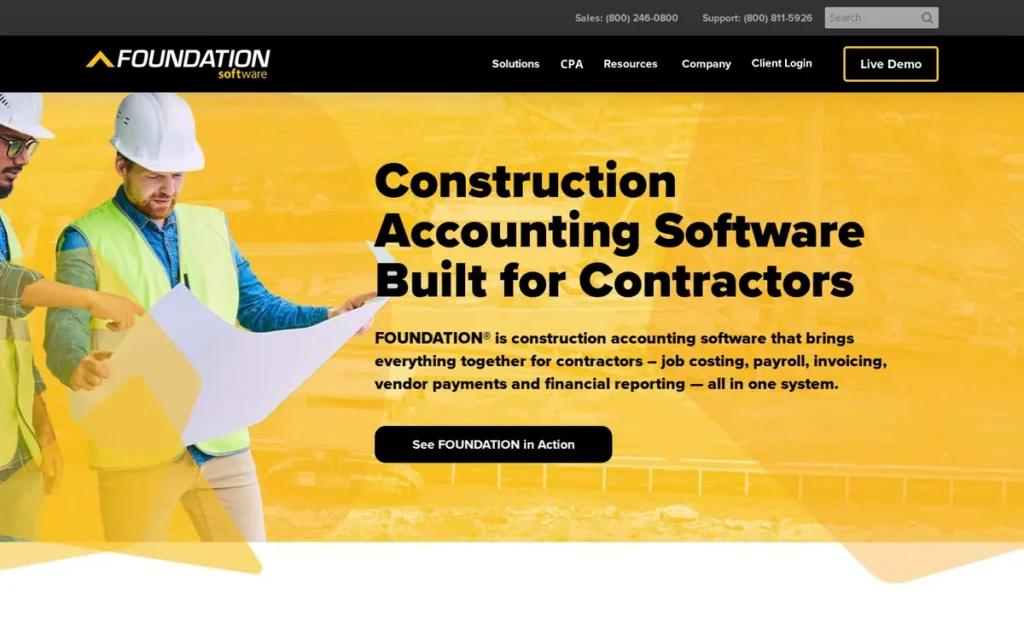
Category: Construction Accounting Suite, a construction-only accounting and payroll system built around job costing.
At a Glance
- Category: Construction Accounting Suite
- Best For: Small to midsize GCs and subcontractors running certified, union or prevailing-wage payroll
- Price Range: Pricing on request (modular and quote-based, with no published figures as of November 2026)
- Primary Strength: FOUNDATION Software provides native multi-state, multi-union, prevailing-wage and certified payroll tied directly to job costing.
- Biggest Limitation: FOUNDATION Software has limited report customization and a steep learning curve, and its quote-only modular pricing can get expensive for smaller firms once add-ons are included.
- One-Line Summary: FOUNDATION Software is the highest-scoring product in PlugRoute’s 2026 evaluation (3.73 of 5), best for contractors whose payroll compliance and job costing must live in one system.
- Last Verified: November 2026
Overview
FOUNDATION Software, ranked first in PlugRoute’s 2026 evaluation (3.73 of 5), is a construction-only accounting and payroll system founded in 1985. It pairs job costing with certified, union and prevailing-wage payroll for small to midsize contractors doing public or union work.
FOUNDATION Software runs on-premise or hosted. PlugRoute documented FOUNDATION Software’s job costing and payroll in depth. It did not independently document the product’s WIP, AIA billing or retainage features, so FOUNDATION Software’s accounting-depth score is 4.0 rather than 4.5.
Key Features
- FOUNDATION Software’s core modules cover job costing, payroll, purchase orders and subcontracts, and accounts receivable.
- FOUNDATION Software’s payroll handles multiple states, unions and trades, prevailing wage, certified payroll, EEO reports, workers’ comp and new-hire reporting (FOUNDATION Software payroll documentation, 2026).
- FOUNDATION Software includes a unit-price billing module for DOT and government contracts that can import bids from agency sites or Excel.
- FOUNDATION Software syncs vendors, purchase orders and subcontracts with Procore, and it also integrates with ProjectHQ.
- FOUNDATION Software offers optional add-ons for mobile time, equipment, service dispatch and project management, with in-person and live online training during onboarding.
Best For
FOUNDATION Software is best for small to midsize contractors whose public, union or prevailing-wage work makes payroll compliance the deciding factor. FOUNDATION Software is a weaker fit for single-entity firms with simple jobs and no certified payroll, which may not need that much depth.
Strengths
- FOUNDATION Software documents the broadest native construction payroll in this evaluation and is the only product scoring 5 of 5 on payroll (FOUNDATION Software payroll documentation, 2026).
- FOUNDATION Software holds a 4.3/5 Capterra rating across 424 reviews of a construction-only product, and reviewers praise its job costing and union and certified payroll (Capterra, November 2026).
- FOUNDATION Software’s Gideon Construction case study reports invoice imports 75% faster per batch and growth from 10 to 18 users “without added cost” (FOUNDATION Software case study, 2026; vendor-published, unverified).
- FOUNDATION Software’s Wilson Ivanova case study reports 20–30 hours saved per quarter on payroll compliance across more than 40 California contractors (FOUNDATION Software case study, 2026; vendor-published, unverified).
Limitations
FOUNDATION Software gives up flexibility and ease of learning in exchange for payroll and job-cost depth. SelectHub describes its learning curve as “steep” (SelectHub, 2026).
- FOUNDATION Software reviewers report limited report customization, Excel export formatting problems, uneven support and weak mobile apps (Capterra, November 2026).
- FOUNDATION Software’s hosted version crashed during 1–3 second internet drops, according to one reviewer (Capterra, November 2026).
- FOUNDATION Software publishes no prices, so total cost is hard to estimate before a sales conversation. RedHammer calls it “expensive for smaller firms” once add-ons are included (FOUNDATION Software pricing page, November 2026; RedHammer, 2026).
- FOUNDATION Software’s Capterra support and value sub-scores were not collected for this evaluation, so its support cannot be compared directly with Viewpoint Spectrum’s.
Users on r/Construction shared their experience:
“I work for my dads construction company and last year I made the much needed switch from Quickbooks to a program called Foundation Software. Has anyone used this program before? I like it for how useful it is for dealing with multiple unions and out of state work, but it isn’t very user friendly and there isn’t much information on it other than the user guide.” Posted by u/keg13
Takeaway: FOUNDATION Software wins over union and multi-state contractors on payroll depth, but its steep learning curve and thin documentation have frustrated users for years.
Verdict
FOUNDATION Software is the best overall construction accounting software in PlugRoute’s 2026 ranking for small to midsize contractors running certified, union or prevailing-wage payroll. FOUNDATION Software scored 3.73 of 5, 0.20 ahead of Viewpoint Spectrum, mainly because it earned the only 5/5 payroll score.
Buyers should budget for training, get an all-module quote in writing and test custom reports against lender and bonding requirements. In a demo, ask FOUNDATION Software to run one real union or prevailing-wage job end to end, including WH-347 output, and to produce and export a WIP report.
2. Viewpoint Spectrum: Best Construction ERP for Midsize Multi-Union Contractors
Category: Construction ERP, accounting plus project, field and operations modules in one construction platform.
At a Glance
- Category: Construction ERP
- Best For: Midsize contractors, especially Trimble users, who need native union payroll and multi-company accounting
- Price Range: Pricing on request (a $125/user/month figure listed on Capterra is unverified as of November 2026)
- Primary Strength: Viewpoint Spectrum combines native certified and multi-union payroll with job costing, WIP, AIA billing, equipment and document imaging in one web-based system.
- Biggest Limitation: Viewpoint Spectrum’s support and value sub-scores are 3.5/5 each on Capterra UK, below Sage Intacct’s 4.0 on Software Advice, and users report vendor lock-in.
- One-Line Summary: Viewpoint Spectrum is the highest-scoring construction ERP in PlugRoute’s 2026 evaluation (3.53 of 5), best for midsize contractors that need native union payroll and can negotiate support terms before signing.
- Last Verified: November 2026
Overview
Viewpoint Spectrum, ranked second in PlugRoute’s 2026 evaluation (3.53 of 5), is Trimble’s web-based construction ERP for midsize contractors. It combines construction accounting, native multi-union payroll and equipment management inside the Trimble Construction One suite.
Trimble positions Viewpoint Spectrum as quicker to adopt than its enterprise sibling, Viewpoint Vista, which mainly serves contractors larger than this audience (Trimble, 2026).
Key Features
- Viewpoint Spectrum includes job costing, WIP reporting, AIA billing, retainage and change-order management.
- Viewpoint Spectrum provides certified payroll, multi-union payroll and multi-state tax handling natively.
- Viewpoint Spectrum supports multiple companies and intercompany transactions in one system.
- Viewpoint Spectrum includes equipment management, service management and document imaging, with drill-down from a job view to scanned invoices.
- Viewpoint Spectrum is part of Trimble Construction One, which connects accounting with Trimble’s field and project tools.
Best For
Viewpoint Spectrum is best for midsize contractors that need native union and certified payroll, multi-company accounting and equipment or service modules in one ERP. Viewpoint Spectrum is a weaker fit for buyers who prioritize flexible custom reporting or an easy future migration.
Strengths
- Viewpoint Spectrum documents native certified, multi-union and multi-state payroll, which several cloud competitors deliver only through partners (Trimble, 2026).
- Viewpoint Spectrum holds a 3.9/5 Capterra UK rating across 414 reviews, and 70% of reviewers would recommend it (Capterra UK, November 2026).
- Viewpoint Spectrum reviewers praise how it connects field, project and accounting work, and how it handles intercompany transactions (Capterra, November 2026).
- Viewpoint Spectrum’s parent company, Viewpoint, served about 8,000 customers, including more than 40% of the ENR 400, when Trimble completed its $1.2B acquisition in July 2018 (Trimble press release, 2018; figure covers all Viewpoint products).
Limitations
Viewpoint Spectrum offers broad native construction capability but comes with weaker support scores and real switching costs. Its support and value sub-scores are both 3.5/5 (Capterra UK, November 2026).
- Viewpoint Spectrum reviewers report limited reporting and drill-down, “cumbersome” scale-ticket and materials workflows, slow support and gaps in Canadian payroll (Capterra, November 2026).
- Viewpoint Spectrum’s vendor, Trimble, would not provide one-time emergency support after a customer’s support contract lapsed, according to an IT administrator (r/sysadmin, 2025; buyer report).
- Viewpoint Spectrum users in that same thread describe the system as hard to leave, which signals real switching costs (r/sysadmin, 2025; buyer reports).
Users on r/Construction noted:
“Spectrum or Vista? We’re on QB Enterprise and are looking at Spectrum but are hesitant after seeing mixed reviews.” Posted by u/toology66
Takeaway: Viewpoint Spectrum’s mixed reputation makes even motivated QuickBooks upgraders hesitate, so buyers should pin down support and exit terms before signing.
Verdict
Viewpoint Spectrum is the highest-scoring construction ERP in PlugRoute’s 2026 evaluation for midsize contractors that need native multi-union payroll and multi-company accounting in one system. Viewpoint Spectrum scored 3.53 of 5. It leads FOUNDATION Software by 0.5 on accounting depth but trails by 0.5 on payroll and 1.0 on user ratings.
Buyers should treat support terms, price-increase caps and data-export rights as contract items, not afterthoughts. In a demo, ask Viewpoint Spectrum to show what support is included after year one, how data is exported if you leave, and a custom WIP report built live.
3. Sage Intacct Construction: Best for Multi-Entity and Finance-Led Contractors
Category: Cloud Financial Platform, general cloud financials with a construction module layered on top.
At a Glance
- Category: Cloud Financial Platform
- Best For: Finance-led and multi-entity contractors that need consolidated reporting and strong controls
- Price Range: Pricing on request (a partner estimates about $40,000 upfront for a basic project, November 2026)
- Primary Strength: Sage Intacct Construction’s dimensional general ledger delivers multi-entity consolidation and project-level reporting without a sprawling chart of accounts.
- Biggest Limitation: Sage Intacct Construction usually relies on partners for certified and union payroll, which adds another vendor and another point of failure for prevailing-wage contractors.
- One-Line Summary: Sage Intacct Construction is one of two products scoring 5 of 5 on multi-entity scalability in PlugRoute’s 2026 evaluation, best for finance-led contractors that can get construction payroll from a partner.
- Last Verified: November 2026
Overview
Sage Intacct Construction, ranked third in PlugRoute’s 2026 evaluation (3.43 of 5), is a cloud financial platform built for finance-led and multi-entity contractors. It adds construction job costing, WIP and AIA progress billing to Sage Intacct’s dimensional general ledger.
Sage Intacct Construction runs cloud-native and is sold and implemented through Sage partners rather than directly.
Key Features
- Sage Intacct Construction provides job costing, budget vs. actual, WIP, AIA progress billing with schedules of values, retainage, change orders and commitment tracking.
- Sage Intacct Construction organizes its general ledger by dimensions such as entity, project and location, and it consolidates across multiple entities.
- Sage Intacct Construction offers a two-way Procore connector that syncs commitments and change orders on demand and in real time through APIs.
- Sage Intacct Construction can connect to Sage HCM for Construction, Sage’s newer product for union rules, certified payroll and prevailing wage.
- Sage Intacct Construction is cloud-native, and reviewers praise its reporting, automation and integrations.
Best For
Sage Intacct Construction is best for contractors with several companies or divisions, an in-house finance team and a need for dimensional reporting. Sage Intacct Construction is a weaker fit for contractors that want union or prevailing-wage payroll built into the accounting system, and for firms with tight software budgets.
Strengths
- Sage Intacct Construction’s dimensional general ledger and multi-entity consolidation give it a clear advantage over Sage 100 Contractor and FOUNDATION Software for multi-company contractors (ERP Research, 2026).
- Sage Intacct holds a 4.3/5 rating on Capterra (718 reviews) and Software Advice (728 reviews), with 4.0 sub-scores for support and value (Capterra and Software Advice, November 2026; ratings cover all editions).
- Sage Intacct Construction’s Procore connector syncs commitments and change orders both ways in real time (Sage Intacct Marketplace, 2026).
- Sage Intacct Construction reviewers in construction report faster invoice processing and month-end close, though they give no numbers (TrustRadius, 2026).
Limitations
Sage Intacct Construction’s dimensional general ledger supports multi-entity consolidation, but the product usually gets certified and union payroll from partners such as Points North, eBacon or MyPaymentsPlus (ERP Research and Altavista Tech, 2026).
- Sage Intacct Construction is implemented only through partners, so the buyer’s experience depends heavily on which partner they choose (ERP Research, 2026).
- Sage Intacct Construction reviewers cite a learning curve, extra charges and slowdowns at busy times (Capterra and G2, November 2026).
- Sage Intacct Construction’s ratings do not separate the construction edition from the rest of Sage Intacct, so construction-specific satisfaction is unknown.
- Sage Intacct Construction’s cost can reach six figures, and one finance head at a $150M civil contractor rejected a quote of roughly $150K per year (r/Accounting, 2026; buyer report).
An ERP advisory account on r/Accounting noted:
“However, products like Sage 100 Contractor and Sage 300 CRE are older so there are limitations. The newer product, Sage Intacct for Construction, solves that problem but lacks in the deeper industry expertise required for field usability (think RFIs, scheduling, daily logs, mobile capabilities, etc.). Building a technology stack on Sage could get large and expensive to meet all adjacent needs.” Posted by u/ERPAdvisorsGroup
Takeaway: Sage Intacct Construction modernizes Sage’s construction financials, but contractors who need field tools end up building a pricier multi-product stack around it.
Verdict
Sage Intacct Construction is the best choice in PlugRoute’s 2026 ranking for multi-entity, finance-led contractors that need consolidated dimensional reporting. Sage Intacct Construction tied Acumatica Construction Edition at 3.43. It placed third under PlugRoute’s pre-set tie-break rule because its payroll partners are named and documented.
Prevailing-wage contractors should demo the payroll partner as carefully as the core platform. In a demo, ask Sage Intacct Construction to show an intercompany consolidation, a WIP schedule, and certified payroll running through the specific payroll partner you would use.
4. Acumatica Construction Edition: Best for Growing Contractors Needing Unlimited Users
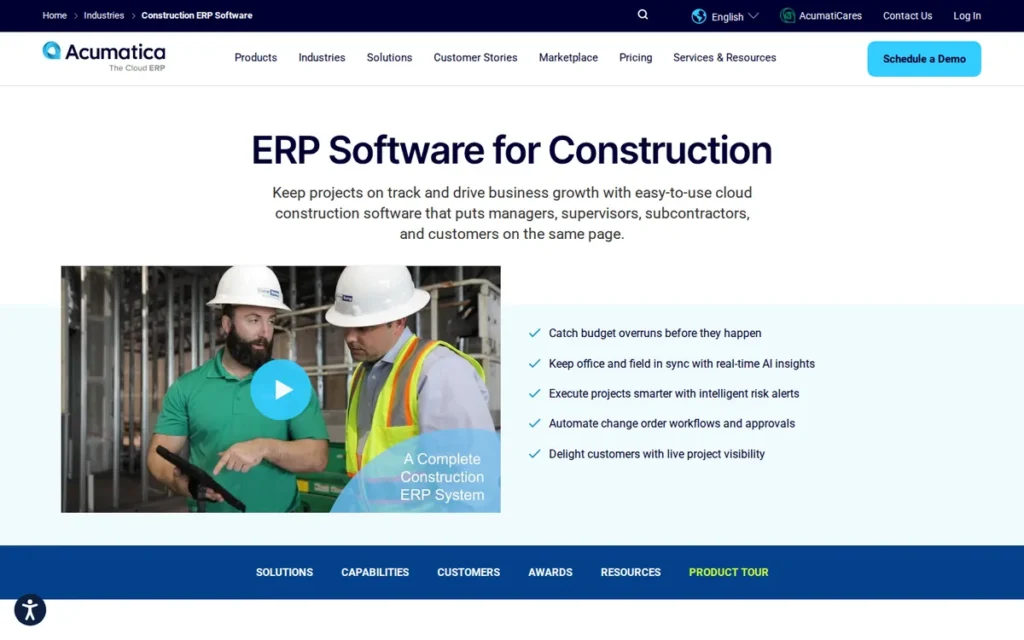
Category: Construction ERP, accounting plus project, field and operations modules in one construction platform.
At a Glance
- Category: Construction ERP
- Best For: Growing, multi-entity contractors with many users and the internal capacity to manage an ERP implementation
- Price Range: From “under $1,500/month” (vendor-advertised starting point, November 2026), with implementation and customization extra
- Primary Strength: Acumatica Construction Edition licenses unlimited users while covering job costing, WIP, AIA billing, two-sided retainage and multi-entity accounting in one cloud ERP.
- Biggest Limitation: Acumatica Construction Edition carries among the highest reported implementation risk in this evaluation. One user reported a rollout still unfinished after two years and $250/hour change quotes.
- One-Line Summary: Acumatica Construction Edition is the only product in PlugRoute’s 2026 evaluation that licenses unlimited users, best for growing contractors who budget realistically for a partner-led implementation.
- Last Verified: November 2026
Overview
Acumatica Construction Edition, ranked fourth in PlugRoute’s 2026 evaluation (3.43 of 5), is a partner-sold cloud ERP that combines job costing, WIP and two-sided retainage with multi-entity accounting. Acumatica Construction Edition is priced by resources used, with unlimited users.
Acumatica Construction Edition also extends into CRM, inventory and service management. PlugRoute could not verify as much evidence for Acumatica Construction Edition as for most other entries, particularly on payroll, so its placement is provisional.
Key Features
- Acumatica Construction Edition provides job costing, WIP and revenue recognition, and AIA G702/G703-style progress billing.
- Acumatica Construction Edition tracks retainage on both receivables and payables and handles change orders, including back charges.
- Acumatica Construction Edition includes compliance and lien waiver tracking alongside multi-entity accounting.
- Acumatica Construction Edition uses resource-based pricing with unlimited users rather than per-user fees.
- Acumatica Construction Edition extends beyond accounting into CRM, inventory, service management and field reporting.
Best For
Acumatica Construction Edition is best for growing contractors with many users, multiple entities and an appetite for a configurable cloud ERP. Acumatica Construction Edition is a weaker fit for lean back offices without ERP project experience and for union contractors who have not confirmed how payroll will be delivered.
Strengths
- Acumatica Construction Edition’s unlimited-user licensing means costs do not rise per seat as field and office headcount grows (Acumatica, 2026).
- Acumatica Construction Edition explicitly documents retainage on both receivables and payables, plus back charges and lien waiver tracking (Acumatica Construction Edition Guide, 2026).
- Acumatica holds a 4.4/5 G2 rating across all editions. Reported review counts range from about 500 to more than 2,000 depending on the source (G2, November 2026).
- Acumatica Construction Edition is described by one user as “extremely customizable” (r/Accounting, 2026; buyer report).
Limitations
Acumatica Construction Edition offers breadth and configurability at the cost of ease of use and predictable implementation.
- Acumatica Construction Edition was called “not user-friendly whatsoever” by an r/Accounting user still implementing it after two years. The same user said implementation costs are “heavily underestimated” and cited an $11,000 tenant data move (r/Accounting, 2026; buyer report).
- Acumatica Construction Edition change requests were “quoted at $250/h,” according to the same thread (r/Accounting, 2026; buyer report).
- Acumatica Construction Edition’s native union and certified payroll was not verified, and an implementer who disclosed the affiliation called union payroll “the biggest qualification point” (r/Accounting, 2026; vendor-affiliated).
- Acumatica Construction Edition’s vendor announced a definitive agreement to be acquired by Vista Equity Partners on May 29, 2025, so buyers should ask for written roadmap and support commitments (Acumatica, 2025).
Verdict
Acumatica Construction Edition is the only product in PlugRoute’s 2026 evaluation that licenses unlimited users, and it extends construction accounting into CRM, inventory and service management. Acumatica Construction Edition tied Sage Intacct Construction at 3.43 and placed fourth because its union payroll is unverified.
If that payroll is verified as native, Acumatica Construction Edition could rise to 3.73. Buyers should vet the implementation partner as carefully as the software. In a demo, ask Acumatica Construction Edition to show a union payroll run, a WIP schedule built through configuration rather than custom code, and a fixed-fee statement of work.
5. Premier Construction Software: Best for $5M+ GCs Wanting Accounting Plus PM
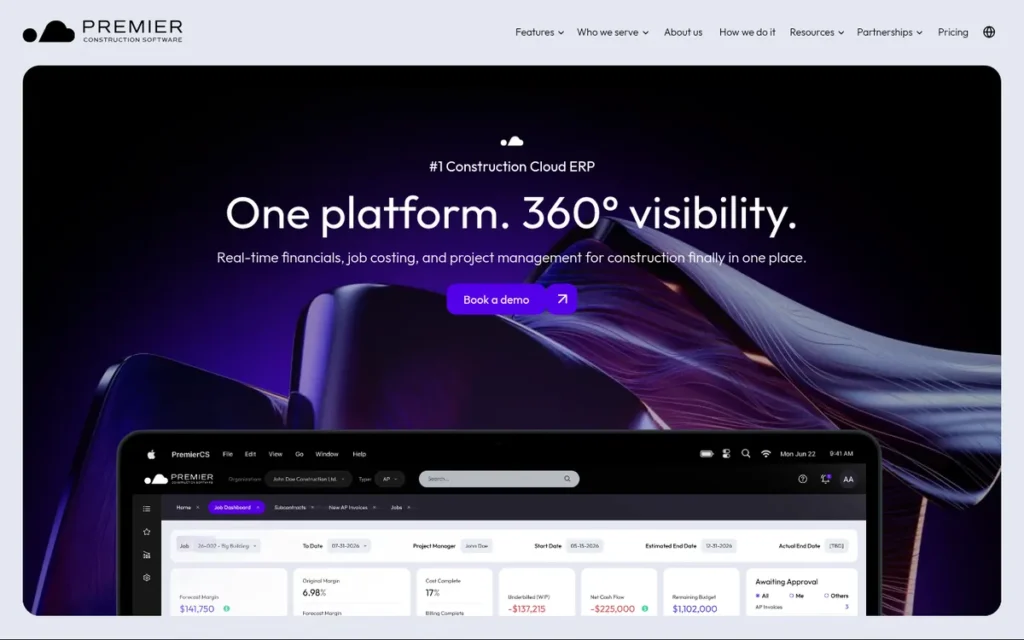
Category: Construction ERP, accounting plus project, field and operations modules in one construction platform.
At a Glance
- Category: Construction ERP
- Best For: GCs, developers and home builders above roughly $5M in revenue with staffed back offices and payroll run in another system
- Price Range: $125–$349/user/month plus $15,000–$50,000 implementation (vendor-published, conflicting across pages, November 2026)
- Primary Strength: Premier Construction Software unifies accounting, WIP, AIA billing, AP automation and project management in one cloud platform with the highest user rating in this evaluation.
- Biggest Limitation: Premier Construction Software’s payroll capability is disputed in reviews, and one reviewer reports no native payroll. That makes it a risky fit for certified, union or prevailing-wage contractors without a separate payroll system.
- One-Line Summary: Premier Construction Software combines accounting and project management in one cloud platform with the highest Capterra rating in PlugRoute’s 2026 evaluation, best for $5M+ general contractors that run payroll elsewhere.
- Last Verified: November 2026
Overview
Premier Construction Software, ranked fifth in PlugRoute’s 2026 evaluation (3.30 of 5), is a cloud construction ERP on Microsoft Azure. It combines accounting, WIP and AIA billing with project management, aimed mainly at general contractors, developers and home builders above $5 million in revenue.
Premier Construction Software was founded in 2009, was formerly branded Jonas Premier and is backed by Constellation Software (Premier, 2026).
Key Features
- Premier Construction Software provides accounting, job costing and WIP reporting, which the vendor says takes “2 clicks” (Premier, 2026; vendor claim).
- Premier Construction Software handles AIA billing and retainage in the same platform as its accounting.
- Premier Construction Software includes AP automation with a subcontractor portal.
- Premier Construction Software bundles project management tools for RFIs, submittals and drawings.
- Premier Construction Software supports multiple entities and offers AI forecasting branded “Eddie AI.”
Best For
Premier Construction Software is best for GCs, developers and design-build firms above roughly $5M in revenue that want accounting and project management in one place. Premier Construction Software is a weaker fit for union or prevailing-wage contractors and for very lean accounting teams.
Strengths
- Premier Construction Software holds a 4.7/5 Capterra rating across 288 reviews, the highest in this evaluation, and Premier cites a 4.7/5 G2 rating across 56 reviews (Capterra, November 2026; G2 figure vendor-cited).
- Premier Construction Software is the only construction ERP evaluated that publishes price tiers, although the figures conflict across its own pages (Premier, 2026; vendor-published).
- Premier Construction Software reviewers report that AP reports now take seconds instead of about 30 minutes (Capterra, November 2026).
- Premier Construction Software’s reporting is “second to none,” according to a user who moved a company onto it in spring 2025 (r/ConstructionManagers, 2025; buyer report).
Limitations
Premier Construction Software puts accounting and project management in one platform but gives up certainty on payroll and some ease of use.
- Premier Construction Software’s payroll capability is disputed. One reviewer says it “did not have native payroll processing and required an external system,” while others call its payroll processing “clumsy,” so buyers should confirm in writing what payroll is included (Capterra, November 2026).
- Premier Construction Software is harder to use than Procore and has flaws in field time entry, according to the user who went live in spring 2025 (r/ConstructionManagers, 2025; buyer report).
- Premier Construction Software would be “a disaster” for an office with “one accountant in office and one AP support staff,” according to one user (r/ConstructionManagers, 2026; buyer report).
- Premier Construction Software’s conflicting price sheets make total cost of ownership hard to pin down before a written quote (Premier, 2026; vendor-published).
Verdict
Premier Construction Software has the highest user rating in PlugRoute’s 2026 evaluation (4.7/5 on Capterra) and combines accounting and project management in one cloud platform, but its payroll capability is disputed. Premier Construction Software scored 3.30 of 5. If partial native payroll were confirmed, it would score 3.60 and move to second.
Midsize GCs that run payroll elsewhere and have staffed back offices should shortlist it and get written confirmation of which price sheet applies. In a demo, ask Premier Construction Software to state its payroll approach in writing and to run a month-end close with your actual staffing level.
6. Sage 100 Contractor: Best All-in-One Desktop Package with Built-In Estimating
Category: Construction Accounting Suite, a construction-only accounting and payroll system built around job costing.
At a Glance
- Category: Construction Accounting Suite
- Best For: Small to midsize single-entity contractors that want accounting, estimating and certified payroll in one desktop package
- Price Range: From about $115/user/month (third-party reported, November 2026); training and support may be billed hourly
- Primary Strength: Sage 100 Contractor connects estimating, job costing, certified payroll and equipment in one construction-specific package.
- Biggest Limitation: Sage 100 Contractor is a Windows desktop application with a dated interface, slow custom reporting and conflicting user ratings.
- One-Line Summary: Sage 100 Contractor is a mature all-in-one desktop construction accounting package with built-in estimating, best for single-entity contractors comfortable with on-site or hosted software.
- Last Verified: November 2026
Overview
Sage 100 Contractor, ranked sixth in PlugRoute’s 2026 evaluation (3.23 of 5), is an all-in-one Windows desktop system formerly sold as Sage Master Builder. It combines accounting, estimating and certified payroll for small to midsize contractors who want one construction-specific package.
Sage 100 Contractor runs on-site or through a hosting provider. Sage 100 Contractor is a different product line from Sage 300 CRE, which came from Timberline.
Key Features
- Sage 100 Contractor turns estimates into budgets, subcontracts and purchase orders in the same system.
- Sage 100 Contractor includes payroll with certified payroll support.
- Sage 100 Contractor covers service work orders, equipment and inventory alongside job costing.
- Sage 100 Contractor runs as a Windows desktop application on a SQL database, either on-site or through a hosting provider.
- Sage 100 Contractor can connect to Sage HCM for Construction, Sage’s newer layer for union rules, certified payroll and prevailing-wage labor data.
Best For
Sage 100 Contractor is best for small to midsize, single-entity contractors that want estimating, job costing and certified payroll in one package. Sage 100 Contractor is a weaker fit for multi-entity firms, cloud-first teams and contractors that depend on mobile time tracking.
Strengths
- Sage 100 Contractor’s built-in estimating converts directly into budgets, subcontracts and purchase orders, which few competitors in this evaluation document (Sage, 2026).
- Sage 100 Contractor has a reported starting price of about $115/user/month, although hosting and hourly support can add to it (Contractor Software Hub and SelectHub, 2026; third-party listing).
- Sage 100 Contractor reviewers praise its navigation and job-cost visibility (G2, November 2026).
- Sage 100 Contractor reaches 8.4/10 likelihood-to-recommend across 23 ratings on one TrustRadius page, though another page shows 5.2/10 across 9 ratings (TrustRadius, November 2026).
Limitations
Sage 100 Contractor is a mature all-in-one desktop package, but its architecture is older. Reviewers describe an “outdated interface,” “non-flexible entry screens” and a slow database (Capterra and Software Advice, November 2026).
- Sage 100 Contractor reviewers report crashes during exports and custom reports that depend on Crystal Reports skills (G2 and Software Advice, November 2026).
- Sage 100 Contractor customers reported in February 2026 that Sage was retiring its mobile time app, so buyers should confirm the current status with Sage (r/TimeTrackingSoftware, 2026; buyer report).
- Sage 100 Contractor customers who need a replacement time tool must check that it handles prevailing-wage classifications and overtime rules correctly (r/TimeTrackingSoftware, 2026; buyer report).
- Sage 100 Contractor’s G2 ratings conflict (4.0/5 across 20 reviews vs. 3.6/5 across 42), and its multi-entity support is weaker than that of the cloud platforms (G2, November 2026).
Verdict
Sage 100 Contractor is a mature all-in-one construction accounting package whose built-in estimating feeds budgets, subcontracts and purchase orders, best for single-entity contractors comfortable with desktop software. Sage 100 Contractor scored 3.23 of 5, held back mainly by user ratings (2.5) and scalability (2.5).
Buyers should test custom reporting and a replacement time-tracking tool before committing. In a demo, ask Sage 100 Contractor to show which time tool replaces the retiring app, how that tool handles prevailing-wage classifications, and a custom report built without Crystal Reports.
7. QuickBooks Online Advanced: Best for Small Contractors with Simple Jobs
Category: General Accounting with Construction Features, small-business bookkeeping with added job-cost workflows.
At a Glance
- Category: General Accounting with Construction Features
- Best For: Small contractors with simple jobs, no certified payroll and a single entity
- Price Range: Published monthly subscription; amounts not verified by PlugRoute as of November 2026
- Primary Strength: QuickBooks Online Advanced is the only product evaluated that is sold as a self-serve subscription rather than through quotes or partner implementation.
- Biggest Limitation: QuickBooks Online Advanced typically needs add-ons or integrations for full WIP, AIA billing, retainage and certified payroll.
- One-Line Summary: QuickBooks Online Advanced is the most familiar self-serve starting point in PlugRoute’s 2026 evaluation, but contractors with WIP, retainage or certified payroll needs will likely outgrow it.
- Last Verified: November 2026
Overview
QuickBooks Online Advanced, ranked seventh in PlugRoute’s 2026 evaluation (2.77 of 5), is Intuit’s highest QuickBooks Online plan. It offers job-cost tracking, invoicing and payroll integrations for small contractors with simple jobs who are not yet ready for a construction-specific system.
QuickBooks Online Advanced sits below Intuit Enterprise Suite, Intuit’s multi-entity tier. PlugRoute’s verified evidence for QuickBooks Online Advanced is thinner than for most entries, so its placement is provisional.
Key Features
- QuickBooks Online Advanced provides project-level job-cost tracking and invoicing in a cloud accounting system.
- QuickBooks Online Advanced is covered by Intuit’s announced 2026 construction workflows, including budget vs. actual, change orders, WIP and AIA-style billing (Intuit, 2026; vendor announcement, not independently reviewed by PlugRoute).
- QuickBooks Online Advanced relies on payroll integrations or add-ons for certified and prevailing-wage payroll.
- QuickBooks Online Advanced can be upgraded to Intuit Enterprise Suite for multi-entity needs, though PlugRoute did not verify that tier’s construction features.
- QuickBooks Online Advanced is sold as a self-serve cloud subscription with published pricing and no formal implementation project.
Best For
QuickBooks Online Advanced is best for small, single-entity contractors with simple jobs, no certified or union payroll, and bookkeepers fluent in QuickBooks. QuickBooks Online Advanced is a weaker fit for contractors that need bonding-grade WIP, retainage across many pay applications or prevailing-wage payroll.
Strengths
- QuickBooks Online holds a 4.3/5 Capterra rating across 8,555 reviews, the largest review base in this evaluation (Capterra, November 2026; covers all industries).
- QuickBooks Online Advanced is sold with published self-serve pricing, unlike the six construction-specific systems evaluated (Intuit pricing page, November 2026; amounts not verified by PlugRoute).
- QuickBooks Online Advanced connects to construction add-ons such as Knowify, so small contractors can add field and contract-billing workflows without replacing their ledger (Capterra, 2026).
- QuickBooks Online Advanced has defenders who say many GCs “over complicate their accounting” with ERPs that are “overkill and costly” (r/ConstructionManagers, 2024; buyer report).
Limitations
QuickBooks Online Advanced gives up construction depth in exchange for familiarity and self-serve setup. Some of the user reports below may predate Intuit’s 2026 construction updates.
- QuickBooks Online “reporting gets messy once partial invoices stack up against one estimate, so teams end up rebuilding the picture by hand,” according to one user (r/QuickBooks, 2026; buyer report).
- QuickBooks Online left one contractor “unsatisfied with the ability to track cost codes with their tag system” (r/GeneralContractor, 2023; buyer report).
- QuickBooks Online Advanced typically requires contractor-specific add-ons or integrations for full WIP, AIA billing, retainage and certified payroll (Capterra, 2026).
- QuickBooks Online Advanced is seen by some owners as “a toy system,” a perception that can matter for bonding relationships (r/Accounting, 2026; buyer report).
Users on r/Contractor shared their experience:
“I don’t love it. It messed up our 1099s so bad I had to calculate them manually.” Posted by u/twoaspensimages
Takeaway: QuickBooks Online can push subcontractor 1099 reporting back onto manual spreadsheets, which undercuts its main selling point of simple, familiar bookkeeping for contractors.
Verdict
QuickBooks Online Advanced is the most familiar self-serve construction accounting starting point in PlugRoute’s 2026 evaluation, best for small contractors with simple jobs. QuickBooks Online Advanced scored 2.77 of 5 because its construction features are newer and vendor-stated. It would stay seventh even with a higher pricing score.
Contractors who need bonding-grade WIP, retainage or certified payroll should test it against a real job before assuming it is enough. In a demo, ask for a WIP report and a schedule-of-values billing history for one job with at least five partial pay applications and retainage.
What Is the Difference Between Construction Accounting Software and General Accounting Software?
Construction accounting software tracks money by job, cost code and pay application, while general accounting software tracks money by account. Construction systems typically handle WIP, AIA progress billing, retainage and change orders natively. General tools such as QuickBooks Online Advanced usually need add-ons or spreadsheets for those workflows and for certified payroll.
General accounting software asks “what account did this hit?” Construction accounting software asks “what job, cost code and pay application did this hit?” General tools approximate jobs with classes or tags, which explains the cost-code complaints QuickBooks users report.
Certified payroll is native in some construction systems, including FOUNDATION Software, Viewpoint Spectrum and Sage 100 Contractor. In others it is delivered by partners, disputed or unverified.
Common signs a contractor has outgrown general accounting software:
- The contractor builds AIA pay applications or schedules of values in spreadsheets outside the accounting system.
- The contractor’s WIP and percentage-of-completion reports draw questions from bonding companies, lenders or auditors.
- The contractor reconciles retainage receivable and payable by hand across many pay applications.
- The contractor’s certified, union or prevailing-wage payroll depends on manual classification and rate tracking.
- The contractor runs multiple entities that need consolidated reporting.
This aligns with community sentiment on r/Accounting:
“software matters less than whether field costs actually land in the right job. most construction companies don’t have an accounting software problem first, they have an estimate-to-actual discipline problem. if labor, materials, change orders, and overhead aren’t coded the same way every time, any system will just give you cleaner-looking bad numbers.” Posted by u/Samtyang
Takeaway: Switching construction accounting software does not fix inconsistent cost coding, so contractors need disciplined job-cost habits before any upgrade pays off.
How Should Subcontractors Choose Construction Accounting Software?
Subcontractors should rank three things: payroll compliance first, retainage tracking second and the billing format their GCs and public owners require third. Subs doing union, prevailing-wage or DOT work benefit most from native payroll and unit-price billing, such as FOUNDATION Software’s. Very small subs can often start with QuickBooks plus add-ons.
- Subcontractors holding retainage against GCs need it tracked on every pay application, and Acumatica Construction Edition documents retainage on both receivables and payables.
- Subcontractors on unit-price and DOT contracts need dedicated billing, and FOUNDATION Software includes a unit-price billing module that imports bids from agency sites or Excel.
- Equipment-heavy subcontractors need equipment costing, which Viewpoint Spectrum, Sage 100 Contractor and FOUNDATION Software (as an add-on) all document.
- Very small subcontractors with simple jobs can use QuickBooks Online Advanced plus a construction add-on, as long as certified payroll is not required.
How Much Does Construction Accounting Software Cost, Including Implementation?
Costs range from published self-serve subscriptions (QuickBooks Online Advanced) to quote-only systems, where one partner estimates about $40,000 upfront (Sage Intacct Construction). Five of the seven products publish no full price list. All-in first-year cost depends far more on implementation and hourly change fees than on the subscription.
| Product | Indicative Cost | Source Type | Date |
|---|---|---|---|
| FOUNDATION Software | Quote only, priced by module | Vendor pricing page | November 2026 |
| Viewpoint Spectrum | Quote only; a $125/user/month listing is unverified | Third-party listing (unverified) | November 2026 |
| Sage Intacct Construction | About $40,000 upfront for a basic project | Partner estimate (RKL eSolutions) | 2026 |
| Acumatica Construction Edition | From under $1,500/month | Vendor-published | 2026 |
| Premier Construction Software | $125–$349/user/month plus $15,000–$50,000 implementation | Vendor-published, conflicting | 2026 |
| Sage 100 Contractor | About $115/user/month | Third-party listing | 2026 |
| QuickBooks Online Advanced | Published subscription; amounts not verified | Vendor pricing page | November 2026 |
Premier Construction Software’s own pages show two conflicting price sheets (Premier, 2026; vendor-published):
| Tier | Version A | Version B | Implementation |
|---|---|---|---|
| Starter | $349/user/month | $249/user/month | From $15,000 |
| Premium | $249/user/month | $149/user/month | From $25,000 |
| Enterprise | $125/user/month | $125/user/month | From $50,000 |
Buyer-reported costs add context beyond list prices:
- One finance head at a $150M civil contractor rejected a Sage Intacct Construction quote of roughly $150K per year (r/Accounting, 2026; buyer report).
- One Acumatica Construction Edition customer reported an $11,000 tenant data move and $250/hour change quotes (r/Accounting, 2026; buyer report).
- One Sage 100 Contractor reviewer reported $225/hour for training and support (G2, November 2026; posting date unconfirmed).
- One Premier Construction Software buyer described weighing “a $60k+ investment” (r/Accounting, 2024; buyer report).
Per-user licensing scales fast. At Premier Construction Software’s published Enterprise rate of $125/user/month, 40 users cost $5,000 per month, or $60,000 per year, before implementation.
Acumatica Construction Edition’s unlimited-user model removes that per-seat growth, although its “under $1,500/month” starting price may not cover a 40-user configuration.
Implementation timelines also vary widely. One user reported a Sage 300 setup, a product not ranked here, that took over 12 months with a third-party partner (r/ConstructionManagers, 2024; buyer report). Another reported an Acumatica rollout still unfinished after two years. Plan for months, not weeks, for any construction ERP.
What Red Flags Should I Watch For When Evaluating Construction Accounting Software?
The biggest red flags when evaluating construction accounting software are hidden implementation costs, untested payroll partners, support that ends with the contract, misleading ratings, coordinated reviews and scripted demos. Each red flag below reflects patterns PlugRoute found in user reviews and Reddit discussions retrieved in November 2026.
Red Flag #1: No Public Pricing and No Written Implementation Scope
Pricing that is only available on request, with no written implementation scope, often hides most of the cost. In this evaluation, FOUNDATION Software, Viewpoint Spectrum and Sage Intacct Construction are quote-only, and Acumatica Construction Edition publishes only a starting price (vendor pricing pages, November 2026).
One r/Accounting user reported an $11,000 data-move charge and $250/hour change quotes during an Acumatica Construction Edition implementation (r/Accounting, 2026; buyer report).
Red Flag #2: Payroll Delivered by an Unnamed or Untested Partner
Payroll delivered by a partner adds a second vendor to the compliance chain. Sage Intacct Construction typically uses partners such as Points North, eBacon or MyPaymentsPlus (ERP Research and Altavista Tech, 2026). Premier Construction Software is reported to require external payroll (Capterra, November 2026).
When payroll runs through a partner, a certified payroll error has two vendors and no single owner. On a prevailing-wage job, trade classifications and labor cost must sync between two systems, so demo the partner as carefully as the platform.
Red Flag #3: Support That Ends When the Contract Lapses
Support can disappear entirely once a contract ends. One IT administrator reported that Trimble would not offer one-time emergency support for Viewpoint Spectrum after their contract lapsed (r/sysadmin, 2025; buyer report).
Red Flag #4: Ratings That Cover Every Edition but Yours
Headline ratings often blend every edition and industry. The Sage Intacct, Acumatica and QuickBooks Online ratings in this evaluation cover all editions or all industries (Capterra, G2 and Software Advice, November 2026).
QuickBooks Online’s 4.3/5 across 8,555 Capterra reviews and FOUNDATION Software’s 4.3/5 across 424 look identical. Only FOUNDATION Software’s rating comes entirely from users of a construction-only product.
Red Flag #5: Coordinated or Vendor-Affiliated Reviews
Community threads can include coordinated or vendor-affiliated posts. PlugRoute found word-for-word identical pro-Premier comments posted a minute apart in July 2026. It also found vendor-affiliated posts tied to Acumatica, Workyard and Planyard in other threads.
Red Flag #6: A Scripted Demo That Won’t Run Your Real Job
A demo that only follows the vendor’s script tells you little about your own workflows. Users and implementers on Reddit recommend giving every vendor real scenarios to process end to end (r/Accounting, 2026; buyer reports).
As one user on r/Contractor described:
“For a small GC, I’d prioritize job costing and clean data export over the biggest feature list. QuickBooks is a reasonable starting point, but set up a consistent chart of accounts and track labor, materials, subs, and change orders by job from day one; otherwise migrating later won’t fix messy history. Before choosing, test one real project end to end and confirm your accountant can work with the reports.” Posted by u/icoldok
Takeaway: Contractors evaluating construction accounting software get more from testing one real project end to end than from comparing feature lists.
What Questions Should I Ask Before Choosing Construction Accounting Software?
The most useful questions before choosing construction accounting software make vendors prove their claims on your own workflows. Ask each vendor to put every answer in writing before you sign. The six questions below cover the areas where buyers in this evaluation most often reported surprises after signing.
Question #1: Can you run one of our real jobs end to end, from estimate through change order, pay application with retainage, payroll and WIP?
A vendor that can run your real job end to end has shown that its features work on your workflows. Bring your own data and watch for steps that need exports or spreadsheets.
Question #2: Is certified, union and prevailing-wage payroll native, and who supports it if it isn’t?
The answer shows whether payroll compliance stays with one vendor. If a partner handles payroll, get the partner’s name, cost and support terms, and demo the partner too.
Question #3: What is the all-in first-year and year-three cost, including implementation, users, payroll and hourly change fees?
The all-in cost matters more than the subscription price. One G2 reviewer reported $225/hour for Sage 100 Contractor training and support (G2, November 2026). One r/Accounting user reported $250/hour change quotes for Acumatica Construction Edition (r/Accounting, 2026; buyer report).
Question #4: What is the cap on annual price increases, and what support is included after year one?
A contractual cap on price increases protects you from surprise renewals. Confirm in writing which support you get after year one and what happens if the contract lapses.
Question #5: How do we export our data if we leave?
Data export rights determine your switching costs. Ask for the export format, any fees, and whether historical job-cost and payroll records are included.
Question #6: Who is the implementation partner, and can we speak to three of their construction clients?
The implementation partner often decides whether the project succeeds. Ask to speak with construction clients of a similar size, and ask how long their go-live took.
How Did We Rank These Construction Accounting Software Tools?
PlugRoute scored seven construction accounting products from 1 to 5 on six published criteria. The three primary criteria count 20% each, and the three secondary criteria count about 13.3% each. Rank follows the weighted total, and a pre-set evidence-completeness rule breaks ties.
Ranking criteria and scoring anchors:
- C1, Construction Accounting Depth (20%): C1 measures cost-code job costing, budget vs. actual, WIP, AIA billing, retainage and change orders, because generic tools leave these workflows to spreadsheets.
- C1 anchors are 5 for every core workflow documented and user-confirmed plus specialized modules, 4 for most core workflows documented, 3 for mostly vendor-stated workflows and 2 for workflows that need add-ons.
- C2, Native Construction Payroll (20%): C2 measures native certified, union and prevailing-wage payroll, because payroll is the deciding compliance filter for many buyers.
- C2 anchors are 5 for native multi-union, prevailing-wage and certified payroll with compliance reports, 4 for native certified payroll with reported gaps, 2–3 for partner or unverified payroll and 1–2 for no reported native payroll.
- C3, Verified User Ratings (20%): C3 measures independent ratings and review volume, the closest proxy for real-world performance.
- C3 anchors are 5 for 4.5+ on a construction-specific listing with 200+ reviews, 4 for 4.2–4.4 construction-specific or 4.5+ with disputed figures, and 3 for all-edition ratings or ratings below 4.0. Conflicting sources lower the score.
- C4, Pricing Transparency and TCO (13.3%): C4 measures published pricing, licensing model and reported implementation and hourly costs.
- C4 anchors are 5 for verified published pricing with implementation ranges, 3 for unverified or conflicting pricing, a vendor starting price or a third-party figure, and 2 for quote-only pricing.
- C5, Implementation Risk and Back-Office Fit (13.3%): C5 measures reported timelines, learning curve, partner dependence and fit for lean teams.
- C5 anchors are 5 for self-serve adoption, 3 for vendor-led implementation with training, and 2 for partner-dependent rollouts with reported overruns or lean-team warnings.
- C6, Scalability, Multi-Entity and Integration (13.3%): C6 measures consolidation, integrations such as Procore, deployment model and licensing as the company grows.
- C6 anchors are 5 for cloud-native multi-entity consolidation, 4 for multi-company support with suite integrations, 3 for hosted deployment with named integrations and 2 for limited multi-entity support.
| Product | C1 Accounting Depth (of 5) | C2 Construction Payroll (of 5) | C3 User Ratings (of 5) | C4 Pricing Transparency (of 5) | C5 Implementation Fit (of 5) | C6 Scalability (of 5) | Weighted Total (of 5) |
|---|---|---|---|---|---|---|---|
| FOUNDATION Software | 4 | 5 | 4 | 2.5 | 3 | 3 | 3.73 |
| Viewpoint Spectrum | 4.5 | 4.5 | 3 | 2 | 2.5 | 4 | 3.53 |
| Sage Intacct Construction | 4.5 | 2.5 | 3.5 | 2 | 3 | 5 | 3.43 |
| Acumatica Construction Edition | 4.5 | 2.5 | 3.5 | 3 | 2 | 5 | 3.43 |
| Premier Construction Software | 4.5 | 1.5 | 4.5 | 3 | 2 | 4 | 3.30 |
| Sage 100 Contractor | 4 | 4 | 2.5 | 3.5 | 2.5 | 2.5 | 3.23 |
| QuickBooks Online Advanced | 2.5 | 2 | 3 | 3 | 4.5 | 2 | 2.77 |
FOUNDATION Software’s C1 score is 4.0 because its WIP, AIA billing and retainage capabilities were not independently documented. QuickBooks Online Advanced’s C4 score is 3.0 because its published prices were not verified.
Sage Intacct Construction and Acumatica Construction Edition tied at 3.43. The pre-set evidence-completeness rule placed Sage Intacct Construction third because its payroll partners are named and documented, while Acumatica Construction Edition’s payroll is unverified.
What could change this ranking?
- Acumatica Construction Edition would rise to 3.73 and tie FOUNDATION Software if its union payroll were verified as native (C2 = 4), and the tie-break rule would then apply.
- Premier Construction Software would rise to 3.60 and move to second if its payroll proved partly native (C2 = 3).
- FOUNDATION Software would return to 3.83 if its WIP, AIA billing and retainage documentation were verified.
- QuickBooks Online Advanced would score 2.97 with a verified C4 of 4.5 and would remain seventh.
Products left out, and why:
- Xero was left out because it is general accounting software with no construction accounting core.
- GCPay was left out because it handles only payments and pay applications.
- Procore Financials was left out because it is mainly a project management platform.
- Viewpoint Vista, CMiC and Penta were left out because they mainly serve contractors larger than this audience.
Evidence labels:
- Vendor-published figures come from the vendor’s own website, pricing page or case studies, and vendor case studies are marked unverified.
- Partner estimates come from resellers or implementation partners.
- Third-party listings come from independent review or comparison sites.
- Buyer reports come from individual users on review platforms or Reddit.
PlugRoute screened Reddit for vendor-affiliated and coordinated posts and discounted them. Review-platform ratings were retrieved in November 2026, and Reddit citations use the year each comment was posted.
QuickBooks Online Advanced and Acumatica Construction Edition have thinner verified evidence than the other five products. Their placements are provisional and will be re-scored as evidence is verified.
PlugRoute has no affiliate relationships with any company listed. Rankings are determined entirely by research data and objective evaluation criteria.
What Do Contractors Ask Most About Construction Accounting Software?
Contractors most often ask which software fits small contractors, which product leads on job costing and how rankings like PlugRoute’s are built. Each answer below is short and self-contained, and each draws on the evidence and scoring used throughout this 2026 evaluation of seven products.
What is the best construction accounting software for small contractors?
FOUNDATION Software is PlugRoute’s top-scoring choice for small contractors with union or prevailing-wage work, and Sage 100 Contractor is a desktop alternative with built-in estimating.
Small contractors with simple jobs, one entity and no certified payroll can often start with QuickBooks Online Advanced plus add-ons, then switch once WIP, retainage or certified payroll becomes routine.
What is the best construction accounting software with job costing in 2026?
FOUNDATION Software is the top-ranked construction accounting software with job costing in PlugRoute’s 2026 evaluation because it pairs job costing with native certified and union payroll.
Viewpoint Spectrum, Sage Intacct Construction, Acumatica Construction Edition and Premier Construction Software scored highest on accounting depth (4.5 of 5), with WIP, AIA billing and retainage documented. FOUNDATION Software scored 4.0.
How does PlugRoute determine its construction accounting software rankings?
PlugRoute scores each product from 1 to 5 on six published criteria. Construction accounting depth, construction payroll and verified user ratings count 20% each.
Pricing transparency, implementation fit and scalability count about 13.3% each. Rank follows the weighted total, and PlugRoute labels vendor claims, partner estimates, third-party listings and buyer reports separately.
What Do Key Construction Accounting Terms Mean?
Construction accounting terms describe how contractors track costs, bill owners and pay workers by project rather than by account. Knowing these twelve terms helps buyers compare vendor demos accurately. It also helps them ask sharper questions about the workflows that general accounting tools typically handle outside the system.
Job costing: Job costing tracks revenue and expenses for each project rather than only for the company as a whole. Job costing matters because it shows which jobs actually make money.
Cost code: A cost code is a label that groups project costs by type of work, such as concrete or electrical. Buyers need cost-code tracking to compare budget against actual for each phase of a job.
WIP schedule: A work-in-progress (WIP) schedule summarizes each open job’s contract value, costs to date, billings and estimated profit. Bonding companies, lenders and auditors often request a WIP schedule, so its accuracy affects bonding capacity.
Percentage-of-completion: Percentage-of-completion is a revenue recognition method that records revenue as work progresses, usually based on costs incurred. Percentage-of-completion underpins most WIP schedules and affects reported profit.
Over/under billing: Over/under billing is the gap between what a contractor has billed on a job and the revenue earned under percentage-of-completion. Bonding companies watch over/under billing on WIP schedules as a signal of cash flow and estimating accuracy.
AIA G702/G703: AIA G702 and G703 are standard pay application forms, with G702 summarizing the payment request and G703 detailing progress by line item. Many GCs and owners require these forms for every billing period.
Schedule of values: A schedule of values breaks a contract into billable line items with assigned dollar amounts. Progress billing measures completion against each schedule-of-values line.
Retainage: Retainage is a percentage of each payment withheld until a project or phase is complete. Software must track retainage both owed to you and held from your subcontractors.
Change order: A change order is an approved modification to a contract’s scope, price or schedule. Tracking change orders in the system keeps budgets, billings and commitments accurate.
Lien waiver: A lien waiver is a document in which a contractor, subcontractor or supplier gives up lien rights for amounts already paid. Tracking lien waivers alongside payments reduces the risk of claims against a project.
Certified payroll: Certified payroll is a weekly wage report required on many public projects, often filed on the WH-347 form. Certified payroll errors can create compliance risk and delay payment.
Dimensional general ledger: A dimensional general ledger tags transactions with attributes such as entity, project or location instead of creating separate accounts for each. A dimensional general ledger simplifies consolidated and multi-entity reporting.
Which Construction Accounting Software Is Right for You?
Key Insights
- FOUNDATION Software ranks first in PlugRoute’s 2026 evaluation (3.73 of 5) because it combines native certified, union and prevailing-wage payroll with construction job costing, though its quote-only pricing and steep learning curve require careful budgeting.
- Viewpoint Spectrum is the highest-scoring construction ERP (3.53 of 5) and leads FOUNDATION Software on documented accounting depth, but it trails on support scores, pricing transparency and reported lock-in.
- Sage Intacct Construction and Acumatica Construction Edition tie at 3.43 and lead on multi-entity scale, though Sage Intacct Construction’s payroll usually relies on partners and Acumatica Construction Edition’s payroll is unverified.
- Premier Construction Software has the highest Capterra rating in the evaluation (4.7/5), but its native payroll is disputed in reviews.
- Sage 100 Contractor and QuickBooks Online Advanced are easier to price than quote-only systems, but multi-entity contractors are likely to outgrow both.
Choose construction accounting software by payroll first, entity count second and back-office headcount third. Feature lists come last because most finalists already cover job costing. Each of the seven products fits at least one contractor profile well.
- Contractors doing public or union work should shortlist by payroll first: FOUNDATION Software, Viewpoint Spectrum or Sage 100 Contractor.
- Contractors running several entities should consider Sage Intacct Construction or Acumatica Construction Edition.
- Contractors with one or two back-office staff should weigh implementation risk heavily before choosing any partner-led ERP.
Read PlugRoute’s full methodology, see our other independent construction software reviews, and download PlugRoute’s demo scenario checklist before your first vendor call.
We update this guide quarterly. Last updated: November 2026.