Last updated: November 2026. Prices and features verified November 2026.
Procore is the best construction drawing management software for general contractors who need drawings linked to RFIs and submittals. Autodesk Build (Forma Build) is best for Revit-heavy teams, and Fieldwire by Hilti is best for small field-first crews. The right choice depends on which system holds the official current set. Many teams add Bluebeam for markup.
Most buyers in this category want to stop one failure: a foreman or subcontractor building from a superseded sheet. Scattered PDFs make that more likely. So do plans that won’t load offline, drawings that aren’t linked to RFIs, and costs hidden behind quote-based tiers.
As one user on r/Construction described:
“Please, PLEASE, if you use construction management software as a planroom, let the relevant subs know when you add or change drawings. Few things worse than realizing you’re working off old drawings, ask the GC if there are any updates and they say “We posted that to (insert shitty planroom here) a week ago. You should check that more often.” Then going to the planroom, not finding anything new, and their office says “Oh, we should have that all updated in the next few days”” Posted by u/clumaho
Takeaway: Construction drawing management software fails at its core job when new revisions aren’t pushed to subcontractors, which leaves crews building from outdated sheets.
PlugRoute has no affiliate relationships with any company listed, and rankings are determined entirely by research data and objective evaluation criteria.
This guide scores seven tools out of 45 points across six categories. Every entry uses the same structure. Every statistic has a dated, labeled source so you can check the evidence yourself.
What Are the 6 Categories of Construction Drawing Management Tools?
Construction drawing management tools fall into six categories: all-in-one platforms, BIM-native common data environments, field-first plan tools, governance-grade document control, PDF markup specialists and BIM coordination layers. The first four are built to hold the official current set. PDF specialists and coordination layers usually work best alongside one of them.
The six categories and the products in each:
- All-in-One Construction Platform: Procore links drawings to RFIs, submittals, punch lists and financials in one system. Buildertrend is a residential version of this category.
- BIM-Native Common Data Environment: Autodesk Build (Forma Build) manages sheets alongside Revit and Civil 3D models.
- Field-First Plan Tool: Fieldwire by Hilti puts plans and plan-pinned tasks on phones and tablets.
- Governance-Grade Document Control: Oracle Aconex provides formal registers, transmittals and permanent audit trails.
- PDF Markup Specialist: Bluebeam (Revu + Bluebeam Cloud) handles detailed markup, comparison and takeoff.
- BIM Coordination Layer: Revizto combines 2D sheets and 3D models for issue tracking and clash coordination.
Which System Should Hold the Official Drawing Set?
One system should hold the official current set, and every other tool should read from it. When two systems both claim to be current, crews end up building from the wrong sheet. That hierarchy is easier to enforce through a native integration than through a third-party connector.
The rule in one line: one system holds the current set, and every other tool reads from it.
Documented integrations between products in this evaluation:
- Procore and Bluebeam integrate natively, covering Procore Documents and Procore Submittals (Nemetschek, accessed November 2026; vendor-published).
- Autodesk Forma connects to Bluebeam through a third-party ARKANCE connector, not a native integration (Bluebeam, accessed November 2026; vendor-published).
- Revizto integrates with Procore, Autodesk Construction Cloud, Box and SharePoint as a coordination layer (Revizto, accessed November 2026; vendor-published).
Common tool combinations, and which tool holds the official set in each:
- Procore + Bluebeam: Procore holds the official set, and Bluebeam handles detailed markup through the native integration.
- Autodesk Build (Forma Build) + Revizto: Autodesk Build holds the official set, and Revizto adds clash coordination across authoring tools.
- Oracle Aconex + a field-first or PDF tool: Oracle Aconex holds the register, and the field or PDF tool works only from sheets issued out of that register.
- Specialty subcontractor stack: Each general contractor’s platform holds that GC’s project records, and Fieldwire by Hilti or Bluebeam covers the subcontractor’s own field and markup work.
How Do the Top Construction Drawing Management Tools Compare at a Glance?
Procore ranks first for drawings linked to project workflows, and Autodesk Build is a close second for Autodesk-heavy teams. Fieldwire by Hilti is third for field-first crews, and Oracle Aconex leads on formal document control. Bluebeam leads on markup depth, Buildertrend serves residential builders, and Revizto handles BIM coordination across authoring tools.
| Rank | Company | Category | Best For | One-Line Summary | Key Capabilities | Primary Strength | Key Limitation |
|---|---|---|---|---|---|---|---|
| 1 (38.5/45) | Procore | All-in-One Construction Platform | Mid-to-large commercial GCs | Procore connects one revision-controlled drawing set to RFIs, submittals and punch lists, with unlimited users. | OCR sheet extraction, overlay and compare, offline mobile, workflow links | Native workflow linkage plus unlimited collaborators | Quote-only pricing based on construction volume, heavy for small firms |
| 2 (38.0/45) | Autodesk Build (Forma Build) | BIM-native common data environment (CDE) | Revit and Autodesk-heavy teams | Autodesk Build connects version-controlled sheets to Revit and Civil 3D models, RFIs and submittals. | Version sets, compare, sheet-pinned issues, BIM Collaborate Pro | Native Revit cloud worksharing | Mixed licensing and confusing product branding |
| 3 (35.5/45) | Fieldwire by Hilti | Field-First Plan Tool | Small teams and foremen | Fieldwire puts current plans and plan-pinned tasks on mobile, with published per-user pricing and a free tier. | Version control, compare on Pro tier and above, punch lists, offline mobile | Free tier plus a fully published annual and monthly price list | RFIs and submittals only on the top tier |
| 4 (33.5/45) | Oracle Aconex | Governance-Grade Document Control | Multi-party and infrastructure projects | Oracle Aconex gives large projects a neutral register, formal transmittals and a permanent audit trail. | Document register, transmittals, project mail, audit trail | Highest current-set integrity score | Limited mobile app and closeout archiving costs |
| 5 (28.5/45) | Bluebeam (Revu + Cloud) | PDF Markup Specialist | Estimators and design reviewers | Bluebeam Revu is a deep PDF markup and compare companion that needs a separate system of record. | Overlay, Compare Documents, Batch Slip Sheet, Studio Sessions | Depth of markup and revision comparison | Not a drawing register; Revu is Windows-only |
| 6 (24.0/45) | Buildertrend | Residential All-in-One | Residential and homeowner-facing builders | Buildertrend combines basic plan management with scheduling, client portals and job costing, with unlimited users. | Plan markup, scheduling, change orders, client portals | Unlimited users with published monthly prices | Shallow version control; offline access not verified |
| 7 (24.0/45) | Revizto | BIM Coordination Layer | BIM and VDC teams on mixed authoring tools | Revizto is a 2D/3D coordination layer that works across authoring tools and is used alongside a CDE. | 2D/3D workspace, issue tracking, Clash Automation | Broad authoring-tool and open-format support | Quote-only pricing; G2 rating not verified |
Which Construction Drawing Management Tool Should I Choose for My Use Case?
Choose the tool that matches your most important requirement. That could be linked workflows, Autodesk fit, field use, governance, markup depth, residential operations, BIM coordination or subcontractor flexibility. Teams with two strong priorities usually need two tools, and one of them must clearly hold the official current set.
| Your #1 Priority | Recommended Tool | Why | Acceptable Alternative |
|---|---|---|---|
| Drawings linked to RFIs, with unlimited collaborators | Procore | Native links to RFIs, submittals and punch lists; unlimited users | Autodesk Build (Forma Build) |
| Revit or Autodesk-heavy design workflows | Autodesk Build (Forma Build) | Native Revit cloud worksharing and Civil 3D collaboration | Procore + Revizto |
| Small crew, free start, offline field use | Fieldwire by Hilti | Free Basic tier, published pricing, offline mobile plans | Buildertrend (for residential builders) |
| Multi-party governance and audit trail | Oracle Aconex | Formal register, transmittals, permanent audit trail | Autodesk Build (Forma Build) |
| Deep PDF markup and revision compare | Bluebeam (paired with a platform) | Overlay, Compare Documents, Batch Slip Sheet | Fieldwire Pro tier (basic sheet compare) |
| Residential builder with a client portal | Buildertrend | Client portals, scheduling, job costing, unlimited users | Fieldwire by Hilti |
| BIM coordination across authoring tools | Revizto (alongside a common data environment) | Supports Revit, Archicad, Navisworks, IFC and BCF | Autodesk Build with BIM Collaborate Pro |
| Specialty subcontractor working inside several GC platforms | Fieldwire by Hilti or Bluebeam for internal use | Published pricing and a PDF-native workflow that work alongside any GC’s platform | Use each GC’s platform for that GC’s project records |
What Are the 7 Best Construction Drawing Management Software Tools in 2026?
PlugRoute’s 2026 ranking, scored out of 45 points, is Procore (38.5), Autodesk Build (38.0), Fieldwire by Hilti (35.5), Oracle Aconex (33.5), Bluebeam (28.5), Buildertrend (24.0) and Revizto (24.0). Current-set integrity, field access and workflow linkage count double.
All seven entries use the same eight-part structure, from the Category line through the Verdict, so they can be compared directly. Ranks 1 and 2 are only 0.5 points apart, and ranks 6 and 7 are tied, so treat each pair as close alternatives and choose between them by fit.
1. Procore: Best Overall for General Contractors Who Need Linked Drawing Workflows

Category: All-in-One Construction Platform. A project management system where drawings are one connected module alongside RFIs, submittals, punch lists and financials.
At a Glance
- Category: All-in-One Construction Platform
- Best For: Mid-to-large commercial general contractors coordinating many subcontractors and outside collaborators
- Price Range: Pricing on request (quote-based on annual construction volume and products selected; unlimited users)
- Primary Strength: Procore links drawing revisions to RFIs, submittals, punch lists and observations, and its unlimited-user model lets project teams invite subcontractors and owners without per-seat fees.
- Biggest Limitation: Procore’s quote-based pricing is tied to annual construction volume and often feels out of proportion for small contractors and specialty subcontractors.
- One-Line Summary: Procore is the strongest choice for general contractors who want one revision-controlled drawing set connected to RFIs, submittals and punch lists, with unlimited users for every collaborator.
- Last Verified: November 2026
Overview
Procore is a quote-based, all-in-one construction management platform. Procore’s Drawings tool gives general contractors a single revision-controlled drawing log linked to RFIs, submittals and punch lists, and the platform is built for mid-to-large commercial GCs coordinating many subcontractors.
Procore’s advantage comes from linking drawings to downstream workflows, not from markup depth. In the Asturian Group case study, the starting problem was subcontractors working from outdated drawings (Procore case study, accessed November 2026; vendor-published).
Key Features
- Procore uses text recognition (OCR) to read sheet numbers and titles automatically on upload, which cuts manual sheet logging.
- Procore keeps a drawing log with revision control, plus overlay and compare tools that show what changed between revisions.
- Procore lets users hyperlink drawings and connect them to RFIs, submittals, punch lists and observations.
- Procore offers offline access to drawings in its mobile apps for sites with poor connectivity.
- Procore provides an App Marketplace and an official Bluebeam integration. Independent commentary describes its Helix AI layer as “limited or still developing” (Airframe, accessed November 2026; third-party).
Best For
Procore is best for mid-to-large commercial general contractors that need drawings, RFIs, submittals and punch items in one connected system. Procore also suits firms that want to invite every subcontractor, owner and architect without counting seats.
Strengths
- Procore reported $1.323B in 2025 revenue, up 15% year over year, and 17,501 organic customers as of June 30, 2025 (Procore investor relations, 2026; company-reported). Procore is the only company in this evaluation that publishes customer and revenue figures as a public company (NYSE: PCOR).
- Procore includes unlimited users, and Build Group cited “unlimited users for a flat fee” as a deciding factor (Procore case study, accessed November 2026; vendor-published).
- Procore helped Haggard Electric staff run two jobs at the same time within six months of a drawings-first rollout (Procore customer testimonial, accessed November 2026; vendor-curated).
- Procore holds a G2 rating of about 4.6/5, and one AWS Marketplace reviewer said drag-and-drop drawing uploads were “saving hours” (G2 and AWS Marketplace, accessed November 2026; review platform; G2 review count not verified by PlugRoute).
Users on r/Construction noted:
“I’ve used procore, acc, and aconex. Aconex is by far the worst one imo. Procore is my fav. I think these construction management/ blueprint software apps are far from perfect but they are useful. I’d rather carry around an iPad all day instead of massive prints. Excited to see what the future brings for this technology” Posted by u/Dumble_Dior
Takeaway: Field users who have tried several platforms tend to prefer Procore, though even its fans describe drawing apps as useful rather than polished.
Limitations
Procore trades price transparency and simplicity for breadth. Procore’s quote-only pricing scales with construction volume, and one practitioner told a 50-person firm that “pricing hurts at your size” (u/PMsniper, r/ConstructionMNGT, 2026; practitioner forum).
- Procore’s permissions and templates are complex to set up, and reviewers report a steep learning curve (Capterra, accessed November 2026; review platform).
- Procore’s mobile experience trails the desktop version, and reviewers describe friction with drawing downloads, page reloads and PDF previews (Capterra and AWS Marketplace, accessed November 2026; review platform).
- Procore reviewers raise concerns about renewal increases, but PlugRoute could not find a verified percentage (Capterra, accessed November 2026; review platform).
- Procore may be far more platform than a firm needs if drawing control is its only goal (PlugRoute editorial assessment).
Verdict
Procore is the best overall construction drawing management platform for general contractors who need drawings, RFIs, submittals and punch lists connected in one system with unlimited collaborators. Procore ranked first on workflow linkage (5.0).
Procore leads Autodesk Build by 0.5 of 45 points. Procore scores higher on workflow linkage (+1.0 weighted), collaborator access (+1.0) and reputation (+0.5), and Autodesk Build scores 2.0 points higher on BIM fit. Autodesk-heavy teams should treat the two as co-leaders. Smaller firms should compare a Procore quote with Fieldwire’s published tiers.
2. Autodesk Build (Forma Build): Best for Autodesk and Revit-Heavy Teams
Category: BIM-Native Common Data Environment. A cloud document and project environment built around Autodesk design data, models and sheets.
At a Glance
- Category: BIM-Native Common Data Environment
- Best For: General contractors and project teams already working in Revit, Civil 3D or other Autodesk tools
- Price Range: Mixed per-user and account-based licensing. A competitor source cites about $117/month, a figure Autodesk has not confirmed.
- Primary Strength: Autodesk Build connects drawing sets directly to Revit and Civil 3D models, which gives Autodesk-heavy teams the most native cross-discipline coordination in this evaluation.
- Biggest Limitation: Autodesk Build’s mixed licensing and the overlapping BIM 360, PlanGrid, ACC and Forma brands make it hard to know which product and license a team needs.
- One-Line Summary: Autodesk Build (being renamed Autodesk Forma Build) is the strongest choice for Revit and Autodesk-heavy teams that need version-controlled sheets connected to models, RFIs and submittals.
- Last Verified: November 2026
Overview
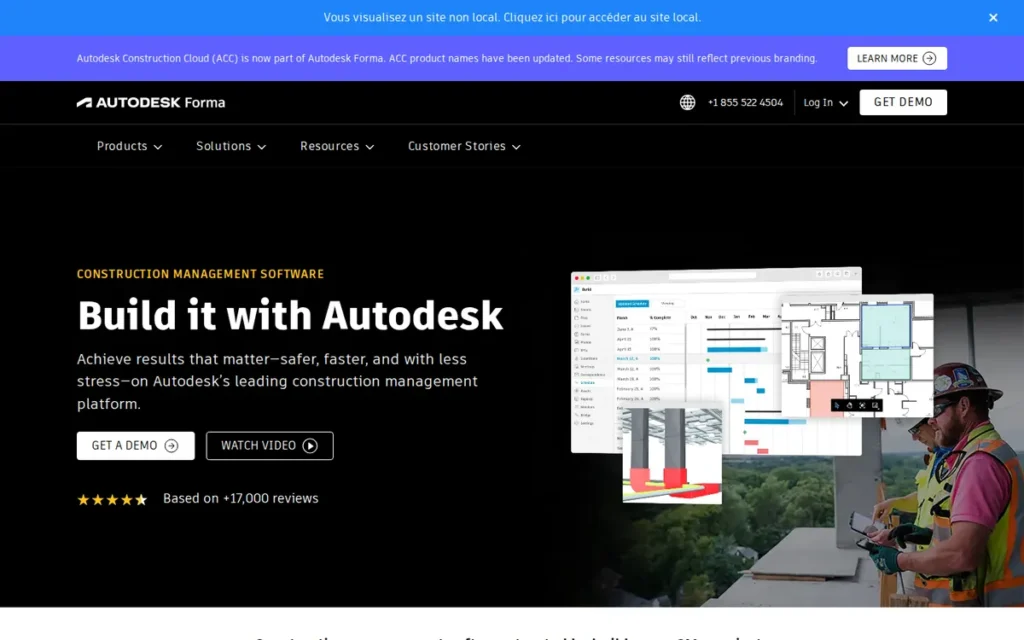
Autodesk Build (Forma Build), part of Autodesk Construction Cloud, is a BIM-native cloud platform that manages version-controlled drawing sets alongside Revit and Civil 3D models. Autodesk Build is built for contractors and project teams already invested in Autodesk tools.
Autodesk Build descends from BIM 360 and PlanGrid, and PlanGrid is being wound down for new customers (Autodesk pages and Fieldwire blog, accessed November 2026; vendor-published and competitor source). Former PlanGrid users should evaluate Autodesk Build (Forma Build).
Key Features
- Autodesk Build extracts sheet numbers and titles automatically on upload and organizes drawings into version sets.
- Autodesk Build provides revision compare and markups, and lets users pin issues directly to sheets.
- Autodesk Build links sheets to RFIs and submittals. Its AutoSpecs feature generates submittal logs from specifications, but its accuracy has not been independently benchmarked (Yardstick Research, accessed November 2026; third-party).
- Autodesk Build supports native Revit cloud worksharing and Civil 3D/Plant 3D collaboration through BIM Collaborate Pro.
- Autodesk Build offers mobile access to drawings, including offline use in the field.
Best For
Autodesk Build (Forma Build) is best for general contractors and multi-discipline teams whose designers already work in Revit, Civil 3D or other Autodesk products. Autodesk Build suits teams that want sheets, models, issues, RFIs and submittals in one environment.
Strengths
- Autodesk Build helped Messer onboard 6,005 active users across 250 projects in 12 months. S. M. Wilson connected 1,455+ users across 111 projects and 619 partner companies (Autodesk customer stories, accessed November 2026; vendor-published).
- Autodesk Build helped Pond & Company answer RFIs and submittals “30% faster,” with 25–30% time savings across projects (Autodesk customer story, accessed November 2026; vendor-published).
- Autodesk Build is the only product in this evaluation with native Revit cloud worksharing through BIM Collaborate Pro, according to Autodesk partner Graitec (Graitec, accessed November 2026; partner source).
- Autodesk Build holds a G2 rating of 4.4/5 from “thousands” of reviews. Capterra reviewers praise being able to “locate the latest model while retaining older versions” (G2 and Capterra, accessed November 2026; review platform).
This aligns with community sentiment on r/Revit:
“Build is good for project management stuff like RFI, Submittals, Schedules, Sheets, etc. Model coordination would be used for the clash detection. You can create issues and assign them to subs to fix and clear. It’s awesome too by the way. I work in BIM Coordination for a Contractor and I’m using this for multiple jobs right now” Posted by u/Slaymaker23
Takeaway: Contractor-side BIM coordinators rate Autodesk Build highly as the central hub for RFIs, submittals and sheets, with clash issues assigned to subcontractors through its model coordination tools.
Limitations
Autodesk Build (Forma Build) trades simplicity for depth in the Autodesk ecosystem. Reviewers report complexity and lag on large projects (Capterra and Builder Software Guide, accessed November 2026; review platform and third-party).
- Autodesk Build’s per-user costs add up when occasional field users and subcontractors need access, although Pond & Company chose it partly for “account-based pricing” (Capterra and Autodesk customer story, accessed November 2026; review platform and vendor-published).
- Some former PlanGrid users say Autodesk Build’s support has felt less personal since the migration (construction.com, accessed November 2026; third-party).
- Autodesk Build’s overlapping BIM 360, PlanGrid, ACC and Forma brands make the right product and license hard to identify.
- Autodesk Build is marketed by partners as supporting ISO 19650 workflows, but support does not mean compliance. Compliance depends on how each project is configured.
- Autodesk Build does not replace an ERP. One practitioner paired it with a separate ERP because they “couldn’t find an OOTB product that could do it all and do it well” (u/OcelotOtherwise, r/ConstructionManagers, 2023; practitioner forum).
Verdict
Autodesk Build (Forma Build) is the best construction drawing management software for Revit and Autodesk-heavy teams because it connects version-controlled sheets directly to models, issues, RFIs and submittals. Autodesk Build ranked a close second (38.0/45) and first on BIM fit (5.0).
Autodesk Build lost points on collaborator cost (C4 3.0), because occasional field and subcontractor users can require paid licenses, and on reputation (C6 4.0). Buyers should get a written quote that names the exact Forma package and licensing model. Teams that mainly need field access should also compare Fieldwire by Hilti.
3. Fieldwire by Hilti: Best for Small Teams and Field-First Crews

Category: Field-First Plan Tool. A mobile-centered drawing viewer where field tasks, punch lists and inspections are pinned directly to sheets.
At a Glance
- Category: Field-First Plan Tool
- Best For: Small-to-mid-size GCs, specialty subcontractors and foremen who mainly need current plans and field tasks on mobile devices
- Price Range: Free tier (Basic: 5 users, 3 projects, 100 sheets); $39–$89/user/month billed annually (2026)
- Primary Strength: Fieldwire puts current, version-controlled plans and plan-pinned field tasks on phones and tablets, with offline access and published pricing.
- Biggest Limitation: Fieldwire charges per user and reserves drawing-linked RFIs and submittals for its top Business Plus tier, so costs climb as foremen and subcontractors are added.
- One-Line Summary: Fieldwire by Hilti is the strongest choice for small teams and field-first crews that want offline plan access, plan-pinned tasks and published per-user pricing that starts with a free tier.
- Last Verified: November 2026
Overview
Fieldwire by Hilti is a field-first construction plan management app. Fieldwire puts version-controlled drawings, punch lists, tasks and inspections on phones and tablets with offline access, and it is built for small-to-mid-size contractors, specialty subcontractors and foremen.
Fieldwire is the only product in this evaluation that combines a free tier with a fully published per-user price list for both annual and monthly billing. Fieldwire treats drawings as the place where jobsite work is assigned and tracked.
Key Features
- Fieldwire provides a plan viewer with version control, so field users open the current sheet by default.
- Fieldwire offers sheet compare on the Pro tier and above for spotting changes between revisions.
- Fieldwire lets users pin tasks, punch items and QA/QC inspections directly to plan locations.
- Fieldwire supports offline mobile access to plans, although reviewers report slow initial sync on large sets.
- Fieldwire adds custom forms, a BIM viewer and app integrations on its Business tier, and adds RFIs, submittals, change orders and budget tools on Business Plus.
Best For
Fieldwire by Hilti is best for small crews, specialty subcontractors and field-first GCs whose main need is getting current plans onto foremen’s and superintendents’ phones and tablets. Teams of five or fewer users on up to three projects can start on Fieldwire’s free Basic tier.
Strengths
- Fieldwire publishes complete tier pricing, from a free Basic tier up to $89/user/month billed annually, with monthly rates listed too (Fieldwire Help Center, accessed November 2026; vendor-published).
- Fieldwire holds a G2 rating of about 4.5/5, and one reviewer praises “drawings, tasks, photos, RFIs, and field documentation in one easy-to-use platform” (G2, accessed November 2026; review platform; count not verified by PlugRoute).
- Fieldwire was described as “a decent choice for smaller to mid-size companies. Not expensive as Procore, but can do a lot of the same things” (u/MobiusOcean, r/ConstructionMNGT, August 2026; practitioner forum).
- Fieldwire says it has been used on more than 4,000,000 projects worldwide (Fieldwire, accessed November 2026; company claim, not audited).
Users on r/ConstructionTech shared their experience:
“All the available tools are going to have a learning curve. They’re all the same in one respect – if everyone is not on board, it all falls apart. The onboarding part is the key – sitting with your people and running some demos, and following through. Helps to have one or two people who are savvy and keep the rest of the team moving along on it, keeping communications where you want them, etc. I’ve put a lot of time into several softwares including Plangrid (many years), ACC (short term), Procore (2 years), and Fieldwire (second year in) is so far the best in terms of task management. Again, key being people must know how to use it, and more specifically, how your company uses it in terms of customizations in statuses, category filters etc. Probably not the lowest cost, but certainly a high performer relative to the cost of Procore and ACC.” Posted by u/seanfo33
Takeaway: Fieldwire by Hilti beats Procore and ACC on task management for value, but it is not the cheapest option and pays off only with disciplined, company-specific onboarding.
Limitations
Fieldwire by Hilti trades low entry cost for costs that grow with headcount. Fieldwire charges for every seat, so each additional foreman and subcontractor raises the total cost.
- Fieldwire’s entry tiers do not fully solve the current-set problem, because compare starts at Pro and drawing-linked RFIs and submittals require Business Plus at $89/user/month (Fieldwire Help Center, accessed November 2026; vendor-published).
- Fieldwire reviewers report slow initial offline sync on large sets, delays uploading drawings and reports that must be sent manually (G2, accessed November 2026; review platform).
- Fieldwire lacks nested subtasks and offers limited cost control, and one practitioner noted that firms still need a separate accounting package for payouts (u/PMsniper, r/ConstructionMNGT, 2026; practitioner forum).
- PlugRoute found no named Fieldwire customer case study with quantified outcomes, so Fieldwire’s score rests on published pricing, documented features and review-platform data.
Verdict
Fieldwire by Hilti is the best construction drawing management software for small teams and field-first crews that need offline plan access, published pricing and a free starting tier. Fieldwire ranked first on both field access (4.5) and cost transparency (4.5).
Fieldwire trails the top two mainly on workflow linkage. Its C3 score of 3.5 puts it 3.0 weighted points behind Procore and 2.0 behind Autodesk Build, because RFIs and submittals require Business Plus. Teams that need RFIs on every project should price Business Plus for every seat.
4. Oracle Aconex: Best for Large Multi-Party, Infrastructure and Regulated Projects
Category: Governance-Grade Document Control. A neutral common data environment with formal registers, transmittals and permanent audit trails for multi-party projects.
At a Glance
- Category: Governance-Grade Document Control
- Best For: Owners, document controllers and contractors on large multi-party, infrastructure and regulated projects
- Price Range: Pricing on request (per project, based on value, scope and duration). A third-party estimate puts it at roughly $1,000 to $10,000+/month.
- Primary Strength: Oracle Aconex provides a formal document register, transmittals and a permanent audit trail, which give multi-party projects a defensible record of which drawing was current and when.
- Biggest Limitation: Oracle Aconex has a limited mobile app and a dated interface, and contractors can lose records or face archiving fees when the owner ends the subscription.
- One-Line Summary: Oracle Aconex is the strongest choice for large multi-party and infrastructure projects where formal document control, transmittals and a permanent audit trail matter more than field usability.
- Last Verified: November 2026
Overview
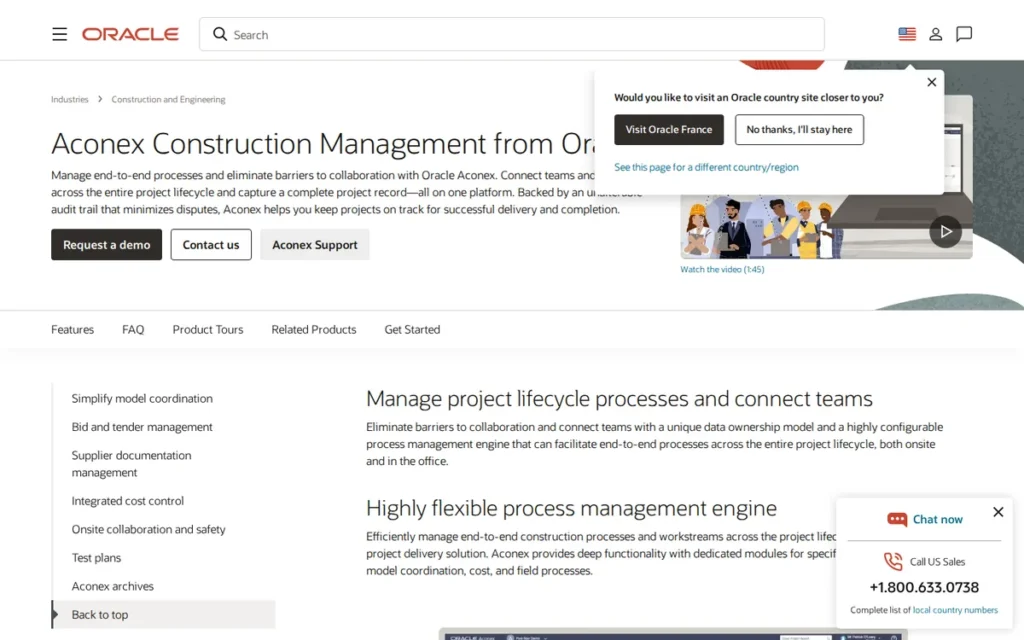
Oracle Aconex is an enterprise document control platform that gives large multi-party and infrastructure projects a neutral common data environment. That environment includes a formal drawing register, transmittals and a permanent audit trail, built for owners, document controllers and contractors working under governance requirements.
The project owner usually pays for Oracle Aconex. On Oracle Aconex projects, each participating organization keeps control of its own records, which supports governance, dispute protection and a legally defensible project history.
Key Features
- Oracle Aconex keeps a searchable document register that tracks revision supersession, so the system defines the current drawing, not file names.
- Oracle Aconex sends drawings through formal transmittals and project mail, which records who received which revision.
- Oracle Aconex supports configurable review and approval workflows with transaction reporting, backed by a permanent audit trail.
- Oracle Aconex includes model coordination and a Field module, and Oracle advertises ISO 27001 and SOC reports (Oracle, accessed November 2026; vendor-reported).
- Oracle Aconex’s FedRAMP Moderate and DISA Impact Level 4 authorizations apply only to the separate Aconex for Defense offering (The Digital Project Manager, accessed November 2026; third-party).
Best For
Oracle Aconex is best for large multi-party, infrastructure and regulated projects. On these projects, owners and document controllers need formal transmittals, a legally defensible record and neutral control of records across many organizations.
Strengths
- Oracle Aconex holds a G2 rating of 4.5/5 from 233 reviews and a Capterra rating of 4.4/5 from 217 reviews (G2 and Capterra, accessed November 2026; review platform). It is the only product in this evaluation with verified review counts on both platforms.
- Oracle Aconex helped AECOM save $500,000 on a single project and cut submittal turnaround by nearly 50% (Oracle, accessed November 2026; vendor-published).
- Oracle Aconex helped a Spanish renewable-energy company save up to 5,000 working hours per project (project-management.com, accessed November 2026; third-party reporting of vendor data).
- Oracle Aconex earns reviewer praise for version control, a searchable register, approval tracking and transaction reporting (Capterra and GetApp, accessed November 2026; review platform).
Limitations
Oracle Aconex trades field usability for governance. Reviewers report a limited mobile app, a dated interface and slow connections, so foremen may resist using it on site (Capterra and GetApp, accessed November 2026; review platform).
- Oracle Aconex has a steep learning curve and awkward bulk actions (Capterra and GetApp, accessed November 2026; review platform).
- Oracle Aconex implementation is costly, according to the same reviewers.
- Oracle Aconex’s markup is weaker than that of PDF specialists such as Bluebeam, according to the same reviewers.
- Oracle Aconex’s owner-paid model means contractors can lose access to closeout and handover records when the subscription ends.
- One firm’s management called Oracle Aconex’s paid archiving service “exorbitant.” That firm’s export of 40,000 records ran for a month with two interns and still did not finish (u/halguy5577, r/oracle, 2021 post with 2025 reply; practitioner forum, one firm’s experience).
Verdict
Oracle Aconex is the best construction drawing management software for large multi-party and infrastructure projects that need formal document control, transmittals and a permanent audit trail. Oracle Aconex ranked first on current-set integrity (5.0).
Oracle Aconex scored 2.5 on field access, which is the cap PlugRoute applies when offline mobile capability cannot be verified. Contractors should negotiate access to their records at closeout before mobilizing. Many teams pair Oracle Aconex with a field-first or PDF tool for site work.
5. Bluebeam (Revu + Bluebeam Cloud): Best PDF Markup, Comparison and Takeoff Companion
Category: PDF Markup Specialist. A desktop-first PDF tool for detailed markup, revision comparison and quantity takeoff, usually paired with a separate system of record.
At a Glance
- Category: PDF Markup Specialist
- Best For: Estimators, project engineers and design reviewers who need detailed markup, comparison and takeoff alongside a drawing platform
- Price Range: $260–$590/user/year (2026; the Max tier is at introductory pricing)
- Primary Strength: Bluebeam Revu offers the deepest PDF markup, overlay, document compare and batch slip-sheet tools in this evaluation.
- Biggest Limitation: Bluebeam is not a full drawing register or transmittal system, so which sheet is current depends on naming conventions and team discipline.
- One-Line Summary: Bluebeam Revu is the strongest PDF markup and revision comparison companion for construction teams, and it works best paired with a platform that holds the official current set.
- Last Verified: November 2026
Overview
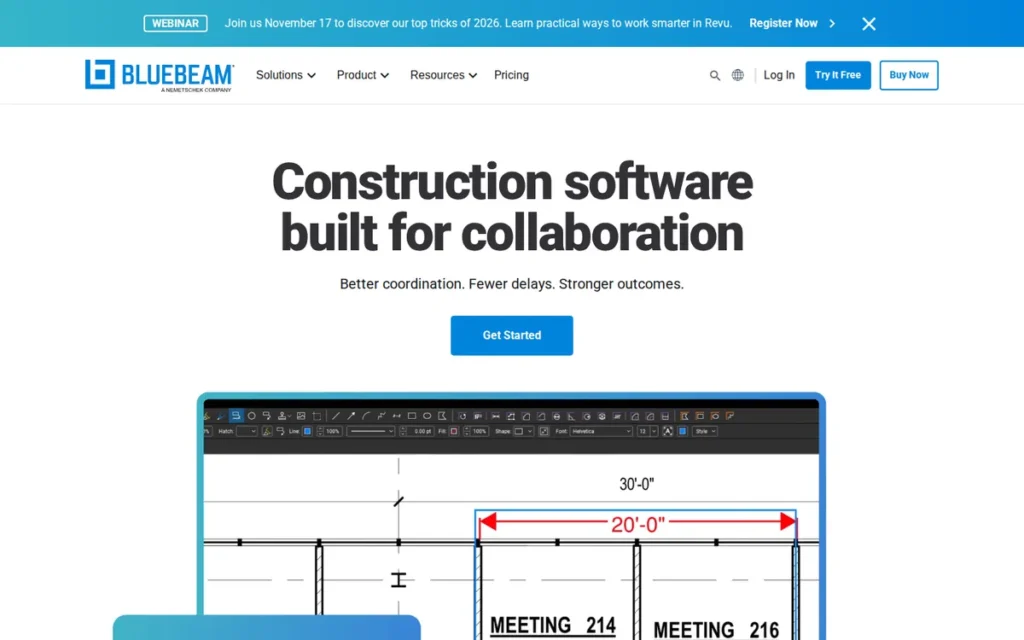
Bluebeam is a PDF markup, comparison and takeoff suite for estimators, project engineers and reviewers who need precise drawing markup alongside a construction platform. Bluebeam is built around the Windows desktop app Revu, with browser and mobile access through Bluebeam Cloud.
Bluebeam excels at review, but a separate system should hold the official set. Because Bluebeam is PDF-native, it works alongside whichever platform a general contractor has chosen.
Key Features
- Bluebeam Revu provides Overlay Pages and Compare Documents to highlight differences between revisions, bulletins and ASIs.
- Bluebeam Revu’s Batch Slip Sheet swaps revised sheets into an existing set.
- Bluebeam Studio Sessions let many collaborators mark up the same drawings in real time, with an audit trail.
- Bluebeam Revu includes quantity takeoff and measurement tools used by estimators.
- Bluebeam integrates natively with Procore and connects to Autodesk Forma through a third-party ARKANCE connector.
Best For
Bluebeam is best for estimators, project engineers and design reviewers who need precise PDF markup, revision comparison and takeoff. Bluebeam also suits teams that want to pair a PDF specialist with Procore or another platform that holds the official set.
Strengths
- Bluebeam reports more than 4M users at over 350,000 companies in 160+ countries (Bluebeam company profile, accessed November 2026; vendor-published). That is the largest user count claimed by any vendor in this evaluation.
- Bluebeam helped Arup spend up to 60% less time on design review (Bluebeam customer story, accessed November 2026; vendor-published).
- Bluebeam Studio Sessions handled more than 100,000 comments from about 400 AECOM collaborators (Bluebeam, undated and several years old per Bluebeam; vendor-published).
- Bluebeam holds Capterra 4.7/5 (~975 reviews) and G2 4.5/5 (~460 reviews), figures cited in Bluebeam’s own guide (Bluebeam, accessed November 2026; vendor-cited, not independently verified by PlugRoute).
Limitations
Bluebeam trades document control for markup depth. Teams that rely on Bluebeam alone have to define the current set through file naming, and that is the failure behind building from superseded sheets (Software Advice, accessed November 2026; third-party).
- Bluebeam Revu runs only on Windows now that Mac support has ended (Bluebeam support, accessed November 2026; vendor-published).
- Bluebeam Cloud’s browser and mobile versions do less than the desktop app, and PlugRoute could not verify offline access in Bluebeam Cloud’s mobile app.
- Bluebeam users report lag and crashes on 300–500-page sets, and some split packages into smaller files to cope (Capterra and Helonic, accessed November 2026; review platform and third-party).
- Bluebeam stability reports are mixed. One estimator reported “more crashes than previously,” while another saw a “big improvement from 2018” with no rendering issues (r/estimators, 2020; practitioner forum).
- Bluebeam has a steep learning curve and is often bought without training. One user wrote, “No one at work knows how to actually use it” (u/throwthisonetothesun, r/Revu, 2023; practitioner forum).
Users on r/Revu noted:
“I prefer PDF Xchange over Bluebeam any day. I wish I could use PDF Xchange at the new firm I am working at. Having to use Bluebeam.. Really not that happy about it, but the only redeeming thing bluebeam has is the bluebeam collaboration sessions.
PDF Xchange has less glitches and is a much faster and lightweight PDF editor. It also has more powerful tools for content editing.” Posted by u/DevilsPajamas
Takeaway: Some daily users find Bluebeam slower and glitchier than lighter PDF editors, and they see Studio collaboration sessions as its main advantage.
Verdict
Bluebeam Revu is the best PDF markup and revision comparison tool for construction teams, but Bluebeam should complement, not replace, a system that holds the official drawing set. Bluebeam ranked fifth because PlugRoute’s primary criteria favor current-set control, field access and workflow linkage.
Bluebeam scored 2.0 on workflow linkage because its links from drawings to RFIs depend on platform integrations. Of the documented pairings in this evaluation, Bluebeam’s native Procore integration is the most direct, while Autodesk Forma users connect through the ARKANCE connector. Teams adopting Bluebeam should budget for training.
6. Buildertrend: Best for Residential and Homeowner-Facing Builders
Category: Residential All-in-One. A construction business platform for residential and specialty builders that covers scheduling, client communication, financials and basic plan management.
At a Glance
- Category: Residential All-in-One
- Best For: Residential builders, remodelers and specialty contractors who need client portals, scheduling and financials more than deep drawing control
- Price Range: $199–$1,099/month with unlimited users (2026; promotional first-term prices step up at renewal)
- Primary Strength: Buildertrend combines plans, scheduling, change orders, client portals and job costing in one system with unlimited users on every tier.
- Biggest Limitation: Buildertrend’s drawing version control is shallower than that of dedicated drawing tools, and PlugRoute could not verify its offline plan access.
- One-Line Summary: Buildertrend is a strong all-in-one choice for residential and homeowner-facing builders with unlimited users, but it is not a dedicated drawing management tool for teams whose main risk is superseded sheets.
- Last Verified: November 2026
Overview
Buildertrend is an all-in-one construction management platform for residential builders, remodelers and specialty contractors. Buildertrend combines plan upload and markup with scheduling, change orders, client portals and job costing, with unlimited users on every published tier.
Buildertrend is evaluated here because residential builders and remodelers have drawing needs too, and many manage plans inside a broader business platform. Buildertrend’s drawing tools are lighter than those of the dedicated products, and that trade-off shaped its score.
Key Features
- Buildertrend supports plan upload and markup within its Docs and Files tools.
- Buildertrend includes Takeoff, scheduling, daily logs and change orders in the same platform.
- Buildertrend provides client and subcontractor portals for sharing information outside the firm.
- Buildertrend offers RFIs on its Complete tier only.
- Buildertrend lets firms connect estimates directly to job costing.
Best For
Buildertrend is best for residential builders, remodelers and specialty contractors who want scheduling, client communication and financials in one place with unlimited users. Buildertrend fits firms whose drawing needs are relatively simple.
Strengths
- Buildertrend includes unlimited users on every published tier, so subcontractors and clients can be added without per-seat fees (Buildertrend pricing, accessed November 2026; vendor-published).
- Buildertrend holds a G2 satisfaction score of 8.3/10 from 172 responses, and reviewers praise knowledgeable support and a polished client portal (G2, accessed November 2026; review platform).
- Buildertrend was recommended as “ideal for 50 people, sub scheduling and the payment side live in one place,” and another practitioner called it more affordable and easier to implement than some well-known options (r/ConstructionMNGT, 2026; practitioner forum).
- Buildertrend says 86% of its customers connect estimates directly to job costing (Rankite, accessed November 2026; vendor data via third-party).
- Buildertrend reported 23,000 clients and more than 1.1M users as of 2021, after acquiring CoConstruct (Buildertrend press release, 2021; vendor-published).
Limitations
Buildertrend trades drawing management depth for breadth across the residential business. PlugRoute could not verify Buildertrend’s offline capability because Buildertrend publishes no complete offline feature list.
- PlugRoute found no OCR sheet extraction, version-set or sheet-compare feature in Buildertrend’s published feature list. Fieldwire’s blog also rates Buildertrend’s version control as shallower (Buildertrend pricing and Fieldwire blog, accessed November 2026; vendor-published and competitor source).
- Buildertrend’s G2 reviewers report auto-renewal disputes, change-order notes missing from the mobile app and missed notifications (G2, accessed November 2026; review platform).
- Buildertrend’s promotional first-term prices rise significantly at renewal, and RFIs require the Complete tier (Buildertrend pricing, accessed November 2026; vendor-published).
- One practitioner described both Buildxact and Buildertrend as “pretty outdated” before choosing Archdesk (u/Particular-Return-39, r/Construction, 2024; practitioner forum).
Verdict
Buildertrend is the best fit in this list for residential builders who need client portals, scheduling and job costing with unlimited users, though Buildertrend is not a dedicated drawing control tool. Buildertrend ranked sixth because its revision control is shallow and its offline access is unverified.
Buildertrend tied Revizto at 24.0 and won the tie-break on verified review-platform data. Buyers should test offline plan access and read renewal terms before signing. Firms with demanding drawing needs should pair Buildertrend with a dedicated drawing tool.
7. Revizto: Best BIM Coordination Layer for Mixed-Authoring Teams
Category: BIM Coordination Layer. A combined 2D/3D workspace for cross-discipline issue tracking and clash coordination that sits alongside a document management system.
At a Glance
- Category: BIM Coordination Layer
- Best For: BIM managers, VDC teams and specialty contractors coordinating across Revit, Archicad, Navisworks and IFC-based workflows
- Price Range: Pricing on request (quote-based enterprise licensing with unlimited projects)
- Primary Strength: Revizto lets teams track issues and automate clash detection across sheets and 3D models from many authoring tools, in one workspace that people without BIM training can use.
- Biggest Limitation: Revizto has no published pricing and no review-platform rating PlugRoute could verify, and it is not built to replace the system that holds the official drawing set.
- One-Line Summary: Revizto is a strong BIM coordination layer for teams working across Revit, Archicad, Navisworks and IFC, best used alongside a platform like Procore or Autodesk Build that holds the official drawing set.
- Last Verified: November 2026
Overview
Revizto is a BIM coordination platform that combines 2D sheets, 3D models, point clouds and drone data in one workspace, with location-based issue tracking and clash automation. Revizto is built for BIM, VDC and specialty contractor teams working across multiple authoring tools.
Revizto sits alongside a common data environment such as Procore or Autodesk Construction Cloud rather than replacing it. Revizto is designed so that superintendents and owners without BIM training can take part in coordination.
Key Features
- Revizto brings sheets, 3D models, point clouds and drone data into one combined 2D/3D workspace.
- Revizto pins issues to locations on sheets or in the model for visual tracking across disciplines.
- Revizto’s Clash Automation finds and manages clashes between disciplines.
- Revizto works across authoring tools and open formats, so coordination is not tied to one design vendor:
- Revizto supports Revit, AutoCAD and Navisworks files.
- Revizto supports Archicad and SketchUp files.
- Revizto supports the open IFC and BCF formats.
- Revizto integrates with Procore, ACC, Box and SharePoint, and its API and Power BI access require the higher-priced Revizto+ tier.
Best For
Revizto is best for BIM managers, VDC teams and specialty contractors who coordinate across mixed authoring tools and already have a separate system of record. Revizto comes up less often than Navisworks or BIM Collaborate Pro in r/bim threads, so buyers should confirm that their partners can use it (r/bim, accessed November 2026; practitioner forum).
Strengths
- Revizto helped Rosendin Electric cut sheet revision tracking from more than a week to minutes using its API (Revizto case study, accessed November 2026; vendor-published).
- Revizto reports that Built achieved 50% faster project starts, 25% faster completion and 50% fewer defects (Revizto case study, accessed November 2026; vendor-published).
- Revizto earns G2 reviewer praise for visual issue tracking, fast navigation and section views (G2, accessed November 2026; review platform).
- Revizto reports that Alternative Heat saved £463,000 in four months and that EDiS cut coordination effort by about 50% (Revizto, accessed November 2026; vendor-published).
- Revizto reports ISO 27001, ISO 27017 and SOC 2 Type 2 certifications (Revizto, accessed November 2026; vendor-reported).
Limitations
Revizto trades document control for coordination depth, so teams still need another system to hold the official current set. Revizto’s quote-only pricing makes total cost difficult to compare without a written quote.
- Revizto has a G2 listing, but PlugRoute could not verify its rating or review count as of November 2026, and Reddit discussion of Revizto is almost nonexistent.
- Revizto reviewers report slow upload and sync on large projects (G2 and SoftwareFinder, accessed November 2026; review platform and third-party).
- Revizto reviewers describe sheet organization as clunky and the mobile app as weaker than the desktop (same sources).
- Revizto has no 4D scheduling and a learning curve for clash setup (same sources).
Verdict
Revizto is the best BIM coordination layer in this evaluation for teams working across mixed authoring tools, but Revizto complements rather than replaces a drawing management system. Revizto ranked seventh because of quote-only pricing, unverified ratings and its supporting role.
Revizto’s BIM and governance score (C5 4.5) is tied for second-highest in this evaluation, so its rank is not a verdict on its coordination capability. Teams should pilot Revizto alongside their existing CDE and ask for written pricing that includes Revizto+.
Which Tier Do You Need for Sheet Compare and RFI Linking?
The tier you buy decides whether an entry-level plan actually fixes the current-set problem. Fieldwire’s compare starts at Pro and its RFIs at Business Plus. Buildertrend’s RFIs require Complete, and Revizto’s API requires Revizto+. Procore, Autodesk Build and Oracle Aconex package features through quotes instead of public tiers.
| Product | Pricing Model | Tier-Gated Features (Documented) |
|---|---|---|
| Procore | Quote-based on construction volume; unlimited users | Bundles are Project Management, Financials, and Quality & Safety; which bundle holds each drawing feature is not published (verified November 2026) |
| Autodesk Build (Forma Build) | Mixed per-user and account-based | Revit worksharing requires BIM Collaborate Pro; the feature split between Docs and Build was not confirmed |
| Fieldwire by Hilti | Published per-user | Compare on Pro tier and above; BIM viewer and integrations on Business and above; RFIs and submittals on Business Plus |
| Oracle Aconex | Per project, owner-paid; unlimited users | Archiving after the project ends costs extra |
| Bluebeam | Published per-user, per-year | Revit-linked Studio on Max; collaborators may need licenses for advanced Studio use |
| Buildertrend | Published flat monthly fee; unlimited users | RFIs on Complete only; promotional prices step up at renewal |
| Revizto | Quote-based enterprise | API and Power BI on Revizto+ |
Which Construction Drawing Tools Work Offline on Phones and Tablets?
Procore, Autodesk Build and Fieldwire by Hilti document offline mobile access to drawings, although reviewers report sync or performance friction on large sets. Bluebeam Revu works offline as desktop software. PlugRoute could not verify offline mobile capability for Oracle Aconex, Buildertrend, Revizto or Bluebeam Cloud, so buyers should test it directly.
Mobile access is a major buying factor. Capterra’s analysis found mobile and field access mentioned in 167 reviews across the 9 products it studied (Capterra, 2026; review platform).
| Product | Offline Status | Reported Friction |
|---|---|---|
| Procore | Documented offline drawing access | Friction with downloads, reloads and PDF previews on mobile |
| Autodesk Build (Forma Build) | Documented mobile and offline field access | Lag on large projects |
| Fieldwire by Hilti | Documented offline mobile access | Slow initial sync on large sets |
| Oracle Aconex | Field module exists; offline not verified | Limited mobile app, slow connections |
| Bluebeam | Revu desktop works offline; Bluebeam Cloud mobile offline not verified | Lag on 300–500-page sets |
| Buildertrend | Not verified | Change-order notes missing in mobile app |
| Revizto | Not verified | Mobile weaker than desktop; slow sync |
How Much Does Construction Drawing Management Software Cost in 2026?
In 2026, construction drawing management software costs anywhere from free to $10,000+ per month, depending on the pricing model. Fieldwire starts free and Bluebeam starts at $260/user/year. Buildertrend runs $199–$1,099/month. Procore, Oracle Aconex and Revizto are quote-based, and Autodesk Build’s licensing is mixed.
Typical construction software runs from roughly $280/month for basic systems to $1,200+/month for advanced suites, and unlimited users and offline access usually sit in premium plans (Capterra pricing report, accessed November 2026; review platform).
Published and estimated prices by product (verified November 2026):
- Procore does not publish prices. Quotes depend on annual construction volume and the bundles selected, and all plans include unlimited users (Procore pricing page, accessed November 2026; vendor-published).
- Autodesk Build (Forma Build) packaging depends on configuration. A competitor source cites about $117/month as a starting price, and Autodesk has not confirmed that figure (Fieldwire blog, accessed November 2026; competitor source).
- Fieldwire by Hilti’s Basic tier is free for 5 users, 3 projects and 100 sheets. Billed annually, Pro, Business and Business Plus cost $39, $64 and $89 per user per month; billed monthly, they cost $54, $79 and $104 (Fieldwire Help Center, accessed November 2026; vendor-published).
- Oracle Aconex has no public price list, and a third-party analysis estimates about $1,000/month for smaller projects and $10,000+/month for large infrastructure (Redress Compliance, accessed November 2026; third-party). Capterra’s “$1.00/month” listing is not a realistic price.
- Bluebeam costs $260 (Basics), $330 (Core), $440 (Complete) and $590 (Max, introductory) per user per year, and is subscription-only (Bluebeam pricing, accessed November 2026; vendor-published).
- Buildertrend’s Essential, Advanced and Complete tiers cost $199, $499 and $799 per month in the first term, rising to $499, $799 and $1,099. The pricing page also shows $449, $719 and $989 depending on billing term (Buildertrend pricing, accessed November 2026; vendor-published).
- Revizto uses quote-based enterprise licensing with unlimited projects, and PlugRoute found no public or third-party dollar figures (Revizto pricing page, accessed November 2026; vendor-published).
The pricing model can matter more than the list price. At published November 2026 prices, 25 paid Fieldwire Business Plus seats cost about $26,700 a year (25 × $1,068). Ten Bluebeam Core seats cost $3,300 a year (PlugRoute calculation).
Buildertrend Complete costs about $13,200 a year (12 × $1,099) whatever the headcount (PlugRoute calculation). Ask Procore, Oracle Aconex and Revizto to quote the same 25-person scenario in writing.
The six pricing models represented:
- Procore prices by annual construction volume and includes unlimited users.
- Oracle Aconex prices per project, is usually paid by the owner and includes unlimited users.
- Buildertrend charges a flat monthly fee and includes unlimited users.
- Fieldwire by Hilti and Bluebeam publish per-user prices.
- Autodesk Build (Forma Build) mixes per-user and account-based licensing.
- Revizto uses quote-only enterprise licensing.
What Red Flags Should I Watch For When Evaluating Construction Drawing Management Software?
The biggest red flags in construction drawing management software are a current set that depends on file names and essential features locked to top tiers. Per-seat fees, renewal price increases, lost closeout records and untested offline claims also raise cost or the risk of building from the wrong sheet.
Red Flag #1: The Current Set Depends on File Names A tool without a system register or version sets relies on naming discipline to define the current sheet. If an architect reissues A-201 as Rev 3 under the file name “A-201_final_v2,” a foreman’s tablet may still open Rev 2. Teams using Bluebeam Revu alone carry this risk.
Red Flag #2: Sheet Compare or RFI Linking Locked to the Top Tier An entry-tier price can hide the fact that compare or drawing-linked RFIs require a higher tier. Fieldwire’s compare starts at Pro and its RFIs at Business Plus. Buildertrend’s RFIs require Complete, and Revizto’s API requires Revizto+. Price the tier your team actually needs.
Red Flag #3: Per-Seat Fees for Every Subcontractor Per-user pricing grows with every foreman, subcontractor and architect you invite. Fieldwire charges per seat, outside collaborators may need Bluebeam licenses for advanced Studio use, and Autodesk Build reviewers report rising costs for occasional field users. Model total cost at full project headcount.
Red Flag #4: Promotional Prices That Step Up at Renewal Promotional first-term pricing can rise sharply at renewal. Buildertrend’s prices step up after the first term, and one G2 reviewer reported an unexpected “$7,428.97” renewal charge under a two-year contract. Procore reviewers also raise concerns about renewal increases. Read renewal and cancellation terms before signing.
Red Flag #5: No Record Access After Closeout Owner-paid platforms can cut contractor access when the subscription ends, and archiving may cost extra. One Oracle Aconex user’s firm had a week to export 40,000 correspondence items and files, and after a month two interns still had not finished. Negotiate export rights before mobilizing.
Red Flag #6: Offline Access Claimed but Untested on Large Sets An offline checkbox says nothing about how a 400-page set syncs on a tablet. Reviewers of Fieldwire, Revizto and Procore’s mobile apps report slow initial sync or loading on large sets (G2 and Capterra, accessed November 2026; review platform). Test offline access with your own drawings.
What Questions Should I Ask Before Choosing Construction Drawing Management Software?
Before choosing construction drawing management software, ask vendors six questions. They cover which system holds the official set, what collaborators cost, how offline sync performs, which tier unlocks compare and RFIs, who owns records at closeout and how the tool fits your Autodesk setup. Clear answers expose most hidden costs and gaps.
Question #1: Which system holds the official current set? Look for a named system register or version-set feature that marks superseded sheets automatically when a revision, bulletin or ASI is published. If the vendor’s answer is “your naming conventions,” plan to pair the tool with a platform that holds the official set.
Question #2: What does it cost to invite a subcontractor, owner or architect? Ask whether outside collaborators need paid seats or licenses. On subcontractor-heavy projects, unlimited-user models such as Procore, Oracle Aconex and Buildertrend produce very different totals from per-seat models such as Fieldwire and Bluebeam. Ask for the total at full project headcount.
One practitioner’s advice on choosing a platform: pick “whichever one your subs will actually submit through.” (u/PMsniper, r/ConstructionMNGT, 2026; practitioner forum)
Takeaway: A drawing tool keeps the current set current only if subcontractors actually use it, so give subcontractor adoption as much weight as features.
Question #3: How does offline sync perform on a 400-page set? Ask the vendor to demonstrate offline sync with your largest real drawing set on a field tablet. Watch the initial sync time, how quickly revisions arrive and whether offline markups upload cleanly. PlugRoute could not verify offline mobile access for four of the seven tools.
Question #4: Which tier unlocks compare and RFI linkage? Get a written list of which features sit on which tier, including sheet compare, drawing-linked RFIs, submittals and BIM viewers. Price the tier that actually includes compare and drawing-linked RFIs, not the entry tier at the top of the pricing page.
Question #5: Who owns and can export our records when the project ends? Ask about export formats, archiving fees and access after the subscription ends, especially on owner-paid projects. A searchable export is far more useful than a raw dump of files, as one practitioner pointed out after a difficult Aconex archive (r/oracle, 2021; practitioner forum).
Question #6: How does this integrate with our Autodesk or Revit setup? Ask whether integrations are native or built by third parties, and which package unlocks them. The Procore–Bluebeam integration is native, while Autodesk Forma reaches Bluebeam through the third-party ARKANCE connector. “Supports ISO 19650” does not mean your project will be compliant.
Pilot checklist. Run a pilot on one live project with a superintendent, a project engineer, a foreman and an outside subcontractor. The pilot team should test each of these steps:
- Upload a real drawing set.
- Issue a revision and confirm the superseded sheets are flagged.
- Compare two versions of the same sheet.
- Test offline access on a phone and a tablet.
- Trace a markup through to an RFI.
- Invite an outside subcontractor and record the cost.
Pass/fail rule: if a foreman cannot find the current sheet offline in under a minute, the tool fails the pilot.
How Did We Rank These Construction Drawing Management Tools?
PlugRoute scored seven products from 1 to 5 on six published criteria, for a maximum of 45 points. Current-set integrity, field access and workflow linkage counted double, and the other three criteria counted once. Every score is tied to labeled evidence, and missing evidence lowered a score.
PlugRoute has no affiliate relationships with any company listed, and rankings are determined entirely by research data and objective evaluation criteria.
The six criteria:
- C1, Current-Set Integrity and Revision Control (primary, ×2): C1 measures OCR extraction, version sets or a register, slip-sheeting, compare for revisions, bulletins, ASIs and addenda, and how superseded sheets are handled. Building from superseded sheets is the core failure this category exists to prevent.
- C2, Field and Offline Mobile Access (primary, ×2): C2 measures documented offline capability, how mobile compares with desktop, and reported sync problems. Products without verified offline capability were capped at 2.5.
- C3, Workflow Linkage (primary, ×2): C3 measures native links from drawings to RFIs, submittals, punch items and tasks, and which tier unlocks them. Without these links, field questions lose their drawing context.
- C4, Collaborator Access and Cost Transparency (secondary): C4 measures whether prices are published, what collaborators cost, and documented cost risks such as renewal increases and archiving fees.
- C5, BIM/Autodesk Fit and Document Governance (secondary): C5 measures native authoring integration, support for open formats, registers, transmittals and audit trails.
- C6, Verified Reputation and Documented Weaknesses (secondary): C6 measures review-platform ratings, gives more credit for verified review counts, and deducts for recurring complaints.
| Rank | Product | C1 | C2 | C3 | C4 | C5 | C6 | Total /45 |
|---|---|---|---|---|---|---|---|---|
| 1 | Procore | 4.5 | 4.0 | 5.0 | 4.0 | 3.0 | 4.5 | 38.5 |
| 2 | Autodesk Build (Forma Build) | 4.5 | 4.0 | 4.5 | 3.0 | 5.0 | 4.0 | 38.0 |
| 3 | Fieldwire by Hilti | 4.0 | 4.5 | 3.5 | 4.5 | 3.0 | 4.0 | 35.5 |
| 4 | Oracle Aconex | 5.0 | 2.5 | 3.5 | 3.0 | 4.5 | 4.0 | 33.5 |
| 5 | Bluebeam | 3.5 | 3.0 | 2.0 | 3.5 | 3.5 | 4.5 | 28.5 |
| 6 | Buildertrend | 2.5 | 2.0 | 3.5 | 3.5 | 1.5 | 3.0 | 24.0 |
| 7 | Revizto | 3.0 | 2.5 | 2.5 | 1.5 | 4.5 | 2.0 | 24.0 |
Score sensitivity. Ranks 1–2 are separated by 0.5 points and ranks 6–7 are tied, so treat each pair as close alternatives chosen by fit. Procore’s 0.5-point lead over Autodesk Build is exactly the size of Procore’s C6 advantage.
C6 basis for each product:
- Procore’s 4.5 reflects a G2 rating of about 4.6/5 whose review count PlugRoute did not verify. At 4.0, Procore and Autodesk Build would tie at 38.0.
- Autodesk Build’s 4.0 reflects G2 4.4/5 from “thousands” of reviews, minus recurring complexity and lag complaints.
- Fieldwire’s 4.0 reflects a G2 rating of about 4.5/5 with an unverified count, minus recurring sync complaints.
- Oracle Aconex’s 4.0 credits verified counts on G2 and Capterra, minus recurring dated-interface and mobile complaints.
- Bluebeam’s 4.5 reflects high ratings with approximate counts that are vendor-cited. Under a strict reading of the rule, Bluebeam’s C6 would be 3.5 and its total 27.5, with no change in rank.
- Buildertrend’s 3.0 reflects a verified G2 satisfaction score of 8.3/10 from 172 responses, minus renewal and mobile complaints.
- Revizto’s 2.0 reflects the lack of any rating or review count PlugRoute could verify.
Tie-break rule. Buildertrend placed sixth and Revizto seventh at 24.0, because Buildertrend has verified review-platform data and Revizto does not.
Testing scope. PlugRoute scored these products from documented evidence, not hands-on testing. Offline sync and large-set performance scores reflect reported experience, so buyers should verify both in a pilot.
Evidence labels. Every claim carries one of these labels:
- Vendor-published means figures come from the company’s own case studies, pricing pages or press releases.
- Review platform means data comes from G2, Capterra, GetApp or AWS Marketplace.
- Practitioner forum means quotes come from Reddit construction communities and represent individual opinion.
- Third-party or competitor source means analysis comes from an outside firm, and competitors are labeled as such.
- Not verified by PlugRoute means PlugRoute could not confirm the figure against a primary source.
Undated sources are cited as “accessed November 2026,” and Reddit posts carry the year they were posted. Posts that looked like astroturfing, such as repeated look-alike recommendations of Buildern and Filio, and posts from vendor employees received little or no weight.
Evidence gaps. Almost all outcome figures in this article are vendor-published. PlugRoute found no peer-reviewed studies of construction drawing management software. Widely repeated industry figures that could not be traced to primary sources were left out.
Products not ranked. Dalux, CMiC, Contractor Foreman, Archdesk and RedTeam came up in AI answers or forum threads but were not researched to the same depth. Ranking them fairly would require the same depth of research, so they are flagged for a future update.
What Do Buyers Ask Most About Construction Drawing Management Software?
Buyers most often ask three things. Do they need an all-in-one platform, a PDF tool or both? How should a subcontractor choose when each GC requires its own platform? And how does PlugRoute rank tools? In short, most general contractors pair one system of record with a PDF tool.
Do I need an all-in-one platform, a PDF markup tool like Bluebeam, or both?
Many general contractors need both: a platform that holds the official current set and a PDF tool for detailed markup. Procore and Bluebeam integrate natively, while Autodesk Forma reaches Bluebeam through a third-party ARKANCE connector. Small field-first teams may find that Fieldwire’s built-in compare, on Pro and above, covers their needs without a separate PDF tool.
How should a subcontractor choose construction drawing management software when GCs require their own platforms?
A subcontractor should work inside each general contractor’s platform for project records and pick one internal tool for its own field execution and markup. No product in this evaluation removes the need to juggle several GC platforms. Fieldwire’s published per-user pricing and Bluebeam’s PDF-native approach make them practical internal choices for many specialty subcontractors.
How does PlugRoute determine rankings?
PlugRoute scores every product from 1 to 5 on six published criteria. Current-set integrity, field access and workflow linkage count double, and the maximum total is 45. Each score is tied to labeled, dated evidence rather than hands-on testing. Missing evidence lowers a score instead of being assumed, and verified review-platform data breaks ties.
What Do Key Construction Drawing Management Terms Mean?
The terms that matter most in construction drawing management are current set, superseded sheet, document register, transmittal and common data environment (CDE). Together they describe how a tool decides which drawing is official, who received it and when. That is the core protection against building from outdated sheets.
Current Set: The complete collection of the latest approved drawing sheets for a project. Buyers should judge every tool on how reliably it shows field crews this set and nothing else.
Superseded Sheet: A drawing sheet that a newer revision has replaced. A good tool marks or hides superseded sheets automatically, because building from them causes rework.
ASI or Bulletin: A formal design change issued after the drawings are released, such as an architect’s supplemental instruction (ASI), a bulletin or an addendum. Compare tools help teams see exactly which sheets each change affects.
Conformed Set: A drawing set updated to include every addendum and change issued before construction starts. A conformed set gives the field a single, complete starting point.
Common Data Environment (CDE): A single shared system where project information is stored, versioned and distributed to every party. Choosing a CDE settles which system is the source of truth.
Document Register: A controlled, searchable list of every project document and its revision status. A register defines what is current through the system rather than through file names.
Transmittal: A formal, recorded issue of documents from one party to another. Transmittals prove who received which revision and when, which matters in disputes.
Overlay and Compare: Tools that layer two versions of a drawing or highlight their differences. These tools let teams spot changes between revisions without checking sheet by sheet.
Slip-Sheeting: Swapping revised sheets into an existing drawing set. Good slip-sheeting keeps the set complete and current without rebuilding it by hand.
OCR Sheet Extraction: Automatic reading of sheet numbers and titles from uploaded drawings. OCR sheet extraction cuts manual data entry and reduces errors when large sets arrive.
RFI and Submittal: An RFI (request for information) is a formal question from the field to the design team. A submittal is a package of product data or shop drawings sent for approval. Linking both to drawings keeps each item tied to the right sheet location.
Tier-Gating: Restricting features to higher-priced subscription tiers. Buyers should check whether compare and RFI linkage are tier-gated before comparing entry prices.
Which Construction Drawing Management Tool Is Right for You?
Key Insights
- The right construction drawing management tool depends on your firm’s main risk. Procore suits GCs coordinating many subcontractors, Autodesk Build suits Revit-heavy teams, Fieldwire by Hilti suits small field crews and Oracle Aconex suits multi-party governance. Bluebeam and Revizto work best as companions.
- One system must hold the official current set, and companion tools such as Bluebeam or Revizto should work alongside that system rather than compete with it.
- Tier-gating decides whether an entry-level plan actually solves the current-set problem, because compare and RFI linkage often sit on higher tiers.
- Per-seat and unlimited-user pricing models change total cost dramatically as subcontractors and outside collaborators are added.
- No product in this evaluation combines free outside collaborators, published pricing and deep markup, so most teams have to accept a trade-off.
Guidance by team type:
- Mid-to-large commercial GCs: Procore suits teams that need drawings linked to RFIs and submittals with unlimited collaborators.
- Revit-heavy teams: Autodesk Build (Forma Build) fits, and Revizto can be added for clash coordination across authoring tools.
- Small crews and specialty subcontractors: Fieldwire by Hilti offers a free start and published per-user pricing.
- Multi-party, infrastructure and regulated projects: Oracle Aconex fits, provided access to records at closeout is negotiated up front.
- Residential builders: Buildertrend suits firms whose drawing needs are simple and who value client portals.
Practitioners on Reddit have also offered rules of thumb on firm size. These are community opinion, not verified thresholds:
- One practitioner placed Procore and Autodesk Construction Cloud at firms with roughly $10–20M in annual revenue (u/StevenNotEven, r/ConstructionManagers, 2023; practitioner forum).
- Another called Buildertrend “ideal for 50 people” (u/PMsniper, r/ConstructionMNGT, 2026; practitioner forum).
- Another called Fieldwire by Hilti “a decent choice for smaller to mid-size companies” (u/MobiusOcean, r/ConstructionMNGT, August 2026; practitioner forum).
To compare tools further, read PlugRoute’s full scoring methodology above and look for these upcoming PlugRoute guides:
- PlugRoute’s total cost of ownership guide will model seat costs at full project headcount.
- PlugRoute’s subcontractor guide will cover working across several GC platforms.
- PlugRoute’s field reliability report will test offline sync on large drawing sets.
- PlugRoute’s governance and closeout guide will cover record export and archiving rights.
We update this guide quarterly, and PlugRoute will revisit these rankings as AI drawing comparison and spec-to-submittal automation mature and as Autodesk’s Forma renaming finishes. Last updated: November 2026.