The best Adobe InDesign alternatives in 2026 are Affinity by Canva for free professional page layout, QuarkXPress for a perpetual license that exports IDML back to InDesign users, and Scribus for free open-source prepress. None of the seven ranked tools writes native INDD files, so file handoff often matters more than features.
Many readers pay a monthly Adobe subscription for layout work they do only a few times a year. Others want to leave but have years of INDD files and clients who expect InDesign packages. Many also cannot easily tell real page-layout tools from template apps.
PlugRoute has no affiliate relationships with any company listed, and rankings are determined entirely by research data and objective evaluation criteria.
This guide scores seven tools on six published criteria and flags every unverified vendor claim. It also shows which tools can import or return your InDesign files. Each entry includes dated ratings, prices and a direct comparison with Adobe InDesign.
Why Are People Looking for Adobe InDesign Alternatives?
Most people look for Adobe InDesign alternatives because of cost and complexity, not because the software is poor. Adobe InDesign holds a 4.6/5 rating from 3,497 G2 reviews (G2, 2026). Reviewers’ most-cited cons are price, difficulty and a steep learning curve, and the G2 list price is $20.99 per month, which may change.
Adobe InDesign’s most common G2 cons are listed below (G2, 2026):
- Adobe InDesign has 17 G2 reviews that mention “Expensive” as a con.
- Adobe InDesign has 17 G2 reviews that mention “Difficulty” as a con.
- Adobe InDesign has 16 G2 reviews that mention “Steep Learning Curve” as a con.
- Adobe InDesign has 13 G2 reviews that mention “Slow Performance” as a con.
- Adobe InDesign has 8 G2 reviews that mention “Expensive Subscription” as a con.
Adobe InDesign reviewers on G2 also ask for four recurring improvements (G2, 2026):
- Adobe InDesign reviewers want simpler onboarding and navigation, so that common tools are easier to find.
- Adobe InDesign reviewers want more reliable collaboration for shared review and real-time teamwork.
- Adobe InDesign reviewers want stronger performance and stability with large, image-heavy files.
- Adobe InDesign reviewers want more automation for repetitive layout and production work.
Demand for book layout is also rising. US self-published ISBNs rose 38.7% in 2025, from about 2.5 million to more than 3.5 million (ISBNdb citing Bowker, 2025). ISBNs are counted per format, so this figure does not count individual titles.
PlugRoute uses each Adobe InDesign complaint above as a test. Every alternative below is judged on whether it fixes cost, complexity, collaboration or performance without losing print output or access to your files.
“Somebody needs to come out with an affordable page layout program for the part-time user. A CC license is, over time, cost prohibitive.” (r/graphic_design, 2016, historical)
Takeaway: Part-time layout users feel the cost of the subscription model most, which is why free and perpetual-license tools take the top spots in this ranking.
What Are the 4 Categories of InDesign Alternative Tools?
InDesign alternatives fall into four categories. The professional page-layout tools are Affinity by Canva, QuarkXPress, Scribus and VivaDesigner. Marq is a brand-template platform, Swift Publisher is an entry-level desktop publisher, and Canva is a template-based design app. Only the professional page-layout tools can realistically replace InDesign for books, magazines and strict press work.
- Professional Page-Layout Tool: A professional page-layout tool is desktop software built for multi-page, print-ready publications, with master pages, threaded text and press-quality PDF export. The four tools in this category are Affinity by Canva, QuarkXPress, Scribus and VivaDesigner.
- Brand-Template Platform: A brand-template platform is browser software where designers lock approved templates and non-designers edit only the fields they are allowed to change. Marq is the only tool in this category.
- Entry-Level Desktop Publisher: An entry-level desktop publisher is a low-cost desktop layout app for flyers, newsletters, labels and simple booklets, with basic print output. Swift Publisher is the only tool in this category.
- Template-Based Design App: A template-based design app is a browser-based drag-and-drop platform built around ready-made templates and team collaboration rather than typesetting. Canva is the only tool in this category.
Canva has owned Serif, the developer of Affinity, since March 2024 (Beyond-Print, 2024). PlugRoute scored Canva and Affinity by Canva on the same six criteria as every other product. The shared ownership did not affect either score.
How Do the Top InDesign Alternatives Compare at a Glance?
Affinity by Canva leads the ranking with 41 of 50 points, followed by QuarkXPress (39) and Scribus (38). These three are the strongest professional replacements. VivaDesigner, Marq, Swift Publisher and Canva each serve a narrower need. Adobe InDesign appears as an unranked reference row.
| Rank | Company | Category | Best For | One-Line Summary | Key Capabilities | Primary Strength | Key Limitation |
|---|---|---|---|---|---|---|---|
| 1 | Affinity by Canva | Professional Layout | Freelancers and self-publishers delivering PDFs | Affinity by Canva is the strongest free Adobe InDesign alternative in 2026, but it imports InDesign files in one direction only. | Master pages, linked frames, Data Merge, preflight, IDML import | Professional layout at $0 | No INDD or IDML export |
| 2 | QuarkXPress | Professional Layout | Professionals wanting a perpetual license | QuarkXPress is the most like-for-like perpetual-license InDesign alternative and the only ranked tool with documented IDML export. | IDML import and export, Pantone, LaTeX/MathML, HTML5 output | IDML round-tripping | $699 up front; smaller ecosystem |
| 3 | Scribus | Professional Layout | Linux users and open-source advocates | Scribus is the best free open-source InDesign alternative for press-ready PDF/X output. | PDF/X-1a/X-3/X-4, preflight, CMYK, spot color, Python | Free prepress depth | Dated interface, steep learning curve |
| 4 | VivaDesigner | Professional Layout | Multilingual and mixed-OS teams | VivaDesigner claims the broadest InDesign file exchange in 2026 but has the thinnest independent evidence. | Claimed INDD/IDML import, edition-dependent IDML export, Linux and web | Broadest claimed file exchange | Four reviews total; claims unverified |
| 5 | Marq | Brand Template | Non-designer brand teams | Marq is the best InDesign alternative for teams whose problem is brand control, not typesetting. | Template locking, approvals, smart fields, IDML import (paid) | Brand governance | Not a typesetting tool |
| 6 | Swift Publisher | Entry-Level | Mac users on a budget | Swift Publisher is the lowest-cost paid InDesign alternative, a $19.99 Mac-only app for simple print pieces. | Master pages, booklet printing, mail merge | $19.99 one-time (US store) | Mac-only; no IDML; no PDF/X |
| 7 | Canva | Template App | Fast collaborative marketing graphics | Canva is the easiest collaborative design tool here, but it is not a true InDesign replacement. | Templates, brand kits, real-time collaboration, Canva Print | Ease and collaboration | No master pages or IDML import |
| N/A | Adobe InDesign (reference, not ranked) | Professional Layout | Native INDD workflows | Adobe InDesign remains the industry standard at a $20.99/month G2 list price. | Full layout, Creative Cloud integration | Industry standard; 4.6/5 (3,497 G2 reviews) | Expensive / Difficulty (17 G2 mentions each) |
Which InDesign Alternative Should I Choose for My Use Case?
The best InDesign alternative depends on your top priority. Affinity by Canva suits free professional print, QuarkXPress a perpetual license with IDML export, Scribus Linux and open source, and VivaDesigner multilingual mixed-OS teams. Marq suits non-designer brand teams, Swift Publisher Mac users on a budget, and Canva quick collaborative graphics.
| Your #1 Priority | Recommended Tool | Why | Acceptable Alternative |
|---|---|---|---|
| Free and professional print | Affinity by Canva | Full layout toolset at $0 | Scribus |
| Perpetual license plus IDML export | QuarkXPress | Documented IDML import and export | VivaDesigner (confirm edition first) |
| Open source or Linux | Scribus | PDF/X and preflight on Linux and BSD | VivaDesigner |
| Multilingual or mixed-OS teams with IDML export | VivaDesigner (test first) | Claims all writing directions plus IDML export in some editions | QuarkXPress |
| Non-designer brand teams | Marq | Locked templates and approval workflows | Canva |
| Mac on a budget or former Microsoft Publisher user | Swift Publisher | $19.99 one-time with booklet printing | Affinity by Canva or Scribus |
| Quick collaborative marketing graphics | Canva | Templates and real-time collaboration | Marq |
| Book layout and self-publishing | Affinity by Canva or Scribus | Master pages, threaded text, print PDF | QuarkXPress if budget allows |
For long books, check which tool documents the long-document features you need:
- Scribus lists footnotes and endnotes in its specifications (Scribus, 2026).
- VivaDesigner documents automatic tables of contents and indexes (viva.systems, 2026).
- Affinity by Canva documents EPUB export alongside print PDF (Affinity, 2026).
PlugRoute did not research KDP or IngramSpark file specifications for this ranking. Self-publishing authors should check their print-on-demand service’s PDF requirements against any tool they choose.
What Are the Key Specs of Each InDesign Alternative?
The specs that separate InDesign alternatives are price and license type, InDesign file support, prepress output, platforms and collaboration. Affinity by Canva and Scribus are free. QuarkXPress documents IDML export and Scribus documents PDF/X. VivaDesigner covers the most platforms, and Marq and Canva lead on collaboration.
| Tool | Price & License (Nov 2026) | IDML Import | INDD Import | IDML Export | Prepress (CMYK / PDF-X / Preflight) | Platforms | Collaboration | Rating (source, count) |
|---|---|---|---|---|---|---|---|---|
| Affinity by Canva | Free (Canva account); AI on paid Canva plan | Yes | Claimed on App Store only (fidelity undocumented) | No | Preflight, CMYK, spot color documented; PDF/X presets not named | Windows, Mac, iPad | Weak | App Store 4.6 (224); G2 4.5 (452, older listing) |
| QuarkXPress | $699 perpetual or $279/year | Yes | No | Yes (print layouts only; not lossless) | CMYK and Pantone documented; PDF/X per vendor | Windows, Mac | Weak | Capterra 4.4 (201); G2 4.0 (303) |
| Scribus | Free (GPL) | Yes (fidelity not guaranteed) | No | No | PDF/X-1a/3/4, preflight, CMYK, spot color | Windows, Mac, Linux, BSD | None | SourceForge 4.6 (146); G2 4.1 (27) |
| VivaDesigner | Free Edition; $89–$399 desktop (license type unstated) | Yes (vendor claim) | Claimed | Yes (vendor claim; not in every edition) | Unverified | Windows, Mac, Linux, Web | Web Edition | Capterra 4.7 (3); G2 4.5 (1) |
| Marq | Free; Pro $15/mo; Team $12/mo per license | Yes (paid plans; 5 Pro / 15 Team) | No (IDML only) | No | 300 dpi print on paid plans; CMYK/PDF-X undocumented | Web | Strong (locking) | Capterra 4.5 (284); G2 4.5 (210) |
| Swift Publisher | $19.99 one-time (US store) | No | No | No | Limited CMYK; no PDF/X | Mac only | None | Mac App Store 4.2 (280); Capterra 4.1 (10) |
| Canva | Free; Pro $15, Teams $10 (G2 list); checkout higher | No | No | No | CMYK on paid plans; fixed bleed | Web, apps | Strong | G2 4.7 (7,857) |
1. Affinity by Canva: Best Overall Free InDesign Alternative
Category: Professional Page-Layout Tool, desktop software built for multi-page, print-ready publications with master pages, threaded text and press-quality PDF export.
At a Glance
- Category: Professional Page-Layout Tool
- Best For: Freelancers, self-publishing authors and small studios who deliver finished PDFs rather than editable InDesign files
- Price Range: Free with a free Canva account; Canva AI features require a paid Canva plan (Affinity, 2026)
- Primary Strength: Affinity by Canva offers master pages, linked text frames, Data Merge, advanced typography and print PDF with bleed and crop marks at no cost.
- Biggest Limitation: Affinity by Canva cannot export INDD or IDML, so editable files cannot go back to clients or printers who work in InDesign.
- One-Line Summary: Affinity by Canva is the strongest free Adobe InDesign alternative in 2026. It pairs professional page layout with photo and vector tools in one desktop app, but imports InDesign files in one direction only.
- Last Verified: November 2026
Overview
Affinity by Canva is a free desktop design app. Its Layout studio, formerly Affinity Publisher 2, gives designers, self-publishers and small studios master pages, threaded text, advanced typography and print PDF export without an Adobe subscription.
Affinity by Canva replaced the separately sold Affinity Publisher, Designer and Photo apps in October 2025 and combines Pixel, Vector and Layout studios in one app (Affinity, 2025). Affinity by Canva requires a free Canva account.
Key Features
- Affinity by Canva provides linked text frames with autoflow, live text wrap and reusable master pages for books, magazines and brochures.
- Affinity by Canva includes Data Merge (variable data printing) for catalogs, certificates and personalized documents.
- Affinity by Canva lists preflight, CMYK and spot color support among its print-layout features, but its official pages do not name PDF/X export presets (Affinity, 2026).
- Affinity by Canva exports print PDF with bleed and crop marks, plus EPUB, SVG, JPEG, PNG and TIFF (Affinity, 2026).
- Affinity by Canva imports IDML files and keeps spreads, master pages, page numbering, bleed, text and picture frames, styles and tables (Affinity Help, 2026).
Best For
Affinity by Canva is best for designers, self-publishing authors and small studios who want a near-complete InDesign-style print workflow at $0 and who deliver finished PDFs rather than editable InDesign files.
Pricing
- Affinity by Canva’s core app, including the Layout studio and export, is free with a free Canva account (Affinity, 2026).
- Affinity by Canva’s Canva AI features require a paid Canva plan. Canva Pro has a G2 list price of $15/user/month, which may change, and costs $18/month on the US App Store (G2, 2026; Apple App Store, 2026).
- Affinity by Canva’s older G2 listing shows one-time prices of $4,999 and $1,949. These conflict with the official free pricing and appear to be a listing error (G2, 2026).
- Affinity by Canva’s handling of existing Affinity V2 perpetual licenses is not documented in the sources PlugRoute reviewed.
Strengths
- Affinity by Canva holds a 4.6/5 rating from 224 Apple App Store ratings for the unified app, and 4.5/5 from 452 G2 reviews, with 96.7% at 4 or 5 stars (Apple App Store, 2026; G2, 2026).
- Affinity by Canva costs $0 for professional layout and export, compared with Adobe InDesign’s $20.99/month G2 list price, and G2 reviewers cite “Affordable” (5 mentions) as a pro (G2, 2026).
- Affinity by Canva has documented IDML import that preserves master pages, styles and tables, which gives InDesign users a defined migration path (Affinity Help, 2026).
- Affinity by Canva performs well for one Reddit user who builds books and magazines of about 1 GB on an 8 GB M1 Mac mini and reports PDF export taking “seconds” (r/Affinity, 2025, anecdotal).
Limitations
Affinity by Canva gives up round-trip compatibility in exchange for its $0 price. It cannot export INDD or IDML, so editable files cannot go back to InDesign users.
- Affinity by Canva’s lack of export was the only thing stopping one user from switching fully: “If I didn’t have to sometimes hand off projects to other people, I’d use Publisher exclusively.” The user was referring to Affinity Publisher, now the Layout studio (r/Affinity, 2025).
- Affinity by Canva’s official page-layout FAQ names IDML as its supported InDesign format. A claim of INDD import appears only on its App Store listing, with no fidelity documentation (Affinity, 2026; Apple App Store, 2026).
- Affinity by Canva’s PDF/X export presets, GREP and scripting were not confirmed on official Affinity pages (Affinity, 2026).
- Affinity by Canva requires a Canva account and has no native Linux version.
- Affinity by Canva faces some community distrust of Canva ownership, with one user writing “Pledges mean nothing” (r/Affinity, 2024).
- Affinity by Canva’s owner states that locally stored files are not used to train AI (AI Ignitions, accessed 2026). One user report says usage-data sharing is on by default (DxO forum, accessed 2026, anecdotal).
- Affinity by Canva’s predecessor drew a Mac stability complaint in July 2025, when a user reported Publisher 2.6.x freezing on launch, before the unified app existed (r/Affinity, 2025).
Users on r/graphic_design shared their experience:
“For most of those aspects, Affinity will be more than fine. However, if you want to delve into GREP styles or doing a bit of scripting, I would go straight into Adobe InDesign. It will also be a bit easier finding resources online for learning InDesign. There’s heaps out there for Affinity, from what I can tell, but InDesign has the advantage of age and reach so it will be easier to find answers for the more niche questions.” Posted by u/softdawnpages
Takeaway: Affinity by Canva handles most book-layout work, but designers who depend on GREP styles, scripting or deep learning resources still find Adobe InDesign the stronger choice.
How It Compares With Adobe InDesign
Affinity by Canva covers most of Adobe InDesign’s core print features at $0, compared with InDesign’s $20.99/month G2 list price. Affinity by Canva also adds photo and vector editing in the same app. Affinity by Canva falls short of InDesign on round-tripping files with InDesign shops and on documented automation.
Verdict
Affinity by Canva is the best overall free Adobe InDesign alternative for print and long-document layout in 2026, provided you deliver final PDFs rather than editable InDesign files.
Affinity by Canva scored 41/50 and leads QuarkXPress by two points. Its $0 price (cost 5 vs 3) and stronger evidence base outweigh QuarkXPress’s stronger IDML export and prepress. Test your own IDML files before moving a production workflow. Choose QuarkXPress instead if you must send IDML back to InDesign users.
2. QuarkXPress: Best for Perpetual Licenses and IDML Round-Tripping
Category: Professional Page-Layout Tool, desktop software built for multi-page, print-ready publications with master pages, threaded text and press-quality PDF export.
At a Glance
- Category: Professional Page-Layout Tool
- Best For: Professional designers and publishers who want a perpetual license and must exchange IDML files with InDesign-based clients, agencies or printers
- Price Range: $699 perpetual license (includes one year of maintenance) or $279/year prepaid subscription (Capterra, 2026; G2, 2026; may change)
- Primary Strength: QuarkXPress imports and exports IDML, so it can hand editable files back to InDesign users.
- Biggest Limitation: QuarkXPress has the highest up-front cost in this list, and most printers and agencies have standardized on InDesign rather than Quark.
- One-Line Summary: QuarkXPress is the most like-for-like professional Adobe InDesign alternative with a perpetual license in 2026, and the only ranked tool with documented IDML export back to InDesign users.
- Last Verified: November 2026
Overview
QuarkXPress is a professional desktop page-layout application for Windows and macOS. It is built for designers and publishers who need full print and digital publishing tools, IDML exchange with InDesign users, and the option of a perpetual license instead of a subscription.
QuarkXPress launched in 1987 and is widely reported to have held about 90% of the page-layout market in the 1990s (Wikipedia, accessed 2026; historical). Zax.ai acquired Quark Software on April 2, 2026, and has said customer support will continue (Quark, 2026).
Key Features
- QuarkXPress imports IDML and exports it through File > Export As > IDML, a feature introduced in QuarkXPress 2024 (Quark, 2026).
- QuarkXPress supports variable fonts, LaTeX and MathML, paper-color preview and Pantone libraries for technical and print-critical work (Quark, 2026).
- QuarkXPress publishes HTML5 digital output, including responsive web pages, e-books and apps, from the same layout (Quark, 2026).
- QuarkXPress includes the Quarky AI assistant for drafting, rewriting, summarizing and translating text. Subscribers and perpetual-license holders with active maintenance get 7,200 AI pages and 5,000 font pairings a year (Quark, 2026).
Best For
QuarkXPress is best for professional designers and small publishers who want to own a license outright and still exchange IDML files with InDesign-based collaborators.
Pricing
- QuarkXPress costs $699 for a perpetual license that includes one year of maintenance, and upgrades and support after year one require a paid renewal (Capterra, 2026; G2, 2026).
- QuarkXPress also offers a $279/year prepaid subscription with upgrades and support (G2, 2026). TrustRadius lists an older, conflicting figure of $249/year.
- QuarkXPress’s $279/year subscription costs about $27 more per year than Adobe InDesign’s $20.99/month G2 list price ($251.88/year), so QuarkXPress saves money only on the perpetual license.
- QuarkXPress’s $699 perpetual price equals about 33 months of Adobe InDesign at that G2 list price ($699 ÷ $20.99 ≈ 33.3), before any maintenance renewals.
Strengths
- QuarkXPress holds a Capterra rating of 4.4/5 from 201 reviews and a G2 rating of 4.0/5 from 303 reviews, and reviewers praise its ease of use and text and image handling (Capterra, 2026; G2, 2026).
- QuarkXPress holds a TrustRadius score of 9.8/10, though TrustRadius does not state the review count (TrustRadius, 2026).
- QuarkXPress is the only ranked tool whose IDML export is documented in an official user guide, which partly solves the round-trip problem with InDesign users (Quark, 2026).
- QuarkXPress offers a clear choice between perpetual and subscription licensing.
Limitations
QuarkXPress offers license ownership at the cost of fitting the wider ecosystem. Most printers, agencies and hiring managers have standardized on InDesign, so QuarkXPress files and skills travel less easily.
- QuarkXPress’s IDML export covers print layouts only, requires Java and may not preserve every feature (Quark, 2026).
- QuarkXPress scores 3.9 for value on Capterra, and one reviewer flags the cost of keeping a perpetual license maintained (Capterra, 2026).
- QuarkXPress draws G2 criticism for performance with large files and weak Adobe integration (G2, 2026).
- QuarkXPress still has a poor reputation among some designers, with one Reddit comment calling it “trash” (r/graphic_design, 2025).
- QuarkXPress’s April 2026 acquisition by Zax.ai adds uncertainty about the product’s direction.
This aligns with community sentiment on r/indesign:
“I am in the same boat you are in. I am a life-long QuarkXpress publication designer. I have been putting this off forever obviously but I am in a position now where I am looking for extra income and everybody uses InDesign. I tried to learn it about 20 years ago and said screw it! But it is an ongoing obstacle in me getting work.” Posted by u/No-Tap-1919
Takeaway: QuarkXPress skills travel poorly in a freelance market built around InDesign, so even long-time QuarkXPress users lose work by staying with it.
How It Compares With Adobe InDesign
QuarkXPress is the closest feature-for-feature match to Adobe InDesign among the ranked tools. QuarkXPress also offers perpetual licensing and two-way IDML exchange, which InDesign’s subscription model does not provide. QuarkXPress trails InDesign on community size, printer familiarity and integration with other Adobe apps.
Verdict
QuarkXPress is the best Adobe InDesign alternative for professionals who want a perpetual license and need to send IDML files back to InDesign users.
QuarkXPress scored 39/50 and earned the top marks in this ranking for file exchange and prepress. It ranked second because its $699 perpetual or $279/year cost and its single-user, Windows/macOS-only workflow lost points against Affinity by Canva’s $0 price. Budget for maintenance renewals, and test IDML round-trips on real client files.
3. Scribus: Best Free Open-Source Option for Prepress and Linux
Category: Professional Page-Layout Tool, desktop software built for multi-page, print-ready publications with master pages, threaded text and press-quality PDF export.
At a Glance
- Category: Professional Page-Layout Tool
- Best For: Linux users, open-source advocates and budget-conscious designers who need real prepress output and accept a steeper learning curve
- Price Range: Free (open source, GPL); no paid tiers (SourceForge, 2026)
- Primary Strength: Scribus exports PDF/X-1a, X-3 and X-4 with a built-in preflight verifier, CMYK, spot color and ICC color management at no cost.
- Biggest Limitation: Scribus has a dated interface and steep learning curve, and its IDML import does not guarantee fidelity on complex InDesign files.
- One-Line Summary: Scribus is the best free open-source Adobe InDesign alternative in 2026 for press-ready PDF/X output and Linux users, though it takes longer to learn than commercial tools.
- Last Verified: November 2026
Overview
Scribus is a free, open-source desktop publishing application for Linux, BSD, Windows and macOS. It is built for designers, publishers and open-source users who need PDF/X export, preflight checks, CMYK and spot color without paying for software.
Scribus development began in 2001, and volunteers maintain the project. Scribus 1.6.4 was released on April 20, 2025 (Scribus wiki, 2025). Later 1.6.x builds appear in Linux package repositories, so check scribus.net for the current version.
Key Features
- Scribus exports PDF/X-1a, PDF/X-3 and PDF/X-4 files and includes a Preflight Verifier, according to its specifications wiki (Scribus, 2026).
- Scribus supports CMYK and spot colors with ICC color management for commercial print work.
- Scribus provides master pages and lists footnotes and endnotes in its specifications for long documents.
- Scribus supports Python scripting and LaTeX render frames for automation and technical content.
- Scribus imports IDML and IDMS files, but Scribus does not open native INDD files.
Best For
Scribus is best for Linux users, open-source projects and cost-conscious designers or authors who need printer-ready PDF/X files and can invest time in learning the tool.
Pricing
- Scribus is free under the GPL license with no paid tiers (SourceForge, 2026).
- Scribus should be downloaded only from scribus.net or the official SourceForge project it links to, because Reddit users warn that anyone charging for Scribus is “trying to scam you” (r/software, 2024).
Strengths
- Scribus holds a SourceForge rating of 4.6/5 from 146 reviews, a G2 rating of 4.1/5 from 27 reviews and a Capterra rating of 4.4/5 from 19 reviews, with praise for preflight and print-ready PDFs (SourceForge, 2026; G2, 2026; Capterra, 2026).
- Scribus records about 22,000 to 24,700 downloads per week on SourceForge, which points to an active user base (SourceForge weekly snapshots, 2026).
- Scribus handles long documents on modest hardware, with one Reddit user running documents over 1,000 pages smoothly on an i5 with 16 GB of RAM and no graphics card (r/scribus, 2025, anecdotal).
- Scribus is the default community recommendation for a free InDesign replacement on r/software (2024) and r/linux4noobs (2024).
Limitations
Scribus gives up interface polish in exchange for a $0 price and deep prepress control. G2 reviewers call its interface “clunky,” basic and dated (G2, 2026).
- Scribus draws Capterra reports of text-flow and hyphenation friction, feature gaps compared with InDesign, and irregular updates (Capterra, 2026). These reports are why Scribus scores 4 rather than 5 on layout.
- Scribus does not guarantee IDML import fidelity on complex files, and Scribus cannot open INDD or export IDML.
- Scribus’s Preflight Verifier checks documents before export, but users should still validate output against their printer’s PDF/X requirements.
- Scribus offers support only through volunteers and the community.
- Scribus performance depends on hardware, and one user reports slowdowns at about 20 image-heavy pages on an old Celeron processor (r/scribus, 2025).
Users on r/scribus noted:
“I’ve used Scribus to make commercial publications (playbills and event flyers). The learning curve is steep, and I believe it would be a bit quicker with InDesign or Affinity Publisher, but Microsoft Publisher isn’t considered a professional tool.” Posted by u/cjayconrod
Takeaway: Scribus can handle real commercial print work, but its steep learning curve makes it slower to master than Adobe InDesign or Affinity by Canva.
How It Compares With Adobe InDesign
Scribus documents the same core prepress features as Adobe InDesign (PDF/X export, preflight and spot colors) at no cost. Scribus also runs on Linux, which InDesign does not. Scribus is weaker than InDesign on interface polish, typography workflow and compatibility with InDesign files.
Verdict
Scribus is the best free open-source Adobe InDesign alternative for press-ready PDF/X output, and the only professional layout option in this list for BSD.
Scribus scored 38/50, with full marks for prepress and cost. Scribus lost points on file exchange (no INDD, no IDML export) and on layout polish, finishing one point behind QuarkXPress. Plan for a learning curve, and choose Affinity by Canva instead if quick learning and IDML fidelity matter more.
4. VivaDesigner: Best for Cross-Platform InDesign File Exchange (Test First)
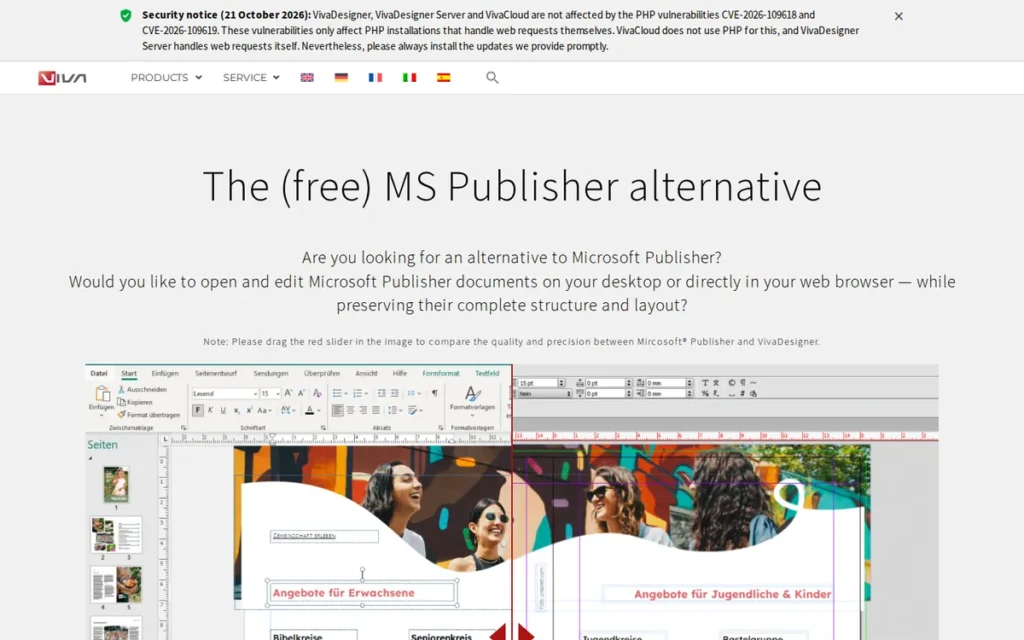
Category: Professional Page-Layout Tool, desktop software built for multi-page, print-ready publications with master pages, threaded text and press-quality PDF export.
At a Glance
- Category: Professional Page-Layout Tool
- Best For: Multilingual publishers, Linux users and organizations that need IDML exchange across desktop and browser and can test fidelity themselves
- Price Range: Free Edition (limited features, commercial use allowed); desktop editions $89–$399 per user, license type not stated (Capterra, 2026); SaaS server package €299/month (viva.systems, 2026; may change)
- Primary Strength: VivaDesigner lists INDD and IDML import plus IDML export, in some editions, across Windows, macOS, Linux and a browser edition.
- Biggest Limitation: VivaDesigner has almost no independent evidence: four reviews in total, no case studies and no community discussion confirm its InDesign file fidelity.
- One-Line Summary: VivaDesigner claims the broadest InDesign file exchange and platform coverage of any Adobe InDesign alternative in 2026. Its claims lack independent verification, so test your own files before switching.
- Last Verified: November 2026
Overview
VivaDesigner is a page-layout application from Germany’s Viva GmbH for Windows, macOS, Linux and the browser. It is built for multilingual publishers and cross-platform teams that need InDesign file import and IDML export, and it comes in a permanently free edition and paid desktop editions.
VivaDesigner’s claims about InDesign exchange come from the vendor’s own documentation and edition comparison (viva.systems, 2026). PlugRoute found no independent evidence of how well those conversions preserve layouts.
Key Features
- VivaDesigner’s vendor documentation says it opens INDD and IDML files and exports IDML, but Viva states that IDML export is not available in every edition (viva.systems, 2026).
- VivaDesigner runs on Windows, macOS and Linux, with a separate browser-based Web Edition for remote users.
- VivaDesigner supports all languages and writing directions, with language versions managed in layers.
- VivaDesigner includes long-document features such as synchronized attributes and automatic tables of contents and indexes.
- VivaDesigner lists QuarkXPress, Affinity, Scribus and Pages import as planned for 2027, so these imports are not available yet.
Best For
VivaDesigner is best for multilingual publishers, Linux-based studios and organizations that need desktop-plus-browser layout with IDML exchange and will run their own fidelity tests before committing.
Pricing
- VivaDesigner’s desktop editions are listed at Education $89, Personal $139, NPO/NGO $159, Government $329 and Commercial $399 per user. Capterra does not say whether these are perpetual or subscription prices (Capterra, 2026).
- VivaDesigner offers a permanently free Free Edition with limited features that allows private and commercial use, and whether it watermarks output is unverified.
- VivaDesigner’s SaaS/IaaS package costs €299 net per month on a one-year contract. It includes one commercial desktop license, one concurrent web user and 10 GB of storage, and each extra web user costs €39/month (viva.systems, 2026).
- VivaDesigner buyers should confirm which edition includes IDML export before they pay (viva.systems, 2026).
Strengths
- VivaDesigner holds a Capterra rating of 4.7/5 from 3 reviews and a G2 rating of 4.5/5 from 1 review, with praise for Linux support, customer service and no required subscription. This sample is too small to be statistically meaningful (Capterra, 2026; G2, 2026).
- VivaDesigner is the only ranked tool that claims both INDD import and IDML export, according to its vendor documentation (viva.systems, 2026).
- VivaDesigner has the widest platform coverage in this list (Windows, macOS, Linux and web), which suits mixed-OS teams.
- VivaDesigner offers a permanently free edition that allows commercial use, alongside paid editions and server-based automated publishing.
Limitations
VivaDesigner’s claims are broad but unproven. None of its INDD import, IDML export or prepress capabilities has independent fidelity evidence.
- VivaDesigner has only four reviews across G2 and Capterra and no meaningful Reddit discussion, and that lack of community presence is itself a finding.
- VivaDesigner’s IDML export is not available in every edition, so the Free Edition may not let you test it (viva.systems, 2026).
- VivaDesigner reviewers report an outdated manual and video tutorials mostly in German (Capterra, 2026).
- VivaDesigner was called “complex to standard users” by its single G2 reviewer (G2, 2026).
- VivaDesigner’s Web Edition is rented separately on top of desktop licenses.
How It Compares With Adobe InDesign
VivaDesigner claims more InDesign file exchange than any other alternative and adds Linux and browser options that Adobe InDesign lacks. Adobe InDesign has thousands of reviews and a large user community. VivaDesigner has neither, so its claims carry far less certainty.
Verdict
VivaDesigner offers the broadest claimed InDesign file exchange and platform coverage of any Adobe InDesign alternative in 2026, but it has the thinnest independent evidence in this ranking.
VivaDesigner scored 31/50 and trails Scribus by seven points, mainly on prepress (2 vs 5) and evidence (1 vs 3). Download the Free Edition to test INDD and IDML import. Confirm with Viva which paid edition includes IDML export before relying on it, and compare it with QuarkXPress if you need documented export.
5. Marq: Best for Brand-Controlled Templates for Non-Designer Teams
Category: Brand-Template Platform, browser software where designers lock approved templates and non-designers edit only permitted fields.
At a Glance
- Category: Brand-Template Platform
- Best For: In-house marketing, communications and brand teams, real-estate offices and schools where many non-designers produce on-brand collateral
- Price Range: Free $0 (72 dpi exports); Pro $15/month (one user); Team $12/month per license (2–20 licenses); Enterprise custom (marq.com, 2026; may change)
- Primary Strength: Marq lets designers lock brand elements and approve outputs, so non-designers can produce collateral without breaking layouts.
- Biggest Limitation: Marq is not a professional typesetting tool and is unsuited to books, magazines or complex typography.
- One-Line Summary: Marq is the best Adobe InDesign alternative in 2026 for teams whose problem is brand control rather than typesetting. It turns designer-built templates into locked, editable assets for non-designers.
- Last Verified: November 2026
Overview
Marq, formerly Lucidpress, is a browser-based brand-template platform for marketing, communications and brand teams. Designers lock logos, fonts, colors and layouts so non-designers can produce on-brand flyers and brochures, while approval workflows control print-ready downloads.
Marq replaces the part of InDesign that serves collateral production, not typesetting. Lucidpress was renamed Marq in 2022 (Marq, 2022).
Key Features
- Marq lets administrators lock logos, colors, fonts, layouts and image positions so non-designers edit only approved fields.
- Marq includes approval workflows that can withhold print-PDF downloads until a piece is approved.
- Marq includes InDesign Import on paid plans, which reads IDML files, with 5 imports on Pro and 15 on Team (marq.com, 2026; Tutkit, 2026).
- Marq fills template smart fields from spreadsheets, CRM systems, MLS feeds or databases.
- Marq exports print-quality 300 dpi files on Pro and Team plans, while the Free plan exports at 72 dpi screen quality.
Best For
Marq is best for in-house brand teams, multi-location businesses, real-estate offices and schools that need many non-designers producing consistent, approved collateral.
Pricing
- Marq’s official pricing is Free at $0 with 72 dpi exports, Pro at $15/month for one user, Team at $12/month per license for 2–20 licenses, and custom Enterprise pricing (marq.com, 2026).
- Marq’s Pro plan is listed at $3/month on Capterra (Capterra, 2026). This figure is probably outdated and conflicts with the official $15/month.
- Marq requires a paid plan for print-quality 300 dpi output and for InDesign Import.
Strengths
- Marq holds a Capterra rating of 4.5/5 from 284 reviews and a G2 rating of 4.5/5 from 210 reviews, with users praising its ease of use, browser access and template locking (Capterra, 2026; G2, 2026).
- Marq’s case study on Reinhart Realtors reports 160 agents each saving about 2 hours per week, or about 16,640 hours per year (Marq, 2026, vendor-published, unaudited).
- Marq’s case study on PT Solutions reports flyer turnaround falling from 2–4 weeks to the same day, with 300+ self-served projects per month (Marq, 2026, vendor-published, unaudited).
- Marq answers Adobe InDesign’s G2 request for “more reliable collaboration” (G2, 2026). It also addresses a Reddit complaint about non-designers “accidentally messing up auto-layouts, fonts” (r/design_critiques, 2026).
Limitations
Marq gives up design depth in exchange for governance. Reviewers report limited design depth compared with InDesign (Software Finder, 2026).
- Marq’s InDesign Import reads IDML rather than native INDD, and some features such as master pages may not transfer correctly (Tutkit, 2026).
- Marq draws reviewer complaints about a limited font selection, trouble uploading fonts, text-box alignment glitches and difficulty judging image resolution.
- Marq cannot export IDML or INDD, and this research found no documented CMYK or PDF/X output.
- Marq’s Free plan exports only 72 dpi screen-quality files, and some users find the paid tiers expensive.
- Marq’s G2 URL suggests an ownership change after the 2022 rebrand. This is unverified, and there is no meaningful Reddit discussion of the product.
How It Compares With Adobe InDesign
Marq delivers what Adobe InDesign’s G2 reviewers ask for: non-designers can safely edit approved collateral in a browser. Adobe InDesign remains far stronger for typesetting, long documents and prepress. Marq works alongside a professional layout tool rather than replacing one.
Verdict
Marq is the best Adobe InDesign alternative for brand teams that need non-designers to produce on-brand collateral from locked, approved templates.
Marq scored 29/50. Marq outranks Swift Publisher mainly on collaboration and evidence, and it outranks Canva on layout, file exchange and cost. Keep a professional layout tool for building master templates, budget for a paid plan to get print-quality output, and do not choose Marq for books or magazines.
6. Swift Publisher: Best Low-Cost Option for Mac and Ex-Publisher Users
Category: Entry-Level Desktop Publisher, low-cost desktop layout app for flyers, newsletters, labels and simple booklets with basic print output.
At a Glance
- Category: Entry-Level Desktop Publisher
- Best For: Mac-based small businesses, home users, hobbyists and former Microsoft Publisher users producing flyers, newsletters, labels and simple booklets
- Price Range: $19.99 one-time on the US Mac App Store; prices vary by storefront, such as €22.99 in Germany (Apple, 2026; may change)
- Primary Strength: Swift Publisher provides master pages, two-page spreads, linked text boxes and booklet printing for a one-time $19.99.
- Biggest Limitation: Swift Publisher runs only on macOS, cannot import IDML or INDD files, and lacks a PDF/X prepress workflow.
- One-Line Summary: Swift Publisher is the lowest-cost paid Adobe InDesign alternative in 2026. This $19.99 Mac-only layout app suits flyers, newsletters and simple booklets rather than professional print production.
- Last Verified: November 2026
Overview
Swift Publisher is a Mac-only desktop publishing app from BeLight Software for small businesses, home users and former Microsoft Publisher users. For a one-time $19.99, it offers master pages, linked text boxes and booklet printing for flyers, newsletters, labels and booklets.
Swift Publisher matters to former Microsoft Publisher users because Microsoft began removing Publisher from Microsoft 365 on or shortly after October 1, 2026 (Microsoft Support, 2026).
Key Features
- Swift Publisher includes master pages, two-page spreads, unlimited layers and linked text boxes, according to its Mac App Store listing (Apple, 2026).
- Swift Publisher prints booklets with automatic page ordering (imposition).
- Swift Publisher supports mail merge from Apple Contacts and Avery label stocks for labels and mailings.
- Swift Publisher ships with 300 templates, more than 2,000 clipart images and over 100 image masks.
- Swift Publisher exports PDF, TIFF, JPEG and EPS files with bleed and DPI settings.
Best For
Swift Publisher is best for Mac users on a tight budget, including former Microsoft Publisher users, who produce flyers, newsletters, labels, photo books and simple booklets.
Pricing
- Swift Publisher costs $19.99 one-time on the US Mac App Store, and prices vary by storefront (Apple, 2026).
- Swift Publisher’s extras pricing conflicts across secondary sources, which report either a $27.99 version or a $9.99 Extras Pack, and Setapp pricing is unverified.
- Swift Publisher costs about the same as one month of Adobe InDesign at its $20.99 G2 list price (G2, 2026).
Strengths
- Swift Publisher holds a Mac App Store rating of 4.2/5 from 280 ratings and a Capterra rating of 4.1/5 from 10 reviews. Reviewers praise how easy it is to learn, its value, its templates and its booklet printing (Apple, 2026; Capterra, 2026).
- Swift Publisher has the lowest paid price in this ranking at $19.99 one-time (Apple, 2026).
- Swift Publisher is actively maintained, with version 5.7.8 and several releases during 2025 (Apple, 2025).
- Swift Publisher fits a need one Reddit commenter described, though the quote is about the category rather than this product: “Somebody needs to come out with an affordable page layout program for the part-time user” (r/graphic_design, 2016, historical; category context).
Limitations
Swift Publisher gives up professional capability in exchange for a low price and simplicity. It runs only on macOS and has no collaboration features.
- Swift Publisher cannot import IDML, INDD or Microsoft Publisher .pub files, so existing projects must be rebuilt, and its Mac App Store page lists no such import (Troiana, 2026; Apple, 2026).
- Swift Publisher has limited CMYK support and no PDF/X workflow, so it is not suited to commercial press work, long books or advanced typography.
- Swift Publisher users on Setapp report bugs and awkward table editing, and Capterra reviewers note font-replacement issues (Setapp, 2026; Capterra, 2026).
- Swift Publisher’s available press reviews from Macworld and TechRadar are historical (TechRadar, 2007), and no Reddit discussion of the product was found.
How It Compares With Adobe InDesign
Swift Publisher costs about one month of Adobe InDesign and covers the basics: master pages, spreads and linked text. Adobe InDesign remains necessary for commercial prepress, long documents and file exchange. Swift Publisher replaces InDesign only for simple print pieces.
Verdict
Swift Publisher is the best low-cost Adobe InDesign alternative for Mac users who make flyers, newsletters and simple booklets and do not need professional prepress output.
Swift Publisher scored 26/50, with full marks on cost but the lowest marks on file exchange and collaboration. Swift Publisher outranks Canva because it has real master pages, spreads and linked text boxes (layout 3 vs 1). Choose Affinity by Canva or Scribus if you need professional print output at no cost.
7. Canva: Best for Fast Collaborative Templates, Not Page Layout
Category: Template-Based Design App, browser-based drag-and-drop design platform built around ready-made templates and team collaboration rather than typesetting.
At a Glance
- Category: Template-Based Design App
- Best For: Small-business marketers and mixed teams producing flyers, social graphics, presentations and short print pieces quickly from templates
- Price Range: Free plan; Canva Pro $15/user/month and Canva Teams $10/user/month (G2 list prices, 2026, may change); checkout snapshots show Pro at $18/month and Business at $25/month per person (Costbench, 2026)
- Primary Strength: Canva lets non-designers create on-brand designs quickly from templates, with strong real-time collaboration.
- Biggest Limitation: Canva lacks true master pages and paragraph styles, cannot import IDML or INDD files, and limits CMYK print PDF to paid plans.
- One-Line Summary: Canva is the easiest and most collaborative design tool in this ranking. In 2026 it is a template-based design app, not a true Adobe InDesign replacement for books, magazines or strict prepress work.
- Last Verified: November 2026
Overview
Canva is a browser-based visual design platform for marketers, small businesses and mixed teams. It is built for creating flyers, social graphics, presentations and short print pieces quickly from templates, with real-time collaboration, brand kits and in-app print ordering rather than professional typesetting.
Canva is a template-based design app, not a page-layout replacement. Canva has also owned Affinity, ranked #1 here, since March 2024, and PlugRoute scored both products on identical criteria.
Key Features
- Canva’s vendor description claims more than a million templates and an AI-powered drag-and-drop editor (G2, 2026).
- Canva provides real-time team collaboration and brand kits for a consistent visual identity.
- Canva exports PDF Print files with crop marks, bleed and a flatten option. CMYK is available only on the Pro, Teams, Education and Nonprofits plans (Canva Help, 2026).
- Canva offers in-app print ordering through Canva Print.
- Canva runs in the browser and in apps, supports 74 languages and lists 149 integrations on G2 (G2, 2026).
Best For
Canva is best for small-business marketers, social and communications teams, and non-designers who need fast, collaborative, template-led designs and short print pieces rather than long-form publications.
Pricing
- Canva’s G2 list prices are Free (price not listed), Pro at $15/user/month and Teams at $10/user/month, and they may change (G2, 2026).
- Canva’s checkout snapshots conflict with G2: Pro costs $18/month or $144/year, and Business (formerly Teams) costs $25/month or $250/year per person (Costbench, 2026).
- Canva raised the price of its legacy Teams plan in 2024, when a five-person plan went from $119.99/year to $500/year, discounted to $300 in the first year (Subscription Playbook, 2024).
- Canva requires a paid plan for CMYK PDF export (Canva Help, 2026).
Strengths
- Canva holds a G2 rating of 4.7/5 from 7,857 reviews, with 98.6% at 4 or 5 stars. Top pros are Easy Everyday Design (1,069) and Ready-Made Design Templates (695), though these reviews reflect general design use (G2, 2026).
- Canva reported more than 260 million monthly users and use by 95% of Fortune 500 companies (Canva Newsroom, 2025). TechCrunch reported more than 31 million paid users (TechCrunch, 2026).
- Canva shares the top collaboration score in this ranking with Marq (5/5). Its real-time co-editing addresses Adobe InDesign’s G2 request for “more reliable collaboration” (G2, 2026).
- Canva lets small businesses order prints directly from their designs through Canva Print.
Limitations
Canva gives up professional layout control in exchange for speed and accessibility. It has no true master pages or paragraph styles, and its text threading is limited.
- Canva fixes bleed at 0.125 in (3.175 mm), and Canva Docs supports no margins, bleed or crop marks (Canva Help, 2026).
- Canva cannot import IDML or INDD files, so InDesign projects must be rebuilt (Rankite, 2026).
- Canva’s G2 cons include Features Behind Paywall (353), Lacks Advanced Design Tools (156) and Large Project Lag (125) (G2, 2026).
- Canva’s history of price increases adds cost risk for teams that depend on it.
How It Compares With Adobe InDesign
Canva beats Adobe InDesign on ease of use, templates and real-time collaboration for non-designers. Adobe InDesign remains far ahead on typography, long documents, file exchange and prepress. Canva cannot stand in for InDesign on books, magazines or strict press work.
Verdict
Canva is the best tool in this list for fast, collaborative, template-based design, but it is not a professional replacement for Adobe InDesign in book, magazine or strict prepress work.
Canva scored 24/50. Canva ranks last as an InDesign alternative, not as a design tool, because its 7,857 G2 reviews measure general design use. This ranking gives more weight to page-layout capability. Choose Marq for locked brand templates. For books and prepress, choose a professional layout tool: Affinity by Canva (also Canva-owned), QuarkXPress or Scribus.
Which InDesign Alternatives Can Open and Export IDML or INDD Files?
Five ranked alternatives import IDML: Affinity by Canva, QuarkXPress, Scribus, VivaDesigner and Marq (paid plans only). Only QuarkXPress documents IDML export, and VivaDesigner claims it in some editions. Neither promises lossless conversion. Based on vendor documentation reviewed in November 2026, none of the seven ranked alternatives writes native INDD files.
| Tool | IDML Import | INDD Import | IDML Export | Notes |
|---|---|---|---|---|
| Affinity by Canva | Yes (documented) | Claimed on App Store only | No | Preserves spreads, master pages, styles and tables (Affinity Help, 2026) |
| QuarkXPress | Yes | No | Yes | Print layouts only; requires Java; not lossless (Quark, 2026) |
| Scribus | Yes (also IDMS) | No | No | Fidelity on complex files not guaranteed |
| VivaDesigner | Yes (vendor claim) | Claimed | Yes (vendor claim; not in every edition) | No independent fidelity evidence |
| Marq | Yes (paid plans; 5 Pro / 15 Team) | No (IDML only) | No | Master pages may not transfer (Tutkit, 2026) |
| Swift Publisher | No | No | No | Projects must be rebuilt |
| Canva | No | No | No | Projects must be rebuilt |
In 2026, the real test of an InDesign alternative is whether it can send files back, not only whether it can open them. Only QuarkXPress documents IDML export in an official guide.
PlugRoute recommends three migration steps:
- Export IDML from InDesign while you still have an active subscription, because most alternatives read IDML more reliably than INDD.
- Test a representative sample of files, such as a long document, a style-heavy brochure and a table-heavy report, before switching a production workflow.
- Confirm in writing whether your clients and printers accept final PDFs, because PDF delivery removes most round-trip problems.
After importing a test IDML file, check these six things before switching:
- Every master page and page number should be present.
- Paragraph and character styles should keep their original names.
- Threaded text should still flow, with no overset text.
- Tables should keep their structure.
- Images should stay linked at full resolution.
- Fonts should substitute with no missing-font warnings.
What Should Former Microsoft Publisher Users Switch To?
Former Microsoft Publisher users should consider Swift Publisher on Mac, Canva for template-led work, or Affinity by Canva for professional print. Microsoft Publisher is not ranked because Microsoft retired it. Removal from Microsoft 365 began on or shortly after October 1, 2026, and support for perpetual versions ended October 13, 2026 (Microsoft Support, 2026).
Microsoft advises converting .pub files to PDF (Microsoft Support, 2026). None of the ranked alternatives imports .pub files, so you will need to rebuild Publisher projects in whichever tool you choose.
Why Aren’t Figma, LibreOffice and Others Ranked?
PlugRoute did not rank Figma, LibreOffice, Microsoft Publisher, FreeLogoServices or Venngage because none is a practical page-layout replacement for InDesign. Figma is interface-first, LibreOffice is an office suite, Publisher was retired in October 2026, FreeLogoServices makes logos, and Venngage builds infographics.
- Figma is excluded because it is built for digital and interface design first, not print page layout.
- LibreOffice is excluded because it is a general office suite without a dedicated desktop publishing workflow.
- Microsoft Publisher is excluded because Microsoft retired it in October 2026.
- FreeLogoServices is excluded because it is a logo maker listed in G2’s Logo Design Tools category.
- Venngage is excluded because it is an infographic and report-template tool without page-layout depth.
When Should You Stay With Adobe InDesign?
Stay with Adobe InDesign if collaborators edit your layouts after you hand them over. A self-publisher sending a print-ready PDF never needs IDML export, so a $0 tool works. A freelancer whose agency client edits the layout later needs IDML export from QuarkXPress or an InDesign seat.
Adobe InDesign remains the better choice in four situations:
- Adobe InDesign is necessary when clients, agencies or printers require packaged INDD files with linked assets, because no ranked alternative writes INDD.
- Adobe InDesign is safer when your production relies on GREP, scripting or automation pipelines that the alternatives do not document.
- Adobe InDesign fits better when you depend on Creative Cloud Libraries and deep integration with other Adobe apps.
- Adobe InDesign skills matter for hiring, and one Reddit commenter said a junior designer “better be able to drop into InDesign” (r/graphic_design, 2016, historical).
This aligns with community sentiment on r/Adobe:
“Frankly, if you use it professionally the fifty something dollars Adobe charges per month are a no-brainer. And their file formats are industry standard.” Posted by u/beimiku
Takeaway: Daily professional users still find Adobe InDesign’s subscription worth paying for, because its file formats remain the industry standard that clients and printers expect.
A hybrid setup often works best for small studios. Keep one Adobe InDesign seat for client handoffs, and use Affinity by Canva, QuarkXPress or Scribus for everything else. At the $20.99/month G2 list price (G2, 2026), one seat often costs less than the friction of switching completely.
What Red Flags Should I Watch For When Evaluating InDesign Alternatives?
Watch for six red flags:
- InDesign import claims with no fidelity documentation
- Print features locked behind paywalls
- “Pay once” licenses that need paid maintenance
- Free tiers limited to screen resolution
- Unofficial download sites
- Recent ownership changes without a published roadmap
Any of these can turn a cheaper tool into a costly mistake.
Red Flag #1: “Imports InDesign” Claims With No Fidelity Documentation An “imports InDesign” claim means little unless the vendor documents what survives conversion. Affinity by Canva documents IDML import that keeps master pages and styles. Marq’s InDesign Import reads IDML only, and master pages may not transfer. VivaDesigner claims native INDD import with no published fidelity evidence.
Red Flag #2: Print Features Behind a Paywall A free plan that withholds CMYK output is not free for print work, because commercial printers usually expect CMYK files. Canva limits CMYK PDF export to its Pro, Teams, Education and Nonprofits plans (Canva Help, 2026). “Features Behind Paywall” is Canva’s top G2 con, with 353 mentions (G2, 2026).
Red Flag #3: “Pay Once” Licenses That Require Paid Maintenance A “pay once” license can still carry recurring costs, because perpetual licenses often cover only the current version. QuarkXPress’s $699 license includes one year of maintenance. After that, upgrades and support require a paid renewal, and the sources reviewed do not publish its price (Capterra, 2026).
Red Flag #4: Free Tiers That Export Only Screen Resolution A free tier that exports at 72 dpi cannot produce print-quality files, so it works only for screen previews and digital sharing. Marq’s Free plan exports at 72 dpi, and 300 dpi print output requires the Pro or Team plan (marq.com, 2026). Check export resolution before building templates on any free plan.
Red Flag #5: Unofficial Download Sites and Gray-Market Licenses Paying a third party for free software such as Scribus is often a scam signal, even though the GPL allows legitimate redistribution. Reddit users warn that anyone charging for Scribus is “trying to scam you” (r/software, 2024). Some accounts in the same threads promote gray-market Adobe keys.
Red Flag #6: Recent Ownership Changes Without a Published Roadmap An ownership change can shift pricing, licensing and product direction without warning. Canva acquired Serif in March 2024 (Beyond-Print, 2024), and Zax.ai acquired Quark Software on April 2, 2026 (Quark, 2026). Neither change came with a detailed public product roadmap in the sources PlugRoute reviewed.
What Questions Should I Ask Before Choosing an InDesign Alternative?
Ask six questions before choosing:
- Do collaborators need editable InDesign files back?
- Does the tool export PDF/X with preflight?
- What does it cost over three years?
- Does it run on your operating system?
- Will non-designers edit layouts?
- How long are your documents?
The answers narrow the field quickly.
Question #1: Do my clients or printers need editable INDD or IDML files back? If your clients or printers need editable INDD files, stay with InDesign or keep one seat for handoffs. If IDML is enough, shortlist QuarkXPress first and VivaDesigner second, after confirming its export edition. If final PDFs are enough, any professional layout tool in this ranking can work.
Question #2: Does the tool export PDF/X with preflight? Ask for documented PDF/X versions and preflight, not general “print PDF” claims. Scribus documents PDF/X-1a, X-3 and X-4 with a Preflight Verifier. Before switching, ask your printer: “Do you accept PDF/X-1a or PDF/X-4 files, or do you require packaged InDesign files?”
Question #3: What does the license cost over three years, including maintenance? Over three years, Adobe InDesign costs about $756 at its G2 list price. QuarkXPress costs $837 on subscription, or $699 plus renewals of unpublished price on a perpetual license. Swift Publisher costs $19.99, and Affinity by Canva and Scribus cost $0.
| Tool | Year 1 | 3-Year Total | Notes |
|---|---|---|---|
| Adobe InDesign | $251.88 | $755.64 | G2 list price, may change |
| QuarkXPress (subscription) | $279 | $837 | Includes upgrades and support |
| QuarkXPress (perpetual) | $699 | $699 + renewals | Renewal price not published in sources reviewed |
| Affinity by Canva | $0 | $0 | Canva AI features cost extra |
| Scribus | $0 | $0 | GPL, no paid tiers |
| VivaDesigner (Commercial) | $399 | Not calculable | License type not stated by Capterra |
| Swift Publisher | $19.99 | $19.99 | US Mac App Store |
| Marq Pro | $180 | $540 | Official price, one user |
| Canva Pro | $180 | $540 | G2 list; $144/year at checkout ($432 over 3 years) |
As one user on r/Adobe described:
“I don’t think the $50/mo is super ridiculous if you use it every day, we probably use it a few times a month so that seems steep for us and we try to be budget conscious being a small biz and all.” Posted by u/HugePurpleNipples
Takeaway: Small businesses that open Adobe InDesign only a few times a month pay the highest cost per use, so one-time and free layout tools are better value for them over three years.
Question #4: Does it run on my operating system? Check platform support before comparing features, because a tool that will not run on your machines is ruled out immediately. Scribus and VivaDesigner run on Linux. Swift Publisher runs only on macOS, and QuarkXPress supports only Windows and macOS. Marq and Canva run in any browser.
Question #5: Do non-designers on my team need to edit layouts? If non-designers will edit layouts, look for template locking and approval workflows rather than more typesetting features. Marq documents both, and Canva offers brand kits and real-time co-editing. The desktop professional tools in this list offer weak or no team collaboration.
Question #6: How long are the documents I produce? Long books and magazines need master pages, threaded text and stability with long documents. Affinity by Canva, QuarkXPress and Scribus suit long documents. Scribus documents footnotes, VivaDesigner documents automatic indexes, and Affinity by Canva documents EPUB export. Swift Publisher and Canva suit short pieces.
How Did We Rank These InDesign Alternatives?
PlugRoute scored each alternative from 1 to 5 on six criteria, for a maximum of 50 points. Professional layout, InDesign file exchange, prepress output and cost count double. Platform and collaboration coverage and strength of evidence count once. All scores use dated research collected in November 2026, not hands-on lab testing.
Every citation dated 2026 in this article refers to data collected in November 2026.
PlugRoute used these ranking criteria:
- Layout (x2): Professional page-layout capability matters because master pages, threaded text and style control decide whether books and magazines can be produced at all.
- File Exchange (x2): InDesign file exchange matters because migrating INDD projects and returning editable files to collaborators is the deal-breaker users raise most often.
- Prepress (x2): Prepress output matters because printers expect CMYK, spot color, adjustable bleed, preflight and PDF/X.
- Cost (x2): Cost and licensing matter because subscription cost is the main reason readers search, measured against InDesign’s $20.99/month G2 list price.
- Platform/Collab (x1): Platform and collaboration coverage matters because Linux or Mac-only limits rule tools in or out, and brand teams need locked templates.
- Evidence (x1): Strength of independent evidence matters because a rating from three reviews is not comparable to one from thousands.
| Rank | Product | Layout | File Exchange | Prepress | Cost | Platform/Collab | Evidence | Total /50 |
|---|---|---|---|---|---|---|---|---|
| 1 | Affinity by Canva | 5 | 3 | 4 | 5 | 3 | 4 | 41 |
| 2 | QuarkXPress | 5 | 4 | 5 | 3 | 2 | 3 | 39 |
| 3 | Scribus | 4 | 2 | 5 | 5 | 3 | 3 | 38 |
| 4 | VivaDesigner | 4 | 3 | 2 | 4 | 4 | 1 | 31 |
| 5 | Marq | 2 | 2 | 2 | 4 | 5 | 4 | 29 |
| 6 | Swift Publisher | 3 | 1 | 2 | 5 | 1 | 3 | 26 |
| 7 | Canva | 1 | 1 | 2 | 3 | 5 | 5 | 24 |
PlugRoute notes five scoring caveats:
- Affinity by Canva scores 4 on Prepress because its preflight, CMYK and spot color are documented but its PDF/X presets are not. VivaDesigner scores 2 because none of its prepress features are documented in the sources reviewed.
- VivaDesigner’s File Exchange score is capped at 3 because its INDD import and IDML export claims lack independent fidelity evidence.
- Canva and Marq both put key print output behind a paywall (Canva CMYK PDF, Marq 300 dpi). Canva scores one point lower on Cost because of its documented 2024 legacy Teams price increase (Subscription Playbook, 2024).
- Canva’s 7,857 G2 reviews reflect general design use, and Affinity by Canva’s G2 listing reflects the older “Affinity Designer” product line.
- Evidence is uneven: VivaDesigner has four reviews in total, and PlugRoute found no meaningful Reddit discussion of Marq, VivaDesigner or Swift Publisher.
These tools serve different jobs, so a “best for” label may matter more to a given reader than the overall rank. PlugRoute has no affiliate relationships with any company listed, and rankings are determined entirely by research data and objective evaluation criteria.
What Do Readers Most Often Ask About InDesign Alternatives?
What is the best free alternative to Adobe InDesign in 2026?
Affinity by Canva is the best free Adobe InDesign alternative in 2026. It offers master pages, linked text frames, Data Merge and print PDF export at no cost with a free Canva account. Scribus is the best free open-source option, with documented PDF/X export and preflight, and it runs on Linux, which Affinity by Canva does not.
Can any alternative open native INDD files or export back to InDesign?
No ranked alternative writes native INDD files in 2026. QuarkXPress documents IDML export, VivaDesigner claims it in some editions, and InDesign can open both, though neither promises lossless conversion. Affinity by Canva and VivaDesigner claim INDD import without fidelity documentation, so test representative files before relying on any round-trip workflow.
How does PlugRoute determine rankings?
PlugRoute ranks InDesign alternatives on six published criteria scored 1 to 5, for a maximum of 50 points. Layout capability, file exchange, prepress and cost count double; platform coverage and evidence strength count once. Every score uses dated third-party ratings, vendor documentation and community sentiment from November 2026. Unverified vendor claims are flagged rather than credited.
What Do Key Page-Layout Terms Mean?
The page-layout terms that matter most when choosing an InDesign alternative fall into three groups:
- File formats: IDML and INDD
- Layout: master pages, threaded text frames and paragraph styles
- Print output: PDF/X, preflight, CMYK, spot color, bleed and ICC profiles
Each one helps decide whether a tool can handle professional print and file migration.
IDML: IDML (InDesign Markup Language) is an open interchange format that InDesign can save and other layout tools can read. IDML is the most practical way to move InDesign projects into another application.
INDD: INDD is the native, proprietary InDesign document format. Few other tools can open INDD files, so migration usually depends on exporting IDML first.
Master Page: A master page is a template page that applies headers, page numbers and repeating elements across many pages. Master pages are essential for books, magazines and reports.
Threaded Text Frames: Threaded text frames are linked text boxes that let text flow automatically from one frame or page to the next. Threading lets long text reflow without manual cut-and-paste.
Paragraph Styles: Paragraph styles are saved formatting rules applied to text in one click and updated globally. Styles keep long documents consistent and make edits fast.
PDF/X: PDF/X is a family of PDF standards, such as PDF/X-1a, X-3 and X-4, designed for reliable commercial printing. Many printers request PDF/X files to avoid color and font errors.
Preflight: Preflight is an automated check that finds missing fonts, low-resolution images and color problems before files go to print. Preflight catches costly errors early.
CMYK: CMYK is the cyan, magenta, yellow and black color model used in commercial printing. Tools that export only RGB can produce color shifts on press.
Spot Color: A spot color is a premixed ink, often from a standard library, used for exact brand colors. Spot color support matters for logos and packaging.
Bleed: Bleed is artwork that extends past the trim edge so no white border appears after cutting. Adjustable bleed lets you meet different printers’ requirements.
ICC Color Profile: An ICC color profile is a standard file describing how a device reproduces color. ICC management keeps colors consistent from screen to press.
Perpetual License: A perpetual license is a one-time purchase that lets you keep using a software version indefinitely. Upgrades and support may still require paid maintenance renewals.
Which InDesign Alternative Is Right for You?
Key Insights
- None of the seven ranked Adobe InDesign alternatives writes native INDD files in 2026, and only QuarkXPress documents IDML export in an official guide.
- Affinity by Canva scored highest in PlugRoute’s ranking (41/50) by pairing a full professional layout toolset with a $0 price.
- Scribus has the most thoroughly documented free prepress toolset, including PDF/X-1a, X-3 and X-4 export and a Preflight Verifier.
- QuarkXPress’s $279/year subscription costs more than Adobe InDesign’s $251.88/year G2 list price, so QuarkXPress saves money only on its $699 perpetual license.
- Delivering final press-ready PDFs instead of editable files removes most InDesign compatibility problems, which makes Affinity by Canva and Scribus workable for most freelancers.
- VivaDesigner makes the broadest file-exchange claims but has only four independent reviews, so readers should test it on their own files before buying.
The right InDesign alternative depends on how you deliver files. Freelancers and self-publishers who send final PDFs can switch to Affinity by Canva or Scribus at no cost. Professionals who must return IDML should test QuarkXPress, and teams of non-designers should pair Marq or Canva with one professional layout tool.
- Affinity by Canva suits freelancers and self-publishers who deliver final PDFs of books, magazines or brochures.
- QuarkXPress suits professionals who must return IDML, or a hybrid setup that keeps one InDesign seat suits them instead.
- Scribus suits Linux and open-source users who need PDF/X output.
- VivaDesigner suits multilingual and Linux teams that verify IDML export on their own files.
- Marq suits brand teams of non-designers working from locked templates.
- Swift Publisher suits Mac users making simple print pieces on a $19.99 budget.
- Canva suits fast, collaborative marketing graphics rather than long documents.
Ownership changes at Affinity and Quark and the retirement of Microsoft Publisher mean this category is changing quickly. We update this guide quarterly. Last updated: November 16, 2026.
Read PlugRoute’s full methodology and our other independent software reviews before you commit to a new layout workflow.