JobTread is the best construction CRM software overall for small and midsize builders, remodelers and light-commercial GCs, Contractor Foreman is the best budget all-in-one, and Jobber is best for service and repeat-work contractors. The right choice depends on your type of work, and true cost depends on pricing model, contract terms and where each tool’s workflow stops.
Construction teams lose leads and bids when follow-up depends on spreadsheets and manual reminders. Generic CRMs store contacts but don’t connect a sale to estimating, job costing and project handoff, so the same data gets entered twice. Many vendors also give prices only on request, which makes budgeting hard.
As one user on r/GeneralContractor described:
“The trap I see over and over is picking the project management tool on the demo and bolting accounting on afterward. Then job costs live in two systems, neither is right, and someone spends every month reconciling them. Pick the pair that syncs cleanly with your books, not the shiniest demo.” Posted by u/kevicoz
Takeaway: Construction CRM buyers who pick on demo polish instead of accounting sync end up reconciling job costs across two systems every month.
PlugRoute has no affiliate relationships with any company listed, and rankings are determined entirely by research data and objective evaluation criteria.
“show any software to your oldest foreman before you buy it” (u/pranav_mahaveer, r/ConstructionMNGT (Reddit, 2026; user-reported))
Takeaway: The most practical test of a construction CRM is whether your least technical crew member can use it.
What Are the 5 Categories of Construction CRM Tools?
Construction CRM tools fall into five categories: all-in-one construction platforms, field service CRMs, enterprise project platforms, sales and bid CRMs, and trade-specific platforms. Each category’s workflow starts and stops at a different point. Your type of work should decide which category you shortlist first, more than feature count does.
- All-in-One Construction Platform: All-in-one construction platforms connect leads, estimates, scheduling, job costing and invoicing in one system for general contractors and remodelers. JobTread, Contractor Foreman and Buildertrend are in this category.
- Field Service CRM: Field service CRMs, also called field service management software, manage requests, quotes, scheduling, invoicing and payment for short, repeatable jobs. Jobber is in this category.
- Enterprise Project Platform: Enterprise project platforms manage commercial preconstruction, documents, field collaboration and financials from bid through closeout. Procore is in this category.
- Sales & Bid CRM: Sales and bid CRMs track subcontractor bids, follow-ups and win rates before the award, then hand the job to a separate project tool. Followup CRM is in this category.
- Trade-Specific Platform: Trade-specific platforms, such as roofing CRMs, run the full sales-to-production workflow for one trade. AccuLynx is in this category.
A simple test separates the categories. If you need Gantt scheduling, committed-cost tracking, purchase orders or work-in-progress (WIP) reporting, choose an all-in-one construction platform over a field service CRM.
These five dated figures show how construction firms adopt technology and what disconnected data costs:
- The AGC–Sage survey (2025) found that 69% of construction firms use mobile software for daily field reports.
- The same AGC–Sage survey (2025) found that implementation and training time is the top barrier to adopting technology, cited by 38% of firms.
- An FMI study commissioned by Autodesk (2018) found that construction workers spend 35% of their time, more than 14 hours a week, on non-productive tasks such as searching for data and resolving conflicts.
- Harvard JCHS’s LIRA index (2025) projected about $524B in US homeowner remodeling spending in early 2026, growing about 2.4% a year.
- Grand View Research (2025) valued the construction management software market at about $10.5B in 2025, and Mordor Intelligence (2025) and Fortune Business Insights (2025) estimate between $10.6B and $11.7B.
How Do the Top Construction CRM Tools Compare at a Glance?
JobTread leads PlugRoute’s 2026 construction CRM comparison for project-based builders. Contractor Foreman offers the most modules per dollar, and Jobber has the highest verified ratings for service work. Buildertrend, AccuLynx and Procore are quote-only, and Followup CRM covers bidding only. The table compares all seven on fit, strength and key limitation.
| Rank | Company (PlugRoute Score) | Category | Best For | One-Line Summary | Key Capabilities | Primary Strength | Key Limitation |
|---|---|---|---|---|---|---|---|
| 1 | JobTread (4.35/5) | All-in-One Construction Platform | Remodelers, builders, light-commercial GCs (2–30 users) | JobTread is a budget-first construction platform that carries a lead from CRM pipeline to invoice at a published $199/month with no long-term contract. | CRM pipeline, budget-driven estimates, POs, change orders, Gantt, free portals | One budget drives sale-to-invoice | Shallow sales automation; steep learning curve |
| 2 | Contractor Foreman (3.90/5) | All-in-One Construction Platform | Solo contractors and small GCs (1–15 users) | Contractor Foreman is a budget all-in-one platform with 35+ modules starting at $49/month. | Leads, bid management, Gantt, job costing, GPS time cards, 50+ integrations | Most modules per dollar | Reported slowness and QuickBooks duplicate entries |
| 3 | Jobber (3.63/5) | Field Service CRM | Service and repeat-work trades | Jobber is a field service CRM rated 4.6/5 on Capterra and G2 that suits short, repeatable jobs. | Requests, quotes, dispatch, invoicing, payments, Client Hub | Highest verified ratings | No Gantt, POs, committed costs or WIP |
| 4 | Buildertrend (3.30/5) | All-in-One Construction Platform | Residential builders and remodelers | Buildertrend is a residential construction platform with the most feature-complete homeowner portal documented in this ranking. | Leads, selections, schedules, change orders, homeowner portal, warranty | Homeowner portal; unlimited users | Quote-only pricing; reported renewal increases |
| 5 | AccuLynx (2.98/5) | Trade-Specific Platform | Roofing and exterior contractors | AccuLynx is a roofing platform that turns aerial measurements and supplier pricing into estimates and material orders. | Aerial measurements, supplier ordering, crew app, AccuPay | Deepest trade-specific workflow | Quote-only; ratings unverified |
| 6 | Procore (2.90/5) | Enterprise Project Platform | Midsize and large commercial GCs | Procore is an enterprise commercial platform with unlimited users and a 4.5/5 Capterra rating from 2,680 reviews. | Bid management, RFIs, submittals, drawings, financials, safety | Audited scale; unlimited users | Thin CRM; volume-based pricing |
| 7 | Followup CRM (2.68/5) | Sales & Bid CRM | Commercial subcontractors with sales teams | Followup CRM is a bid-tracking sales CRM that automates follow-up and win/loss analysis by GC. | Bid log, win/loss by GC, follow-up sequences, e-signature | Deepest bid-tracking workflow | Stops at the award; 5-user minimum |
Which Construction CRM Should I Choose for My Type of Work?
Choose a construction CRM by type of work first. Remodelers and custom builders fit JobTread or Buildertrend, small GCs on a tight budget fit Contractor Foreman, and service trades fit Jobber. Roofers fit AccuLynx, commercial subcontractor sales teams fit Followup CRM plus a project tool, and large commercial GCs fit Procore.
| Your #1 Priority | Recommended Tool | Why | Acceptable Alternative |
|---|---|---|---|
| Residential remodeling or custom building | JobTread | One budget drives estimates, POs, change orders and job costing | Buildertrend, if the homeowner portal matters most |
| Lowest cost for a solo or small GC | Contractor Foreman | 35+ modules from $49/month with a 100-day money-back guarantee | JobTread, if you want published per-user pricing with no tier feature limits |
| 10–20 person light-commercial GC | JobTread (user-reported fit; possible conflict of interest) | Users describe it as fitting between Procore and Buildertrend | Followup CRM plus a lighter project tool. No product fully covers this segment. |
| Commercial subcontractor with a sales team | Followup CRM plus a project tool | Win/loss tracking by GC and automated bid follow-up | Procore Preconstruction, if you already use Procore |
| Midsize or large commercial GC | Procore | Unlimited users plus deep RFI, submittal and document control | No ranked alternative at this scale |
| Roofing or exterior work | AccuLynx | Aerial measurements and supplier pricing flow into estimates and orders | Request a JobNimbus quote for comparison |
| Service or repeat work | Jobber | Simple quote-to-payment workflow with verified 4.6/5 ratings | Contractor Foreman, if you need some project tools |
Two rules tell you when to choose a different category:
- If you need Gantt scheduling, POs, committed costs or WIP reporting, skip field service CRMs such as Jobber and choose an all-in-one construction platform.
- If you only need bid tracking, a sales and bid CRM costs less than a full platform, but you will still need a project tool after the award.
What Are the Best Construction CRM Software Tools in 2026?
By PlugRoute’s weighted score, the seven best construction CRM tools in 2026 are JobTread (4.35), Contractor Foreman (3.90), Jobber (3.63), Buildertrend (3.30), AccuLynx (2.98), Procore (2.90) and Followup CRM (2.68). The scores are weighted for small and midsize contractors, so specialists rank lower overall even where they lead their own segment.
Every entry below uses the same structure. Every claim uses the format (Source, Year; source type). For review platforms and vendor pages, “2026” is the year PlugRoute retrieved the information. Reddit posts are dated by the year of the thread.
1. JobTread: Best Overall for Small and Midsize Builders, Remodelers and Light-Commercial GCs
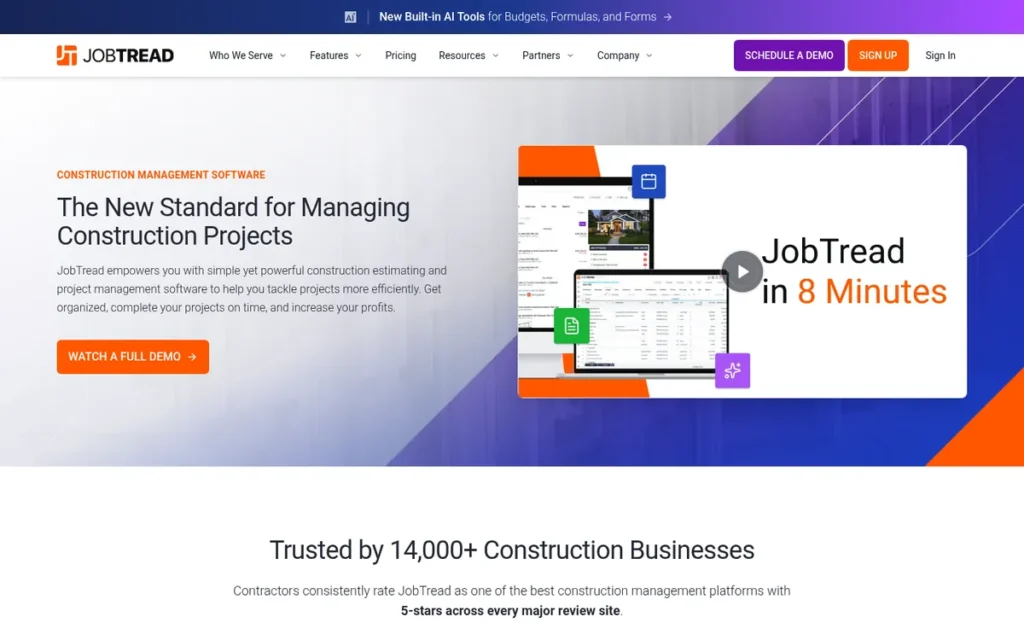
Category: All-in-One Construction Platform, connects leads, estimates, scheduling, job costing and invoicing in one system for project-based builders.
At a Glance
- Category: All-in-One Construction Platform
- Best For: Remodelers, custom builders and light-commercial GCs with about 2–30 internal users
- Price Range: $199/month for 1 internal user, plus $20 down to $5 per extra user (about $279/month for 5 users and $529/month for 20); 20% off with annual billing (published, checked November 2026)
- Primary Strength: JobTread uses one job budget to drive estimates, proposals, purchase orders, change orders, invoices and job costing.
- Biggest Limitation: JobTread’s CRM and marketing automation are shallower than sales-first tools, and reviewers report a steep learning curve.
- One-Line Summary: JobTread is a budget-first construction platform that carries a lead from CRM pipeline through job costing and invoicing at a published price of $199/month with no long-term contract.
- Last Verified: November 2026
Overview
JobTread is a budget-first construction management and job costing platform with a built-in CRM pipeline. JobTread is built for remodelers, custom builders and light-commercial GCs who want one job budget to drive estimates, purchase orders, change orders and invoices.
JobTread was founded in 2019 by Eric Fortenberry, a former GC CEO, and is based in Dallas. JobTread says more than 14,000 construction businesses use it (JobTread, 2026; vendor-published). No SOC 2 or ISO certification was verified for this vendor in November 2026 research.
Key Features
- JobTread includes a CRM pipeline with lead forms, so new inquiries enter the same system that later runs the job.
- JobTread builds the estimate, proposal and e-signature from the budget that later drives purchase orders, change orders and invoices.
- JobTread includes Gantt scheduling and unlimited free customer and vendor portals.
- JobTread syncs with QuickBooks Online and Xero and offers an open API, Zapier and an AI Connector for ChatGPT, Claude and Gemini.
- JobTread states that every feature works on mobile (JobTread, 2026; vendor-published).
Best For
JobTread is best for remodelers, custom builders and light-commercial GCs with about 2–30 users who need job costing tied directly to the sale. JobTread is a weaker fit for teams that need advanced marketing automation or built-in takeoff.
Strengths
- JobTread publishes complete per-user pricing (JobTread, 2026; vendor-published), so a 10-user team can budget exactly $379/month with no add-ons or onboarding fee.
- JobTread’s budget-first design means change orders and purchase orders update the same budget used for job costing, which reduces double entry (JobTread, 2026; vendor-documented).
- JobTread drew field-adoption praise in a 2026 r/ConstructionMNGT thread. One user wrote: “Fast for sending out estimates and bids. Easy schedule building. Daily logs are customizable” (Reddit, 2026; user-reported).
- JobTread reviewers praise its support, value and user community, and JobTread reports ratings of 5.0 on G2 from 90+ reviews and 4.9 on Capterra from 140+ reviews (JobTread, 2026; vendor-reported, not verified on the platforms).
Limitations
JobTread gives up sales and marketing depth in exchange for depth in job financials. Its CRM automation is shallower than sales-first tools such as Builder Prime, and it has no built-in takeoff tool (G2, 2026; user-reported).
- JobTread reviewers report a steep learning curve, hard-to-read advanced reports and a flat “spreadsheet-like” interface (G2 and Capterra, 2026; user-reported).
- JobTread limits invoice editing, and one reviewer reports that an auto-filled payment amount marked an invoice “paid in full” by mistake (Capterra, 2026; user-reported).
- JobTread’s mobile score rests on limited evidence: a vendor claim plus Reddit comments, one of them from a commenter who offered a referral (Reddit, 2026; possible conflict of interest).
Verdict
JobTread ties Buildertrend for the most complete documented lead-to-invoice chain in this ranking and is the top-ranked construction CRM for small and midsize builders, remodelers and light-commercial GCs in 2026.
JobTread scores 4.35/5. Its lead comes from workflow continuity (C1 5) and pricing transparency (C3 5), while its capped review ratings (C2 3.5) hold it back. JobTread stays #1 with review ratings removed (4.56), with pricing transparency removed (4.19) and with its mobile score lowered to 3 (4.20).
Teams that need advanced sales automation should plan on a second tool. Every team should also budget time for training.
Users on r/GeneralContractor noted:
“for the pm-facing layer such as milestones, client communication, and timeline, jobtread handles that well and is lighter than buildertrend or procore for a crew your size. microsoft project if you need pure gantt without the overhead.
the piece i’d separate out is crew scheduling. who’s on which site, daily assignments, pushing that to field guys’ phones. that works better as a dedicated tool than a module inside a pm platform. i use workyard for that side. the guys actually use it because it’s simple enough that there’s no excuse not to.
two tools that each get used beats one platform nobody fully adopts.” Posted by u/Intrepid_Influence_7
Takeaway: JobTread gets credit as a lighter project-management layer than Buildertrend or Procore, but some users still pair it with a separate crew-scheduling tool.
2. Contractor Foreman: Best Budget All-in-One for Small GCs and Solo Contractors
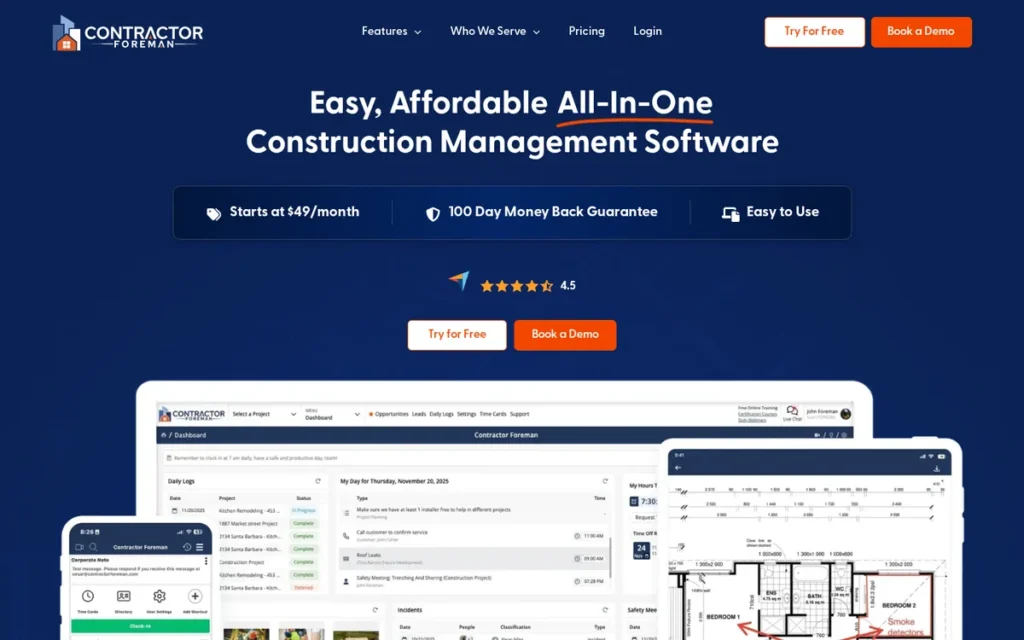
Category: All-in-One Construction Platform, connects leads, estimates, scheduling, job costing and invoicing in one system for project-based builders.
At a Glance
- Category: All-in-One Construction Platform
- Best For: Solo contractors and small GCs with 1–15 users who are watching costs closely
- Price Range: $49–$332/month by tier and user cap (middle-tier prices from review listings, checked November 2026)
- Primary Strength: Contractor Foreman offers more than 35 construction modules at the lowest published entry price in this ranking.
- Biggest Limitation: Contractor Foreman is reported by G2 and Capterra users to be slow, with a weaker mobile app than desktop and a QuickBooks sync that can create duplicate entries.
- One-Line Summary: Contractor Foreman is a budget all-in-one construction platform with more than 35 modules starting at $49/month, best for small GCs who accept slower performance in exchange for breadth.
- Last Verified: November 2026
Overview
Contractor Foreman is a budget all-in-one construction project management and job costing platform with more than 35 modules, including leads, estimates, bid management and QuickBooks sync. Contractor Foreman is built for solo contractors and small GCs who want broad tools at a low monthly price.
Contractor Foreman is headquartered in Forest City, North Carolina, and says it is available in more than 75 countries and 10 languages (Contractor Foreman, 2026; vendor-published). No SOC 2 or ISO certification was verified for this vendor in November 2026 research.
Key Features
- Contractor Foreman tracks leads by source and turns them into cost-code estimates and bids.
- Contractor Foreman lets vendors respond to bids without creating an account.
- Contractor Foreman includes Gantt scheduling with critical path and baselines, plus change orders and daily logs on higher tiers.
- Contractor Foreman includes job costing, GPS time cards, invoicing and a client portal, with free client and subcontractor access.
- Contractor Foreman connects to more than 50 tools, including Gusto, CompanyCam, Angi Leads and Zapier, but its Xero integration status could not be confirmed as of November 2026 (the vendor had described it as planned for mid-2026).
Best For
Contractor Foreman is best for solo operators and small GCs who want the widest construction feature set for the lowest monthly cost. Contractor Foreman is a weaker fit for teams whose field crews rely heavily on mobile purchase orders.
Strengths
- Contractor Foreman holds a Capterra rating of 4.5/5 from 842 reviews (Capterra, 2026; independent review platform), one of the larger review bases in the category.
- Contractor Foreman reviewers praise its job costing, its value and bills that “sync to QuickBooks automatically” (Capterra, 2026; user-reported).
- Contractor Foreman backs its tiers with a 100-day money-back guarantee and a price-lock guarantee (Contractor Foreman, 2026; vendor-published), which lowers renewal risk under the vendor’s advertised terms.
- Contractor Foreman’s case study says Muthler Landscaping & Construction (14 staff) chose it over JobTread and that scheduling replaced phone calls and texts (Contractor Foreman, 2026; vendor-published, no figures given).
Limitations
Contractor Foreman gives up speed in exchange for breadth. G2 reviewers call the platform “extremely slow” when loading projects and tabs, and say its mobile app is weaker than the web version (G2, 2026; user-reported).
- Contractor Foreman’s mobile purchase orders are slow enough that crews skip them, which leaves gaps in job costing (Capterra, 2026; user-reported).
- Contractor Foreman’s QuickBooks sync created duplicate entries for one G2 reviewer, and another quoted the vendor admitting that sync errors happen (G2, 2026; user-reported).
- Contractor Foreman’s support has drawn reports of language barriers with some representatives (G2, 2026; user-reported).
- Contractor Foreman’s $49 entry price understates what most GCs will pay, because the Basic tier leaves out change orders and accounting sync (Capterra, 2026; secondary source).
This aligns with community sentiment on r/Construction:
“Late response but we have been using for 7 years now and we are ready to move on. CF is super slow and clunky to use, it has a lot of modules but nothing really works well by it self or together. Jobtread looks to be what we will move over to, any thoughts on Jobtread, anyone?” Posted by u/Tiger4life59
Takeaway: Long-time Contractor Foreman users report that slow performance and poorly connected modules eventually outweigh its breadth.
Verdict
Contractor Foreman is the lowest-cost all-in-one construction CRM in this ranking for small GCs in 2026, with more than 35 modules from $49/month and a 100-day money-back guarantee.
Contractor Foreman scores 3.90/5. Module breadth (C1 4.5) and a verified Capterra rating (C2 4.5) lead its score. Its mobile score (C4 2.5), the lowest among the top three, holds it back.
During the free trial, buyers should run the QuickBooks sync and the mobile app on a live job.
3. Jobber: Best for Service and Repeat-Work Contractors
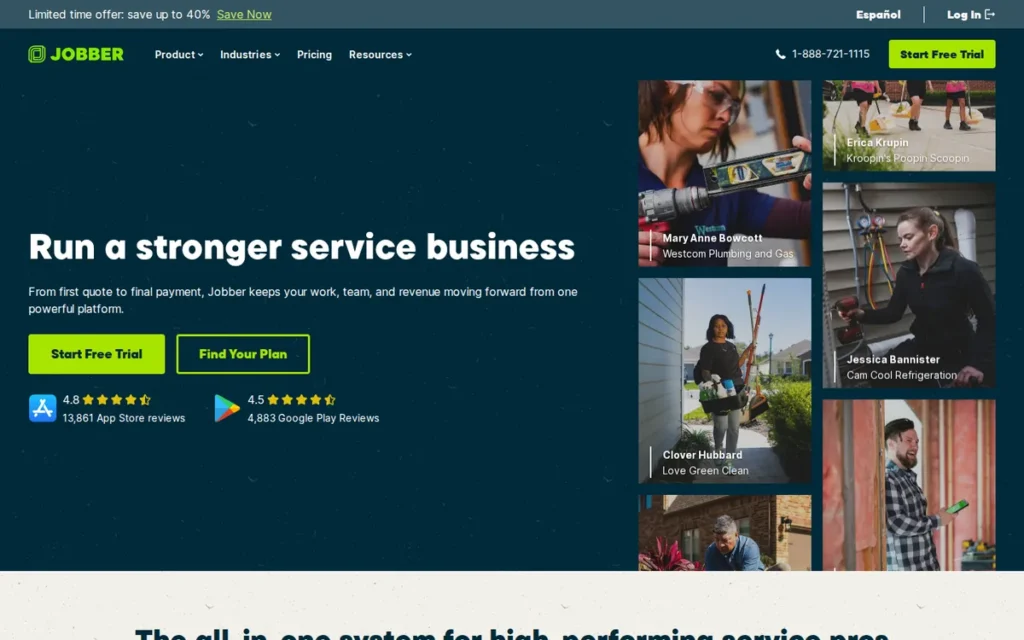
Category: Field Service CRM, manages requests, quotes, scheduling, invoicing and payment for short, repeatable jobs.
At a Glance
- Category: Field Service CRM
- Best For: Solo and small specialty or service contractors running short, repeatable jobs
- Price Range: $29–$399/month billed annually ($49–$499 billed monthly); extra users $29/month each (published, checked November 2026)
- Primary Strength: Jobber combines quoting, scheduling, invoicing, payments and client messaging in one easy-to-learn app with verified 4.6/5 ratings on Capterra and G2.
- Biggest Limitation: Jobber lacks Gantt scheduling, committed-cost tracking, purchase orders and WIP reporting.
- One-Line Summary: Jobber is a field service CRM rated 4.6/5 on both Capterra and G2 that suits contractors running short, repeatable jobs but lacks the cost controls that multi-phase construction requires.
- Last Verified: November 2026
Overview
Jobber is a field service management CRM that handles requests, quotes with online approval, scheduling, dispatch, invoicing, payments and a client portal. Jobber is built for solo and small service contractors whose work is short, repeatable jobs rather than multi-phase projects.
Jobber was founded in 2011 in Edmonton, Alberta, and says more than 250,000 service professionals use it (Google Play listing, 2026; vendor-published). No SOC 2 or ISO certification was verified for this vendor in November 2026 research.
Key Features
- Jobber captures requests and online bookings and turns them into quotes with optional line items and online client approval.
- Jobber schedules and dispatches crews from the same record that later becomes the invoice.
- Jobber processes payments and gives clients a self-service Client Hub portal.
- Jobber syncs with QuickBooks, and G2 lists 23 integrations for it (G2, 2026; independent review platform).
- Jobber sells add-ons, including an AI Receptionist at $29/month (included with Plus) and a Marketing Suite at $99/month (Jobber, 2026; vendor-published).
Best For
Jobber is best for solo operators and small service or specialty trade contractors who schedule many short jobs and care more about ease of use than project cost controls. Jobber isn’t built for GCs, remodelers or builders who need job costing across project phases.
Strengths
- Jobber holds ratings of 4.6/5 on Capterra from 1,490 reviews and 4.6/5 on G2 from 535 reviews (Capterra and G2, 2026; independent review platform), the strongest verified rating evidence in this ranking.
- Jobber reviewers consistently praise how easy it is to learn and how scheduling, billing and messaging sit in one place (Capterra and G2, 2026; user-reported).
- Jobber publishes dollar prices for every plan, starting at $29/month billed annually (Jobber, 2026; vendor-published).
- Jobber’s customer story reports Creative Roof Solutions growing from $900K to $4M (Jobber, 2026; vendor-published, unaudited; the software’s share of that growth isn’t separated out).
Limitations
Jobber gives up construction depth in exchange for simplicity. It has no Gantt scheduling, committed-cost tracking, purchase orders or WIP reporting (myquoteiq comparison, 2026; secondary source, competitor-published).
- Jobber users running project work often add spreadsheets, and one Reddit user described running a $1.2M design-build firm on “Jobber and excel” (Reddit r/Construction, 2022 thread; user-reported).
- Jobber’s Google Play reviewers report crashes, lost quote data and a calendar with no full month view (Google Play, 2026; user-reported).
- Jobber’s $29 per extra user and its paid add-ons can push total cost well above the $29 entry price (Jobber, 2026; vendor-published).
A construction company owner looking for estimate-to-invoice workflows with change orders shared their experience on r/CRM:
“Cost is not really a concern, but I need to realize value – Jobber for example was close but did not present value over its shortcomings – if you are a jobber sales person dont enter the starting gate – I bought it and refunded within 30 days.” Posted by u/Xnyx
Takeaway: Jobber falls short for construction firms that need estimate-to-invoice workflows with change orders, and some buyers refund it before the first month is out.
Verdict
Jobber has the highest verified review ratings in this ranking (4.6/5 on both Capterra and G2), which makes it the best-evidenced choice for service and repeat-work contractors in 2026.
Jobber scores 3.63/5. Verified ratings (C2 5) and pricing transparency (C3 4.5) lead its score, and workflow continuity (C1 2.5) holds it back. With pricing transparency removed, Buildertrend (3.75) moves above Jobber (3.41).
Project-based builders should choose an all-in-one platform instead, because Jobber’s workflow stops short of construction job costing.
4. Buildertrend: Best for Residential Builders Focused on the Homeowner Experience
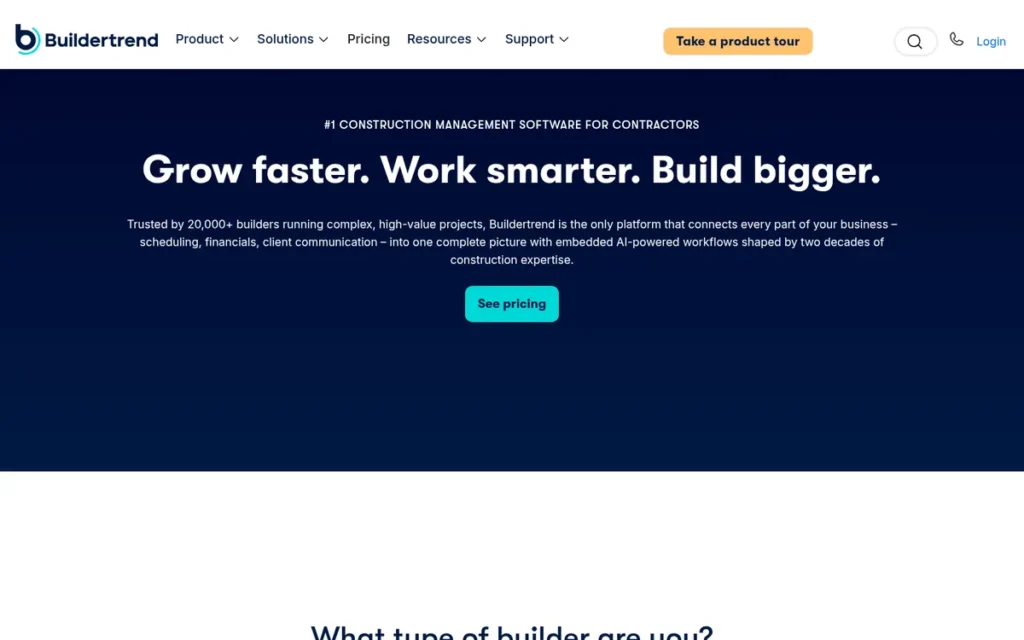
Category: All-in-One Construction Platform, connects leads, estimates, scheduling, job costing and invoicing in one system for project-based builders.
At a Glance
- Category: All-in-One Construction Platform
- Best For: Residential builders and remodelers running complex, multi-trade projects
- Price Range: Pricing on request (personalized); third-party reports put it at about $339–$499/month (unverified, checked November 2026)
- Primary Strength: Buildertrend offers the most feature-complete homeowner portal documented in this ranking.
- Biggest Limitation: Buildertrend doesn’t publish prices, and users report renewal increases, minimum terms and an unreliable mobile app.
- One-Line Summary: Buildertrend is an all-in-one residential construction platform with the most feature-complete homeowner portal documented in this ranking, but quote-only pricing and reported renewal increases make its total cost hard to predict.
- Last Verified: November 2026
Overview
Buildertrend is an all-in-one residential construction and remodeling software platform that combines lead management, proposals, selections, scheduling, change orders, financials and a homeowner portal. Buildertrend is built for residential builders and remodelers whose top priority is keeping clients informed.
Buildertrend was founded in 2006 in Omaha, Nebraska, merged with CoConstruct, and says it has more than 1 million users in more than 80 countries (Buildertrend, 2026; vendor-published). No SOC 2 or ISO certification was verified for this vendor in November 2026 research.
Key Features
- Buildertrend manages leads and proposals in the same system that runs the project.
- Buildertrend’s homeowner portal lets clients view schedules, photos and daily logs, make selections, approve change orders and pay online.
- Buildertrend connects selections and change orders to schedules, budgets, invoices and warranty.
- Buildertrend includes unlimited users, daily virtual training and a 24/7 Help Center in every subscription.
- Buildertrend integrates with QuickBooks and Xero, though it doesn’t publicly document the sync scope (one-way or two-way, and which records).
Best For
Buildertrend is best for residential builders and remodelers with multi-trade projects whose biggest problem is keeping homeowners informed. Users describe Buildertrend as overkill for simple operations and too residential for commercial GCs (Reddit r/Construction, 2022 thread, and r/ConstructionMNGT, 2026; user-reported).
Strengths
- Buildertrend includes unlimited users on every plan (Buildertrend, 2026; vendor-published), so adding field and office users doesn’t raise per-seat cost.
- Buildertrend’s homeowner portal covers selections, change-order approval and online payment, making it the most complete client-facing tool documented in this ranking (Buildertrend, 2026; vendor-documented).
- Buildertrend reviewers praise its integrated change orders, scheduling and budgeting, and one said it “changed our business” (Software Advice, 2026; user-reported).
- Buildertrend’s case studies report Paramount Fence cutting calls and emails by 90% and JKath Design Build gaining at least 50% in productivity (Buildertrend, 2026; vendor-published, unaudited).
Limitations
Buildertrend gives up price predictability in exchange for workflow breadth. One Capterra reviewer reported a 75% renewal increase without notice, and another user reported a plan rising from $199 to more than $1,000 a month (Capterra and Software Advice, 2026; user-reported, not typical outcomes).
- Buildertrend held one reviewer to a contract through May 2027 (Capterra, 2026; user-reported).
- Buildertrend’s mobile app crashes, loads slowly and has fewer features than desktop, so crews mostly use it for time tracking (Software Advice and Capterra, 2026; user-reported).
- Buildertrend’s G2 rating of 4.3/5 from 229 reviews comes from a secondary source (Rankite, 2026; secondary source), so PlugRoute capped its review score at 3.5.
- Buildertrend users reported slow support during an outage and aggressive migration sales tactics after the CoConstruct acquisition (Reddit r/estimators, 2023 thread; user-reported).
A user comparing it with Procore on r/ProCore noted:
“I used BT for two years and the ability to create custom reports especially financial reports doesn’t match. Also double work when you have a punch list item or RFI that results in a change order. The mobile app also isn’t reliable.” Posted by u/Vegetable-Gene-2434
Takeaway: Experienced Buildertrend users cite an unreliable mobile app, limited custom financial reports and double entry on change orders.
Verdict
Buildertrend is the top client-experience choice for residential builders and remodelers in 2026, with the most feature-complete homeowner portal documented in this ranking and unlimited users on every plan.
Buildertrend scores 3.30/5. Workflow continuity (C1 5, tied with JobTread) leads its score, and pricing transparency (C3 1.5) holds it back. With fully published pricing scoring 5 on C3, Buildertrend would score 4.00, second only to JobTread.
Before signing, buyers should get a written quote with a renewal cap and test the mobile app with field crews.
5. AccuLynx: Best for Roofing and Exterior Contractors
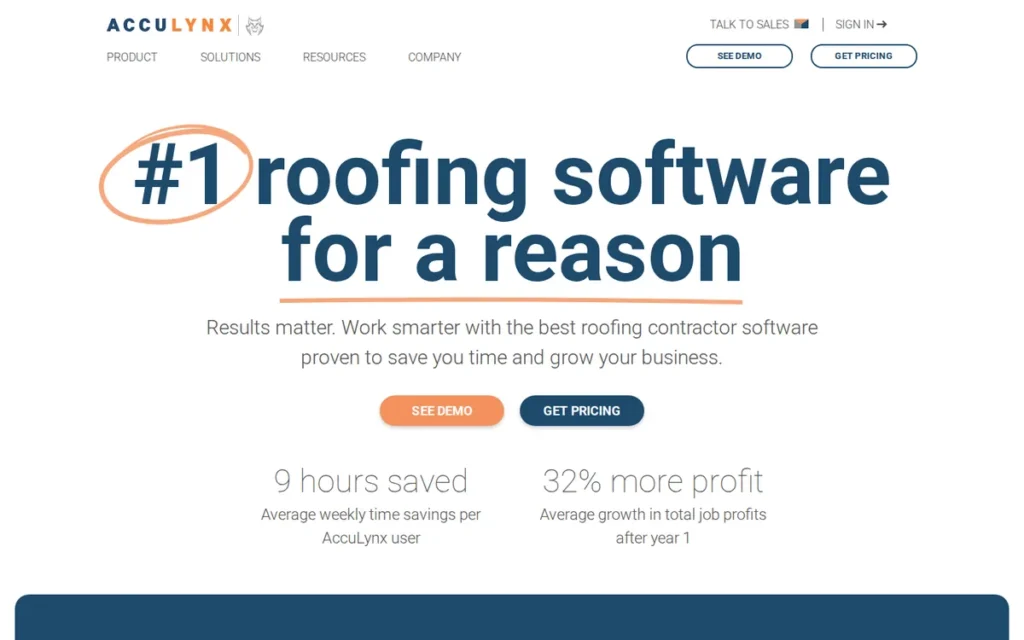
Category: Trade-Specific Platform, runs the full sales-to-production workflow for a single trade, here roofing and exteriors.
At a Glance
- Category: Trade-Specific Platform
- Best For: Roofing and exterior contractors that rely on aerial measurements and supplier material ordering
- Price Range: Pricing on request; billed per user per month, with paid measurement reports and possible add-ons (checked November 2026)
- Primary Strength: AccuLynx connects aerial measurements and supplier account pricing directly to estimates and material orders.
- Biggest Limitation: AccuLynx publishes no prices, its review-platform ratings couldn’t be verified, and users report weak commission tracking.
- One-Line Summary: AccuLynx is a roofing-specific platform that turns aerial measurements and supplier pricing into estimates and material orders, best for roofers who can absorb quote-based per-user pricing.
- Last Verified: November 2026
Overview
AccuLynx is a roofing CRM and business platform that manages the lead pipeline, automated follow-ups, aerial measurements, estimates, e-signature, production calendars and payments. AccuLynx is built for roofing and exterior contractors who want measurements and supplier pricing to flow into estimates.
AccuLynx was founded in 2008 by Rich Spanton and is based in Beloit, Wisconsin, with an office in Chicago (AccuLynx, 2026; vendor-published). No SOC 2 or ISO certification was verified for this vendor in November 2026 research.
Key Features
- AccuLynx tracks leads in a roofing pipeline with automated follow-ups.
- AccuLynx orders EagleView, GAF QuickMeasure, Hover and Geospan reports inside the app, and GAF reports arrive in under 1 hour for single-family homes (AccuLynx, 2022; vendor-published).
- AccuLynx pulls account-specific pricing from ABC Supply, SRS Distribution and QXO into estimates and turns them into material orders.
- AccuLynx provides production calendars, a Mobile Crew App and customer portals.
- AccuLynx processes payments and financing through AccuPay and connects to QuickBooks.
Best For
AccuLynx is best for roofing and exterior contractors, especially multi-crew or multi-location operations, that order aerial measurements and materials from major suppliers. AccuLynx isn’t designed for GCs or remodelers outside the exterior trades.
Strengths
- AccuLynx holds a 9.1/10 “RSG Gold” rating from Roofing Software Guide (Roofing Software Guide, 2026; independent editorial review, not aggregated user ratings).
- AccuLynx says it was ABC Supply’s first roofing-software partner, and it integrates with SRS Distribution and QXO for material ordering (AccuLynx, 2026; vendor-published).
- AccuLynx reviewers praise its customer tracking, photo uploads, estimates, mobile app and automated reminders (Capterra, 2026; user-reported).
- AccuLynx’s Ridgeline Roofing & Restoration story reports expansion to 13 locations and tripling in size (AccuLynx, 2026; vendor-published, unaudited).
Limitations
AccuLynx gives up price transparency in exchange for roofing depth. Capterra reviewers call its cost “prohibitive” for smaller businesses once integrations are added (Capterra, 2026; user-reported).
- AccuLynx’s measurement reports, payments and possibly its crew and texting apps add costs on top of per-user licenses (Roofing Software Guide, 2026; secondary source).
- AccuLynx’s sales-commission tracking is weak enough that one roofer pays commissions from a spreadsheet (Reddit r/Roofing, 2026; user-reported).
- AccuLynx’s G2 and Capterra totals couldn’t be verified, which means its rating evidence is thin, not that it performs poorly.
Verdict
AccuLynx is the only roofing-specific platform in this ranking, and it ties Buildertrend for the highest segment-fit score (4.5) by linking aerial measurements and supplier pricing directly to estimates and material orders.
AccuLynx scores 2.98/5. Segment fit (C6 4.5) leads its score, and pricing transparency (C3 1.5) and unverified ratings (C2 2) hold it back. AccuLynx leads Procore by only 0.075, so verified Capterra totals could change the order of the two.
Roofers should compare a written quote against their measurement and supplier volume, and test commission tracking before committing.
6. Procore: Best for Midsize and Large Commercial General Contractors
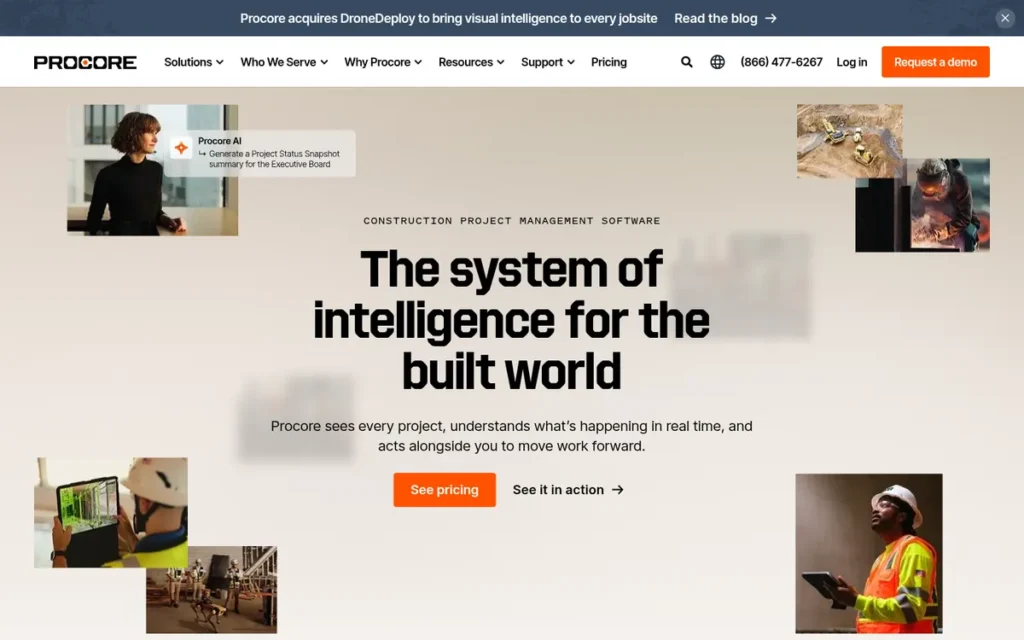
Category: Enterprise Project Platform, manages commercial preconstruction, documents, field collaboration and financials from bid through closeout.
At a Glance
- Category: Enterprise Project Platform
- Best For: Midsize and large commercial GCs with high annual construction volume and many subcontractors
- Price Range: Pricing on request; paid upfront each year based on Annual Construction Volume; third-party reports range from tens of thousands to more than $100K a year (checked November 2026)
- Primary Strength: Procore centralizes RFIs, submittals, drawings, bid management and financials with unlimited users.
- Biggest Limitation: Procore’s CRM features are thin, and its volume-based pricing is widely described as overkill for 10–20 person GCs.
- One-Line Summary: Procore is an enterprise commercial construction platform with unlimited users and a Capterra rating of 4.5/5 from 2,680 reviews, but volume-based pricing and a thin CRM make it a poor fit for small contractors.
- Last Verified: November 2026
Overview
Procore is an enterprise construction project management platform covering preconstruction, bid management, RFIs, submittals, drawings, prequalification, financials, and quality and safety. Procore is built for midsize and large commercial GCs that need field and office on one system from bid through closeout.
Procore trades on the NYSE (PCOR) and reported about $1.3B in 2025 revenue and 4,421 employees (Procore FY2025 results, 2026; audited). No SOC 2 or ISO certification was verified for this vendor in November 2026 research.
Key Features
- Procore manages preconstruction and bid management and hands the work off into the project.
- Procore centralizes RFIs, submittals, drawings and daily logs for field and office teams.
- Procore includes prequalification, financials, and quality and safety modules.
- Procore includes unlimited users (employees, owners and subcontractors) and unlimited storage.
- Procore’s App Marketplace listed more than 250 integrations (Procore, 2020; vendor-published), a figure buyers should re-check.
Best For
Procore is best for midsize and large commercial GCs managing many subcontractors and complex documentation, where unlimited free seats outweigh volume-based pricing. Procore is a poor fit for 10–20 person commercial GCs and for residential contractors.
A self-identified Procore employee on r/ProCore offered this view of where the platform fits:
“Buildertrend. Procore employee here, we are not really great or meant for renno, or short project durations i.e. anything less than 2-3weeks.
You could use definitely use Procore for your commercial roofing and ground-up to run faster change management inquiries, subcontracts, POs and PM or QC documentation.” Posted by u/cayclawson
Takeaway: Procore is built for longer commercial projects, and even its own staff point short renovation work toward residential platforms like Buildertrend.
Strengths
- Procore reported 17,623 organic customers as of September 30, 2025, including 2,602 contributing more than $100K in annual recurring revenue (Procore Q3 2025 results, 2025; audited), the strongest independently verified scale in this ranking.
- Procore holds a Capterra rating of 4.5/5 from 2,680 reviews (Capterra, 2026; independent review platform), the largest review base in the category.
- Procore includes unlimited users and storage (Procore, 2026; vendor-published), so adding subcontractors costs nothing extra.
- Procore users praise its centralized drawings, RFIs and submittals and having field and office on one system (Helonic, 2026; user-reported via secondary source).
Limitations
Procore gives up sales depth in exchange for project control. Its CRM and pipeline features are thin compared with dedicated CRMs, so lead follow-up may still need a separate tool (Pipeline CRM, 2026; secondary source).
- Procore’s volume-based pricing drew comments of “insane for our volume” and “overkill at your size” from small GCs (Reddit r/ConstructionMNGT, 2026; user-reported).
- Procore’s bill can rise with revenue even when usage doesn’t, and one reviewer wrote that “revenue and module pricing increase every year” (G2, 2026; user-reported).
- Procore reviewers cite bugs, slowness, too many notifications and a heavy implementation and training load (Helonic, 2026; user-reported via secondary source).
Verdict
By audited scale and review volume, Procore is the most proven commercial construction platform in this ranking for 2026, but its thin CRM and volume-based pricing make it a poor fit for most small and midsize contractors.
Procore scores 2.90/5. Verified ratings (C2 4.5) lead its score, and pricing transparency (C3 1) holds it back. PlugRoute’s scorecard doesn’t score enterprise criteria such as RFI and submittal depth.
Large commercial GCs should therefore give Procore’s audited scale and post-award depth more weight than this ranking does.
7. Followup CRM: Best Sales and Bid CRM for Commercial Subcontractors
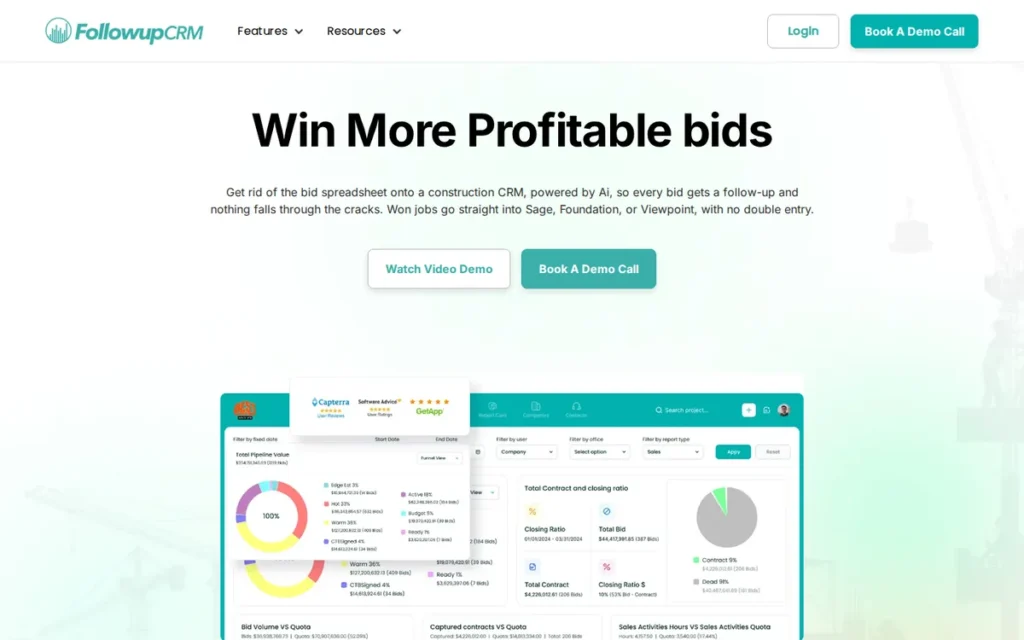
Category: Sales & Bid CRM, tracks bids, follow-ups and win rates before the award, then hands off to a separate project tool.
At a Glance
- Category: Sales & Bid CRM
- Best For: Commercial specialty subcontractors with a sales or estimating team bidding to multiple GCs
- Price Range: $99–$149/user/month (5-user minimum, annual billing; from $5,940/year); Enterprise $4,000/month plus $125/user; setup fee not published (checked November 2026)
- Primary Strength: Followup CRM tracks bids, automated follow-ups and win/loss rates by GC, project type and region.
- Biggest Limitation: Followup CRM stops at the award, with no project management or job costing.
- One-Line Summary: Followup CRM is a bid-tracking sales CRM for commercial subcontractors that automates follow-up and win/loss analysis, but it requires a separate project management tool after the award.
- Last Verified: November 2026
Overview
Followup CRM is a subcontractor bid management and sales CRM that tracks bids, automates follow-up and analyzes win/loss rates by GC, project type and region. Followup CRM is built for commercial specialty subcontractor sales teams that bid the same projects to multiple GCs.
Followup CRM started as “BID LOG” in 2009, is based in Fort Lauderdale, and claims “thousands” of specialty contractor customers (Followup CRM, 2026; vendor-published). No SOC 2 or ISO certification was verified for this vendor in November 2026 research.
Key Features
- Followup CRM keeps a bid log and calendar and tracks win/loss rates by GC, project type and region.
- Followup CRM handles multiple GCs bidding the same project without creating duplicate bids.
- Followup CRM runs automated follow-up sequences with email open and click tracking.
- Followup CRM creates proposals with e-signature and reports pipeline performance on dashboards.
- Followup CRM logs Outlook email automatically and markets integrations with Procore, Foundation, Vista and Sage.
Best For
Followup CRM is best for commercial specialty subcontractors, such as roofing, electrical, painting or mechanical firms, with at least five sales or estimating users. Followup CRM isn’t a fit for contractors who want one system from lead to invoice.
Strengths
- Followup CRM’s case study reports that Colorful Concepts Painting got 3–4× more feedback on commercial bids after automating follow-up (Followup CRM, 2026; vendor-published, unaudited).
- Followup CRM holds a G2 rating of 4.4/5 from 59 reviews (Rankite, 2026; secondary source), and reviewers call it “simple to use” and “very customizable.”
- Followup CRM publishes per-user pricing and seat minimums (Followup CRM, 2026; vendor-published), so its annual commitment is easy to calculate.
- Followup CRM reviewers praise its Outlook integration for logging email automatically (G2, 2026; user-reported).
Limitations
Followup CRM gives up project coverage in exchange for sales depth. Every customer needs a second system after the award, which brings back the risk of double entry at handoff (Followup CRM, 2026; vendor-documented).
- One Capterra reviewer reported cancelling Followup CRM after the mobile app, reporting, email connection and a promised Procore bid-board integration underperformed (Capterra, 2026; user-reported).
- Followup CRM is weak for field prospecting, and some of its integrations end in CSV exports (Roofing Software Guide, 2026; independent editorial review).
- Followup CRM’s 5-user minimum puts it out of reach for very small teams, and PlugRoute found no Reddit discussion of the product.
Verdict
Followup CRM is the only dedicated bid-tracking CRM in this ranking, built to raise commercial subcontractor win rates in 2026 through automated follow-up and win/loss analysis by GC.
Followup CRM scores 2.68/5. Segment fit (C6 4, matching JobTread and Contractor Foreman) leads its score. Mobile evidence (C4 1.5) and workflow continuity (C1 2) hold it back, because Followup CRM stops at the award by design.
Subcontractor sales teams should evaluate Followup CRM as a companion tool and test the handoff integration before signing.
How Much Does Construction CRM Software Cost in 2026?
Construction CRM software costs from $29/month for a single-user field service plan to more than $100K a year for enterprise commercial platforms (Jobber, 2026; vendor-published; Fieldwire, 2026; secondary source). Four of the seven ranked vendors publish at least some dollar prices on their own sites. Contractor Foreman’s middle-tier prices appear only in review listings.
How does each vendor charge?
- Contractor Foreman charges per company, with tiers capped by user count.
- JobTread charges a base fee plus a per-user fee that drops as the team grows.
- Jobber, Followup CRM and AccuLynx charge per user.
- Buildertrend sets pricing individually and includes unlimited users.
- Procore charges by Annual Construction Volume and includes unlimited users.
What does each tool cost at 1, 5, 10 and 20 users? (monthly, checked November 2026)
| Tool | 1 user | 5 users | 10 users | 20 users |
|---|---|---|---|---|
| JobTread | $199 | $279 | $379 | $529 |
| Contractor Foreman* | $49 (Basic) | $166 (Plus, up to 8) | $221 (Pro, up to 15) | $332 (Unlimited) |
| Jobber (annual) | $29 (Core) – $149 (Grow) | $399 (Plus, 5 included) | ~$544 (calculated: Plus + 5 × $29) | ~$834 (calculated: Plus + 15 × $29) |
| Followup CRM (annual) | Not available (5-user minimum) | $495–$745 | $990–$1,490 | $1,980–$2,980 |
| Buildertrend | Quote only | Quote only | Quote only | Quote only |
| Procore | Quote only (by ACV) | Quote only | Quote only | Quote only |
| AccuLynx | Quote only (per user) | Quote only | Quote only | Quote only |
*Contractor Foreman’s Plus and Pro prices come from G2 and Capterra listings, which disagree on per-company versus per-user wording. Jobber’s 10-user and 20-user figures are PlugRoute calculations from published rates.
The pricing model matters more than the entry price:
- A 10-person team pays from $221 a month on Contractor Foreman Pro to about $990 a month on Followup CRM Starter, a 4.5× spread for the same headcount (vendor pages and review listings, 2026).
- A 20-person team pays about $332/month on Contractor Foreman Unlimited, $529 on JobTread and about $834 on Jobber, so the lowest entry price produces the highest cost of these three at 20 users.
- A 5-person subcontractor sales team commits at least $5,940 a year to Followup CRM before paying for the project tool it still needs after the award.
What do the published prices include and leave out?
- JobTread charges $20/user for users 2–10, $15 for 11–20, $10 for 21–30 and $5 for 31 and up, with free onboarding and no feature add-ons (JobTread, 2026; vendor-published).
- Contractor Foreman’s Basic tier leaves out bid management, change orders, progress invoicing, subcontracts and QuickBooks integration (Capterra, 2026; secondary source).
- Jobber’s monthly-billing prices are $49, $139, $199 and $499, and PlugRoute couldn’t confirm a separate sales-pipeline add-on price or payment-processing rates in November 2026.
- Followup CRM’s minimum annual spend is $5,940 (Starter), $8,940 (Professional) and $55,500 (Enterprise), plus an unpublished setup fee (Followup CRM, 2026; vendor-published).
- Buildertrend’s third-party price reports of about $339–$499/month don’t match its current personalized model (HubSpot and others, 2026; secondary source).
- Procore contracts reportedly range from tens of thousands to more than $100K a year (Fieldwire and Helonic, 2026; secondary source, not list prices).
- AccuLynx charges per order for aerial measurement reports and doesn’t publish AccuPay processing fees (AccuLynx, 2026; vendor-published).
What contract terms does each vendor offer?
| Tool | Contract Terms (checked November 2026) |
|---|---|
| JobTread | No long-term contract; free trial; 20% off annual billing (vendor-published) |
| Contractor Foreman | 30-day trial; 100-day money-back guarantee; price-lock guarantee (vendor-published) |
| Jobber | Monthly or annual billing; other terms not captured in November 2026 research |
| Buildertrend | 1-year minimum reported; renewal increases reported by individual users (user-reported) |
| Procore | Paid upfront each year; multi-year pools and locked renewal rates negotiable (vendor-published); annual increases reported (user-reported) |
| Followup CRM | Annual billing; 5-user minimum; unpublished setup fee (vendor-published) |
| AccuLynx | “No contracts, cancel anytime” (vendor-published) |
Where Does Each Construction CRM’s Workflow Break?
Every construction CRM in this ranking has a documented point where the lead-to-invoice chain breaks, either because a feature is missing or because users report it as unreliable. If you know that point in advance, you can tell whether you’ll need a second tool, a higher tier or a spreadsheet to fill the gap.
| Tool | Where the Workflow Breaks | Evidence (Source, Year; Type) |
|---|---|---|
| JobTread | Advanced sales automation; takeoff; invoice editing (reported auto-fill error); learning curve | G2 and Capterra, 2026; user-reported |
| Contractor Foreman | Entry tier (no change orders or QuickBooks); mobile POs; accounting sync | Capterra and G2, 2026; user-reported and secondary source |
| Jobber | Multi-phase costing (no POs, committed costs or WIP) | myquoteiq, 2026; secondary source, competitor-published |
| Buildertrend | Mobile app; undocumented sync scope | Capterra and Software Advice, 2026; user-reported; Buildertrend, 2026; vendor-published |
| AccuLynx | Sales-commission tracking | Reddit r/Roofing, 2026; user-reported |
| Procore | Before the award (thin CRM) | Pipeline CRM, 2026; secondary source |
| Followup CRM | At the award (no project management or job costing) | Followup CRM, 2026; vendor-documented |
How Hard Is It to Switch Construction CRM Software?
Switching construction CRM software is hardest where onboarding isn’t included or its price isn’t published. JobTread includes free onboarding and training, and Buildertrend includes daily virtual training. Followup CRM charges an unpublished setup fee, and users report a heavy implementation load for Procore. Ask for the scope and cost of onboarding in writing.
| Tool | Onboarding and Migration Terms (checked November 2026) |
|---|---|
| JobTread | Free onboarding and training; free trial (vendor-published) |
| Contractor Foreman | One-on-one training praised by reviewers (G2, 2026; user-reported); 30-day trial (vendor-published) |
| Jobber | Not captured in November 2026 research |
| Buildertrend | Two onboarding tiers with unpublished prices; daily virtual training (vendor-published) |
| AccuLynx | Not captured in November 2026 research |
| Procore | Heavy implementation and training load (Helonic, 2026; user-reported via secondary source) |
| Followup CRM | One-time setup fee covering migration and training; amount unpublished (vendor-published) |
These three steps reduce switching risk:
- Confirm in writing that the vendor will migrate contacts, open bids and active job budgets, not just contacts.
- Confirm that you can export your full job-cost history before you sign, so a later switch doesn’t strand your data.
- Plan training time up front, because implementation and training time is the top barrier to adopting technology (AGC–Sage, 2025; industry survey).
Which Construction CRMs Integrate With QuickBooks and Xero?
Five of the seven ranked construction CRMs document a QuickBooks integration: JobTread, Contractor Foreman, Jobber, Buildertrend and AccuLynx. JobTread and Buildertrend also list Xero. Followup CRM focuses on Outlook and construction ERP tools such as Foundation, Vista and Sage. Few vendors publish sync scope, so test it on a live job.
| Tool | Accounting and Business Integrations (checked November 2026) |
|---|---|
| JobTread | QuickBooks Online, Xero, open API, Zapier (vendor-published) |
| Contractor Foreman | QuickBooks on tiers above Basic; Gusto payroll; Xero status unconfirmed (vendor-published, secondary source) |
| Jobber | QuickBooks; 23 integrations listed on G2 (vendor-published, independent review platform) |
| Buildertrend | QuickBooks and Xero; sync scope undocumented (vendor-published) |
| AccuLynx | QuickBooks (vendor-published) |
| Procore | App Marketplace with 250+ integrations as of 2020 (vendor-published) |
| Followup CRM | Outlook and Gmail; Procore, Foundation, Vista and Sage marketed; QuickBooks scope unverified (vendor-published) |
What Red Flags Should I Watch For When Evaluating Construction CRM Software?
Construction CRM buyers should watch for eight red flags that raise total cost or slow adoption. Each red flag below is numbered and names the ranked products it applies to. Each one is documented for at least one ranked product in user reviews, Reddit threads or vendor listings retrieved in 2026.
Red Flag #1: No Published Price and No Renewal Cap Quote-only pricing with no written renewal cap is the clearest sign that total cost may climb after the first year. One Capterra reviewer reported a 75% increase without notice, and another user reported a plan rising from $199 to more than $1,000 a month (Capterra and Software Advice, 2026; user-reported).
- This red flag applies in this ranking to Buildertrend, AccuLynx and Procore, which are quote-only (vendor-published, 2026).
Red Flag #2: Minimum Terms or Annual Upfront Payment Minimum terms and annual upfront payment lock you in before your crews have shown they’ll use the software. One reviewer reported being held to a contract through May 2027 (Capterra, 2026; user-reported), so ask for monthly billing or a money-back window before signing.
- This red flag applies in this ranking to Buildertrend (user-reported), Procore and Followup CRM (vendor-published, 2026).
Red Flag #3: Entry Tier Missing Change Orders or Accounting Sync An entry tier that leaves out change orders or accounting sync makes the price look lower than what a construction business will actually pay. Price the tier that matches your real workflow from estimate through invoice, not the advertised starting price (Capterra, 2026; secondary source).
- This red flag applies in this ranking to Contractor Foreman’s Basic tier, which leaves out change orders and QuickBooks integration.
Red Flag #4: Mobile App Weaker Than Desktop A mobile app with fewer features than desktop means field crews skip steps, which leaves gaps in job-cost data. Reviewers of four ranked products report crashes, slow loading or missing mobile features (Capterra, G2, Software Advice and Google Play, 2026; user-reported), so test the app with your crews.
- This red flag applies in this ranking to Buildertrend, Contractor Foreman, Followup CRM and Jobber.
Red Flag #5: Undocumented Accounting Sync Scope An accounting integration that doesn’t document sync direction or which records sync can create duplicate entries and extra reconciliation work. G2 reviewers report QuickBooks duplicates with at least one ranked tool (G2, 2026; user-reported), so ask the vendor to show a two-way sync on a live job.
- This red flag applies in this ranking to Buildertrend (scope undocumented), Contractor Foreman (duplicates reported) and Followup CRM (QuickBooks scope unverified).
Red Flag #6: Pressure Sales Tactics or Forced Migration After an Acquisition Pressure sales tactics and forced migrations after an acquisition signal a vendor putting its own roadmap ahead of yours. Reddit users reported a sales rep going over a manager’s head to the owner, and development stopping on an acquired product (Reddit r/estimators, 2023 thread; user-reported).
- This red flag applies in this ranking to Buildertrend, following its CoConstruct acquisition.
Red Flag #7: Volume-Based Pricing That Rises With Revenue Pricing tied to annual construction volume can raise your bill as revenue grows, even when your usage stays the same. A G2 reviewer reported that revenue-based and module pricing increased every year (G2, 2026; user-reported), so negotiate a multi-year rate lock before signing.
- This red flag applies in this ranking to Procore, which prices by Annual Construction Volume (vendor-published, 2026).
Red Flag #8: Steep Learning Curve With No Training Plan A steep learning curve without an included training plan delays adoption and leaves data half-entered. G2 and Capterra reviewers report steep learning curves for JobTread, Procore and Buildertrend (G2 and Capterra, 2026; user-reported), so confirm the scope and cost of onboarding in writing.
- This red flag applies in this ranking to JobTread, Procore and Buildertrend, though JobTread and Buildertrend include free training (vendor-published, 2026).
What Questions Should I Ask Before Choosing Construction CRM Software?
Construction CRM buyers should ask six questions in every demo. Together they test whether a tool connects one real lead to an invoice, what your team will actually pay, how renewals work, whether accounting sync is two-way, whether field crews can use the app, and whether you can take your data with you.
Question #1: Can you run one of my real leads from inquiry to invoice in this demo? A live walkthrough with your own lead shows where the workflow breaks, which a scripted demo hides. Watch for any step where data is re-entered or exported, especially at the award, at change orders and at invoicing.
Question #2: What will I pay for my exact user count, including add-ons, onboarding and payment processing? A written quote for your real headcount shows the true total cost, because several vendors don’t publish their full fees. A good answer itemizes every charge:
- A good quote lists per-user fees at your exact headcount.
- A good quote lists every feature add-on you need.
- A good quote lists measurement or payment-processing fees.
- A good quote lists any one-time setup or onboarding charge.
Question #3: What is the renewal cap, and can I cancel without penalty? A written renewal cap and cancellation policy protect you from the increases users report on quote-only platforms. Compare the vendor’s answer against the cancel-anytime, money-back and price-lock terms other ranked vendors offer.
Question #4: Does the QuickBooks or Xero sync run two-way, and which plan includes it? A two-way sync included in your chosen plan prevents duplicate entries and extra reconciliation work. A good answer names the records that sync:
- A good answer confirms whether bills sync.
- A good answer confirms whether invoices sync.
- A good answer confirms whether payments sync.
- A good answer confirms whether cost codes sync.
Question #5: Can my most tech-resistant foreman complete a daily log on the mobile app? Whether your least technical crew member can complete a daily log is the best predictor of field adoption. One Reddit user advised: “show any software to your oldest foreman before you buy it” (Reddit r/ConstructionMNGT, 2026; user-reported).
Question #6: Can I export my full job-cost history if I leave? A complete export of job-cost history protects years of estimating data if you switch platforms later. Ask for the export format and any fees, and confirm the export includes budgets, change orders and actual costs, not just contacts.
How Did We Rank These Construction CRM Tools?
PlugRoute ranked seven construction CRM tools by scoring each one from 1 to 5 on six weighted criteria. Lead-to-invoice workflow continuity counts for 25%, verified review ratings 20%, pricing transparency and terms 20%, field and mobile adoption 15%, accounting integration 10% and segment fit 10%. PlugRoute did no hands-on testing.
What criteria did PlugRoute use?
- C1 Workflow Continuity (25%): PlugRoute mapped each product against an 8-step chain from lead capture to payment, because double entry is the core pain for buyers.
- C2 Verified Review Ratings (20%): PlugRoute weighed G2, Capterra and Software Advice scores by review count, because a high score from a small sample is weaker evidence.
- C3 Pricing and Terms (20%): PlugRoute scored published prices, calculable cost at 1–20 users, disclosed add-ons and contract terms, because quote-only pricing makes budgeting hard.
- C4 Field and Mobile Adoption (15%): PlugRoute weighed user-reported mobile praise and complaints against review volume, because crews skip steps in weak apps.
- C5 Accounting and Implementation (10%): PlugRoute scored accounting integrations, reported sync errors and learning-curve evidence, because implementation is the top adoption barrier (AGC–Sage, 2025; industry survey).
- C6 Segment-Fit Depth (10%): PlugRoute scored trade-specific workflows and user confirmation of fit, because a specialist can beat a generalist for its buyer.
What did each product score?
| Product | C1 (25%) | C2 (20%) | C3 (20%) | C4 (15%) | C5 (10%) | C6 (10%) | Weighted Total |
|---|---|---|---|---|---|---|---|
| JobTread | 5 | 3.5* | 5 | 4† | 4 | 4 | 4.35 |
| Contractor Foreman | 4.5 | 4.5 | 4 | 2.5 | 3 | 4 | 3.90 |
| Jobber | 2.5 | 5 | 4.5 | 3 | 3.5 | 3 | 3.63 |
| Buildertrend | 5 | 3.5* | 1.5 | 2 | 3 | 4.5 | 3.30 |
| AccuLynx | 4 | 2 | 1.5 | 3.5 | 3 | 4.5 | 2.98 |
| Procore | 3 | 4.5 | 1 | 3 | 2.5 | 3.5 | 2.90 |
| Followup CRM | 2 | 3* | 3.5 | 1.5 | 2.5 | 4 | 2.68 |
*Capped at 3.5 because the rating is vendor-reported or from a secondary source. Followup CRM’s C2 is 3 rather than 3.5 because its rating rests on fewer than 100 reviews. †Limited evidence: a vendor claim and two Reddit comments, one with a possible conflict of interest.
What evidence rules did PlugRoute apply?
- PlugRoute gave a C2 score of 2 to products with no verified platform rating and marked them “insufficient evidence” instead of crediting “few complaints.”
- PlugRoute weighed complaints against review volume, so heavily reviewed products aren’t penalized just for being popular.
- PlugRoute’s mobile, sync and onboarding findings are aggregated from user-reported evidence, not hands-on testing.
- PlugRoute labeled every claim by source type: audited, independent review platform, secondary source, vendor-published, user-reported or possible conflict of interest.
- PlugRoute dates Reddit anecdotes by the year of the thread, not the year PlugRoute retrieved them.
Does the ranking change under different weightings?
JobTread ranks #1 under every sensitivity test PlugRoute ran: with review ratings removed (4.56), with pricing transparency removed (4.19) and with its mobile score lowered to 3 (4.20). With pricing transparency removed, the order becomes:
- JobTread (4.19)
- Contractor Foreman (3.88)
- Buildertrend (3.75)
- Jobber (3.41)
- Procore (3.38)
- AccuLynx (3.34)
- Followup CRM (2.47)
Why do other lists disagree?
Review lists name different #1 picks for three main reasons:
- Many lists weight criteria differently than PlugRoute does.
- Many lists rely on vendor pages rather than verified ratings.
- PlugRoute itself weights published pricing at 20%, because quote-only pricing is a documented buyer pain. Readers who don’t share that priority should use the order above, which removes pricing transparency.
What did PlugRoute exclude and why?
- PlugRoute excluded Buildern because a Reddit thread showed coordinated, near-identical promotional comments and there wasn’t enough independent evidence.
- PlugRoute excluded HubSpot because it is a generic CRM with no job costing or project handoff.
- PlugRoute excluded JobNimbus, Builder Prime and FieldPulse because they were found but not researched to the same depth.
- PlugRoute excluded Sage Construction because it is closer to accounting and ERP software than to a CRM.
- PlugRoute didn’t cite the widely repeated “41% win rate within 24 hours versus 12% after 72 hours” statistic, because its sources document no method.
PlugRoute has no affiliate relationships with any company listed, and rankings are determined entirely by research data and objective evaluation criteria.
What Do Buyers Ask About Construction CRM Software?
Construction CRM buyers commonly ask which tool fits residential work, how commercial teams should choose, and how rankings are decided. The integrations section above covers QuickBooks and Xero. The answers below rely on the same dated, source-labeled evidence as the ranked entries, so each one can stand on its own.
What is the best construction CRM for residential builders and remodelers?
JobTread is the top-ranked construction CRM for residential remodelers and custom builders in 2026. It scores 4.35/5, publishes pricing from $199/month and uses one budget from estimate to invoice. Buildertrend is the stronger choice when the homeowner portal matters most, but it is quote-only and users report renewal increases (Capterra, 2026; user-reported).
How should a 10–20 person commercial contractor choose construction CRM software?
A 10–20 person commercial contractor should first decide whether its gap sits before or after the award, because no ranked product fully covers this segment. JobTread fits light-commercial GCs (user-reported, possible conflict of interest), and Followup CRM plus a project tool fits subcontractor sales teams. Procore fits larger, high-volume GCs.
How does PlugRoute determine its construction CRM rankings?
PlugRoute ranks construction CRM tools on a weighted scorecard of six criteria, led by workflow continuity (25%), verified ratings (20%) and pricing transparency (20%). Unverified or vendor-reported ratings are capped at 3.5 out of 5. PlugRoute labels every claim by source type, did no hands-on testing and publishes every score so readers can re-rank.
What Do Key Construction CRM Terms Mean?
Construction CRM buyers run into a dozen terms when comparing vendors, from pricing units such as Annual Construction Volume to cost controls such as committed costs and WIP reporting. The definitions below explain each term in plain language and why it matters when choosing software.
Annual Construction Volume (ACV): Annual Construction Volume is the total dollar value of construction work a company builds in a year. Some enterprise platforms base their pricing on ACV, so a software bill can rise as revenue grows.
Job Costing: Job costing tracks actual labor, material and subcontractor costs against a project’s budget. Job costing shows whether each job is making money while there’s still time to fix problems.
Change Order: A change order is a signed, documented change to a project’s scope, price or schedule after the contract is signed. Software that ties change orders to the budget prevents extra work from going unbilled.
Purchase Order (PO): A purchase order is a formal document that commits money to a supplier or subcontractor for specific materials or work. Logging purchase orders in the same system as the budget keeps committed costs visible.
Committed Cost: A committed cost is money already promised through purchase orders or subcontracts but not yet paid. Tracking committed costs prevents budget overruns that would otherwise show up only when invoices arrive.
Work-in-Progress (WIP) Reporting: WIP reporting compares billed revenue with earned revenue on active jobs. Lenders, sureties and accountants often ask growing contractors for WIP reports.
Gantt Scheduling: Gantt scheduling shows project tasks as bars on a timeline, with dependencies between phases. Gantt scheduling matters for multi-phase construction, where one delayed trade pushes back every trade after it.
Two-Way Accounting Sync: A two-way accounting sync sends changes in both directions between the CRM and the accounting software. One-way or partial syncs can create duplicate entries and extra reconciliation work.
Client Portal: A client portal is a secure login where customers can see schedules, photos and documents, approve changes and pay. A client portal cuts down on phone calls and speeds up approvals.
Win/Loss Rate: A win/loss rate is the share of submitted bids a contractor wins, often broken down by client, project type or region. Tracking win/loss rate shows which bids are worth the estimating time.
Takeoff: A takeoff is the measurement of quantities from project plans, such as square footage, linear feet or fixture counts. Buyers who need built-in takeoff avoid moving data between separate estimating tools.
Aerial Measurement Report: An aerial measurement report calculates roof dimensions from aerial or satellite imagery without anyone climbing the roof. Aerial measurement reports are usually paid per order, which adds to total software cost.
Which Construction CRM Tool Is Right for You?
Key Insights
- JobTread leads PlugRoute’s 2026 ranking for project-based builders and remodelers (4.35/5), Contractor Foreman leads on budget and Jobber leads for service work, but type of work decides construction CRM fit more than feature count does.
- Four of the seven ranked construction CRM vendors publish at least some dollar prices on their own sites, and Contractor Foreman’s middle-tier prices appear only in review listings (vendor pages and review listings, 2026).
- Per-user, volume-based and unlimited-user pricing scale very differently, so a 20-person team pays about $332/month on Contractor Foreman, $529 on JobTread and about $834 on Jobber.
- Every ranked construction CRM has a documented point where its workflow breaks, whether at the award, on the entry tier, in the accounting sync or in the mobile app.
- Pricing transparency shapes this ranking. With it removed, Buildertrend rises from #4 to #3 and Procore moves above AccuLynx, while JobTread stays #1.
- Ratings based on fewer than 100 reviews, or reported only by vendors, are weaker evidence than verified ratings from thousands of reviews.
Residential remodelers and custom builders should start with JobTread, or Buildertrend if the homeowner portal matters most. Small GCs on a tight budget should consider Contractor Foreman and use its free trial to test the sync. Specialists lead in their own segments:
- AccuLynx fits roofing and exterior contractors, who should also request a JobNimbus quote.
- Procore fits midsize and large commercial GCs with high annual volume.
- Followup CRM fits commercial subcontractor bidding teams that pair it with a project tool.
Before signing, run one real job through a free trial or demo. Enter a live lead, build the estimate, convert it to a contract, log a change order on mobile and push the invoice to QuickBooks. Quote-only vendors will require a demo.
Read PlugRoute’s full scoring methodology and see more independent PlugRoute reviews before you book your first demo. We update this guide quarterly. Last updated: November 2026.