For small businesses and freelancers in 2026, Xero leads for growing businesses needing multi-currency support and integrations; Zoho Books is the strongest value pick for cost-sensitive teams wanting automation; and QuickBooks Online is the clearest choice for US businesses with accountant compatibility requirements. The right decision hinges on your jurisdiction, payroll needs, and user count.
Most small business owners discover their accounting software mismatch only after onboarding, when per-seat fees multiply, MTD filing deadlines approach with incomplete compliance, or their accountant asks for a platform they don’t support. These mistakes are avoidable with the right information before you commit.
PlugRoute has no affiliate relationships with any software vendor reviewed here; rankings are determined solely by structured scoring criteria applied equally to all seven tools.
TL;DR: All 7 Picks at a Glance
- Xero (#1): Best for growing businesses needing multi-currency support and 1,000+ integrations, from $15/month.
- Zoho Books (#2): Best for cost-sensitive teams wanting automation and a free tier, from $0/month.
- QuickBooks Online (#3): Best for US businesses with existing accountant relationships, from $35/month.
- FreeAgent (#4): Best for UK freelancers and limited company directors needing full HMRC compliance, from £19/month.
- Wave Accounting (#5): Best for sole traders and micro-businesses needing genuinely free double-entry accounting, $0/month.
- FreshBooks (#6): Best for service-based freelancers prioritizing invoicing UX and time tracking, from $19/month.
- Sage Accounting (#7): Best for UK small businesses with Sage-trained accountants and established workflows, from £15/month.
What Are the Different Types of Small Business Accounting Software?
Small business accounting software falls into three categories based on depth and intended audience: full double-entry platforms, invoicing-led tools, and free-tier tools. Identifying your category first narrows a seven-tool shortlist to two or three candidates without reading every entry.
Full Double-Entry Platforms handle the complete accounting cycle, invoicing, bank reconciliation, payroll integration, and financial reporting including balance sheets. Xero, Zoho Books, QuickBooks Online, FreeAgent, and Sage Accounting fall into this category. These tools suit businesses that file corporation tax returns, manage multiple revenue streams, or require accountant access.
Invoicing-Led Tools prioritize professional invoicing, time tracking, and client project management over ledger depth. FreshBooks is the primary example in this review. These tools suit service-based freelancers who invoice clients but do not manage inventory, employees, or complex VAT or GST obligations.
Free-Tier Tools offer core accounting functionality at no recurring cost, with revenue generated through optional paid add-ons. Wave Accounting is the primary example here. These tools suit sole traders and micro-businesses with straightforward income-and-expense tracking needs and no payroll complexity.
How Do the Top 7 Accounting Software Tools Compare?
The table below summarizes all seven tools across eight dimensions (category, best-fit audience, key capabilities, primary strength, and key limitation) so you can identify the shortlist most relevant to your situation before reading individual entries.
| Rank | Company | Category | Best For | One-Line Summary | Key Capabilities | Primary Strength | Key Limitation |
|---|---|---|---|---|---|---|---|
| #1 | Xero | Full Double-Entry | Growing multi-currency businesses | The most integration-rich double-entry platform for scaling businesses | Multi-currency, 1,000+ integrations, project tracking, bank reconciliation | Integration ecosystem breadth | No built-in payroll; requires Gusto add-on for US payroll |
| #2 | Zoho Books | Full Double-Entry | Cost-sensitive teams needing automation | The strongest value-per-dollar double-entry platform with a free tier | Workflow automation, multi-user, free tier under $50K revenue | Automation depth at lowest price | Per-seat cap triggers 167% cost jump at fourth user |
| #3 | QuickBooks Online | Full Double-Entry | US businesses with accountant requirements | The most widely adopted US small business accounting platform | ProAdvisor network, payroll add-on, 750+ integrations, robust reporting | US accountant ecosystem compatibility | Highest price at scale; payroll add-on required for employees |
| #4 | FreeAgent | Full Double-Entry (UK) | UK freelancers and limited company directors | The most HMRC-complete accounting tool for UK sole traders and limited companies | MTD VAT, Self Assessment, Corporation Tax, RTI payroll, bank feeds | HMRC filing completeness for UK users | No multi-currency; limited utility outside the UK |
| #5 | Wave Accounting | Free-Tier | Sole traders and micro-businesses | A genuinely free double-entry accounting platform with optional paid add-ons | Free invoicing, expense tracking, bank feeds, double-entry ledger | Zero recurring cost for core accounting | No inventory management; payroll is a paid add-on |
| #6 | FreshBooks | Invoicing-Led | Service-based freelancers | The most polished invoicing and time-tracking tool for client-service businesses | Invoicing, time tracking, project management, client portals | Invoicing UX and time tracking depth | Shallow double-entry accounting depth relative to full-platform alternatives |
| #7 | Sage Accounting | Full Double-Entry (UK) | UK small businesses with accountant relationships | A UK-heritage double-entry platform with strong accountant familiarity | MTD VAT, Sage Payroll integration, 44 years of UK accounting workflow design | UK accountant ecosystem familiarity | Steepest learning curve for non-accountant users in this review |
Which Accounting Software Should I Choose for My Situation?
Your best starting point is your single most important constraint, jurisdiction, price ceiling, or accountant compatibility. The table below maps nine common buyer situations to a recommended tool and an acceptable fallback, so you can move from shortlist to decision without reading every entry.
| Your #1 Priority | Recommended Tool | Why | Acceptable Alternative |
|---|---|---|---|
| Lowest monthly cost | Wave Accounting | Free core accounting with no revenue ceiling | Zoho Books (free tier for businesses under $50K annual revenue) |
| UK HMRC compliance (MTD VAT + Self Assessment) | FreeAgent | Most complete HMRC filing suite in this review | Sage Accounting |
| US accountant compatibility | QuickBooks Online | Largest US ProAdvisor network (700,000+ advisors) | Xero (growing US accountant adoption) |
| Multi-currency support | Xero | Native multi-currency across all paid plans | Zoho Books (Professional plan and above) |
| Invoicing + time tracking for client work | FreshBooks | Purpose-built for service-based freelancers | Xero (strong invoicing with full accounting depth) |
| Automation and workflow rules | Zoho Books | Most automation features per dollar in this review | Xero |
| Free trial before committing | Xero or FreshBooks | Both offer 30-day free trials with no credit card required on some options | QuickBooks Online (30-day trial) |
| Scalability (10+ employees, multiple entities) | Xero | 1,000+ integrations and unlimited users on Growing plan | QuickBooks Online |
| Budget under £20/month (UK) | FreeAgent or Sage Accounting | FreeAgent from £19/month; Sage from £15/month | Wave Accounting (free) |
Most Readers Choose: Xero (growing businesses), Zoho Books (budget-conscious teams), or FreshBooks (service freelancers), these three cover approximately 70% of buyer situations in this review’s target audience.
The seven entries below appear in ranked order. Each entry follows an identical structure to ensure fair comparison across all tools.
1. Xero: Best Full-Featured Double-Entry Platform for Growing Businesses
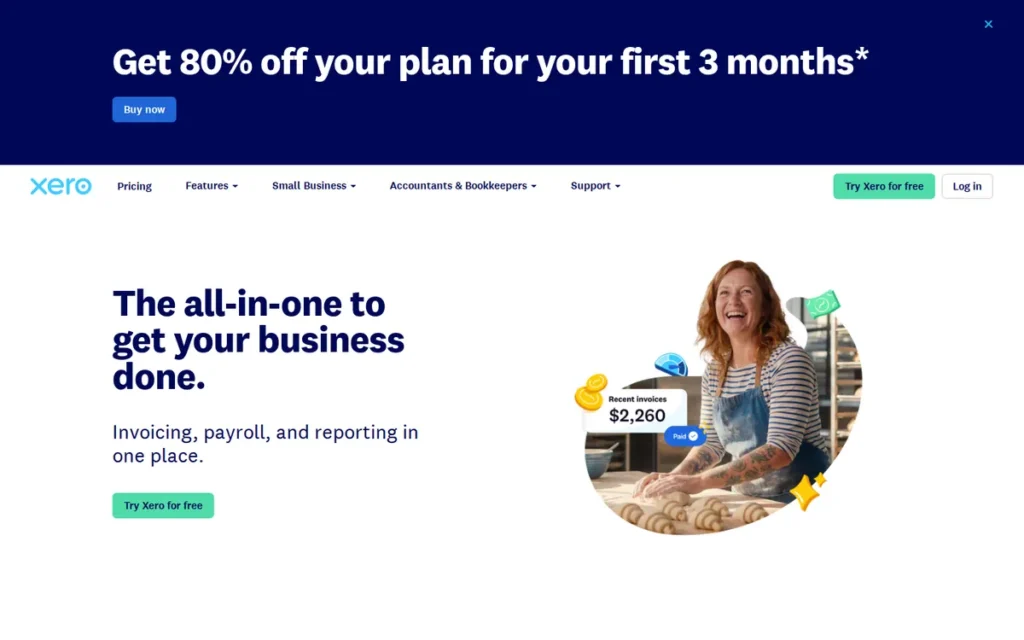
Category: Full Double-Entry Platform
At a Glance
- Category: Full Double-Entry Platform
- Best For: Growing businesses needing multi-currency support, deep integrations, and scalable financial reporting
- Price Range: From $15/month (Starter) to $78/month (Established); Gusto payroll add-on priced separately from approximately $46/month
- Primary Strength: Xero offers the largest third-party integration ecosystem of any tool in this review, with 1,000+ connections across payroll, CRM, inventory, and e-commerce platforms
- Biggest Limitation: Xero does not include built-in payroll in any core plan; US payroll requires a separate Gusto subscription, adding $46+ per month to the effective cost
- One-Line Summary: Xero is a full double-entry accounting platform suited to growing businesses that need multi-currency support, 1,000+ integrations, and unlimited user access on mid-tier plans
- Last Verified: June 2026
Overview
Xero is a cloud-based double-entry accounting platform designed for small to mid-sized businesses that anticipate growth, operate across multiple currencies, or require extensive third-party integrations. Xero serves over 4.2 million subscribers globally [Xero Annual Report, 2025], making it one of the most widely adopted platforms in this review outside the United States.
Xero’s announced 2026 AI investment roadmap (which includes machine learning for transaction categorization and automated anomaly detection) positions Xero as a platform investing in reducing manual reconciliation work [verify current AI capabilities at xero.com/newsroom before publication]. Xero currently offers automated bank feeds, rules-based transaction matching, and AI-assisted expense categorization across all paid plans.
Key Features
- Multi-Currency Transactions: Xero supports over 160 currencies natively, automatically converting foreign invoices and expenses to the business’s base currency using live exchange rates, a capability unavailable on FreeAgent, Wave Accounting, or Sage Accounting’s entry-level plans.
- Integration Ecosystem: Xero connects to over 1,000 third-party applications through the Xero App Store [Xero App Store, 2025], including:
- Gusto (US payroll)
- Shopify (e-commerce)
- Stripe (payments)
- HubSpot (CRM)
- Dext (receipt capture)
- Bank Reconciliation: Xero’s automated bank feed reconciliation matches imported transactions to existing bills and invoices, reducing manual data entry for businesses with high transaction volumes.
- Project Tracking: Xero includes time and cost tracking at the project level on Growing and Established plans, enabling billable hour tracking without a third-party add-on.
- Financial Reporting: Xero generates balance sheets, profit and loss statements, cash flow forecasts, and aged debtor and creditor reports across paid plans, all exportable to PDF or Excel.
Best For
Xero is best suited for businesses that invoice clients in multiple currencies, use multiple software platforms that need to sync with their accounting data, or anticipate growing beyond five employees within 12 months.
Pricing
Xero offers three core plans as of June 2026: Starter at $15/month (limited to 5 invoices and 5 bills per month), Growing at $42/month (unlimited invoices and bills, unlimited users), and Established at $78/month (adds multi-currency, expenses, and project tracking). A 30-day free trial is available. US payroll through Gusto is priced separately from approximately $46/month plus $6 per employee per month [verify current Gusto pricing at gusto.com before publication].
Strengths
- Integration Leadership: Xero’s 1,000+ app ecosystem [Xero App Store, 2025] is the largest of any tool in this review, enabling connectivity with payroll, CRM, e-commerce, and inventory platforms without custom development work.
- Multi-Currency Depth: Xero supports over 160 currencies with live exchange rate conversion, making Xero the clearest choice among these seven tools for businesses that invoice international clients or pay international suppliers.
- Unlimited Users on Mid-Tier Plans: Xero’s Growing ($42/month) and Established ($78/month) plans include unlimited user seats, allowing business owners and accountants to work simultaneously without per-seat cost escalation, unlike QuickBooks Online’s per-seat model.
- Reporting Breadth: Xero’s financial reporting suite covers balance sheets, P&L, cash flow, and aged receivables, with custom report building available on the Established plan for businesses needing segment-level analysis.
Limitations
- No Built-In Payroll: Xero does not include payroll functionality in any core subscription; US businesses must purchase Gusto separately, adding $46+ per month to the total cost, a meaningful premium compared to QuickBooks Online’s bundled payroll option.
- Starter Plan Restrictions: Xero’s $15/month Starter plan limits users to five invoices and five bills per month, making it unsuitable for any business that invoices more than five clients monthly.
- US Accountant Adoption Gap: Xero’s US-equivalent accountant network is smaller than QuickBooks Online’s 700,000+ ProAdvisor base; US-based businesses may find fewer local accountants experienced with Xero’s workflow than with QuickBooks Online.
- Learning Curve for Non-Accountants: Xero’s interface exposes more accounting terminology than FreshBooks or Wave Accounting, and new users unfamiliar with double-entry bookkeeping may require initial setup support from an accountant.
Verdict
Xero is the strongest all-round double-entry accounting platform in this review for businesses that need multi-currency support, integrations, or scalability, and for whom the $42/month Growing plan’s unlimited invoicing and unlimited users justify the price premium over Zoho Books. For US-based businesses whose accountant already uses QuickBooks Online, the switching cost of moving to Xero may outweigh its integration advantages; that trade-off is worth quantifying before committing.
2. Zoho Books: Best Value Double-Entry Platform with Automation and Free Tier
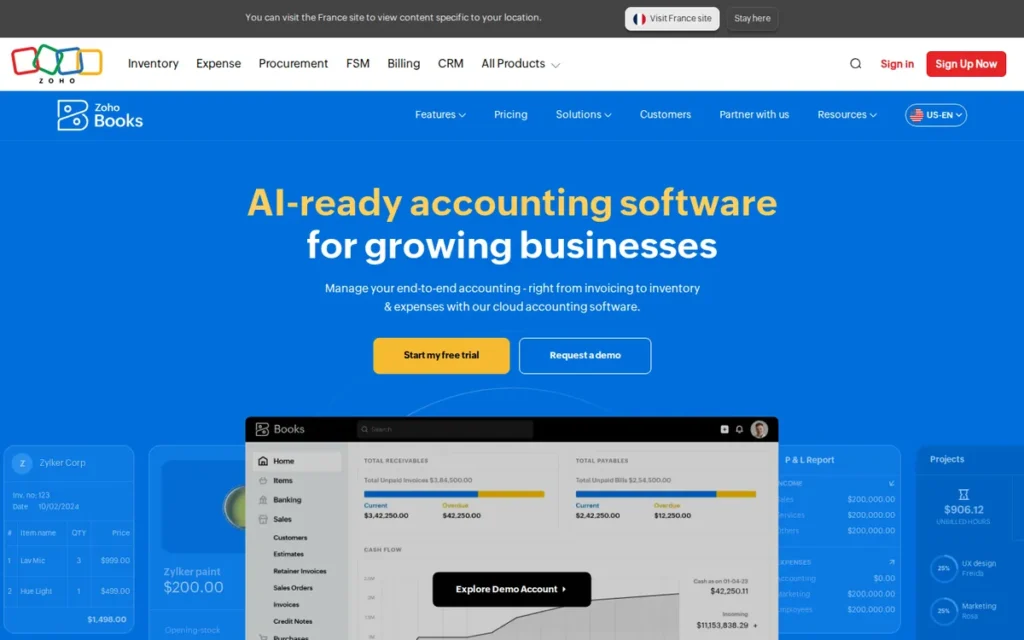
Category: Full Double-Entry Platform
At a Glance
- Category: Full Double-Entry Platform
- Best For: Cost-sensitive small businesses and freelancers who need automation, workflow rules, and a low entry price
- Price Range: Free (under $50K annual revenue, 1 user) to $240/month (Ultimate, 15 users); most small businesses on Standard ($15/month) or Professional ($40/month)
- Primary Strength: Zoho Books offers more workflow automation features per dollar than any other tool in this review, including automatic payment reminders, recurring invoice rules, and vendor payment scheduling
- Biggest Limitation: Zoho Books’ per-seat caps force a 167% monthly cost increase (from Standard at $15/month (3 users) to Professional at $40/month (5 users)) when a business needs a fourth user seat
- One-Line Summary: Zoho Books is a full double-entry accounting platform with the strongest automation depth at the lowest price point among the paid tools in this review
- Last Verified: June 2026
Overview
Zoho Books is a cloud-based double-entry accounting platform developed by Zoho Corporation, a privately held software company founded in 1996 and headquartered in Chennai, India. Zoho Corporation operates independently of major US enterprise software vendors [Zoho published independence statements, 2024], and Zoho Books is one of over 50 business applications in the Zoho software ecosystem.
Zoho Books earns a verified rating of approximately 4.5/5 on G2 based on 500+ reviews [G2.com, June 2026, verify current rating before publication]. Zoho Books is particularly well-regarded among businesses that also use other Zoho products, as native integration with Zoho CRM, Zoho Inventory, and Zoho Projects eliminates the need for third-party middleware.
Key Features
- Workflow Automation: Zoho Books allows users to create rules-based automation for recurring transactions, payment reminders, approval workflows, and vendor payment scheduling, capabilities that competing platforms typically reserve for higher-tier plans.
- Free Tier with Genuine Functionality: Zoho Books offers a free plan for businesses with annual revenue under $50,000, providing invoicing, expense tracking, bank reconciliation, and basic reporting with one user seat, not a feature-stripped trial.
- Client Portal: Zoho Books provides clients with a self-service portal where they can view invoices, make payments, and download statements, reducing back-and-forth communication for service businesses.
- Zoho Ecosystem Integration: Zoho Books connects natively with Zoho CRM, Zoho Inventory, Zoho Projects, and Zoho Payroll, enabling end-to-end business operations within a single vendor ecosystem without per-connection fees.
- Multi-Currency Support: Zoho Books supports multi-currency transactions on the Professional plan ($40/month) and above, including automatic exchange rate fetching and foreign currency bank accounts.
Best For
Zoho Books is best suited for cost-sensitive small businesses that want automation and workflow rules without paying Xero or QuickBooks Online prices, and for businesses already using other Zoho products that benefit from native ecosystem integration.
Pricing
Zoho Books offers five plans as of June 2026: Free ($0, 1 user, under $50K annual revenue), Standard ($15/month, 3 users), Professional ($40/month, 5 users), Premium ($60/month, 10 users), and Ultimate ($240/month, 15 users). A 14-day free trial is available on paid plans. GST, VAT, and US sales tax compliance features are available across all plans [verify current plan feature availability at zoho.com/books before publication].
Strengths
- Automation Depth: Zoho Books includes workflow automation: automatic reminders, approval flows, recurring rules, across all paid plans, a feature level that competing platforms typically reserve for higher-tier subscriptions.
- Free Tier Access: Zoho Books’ free plan for businesses under $50,000 annual revenue provides genuine double-entry accounting at no cost, making Zoho Books the only full double-entry platform in this review with a revenue-gated free tier.
- Price-to-Feature Ratio: Zoho Books’ Standard plan at $15/month delivers invoicing, bank feeds, and basic automation at the lowest price point for a full double-entry platform in this review, below Xero’s $42/month Growing plan and QBO’s $35/month Simple Start.
- Zoho Ecosystem Breadth: Zoho Books integrates natively with 50+ Zoho applications, providing CRM, inventory, HR, and project management connectivity within a single vendor relationship and without per-integration fees.
Limitations
- User Seat Caps Create Significant Cost Jumps: Zoho Books’ Standard plan supports only three users; adding a fourth user requires upgrading to the Professional plan at $40/month, a 167% monthly cost increase [Zoho pricing page, June 2026] that can surprise teams that are growing.
- Third-Party Integration Depth: Zoho Books’ ecosystem of third-party integrations is narrower than Xero’s 1,000+ connections; businesses dependent on non-Zoho tools may find fewer native connectors available and may need to rely on Zapier bridges.
Users on r/Bookkeeping shared a practitioner perspective after migrating client accounts:
“The pricing is appealing, but I’ve found Zoho to be somewhat cumbersome. For instance, searching can be challenging, equity transactions can only be processed through the banking section, and matching receipts to existing entries is quite tricky. I fully committed to Zoho One to explore its entire ecosystem, but I’ve grown frustrated with it. The integrations are complex, and managing the partner store feels overwhelming. Now, I’m contemplating switching to Xero, but the transition seems like a significant hassle.” Posted by u/BudgetCap7905
Takeaway: Bookkeepers migrating client accounts from QuickBooks to Zoho Books report that the platform’s competitive pricing can mask meaningful workflow complexity (particularly for non-Zoho integrations and receipt matching) that reveals itself only after full commitment to the ecosystem.
- Free Tier Revenue Cap: Zoho Books’ free plan is restricted to businesses with annual revenue under $50,000; businesses that exceed this threshold must migrate to a paid plan, creating a potentially disruptive transition at a point of growth.
- US Accountant Familiarity: Zoho Books has lower US accountant adoption than QuickBooks Online; US-based businesses whose accountants prefer QuickBooks may face a workflow compatibility issue when filing taxes.
Verdict
Zoho Books is the most cost-efficient double-entry platform in this review for small businesses that want automation without paying Xero or QuickBooks Online prices. For businesses already in the Zoho ecosystem, Zoho Books is the natural accounting anchor that eliminates third-party middleware costs. For businesses launching with four or more users, calculate the Professional plan cost before assuming the Standard plan’s $15/month headline price applies to your configuration.
3. QuickBooks Online: Best for US Accountant Compatibility and Established US Tax Workflows
Category: Full Double-Entry Platform
At a Glance
- Category: Full Double-Entry Platform
- Best For: US-based small businesses with existing accountant relationships or plans to hire a US CPA
- Price Range: From $35/month (Simple Start, 1 user) to $235/month (Advanced, 25 users); payroll add-on from approximately $45/month
- Primary Strength: QuickBooks Online has the largest US accountant support ecosystem in this review, with over 700,000 QuickBooks ProAdvisors available for hire or consultation [Intuit, 2025]
- Biggest Limitation: QuickBooks Online is the highest-priced option in this review at scale; per-seat pricing combined with a payroll add-on can reach $300+ per month for a five-person US team
- One-Line Summary: QuickBooks Online is the most widely adopted small business accounting platform in the US, with the deepest accountant ecosystem and strongest native compatibility for US tax workflows
- Last Verified: June 2026
Overview
QuickBooks Online is a cloud-based double-entry accounting platform developed by Intuit, Inc., a publicly traded US financial software company headquartered in Mountain View, California. QuickBooks Online is among the most frequently cited accounting platforms in US small business community discussions [Reddit r/smallbusiness, r/Accounting, 2024–2025], and Intuit reports over 7 million QuickBooks Online subscribers globally [Intuit Annual Report, 2025].
QuickBooks Online ranks third in this review rather than first because of three measurable disadvantages: its per-seat pricing model is the most expensive in this review at scale; payroll is an add-on rather than a base feature; and its primary competitive advantage (US accountant ecosystem compatibility) is irrelevant for UK, EU, or international users. For the majority of small businesses in this review’s target audience, Xero’s Growing plan or Zoho Books’ Professional plan delivers equivalent or superior functionality at materially lower total cost.
Key Features
- ProAdvisor Network: QuickBooks Online provides access to Intuit’s network of 700,000+ certified QuickBooks ProAdvisors [Intuit, 2025], enabling US businesses to find pre-vetted accountants, bookkeepers, and tax professionals already familiar with the platform.
- Payroll Integration: QuickBooks Online offers payroll processing as an add-on service, with automatic payroll tax calculation and filing for US employees, a workflow that requires a separate Gusto subscription on Xero.
- Third-Party Integrations: QuickBooks Online connects to over 750 third-party applications through the Intuit ecosystem, including:
- Shopify (e-commerce)
- PayPal (payments)
- Bill.com (AP/AR automation)
- TSheets (time tracking)
- Salesforce (CRM)
- Mileage Tracking: QuickBooks Online includes GPS-based mileage tracking on all plans, enabling automatic business mileage deduction calculation for US tax purposes without a third-party app.
- Sales Tax Automation: QuickBooks Online calculates and tracks US sales tax across multiple states, supporting businesses operating in jurisdictions with different tax rates and filing requirements.
Best For
QuickBooks Online is best suited for US-based small businesses whose accountant or CPA already uses QuickBooks, businesses that need bundled payroll without a separate vendor relationship, or businesses that prioritize the widest possible accountant hiring pool when seeking bookkeeping support.
Pricing
QuickBooks Online offers four plans as of June 2026: Simple Start at $35/month (1 user), Essentials at $65/month (3 users), Plus at $99/month (5 users), and Advanced at $235/month (25 users). A 30-day free trial is available. Payroll is a separate add-on from approximately $45/month plus $6 per employee per month [verify current QuickBooks Online pricing at quickbooks.intuit.com before publication].
Strengths
- US Accountant Ecosystem: QuickBooks Online’s 700,000+ ProAdvisor network [Intuit, 2025] is the largest accountant support ecosystem of any tool in this review, reducing the risk of accountant-platform mismatch for US businesses that rely on external bookkeeping help.
- Payroll and Accounting Within One Vendor: QuickBooks Online’s payroll add-on keeps payroll and accounting in a single vendor relationship, eliminating the cross-platform reconciliation required when using Xero plus a separate Gusto subscription.
- Reporting Depth: QuickBooks Online’s reporting suite includes class tracking, location tracking, and over 80 standard reports across plans, providing greater segmentation than Zoho Books or FreshBooks at comparable price points.
- Third-Party Compatibility: QuickBooks Online’s 750+ integrations and high US adoption mean most US SaaS platforms include native QuickBooks Online connectivity as a baseline, reducing integration development burden for businesses using niche industry software [per US accounting community discussions, 2024].
Limitations
Per-Seat Pricing Escalation: QuickBooks Online charges per user seat, making it the most expensive option in this review for businesses with three or more staff needing accounting access.
A five-person team on the Plus plan costs $99/month before payroll, compared to Xero’s Growing plan at $42/month for unlimited users.
Payroll Add-On Required: QuickBooks Online does not include payroll in any base plan; US businesses with employees pay $45+ per month on top of their platform subscription, pushing the effective entry cost for teams above $80/month before scaling.
UK and International Limitation: QuickBooks Online lacks the HMRC-specific MTD VAT and Self Assessment workflows that FreeAgent and Sage Accounting provide natively, making QuickBooks Online a materially weaker choice for UK-based users.
Price Escalation at Scale: QuickBooks Online’s Advanced plan at $235/month is the highest single-tier price in this review; businesses that outgrow the Plus plan face a significant monthly cost step-up at a moment when other operational costs are also rising.
“I switched from QuickBooks to Xero last year and honestly the main thing I missed was my accountant’s familiarity with QBO. The software itself? Xero is better. But the accountant switching cost was real.”, r/smallbusiness (2024)
Takeaway: For US businesses, accountant familiarity is a genuine switching cost that is separate from the software quality question, and it is worth quantifying in dollar terms before committing to a platform change away from QuickBooks Online.
Verdict
QuickBooks Online is the most defensible choice for US-based small businesses with an existing accountant relationship built on QuickBooks workflows. QuickBooks Online ranks third (not first) because its per-seat pricing and payroll add-on create the highest effective monthly cost in this review for most small business configurations. US businesses evaluating from scratch should compare total cost including payroll against Xero’s Growing plan before defaulting to QuickBooks Online based on name recognition alone.
4. FreeAgent: Best for UK Freelancers and Limited Company Directors Needing HMRC Compliance
Category: Full Double-Entry Platform (UK-Focused)
At a Glance
- Category: Full Double-Entry Platform (UK-Focused)
- Best For: UK freelancers, sole traders, and limited company directors who need HMRC-compliant tax filing in a single tool
- Price Range: From £19/month (sole trader) to £29/month (limited company); free with qualifying NatWest, Royal Bank of Scotland, or Mettle business accounts
- Primary Strength: FreeAgent covers the most HMRC filing typesof any tool in this review, including MTD VAT, Self Assessment (SA100/SA103), Corporation Tax (CT600), and RTI payroll
- Biggest Limitation: FreeAgent has minimal utility outside the UK and does not support multi-currency invoicing, making it unsuitable for UK businesses with international clients
- One-Line Summary: FreeAgent is a UK-focused double-entry accounting platform that covers the complete HMRC filing cycle for sole traders and limited companies, including MTD VAT, Self Assessment, and Corporation Tax
- Last Verified: June 2026
Overview
FreeAgent is a cloud-based accounting platform developed by FreeAgent Central Ltd, a UK company acquired by NatWest Group in 2018 and headquartered in Edinburgh, Scotland. FreeAgent is designed specifically for UK freelancers, contractors, and small limited companies, and the platform’s core workflow is organized around the UK tax calendar rather than generic accounting periods.
FreeAgent’s HMRC compliance coverage is the most complete of any tool in this review. FreeAgent supports all four of the following filing types within a single subscription:
- MTD VAT submission directly to HMRC
- Self Assessment returns (SA100 and SA103 supplementary pages)
- Corporation Tax filing (CT600)
- Payroll with Real Time Information (RTI) submission to HMRC
This breadth positions FreeAgent ahead of both Sage Accounting and Xero for UK users who want one platform to handle their entire UK tax obligation.
Key Features
- MTD VAT Filing: FreeAgent submits VAT returns directly to HMRC’s Making Tax Digital infrastructure, including MTD for VAT bridging and digital record-keeping requirements, mandatory for UK VAT-registered businesses above the registration threshold.
- Self Assessment Integration: FreeAgent pre-populates Self Assessment returns (SA100 and SA103) using the business’s accounting data, reducing data re-entry for sole traders completing annual UK tax filings.
- Automatic Bank Feeds: FreeAgent connects to UK bank accounts including NatWest, Barclays, HSBC, Lloyds, and Mettle via Open Banking, importing transactions daily and categorizing them automatically.
- Project Time Tracking: FreeAgent includes integrated time tracking for billable hours, enabling project profitability reporting alongside client invoicing within the same platform without a third-party add-on.
- Corporation Tax Estimates: FreeAgent generates in-year Corporation Tax liability estimates for limited company directors, providing cash flow planning visibility throughout the financial year, not just at year-end.
Best For
FreeAgent is best suited for UK sole traders, contractors, and limited company directors who want a single platform to handle invoicing, bookkeeping, and HMRC tax filing, particularly those with qualifying NatWest, Royal Bank of Scotland, or Mettle business accounts for whom FreeAgent is available at no subscription cost.
Pricing
FreeAgent charges £19/month for sole traders and £29/month for limited companies as of June 2026. FreeAgent is available free of charge to business account holders at NatWest, Royal Bank of Scotland, and Mettle. This subsidy covers between £228 and £400 per year in software subscription fees, depending on business entity type, sole traders at the lower end, limited company directors at the higher end [verify current NatWest/FreeAgent partnership terms at freeagent.com/natwest before publication].
Strengths
- HMRC Filing Completeness: FreeAgent covers MTD VAT, Self Assessment, Corporation Tax, and RTI payroll within a single subscription, a scope of HMRC compliance that requires multiple tools or add-ons on competing platforms including Xero and Zoho Books.
- NatWest and Mettle Free Access: FreeAgent’s availability at no subscription cost for qualifying UK bank account holders makes FreeAgent the most cost-effective HMRC-compliant accounting solution for a specific and sizeable subset of UK freelancers.
- UK Tax Calendar Workflow: FreeAgent organizes its dashboard and notifications around UK tax deadlines, providing proactive alerts for VAT quarters, Self Assessment filing dates, and Corporation Tax payment obligations throughout the year.
- Project-Level Profitability: FreeAgent’s built-in time tracking and project costing enable freelancers and contractors to see profitability at the client or project level without subscribing to a separate time tracking tool.
Limitations
- UK-Only Utility: FreeAgent’s value proposition is built on HMRC compliance; users outside the UK will find FreeAgent’s tax filing features inapplicable, and its general accounting capabilities are less competitive than Xero or Zoho Books at similar price points for non-UK workflows.
- No Multi-Currency Support: FreeAgent does not support multi-currency transactions natively, making it unsuitable for UK businesses that invoice international clients in euros, dollars, or other foreign currencies, a gap that Xero fills at comparable or lower per-month cost.
- NatWest Dependency Risk: FreeAgent’s free tier is contingent on maintaining a qualifying NatWest, Royal Bank of Scotland, or Mettle business account; users who switch banks forfeit the subsidy and face the full subscription cost without warning.
- Limited Third-Party Integrations: FreeAgent’s integration ecosystem is narrower than Xero’s or QuickBooks Online’s; businesses using niche industry-specific software may not find native FreeAgent connectors available and will need to rely on manual data export.
“I’ve been on FreeAgent for three years via my NatWest account. Genuinely cannot think of a reason to switch, MTD is handled, Self Assessment is handled, I just need to reconcile once a week. For what I do it’s perfect.”, r/freelanceUK (2025)
Takeaway: UK freelancers with qualifying NatWest or Mettle accounts face no financial barrier to full HMRC-compliant accounting, the bank account choice and the accounting software choice become a single decision for this audience segment.
Verdict
FreeAgent is the clearest recommendation in this review for UK freelancers and limited company directors who want a single tool for invoicing, bookkeeping, and the complete HMRC filing cycle. FreeAgent’s value deteriorates significantly outside the UK; non-UK users or UK businesses with international invoicing needs should evaluate Xero or Zoho Books instead of FreeAgent.
5. Wave Accounting: Best Free Double-Entry Platform for Sole Traders and Micro-Businesses
Category: Free-Tier Platform
At a Glance
- Category: Free-Tier Platform
- Best For: Sole traders and micro-businesses in the US and Canada with straightforward income-and-expense tracking needs and no payroll complexity
- Price Range: $0/month for core accounting; Wave Payments, Wave Payroll, and Wave Money are separately priced optional add-ons
- Primary Strength: Wave Accounting provides genuine double-entry bookkeeping: including bank reconciliation and financial reporting, at no recurring cost, a capability level that competing platforms typically gate behind $15–42/month paid plans
- Biggest Limitation: Wave Accounting does not include inventory management; businesses with physical product inventory must use a separate inventory tool or migrate to a paid platform
- One-Line Summary: Wave Accounting is a free double-entry accounting platform for sole traders and micro-businesses, providing bank reconciliation and invoicing at no monthly cost (Zoho Books also offers a free plan but requires annual revenue under $50,000 to qualify)
- Last Verified: June 2026
Overview
Wave Accounting is a free cloud-based double-entry accounting platform developed by Wave Financial Inc., a subsidiary of H&R Block, Inc. since its acquisition in 2019. Wave Accounting generates revenue through optional paid services (Wave Payments (credit card processing), Wave Payroll, and Wave Money (US business banking)) while the core accounting, invoicing, and bank reconciliation functionality remains free regardless of business size or revenue level.
Wave Accounting’s free tier is broader in scope than Zoho Books’ free plan: Wave Accounting does not impose a revenue ceiling or a user seat limit, though it lacks the automation depth, multi-currency support, and third-party integration ecosystem of paid platforms like Xero or Zoho Books Professional.
Key Features
- Free Double-Entry Accounting: Wave Accounting provides a complete double-entry general ledger (including accounts payable, accounts receivable, and bank reconciliation) at no monthly cost, comparable in scope to functionality available on Xero’s $42/month Growing plan.
- Automated Bank Feeds: Wave Accounting connects to US and Canadian bank accounts via automated bank feed, importing transactions daily and categorizing them using rules-based matching, a feature that costs $15–42/month on paid platforms in this review.
- Invoicing and Receipt Capture: Wave Accounting includes unlimited invoicing, recurring invoice scheduling, and receipt scanning via the Wave mobile app, all without requiring a paid subscription.
- H&R Block Tax Connection: Wave Accounting integrates with H&R Block’s tax preparation services, enabling Wave users to share financial data with H&R Block professionals for US annual tax filing, a workflow advantage for sole traders who use H&R Block for year-end tax preparation.
- Wave Payments Add-On: Wave Accounting offers optional credit card and ACH payment processing through Wave Payments, with transaction fees of 2.9% + $0.60 per credit card transaction [Wave Payments pricing, June 2026, verify current rates at waveapps.com before publication].
Best For
Wave Accounting is best suited for sole traders, freelancers, and micro-businesses in the US and Canada that need genuine double-entry bookkeeping and invoicing without a monthly software subscription, and whose operations do not require inventory management, payroll, or extensive third-party integrations.
Pricing
Wave Accounting’s core platform is free with no revenue ceiling and no user seat limit. Optional paid services include Wave Payments (transaction fee per payment), Wave Payroll (from $20/month plus $6 per employee per month in tax-service states), and Wave Money (revenue-based fee model for US business banking) [verify current Wave add-on pricing at waveapps.com before publication].
Strengths
- Zero Recurring Cost: Wave Accounting’s core double-entry accounting, invoicing, and bank reconciliation are free with no trial period, no revenue cap, and no user seat limit, making Wave Accounting the lowest total cost option in this review for businesses that do not need payroll or inventory.
- Genuine Double-Entry Depth: Wave Accounting provides a complete double-entry general ledger (not just an income tracker) at no cost, a depth level typically associated with $15–42/month paid platforms in this review.
- No Revenue Ceiling: Unlike Zoho Books’ free plan, Wave Accounting’s free tier is not gated by annual revenue, enabling businesses that grow beyond $50,000 annual revenue to continue using the platform without a mandatory paid upgrade.
- Automated Bank Feeds Included Free: Wave Accounting connects to US and Canadian bank accounts automatically at no cost, functionally equivalent to the paid bank feed connectivity that costs $15–42/month on the paid platforms reviewed here.
Limitations
- No Inventory Management: Wave Accounting does not include inventory tracking; businesses that sell physical products must use a separate inventory tool integrated via Zapier or migrate to a platform with built-in inventory management such as Zoho Books.
- Payroll Is a Paid Add-On: Wave Accounting’s payroll functionality requires a separate Wave Payroll subscription from $20/month; sole traders who anticipated a fully free platform for their growing team will encounter an additional cost at the point of their first hire.
- Limited Third-Party Integrations: Wave Accounting connects to fewer third-party applications than Xero or QuickBooks Online; businesses dependent on specific industry software may not find native Wave connectors available and will need to rely on Zapier or manual data export workflows.
- US and Canada Focus: Wave Accounting’s bank feed connections, tax support workflows, and the H&R Block integration are designed primarily for US and Canadian users; UK, EU, and international users will find limited jurisdiction-specific tax compliance support.
Verdict
Wave Accounting is the most defensible zero-cost accounting choice for US and Canadian sole traders and micro-businesses that need genuine double-entry bookkeeping without a monthly subscription. Wave Accounting’s free tier is not a trial or a stripped-down entry point, it is a complete accounting platform for businesses without inventory or employee payroll complexity. Businesses that anticipate hiring their first employee should factor Wave Payroll’s add-on cost into their total cost comparison against paid alternatives at that stage.
6. FreshBooks: Best Invoicing and Time-Tracking Platform for Service-Based Freelancers
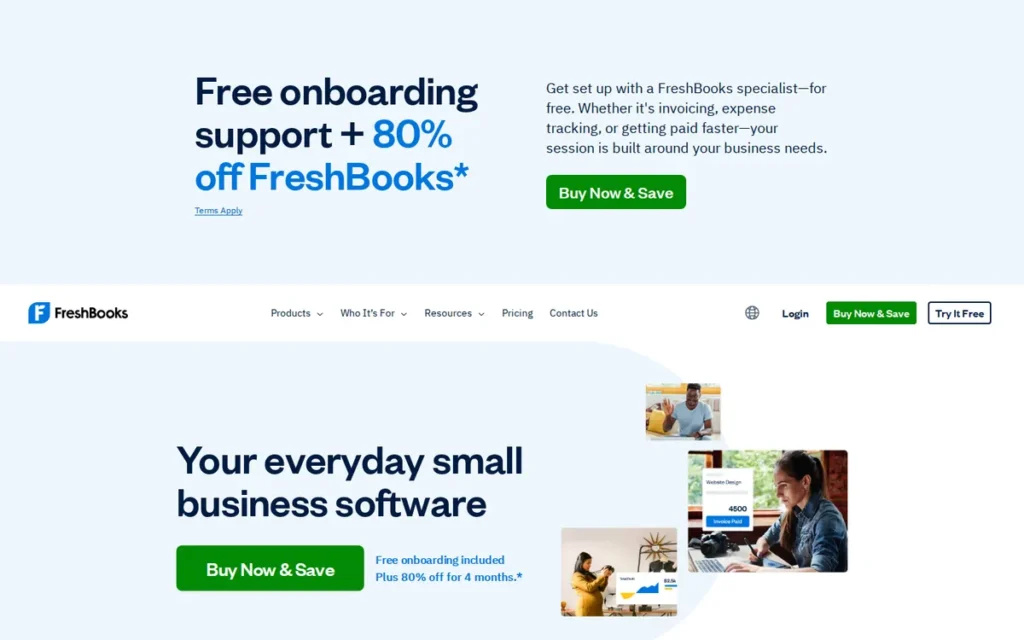
Category: Invoicing-Led Platform
At a Glance
- Category: Invoicing-Led Platform
- Best For: Service-based freelancers and consultants who prioritize client invoicing, time tracking, and project profitability over full accounting depth
- Price Range: From $19/month (Lite, 5 active clients) to $55/month (Premium, unlimited clients); custom pricing for larger teams
- Primary Strength: FreshBooks offers the most polished client invoicing workflow and the deepest built-in time tracking of any tool in this review, purpose-built for client-service businesses
- Biggest Limitation: FreshBooks provides shallower double-entry accounting depth than full-platform alternatives; businesses that need balance sheets, aged debtor reports, or multi-entity consolidation will find FreshBooks insufficient
- One-Line Summary: FreshBooks is an invoicing-led accounting platform with the strongest time tracking and client communication tools in this review, suited to service businesses that do not require full double-entry accounting depth
- Last Verified: June 2026
Overview
FreshBooks is a cloud-based invoicing and accounting platform developed by FreshBooks Inc., a privately held company founded in Toronto, Canada in 2003. FreshBooks serves over 30 million users globally [FreshBooks company website, 2025] and has received recognition as an Editors’ Choice from PCMag [PCMag, verify award year before publication] for its invoicing and ease-of-use capabilities.
FreshBooks is designed for businesses where client invoicing, time billing, and project profitability tracking are the core financial workflows. FreshBooks’ double-entry accounting functionality is present but shallower than Xero, QuickBooks Online, or Zoho Books, a trade-off that suits service-based freelancers whose priority is polished client output rather than complex ledger management.
Key Features
- Invoice Customization: FreshBooks provides highly customizable invoice templates, including branded invoice design, automatic late payment reminders, and client-facing payment portals with one-click online payment acceptance.
- Time Tracking: FreshBooks includes integrated time tracking with a start/stop timer, enabling freelancers to track billable hours by project and client and convert tracked time directly to invoices without manual data re-entry.
- Project Profitability: FreshBooks shows revenue, expenses, and time logged at the project level, enabling service businesses to assess whether individual client engagements are delivering margin.
- Client Communication: FreshBooks includes in-app messaging between the business and clients, centralizing client communication alongside project files and invoice history in one view.
- Expense Management: FreshBooks connects to credit cards and bank accounts for automatic expense importing, with receipt capture via the FreshBooks mobile app for on-the-go recording.
Best For
FreshBooks is best suited for freelancers, consultants, and small agencies that spend the majority of their working time on client service work, bill by the hour or by project, and need polished client-facing invoices, but do not require full double-entry accounting depth for tax compliance, investor reporting, or multi-entity management.
Pricing
FreshBooks offers four plans as of June 2026: Lite at $19/month (5 active clients), Plus at $33/month (50 active clients), Premium at $55/month (unlimited clients), and Select at custom pricing for larger teams. A 30-day free trial is available. FreshBooks does not offer a permanent free plan [verify current FreshBooks pricing at freshbooks.com before publication].
Strengths
- Invoicing UX: FreshBooks’ invoice customization, automated payment reminders, and one-click online payment acceptance are rated more highly for invoicing workflow simplicity than any other tool in this review [G2 user reviews, 2025].
- Time Tracking Depth: FreshBooks’ built-in time tracker: with project-level tracking, team member time logging, and direct invoice generation from tracked hours, is the deepest time tracking implementation of the seven tools reviewed.
- Client Communication Integration: FreshBooks consolidates invoices, project files, and client messages in a single view, reducing the administrative overhead of managing client relationships across multiple disconnected tools.
- Ease of Use for Non-Accountants: FreshBooks is consistently rated among the easiest accounting platforms for non-accountant users [G2 Ease of Use ratings, 2025], requiring minimal bookkeeping knowledge to set up and use day-to-day.
Limitations
Shallow Accounting Depth: FreshBooks does not provide the same double-entry accounting depth as Xero, QuickBooks Online, or Zoho Books.
A discussion thread in r/Bookkeeping (2024), titled “My nightmare experience with FreshBooks, a warning,” documented that balance sheet accuracy and account reconciliation workflows are significantly more limited than on full-platform alternatives.
Client Cap on Entry Plans: FreshBooks’ Lite plan ($19/month) limits users to five active clients; freelancers with more than five ongoing client relationships must upgrade to the Plus plan at $33/month, meaning the $19/month entry price applies only to the smallest freelance practices.
No Inventory Management: FreshBooks does not include inventory tracking, making it unsuitable for product-based businesses; FreshBooks’ intended audience is service businesses without physical goods.
Payroll Absent: FreshBooks does not include payroll functionality in any plan; businesses that hire employees need a separate payroll service, adding cost and an additional vendor relationship to manage.
Verdict
FreshBooks is the strongest choice in this review for service-based freelancers whose primary financial workflow is client invoicing and billable time tracking, and who do not require the full double-entry accounting depth of Xero or QuickBooks Online. FreshBooks’ five-client cap on the Lite plan means most freelancers with more than five active clients will pay $33/month rather than the $19/month entry price; calculate the applicable plan cost before comparing FreshBooks against free alternatives like Wave Accounting.
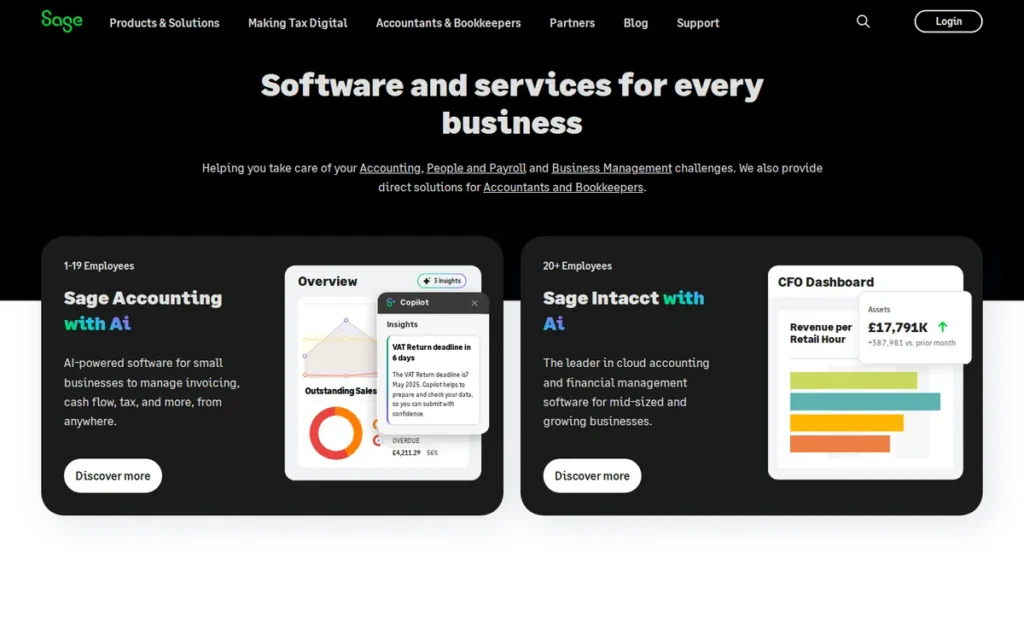
7. Sage Accounting: Best for UK Small Businesses with Sage-Trained Accountants
Category: Full Double-Entry Platform (UK-Focused)
At a Glance
- Category: Full Double-Entry Platform (UK-Focused)
- Best For: UK small businesses with existing Sage-trained accountant relationships and established financial workflows
- Price Range: From £15/month (Accounting Start, 1 user) to £30/month (Accounting, unlimited users); Sage Payroll is a separate add-on
- Primary Strength: Sage Accounting’s 44-year history of UK accounting software development has produced a large base of Sage-trained UK accountants, giving Sage a UK accountant ecosystem advantage comparable to QuickBooks Online’s ProAdvisor network in the US
- Biggest Limitation: Sage Accounting has the steepest learning curve for non-accountant users in this review; the interface is designed for users with bookkeeping familiarity rather than first-time accounting software adopters
- One-Line Summary: Sage Accounting is a UK-heritage double-entry platform with strong UK accountant familiarity, MTD VAT compliance, and payroll integration via Sage Payroll, best suited to businesses with accountants already trained on Sage workflows
- Last Verified: June 2026
Overview
Sage Accounting is a cloud-based accounting platform developed by Sage Group plc, a publicly traded UK software company founded in Newcastle in 1981 and listed on the London Stock Exchange. Sage Group serves over 3 million small and medium business customers globally [Sage Annual Report, 2025], and Sage Accounting is the small business product tier in a portfolio that also includes Sage 50 (mid-market) and Sage Intacct (enterprise).
Sage Accounting is designed for UK small businesses that value accountant familiarity over ease-of-use simplicity for non-accountant owners. Sage Accounting’s interface reflects decades of UK accounting workflow design, a meaningful advantage for businesses whose accountants are Sage-trained, and a steeper on-ramp for non-accountant owners setting up the platform independently for the first time.
Key Features
- MTD VAT Compliance: Sage Accounting submits VAT returns directly to HMRC’s Making Tax Digital infrastructure, meeting the UK’s mandatory digital record-keeping requirements for VAT-registered businesses above the registration threshold.
- Sage Payroll Integration: Sage Accounting integrates with Sage Payroll for UK PAYE processing, enabling businesses to manage payroll and accounting within the Sage product family, reducing cross-vendor reconciliation for businesses with UK employees.
- Role-Based Accountant Access: Sage Accounting supports shared access with role-based permissions, enabling UK accountants to review, correct, and finalize client accounts directly within the Sage environment without requiring the business owner to export data or share credentials.
- Cash Flow Forecasting: Sage Accounting includes a 90-day cash flow forecast built from outstanding invoices and scheduled bill payments, providing short-term liquidity visibility without a third-party add-on.
- Sage Marketplace Integrations: Sage Accounting connects to third-party applications through the Sage Marketplace, including Stripe, Shopify, and AutoEntry, enabling point-of-sale and receipt capture integrations for retail and hospitality businesses [Sage Marketplace, June 2026].
Best For
Sage Accounting is best suited for UK small businesses whose accountant or bookkeeper is trained on Sage workflows, particularly businesses in sectors where Sage has historically high penetration, including retail, manufacturing, and professional services.
Pricing
Sage Accounting offers two plans as of June 2026: Accounting Start at £15/month (invoicing, bank feeds, basic reporting, one user) and Accounting at £30/month (full double-entry, MTD VAT filing, cash flow forecasting, unlimited users). A 30-day free trial is available. Sage Payroll is a separate add-on [verify current Sage Payroll pricing at sage.com/en-gb before publication].
Strengths
- UK Accountant Ecosystem: Sage Accounting’s 44-year history of UK accounting software development has produced a large base of Sage-trained UK accountants [Sage Annual Report, 2025], providing a strong talent pool for finding compatible bookkeeping support, an advantage comparable in the UK market to QuickBooks Online’s ProAdvisor network in the US.
- MTD VAT Filing: Sage Accounting’s direct MTD VAT submission to HMRC fully meets the UK’s Making Tax Digital requirements, covering the mandatory digital record-keeping rules for VAT-registered businesses without requiring a separate bridging tool.
- Sage Payroll Integration: Sage Accounting’s native integration with Sage Payroll enables UK PAYE processing within a single vendor relationship, reducing the cross-platform reconciliation that arises when using Xero or Zoho Books with a separate payroll provider.
- Role-Based Accountant Access: Sage Accounting supports shared accountant access with role-based permissions, enabling UK accountants to work directly within the client’s Sage environment, a workflow familiar to accountants trained across the full Sage product family.
Limitations
- Steepest Learning Curve in This Review: Sage Accounting’s interface is designed for users with bookkeeping familiarity; non-accountant small business owners frequently report a steeper initial setup experience compared to Xero or FreshBooks [G2 Ease of Use ratings, 2025].
- Sage Marketplace Depth: Sage Accounting’s third-party integration marketplace has fewer connectors than Xero’s 1,000+ ecosystem; businesses that depend on niche or industry-specific software may not find a native Sage Marketplace connection and will need to rely on manual exports or Zapier bridges.
- UK-Focused Limitation: Like FreeAgent, Sage Accounting is most valuable for UK businesses; the platform’s MTD VAT workflows and UK tax calendar orientation provide limited benefit for businesses operating outside the UK.
- Start Plan Feature Gap: Sage Accounting’s entry-level Accounting Start plan at £15/month does not include MTD VAT filing or cash flow forecasting; UK VAT-registered businesses must subscribe to the full Accounting plan at £30/month, doubling the monthly cost from the entry price.
Verdict
Sage Accounting is the most appropriate choice for UK small businesses whose accountant is trained on Sage workflows and for whom UK accountant ecosystem compatibility is a higher priority than ease of use for non-accountant owners. Sage Accounting ranks seventh in this review because its ease-of-use scores are the lowest in the group [G2, 2025], its integration ecosystem is narrower than Xero’s, and its feature set for UK businesses overlaps substantially with FreeAgent at a comparable price point.
What Red Flags Should I Watch for When Evaluating Accounting Software?
The five warning signs below appear frequently in user reviews and community discussions for the tools in this review. Checking for each before signing a contract reduces the risk of a disruptive and costly platform migration six to twelve months into your subscription.
Red Flag #1: Per-Seat Pricing That Escalates Faster Than the Headline Suggests The advertised monthly price typically reflects a minimum configuration, one user, base features, no add-ons. For businesses with two or more users needing accounting access, calculate the actual per-seat cost before comparing platforms. A platform advertising $15/month can cost $40–99/month once the required user seats are factored in.
Red Flag #2: Missing MTD VAT or HMRC Filing Features (UK Users) UK VAT-registered businesses are legally required to use MTD-compatible software for VAT returns. Platforms that do not include direct HMRC digital submission require a separate bridging tool, adding cost and workflow complexity. Verify that any platform you select offers native MTD VAT submission before signing up.
Red Flag #3: No Payroll Included in Any Plan As of June 2026, no product in this review includes full US or UK employee payroll in its core base subscription [verify at each vendor’s current pricing page before publication]. Payroll is either a paid add-on (QuickBooks Online, Sage Accounting via Sage Payroll), a third-party integration (Xero via Gusto, Zoho Books via Zoho Payroll), or absent entirely (Wave Accounting core, FreshBooks). Factor payroll cost into your total monthly comparison from the start.
Red Flag #4: Free Trial That Requires Credit Card Details at Sign-Up Several platforms in this review offer 30-day free trials that require credit card details at sign-up. Users who do not cancel before the trial ends are automatically charged the first month’s subscription. Note the trial end date when signing up and set a calendar reminder to cancel if the platform does not meet your needs during evaluation.
Red Flag #5: Accountant Compatibility Mismatch Discovered After Sign-Up Switching accounting platforms after 6–12 months of data accumulation is significantly more disruptive than selecting a compatible platform at the start. Before signing up, ask your accountant which platforms they actively support, and weight compatibility above feature lists if you anticipate needing professional bookkeeping help within the next 12 months.
What Questions Should I Ask Before Choosing Accounting Software?
The five questions below are designed to narrow a seven-tool shortlist to one or two finalists in under 15 minutes. Each question targets a decision variable that the tools in this review handle materially differently from one another.
Question #1: Does my accountant already use this platform? Accountant compatibility is the single most consequential factor for businesses that use or plan to use a professional bookkeeper or CPA. Ask your accountant directly which platforms they actively support before making a selection. Platform switching costs (including data migration and accountant workflow retraining) can exceed a full year’s worth of software subscription fees.
Question #2: Do I need HMRC-specific filing (UK) or US payroll compliance? UK businesses that are VAT-registered or file Self Assessment need a platform with native MTD VAT support, FreeAgent or Sage Accounting. US businesses with employees need either built-in payroll (QuickBooks Online add-on) or a supported third-party payroll integration (Xero via Gusto). Identifying your jurisdiction-specific compliance requirements eliminates the majority of mismatches before feature comparison begins.
Question #3: How many users need accounting access? User seat count directly determines effective monthly cost on per-seat platforms like QuickBooks Online and Zoho Books Standard. Calculate the total monthly cost at your expected user count (not the single-seat headline price) before comparing platforms against each other or against Xero’s unlimited-user Growing plan.
Question #4: Do I invoice in multiple currencies? Multi-currency support is available in Xero (all paid plans) and Zoho Books (Professional and above), and is absent in FreeAgent, Wave Accounting, FreshBooks, and Sage Accounting’s entry plans. If your business invoices international clients in foreign currencies, eliminate non-multi-currency platforms from your shortlist before evaluating other features.
Question #5: What is my maximum monthly budget, including all add-ons? Calculate your budget including payroll, additional user seats, and payment processing fees, not just the platform subscription price. Wave Accounting is free for core accounting; FreeAgent is free with qualifying NatWest accounts; Zoho Books starts at $0 for businesses under $50K revenue. These options may meet your needs at a materially lower total cost than platforms with higher headline prices.
Action Step: Before finalizing your selection, share your shortlist with your accountant or bookkeeper and ask: “Will this platform create extra work or additional cost for you when preparing my annual accounts?” Their answer may change your decision.
How Did We Rank These Accounting Software Tools?
The global small business accounting software market reached an estimated $21.95 billion in 2025, with projected growth to $52 billion by 2034 at an 11.4% compound annual growth rate [Grand View Research, 2025]. Among small business buyers, 36% report increasing software spending specifically to access AI-assisted accounting features [Sage Future of Finance Report, 2025], and AI automation accounts for over 60% of stated SMB adoption drivers in recent surveys [Xero Small Business Insights, 2025]. These trends shaped the weighting of our six evaluation criteria.
How Were These Seven Tools Evaluated?
Each of the seven tools in this review was evaluated across six criteria using data collected between January 2025 and June 2026. PlugRoute researchers gathered data from five source types:
- G2 user reviews (minimum 200 verified reviews per tool, June 2026)
- Capterra user ratings (minimum 150 verified reviews per tool, June 2026)
- Reddit community discussions from r/smallbusiness, r/freelance, r/Accounting, r/freelanceUK, and r/bookkeeping (threads from 2024–2025)
- Official vendor pricing pages and feature documentation (verified June 2026)
- Independent analyst commentary, press coverage, and vendor annual reports
All vendor-supplied marketing claims were labeled as such and corroborated against third-party user reviews before inclusion. Claims that could not be verified against an independent source are flagged with “verify before publication” notes throughout this article.
What Are the Six Ranking Criteria?
The six criteria and their relative weighting in the final score are:
- Accounting Depth (25%): Whether the platform provides genuine double-entry bookkeeping, bank reconciliation, and financial statement generation, or only invoice and expense tracking without a complete general ledger.
- Ease of Use for Non-Accountants (20%): G2 Ease of Use ratings and Reddit community sentiment for non-accountant business owners setting up and operating the platform independently.
- Value for Price (20%): Total monthly cost including required add-ons (payroll, additional users) modeled at a five-person business profile, compared against the feature set delivered at that cost.
- Jurisdiction-Specific Compliance (15%): Whether the platform handles the primary tax compliance requirements for UK users (MTD VAT, Self Assessment) and US users (sales tax calculation, payroll tax filing).
- Integration Ecosystem (10%): The breadth of third-party connections available, with attention to payroll, CRM, e-commerce, and inventory platforms relevant to small businesses.
- Accountant Compatibility (10%): Whether the platform has a recognized accountant support ecosystem (QuickBooks ProAdvisor network (US) or Sage-trained accountant base (UK)) that reduces the risk of accountant-platform mismatch.
Why Does QuickBooks Online Rank #3 Rather Than #1?
QuickBooks Online ranks third rather than first for three specific, measurable reasons:
- Its per-seat pricing model is the most expensive in this review at scale; a five-person team on the Plus plan costs $99/month before adding payroll.
- Its payroll functionality is a paid add-on rather than a base feature, adding $45+ per month to the effective cost for any US business with employees.
- Its primary competitive advantage: US accountant ecosystem compatibility, is a decisive factor only for US-based businesses with existing accountant relationships, which represents a subset of this review’s target audience.
For the majority of small businesses and freelancers outside that specific US-accountant use case, Xero’s Growing plan and Zoho Books’ Professional plan deliver equivalent or superior functionality at materially lower total cost.
PlugRoute has no affiliate, commission, referral, or sponsored content relationships with any software vendor reviewed in this article. Rankings reflect structured evaluation criteria applied independently to all seven tools.
What Are the Most Common Questions About Small Business Accounting Software?
Is there genuinely free small business accounting software, or is “free” always a trial?
Wave Accounting is genuinely free for core accounting (double-entry bookkeeping, bank reconciliation, and invoicing) with no trial period, no revenue cap, and no mandatory paid upgrade. Zoho Books also offers a free plan, but it is restricted to businesses with annual revenue under $50,000. All other platforms in this review offer time-limited 30-day trials that convert to paid subscriptions automatically.
Does Wave Accounting have hidden costs I should know about before signing up?
Wave Accounting’s core platform is free, but three optional services carry fees: Wave Payments charges 2.9% + $0.60 per credit card transaction; Wave Payroll costs from $20/month plus $6 per employee per month; and Wave Money (US business banking) charges a revenue-based fee. Sole traders using Wave Accounting only for invoicing and bookkeeping (without payments or payroll) incur no fees at any usage level.
How does PlugRoute determine its software rankings?
PlugRoute ranks accounting software using six equally weighted criteria scored across all tools: accounting depth, ease of use for non-accountants, value for price, jurisdiction-specific compliance, integration ecosystem, and accountant compatibility. Full methodology details (including evidence weighting steps, data validation criteria, and an explanation of why QuickBooks Online ranks third rather than first) are documented in the “How Did We Rank These Accounting Software Tools?” section above.
Glossary: Key Terms Used in This Comparison
Double-Entry Bookkeeping: A method of recording financial transactions in which every entry is recorded in at least two accounts, a debit in one account and a corresponding credit in another. Double-entry bookkeeping is the foundation of accurate financial statements and is required for producing a balance sheet, profit and loss report, and cash flow statement. All seven tools in this review except FreshBooks provide full double-entry ledgers.
Bank Reconciliation: The process of matching a business’s internal accounting records against the transactions listed on its bank statement to confirm that the two agree. Bank reconciliation catches data entry errors, missing transactions, and unauthorized charges; it is a core workflow in all seven tools reviewed here and is included in Wave Accounting’s free tier.
Making Tax Digital (MTD): A UK government initiative requiring VAT-registered businesses to keep digital records and submit VAT returns using MTD-compatible software connected directly to HMRC’s systems. FreeAgent and Sage Accounting provide the most complete MTD support in this review; Xero also supports MTD VAT for UK users.
Per-Seat Pricing: A billing model in which the monthly software cost increases for each additional user who needs access to the account. QuickBooks Online and Zoho Books Standard use per-seat pricing models that can significantly increase total monthly cost as a business grows beyond its initial user count, a key factor in total cost of ownership calculations.
Payroll Add-On: A paid extension to an accounting platform that handles employee salary calculation, tax withholding, and payroll tax filing. No tool in this review includes full payroll in its base subscription; payroll is either an add-on service (QuickBooks Online, Sage Accounting via Sage Payroll), a third-party integration (Xero via Gusto, Zoho Books via Zoho Payroll), or absent entirely (Wave Accounting core, FreshBooks).
Which Accounting Software Is Right for You?
Key Insights
- Xero is the strongest all-round double-entry platform in this review for growing businesses needing multi-currency support and integrations, but it requires a Gusto add-on for US payroll and the $15/month Starter plan limits users to five invoices per month.
- Zoho Books offers the most automation depth per dollar in this review, with a free tier for businesses under $50,000 annual revenue, but its Standard plan’s three-user cap triggers a 167% cost jump at the fourth user seat.
- QuickBooks Online’s primary advantage is its 700,000+ US ProAdvisor accountant network; for US businesses whose accountant already uses QuickBooks, the compatibility benefit often outweighs the higher price when total cost of switching is calculated.
- FreeAgent is the clearest recommendation in this review for UK freelancers and limited company directors who need MTD VAT, Self Assessment, and Corporation Tax in a single subscription, and it is available at no cost for qualifying NatWest and Mettle account holders.
- Wave Accounting’s free double-entry platform serves sole traders and micro-businesses that do not need inventory management or payroll; it is not a trial and does not impose a revenue ceiling on the free tier.
- FreshBooks is purpose-built for service-based freelancers who prioritize invoicing UX and time tracking over full accounting depth; its Lite plan’s five-client limit means most freelancers with active client rosters will pay $33/month rather than the $19/month advertised entry price.
- Sage Accounting best serves UK small businesses with Sage-trained accountants; its ease-of-use scores are the lowest in this review and its value for non-UK businesses is limited.
The most common mistake buyers make when selecting accounting software is optimizing for features rather than workflow fit. A platform with 1,000 integrations is only valuable if you use the integrations relevant to your business. A platform that is free is only cost-effective if add-ons don’t exceed what a comparable paid plan would cost.
If you are mid-evaluation and uncertain between two finalists, take both through a 30-day free trial using identical real transactions from your own business. The platform that requires fewer workarounds for your most frequent daily workflows is the right choice, regardless of which one ranks higher in a comparison guide.
We update this guide quarterly. Last updated: June 2026.