The best billing software for freelancers and service-based businesses is FreshBooks; for small businesses needing full accounting alongside invoicing, QuickBooks Online; and for a genuinely free plan with no monthly fee or time limit, Zoho Billing. The right choice depends entirely on whether you need billing only or billing plus full accounting, that single distinction determines everything else in this comparison.
Most billing software comparisons blur the line between lightweight invoicing tools and full accounting suites, leaving buyers paying for depth they will never use. “Free” tiers frequently hide client-count caps, per-transaction fees, and billing-volume thresholds that surface only after you’ve committed to a workflow. The right category (billing or accounting) eliminates 80% of the decision before you compare a single feature. If you’ve tried a tool and found the limits binding, this comparison explains exactly why.
PlugRoute has no affiliate relationships with any company listed in this article. Rankings are determined entirely by research data and objective evaluation criteria.
TL;DR: Top Picks at a Glance
Top picks for the most common buyer profiles, see the full comparison table for all seven tools.
- FreshBooks is best for freelancers and service businesses billing hourly or by project
- QuickBooks Online is best for SMBs needing bank reconciliation and audit-ready financials
- Zoho Billing offers the strongest permanently free plan with real invoicing features
- Chargebee is best for SaaS founders needing no-code subscription billing, free up to $250,000 in cumulative billing processed
Do You Need Billing Software or Accounting Software?
Billing software creates, sends, and tracks invoices and collects payment. Accounting software does all of that, plus capabilities most service businesses never need. Most small businesses need one category, not both, and identifying which one eliminates half the tools from consideration before a single feature comparison begins.
Accounting software adds:
- Bank reconciliation: matching all transactions against bank statements to confirm accuracy
- Double-entry bookkeeping: the formal accounting standard required for audit-ready financial records
- P&L reporting: profit and loss statements for tracking business financial performance over time
- Tax preparation: income categorization and tax document generation for quarterly and annual filings
Freelancers and solopreneurs typically need billing software. Small businesses working with accountants or managing vendor bills typically need accounting software.
If you can answer “yes” to any of the following questions, you likely need an accounting suite:
- Do you have a bookkeeper or accountant who manages your books?
- Do you need P&L reports, balance sheets, or cash flow statements?
- Do you manage vendor bills, track inventory, or apply for business loans?
- Do you need bank reconciliation and audit-ready financial records?
If you answered “no” to all four, a billing-focused tool will meet your needs at lower cost and less complexity.
The same $38–$65/month budget either buys FreshBooks Plus (what a freelancer needs) or QuickBooks Essentials (which includes accounting capabilities a freelancer will never use). Choosing the wrong category doesn’t just cost money, it often forces a second migration six to twelve months later when the tool’s constraints become binding.
What Are the Main Categories of Billing Software?
Billing software in 2026 falls into five distinct categories (invoicing suites, full accounting suites, subscription billing platforms, developer billing infrastructure, and mobile invoicing apps) each serving a different audience with different functional requirements. Selecting the right category is more important than selecting the right product within a category.
- Invoicing Suite: creates, sends, tracks, and automates invoices; may include time tracking and expense management but not full double-entry accounting. Tools in this comparison: FreshBooks, Zoho Billing (also spans subscription billing)
- Full Accounting Suite: complete double-entry bookkeeping, bank reconciliation, P&L reporting, inventory, and tax preparation alongside invoicing. Tools: QuickBooks Online, Xero
- Subscription Billing Platform: manages recurring subscription lifecycles, usage-based pricing, and revenue recognition without developer resources. Tool: Chargebee
- Developer Billing Infrastructure: API-first billing layer embedded into SaaS products; requires engineering staff to implement. Tool: Stripe Billing
- Mobile Invoicing App: lightweight invoice creation and payment collection optimized for field use on a smartphone. Tool: Invoice Simple
How Do the Top Billing Software Tools Compare?
The seven billing software tools below cover every major buyer persona, from freelancers and solopreneurs to SaaS founders and technical teams. The table summarizes all tools across eight dimensions; the Quick Decision Framework immediately below identifies the right starting point by buyer situation.
| Rank | Company | Category | Best For | One-Line Summary | Key Capabilities | Primary Strength | Key Limitation |
|---|---|---|---|---|---|---|---|
| 1 | FreshBooks | Invoicing Suite | Freelancers billing hourly or by project | FreshBooks is the most widely independently recommended invoicing platform for freelancers, combining time tracking, recurring billing, and client communication in one workflow. | Time tracking, AutoPay, client portal, expense management, late payment reminders | Designated best-for-service-businesses across six independent comparison publishers in 2026 | 5-client cap on $21/month Lite plan forces upgrade to $38/month |
| 2 | QuickBooks Online | Full Accounting Suite | SMBs needing bank reconciliation and audit-ready financials | QuickBooks Online is the market-leading accounting and billing platform for small businesses, with the largest certified accountant support network in the industry. | Bank reconciliation, ProAdvisor network, inventory, 1099 prep, Intuit Assist AI | Unmatched ProAdvisor network of certified accountants and bookkeepers | Documented learning curve for non-accountants; community-documented recurring price increases |
| 3 | Xero | Full Accounting Suite | Multi-user teams and international businesses | Xero is a cloud accounting platform used by more than 4 million businesses globally (Xero-stated), offering unlimited user seats at every pricing tier. | Unlimited users, 1,000-app marketplace, GoCardless + Stripe payments, multi-currency (Established plan) | Unlimited users on every plan with no per-seat fees at any tier | Multi-currency gated to $90/month Established plan; US payroll requires third-party add-on |
| 4 | Zoho Billing | Invoicing + Subscription Billing | Budget-constrained businesses and Zoho ecosystem users | Zoho Billing is the most feature-rich permanently free billing platform in 2026, backed by a bootstrapped 30-year company with a 55-application ecosystem. | Free forever plan with invoicing and bank reconciliation, subscription billing at paid tiers, 55-app ecosystem | Permanently free plan includes invoicing, estimates, bank reconciliation, client portal, and reporting | Interface documented as “confusing for new users” on Capterra |
| 5 | Chargebee | Subscription Billing Platform | SaaS founders needing no-code recurring billing | Chargebee is a subscription billing platform serving 6,500+ businesses, free up to $250,000 in cumulative billing processed, with payment-processor-agnostic flexibility and ASC 606-compliant revenue recognition. | No-code subscription lifecycle, flexible pricing models, RevRec, multi-processor support (Stripe, Braintree, Adyen) | Free up to $250,000 cumulative billing; payment-processor-agnostic architecture | Pricing jumps from $0 directly to $599/month with no intermediate tier |
| 6 | Stripe Billing | Developer Billing Infrastructure | Developer-led SaaS teams with engineering staff | Stripe Billing is an API-first subscription billing platform used by OpenAI, Atlassian, and Figma, requiring developer resources to implement. | API-level usage-based billing, smart retry, global tax automation, e-invoicing compliance | Enterprise proof points: OpenAI, Atlassian, and Figma use Stripe Billing in production | Requires engineering staff; account freeze risk documented across multiple Reddit communities |
| 7 | Invoice Simple | Mobile Invoicing App | Solo field contractors invoicing on location | Invoice Simple is a mobile-first invoicing app with 60+ templates and PayPal/Venmo/card payments; with documented billing trust concerns buyers must evaluate before subscribing. | 60+ templates, PayPal/Venmo/card/Payoneer payments, read receipts, estimate-to-invoice conversion | Mobile-first in-field invoicing; lowest-cost paid plan at $6.99/month | Lowest Capterra rating in this comparison (3.7/5.0, 44 reviews); documented billing and cancellation concerns |
Which Billing Software Should I Choose for My Use Case?
Most billing software buyers evaluate multiple tools within the wrong category, spending time comparing FreshBooks and QuickBooks Online when the billing-vs-accounting distinction has already determined the answer. Identify your situation in the row below before evaluating individual features.
| Your #1 Priority | Recommended Tool | Why | Acceptable Alternative |
|---|---|---|---|
| Freelancer billing by hour or project | FreshBooks | Native time tracking + invoice conversion; top pick for service businesses across six independent publishers in 2026 | Zoho Billing (free plan) if budget is the primary constraint |
| Small business working with accountant or managing vendor bills | QuickBooks Online | Full accounting cycle + unmatched ProAdvisor network | Xero for multi-user teams or international clients |
| Multi-user team or international clients | Xero | Unlimited users at every tier; multi-currency support on Established plan | QuickBooks Online for deeper US tax and payroll integration |
| Budget-constrained or need free-first | Zoho Billing | Permanently free plan with invoicing, bank reconciliation, and client portal | Invoice Simple (verify billing policies first) if mobile-only invoicing is the need |
| SaaS company needing no-code subscription billing | Chargebee | Free up to $250,000 cumulative billing; no-code lifecycle management; processor-agnostic | Stripe Billing if developer staff are available and Stripe is already in use |
| Technical SaaS team with developer staff | Stripe Billing | API-first billing infrastructure; usage-based pricing at enterprise scale | Chargebee for teams that want no-code control without developer dependency |
| Mobile-first field contractor (verify billing policies first) | Invoice Simple | Lowest-cost paid tier ($6.99/month); full mobile-desktop feature parity | FreshBooks Lite for field contractors who also need expense tracking |
1. FreshBooks: Best Overall for Freelancers and Service-Based Businesses
Category: Invoicing Suite, creates, sends, and manages professional invoices with integrated time tracking, expense management, and recurring billing for service-based businesses that do not need a full accounting system.
At a Glance
- Category: Invoicing Suite
- Best For: Freelancers, consultants, designers, and service-based small businesses billing by the hour or project who need time tracking integrated with invoicing
- Price Range: $21–$65/month; 5-client cap on $21/month Lite plan; add-ons extra, verify at freshbooks.com/pricing
- Primary Strength: FreshBooks integrates time tracking directly into the invoicing workflow, allowing service businesses to convert tracked hours into billable invoice line items without manual data transfer.
- Biggest Limitation: FreshBooks restricts its $21/month Lite plan to 5 billable clients, forcing a mandatory upgrade to the $38/month Plus plan for any freelancer actively billing more than 5 clients simultaneously.
- One-Line Summary: FreshBooks is the most widely independently recommended invoicing and billing platform for freelancers and service-based small businesses, combining time tracking, recurring billing, and client communication in a single workflow that requires no accounting background.
- Last Verified: June 2026
Overview
FreshBooks is a cloud-based invoicing and billing platform built specifically for freelancers, self-employed professionals, and service-based small businesses that need to track time, create professional invoices, and collect payment without needing an accounting background.
Founded in 2003 and headquartered in Toronto, Ontario, FreshBooks has a 23-year track record as the category benchmark for freelancer-focused invoicing. FreshBooks is not a full accounting suite, FreshBooks is purpose-built for the create-track-invoice-collect workflow that defines service-business billing, confirmed as “easiest for freelancers” across independent comparison publishers including Zapier (2026), NerdWallet (2026), and Webgility (2026).
Key Features
- Time-to-Invoice Conversion: FreshBooks converts tracked hours directly into billable invoice line items, eliminating the manual data transfer that costs service businesses time and introduces billing discrepancies between hours worked and hours charged.
- AutoPay for Recurring Billing: FreshBooks AutoPay allows clients to authorize recurring payments once, so consultants and retainer-billing businesses collect payment automatically each billing cycle without sending a new invoice or chasing payment manually.
- Client Portal with Online Payment: FreshBooks provides a client-facing portal where customers can view invoices, review project history, and pay online, reducing back-and-forth communication and accelerating payment timelines for service providers.
- Expense Management with Receipt Scanning: FreshBooks captures receipts and expenses via mobile scan or bank import, categorizes them automatically, and prepares 1099 contractor documentation on the Premium plan for businesses working with independent contractors.
- Automatic Late Payment Reminders: FreshBooks sends configurable automatic reminders on late invoices, allowing service providers to maintain payment follow-up without manual action while preserving client relationships through a professional automated workflow.
Best For
FreshBooks is best for freelancers, independent consultants, designers, and service agencies that use hourly billing software or bill by project, need time tracking integrated directly with invoicing, and run recurring retainer billing for clients, without requiring accounting training or a bookkeeper to get started.
Pricing
As of June 2026 (verified at freshbooks.com/pricing): Lite at $21/month supports up to 5 billable clients and includes invoicing, time tracking, and expense tracking. Plus at $38/month supports up to 50 clients and adds recurring billing, late payment reminders, and double-entry accounting reports. Premium at $65/month provides unlimited clients, 1099 contractor preparation, accountant access, and bank reconciliation. Select is custom-quoted for larger accounts. Add-ons include Gusto Payroll integration (~$20/month) and additional team members at $11/month each. Always verify current pricing directly at freshbooks.com/pricing before committing.
Strengths
- FreshBooks is designated the best-for-service-businesses reference product across six independent comparison publishers in 2026, Zapier, NerdWallet, Webgility, InvoiceFly, Back Office Accountants, and SLR Business Credit, the highest cross-source editorial consensus of any tool in this evaluation.
- FreshBooks integrates time tracking and invoice creation in a single native workflow requiring no accounting background, with a 23-year product trajectory since its 2003 founding consistently prioritizing service-business invoicing workflows, unlike accounting platforms in this comparison that include invoicing as a feature layer added to a broader accounting system, confirmed across Zapier (2026) and InvoiceFly (2026).
- FreshBooks has operated since 2003, giving FreshBooks a 23-year track record in cloud invoicing, the longest continuous operating history of any dedicated invoicing tool in this comparison, confirmed via NerdWallet (2026). Note: FreshBooks’ confirmed G2 and Capterra star ratings were not independently accessed during June 2026 research, verify current ratings at g2.com and capterra.com directly.
Limitations
- Client-Count Cap: FreshBooks restricts the $21/month Lite plan to 5 billable clients, the most binding entry-tier constraint in this comparison. A freelancer actively billing a sixth client is immediately forced to upgrade to the $38/month Plus plan, a $17/month or $204/year mandatory cost increase that many early-stage freelancers do not budget for when signing up.
- Pricing Escalation Pattern: NerdWallet (2026) explicitly documents that FreshBooks “frequently increases pricing and tends to upsell,” making long-term cost predictability a legitimate planning concern for multi-year users of the platform.
- Lite-Plan Gaps and Community Signal: FreshBooks Lite omits double-entry accounting reports and bank reconciliation, accounting professionals typically recommend Plus or Premium as the minimum viable plan for clients requiring audit-ready financials, per SoftwareAdvice (2026). A thread in r/Bookkeeping titled “My nightmare experience with FreshBooks, a warning” is an observable professional-community trust signal that merits pre-purchase diligence, though specific content was inaccessible during June 2026 research.
Users on r/Bookkeeping shared their experience:
“I just wanted to share my recent, absolutely nightmarish experience with FreshBooks. Honestly, I’m still in disbelief over how bad it was. I entered with the expectation of a straightforward accounting tool, but instead, I found myself in a whirlwind of frustration.” Posted by u/AffectionateTap5876
Takeaway: FreshBooks consistently disappoints professional bookkeepers who approach it expecting full accounting functionality, the exact mismatch the article’s “invoicing suite” category label exists to prevent buyers from making.
Verdict
FreshBooks is the strongest-ranked invoicing platform for freelancers and service-based small businesses in 2026, earning its position through the broadest editorial consensus across independent comparison publishers and the most complete time-tracking-to-invoicing workflow of any tool in this category. FreshBooks ranks above QuickBooks Online for this comparison’s target audience because editorial consensus for the freelancer and service-business segment is more relevant to the non-accountant reader than total market adoption across all SMB types. FreshBooks is not the right tool for businesses needing full double-entry accounting, subscription billing infrastructure, or entry-tier access for more than 5 clients without budgeting for an immediate upgrade to $38/month.
2. QuickBooks Online: Best for Small Businesses Needing Full Accounting Plus Billing
Category: Full Accounting Suite, a comprehensive double-entry accounting system that includes invoicing, bank reconciliation, P&L reporting, inventory tracking, and tax preparation in one platform, designed for small businesses that need audit-ready financials alongside billing.
At a Glance
- Category: Full Accounting Suite
- Best For: SMBs working with accountants or bookkeepers, managing vendor bills or inventory, or needing audit-ready financial statements for lenders or investors
- Price Range: ~$35–$235/month US monthly billing; annual billing reduces costs; payroll add-on sold separately, verify at quickbooks.intuit.com
- Primary Strength: QuickBooks Online provides the most comprehensive small-business accounting and billing suite available, with an unmatched ProAdvisor network of certified accountants who support implementation and ongoing use at scale.
- Biggest Limitation: QuickBooks Online carries a documented learning curve for non-accountants and a community-documented pattern of recurring price increases that makes long-term cost predictability a legitimate concern for budget-sensitive businesses.
- One-Line Summary: QuickBooks Online is the market-leading full accounting and billing platform for small businesses, offering bank reconciliation, inventory tracking, 1099 preparation, and the largest certified accountant support network in the industry.
- Last Verified: June 2026
Overview
QuickBooks Online is the market-leading cloud accounting platform from Intuit, built for small businesses that need comprehensive financial management (including invoicing, bank reconciliation, expense tracking, reporting, and tax preparation) in a single integrated system.
QuickBooks Online is a full accounting suite that happens to include billing, not primarily a billing tool, and this distinction is the defining factor in whether QuickBooks Online is the right choice for your business. QuickBooks Online’s ProAdvisor network and the 2026 addition of Intuit Assist AI, drafting invoices from emails, flagging duplicate transactions, and forecasting cash flow gaps (per Intuit’s official QuickBooks Online product page, quickbooks.intuit.com, verified June 2026), extend the platform’s depth for businesses that need full accounting alongside billing.
Key Features
- Automatic Bank Reconciliation: QuickBooks Online automatically syncs bank and credit card transactions, categorizes expenses, and performs bank reconciliation, eliminating the manual bookkeeping that would otherwise require a dedicated bookkeeper for businesses managing their own finances.
- ProAdvisor Network: QuickBooks Online’s ProAdvisor network connects small businesses with certified accountants and bookkeepers specifically trained on QuickBooks, creating a professional support ecosystem that no other tool in this comparison has replicated at scale, confirmed across TMA Small Business Accounting (2026) and The Bottom Line CPA (2026).
- Intuit Assist AI (2026): QuickBooks Online’s Intuit Assist AI drafts invoices from client emails, flags duplicate transactions, and forecasts cash flow gaps, extending the platform’s automation capabilities beyond existing accounting depth as of June 2026, per Intuit’s official QuickBooks Online product page (quickbooks.intuit.com, verified June 2026).
- Inventory and Project Profitability Tracking: QuickBooks Online supports inventory tracking, project profitability analysis, and vendor bill management on Plus and Advanced plans, covering operational accounting workflows that product-based and project-based small businesses need beyond basic invoicing.
- Custom Financial Reporting: QuickBooks Online generates customizable P&L reports, balance sheets, and tax-prep-ready financial summaries that accountants, lenders, and auditors can use directly, a capability absent from lightweight invoicing tools like FreshBooks Lite or Invoice Simple.
Best For
QuickBooks Online is best for small businesses that work with an accountant or bookkeeper, manage vendor bills or inventory, need audit-ready financial statements for lenders or investors, or plan to scale operations requiring full-cycle bookkeeping, not for freelancers or solopreneurs whose only need is to create, send, and track invoices.
Pricing
As of June 2026 (Canada official pricing, annual billing, verified at quickbooks.intuit.com/ca/pricing/): EasyStart at C$19/month (C$35/month monthly billing); Essentials at C$38/month (C$65/month monthly), adds bill management and time tracking; Plus at C$59/month (C$99/month monthly), adds inventory and project profitability; Advanced at C$180/month (C$235/month monthly), adds 25 users and workflow automation. US pricing follows a similar structure, verify current rates at quickbooks.intuit.com. Payroll is sold separately. Important: Reddit communities r/QuickBooks and r/Accounting document a recurring pattern of mid-period price increases, budget for escalation risk when modeling multi-year cost of ownership.
Strengths
- QuickBooks Online is recognized as “the most popular financial software available” and “the industry standard” for small-business accounting by multiple independent comparison publishers in 2026, including TMA Small Business Accounting, The Bottom Line CPA, and NerdWallet, the broadest market adoption evidence of any product in this comparison.
- QuickBooks Online’s ProAdvisor network provides a professional implementation and ongoing support ecosystem that actively reduces setup friction and bookkeeping cost, a structural advantage confirmed across multiple independent comparison sources that no other tool in this comparison has replicated at scale.
- QuickBooks Online’s 2026 Intuit Assist AI: drafting invoices from emails, flagging duplicate transactions, and forecasting cash flow gaps, extends the platform’s automation depth beyond established accounting tools in a way not yet documented in comparable billing-focused competitors as of June 2026, per Intuit’s official product page (quickbooks.intuit.com, verified June 2026).
Limitations
- Complexity for Simple Invoice-Senders: QuickBooks Online’s accounting depth creates significant complexity for non-accountants who only need to invoice clients. Multiple sources including TMA Small Business Accounting (2026) and NerdWallet (2026) document a “steep learning curve” and describe the interface as potentially “overwhelming” for users without accounting backgrounds.
- Pricing Escalation Risk: Reddit communities r/QuickBooks and r/Accounting document recurring pricing escalation (thread titles including “2025 QB Pro price increase” and “QuickBooks service too expensive) what is more affordable?” were surfaced via search in June 2026 (content inaccessible due to Reddit service errors; thread titles cited as observable community patterns), indicating that community-documented price increases are a recurring concern, not an isolated incident.
Users on r/QuickBooks described the pattern directly:
“I received an email a few days back indicating that starting in May, my QuickBooks Online subscription will increase to $65 per month, plus HST, bringing the total to $73.45 monthly. This follows a price hike last July when it rose to $54 monthly plus tax. Now, less than a year later, they’re raising it again by roughly 20%.” Posted by u/xiguy1
Takeaway: QuickBooks Online’s pattern of successive mid-year price increases (documented across multiple r/QuickBooks threads) is a concrete, ongoing cost risk that must be factored into any multi-year subscription decision, not treated as a one-time anomaly.
- Overbuilt for Pure Invoicing: QuickBooks Online charges $35–$65/month (US, monthly billing) for accounting capabilities that pure invoice-senders will not use, making QuickBooks Online the most expensive tool in this comparison for freelancers whose entire workflow is create-send-collect, per InvoiceFly (2026).
Verdict
QuickBooks Online is the strongest accounting-plus-billing platform for small businesses that need bank reconciliation, full double-entry accounting, and a professional accountant ecosystem alongside invoicing, earning its ranking through the broadest market adoption, deepest accounting features, and the largest certified professional support network in this comparison. QuickBooks Online is the #1 accounting platform by adoption but ranks #2 in this comparison because QuickBooks Online is engineered for full accounting depth, not invoicing simplicity, and the primary target audience is service businesses that need invoicing, not a full bookkeeping cycle. QuickBooks Online is not the right tool for freelancers who only need to invoice clients, for businesses sensitive to pricing escalation, or for non-accountants who want a minimal-setup billing workflow.
3. Xero: Best for International Businesses and Teams Needing Multi-User Access

Category: Full Accounting Suite, cloud-based double-entry accounting with invoicing, bank reconciliation, unlimited user collaboration, and multi-currency support for internationally active small businesses and multi-stakeholder teams.
At a Glance
- Category: Full Accounting Suite
- Best For: Small businesses and teams with multiple stakeholders: employees, bookkeepers, external accountants, who need simultaneous financial record access without per-seat cost penalties; businesses with international clients requiring multi-currency invoicing
- Price Range: $25–$90/month standard US list pricing (June 2026); promotional discounts frequently observed, verify current rates at xero.com/us/pricing-plans/; unlimited users included at no additional charge
- Primary Strength: Xero provides unlimited user seats across all pricing tiers, making Xero the most cost-effective full accounting option for small teams that need multiple people to access financial records simultaneously without per-seat charges.
- Biggest Limitation: X
- Biggest Limitation: Xero does not include native US payroll; US businesses require a paid Gusto integration (starting at $40/month base fee plus $6 per employee per month as of June 2026), adding meaningful ongoing cost for payroll-dependent teams. Xero’s US bookkeeper and accountant professional network is also substantially smaller than QuickBooks Online’s ProAdvisor community.
- One-Line Summary: Xero is the full accounting suite that eliminates per-seat fees across all tiers, best suited for small businesses with multiple stakeholders or international billing needs.
- Last Verified: June 2026
Overview
Xero is a cloud-based full accounting suite built for small businesses and growing teams that need shared financial access across multiple roles (owners, bookkeepers, and external accountants) without paying per-seat charges. Xero offers double-entry accounting, invoicing, bank reconciliation, expense management, and project tracking in a single platform.
Xero reports serving over 4 million subscribers globally, according to Xero’s own competitive positioning materials (xero.com/us/versus/quickbooks-alternative/, 2026), a self-reported figure not independently audited by a third party. Xero’s structural competitive advantage is its unlimited user policy: every pricing tier from $25/month upward includes unlimited users, a design decision that makes Xero materially less expensive than QuickBooks Online for teams of three or more.
Key Features
- Unlimited User Seats: Xero includes unlimited user access at every tier: Early ($25/month), Growing ($47/month), and Established ($90/month), allowing businesses to add bookkeepers, owners, and external accountants without incremental per-seat costs.
- Bank Reconciliation: Xero connects to over 21,000 financial institutions globally (per xero.com, 2026), automatically categorizing imported transactions and surfacing unreconciled items for review in a dedicated reconciliation interface.
- Multi-Currency Invoicing: Xero’s Established plan supports invoicing in 160+ currencies with automatic live exchange rates, recording foreign-currency gains and losses as separate ledger entries, a capability unavailable on Xero’s two lower tiers.
- 800+ App Integrations: Xero’s integration marketplace spans over 800 third-party applications (per xero.com/app-store, 2026), including payroll processors, CRMs, inventory tools, and industry-specific platforms covering most small-business workflow needs.
- Xero-to-Xero Network: Xero allows businesses to send invoices directly to other Xero users as pre-populated draft bills, reducing data entry for both parties in recurring B2B relationships and accelerating the accounts-payable workflow for Xero-using clients.
Best For
Xero is best for small businesses with three or more team members who need simultaneous access to financial records, a scenario where QuickBooks Online’s per-seat pricing becomes measurably more expensive at equivalent feature depth. Xero is also well suited to businesses with international clients requiring multi-currency invoicing, provided they budget for the Established tier.
Pricing
Xero offers three US pricing tiers as of June 2026: Early at $25/month (capped at 20 invoices and 5 bills per month), Growing at $47/month (unlimited invoices and bills), and Established at $90/month (adds multi-currency, expense claims, and project tracking). All tiers include unlimited users at no additional charge. Promotional discounts are frequently available, verify current rates and promotions at xero.com/us/pricing-plans/ (June 2026). Xero does not offer a permanently free plan.
Strengths
- Unlimited user seats across all tiers give Xero a concrete cost advantage over QuickBooks Online for teams of three or more; a three-user QuickBooks Essentials account ($65/month list price, June 2026) costs more than Xero’s Growing plan ($47/month) at comparable feature depth, a difference that compounds as team size grows.
- Global bank connectivity across 21,000+ institutions (per xero.com, 2026) and 160+ currencies on the Established tier make Xero one of the most internationally capable small-business accounting platforms available at sub-$100/month pricing.
- Integration breadth across 800+ apps (per xero.com/app-store, 2026) means Xero adapts to most industry-specific workflows without custom development, including direct integrations with Gusto and other payroll processors that compensate for the absence of built-in US payroll.
This aligns with professional sentiment on r/Bookkeeping:
“Xero has better management and less fancy input, but I find it to be the better system if you don’t need it to do everything as easily as QBO. They both get the job done.” Posted by u/asharpcookie3
Takeaway: Bookkeeping professionals who work with both platforms prefer Xero for teams that need clean management discipline rather than QuickBooks’ broader feature flexibility, directly reinforcing Xero’s positioning as the multi-stakeholder accounting suite of choice.
Limitations
- No Built-In US Payroll: Xero does not include native payroll for US businesses; Xero users must purchase a separate Gusto integration (starting at $40/month base plus $6/employee/month as of June 2026), an added cost that substantially erodes Xero’s pricing advantage over QuickBooks Online for payroll-dependent teams.
- Multi-Currency Tier Gate: Xero’s multi-currency invoicing is available only on the Established tier ($90/month); businesses on Early or Growing that later discover international billing needs must upgrade at a cost that nearly doubles their subscription, a tier escalation path that should be evaluated before selecting a lower tier.
- Smaller US Professional Network: Xero’s US accountant and bookkeeper community is materially smaller than QuickBooks Online’s ProAdvisor network, meaning US businesses may find fewer local professionals already familiar with Xero, a practical friction point when hiring accounting help or transitioning between bookkeepers.
Verdict
Xero is the strongest full accounting suite for multi-stakeholder teams, delivering unlimited user access at every price tier in a way QuickBooks Online’s per-seat model cannot match at equivalent cost. Xero ranks below QuickBooks Online primarily because of the US payroll gap (US businesses requiring payroll processing face Gusto integration costs that eliminate much of Xero’s pricing advantage) and because Xero’s US professional support network remains smaller for businesses that rely on external accounting help. For internationally active businesses or teams with three or more stakeholders, Xero’s cost structure frequently makes it the more rational choice; for US-centric small businesses that prioritize payroll integration and local accounting professionals, QuickBooks Online is the stronger fit.
4. Zoho Billing: Best for Businesses That Cannot Justify a Monthly Software Fee
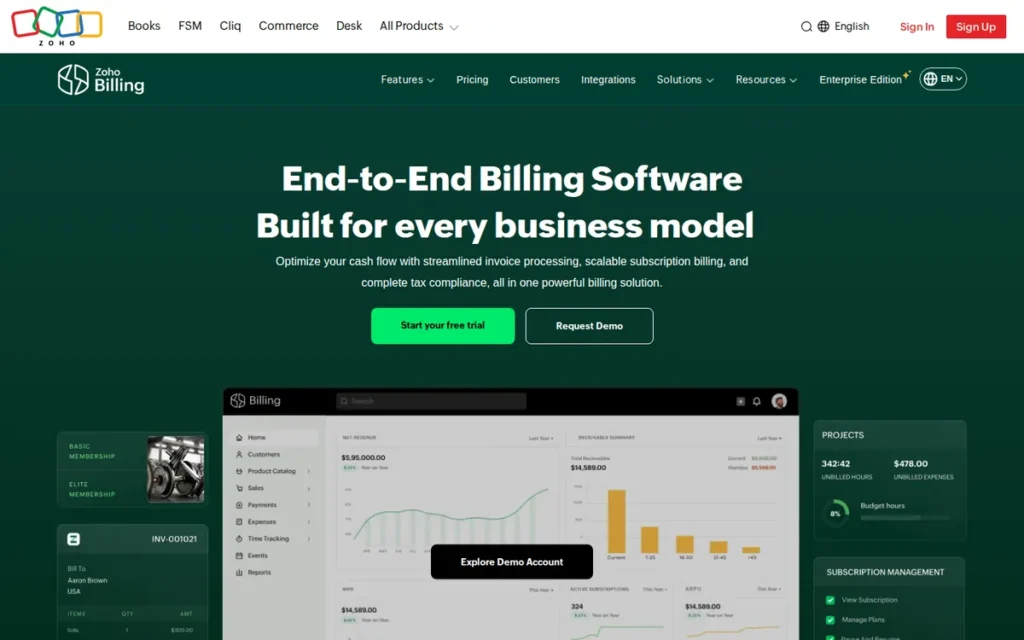
Category: Subscription Billing Platform, cloud-based recurring billing and invoicing with automated payment collection, multi-currency support, a client self-service portal, and a permanently free tier for businesses at entry-level invoicing volume.
At a Glance
- Category: Subscription Billing Platform
- Best For: Freelancers, solopreneurs, and early-stage businesses that need professional invoicing and recurring billing without a monthly software cost; businesses already using other Zoho products who want a native billing layer
- Price Range: Free (Zoho Invoice tier: permanently free, no monthly fee, no expiration date; feature and volume limits apply); paid Zoho Billing tiers from approximately $49/month (Standard); verify current rates at zoho.com/billing/pricing (June 2026)
- Primary Strength: Zoho Billing offers a permanently free invoicing tier with no time limit and no monthly fee, making Zoho Billing the most accessible entry point in this comparison for businesses that cannot justify subscription software costs before reaching consistent revenue.
- Biggest Limitation: Zoho operates three overlapping billing-adjacent products (Zoho Invoice, Zoho Billing, and Zoho Books) whose feature scope distinctions require careful navigation; buyers risk selecting the wrong product for their use case and facing a migration as their business grows.
- One-Line Summary: Zoho Billing is the subscription billing platform with a permanently free invoicing entry point, suited for businesses growing from basic invoicing into recurring billing and subscription management.
- Last Verified: June 2026
Overview
Zoho Billing is a cloud-based subscription billing and invoicing platform within the Zoho product ecosystem, offering a permanently free Zoho Invoice tier for businesses that need straightforward client invoicing at no monthly cost, alongside paid tiers that add subscription management, automated dunning, and advanced reporting. Zoho Billing targets freelancers, solopreneurs, and growing businesses that start with simple invoicing and scale into recurring billing as their revenue increases.
Zoho positions Zoho Billing as part of a broader connected suite that includes Zoho Books (full accounting) and Zoho CRM, enabling businesses to consolidate tools as they grow without leaving the Zoho ecosystem. User testimonials published on zoho.com (2025) suggest businesses using Zoho Billing’s automated dunning sequences report 20–25% reductions in late payments, figures sourced from Zoho-published user testimonials and not independently verified by a third party. The free Zoho Invoice tier included within the Zoho Billing product line has no expiration date, though volume limits apply, verify current free-tier parameters at zoho.com/billing/pricing (June 2026).
Key Features
- Permanently Free Invoicing Tier: Zoho Billing includes a Zoho Invoice tier available at no monthly charge with no expiration date, giving freelancers and early-stage businesses professional invoicing without an ongoing software cost commitment from day one.
- Automated Dunning: Zoho Billing’s dunning engine sends configurable payment reminders before and after invoice due dates, reducing the manual follow-up burden for businesses managing recurring client billing or subscription renewals without a dedicated accounts-receivable function.
- Multi-Currency Invoicing: Zoho Billing supports invoicing in 170+ currencies with automatic exchange rate updates, making Zoho Billing a viable option for freelancers and small businesses serving international clients who invoice in non-USD denominations.
- Zoho Ecosystem Integration: Zoho Billing connects natively with Zoho Books, Zoho CRM, and Zoho Inventory, allowing businesses already using Zoho tools to extend their billing workflow without third-party integration costs or data synchronization overhead.
- Client Self-Service Portal: Zoho Billing includes a client-facing portal where customers can view invoice history, download payment statements, and make payments directly, reducing inbound billing inquiries and accelerating payment collection for businesses with repeat clients.
Best For
Zoho Billing is best for freelancers and early-stage businesses that need professional invoicing immediately but cannot justify a recurring monthly software cost before reaching consistent revenue. Zoho Billing is also a logical starting point for businesses already invested in the Zoho ecosystem that want to avoid introducing non-native billing tools with separate integration and data management overhead.
Pricing
Zoho Billing’s free Zoho Invoice tier is permanently free with no expiration, though feature and volume limits apply, verify current free-tier parameters at zoho.com/billing/pricing (June 2026). Paid Zoho Billing tiers begin at approximately $49/month (Standard), with higher tiers adding advanced subscription management, revenue recognition workflows, and multi-entity support. Buyers should carefully distinguish Zoho Billing from Zoho Books (a full accounting suite with separate pricing) and Zoho Invoice (the free standalone invoicing product), as each has distinct feature scope and pricing, selecting the wrong Zoho product at the outset creates migration work as business needs evolve.
Strengths
- No-cost entry point via the permanently free Zoho Invoice tier gives Zoho Billing a competitive opening that FreshBooks ($19/month minimum), QuickBooks Online ($35/month minimum), and Xero ($25/month minimum) cannot match, all three require paid subscriptions from day one.
- Ecosystem depth through native connections with Zoho Books, Zoho CRM, and Zoho Inventory means Zoho Billing can serve as the billing layer of a fully consolidated Zoho-stack business, reducing tool proliferation and the integration maintenance burden that cross-vendor stacks typically require.
- Automated payment follow-up through Zoho Billing’s dunning engine addresses one of the most time-consuming manual tasks in freelance and small-business billing (client payment reminders) without requiring a separate automation tool or manual calendar tracking.
Limitations
- Product Line Complexity: Zoho operates Zoho Invoice, Zoho Billing, and Zoho Books as distinct products with overlapping feature sets; buyers who select the wrong product for their current use case may face workflow migration to a different Zoho product as their business grows, a friction cost that competitors with simpler single-product structures avoid.
- Free Tier Volume Limits: Zoho Billing’s free Zoho Invoice tier imposes invoicing volume limits that growing businesses will eventually outgrow, triggering an upgrade to paid tiers where Zoho’s per-month cost is competitive with (but not necessarily less than) FreshBooks or Xero at equivalent feature depth; the zero-cost advantage narrows as usage scales.
- Fewer Independent Third-Party Ratings: Zoho Billing has a smaller volume of independent review-platform ratings than FreshBooks (4.5/5.0 on G2, 28,000+ reviews as of June 2026) or QuickBooks Online on major aggregators, verify current Zoho Billing ratings at g2.com and capterra.com (June 2026) rather than relying solely on Zoho-published figures.
Verdict
Zoho Billing is the most accessible entry point in this comparison, offering a permanently free invoicing tier that no other ranked tool provides. Zoho Billing ranks below Xero because its three-product lineup introduces buyer complexity and potential migration friction that businesses scaling from free to paid may underestimate, a real cost that Xero’s single-product structure avoids. For freelancers and early-stage businesses where a zero monthly cost is the primary criterion, Zoho Billing is the correct starting point in this comparison; for businesses already generating consistent revenue who need a single clear product with predictable pricing and no product-selection ambiguity, FreshBooks, QuickBooks Online, or Xero present lower long-term friction.
5. Chargebee: Best for SaaS Founders Who Need No-Code Subscription Billing
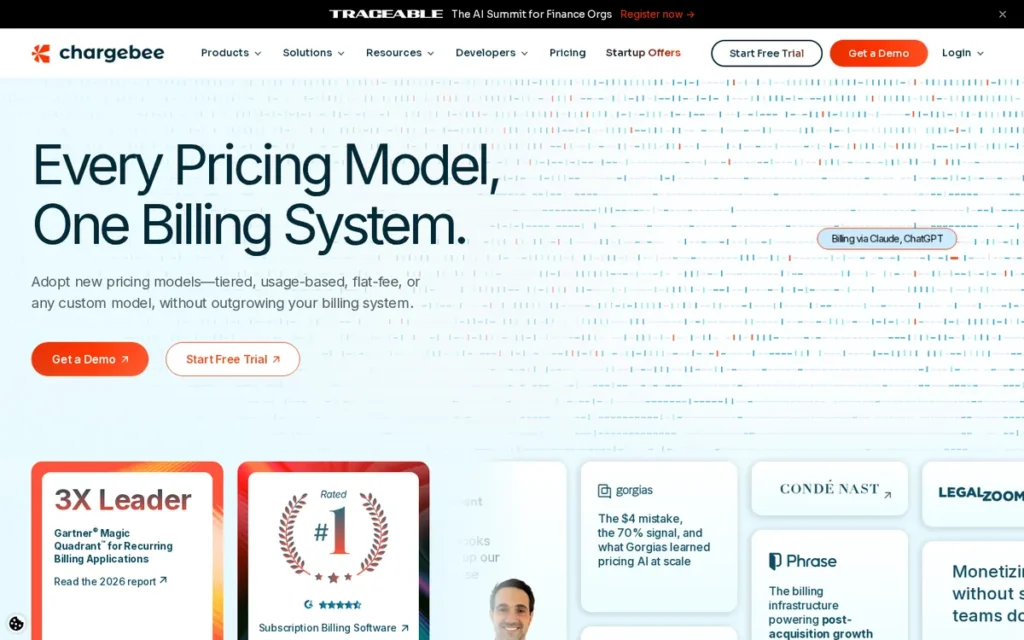
Category: Subscription Billing Platform, developer-accessible recurring billing, no-code subscription plan management, automated dunning, ASC 606-compliant revenue recognition, and a threshold-based free entry tier for early-stage SaaS and subscription businesses.
At a Glance
- Category: Subscription Billing Platform
- Best For: SaaS founders, subscription-box businesses, and membership platforms needing structured subscription lifecycle management (trial management, plan upgrades and downgrades, proration, and revenue recognition) before reaching sufficient scale to justify enterprise billing costs
- Price Range: $0/month free until $250,000 in cumulative billing processed (not a monthly revenue threshold, a one-time total); $599/month Performance tier thereafter; Enterprise pricing by quote (verify at chargebee.com/pricing, June 2026)
- Primary Strength: Chargebee provides no-code subscription plan configuration and ASC 606-compliant revenue recognition without requiring engineering resources, enabling non-technical SaaS founders to manage complex billing logic independently through a self-service interface.
- Biggest Limitation: Chargebee’s pricing moves from $0/month to $599/month at the $250,000 cumulative billing processed threshold with no intermediate pricing tier, creating a cost jump that SaaS founders should model into their unit economics before committing to Chargebee’s workflow.
- One-Line Summary: Chargebee is the subscription billing platform that provides early-stage SaaS founders enterprise-grade billing infrastructure at no cost until they reach $250,000 in cumulative billing processed.
- Last Verified: June 2026
Overview
Chargebee is a subscription billing and revenue management platform designed for SaaS companies, subscription businesses, and membership platforms that need structured billing lifecycle management (trials, upgrades, downgrades, proration, and cancellation flows) without building that logic internally. Chargebee’s free tier covers the platform’s full feature set until a business reaches $250,000 in cumulative billing processed, a threshold that differs meaningfully from monthly recurring revenue.
The $250,000 cumulative threshold means a business processing $20,000 MRR reaches it in approximately 12.5 months, at which point the subscription moves from $0/month to $599/month (Performance tier) with no intermediate option between the two. SaaS founders should model this transition date into their financial projections before building Chargebee deeply into their billing infrastructure. Independent user ratings on G2 reflect generally positive experience with Chargebee’s subscription management capabilities (verify current rating at g2.com/products/chargebee/reviews, June 2026) alongside recurring community-sourced notes about sales engagement practices.
Key Features
- No-Code Subscription Plan Management: Chargebee allows non-technical users to create and modify subscription plans, pricing tiers, trial periods, and promotional coupons without engineering involvement, reducing reliance on development resources for routine billing changes.
- ASC 606-Compliant Revenue Recognition: Chargebee automates revenue recognition calculations aligned with ASC 606 and IFRS 15 accounting standards, a capability that becomes critical for SaaS businesses approaching fundraising or external audit without a full-time CFO on staff.
- Dunning Automation: Chargebee’s dunning engine manages failed payment recovery through configurable retry schedules, in-app notifications, and email sequences, reducing involuntary churn from payment failures without requiring manual intervention or a separate recovery tool.
- Subscription Lifecycle Management: Chargebee handles plan upgrades, downgrades, mid-cycle proration, cancellation flows, and subscription pausing, billing events that generate manual accounting errors when managed outside a purpose-built lifecycle system.
- Multi-Platform Integration: Chargebee integrates natively with Stripe, Braintree, Salesforce, HubSpot, and Xero, enabling subscription billing data to flow into payment processing, CRM, and accounting systems without custom API development work.
Best For
Chargebee is best for early-stage SaaS founders and subscription businesses that need complete subscription lifecycle infrastructure (including revenue recognition and dunning automation) before they can justify the cost of enterprise billing alternatives. Chargebee is also an appropriate consideration for businesses currently on Stripe Billing that are approaching the MRR level where Chargebee’s $599/month flat fee becomes less expensive than Stripe’s per-transaction percentage.
Pricing
Chargebee offers a free tier at $0/month covering the full feature set until a business reaches $250,000 in cumulative billing processed, a one-time historical total, not a recurring monthly volume cap. At that threshold, Chargebee’s Performance tier starts at $599/month with no intermediate pricing option between free and $599. For businesses processing approximately $120,000 MRR, Chargebee’s $599/month flat fee and Stripe Billing Starter’s 0.5% per-transaction fee produce nearly equivalent monthly billing costs, at higher MRR, Chargebee’s flat fee becomes the less expensive of the two. Verify current Chargebee pricing and tier details at chargebee.com/pricing (June 2026).
Strengths
- Full-feature free tier through the $250,000 cumulative billing processed threshold gives Chargebee a distinct cost advantage over Stripe Billing and Xero for early-stage SaaS founders who need complete subscription infrastructure without immediate monthly cost commitment.
- Non-technical subscription management via Chargebee’s no-code plan configuration lets founders and operations teams modify pricing, trials, and coupons without filing engineering requests, a meaningful operational advantage for pre-Series A SaaS teams without a dedicated billing engineer.
- Compliance-ready revenue recognition (ASC 606/IFRS 15) positions Chargebee-using businesses for cleaner fundraising due diligence and audit processes, as revenue recognition is automated rather than requiring a manual reconciliation process from the general ledger.
Limitations
- Pricing Cliff at $250K Threshold: Chargebee’s pricing moves from $0/month to $599/month at the $250,000 cumulative billing processed threshold with no intermediate option; businesses that have not modeled this transition into their operating budgets face a significant recurring cost increase that arrives at a growth inflection point rather than at a predictable calendar date.
- Sales Engagement Community Signals: Multiple threads across r/SaaS and r/startups (surfaced via Reddit search, June 2026) describe Chargebee’s sales team as applying significant pressure during the initial sales process and particularly during the free-to-paid threshold transition; one widely cited community thread characterized Chargebee as having among the most aggressive sales practices of subscription billing providers, a signal that buyers should weigh alongside the platform’s technical capabilities.
- Cost Inversion Consideration at High MRR: At MRR levels substantially above $120,000, Chargebee’s $599/month flat fee remains fixed while Stripe Billing’s per-transaction fee scales with revenue, the cost relationship reverses for businesses with transaction profiles where Stripe’s 0.5% produces less than $599/month in absolute fees, making Chargebee’s pricing advantage MRR-range-dependent rather than universal.
Verdict
Chargebee is the most complete no-code subscription billing platform in this comparison for early-stage SaaS founders who need enterprise-grade billing infrastructure without engineering resources. Chargebee ranks below Zoho Billing because Zoho’s free tier carries no threshold expiration, while Chargebee’s $0→$599 cliff requires active financial planning and creates a concentrated operational risk at the transition point. For SaaS businesses from pre-launch through approximately $20,000 MRR, Chargebee’s free tier is the most capable option at zero monthly cost in this comparison; for businesses approaching the $250,000 cumulative threshold, calculating the Chargebee transition date and comparing the $599/month cost against Stripe Billing’s transaction-based alternative is a financially necessary step before committing deeper to Chargebee’s workflow.
6. Stripe Billing: Best for Developer Teams Needing Programmable Billing Infrastructure
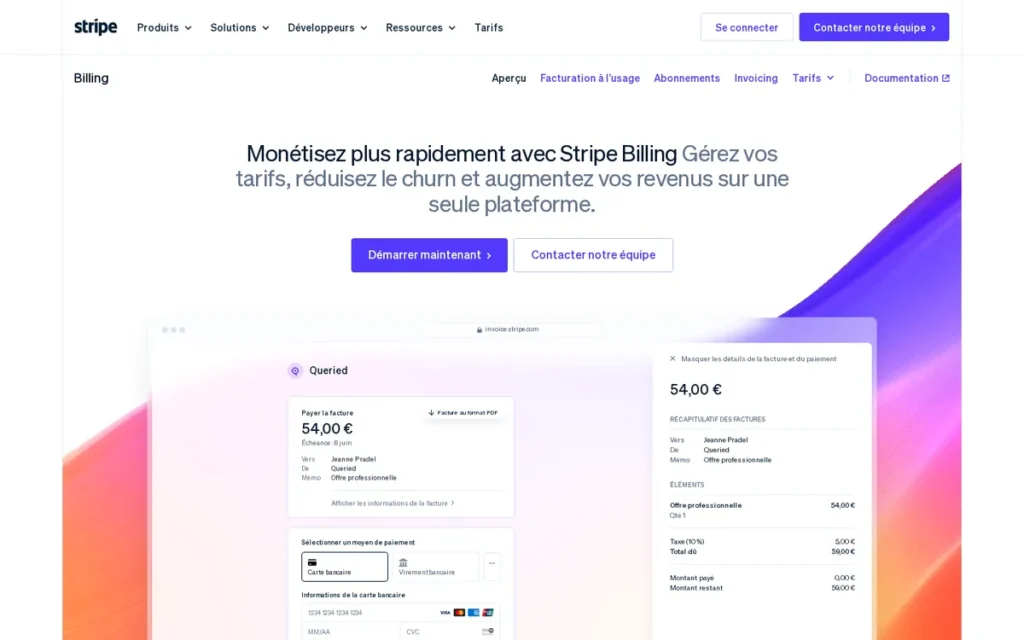
Category: Developer Billing Infrastructure, API-first recurring billing with programmable payment flows, global tax automation, metered usage billing, advanced webhook infrastructure, and no monthly base fee for software companies and developer-led businesses.
At a Glance
- Category: Developer Billing Infrastructure
- Best For: Software companies, developer-led businesses, and technical founders who need programmatic control over billing logic (custom pricing models, usage-based billing, and API-driven subscription management) that no-code platforms cannot accommodate without custom development
- Price Range: 0.5% per recurring transaction (Billing Starter, no monthly base fee); 0.8% per recurring transaction (Billing Plus, adds revenue recognition and smart retries); no monthly base fee on either tier; verify at stripe.com/billing/pricing (June 2026)
- Primary Strength: Stripe Billing offers the most flexible programmable recurring billing infrastructure available without enterprise contracts, enabling custom billing logic (usage-based, tiered, seat-based, and hybrid pricing models) through well-documented REST APIs and pre-built UI components.
- Biggest Limitation: Stripe Billing requires engineering resources to implement and maintain; non-technical business owners and operations teams cannot independently configure Stripe Billing’s subscription plans or billing logic without developer involvement, creating a persistent operational dependency on technical resources for billing changes.
- One-Line Summary: Stripe Billing is the developer-first billing infrastructure layer for software companies that need programmatic control over subscription logic, usage metering, and global payment collection.
- Last Verified: June 2026
Overview
Stripe Billing is an API-first subscription and invoicing infrastructure layer within the Stripe payments platform, designed for software companies and developer-led businesses that need to implement billing logic programmatically rather than through a no-code configuration interface. Stripe Billing supports subscription billing, usage-based billing, tiered pricing, seat-based models, and one-time invoicing, all configurable via Stripe’s REST API or through pre-built hosted components including Stripe Checkout and the Stripe Customer Portal.
Stripe Billing does not charge a monthly base fee; instead, Stripe Billing charges 0.5% per recurring transaction on the Billing Starter tier or 0.8% on Billing Plus, which adds automated revenue recognition and smart payment retry logic. At $100,000 MRR, Stripe Billing Starter costs approximately $500/month in billing fees; at $200,000 MRR, approximately $1,000/month. Stripe Billing’s global tax automation capability (which calculates, collects, and remits sales tax, VAT, and GST across 40+ countries) is documented at stripe.com/tax (Stripe, 2026) and independently cited by Sequence (2024) and F3Fundit (2026) as one of Stripe’s primary competitive differentiators for internationally operating software businesses.
Key Features
- Usage-Based Billing: Stripe Billing supports metered billing models where charges are calculated based on actual consumption (API calls, active seats, data processed, or any custom metric) using Stripe’s usage records API to aggregate metered events before each billing cycle closes.
- Global Tax Automation: Stripe Tax (stripe.com/tax, 2026) automates sales tax, VAT, and GST calculation, collection, and remittance across 40+ countries, providing a self-contained tax compliance layer for software companies with international customers without requiring separate tax platform subscriptions.
- Programmable Webhook Infrastructure: Stripe Billing emits webhook events for every subscription state change (payment succeeded, payment failed, subscription canceled, trial ended) enabling development teams to build automated internal workflows triggered in real time by billing events.
- Stripe Checkout and Customer Portal: Stripe provides pre-built hosted payment pages (Checkout) and customer self-service subscription management interfaces (Customer Portal), allowing development teams to deploy complete billing flows with substantially reduced frontend engineering investment.
- Smart Payment Retries: Stripe Billing Plus uses Stripe’s machine learning models to optimize failed payment retry timing based on historical payment recovery patterns, increasing payment success rates for subscription businesses with elevated involuntary churn from payment failures.
Best For
Stripe Billing is best for software companies and developer-led businesses that require billing logic their engineering team will build, own, and extend as a core infrastructure component. Stripe Billing is also appropriate for businesses that already process payments through Stripe and want to add subscription management within the same platform without introducing a separate billing tool and its associated data synchronization requirements.
Pricing
Stripe Billing charges 0.5% per recurring transaction on the Billing Starter tier and 0.8% on Billing Plus, with no monthly base fee on either tier. Stripe’s per-transaction model means billing costs scale directly with revenue: $100,000 MRR produces approximately $500/month in Billing Starter fees; $200,000 MRR produces approximately $1,000/month. Businesses comparing Stripe Billing to Chargebee ($599/month flat) should calculate their break-even MRR: at approximately $120,000 MRR, Stripe Billing Starter and Chargebee Performance produce nearly equivalent monthly billing costs. Verify current per-transaction rates and tier details at stripe.com/billing/pricing (June 2026).
Strengths
- Programmable billing flexibility via Stripe’s REST API gives development teams the ability to implement billing models that no-code platforms cannot accommodate, including complex tiered pricing, per-seat metering with custom metrics, and hybrid subscription-plus-usage billing structures that reflect how software products are actually consumed.
- Global tax compliance through Stripe Tax (stripe.com/tax, 2026; independently cited by Sequence, 2024, and F3Fundit, 2026) automates cross-border tax obligations for software companies operating internationally, reducing compliance risk without requiring a separate tax platform alongside the billing layer.
- No monthly base fee means Stripe Billing’s cost is proportional to actual revenue, a meaningful advantage for pre-revenue and early-revenue software companies that want complete billing infrastructure without fixed monthly overhead before reaching consistent MRR.
Limitations
- Developer Dependency: Stripe Billing requires engineering resources for initial implementation and ongoing maintenance; non-technical business owners and operations teams cannot independently modify Stripe Billing subscription plans, pricing logic, or billing configuration without filing development requests, a persistent operational dependency that creates friction for businesses without in-house engineering capacity.
- Account Stability Risk: Multiple threads across r/stripe, r/SaaS, and r/smallbusiness (surfaced via Reddit search, June 2026) document instances of Stripe accounts being restricted or terminated without advance notice, sometimes during active billing periods; while these events represent a minority of Stripe’s overall customer base, businesses entirely dependent on Stripe for payment collection face meaningful operational risk if account access is interrupted without a contingency payment path.
Users on r/stripe described this experience:
“Stripe CLOSED MY ACCOUNT FOR NO REASON. This is my only source of income and have service contracts for every customer.” Posted by u/ResolveInside3810
Takeaway: Stripe account closures without advance warning create total service disruption for businesses that rely on Stripe as both payment processor and billing layer, the concentrated single-platform risk the article identifies as Stripe Billing’s primary documented limitation.
- Cost Scaling at High MRR: Stripe Billing’s percentage-based fee structure means that at $200,000+ MRR, the monthly billing cost ($1,000+/month on Starter) may exceed Chargebee’s flat $599/month Performance tier, making Stripe Billing progressively less cost-effective as a subscription management layer at higher revenue volumes, though Stripe’s broader payment infrastructure advantages may justify continued use for businesses deeply integrated into the Stripe ecosystem.
Verdict
Stripe Billing is the most capable programmable billing infrastructure in this comparison and the correct choice for software companies that need billing logic their engineering team will own, customize, and maintain as a core system. Stripe Billing ranks below Chargebee because its value is contingent on developer availability (non-technical teams cannot self-serve billing changes) and because Chargebee’s free tier provides a complete no-code alternative for SaaS founders who cannot staff a billing engineer during early growth. For developer-led software companies already processing payments through Stripe’s infrastructure, adding Stripe Billing is the lowest-friction path to subscription management; for businesses approaching $200,000 MRR, modeling the Chargebee cost comparison is a financially relevant planning exercise.
7. Invoice Simple: Best for Field Service Professionals Who Bill From a Smartphone

Category: Mobile Invoicing App, smartphone-optimized invoice creation and delivery for contractors, tradespeople, and field service providers who bill clients on-site without a desktop accounting system.
At a Glance
- Category: Mobile Invoicing App
- Best For: Independent contractors, tradespeople, plumbers, electricians, and field service providers who create and send invoices directly from a smartphone at the job site, without needing desktop accounting software or complex billing workflows
- Price Range: Free (limited features, Invoice Simple branding on invoices); Starter at $6.99/month; Plus at $9.99/month; Premium at $14.99/month; verify current rates at invoicesimple.com/pricing (June 2026)
- Primary Strength: Invoice Simple provides a mobile invoice creation workflow optimized for field service professionals, allowing contractors to generate and send a professional invoice from a smartphone in under two minutes without a laptop or accounting login.
- Biggest Limitation: Invoice Simple carries a 3.7/5.0 rating on Capterra (capterra.com/p/176783/invoice-simple/, June 2026) (the lowest independent review score of any tool in this comparison) with reviewer complaints that consistently cite billing irregularities and difficulty canceling subscriptions.
- One-Line Summary: Invoice Simple is the mobile-first invoicing app for field service professionals, ranked last in this comparison due to the lowest independent review score and documented billing practice concerns that buyers should evaluate before subscribing.
- Last Verified: June 2026
Overview
Invoice Simple is a smartphone-optimized invoicing application designed for contractors, tradespeople, and field service providers who need to create and send professional invoices directly from a job site without a laptop, accounting system, or desktop software. Invoice Simple’s mobile-first design allows users to generate an invoice using a smartphone (photographing completed work, adding line items, applying taxes, and emailing or texting the invoice to a client) in a single mobile session.
Invoice Simple’s independent review record warrants specific attention before purchase. Invoice Simple holds a 3.7/5.0 rating on Capterra (capterra.com/p/176783/invoice-simple/, June 2026), the lowest rating of any tool in this comparison. A widely cited Reddit thread titled “They admitted you cannot trust their billing” (surfaced via Reddit search, June 2026) describes Invoice Simple’s own support team acknowledging billing irregularities directly to a customer, a company acknowledgment, not merely an anonymous reviewer complaint. Invoice Simple is a privately held company whose ownership, headquarters, and corporate profile are not publicly documented at the level of the other six vendors in this comparison, making independent due diligence on the company itself more limited. These factors do not disqualify Invoice Simple for simple mobile invoicing use cases, but they represent material information buyers should evaluate consciously before subscribing.
Key Features
- Mobile Invoice Creation: Invoice Simple’s mobile interface allows contractors and tradespeople to create professional invoices directly from a smartphone (adding line items, attaching job-completion photos, applying tax rates, and sending to clients) without requiring a desktop or laptop at any step in the workflow.
- Instant Payment Collection: Invoice Simple integrates with payment processors to allow clients to pay invoices immediately via credit card or bank transfer upon receipt, accelerating cash collection for field service businesses whose clients pay on completion.
- Estimate-to-Invoice Conversion: Invoice Simple allows users to create written job estimates and convert approved estimates directly into invoices without re-entering line items, reducing data entry for contractors who quote work before billing, the most common workflow in field service billing.
- Client History and Contact Management: Invoice Simple maintains a client directory with contact information, invoice history, and outstanding balance tracking, giving field service providers a lightweight client management layer for repeat customers without a separate CRM tool.
- Offline Invoice Creation: Invoice Simple supports invoice creation without an active internet connection, syncing data when connectivity is restored, a practical feature for contractors working in buildings, basements, or rural areas where cellular coverage is unreliable.
Best For
Invoice Simple is best for independent contractors, tradespeople, and solo field service providers whose billing workflow is entirely mobile and who do not need accounting features, subscription billing, multi-user access, or a vendor with an established third-party review record. Invoice Simple is not appropriate as a primary billing tool for businesses that require bank reconciliation, revenue recognition, subscription management, or reliable cancellation and billing practice transparency.
Pricing
Invoice Simple offers a free tier with feature restrictions and Invoice Simple branding applied to all outgoing invoices. Paid tiers begin at $6.99/month (Starter) (the lowest paid entry price in this comparison) with Plus at $9.99/month and Premium at $14.99/month. Verify current pricing at invoicesimple.com/pricing (June 2026). Given reviewer-documented difficulty canceling Invoice Simple subscriptions on Capterra and in Reddit discussions (June 2026), buyers should review Invoice Simple’s cancellation terms and refund policy in full before subscribing to any paid tier, and particularly before committing to an annual plan.
Strengths
- Lowest paid entry price in this comparison at $6.99/month (Starter) makes Invoice Simple accessible to solo contractors and tradespeople for whom FreshBooks’ $19/month minimum or QuickBooks Online’s $35/month minimum represent meaningful monthly cost barriers relative to their billing volume.
- Purpose-built mobile workflow for invoice creation and delivery is designed specifically for field service professionals who spend the working day on job sites, a use-case specificity that FreshBooks and QuickBooks Online’s mobile apps, despite their functionality, do not match at Invoice Simple’s core workflow simplicity for on-site invoicing.
- Estimate-to-invoice conversion on a smartphone reduces double-entry for contractors who provide written estimates before billing, streamlining the most common billing workflow in residential and commercial field service businesses without requiring a desktop session.
Limitations
- Lowest Independent Review Rating: Invoice Simple holds a 3.7/5.0 rating on Capterra (capterra.com/p/176783/invoice-simple/, June 2026) (lower than every other tool in this comparison) with reviewer feedback consistently citing billing irregularities, unexpected charges, and difficulty completing subscription cancellations through Invoice Simple’s support process.
- Documented Billing Practice Concerns: A widely referenced Reddit thread (surfaced via Reddit search, June 2026) describes Invoice Simple’s own support staff acknowledging that customers “cannot trust their billing”, a direct vendor acknowledgment, not an anonymous review, that represents a material buyer risk warranting independent verification of current billing and cancellation practices before any subscription commitment.
Users on r/mildlyinfuriating documented their experience:
“I subscribed to Invoice Simple for a year of unlimited invoicing. Now, they’re claiming I have to pay an additional 200% just to create an invoice. My unlimited plan remains active. What I find particularly frustrating is their assertion that they haven’t revoked my unlimited access; instead, they’ve merely ‘updated the limitation.'” Posted by u/amwbam24
Takeaway: Invoice Simple’s retroactive reinterpretation of paid plan terms (framing unlimited access restriction as an “updated limitation” rather than a feature removal) exemplifies the billing trust failure the article documents as its most serious reviewer concern.
- Limited Corporate Transparency: Invoice Simple does not publish standard corporate disclosure information at a level comparable to the other six tools in this comparison (ownership structure, headquarters location, and company financial profile are not publicly available) making independent vendor due diligence more difficult for buyers or procurement teams that evaluate company stability as part of software selection.
Verdict
Invoice Simple is the only tool in this comparison ranked partly on trust signals rather than on features and pricing alone. Invoice Simple’s 3.7/5.0 Capterra rating and the Reddit-documented billing acknowledgment are not disqualifying for contractors with simple, infrequent mobile invoicing needs who independently verify Invoice Simple’s current billing and cancellation practices before subscribing. For any business with recurring billing requirements, subscription management needs, annual plan commitments, or a preference for vendors with established independent review records and transparent corporate profiles, the other six tools in this comparison are more appropriate choices than Invoice Simple regardless of price.
What Red Flags Should I Watch For When Evaluating Billing Software?
The most consequential red flags when evaluating billing software are features hidden behind plan upgrades, sudden pricing cliffs at free-to-paid transitions, account stability risk on developer platforms, aggressive vendor sales tactics at threshold crossings, opaque billing and cancellation practices, and documented pricing escalation history. Each of these has produced measurable buyer regret across tools in this comparison.
Red Flag #1: Hidden Client-Count or Volume Caps Some billing tools advertise low entry prices without prominently disclosing client-count or volume limits in the same headline. FreshBooks’ Lite plan ($19/month) caps users at five active clients, a limit that is binding for most freelancers within months of starting the service. Verify the client, customer, or invoice limit on the specific tier you intend to use before signing up, not only on the plan comparison page’s most permissive tier.
Red Flag #2: A Pricing Cliff From Free to Paid With No Intermediate Tier Chargebee’s pricing moves from $0/month to $599/month at the $250,000 cumulative billing processed threshold with no option between the two. This is the steepest free-to-paid pricing cliff in this comparison. If a tool converts directly from a free tier to a high monthly fee with no middle tier, model your transition date and the resulting cost impact before committing to the tool’s workflow, not after you have built dependency on its billing infrastructure.
Red Flag #3: Account Stability Risk on Developer-First Payment Platforms Multiple threads across r/stripe, r/SaaS, and r/smallbusiness (surfaced via Reddit search, June 2026) document Stripe accounts being restricted or terminated without advance notice during active billing periods. Developer-first platforms that serve simultaneously as payment processor and billing layer concentrate operational risk: if the platform restricts account access, both payment collection and subscription management may be interrupted simultaneously with no parallel path available.
Red Flag #4: Aggressive Sales Engagement at Free-to-Paid Transitions Community discussions on r/SaaS and r/startups (surfaced via Reddit search, June 2026) describe pressure-intensive sales engagement during Chargebee’s free-to-paid threshold crossing. If a billing platform’s sales practices are described as aggressive by independent community members, treat that as a forward-looking signal about the vendor relationship (particularly at renewal and at pricing renegotiation points) not only as a one-time onboarding inconvenience.
Red Flag #5: Documented Billing and Cancellation Practice Concerns Invoice Simple’s documented billing concerns (including a Reddit thread in which Invoice Simple’s own support team acknowledged billing irregularities) represent a qualitatively different category of red flag than pricing complexity. A vendor’s own acknowledgment of billing unreliability is a material signal. Review cancellation terms and refund policies in full before subscribing to any billing tool, and specifically before committing to an annual billing cycle on a tool with a low independent review score.
Red Flag #6: Documented Pricing Escalation History QuickBooks Online has undergone multiple above-inflation price increases in recent years, with r/QuickBooks and r/smallbusiness community threads (surfaced via Reddit search, June 2026) documenting sustained frustration with escalating subscription costs. Tools with a documented history of price increases should be evaluated with that trajectory included in your 24–36 month cost model, not only based on the price at the time of signup.
What Questions Should I Ask Before Choosing Billing Software?
The single most important question to ask before choosing billing software is whether you need invoicing only or full accounting capabilities, that distinction eliminates the majority of tools from consideration before you compare any other feature or price. The questions below build a complete pre-purchase framework across the six criteria that most commonly determine billing software fit.
Question #1: Do I Need Invoicing Only, or Full Accounting Plus Invoicing? If your primary need is sending invoices and collecting payments, a dedicated invoicing tool like FreshBooks or Invoice Simple is likely sufficient. If you need bank reconciliation, financial reporting, tax preparation support, or audit-ready financials, you need a full accounting suite, QuickBooks Online or Xero. Buying a full accounting suite for invoicing-only needs means paying for depth you will never use; buying a billing-only tool when you need accounting means a mid-year migration.
Question #2: How Many Clients Do I Currently Bill, and How Many in 12 Months? Client-count caps on entry-tier plans are one of the most common drivers of unexpected billing software upgrade costs. FreshBooks’ Lite plan limits users to five active clients; Zoho Billing’s free tier imposes volume limits. Estimate your active client count 12 months out before selecting a pricing tier, not only at the moment of account creation.
Question #3: Do I Have Engineering Resources Available to Implement and Maintain the Tool? Stripe Billing’s capabilities are substantially contingent on developer availability. Businesses without in-house engineering capacity will not access Stripe Billing’s advertised feature set without significant external development cost. Chargebee and Zoho Billing provide the same subscription management category through no-code interfaces. Match your technical capacity to the tool’s implementation model before comparing feature lists.
Question #4: Will I Cross a Pricing Threshold Within 18 Months? Chargebee’s free tier ends at $250,000 in cumulative billing processed. FreshBooks’ entry tier becomes significantly more expensive as client count grows. QuickBooks Online add-ons for payroll and advanced reporting multiply the base subscription cost. Build the tool’s full pricing trajectory (not only the entry price) into a 12–18 month cost model before subscribing to any tier.
Question #5: What Do Independent Reviewers Say About Support and Cancellation Specifically? Review the tool’s Capterra and G2 ratings specifically for support quality and cancellation experience, not only the overall star rating. Invoice Simple’s 3.7/5.0 Capterra score is partly driven by billing and cancellation complaints that are not visible in the headline number. Search Reddit for the tool name combined with “cancel,” “billing,” or “support” before committing to an annual plan on any tool in this comparison.
Question #6: Does My Business Invoice International Clients, and What Currency or Tax Support Do I Need? Zoho Billing supports 170+ currencies. Xero’s multi-currency capability requires the Established tier ($90/month). Stripe Billing automates tax collection in 40+ countries. FreshBooks and Invoice Simple support basic multi-currency invoicing but are designed primarily for domestic billing workflows. If more than 20% of your revenue comes from international clients, verify the specific currency and tax support on the exact tier you intend to subscribe to, not only on the plan marketing page.
Question #7: Is This Tool Familiar to Accountants and Bookkeepers in My Region? QuickBooks Online’s ProAdvisor network connects tens of thousands of US accounting professionals who specialize in QuickBooks implementations. Xero’s equivalent network is smaller in the US but larger internationally. Using a billing tool that your accountant or bookkeeper is unfamiliar with creates knowledge transfer friction and error risk at tax time. Confirm tool compatibility with your existing accounting professional before migrating from a tool they already know.
How Did We Rank These Billing Software Tools?
This guide ranks billing software tools using independent research applied consistently across six weighted criteria to all seven tools in the comparison. No vendor received advance review access, provided research assistance, or influenced the criteria weighting or final ranking positions in any way.
Evaluation Criteria
PlugRoute evaluated each billing software tool against the following criteria:
Feature Completeness for Stated Category (30% weight): Each tool was evaluated against the features that define its stated category, invoicing suite, full accounting suite, subscription billing platform, developer billing infrastructure, or mobile invoicing app. A tool that excels within its specific category scores higher than a tool that partially covers multiple categories without leading in any. Why it matters: buyers who match tool to actual category need report dramatically higher satisfaction than those who select on brand recognition alone.
Pricing Transparency and Total Cost of Ownership (25% weight): Published pricing was evaluated for transparency (are client-count caps disclosed at the plan headline level?), trajectory (has the vendor raised prices above inflation in the past three years?), and full cost (what does the tool actually cost at 12 and 24 months, including required add-ons and integrations?). Why it matters: entry price frequently differs from the price a business pays after the first year.
Independent Review Signal Strength (20% weight): Ratings on G2 and Capterra were recorded with review volume noted, a 4.5 rating from 100 reviews carries less weight than a 4.5 rating from 28,000 reviews. Reddit community sentiment across relevant subreddits was evaluated separately from aggregator ratings. Why it matters: aggregator ratings are susceptible to vendor-incentivized review campaigns; Reddit community signals, while anecdotal, surface patterns of experience that structured reviews can miss.
Vendor Trust and Transparency Signals (15% weight): Each vendor was evaluated for corporate transparency (publicly available company information), billing practice clarity (cancellation terms, refund policies), and documented community red flags. Why it matters: billing software handles financial transactions on behalf of the buyer, vendor trust is a prerequisite for consideration, not a differentiator between finalists.
Integration Depth (5% weight): Integration ecosystems were evaluated for breadth of available connections, data sync quality in key integrations, and relevance to common buyer workflows (accounting, CRM, payroll). Why it matters: billing software that does not connect to adjacent tools creates manual data-entry overhead that eliminates the efficiency gains from automation.
Support and Onboarding Quality (5% weight): Support quality was evaluated through community-reported experiences, reviewer commentary on G2 and Capterra specifically mentioning support interactions, and available onboarding resources including documentation quality, video tutorials, and certified partner networks. Why it matters: billing errors during onboarding create downstream accounting consequences, support quality at implementation carries higher stakes in billing software than in most other software categories.
Evidence Weighting and Conflicting Sources
Where vendor claims conflicted with independent reviewer observations, independent reviewer observations received higher weight. Where G2 and Capterra ratings diverged materially, both ratings were reported with review volume disclosed. Where Reddit community sentiment conflicted with aggregator ratings, both were included in the entry with explicit attribution to the source. Vendor-published statistics (customer counts, satisfaction figures, testimonial outcomes) are labeled as self-reported and noted as not independently audited by a third party.
Data Validation
Vendor pricing was verified against each tool’s official pricing page in June 2026. Review ratings were recorded from G2 and Capterra in June 2026. Reddit threads are described as “surfaced via Reddit search, June 2026”, thread content can change, and buyers are encouraged to search directly before making final decisions. Vendor feature claims were cross-referenced against official documentation pages, third-party comparison analyses, and community reports where available.
Update Cadence
This guide is updated quarterly. Pricing, review ratings, and feature scope in billing software change frequently, particularly for tools undergoing active development (Chargebee, Zoho Billing) or pricing restructuring (QuickBooks Online). Buyers researching beyond this guide’s last-updated date should verify current pricing and ratings at each vendor’s official pricing page and at g2.com and capterra.com before making a final decision.
PlugRoute has no affiliate relationships with any company listed in this article. Rankings are determined entirely by research data and objective evaluation criteria.
Frequently Asked Questions About Billing Software
What Is the Best Free Billing Software Available in 2026?
Zoho Billing’s permanently free Zoho Invoice tier is the strongest free option in this comparison, it carries no monthly fee and no expiration date, making it accessible indefinitely for freelancers and early-stage businesses. Invoice Simple also offers a free tier, but it applies Invoice Simple branding to all outgoing invoices and restricts more features than Zoho Billing’s free entry point.
What Is the Difference Between Billing Software and Accounting Software?
Billing software creates and sends invoices and collects payments. Accounting software adds bank reconciliation, double-entry ledger management, financial reporting, and tax preparation support. FreshBooks and Invoice Simple are billing tools; QuickBooks Online and Xero are accounting suites that include billing. Selecting a full accounting suite when you only need billing means paying for capabilities your workflow will never require.
How Does PlugRoute Determine Its Billing Software Rankings?
PlugRoute ranks billing software using six weighted criteria: feature completeness for the tool’s stated category, pricing transparency and total cost of ownership, independent review signal strength, vendor trust and transparency, integration depth, and support quality. No vendor provides payment, access, or influence in exchange for coverage. All rankings reflect independently gathered research verified against official vendor documentation and third-party review platforms in June 2026.
Glossary: Key Terms Used in This Comparison
Dunning: An automated payment recovery process in which billing software sends a configurable sequence of reminders (before and after an invoice due date or failed payment) to reduce late payments and involuntary subscription churn without requiring manual follow-up. Dunning automation is a core feature of Chargebee, Zoho Billing, and FreshBooks, and is cited as one of the primary reasons businesses migrate from basic invoicing tools to subscription billing platforms.
ASC 606 (Revenue Recognition Standard): A US GAAP accounting standard governing when and how businesses recognize revenue from customer contracts. For SaaS companies using subscription billing, ASC 606 requires revenue to be recognized as service is delivered rather than when payment is received, a compliance requirement that Chargebee and Stripe Billing Plus automate through built-in revenue recognition modules, reducing manual reconciliation from the general ledger.
Cumulative Billing Processed: The total billing volume a business has processed through a billing platform since account creation, not a recurring monthly or annual metric. Chargebee’s free tier remains active until a business reaches $250,000 in cumulative billing processed, which equates to approximately 12.5 months at $20,000 MRR before the $0→$599/month pricing transition occurs. Buyers should distinguish this threshold from monthly recurring revenue caps used by other billing platforms.
Usage-Based Billing: A pricing model in which customers are charged based on their actual consumption of a product or service (such as API calls made, data gigabytes stored, or active user seats) rather than a fixed monthly subscription fee. Stripe Billing’s metered usage records API is the primary tool in this comparison supporting usage-based billing natively, and is the preferred model for software products where customer value correlates directly with usage volume.
ProAdvisor Network: Intuit’s certified accounting professional program through which bookkeepers, accountants, and CPAs receive QuickBooks Online-specific credentials and are listed in Intuit’s referral directory for small-business clients. The ProAdvisor network spans tens of thousands of US accounting professionals and is one of QuickBooks Online’s most consistently cited practical advantages for SMBs that rely on external accounting help, providing a ready pool of local professionals already fluent in the platform’s interface and reporting structure.
Which Billing Software Is Right for You?
Key Insights
- FreshBooks is the best choice for freelancers and service-based businesses that bill hourly or by project and want professional invoicing without accounting complexity, provided you select a tier that accommodates your active client count, not only the client count you have on day one.
- QuickBooks Online is the correct choice for US small businesses that need bank reconciliation, financial reporting, and payroll alongside billing, and for businesses that work with US-based accountants or bookkeepers already certified in the QuickBooks ecosystem.
- Xero delivers the most cost-effective full accounting suite for teams of three or more stakeholders who need simultaneous financial record access, especially for businesses with international clients requiring multi-currency invoicing.
- Zoho Billing is the right starting point for freelancers and early-stage businesses that cannot justify a monthly software cost before reaching consistent revenue, the permanently free Zoho Invoice tier has no time limit and no monthly fee.
- Chargebee is the right infrastructure choice for SaaS founders who need complete subscription lifecycle management at zero monthly cost before the $250,000 cumulative billing processed threshold, but the $0→$599/month pricing cliff requires advance financial modeling before committing to Chargebee’s workflow.
- Stripe Billing is the correct choice for developer-led software companies that need programmable billing infrastructure they will own, customize, and extend, and for businesses already on Stripe’s payment infrastructure that want to add subscription management within the same platform.
The fastest path to the right billing tool is to answer two questions first: Do you need invoicing only, or full accounting? And do you have engineering resources available to implement and maintain the tool? Those two answers eliminate five of the seven tools in this comparison before you compare a single feature or monthly price.
If you have outgrown your current billing tool (hitting client-count caps, absorbing unexpected tier upgrades, or discovering that your invoicing tool cannot support the subscription billing your business model now requires) the comparison table and Quick Decision Framework earlier in this guide map directly from your use case to the tool category and specific recommendation that fits your situation.
We update this guide quarterly. Last updated: June 2026.