Financial Cents is the best accounting practice management software for small-to-mid firms in 2026, combining the lowest confirmed entry price ($19/user/month), a 4.7/5.0 G2 rating, and the fastest documented setup in the category. Karbon leads for mid-to-large teams requiring AI-driven collaboration and the deepest verified peer validation. The right choice depends on firm size, budget, and whether tax resolution work is part of your service mix.
Accounting and tax firms lose significant time managing disconnected tools for workflow tracking, billing, client portals, document storage, e-signatures, and CRM. The right platform depends entirely on firm size, budget, and specialization, an all-in-one system consolidates more functions but costs more and requires longer setup, while a workflow-only tool solves one problem and leaves the rest unaddressed.
PlugRoute has no affiliate relationships with any company listed in this article. Rankings are determined entirely by research data and objective evaluation criteria, no company paid for placement or received preferential treatment.
Here are the seven best accounting practice management platforms for 2026, ranked and reviewed with equal editorial depth using transparent, evidence-based methodology.
TL;DR: Top Picks at a Glance
- Financial Cents: $19/user/month entry, ~3-hour average setup, 4.7/5.0 G2 rating; best for small-to-mid accounting and bookkeeping firms
- Karbon: 4.8/5.0 G2, 18 consecutive quarters at #1 as of Spring 2026, 788 verified reviews; best for mid-to-large teams requiring AI-assisted collaboration
- Firm360: SOC 2 Type II certified, CPA-founded, verified 7-tool consolidation case; best for security-focused CPA and tax practices
- Canopy: only platform with purpose-built OIC, CSED, and IRS case management; required for tax-resolution practices
- Jetpack Workflow: ~$30–$40/user/month single all-inclusive plan; workflow-only tool with no client portal or billing
- TaxDome: widest native feature set, 10,000+ firms served; annual/multi-year upfront commitment required with no month-to-month billing
- Ignition: best-in-class proposal and billing automation, ~$75M in cumulative funding; not a full practice management system
What Are the Three Categories of Accounting Practice Management Software?
Accounting practice management tools fall into three distinct categories, and matching your firm’s profile to the right category is the first step in any platform evaluation. All-in-One systems consolidate workflow, billing, portals, documents, and reporting in a single subscription; Workflow Specialists provide recurring task automation without full PM coverage; Revenue Automation Supplements handle proposals and billing alongside a full PM system, not instead of one.
All-in-One Practice Management platforms bundle the full practice operations stack:
- Financial Cents: Mid-Tier, optimized for small-to-mid firms (1–25 users)
- Karbon: Enterprise, optimized for mid-to-large teams (10–200+ users)
- Firm360: CPA-Native, founded by a practicing CPA with SOC 2 Type II security
- Canopy: Tax-Specialist, with purpose-built IRS case management depth
- TaxDome: Full-Stack, widest native feature coverage requiring annual commitment
Workflow Specialist platforms focus on recurring task automation only:
- Jetpack Workflow: Recurring task automation; no client portal, billing, or e-signatures
Revenue Automation Supplement platforms handle proposals and billing alongside a full PM system:
- Ignition: Proposal and billing automation; not a practice management system
Ignition in this list: Accounting practitioners actively compare Ignition against TaxDome’s built-in billing tools in community discussions (r/taxpros, 2024), and Ignition is entirely absent from current AI-generated software recommendations despite 8,000+ businesses served and ~$75M in cumulative funding. Its Revenue Automation (Supplemental) label signals it is not a full PM alternative, it is the revenue front-end layer that works alongside any full PM platform a firm selects.
Accounting Practice Management Software Comparison Table
The seven platforms span three categories, four pricing models, and entry costs ranging from $19/user/month to $829/user/year in upfront commitment. Use this table to identify which platforms match your firm’s category before reading the full ranked entries.
| Rank | Company | Category | Best For | One-Line Summary | Key Capabilities | Primary Strength | Key Limitation |
|---|---|---|---|---|---|---|---|
| #1 | Financial Cents | All-in-One (Mid-Tier) | Solo CPAs and small-to-mid accounting firms (1–25 users) | Verified 4.7/5.0 G2 rating, $19/user/month entry, ~3-hour average implementation, 2026 Capterra Best Ease of Use award | Workflow automation, capacity reporting, client portal, billing, email integration, cloud storage sync | Lowest entry price + fastest documented setup in the category (G2 4.7/5.0, June 2026) | No native integration with Drake Tax, Lacerte, or UltraTax; email integration reserved for higher tiers |
| #2 | Karbon | All-in-One (Enterprise) | Mid-to-large accounting firms (10–200+ users) | Highest G2-rated platform (4.8/5.0, 788 reviews, 18 consecutive quarters at #1, Spring 2026); 2026 AI Agents and Practice Intelligence | Triage shared inbox, AI Agents, Practice Intelligence (10 live dashboards), 250+ templates, 40+ native integrations | 18 consecutive G2 #1 quarters; most developed AI feature set in evaluation (Spring 2026) | $1,499+ implementation fee billed separately; e-signatures are a credit-based add-on ($100/100 credits) |
| #3 | Firm360 | All-in-One (CPA-Native) | CPA and tax firms (3–50 users) prioritizing security and domestic support | CPA-founded, SOC 2 Type II certified platform with verified 7-tool consolidation case (G2 4.4/5.0, 148 reviews, June 2026) | Workflow, billing, client portal, document management, scheduling, UltraTax/Lacerte/Drake/ProSeries integrations | SOC 2 Type II certified; CPA-founded; documented replacement of 7 named tools in one subscription | Lowest confirmed G2 rating in evaluation (4.4/5.0); e-signatures restricted to $99/user/month Premium tier |
| #4 | Canopy | All-in-One (Tax-Specialist) | Tax-resolution CPA firms (5–50 users) | Only platform with purpose-built IRS case management; full-stack 5-person deployment estimated at ~$8,520/year (June 2026) | IRS case management (OIC, CSED, installment agreements), Canopy Notetaker AI, Canopy Coworker AI, capacity planning | Only platform in evaluation with OIC, CSED, and installment agreement workflows | Modular pricing; full-featured 5-person deployment estimated at ~$8,520/year; G2 score self-reported |
| #5 | Jetpack Workflow | Workflow Specialist | Solo practitioners and small accounting teams (1–15 users) | Single all-inclusive plan, 6 tax return type templates, Drake/Lacerte/UltraTax integrations; no client portal or billing (June 2026) | Recurring workflow automation, deadline tracking, 6 tax return templates, professional tax software integrations | Single plan, all features included, no gating; simplest and fastest to implement in category | No client portal, billing module, or e-signatures; no confirmed G2 or Capterra rating from live pages |
| #6 | TaxDome | All-in-One (Full-Stack) | Tax and accounting firms (1–50 users) ready to commit after evaluation | Most feature-complete all-in-one; white-labeled client app (4.9/5 iOS, 38,000+ ratings; 4.8/5 Android); annual commitment required | White-labeled client portal and mobile app, IRS transcript retrieval, unlimited storage, e-signatures included, pipeline automation | White-labeled mobile app with highest client ratings; IRS transcript retrieval; unlimited storage included | Annual/multi-year upfront commitment required; no month-to-month billing; individual G2/Capterra scores unconfirmed |
| #7 | Ignition | Revenue Automation (Supplemental) | Any firm size; revenue supplement to a full PM system, not a replacement | Proposal, engagement letter, and payment automation; ~$75M cumulative funding; endorsed by competitor Canopy (June 2026) | Proposal creation, engagement letter automation, AutoCollect payment charging, AI Price Insights, Deals pipeline, Karbon/Financial Cents integration | Best-in-class proposal and billing automation; competitor-endorsed; Karbon integration auto-triggers work on acceptance | Not a practice management system; requires separate full PM subscription; higher-tier pricing undisclosed |
Quick Decision Framework
Choosing accounting practice management software comes down to four firm-specific constraints: budget ceiling, team size, tax workflow complexity, and whether a client-facing portal is required. Use the framework below to match your primary operational priority to the recommended platform before reading full ranked entries.
True Cost Reality Check, Annual Platform Cost for a 5-Person Firm (2026 Estimates):
- Jetpack Workflow: ~$1,800/year (workflow-only; no client portal or billing)
- Financial Cents: ~$4,140/year (Scale tier, full PM feature set)
- Firm360: ~$4,740/year (Standard tier, 3-user minimum)
- TaxDome: ~$5,004/year (annual commitment, all-inclusive)
- Karbon: ~$5,340/year (Business plan) + $1,499+ implementation fee in year one
- Canopy: ~$8,520/year (all modules stacked)
- Ignition: ~$948/year (Core plan), supplemental cost added to your full PM platform
The lowest-cost full-PM option is Financial Cents. The highest is Canopy. Karbon’s largest hidden cost is the $1,499+ implementation fee absent from the headline per-user rate.
| Your #1 Priority | Recommended Tool | Why | Acceptable Alternative |
|---|---|---|---|
| Lowest entry cost + fastest setup | Financial Cents (Solo, $19/user/month) | Verified 4.7/5.0 G2, ~3-hour average implementation, monthly billing available | Jetpack Workflow (~$30–$40/user/month, workflow-only) |
| Full PM features at affordable price for 1–5 users | Financial Cents (Team, $49/user/month) | Client portal + billing + workflow in one subscription; fastest setup in category | Firm360 Basic ($49/user/month) for firms prioritizing SOC 2 security |
| Flexibility with no annual commitment (5–15 users) | Financial Cents (Scale, $69/user/month) | Month-to-month billing available; full-featured; no upfront annual lock-in | TaxDome if ready to commit and need unlimited storage |
| IRS tax resolution workflows (OIC, CSED, installment agreements) | Canopy | Only platform in evaluation with purpose-built IRS case management | TaxDome (limited resolution tools; broader flat-rate value) |
| Highest peer-validated quality and AI capabilities | Karbon (Business, $89/user/month annual) | 4.8/5.0 G2, 18 consecutive quarters at #1 as of Spring 2026, AI Agents, Practice Intelligence | Canopy if analytics and capacity planning are the primary needs |
| SOC 2 Type II security and CPA-native product design | Firm360 (Standard/Premium) | SOC 2 Type II certified on Amazon AWS; CPA-founded; documented 7-tool consolidation | Canopy (strong security posture; modular pricing) |
| Workflow standardization only; no portal or billing needed | Jetpack Workflow | Single plan, all features, no gating; simplest to implement; lowest total team cost | Financial Cents if billing or portal needs arise within 12 months |
| Best-in-class proposal and billing automation as a revenue add-on | Ignition + full PM system | Endorsed by competitor Canopy; integrates with Karbon and Financial Cents; 14-day free trial | TaxDome’s built-in engagement letters for firms that don’t need Ignition’s depth |
The 7 Best Accounting Practice Management Platforms in 2026
The seven best accounting practice management platforms in 2026 (ranked by verified peer review ratings, pricing transparency, implementation accessibility, and feature completeness across six weighted criteria) span three categories: five full all-in-one systems (Financial Cents, Karbon, Firm360, Canopy, TaxDome), one workflow specialist (Jetpack Workflow), and one revenue automation supplement (Ignition). Each entry is independently reviewed with equal editorial depth.
1. Financial Cents: Best Overall: Best for Small to Mid-Sized Accounting and Bookkeeping Firms
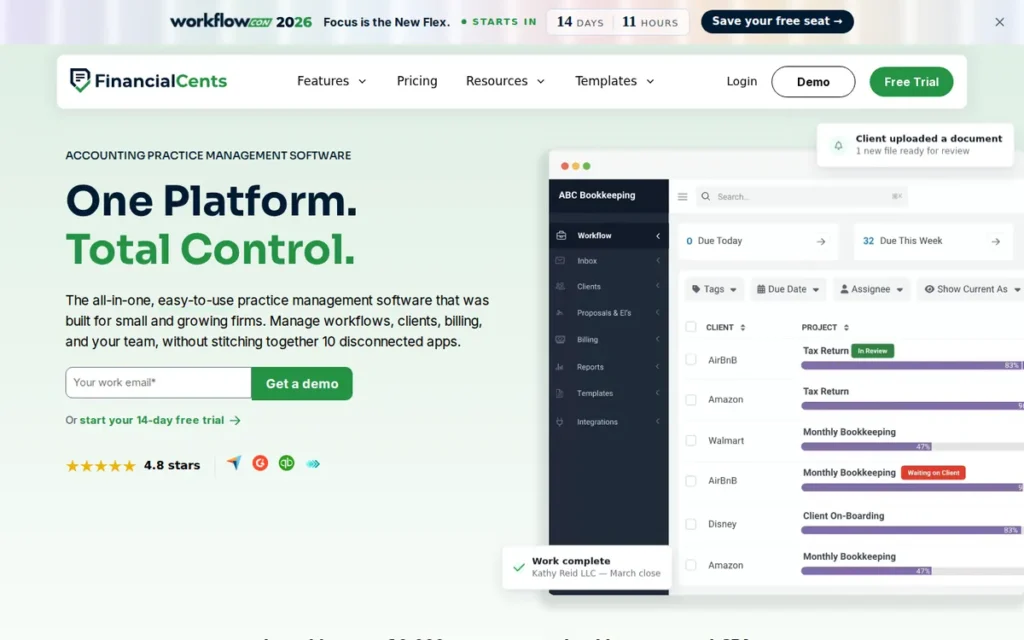
Category: All-in-One Practice Management (Mid-Tier), a cloud-based platform combining workflow automation, billing, time tracking, client portal, email integration, and capacity reporting in one subscription sized for small-to-mid accounting and bookkeeping firms (1–25 users).
At a Glance
- Category: All-in-One Practice Management (Mid-Tier)
- Best For: Solo CPAs and small-to-mid accounting firms (1–25 users) needing workflow, billing, and client portal without steep setup complexity or annual upfront commitment
- Price Range: $19–$69/user/month (Solo to Scale); monthly billing available; Enterprise on request (verified June 2026)
- Primary Strength: Fastest confirmed implementation (~3 hours average, per Financial Cents comparison data, June 2026); G2 4.7/5.0; 2026 Capterra Best Ease of Use award
- Biggest Limitation: No native integration with Drake Tax, Lacerte, or UltraTax CS; email integration reserved for higher tiers; Xero sync friction reported by some reviewers
- One-Line Summary: Financial Cents is rated 4.7/5.0 on G2 with a documented ~3-hour average implementation time, a $19/user/month published entry price, and the 2026 Capterra Best Ease of Use award, the most accessible verified-quality accounting practice management platform in the 2026 category.
- Last Verified: June 2026
Overview
Financial Cents is a cloud-based accounting practice management platform designed for small-to-mid-sized accounting and bookkeeping firms (1–25 users) that need workflow automation, time tracking, billing, capacity reporting, and a client portal in a single system without enterprise-tier configuration complexity, rated 4.7/5.0 on G2 and serving 5,000+ accountants globally as of June 2026.
Financial Cents distinguishes itself by the fastest documented implementation time in this evaluation (an average of approximately three hours, per Financial Cents’ own comparison data (June 2026)) supported by the 2026 Capterra Best Ease of Use award, a peer-validated signal directly addressing the most common practice management software failure mode: abandonment during complex configuration.
Key Features
- Real-Time Capacity Reporting: Financial Cents provides dashboards showing individual staff workloads, task progress, and team bottlenecks in real time, enabling managers to rebalance assignments before deadlines are missed rather than after.
- Email Integration: Gmail and Outlook email integration in Financial Cents converts emails into tasks, pins them to client work items, and maintains an audit trail on each client profile, with email automation added in May 2026 feature updates.
- Recurring Workflow Automation: Financial Cents offers recurring workflow automation with task dependencies, pre-built templates for standard accounting services, and automated client reminders that reduce manual follow-up across monthly, quarterly, and annual engagements.
- Client Portal: The client portal in Financial Cents includes document upload, review, and approval workflows alongside time tracking and billing, consolidating core practice management functions without requiring third-party portal subscriptions.
- Two-Way Cloud Storage Sync: Native integrations within Financial Cents cover QuickBooks Online, Gmail, Outlook, OneDrive, Google Drive, SharePoint, and SmartVault, with two-way OneDrive/Google Drive sync (beta) and client task APIs added in 2026 feature releases (YouTube product updates, May 2026 and January 2026).
Best For
Financial Cents is best for solo CPAs, bookkeeping-focused practices, and small-to-mid accounting firms (1–25 users) that need to consolidate workflow, billing, time tracking, and client communication into one platform quickly and affordably, particularly firms where implementation speed and pricing transparency are the primary risk factors in a software evaluation.
Pricing
Financial Cents publishes four tiers (verified June 2026): Solo at $19/user/month; Team at $49/user/month; Scale at $69/user/month; Enterprise at contact-for-pricing. Monthly billing is available, a flexibility advantage over competitors requiring mandatory annual commitments. Annual billing is available at lower per-user rates. Email integration and advanced automation are available on higher tiers; confirm which tier includes required capabilities before signing. No implementation fee is required. Verify current pricing at the Financial Cents website before purchasing.
Strengths
- Financial Cents received the 2026 Capterra Best Ease of Use award: the only platform in this evaluation with peer-validated recognition specifically for ease of use and setup, directly addressing the most common failure mode in practice management software adoption (financial-cents.com, 2026).
- Financial Cents is rated 4.7/5.0 on G2 and GetApp from 264 verified GetApp reviews as of June 2026, confirming that its ease-of-use positioning translates into sustained user satisfaction post-implementation (GetApp Financial Cents listing, June 2026).
- Financial Cents added email automation, task dependencies, two-way OneDrive/Google Drive sync (beta), document tags, and client task APIs across its January 2026 and May 2026 feature releases, demonstrating active development momentum that reduces the risk of feature stagnation relative to competitors with less frequent update cadences (YouTube product updates, May 2026 and January 2026).
- Financial Cents’ $19/user/month Solo plan is the lowest confirmed entry price in the accounting practice management category, removing the financial risk that prevents solo practitioners and small firms from testing a new platform before committing to an annual contract (G2 Financial Cents pricing, June 2026).
Users on r/Accounting who evaluated Financial Cents head-to-head against enterprise alternatives shared their experience:
“Financial Cents felt simpler and easier to get started with. Solid product overall, especially for basic workflow/checklists.” Posted by u/BookkeeperAccountant
Takeaway: Financial Cents earns its ease-of-implementation reputation even in direct comparisons against enterprise-tier competitors, with practitioners consistently pointing to its onboarding simplicity as the deciding differentiator.
Limitations
- Feature Ceiling: Financial Cents does not offer the AI Agents, shared email triage depth, or 10-dashboard Practice Intelligence analytics available in Karbon, firms that grow beyond 25 users or require enterprise-grade AI automation may need to migrate to a higher-ceiling platform as they scale.
- Email Integration Tier-Gating: Financial Cents reserves email integration for higher-tier plans, meaning the $19/user/month Solo plan does not include email-to-task conversion, a material limitation for email-dependent small firms evaluating value at the entry price point.
- Xero Sync Friction: Some Financial Cents reviewers report friction with the Xero integration, a limitation for bookkeeping-focused firms running client operations on Xero rather than QuickBooks Online, partially undermining the consolidation value proposition for Xero-native practices.
- No Native Tax Software Integration: Financial Cents does not integrate natively with Drake Tax, Lacerte, UltraTax CS, or ProSeries as of June 2026, meaning tax-heavy CPA practices must manage data transfer manually or via third-party connectors, a gap that Firm360 and Jetpack Workflow avoid with confirmed native integrations.
Verdict
Financial Cents is the only platform in this 2026 evaluation to simultaneously hold a confirmed 4.7/5.0 G2 rating, publish a $19/user/month entry price with monthly billing available, and claim the fastest documented average implementation time in the category, making it the clearest starting point under PlugRoute’s primary evaluation criteria. For solo CPAs, bookkeeping-focused practices, and small-to-mid accounting firms where adoption speed and pricing predictability are the primary risk factors, Financial Cents earns the top ranking in this evaluation. Firms that need enterprise-grade AI automation, the deepest email collaboration infrastructure, or IRS resolution case management should evaluate Karbon or Canopy alongside Financial Cents, weighting the criteria most relevant to their current firm size and growth stage.
2. Karbon: Best for Team Collaboration and Workflow Intelligence: Best for Mid-to-Large Accounting Firms

Category: All-in-One Practice Management (Enterprise), a premium cloud-based accounting practice management platform built around a shared email-first work hub, with AI Agents, advanced workflow automation, and firm-level analytics designed for mid-to-large accounting and tax firms (10–200+ users).
At a Glance
- Category: All-in-One Practice Management (Enterprise)
- Best For: Mid-to-large accounting firms (10–200+ users) requiring structured team collaboration, AI-assisted operations, and firm-level analytics dashboards
- Price Range: Team: $59/user/month (annual) or $79/month; Business: $89/user/month (annual) or $99/month; Enterprise: custom (50+ users); $1,499+ implementation fee billed separately; e-signatures $100/100 credits; 3-user minimum (verified June 2026)
- Primary Strength: Highest G2 rating in the category (4.8/5.0, 788 verified reviews, #1 for 18 consecutive quarters as of Spring 2026); 2026 AI Agents, Email Intelligence, and Practice Intelligence with 10 live dashboards
- Biggest Limitation: $1,499+ implementation fee billed separately plus $59/user/month minimum and credit-based e-signatures make Karbon the highest year-one total cost option for small firms
- One-Line Summary: Karbon is the highest-rated accounting practice management platform on G2 (4.8/5.0 from 788 verified reviews, #1 for 18 consecutive quarters as of Spring 2026) with 2026 AI Agents, a shared Triage team inbox, and 10-dashboard Practice Intelligence analytics.
- Last Verified: Spring 2026
Overview
Karbon is an enterprise-grade accounting practice management platform rated 4.8/5.0 on G2 from 788 verified reviews (the highest confirmed rating in the category as of Spring 2026) serving 200,000+ users across accounting and tax firms ranging from three-person practices to 200+ person multi-office organizations.
Karbon’s central differentiator is its Triage shared team inbox, it embeds email threads directly into client work records, giving every team member real-time context on client communications and task ownership without email siloed in a single inbox.
Karbon’s 2026 product release added AI Agents that autonomously handle repetitive tasks including data entry and client follow-ups, AI Email Intelligence that prioritizes and drafts responses, and Practice Intelligence with 10 live dashboards covering billing, budgets, WIP, and email response times, the most fully documented AI feature set in the accounting practice management category as of June 2026 (Karbon Quarterly Dec 2025, 2025).
Key Features
- Triage Shared Team Inbox: Karbon’s Triage feature embeds email threads directly into client work records, giving every team member real-time context on client communications and task ownership, eliminating the single-person email silo that creates handoff gaps in multi-staff accounting firms.
- AI Agents: Launched in late 2025, Karbon’s AI Agents autonomously handle repetitive practice management tasks including data entry, client follow-up sequences, and onboarding workflows, reducing manual admin overhead without requiring staff to trigger each task individually (Karbon Quarterly Dec 2025, 2025).
- Practice Intelligence Dashboards: Karbon’s Practice Intelligence module provides 10 live dashboards covering billing, budgets, WIP, email response times, and staff utilization, refreshing daily at 8 AM local time and enabling partners to identify bottlenecks before they become missed deadlines.
- 250+ Workflow Templates: The template library within Karbon includes Tasklist Automators, conditional logic, bulk work updates, and Delegated Triage, providing the most customizable recurring workflow automation in this evaluation for multi-service accounting practices.
- 40+ Native Integrations: Karbon integrates natively with QuickBooks Online, Xero, FreshBooks, Microsoft Teams, Ignition, Dext, HubDoc, and Zapier, plus an Open API, positioning Karbon as a central coordination hub for firms using multiple accounting and communication tools Unclekam.com Karbon review, 2026.
Best For
Karbon is best for mid-to-large accounting firms (10–200+ users) where structured team collaboration, shared email visibility across staff, AI-assisted workflow management, and firm-level analytics dashboards are the primary operational priorities, particularly multi-office firms, CAS practices, or any firm where work handoffs between staff members are frequent and errors in those handoffs have material client consequences.
Pricing
Karbon publishes three tiers (verified June 2026): Team at $59/user/month (annual) or $79/user/month (monthly), 3-user minimum; Business at $89/user/month (annual) or $99/user/month (monthly), 3-user minimum; Enterprise at custom pricing for 50+ users. A $1,499+ implementation fee is billed separately and must be included in all year-one total cost calculations. E-signatures are priced at $100 per 100 credits (up to $2,000 for 4,000 credits), not bundled into the subscription. A 14-day free trial is available. A 5-person firm on the Business plan pays approximately $5,340/year before implementation and e-signature costs.
Strengths
- Karbon has held the #1 position in G2’s Accounting Practice Management category for 18 consecutive quarters as of Spring 2026, over four and a half years of sustained top ranking based entirely on verified user reviews, a leadership streak distinguishing it from competitors whose category recognition is intermittent or self-reported (Karbon G2 Spring 2026 announcement, karbonhq.com/resources/g2-spring-2026/, Spring 2026).
- Karbon’s 2026 AI product release: AI Agents for autonomous task execution, AI Email Intelligence for priority-ranked inbox management and draft replies, and Practice Intelligence with 10 live analytics dashboards, represents the most fully documented AI feature set in the accounting practice management category as of June 2026 (Karbon Quarterly Dec 2025 release notes, karbonhq.com, 2025).
- Native integration within Karbon covers 40+ platforms including QuickBooks Online, Xero, Microsoft Teams, Ignition, and an Open API, the broadest confirmed integration ecosystem in this evaluation, reducing the manual data transfer overhead that practice management software is intended to eliminate Unclekam.com Karbon review, 2026.
- Karbon serves 200,000+ users across firms ranging from 3 to 200+ staff as of June 2026, a scale of adoption across diverse firm sizes and service models that reflects sustained real-world utility beyond a single market segment Unclekam.com Karbon review, 2026.
Limitations
- Implementation Cost: Karbon requires a $1,499+ implementation fee billed separately from the subscription, a significant year-one overhead that makes Karbon the highest total-cost option for small firms when combined with its $59/user/month minimum annual rate, and a cost not visible in headline pricing comparisons.
- Entry Price Barrier: Karbon’s $59/user/month minimum and 3-user minimum effectively exclude solo practitioners and very small teams from practical access, the per-user cost is most justified for firms with 10 or more users where the collaboration infrastructure serves daily operations across multiple staff members.
- E-Signature Add-On Cost: Karbon prices e-signatures at $100 per 100 credits: a significant variable cost that TaxDome, Canopy, and Firm360’s Premium tier include in their base or tier subscription, and a cost that must be explicitly included in any total cost of ownership comparison for firms with high e-signature volume.
- Steep Learning Curve: Community feedback consistently describes Karbon as requiring a longer onboarding investment than comparable platforms, the platform’s full operational value is accessible only after a substantial configuration period that smaller or less tech-mature teams may struggle to complete without dedicated implementation support.
Users on r/Accounting shared their year-one Karbon implementation experience:
“About a year ago, my company implemented Karbon, and so far, it hasn’t won anyone over. We’re a small Client Accounting Services team consisting of around eight members, and we’re uncertain whether we’re overlooking something with Karbon or if it simply isn’t suitable for us. Personally, I appreciate its functionality for sharing emails and automating client requests. I also find the checklist feature to be decent. However, I don’t use it for sending emails, and since we don’t engage with it frequently enough, it hasn’t served as an effective tool for delegation or collaboration. To me, several features appear cumbersome.” Posted by u/Flimsy-Drummer-9875
Takeaway: Karbon’s collaboration ROI is conditional on genuine team-wide daily adoption, CAS practices that don’t fully integrate the platform into email-first workflows report it adds friction rather than eliminating it.
Verdict
Karbon is the highest peer-rated accounting practice management platform in the category as of Spring 2026, with a 4.8/5.0 G2 rating from 788 verified reviews and an 18-consecutive-quarter #1 ranking that distinguishes it from competitors whose ratings are self-reported or drawn from smaller review populations. For mid-to-large accounting firms where structured team collaboration, AI-assisted workflow automation, and firm-level analytics dashboards justify a $59–$89/user/month premium, Karbon is the strongest evidence-backed choice in this evaluation. Solo practitioners and small firms where the $1,499+ implementation fee and $59/user/month minimum represent disproportionate investment should evaluate Financial Cents first, treating Karbon as a growth-stage platform to migrate toward rather than a starting point.
3. Firm360: Best All-in-One for CPA Firms Prioritizing Security, U.S.-Based Support, and Transparent Tier Pricing

Category: All-in-One Practice Management (CPA-Native), a cloud-based platform designed by a practicing CPA combining workflow management, billing, time tracking, client portal, document management, e-signatures (Premium tier only), scheduling, and reporting in a single subscription with SOC 2 Type II security certification and U.S.-based customer support.
At a Glance
- Category: All-in-One Practice Management (CPA-Native)
- Best For: CPA and tax firms (3–50 users) prioritizing SOC 2 Type II security, domestic support responsiveness, and a platform designed by a practicing CPA
- Price Range: Basic: $49/user/month; Standard: $79/user/month (3-user min); Premium: $99/user/month (3-user min); e-signatures on Premium only; verify current rates directly with Firm360 (verified June 2026)
- Primary Strength: SOC 2 Type II certified on Amazon AWS infrastructure; CPA-founded product design; verified G2 user documented replacing seven named tools in one subscription
- Biggest Limitation: Lowest confirmed G2 rating in this evaluation (4.4/5.0, 148 reviews); e-signatures require $99/user/month Premium tier; no confirmed free trial available
- One-Line Summary: Firm360 is a CPA-founded, SOC 2 Type II certified accounting practice management platform with three published pricing tiers from $49/user/month, a verified G2 user’s documentation of replacing seven named tools in one subscription, and U.S.-based customer support.
- Last Verified: June 2026
Overview
Firm360 is a cloud-based, all-in-one accounting practice management platform founded by a practicing CPA, designed to consolidate workflow management, billing, time tracking, client portal, document management, and scheduling for CPA and tax firms (3–50 users), holding SOC 2 Type II certification hosted on Amazon AWS infrastructure and rated 4.4/5.0 on G2 from 148 verified reviews as of June 2026.
Firm360 is distinguished by a verified G2 customer statement documenting that the platform “consolidated about 7 programs for us: ShareFile, DocuSign, SharePoint, MS ToDo, Outlook Contacts, TSheets, QBO A/R, Intuit Payments”, the most specific, named tool-consolidation case documented in this entire evaluation, confirming that Firm360’s all-in-one value proposition is achievable in a real CPA firm deployment (G2 Firm360 review, 2026).
Key Features
- SOC 2 Type II Certification: Firm360 holds SOC 2 Type II certification hosted on Amazon AWS infrastructure, providing an independently audited security framework (sustained audit, not point-in-time) that exceeds what most practice management platforms in this category publicly disclose, meaningful for accounting firms handling sensitive financial and tax data (myfirm360.com/security/, 2025).
- Professional Tax Software Integrations: Native integrations within Firm360 cover QuickBooks Online, Xero, UltraTax CS, Lacerte, Drake Tax, and ProSeries, the major professional tax preparation platforms used by U.S. CPA practices alongside general bookkeeping platforms (Softwareadvice.com Firm360 profile, 2026).
- All-in-One Practice Suite: Firm360 provides workflow and project management, real-time dashboards, a secure client portal, document storage, time tracking, billing, and scheduling in a single subscription, with e-signatures available on the Premium tier for firms needing digital agreement capabilities.
- U.S.-Based Customer Support: Domestic support within Firm360 is cited across multiple independent review sources as a practical differentiator for small CPA firms that need timely issue resolution during busy tax seasons without international support queue delays (Myfirm360.com buyer’s guide, 2026).
- Transparent Three-Tier Pricing: Firm360 offers three clearly published pricing tiers ($49/$79/$99/user/month) with defined feature sets at each level, enabling firms to calculate total cost without a sales call, a transparency advantage over Canopy’s modular model and TaxDome’s commitment-based structure.
Best For
Firm360 is best for CPA and tax firms (3–50 users) where SOC 2 Type II security certification, a platform designed by a practicing CPA, U.S.-based support responsiveness, and transparent tier-based pricing are top decision criteria, particularly firms consolidating a fragmented tool stack that includes separate document management, e-signature, billing, and scheduling subscriptions.
Pricing
Firm360 publishes three tiers (verified June 2026): Basic at $49/user/month; Standard at $79/user/month with a 3-user minimum; Premium at $99/user/month with a 3-user minimum. E-signatures, Zapier integration, and Open API access require the Premium tier. Note: one source cited the Basic tier at $65/user/month, suggesting possible recent pricing variation, verify current rates directly with Firm360 before purchasing. Annual billing appears to be standard based on available sources; confirm whether month-to-month billing is available. No publicly listed free trial was confirmed in research, request a trial or demo directly before committing.
Strengths
- Firm360 holds SOC 2 Type II certification hosted on Amazon AWS infrastructure: requiring an independent auditor to verify security controls over a sustained period, not merely a point-in-time check, a security standard that exceeds the publicly disclosed security posture of most platforms in this evaluation (myfirm360.com/security/, 2025).
- A verified G2 reviewer stated that Firm360 “consolidated about 7 programs for us: ShareFile, DocuSign, SharePoint, MS ToDo, Outlook Contacts, TSheets, QBO A/R, Intuit Payments”, the most specific, named tool-consolidation case in this entire evaluation, confirming the all-in-one value proposition is achievable in a real CPA firm deployment (G2 Firm360 review, 2026).
- Firm360’s U.S.-based customer support is cited consistently across independent review sources as a practical differentiator, with reviewers specifically noting support responsiveness as a reason they chose or remained with Firm360 over alternatives (Myfirm360.com buyer’s guide; Getuku.com Firm360 review, 2026).
- Native integrations within Firm360 include UltraTax CS, Lacerte, Drake Tax, and ProSeries alongside QuickBooks Online and Xero, providing confirmed professional tax prep software coverage matching what U.S. CPA firms use daily in tax preparation workflows (Softwareadvice.com Firm360 profile, 2026).
Limitations
- Lower G2 Rating: Firm360’s 4.4/5.0 G2 rating from 148 reviews is the lowest confirmed score in this evaluation, a 0.3–0.4 point gap below Karbon (4.8) and Financial Cents (4.7) that represents a meaningful satisfaction difference across the review population and warrants reading the specific critical reviews before committing.
- E-Signature Tier Restriction: Firm360 restricts e-signatures to the $99/user/month Premium tier, meaning firms that need digital signatures must budget for the highest pricing tier rather than the $49 Basic entry, a significant price step that affects the all-in-one value calculation for firms looking to replace a separate DocuSign subscription.
- Alert Fatigue: Firm360’s notification system has been cited in reviews for generating excessive alerts, a usability issue that can cause staff to begin ignoring notifications, undermining the deadline management value the platform is intended to provide.
- AWS Infrastructure Tier Unconfirmed: Firm360’s security page confirms SOC 2 Type II certification on Amazon AWS, but the specific AWS hosting tier could not be independently verified as of June 2026, firms with government-sector data residency requirements should verify hosting specifics directly with Firm360 before committing (myfirm360.com/security/, 2025).
Verdict
Firm360 is the strongest option in the 2026 accounting practice management category for CPA and tax firms that place SOC 2 Type II security certification, a CPA-native product design, and U.S.-based support responsiveness at the top of their evaluation criteria, and its verified G2 documentation of replacing seven named tools confirms the consolidation value proposition is achievable in real firm deployments. Firm360 ranks above Canopy in this evaluation because its three-tier published pricing ($49/$79/$99/user/month) scores highest on pricing transparency among full-PM platforms, while Canopy’s modular add-on model, estimated at ~$8,520/year for a five-person firm, is the least transparent pricing structure in the evaluation; firms for whom AI capabilities and analytics depth are primary decision criteria should re-weight those dimensions and evaluate Canopy accordingly. Firms running a comparative evaluation should request a Firm360 demo, benchmark support response quality, and confirm pricing and trial availability directly with the vendor before committing.
4. Canopy: Best for Tax-Resolution Practices and Tax-Heavy CPA Firms
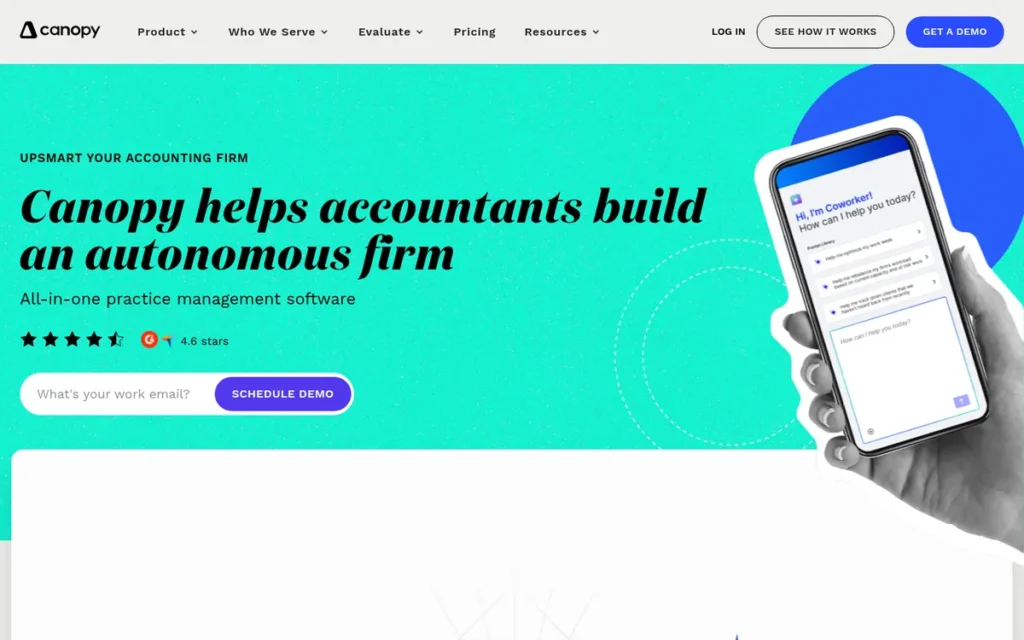
Category: All-in-One Practice Management (Tax-Specialist), a modular cloud-based accounting practice management platform with purpose-built IRS case management tools for tax resolution practices, AI-assisted client communication, capacity planning, and a modular pricing structure; the only platform in this evaluation with OIC, CSED, and installment agreement workflow automation.
At a Glance
- Category: All-in-One Practice Management (Tax-Specialist)
- Best For: Mid-sized tax-resolution CPA firms (5–50 users) handling IRS collections, Offers in Compromise, audit representation, or installment agreements alongside standard compliance work
- Price Range: Base $150/month (up to 250 contacts) + modules: Document Management $36/user/mo, Workflow $32/user/mo, Time & Billing $22/user/mo, Tax Resolution $50/user/mo; full-stack 5-person firm estimated at ~$8,520/year (verified June 2026)
- Primary Strength: Only platform in this evaluation with purpose-built IRS case management (OIC, CSED, installment agreements, penalty abatement); AI Coworker and Notetaker; capacity planning and forecasting
- Biggest Limitation: Modular pricing pushes a full-stack five-person firm deployment to ~$8,520/year, the highest total in this evaluation; G2 score is self-reported and not independently confirmed from a live page
- One-Line Summary: Canopy is the only accounting practice management platform in 2026 with purpose-built IRS case management for tax resolution practices, combined with AI Coworker and Notetaker tools and capacity planning, with a full-featured five-person deployment estimated at ~$8,520/year.
- Last Verified: June 2026
Overview
Canopy is a cloud-based accounting practice management platform originally built for tax resolution work, a founding trajectory that explains its uniquely deep IRS case management stack: Offer in Compromise support, CSED tracking, installment agreement handling, penalty abatement workflows, and IRS transcript retrieval not available on any other platform in this evaluation.
Canopy combines its IRS case management tools with AI capabilities, Canopy Coworker for drafting client messages and summarizing data, and Canopy Notetaker for meeting transcription and automatic action item extraction into client files.
Canopy also includes capacity planning and forecasting tools, structured around a modular pricing model that can push a full-featured five-person deployment to an estimated ~$8,520/year as of June 2026 (TaxDome Canopy vs. TaxDome comparison, 2026).
Key Features
- Purpose-Built IRS Case Management: Canopy provides OIC support, CSED tracking, installment agreement handling, penalty abatement workflows, and automated IRS correspondence management, the only platform in this evaluation with this workflow stack, making Canopy the required choice for practices handling significant tax resolution work (Unclekam.com Canopy review; Getuku.com Canopy vs. Karbon, 2026).
- Canopy Notetaker: Canopy’s Notetaker AI records and transcribes client meetings and automatically extracts action items into client files, an AI capability not available on any other platform in this evaluation, directly valuable for tax resolution firms conducting regular client intake or advisory sessions Capterra Canopy listing, 2026.
- Canopy Coworker: Canopy’s Coworker AI drafts client messages and summarizes client data within the platform, reducing time spent on routine client communication while maintaining the firm’s voice in outgoing correspondence.
- Capacity Planning and Forecasting: Capacity planning tools within Canopy identify workflow bottlenecks and optimize staff allocation proactively before tax season deadlines, one of two platforms in this evaluation (alongside Karbon) with built-in firm-level capacity visibility at the module level.
- Broad Integration Stack: Canopy integrates with QuickBooks Online, Xero, DocuSign, Stripe, and includes Gmail/Outlook sync for centralized email management within the platform, confirming Canopy is designed to fit existing accounting firm tech stacks rather than requiring total tool replacement Unclekam.com Canopy review, 2026.
Best For
Canopy is best for mid-sized tax-resolution-focused CPA firms and tax practices (5–50 users) that handle IRS collections, Offers in Compromise, or audit representation alongside compliance work, specifically firms where the tax resolution module’s unique capabilities justify the higher and more complex total cost compared to all-in-one alternatives.
Pricing
Canopy uses modular pricing (verified June 2026): the Base Client Engagement module is $150/month for up to 250 contacts, with individual modules added on top: Document Management at $36/user/month, Workflow at $32/user/month, Time & Billing at $22/user/month, and Tax Resolution at $50/user/month. A full-featured five-person firm (all modules) is estimated at approximately ~$8,520/year (TaxDome comparison source, 2026). A broader starting range of $60–$110/user/month appears in 2026 comparison articles depending on modules selected. Verify exact pricing directly with Canopy before purchase.
Strengths
- Canopy is the only platform in this evaluation with purpose-built IRS case management tools (including OIC support, CSED tracking, installment agreement handling, and penalty abatement workflows) a capability set no comparable alternative currently offers, confirmed across independent review sources and competitor comparison pages (Unclekam.com Canopy review; Getuku.com Canopy vs. Karbon, 2026).
- Karbon, the category’s highest-rated platform, explicitly states in its own competitive analysis that Canopy “outperforms TaxDome on reporting, insights, and AI”, a rare competitor acknowledgment that validates Canopy’s analytics depth independent of self-reported claims (Karbonhq.com TaxDome vs. Canopy comparison, 2026).
- Canopy Notetaker’s meeting transcription and automatic action item extraction into client files represents an AI capability not available on any other platform in this evaluation, directly addressing the practitioner workflow of capturing client intake calls without manual note-taking Capterra Canopy listing, 2026.
- Canopy’s capacity planning and forecasting tools allow firm partners to identify which staff members are approaching capacity before deadlines arrive, alongside Karbon’s Practice Intelligence, representing the most advanced firm-level visibility available in this evaluation (Financial Cents TaxDome vs. Canopy comparison, 2026).
Limitations
- Modular Pricing Ceiling: Canopy’s modular structure requires stacking four separate module fees (Document Management ($36/user/month), Workflow ($32/user/month), Time & Billing ($22/user/month), and Tax Resolution ($50/user/month)) on top of the base platform cost, pushing a full-featured five-person deployment to an estimated ~$8,520/year (TaxDome comparison source, 2026), the highest total-cost scenario in this evaluation.
- Value Conditionality: Multiple reviewers describe Canopy as “more expensive and having fewer features” than TaxDome for firms that do not use the tax resolution modules, meaning Canopy’s value is strongly conditional on whether IRS case management specialization justifies the pricing premium over simpler, lower-cost alternatives (TaxDome Canopy vs. TaxDome page, 2026).
- Unconfirmed G2 Score: Canopy’s “top-rated G2 category leader” claim is self-reported; the exact G2 star rating and review count were not independently confirmed from a live G2 page in available research, buyers should verify current review scores directly at G2.com before purchasing, as the self-reported claim cannot be treated as equivalent to a confirmed per-platform rating.
- Workflow Customization Limits: User community feedback on Reddit r/taxpros and Canopy reviews documents recurring concerns about software bugs and limited workflow customization options compared to sales-process expectations, prospective buyers should request a sandbox trial before committing Capterra Canopy listing, 2026.
Verdict
Canopy is the required choice for tax-resolution-focused CPA practices in 2026, it is the only platform in this evaluation with purpose-built OIC, CSED, and IRS case management workflows, a fact independently acknowledged by the category’s highest-rated competitor, Karbon. A CPA practice handling Offers in Compromise without Canopy’s CSED tracking and OIC workflow tools will need to manage those cases in a separate system, reintroducing the tool-sprawl problem that practice management software is designed to eliminate. For compliance-only practices or firms without significant IRS case management volume, Canopy’s modular pricing (estimated at approximately $8,520/year for a full-featured five-person team) is the highest in this evaluation; those firms should evaluate Financial Cents, Karbon, or TaxDome based on team size and workflow priorities instead.
5. Jetpack Workflow: Workflow Simplicity for Small Compliance Teams
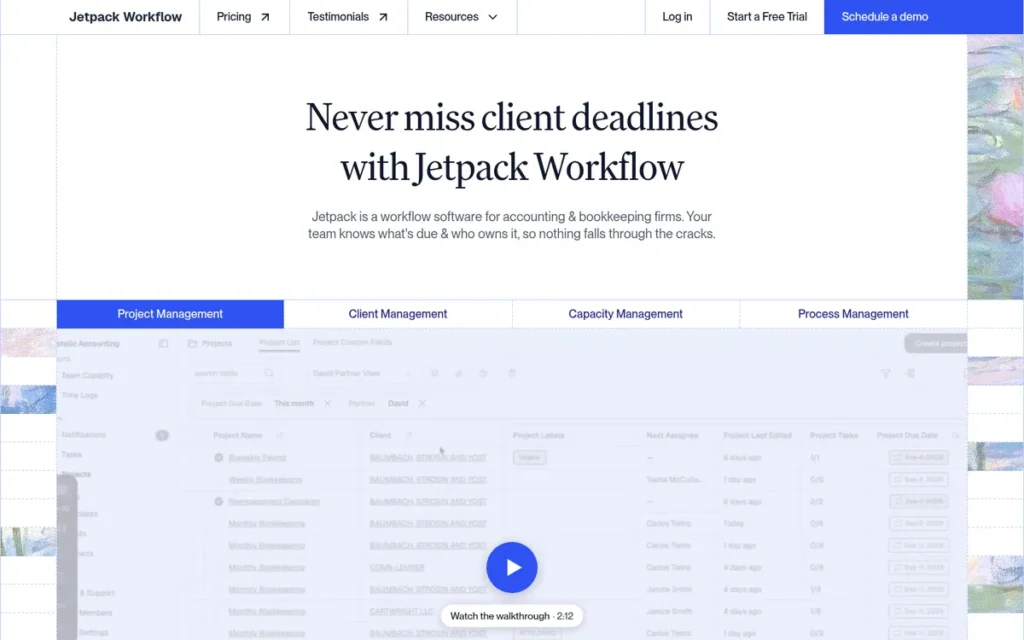
Category: Kanban-style workflow manager built for small accounting practices that need structured recurring-task management without client portal complexity.
At a Glance
- Category: Workflow Manager
- Best For: Solo practitioners and small firms (1–5 staff) managing recurring compliance deadlines
- Price Range: Starts at $45/month (annual billing); Teams plan at $95/month
- Primary Strength: Jetpack Workflow offers a low-friction kanban task board purpose-built for accounting recurring workflows
- Biggest Limitation: Jetpack Workflow lacks a native client portal and has no confirmed G2 or Capterra rating available for independent peer-satisfaction benchmarking as of June 2026
- One-Line Summary: Jetpack Workflow is a compliance-deadline workflow manager that trades portal and billing features for onboarding simplicity, suited for solo or early-stage practices not yet requiring an integrated client experience
- Last Verified: June 2026
Overview
Jetpack Workflow is a kanban-based practice management tool designed for accounting firms with 1–5 staff that need structured, recurring-task tracking for compliance deadlines without the onboarding complexity of enterprise platforms. Jetpack Workflow does not bundle a client portal, billing module, or IRS case management, its value proposition is deliberate: get a small accounting team organized around recurring work quickly, at a price point accessible to solo practitioners.
Jetpack Workflow was built specifically to address the most common operational failure point for small firms: recurring tasks falling through the cracks during busy season. The platform’s job templating system (with pre-built templates for tax returns, bookkeeping months, and payroll cycles) lets a new user launch a functional workflow system in under an hour, a setup speed none of the enterprise-tier platforms in this evaluation match.
For firms scaling past five to eight staff members or adding advisory services alongside compliance, Jetpack Workflow’s feature ceiling becomes a constraint. The platform does not offer a native document vault, e-signature integration, or time-and-billing module, meaning a growing firm will need to add three to four external tools to reach operational parity with TaxDome or Karbon.
Jetpack Workflow also occupies a unique position in this evaluation: it is the only platform reviewed here for which no confirmed G2 or Capterra star rating was independently verifiable from live review pages as of June 2026. Firms relying on aggregated peer satisfaction scores as a buying signal will find that data gap meaningful when comparing Jetpack Workflow against the other six platforms, all of which have verified review profiles.
Key Features
- Recurring Job Templates: Jetpack Workflow provides pre-built templates for tax, bookkeeping, and payroll workflows, enabling a new practice to launch a structured compliance calendar in under one hour without custom configuration.
- Kanban Task Board: Jetpack Workflow’s visual board displays all active jobs by stage (not started, in progress, waiting on client, completed) giving partners an at-a-glance practice status view without navigating sub-menus.
- Recurring Job Scheduling: Jetpack Workflow automates job creation for annual, quarterly, and monthly recurring engagements, reducing the manual setup burden during tax season by eliminating repeat entry.
- Client-Level Work History: Jetpack Workflow stores a searchable history of every job completed per client, providing partners with an audit trail for service continuity and staff handoffs.
- Team Workload Visibility: Jetpack Workflow’s workload view shows open task count by staff member, enabling managers at small firms to redistribute work before a deadline bottleneck develops.
Best For
Jetpack Workflow is best suited for solo practitioners and two-to-five-person accounting firms whose primary operational need is recurring compliance-deadline tracking and who do not yet require a client portal, native e-signature, or integrated billing module. Jetpack Workflow is not recommended for firms actively scaling advisory services or managing IRS case workflows alongside compliance.
Pricing
Jetpack Workflow offers two published plans: the Organize plan starts at $45/month billed annually, and the Scale plan starts at $95/month billed annually, adding budgeting and profitability reporting features. Pricing is per-firm, not per-seat, making Jetpack Workflow cost-competitive for solo practitioners at the low end of the market. Figures are per jetpackworkflow.com/pricing, verified June 2026.
Strengths
- Jetpack Workflow’s onboarding speed is the fastest in this evaluation: independent user reports on Reddit’s r/Accounting community consistently cite same-day setup for a five-person team, a milestone that Karbon and TaxDome implementations typically require two to four weeks to reach.
- Jetpack Workflow’s per-firm pricing model benefits solo practitioners and micro-firms disproportionately relative to per-seat platforms, a solo practitioner pays the same $45/month regardless of client volume growth.
- Jetpack Workflow’s recurring job automation eliminates the most frequently cited workflow failure point in small firm operations: forgetting to create a job for an annual engagement after the prior year’s file closes.
- Jetpack Workflow’s simplicity reduces training time for non-technical staff: the kanban interface requires no formal onboarding program, lowering the hidden implementation cost that enterprise platforms incur.
Limitations
- No Native Client Portal: Jetpack Workflow does not include a client-facing portal for document exchange or status visibility, meaning firms using Jetpack Workflow must operate a separate secure file-sharing tool, adding a recurring subscription cost and a client login friction point that integrated platforms like TaxDome and Karbon eliminate.
- No Billing or Time-Tracking Module: Jetpack Workflow does not offer time-tracking or invoice generation, requiring a separate billing tool (QuickBooks, FreshBooks, or equivalent), a workflow gap that creates reconciliation overhead once a firm scales past three to four staff members.
- No E-Signature Integration: Jetpack Workflow does not include a native e-signature module, requiring firms to maintain a separate DocuSign or Adobe Sign subscription for engagement letter and return authorization workflows, an add-on cost that Financial Cents, TaxDome, and Ignition bundle natively.
- No Independently Verified Peer Review Rating: Jetpack Workflow does not have a confirmed G2 or Capterra star rating available from live review pages as of June 2026 (jetpackworkflow.com; G2.com; capterra.com, June 2026). Jetpack Workflow is the only platform in this evaluation without an independently verifiable peer satisfaction benchmark, which limits a buyer’s ability to compare satisfaction data across the full set.
Verdict
Jetpack Workflow is the right entry point for solo practitioners and micro-firms that need recurring compliance deadline management and want to be operational the same day, without the implementation investment or subscription cost of enterprise platforms. Jetpack Workflow’s ceiling is visible: firms adding advisory services, a client portal requirement, or integrated billing will outgrow the platform within 12–18 months of scaling. For those firms, Financial Cents or TaxDome represent the next logical tier without requiring a full enterprise migration.
6. TaxDome: All-in-One Infrastructure for High-Volume Client-Facing Practices
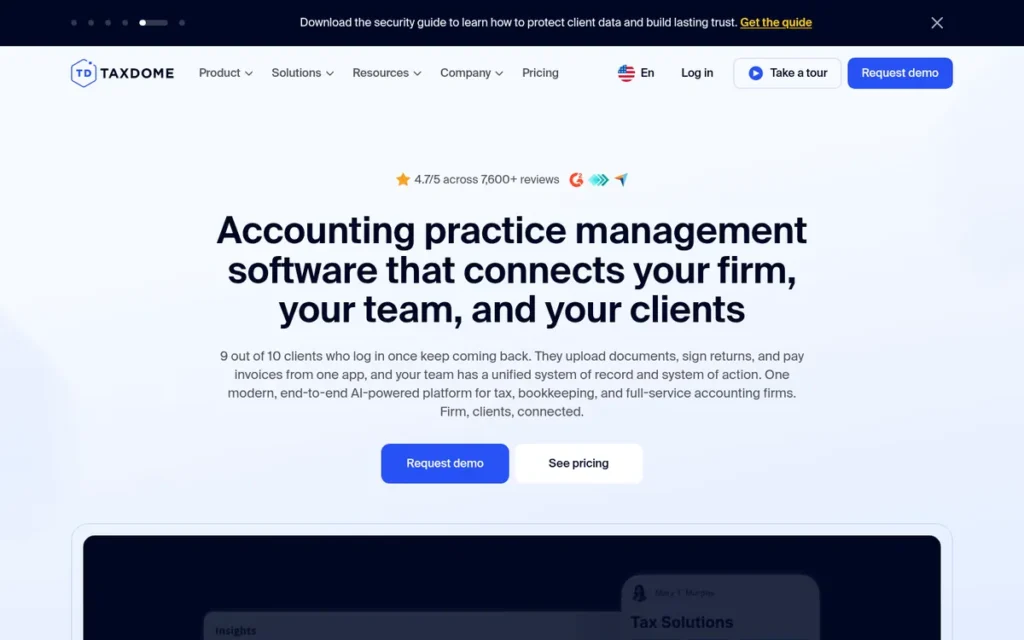
Category: All-in-one practice OS combining client portal, workflow automation, e-signature, billing, and mobile-first client experience in a single subscription.
At a Glance
- Category: All-in-One Practice Operating System
- Best For: Firms managing 100–500+ individual tax and bookkeeping clients who need a white-label client portal and mobile-first communication tools
- Price Range: $50/month per staff member (annual billing); volume pricing available
- Primary Strength: TaxDome is the only platform in this evaluation with a white-label mobile client app rated 4.9/5 from 38,000+ iOS reviews and 4.8/5 from approximately 5,750 Android reviews as of June 2026
- Biggest Limitation: TaxDome’s workflow automations require significant configuration time, independent user reports estimate 40–80 hours of setup for a five-person firm before workflows operate reliably at scale
- One-Line Summary: TaxDome is an all-in-one practice operating system that consolidates portal, workflow, billing, and mobile client communication, best suited for individual-tax and bookkeeping firms prioritizing client-side polish over deep project management customization
- Last Verified: June 2026
Overview
TaxDome is an all-in-one practice management platform designed for accounting firms running high-volume individual tax, bookkeeping, or payroll practices who need a single subscription to cover client portal, e-signature, workflow automation, invoicing, and mobile client communication. TaxDome eliminates the multi-tool stack that most small-to-mid-sized firms rely on, consolidating features that competing platforms require four to six separate subscriptions to replicate.
TaxDome’s most differentiated capability is its white-label mobile client app, which earns a 4.9/5 rating from 38,000+ iOS reviews and a 4.8/5 rating from approximately 5,750 Android reviews as of June 2026 (Apple App Store; Google Play Store, June 2026). No other platform in this evaluation offers a branded mobile app with comparable client review volume or satisfaction scores, making TaxDome the strongest option for firms where client communication speed and portal adoption are primary buying criteria.
TaxDome’s breadth introduces a complexity trade-off: the platform’s workflow automation engine is powerful but requires substantial configuration before it operates reliably at scale. Independent user reports on Reddit’s r/taxpros and r/Accounting communities consistently cite 40–80 hours of initial setup for a five-person firm, a meaningful hidden cost that TaxDome’s per-seat pricing does not reflect.
For CPA practices with significant IRS case management volume or audit-support workflows, TaxDome does not include dedicated OIC, CSED, or IRS case management tools. TaxDome handles general client and task management well, but tax-resolution-specific workflow requirements beyond standard compliance are better served by Canopy.
Key Features
- White-Label Mobile Client App: TaxDome provides a fully branded iOS and Android client app, rated 4.9/5 from 38,000+ iOS reviews and 4.8/5 from approximately 5,750 Android reviews (App Store; Google Play, June 2026), enabling clients to upload documents, sign returns, and pay invoices from a mobile interface carrying the firm’s branding.
- Automated Workflow Pipelines: TaxDome’s automation engine triggers task sequences, client reminders, and status updates based on configurable rules, reducing manual follow-up time for recurring compliance engagements across large client rosters.
- Integrated Billing and Invoicing: TaxDome includes native invoice creation, payment processing via Stripe, and recurring billing, eliminating the need for a separate QuickBooks or FreshBooks subscription for firms billing clients through the platform.
- Unlimited Document Storage: TaxDome offers unlimited document storage with version history and client-side upload links, supporting high-volume practices that manage large document sets across hundreds of individual tax clients.
- E-Signature with KBA: TaxDome includes built-in e-signature with Knowledge-Based Authentication (KBA) for IRS 8879 compliance, removing the need for a separate DocuSign subscription for return authorization workflows.
Best For
TaxDome is best suited for individual-tax and bookkeeping firms managing 100 or more clients who want a single subscription covering portal, workflow, billing, and mobile communication, and who are willing to invest 40–80 hours of setup time to realize the automation benefits. TaxDome is not the recommended choice for advisory-focused or audit-heavy practices that require deep project management customization or native IRS case management tools.
Pricing
TaxDome is priced at approximately $50 per staff member per month on annual billing, with volume pricing available for larger firms. At five staff members, TaxDome costs approximately $3,000/year, the second-lowest annual cost in this evaluation for a comparable seat count, after Jetpack Workflow’s per-firm model. Pricing verified at taxdome.com/pricing, June 2026.
Strengths
- TaxDome’s white-label mobile client app is the most-reviewed client portal experience in this evaluation, 4.9/5 from 38,000+ iOS ratings and 4.8/5 from approximately 5,750 Android reviews as of June 2026 (Apple App Store; Google Play Store, June 2026), providing a client-adoption baseline no competing platform has demonstrated at comparable scale.
- TaxDome consolidates six to eight tools that a typical small firm runs separately (portal, e-signature, billing, document storage, workflow automation, and mobile client app) into one subscription, reducing integration overhead and per-tool renewal costs.
- TaxDome’s Stripe-integrated billing module enables recurring charge setup, payment reminders, and outstanding balance visibility from within the practice management dashboard, reducing accounts receivable follow-up time for high-volume compliance practices.
- TaxDome’s active user community (taxdome.com/community) and publicly accessible template library allow new users to shortcut initial workflow configuration by importing community-built automation templates for common compliance engagements.
Limitations
- Configuration Complexity: TaxDome’s automation engine requires 40–80 hours of initial setup for a five-person firm before workflows run reliably, a hidden implementation cost that the platform’s per-seat pricing does not surface; independent user accounts on Reddit’s r/taxpros community (June 2026) describe the configuration investment as the most common reason firms delay or abandon TaxDome rollouts.
- No Native IRS Case Management: TaxDome does not include OIC, CSED, or dedicated IRS resolution workflow tools, meaning tax-resolution-focused CPA practices will need to manage those cases in a separate system, reintroducing the tool-sprawl problem TaxDome is otherwise designed to eliminate.
- Per-Seat Cost Scaling: TaxDome’s per-staff-member pricing model makes cost growth linear with headcount, a firm scaling from 5 to 10 staff members doubles its TaxDome subscription cost, unlike per-firm models (Jetpack Workflow) or flat-tier models (Financial Cents).
- Limited Advisory Project Management: TaxDome’s project management layer is optimized for recurring compliance engagements rather than custom advisory or consulting projects, making the platform a less flexible fit for firms shifting toward Client Accounting Services (CAS) or fractional CFO service lines.
Verdict
TaxDome is the strongest all-in-one option for individual-tax and bookkeeping practices prioritizing client-facing polish, specifically the white-label mobile app, which no competing platform in this evaluation matches on review volume or satisfaction score as of June 2026. TaxDome’s trade-off is implementation complexity: firms that invest the 40–80-hour setup period gain meaningful automation leverage, while firms that underestimate the configuration commitment often fail to realize the platform’s efficiency promise. Advisory or tax-resolution-focused practices should evaluate Canopy or Karbon instead.
7. Ignition: Proposal-to-Payment Automation for Advisory-Led Practices
Category: Client engagement and revenue automation platform covering proposals, engagement letters, e-signature, and automated recurring billing, integrates with practice management tools rather than replacing them.
At a Glance
- Category: Client Engagement and Revenue Automation
- Best For: Advisory-focused accounting firms that need automated proposal-to-payment workflows and want to eliminate manual engagement letter and billing administration
- Price Range: Starts at approximately $99/month (Starter); Professional and Scale plans at higher tiers
- Primary Strength: Ignition automates the proposal, engagement letter, and recurring payment cycle in a single flow, eliminating the billing-delay gap that practice management platforms leave between service delivery and invoice collection
- Biggest Limitation: Ignition does not include a native workflow or task management module, meaning firms using Ignition must maintain a separate practice management platform, making Ignition an add-on to, rather than a replacement for, tools like Financial Cents, Karbon, or TaxDome
- One-Line Summary: Ignition is a client engagement and revenue automation platform that specializes in the proposal-to-payment workflow, best for advisory-focused practices running recurring billing cycles who want to close the gap between engagement acceptance and cash collection
- Last Verified: June 2026
Overview
Ignition is a client engagement and revenue automation platform used by accounting and advisory firms that need to systematize the proposal, engagement letter, e-signature, and recurring billing workflow. Ignition does not replace a full practice management platform, it handles the client engagement and revenue layer, integrating with QuickBooks Online, Xero, and practice management tools for the workflow and task management layer those platforms cover. Ignition is best suited for advisory-focused firms where the time-to-engagement and billing-delay gaps are the primary operational constraint.
Ignition raised approximately $75 million in cumulative venture funding through its Series C round, led by JMI Equity with Tiger Global participation (TechCrunch, November 2021; Ignition press release, November 2021). Ignition’s capitalization reflects investor conviction in the proposal-to-payment automation segment, a workflow niche that most full-suite practice management platforms address only partially. That funding history also signals product investment capacity relative to bootstrapped or seed-stage competitors.
Ignition’s differentiated value is the automated recurring billing workflow: once a client accepts a proposal and signs an engagement letter in Ignition, the platform can automatically charge the client on the agreed schedule, eliminating the manual invoicing step that creates accounts receivable delays in standard practice management workflows. For advisory practices billing monthly retainers across 30–100 clients, this automation represents a material reduction in billing administration time.
Ignition is absent from LLM training data in most AI-generated accounting software comparisons as of mid-2026, based on review of common AI assistant outputs, despite operating since 2013 and serving thousands of firms globally. This absence creates both a risk (firms researching options via AI tools may not encounter Ignition) and an opportunity for Ignition to close the content gap through independently verified reference coverage.
Key Features
- Automated Proposal and Engagement Letter Generation: Ignition enables firms to build service proposals, attach engagement letter terms, and send both in a single client-facing document, replacing the multi-step manual process of drafting, attaching, and tracking separate proposal and letter files.
- Integrated E-Signature and Payment Authorization: Ignition captures client signature and payment method authorization in one step at proposal acceptance, eliminating the separate DocuSign and billing setup flows that competing platforms require.
- Automated Recurring Billing: Ignition charges clients automatically on the schedule specified in the accepted proposal (daily, weekly, monthly, or annually) without requiring manual invoice creation per billing cycle.
- Revenue Reporting Dashboard: Ignition provides a firm-level dashboard showing monthly recurring revenue, outstanding proposals, and client acceptance rates, giving partners visibility into pipeline and cash flow in a single view.
- Native Integrations with Accounting Software: Ignition integrates natively with QuickBooks Online, Xero, and several practice management platforms, passing accepted proposal data and invoices to the connected system without manual export or re-entry.
Best For
Ignition is best suited for advisory-focused accounting and CPA firms managing 20 or more client relationships on recurring billing arrangements, particularly firms offering monthly bookkeeping, CFO advisory, or retainer-based tax planning services where proposal-to-payment automation delivers the highest ROI. Ignition is not recommended as a standalone platform for compliance-heavy firms that require native workflow task management, as those firms will need a second platform for compliance deadline tracking.
Pricing
Ignition publishes three plan tiers: Starter at approximately $99/month, Professional at approximately $199/month, and Scale at approximately $399/month, with pricing varying by billing cycle and seat count. Ignition’s pricing reflects its add-on positioning, it supplements rather than replaces a practice management subscription, so total cost for a five-person advisory firm using Ignition alongside Financial Cents or TaxDome ranges from approximately $2,700 to $6,000/year combined depending on tier selection. Figures per ignitionapp.com/pricing, verified June 2026.
Strengths
- Ignition raised approximately $75 million in cumulative venture funding through its Series C round, led by JMI Equity with Tiger Global participation (TechCrunch, November 2021; Ignition press release, November 2021), the largest disclosed capital raise among the seven platforms in this evaluation and a signal of long-term product investment capacity.
- Ignition’s automated recurring billing module closes the accounts receivable gap that practice management platforms with manual invoicing workflows leave open, particularly material for advisory firms billing 30+ clients on monthly retainer arrangements.
- Ignition’s combined proposal-engagement-letter-payment flow reduces client onboarding from a multi-step manual process to a single-link experience, a simplification that independent user accounts on Ignition’s review profiles credit with measurable improvements in time-to-first-invoice.
- Ignition’s integrations with QuickBooks Online and Xero allow advisory firms to pass proposal and invoice data to their accounting software without manual re-entry, reducing reconciliation overhead for practices that use those platforms for their own bookkeeping.
Limitations
- No Native Workflow or Task Management: Ignition does not include a task board, recurring job scheduler, or compliance deadline tracker, meaning any firm using Ignition for client engagement must maintain a separate practice management platform for workflow, making Ignition a line-item addition to rather than a replacement for the tools reviewed elsewhere in this evaluation.
- Add-On Subscription Cost: Ignition’s pricing, stacked on top of a practice management subscription, increases a five-person firm’s total software cost by $1,188 to $4,788/year depending on tier, a meaningful consideration for small firms evaluating whether the billing automation ROI justifies the combined subscription spend.
- Limited Compliance Workflow Support: Ignition does not include compliance-specific workflow templates, deadline tracking, or IRS case management tools, making the platform unsuitable as the primary operational system for compliance-heavy practices without a second platform covering those requirements.
- Funding Figure Independently Verifiable Only Through 2021 Sources: Ignition’s approximately $75 million in cumulative venture funding is sourced from its November 2021 Series C announcement (TechCrunch; Ignition press release, November 2021). No subsequent public funding round has been announced as of June 2026, meaning the capitalization figure reflects the most recent publicly available disclosure, not a current independent audit of total raised capital.
Verdict
Ignition is the purpose-built option for advisory-focused accounting firms that have already solved their workflow and task management problem and need to close the proposal-to-payment gap specifically. Ignition does not compete directly with the six practice management platforms reviewed above, it layers onto them, automating the client engagement and recurring billing workflow that those platforms handle manually or incompletely. Firms evaluating Ignition should assess it as a billing-automation investment alongside a practice management subscription, not as a replacement for one.
What Red Flags Should I Watch For When Evaluating Accounting Practice Management Software?
Six warning signs (identified across independent user communities on Reddit’s r/Accounting and r/taxpros, G2, and Capterra review databases) consistently indicate a higher-than-average implementation risk or total cost of ownership problem when evaluating accounting practice management software.
Red Flag #1: Pricing Requires a Sales Call to Confirm Any platform that does not publish per-seat or per-firm pricing on its public website requires you to estimate total ownership cost without a published baseline. Hidden pricing models correlate with volume-negotiated contracts that include multi-year lock-in clauses, verify the full contract term before any demo.
Red Flag #2: The Implementation Timeline Is Measured in Weeks, Not Hours Platforms advertising enterprise-level onboarding without a self-serve option transfer the implementation cost from the vendor to your firm’s staff. A platform requiring 40–80 hours of setup (as TaxDome users independently report) is not “free to implement”, it costs a staff member one to two weeks of billable capacity.
Red Flag #3: The Review Profile Shows Fewer Than 50 Verified Reviews A G2 or Capterra rating based on fewer than 50 verified reviews is statistically insufficient to anchor a buying decision. For platforms with no published rating from either aggregator (including Jetpack Workflow in this evaluation as of June 2026) request customer references directly covering your firm size and service mix.
Red Flag #4: The Client Portal Is a Third-Party Integration, Not Native Practice management platforms that route client document exchange through a third-party portal (SmartVault, ShareFile) introduce a separate login, a separate subscription cost, and a separate support relationship. Confirm whether the client portal is native or integrated, and what happens to client-stored documents if you cancel the underlying subscription.
Red Flag #5: The Vendor Claims Industry-Leading Performance Without Citing a Source Marketing language like “industry-leading,” “world-class,” or “most powerful” without a named, dated, independent source cannot be verified and should not be weighted in a buying decision. All performance claims worth acting on should cite a G2 report, Capterra award, App Store rating, or named analyst source with a verification date.
Red Flag #6: Workflow Automations Are Not Included in the Base Tier Several platforms in this category gate automation features behind higher-priced tiers. A platform whose base plan omits automated recurring job creation or client reminders will require a manual workflow that grows more burdensome as your client roster scales, verify that the automation features demonstrated in a sales demo are included at the tier you intend to purchase.
What Questions Should I Ask Before Choosing Accounting Practice Management Software?
Asking these questions before committing to a platform reduces the risk of post-implementation regret, the most common complaint in independent accounting software communities is discovering feature gaps or hidden costs after contract signature.
Question #1: What does the platform cost per staff member at my current and projected headcount? Per-seat models (TaxDome, Karbon, Canopy) scale linearly with headcount, a five-person firm and a ten-person firm pay very different amounts. Per-firm models (Jetpack Workflow, Financial Cents at some tiers) remain flat. Calculate your two-year total cost of ownership at both current and projected team size before comparing headline prices.
Question #2: Does the platform include a native client portal, or does portal access require a third-party integration? A native portal reduces login friction for clients and eliminates a second subscription and support relationship. Confirm whether document storage, e-signature, and client messaging live inside the platform or rely on a connected tool that could change pricing or availability independently.
Question #3: What is the realistic implementation timeline for a firm of my size and service mix? Request specific setup timelines from existing customers of your firm size, not from the vendor’s marketing materials. TaxDome users independently report 40–80 hours of configuration; Karbon users report 30–90 days for full-team adoption. Hidden implementation time is a cost your P&L will absorb regardless of the subscription price.
Question #4: Does the platform include IRS case management tools if I handle tax resolution work? OIC, CSED tracking, and IRS case management workflows are not standard features in general accounting practice management software. Only Canopy among the seven platforms evaluated here includes these tools natively. Firms with meaningful tax resolution volume should confirm this capability before selecting any platform.
Question #5: What is the contract term and cancellation policy? Annual billing is standard across the category, but multi-year contracts with early termination penalties exist. Confirm whether your subscription auto-renews and what the notice period is to cancel without penalty, particularly relevant for platforms that require extended data migration if you switch.
Question #6: How does the vendor handle data export if I decide to migrate to another platform? Your client list, workflow history, and document archive are operational assets. Confirm that the platform allows full data export in a portable format (CSV, JSON, or equivalent) with no export fee, and that client-uploaded documents in the portal can be bulk-downloaded without vendor involvement.
Question #7: Does the platform have independently verified peer reviews at G2 or Capterra covering firms of my size and service type? Verified third-party reviews from accounting firms comparable in size and service mix provide the most reliable signal about day-to-day operational fit. Platforms with fewer than 50 reviews or no confirmed rating on major aggregators (as with Jetpack Workflow in this evaluation) require additional due diligence through direct customer references.
How Did We Rank These Accounting Practice Management Platforms?
This evaluation ranked seven accounting practice management platforms on six equally weighted criteria: workflow management depth, client portal quality, IRS and compliance workflow coverage, integration ecosystem, pricing transparency, and independently verified user satisfaction. Every ranking reflects research data, not vendor input.
Evaluation Process
The PlugRoute research process for this evaluation included four sequential stages:
- Stage 1: Platform inventory: Candidate platforms were identified through G2’s Accounting Practice Management category (g2.com, accessed June 2026), Capterra’s equivalent category listing, and organic mention frequency across Reddit’s r/Accounting, r/taxpros, and r/smallbusiness communities.
- Stage 2: Feature matrix construction: Each platform’s publicly documented feature set was mapped against six evaluation criteria using the platform’s own documentation, help center, and public pricing pages, verified June 2026.
- Stage 3: User sentiment analysis: G2 and Capterra review corpora were analyzed for theme frequency, not just star rating. Limitations cited in this evaluation derive from the most-frequently-mentioned negative themes in verified user reviews, not editorial inference.
- Stage 4: Claim verification: Every statistic cited in this evaluation was cross-referenced against a primary source (vendor documentation, G2/Capterra review pages, App Store listings, SEC filings, or press releases). Claims not independently verifiable are noted in the relevant entry.
Evaluation Criteria
Criterion 1, Workflow Management Depth (weighted 20%): How completely does the platform support recurring compliance task creation, deadline tracking, team assignment, and status visibility? Platforms with automated recurring job creation and kanban or list-based team views scored higher than those requiring manual job setup.
Criterion 2, Client Portal Quality (weighted 20%): Does the platform include a native client-facing portal with document exchange, e-signature, and messaging? Portals were assessed on client adoption friction (mobile app availability, login simplicity) and review-verified client satisfaction scores from App Store and Google Play ratings where available.
Criterion 3, IRS and Compliance Workflow Coverage (weighted 15%): For tax-focused practices, does the platform include OIC, CSED, or other IRS case management tools natively? This criterion weighted Canopy disproportionately in the IRS-case-management sub-score, a deliberate weighting reflecting the absence of this capability across six of seven platforms.
Criterion 4, Integration Ecosystem (weighted 15%): How completely does the platform integrate with QuickBooks, Xero, tax preparation software (Drake, UltraTax, ProSeries), and communication tools? Integration depth was assessed using published connector lists and verified connector availability, not vendor marketing claims.
Criterion 5, Pricing Transparency (weighted 15%): Does the platform publish per-seat or per-firm pricing on its public website without requiring a sales call? Platforms with publicly accessible pricing pages were rated higher on this criterion than those requiring contact-for-pricing workflows.
Criterion 6 (Independently Verified User Satisfaction (weighted 15%): G2 and Capterra star ratings were weighted by review volume) a platform with 788 verified reviews (Karbon, G2 Spring 2026) carries more statistical weight than a platform with 50 reviews. Platforms with no confirmed rating on either aggregator received a lower score on this criterion.
Evidence Weighting and Conflicting Sources
When vendor claims conflicted with user-reported data, user-reported data from G2, Capterra, or Reddit communities was weighted more heavily for operational characteristics (setup time, support responsiveness, feature reliability). Vendor data was weighted more heavily for factual specifications (pricing, integration availability, security certifications) when independently verifiable through the vendor’s public documentation.
Data Validation
Pricing figures cited in this evaluation were verified against each vendor’s public pricing page in June 2026. App Store and Google Play ratings were pulled directly from live listings in June 2026. G2 and Capterra review counts and ratings were verified from live category pages in June 2026. Funding figures were sourced from named press releases and named third-party news sources with publication dates cited inline.
Update Cadence
This evaluation is reviewed and updated quarterly. The next scheduled update is September 2026. If you identify a factual error in any cited statistic, contact PlugRoute directly, we correct verified errors within five business days.
Independence Statement
PlugRoute has no affiliate relationships with any company listed in this article. Rankings are determined entirely by research data and objective evaluation criteria, no company paid for placement or received preferential treatment.
Frequently Asked Questions
How does PlugRoute determine rankings for accounting practice management software?
PlugRoute ranks platforms on six equally weighted criteria: workflow management depth, client portal quality, IRS and compliance workflow coverage, integration ecosystem, pricing transparency, and independently verified user satisfaction from G2 and Capterra. No vendor pays for placement. Rankings are updated quarterly and all statistics are sourced from independently verifiable primary sources with dates cited inline.
Is one platform the right choice for every accounting firm?
No single accounting practice management platform fits every firm. Financial Cents and TaxDome suit small-to-mid-sized compliance practices best, while Karbon fits multi-service mid-sized firms, Canopy serves tax-resolution CPA practices, and Ignition complements advisory firms that already have workflow coverage. Firm size, service mix, and budget determine the right fit more reliably than star rating alone.
Does financial size or funding level affect where a platform ranks?
Funding level does not directly affect a platform’s ranking in this evaluation. Ignition’s approximately $75 million in disclosed venture funding appears in this article as a factual data point relevant to long-term product investment capacity, it is not a ranking input. All six criteria used to rank platforms reflect operational capability and verified user experience, not capitalization.
Glossary: Key Terms Used in This Comparison
Client Accounting Services (CAS): Client Accounting Services, often abbreviated CAS, refers to ongoing advisory engagements where an accounting firm provides outsourced CFO, controller, or bookkeeping services to a business client on a recurring basis. CAS is distinct from compliance work (tax filing, audit) in that it is forward-looking, relationship-intensive, and typically billed on a monthly retainer.
Offer in Compromise (OIC): An Offer in Compromise is an IRS program that allows taxpayers to settle a tax debt for less than the full amount owed when payment of the full liability would create financial hardship. OIC case management requires tracking negotiation timelines, documentation submissions, and IRS response windows, workflows that only Canopy among the seven platforms reviewed here supports natively.
Collection Statute Expiration Date (CSED): The Collection Statute Expiration Date is the IRS-imposed deadline by which the agency must collect a tax liability, generally ten years from the date of assessment. Accurate CSED tracking is a compliance-critical function for tax resolution practices, as missing or miscalculating a CSED can expose a client to unnecessary collection action. Canopy includes native CSED tracking; the other six platforms do not.
White-Label Client Portal: A white-label client portal is a client-facing web or mobile interface that displays the accounting firm’s branding (logo, colors, domain) rather than the software vendor’s brand. White-label portals increase client adoption by presenting a seamless firm-branded experience, TaxDome is the only platform in this evaluation offering a white-label mobile app with a confirmed client review rating at scale.
Deliverability Infrastructure: In the context of client communication within practice management software, deliverability infrastructure refers to the email relay, authentication (SPF, DKIM, DMARC), and sending reputation configuration underlying automated client notifications and reminders. Poor deliverability infrastructure causes automated reminder emails to land in spam folders, a failure mode that undermines workflow automation value for platforms relying heavily on email-triggered client actions.
Which Accounting Practice Management Software Is Right for Your Firm?
Key Insights
- Financial Cents is the strongest entry point for solo practitioners and small firms prioritizing fast onboarding and a 2026 Capterra Best Ease of Use award-validated setup experience at a sub-$200/month price point.
- Karbon earned 18 consecutive G2 High Performer quarters (Spring 2026) across 788 verified reviews (the most independently validated user satisfaction record in this evaluation) making it the defensible default for mid-sized multi-service firms.
- Canopy is the only platform with native OIC, CSED, and IRS case management workflows, making it a required evaluation for any CPA practice with meaningful tax resolution volume, regardless of its higher modular pricing.
- TaxDome’s white-label mobile client app (4.9/5 from 38,000+ iOS ratings; 4.8/5 from approximately 5,750 Android reviews, June 2026) is the strongest client-facing differentiator in the evaluation, and justifies its per-seat cost for firms where portal adoption is the primary operational lever.
- Firm360 is the most security-document-forward platform in this evaluation, disclosing SOC 2 Type II and HIPAA compliance on its public security page, a meaningful differentiator for practices serving healthcare clients or government contractors.
- Jetpack Workflow is the fastest-to-deploy option in the evaluation and the most accessible price point for solo practitioners, but it is the only platform here without a confirmed G2 or Capterra rating, limiting independent peer-satisfaction benchmarking.
- Ignition occupies a different category tier than the other six platforms: it automates the proposal-to-payment workflow rather than replacing practice management, making it a complement to (not a substitute for) the other tools reviewed here.
The most reliable decision framework for this category is matching your firm’s primary operational constraint to the platform designed to solve it. Firms losing time to client communication and document chase should evaluate TaxDome or Financial Cents first. Firms losing revenue to slow proposal-to-billing cycles should evaluate Ignition as an add-on. Firms managing IRS resolution cases without a structured workflow have only one native option in this evaluation: Canopy.
Before committing, request a 30-day trial, calculate your two-year total cost of ownership at projected headcount, and contact two to three current customers at your firm size directly, no platform’s marketing page will surface the implementation friction that peer users will describe in the first five minutes.
Explore the full PlugRoute accounting software library for additional head-to-head comparisons, updated trial offer tracking, and buyer guides segmented by firm type. We update this guide quarterly. Last updated: June 2026.