GitLab CI/CD is the strongest CI/CD platform for enterprise teams in 2026, with built-in security scanning and the only self-managed deployment option in this seven-tool comparison. GitHub Actions delivers the fastest setup path for GitHub-native teams. Gradle Build Tool leads on Java and Android build performance. The right choice depends on hosting requirements, language stack, and security posture.
Build automation tools split into two categories that should never be evaluated as substitutes: CI/CD platforms (GitHub Actions, GitLab CI/CD, Jenkins, CircleCI, TeamCity) orchestrate when and where builds run; build execution tools (Gradle, Maven) handle compilation, dependency resolution, and artifact packaging. Most teams need one from each category operating together, not one instead of the other.
Choosing wrong compounds fast: slow builds drain developer velocity, credit-based billing produces invoice surprises at scale, and free licenses like Jenkins’ $0 can conceal substantial maintenance overhead that frequently exceeds the cost of managed SaaS alternatives.
PlugRoute has no affiliate relationships with any company listed. Rankings are determined entirely by research data and objective evaluation criteria.
“GitLabCI’s not quite as powerful as TeamCity or Jenkins BUT it’s right there with your source. It’s such a no brainer to me that GitLab combined CI with their core git server. WHY THE HELL IS SOURCE CONTROL SEPARATE FROM CI???”, u/tech_tuna, r/Python
Takeaway: When source control and CI/CD share a unified platform, pipeline configuration and repository context live in the same system, eliminating the webhook failures, authentication overhead, and data-sync delays that arise from connecting separate SCM and CI/CD tools from different vendors.
What Are the Top 7 Build Automation Tools in 2026? (Quick Summary)
- GitLab CI/CD provides built-in SAST/DAST security scanning and a free self-managed Community Edition, the strongest choice for regulated enterprises requiring data sovereignty or air-gapped deployment.
- GitHub Actions delivers the fastest CI/CD onboarding for GitHub-hosted teams through 20,000+ marketplace actions and leads all tools at 33% organizational adoption per JetBrains State of CI/CD 2025.
- Gradle Build Tool is Google’s mandated build system for all Android development and delivers independently benchmarked 37–98% faster incremental builds than Apache Maven through task-graph execution and build caching (Tom Gregory, 2024).
- JetBrains TeamCity includes built-in test flakiness detection, Kotlin DSL configuration with compile-time error checking, and the most generous free commercial CI/CD tier in this comparison, 100 build configurations and 3 agents with no time expiry.
For retention and specialized scenarios: Jenkins (#5) is the correct choice for protecting large Groovy pipeline investments; Apache Maven (#6) is the standard default for conventional Java enterprise projects at zero cost; CircleCI (#7) suits Docker-first workflows only after mandatory security and billing due diligence, see individual entries below.
What Are the Two Types of Build Automation Software, and Which Category Does Your Team Need?
Build automation tools fall into two categories: CI/CD platforms (GitHub Actions, GitLab CI/CD, Jenkins, CircleCI, TeamCity) that orchestrate when and where builds run (triggering pipelines from source events and managing deployment stages) and build execution tools (Gradle, Maven) that handle compilation, dependency resolution, and artifact packaging for a specific language ecosystem. Most teams need one from each category operating together, not one instead of the other.
Think of it this way: Gradle is the chef who executes the recipe; GitHub Actions is the kitchen timer and expeditor who tells the chef when to start, coordinates parallel workstreams, and signals when the build is ready. One without the other leaves work either uncoordinated or unexecuted.
CI/CD Platforms evaluated in this comparison:
- GitHub Actions
- GitLab CI/CD
- Jenkins
- CircleCI
- JetBrains TeamCity
Build Tools evaluated in this comparison:
- Gradle Build Tool (performance-optimized; mandatory for Android)
- Apache Maven (convention-based; the dominant Java enterprise build standard)
The most common correct deployment model is one build tool running inside one CI/CD platform, for example, Gradle inside GitHub Actions, or Maven inside GitLab CI/CD. All seven tools are ranked in a unified list because engineering teams evaluate them together when scoping a new pipeline. Every entry’s Category line explicitly identifies which type of tool it is.
Build Automation Software Comparison Table 2026
| Rank | Tool | Category | Best For | One-Line Summary | Key Capabilities | Primary Strength | Key Limitation |
|---|---|---|---|---|---|---|---|
| 1 | GitLab CI/CD | CI/CD Platform | Regulated enterprises; DevSecOps consolidation | GitLab CI/CD is the only platform in this comparison with built-in SAST/DAST security scanning and a self-managed deployment option, with independently documented deployments at Lockheed Martin and Siemens. | Auto DevOps; DAG pipelines; built-in SAST/DAST; multi-project pipelines; Community Edition self-managed | Only platform in this comparison with native security scanning AND a free self-managed deployment option | 241% price jump from Premium ($29) to Ultimate ($99) per user/month |
| 2 | GitHub Actions | CI/CD Platform | GitHub-native teams; open-source projects | GitHub Actions is the most widely adopted CI/CD platform in 2026, used by 33% of organizations per JetBrains 2025, with 20,000+ marketplace actions and native GitHub integration. | 20,000+ marketplace actions; matrix builds; reusable workflows; deployment environments; dependency caching | Highest organizational adoption (33% per JetBrains 2025); largest pre-built action marketplace | GitHub-only source control dependency; no integrated security scanning; March 2026 self-hosted runner fee announcement |
| 3 | Gradle Build Tool | Build Tool | Android development; Java/JVM performance-critical projects | Gradle Build Tool delivers independently benchmarked 37–98% faster incremental builds than Apache Maven and is mandated by Google as the required build system for all Android development. | Task-graph incremental builds; local/remote build cache; configuration cache; Kotlin DSL; Android toolchain | 37–98% faster incremental builds vs. Maven (Tom Gregory, 2024); Google-mandated for Android | Breaking API changes between major versions; harder error diagnostics than Maven |
| 4 | JetBrains TeamCity | CI/CD Platform | .NET teams; JetBrains-ecosystem organizations | JetBrains TeamCity is a commercial CI/CD server with Kotlin DSL configuration, built-in test flakiness detection, and the most generous free commercial CI/CD tier in this comparison. | Kotlin DSL; test flakiness detection; build chain visualization; multi-VCS root support; cloud agent profiles | Kotlin DSL compile-time error checking; 100-config/3-agent free tier with no expiry | Smaller community ecosystem than top-3 tools; agent-based cost scaling beyond free tier |
| 5 | Jenkins | CI/CD Platform | Protecting existing pipeline investments; air-gapped environments | Jenkins is the most plugin-extensible open-source CI/CD server, used by 28% of organizations per JetBrains 2025 but only 13% of individual developers; signaling institutional inertia rather than active preference. | 1,800–2,000 plugins; Jenkinsfile Groovy DSL; distributed agents; Blue Ocean UI; CDF-governed open source | Largest plugin ecosystem; deepest 20-year community troubleshooting knowledge base | High security maintenance burden; significant hidden TCO beyond the $0 license |
| 6 | Apache Maven | Build Tool | Conventional Java enterprise projects | Apache Maven is the most broadly adopted Java build lifecycle manager, backed by approximately 2.8 million published packages on Maven Central (MVNRepository.com, 2025) and 22 years of community validation. | POM-based standard lifecycle; Maven Central integration; multi-module support; Maven 4 active development; plugin architecture | Convention-over-configuration standardization; 22-year community knowledge base; zero licensing cost | 37–98% slower incremental builds than Gradle (Tom Gregory, 2024); XML verbosity for custom build logic |
| 7 | CircleCI | CI/CD Platform | Docker-first workflows (with security review + cost monitoring) | CircleCI is a cloud-native CI/CD platform carrying the most significant security incident in SaaS CI/CD history; a January 2023 breach compromising all customer secrets platform-wide; requiring mandatory due diligence before production deployment. | Orbs reusability; timing-based parallel test splitting; resource class selection; multi-platform execution; dynamic config | Timing-based test splitting; fine-grained resource class control per pipeline job | January 2023 breach (all customer secrets compromised; CircleCI Incident Report, January 13, 2023); credit-based billing without a spending cap |
How Do I Match My Team’s Requirements to the Right Build Automation Tool?
The table below maps your highest-priority requirement to the recommended starting point, with an acceptable alternative if your situation involves competing constraints.
| Your #1 Priority | Recommended Tool | Why | Acceptable Alternative |
|---|---|---|---|
| Already on GitHub; fastest CI/CD setup | GitHub Actions | Native GitHub integration; 20,000+ marketplace actions; free for public repos | GitLab CI/CD (requires SCM migration) |
| Integrated security scanning + self-managed deployment | GitLab CI/CD | Only platform in this comparison with built-in SAST/DAST and Community Edition self-managed deployment | JetBrains TeamCity (no built-in scanning) |
| Android development OR faster Java/JVM builds | Gradle Build Tool | Google-mandated for Android; independently benchmarked 37–98% faster than Maven | Apache Maven (conventional Java only) |
| .NET-first CI or JetBrains ecosystem integration | JetBrains TeamCity | Kotlin DSL; first-class .NET; most generous free commercial tier in this comparison | GitLab CI/CD |
| Protecting large existing Jenkins investment | Jenkins | Migration engineering cost exceeds switching benefit for established Groovy pipelines | GitLab CI/CD self-managed (evaluate migration timeline) |
| Standard Java project conventions; zero licensing cost | Apache Maven | Convention-over-configuration; 22-year community knowledge base; zero licensing cost | Gradle Build Tool (for performance-critical new projects) |
| Docker-first parallel test splitting (after security + billing review) | CircleCI | Timing-based test splitting; resource class granularity; mandatory security review and credit monitoring required | GitHub Actions (simpler, more predictable billing) |
What if your requirements conflict? Teams with two competing priorities (for example, already on GitHub but also needing integrated security scanning) should model whether a source control migration is feasible before assuming the requirements are mutually exclusive. GitLab CI/CD supports importing GitHub-hosted repositories; the one-time migration cost competes against the ongoing subscription price of a separate security tool such as Snyk Business (approximately $98/developer/month).
1. GitLab CI/CD: Best Overall: Integrated DevSecOps Platform for Enterprise and Regulated-Industry Teams

Category: CI/CD Platform (Integrated DevSecOps), orchestrates the full software delivery pipeline from source control through build, test, security scanning, and deployment within a single unified platform; does not require a separate source control system or a separately purchased security scanning tool.
At a Glance
- Category: CI/CD Platform (Integrated DevSecOps)
- Best For: Regulated enterprises in finance, defense, and healthcare requiring self-managed deployment or integrated security scanning; teams consolidating fragmented DevOps toolchains; organizations with data sovereignty or air-gapped network requirements
- Price Range: $0–$99/user/month (Free at $0; Premium at $29/user/month; Ultimate at $99/user/month, all billed annually); self-managed Community Edition free with unlimited users
- Primary Strength: GitLab CI/CD is the only platform in this seven-tool comparison with built-in SAST, DAST, container scanning, and secret detection included in the platform, eliminating the need to purchase and integrate separate security tooling such as Veracode, Checkmarx, or Snyk
- Biggest Limitation: GitLab CI/CD’s price jump from Premium ($29/user/month) to Ultimate ($99/user/month) (a 241% per-user cost increase) is the most consistently cited barrier for teams that need SAST and DAST scanning features but cannot justify the full Ultimate licensing cost
- One-Line Summary: GitLab CI/CD is the only platform in this seven-tool comparison that combines source control, pipeline orchestration, and built-in security scanning (SAST, DAST, container scanning) in a single self-manageable system, with independently documented enterprise deployments at Lockheed Martin and Siemens.
- Last Verified: June 2026
Overview
GitLab CI/CD is a fully integrated DevSecOps automation platform built natively inside GitLab, enabling YAML-defined pipeline orchestration, GitLab Runners, DAG job execution, Auto DevOps zero-config pipelines, multi-project pipelines, and built-in security scanning covering SAST, DAST, container scanning, and secret detection, all without third-party integrations.
GitLab CI/CD serves DevOps engineers at security-sensitive enterprises, organizations with data sovereignty requirements, and teams consolidating fragmented DevOps toolchains onto a single platform with a unified data model spanning source control through deployment. GitLab CI/CD is available as a cloud SaaS at gitlab.com or as a fully supported self-managed installation under the Community Edition (MIT license, free) or Enterprise Edition, deployment flexibility unmatched by GitHub Actions, CircleCI, or TeamCity Cloud.
Key Features
- Auto DevOps: GitLab CI/CD’s Auto DevOps feature automatically detects application language and framework, configures a pre-built pipeline with security scans, code quality checks, performance testing, review apps, and progressive Kubernetes deployment, requiring zero manual CI/CD configuration for supported stacks and eliminating the setup overhead that characterizes Jenkins deployments.
- Built-In Security Scanning: GitLab CI/CD provides native SAST, DAST, container scanning, dependency scanning, and secret detection with all results surfaced directly inside merge requests, replacing tools like Veracode or Snyk for teams on the Ultimate tier without requiring any third-party integration or additional per-scanner licensing.
- DAG Job Orchestration: GitLab CI/CD’s Directed Acyclic Graph (DAG) job orchestration allows pipeline jobs to be defined by explicit dependency relationships rather than sequential stage ordering, enabling parallel execution paths that significantly reduce total pipeline duration for complex multi-stage builds with independent job trees. Combined with GitLab CI/CD’s
rules: changes:path filters, DAG orchestration enables monorepo pipelines that rebuild only services with modified source files, directly addressing build-time compounding in large multi-service repositories. - Multi-Project Pipelines: GitLab CI/CD supports cross-repository pipeline triggering, allowing downstream pipelines in separate repositories to be initiated from an upstream pipeline, enabling deployment orchestration across microservice architectures without external tooling or custom webhook logic.
- Self-Managed Community Edition: GitLab CI/CD’s Community Edition (MIT license) runs identically whether deployed on a company-owned server, a private cloud, or an air-gapped on-premises cluster with full CI/CD feature parity, making GitLab CI/CD the only enterprise CI/CD platform in this comparison viable for environments where no data may leave company infrastructure.
Best For
GitLab CI/CD is best for regulated enterprises in finance, defense, or healthcare that require data sovereignty, air-gapped deployments, or self-managed infrastructure. GitLab CI/CD is also the strongest choice for security-focused engineering organizations that want integrated SAST and DAST scanning without purchasing separate security tooling, and for teams already using GitLab for source control who want to eliminate the integration complexity, webhook reliability failures, and authentication overhead of a separate CI/CD platform.
Pricing
GitLab CI/CD pricing as of June 2026:
- GitLab Free: $0/user/month; 400 compute minutes/month on GitLab.com
- GitLab Premium: $29/user/month (billed annually); 10,000 compute minutes/month; merge request approvals; advanced CI/CD features
- GitLab Ultimate: $99/user/month (billed annually); 50,000 compute minutes/month; full SAST/DAST/security scanning suite; compliance dashboards
- Self-Managed Community Edition: Free with unlimited users and no expiry
The 241% per-user price increase from Premium to Ultimate is the most consistently cited friction point in user reviews. Teams evaluating Ultimate should model whether included security scanning tools offset the cost of a separate security subscription, Snyk Business runs approximately $98/developer/month, and Veracode is priced at enterprise-quote rates. Pricing verified June 2026.
Strengths
- Enterprise Adoption and Third-Party Validation: GitLab CI/CD holds a 4.6/5 rating on G2 and has independently documented enterprise deployments at Lockheed Martin (which retired thousands of Jenkins servers and reported 80x faster CI pipeline builds and 90% less maintenance time (SPKAA, 2025)) and at Siemens across 40,000+ users, among enterprise customers also reported by GitLab to include Goldman Sachs, NVIDIA, and T-Mobile (G2, 2026).
- Built-In Security Scanning Replaces Separate Tooling: GitLab CI/CD is the only tool in this seven-tool comparison that provides built-in SAST, DAST, container scanning, dependency scanning, and secret detection at no additional software cost, directly replacing separate security tooling for Ultimate tier teams; the CD Foundation State of CI/CD 2024 found that tool consolidation produces measurably better delivery outcomes across all four DORA metrics.
- Unique Self-Managed Deployment Option: GitLab CI/CD’s Community Edition (MIT license) allows full deployment on company-owned infrastructure with no per-user licensing fee, the only option among CI/CD platforms in this comparison for organizations with air-gapped network requirements or strict data residency mandates that GitHub Actions, CircleCI, and TeamCity Cloud cannot meet.
- Single-Platform Data Model: GitLab CI/CD’s unified data model: where source control, CI/CD, issue tracking, code review, and security findings share a single database, eliminates the webhook reliability failures and data-sync delays that occur when teams connect separate SCM and CI/CD tools from different vendors.
Limitations
- Premium-to-Ultimate Pricing Gap: GitLab CI/CD’s most consequential trade-off is its pricing structure, the jump from Premium ($29/user/month) to Ultimate ($99/user/month) is a 241% per-user cost increase. Teams that need SAST or DAST scanning must pay the Ultimate price or forgo the integrated scanning advantage entirely, which can make GitLab CI/CD prohibitively expensive for mid-size teams without an existing security tool consolidation budget.
- YAML Pipeline Complexity at Scale: GitLab CI/CD pipeline configurations grow unwieldy for large, complex deployments, while Auto DevOps mitigates this for standard stacks, custom build logic demands careful pipeline architecture investment. Large multi-stage pipelines spanning dozens of microservices typically require dedicated DevOps engineering ownership to prevent configuration drift and silent pipeline failures.
- SCM Lock-In Trade-Off: GitLab CI/CD’s tight integration with GitLab’s own source control means migrating to a different SCM platform would require significant pipeline rewrites, creating a lock-in dependency that is more transparent than GitHub Actions’ but functionally similar in migration cost for teams that later need to consolidate on a different SCM.
Verdict
GitLab CI/CD is the strongest all-round CI/CD platform for enterprise teams in 2026, earning that position through the highest referenced G2 rating in this comparison (4.6/5), independently documented deployments at Lockheed Martin and Siemens, the only built-in security scanning suite among the seven tools evaluated, and the only enterprise CI/CD platform with a production-ready self-managed deployment option at no licensing cost. Teams on GitHub without regulated-industry security requirements or self-managed mandates will find GitHub Actions more frictionless for day-to-day setup. Teams for whom data sovereignty, integrated security scanning, or single-platform DevOps consolidation is a genuine requirement will find GitLab CI/CD the most defensible and evidence-supported choice at enterprise scale.
2. GitHub Actions: Best for GitHub-Native Teams: Highest Market Adoption and Lowest Onboarding Friction

Category: CI/CD Platform (Cloud-Native, Source-Integrated), automates build, test, and deployment workflows triggered directly from GitHub repository events with no external CI server required; available only to teams hosting source code on GitHub.
At a Glance
- Category: CI/CD Platform (Cloud-Native, Source-Integrated)
- Best For: Teams already hosting code on GitHub that need the fastest path from zero to a working CI/CD pipeline; open-source projects requiring free unlimited CI/CD; organizations consolidating workflow automation alongside builds in a single GitHub-native environment
- Price Range: Free (public repos, unlimited minutes; private repos 2,000 min/month); $4/user/month Team (3,000 min/month); $21/user/month Enterprise Cloud (50,000 min/month); overage: Linux $0.008/min, Windows $0.016/min, macOS $0.08/min
- Primary Strength: GitHub Actions holds the highest organizational CI/CD adoption rate at 33% per JetBrains 2025 and provides the fastest onboarding path through its 20,000+ pre-built action marketplace for teams already on GitHub
- Biggest Limitation: GitHub Actions is architecturally dependent on GitHub as the source control host, teams not on GitHub cannot use it at all, and GitHub announced a $0.002/min platform fee for self-hosted runners in March 2026 (secondary sources suggest possible suspension; verify current policy at docs.github.com/billing before modeling infrastructure costs)
- One-Line Summary: GitHub Actions is the most widely adopted CI/CD platform in 2026, used by 33% of organizations per the JetBrains State of CI/CD 2025 survey, and delivers the fastest setup path for GitHub-hosted teams through its 20,000+ action marketplace, but requires GitHub as the source control host and lacks integrated security scanning.
- Last Verified: June 2026
Overview
GitHub Actions is GitHub’s native CI/CD and workflow automation platform that executes pipelines directly from a repository through event-driven YAML workflows (supporting push, pull request, release, and schedule triggers, GitHub-hosted and self-hosted runners, matrix builds, dependency caching, and reusable workflows) and is used by 33% of organizations and 39% of individual developers as their primary CI/CD tool per the JetBrains State of CI/CD 2025 report.
GitHub Actions serves development teams across all organization sizes who host source code on GitHub and want integrated CI/CD without managing a separate CI server, as well as open-source projects benefiting from unlimited free minutes on public repositories. GitHub Actions launched in November 2019 and is backed by Microsoft, which acquired GitHub for $7.5 billion in 2018, providing extensive infrastructure investment and deep integration with the Azure cloud ecosystem.
Key Features
- Event-Driven Triggers: GitHub Actions supports workflow triggers across the full range of GitHub repository events (push, pull request, release, schedule, manual workflow_dispatch, and external repository_dispatch) enabling automated pipelines that respond to precisely the conditions a team defines without any external webhook configuration overhead.
- Matrix Builds: GitHub Actions’ matrix build strategy allows a single workflow job to execute simultaneously across a defined matrix of operating systems, language versions, and environment variables, enabling comprehensive multi-platform test coverage without writing separate workflow files per configuration target.
- Reusable Workflows: GitHub Actions allows teams to define a workflow once in a central repository and call it from any other repository in the organization, enforcing pipeline consistency and eliminating YAML duplication across dozens or hundreds of microservice repositories.
- Deployment Environments and Approval Gates: GitHub Actions integrates with GitHub deployment environments and protection rules (enabling multi-stage deployment pipelines with manual approval gates, required reviewers, and environment-specific secrets) providing enterprise-grade deployment governance without additional orchestration tooling cost.
- Monorepo Path Filtering: GitHub Actions’
pathsfilter on workflow triggers enables monorepo-compatible pipelines that execute only the jobs relevant to changed directories, reducing unnecessary build compute for repositories where multiple services share a single codebase without requiring additional tooling.
Best For
GitHub Actions is best for teams already hosting code on GitHub that want the fastest path from zero to a working CI/CD pipeline. GitHub Actions is also the right choice for open-source projects that benefit from unlimited free minutes on public repositories, and for organizations that want to consolidate workflow automation (dependency updates, release note generation, issue triage) alongside build and deployment pipelines in a single GitHub-native environment without managing external services.
Pricing
GitHub Actions pricing as of June 2026:
- GitHub Free: $0/month; 2,000 minutes/month for private repositories (unlimited for public repos)
- GitHub Team: $4/user/month; 3,000 minutes/month for private repositories
- GitHub Enterprise Cloud: $21/user/month; 50,000 minutes/month
- macOS runner overage: $0.08/min: ten times the Linux rate of $0.008/min
GitHub announced a $0.002/min platform fee for self-hosted runner usage beginning March 2026. Secondary sources (samexpert.com; runs-on.com, March 2026) reported that GitHub may have subsequently suspended or postponed this fee following community backlash, verify current self-hosted runner pricing at docs.github.com/billing before modeling infrastructure costs, as this policy may have changed after this article’s June 2026 research date. Pricing verified June 2026.
Strengths
- Market Leadership: GitHub Actions leads all CI/CD tools in organizational adoption at 33% and personal project adoption at 39% per the JetBrains State of CI/CD 2025 report, representing the broadest active practitioner validation of any tool in this comparison (JetBrains, October 2025).
- Largest Action Marketplace: GitHub Actions’ marketplace of 20,000+ community-contributed actions provides pre-built integrations for virtually every tool, cloud provider, container registry, notification platform, and deployment target in the DevOps ecosystem, eliminating custom integration development for the vast majority of standard pipeline requirements.
- Free for Open Source at Scale: GitHub Actions is free for all public repositories with unlimited compute minutes, making it the most widely adopted CI/CD platform for open-source development and creating a self-reinforcing ecosystem where community actions are stress-tested at massive scale before enterprise adoption.
- Deployment Governance Built In: GitHub Actions’ integration with deployment environments and protection rules enables multi-stage deployment governance with manual approval gates, required reviewers, and environment-specific secrets, providing enterprise-grade deployment controls built directly into the GitHub platform without additional tooling cost.
Limitations
- GitHub-Only Architecture and Vendor Lock-In: GitHub Actions’ most consequential trade-off is its hard dependency on GitHub as the source control host, teams not using GitHub cannot use GitHub Actions at all, and teams on GitHub accept meaningful vendor lock-in to Microsoft’s pricing and policy decisions. This risk materialized in March 2026 when GitHub announced a $0.002/min platform fee for self-hosted runners; secondary sources suggest this fee may have been suspended after community backlash (documented in GitHub Community Discussions), but the announcement itself demonstrates that platform-locked tools carry policy-change risk requiring active monitoring.
- No Integrated Security Scanning: GitHub Actions lacks native SAST, DAST, and container scanning, teams must purchase and configure separate tools such as GitHub Advanced Security (an additional enterprise cost tier), Snyk, or Veracode to achieve the security coverage that GitLab CI/CD includes natively in its platform at the Ultimate tier.
- macOS Cost Escalation: GitHub Actions’ macOS runner pricing at $0.08/minute: ten times the Linux rate per GitHub billing documentation, produces unexpected bill escalation for mobile development teams that do not model iOS pipeline compute costs separately from Linux workloads.
Users on r/devops shared their experience on what it really takes to change CI/CD platforms:
“You are basically wanting to shift an absolutely vital to the day to day functioning of a company, from one platform to another. The engineering time, temporary decrease in developer productivity, over riding current stake holders who’s job may be very heavily based on the previous workflow, etc. So, the new tooling needs to be much better than what they have now. But if what they have now works, even if it’s not the most ergonomic, is it really worth risking it? That’s very rarely rue.” Posted by u/hak8or
Takeaway: For enterprise teams evaluating CI/CD adoption or migration, the organizational switching cost (engineering time, stakeholder buy-in, and temporary productivity loss) is a real structural barrier that makes platform lock-in to GitHub Actions (or any CI/CD tool) a long-term commitment rather than a reversible configuration choice.
Verdict
GitHub Actions is the most widely adopted CI/CD platform in 2026, used by 33% of organizations and 39% of individual developers per the JetBrains State of CI/CD 2025 survey, and provides the lowest onboarding friction of any CI/CD tool for teams already on GitHub. For GitHub-native teams prioritizing fastest setup, the largest action ecosystem, and developer experience, GitHub Actions is the practical default choice in 2026. Teams with regulated-industry security requirements, self-managed deployment mandates, or source control independence requirements should evaluate GitLab CI/CD before committing to GitHub Actions’ architectural dependency on GitHub hosting and Microsoft’s pricing decisions.
3. Gradle Build Tool: Best Build Tool for Performance: Mandatory for Android, Strongest JVM Build Performance
Category: Build Tool (Build Execution and Optimization), manages compilation, dependency resolution, testing, and artifact production for JVM and multi-language projects; requires a separate CI/CD platform (e.g., GitHub Actions, GitLab CI/CD, or TeamCity) for pipeline orchestration, event triggering, and environment management.
At a Glance
- Category: Build Tool (Build Execution and Optimization)
- Best For: Android developers (for whom Gradle is mandatory), Java and Kotlin teams with large or complex multi-module projects where build time and CI compute cost are measurable pain points, and organizations running large monorepos where build time scales with service count
- Price Range: Free (open source, Apache 2.0 license, no per-user fees); Develocity enterprise platform pricing by quote only (commonly cited $49,000–$100,000+/year; not independently verified from a live pricing page in this research)
- Primary Strength: Gradle Build Tool delivers independently benchmarked 37–98% faster incremental builds than Apache Maven through its task-graph model and local and remote build caching, and is mandated by Google as the official and only supported build system for all Android development (Tom Gregory, 2024)
- Biggest Limitation: Gradle Build Tool’s rapid release cadence introduces breaking changes between major versions that require dedicated engineering effort to resolve, and its error messages when build scripts fail are significantly harder to diagnose than Maven’s traceable XML-to-lifecycle error model
- One-Line Summary: Gradle Build Tool is the highest-performance Java and Android build system available in 2026, delivering independently benchmarked 37–98% faster incremental builds than Apache Maven through task-graph execution and build caching, and is mandated by Google as the official build tool for all Android development, making it the correct default choice for new JVM and mobile projects.
- Last Verified: June 2026
Overview
Gradle Build Tool is a task-graph-based build automation system for Java, Kotlin, Android, and multi-language projects that delivers incremental builds, local and remote build caching for cross-machine task output reuse, configuration caching, and Kotlin DSL scripting, independently benchmarked to produce 37–98% faster incremental builds than Apache Maven depending on project size and change scope (Tom Gregory, 2024).
Gradle Build Tool serves Android developers (for whom it is Google’s mandatory build system), Java and Kotlin teams with large multi-module projects where build time directly impacts developer feedback loops and CI infrastructure cost, and DevOps engineers optimizing pipeline efficiency at enterprise scale. Gradle Build Tool’s open-source core is free under the Apache 2.0 license; the commercial Develocity platform (formerly Gradle Enterprise, rebranded 2024) provides enterprise build scan analytics, managed remote cache, and predictive test selection.
Key Features
- Task-Graph Incremental Execution: Gradle Build Tool’s task-graph model computes a dependency graph of all build tasks and executes only those whose inputs have changed since the last build, delivering independently benchmarked build time reductions of 37–98% compared to Maven’s fixed-lifecycle model, which re-executes all phases regardless of what changed, per build practitioner Tom Gregory’s direct testing (tomgregory.com, 2024).
- Remote Build Cache: Gradle Build Tool’s remote build cache enables cross-machine task output reuse, allowing one CI runner to skip compilation and test tasks whose outputs were already produced by a different runner on a different branch, eliminating redundant compute across the entire CI infrastructure. In a monorepo with dozens of services, only services whose inputs actually changed get rebuilt on any given CI run, directly addressing the build-time compounding problem that affects large multi-service repositories.
- Configuration Cache: Gradle Build Tool’s configuration cache stores the build configuration phase itself, reducing configuration evaluation time by up to 2 times with up to 4 times smaller cache size for Java, Kotlin, and Android projects, eliminating the overhead of reading and evaluating build scripts on subsequent builds where project structure has not changed.
- Google-Mandated Android Support: Gradle Build Tool is Google’s mandated build system for all Android development, meaning Google actively invests in Gradle’s performance, Kotlin DSL support, and Android-specific tooling, providing an ecosystem commitment guarantee that no other build tool in this comparison can match for Android workloads.
- Kotlin DSL: Gradle Build Tool’s Kotlin DSL provides fully type-safe, IDE-navigable build scripts with IntelliJ IDEA code completion, go-to-definition, and compile-time error detection, replacing the runtime-only error discovery of Groovy DSL and Maven XML configuration with the same development experience applied to application code.
Best For
Gradle Build Tool is best for Android developers for whom it is the mandatory and only officially supported choice. Gradle Build Tool is also the right choice for Java and Kotlin teams with large or complex multi-module projects where incremental build speed and CI compute cost are measured pain points, and for engineering organizations running large monorepos where Gradle’s remote build cache (which reuses compiled outputs across CI runners for any service whose inputs have not changed) directly addresses the build-time scaling problem that grows with service count.
Pricing
Gradle Build Tool pricing as of June 2026:
- Gradle Build Tool (open-source core): Completely free under the Apache 2.0 license, no licensing fees, subscription tiers, or per-user charges
- Develocity (formerly Gradle Enterprise, rebranded 2024): Enterprise observability and acceleration platform; pricing by quote only; commonly cited at $49,000–$100,000+/year depending on team size and features; not independently confirmed from a live pricing page during this research
Teams can achieve significant build caching performance benefits using Gradle’s open-source build cache without purchasing Develocity. Pricing verified June 2026.
Strengths
- Independent Benchmark Validation: Gradle Build Tool’s incremental build and caching mechanisms are independently benchmarked to produce 37–98% faster builds than Maven, with practitioner Tom Gregory reporting 70–90% faster incremental builds in direct testing, and JRebel’s Java Build Tools Comparison rating Gradle as the strongest performer among Ant, Maven, and Gradle for large, complex projects (JRebel, 2025; Tom Gregory, 2024).
- G2 Usability Advantage Over Maven: G2’s Maven vs. Gradle direct comparison shows Gradle rated higher than Maven on ease of use and ease of administration by verified business software reviewers, directly contradicting the common assumption that Gradle carries a steeper learning curve than Maven for teams actively working with both tools (G2, 2026).
- Google’s Android Investment Guarantee: Gradle Build Tool’s mandatory designation for Android development ensures ongoing Google-funded investment in Gradle’s performance, Kotlin DSL support, and Android-specific capabilities, providing long-term ecosystem stability guarantees that no other build tool in this comparison can match for the Android platform.
- Zero Licensing Cost: Gradle Build Tool’s Apache 2.0 open-source license and zero per-user fee make the highest-performance Java build system accessible to teams of any size without procurement barriers, delivering the full incremental build, local cache, and configuration cache advantages at no licensing cost.
Limitations
- Breaking Changes Between Versions: Gradle Build Tool’s most consequential trade-off is its rapid release cadence, Gradle introduces breaking changes between major versions at a rate that requires dedicated engineering effort to resolve, and r/androiddev developers consistently report that Android Studio updates break existing Gradle builds due to version incompatibilities. This maintenance tax is one that Apache Maven avoids through its more conservative update cycle.
Users on r/FlutterDev described the version alignment challenge directly:
“Dealing with Gradle is a pain that you’ll need to deal with any time you’re working with Android, no matter what tech stack you’re using to deploy to Android. One thing that often trips me up is that Gradle will leave around a daemon to make subsequent runs/builds faster. If you’re upgrading anything in the JVM -> Gradle -> Android Gradle Plugin stack, make sure you kill all instances of the daemon before trying to build again. Those instances are likely holding onto outdated versions of any one of those components.” Posted by u/Samus7070
Takeaway: Gradle’s multi-component version alignment requirement (JVM, Gradle wrapper, and Android Gradle Plugin must all be reconciled simultaneously) means that upgrading any single component without coordinating the full stack silently breaks the build, a recurring maintenance cost that mobile teams report as their most disruptive day-to-day Gradle pain point.
- Error Diagnostics Complexity: Gradle Build Tool’s error messages when build scripts fail are significantly harder to diagnose than Maven’s, Gradle errors involve dynamic Groovy or Kotlin evaluation context that makes root cause non-obvious from the stack trace, while Maven errors can typically be traced to a specific pom.xml element or lifecycle phase.
- Groovy-to-Kotlin DSL Migration Burden: Gradle Build Tool’s Groovy-to-Kotlin DSL migration path, while well-documented, requires dedicated engineering time investment that many teams deprioritize, creating technical debt accumulation risk for organizations with large existing Groovy-based Gradle build scripts. Teams that defer this migration face compounding compatibility friction as new Gradle releases optimize primarily for the Kotlin DSL code path.
Verdict
Gradle Build Tool is the highest-performance Java and Android build system available in 2026, with independently benchmarked 37–98% faster incremental builds than Maven (Tom Gregory, 2024) and a permanent mandatory designation from Google for all Android development. Gradle Build Tool is the correct default choice for any new Java, Kotlin, or Android project where build time is a measurable productivity constraint, and for organizations running large multi-module JVM codebases or monorepos where CI compute cost is a budget concern. Teams with conventional, stable Java enterprise projects where build configuration predictability and broad developer familiarity outweigh raw performance should evaluate Apache Maven as the lower-maintenance alternative before committing to Gradle’s faster but more demanding release management.
4. JetBrains TeamCity: Best for Enterprise .NET Teams and JetBrains-Ecosystem Organizations
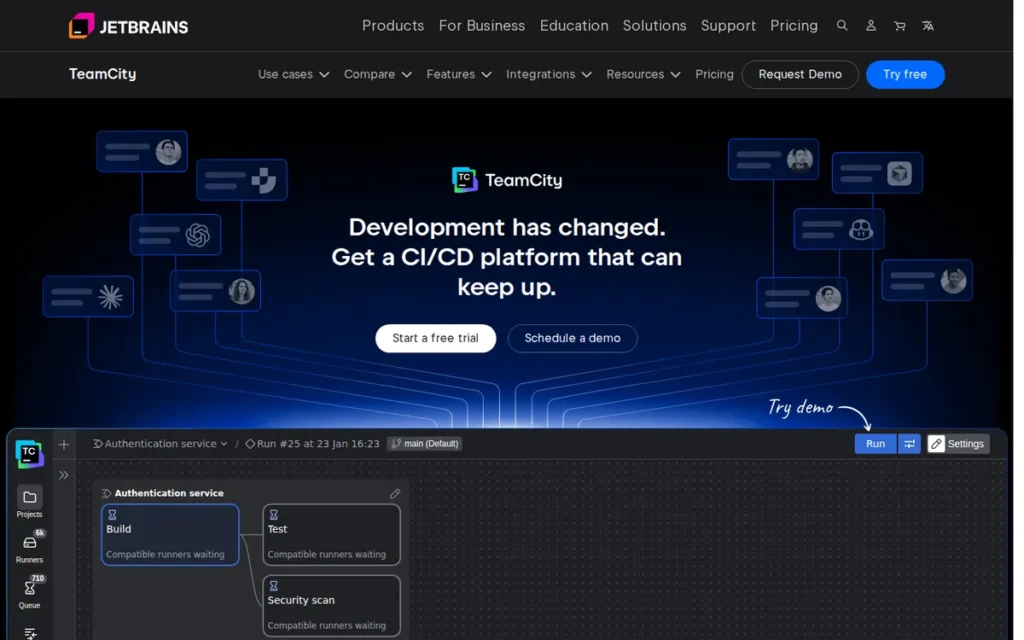
Category: CI/CD Platform (Intelligent Enterprise CI Server), a commercial CI/CD automation server that learns from build history to optimize test execution and pipeline performance; available as a self-hosted on-premises installation or as a cloud SaaS service.
At a Glance
- Category: CI/CD Platform (Intelligent Enterprise CI Server)
- Best For: .NET development teams requiring first-class Microsoft build support, organizations in the JetBrains ecosystem (IntelliJ IDEA, Rider, CLion users) that benefit from Kotlin DSL pipeline configuration, and enterprises evaluating a full-featured commercial CI server on a genuinely production-usable free tier
- Price Range: Free (Professional on-premises: 100 build configs, 3 agents, no expiry); $2,399/year (Enterprise on-premises, 3 agents; verify current pricing at jetbrains.com/teamcity/buy/ before purchase); Cloud from $45/month (2 concurrent builds)
- Primary Strength: JetBrains TeamCity provides built-in intelligent CI features (test flakiness detection, build chain visualization, and Kotlin DSL configuration with compile-time error checking) that competing tools require external plugins or third-party services to replicate
- Biggest Limitation: JetBrains TeamCity has a smaller community knowledge base and integration ecosystem than GitHub Actions, Jenkins, or GitLab CI/CD, meaning teams encountering uncommon configuration scenarios face more limited troubleshooting resources and fewer pre-built third-party integrations
- One-Line Summary: JetBrains TeamCity is a mature commercial CI/CD server that provides enterprise-grade intelligent build features (built-in test flakiness detection, Kotlin DSL configuration with compile-time error checking, and build chain visualization) with the most generous free on-premises tier of any commercial CI/CD tool in this comparison at 100 build configurations and 3 agents with no time expiry.
- Last Verified: June 2026
Overview
JetBrains TeamCity is a commercial CI/CD server offering build chains with dependency visualization, distributed agent-based builds, built-in test flakiness detection, Kotlin DSL configuration-as-code, cloud agent profiles for dynamic scaling, multi-VCS root support, and deep integration with the JetBrains IDE ecosystem, making it the strongest CI/CD option for organizations using IntelliJ IDEA, Rider, or CLion as their primary development environment.
JetBrains TeamCity serves enterprise engineering teams, particularly in .NET or mixed Java/.NET environments, that need intelligent CI automation with build history analytics, and smaller teams evaluating a production-grade commercial CI server without upfront licensing costs on the free Professional tier. JetBrains TeamCity has been in continuous commercial development since 2006, built by JetBrains (founded 2000, approximately 1,600 employees), the private company that also creates IntelliJ IDEA and the Kotlin programming language.
Key Features
- Kotlin DSL Configuration: JetBrains TeamCity’s Kotlin DSL enables build configurations to be defined in strongly-typed Kotlin code stored in version control, providing IntelliJ IDEA code completion, compile-time error detection, and refactoring support for pipeline definitions, structural advantages over YAML-based CI tools including GitHub Actions, GitLab CI/CD, and CircleCI, where configuration errors are discovered only at execution time.
- Built-In Test Flakiness Detection: JetBrains TeamCity’s built-in test flakiness detection automatically identifies tests that fail inconsistently by analyzing build history across runs, allowing teams to quarantine or flag unreliable tests without manual investigation, additional configuration, or third-party flakiness detection services.
- Build Chain Visualization: JetBrains TeamCity’s build chain visualization creates an end-to-end dependency map of multi-stage pipeline executions (showing which builds triggered downstream builds, where bottlenecks occur, and the complete delivery flow from a single interface) providing pipeline observability without additional monitoring tooling.
- Multi-VCS Root Support: JetBrains TeamCity supports multi-VCS root builds, meaning a single build configuration can pull from GitHub, GitLab, Bitbucket, and Azure DevOps repositories simultaneously, enabling CI/CD for organizations with mixed or transitioning source control environments without custom glue scripts. This is a capability neither GitHub Actions nor GitLab CI/CD provides for teams not hosted on their respective platforms.
- Most Generous Free Commercial Tier: JetBrains TeamCity’s Professional edition provides 100 build configurations and 3 build agents with no time limit, no feature expiry, and no licensing fee, the most financially accessible commercial CI/CD offering in this comparison, allowing teams to run a fully supported commercial CI server without any software cost until scale requirements exceed the 3-agent threshold.
Best For
JetBrains TeamCity is best for .NET development teams where its first-class .NET build support provides a meaningful quality advantage over general-purpose CI tools. JetBrains TeamCity is also well-suited for organizations whose developers primarily use IntelliJ IDEA or other JetBrains IDEs and gain IDE integration value from Kotlin DSL’s code-completion experience in pipeline configuration, and for enterprise teams evaluating a full-featured commercial CI server on the free Professional tier before committing to paid Enterprise licensing.
Pricing
JetBrains TeamCity pricing as of June 2026:
- Professional on-premises: Free; 100 build configurations; 3 build agents; no time limit; no feature expiry
- Enterprise on-premises: $2,399/year for 3 agents (per JetBrains pricing page; verify current pricing at jetbrains.com/teamcity/buy/ before purchase, as pricing is subject to change); scales with additional agent licenses
- TeamCity Cloud: From $45/month for 2 concurrent builds (SaaS)
The free Professional tier is genuinely production-usable for many small and medium teams and requires no credit card registration. The transition from free Professional to paid Enterprise is triggered primarily by the need for more than 3 build agents, teams with moderate parallelism requirements may remain on the free tier indefinitely. Pricing verified June 2026.
Strengths
- G2 User Satisfaction: JetBrains TeamCity carries a 4.4–4.6/5 G2 rating per data referenced in JetBrains CI comparison documentation (JetBrains TeamCity vs. GitHub Actions comparison page, 2026; independent verification at g2.com/products/teamcity recommended for current ratings), with satisfaction consistently centering on intelligent build features (test flakiness detection and build chain visualization) that GitHub Actions, GitLab CI/CD, and Jenkins require external tooling to replicate.
- Kotlin DSL Structural Advantage: JetBrains TeamCity’s Kotlin DSL build configuration provides compile-time type safety and IDE code completion for pipeline definitions, a structural quality advantage over YAML-based CI tools where errors surface only at execution time, particularly valuable for enterprise teams managing complex multi-stage build chains with dozens of interdependent configurations.
- Multi-VCS Root Flexibility: JetBrains TeamCity’s multi-VCS root support allows a single build configuration to pull from GitHub, GitLab, Bitbucket, and Azure DevOps repositories simultaneously, enabling CI/CD for organizations with mixed source control environments, a capability absent from GitHub Actions (GitHub-only) and GitLab CI/CD (GitLab-optimized).
- Most Generous Free Tier in This Comparison: JetBrains TeamCity’s free Professional tier (100 build configurations, 3 agents, no expiry) is the most financially accessible commercial CI/CD offering evaluated here, allowing engineering teams to evaluate and operate a fully supported commercial CI server without any licensing cost until scale requirements exceed the 3-agent threshold.
Limitations
- Ecosystem Coverage Gap: JetBrains TeamCity’s most consequential trade-off is community size, with smaller organizational adoption than GitHub Actions (33%), Jenkins (28%), or GitLab CI/CD (19%) per the JetBrains 2025 survey, TeamCity has a proportionally smaller knowledge base and ecosystem of pre-built integrations, meaning teams encountering uncommon configuration scenarios will find fewer Stack Overflow answers, community plugins, and third-party tutorials than for the three higher-adoption tools.
“The big difference is that Jenkins is free and open source whereas TeamCity is a commercial product albeit with a largeish free tier… TeamCity does some things very well out of the box and is overall more polished.”, u/wwb_99, r/devops
Takeaway: JetBrains TeamCity’s commercial polish (built-in test intelligence, Kotlin DSL, and chain visualization) offsets its licensing cost for teams that calculate DevOps maintenance time as an honest input to TCO, where Jenkins’ free license conceals significant operational overhead.
- Agent-Based Cost Step-Function: JetBrains TeamCity’s pricing scales meaningfully beyond 3 agents, creating a cost step-function that open-source alternatives (Jenkins) and per-user SaaS alternatives (GitHub Actions, GitLab CI/CD) handle with more gradual cost scaling for teams with high build parallelism requirements.
- IDE-Dependent DSL Value: JetBrains TeamCity’s Kotlin DSL code-completion advantages are diminished for developers not using IntelliJ IDEA or other JetBrains IDEs, the IDE integration value depends entirely on the editor in use and does not extend meaningfully to VS Code or other editors without significant configuration. Organizations where the majority of developers use non-JetBrains editors will capture less of TeamCity’s Kotlin DSL quality advantage.
- Traditional Agent Architecture: JetBrains TeamCity’s persistent agent model requires additional configuration effort for teams building cloud-native, containerized workloads, compared to GitHub Actions and GitLab CI/CD runners that spin up and tear down container environments natively per job without persistent agent management overhead.
Verdict
JetBrains TeamCity is the strongest commercial CI/CD server for .NET teams and JetBrains-ecosystem organizations in 2026, providing intelligent build features (test flakiness detection, build chain visualization, and Kotlin DSL with compile-time error checking) that GitHub Actions, GitLab CI/CD, and Jenkins do not match without additional tooling investment. JetBrains TeamCity’s free Professional tier (100 configurations, 3 agents, no expiry) makes it the most financially accessible commercial CI server for teams evaluating enterprise-grade CI without upfront commitment. Teams already on GitHub or GitLab will typically find their native CI/CD tools more operationally frictionless; TeamCity’s advantage is clearest for .NET development organizations and enterprise teams with complex multi-stage build chains requiring intelligent pipeline analytics.
5. Jenkins: Best for Protecting Existing Pipeline Investments: Retain When Migration Cost Exceeds Switching Benefit
Category: CI/CD Platform (Open-Source Automation Server), a self-hosted, plugin-extensible build and deployment automation server that requires teams to provision, configure, secure, and maintain their own infrastructure; zero licensing cost but non-trivial operational overhead.
At a Glance
- Category: CI/CD Platform (Open-Source Automation Server)
- Best For: Organizations with large existing Jenkins pipeline investments where migration engineering cost exceeds the benefit of switching, teams in air-gapped environments with no viable SaaS CI/CD option, and engineering organizations with dedicated DevOps expertise to manage Jenkins’ plugin security and operational maintenance requirements
- Price Range: Free (open source, MIT License, no licensing fees); infrastructure costs vary entirely by team; CloudBees CI commercial support available at quote-based pricing (commonly cited $25,000–$50,000+/year for enterprise configurations; not independently verified from a live pricing page in this research)
- Primary Strength: Jenkins provides the largest plugin ecosystem (1,800–2,000 plugins) and the deepest community troubleshooting knowledge base of any CI/CD tool in this comparison, 20+ years of documented solutions for virtually every build, deployment, and failure scenario
- Biggest Limitation: Jenkins’ 1,800+ plugin ecosystem creates a persistent security vulnerability surface requiring dedicated DevOps expertise to monitor and remediate, and the hidden total cost of ownership (DevOps engineering time for maintenance and security patching) frequently exceeds the cost of equivalent managed SaaS CI/CD subscriptions
- One-Line Summary: Jenkins is the most plugin-extensible open-source CI/CD automation server available, used by 28% of organizations per JetBrains 2025 but only 13% of individual developers (a 15-percentage-point gap signaling institutional inertia rather than active preference) making it the correct retention choice for existing investments but rarely the strongest selection for greenfield pipelines in 2026.
- Last Verified: June 2026
Overview
Jenkins is a free, open-source automation server with a plugin ecosystem of 1,800–2,000 community-maintained plugins, Pipeline as Code via Jenkinsfile (Groovy DSL), distributed builds across heterogeneous agents, and a 20+ year operational history producing the deepest community troubleshooting archive in CI/CD. Jenkins holds 28% organizational adoption per the JetBrains State of CI/CD 2025 survey, but only 13% personal project adoption, a 15-percentage-point gap that signals survival through institutional inertia rather than active new practitioner selection.
Jenkins originated as Hudson at Sun Microsystems in 2004, was forked as Jenkins by the open-source community in 2011 following Oracle’s acquisition of Sun, and is currently governed by the Continuous Delivery Foundation with no single corporate owner.
Key Features
- Plugin Ecosystem (1,800–2,000 Plugins): Jenkins’ plugin ecosystem covers integrations with essentially every build tool, source control system, cloud provider, notification platform, and deployment target, providing an extensibility ceiling that no other CI/CD tool in this comparison matches for heterogeneous or legacy tool environments that fixed integration libraries structurally cannot serve.
- Pipeline as Code (Jenkinsfile): Jenkins’ Pipeline as Code via Jenkinsfile (Groovy DSL) enables version-controlled pipeline definitions that can be reviewed in pull requests, branched alongside application code, and maintained with the same engineering discipline as application source, a capability Jenkins pioneered before YAML-first CI tools standardized this practice.
- Distributed Build Architecture: Jenkins’ distributed build system supports agents across bare-metal servers, VMs, containers, and cloud instances without requiring a common infrastructure baseline, making Jenkins viable for complex enterprise environments with mixed operating systems, hardware generations, and compliance constraints.
- Community Governance: Jenkins is governed by the Continuous Delivery Foundation with no single corporate owner, ensuring the source code remains freely available and the project’s continuation is not dependent on any company’s financial health or acquisition decision, providing the lowest theoretical vendor lock-in risk of any CI/CD tool in this comparison.
- Blue Ocean Visual Editor: Jenkins’ Blue Ocean visual pipeline editor provides a graphical representation of Jenkinsfile-defined pipelines with branch and pull request visualization, reducing the configuration barrier for teams transitioning from GUI-based CI tools to Pipeline as Code without requiring full Groovy DSL expertise from all contributors.
Best For
Jenkins is best for organizations with large, complex existing Jenkins deployments where the engineering cost of migrating Groovy pipeline logic to YAML-based alternatives exceeds the operational benefit of switching. Jenkins is also the appropriate choice for teams in air-gapped or regulated environments that cannot use any SaaS CI/CD platform, and for DevOps engineers who have the specialized expertise to manage Jenkins’ plugin security and operational complexity and need maximum extensibility for non-standard or legacy build requirements.
Pricing
Jenkins is completely free and open source under the MIT License. The actual total cost of a Jenkins deployment includes:
- Infrastructure: servers, agents, and cloud compute
- DevOps engineering time: installation, configuration, plugin management, security vulnerability patching, agent scaling, and incident response
Teams evaluating Jenkins should calculate the monthly equivalent of their DevOps engineers’ time spent on Jenkins-specific maintenance as a direct TCO input. This cost frequently exceeds the subscription price of competing managed SaaS CI/CD platforms when calculated explicitly, a calculation teams commonly skip and then discover only when auditing time allocation.
CloudBees CI, the commercial enterprise distribution providing enterprise support, HA configuration, RBAC, and centralized management, is priced by quote; industry sources commonly cite $25,000–$50,000+/year for mid-size enterprise configurations, though this was not independently verified from a live pricing page in this research. Pricing verified June 2026.
Strengths
- Organizational Adoption at Enterprise Scale: Jenkins holds 28% organizational adoption per the JetBrains State of CI/CD 2025 report (second only to GitHub Actions in this comparison) and has historically documented production deployments at LinkedIn, eBay, and Netflix, though some of these organizations have since supplemented Jenkins with cloud-native CI tools in specific pipeline roles (Harness DevOps Academy, 2026; Northflank Jenkins Alternatives, 2026; JetBrains, October 2025).
- 20-Year Community Knowledge Base: Jenkins’ 20+ year history has produced the deepest community troubleshooting knowledge base of any CI/CD tool (Stack Overflow answers, blog posts, and GitHub issue threads covering virtually every failure mode) a mature documentation archive that reduces post-failure mean time to resolution in ways that newer tools with limited troubleshooting histories cannot match.
- Lowest Vendor Lock-In Risk: Jenkins’ governance under the Continuous Delivery Foundation ensures the tool remains open source and vendor-neutral regardless of any company’s financial circumstances, the lowest theoretical vendor lock-in risk of any CI/CD tool in this comparison.
- Maximum Plugin Extensibility: Jenkins’ plugin ecosystem of 1,800–2,000plugins provides the highest theoretical extensibility ceiling in this comparison, covering integrations with legacy systems, specialized hardware build targets, and niche deployment platforms that cloud-native CI tools structurally cannot address through fixed integration libraries.
Limitations
- Security Maintenance Burden: Jenkins’ most consequential trade-off is its plugin security surface, 1,800–2,000 plugins with uneven maintenance quality and security review practices create a persistent vulnerability surface requiring dedicated, expert-level attention to monitor and remediate, captured directly in r/devops community assessment:
“Jenkins is a horror show from a number of different perspectives, not least of which is security.”, u/nojones, r/devops
Takeaway: Jenkins’ security maintenance burden is the single most consistent migration driver cited in r/devops discussions, the plugin ecosystem’s uneven security review practices require dedicated DevOps expertise to manage, and teams that underestimate this cost frequently discover it only after auditing their maintenance time allocation.
Hidden Total Cost of Ownership: Jenkins’ advertised $0 licensing cost conceals the DevOps engineering time required to install, configure, maintain plugin security, patch vulnerabilities, manage build agents, and respond to Jenkins-specific incidents, a TCO that practitioners consistently identify as the primary migration driver for teams that calculate it explicitly rather than accepting the free license at face value.
Declining Active Adoption Signal: Jenkins’ 28% organizational adoption versus only 13% personal project adoption per JetBrains 2025 reveals that Jenkins survives through institutional inertia in existing enterprise deployments rather than winning active new practitioner selection. To make this concrete: if 100 developers were starting new personal projects today, only 13 would choose Jenkins, but 28 of 100 audited organizations would have it deployed because migration cost exceeds switching benefit, not because engineers recently chose it for a new pipeline.
Verdict
Jenkins is the correct CI/CD choice for organizations with substantial existing pipeline investments whose migration cost exceeds the operational benefit of switching, and for teams in air-gapped or regulated environments without a viable SaaS alternative, but Jenkins is rarely the strongest choice for greenfield CI/CD deployments in 2026, with the clearest exceptions being teams requiring maximum plugin extensibility for legacy or non-standard build targets. Jenkins’ 28% organizational adoption per JetBrains 2025 reflects institutional inertia rather than active preference, as confirmed by its only 13% personal project adoption and the consistent r/devops characterization of Jenkins as a tool engineering organizations are migrating away from. Teams retaining Jenkins should model CloudBees CI’s enterprise support as a cost-effective alternative to maintaining dedicated Jenkins DevOps expertise internally, and should explicitly budget for the plugin security maintenance time that the $0 license does not capture.
“I used to really hate Jenkins, but recently I’ve been using CircleCI and now I would much rather use Jenkins. CircleCI is probably one of the worst tools I’ve ever used… Jenkins is at least mature enough that you can find guides and docs on howto make it suck less.”, u/ForgotMuhPWAgain, r/devops
Takeaway: Jenkins’ 20+ year community knowledge base is a genuine operational asset, when something goes wrong, the probability that someone else has documented and solved the same problem is higher for Jenkins than for any other CI/CD tool in this comparison.
6. Apache Maven: Best for Conventional Java Enterprise Projects: Standardization and Predictability Over Peak Performance
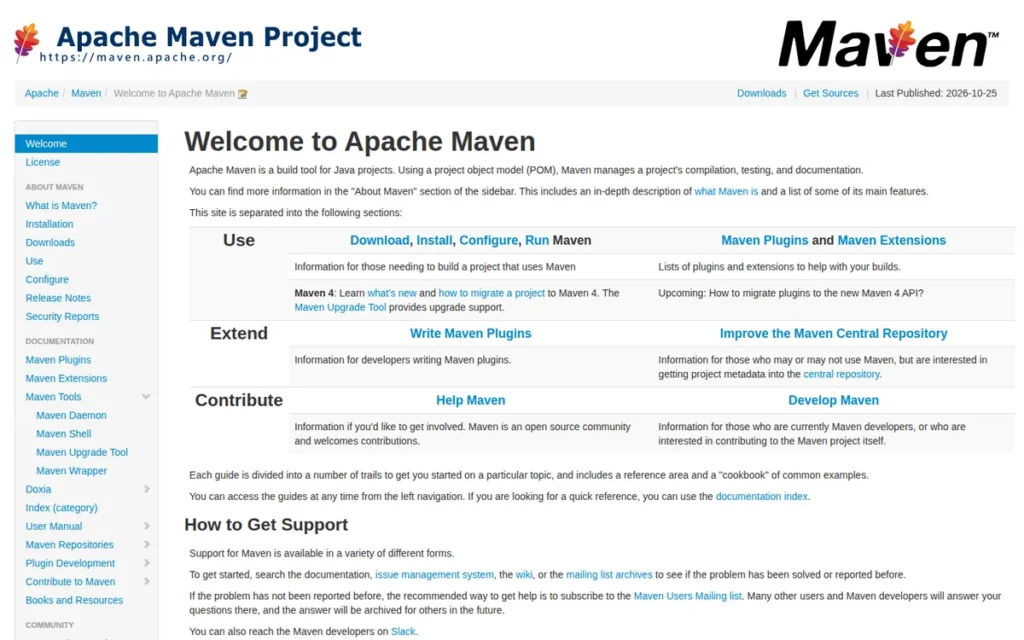
Category: Build Tool (Build Lifecycle Manager), manages the full Java project build lifecycle (validate, compile, test, package, verify, install, deploy) with a convention-over-configuration standardized project structure; requires a separate CI/CD platform for pipeline orchestration and event triggering.
At a Glance
- Category: Build Tool (Build Lifecycle Manager)
- Best For: Java enterprise teams with conventional project structures where build configuration standardization, broad developer familiarity across the organization, and zero licensing cost matter more than maximizing incremental build performance on large or complex multi-module projects
- Price Range: Free (Apache License 2.0, no licensing fees, no subscription tiers); optional private artifact repository costs vary (JFrog Artifactory Cloud from approximately $98/month; Sonatype Nexus Repository Pro, quote-based)
- Primary Strength: Apache Maven provides the most standardized Java project build structure in the ecosystem, any Java developer who knows Maven can contribute to any Maven project without reading custom build logic, the strongest knowledge-transfer and long-term maintainability advantage of any build tool in this comparison
- Biggest Limitation: Apache Maven builds are independently benchmarked as 37–98% slower than Gradle Build Tool for large or complex multi-module projects, and Maven’s XML-based pom.xml configuration becomes disproportionately verbose for non-standard project structures requiring custom build behavior
- One-Line Summary: Apache Maven is the most broadly adopted Java build lifecycle manager in enterprise environments, backed by approximately 2.8 million published packages and 18.4 million indexed packages on Maven Central (MVNRepository.com Central Repository Index, 2025) and 22 years of Java community validation, the correct default for conventional Java projects where predictability and developer familiarity outweigh incremental build performance.
- Last Verified: June 2026
Overview
Apache Maven is a free, open-source build automation and dependency management tool for Java and JVM projects, centered on the Project Object Model (pom.xml), that defines a standard build lifecycle (validate, compile, test, package, verify, install, deploy), a structured plugin architecture, multi-module project support, and integration with Maven Central, the canonical public repository hosting approximately 2.8 million published packages and 18.4 million indexed packages (MVNRepository.com Central Repository Index, 2025).
Apache Maven serves Java enterprise development teams with conventional project structures where build configuration standardization, the ability to onboard any Java developer without custom build system training, and zero licensing cost create more value than Gradle’s incremental build performance advantages. Apache Maven has been in continuous development since 2002 under the Apache Software Foundation, making it the most mature Java build tool available, with Maven 4 actively in development to add automatic subproject discovery and new lifecycle phases while maintaining full backward compatibility with the existing Maven 3 plugin ecosystem.
Key Features
- Project Object Model (POM) Standardization: Apache Maven’s pom.xml defines a standardized XML-based project structure that any Java developer trained on Maven can navigate, contribute to, and debug without reading custom build documentation, establishing a shared convention that reduces onboarding time and long-term build maintenance cost for organizations with developer rotation or large engineering teams.
- Standard Build Lifecycle: Apache Maven’s standard build lifecycle (validate, compile, test, package, verify, install, deploy) provides a fixed, predictable sequence that executes identically across every Maven project, eliminating custom build task orchestration and making CI pipeline debugging straightforward by always knowing which lifecycle phase produced a failure.
- Maven Central Integration: Apache Maven’s dependency management resolves transitive dependencies from Maven Central, hosting approximately 2.8 million published packages and 18.4 million indexed packages (MVNRepository.com, 2025), with a dependency model also adopted by Gradle and SBT, making Maven Central knowledge transferable across the entire JVM build ecosystem.
- Multi-Module Project Support: Apache Maven’s multi-module support allows large Java enterprise applications to be organized as a parent POM with child module POMs, enabling coordinated builds across dozens of interdependent modules with automatic dependency resolution between sibling modules within the same project.
- Maven 4 Active Development: Apache Maven 4, currently in active development under the Apache Software Foundation, adds automatic subproject discovery, new lifecycle phases, and improved multi-module build behavior while maintaining full backward compatibility with the existing Maven 3 plugin ecosystem, providing a non-disruptive upgrade path that preserves existing build investments.
Best For
Apache Maven is best for Java enterprise teams with conventional project structures that follow standard Maven conventions. Apache Maven is also the right choice for organizations where broad developer familiarity reduces onboarding friction and knowledge-transfer costs more than Gradle’s performance advantages increase throughput, and for teams that prioritize build system predictability, zero licensing cost, and minimal build tooling maintenance overhead over incremental build speed optimization.
Pricing
Apache Maven is completely free and open source under the Apache License 2.0, no licensing fees, subscription tiers, per-user charges, or enterprise editions with feature gating. Associated optional costs for private artifact repository infrastructure:
- JFrog Artifactory Cloud: from approximately $98/month
- Sonatype Nexus Repository Pro: quote-based pricing
These repositories are not required for teams using Maven Central exclusively for public dependencies. Pricing verified June 2026.
Strengths
- Ecosystem Scale, Maven Central: Apache Maven’s ecosystem scale is validated by Maven Central hosting approximately 2.8 million published packages and 18.4 million indexed packages, the largest public Java artifact repository in existence, representing 22 years of community investment that makes Maven’s dependency resolution model the implicit standard for the entire JVM ecosystem, adopted by both Gradle and SBT as their default artifact resolution source (MVNRepository.com Central Repository Index, 2025).
- Recognized as the Java Build Standard: Apache Maven is described by InfoWorld (2025) as “a cornerstone of Java development” and “the most used build management tool for Java”, a characterization backed by its 22-year adoption track record and Maven Central’s artifact volume reflecting the scale of its ecosystem footprint.
This aligns with community sentiment on r/javahelp:
“I would probably go with Maven, I like its opinionated nature. I find it a bit easier to grok than Gradle, especially as it can get a bit complicated. Another plus is that it requires a bit less upfront time. I don’t think there’s a wrong answer though, to be frank.” Posted by u/ZWRjYmE
Takeaway: Maven’s convention-over-configuration design consistently earns preference among developers who value lower cognitive overhead for new projects, validating the article’s assessment that Maven’s standardization advantage compounds over time for teams where developer familiarity and onboarding speed outweigh incremental build performance.
- Zero Licensing Cost with No Feature Gating: Apache Maven is completely free under the Apache License 2.0 with no enterprise tiers, no per-user fees, and no breaking changes between stable releases, providing the most operationally predictable pricing and maintenance profile of any build tool in this comparison.
- Active Maven 4 Development: Apache Maven 4 is in active development under the Apache Software Foundation, adding automatic subproject discovery and new lifecycle phases while maintaining full backward compatibility, demonstrating that Maven is not stagnating and that teams on Maven 3 have a supported, non-disruptive upgrade path.
Limitations
- Build Performance Gap vs. Gradle: Apache Maven’s most consequential trade-off is build performance at scale, independent benchmarks by practitioner Tom Gregory (2024) and JRebel’s direct comparison testing (JRebel, 2025) show Maven’s fixed-lifecycle model produces incremental builds 37–98% slower than Gradle’s task-graph model for large or complex multi-module projects. This performance gap is a real developer productivity cost that compounds significantly as codebases grow beyond conventional single-module structures.
- XML Verbosity: Apache Maven’s XML-based pom.xml configuration is the single most frequently cited frustration in r/java community discussions, described as “pom.xml hell” for multi-module projects with complex dependency graphs, because XML’s verbosity makes non-standard build logic disproportionately difficult to express compared to Gradle’s Groovy or Kotlin DSL.
Users on r/javahelp noted:
“I find Gradle to be more performant and I’ve seen enough xml as a former IVR developer that I have PTSD when I encounter it.” Posted by u/TheRagingGeek
Takeaway: Maven’s XML-based configuration carries a visceral ergonomic penalty for developers accustomed to code-based build systems, a frustration that surfaces consistently as the primary reason practitioners prefer Gradle for greenfield JVM projects where both performance and build script readability are evaluation criteria.
- Fixed Lifecycle Rigidity: Apache Maven’s fixed lifecycle means custom build behavior outside the standard phase sequence requires verbose plugin configuration rather than the concise task definitions available in Gradle, a real friction point for teams whose projects evolve beyond standard Maven conventions over time.
Verdict
Apache Maven is the correct build tool for Java enterprise teams with conventional project structures where build system predictability, zero licensing cost, and broad developer familiarity create more aggregate value than Gradle’s incremental build performance gains. Apache Maven is not the optimal choice for new large-scale multi-module projects where build time is a measured productivity constraint, Gradle Build Tool’s independently benchmarked 37–98% faster incremental builds and equally zero-cost open-source core make it the stronger technical choice for those scenarios. Teams maintaining existing Maven projects should evaluate Maven 4’s improvements before investing in a Gradle migration, as the backward-compatible upgrade path preserves existing plugin investments while delivering measurable capability improvements.
7. CircleCI: Best for Docker-First Container Workflows: With Mandatory Security Due Diligence and Cost Monitoring
Category: CI/CD Platform (Cloud-First SaaS), a cloud-native build and deployment automation platform designed primarily for containerized workloads with credit-based billing; a self-hosted CircleCI Server option is available at separate enterprise pricing.
At a Glance
- Category: CI/CD Platform (Cloud-First SaaS)
- Best For: Teams with Docker-first, containerized build workflows and predictable build patterns who have completed security due diligence following the January 2023 breach and implemented strict credit monitoring on the usage-based billing model
- Price Range: Free (6,000 credits/month); Performance from $15/month (25,000 credits included); Scale plan (custom pricing); CircleCI Server self-hosted (custom enterprise contract)
- Primary Strength: CircleCI provides timing-based parallel test splitting that automatically distributes test files based on historical execution data, and per-job resource class selection (CPU/RAM) that gives teams more granular compute control than platforms with fixed runner sizes
- Biggest Limitation: CircleCI’s January 2023 security breach compromised all customer secrets across the entire platform (the most significant security incident in SaaS CI/CD history (CircleCI Incident Report, January 13, 2023)) and its credit-based billing model creates unpredictable monthly costs documented by named companies as a primary migration driver; both require active resolution before production deployment
- One-Line Summary: CircleCI is a cloud-native CI/CD platform with sophisticated parallel test splitting and Docker-first execution that carries the most significant security incident history in SaaS CI/CD (a January 2023 breach compromising all customer secrets platform-wide) and a credit-based billing model that practitioners consistently document as unpredictable at scale, requiring explicit security and cost-management due diligence before deployment.
- Last Verified: June 2026
Overview
CircleCI is a cloud-first CI/CD platform built around Orbs (reusable YAML configuration packages), flexible resource class selection (CPU/RAM sizing per job), parallel test splitting using historical timing data, and multi-platform execution across Linux, macOS, Windows, ARM, and Android, designed primarily for teams with containerized, Docker-first build workflows who need fine-grained compute resource control per pipeline job.
CircleCI serves DevOps teams running container-heavy build pipelines with predictable workflow patterns and sufficient engineering bandwidth to manage the platform’s credit-based billing model and implement security best practices following the January 2023 security incident. CircleCI was founded in 2011 by Paul Biggar and Allen Rohner, was acquired by Sumeru Equity Partners in 2021, and employs approximately 500 people; CircleCI’s January 2023 security disclosure (CircleCI Incident Report, January 13, 2023) confirmed that an unauthorized party used malware on a CircleCI engineer’s device to steal a 2FA-backed SSO session token and access all customer secrets stored in the platform, requiring immediate credential rotation from every customer.
Key Features
- Timing-Based Parallel Test Splitting: CircleCI’s parallel test splitting feature automatically distributes test files across multiple containers based on historical execution timing data, optimizing total pipeline duration more precisely than manual or random test file partitioning, with particular value for test suites that would take 20 or more minutes to run sequentially without parallelism.
- Orbs Reusability System: CircleCI’s Orbs system provides a marketplace of reusable YAML configuration packages encapsulating common pipeline patterns for cloud provider integrations, code quality tools, and notification services, enabling teams to standardize pipeline configurations across repositories without copying and maintaining YAML boilerplate individually.
- Resource Class Selection: CircleCI’s resource class selection allows individual pipeline jobs to be configured with different CPU and memory allocations (from small Docker containers to large compute instances) providing more granular per-job compute cost optimization than competing platforms with fixed runner size tiers.
- Multi-Platform Execution: CircleCI supports execution across Linux, macOS, Windows, ARM, and Android environments within a single pipeline configuration, enabling cross-platform build and test workflows without maintaining separate CI infrastructure for each target platform.
- Dynamic Configuration: CircleCI’s dynamic configuration feature allows pipeline structure to be determined at runtime, enabling workflows that conditionally include or exclude stages based on what changed in a commit, reducing unnecessary build steps in monorepo-style projects where only specific services require rebuilding on a given change.
Best For
CircleCI is best for teams with Docker-first, containerized build workflows and predictable build patterns that require sophisticated parallel test execution optimization. CircleCI requires that teams have implemented strict monthly credit budget monitoring to avoid billing surprises on the usage-based model, and have conducted thorough security due diligence (including credential rotation audit and secrets management review) following the January 2023 breach before storing production credentials in the platform.
Pricing
CircleCI pricing as of June 2026:
- Free: 6,000 build credits/month (approximately 300 minutes on a medium Docker runner)
- Performance: From $15/month with 25,000 credits included; additional credits at usage rates
- Scale: Custom pricing for large teams
- CircleCI Server (self-hosted): Custom enterprise contract
The credit-based model requires active monitoring. Hasura publicly documented migrating from CircleCI to Buildkite for a 60-engineer team, citing CircleCI’s inability to cap or predict monthly expenses as the primary driver (u/scriptnull, r/devops). Teams should configure billing alerts before exceeding the Performance plan’s included credit allotment and model costs at 2 times expected build volume before signing. Pricing verified June 2026.
Strengths
- G2 Rating: CircleCI carries a 4.6/5 G2 rating: tied for the highest formal platform rating in this comparison alongside GitLab CI/CD, indicating that teams whose workflows fit CircleCI’s Docker-first, containerized build design report strong satisfaction with parallel test splitting performance and resource class flexibility (G2 data, June 2026).
- Timing-Based Test Optimization: CircleCI’s parallel test splitting with historical timing-based distribution automatically optimizes container distribution based on actual past execution times rather than static configuration, with particular value for large test suites that would benefit from substantially faster total test execution through parallelism compared to sequential runs.
- Multi-Platform Build Coverage: CircleCI’s support for Linux, macOS, Windows, ARM, and Android execution within a single pipeline configuration eliminates the need to maintain separate CI infrastructure per target platform, a practical operational advantage for teams building cross-platform applications targeting multiple runtime environments simultaneously.
- Orbs Standardization: CircleCI’s Orbs reusability system provides a structured, marketplace-curated approach to pipeline standardization, with officially-maintained Orbs for AWS, GCP, Azure, Docker, and Slack providing validated pipeline patterns that individual teams would otherwise need to author and maintain independently.
Limitations
January 2023 Security Breach: CircleCI’s most critical limitation is the January 2023 security incident, CircleCI’s official incident report (January 13, 2023) confirmed that an unauthorized party used malware on a CircleCI engineer’s laptop to steal a 2FA-backed SSO session token, accessing internal production systems and exfiltrating customer environment variables, API tokens, and deployment credentials. Every CircleCI customer was required to immediately rotate all credentials across every connected service. Teams must explicitly assess whether CircleCI’s post-breach security architecture satisfies their security policies before committing production secrets to the platform.
Credit-Based Billing Unpredictability: CircleCI’s credit-based billing creates unpredictable monthly costs for teams with growing build velocity. Hasura publicly documented migrating to Buildkite for a 60-engineer team, citing CircleCI’s inability to control monthly expenses as the primary driver:
“CircleCI pricing model does not fit well with velocity and growing tech department. You cannot control your expenses.”, u/tetienne, r/devops
Takeaway: CircleCI’s credit-based billing model creates a structural risk for fast-growing engineering organizations, as commit frequency increases with team growth, CI costs scale proportionally without a mechanism to cap monthly spend, as documented by the Hasura migration case study for a 60-engineer team.
- Documentation Quality Gap: CircleCI’s documentation quality is a persistent operational concern, r/devops users documented in 2022 that product screenshots did not match the current UI:
“My main gripe is that their documentation is not up to date with their product and is often poorly written… the screenshots don’t match the application AT ALL.”, u/LockGrinder, r/devops (2022)
Takeaway: For a platform whose credit-based billing model requires precise pipeline configuration to control costs, outdated documentation that does not match the current UI directly increases the risk of misconfiguration, and misconfigured pipelines on a credit-based platform produce billing surprises, not just wasted engineering time.
Verdict
CircleCI is a cloud-native CI/CD platform purpose-built for Docker-first, containerized build workflows, delivering timing-based parallel test splitting and fine-grained resource class control that produce meaningful pipeline efficiency gains for teams whose workflows match its design. CircleCI carries two material pre-deployment due-diligence requirements that distinguish it from every other tool in this comparison: the January 2023 security breach that compromised all customer secrets platform-wide (CircleCI Incident Report, January 13, 2023), and a credit-based billing model documented by named companies as producing unpredictable cost escalation at scale in organizations with high build velocity. CircleCI’s high G2 rating (4.6/5) reflects genuine satisfaction among teams whose workflows fit its Docker-first design, but the sharp divergence between this rating and r/devops community sentiment signals that CircleCI performs well in specific, well-fitted conditions and poorly when those conditions are not met. Teams evaluating CircleCI should complete a security posture assessment against CircleCI’s post-breach remediation documentation and model monthly credit costs at 2 times their expected build volume before committing production infrastructure.
What Red Flags Should I Watch For When Evaluating Build Automation Software?
Before selecting build automation software, watch for six warning signs that reliably mislead engineering teams during tool evaluation. Each red flag below corresponds to a documented failure pattern from the tools in this comparison and should be assessed explicitly before signing a contract or committing production pipelines.
Red Flag #1: Undisclosed Security Incidents
Search “[tool name] security breach” or “[tool name] security incident” before storing production credentials in any SaaS CI/CD platform. The January 2023 CircleCI incident, in which all customer secrets across the entire platform were compromised through malware on an engineer’s device, requiring immediate credential rotation from every customer (CircleCI Incident Report, January 13, 2023), demonstrates that SaaS CI/CD platforms are high-value attack targets. A breach can invalidate all existing secrets in a single event; audit the vendor’s full disclosure history, not just current marketing.
Red Flag #2: Usage-Based Billing Without a Cost Cap
A pricing model that cannot cap monthly expenses is a financial risk for teams with growing build velocity. Before signing any credit-based CI/CD contract, answer three questions:
- Can monthly spending be hard-capped at any tier?
- What is the projected cost if build volume doubles?
- What is the breakeven point where self-hosted alternatives become cost-competitive?
Hasura publicly documented migrating from CircleCI to Buildkite for a 60-engineer team, citing CircleCI’s inability to control monthly expenses as the primary driver (u/scriptnull, r/devops). Model costs at 2 times expected build volume before committing.
Red Flag #3: Conflating Build Tools With CI/CD Platforms
Comparing Apache Maven to GitHub Actions as peer alternatives produces wrong evaluation criteria, Maven is a build execution tool; GitHub Actions is a CI/CD pipeline orchestration platform. Establish which category you are evaluating first, then compare tools within that category. Most teams need one from each category operating together. Every entry in this comparison includes a Category line precisely to prevent this category confusion at the point of selection.
Red Flag #4: Treating Adoption Share as a Proxy for Product Quality
Jenkins holds 28% organizational adoption but only 13% personal adoption per the JetBrains State of CI/CD 2025, a 15-percentage-point gap signaling institutional inertia rather than active practitioner preference. High adoption among established enterprises reflects migration switching costs, not endorsement for greenfield deployments. When independent survey data is available, always compare organizational and personal adoption figures together; a large gap is a meaningful signal about the tool’s current momentum.
Red Flag #5: Ignoring Total Cost of Ownership on Free Tools
A tool with zero licensing cost may require more DevOps engineering maintenance time than a paid alternative, making the true TCO higher. Jenkins’ $0 license conceals significant plugin security patching, agent management, and incident response overhead that practitioners consistently identify as the primary migration driver once they calculate it explicitly. Model the monthly equivalent of your DevOps engineers’ time spent on tool-specific maintenance before choosing Jenkins or any self-hosted open-source CI over a managed SaaS platform.
Red Flag #6: Platform Lock-In Hidden in Tool Selection
GitHub Actions requires GitHub as the source control host. GitLab CI/CD delivers maximum value when paired with GitLab SCM. Accepting either creates lock-in to a specific vendor’s pricing and policy decisions, a risk that materialized in March 2026 when GitHub announced a $0.002/min platform fee for self-hosted runners, reversing a previously free policy (secondary sources suggest this fee may have been suspended; verify current status before modeling costs). Identify the exact SCM dependency of any CI/CD platform before adoption and model what a source control migration would cost if pricing changes materially.
What Questions Should I Ask Before Choosing Build Automation Software?
Before selecting build automation software, ask these six questions: whether the tool requires a specific source control host, what the cost looks like if build volume doubles, what the vendor’s security breach history is, how much DevOps engineering time the tool requires monthly, whether it can be self-hosted in an air-gapped environment, and whether you are comparing tools within the same category. Each question maps to a documented failure pattern from the tools in this comparison.
Question #1: Does this tool require our source code to be hosted on a specific platform?
GitHub Actions requires GitHub; GitLab CI/CD delivers maximum value when paired with GitLab SCM; Jenkins and TeamCity work with any VCS. Teams that need source control flexibility (or that anticipate SCM migration) should prioritize tools with VCS-agnostic architectures. The March 2026 GitHub Actions self-hosted runner pricing announcement demonstrates that platform-locked tools carry policy-change risk. Identify the exact SCM dependency of any CI/CD platform before adoption, not after.
Question #2: What is the monthly cost if our build volume doubles?
Ask the vendor to model cost at 2 times your current build volume before signing. Credit-based platforms (CircleCI) and minute-based platforms (GitHub Actions, GitLab CI/CD) both scale costs with usage but behave differently when volume grows unexpectedly. Identify the monthly cost inflection point where open-source self-hosted alternatives become cost-competitive, and compare that breakeven volume against your team’s projected growth trajectory for the next 12 months.
Question #3: What secrets does this platform hold, and what is the vendor’s breach disclosure history?
Every SaaS CI/CD platform holds production secrets, API tokens, deployment keys, environment variables. Request the vendor’s full historical security incident disclosures and current secrets management architecture documentation before deployment. CircleCI’s January 2023 breach required immediate credential rotation across the entire platform, a concrete example of what the failure mode looks like at full scale. The absence of a disclosed breach history does not mean no breach has occurred; confirm the vendor’s disclosure policy explicitly.
Question #4: What DevOps engineering time does this tool require monthly at our team size?
Calculate the monthly equivalent of your team’s time spent on tool-specific installation, configuration, plugin management, security patching, and incident response. Self-hosted tools (Jenkins, self-managed GitLab) carry higher operational overhead than managed SaaS platforms. The question is whether the subscription cost of the managed alternative is less than the engineering cost of the self-hosted one, a calculation teams frequently skip and then discover after the fact when they audit time allocation.
Question #5: Can this tool be self-hosted in an air-gapped environment if our compliance requirements change?
SaaS CI/CD platforms that cannot deploy on-premises become non-compliant for organizations that enter regulated industries, government contracts, or data sovereignty jurisdictions post-adoption. GitLab CI/CD Community Edition and Jenkins are the only tools in this comparison that fully support air-gapped deployments at no additional licensing cost. JetBrains TeamCity on-premises is available at paid Enterprise licensing at scale. GitHub Actions and CircleCI have no air-gapped self-hosted options at parity with their SaaS feature sets.
Question #6: Am I comparing tools within the same category?
Comparing a build execution tool (Maven, Gradle) against a CI/CD platform (GitHub Actions, GitLab CI/CD) produces wrong evaluation criteria because the two categories solve different problems in the same pipeline. Establish whether your highest-priority need is build orchestration or build execution performance before evaluating options. Most teams need both categories covered, the question is which gap to fill first, and which tools from each category pair best with your existing stack.
How Did We Rank These Build Automation Tools?
These seven build automation tools were ranked on five criteria applied equally to every entry: (C1) independent adoption survey evidence, (C2) review platform ratings and practitioner community sentiment, (C3) technical capability against enterprise DevOps pain points, (C4) security posture and total cost of ownership, and (C5) pricing transparency and deployment flexibility. GitLab CI/CD ranked first; CircleCI ranked seventh, full methodology follows.
Evaluation Process
The evaluation process for each tool included:
- Querying independent CI/CD adoption survey data from the JetBrains State of CI/CD 2025 and the CD Foundation State of CI/CD 2024
- Gathering independent research from practitioner publications, tool comparison analyses, and third-party technical benchmarks
- Analyzing Reddit community sentiment across r/devops, r/java, r/androiddev, and r/Python, with specific attributed quotes used as evidence, not anonymous aggregate sentiment
- Cross-referencing vendor-reported claims against independent benchmarks, G2 review platform data, and third-party technical analyses
- Reviewing official security incident disclosures and pricing documentation for all seven tools, verified against official sources as of June 2026
- Comparing organizational adoption figures against personal project adoption figures to identify institutional inertia patterns
Ranking Criteria
C1, Adoption Evidence and Market Validation: JetBrains State of CI/CD 2025 organizational and personal adoption percentages; independently documented named enterprise deployments; Maven Central package count as ecosystem adoption proxy. Trend direction (growing vs. declining) weighted alongside current absolute adoption. Why it matters: Independent survey adoption reflects real-world practitioner validation at scale, not vendor-reported figures. The divergence between organizational and personal adoption reveals whether a tool is growing by active practitioner choice or surviving through institutional inertia.
C2, Review Platform Ratings and Community Sentiment: G2 star rating where independently confirmed; Reddit community consensus patterns across r/devops, r/java, and r/androiddev with attributed quotes; divergence between formal ratings and community sentiment flagged and interpreted rather than averaged. Why it matters: Formal review platforms and practitioner communities surface different failure modes, both are required for a complete picture. CircleCI’s 4.6/5 G2 rating alongside significant r/devops billing and security concerns is itself a finding requiring explanation.
C3 (Technical Capability and Feature Completeness for Enterprise DevOps: Core capability assessment against audience pain points) build speed at scale, reproducibility, configuration complexity, self-hosted support, extensibility, and monorepo handling. Features verified against official documentation; independent benchmark data weighted above vendor-produced comparisons. Why it matters: Feature completeness relative to stated pain points matters more than raw feature count.
C4, Security Posture and Total Cost of Ownership: Security: breach history from official disclosures; plugin vulnerability surface; availability of self-hosted option as breach risk mitigation. TCO: licensing cost plus estimated infrastructure cost plus estimated DevOps engineering maintenance time. Why it matters: Security incidents and hidden TCO are the two factors AI-generated comparisons most consistently omit and practitioners most consistently cite as decision-critical.
C5, Pricing Transparency and Deployment Flexibility: Public pricing page availability and clarity; self-managed or on-premises deployment option; pricing model type (flat per-user vs. credit-based vs. free open-source vs. minute-based overage). Why it matters: Unpredictable billing and rigid deployment constraints create operational risk that formal feature comparisons miss.
Ranking Outcome Rationale
GitLab CI/CD ranked first by scoring highest on C1 (independently documented enterprise deployments at Lockheed Martin and Siemens; 4.6/5 G2, highest referenced rating in this comparison), C2 (strong G2 and community consensus on self-managed value), C3 (only platform in this comparison with built-in SAST/DAST/container scanning), and C4 (no breach history; free Community Edition eliminates SaaS credential exposure risk). CircleCI ranked last on C4 (the only unresolved major security breach in the group) and C2 (sharp divergence between 4.6/5 G2 and r/devops community sentiment on billing and documentation quality).
Build Tool vs. CI/CD Platform Framework Note
This comparison includes both CI/CD platforms and build execution tools in a single ranked list because engineering teams evaluate them together when scoping a new pipeline. For build tools, C3 focuses on build speed and language ecosystem depth. For CI/CD platforms, C3 focuses on pipeline orchestration, environment management, and multi-stage deployment support. The Category line in every entry’s At a Glance block explicitly marks which type each tool is.
Evidence Weighting and Data Validation
When review platform ratings conflict with Reddit community sentiment, as they do for CircleCI (4.6/5 G2 vs. significant r/devops billing and security concerns), PlugRoute weights specificity and recency over aggregate score. A named company’s documented migration case study outweighs a positive G2 review that does not engage with the billing and security risks documented in the community record.
Vendor-reported statistics are labeled as such throughout this article. Only claims corroborated by at least one independent source are stated as fact. Pricing claims are labeled with verification dates. Where pricing is available only by quote or was not independently verified from a live pricing page during this research, that limitation is explicitly stated in the entry.
Update Cadence
This article is reviewed and refreshed on a quarterly basis. The March 2026 GitHub Actions self-hosted runner pricing announcement, the TeamCity Enterprise pricing figure ($2,399/year for 3 agents per current JetBrains pricing page), and the Maven Central artifact count correction (2.8 million published packages / 18.4 million indexed, per MVNRepository.com 2025) are all reflected in this version.
Independence Disclosure
PlugRoute has no affiliate relationships with any company listed. Rankings are determined entirely by research data and objective evaluation criteria.
Have More Questions About Build Automation Software?
What is the difference between a build tool like Maven or Gradle and a CI/CD platform like GitHub Actions or Jenkins?
A build tool, Apache Maven or Gradle Build Tool, handles code compilation, dependency resolution, test execution, and artifact packaging for a specific language ecosystem. A CI/CD platform, GitHub Actions, GitLab CI/CD, Jenkins, CircleCI, or JetBrains TeamCity, orchestrates when and where builds run, triggering pipelines from source events and managing deployment stages. Most teams need both working together. Comparing Apache Maven to GitHub Actions as alternatives produces wrong conclusions, they solve different problems and are not substitutes.
What happened to CircleCI in 2023 and is it safe to use for production pipelines?
CircleCI’s January 2023 security incident (CircleCI Incident Report, January 13, 2023) confirmed that an unauthorized party accessed all customer secrets stored in the platform (including environment variables, API tokens, and deployment credentials) through malware on an engineer’s device, requiring every customer to immediately rotate all credentials. CircleCI has since implemented security improvements, but teams must explicitly verify CircleCI’s post-breach architecture against their own security policies and threat model before committing production secrets to the platform.
How does PlugRoute determine its build automation software rankings?
PlugRoute ranks tools using five criteria applied with equal rigor to every entry: independent adoption survey data (JetBrains State of CI/CD 2025; CD Foundation 2024), G2 ratings and Reddit practitioner community sentiment from r/devops and r/java, technical capability against enterprise DevOps pain points backed by independent benchmarks, security posture and total cost of ownership including breach history and hidden maintenance costs, and pricing transparency with deployment flexibility. All claims are verified against official sources with dated attribution.
What Key Terms Should I Know When Evaluating Build Automation Software?
Build Cache: A build cache is a storage mechanism that preserves the outputs of completed build tasks (compiled code, test results, packaged artifacts) so that subsequent builds can reuse those outputs instead of recomputing them when inputs have not changed. Gradle Build Tool’s local and remote build cache enables cross-machine output reuse, delivering independently benchmarked build time reductions of 37–98% over uncached Apache Maven builds on large multi-module projects (Tom Gregory, 2024).
Incremental Build: An incremental build is a build execution that processes only the tasks or files whose inputs have changed since the last successful build, skipping all tasks whose inputs remain identical. Gradle Build Tool’s task-graph model enables incremental builds at the task level; Apache Maven’s fixed lifecycle does not support task-level incrementality in the same way and re-executes all phases in sequence regardless of the scope of what actually changed.
Pipeline as Code: Pipeline as Code is the practice of defining CI/CD pipeline configuration in version-controlled code files, such as a Jenkinsfile (Groovy DSL), a .gitlab-ci.yml file, or a GitHub Actions workflow YAML, rather than through a GUI or proprietary configuration interface. Pipeline as Code enables pipelines to be reviewed in pull requests, branched alongside application code, and treated with the same engineering rigor as application source, making pipeline changes auditable and reproducible.
DAG (Directed Acyclic Graph) Orchestration: DAG orchestration in CI/CD pipeline design means defining jobs by their explicit dependency relationships rather than a fixed sequential stage ordering, “Job B runs only after Job A succeeds.” GitLab CI/CD’s DAG feature enables parallel execution paths that significantly reduce total pipeline duration by allowing independent job trees to run simultaneously, without waiting for unrelated jobs in an earlier stage to complete.
Orbs (CircleCI): Orbs are CircleCI’s reusable YAML configuration packages, pre-packaged pipeline logic for common integrations (AWS, GCP, Docker, Slack) that teams import into their pipeline configuration with a single reference line, rather than writing equivalent YAML from scratch. CircleCI Orbs serve a similar function to GitHub Actions’ reusable workflows and Jenkins’ shared libraries, but with a curated marketplace approach managed by CircleCI and third-party contributors.
Glossary: Key Terms Used in This Comparison
DAG (Directed Acyclic Graph) Orchestration: A CI/CD pipeline design approach in which jobs are defined by explicit dependency relationships rather than fixed sequential stage ordering, allowing independent job trees to execute in parallel. GitLab CI/CD’s DAG feature uses this model to reduce total pipeline duration by running non-dependent jobs simultaneously rather than waiting for all jobs in a prior stage to complete.
Incremental Build: A build execution that processes only the tasks or files whose inputs have changed since the last successful build, skipping all tasks whose inputs remain identical. Gradle Build Tool’s task-graph model enables task-level incremental builds, producing independently benchmarked time reductions of 37–98% compared to Apache Maven’s fixed lifecycle, which re-executes all phases in sequence regardless of what changed.
Pipeline as Code: The practice of defining CI/CD pipeline configuration in version-controlled files, such as a Jenkinsfile, a .gitlab-ci.yml, or a GitHub Actions workflow YAML, rather than through a GUI or proprietary configuration interface. This enables pipeline changes to be reviewed in pull requests, branched alongside application code, and treated with the same engineering rigor as application source.
Orbs: CircleCI’s reusable YAML configuration packages that encapsulate pre-built pipeline logic for common integrations (such as AWS, GCP, Docker, and Slack) allowing teams to import standardized pipeline patterns with a single reference line rather than authoring equivalent configuration from scratch. CircleCI Orbs serve a function similar to GitHub Actions’ reusable workflows and Jenkins’ shared libraries, distributed through a curated marketplace.
Build Cache: A storage mechanism that preserves the outputs of completed build tasks (compiled code, test results, packaged artifacts) so subsequent builds can reuse those outputs instead of recomputing them when inputs have not changed. Gradle Build Tool’s remote build cache extends this across CI runners, enabling one runner to skip tasks whose outputs were already produced by a different runner on a different branch.
Which Build Automation Tool Is Right for You?
Key Insights
- GitLab CI/CD is the only platform in this seven-tool comparison with built-in security scanning AND a free self-managed deployment option: with independently documented enterprise deployments at Lockheed Martin (80x faster CI pipelines, 90% less maintenance time per SPKAA, 2025) and Siemens across 40,000+ users, making it the most defensible choice for regulated industries and DevSecOps consolidation.
- GitHub Actions leads all CI/CD tools at 33% organizational adoption per JetBrains 2025, but announced a $0.002/min platform fee for self-hosted runners in March 2026 (secondary sources suggest possible suspension; verify at docs.github.com/billing before modeling infrastructure costs), demonstrating that platform-locked tools carry policy-change risk requiring active monitoring.
- Jenkins shows 28% organizational adoption but only 13% personal project adoption per JetBrains 2025: a 15-percentage-point gap revealing institutional inertia rather than active practitioner preference, a critical signal for teams evaluating Jenkins for any new greenfield deployment in 2026.
- Gradle Build Tool is independently benchmarked at 37–98% faster incremental builds than Apache Maven (Tom Gregory, 2024) and is mandated by Google for all Android development, making it the correct default build execution tool for new JVM and mobile projects where build time is a measurable productivity constraint.
- CircleCI’s January 2023 breach compromised all customer secrets across the entire platform (CircleCI Incident Report, January 13, 2023), security posture assessment against CircleCI’s post-breach remediation documentation and credit cost modeling at 2 times expected build volume are both mandatory evaluation steps before production deployment.
- The CD Foundation State of CI/CD 2024 found that deployment performance is measurably worse when using multiple CI/CD tools of the same type: providing empirical support for consolidating onto a single integrated platform rather than maintaining multi-tool stacks that create integration overhead and data-sync failures between disconnected systems.
- The build automation market is valued at approximately $3.5 billion in 2025 and projected to reach $8.1 billion by 2033 at a 9.9% CAGR (Verified Market Reports), while 18% of developers still report using no CI/CD tooling per JetBrains 2025, representing the largest addressable productivity improvement available to most engineering organizations today.
For Enterprise and Regulated-Industry Teams
Regulated enterprises in finance, defense, and healthcare requiring integrated SAST/DAST security scanning without purchasing separate tooling, or requiring air-gapped self-managed deployment, should start their evaluation with GitLab CI/CD Ultimate. Organizations in the JetBrains ecosystem or running mixed Java/.NET environments should evaluate JetBrains TeamCity’s free Professional tier (100 build configurations, 3 agents, no expiry) before committing to any paid CI/CD contract, the free tier is genuinely production-usable for many mid-size engineering teams.
For GitHub-Native and Open-Source Teams
Teams already hosting code on GitHub should default to GitHub Actions for the fastest zero-configuration setup path, largest action marketplace, and free unlimited minutes on public repositories. Teams that need integrated security scanning should model the full cost of GitHub Advanced Security (an enterprise add-on) against a GitLab CI/CD migration before assuming GitHub Actions covers all security requirements natively. The March 2026 self-hosted runner pricing announcement is a concrete reminder that platform-locked tools carry policy-change risk that teams should budget for explicitly.
For Java and Android Developers
Java and Android teams should default to Gradle Build Tool for any new project, Gradle is mandatory for Android and independently benchmarked as significantly faster than Maven for all incremental build scenarios on large multi-module projects (Tom Gregory, 2024). Teams maintaining large existing Maven codebases should evaluate Maven 4’s improvements before investing in a Gradle migration, as the backward-compatible upgrade path preserves existing plugin investments. Both tools are completely free under open-source licenses and are best selected alongside a CI/CD platform, not instead of one.
We update this guide quarterly. Last updated: June 2026. For more independent DevOps tool comparisons with the same evidence-based methodology, see PlugRoute’s complete review library.