Last verified: November 2026
The best POS software for most U.S. small businesses in 2026 is Square POS, for its $0 plan and published rates. Shopify POS is best for retailers selling online and in store, and Loyverse POS is the best free, low-lock-in option. True cost includes processing, hardware and contract terms, not just the monthly fee.
The advertised monthly price rarely matches what owners actually pay, because processing fees and contract terms sit outside the headline number. A pop-up, a full-service restaurant and a hybrid online store also need different tools. Specialists lead in specific niches:
- Toast POS and SpotOn lead on restaurant depth, from kitchen displays to handhelds.
- Lightspeed Retail leads on inventory-heavy, multi-location retail.
- Clover POS offers the widest choice of hardware, sold through banks and resellers.
PlugRoute has no affiliate relationships with any company listed, and rankings are determined entirely by research data and objective evaluation criteria.
What Are the 6 Categories of POS Software?
POS software falls into six categories: all-in-one generalists, omnichannel retail platforms, free bring-your-own-device apps, inventory-specialist retail systems, restaurant operating systems, and bank- or reseller-sold hardware platforms. The category matters more than the overall rank, because a restaurant, a hybrid online store and a pop-up need different tools.
The seven systems PlugRoute evaluated fit these categories:
- All-in-One Generalist: Square POS serves most small business types in one connected ecosystem.
- Omnichannel Retail Platform: Shopify POS runs online and in-store selling on one catalog and inventory record.
- Free Bring-Your-Own-Device POS: Loyverse POS offers free core software on the owner’s own phone or tablet, with 15+ payment integrations or a non-integrated terminal.
- Inventory-Specialist Retail POS: Lightspeed Retail focuses on deep stock, purchasing and multi-location control.
- Restaurant Operating System: SpotOn and Toast POS run front-of-house, kitchen and back-office restaurant operations.
- Bank- and Reseller-Sold Hardware Platform: Clover POS is sold through payment partners, and those partners set its pricing and terms.
How Do the Top POS Systems Compare at a Glance?
Square POS ranks first overall for balanced value. Shopify POS follows for hybrid retail, and Loyverse POS is the free, low-lock-in option. Lightspeed Retail, SpotOn and Toast POS are specialists that rank lower mainly on cost, transparency or lock-in. Clover POS ranks last because reseller-set terms create the highest documented lock-in risk.
| Rank | Company | Category | Best For | One-Line Summary | Key Capabilities | Primary Strength | Key Limitation |
|---|---|---|---|---|---|---|---|
| 1 | Square POS | All-in-One Generalist | Pop-ups, cafés, small retail, first-time buyers | Square POS is the best overall POS for most U.S. small businesses in 2026, with $0 software, published card rates and no long-term contract. | POS, online store, invoices, payroll, loyalty, restaurant and retail editions | Fully published pricing and lowest-risk entry | Reported payout holds and omnichannel sync problems |
| 2 | Shopify POS | Omnichannel Retail Platform | Retailers selling seriously online and in store | Shopify POS is the best POS for retailers that need online and in-store sales on one shared inventory and customer record. | Unified catalog, BOPIS, ship-to-customer, returns anywhere (POS Pro) | Strongest online and in-store sync | Stacked cost: Shopify plan, $89/location for POS Pro, and apps |
| 3 | Loyverse POS | Free Bring-Your-Own-Device POS | Micro-retailers, coffee shops, tight budgets | Loyverse POS is the best free POS for micro-businesses, running on your own device with 15+ payment integrations or a non-integrated terminal. | Free core POS, basic inventory, KDS app, accounting connectors via partners | Lowest lock-in; lowest published credit rate among $0-software options | Limited depth, offline limits, no native online store |
| 4 | Lightspeed Retail | Inventory-Specialist Retail POS | Specialty and multi-location retail | Lightspeed Retail is the best POS for inventory-heavy specialty retailers, with the deepest native purchasing and variant tools reviewed. | Variant matrices, purchase orders, transfers, NuORDER catalog, B2B | Deepest native inventory toolset | Highest entry software cost ($89/month annual); steep learning curve |
| 5 | SpotOn | Restaurant Operating System | Independent restaurants and bars wanting onsite support | SpotOn is a strong restaurant and bar POS for owners who prioritize hands-on support, but its processing rates are not published. | Handhelds, KDS, commission-free ordering, reservations, labor tools | Onsite installation and 24/7 live support on every plan | Processing rates not published |
| 6 | Toast POS | Restaurant Operating System | Full-service and multi-location restaurants | Toast POS is the most complete restaurant-specific POS PlugRoute evaluated, but its total cost is harder to predict. | KDS, handhelds, online ordering, payroll, xtraCHEF, offline mode | Deepest restaurant feature set | Proprietary hardware, per-merchant processing, October 2026 FTC lawsuit (allegations) |
| 7 | Clover POS | Bank- and Reseller-Sold Hardware Platform | Merchants buying through a trusted bank or certified partner | Clover POS offers the widest hardware choice PlugRoute evaluated, but it carries the highest documented lock-in risk. | Go, Flex, Mini, Station Duo, KDS, App Market | Widest hardware range | Reseller-set pricing; lease and termination complaints |
Which POS Software Should I Choose for My Business Type?
Choose by your top priority, not by overall rank. Pop-ups and first-time buyers should start with Square POS or Loyverse POS. Hybrid retailers should pick Shopify POS, and inventory-heavy or multi-store retailers should pick Lightspeed Retail. Restaurants should compare Toast POS and SpotOn quotes side by side, and Clover POS makes sense only with an itemized written quote.
| Your #1 Priority | Recommended Tool | Why | Acceptable Alternative |
|---|---|---|---|
| Pop-up or first POS, low budget | Square POS | $0 software, published rates, no long-term contract | Loyverse POS |
| Online store plus physical store | Shopify POS | One catalog and inventory record across channels | Square POS (if online sales are secondary) |
| Large or complex retail catalog | Lightspeed Retail | Purchase orders, variant matrices, transfers, vendor catalog | Shopify POS with POS Pro |
| Multiple retail locations | Lightspeed Retail | Native multi-location inventory and stock transfers | Shopify POS with POS Pro ($89 per location) |
| Full-service or multi-location restaurant | Toast POS | Deepest restaurant toolset, including offline mode | SpotOn (compare quotes) |
| Independent restaurant or bar wanting onsite support | SpotOn | Onsite installation and 24/7 live support on every plan | Toast POS (compare quotes) |
| Lowest lock-in, own device | Loyverse POS | Free software, BYOD, 15+ payment integrations or a non-integrated terminal | Square POS |
| Wide hardware choice through your bank | Clover POS | Widest hardware lineup | Square POS or Shopify POS (both publish full terms) |
What Are the Best POS Software Options in 2026?
The seven best POS systems in 2026, ranked by PlugRoute’s weighted methodology, are Square POS, Shopify POS, Loyverse POS, Lightspeed Retail, SpotOn, Toast POS and Clover POS. Each entry below uses the same structure, gives dated evidence, states its score out of 55, and discloses where data could not be verified.
1. Square POS: Best Overall for Most Small Businesses, Pop-Ups and First-Time POS Buyers
Category: All-in-One Generalist, one connected ecosystem that serves most small business types out of the box.
At a Glance
- Category: All-in-One Generalist
- Best For: Pop-ups, mobile sellers, cafés, small single-location retailers, service businesses and first-time POS buyers
- Price Range: Free plan ($0/month); Square for Restaurants Plus $49 and Premium $149/month per location; in-person processing 2.6% + 15¢ on the free plan
- Primary Strength: Square POS combines $0 software, a fully published rate card and no long-term contract, the lowest-risk entry of the full-featured systems reviewed.
- Biggest Limitation: Square POS owners repeatedly report payout holds, account freezes and inventory-sync problems for omnichannel catalogs.
- One-Line Summary: Square POS is the best overall POS for most U.S. small businesses in 2026 because it combines $0 software, fully published card rates and no long-term contract with broad coverage across retail, restaurants and online selling.
- Last Verified: November 2026
Overview
Square POS is a free-to-start point-of-sale system from Block, Inc. that combines payments, basic inventory, customer records, online selling and reporting for U.S. pop-ups, cafés, small retailers and service businesses that want to sell without a monthly software fee.
Square POS lets owners start with a $59 card reader and move up to dedicated terminals and paid industry tiers as they grow.
Key Features
- Square POS includes POS software, basic inventory, sales reporting, customer records and online selling on its $0/month free plan.
- Square POS connects to Square Online, invoices, appointments, payroll, loyalty, marketing, gift cards and banking within one ecosystem.
- Square POS offers industry editions, including Square for Retail and Square for Restaurants, with paid tiers that lower the in-person card rate.
- Square POS runs on a phone with a $59 reader or on dedicated hardware such as Square Terminal and Square Register.
- Square POS accounting connectors (QuickBooks Online, Xero) were not verified in PlugRoute’s research, so owners should confirm them on Square’s integrations page.
Best For
Square POS is best for pop-ups, mobile sellers, cafés, simple single-location retail and service businesses that want to start selling quickly with no monthly software fee.
Pricing
- Square POS costs $0/month on the free plan (SMBCompare; TechnologyAdvice, checked November 2026).
- Square POS charges 2.6% + 15¢ in person, 3.3% + 30¢ for online and invoice payments, and 3.5% + 15¢ for keyed-in or card-on-file payments (SMBCompare; TechnologyAdvice, checked November 2026).
- Square for Restaurants costs $49/month (Plus) or $149/month per location (Premium), which lowers the in-person rate to 2.5% + 15¢ and 2.4% + 15¢ respectively (Toolradar, checked November 2026).
- Square POS hardware starts with a $59 Reader, Square Terminal costs $299 and Square Register costs $899, with monthly installment options (FitSmallBusiness, 2026).
- Square POS’s Plus tier pays off only when the rate saving exceeds the fee: the 0.1-point saving covers $49/month at about $49,000/month in in-person card sales.
- Lock-in check: Square POS has no long-term contract on the free plan, but processing is Square-only.
Strengths
- Square POS holds a 4.6/5 rating from 3,045 reviews (Capterra, checked November 2026), the largest high-confidence review base of the seven products evaluated.
- Square POS publishes its full rate card for every sales channel, so owners can calculate total cost without a sales quote (SMBCompare; TechnologyAdvice, checked November 2026).
- Square POS scored 86% for support quality on G2’s Fall 2026 Restaurant POS Grid, ahead of Toast and Clover at 81% and behind SpotOn at 92%. Competitor SpotOn reported that figure (SpotOn blog, 2026), so treat it as directional.
- Square POS supports a low-commitment growth path: a Canadian owner describes starting with an inexpensive reader and upgrading to full POS hardware as the business grew (Reddit r/SmallBusinessCanada, 2025).
Limitations
Square POS trades low upfront cost for payment-facilitator risk: Trustpilot reviewers repeatedly report held funds, account freezes and delayed payouts (Trustpilot, checked November 2026).
- Square POS holds 3.6/5 from 7,531 Trustpilot reviews (Trustpilot, checked November 2026). Trustpilot skews toward complaints, so PlugRoute uses it as a pattern signal, not a score input.
- Square POS inventory items sometimes fail to sync properly for hybrid stores, according to a Canadian owner weighing a switch to Shopify (Reddit r/SmallBusinessCanada, 2024).
- Square POS made inventory editing harder after an interface update, according to a pottery studio owner (Reddit r/smallbusiness, 2025).
- Square POS flat rates are predictable but can cost more than interchange-plus pricing (the card network’s cost plus a fixed markup) at higher card volumes (SMBCompare; TechnologyAdvice, 2026).
- Square POS seller counts and Square for Retail Plus pricing could not be verified this cycle, because PlugRoute’s main Square research query returned no data.
A restaurant-group manager who has used both Square and Toast noted on r/ToastPOS:
“I found it very easy to use…you could train a 16 year old to use it in under 30 minutes where Toast has a few quirks and isn’t as streamlined imo. Toast hardware seems a bit more physically robust but they both break from mistreatment. Squares UI is lacking depth in comparison to Toast from what I saw.” Posted by u/fixedtehknollpost
Takeaway: Square POS wins on speed of staff training, but operators running complex menus find its interface shallower than a restaurant specialist like Toast.
Verdict
Square POS is the best starting point for most U.S. small businesses in 2026 because it pairs $0 software and fully published card rates with no long-term contract.
Square POS ranks #1 with 47/55. It earned the top cost score (C2 5/5) and the top ratings score (C4 5/5), but lost points on reliability (C5 3/5) because of reported payout holds and sync problems.
Owners should ask how payout holds are handled, keep a cash buffer, and move to a specialist if complexity outgrows Square POS.
2. Shopify POS: Best for Retailers Selling Both Online and In-Store
Category: Omnichannel Retail Platform, unifies online and in-store selling on one catalog and inventory record.
At a Glance
- Category: Omnichannel Retail Platform
- Best For: Retailers whose online store and physical store both generate meaningful sales, especially those already on Shopify
- Price Range: Shopify plan $39–$399/month (Plus $2,300/month) + optional POS Pro $89/month per location; in-person 2.6% + 10¢ on Basic, from 2.4% on higher plans
- Primary Strength: Shopify POS keeps the online and in-store catalog, inventory, customers and orders in one system, the strongest omnichannel sync of the seven products reviewed.
- Biggest Limitation: Shopify POS requires a paid Shopify plan plus $89 per location for POS Pro, and advanced inventory often depends on add-on apps with reported reliability problems.
- One-Line Summary: Shopify POS is the best POS for U.S. retailers that sell seriously both online and in store in 2026 because it runs both channels on one shared catalog, inventory and customer record with fully published pricing.
- Last Verified: November 2026
Overview
Shopify POS is the in-person selling app of the Shopify commerce platform. Shopify POS shares one catalog, inventory count, customer database and order system with a Shopify online store, for retailers whose online and in-store sales must stay in sync.
Shopify POS basic features come with every paid Shopify plan, and POS Pro adds staff permissions, advanced inventory and reporting per location.
Key Features
- Shopify POS syncs products, inventory, customers and orders between a Shopify online store and physical locations.
- Shopify POS supports buy online pick up in store, ship-to-customer and endless-aisle selling, plus returns at any location with POS Pro.
- Shopify POS Pro adds unlimited staff logins, roles and permissions, advanced inventory and reporting, and customer lifetime-value tracking.
- Shopify POS extends inventory, purchasing and accounting through Shopify App Store apps, including Shopify’s own Stocky app. PlugRoute did not verify which QuickBooks Online or Xero apps are available.
- Shopify POS hardware carries a 1-year warranty, extended to 2 years with POS Pro (Shopify, 2026).
Best For
Shopify POS is best for retailers whose ecommerce store is central to the business and who need online and in-store inventory to stay in sync.
Pricing
- Shopify POS runs on Shopify plans priced at $39 (Basic), $105 (Grow) and $399 (Advanced) per month, with Plus at $2,300/month on a 3-year term (Shopify, checked November 2026).
- Shopify POS Pro costs an extra $89/month per location, billed yearly, so three locations add $267/month on top of the Shopify plan.
- Shopify POS in-person rates are 2.6% + 10¢ on the Basic plan, with lower rates from 2.4% on higher plans (Capterra; Shopify, checked November 2026). Confirm your plan’s rate on Shopify’s live pricing page.
- Shopify POS merchants who don’t use Shopify Payments pay extra transaction fees.
- Shopify POS Pro’s yearly promotion ($439 hardware per location, $1,500 migration support, 25% off) is conditional and time-sensitive.
- Lock-in check: Shopify POS plans bill monthly or yearly (Plus requires a 3-year term), POS Pro is billed yearly per location, and merchants who don’t use Shopify Payments pay extra transaction fees.
Strengths
- Shopify POS holds 4.6/5 from 248 reviews (Capterra, checked November 2026). An earlier third-party figure of 4.7/5 from 3,000+ reviews was misattributed.
- Shopify POS publishes its plan, POS Pro and card-rate pricing on its own site (Shopify, checked November 2026), so owners can estimate cost without a sales quote.
- Shopify POS runs online and in-store sales on one catalog and inventory record (Shopify, 2026). A hybrid store owner says: “I sell online as well as in store… Works great for us” (Reddit r/smallbusiness, 2023).
- Shopify POS’s self-commissioned study reports 22% lower total cost of ownership and 20% faster implementation (Shopify, 2026). That is a vendor-published claim, not independent evidence.
Users on r/shopify shared their experience:
“We use it in a multi store & location setting, and absolutely love it. We do use a couple plug ins to help with inventory management as we wanted to take extra control over transfers and receiving.” Posted by u/JohnnyFlyCo
Takeaway: Multi-location retailers are happy with Shopify POS overall, but they still add third-party apps for transfers and receiving, which adds to its stacked cost.
Limitations
Shopify POS trades omnichannel unity for a stacked cost: the base plan, $89 per location for POS Pro, app subscriptions, and extra fees without Shopify Payments.
- Shopify holds 1.3/5 from about 5,000 Trustpilot reviews, a score that covers Shopify as a whole rather than POS specifically (Trustpilot, checked November 2026). Trustpilot is a pattern signal, not a score input.
- Shopify POS advanced inventory often depends on apps, and Stocky reviewers describe its forecasting as unreliable (Shopify App Store, 2026).
- Shopify POS was described as “buggy” by a Canadian owner with 2,000+ SKUs, who reported card-reader connection issues and a third card-reader model in four years (Reddit r/SmallBusinessCanada, 2024).
- Shopify POS App Store reviewers cite slow product and discount entry at busy times, no modifiers and weak multi-location reporting (Shopify App Store, 2026).
- Shopify POS owner sentiment is thinner than it looks, because PlugRoute’s dedicated Shopify POS Reddit search found no threads.
Verdict
Shopify POS is the strongest choice for U.S. retailers whose online and in-store sales must share one live inventory in 2026.
Shopify POS ranks #2 with 40.5/55. It holds the only 5/5 integrations and omnichannel score (C6) and a verified 4.6/5 Capterra rating, but lost points on lock-in (C3 3/5) because of stacked plan, POS Pro and payments-fee dependencies.
Owners should total the plan, POS Pro per location and inventory apps before comparing Shopify POS with Square POS, and test those apps on real catalog data first.
3. Loyverse POS: Best Free POS for Micro-Retailers, Cafés and Tight Budgets
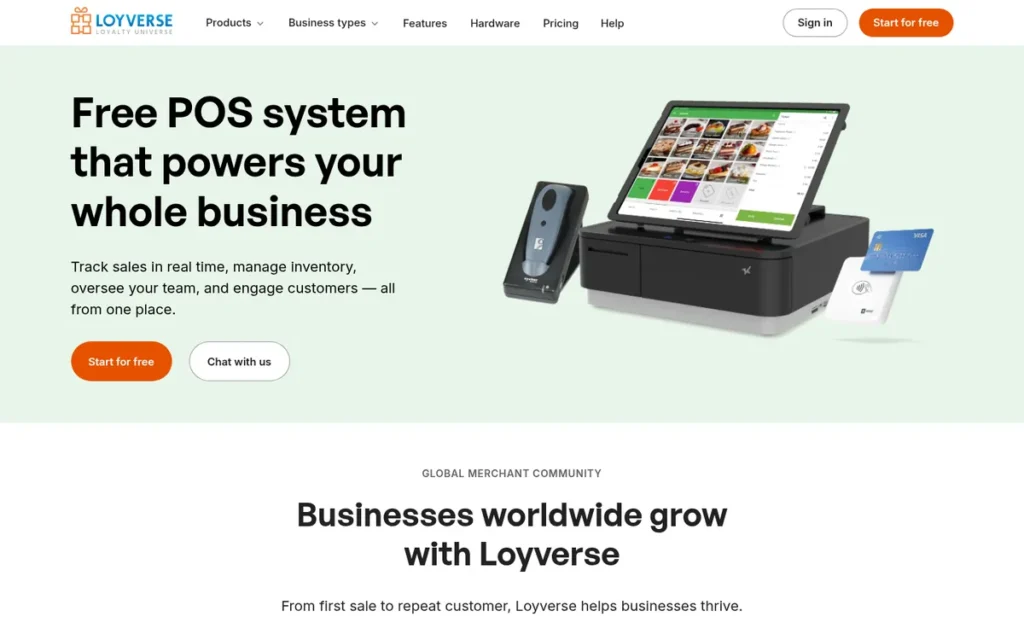
Category: Free Bring-Your-Own-Device POS, free core software that runs on hardware you already own, with your choice of processor.
At a Glance
- Category: Free Bring-Your-Own-Device POS
- Best For: Micro-retailers, coffee shops, counter-service cafés and pop-ups on very tight budgets that want no lock-in
- Price Range: Free core POS; Employee Management and Advanced Inventory add-ons $25/store/month each; Loyverse Payments U.S. credit 2.49% + 15¢, debit 1.99% + 15¢
- Primary Strength: Loyverse POS has the lowest lock-in of the seven products reviewed: free software on your own device with 15+ payment integrations or a non-integrated terminal.
- Biggest Limitation: Loyverse POS has limited depth for complex menus, larger venues and offline card payments, and it has no native online store.
- One-Line Summary: Loyverse POS is the best free POS for U.S. micro-retailers and cafés in 2026 because it runs at no software cost on the owner’s own device, works with 15+ payment integrations or a non-integrated terminal, and holds a 4.8/5 rating from 458 Capterra reviews.
- Last Verified: November 2026
Overview
Loyverse POS is a free point-of-sale app that runs on an owner’s own Android or iOS phone or tablet. Loyverse POS covers sales, basic inventory, customer records and reports for micro-retailers, cafés and pop-ups on tight budgets that want to choose their own payment processor.
Loyverse POS adds paid modules for employee management and advanced inventory only when a business needs them.
Key Features
- Loyverse POS provides free core software for sales, basic inventory, employees, customer records and reporting on Android and iOS.
- Loyverse POS supports 15+ payment integrations worldwide and integrated payments in 30+ countries, and it allows non-integrated card terminals.
- Loyverse POS connects to QuickBooks Online, Xero, Shopify, WooCommerce and Magento, mostly through partner apps such as Amaka and SKUPLUGS (Loyverse marketplace, 2026).
- Loyverse POS includes light restaurant tools: table tickets, split and merge tickets, kitchen printers and a free Kitchen Display app.
- Loyverse POS sells paid add-ons for employee management and advanced inventory, so owners pay only for the features they use.
Best For
Loyverse POS is best for single-location micro-retailers, coffee shops and counter-service cafés that want a capable POS with no software cost and no hardware or processor lock-in.
Pricing
- Loyverse POS core software is free (Loyverse, checked November 2026).
- Loyverse Payments charges U.S. merchants 1.99% + 15¢ on debit and 2.49% + 15¢ on credit, plus 1.5% on cards issued outside the U.S. (Loyverse help center, checked November 2026). Confirm availability in your state.
- Loyverse POS add-ons cost $25 per store per month each for Employee Management and Advanced Inventory, or $250 per store per year, with a 14-day free trial (Loyverse, checked November 2026).
- Loyverse Payments costs about $837 a month instead of $897 if 40% of a café’s $30,000 in monthly card sales is debit (PlugRoute calculation from published rates).
- Loyverse POS integrations that run through partner apps may carry those partners’ own fees.
- Lock-in check: Loyverse POS runs on your own device, does not require its own processing, and no contract terms appeared in PlugRoute’s research.
Strengths
- Loyverse POS holds a 4.8/5 rating from 458 reviews on both Capterra and Software Advice (checked November 2026). That is the highest rating of the seven, though on a smaller review base than Square POS.
- Loyverse POS publishes a U.S. credit rate of 2.49% + 15¢ (Loyverse help center, checked November 2026), the lowest published credit rate among the $0-software options in this list, compared with Square POS’s 2.6% + 15¢.
- Loyverse POS runs on bring-your-own hardware and allows non-integrated terminals, which removes proprietary-hardware and processor lock-in.
- Loyverse POS reduced manual data entry, sped up service lines and cut paper use, according to a reviewer (Software Advice, 2026).
Limitations
Loyverse POS trades zero software cost for limited depth: reviewers report no multiple menus, limited kitchen-print customization, no multi-currency and loyalty that is hard to set up (Capterra; Google Play, 2026).
- Loyverse POS holds 3.1/5 from 106 Trustpilot reviews, a small base (Trustpilot, checked November 2026). Trustpilot is a pattern signal, not a score input.
- Loyverse POS struggles with complex menus, multiple kitchens and larger venues, and reviewers report limited card-machine compatibility (Google Play; Capterra, 2026).
- Loyverse POS’s own help center states that integrated card terminals don’t work offline, refunds can’t be processed offline, and open tickets don’t sync between devices without a connection (Loyverse help center, 2026).
- Loyverse POS has no native online store, so omnichannel selling depends on partner integrations (Loyverse marketplace, 2026).
- Loyverse POS support is mainly chat and help center, with no verified phone support. PlugRoute found no Reddit owner discussions, so the sentiment picture is incomplete rather than clean.
Verdict
Loyverse POS is the lowest-lock-in POS in this list and one of its two $0-software options for U.S. micro-retailers and cafés in 2026.
Loyverse POS ranks #3 with 39.5/55. It holds the only 5/5 lock-in score (C3) and 4.5/5 on cost (C2), but placed below Shopify POS because of limited feature depth (C1 2/5) and offline limits (C5 2/5).
Businesses that need offline card payments, complex restaurant workflows or a native online store should choose Square POS or a specialist instead of Loyverse POS.
4. Lightspeed Retail: Best for Inventory-Heavy and Multi-Location Specialty Retail
Category: Inventory-Specialist Retail POS, deep stock, purchasing and multi-location control for complex retail catalogs.
At a Glance
- Category: Inventory-Specialist Retail POS
- Best For: Specialty retailers (apparel, bikes, sporting goods) and multi-location stores with large catalogs and real purchasing workflows
- Price Range: Retail $89–$289/month annual ($109–$339 monthly), one register included; Restaurant about $189–$399/month; Lightspeed Payments 2.6% + 10¢ in person (optional for Retail)
- Primary Strength: Lightspeed Retail has the deepest native inventory and purchasing tools of the seven products reviewed, including a pre-filled vendor catalog.
- Biggest Limitation: Lightspeed Retail has the highest entry software cost for small sellers in this list, a reported steep learning curve, and migrations for legacy-product users.
- One-Line Summary: Lightspeed Retail is the best POS for U.S. inventory-heavy and multi-location specialty retailers in 2026 because it offers the deepest native purchasing, variant and stock-transfer tools of the systems PlugRoute evaluated, without requiring its own payment processing.
- Last Verified: November 2026
Overview
Lightspeed Retail is a subscription point-of-sale system from Lightspeed Commerce with deep inventory tools, including variant matrices, purchase orders, stock transfers and a pre-filled vendor catalog. Lightspeed Retail is built for specialty and multi-location retailers that manage large, complex catalogs.
Lightspeed also sells Lightspeed Restaurant. In 2025–26, Lightspeed narrowed its focus to North American retail and European hospitality (Lightspeed, 2026).
Key Features
- Lightspeed Retail manages product variants and matrices, purchase orders, receiving, stock transfers, serial numbers and supplier records natively.
- Lightspeed Retail’s NuORDER catalog auto-fills product data from 5+ million products across 4,000+ brands and suppliers (Business.com, 2026).
- Lightspeed Retail supports multi-location inventory control, ecommerce, and B2B/wholesale selling.
- Lightspeed Retail lets U.S. and Canadian merchants use Lightspeed Payments or another processor (Lightspeed, 2026).
- Lightspeed Retail accounting connectors (QuickBooks Online, Xero) were not verified in PlugRoute’s research, so owners should confirm them on Lightspeed’s integrations page.
Best For
Lightspeed Retail is best for apparel, bike, sporting-goods and other specialty retailers, and for multi-store operators who will actually use purchase orders, variant matrices and vendor catalogs.
Pricing
- Lightspeed Retail costs $89 (Basic), $149 (Core) or $289 (Plus) per month on annual billing, or $109, $179 and $339 month-to-month, each with one register (Lightspeed, checked November 2026).
- Lightspeed Restaurant costs about $189–$399/month (FitSmallBusiness, 2026).
- Lightspeed Payments charges 2.6% + 10¢ in person and 2.9% + 30¢ card-not-present, and merchants who choose it receive one free terminal (Lightspeed, checked November 2026).
- Lightspeed Retail’s premium over Square POS or Shopify POS pays off only if purchase orders, matrices and vendor catalogs will be used every week.
- Lock-in check: Lightspeed Retail discounts annual terms, does not require its own processing for U.S. and Canadian Retail, and hardware terms were not verified. Get processor terms in writing.
Strengths
- Lightspeed reported about 148,000 customer locations as of fiscal Q3 2026 and $98.1B in gross transaction volume for fiscal 2026 (Lightspeed investor results, 2026), the second-largest verified installed base in this list.
- Lightspeed Retail’s NuORDER catalog covers 5+ million products from 4,000+ brands (Business.com; Lightspeed, 2026). PlugRoute did not find a pre-filled vendor catalog in the other six systems evaluated.
- Lightspeed Retail’s official POS page states that Lightspeed Payments is optional for U.S. and Canadian Retail (Lightspeed, checked November 2026), contradicting the common claim that its payments are mandatory.
- Lightspeed Retail users consistently praise its inventory and catalog tools (FitSmallBusiness; UpMenu, 2026).
Limitations
Lightspeed Retail trades inventory depth for cost: its $89/month Basic tier on annual billing is the most expensive entry software of the seven for small sellers (Lightspeed, checked November 2026).
- Lightspeed Retail holds 4.0/5 from 973 Capterra reviews and 3.6/5 from 2,529 Trustpilot reviews (checked November 2026). PlugRoute did not verify its G2 rating.
- Lightspeed Retail’s month-to-month prices run $20–$50 higher than annual billing, so the lowest price requires a yearly commitment (Lightspeed, checked November 2026).
- Lightspeed Retail users cite long setup, a steep learning curve and slow support with a lot of back-and-forth (FitSmallBusiness; UpMenu, 2026).
- Lightspeed has grown through acquisitions (ShopKeep, Vend), and owners on the legacy S-Series report forced card-reader changes and migration to X-Series (Reddit r/smallbusiness, 2022–2025).
- Lightspeed’s sale of its Upserve U.S. hospitality line means U.S. restaurant buyers should ask about Lightspeed Restaurant’s U.S. roadmap (Lightspeed, 2026).
A pond and aquarium retailer running Lightspeed Retail X-Series alongside a WooCommerce site described on r/smallbusiness:
“The issue is when selling items in store, Lightspeed is only recognising the more expensive RRP price, not the special price we advertise, so unless we catch it, we are overcharging customers when they buy in store. I have contacted Lightspeed, and they say that the only way to fix this is to get rid of our website specials and only list products under one price.” Posted by u/Feeling-Resolution53
Takeaway: Lightspeed Retail’s inventory depth doesn’t guarantee pricing sync with third-party ecommerce platforms, and hybrid sellers on WooCommerce may have to manage promotions twice.
Verdict
Lightspeed Retail is the strongest POS for inventory-heavy and multi-location U.S. specialty retail in 2026, provided its purchasing tools will actually be used.
Lightspeed Retail ranks #4 with 38/55. It tied Toast POS for the top feature-depth score (C1 4.5/5), but the highest entry software cost of the seven held its cost score to 3/5.
Simpler stores will likely overpay compared with Square POS or Shopify POS, so Lightspeed Retail buyers should confirm processor terms and any migration commitments in writing.
5. SpotOn: Best for Independent Restaurants and Bars Wanting Hands-On Setup and Support
Category: Restaurant Operating System, a POS built specifically to run front-of-house, kitchen and back-office restaurant operations.
At a Glance
- Category: Restaurant Operating System
- Best For: Independent restaurants and bars that want hands-on onsite setup, training and live support
- Price Range: POS Essentials $55/station/month; processing rates not published; handheld $297 and Station 15 $750 sale prices (time-sensitive)
- Primary Strength: SpotOn pairs a full restaurant and bar toolset with onsite installation, training and 24/7 live support on every plan.
- Biggest Limitation: SpotOn does not publish its processing rates, so owners cannot compare its total cost without an itemized quote.
- One-Line Summary: SpotOn is a strong restaurant and bar POS for U.S. independents that prioritize hands-on onsite support in 2026, but its unpublished processing rates mean total cost can’t be compared without a written, itemized quote.
- Last Verified: November 2026
Overview
SpotOn is a restaurant and bar point-of-sale platform that bundles handhelds, kitchen display systems, commission-free online ordering, reservations, loyalty and labor management. SpotOn is built for independent restaurants and bars that want onsite installation, training and 24/7 live support included.
SpotOn was founded in 2017 in San Francisco and also offers SpotOn Retail, though SpotOn Retail’s inventory depth is limited compared with Lightspeed Retail (SpotOn, 2026).
Key Features
- SpotOn provides a restaurant and bar POS with handhelds, kitchen display systems and reporting.
- SpotOn includes commission-free online ordering, reservations, loyalty, marketing tools and Teamwork labor management.
- SpotOn offers local onsite installation and training plus 24/7 live support on every plan.
- SpotOn supports dual pricing, showing separate cash and card prices where state and card-network rules allow.
- SpotOn accounting connectors (QuickBooks Online, Xero) were not verified in PlugRoute’s research, so owners should confirm them with SpotOn sales.
Best For
SpotOn is best for independent restaurants and bars that want a full toolset plus in-person setup and live human support, and that are willing to negotiate an itemized quote.
Pricing
- SpotOn lists POS Essentials at $55 per station per month on its pricing page, and G2 lists Quick Start at $0, Counter Service from $99 and Full Service from $135 per month (SpotOn; G2, checked November 2026).
- SpotOn does not publish its processing rates, so its total cost still requires an itemized quote.
- SpotOn hardware sale prices were $750 for Station 15 (normally $995) and $297 per handheld (normally $495) (Toolradar, 2026). These prices are time-sensitive.
- SpotOn’s Quick Start offer is reported to have no long-term contract or termination fee, while other agreements may include longer commitments (UpMenu, 2026).
- SpotOn buyers should request in writing the rate per sales channel, dual-pricing terms, whether hardware is bought or financed, contract length and termination terms.
- Lock-in check: SpotOn processing is bundled, contract terms vary by deal, and hardware ownership terms were not verified.
Strengths
- SpotOn holds a 4.4/5 rating from 249 reviews in G2’s Restaurant POS category (G2, checked November 2026), higher than Toast POS’s 4.2/5 in the same G2 category.
- SpotOn includes onsite installation, training and 24/7 live support on every plan (SpotOn, 2026). PlugRoute did not find this service model advertised as standard by the other six vendors.
- SpotOn was named to the Capterra Shortlist from 2022 through 2025 (Capterra, 2025).
- SpotOn reports a 92% G2 support score for Fall 2026 (SpotOn blog, 2026). That figure is self-reported and PlugRoute has not verified it.
Limitations
SpotOn trades hands-on service for partial pricing opacity: SpotOn publishes plan prices but not processing rates, and processing makes up most of a POS’s monthly cost.
- SpotOn reports a 4.5/5 Trustpilot rating, citing 500+ reviews in one post and 620 in another (SpotOn blog, 2026). PlugRoute did not verify it on Trustpilot, and Trustpilot is a pattern signal, not a score input.
- SpotOn contract terms vary by deal, so the reportedly contract-free Quick Start terms may not apply to every agreement.
- SpotOn reviewers report weekend support that “needs improvement,” unintuitive discount behavior on online orders, and slow communication from the development team (G2; Capterra, 2026).
- SpotOn offline transactions were “not as seamless as expected,” according to a reviewer (Capterra, 2026).
- SpotOn’s most favorable support figures are self-reported, and PlugRoute found no Reddit owner discussions, so SpotOn’s sentiment looks cleaner partly because data is missing.
Verdict
SpotOn is a credible alternative to Toast POS for U.S. independent restaurants and bars that value onsite installation and live support in 2026.
SpotOn ranks #5 with 36/55, scoring 4/5 on restaurant depth and 4/5 on ratings. Its cost score (2.5/5) reflects published plan pricing from $55 per station but unpublished processing rates, the same transparency profile as Toast POS.
Owners should get an itemized written SpotOn quote with processing rates, contract length and termination terms before signing.
6. Toast POS: Best for Full-Service and Multi-Location Restaurants
Category: Restaurant Operating System.
At a Glance
- Category: Restaurant Operating System
- Best For: Full-service, multi-channel and multi-location restaurants that will use KDS, handhelds, online ordering and back-office tools
- Price Range: Starter Kit $0/month; Point of Sale plan from $69/month; processing quoted per merchant (about 2.49% + 15¢ cited); countertop hardware kit about $1,153
- Primary Strength: Toast POS has the deepest restaurant feature set of the seven products reviewed, including an offline mode that keeps card payments running.
- Biggest Limitation: Toast POS runs only on Toast-approved hardware, quotes processing per merchant, and is the subject of an October 2026 FTC lawsuit over alleged hidden fees.
- One-Line Summary: Toast POS is the most complete restaurant-specific POS PlugRoute evaluated in 2026, but its proprietary hardware, per-merchant processing quotes and contract terms make total cost harder to predict than with general-purpose systems.
- Last Verified: November 2026
Overview
Toast POS is a restaurant-specific point-of-sale and operations platform covering table and order management, handhelds, kitchen display systems, online ordering, payroll and inventory. Toast POS is built for full-service, multi-channel and multi-location restaurants that want one system for front and back of house.
Toast POS runs only on Toast-approved Android hardware and bundles Toast payment processing (Toast, 2026).
Key Features
- Toast POS provides table and order management, pay-at-table handhelds, and kitchen display systems in one platform.
- Toast POS includes online ordering and delivery, loyalty, payroll and scheduling, inventory and multi-location management.
- Toast POS offers xtraCHEF for invoice automation and recipe costing.
- Toast POS offline mode keeps order entry, ticket printing and card payments running during an internet outage (Toast, 2026).
- Toast POS accounting connectors (QuickBooks Online, Xero) were not verified in PlugRoute’s research, so owners should confirm them on Toast’s integrations page.
Best For
Toast POS is best for full-service, multi-channel and multi-location restaurants that will use its kitchen, handheld, online-ordering and back-office tools.
Pricing
- Toast POS offers a Starter Kit from $0/month and a Point of Sale plan from $69/month that includes the first terminal (Toast, checked November 2026). Published prices apply to new single-location customers only.
- Toast POS processing is quoted per merchant, and comparison sites cite 2.49% + 15¢ (WhichPOS; Toolradar, 2026).
- Toast POS hardware costs about $1,153 for a countertop kit, $749 per extra Flex terminal, $99 for Toast Tap, $329 for a printer and $99 for a cash drawer (WhichPOS, 2026).
- Toast Easy Pay is a 180-day hardware lease in which Toast keeps 0.75% of daily card sales once you’re live, or 1.75% before go-live (Toast, 2026). At $30,000 a month in card sales, that is about $225 a month, so a $1,153 kit is repaid in roughly five months.
- Lock-in check: Toast POS requires proprietary hardware and Toast processing, order forms set the contract term, and pay-as-you-go plans carry an early-termination fee of $150 for each remaining month (POSusa, 2026).
Strengths
- Toast POS served about 164,000 restaurant locations at the end of 2025, up 22% year over year, with $195.1B in gross payment volume (Toast SEC filing, 2026). That is the largest verified dedicated restaurant base in this list.
- Toast POS holds a 4.2/5 rating from 376 reviews in G2’s Restaurant POS category (G2, checked November 2026).
- Toast POS documents an offline mode that keeps card payments running during outages (Toast, 2026), a key safeguard for restaurants.
- Toast POS covers the full restaurant workflow, from handhelds and KDS to payroll and recipe costing, so multi-unit operators can consolidate tools.
Limitations
Toast POS trades restaurant depth for lock-in: it runs only on Toast-approved hardware, its processing is tied to Toast, and Easy Pay takes a share of daily card sales.
- Toast POS is the subject of an October 29, 2026 lawsuit by the FTC, seven state attorneys general, Los Angeles County and San Francisco. The suit alleges undisclosed fees (including a $0.99 charge on some online orders over $10 from 2021 to 2023), unauthorized add-ons and cancellation barriers (FTC, 2026). These are allegations, and Toast has not been found liable.
- Toast POS draws recurring criticism for multi-year contracts with early-termination fees, complicated add-on pricing and difficult escalations (UpMenu; The Restaurant HQ, 2026).
- Toast POS holds 1.9/5 from 1,507 Trustpilot reviews (Trustpilot, checked November 2026). Trustpilot is a pattern signal, not a score input.
- Toast POS advertises 24/7/365 Toast Care support, but third parties report phone support from 7 a.m. to midnight ET (UpMenu; The Restaurant HQ, 2026). Servers also report tip-entry and ticket-print errors (Reddit r/Waiters, 2026), though these accounts are anecdotal.
A multi-location operator on r/ToastPOS noted:
“We’re all toast across our 4 locations and the support issue is real. It’s fine when nothing breaks but the second something goes wrong good luck. We’ve had reporting issues that took weeks to get resolved.” Posted by u/PaintFeisty3064
Takeaway: Toast POS runs smoothly day to day for multi-location groups, but its support is weak enough that some issues take weeks to resolve.
Verdict
Toast POS is the deepest restaurant POS PlugRoute evaluated in 2026 and the right choice for full-service and multi-location restaurants that will use its full toolset.
Toast POS ranks #6 with 35/55. It tied for the top feature-depth score (C1 4.5/5) but scored 2/5 on lock-in because of proprietary hardware, required Toast processing, Easy Pay deductions and a $150-per-remaining-month termination fee on pay-as-you-go plans.
Restaurant owners should compare an itemized Toast POS quote against SpotOn and Square for Restaurants before signing.
7. Clover POS: Best for Merchants Wanting Wide Hardware Choice via a Bank or Reseller
Category: Bank- and Reseller-Sold Hardware Platform, a POS distributed through payment partners, with terms set by the seller.
At a Glance
- Category: Bank- and Reseller-Sold Hardware Platform
- Best For: Merchants buying through a trusted bank or Fiserv-certified partner who want a wide choice of terminals and handhelds
- Price Range: From $9.95/month (Register Lite, no hardware); on-device rate 2.3% + 10¢; promotional hardware tied to 3-year terms and $100k–$200k/year processing minimums; reseller prices vary
- Primary Strength: Clover POS offers the widest range of POS hardware of the seven products reviewed, plus an App Market for add-on tools.
- Biggest Limitation: Clover POS pricing and contracts vary by reseller, and complaints describe non-cancelable leases and $750 early-termination fees.
- One-Line Summary: Clover POS offers the widest hardware choice of any POS PlugRoute evaluated in 2026, but because banks and resellers set its prices and contracts, it carries the highest documented lock-in risk in this list.
- Last Verified: November 2026
Overview
Clover POS is a Fiserv-owned point-of-sale platform with the widest hardware range in this list, from the Clover Go reader to Station Duo, plus an App Market. Clover POS is built for merchants buying through their bank or a reseller who want hardware choice.
Clover POS terms depend heavily on the selling partner, because Clover states that partners “may offer different prices and plans” (Clover, 2026).
Key Features
- Clover POS hardware includes Clover Go, Flex, Flex Pocket, Mini, Compact, Station Duo, Station Solo and a Kitchen Display.
- Clover POS connects to accounting, payroll, loyalty and online-ordering tools through its App Market, where developers bill app fees separately. PlugRoute did not verify which QuickBooks Online or Xero apps are available.
- Clover POS publishes a Register Lite plan at $9.95/month without hardware and a Virtual Terminal at $14.95/month.
- Clover POS offers an optional Rapid Deposit service for a 1.75% fee to get funds faster.
- Clover POS is sold through banks, ISOs and Fiserv’s Certified Clover Partner Program.
Best For
Clover POS is best for merchants who already have a trusted banking or certified-reseller relationship and want a broad choice of terminals and handhelds.
Pricing
- Clover POS publishes Register Lite at $9.95/month, an on-device Register rate of 2.3% + 10¢, virtual or manual payments at 2.9% + 30¢, and a professional-services keyed rate of 3.5% + 10¢ (Clover, checked November 2026).
- Clover POS promotions offer Compact for $0.01/month over 36 months with $100,000/year in processing and a 3-year agreement. Flex or Flex Pocket requires $200,000/year (Clover, checked November 2026).
- Clover POS restaurant bundles are reported at $179–$354/month on 36-month terms (Baadigi, 2026), possibly specific to one reseller.
- Clover POS Starter, Standard and Advanced plan prices and individual device prices were not verified, and reseller pricing may differ from published rates.
- Lock-in check: Clover POS promotional hardware carries 3-year terms, hardware rentals may carry early-termination fees, and the reseller sets Fiserv processing terms.
Strengths
- Clover Flex was named a SoftwareReviews 2026 Emotional Footprint Champion and a 2025 Data Quadrant Champion in Retail POS (Info-Tech SoftwareReviews, 2026). The awards cover the Flex device, not the whole platform.
- Clover POS publishes an on-device rate of 2.3% + 10¢ (Clover, checked November 2026), among the lowest published in-person rates in this list.
- Clover POS offers the widest hardware lineup of the seven, from a mobile reader to dual-screen stations and kitchen displays.
- Clover POS worked well for a Canadian owner who bought through their processor and replaced the device only twice in seven years (Reddit r/SmallBusinessCanada, 2025). A Clover partner started that thread.
Limitations
Clover POS trades hardware choice for the highest documented lock-in risk: banks and resellers set prices and terms, so merchants can receive very different contracts.
- Clover POS holds 3.8/5 from 587 Capterra reviews and 1.9/5 from 2,219 Trustpilot reviews (checked November 2026). Trustpilot reviewers report unexpected monthly fees, billing problems and equipment failures.
- Clover POS complaints on First Data’s BBB profile describe 48-month non-cancelable leases, $750 early-termination fees, and leases that continue after the processing agreement is cancelled (BBB, 2026). These are allegations, not findings.
- Clover POS was charging about $50/month in “processing fees” that were not disclosed upfront, according to a small retailer (Reddit r/smallbusiness, 2023). That report is three years old.
- Clover POS’s G2 rating could not be verified. PlugRoute captured BBB data only for Clover, so its complaint record is more visible than other vendors’, not necessarily worse.
Verdict
Clover POS gives U.S. merchants the widest hardware choice PlugRoute evaluated in 2026, but it carries the highest documented contract and lease risk of the seven.
Clover POS ranks #7 with 27.5/55 and holds the only 1/5 lock-in score (C3), because resellers set the terms and promotional hardware carries 3-year agreements. Its App Market earned it 4/5 on integrations (C6).
Buyers should get an itemized written Clover POS quote from a Fiserv-certified partner that confirms whether hardware is bought or leased, the termination fees and every recurring fee.
What Does a POS Really Cost Per Month?
At $30,000 a month in in-person card sales, the published POS options PlugRoute evaluated cost roughly $900–$970 a month in software plus processing, before hardware. Processing fees make up more than 90% of that total. As a result, contract terms, hardware financing and per-location fees separate the options more than the headline rate does.
PlugRoute’s worked example uses these assumptions:
- The business takes $30,000/month in in-person card sales.
- The average ticket is $30, which means 1,000 transactions a month.
- The example uses only published or clearly labelled rates, checked November 2026.
- Hardware and add-on apps are excluded from the monthly totals and noted separately.
| POS (plan) | Software/month | Rate used | Processing/month | Est. monthly total | Notes |
|---|---|---|---|---|---|
| Square POS (Free) | $0 | 2.6% + 15¢ | $930 | $930 | Hardware from $59 |
| Square for Restaurants (Plus) | $49 | 2.5% + 15¢ | $900 | $949 | Plus doesn’t pay off at this volume |
| Loyverse POS (Free core) | $0 | 2.49% + 15¢ (credit) | $897 | $897 | About $837 if 40% of cards are debit; add-ons $25/store each |
| Shopify POS (Basic) | $39 | 2.6% + 10¢ (Basic) | $880 | $919 | +$89/location for POS Pro |
| Lightspeed Retail (Basic, annual) | $89 | 2.6% + 10¢ | $880 | $969 | One register included |
| SpotOn (POS Essentials) | $55/station | Not published | Not published | Excluded: processing quote-only | Hardware sale prices time-sensitive |
| Toast POS (Point of Sale) | $69 | 2.49% + 15¢ (cited, quoted per merchant) | $897 | ~$966 | Plus ~$1,153 hardware kit or Easy Pay deductions |
| Clover POS (via reseller) | Varies | 2.3% + 10¢ published on-device | $790 | Excluded: reseller plan fees vary | Reseller hardware terms vary |
At $30,000 a month in card sales, the published-rate options above differ by less than $75 a month. That gap is smaller than the roughly $225 a month Toast Easy Pay would deduct at the same volume, so contract and hardware terms usually decide total cost.
Several fees sit outside the headline rate. Ask every vendor about these:
- PCI compliance fees, which some processors charge monthly or annually for security compliance.
- Monthly statement fees, which some processors charge for account statements.
- Batch or settlement fees, which are charged each time the day’s card sales are settled.
- Payment gateway fees, which some providers charge for online or virtual-terminal payments.
- Faster-deposit fees, such as Clover’s optional 1.75% Rapid Deposit.
- Per-location and per-register software fees, such as Shopify POS Pro’s $89 per location.
- Hardware financing that takes a share of daily card sales, such as Toast Easy Pay.
PlugRoute’s estimates are illustrative. Rates vary by state, tax rules, card mix and negotiated terms, so confirm every figure on a written quote.
Which POS Has the Best Inventory Management, and Are Advanced Features Worth It?
Lightspeed Retail has the deepest native inventory tools of the seven POS systems PlugRoute evaluated, from $89/month on annual billing. Advanced features such as variant matrices, purchase orders and stock transfers are worth paying for only if your team uses them every week. Simple single-store shops usually overpay for them.
Use this test before upgrading:
- Variants and matrices: These are worth it if you sell many sizes, colors or styles of the same product.
- Purchase orders and receiving: These are worth it if you reorder from several suppliers on a regular schedule.
- Stock transfers: These are worth it only if you run two or more locations that share stock.
- Serial numbers: These are worth it if you sell high-value items that need warranty or theft tracking.
- Vendor catalogs: Lightspeed Retail’s NuORDER catalog is worth it when manual SKU entry is a major time cost.
Shopify POS delivers advanced inventory through POS Pro ($89 per location) and apps such as Stocky, while Lightspeed Retail builds these tools in. Loyverse POS offers an Advanced Inventory add-on at $25 per store per month (Loyverse, checked November 2026). Count any add-on and app fees when you compare.
Which POS Systems Have the Least Lock-In?
Loyverse POS has the least lock-in of the seven, because it runs on your own device and works with 15+ payment integrations or a non-integrated terminal. Square POS follows, with no long-term contract on its free plan. Clover POS carries the most documented lock-in risk, because resellers set the terms and complaints describe multi-year, non-cancelable leases.
A POS is only as cheap as it is easy to leave. Before you compare monthly fees, check the contract term, who owns the hardware and whether you can change processor.
| POS | Contract | Hardware | Vendor Processing Required? | Published Pricing? |
|---|---|---|---|---|
| Square POS | No long-term contract on free plan | Square hardware | Yes | Yes |
| Shopify POS | Monthly or yearly; Plus 3-year term | Shopify-compatible hardware (requirement not verified) | Extra fees without Shopify Payments | Yes |
| Loyverse POS | No contract terms documented | Bring your own device | No | Yes |
| Lightspeed Retail | Annual billing discounted; month-to-month available | Not verified | Optional for U.S./Canada Retail | Yes (tiers confirmed; hardware not verified) |
| SpotOn | Varies by deal; Quick Start reported contract-free | SpotOn hardware | Yes | Partial (plans yes, processing no) |
| Toast POS | Order-form term; $150 per remaining month ETF on pay-as-you-go | Proprietary Toast-approved Android | Yes | Partial |
| Clover POS | 3-year promos; leases reported up to 48 months | Clover hardware | Yes, via reseller | Partial |
Some systems let you bring your own processor. Loyverse POS accepts non-integrated card terminals and 15+ payment integrations, and Lightspeed Retail makes Lightspeed Payments optional for U.S. and Canadian Retail (Loyverse; Lightspeed, 2026).
Square POS, SpotOn and Toast POS bundle their own processing. Shopify POS charges extra transaction fees without Shopify Payments, and Clover POS processing runs through the selling reseller.
A retailer who asked on r/POS for a subscription-free POS that works with their own processor got this answer:
“Your two requirements pull in opposite directions, so worth being clear-eyed. “Bring your own processor” is easy now, lots of systems are processor-agnostic. “One-time payment, no subscription” is the hard one, because nearly everything went SaaS and the few buy-it-outright options that remain are older Windows software.” Posted by u/mrte_velika_plesina
Takeaway: In today’s POS market, processor freedom is easy to find but avoiding a subscription is not, so owners should judge lock-in by processor and contract terms rather than by whether the software is subscription-based.
What Red Flags Should I Watch For When Evaluating POS Software?
The biggest red flags in POS software fall into two groups: pricing you can’t see until you talk to sales, and contracts or fees that make leaving expensive. Each of the six red flags below hides real cost or raises switching costs. PlugRoute’s research found each one at more than one vendor or channel.
Red Flag #1: Quote-Only Pricing
Quote-only pricing hides total cost until after a sales conversation, so owners can’t compare systems like-for-like. In this evaluation, Clover’s reseller channel quotes plans per merchant. Toast POS and SpotOn publish plan prices but quote processing per merchant.
Red Flag #2: Hardware Tied to Processing Minimums or Multi-Year Terms
Cheap hardware tied to processing minimums or multi-year terms turns a low upfront price into a long commitment. Clover’s $0.01/month Compact promotion requires a 3-year agreement and $100,000 a year in processing, about $8,300 a month (Clover, 2026).
A pop-up taking $3,000 a month in card sales would not qualify for that promotion. Clover’s Flex or Flex Pocket promotion requires $200,000 a year.
Red Flag #3: Equipment Leases Separate From the Processing Agreement
A separate equipment lease can keep charging you after you cancel processing or close the business. BBB complaints on First Data’s profile describe 48-month non-cancelable leases that continued after merchants cancelled processing (BBB, 2026). These complaints are allegations, not findings.
Red Flag #4: Hardware Financing That Takes a Share of Daily Card Sales
Hardware financing that takes a share of daily card sales lowers your cash flow every day until the hardware is paid off. Toast Easy Pay keeps 0.75% of daily card sales after go-live, or 1.75% before (Toast, 2026). That is about $225 a month at $30,000 in card sales.
Red Flag #5: Unnamed “Processing Fees” Beyond the Quoted Rate
Charges labelled only as “processing fees” on top of the quoted rate are a common surprise cost. One Clover retailer reported about $50/month in undisclosed fees on top of the subscription and transaction costs (Reddit r/smallbusiness, 2023).
The FTC’s October 2026 complaint against Toast POS alleges undisclosed fees and unauthorized add-ons. Toast has not been found liable (FTC, 2026).
Red Flag #6: Advanced Inventory Only Through Paid Add-On Apps
Advanced inventory that is available only through paid add-on apps raises monthly cost and adds another point of failure. Shopify POS users report Stocky integration problems (Shopify App Store, 2026; Reddit r/SmallBusinessCanada, 2024). Loyverse POS connects to accounting and ecommerce tools mostly through partner apps.
What Questions Should I Ask Before Choosing POS Software?
Before choosing POS software, ask each vendor seven questions covering total cost at your real card volume, contract and hardware terms, processing and payouts, integrations, offline support and data migration. Get every answer in writing as part of an itemized quote, because written terms are what you can hold a vendor to later.
Question #1: What is my total monthly cost at my actual card volume and sales-channel mix?
A good answer itemizes software, the processing rate per channel, per-transaction fees, hardware and add-ons. Compare quotes using your own monthly card volume and average ticket, as in PlugRoute’s $30,000-a-month worked example in the section “What Does a POS Really Cost Per Month?”
Question #2: Is the contract month-to-month, and what are the early-termination fees?
A good answer states the contract length and the exact termination fee in writing. Toast POS pay-as-you-go plans, for example, carry $150 for each remaining month (POSusa, 2026). Treat vague answers or multi-year terms as a reason to keep comparing vendors.
Question #3: Do I own the hardware, and will it work if I switch providers?
A good answer confirms whether hardware is bought, rented or leased, and whether it works with other processors. Proprietary hardware, such as Toast-approved devices, usually can’t move with you to another provider.
Question #4: Is your payment processing required, and when do deposits arrive?
A good answer explains whether you can use another processor, the standard deposit timing, any fee for faster deposits, and how account holds are triggered and released.
Square POS, Toast POS and Shopify POS act as payment facilitators, which pool merchants under one account and can hold payouts during risk reviews. A cash buffer, and warning the provider before unusually large sales, can reduce disruption.
Question #5: Does inventory sync natively with my online store and accounting software?
A good answer names the QuickBooks Online, Xero and ecommerce connections and says whether each is native or runs through a paid third-party app. Test sync on your real catalog before you sign.
Question #6: What works offline, and what support is included and when?
A good answer lists which functions work offline, such as card payments, refunds and ticket sync, and the support hours by channel. Toast POS documents offline card payments, while Loyverse POS integrated terminals don’t work offline.
Question #7: How will my data move if I switch, and when does my current contract end?
A good answer explains who exports and migrates your product, customer and sales data, and at what cost. Time the switch to your current contract and lease end dates. Lightspeed migrates legacy catalogs to X-Series, and Shopify POS Pro’s yearly promotion includes up to $1,500 in migration support (2026).
How Did We Rank These POS Systems?
PlugRoute scored seven POS systems from 1 to 5 on six criteria. Feature depth and total cost each count three times, lock-in counts twice, and review ratings, reliability and integrations count once each, for a maximum of 55 points. Ties are broken on feature depth, and every figure carries a source and a check date.
The six ranking criteria are:
- C1 Feature Depth and Business-Type Fit (×3): This matters because no single POS fits every restaurant, retail or hybrid business.
- C2 Total Cost of Ownership and Pricing Transparency (×3): This matters because processing, hardware and add-ons hide the real monthly cost.
- C3 Contract, Hardware and Processor Lock-In (×2): This matters because long contracts, leases and proprietary hardware make leaving expensive.
- C4 Verified Review Ratings (×1): This matters because peer ratings are useful only when the source and review volume can be trusted.
- C5 Real-World Reliability and Support (×1): This matters because sync failures, payout holds and hardware obsolescence disrupt daily operations.
- C6 Integrations and Omnichannel Sync (×1): This matters because the POS must connect to accounting software and the online store.
Formula: Weighted score = (C1 × 3) + (C2 × 3) + (C3 × 2) + C4 + C5 + C6. The maximum is 55.
| Rank | POS | C1 | C2 | C3 | C4 | C5 | C6 | Total |
|---|---|---|---|---|---|---|---|---|
| 1 | Square POS | 4 | 5 | 4 | 5 | 3 | 4 | 47 |
| 2 | Shopify POS | 3.5 | 4 | 3 | 4 | 3 | 5 | 40.5 |
| 3 | Loyverse POS | 2 | 4.5 | 5 | 4.5 | 2 | 3.5 | 39.5 |
| 4 | Lightspeed Retail | 4.5 | 3 | 3 | 3 | 2.5 | 4 | 38 |
| 5 | SpotOn | 4 | 2.5 | 3 | 4 | 3.5 | 3 | 36 |
| 6 | Toast POS | 4.5 | 2.5 | 2 | 3 | 3 | 4 | 35 |
| 7 | Clover POS | 3.5 | 2 | 1 | 2.5 | 2.5 | 4 | 27.5 |
PlugRoute rechecked key inputs on November 7, 2026 and re-scored three criteria, using the same scales for all seven products:
- SpotOn’s C2 rose from 1.5 to 2.5, because SpotOn publishes plan pricing from $55 per station, which matches Toast POS’s transparency profile.
- Shopify POS’s C4 rose from 3 to 4, because Capterra confirms 4.6/5 from 248 reviews.
- Clover POS’s C4 rose from 2 to 2.5, because Capterra confirms 3.8/5 from 587 reviews.
These changes moved SpotOn to #5 and Toast POS to #6, and ended an earlier tie between Shopify POS and Loyverse POS. The overall rank measures balanced value for a typical U.S. small business across fit, total cost and lock-in.
Toast POS ties for the highest feature depth and leads on restaurant workflows. It ranks #6 because of proprietary hardware, lease mechanics and documented termination fees. Restaurant readers should treat Toast POS and SpotOn as their primary shortlist.
Trustpilot scores appear in every entry but change no score, because Trustpilot skews toward complaints. For context, the global POS software market is estimated at $18.04 billion in 2026 and is growing about 12.4% a year through 2031 (Mordor Intelligence, 2026).
PlugRoute’s evidence was uneven across products, and these gaps are disclosed:
- PlugRoute captured BBB complaint data only for Clover POS.
- PlugRoute found no Reddit owner threads for SpotOn or Loyverse POS, and no dedicated Shopify POS threads.
- PlugRoute’s main Square POS research query returned no data, so Square’s seller counts are unverified.
- Competitor SpotOn reported the G2 support scores for Square POS, Toast POS and Clover POS, and those figures are labelled as such.
- PlugRoute found no peer-reviewed studies on POS selection.
- Helcim, PayPal POS and SumUp were outside this evaluation’s scope, so leaving them out is not a judgment against them.
PlugRoute uses “(Source, 2026)” for published data and “(Source, checked November 2026)” for live ratings and prices.
PlugRoute has no affiliate relationships with any company listed, and rankings are determined entirely by research data and objective evaluation criteria.
What Do Small Business Owners Ask Most About POS Software?
Small business owners most often ask which POS suits restaurants, whether a truly free POS exists, and how independent rankings are produced. The short answers: Toast POS and SpotOn lead for restaurants, free software exists but card processing still costs money, and PlugRoute uses a published, weighted 55-point scoring formula.
What’s the best POS software for a restaurant?
Toast POS has the deepest restaurant feature set PlugRoute evaluated in 2026, including an offline mode that keeps card payments running. SpotOn adds onsite installation and 24/7 live support. Both quote processing per merchant, so restaurant owners should compare itemized written quotes from Toast POS, SpotOn and Square for Restaurants before signing.
Is there a truly free POS system?
Yes. Square POS and Loyverse POS both offer $0/month core software in 2026, but card processing carries a fee on every system PlugRoute evaluated. Square POS charges 2.6% + 15¢ in person, and Loyverse Payments charges 2.49% + 15¢ for credit. Hardware, add-ons and partner apps can add further cost.
How does PlugRoute determine its POS rankings?
PlugRoute scores each POS from 1 to 5 on six criteria and weights them into a 55-point total. Feature depth and total cost count triple, lock-in counts double, and ratings, reliability and integrations count once. Every figure is labelled by source type and dated, and data gaps are disclosed rather than estimated.
What Do Key POS Software Terms Mean?
Interchange-Plus Pricing: A processing model where you pay the card network’s cost plus a fixed markup, instead of one flat rate. Flat rates are easier to predict, but at higher card volumes they can cost more than interchange-plus. That makes this a pricing model worth asking vendors about as your sales grow.
Flat-Rate Processing: A single published percentage plus a per-transaction fee charged on each card sale, such as a set rate for in-person payments. It makes total cost easy to work out without a sales quote. Processing fees make up most of what a POS costs each month, so the rate matters more than the software fee.
Payment Facilitator: A provider that groups many merchants under one account and can hold payouts while it runs risk reviews. Owners using these systems report held funds, frozen accounts and delayed payouts. Keeping a cash buffer and warning the provider before unusually large sales can reduce the disruption.
Bring-Your-Own-Device (BYOD): A POS that runs on a phone or tablet you already own instead of the vendor’s own hardware. It cuts upfront cost and removes proprietary-hardware lock-in. The tradeoff can be less depth and limits on working offline.
Non-Integrated Terminal: A card machine that works separately from the POS software, so you can choose your own payment processor. This flexibility lowers processor lock-in. It also means card payments are not linked directly to the POS.
Proprietary Hardware: Devices that work only with one vendor’s software and usually cannot move with you to another provider. Buying them raises the cost of switching, so ask whether you own the hardware and whether it works with other processors.
Lock-In: How hard and expensive it is to leave a POS, based on contract length, hardware ownership and whether you must use the vendor’s processing. A POS is only as cheap as it is easy to leave, so check these terms before comparing monthly fees.
Early-Termination Fee (ETF): A charge for ending a contract before its term is up, sometimes set per remaining month or as a fixed amount. These fees can far outweigh small differences in monthly rates, so get the exact amount in writing before you sign.
Equipment Lease: A financing agreement for POS hardware that can be separate from the processing agreement. Complaints describe non-cancelable leases that kept charging merchants after they cancelled processing. Confirm whether hardware is bought, rented or leased.
Omnichannel Sync: Keeping online and in-store sales on one shared catalog, inventory count and customer record. It is essential for retailers selling seriously in both channels. Sync failures can lead to wrong stock levels or mismatched prices.
Kitchen Display System (KDS): A screen in the kitchen that shows orders in place of printed tickets, common in restaurant POS systems. Restaurants comparing vendors should check whether a KDS is included or sold as a separate app or device.
PCI Compliance Fee: A monthly or annual charge some processors add to cover card-security compliance. It sits outside the headline processing rate, so ask every vendor about it, along with statement, batch and gateway fees.
Which POS Software Is Right for You?
Key Insights
The right POS software depends on your business type, sales channels, number of locations and tolerance for lock-in. Square POS is the best overall starting point, Shopify POS fits hybrid retailers, and Loyverse POS suits micro-businesses. Specialists win their niches, but they require closer reading of the quote.
- Square POS is the best overall starting point for most U.S. small businesses because it combines $0 software, published card rates and no long-term contract.
- Shopify POS wins when online and in-store inventory must share one live record, but its cost stacks up with POS Pro and apps.
- Loyverse POS is the free, lowest-lock-in option for micro-businesses that can live with limited depth and offline limits.
- Lightspeed Retail justifies its premium only when purchase orders, variant matrices and vendor catalogs are used every week.
- Restaurants should compare SpotOn and Toast POS quotes side by side, because both quote processing per merchant.
- Clover POS should be chosen only with an itemized written quote from a Fiserv-certified partner that confirms whether hardware is bought or leased.
- Square POS, Shopify POS, Loyverse POS and Lightspeed Retail publish software tiers and card rates, so owners can estimate their total cost without a sales call.
If you’re opening a pop-up or buying your first POS, start with Square POS or Loyverse POS and avoid long contracts. If you run an online store plus a shop, choose Shopify POS. If you run a full-service restaurant, get itemized Toast POS and SpotOn quotes before signing anything.
PlugRoute checked all prices in November 2026. Prices vary by state, tax rules and card volume, so recheck them before you buy. Before you request quotes, use PlugRoute’s POS total-cost checklist and read our full methodology and score sheet.
We update this guide quarterly. Last updated: November 2026.