
Planable is the best marketing calendar software in 2026 for teams and agencies with many approvers. Loomly is best for social teams of three or fewer, and ClickUp is best for free campaign task management. First decide whether you need native publishing or campaign coordination, because none of the seven tools we researched combines both in depth.
Most small marketing teams arrive here from spreadsheets and scattered tools. Their biggest frustrations are surprises, not missing features: prices that differ from source to source, seat minimums, single-user entry plans and post caps that only show up after signup.
PlugRoute has no affiliate relationships with any company listed. Rankings are determined entirely by research data and objective evaluation criteria.
This guide lists the first limit each tool’s free or entry plan hits. It also publishes the score behind every rank, so readers can re-weight the criteria for their own priorities.
What Are the 4 Categories of Marketing Calendar Tools?
Marketing calendar tools fall into four categories: dedicated marketing calendars, social and approval calendars, project-management (PM) tools with a calendar view, and build-your-own databases. Only the first two categories publish content natively. PM tools and databases plan and coordinate work, so teams pair them with a separate scheduler to publish.
Vendors also sell these tools as content calendars, editorial calendars or social media schedulers. Analysts track the wider space as marketing resource management (MRM), which Mordor Intelligence estimates at $5.96B in 2026 (Mordor Intelligence, 2025).
The seven ranked tools fall into these categories:
- Dedicated Marketing Calendar: A dedicated marketing calendar is a purpose-built calendar for campaigns, blog content, email, events and social posts, with native publishing. CoSchedule is the ranked tool in this category.
- Social and Approval Calendar: A social and approval calendar is built to draft, preview, approve and publish content, with collaboration at its core. Planable and Loomly are the ranked tools in this category.
- PM Tool with Calendar View: A PM tool with a calendar view shows tasks on a calendar but does not publish content. ClickUp, Asana and Trello are the ranked tools in this category.
- Build-Your-Own Database: A build-your-own database is a flexible relational database that teams configure into a custom marketing calendar. Airtable is the ranked tool in this category.
Do I Need a Marketing Calendar or a Project Management Tool?
You need a dedicated or social marketing calendar if your main job is getting content approved and published. You need a PM tool with a calendar view if your main job is coordinating campaign tasks, owners and dependencies across people. Many teams end up using one tool from each category.
Choose based on what your team does most:
- A dedicated or social calendar fits teams that publish often. CoSchedule, Planable and Loomly add a publishing queue and feed-style post previews to the calendar.
- A PM tool fits teams that coordinate handoffs. ClickUp and Asana add Gantt timelines, dependencies and task ownership, which the social calendars in this ranking do not have.
- A Kanban board fits teams that want simplicity. Trello moves each campaign brief through a card pipeline that new teammates learn quickly.
- A database fits teams with a builder. Airtable can model almost any workflow, but someone has to design and maintain it.
Trello has no native social publishing. One AI-generated answer still described it as a “simple social scheduling” tool (Perplexity answer reviewed by PlugRoute, November 2026). Trello, Asana, ClickUp and Airtable all need a separate scheduler, or posting directly in each network’s app, to publish.
A spreadsheet plus native posting may still be enough if your team has few approvers and posts a few times a week. Switch when approvals or handoffs start getting lost.
How Do the Top 7 Marketing Calendar Tools Compare?
Planable ranks #1 with 36.5 of 45 points and Loomly ranks #2 with 33. ClickUp and CoSchedule tie at 31, with ClickUp ahead on the tie-break. Asana scores 30.5. Airtable and Trello tie at 27.5, with Airtable ahead on the tie-break. The table uses November 2026 data.
| Rank | Company | Category | Best For | One-Line Summary | Key Capabilities | Primary Strength | Key Limitation |
|---|---|---|---|---|---|---|---|
| 1 | Planable | Social and Approval Calendar | Agencies and multi-reviewer teams | Planable is an approval-first content calendar with unlimited users per workspace, best for teams that need fast client sign-off before publishing. | Feed-accurate previews, multi-level approvals, no-login guest links, native publishing | Highest Approval Workflows feature score in this research (G2 9.1/10) | No dependencies or workload views; analytics cost extra |
| 2 | Loomly | Social and Approval Calendar | Social teams of 3 or fewer | Loomly is a calendar-first social media tool with the highest Capterra rating in this ranking (4.7/5), best for teams of three or fewer. | Visual calendar, approvals on entry plan, post ideas, AI Assistant, native publishing | Approvals and 12 social accounts on the $49/month annual plan | 3-user cap on Starter; next plan costs about 5x more |
| 3 (tie) | ClickUp | PM Tool with Calendar View | Budget teams managing campaign tasks | ClickUp is an all-in-one work platform with a free calendar view for unlimited members and the lowest-priced per-seat plan with a calendar in this ranking. | Calendar, Gantt and Workload views, Docs, dashboards, ClickUp Brain AI | Calendar view on the free plan with unlimited members | No native publishing; entry seat rose to $9 in 2026; complex for creative staff |
| 4 (tie) | CoSchedule | Dedicated Marketing Calendar | Content-led teams | CoSchedule is a purpose-built marketing calendar that schedules blog, email, events and social publishing on one calendar. | Unified calendar, native social publishing, ReQueue, Headline Analyzer | Only ranked tool that schedules blog, email, events and native social publishing on one calendar | Lowest ratings and smallest review base in the ranking |
| 5 | Asana | PM Tool with Calendar View | Cross-functional campaign coordination | Asana is a Gartner-recognized work management platform best for coordinating campaign owners and deadlines across departments. | Calendar on all plans, timelines, dependencies, intake forms, approvals, AI Studio | Gartner Magic Quadrant Leader in 2024 and 2025 | No native publishing; seat-tier billing |
| 6 (tie) | Airtable | Build-Your-Own Database | Marketing ops teams with a builder | Airtable is a flexible relational database best for teams that can build their own calendar system. | Linked records, Interface Designer, granular permissions | Most flexible data model in the ranking | Heaviest setup; highest per-seat cost; calendar starts on Team |
| 7 (tie) | Trello | PM Tool with Calendar View | Fast team adoption | Trello is a simple Kanban board tool best for small teams that value quick adoption. | Card pipelines, Butler automation, 150+ Power-Ups | Easiest adoption per reviewer accounts; largest review base | Calendar view requires Premium; no publishing |
Which Marketing Calendar Should I Pick for My #1 Priority?
Pick a marketing calendar by the one need that matters most to your team. Each row below gives a recommended tool, the reason it fits and an acceptable alternative. Prices and plan limits come from official vendor pages checked in November 2026.
| Your #1 Priority | Recommended Tool | Why | Acceptable Alternative |
|---|---|---|---|
| Client or stakeholder approvals | Planable | Unlimited users per workspace and guest approval links that need no login | Loomly |
| Small social team (3 or fewer) | Loomly | Approvals and 12 social accounts on the $49/month annual Starter plan | Planable Basic |
| $0 budget calendar for campaign tasks | ClickUp Free | Calendar view included, with unlimited members | Asana Personal (calendar view, up to 2 seats) or CoSchedule Free (1 user, 1 profile) |
| Blog, email, events and social on one calendar | CoSchedule | The only ranked tool that schedules blog, email, events and native social publishing on one calendar | Planable (Universal Content approvals) |
| Coordinating owners and dependencies across departments | Asana | Dependencies, intake forms and approvals | ClickUp |
| Custom data model and permissions | Airtable | Linked records and granular permissions | ClickUp |
| Fastest team adoption | Trello | Simplest interface in the ranking, according to reviewer accounts | Loomly |
| Cheapest per-seat plan with a calendar view | ClickUp Core | $9/user/month billed annually | Trello Premium ($10/user/month) |
Which Marketing Calendar Software Should I Choose for My Use Case?
Start with your biggest bottleneck, then match it to the tool below.
- If you run an agency or a team with many approvers: choose Planable, because it bills per workspace with unlimited users and lets clients approve through guest links that need no login.
- If you are a social team of three or fewer: choose Loomly, because its Starter plan includes approvals and 12 social accounts for $49/month billed annually.
- If you have a $0 budget and mainly manage campaign tasks: choose ClickUp, because ClickUp Free includes a calendar view for unlimited members, and Core is the cheapest per-seat plan with a calendar at $9/user/month billed annually.
- If you publish blog, email, events and social content on a shared schedule: choose CoSchedule, because it is the only ranked tool that schedules all four on one calendar with native social publishing.
- If you coordinate campaign owners and deadlines across departments: choose Asana, because it offers dependencies, intake forms and approvals and is a Gartner Magic Quadrant Leader in 2024 and 2025.
- If you are a marketing ops team with an in-house builder: choose Airtable, because it has the most flexible data model and the most granular permissions in the ranking.
- If fast team adoption matters most: choose Trello, because reviewer accounts rate it the easiest tool to adopt (5/5), though its calendar view requires Premium at $10/user/month billed annually.
What Are the Best Marketing Calendar Tools in 2026?
On PlugRoute’s weighted criteria, the best marketing calendar tools in 2026 are, in order, Planable, Loomly, ClickUp, CoSchedule, Asana, Airtable and Trello. ClickUp and CoSchedule tie at 31/45 and Asana scores 30.5. Teams that weight native publishing may prefer CoSchedule, and teams that weight dependencies may prefer Asana.
1. Planable: Best Overall for Content Collaboration and Approvals
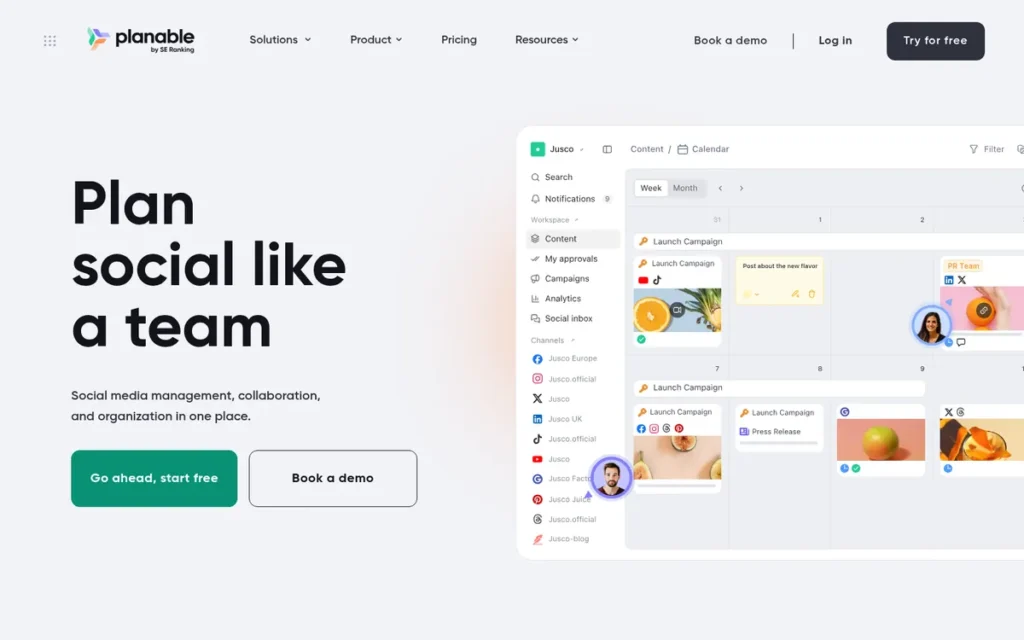
Category: Social and Approval Calendar, a calendar built to draft, preview, approve and publish content, with collaboration at its core.
At a Glance
- Category: Social and Approval Calendar
- Best For: Agencies and multi-reviewer marketing teams whose bottleneck is client or stakeholder sign-off
- Price Range: Free (50 posts lifetime); ~$33–$49 per workspace per month billed annually; Enterprise from ~$200/month
- Primary Strength: Planable’s approval workflow, with feed-accurate previews and guest approval links that need no login, earned the highest Approval Workflows feature score found in this research (G2 9.1/10, November 2026 snapshot).
- Biggest Limitation: Planable has no dependencies, workload or timeline views and sells analytics as a paid add-on, so it cannot replace a project-management tool.
- One-Line Summary: Planable is an approval-first content calendar with unlimited users per workspace, best for agencies and teams that need fast client sign-off before publishing.
- Last Verified: November 2026
Overview
Planable is an approval-first content calendar that lets marketing teams and agencies draft, preview, approve and publish social posts and other content. It is built for teams whose main bottleneck is getting stakeholder or client sign-off before anything goes live.
Planable says more than 7,500 teams use it (Planable, company-reported, 2026). G2 lists SE Ranking as Planable’s vendor, which fits a reported 2025 acquisition, but PlugRoute found no official announcement (G2, November 2026 snapshot).
Planable publishes natively to nine networks (Planable, November 2026 snapshot):
- X
- TikTok
- YouTube
- Google Business Profile
- Bluesky
Key Features
- Planable shows post previews that match how content will look in each network’s real feed.
- Planable offers two to three approval types depending on the plan, including multi-level approvals and locking of approved content.
- Planable lets clients approve content through guest links that need no login.
- Planable’s Universal Content feature puts blogs, newsletters, emails and ad copy through the same approval flow as social posts.
- Planable charges per workspace with unlimited users, so adding reviewers does not raise the bill.
Best For
Planable is best for agencies managing several client brands and for in-house teams that need executive sign-off. Unlimited users per workspace and approvals without a login remove both reviewer seat costs and the friction of collecting approvals.
Pricing
Planable pricing was verified in November 2026. Sources show annual prices differently, so check the live page before buying (Planable, November 2026 snapshot).
- Planable Free costs $0 and includes 50 posts in total, unlimited collaborators, no X publishing and no analytics.
- Planable Basic costs $39 per workspace per month billed monthly, or about $33 billed annually, with 60 posts per month and 4 social pages.
- Planable Pro costs $59 per workspace per month billed monthly, or about $49 billed annually, with 150 posts per month and 10 pages.
- Planable’s analytics add-on costs about $14 per workspace per month billed monthly, or about $12 billed annually.
- First limit you’ll hit: Planable Free allows 50 posts in total over the life of the account, not 50 per month.
Strengths
- Planable has the highest category-specific G2 feature scores found in this research: Content Calendar 9.4/10 from 724 reviewers, Social Publishing 9.2 from 775 and Approval Workflows 9.1 from 643 (G2, November 2026 snapshot).
- Planable holds 4.6/5 on G2 from 1,134 reviews and 4.5/5 on Capterra from about 326 reviews (G2, November 2026 snapshot; Capterra, November 2026 snapshot).
- Planable’s unlimited-user model means 15 reviewers cost the same as 2, which no per-seat tool in this ranking can match.
- One Planable user said its real post previews keep feedback in one place “so nothing gets lost in chats” (Reddit r/ChiefMarketingOfficer, 2026).
Limitations
Planable’s biggest trade-off is that it gives up project-management depth for approval speed. Teams running cross-functional campaigns with dependencies still need a separate PM tool.
- G2 reviewers criticize Planable’s plan limits and price. Some report that the calendar gets hard to navigate when posts carry several platform variations (G2, November 2026 snapshot).
- Reviewers describe Planable’s analytics as basic, with no segmentation, benchmarking or paid-social tracking, and Planable sells analytics as an add-on.
- Planable’s agency costs grow with every client workspace: 10 Pro workspaces cost roughly $490–$590 per month before add-ons.
- Trustpilot reviewers report that Planable’s mobile app is weaker than its desktop version, including crashes with Instagram Stories (Trustpilot, November 2026 snapshot).
Verdict
Planable is the best marketing calendar for teams whose bottleneck is approvals rather than task management, ranking #1 on PlugRoute’s weighted criteria at 36.5/45 in November 2026.
Users on r/SocialMediaMarketing noted:
“If you’re just starting out, a simple calendar & native schedulers can be enough. Paid tools become worth it when you need approvals, multiple accounts, and a clean workflow – that’s where Planable shines. Otherwise you’ll pay mostly for convenience, not magic results.” Posted by u/Witty_Importance_869
Takeaway: Planable is worth paying for when approvals and multiple accounts are the bottleneck, but solo or early-stage marketers get little from it beyond convenience.
Planable leads mainly on Team Coordination and Approvals (5/5) and Pricing Transparency (4/5). It scores lowest on Evidence Quality (2/5) because it publishes no quantified case studies. Teams that need dependencies should pair Planable with a PM tool and budget for the analytics add-on.
2. Loomly: Best for Small Social Teams (3 Users or Fewer)
Category: Social and Approval Calendar.
At a Glance
- Category: Social and Approval Calendar
- Best For: Social media teams of up to 3 people, and small agencies that need client approvals
- Price Range: $49–$249/month billed annually ($65–$332 monthly); Enterprise custom; 14-day free trial (unconfirmed)
- Primary Strength: Loomly includes approval workflows and 12 social accounts on its $49/month annual Starter plan.
- Biggest Limitation: Loomly’s Starter plan is capped at 3 users, and the Beyond plan with unlimited users costs roughly 5x more.
- One-Line Summary: Loomly is a calendar-first social media tool with the highest Capterra rating in this ranking (4.7/5), best for teams of three or fewer who want guided posting and built-in approvals.
- Last Verified: November 2026
Overview
Loomly is a calendar-first social media management tool that combines a visual content calendar, post previews, approval workflows, an asset library and basic analytics. It is built for small social teams that want more guidance than a bare scheduler without paying for an enterprise suite.
Loomly publishes social posts natively. Loomly sits between simple schedulers and heavier suites such as Sprout Social or Hootsuite.
Key Features
- Loomly provides a visual content calendar, with unlimited calendars on every paid plan.
- Loomly includes approval workflows on the Starter plan, and the Beyond plan adds custom roles and workflows.
- Loomly suggests post ideas, optimization tips and best times to post, and includes an AI Assistant chat.
- Loomly brings an asset library, post previews, link tracking and analytics together in one workspace.
- Loomly’s Beyond plan adds custom branding and a Hashtag Manager for agencies.
Best For
Loomly is best for social teams of three or fewer, and for small agencies that need client sign-off. These teams get approvals and guided scheduling without per-seat billing.
Pricing
Loomly pricing was verified in November 2026 (Loomly, November 2026 snapshot).
- Loomly Starter costs $65/month billed monthly or $49/month billed annually ($588/year), with 3 users, 12 social accounts and unlimited calendars.
- Loomly Beyond costs $332/month billed monthly or $249/month billed annually ($2,988/year), with unlimited users and 60 social accounts.
- Loomly Enterprise has custom pricing for 61 or more accounts, and Loomly has retired the Base, Standard, Advanced and Premium plans quoted in older articles.
- A secondary source lists a 14-day Loomly free trial with no credit card required, which PlugRoute could not confirm (Toolradar, 2026).
- First limit you’ll hit: Loomly Starter allows only 3 users, so a fourth teammate requires the Beyond plan.
Strengths
- Loomly holds the highest Capterra rating in this ranking, 4.7/5 from 509 reviews, plus 4.6/5 on G2 from 1,796 reviews (Capterra, November 2026 snapshot; G2, November 2026 snapshot).
- Loomly includes approval workflows on its $49/month annual Starter plan, so small teams get sign-off controls without upgrading (Loomly pricing page, November 2026 snapshot).
- A G2 reviewer said Loomly brought ideation, scheduling and approvals together after they had been “spread across email, spreadsheets, and multiple platforms” (G2, November 2026 snapshot).
- Loomly’s flat price covers 12 social accounts on Starter, which suits small teams managing several brand profiles.
Limitations
Loomly’s main trade-off is a low entry price in exchange for little room to grow. A fourth teammate means moving from $49 to $249/month on annual billing, roughly 5x more.
- Loomly has no social inbox or listening, and reviewers describe its analytics as basic (G2, November 2026 snapshot).
- Loomly reviewers report finishing some Instagram content by hand, such as Stories, music and tags, and say Reels and TikTok workflows are difficult. Some of this comes from limits in the social platforms’ APIs.
- Loomly has no quantified case studies and almost no Reddit discussion, and one Capterra reviewer alleged a large price increase (Capterra, November 2026 snapshot).
- Loomly is operated by Bending Spoons, according to the legal footer on Loomly’s pricing page (Loomly, November 2026 snapshot). The acquisition was reported in January 2025, which buyers may weigh when judging the risk of future pricing changes.
A nonprofit social manager on r/SocialMediaMarketing described this firsthand:
“Loomly looked like it would be a good fit BUT when it came time to post them just sent me the picture and copy to post to Instagram. They also don’t support BlueSky yet.” Posted by u/hhhhhhhhwin
Takeaway: For some Instagram setups, Loomly falls back to reminder-based manual posting, so teams should test Loomly’s publishing on their exact accounts before committing.
Verdict
Loomly has the highest Capterra rating of any social content calendar in this ranking and is the best value for social teams of three or fewer.
Loomly ranks #2 at 33/45. Approvals on the entry plan and 12 accounts for $49/month on annual billing are hard to beat at small scale. Teams that expect to grow past three users should price Loomly Beyond before committing.
3. ClickUp: Best Free Calendar for Campaign Task Management
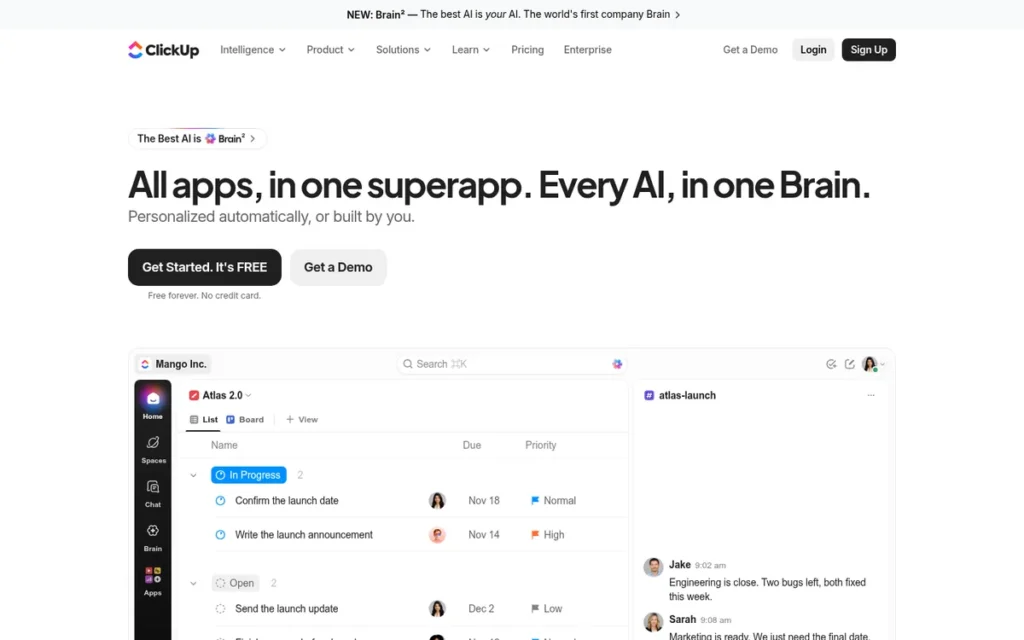
Category: PM Tool with Calendar View, project-management software that shows tasks on a calendar but does not publish content.
At a Glance
- Category: PM Tool with Calendar View
- Best For: Budget-conscious teams that need campaign tasks, briefs and deadlines in one free or low-cost workspace
- Price Range: Free; $9–$17/user/month billed annually ($12–$25 monthly); Enterprise custom; MAX AI tier $100/user/month annual
- Primary Strength: ClickUp includes a calendar view on its free plan with unlimited members, the most generous free calendar among the PM tools ranked.
- Biggest Limitation: ClickUp cannot publish to social networks, and creative staff report that its interface is overwhelming.
- One-Line Summary: ClickUp is an all-in-one work platform with a free calendar view for unlimited members and the lowest-priced per-seat plan with a calendar in this ranking, best for teams willing to invest in setup.
- Last Verified: November 2026
Overview
ClickUp is an all-in-one work management platform that combines tasks, docs, dashboards and AI with List, Board, Gantt, Calendar and Workload views. It is built for marketing teams that want campaign briefs, production tasks and deadlines in one low-cost workspace.
ClickUp does not publish social posts natively, so teams that use ClickUp pair it with a scheduler. ClickUp renamed its Unlimited plan to Core in 2026, and some ClickUp help pages still show the older $7 price (ClickUp, November 2026 snapshot).
Key Features
- ClickUp shows the same work in List, Board, Gantt, Timeline, Calendar, Table, Workload or Mind Map views.
- ClickUp’s Free Forever plan includes the Calendar view and unlimited members, but Gantt is only available as a trial on Free.
- ClickUp organizes work as Workspace, Spaces, Folders, Lists, Tasks and Subtasks, with separate permissions at each level.
- ClickUp integrates with Slack, Teams, HubSpot, Salesforce, Zapier, Make and n8n.
- ClickUp includes ClickUp Brain AI through credits that vary by plan (ClickUp pricing page, November 2026 snapshot).
Best For
ClickUp is best for cost-sensitive teams and multi-client agencies that want briefs and deadlines in one place. ClickUp’s hierarchy keeps brands or clients separate once someone sets up conventions.
Pricing
ClickUp pricing was verified in November 2026 (ClickUp, November 2026 snapshot).
- ClickUp Free Forever costs $0, with unlimited members, 60 MB of storage and the Calendar view.
- ClickUp Core (formerly Unlimited) costs $9/user/month billed annually or $12 billed monthly.
- ClickUp Business costs $17/user/month billed annually or $25 billed monthly.
- ClickUp shows a MAX AI tier at $100/user/month billed annually or $120 monthly, and ClickUp Enterprise has custom pricing.
- First limit you’ll hit: ClickUp Free includes only 60 MB of storage, which creative files use up quickly.
Strengths
- ClickUp has the strongest high-volume review profile in this ranking: 4.6/5 on G2 from 15,347 reviews and 4.6/5 on Capterra from 4,635 reviews (G2, November 2026 snapshot; Capterra, November 2026 snapshot).
- ClickUp is the only PM tool in this ranking with a free calendar view for unlimited members. Asana’s free calendar is capped at 2 seats.
- ClickUp Core, at $9/user/month billed annually, is the lowest-priced per-seat plan with a calendar view in this ranking. Trello Premium costs $10, Asana Starter $10.99 and Airtable Team $20 (vendor pricing pages, November 2026 snapshot).
- A G2 marketing reviewer said ClickUp kept work in one place “rather than requiring multiple platforms” (G2, November 2026 snapshot).
Limitations
ClickUp’s biggest trade-off is breadth at the cost of simplicity. One agency creative said ClickUp “speaks more ‘management’ than it does ‘creative'” (Reddit r/clickup, 2024).
- An agency user in a 2024 r/clickup thread about creatives and ClickUp reported that creative staff spend over an hour a day just navigating ClickUp (Reddit r/clickup, 2024).
- ClickUp has no native social publishing.
- ClickUp raised its entry seat price in 2026 when it renamed Unlimited ($7) to Core ($9 annual). In 2025, Reddit users had already called earlier tier changes a “bait and switch,” and a ClickUp representative replied publicly (ClickUp, November 2026 snapshot; Reddit r/clickup, 2025).
- ClickUp’s widely cited 384% ROI figure comes from a commissioned composite study, not independent research (GenisisIQ, November 2026 snapshot).
One user on r/clickup reported performance problems with the timeline views:
“Also, why is the Gantt view so sluggish? We use CU for a small side project, and it is already terribly slow (even on M4 Pro Apple Silicon). We cannot imagine how it would be like for anything of scale.” Posted by u/quinqueradiata
Takeaway: ClickUp’s breadth comes with performance costs, and users report its Gantt view lagging even on small projects running on high-end hardware.
Verdict
ClickUp is the best free marketing calendar for teams that mainly need campaign tasks, owners and deadlines in one place.
ClickUp ties CoSchedule at 31/45. It ranks #3 on the tie-break because its primary-criteria subtotal is higher (11.5 vs 10.5). Teams with many creative staff should trial ClickUp carefully, because adoption is the failure point users report most often.
4. CoSchedule: Best Dedicated Marketing Calendar with Native Publishing
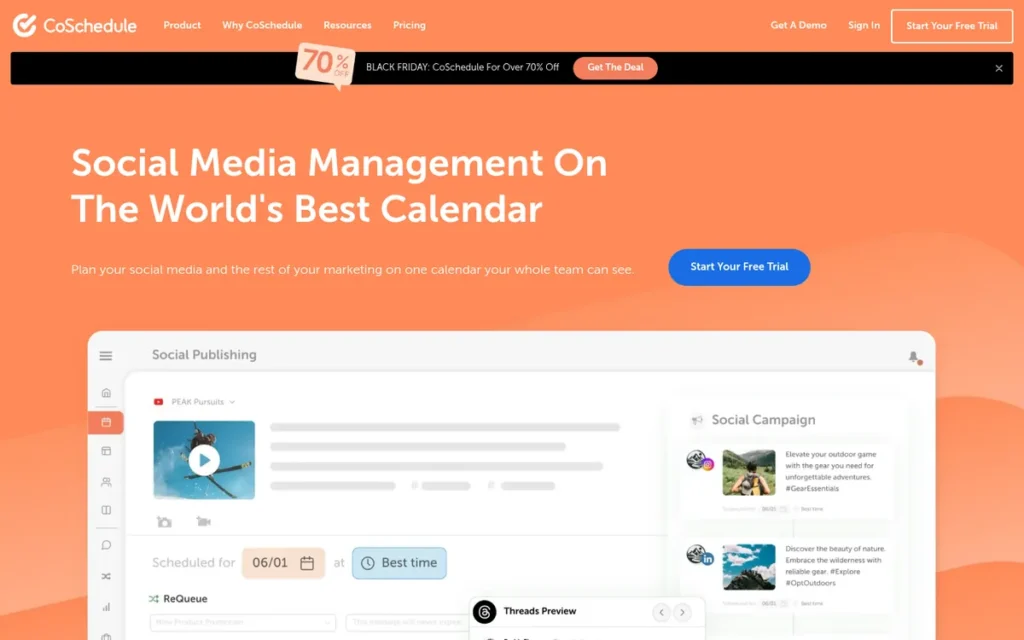
Category: Dedicated Marketing Calendar, a purpose-built calendar for campaigns, content, email and social, with native publishing.
At a Glance
- Category: Dedicated Marketing Calendar
- Best For: Content-led marketing teams that want blog, email, events and social publishing on one calendar
- Price Range: Free; $29–$49/month billed annually ($39–$59 monthly); X profiles +$16/profile/month; Suite custom
- Primary Strength: CoSchedule is the only tool in this ranking that schedules blog, email, events and native social publishing on one calendar.
- Biggest Limitation: CoSchedule has the lowest ratings and smallest review base in this ranking, and its free plan is limited to one user.
- One-Line Summary: CoSchedule is a purpose-built marketing calendar that puts blog, email, events and social publishing on one calendar, best for content-led teams that want one tool instead of two.
- Last Verified: November 2026
Overview
CoSchedule is a purpose-built marketing calendar that puts social posts, blog content, email, events and projects on one drag-and-drop calendar with native social publishing. It is built for content-led teams that want campaign planning and publishing in a single product.
CoSchedule renamed its Social, Agency and Content Calendar plans to Free, Starter, Professional and Suite. The rename is one reason older CoSchedule prices still circulate.
Key Features
- CoSchedule puts social, blog, email, events and projects on one calendar, with campaign views and color labels.
- CoSchedule publishes social posts natively and offers Best Time scheduling.
- CoSchedule’s ReQueue feature automatically re-posts evergreen social content into open calendar slots.
- CoSchedule includes Headline Analyzer, Headline Studio and CoSchedule AI (formerly Mia).
- CoSchedule offers read-only calendar access so stakeholders can see the plan without editing it.
Best For
CoSchedule is best for content-led teams that publish blogs, email and social posts on a shared schedule. These teams can avoid running a PM tool alongside a separate social scheduler.
Pricing
CoSchedule pricing was verified in November 2026 (CoSchedule, November 2026 snapshot).
- CoSchedule Free costs $0, with 1 user, 1 social profile and up to 15 scheduled posts at a time.
- CoSchedule Starter costs $29/month billed annually or $39 billed monthly, with 1 user and 3 social profiles.
- CoSchedule Professional costs $49/month billed annually or $59 billed monthly, with 2 users included, about $29/month per extra user, a 3-user maximum and 5 profiles.
- CoSchedule charges $16 per X/Twitter profile per month on Starter and Professional, and $5 for each extra profile.
- CoSchedule Suite has custom pricing, listed as starting at $69/month. A third-party review reported $190+/month, so confirm with sales.
- First limit you’ll hit: CoSchedule Free allows only 1 user and 1 social profile.
Strengths
- CoSchedule has published the most detailed customer metrics in this ranking, though they are vendor-published and not audited. Simpleview went from 20 to 80 projects per month, and ON24 reported a 1,412% increase in organic blog traffic over two years (CoSchedule customer stories, vendor-published, November 2026 snapshot).
- CoSchedule removes the need for a two-tool stack by combining a broad marketing calendar with native publishing.
- Capterra reviewers repeatedly praise CoSchedule’s ReQueue and Headline Analyzer: “We still love the headline analyser!” (Capterra, November 2026 snapshot).
- CoSchedule reports serving more than 500,000 marketers in 183+ countries (CoSchedule, company-reported, 2026).
Limitations
CoSchedule’s biggest trade-off is breadth with a thin review base. It has the lowest ratings and smallest review base in this ranking: 4.3/5 on G2 from 152 reviews and 4.4/5 on Capterra from 106 reviews (November 2026 snapshot).
- G2 review summaries for CoSchedule mention inflexible pricing, upselling, slow support and difficulty canceling (G2, November 2026 snapshot).
- CoSchedule’s seat and profile limits add cost quickly: Starter includes 1 user, Professional caps at 3 users, and each X/Twitter profile costs $16/month extra.
- A Reddit tester who compared CoSchedule with Airtable, Wrike and Notion said it has “a steep learning curve” that requires “significant training investment” (Reddit r/ChiefMarketingOfficer, 2025).
- Two competitors’ blogs, Hootsuite’s and Planable’s (Planable is ranked #1 in this list), describe CoSchedule’s social analytics as “less robust” and its approvals as historically limited to Suite (Hootsuite, 2026; Planable, 2026). PlugRoute did not independently confirm either claim.
Verdict
CoSchedule is the most complete dedicated marketing calendar in this ranking and the only one that schedules blog, email, events and native social publishing on one calendar.
CoSchedule ties ClickUp at 31/45. It ranks #4 on the tie-break because its review ratings are the lowest and thinnest in the ranking. Content-led teams that value one calendar over two tools may reasonably rank CoSchedule first.
5. Asana: Best for Cross-Functional Campaign Coordination
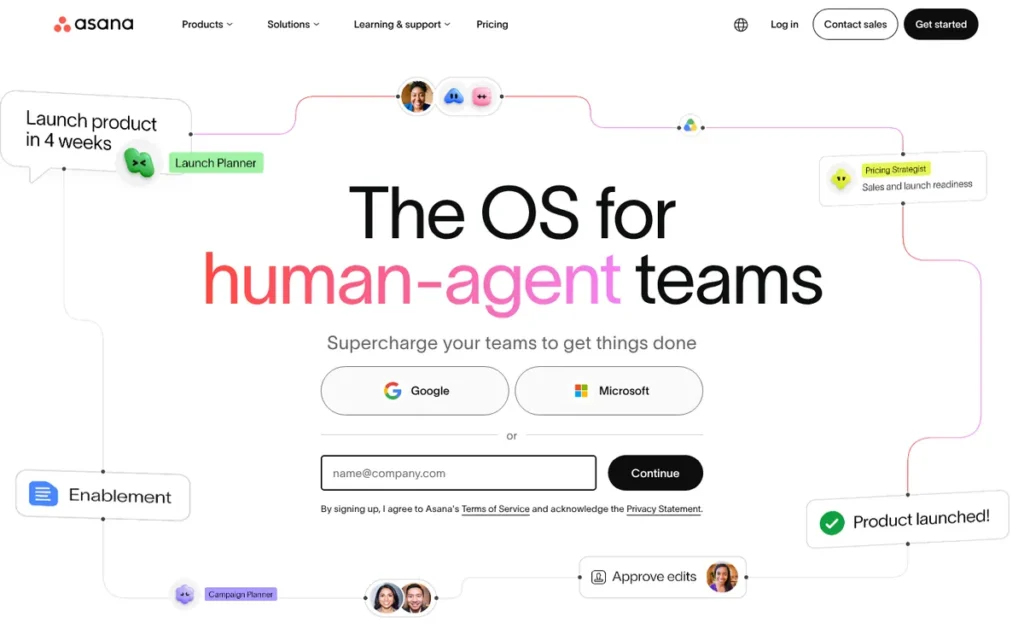
Category: PM Tool with Calendar View.
At a Glance
- Category: PM Tool with Calendar View
- Best For: Marketing teams coordinating multi-channel campaigns with other departments
- Price Range: Free Personal (up to 2 users, Calendar view included); $10.99–$24.99/user/month billed annually; Enterprise custom
- Primary Strength: Asana holds the only Gartner Magic Quadrant Leader placement found for any tool in this ranking, and it offers dependencies, intake forms and approvals.
- Biggest Limitation: Asana cannot publish content, and its seat-tier billing can make a 6-person team pay for 10 seats.
- One-Line Summary: Asana is a Gartner-recognized work management platform best for coordinating campaign owners and deadlines across departments, though it needs a separate tool to publish.
- Last Verified: November 2026
Overview
Asana is a cross-functional work management platform with calendar, timeline, dependency, intake form, approval and workload features. It is built for marketing teams that coordinate campaign owners and deadlines across departments rather than publish content.
Asana needs a separate scheduler to publish social posts. Asana includes Calendar view on every plan, including the free Personal plan, while Timeline and Gantt start on Starter (Asana, November 2026 snapshot).
Key Features
- Asana shows campaign work in calendar, timeline, board and list views, with task dependencies.
- Asana provides intake forms, approvals and marketing templates such as editorial calendars and campaign plans.
- Asana’s Work Graph lets a single task appear in several projects without being duplicated.
- Asana offers portfolios, goals, workload balancing and proofing on higher tiers.
- Asana AI Studio lets teams build AI workflows without code.
Best For
Asana is best for marketing teams that coordinate deliverables with sales, product or creative departments. Asana fits best when the wider company already uses it.
Pricing
Asana pricing was verified in November 2026 (Asana, November 2026 snapshot).
- Asana Personal is free for up to 2 users and includes List, Board and Calendar views.
- Asana Starter costs $10.99/user/month billed annually and adds Timeline and Gantt views.
- Asana Advanced costs $24.99/user/month billed annually.
- Asana Enterprise has custom pricing. Asana’s monthly-billing prices were not confirmed in our research.
- First limit you’ll hit: Asana sells paid seats in tiers with a 2-seat minimum, so a 6-person team pays for 10 seats, about $1,319/year on Starter (Asana Help Center, November 2026 snapshot).
Strengths
- Gartner named Asana a Leader in the Magic Quadrant for Collaborative Work Management in 2024 and 2025 (Gartner via Asana, 2025).
- Asana holds 4.4/5 on G2 from 14,102 reviews and 4.5/5 on Capterra from 13,777 reviews (G2, November 2026 snapshot; Capterra, November 2026 snapshot).
- Asana reports more than 114,000 paying customers (Asana, company-reported, 2026).
- Asana combines dependencies, intake forms and approvals, and its Timeline and Gantt views start on Starter, which helps teams map owners and handoffs.
Limitations
Asana’s biggest trade-off is coordination without publishing, so most marketing teams run Asana alongside a separate scheduler.
- Asana’s Trustpilot score of 1.5/5 from 322 reviews centers on unexpected charges, seat minimums and difficulty canceling (Trustpilot, November 2026 snapshot).
- Asana allows one assignee per task, which is awkward when copy and design share a piece of work (Asana, 2024).
- Asana’s adoption depends on the wider company: one content lead lost the calendar they had built in Asana after the company standardized on Confluence (Reddit r/marketing, 2023).
- Asana requires some knowledge of its rules engine, such as Rule Variables, to build recurring social-calendar tasks (Reddit r/Asana, 2025).
Verdict
Asana is the strongest campaign-coordination tool in this ranking, backed by Gartner Leader placements in 2024 and 2025 and more than 27,000 combined G2 and Capterra reviews.
Asana ranks #5 at 30.5/45, half a point behind the tied ClickUp and CoSchedule. Teams should work out their Asana seat tier before buying and plan to pair Asana with a publishing tool.
6. Airtable: Best for Custom Marketing Ops Databases
Category: Build-Your-Own Database, a flexible relational database configured into a custom marketing calendar.
At a Glance
- Category: Build-Your-Own Database
- Best For: Marketing ops teams with an in-house builder who need a custom, data-rich content system
- Price Range: Free (1,000 records per base, no calendar view); $20–$45/collaborator/month billed annually ($24–$54 monthly); Enterprise custom
- Primary Strength: Airtable offers the most flexible data model and the most granular permissions in this ranking.
- Biggest Limitation: Airtable needs substantial setup, has the highest per-seat cost and puts its calendar view on the paid Team plan.
- One-Line Summary: Airtable is a flexible relational database best for marketing ops teams that can build their own calendar system and afford the highest per-seat price in this ranking.
- Last Verified: November 2026
Overview
Airtable is a relational database platform that marketing teams turn into a custom content and campaign calendar using linked records and calendar, timeline, Kanban and gallery views. It is built for marketing ops teams with an in-house builder.
Airtable does not publish content natively. Airtable now describes itself as an “AI-native app platform” with an assistant called Omni (Airtable, 2026).
Key Features
- Airtable links campaigns, content items, channels, assets and metrics as related records.
- Airtable shows data as Calendar, Timeline, Kanban, Grid or Gallery views, with Calendar and Timeline starting on Team.
- Airtable’s Interface Designer builds dashboards for specific roles, such as executives, writers or clients.
- Airtable’s Team plan includes 50,000 records per base, 25,000 automation runs per month and 20 GB of attachments per base (Airtable Plans Overview, November 2026 snapshot).
- Airtable offers granular permissions and controls over the order in which work is done.
Best For
Airtable is best for marketing operations teams with someone who can build and maintain bases. Airtable suits teams that need tight permissions and custom fields across many campaigns.
Pricing
Airtable pricing was verified in November 2026 (Airtable, November 2026 snapshot).
- Airtable Free costs $0 and allows up to 5 editors, 50 commenters and 100 automation runs per month.
- Airtable Team costs $20/collaborator/month billed annually or $24 billed monthly.
- Airtable Business costs $45/collaborator/month billed annually or $54 billed monthly.
- Airtable bills commenters on Team, while read-only users are free and commenters are free on Business.
- First limit you’ll hit: Airtable Free does not include a Calendar view and caps each base at 1,000 records (Airtable Plans Overview, November 2026 snapshot).
Strengths
- Airtable has published the strongest marketing-specific metrics among the PM and database tools, though they are vendor-published and not independently verified. Schaeffler cut global content-creation time in half, and SUSE sped up campaign execution by 99% (Airtable customer stories, vendor-published, November 2026 snapshot).
- Airtable holds 4.6/5 on G2 from 3,304 reviews and 4.6/5 on Capterra from 2,251 reviews (G2, November 2026 snapshot; Capterra, November 2026 snapshot).
- One Reddit marketer rated Airtable above monday.com for permissions, personal views and work sequencing (Reddit r/marketing, 2023).
- Social managers use Airtable as a planning and approval layer before posting natively, and one called Airtable “life-changing for my work” (Reddit r/SocialMediaManagers, 2025).
This aligns with community sentiment on r/DigitalMarketing:
“I feel your pain with the duplication struggle. I used to do the same until I discovered Airtable. It integrates pretty well with scheduling tools and lets you keep everything in one place without all that back-and-forth. Plus, the views are super customizable, so you can track everything you need without jumping through too many hoops. Definitely worth checking out!” Posted by u/stealthagents
Takeaway: Airtable’s customizable views make it a strong hub for marketers tired of copying entries between a content calendar and a separate scheduler.
Limitations
Airtable’s biggest trade-off is flexibility over out-of-the-box usability. One marketing lead said a team “must possess some degree of spreadsheet proficiency” (Reddit r/ChiefMarketingOfficer, 2025).
- Airtable has the highest per-seat cost in this ranking, at $20 per editor on Team compared with $9 on ClickUp Core.
- Airtable Free is capped at 1,000 records per base, which one Reddit marketing lead said their team quickly outgrew (Airtable, November 2026 snapshot; Reddit r/ChiefMarketingOfficer, 2025).
- Airtable’s support draws mixed reviews from G2 reviewers and Reddit users (G2, November 2026 snapshot).
- Airtable has no native publishing, and its calendar view starts on the paid Team plan.
Verdict
Airtable is the most flexible marketing calendar option in this ranking, but it is also the hardest to set up and the most expensive per seat.
Airtable ties Trello at 27.5/45. It ranks #6 on the tie-break because it scores higher on Calendar and Publishing Fit (3 vs 2). Teams without a builder will likely reach a working calendar faster with a ready-made tool such as Trello, Loomly or Planable.
7. Trello: Best for Simplicity and Fast Team Adoption
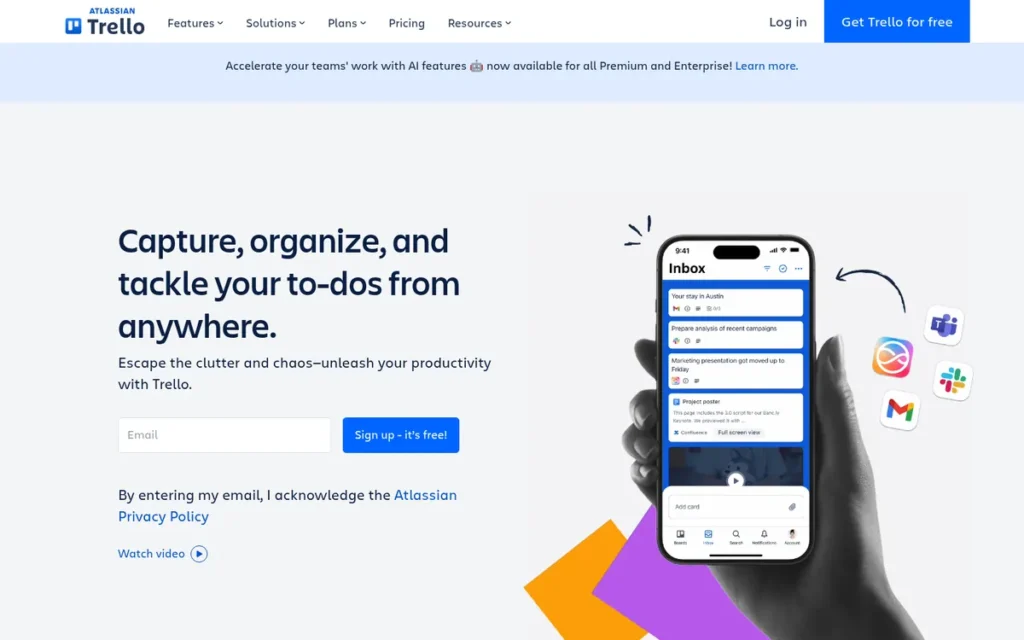
Category: PM Tool with Calendar View.
At a Glance
- Category: PM Tool with Calendar View
- Best For: Small teams that want a simple visual content pipeline everyone can adopt quickly
- Price Range: Free (Board view only); $5–$10/user/month billed annually; Calendar view requires Premium ($10/user/month annual)
- Primary Strength: Reviewer and Reddit accounts rate Trello the easiest tool in this ranking to adopt (C5 score 5/5), and Trello has the largest base of user reviews.
- Biggest Limitation: Trello puts its Calendar view on the Premium plan and cannot publish content.
- One-Line Summary: Trello is a simple Kanban board tool best for small teams that value fast adoption, though its calendar view requires the paid Premium plan.
- Last Verified: November 2026
Overview
Trello is an Atlassian Kanban-style work management tool that moves content cards through a pipeline from idea to publication. It is built for small marketing teams that value simplicity and fast adoption over campaign depth.
Trello’s Calendar view is available only on the Premium and Enterprise plans. Trello does not publish social posts natively.
Key Features
- Trello organizes content as cards that hold briefs, owners, checklists, attachments and due dates.
- Trello’s editorial calendar template tracks posts “from idea through publication” (Trello, November 2026 snapshot).
- Trello adds Calendar, Timeline, Table, Dashboard and Map views on the Premium plan.
- Trello’s Butler automation moves cards, assigns members and creates recurring cards.
- Trello lists 150+ Power-Ups that connect marketing tools (Trello for Marketing Teams, November 2026 snapshot).
Best For
Trello is best for small teams, or teams in companies that already use Atlassian, that need a simple shared content pipeline. Trello fits teams that can accept a separate publishing tool.
Pricing
Trello pricing was verified in November 2026 (Trello, November 2026 snapshot).
- Trello Free costs $0 and allows up to 10 collaborators per Workspace, with Board view only.
- Trello Standard costs $5/user/month billed annually or $6 billed monthly, with no Calendar view.
- Trello Premium costs $10/user/month billed annually or $12.50 billed monthly and adds Calendar and Timeline views, so a 5-person team pays about $600/year.
- Trello Enterprise starts at $17.50/user/month billed annually, and coverage of a 2024 change reported that free Workspaces with more than 10 collaborators could become read-only (Dupple, 2024).
- First limit you’ll hit: Trello Free and Standard do not include a Calendar view, which starts on Premium.
Strengths
- Trello has the largest review base in this ranking: 4.5/5 on Capterra from about 23,600 reviews and 4.4/5 on G2 from 14,067 reviews (Capterra, November 2026 snapshot; G2, November 2026 snapshot).
- Reviewers consistently praise Trello’s ease of use, and one Reddit marketer said teammates “will be able to catch up quickly” (Reddit r/marketing, 2023).
- Trello can be extended with Power-Ups and Butler automation without switching tools (Trello, November 2026 snapshot).
- Trello has been owned by Atlassian, a mature public company, since 2017.
Limitations
Trello’s biggest trade-off is simplicity over depth. Its dependencies and reporting are limited, its calendar requires Premium and it has no native publishing.
- Teams often outgrow Trello, and one marketing automation manager said it was not “powerful enough for our needs” (Reddit r/marketing, 2023).
- Capterra reviewers say Trello boards with many cards get messy (Capterra, November 2026 snapshot).
- Trello’s Trustpilot rating of 3/5 from 187 reviews reflects support and billing complaints across Atlassian (Trustpilot, November 2026 snapshot).
- Trello has no marketing-calendar-specific metrics. Its vendor-published stories, such as Sprouting’s 30% sales increase, are not about calendar outcomes (Trello customer stories, vendor-published, November 2026 snapshot).
Verdict
Reviewer and Reddit accounts make Trello the easiest marketing calendar in this ranking for a team to start using, and it has the largest review base in the set.
Trello ties Airtable at 27.5/45. It ranks #7 on the tie-break because its calendar view requires Premium and it scores lowest on Calendar and Publishing Fit. Teams running multi-step campaigns with dependencies will likely outgrow Trello.
Which Tools Publish Natively, and Where Does Each Free Plan Stop?
Three of the seven tools publish to social networks natively: Planable, Loomly and CoSchedule. ClickUp Free and Asana Personal include a calendar view, but only ClickUp Free allows unlimited members. Trello and Airtable put the calendar on paid tiers. The table shows each tool’s first limit, from official pricing pages checked in November 2026.
In two of the seven ranked tools, Trello and Airtable, the calendar view itself is a paid feature.
| Tool | Native Publishing | Calendar View Available On | Billing Unit | Entry Paid Price (Annual / Monthly) | First Limit You’ll Hit |
|---|---|---|---|---|---|
| Planable | Yes | All plans, including Free | Per workspace, unlimited users | ~$33 / $39 (Basic) | Free plan: 50 posts lifetime |
| Loomly | Yes | All plans (no free plan documented) | Flat per plan | $49 / $65 (Starter) | Starter: 3 users |
| ClickUp | No | Free and above | Per user | $9 / $12 (Core, formerly Unlimited) | Free plan: 60 MB storage |
| CoSchedule | Yes | Free and above | Flat per plan, plus extra users on Professional | $29 / $39 (Starter) | Free plan: 1 user, 1 profile, 15 scheduled posts at a time |
| Asana | No | All plans, including free Personal (up to 2 seats) | Per user, 2-seat minimum, seat tiers | $10.99 / not confirmed (Starter) | Seat-tier rounding (6 users pay for 10) |
| Airtable | No | Team and above | Per collaborator | $20 / $24 (Team) | Free plan: no calendar view; 1,000 records per base |
| Trello | No | Premium and Enterprise only | Per user | $5 / $6 (Standard, no calendar); $10 / $12.50 (Premium) | Free and Standard: Board view only |
What Will Each Tool Cost My Team? (Annual Billing, November 2026)
A team of six pays about $648/year on ClickUp Core, $720 on Trello Premium, about $1,319 on Asana Starter because of seat-tier rounding, and $1,440 on Airtable Team. A three-person social team pays about $396/year on Planable Basic or $588 on Loomly Starter. All figures are PlugRoute estimates from November 2026 list prices.
| Scenario | Options and Estimated Cost |
|---|---|
| Solo or $0 budget | ClickUp Free (calendar included, 60 MB); Asana Personal (calendar included, up to 2 seats); CoSchedule Free (1 user, 1 profile, 15 scheduled posts at a time); Planable Free (50 posts lifetime); Trello Free (Board only, no calendar) |
| Social team of 3 | Loomly Starter $588/yr (12 accounts); Planable Basic ~$396/yr per workspace (4 pages, 60 posts/mo); CoSchedule Professional ~$936/yr (2 included users plus ~$29/mo for the third, the plan maximum) |
| Cross-functional team of 6 | ClickUp Core $648/yr; Trello Premium $720/yr; Asana Starter at the 10-seat tier ~$1,319/yr; Airtable Team $1,440/yr (editors). None of these publish natively. |
| Agency with 10 clients and many approvers | Planable Pro, 10 workspaces at ~$490/mo annual before add-ons, unlimited users; Loomly Beyond $249/mo annual, unlimited users, 60 accounts |
| Marketing ops team with a builder | Airtable Team or Business, $20–$45 per editor per month; commenters are free on Business |
These estimates exclude taxes and add-ons, such as Planable analytics, ClickUp AI and CoSchedule’s $16 X/Twitter profile fee, unless noted.
Why Do Sources Disagree on Marketing Calendar Prices?
Sources disagree on marketing calendar prices mainly because vendors rename plans, older articles quote retired pricing and tools bill in different units. CoSchedule’s current Starter plan costs $29/month billed annually (CoSchedule, November 2026 snapshot). The “$19/user” figure some sources repeat appears to come from an older pricing model.
Three of the seven ranked vendors, CoSchedule, Loomly and ClickUp, have recently renamed or retired plans. Treat any marketing calendar price without a date as unverified.
The main causes of conflicting prices:
- Plan renames: CoSchedule’s Social, Agency and Content Calendar plans became Free, Starter, Professional and Suite. ClickUp’s $7 Unlimited plan became the $9 Core plan in 2026.
- Retired plans: Loomly has retired the Base, Standard, Advanced and Premium plans quoted in older articles.
- Different billing units: Asana, ClickUp, Trello and Airtable bill per seat. Loomly and CoSchedule bill per plan, and Planable bills per workspace.
- Monthly vs. annual gaps: Loomly Beyond costs $332 billed monthly but $249 per month billed annually.
- Changing add-ons: ClickUp’s AI packaging has changed repeatedly, and sources show Planable’s annual prices differently.
Is There One Tool That Handles Planning, Publishing and Analytics?
No tool in this research handles planning, publishing and analytics deeply in one product. None of the seven ranked tools combines campaign dependencies, workload planning, multi-network publishing and deep analytics, so many teams realistically end up with two tools. In all seven, content planning also stays separate from SEO research and performance tracking.
As one social media manager on r/DigitalMarketing described:
“I like Notion because I can organize my calendar in so many ways and keep track of everything including blogs. The only struggle is I hate duplicating everything from my CC in Notion to my Scheduler- Sprout Social. It is time consuming! But I can’t make a full-fledged content calendar in Sprout Social because it won’t track my blogs or allow for status changes.” Posted by u/Gloss-Looks
Takeaway: Marketers running a separate planning calendar and social scheduler lose real time to duplicate entry, which confirms that the two-tool gap in marketing calendar software is a daily cost.
Common two-tool pairings and estimated annual costs:
- ClickUp plus Loomly: ClickUp Core for 6 people ($648) plus Loomly Starter ($588) comes to about $1,236/year.
- Asana plus Planable: Asana Starter at the 10-seat tier (~$1,319) plus Planable Basic (~$396) comes to about $1,715/year.
- Airtable plus native posting: Reddit users describe planning and approvals in Airtable, then posting directly in each network’s own app (Reddit r/SocialMediaManagers, 2025).
For many Reddit users with few approvers and low posting volume, a spreadsheet or Notion plus native posting, for example through Meta Business Suite, is still enough.
Integration platforms such as Zapier, Make and n8n can partly connect planning tools to other systems. All three are documented ClickUp integrations.
What Red Flags Should I Watch For When Evaluating Marketing Calendar Software?
In marketing calendar software, the first limit you hit, not the feature list, usually decides what you actually pay. The biggest red flags are pricing traps that only show up after signup. Each of the six below appears in at least one ranked tool checked in November 2026.
Red Flag #1: Calendar View Locked Behind a Paid Tier Some PM tools charge for the calendar view itself, so a free board may not include the calendar you need. Trello requires Premium ($10/user/month annual) and Airtable requires Team ($20/collaborator/month annual) before the Calendar view appears (Trello and Airtable, November 2026 snapshot).
Red Flag #2: Seat Minimums, Seat Tiers and User Caps Billing rules can charge you for seats you don’t use or force a large upgrade. Asana’s paid plans have a 2-seat minimum and sell seats in tiers, so a 6-person team pays for 10. Loomly Starter covers 3 users, and adding a fourth means moving to a plan that costs roughly 5x more.
Red Flag #3: Post Caps on Free Plans Free-plan post caps work in two different ways. Planable Free’s 50 posts are a lifetime limit and are used up permanently, while CoSchedule Free’s 15-post queue refills as posts publish. A team posting three times a week would use up Planable Free in about four months.
Red Flag #4: Prices From Before a Plan Rename Prices quoted from before a plan rename are likely wrong. CoSchedule, Loomly and ClickUp have all renamed or retired plans, and ClickUp’s $7 Unlimited seat became the $9 Core seat in 2026. Check every price against the vendor’s live pricing page.
Red Flag #5: Billable Viewers and Commenters Some tools charge for people who only review content, and Airtable bills commenters on its Team plan. Three pricing models avoid charging for each reviewer: per-workspace pricing (Planable), flat per-plan pricing with user caps (Loomly, CoSchedule) and free commenters on Airtable Business.
Red Flag #6: Features Moved to Higher Tiers Features can move to higher tiers after you sign up, as ClickUp users reported in a 2025 Reddit thread (Reddit r/clickup, 2025). Before you buy, screenshot the vendor’s pricing page and ask in writing how plan changes affect existing customers.
What Questions Should I Ask Before Choosing Marketing Calendar Software?
Before choosing marketing calendar software, ask six questions covering company adoption, publishing needs, approver costs, manual posting, system ownership and entry-plan limits. The answers usually narrow seven tools down to one or two. Each question below matches a specific trap documented in this ranking’s November 2026 research.
Question #1: Does the rest of my company already use a work management tool? Company-wide adoption often matters more than features. One Reddit content lead lost the calendar they had built in Asana after the company standardized on Confluence. Another worried Trello would meet resistance because coworkers did not use it (Reddit r/marketing, 2023).
Question #2: Do I need native publishing, or only planning? Native publishing narrows the choice to three tools: Planable, Loomly and CoSchedule. If publishing already happens in another scheduler or in each network’s own app, ClickUp, Asana, Airtable or Trello can handle planning without duplicating your publishing setup.
Question #3: Who needs to approve content, and will they cost a seat? Approvers can quietly multiply costs on per-seat tools. A team of 3 creators plus 5 client approvers pays for 8 seats on a per-seat tool. On Planable Basic, the same 8 people share one workspace at about $33/month billed annually (Planable, November 2026 snapshot).
Question #4: Which formats (Stories, Reels, TikTok) will still need manual posting? Social platform API limits mean some formats still need finishing by hand. Loomly reviewers report this for Instagram Stories, Reels and TikTok (G2, November 2026 snapshot). Similar API limits affect other schedulers, so ask every vendor for a format-by-format list before you commit.
Question #5: Does anyone on my team have time to build and maintain the system? Flexible tools need an owner who builds and maintains them. Airtable and ClickUp reward a dedicated builder who sets up fields, views and conventions. Trello and Loomly suit teams with little setup time that need a working calendar within days.
Question #6: What is the first limit my team will hit on the free or entry plan? Every tool’s entry plan stops somewhere, and the first limit usually decides what you pay. Check storage, post caps, user caps and calendar availability against your team’s size and posting volume. The “First Limit You’ll Hit” column in the publishing table above lists each one.
How Did We Rank These Marketing Calendar Tools?
PlugRoute scored all seven tools from 1 to 5 on six published criteria. Three primary criteria count double: calendar and publishing fit, independent review ratings, and pricing transparency. Three secondary criteria count once: team coordination, ease of adoption and evidence quality. The maximum score is 45, and the full score table is below.
PlugRoute has no affiliate relationships with any company listed. Rankings are determined entirely by research data and objective evaluation criteria.
Ranking criteria and why each matters:
- C1, Calendar and Publishing Fit (x2): C1 measures whether the calendar is on an affordable plan, whether the tool publishes natively and which content types it covers. Readers’ first question is whether they need a calendar or a PM tool.
- C2, Independent Review Ratings and Volume (x2): C2 combines G2 and Capterra ratings with review volume. Ratings from fewer than 200 reviews get less weight, because peer ratings are only a useful proxy for satisfaction at volume.
- C3, Pricing Transparency and Entry-Plan Value (x2): C3 measures published billing units, monthly-versus-annual gaps, hidden constraints and realistic team costs. Hidden limits are the audience’s top complaint.
- C4, Team Coordination and Approvals (x1): C4 measures assignees, dependencies, approvals, guest access and whether viewers are billed, because teams need owners and sign-off in one view.
- C5, Ease of Setup and Adoption (x1): C5 uses review and Reddit accounts of learning curves, because a calendar the team won’t use is worthless.
- C6, Evidence Quality and Credentials (x1): C6 ranks evidence from analyst recognition down to testimonials, because readers deserve to know who verified each claim.
| Rank | Tool | C1 | C2 | C3 | C4 | C5 | C6 | Total (of 45) |
|---|---|---|---|---|---|---|---|---|
| 1 | Planable | 4 | 4.5 | 4 | 5 | 4.5 | 2 | 36.5 |
| 2 | Loomly | 4 | 4.5 | 3 | 4 | 4.5 | 1.5 | 33 |
| 3 (tie) | ClickUp | 3.5 | 5 | 3 | 3.5 | 2 | 2.5 | 31 |
| 4 (tie) | CoSchedule | 5 | 2.5 | 3 | 3 | 3 | 4 | 31 |
| 5 | Asana | 3 | 4.5 | 2.5 | 4 | 3.5 | 3 | 30.5 |
| 6 (tie) | Airtable | 3 | 4.5 | 2 | 4 | 1.5 | 3 | 27.5 |
| 7 (tie) | Trello | 2 | 4.5 | 3 | 2.5 | 5 | 1 | 27.5 |
Scores are calculated as (C1 + C2 + C3) × 2 + (C4 + C5 + C6) × 1. Ties are broken by the primary-criteria subtotal (C1 + C2 + C3), then by C1.
November 2026 rescoring: ClickUp’s C3 fell from 3.5 to 3.0 after its 2026 price rise and plan rename. Airtable’s C2 rose from 3.5 to 4.5 after its G2 rating (4.6/5 from 3,304 reviews) was verified.
Sensitivity note: Ranks 3–4 and 6–7 are tied on total score. A team that weights blog, email and social publishing on one calendar would rank CoSchedule higher, and a team that weights dependencies would rank Asana higher.
Research notes and limitations:
- PlugRoute checked pricing and plan limits on official vendor pricing and help pages in November 2026.
- PlugRoute reports Trustpilot ratings but does not score them, because those reviews mostly reflect billing and support experiences.
- PlugRoute labels vendor case studies as vendor-published and scores them below independent evidence.
- PlugRoute did not time hands-on setup, so ease-of-setup scores rely on review and Reddit accounts.
- In AI answers reviewed in November 2026, CoSchedule was most often named as the default pick, Loomly was not mentioned and Trello was mislabeled as a social scheduler.
- PlugRoute excluded monday.com, Buffer, Semrush, Wrike and Smartsheet because they were not researched to the same depth, and makes no claims about them.
What Else Do Buyers Ask About Marketing Calendar Software?
Buyers most often ask which marketing calendar is best for small teams, which free option is best and how PlugRoute ranks tools. Loomly leads for small social teams and ClickUp Free leads among free options. PlugRoute’s rankings come from six weighted criteria published in full in the methodology above.
What is the best marketing calendar software for small teams in 2026?
Loomly is the best marketing calendar for social teams of three or fewer in 2026. Loomly includes approvals and 12 social accounts for $49/month billed annually (Loomly, November 2026 snapshot). Planable is the better choice when many reviewers need access, because Planable workspaces include unlimited users. ClickUp suits small teams that mainly track tasks.
What is the best free marketing calendar software in 2026?
ClickUp Free is the best free marketing calendar for campaign tasks in 2026. It includes a calendar view and unlimited members but only 60 MB of storage (ClickUp, November 2026 snapshot). CoSchedule Free is the best free option for publishing, though it is limited to one user and one profile. Asana Personal adds a free calendar for up to two people.
How does PlugRoute determine its rankings?
PlugRoute determines rankings by scoring each tool from 1 to 5 on six published criteria. Calendar fit, review ratings and pricing transparency count double. Coordination, adoption and evidence quality count once, for a maximum of 45. The primary-criteria subtotal breaks ties. Pricing was checked in November 2026, and vendor metrics are labeled and scored below independent evidence.
What Do Key Marketing Calendar Software Terms Mean?
Native Publishing: Native publishing means the tool posts content straight to social networks from its own calendar, so you don’t need a separate scheduler. It is the first thing to check when comparing tools, because project-management tools and databases plan the work but cannot publish it.
Calendar View: A calendar view lays out tasks, posts or campaigns on a calendar by date. Some tools only include it on paid tiers, so a free plan may give you a board without the calendar you were shopping for.
Social and Approval Calendar: A social and approval calendar is built to draft, preview, approve and publish content, with collaboration at its core. It suits teams whose main bottleneck is getting sign-off before anything goes live, but it usually lacks dependencies and workload views.
Approval Workflow: An approval workflow is the set of steps content passes through before publishing, from single sign-off up to multi-level approvals and locking of approved content. Check which plan includes approvals, because some tools reserve them for higher tiers.
Guest Approval Link: A guest approval link lets a client or stakeholder review and approve content without creating a login. This removes friction for outside reviewers and can stop them from adding to your seat count.
Per-Seat Billing: Per-seat billing charges a fee for each user, usually quoted per user per month. Costs grow with every creator and approver you add, so a team with many reviewers can pay far more than the entry price suggests.
Per-Workspace Pricing: Per-workspace pricing charges for each workspace no matter how many users it has. It keeps reviewer costs flat, but agencies pay again for every client workspace they add.
Seat Tier: A seat tier is a fixed bundle of seats that you buy instead of paying for exact user numbers, sometimes with a seat minimum. Your team can end up paying for unused seats, for example a 6-person team billed for 10.
First Limit You’ll Hit: The first limit you’ll hit is the first cap on a free or entry plan that forces an upgrade, such as storage, post caps, user caps or calendar availability. It usually decides what you actually pay, so check it against your team size and posting volume.
Lifetime Post Cap: A lifetime post cap is a total number of posts allowed over the life of an account, not per month. Once it is used up it does not refill, unlike a scheduled-post queue that frees up as posts go out.
Gantt and Dependencies: A Gantt view shows tasks as bars on a timeline, and dependencies link tasks so that one cannot start until another is done. They help teams coordinate handoffs across owners and departments, and social calendars often don’t have them.
API Limits: API limits are restrictions the social platforms place on what outside tools can post automatically. Because of them, some formats such as Stories, Reels or TikTok may still need finishing by hand, so ask vendors for a format-by-format list.
Which Marketing Calendar Tool Is Right for You?
Key Insights
- Planable ranks #1 (36.5/45) because its approval workflow and unlimited-user workspaces remove the most common hidden reviewer costs in marketing calendar software.
- Only Planable, Loomly and CoSchedule publish to social networks natively, while ClickUp, Asana, Airtable and Trello need a separate scheduler.
- ClickUp and CoSchedule tie at 31/45, and Airtable and Trello tie at 27.5/45, so PlugRoute’s published tie-break rule decides their order.
- ClickUp renamed its $7 Unlimited plan to Core. At $9/user/month billed annually, ClickUp Core is now the lowest-priced per-seat plan with a calendar view in this ranking (November 2026).
- CoSchedule’s current Starter price is $29/month billed annually (November 2026), and the “$19/user” figure in some sources reflects outdated pricing.
- Asana’s seat tiers mean a 6-person team pays for 10 seats, about $1,319/year on Starter (November 2026).
Start with the tool that matches your biggest bottleneck:
- Approval-heavy teams and agencies should start with Planable.
- Social teams of three or fewer should start with Loomly.
- Budget teams managing campaign tasks should start with ClickUp.
- Content-led teams that want publishing on one calendar should start with CoSchedule.
- Teams coordinating across departments should start with Asana.
- Marketing ops teams that need custom data models should start with Airtable.
- Teams that need the fastest adoption should start with Trello.
Before you buy, run a two-week pilot on one real campaign:
- Load one month of real content into the tool you are testing.
- Have every approver sign off on at least one item.
- Write down the first plan limit your team hits during the pilot.
Most tools in this ranking offer a free plan or trial, so a pilot costs nothing but time. If your team has few approvers and low posting volume, a spreadsheet plus native posting may still be enough.
Read PlugRoute’s full methodology or browse our other independent SaaS reviews to compare more tools. We update this guide quarterly and re-check prices when a ranked vendor changes its plans. Last updated: November 2026.