Jobber ranks first overall among cleaning services software for growing businesses that quote, schedule and invoice in one system. ZenMaid is the top residential maid-service pick, and Swept is the top pick for commercial janitorial crews across buildings. Choose by business model first, then by true monthly cost at your team size (PlugRoute, November 2026).
Advertised entry prices rarely match the real bill once you add per-user fees, appointment caps, SMS charges and card processing. Connecteam ranks second for crew time tracking. Like Swept, it needs a separate billing tool, so many “all-in-one” picks still need a second system.
PlugRoute has no affiliate relationships with any company listed. Rankings are determined entirely by research data and objective evaluation criteria.
“If you’re in commercial, Clean Biz Network. If you’re residential, Zenmaid.” (u/Charming_Increase213, r/sweatystartup (Reddit, 2026))
Takeaway: Cleaning owners choose software by business model first, and this ranking is organized the same way.
What Are the 4 Categories of Cleaning Services Software?
Cleaning services software falls into four categories:
- General home-service platforms, which the user configures for cleaning
- Residential cleaning platforms, often called maid service software
- Commercial janitorial platforms, often called janitorial software, organized by building
- Workforce management apps, which handle time, tasks and HR but not billing
Your business model decides which category fits.
- General Home-Service Platform: This category covers all-in-one field service management (FSM) software for many trades, which the user sets up for cleaning. It includes Jobber, Housecall Pro and ServiceM8.
- Residential Cleaning Platform: This category covers software built specifically for recurring residential maid services and instant online booking. It includes ZenMaid and BookingKoala.
- Commercial Janitorial Platform: This category covers location-based operations software for crews cleaning multiple commercial buildings. It includes Swept.
- Workforce Management App: This category covers time, task, communication and HR software for deskless crews, without client booking or invoicing. It includes Connecteam.
How Do the Top Cleaning Services Software Tools Compare at a Glance?
Jobber, Connecteam and ZenMaid take the top three places by weighted score:
- Jobber has the broadest quote-to-payment coverage.
- Connecteam has the deepest crew time tracking and the largest review base.
- ZenMaid has the most transparent residential pricing.
Connecteam needs a separate billing tool, so ZenMaid and Swept stay the segment picks for residential and commercial buyers.
- Swept scores highest in this ranking for attendance and quality proof on commercial contracts.
- Housecall Pro has the largest review base among the home-service platforms in this ranking.
- ServiceM8 offers unlimited users with pricing based on job volume.
- BookingKoala has the most detailed instant-price booking form among the tools reviewed.
| Rank | Company | Category | Best For | One-Line Summary | Key Capabilities | Primary Strength | Key Limitation |
|---|---|---|---|---|---|---|---|
| 1 (3.90) | Jobber | General Home-Service Platform | Growing residential and light commercial teams that quote | Jobber is the highest-scoring all-in-one platform here for cleaning businesses that quote, schedule and invoice, with QuickBooks Online and Xero sync from Connect. | Quotes, recurring jobs, Client Hub, GPS time tracking, invoicing, payments | Full quote-to-payment cycle with QuickBooks Online and Xero sync | Quote-first workflow; $29/month per extra user |
| 2 (3.83) | Connecteam | Workforce Management App | Teams fixing time, attendance and training first | Connecteam is a workforce app that verifies cleaner hours with a geofenced GPS time clock, rated 4.6/5 on Capterra from 5,322 reviews and free for up to 10 users. | GPS time clock with geofencing, checklists, chat, training, payroll integrations | Largest review base in this ranking; free plan for up to 10 users | No booking, quoting, invoicing, payments or CRM |
| 3 (3.80) | ZenMaid | Residential Cleaning Platform | Residential maid services with recurring clients | ZenMaid has the lowest published entry price among residential platforms here ($19/month plus $4 per cleaner), but per-cleaner fees raise cost as crews grow. | Recurring scheduling, Spotfinder, GPS clock-in (Pro), payroll reports, booking forms | Cleaning-specific workflows at fully published prices | Per-cleaner fee regardless of hours; no public API or quoting |
| 4 (3.70) | Swept | Commercial Janitorial Platform | Janitorial companies across multiple buildings | Swept scores highest here for attendance and quality proof, priced per location with unlimited users from $30/month. | Geofenced clock-in, no-show alerts, inspections, photo proof, multilingual messaging | Per-location pricing with unlimited users | No native invoicing, bidding or estimating |
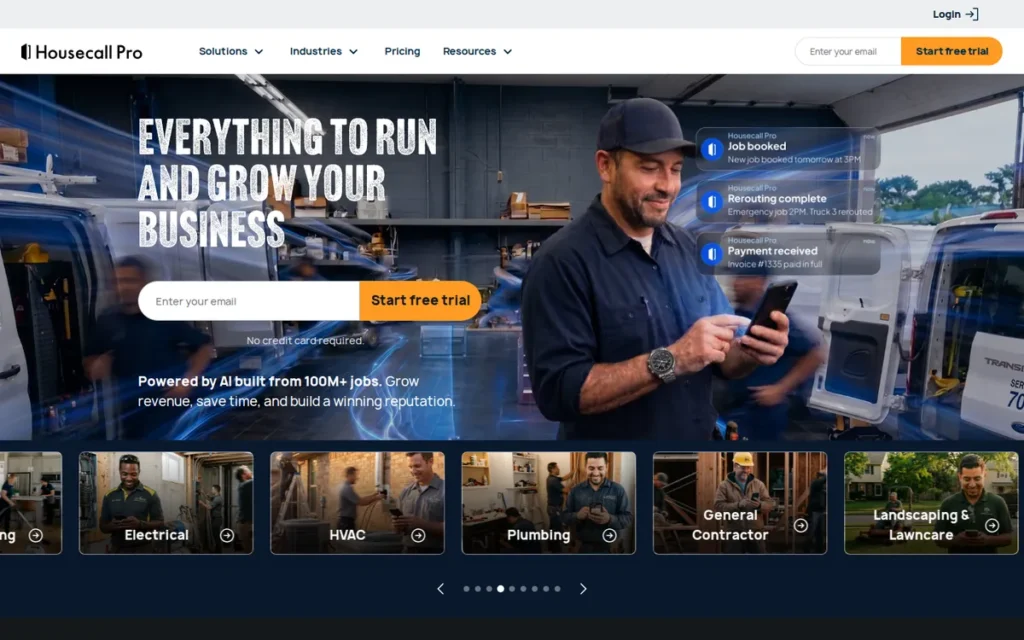
| 5 (3.55) | Housecall Pro | General Home-Service Platform | Marketing-focused home-service operators | Housecall Pro is the most-reviewed home-service platform in this ranking, rated 4.7/5 on Capterra from 2,749 reviews. | Online booking, dispatch, invoicing, financing, review management, marketing | Largest review base among home-service platforms here | Add-ons and $35 extra-user fee on MAX |
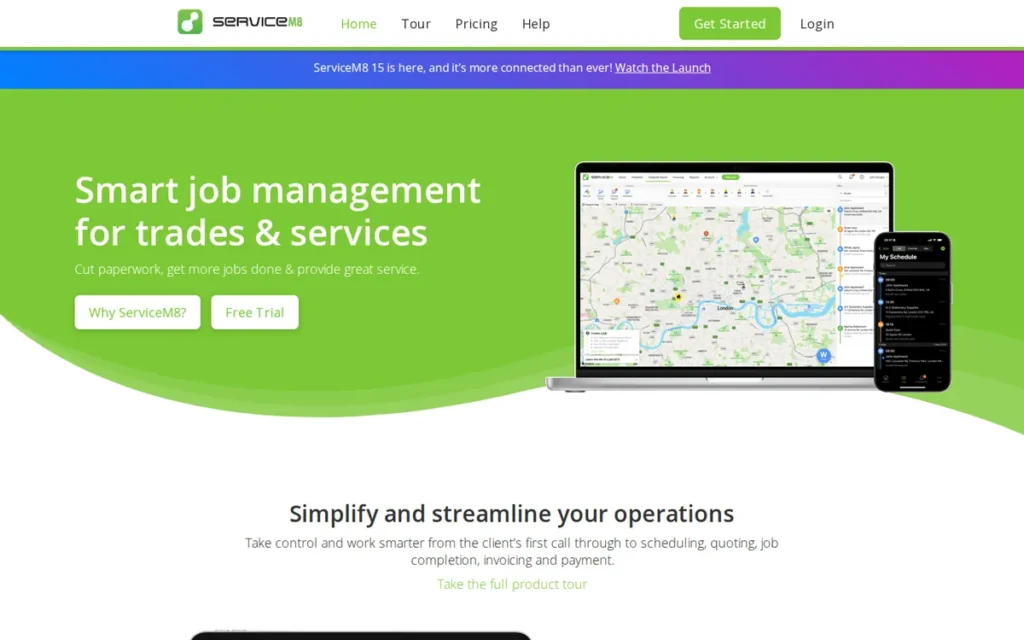
| 6 (2.98) | ServiceM8 | General Home-Service Platform | iPhone-based teams on Xero with steady volume | ServiceM8 is a field-service app priced by job volume, with unlimited users and a Xero integration rated 4.6/5. | Quoting, scheduling, invoicing, forms, routing, Xero add-on | Unlimited users on paid plans | Job-volume caps force upgrades; chat-only support; Android gaps |
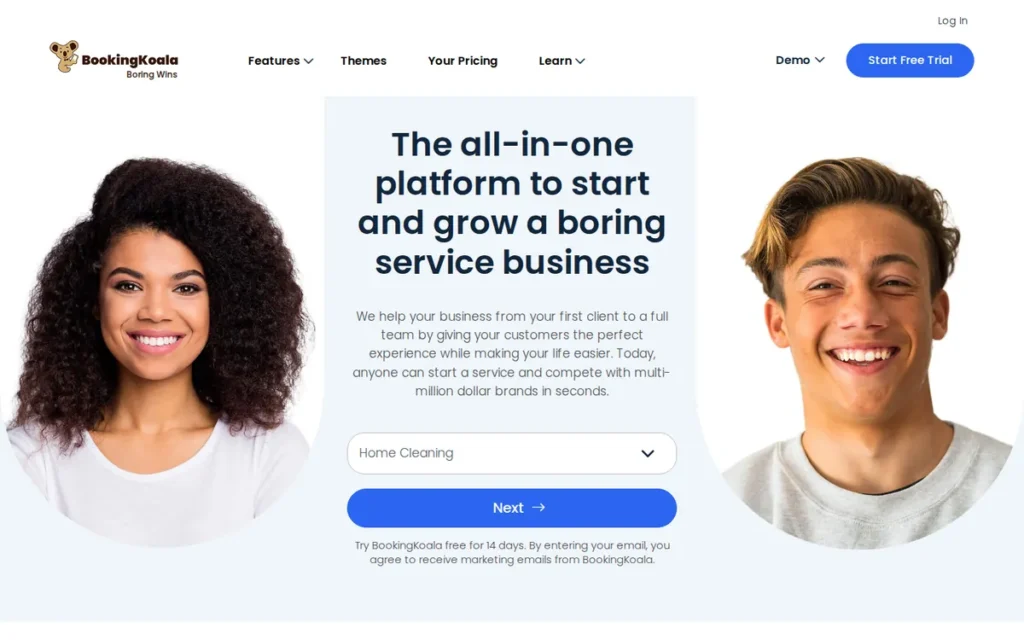
| 7 (2.95) | BookingKoala | Residential Cleaning Platform | Residential cleaners selling online with instant prices | BookingKoala has the most detailed instant-pricing booking form among the tools reviewed, from $27/month. | Instant-price booking forms, website builder, cleaner accounts, GPS clock-in (Growing), payments | Most detailed instant-pricing booking form | Hard back-end setup; no inspections; reported QuickBooks sync problems |
Which Cleaning Services Software Should I Choose for My Use Case?
Residential maid services should start with ZenMaid. Commercial janitorial companies should start with Swept plus an invoicing tool. Teams that quote and need QuickBooks or Xero sync should start with Jobber. PlugRoute found no single tool that covers residential instant booking and commercial inspections equally well, so hybrid operators often run two systems.
Use this three-step rule before reading the table:
- Choose your category first: residential, commercial, workforce or general home service.
- Model the monthly cost at today’s headcount and at double that headcount.
- Confirm which plan unlocks recurring jobs, GPS clock-in and accounting sync.
| Your #1 Priority | Recommended Tool | Why | Acceptable Alternative |
|---|---|---|---|
| Solo residential, under 40 appointments a month | ZenMaid Starter | ZenMaid Starter costs $19/month plus $4 per cleaner, though GPS clock-in starts on Pro (November 2026) | BookingKoala Starter ($27/month, up to 5 providers) |
| Growing residential with recurring clients (5–30 cleaners) | ZenMaid Pro or Pro Max | ZenMaid offers Spotfinder, PTO tracking and payroll reports built for maid services | Jobber |
| Residential or light commercial work that needs quotes and QuickBooks/Xero | Jobber Connect | Jobber covers quote-to-payment, with QuickBooks Online and Xero sync from Connect | Housecall Pro |
| Marketing and reviews first | Housecall Pro | Housecall Pro bundles review management with postcard and email marketing | Jobber with the Marketing Suite add-on |
| Commercial janitorial across multiple buildings | Swept plus an invoicing tool | Swept offers geofenced attendance, inspections and unlimited users | Connecteam plus an invoicing tool |
| Time and attendance first, any segment | Connecteam plus a booking/invoicing tool | Connecteam offers a geofenced time clock, free for up to 10 users | Swept (commercial) |
| Instant-price online booking first | BookingKoala | BookingKoala prices by bedrooms, bathrooms, square footage and add-ons | ZenMaid |
| iPhone and Xero team with steady volume | ServiceM8 | ServiceM8 includes unlimited users and a Xero integration rated 4.6/5 | Jobber |
| Hybrid residential plus commercial | Jobber | Jobber handles both segments at moderate depth | Swept paired with a residential booking tool |
Which Cleaning Services Software Tools Rank Best in 2026?
PlugRoute ranks Jobber first among seven cleaning services software tools for 2026, with a weighted score of 3.90 out of 5. The score covers business-model fit, verified ratings, true cost, attendance verification, accounting integration and documented results. Connecteam (3.83) and ZenMaid (3.80) follow closely, and each entry below explains the evidence behind its position.
- Jobber ranks #1 with a weighted score of 3.90.
- Connecteam ranks #2 with a weighted score of 3.83.
- ZenMaid ranks #3 with a weighted score of 3.80.
- Swept ranks #4 with a weighted score of 3.70.
- Housecall Pro ranks #5 with a weighted score of 3.55.
- ServiceM8 ranks #6 with a weighted score of 2.98.
- BookingKoala ranks #7 with a weighted score of 2.95.
Ranks 6 and 7 are only 0.03 points apart, so treat them as effectively tied. Every entry follows the same structure, with dated pricing, verified ratings, credibility labels, a “You’ll still need” line and a data note.
1. Jobber: Best Overall for Growing Cleaning Businesses That Quote and Invoice
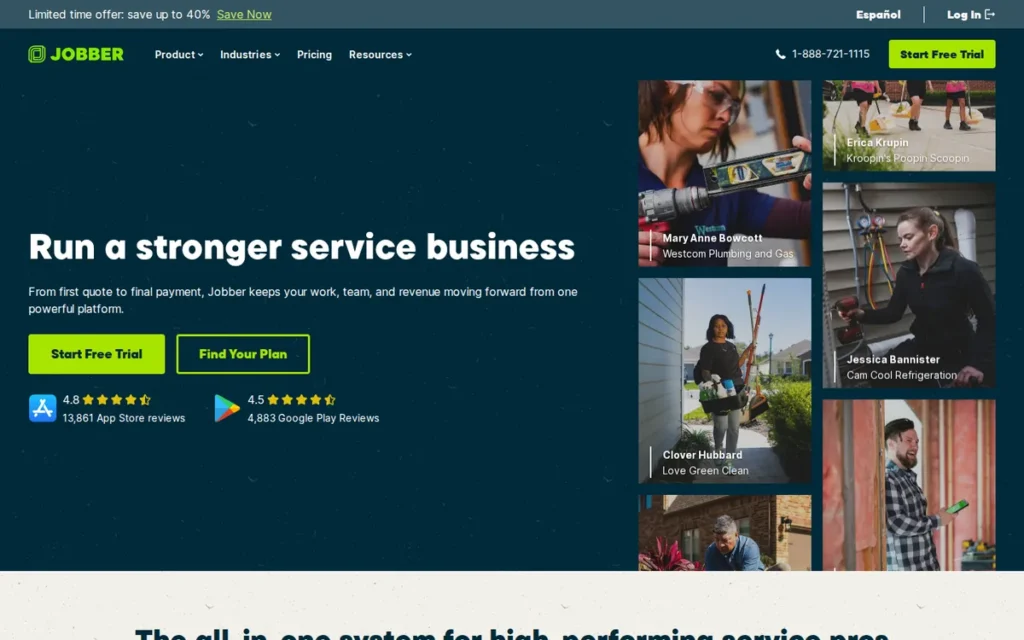
Category: General Home-Service Platform, all-in-one field-service software for many trades, configured by the user for cleaning.
At a Glance
- Category: General Home-Service Platform
- Best For: Growing residential and light commercial cleaning businesses that send quotes and want scheduling, invoicing and accounting sync in one system
- Price Range: $49/mo (Core) to $499/mo (Plus, 5 users) on month-to-month billing, plus $29/mo per extra user. Capterra lists lower annual prices.
- Primary Strength: Jobber combines quoting, recurring scheduling, GPS time tracking, invoicing, payments and QuickBooks Online and Xero sync in one platform.
- Biggest Limitation: Jobber’s quote-first workflow and per-user pricing can clash with instant-book residential cleaning and push costs up as crews grow.
- One-Line Summary: Jobber is the highest-scoring all-in-one platform in this ranking for cleaning businesses that quote, schedule and invoice, rated 4.6/5 on Capterra from about 1,490 reviews (November 2026).
- Last Verified: November 2026
Overview
Jobber is a general home-service management platform for growing residential and light commercial cleaning businesses. It puts quoting, recurring scheduling, dispatch, GPS time tracking, invoicing and payments in one system connected to QuickBooks Online or Xero. Jobber launched in Edmonton in 2011 (Jobber, 2026).
Jobber ranks #1 in PlugRoute’s 2026 evaluation with a weighted score of 3.90, led by its scores for verified ratings and accounting integration (4.5 each).
Key Features
- Jobber supports recurring jobs, scheduling and dispatch, so owners can assign crews to repeating cleans from one calendar.
- Jobber’s Client Hub lets customers approve quotes, view visits, request changes and pay online 24/7.
- Jobber includes GPS and time tracking, so owners can see when and where cleaners clock in.
- Jobber syncs with QuickBooks Online and Xero from the Connect plan but does not support QuickBooks Desktop (BuildBite, 2026).
- Jobber offers Copilot AI, an AI Receptionist on the Plus plan and an optional $99/month Marketing Suite add-on.
Best For
Jobber suits residential and light commercial cleaning companies that quote jobs, run recurring visits or Airbnb turnover cleans, and want invoicing and accounting in one platform. Jobber is a weaker fit for commercial janitorial firms that need building-level inspections and scope-of-work records.
Pricing
As of November 2026, Jobber’s pricing page listed these month-to-month prices (Jobber, 2026):
- Jobber Core costs $49/month.
- Jobber Connect costs $139/month and is the first tier with QuickBooks Online and Xero sync.
- Jobber Grow costs $199/month.
- Jobber Plus costs $499/month for 5 users and includes the AI Receptionist.
- Jobber charges $29/month for each extra user, and its Marketing Suite is a $99/month add-on.
Capterra lists lower Jobber prices ($39, $119 and $199), probably for annual billing (Capterra, 2026). Jobber’s card-processing rates were not visible when PlugRoute verified pricing.
Strengths
- Jobber holds a 4.6/5 rating on Capterra from about 1,490 reviews (Capterra, 2026), and users praise its ease of use, quoting, scheduling and invoicing.
- Jobber’s Earth Love Cleaning case study describes a residential business with 50 cleaners, 125+ recurring clients and 150+ Airbnb properties that logged $29,389 in one week using Jobber GPS time tracking (Jobber, 2026; vendor-published). These figures describe the customer’s business, not gains caused by Jobber.
- Jobber is the only general platform here with native sync to both QuickBooks Online and Xero, included from the Connect plan (Jobber, 2026).
- Jobber reports more than 100,000 customers in 47 countries (Jobber, 2026; vendor self-reported).
Limitations
Jobber trades booking speed for quoting control. A home-cleaning buyer on r/smallbusiness called its request → quote → booking → invoice flow “a bit rigid” (Reddit, 2022). A 2026 commenter who promotes a competing tool said this quote-first design doesn’t suit instant-book recurring cleaning (Reddit, 2026).
- Jobber’s per-user pricing raises the bill as a crew grows, because each extra user costs $29/month on month-to-month billing (Jobber, 2026).
- Jobber’s G2 reviewers criticize the rising cost as a team grows and the limited customization (G2 reviews as summarized on Jobber’s site, 2026).
- Jobber puts QuickBooks Online and Xero sync on the $139/month Connect plan and does not support QuickBooks Desktop (BuildBite, 2026).
- Jobber is not a dedicated janitorial platform: commercial comparisons report no building portfolio structure, in-depth inspections or commercial client reporting (Janitorial Manager, 2026; competitor-authored).
Users on r/WindowCleaning noted:
“For recurring commercial routes, I’d definitely look at software that treats route planning as a core feature rather than something bolted onto a CRM. … Jobber and Housecall Pro can work for recurring services, but if routing becomes a major part of the business, I’d also look at dedicated options like Route4Me, OptimoRoute, or Locus.” Posted by u/JollyBarracuda5872
Takeaway: Jobber handles recurring commercial visits well enough, but operators whose business depends on dense multi-stop routes outgrow it and add a dedicated routing tool.
You’ll still need: Commercial operators using Jobber will need a separate inspection and building-reporting tool for multi-site janitorial contracts.
Data note: Jobber’s G2 rating (4.6/5 from 460+ reviews) comes from Jobber’s own site, and PlugRoute’s Reddit sample for Jobber was incomplete (November 2026).
Verdict
Jobber is the best fit in this ranking for growing cleaning businesses that quote, schedule and invoice in one system (PlugRoute, November 2026).
Jobber combines full quote-to-payment coverage with QuickBooks Online and Xero sync and a 4.6/5 Capterra rating. Buyers should budget for the Connect plan if they need accounting sync. Buyers who need instant online booking, or who run multi-building janitorial contracts, should compare a cleaning-specific platform before committing.
2. Connecteam: Best for Crew Time Tracking Paired With a Separate Billing Tool
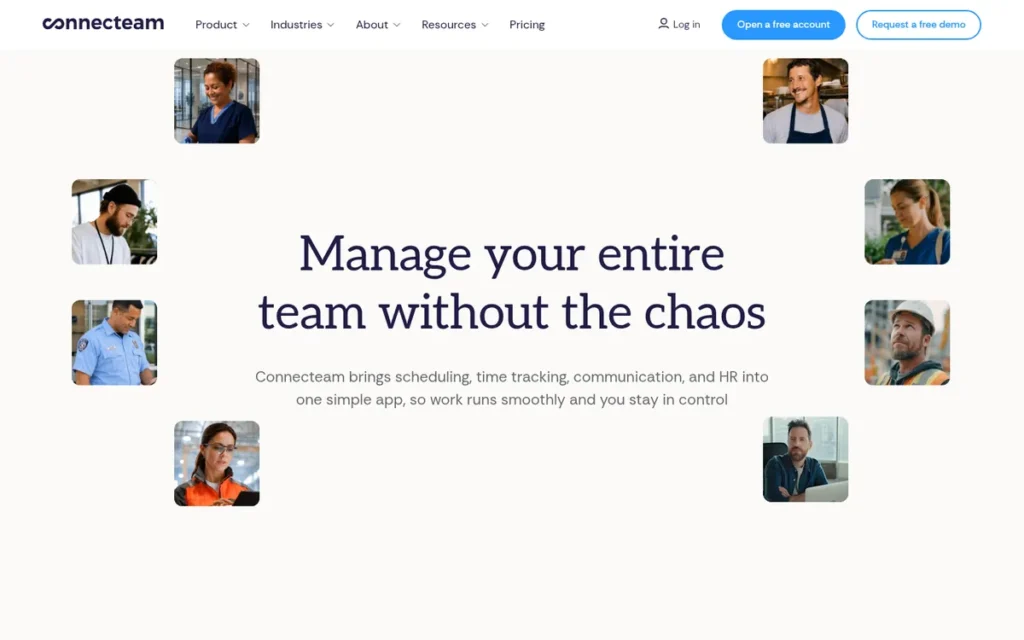
Category: Workforce Management App, time, task, communication and HR software for deskless crews, without client booking or invoicing.
At a Glance
- Category: Workforce Management App
- Best For: Cleaning companies in any segment whose main problem is verifying hours, coordinating crews and training staff
- Price Range: Free for up to 10 users across all hubs. The Operations Hub costs $29–$99/mo (annual) or $35–$119/mo (monthly) for the first 30 users, and each hub is billed separately.
- Primary Strength: Connecteam combines a geofenced GPS time clock, job-level time tracking, checklists and payroll integrations with QuickBooks, Gusto, ADP and Xero.
- Biggest Limitation: Connecteam has no native client booking, quoting, invoicing, payments or CRM.
- One-Line Summary: Connecteam is a workforce app that verifies cleaner hours with a geofenced GPS time clock, rated 4.6/5 on Capterra from 5,322 reviews and free for up to 10 users (November 2026), but it does not handle client booking or invoicing.
- Last Verified: November 2026
Overview
Connecteam is a workforce management app for cleaning companies that need to verify hours, document proof of service and coordinate crews across sites. It provides a geofenced GPS time clock, recurring shifts, job-level time tracking, checklists, crew chat and training. Connecteam is a general workforce tool, not cleaning-specific software.
Connecteam ranks #2 in PlugRoute’s 2026 evaluation with a weighted score of 3.83, led by its attendance-verification score (5.0). Connecteam’s high total does not make it a standalone cleaning platform, because its 2.0 score for business-model fit already reflects the missing booking and invoicing.
Key Features
- Connecteam provides a GPS time clock with geofencing and tracks time per job, which can expose unpaid travel and loss-making jobs.
- Connecteam’s Operations Hub includes recurring shifts, tasks, checklists, forms, photo and signature capture, and automatic reports.
- Connecteam’s Communications Hub offers crew chat, company updates and a knowledge base.
- Connecteam’s HR & Skills Hub covers onboarding, training, certifications and e-signatures.
- Connecteam integrates with QuickBooks, Gusto, ADP and Xero for payroll.
Best For
Connecteam is best for cleaning companies in any segment that mainly need time and attendance, crew communication and training. Connecteam is a weaker fit for owners who want one all-in-one platform for booking, invoicing and payments.
Pricing
Connecteam’s Operations Hub pricing for the first 30 users, as of November 2026 (annual / monthly billing):
- Connecteam Basic costs $29 / $35 per month, plus $0.80–$1.00 per extra user.
- Connecteam Advanced costs $49 / $59 per month, plus $2.50–$3.00 per extra user.
- Connecteam Expert costs $99 / $119 per month, plus $4.20–$5.00 per extra user.
- Connecteam Enterprise uses custom pricing.
Connecteam’s free plan covers all hubs for up to 10 users. Connecteam bills each hub separately, and PlugRoute did not capture prices for the Communications and HR hubs (Connecteam, 2026).
Strengths
- Connecteam holds a 4.6/5 Capterra rating from 5,322 reviews and a 4.6/5 G2 rating from 3,506 reviews (Capterra, 2026; G2, 2026). That is the largest review base in this ranking, though the reviews span all industries.
- Connecteam’s NAE Cleaning Solutions case study reports 50% lower software costs, 98% fewer missed-clean complaints and a 10× ROI (Connecteam, 2026; vendor-published). The NAE result is the only precise cleaning-specific outcome metric found in this research.
- Connecteam’s Sodexo Magic case study reports 98.6% employee adoption and 1,000+ weekly mobile sessions across 350 users (Connecteam, 2026; vendor-published).
- Connecteam scores 9.0/10 for ease of admin in G2’s small-business cleaning category, above the 8.7 average (G2, 2026).
Limitations
Connecteam trades client-facing workflow for workforce depth. Connecteam has no native client booking, quoting, invoicing, payments or CRM, so most cleaning companies must pay for and maintain a second system (Jobber Academy, 2026; competitor-authored).
- Capterra comparison reviewers call Connecteam’s module-based pricing “costly” (Capterra, 2026), and one G2 reviewer said Connecteam became “not feasible for a small company” after 10 employees (G2, 2026).
- Connecteam’s free plan stops at 10 users, so an 11th cleaner triggers paid billing for each hub in use.
- Connecteam’s G2 and Capterra reviewers report geo-locking problems, gaps in attendance reports, and GPS and form submissions failing where reception is weak (G2, 2026; Capterra, 2026).
- Connecteam’s outcome metrics are self-published, and PlugRoute found no independent cleaning-business results.
You’ll still need: Connecteam users need a booking, quoting and invoicing tool, such as Jobber Core or QuickBooks.
Data note: PlugRoute could not verify Connecteam’s founding date, funding or SOC 2 status (November 2026).
Verdict
Connecteam is the best fit in this ranking for cleaning companies that need to verify cleaner hours and coordinate crews alongside a separate booking and invoicing system (PlugRoute, November 2026).
Connecteam’s verified ratings, payroll integrations and published cleaning case studies make it a strong attendance layer. Connecteam cannot replace an all-in-one cleaning platform, so buyers should budget for the full stack.
3. ZenMaid: Best for Residential Maid Services With Recurring Clients
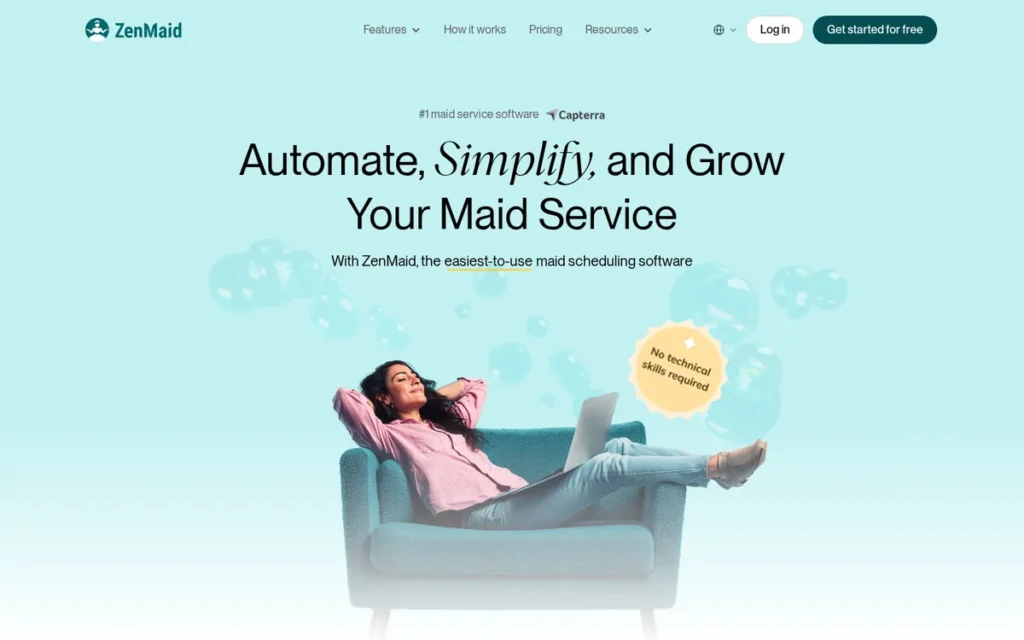
Category: Residential Cleaning Platform, software built specifically for recurring residential maid services and instant online booking.
At a Glance
- Category: Residential Cleaning Platform
- Best For: Solo to mid-sized residential maid services running recurring home cleans
- Price Range: $19–$49/mo base plus $4–$24 per cleaner per month. SMS costs extra.
- Primary Strength: ZenMaid is purpose-built for recurring residential cleaning, with Spotfinder route-gap matching, GPS clock-in (from Pro) and maid-service payroll reports.
- Biggest Limitation: ZenMaid charges a flat fee per cleaner regardless of hours worked, has no public API or quoting, and does not suit commercial janitorial work.
- One-Line Summary: ZenMaid has the lowest published entry price among the residential platforms here ($19/month plus $4 per cleaner) and a 4.7/5 Capterra rating from 205 reviews (November 2026), but per-cleaner fees make it more expensive than flat-tier tools as crews grow.
- Last Verified: November 2026
Overview
ZenMaid is a residential cleaning platform built only for solo-to-mid-sized maid services with recurring biweekly and weekly clients. ZenMaid covers recurring scheduling, embeddable booking forms, automated reminders, GPS clock-in and payroll reports. It grew out of the internal tools of Fast Friendly Spotless, which co-founder Amar Ghose started in 2012 (ZenMaid, 2026).
ZenMaid ranks #3 in PlugRoute’s 2026 evaluation with a weighted score of 3.80, led by its true-cost transparency score (4.5).
Key Features
- ZenMaid provides recurring scheduling with calendar, dispatch and map views built around repeating home cleans.
- ZenMaid’s Spotfinder finds gaps in existing recurring routes where a new client could fit, which helps avoid double-booking.
- ZenMaid includes GPS clock-in and clock-out on the Pro plan and above, not on Starter (ZenMaid, 2026).
- ZenMaid produces payroll reports for hourly, flat or variable pay, and tracks cleaner PTO and availability.
- ZenMaid offers embeddable booking forms, SMS and email reminders, invoices with tips and a client billing portal.
Best For
ZenMaid fits residential maid services with recurring clients that want cleaning-specific scheduling and payroll at a low published price. ZenMaid is a weaker fit for commercial janitorial contracts and for businesses that rely on detailed quoting.
Pricing
ZenMaid’s published pricing as of November 2026 (ZenMaid help centre, 2026):
- ZenMaid Starter costs $19/month plus $4 per cleaner, capped at 40 appointments a month.
- ZenMaid Pro costs $39/month plus $14 per cleaner.
- ZenMaid Pro Max costs $49/month plus $24 per cleaner.
ZenMaid charges extra for SMS and bills office managers as users, though the owner is included. Branding, QuickBooks, Mailchimp and Zapier require higher plans.
By PlugRoute’s calculation, ZenMaid costs about $81/month for three cleaners on Pro and about $289/month for ten cleaners on Pro Max, before SMS and card fees.
Strengths
- ZenMaid holds a 4.7/5 rating on Capterra from 205 reviews (Capterra, 2026), and users praise its fit for maid services and its value.
- ZenMaid publishes complete per-plan and per-cleaner pricing (ZenMaid help centre, 2026), which makes it the easiest residential tool here to cost out by team size.
- ZenMaid’s Spotfinder has no direct equivalent in Jobber or Housecall Pro, according to WrenchStack’s review and PlugRoute’s feature check (WrenchStack, 2026).
- ZenMaid appears as the residential recommendation in r/sweatystartup and r/EntrepreneurRideAlong threads, where new operators call it cheaper than alternatives (Reddit, 2026). PlugRoute excluded posts by ZenMaid staff.
Limitations
ZenMaid trades cost at scale for a low entry price. ZenMaid charges the same per-cleaner fee whether a cleaner works five hours or forty, and Capterra reviewers say this penalizes part-time crews (Capterra, 2026).
- Some Capterra and GetApp reviewers reported problems with customers paying invoices online, even though ZenMaid supports Stripe invoice links (Capterra, 2026; GetApp, 2026).
- ZenMaid’s GetApp reviewers also report payroll and app glitches, uneven support and a mobile app that needs an internet connection (GetApp, 2026).
- ZenMaid has no public API, offers no quoting or job costing, and fits commercial work poorly.
- ZenMaid’s claimed saving of 5–10 hours a week is vendor self-reported (ZenMaid, 2026).
Users on r/housekeeping shared their experience:
“I use ZenMaid which to my understanding has a large development team and has been under production for several years. They’ve really buttoned up their gps tracking, calendar, and employee-facing app. … It’s obvious that the place they’ve put the least amount of attention is in the appointment notifications section. … However, the emails look pretty unprofessional as the rich text editor is limited.” Posted by u/VintageVirtues
Takeaway: ZenMaid’s GPS tracking, calendar and cleaner app are polished, but its client-facing notifications and invoices lag behind and can look unprofessional to customers.
You’ll still need: ZenMaid users who bid on larger or one-off jobs will need a separate quoting tool.
Data note: PlugRoute found no measured ZenMaid customer case study, and Reddit threads about ZenMaid include posts from ZenMaid staff (November 2026).
Verdict
ZenMaid is the best fit in this ranking for residential maid services with recurring clients, starting at a fully published $19/month (PlugRoute, November 2026).
ZenMaid gives small residential teams Spotfinder, PTO tracking and maid-service payroll reports that general platforms lack. Owners who need GPS clock-in should budget for Pro, and owners with large part-time crews should model the per-cleaner fees before committing.
4. Swept: Best for Commercial Janitorial Crews Across Multiple Buildings
Category: Commercial Janitorial Platform, location-based operations software for crews cleaning multiple commercial buildings.
At a Glance
- Category: Commercial Janitorial Platform
- Best For: Commercial janitorial companies with large or multilingual crews cleaning recurring contracts across multiple buildings
- Price Range: $30–$225/mo per tier for up to 15 locations, with unlimited users ($24–$180/mo billed annually). Larger location bands are priced separately.
- Primary Strength: Swept has the deepest attendance verification and quality-proof tools in this ranking, including geofenced clock-in, no-show alerts and photo inspections.
- Biggest Limitation: Swept has no native customer invoicing, bidding or estimating, so commercial cleaners need a separate billing system.
- One-Line Summary: Swept scores highest in this ranking for attendance and quality proof on commercial contracts, priced per location with unlimited users from $30/month (November 2026), but it requires separate invoicing software.
- Last Verified: November 2026
Overview
Swept is a commercial janitorial operations platform for cleaning companies that run recurring contracts across multiple buildings and must show proof of service. Swept organizes scheduling, geofenced clock-in, no-show alerts, site inspections, photo proof and multilingual crew messaging by location.
Swept was founded in 2015 in Halifax, Nova Scotia, by former cleaning-company owners Michael Brown and Matt Cooper (Swept, 2026). Swept ranks #4 in PlugRoute’s 2026 evaluation with a weighted score of 3.70, led by its attendance-verification score (5.0).
Key Features
- Swept schedules work per location and verifies attendance with GPS clock-in, and Swept adds automatic geofencing from the Optimize plan.
- Swept sends supervisors late-arrival and no-show alerts so missed cleans are caught early.
- Swept provides inspections and photo proof of completed work from the Optimize plan (Swept, 2026; Capterra, 2026).
- Swept translates messaging and checklists into 100–150+ languages for multilingual crews.
- Swept’s Scale plan adds a client portal, supply management, profit-and-loss by location, work orders, QuickBooks Online payroll integration and the Swept Connect API add-on.
Best For
Swept is best for commercial janitorial companies that must prove attendance and service quality to building clients. Swept is a weaker fit for residential maid services and one-off cleans.
Pricing
Swept’s published pricing as of November 2026 covers up to 15 locations per tier, with unlimited users (Swept, 2026):
- Swept Launch costs $30/month, or $24/month billed annually.
- Swept Optimize costs $150/month, or $120/month billed annually.
- Swept Scale costs $225/month, or $180/month billed annually.
Because Swept’s users are unlimited, a 40-cleaner crew pays the same as a 5-cleaner crew at the same location count. Swept does not publish pricing beyond 15 locations, setup fees or the price of the Connect add-on.
Strengths
- Swept reports more than 1 billion hours logged and 50,000+ cleaners using it each week (Swept, 2026; vendor self-reported).
- Swept holds a 4.3/5 Capterra rating from 79 reviews (Capterra, 2026), and one reviewer said Swept “helped create a sense of community among employees.”
- Swept’s per-location, unlimited-user pricing is fully published for up to 15 locations, which makes it the most predictable cost model here for high-headcount crews.
- Swept’s real-time translation of supervisor-to-cleaner messages is highlighted in an independent review (Crewski, 2026).
Limitations
Swept trades back-office breadth for depth in field operations. Swept has no native customer invoicing, bidding or estimating, so commercial cleaners must budget for a separate billing tool (Janitorial Manager, 2026; competitor-authored).
- Swept limits its client portal, per-location profitability and QuickBooks Online payroll integration to the top Scale plan.
- Swept’s Capterra rating of 4.3/5 is among the lowest in this ranking, and one reviewer noted “some desired features were not yet available” (Capterra, 2026).
- Swept’s published customer stories include no named customer with measured results (Swept, 2026).
- Swept is a poor fit for residential cleaning because it is organized around commercial locations.
You’ll still need: Swept users need a janitorial bidding and invoicing tool, such as QuickBooks, in the total budget.
Data note: PlugRoute found no cleaning-specific Reddit discussion of Swept (November 2026).
Verdict
Swept is the best fit in this ranking for commercial janitorial companies that need to prove attendance and service quality across multiple buildings (PlugRoute, November 2026).
Swept combines geofenced clock-in, no-show alerts and photo inspections with per-location pricing that stays flat as headcount grows. Buyers must pair Swept with a separate invoicing tool and include it in the budget.
5. Housecall Pro: Best for Marketing-Focused Home-Service Operators
Category: General Home-Service Platform, all-in-one field-service software for many trades, configured by the user for cleaning.
At a Glance
- Category: General Home-Service Platform
- Best For: Residential cleaners and mixed home-service businesses that want built-in marketing, review management and customer communication
- Price Range: $59–$329/mo depending on plan and billing cycle (annual vs monthly), plus $35/mo per extra user on MAX.
- Primary Strength: Housecall Pro has the largest review base among the home-service platforms in this ranking, with a 4.7/5 Capterra rating from 2,749 reviews.
- Biggest Limitation: Housecall Pro’s add-on-heavy pricing and $35 extra-user fee make its true cost hard to predict as a team grows.
- One-Line Summary: Housecall Pro is the most-reviewed home-service platform in this ranking, rated 4.7/5 on Capterra from 2,749 reviews (November 2026), but its add-ons and per-user fees make it harder to cost out than most.
- Last Verified: November 2026
Overview
Housecall Pro is a general home-service platform for residential cleaners and mixed home-service businesses that want sales and customer-communication tools in one system. Housecall Pro covers scheduling, booking, invoicing, payments and marketing.
Housecall Pro was founded in 2013 in Denver and is not built specifically for cleaning (Housecall Pro, 2026). Housecall Pro ranks #5 in PlugRoute’s 2026 evaluation with a weighted score of 3.55, led by its verified-ratings score (5.0).
Key Features
- Housecall Pro offers 24/7 online booking through Google and a business website, along with scheduling, dispatch and recurring jobs.
- Housecall Pro includes estimates, invoicing, payments and consumer financing in one workflow.
- Housecall Pro provides review management and postcard and email marketing campaigns.
- Housecall Pro syncs with QuickBooks Online and Desktop, and one vendor page places QuickBooks Online sync from the Essentials plan (Housecall Pro, 2026).
- Housecall Pro offers a CSR AI phone-answering add-on and puts route optimization on the top MAX plan (Jobber Academy, 2026; competitor-authored).
Best For
Housecall Pro suits residential cleaning and mixed home-service businesses that value marketing, review generation and customer communication. Housecall Pro is a weaker fit for cleaners who need cleaning-specific availability, PTO and payroll workflows.
Pricing
Housecall Pro’s plan prices as of November 2026, monthly / annual billing (Capterra, 2026; Housecall Pro, 2026):
- Housecall Pro Basic costs $79 / $59 per month for 1 user.
- Housecall Pro Essentials costs $189 / $149 per month for up to 5 users.
- Housecall Pro MAX costs $329 / $299 per month for 8 users, plus $35/month per extra user.
One Housecall Pro page also showed MAX at $649/month, which PlugRoute could not reconcile.
Housecall Pro’s payment-processing fees (Housecall Pro Help Center, 2026):
- Housecall Pro charges 2.59% for card-present payments.
- Housecall Pro charges 2.99% for online invoice payments.
- Housecall Pro charges 3.49% for keyed-in cards, cards on file, Amex and corporate cards.
- Housecall Pro charges 1% for ACH payments.
- Housecall Pro charges 4.99% for PayPal Pay Later and Klarna.
- Housecall Pro charges $5/device/month for Tap to Pay and an extra 1% for Instapay.
Strengths
- Housecall Pro holds a 4.7/5 Capterra rating from 2,749 reviews (Capterra, 2026), the largest review base among the home-service platforms in this ranking.
- Housecall Pro publishes an itemized payment-processing fee schedule (Housecall Pro Help Center, 2026) that buyers can use to model the true cost.
- Housecall Pro was called “the most robust product” with “the highest potential for automation” by a home-cleaning buyer on r/smallbusiness (Reddit, 2022).
- Housecall Pro bundles financing, proposals, price books, review management and marketing in one platform.
This aligns with community sentiment on r/WindowCleaning:
“HCP can definitely do recurring services. You can set them on any schedule you like and they’ll populate on your calendar. I have mine set up like that and then when the week comes I can drag them around as needed to days when I’ll be in that area for a resi job.” Posted by u/sktyrhrtout
Takeaway: Housecall Pro’s recurring scheduling is flexible enough for route-based cleaning work, letting owners slot repeat visits around new residential jobs without rebuilding the calendar.
Limitations
Housecall Pro trades predictable pricing for breadth. A G2 reviewer said Housecall Pro treats “almost everything” as an add-on and that total cost “becomes steep as the business grows” (G2, 2026).
- Housecall Pro’s Trustpilot reviewers report billing errors and promotions not honored, and a cleaning-business reviewer described a difficult cancellation (Trustpilot, 2026).
- A 2022 Reddit buyer reported that Housecall Pro’s online booking could not take payment at booking (Reddit, 2022). Comparisons from 2026 say a deposit at booking can now be required when online payments are on (BuildBite, 2026), so test it in a trial.
- Housecall Pro is weaker than cleaning-specific tools on cleaner availability, PTO and payroll (ConvertLabs, 2026; competitor-authored).
- Housecall Pro’s $35 extra-user fee on MAX adds about $1,120/month at 40 users (PlugRoute calculation, 2026).
You’ll still need: Housecall Pro users who need cleaner PTO and availability tracking may need separate payroll or workforce software.
Data note: PlugRoute found no Housecall Pro cleaning case study with measured results, and the $649 MAX figure remains unreconciled (November 2026).
Verdict
Housecall Pro is the best fit in this ranking for home-service cleaning businesses that prioritize marketing and customer communication (PlugRoute, November 2026).
Housecall Pro delivers broad booking, dispatch, invoicing and review tools, backed by 2,749 Capterra reviews. Buyers should get a written, all-in quote that states the billing cycle and add-ons before signing.
6. ServiceM8: Best for iPhone-Based Cleaning Teams Using Xero
Category: General Home-Service Platform, all-in-one field-service software for many trades, configured by the user for cleaning.
At a Glance
- Category: General Home-Service Platform
- Best For: Cleaning teams on iPhones that use Xero and have predictable monthly job volume
- Price Range: Free (30 jobs, solo only) to $349/mo (1,500+ jobs), with unlimited users. Capterra’s listing shows recurring jobs from the $29/mo Starter plan.
- Primary Strength: ServiceM8 includes unlimited users on paid plans and a Xero integration rated 4.6/5 from more than 300 reviews.
- Biggest Limitation: ServiceM8 ties price to new jobs per month, so busy seasons can force upgrades, and its support is chat-only.
- One-Line Summary: ServiceM8 is a field-service app priced by job volume, with unlimited users, a 4.6/5-rated Xero integration and a 4.3–4.5/5 Capterra rating (November 2026); job caps, not headcount, drive its cost.
- Last Verified: November 2026
Overview
ServiceM8 is an iPhone- and iPad-first job management app for cleaning and trade teams that use Xero and prefer paying by job volume rather than by user. ServiceM8 covers quoting, scheduling, invoicing, online booking, time and location tracking, and forms, and office staff work in a desktop web app.
ServiceM8 ranks #6 in PlugRoute’s 2026 evaluation with a weighted score of 2.98, led by its scores for ratings, cost and integration (3.5 each).
Key Features
- ServiceM8 handles quoting, scheduling, invoicing and online booking from an iPhone- and iPad-first app.
- ServiceM8 records staff time and location and supports job routing.
- ServiceM8 provides digital forms and certificates for job documentation.
- ServiceM8 supports recurring jobs, which Capterra’s listing places on the $29/month Starter plan and above (Capterra, 2026).
- ServiceM8 offers add-ons including Xero, Mailchimp, Zapier and an API.
Best For
ServiceM8 is best for cleaning teams that work on iPhones, keep their books in Xero and have predictable monthly job volume. ServiceM8 is a weaker fit for Android-based crews and for teams whose job counts swing sharply by season.
Pricing
ServiceM8’s US pricing by new jobs per month, as of November 2026 (ServiceM8, 2026):
- ServiceM8 Free costs $0 for 30 jobs and is limited to solo operators.
- ServiceM8 Starter costs $29/month for 50 jobs.
- ServiceM8 Growing costs $79/month for 150 jobs.
- ServiceM8 Premium costs $149/month for 500 jobs.
- ServiceM8 Premium Plus costs $349/month for 1,500+ jobs.
ServiceM8 charges about 10¢ per message for SMS overage. Earlier PlugRoute research of ServiceM8’s own pricing page placed recurring jobs on Premium, so confirm the plan tier with ServiceM8 before buying.
Strengths
- ServiceM8’s Xero integration is rated 4.6/5 from more than 300 reviews on the Xero App Store (ServiceM8, 2026). ServiceM8’s rating is the only Xero App Store rating captured in this ranking.
- ServiceM8 is rated 4.3–4.5/5 on Capterra from roughly 280–310 reviews, depending on the listing (Capterra, 2026).
- ServiceM8 includes unlimited users on all paid plans, so adding cleaners does not raise the subscription, although more jobs can push you into a higher tier (ServiceM8, 2026).
- ServiceM8 offers a free plan for solo operators with up to 30 jobs a month, plus an API, Zapier and Mailchimp add-ons.
Limitations
ServiceM8 trades seat-based costs for volume-based costs. ServiceM8 prices by new jobs per month, so a busy season can force an upgrade, for example from Growing at 150 jobs to Premium at 500 jobs, without any new hires.
- ServiceM8’s Capterra reviewers report that recurring jobs run on 24-hour cycles, so multi-day jobs show up wrongly on the calendar, and one team “had to change from Android to iPhone” (Capterra, 2026).
- ServiceM8 offers chat-only support whose agents “often could not explain the cause of errors” (Capterra, 2026), and an independent review also flags the chat-only support (TradePicked, 2026).
- ServiceM8 keeps some features iOS-only, including room scanning and PDF filling (FieldCamp, 2026; competitor-authored).
You’ll still need: ServiceM8 users need Xero or another accounting tool, and iPhones for full app features.
Data note: PlugRoute found no ServiceM8 Reddit discussion or named case study. Sources conflict on which plan unlocks recurring jobs (November 2026).
Verdict
ServiceM8 is the best fit in this ranking for iPhone-based cleaning teams that use Xero and want unlimited users priced by job volume (PlugRoute, November 2026).
ServiceM8’s pricing model means adding staff costs nothing extra, and its Xero integration is well reviewed. Buyers should estimate their peak monthly job count and confirm which plan includes recurring jobs before committing.
7. BookingKoala: Best for Instant-Price Online Booking for Residential Cleaners
Category: Residential Cleaning Platform, software built specifically for recurring residential maid services and instant online booking.
At a Glance
- Category: Residential Cleaning Platform
- Best For: Residential cleaning businesses that win most clients online and want instant-price booking and a built-in website
- Price Range: $27–$197/mo in flat tiers capped by provider count, rising to $597/mo for larger teams. Onboarding, SMS and transaction fees are not published.
- Primary Strength: BookingKoala offers the most detailed instant-pricing booking form in this ranking, with prices based on bedrooms, bathrooms, square footage, frequency and add-ons.
- Biggest Limitation: BookingKoala is hard to set up on the back end and offers no inspections or contract-level reporting. Reviewers report unreliable QuickBooks Online sync, and onboarding and SMS fees are not published.
- One-Line Summary: BookingKoala has the most detailed instant-pricing booking form among the tools reviewed, from $27/month, with a 4.9/5 Capterra rating from 44 reviews (November 2026), but its operations and accounting depth is limited.
- Last Verified: November 2026
Overview
BookingKoala is a booking-first residential cleaning platform for maid services that want clients to get a price and book online without a phone call. BookingKoala combines instant-price booking forms, a website builder, recurring bookings, cleaner accounts, payments and customer marketing.
BookingKoala also serves car detailing and lawn care, and Filip Boksa and Vivek Prajapati founded it in 2017 (BookingKoala, 2026). BookingKoala ranks #7 in PlugRoute’s 2026 evaluation with a weighted score of 2.95, led by its scores for business-model fit and cost transparency (3.5 each).
Key Features
- BookingKoala calculates instant prices in its booking forms from bedrooms, bathrooms, square footage, frequency, add-ons, hours and packages.
- BookingKoala includes a website builder and embeddable forms, so a cleaning business can launch a booking site.
- BookingKoala supports recurring bookings and “Smart Scheduling” for repeat residential and Airbnb turnover clients.
- BookingKoala adds GPS clock-in, reports, gift cards and referrals on the Growing plan (Capterra, 2026).
- BookingKoala gives each cleaner an account showing jobs, tips, ratings and payouts.
Best For
BookingKoala is best for residential cleaning businesses that win most clients through their website and want instant-price booking and marketing in one tool. BookingKoala is a weaker fit for commercial janitorial companies that need inspections, supply tracking or contract reporting.
Pricing
BookingKoala’s published tiers as of November 2026 (BookingKoala, 2026; Capterra, 2026):
- BookingKoala Starter costs $27/month for up to 5 providers.
- BookingKoala Growing costs $57/month for up to 15 providers.
- BookingKoala Premium costs $197/month from 50 providers and can rise to $597/month.
BookingKoala offers a 14-day free trial. BookingKoala does not publish onboarding, SMS or transaction fees, so request an all-in quote.
Strengths
- BookingKoala holds a 4.9/5 Capterra rating from 44 reviews (Capterra, 2026), the highest star rating in this ranking but from a small base. One reviewer praised letting customers “book cleanings based on an overall grand scheme of the work needed.”
- BookingKoala’s founder grew his Chicago maid service, King of Maids, from about $6,000 to more than $5M in three years (BookingKoala, 2026). This result comes from the founder’s own business, not from independent customer data.
- BookingKoala is shortlisted by cleaning owners on r/EntrepreneurRideAlong (Reddit, 2026), and a r/smallbusiness commenter who promotes a competing tool called it “closer to the Launch27 instant book model” (Reddit, 2026).
- BookingKoala charges flat tiers capped by provider count (up to 5, 15 or 50+ providers), so cost rises in steps rather than per cleaner.
Limitations
BookingKoala trades operations depth for booking depth. PlugRoute found no BookingKoala inspections, supply tracking or contract-level reporting (Rankite, 2026), and GPS clock-in starts on the Growing plan rather than Starter.
- BookingKoala integrates with QuickBooks Online, but Capterra reviewers report sync problems separating revenue from sales tax (Capterra, 2026).
- BookingKoala is hard to set up, according to a Capterra reviewer who said, “I did not like how difficult it was to set up on the back end” (Capterra, 2026).
- BookingKoala’s 4.9/5 rating rests on only 44 reviews, so it should not be compared directly with ratings based on thousands.
- BookingKoala’s headline growth figures come from the founder’s own company, and its onboarding and SMS fees are unpublished.
You’ll still need: BookingKoala users who need inspection records or reliable accounting sync will need a workforce app and separate accounting software.
Data note: PlugRoute found no verified Trustpilot, G2 or Google ratings for BookingKoala (November 2026).
Verdict
BookingKoala is the best fit in this ranking for residential cleaners who sell online and want instant-price booking from $27/month (PlugRoute, November 2026).
BookingKoala directly addresses the booking-to-payment flow that residential buyers say decides conversions. Owners should request an all-in quote, test the QuickBooks sync and plan for a demanding setup.
What Does Cleaning Software Really Cost by Team Size?
Real monthly cost depends on the pricing unit: per cleaner, per user, per location, per job volume or flat tier. Per-location pricing (Swept) stays flat as headcount grows, while ZenMaid, Jobber and Housecall Pro rise with every cleaner or user. PlugRoute calculated these estimates from published November 2026 pricing, before SMS and processing fees.
| Product | Pricing Unit | 1 Cleaner | 5 Cleaners | 15 Cleaners | 40 Cleaners | Real Entry Tier for Recurring Jobs | Processes Customer Payments | Published Processing Rate |
|---|---|---|---|---|---|---|---|---|
| Jobber | Plan + $29/extra user | $49 (Core) | $255 (Connect)* | About $789 (Plus)* | Confirm with Jobber | Core; accounting sync from Connect ($139) | Yes | Not captured |
| Connecteam | Flat for first 30 users per hub | $0 (Free) | $0 (Free) | $29–$59 | $74–$89 (Advanced) | Free plan (recurring shifts, up to 10 users) | No | Not applicable |
| ZenMaid | Base + per cleaner | $23 (Starter) | $109 (Pro) | $249 (Pro) / $409 (Pro Max) | $599 (Pro) / $1,009 (Pro Max) | Starter (40-appointment cap); GPS from Pro | Via Stripe integration | Not captured |
| Swept | Per location (up to 15), unlimited users | $30–$225 | $30–$225 | $30–$225 | $30–$225 | Launch; inspections and geofencing from Optimize | No | Not applicable |
| Housecall Pro | Plan + $35/extra user on MAX | $59–$79 (Basic) | $149–$189 (Essentials) | $544–$574 (MAX)** | $1,419–$1,449 (MAX)** | Not verified by tier | Yes | 2.59%–3.49% card; 1% ACH |
| ServiceM8 | Job volume, unlimited users | $0–$29*** | $29 (Starter)*** | $79 (Growing)*** | $149 (Premium)*** | Starter ($29) per Capterra; confirm | Not verified | Not captured |
| BookingKoala | Flat tiers capped by providers | $27 | $27 (Starter) | $57 (Growing) | $197 (Premium) | Not verified by tier; GPS from Growing | Yes | Not published |
*Jobber figures assume Connect and Core include 1 user and Plus includes 5 users, with $29 per extra user on month-to-month billing. Confirm user allowances with Jobber.
**Housecall Pro figures assume MAX includes 8 users, with $35 per extra user. Essentials caps at 5 users, so 15 cleaners means MAX.
***ServiceM8 is priced by new jobs, not cleaners. These figures assume about 10 new jobs per cleaner per month. Confirm whether each recurring visit counts as a new job.
Card processing runs about 2.6–3.5% per transaction, based on Housecall Pro’s published schedule (Housecall Pro Help Center, 2026), the only full rate schedule PlugRoute found. Ask every vendor for its rates.
At 40 cleaners, ZenMaid Pro Max costs about $1,009 per month, while Swept Scale costs $225 for up to 15 locations. The pricing unit matters more than the starting price (PlugRoute calculation, November 2026).
As one user on r/cleaningbusiness described:
“From talking to many owners who manage between 5-50 cleaners, many did not realize 2 things: #1: responsibilities and complexity changes stepwise at around ~15 and ~40 cleaners. Requires different tools and operational processes.” Posted by u/SmellsLikeCleanSpiri
Takeaway: Cleaning businesses hit operational step-changes at roughly 15 and 40 cleaners, which is why cleaning software costs and fit must be modeled at those headcounts, not just at today’s size.
Worked example: A residential maid service with 8 cleaners on weekly and biweekly visits would pay:
- About $151/month on ZenMaid Pro ($39 + 8 × $14).
- About $57/month on BookingKoala Growing.
- $139/month plus $29 per extra user on Jobber Connect.
These figures use November 2026 pricing, before SMS and card fees.
Can One Cleaning Software Handle Both Residential and Commercial Clients?
PlugRoute found no product in this ranking that covers residential instant booking and commercial inspections equally well (November 2026). Hybrid cleaning companies can run Jobber alone at moderate depth. They can also pair a commercial tool such as Swept with a residential or invoicing tool and budget for both subscriptions.
- Jobber Connect alone costs $139/month plus $29 per extra user and covers both segments at moderate depth (Jobber, 2026).
- Swept plus Jobber Core costs about $79–$274/month for up to 15 locations, combining janitorial attendance proof with quoting and invoicing (PlugRoute calculation, 2026).
- ZenMaid Pro plus Swept costs $69–$264/month plus $14 per residential cleaner. Commercial invoicing still needs an accounting tool (PlugRoute calculation, 2026).
What Red Flags Should I Watch For When Evaluating Cleaning Services Software?
The biggest red flags in cleaning services software are pricing that hides the real cost and workflows that don’t fit how your clients book. These six warning signs come from November 2026 vendor pricing pages, user-review platforms and Reddit buyer discussions, and each one can add cost or friction after you sign.
Red Flag #1: Entry Price Without Core Features Cleaning software vendors often advertise an entry price that leaves out the features most cleaning businesses need. In November 2026, Jobber’s QuickBooks and Xero sync started on Connect at $139/month, not on Core at $49. ZenMaid’s GPS clock-in started on Pro at $39 plus $14 per cleaner (Jobber, 2026; ZenMaid, 2026).
Red Flag #2: Per-Seat Fees Regardless of Hours A flat monthly fee for each cleaner penalizes crews that rely on part-time staff, because a five-hour cleaner costs the same as a forty-hour cleaner. ZenMaid’s Capterra reviewers raise this complaint about per-cleaner pricing (Capterra, 2026). Ask whether part-time or seasonal cleaners can be deactivated between busy periods.
Red Flag #3: Unpublished SMS, Onboarding or Processing Fees Unpublished SMS, onboarding or processing fees are a red flag because they often appear on the first invoice. BookingKoala, Swept and ServiceM8 did not publish onboarding fees in November 2026. Ask every cleaning software vendor for SMS, onboarding and transaction fees in writing before you sign.
Red Flag #4: Booking Without Payment at Checkout Residential cleaning buyers on Reddit say customers drop off when they cannot pay at the moment of booking (Reddit, 2022 and 2026). Vendors add deposit and prepayment options over time, so during the trial, test the full booking-to-payment flow as a customer would, on desktop and mobile.
Red Flag #5: Unclear Billing Cycles and Cancellation Terms In November 2026, PlugRoute found plan prices for several cleaning software products that differed between vendor pages and Capterra listings, often because of monthly versus annual billing. A cleaning-business reviewer on Trustpilot also described retention steps when cancelling Housecall Pro (Trustpilot, 2026). Confirm billing and cancellation terms in writing.
Red Flag #6: Vendor-Authored Best-Of Lists Many cleaning software comparison articles are written by companies selling a competing product, including Jobber Academy, Janitorial Manager and ZenMaid Magazine (PlugRoute source review, 2026). Reddit threads also include vendor staff and promoters, so check who wrote a recommendation before treating it as independent evidence.
What Questions Should I Ask Before Choosing Cleaning Services Software?
Before choosing cleaning services software, ask vendors eight questions and get the answers in writing. They cover business-model fit, cost at your team size, which plan unlocks each feature, booking and payment, GPS reliability, companion tools, a real-week trial and data migration. Then trial your top two tools on the same week of work.
- Confirm which business model the software is built for: residential, commercial or general home service.
- Confirm what the software costs at your team size and at double that size.
- Confirm which plan unlocks your core features.
- Confirm whether clients can get a price, book and pay in one step.
- Confirm whether GPS clock-in works inside your buildings and on your crew’s phones.
- Confirm which companion tools you’ll still need.
- Confirm that you can trial the software on one real week of work.
- Confirm how your existing data will move into the new system.
Question #1: Is this software built for residential, commercial or general home-service work? A residential cleaning tool will usually lack building-level inspections, and a commercial janitorial tool will usually lack instant booking. Look for a vendor answer that names your exact business model rather than “all cleaning businesses,” and ask for a customer reference that runs the same model.
Question #2: What will I pay each month at my current team size and at double that size, including processing and SMS? A credible cleaning software vendor should give an itemized quote covering seats, appointment or job caps, SMS and card fees. If a vendor cannot itemize these costs, treat the advertised price as a minimum and compare it against the team-size cost table above.
Question #3: Which plan unlocks recurring jobs, GPS clock-in, checklists and QuickBooks or Xero sync? Cleaning software vendors often split core features across tiers. In November 2026, Jobber’s QuickBooks and Xero sync started on Connect, ZenMaid’s GPS on Pro, and Swept’s geofencing on Optimize. Map each feature you need to a named plan so you know your real entry price.
- Jobber’s QuickBooks Online and Xero sync starts on the Connect plan.
- ZenMaid’s GPS clock-in starts on the Pro plan.
- Swept’s geofencing and inspections start on the Optimize plan, and Swept’s client portal is on Scale.
- Housecall Pro’s route optimization is on the MAX plan.
- BookingKoala’s GPS clock-in starts on the Growing plan.
Question #4: Can clients get an instant price, book and pay in one step? For residential cleaning businesses, the booking-to-payment flow strongly affects how many visitors become clients. Ask for a live demo of the customer-side booking form. Confirm whether a deposit or full payment can be taken at booking, and check how self-service rescheduling works.
Question #5: Does geofenced clock-in work inside my largest buildings and on my crew’s Android phones? User reviews of cleaning software report GPS failing where reception is weak and features that differ between Android and iOS (Capterra, 2026; G2, 2026). Test the cleaner app on your crew’s real devices, inside your largest building, before you commit to an annual plan.
Question #6: What will I still need alongside this tool for invoicing, bidding or payroll? Workforce and janitorial cleaning software often needs a companion billing system, because Swept and Connecteam don’t invoice clients. Ask each vendor which tools its customers usually pair with it. Then add every companion subscription to your total monthly cost.
Question #7: Can I trial it on one real week of recurring jobs, reschedules and invoices before signing? A real week of work shows whether recurring-series edits, reschedules and invoices work without double-booking. Avoid cleaning software vendors that offer only a scripted demo. Run your top two finalists on the same week so you can compare like for like.
Question #8: How will my existing clients, recurring schedules and cleaner records move into the new system? Switching from spreadsheets or another tool means moving client lists, recurring schedules, cleaner records and open invoices. Ask whether the vendor imports CSV files, recreates recurring series for you and charges for onboarding. Run both systems in parallel for a short time so no recurring clean is missed during the move.
How Did We Rank These Cleaning Services Software Tools?
PlugRoute scored seven cleaning services software tools from 1 to 5 against six weighted criteria, re-verified every price, plan tier and rating in November 2026, and ranked strictly by weighted total. Business-model fit, verified ratings and true-cost transparency carry 20% each. Attendance verification and accounting integration carry 15% each, and documented results carry 10%.
Ranking criteria and why they matter:
- C1: Business-Model Fit and Core Workflow Coverage (20%): A cleaning tool missing recurring scheduling, booking, invoicing or inspections forces you to buy and run a second system.
- C2: Verified User Ratings and Review Volume (20%): Capterra ratings and review counts show how real users rate reliability and support, and PlugRoute excludes vendor-reported ratings.
- C3: True-Cost Transparency and Value at Team Size (20%): Per-user fees, caps, SMS and processing charges hide the real cost, so unpublished or unreconciled fees reduce the score.
- C4: Crew Time/Attendance Verification and Quality Proof (15%): Labor is the largest cost in cleaning. ISSA estimates wages and benefits at 80–90% of costs, and ISSA’s 2026 BSC Benchmarking Survey reported an average of 60.1% of operating costs (ISSA, 2026).
- C5: Accounting, Payroll and Integration Depth (15%): Patchy QuickBooks or Xero sync creates double entry and wastes the time owners hoped to save.
- C6: Documented Evidence of Results and Adoption (10%): Named cleaning case studies at scale count, self-published figures are labelled, and results from a founder’s own business are weighted lower.
Users on r/cleaningbusiness noted:
“Getting new clients is definitely a challenge, but keeping operations running smoothly is what really impacts profitability. No-shows, call-outs, and making sure every cleaner knows where to be can eat up hours every week. We get most of our commercial work through referrals.” Posted by u/Happy_Cod1792
Takeaway: Commercial cleaning owners lose more profit to no-shows and crew coordination than to lead generation, which justifies weighting attendance verification as a core criterion for cleaning software.
How we applied the scoring rules:
- PlugRoute applies one C2 rule to every tool: 4.7+ from 1,000+ reviews scores 5.0, and 4.6 from 1,000+ reviews scores 4.5. Smaller bases score lower, whether or not the reviews come from outside the cleaning industry.
- Jobber scores 4.5 on C5 because native Xero sync outweighs Housecall Pro’s QuickBooks Desktop support for this audience, though Jobber’s sync starts on Connect.
- ServiceM8’s C3 score of 3.5 assumes recurring jobs start on Starter, as Capterra lists. If Premium gating is confirmed, ServiceM8 falls to 2.78 and ranks seventh.
| Rank | Product | C1 | C2 | C3 | C4 | C5 | C6 | Weighted Total |
|---|---|---|---|---|---|---|---|---|
| 1 | Jobber | 4.0 | 4.5 | 3.0 | 3.5 | 4.5 | 4.0 | 3.90 |
| 2 | Connecteam | 2.0 | 4.5 | 3.5 | 5.0 | 4.5 | 4.0 | 3.83 |
| 3 | ZenMaid | 4.0 | 4.0 | 4.5 | 3.5 | 3.5 | 2.5 | 3.80 |
| 4 | Swept | 3.5 | 3.0 | 4.5 | 5.0 | 3.0 | 3.0 | 3.70 |
| 5 | Housecall Pro | 4.0 | 5.0 | 2.5 | 3.0 | 4.0 | 2.0 | 3.55 |
| 6 | ServiceM8 | 2.5 | 3.5 | 3.5 | 3.0 | 3.5 | 1.0 | 2.98 |
| 7 | BookingKoala | 3.5 | 3.0 | 3.5 | 2.5 | 2.5 | 2.0 | 2.95 |
How we selected products: The seven tools cover all four categories in a market valued at $1.96B in 2025 and forecast to reach $2.99B by 2030 (The Business Research Company, 2026). PlugRoute left out Launch27/Automaid, Janitorial Manager, Aspire, MaidCentral and WorkWave because their current review data was thinner.
How we labelled claims:
- PlugRoute labels every claim as an independent review, user-review platform data, vendor self-reported or competitor-authored.
- PlugRoute uses “not verified” for missing data, and missing data does not count as a negative judgment of product quality.
- PlugRoute dates vendor pages without a publication date to its November 2026 verification.
Update note (November 2026): PlugRoute re-verified pricing, plan tiers and ratings for all seven products and rescored where data changed.
PlugRoute has no affiliate relationships with any company listed. Rankings are determined entirely by research data and objective evaluation criteria.
What Are Common Questions About Cleaning Services Software?
The most common questions about cleaning services software are which tool fits a small residential maid service, what the software really costs each month, and how PlugRoute ranks these tools. Each answer below starts with a direct recommendation based on November 2026 pricing and verified review data.
What’s the best cleaning services software for a small residential maid service?
ZenMaid is the best fit for a small residential maid service, starting at $19/month plus $4 per cleaner (November 2026). ZenMaid offers recurring scheduling, Spotfinder and payroll reports built for maid services, with GPS clock-in from Pro. BookingKoala is the alternative if instant-price online booking matters most, and Jobber suits teams that quote.
How much does cleaning services software really cost per month?
Cleaning services software costs $0 to about $650 per month for teams of 1–5 cleaners (November 2026). A 40-cleaner team can pay over $1,000 per month on per-cleaner or per-user pricing. Per-location pricing stays flat as headcount grows. Card processing adds about 2.6–3.5% per transaction (Housecall Pro Help Center, 2026).
How does PlugRoute determine rankings?
PlugRoute ranks cleaning services software by a weighted score across six criteria. It scores each criterion from 1 to 5 using dated sources and re-verifies scores when data changes. PlugRoute labels every claim by source type and marks missing data “not verified” rather than counting it as a negative.
- Business-model fit carries 20% of the score.
- Verified ratings carry 20% of the score.
- True-cost transparency carries 20% of the score.
- Attendance verification carries 15% of the score.
- Accounting integration carries 15% of the score.
- Documented results carry 10% of the score.
What Do Key Cleaning Services Software Terms Mean?
These pricing and workflow terms come up most often when comparing cleaning services software vendors. Knowing them helps buyers see the real monthly cost, spot features locked to higher tiers and match a tool to a residential or commercial business model before signing a contract.
Recurring job: A recurring job is a cleaning visit scheduled to repeat at a set interval, such as weekly or biweekly. Some vendors restrict recurring jobs to higher tiers, which changes your real entry price.
Per-seat pricing: Per-seat pricing charges a fee for each user or cleaner on the account. Per-seat pricing makes costs rise with headcount, sometimes regardless of hours worked.
Per-location pricing: Per-location pricing charges by the number of buildings or sites served rather than by users. Per-location pricing keeps costs flat when you add cleaners to existing sites.
Job-volume pricing: Job-volume pricing is based on how many new jobs you create each month. Job-volume pricing can push you into a higher tier during busy seasons even if you hire no one.
Geofencing: Geofencing sets a virtual boundary around a job site to confirm a cleaner is on location at clock-in. Geofencing helps prove attendance on commercial contracts, though reliability can drop indoors.
GPS time clock: A GPS time clock is a mobile clock-in feature that records a cleaner’s location along with their hours. A GPS time clock lets owners check timesheets against actual site visits before running payroll.
Payment processing fee: A payment processing fee is the percentage a platform charges on each card or bank payment it collects. Payment processing fees add to the subscription and belong in any total-cost estimate.
ACH: ACH is a bank-to-bank electronic transfer that usually costs less than a card payment. ACH is useful for commercial clients who pay large recurring invoices.
Client portal: A client portal is a self-service website where customers view visits, approve quotes, update cards or pay invoices. A client portal cuts down on calls and gives commercial clients visibility into service.
Quote-first workflow: A quote-first workflow requires a customer to request and approve a quote before a job is booked. A quote-first workflow suits custom work but can slow down instant residential booking.
Instant pricing: Instant pricing is a booking-form feature that calculates a price from inputs such as bedrooms, bathrooms and frequency. Instant pricing lets residential clients book without waiting for a callback.
API: An API is a technical interface that lets other software read and write data in the platform. An API matters if you plan custom integrations beyond the native ones.
Which Cleaning Services Software Is Right for You?
Key Insights
- Cleaning services software should be chosen by business model first, because residential, commercial and workforce tools solve different problems.
- True monthly cost depends on the pricing unit, so model per-cleaner, per-user, per-location or job-volume fees, plus card processing, at your current and future team size.
- Jobber ranks first overall, ZenMaid is the top residential pick, Swept is the top commercial pick, and Connecteam ranks second as an attendance layer that needs a billing tool (PlugRoute, November 2026).
- No product in PlugRoute’s 2026 evaluation was found to cover residential instant booking and commercial inspections equally well, so hybrid cleaning companies typically run two tools.
If you run a recurring residential maid service, start with ZenMaid. Choose BookingKoala instead if online instant booking drives your sales. If you manage crews across commercial buildings, start with Swept and pair it with invoicing software. If you quote jobs and need QuickBooks or Xero sync, start with Jobber Connect.
Trial your top two finalists on the same real week of recurring jobs, reschedules and invoices before committing, and confirm all-in pricing in writing. For more independent field-service software reviews and PlugRoute’s full scoring methodology, browse PlugRoute’s research library. We update this guide quarterly. Last updated: November 2026.