The best Zapier alternatives in 2026 are Make for visual branching workflows, n8n for self-hosted, high-volume technical workflows, and Activepieces for MIT-licensed, per-run automation. The right switch depends on your billing unit, workflow complexity and who maintains the workflows; for some low-volume teams, staying on Zapier remains cheaper.
Zapier costs rise with every task. Other platforms bill in units that can’t be compared directly, and long lists of options make it hard to decide. PlugRoute scored seven alternatives on six weighted criteria and kept Zapier as an unranked baseline. Each of the other four tools fits one situation:
- Integrately suits non-technical small businesses that want setup help.
- Workato suits mid-sized and enterprise teams that need governance and compliance.
- Microsoft Power Automate suits organizations standardized on Microsoft 365.
- IFTTT suits individuals automating smart homes and personal tasks.
PlugRoute has no affiliate relationships with any company listed. Rankings are determined entirely by research data and objective evaluation criteria.
Why Do Teams Look for Zapier Alternatives?
Most teams leave Zapier because costs climb as task volume grows and linear workflows run out of room. Zapier holds a verified 4.5/5 G2 rating from 2,157 reviews. Even so, “Expensive” and “Pricing Issues” are its two most-mentioned cons, and reviewers keep asking for loops, nested paths and branching (G2, November 2026).
Zapier’s five most-mentioned G2 cons are:
- Zapier’s most-mentioned G2 con is “Expensive,” cited in 183 reviews (G2, November 2026).
- Zapier’s second most-mentioned G2 con is “Pricing Issues,” cited in 142 reviews (G2, November 2026).
- Zapier’s third most-mentioned G2 con is “Complexity,” cited in 141 reviews (G2, November 2026).
- Zapier’s fourth most-mentioned G2 con is “Learning Curve,” cited in 85 reviews (G2, November 2026).
- Zapier’s fifth most-mentioned G2 con is “Limited Features,” cited in 77 reviews (G2, November 2026).
Zapier’s prices depend on where you look and how you pay:
- Zapier’s G2 list prices are $29.99/month for Professional and $103.50/month for Team, both usage-based. G2 list prices may change (G2, November 2026).
- Zapier’s own pricing page shows Professional “from $19.99/mo” with 750 tasks, Team “from $69/mo” and a Free plan with 100 tasks/month (Zapier pricing page, November 2026).
- The gap between Zapier’s G2 list prices and its own pricing page most likely comes from the billing period. The G2 figures look month-to-month and Zapier’s figures look annual, so PlugRoute uses the G2 figures as the baseline.
Zapier reviewers want these improvements most:
- Zapier users want clearer explanations of errors and failed steps, with better run-history visibility (G2, November 2026).
- Zapier users want more advanced logic, including loops, nested paths and branching (G2, November 2026).
- Zapier users want more triggers, actions and customization for less common apps (G2, November 2026).
- Zapier users want easier field mapping and more guided onboarding for complex workflows (G2, November 2026).
Zapier still does a lot well. Its top three G2 pros are Ease of Use (437), Automation (401) and Integrations (337), and simple workflows often go live in “a day or less” (G2, November 2026).
What Are the 4 Categories of Zapier Alternatives?
Zapier alternatives fall into four categories, and each one fixes a different Zapier limitation. The category matters more than the overall rank. A personal automation tool and an enterprise iPaaS (integration platform as a service, meaning governed cloud software that connects business systems) serve different buyers. The four categories are:
- Visual Workflow Builders (Visual): Visual workflow builders are no-code canvas tools for building branching, multi-step automations. This ranking includes Make (#1) and Integrately (#4).
- Open and Self-Hostable Platforms (Open): Open and self-hostable platforms can run on your own infrastructure and allow code-level customization. This ranking includes n8n (#2) and Activepieces (#3).
- Ecosystem and Enterprise Platforms (Ecosystem): Ecosystem and enterprise platforms are built around governance, compliance or an existing vendor ecosystem. This ranking includes Workato (#5) and Microsoft Power Automate (#6).
- Personal Automation (Personal): Personal automation tools are lightweight trigger-action services for individuals, phones and smart homes. This ranking includes IFTTT (#7).
How Do the Top Zapier Alternatives Compare at a Glance?
Make leads PlugRoute’s 2026 ranking on overall balance. n8n sits 0.10 points behind, and Activepieces is third, with both strong on cost and hosting control. The four remaining tools each fit one specific situation. The table below shows each product’s category, best fit, main strength and main limitation, based on research verified in November 2026.
| Rank | Company | Category | Best For | One-Line Summary | Key Capabilities | Primary Strength | Key Limitation |
|---|---|---|---|---|---|---|---|
| 1 | Make | Visual | SMB teams with branching workflows | Make is the best Zapier alternative in 2026 for visual, branching multi-step workflows at a lower entry price. | Routers, filters, iterators, HTTP module, AI Agents | Deep visual logic plus a verified 4.6/5 G2 rating | Per-action credits make costs hard to forecast |
| 2 | n8n | Open | Technical, high-volume teams | n8n is the best Zapier alternative in 2026 for code-level control, self-hosting and per-execution pricing. | JS/Python code nodes, self-hosting, AI Agent nodes | One execution per run, whatever the step count | Fair-code licence and self-hosting work |
| 3 | Activepieces | Open | Budget teams and self-hosters | Activepieces is the best Zapier alternative in 2026 for an MIT-licensed core and flat per-run pricing. | MIT core, per-run credits, MCP servers | 10,000 runs for $20/month | Smaller connector library, thin docs |
| 4 | Integrately | Visual | Non-technical SMBs | Integrately is the best Zapier alternative in 2026 for non-technical small businesses that want setup help. | One-click automations, live-chat setup help | Verified 4.7/5 G2 rating, top-rated support | Limited workflow depth |
| 5 | Workato | Ecosystem | Mid-sized and enterprise IT | Workato is the best Zapier alternative in 2026 for enterprise governance and compliance. | Recipe lifecycle management, audit trails, API platform | Largest verified G2 review base among ranked tools | No public pricing, 1–3 month go-live |
| 6 | Microsoft Power Automate | Ecosystem | Microsoft 365 organizations | Microsoft Power Automate is the best Zapier alternative in 2026 for Microsoft 365-centered organizations. | Cloud flows, desktop RPA, Copilot | Builds on existing Microsoft licences | Premium paywall and debugging pain |
| 7 | IFTTT | Personal | Individuals and smart homes | IFTTT is the best Zapier alternative in 2026 for personal and smart-home automations. | Applets, phone triggers, smart-home links | Lowest entry price, unlimited Applets | Not built for business workflows |
Which Zapier Alternative Should I Choose for My Use Case?
Choose by your top priority, not by overall rank. Make fits non-technical teams that need branching. n8n fits technical teams with high volumes, and Activepieces fits teams that want an MIT licence or the lowest cost per run. The table below maps nine common priorities to a recommended tool and an acceptable alternative.
| Your #1 Priority | Recommended Tool | Why | Acceptable Alternative |
|---|---|---|---|
| Branching workflows, non-technical builders | Make | Visual routers, filters and iterators without code | Integrately (simpler flows) |
| High volume, technical team, self-hosting | n8n | Per-execution billing and free self-hosted edition | Activepieces |
| MIT licence or lowest per-run cost | Activepieces | MIT core; 10,000 runs for $20/month | n8n (fair-code) |
| Non-technical, want setup help | Integrately | Customer Support is its #1 G2 pro | Make |
| Enterprise governance and compliance | Workato | Lifecycle management, audit trails, SOC 2 Type II | Tray.ai (not ranked) |
| Microsoft 365 organization | Microsoft Power Automate | Builds on existing Microsoft licences | Workato |
| Smart home or personal | IFTTT | From $2.09/month billed annually, unlimited Applets | Activepieces Free plan (light business tasks) |
| Lowest monthly bill at low volume | Activepieces Free or Make Free | 1,000 credits each per month | Zapier Free (100 tasks) |
| Low volume, niche apps, non-technical owners | Stay on Zapier | Largest catalog (8,000–9,000+ apps) | Hybrid: move only costly or complex Zaps |
1. Make: Best Overall Zapier Alternative for Visual, Multi-Step Workflows
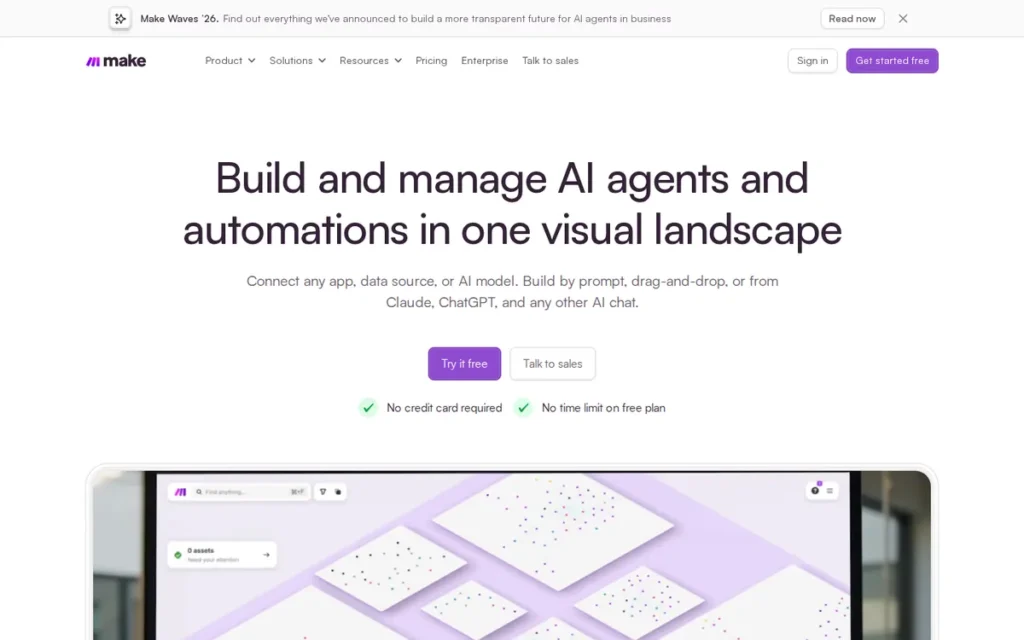
Category: Visual Workflow Builder, no-code canvas tools for building branching, multi-step automations without writing code.
At a Glance
- Category: Visual Workflow Builder
- Best For: SMB operations and marketing teams moving complex, branching Zapier workflows to a cheaper visual builder
- Price Range: Free (1,000 credits/month); Core $10.59/month and Pro $18.82/month (G2 list prices, November 2026)
- Primary Strength: Make handles branching, looping and data transformation on a visual canvas at a lower entry price than Zapier.
- Biggest Limitation: Make bills per module action, so long workflows, test runs and large arrays use credits quickly and make costs hard to forecast.
- One-Line Summary: Make is the best Zapier alternative in 2026 for teams that need visual, branching multi-step workflows at a lower entry price, backed by a verified 4.6/5 G2 rating from 490 reviews.
- Last Verified: November 2026
Overview
Make (formerly Integromat, part of Celonis since 2020) is a cloud-based visual automation platform. It is built for operations teams, marketers and founders who have outgrown Zapier’s linear Zaps and need routers, filters, iterators and data transformations at a lower entry price.
Make is the platform G2 switchers most often say they moved to from Zapier (G2, November 2026). Compared with Zapier, Make has fewer connectors but deeper workflow logic. Make is not the right choice for teams that need self-hosting.
Key Features
- Make’s visual scenario builder lets users branch workflows with routers and control data flow with filters.
- Make’s iterators and aggregators loop over arrays and recombine the results, which handles data transformations that linear Zaps handle poorly.
- Make’s HTTP module connects to any app with an API, which partly makes up for its 3,000+ native apps compared with Zapier’s 8,000–9,000+ (vendor-reported, 2026).
- Make’s Core plan adds unlimited active scenarios, minute-level scheduling and API access (Make pricing page, November 2026).
- Make offers AI Agents and Model Context Protocol (MCP) support for agentic workflows (G2 vendor description, November 2026).
Best For
Make is best for small and mid-sized teams whose Zapier workflows need branching, filters or data manipulation. Make also suits agencies that keep Zapier for simple workflows and use Make for complex ones.
Pricing
- Make’s G2 list prices are Free (price not listed), Core at $10.59/month and Pro at $18.82/month, all flat rate. These list prices may change (G2, November 2026).
- Make’s own pricing page shows Core at $9/month, Pro at $16/month and Teams at $29/month at the 10,000-credit tier, with about 15% off for annual billing (Make pricing page, November 2026).
- Make’s Free plan includes 1,000 credits per month, with at least 15 minutes between scheduled runs (Make pricing page, November 2026).
- Make charges 1 credit for most module actions. AI modules can use more, and test runs also use credits (Make pricing page, November 2026).
For a workload of 10,000 runs × 5 steps per month, Make uses about 50,000 credits. That is roughly the same as Zapier’s ~50,000 tasks.
Strengths
- Make holds a verified G2 rating of 4.6/5 from 490 reviews, with 96.3% at four or five stars. Zapier is the prior platform switchers name most often (G2, November 2026).
- Make’s G2 reviewers most often go live in under one month, and “under one day” is also frequently reported (G2, November 2026).
- An r/automation practitioner describes Make as “not too complex for non-technical users, but powerful enough to build out advanced workflows” (Reddit, 2024).
- Make’s vendor-published Kroo Bank story reports incident-response time falling from 20–30 minutes to 2–3 minutes. It also reports an AI data-cleaning scenario estimated to save 400–500 working hours (Make customer story, 2026; unaudited).
Limitations
Make gives up predictable spending in exchange for workflow depth, because every module action uses credits.
- Make’s per-action credit billing means a five-step scenario costs about the same as five Zapier tasks, so long workflows don’t automatically get cheaper.
- Make’s G2 reviewers ask for “projected credit use” and for testing “without repeatedly consuming credits” (G2, November 2026).
- Make’s top G2 cons include Learning Curve (7) and Error Handling (7), so switching will not remove troubleshooting friction (G2, November 2026).
- Make is cloud-only, so teams that need self-hosting or data residency on their own servers should look elsewhere.
An agency owner running five client accounts on Make described the cost pressure on r/Integromat:
“At this point it feels like you get punished for scaling. The more successful the automations are, the more the bill explodes.” Posted by u/DevOrDesign
Takeaway: Make’s per-operation billing can grow faster than agencies expect as client automations scale, even after their scenarios are fully optimized.
Verdict
Make is the best Zapier alternative in 2026 for teams that need visual branching and data transformation at a lower entry price than Zapier. Make wins on balance rather than any single criterion. It scores 4 or higher on five of six criteria (4.10/5). Its only low score is Hosting Control (2), because it is cloud-only.
Make buyers should model credit use from their real Zap history before switching. Teams that need self-hosting or per-run pricing should compare n8n or Activepieces.
2. n8n: Best for Technical Teams, High-Volume Workflows and Self-Hosting
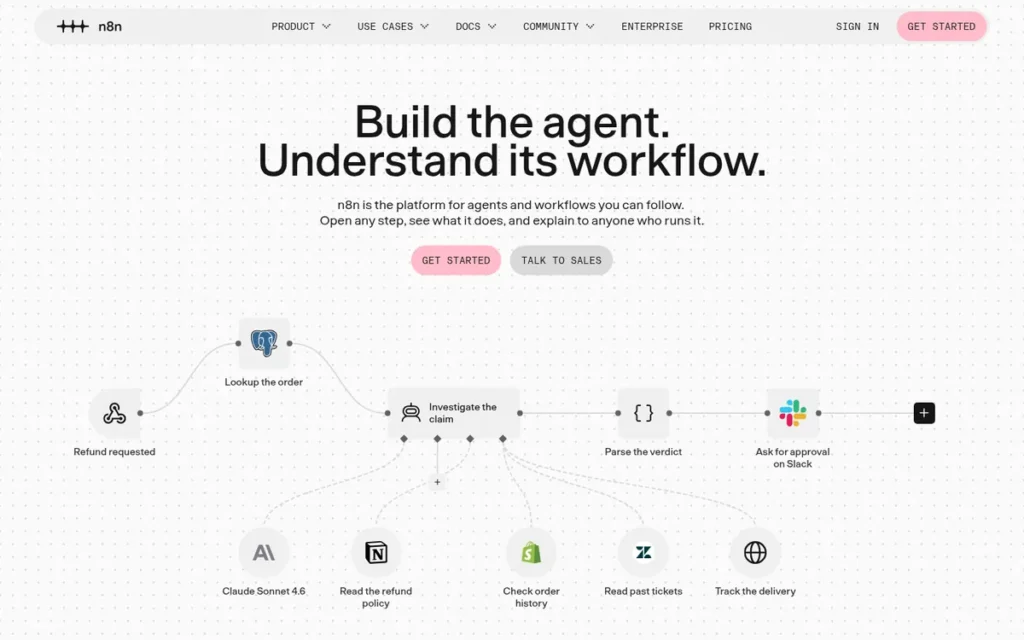
Category: Open and Self-Hostable Platform, automation tools you can run on your own infrastructure, with code-level customization.
At a Glance
- Category: Open and Self-Hostable Platform
- Best For: Technical teams and developers running long or high-volume workflows who want self-hosting and code nodes
- Price Range: Free self-hosted Community Edition; Cloud Starter €20/month and Pro €50/month (annual billing, n8n pricing page, November 2026)
- Primary Strength: n8n charges one execution per workflow run regardless of steps and can be self-hosted for free, which cuts costs for long, high-volume workflows.
- Biggest Limitation: n8n takes technical skill to build and self-host, and its fair-code licence restricts commercial embedding and offering n8n as a hosted service.
- One-Line Summary: n8n is the best Zapier alternative in 2026 for technical teams that need code-level control, self-hosting and per-execution pricing that does not rise with the number of workflow steps.
- Last Verified: November 2026
Overview
n8n is a fair-code workflow automation platform with a visual node editor, JavaScript and Python code nodes, and a free self-hosted Community Edition. It is built for technical teams that run high-volume or long multi-step workflows and want control over hosting and data.
n8n bills a whole workflow run as one execution, while Zapier counts every action as a task. n8n is not OSI-approved open source. n8n is a poor fit for teams that have no one to maintain infrastructure.
Key Features
- n8n counts each full workflow run as one execution regardless of step count. This gives n8n a structural cost advantage over per-action billing on long workflows (n8n pricing page, November 2026).
- n8n’s free Community Edition runs via Docker, so workflow data stays on infrastructure the team controls.
- n8n’s JavaScript and Python code nodes let developers write custom logic when prebuilt nodes are not enough.
- n8n includes 400+ built-in integrations on every plan, plus community nodes and HTTP requests for other apps (n8n pricing page, November 2026).
- n8n offers AI Agent nodes, including LangChain and MCP support (n8n pricing page, November 2026).
Best For
n8n is best for developers, technical operations teams and agencies running high-volume or many-step workflows. These teams need to maintain their own infrastructure or pay for n8n Cloud.
Pricing
- n8n’s Starter plan costs €20/month (annual) for 2,500 executions per month (n8n pricing page, November 2026).
- n8n’s Pro plan costs €50/month (annual) for 10,000 executions per month (n8n pricing page, November 2026).
- n8n’s Business plan costs €667/month (annual, self-hosted only) for 40,000 executions, and Enterprise pricing is available on request (n8n pricing page, November 2026).
- n8n’s pricing page lists no active-workflow cap on the Starter or Pro cloud plans (n8n pricing page, November 2026).
n8n counts a workload of 10,000 runs × 5 steps per month as 10,000 executions. Self-hosting has no licence fee, but it still costs server time and engineering time.
Strengths
- n8n ranked #1 overall in the 2025 JavaScript Rising Stars, adding about 112,400 GitHub stars during the year (JavaScript Rising Stars, 2025).
- n8n holds a G2 rating of 4.7/5 from about 301–319 reviews (secondary comparison source, 2026; not PlugRoute’s verified G2 data).
- n8n’s vendor-published Vodafone case study reports 33 workflows that saved 5,000 person-days and avoided £2.2M in costs (n8n case study, 2025; unaudited).
- n8n is recommended in r/automation for high-run workflows. One practitioner suggests moving anything above about 1,000 runs per day to self-hosted n8n, which is a personal rule of thumb rather than a benchmark (Reddit, 2024).
Limitations
n8n gives up accessibility in exchange for control. That trade-off shows up in its licence, its operating burden and its learning curve.
- n8n’s Sustainable Use License is fair-code, not OSI open source. Hosting n8n as a service or embedding it commercially requires authorization, and one r/selfhosted user called the licence “a non starter” for internal middleware (Reddit, 2023).
- n8n’s self-hosters report problems with OAuth return URLs and with webhooks stuck on localhost, although another user reported installing it in about 30 minutes (Reddit, r/selfhosted, 2025).
- n8n’s jump from the free self-hosted edition to Business (€667/month annual) is steep (n8n pricing page, November 2026).
- n8n shows non-technical users expressions and code early in the build process (Zapier-authored comparison, 2026; interested party).
A developer on r/n8n described hitting the licence wall when trying to scale a client project:
“I’ve build a WhatsApp AI agent for my brother’s boardgame renting store that recommends games and can hand off to human. Works fine for one company but I don’t see a way of using n8n to grow this idea into multiple clients without paying an absurd amount of money. I’m dev so I’m considering just coding it myself and ditching n8n completely.” Posted by u/Unfair_Chicken6228
Takeaway: n8n works well for a single deployment, but its fair-code licence makes multi-client resale expensive enough that some developers drop it.
Verdict
n8n is the best Zapier alternative in 2026 for technical teams that want self-hosting, code nodes and per-execution pricing that stays flat as workflows get longer. n8n scores 4.00/5, which puts it 0.10 behind Make. n8n leads Make on Cost (4.5 vs 4) and Hosting (4 vs 2). It trails on Review Evidence (3.5) and Ease of Adoption (2.5).
n8n counts a 10,000-run, five-step workload as 10,000 executions. Per-step platforms count about 50,000 units for the same workload. n8n’s licence and self-hosting work are real costs. Teams without technical capacity should compare Make, and teams that need an MIT licence should consider Activepieces.
3. Activepieces: Best Open-Source (MIT) and Low-Cost Per-Run Alternative
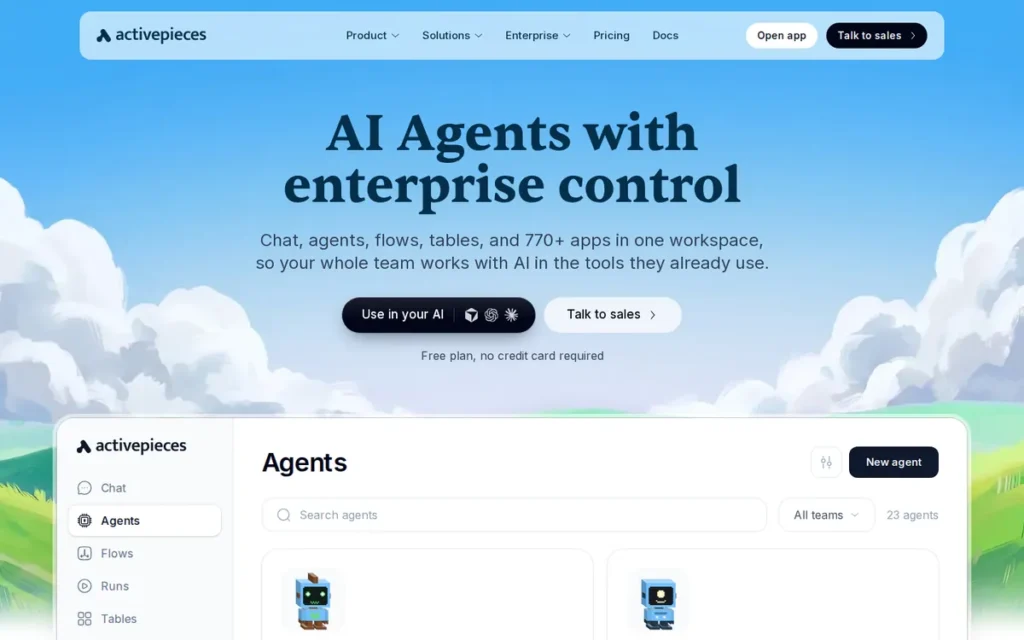
Category: Open and Self-Hostable Platform, automation tools you can run on your own infrastructure, with code-level customization.
At a Glance
- Category: Open and Self-Hostable Platform
- Best For: Budget-conscious small businesses and self-hosters who want an MIT-licensed Zapier alternative priced per run
- Price Range: Free (1,000 credits); Plus $20/month for 10,000 credits; Team $200/month (Activepieces pricing page, November 2026); free self-hosted Community Edition
- Primary Strength: Activepieces charges one credit per flow run regardless of steps and licenses its core under MIT, which makes it the most permissive low-cost option in this ranking.
- Biggest Limitation: Activepieces has a smaller, partly community-built connector library and thinner documentation than more mature platforms.
- One-Line Summary: Activepieces is the best Zapier alternative in 2026 for teams that want an MIT-licensed core and flat per-run pricing, provided they can accept a smaller connector library and thinner documentation.
- Last Verified: November 2026
Overview
Activepieces is an open-source automation platform with an MIT-licensed core, a beginner-friendly visual builder and one-credit-per-run billing. It is aimed at small businesses and self-hosters who want low-cost multi-step automation without the restrictions of fair-code licences.
Activepieces runs in the cloud or self-hosted. Activepieces’ library of 770+ pieces is a fraction of Zapier’s catalog, so teams that rely on niche integrations should check coverage before choosing it.
Key Features
- Activepieces charges one credit per flow run regardless of step count, so long workflows cost the same per run as short ones (Activepieces pricing page, November 2026).
- Activepieces licenses its core under MIT, while enterprise features such as SSO, audit logs and embedding are licensed commercially.
- Activepieces lists 770+ pieces, and its GitHub repository says about 60% are community-contributed (Activepieces GitHub, 2026).
- Activepieces exposes its pieces as MCP servers so AI tools such as Claude and Cursor can trigger automations.
- Activepieces lets developers write custom pieces in TypeScript when no native integration exists.
Best For
Activepieces is best for small businesses and sole operators who want low-cost per-run automation. Activepieces also suits self-hosters who need an MIT licence rather than fair-code terms.
Pricing
- Activepieces’ Free plan includes 1,000 credits, up to 5 users and unlimited flows. The plan table says credits reset daily and the FAQ says monthly, so confirm the cadence in your account (Activepieces pricing page, November 2026).
- Activepieces’ Plus plan costs $20/month for 10,000 credits. The Team plan costs $200/month for 50,000 credits and 25 users (Activepieces pricing page, November 2026).
- Activepieces charges $0.007 per credit for overage, and AI actions use extra credits. Ultimate pricing is available on request.
- Activepieces’ self-hosted Community Edition is free.
Activepieces counts a workload of 10,000 runs × 5 steps per month as 10,000 credits, which fits within the $20 Plus plan.
Strengths
- Activepieces’ pricing page shows 10,000 per-run credits for $20/month. That covers a workload that would use about 50,000 Zapier tasks (Activepieces pricing page, November 2026).
- Activepieces holds a G2 rating of 4.8/5 from 142 reviews, and reviewers praise its interface and affordability (secondary source, 2026; not PlugRoute’s verified G2 data).
- An r/automation user calls Activepieces “super solid” for “small day to day automations without the cost or complexity” (Reddit, 2025).
- Activepieces’ MIT core is cited in r/selfhosted discussions as an advantage over n8n’s fair-code licence for sole operators and small businesses (Reddit, 2025).
A self-hoster replacing a paid Zapier workflow shared their experience on r/selfhosted:
“ive been using activepieces as an alternative and its been good for automating simple flows. its opensource, free to self host and intergrates well with google apps. ive been using it to process my form responses saved into my google drive and it work smoothly. and for me i found it more easier to handle than n8n” Posted by u/Meowtain-Dew3
Takeaway: Activepieces gives self-hosters running simple Google-centric flows a free alternative that some find easier to handle than n8n.
Limitations
Activepieces gives up maturity in exchange for low cost and an open licence. The trade-off shows up in connector coverage, documentation and evidence depth.
- Activepieces’ 770+ pieces are far fewer than Zapier’s 8,000–9,000+, and G2 reviewers say some connectors need manual configuration (G2, November 2026).
- Activepieces’ documentation is described as thin (“have to figure everything out the hard way”), and the co-founder acknowledged this (Reddit, 2025).
- Activepieces’ G2 reviewers report bugs typical of a young product and few video tutorials (G2, November 2026).
- Activepieces’ pricing page is inconsistent about whether Free credits reset daily or monthly (Activepieces pricing page, November 2026).
- Activepieces has no verified quantified case studies, and its rating comes from a secondary source with a lower review count.
Verdict
Activepieces is the best Zapier alternative in 2026 for teams that want an MIT-licensed core and flat per-run pricing. Activepieces ranks above Integrately despite a weaker, secondary-source rating. It scores higher on Cost Efficiency (5 vs 4.5), Workflow Complexity (3.5 vs 3) and Hosting Control (5 vs 1).
Activepieces costs $20/month for a 10,000-run, five-step hosted workload, the lowest modeled cost among usage-billed platforms in this ranking. Activepieces buyers should confirm that their specific apps are covered. They should also expect to rely on community help while the documentation matures.
4. Integrately: Best for Non-Technical Small Businesses That Want Setup Help
Category: Visual Workflow Builder, no-code canvas tools for building branching, multi-step automations without writing code.
At a Glance
- Category: Visual Workflow Builder
- Best For: Non-technical small businesses that want Zapier-style automations, hands-on setup support and more tasks per dollar
- Price Range: Free (100 tasks); Starter $19.99/month and Professional $39/month billed annually (G2 list prices, November 2026); $29.99 and $49 billed monthly (Integrately pricing page, November 2026)
- Primary Strength: Integrately pairs a high verified G2 rating with human setup support and more tasks per dollar than Zapier at entry level.
- Biggest Limitation: Integrately offers less workflow depth and fewer integrations than Make or n8n, and its free plan only supports single-step automations.
- One-Line Summary: Integrately is the best Zapier alternative in 2026 for non-technical small businesses that want hands-on setup help and more tasks per dollar, backed by a verified 4.7/5 G2 rating from 713 reviews.
- Last Verified: November 2026
Overview
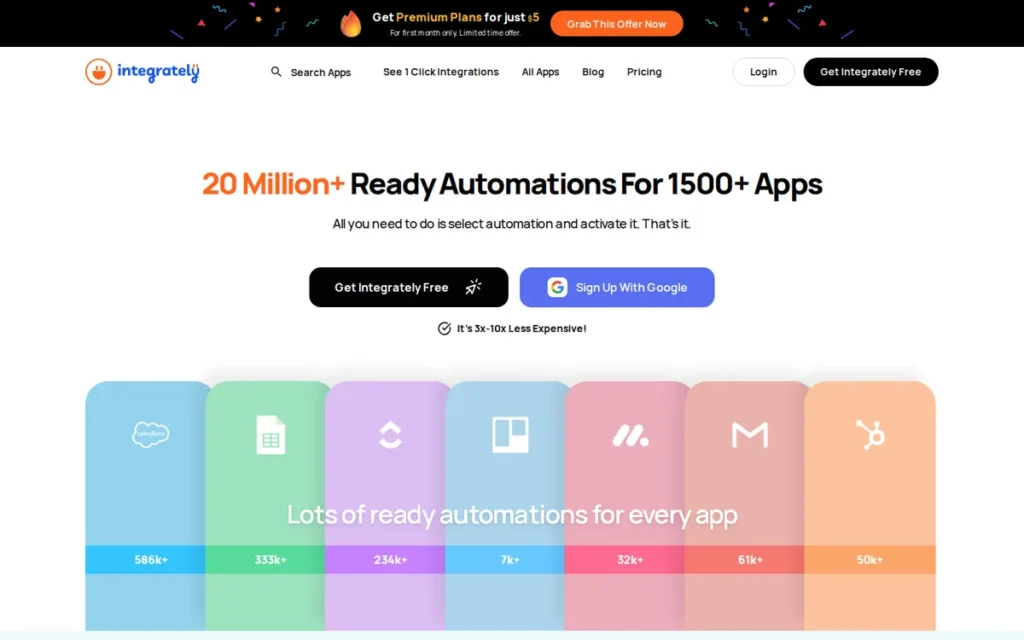
Integrately is a no-code cloud automation platform from CompanyHub. It offers one-click ready-made automations across 1,400+ apps and hands-on human setup support, for non-technical small businesses that want Zapier-style connections with more tasks per dollar.
Integrately’s support team is its most-praised feature on G2 (G2, November 2026). Integrately bills per task like Zapier but includes more tasks at entry level. Teams that build heavily branched or code-driven workflows should not choose Integrately.
Key Features
- Integrately provides one-click ready-made automations, which the vendor says number 20 million+ across 1,500+ apps. G2 lists 1,400+ apps.
- Integrately’s paid plans support multi-step workflows, webhooks and if/else routers, while its Free plan is single-step only.
- Integrately offers human live-chat support that helps users configure automations, according to G2 reviewers (G2, November 2026).
- Integrately states that trigger polling checks do not count toward task usage (vendor claim, Integrately pricing page, November 2026).
Best For
Integrately is best for non-technical small-business owners and marketers who mostly need straightforward app-to-app automations and want someone to help set them up.
Pricing
- Integrately’s G2 list prices are Free, Starter at $19.99/month and Professional at $39/month. These list prices may change (G2, November 2026).
- Integrately’s pricing page lists Free at 100 tasks and 5 automations. Starter costs $19.99 billed annually or $29.99 billed monthly for 2,000 tasks (Integrately pricing page, November 2026).
- Integrately’s Professional plan includes 10,000 tasks for $39 annual or $49 monthly. Its Growth plan includes 30,000 tasks for $99 annual or $124 monthly.
- Integrately’s Business plan includes 150,000 tasks for $239 annual or $299 monthly (Integrately pricing page, November 2026).
Integrately counts tasks per action, so a workload of 10,000 runs × 5 steps per month uses about 50,000 tasks. That is more than the Growth plan’s 30,000-task allowance.
Strengths
- Integrately holds a verified G2 rating of 4.7/5 from 713 reviews, and 98.9% are four or five stars. That is the highest share among the verified alternatives ranked here (G2, November 2026).
- Integrately’s top G2 pro is Customer Support (47 mentions), and reviewers describe “exceptional customer support” that includes setup help (G2, November 2026).
- Integrately’s Starter plan includes 2,000 tasks for $19.99/month billed annually. Zapier’s pricing page lists 750 tasks at $19.99 (Integrately pricing page; Zapier pricing page, November 2026).
- One G2 reviewer reports an Integrately Digistore24 workflow that ran “for years, very reliably” (G2, November 2026; anecdotal).
Limitations
Integrately gives up workflow depth and connector breadth in exchange for simplicity and support. Teams with growing needs will feel both gaps.
- Integrately’s G2 reviewers say “certain integrations are still lacking,” and Limited Integrations (5) and Integration Issues (4) appear among its top cons (G2, November 2026).
- Integrately’s G2 reviews also mention glitches, repeated retesting and a dated interface (G2, November 2026).
- Integrately’s $19.99 Starter price applies only to annual billing, and month-to-month billing costs $29.99 (Integrately pricing page, November 2026).
- Integrately offers no self-hosting and no code-first tooling, and per-action task billing uses up allowances quickly on long workflows.
- Integrately had no relevant Reddit discussion in PlugRoute’s research, so evidence beyond G2 is limited.
Verdict
Integrately is the best Zapier alternative in 2026 for non-technical small businesses that value human setup support and more tasks per dollar over advanced workflow logic. Integrately scores 3.63/5, which puts it 0.10 behind Activepieces. Its verified review evidence and adoption scores (4.5 each) are offset by a Hosting Control score of 1.
Integrately has the highest share of four- and five-star reviews (98.9%) among the verified-G2 alternatives in this ranking (G2, November 2026). Teams whose workflows need heavy branching, code or self-hosting will outgrow Integrately and should look at Make or n8n.
5. Workato: Best for Mid-Sized and Enterprise Teams Needing Governance and Compliance
Category: Ecosystem and Enterprise Platform, automation platforms built around governance, compliance or an existing vendor ecosystem.
At a Glance
- Category: Ecosystem and Enterprise Platform
- Best For: Mid-sized and enterprise organizations that have outgrown SMB tools and need governed, compliant integration at scale
- Price Range: Pricing on request (not listed on G2; no self-serve plan, November 2026)
- Primary Strength: Workato combines enterprise governance, compliance certifications and the largest verified G2 review base among the ranked alternatives.
- Biggest Limitation: Workato publishes no prices and most teams take 1–3 months to go live, which rules it out for SMB buyers who want to sign up and pay by card.
- One-Line Summary: Workato is the best Zapier alternative in 2026 for organizations that need enterprise governance, lifecycle management and compliance, backed by a verified 4.7/5 G2 rating from 859 reviews, but it has no public pricing.
- Last Verified: November 2026
Overview
Workato is an enterprise iPaaS built on governed recipes with branching, error handling, lifecycle management and compliance certifications. It is designed for mid-sized and large organizations that need IT-grade control over automation across many systems.
Workato sits at the top end of the Zapier-alternative market rather than being a cheaper swap. Zapier is among the platforms G2 switchers name before moving to Workato (G2, November 2026). Small businesses switching mainly to save money should not choose Workato.
Key Features
- Workato’s recipes support branching, error handling and multi-system logic for workflows that outgrow Zapier.
- Workato’s Recipe Lifecycle Management moves changes through development, test and production environments.
- Workato provides role-based access, audit trails and an on-prem agent, and lists SOC 2 Type II, ISO 27001 and HIPAA compliance (Workato documentation, 2026).
- Workato extends beyond automation with Workbot, an API platform, ETL/ELT/reverse ETL and embedded integrations.
- Workato offers Enterprise MCP, which the vendor says turns governed business processes into skills AI agents can run (vendor claim, 2026).
Best For
Workato is best for mid-sized and enterprise IT and operations teams that need governed automation across many systems and have budget for a negotiated contract.
Pricing
- Workato’s prices are not listed on G2, and Workato offers no public self-serve plan (G2; Workato pricing page, November 2026).
- Workato bills usage by capability. The vendor says pricing “can vary by contract and when a customer joined” (Workato pricing page, November 2026).
- Workato’s editions are Standard, Business MCP, Enterprise MCP and Workato ONE.
- Tray.ai, which is not ranked here, gives a published price point at the enterprise tier: its Builder Edition starts at $50/month (G2, November 2026).
Workato’s cost for a workload of 10,000 runs × 5 steps per month cannot be modeled from public sources, so PlugRoute did not estimate it.
Strengths
- Workato holds a verified G2 rating of 4.7/5 from 859 reviews, with 98.8% at four or five stars and Ease of Use (366 mentions) as its top pro (G2, November 2026).
- Workato was named a Leader in The Forrester Wave: Integration Platforms as a Service, Q3 2025 (Forrester Wave iPaaS, Q3 2025; vendor-reported).
- Workato’s G2 switchers report moving from MuleSoft, Zapier, Boomi, Celigo and TIBCO, and say they build integrations faster with less custom development (G2, November 2026).
- Workato’s vendor-published Terminus story reports 1,000+ hours saved a year and three middleware tools replaced (Workato customer story, 2026; unaudited).
Limitations
Workato gives up accessibility and price transparency in exchange for enterprise scope. That makes it a hard fit for most Zapier switchers.
- Workato’s lack of public pricing means SMB buyers cannot estimate costs before talking to sales, and Expensive (71 mentions) is among its top G2 cons (G2, November 2026).
- Workato’s go-live most often takes 1–3 months, compared with Zapier’s common “day or less” (G2, November 2026).
- Workato’s top G2 cons include Complexity (83) and Learning Curve (77), and reviewers say “troubleshooting can be challenging, particularly with complex recipes” (G2, November 2026).
- Workato had no independent Reddit discussion in PlugRoute’s research, and its 14,000+ connector figure is an unverified vendor claim.
Verdict
Workato is the best Zapier alternative in 2026 for organizations that need enterprise governance and compliance rather than lower costs. Workato has the top scores for Review Evidence and Workflow Complexity (5 each). It still ranks fifth because Cost Efficiency, the highest-weighted criterion at 25%, scores only 1.5.
Workato publishes no prices, offers no self-serve plan and usually takes months to implement. Together these make Workato a poor fit for small businesses switching to save money.
6. Microsoft Power Automate: Best for Microsoft 365-Centered Organizations
Category: Ecosystem and Enterprise Platform, automation platforms built around governance, compliance or an existing vendor ecosystem.
At a Glance
- Category: Ecosystem and Enterprise Platform
- Best For: Organizations standardized on Microsoft 365, Teams, SharePoint or Dynamics 365, including teams that need desktop RPA
- Price Range: Limited standard-connector use included with many Microsoft 365 plans; Premium $15/user/month (paid yearly); Process $150/bot/month (Microsoft pricing page, November 2026)
- Primary Strength: Microsoft Power Automate fits within existing Microsoft 365 licensing and adds desktop RPA that Zapier and most SMB alternatives lack.
- Biggest Limitation: Microsoft Power Automate puts key connectors and features behind Premium per-user licensing, and reviewers report difficult debugging and throttling at scale.
- One-Line Summary: Microsoft Power Automate is the best Zapier alternative in 2026 for Microsoft 365-centered organizations, because it builds on licences they may already own and adds desktop RPA, though premium connectors require per-user licences.
- Last Verified: November 2026
Overview
Microsoft Power Automate is Microsoft’s automation platform for cloud flows, desktop RPA, process mining and Copilot-assisted flow building. It suits organizations running Microsoft 365, Teams, SharePoint and Dynamics 365 that want automation aligned with licences they already pay for.
Microsoft Power Automate prices by user or bot, while Zapier prices by task. Teams whose critical apps sit outside Microsoft should not choose Microsoft Power Automate as their main automation tool.
Key Features
- Microsoft Power Automate’s cloud flows connect Microsoft 365, Teams, SharePoint, Dynamics 365 and Dataverse, with about 1,400 connectors in total (Zapier comparison page, 2026).
- Microsoft Power Automate’s desktop flows provide RPA for Windows applications, and attended RPA is included in the Premium licence.
- Microsoft Power Automate includes process and task mining to find automation opportunities.
- Microsoft Power Automate’s Copilot helps users build flows from natural-language descriptions.
- Microsoft Power Automate’s Premium licence includes 5,000 AI Builder credits (Microsoft pricing page, November 2026).
Best For
Microsoft Power Automate is best for operations and IT teams in Microsoft 365 organizations that mostly automate across Microsoft apps or need to automate Windows desktop software.
Pricing
- Microsoft Power Automate Premium costs $15/user/month, paid yearly, and includes attended RPA, process mining and 5,000 AI Builder credits (Microsoft pricing page, November 2026).
- Microsoft Power Automate Process costs $150/bot/month for unattended RPA, and Hosted Process costs $215/bot/month (Microsoft pricing page, November 2026).
- Microsoft Power Automate’s standard-connector rights are included in many Microsoft 365 subscriptions, while premium connectors and unattended RPA need paid licences (Microsoft licensing guidance, 2026).
- Microsoft Power Automate’s pay-as-you-go meters charge $0.60 per premium cloud-flow run and $3.00 per unattended desktop-flow run. Flows that use only standard connectors are not metered, and the meters are in preview (Microsoft Learn, 2026).
For a workload of 10,000 runs × 5 steps per month, Microsoft Power Automate Premium costs $15 per licensed user whatever the volume, subject to API and throttling limits.
Strengths
- Microsoft Power Automate holds a G2 rating of 4.4/5 from 1,096 reviews, the highest count among the ranked alternatives. That count comes from a secondary source, so it is not directly comparable with PlugRoute’s verified G2 counts (secondary comparison source, 2026).
- Microsoft Power Automate’s per-user Premium pricing ($15/user/month) does not scale with run volume, which can favour small teams with high-volume flows (Microsoft pricing page, November 2026).
- Microsoft Power Automate’s vendor-published Uber case study reports more than 300,000 hours of manual work avoided and over $9 million in annual savings across 50+ automated processes (Microsoft customer story, 2026; unaudited).
- Capterra reviewers credit Microsoft Power Automate’s built-in connectors with making working flows easy to deploy (Capterra, 2026).
Limitations
Microsoft Power Automate gives up flexibility outside Microsoft in exchange for alignment within it. That trade-off shows up in connectors, licensing and debugging.
- Microsoft Power Automate’s roughly 1,400 connectors are far fewer than Zapier’s, and G2 reviewers say useful features sit “behind Premium licensing” (G2, November 2026).
- Microsoft Power Automate’s reviewers report that complex flows are hard to debug, with vague errors and tedious run-history investigation (G2, November 2026).
- Microsoft Power Automate’s Capterra reviewers say the interface “needed significant work” and report throttling. For example, SharePoint is limited to 600 actions per minute (Capterra; Microsoft Learn, 2026).
- Microsoft Power Automate’s pay-as-you-go meters add per-run costs for premium and desktop flows, which can surprise teams without Premium licences (Microsoft Learn, 2026).
- Microsoft Power Automate had no relevant Reddit discussion in PlugRoute’s research, so independent community evidence is missing.
Verdict
Microsoft Power Automate is the best Zapier alternative in 2026 for Microsoft 365-centered organizations, because it builds on licences they may already own and adds desktop RPA. Microsoft Power Automate scores 3.23/5. It has no score above 4, and its review evidence (3) comes from a secondary rating with no Reddit discussion found.
Microsoft Power Automate is a much weaker choice when critical apps sit outside Microsoft. Buyers should check which of their flows need premium connectors before assuming it costs nothing extra.
7. IFTTT: Best for Personal and Smart-Home Automations
Category: Personal Automation, lightweight trigger-action tools for individuals, mobile devices and smart homes.
At a Glance
- Category: Personal Automation
- Best For: Individuals and hobbyists automating smart-home devices, phone triggers and simple consumer app connections
- Price Range: Free (1,000 credits); Starter $2.09/month to Pro+ $13.99/month billed annually, or $2.99 to $19.99/month billed monthly (IFTTT plans page, November 2026)
- Primary Strength: IFTTT offers the lowest-cost, simplest way to connect smart-home devices, phone triggers and consumer apps, with unlimited Applets on every plan.
- Biggest Limitation: IFTTT is not built for complex business workflows, has no verified review-platform rating and draws user complaints about delayed triggers.
- One-Line Summary: IFTTT is the best Zapier alternative in 2026 for personal and smart-home automations, but it is not a replacement for Zapier in business-critical, multi-step workflows.
- Last Verified: November 2026
Overview
IFTTT is a consumer-focused automation service that links 1,000+ apps, smart-home devices and phone triggers through simple “if this, then that” Applets. IFTTT is for individuals and hobbyists who want low-cost personal automations rather than business workflows.
IFTTT bills by credits with unlimited Applets, while Zapier targets business task automation. Teams that run business-critical or multi-step processes should not choose IFTTT.
Key Features
- IFTTT connects 1,000+ services, including smart-home devices, phone location triggers, social media and web services (IFTTT plans page, November 2026).
- IFTTT supports multi-action Applets with delays, queries and filters, although PlugRoute’s research could not establish how much branching and looping it supports.
- IFTTT includes unlimited Applets on all plans, and the tiers differ by monthly credits and polling frequency.
- IFTTT offers AI-generated Applets, an AI Agent and an MCP connection (IFTTT plans page, November 2026).
Best For
IFTTT is best for individuals automating smart-home devices, mobile triggers and simple consumer app connections who want the cheapest option and don’t need business-grade logic.
Pricing
- IFTTT’s Free plan includes 1,000 credits with hourly polling (IFTTT plans page, November 2026).
- IFTTT’s Starter plan costs $2.99/month billed monthly or $2.09/month billed annually ($25.08/year) for 5,000 credits with 15-minute polling (IFTTT plans page, November 2026).
- IFTTT’s Pro plan costs $7.99/month billed monthly or $5.49/month billed annually ($65.88/year) for 20,000 credits with 5-minute polling.
- IFTTT’s Pro+ plan costs $19.99/month billed monthly or $13.99/month billed annually ($167.88/year) for 100,000 credits, with the same 5-minute polling as Pro.
IFTTT’s lower tiers check polled services less often, so automations that depend on polling fire more slowly than instant (webhook) triggers. IFTTT does not document credit use per run, so PlugRoute did not model the 10,000 runs × 5 steps scenario for it.
Strengths
- IFTTT’s paid entry tier costs $2.09/month billed annually or $2.99 billed monthly, the lowest in this ranking (IFTTT plans page, November 2026).
- IFTTT’s credits also cover its AI features and MCP use, so one allowance pays for both standard and AI-assisted automations (IFTTT plans page, November 2026).
- IFTTT reports 10M+ app downloads and 30M+ automations run (IFTTT plans page, November 2026; vendor-claimed).
- An r/homeautomation user calls IFTTT “great for extremely simple things,” which matches its personal positioning (Reddit, 2016; dated).
Limitations
IFTTT gives up workflow depth and reliability in exchange for simplicity and price. Business users will feel both gaps quickly.
- IFTTT is not built for multi-step business processes, and PlugRoute’s research could not establish its branching and looping capabilities.
- IFTTT’s Trustpilot reviewers report triggers delayed “several hours,” failing Applets, and price increases after earlier “forever” pricing promises (Trustpilot, 2026; no rating verified).
- IFTTT’s Trustpilot reviewers also report cancellation and refund difficulties and hard-to-reach support (Trustpilot, 2026).
- IFTTT’s monthly billing costs more than annual billing; Pro+ costs $19.99/month billed monthly versus $13.99/month billed annually (IFTTT plans page, November 2026).
- IFTTT has no verified G2 or Capterra rating, so its independent evidence is the thinnest in this ranking.
Verdict
IFTTT is the best Zapier alternative in 2026 for personal and smart-home automations, where its low price and unlimited Applets outweigh its limits. IFTTT scores 2.25/5 because the criteria are weighted toward business workflows. It scores 1.5 on Workflow Complexity and 1 on Review Evidence, but 4 on Ease of Adoption.
IFTTT should not replace Zapier for business-critical workflows. IFTTT users who outgrow it usually move to Home Assistant for smart-home control, or to Zapier or Make for business automation (Reddit, 2023).
A long-time paying subscriber on r/ifttt noted:
“I picked up a pro subscription for $2/mo a long time ago (when they first started limiting free accounts), and went and found other (better & free-er) options to be able to drop them entirely (still haven’t done it – as I find myself using it for one-offs when I don’t want to spin up a more robust solution)” Posted by u/chanical
Takeaway: IFTTT keeps a role for quick one-off automations, even among users who have found better options for anything more robust.
How Do Zapier Alternatives Compare With Zapier on Cost, Connectors and Hosting?
Every ranked alternative except Workato lists fewer native connectors than Zapier’s 8,000–9,000+, and Workato’s 14,000+ figure is an unverified vendor claim. Most alternatives still offer cheaper entry plans, deeper logic or self-hosting. n8n and Activepieces lead on hosting control. Make has the lowest G2-listed paid entry price ($10.59/month) among verified-G2 alternatives.
| Product | Billing Unit | Free Plan Limits | Entry Price (source, Nov 2026) | Connectors (vendor-reported) | Self-Host and Licence | Code Support | Rating (confidence) |
|---|---|---|---|---|---|---|---|
| Zapier (Baseline; not ranked) | Tasks per action | 100 tasks/month | Professional $29.99/month (G2) | 8,000–9,000+ | No self-hosting documented | Not assessed (outside research scope) | 4.5/5, 2,157 reviews (Verified G2) |
| Make | Credits per module action | 1,000 credits; 15-min interval | Core $10.59/month (G2) | 3,000+ | Cloud only | Limited (HTTP module) | 4.6/5, 490 reviews (Verified G2) |
| n8n | Executions per run | Self-hosted Community Edition | Starter €20/month annual (n8n) | 400+ built-in | Yes, fair-code | Full JS/Python | 4.7/5, ~301–319 reviews (Secondary) |
| Activepieces | Credits per run | 1,000 credits; 5 users | Plus $20/month (Activepieces) | 770+ | Yes, MIT core | TypeScript pieces | 4.8/5, 142 reviews (Secondary) |
| Integrately | Tasks per action | 100 tasks; 5 automations; single-step | Starter $19.99/month annual (G2) | 1,400–1,500+ | Cloud only | Minimal | 4.7/5, 713 reviews (Verified G2) |
| Workato | Custom usage-based contract | No self-serve plan | Not listed (G2) | 14,000+ (vendor claim, unverified) | On-prem agent only | Yes | 4.7/5, 859 reviews (Verified G2) |
| Microsoft Power Automate | Per user / per bot | Standard connectors with many M365 plans | Premium $15/user/month (Microsoft) | ~1,400 | Cloud; desktop RPA runs locally | Expressions, custom connectors | 4.4/5, 1,096 reviews (Secondary) |
| IFTTT | Credits; unlimited Applets | 1,000 credits; hourly polling | Starter $2.09/month annual, $2.99 monthly (IFTTT) | 1,000+ | Cloud only | Filter code | None found (Not verified) |
Connector counts in PlugRoute’s Zapier comparison table are vendor-reported (November 2026). G2’s “integrations listed” field measures something different and was not used. PlugRoute did not independently verify Zapier’s own feature claims, so Zapier’s code support is marked as outside the research scope.
How Do Zapier Alternatives’ Pricing Units Compare?
Zapier alternatives bill in three ways. Per-step billing (Zapier tasks, Make credits, Integrately tasks) grows with workflow length. Per-run billing (n8n executions, Activepieces credits) stays flat however many steps a workflow has, and per-user licensing (Power Automate) ignores volume. For long workflows, the billing unit matters more than the headline price.
The billing units work as follows:
- Zapier tasks count each completed action, so a five-step Zap uses about five tasks per run.
- Make credits (Make’s former unit name was “operations”) charge about one credit per module action, with more for AI modules and test runs.
- Integrately tasks charge per action like Zapier, although Integrately says polling checks are free.
- n8n executions count one full workflow run as one execution.
- Activepieces credits charge one credit per flow run, plus extra for AI actions.
- Microsoft Power Automate licences charge per user or per bot, regardless of how many runs a flow makes.
A 10-step lead-enrichment workflow that runs 1,000 times a month uses 10,000 Zapier tasks or Make credits. The same workflow uses only 1,000 n8n executions or Activepieces credits. Adding an eleventh step changes nothing on per-run platforms.
| Platform | Units at 10,000 runs × 5 steps | Units at 500 runs × 3 steps | Cost Note (10,000-run workload) |
|---|---|---|---|
| Zapier | ~50,000 tasks | ~1,500 tasks | Cost at 50,000 tasks could not be calculated from public sources |
| Make | ~50,000 credits | ~1,500 credits | ~$145/month, third-party estimate at $2.90 per 1,000 credits (dev.to, 2026); Make’s own tier pricing at 50,000 credits not modeled by PlugRoute |
| Integrately | ~50,000 tasks | ~1,500 tasks | Above the Growth plan’s 30,000 tasks (Integrately pricing page, November 2026) |
| n8n | 10,000 executions | 500 executions | Pro plan lists 10,000 executions at €50/month annual (n8n pricing page, November 2026) |
| Activepieces | 10,000 credits | 500 credits | Fits the $20/month Plus plan (Activepieces pricing page, November 2026) |
| Microsoft Power Automate | Not unit-based | Not unit-based | $15 per licensed user, subject to throttling |
A five-step workflow run 10,000 times a month uses about 50,000 units on per-step platforms (Zapier, Make, Integrately) and 10,000 units on per-run platforms (n8n, Activepieces). That is a fivefold difference before any price is applied.
The low-volume column counts units only, so PlugRoute did not attach prices to it. Workato and IFTTT are not modeled because neither publishes enough unit data. One Reddit practitioner warns that “comparing subscription prices alone doesn’t tell you which option will be cheaper” (Reddit, 2026).
These hidden cost drivers can change the numbers:
- Test runs use credits on Make, which inflates costs during setup.
- Polling frequency affects how quickly triggers fire on Zapier, IFTTT and Integrately, and it can affect usage on platforms that count polling checks.
- Retries and failed runs can use allowances on per-step platforms.
- AI steps use extra credits on Make and Activepieces.
- Large arrays multiply module actions on per-step platforms.
- Overage charges, such as Activepieces’ $0.007 per extra credit, apply once an allowance runs out.
- Annual billing lowers listed monthly prices on Zapier, Make, Integrately and IFTTT, so buyers should compare like-for-like billing periods.
- Self-hosting adds server costs and engineering time that no pricing page shows.
When Should You Stay With Zapier?
Stay with Zapier when you depend on niche apps, when non-technical staff own the workflows, or when your volume keeps task costs small. Zapier’s 8,000–9,000+ app catalog is not matched by any ranked alternative with verified connector counts. Its common same-day go-live is matched only partly, by Make (G2, November 2026).
Zapier remains the better fit in these situations:
- Zapier is the safer choice if you rely on niche apps in its 8,000–9,000+ catalog that alternatives don’t support natively.
- Zapier suits workflows owned by non-technical or client staff, and one agency on Reddit advises “Zapier if the client needs to be managing the workflows” (Reddit, 2025).
- Zapier stays affordable when your monthly task volume is low enough that costs remain small.
- Zapier suits teams that need same-day setup, since “a day or less” is a common G2 go-live time (G2, November 2026).
Many teams run a hybrid setup instead of switching completely. Agencies on Reddit describe keeping Zapier for fast, simple workflows, using Make for complex automations and moving high-volume jobs to n8n (Reddit, 2024–2025).
Moving only your most expensive or complex workflows often captures most of the savings.
How Do You Switch From Zapier Without Breaking Workflows?
Switch from Zapier in stages, not all at once. A staged migration lets you measure real unit use, failure rates and debugging time on the new platform before you commit. That limits broken workflows and surprise bills. PlugRoute recommends the five-step sequence below for teams of any size.
- Export your Zap history and task usage so you know each workflow’s monthly runs and steps.
- List every required app and confirm native support or an HTTP, webhook or code fallback on the new platform.
- Rebuild your single most expensive Zap on the new platform as a pilot before migrating anything else.
- Run the old and new versions in parallel for one billing cycle and compare units used, failures and time spent debugging.
- Migrate the remaining workflows in order of cost, and keep simple low-volume Zaps on Zapier if they remain cheap.
A practitioner advising an agency weighing a platform switch on r/Integromat recommended the same approach:
“The migration decision is probably different per workflow. Some flows may be worth keeping in Make, some may be better in n8n, and the really repetitive/high-volume pieces may be better in Python, AWS Lambda, or Cloudflare Workers.”
“I wouldn’t migrate all 5 clients at once. I’d pick the highest-cost workflow, run it in parallel for 2 weeks, and compare real cost plus maintenance time.” Posted by u/Jolly-Package-3695
Takeaway: Experienced automation builders treat switching platforms as a per-workflow decision, piloting the most expensive flow in parallel before moving anything else.
What Red Flags Should I Watch For When Evaluating Zapier Alternatives?
Watch for seven red flags when evaluating Zapier alternatives. Most involve hidden costs, such as mismatched billing units, per-step charges and the operating work of self-hosting. Others involve licensing, connector gaps, weak error diagnostics and vendor continuity. Spotting them early prevents a migration that ends up costing more than staying on Zapier.
- Red Flag #1 is comparing entry prices instead of billing units.
- Red Flag #2 is per-step billing on long workflows.
- Red Flag #3 is free self-hosting with hidden operating costs.
- Red Flag #4 is calling fair-code licences open source.
- Red Flag #5 is assuming your niche connectors exist.
- Red Flag #6 is expecting switching to fix troubleshooting.
- Red Flag #7 is products with continuity risk.
Red Flag #1: Comparing Entry Prices Instead of Billing Units
Buyers most often misjudge switching costs by comparing entry prices without comparing billing units. Zapier tasks, Make credits, n8n executions, Activepieces credits and Power Automate per-user licences grow differently with volume. Convert your actual monthly runs and steps into each platform’s unit before comparing any headline price.
Red Flag #2: Per-Step Billing on Long Workflows
Per-step billing on long workflows can cancel out a lower headline price. Make credits, Integrately tasks and Zapier tasks all grow with step count, so a ten-step workflow costs about ten times as much per run as a one-step workflow. Long workflows usually favour per-run billing.
Red Flag #3: Free Self-Hosting With Hidden Operating Costs
Free self-hosting still costs engineering time. You save the licence fee, but someone on your team still owns uptime, upgrades, backups, OAuth callbacks and webhook exposure. n8n self-hosters on Reddit report OAuth return URL problems and webhooks stuck on localhost (Reddit, r/selfhosted, 2025).
Red Flag #4: Calling Fair-Code Licences Open Source
Fair-code licences are not OSI-approved open source, even when the source code is public. n8n’s Sustainable Use License restricts hosting n8n as a service and commercial embedding, while Activepieces licenses its core under MIT. Teams planning internal middleware or product embedding should read the licence before building, not after (n8n; Activepieces, 2026).
Consider a SaaS company that wants to offer automations to its own customers. It can build on Activepieces’ MIT core without a licence agreement for core features. Doing the same with n8n requires authorization under the Sustainable Use License.
Red Flag #5: Assuming Your Niche Connectors Exist
Your niche connectors may not exist on another platform. Every ranked alternative except Workato lists fewer native connectors than Zapier’s 8,000–9,000+, and Workato’s 14,000+ figure is an unverified vendor claim. Check each required app, and confirm an HTTP, webhook or code fallback before migrating.
Red Flag #6: Expecting Switching to Fix Troubleshooting
Switching platforms rarely fixes troubleshooting problems on its own. Every automation platform PlugRoute checked, including Zapier, Make and Workato, has G2 improvement requests asking for clearer error messages (G2, November 2026). Power Automate reviewers report vague errors too, so test failure diagnostics during any trial.
Red Flag #7: Products With Continuity Risk
Products with continuity risk can leave your workflows stranded. Pipedream’s own documentation says its Workflows product no longer accepts new signups and will shut down on March 31, 2027. Workflows data will be deleted by April 30, 2027 (Pipedream docs, 2026). Check any vendor’s roadmap and ownership before migrating critical workflows.
What Questions Should I Ask Before Choosing a Zapier Alternative?
Ask six questions before choosing a Zapier alternative. They test fit rather than features, so the answers usually rule out most platforms quickly. Most teams end up with two realistic candidates to trial side by side before migrating any production workflow. Each question below opens with the reason it matters.
Question #1: Who will build and maintain these workflows?
The person who builds and maintains your workflows determines which tools are realistic. Non-technical owners usually do best with Make, Integrately or Zapier. Technical teams can take full advantage of n8n’s JavaScript and Python code nodes or Activepieces’ TypeScript pieces. Agencies often decide based on who will manage workflows after handoff.
Question #2: How many runs and steps do my workflows use each month?
Your monthly runs and steps decide which billing model is cheapest. Export your Zapier task history and multiply runs by steps for each workflow. Long, frequent workflows favour per-run billing on n8n or Activepieces. Short, infrequent ones may cost little on any platform, including Zapier.
Question #3: Are all my required apps natively supported, and is there an HTTP or code fallback?
The most common switching blocker is a required app without native support. Check each app against the vendor’s directory. Then confirm a fallback exists, such as Make’s HTTP module, n8n’s HTTP and code nodes, or Activepieces’ custom TypeScript pieces, before committing.
Question #4: Do I need to self-host, and what does the licence allow?
Self-hosting needs and licence terms rule out most platforms immediately. Among the ranked tools, only n8n and Activepieces offer full self-hosting. Workato offers an on-prem agent, and Microsoft Power Automate runs desktop flows locally. If you plan to embed automation in your product, n8n’s fair-code licence may require a commercial agreement.
Question #5: Do my existing Microsoft 365 licences already cover my use case?
Your existing Microsoft 365 licences may already include standard-connector flows. Many Microsoft 365 subscriptions include limited Microsoft Power Automate rights, while premium connectors and unattended RPA need paid licences (Microsoft licensing guidance, 2026). Check which of your flows use premium connectors before comparing Microsoft Power Automate with Zapier.
Question #6: What does the plan limit beyond price (polling interval, active workflows, users)?
Plan limits beyond price often decide whether a plan actually works. Make’s Free plan requires at least 15 minutes between scheduled runs, and IFTTT’s Free plan polls hourly. Activepieces’ Free plan caps users at five (Make; IFTTT; Activepieces, November 2026). Check polling intervals, user seats and credit resets before committing.
How Did We Rank These Zapier Alternatives?
PlugRoute scored each Zapier alternative from 1 to 5 on six weighted criteria. Cost efficiency (25%), workflow complexity (20%) and independent review evidence (20%) carry the most weight. The weighted total sets the rank, and Zapier serves as an unranked baseline. Every rating carries a Verified, Secondary or Not verified confidence label.
PlugRoute used these criteria and weights:
- Cost Efficiency and Pricing Transparency (25%): The Cost Efficiency criterion carries the most weight because Expensive and Pricing Issues are Zapier’s top two G2 cons (G2, November 2026).
- Workflow Complexity Capability (20%): The Workflow Complexity criterion matters because Zapier reviewers ask for loops, nested paths and branching. Only documented features counted.
- Independent Review Evidence (20%): The Review Evidence criterion matters because buyers can’t test seven platforms. Verified G2 data scored above secondary ratings, and Reddit sentiment adjusted scores by up to 0.5.
- Connector Coverage and Fallbacks (15%): The Connector Coverage criterion matters because app support is a top switching worry. HTTP, webhook and code fallbacks counted.
- Hosting Control and Licensing (10%): The Hosting Control criterion matters because licence terms decide whether teams can self-host, use the tool as middleware or embed it.
- Ease of Adoption (10%): The Ease of Adoption criterion covers go-live time, support quality and documentation, because Learning Curve is a top Zapier con.
| Product | Cost (25%) | Complexity (20%) | Evidence (20%) | Connectors (15%) | Hosting (10%) | Adoption (10%) | Weighted Score |
|---|---|---|---|---|---|---|---|
| Make | 4 | 5 | 4.5 | 4 | 2 | 4 | 4.10 |
| n8n | 4.5 | 5 | 3.5 | 3.5 | 4 | 2.5 | 4.00 |
| Activepieces | 5 | 3.5 | 3 | 2.5 | 5 | 3 | 3.73 |
| Integrately | 4.5 | 3 | 4.5 | 3 | 1 | 4.5 | 3.63 |
| Workato | 1.5 | 5 | 5 | 4 | 2.5 | 2 | 3.43 |
| Microsoft Power Automate | 3.5 | 4 | 3 | 3 | 2 | 3 | 3.23 |
| IFTTT | 3.5 | 1.5 | 1 | 2.5 | 1 | 4 | 2.25 |
Two pairs are near-ties: Make (4.10) and n8n (4.00), and Activepieces (3.73) and Integrately (3.63). Small weight changes could reorder either pair. Readers should choose within each pair using the Best For labels rather than rank alone.
Workato’s Connector score is based on G2 Integrations mentions (245), not its unverified 14,000+ claim. Scoring Workato’s connectors at 3 would lower its total to 3.28 without changing its rank.
PlugRoute labeled every rating Verified G2 (November 2026), Secondary source or Not verified, and labeled vendor case studies as unaudited. Zapier and Activepieces staff post in the Reddit threads PlugRoute reviewed, so PlugRoute treated their comments as vendor statements. Comparisons written by Zapier were treated as the view of an interested party.
PlugRoute excluded these products:
- UiPath and Automation Anywhere were excluded as enterprise RPA products with G2 list prices of $420–$1,930/month and $9,000/year (G2, November 2026).
- Appy Pie was excluded because its G2 data covers its app builder rather than workflow automation.
- Jotform Workflows was excluded as a form-centered approval tool.
- HubSpot Data Hub was excluded because it is only practical inside HubSpot.
- Jitterbit was excluded as an enterprise EDI and API integration platform.
- Tray.ai is a credible alternative (G2 4.5/5 from 158 reviews; Builder from $50/month, G2, November 2026), and was left out only because Workato has much more review data.
- Pipedream was excluded because Pipedream’s documentation states its Workflows product will shut down on March 31, 2027 (Pipedream docs, 2026).
- Pabbly Connect was excluded because it appeared only in AI answers and PlugRoute could not verify it.
PlugRoute has no affiliate relationships with any company listed. Rankings are determined entirely by research data and objective evaluation criteria.
What Do Buyers Most Often Ask About Zapier Alternatives?
Buyers most often ask three things: which Zapier alternative suits small businesses, which alternatives have usable free plans, and how PlugRoute decides its rankings. Each answer below opens with a direct response. All answers use pricing and review data verified in November 2026, so each one can be read on its own.
What is the best Zapier alternative for small businesses in 2026?
Make is the best overall Zapier alternative for most small businesses in 2026. It has a verified 4.6/5 G2 rating from 490 reviews and a $10.59/month Core plan (G2, November 2026). Make scores 4.10/5 in PlugRoute’s ranking, 0.10 ahead of n8n, which suits technical small businesses better. Integrately suits owners who want setup help.
Which Zapier alternatives have a free plan, and what are the limits?
Most ranked alternatives offer free plans, but the limits differ sharply. Make and Activepieces each include 1,000 credits, and Make requires 15 minutes between scheduled runs. IFTTT includes 1,000 credits with hourly polling, and Integrately allows 100 single-step tasks. n8n’s self-hosted Community Edition is free but needs your own server (vendor pricing pages, November 2026).
How does PlugRoute determine rankings?
PlugRoute ranks Zapier alternatives by a weighted score across six criteria: cost efficiency (25%), workflow complexity (20%), independent review evidence (20%), connector coverage (15%), hosting control and licensing (10%), and ease of adoption (10%). Every rating carries a confidence label. Vendor case studies are marked unaudited, and Zapier is the unranked baseline.
What Do Key Zapier Alternative Terms Mean?
Key Zapier alternative terms describe how platforms bill usage, connect apps and run workflows. Knowing them helps buyers compare vendor costs and capabilities accurately. This matters because billing units differ across the category, and a price quoted in one unit can’t be compared directly with a price quoted in another.
Task: A task is one completed action in a workflow, and per-task platforms count every step. Buyers with long workflows should multiply runs by steps to estimate usage.
Credit: A credit is a usage unit defined by each platform. It may represent one action or one full run, depending on the vendor. Buyers must check what uses up a credit, including tests and AI steps.
Execution: An execution is one complete run of a workflow, however many steps it contains. Per-execution billing keeps costs flat as workflows grow longer.
Per-User Licensing: Per-user licensing charges for each person who builds or runs automations, not for volume. Per-user licensing favours small teams with high-volume workflows.
Polling Interval: A polling interval is how often a platform checks an app for new data. Longer intervals delay automations, and some platforms count polling checks as usage.
Webhook: A webhook is an instant message one app sends to another when an event happens. Webhooks trigger workflows faster than polling, but self-hosted setups must expose a public URL to receive them.
Router: A router splits a workflow into multiple paths based on conditions. Routers let one automation handle different cases without duplicate workflows.
Iterator: An iterator processes each item in a list or array one at a time. Iterators are essential for line items, bulk records and other data transformations.
Self-Hosting: Self-hosting means running automation software on servers your team controls. Self-hosting improves data control but adds maintenance, upgrades and security work.
Fair-Code Licence: A fair-code licence makes source code available but restricts some commercial uses, such as hosting the software as a service. Buyers planning to embed automation in a product must review a fair-code licence carefully.
MIT Licence: The MIT licence is a permissive open-source licence that allows broad commercial use and modification. The MIT licence gives buyers the most freedom to self-host and embed.
Model Context Protocol (MCP): MCP is a standard that lets AI assistants and agents call external tools and workflows. MCP support lets AI agents trigger automations directly.
Which Zapier Alternative Is Right for You?
Key Insights
- Make is the best overall Zapier alternative in PlugRoute’s 2026 ranking, combining visual branching logic with a verified 4.6/5 G2 rating from 490 reviews (G2, November 2026).
- Make and n8n are 0.10 points apart out of 5 in PlugRoute’s 2026 ranking, so the choice between them depends on whether your team can maintain code and infrastructure.
- A five-step workflow run 10,000 times a month uses about 50,000 units on per-step platforms and 10,000 units on per-run platforms such as n8n and Activepieces.
- n8n’s fair-code licence is not OSI open source, so teams that need fully permissive terms should evaluate Activepieces’ MIT-licensed core.
- Integrately has the highest share of four- and five-star verified G2 reviews among the ranked alternatives (98.9%), driven by its human setup support (G2, November 2026).
- No platform in this ranking reliably fixes unclear error messages, because troubleshooting complaints appear across the category (G2, November 2026).
- Staying on Zapier, or running a hybrid setup, can be the cheapest choice for low-volume teams that rely on niche apps.
Match the tool to your situation:
- Teams whose Zapier bill comes from long, frequent workflows should compare n8n or Activepieces at their real volume.
- Non-technical teams should compare Make for branching workflows and Integrately for guided setup.
- Microsoft 365 organizations should check their existing Power Automate rights first, and enterprise teams should request a Workato quote.
- Personal and smart-home users should start with IFTTT’s Free plan.
Per-run pricing, AI agent features and MCP support are spreading across the category, so expect these rankings to shift. Read PlugRoute’s full ranking methodology and browse more independent PlugRoute reviews before you migrate.
We update this guide quarterly. Last updated: November 2026.