Bruno is the top-ranked Postman alternative for offline, Git-based collections. Insomnia is best if you want to choose between local, Git or encrypted cloud storage. Apidog is best for design-first teams that want design, testing and docs in one tool. The right choice depends on where your collections live and how your team collaborates, not on feature count.
Most developers leave Postman because of forced accounts, cloud workspaces, collections kept outside Git and slow performance. On G2, Postman’s most-cited cons are Slow Performance (222 mentions) and Performance Issues (203 mentions) (G2, November 2026). Unclear commercial-use terms on some free tiers add to the confusion.
PlugRoute has no affiliate relationships with any company listed. Rankings are determined entirely by research data and objective evaluation criteria.
“far fewer annoying prompts about needing a cloud account.” (r/webdev user describing a switch from Postman to Bruno (r/webdev, 2025))
Takeaway: For many developers, dropping the cloud-account requirement matters more than gaining new features.
What Are the 6 Categories of Postman Alternative Tools?
Postman alternatives fall into six categories. The category decides where your collections live, how your team collaborates and how much of Postman’s workflow the tool replaces. Pick the category first, then the tool. Each category below names the ranked tools that belong to it.
- Local-First Desktop Client: Bruno and Insomnia are desktop apps that keep collections on your machine or in Git. Neither needs a vendor cloud.
- All-in-One API Platform: Apidog covers API design, testing, mocking and documentation in one product.
- Browser and Self-Hosted Client: Hoppscotch runs in a browser and can also run on your own servers.
- IDE Extension: Thunder Client runs inside VS Code.
- Enterprise SOAP Testing Suite: SoapUI / ReadyAPI focuses on SOAP/WSDL services and enterprise QA testing.
- Terminal-First Client: HTTPie sends quick, readable HTTP requests from the command line, and it also has an optional desktop app.
How Do the Top Postman Alternatives Compare at a Glance?
The seven ranked Postman alternatives differ mainly in storage model and scope. Bruno, Insomnia and Hoppscotch lead on local, Git or self-hosted storage. Apidog and SoapUI have the largest verified G2 review bases. Thunder Client and HTTPie are lighter tools for the editor and the terminal.
| Rank | Company | Category | Best For | One-Line Summary | Key Capabilities | Primary Strength | Key Limitation |
|---|---|---|---|---|---|---|---|
| 1 | Bruno | Local-First Desktop Client | Git-centred teams working offline | Bruno is PlugRoute’s top-ranked Postman alternative (3.85/5) for teams that want offline, account-free collections stored as plain files in Git. | Plain-text collections, JS scripting, CLI, HTTP/GraphQL/gRPC/WebSocket | Collections are reviewed in pull requests like code | No shared workspaces; in-app Git push/branch is paid |
| 2 | Insomnia | Local-First Desktop Client | Teams that want to choose where data lives | Insomnia offers the widest choice of storage modes among the seven ranked tools: local-only, Git Sync and end-to-end encrypted cloud sync. | Local Vault, Git Sync, E2EE Cloud Sync, Inso CLI, OpenAPI design | Three storage modes in one client | Local data stored unencrypted on disk (Kong docs) |
| 3 | Apidog | All-in-One API Platform | Design-first teams replacing Postman plus Swagger | Apidog has the highest G2 rating among the seven ranked tools and fits teams that want design, testing, mocking and docs in one product. | Visual OpenAPI design, test scenarios, mocks, docs, CLI | 4.8/5 from 236 verified G2 reviews | Collaboration depends on Apidog’s cloud |
| 4 | Hoppscotch | Browser and Self-Hosted Client | Self-hosted collaboration and browser use | Hoppscotch is the best Postman alternative for browser-based API testing and free, self-hosted collaboration on your own infrastructure. | PWA, desktop, CLI, MQTT support, self-hosting | Free MIT-licensed self-hosted edition | No G2 listing; thinnest review evidence |
| 5 | SoapUI / ReadyAPI | Enterprise SOAP Testing Suite | SOAP/WSDL and enterprise QA | SoapUI is the strongest Postman alternative for SOAP/WSDL testing, with a free open-source edition and an enterprise upgrade path through ReadyAPI. | WSDL-driven requests, functional/load tests, mocks, Groovy, CLI | Deep SOAP and enterprise test coverage | XML projects are awkward in Git |
| 6 | Thunder Client | IDE Extension | Quick REST work inside VS Code | Thunder Client has the largest documented install base among the seven ranked tools and suits lightweight REST work inside VS Code rather than team-scale migration. | In-editor client, collections, scriptless tests, CLI | 7,710,183 VS Code installs | Capped free tier; Git Sync and scripting are paid |
| 7 | HTTPie | Terminal-First Client | Quick, readable terminal requests | HTTPie is the best terminal-first Postman alternative for quick, readable requests, but it does not fully replace team collection workflows. | Readable CLI syntax, JSON, sessions, plugins, beta desktop app | Free open-source CLI that works offline | Limited CI automation; desktop app in beta |
Which Postman Alternative Should I Choose for My Priority?
Your top priority decides the best Postman alternative. Bruno fits Git-based offline collections and Insomnia fits flexible local, Git or encrypted cloud storage. Apidog fits design, testing and docs together, and Hoppscotch fits self-hosted collaboration. SoapUI covers SOAP/WSDL, Thunder Client covers VS Code and HTTPie covers the terminal.
| Your #1 Priority | Recommended Tool | Why | Acceptable Alternative |
|---|---|---|---|
| Git-based, offline collections | Bruno | Plain-text files in your repo, no account | Insomnia (Git Sync) |
| Choice of local, Git or encrypted cloud | Insomnia | Three documented storage modes | Bruno (Git only) |
| Design, testing and docs in one tool | Apidog | All generated from one API definition | Insomnia (OpenAPI design and mocks) |
| Team collaboration on your own servers | Hoppscotch | Free MIT-licensed self-hosted edition | Apidog (on-prem edition) |
| Free for commercial use, no usage caps | Bruno OSS or Hoppscotch Community | MIT licence allows commercial use | Insomnia Essentials (Git Sync for up to 3 users) |
| Replace Newman in CI | Bruno CLI or Inso CLI | Documented CLI runners with no published run caps | Apidog CLI |
| Browser-based client | Hoppscotch | Offline-capable PWA | HTTPie (web app, public beta) |
| SOAP/WSDL testing | SoapUI | Generates requests from WSDL | Insomnia (SOAP listed on pricing comparison) |
| Staying inside VS Code | Thunder Client | Runs inside the editor | HTTPie CLI in the integrated terminal |
| Quick terminal requests | HTTPie | Readable syntax, built-in JSON | Bruno CLI or Hoppscotch CLI |
| Strongest independent review evidence | Apidog | 4.8/5 from 236 verified G2 reviews | SoapUI (4.4/5 from 142) |
| Lowest paid per-seat price | Thunder Client | $3 per user/month, annual | Bruno or Hoppscotch ($6) |
1. Bruno: Best Overall for Git-Based, Offline Collections
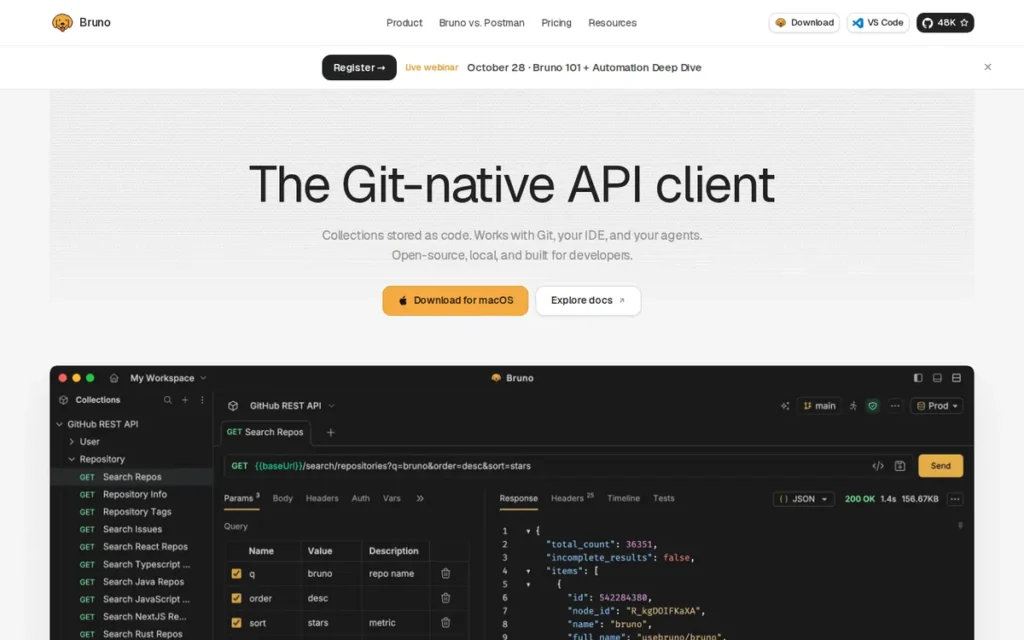
Category: Local-First Desktop Client. Bruno is a desktop app that stores collections on your machine or in Git, with no vendor cloud required.
At a Glance
- Category: Local-First Desktop Client
- Best For: Developers and teams that want API collections versioned in Git next to their code, offline and without an account
- Price Range: Free (MIT open source); paid tiers $6–$18 per user/month, billed annually (Bruno, November 2026)
- Primary Strength: Bruno stores every collection as a plain-text file in your repository, so changes can be diffed and reviewed in pull requests.
- Biggest Limitation: Bruno has no shared workspaces or real-time collaboration, so every collaborator has to work through Git.
- One-Line Summary: Bruno is PlugRoute’s top-ranked Postman alternative (3.85/5) for teams that want offline, account-free API collections stored as plain files in Git.
- Last Verified: November 2026
Overview
Bruno is an open-source, MIT-licensed API client that stores collections as plain-text files inside your project repository. Bruno is built for developers and QA engineers who want an offline, account-free Postman alternative they can version, diff and review in Git.
Bruno does not offer cloud sync and has said it has no plans to add it (Revisit, 2026). Bruno is therefore a deliberate choice for Git-centred teams, not a copy of Postman’s workspace model.
Key Features
- Bruno saves each request as a plain-text file inside your repository. The format is .bru, and current Bruno material also describes OpenCollection YAML.
- Bruno supports pre-request and post-response JavaScript, assertions and request chaining for scripted testing.
- Bruno includes a CLI that runs collections in CI/CD pipelines, which gives teams a possible replacement for Newman.
- Bruno supports HTTP, GraphQL, gRPC and WebSocket requests, and Bruno’s product material also mentions SOAP.
- Bruno imports Postman collections and translates common pm.* calls into Bruno equivalents. Bruno leaves calls it does not recognise for manual editing (Bruno documentation, November 2026).
Best For
Bruno is best for engineering teams that already collaborate through Git and want API collections reviewed in pull requests, with no account and no vendor cloud. Bruno fits less well for teams with non-Git members who need a shared visual workspace.
Pricing
- Bruno’s Open Source edition is free. Bruno Pro costs $6, Ultimate $11 and Enterprise $18 per user/month, all billed annually (Bruno, November 2026).
- Bruno does not publish monthly-billing prices on its pricing page.
- Bruno’s paid tiers cost less per seat than Postman’s G2 list prices of $14 (Basic) and $29 (Professional) (G2, November 2026).
Strengths
- Bruno’s documentation confirms that collections are stored as plain-text files in your repository with no account required, which removes the cloud-workspace dependency (Bruno documentation, November 2026).
- Bruno’s open-source core is MIT-licensed, which allows commercial use. Bruno has also said publicly that it has no plans to add cloud sync.
- Bruno’s Postman importer translates common calls such as pm.environment.set and pm.test, which cuts manual rewriting for simple scripted collections (Bruno documentation, November 2026).
- Bruno reports 4 million users, 46,000 GitHub stars and more than 500 contributors. These are the company’s own figures (Bruno, self-reported, November 2026).
Limitations
- Bruno’s biggest trade-off is that it replaces Postman’s hosted collaboration with Git-only collaboration. Product managers and QA staff who don’t use Git have no easy way in.
- Bruno charges for some in-app Git operations, such as connecting remotes, pushing and branching. Git itself still works at no cost from the terminal or IDE (Bruno, November 2026).
- Bruno’s importer translates only common pm.* calls, so complex Postman scripts may still need manual edits (Bruno documentation, November 2026).
- Bruno’s independent evidence is thin: 4.6/5 from 11 G2 reviews (G2, November 2026) and 4.6/5 from 6 Gartner Peer Insights ratings (Gartner, November 2026).
- In one independent test, Bruno’s CLI started more slowly and had a larger install than Newman (AI Testing Guide, November 2026).
- Bruno’s change history: Bruno replaced its one-time Golden Edition licence with subscriptions in 2024, and existing buyers keep perpetual licences. Some r/webdev users criticised the change as coming “without any prior notice” (r/webdev, November 2024).
Users on r/selfhosted shared their experience:
“Ended up using an app called Bruno, created a repository for syncing the collections via git, but devs will have to pull/push changes for anything to take effect. On a small team of ~4 people it’s okayish…” Posted by u/_c3s
Takeaway: Bruno’s Git-only sync works for small teams but adds manual pull/push overhead, so it feels “okayish” rather than smooth compared with Postman’s shared workspaces.
How It Compares with Postman
Bruno stores collections in Git, while Postman uses cloud workspaces. Bruno’s top published tier ($18) costs less than Postman Professional ($29, G2 list price). Bruno translates common Postman script calls on import, but complex scripts may still need edits.
Verdict
Bruno is PlugRoute’s top-ranked Postman alternative for 2026 (3.85/5) for teams that want offline, account-free API collections stored and reviewed in Git. Bruno earns #1 in PlugRoute’s seven-tool ranking on workflow fit and low cost, not on review volume.
Bruno leads Insomnia by 0.30 points (3.85 vs 3.55). If workflow fit and review evidence swapped weights, Apidog would move to #1. Teams with heavy Postman scripting should test a representative collection first. Teams with collaborators who don’t use Git should compare Insomnia or self-hosted Hoppscotch.
2. Insomnia: Best for Choosing Local, Git or Encrypted Cloud Storage
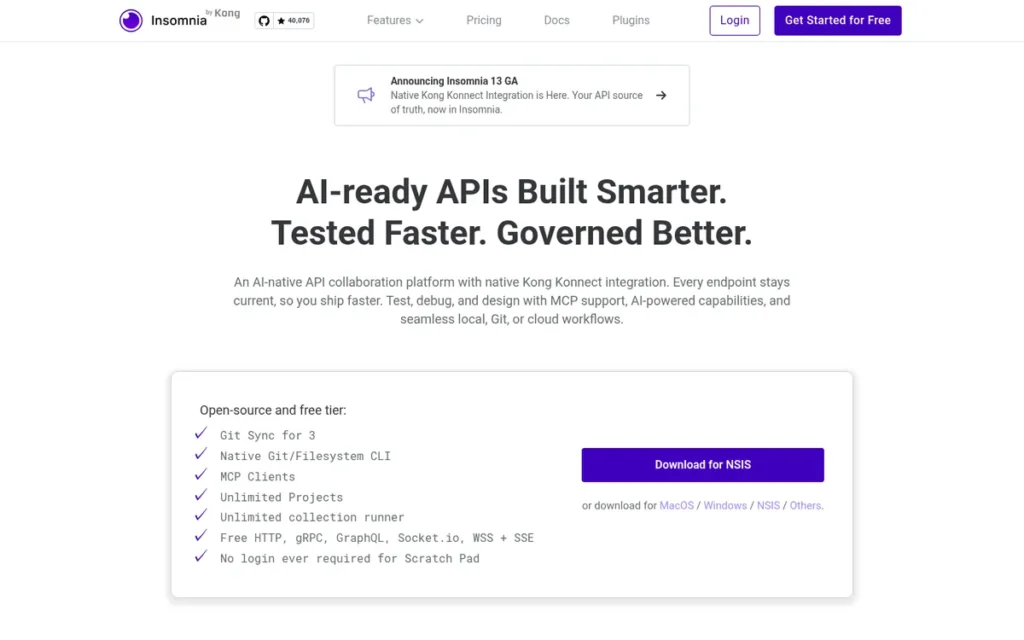
Category: Local-First Desktop Client. Insomnia is a desktop app that stores collections on your machine or in Git, with no vendor cloud required.
At a Glance
- Category: Local-First Desktop Client
- Best For: Small-to-mid teams that want a familiar desktop client with a choice of storage and broad protocol support
- Price Range: Free (Essentials); Pro $10/user/month billed annually or $12 monthly; Enterprise $45/user/month (Insomnia, November 2026)
- Primary Strength: Insomnia lets each team choose between local-only storage, Git Sync and end-to-end encrypted cloud storage in one desktop client.
- Biggest Limitation: Insomnia stores local project data unencrypted on disk, according to Kong’s own documentation.
- One-Line Summary: Insomnia offers the widest choice of storage modes among the seven ranked tools: local-only, Git Sync and end-to-end encrypted cloud sync.
- Last Verified: November 2026
Overview
Insomnia is Kong’s open-source desktop API client for REST, GraphQL, gRPC, WebSocket, Socket.IO and SSE. Insomnia is built for developers and teams who want to choose between local-only storage, Git Sync to their own repository and end-to-end encrypted cloud sync.
Insomnia also includes design-first OpenAPI editing, mock servers and the Inso CLI for CI pipelines. Gregory Schier created Insomnia, and Kong acquired it in October 2019 (Kong, 2019).
Key Features
- Insomnia offers Local Vault storage, Git Sync to your own repository, and Cloud Sync with optional end-to-end encryption.
- Insomnia includes a Scratch Pad that works without logging in.
- Insomnia supports REST, GraphQL, gRPC, WebSocket, Socket.IO and SSE. SOAP is also listed on Insomnia’s pricing comparison.
- Insomnia provides design-first OpenAPI editing with linting, plus mock servers.
- Insomnia’s Inso CLI runs spec linting and tests in CI/CD pipelines.
Best For
Insomnia is best for small-to-mid teams that want a Postman-like desktop experience and need to choose where their data lives, especially teams that work across several protocols. Insomnia’s free three-user Git Sync suits small teams that want to collaborate without paying.
Pricing
- Insomnia Essentials is free and includes Git Sync for up to 3 users and 1,000 mock requests per month (Insomnia, November 2026).
- Insomnia Pro costs $12 per user/month billed monthly or $10 billed annually. Pro includes unlimited users, RBAC and 10,000 mocks.
- Insomnia Enterprise costs $45 per user/month and adds SSO/SCIM and storage controls (self-serve up to 50 users). Extra mocks cost $10 per 25,000 requests.
Strengths
- Kong’s documentation confirms that Insomnia’s Git Sync sends data to your own repository, not through Kong’s cloud (Kong documentation, November 2026).
- Insomnia’s free Essentials plan includes Git Sync for up to 3 users, so small teams can collaborate for free (Insomnia, November 2026).
- Insomnia documents six protocols, tied with Hoppscotch for the most among the ranked tools (Insomnia, November 2026).
- Insomnia publishes both monthly ($12) and annual ($10) prices for its Pro tier, which makes the billing difference easy to see (Insomnia, November 2026).
Limitations
- Insomnia’s storage flexibility comes with a documented trust history, and that history gives Insomnia its weakest criterion score: licence stability (C6 = 2).
- Insomnia stores local project data unencrypted on disk, so “local” does not mean “encrypted” (Kong documentation, November 2026).
- Kong does not document full Postman script parity for Insomnia, so scripted collections need testing after import.
- Insomnia’s independent evidence is modest at 4.3/5 from 20 G2 reviews (G2, November 2026).
- Insomnia’s change history: Insomnia 8.0 removed local projects and required login in 2023, and Kong restored fully local projects in 8.3 (Kong, 2023). One user in GitHub discussion #6626 reported that data vanished after the v8 upgrade and was recovered by downgrading (GitHub, 2023).
Users on r/selfhosted noted:
“Insomina is just becoming the next Postman. It is obviously they are trying to monetize it now.” Posted by u/angellus
Takeaway: Insomnia’s 2023 push toward accounts and monetisation cost it trust among developers who had chosen it specifically to escape Postman.
How It Compares with Postman
Insomnia offers local and Git storage that Postman’s cloud workspaces do not. Insomnia Pro ($10 annual) costs less than Postman Basic ($14, G2 list price), but Insomnia Enterprise ($45) costs more than Postman Professional ($29). Insomnia imports Postman collections, and scripts need testing afterwards.
Verdict
Insomnia offers the widest choice of storage modes among the seven ranked tools, which makes it the best fit for teams that want local, Git or end-to-end encrypted cloud storage in one desktop client. Insomnia ranks #2 in PlugRoute’s ranking (3.55/5).
Insomnia shares the top automation-and-protocols score with Apidog (C5 = 5) but has the lowest licence-stability score of the top three (C6 = 2). Weigh the 2023 forced-login reversal and the unencrypted local storage before standardising on Insomnia.
3. Apidog: Best for Design-First Teams Replacing Postman and Swagger
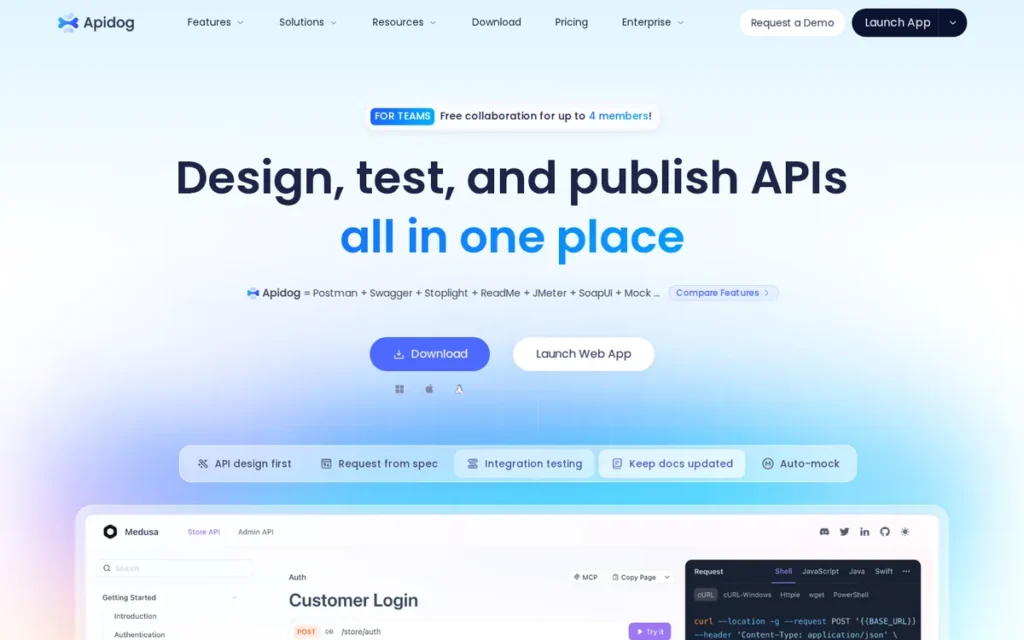
Category: All-in-One API Platform. Apidog is a single product that covers API design, testing, mocking and documentation, not just sending requests.
At a Glance
- Category: All-in-One API Platform
- Best For: Design-first teams that currently use Postman for testing and a separate tool such as Swagger for documentation
- Price Range: Free tier; G2 list prices $9–$27 per user/month, shown as annual billing on the vendor page (G2, November 2026)
- Primary Strength: Apidog keeps API design, tests, mocks and documentation in sync from one definition.
- Biggest Limitation: Apidog’s team collaboration depends on Apidog’s cloud, even though offline and on-prem options exist.
- One-Line Summary: Apidog has the highest G2 rating among the seven ranked tools (4.8/5 from 236 reviews) and fits teams that want API design, testing, mocking and documentation in one product.
- Last Verified: November 2026
Overview
Apidog is a design-first, all-in-one API platform that combines visual OpenAPI design, request debugging, automated test scenarios, mock servers and published documentation. Apidog is built for teams that want to replace both Postman and a separate Swagger-style documentation tool with one product.
Apidog imports Postman collections and runs tests in CI through the Apidog CLI. Sources give different founding years for Apidog (2020, 2022 or 2023), so PlugRoute does not state one.
Key Features
- Apidog provides visual OpenAPI design, so endpoints, mocks and documentation are generated from one definition.
- Apidog builds automated test scenarios that run in GitHub Actions, GitLab CI or Jenkins through the Apidog CLI.
- Apidog’s CLI also manages documentation, schemas, mocks, imports and branches.
- Apidog supports Postman as an import format for teams migrating existing collections.
- Apidog offers an Offline Space for local work and an on-premises edition that the vendor says can run air-gapped.
Best For
Apidog is best for design-first teams that maintain OpenAPI specs and want documentation and mocks to stay in sync with tests automatically. Apidog fits less well for teams whose main need is collaboration without a vendor cloud.
Pricing
- Apidog offers a $0 Free tier. Apidog’s G2 list prices are Basic $9, Professional $18 and Enterprise $27 per user/month (G2, November 2026).
- Apidog’s pricing page shows the same amounts billed annually, and PlugRoute found no monthly-billing prices (Apidog, November 2026).
- Apidog does not publish on-prem pricing in the sources we reviewed, so teams need to ask Apidog for a quote.
Strengths
- Apidog holds a 4.8/5 G2 rating from 236 verified reviews, all at 4 or 5 stars. That is the largest and highest-rated review base among the seven ranked tools (G2, November 2026).
- Apidog’s most-cited G2 pros are Ease of Use (98 mentions) and API Management (88). One reviewer called Apidog “much simpler and more organized compared to Postman” (G2, November 2026).
- Apidog’s G2 list prices are about 36% (Basic) and 38% (Professional) below Postman’s (G2, November 2026).
- Apidog’s documented CLI runs test scenarios in GitHub Actions, GitLab CI and Jenkins, which gives Newman users a documented migration path.
Limitations
- Apidog trades data locality for an all-in-one workflow, because team collaboration and sync still depend on Apidog’s cloud.
- Apidog’s G2 cons include Learning Difficulty (15) and Learning Curve (15), and reviewers say the interface “can feel overwhelming at first” (G2, November 2026).
- Some reviewers say Apidog’s Electron app uses a lot of RAM and CPU with large collections (G2 reviews, November 2026). That matters to teams leaving Postman over performance.
- Apidog documents Postman import, but Apidog does not document how well scripts survive the import.
- Apidog’s change history: none documented in research.
How It Compares with Postman
Apidog adds design-first documentation and mocks that Postman users often get from a separate tool. Apidog’s G2 list prices ($9–$27) are below Postman’s ($14–$29). Both Apidog and Postman rely on a vendor cloud for collaboration.
Verdict
Apidog has the highest G2 rating among the seven ranked tools, and it is the best choice for design-first teams that want design, testing, mocks and documentation in one product. Apidog ranks #3 (3.45/5) mainly because its collaboration depends on Apidog’s cloud.
If review evidence were weighted at 25% and workflow fit at 15%, Apidog would score 3.75 and rank #1. Teams that need collaboration without a vendor cloud, or that left Postman because of resource use, should test Apidog with their largest collection first.
4. Hoppscotch: Best for Browser Use and Self-Hosted Team Collaboration
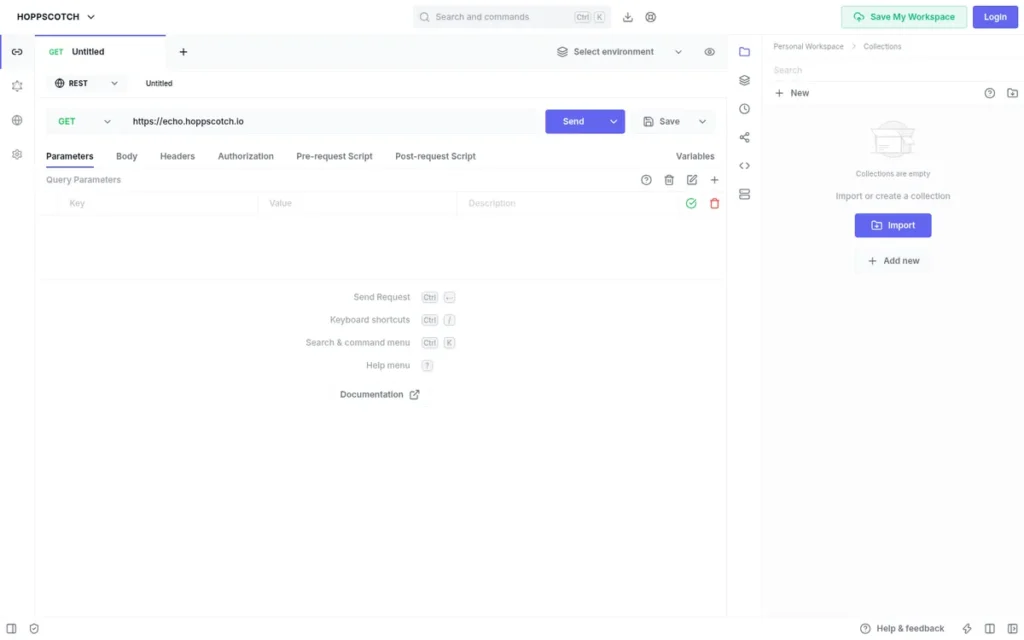
Category: Browser and Self-Hosted Client. Hoppscotch is a web-based API client that can also run on your own servers for data control.
At a Glance
- Category: Browser and Self-Hosted Client
- Best For: Teams that need shared collaboration on their own infrastructure, and developers who want a lightweight browser client
- Price Range: Free (cloud and self-hosted Community Edition); cloud paid $6–$11 per user/month billed annually ($14 Enterprise billed monthly); self-hosted Enterprise $19 per user/month billed monthly (Hoppscotch, November 2026)
- Primary Strength: Hoppscotch lets teams self-host a free, MIT-licensed edition for collaboration without a vendor cloud.
- Biggest Limitation: Hoppscotch has the thinnest independent review evidence of the top four tools, and PlugRoute found no G2 listing.
- One-Line Summary: Hoppscotch is the best Postman alternative for teams that want browser-based API testing and free, self-hosted collaboration on their own infrastructure.
- Last Verified: November 2026
Overview
Hoppscotch is an open-source, MIT-licensed API client that runs as an offline-capable browser PWA, a desktop app and a CLI. Hoppscotch is built for developers who want a lightweight Postman alternative and for teams that need to self-host collaboration on their own infrastructure.
Hoppscotch’s free tier includes scripting, tests and Postman import. Liyas Thomas founded Hoppscotch, and the code is public on GitHub.
Key Features
- Hoppscotch runs as a browser PWA that works offline, as a desktop app and as a CLI.
- Hoppscotch supports REST, GraphQL, WebSocket, SSE, MQTT and Socket.IO.
- Hoppscotch’s free tier includes collections, environments, pre-request scripts, tests and a collection runner.
- Hoppscotch’s Community Edition can be self-hosted at no cost under the MIT licence.
- Hoppscotch’s self-hosted Enterprise Edition adds SSO, audit logs and access controls.
Best For
Hoppscotch is best for teams with data-control requirements that want shared collaboration on servers they run themselves, and for developers who prefer a fast browser-based client. Hoppscotch fits less well for teams with complex Postman scripts.
Pricing
- Hoppscotch Cloud is free at the base tier. Business costs $6 per user/month, billed annually, and Enterprise costs $11 billed annually or $14 billed monthly (Hoppscotch, November 2026).
- Hoppscotch’s self-hosted Community Edition is free. Self-hosted Enterprise costs $19 per user/month, billed monthly (Hoppscotch documentation, November 2026).
- Hoppscotch’s self-hosted Community Edition is MIT-licensed, which allows commercial use.
Strengths
- Hoppscotch’s documentation confirms a free, MIT-licensed self-hosted Community Edition. In our research, it is the only free self-hosted shared web workspace among the ranked tools (Hoppscotch documentation, November 2026).
- Hoppscotch documents six protocols, including MQTT, which no other ranked tool documents in our research (Hoppscotch, November 2026).
- Hoppscotch includes scripts, tests and a collection runner on its free tier.
- Hoppscotch was Product Hunt’s Launch of the Day in 2019 and again for its 2023 self-hosted launch. Hoppscotch holds 4.7/5 from 3 Product Hunt reviews (Product Hunt, November 2026).
- One r/webdev user measured Hoppscotch at about 0.8 seconds to start with a 40 MB install, against about 10 seconds and 400 MB for Postman (r/webdev, 2026). This is one user’s test, not a benchmark.
Users on r/selfhosted shared their experience:
“I found this a while ago, after trying to do some Dev work while my internet was down. It turns out that postman does not work offline, got so pissed that I decided to look for an alternative and found Hopscotch” Posted by u/Lanten101
Takeaway: Hoppscotch wins over developers who need offline API testing, the exact gap that pushes frustrated Postman users to switch.
Limitations
- Hoppscotch’s browser convenience comes with browser limits. The official troubleshooting guide says CORS rules may require the browser extension, a proxy or the desktop app (Hoppscotch documentation, November 2026).
- Hoppscotch Cloud charges for team workspaces and real-time collaboration, so free collaboration requires self-hosting.
- Hoppscotch’s scripting is more limited than Postman’s, so heavily scripted collections may not migrate cleanly.
- Postman’s own comparison page says Hoppscotch lacks contract testing, monitoring and load testing. That is a competitor’s view (Postman, November 2026).
- Hoppscotch has no G2 or Capterra listing in our research, so its independent evidence is the weakest of the top four.
- Hoppscotch’s change history: none documented in research.
How It Compares with Postman
Hoppscotch can be self-hosted, which Postman cannot. Hoppscotch’s paid cloud tiers ($6–$14) cost less than Postman’s ($14–$29, G2 list prices). Hoppscotch imports Postman collections, but its scripting is narrower than Postman’s.
Verdict
Hoppscotch is the best Postman alternative for teams that want free, self-hosted collaboration and a lightweight browser client. Hoppscotch’s MIT-licensed Community Edition is the clearest no-cost answer to the need for collaboration without a vendor cloud.
Thin review evidence, CORS workarounds and more limited scripting keep Hoppscotch at #4 of seven in PlugRoute’s 2026 ranking (3.35/5). Hoppscotch trails Apidog by 0.10 points because its review-evidence gap (C4 = 1 vs 5) outweighs its lead on workflow fit.
5. SoapUI / ReadyAPI: Best for SOAP/WSDL and Enterprise QA Testing
Category: Enterprise SOAP Testing Suite. SoapUI is a Java desktop tool focused on SOAP/WSDL services, functional testing and enterprise QA.
At a Glance
- Category: Enterprise SOAP Testing Suite
- Best For: QA teams and enterprises that test SOAP/WSDL services or need load testing, security scans and service virtualisation
- Price Range: Free (open-source SoapUI); ReadyAPI G2 list price $599 per feature per year, otherwise quote-based (G2, November 2026)
- Primary Strength: SoapUI generates SOAP requests from WSDL files and covers functional, regression and load testing in one tool.
- Biggest Limitation: SoapUI saves projects as XML files that are awkward to diff and merge in Git.
- One-Line Summary: SoapUI is the strongest Postman alternative for SOAP/WSDL testing, with a free open-source edition and an enterprise upgrade path through ReadyAPI.
- Last Verified: November 2026
Overview
SoapUI is SmartBear’s free, open-source API testing tool. SoapUI generates SOAP requests from WSDL files and covers REST, functional, regression and basic load testing. SoapUI is built for QA engineers and enterprise teams whose work still depends on SOAP web services.
SoapUI’s paid counterpart, ReadyAPI, adds security scanning, performance testing and service virtualisation. SoapUI was released in 2005, and SmartBear acquired SoapUI’s creator, Eviware, in 2011 (Wikipedia, November 2026).
Key Features
- SoapUI generates SOAP requests automatically from WSDL files.
- SoapUI supports REST, functional and regression tests, plus basic load testing.
- SoapUI creates SOAP and REST mock services and supports Groovy scripting.
- SoapUI includes a command-line runner for CI pipelines.
- ReadyAPI adds GraphQL, JMS, JDBC, security scans (SQL injection, fuzzing, XSS), distributed performance testing and service virtualisation.
Best For
SoapUI is best for QA teams testing SOAP/WSDL services and for enterprises that need functional, load and security testing in one suite. SoapUI fits poorly for teams that want lightweight, Git-friendly collections.
Pricing
- SoapUI’s open-source edition is free (SoapUI, November 2026).
- ReadyAPI’s G2 list price is Basic at $599 per feature per year (G2, November 2026).
- Third-party sources report different ReadyAPI module prices, so treat ReadyAPI as quote-based and ask SmartBear for current pricing.
Strengths
- SoapUI holds a 4.4/5 G2 rating from 142 verified reviews, 96.5% of them at 4 or 5 stars. That is the second-largest verified review base among the seven ranked tools (G2, November 2026).
- SoapUI won a 2014 Jolt Award for Best Testing Tools (Jolt Awards, 2014), which supports a long track record of SOAP and API testing.
- SoapUI has more than 2 million historical downloads. That is a cumulative count, not a count of active users (Wikipedia, November 2026).
- SoapUI’s open-source edition includes WSDL-driven SOAP testing, mocks, Groovy scripting and a CLI runner at no cost.
Limitations
- SoapUI trades a lightweight workflow for enterprise test depth. SoapUI’s XML project files are awkward to diff and merge in Git (QAble, November 2026).
- One reviewer said ReadyAPI took “two to three minutes” to start (PeerSpot, November 2026), and another called ReadyAPI “memory heavy” (TrustRadius, November 2026).
- SoapUI’s G2 reviewers ask for faster startup on large projects, simpler navigation and clearer error messages (G2, November 2026).
- SoapUI Open Source documents Postman collection import from version 5.3.0, but only for Postman Collection v1 exports. Postman’s JavaScript tests convert only partially into SoapUI assertions (SoapUI documentation, November 2026).
- SoapUI’s change history: none documented in research.
How It Compares with Postman
SoapUI stores projects as local XML files, while Postman uses cloud workspaces. SoapUI’s free edition costs nothing, while ReadyAPI is priced per feature ($599 per year), not per seat like Postman. SoapUI goes deeper on SOAP than Postman, but scripts are harder to migrate.
Verdict
SoapUI is the strongest Postman alternative for SOAP/WSDL testing and enterprise QA suites. SoapUI’s free open-source edition and 142 verified G2 reviews give SOAP-heavy teams a well-documented, low-cost starting point.
SoapUI ranks #5 (3.15/5) because PlugRoute’s criteria weight Git-friendly, local workflows. For SOAP-only teams, SoapUI’s automation and review-evidence scores would make it the first choice. Teams that mainly work with REST should choose Bruno, Insomnia or Hoppscotch instead.
6. Thunder Client: Best for Sending Requests Without Leaving VS Code
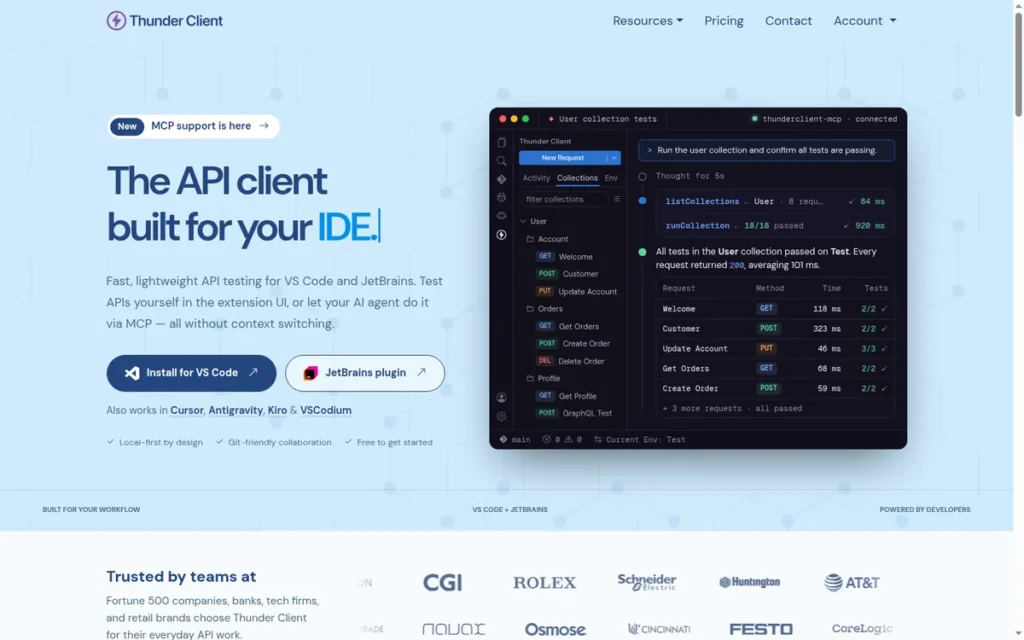
Category: IDE Extension. Thunder Client is an API client that runs inside your code editor instead of as a separate app.
At a Glance
- Category: IDE Extension
- Best For: Individual developers who make occasional REST requests and want to stay inside VS Code
- Price Range: Free (capped); Starter $3, Business $7, Enterprise $16 per user/month, billed annually (Thunder Client, November 2026)
- Primary Strength: Thunder Client lets developers send requests and run tests inside VS Code without a separate app.
- Biggest Limitation: Thunder Client’s free tier caps collections, requests and runs, and Git Sync and custom scripting require a paid plan.
- One-Line Summary: Thunder Client has the largest documented install base among the seven ranked tools and suits lightweight REST work inside VS Code rather than team-scale migration.
- Last Verified: November 2026
Overview
Thunder Client is a proprietary, graphical REST client that runs inside VS Code. Thunder Client is built for developers who want to send requests, manage collections and environments, and run scriptless tests without leaving their editor.
Thunder Client imports Postman collections on all plans and includes a CLI for CI. Ranga Vadhineni launched Thunder Client on March 31, 2021.
Key Features
- Thunder Client provides a graphical request builder inside VS Code.
- Thunder Client supports collections, environments and scriptless tests on every plan.
- Thunder Client imports Postman collections on all plans, including Free.
- Thunder Client includes a CLI for running collections in CI.
- Thunder Client offers Git Sync, custom scripting and data-driven testing on Starter and higher plans.
Best For
Thunder Client is best for individual developers who make occasional REST calls while coding and want to stay in VS Code. Thunder Client fits less well for teams that need free Git collaboration or heavily scripted Postman collections.
Pricing
- Thunder Client Free is capped at 10 collections, 50 requests per collection and 50 local runner runs (Thunder Client, November 2026).
- Thunder Client Starter, Business and Enterprise cost $3, $7 and $16 per user/month, billed annually.
- Thunder Client’s current terms allow the Free plan to be used for personal or business purposes within its caps (Thunder Client terms, November 2026).
Strengths
- Thunder Client has 7,710,183 VS Code Marketplace installs and 777 ratings, up from 500K downloads in December 2021 and 1M in July 2022 (VS Code Marketplace, November 2026).
- Thunder Client’s Starter plan costs $3 per user/month, billed annually, the lowest paid entry price among the ranked tools (Thunder Client, November 2026).
- Thunder Client imports Postman collections on every plan, including Free.
- Thunder Client’s early users described it as easy to set up and use (r/vscode, 2021).
Limitations
- Thunder Client trades editor convenience for a capped free tier. Without a paid plan for custom scripting, scripted Postman collections may not run.
- Thunder Client is proprietary, not open source.
- Thunder Client’s independent evidence is small at 4.3/5 from 16 G2 reviews (G2, November 2026). One tracker shows a lower VS Code Marketplace rating that we could not confirm.
- Thunder Client’s change history: Thunder Client moved Git Sync to paid plans in 2023, and some r/vscode users criticised the change as a “bait-and-switch” (r/vscode, 2023).
- Thunder Client’s November 2024 announcement limited the Free plan to non-commercial use, 3 collections and 15 requests per collection (GitHub discussion #1648, November 2024). The current terms allow business use and higher caps (Thunder Client, November 2026).
How It Compares with Postman
Thunder Client runs inside VS Code, while Postman is a separate app. Thunder Client’s paid tiers ($3–$16) cost less than Postman’s ($14–$29, G2 list prices). Thunder Client imports Postman collections, but custom scripting requires a paid plan.
Verdict
Thunder Client has the largest documented install base among the seven ranked tools and is the best choice for quick REST requests inside VS Code. Thunder Client ranks #6 (2.75/5) in PlugRoute’s ranking.
Thunder Client’s capped free tier, paid Git Sync and scripting, and proprietary licence make it a weaker team-wide Postman replacement. Teams should read the current terms before rolling out the free tier, because Thunder Client’s terms have changed twice since 2023.
7. HTTPie: Best for Quick, Readable Requests from the Terminal
Category: Terminal-First Client. HTTPie is a command-line HTTP tool for quick requests, with an optional GUI.
At a Glance
- Category: Terminal-First Client
- Best For: Developers who prefer making quick, readable API requests from the terminal
- Price Range: Free (open-source CLI); no paid desktop plan publicly listed on httpie.io (November 2026)
- Primary Strength: HTTPie makes terminal requests readable, with simple syntax, built-in JSON support and coloured output.
- Biggest Limitation: HTTPie has limited automation and CI integration, and its desktop app is still in public beta.
- One-Line Summary: HTTPie is the best terminal-first Postman alternative for quick, readable requests, but it does not fully replace team collection workflows.
- Last Verified: November 2026
Overview
HTTPie is an open-source command-line HTTP client with readable syntax, built-in JSON support and coloured output, plus a newer desktop and web app in public beta. HTTPie is built for developers who prefer quick, readable terminal requests to a full GUI.
HTTPie’s desktop app can run locally and offline without an account. Jakub Roztocil is HTTPie’s founder and CEO (HTTPie, November 2026).
Key Features
- HTTPie provides
httpandhttpscommands with readable syntax. - HTTPie includes built-in JSON support, coloured output, sessions, authentication and downloads.
- HTTPie offers a plugin API for extending the CLI.
- HTTPie’s desktop and web app (public beta) adds workspaces, collections, environments and an AI assistant. The desktop app runs offline without an account, and sync requires one.
- HTTPie Desktop documents import of Postman collections and environments (HTTPie documentation, November 2026).
Best For
HTTPie is best for developers who make ad-hoc API requests from the terminal and want something more readable than curl. HTTPie works best alongside a fuller client, not as a team’s only Postman replacement.
Pricing
- HTTPie’s CLI is free and open source (HTTPie, November 2026).
- HTTPie’s desktop app shows no publicly listed paid plan on httpie.io (November 2026).
- HTTPie’s desktop plans are listed differently on third-party sites, so check httpie.io before buying.
Strengths
- HTTPie’s open-source CLI had about 54,000 GitHub stars before the repository was accidentally made private, and it regained about 23,000 within months (HTTPie blog, 2022).
- HTTPie’s desktop app can run offline without an account, which meets the account-free need (HTTPie, November 2026).
- HTTPie raised a $6.5M seed round from Coatue and Blossom Capital (HTTPie, November 2026).
- HTTPie’s long-time users have described it as a prettier, colourful version of cURL for working with endpoints (r/webdev, 2017).
Limitations
- HTTPie focuses on terminal simplicity rather than breadth. G2 reviewers note limited automation and CI integration, so HTTPie cannot replace Newman pipelines (G2, November 2026).
- HTTPie Desktop only partly imports Postman collections, because gRPC requests, WebSocket requests and nested folders do not fully import (HTTPie documentation, November 2026).
- HTTPie’s independent evidence is minimal at 4.5/5 from 2 G2 reviews (G2, November 2026), and HTTPie’s desktop app is still in public beta.
- One discussion says HTTPie’s Python-based CLI is slower than curl (r/learnprogramming, 2020), and most community discussion of HTTPie is several years old.
- HTTPie’s change history: no licensing or access changes are documented. The 2022 repository incident was accidental and affected star counts, not users.
How It Compares with Postman
HTTPie works mainly in the terminal, while Postman is a full GUI workspace. HTTPie’s CLI is free, and HTTPie lists no paid desktop plan against Postman’s $14–$29 G2 list prices. HTTPie Desktop imports Postman collections, with gaps for gRPC, WebSocket and nested folders.
Verdict
HTTPie is the best terminal-first Postman alternative for developers who want quick, readable requests without a GUI. HTTPie ranks #7 (2.45/5) because of limited CI automation, only 2 G2 reviews, a desktop app still in beta and partial import fidelity.
HTTPie is free, open source and works offline. Most teams should pair HTTPie with a fuller client rather than adopt it as their only Postman replacement.
Why Are Teams Looking for Postman Alternatives?
Teams look for Postman alternatives mainly because of performance, forced accounts and cloud workspaces, and per-seat cost. Postman still has a strong reputation, with 4.6/5 from 1,802 G2 reviews (G2, November 2026). Its most-cited G2 cons, however, are all about speed and resource use.
Postman’s top G2 cons (G2, November 2026):
- Postman’s most-cited G2 con is Slow Performance, mentioned in 222 reviews.
- Postman’s second most-cited G2 con is Performance Issues, mentioned in 203 reviews.
- Postman’s G2 reviewers mention Slow Loading in 145 reviews.
- Postman’s G2 reviewers mention Resource Limitations in 134 reviews.
- Postman’s G2 reviewers mention Limited Features in 123 reviews.
Postman’s G2 list prices (G2, November 2026) may change:
- Postman’s Free plan costs nothing.
- Postman Basic costs $14 per user/month, billed annually.
- Postman Professional costs $29 per user/month, billed annually.
Postman’s G2 reviewers also ask for smoother performance as collections grow (G2, November 2026). The other main driver is Postman’s account requirement and cloud workspaces. Postman makes it hard for developers to keep collections as plain files next to their code.
As one user on r/webdev described:
“Yep, my employer bailed out on Postman a while ago and it was a great decision. For test suites, we write code the the same language as usual (because everyone knows it, and it has http libraries and test frameworks, so it can easily do the job). For ad-hoc things there are free tools such as Bruno, and a VS code HTTP plugin.” Posted by u/SideburnsOfDoom
Takeaway: Teams leaving Postman often split its job in two, moving automated API tests into their own code and using free tools like Bruno for ad-hoc requests.
How Do the Alternatives Compare with Postman on Storage, Licensing and Price?
The alternatives differ from Postman most on storage model and licence. Bruno and Hoppscotch Community are MIT-licensed and free for commercial use. Every alternative publishes a lowest paid tier below Postman Basic’s $14 per user/month, except where pricing is quote-based. All prices below were verified in November 2026, and “annual” means billed annually.
| Tool | Storage model | Form factor | Licence | Free for commercial use? | Free-tier limits | Lowest / top per-user price | Self-hosting |
|---|---|---|---|---|---|---|---|
| Postman (baseline) | Cloud workspaces | Desktop/web | Proprietary | Not covered in our research | Not covered in our research | $14 / $29 (G2 list, annual) | No |
| Bruno | Plain files in Git | Desktop + CLI | MIT core | Yes (MIT core) | Open source, no account; in-app Git push/branch/remotes on paid tiers (Git via terminal free) | $6 / $18 (annual) | Not needed (files live in your repo) |
| Insomnia | Local, Git or E2EE cloud | Desktop + CLI | Open-source client | Free-tier commercial use not specified in vendor terms reviewed (November 2026) | Git Sync for 3 users; 1,000 mocks/month | $10 annual or $12 monthly / $45 | No (Git Sync instead) |
| Apidog | Cloud, plus Offline Space and on-prem | Desktop/web + CLI | Proprietary | Free-tier commercial use not specified in vendor terms reviewed (November 2026) | $0 tier available | $9 / $27 (G2 list) | On-prem edition |
| Hoppscotch | Cloud or self-hosted | Browser PWA, desktop, CLI | MIT | Yes (MIT Community Edition) | Collections, scripts, runner included | $6 / $11 cloud (annual); $19 self-hosted (monthly) | Yes |
| SoapUI / ReadyAPI | Local XML files | Java desktop + CLI | Open-source SoapUI; paid ReadyAPI | Open-source edition available | Open-source edition is free | $599 per feature per year (G2 list); otherwise quote-based | Not applicable (local desktop tool) |
| Thunder Client | Local; Git on paid plans | VS Code extension + CLI | Proprietary | Yes under current terms (restricted Nov 2024, later relaxed) | 10 collections, 50 requests each, 50 runs | $3 / $16 (annual) | No |
| HTTPie | Local | Terminal + beta desktop/web | Open-source CLI | CLI is open source | CLI free | No paid desktop plan publicly listed | Not applicable (local tool) |
A 10-person team on each tool’s lowest paid tier, billed annually, would pay these list prices per year (November 2026). Tier features differ, so these figures compare cost, not equivalent plans.
- Postman Basic costs $1,680 per year for 10 users.
- Insomnia Pro costs $1,200 per year for 10 users.
- Apidog Basic costs $1,080 per year for 10 users.
- Bruno Pro costs $720 per year for 10 users.
- Hoppscotch Business costs $720 per year for 10 users.
- Thunder Client Starter costs $360 per year for 10 users.
How Do the Alternatives Compare with Postman on Migration, Automation and Evidence?
All seven alternatives document some form of Postman import, but none documents full script compatibility. Most offer a CLI runner that could replace Newman, and their review evidence ranges from 236 verified G2 reviews to none. Test a representative scripted collection before switching.
| Tool | Postman import | Script compatibility | CI/CLI runner | Protocols (documented) | G2 rating (count, source) |
|---|---|---|---|---|---|
| Postman (baseline) | Not applicable (baseline) | Not applicable (baseline) | Newman | Not applicable (baseline) | 4.6/5 (1,802, G2) |
| Bruno | Yes | Common pm.* calls auto-translated; others need edits | Bruno CLI | HTTP, GraphQL, gRPC, WebSocket | 4.6/5 (11, G2) |
| Insomnia | Yes | Full parity not documented by Kong | Inso CLI | REST, GraphQL, gRPC, WebSocket, Socket.IO, SSE | 4.3/5 (20, G2) |
| Apidog | Yes | Not documented after import | Apidog CLI | Multi-protocol (vendor-described; not independently verified, November 2026) | 4.8/5 (236, G2) |
| Hoppscotch | Yes | Scripting more limited than Postman’s | Hoppscotch CLI | REST, GraphQL, WebSocket, SSE, MQTT, Socket.IO | No G2 listing found |
| SoapUI / ReadyAPI | Yes (v5.3.0+, Collection v1 only) | Groovy, so JavaScript scripts need rewriting | Command-line runner | SOAP, REST; ReadyAPI adds GraphQL, JMS, JDBC | 4.4/5 (142, G2) |
| Thunder Client | Yes, all plans | Custom scripting requires a paid plan | Thunder Client CLI (50 free runs) | REST | 4.3/5 (16, G2) |
| HTTPie | Yes, desktop; partial (gRPC, WebSocket, nested folders not fully imported) | Not applicable (no Postman-style script engine documented) | Limited CI automation | HTTP, GraphQL | 4.5/5 (2, G2) |
Will My Postman Collections and Scripts Work After Switching?
Your Postman collections will usually import, but complex scripts may still need edits. All seven ranked tools document some form of Postman import, and Bruno documents automatic translation of common pm.* calls. No ranked tool documents full script compatibility, so test your most complex scripted collection first (vendor documentation, November 2026).
Importing a Postman collection moves your requests; it does not guarantee your scripts will run. Postman’s pm.* scripting API is the main source of incompatibility. A call such as pm.environment.set(‘token’, …) can be auto-translated to bru.setEnvVar in Bruno, but it has to be rewritten in Groovy for SoapUI.
Migration caveats by tool:
- Bruno: Bruno translates common pm.* calls, and calls Bruno does not recognise need manual edits (Bruno documentation, November 2026).
- Insomnia: Kong does not document full Postman script parity for Insomnia, so scripted requests need checking.
- Apidog: Apidog documents Postman import but does not document how well scripts survive it.
- Hoppscotch: Hoppscotch’s scripting is more limited than Postman’s.
- Thunder Client: Thunder Client imports on all plans, but custom scripting requires Starter or above.
- SoapUI: SoapUI imports only Postman Collection v1 exports, while Postman exports v2.1 by default. Postman’s JavaScript scripts need rewriting in Groovy for SoapUI.
- HTTPie: HTTPie Desktop imports Postman collections and environments, but gRPC requests, WebSocket requests and nested folders do not fully import.
Teams whose CI pipelines use Newman should confirm a replacement runner before switching. These are the documented runners:
- Bruno CLI runs Bruno collections in CI/CD pipelines.
- Inso CLI runs Insomnia spec linting and tests in CI/CD.
- Apidog CLI runs Apidog test scenarios in GitHub Actions, GitLab CI and Jenkins.
- Hoppscotch CLI runs Hoppscotch collections from the command line.
- Thunder Client CLI runs collections in CI, with 50 free local runs.
- SoapUI’s command-line runner runs SoapUI test suites in CI.
- HTTPie has limited CI automation, according to G2 reviewers.
Run this five-step migration pilot before you commit:
- Export your most heavily scripted Postman collection as v2.1 (or v1 for SoapUI).
- Import the collection and its environments into the shortlisted tool.
- Run the collection and record every failing pre-request script or test.
- Run the tool’s CLI runner in a branch of your CI pipeline and check its exit codes.
- Commit the collection to Git and check that no tokens appear in the diff.
How Can Teams Collaborate Without a Vendor Cloud?
Teams can collaborate without a vendor cloud in two ways. They can share plain files through a Git repository, or they can self-host the tool on their own servers. Git suits teams where everyone uses Git. Self-hosting suits mixed teams that need a shared workspace.
Postman’s State of the API report found that 93% of API teams report collaboration problems (Postman, 2025). Git-based collections follow a docs-as-code workflow: changes are reviewed in pull requests, and merge conflicts are resolved like any other source file.
Git-based collaboration:
- Bruno stores collections as plain-text files that teams review in pull requests.
- Insomnia’s Git Sync sends data to your own repository and is free for up to 3 users.
- Thunder Client offers Git Sync on Starter and higher plans.
Here is a concrete example. When a teammate changes an Authorization header in a Bruno collection, the pull request shows a one-line text diff of the .bru file. That diff sits in the same review as the code change that required it. In Postman’s cloud workspace, the same change happens outside code review.
Self-hosted collaboration:
- Hoppscotch’s Community Edition is free and MIT-licensed, and Hoppscotch’s Enterprise Edition adds SSO, audit logs and access controls.
- Apidog offers an on-premises edition that the vendor says can run air-gapped.
None of the ranked tools combines Git-native files, smooth Postman-script compatibility and collaboration for teammates who don’t use Git. Teams with product managers or QA staff outside Git should lean toward a self-hosted workspace such as Hoppscotch.
Is Local Storage Automatically Secure?
Local storage is not automatically secure. Kong’s own documentation says Insomnia stores local project data unencrypted on disk, and collections committed to Git can expose API tokens to everyone with repository access. Keeping data off a vendor’s cloud controls where it lives, not whether it is encrypted.
Local-first controls where your API data lives, not who can read it.
Practical safeguards:
- Teams using any local-first Postman alternative should keep secrets in environment files excluded from Git through .gitignore, not in committed collections.
- Teams should check their full-disk encryption policy before relying on any local-first tool.
- Teams should turn on secret scanning for repositories that contain API collections, so committed tokens are flagged before merge.
- Reviewers should check collection diffs in pull requests for tokens before merging.
When Should You Stay with Postman?
You should stay with Postman if switching costs outweigh the benefits. That usually applies to heavily scripted teams and teams that need hosted collaboration for people outside Git. Postman’s G2 strengths are substantial, and Postman’s large user base means more shared examples than any alternative has.
Stay with Postman in these situations:
- Stay with Postman if your team relies heavily on Postman-specific pm.* scripts.
- Stay with Postman if you need hosted collaboration that includes people who don’t use Git.
- Stay with Postman if you value Postman’s collection and environment management more than local storage.
Users on r/selfhosted noted:
“Yup. It lacks a TON of the features.. it’s basically where Postman was 8 years ago.. give them time, they’ll try to do the same thing, piggy back off of the leader. I’d stick with Postman. Tried and true.” Posted by u/helplesswithcars
Takeaway: Some experienced Postman users see newer Postman alternatives as years behind on features, which is why feature-dependent teams often decide to stay.
Postman’s top G2 pros (G2, November 2026):
- Postman’s most-cited G2 pro is Ease of Use, mentioned in 467 reviews.
- Postman’s G2 reviewers praise API Testing in 401 reviews.
- Postman’s G2 reviewers praise API Management in 311 reviews.
- Postman’s G2 reviewers praise Testing in 282 reviews.
- Postman’s G2 reviewers praise Testing Efficiency in 279 reviews.
Postman reports more than 40 million users and 500,000 organisations (Postman, self-reported, 2025). A simple decision rule helps here. Stay if rewriting your scripts would cost more engineering time than one year of the price difference between Postman and the alternative.
Which Tools Should You Consider Instead for API Design?
If your main need is API design and documentation rather than a request client, consider Swagger Studio or Stoplight. Both are SmartBear design and documentation tools, not Postman replacements. Swagger Studio holds 4.5/5 from 200 G2 reviews, and Stoplight holds 4.4/5 from 341 G2 reviews (G2, November 2026).
Swagger Studio’s G2 reviewers ask for “options to save requests and environment settings” (G2, November 2026). That improvement request shows Swagger Studio is not built to send and save API requests the way Postman does.
What Red Flags Should I Watch For When Evaluating Postman Alternatives?
Watch for six red flags when evaluating Postman alternatives, each based on events documented in our research:
- A free tier may limit commercial use, and its terms can change after you adopt it.
- A vendor may move core features behind a paywall without advance notice.
- A tool may force login or cloud sync for work that should stay local.
- A vendor may claim Postman import without documenting script compatibility.
- A local-first tool may store data unencrypted or encourage committing secrets to Git.
- A high rating may rest on a tiny review sample.
Red Flag #1: Free for Personal Use Only A “free” Postman alternative may limit commercial use, and those terms can change. Thunder Client’s November 2024 announcement restricted its Free plan to non-commercial use before its current terms reopened business use. Read the licence text on the day you roll out any free tier at work.
Red Flag #2: Core Features Moved Behind a Paywall Without Notice A vendor that has paywalled core features before may do it again, so check each vendor’s pricing history. Thunder Client moved Git Sync to paid plans in 2023 (r/vscode, 2023). Bruno replaced its one-time Golden Edition licence with subscriptions, which some users said came without notice (r/webdev, November 2024).
Red Flag #3: Forced Login or Cloud Sync for Local Work A tool that requires login for local work repeats the problem that drives many teams away from Postman. Insomnia 8.0 removed local projects and required login in 2023, and Kong restored fully local projects in version 8.3 (Kong, 2023). Confirm that offline use is documented, not just promised.
Red Flag #4: Import Support Claimed but Script Compatibility Undocumented “Imports Postman collections” does not mean “runs Postman scripts”, so look for documentation on script handling. Bruno documents partial translation of pm.* calls, but most vendors do not document script behaviour after import. Test your most complex scripted collection before migrating.
Red Flag #5: Local Data Stored Unencrypted or Secrets Committed to Git “Local” storage can still leak credentials, so do not assume local means secure. Kong’s documentation says Insomnia stores local project data unencrypted on disk (Kong documentation, November 2026). Any Git-based tool can also expose tokens committed to a shared repository.
Red Flag #6: Ratings Based on Tiny Review Samples A high rating from very few reviews is weak evidence, so always check the sample size. HTTPie’s 4.5/5 comes from 2 G2 reviews and Hoppscotch’s 4.7/5 from 3 Product Hunt reviews. Apidog’s 4.8/5 comes from 236 verified G2 reviews (G2, November 2026).
What Questions Should I Ask Before Choosing a Postman Alternative?
Before choosing a Postman alternative, ask six questions that cover the main switching costs. They cover licensing, script compatibility, data location, CI automation, vendor track record and collaboration for teammates outside Git:
- Check whether the free tier’s licence allows commercial use.
- Check whether your pre-request scripts and tests will run after import.
- Check where your collections are stored and whether collaboration needs the vendor’s cloud.
- Check whether a CLI runner can replace Newman without usage caps.
- Check whether the vendor has changed its licence or free tier before.
- Check whether teammates who don’t use Git can collaborate.
Question #1: Is the free tier licensed for commercial use? Check the licence text, not the marketing page, before using a free tier at work. MIT-licensed editions such as Bruno’s core and Hoppscotch Community allow commercial use. Thunder Client’s current terms allow business use within its Free-plan caps, after a 2024 restriction was relaxed.
Question #2: Will my pre-request scripts and tests run without rewrites? Ask the vendor for documented script compatibility, then test your most complex collection yourself. No ranked tool documents full Postman script parity as of November 2026, and support differs by tool:
- Bruno auto-translates common pm.* calls, and other calls need edits.
- Hoppscotch’s scripting is more limited than Postman’s.
- Thunder Client requires a paid plan for custom scripting.
- SoapUI uses Groovy, so Postman’s JavaScript scripts need rewriting.
Question #3: Where are my collections stored, and does collaboration require the vendor’s cloud? Confirm both where collections are stored by default and how collaboration works, because the two can differ. Bruno uses Git only, and Insomnia lets you choose local, Git or encrypted cloud storage. Hoppscotch can be self-hosted, while Apidog’s collaboration depends on Apidog’s cloud.
Question #4: Is there a CLI runner that can replace Newman, and is it capped? Confirm that a CLI runner exists, then check its usage limits before migrating CI pipelines. Bruno, Insomnia, Apidog, Hoppscotch and SoapUI document runners with no published run caps. Thunder Client caps free local runs at 50, and HTTPie has limited CI integration.
Question #5: Has this vendor changed its licence or free tier before? Past policy changes are the best available signal of future risk, so check each vendor’s history. Hoppscotch, Apidog, SoapUI and HTTPie have no changes documented in our research. Three vendors do:
- Insomnia required login in v8.0 (2023) and restored local projects in 8.3.
- Thunder Client restricted its Free plan in November 2024 and later relaxed the terms.
- Bruno replaced its one-time Golden Edition licence with subscriptions (2024).
Question #6: Can teammates who don’t use Git collaborate? Git-based tools leave out product managers and QA staff who don’t use Git, so plan for them before choosing. Bruno has no shared workspaces. Mixed teams should consider Hoppscotch’s self-hosted workspace, Insomnia’s cloud option or Apidog’s cloud collaboration.
How Did We Rank These Postman Alternatives?
PlugRoute scored seven Postman alternatives from 1 to 5 on six weighted criteria. Workflow and storage fit counts most (25%). Migration fidelity and pricing/licensing count 20% each, review evidence 15%, and automation and licence stability 10% each. Sources were verified in November 2026.
Ranking criteria:
- C1 Workflow and Storage Fit (25%): C1 measures use without an account, offline operation, Git-friendly files and self-hosting. Forced accounts and cloud workspaces are the main reasons teams leave Postman.
- C2 Postman Migration Fidelity (20%): C2 measures confirmed import and documented script compatibility, because migration is the largest switching cost.
- C3 Pricing, Free Tier and Commercial Licensing (20%): C3 measures published prices, free-tier terms and open-source licensing against Postman’s $14/$29 G2 list prices.
- C4 Independent Review Evidence (15%): C4 measures rating together with sample size, because small samples are weak evidence.
- C5 Automation, CI/CLI and Protocols (10%): C5 measures CLI runners, protocol support and built-in testing, mocking or design features.
- C6 Licence Stability and Track Record (10%): C6 measures documented forced-login, paywall and licence changes. C6 does not predict future behaviour.
| Rank | Tool | C1 | C2 | C3 | C4 | C5 | C6 | Weighted Total (/5) |
|---|---|---|---|---|---|---|---|---|
| 1 | Bruno | 5 | 4 | 4 | 2 | 4 | 3 | 3.85 |
| 2 | Insomnia | 4 | 3 | 4 | 3 | 5 | 2 | 3.55 |
| 3 | Apidog | 2 | 3 | 4 | 5 | 5 | 3 | 3.45 |
| 4 | Hoppscotch | 4 | 3 | 4 | 1 | 4 | 4 | 3.35 |
| 5 | SoapUI / ReadyAPI | 3 | 2 | 3 | 4 | 4 | 4 | 3.15 |
| 6 | Thunder Client | 3 | 3 | 3 | 2 | 3 | 2 | 2.75 |
| 7 | HTTPie | 4 | 2 | 2 | 1 | 2 | 3 | 2.45 |
Scores were updated in November 2026 after we re-checked migration and licensing documentation for all seven tools.
Sensitivity note: Positions 1–4 are 0.50 points apart after re-verification.
- If review evidence is weighted at 25% and workflow fit at 15%, Apidog scores 3.75 and ranks #1.
- Under the same swapped weights, Bruno scores 3.55 and Insomnia scores 3.45.
- The main trade-off is that the tools that best fit local and Git workflows have the thinnest review evidence.
Not ranked, and why:
- Postman is the baseline being replaced.
- MuleSoft Anypoint, Workato and Boomi are integration platforms (iPaaS), not request clients.
- Kong Gateway is an API gateway, so Kong’s request client, Insomnia, is ranked instead.
- Cypress is a browser end-to-end testing tool, and apisec.ai is an API security scanner.
- Swagger Studio and Stoplight are design and documentation tools.
- Yaak appears in AI answers, but we could not verify its licence terms (reported as personal use only) or its maturity.
Labelling: PlugRoute labels figures as G2 data, third-party figures or vendor self-reported figures. Where we could not verify a price, licence term or quote, we say so rather than estimate.
Re-verification: We re-checked migration documentation, commercial-use terms and G2 counts for all seven tools in November 2026. We updated scores wherever first-party sources had changed.
PlugRoute has no affiliate relationships with any company listed. Rankings are determined entirely by research data and objective evaluation criteria.
What Do Developers Most Often Ask About Postman Alternatives?
Developers most often ask which Postman alternative is free and open source for offline use, and which stores collections in Git. They also ask how PlugRoute ranks tools. Bruno and Hoppscotch lead on free, commercial-use open source. PlugRoute’s rankings come from a published six-criterion weighted scorecard.
What is the best free, open-source Postman alternative for offline use?
Bruno is the best free, open-source Postman alternative for offline use in 2026. Bruno’s MIT-licensed core needs no account and stores collections locally as plain files. Hoppscotch is the best free choice for browser use and self-hosted collaboration. Both allow commercial use under the MIT licence, so teams can adopt them at work without licence risk.
Which Postman alternative stores collections as files in Git, and is its Git integration free?
Bruno stores every collection as plain-text files in your Git repository, and using Git from the terminal or IDE is free. Bruno charges for some in-app Git operations, such as connecting remotes, pushing and branching. Insomnia’s Git Sync is free for up to three users, while Thunder Client’s Git Sync requires a paid plan.
How does PlugRoute determine rankings?
PlugRoute ranks tools with a published six-criterion scorecard. The criteria are workflow fit, migration fidelity, pricing and licensing, review evidence, automation, and licence stability. Each tool gets a 1–5 score per criterion, based on dated, labelled sources. We publish the full score table and a sensitivity note so readers can re-weight the criteria for their own priorities.
What Do Key Postman Alternative Terms Mean?
These twelve terms come up most often when buyers compare Postman alternatives. They cover how collections are stored, how teams collaborate, how licences and prices work, and how automation runs. Each definition explains why the term matters when you choose and migrate to a new API client.
Collection: A collection is a saved group of API requests, often organised by service or feature. Collections are the main asset you migrate, so how a tool imports and stores them sets your switching cost.
Environment Variables: Environment variables are named values, such as base URLs or tokens, that change between development, staging and production. Check that environments import correctly, because broken variables silently break requests.
Pre-Request Script: A pre-request script is code that runs before a request is sent, for example to generate a timestamp or sign a token. Scripts written for one tool may need rewriting in another, which often makes them the most expensive part of a migration.
CLI Runner: A CLI runner executes saved collections from the command line, usually inside a CI/CD pipeline. Teams with automated API tests need a working runner without usage caps before they switch.
Local-First Storage: Local-first storage means your data is saved on your own machine by default rather than in a vendor’s cloud. Local-first storage improves data control and offline use, but it does not by itself mean the data is encrypted.
Git Sync: Git Sync connects an API client to a Git repository so collections can be committed, branched and reviewed like code. Check whether Git features are free or paid, because some tools charge for in-app Git operations.
Self-Hosting: Self-hosting means running the software on servers your organisation controls. Self-hosting lets teams share workspaces without sending API data to a vendor, but your team has to maintain the servers.
Open-Source Licence: An open-source licence, such as the MIT licence, lets anyone use, modify and distribute the software under stated terms. Permissive licences like MIT generally allow commercial use, which lowers compliance risk.
Commercial-Use Licence: A commercial-use licence states whether you can use the software for work at a business. Some free tiers are limited to personal use, and terms can change, so teams need to confirm them before rolling a tool out.
Per-User Annual Billing: Per-user annual billing means the advertised monthly price applies per seat when you pay for a full year upfront. Monthly billing often costs more, so compare prices on the same billing basis.
Mock Server: A mock server returns simulated API responses based on a definition, so front-end and test work can continue before the real API exists. Some tools cap monthly mock requests, which affects cost for active teams.
WSDL: WSDL (Web Services Description Language) is an XML format that describes SOAP web services. Tools that read WSDL files can generate SOAP requests automatically, which matters for teams maintaining legacy enterprise services.
Which Postman Alternative Is Right for You?
Key Insights
- Bruno ranks #1 in PlugRoute’s ranking (3.85/5) because Bruno stores collections as plain files in Git with no account, though Bruno’s review evidence is thin.
- Insomnia offers the widest choice of storage modes among the ranked tools, but Insomnia’s 2023 forced-login reversal and unencrypted local data are documented risks.
- Apidog has the strongest independent evidence (4.8/5 from 236 verified G2 reviews), and Apidog would rank #1 if review volume outweighed workflow fit.
- Hoppscotch’s free, MIT-licensed Community Edition is the clearest no-cost route to team collaboration without a vendor cloud.
- None of the seven ranked tools documents full Postman script compatibility as of November 2026, although Bruno documents partial automatic translation.
- Between 2023 and 2026, three of the seven ranked tools (Insomnia, Thunder Client and Bruno) changed their login, free-tier or licensing terms. Licence stability is a buying criterion, not a footnote.
Your workflow decides the specialist picks. Choose SoapUI if you need SOAP/WSDL testing. Choose Thunder Client if you live in VS Code and its free-tier caps fit your use. Pair HTTPie with a fuller client if you mainly work in the terminal.
Before migrating, run the five-step pilot on one representative scripted collection. Re-check pricing and licence terms on the day you buy, because several changed between 2024 and 2026. Read PlugRoute’s full scoring methodology and our other independent developer-tool reviews for more evidence-based comparisons.
We update this guide quarterly. Last updated: November 2026.