The best PayPal alternatives in 2026 are Square for small businesses selling in person and online, Stripe for online stores and subscriptions, and Wise for international transfers. None of the seven alternatives PlugRoute ranked replaces every PayPal job. Switching is also not always cheaper: PayPal’s in-store card rate beats every Square plan.
PayPal users who want to switch run into three problems. Rates change by payment channel, holds lock up their money, and each alternative covers only one or two PayPal jobs. Most readers will end up pairing two services, such as Square plus Wise.
PlugRoute has no affiliate relationships with any company listed, and rankings are determined entirely by research data and objective evaluation criteria.
“[The rate on Wise is around] 58–59, [but on PayPal only around] 56.” (u/Illustrious-Air9775, r/VirtualAssistantPH, comparing Philippine pesos received per U.S. dollar (Reddit, accessed November 2026))
Takeaway: On peso conversions, one freelancer estimated a 4%–5% gain from using Wise instead of PayPal.
What Are the 5 Categories of PayPal Alternatives?
PayPal alternatives fall into five categories, and each one replaces a different PayPal job. Merchant processors and gateways handle selling. Wallet checkouts add a branded button, cross-border accounts move money abroad, and peer-to-peer apps pay people you know. Pick the category that matches the PayPal job you rely on most.
- Merchant Processor: Square and Stripe accept card and digital-wallet payments for a business across in-person, online, and invoice channels.
- Payment Gateway: Authorize.net connects a website or billing system to a card processor and manages transactions, recurring billing, and fraud screening.
- Wallet Checkout: Amazon Pay adds a branded digital-wallet button to an online store but is not a full payment processor.
- Cross-Border Money Account: Wise and Payoneer hold, convert, send, and receive money in multiple currencies but do not process card checkouts.
- Peer-to-Peer Transfer: Zelle moves money directly between the bank accounts of people who know each other and is not a merchant service.
PlugRoute does not rank Venmo because PayPal owns it.
How Do the Top PayPal Alternatives Compare at a Glance?
Square ranks first overall for U.S. small businesses (3.65 of 5). Stripe ranks second for online-first sellers (3.55), and Wise ranks third for cross-border money (3.45). Authorize.net, Amazon Pay, Zelle, and Payoneer each replace a narrower PayPal job. Each rank is a weighted score across six criteria, with PayPal’s November 2026 fees as the baseline.
| Rank | Company | Category | Best For | One-Line Summary | Key Capabilities | Primary Strength | Key Limitation |
|---|---|---|---|---|---|---|---|
| 1 | Square | Merchant Processor | Small businesses selling in person and online | Square is one of the two most complete PayPal replacements and the stronger of the two for in-person sales. | POS, online checkout, invoices, subscriptions, Tap to Pay | Four PayPal jobs in one $0/month account | In-person rates above PayPal’s 2.29% + $0.09 |
| 2 | Stripe | Merchant Processor | Online stores, SaaS, marketplaces | Stripe is the strongest PayPal checkout replacement for online-first and subscription businesses. | Checkout, Payment Links, Billing, Invoicing, Connect, Terminal | Four PayPal jobs plus marketplace payouts in one API platform | Most freeze complaints in PlugRoute’s research sample |
| 3 | Wise | Cross-Border Money Account | International transfers and getting paid from abroad | Wise has the lowest verified currency-conversion cost in this comparison. | Multi-currency account, local receiving details, transfers, debit card | Mid-market rate, transfers from 0.23% | No checkout, no buyer protection |
| 4 | Authorize.net | Payment Gateway | Established web and subscription merchants | Authorize.net is a Visa-owned gateway for merchants who need recurring billing and fraud controls. | Gateway, merchant account, recurring billing, eCheck, fraud filters | Fraud tools and recurring billing at no extra feature cost | $25 monthly fee and a dated interface |
| 5 | Amazon Pay | Wallet Checkout | Online stores wanting an Amazon-branded checkout button | Amazon Pay is an Amazon-branded alternative to the PayPal button at a lower published domestic rate. | Wallet checkout, platform plugins, A-to-z Guarantee | Familiar brand with buyer protection | Replaces only the checkout button |
| 6 | Zelle | Peer-to-Peer Transfer | Paying friends and family you trust | Zelle is a fast, no-fee way to replace PayPal Friends and Family payments. | Bank-to-bank transfers in 2,300+ banks’ apps | No Zelle consumer fee | No purchase protection |
| 7 | Payoneer | Cross-Border Money Account | Freelancers paid by international marketplaces | Payoneer suits freelancers and sellers paid directly by international marketplaces. | Marketplace payouts, local receiving accounts, payment requests, card | Direct links to Amazon, eBay, Fiverr, and Upwork | Fees stack; lowest G2 rating here (3.2/5) |
Which PayPal Alternative Should I Choose for My Use Case?
Choose by the PayPal job you depend on most. Square fits in-person sales, Stripe fits online checkout and subscriptions, Wise fits money sent abroad, and Zelle fits paying people you know. If you need checkout and international transfers together, plan on two services, such as Square plus Wise or Stripe plus Zelle.
Users on r/ecommerce noted:
“From a conversion standpoint, it’s usually not an either or decision. Stripe is much nicer to work with as a developer, but PayPal still removes friction for a slice of buyers who don’t want to type card details or don’t trust a new store yet. We’ve seen it matter more on higher priced or first time purchases than on cheap repeat buys.” Posted by u/Imaginary_Gate_698
Takeaway: Experienced online sellers treat payment processors as a combination rather than a single choice, so pairing services is the realistic way to replace PayPal.
| Your #1 Priority | Recommended Tool | Why | Acceptable Alternative |
|---|---|---|---|
| Mostly in-person sales | Square | POS, readers, and Tap to Pay in one account; PayPal is still cheaper in store at every ticket size | Stay with PayPal (2.29% + $0.09 in store) |
| Online store or SaaS checkout | Stripe | $3.20 vs PayPal’s $3.98 on a $100 sale | Square |
| Large invoices | Stripe ACH | 0.8% capped at $5, so $5 on a $2,000 invoice | Square ACH (capped at $10 on paid plans) |
| Subscriptions with fraud controls | Authorize.net | Recurring billing and fraud filters; the $25 fee pays off above about 52 sales a month at $50 | Stripe |
| An extra wallet button at checkout | Amazon Pay (as an add-on) | Amazon brand plus the A-to-z Guarantee | Keep the PayPal button as a second option |
| Paying friends and family | Zelle | No Zelle consumer fee; money in minutes | Keep PayPal Goods and Services for purchases |
| Sending or receiving money abroad | Wise | Mid-market rate, transfers from 0.23% | Payoneer |
| Marketplace freelancer payouts | Payoneer | Direct marketplace connections | Wise |
| Several PayPal jobs at once | Square + Wise | Covers local sales plus cross-border money | Stripe + Zelle |
How Do PayPal Alternatives’ Fees Compare With PayPal’s Own Rates?
PayPal Checkout costs 3.49% + $0.49, so a $100 online sale costs $3.98 (PayPal fee page, November 2026). Stripe, Amazon Pay, and Square’s paid plans charge $3.20 on the same sale. PayPal stays cheaper in store at 2.29% + $0.09, and Wise undercuts PayPal’s 2%–4% currency conversion fee.
| PayPal Job | PayPal Rate (November 2026) | PayPal Cost on $100 | Best-Matched Alternative | Alternative’s Rate (November 2026) | Alternative’s Cost on $100 | Cheaper or Pricier? |
|---|---|---|---|---|---|---|
| Online checkout | 3.49% + $0.49 | $3.98 | Stripe | 2.9% + 30¢ | $3.20 | Cheaper |
| Online checkout | 3.49% + $0.49 | $3.98 | Square Free / Plus and Premium | 3.3% + 30¢ / 2.9% + 30¢ | $3.60 / $3.20 | Cheaper |
| Online checkout | 3.49% + $0.49 | $3.98 | Amazon Pay | 2.9% + $0.30 | $3.20 | Cheaper |
| Large bank payments | 3.49% + $0.49 (Checkout) | $3.98 | Stripe ACH Direct Debit | 0.8%, capped at $5 | $0.80 | Much cheaper |
| In-store, card-present, and QR | 2.29% + $0.09 | $2.38 | Square Free / Premium | 2.6% + 15¢ / 2.4% + 15¢ | $2.75 / $2.55 | Pricier |
| In-store, card-present, and QR | 2.29% + $0.09 | $2.38 | Stripe Terminal | 2.7% + 5¢ | $2.75 | Pricier above about $10 |
| Card-paid invoices | 2.99% + $0.49 | $3.48 | Square (Free plan) | 3.3% + 30¢ (cards); 1% (ACH) | $3.60 (card); $1.00 (ACH) | Cards cheaper under about $61; ACH cheaper |
| Advanced card processing | 2.89% + fixed fee (assumed $0.49) | $3.38 | Authorize.net All-in-One | $25/month + 2.9% + 30¢ | $3.20 + $25/month | Cheaper per sale; breaks even at about 140 $100 sales a month |
| Goods and Services peer-to-peer | 2.99% | $2.99 | Zelle | No Zelle consumer fee | $0 | Cheaper, but no protection |
| Currency conversion | 2% (Basic) or 4% (rest of world) | $2–$4 | Wise | From 0.23%, at the mid-market rate | From $0.23 | Much cheaper |
| Receiving cross-border income | 2%–4% conversion | $2–$4 | Payoneer | 0%–1% to receive; $1.50 or 1.2%–4% to withdraw | $0–$1 plus withdrawal | Mixed, because fees stack |
PlugRoute could not confirm PayPal’s fixed fee for advanced card processing separately, so that row assumes the $0.49 used for Checkout and invoices.
What Would I Actually Pay on a Typical Sale?
Your real cost depends on ticket size, because fixed fees weigh more on small sales. The three scenarios below use each provider’s published rates (provider fee pages, November 2026). They show where PayPal still wins and where switching saves money.
- A $20 in-person sale costs $0.55 on PayPal, $0.59 on Stripe Terminal, and $0.67 on Square’s Free plan.
- A $100 online order costs $3.98 on PayPal Checkout, $3.60 on Square’s Free plan, and $3.20 on Stripe, Amazon Pay, or Square Plus.
- A $2,000 invoice costs $60.29 when paid by card through PayPal and $20 by ACH on Square Free ($10 on Square Plus or Premium).
- The same $2,000 invoice costs $5 by Stripe ACH, plus $8–$10 if it is sent through Stripe Invoicing.
These break-even points decide which provider is cheaper for you:
- Square’s 3.3% + 30¢ card-invoice rate beats PayPal’s 2.99% + $0.49 only on invoices under about $61.
- Stripe Terminal (2.7% + 5¢) beats PayPal’s in-store rate only on sales under about $10.
- Square’s Free plan and Stripe Terminal both cost $2.75 on a $100 sale, so Stripe is cheaper below $100 and Square is cheaper above.
- Authorize.net’s $25 monthly fee pays for itself against PayPal Checkout at about 52 sales a month, assuming a $50 average sale.
What Fees Sit Beyond the Headline Rate?
Several alternatives charge account-level fees that per-transaction comparisons miss. Each figure below comes from the provider’s own pricing page (provider fee pages, November 2026).
- Square charges $49 or $149 per location per month on its paid plans, sells hardware from $59 to $899, and charges 1.95% for instant transfers.
- Stripe charges 1.5% (50¢ minimum) for Instant Payouts and $15 per dispute, plus $15 to counter it (refunded if the merchant wins).
- Authorize.net charges $25 per month on every plan and $0.25 per Account Updater card refresh. Gateway Only users also pay their own merchant account’s processing fees.
- Payoneer charges a $29.95 annual account fee to users who receive less than $6,000 in 12 months, waived in the first 12 months after registration.
- Wise charges $31 once for business local account details and $6.11 for each USD wire received.
- Amazon Pay keeps the authorization fee when a sale is refunded and charges $20 + tax for chargebacks not covered by its Payment Protection Policy.
PlugRoute did not verify PayPal’s own Instant Transfer and chargeback fees for this article. Check PayPal’s fee page before you compare those costs.
Why Do People Look for PayPal Alternatives?
People leave PayPal mainly over fees, support, and access to their money. PayPal rates 4.4/5 on G2 from 2,894 reviews, but “High Fees” is the most common complaint there, with 234 mentions (G2, November 2026). Reviewers also report unexpected holds, freezes, and account limits that cut off access to funds.
PayPal’s most-cited G2 cons (G2, November 2026) are:
- PayPal reviewers mention High Fees 234 times.
- PayPal reviewers mention Expensive 196 times.
- PayPal reviewers mention Poor Customer Support 109 times.
- PayPal reviewers mention Excessive Fees 106 times.
- PayPal reviewers mention High Transaction Fees 102 times.
PayPal users on G2 ask for these improvements (G2, November 2026):
- PayPal users want lower and clearer fees, especially for cross-border payments and currency conversion.
- PayPal users want better explanations when funds are held or an account is limited.
- PayPal users want more flexible reporting and exports for reconciliation.
- PayPal users want faster access to a helpful person for urgent account and dispute issues.
PayPal remains popular for good reasons. PayPal’s G2 pros include Ease of Use (474 mentions) and Easy Payments (326), and most reviewers report going live in less than a day (G2, November 2026). Every alternative below gives up some of that convenience.
1. Square: Best Overall for Small Businesses Selling In Person and Online

Category: Merchant Processor, accepts card and digital-wallet payments for a business across in-person, online, and invoice channels.
At a Glance
- Category: Merchant Processor
- Best For: Square fits U.S. retailers, restaurants, market sellers, and service businesses that take payments in person and online.
- Price Range: Free plan $0/month (2.6% + 15¢ in person; 3.3% + 30¢ online and invoices); Plus $49 and Premium $149 per location per month with lower rates (Square fee page, November 2026)
- Primary Strength: Square combines POS, online checkout, invoicing, and subscription billing in one account with no required monthly fee.
- Biggest Limitation: Square’s in-person card rates (2.4%–2.6% + 15¢) are higher than PayPal’s in-store rate of 2.29% + $0.09.
- One-Line Summary: Square is one of the two most complete single PayPal replacements (with Stripe) and the stronger of the two for in-person sales, though PayPal remains cheaper for in-store card payments.
- Last Verified: November 2026
Overview
Square is an all-in-one payment and point-of-sale system from Block. Square lets U.S. small businesses accept in-person, online, invoice, and recurring card payments from one account, including Tap to Pay on a phone.
Square covers four PayPal jobs, which makes Square, alongside Stripe, the closest single replacement for PayPal’s merchant tools. Square does not handle international money transfers, so freelancers paid from abroad will need a second service.
Key Features
- Square includes free POS software and a free first magstripe reader. Square also sells a contactless and chip reader ($59), Square Terminal ($299), and Square Register ($899).
- Square supports Tap to Pay on iPhone and Android, so sellers can accept contactless card-present payments without extra hardware.
- Square Invoices accepts card payments (3.3% + 30¢ on the Free plan) and ACH bank payments (1%, $1 minimum on Free; capped at $10 on Plus and Premium).
- Square Online and the Square payments API let businesses take card-not-present payments in the same account as their in-person sales.
- Square Subscriptions and recurring invoices let sellers bill customers on a weekly to annual schedule with no added software fee, though card processing fees still apply (Square, November 2026).
Best For
Square is best for U.S. small businesses that sell at a physical location, at a market, or on service calls. It also suits sellers who want online checkout, invoicing, and recurring billing without paying a monthly software fee.
How Much Does Square Cost?
Square publishes plan-by-plan rates for card-present and card-not-present payments (Square fee page, November 2026):
| Item | Free | Plus | Premium |
|---|---|---|---|
| Monthly software fee | $0 | $49 per location | $149 per location |
| In-person card rate | 2.6% + 15¢ | 2.5% + 15¢ | 2.4% + 15¢ |
| Online and invoice card rate | 3.3% + 30¢ | 2.9% + 30¢ | 2.9% + 30¢ |
| Keyed-in or card-on-file | 3.5% + 15¢ | 3.5% + 15¢ | 3.5% + 15¢ |
| Invoice paid by ACH | 1% ($1 minimum) | 1%, capped at $10 | 1%, capped at $10 |
Square’s G2 list prices are “In person: 2.6% + 15 cents; Online: 2.9% + 30 cents; Invoices: 3.3% + 30 cents” (G2, November 2026). G2 list prices may change.
Square’s own fee page puts Free-plan online checkout at 3.3% + 30¢. The 2.9% + 30¢ rate applies to API payments and to the paid plans, so your Square online rate depends on your plan and integration.
Strengths
- Square holds a 4.5/5 G2 rating from 176 reviews, with 94.9% at four or five stars, which is above PayPal’s 4.4/5 (G2, November 2026). Square POS also holds a 4.6/5 Capterra rating from 3,045 reviews (Capterra, November 2026).
- Square’s online rates cost $3.60 (Free) or $3.20 (paid plans) on a $100 sale, against $3.98 on PayPal Checkout (both fee pages, November 2026).
- Square reviewers on G2 most often praise Ease of Use (7 mentions), Easy Payments (6), and Easy Integrations (5) (G2, November 2026).
- NerdWallet calls Square’s free software and free first reader notable strengths (NerdWallet, accessed November 2026).
Limitations
Square’s biggest trade-off is a lower online rate in exchange for a higher in-person rate. A $100 in-store sale costs $2.75 on Square’s Free plan and $2.38 on PayPal. A store doing $20,000 a month in $100 card sales would pay about $74 more each month on Square Free.
- Square’s Free-plan card invoice rate (3.3% + 30¢) beats PayPal’s 2.99% + $0.49 only on invoices under about $61 (both fee pages, November 2026).
- Square’s Free plan includes phone support only for the first 90 days (NerdWallet, accessed November 2026).
- Square holds a 3.5/5 Trustpilot rating from about 7,540 reviews (Trustpilot, November 2026).
- Square account holds still happen. One BBB complaint describes $6,115 held for 90 days after deactivation, though that is a single complaint, not representative data (BBB, accessed November 2026).
- Square does not replace PayPal for international transfers or paying friends.
Users on r/CraftFairs shared their experience:
“I use Square. I have it set up to add the sales tax (I sell in California, think tax police) and square can also be set so the card or phone can be tapped directly on my phone to take payment. This means any card with a cc logo plus apple pay can be used. The credit card fees really add up so I have a minimum if someone wants to pay with a card.” Posted by u/luredbylight
Takeaway: Square’s tap-to-phone convenience wins over market sellers, but its card fees add up enough on small tickets that some vendors set a card minimum.
How Does Square Compare With PayPal?
Square is cheaper than PayPal Checkout for online payments and offers stronger POS and business tools. Square is more expensive for in-person cards and for card invoices above about $61. NerdWallet notes that PayPal is the better fit for sellers with many international customers (NerdWallet, accessed November 2026).
Verdict
Square is the best overall PayPal alternative for U.S. small businesses that sell both in person and online, because Square ties Stripe on job coverage and has the highest G2 rating among the U.S.-representative listings in this comparison (4.5/5 from 176 reviews, November 2026).
Mostly in-store sellers should compare Square’s plan rates against PayPal’s 2.29% + $0.09 before switching. Freelancers paid from abroad will need to pair Square with a service such as Wise.
2. Stripe: Best for Online Stores, SaaS, and Custom Checkout
Category: Merchant Processor, accepts card and digital-wallet payments for a business across in-person, online, and invoice channels.
At a Glance
- Category: Merchant Processor
- Best For: Stripe fits e-commerce stores, SaaS and subscription businesses, and marketplaces that want a customizable online checkout.
- Price Range: No monthly fee; 2.9% + 30¢ online, 2.7% + 5¢ in person (Terminal); ACH 0.8% capped at $5 (Stripe pricing page, November 2026)
- Primary Strength: Stripe covers online checkout, Payment Links, subscriptions, invoicing, marketplace payouts, and in-person Terminal in one API-based platform.
- Biggest Limitation: Stripe has the most freeze complaints in PlugRoute’s research sample, and Stripe’s custom setups often need a developer.
- One-Line Summary: Stripe is the strongest PayPal checkout replacement for online-first and subscription businesses, but it offers no peer-to-peer payments and carries freeze and reserve risk similar to PayPal’s.
- Last Verified: November 2026
Overview
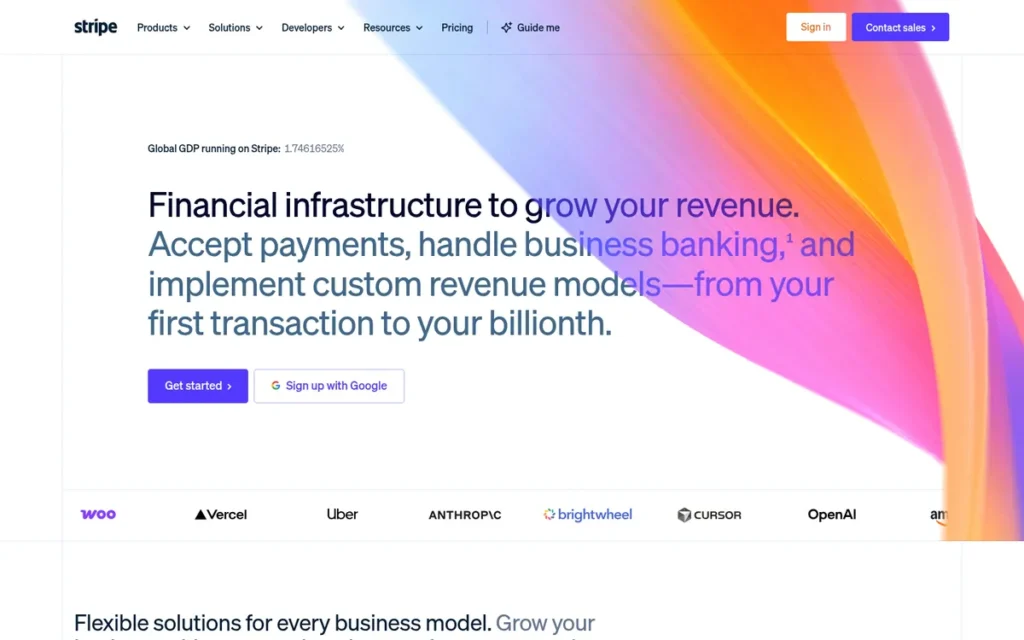
Stripe is a developer-oriented payments platform that lets online businesses accept card and ACH payments, send invoices, run subscriptions, and pay out marketplace sellers through one set of APIs.
Stripe is a direct replacement for PayPal Checkout for e-commerce stores, SaaS companies, and platforms willing to handle some technical setup. Non-developers can start selling with Stripe’s no-code Payment Links. Stripe cannot replace PayPal Friends and Family payments because it has no consumer wallet.
Key Features
- Stripe Checkout and Payment Links let businesses accept card-not-present payments through either a custom integration or a no-code shareable link.
- Stripe Billing manages subscriptions and recurring payments, and Stripe Invoicing adds 0.4% (Starter) or 0.5% (Plus) per paid invoice on top of processing.
- Stripe Connect routes payouts to marketplace sellers, and Sharetribe says 75% of its customers choose Stripe (Stripe customer story, accessed November 2026; vendor-published).
- Stripe Terminal and Tap to Pay let online-first businesses also take card-present payments at 2.7% + 5¢.
- Stripe ACH Direct Debit charges 0.8%, capped at $5, which cuts the cost of large bank payments.
Best For
Stripe is best for online-first businesses, SaaS and subscription companies, and marketplaces that want control over their checkout and are comfortable with some technical setup.
How Much Does Stripe Cost?
Stripe charges no setup or monthly fee on its standard plan (Stripe pricing page and support documentation, November 2026):
| Fee | Amount |
|---|---|
| Domestic online cards | 2.9% + 30¢ |
| In-person (Terminal) | 2.7% + 5¢ |
| ACH Direct Debit | 0.8%, capped at $5 |
| International cards | +1.5% |
| Currency conversion | +1% |
| Instant Payouts | 1.5% (50¢ minimum) |
| Dispute received / countered | $15 / $15 (refunded if won) |
| Invoicing Starter / Plus | 0.4% / 0.5% per paid invoice |
G2 lists no Stripe prices (G2, November 2026). Stripe Terminal beats PayPal’s in-store rate of 2.29% + $0.09 only on sales under about $10.
Strengths
- Businesses on Stripe processed $1.9 trillion in total payment volume in 2025, up 34% from 2024, and Stripe reports serving more than 5 million businesses (Stripe newsroom, 2026; company-reported).
- Stripe Payments holds a 4.6/5 Capterra rating from 3,392 reviews, and Stripe Connect holds a 4.3/5 G2 rating from 249 reviews (Capterra and G2, November 2026).
- Stripe’s online rate costs $3.20 on a $100 sale against $3.98 on PayPal Checkout, and Stripe ACH caps a $2,000 bank payment at $5 (both fee pages, November 2026).
- Stripe was named a Leader in The Forrester Wave: Merchant Payment Providers, Q1 2026 (Stripe newsroom, 2026).
Limitations
Stripe’s biggest trade-off is flexibility in exchange for setup effort and stability risk. Custom checkouts usually need a developer. Stripe also has the most freeze complaints in PlugRoute’s research sample, though that sample over-represented freeze-related Reddit posts.
- Stripe holds a 1.6/5 Trustpilot rating from 17,595 reviews, where reviewers report account closures soon after opening, held funds, and a 30% rolling reserve (Trustpilot, November 2026).
- Stripe freeze posts on Reddit include an entire r/Stripe_Victims community. The most specific claims come from interested parties: a policy-monitoring service and a commenter advertising a lawyer (Reddit, accessed November 2026).
- Stripe G2 reviewers cite Poor Customer Support (4 mentions) and Slow Payments (3) (G2, November 2026).
- Stripe adds 1.5% for international cards and 1% for currency conversion (Stripe pricing page, November 2026).
- Stripe offers no peer-to-peer payments and lacks the PayPal wallet brand at checkout.
Users on r/artbusiness shared their experience:
“I opened a Stripe and launched a Ko-Fi store. Had 1 transaction. Stripe suspended my store – because of high volume. One transaction. $25. Then they said they needed verification and documents. I did that. Then they changed their story and claimed the transaction was fraud.” Posted by u/AardvarkCrochetLB
Takeaway: Stripe’s automated risk reviews can freeze even brand-new, low-risk small sellers on their first sale, so switching to Stripe does not escape PayPal-style account holds.
How Does Stripe Compare With PayPal?
Stripe offers deeper checkout customization, subscriptions, and APIs than PayPal, and it costs less per online sale. Stripe lacks PayPal’s peer-to-peer payments and familiar consumer brand, and it carries similar freeze risk. In person, Stripe Terminal is cheaper than Square’s Free plan below $100 per sale and pricier above it.
Verdict
Stripe is the best PayPal alternative for online stores, SaaS companies, and marketplaces that need a customizable checkout, subscriptions, or low-cost ACH payments.
Stripe does not escape the freeze risk that drives many users away from PayPal, so merchants should keep a backup payment method. Sellers who work mostly in person or who lack developer help may find Square simpler.
3. Wise: Best for International Money Transfers and Getting Paid From Abroad
Category: Cross-Border Money Account, holds, converts, sends, and receives money in multiple currencies; not a checkout or card processor.
At a Glance
- Category: Cross-Border Money Account
- Best For: Wise fits freelancers, consumers, and small businesses sending or receiving money across borders.
- Price Range: Free account; transfers from 0.23% (varies by route and funding method); $31 one-time for business local account details (Wise pricing, November 2026)
- Primary Strength: Wise converts currency at the mid-market rate with a separate upfront fee, far below PayPal’s 2%–4% conversion fee.
- Biggest Limitation: Wise cannot take card payments at checkout and offers no buyer protection or U.S. peer-to-peer network.
- One-Line Summary: Wise has the lowest verified currency-conversion cost in this comparison (from 0.23% vs PayPal’s 2%–4%), but it does not replace PayPal’s checkout, buyer protection, or domestic friend payments.
- Last Verified: November 2026
Overview
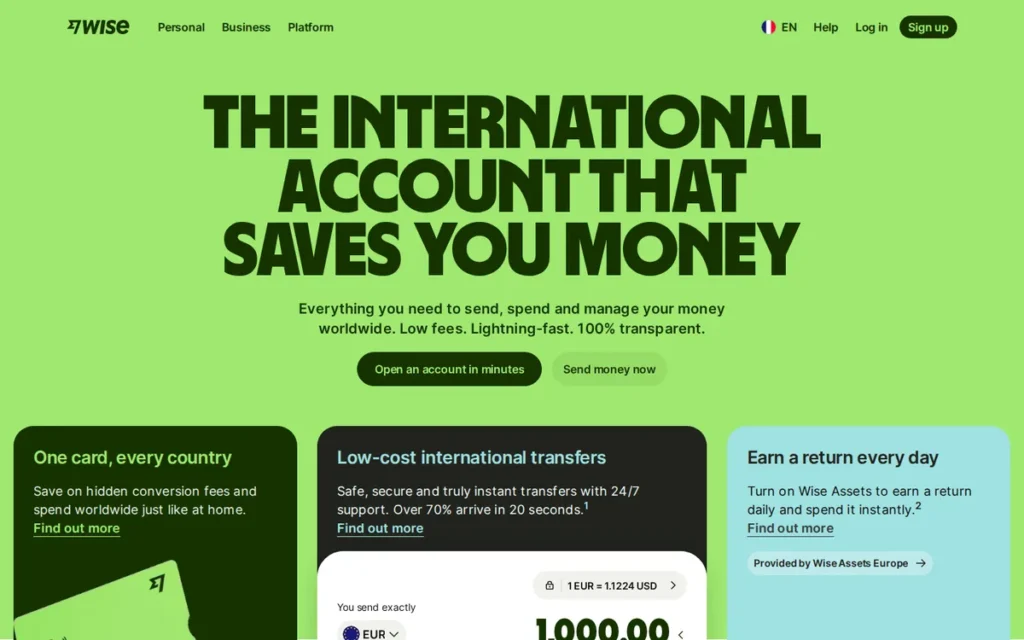
Wise is an international money transfer and multi-currency account service built for U.S. freelancers, consumers, and small businesses who send or receive money across borders. Wise converts money at the mid-market exchange rate and charges a separate upfront fee.
Wise avoids the exchange-rate markup built into PayPal’s 2%–4% conversion fee. Wise also connects to local payment networks instead of routing money through intermediary banks (Wise investor site, accessed November 2026). Wise is not a checkout button, so sellers still need a card processor.
Key Features
- Wise holds 40+ currencies in one account and converts between them at the mid-market exchange rate.
- Wise provides local receiving details in AUD, CAD, EUR, GBP, HUF, NZD, PHP, SGD, and USD, so clients can pay with a domestic transfer.
- Wise shows the upfront fee and the amount the recipient will get before each transfer is confirmed.
- Wise offers a personal debit card ($9) with free ATM withdrawals up to $250 per month.
- Wise Business adds team cards ($5 each after the first free card) and local account details for a $31 one-time fee.
Best For
Wise is best for U.S. freelancers paid by overseas clients, consumers sending money to family abroad, and small businesses paying international suppliers who want to avoid PayPal’s conversion fee.
How Much Does Wise Cost?
Wise publishes its U.S. fees in full (Wise pricing pages, November 2026):
| Item | Fee |
|---|---|
| Opening an account | Free |
| International transfers | From 0.23%; varies by route and funding method |
| Volume discount | After $25,000 sent in a month |
| Receiving domestic USD, EUR, or GBP (non-wire) | Free |
| Receiving a USD wire or SWIFT payment | $6.11 each |
| ATM withdrawals | Free up to $250/month, then $1.95 + 1.95% |
For comparison, PayPal charges 2% (Basic currencies) or 4% (rest of world) for currency conversion, plus 1.5% on international commercial transactions (PayPal fee page, November 2026). G2 lists no Wise prices.
Strengths
- Wise’s own comparison page showed $1,000 USD converted to EUR delivering €887.85 via Wise (fee $5.47) and €847.58 via PayPal. That €40.27 gap is roughly 4%–5% (Wise, accessed November 2026; competitor-published, rates change live).
- Wise transfer fees start at 0.23%, against PayPal’s 2% or 4% currency conversion fee (both pricing pages, November 2026).
- Wise holds a 4.3/5 Trustpilot rating from 305,924 reviews (Trustpilot, November 2026).
- Wise US, Inc. is registered with FinCEN as a money services business and licensed in most U.S. states (Wise state licenses page, accessed November 2026).
Limitations
Wise’s biggest trade-off is lower conversion costs in exchange for no checkout and no buyer protection. Wise cannot accept card payments and covers only the cross-border part of what PayPal does.
- Wise holds a 3.8/5 G2 rating from 97 reviews and a 3.7/5 Capterra rating from 91 reviews, both below PayPal’s 4.4/5 (third-party aggregator, October 2026). PlugRoute could not confirm these ratings directly.
- Wise is not an FDIC-insured bank, and it operates under a multistate regulatory consent order (Mass.gov, accessed November 2026).
- Wise Trustpilot reviewers allege a 24-day account freeze and closures they considered unfair (Trustpilot, accessed November 2026).
- Wise charges $6.11 to receive each USD wire or SWIFT payment (Wise pricing, November 2026).
- Wise may be a harder sell to clients whose PayPal payments run automatically, which one Reddit commenter flagged as a reason to stay with PayPal (Reddit, accessed November 2026).
How Does Wise Compare With PayPal?
Wise is much cheaper than PayPal for converting currency and receiving money from abroad. Wise cannot take card payments at checkout, has no buyer protection, and has no peer-to-peer network for paying U.S. friends.
Verdict
Wise is the best PayPal alternative for international money transfers, because Wise’s mid-market exchange rate and upfront fees deliver more money than PayPal’s 2%–4% conversion fee on the same transfer.
On a $1,000 USD-to-EUR transfer, Wise’s own snapshot showed about €40 more arriving than through PayPal. Wise works best paired with a checkout processor such as Square or Stripe. Check a live Wise quote for your exact currency route before switching.
4. Authorize.net: Best for Established Web Merchants Needing Recurring Billing and Fraud Controls
Category: Payment Gateway, connects a website or billing system to a card processor and manages transactions, recurring billing, and fraud screening.
At a Glance
- Category: Payment Gateway
- Best For: Authorize.net fits established U.S. web merchants and subscription businesses that need recurring billing, fraud controls, or a way to keep an existing processor.
- Price Range: $25/month + 2.9% + 30¢ (All-in-One) or $25/month + 10¢ per transaction + 10¢ daily batch (Gateway Only) (Authorize.net pricing, November 2026)
- Primary Strength: Authorize.net includes recurring billing, stored payment profiles, and configurable fraud filters at no extra feature cost.
- Biggest Limitation: Authorize.net charges a $25 monthly fee, has a dated interface, and draws complaints about post-closure holds and billing after cancellation.
- One-Line Summary: Authorize.net is a long-established, Visa-owned payment gateway for web merchants who need recurring billing and fraud controls, but its $25 monthly fee and dated interface make it a poor fit for occasional sellers.
- Last Verified: November 2026
Overview
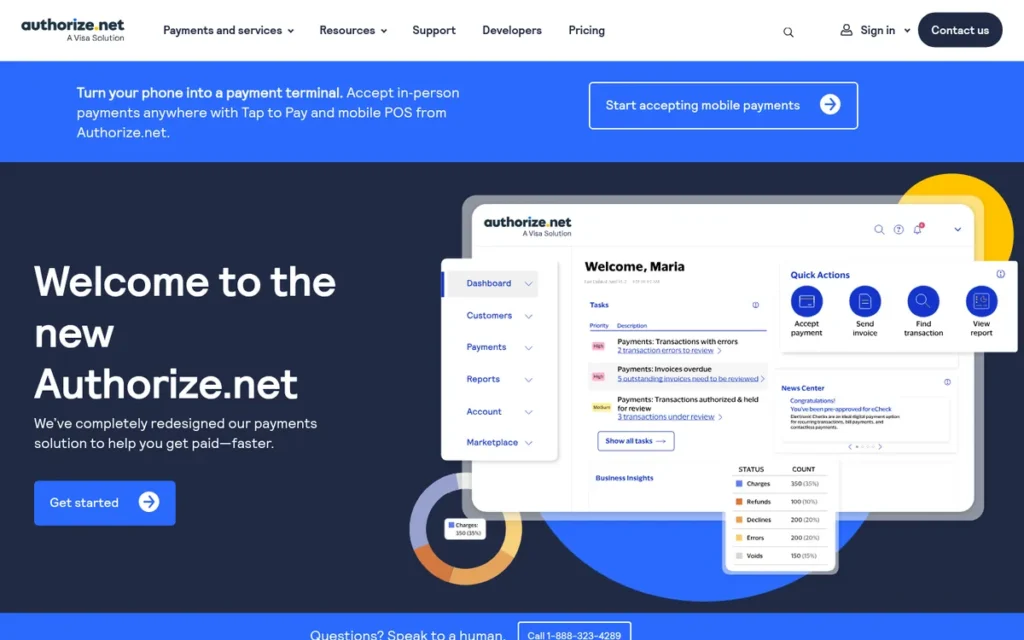
Authorize.net is a Visa-owned payment gateway, operating since 1996, that lets established U.S. web merchants accept card and eCheck payments, run recurring billing, and apply configurable fraud filters.
Authorize.net works with its bundled merchant account or with a processor the business already uses. Authorize.net users on G2 most often report going live within a month (G2, November 2026). Authorize.net offers no consumer wallet or peer-to-peer payments.
Key Features
- Authorize.net’s Advanced Fraud Detection Suite is included at no charge and offers 13 configurable fraud filters (Forbes Advisor, accessed November 2026).
- Authorize.net Automated Recurring Billing schedules subscription and installment charges automatically.
- Authorize.net’s Customer Information Manager stores payment profiles, and its Account Updater refreshes expired cards for $0.25 per update.
- Authorize.net supports eCheck (ACH) payments at 0.75%, with a $10 monthly minimum.
- Authorize.net includes a virtual terminal and invoicing for keyed-in and emailed payments.
Best For
Authorize.net is best for established web and subscription merchants with steady monthly volume who want fraud screening and recurring billing. It also suits merchants who want to keep their existing merchant processor.
How Much Does Authorize.net Cost?
Authorize.net’s G2 list prices are “Merchant Account + Payment Gateway: $25.00 Flat Rate Per Month; Payment Gateway: $25.00 Usage Based Per Month; eCheck Payments: $25.00 Usage Based Per Month” (G2, November 2026). G2 list prices may change.
Authorize.net’s fee page adds these details (Authorize.net pricing, November 2026):
| Plan or Fee | Amount |
|---|---|
| All-in-One | $25/month + 2.9% + 30¢ |
| Gateway Only | $25/month + 10¢ per transaction + 10¢ daily batch |
| eCheck | 0.75% ($3 per returned item; $25 eCheck chargeback) |
| Setup | $0 |
Authorize.net Gateway Only users also pay their own merchant account’s processing fees. The Authorize.net card chargeback fee appears as $0 on the fee schedule but $25 on a merchant application, so get it confirmed in writing.
Strengths
- Forbes Advisor named Authorize.net “Best for Fraud Prevention” in its 2026 credit card processing roundup and rated it 4.2/5 (Forbes Advisor, 2026).
- Authorize.net holds a 4.5/5 Capterra rating from 220 reviews and a 4.2/5 G2 rating from 226 reviews, with Payment Processing (15 mentions) and Easy Integrations (13) as top G2 pros (Capterra and G2, November 2026).
- Authorize.net’s All-in-One rate costs $3.20 on a $100 sale, before its $25 monthly fee. PayPal charges $3.98 on Checkout and an estimated $3.38 for advanced card processing (both fee pages, November 2026).
- Authorize.net is PCI DSS compliant and audited annually (Forbes Advisor, accessed November 2026).
Limitations
Authorize.net’s biggest trade-off is a fixed monthly cost in exchange for gateway features. The $25 fee makes Authorize.net uneconomical for occasional sellers.
- Authorize.net holds a 1.5/5 Trustpilot rating from 96 reviews, which is a small sample (Trustpilot, November 2026).
- Authorize.net G2 reviewers ask for a more modern interface, stronger reporting, and easier editing of subscriptions (G2, November 2026).
- Authorize.net BBB and Trustpilot complaints describe 90- to 120-day holds after account closure, which BBB responses attribute to acquiring-bank reserves (BBB and Trustpilot, accessed November 2026).
- Authorize.net complaints also describe roughly $30 monthly charges on an unused account and cancellation problems that led to collections in one case (BBB and Trustpilot, accessed November 2026).
- Authorize.net takes longer to set up than PayPal, which most G2 reviewers say goes live in under a day (G2, November 2026).
How Does Authorize.net Compare With PayPal?
Authorize.net offers stronger fraud controls, recurring billing, and processor flexibility than PayPal for established web merchants. Authorize.net adds a $25 monthly fee and a longer setup, and it has no consumer wallet or peer-to-peer payments.
Verdict
Authorize.net is the best PayPal alternative for established web and subscription merchants that need built-in recurring billing and configurable fraud controls and process enough volume to absorb a $25 monthly fee.
At a $50 average sale, Authorize.net’s All-in-One saves about $0.49 per sale against PayPal Checkout, so the fee pays for itself at roughly 52 sales a month. Low-volume sellers will usually pay less with Square or Stripe. Get cancellation terms and chargeback fees in writing before signing up.
5. Amazon Pay: Best for Adding an Amazon-Branded Wallet Checkout

Category: Wallet Checkout, adds a branded digital-wallet payment button to an online store; not a full payment processor.
At a Glance
- Category: Wallet Checkout
- Best For: Amazon Pay fits U.S. e-commerce stores that want a familiar-brand checkout button alongside or instead of PayPal’s.
- Price Range: No monthly fee; 2.9% + $0.30 domestic, 3.9% + $0.30 cross-border (Amazon Pay fee page, November 2026)
- Primary Strength: Amazon Pay offers an Amazon-branded checkout with A-to-z Guarantee coverage for buyers at a lower published rate than PayPal Checkout.
- Biggest Limitation: Amazon Pay replaces only PayPal’s checkout button, with no in-person, invoicing, or peer-to-peer payments.
- One-Line Summary: Amazon Pay is a lower-cost, Amazon-branded alternative to the PayPal checkout button for online stores, but it replaces only that one PayPal job.
- Last Verified: November 2026
Overview
Amazon Pay is a wallet-style online checkout that lets shoppers pay on a merchant’s website with the payment and shipping details saved in their Amazon account. Amazon Pay is aimed at U.S. e-commerce stores that want a familiar checkout button.
Amazon Pay integrates with the major e-commerce platforms. Merchants usually add Amazon Pay as an extra checkout option beside or instead of the PayPal button rather than use it as their only processor.
Key Features
- Amazon Pay lets shoppers check out on third-party sites with their stored Amazon payment and shipping details.
- Amazon Pay integrates with Shopify (through Shopify Payments, at Shopify’s pricing), WooCommerce, BigCommerce, and Adobe Commerce.
- Amazon Pay buyers are covered by the A-to-z Guarantee, and merchants handle claims under Amazon’s rules.
- Amazon Pay connects to Buy with Prime for eligible merchants.
- Amazon Pay charges no monthly fee and refunds its processing fee, but not the authorization fee, when a sale is refunded.
Best For
Amazon Pay is best for U.S. online stores that want a recognizable wallet button at checkout to reassure customers, either replacing the PayPal button or running alongside it.
How Much Does Amazon Pay Cost?
Amazon Pay publishes its fees and reserve policy (Amazon Pay help pages, November 2026):
| Fee | Amount |
|---|---|
| Domestic processing | 2.9% + $0.30 (a $10 sale costs $0.59; a $100 sale costs $3.20) |
| Cards issued outside the U.S. | 3.9% + $0.30 (a $10 sale costs $0.69) |
| Chargeback disputed by Amazon (if not covered by its Payment Protection Policy) | $20 + tax |
| Monthly fee | None |
| Reserve (Tier I policy) | 7 days |
The Amazon Pay cross-border rate of 3.9% replaces the 2.9% domestic rate rather than adding to it. G2 lists no Amazon Pay prices (G2, November 2026).
Strengths
- U.K. retailer The Range reports that shoppers using Amazon Pay Express Checkout converted at 4.5% on product pages and up to 7.2% in the cart, against 1.4% site-wide (Amazon Pay merchant stories, accessed November 2026; vendor-published).
- Amazon Pay’s domestic rate costs $3.20 on a $100 sale, against $3.98 on PayPal Checkout (both fee pages, November 2026).
- Amazon Pay holds a 4.6/5 Capterra rating from 153 reviews and a 4.5/5 G2 rating from 588 reviews (Capterra and G2, November 2026). The G2 sample appears to include many Amazon Pay India users.
- Amazon Pay gives buyers A-to-z Guarantee coverage, which bank-transfer alternatives such as Zelle do not offer.
Limitations
Amazon Pay’s biggest trade-off is brand recognition in exchange for breadth. Amazon Pay replaces only PayPal’s checkout button, so most businesses still need a processor such as Stripe or Square.
- Amazon Pay merchants face a 7-day Tier I reserve (Amazon Pay help, November 2026). Merchant Maverick reports merchant complaints about holds, freezes, terminations, and limited support (Merchant Maverick, accessed November 2026).
- Amazon Pay’s G2 switching data names Paytm and Google Pay for Business, which suggests its high G2 rating may not reflect the U.S. product (G2, November 2026).
- Amazon Pay payments failed inside one merchant’s Stripe checkout (Reddit r/Entrepreneur, accessed November 2026), so test integrations before launch.
- Amazon Pay keeps its authorization fee when a sale is refunded.
- Amazon Pay may concern merchants who are uneasy about routing sales through a retail competitor.
How Does Amazon Pay Compare With PayPal?
Amazon Pay’s published domestic rate is lower than PayPal Checkout’s ($3.20 vs $3.98 on $100), and the Amazon brand reassures shoppers. Amazon Pay replaces only PayPal’s checkout button, with no POS, invoicing, or peer-to-peer payments.
Verdict
Amazon Pay is the best PayPal alternative for online stores that want an Amazon-branded wallet button at checkout, at a lower published domestic rate than PayPal Checkout.
Amazon Pay works best as an added checkout option on top of a full processor. All of Amazon Pay’s conversion evidence is vendor-published, so merchants should run their own test.
6. Zelle: Best for Paying Friends and Family You Trust

Category: Peer-to-Peer Transfer, sends money directly between the bank accounts of people who know each other; not a merchant or checkout service.
At a Glance
- Category: Peer-to-Peer Transfer
- Best For: Zelle fits U.S. consumers paying friends, family, and people they know and trust.
- Price Range: No Zelle consumer fee; business fees and access set by each bank (Zelle and bank pages, November 2026)
- Primary Strength: Zelle moves money between U.S. bank accounts in minutes with no Zelle consumer fee.
- Biggest Limitation: Zelle offers no purchase protection, which makes it risky for paying strangers for goods or services.
- One-Line Summary: Zelle is a fast, no-fee way to replace PayPal Friends and Family payments between people who trust each other, but it offers no purchase protection and cannot replace PayPal for business checkout.
- Last Verified: November 2026
Overview
Zelle is a bank-to-bank payment network built into the apps of more than 2,300 U.S. banks and credit unions. Zelle is designed for consumers and some small businesses who want fast, fee-free transfers to people they know rather than protected purchases.
Zelle’s standalone app shut down in April 2025, so users now need a participating bank’s app. Zelle works only in the U.S. and has no equivalent of PayPal’s Goods and Services protection.
Key Features
- Zelle is built into the apps of more than 2,300 participating banks and credit unions, reaching 160M+ accounts (Zelle data center, accessed November 2026).
- Zelle transfers usually arrive within minutes when both the sender and recipient are enrolled.
- Zelle sends money directly between bank accounts, with no separate wallet balance to cash out.
- Zelle for small business is available through participating banks, which set business fees and eligibility.
- Zelle sending limits vary by bank. Wells Fargo, for example, lets business accounts send $15,000 per 24 hours and $60,000 per 30 days.
Best For
Zelle is best for U.S. consumers who want to replace PayPal Friends and Family payments with people they know, such as splitting bills or paying a roommate’s share of rent.
How Much Does Zelle Cost?
Zelle charges consumers no fee, and each bank sets its own business fees and access (Zelle and bank pages, November 2026). Chase, for example, says it charges businesses no additional Zelle fee, but that is not a universal rule.
Zelle limits differ by bank (bank pages, November 2026):
- Wells Fargo lets Zelle consumers send $3,500 per 24 hours and $20,000 per 30 days.
- Wells Fargo lets Zelle business accounts send $15,000 per 24 hours and $60,000 per 30 days.
- Bank of America allows eligible consumers to send up to about $3,500 a day through Zelle (CNBC Select, accessed November 2026).
- Chase uses dynamic Zelle limits that it shows in its app.
Strengths
- Zelle users sent $1.2 trillion across 4.2 billion transactions in 2025, up 20% and 16% year over year (Zelle press release, 2026; company-reported).
- Zelle’s 7.7 million enrolled small businesses received 647.6 million transactions worth $357 billion in 2025, up 26% in dollar terms (Zelle press release and Digital Transactions, 2026; company-reported). The Zelle data center shows 8.3 million businesses, likely counted at a different date.
- Zelle charges consumers no fee, while PayPal’s 2.99% Goods and Services fee costs $2.99 on a $100 payment (PayPal fee page, November 2026).
- Zelle reports that 0.02% of transactions generated a fraud or scam report (Zelle data center, accessed November 2026; self-reported).
This aligns with community sentiment on r/Banking:
“I use Zelle with my business bank account all the time. My business is a little different than most in that I have an ongoing relationship with most of my clients/customers, so the risk of fraud is definitely less. And saving the 3-5% fees and having immediate access to the full funds without waiting are definite pluses.” Posted by u/IbelieveinGodzilla
Takeaway: Zelle’s fee-free, instant settlement pays off for businesses only when payments come from established, trusted customers, which keeps its value tied to existing relationships.
Limitations
Zelle’s biggest trade-off is speed and zero cost in exchange for no protection. Zelle offers no purchase protection, so paying strangers for goods carries real loss risk.
- Zelle is treated as a no-recourse method in Reddit trading communities. An automated warning on r/GameSale groups it with payments that have “zero buyer protection” (Reddit, accessed November 2026).
- Zelle’s business access, fees, and limits depend on each bank.
- Zelle cannot accept cards, send invoices, provide a checkout, or send money abroad.
- A New York judge denied most of Early Warning Services’ motion to dismiss the Attorney General’s fraud lawsuit against Zelle’s operator on July 20, 2026. These are allegations, not findings, and Early Warning Services has said it intends to appeal (Legal500 and Bloomberg Law, 2026).
- Zelle’s operator also faced a CFPB suit, which was dismissed with prejudice in March 2025 (CFPB, 2025).
How Does Zelle Compare With PayPal?
Zelle is free and fast for paying people you trust. Unlike PayPal, Zelle has no purchase protection, no card funding, no invoicing or checkout, and no service outside the U.S. Your bank decides whether you can use Zelle for business.
Verdict
Zelle is the best PayPal alternative for free, fast payments to friends and family in the U.S., but Zelle should not be used to pay strangers for goods because it offers no purchase protection.
Readers who sell goods or services need a protected method or a merchant processor. Small businesses should check their bank’s Zelle fees and limits before relying on it.
7. Payoneer: Best for Freelancers and Marketplace Sellers Paid by International Platforms
Category: Cross-Border Money Account, holds, converts, sends, and receives money in multiple currencies; not a checkout or card processor.
At a Glance
- Category: Cross-Border Money Account
- Best For: Payoneer fits freelancers and marketplace sellers paid by international platforms such as Amazon, eBay, Fiverr, and Upwork.
- Price Range: $29.95 annual fee if under $6,000 received per year (waived in the first 12 months); receiving 0%–1%; withdrawals $1.50 or 1.2%–4%; card-paid requests up to 3.99% + $0.49 (Payoneer pricing, November 2026)
- Primary Strength: Payoneer connects directly to major freelance and e-commerce marketplaces for multi-currency payouts.
- Biggest Limitation: Payoneer’s fees stack across receiving, withdrawal, and conversion, and it has the lowest G2 rating in this comparison.
- One-Line Summary: Payoneer is a useful PayPal alternative for freelancers and sellers paid by international marketplaces, but stacked fees and the lowest G2 rating in this comparison (3.2/5) make it a specialist choice.
- Last Verified: November 2026
Overview
Payoneer is a cross-border payments platform that gives freelancers and online sellers local receiving accounts in several currencies. It also offers direct payouts from marketplaces such as Amazon, eBay, Fiverr, and Upwork.
Payoneer is built for users who get paid by international clients or platforms. Payoneer is licensed in 8 jurisdictions and keeps customer funds segregated, but it is not a bank. It offers no U.S. peer-to-peer or in-person payments.
Key Features
- Payoneer connects to thousands of marketplaces, including Amazon, eBay, Fiverr, and Upwork, for direct payouts.
- Payoneer offers local receiving accounts so international clients can pay by local bank transfer.
- Payoneer payment requests let clients pay by card (up to 3.99% + $0.49) or by U.S. ACH, EU, or UK bank transfer (1%).
- Payoneer offers a payment card for spending balances, with a $29.95 annual card fee.
- Payoneer transfers between Payoneer users are free.
Best For
Payoneer is best for freelancers and marketplace sellers whose income comes from platforms that pay out directly through Payoneer, or from countries Wise does not serve.
How Much Does Payoneer Cost?
Payoneer publishes a full fee schedule (Payoneer pricing page, November 2026):
| Fee | Amount |
|---|---|
| Annual account fee | $29.95, only if under $6,000 received in 12 months |
| Receiving into a local-currency account or from Payoneer users | Free |
| Receiving into a non-local-currency account | 1% ($1 minimum) |
| Client pays a request by card / by bank | Up to 3.99% + $0.49 / 1% |
| Withdrawal to same-country bank in local currency | $1.50 |
| Other withdrawals | 1.2%–4% |
| ATM withdrawal | $3.15 + up to 1.8% (3.5% with conversion) |
Payoneer’s fees stack. In a PlugRoute calculation using Payoneer’s published maximums, a $1,000 card-paid request costs up to $40.39. Withdrawing then adds $1.50 on a same-country, local-currency route or 1.2%–4% on other routes (Payoneer pricing, November 2026).
Payoneer does not charge the annual account fee in the first 12 months after registration. A Payoneer fee update lists 3% + $0.49 for some USD card payments (Payoneer, November 2026). Payoneer says the fee shown in your account at the time of the transaction is the one that applies.
G2 lists no Payoneer prices (G2, November 2026).
Strengths
- Payoneer’s top G2 pros are Ease of Use (28 mentions), Easy Payments (18), and International Payments (17), and Payoneer holds a 4.2/5 Capterra rating from 768 reviews (G2 and Capterra, November 2026).
- Payoneer receiving is free from other Payoneer users and into local-currency accounts (Payoneer pricing, November 2026).
- Payoneer’s G2 switching data shows users moving to it from PayPal and Wise for marketplace connections and for markets other services do not reach (G2, November 2026).
- Payoneer publishes a recurring Freelancer Income Report, and its 2023 edition surveyed 2,000+ freelancers in 122 countries (Payoneer, 2023).
Limitations
Payoneer’s biggest trade-off is marketplace reach in exchange for stacked costs. Payoneer charges fees at the receiving, withdrawal, conversion, card, and ATM stages.
- Payoneer’s G2 rating of 3.2/5 from 374 reviews (66.6% four or five stars) is the lowest in this comparison and well below PayPal’s 4.4/5 (G2, November 2026).
- Payoneer G2 reviewers cite High Fees (22 mentions), Poor Customer Support (21), and Account Blocking (11) (G2, November 2026).
- Payoneer reviewers ask for clearer verification steps and a lower minimum withdrawal (G2, November 2026).
- Payoneer’s Reddit evidence is thin and mostly non-U.S., so U.S. community sentiment is unverified.
How Does Payoneer Compare With PayPal?
Payoneer is better than PayPal for collecting marketplace and foreign-client income in several currencies. Payoneer’s fees still stack across receiving, withdrawal, and conversion, and it offers no U.S. peer-to-peer payments or consumer checkout.
Verdict
Payoneer is the best fit among these alternatives for freelancers and sellers whose marketplaces pay out directly through Payoneer or who work in markets Wise does not cover.
For most other cross-border needs, Wise showed lower verified costs in PlugRoute’s research. Payoneer users should add up every fee stage before switching.
Will a PayPal Alternative Freeze My Money Too?
Yes, a PayPal alternative can freeze or hold your money. PlugRoute found documented holds, reserves, or freeze complaints for six of the seven alternatives, and Zelle’s risk comes instead from its lack of purchase protection. Reduce your exposure by reading each provider’s reserve policy and keeping a backup payment method active.
Here is the documented hold and protection evidence for each provider (accessed November 2026):
- Square: One BBB complaint describes $6,115 held for 90 days after deactivation (single complaint).
- Stripe: Trustpilot reviewers report closures soon after opening and a 30% rolling reserve. The Reddit freeze posts come largely from interested parties.
- Wise: Trustpilot reviewers allege a 24-day account freeze.
- Authorize.net: BBB complaints describe 90- to 120-day holds after closure, which BBB responses attribute to acquiring-bank reserves.
- Amazon Pay: The Amazon Pay Tier I policy sets a 7-day reserve, and Merchant Maverick reports complaints about holds and terminations.
- Payoneer: Payoneer G2 reviewers mention Account Blocking 11 times (G2, November 2026).
- Zelle: No freeze pattern was documented for Zelle, but Zelle offers no purchase protection.
Trustpilot aggregates add context but are not part of PlugRoute’s scores:
| Provider | Trustpilot Rating (November 2026) | Reviews |
|---|---|---|
| Wise | 4.3/5 | 305,924 |
| Square | 3.5/5 | About 7,540 |
| Stripe | 1.6/5 | 17,595 |
| Authorize.net | 1.5/5 | 96 (small sample) |
| Amazon Pay | Not verified | N/A |
| Zelle | Not verified | N/A |
| Payoneer | Not verified | N/A |
PayPal’s own G2 reviewers report the same pattern of unexpected holds and limits (G2, November 2026). Switching from PayPal changes who can hold your money, not whether someone can.
When Should You Stay With PayPal?
Stay with PayPal if your sales are mostly in-store or if your customers expect PayPal at checkout. PayPal’s 2.29% + $0.09 in-store rate beats every Square plan (PayPal fee page, November 2026). None of the seven alternatives ranked here covers as many PayPal jobs in one account.
These are the evidence-based reasons to stay:
- PayPal’s in-store and QR rate costs $2.38 on a $100 sale, below Square’s $2.55–$2.75 and Stripe Terminal’s $2.75 (provider fee pages, November 2026).
- PayPal Goods and Services offers protection for peer-to-peer sales, which Zelle does not.
- PayPal lists support for more than 200 markets and 140 currencies (G2 vendor description, November 2026).
- PayPal’s familiar brand may reassure customers who expect to see it at checkout.
- PayPal covers checkout, in-person, invoicing, peer-to-peer, and international payments in one account.
As one user on r/ecommerce described:
“I did not want to use PayPal on my ecommerce site, but customers demanded it. I was surprised how many people keep a balance in a PayPal account and want to pay with it. After eight years, I’d say 50% use PayPal, and 50% just pay with a card on my site (which uses Stripe).” Posted by u/ConclusionFlat1843
Takeaway: Customer demand for PayPal at checkout remains strong enough that removing the PayPal button can cost online stores a large share of their buyers.
How Do I Switch Without Losing Customers?
A hybrid setup lets you switch without losing customers who expect PayPal. Keep the PayPal button live as a secondary checkout option while you move primary processing to Square or Stripe and cross-border money to Wise.
- Merchants should add the new processor’s checkout first and keep the PayPal button visible beside it.
- Merchants should compare how many customers choose each option over one to three months.
- Merchants should remove the PayPal button only when its usage no longer justifies its fees.
What Red Flags Should I Watch For When Evaluating PayPal Alternatives?
The six biggest red flags are missing purchase protection, rolling reserves, stacked fees, monthly fees that cancel out rate savings, billing after cancellation, and conflicting fee figures. Each one showed up for at least one provider in PlugRoute’s November 2026 research, and each can cost more than any headline rate saves.
Red Flag #1: No Purchase Protection for Goods Payments Bank-linked transfers such as Zelle offer no purchase protection, so money sent to a dishonest seller is usually unrecoverable. Reddit trading communities treat Zelle like PayPal Friends and Family payments, as no-recourse. Use PayPal Goods and Services, a credit card, or another protected method for any purchase from a stranger.
Red Flag #2: Rolling Reserves or Post-Closure Holds Rolling reserves and post-closure holds can lock up revenue for weeks or months. Stripe Trustpilot reviewers report 30% rolling reserves, and Authorize.net BBB complaints describe 90- to 120-day holds after closure (accessed November 2026). Ask any provider for its reserve policy in writing before you move volume.
Red Flag #3: Fees That Stack Across Receive, Convert, and Withdraw Stacked fees make a low headline rate misleading, because receiving, converting, and withdrawing can each carry a charge. On Payoneer, a $1,000 card-paid request can cost up to $40.39 before a $1.50 or 1.2%–4% withdrawal fee (Payoneer, November 2026). Add up every stage before comparing any provider with PayPal.
Red Flag #4: Monthly Fees That Outweigh Rate Savings at Your Volume A monthly fee can erase per-transaction savings for low-volume sellers. Authorize.net charges $25 a month, and Square’s paid plans cost $49–$149. At a $50 average sale, Authorize.net’s fee breaks even against PayPal Checkout at about 52 sales a month. Divide any monthly fee by your monthly sales count to find the extra cost per sale.
Red Flag #5: Billing That Continues After Cancellation Billing that continues after cancellation appears in complaint records. Authorize.net complaints describe roughly $30 monthly charges on an unused account and one account sent to collections (BBB and Trustpilot, accessed November 2026). Get written confirmation of cancellation and of any fees that continue afterward.
Red Flag #6: Conflicting Published Fee Figures Conflicting fee figures mean you cannot be sure what you will pay. Square’s Free-plan online rate appears as 3.3% + 30¢ on Square’s page but 2.9% + 30¢ on G2. Authorize.net’s card chargeback fee appears as both $0 and $25. Confirm the rate in your own account before you sign up.
What Questions Should I Ask Before Choosing a PayPal Alternative?
Before switching, ask seven questions. They cover the PayPal jobs you use, your real cost per channel, hold policies, support, customer coverage, cancellation, and running two services during the switch. The answers usually point to one service or a two-service pairing and help you avoid the surprise holds and fees that push people away from PayPal.
Question #1: Which PayPal jobs do I actually use? Look at the last three months of PayPal activity and sort it by job, using the seven jobs listed in PlugRoute’s methodology. The job that carries the most volume should decide your primary alternative. The second-largest job tells you whether you need a second service.
Question #2: What is my rate for each channel compared with PayPal’s? Compare each channel against PayPal’s November 2026 rates, using the dollar cost on your typical sale rather than the percentage. PayPal charges $3.98 on a $100 Checkout sale and $2.38 on a $100 in-store sale. A service can be cheaper online and pricier in person, as Square and Stripe both are.
Question #3: What is the provider’s reserve and hold policy? Ask whether the provider uses rolling reserves, how long post-closure holds last, and what triggers them. Providers with a published policy, such as Amazon Pay’s 7-day Tier I reserve, are easier to plan around than providers whose holds appear only in complaint records.
Question #4: How do I reach a person if my funds are held? Check which plans include phone support before you rely on one provider for urgent issues. Square’s Free plan, for example, includes phone support only for the first 90 days (NerdWallet, accessed November 2026). Poor support is a top G2 complaint for PayPal, Stripe, and Payoneer.
Question #5: Does it work for my customers’ country and preferred payment method? Confirm the countries, currencies, and wallets your customers use before you switch. Zelle works only in the U.S., and Wise offers local receiving details in nine currencies. Amazon Pay charges 3.9% + $0.30 on cards issued outside the U.S. (provider pages, November 2026).
Question #6: How do I cancel, and what fees continue afterward? Ask every provider for its cancellation steps, any final or continuing fees, and how long funds are held after closing, and get the answers in writing. Complaint records for Authorize.net describe charges continuing on an unused account, and BBB complaints describe 90- to 120-day post-closure holds (accessed November 2026).
Question #7: Can I run both services during the switch? Yes, and running both services during the switch is the safest approach. Keep the PayPal button as a secondary checkout during migration, compare checkout usage after one to three months, and remove PayPal only when customers have moved. A second active service also protects you if either account is held.
How Did We Rank These PayPal Alternatives?
PlugRoute scored each alternative from 1 to 5 on six weighted criteria and ranked the alternatives by weighted total, with PayPal as the unranked baseline. Job coverage and cost versus PayPal carry 25% each. Review ratings and account stability carry 15% each, and fee transparency and scale carry 10% each.
The six criteria and why each matters:
- PayPal Job Coverage (25%): Coverage measures how many PayPal jobs a product replaces, because each job it covers is one less service to run.
- Cost Versus PayPal for the Same Job (25%): Cost compares each rate against PayPal’s U.S. fee page (updated November 4, 2026), since fees are PayPal’s most cited complaint on G2.
- Independent Review Ratings and Volume (15%): Ratings use G2 and Capterra data (November 2026), discounted where the sample appears skewed.
- Account Stability and Payment Protection (15%): Stability weighs holds, reserves, protection, support access, and regulatory actions, with interested-party sources weighted less.
- Fee Transparency (10%): Transparency rewards complete, consistent, published fee schedules.
- Scale and Institutional Credibility (10%): Credibility reflects dated scale figures, licensing, ownership, and operating history.
PlugRoute counts seven PayPal jobs from the reader’s side:
| Job | What It Covers |
|---|---|
| 1. Online checkout | Card and wallet payments on a website |
| 2. In-person card acceptance | Readers, POS, and Tap to Pay |
| 3. Invoicing | Card or bank payment of a sent invoice |
| 4. Recurring billing | Subscriptions and scheduled charges |
| 5. Peer-to-peer payments | Paying friends, family, or individual sellers |
| 6. International transfers | Sending money across borders with conversion |
| 7. Receiving payouts | Income from marketplaces or overseas clients |
Platform payout tools such as Stripe Connect do not count as a reader job. If they did, Stripe would score 5 on coverage, total 3.80, and rank first.
The review score uses this G2 rubric:
| G2 Rating | Score |
|---|---|
| 4.5 or higher, U.S.-representative sample | 5 |
| 4.2–4.4 | 4 |
| 3.8–4.1, or a higher rating discounted for sample skew | 3 |
| Below 3.8 | 2 |
| No verified rating | 1 (insufficient verified evidence) |
| Rank | Company | Coverage | Cost | Reviews | Stability | Transparency | Scale | Weighted Total |
|---|---|---|---|---|---|---|---|---|
| 1 | Square | 4 | 3 | 5 | 3 | 4 | 3 | 3.65 |
| 2 | Stripe | 4 | 3 | 4 | 2 | 4 | 5 | 3.55 |
| 3 | Wise | 2 | 5 | 3 | 3 | 5 | 3 | 3.45 |
| 4 | Authorize.net | 3 | 3 | 4 | 2 | 3 | 4 | 3.10 |
| 5 | Amazon Pay | 1 | 4 | 3 | 3 | 4 | 3 | 2.85 |
| 6 | Zelle | 1 | 5 | 1 | 1 | 2 | 5 | 2.50 |
| 7 | Payoneer | 2 | 2 | 2 | 2 | 3 | 2 | 2.10 |
Square and Stripe are close. PlugRoute verified Stripe’s card rates (2.9% + 30¢ online; 2.7% + 5¢ Terminal). Stripe is cheaper than PayPal online but pricier in person above about $10, so its cost score stays 3. Square leads 3.65 to 3.55.
Wise’s review score of 3 rests on G2 and Capterra figures from a third-party aggregator. If those figures cannot be confirmed directly, Wise scores 1 on reviews and totals 3.15, which still ranks third. A lower rank does not mean a product is wrong for you if its job is the one you need.
Inclusion and exclusion decisions:
- PlugRoute excluded Venmo because PayPal owns it.
- PlugRoute excluded Cash App because its business fees could not be verified, and Cash App is a candidate for a future update.
- PlugRoute excluded Paytm Business and Razorpay because both focus on India.
- PlugRoute excluded Sunbit because Sunbit offers buy-now-pay-later financing for healthcare and auto services.
- PlugRoute excluded iATS Payments because iATS is built for nonprofits, and GoCardless because GoCardless is UK-centric.
- PlugRoute did not rank Helcim, QuickBooks Payments, Shopify Payments, SumUp, or Wave because those products were not researched to the same depth.
These are the known evidence gaps:
- Wise’s G2 and Capterra ratings come from a third-party aggregator, and Zelle has no verified review-platform rating.
- Square’s Reddit results could not be read, and Authorize.net returned no Reddit threads.
- The Reddit threads PlugRoute found for Wise and Payoneer are non-U.S.
- Stripe’s card rates and PayPal’s $0.49 fixed fee were verified in November 2026, but PayPal’s fixed fee for advanced card processing was not confirmed separately.
PlugRoute has no affiliate relationships with any company listed, and rankings are determined entirely by research data and objective evaluation criteria.
What Do People Ask Most About PayPal Alternatives?
Readers most often ask which PayPal alternative has the lowest fees, whether Venmo counts as an alternative, and how PlugRoute ranks products. In short, the cheapest option depends on the job, PayPal owns Venmo, and PlugRoute’s rankings come from six published, weighted criteria scored with dated evidence.
Which PayPal alternative has the lowest fees?
No single PayPal alternative has the lowest fees for every job. PayPal itself stays cheapest for in-store cards (November 2026).
- Wise is cheapest for currency conversion, from 0.23%.
- Zelle charges consumers no fee.
- Stripe ACH costs 0.8%, capped at $5.
- Stripe, Amazon Pay, and Square Plus charge $3.20 on a $100 online sale, against PayPal’s $3.98.
Is Venmo a real PayPal alternative?
Venmo is not an independent PayPal alternative. PayPal owns Venmo, so switching keeps your account under the same company’s policies, and PlugRoute excluded Venmo from the rankings for that reason.
Venmo business profiles charge 1.9% + $0.10 per payment (Venmo fee page, November 2026). PlugRoute did not verify Cash App’s business fees for this article.
How does PlugRoute determine rankings?
PlugRoute determines rankings with a weighted score across six published criteria: job coverage, cost compared with PayPal, review ratings, account stability, fee transparency, and scale. Each score cites dated evidence from G2, Capterra, provider fee pages, complaint records, and regulatory filings. Products without verified evidence for a criterion score 1, labeled as insufficient evidence.
What Do Key PayPal Alternative Terms Mean?
The key terms for comparing PayPal alternatives cover exchange rates, reserves, chargebacks, payment infrastructure, and protection. Knowing them helps you spot costs that headline per-transaction rates leave out, such as conversion markups, reserves, and dispute fees, before you switch from PayPal.
Mid-market exchange rate: The midpoint between the buy and sell prices for a currency, with no markup added. A service that converts at this rate and charges a separate visible fee is usually easier to compare than one that builds its margin into the rate.
Currency conversion fee: A percentage charged when money changes from one currency to another, often built into the exchange rate. A currency conversion fee is easy to overlook and can be the largest cost on an international payment.
Rolling reserve: A share of each sale that a payment provider holds back for a set period to cover possible refunds or chargebacks. A reserve reduces the cash you can use right away, so ask for the percentage and the holding period in writing.
Chargeback: A reversal that a customer starts through their card issuer to dispute a charge. Merchants often pay a fee for each chargeback even if they win, so frequent disputes add real cost.
Payment gateway: Software that securely passes card details from a website to a payment processor and returns an approval or decline. Some gateways require a separate merchant account, which can mean two sets of fees.
Merchant account: A business bank account that lets a company accept card payments and receive settled funds. Bundled options are simpler to set up, while separate ones can offer negotiated rates at higher volume.
ACH / eCheck: Electronic bank-to-bank payments in the U.S. that usually cost less than card payments. ACH payments suit large invoices and recurring bills but can take longer to settle and can be returned.
Purchase protection: Coverage that lets a buyer recover money if goods never arrive or are not as described. Payment methods without purchase protection should only be used with people you trust.
Instant transfer: An optional paid service that moves your balance to your bank faster than the standard schedule. An instant transfer is useful in a cash-flow pinch, but the percentage fee adds up if you use it routinely.
Money services business (MSB): A non-bank company registered to transmit or exchange money, regulated by FinCEN and state licenses. Money held with an MSB is generally not FDIC-insured the way a bank deposit is.
Card-present vs. card-not-present: Card-present payments happen in person with a physical card or phone tap, while card-not-present payments happen online or by keyed entry. Card-not-present rates are usually higher, so your sales mix affects your real cost.
Which PayPal Alternative Is Right for You?
Key Insights
The right PayPal alternative depends on which PayPal job you need to replace. Square suits mixed in-person and online sellers, Stripe suits online and subscription businesses, and Wise suits cross-border money. Most users will combine two services, and some will be better off keeping PayPal for specific jobs.
- None of the seven PayPal alternatives in this comparison replaces every PayPal job, so most switchers will pair two services.
- Square leads overall for U.S. small businesses selling in person and online, but PayPal’s 2.29% + $0.09 in-store rate (November 2026) is lower than every Square plan.
- Stripe leads for online stores and subscriptions, charging $3.20 on a $100 online sale against PayPal Checkout’s $3.98 (November 2026).
- Wise has the lowest verified conversion cost, starting at 0.23% against PayPal’s 2%–4% conversion fee (November 2026).
- Switching from PayPal does not remove hold risk, because six of the seven alternatives have documented holds, reserves, or freeze complaints.
Use your main PayPal job to pick a starting point:
- Counter or market sellers who also sell online should start with Square and compare its in-person rate with PayPal’s.
- Online stores and SaaS businesses should start with Stripe and can add Amazon Pay as an optional extra wallet button.
- Subscription merchants who want fraud screening at steady volume should consider Authorize.net, which is worth its $25 monthly fee above about 52 sales a month at $50.
- Freelancers paid from abroad should add Wise, or Payoneer if their marketplace pays out through Payoneer.
- Consumers paying friends and family can use Zelle, but only with people they trust.
Payment fees and policies change often, so recheck rates before you switch. For more independent payment-software comparisons, see PlugRoute’s other reviews and our full ranking methodology. We update this guide quarterly. Last updated: November 16, 2026.