Matomo is the best overall Google Analytics alternative for a full replacement with data ownership, Mixpanel is best for SaaS product analytics, and Amplitude Analytics is best for deep behavioral analysis. The right choice depends on whether you measure traffic, product behavior or content, and on what you can afford to lose by leaving GA4.
GA4’s top G2 complaint is its learning curve, with 106 mentions (G2, November 2026). Readers also worry about cookie banners, rising usage-based bills and losing Google Ads integrations. This guide shows how much of GA each tool replaces, what each costs as you grow and which consent obligations remain.
As one user on r/GoogleAnalytics described:
“I think this is an example of everyone’s frustrations with GA4 – it’s not an out-of-the-box product with decent, core reporting like UA/GA3 was, instead it needs a load of knowledge and configuring.” Posted by u/joshgeake
Takeaway: GA4’s core frustration is that basic reporting now demands specialist knowledge and configuration, which is what pushes teams to look at Google Analytics alternatives.
PlugRoute has no affiliate relationships with any company listed, and rankings are determined entirely by research data and objective evaluation criteria.
Every price, rating and consent claim below has a source and a date. Every ranked tool gets the same entry structure, the same evidence disclosure and a stated reason for its rank.
What Are the 4 Categories of Google Analytics Alternatives?
Google Analytics alternatives fall into four categories. Full web analytics suites replace most GA reporting. Lightweight traffic tools cover basic visits and sources. Product analytics platforms cover funnels and retention. Content analytics tools measure editorial performance. Picking the wrong category is a common reason a switch disappoints.
Here is where each ranked tool fits:
- Matomo (#1) and Adobe Analytics (#6) are Full Web Analytics Suites that cover traffic, acquisition, goals and ecommerce.
- StatCounter (#4) and GoSquared (#5) are Lightweight Traffic Analytics tools that cover simple visitor, source and page reporting.
- Mixpanel (#2) and Amplitude Analytics (#3) are Product Analytics platforms that cover event-based funnels, retention and cohorts.
- Parse.ly (#7) is a Content Analytics tool that covers story, author and topic performance for editors.
Heatmap and session-recording tools such as Microsoft Clarity work alongside these tools. They do not replace traffic reporting. A practitioner warned that specialist funnel and heatmap tools “aren’t really appropriate as an analytics system of record” (r/bigseo, 2023).
Most teams leaving GA4 need one main tool for traffic and acquisition. They need specialist tools only for the questions that main tool cannot answer.
How Do the Top Google Analytics Alternatives Compare at a Glance?
Matomo is the closest full Google Analytics replacement in this ranking. Mixpanel and Amplitude Analytics rank highest for SaaS product analytics. StatCounter and GoSquared cover simple traffic reporting, Adobe Analytics serves large enterprises, and Parse.ly measures editorial content. The table compares all seven by category, best use, strength and limitation (November 2026).
| Rank | Company | Category | Best For | One-Line Summary | Key Capabilities | Primary Strength | Key Limitation |
|---|---|---|---|---|---|---|---|
| 1 | Matomo | Full Suite | Privacy-focused owners, EU teams, agencies | Matomo is an open-source GA replacement you can self-host for free or run on EU cloud hosting. | Traffic, ecommerce, goals, GA importer, no sampling | Only ranked tool with a CNIL-published configuration guide | Self-hosting effort; tied-lowest G2 rating (4.2/5) and lowest 4–5 star share (85.6%) |
| 2 | Mixpanel | Product | SaaS product teams | Mixpanel is event-based product analytics with published usage-pricing examples. | Funnels, retention, cohorts, replay, flags | 96.6% of G2 reviews rate it 4 or 5 stars; published scaling prices | Not an acquisition or SEO-traffic tool |
| 3 | Amplitude Analytics | Product | Product and data teams with a warehouse | Amplitude Analytics is deep behavioral analytics with 2M free events per month. | Autocapture, warehouse-native, replay, experiments | Largest free event allowance among hosted product tools | Sales-quoted pricing beyond Plus |
| 4 | StatCounter | Lightweight | Small sites, bloggers, SEOs | StatCounter is a simple, low-cost web stats tool that usually goes live in under a day. | Visitor logs, referrers, click-fraud checks | Under-a-day go-live is most common on G2 | 14-day free retention; no funnels or cohorts |
| 5 | GoSquared | Lightweight | Small businesses wanting chat plus analytics | GoSquared pairs real-time analytics with visitor profiles and live chat. | Now, Trends, People, Assistant chat | Unlimited retention on all published plans | Cookies and IP by default; ecommerce is Enterprise-only |
| 6 | Adobe Analytics | Full Suite (Enterprise) | Large enterprises with analytics staff | Adobe Analytics offers unsampled, highly configurable enterprise reporting. | Analysis Workspace, eVars/props, add-ons | Forrester Wave Leader, Q3 2025 | No public pricing; about 3.2-month average go-live |
| 7 | Parse.ly | Content | Publishers and newsrooms | Parse.ly measures content performance with 30 attention metrics for editors. | Editorial dashboards, Data Pipeline, WP VIP | Editor-friendly real-time and historical metrics | $12,000/user/year G2 list price; content only |
Which Google Analytics Alternative Should I Choose for My Priority?
Choose a Google Analytics alternative by your top priority, not by overall popularity. For a full replacement with data ownership, choose Matomo. For SaaS funnels, choose Mixpanel. For the simplest traffic stats, choose StatCounter. The table maps eight common priorities and two common tool stacks to a recommended tool and an alternative.
| Your #1 Priority | Recommended Tool | Why | Acceptable Alternative |
|---|---|---|---|
| Full GA replacement with data ownership | Matomo | Covers traffic, goals and ecommerce, and includes a GA importer | Adobe Analytics (enterprise only) |
| Reducing cookie-banner obligations | Matomo (CNIL-configured) | Only ranked tool with a regulator-published configuration guide | Adobe Analytics (enterprise; vendor-documented CNIL configuration) |
| SaaS funnels and retention | Mixpanel | Published scaling prices and high G2 satisfaction | Amplitude Analytics |
| Analysis on an existing data warehouse | Amplitude Analytics | Queries Snowflake, BigQuery or Databricks without copying data | Mixpanel (Data Pipelines export) |
| Simplest possible traffic stats | StatCounter | Under a day is its most common G2 go-live time | GoSquared |
| Talking to visitors in real time | GoSquared | Analytics, People profiles and live chat in one tool | StatCounter (no chat) |
| Enterprise-scale unsampled reporting | Adobe Analytics | Unsampled reporting with deep customization | Matomo (on-premise bundles) |
| Editorial content performance | Parse.ly | Built for editors, with 30 attention metrics | GA4 with content groupings |
| Small SaaS stack: acquisition plus product funnels | Matomo or GA4, plus Mixpanel’s free plan | One main tool for traffic plus one specialist tool | GA4 plus Amplitude Analytics’ free plan |
| Agency stack: 20+ client sites | Matomo | Separate client logins on one install (r/selfhosted, 2026) | GoSquared (3–20 projects per plan) |
1. Matomo: Best Overall GA Replacement for Data Ownership and Privacy
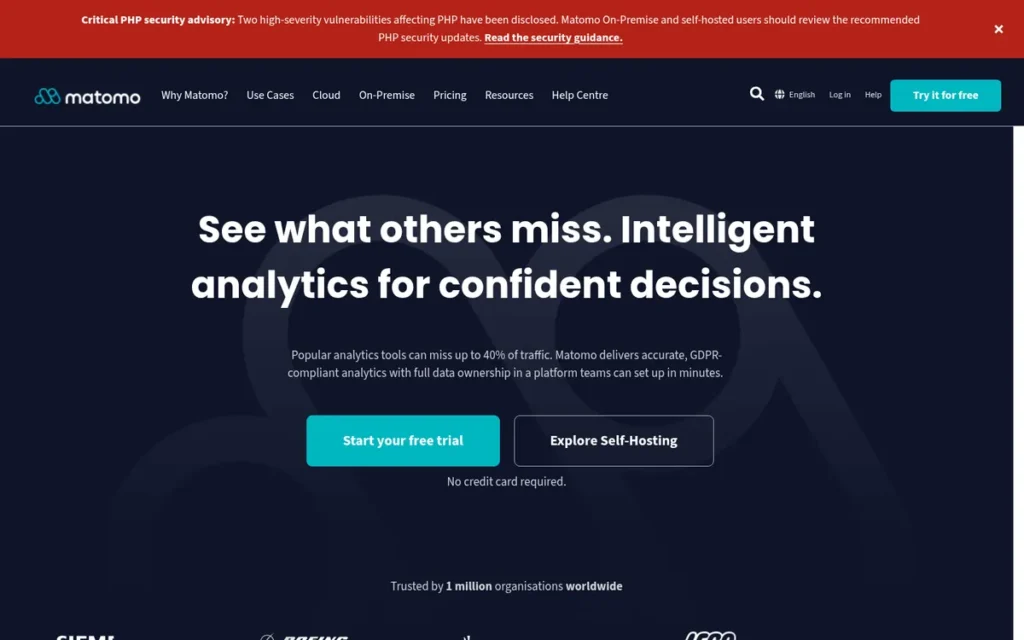
Category: Full Web Analytics Suite. Matomo replaces most of Google Analytics’ traffic, acquisition, goal and ecommerce reporting in one tool.
At a Glance
- Category: Full Web Analytics Suite
- Best For: Privacy-conscious website owners, EU-focused teams and agencies managing many client sites
- Price Range: Free self-hosted (Community). Cloud costs from 29 per month (USD or EUR by region) for 50,000 hits. On-premise bundles start at €230/month (Matomo pricing page, November 2026). G2 list price: Basic $9/month (may change).
- Primary Strength: Matomo is the closest like-for-like Google Analytics replacement in this ranking and the only one with a CNIL-published guide for configuring consent-exempt analytics.
- Biggest Limitation: Matomo’s free self-hosted edition carries real operating costs: a server, cron archiving, backups and legal responsibility for data security.
- One-Line Summary: Matomo is an open-source Google Analytics replacement that you can self-host for free or run on EU cloud hosting, with full data ownership and regulator-documented consent configuration.
- Last Verified: November 2026
Replaces GA? Full replacement. How it compares with Google Analytics: Matomo gives you full data ownership and reports without data sampling. Matomo does not have GA’s native Google Ads and Search Console connections.
Overview Matomo is an open-source web analytics platform. You can run it as a free self-hosted Google Analytics alternative or as a paid cloud service hosted in Frankfurt. It is built for website owners, agencies and privacy-conscious teams who want a broad GA-style replacement and full ownership of their data.
Matomo was founded in 2007 as Piwik. Matomo reports traffic sources, ecommerce, events, goals and dashboards without data sampling. Matomo also offers a Google Analytics data importer. Check Matomo’s import documentation to confirm it supports GA4 properties before you migrate.
Key Features
- Matomo offers a free On-Premise edition that you host yourself. Matomo Cloud is hosted in Frankfurt and includes updates, security monitoring and daily backups.
- Matomo reports traffic sources, ecommerce, events, goals and custom dashboards without data sampling.
- Matomo includes a Google Analytics data importer for bringing historical GA reports into Matomo.
- Matomo sells heatmaps, session recording, funnels, A/B testing, cohorts and multi-channel attribution as paid bundles or individual plugins.
- Matomo can be configured for France’s CNIL consent exemption. In that mode, Matomo keeps aggregate conversion and revenue metrics but turns off order-level ecommerce detail, User ID, heatmaps and session recordings (Matomo FAQ, November 2026).
Best For Matomo is best for website owners, agencies and EU-focused teams that need a full GA replacement with data ownership and can either self-host or pay for Matomo Cloud. Matomo suits agencies running 20 or more sites that need a separate login for each client.
Pricing Matomo’s own pricing page lists these prices (November 2026):
- Matomo Cloud starts at 29 per month (USD or EUR depending on region, excluding tax) for 50,000 monthly hits. Tiers go up to 5M hits, and annual billing gives two months free.
- Matomo On-Premise is free in its Community edition. Paid bundles cost from €230/month (Team), €1,209/month (Business) and €2,834/month (Enterprise).
- Matomo’s G2 list price is Basic $9/month. G2 prices may change, and this one conflicts with the vendor page.
Matomo’s free Community edition does not cover server costs, cron archiving, backups or admin time. One user reported paying £200/month for Matomo Cloud on a busy site (r/GoogleAnalytics, 2023, user-reported).
Strengths
- Matomo is named by France’s data protection authority, CNIL, as analytics software that can be configured for its audience-measurement consent exemption. CNIL also publishes a dedicated Matomo configuration guide (CNIL, November 2026).
- Matomo is detected on about 1.4% of all websites and 2.4% of sites with an identified analytics tool (W3Techs, November 2026).
- Matomo was called the “boring-correct answer” for multi-site setups with client logins (r/selfhosted, 2026).
- Matomo is praised by G2 reviewers for data privacy, self-hosting and customizability (G2, November 2026).
Limitations Matomo has a lower licence cost but more operational responsibility. Self-hosted Matomo installs need scheduled cron archiving, PHP CLI or SSH access, backups and updates. The site owner is also legally responsible for securing the data.
- Matomo’s own FAQ says large installs can take “hours” to archive without scheduled cron jobs (Matomo FAQ, November 2026).
- Matomo ties with Adobe Analytics for the lowest G2 rating in this ranking (4.2/5) and has the lowest share of 4–5 star reviews (85.6%). Users also report performance problems with large datasets (G2, November 2026).
- Matomo is not consent-exempt by default. If you turn on order-level ecommerce detail, User ID, heatmaps or session recording, you need consent for that data.
- Matomo users ask for a more intuitive interface and simpler custom event setup (G2, November 2026).
Users on r/GoogleAnalytics noted:
“I’ve been looking for a better replacement there isn’t one yet which boggles the mind. You can try Pwik / Matamo which don’t really require much learning but I feel they are both a bit slow.
But if you are working in the area professionally you’re just going to have to I think learn GA4.” Posted by u/ArcaneSort
Takeaway: Matomo is easier to learn than GA4, but users who have tried it still name slow performance as the trade-off.
Verdict Matomo is the strongest overall Google Analytics alternative for readers who want a full replacement with data ownership. It is the only ranked tool that combines GA-level reporting, a GA importer and a CNIL-published consent configuration guide.
Teams without server skills should budget for Matomo Cloud and not assume self-hosting is free. If you only need a simple traffic count, Matomo may be more than you need.
Evidence disclosure:
- G2: Matomo holds a 4.2/5 rating from 97 reviews, with 85.6% at 4 or 5 stars (G2, November 2026).
- Data and consent behavior: Matomo can be configured for the CNIL exemption using a regulator-published guide, but it is not consent-exempt by default (CNIL, November 2026).
- Time to go live: Matomo’s most commonly reported go-live times are under a day and under a month (G2, November 2026).
- Quantified case studies: No quantified Matomo case studies were verified in our research.
- Community signal: Matomo is discussed in r/selfhosted (2026), r/GoogleAnalytics (2023) and r/bigseo (2023).
Why Matomo ranks #1: Matomo is rated Strongest on C1 (full replacement) and C2 (CNIL-published guide plus free self-hosting). It is rated Strong on C3 (public prices) and C6 (regulator and W3Techs evidence), and Moderate on C4 (self-hosting effort) and C5 (4.2/5 from 97 reviews).
2. Mixpanel: Best for SaaS Product Analytics with Published Usage-Based Pricing
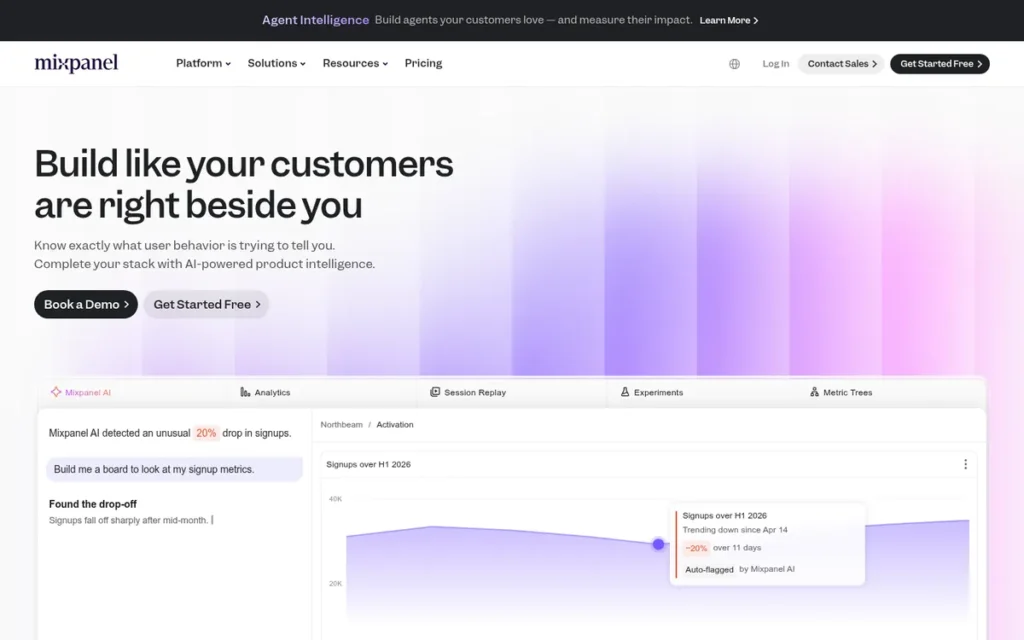
Category: Product Analytics. Mixpanel runs event-based analysis of user actions, funnels and retention inside apps and websites.
At a Glance
- Category: Product Analytics
- Best For: SaaS and app product teams that need funnels, retention and cohorts, usually alongside a traffic tool
- Price Range: Free up to 1M events/month. Growth is usage-based ($185/month at 2M events on annual billing, $259/month billed monthly). Enterprise is custom (Mixpanel pricing page, November 2026). G2 list price: Growth $25/month flat (may change).
- Primary Strength: Mixpanel combines a 96.6% share of 4–5 star G2 reviews with the most detailed published usage-pricing examples of any event-based tool in this ranking.
- Biggest Limitation: Mixpanel is not an acquisition or SEO-traffic tool, so it does not replace GA’s source, campaign and Google Ads reporting.
- One-Line Summary: Mixpanel is an event-based product analytics platform for funnels, retention and cohorts. It publishes its usage pricing openly but works best alongside a web traffic tool, not instead of one.
- Last Verified: November 2026
Replaces GA? Partial (product only). How it compares with Google Analytics: Mixpanel offers deeper self-serve funnel and cohort analysis than GA. Mixpanel does not have GA’s acquisition and Google Ads reporting.
Overview Mixpanel is an event-based product analytics platform for SaaS and app teams who need to understand funnels, retention, cohorts and feature adoption. It has a free plan of one million events per month and publishes its usage-based pricing above that.
Mixpanel launched in 2009 in San Francisco and includes session replay, experiments and feature flags. Teams usually add Mixpanel alongside GA4 to answer product questions. They rarely use it to replace acquisition reporting.
Key Features
- Mixpanel analyzes funnels, retention, user flows and cohorts based on the events you define.
- Mixpanel’s free plan includes up to 1M events/month, 10K session replays/month, experiments for 1,000 monthly experiment users and 10 feature flags (Mixpanel pricing page, November 2026).
- Mixpanel offers Data Pipelines on Growth and Enterprise plans to export event data to a warehouse.
- Mixpanel describes its platform as combining product and web analytics, session replay, experimentation, feature flags and metric trees.
- Mixpanel released multi-touch attribution as a beta feature, according to an r/GoogleAnalytics user (2023).
Best For Mixpanel is best for SaaS product managers and app teams who need self-serve funnel and retention analysis and want to forecast costs from published pricing. Mixpanel suits teams that will keep GA4 or another web analytics tool for campaign reporting.
Pricing Mixpanel’s own pricing page lists these prices (November 2026):
- Mixpanel’s Free plan includes up to 1M events per month.
- Mixpanel’s Growth plan starts at $0 with 1M events included, then charges by usage. On annual billing, 2M events cost $185/month and 3M events cost $270/month.
- On monthly billing, Mixpanel’s Growth plan costs $259/month at 2M events and $378/month at 3M events.
- Mixpanel prices Enterprise by custom quote. Its startup program gives a free first year (1B events) to companies founded less than 5 years ago with no more than $8M in funding.
Mixpanel’s G2 list price is Growth $25/month flat. G2 prices may change, and this one conflicts with the vendor page. Model your own event volume before you commit.
Strengths
- Mixpanel holds a 4.5/5 G2 rating from 1,400 reviews, with 96.6% at 4 or 5 stars. Ease of Use is its top pro, with 96 mentions (G2, November 2026).
- Mixpanel publishes worked scaling examples at 2M and 3M events. It is the only event-based tool in this ranking that does (Mixpanel pricing page, November 2026).
- Mixpanel’s customer stories report 2× checkout conversion at KKday and 5× more product-tour completions at AB Tasty. These are vendor claims and do not prove Mixpanel alone caused the results (Mixpanel customer stories, November 2026).
- Mixpanel was described by an agency practitioner as “by far superior in behavioral insights, cohorts, event tracking” compared with GA (r/analytics, 2020).
A user on r/GoogleAnalytics who had just evaluated GA4 replacements compared the options:
“I just went through this. My top 3 choices were Mixpanel, Amplitude, and Posthog. Choose Mixpanel for easier reporting and org based pricing, Amplitude if you need deeper data analysis, and Posthog for cheaper alternative (not great for reporting IMO).” Posted by u/keebsbynight
Takeaway: In this side-by-side evaluation, Mixpanel came out ahead on easier reporting and pricing, while Amplitude Analytics was the pick for deeper analysis.
Limitations Mixpanel gives you behavioral depth but no acquisition reporting. Mixpanel does not report traffic sources, campaigns or Google Ads performance the way GA does. A practitioner said tools like it “aren’t really appropriate as an analytics system of record” (r/bigseo, 2023).
- Mixpanel’s top G2 cons include Steep Learning Curve (37), Learning Curve (37), Expensive (22) and Event Management (22) (G2, November 2026).
- Mixpanel users ask for clearer tools for event naming and data quality. Capterra reviewers say messy events make analysis unreliable (Capterra, November 2026).
- Mixpanel’s costs rise with event volume, so high-traffic sites that track every pageview as an event should model costs first.
Verdict Mixpanel is the best Google Analytics companion for SaaS product teams that need funnels and retention, with pricing they can forecast from published event-based examples.
Mixpanel does not replace GA’s acquisition, campaign or Google Ads reporting, so most teams run it alongside a web analytics tool. Plan your event taxonomy up front. Mixpanel’s 1M-event free plan makes it low-risk to try.
Evidence disclosure:
- G2: Mixpanel holds a 4.5/5 rating from 1,400 reviews (G2, November 2026).
- Data and consent behavior: Mixpanel’s JavaScript SDK sets cookies by default and uses IP addresses for geolocation unless configured otherwise, so plan for consent (Mixpanel docs, November 2026).
- Time to go live: Mixpanel’s most commonly reported go-live range is under a month, including under a day (G2, November 2026).
- Quantified case studies: Mixpanel’s quantified case studies are vendor-published, not independent.
- Community signal: Mixpanel is discussed in r/analytics (2020), r/GoogleAnalytics (2023) and r/bigseo (2023).
Why Mixpanel ranks #2: Mixpanel is rated Strongest on C3 (worked scaling prices) and C5 (96.6% of 1,400 reviews at 4–5 stars), and Strong on C6. That outweighs its Limited C1 and C2 ratings. StatCounter covers more of GA’s traffic reporting but is rated lower on C3, C5 and C6.
3. Amplitude Analytics: Best for Deep Behavioral Analysis and Data-Warehouse Teams
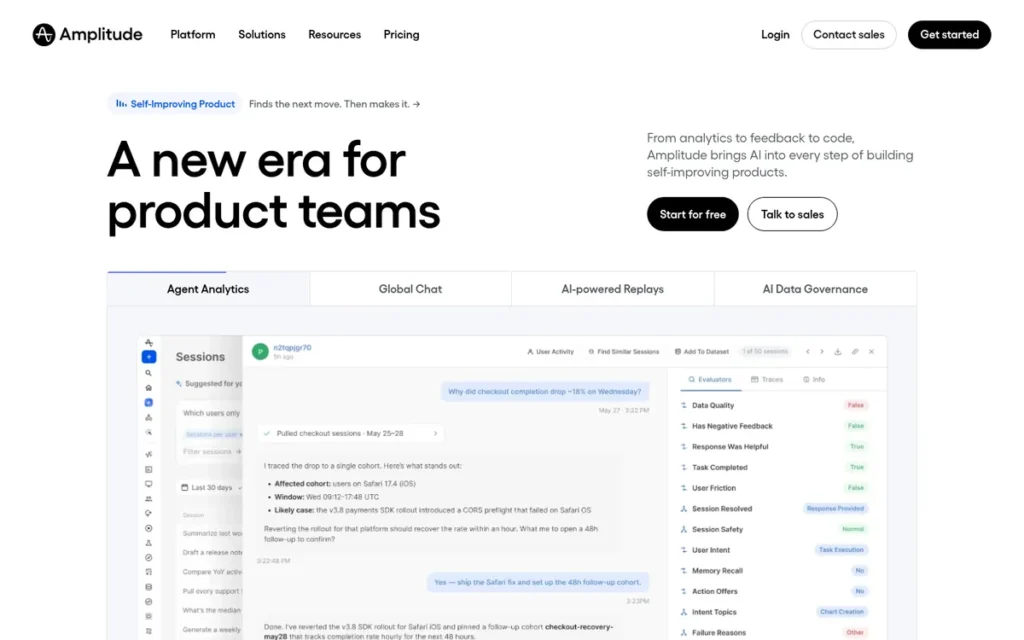
Category: Product Analytics. Amplitude Analytics runs event-based analysis of user actions, funnels and retention inside apps and websites.
At a Glance
- Category: Product Analytics
- Best For: Product and data teams that need deep behavioral analysis, especially those running a cloud data warehouse
- Price Range: Free (2M events/month). Plus is usage-based from $0 with two years of data retention. Growth and Enterprise are custom (Amplitude pricing page, November 2026). G2 list price: Starter Free; Plus Pay As You Go; Growth Contact Us (may change).
- Primary Strength: Amplitude Analytics offers the largest free event allowance of the hosted product-analytics tools in this ranking, plus autocapture and warehouse-native querying.
- Biggest Limitation: Amplitude Analytics moves from self-serve Plus pricing to sales-quoted Growth pricing, so costs beyond Plus are hard to predict.
- One-Line Summary: Amplitude Analytics is a product analytics platform for deep funnel, retention and cohort analysis. It offers 2M free events per month but needs careful event planning and does not replace GA’s acquisition reporting.
- Last Verified: November 2026
Replaces GA? Partial (product only). How it compares with Google Analytics: Amplitude Analytics goes deeper on funnels, retention and cohorts than GA. GA is generally stronger for web traffic and Google Ads reporting.
Overview Amplitude Analytics is a product analytics platform for product, growth and data teams who need deep funnel, retention and cohort analysis. It offers autocapture, session replay, a warehouse-native option and a free plan of two million events per month.
Amplitude Analytics was founded in 2012 in San Francisco. Amplitude Analytics is weaker than GA4 for web traffic and Google Ads reporting, so most teams add it alongside a web analytics tool.
Key Features
- Amplitude Analytics provides funnel, retention and cohort analysis built around behavioral events.
- Amplitude Analytics’ browser SDK can automatically capture page views, clicks, form interactions, downloads and attribution. You still need a tracking plan for consistent reporting.
- Amplitude Analytics offers a warehouse-native option that queries Snowflake, BigQuery or Databricks without copying data.
- Amplitude Analytics includes session replay, experimentation, heatmaps and feature flags in the same platform.
- Amplitude Analytics has added AI agents and MCP integrations, according to its release feed (Amplitude, November 2026).
Best For Amplitude Analytics is best for product and data teams that need deep behavioral analysis and already run Snowflake, BigQuery or Databricks. Amplitude Analytics also suits early-stage startups that qualify for its Startup Scholarship.
Pricing Amplitude’s own pricing page lists these plans (November 2026):
- Amplitude’s Free plan includes 2M events and 10K session replays per month.
- Amplitude’s Plus plan starts at $0, includes the first 2M events and scales with usage up to 700K MTUs or 70M events. Plus requires a credit card and keeps data for two years.
- Amplitude prices its Growth and Enterprise plans by custom quote.
- Amplitude’s Startup Scholarship gives one free year of Growth to startups with fewer than 20 employees and under $10M in funding.
Amplitude Analytics’ G2 list prices are Starter Free, Plus Pay As You Go and Growth Contact Us. G2 prices may change. Amplitude publishes no worked examples of costs at scale.
Strengths
- Amplitude Analytics has the largest G2 review base of the ranked tools: 3,117 reviews at 4.4/5 (G2, November 2026).
- Amplitude Analytics’ free plan includes 2M events and 10K session replays per month. That is the most generous free event allowance of the hosted product-analytics tools in this ranking (Amplitude pricing page, November 2026).
- Amplitude Analytics was recommended “if you need deeper data analysis” by a user who had just evaluated GA4 replacements (r/GoogleAnalytics, 2023). Another practitioner called it the leader among product-team tools (r/analytics, 2023).
- Amplitude Analytics’ warehouse-native option supports data ownership because the data stays in the team’s own warehouse.
Limitations Amplitude Analytics gives you analytical depth at the cost of simple setup and predictable pricing. G2’s switching summary says the move “can still require careful event planning and setup” (G2, November 2026).
- Amplitude Analytics users ask for better onboarding, clearer event-taxonomy tools and more consistent chart building (G2, November 2026).
- Third-party reviewers describe Amplitude Analytics’ move from self-serve Plus to sales-quoted Growth as a big jump in how pricing works (Toollers and SaaSTracker, November 2026).
- Amplitude Analytics does not replicate GA’s acquisition and Google Ads reporting.
Users on r/SaaS noted:
“We’re migrating from amplitude to posthog. Having run them side-by-side for for a while it does better job in terms of attributing the source campaign. Depends on you use case though, we’re B2B saas and need to map purchase conversion to an initial lead (which is more often than not a different contact).
For product-usage analytics we’re sticking with amplitude though.” Posted by u/danda_musna
Takeaway: Amplitude Analytics holds its place for product-usage analysis, but teams that need campaign attribution are moving that work to other tools.
Verdict Amplitude Analytics is the best Google Analytics companion for product teams that put analytical depth and warehouse integration ahead of simple setup.
Amplitude Analytics’ 2M-event free plan makes it easy to try. Get a written quote before you expect to outgrow Plus. If you mainly want traffic and source reports, choose a web analytics tool instead.
Evidence disclosure:
- G2: Amplitude Analytics holds a 4.4/5 rating from 3,117 reviews. G2 does not provide pros/cons counts (G2, November 2026).
- Data and consent behavior: Amplitude’s Browser SDK stores identity in cookies by default and can send IP addresses. Amplitude’s docs advise delaying initialization where consent is required (Amplitude docs, November 2026).
- Time to go live: Amplitude Analytics’ most commonly reported go-live range is under a month (G2, November 2026).
- Quantified case studies: No quantified Amplitude Analytics case studies were verified in our research.
- Community signal: Amplitude Analytics is discussed in r/GoogleAnalytics (2023) and r/analytics (2023). A targeted Amplitude search returned no threads.
Why Amplitude Analytics ranks #3: Amplitude Analytics shares Mixpanel’s Limited C1 rating and rates higher on C2 (warehouse-native data control). It rates lower than Mixpanel on C3 (no worked scaling examples), C5 and C6. Amplitude Analytics leads StatCounter on two of the three primary criteria, C2 and C3.
4. StatCounter: Best for Simple, Low-Cost Traffic Stats with Fast Setup
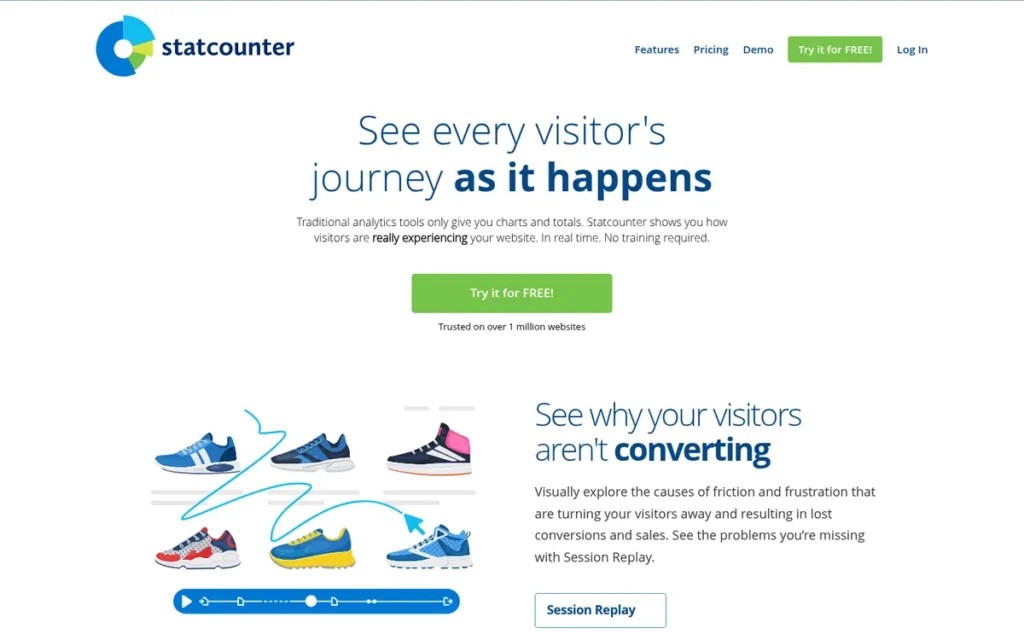
Category: Lightweight Traffic Analytics. StatCounter provides simple visitor, source and page reporting without GA’s complexity.
At a Glance
- Category: Lightweight Traffic Analytics
- Best For: Small-site owners, bloggers and SEOs who only need traffic, referrer and visitor-level stats
- Price Range: Free plan (14-day retention). G2 list price from $5/month ($0–$399/month, may change). Session Replay add-on $9–$29/month (StatCounter pricing page, November 2026).
- Primary Strength: StatCounter is one of the quickest tools in this ranking to set up, with under a day as its most commonly reported go-live time on G2, and reviewers say its stats are easy to understand.
- Biggest Limitation: StatCounter’s free plan keeps only 14 days of data, and StatCounter offers no funnels, cohorts or ecommerce reporting.
- One-Line Summary: StatCounter is a simple, low-cost web stats tool that typically goes live in under a day and shows activity for each visitor. It offers limited advanced analysis and uses cookies and IP addresses.
- Last Verified: November 2026
Replaces GA? Basic traffic only. How it compares with Google Analytics: StatCounter is easier to read than GA and shows each visit individually. StatCounter does not have GA’s conversion, ecommerce and integration depth.
Overview StatCounter is a simple real-time web statistics tool for small-site owners, bloggers and SEOs. It shows easy-to-read traffic, referrer and visitor-level data without GA4’s complexity. It has a free plan, and G2 lists paid plans from five dollars per month.
StatCounter was founded in 1999 in Dublin. It also publishes StatCounter Global Stats, a widely cited source of browser and OS market-share data. StatCounter’s reports focus on individual visits rather than totals.
Key Features
- StatCounter shows real-time visitor paths and an activity log for each visitor.
- StatCounter tracks keywords and referrers and can alert you when a specific visitor returns.
- StatCounter helps you investigate possible Google Ads click fraud by showing repeat paid clicks by IP, ISP and visit length. Repeated clicks flag possible fraud but do not prove it.
- StatCounter offers an optional Session Replay add-on from $9/month for 1K recordings (StatCounter pricing page, November 2026).
- StatCounter installs with a single tracking code that G2 reviewers describe as quick to add.
Best For StatCounter is best for owners of small websites and blogs who need basic traffic and referrer data running in under a day. StatCounter also suits advertisers who want a simple way to investigate suspicious repeat paid clicks.
Pricing StatCounter’s pricing, as of November 2026:
- StatCounter’s G2 list price is “From $5/month: $0–$399 per month.” G2 prices may change.
- StatCounter’s free plan keeps 14 days of data (StatCounter pricing page, November 2026).
- StatCounter’s Session Replay add-on costs $9/month for 1K recordings, $19/month for 10K and $29/month for 50K.
- StatCounter charges $399/month for Landing Page Analysis and gives a 10% discount on annual billing.
We could not verify StatCounter’s core paid tiers, which are priced by pageviews, from the vendor page.
Strengths
- StatCounter’s most commonly reported go-live time is under a day, which matches Google Analytics’ basic-tracking baseline (G2, November 2026).
- StatCounter holds a 4.3/5 G2 rating from 115 reviews, with 92.2% at 4 or 5 stars. Reviewers say its stats are “easy to locate and understand” (G2, November 2026).
- StatCounter drew the comment “Never used GA again after I installed it” (r/bigseo, 2023).
- StatCounter’s Google Ads click-fraud investigation tool is something none of the other ranked tools advertises.
This aligns with community sentiment on r/blogs:
“I’ve used StatCounter for well over 15 years – The desktop version tells you almost EVERYTHING you need to know, really well organized in that left-hand side bar.
Of course you still have to have Google Search Console for more keyword data and their view of some of your back links. But between those two – That’s all you need to run a really successful website – or 100.” Posted by u/macgizmoguy
Takeaway: Long-time StatCounter users say its reports cover almost everything a small site needs, as long as Google Search Console fills the keyword gap.
Limitations StatCounter gives you simplicity at the cost of depth. StatCounter offers no funnels, cohorts or ecommerce reporting. G2 reviewers say free-tier limits on logs and storage restrict how much past traffic they can examine (G2, November 2026).
- StatCounter’s advanced analysis and reporting are limited compared with other tools, and reviewers ask for a refreshed interface (G2, November 2026).
- StatCounter sets cookies to recognize returning visitors and records IP addresses unless IP masking is turned on, so most EU sites should plan for consent (StatCounter docs, November 2026).
- StatCounter’s support is described as mixed by G2 reviewers (G2, November 2026).
Verdict StatCounter is one of the fastest and simplest Google Analytics alternatives in this ranking for small sites that only need traffic, referrer and visitor-level stats.
Budget for a paid StatCounter plan if you need more than 14 days of history. StatCounter is not consent-exempt, and it offers no funnels or deep conversion reporting.
Evidence disclosure:
- G2: StatCounter holds a 4.3/5 rating from 115 reviews. G2 does not provide pros/cons counts (G2, November 2026).
- Data and consent behavior: StatCounter’s docs say its cookies store no personal information. StatCounter records IP addresses unless IP masking is enabled (StatCounter docs, November 2026).
- Time to go live: StatCounter’s most commonly reported go-live time is under a day (G2, November 2026).
- Quantified case studies: No quantified StatCounter case studies were verified in our research.
- Community signal: StatCounter is mentioned in r/bigseo (2023). No in-depth discussion was found.
Why StatCounter ranks #4: StatCounter is rated Strongest on C4 and Moderate on C1 (basic traffic coverage). It is rated Limited on C2 (cookies and IP by default) and Moderate on C3 (14-day free retention; core tiers unpublished). StatCounter ranks above GoSquared because it rates higher on C4 and C6.
5. GoSquared: Best for Real-Time Analytics Plus Live Chat

Category: Lightweight Traffic Analytics. GoSquared provides simple visitor, source and page reporting without GA’s complexity.
At a Glance
- Category: Lightweight Traffic Analytics
- Best For: Small and mid-sized online businesses that want real-time traffic data plus live chat and visitor profiles
- Price Range: £9–£99/month by pageviews, with a 7-day trial (GoSquared plans page, November 2026). G2 list price: Plans start at Free (may change).
- Primary Strength: GoSquared combines real-time analytics, visitor profiles and live chat, and every published plan includes unlimited data retention.
- Biggest Limitation: GoSquared sets cookies and collects IP addresses by default, and its Ecommerce dashboard is available only on the Enterprise plan.
- One-Line Summary: GoSquared is a real-time web analytics tool that adds visitor profiles and live chat to traffic reporting. Its published pageview-based plans start at £9 per month and include unlimited data retention.
- Last Verified: November 2026
Replaces GA? Basic traffic only. How it compares with Google Analytics: GoSquared adds live chat and customer profiles, which GA does not offer. GoSquared does not match GA’s ecommerce depth below the Enterprise plan.
Overview GoSquared is a real-time web analytics and customer engagement tool for small and mid-sized online businesses. It puts live traffic data, historical trends, visitor profiles and live chat in one place, with published plans priced by monthly pageviews.
GoSquared was founded in London in 2006. GoSquared offers “Now” real-time and “Trends” historical analytics alongside its People, Assistant and Inbox features.
Key Features
- GoSquared provides real-time analytics (“Now”) and historical analytics (“Trends”) for website traffic.
- GoSquared’s People feature builds visitor and customer profiles. Its Assistant live chat and shared Inbox let teams talk to visitors directly.
- GoSquared includes UTM and event tracking, unlimited team sharing and unlimited data retention on all published plans (GoSquared plans page, November 2026).
- GoSquared integrates with WordPress, Google Tag Manager, Squarespace, Slack, Zendesk, SendGrid, Shopify and Magento.
- GoSquared’s Ecommerce dashboard is available only on its Enterprise plan.
Best For GoSquared is best for small online businesses and SaaS marketing teams that want to see visitors in real time and chat with them from the same dashboard. GoSquared suits teams that care more about unlimited history than about having a free plan.
Pricing GoSquared’s own plans page lists these prices (November 2026):
- GoSquared’s Starter plan costs £9/month for 100K pageviews and 3 projects.
- GoSquared’s Standard plan costs £24/month for 500K pageviews and 5 projects.
- GoSquared’s Pro plan costs £49/month for 1M pageviews and 10 projects.
- GoSquared’s Scale plan costs £99/month for 2.5M pageviews and 20 projects.
GoSquared’s support docs mention a 7-day free trial, not an ongoing free plan. GoSquared’s G2 list price, “Plans start at: Free,” may change and conflicts with the vendor page.
Strengths
- GoSquared holds a 4.5/5 G2 rating, with 94.7% of 75 reviews at 4 or 5 stars. That ties Mixpanel for the highest rating in this ranking, but on the smallest review base (G2, November 2026).
- GoSquared includes unlimited data retention on every published plan, which avoids the history limits reviewers report with other simple tools (GoSquared plans page, November 2026).
- GoSquared is praised by G2 reviewers for ease of use, real-time analytics and responsive support (G2, November 2026).
- GoSquared is praised by Capterra and TrustRadius reviewers for combining People analytics with chat to convert leads (Capterra and TrustRadius, November 2026).
Limitations GoSquared puts engagement features ahead of privacy simplicity. By default, GoSquared sets first-party cookies and collects IP addresses, though IP anonymization is available (GoSquared docs, November 2026).
- GoSquared’s People features can store personal data, so plan for consent.
- Some G2 reviewers say GoSquared’s pricing can be high for small businesses (G2, November 2026).
- GoSquared users report mixed access to support and ask for more integrations and better Excel export (Capterra and TrustRadius, November 2026).
- GoSquared’s Ecommerce dashboard requires the Enterprise plan, which has no published price.
Verdict GoSquared is the best Google Analytics alternative in this ranking for small businesses that want real-time traffic data and live chat in one tool, with unlimited data retention.
GoSquared is not consent-exempt. Its G2 rating rests on only 75 reviews, so use the 7-day trial to check fit. Ecommerce-focused readers should confirm Enterprise pricing first.
Evidence disclosure:
- G2: GoSquared holds a 4.5/5 rating from 75 reviews. G2 does not provide pros/cons counts (G2, November 2026).
- Data and consent behavior: GoSquared sets first-party cookies and collects IP addresses by default, and IP anonymization is available (GoSquared docs, November 2026).
- Time to go live: G2 has no go-live data for GoSquared.
- Quantified case studies: No quantified GoSquared case studies were verified in our research.
- Community signal: We found no significant Reddit discussion of GoSquared.
Why GoSquared ranks #5: GoSquared is rated Strong on C3 (published pageview tiers with unlimited retention) and Moderate on C1, but Limited on C2 (cookies and IP by default). Its C5 rating is read with caution because it rests on 75 reviews. The lack of Reddit discussion did not lower its rank.
6. Adobe Analytics: Best for Large Enterprises with a Dedicated Analytics Team

Category: Full Web Analytics Suite (Enterprise). Adobe Analytics replaces most of GA’s traffic, acquisition, goal and ecommerce reporting for large organizations.
At a Glance
- Category: Full Web Analytics Suite (Enterprise)
- Best For: Large enterprises with dedicated analytics staff that need unsampled, highly customized reporting
- Price Range: Pricing on request. Select, Prime and Ultimate packages are custom-quoted and metered on server calls (Adobe pricing page, November 2026). G2 list price: not listed.
- Primary Strength: Adobe Analytics offers unsampled, deeply customizable enterprise reporting and was named a Leader in The Forrester Wave: Digital Analytics Solutions, Q3 2025.
- Biggest Limitation: Adobe Analytics has no public pricing, implementations that take months and a steep learning curve.
- One-Line Summary: Adobe Analytics is an enterprise digital analytics platform with unsampled, highly configurable reporting for large organizations. Pricing is custom-quoted, and implementations often take one to three months or longer.
- Last Verified: November 2026
Replaces GA? Enterprise replacement. How it compares with Google Analytics: Adobe Analytics offers unsampled reporting and deeper customization than free GA. Adobe Analytics is slower to implement and harder to learn than GA.
Overview Adobe Analytics is an enterprise digital analytics platform for large organizations with dedicated analytics teams. It offers unsampled reporting, advanced segmentation and highly customized tracking across web and mobile properties. It is sold through custom-quoted packages metered on server calls.
Adobe Analytics is built on Omniture, which Adobe acquired for $1.8B (CNBC, 2009). Adobe’s Customer Journey Analytics (CJA) is a separate product and does not come with Adobe Analytics.
Key Features
- Adobe Analytics provides Analysis Workspace for drag-and-drop analysis, segmentation and dashboards on unsampled data.
- Adobe Analytics supports custom variables (eVars and props) that let experienced teams model complex journeys.
- Adobe Analytics sells attribution and Live Stream real-time data as add-ons.
- Adobe Analytics bills on primary and secondary server calls, so page views, links and events all count toward usage.
- Adobe Analytics supports 30 languages (G2, November 2026).
Best For Adobe Analytics is best for large enterprises that already employ analytics specialists and can absorb custom contract pricing and an implementation that takes months. Adobe Analytics is not a fit for small businesses looking for something simpler than GA4.
Pricing Adobe sells Adobe Analytics’ Select, Prime and Ultimate packages by custom quote only, metered on server calls (Adobe pricing page, November 2026). G2 lists no price for Adobe Analytics.
TrustRadius users say Adobe Analytics’ cost depends on server-call volume, and Vendr gives no reliable standard annual price (TrustRadius and Vendr, November 2026). PlugRoute found no reliable public dollar figure. Request a quote based on your projected server calls.
Strengths
- Adobe Analytics was named a Leader in The Forrester Wave: Digital Analytics Solutions, Q3 2025, the only analyst placement verified for any ranked product (Adobe, 2025; Forrester, 2025).
- Adobe Analytics holds a 4.2/5 G2 rating from 1,263 reviews, with 89.9% at 4 or 5 stars. Insights (84) and Analytics (77) are its top pros (G2, November 2026).
- Capterra reviewers cite Adobe Analytics’ unsampled reporting as an advantage over free GA, and one reviewer called it a “data scientist’s playground” (Capterra, November 2026).
- Adobe Analytics is chosen by teams leaving GA for more detailed reporting, flexible segmentation and stronger journey analysis, according to G2’s switching summary (G2, November 2026).
Limitations Adobe Analytics gives you power at the cost of accessibility. G2’s implementation article reports an average go-live of about 3.2 months, and some projects take 6–12 months or more (G2, November 2026).
- Adobe Analytics’ top G2 cons are Learning Curve (51), Steep Learning Curve (27), Slow Performance (23) and Expensive (23) (G2, November 2026).
- One practitioner said everything they had been told about Adobe Analytics they had “now been told about GA4” (r/bigseo, 2023).
- Adobe Analytics has no public pricing and sells attribution and Live Stream as paid add-ons. It documents a CNIL exemption configuration but is not exempt by default.
Users on r/analytics noted:
“Watch out with Adobe, they will price you high. There are ways to reduce the cost of the contract if you remove some of the functionality. It is going to cost a lot either way.
I really like Adobe, but you need to make sure that your traffic #s justify it.” Posted by u/wm1989
Takeaway: Even users who like Adobe Analytics say its contract pricing only makes sense when traffic volume justifies the cost.
Verdict Adobe Analytics is the only enterprise-grade full replacement for Google Analytics in this ranking, with unsampled, highly configurable reporting.
Custom pricing, implementations that take months and a steep learning curve make Adobe Analytics a poor fit for readers leaving GA4 because it is too complex. Enterprises with dedicated analytics staff may find the depth worth the cost.
Smaller teams should start with Matomo for a full replacement or StatCounter for simple traffic stats.
Evidence disclosure:
- G2: Adobe Analytics holds a 4.2/5 rating from 1,263 reviews (G2, November 2026).
- Data and consent behavior: Adobe Analytics documents a limited CNIL consent-exemption setup: a 13-month cookie limit, 25-month maximum data retention, IP anonymization and single-site measurement. That guidance is published by Adobe, not by a regulator, and Adobe Analytics is not exempt by default (Adobe Experience League, November 2026).
- Time to go live: Adobe Analytics averages about 3.2 months to go live, according to G2’s implementation article (G2, November 2026).
- Quantified case studies: No quantified Adobe Analytics case studies were verified in our research.
- Community signal: Adobe Analytics is discussed in r/bigseo (2023), r/analytics (2023) and r/googleads (2024).
Why Adobe Analytics ranks #6: Adobe Analytics is rated Strong on C1 (enterprise replacement), C2 (vendor-documented CNIL configuration) and C6 (Forrester Wave Leader). It is rated Limited on C3 (no public pricing) and C4 (about 3.2-month average go-live), which match the main reasons readers leave GA4. For enterprise buyers, Adobe Analytics would rank higher.
7. Parse.ly: Best for Publishers Measuring Content Performance

Category: Content Analytics. Parse.ly measures how editorial content performs and is built for editors rather than analysts.
At a Glance
- Category: Content Analytics
- Best For: Digital publishers, newsrooms and content-led brands whose editors need content performance data
- Price Range: Pricing on request on the vendor page. G2 list price: Basic $12,000 per user per year (may change). Third-party figures conflict (November 2026).
- Primary Strength: Parse.ly gives editors easy-to-use real-time and historical content metrics, plus an unsampled data pipeline to a warehouse the company owns.
- Biggest Limitation: Parse.ly is a content-only tool with the highest list price in this ranking and no ads or ecommerce reporting.
- One-Line Summary: Parse.ly is a content analytics platform for publishers and editorial teams. It measures article, author and topic performance with 30 attention metrics, at a G2 list price of $12,000 per user per year.
- Last Verified: November 2026
Replaces GA? Partial (content only). How it compares with Google Analytics: Parse.ly gives editors clearer content metrics than GA. Parse.ly does not have GA’s marketing, ads and ecommerce reporting.
Overview Parse.ly is a content analytics platform for publishers, newsrooms and content-led brands. Editors use it to see how stories, authors and topics perform in real time and over time, with thirty attention metrics and editor-friendly dashboards.
Parse.ly was founded in 2009 in New York and has been part of Automattic’s WordPress VIP since February 2021 (TechCrunch, 2021). Parse.ly is a specialist tool for editorial teams, not a general marketing or ecommerce analytics suite.
Key Features
- Parse.ly offers a dashboard for stories, authors, tags and referrers with what the vendor describes as 30 unique attention metrics.
- Parse.ly provides real-time and historical views, plus Content Conversions to link content to outcomes.
- Parse.ly’s Data Pipeline delivers unsampled, event-level data to BigQuery or Redshift for use in Looker or Tableau.
- Parse.ly integrates with WordPress VIP and offers a WordPress plugin.
- Parse.ly provides an API for teams that want to build custom reports.
Best For Parse.ly is best for digital publishers and editorial teams with budgets in the thousands of dollars per year who need editors, not just analysts, to act on content data. Parse.ly does not suit small sites or ecommerce businesses replacing GA.
Pricing Parse.ly’s pricing, as of November 2026:
- Parse.ly’s G2 list price is Basic $12,000 per user per year. G2 prices may change.
- Parse.ly’s own pricing page names three tiers (Content Performance, Content Value and Content Advocacy) without dollar amounts.
- Third-party price figures for Parse.ly conflict. TrustRadius lists “from $499/month,” while SpotSaaS lists Starter at $995/month and Growth at $1,850/month (TrustRadius and SpotSaaS, November 2026).
WordPress VIP’s $25,000/year price is for the CMS platform, not Parse.ly alone.
Strengths
- Parse.ly holds a 4.4/5 G2 rating from 149 reviews (G2, November 2026) and a 7.8/10 TrustRadius score from 130 reviews and ratings (TrustRadius, November 2026).
- Parse.ly’s Data Pipeline delivers unsampled, event-level data to BigQuery or Redshift, so publishers can own their raw data.
- Parse.ly is used by Slate, the New York Post and NAPCO Media, according to testimonials the vendor publishes (Parse.ly, November 2026).
- Parse.ly was credited with “better historical reporting” than Chartbeat (r/adops, 2015).
Limitations Parse.ly gives up breadth for editorial focus. Parse.ly has no ads or ecommerce depth, so most businesses would still need GA or another web analytics tool.
- Reddit users describe Parse.ly as a more usable layer on top of GA, not a free replacement (r/adops, 2015; r/analytics, 2018).
- Parse.ly’s G2 list price of $12,000 per user per year is the highest in this ranking, and BenchmarkGrid calls its pricing “high and opaque” for smaller publishers (BenchmarkGrid, November 2026).
- Parse.ly reviewers want more historical data and stronger reporting (G2, November 2026).
Verdict Parse.ly is the best Google Analytics companion in this ranking for publishers whose editors need content-level performance data, but it does not replace GA’s marketing or ecommerce reporting.
Parse.ly suits newsrooms with budgets well above small-business levels. Small publishers should first check whether GA4 with content groupings already answers their questions.
Evidence disclosure:
- G2: Parse.ly holds a 4.4/5 rating from 149 reviews. G2 does not provide pros/cons counts (G2, November 2026).
- Data and consent behavior: Parse.ly sets first-party cookies, including a pseudonymous _parsely_visitor identifier that lasts 13 months. Its docs recommend loading the tracker only after consent where consent is required (Parse.ly docs, November 2026).
- Time to go live: G2 has no go-live data for Parse.ly.
- Quantified case studies: Parse.ly’s testimonials are published by the vendor, and no quantified case studies were verified.
- Community signal: Parse.ly is discussed in r/adops (2015) and r/analytics (2018). These threads are dated.
Why Parse.ly ranks #7: Parse.ly is rated Strong on C5 (4.4/5 on G2 and 7.8/10 on TrustRadius). It is rated Limited on C1 (content only), C2 (first-party cookies) and C3 (highest list price, no public dollar figures). For publishers specifically, Parse.ly is a stronger fit than its rank suggests.
Also Worth Knowing (Unranked)
Reddit users and AI answer engines often recommend several tools that are not ranked here. They fall outside the G2-verified candidate set used for this review. Leaving them out is not a judgment on their quality, and we did not verify their prices or limits for this article.
- Plausible is a lightweight, cookieless traffic analytics tool that Reddit users often recommend to readers who find GA4 too complex. Plausible’s consent status still depends on how you configure and use it.
- Fathom is a lightweight, privacy-focused traffic analytics tool for simple dashboards. Fathom’s pricing and limits were not verified for this review.
- Umami is an open-source, self-hostable analytics tool that one user called a lighter option than Matomo when you don’t need separate client accounts (r/selfhosted, 2026). Umami’s self-hosting carries the same maintenance burden as any self-hosted install.
- PostHog is a product analytics platform that one user called a “cheaper alternative” to Mixpanel and Amplitude but “not great for reporting” (r/GoogleAnalytics, 2023). PostHog’s G2 data was not part of the verified set.
- Microsoft Clarity is a heatmap and session-recording tool, detected on about 4.2% of websites (W3Techs, November 2026). Microsoft Clarity works alongside a traffic tool and does not replace GA’s traffic reporting.
- Cloudflare Web Analytics is detected on about 4.7% of websites (W3Techs, November 2026). Cloudflare Web Analytics’ feature depth compared with GA was not assessed in this review.
Why Do Teams Look for a Google Analytics Alternative?
Teams most often leave Google Analytics because GA4 is hard to learn, not because it lacks features. Privacy and consent worries, and a wish to own their data, are the other main reasons. All five of Google Analytics’ most-mentioned G2 cons concern learning and complexity (G2, November 2026).
These are GA4’s top G2 cons (G2, November 2026):
- Google Analytics’ “Learning Curve” con appears in 106 G2 reviews.
- Google Analytics’ “Learning Difficulty” con appears in 73 G2 reviews.
- Google Analytics’ “Complexity” con appears in 73 G2 reviews.
- Google Analytics’ “Not Intuitive” con appears in 63 G2 reviews.
- Google Analytics’ “Steep Learning Curve” con appears in 61 G2 reviews.
Google Analytics still dominates. It is detected on 46.2% of all websites and on 81.0% of sites with an identified traffic-analysis tool (W3Techs, November 2026). Many sites run several tools, so these shares overlap.
G2 reviewers want these improvements (G2, November 2026):
- Google Analytics should offer simpler navigation, clearer explanations of metrics and more useful default reports.
- Google Analytics should offer more guided setup for events and conversions.
- Google Analytics should make data gaps, delays and sampling easier to understand.
“I want something that does not overwhelm where i can give clients a login for their statistics. Looks and feels modern, and not so cluttered as GA4!” (u/Icy-Inspection7866, r/selfhosted, 2026)
Takeaway: Many GA4 users want a simpler dashboard and separate client logins, not more features.
How Does Each Alternative Compare With Google Analytics?
Matomo and Adobe Analytics are the only ranked tools that broadly replace Google Analytics. StatCounter and GoSquared replace basic traffic reporting, while Mixpanel, Amplitude Analytics and Parse.ly cover only part of what GA does. No ranked tool reproduces GA’s native Google Ads and Search Console integrations, so check how much you depend on them first.
| Product | G2 rating (reviews, Nov 2026) | G2 list price (may change) | Vendor page price (Nov 2026) | Pricing unit | Replaces GA? | Default consent posture | Strength vs. GA | Weakness vs. GA |
|---|---|---|---|---|---|---|---|---|
| Google Analytics (baseline) | 4.5 (6,893) | Not listed on G2 | Free tier | n/a | n/a | Consent Mode with a consent banner | Google Ads, Search Console, BigQuery integrations | Learning curve and complexity |
| Matomo | 4.2 (97) | Basic $9/month | Cloud from 29/month (USD or EUR); On-Premise free | Hits (Cloud) | Full | CNIL-configurable (CNIL-published guide) | Data ownership; no sampling | Self-hosting effort; performance at scale |
| Mixpanel | 4.5 (1,400) | Free; Growth $25/month; Enterprise on quote | Growth from $0 + usage ($185/month at 2M events, annual) | Events | Partial (product) | Cookies by default; IP used for geolocation | Self-serve funnels and cohorts | Not an acquisition tool |
| Amplitude Analytics | 4.4 (3,117) | Starter Free; Plus Pay As You Go; Growth Contact Us | Free 2M events; Plus from $0 + usage | Events / MTUs | Partial (product) | Cookies by default; can send IP | Depth; autocapture; warehouse-native | Sales-quoted top tiers |
| StatCounter | 4.3 (115) | From $5/month ($0–$399) | Free (14-day retention); paid tiers not published | Plan tiers (pageview-based tiers not published) | Basic traffic | Cookies; IP unless masked | Simplicity; per-visitor logs | 14-day free retention |
| GoSquared | 4.5 (75) | Plans start at Free | £9–£99/month | Pageviews | Basic traffic | Cookies and IP by default | Live chat and visitor profiles | Ecommerce dashboard is Enterprise-only |
| Adobe Analytics | 4.2 (1,263) | Not listed | Custom quote | Server calls | Enterprise | CNIL-configurable (vendor-documented) | Unsampled, highly customizable | Cost; go-live takes months |
| Parse.ly | 4.4 (149) | Basic $12,000/user/year | No public price | Seats | Partial (content) | First-party cookies; consent-gated loading documented | Editor-friendly content metrics | No ads or ecommerce depth |
What Do You Lose When You Leave GA4?
When you leave GA4, you lose Google-only integrations: Google Ads conversion imports and the Search Console link. GA4 keeps user- and event-level data for Explorations for only 2 or 14 months. Google Ads conversion imports from GA4 also do not backfill history (Google Analytics and Google Ads Help, November 2026).
Leaving GA4 typically costs you:
- Google Ads conversion imports linked through GA4, which do not carry over to other analytics tools.
- The Search Console link, which only works with Google tools.
- GA4’s event-level history, which does not import into most new tools and expires after 2 or 14 months.
- Your BigQuery pipeline. An existing GA4 BigQuery export stays in place, but the replacement tool needs its own.
GA4’s history has a deadline. If your GA4 property uses the default 2-month retention, the event-level data behind Explorations from three months ago is already gone. Export it before you switch, not after (Google Analytics Help, November 2026).
These steps reduce the risk of migrating:
- Run the new tool alongside GA4 for at least one full reporting cycle before you remove GA4.
- If Matomo is your destination, use Matomo’s Google Analytics importer after confirming it supports GA4.
- Use a customer data platform (CDP) such as Rudderstack to trial several tools without re-implementing tracking, as one user suggested (r/GoogleAnalytics, 2023).
“Posthog + GA4. I want to remove GA4 but not sure how practical that is with Google Ads.” (u/jokull, r/bigseo, 2023)
Takeaway: Depending on Google Ads is the most common reason teams keep GA4 running alongside a new tool.
Can I Remove My Cookie Banner If I Switch?
Switching tools does not automatically remove your cookie banner, because there is no EU-wide list of analytics tools that are exempt from banners. France’s CNIL exempts only audience measurement that meets strict conditions. Matomo is the only ranked tool with a CNIL-published configuration guide, and Adobe Analytics documents its own CNIL setup. This section is not legal advice.
CNIL’s exemption applies only when all of these conditions hold (CNIL, November 2026):
- The analytics tool is used only to measure audience on the publisher’s own site.
- The analytics data is not cross-checked against other data.
- Visitors have a way to object to the analytics tracking.
ePrivacy rules govern storing or reading data on a device, including cookies and localStorage. GDPR governs processing personal data such as IP addresses. A tool can need consent under either. EDPB Guidelines 2/2023 confirm that “cookieless” tracking can still require consent (EDPB, 2023).
The EU–US Data Privacy Framework gives certified US companies a legal way to transfer data, but it does not remove consent obligations.
Here is the default consent behavior we verified for each ranked tool (vendor docs, November 2026):
- Matomo: Matomo can be configured for the CNIL exemption. Order-level ecommerce detail, User ID, heatmaps and session recording require consent.
- Adobe Analytics: Adobe Analytics documents a CNIL setup with a 13-month cookie limit, 25-month retention, IP anonymization and single-site measurement.
- Mixpanel: Mixpanel’s JavaScript SDK sets cookies by default and uses IP addresses for geolocation.
- Amplitude Analytics: Amplitude Analytics’ Browser SDK stores identity in cookies by default and can send IP addresses.
- StatCounter: StatCounter sets cookies and records IP addresses unless IP masking is turned on.
- GoSquared: GoSquared sets first-party cookies and collects IP addresses by default, and IP anonymization is available.
- Parse.ly: Parse.ly sets first-party cookies, including a 13-month visitor identifier.
The same Matomo install can run without a banner for French visitors in CNIL mode. If you turn on session recordings or User ID, those features need consent again (Matomo FAQ, November 2026).
A “privacy-friendly” label is a marketing claim. A consent exemption comes from configuration, and it depends on which features you turn on.
How Much Will a GA Alternative Cost as You Grow?
What you pay for a Google Analytics alternative depends on its pricing unit: events, MTUs, hits, pageviews, server calls or seats. Mixpanel is the only event-based tool in this ranking that publishes worked scaling examples. Amplitude Analytics, Adobe Analytics and Parse.ly require sales quotes at higher tiers.
Each ranked tool charges by a different unit:
- Mixpanel and Amplitude Analytics charge by events or monthly tracked users (MTUs).
- Matomo Cloud charges by monthly hits.
- GoSquared charges by monthly pageviews.
- Adobe Analytics charges by server calls on enterprise contracts.
- Parse.ly charges per seat, at an annual price.
- StatCounter has a free tier with 14-day retention, and its paid plans remove that limit.
Here is a worked example. A site sending 2M tracked events a month pays $0 on Amplitude’s free plan. The same site pays $185/month on Mixpanel Growth with annual billing, or $259/month billed monthly. Adobe Analytics requires a quote (vendor pages, November 2026).
G2 list prices conflicted with vendor pricing pages for three ranked tools (November 2026):
- Mixpanel’s Growth plan is $25/month flat on G2 but usage-based on Mixpanel’s page.
- Matomo is $9/month on G2, but Matomo Cloud starts at 29 per month on Matomo’s page.
- GoSquared starts at Free on G2 but at £9/month on GoSquared’s page.
Switching analytics tools changes your pricing unit, not just your price, so compare costs at your own volume.
Is a Free Self-Hosted Google Analytics Alternative Really Free?
A free self-hosted Google Analytics alternative such as Matomo On-Premise removes the licence fee but not the operating cost. Self-hosting shifts the cost to servers, archiving, backups, updates and staff time. The site owner also becomes legally responsible for securing visitor data. Matomo Cloud removes that work.
Self-hosting Matomo involves these costs:
- Self-hosting Matomo requires a server that you set up, pay for and keep updated.
- Self-hosting Matomo requires scheduled cron archiving, which can take hours on large installs (Matomo FAQ, November 2026).
- Self-hosting Matomo requires PHP CLI or SSH access to run that archiving.
- Self-hosting Matomo requires regular backups and software updates.
- Self-hosting Matomo makes the site owner legally responsible for securing visitor data.
One practitioner warned that self-hosters are “absolutely now on the hook” for securing and backing up that data (r/GoogleAnalytics, 2023). Umami is a lighter self-hosted option, but it carries the same maintenance burden.
Can Mixpanel or Amplitude Analytics Replace Google Analytics for SaaS Teams?
Mixpanel and Amplitude Analytics usually cannot replace Google Analytics on their own, because neither reproduces GA’s acquisition, campaign and Google Ads reporting. SaaS teams typically pair one with a traffic tool such as GA4 or Matomo. The traffic tool shows where users came from, and the product tool shows what they did next.
Here is how to choose between the two:
- Choose Mixpanel if you want published scaling prices and the higher G2 satisfaction rate (96.6% at 4–5 stars).
- Choose Amplitude Analytics if you run Snowflake, BigQuery or Databricks and want warehouse-native analysis.
- Choose Amplitude Analytics if you need the larger free allowance of 2M events per month.
Will an Alternative Actually Be Simpler?
An alternative is not automatically simpler than Google Analytics. G2 data shows learning-curve complaints for GA, Adobe Analytics, Mixpanel and Matomo. StatCounter and Matomo both list under a day as a common go-live time on G2, matching GA’s baseline. Product and enterprise tools usually take weeks or months.
These are typical go-live times on G2 (G2, November 2026):
- StatCounter’s most commonly reported go-live time is under a day.
- Matomo’s most commonly reported go-live times are under a day and under a month.
- Mixpanel’s and Amplitude Analytics’ most commonly reported go-live time is under a month.
- Adobe Analytics averages about 3.2 months to go live, according to G2’s implementation article.
If simplicity is your main goal, choose from the Lightweight Traffic Analytics category.
When Should You Stay With Google Analytics?
Staying with Google Analytics is the right call when your marketing depends on Google Ads, Search Console or the free BigQuery export, or when your budget is zero and your traffic is high. Easy Integrations (104 mentions) is one of Google Analytics’ top G2 pros, and basic tracking usually goes live in under a day (G2, November 2026).
Stay with GA4 if any of these apply:
- You depend on Google Ads conversion imports and bidding, which work natively with GA4.
- You rely on GA4’s Search Console link or its free BigQuery export.
- You have a $0 budget and high traffic, so usage-based pricing elsewhere would get expensive.
- Your team already knows GA4 well, and many alternatives have learning-curve complaints of their own.
- Your main complaint is GA4’s interface. Reddit users report that Looker Studio dashboards built on GA4 solved this (r/GoogleAnalytics, 2023).
- You can run GA4’s Consent Mode with a consent banner in your markets.
What Should I Do in the First 30 Days After Switching?
For the first 30 days after switching, run the new tool alongside GA4 rather than replacing it outright. Use that time to export GA4’s event-level history, configure consent and compare totals between the two tools. A parallel period catches tracking gaps while your old data still exists.
- Export GA4 event-level data, for example through BigQuery, before the 2- or 14-month retention window deletes it.
- Configure consent for the new tool before it starts collecting data.
- Run GA4 and the new tool in parallel for at least one full reporting cycle and compare their totals.
- Keep GA4 linked to Google Ads if bidding uses GA4 key events, because conversion imports do not backfill (Google Ads Help, November 2026).
- Remove GA4 only after the new tool’s reports cover every report you use each month.
What Red Flags Should I Watch For When Evaluating Google Analytics Alternatives?
The biggest red flags are consent claims that skip the legal details, G2 prices that differ from vendor pages, “free” self-hosting with no mention of operating costs, and product analytics tools sold as full GA replacements. Each red flag below is a reason to ask the vendor for documentation before you sign.
Red Flag #1: “Cookieless” Marketing Presented as a Legal Exemption Calling an analytics tool “cookieless” does not make it exempt from consent. EDPB Guidelines 2/2023 apply ePrivacy Article 5(3) to any storage of, or access to, information on a user’s device, including localStorage. Ask the vendor for configuration guidance that references a regulator, such as CNIL’s Matomo guide, before you remove a banner.
Red Flag #2: G2 List Price Doesn’t Match the Vendor’s Pricing Page A G2 list price that differs from the vendor’s own page suggests the figure is out of date. In November 2026, G2 showed Mixpanel Growth at $25/month flat, Matomo at $9/month and GoSquared from free. The vendor pages showed usage-based pricing, 29 per month and £9/month. Budget from the vendor’s current page.
Red Flag #3: “Free” Self-Hosting With No Mention of Server or Archiving Costs Free self-hosted analytics removes the licence fee but not the operating cost. A self-hosted install still needs a server, scheduled cron archiving, PHP CLI or SSH access, backups, updates and someone legally responsible for visitor data. Matomo’s FAQ warns that archiving large installs can take hours without scheduled jobs.
Red Flag #4: Product Analytics Sold as a Full GA Replacement Product analytics tools such as Mixpanel and Amplitude Analytics analyze funnels, retention and cohorts, but they do not reproduce GA’s acquisition, campaign and Google Ads reporting. A practitioner said such tools “aren’t really appropriate as an analytics system of record” (r/bigseo, 2023), so most teams run them alongside a traffic tool.
Red Flag #5: Free Tier With Short Data Retention A free tier with short data retention makes trend and year-over-year analysis impossible. StatCounter’s free plan keeps 14 days of data, GoSquared includes unlimited retention on all paid plans, and Amplitude Plus keeps two years (vendor pages, November 2026). Check how long each plan keeps data before you commit.
Red Flag #6: Pricing That Jumps From Self-Serve to Sales-Quoted Pricing that moves from self-serve tiers to custom quotes makes costs at scale hard to predict. Amplitude Analytics moves from self-serve Plus to quoted Growth pricing, and Adobe Analytics and Parse.ly publish no dollar prices on their own pages. Ask for a written quote at twice your current volume before signing.
What Questions Should I Ask Before Choosing a Google Analytics Alternative?
Before you choose a Google Analytics alternative, list the reports and integrations you actually use. Then check the consent implications of the features you need, model costs at twice your traffic, assign an owner for any self-hosted install and export your GA4 history. These six questions prevent the most common migration regrets.
Question #1: Which GA reports and integrations do I actually use each month? The reports you use each month decide which category of tool you need. If you only use traffic, sources and top pages, a lightweight tool such as StatCounter or GoSquared may be enough. If you rely on funnels and retention, add a product analytics tool rather than replacing GA4 outright.
Question #2: Do I still need Google Ads conversion imports? If Google Ads bidding depends on GA4 key events, plan to keep GA4 running alongside any alternative. Google Ads conversion imports from GA4 do not backfill past conversions, so removing GA4 interrupts the conversion signals your bidding uses (Google Ads Help, November 2026).
Question #3: Which features would take me outside a consent exemption? In Matomo’s CNIL mode, order-level ecommerce detail, User ID, heatmaps and session recordings require consent, while aggregate conversion and revenue metrics stay available (Matomo FAQ, November 2026). Adobe Analytics documents its own CNIL conditions. Ask every other vendor for the equivalent list before you assume you can drop the banner.
Question #4: What will this cost at twice my current traffic? Modeling costs at twice your traffic shows whether event, hit, pageview or server-call pricing stays affordable as you grow. For example, Mixpanel’s Growth plan rises from $185/month at 2M events to $270/month at 3M events on annual billing (Mixpanel pricing page, November 2026). Request written quotes for sales-priced tools.
Question #5: Who will maintain a self-hosted install? A self-hosted install needs a named owner for updates, backups, scheduled archiving and data-security compliance. Matomo’s FAQ warns that archiving large installs can take hours without cron jobs (Matomo FAQ, November 2026). If no one on your team can own that work, budget for a hosted plan.
Question #6: Have I exported my GA4 history? GA4 history does not move automatically to most new tools, and GA4 keeps user- and event-level data for Explorations for only 2 or 14 months (Google Analytics Help, November 2026). Export event-level data, for example through BigQuery, before you change anything, because expired data cannot be recovered.
How Did We Rank These Google Analytics Alternatives?
PlugRoute ranked seven Google Analytics alternatives on six weighted criteria: three primary and three secondary. The criteria measure how well each tool fits as a GA alternative for website owners, marketers and product teams, not overall analytics power. For that reason, the ranking does not follow G2 review volume.
Primary criteria:
- C1: GA Replacement Coverage. C1 shows whether a tool removes the need to keep GA4 running alongside it.
- C2: Data Control and Documented Consent Posture. C2 covers privacy, cookie banners and data ownership, which are readers’ most pressing concerns.
- C3: Pricing Transparency and Cost Predictability at Scale. C3 covers usage-based bills and hidden self-hosting costs, which are hard to forecast.
Secondary criteria:
- C4: Ease of Adoption and Time to Go Live. C4 tests whether switching actually makes analytics simpler.
- C5: Verified User Reputation. C5 uses G2 ratings, review counts and 4–5 star shares, read with caution when review volume is low.
- C6: Depth of Verifiable Evidence. C6 separates regulator, analyst and independent data from vendor marketing.
Primary criteria outweigh secondary ones. A tool with partial GA coverage can outrank a basic traffic tool when it leads on pricing transparency (C3) and user reputation (C5). Missing evidence is disclosed the same way for every tool and scored neutral on C1–C5. Only C6 measures evidence depth directly.
| Tool | C1 | C2 | C3 | C4 | C5 | C6 |
|---|---|---|---|---|---|---|
| Matomo | Strongest | Strongest | Strong | Moderate | Moderate | Strong |
| Mixpanel | Limited | Limited | Strongest | Moderate | Strongest | Strong |
| Amplitude Analytics | Limited | Moderate | Strong | Moderate | Strong | Moderate |
| StatCounter | Moderate | Limited | Moderate | Strongest | Strong | Moderate |
| GoSquared | Moderate | Limited | Strong | Not established | Strong | Limited |
| Adobe Analytics | Strong | Strong | Limited | Limited | Moderate | Strong |
| Parse.ly | Limited | Limited | Limited | Not established | Strong | Moderate |
Adobe Analytics rates well on more criteria than its #6 position suggests. It ranks sixth because its Limited ratings on C3 and C4 match the cost and complexity concerns that push most readers away from GA4. StatCounter and GoSquared are the closest pair. StatCounter ranks higher because of its C4 and C6 ratings.
The candidate set came from G2’s verified list of products shown next to Google Analytics (November 2026). We excluded Semrush and Comscore because they are not genuine GA substitutes. We excluded Chartbeat because it overlaps with Parse.ly and has fewer reviews.
PlugRoute has no affiliate relationships with any company listed, and rankings are determined entirely by research data and objective evaluation criteria.
What Do Readers Ask Most About Google Analytics Alternatives?
Readers most often ask which Google Analytics alternative suits a small business, whether any tool removes the need for a cookie banner, and how PlugRoute decides its rankings. The short answers below use dated evidence from G2 (November 2026), vendor documentation and regulator guidance, so each answer stands on its own.
What is the best Google Analytics alternative for a small business in 2026?
Matomo is the best alternative for a small business that wants a full replacement with data ownership. Use Matomo Cloud, from 29 per month, if no one on your team can run a server.
Two simpler options suit narrower needs:
- StatCounter suits basic traffic stats and usually goes live in under a day.
- GoSquared suits small businesses that also want live chat.
Can I use a Google Analytics alternative without a cookie banner?
You can drop the cookie banner only if your analytics tool is configured to meet a regulator’s specific exemption conditions. Matomo is the only ranked tool with a CNIL-published guide, and Adobe Analytics documents its own CNIL setup.
“Cookieless” claims alone do not guarantee an exemption under EDPB Guidelines 2/2023. Get legal advice for your markets.
How does PlugRoute determine its rankings?
PlugRoute scores every product on six weighted criteria using dated evidence from G2, vendor pages, regulators and Reddit. Rankings reflect how well each tool fits readers leaving GA4, not raw review volume.
- PlugRoute’s primary criteria are GA replacement coverage, consent posture and pricing transparency.
- PlugRoute’s secondary criteria are ease of adoption, verified reputation and evidence depth.
What Do Key Google Analytics Alternative Terms Mean?
Google Analytics alternatives price and measure data in different units, including events, monthly tracked users, hits, server calls and seats. To compare tools, you need to know those terms. You also need to know about data sampling, data retention, self-hosting and consent exemptions, which together decide what a tool costs and what it can legally collect.
Event: An event is a single tracked user action, such as a click, signup or purchase. Event-based tools often charge by event volume, so the number of events you track directly affects your bill.
Monthly Tracked User (MTU): An MTU is a unique user counted once per month, no matter how many actions they take. MTU pricing can be cheaper than event pricing for highly engaged audiences.
Hit: A hit is any tracked interaction sent to an analytics server, including pageviews and events. Hit-based plans can grow faster than your visitor count suggests.
Server call: A server call is a request sent to an enterprise analytics server for page views, links and events. Contracts priced by server calls make cost forecasting essential before you sign.
Data sampling: Data sampling means a report is calculated from a subset of the data instead of all of it. Unsampled reporting matters when you make decisions based on small segments.
Data retention: Data retention is how long a tool keeps your historical data. Short retention on free plans can rule out year-over-year comparisons.
Self-hosting: Self-hosting means running analytics software on your own server instead of the vendor’s cloud. Self-hosting gives you control of your data but adds maintenance, security and archiving work.
Consent exemption: A consent exemption is a regulator’s permission to run certain analytics without asking for user consent, if strict conditions are met. Exemptions vary by country and usually exclude advanced features.
Event taxonomy: An event taxonomy is the naming and structure plan for the events you track. A poor taxonomy produces unreliable reports that are hard to fix later.
Autocapture: Autocapture automatically records common interactions such as clicks and form submissions without manual setup. Autocapture speeds up setup but does not replace a tracking plan.
Customer Data Platform (CDP): A CDP collects user data once and sends it to multiple tools. A CDP lets you try several analytics tools without re-implementing tracking each time.
Which Google Analytics Alternative Is Right for You?
Key Insights
- Matomo ranks first for readers who need a full Google Analytics replacement with data ownership, and it is the only ranked tool with a CNIL-published consent configuration guide.
- Mixpanel and Amplitude Analytics usually complement Google Analytics rather than replace it, because neither reproduces GA’s acquisition and Google Ads reporting.
- No ranked Google Analytics alternative is consent-exempt by default, and features such as session recording or User ID usually require consent.
- G2 list prices conflicted with vendor pricing pages for Mixpanel, Matomo and GoSquared in November 2026, so budget from each vendor’s current page.
- Staying on GA4 is still a valid choice for teams that depend on Google Ads conversion imports, Search Console or the free BigQuery export.
Here is where to start, by reader type:
- Small businesses should start with StatCounter for simple stats or GoSquared for stats plus live chat.
- Privacy-focused and EU teams should choose Matomo, using Matomo Cloud if no one can run a server.
- Agencies managing many client sites should choose Matomo for its separate client logins.
- SaaS product managers should pair Mixpanel or Amplitude Analytics with a traffic tool such as GA4 or Matomo.
- Publishers should evaluate Parse.ly after checking whether GA4 content groupings already answer their questions.
- Enterprises with dedicated analytics staff should shortlist Adobe Analytics.
Privacy rules and usage-based pricing keep changing, so re-check consent guidance and vendor pricing at least once a year. To check our scoring, read PlugRoute’s full methodology or browse our other independent analytics reviews.
We update this guide quarterly. Last updated: November 2026.