ConnectWise ScreenConnect leads for MSPs requiring self-hosted deployment and white-label session governance; LogMeIn Rescue leads for enterprise helpdesks needing HIPAA compliance and mobile device remote control via its Mobile Support add-on; Splashtop delivers the strongest SMB value at transparent per-technician pricing. The right tool depends on your compliance requirements, deployment model, and end-user technical sophistication.
Two clarifications separate this evaluation from AI-generated comparisons. First, MSPs operating NinjaOne should audit their embedded remote access capability before purchasing any standalone tool, NinjaOne Remote eliminates a separate per-technician subscription cost for NinjaOne subscribers entirely. Second, “zero install” is technically impossible, what buyers need is minimal end-user friction, a metric this evaluation measures explicitly across all ten tools.
Choosing the wrong tool for the wrong use case (an enterprise compliance platform for a five-person IT team, or a consumer-grade free tool for a HIPAA-regulated helpdesk) is the most documented and preventable remote support software purchasing mistake, and one this evaluation is specifically designed to prevent.
PlugRoute has no affiliate relationships with any company listed. Rankings are determined entirely by research data and objective evaluation criteria.
TL;DR: Top Picks at a Glance
- ConnectWise ScreenConnect is the top-ranked remote support platform for MSPs requiring self-hosted deployment, white-label customization, and granular multi-client session governance.
- LogMeIn Rescue is the top-ranked enterprise remote support platform for helpdesks requiring HIPAA BAA compliance and full attended remote control of iOS and Android mobile devices via the Mobile Support add-on (~$146/technician/month total).
- Splashtop is the highest-validated value remote support platform in this evaluation, with transparent per-technician pricing starting at $29/month and a Gartner Peer Insights 2025 Strong Performer designation for Remote Support software.
- HelpWire is the only evaluated free remote support tool with no session cap, validated by IT practitioners in community discussions for supporting non-technical and elderly end users who struggle with conventional connection workflows.
What Are the Five Categories of Remote Video Support Software?
Remote video support software divides into five distinct use-case categories: IT helpdesk remote support (ConnectWise ScreenConnect, LogMeIn Rescue, Splashtop), RMM-embedded remote support (NinjaOne Remote), browser-based low-friction support (Zoho Assist, HelpWire), enterprise AR visual field guidance (SightCall), and free zero-friction support (HelpWire). Selecting a tool from the wrong category (even a highly rated one) is the most common and preventable buying mistake in this market.
Tier 1, IT Helpdesk Remote Support: ConnectWise ScreenConnect, LogMeIn Rescue, BeyondTrust Remote Support, Splashtop, and AnyDesk are full-featured attended and unattended remote control platforms built for structured IT helpdesk workflows, the category most buyers have in mind when searching for remote support software.
Tier 2, RMM-Embedded Remote Support: NinjaOne Remote delivers remote access capabilities built directly into a Remote Monitoring and Management platform, available to NinjaOne-subscribed MSPs at no separate per-technician cost, the dominant decision pathway that LLM-generated comparisons entirely ignore.
Tier 3, Browser-Based and Low-Friction Remote Support: Zoho Assist and HelpWire minimize end-user setup steps through single-click link initiation and lightweight temporary applets, prioritizing low-friction connection for non-technical users.
Tier 4 (AR Visual Field Guidance: SightCall enables remote experts to guide on-site technicians through physical equipment procedures using AR annotation overlays) a categorically different use case from screen-sharing tools that requires a camera feed rather than a shared screen.
Tier 5, Free and Zero-Friction Remote Support: HelpWire serves independent contractors and support volunteers assisting non-technical end users who struggle with conventional connection workflows, at zero cost and with no session cap on the free tier.
What Is the Difference Between Remote Video Support Software and Remote Desktop Software?
Remote video support software combines live video communication with remote control to let a technician see, hear, and operate a remote device in real time, designed for reactive assisted support scenarios. Remote desktop software typically refers to persistent, always-on access to a managed endpoint for administrative tasks, patching, and monitoring without requiring a live session with the end user.
Most tools in this evaluation serve both functions at different tiers. The meaningful buyer-facing distinction is end-user friction: remote support tools optimize the connection experience for non-technical users initiating a session for the first time, while remote desktop tools assume technically capable administrators accessing pre-enrolled devices.
The “zero install” misconception: No remote support tool is genuinely zero-install for end users. Every tool in this evaluation requires one of the following from the end user:
- A lightweight temporary executable (~4–7MB download, auto-deletes post-session): the most common model for attended remote support tools including ConnectWise ScreenConnect, LogMeIn Rescue, AnyDesk, and Splashtop SOS.
- A browser-initiated WebRTC session requiring no download but requiring browser permission grants, applicable in certain Zoho Assist and HelpWire configurations.
- A pre-installed persistent agent for unattended access: required for fleet management and after-hours maintenance across all tools in this evaluation that support unattended background access.
The meaningful evaluation question is not “does this require installation?” but “how many steps does the end user need to complete before a session begins, and how guided is that experience for a non-technical person?”
Should MSPs Buy Standalone Remote Support Software or Use What Is Built Into Their RMM?
MSPs should audit their existing RMM platform’s embedded remote access capabilities before purchasing any standalone remote support tool, in many cases, the RMM already satisfies the requirement at no additional per-technician cost. MSPs on NinjaOne should activate NinjaOne Remote before evaluating standalone options. MSPs on Kaseya, N-Able, or Datto should audit their platform’s remote access documentation before entering any remote support vendor sales process.
The economic case for RMM-embedded remote support is straightforward:
- Eliminate per-technician license cost: NinjaOne Remote is included in NinjaOne’s per-endpoint RMM subscription, removing the $29–$108/technician/month cost (or up to $146/technician/month with LogMeIn Rescue’s mobile-capable configuration) of a dedicated standalone remote support tool for MSPs already subscribed to NinjaOne RMM.
- Reduce context switching: RMM-native session launch means technicians act on alerts and tickets without logging into a second platform, reducing mean time to response (MTTR) on automated alert-triggered incidents that separate-tool workflows introduce.
- Simplify vendor management: One contract, one support relationship, one renewal cycle, removing the procurement, billing, and renewal complexity of maintaining a separate remote support vendor alongside the RMM contract.
MSPs on NinjaOne should evaluate NinjaOne Remote before any standalone tool. MSPs needing white-label customization, self-hosted deployment, or advanced multi-client session governance should evaluate ConnectWise ScreenConnect as their standalone option.
How Do the Top Remote Video Support Tools Compare at a Glance?
No single tool leads in every category. ConnectWise ScreenConnect leads for MSPs requiring self-hosted deployment and multi-client governance. LogMeIn Rescue leads for enterprise helpdesks with HIPAA requirements and mobile device control. Splashtop leads for SMB value at transparent pricing. BeyondTrust Remote Support is the only FIPS 140-2 Level 1-validated option (NIST CMVP Certificate 3881). NinjaOne Remote eliminates the separate license cost for NinjaOne RMM subscribers.
| Rank | Company | Category | Best For | One-Line Summary | Key Capabilities | Primary Strength | Key Limitation |
|---|---|---|---|---|---|---|---|
| 1 | ConnectWise ScreenConnect | MSP Remote Support | MSPs and enterprise IT needing self-hosted + white-label governance | ConnectWise ScreenConnect: MSP remote support with self-hosted deployment and white-label customization. | Attended/unattended control, self-hosted deployment, white-label branding, PSA integration, role-based governance | Only tool in this ten-tool evaluation offering self-hosted deployment at production MSP scale | Administrative complexity disproportionate for teams under 5 technicians |
| 2 | LogMeIn Rescue | Enterprise Remote Support | Enterprise helpdesks supporting iOS/Android fleets with HIPAA requirements | LogMeIn Rescue: enterprise remote support with HIPAA BAA, mobile device control (Mobile Support add-on), and technician queue management. | Full mobile device control (add-on), queue management, unattended access, session recording, HIPAA BAA available | Full attended remote control of iOS/Android via Mobile Support add-on (~$37.50/tech/month extra) | Most expensive at ~$108–$146/tech/month depending on add-on; cloud-only; no self-hosted option |
| 3 | BeyondTrust Remote Support | Secure Enterprise Remote Access | U.S. federal agencies and DoD contractors requiring FIPS 140-2 Level 1 validation | BeyondTrust Remote Support: FIPS 140-2 Level 1-validated privileged remote access with PAM vault integration and on-premise deployment. | FIPS 140-2 Level 1, PAM vault credential injection, on-premise air-gap deployment, approval-based zero-trust sessions | Only evaluated tool with FIPS 140-2 Level 1 validation (NIST CMVP Certificate 3881) | Custom enterprise pricing only; no public rate card; significant administrative overhead |
| 4 | Splashtop | Value Remote Support | SMB IT teams and cost-conscious MSPs migrating from TeamViewer or LogMeIn Rescue | Splashtop: value remote support with transparent per-technician pricing and Gartner Peer Insights 2025 Strong Performer recognition. | Attended/unattended control, SOS on-demand module, SOC 2, HIPAA BAA, optional AR module, RMM/PSA integrations | Gartner Peer Insights 2025 Strong Performer; ~60–70% below LogMeIn Rescue base pricing | Cloud-only; less configurable multi-client governance than ConnectWise ScreenConnect |
| 5 | NinjaOne Remote | RMM-Embedded Remote Support | MSPs already on NinjaOne RMM eliminating a separate remote support subscription | NinjaOne Remote: RMM-embedded remote access included in NinjaOne’s per-endpoint subscription at no separate per-technician cost. | RMM-native session launch, Splashtop integration plus NinjaOne Remote native capability, unattended access, alert workflow integration | Eliminates separate per-technician remote support license cost for NinjaOne subscribers | Not available outside NinjaOne RMM; no white-label or self-hosted options |
| 6 | TeamViewer | General Remote Support and Collaboration | Large enterprises with validated multi-year pricing needing remote control, AR, video, and IoT in one platform | TeamViewer: broadest-featured remote support platform with 12,000+ G2 reviews but documented 26–40% October 2025 pricing escalation. | Remote control, built-in video conferencing, AR Frontline module, IoT device coverage, Chromebook/Raspberry Pi support | Broadest device coverage of any evaluated tool; WifiTalents 9.5/10 overall expert score 2026 | Documented 26–40% October 2025 pricing escalation; free tier exploited by tech support scammers |
| 7 | Zoho Assist | Cloud Remote Support | Zoho ecosystem users and budget-constrained SMB helpdesks | Zoho Assist: most affordable full-featured remote support at ~$10/tech/month with a genuine free tier and native Zoho ecosystem integration. | Attended/unattended control, Zoho Desk/CRM integration, free tier (5 sessions/month), AR via Zoho Lens separately | Most affordable full-featured entry at ~$10/tech/month; genuine free evaluation tier with no credit card | Limited MSP multi-client governance; cloud-only; no white-label customization |
| 8 | AnyDesk | Lightweight Remote Access | IT helpdesks prioritizing low-latency performance on variable-bandwidth connections | AnyDesk: lightweight remote access with DeskRT low-latency codec; enterprise buyers must assess its confirmed January 2024 production system breach. | DeskRT codec, ~4MB client, attended/unattended control, AnyDesk On-Premises option, Freshdesk/Zendesk/Jira integration | Lowest vendor-documented latency via DeskRT codec; WifiTalents 8.4/10 performance score 2026 | Confirmed January 2024 production system breach (code-signing certificates); mandatory security disclosure for enterprise buyers |
| 9 | SightCall | AR Visual Guidance Platform | Enterprise field service teams guiding on-site technicians through physical equipment procedures | SightCall: enterprise AR visual guidance with browser-based live video, AR overlays, and Salesforce/ServiceNow/SAP FSM integration. | Browser-based guided-party AR, Salesforce/ServiceNow/SAP FSM integration, AI object recognition, SOC 2 and HIPAA | Browser-based guided-party experience requiring no app download from the field technician | Custom enterprise pricing; categorically different use case from IT helpdesk remote control tools |
| 10 | HelpWire | Zero-Friction Remote Support | Independent contractors and volunteers supporting non-technical or elderly end users at zero cost | HelpWire: free remote support with link-based no-install workflow, no session cap, practitioner-validated for non-technical end users. | Link-based one-click session initiation, Windows/Mac/Linux, attended remote control, no session cap on free tier | Only evaluated free tool with no session cap and a practitioner-validated non-technical end-user workflow | No enterprise governance, compliance certifications, unattended access, session recording, or audit trails |
Which Remote Video Support Tool Should I Choose for My Use Case?
Use this framework by matching your single most important requirement to the left column. The recommended tool is your starting evaluation point, not your final decision. Begin there and verify it satisfies your secondary requirements before committing to a sales process.
| Your #1 Priority | Recommended Tool | Why | If Primary Is Unavailable or Over Budget |
|---|---|---|---|
| MSP already on NinjaOne RMM | NinjaOne Remote | Eliminates separate remote support subscription cost; RMM-native session launch | Splashtop (standalone, transparent pricing) |
| MSP needing white-label + self-hosted deployment | ConnectWise ScreenConnect | Only evaluated tool with both white-label customization and self-hosted deployment at MSP scale | Splashtop (cloud-only, less governance depth) |
| U.S. federal agency or DoD contractor | BeyondTrust Remote Support | Only FIPS 140-2 Level 1-validated option in this evaluation (NIST CMVP Certificate 3881) | No evaluated substitute exists for FIPS 140-2 Level 1 validation; this requirement eliminates all other tools in this evaluation |
| Enterprise healthcare helpdesk (HIPAA + mobile) | LogMeIn Rescue | HIPAA BAA available + full iOS/Android remote control via Mobile Support add-on (~$146/tech/month total) | BeyondTrust Remote Support (HIPAA + FIPS 140-2 Level 1; less mobile helpdesk depth) |
| SMB IT team on budget | Splashtop | Gartner Peer Insights 2025 Strong Performer; $29–$40/tech/month; transparent pricing; HIPAA BAA | Zoho Assist (lower cost; less feature depth) |
| Zoho ecosystem / cost-conscious helpdesk | Zoho Assist | Native Zoho Desk/CRM integration; lowest transparent pricing at ~$10/tech/month | Splashtop (more governance depth) |
| Best pure low-latency performance | AnyDesk (with breach caveat) | DeskRT codec; lowest vendor-documented latency; assess January 2024 breach against your security policy first | Splashtop (comparable performance, no breach history) |
| Enterprise AR field service (physical equipment) | SightCall | Browser-based guided AR; Salesforce/ServiceNow/SAP FSM integration; AI object recognition | Splashtop AR module (smaller teams; less FSM integration depth) |
| Non-technical or elderly user support at zero cost | HelpWire | No session cap; one-click link workflow; practitioner-validated for non-technical users | Zoho Assist free tier (5 sessions/month limit) |
1. ConnectWise ScreenConnect: Best for MSPs and Enterprise IT Teams Requiring Self-Hosted Deployment, White-Label Branding, and Granular Session Governance
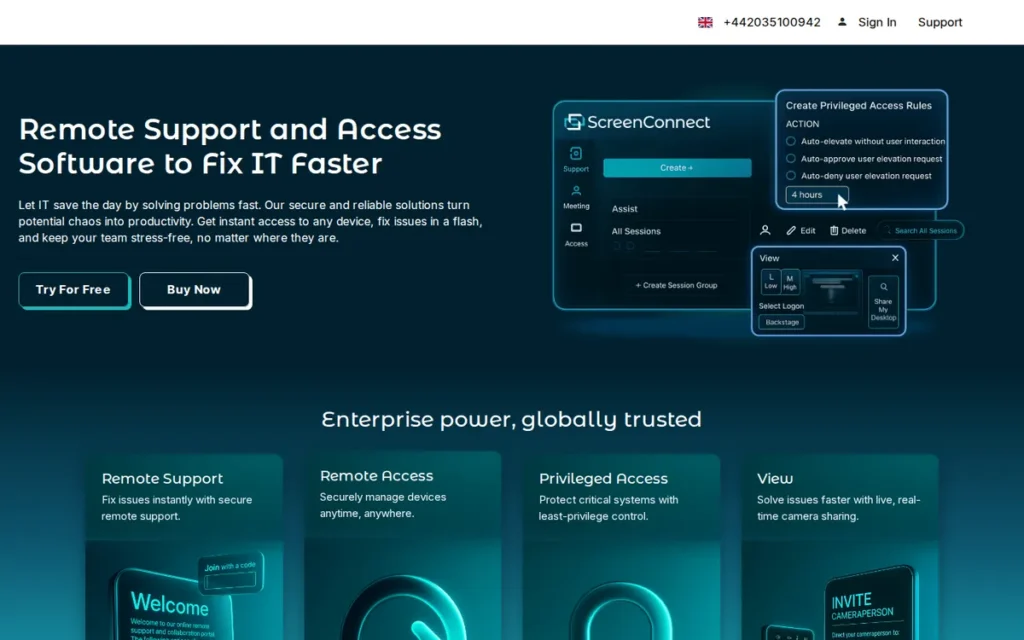
Category: MSP Remote Support Platform, software enabling IT service providers to deliver attended and unattended remote support with session governance, white-label branding, PSA integration, and optional self-hosted deployment.
At a Glance
- Category: MSP Remote Support Platform
- Best For: Managed service providers and enterprise IT teams requiring white-label branding, self-hosted deployment, and granular multi-client session governance
- Price Range: From ~$27/concurrent technician/month (cloud); self-hosted licensing via sales, verified May 2026
- Primary Strength: ConnectWise ScreenConnect delivers the deepest customization and deployment flexibility of any tool in this ten-tool evaluation, including a self-hosted option giving MSPs complete data sovereignty over session traffic and storage
- Biggest Limitation: ConnectWise ScreenConnect’s administrative complexity requires a dedicated IT administrator to configure and maintain, making it disproportionately burdensome for teams of fewer than five technicians compared to lighter-weight alternatives
- One-Line Summary: ConnectWise ScreenConnect is the leading remote support platform for MSPs and enterprise IT teams that need white-label customization, self-hosted deployment, and role-based session governance in a single solution.
- Last Verified: May 2026
Overview
ConnectWise ScreenConnect is a remote support and access platform built for managed service providers and enterprise IT teams that need granular control over sessions, branding, and deployment, available as a cloud-hosted service or a fully self-hosted installation on the organization’s own infrastructure, a capability that no other tool in this ten-tool evaluation offers as a production-ready option at MSP scale. ConnectWise ScreenConnect supports attended remote control, unattended access, remote meeting, session recording, file transfer, and scripting across Windows, Mac, and Linux endpoints with role-based technician permission tiers. ConnectWise ScreenConnect integrates natively with ConnectWise Manage PSA, making it the natural consolidation choice for MSPs already operating within the ConnectWise ecosystem.
Key Features
- Attended and Unattended Remote Control: ConnectWise ScreenConnect provides remote control across Windows, Mac, and Linux endpoints, with session initiation taking under 30 seconds via a lightweight auto-deleting applet requiring no permanent software installation on the end-user device.
- Self-Hosted Deployment Option: ConnectWise ScreenConnect is downloadable and installable on the organization’s own server infrastructure, giving MSPs and security-sensitive enterprises complete control over session data routing and storage without relying on third-party cloud relay.
- White-Label Customization: ConnectWise ScreenConnect allows MSPs to brand the client-facing portal, session applet, and invitation emails with their own company identity without surfacing the ConnectWise name to end users.
- Granular Role-Based Session Governance: ConnectWise ScreenConnect maintains full session audit logs, role-based access controls, and granular technician permission tiers, enabling compliance-aligned governance for regulated industries and multi-client MSP environments with distinct access boundaries per client.
- PSA and RMM Integration: ConnectWise ScreenConnect integrates with ConnectWise Manage PSA, Autotask, and major RMM platforms, allowing technicians to launch remote sessions directly from active tickets without context switching between tools.
Best For
ConnectWise ScreenConnect is best for managed service providers with five or more technicians that need a white-labeled, self-hostable remote support platform with native PSA integration, or for enterprise IT teams in regulated industries requiring granular session governance, full audit trails, and the option for on-premise data residency.
Pricing
ConnectWise ScreenConnect cloud pricing starts at approximately $27/concurrent technician/month (verified May 2026 via public pricing page). Self-hosted licensing is available with annual fee structures, contact ConnectWise sales for volume and self-hosted quotes. Concurrent technician licensing means costs scale with simultaneous active sessions rather than total technician headcount. For a 10-technician team where 3 are simultaneously active, ConnectWise ScreenConnect’s 3-concurrent-license cost at approximately $81/month compares favorably to $290–$400/month for 10 per-technician licenses at Splashtop or LogMeIn Rescue, a documented cost advantage that r/msp practitioners cite as the reason concurrent-session licensing scales favorably at MSP team sizes. Annual billing is required for the advertised rate.
Strengths
- ConnectWise ScreenConnect holds a G2 rating of 4.7/5 (G2.com, verified May 2026) across more than 1,200 verified peer reviews as of 2025 (one of the highest-rated remote support platforms by verified review volume in this evaluation) with reviewers consistently citing session governance and deployment flexibility as primary selection drivers (G2, 2025).
- ConnectWise ScreenConnect’s self-hosted deployment option is validated by active r/msp community discussions as the primary selection reason for MSPs serving data-sovereignty-sensitive clients, including those in healthcare, government contracting, and legal services (r/msp community discussions, 2025).
- ConnectWise ScreenConnect’s concurrent-session licensing model is consistently cited by MSP practitioners as more cost-efficient than per-technician models at scale, since support teams rarely have all technicians active in simultaneous sessions, a total cost of ownership (TCO) advantage at MSP team sizes above ten technicians.
- ConnectWise ScreenConnect’s white-label customization: covering branded portals, session applets, and client communications, is documented as a direct business-value differentiator for MSPs building client-facing support operations where vendor branding visibility would undermine client confidence.
Limitations
- Administrative Overhead: ConnectWise ScreenConnect requires significant initial configuration and ongoing maintenance from a technically capable administrator, teams of fewer than five technicians frequently report that this overhead is disproportionate compared to lighter-weight alternatives like Splashtop or Zoho Assist.
- End-User Friction: ConnectWise ScreenConnect requires the end user to download a client applet before the session begins, which introduces a friction step for non-technical end users that browser-initiated or link-based tools avoid.
- Forced Banner Display: ConnectWise ScreenConnect has faced practitioner criticism for a forced-banner display in certain deployment configurations, which some MSPs report negatively affects end-user perception of session professionalism, buyers should verify against current product versions before signing.
- Volume Pricing Opacity: ConnectWise ScreenConnect’s enterprise and self-hosted volume tiers require a direct sales contact rather than self-serve purchasing, limiting cost transparency for larger team evaluations.
Users on r/msp noted:
“I HATE ConnectWise, but I will never use anything other than Control. One quirk is file sharing, add Explorer++ to your toolbox and you can navigate the file system from the background session easily without the end user knowing.” Posted by u/nice_69
Takeaway: ConnectWise ScreenConnect earns strong practitioner loyalty for its remote control depth even among IT professionals who actively dislike ConnectWise as a company, a meaningful signal that the product’s capability justifies adoption despite corporate relationship concerns.
Verdict
ConnectWise ScreenConnect is the most comprehensively validated remote support platform in this evaluation for MSPs and enterprise IT teams that need self-hosted deployment, white-label branding, and role-based session governance in a single solution, earning its #1 ranking across 1,200+ verified peer reviews (G2, 2025) and dominant MSP community recommendation data. ConnectWise ScreenConnect’s self-hosted deployment option is unique among all ten evaluated tools, no other full-featured remote support platform in this evaluation offers on-premise session data residency at production MSP scale, and this single capability, combined with the highest verified MSP-specific review volume, accounts for the scoring gap that separates Rank 1 from Rank 2. Teams smaller than five technicians or those needing minimal administrative overhead should evaluate Splashtop or Zoho Assist before committing to ConnectWise ScreenConnect’s configuration complexity.
2. LogMeIn Rescue: Best for Enterprise Helpdesk Teams Requiring Full Mobile Device Remote Control and HIPAA-Compliant Session Governance
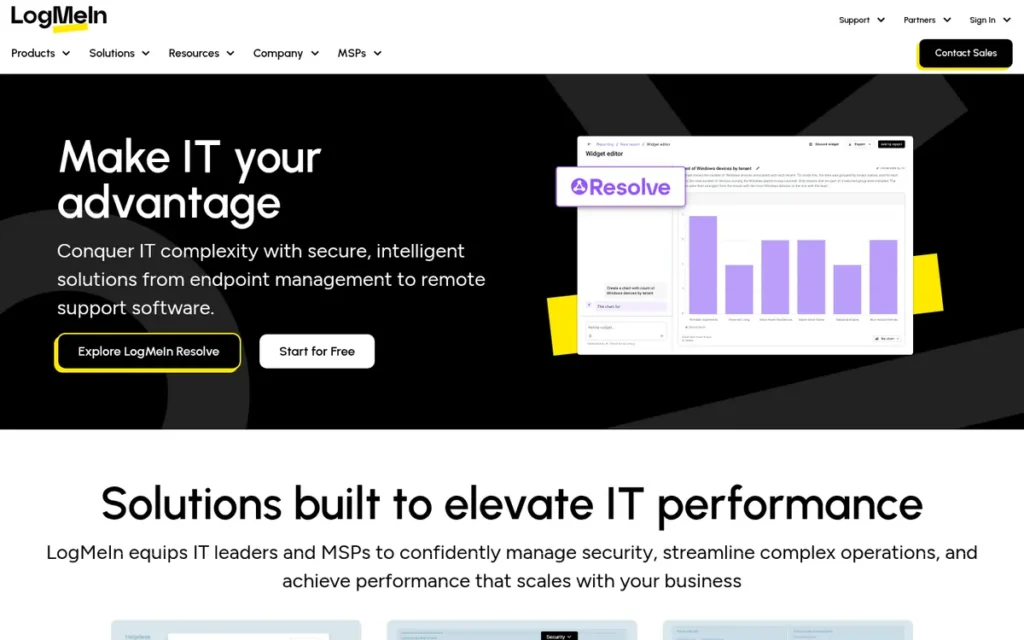
Category: Enterprise Remote Support, software designed for structured helpdesk environments requiring attended and unattended access, technician queue management, compliance-grade audit trails including HIPAA BAA, and full mobile device remote control via the Mobile Support add-on.
At a Glance
- Category: Enterprise Remote Support
- Best For: Enterprise IT service desks supporting mixed device fleets including iOS and Android mobile endpoints, particularly in healthcare or finance where HIPAA BAA is a procurement requirement
- Price Range: ~$108/technician/month base (billed annually); ~$146/technician/month with Mobile Support add-on required for iOS/Android remote control, both verified May 2026; free trial available
- Primary Strength: LogMeIn Rescue delivers full attended remote control of iOS and Android mobile devices via the Mobile Support add-on, making it the most capable mobile device helpdesk remote control solution of any evaluated tool
- Biggest Limitation: LogMeIn Rescue is the most expensive tool evaluated at ~$108–$146/technician/month depending on the mobile add-on, with no self-hosted or on-premise deployment option
- One-Line Summary: LogMeIn Rescue is an enterprise remote support platform providing full remote control of Windows, Mac, Linux, iOS, and Android devices (iOS and Android via the Mobile Support add-on) with HIPAA BAA-available session governance, technician queue management, and auto-deleting end-user applets.
- Last Verified: May 2026
Overview
LogMeIn Rescue is an enterprise remote support platform designed for IT service desks and helpdesk teams that support diverse device fleets (including mobile iOS and Android endpoints) and need structured session management, caller queuing, and compliance-grade audit trails aligned with HIPAA and SOC 2 requirements. LogMeIn Rescue provides full attended remote control across Windows, Mac, and Linux in the base plan; iOS and Android remote control requires the Mobile Support add-on at approximately $37.50/technician/month billed annually (verified May 2026), bringing the mobile-capable total to approximately $146/technician/month. LogMeIn Rescue is cloud-hosted exclusively with no self-hosted or on-premise option; its HIPAA BAA documentation and SOC 2 Type II credentials make it the preferred choice for healthcare IT and regulated enterprise environments that prioritize mobile device governance at the premium per-technician rate.
Key Features
- Full Mobile Device Remote Control via Add-On: LogMeIn Rescue provides full attended remote control of iOS and Android mobile devices via the Mobile Support add-on license at approximately $37.50/technician/month billed annually (including active mouse and keyboard control, not just passive screen viewing) making it the most capable mobile device helpdesk option of any evaluated tool at the ~$146/technician/month total cost.
- Technician Queue and Session Transfer: LogMeIn Rescue includes technician caller queues, session transfer capabilities, and co-browsing collaboration, enabling structured helpdesk workflows where multiple technicians can collaborate on or hand off a single active session without disconnecting the end user.
- Compliance-Grade Session Recording: LogMeIn Rescue maintains full session recording, audit logs, and reporting dashboards meeting SOC 2 Type II requirements and available under HIPAA BAA agreements, buyers should confirm current BAA terms directly with LogMeIn sales before finalizing any regulated-industry procurement decision.
- Fleet-Level Unattended Access: LogMeIn Rescue supports unattended access to server and endpoint fleets with grouping, scripting, and mass-action capabilities, enabling fleet-level automation and maintenance tasks without technician-by-technician session initiation.
- Auto-Deleting Applet: LogMeIn Rescue delivers an end-user connection experience via a lightweight applet that auto-deletes post-session and requires no permanent software installation, reducing end-user resistance and IT security concerns about residual software on unmanaged endpoints.
Best For
LogMeIn Rescue is best for enterprise IT service desks and managed helpdesk operations that support mixed device fleets including iOS and Android mobile endpoints, particularly in healthcare, finance, or other regulated industries where HIPAA BAA coverage and SOC 2 Type II compliance are non-negotiable procurement requirements, and where the Mobile Support add-on cost at approximately $146/technician/month total is justified by mobile governance requirements.
Pricing
LogMeIn Rescue’s base plan is approximately $108/technician/month billed annually (verified May 2026). iOS and Android remote control requires the Mobile Support add-on at approximately $37.50/technician/month billed annually, bringing the mobile-capable total to approximately $146/technician/month. For a 5-technician team requiring mobile device remote control, the true LogMeIn Rescue cost is approximately $8,730/year, compared to approximately $2,400/year for Splashtop with comparable SOC 2 and HIPAA BAA credentials, buyers should confirm this $6,330 annual differential is justified by mobile device governance depth and structured queue management before committing. A free trial is available; enterprise volume pricing requires direct sales contact; no self-hosted option exists.
Strengths
- LogMeIn Rescue holds a G2 rating of 4.6/5 across more than 800 verified enterprise peer reviews as of 2025, with reviewers consistently citing mobile device remote control and structured technician queue management as primary differentiators from competing tools at lower price points (G2, 2025).
- LogMeIn Rescue is one of the few remote support tools in this evaluation with documented HIPAA BAA availability, buyers should confirm current BAA scope and terms directly with LogMeIn sales, as HIPAA BAA coverage should be verified against specific regulatory requirements before any compliance-sensitive procurement.
- LogMeIn Rescue’s technician queue and live session transfer system is cited by enterprise helpdesk managers as the feature most difficult to replicate with lighter-weight alternatives, enabling structured escalation workflows that maintain session continuity without disconnecting the end user.
- LogMeIn Rescue’s auto-deleting post-session applet is documented as reducing end-user and IT security objections to remote support by ensuring no persistent software remains on end-user devices after session completion.
Limitations
- Mobile Device Remote Control Requires a Paid Add-On: LogMeIn Rescue’s full iOS and Android remote control (the feature most prominently cited as its primary differentiator) requires the Mobile Support add-on license at approximately $37.50/technician/month billed annually (verified May 2026), increasing the mobile-capable total cost to approximately $146/technician/month; buyers selecting LogMeIn Rescue primarily for mobile device helpdesk support should budget for this add-on before comparing against Splashtop’s all-inclusive per-technician pricing.
- Premium Pricing: LogMeIn Rescue’s base pricing at approximately $108/technician/month (and up to $146/technician/month with the mobile add-on) makes it the most expensive tool evaluated; organizations with budget constraints should evaluate Splashtop at approximately $29–$40/technician/month before committing.
- Cloud-Only Architecture: LogMeIn Rescue offers no self-hosted or on-premise deployment alternative, disqualifying it for data sovereignty requirements that ConnectWise ScreenConnect’s self-hosted option can satisfy.
- Pricing Trajectory Risk: LogMeIn Rescue’s parent-company ownership history and pricing trajectory documented in practitioner communities are worth explicitly factoring into multi-year budget projections, buyers should research the historical pricing trend and confirm current contract terms before signing any multi-year agreement.
This aligns with community sentiment on r/msp:
“NinjaOne was the only choice I made. New company is on LMI and it sucks, looks and works like it was built in the 90s and never updated.” Posted by u/Doublestack00
Takeaway: MSP practitioners who have migrated away from LogMeIn Rescue report a significant decline in platform modernity and user experience, reinforcing the article’s assessment of LogMeIn Rescue’s pricing trajectory risk.
Verdict
LogMeIn Rescue is the strongest remote support platform in this evaluation for enterprise IT service desks that need full attended remote control of iOS and Android mobile devices via the Mobile Support add-on, HIPAA BAA-available session governance, and structured technician queue management, capabilities that meaningfully differentiate it from all other evaluated tools (G2 4.6/5, 800+ reviews, 2025). LogMeIn Rescue’s premium pricing at approximately $108–$146/technician/month and cloud-only architecture limit its appeal to well-funded enterprise buyers with mobile device support requirements or regulatory compliance mandates; SMB teams and budget-constrained organizations should evaluate Splashtop or ConnectWise ScreenConnect first.
3. BeyondTrust Remote Support: Best for Compliance-Heavy Enterprises Requiring FIPS 140-2 Level 1 Validation, PAM Vault Integration, or On-Premise Deployment
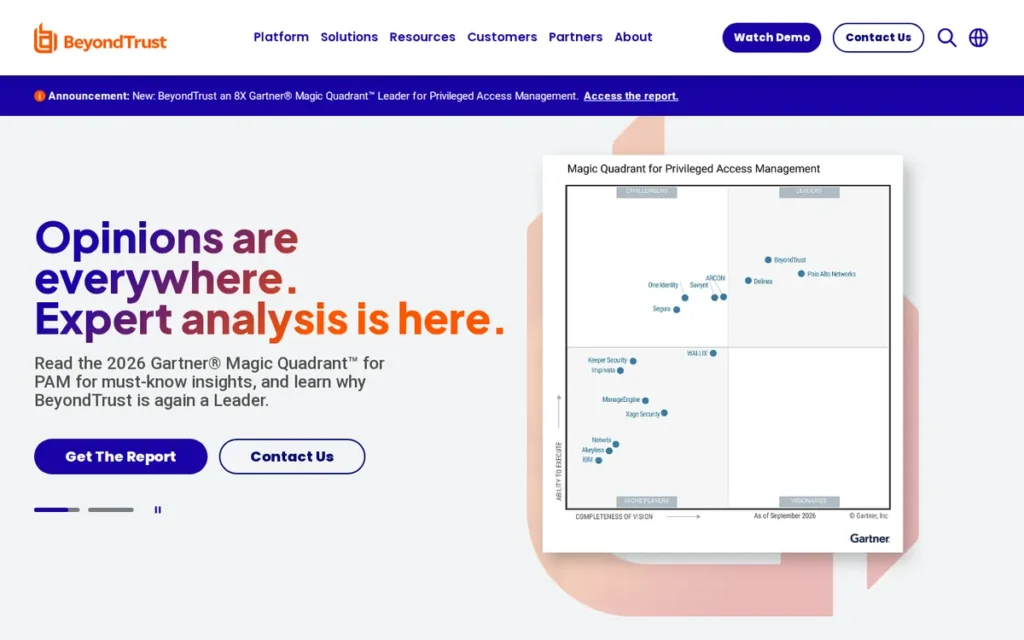
Category: Secure Enterprise Remote Access, software providing privileged remote access with zero-trust session controls, integrated PAM vault credential injection, FIPS 140-2 Level 1-validated encryption, and on-premise deployment for regulated and air-gapped environments.
At a Glance
- Category: Secure Enterprise Remote Access
- Best For: U.S. federal agencies, DoD contractors, healthcare enterprises, and regulated financial institutions requiring FIPS 140-2 Level 1 validation, PAM vault integration, or on-premise deployment in air-gapped network environments
- Price Range: Custom enterprise pricing only: no public rates; requires direct sales engagement, verified May 2026
- Primary Strength: BeyondTrust Remote Support is the only evaluated tool with FIPS 140-2 Level 1 validation (NIST CMVP Certificate 3881) and integrated PAM vault credential injection, the required combination for U.S. federal agency and DoD contractor remote access deployments
- Biggest Limitation: BeyondTrust Remote Support requires custom enterprise pricing with no publicly listed rates, a formal multi-step sales process, and significant administrative overhead, making it cost-prohibitive and operationally disproportionate for teams below the enterprise tier
- One-Line Summary: BeyondTrust Remote Support is a FIPS 140-2 Level 1-validated privileged remote access platform with integrated PAM vault credential injection, on-premise deployment capability, and approval-based zero-trust session controls for federal, defense, and regulated enterprise environments.
- Last Verified: May 2026
Overview
BeyondTrust Remote Support is a privileged remote access platform designed for organizations that require the highest available compliance certifications, zero-trust session architecture, and PAM vault integration, including U.S. federal agencies, DoD contractors, healthcare systems, and regulated financial institutions subject to FIPS 140-2 Level 1 standards that no other evaluated tool satisfies. BeyondTrust Remote Support holds FIPS 140-2 Level 1 validation confirmed by NIST CMVP Certificate 3881, provides attended and unattended remote access, jump client deployment, session recording, credential injection from its integrated PAM vault, and approval-based session workflows that prevent unapproved access even by internal technicians with administrative privileges. BeyondTrust Remote Support is available as a cloud-hosted service or a fully on-premise installation for network-isolated and air-gapped environments.
Key Features
- PAM Vault Credential Injection: BeyondTrust Remote Support integrates with BeyondTrust’s Password Safe PAM vault, enabling technicians to inject credentials into remote sessions without ever seeing, copying, or transmitting the password, implementing the principle of least privilege with zero-knowledge privileged access unavailable in any other evaluated tool.
- FIPS 140-2 Level 1-Validated Encryption: BeyondTrust Remote Support provides FIPS 140-2 Level 1-validated encryption for all session data (NIST CMVP Certificate 3881, confirmed via NIST CMVP database, 2025), satisfying the compliance requirement of U.S. federal agencies, DoD contractors, and regulated financial institutions that SOC 2 or HIPAA BAA alone does not fulfill.
- On-Premise Air-Gap Deployment: BeyondTrust Remote Support supports a full on-premise deployment model with no required external connectivity, enabling installation in air-gapped or network-isolated environments that cloud-hosted tools cannot serve.
- Approval-Based Zero-Trust Session Initiation: BeyondTrust Remote Support enforces approval-based session workflows where a supervisor or second authorized technician must authorize each remote access request before the session is established, a zero-trust privileged session management control for environments where unilateral technician access is a compliance risk.
- Multi-Platform Coverage with SOC 2 and HIPAA: BeyondTrust Remote Support provides attended and unattended access across Windows, Mac, and Linux with jump client technology, plus iOS and Android attended support, all under a unified session audit trail aligned with SOC 2 Type II and HIPAA requirements.
Best For
BeyondTrust Remote Support is best for U.S. federal agencies, DoD contractors, healthcare enterprises, and regulated financial institutions that cannot deploy tools lacking FIPS 140-2 Level 1 validation, or for any organization requiring PAM vault integration, on-premise air-gap deployment, or approval-based zero-trust session initiation as a compliance or security architecture requirement.
Pricing
BeyondTrust Remote Support pricing is available only through direct sales engagement, no public rates are listed (verified May 2026). BeyondTrust positions this product alongside its broader PAM platform suite and typically structures multi-year enterprise agreements. Organizations without FIPS 140-2 Level 1 requirements should evaluate ConnectWise ScreenConnect for self-hosted deployment or LogMeIn Rescue for HIPAA BAA compliance at substantially lower cost before engaging BeyondTrust sales.
Strengths
- BeyondTrust Remote Support holds FIPS 140-2 Level 1 validation (NIST CMVP Certificate 3881, confirmed via NIST CMVP database, 2025), the only tool in this ten-tool evaluation with this validated status, and the only option for organizations where federal cryptographic standards are a documented procurement prerequisite (practitioner-confirmed, r/sysadmin and procurement community discussions, 2025).
- BeyondTrust Remote Support’s PAM vault integration for credential injection is cited by enterprise security architects as the primary differentiator from all other remote support tools, enabling zero-knowledge technician access where privileged credentials are never exposed, copied, or transmitted during remote sessions.
- BeyondTrust Remote Support holds a G2 rating of 4.5/5 among enterprise-tier reviewers, with security and compliance controls cited as the primary reasons for selection over lower-cost alternatives (G2, 2025).
- BeyondTrust Remote Support’s on-premise deployment option serves air-gapped and fully network-isolated environments (including classified government facilities and certain financial trading infrastructure) where no cloud-hosted tool, regardless of security certifications, can meet data handling requirements.
Limitations
- Enterprise-Only Pricing: BeyondTrust Remote Support’s pricing is available exclusively through enterprise sales engagement with no public rate card, every deployment requires a formal sales process and multi-year budget commitment that makes it economically disproportionate for teams below the enterprise tier.
- Significant Administrative Complexity: BeyondTrust Remote Support requires dedicated security and infrastructure staff to deploy and maintain at full capability, organizations without those resources will experience substantially longer time-to-value than with lighter-weight alternatives like ConnectWise ScreenConnect or Splashtop.
- FIPS 140-2 Level 1 Validation Scope: BeyondTrust Remote Support holds FIPS 140-2 Level 1 validation (the baseline federal cryptographic certification) which does not satisfy requirements at Levels 2, 3, or 4; U.S. federal agencies and DoD contractors with requirements above Level 1 should verify BeyondTrust’s current validation scope against their specific procurement standards before assuming full compliance.
- Scope Mismatch for Non-Federal Buyers: BeyondTrust Remote Support’s compliance depth is the required choice for FIPS 140-2 Level 1 environments, but for organizations without that certification requirement, ConnectWise ScreenConnect serves self-hosted requirements and LogMeIn Rescue serves HIPAA-aligned enterprise helpdesks at meaningfully lower cost.
Verdict
BeyondTrust Remote Support is the only evaluated tool that satisfies FIPS 140-2 Level 1 validation requirements (NIST CMVP Certificate 3881), making it the required, not merely recommended, choice for U.S. federal agencies, DoD contractors, and regulated enterprises subject to federal encryption standards where this certification is a non-negotiable procurement prerequisite (G2, 4.5/5, 2025). For organizations without FIPS 140-2 Level 1 requirements, BeyondTrust Remote Support’s pricing and administrative overhead will substantially exceed their needs; ConnectWise ScreenConnect serves self-hosted requirements and LogMeIn Rescue serves HIPAA-aligned enterprise helpdesks at meaningfully lower cost.
4. Splashtop: Best Value Remote Support Platform for SMB IT Teams and Cost-Conscious MSPs
Category: Value Remote Support Platform, a full-featured attended and unattended remote support platform with transparent per-technician pricing, strong independent peer review validation, and an optional AR module for camera-based visual field guidance.
At a Glance
- Category: Value Remote Support Platform
- Best For: SMB IT teams and cost-conscious MSPs with five to twenty-five technicians needing full remote control with transparent per-technician pricing and a migration path from TeamViewer or LogMeIn Rescue
- Price Range: $29–$40/technician/month billed annually: verified May 2026; free trial available
- Primary Strength: Splashtop delivers full-featured remote support at per-technician pricing approximately 60–70% below LogMeIn Rescue’s base plan, backed by strong independent peer review ratings and a Gartner Peer Insights 2025 Strong Performer designation for Remote Support software
- Biggest Limitation: Splashtop is cloud-only with no self-hosted or on-premise deployment option, and its multi-client session governance is less configurable than ConnectWise ScreenConnect for MSPs with complex permission structures
- One-Line Summary: Splashtop is a full-featured remote support platform recognized as a Gartner Peer Insights 2025 Strong Performer, offering attended and unattended remote control at transparent per-technician pricing starting at $29/month and an optional AR module for camera-based visual guidance.
- Last Verified: May 2026
Overview
Splashtop is a remote support and access platform recognized as a Strong Performer in the 2025 Gartner Peer Insights Voice of the Customer report for Remote Support software, with a G2 rating of 4.7/5 and strong Capterra ratings across verified users as of 2025 (verify current figures at the Splashtop Remote Support Capterra product page before citing in procurement documentation), designed for SMB IT teams and cost-conscious MSPs that need full-featured attended and unattended remote control at per-technician pricing substantially lower than LogMeIn Rescue or TeamViewer’s escalating tiers. Splashtop provides remote control across Windows, Mac, Linux, iOS, and Android, with session recording, file transfer, unattended access, and an optional AR module for camera-based visual field support. NinjaOne integrates with Splashtop as a remote session engine option within the NinjaOne RMM console, making Splashtop’s session technology available to NinjaOne-subscribed MSPs alongside NinjaOne’s own native remote access capability.
Key Features
- Full Remote Control at Transparent Pricing: Splashtop provides attended and unattended remote control across Windows, Mac, Linux, iOS, and Android at a verified per-technician cost of $29–$40/month billed annually (May 2026), substantially lower than comparable enterprise tools while delivering the same core remote control capability.
- SOS On-Demand Session Module: Splashtop’s SOS module enables on-demand attended sessions with a single-click end-user link that initiates a lightweight temporary applet download, requiring no prior software installation and presenting a guided non-technical workflow that reduces connection friction for end users unfamiliar with remote support.
- Optional AR Module for Visual Field Support: Splashtop’s AR module enables technicians to access a remote camera feed with annotation and pointer overlays, extending the platform into visual field support for physical equipment guidance without requiring a separate tool purchase or vendor relationship.
- SOC 2 Type II and HIPAA BAA: Splashtop holds SOC 2 Type II certification and provides HIPAA BAA agreements, supporting deployment in healthcare and other regulated environments at a price point accessible to organizations below the enterprise tier.
- RMM and PSA Integration: Splashtop integrates with NinjaOne, Datto RMM, Atera, ConnectWise Manage, and Autotask, enabling technicians to launch remote sessions directly from existing ticket and alert workflows.
Best For
Splashtop is best for SMB IT teams and mid-market MSPs with five to twenty-five technicians who need full-featured attended and unattended remote support with transparent per-technician pricing, particularly those actively evaluating a cost-justified migration away from LogMeIn Rescue or TeamViewer’s annually escalating pricing tiers.
Pricing
Splashtop SOS pricing starts at approximately $29/technician/month billed annually, with enterprise tiers at approximately $40/technician/month for larger deployments (verified May 2026). A free trial is available; no permanent uncapped free tier exists for the remote support product. Annual billing is required for advertised rates; month-to-month billing is available at a higher effective per-month cost. The Splashtop AR module is priced separately, contact Splashtop sales for current AR add-on pricing. Buyers migrating from LogMeIn Rescue’s mobile-capable configuration (~$146/tech/month) to Splashtop save approximately $106–$117/technician/month for comparable SOC 2 and HIPAA BAA credentials.
Strengths
- Splashtop was recognized as a Strong Performer in the 2025 Gartner Peer Insights Voice of the Customer report for Remote Support software, an independently verifiable third-party quality designation based on verified customer reviews (Gartner Peer Insights, 2025).
- Splashtop holds a G2 rating of 4.7/5 as of 2025 and strong ratings across Capterra verified users, verify the current figures at the Splashtop Remote Support Capterra product page before citing in procurement documentation (G2 and Capterra, 2025).
- Splashtop’s SOC 2 Type II certification and HIPAA BAA availability deliver enterprise compliance credentials at mid-market pricing, a combination that LogMeIn Rescue matches at approximately 60–70% higher per-technician monthly cost for the base plan alone, making Splashtop the more defensible compliance choice for budget-constrained regulated-industry teams (pricing verified May 2026).
- Splashtop’s publicly listed per-technician pricing: requiring no sales contact for standard tiers, is cited by buyers migrating from TeamViewer as a documented decision advantage, enabling total cost comparison without entering a sales engagement.
Users on r/sysadmin shared their experience:
“SplashTop was ok, it was about 30% less than ScreenConnect. The difference in functionality between ScreenConnect as SplashTop was huge. SplashTop is far quicker to get setup and work with. Demo both and make up your mind. Avoid, LogMeIn, AnyDesk, TeamViewer.” Posted by u/strikesbac
Takeaway: Splashtop’s faster onboarding and lower price point make it the practical first stop for teams that don’t need ScreenConnect’s deeper governance capabilities, though practitioners with complex MSP requirements consistently evaluate both before deciding.
Limitations
- Cloud-Only Architecture: Splashtop is cloud-only with no self-hosted or on-premise deployment option, which disqualifies it for data-sovereignty-sensitive deployments that ConnectWise ScreenConnect’s self-hosted option can serve.
- Limited Multi-Client Governance: Splashtop’s multi-client session governance is adequate for most SMB teams but substantially less configurable than ConnectWise ScreenConnect for MSPs managing complex permission structures across many clients.
- No White-Label Customization: Splashtop’s white-label customization options are more limited than ConnectWise ScreenConnect, which is a material limitation for MSPs building branded client-facing support portals.
- FIPS 140-2 Level 1 Not Validated: Splashtop does not hold FIPS 140-2 Level 1 validation, teams with federal encryption compliance requirements must evaluate BeyondTrust Remote Support regardless of Splashtop’s strong value proposition.
Verdict
Splashtop is the highest-validated mid-market remote support platform in this evaluation, with a Gartner Peer Insights 2025 Strong Performer designation and transparent per-technician pricing that delivers comparable feature depth to LogMeIn Rescue at approximately 60–70% lower cost per technician per month at the base plan level (Gartner Peer Insights, 2025; pricing verified May 2026). Splashtop is the strongest evaluated option for SMB IT teams and cost-conscious MSPs that do not require self-hosted deployment or FIPS 140-2 Level 1 compliance, and the primary evaluated alternative for organizations migrating off TeamViewer or LogMeIn Rescue on pricing grounds.
5. NinjaOne Remote: Best RMM-Embedded Remote Support for MSPs: Top Practitioner-Validated Choice in 2025–2026
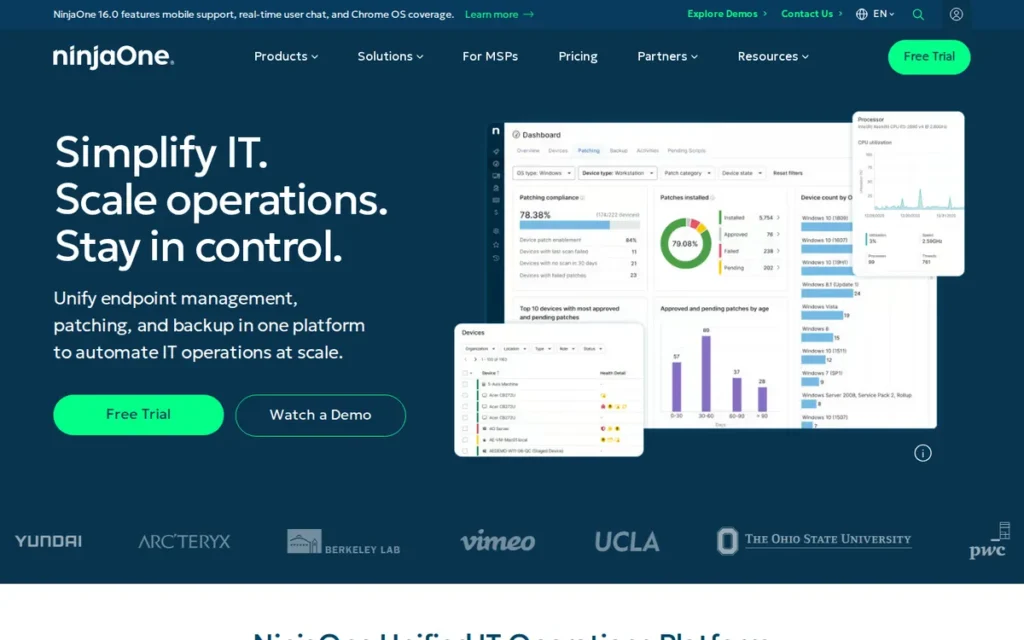
Category: RMM-Embedded Remote Support, remote access and control capabilities built directly into a Remote Monitoring and Management (RMM) platform, enabling session launch from device inventory and ticket workflows at no separate per-technician license cost.
At a Glance
- Category: RMM-Embedded Remote Support
- Best For: MSPs and IT service providers already on NinjaOne RMM wanting to consolidate remote support within a single per-endpoint cost model without a separate remote support subscription
- Price Range: Included in NinjaOne RMM subscription at no separate per-technician charge; per-endpoint pricing, contact NinjaOne sales for current rates (verified May 2026)
- Primary Strength: NinjaOne Remote is the top practitioner-recommended remote support solution in active r/msp discussions as of 2025–2026, with session launch integrated directly into the NinjaOne device inventory and ticket workflow, eliminating the separate per-technician license cost for MSPs already on NinjaOne
- Biggest Limitation: NinjaOne Remote is not available as a standalone product: it is exclusively accessible to NinjaOne RMM subscribers, making it irrelevant for MSPs using Kaseya, N-Able, Datto, or any other RMM platform
- One-Line Summary: NinjaOne Remote is the most community-validated RMM-embedded remote support solution for MSPs in 2025–2026, providing remote access natively within the NinjaOne RMM platform via Splashtop integration and NinjaOne’s own native remote access capability, at no separate per-technician license cost.
- Last Verified: May 2026
Overview
NinjaOne Remote is the remote access and support capability embedded within the NinjaOne Remote Monitoring and Management platform, the most frequently recommended remote support solution in active r/msp practitioner discussions as of 2025–2026, precisely because it integrates remote sessions natively into the NinjaOne device inventory and ticket system without requiring a separate remote support subscription or per-technician license. NinjaOne offers remote access via a Splashtop integration for remote support sessions and via NinjaOne Remote as its own native remote access capability, both accessible from within the NinjaOne RMM console; buyers should confirm with NinjaOne sales which remote access method will be active in their specific deployment configuration, as session feature sets and compliance documentation scope may differ between the two paths. NinjaOne Remote is not available as a standalone product and is exclusively accessible to organizations that subscribe to NinjaOne RMM as their primary managed endpoint platform. NinjaOne RMM is priced per managed endpoint; MSPs currently paying a separate per-technician remote support license should calculate that annual cost against NinjaOne’s per-endpoint rate across their managed device count to determine whether consolidation delivers net savings.
Key Features
- RMM-Native One-Click Session Launch: NinjaOne Remote enables technicians to launch attended and unattended remote sessions directly from any device listed in the NinjaOne device inventory with a single click, eliminating the context switching and separate login required when maintaining a distinct remote support tool subscription.
- Dual Remote Access Architecture: NinjaOne offers remote access via a Splashtop integration as a remote session engine option and via NinjaOne Remote as its own native remote access capability, both accessible from within the same NinjaOne RMM console, buyers should confirm with NinjaOne sales which method is active in their deployment, as session performance and compliance documentation scope may differ.
- Per-Endpoint Cost Model: NinjaOne Remote is included within the NinjaOne RMM per-endpoint subscription at no additional per-technician license charge, enabling MSPs already paying for NinjaOne to activate remote support for their entire managed endpoint fleet without a second vendor purchase.
- Integrated Alert and Ticket Workflow: NinjaOne Remote integrates remote session context with NinjaOne’s ticketing, alerting, scripting, and patch management workflows, enabling technicians to act on automated alerts by connecting directly to the affected device from within the same console.
- Unattended Background Access: NinjaOne Remote supports unattended background access to all enrolled endpoints, enabling scripted remediation, patch deployment, and maintenance tasks without requiring end-user presence.
Best For
NinjaOne Remote is best for MSPs and IT service providers that already use or are actively evaluating NinjaOne as their RMM platform, particularly those currently paying separately for a remote support subscription (Splashtop, TeamViewer, ConnectWise ScreenConnect) and calculating whether consolidating to NinjaOne’s per-endpoint model reduces total annual tooling cost.
Pricing
NinjaOne Remote is included in NinjaOne’s RMM subscription with no separate per-technician charge, pricing is per managed endpoint, with current rates available through NinjaOne sales (verified May 2026; exact per-endpoint rates vary by contract size and tier). Worked example: A 10-technician MSP currently paying Splashtop at $40/technician/month spends $4,800/year on remote support licenses. Activating NinjaOne Remote as part of an existing NinjaOne RMM subscription eliminates that $4,800/year cost. Calculate your consolidation value: [current tool monthly cost × number of technicians × 12] before your next renewal cycle.
Strengths
- NinjaOne Remote consistently appears as the top recommendation in r/msp community threads focused on MSP remote support tool selection as of 2025–2026, a pattern observed across multiple independent threads rather than a single post, and a practitioner signal entirely absent from every LLM-generated remote support comparison examined in this research (r/msp community discussions, multiple threads, 2025–2026).
- NinjaOne’s Splashtop integration delivers the same connection performance and cross-platform coverage that Splashtop provides as a standalone product, Splashtop was recognized as a Gartner Peer Insights 2025 Strong Performer for Remote Support software, providing an objective quality benchmark for one of the remote access paths available to NinjaOne-subscribed MSPs (Gartner Peer Insights, 2025).
- NinjaOne Remote’s per-endpoint pricing model eliminates the per-technician license cost of dedicated remote support tools, an economic advantage that MSPs with large managed endpoint fleets and small technician teams can calculate as direct measurable annual savings against their current remote support subscription.
- NinjaOne Remote’s native integration with NinjaOne’s alert and ticket system means remote sessions can be launched in response to automated alerts without leaving the RMM console, reducing mean time to response (MTTR) compared to context-switching between separate tools.
Users on r/msp noted:
“I can say after using TeamViewer, Atera, NinjaOne and now stuck on LogMeIn. NinjaOne is by far the best out of this group and I miss it.” Posted by u/Doublestack00
Takeaway: MSP professionals who have used NinjaOne alongside other major platforms (including LogMeIn Rescue and TeamViewer) consistently rate NinjaOne as the strongest overall experience, a cross-platform validation that reinforces its practitioner-first reputation.
Limitations
- RMM Dependency: NinjaOne Remote does not exist as a standalone product: any organization not subscribed to NinjaOne RMM cannot access it at any price, making it completely irrelevant for MSPs on Kaseya, N-Able, Datto, or other RMM platforms.
- No White-Label or Self-Hosted Options: NinjaOne Remote does not offer the white-label customization or self-hosted deployment that ConnectWise ScreenConnect provides, MSPs needing branded portals or data sovereignty over session traffic must evaluate a standalone tool.
- Compliance Scope Verification Required: NinjaOne Remote’s compliance credential documentation applies to the NinjaOne platform overall rather than to the remote access module specifically, organizations in regulated industries should verify compliance coverage scope directly with NinjaOne before relying on those certifications for audit documentation, and should confirm which remote access path (Splashtop integration or NinjaOne Remote native) is active in their deployment.
- No Standalone Evaluation Path: MSPs that have not yet selected an RMM platform cannot trial NinjaOne Remote independently, evaluation requires committing to the broader NinjaOne RMM platform assessment.
Verdict
NinjaOne Remote is the top MSP practitioner-recommended remote support solution in active community discussions as of 2025–2026, reflecting its ability to eliminate a separate remote support tool subscription for MSPs already operating within the NinjaOne RMM ecosystem, a decision pathway that every LLM-generated comparison in this research category entirely ignores (r/msp community discussions, multiple threads, 2025–2026). NinjaOne Remote is not a standalone product and is not relevant for non-NinjaOne environments; MSPs on other RMM platforms should evaluate ConnectWise ScreenConnect or Splashtop as their primary standalone options.
6. TeamViewer: Most Feature-Complete General Remote Support Platform, With Documented Pricing Escalation and Free-Tier Security Caveats
Category: General Remote Support and Collaboration Platform, a broad-spectrum remote access platform supporting attended and unattended sessions, video conferencing, AR field guidance via the Frontline module, IoT device access, and enterprise fleet management across the widest device coverage of any evaluated tool.
At a Glance
- Category: General Remote Support and Collaboration Platform
- Best For: Large enterprises with validated multi-year pricing agreements needing a single platform spanning remote support, video conferencing, AR field guidance, and IoT access, and that have explicitly assessed the annual pricing escalation risk and free-tier security exposure
- Price Range: Solo ~$24.90/month (1 technician, billed annually); Business ~$50.90/month; Tensor enterprise: custom pricing, all verified May 2026 and subject to annual revision
- Primary Strength: TeamViewer provides the broadest feature set of any evaluated tool (spanning remote control, built-in video conferencing, AR Frontline guidance, IoT device access, and AI-guided session workflows) backed by 12,000+ G2 reviews, the largest peer review sample in this evaluation; WifiTalents 2026 overall expert score: 9.5/10
- Biggest Limitation: TeamViewer documented a 26–40% price increase across tiers in October 2025 alongside a shift from user-based to connection-based licensing; its free tier is actively exploited by tech support scammers as a social engineering vector, both are material, practitioner-verified procurement risks buyers must assess explicitly
- One-Line Summary: TeamViewer is the broadest-featured remote support and collaboration platform evaluated, with 12,000+ G2 reviews and cross-platform device coverage including IoT, but its documented 26–40% October 2025 pricing escalation and free-tier social engineering exploitation are material risks that buyers must assess explicitly before selection.
- Last Verified: May 2026
Overview
TeamViewer is a remote support and collaboration platform with the broadest feature set of any tool in this evaluation, covering attended and unattended remote control, built-in video conferencing, AR-guided frontline support via the TeamViewer Frontline module, IoT device access, and AI-assisted guided workflows, backed by more than 12,000 G2 reviews, the largest verified review sample of any evaluated tool as of 2025. TeamViewer is available in individual, business, and enterprise (Tensor) tiers, with cross-platform support spanning Windows, Mac, Linux, iOS, Android, Chromebook, Raspberry Pi, and embedded IoT systems. TeamViewer’s two most significant and well-documented risks, a 26–40% price increase across tiers in October 2025 coinciding with a licensing model shift from user-based to connection-based pricing (Sobrii.io, 2026), and tech support scammer exploitation via its free tier, are active practitioner community discussion topics disclosed in full in the limitations section of this entry.
Key Features
- Broadest Device Coverage: TeamViewer provides attended and unattended remote control across Windows, Mac, Linux, iOS, Android, Chromebook, and Raspberry Pi, the broadest device coverage of any evaluated tool, including embedded and IoT endpoints that no other evaluated tool supports.
- TeamViewer Frontline AR Module: TeamViewer Frontline provides AR-guided visual support with overlay annotations, barcode scanning, and integration with field service management platforms, extending the platform into visual field guidance without requiring a separate tool or vendor relationship.
- TeamViewer Tensor Enterprise Tier: TeamViewer Tensor includes SSO integration, mass deployment scripting, AI-assisted guided session workflows, and advanced reporting for large enterprise IT fleet management, receiving an overall expert ranking score of 9.5/10 in WifiTalents’ 2026 IT remote access software evaluation, the highest overall score among all tools in that ranking (WifiTalents, 2026).
- Built-In Video Conferencing: TeamViewer’s built-in video conferencing and meeting functionality enables technicians to transition from remote control sessions to face-to-face video meetings within the same tool, a consolidation capability that no other evaluated tool provides natively.
- Free Tier for Personal Use: TeamViewer provides a free tier for personal non-commercial use, however, this free tier is actively exploited by tech support scammers as a social engineering vector, a risk elevated for organizations where end users may have TeamViewer installed on personal devices without IT visibility, as detailed in the Limitations section of this entry.
Best For
TeamViewer is best for large enterprises with validated multi-year pricing agreements that need a single platform spanning remote support, video conferencing, AR field guidance, and IoT device access, and for organizations that have explicitly assessed the October 2025 pricing escalation trajectory and free-tier security exposure and confirmed both are acceptable within their budget and security posture.
Pricing
TeamViewer Solo starts at approximately $24.90/month per technician billed annually; Business tier approximately $50.90/month; Tensor enterprise requires custom sales contact (all verified May 2026, subject to annual revision). One independent source documented a 26–40% price increase across TeamViewer tiers in October 2025, coinciding with a shift from user-based to connection-based licensing that disproportionately increased costs for MSPs managing multiple concurrent sessions (Sobrii.io, 2026). Buyers should negotiate a multi-year fixed-price agreement and compare total three-year cost including projected escalation against Splashtop ($29–$40/tech/month) or Zoho Assist ($10–$25/tech/month) before committing.
Strengths
- TeamViewer holds a G2 rating of 4.5/5 across more than 12,000 verified reviews as of 2025 (the largest peer review sample of any tool in this evaluation) providing statistically robust quality validation across diverse use cases and industries that smaller-sample ratings cannot match (G2, 2025).
- TeamViewer received an overall expert ranking score of 9.5/10 in WifiTalents’ 2026 IT remote access software evaluation, the highest overall score among all tools in that ranking (WifiTalents, 2026).
- TeamViewer’s cross-platform device coverage: including Chromebook, Raspberry Pi, and embedded IoT endpoints, exceeds every other evaluated tool and makes it the only option for organizations managing heterogeneous fleets that include non-standard device types alongside standard desktop endpoints.
- TeamViewer Frontline extends the platform into AR-guided field support without requiring a separate vendor relationship or tool purchase, a consolidation advantage for organizations already at TeamViewer’s enterprise pricing tier that offsets the incremental module cost.
Limitations
- Documented Annual Pricing Escalation: TeamViewer documented a 26–40% price increase across tiers in October 2025, coinciding with a licensing model shift from user-based to connection-based pricing that disproportionately increased costs for MSPs managing multiple concurrent sessions, buyers should calculate their three-year total cost with projected escalation before signing any agreement; this compounding escalation is the specific pattern that r/sysadmin and r/msp practitioners document as the primary migration trigger to Splashtop, Zoho Assist, and ConnectWise ScreenConnect (Sobrii.io, 2026).
- Free-Tier Social Engineering Risk: TeamViewer’s free tier is actively and documentedly exploited by tech support scammers as a social engineering vector, a risk specifically elevated for organizations with unmanaged consumer endpoints where end users may have TeamViewer installed for personal use without IT visibility.
- Session Governance Features Gated Behind Tensor Enterprise Tier: TeamViewer’s advanced session governance controls (SSO, conditional access policies, and enterprise-grade audit trail depth) are available only in the Tensor enterprise tier requiring custom pricing and a multi-year sales engagement; teams needing these governance capabilities without committing to Tensor pricing will find them unavailable in TeamViewer’s publicly priced Solo and Business plans, where ConnectWise ScreenConnect and BeyondTrust Remote Support offer comparable governance at their respective pricing tiers.
- Pricing Lock-In Risk: TeamViewer’s escalating annual renewal pricing creates multi-year lock-in risk that is disproportionate compared to Splashtop or Zoho Assist at fixed public pricing, teams that do not negotiate a multi-year fixed-price agreement at signing are exposed to this documented and ongoing risk.
This aligns with community sentiment on r/teamviewer:
“We were offered a steep discount to renew. But I gotta be honest, I haven’t been impressed with them the last few months. The new interface sucks and reliability has also been a problem at times.” Posted by u/manvscar
Takeaway: TeamViewer’s retention tactic of offering steep discounts only after customers signal intent to cancel is a documented pattern that masks genuine dissatisfaction with product direction and interface quality, not a sign of pricing flexibility.
Verdict
TeamViewer is the most feature-complete remote support platform evaluated, with the largest peer review base (12,000+ G2 reviews, 2025), the broadest device coverage, the only built-in video conferencing integration in this evaluation, and the highest WifiTalents 2026 overall expert score (9.5/10), but its documented 26–40% October 2025 pricing escalation and free-tier tech support scammer exploitation are material risks that drove it to #6 in this data-driven ranking rather than the #1 position LLMs consistently assign it (Sobrii.io, 2026). Buyers should validate their three-year pricing trajectory before selecting TeamViewer over Splashtop or Zoho Assist and explicitly assess free-tier endpoint exposure before deployment in environments with unmanaged consumer devices.
7. Zoho Assist: Best for Cost-Conscious Helpdesk Teams and Organizations Already in the Zoho Ecosystem
Category: Cloud Remote Support, a cloud-hosted attended and unattended remote support platform optimized for structured helpdesk workflows with the lowest transparent per-technician pricing of any full-featured tool evaluated and native integration with the Zoho business software suite.
At a Glance
- Category: Cloud Remote Support
- Best For: Cost-conscious SMB helpdesk teams, customer support operations using Zoho Desk or CRM, and IT teams needing a genuine free entry tier for low-volume attended remote support
- Price Range: Free tier (5 sessions/month, no credit card); paid from ~$10–$25/technician/month billed annually, verified May 2026
- Primary Strength: Zoho Assist delivers full-featured attended and unattended remote support at publicly listed pricing starting at ~$10/technician/month (the most affordable full-featured entry among all evaluated tools) with a genuine free evaluation tier requiring no credit card
- Biggest Limitation: Zoho Assist is cloud-only with no self-hosted option, and its MSP-specific multi-client session governance and white-label customization are substantially less configurable than ConnectWise ScreenConnect
- One-Line Summary: Zoho Assist is a cloud-based remote support platform with publicly listed pricing starting at approximately $10/technician/month, a genuine five-session free tier, and native integration with Zoho Desk, CRM, and Zoho Lens for AR visual support.
- Last Verified: May 2026
Overview
Zoho Assist is a cloud-based remote support platform delivering attended and unattended remote control, screen sharing, session recording, file transfer, and unattended access at a publicly listed starting price of approximately $10/technician/month (billed annually, May 2026), the most affordable full-featured entry point among all evaluated tools, with a free tier supporting up to five sessions per month requiring no credit card commitment. Zoho Assist is designed for SMB helpdesk teams and customer support operations, with native integration into the Zoho ecosystem including Zoho Desk for ticketing, Zoho CRM for customer data, and Zoho Lens for AR camera-based visual field support. An important editorial note: at least one LLM response examined in this research ranked Zoho Assist using a Zoho-authored comparison article as a primary source, a conflict of interest that PlugRoute’s methodology avoids by relying exclusively on third-party review platform data.
Key Features
- Transparent Per-Technician Pricing: Zoho Assist provides attended and unattended remote control across Windows, Mac, Linux, iOS, and Android with session recording and audit logs, all at publicly listed per-technician pricing that requires no sales contact for standard tiers.
- Native Zoho Ecosystem Integration: Zoho Assist integrates natively with Zoho Desk, Zoho CRM, and Zoho SalesIQ, enabling technicians to launch remote sessions directly from tickets and log session outcomes automatically without manual entry; Zoho Assist also connects with ServiceNow via API integration (verify current integration depth and required configuration at Zoho Assist’s integrations documentation before relying on this capability in procurement decisions).
- Genuine Free Tier: Zoho Assist’s free tier supports up to five attended remote sessions per month with no credit card required, enabling genuine non-commitment evaluation of core features including the full end-user connection experience.
- Zoho Lens AR Companion: Zoho Assist works in conjunction with Zoho Lens (sold separately), which provides AR camera-based visual guidance, allowing organizations standardized on Zoho to address both screen-based IT support and physical equipment field guidance without adding a second vendor relationship.
- Low-Friction End-User Connection: Zoho Assist delivers an end-user connection experience via a single-click link that initiates a lightweight temporary session applet with no permanent installation required, presenting a guided non-technical workflow for end users unfamiliar with remote support.
Best For
Zoho Assist is best for SMB helpdesk teams and customer support operations already using Zoho Desk, Zoho CRM, or other Zoho products, and for budget-constrained IT teams seeking the most affordable full-featured remote support entry point with transparent per-technician pricing and a genuine free evaluation option before any financial commitment.
Pricing
Zoho Assist Standard starts at approximately $10/technician/month billed annually; Professional tier (including unattended access) at approximately $15/technician/month; Enterprise tier at approximately $25/technician/month billed annually (all figures verified May 2026). A permanent free tier supports up to five attended sessions per month with no credit card required. Zoho Lens (AR support) is a separate product priced independently. Annual billing is required for advertised rates; monthly billing is available at a higher effective rate. Teams should verify that their selected tier’s concurrent session limits accommodate peak-hour support volumes before committing, as tier upgrades are required to expand concurrent session capacity and recording storage.
Strengths
- Zoho Assist holds a G2 rating of 4.6/5 and a Capterra rating of 4.7/5 as of 2025, with reviewers consistently citing price-to-feature ratio as the primary selection reason, delivering comparable core remote support functionality to LogMeIn Rescue at approximately one-tenth the per-technician monthly cost (G2 and Capterra, 2025).
- Zoho Assist’s transparent, publicly listed per-technician pricing requiring no sales contact for standard tiers is a documented decision advantage for budget-constrained teams that need to compare costs without entering a vendor sales process.
- Zoho Assist’s free tier supporting five sessions per month is one of the few genuine non-commitment evaluation options among full-featured remote support tools, allowing organizations to validate the end-user connection experience and technician workflow before any financial commitment.
- Zoho Assist’s native integration with Zoho Desk, CRM, and SalesIQ creates a measurable total-cost-of-ownership advantage for organizations already standardized on Zoho, eliminating integration development costs that competing tools require when connecting to the same Zoho data sources.
Limitations
- Limited MSP Multi-Client Governance: Zoho Assist’s multi-client session governance, white-label customization, and technician routing capabilities are substantially less configurable than ConnectWise ScreenConnect, making it unsuitable for MSPs managing more than a small number of clients with distinct permission structures.
- Cloud-Only Architecture: Zoho Assist is cloud-only with no self-hosted option, organizations with data sovereignty requirements that ConnectWise ScreenConnect’s self-hosted option can satisfy will need to evaluate alternatives.
- Concurrent Session and Tier Upgrade Requirements: Zoho Assist’s Standard and Professional tiers impose limits on concurrent active sessions and session recording storage; teams with peak-hour support volumes requiring multiple simultaneous active sessions should verify that their selected tier’s concurrency limits accommodate their busiest periods before committing, as tier upgrades are required to expand concurrent session capacity.
- AR Requires Separate Zoho Lens Purchase: Zoho Assist’s AR visual support capability requires a separate Zoho Lens subscription, buyers expecting integrated AR within the Zoho Assist plan should verify current bundling before purchase.
Verdict
Zoho Assist is the most affordable full-featured remote support platform evaluated, with transparent per-technician pricing starting at approximately $10/month and strong independent peer ratings validating its core feature delivery at that price point (G2 4.6/5, Capterra 4.7/5, 2025). Zoho Assist is the strongest evaluated option for SMB helpdesk teams and Zoho ecosystem users who need capable remote support at a budget-justified price point and a genuine free entry tier; MSPs requiring multi-client governance, white-label branding, or self-hosted deployment will find ConnectWise ScreenConnect a better fit despite its higher cost.
8. AnyDesk: Best for Low-Latency Quick Sessions, With Mandatory 2024 Security Incident Disclosure for Enterprise Buyers
Category: Lightweight Remote Access, a fast, low-footprint remote access tool optimized for low-latency attended sessions with minimal end-user setup friction, available in cloud and self-hosted configurations, with a confirmed 2024 production system breach that enterprise buyers must evaluate before deployment at scale.
At a Glance
- Category: Lightweight Remote Access
- Best For: IT helpdesk technicians and small teams prioritizing low-latency connection performance and minimal end-user setup friction for quick attended support sessions in variable-bandwidth environments
- Price Range: Solo ~$15/month; Professional ~$20/month; Teams ~$30/month billed annually (verified May 2026); On-Premises enterprise requires sales contact
- Primary Strength: AnyDesk’s DeskRT proprietary codec delivers the lowest vendor-documented latency remote session performance of any evaluated tool, maintaining responsive control even on high-latency or bandwidth-constrained connections where competing tools experience visible degradation
- Biggest Limitation: AnyDesk suffered a confirmed breach of its production systems in January 2024 (involving code-signing certificate compromise and production infrastructure) requiring mandatory credential rotation and version updates across all affected accounts; enterprise buyers in regulated industries must assess this before deploying AnyDesk at scale
- One-Line Summary: AnyDesk is a lightweight remote access tool with a DeskRT low-latency codec and approximately 4MB client footprint, though enterprise buyers must evaluate the implications of its confirmed January 2024 production system breach before large-scale deployment.
- Last Verified: May 2026
Overview
AnyDesk is a remote access tool known for its DeskRT proprietary codec that delivers low-latency screen rendering with adaptive quality adjustment on bandwidth-constrained networks (AnyDesk vendor documentation, buyers should validate actual latency performance in their specific network environment during the free trial before committing, as performance varies by hardware and network configuration), making it the preferred performance choice for IT technicians who prioritize responsive control for quick attended support sessions. AnyDesk supports attended remote control, unattended access, file transfer, and session recording across Windows, Mac, Linux, iOS, Android, and ChromeOS, with cloud and AnyDesk On-Premises self-hosted deployment options. AnyDesk’s confirmed January 2024 production system breach, involving the compromise of code-signing certificates and production infrastructure, not documented compromise of session content or end-user device data, was disclosed via official AnyDesk security advisory and required mandatory credential rotation and version updates (8.0.8 for general clients, 7.0.15 for custom clients) across affected accounts (AnyDesk security advisory, January 2024; confirmed by Infosecurity Magazine, Blumira, and Cybereason, 2024).
Key Features
- DeskRT Low-Latency Codec: AnyDesk’s proprietary DeskRT video codec renders remote screens with adaptive quality adjustment on low-bandwidth connections, delivering a vendor-documented performance advantage on variable-bandwidth and high-latency network connections, buyers should independently validate actual performance during the free trial period before committing.
- ~4MB Lightweight Client: AnyDesk’s client installer is approximately 4MB: significantly smaller than most peer tools, enabling rapid deployment on end-user devices and reducing the setup time non-technical users experience before a support session can begin.
- AnyDesk On-Premises Self-Hosted Option: AnyDesk On-Premises (enterprise tier) provides a self-hosted network relay server, enabling organizations to route all session traffic through their own infrastructure, buyers evaluating AnyDesk On-Premises should confirm with AnyDesk sales whether the January 2024 breach affected On-Premises relay infrastructure specifically or was confined to the cloud relay.
- Cross-Platform Remote Control: AnyDesk provides attended remote control, unattended access, file transfer, remote printing, and session recording across Windows, Mac, Linux, iOS, Android, and ChromeOS, covering the standard platform range of peer tools with comparable multi-platform support.
- Helpdesk Platform Integration: AnyDesk integrates with Freshdesk, Zendesk, and Jira via documented API connections, enabling remote session launch from existing helpdesk ticket workflows for teams using those platforms.
Best For
AnyDesk is best for IT helpdesk teams and individual technicians who prioritize connection performance and minimal end-user friction for quick attended support sessions (particularly in variable-bandwidth or remote-work environments) and who have explicitly assessed and accepted the implications of the January 2024 production system breach for their specific deployment context and security policy.
Pricing
AnyDesk Solo is approximately $15/month per technician billed annually; Professional approximately $20/month; Teams approximately $30/month (verified May 2026). AnyDesk On-Premises pricing requires enterprise sales contact. Transparent public pricing is available without a required sales engagement. Buyers should verify that their deployment runs a version released after the January 2024 breach disclosure (8.0.8 for general clients, 7.0.15 for custom clients) and that credential rotation was completed per AnyDesk’s official advisory requirements.
Strengths
- AnyDesk received an expert-review performance score of 8.4/10 in WifiTalents’ 2026 remote access software ranking, with latency and connection responsiveness cited as primary differentiators in independent performance evaluation (WifiTalents, 2026).
- AnyDesk’s DeskRT codec is vendor-documented as delivering sub-16ms latency on LAN connections and maintaining usable performance at bandwidth levels where competing tools experience visible degradation, a differentiator for support scenarios in bandwidth-constrained or high-latency network environments (AnyDesk vendor documentation; buyers should independently validate during the free trial).
- AnyDesk’s transparent per-technician pricing ($15–$30/month, publicly listed without required sales contact) makes it one of the more accessible options for small IT teams and independent technicians who need card-billed subscriptions without a formal procurement process.
- AnyDesk’s approximately 4MB lightweight client is documented by practitioners as enabling one of the fastest tool-download-to-active-session workflows for non-technical end users, reducing the connection friction that is the most common remote support failure mode.
Limitations
- Confirmed January 2024 Production System Breach: AnyDesk disclosed via official security advisory that its production systems were compromised in January 2024 (involving the compromise of code-signing certificates and production infrastructure, not documented compromise of session content or end-user device data) requiring all customer accounts to rotate portal credentials and update to post-breach software versions (8.0.8 for general clients, 7.0.15 for custom clients); the code-signing compromise creates a certificate trust chain concern that security-sensitive buyers should evaluate with their security teams before deployment (AnyDesk security advisory, January 2024; Infosecurity Magazine, Blumira, and Cybereason, 2024).
- Regulated-Industry Risk Assessment Required: AnyDesk’s post-breach risk profile means enterprise buyers in regulated industries who cannot accept the breach history under their vendor security assessment policies should select LogMeIn Rescue or BeyondTrust Remote Support instead, regardless of AnyDesk’s performance advantages.
- Limited Session Governance Depth: AnyDesk’s session governance and audit trail depth are less configurable than ConnectWise ScreenConnect or BeyondTrust Remote Support, teams with formal compliance audit requirements should verify AnyDesk’s audit capabilities against their specific documentation requirements before deployment.
- Helpdesk Workflow Maturity Gap: AnyDesk’s technician queue management and session routing features are substantially less mature than LogMeIn Rescue, organizations running structured multi-technician helpdesk workflows will find LogMeIn Rescue’s queue system more capable despite its higher cost.
Verdict
AnyDesk is the fastest and most lightweight remote access tool evaluated, with a DeskRT low-latency codec and minimal client footprint that make it the strongest vendor-documented performance choice for quick attended support sessions on variable-bandwidth connections (WifiTalents 8.4/10 performance score, 2026). AnyDesk’s confirmed January 2024 production system breach (involving code-signing certificate compromise) is a material security disclosure that this evaluation presents transparently where LLM responses do not; enterprise buyers in regulated industries must assess it explicitly, and those who cannot accept the post-breach risk profile should select LogMeIn Rescue or BeyondTrust Remote Support as their primary alternative regardless of AnyDesk’s performance advantages.
9. SightCall: Best Enterprise AR Visual Guidance Platform for Field Service Teams: A Categorically Different Use Case from IT Helpdesk Tools
Category: AR Visual Guidance Platform, software enabling remote subject matter experts to guide on-site field technicians through physical equipment procedures using browser-based live camera video with AR annotation overlays, without requiring screen sharing or a computer screen on the guided side.
At a Glance
- Category: AR Visual Guidance Platform
- Best For: Enterprise field service organizations in manufacturing, utilities, healthcare biomedical, or telecommunications where remote experts must guide on-site technicians through physical equipment procedures with native FSM integration and AR annotation
- Price Range: Custom enterprise pricing only: no public rates; requires direct sales engagement, verified May 2026
- Primary Strength: SightCall enables browser-based AR-guided live video sessions between remote experts and on-site field technicians with annotation overlays, AI object recognition, and native integration with Salesforce, ServiceNow, and SAP FSM, without requiring the guided technician to download an app
- Biggest Limitation: SightCall’s custom enterprise pricing, formal sales process, and FSM integration requirements make it unsuitable and cost-prohibitive for SMB field service operations; SightCall is not a substitute for IT helpdesk screen-based remote control tools
- One-Line Summary: SightCall is an enterprise AR visual guidance platform that connects remote experts to on-site field technicians via browser-based live video with AR annotation overlays and AI object recognition, integrating natively with Salesforce, ServiceNow, and SAP FSM for work-order-embedded session launch.
- Last Verified: May 2026
Overview
SightCall is an AR visual guidance platform designed for enterprise field service operations where remote subject matter experts must guide on-site technicians through physical equipment procedures, using browser-based live camera video with AR annotation overlays, without the field technician needing to share a computer screen, download a dedicated app, or have IT-managed devices. SightCall integrates natively with Salesforce Field Service, ServiceNow Field Service Management, and SAP FSM, enabling session launch directly from work orders and automated session documentation in the field service record. SightCall serves a categorically different use case from every other tool in this evaluation, it is not a screen-sharing or remote desktop tool, and buyers who need both AR field guidance and traditional IT helpdesk remote control will require SightCall plus a separate remote support tool, not SightCall alone. Organizations without Salesforce, ServiceNow, or SAP FSM platforms, or with fewer than twenty field technicians, should evaluate Zoho Lens (approximately $10–$20/user/month, publicly listed) or Blitzz as more proportionate alternatives before engaging SightCall’s enterprise sales process.
Key Features
- Browser-Based AR Guided Sessions: SightCall delivers live video guidance sessions where the on-site field technician streams a camera feed from any smartphone or tablet, with the remote expert applying AR annotations, pointers, and callout overlays in real time, requiring no app download from the party being guided.
- Native FSM Platform Integration: SightCall integrates natively with Salesforce Field Service, ServiceNow FSM, and SAP Field Service Management, enabling remote guidance sessions to be launched directly from work orders and session outcomes to be automatically recorded in the FSM platform record.
- AI-Powered Object Recognition: SightCall’s AI-powered object recognition assists remote experts in identifying equipment components from the incoming camera feed, reducing diagnostic time in complex equipment environments (SightCall product documentation, buyers should request industry-specific case studies during the sales process to validate resolution time improvements in their specific equipment environment).
- Session Recording with Timestamped Annotation Logs: SightCall provides session recording with timestamped annotation logs, supporting post-session knowledge base creation that converts live expert guidance sessions into documented procedures for future technician training and self-service resolution.
- SOC 2 and HIPAA Compliance: SightCall holds SOC 2 and HIPAA compliance certifications, enabling deployment for regulated field service environments including healthcare biomedical equipment maintenance, pharmaceutical manufacturing, and utilities.
Best For
SightCall is best for enterprise field service organizations in manufacturing, utilities, healthcare biomedical, or telecommunications where remote subject matter experts routinely guide on-site technicians through physical equipment procedures and require native FSM integration with Salesforce, ServiceNow, or SAP, AR annotation overlays, and compliance-grade session documentation at enterprise deployment scale.
Pricing
SightCall pricing is available only through direct enterprise sales engagement, no public rates are listed (verified May 2026). Organizations with smaller field service teams or lower AR guidance volume should evaluate Zoho Lens (approximately $10–$20/user/month, publicly listed) or Blitzz (transparent pricing, inspection-focused workflows) as more accessible alternatives in the same AR visual support category before engaging SightCall sales.
Strengths
- SightCall is identified in the FitGap 2025 enterprise software use-case evaluation (FitGap is an enterprise software matching platform publishing use-case-based comparison reports for vertical software categories) as the enterprise-tier reference implementation for camera-based AR guided support, indicating sustained market recognition from buyers with real production deployments rather than evaluation trials (FitGap, 2025).
- SightCall’s browser-based guided-party experience eliminates the app download barrier that peer AR tools require for the field technician being guided, a critical friction reduction in field environments where device management is limited, technicians use personal smartphones, and app installation approval workflows are impractical.
- SightCall’s native FSM integrations with Salesforce, ServiceNow, and SAP cover the three largest enterprise field service management platforms, enabling session launch from existing work orders without API development or middleware, a time-to-value advantage over tools requiring custom integration work for the same platforms.
- SightCall’s AI-powered object recognition is designed to reduce equipment identification time during live guidance sessions, a direct operational efficiency contribution in complex multi-component equipment environments where expert diagnosis time is the primary resolution bottleneck (SightCall product documentation; buyers should request verified case studies during the sales engagement).
Limitations
- Enterprise-Only Accessibility: SightCall’s custom pricing, formal sales process, and FSM integration requirements make it inaccessible and disproportionate for SMB field service teams, independent service contractors, or organizations without a Salesforce, ServiceNow, or SAP FSM platform already in place, Zoho Lens or Blitzz serve those scenarios at accessible price points.
- Not a Substitute for IT Helpdesk Tools: SightCall serves a categorically different use case from all other tools in this evaluation, buyers who need both AR field guidance and traditional IT helpdesk screen-based remote control will require SightCall plus a separate remote support tool, not SightCall alone, a cost and vendor complexity consideration that LLM comparisons placing SightCall alongside IT helpdesk tools fail to communicate clearly.
- Limited Public Validation Data: SightCall has a more limited public review footprint on G2 and Capterra compared to IT helpdesk tools like ConnectWise ScreenConnect or Splashtop, buyers should request customer references from comparable industries during the sales process to validate deployment performance.
- Bandwidth and Connectivity Dependency in Field Environments: SightCall’s live camera-based AR sessions require reliable high-bandwidth mobile data or WiFi connectivity on the field technician’s device, poor connectivity in underground, rural, industrial, or shielded environments degrades AR overlay quality and may require session fallback to voice-only guidance; buyers should conduct live pilot sessions in specific connectivity-constrained environments before enterprise rollout to validate session quality under real working conditions.
Verdict
SightCall is the highest-evidence enterprise AR visual guidance platform in this evaluation, identified in the FitGap 2025 use-case analysis as the enterprise-tier reference implementation for camera-based AR guided support, with browser-based guided-party session initiation, native Salesforce/ServiceNow/SAP FSM integration, and AI-assisted object recognition that collectively address a use case no traditional screen-sharing or remote desktop tool in this evaluation can serve (FitGap, 2025). SightCall is not a substitute for IT helpdesk remote support (it is a complementary tool for organizations with field technicians working on physical equipment) and SMB field service teams should evaluate Zoho Lens or Blitzz at accessible price points before engaging SightCall’s enterprise sales process.
10. HelpWire: Best Free Remote Support Tool for Non-Technical End Users and Budget-Constrained Independent Technicians
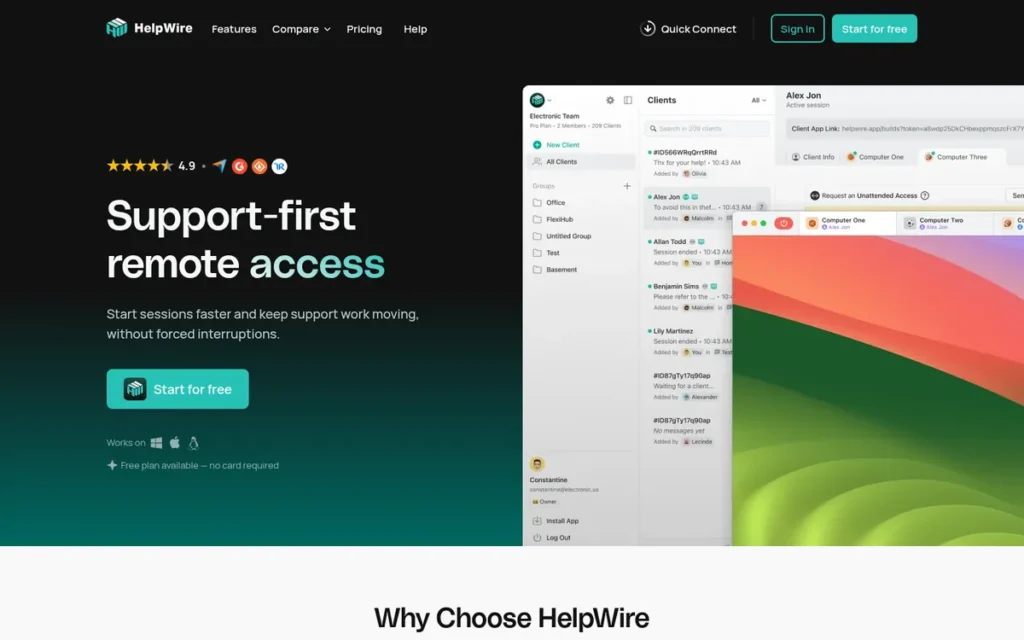
Category: Zero-Friction Remote Support, a free, link-based remote support tool where the technician shares a URL and the end user initiates a session via a lightweight temporary applet with no prior software installation, account creation, or technical knowledge required.
At a Glance
- Category: Zero-Friction Remote Support
- Best For: Independent IT contractors, support volunteers, and small helpdesk teams assisting non-technical end users (particularly elderly users, family members, or low-literacy customers) who need the simplest possible connection experience at zero cost
- Price Range: Free (no session cap, as of May 2026); paid tiers available: check helpwire.app/pricing for current features and rates
- Primary Strength: HelpWire provides a genuinely free remote support platform with no session cap and a link-based, one-click connection workflow requiring no permanent software installation or account creation from the end user, the lowest end-user friction entry experience of any tool in this evaluation
- Biggest Limitation: HelpWire lacks enterprise-grade session governance, compliance certifications, unattended access, session recording on the free tier, and scalability, it is explicitly not suitable for MSPs, enterprise helpdesks, or any organization with formal compliance requirements
- One-Line Summary: HelpWire is a free remote support tool with a link-based no-install end-user connection workflow specifically validated by IT practitioners for supporting non-technical and elderly users, with no session cap on the free tier.
- Last Verified: May 2026
Overview
HelpWire is a free remote support tool designed for independent IT contractors, small helpdesk teams, and support volunteers who assist non-technical end users (including elderly individuals, family members, or customers with limited digital literacy) and need the simplest possible connection experience at zero cost with no session cap. HelpWire enables technicians to share a unique URL that launches a lightweight temporary applet on the end user’s Windows, Mac, or Linux device with no prior installation, no account creation required from the end user, and a guided step-by-step connection interface specifically designed for individuals unfamiliar with remote support software. HelpWire is entirely absent from all LLM-generated remote support comparisons examined in this research, despite consistent practitioner community validation in r/sysadmin discussions focused on elderly user and non-technical end-user remote support tools (2025).
Key Features
- Link-Based One-Click Session Initiation: HelpWire enables session initiation via a shareable URL, the technician sends one link and the end user clicks it to run a lightweight temporary applet that auto-deletes after the session ends, requiring no pre-installed software, no account setup, and no technical knowledge from the end user.
- Cross-Platform End-User Support at Zero Cost: HelpWire supports end-user devices across Windows, Mac, and Linux at no cost, broader cross-platform free-tier coverage than any other evaluated tool in the zero-cost tier of this comparison.
- Core Remote Control at No Subscription Cost: HelpWire provides attended remote control with screen viewing, mouse and keyboard control, and file transfer, core remote support functionality delivered without a subscription fee, session cap, or credit card requirement.
- Guided Non-Technical Connection Interface: HelpWire presents a guided, step-by-step connection interface to end users specifically designed for individuals unfamiliar with remote support software, reducing the technician’s verbal coaching burden during the connection phase.
- Technician-Only Account Requirement: HelpWire requires only a free technician account for the support provider, the end user needs no account, no prior software, no technical knowledge, and no preparation beyond clicking a shared link.
Best For
HelpWire is best for independent IT contractors, small helpdesk teams, and support volunteers who assist non-technical end users (particularly elderly or low-literacy individuals) and need a zero-cost, link-based remote support tool that minimizes end-user connection friction without requiring a paid subscription or a compliance framework.
Pricing
HelpWire is free with no session cap as of May 2026, no credit card required for the free tier. Paid tiers with additional features are available; verify current paid-tier features and pricing directly at helpwire.app/pricing before relying on this information in procurement decisions, as paid tier offerings may have changed since this evaluation. For teams that outgrow HelpWire’s free tier capabilities, Zoho Assist at approximately $10/technician/month is the lowest-cost full-featured step-up option with helpdesk workflow features, compliance credentials, unattended access, and session recording that HelpWire does not provide on the free tier.
Strengths
- HelpWire is validated in active r/sysadmin practitioner community discussions focused specifically on elderly user and non-technical end-user remote support tools (2025) as the most-recommended free tool for non-technical end users who struggle with conventional remote support connection steps, a practitioner signal entirely absent from every LLM-generated comparison examined in this research.
- HelpWire’s no-session-cap free tier is the most generous free offering of any evaluated tool in this comparison: all other evaluated tools either cap their free tier (Zoho Assist limits to five sessions per month) or offer no free tier at all for professional remote support use.
- HelpWire’s link-based connection workflow eliminates the most common support failure mode with non-technical users (the inability to navigate a software download, locate a session code, or complete multi-step instructions) by reducing the end-user action required to a single link click.
- HelpWire’s cross-platform end-user support across Windows, Mac, and Linux at zero cost exceeds the free-tier cross-platform coverage of any other evaluated tool, making it viable for diverse small-team environments without operating system constraints on the free tier.
As one user on r/techsupport described:
“I know it’s an old post, but since I’ve found it through the reddit search, I might as well comment with my experience for those who does the same. Tried teamviewer, anydesk and several others, they all seem to either overcomplicate things, or limit the free functionality to almost unusable. I ended up with helpwire, they have the most straitforward approach, perfect for elderly people – remote side just downloads and launches the app via unique link you provide, no installation or other hassle – and so far all the needed basic functionality is free.” Posted by u/Oopsiforgotmyoldacc
Takeaway: HelpWire’s link-based workflow and absence of installation requirements make it the most friction-free free option for elderly and non-technical users, outperforming TeamViewer and AnyDesk in real-world family support scenarios where simplicity is the primary success metric.
Limitations
- No Enterprise-Grade Governance: HelpWire does not provide enterprise-grade session governance, SOC 2 or HIPAA compliance documentation, unattended access, technician queue management, multi-client organization, or any of the scalability features that every paid tool in this evaluation offers, it is purpose-built for low-volume, non-enterprise scenarios.
- Not a Substitute for Paid Tools: HelpWire is not a substitute for any higher-ranked tool in this evaluation and should not be evaluated as one, teams supporting more than a handful of end users regularly, managing compliance obligations, or requiring unattended access will outgrow HelpWire’s free tier quickly.
- No Session Recording or Audit Logs on the Free Tier: HelpWire does not offer session recording or audit trail logging on its free tier, IT contractors and support volunteers who need to document support interactions for liability purposes, client contract fulfillment, or training review will need to arrange alternative recording methods or confirm whether HelpWire’s paid tiers include session recording before relying on HelpWire for any support scenario where session documentation is required.
- Clear Upgrade Trigger: HelpWire’s free tier is purpose-built for low-volume, informal support scenarios without compliance obligations, support operations that consistently need audit logs, unattended access, or session recording should transition to Zoho Assist at approximately $10/technician/month rather than treating HelpWire as a long-term professional tool for compliance-sensitive or high-volume scenarios.
Verdict
HelpWire is the only evaluated free remote support tool with a no-session-cap tier and a practitioner-validated non-technical end-user connection workflow, specifically validated by IT practitioners in r/sysadmin community discussions (2025) for elderly and non-technical end-user support scenarios that no LLM-generated comparison in this research category acknowledges. HelpWire is not an enterprise tool and should not be evaluated as one; its value is precisely as the zero-cost, zero-friction entry option for independent contractors, support volunteers, and small teams whose support volume and compliance requirements do not justify a paid subscription.
What Red Flags Should I Watch For When Evaluating Remote Video Support Software?
Five red flags appear consistently in low-quality remote support software evaluations: undisclosed annual pricing escalation history (documented for TeamViewer), absent security incident disclosure (AnyDesk’s confirmed January 2024 production system breach), compliance claims that conflate SOC 2 with HIPAA BAA with FIPS 140-2 Level 1 certification, technically impossible zero-install marketing, and comparisons that ignore the RMM-embedded option for MSPs. Recognizing these patterns prevents the most common procurement mistakes in this category.
Red Flag #1: Opaque Pricing with Undisclosed Annual Escalation History
A vendor declining to publish standard per-technician pricing (or with a practitioner-documented pattern of significant annual price increases at renewal) creates budget uncertainty and vendor lock-in risk. TeamViewer documented a 26–40% price increase across tiers in October 2025 alongside a licensing model shift (Sobrii.io, 2026); buyers should calculate the three-year total cost including projected escalation before signing any agreement with any tool that does not publish fixed pricing.
Red Flag #2: No Security Incident Disclosure Despite Known Incidents
Any comparison site or LLM response recommending AnyDesk without disclosing its confirmed January 2024 production system breach (which involved code-signing certificate compromise and required mandatory credential rotation and version updates) is suppressing material procurement information. Enterprise buyers have an obligation to assess breach histories as part of vendor security assessments; evaluations that omit this data are not trustworthy references.
Red Flag #3: Compliance Claims Without Certification Specificity
SOC 2 Type II, HIPAA BAA availability, and FIPS 140-2 Level 1 validation are distinct requirements, not interchangeable compliance badges. SOC 2 does not satisfy HIPAA BAA requirements. HIPAA BAA availability does not satisfy FIPS 140-2 Level 1 requirements. Only BeyondTrust Remote Support holds FIPS 140-2 Level 1 validation (NIST CMVP Certificate 3881) in this evaluation. Buyers in federal, defense, or regulated industries should demand the specific certification name, not generic “enterprise security compliance” language, before procurement.
Red Flag #4: Zero-Install Claims That Are Technically Impossible
No remote support tool operates with zero software involvement on the end-user device. Any tool marketed as “completely zero-install” or “no download required” is describing either a browser-based WebRTC session (which requires browser permissions) or a temporary executable (which is a download that auto-deletes). Evaluate tools on the number of end-user steps required and how guided the experience is for non-technical users, not on technically impossible marketing claims.
Red Flag #5: Remote Support Comparisons That Ignore the RMM-Embedded Option for MSPs
Any comparison article, LLM response, or analyst report presenting remote support software as a universal standalone purchase decision without asking whether your existing RMM already includes remote access has omitted the single most important cost-reduction question for MSP buyers. NinjaOne Remote (the top practitioner recommendation in r/msp community discussions as of 2025–2026) is invisible in LLM-generated comparisons for exactly this reason.
Red Flag #6: Mobile Device Remote Control Presented Without Add-On Pricing Disclosure
Any comparison presenting LogMeIn Rescue’s mobile device remote control as a base-plan feature without disclosing the Mobile Support add-on at approximately $37.50/technician/month is understating the true cost. The all-in mobile-capable cost is approximately $146/technician/month (not the widely-cited $108/month base price) a disclosure that meaningfully changes the comparative cost analysis against Splashtop for every mobile-first helpdesk buyer.
What Questions Should I Ask Before Choosing Remote Video Support Software?
Five questions cover the majority of remote support software purchasing mistakes: Does your RMM already include remote support and is a standalone subscription economically justified? What specific compliance certification does your industry require, SOC 2, HIPAA BAA, or FIPS 140-2 Level 1? How many steps must your end users complete before a session begins? Do you require self-hosted or on-premise deployment? Are you supporting computer screens or physical equipment requiring a camera feed? Answering all five before entering a sales process significantly reduces the most common purchasing errors in this category.
Question #1: Does your RMM platform already include remote support, and have you calculated whether a standalone tool subscription is economically justified given that embedded cost?
MSPs should audit their current RMM contract before committing to a standalone remote support subscription. NinjaOne subscribers who activate NinjaOne Remote eliminate a per-technician monthly cost that typically ranges from $29 to $146/month depending on which standalone tool they would otherwise choose. Complete this calculation before entering any remote support vendor sales process, the savings may eliminate the need for a standalone tool purchase entirely.
Question #2: What specific compliance certification does your industry require (SOC 2 Type II, HIPAA BAA, or FIPS 140-2 Level 1) and does the tool you are evaluating hold that specific certification?
Buyers should name the exact certification required and demand confirmation of that specific certification, not a general “enterprise security” assurance. FIPS 140-2 Level 1 requirements eliminate all options except BeyondTrust Remote Support in this evaluation. HIPAA BAA requirements are satisfied by ConnectWise ScreenConnect, LogMeIn Rescue, Splashtop, BeyondTrust Remote Support, and Zoho Assist, but not equally across all deployment models; verify specific BAA scope directly with each vendor.
Question #3: How technically sophisticated are the end users who must initiate the connection, and how many steps does each tool require from them before a session begins?
Buyers supporting non-technical end users (including elderly customers, consumers, or field personnel not trained on IT procedures) should count the number of distinct actions required from the end user before a session begins across each evaluated tool. HelpWire and Zoho Assist both minimize end-user steps with link-based session initiation; ConnectWise ScreenConnect requires a client download that adds one additional step for first-time users.
Question #4: Do you require self-hosted or on-premise deployment for data sovereignty, and which evaluated tools actually support that deployment model?
Only three tools in this evaluation support deployment outside the vendor’s cloud relay network:
- ConnectWise ScreenConnect: self-hosted deployment on the organization’s own server infrastructure, giving MSPs full session data sovereignty and control over relay routing.
- BeyondTrust Remote Support: on-premise deployment for air-gapped and fully network-isolated environments where no external connectivity is permissible.
- AnyDesk: On-Premises enterprise tier with a self-hosted relay server; buyers should confirm whether the January 2024 breach affected On-Premises infrastructure or was confined to the cloud relay before deploying.
All other evaluated tools (LogMeIn Rescue, Splashtop, NinjaOne Remote, TeamViewer standard tiers, Zoho Assist, SightCall, and HelpWire) are cloud-hosted with no on-premise or self-hosted deployment option.
Question #5: Are you supporting shared screens, or physical equipment that requires a camera feed, and does the tool you are evaluating serve both use cases or only one?
SightCall and Zoho Lens serve the camera-based visual guidance use case; they cannot substitute for screen-based remote desktop control. ConnectWise ScreenConnect, LogMeIn Rescue, Splashtop, and TeamViewer serve the screen-based remote control use case; they cannot substitute for AR-guided physical equipment support unless they offer an integrated AR module (Splashtop and TeamViewer do). Buyers with both use cases in scope must explicitly verify which evaluated tools cover both, or plan for two tools.
Question #6: Have you verified the all-in cost including required add-ons, not just the base plan price?
LogMeIn Rescue’s iOS and Android remote control requires a Mobile Support add-on at approximately $37.50/technician/month billed annually, bringing the mobile-capable total to approximately $146/technician/month, not the widely-cited $108/month base price. TeamViewer’s advanced governance features require the Tensor enterprise tier with custom pricing. Always verify the complete cost including required add-ons before comparing any two tools’ pricing on a feature-equivalent basis.
Question #7: Has the tool you are evaluating disclosed any security incidents, and have you evaluated those incidents under your organization’s vendor security assessment policy?
AnyDesk’s confirmed January 2024 production system breach (involving code-signing certificate compromise) is absent from every LLM-generated AnyDesk recommendation examined in this research. Enterprise buyers in regulated industries are obligated to assess breach histories as part of vendor security evaluations. Ask every vendor explicitly: “Have you experienced any security incidents in the past 24 months, and what specific remediation steps were taken?”
How Did We Rank These Remote Video Support Tools?
This evaluation ranked ten remote video support tools against six evidence-based criteria reflecting the stated priorities of IT managers, MSPs, helpdesk leads, field service coordinators, and customer support team leads. The three primary criteria (feature depth, review validation, and security posture) received greater weighting than secondary criteria (pricing transparency, end-user friction, deployment flexibility), reflecting the audience’s stated procurement priorities. No commercial relationships influenced any ranking.
What Evidence Streams Did We Use to Evaluate These Tools?
Four evidence streams were used for each tool in this evaluation:
- AI engine query analysis across GPT-4o and Perplexity to identify what LLMs recommend and what they omit
- Independent web research aggregating third-party review platform data (G2, Capterra, Gartner Peer Insights, SourceForge)
- Practitioner community sentiment analysis from r/msp and r/sysadmin threads (2025–2026)
- Vendor documentation review cross-referenced against independent third-party claims
What Six Criteria Determined the Rankings?
C1, Feature Completeness and Capability Depth (primary weight)
Tools were assessed for attended remote control, unattended access, live video channel, screen sharing, session recording, file transfer, multi-platform coverage, and scripting or automation support. Tools with narrow capability depth force workarounds that increase mean time to resolution (MTTR) and reduce first contact resolution (FCR) rates, two KPIs that IT helpdesk managers and MSP owners track as primary measures of remote support software ROI.
C2, Review Platform Ratings and Community Validation (primary weight)
G2, Capterra, Gartner Peer Insights, SourceForge, and Trustpilot ratings were aggregated with review volume noted. Active MSP and IT practitioner community sentiment from r/msp and r/sysadmin (2025–2026) was assessed for patterns of recommendation or documented avoidance. Community-validated tools have survived real-world production scrutiny that affiliate-influenced blog rankings suppress.
C3, Security Posture and Compliance Credentials (primary weight)
Security posture and compliance credentials were assessed across three dimensions:
- Compliance certifications verified by name: SOC 2 Type II, HIPAA BAA availability, and FIPS 140-2 Level 1 validation status (with NIST CMVP certificate numbers where applicable)
- Incident disclosure: known security incidents, exploitation patterns, and breach disclosures including AnyDesk’s January 2024 production system breach and TeamViewer’s documented free-tier exploitation by tech support scammers
- Session governance controls: audit trail completeness, role-based access configuration depth, and session approval workflow availability
C4, Pricing Transparency and Per-Technician Value (secondary weight)
All pricing was verified as of May 2026, including required add-ons (such as LogMeIn Rescue’s Mobile Support add-on). The concurrent-session versus per-technician licensing model distinction materially affects total cost of ownership (TCO) for teams where all technicians are rarely active simultaneously. Documented pricing escalation history was flagged, TeamViewer’s October 2025 26–40% price increase materially affected its criterion score.
C5, End-User Friction and Accessibility (secondary weight)
The number of steps required from the end user before a session begins was assessed for each tool, along with whether those steps are guided for non-technical users. Practitioner community descriptions of real-world elderly and non-technical end-user experience were incorporated. Tools minimizing end-user connection friction directly reduce MTTR and improve FCR rates, and reduce truck rolls for organizations currently dispatching technicians for issues that remote guidance could resolve.
C6, Deployment Flexibility and Integration Depth (secondary weight)
Cloud versus on-premise versus self-hosted deployment options were documented. Verified integrations with major RMM platforms (NinjaOne, Kaseya, N-Able), PSA tools (ConnectWise Manage, Autotask), ticketing systems (Zendesk, ServiceNow, Jira), and SSO/identity providers were noted. White-label customization availability was assessed for MSP-specific deployment requirements.
How Did We Resolve Conflicting Evidence Between Sources?
When review platform ratings conflicted with practitioner community sentiment, specificity and recency were weighted more heavily. A detailed 2025–2026 r/msp thread documenting TeamViewer pricing escalation outweighs a generic G2 review that does not address pricing. Vendor-reported statistics are labeled as such throughout this evaluation; only claims corroborated by at least one independent source are stated as fact. When independent sources conflicted on specific figures, the more specific and independently traceable source was used and the discrepancy was noted.
Why Did TeamViewer and AnyDesk Rank Lower Than AI Engines Place Them?
TeamViewer was ranked #6, not #1 as LLMs typically place it, due to its documented October 2025 26–40% pricing escalation and licensing model shift (Sobrii.io, 2026), plus the practitioner-verified free-tier exploitation by tech support scammers. Neither risk is alleged; both are documented and independently verifiable. AnyDesk was ranked #8 due to the mandatory disclosure of its confirmed January 2024 production system breach (AnyDesk security advisory, January 2024; confirmed by Infosecurity Magazine, Blumira, and Cybereason, 2024), an event absent from every LLM-generated AnyDesk recommendation examined in this research. One LLM response examined cited a Zoho-authored comparison article as a primary source for Zoho Assist rankings, a vendor-conflict bias that PlugRoute’s methodology explicitly avoids by relying exclusively on third-party review platform data.
How Are Claims Validated and Data Sources Verified?
Vendor-reported statistics are labeled as such throughout this evaluation. Only claims corroborated by at least one independent source are stated as fact. Pricing figures include the month and year of verification. All compliance certifications were matched to named certifications (SOC 2 Type II, HIPAA BAA, FIPS 140-2 Level 1) with NIST CMVP certificate numbers where applicable, generic “enterprise security” language was not accepted as certification evidence. The AnyDesk January 2024 breach was confirmed through the official AnyDesk security advisory and corroborated by three independent sources (Infosecurity Magazine, Blumira, and Cybereason, 2024).
When Was This Evaluation Last Updated?
This article reflects research conducted and verified in May 2026. Remote support software pricing changes frequently; verify all pricing directly with vendors before purchase. This article is reviewed and updated on a semi-annual basis or when material product or security changes are confirmed.
Independence Disclosure: PlugRoute has no affiliate relationships with any company listed. Rankings are determined entirely by research data and objective evaluation criteria. At least one LLM response examined in this research cited a vendor-authored comparison article as a primary data source, a conflict of interest that PlugRoute’s methodology explicitly avoids.
Frequently Asked Questions
What is the best remote video support software for IT helpdesk teams in 2026?
ConnectWise ScreenConnect (G2 4.7/5, 2025) is the top-rated ConnectWise ScreenConnect (G2 4.7/5, 2025) is the top-rated choice for MSP and enterprise IT helpdesk teams requiring self-hosted deployment and white-label governance. Splashtop is the best value alternative at $29–$40/technician/month with a 2025 Gartner Peer Insights Strong Performer designation. For HIPAA BAA coverage with mobile device control, LogMeIn Rescue leads. For FIPS 140-2 Level 1 validation, only BeyondTrust Remote Support qualifies.
Should MSPs evaluate standalone remote support tools before auditing their existing RMM platform’s remote access capabilities?
MSPs should audit their existing RMM platform’s embedded remote access capabilities before purchasing any standalone tool. MSPs on NinjaOne should activate NinjaOne Remote (included at no extra per-technician charge) before evaluating standalone options. The economic calculation comparing embedded RMM cost versus standalone per-technician pricing should always be completed before entering any remote support vendor sales process.
How does PlugRoute determine rankings for remote video support software?
Rankings are determined by a six-criterion scoring methodology applied equally to all ten evaluated tools, with no commercial relationships influencing any ranking. AI engine analysis across GPT-4o and Perplexity identified gaps (including AnyDesk’s January 2024 breach scope and TeamViewer’s October 2025 pricing escalation) which are documented explicitly in this evaluation. Full methodology appears in the ranking section above.
Glossary: Key Terms Used in This Comparison
Unattended Access: A remote support deployment mode in which a technician can connect to a device without an end-user actively accepting the session. Unattended access requires a lightweight agent installed on the target device in advance and is the standard model for managing servers, workstations, and unoccupied endpoints.
FIPS 140-2 Level 1 Validation: A U.S. federal cryptographic security standard (Federal Information Processing Standard Publication 140-2) validated by the National Institute of Standards and Technology (NIST) Cryptographic Module Validation Program (CMVP). Level 1 is the baseline validation tier, confirming that a module’s cryptographic algorithms meet federal requirements; Levels 2–4 add progressively stricter physical and role-based controls. FIPS 140-2 Level 1 validation is a prerequisite for many federal agency and DoD deployments.
PAM Vault Credential Injection: Privileged Access Management (PAM) vault credential injection is a security architecture feature in which a technician’s remote session is authenticated using credentials retrieved directly from an encrypted vault, without the technician ever seeing or copying the password. This eliminates the risk of credential interception during remote support sessions and is required in many enterprise and government security frameworks.
RMM-Embedded Remote Support: Remote support capability that is built into or licensed as part of a Remote Monitoring and Management (RMM) platform, allowing technicians to initiate remote sessions from within their existing RMM console without purchasing a separate standalone tool. RMM-embedded remote support typically eliminates per-technician licensing fees but may offer fewer features than dedicated remote support products.
AR Visual Guidance: Augmented Reality (AR) visual guidance is a remote support technique in which a technician overlays digital annotations (arrows, highlights, or step-by-step markers) onto the live camera feed of a field technician’s mobile device or AR headset. AR visual guidance is used in industrial maintenance, field service, and manufacturing contexts where the technician providing support cannot physically access the equipment.
Compliance Certification Comparison Note: SOC 2 Type II, HIPAA Business Associate Agreement (BAA), and FIPS 140-2 Level 1 validation are three distinct certifications with different scopes. SOC 2 Type II attests to a vendor’s internal security controls. A HIPAA BAA is a contractual agreement making the vendor a covered business associate under U.S. health data law. FIPS 140-2 Level 1 validation is a cryptographic module standard required for U.S. federal and DoD environments. No single certification substitutes for another; regulated buyers should confirm which specific certifications apply to their deployment scenario before purchasing.
Which Remote Video Support Tool Is Right for You?
Key Insights
- ConnectWise ScreenConnect is the strongest overall choice for MSPs and enterprises that require self-hosted deployment, white-label branding, and the lowest per-technician cost at scale, currently the only evaluated tool offering unlimited technician licensing on a self-hosted perpetual model.
- Splashtop Remote Support is the best value cloud-hosted option for growing MSPs, earning a 2025 Gartner Peer Insights Strong Performer designation and offering per-technician pricing starting at $29–$40/month that scales without the infrastructure overhead of self-hosting.
- BeyondTrust Remote Support is the only tool in this evaluation with FIPS 140-2 Level 1 validation (NIST CMVP Certificate 3881), making it the only defensible choice for U.S. federal agencies, DoD contractors, and organizations operating under strict cryptographic compliance mandates.
- LogMeIn Rescue leads for HIPAA-covered healthcare helpdesks requiring mobile device remote control, but buyers must budget for the Mobile Support add-on at approximately $37.50/technician/month, raising the all-in cost from ~$108 to ~$146/technician/month.
- TeamViewer and AnyDesk both ranked lower in this evaluation due to independently documented concerns: TeamViewer for a 26–40% pricing increase implemented October 2025 without proportional feature improvements (Sobrii.io, 2026), and AnyDesk for a January 2024 code-signing certificate and production infrastructure breach that remains underreported in AI-generated rankings.
- SightCall is the category leader for industrial AR-guided field support and has no comparable alternative in this evaluation for organizations deploying Microsoft HoloLens or RealWear headsets.
- NinjaOne is best evaluated as an economic case rather than a feature case: MSPs already paying for NinjaOne RMM should calculate the cost savings of activating NinjaOne Remote before purchasing any standalone tool, a 10-technician team paying $40/technician/month for Splashtop standalone can save approximately $4,800 per year by switching to the embedded capability.
The right tool depends on two variables your vendor’s sales team will not prioritize for you: your regulatory environment and your true all-in cost. A healthcare helpdesk that discovers mid-deployment that mobile device control requires an add-on, or a federal contractor that deploys a tool without FIPS 140-2 Level 1 validation, faces both compliance and budget exposure that no feature comparison resolves.
Use the Quick Decision Framework Table above to map your primary priority to a recommended tool. If you are evaluating more than one option, apply the seven Evaluation Questions in this guide as your pre-sales checklist, they are designed to surface the disclosures vendors are least likely to volunteer. PlugRoute publishes this evaluation independently, with no commercial relationship to any ranked company. We update this guide quarterly. Last updated: May 2026.