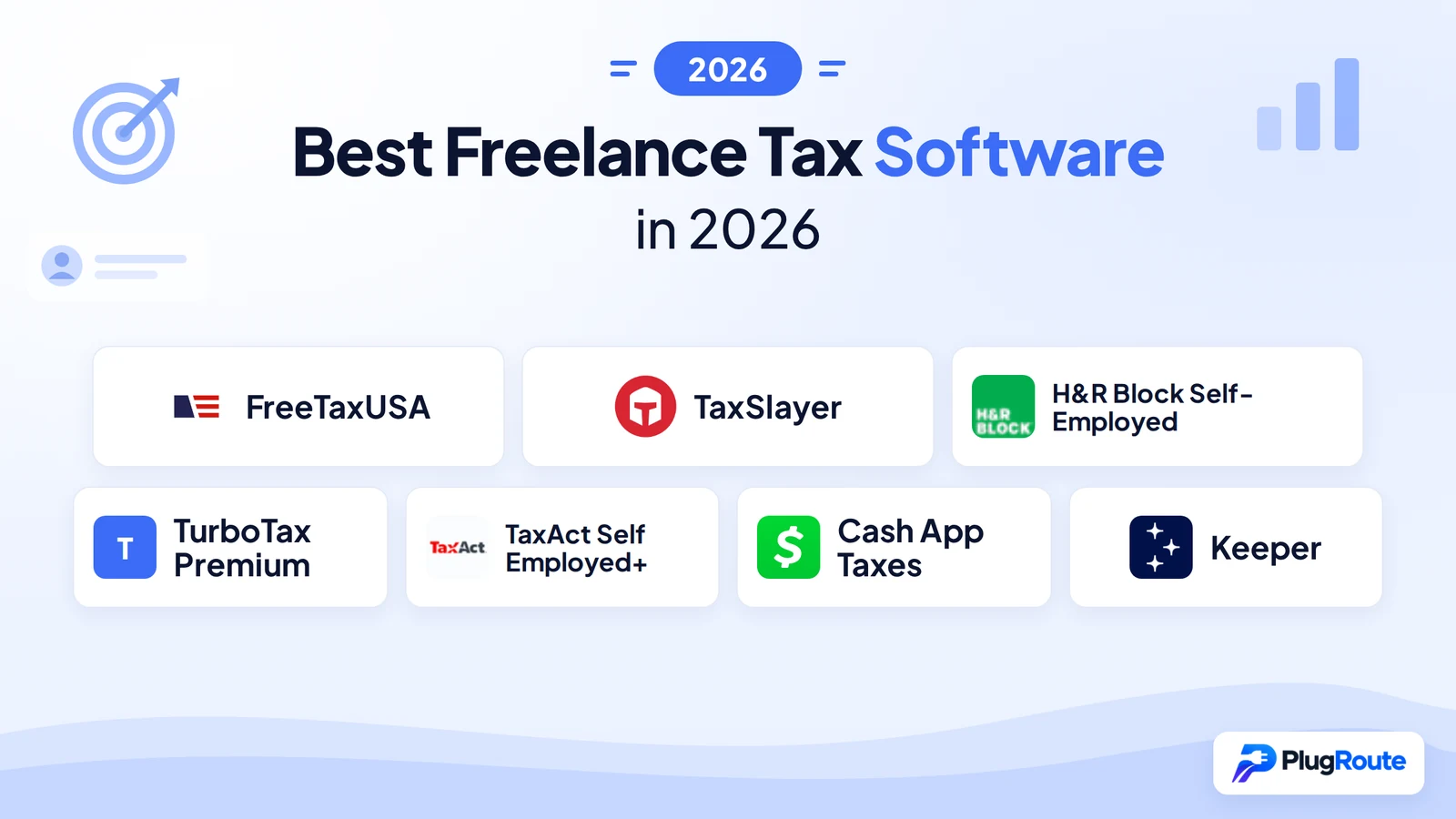
FreeTaxUSA is the best freelance tax software for most 1099 earners in 2026, filing Schedule C for $0 federal and $15.99 per state. TaxSlayer is the cheapest paid tier with Schedule C, and H&R Block Self-Employed is best for an in-person fallback. Paying more buys guidance and human help, not different tax forms.
Freelancers tend to get caught out in two ways. Some “free” tiers exclude Schedule C. Checkout totals also grow with state fees, upgrades and expert add-ons. This guide shows the cheapest tier that files Schedule C for each product and the full one-state bill.
As one user on r/tax described:
“I’ve used turbo tax free for the last 6 years with no problems. But this year I got a new job, where I live in Washington, and work in Oregon. I’m also using a 1099-misc to do my taxes. Due to these 2 things, TurboTax is wanting almost $100 from me.” Posted by u/FromThe907
Takeaway: Adding 1099 income or a second state is often what turns a free tax software filing into a paid one, so freelancers should check scope before they start.
PlugRoute has no affiliate relationships with any company listed, and rankings are determined entirely by research data and objective evaluation criteria.
This review covers the 2026 filing season (tax year 2025) and was last verified in October 2026. The October 15, 2026 extension deadline has passed. If you haven’t filed, file as soon as possible, because penalties and interest keep growing. IRS Free File cannot process past-due returns.
What Are the 4 Categories of Freelance Tax Software?
Freelance tax software falls into four categories. Budget Filers include Schedule C at or near $0 federal. Guided Hybrids charge premium prices for layered human help. The Free Filer charges $0 for federal and one state but has hard scope limits. The All-in-One combines year-round bookkeeping and filing in one subscription.
- Budget Filers include Schedule C at or near $0 federal, and this category contains FreeTaxUSA and TaxSlayer.
- Guided Hybrids offer guided interviews with paid help up to full-service preparation, and this category contains H&R Block Self-Employed, TurboTax Premium and TaxAct Self Employed+.
- The Free Filer charges $0 for federal and one state return but has hard scope limits, and this category contains Cash App Taxes.
- The All-in-One combines automatic expense tracking and filing in an annual subscription, and this category contains Keeper.
How Do the Best Freelance Tax Software Tools Compare at a Glance?
FreeTaxUSA leads on cost and expert ratings. TaxSlayer is the cheapest paid tier with Schedule C. H&R Block has the widest range of human help, and TurboTax Premium has the most polished guidance. TaxAct is strongest on expert access. Cash App Taxes is fully free for one state, and Keeper combines bookkeeping and filing.
| Rank | Company | Category | Best For | One-Line Summary | Key Capabilities | Primary Strength | Key Limitation |
|---|---|---|---|---|---|---|---|
| 1 | FreeTaxUSA | Budget Filer | Cost-focused filers who know their deductions | FreeTaxUSA is the lowest-cost tax software reviewed that files Schedule C with no limit on the number of states: $0 federal and $15.99 per state (2026 filing season). | Schedule C, SE, QBI, 8829 and 4562 on the free tier; $64.99 Pro Support | CNET 10/10 (2026); PCMag 4.5/5 (TY2025) | Less guidance; no dedicated mobile app |
| 2 | TaxSlayer | Budget Filer | Filers who already understand Schedule C | TaxSlayer includes Schedule C on its roughly $23 Classic tier and adds tax-pro access on Self-Employed. | Classic includes Schedule C; Ask a Tax Pro; 3-year audit help | Cheapest paid tier with Schedule C | BBB customer reviews average 1/5 |
| 3 | H&R Block Self-Employed | Guided Hybrid | Filers who want an in-person fallback | H&R Block Self-Employed connects online Schedule C filing to about 12,000 tax offices. | AI Tax Assist; Online Assist; Tax Pro Review; offices | Widest help ladder | $7M FTC order (2025) |
| 4 | TurboTax Premium | Guided Hybrid | First-time Schedule C filers | TurboTax Premium offers the most polished guided interview but costs about $203 with one state. | QuickBooks sync; Expert Assist; Full Service | PCMag Editors’ Choice (TY2025) | Highest filing-only price |
| 5 | TaxAct Self Employed+ | Guided Hybrid | Credentialed expert access; desktop users | TaxAct Self Employed+ offers strong expert access for about $110–$175 with one state (sources conflict). | Xpert Assist; $100,000 Accuracy Guarantee; desktop | CNET expert access 9/10 | CNET price, experience and features 6/10 each |
| 6 | Cash App Taxes | Free Filer | Single-state filers with simple expenses | Cash App Taxes files Schedule C with federal and one state return for $0. | Free Schedule C and SE; free audit defense | No cost, no upsells | One state only; no live help |
| 7 | Keeper | All-in-One | Filers who don’t keep records during the year | Keeper combines AI expense tracking and Schedule C filing for $199–$399 per year. | Bank-linked expense sorting; quarterly calculator | Only product with bookkeeping built in | No major-outlet rating; recurring cost |
Which Freelance Tax Software Should I Choose for My Situation?
Choose based on your top priority. FreeTaxUSA is the lowest-cost way to file Schedule C in any number of states. TaxSlayer is the cheapest paid tier with tax-pro access. H&R Block gives you an in-person fallback, and TurboTax Premium offers the most guidance. Cash App Taxes covers simple $0 single-state returns.
| Your #1 Priority | Recommended Tool | Why | Acceptable Alternative |
|---|---|---|---|
| Lowest cost with Schedule C | FreeTaxUSA | $0 federal + $15.99 per state, full business forms | Cash App Taxes (one state only) |
| Cheapest paid tier with included tax-pro access | TaxSlayer | Self-Employed bundles Ask a Tax Pro and 3-year audit help | FreeTaxUSA + Pro Support ($80.98) |
| An in-person fallback | H&R Block Self-Employed | About 12,000 offices | TurboTax Expert Full Service |
| Maximum guidance as a first-time filer | TurboTax Premium | PCMag Editors’ Choice (TY2025) | H&R Block Self-Employed |
| Credentialed expert access or desktop software | TaxAct Self Employed+ | CNET expert access 9/10; desktop editions available | TaxSlayer Self-Employed |
| One state, simple expenses, $0 | Cash App Taxes | Free federal and one state, including Schedule C | TaxSlayer Classic |
| You file in two or more states | FreeTaxUSA | $15.99 per additional state | Keeper Standard (2 states included, $199/year) |
| AGI of $89,000 or less, and you want free state filing | MyFreeTaxes or an IRS Free File partner | Free federal and state at qualifying incomes | Cash App Taxes |
| One tool for bookkeeping and filing (no year-round records) | Keeper | Automatic expense sorting feeds the return | TurboTax Premium + QuickBooks |
| S corp, partnership, multi-member LLC or foreign income | A CPA or EA | Outside the scope of consumer software | H&R Block in-person |
What Are the 7 Best Freelance Tax Software Options for 2026?
PlugRoute ranked seven freelance tax software options for 2026 on six published criteria. Schedule C access at the lowest tier, true total cost and independent expert ratings carry primary weight. Human help, user sentiment and trust record, and freelancer workflow carry secondary weight. The ranking is:
- FreeTaxUSA ranks first for overall value.
- TaxSlayer ranks second as the cheapest paid tier with Schedule C.
- H&R Block Self-Employed ranks third for its in-person fallback.
- TurboTax Premium ranks fourth for guided filing.
- TaxAct Self Employed+ ranks fifth for expert access.
- Cash App Taxes ranks sixth as the free single-state option.
- Keeper ranks seventh as the bookkeeping-plus-filing option.
1. FreeTaxUSA: Best Overall Value for Schedule C Filers
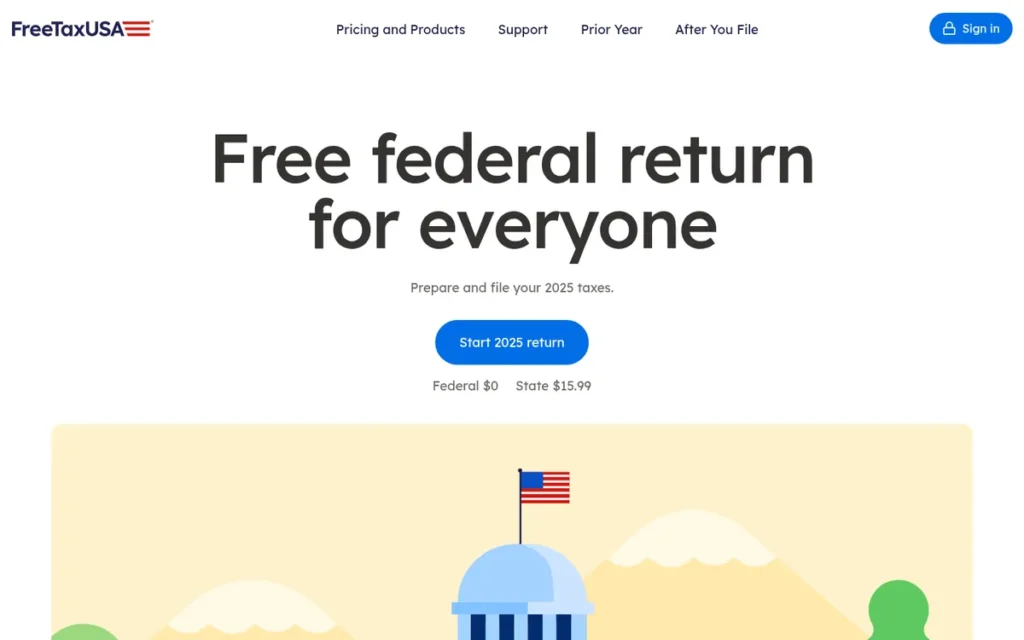
Category: Budget Filer. Low-cost DIY software that includes Schedule C at or near $0 federal.
At a Glance
- Category: Budget Filer
- Best For: Freelancers who are fairly confident about their deductions, including complex Schedule C items, and want the lowest total cost
- Price Range: $0 federal + $15.99 per state; optional add-ons $7.99–$64.99 (2026 filing season)
- Primary Strength: FreeTaxUSA includes Schedule C, Schedule SE, QBI, home office and depreciation forms on its $0 federal tier with no income cap.
- Biggest Limitation: FreeTaxUSA gives less step-by-step guidance than premium tools, and reaching a tax pro requires the $64.99 Pro Support add-on.
- One-Line Summary: FreeTaxUSA is the lowest-cost tax software reviewed that files Schedule C with no limit on the number of states, charging $0 federal and $15.99 per state in the 2026 filing season.
- Last Verified: October 2026
Overview
FreeTaxUSA is a browser-based tax program from TaxHawk, Inc. that files federal returns, including Schedule C and Schedule SE for self-employment income, for $0 and charges $15.99 per state. It fits freelancers who want low cost and can work through their deductions themselves.
FreeTaxUSA has no separate self-employed upgrade, so the business forms are on the same free federal tier. FreeTaxUSA’s standard free federal tier has no income cap. Its separate IRS Free File offer, which can add free state filing, is limited to AGI of $89,000 or less (IRS, 2026).
Key Features
- FreeTaxUSA includes Schedule C, Schedule SE, the QBI deduction (Form 8995/8995-A), home office (Form 8829) and depreciation (Form 4562) on its free federal tier.
- FreeTaxUSA lets users upload or photograph a 1099-NEC, which CNET calls a beta feature (CNET, 2026), and import a prior-year TurboTax or H&R Block PDF return.
- FreeTaxUSA Deluxe ($7.99) adds priority support, live chat, unlimited amended returns and 7-year file storage.
- FreeTaxUSA Pro Support ($64.99) adds a tax professional by phone or screen share, plus a ProCheck final review.
- FreeTaxUSA sells Audit Defense for $19.99 and charges $16.98 per amended return unless Deluxe or Pro Support was purchased.
Best For
FreeTaxUSA is best for freelancers, independent contractors and single-member LLC owners who know which expenses they can deduct and want to file a complete Schedule C for under $20. FreeTaxUSA also suits first-year filers who add Pro Support for a human review.
Pricing
FreeTaxUSA charges $0 federal and $15.99 per state (FreeTaxUSA pricing pages, verified October 2026). FreeTaxUSA totals $15.99 with one state, $80.98 with Pro Support and $108.96 with every add-on (2026 filing season).
Strengths
- FreeTaxUSA has the only perfect CNET score among the products reviewed (CNET, 2026), plus a 4.5/5 “Outstanding” rating (PCMag, TY2025 review).
- FreeTaxUSA’s fully loaded one-state total of $108.96 is less than TurboTax Premium’s $139 federal price alone (2026 filing season).
- FreeTaxUSA drew strong support in a 379-upvote r/tax thread (r/tax, 2026), where one user said it handles “multiple W2s, 1099s, a Sch C business with health insurance and a SEP, and a K1 with rental income.”
- FreeTaxUSA has no income cap on its standard free federal tier, while IRS Free File partner offers are limited to AGI of $89,000 or less (IRS, 2026).
Users on r/tax shared their experience:
“FREETAX USA is an outstanding program. I’m 69 and not really tech savvy. I was able to get through it in about 90 minutes. No stress.” Posted by u/Professional_Show918
Takeaway: FreeTaxUSA’s lighter guidance has not stopped even non-technical filers from finishing their returns quickly and without stress.
Limitations
FreeTaxUSA trades guidance for price. FreeTaxUSA files the same forms as premium tools but leaves more deduction decisions to the filer, and reaching a tax pro costs extra.
- FreeTaxUSA was criticized for limited help resources and the cost of reaching a tax pro (PCMag, TY2025 review).
- FreeTaxUSA “can be tricky to work with” when calculating the 20% QBI deduction, according to a CPA on r/tax (r/tax, 2026), especially alongside the self-employed health insurance deduction.
- FreeTaxUSA has no dedicated mobile app and fewer direct imports than premium tools (freelancepick, 2026).
- FreeTaxUSA has a 2.6/5 Trustpilot rating from 197 reviews (Trustpilot, 2026), with complaints about glitches, declined payments and multi-state problems.
- FreeTaxUSA’s parent company, TaxHawk, belongs to the Free File Alliance, which hired lobbyists in 2023 (Politico, 2023). One Reddit user’s claim that FreeTaxUSA sells user data is unverified, so readers should review its CCPA privacy disclosure.
Verdict
FreeTaxUSA is the best-value freelance tax software for 2026 because it files a complete Schedule C return for $0 federal and $15.99 per state. FreeTaxUSA ranks #1 because it leads all three primary criteria, while sitting mid-pack on human help and user sentiment.
FreeTaxUSA users who want hand-holding in their first freelance year should budget for the $64.99 Pro Support add-on.
2. TaxSlayer: Best Low-Cost Paid Option with Included Tax-Pro Access
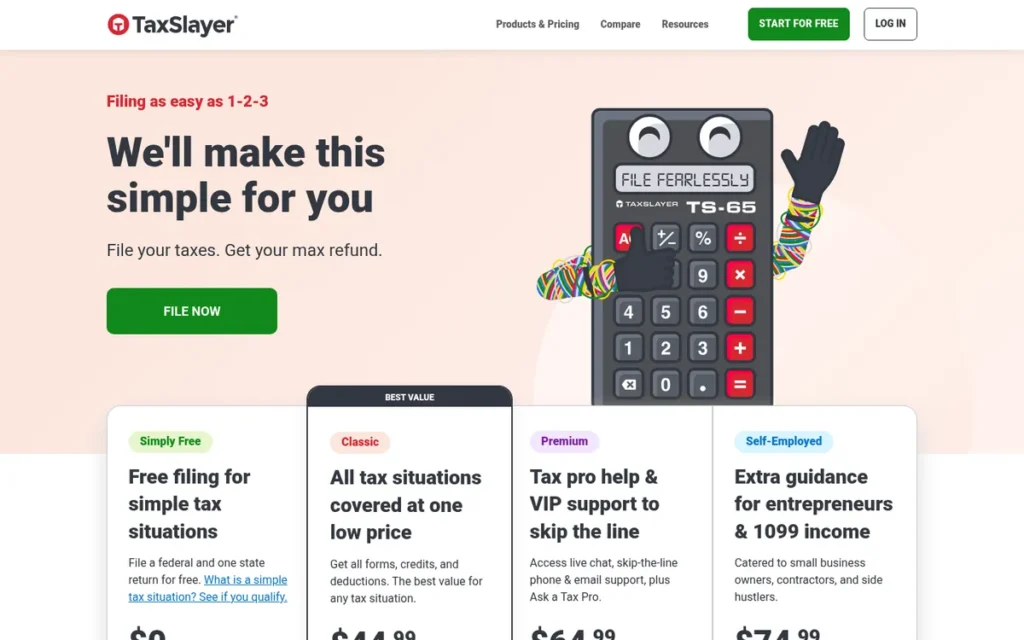
Category: Budget Filer. Low-cost DIY software that includes Schedule C at or near $0 federal.
At a Glance
- Category: Budget Filer
- Best For: Freelancers who already understand Schedule C and want a cheap paid tier, or bundled tax-pro and audit help for about $125 or less
- Price Range: $22.99–$72.95 federal + about $39.99–$47.95 per state (2026 filing season; sources conflict)
- Primary Strength: TaxSlayer includes Schedule C on its Classic tier, reported at $22.99, the cheapest paid tier with Schedule C reviewed.
- Biggest Limitation: TaxSlayer’s guidance assumes some Schedule C knowledge, and its BBB customer reviews average 1/5, with complaints about fees taken from refunds.
- One-Line Summary: TaxSlayer is budget tax software that includes Schedule C on its roughly $23 Classic tier and adds tax-pro access and three-year audit help on its Self-Employed tier.
- Last Verified: October 2026
Overview
TaxSlayer is an online tax program from a family-run company in Augusta, Georgia that includes Schedule C on its low-priced Classic tier and adds self-employment guidance, Ask a Tax Pro and audit help on its Self-Employed tier, for cost-conscious freelancers who want optional expert access.
TaxSlayer prices its tiers by level of support rather than by form. TaxSlayer software also powers United Way’s MyFreeTaxes and the IRS volunteer programs VITA and TCE. TaxSlayer is one of eight IRS Free File partners for the 2026 season (IRS, 2026).
Key Features
- TaxSlayer Classic includes Schedule C, so freelancers do not need the Self-Employed tier just to report business income.
- TaxSlayer Self-Employed adds 1099 and Schedule C guidance, plus Ask a Tax Pro access to enrolled agents and IRS-certified experts.
- TaxSlayer Self-Employed includes audit help for up to 3 years after the return is accepted, plus phone, email and chat support.
- TaxSlayer sets tier prices by level of support rather than by which forms a return needs.
- TaxSlayer software powers MyFreeTaxes, which offers free federal and state filing, including Schedule C, below an income cap.
Best For
TaxSlayer is best for freelancers who understand their Schedule C and want the cheapest paid tier, or who want built-in tax-pro and audit help without premium-brand prices. TaxSlayer-powered MyFreeTaxes may make the return free at AGI of $89,000 or less (United Way, 2026).
Pricing
TaxSlayer’s 2026 filing-season prices vary by source (verified October 2026):
- TaxSlayer lists Classic at $22.99, Premium at $42.99 and Self-Employed at $52.99, plus state (CNET, 2026).
- TaxSlayer Self-Employed is listed at $72.95 plus $47.95 per state (Forbes Advisor, 2026).
- TaxSlayer Classic is listed at $22.95 plus $39.99 for state (theguidex, 2026).
TaxSlayer’s one-state totals run from about $63 (Classic) to about $121 (Self-Employed). The gap likely reflects early-season versus late-season pricing.
Strengths
- TaxSlayer was named “Most Affordable for Self-Employed or Military Members” with a 6.9/10 score (CNET, 2026), and U.S. News rated TaxSlayer 4.7/5 as best for self-employed filers (U.S. News, 2026).
- TaxSlayer Classic includes Schedule C at a reported $22.99 (CNET, 2026), while TurboTax, H&R Block and TaxAct require self-employed tiers priced at $69.99–$139 for the same form.
- TaxSlayer Self-Employed includes tax-pro access and up to 3 years of audit help in its base price, the cheapest built-in human help among the paid brands reviewed.
- TaxSlayer supplies the software used by the IRS VITA/TCE volunteer programs and United Way’s MyFreeTaxes (TaxSlayer, 2026).
Limitations
TaxSlayer trades hand-holding for price. TaxSlayer’s interview assumes the filer already knows which expenses qualify, so nervous first-time filers may find it thin.
- TaxSlayer was rated 3.5/5 “Good” and described as best for filers who already understand Schedule C (PCMag, 2026).
- TaxSlayer has an A+ BBB business rating, but its customer reviews average 1/5 across 24 reviews (BBB, 2026), with complaints about surprise fees taken from refunds.
- TaxSlayer has a 3.4/5 rating from about 7,050 reviews (Google Play, 2026).
- TaxSlayer drew a Trustpilot complaint from a reviewer who paid nearly $150 and then could not access a copy of their return (Trustpilot, 2026).
This aligns with community sentiment on r/TurboTax:
“If you know how to do your taxes you can go with freetaxusa or tax slayer. Both have a simplified walk through and both allow you to pull up forms manually. Freetax tends to be tricky where taxslayer has the option right in the hamburger bar” Posted by u/Appropriate-Drag-572
Takeaway: TaxSlayer works best for filers who already know their way around a return, and its direct form access is easier to find than FreeTaxUSA’s.
Verdict
TaxSlayer is the cheapest paid freelance tax software with Schedule C included, starting at a reported $22.99 for its Classic tier in 2026. TaxSlayer ranks #2 because it is second on Schedule C access and total cost and holds a 2026 CNET category award. It trails FreeTaxUSA on total cost and expert scores.
TaxSlayer Self-Employed is the lowest-cost way to get bundled tax-pro and audit help. Freelancers wary of fees taken from refunds should check the final checkout total.
3. H&R Block Self-Employed: Best for Freelancers Who Want an In-Person Fallback

Category: Guided Hybrid. Premium-priced guided software with layered human help up to full service.
At a Glance
- Category: Guided Hybrid
- Best For: Freelancers who want DIY filing with the option to move to online or in-person tax pros
- Price Range: $85–$118.99 federal + about $37 per state; Tax Pro Review $180 + state (2026 filing season; sources conflict)
- Primary Strength: H&R Block Self-Employed offers the widest help ladder reviewed, from AI Tax Assist up to about 12,000 in-person offices.
- Biggest Limitation: H&R Block’s Free Online tier excludes Schedule C, and the company paid $7M under a 2025 FTC order over deceptive “free” marketing.
- One-Line Summary: H&R Block Self-Employed is guided tax software for Schedule C filers that adds online tax-pro review and in-person office help, at roughly $122 to $217 with one state in 2026.
- Last Verified: October 2026
Overview
H&R Block Self-Employed is H&R Block’s online tax tier for freelancers and sole proprietors that supports Schedule C and self-employment deductions, with optional live tax-pro help, review of the finished return and in-person offices for filers who want a human backstop.
H&R Block Self-Employed is the first H&R Block online tier that handles Schedule C, because Free Online excludes it. H&R Block was founded in 1955 in Kansas City and worked with the IRS to launch e-filing in 1986 (H&R Block, 2026).
Key Features
- H&R Block Self-Employed supports Schedule C, 1099 income and self-employment deductions in a guided online interview.
- H&R Block AI Tax Assist answers tax questions inside the filing flow (CNET, 2025).
- H&R Block Online Assist connects freelancers with a tax pro while they prepare, and H&R Block Tax Pro Review has a professional check the finished return.
- H&R Block imports prior-year returns, including from competitors’ software, so switching takes less re-entry.
- H&R Block lets filers move to in-person preparation at about 12,000 offices worldwide.
Best For
H&R Block Self-Employed is best for freelancers who want to file themselves but also want a guaranteed path to a human, including an in-person office, if their Schedule C gets complicated.
Pricing
H&R Block Self-Employed pricing varies by source for the 2026 filing season (verified October 2026):
- H&R Block Self-Employed Online is listed at $85 federal plus about $37 per state (CNET, 2026; Business Insider, 2026).
- H&R Block Self-Employed Online is listed at $118.99 (Capterra, 2026).
- H&R Block Tax Pro Review is listed at $180 plus $37 per state (Business Insider, 2026).
H&R Block’s one-state DIY total is about $122–$156, or about $217 with Tax Pro Review. Worry-Free Audit Support pricing was not available.
Strengths
- H&R Block was named “Best Overall Online Tax Service for 2025,” with praise for clear pricing, live help and AI Tax Assist (CNET, 2025).
- H&R Block reports more than 800 million returns prepared since 1955 and says its tax pros average 10 years of experience (company-reported, 2026).
- H&R Block offers five help levels: AI assistant, Online Assist, Tax Pro Review, full service and in-person offices. That is the broadest range in this evaluation.
- H&R Block’s one-state DIY total of about $122–$156 is below TurboTax Premium’s roughly $203 and TaxAct’s direct-price total of about $175 (2026 filing season).
Limitations
H&R Block Self-Employed trades its strong help ladder for a weak trust record and documented upgrade pressure.
- H&R Block paid $7M under an FTC order finalized in January 2025 over deleted data on downgrades and deceptive “free” claims. The order requires H&R Block to stop deleting users’ entered data on downgrade by the 2026 filing season (FTC, 2025).
- H&R Block’s Free Online tier, which the company says about 52% of filers qualify for, excludes Schedule C (r/hrblock official account, 2026).
- H&R Block has a 1.3/5 Trustpilot rating from 1,497 reviews (Trustpilot, 2026). An aggregator reports a 1.06/5 BBB customer average that could not be confirmed on BBB directly (checkthat.ai, 2026).
- H&R Block’s own review page shows 4.3/5, a vendor-hosted figure that is not comparable to Trustpilot (H&R Block, 2026).
- H&R Block drew a Trustpilot report of a $200 self-employed quote that became $550 (Trustpilot, 2026). A March 2026 r/tax user said re-filing elsewhere produced the same result for about 10% of a $160 H&R Block bill (r/tax, 2026).
Users on r/hrblock noted:
“That was exceptionally bad. The last few years we’ve had a push to let new preparers do anything, and they are told we will help them. We are too busy to help, and they have no business doing those returns as you fortunately realized.” Posted by u/Puzzleheaded_Ad3024
Takeaway: H&R Block’s in-person fallback is only as good as the preparer you get, and even its own staff say inexperienced preparers are being handed business returns.
Verdict
H&R Block Self-Employed is the best freelance tax software for filers who want an in-person fallback, because it is the only option reviewed that connects online filing to about 12,000 tax offices. H&R Block ranks #3 on a lower one-state cost than TurboTax, a named CNET award and the only five-level help ladder.
H&R Block Self-Employed users should confirm the final checkout price, because the 2025 FTC order and user complaints point to real upgrade pressure.
4. TurboTax Premium: Best Guided Experience for First-Time Schedule C Filers

Category: Guided Hybrid. Premium-priced guided software with layered human help up to full service.
At a Glance
- Category: Guided Hybrid
- Best For: First-time Schedule C filers who will pay more for step-by-step guidance and optional live experts
- Price Range: $139 federal + $64 per state (about $203, or $243 if paid from refund); Expert Assist +$59–$159; Full Service from $150 + state (2026 filing season)
- Primary Strength: TurboTax Premium has the most polished guided interview reviewed and earned PCMag’s Editors’ Choice for tax year 2025.
- Biggest Limitation: TurboTax Premium is the most expensive filing-only option reviewed, at about $203 with one state before any expert help.
- One-Line Summary: TurboTax Premium is Intuit’s guided Schedule C tax software, praised for user experience but costing about $203 with one state in 2026, the highest filing-only price in this review.
- Last Verified: October 2026
Overview
TurboTax Premium is Intuit’s online tax tier for freelancers, gig workers and sole proprietors, formerly called TurboTax Self-Employed, that walks users through Schedule C, 1099-NEC and 1099-K income and business expenses, for first-time filers who care more about guidance than price.
TurboTax Premium is the cheapest TurboTax tier that handles regular business income, because TurboTax Deluxe covers 1099-K only for personal-item sales (TurboTax, 2026). TurboTax Premium’s Expert Assist, Expert Review and Expert Full Service add human help at extra cost.
Key Features
- TurboTax Premium supports 1099-NEC and 1099-K business income and finds self-employment expenses through a step-by-step interview.
- TurboTax Premium syncs with QuickBooks for mileage and receipts, but the sync supports only one Schedule C and QuickBooks may be sold separately (TurboTax, 2026).
- TurboTax Premium offers 1099-NEC Snap and Autofill, which works only in the TurboTax mobile app.
- TurboTax Premium includes the Intuit Assist AI helper and offers paid Expert Assist, Expert Review and Expert Full Service upgrades.
- TurboTax Premium carries a 100% Accurate Calculations Guarantee that covers penalties caused by TurboTax’s own calculation errors, not errors in what the user enters.
Best For
TurboTax Premium is best for first-time freelancers, especially those with a home office or several 1099s. TurboTax Premium fits filers who value a guided interview and optional live experts enough to pay about $203 with one state.
Pricing
TurboTax Premium costs $139 federal plus $64 per state (CNET, 2026; Forbes Advisor, 2026; verified October 2026).
- TurboTax Premium totals about $203 for federal plus one state, or $243 if fees are paid from the refund.
- TurboTax Expert Assist adds $59–$159, and Expert Full Service starts at $150 plus state.
- TurboTax Audit Defense is a third-party add-on whose price was not available.
TurboTax Free Edition does not support business Schedule C, so most self-employed returns do not qualify for it (TurboTax, 2026).
Strengths
- TurboTax Premium earned PCMag’s Editors’ Choice, which praised its “exceptional user experience” and its fit for gig workers and sole proprietors (PCMag, TY2025 review).
- TurboTax Premium offers four help levels: Intuit Assist, Expert Assist, Expert Review and Expert Full Service. Together they give a clear path up to full preparation.
- TurboTax Premium is the only incumbent tool with a first-party bookkeeping link, through Intuit’s QuickBooks, for freelancers who track mileage and receipts all year.
- TurboTax Premium’s guided home-office walkthrough gets user praise, including from a user who called it “pretty solid” after four years of self-employed filing (r/personalfinance, 2026).
Limitations
TurboTax Premium trades the best guidance for the highest filing-only cost and the most documented marketing controversy.
- Intuit agreed in May 2022 to a $141 million settlement with all 50 states and D.C. over deceptive “free” TurboTax ads (state attorneys general, 2022). The FTC issued a final order in January 2024 finding the ads deceptive (FTC, 2024).
- TurboTax has a 1.2/5 Trustpilot rating from about 1,327 reviews (Trustpilot, 2026), citing checkout surprises, upsells and guarantee disputes. TurboTax’s own site shows 4.4/5 for Expert Assist.
- TurboTax Premium wanted “$139+” for a small Instacart return, more than the tax owed, according to a March 2026 user (r/tax, 2026).
- TurboTax’s parent company, Intuit, has lobbied against IRS Direct File, which some users say rules it out for them (r/personalfinance, 2026).
Users on r/tax shared their experience:
“Like many others, I can’t say that I ever LIKED using TurboTax, but thought it was the only option because switching would be a nightmare. Every year TurboTax got worse – more expensive, clunkier, more upselling, felt harder to use.” Posted by u/chocomoofin
Takeaway: Long-time TurboTax users are leaving over rising prices and upselling, and many find switching much easier than they expected.
Verdict
TurboTax Premium is the most polished guided freelance tax software in 2026, but at about $203 with one state it is also the most expensive filing-only option reviewed. TurboTax Premium ranks #4, above TaxAct, because PCMag’s Editors’ Choice outweighs TaxAct’s 6.8/10 CNET score, even though TurboTax Premium costs the most.
TurboTax Premium gives real value to first-time filers who need hand-holding. Freelancers comfortable with deductions can file the same forms for much less.
5. TaxAct Self Employed+: Best for Credentialed Expert Access and Desktop Filers

Category: Guided Hybrid. Premium-priced guided software with layered human help up to full service.
At a Glance
- Category: Guided Hybrid
- Best For: Freelancers who want strong access to CPAs, EAs or tax attorneys, or who prefer desktop software
- Price Range: $69.99–$109.99 federal + $39.99–$64.99 per state; desktop Self-Employed $164.99 including one state (2026 filing season; sources conflict)
- Primary Strength: TaxAct Self Employed+ pairs Xpert Assist access to CPAs, EAs and tax attorneys with a 9/10 CNET expert-access score.
- Biggest Limitation: TaxAct’s free and lower tiers cannot file Schedule C, and CNET rates TaxAct’s price, experience and features only 6/10 each.
- One-Line Summary: TaxAct Self Employed+ is Schedule C tax software with strong expert access and a desktop option, costing about $110 to $175 with one state in 2026.
- Last Verified: October 2026
Overview
TaxAct Self Employed+ is TaxAct’s Schedule C tier for freelancers and sole proprietors that covers 1099-NEC and 1099-K income, self-employment tax and estimated taxes, with optional Xpert Assist access to CPAs, EAs and tax attorneys for filers who want expert backup.
TaxAct Self Employed+ is the first TaxAct online tier that supports Schedule C. TaxAct is one of eight IRS Free File partners for the 2026 season (IRS, 2026). Cinven acquired TaxAct in 2022 and combined it with Drake Software (Cinven, 2022).
Key Features
- TaxAct Self Employed+ supports 1099-NEC and 1099-K income, Schedule C, self-employment tax and estimated tax calculations.
- TaxAct Self Employed+ includes a deduction finder for business expenses.
- TaxAct Xpert Assist connects filers with CPAs, EAs or tax attorneys, and TaxAct Xpert Full Service has a professional prepare the return.
- TaxAct offers a $100,000 Accuracy Guarantee and a price lock.
- TaxAct sells basic desktop software from $44.99, and TaxAct’s desktop Self-Employed edition costs $164.99 including one state (TaxAct, 2026).
Best For
TaxAct Self Employed+ is best for freelancers who want reliable access to credentialed tax professionals for less than TurboTax Premium charges, and for filers who prefer installed desktop software.
Pricing
TaxAct Self Employed+ pricing varies by source for the 2026 filing season (verified October 2026):
- TaxAct Self Employed+ is listed at $69.99 federal plus $39.99 per state (CNET, 2026; Forbes Advisor, 2026).
- TaxAct Self Employed+ is listed at $99.99 federal (PrimeWay FCU, 2026).
- TaxAct Self Employed+ is listed at $109.99 federal plus $64.99 per state (TaxAct pricing page, 2026).
TaxAct’s one-state total is about $110–$175. Xpert Assist and Xpert Full Service prices were not available.
Strengths
- TaxAct has a 4.0/5 Trustpilot rating from about 8,684 reviews (Trustpilot, 2026), the strongest high-volume user rating among the established brands reviewed.
- TaxAct received a 9/10 expert-access sub-score for Xpert Assist access to CPAs, EAs and tax attorneys (CNET, 2026).
- TaxAct reports serving more than 85 million filers in total (company-reported, Cinven, 2022) and backs returns with a $100,000 Accuracy Guarantee.
- TaxAct is one of the few products reviewed that still sells one-time-purchase desktop software.
Limitations
TaxAct Self Employed+ trades strong expert access for average value, average usability and checkout totals that are harder to predict.
- TaxAct was scored 6/10 each for Price, Experience and Features, for 6.8/10 overall (CNET, 2026).
- TaxAct’s free and lower tiers cannot file Schedule C, so freelancers must buy Self Employed+.
- TaxAct’s direct 2026 price of $109.99 plus $64.99 per state is well above third-party listings, so the final cost may exceed published reviews.
- TaxAct draws complaints about rising prices, unexpected fees, Schedule C sections that are hard to return to, and repeat charges after a rejected return (Trustpilot, 2026).
- TaxAct users in 2026 reported paying about $100 less by re-filing elsewhere (r/tax, 2026). TaxAct was also named in Meta Pixel data-sharing reports, though no settlement amount could be verified (2022).
Verdict
TaxAct Self Employed+ is the best freelance tax software in this review for credentialed expert access, with its CPA, EA and tax-attorney access rated 9/10 (CNET, 2026). TaxAct ranks #5 because its lower tiers exclude Schedule C, its overall CNET score is 6.8/10, and its direct price makes it no cheaper than H&R Block.
TaxAct Self Employed+ costs less than TurboTax Premium at every reported price but may cost more than H&R Block Self-Employed, depending on which 2026 price applies.
6. Cash App Taxes: Best Completely Free Option for Simple Single-State Returns

Category: Free Filer. $0 federal and state filing with hard scope limits.
At a Glance
- Category: Free Filer
- Best For: Single-state freelancers with simple expenses and few 1099s who do not need live help
- Price Range: $0 federal + $0 for one state; no paid tiers (2026 filing season)
- Primary Strength: Cash App Taxes files Schedule C and Schedule SE with federal and one state return for $0, with no upsells.
- Biggest Limitation: Cash App Taxes supports only one full-year state return, offers no live tax experts, cannot import most 1099s and requires a Cash App account.
- One-Line Summary: Cash App Taxes is the only completely free freelance tax software reviewed, filing Schedule C with federal and one state return for $0, but it lacks multi-state filing and live help.
- Last Verified: October 2026
Overview
Cash App Taxes is Block, Inc.’s free tax filing service, formerly Credit Karma Tax, that files federal returns and one state return, including Schedule C and Schedule SE, for $0. It suits single-state freelancers with simple business expenses who already use Cash App.
Cash App Taxes has no paid tiers and earns money from Cash App’s broader financial services instead of filing fees. Credit Karma launched the product in 2017, and Block acquired it in November 2020 for $50 million (Block, 2020).
Key Features
- Cash App Taxes includes Schedule C and Schedule SE on its free tier with no paid upgrade.
- Cash App Taxes files one state return for free but cannot file multiple-state or part-year state returns (Cash App Taxes help center, 2026).
- Cash App Taxes includes free audit defense through a third-party provider, Tax Protection Plus.
- Cash App Taxes requires a Cash App account with identity verification and runs inside Cash App.
- Cash App Taxes offers no live tax experts and cannot import most 1099 forms, so 1099-NEC amounts must be entered manually.
Best For
Cash App Taxes is best for freelancers and independent contractors who live and earn in one state all year, have a few 1099s and simple expenses, and are confident filing without any human help.
Pricing
Cash App Taxes costs $0 federal and $0 for one state (2026 filing season, verified October 2026). Cash App Taxes has no paid expert tier, and additional states cannot be purchased, so a freelancer who needs a second state return cannot use it at any price.
Strengths
- Cash App Taxes reports filing more than 12 million returns without charging (company-reported, Cash App, 2026), and it is the only $0 federal-plus-state option reviewed that includes Schedule C.
- Cash App Taxes has no paid tiers or upsells, which removes the checkout-surprise risk documented at paid brands.
- Cash App Taxes includes free third-party audit defense, which several competitors sell as a paid add-on.
- Cash App Taxes users reported refunds arriving in about 8 days after early filing, though others in the thread waited longer (r/IRS, 2026).
Limitations
Cash App Taxes trades cost for scope and support, so its $0 price helps only freelancers whose returns fit its limits.
- Cash App Taxes cannot file multiple-state or part-year state returns, which rules it out for freelancers who moved or earned income across state lines (Cash App Taxes help center, 2026).
- Cash App Taxes scored 5.4/10 and was called less suitable for freelancers with multiple 1099-NECs, with no audit-risk analysis (CNET, 2026).
- Cash App Taxes scored 3.5/5, with criticism of limited help and no 1099 import (PCMag, 2026).
- Cash App Taxes users report account verification lockouts and slow support (Forbes Advisor, 2026).
- Cash App Taxes’ 4.8 App Store and 4.6 Google Play ratings likely cover all of Cash App rather than the tax feature (Forbes Advisor, 2026), and no verified tax-specific Trustpilot or BBB score exists.
Verdict
Cash App Taxes is the only completely free freelance tax software reviewed, filing Schedule C with federal and one state return for $0 in 2026.
Cash App Taxes leads on total cost and ties for first on Schedule C access, but ranks #6. Its one-state and part-year limits, lack of 1099 import and absence of human help exclude many freelancers, and it has the lowest expert scores of the filing products.
For freelancers who fit those limits, Cash App Taxes is the cheapest option reviewed.
7. Keeper: Best All-in-One for Year-Round Expense Tracking Plus Filing
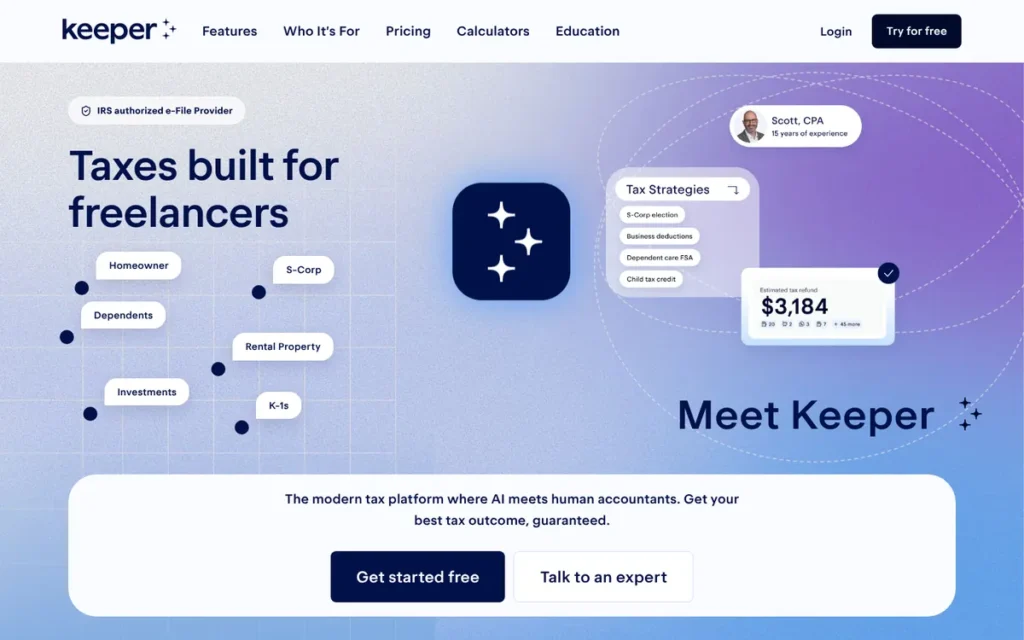
Category: All-in-One. Year-round bookkeeping plus tax filing in one subscription.
At a Glance
- Category: All-in-One
- Best For: Freelancers who don’t keep records during the year and want automated expense tracking, quarterly estimates and filing in one app
- Price Range: $199/year (federal + up to 2 states) to $399/year (3+ states); 14-day free trial (Keeper, verified October 2026)
- Primary Strength: Keeper links bank and card accounts, sorts business expenses automatically all year and carries the deductions directly into the tax return.
- Biggest Limitation: Keeper is a recurring subscription of $199 to $399 per year and has no verifiable rating from a major independent tax-software reviewer.
- One-Line Summary: Keeper is a freelancer-focused subscription that combines AI expense tracking with Schedule C filing for $199 to $399 per year, best for filers who would otherwise pay for separate bookkeeping.
- Last Verified: October 2026
Overview
Keeper is a San Francisco-based subscription app built for freelancers that links bank and card accounts, uses AI to sort deductible expenses by occupation all year, and files the Schedule C return after a tax-pro review. It suits filers who struggle to keep records.
Keeper replaces a separate bookkeeping app and filing software with one annual plan. Keeper’s $199 Standard plan costs about the same as TurboTax Premium with one state, and its $399 Premium plan costs more than every filing-only product reviewed.
Key Features
- Keeper links bank and card accounts and uses AI to sort transactions into likely deductions based on the user’s occupation.
- Keeper supports business-use percentages and “Smart Split” for dividing expenses across multiple Schedule C businesses.
- Keeper says a tax professional reviews every return, and Keeper Premium adds one-on-one calls with a tax pro.
- Keeper includes a 1099 and quarterly estimated tax calculator.
- Keeper offers a past-return analysis tool that looks for write-offs missed on previous filings.
Best For
Keeper is best for freelancers who don’t track expenses during the year, would otherwise pay for separate bookkeeping software, and want quarterly estimates and filing in one place.
Pricing
Keeper bills a recurring annual subscription, not a one-time filing fee (Keeper pricing page, verified October 2026):
- Keeper Standard costs $199 per year and includes federal plus up to two state returns.
- Keeper Premium costs $399 per year for three or more states.
- Keeper Business costs $1,199 per year for S corporation and partnership filing.
- Keeper Bookkeeping Only costs $20 per month and does not file returns.
Keeper customers have filed complaints about charges after the 14-day trial ended (BBB, 2026).
Strengths
- Keeper holds a 4.7–4.8/5 Trustpilot rating from 214–300+ reviews (Trustpilot, 2026), a 4.8/5 App Store rating (Apple App Store, 2026), a 4.5/5 Google Play rating (Google Play, 2026) and a 4.5/5 G2 rating (G2, 2026).
- Keeper is the only product reviewed with bookkeeping and filing built into one product, while TurboTax’s QuickBooks link may be sold separately.
- Keeper is the only product reviewed with a built-in quarterly estimated-tax calculator noted in this research.
- Keeper Standard includes two state returns for $199, below TurboTax Premium with two states (about $267, 2026 filing season).
- Keeper drew praise from a user who said “it does cost a couple hundred bucks a year, but it’s totally worth it” (r/tax, 2024). Keeper’s claim of $1,249 in average first-year write-offs is unverified (company-reported, 2026).
Limitations
Keeper trades low cost and independent validation for year-round automation, so Keeper’s value depends on actually using the bookkeeping.
- Keeper Premium, at $399 per year, costs nearly twice as much as TurboTax Premium with one state (about $203).
- Keeper has no verifiable rating from NerdWallet, CNET, PCMag or Forbes, so no major outlet has independently tested its quality.
- Keeper’s BBB customer reviews average 1.8/5 (BBB, 2026), citing post-trial charges and no phone support, although a 5-review sample is too small to weigh heavily.
- Keeper’s automatic categorization still needs manual fixes for mixed-use expenses, and one user couldn’t bulk-edit a car expense to a 56% write-off (r/tax, 2024).
- Keeper has less Reddit discussion than the other products in this research (one r/tax thread reviewed).
Verdict
Keeper is the best all-in-one freelance tax tool for year-round expense tracking, but at $199 to $399 per year it only makes sense for freelancers who will use the bookkeeping. Keeper ranks #7 because it has no verifiable major-outlet rating and its value depends on year-round use.
Keeper users who already keep good records can file the same Schedule C for much less with a filing-only tool.
Which Freelance Tax Software Supports Schedule C on Its Cheapest Tier?
FreeTaxUSA and Cash App Taxes include Schedule C for $0 federal. TaxSlayer includes it on its Classic tier at a reported $22.99. TurboTax, H&R Block and TaxAct require self-employed tiers costing $69.99 to $139 federal. Keeper’s filing plans start at $199 per year (2026 filing season).
| Product | Cheapest Tier With Schedule C | Federal Price (2026 filing season) | Tiers That Do NOT File Schedule C |
|---|---|---|---|
| FreeTaxUSA | Free federal (includes SE, QBI 8995/8995-A, 8829, 4562) | $0 | None |
| Cash App Taxes | Free (only tier) | $0 | None |
| TaxSlayer | Classic | $22.99 (CNET, 2026) | Simply Free |
| TaxAct | Self Employed+ | $69.99–$109.99 | Free and lower tiers |
| H&R Block | Self-Employed Online | $85–$118.99 | Free Online |
| TurboTax | Premium | $139 | Free Edition; Deluxe (covers 1099-K only for personal-item sales) |
| Keeper | Standard ($199/year) | $199/year | Bookkeeping Only ($20/month) does not file returns |
How Much Does Freelance Tax Software Really Cost With a State Return?
In the 2026 filing season, a Schedule C return with one state costs $0 with Cash App Taxes, $15.99 with FreeTaxUSA, about $63–$121 with TaxSlayer, $110–$175 with TaxAct, $122–$156 with H&R Block and about $203 with TurboTax Premium. Keeper costs $199–$399 per year. Human help can double paid totals.
| Product | Federal + 1 State | Federal + 2 States | With Main Human-Help Option (1 State) |
|---|---|---|---|
| FreeTaxUSA | $15.99 | $31.98 | $80.98 (Pro Support) |
| TaxSlayer | ~$63 (Classic) to ~$121 (Self-Employed) | ~$103–$169 | ~$93–$121 (Self-Employed includes Ask a Tax Pro) |
| H&R Block Self-Employed | ~$122–$156 | ~$159–$193 | ~$217 (Tax Pro Review) |
| TurboTax Premium | ~$203 ($243 if paid from refund) | ~$267 | ~$262–$362 (Expert Assist) |
| TaxAct Self Employed+ | ~$110–$175 | ~$150–$240 | Xpert Assist price not retrieved |
| Cash App Taxes | $0 | Not available | No human help offered |
| Keeper | $199/year (Standard) | $199/year (Standard includes up to 2 states) | $399/year (Premium; tax-pro calls per Keeper) |
Every product in this review files the same IRS Schedule C, yet one-state prices range from $0 to about $203. The price difference buys guidance and human help, not different tax forms.
Totals are calculated from component prices published by CNET, Forbes Advisor, Business Insider, theguidex and the vendors (2026). Where sources disagree, the table shows a range. Screenshot the live checkout page before you buy.
Worked example:
- A single-state freelancer with a home office files the same Schedule C for $0 with Cash App Taxes, $15.99 with FreeTaxUSA, about $63 with TaxSlayer Classic or about $203 with TurboTax Premium (2026 filing season).
- A second state rules out Cash App Taxes and raises FreeTaxUSA’s total to $31.98 (2026 filing season).
What Does Each Level of Human Help Cost?
Human help comes in five levels: an AI assistant, live help while you prepare, a review of the finished return, full-service preparation and in-person offices. H&R Block offers all five, and TurboTax offers four. FreeTaxUSA’s Pro Support is the cheapest documented pro review at $64.99 (2026 filing season). Cash App Taxes offers none.
| Product | AI Assistant | Live Help While Preparing | Finished-Return Review | Full Service | In-Person |
|---|---|---|---|---|---|
| FreeTaxUSA | Not offered or not documented in sources reviewed | Pro Support $64.99 | ProCheck (in Pro Support) | No | No |
| TaxSlayer | Not offered or not documented in sources reviewed | Ask a Tax Pro (Self-Employed tier) | Not offered or not documented in sources reviewed | Not offered or not documented in sources reviewed | No |
| H&R Block | AI Tax Assist | Online Assist, price not retrieved (2026) | Tax Pro Review $180 + state | Yes, price not retrieved (2026) | ~12,000 offices |
| TurboTax | Intuit Assist | Expert Assist $59–$159 | Expert Review | From $150 + state | No |
| TaxAct | Not offered or not documented in sources reviewed | Xpert Assist, price not retrieved (2026) | Not offered or not documented in sources reviewed | Xpert Full Service, price not retrieved (2026) | No |
| Cash App Taxes | No | No | No | No | No |
| Keeper | AI expense categorization | Calls in Premium ($399/year) | Every return (company-reported) | Not offered or not documented in sources reviewed | No |
Human help is most likely to be worth paying for in these situations:
- A first-year Schedule C filer benefits from a pro review, because no software decides which expenses qualify as deductions.
- A freelancer claiming a home office (Form 8829) or depreciation (Form 4562) faces more complex calculations.
- A freelancer combining the QBI deduction with the self-employed health insurance deduction should have the interaction checked, which a CPA flagged as tricky in budget software (r/tax, 2026).
Can I File My Freelance Taxes for Free in 2026?
Yes, many freelancers can file for free, but each free route has conditions. FreeTaxUSA files Schedule C federally for $0 at any income. Cash App Taxes files federal and one state for $0. IRS Free File and MyFreeTaxes are limited to AGI of $89,000 or less (IRS, 2026; United Way, 2026).
- FreeTaxUSA files federal Schedule C returns for $0 at any income and charges $15.99 per state (2026 filing season).
- Cash App Taxes files federal and one state return for $0, but Cash App Taxes cannot file a second state or a part-year state return.
- IRS Free File is limited to AGI of $89,000 or less and runs through eight partner products with their own rules (IRS, 2026). The partners include TaxHawk (FreeTaxUSA), TaxSlayer and TaxAct. IRS Free File reopens in January 2027 and cannot process past-due returns.
- IRS Free File Fillable Forms have no income limit but offer no guidance (IRS, 2026).
- MyFreeTaxes, powered by TaxSlayer, lets filers with AGI of $89,000 or less file federal and state returns, including Schedule C, for free (United Way, 2026). Some local programs use different limits and exclude complex Schedule C items.
- IRS Direct File was discontinued and was not available for the 2026 filing season (Kiplinger, 2026).
“Free” depends on scope, not just price. A freelancer who moved states mid-year cannot use Cash App Taxes, even though it costs nothing, because Cash App Taxes cannot file part-year state returns.
What Deadlines and Rules Do Freelancers Need to Know?
Freelancers pay 15.3% self-employment tax and generally make estimated payments four times a year using Form 1040-ES. The next payment for 2026 income is due January 15, 2027 (IRS, 2026). All freelance income must be reported, whether or not you receive a 1099.
- Self-employment tax is 15.3%, made up of 12.4% for Social Security and 2.9% for Medicare, and is calculated on Schedule SE (IRS, 2026).
- Estimated tax for 2026 was due April 15, June 15 and September 15, with the final payment due January 15, 2027 (IRS Publication 509, 2026).
- Underpaying estimated tax with Form 1040-ES can trigger an IRS estimated tax penalty (IRS, 2026).
- A filing extension delays the filing deadline, not the payment deadline, and the extended deadline of October 15, 2026 has passed.
- Late filers should file as soon as possible, because failure-to-file penalties and interest grow monthly. Confirm that your chosen product supports past-due returns before you pay.
- The federal Form 1099-K threshold is $20,000 and 200 transactions under the One Big Beautiful Bill Act, though some states use lower thresholds (IRS, 2026).
- Freelance income must be reported even if you never receive a 1099-K or 1099-NEC (IRS, 2026).
When Is Tax Software No Longer Enough for a Freelancer?
Consumer tax software stops being enough when a freelancer’s situation goes beyond a single-owner Schedule C (find-cpa.com, 2026). If any of the triggers below applies, a CPA or enrolled agent (EA) is usually a safer choice than do-it-yourself software for that return.
- An S corporation election brings reasonable-salary rules, payroll and Form 1120-S.
- A partnership or multi-member LLC files Form 1065 and issues K-1s.
- Income in several states raises questions about which states can tax it.
- Major business asset purchases or depreciation recapture complicate the return.
- Foreign income, employees or an IRS notice call for professional handling.
Keeper sells a $1,199-per-year Business plan for S corporation and partnership filing (Keeper, 2026). The other six products reviewed are consumer Form 1040 tools.
A common r/tax suggestion is to pay a CPA roughly $200–$300 to review your first freelance return (r/tax, 2026). That costs about the same as TurboTax Premium with one state. See our guide on when freelancers need a CPA instead of software.
What Red Flags Should I Watch For When Evaluating Freelance Tax Software?
The biggest red flags in freelance tax software are hidden costs and misleading quality signals. Six warning signs appear again and again across the products reviewed for the 2026 filing season. Each can raise your final bill or lower your confidence in the return before you notice.
Red Flag #1: A Free Tier That Excludes Schedule C A “free” tier that excludes Schedule C forces freelancers to upgrade partway through the return, after they’ve already spent time entering data. TurboTax Free and Deluxe, H&R Block Free Online and TaxAct’s lower tiers all exclude business Schedule C (2026 filing season).
Red Flag #2: State Fees Hidden Until Checkout Among the paid products reviewed, state fees range from $15.99 (FreeTaxUSA) to $64.99 (TaxAct direct pricing) per state (2026 filing season). TurboTax Premium’s $64 state fee raises its $139 federal price to about $203, so always compare totals that include your state.
Red Flag #3: Pay-From-Refund Fees ($40 at TurboTax) Paying software fees out of your federal refund can quietly add a processing charge to an already high bill. TurboTax charges $40 for this option (TurboTax, 2026), and BBB reviewers report surprise fees taken from TaxSlayer refunds (BBB, 2026).
Red Flag #4: Accuracy Guarantees That Exclude Your Own Entry Errors Accuracy guarantees usually cover only the software’s own calculation errors, not the numbers you enter or deductions you choose. TurboTax’s 100% Accurate Calculations Guarantee excludes user entry errors and disputed tax positions, and Trustpilot reviewers describe guarantee disputes (Trustpilot, 2026).
Red Flag #5: Subscriptions That Auto-Renew After a Free Trial Annual tax subscriptions can start billing automatically after a free trial ends, sometimes without a clear reminder. Keeper’s BBB complaints cite charges after the trial and confusion between monthly and annual plans (BBB, 2026), so note the trial end date at signup.
Red Flag #6: App Ratings That Cover the Whole App, Not the Tax Product High app-store ratings may describe a whole financial app rather than its tax-filing feature. Cash App Taxes’ 4.8 App Store and 4.6 Google Play ratings likely reflect all of Cash App (Forbes Advisor, 2026), so look for expert reviews of the tax product itself.
What Questions Should I Ask Before Choosing Freelance Tax Software?
Before choosing freelance tax software, ask questions about three things: forms, total cost, and support. Confirm that the tier files Schedule C, add up your real bill with every state and any help, and check what expert review and bookkeeping you get. The six questions below cover each one.
Question #1: Which tier first supports Schedule C and Schedule SE? The cheapest tier that files Schedule C ranges from $0 (FreeTaxUSA, Cash App Taxes) to $139 (TurboTax Premium) in the 2026 filing season. Check the vendor’s form list for Schedule SE, QBI (Form 8995), home office (Form 8829) and depreciation (Form 4562).
Question #2: What is my total with federal, my state(s) and the help I’ll actually need? A one-state Schedule C return runs from $0 to about $203 before help. With help, it runs from $80.98 (FreeTaxUSA Pro Support) to about $362 (TurboTax Expert Assist) among one-time-fee products. Keeper Premium is $399 per year (2026 filing season).
Question #3: How many states do I need to file in? The number of state returns you need can rule some products out entirely, regardless of price. Cash App Taxes cannot file a second or part-year state at any price. Keeper Standard includes two states, and every other product reviewed charges a fee for each state.
Question #4: Do I qualify for IRS Free File or MyFreeTaxes this season? IRS Free File and MyFreeTaxes are both limited to AGI of $89,000 or less (IRS, 2026; United Way, 2026), and each Free File partner sets its own rules. Check both when IRS Free File reopens in January 2027, and note that neither handles past-due returns through Free File.
Question #5: What exactly does the expert review or audit support cover, and who provides it? Expert help varies widely in scope, timing and the credentials of the person helping you. TaxAct Xpert Assist uses CPAs, EAs and tax attorneys. TaxSlayer Self-Employed covers audit help for 3 years. Cash App Taxes’ audit defense comes from a third party, Tax Protection Plus.
Question #6: Do I need bookkeeping software too, or does this tool track expenses? Most filing software does not track expenses during the year. Freelancers who already track expenses need only filing software. Freelancers who don’t can pay about $199 a year for Keeper or pair a filing tool with separate bookkeeping software such as QuickBooks.
How Did We Rank These Freelance Tax Software Tools?
PlugRoute ranked seven freelance tax software tools on six published criteria. Three carry primary weight: the cheapest tier that supports Schedule C, the true total cost with one state, and independent expert ratings. Three carry secondary weight: human help, user sentiment and trust record, and freelancer workflow features.
Primary criteria:
- C1, Schedule C Qualification at the Lowest Tier, matters because a tier that can’t file Schedule C forces an upgrade partway through the return.
- C2, True Total Cost, compares federal plus one state, before and after optional help, because advertised prices leave out state fees and add-ons.
- C3, Independent Expert Ratings, uses CNET, PCMag and U.S. News scores from 2025–2026, because those reviewers test the full filing flow.
Secondary criteria:
- C4, Human-Help Ladder, records each product’s help levels and prices, because first-year filers often need review.
- C5, User Sentiment and Trust Record, weighs Trustpilot, BBB, app-store and Reddit sentiment, plus FTC and state attorney general actions.
- C6, Freelancer-Specific Workflow, checks for 1099 import, expense tracking, estimated-tax tools, multi-state support and audit support.
Scope rule: PlugRoute ranks products with hard scope limits lower, even when they win on cost. A one-state limit or missing human help excludes many freelancers outright, so it outweighs a low price.
Evidence Scorecard:
| Product | C1 Schedule C Access | C2 Total Cost | C3 Expert Ratings | C4 Human Help | C5 Sentiment & Trust | C6 Workflow |
|---|---|---|---|---|---|---|
| FreeTaxUSA | Strong ($0, all forms) | Strong ($15.99) | Strong (CNET 10/10) | Moderate ($64.99 add-on) | Moderate (Trustpilot 2.6/5) | Moderate (no mobile app) |
| TaxSlayer | Strong (Classic $22.99) | Strong (~$63–$121) | Moderate (CNET 6.9/10, award) | Moderate (Ask a Tax Pro) | Weak (BBB 1/5) | Moderate (3-year audit help) |
| H&R Block | Weak (Free Online excludes) | Moderate (~$122–$156) | Strong (CNET Best Overall 2025) | Strong (five levels) | Weak (Trustpilot 1.3/5; FTC 2025) | Moderate (competitor import) |
| TurboTax Premium | Weak (Free/Deluxe exclude) | Weak (~$203) | Strong (PCMag Editors’ Choice) | Strong (four levels) | Weak (Trustpilot 1.2/5; 2022/2024 actions) | Strong (QuickBooks, mobile 1099 capture) |
| TaxAct | Weak (lower tiers exclude) | Moderate (~$110–$175) | Moderate (CNET 6.8/10) | Strong (expert access 9/10) | Strong (Trustpilot 4.0/5) | Moderate (desktop, estimates) |
| Cash App Taxes | Strong ($0) | Strong ($0) | Weak (CNET 5.4/10) | Weak (none) | Weak (no tax-specific rating) | Weak (one state, no import) |
| Keeper | Moderate (Standard and up) | Weak ($199–$399/year) | Weak (no major outlet) | Moderate (review on every return) | Strong (Trustpilot 4.7–4.8/5) | Strong (tracking, quarterly calculator) |
How did we handle sources?
- PlugRoute shows a price range wherever sources disagreed and dates every price to the 2026 filing season.
- PlugRoute labels vendor-reported figures, such as Keeper’s $1,249 average write-off, as company claims.
- PlugRoute flags aggregator ratings, such as H&R Block’s BBB figure, as not independently confirmed.
What products did we leave out?
- Jackson Hewitt Online (a flat $25 for federal and state, per CNBC and U.S. News, 2026) was the first alternate, and Keeper took its place to cover bookkeeping plus filing.
- FlyFin and QuickBooks Solopreneur were excluded for lack of independent evidence, and QuickBooks Solopreneur is bookkeeping software rather than filing software.
- IRS Free File was excluded because it is a portal to partner products, and IRS Direct File was discontinued for 2026.
PlugRoute has no affiliate relationships with any company listed, and rankings are determined entirely by research data and objective evaluation criteria.
No peer-reviewed studies were available for this category.
What Do Freelancers Ask Most About Tax Software?
Freelancers most often ask which tool is best for 1099 income, which is cheapest with free federal filing, and how independent rankings are decided. In short, FreeTaxUSA is the best value, Cash App Taxes is the cheapest for a single state, and the rankings follow six published criteria.
What is the best tax software for freelancers with 1099 income in 2026?
FreeTaxUSA is the best-value tax software for most freelancers with 1099 income in 2026. FreeTaxUSA files Schedule C, Schedule SE and QBI for $0 federal and $15.99 per state. TaxSlayer is the cheapest paid alternative. TurboTax Premium suits first-time filers who want maximum guidance and will pay about $203 with one state.
What is the cheapest freelance tax software with free federal filing?
Cash App Taxes is the cheapest, charging $0 for federal and one state return, including Schedule C. FreeTaxUSA also charges $0 federal with Schedule C and no income cap, plus $15.99 per state, and it supports multiple states (2026 filing season). Cash App Taxes cannot file second-state or part-year returns, and it offers no live help.
How does PlugRoute determine rankings?
PlugRoute ranks tax software on six published criteria. Schedule C access at the lowest tier, true total cost with one state and independent expert ratings carry primary weight. Human help, user sentiment and trust record, and freelancer workflow carry secondary weight. Every price is dated, and every vendor claim is labeled.
Which Freelance Tax Software Is Right for You?
Key Insights
- FreeTaxUSA files a full Schedule C for $0 federal and $15.99 per state in the 2026 filing season and holds the only perfect CNET score reviewed.
- TaxSlayer Classic is the cheapest paid tier with Schedule C, at a reported $22.99 (CNET, 2026).
- H&R Block Self-Employed is the only option reviewed with an in-person fallback, through about 12,000 offices.
- TurboTax Premium offers the most polished guidance but costs about $203 with one state, the highest filing-only price reviewed.
- Cash App Taxes is completely free for a single full-year state but cannot file a second or part-year state at any price.
- IRS Free File and MyFreeTaxes are limited to AGI of $89,000 or less for the 2026 season, while FreeTaxUSA’s standard free federal tier has no income cap.
- Keeper is the only product reviewed with bookkeeping built in, at $199 to $399 per year.
The right freelance tax software depends on how confident you are with deductions and how much help you need:
- Freelancers who are confident with their deductions should start with FreeTaxUSA or Cash App Taxes.
- Freelancers nervous about a first Schedule C should budget for FreeTaxUSA Pro Support, TaxSlayer Self-Employed or H&R Block Tax Pro Review.
- Freelancers with an S corp, a partnership or foreign income should hire a CPA or EA instead of using software.
Read our full methodology, see our guide to free filing options for freelancers, or browse our other independent reviews at PlugRoute.
We update this guide quarterly. Last updated: October 24, 2026.