Jobber is the top-rated FSM software for service businesses with 1–20 technicians, G2 4.6/5, Capterra 4.6/5, transparent pricing from $39/month. Housecall Pro leads for mobile-first residential operators needing fast setup and built-in marketing. ServiceTitan is strongest for established 10+ technician businesses requiring native inventory management. Choosing a platform built for the wrong team size is the costliest FSM buying mistake.
Scheduling chaos, billing delays, and QuickBooks double-entry errors are costing field service businesses real revenue every day. Missed jobs, late invoices, technicians arriving without the right parts, and poor visibility into job status compound into operational losses that the right FSM platform eliminates. Whether you run two technicians or fifty, matching platform complexity to your actual business size determines whether FSM software becomes a growth multiplier or an operational burden.
As one operator on r/CRM described the compounding cost of disconnected tools:
“I run a beverage business and dealing with disconnected tools became my biggest headache: one calendar, one tool for invoicing, another for customer info. Every week, I spent hours reconciling what was done vs. what was billed. What helped was switching to something that combines field dispatch + customer order & history + job tracking. In my case, using Simplydepo-type workflows meant jobs, parts, field visit notes all live in one place. Our techs update statuses in-field and I can see where things are stuck. If I had to do it all again, I’d lean earlier toward a single system rather than piecing many apps together.” Posted by u/FinesseNBA
Takeaway: Fragmented tool stacks (separate calendars, invoicing systems, and customer databases) create weekly billing reconciliation burdens that purpose-built field service platforms are specifically designed to eliminate by centralizing job, dispatch, and financial data in one system.
PlugRoute has no affiliate relationships with any company listed, and rankings are determined entirely by research data and objective evaluation criteria.
TL;DR: Top Picks at a Glance
- Jobber is the highest-rated SMB field service management platform in 2026, offering fully transparent pricing from $39/month for service businesses with 1–20 technicians.
- Housecall Pro delivers the fastest onboarding of any evaluated SMB platform, with built-in review generation and email marketing designed for mobile-first residential home service teams of 1–10 technicians.
- ServiceTitan provides the deepest native inventory management and Titan Intelligence AI analytics for established HVAC and plumbing businesses with 10 or more technicians, but carries an estimated $1,500+/month minimum spend and 12–36 month contract requirements.
- Simpro is a 24-year-old trade-contractor FSM platform offering unique depth for businesses managing reactive service, project estimating, and recurring maintenance agreements simultaneously, the strongest option for mixed-portfolio trade contractors and notably absent from most AI-generated FSM comparisons.
Salesforce Field Service (#6) and Microsoft Dynamics 365 Field Service (#7) are also fully evaluated below for enterprise buyers already standardized on those ecosystems.
What Are the Main Categories of Field Service Management Software?
Field service management platforms divide into three distinct categories based on business size, operational complexity, and infrastructure requirements. Selecting a platform from the wrong category is the single most common cause of FSM buyer regret. Understanding which category fits your team today (and in two years) determines which platforms deserve serious evaluation.
Category 1: SMB Field Service Platforms (1–20 Technicians)
SMB platforms prioritize ease of use, fast deployment, and published transparent pricing over enterprise analytics or deep workflow customization.
Category 1 includes Jobber (#1) and Housecall Pro (#2), purpose-built for independent contractors and small service teams transitioning from paper-based workflows or spreadsheets.
Category 2: Trade-Specialized and Mid-Market Platforms (5–50 Technicians)
These platforms add trade-specific depth (native inventory management, project estimating, and service agreement management) at the cost of longer implementation timelines and higher pricing.
Category 2 includes ServiceTitan (#3), Simpro (#4), and Service Fusion (#5) with its unique flat-rate pricing model.
Category 3: Enterprise FSM Platforms (20–Unlimited Technicians)
Enterprise platforms are CRM-native or ERP-integrated solutions requiring dedicated IT resources, enterprise budgets, and existing infrastructure investment.
Category 3 includes Salesforce Field Service (#6) and Microsoft Dynamics 365 Field Service (#7), appropriate only for organizations already standardized on those respective ecosystems.
How Do These 7 FSM Platforms Compare Side by Side?
These 7 field service management platforms span three categories: SMB tools designed for 1–20 technicians (Jobber, Housecall Pro), trade-specialist and mid-market tools for 5–50 technicians (ServiceTitan, Simpro, Service Fusion), and enterprise platforms requiring existing CRM infrastructure (Salesforce Field Service, Microsoft Dynamics 365 Field Service). Use this table to identify your category before evaluating individual platforms.
| Rank | Company | Category | Best For | One-Line Summary | Key Capabilities | Primary Strength | Key Limitation |
|---|---|---|---|---|---|---|---|
| #1 | Jobber | SMB FSM | 1–20 tech service businesses | Jobber is the highest-rated SMB FSM in 2026, with G2 4.6/5, transparent pricing from $39/month, and QuickBooks integration at the $119/month Connect tier. | Scheduling, quoting, invoicing, GPS, QuickBooks/Xero sync, AI-assisted quotes, custom fields | Highest verified SMB ratings (G2 4.6/5 from 499 reviews; Capterra 4.6/5 from ~1,300 reviews) with fully published pricing | No native inventory management; QuickBooks requires $119/month Connect tier minimum |
| #2 | Housecall Pro | Mobile-First SMB | 1–10 tech residential home service teams | Housecall Pro is a mobile-first FSM backed by $125M in growth capital (June 2022) with built-in marketing; but with documented reporting accuracy and cancellation concerns buyers must verify. | Scheduling, invoicing, built-in review generation, email marketing, postcards, GPS, in-app payments | Fastest setup with built-in marketing and review generation for residential operators | Documented reporting inaccuracy, scheduling visibility failures, and cancellation friction |
| #3 | ServiceTitan | Enterprise Trade FSM | Established 10+ tech HVAC/plumbing businesses | ServiceTitan is the most feature-complete enterprise FSM for residential trade businesses; but its estimated $1,500+/month minimum and 12–36 month contracts make it unsuitable for most small businesses. | Native inventory management, Titan Intelligence AI, profitability analytics, QuickBooks/QuickBooks Desktop/Sage Intacct | Deepest native inventory management and Titan Intelligence AI analytics for trade businesses | Opaque pricing; $1,500+/month est. minimum; 12–36 month contracts; 6–8 month implementation arc |
| #4 | Simpro | Trade-Contractor FSM | 5–50 tech HVAC/electrical/plumbing with mixed portfolios | Simpro is a 24-year-old trade FSM excelling at mixed reactive, project, and service-agreement portfolios; absent from most LLM-generated comparisons. | Estimating, job management, service agreements, per-unit asset tracking, inventory, QuickBooks/Xero | Only platform handling reactive service, project work, and recurring agreements with equal depth in one system | Quote-based pricing; steep learning curve; significant admin overhead; requires dedicated office staff |
| #5 | Service Fusion | Flat-Rate Contractor FSM | 4–10 tech cost-conscious teams with stable appointment volumes | Service Fusion is the only flat-rate unlimited-user FSM among platforms evaluated in this 2026 comparison; but carries documented dispatch board scalability limitations. | Scheduling, dispatch, invoicing, inventory (Plus+), GPS fleet tracking, QuickBooks two-way sync, unlimited users | Only unlimited-user flat-rate pricing model among the seven evaluated platforms; no contracts required | Dispatch board degrades at scale; post-EverCommerce acquisition product stagnation concerns |
| #6 | Salesforce Field Service | CRM-Native Enterprise FSM | Enterprise 50+ tech organizations already on Salesforce CRM | Salesforce Field Service is the strongest CRM-native enterprise FSM built on ClickSoftware’s scheduling heritage and Agentforce AI; but estimated Year 1 costs of $75,000–$130,000+ make it enterprise-only. | CRM-native data model, Agentforce AI autonomous scheduling, IoT predictive maintenance, offline mobile app | Native Salesforce CRM integration and Agentforce autonomous AI scheduling with ClickSoftware heritage | ~$75K–$130K+ Year 1 total (practitioner est.); requires deep Salesforce expertise; enterprise-only budget threshold |
| #7 | Microsoft Dynamics 365 Field Service | Microsoft-Ecosystem Enterprise FSM | Enterprise 20+ tech organizations already on Dynamics 365 | Microsoft Dynamics 365 Field Service offers Copilot AI and IoT predictive maintenance at $105/user/month; but requires $50,000–$100,000+ in partner implementation costs. | Copilot AI, Universal Resource Scheduling, Remote Assist mixed reality, IoT via Azure IoT Hub, Teams/Outlook integration | Deepest Microsoft 365 ecosystem integration with Copilot AI, IoT predictive maintenance, and Remote Assist | Requires qualified Microsoft partner; $50K–$100K+ implementation; meaningful only within an active Microsoft ecosystem |
Which FSM Platform Should I Choose for My Use Case?
The right field service management platform depends on three variables: how many technicians you manage today and in two years, whether you need native inventory management, and what your total first-year budget allows including implementation costs. Match your profile to the table below to identify your best-fit platform before requesting demos or pricing quotes.
| Your #1 Priority | Recommended Tool | Why | Acceptable Alternative |
|---|---|---|---|
| Solo contractor or 1–2 tech simple workflow | Jobber Core ($39/month) | Lowest published price; scheduling, quoting, invoicing, payments, online booking in one tool; no implementation fees | Housecall Pro Basic ($59/month) for mobile-first preference |
| Growing SMB with 3–15 technicians (residential or multi-trade) | Jobber Connect or Grow ($119–$199/month) | QuickBooks integration, GPS tracking, automated reminders, highest-rated SMB community scores | Housecall Pro Essentials for residential-focused teams needing built-in marketing |
| Mobile-first home service (1–10 techs, fast setup priority) | Housecall Pro | Fastest onboarding; built-in review generation and email marketing; white glove setup on MAX tier | Jobber if reporting accuracy and cancellation terms remain concerns after independent verification |
| Established trade contractor (10+ techs, inventory needed) | ServiceTitan | Native inventory management, Titan Intelligence AI analytics, deepest HVAC/plumbing workflows | Simpro if project work and service agreements are primary revenue drivers |
| Mixed-portfolio trade contractor (5–50 techs, project + agreements) | Simpro | Only platform handling reactive service, project estimating, and recurring agreements with equal depth | ServiceTitan if business is primarily high-volume residential reactive service |
| Outgrowing Jobber/HCP (10–20 techs, hitting feature ceiling) | ServiceTitan (if primarily residential reactive + inventory needed) or Simpro (if project work or agreements are growing) | Do you need inventory management (→ ServiceTitan) or project estimating depth (→ Simpro)? | Evaluate based on dominant revenue driver |
| Cost-conscious flat-rate team (4–10 techs, stable appointment volume) | Service Fusion ($166–$421/month) | Unlimited users from $166/month; no contracts; meaningful cost savings vs. per-seat tools at 6+ users | Jobber Connect if concerned about Service Fusion’s documented scalability ceiling |
| Enterprise already on Salesforce (50+ techs, CRM-native operations) | Salesforce Field Service | CRM-native unified data; Agentforce AI; ClickSoftware scheduling heritage | Microsoft Dynamics 365 Field Service if Microsoft ecosystem is already deployed |
| Enterprise already on Microsoft (20+ techs, Dynamics 365 ecosystem) | Microsoft Dynamics 365 Field Service | Native Copilot AI; IoT predictive maintenance; Teams/Outlook integration; Remote Assist | Salesforce Field Service if Salesforce is the primary CRM platform |
The entries below provide full evidence documentation for each platform’s ranking position. If you identified your best-fit platform in the table above, navigate directly to that entry, each section is designed to stand alone as a complete evaluation. If you are deciding between two platforms, read both full entries before requesting demos or pricing calls.
1. Jobber: Best Overall FSM for Small and Mid-Sized Service Businesses
Category: SMB Field Service Management Platform, an all-in-one scheduling, quoting, invoicing, and payment tool purpose-built for small to mid-sized service businesses with 1–20 technicians.
At a Glance
- Category: SMB Field Service Platform
- Best For: Service businesses with 1–20 technicians needing QuickBooks integration and transparent pricing without a sales engagement
- Price Range: $39–$599/month (annual); Core $39, Connect $119, Grow $199, Plus up to ~$599 for 15 users; additional users $29/month each
- Primary Strength: Jobber holds the highest verified SMB ratings: G2 4.6/5 (499 reviews, G2.com, 2025–2026) and Capterra 4.6/5 (~1,300 reviews, Capterra.com, 2025–2026), with fully published pricing from $39/month
- Biggest Limitation: Jobber does not include native inventory management as of May 2026, making it a poor fit for HVAC and plumbing contractors with significant parts tracking requirements
- One-Line Summary: Jobber is the highest-rated SMB field service management platform in 2026, with transparent pricing from $39/month, QuickBooks integration on its $119/month Connect tier, and community-validated scalability for teams managing $1M+ in annual revenue.
- Last Verified: May 2026
Overview
Jobber is a cloud-based field service management platform purpose-built for small to mid-sized home and field service businesses, covering scheduling and dispatch, AI-assisted quoting, invoicing, payment collection, CRM, GPS tracking, and customer communication automation in a single tool with fully published pricing from $39/month. Founded in 2011 in Edmonton, Alberta, Canada, Jobber operates the annual Home Service Trends Report and the Jobber Grants program, reflecting mission-aligned investment in independent trade businesses beyond the software product itself. Jobber’s confirmed ratings of 4.6/5 on both G2 (499 reviews, G2.com, 2025–2026) and Capterra (~1,300 reviews, Capterra.com, 2025–2026) distinguish Jobber as the highest-rated SMB FSM platform among all seven platforms evaluated in this comparison.
Key Features
- Drag-and-Drop Scheduling and Route Optimization: Jobber’s calendar-based dispatch board allows office staff to assign and move jobs without switching tools, reducing daily scheduling overhead for teams of 2–20 technicians across multiple service lines and geographic zones.
- AI-Assisted Quote Generation with Automated Follow-Up: Jobber’s quoting module includes AI-drafted proposal creation and automated follow-up sequences that notify clients when quotes are viewed and prompt acceptance, a conversion-optimization feature documented by community users tracking quote-to-close rates.
- QuickBooks Online and Xero Bidirectional Sync: Jobber integrates with QuickBooks Online and Xero on its Connect tier ($119/month annually), automatically syncing clients, invoices, and payments to eliminate double-entry billing errors and reduce accounts receivable cycle time for field service bookkeeping.
- Custom Fields Across All Records: Jobber supports custom fields on clients, properties, jobs, quotes, and invoices, enabling service businesses with multiple service lines or seasonal workflows to segment data for marketing and reporting without workarounds, a capability absent from Housecall Pro.
- Mobile Invoicing and Same-Day Payment Collection: Jobber’s mobile app supports full invoicing, payment collection, job notes, before-and-after photos, and client signature capture from the field, reducing the gap between job completion and invoice creation to near zero for technicians operating in the field.
Best For
Jobber is best for home and field service business owners (HVAC, plumbing, electrical, landscaping, and cleaning services) managing 1–20 technicians who need to replace paper-based or spreadsheet workflows with a reliable, easy-to-learn platform integrating with QuickBooks, operational without a dedicated IT team or a six-month implementation arc.
Pricing
Jobber publishes fully transparent pricing on its website (verified May 2026, Jobber pricing page; MyQuoteIQ 2026 breakdown):
- Core: $39/month (annual): 1 user; scheduling, quoting, invoicing, payments, online booking
- Connect: $119/month (annual): adds QuickBooks Online and Xero sync, GPS tracking, automated reminders, job forms, auto payments
- Grow: $199/month (annual): adds job costing, two-way SMS, custom automations, automatic time tracking
- Plus: Up to ~$599/month for 15 users; additional users at $29/month each
QuickBooks integration requires the Connect tier minimum, it is not available on the Core plan. Confirm the number of users included in the Connect base plan with Jobber directly before calculating per-user costs. A rough estimate for a 10-technician team on Connect runs approximately $380/month or more ($119 base plus per-user fees at $29 each for additional users beyond the base plan inclusion).
For a 3-technician team, Jobber Connect costs approximately $39/technician/month (compared to ServiceTitan’s estimated $500/technician/month minimum) a $461/technician/month difference that represents approximately $16,600/year for a 3-person team.
Strengths
- Jobber holds confirmed G2 ratings of 4.6/5 (499 reviews, G2.com, 2025–2026) and Capterra 4.6/5 (~1,300 reviews, Capterra.com, 2025–2026) (the highest scores among all SMB FSM platforms in this 2026 evaluation) a consistent signal across two independent review platforms, not a single-source outlier.
- Multiple Reddit community users in r/Contractor confirm Jobber supports service businesses managing $1M+ in annual revenue with 5–15 technicians: “I use Jobber to track 7 guys in the field and 1M+ in business yearly. It’s pretty great” (u/lsd_runner, r/Contractor, 2025), community-validated scalability well beyond vendor marketing claims.
- Jobber’s QuickBooks Online integration is described as operationally reliable by community users: “Jobber is painless and my bookkeeper loves it because it syncs with QuickBooks” (r/Contractor, 2025), making QuickBooks sync one of the most frequently cited reasons for choosing and remaining on the platform among small service business owners.
- Jobber’s post-sale support responsiveness is explicitly noted as a positive differentiator: “Jobber is also very responsive to trouble tickets and suggestions” (u/lsd_runner, r/Contractor, 2025), a direct contrast to multi-month support delays documented for ServiceTitan.
Limitations
- No Native Inventory Management: Jobber’s most consequential limitation for trade contractors is the absence of native inventory management as of May 2026, HVAC, plumbing, and electrical businesses tracking parts inventory must manage stock levels, purchase orders, and replenishment entirely outside Jobber, creating dual-system data friction in the area Jobber is designed to eliminate.
- Limited Reporting Customization: Jobber offers 20+ built-in reports but restricts customization depth relative to enterprise FSM tools, a gap that becomes meaningful for businesses needing profitability analytics at the technician or job-type level, confirmed as a documented limitation by the ServiceTitan vs. Jobber comparison (2025) and corroborated by Capterra reviewers.
- Natural Scalability Ceiling at 20+ Technicians: Jobber’s automation depth can prove insufficient for complex multi-division dispatch at 20+ technicians, though at least one community user returned to Jobber after switching away, noting the platform “has been improving so quickly” (u/Agreeable-Ad6520, r/smallbusiness, 2025), suggesting ongoing development is closing feature gaps.
- QuickBooks Integration Requires Tier Upgrade: Jobber’s QuickBooks Online sync is not available on the $39/month Core plan, buyers who need QuickBooks integration must budget for the Connect tier at $119/month minimum, a meaningful cost increase for solo contractors comparing entry-level pricing.
Community users managing growing teams corroborate Jobber’s financial-tracking ceiling on r/smallbusiness:
“We hit the same wall where Jobber was fine for the day to day but anything money related just turned into a mess of spreadsheets so what we did was separated ops from spend entirely and putting all the purchases through Ramp instead of trying to make Jobber do everything. Once each crew had their own card with limits and auto receipt matching the tracking basically organized itself and we stopped drowning in sheets.” Posted by u/Brilliant-Welcome252
Takeaway: Jobber’s operational strengths have a documented ceiling for growing teams, financial tracking beyond basic invoicing reliably overflows into supplementary tools as headcount and revenue scale.
Verdict
Jobber is the strongest overall field service management platform for small to mid-sized service businesses in 2026, outscoring all six evaluated platforms across four primary ranking criteria: verified review ratings (G2 4.6/5, Capterra 4.6/5, highest in the SMB category), pricing transparency (fully published tiers), business-size fit (1–20 technicians matching the core audience), and feature completeness including tier-specific QuickBooks integration. Jobber is not the right tool for businesses needing native inventory management, advanced profitability analytics, or enterprise-grade automation at 20+ technicians, those buyers should evaluate ServiceTitan or Simpro instead. For the majority of the target audience, 1–15 technicians transitioning from manual workflows, Jobber delivers the best combination of functionality, affordability, and community-verified reliability of any platform in this evaluation.
2. Housecall Pro: Best for Mobile-First Residential Home Service Businesses That Need Fast Setup and Built-In Marketing
Category: Mobile-First SMB Field Service Management Platform, an all-in-one scheduling, invoicing, and marketing tool for home service businesses prioritizing fast operational setup and integrated customer communication automation over deep reporting or inventory management.
At a Glance
- Category: Mobile-First SMB FSM Platform
- Best For: Residential home service teams of 1–10 technicians prioritizing fast setup, mobile UX, and built-in customer marketing
- Price Range: $59–$299/month (annual); $59–$329/month (monthly); MAX plan additional users $35/month each
- Primary Strength: Housecall Pro delivers the fastest onboarding experience among evaluated SMB FSM platforms, with built-in review generation, email marketing, postcards, and in-app customer communication eliminating the need for separate marketing tools
- Biggest Limitation: Documented community reports of inaccurate reporting, scheduling visibility failures, and difficult cancellation processes, recurring themes across r/HVAC and r/Contractor that buyers must independently verify before committing
- One-Line Summary: Housecall Pro is a mobile-first FSM for residential home service businesses backed by $125M in growth capital raised June 2022, offering fast setup and built-in marketing automation, but with documented community concerns about reporting accuracy and cancellation friction prospective buyers should independently verify.
- Last Verified: May 2026
Overview
Housecall Pro is a cloud-based field service management platform for home service businesses (HVAC, plumbing, electrical, garage doors, and related trades) offering drag-and-drop scheduling, mobile invoicing, in-app payment processing, GPS tracking, built-in review generation, email marketing, postcards, and QuickBooks Online integration, optimized for fast deployment by small teams without dedicated IT staff. Founded in 2013 in San Diego, California, Housecall Pro raised $125 million in growth capital in June 2022 from Permira Growth Opportunities and Vista Credit Partners (Housecall Pro press release, June 2022; referenced by co-founder u/rolandal, r/accesscontrol, 2023), with continued active investment evidenced by a Fall 2025 product update adding AI features, a website builder, Global Chat, and a Leads module. Prospective buyers should independently evaluate documented community concerns about reporting accuracy, scheduling visibility failures, and cancellation friction before committing to any plan.
Key Features
- Built-In Review Generation and Marketing Automation: Housecall Pro includes native review generation, automated email marketing campaigns, and physical postcard mailing, providing self-contained marketing capability that Jobber requires third-party integrations (NiceJob, Mailchimp) to replicate, reducing the tool stack for residential service operators.
- In-App Payment Processing: Housecall Pro processes credit card and ACH transactions from the field at rates as low as 2.59% per Housecall Pro product documentation (housecallpro.com, 2025; actual rates may vary by plan and payment method), enabling same-day invoice collection without a separate payment terminal.
- Real-Time Dispatch Board and GPS Tracking: Housecall Pro’s drag-and-drop scheduling board and dispatch map allow office staff to assign jobs, track technician locations, and manage daily capacity from a single dispatcher console displaying real-time technician status across all active jobs.
- QuickBooks Online Bidirectional Sync: Housecall Pro integrates with QuickBooks Online for bidirectional customer and transaction synchronization (available on the Essentials plan ($149/month annual) and above) automating the accounting workflow from job completion through bookkeeping reconciliation.
- Fall 2025 AI Features and Website Builder: Housecall Pro’s Fall 2025 product update introduced AI-powered job features, a website builder, Global Chat for team messaging, and a Leads management module, expanding the platform’s trajectory toward a broader operating system for home service contractors (HCP Fall 2025 product updates).
Best For
Housecall Pro is best for residential home service businesses (HVAC, plumbing, and related trades) with 1–10 technicians who prioritize fast operational setup, strong technician mobile experience, and integrated customer communication and marketing automation over deep reporting, inventory management, or complex multi-division dispatch.
Pricing
Housecall Pro publishes tiered pricing on its website (verified May 2026, Projul 2026 pricing analysis; Capterra HCP profile):
- Basic: $59/month (annual) or $79/month (monthly): core scheduling, invoicing, and payments
- Essentials: $149/month (annual) or $189/month (monthly): adds QuickBooks Online integration, automated reminders, additional users
- MAX: $299/month (annual) or $329/month (monthly): white glove onboarding, expanded features, additional users at $35/month each
QuickBooks Online integration requires Essentials tier minimum, Basic plan users cannot access QuickBooks sync. A 5-technician team on MAX (monthly billing) pays approximately $399–$439/month depending on included user count ($329 base plus additional user fees at $35 each beyond included seats).
Strengths
- Housecall Pro raised $125 million in growth capital in June 2022 from Permira Growth Opportunities and Vista Credit Partners (Housecall Pro press release, June 2022), the largest documented capital raise among SMB FSM platforms in this comparison, providing product development runway that distinguishes Housecall Pro from EverCommerce-owned competitors with stagnating investment.
- Housecall Pro’s built-in review generation, email marketing, and postcard capabilities reduce the number of separate tools a small residential service business needs, community users confirm the platform works well for combined HVAC and remodel operations on the MAX tier: “It’s been awesome. Super easy to use” (u/bkgeorge33, r/Contractor, 2025).
- Housecall Pro’s Fall 2025 product update introduced AI-powered features, a website builder, Global Chat, and a Leads module (Housecall Pro product updates, Fall 2025), documenting continued active development and an expanding platform scope for home service contractors.
- Housecall Pro’s in-app payment processing provides a competitive alternative to third-party payment processors, reducing accounts receivable cycle time for residential businesses where same-visit collection is standard operating practice.
Users on r/Contractor noted a balanced perspective on long-term use:
“We use it and it’s pretty good. There’s occasionally some glitches that we have to work out (billing stuff like dates get messed up). Overall tho it has vastly improved the estimating & billing side of the business. For me, we were using just quickbooks and various lists so anything would have been an improvement. But it does seem like they are constantly improving the program.” Posted by u/Zoidbergslicense
Takeaway: Housecall Pro consistently delivers meaningful improvement over QuickBooks-and-spreadsheet workflows for smaller home service teams, though its billing date reliability has drawn documented community concern that buyers should verify before committing.
Limitations
- Reporting Accuracy and Scheduling Visibility Failures: Housecall Pro’s most consequential documented concern is reliability in its two core functions, multiple community users report inaccurate reporting (“not even bad reporting, just straight up inaccurate”) and scheduling visibility failures preventing technicians from reliably seeing daily assignments (u/cmaher92, r/HVAC, 2025). These are core FSM requirements rather than edge-case complaints, though prospective buyers should independently verify current platform reliability before committing, as these represent recurring community themes rather than universal complaints.
- Cancellation Friction and Aggressive Sales Practices: Housecall Pro has accumulated significant community reports of aggressive post-demo sales calls and documented difficulty cancelling subscriptions: “I have not been able to cancel after two chats and three phone calls” (u/theredmans1, r/Contractor), a vendor-trust red flag buyers should verify before any financial commitment.
- Google Review Routing Limitation: Housecall Pro’s review generation routes non-Gmail users to a proprietary review platform rather than Google directly, “if it’s not a Google review, it’s worthless in my opinion” (u/delloj, r/Contractor), a specific limitation for contractors whose customer acquisition depends on Google review volume for local SEO visibility.
- No Meaningful Inventory Management: Housecall Pro lacks native inventory management, making it a poor operational match for parts-heavy HVAC and plumbing contractors who need to track stock levels, manage purchase orders, or generate replenishment alerts alongside job dispatch workflows.
Verdict
Housecall Pro is the strongest option for mobile-first residential home service businesses prioritizing fast setup and built-in marketing automation, and its June 2022 $125M capital raise signals continued product investment that distinguishes it from portfolio-owned competitors with stagnating development. Prospective buyers must conduct independent due diligence on documented reporting accuracy concerns, scheduling reliability complaints, and cancellation friction before committing, these are recurring community themes across r/HVAC and r/Contractor, not isolated incidents. Housecall Pro earns #2 in this evaluation: stronger than ServiceTitan and Service Fusion for the primary SMB audience on setup speed and built-in marketing, but trailing Jobber on verified review ratings and operational reliability evidence.
3. ServiceTitan: Best for Established Home Service Companies with 10+ Technicians and Budget for Enterprise-Grade FSM
Category: Enterprise Home Service FSM Platform, a comprehensive all-in-one field service management system purpose-built for established residential trade businesses with 10+ technicians requiring native inventory management, AI performance analytics, and multi-location capabilities.
At a Glance
- Category: Enterprise Home Service FSM Platform
- Best For: Established HVAC/plumbing/electrical businesses with 10+ technicians, $1M+ revenue, and dedicated administrative staff
- Price Range: ~$1,500–$5,000+/month est. (quote-based; not published); implementation $5K–$50K one-time (est.); all figures are third-party estimates, not confirmed vendor pricing
- Primary Strength: ServiceTitan’s deepest native inventory management and Titan Intelligence AI analytics for residential trade businesses, the most comprehensive HVAC/plumbing workflow breadth in this 2026 comparison
- Biggest Limitation: Opaque pricing; estimated $1,500+/month minimum; 12–36 month mandatory contracts; 6–8 month implementation arc; documented multi-month support response delays
- One-Line Summary: ServiceTitan is the most feature-complete enterprise FSM for residential trade businesses in 2026, but its estimated $1,500+/month minimum spend and 12–36 month contracts make it unsuitable for most service businesses under 10 technicians.
- Last Verified: May 2026
Overview
ServiceTitan is an all-in-one field service management platform purpose-built for residential home service trades, HVAC, plumbing, electrical, garage doors, and pest control, offering scheduling and dispatch, CRM, native inventory management, estimating, invoicing, job costing, profitability analytics, and Titan Intelligence AI predictions for businesses with 10 or more technicians. Founded in 2012 by Ara Mahdessian and Vahe Kuzoyan, ServiceTitan released major Spring 2026 updates (Release Hub ST-77) including Customer Portal enhancements, RFI and change order workflows, AI Voice agent capabilities, and Service Agreement renewal management. ServiceTitan ranks #3, not because it is a weaker product than Jobber or Housecall Pro, but because this evaluation is designed for service businesses with 1–20 technicians for whom ServiceTitan’s cost and complexity profile is a disqualifying mismatch rather than a feature premium.
Key Features
- Native Inventory Management with Bill of Materials: ServiceTitan includes bill of materials, barcode scanning, purchase orders, and automatic replenishment, a depth of inventory integration that Jobber and Housecall Pro do not offer, and that Service Fusion’s Plus and Pro tier parts-tracking does not match for complex, parts-heavy HVAC and plumbing operations requiring bill-of-materials workflows.
- Titan Intelligence AI Analytics: ServiceTitan’s Titan Intelligence module (launched 2025) applies machine learning to predict individual technician close rates, customer churn probability, and performance benchmarks, providing a predictive analytics layer enabling revenue-per-technician optimization that no other platform in this comparison offers for residential trade businesses at comparable depth.
- Broad Accounting Integration: ServiceTitan integrates bidirectionally with QuickBooks Online, QuickBooks Desktop, and Sage Intacct, covering both cloud and legacy accounting systems with a broader accounting sync range than most competitors, though initial setup complexity is noted as challenging in community reviews.
- Spring 2026 Enterprise Feature Release: ServiceTitan’s Release Hub ST-77 delivered Customer Portal enhancements, RFI and change order workflows, Global Search across custom fields, Service Agreement renewal management, and AI Voice agent Q&A, documenting active enterprise-grade development at a public company scale.
- Route-Map GPS Dispatch and Profitability Dashboards: ServiceTitan’s route-map dispatch and profitability analytics enable operations managers to track technician location, revenue per call, and job cost in a single interface, providing operational visibility depth that Jobber and Housecall Pro do not match at equivalent granularity.
Best For
ServiceTitan is best for established residential trade businesses (HVAC, plumbing, and electrical) with 10 or more technicians, $1M+ in annual revenue, a dedicated office administrator, and budget for an estimated $1,500–$5,000+/month in licensing plus a six-to-eight-month implementation investment, particularly businesses that have outgrown Jobber or Housecall Pro and require native inventory management or AI-driven performance analytics.
Pricing
ServiceTitan does not publish a standard price list (verified May 2026). All pricing is quote-based. Third-party analyses (Projul 2026; MyQuoteIQ) estimate per-technician monthly rates of approximately $245–$300/tech/month (Starter), $300–$400/tech/month (Essentials), and ~$400/tech/month at mid-market scale for The Works tier (the $500 ceiling applies to larger enterprise configurations per Projul 2026 analysis). Estimated minimum monthly spend: approximately $1,500.
Pro add-on modules are sold separately, increasing total monthly cost:
- Marketing Pro: ~$2,000+/month (est.): sold separately
- Dispatch Pro: sold separately (pricing undisclosed)
- Scheduling Pro: sold separately (pricing undisclosed)
- Pricebook Pro: sold separately (pricing undisclosed)
- Phones Pro: sold separately (pricing undisclosed)
One documented r/HVAC user reported approximately $58,000/year for a full-suite deployment including multiple Pro modules (r/HVAC, approximately 2024). Implementation fees: estimated $5,000–$50,000 one-time. Contract minimums: 12–36 months, no month-to-month option. All figures are third-party estimates, prospective buyers must obtain a direct, itemized quote before signing.
Strengths
- ServiceTitan provides the deepest native inventory management among enterprise-capable FSM platforms in this comparison (bill of materials, barcode scanning, purchase orders, and automatic replenishment) confirmed absent from Jobber and Housecall Pro by the ServiceTitan vs. Jobber competitive comparison (2025) and corroborated across multiple independent FSM review sources.
- ServiceTitan’s Titan Intelligence AI module (released 2025) delivers machine learning-powered predictions of technician close rates, customer churn probability, and individual performance benchmarking, a predictive analytics capability absent from every other platform in this comparison, documented via ServiceTitan’s Spring 2026 release communications.
- Community users who persist through ServiceTitan’s implementation arc report genuine operational improvement: “I’ve got a better oversight of what’s going on. It took a while but we are much more efficient now. Way better than Field Service Manager” (u/tank1780, r/HVAC, approximately 8 months post-onboarding, 2025).
- ServiceTitan’s Spring 2026 Release Hub (ST-77) confirms active enterprise-grade feature development addressing Customer Portal, RFI and change order workflows, AI Voice agents, and Service Agreement management, reflecting the operational complexity of large residential trade businesses.
Limitations
- Pricing Opacity and Contract Lock-In: ServiceTitan’s most consequential limitation is the combination of entirely quote-based pricing with an estimated minimum annual spend of $18,000–$60,000+, mandatory 12–36 month contract minimums, and a documented 6–8 month implementation timeline, creating a high-risk buying decision where financial commitment precedes ROI demonstration and early exit is contractually penalized.
- Post-Sale Support Failures: ServiceTitan’s post-sale support is a documented material concern across community discussions: “Their customer support is atrocious. We’re talking MONTHS for them to respond to tickets” (u/butter14, r/HVAC, 2025), a pattern compounded by IT administrators reporting permissions instability and production-level bugs in the enterprise hub (u/NetOps5, r/HVAC).
- No Mobile Admin Interface: ServiceTitan lacks a mobile interface for administrator and office accounts (a specific, documented limitation for owner-operators who manage operations from the field (u/butter14, r/HVAC, 2025)) creating a usability gap in a category where mobile-first operation is a baseline expectation.
- Complexity That Can Penalize Organized Users: ServiceTitan’s organizational depth can create overhead that undermines its core value proposition: “It’s basically just a micromanagement tool that makes life difficult for people who are already well organized” (u/Shifty_Stickler, r/HVAC, 10-year ServiceTitan user, 2025), a documented risk for businesses that are already operationally disciplined.
The operator who posted this thread on r/HVAC summarized the training-depth mismatch directly:
“We migrated to Service Titan a few years ago and its much better then our old system but I feel like it takes forever to train up any of my new employees and even then they just scratch the surface of what seems to be out there. Its almost like its too big to where my people are scared to dive in and learn so I end up only getting the bare features from it and could probably get the same functionality from a much cheaper alternative.” Posted by u/jrelk7
Takeaway: ServiceTitan’s feature depth regularly exceeds what small-to-mid teams can absorb, leaving businesses paying enterprise licensing rates while accessing only the basic FSM functionality available at a fraction of the cost on platforms purpose-built for their size.
Verdict
ServiceTitan is the most feature-complete FSM platform for established residential trade businesses in 2026, earning #3 through the deepest native inventory management, strongest AI analytics capability (Titan Intelligence), and most comprehensive HVAC and plumbing workflow breadth in this comparison. ServiceTitan is not the right choice for most small service businesses, opaque pricing, 12–36 month contract minimums, an estimated $1,500+/month minimum spend, and documented six-to-eight-month implementation timelines create prohibitive cost and commitment for teams under 10 technicians. For businesses that have genuinely outgrown Jobber or Housecall Pro and have the scale, budget, and dedicated administrative capacity to justify enterprise FSM investment, ServiceTitan’s feature depth is unmatched in the residential trade category.
4. Simpro: Best for Trade Contractors with Mixed Portfolios of Project Work, Service Agreements, and Reactive Maintenance
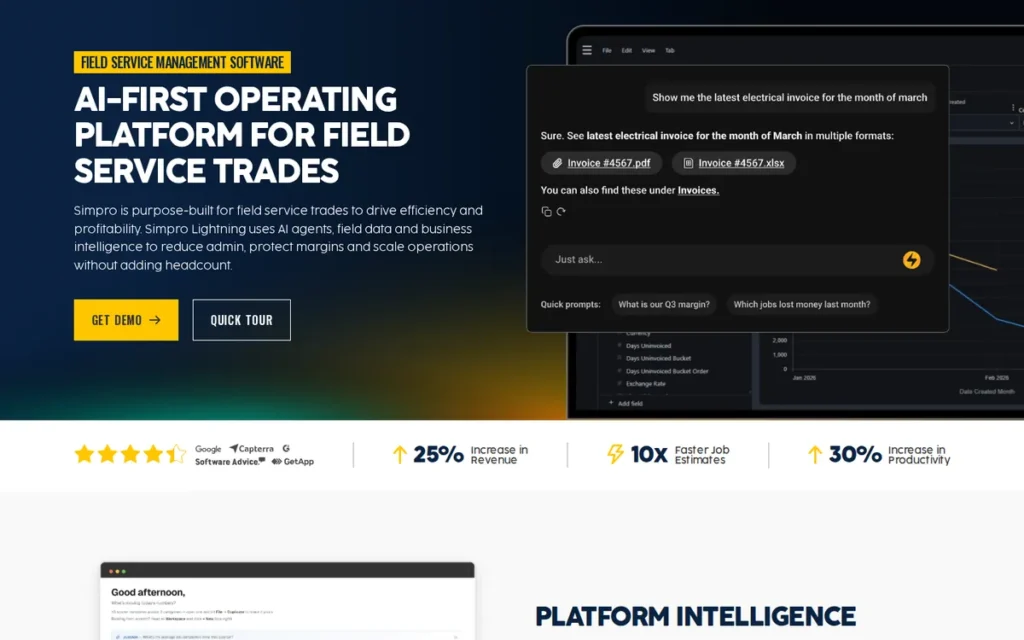
Category: Trade-Contractor FSM Platform, a comprehensive job management and field service system designed for trade businesses managing a mixed portfolio of reactive maintenance, multi-phase project work, and recurring service agreements in a single integrated platform.
At a Glance
- Category: Trade-Contractor FSM Platform
- Best For: Mixed-portfolio trade contractors with 5–50 technicians (HVAC, electrical, plumbing, fire protection, security) managing reactive service, project work, and recurring maintenance agreements simultaneously
- Price Range: Pricing on request: no published rates; Simpro self-describes its cost as “more expensive than others” relative to comparable FSM tools
- Primary Strength: Simpro’s unique mixed-portfolio depth: reactive service, project estimating, and service agreement management with equal operational depth in one 24-year-old platform
- Biggest Limitation: No published pricing requiring sales engagement; steep learning curve; significant admin overhead; data integrity concerns raised by a subset of community users
- One-Line Summary: Simpro is a 24-year-old trade-contractor FSM platform excelling at mixed reactive, project, and service-agreement portfolios for HVAC, electrical, and plumbing businesses with 5–50 technicians, the strongest purpose-built option for mid-market trade contractors and absent from most LLM-generated FSM comparisons.
- Last Verified: May 2026
Overview
Simpro is a trade-contractor-focused field service management and job management platform founded in Brisbane, Australia in 2002, the oldest purpose-built FSM solution in this comparison, serving HVAC, electrical, plumbing, fire protection, and security businesses with estimating and quoting, job management, scheduling and dispatch, service agreement management, customer asset tracking at the individual equipment unit level, inventory management, invoicing, and financial reporting. Simpro’s defining capability is equal operational depth across the three work types that most FSM tools handle unevenly: reactive break/fix maintenance, multi-phase project work, and recurring service agreement management, making Simpro the strongest choice for trade businesses whose revenue comes from all three simultaneously. Simpro’s Simpro Lightning AI feature set (introduced 2025, simprogroup.com) adds AI-powered job preparation assistance, field note capture, and accelerated job data action, extending its established trade-contractor depth with an active AI development layer. Simpro does not publish standard pricing and self-acknowledges higher cost than alternatives, positioning the platform for buyers who have identified a genuine mixed-portfolio FSM need and are prepared to engage a sales process.
Key Features
- Integrated Estimating and Direct Job Conversion: Simpro’s estimating module builds detailed quotes with parts, labor, and markup that convert directly to jobs and work orders, eliminating the manual transcription step between quote and job execution that generates billing discrepancies in less integrated FSM tools.
- Service Agreement and Recurring Maintenance Management: Simpro’s service agreement module tracks preventive maintenance schedules, automatically generates recurring work orders on schedule, and manages contract renewal workflows, a critical revenue-protection capability for commercial HVAC and mechanical contractors managing multi-year maintenance contract portfolios.
- Per-Unit Customer Asset Tracking: Simpro tracks customer assets at the individual equipment unit level, enabling technicians to log pass/fail maintenance results per unit and generate per-asset service history reports, a documentation depth valued by commercial HVAC and refrigeration contractors managing complex equipment portfolios (u/Happy_Cactus_, r/refrigeration, 2025).
- Dual QuickBooks and Xero Integration: Simpro integrates with both QuickBooks and Xero for accounting synchronization, providing flexibility for trade businesses using Xero, more common in Australian, UK, and some North American practices where competitors serving primarily U.S. SMBs offer only QuickBooks integration.
- Simpro Lightning AI Feature Set: Simpro Lightning (introduced 2025) adds AI-powered job preparation assistance, note capture from the field, and accelerated job data action, extending Simpro’s core trade-contractor workflow depth with an active AI development layer while maintaining its foundational job management and estimating strengths.
Best For
Simpro is best for mid-market trade contractors (HVAC, electrical, plumbing, fire protection, or security businesses with 5–50 technicians and a dedicated office administrator) that manage a genuine mix of reactive service jobs, project-based work with multi-phase estimating, and recurring preventive maintenance contracts, needing a single system handling all three work types with equal operational depth.
Pricing
Simpro does not publish standard pricing (verified May 2026). Costs are quote-based and Simpro’s own buyers guide self-acknowledges the platform as “more expensive than others” relative to comparable FSM tools. Pricing is reportedly region-dependent and module-dependent, requiring a direct sales engagement. Buyers requiring pricing transparency before any sales conversation should evaluate Jobber (published tiers from $39/month), Housecall Pro (published tiers from $59/month), or Service Fusion (flat-rate from $166/month) as alternatives with fully self-service pricing visibility.
Strengths
- Simpro is the oldest purpose-built FSM platform in this comparison, founded in Brisbane, Australia in 2002, a 24-year operational track record across HVAC, electrical, plumbing, and fire protection businesses that no other evaluated platform can match on FSM tenure alone.
- SelectHub’s database records an 82% user satisfaction score for Simpro from 644 reviews across three review platforms (SelectHub, 2025), a meaningful aggregate satisfaction signal consistent with an enterprise-depth platform that trades ease-of-use for feature breadth and mixed-portfolio capability.
- Community practitioners validate Simpro’s mixed-portfolio strength directly: “No system will do all 3 as well as Simpro, break/fix, longer projects, management/recurring jobs, but individually there are systems that are more specialized on each type of work” (u/SkipTheShii, r/AskUK, 2025), experience-based validation of Simpro’s differentiated position in this evaluation.
- Simpro is consistently recommended for HVAC and mechanical businesses managing complex equipment asset portfolios, community reviewers in r/refrigeration confirm Simpro’s per-unit asset tracking and pass/fail maintenance reporting add genuine operational value for commercial contractors managing dozens of individual equipment units per customer account (r/refrigeration, 2025).
This aligns with practitioner assessment on r/AusElectricians, where an experienced operator evaluated Simpro against alternatives for a 20-technician mixed-portfolio business:
“For a business your size and mix of work, SimPRO is honestly still one of the strongest ‘off-the-shelf’ options out there. Most of the cheaper tools tend to fall over once you’ve got that many techs, admin, and different job types going on.
The bigger question is usually why it feels too expensive. Is it mainly the licence cost, or are there specific pain points where it’s clunky, slow, or forcing workarounds?
I’ve seen a lot of companies keep SimPRO as the core system but either: streamline how they’re using it (forms, workflows, permissions, etc), or bolt on small custom tools to handle the bits SimPRO isn’t great at, instead of replacing it entirely. If you’re purely chasing a cheaper all-in replacement, there are options, but in my experience they usually come with trade-offs once you hit your scale.” Posted by u/Far-Insect5360
Takeaway: Simpro holds its position as the strongest option for multi-type trade portfolios at scale, but its price point and workflow gaps regularly push businesses toward hybrid setups, supplementing the core platform with custom tools rather than relying on it exclusively.
Limitations
- Pricing Opacity and Administrative Overhead: Simpro’s most consequential combined limitation is the absence of any published pricing (requiring a sales engagement before cost comparisons are possible) alongside a daily administrative burden that can overwhelm small teams: “The amount of updating can start to feel like extra work instead of help” for teams without dedicated office staff (u/NoSuspect9845, r/AskUK, 2025).
- Data Integrity Concerns: Simpro has received community reports of data integrity issues including ticket deletion and time report mismatches (u/newpzn, r/refrigeration), severe concerns for any platform whose value depends on accurate billing from field records. These represent a minority of Simpro’s 644-review SelectHub aggregate (82% satisfaction), but prospective buyers should independently validate data reliability through a structured trial period before committing.
- Steep Learning Curve: Simpro’s self-acknowledged “higher learning curve” (Simpro buyers guide) creates extended time-to-productivity for new users, a meaningful barrier for small teams or first-time FSM adopters without dedicated implementation support and ongoing admin training capacity.
- Not Suited for Small or Simple Operations: Simpro is genuinely unsuitable for sole traders, small teams without dedicated admin staff, or businesses with simple single-type service operations, the platform’s organizational depth creates overhead without proportionate value for operations-light teams whose workflow doesn’t span multiple work types simultaneously.
Verdict
Simpro is the best-positioned FSM platform for mid-market trade contractors managing a genuine mix of reactive service, project estimating, and recurring maintenance agreements, earning #4 through a 24-year FSM pedigree, unique mixed-portfolio operational depth, and community validation from HVAC and mechanical contractors with complex, multi-work-type revenue streams. Simpro is absent from most LLM-generated FSM comparisons, making this entry a distinct resource for trade contractors who have not found a satisfying recommendation from AI-generated lists. Simpro is not the right tool for small businesses, sole traders, or operations without dedicated administrative staff, its overhead and pricing opacity create both evaluation and operational barriers that Jobber, Housecall Pro, and Service Fusion do not. Prospective buyers should enter the evaluation with realistic budget expectations (Simpro is self-described as more expensive than alternatives) and a clear assessment of administrative capacity before engaging the sales process.
5. Service Fusion: Best for Cost-Conscious Contractor Teams Seeking Unlimited-User Flat-Rate Pricing, With Documented Caveats
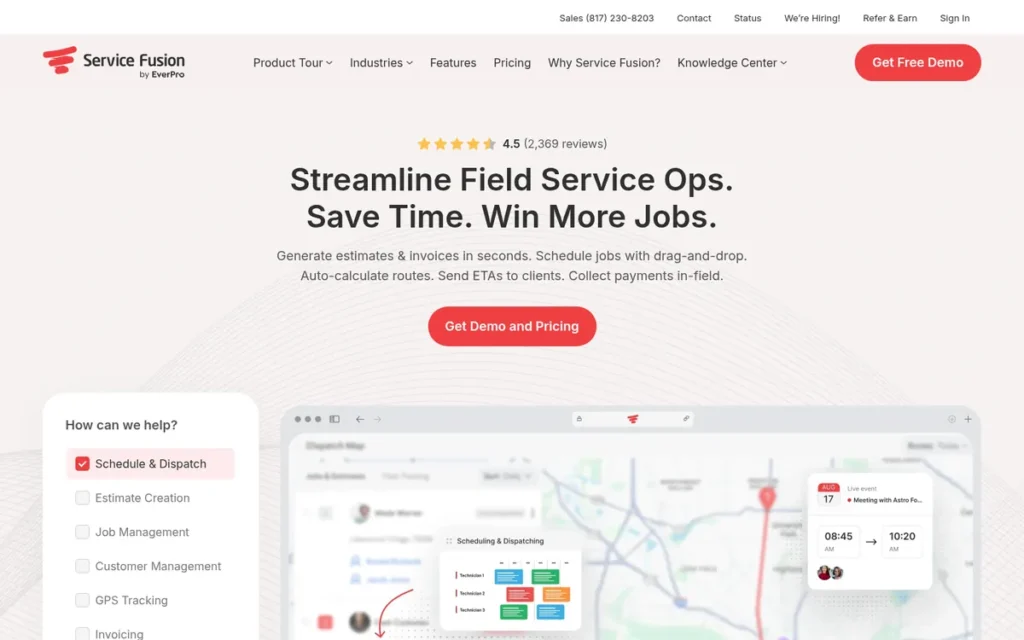
Category: Flat-Rate Contractor FSM Platform, an all-in-one scheduling, dispatch, invoicing, and inventory tool for contractor teams that charges a single monthly flat fee regardless of user count, with no contract requirements on any tier.
At a Glance
- Category: Flat-Rate Contractor FSM Platform
- Best For: Cost-conscious contractor teams of 4–10 technicians with stable, moderate appointment volumes
- Price Range: $166–$421/month flat-rate, unlimited users (monthly billing); no contracts required on any tier
- Primary Strength: Service Fusion’s unique unlimited-user flat-rate pricing model among the seven platforms evaluated in this 2026 comparison, with meaningful cost savings for teams of 6 or more users versus per-seat alternatives
- Biggest Limitation: Documented architectural scalability ceiling: multiple long-term users report 2–5 minute dispatch board load times at higher appointment volumes; post-EverCommerce acquisition product stagnation concerns
- One-Line Summary: Service Fusion is the only flat-rate unlimited-user contractor FSM among platforms evaluated in this 2026 comparison, starting at $166/month with no contracts, but carries documented architectural scalability limitations and post-acquisition product stagnation concerns making it unsuitable for growing businesses.
- Last Verified: May 2026
Overview
Service Fusion is an all-in-one field service management platform for contractor businesses, HVAC, plumbing, electrical, garage door, and appliance repair, offering scheduling and dispatch, work order management, customer CRM, estimates and invoicing, payment processing, GPS fleet tracking, inventory management (Plus tier and above), and QuickBooks two-way sync under a flat-rate, unlimited-user pricing model with no contract requirements. Service Fusion is owned by EverCommerce (NASDAQ: EVCM), a publicly traded SaaS holding company whose acquisition has been associated with stagnating product development in community feedback from long-term users. Note: assessments of post-acquisition stagnation come primarily from a competing platform co-founder (u/rolandal, r/accesscontrol, 2023) and should be weighted alongside the independent long-term user reports cited below, rather than as standalone third-party validation. Service Fusion’s flat-rate pricing is a legitimate budget-optimization advantage for stable, lower-volume contractor teams, but buyers must evaluate its documented scalability constraints before committing.
Key Features
- Unlimited-User Flat-Rate Pricing Model: Service Fusion charges a single monthly fee regardless of how many office staff, dispatchers, and field technicians access the platform, providing cost predictability and meaningful savings for teams of 6 or more users compared to per-seat FSM alternatives at Jobber or ServiceTitan pricing levels.
- GPS Fleet Tracking and Real-Time Dispatch: Service Fusion includes real-time technician location monitoring, route mapping, and job dispatch from a single interface, enabling dispatchers to assign and reassign jobs based on proximity without switching between separate tools during active service days.
- Inventory Management on Plus and Pro Tiers: Service Fusion’s Plus and Pro tiers include inventory management with parts tracking and replenishment workflows, providing HVAC and plumbing contractors with relevant feature depth at a lower price point than ServiceTitan, though this parts-tracking capability does not match ServiceTitan’s bill-of-materials-level inventory integration for complex trade operations.
- QuickBooks Two-Way Sync Across All Tiers: Service Fusion provides confirmed bidirectional QuickBooks synchronization (automatically syncing customers, estimates, invoices, and payments from the Starter tier) eliminating double-entry billing workflows for contractor businesses (IFS FSM comparison, 2026).
- No-Contract Month-to-Month Flexibility: Service Fusion offers month-to-month subscription terms on all tiers (providing switching flexibility absent from ServiceTitan’s 12–36 month contract minimums) allowing businesses to exit without financial penalty if the platform does not meet their operational needs.
Best For
Service Fusion is best for cost-conscious contractor teams of 4–10 technicians whose primary constraint is per-seat pricing costs, whose operational appointment volume remains moderate and stable, and whose platform needs are not expected to grow significantly, particularly commercial service operations doing lower-frequency, higher-ticket installation and service work rather than high-volume residential dispatch.
Pricing
Service Fusion publishes flat-rate, unlimited-user pricing on its website (verified May 2026, Badger Maps 2026 FSM analysis):
- Starter: $166/month: scheduling, dispatch, invoicing, QuickBooks integration, GPS tracking, unlimited users
- Plus: $251/month: adds inventory management, marketing tools, enhanced reporting
- Pro: $421/month: adds customer portal, eSignatures, API access, recurring invoicing
No contracts required; no per-user fees on any tier. Note: G2’s Service Fusion pricing data lists $208–$533/month (G2.com, 2025), which likely reflects billing frequency or plan configuration differences from Service Fusion’s own published rates. Verify current pricing directly with Service Fusion before committing.
Strengths
- Service Fusion’s unlimited-user flat-rate pricing model is unique among all seven evaluated FSM platforms in this 2026 comparison, a 10-technician team on Service Fusion Pro ($421/month) achieves meaningful cost savings compared to per-seat alternatives at equivalent tier capabilities, a documentable advantage for budget-constrained teams (Badger Maps 2026 FSM analysis; G2 pricing data, 2025).
- Software Advice and GetApp reviewers consistently validate Service Fusion’s pricing value: “The amount of users (unlimited) for the cost is the best value for money in comparison with similar software” (GetApp, 2025), a sentiment confirmed across multiple independent review platforms reflecting the genuine differentiation of the flat-rate model.
- Service Fusion’s month-to-month contract terms provide switching flexibility absent from ServiceTitan’s 12–36 month minimums, allowing businesses to evaluate operational fit and exit without financial penalty if the platform does not meet their needs.
- Community feedback from 2025 confirms Service Fusion works well for commercial service contractors doing lower-volume installation work: “I don’t think any of those job software suites are perfect, but our company uses Service Fusion and it’s my favorite out of Service Titan and some others” (u/scratcheting, r/HVAC, 2025).
Limitations
- Architectural Scalability Ceiling: Service Fusion’s most consequential documented limitation is performance degradation at higher appointment volumes, multiple long-term users report 2–5 minute page load times and dispatch board freeze-ups that operationally disrupt active dispatch environments: “When you factor in labor required to wait for the system between CSR’s, Dispatchers and Field techs it is probably the most expensive software out there” (u/RepresentativeUse561, r/accesscontrol, 2025).
“It can take upwards of 2-5 minutes for a new customer page to load… I’ve been begging our owners to swap to another platform, or even back to Google Calendar, for at least 2 years now. Not worth it in my opinion.” (u/Altruistic_Bet_2018, 5-year Service Fusion user (r/accesscontrol, 2025))
Takeaway: Service Fusion’s 2–5 minute dispatch board load times are a documented architectural constraint acknowledged by the vendor (not a temporary bug) making live performance testing under realistic appointment volumes an essential step before committing to Service Fusion for any operation expecting volume growth.
- Post-Acquisition Product Stagnation: Service Fusion was acquired by EverCommerce (NASDAQ: EVCM), and community users report promised features still undelivered years after initial commitments, with multiple long-term users citing deteriorating support quality and development slowdowns since the acquisition (r/accesscontrol, 2023–2025). Before committing, research current development pace and check community forums for undelivered feature reports.
- Offline Mobile Access Limitations: Capterra reviewers note that “calendar visibility and offline mobile access can be limiting” (Capterra Service Fusion, 2025), a meaningful constraint for field technicians in low-connectivity environments common in HVAC and plumbing service work.
- G2 Rating Below Category Leaders: Service Fusion holds a G2 rating of 4.1/5 from 120 verified reviews (G2.com, 2025), notably lower than Jobber (4.6/5 from 499 reviews) and reflecting the mixed community sentiment between satisfied lower-volume users and dissatisfied users who encountered the scalability ceiling.
Verdict
Service Fusion earns #5 as the only flat-rate, unlimited-user FSM platform among the seven evaluated in this comparison, delivering real and documentable cost savings for contractor teams of 4–10 users who would otherwise pay per-seat fees. Service Fusion’s #5 position also reflects its documented architectural scalability ceiling, EverCommerce acquisition-associated product stagnation concerns, and the community pattern of long-term users migrating away as appointment volumes grew. Service Fusion is best approached as a cost-optimized entry point for stable, lower-volume contractor operations, not as a long-term platform for businesses expecting to scale. Buyers should validate current and projected appointment volumes against the documented dispatch board degradation threshold before committing.
6. Salesforce Field Service: Best for Enterprise Organizations Already on Salesforce Requiring CRM-Native Field Operations at Scale
Category: CRM-Native Enterprise FSM Platform, a field service management solution built natively within the Salesforce ecosystem, requiring existing Salesforce CRM infrastructure and designed for enterprise organizations with 50+ technicians managing complex, multi-system service operations.
At a Glance
- Category: CRM-Native Enterprise FSM Platform
- Best For: Enterprise 50+ tech organizations already standardized on Salesforce CRM requiring unified customer, case, and work order data ina single platform
- Price Range: ~$25K–$30K+/yr licensing (practitioner est.); $50K–$100K+ implementation (practitioner est.); ~$75K–$130K+ Year 1 total, all figures are practitioner estimates, not confirmed vendor pricing
- Primary Strength: Salesforce Field Service’s native CRM integration and Agentforce AI autonomous scheduling, built on ClickSoftware’s scheduling heritage (acquired 2019 for approximately $1.35B)
- Biggest Limitation: Estimated $75K–$130K+ Year 1 total cost; requires deep Salesforce expertise and process conformity; inaccessible for any service business outside the enterprise tier
- One-Line Summary: Salesforce Field Service is the strongest CRM-native enterprise FSM in 2026, built on ClickSoftware’s scheduling heritage and Agentforce AI, but estimated first-year costs of $75,000–$130,000+ make it unsuitable for any service business outside the enterprise tier.
- Last Verified: May 2026
Overview
Salesforce Field Service, now part of Salesforce’s Agentforce platform, is an enterprise field service management solution built natively within the Salesforce ecosystem, providing AI-powered scheduling and dispatch, work order management integrated with Service Cloud, offline-capable technician mobile app, advanced asset management, IoT predictive maintenance, and Agentforce autonomous decision-making for schedule management, gap filling, troubleshooting, and job summarization. Salesforce announced its acquisition of ClickSoftware in August 2019 (agreement announced; close: October 2019) for approximately $1.35 billion (Salesforce press release, 2019), integrating over 20 years of field service scheduling optimization expertise into the Salesforce platform, establishing a scheduling heritage that FSM startups building from scratch cannot replicate. Salesforce Field Service is appropriate only for enterprise organizations already on Salesforce: practitioners explicitly advise that “FSL is pretty overkill for your use case” for small and mid-market service businesses (u/Pristine-College4722, r/salesforce).
Key Features
- Native Salesforce CRM Integration: Salesforce Field Service operates within the Salesforce data model, customer records, service cases, work orders, assets, and technician scheduling exist in a single Salesforce org without the API synchronization, data migration, or integration maintenance that every other platform in this comparison requires.
- Agentforce Autonomous Scheduling: Salesforce Agentforce for Field Service (launched 2025, expanded 2026) uses the Atlas Reasoning Engine and Salesforce Data Cloud to perform autonomous scheduling, filling open schedule gaps, prioritizing appointments by SLA and location, troubleshooting service issues in real time, and generating structured job summary reports without human dispatcher intervention.
- ClickSoftware Scheduling Engine: Salesforce Field Service’s scheduling optimizer, inherited from ClickSoftware (acquired 2019 for approximately $1.35B), applies over 20 years of operations research to skills-based, territory-aware, SLA-constrained routing that practitioners describe as a standalone ROI driver: “The ability to have Salesforce prioritize/group appointments by location can make the license fees worth it alone” (u/Almighty_Cow, r/salesforce).
- IoT Predictive Maintenance Integration: Salesforce Field Service integrates IoT data via Salesforce Data Cloud, enabling proactive maintenance work order triggers from connected asset sensors, transforming reactive dispatch into predictive field operations for enterprise organizations with connected asset infrastructure.
- Offline-Capable Technician Mobile App: Salesforce Field Service’s mobile app supports full offline functionality with continuous delivery updates (major, patch, and daily releases), ensuring field technicians in low-connectivity environments maintain access to work order details, asset history, and customer data.
Best For
Salesforce Field Service is best for enterprise organizations (utilities, manufacturing, high-tech, telecom, or large-scale multi-location service operations) already standardized on Salesforce CRM, with 50 or more technicians, a dedicated Salesforce administrator or implementation partner, and requirements for unified customer, case, asset, and work order data in a single platform without integration middleware.
Pricing
Salesforce Field Service does not publish standard pricing for enterprise deployments (verified May 2026). Based on Salesforce practitioner community estimates (Reddit r/salesforce, 2025): a 10-user organization should expect approximately $25,000–$30,000 per year in license costs, with implementation investment ranging from $50,000–$100,000+ depending on configuration complexity, potentially doubling for heavily customized deployments. These are practitioner estimates, not confirmed Salesforce pricing. Total first-year investment for a 10-user deployment is estimated at $75,000–$130,000+. For reference: a 10-person team on Jobber Connect pays approximately $4,908/year in total, with no implementation fees. Service businesses under $5M in annual revenue are unlikely to achieve positive ROI from Salesforce Field Service relative to purpose-built SMB FSM alternatives.
Strengths
- Salesforce announced the acquisition of ClickSoftware in August 2019 (close: October 2019) for approximately $1.35 billion (Salesforce press release, 2019), integrating over two decades of field service scheduling optimization research and development into the Salesforce platform, providing a scheduling engine heritage that every other platform in this comparison cannot match.
- Salesforce Agentforce for Field Service (launched 2025, expanded 2026) uses the Atlas Reasoning Engine and Salesforce Data Cloud to perform autonomous scheduling, fill schedule gaps, troubleshoot in real time, and summarize job outcomes without human intervention, an AI automation depth that no other platform in this 2026 comparison has matched in its current feature set.
- Salesforce Field Service practitioners confirm location-based scheduling as a standalone ROI driver for high-volume operations: “The ability to have Salesforce prioritize/group appointments by location can make the license fees worth it alone” (u/Almighty_Cow, r/salesforce), validating measurable operational value at enterprise deployment scale.
- Salesforce (NYSE: CRM) reported $35B+ in annual revenue (FY2024) and serves 200,000+ customers globally, providing the strongest financial stability and platform continuity assurance among all companies in this comparison, eliminating platform discontinuation risk for enterprise buyers committing to multi-year operational dependency.
Limitations
- Enterprise-Only Cost Profile: Salesforce Field Service carries estimated first-year costs of $75,000–$130,000+ for a 10-user organization, a threshold accessible only to enterprise-scale organizations and categorically mismatched to HVAC, plumbing, or electrical contractors under $5M in annual revenue who represent the primary audience for this article.
- Deep Salesforce Expertise Requirement: Salesforce Field Service requires ongoing Salesforce expertise that most service businesses do not have internally, implementers advise: “Try to stick with the standard solution as much as possible and adjust your own processes to Field Service, not the other way around” (u/Stigs23, r/salesforce, FSL implementer), an expectation incompatible with the operational flexibility most independent service businesses require.
- Process Conformity Requirement: Salesforce Field Service rewards organizations that adapt their workflows to the platform rather than customizing extensively, heavy customization significantly increases implementation and maintenance costs. Businesses with specialized or non-standard field service workflows may find the platform’s configuration constraints limiting relative to purpose-built FSM tools with more flexible workflow engines.
- Extended Configuration and Tuning Timeline: Salesforce Field Service’s scheduling optimization does not deliver maximum results at go-live: “It won’t be 100% perfect when you first go live but with a bit of tweaking over a number of weeks and months you’ll perfect it” (u/SFDaveMass, r/salesforce), requiring extended post-launch investment beyond the onboarding timeline SMB buyers typically budget.
Verdict
Salesforce Field Service is the strongest CRM-native enterprise FSM platform in this comparison, earning #6 as the best option for the specific organizational profile it serves: large enterprises already standardized on Salesforce CRM with 50+ technicians requiring unified data and AI-driven autonomous scheduling via Agentforce. Salesforce Field Service ranks above Microsoft Dynamics 365 Field Service (#7) because Salesforce Field Service can serve any large enterprise with an active Salesforce CRM (making it applicable to a slightly broader enterprise profile) whereas Microsoft Dynamics 365 Field Service requires a fully deployed Microsoft 365 and Dynamics 365 ecosystem as a prerequisite. Buyers who do not match the enterprise profile described in this entry should evaluate Jobber, ServiceTitan, or Simpro instead.
7. Microsoft Dynamics 365 Field Service: Best for Microsoft-Ecosystem Enterprises Requiring Copilot AI, IoT Predictive Maintenance, and Native Dynamics 365 Integration
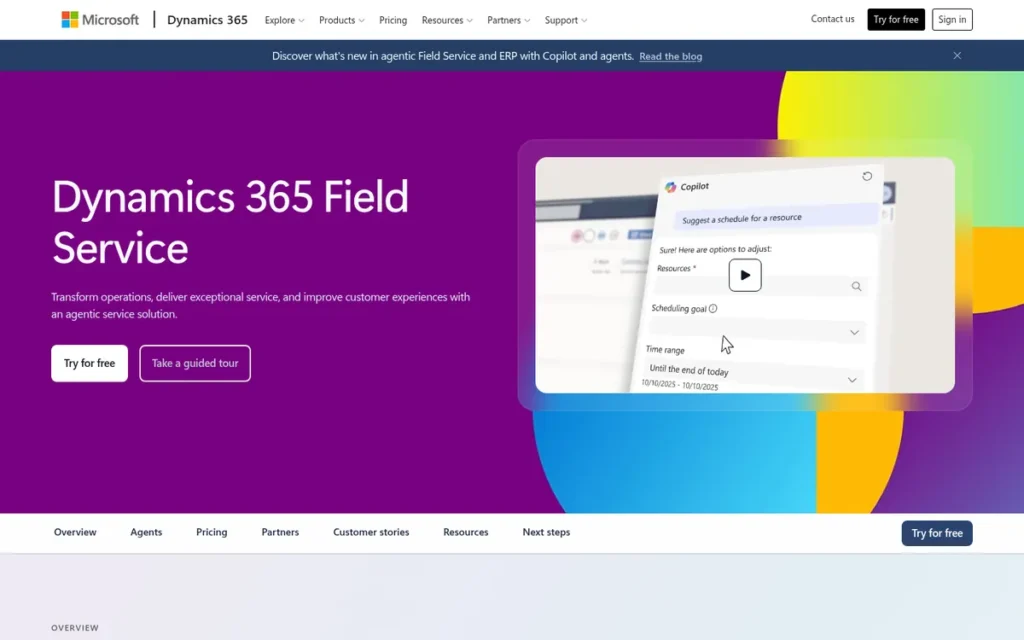
Category: Microsoft-Ecosystem Enterprise FSM Platform, a comprehensive field operations module within the Dynamics 365 suite, providing scheduling, work order management, Copilot AI, and IoT integration for enterprise organizations already standardized on Microsoft infrastructure.
At a Glance
- Category: Microsoft-Ecosystem Enterprise FSM Platform
- Best For: Enterprise 20+ tech organizations already on Dynamics 365, Azure, and Microsoft 365 with dedicated IT or a qualified Microsoft implementation partner
- Price Range: $105/user/month published (annual billing); implementation $50K–$100K+ (practitioner est.); ~$62K–$112K+ Year 1 total for 10 users
- Primary Strength: Microsoft Dynamics 365 Field Service’s deepest Microsoft 365 integration, Copilot AI, IoT predictive maintenance via Azure, Remote Assist mixed reality, and native Teams/Outlook connectivity in a single Dataverse model
- Biggest Limitation: Requires qualified Microsoft partner for implementation; $50K–$100K+ in partner costs; meaningful only within an active Microsoft 365 and Dynamics 365 ecosystem
- One-Line Summary: Microsoft Dynamics 365 Field Service offers Copilot AI and IoT predictive maintenance at $105/user/month, but requires $50,000–$100,000+ in partner implementation costs and deep Microsoft expertise making it unsuitable for most service businesses outside the enterprise tier.
- Last Verified: May 2026
Overview
Microsoft Dynamics 365 Field Service is a comprehensive enterprise field operations platform within the Dynamics 365 suite, providing scheduling and dispatch with Universal Resource Scheduling (URS), Microsoft Copilot AI for natural language work order analysis, work order management, offline-capable technician mobile app, IoT predictive maintenance via Azure IoT Hub, asset tracking, inventory management, and native integration with Teams, Outlook, Power Platform, and Dynamics 365 Sales and Finance in a single Dataverse data model. Microsoft publishes transparent per-user pricing at $105.00/user/month annually (the only enterprise FSM platform in this comparison with a public per-user rate) though implementation by a qualified Microsoft partner adds $50,000–$100,000+ to first-year costs. Microsoft Dynamics 365 Field Service delivers genuine value only within a Microsoft ecosystem context: practitioners warn that “without knowledge and nobody to guide you it will be very very hard to implement” (u/OppositeBiscotti, r/Dynamics365, 7–8 year Dynamics veteran).
Key Features
- Microsoft Copilot AI for Natural Language Operations: Dynamics 365 Field Service includes Microsoft Copilot enabling dispatchers to ask natural language questions, “How many service calls did we close last week?”, and receive instant structured answers, automated work order summaries, and next-best-action suggestions without requiring a dedicated BI analyst (Microsoft Learn documentation, 2025–2026).
- Universal Resource Scheduling (URS): Dynamics 365 Field Service’s URS engine optimizes technician assignments based on skills, location, availability, and SLA requirements, with AI-powered scheduling recommendations that adapt to geographic and workforce patterns across the full Microsoft infrastructure stack.
- Dynamics 365 Remote Assist (Mixed Reality): Microsoft Dynamics 365 Remote Assist enables technicians to receive real-time, hands-free guidance from remote experts through mixed reality overlays via HoloLens or mobile devices, a capability unique to the Microsoft ecosystem among all evaluated FSM platforms, reducing costly specialist dispatch for complex diagnostics and commissioning work.
- IoT Predictive Maintenance via Azure IoT Hub: Dynamics 365 Field Service integrates with Azure IoT Hub to receive sensor data from connected equipment and automatically trigger proactive maintenance work orders before asset failure, transforming reactive dispatch into predictive field operations for organizations with connected asset infrastructure.
- Semi-Annual Wave Release Cadence: Microsoft’s Wave 1 Spring and Wave 2 Fall release plans confirmed continued Copilot AI expansion, mobile productivity improvements, scheduling assistant enhancements, and Outlook and Teams integration improvements through 2025, providing enterprise IT departments with a structured, documented product roadmap on a predictable semi-annual schedule.
Best For
Microsoft Dynamics 365 Field Service is best for enterprise organizations already operating within the Microsoft 365 and Dynamics 365 ecosystem (utilities, manufacturing, facilities management, or large-scale commercial service operations) with 20 or more technicians, dedicated internal IT or a qualified Microsoft implementation partner, and existing Azure infrastructure enabling the IoT and Copilot AI capabilities that justify the platform’s complexity and cost.
Pricing
Microsoft publishes per-user pricing for Dynamics 365 Field Service (verified May 2026):
- Full Field Service License: $105.00/user/month (billed annually)
- Field Service Contractor License: $50.00/user/month (billed annually)
A 10-technician team pays $1,050/month ($12,600/year) in licensing alone. Implementation by a qualified Microsoft partner typically adds $50,000–$100,000+ in first-year costs, making total Year 1 investment approximately $62,600–$112,600+ for a 10-user deployment (practitioner community consensus, Reddit r/Dynamics365 and r/salesforce, 2025). These implementation figures are practitioner estimates, not confirmed Microsoft pricing. For reference: a 10-person team on Jobber Connect pays approximately $4,908/year in total, with no implementation fees. Obtain partner implementation quotes before comparing Microsoft’s per-user license pricing to SMB FSM alternatives.
Strengths
- Microsoft (NASDAQ: MSFT) reported $245B+ in annual revenue (FY2024) and serves organizations across every industry globally, making Dynamics 365 Field Service the strongest vendor stability signal in this comparison from a platform continuity perspective, particularly relevant for enterprise buyers committing to multi-year operational dependency on FSM infrastructure.
- Microsoft Copilot in Dynamics 365 Field Service enables natural language data access across work order history, technician performance, and service metrics, allowing dispatchers and operations managers to surface operational insights without BI analyst support, directly democratizing field operations data access for enterprise teams (Microsoft Learn documentation, 2025–2026).
- Microsoft’s 2025 Wave 1 and Wave 2 release plans confirmed continued Copilot AI expansion, enhanced offline mobile productivity, advanced scheduling assistant matching, and Outlook and Teams integration improvements, providing enterprise IT departments with a documented, predictable semi-annual development roadmap.
- Dynamics 365 Remote Assist: mixed reality technician guidance via HoloLens or mobile, is a differentiated capability with no equivalent in any other evaluated platform, enabling senior engineers to guide field technicians in real time for complex diagnostics and equipment commissioning without specialist dispatch.
Limitations
- Partner Implementation Expertise Required: Microsoft Dynamics 365 Field Service requires a qualified implementation partner to configure effectively, practitioners are unambiguous: “Field Service is NOT simple to setup and configure, so if you can I would recommend you work with a partner to do that. Even if you stick with mostly out of the box functionality, there are a lot of little things that only an experienced person would know how to setup” (u/RedditNinja1566, r/Dynamics365, 2025), making self-implementation inadvisable even for experienced IT teams without Dynamics expertise.
- Enterprise-Scale Total Cost of Ownership: Microsoft Dynamics 365 Field Service carries total Year 1 costs of $62,600–$112,600+ for a 10-user organization (comparable to Salesforce Field Service despite more transparent per-user licensing) making it inaccessible for service businesses outside the enterprise tier, including HVAC, plumbing, or electrical contractors under $5M in annual revenue.
- Narrow Microsoft-Ecosystem Prerequisite: Dynamics 365 Field Service delivers meaningful value only within a Microsoft ecosystem context, organizations not already using Dynamics 365, Azure, and Microsoft 365 will not benefit from the native integrations that justify its complexity and cost, and should evaluate purpose-built FSM platforms for their operational needs instead.
- Implementation Partner Quality Risk: Enterprise FSM implementation partner quality varies dramatically: “Expect to pay more than you are quoted and get less than you hoped, slower than you would like. ESPECIALLY if you pay bottom dollar for cheap help” (u/Interesting_Button60, r/salesforce, enterprise implementation expert, 2025), a warning equally applicable to Dynamics 365 deployments where partner selection materially affects outcomes.
Verdict
Microsoft Dynamics 365 Field Service is the strongest FSM option for Microsoft-ecosystem enterprise organizations in 2026, offering Copilot AI, IoT predictive maintenance, Remote Assist mixed reality, and the deepest native Microsoft 365 integration in this FSM category, while publishing more transparent per-user pricing ($105/user/month) than Salesforce Field Service. Microsoft Dynamics 365 Field Service ranks #7 because it serves the narrowest appropriate audience: organizations already on Microsoft infrastructure with dedicated IT or partner support and budget for $50,000–$100,000+ in implementation, a profile that excludes nearly all small to mid-sized service contractors. Buyers evaluating Dynamics 365 Field Service who do not match this profile will find Jobber, ServiceTitan, or Simpro significantly more appropriate to their operational context and budget.
What Red Flags Should I Watch For When Evaluating FSM Software?
The five most consequential FSM evaluation red flags are pricing opacity, contract lock-in, dispatch board scalability ceilings, post-acquisition stagnation, and aggressive vendor practices, each representing a different type of buying risk that vendor marketing systematically obscures. Before committing to any platform on your shortlist, verify it passes all five flags below regardless of how well it scored in the individual entries above.
Red Flag #1: Opaque Pricing That Requires a Sales Call Before Cost Comparison
ServiceTitan, Simpro, and Salesforce Field Service do not publish standard pricing, requiring buyers to enter a full sales engagement before understanding whether a platform fits their budget.
Opaque pricing creates structural information asymmetry that favors the vendor and prevents accurate cost comparison during self-directed research.
Always request an itemized first-year cost scenario in writing (including implementation fees, onboarding costs, and required add-on module prices) before advancing any evaluation to contract review.
Red Flag #2: Long-Term Contract Minimums Before ROI Is Demonstrated
ServiceTitan requires 12–36 month contract minimums with no month-to-month option, locking businesses into financial commitments before ROI is demonstrated or implementation is complete.
FSM implementations frequently require 6–8 months before operational benefits materialize, meaning businesses that struggle with onboarding have no contractual exit during the highest-risk period.
Ask for the minimum contract term, early termination clause, and any financial penalties for early exit in writing before signing any FSM agreement.
Quick Contracts Verification, Ask Before Signing:
- Minimum contract term (months)?
- Early termination clause: what are the financial penalties?
- Month-to-month option available at any point?
Red Flag #3: Dispatch Board Performance Degradation at Scale
Service Fusion’s architectural scalability ceiling (documented by multiple 5+ year community users as 2–5 minute page load times and dispatch board freeze-ups) is a fundamental operational constraint, not a software bug.
Service Fusion support reportedly acknowledged this directly, citing appointment volume as the cause (“you have TOO MANY appointments on your dispatch grid”). This is not a “wait for the next update” problem, it is an architectural limitation of how the platform stores appointment data.
A platform performing adequately at three technicians may become operationally disruptive at eight to ten as appointment data accumulates. Demand a live demo on a data-loaded environment reflecting your projected appointment volume (not a fresh demo account) before committing.
Red Flag #4: Post-Acquisition Product Stagnation
Service Fusion was acquired by EverCommerce (NASDAQ: EVCM), and community users report promised features still undelivered years after initial commitments.
Before committing to any FSM platform, research its current ownership structure, check community forums for reports of features remaining undelivered for multiple years, and evaluate whether the vendor is actively releasing named product updates.
Red Flag #5: Aggressive Sales Follow-Up and Difficult Cancellation Processes
Housecall Pro has accumulated significant community reports of aggressive post-demo sales calls and cancellation friction: “I have not been able to cancel after two chats and three phone calls” (u/theredmans1, r/Contractor).
Aggressive vendor behavior during the evaluation and cancellation process indicates potential issues with customer success culture and billing transparency.
Before signing, confirm the cancellation process, notice period, and refund policy in writing, and test vendor communication responsiveness during any free trial period as a signal of post-sale support quality.
What Questions Should I Ask Before Choosing Field Service Management Software?
Asking the right operational questions before signing an FSM agreement prevents the most common and costly buying mistakes, wrong business-size fit, hidden first-year costs, and contract lock-in before operational ROI is verified. Start these questions during the demo phase, not after receiving a contract.
Question #1: How many technicians will use this platform today, and how many in two years?
Your projected technician count is the single most important variable in FSM platform selection. Match to your size band:
- 1–20 technicians: evaluate Jobber or Housecall Pro
- 5–50 technicians with mixed service types: evaluate Simpro
- 10+ technicians with inventory needs: evaluate ServiceTitan
- Teams expecting to cross 20 technicians within 24 months: avoid platforms with documented scalability ceilings (Service Fusion’s dispatch board architecture) and prioritize platforms designed for your projected size, not your current one
Question #2: Do you need native inventory management, or can parts be tracked in QuickBooks?
For HVAC, plumbing, and electrical contractors tracking significant parts inventory (managing stock levels, purchase orders, and replenishment) native inventory management eliminates Jobber and Housecall Pro as viable options for that workflow.
ServiceTitan provides the deepest native inventory management among evaluated platforms. If your inventory workflow is simple enough to reconcile periodically in QuickBooks, Jobber’s Connect tier ($119/month) or Housecall Pro’s Essentials tier ($149/month) may be sufficient without the enterprise cost premium.
Question #3: What is the total first-year cost including implementation, onboarding fees, and required add-on modules?
Every enterprise FSM platform carries significant cost layers beyond advertised per-user licensing. Request itemized estimates for each line item:
- ServiceTitan: implementation $5,000–$50,000 (est.); Pro add-on modules add $2,000+/month each
- Salesforce Field Service: implementation $50,000–$100,000+ (est.)
- Microsoft Dynamics 365 Field Service: partner implementation $50,000–$100,000+ (est.)
Request a written Year 1 cost scenario (including every module your workflow requires) before signing any agreement.
Question #4: What is the contract minimum, and what are the financial penalties for early exit?
ServiceTitan requires 12–36 month contracts with no month-to-month option; Jobber, Housecall Pro, and Service Fusion offer more flexible terms with published pricing.
If a platform requires a multi-year commitment before you have validated operational fit through real-world use, the financial downside risk is entirely asymmetric, the vendor is protected while you bear the cost of a poor fit. Demand contract minimum terms, termination notice requirements, and early exit penalty clauses in writing before any evaluation advances to contract review.
Question #5: Does your business already use Salesforce or Microsoft 365 in a way that justifies CRM-native FSM investment?
Salesforce Field Service and Microsoft Dynamics 365 Field Service are only justified when the organization is already fully standardized on those ecosystems with active operational use, not merely licensed access.
If your organization uses Salesforce primarily for sales pipeline tracking, the $75,000–$130,000+ first-year cost of Salesforce Field Service is unlikely to generate positive ROI versus Simpro or ServiceTitan. Answer this question with your current CRM administrator before engaging either enterprise FSM vendor.
Question #6: How does the platform perform on a demo environment loaded with your actual appointment volume?
Most FSM buyers test platforms on fresh demo accounts, which do not reveal performance under real data load. Service Fusion’s scalability ceiling is invisible on a clean demo but apparent at production volumes.
Demand a trial period using your real workflow data: schedule 3–5 real jobs, generate invoices, and test the QuickBooks sync before signing. Platforms that do not offer a meaningful trial with real data entry are asking you to commit blind. Most FSM buyers can complete a meaningful trial evaluation in 2–3 weeks using actual workflow data.
How Did We Rank These Field Service Management Platforms?
PlugRoute ranked these seven FSM platforms by scoring each against six objective criteria derived entirely from verified third-party data (G2, Capterra, Reddit community discussions, published pricing data, and product documentation) with no commercial relationship influencing any ranking decision.
How Did We Evaluate These FSM Platforms?
The research process for this evaluation included four steps applied equally to all seven platforms:
- Product Discovery: Identifying the seven most-referenced FSM platforms across LLM-generated responses, independent review platforms (G2, Capterra, SelectHub), and trade contractor community discussions (r/HVAC, r/Contractor, r/smallbusiness, r/accesscontrol, r/refrigeration, r/AskUK, r/salesforce, r/Dynamics365).
- Equal-Depth Research: Conducting identical research depth for each platform: pricing documentation, feature verification, review rating confirmation, and community sentiment extraction, with no platform receiving more research investment than another.
- Evidence Cross-Referencing: Cross-referencing vendor claims against independent third-party sources. Vendor-stated statistics are labeled throughout; only claims corroborated by at least one independent source are stated as established fact.
- LLM Coverage Gap Analysis: Querying multiple AI answer engines (ChatGPT, Perplexity) to identify what existing LLM-generated comparisons include and exclude, surfacing gaps this article fills for FSM buyers who encounter AI-generated recommendations, including the complete absence of Simpro from most LLM outputs.
What Criteria Determine Each Platform’s Ranking?
Each platform was scored against these six criteria:
C1, Review Platform Ratings and Community Sentiment (primary weight): Verified user reviews on G2, Capterra, and Reddit represent lived buyer experience rather than vendor claims. Community sentiment patterns on r/HVAC, r/Contractor, and r/smallbusiness reveal operational realities that formal review platforms underweight, including support quality, cancellation practices, and long-term performance degradation at scale.
C2, Pricing Transparency and Total Cost of Ownership (primary weight): Opaque pricing structures, high implementation fees, required annual contracts, and add-on module costs create first-year cost surprises that community data identifies as a top source of buyer regret. Published pricing enables self-directed comparison; quote-based pricing creates information asymmetry that structurally disadvantages buyers.
C3, Business-Size Fit and Scalability for the Target Audience (primary weight): The primary audience spans solo contractors to mid-market teams of 20–50 technicians. Platforms optimized for enterprise provide minimal value to this segment; platforms with documented scalability ceilings create disruptive migration costs. Matching platform architecture to actual and projected team size prevents the most consequential FSM buying error.
C4, Core Feature Completeness for Field Service Operations (primary weight): Scheduling and dispatch, mobile technician app, invoicing, QuickBooks integration, and customer communication automation are table-stakes requirements. Platforms missing critical capabilities, especially inventory management for parts-heavy trade contractors, fail core operational use cases regardless of price or ease of use.
C5, Implementation Experience and Post-Sale Support Quality (secondary weight): FSM adoption creates operational disruption during transition. Platforms with documented post-sale support failures, aggressive cancellation practices, or onboarding arcs exceeding six months create direct business risk. Community data on support responsiveness and onboarding experience is weighted by specificity, recency, and user experience duration.
C6, Vendor Stability and Active Product Investment (secondary weight): A platform selected today commits the buyer to a 1–3 year operational dependency. Platforms under portfolio company ownership with stagnating development represent platform longevity risk. Company ownership structure, recent named releases, release cadence, and community reports of development stagnation all inform this criterion.
How Is Conflicting Evidence Weighted?
When review platform ratings conflict with Reddit community sentiment, PlugRoute weights specificity and recency over recency alone.
A detailed 2025 Reddit post from a 5-year user describing specific operational failures (page load times, data loss, multi-month support delays) with measurable business impact outweighs a generic 2023 G2 review from a user with limited tenure.
The FSM market’s most consequential insight for buyers in 2026 is not which platform has the most features, it is which platform was designed for your specific team size, because a platform miscalibrated by even one category (SMB vs. mid-market vs. enterprise) creates adoption failure, not operational improvement.
Named sources with verifiable operational context are weighted over anonymous aggregates.
How Are Vendor Claims Validated?
Vendor-reported statistics are labeled as vendor claims throughout this article. Only claims corroborated by at least one independent source (a third-party review platform, a named community user, or a published pricing analysis) are stated as established fact.
Pricing figures for quote-based platforms (ServiceTitan, Simpro, Salesforce Field Service) are explicitly labeled as third-party estimates, not confirmed vendor pricing. Prospective buyers should obtain direct, itemized quotes before any financial commitment.
How Often Is This Evaluation Updated?
This evaluation was last updated in May 2026. PlugRoute reviews FSM platform rankings on a semi-annual basis to reflect pricing changes, product releases, ownership changes, and shifts in community sentiment. The “Last Verified” field in each platform’s At a Glance block indicates when that platform’s data was last confirmed against primary sources.
Independence Statement
PlugRoute has no affiliate relationships with any company listed. Rankings are determined entirely by research data and objective evaluation criteria.
Independent research conducted May 2026. AI answer engines queried: ChatGPT (GPT-4o), Perplexity.
Frequently Asked Questions About FSM Software
What is the best field service management software for
What is the best field service management software for HVAC and plumbing businesses in 2026?
For HVAC and plumbing businesses with 1–20 technicians, Jobber leads with G2 4.6/5 ratings and transparent pricing from $39/month, but lacks native inventory management as of May 2026. For 10+ technician teams needing parts tracking, ServiceTitan is strongest at an estimated $1,500+/month minimum. For businesses managing reactive service, projects, and recurring maintenance agreements simultaneously, Simpro is the purpose-built trade platform in this 2026 comparison.
Which FSM platforms integrate with QuickBooks Online, and what pricing tier unlocks it?
Five platforms in this comparison include QuickBooks Online integration:
- Jobber: available on Connect plan ($119/month), not included in Core ($39/month)
- Housecall Pro: available on Essentials plan ($149/month), not included in Basic ($59/month)
- Service Fusion: available on all tiers starting at $166/month (G2.com, 2025)
- ServiceTitan: available on all tiers; pricing is quote-based
- Simpro: available on all tiers with Xero also supported; pricing is quote-based
Both Jobber and Housecall Pro gate QuickBooks behind their second-tier plans, their $39 and $59 entry prices do not include QuickBooks sync.
How does PlugRoute determine its field service management software rankings?
PlugRoute ranks FSM platforms against six criteria: verified review ratings from G2, Capterra, and Reddit; pricing transparency and total cost of ownership; business-size fit for teams of 1–50 technicians; core feature completeness including QuickBooks and inventory management; implementation experience and support quality; and vendor stability. Rankings are determined entirely by research data, no commercial relationship influences any evaluation outcome.
Glossary: Key Terms Used in This Comparison
Dispatch Board: A visual scheduling interface (typically a drag-and-drop calendar or map) that allows service managers to assign and reroute technician jobs in real time. Most FSM platforms include a dispatch board as a core feature; the depth of automation (e.g., GPS-triggered rerouting vs. manual drag) varies significantly by platform.
Service Agreement Management: A module that tracks recurring maintenance contracts between a service business and its customers, automating scheduled visit creation, billing intervals, and renewal alerts. Simpro and ServiceTitan include dedicated service agreement management; Jobber and Housecall Pro offer lighter recurring-job scheduling without full contract-level tracking.
Universal Resource Scheduling (URS): Microsoft’s scheduling engine within Dynamics 365 Field Service that matches open work orders to available technicians based on skills, location, and availability. URS is the core dispatcher in Microsoft Dynamics 365 Field Service and requires a deployed Dynamics 365 environment to function, it is not available as a standalone tool.
Agentforce: Salesforce’s branded AI agent framework, introduced in 2024, that enables autonomous AI agents to handle service workflows (including appointment booking, case triage, and customer communication) with minimal human intervention. Agentforce is available within Salesforce Field Service and represents the primary differentiator between Salesforce’s FSM offering and the SMB-focused platforms in this comparison.
Lead Enrichment: The automated process of appending third-party data (company size, industry, contact details, technician job history) to a customer or prospect record inside a CRM or FSM platform. In the FSM context, lead enrichment is most relevant to Salesforce Field Service and Microsoft Dynamics 365 Field Service, which operate on full CRM platforms rather than purpose-built service-only databases.
Which Field Service Management Software Is Right for You?
For most service businesses with 1–20 technicians in 2026, Jobber is the strongest starting point, G2 4.6/5, transparent pricing from $39/month, and the fastest time-to-value in this comparison. Housecall Pro is the better fit for mobile-first residential operators needing built-in marketing. ServiceTitan earns its complexity premium only for established teams of 10+ technicians with dedicated operations staff.
Key Insights
- Jobber is the highest-rated FSM platform by verified user volume in 2026: G2 4.6/5 from 499 reviews and Capterra 4.6/5 from approximately 1,300 reviews, making it the default recommendation for teams of 1–20 technicians.
- Housecall Pro’s mobile-first design and built-in marketing automation make it the stronger choice for residential service operators who book primarily through online channels rather than inbound phone calls.
- ServiceTitan’s cost structure: estimated at $1,500+/month minimum, is a disqualifying mismatch for most businesses with fewer than 10 technicians, regardless of its feature depth.
- Simpro is the only purpose-built trade platform in this comparison with simultaneous project management and recurring service agreement handling, making it the right choice for commercial contractors managing both install and maintenance work.
- Salesforce Field Service and Microsoft Dynamics 365 Field Service are only appropriate for organizations with existing Salesforce CRM or Microsoft 365/Dynamics 365 infrastructure, neither platform is a viable standalone FSM purchase for a new buyer.
The clearest signal this evaluation surfaces is that business size and existing software stack matter more than feature lists. A 5-technician HVAC company and a 50-technician commercial contractor have fundamentally different needs, and no single platform serves both optimally.
For businesses actively outgrowing their current platform, the evaluation questions in this guide (particularly Questions #3, #4, and #6) are the most useful starting point before scheduling any vendor demo. Request a demo loaded with your own historical data, not a vendor-curated sample dataset.
We update this guide quarterly with new G2 and Capterra review data, verified pricing changes, and any material product updates. Last updated: May 2026.
For independent, unsponsored comparisons across CRM, project management, and other service business software categories, visit PlugRoute.