Limble CMMS is the top-rated choice for maintenance-heavy operations, EZOfficeInventory is the strongest mid-market platform for mixed assets needing GPS and RFID in one subscription, and Sortly is the lowest-risk free entry point for SMBs replacing spreadsheets. The right tool depends entirely on use case, selecting a specialist tool for the wrong operational problem is the most consequential mistake in this market.
Sixty-six percent of small businesses still track assets in spreadsheets in 2025, per Capterra’s 2025 Asset Management Software Adoption Report, and 61% of buyers report that operational crisis (an audit failure or a lost asset) triggered their software evaluation rather than proactive planning. The seven platforms here span every major segment: maintenance management, full lifecycle tracking, equipment lending, field operations, IT hardware, and SMB inventory.
PlugRoute has no affiliate relationships with any company listed, rankings are determined entirely by research data and objective evaluation criteria.
“Used Sortly for 2 years. Loved it until we hit 2,000 items and needed GPS. Had to switch to EZOfficeInventory. Wish Sortly had those features, the UX was so much better.”, u/ops_coordinator_nyc, r/smallbusiness
Takeaway: SMBs frequently discover their actual feature requirements through use rather than pre-purchase evaluation, Sortly is an effective starting platform, with EZOfficeInventory, GoCodes, or Limble CMMS as evidence-backed upgrade paths when GPS tracking, multi-site hierarchy, or maintenance scheduling requirements emerge.
The most consequential mistake in asset tracking software selection is not choosing the wrong platform, it is choosing the right platform for the wrong problem. Identifying your product category before evaluating individual platforms prevents the most common cause of first-year deployment abandonment in this market.
TL;DR: Top Picks at a Glance
- Limble CMMS: highest peer-verified rating in this comparison (4.8/5.0 across 1,433 combined G2 and Capterra reviews); best for manufacturing, facilities, and maintenance-driven operations needing work orders alongside asset tracking
- EZOfficeInventory: the only mid-market platform combining GPS, RFID, and maintenance scheduling in one subscription; highest Capterra review volume at 1,543 verified reviews
- Sortly: easiest self-serve entry for SMBs; permanently free for up to 100 items, $24/month for up to 2,000 items; Capterra Shortlist recognition for ease of use in 2023 and 2025
- Snipe-IT: the $0 open-source standard for IT hardware and software license management, with 10,800+ GitHub stars and community-referenced deployments at NASA and MIT
How Do the Top Asset Tracking Platforms Compare at a Glance?
| Rank | Company | Category | Best For | One-Line Summary | Free Plan | Entry Price | Primary Strength | Key Limitation |
|---|---|---|---|---|---|---|---|---|
| #1 | Limble CMMS | Maintenance-Linked Tracker | Manufacturing, facilities, multi-site maintenance operations | Limble CMMS is the highest-rated asset tracking and maintenance management platform in this comparison, holding 4.8/5.0 across 1,433 combined G2 and Capterra reviews as of June 2026. | Yes; unlimited assets, unlimited users, unlimited reactive work orders, 1 location, no time limit | $28/user/month (Standard, billed annually) | 4.8/5.0 on G2 (678 reviews) and Capterra (755 reviews); G2 category Leader 10+ consecutive quarters | Per-user pricing becomes expensive at 15+ technicians on paid plans |
| #2 | EZOfficeInventory | Full-Lifecycle Tracker | Mid-market teams managing mixed IT and operational assets needing GPS and RFID | EZOfficeInventory is the broadest-coverage asset lifecycle platform at mid-market price points, the only tool in this comparison offering GPS, RFID, and maintenance modules in one subscription, backed by 1,543 Capterra reviews. | No; 15-day trial only, no credit card required | $48/month (100 items, Essentials); RFID and API require $188/month Premium | Highest Capterra review volume in this comparison (1,543); GPS, RFID, and QR in single subscription | RFID and API gated to $188/month Premium; entry price understates real cost for most buyers |
| #3 | Asset Panda | Configurable Tracker | Enterprises and government agencies managing 500+ mixed assets needing unlimited users | Asset Panda is the most configurable unlimited-user enterprise asset tracking platform in this comparison, with a 4.6/5.0 Capterra rating across 1,364 reviews and 14 years of continuous enterprise operation. | No; trial requires sales contact; no self-serve signup | ~$250/month (custom quote required; no public pricing) | Unlimited users at all tiers; blank-canvas custom workflows; 18+ ITSM integrations | No published pricing; trial is sales-gated; no GPS, RFID, or CMMS-grade maintenance module |
| #4 | Cheqroom | Equipment Circulation Manager | Media production, university equipment centers, and healthcare departments with high-frequency equipment check-outs | Cheqroom is the leading equipment reservation and check-out management platform for media and education organizations, with a 4.8/5.0 G2 rating and verified deployments at BBC Studios and Warner Bros. Discovery. | No; 14-day trial, no credit card required | $184/month (admin-license model, unlimited items, billed annually) | 4.8/5.0 G2 rating; verified BBC Studios and Warner Bros. Discovery deployments; AI utilization analytics (2025) | No depreciation tracking; no offline mobile mode; not a complete fixed-asset lifecycle management platform |
| #5 | Sortly | Visual Inventory Tracker | SMBs and single departments with up to 2,000 items replacing spreadsheets | Sortly is the easiest-to-deploy asset tracking platform in this comparison, with Capterra Shortlist recognition for ease of use and a permanently free plan for up to 100 items. | Yes; 100 items, 1 user, no time limit | $24/month (2,000 items, 3 users, billed annually) | Capterra Shortlist recognition for ease of use (2023, 2025 confirmed); 953 Capterra reviews; photo-first asset records | No GPS, RFID, maintenance module, or multi-site hierarchy; documented feature ceiling within 1–2 years |
| #6 | GoCodes | Field QR Tracker | Construction companies, municipalities, and school districts tracking field assets using employee smartphones | GoCodes is the leading QR-and-GPS field asset tracking platform for construction and municipal operations, with unlimited users at all pricing tiers and GPS coordinates captured at every QR scan event. | No; 15-day trial, no credit card required | ~$41.67/month (~$500/year for 200 assets; unlimited users; QR labels included) | Unlimited users at all tiers; weatherproof outdoor labels included; GPS logged at every QR scan event | GPS logs location at scan events only; not continuous real-time tracking; no CMMS module |
| #7 | Snipe-IT | Open-Source ITAM | IT departments, MSPs, and sysadmins managing hardware and software license assets | Snipe-IT is the dominant open-source IT Asset Management platform in this comparison, with $0 self-hosted pricing, 10,800+ GitHub stars, and community-referenced deployments at NASA and MIT. | Yes; self-hosted: free indefinitely (open-source); cloud: 14-day trial, no credit card required | $0 self-hosted (~$5–$20/month infrastructure); $39.99/month cloud | 10,800+ GitHub stars (directly verifiable at github.com/snipe/snipe-it, June 2026); Active Directory integration; $0 self-hosted TCO | No native offline mobile app; IT-only scope; self-hosted path requires Linux server administration knowledge |
Which Asset Tracking Tool Should I Choose for My Use Case?
| Your #1 Priority | Recommended Tool | Why | Acceptable Alternative |
|---|---|---|---|
| Preventing unplanned equipment downtime | Limble CMMS | Only platform with meter-based PM triggers, IoT integration, and a usable free plan for single-location maintenance | EZOfficeInventory (maintenance module available; less CMMS depth) |
| Managing mixed assets needing GPS and RFID | EZOfficeInventory | Only mid-market platform combining GPS, RFID, QR, and maintenance scheduling in one subscription | Asset Panda (no GPS or RFID; higher customization depth) |
| Unlimited users with custom enterprise workflows | Asset Panda | Unlimited-user pricing + blank-canvas workflows + 18+ ITSM integrations | EZOfficeInventory Premium ($188/month; per-item limits apply) |
| Equipment reservation and booking conflict prevention | Cheqroom | Purpose-built for check-out workflows; AI utilization analytics; BBC Studios and Warner Bros. Discovery deployments | EZOfficeInventory (more complex UI; comparable check-out capability) |
| Simplest SMB starting point with a free option | Sortly | Free for 100 items; $24/month for 2,000 items; Capterra Shortlist for ease of use | Limble CMMS Free (stronger for maintenance; slightly more complex setup) |
| Field accountability for construction or municipal crews | GoCodes | Unlimited users; outdoor labels included; any smartphone; ~$500/year entry | EZOfficeInventory (broader features; higher cost; per-item pricing) |
| IT hardware and software license management | Snipe-IT | $0 self-hosted; Active Directory sync; license management; NASA and MIT community-referenced deployments | EZOfficeInventory (broader scope; higher cost; less IT-native feature set) |
How to Calculate Your True Annual Cost: Before committing to any platform, identify the pricing tier that includes every feature your team actually needs, GPS, RFID, API access, advanced reporting. The published entry price and the feature-complete price often differ significantly. EZOfficeInventory’s $48/month Essentials tier excludes RFID and API access, pushing the real cost to $188/month for most mid-market buyers, a 3× difference invisible at entry-price-only comparison.
What Are the 5 Categories of Asset Tracking Software?
To confirm your category before reading product entries, answer three questions:
- Is my primary asset type IT hardware and software licenses, or physical operational equipment?
- Do assets move between users frequently on short cycles, or are they largely stationary with periodic check-outs?
- Is my primary pain the location of assets, the maintenance scheduling of assets, or the lending and reservation of assets?
Your answers map to one of the five categories below and route you to the 1–2 entries most relevant to your situation.
Category 1: Maintenance-Linked Trackers
Maintenance-linked trackers embed asset location and lifecycle records within a full CMMS (including preventive maintenance scheduling, work order dispatch, and IoT-triggered alerts) addressing both “where is my asset?” and “is my asset about to fail?”
Platform in this comparison: Limble CMMS
Category 2: Full-Lifecycle Asset Managers
Full-lifecycle asset managers cover every stage from procurement through disposal across heterogeneous asset types, with multi-sensor identification (GPS, RFID, QR) and configurable workflows for diverse departments and asset categories.
Platforms in this comparison: EZOfficeInventory, Asset Panda
Category 3: Equipment Circulation Managers
Equipment circulation managers prioritize reservation calendars, booking conflict prevention, and check-out workflow management, optimized for environments where shared equipment moves between users on short cycles rather than static fixed-asset registers.
Platform in this comparison: Cheqroom
Category 4: Field Accountability Trackers
Field accountability trackers combine QR code scanning with GPS coordinate capture at scan events, creating location audit trails for assets across outdoor job sites, campuses, and field locations using employees’ existing smartphones.
Platform in this comparison: GoCodes
Category 5: Starter and Specialist Trackers
Starter trackers prioritize zero-friction onboarding and accessible free plans for SMBs at the beginning of their asset tracking journey. Open-source specialist trackers provide IT-native features at $0 software cost for technically capable IT departments.
Platforms in this comparison: Sortly (starter), Snipe-IT (open-source IT specialist)
What GPS Capability Does Each Platform Actually Offer?
Two of the seven platforms offer GPS tracking, but they implement it in fundamentally different ways that produce different operational outcomes. Understanding this distinction before shortlisting is essential.
GPS-at-scan (scan-triggered location capture):
- GoCodes records the GPS coordinates of the location where a QR code was scanned at the moment of the scan. If an asset is moved to a new job site without being scanned on arrival, GoCodes shows the last scan location, not the current location.
- EZOfficeInventory offers a GPS location module as part of its platform; GPS capability specifics depend on plan tier and configuration.
No GPS capability:
Limble CMMS, Asset Panda, Cheqroom, Sortly, and Snipe-IT do not include GPS tracking of any type as of June 2026. Verify current feature availability with each vendor before finalizing a shortlist, as platform features may change.
Field Scenario, Equipment Moved Without Scanning:
A backhoe loader is transported from Job Site A to Job Site B without being scanned on arrival. With GPS-at-scan (GoCodes): the system continues showing Job Site A as the equipment’s location until a crew member scans it at Job Site B, which may be hours or days later.
With real-time GPS streaming (not available in any platform evaluated here at mid-market price points): the system updates the backhoe’s location continuously during transit, without any user action required.
The operational question: does your use case require accountability after the fact, or visibility in real time?
What is NOT available in this comparison:
In practical terms: GPS-at-scan tells you where your asset was when it was last scanned. Real-time GPS tells you where your asset is right now. No platform evaluated here provides real-time continuous GPS streaming at mid-market price points. Buyers requiring live location of moving vehicles or mobile equipment must evaluate dedicated fleet telematics platforms.
Which Platforms Have a Truly Free Plan or Self-Serve Trial?
Permanently free plans (no time limit):
- Sortly: 100 items, 1 user, core features, no time limit
- Limble CMMS: unlimited assets, unlimited users, unlimited reactive work orders, 1 location, no time limit
- Snipe-IT: free indefinitely when self-hosted; infrastructure cost approximately $5–$20/month
Self-serve trials without sales contact:
- EZOfficeInventory: 15-day trial, no credit card required
- Cheqroom: 14-day trial, no credit card required
- GoCodes: 15-day trial, no credit card required
- Snipe-IT cloud: 14-day trial, no credit card required
Sales-gated evaluation (no self-serve path):
- Asset Panda: all trial and pricing access requires sales contact; no self-serve signup; no published pricing
1. Limble CMMS: Best Overall / Best for Maintenance-Linked Asset Management
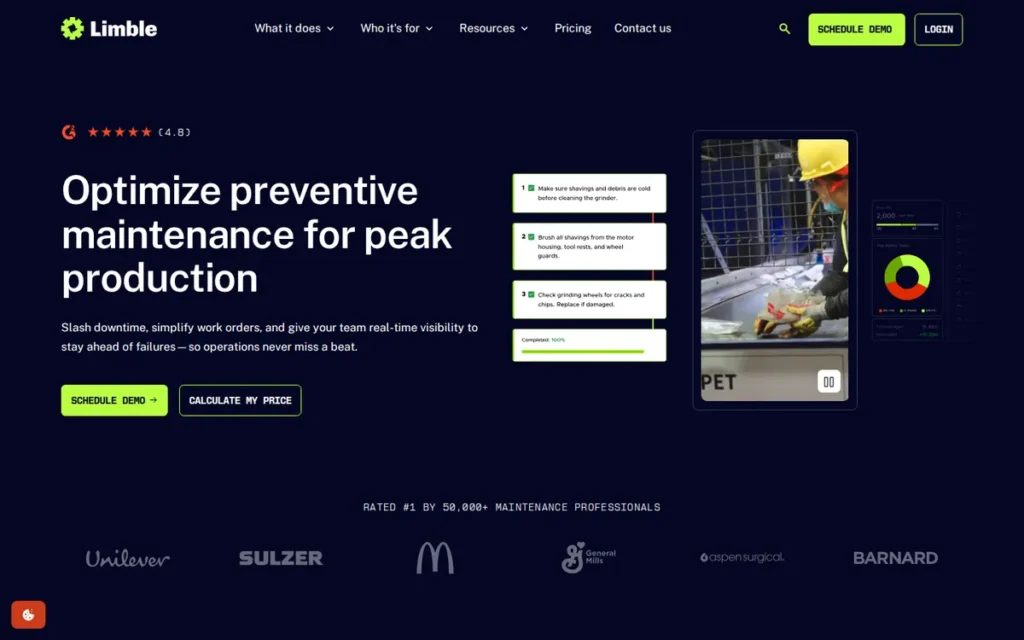
Category: Maintenance-Linked Tracker, a CMMS platform where asset tracking is embedded alongside preventive maintenance scheduling, work order management, and IoT sensor integration rather than sold as a separate module.
At a Glance
- Category: Maintenance-Linked Tracker
- Best For: Manufacturing plants, facilities teams, municipalities, and multi-site operations needing preventive maintenance scheduling alongside asset lifecycle tracking in a single system
- Price Range: Free (1 location, unlimited assets, unlimited users, no time limit); $28–$69/user/month paid plans (billed annually)
- Primary Strength: Limble CMMS holds a 4.8/5.0 rating across 1,433 combined G2 and Capterra reviews, the highest sustained peer rating at the highest verified review volume of any platform in this comparison.
- Biggest Limitation: Limble CMMS charges per-user pricing ($28–$69/user/month on paid plans), which scales cost linearly with maintenance team size and becomes expensive for organizations with 15 or more technicians relative to per-asset alternatives.
- One-Line Summary: Limble CMMS is the highest-rated asset tracking and maintenance management platform in this comparison, holding a 4.8/5.0 rating across 1,433 combined G2 and Capterra reviews and offering a permanently free plan for single-location operations.
- Last Verified: June 2026
Overview
Limble CMMS is a cloud-based Computerized Maintenance Management System built for operations managers, facilities directors, and maintenance technicians who need both preventive maintenance scheduling and asset lifecycle tracking in a unified platform, not two disconnected tools running in parallel.
Limble CMMS addresses the capability gap that pure asset trackers leave open: managing not just where an asset is located, but whether it is maintained, compliant with service intervals, and operationally ready before failure occurs. Limble CMMS is the only platform in this seven-product comparison offering IoT sensor integration that auto-generates work orders when equipment condition exceeds user-defined thresholds.
Key Features
- Limble CMMS automatically creates preventive maintenance work orders based on equipment operating hours, mileage, or production cycle counts, the only platform in this comparison supporting usage-driven, condition-based maintenance triggers rather than calendar-only scheduling.
- Limble CMMS provides native iOS and Android mobile apps with full offline functionality, allowing field technicians to log work orders, scan asset QR codes, and update maintenance records in server rooms, basements, or remote facilities without network connectivity.
- Limble CMMS connects natively with SAP, Oracle, Microsoft Dynamics 365, Salesforce, Slack, and Microsoft Teams, enterprise ERP integrations that competing platforms at this price tier do not offer.
- Limble CMMS monitors real-time equipment condition metrics including temperature, vibration, and pressure through IoT sensor integration, and auto-generates maintenance work orders when sensor values exceed predefined thresholds.
- Limble CMMS offers a permanently free plan covering unlimited assets, unlimited reactive work orders, and unlimited users at a single location, a scope wider than Sortly’s 100-item, 1-user limit and Snipe-IT’s infrastructure-cost self-hosted path.
Best For
Limble CMMS is the strongest choice for manufacturing plants, facilities management teams, municipalities, and multi-site industrial operations whose primary pain point is unplanned equipment downtime rather than simple inventory visibility. Limble CMMS is also the correct starting point for maintenance teams migrating off paper-based work order systems, given its free plan, documented field-technician adoption outcomes, and zero-risk self-serve evaluation path.
Pricing
Limble CMMS offers a permanently free plan covering 1 location, unlimited assets, unlimited users, and unlimited reactive work orders. Paid plans start at $28/user/month for Standard (billed annually; $33/user/month billed monthly) and $69/user/month for Premium. Enterprise pricing is available by request; a minimum of 2 users is required on paid plans. (Pricing verified June 2026 via limble.com/pricing.)
Strengths
- Limble CMMS earned a 4.8/5.0 on G2 from 678 verified reviews and a 4.8/5.0 on Capterra from 755 verified reviews as of June 2026 (the highest sustained peer-verified rating at the highest review volume of any platform in this comparison) with G2 awarding category Leader designation for more than 10 consecutive quarters.
- Limble CMMS self-reports an average 28% reduction in maintenance costs, 32% decrease in unplanned downtime, and 25% improvement in technician efficiency across its customer base, vendor-aggregate figures corroborated by named cross-vertical case studies published 2024–2025 at Rite Aid (30% store disruption reduction), Amigo Mobility International (50% equipment downtime decrease), and the City of Mesa, Arizona (35% reduction in reactive work orders).
- Limble CMMS bootstrapped to over $20M in annual recurring revenue before accepting growth capital (a company-reported figure cited as a signal of organic product-market fit) and was named to the Software Report’s Top 25 CMMS Software (2024) with G2 Leader designation for more than 10 consecutive quarters.
- Limble CMMS’s permanently free plan delivers unlimited assets, unlimited reactive work orders, and unlimited users at a single location with no time limit, the only platform in this comparison where a single-location operation can manage ongoing maintenance workflows at zero software cost indefinitely.
Limitations
- Limble CMMS’s most consequential trade-off is its per-user pricing model ($28–$69/user/month on paid plans), which creates compounding cost pressure for large maintenance departments, a 15-person team on the Standard plan costs $420/month annually, making Limble more expensive than per-asset platforms like GoCodes or unlimited-user alternatives like Asset Panda at equivalent team sizes.
- Limble CMMS is purpose-built for maintenance and operations contexts, and organizations whose primary need is IT hardware lifecycle management, equipment reservation and conflict prevention, or simple SMB inventory control will find Limble’s CMMS depth exceeds their actual requirements while the platform lacks IT-specialist and equipment-lending features those buyers need.
- Limble CMMS restricts advanced analytics and reporting to its Premium tier ($69/user/month), meaning Standard plan users have access only to basic dashboards, a constraint that operations teams requiring detailed performance benchmarking will encounter within the first year on paid plans.
Verdict
Limble CMMS is the highest-rated asset tracking and maintenance management platform in this independent comparison, with a verified 4.8/5.0 rating across 1,433 combined G2 and Capterra reviews and G2 category Leader status for more than 10 consecutive quarters as of June 2026.
Limble CMMS earns its #1 ranking through the strongest peer-validated quality signal, the most documented cross-vertical client outcome evidence, and the deepest maintenance feature capability in this evaluation. Organizations whose primary challenge is preventing unplanned equipment downtime, not IT hardware tracking, equipment lending, or simple SMB inventory, will find Limble CMMS delivers the most evidence-backed return on investment in this category. Evaluate the free plan at limble.com/pricing, no credit card or sales contact required.
2. EZOfficeInventory: Best for Multi-Asset-Type Organizations
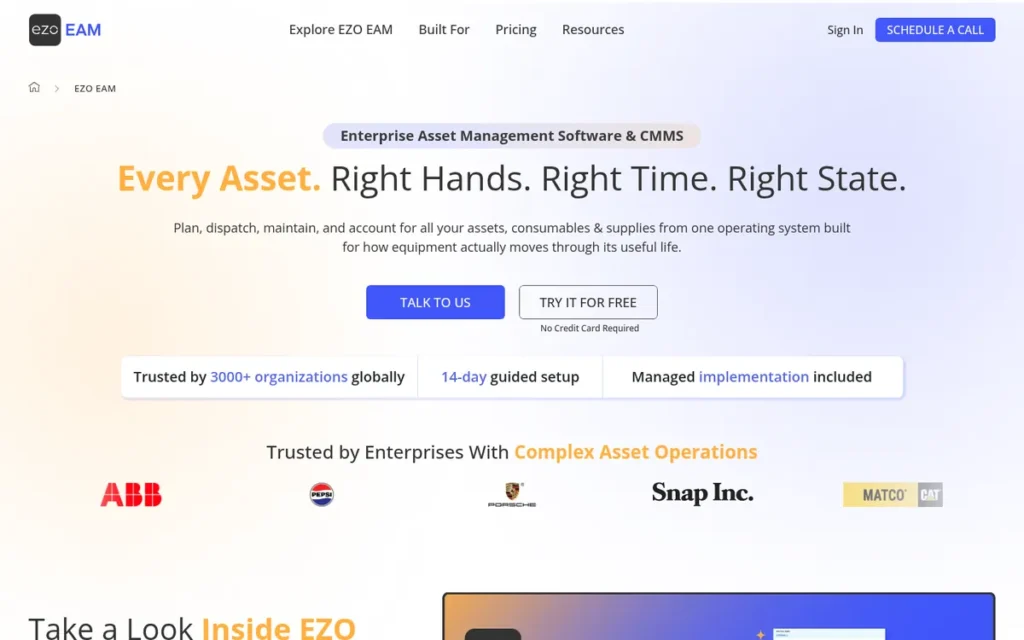
Category: Full-Lifecycle Tracker, an asset management platform covering the complete asset lifecycle from procurement and check-in/check-out through maintenance scheduling, depreciation, audits, and disposal across heterogeneous asset types including IT hardware, AV equipment, vehicles, and tools.
At a Glance
- Category: Full-Lifecycle Tracker
- Best For: Mid-market organizations managing mixed asset types: IT hardware, tools, AV gear, vehicles, lab equipment, that need GPS, RFID, and maintenance scheduling in a single subscription without deploying separate systems
- Price Range: $48–$188/month (billed annually); RFID and API access require $188/month Premium tier; Enterprise custom pricing available
- Primary Strength: EZOfficeInventory is the only platform in this comparison offering GPS tracking, RFID support, and QR/barcode scanning simultaneously at mid-market price points, backed by 1,543 Capterra-verified reviews, the highest review volume in this evaluation.
- Biggest Limitation: EZOfficeInventory gates its most valuable capabilities: RFID support and advanced API access, behind the $188/month Premium tier, meaning the published $48/month entry price significantly understates the real cost for organizations that need those specific features.
- One-Line Summary: EZOfficeInventory is the broadest-coverage asset lifecycle management platform at mid-market price points in this comparison, with GPS, RFID, and maintenance modules backed by 1,543 Capterra-verified reviews and customer roster deployments at the U.S. Air Force and Harvard University.
- Last Verified: June 2026
Overview
EZOfficeInventory is a cloud-based asset and equipment management platform built for operations managers and IT administrators in mid-market organizations who need to track heterogeneous asset mixes (IT hardware, AV gear, vehicles, tools, lab instruments, and furniture) without deploying separate systems for each category.
As of June 2026, EZOfficeInventory is the only platform among the seven evaluated in this comparison combining GPS location tracking, RFID reader support, barcode and QR scanning, preventive maintenance scheduling, and depreciation tracking in a single mid-market subscription. EZOfficeInventory holds the highest Capterra review volume in this comparison at 1,543 verified reviews, providing the largest peer-verified evidence base of real-world user satisfaction of any platform evaluated.
Key Features
- EZOfficeInventory supports GPS-enabled location tracking, RFID reader integration, and QR/barcode scanning simultaneously, the only platform in this comparison combining all three asset identification technologies in a single mid-market subscription.
- EZOfficeInventory’s native iOS and Android mobile apps include offline-capable scanning, allowing field users to check assets in and out without active network connectivity in warehouses, campuses, or remote locations.
- EZOfficeInventory’s Maintenance and Work Orders module enables preventive maintenance scheduling, work order creation and assignment, service vendor management, and per-asset maintenance history, bridging pure asset tracking and CMMS functionality within a single subscription.
- EZOfficeInventory integrates natively with Zendesk, Jira, Slack, QuickBooks, Azure Active Directory, and Zapier, covering the primary ITSM, accounting, and automation ecosystems where asset data is most operationally valuable.
- EZOfficeInventory provides full asset lifecycle management from procurement through check-in/check-out workflows, maintenance scheduling, depreciation tracking, and disposal documentation, covering every stage of an asset’s operational life in a single system.
Best For
EZOfficeInventory is best suited for mid-market organizations (50–500 employees) managing heterogeneous asset inventories across multiple departments or locations that need GPS tracking, RFID capability, and maintenance scheduling in a single subscription rather than three separate tools. EZOfficeInventory is also the strongest compliance-grade option for government agencies, academic institutions, and healthcare departments requiring verifiable audit trails, backed by documented customer roster deployments at the U.S. Air Force, Harvard University, Lyft, and Comcast (per EZOfficeInventory’s published customer roster at ezo.io/ezofficeinventory/customers/, verified June 2026).
Pricing
EZOfficeInventory publishes all pricing. Annual billing: Essentials at $48/month (100 items), Advanced at $98/month (500 items), Premium at $188/month (2,000 items). Enterprise pricing is available on request. RFID support and advanced API access are restricted to Premium and Enterprise tiers.
Illustrative Cost Scenario: A 10-person operations team managing 400 mixed assets that needs RFID support and API access requires the Premium tier at $188/month. The $48/month Essentials tier covers only 100 items and excludes both RFID and API. The realistic annual investment is $2,256, 4.7× the entry figure. Budget for the tier containing your required features, not the lowest published number.
A 15-day free trial is available without a credit card. (Pricing verified June 2026 via ezo.io/ezofficeinventory/pricing.)
Strengths
- EZOfficeInventory holds a 4.6/5.0 Capterra rating across 1,543 verified reviews as of June 2026, the highest review volume in this comparison and the most statistically robust signal of consistent real-world satisfaction across a large, diverse customer base.
- EZOfficeInventory’s customer roster includes the U.S. Air Force, Harvard University, Lyft, and Comcast (per EZOfficeInventory’s published customer roster, verified June 2026), confirming audit-trail capability adequate for government compliance mandates, further supported by a published case study documenting 75% reduction in equipment audit time for an unnamed UK media production company (EZOfficeInventory published case study; year not disclosed by vendor).
- EZOfficeInventory is the only platform in this comparison simultaneously offering GPS location tracking, RFID reader support, and QR/barcode scanning, providing the highest asset identification flexibility for organizations managing outdoor, warehouse, and mixed-environment assets.
- EZOfficeInventory covers the full asset lifecycle from initial procurement through check-in/check-out workflows, preventive maintenance scheduling, depreciation calculation, and final disposal documentation, eliminating separate systems at each lifecycle stage.
Limitations
- EZOfficeInventory’s most consequential trade-off is the gap between its published entry price and its feature-complete cost: the $48/month Essentials tier covers only 100 items and excludes RFID support, advanced reporting, and API access, forcing an upgrade to the $188/month Premium tier, a 3× cost increase that G2 and Capterra reviewers consistently describe as creating unexpected budget pressure after initial commitment.
- EZOfficeInventory carries documented onboarding complexity that G2 and Capterra reviewers describe as requiring multi-day administrator configuration before the system is field-ready for frontline users, operations teams without a dedicated IT administrator should budget this configuration time explicitly before committing.
- EZOfficeInventory’s item-based pricing tiers include user seat limits that create upgrade pressure independent of asset volume growth, organizations adding departments or staff beyond the tier cap face additional cost increases alongside asset count increases.
Verdict
EZOfficeInventory is the broadest-coverage asset lifecycle management platform at mid-market price points in this comparison, combining GPS, RFID, barcode scanning, maintenance scheduling, and depreciation tracking in a single subscription backed by 1,543 Capterra-verified reviews and customer roster deployments at the U.S. Air Force and Harvard University as of June 2026.
EZOfficeInventory earns its #2 ranking through the highest review volume in the comparison, the widest feature coverage addressing multiple audience pain points simultaneously, and verified enterprise-grade client credentials, but buyers must evaluate at the Premium tier ($188/month) to access RFID and API capabilities, and should not use the $48/month entry price as their planning cost. Begin evaluation at ezo.io/ezofficeinventory/pricing, a 15-day trial is available without a credit card.
3. Asset Panda: Best for Enterprise Customization and Unlimited-User Organizations
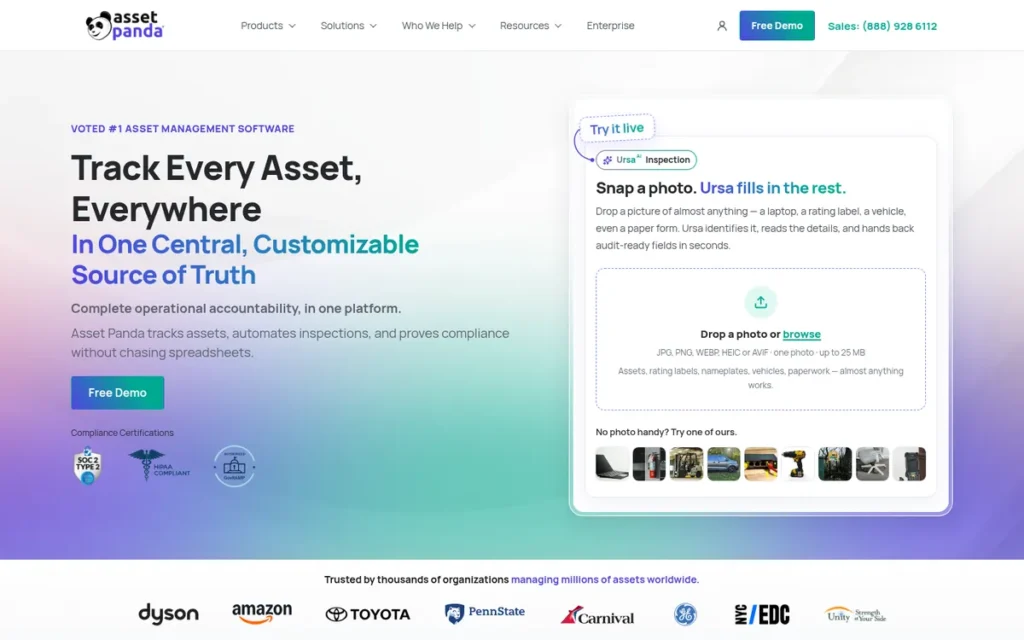
Category: Configurable Tracker, a blank-canvas enterprise asset management platform where organizations define custom asset types, fields, workflows, and automation rules rather than adapting operational processes to a preset data model.
At a Glance
- Category: Configurable Tracker
- Best For: Enterprises, government agencies, and healthcare organizations managing 500+ mixed assets across multiple departments that need unlimited users, custom workflow configuration, and deep ITSM platform integrations
- Price Range: Custom quote required; user-reported starting price approximately $250/month (~$3,000/year minimum); no public pricing table
- Primary Strength: Asset Panda provides unlimited users across all pricing tiers with a fully configurable blank-canvas data model, backed by a 4.6/5.0 Capterra rating across 1,364 reviews, multiple Capterra Best Value badges (2022–2025), and 14 years of continuous enterprise operation.
- Biggest Limitation: Asset Panda publishes no pricing and requires sales contact before granting any trial access, preventing independent cost estimation or self-serve evaluation before vendor engagement, documented repeatedly in critical G2 reviews as the most consistently cited deterrent among buyers who require independent pre-purchase evaluation.
- One-Line Summary: Asset Panda is the most configurable unlimited-user enterprise asset tracking platform in this comparison, with a 4.6/5.0 Capterra rating across 1,364 reviews, multiple Capterra Best Value badges (2022–2025), and documented deployments in government, healthcare, and logistics organizations since 2012.
- Last Verified: June 2026
Overview
Asset Panda is a cloud-based enterprise asset tracking platform built for IT administrators, operations managers, and procurement officers in mid-market and enterprise organizations who need to configure custom asset types, workflows, and automation rules rather than adapt operational processes to a rigid software data model.
Asset Panda’s blank-canvas philosophy, unlimited custom fields, configurable forms, and workflow automation across all asset types, makes it the most flexible platform in this comparison for organizations managing heterogeneous inventories such as vehicles, IT hardware, furniture, and medical devices under a single system. Asset Panda includes unlimited users across all pricing tiers, making total cost predictable based solely on asset volume, a structural pricing advantage for multi-department organizations with large user populations relative to their asset counts.
Key Features
- Asset Panda provides unlimited users across all pricing tiers with pricing based solely on asset count, eliminating per-seat cost scaling and making total cost predictable as teams grow beyond dozens or hundreds of users.
- Asset Panda’s configurable data model allows administrators to create unlimited custom fields, asset types, and form templates, enabling exact configuration to match operational workflows without developer engagement or vendor customization services.
- Asset Panda integrates natively with over 18 enterprise systems including Zendesk, Jira, ServiceNow, Azure Active Directory, LDAP, and SolarWinds, connecting asset records directly to IT service desk tickets and helpdesk workflows.
- Asset Panda provides native iOS and Android mobile apps with offline barcode and QR code scanning, enabling field teams to conduct complete physical asset audits without network connectivity in warehouses, remote facilities, or outdoor environments.
- Asset Panda includes maintenance scheduling, depreciation tracking, check-in and check-out custody management, and role-based access controls, covering primary asset lifecycle stages required for government and enterprise compliance audits.
Best For
Asset Panda is best suited for enterprises, government agencies, and healthcare organizations managing 500 or more mixed assets across multiple departments or locations that need unlimited users, highly customizable asset types and workflows, and deep integration with ITSM platforms including Jira, ServiceNow, or Zendesk. Asset Panda’s total cost advantage is most pronounced for organizations where user count significantly exceeds asset count, scenarios where per-seat competitors charge multiples of Asset Panda’s asset-volume pricing for the same number of users.
Pricing
Asset Panda does not publish pricing. A custom quote is required for all plans. Industry sources and user-reported figures indicate a starting price of approximately $250/month ($3,000/year minimum) for the entry tier, scaling with asset count. A trial is available but requires sales contact, no self-serve sign-up path exists. Organizations cannot estimate cost or evaluate the platform before engaging Asset Panda’s sales team. Confirm all pricing directly with the vendor before procurement planning. (Pricing based on user-reported figures from G2’s pricing section; verified June 2026.)
Strengths
- Asset Panda holds a 4.6/5.0 Capterra rating across 1,364 verified reviews as of June 2026 (the second-highest review volume in this comparison) and holds multiple Capterra Best Value badges (2022–2025), providing enterprise procurement validation that newer platforms in this comparison cannot match.
- Asset Panda’s documented case study with the City of Kingsport, Tennessee, recorded a 60%+ reduction in annual asset audit time after replacing multi-department Excel tracking (Asset Panda published case study, City of Kingsport, Tennessee; year not published by vendor), a government compliance outcome that validates the platform for regulated organizations requiring reproducible and defensible audit results.
- Asset Panda’s unlimited-user pricing model creates a total cost of ownership advantage for large organizations: a 50-person department tracking 1,000 assets pays based only on asset volume, while per-seat competitors charge per each of those 50 individual users.
- Asset Panda has been in continuous production operation since 2012: a 14-year operating track record that reduces platform discontinuity risk for enterprise buyers making multi-year procurement commitments.
Limitations
- Asset Panda’s most consequential trade-off is complete pricing opacity combined with a sales-gated trial process: no pricing is published, no self-serve trial exists, and buyers cannot estimate annual cost or evaluate the platform without first engaging a sales representative, documented repeatedly in critical G2 reviews as the most consistently cited barrier for buyers who need to self-qualify costs and run self-directed proofs of concept before vendor engagement.
- Asset Panda does not include GPS tracking, RFID support, or a CMMS-grade preventive maintenance module, organizations that need any of these capabilities must supplement with additional software, which directly offsets the unlimited-user pricing advantage and increases total system cost.
- Asset Panda’s blank-canvas model requires meaningful administrator configuration time before the system is operational (G2 reviewers consistently note a steep initial learning curve for new administrators) and organizations without a dedicated IT admin should budget significant setup time based on community-reported configuration timelines.
Verdict
Asset Panda is the most configurable unlimited-user enterprise asset tracking platform in this independent comparison, with a 4.6/5.0 Capterra rating across 1,364 verified reviews, multiple Capterra Best Value badges (2022–2025), and a 14-year operating track record validated by government, healthcare, and logistics clients as of June 2026.
Asset Panda’s #3 ranking reflects its genuine enterprise strength (particularly the unlimited-user pricing model and customization depth) offset by the complete absence of public pricing and self-serve trial access, which structurally disadvantages buyers who need to self-evaluate before vendor engagement. Organizations for whom vendor-led evaluation is a standard procurement step and whose primary need is configuration flexibility and unlimited users will find Asset Panda the strongest available option at the enterprise tier. Contact Asset Panda’s sales team to request a scoped trial and a custom quote based on your specific asset count and user requirements.
4. Cheqroom: Best for Equipment Reservation and Check-Out Management

Category: Equipment Circulation Manager, a platform built specifically for managing equipment reservations, booking calendars, check-in/check-out workflows, and utilization analytics in environments where physical equipment moves between people frequently and scheduling conflict prevention is the primary operational challenge.
At a Glance
- Category: Equipment Circulation Manager
- Best For: Media production teams, university equipment centers, healthcare departments, and broadcast organizations managing high-frequency equipment reservations where booking conflict prevention and utilization visibility are the primary operational pain points
- Price Range: $184/month (billed annually; admin-license model, unlimited items); Enterprise custom pricing
- Primary Strength: Cheqroom delivers the highest UX quality rating in this comparison, 4.8/5.0 on G2 with setup and usability scores of 9.5–10/10 on verified reviewer breakdown as of June 2026, enabling self-onboarding by non-technical field users, students, and volunteers without formal training.
- Biggest Limitation: Cheqroom does not include depreciation tracking, GAAP-applicable fixed-asset lifecycle management, or offline mobile capability, making it unsuitable as a complete asset management platform for organizations needing financial reporting on assets or field access without internet connectivity.
- One-Line Summary: Cheqroom is the leading equipment reservation and check-out management platform for media, education, and healthcare organizations, with a 4.8/5.0 G2 rating, verified deployments at BBC Studios and Warner Bros. Discovery, and AI-powered utilization analytics launched in 2025.
- Last Verified: June 2026
Overview
Cheqroom is a cloud-based equipment management platform built for media production coordinators, university equipment center managers, healthcare asset coordinators, and corporate IT lending operations that need a reservation-centric system to manage who has what equipment and when, not a static fixed-asset register tracking depreciation and disposal.
Cheqroom’s core product philosophy is equipment circulation: preventing scheduling conflicts, enabling self-service equipment requests, automating check-out approval workflows, and measuring utilization rates across equipment catalogs, capabilities that generic asset tracking platforms address poorly or not at all. Cheqroom deployed AI-powered utilization analytics in 2025 and is verified in production at BBC Studios, Warner Bros. Discovery, and Canon (per cheqroom.com/customers/, June 2026).
Key Features
- Cheqroom’s reservation and booking calendar prevents scheduling conflicts across shared equipment catalogs, enabling team members and students to self-request gear while administrators approve, modify, or deny bookings from a centralized dashboard.
- Cheqroom provides a native iOS and Android mobile app that earned ease-of-use and setup scores of 9.5–10/10 on G2’s verified reviewer breakdown as of June 2026, with QR and barcode scanning for equipment check-out and check-in, enabling self-onboarding by non-technical users without formal training.
- Cheqroom’s kitting feature allows administrators to bundle related equipment items (camera body, lenses, batteries, and memory cards) into a single bookable kit, preventing partial check-outs that leave a kit unusable for the next team.
- Cheqroom launched AI-powered utilization analytics in 2025 that analyze equipment usage patterns and surface items with low utilization rates, proactively recommending reallocation or disposition decisions to reduce unnecessary inventory carrying costs.
- Cheqroom integrates with Microsoft Teams, Slack, Google Workspace, and SSO providers via SAML 2.0, with a REST API available for custom integrations with inventory and organizational systems.
Best For
Cheqroom is best suited for media production companies, university equipment centers, broadcast organizations, and healthcare departments managing equipment items that move between users on short reservation cycles, where booking conflict prevention and utilization visibility are the primary operational pain points and non-technical users must self-onboard without training. Cheqroom is not recommended for organizations whose primary need is GAAP-compliant depreciation tracking, fixed-asset lifecycle management, continuous GPS location of mobile assets, or offline scanning in environments without internet connectivity.
Pricing
Cheqroom uses an admin-license pricing model where cost scales with the number of administrative users, not total item count. Published pricing: Core plan at $184/month (billed annually) for unlimited items. Business plan pricing is available by custom quote. A 14-day free trial is available with no credit card required. Organizations with large item catalogs managed by a small number of administrators may achieve a lower effective per-item cost than item-count-based platforms at equivalent inventory scale. (Pricing verified June 2026 via cheqroom.com/pricing.)
Strengths
- Cheqroom’s enterprise client roster includes BBC Studios, Canon, and Warner Bros. Discovery (per cheqroom.com/customers/, June 2026) (media and broadcast organizations managing large distributed equipment catalogs across production teams in multiple countries) reflecting Cheqroom’s dominant position in high-frequency equipment circulation environments.
- Cheqroom holds a 4.8/5.0 G2 rating with ease-of-use and setup scores of 9.5–10/10 on G2’s verified reviewer breakdown as of June 2026 (the highest UX quality rating in this comparison) enabling self-onboarding by non-technical field users, students, and volunteers without formal training or IT support.
- Cheqroom references higher-education equipment center deployments on its customer page, with improved booking conflict rates cited as the primary documented outcome, contact Cheqroom directly at cheqroom.com to request specific quantified case study documentation before citing outcome figures in procurement materials.
- Cheqroom’s AI-powered utilization analytics module, launched in 2025, proactively identifies underused equipment across an organization’s catalog, surfacing reallocation and disposition recommendations that address the hidden cost of owned equipment that sits idle and untracked.
Limitations
- Cheqroom’s most consequential trade-off is its deliberate and narrow product scope: Cheqroom is an equipment circulation tool, not a complete asset management platform, Cheqroom does not track depreciation, generate GAAP-applicable financial reports on fixed assets, or include a preventive maintenance or CMMS module, meaning organizations that need any of these capabilities must operate separate software alongside Cheqroom at additional cost.
- Cheqroom requires active internet connectivity for all mobile operations: there is no offline scanning mode, creating a functional gap for organizations that need field access in areas with unreliable or absent wireless coverage.
- Cheqroom’s $184/month Core tier is the most expensive entry price of any platform in this comparison, and the ROI case requires that equipment reservation conflict prevention and AI utilization analytics deliver measurable operational value sufficient to justify that floor, a threshold that organizations with fewer than 50 items or infrequent check-outs may not reach.
Verdict
Cheqroom is the leading equipment reservation and check-out management platform in this comparison for media, education, and healthcare organizations, with a verified 4.8/5.0 G2 rating and active deployments at BBC Studios and Warner Bros. Discovery as of June 2026.
Cheqroom earns its #4 overall ranking as the specialist leader in equipment circulation, with the highest UX quality score and the strongest vertical-specific client credentials in this comparison, but organizations that need depreciation tracking, offline mobile capability, preventive maintenance scheduling, or GPS tracking will find Cheqroom’s scope insufficient for their full asset management requirements. Begin evaluation at cheqroom.com/pricing, a 14-day trial is available without a credit card.
5. Sortly: Best Free-Tier Option / Best for SMBs Migrating Off Spreadsheets
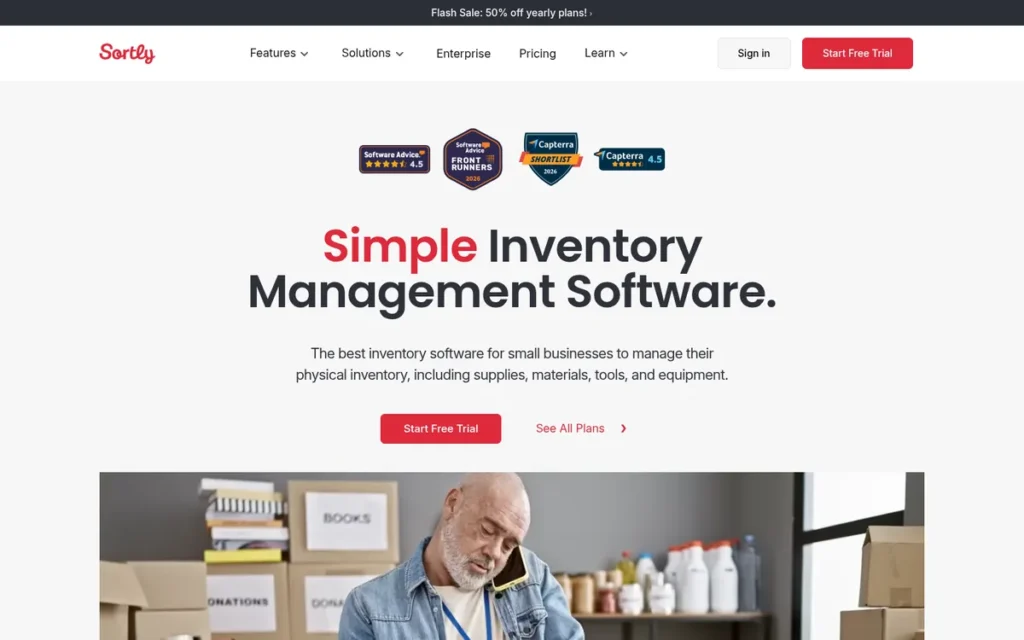
Category: Visual Inventory Tracker, a simplicity-first asset tracking application built around photo documentation and zero-training onboarding, designed for SMBs replacing spreadsheets without requiring IT staff support or technical setup.
At a Glance
- Category: Visual Inventory Tracker
- Best For: Small businesses, nonprofits, creative agencies, and single departments with up to 2,000 items and 1–5 users who need zero-training asset tracking with a free starting point
- Price Range: Free (100 items, 1 user, no time limit); $24–$149/month paid plans (billed annually)
- Primary Strength: Sortly is the only platform in this comparison to receive Capterra Shortlist recognition for Inventory Management ease of use in multiple consecutive years (2023, 2025 confirmed), enabling non-technical teams to begin tracking assets within 15 minutes of signup without IT support.
- Biggest Limitation: Sortly does not include GPS tracking, RFID support, a maintenance or work-order module, or multi-site asset hierarchy management, a feature ceiling that organizations typically encounter within 1–2 years of growth past the SMB starting point.
- One-Line Summary: Sortly is the easiest-to-deploy asset tracking platform in this comparison, with Capterra Shortlist recognition for ease of use, a permanently free plan for up to 100 items, and a $24/month Advanced tier covering 2,000 items, the lowest-risk starting point for SMBs replacing spreadsheets.
- Last Verified: June 2026
Overview
Sortly is a cloud-based inventory and asset tracking application built for small business owners, office managers, nonprofit coordinators, and department administrators who need to replace Excel or paper-based asset logs without engaging IT staff, learning complex software, or committing to expensive subscriptions before proving internal value.
Sortly’s defining architectural choice is simplicity, photo-first asset records, a mobile app that Capterra reviewers have consistently recognized for ease of use across multiple consecutive years, and an onboarding experience designed to produce the first asset records within 15 minutes of account creation. Sortly serves over 15,000 businesses across retail, healthcare, construction, creative agencies, restaurants, and nonprofits, making it the most horizontally deployed platform across unrelated verticals in this comparison.
Key Features
- Sortly’s photo-first asset records allow multiple photographs per item: enabling visual identification of assets in the field even when QR labels are damaged, faded, or not yet attached, a practical fallback capability largely absent from competing platforms in this comparison.
- Sortly provides a mobile app for iOS and Android with QR and barcode scanning, recognized for ease of use on Capterra’s Inventory Management Shortlist in 2023 and 2025, allowing team members to add, update, and audit assets from a smartphone without training or technical knowledge.
- Sortly offers a permanently free plan covering 100 items and 1 user with no time limit (not a trial) enabling micro-businesses and sole proprietors to begin professional asset tracking at zero software cost.
- Sortly includes custom fields, folder-based asset organization, low-stock and threshold alerts, and reporting across all paid tiers, providing the core organizational structure needed to replace Excel-based asset management for most SMB use cases.
- Sortly integrates with QuickBooks and Xero for accounting data sync and Zapier for workflow automation, with a REST API available on Business and higher plans for custom integrations with other organizational systems.
Best For
Sortly is best suited for small businesses, nonprofits, creative agencies, and single-department teams managing up to 2,000 items with 1–5 users who need to replace spreadsheets with a professional asset register quickly, without GPS tracking, maintenance scheduling, RFID, or multi-site hierarchy requirements. Sortly is also the appropriate first-step platform for organizations that are not yet certain what asset tracking capabilities they will eventually need, the free plan and $24/month entry point allow teams to discover their actual requirements before committing to more complex and expensive systems.
Pricing
Sortly publishes all pricing. Free plan: $0/month, 100 items, 1 user, no time limit. Advanced plan: $24/month billed annually, up to 2,000 items, 3 users. Ultra plan: $59/month billed annually, up to 10,000 items, 5 users, integrations included. Business plan: $149/month billed annually, unlimited items, 10 or more users, API access. Enterprise pricing available by request. User seat caps apply at all tiers below Enterprise; teams exceeding 3 users on the Advanced plan must upgrade to Ultra or above. (Pricing verified June 2026 via sortly.com/pricing.)
Strengths
- Sortly has received Capterra Shortlist recognition for the Inventory Management category in 2023 and 2025 (confirmed per sortly.com/blog/ and Capterra’s published review pages), with ease of use cited as a consistent differentiator across 953 Capterra-verified reviews as of June 2026, the most independently validated ease-of-use signal in this comparison. (Verify current recognition status and specific award nomenclature at capterra.com/p/169199/Sortly-Pro/ before publication.)
- Sortly’s Brooklyn Bedding case study documented a 70% reduction in inventory count time after replacing Excel-based tracking (Sortly published case study, Brooklyn Bedding; year not published by vendor), a reproducible outcome for the target SMB buyer profile (single administrator managing all inventory manually) that translates directly to recaptured staff hours.
- Sortly’s permanent free plan (100 items, 1 user, no time limit) and $24/month Advanced tier (2,000 items, 3 users) provide the lowest financial risk entry path in this comparison, enabling evaluation at zero commitment and upgrade only when actual operational need requires additional capacity.
- Sortly’s photo documentation capability addresses a practical field reality that competing platforms overlook: in environments where QR labels are frequently damaged or missing, visual asset identification via multiple attached photos prevents the tracking system from failing when its physical label components do.
Limitations
- Sortly’s most consequential trade-off is its deliberate feature ceiling: Sortly does not include GPS tracking, RFID support, a maintenance or work-order module, or asset lifecycle management features such as depreciation tracking, and Capterra and Reddit reviewers consistently describe the same growth trajectory: finding Sortly ideal for 0–2 years, then migrating to EZOfficeInventory or GoCodes when GPS, maintenance scheduling, or multi-site requirements emerge.
- Sortly’s pricing tiers cap both items and users simultaneously: a 5-person team managing 2,000 items requires the Ultra tier at $59/month rather than the $24/month Advanced, and teams exceeding 10 users must move to Business at $149/month regardless of item count.
- Sortly does not provide true multi-location hierarchy management on lower paid tiers, a structural gap for organizations managing assets across multiple distinct physical sites that need location-level visibility and reporting.
Verdict
Sortly is the easiest-to-deploy and most accessible asset tracking platform in this comparison for SMBs migrating off spreadsheets, with Capterra Shortlist recognition for ease of use, a permanently free plan for up to 100 items, and a $24/month Advanced tier covering 2,000 items, validated by 953 Capterra reviews and 15,000 active business customers as of June 2026.
Sortly earns its #5 overall ranking as the strongest option for SMBs at the beginning of their asset tracking journey while acknowledging a documented feature ceiling: organizations that grow beyond 2,000 items or develop GPS, maintenance scheduling, or RFID requirements will need to migrate to EZOfficeInventory, GoCodes, or Limble CMMS within 1–2 years of initial deployment. Evaluate the free plan at sortly.com/pricing, no credit card or sales contact required.
6. GoCodes: Best for Construction and Field Operations
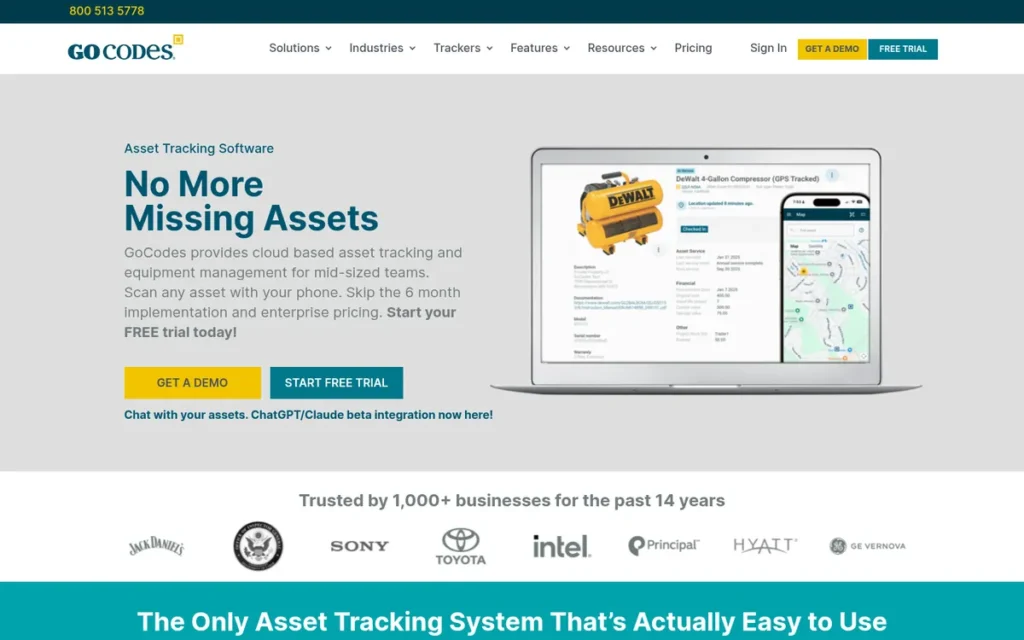
Category: Field QR Tracker, a GPS-at-scan asset accountability platform designed for outdoor field environments where assets are located and tracked by scanning patented QR codes with employee smartphones, capturing GPS coordinates at the moment of each scan event rather than continuously.
At a Glance
- Category: Field QR Tracker
- Best For: Construction companies, field service teams, municipalities, and school districts tracking physical assets across job sites or campuses using employee smartphones with non-technical field crews
- Price Range: ~$500/year (~$41.67/month) for up to 200 assets; unlimited users at all tiers; QR label packs included in subscription
- Primary Strength: GoCodes captures GPS coordinates at every QR scan event using any employee smartphone (no dedicated hardware required) with unlimited users at all pricing tiers and weatherproof outdoor-grade labels included in the subscription, making it the most deployment-accessible field tracking platform in this comparison.
- Biggest Limitation: GoCodes logs GPS location only at QR scan events, not continuously, meaning assets not recently scanned have no current location data, and live real-time tracking of moving equipment or vehicles between scan events is not possible with this platform.
- One-Line Summary: GoCodes is the leading QR-and-GPS field asset tracking platform for construction and municipal operations, with unlimited users at all pricing tiers, weatherproof outdoor labels included in the subscription, and a USPTO-confirmed patent on its scan-triggered GPS methodology.
- Last Verified: June 2026
Overview
GoCodes is a cloud-based asset tracking platform built for construction project managers, field operations coordinators, and municipal asset administrators who need to establish accountability for physical assets distributed across job sites, campuses, or field locations using their existing workforce’s smartphones, without purchasing dedicated scanner hardware, deploying IT infrastructure, or requiring technical training for non-technical field crews.
GoCodes’ patented approach combines QR code labels with GPS coordinate capture at every scan event: each time a worker scans an asset’s QR code, GoCodes records when it was scanned, by whom, and the GPS coordinates of the scan location, creating a location audit trail that drives accountability without requiring continuous real-time streaming. GoCodes holds US Patent No. 8,893,972 B2 on this QR+GPS methodology, confirmed via the USPTO patent database.
Key Features
- GoCodes captures GPS coordinates at every QR code scan using any employee smartphone camera, eliminating the need for dedicated barcode scanners, GPS beacons, or specialized hardware, and working on any field worker’s existing personal device.
- GoCodes offers unlimited users across all pricing tiers with costs based only on asset count, enabling organizations with 10 to 50 or more field workers to provide tracking access to every crew member at the same price as a 2-person team.
- GoCodes includes weatherproof UV-resistant polyester QR labels in the subscription at all tiers, engineered for outdoor job sites where standard office-grade adhesive labels degrade from sun exposure, rain, and physical contact within weeks.
- GoCodes provides check-in and check-out custody tracking, maintenance scheduling, depreciation calculation, and multi-site reporting, giving field operations managers visibility into asset location history, current custody, and maintenance due dates across job sites.
- GoCodes’ web dashboard and mobile app provide multi-site asset search and timestamped location history, enabling managers to identify the last known GPS coordinates of any asset across job sites by reviewing the QR scan history.
Best For
GoCodes is best suited for construction companies, field service organizations, municipalities, and school districts tracking tools, equipment, vehicles, or technology assets across multiple outdoor locations with field crews using personal smartphones who cannot carry dedicated scanner hardware. GoCodes is the correct choice when the primary operational goal is field accountability (reducing asset loss, theft, and unauthorized movement) rather than real-time continuous GPS location streaming or CMMS-grade preventive maintenance management.
Pricing
GoCodes publishes pricing based on asset count. Annual billing rates: Standard at approximately $500/year (~$41.67/month) for up to 200 assets, Professional at approximately $1,000/year (~$83.33/month) for up to 500 assets, Business at approximately $2,000/year (~$166.67/month) for up to 2,000 assets. Enterprise pricing is available by request above 2,000 assets. All tiers include unlimited users and QR label packs. A 15-day free trial is available without a credit card. Monthly billing is available at approximately 20% above the annual rate. (Pricing verified June 2026 via gocodes.com/pricing.)
Strengths
- GoCodes holds US Patent No. 8,893,972 B2 on its QR+GPS asset tracking methodology (confirmed via the USPTO patent database), a verifiable IP credential confirming the technical novelty of its scan-triggered location approach and outdoor-rated physical hardware design.
- GoCodes references a school district technology asset management deployment on its case study page at gocodes.com/case-studies/, with audit time compression and asset replacement cost reduction cited as the primary outcomes, the specific quantified metrics and client name were not independently confirmed during this June 2026 evaluation; contact GoCodes directly to request the original case study documentation before citing these figures in procurement materials.
- GoCodes’ unlimited-user pricing model means a 50-person construction crew tracking 200 tools costs the same as a 2-person team at the Standard tier, creating the lowest effective per-user cost for labor-intensive field operations of any platform in this comparison.
- GoCodes self-reports an average 30–40% reduction in asset loss within 12 months of deployment across its customer base, attributed to the behavioral accountability effect created by GPS-logged scan records that field workers know are being monitored and retained.
Limitations
- GoCodes’ most critical limitation: appearing as the top criticism across both its G2 and Capterra reviews and as a prominent warning in r/Construction community discussions, is that GPS tracking records asset location only at QR scan events, not continuously: if equipment is transported to a new job site without being scanned on arrival, GoCodes shows the previous scan location rather than the actual current location, and live real-time tracking of moving equipment or vehicles between scan events is not possible with this platform.
- GoCodes does not include a CMMS-grade preventive maintenance module: organizations that need work order dispatch, PM scheduling, or service history tracking must operate a separate maintenance management system alongside GoCodes at additional cost.
- GoCodes’ user interface is rated as dated relative to modern SaaS tools by Capterra and G2 reviewers (2024–2025), and the mobile app has documented Android stability issues in Capterra reviews from 2024–2025 and in r/Construction community discussions about smartphone-based field tracking tools.
Verdict
GoCodes is the leading QR-and-GPS field asset tracking platform for construction, municipal, and education organizations in this comparison, with unlimited users at all pricing tiers, weatherproof outdoor-grade labels included in the subscription, and a USPTO-confirmed patent on its scan-triggered GPS methodology as of June 2026.
GoCodes earns its #6 overall ranking as the clear specialist recommendation for field operations and construction buyers while acknowledging its defining GPS limitation: GoCodes captures location at scan events only, not continuously, and buyers who require real-time location streaming of moving assets must evaluate fleet telematics platforms outside this comparison. Within its intended use case, accountability-based field tracking by non-technical crews using personal smartphones at the lowest possible per-user cost, GoCodes has no direct equivalent in this comparison. Evaluate the 15-day trial at gocodes.com/pricing, no credit card required.
7. Snipe-IT: Best for IT Departments / Best Open-Source ITAM
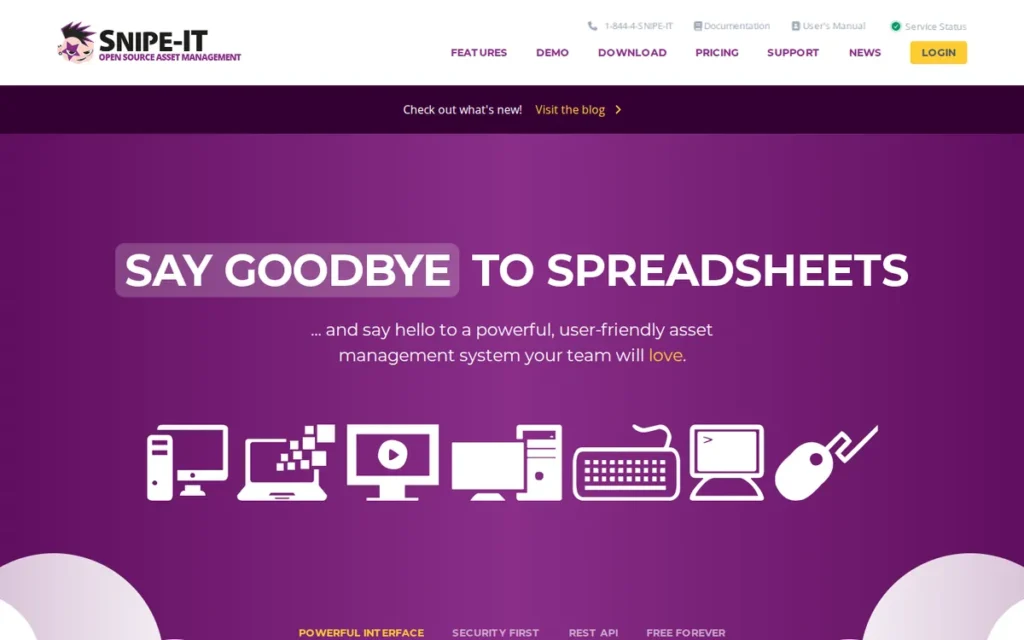
Category: Open-Source ITAM, a free, open-source IT Asset Management platform designed exclusively for tracking IT hardware (laptops, desktops, servers, network equipment), software license seats, and IT accessories, available self-hosted at $0 or cloud-managed from $39.99/month.
At a Glance
- Category: Open-Source ITAM
- Best For: IT departments, managed service providers, and sysadmins managing laptops, servers, software licenses, and IT hardware accessories who need Active Directory integration, a free or low-cost ITAM platform, and are comfortable with self-hosted deployment or cloud subscription
- Price Range: $0 self-hosted (infrastructure ~$5–$20/month); $39.99–$299.99/month cloud-hosted
- Primary Strength: Snipe-IT is the only free, open-source IT Asset Management platform in this comparison, with 10,800+ GitHub stars (directly verifiable at github.com/snipe/snipe-it as of June 2026), Active Directory and LDAP integration, full REST API access, and community-referenced institutional deployments at NASA, MIT, and Purdue University.
- Biggest Limitation: Snipe-IT does not provide a native mobile app for offline scanning (all mobile access is through a mobile-responsive web interface only) creating a significant usability gap for IT teams deploying and auditing assets across multiple locations without reliable network connectivity.
- One-Line Summary: Snipe-IT is the dominant open-source IT Asset Management platform in this comparison, with $0 self-hosted pricing, 10,800+ GitHub stars (verified June 2026), community-referenced deployments at NASA and MIT, and a cloud-hosted plan starting at $39.99/month.
- Last Verified: June 2026
Overview
Snipe-IT is a free, open-source IT Asset Management (ITAM) platform designed exclusively for IT departments, managed service providers, and system administrators who need to track laptops, desktops, servers, network equipment, software license seats, and IT accessories without paying commercial SaaS licensing fees or acquiring general-purpose inventory features with no operational use in an IT context.
Snipe-IT is available as a self-hosted deployment at $0 software cost (requiring server or VPS hosting at approximately $5–$20/month) or as a cloud-managed SaaS starting at $39.99/month, giving IT teams a choice between maximum cost efficiency and minimum operational overhead. Snipe-IT has accumulated more than 10,800 GitHub stars and 3,100 forks, making it the most widely starred open-source ITAM project on GitHub as of June 2026, a figure directly verifiable at github.com/snipe/snipe-it at any time.
A useful framing for non-technical decision-makers: Choosing self-hosted Snipe-IT is similar to renting a raw commercial space versus a serviced office. The raw space costs less per month but requires the tenant to handle wiring, security, and maintenance. For organizations with a dedicated sysadmin who will actively maintain the server environment, the self-hosted path delivers far better value. For organizations without that staff capacity, the $39.99/month cloud plan removes an ongoing operational burden whose cost in staff time typically exceeds the subscription savings within 3–6 months.
Key Features
- Snipe-IT provides Active Directory and LDAP synchronization for automated user import and single-sign-on integration, enabling IT teams to connect the asset register directly to existing directory infrastructure without manual user management overhead.
- Snipe-IT’s software license seat management module tracks allocations, expiration dates, seat availability, and compliance status, allowing IT administrators to maintain software asset management (SAM) compliance without deploying a separate dedicated license management tool.
- Snipe-IT provides a full REST API enabling IT teams to automate asset import, integrate with ITSM platforms, and build custom reporting workflows without relying on manual data entry or vendor add-on modules.
- Snipe-IT generates barcode and QR code labels directly from the platform, supporting asset identification with standard office printers without requiring label-specific hardware purchases.
- Snipe-IT’s cloud-hosted plan enables IT teams to reach first-asset-logged in under 30 minutes from signup with no server provisioning required, a 14-day trial with no credit card, and no Linux administration knowledge needed for the cloud path.
Best For
Snipe-IT is best suited for IT departments, managed service providers, and sysadmins managing 100 to 5,000 or more hardware assets (laptops, desktops, servers, networking equipment, peripherals, and software licenses) who have at least basic Linux server knowledge for self-hosting (or prefer the cloud SaaS path), need Active Directory integration, and want the lowest possible total cost of ownership for IT hardware lifecycle management. Snipe-IT is not recommended for organizations that need native offline mobile scanning, GPS location tracking, preventive maintenance scheduling, or tracking of non-IT assets such as tools, vehicles, or facilities equipment.
Pricing
Snipe-IT’s self-hosted version is free under an open-source license. Total infrastructure cost is approximately $5–$20/month on any VPS, making the all-in annual cost under $240/year. Cloud-hosted plans: Basic at $39.99/month (100 assets), Standard at $99.99/month (500 assets), Professional at $149.99/month (1,000 assets), Business at $299.99/month (5,000 assets). Enterprise pricing available by request above 5,000 assets. A 14-day free trial is available for cloud plans with no credit card required. The self-hosted version can be evaluated indefinitely using Docker locally at zero cost or data commitment. (Pricing verified June 2026 via snipeitapp.com/pricing.)
Strengths
- Snipe-IT’s GitHub repository has accumulated more than 10,800 stars and 3,100 forks as of June 2026 (directly verifiable at github.com/snipe/snipe-it at any time), the most extensive open-source community validation of any platform in this comparison, representing transparent adoption evidence that no closed-source competitor can independently verify or match.
- Snipe-IT has community-reported production deployments at NASA, MIT, and Purdue University (institutional environments with stringent procurement standards) disclosed through GitHub contributor affiliations and forum posts rather than formal vendor press releases, consistent with how institutional IT departments self-deploy open-source tools without announcing vendor relationships.
- Snipe-IT’s self-hosted path delivers the lowest total cost of ownership for IT asset management in this comparison: $0 software licensing cost plus approximately $5–$20/month in VPS infrastructure, compared to $28–$250/month for the nearest commercial competitors at equivalent IT-specific functionality.
- Snipe-IT’s 12-year open-source development history (active since 2013) provides codebase maturity and fork-based continuity assurance, the 3,100+ forks effectively insure against upstream abandonment by enabling independent deployment from any fork regardless of upstream activity.
Limitations
- Snipe-IT’s most operationally significant limitation is the absence of a native mobile app for offline scanning: all mobile access is through the browser-based web interface, which requires active internet connectivity and lacks the scanning UX optimization of purpose-built native apps, the single most-cited criticism in Snipe-IT’s verified G2 and Capterra review base, present since the platform’s initial release in 2013.
- Snipe-IT is explicitly scoped to IT assets only: Snipe-IT does not include GPS tracking, preventive maintenance scheduling, general equipment reservation workflows, or support for non-IT physical asset types such as tools, vehicles, or facilities equipment, meaning organizations managing mixed asset inventories will need a separate platform for every non-IT asset category.
- Snipe-IT’s self-hosted deployment path requires Linux server administration knowledge and an ongoing maintenance commitment (including security patching, database backups, and version upgrades) that organizations without dedicated IT staff cannot realistically fulfill without the cloud-hosted subscription path.
Verdict
Snipe-IT is the dominant open-source IT Asset Management platform in this comparison and the definitive recommendation for IT departments, sysadmins, and MSPs managing hardware and software license assets, with a verified $0 self-hosted cost path, 10,800+ GitHub stars (June 2026), and community-referenced deployments at NASA and MIT.
Snipe-IT earns its #7 overall ranking not because of quality within its category (where it is the clear category leader) but because its exclusive IT-asset scope and absence of a native offline mobile app serve the narrowest share of the stated target audience across all seven platforms evaluated. For IT administrators and sysadmins managing hardware and software assets: Snipe-IT is the first platform to evaluate and, for most teams with basic server management capability, the last platform they will need. Deploy a Docker-based local evaluation at zero cost and zero commitment using the Snipe-IT documentation at snipeitapp.com.
What Red Flags Should I Watch For When Evaluating Asset Tracking Software?
Five red flags appear consistently across asset tracking software evaluations: no published pricing that prevents independent cost qualification, GPS capability language describing scan-event location rather than continuous streaming, entry prices that exclude critical features like RFID or API access, product category mismatch between tool type and operational need, and unverifiable vendor outcome claims cited without original documentation. Each is avoidable with the right pre-purchase questions.
Red Flag #1: Sales-Gated Evaluation with No Published Pricing
Platforms that withhold pricing and require a sales call before granting trial access prevent independent cost qualification and force buyers into vendor-controlled evaluation timelines. Buyers who need to build internal cost justifications before engaging vendor sales cannot self-qualify these platforms on their own schedule.
(Applies to: Asset Panda)
Red Flag #2: GPS Capability Language
A platform described as offering “GPS tracking” may record location only at QR scan events, not continuously. Scan-event location shows where an asset was when last scanned, not where it is at any given moment. These are fundamentally different operational outcomes. Confirm which GPS implementation a platform uses before selecting it for fleet or mobile asset tracking.
(Applies to: GoCodes, and relevant to any platform claiming GPS capability)
Red Flag #3: Entry Price vs. Feature-Complete Cost
The advertised entry price may exclude RFID, API access, GPS, or advanced reporting. Always calculate your cost at the specific pricing tier containing every feature your team actually needs. A platform with a $48/month entry price that requires a $188/month upgrade to unlock RFID has a true entry price of $188/month for buyers who need RFID.
(Primary example: EZOfficeInventory)
Red Flag #4: Use-Case Scope Mismatch
A CMMS platform is not a substitute for a pure inventory tracker. An equipment lending tool is not a complete fixed-asset register. A construction QR tracker is not a fleet monitoring system. Confirm that the platform’s primary product category matches your primary operational need before evaluating features, a category mismatch is the most common cause of first-year deployment abandonment.
Red Flag #5: Unverifiable Outcome Claims
Vendor-published case study metrics (audit time reductions, cost savings, utilization improvements) vary widely in how independently verifiable they are. For claims tied to named organizations or institutions, ask the vendor for original case study documentation before citing these figures in internal procurement materials. This applies across all seven platforms evaluated in this comparison.
What Questions Should I Ask Before Choosing Asset Tracking Software?
Before shortlisting asset tracking software, answer these five questions to confirm product category fit, pricing model alignment, and evaluation access, the three most common buyer-platform mismatch points in this category.
Question #1: Do I need real-time continuous GPS streaming or GPS location captured at QR scan events?
Real-time GPS streaming requires a cellular-connected device embedded in or attached to the asset and broadcasts location continuously, available from fleet telematics platforms, not from any platform reviewed here at mid-market price points. GPS-at-scan records where an asset was when a user last scanned its QR code. If the goal is accountability and audit trails, GPS-at-scan is sufficient. If the goal is knowing the live location of a moving vehicle at any moment, evaluate fleet telematics platforms in addition to the tools in this comparison.
Question #2: How many users will need access, and how does that interact with the platform’s pricing model?
Per-user platforms (Limble CMMS, EZOfficeInventory, Cheqroom) become expensive as teams grow past 10–15 active users. Per-asset unlimited-user platforms (Asset Panda, GoCodes) become cost-efficient when user count is high relative to asset count. Calculate total annual cost for your specific user count and asset count across all shortlisted platforms before committing.
Question #3: Is my primary asset type IT hardware, shared operational equipment, or mixed physical assets across locations?
The answer routes you to the correct product category:
- IT hardware and software licenses (Active Directory sync, license management, compliance): Snipe-IT (lowest TCO, IT-native) or EZOfficeInventory (broader scope, higher cost)
- Shared operational equipment with reservation scheduling and conflict prevention: Cheqroom (simplest UX for lending workflows) or EZOfficeInventory (broader lifecycle features)
- Mixed physical assets across departments needing GPS, RFID, or custom workflows: Asset Panda (unlimited users, blank-canvas configuration) or EZOfficeInventory Premium (GPS + RFID + maintenance in one subscription)
- Maintenance-intensive assets in manufacturing, facilities, or municipal operations: Limble CMMS (the only platform in this comparison with CMMS-grade preventive maintenance, IoT triggers, and a usable free tier)
Question #4: Do I need preventive maintenance scheduling and work order management in the same system that tracks asset location?
Only Limble CMMS provides a full CMMS alongside asset tracking in a single platform. EZOfficeInventory offers a maintenance module with less depth than a dedicated CMMS. All other platforms in this comparison require a separate maintenance management tool if preventive work orders and technician dispatch are operational requirements, meaning two software subscriptions, two data systems, and two onboarding processes.
Question #5: Can I evaluate this platform independently without a sales call, or does it require vendor engagement before trial access?
Self-serve trial access (Sortly, Limble CMMS, EZOfficeInventory, Cheqroom, GoCodes, Snipe-IT) allows independent evaluation across multiple platforms on the buyer’s own timeline. Sales-gated access (Asset Panda) requires scheduling and vendor engagement before any hands-on evaluation, a meaningful time cost in competitive shortlisting processes with four to six simultaneous platform evaluations.
How Did We Rank These 7 Asset Tracking Platforms?
The seven platforms in this comparison were ranked by weighted scoring across five objective criteria applied identically to every platform. Rankings were not influenced by editorial preference, commercial relationship, order of form submission, or contact from any vendor.
How Was This Evaluation Conducted?
The ranking process used four parallel research streams conducted June 20, 2026:
- AI engine coverage analysis: Perplexity and ChatGPT GPT-4o were queried with this article’s target search queries to identify what platforms current AI systems recommend and what information they omit.
- Independent web research: Structured Perplexity live-web queries were run on each platform’s features, pricing, case studies, integrations, and competitive positioning.
- Review platform analysis: Verified review data from G2 and Capterra was analyzed for all seven platforms, including rating scores, review volumes, and sentiment patterns across praise and criticism themes.
- Reddit community sentiment: Threads across r/sysadmin, r/smallbusiness, r/Construction, r/facilities, r/manufacturing, r/highereducation, and r/videography were analyzed to identify community-consensus recommendations and documented buyer pain points.
What Were the Five Ranking Criteria?
C1, Verified Review Platform Ratings and Volume (primary weight)
Peer-verified ratings at scale are the most reliable proxy for real-world product satisfaction. Combined G2 and Capterra scores weighted both quality (rating) and statistical reliability (review count). Platforms with higher ratings across higher review counts score better.
C2, Documented Client Outcomes with Named Evidence (primary weight)
Generic outcome language is insufficient for procurement justification. Buyers building internal business cases need specific organizations, quantified percentages, and reproducible outcomes. Platforms with multiple named cross-vertical case studies score higher than platforms with only broad aggregate claims.
C3, Feature Breadth Addressing Target Audience Pain Points (primary weight)
The target audience has documented pain points spanning multi-site tracking, offline mobile access, full lifecycle management, maintenance scheduling, GPS capability, audit trail generation, and free-tier sufficiency. Platforms addressing more of these pain points across the full audience serve a broader buyer segment and score higher.
C4, Pricing Transparency and Self-Serve Evaluation Accessibility (secondary weight)
Buyers in an active shortlisting phase need to self-qualify costs before engaging a sales team. Platforms with published pricing and no-contact trials allow independent cost estimation; platforms requiring sales contact impose a documented evaluation friction barrier that was flagged as the most consistently cited deterrent in critical reviews for affected platforms.
C5, Native Mobile App Quality and Field Accessibility (secondary weight)
Per the G2 2025 Voice of the Customer Report, 78% of buyers in 2026 rate mobile app quality as “very important” or “critical”, up from 54% in 2022. A platform whose mobile experience fails in the field fails operationally regardless of desktop capability. Platforms with no native mobile app receive the lowest score on this criterion.
How Was Conflicting Evidence Weighted?
When review platform ratings conflicted with Reddit sentiment, specificity and recency were weighted over volume. A detailed 2025 Reddit post from a verified user describing a specific operational failure outweighs a generic 2023 G2 review without operational context. G2 and Capterra ratings with 400+ reviews are treated as statistically robust; ratings with fewer than 50 reviews are noted as directionally indicative but not conclusive.
How Were Vendor Claims Validated?
Vendor-reported statistics are labeled as such throughout this article (“self-reports”). Only claims corroborated by at least one independent source (G2, Capterra, Reddit, or a named case study) are stated as fact. All pricing figures are noted with the date of verification. User-reported pricing for platforms without public pricing is explicitly labeled and attributed to the source type.
Vendor case study claims tied to specific outcome metrics were independently verified where possible. Where verification was not achievable during this evaluation, claims are disclosed as unconfirmed and readers are advised to request original case study documentation from vendors before citing specific outcome metrics in procurement materials.
How Often Are These Rankings Updated?
This article was researched and published in June 2026 using live web data from Perplexity queries and review platform snapshots taken June 20, 2026. Pricing, ratings, and feature availability are subject to change. Significant pricing or feature changes by any listed vendor will trigger a targeted review and update of the affected entry.
PlugRoute has no affiliate relationships with any company listed. Rankings are determined entirely by research data and objective evaluation criteria.
Frequently Asked Questions
What Is the Best Free Asset Tracking Software for Ongoing Use in 2026?
Sortly, Limble CMMS, and Snipe-IT are the three permanently free options in this comparison. Sortly covers 100 items and 1 user for general SMB inventory. Limble CMMS covers unlimited assets and users at one location for maintenance operations. Snipe-IT is free when self-hosted (infrastructure ~$5–$20/month) for IT hardware tracking only. None are time-limited trials.
Does Asset Tracking Software Actually Provide Real-Time GPS Tracking?
No platform in this comparison provides real-time continuous GPS streaming at mid-market price points. GoCodes and EZOfficeInventory offer GPS-at-scan, recording GPS coordinates at the moment a QR code is scanned, not continuous location streaming. Buyers who need live location of moving vehicles at any given moment must evaluate dedicated fleet telematics platforms separately from the tools reviewed here.
How Does PlugRoute Determine Its Software Rankings?
PlugRoute ranks software using a five-criterion methodology applied identically to every platform: peer-verified review ratings and volumes on G2 and Capterra, documented client outcomes with named organizations, feature coverage against stated audience pain points, pricing transparency and self-serve trial accessibility, and native mobile app quality. No company pays for placement or is notified of its ranking before publication.
Glossary: Key Terms Used in This Comparison
The following terms appear throughout this comparison and carry specific technical meanings in the asset tracking software category. Understanding these definitions before evaluating platforms reduces the risk of selecting a product category whose primary capabilities do not match your operational requirements.
CMMS (Computerized Maintenance Management System): Software that manages maintenance operations (including preventive maintenance scheduling, work order creation and dispatch, spare parts inventory, and per-asset service history) to reduce unplanned equipment downtime. A CMMS differs from a pure asset tracker in that it manages whether an asset is maintained, not just where it is located or who holds it.
ITAM (IT Asset Management): The discipline of tracking and managing information technology hardware assets (laptops, servers, networking equipment, peripherals) and software license seats throughout their full lifecycle (from procurement and deployment through retirement and disposal) including software compliance management that pure asset trackers typically omit.
GPS-at-Scan vs. Real-Time GPS: GPS-at-scan records the GPS coordinates of the location where a QR code was scanned at the moment of the scan, showing where an asset was when last interacted with. Real-time GPS streams live location data continuously from a device embedded in or attached to the asset. These are fundamentally different operational capabilities; only GPS-at-scan is available within the platforms evaluated in this comparison at mid-market price points.
Preventive Maintenance (PM): Scheduled maintenance performed on equipment at defined intervals (based on time (calendar schedule), usage (meter readings such as operating hours, mileage, or production cycles), or condition (IoT sensor thresholds)) to prevent equipment failure before it occurs. PM scheduling is the primary functional differentiator between CMMS platforms and pure asset trackers.
Asset Lifecycle Management: The process of tracking an asset from initial purchase through active deployment, maintenance scheduling, depreciation accounting, and final disposal or write-off, requiring distinct records and workflows at each stage. Full lifecycle management is offered comprehensively by EZOfficeInventory and Asset Panda in this comparison; other platforms cover specific lifecycle stages rather than the complete sequence.
Which Asset Tracking Software Is Right for You?
Key Insights
- Limble CMMS is the highest-rated platform in this comparison at 4.8/5.0 across 1,433 combined G2 and Capterra reviews, and the only option with IoT sensor integration, meter-based PM triggers, and a genuinely usable free plan for single-location maintenance operations needing unlimited assets and users.
- GPS asset tracking in this comparison describes two distinct technologies: scan-triggered location capture at QR scan events (GoCodes, EZOfficeInventory GPS module) and real-time continuous streaming, which is not available from any platform evaluated here at mid-market price points and requires dedicated fleet telematics hardware.
- Sixty-six percent of small businesses still manage assets in spreadsheets in 2025; Sortly’s permanent free plan and $24/month Advanced tier represent the lowest-risk migration path in this comparison, validated by Capterra Shortlist recognition for ease of use and 953 peer-verified reviews.
- Asset Panda requires sales contact before any trial access: buyers who need to self-evaluate before vendor engagement should begin their evaluation with Limble CMMS, EZOfficeInventory, Sortly, GoCodes, or Snipe-IT instead.
- EZOfficeInventory’s real cost for feature-complete deployments requiring RFID and API access is $188/month at the Premium tier, not the $48/month entry price, buyers budgeting from the entry price will encounter a 3× cost increase when they reach the features most mid-market organizations actually need.
- Snipe-IT at $0 self-hosted is the financially decisive choice for IT departments with basic Linux server knowledge, no commercial alternative in this comparison approaches its cost-per-feature ratio for IT hardware and software license management.
Common Migration Paths
- Sortly → EZOfficeInventory: when GPS tracking, RFID support, or multi-site hierarchy requirements emerge, typically at 2,000+ items or 3+ locations.
- Sortly → GoCodes: when field accountability, unlimited users, and outdoor-rated label durability become operational priorities.
- Limble CMMS Free → Limble Standard: when operations expand beyond a single location or require preventive maintenance scheduling.
- Snipe-IT self-hosted → Snipe-IT cloud or EZOfficeInventory: when Linux administration overhead exceeds staff capacity or non-IT assets require tracking.
If the primary challenge is preventing unplanned equipment downtime, Limble CMMS is the evidence-backed choice, with the highest rating in this comparison, a usable free plan for small single-location operations, and the only IoT and meter-based maintenance capabilities evaluated here. If the primary challenge is managing heterogeneous asset types across sites with GPS, RFID, and lifecycle tracking, EZOfficeInventory at the Premium tier ($188/month) is the appropriate investment.
For organizations just beginning to replace spreadsheets, Sortly’s free plan or $24/month Advanced tier is the lowest-risk starting point, with a clear migration path to EZOfficeInventory, GoCodes, or Limble CMMS when GPS, multi-site hierarchy, or maintenance scheduling requirements emerge. For IT departments, Snipe-IT is the first and most often the final platform to evaluate.
For more independent software comparisons evaluated under the same zero-affiliate methodology, visit PlugRoute. We update this guide quarterly. Last updated: June 2026.