The best calibration software in 2026 depends on your domain: Room EQ Wizard leads for free acoustic measurement, CalMAN by Portrait Displays for professional TV calibration with AutoCal integration, DisplayCAL for free ICC display profiling, and Beamex CMX for regulated industrial compliance. All three calibration domains require different tools, hardware investments, and total entry costs.
This category is unusually confusing because “calibration software” covers three entirely different professional workflows, display color accuracy, room acoustic correction, and industrial instrument traceability. A tool that leads display calibration is irrelevant to audio engineers, and vice versa. Calibration software licenses are also never the full cost: required measurement hardware adds $100 to $2,000 or more before the software processes a single measurement.
PlugRoute has no affiliate relationships with any company listed in this review, rankings are determined entirely by research data, documented community sentiment, third-party testing results, and objective evaluation criteria.
TL;DR: Top Picks at a Glance
- Room EQ Wizard: free acoustic measurement platform that professional studios and audiophiles rely on for room diagnostics and EQ filter generation, at approximately $100 total hardware entry cost
- CalMAN by Portrait Displays: the only display calibration software with AutoCal hardware-native integration for compatible Sony, LG, and Samsung TVs as of June 2026
- DisplayCAL: free open-source ICC display profiler with documented deltaE accuracy competitive with paid tools in independent OLED testing
- Beamex CMX: FDA 21 CFR Part 11 and ISO 9001 compliant industrial calibration management for regulated manufacturing and pharmaceutical environments
What Are the Three Types of Calibration Software, and Which Do You Need?
Calibration software divides into three domains with no overlap in tools, hardware, or target audience. Matching your domain before evaluating specific products prevents the most common purchasing mistake in this category, buying a tool designed for an entirely different professional context.
Display Calibration: for photographers, videographers, colorists, broadcast engineers, and display reviewers:
- CalMAN by Portrait Displays (#2): professional TV and display calibration with AutoCal hardware-native integration for compatible Sony, LG, and Samsung displays
- DisplayCAL (#3): free open-source ICC display profiling powered by ArgyllCMS, supporting modern OLED and wide-gamut displays
- LightSpace CMS / ColourSpace CMS (#4): cinema and broadcast 3D LUT calibration; Windows only, macOS not supported
- X-Rite i1Profiler (#7): hardware-bundled display and printer ICC profiling; available only as part of X-Rite device packages
Audio Calibration: for studio engineers, music producers, home theater enthusiasts, and audiophiles:
- Room EQ Wizard (REW) (#1): free acoustic measurement, room diagnostics, and EQ filter generation
- Sonarworks SoundID Reference (#6), guided speaker correction and headphone calibration with 280+ pre-built profiles
Industrial Calibration Management: for QA managers, calibration engineers, and compliance officers:
- Beamex CMX (#5): enterprise compliance documentation and paperless calibration workflow platform for regulated industrial environments
Once you know your domain, evaluation criteria narrow sharply. Display calibration buyers prioritize accuracy benchmarks and hardware compatibility. Audio calibration buyers prioritize room null diagnosis and correction smoothness. Industrial buyers prioritize regulatory compliance and audit trail depth.
How Do All 7 Calibration Software Tools Compare at a Glance?
The 7 best calibration software tools in 2026 span display calibration (CalMAN by Portrait Displays, DisplayCAL, LightSpace CMS / ColourSpace CMS, X-Rite i1Profiler), audio calibration (Room EQ Wizard, Sonarworks SoundID Reference), and industrial calibration management (Beamex CMX), each ranked on performance evidence, domain leadership, total cost including required hardware, professional community validation, and workflow completeness within its domain.
| Rank | Company | Category | Best For | One-Line Summary | Key Capabilities | Primary Strength | Key Limitation |
|---|---|---|---|---|---|---|---|
| #1 | Room EQ Wizard | Audio; Acoustic Measurement | Studio engineers, home theater builders, audiophiles | Room EQ Wizard is the free acoustic measurement platform that professional studios and audiophiles use as the community reference standard for room diagnostics and EQ filter generation | SPL, RT60, waterfall plots, impulse response, IEC 60268-16:2020 STI, EQ filter generation, 16-input Pro mode | miniDSP’s published measurement reference baseline; free; uniquely reveals room nulls that automated correction tools suppress | Measurement and diagnostic platform only; correction must be implemented separately in compatible hardware or software |
| #2 | CalMAN by Portrait Displays | Display; Professional Calibrator | Calibration businesses, broadcast engineers, AutoCal TV workflows | CalMAN by Portrait Displays is the only professional display calibration platform with manufacturer-direct AutoCal integration for compatible Sony, LG, and Samsung TVs as of June 2026 | AutoCal display-native calibration, manufacturer SDK (Sony/LG/Samsung), 10-seat enterprise licensing, SDR/HDR measurement | Only software with AutoCal on compatible displays; exclusive manufacturer SDK partnerships; TFTCentral-adopted testing standard | No public pricing; AutoCal advantage limited to compatible Sony/LG/Samsung models only |
| #3 | DisplayCAL | Display; Free ICC Profiler | Photographers, colorists, creative professionals | DisplayCAL is the free, open-source display calibration software that photographers and colorists use to achieve professional-grade ICC profiles at zero software cost | ICC profiling, 3D LUT generation, deltaE verification reports, multi-display support, HDR calibration (v3.9.17, April 2026) | 72% of patches below 1 deltaE in independent LG C3 OLED testing (LiftGammaGain, 2024); broadest free-tool hardware compatibility | ArgyllCMS dependency setup complexity; single-developer maintenance phase; longer calibration run times than commercial alternatives |
| #4 | LightSpace / ColourSpace CMS | Display; Cinema 3D LUT Calibrator | Professional colorists, DIT technicians, broadcast post-production (Windows only) | LightSpace CMS and ColourSpace CMS by Light Illusion are professional 3D LUT calibration platforms adopted by cinema and broadcast facilities using Assimilate SCRATCH and EIZO professional monitors | 3D LUT generation, EIZO monitor partnership, AJA LUT-Box integration, Assimilate SCRATCH integration, perpetual licensing | Assimilate SCRATCH integration; formal EIZO professional monitor partnership; perpetual licensing with no annual maintenance fees | Windows only; macOS standalone not supported; opaque pricing; expert-level workflow required |
| #5 | Beamex CMX | Industrial; Calibration Manager | QA managers, calibration engineers, pharmaceutical and regulated manufacturing | Beamex CMX is the industrial calibration management platform that pharmaceutical manufacturers use for FDA 21 CFR Part 11 compliant paperless calibration workflows | Paperless MC6 calibration loop, ISO 9001/17025/FDA 21 CFR Part 11/GMP/GAMP compliance, audit trails, electronic signatures, multi-site management | Substantially eliminates manual transcription errors; 174-site global deployment reported (Beamex, 2025); explicit regulatory compliance architecture | Beamex MC6 hardware required for primary differentiator; estimated $10K–$50K+ cost; less intuitive UX than Fluke Met/Track per r/Metrology |
| #6 | Sonarworks SoundID Reference | Audio; Guided Calibration Platform | Studio engineers, music producers needing fast guided correction | SoundID Reference by Sonarworks is the guided speaker and headphone calibration platform for studio engineers with 280+ pre-built headphone profiles and guided setup under 20 minutes | 280+ headphone profiles, guided speaker calibration under 20 minutes, DAW plugin (VST/VST3/AU/AAX), Systemwide app, latency-free mode, Multichannel upgrade | Largest pre-built headphone library in any commercial audio calibration tool evaluated; guided setup under 20 minutes | Narrower high-frequency correction range than Dirac Live; documented r/audioengineering “Buyer Beware” community signal |
| #7 | X-Rite i1Profiler | Display; Hardware-Bundled Profiler | Photographers and print studios needing display plus printer ICC profiling | X-Rite i1Profiler is the hardware-bundled ICC profiling suite for display, projector, and up to 8-color CMYK+ printer color management, available only through X-Rite i1 device packages | Display/projector/printer profiling, 8-color CMYK+ via i1Prism engine, Profile QA validation, display uniformity testing, ~2 min 55 sec native profiling | Only tool in this evaluation covering display and printer ICC including CMYK+ from one hardware investment | Hardware-only bundling ($1,050+ minimum entry); documented r/colorists reliability complaints; Calibrite brand transition confusion |
Which Calibration Software Should I Choose for My Use Case?
The table below routes each professional audience segment to the calibration software most appropriate for their domain, workflow, and existing hardware, with an acceptable alternative where one exists. Start here if you already know your calibration domain.
| If You Are… | Start With | Why | Acceptable Alternative |
|---|---|---|---|
| A photographer needing display color accuracy | DisplayCAL (#3) | Free professional ICC profiling with deltaE verification at zero software cost | X-Rite i1Profiler (#7) if you also produce fine art prints and need CMYK+ profiling |
| A professional colorist in post-production (Windows) | LightSpace / ColourSpace CMS (#4) | Cinema-grade 3D LUT methodology integrated with EIZO and Assimilate SCRATCH | DisplayCAL (#3) for ICC-only display workflows on any OS |
| A broadcast engineer managing AutoCal-capable Sony/LG/Samsung displays | CalMAN by Portrait Displays (#2) | Only software with AutoCal access to compatible Sony/LG/Samsung display hardware as of June 2026 | No alternative replicates AutoCal capability on the same display hardware |
| A studio engineer needing guided speaker and headphone correction | Sonarworks SoundID Reference (#6) | Fastest guided path to corrected monitoring with 280+ headphone profiles | Use Room EQ Wizard (#1) as a diagnostic layer alongside SoundID Reference |
| A home theater enthusiast diagnosing room acoustics | Room EQ Wizard (#1) | Free professional acoustic measurement; reveals room nulls that automated correction tools suppress | Sonarworks SoundID Reference (#6) if guided automated correction is preferred over diagnostic depth |
| A pharmaceutical QA manager needing FDA compliance | Beamex CMX (#5) | FDA 21 CFR Part 11 and ISO 9001/17025 compliant paperless calibration loop | Beamex LOGiCAL if cloud deployment is preferred over on-premise |
| An industrial calibration engineer in regulated manufacturing | Beamex CMX (#5) | Largest reported multi-site enterprise deployment: 174 sites, 24 countries (Beamex, 2025) | GAGEtrak or ComplianceQuest if not using Beamex MC6 portable calibrators |
| Budget-constrained across any calibration domain | DisplayCAL (#3) for display; Room EQ Wizard (#1) for audio | Both are free software with hardware-only entry costs of $100–$250 | No industrial calibration management alternative addresses FDA Part 11 compliance at zero software cost |
Total Cost of Entry at a Glance
| Tool | Software Cost | Minimum Hardware Required | Estimated Total Entry |
|---|---|---|---|
| Room EQ Wizard | Free | miniDSP UMIK-1 (~$100) | ~$100 |
| DisplayCAL | Free | i1Display Pro Plus (~$150–$250) | ~$150–$250 |
| Sonarworks SoundID Reference | Est. ~$249–$299 (unverified, June 2026) | Measurement microphone included in bundle | Est. ~$249–$299 |
| CalMAN by Portrait Displays | Not publicly disclosed | Existing colorimeter or spectrophotometer | Not calculable without reseller contact |
| LightSpace / ColourSpace CMS | Not publicly disclosed | Existing measurement hardware | Not calculable without reseller contact |
| X-Rite i1Profiler | Bundled with hardware only | i1Basic Pro 3 bundle (~$1,050+, historical pricing) | ~$1,050–$2,000+ |
| Beamex CMX | Est. $10,000–$50,000+ (not confirmed by Beamex) | Beamex MC6 portable calibrators | $10,000–$50,000+ |
All hardware costs are approximate as of June 2026. Software and hardware are always separate costs in calibration workflows. Verify current pricing before purchase.
1. Room EQ Wizard (REW): Best Free Acoustic Measurement Tool
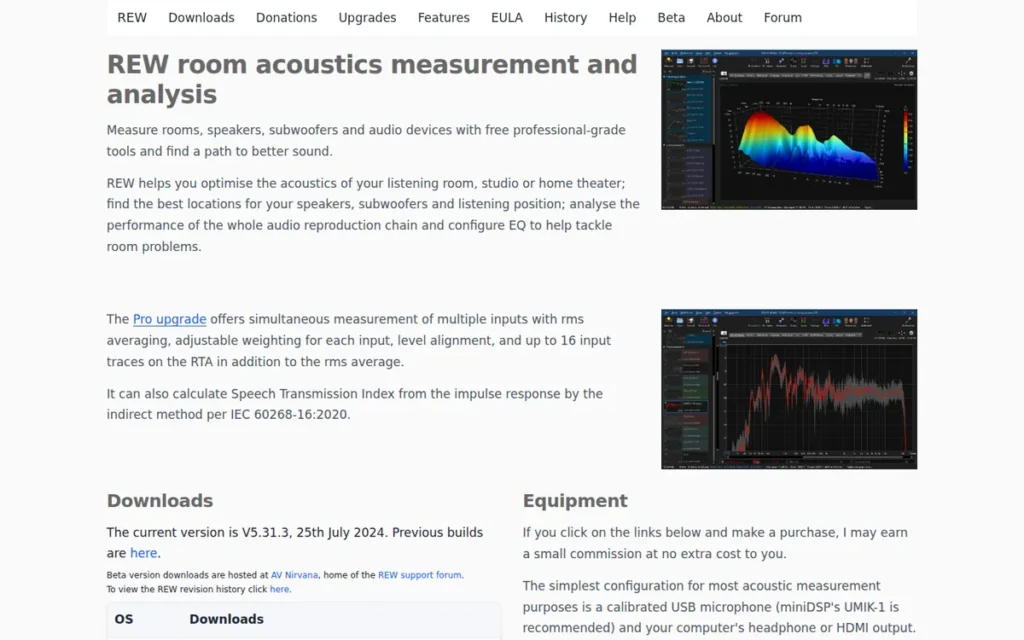
Category: Acoustic Measurement Tool, free room acoustics analysis and EQ recommendation software for diagnosing acoustic environments and generating correction filter data
At a Glance
- Category: Acoustic Measurement Tool
- Best For: Studio engineers, home theater builders, audiophiles, and broadcast monitoring engineers who need professional-grade room acoustic diagnostics at zero software cost
- Price Range: Free (base application); Pro upgrade price not confirmed as of June 2026, verify at roomeqwizard.com; hardware minimum approximately $100 (miniDSP UMIK-1 USB measurement microphone)
- Primary Strength: Room EQ Wizard is the acoustic measurement platform that miniDSP uses as its published measurement reference baseline, the only tool in this evaluation that exposes room nulls automated correction tools suppress, at zero software cost
- Biggest Limitation: Room EQ Wizard is a measurement and diagnostic platform, not an automated correction system, users must interpret data and implement corrections in separate hardware or software, requiring acoustic knowledge that guided alternatives like SoundID Reference eliminate from the workflow
- One-Line Summary: Room EQ Wizard is the free acoustic measurement platform that professional studios, home theater engineers, and audiophiles rely on for room diagnostics, delivering SPL measurement, RT60 analysis, waterfall plots, EQ filter generation, and IEC 60268-16:2020 STI measurement at a total hardware entry cost of approximately $100.
- Last Verified: June 2026
Overview
Room EQ Wizard (REW) is a free acoustic measurement and room analysis application that studio engineers, home theater builders, and audiophiles use for professional-grade room diagnostics (including SPL measurement, RT60 reverberation analysis, waterfall plots, impulse response, and EQ filter generation) at zero software cost.
Room EQ Wizard is developed by John Mulcahy as freeware with continuous active development maintained for over a decade. The miniDSP UMIK-1 USB measurement microphone at approximately $100 is the recommended entry hardware, and a Pro upgrade adds simultaneous multi-channel measurement capability.
Key Features
- Logarithmically Swept Sine Measurement: Room EQ Wizard measures room acoustics using a logarithmically swept sine (the same professional standard used in commercial acoustic equipment costing thousands of dollars) capturing both linear and nonlinear room behavior in a single measurement pass, including room modes and standing waves.
- Automatic EQ Filter Generation: Room EQ Wizard generates parametric EQ filter suggestions from measurement data that users can load directly into compatible DSPs, processors, and DAW plugins to target bass resonances and match a defined response curve.
- IEC 60268-16:2020 STI Compliance: Room EQ Wizard includes Speech Transmission Index (STI) measurement per IEC 60268-16:2020 (the international standard governing speech intelligibility measurement) enabling broadcast-grade intelligibility testing alongside music reproduction diagnostics.
- REW Pro Multi-Channel Mode: Room EQ Wizard Pro adds simultaneous measurement of up to 16 inputs with RMS averaging and adjustable per-input weighting, extending REW’s capabilities to professional surround and Atmos monitoring environments.
- miniDSP Ecosystem Integration: Room EQ Wizard integrates directly with miniDSP hardware (including the UMIK-1 and UMIK-2 USB measurement microphones and the EARS headphone measurement rig) forming the most widely documented free acoustic measurement ecosystem available to audio professionals (miniDSP, 2025).
Best For
Room EQ Wizard is best for studio engineers, home theater builders, audiophiles, and audio professionals who need to diagnose room acoustic behavior before implementing any correction, particularly those who need to identify root-cause problems, including room nulls that automated correction tools smooth over without exposing to the user.
Strengths
- miniDSP uses Room EQ Wizard as the measurement reference baseline in its own published documentation comparing Dirac Live versus room correction alternatives, the most specific third-party validation of REW’s professional measurement credibility in publicly accessible technical documentation (miniDSP, 2025).
- Room EQ Wizard’s IEC 60268-16:2020 compliant STI measurement and logarithmically swept sine method match the methodology of dedicated professional acoustic measurement hardware costing orders of magnitude more, delivering professional diagnostic depth at zero software cost.
- Room EQ Wizard exposes room nulls: locations where destructive acoustic interference creates severe SPL drops that equalization typically cannot resolve, a capability that automated correction tools like Dirac Live and SoundID Reference do not provide, making REW the only tool in this evaluation that reveals root-cause acoustic problems rather than smoothing over their symptoms.
- The r/audiophile community hosts a widely shared 2024 advocacy thread titled “Everyone needs to use REW on their system, the before/after is incredible”, reflecting unprompted endorsement confirmed by cross-platform adoption in Roon, AV NIRVANA, and professional studio communities (Reddit r/audiophile, 2024).
Limitations
- Measurement-Only Architecture: Room EQ Wizard’s most consequential limitation is its role as a diagnostic platform, not an automated correction system, Room EQ Wizard produces data and EQ suggestions that users must interpret and implement in separate hardware or software, requiring acoustic knowledge that guided alternatives like SoundID Reference eliminate from the workflow entirely.
- Single-Developer Sustainability Risk: Room EQ Wizard is developed and maintained solely by John Mulcahy, meaning long-term continuity depends on one person’s continued involvement, though Room EQ Wizard has shown active continuous development for over a decade with no abandonment signals as of June 2026. Verify current development activity at roomeqwizard.com before making enterprise workflow decisions.
- Limited Live Sound and Headphone Applicability: Room EQ Wizard is not designed for live sound touring workflows or standalone headphone correction without additional tools (as reflected in r/livesound community discussions questioning REW’s applicability to touring contexts) limiting its scope for those specific professional use cases.
Verdict
Room EQ Wizard is the free acoustic measurement platform that professional studios, home theater engineers, and audiophiles rely on for room diagnostics, delivering measurement depth equivalent to professional acoustic equipment at a total hardware entry cost of approximately $100. Room EQ Wizard earns its #1 ranking through unmatched total value (free software at professional methodology), the strongest professional community endorsement in this evaluation, documented status as miniDSP’s published measurement reference, and a unique capability to expose room nulls that no automated correction tool in this evaluation replicates. For home theater owners and studio engineers who want documented acoustic baselines before applying correction, Room EQ Wizard provides the measurement foundation that other tools in this category build upon, and for every serious audio calibration workflow, Room EQ Wizard belongs in the diagnostic layer regardless of which correction tool sits alongside it.
2. CalMAN by Portrait Displays: Best Professional Display Calibrator
Category: Professional Display Calibrator, automated display profiling, AutoCal TV calibration, and multi-seat enterprise color management for professional display environments
At a Glance
- Category: Professional Display Calibrator
- Best For: Calibration businesses, AV installers, broadcast engineers, display reviewers, and production facilities with AutoCal-compatible Sony, LG, or Samsung displays requiring display-native calibration
- Price Range: Not publicly disclosed as of June 2026; four tiers: Home, Studio, Ultimate, for Kiosk; CalMAN Ultimate includes 10 client licenses with one year of all-access support, contact Portrait Displays or authorized resellers (B&H Photo, Dell) for current pricing
- Primary Strength: CalMAN by Portrait Displays is the only display calibration software with AutoCal technology writing calibration data directly into compatible Sony, LG, and Samsung TV hardware via exclusive manufacturer SDK partnerships as of June 2026
- Biggest Limitation: CalMAN pricing is not publicly disclosed; AutoCal’s defining advantage applies only to compatible Sony, LG, and Samsung display models; professional architecture exceeds basic ICC profiling needs
- One-Line Summary: CalMAN by Portrait Displays is the only professional display calibration platform with manufacturer-direct AutoCal integration for compatible Sony, LG, and Samsung TVs, the category standard for calibration businesses, broadcast engineers, and production facilities requiring display-native color accuracy beyond what OS-level ICC profiling can deliver.
- Last Verified: June 2026
Overview
CalMAN by Portrait Displays is the professional display calibration platform (available in Home, Studio, Ultimate, and for Kiosk tiers) used by large production houses, display reviewers, calibration and installation companies, and corporations managing multi-display environments who require manufacturer-integrated AutoCal calibration and enterprise multi-seat licensing.
CalMAN by Portrait Displays originated under the SpectraCal brand before acquisition by Portrait Displays. Its AutoCal technology (writing calibration data directly into compatible Sony, LG, and Samsung displays rather than relying on OS-level ICC profiling) is the architectural differentiator that separates CalMAN from every other display calibration tool in this evaluation.
Standard display calibration tools like DisplayCAL and X-Rite i1Profiler generate ICC profiles that instruct the operating system to apply color corrections at the software level. CalMAN’s AutoCal writes correction data directly into Sony, LG, and Samsung television hardware, so calibration persists across all input sources, streaming apps, and connected devices, regardless of whether any OS or ICC-profile-aware application is active.
Key Features
- AutoCal Display-Native Calibration: CalMAN’s AutoCal technology writes calibration data directly into the hardware of compatible Sony, LG, and Samsung TVs, bypassing OS-level ICC profiling for a hardware-native calibration path that no other calibration software in this evaluation can access on the same display hardware as of June 2026.
- Exclusive Manufacturer SDK Partnerships: CalMAN by Portrait Displays holds manufacturer SDK partnerships with Sony, LG, and Samsung that enable manufacturer-specific calibration paths architecturally unavailable to DisplayCAL, i1Profiler, or any other display calibration software evaluated here.
- 10-Seat Enterprise Licensing (Ultimate Tier): CalMAN Ultimate bundles 10 CalMAN Client 3 licenses with one year of all-access service, the only enterprise multi-seat display calibration tier in this evaluation, designed for professional calibration businesses and corporate multi-display deployments.
- TFTCentral Professional Adoption: TFTCentral formally adopted CalMAN Ultimate as its testing standard, documenting improved SDR/HDR measurement precision through explicit target color space definition across sRGB, P3, and BT.2020 reference gamuts, including EOTF accuracy and HDR10 compliance, a third-party professional workflow endorsement with documented testing methodology outcomes (TFTCentral, 2024).
- Broad Measurement Hardware Support: CalMAN by Portrait Displays supports a wide range of spectrophotometers and colorimeters alongside compatible pattern generation sources, providing flexible professional measurement hardware options for diverse calibration business configurations.
Best For
CalMAN by Portrait Displays is best for professional display calibrators, AV installation businesses, broadcast engineers, and production facilities with AutoCal-compatible Sony, LG, or Samsung displays, where its display-native, manufacturer-integrated calibration workflow provides capabilities that ICC profiling tools, including free alternatives like DisplayCAL, fundamentally cannot replicate on the same hardware.
Strengths
- TFTCentral, a professional display testing publication, formally adopted CalMAN Ultimate as its testing standard (specifically documenting improved SDR/HDR measurement precision through explicit target color space definition) the most specific and credible third-party professional validation of CalMAN’s measurement accuracy in public record (TFTCentral, 2024).
- CalMAN by Portrait Displays holds exclusive manufacturer SDK partnerships with Sony, LG, and Samsung that enable display-native AutoCal calibration paths architecturally unavailable to any other calibration software in this evaluation, a capability gap rather than a feature difference that cannot be bridged by software updates to competing tools as of June 2026.
- CalMAN Ultimate’s 10-seat client licensing with annual all-access support is the only enterprise-tier display calibration bundle in this evaluation, designed specifically for professional calibration businesses and multi-display management at commercial scale (B&H Photo, 2024).
- CalMAN’s AutoCal technology enables automated TV calibration that writes calibration data directly into AutoCal-capable OLED and QLED display hardware, delivering consistent and repeatable calibration outcomes that persist independently of OS-level ICC profile management for professional workflows operating across many display units at scale.
Limitations
- Pricing Opacity: CalMAN by Portrait Displays’ most consequential planning limitation is pricing opacity, no public price list exists for any CalMAN tier as of June 2026, forcing buyers to engage authorized resellers to build a procurement budget before any cost comparison with free alternatives like DisplayCAL is possible.
- AutoCal Hardware Dependency: CalMAN’s defining advantage applies only to compatible Sony, LG, and Samsung display models; calibration on other display brands through CalMAN delivers ICC profiling capabilities that free alternatives like DisplayCAL can largely replicate at dramatically lower total cost.
- Professional Complexity Overhead: Professional calibration forums consistently note CalMAN is overkill for users who need basic ICC profiling, and the software’s professional architecture adds operational burden for single-user workflows where simpler, lower-cost tools achieve equivalent results (LiftGammaGain, 2024).
Verdict
CalMAN by Portrait Displays is the professional display calibration standard for calibration businesses, broadcast engineers, and production facilities that require AutoCal-enabled, manufacturer-integrated TV calibration, the only platform in this evaluation with display-native calibration access to compatible Sony, LG, and Samsung displays through exclusive manufacturer SDK partnerships as of June 2026. CalMAN earns its #2 ranking through the strongest third-party professional validation in the display calibration category (TFTCentral formal adoption, 2024), exclusive manufacturer SDK partnerships unavailable to any competing software, and the only multi-seat enterprise display calibration licensing model in this review. Buyers who do not own AutoCal-compatible displays, or who need basic ICC profiling for photography and colorist workflows, should evaluate DisplayCAL first, CalMAN’s premium is directly tied to AutoCal access and is harder to justify without compatible display hardware in the workflow.
3. DisplayCAL: Best Free Display Profiler
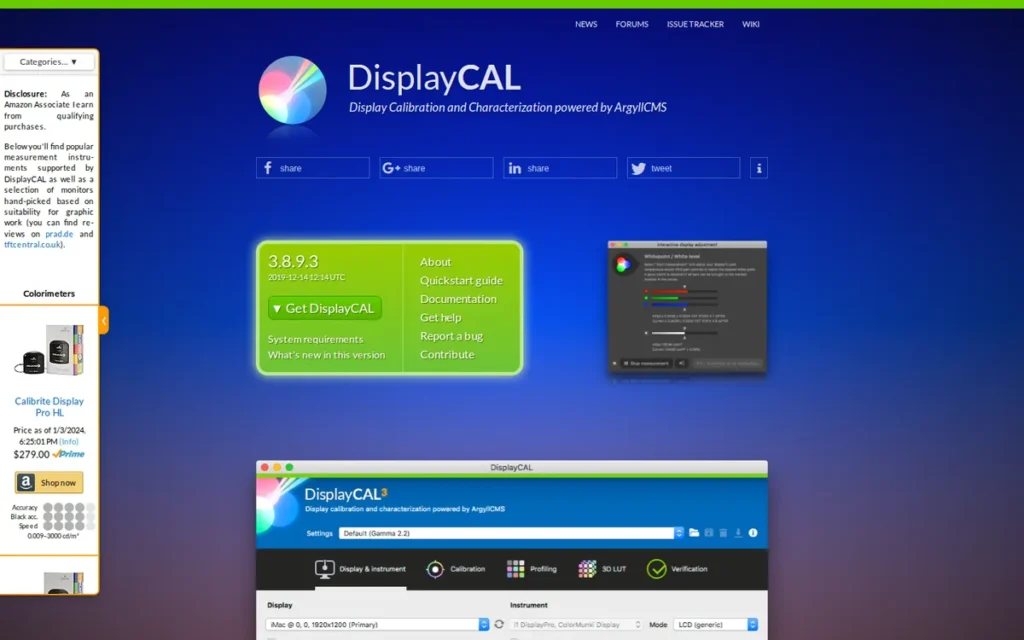
Category: Free Display Profiler, open-source ICC display calibration and profiling powered by ArgyllCMS, with verification reporting and multi-display support at zero software cost
At a Glance
- Category: Free Display Profiler
- Best For: Photographers, videographers, colorists, and creative professionals who need professional ICC profiling at zero software cost
- Price Range: Free (no paid tiers); hardware ~$150–$250 for i1Display Pro Plus; ⚠️ i1Display Studio is NOT compatible with DisplayCAL, only i1Display Pro or Pro Plus enables third-party software integration
- Primary Strength: 72% of patches below 1 deltaE in independent LG C3 OLED testing (LiftGammaGain, 2024); broadest free-tool hardware compatibility; HDR calibration support added April 2026
- Biggest Limitation: ArgyllCMS dependency creates setup complexity; single-developer maintenance-oriented phase as of June 2026; calibration runs significantly longer than commercial alternatives
- One-Line Summary: DisplayCAL is the free, open-source display calibration software that photographers and colorists use to achieve professional-grade ICC profiles, deltaE-verified calibration reports, and multi-display support at zero software cost, with documented accuracy competitive with paid commercial tools in independent OLED testing.
- Last Verified: June 2026
Overview
DisplayCAL is a free, open-source display calibration and ICC profiling application built on ArgyllCMS and developed by Florian Höch, used by photographers, videographers, colorists, and creative professionals who need professional-grade calibration, profile verification with quantitative deltaE reporting, multi-display support, and 3D LUT generation without a software budget.
DisplayCAL v3.9.17 (April 2026) added HDR display calibration support through ArgyllCMS 3.5.0 compatibility, extending DisplayCAL to modern OLED and wide-gamut display workflows. DisplayCAL’s ArgyllCMS foundation provides the broadest measurement hardware compatibility of any free display calibration tool, though the dependency chain creates setup complexity that commercial alternatives avoid.
Key Features
- Complete ICC Profiling Workflow at Zero Cost: DisplayCAL delivers ICC display profiling, calibration, white point targeting, gamma correction, color temperature calibration, 3D LUT generation, and deltaE verification reports, the complete professional calibration workflow that commercial tools charge for, at zero software cost.
- Documented deltaE Accuracy in Independent Testing: DisplayCAL achieved 72% of measured patches below 1 deltaE in comparative calibration testing on an LG C3 OLED display, the only free display calibration tool in this evaluation with publicly documented quantitative accuracy from independent third-party testing; results vary by display model, calibration target, and patch set size (LiftGammaGain, 2024).
- HDR Calibration Support (v3.9.17, April 2026): DisplayCAL v3.9.17 added HDR display calibration support alongside ArgyllCMS 3.5.0 compatibility, extending DisplayCAL to modern wide-gamut and high-luminance display workflows that earlier versions and many competing free tools could not address.
- Broad Vendor-Agnostic Hardware Compatibility: DisplayCAL’s ArgyllCMS engine supports colorimeters from X-Rite/Calibrite, Datacolor, and other manufacturers, providing hardware flexibility that software ecosystems tied to specific colorimeter families cannot match, verified at calibrite.com/support.
- Verification and Reporting Module: DisplayCAL’s verification and reporting module generates quantitative calibration quality documentation against defined targets, enabling creative professionals to confirm calibration status for client deliverables and quality assurance records.
Best For
DisplayCAL is best for photographers, videographers, indie colorists, and creative professionals who need professional ICC profiling, deltaE-verified calibration results, and multi-display management at zero software cost, and who are willing to navigate the ArgyllCMS setup process to access professional-grade results.
Strengths
- DisplayCAL achieved 72% of measured patches below 1 deltaE in comparative calibration testing on an LG C3 OLED display, the only free display calibration tool in this evaluation with publicly documented quantitative accuracy from independent third-party testing in this specific test configuration; accuracy results vary by display model, calibration target, and patch set size (LiftGammaGain, 2024).
- DisplayCAL v3.9.17 (April 2026) added HDR display calibration support with ArgyllCMS 3.5.0 compatibility, extending DisplayCAL to modern OLED, QLED, and wide-gamut display environments that earlier versions and many competing free tools could not address.
- DisplayCAL’s ArgyllCMS foundation supports a broader range of measurement hardware than most commercial display calibration tools (including colorimeters from X-Rite/Calibrite, Datacolor, and others) providing vendor-agnostic hardware flexibility that software ecosystems tied to specific colorimeter families cannot replicate (SourceForge, 2024).
- DisplayCAL’s decade-long adoption across professional photography and color-critical production workflows is documented in community guides at phototacopodcast.com, hub.displaycal.net, and professional recommendations in r/colorists, sustained professional community adoption across multiple years is the strongest independent proxy for production-level calibration reliability in an open-source tool.
Limitations
- Setup Complexity: DisplayCAL’s most consequential limitation is its setup complexity, DisplayCAL requires a separate ArgyllCMS installation, plus Python, NumPy, and wxPython dependencies when running from source, creating a technical barrier that commercial alternatives like CalMAN and X-Rite i1Profiler’s guided workflows eliminate entirely.
- Longer Calibration Run Times: DisplayCAL calibration runs take considerably longer than X-Rite’s approximately 5-minute native software workflow per direct user comparisons, a real operational cost for professionals calibrating multiple displays on regular recalibration schedules (DisplayCAL Hub, 2024).
- Single-Developer Maintenance Phase: DisplayCAL is developed and maintained by Florian Höch in a maintenance-oriented phase as of June 2026, raising legitimate long-term continuity questions for enterprise workflows requiring tool stability over multi-year horizons.
- Maximum Accuracy May Require Bypassing DisplayCAL: In one comparative test configuration on an LG C3 OLED, direct ArgyllCMS without the DisplayCAL frontend outperformed DisplayCAL at 92% versus 72% of patches below 1 deltaE, suggesting maximum accuracy in some advanced workflows may require bypassing the DisplayCAL interface entirely (LiftGammaGain, 2024).
Verdict
DisplayCAL is the free display calibration benchmark that photographers and colorists use to achieve professional ICC profiles and deltaE-verified calibration reports at zero software cost, the open-source equivalent in display calibration to what Room EQ Wizard provides for acoustic measurement. DisplayCAL earns its #3 ranking through documented deltaE accuracy in independent OLED testing, the broadest free-tool hardware compatibility, HDR calibration support added April 2026, and an unmatched value proposition for creative professionals who need professional results without a calibration software budget. Buyers who need AutoCal-enabled TV calibration (CalMAN), cinema-grade 3D LUT workflows for broadcast (LightSpace/ColourSpace CMS), or a faster guided calibration experience should evaluate those alternatives, DisplayCAL’s value is maximized in photography, colorist, and monitor-focused workflows where ICC profiling is the calibration goal.
4. LightSpace CMS / ColourSpace CMS by Light Illusion: Best Cinema-Grade 3D LUT Calibrator
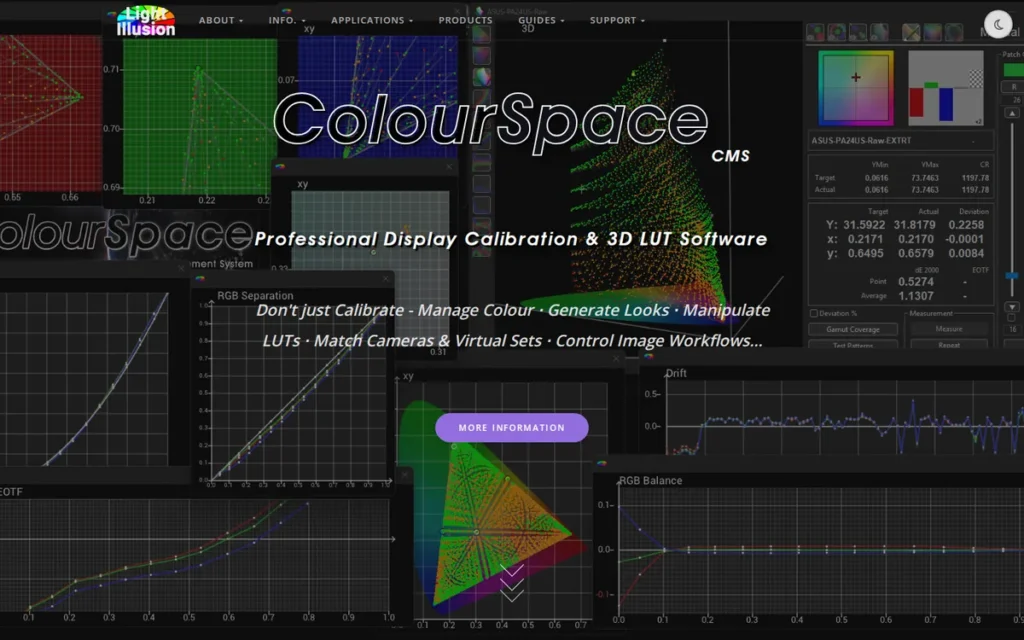
Category: Cinema-Grade 3D LUT Calibrator, measurement-driven 3D LUT generation and display calibration for professional film, broadcast, and post-production workflows; Windows only (macOS not supported as a standalone platform)
At a Glance
- Category: Cinema-Grade 3D LUT Calibrator
- Best For: Professional colorists, DIT technicians, broadcast engineers, and post-production facilities on Windows; macOS standalone operation not supported
- Price Range: Perpetual license; pricing not publicly disclosed as of June 2026, contact lightillusion.com; Windows 10 + OpenGL 3.2 minimum required; macOS support limited to remote-control configuration with a Windows host
- Primary Strength: Adopted by cinema and broadcast facilities using Assimilate SCRATCH and EIZO professional monitors; formal EIZO partnership; Assimilate SCRATCH integration; perpetual licensing with no annual maintenance fees
- Biggest Limitation: Windows only: macOS standalone operation is not documented as supported; pricing undisclosed; expert-level workflow required; lower measured deltaE (67%) than DisplayCAL (72%) in one independent OLED test
- One-Line Summary: LightSpace CMS and ColourSpace CMS by Light Illusion are professional 3D LUT calibration platforms adopted by cinema and broadcast post-production facilities using Assimilate SCRATCH and EIZO professional monitors, with perpetual licensing and no annual maintenance fees, available on Windows only.
- Last Verified: June 2026
Overview
LightSpace CMS and its successor ColourSpace CMS by UK-based Light Illusion are professional 3D LUT generation and display calibration platforms adopted by cinema and broadcast facilities, including integration in Assimilate SCRATCH and Play Pro and a formal EIZO professional monitor partnership. LightSpace CMS and ColourSpace CMS are used by professional colorists, DIT technicians, and broadcast engineers who require measurement-driven, format-agnostic 3D LUT workflows rather than OS-level ICC profiling.
Light Illusion, led by CEO Steve Shaw, holds a formal partnership with EIZO. ColourSpace CMS is the current-generation product for new buyers, requiring Windows 10 minimum with OpenGL 3.2 or later. ColourSpace CMS macOS support is limited to remote-control configurations where the measurement engine runs on a Windows host, native macOS standalone operation is not documented as supported.
Key Features
- Open 3D LUT Calibration Methodology: ColourSpace CMS generates 3D LUTs: three-dimensional look-up tables that map every input color value to a corrected output across the full color volume, used as the cinema and broadcast standard for encoding complex colorimetric transformations, using a non-prescriptive methodology that provides workflow flexibility ICC profiling tools cannot replicate.
- Assimilate SCRATCH Integration: LightSpace CMS and ColourSpace CMS are integrated into Assimilate SCRATCH and Play Pro for reference display calibration, a demanding third-party integration confirming cinema-grade production credentials with software used in high-end commercial, VFX, and broadcast workflows (Assimilate, 2025).
- Formal EIZO Professional Monitor Partnership: Light Illusion holds a formal partnership with EIZO resulting in dedicated LightSpace CMS versions optimized for EIZO professional grading and medical imaging displays, the most hardware-specific calibration partnership documented for any post-production display tool in this evaluation (EIZO, 2024).
- AJA LUT-Box and HDR Workflow Support: ColourSpace CMS supports AJA LUT-Box integration and LG TV HDR calibration workflows, enabling hardware-level color management in production and QC environments beyond desktop ICC profiling.
- Perpetual Licensing with No Annual Fees: ColourSpace CMS licenses are perpetual with free software updates for the purchased version and first-year technical support included, providing predictable total cost of ownership without annual subscription exposure (Light Illusion, 2026).
Best For
LightSpace CMS and ColourSpace CMS are best for professional colorists, post-production facilities, broadcast engineers, and DIT technicians who need cinema-grade 3D LUT calibration for format-agnostic display management on Windows platforms, particularly in environments already using EIZO professional monitors, AJA LUT-Boxes, or Assimilate SCRATCH.
Strengths
- Assimilate SCRATCH and Play Pro (production software used in high-end commercials, VFX, and broadcast workflows) integrate Light Illusion’s platform for reference display calibration, confirming cinema-grade production credentials from a demanding professional user community (Assimilate, 2025).
- Light Illusion’s formal partnership with EIZO resulted in dedicated LightSpace CMS versions optimized for EIZO’s professional grading and medical imaging displays, the most hardware-specific calibration partnership documented for any post-production display tool in this evaluation (EIZO, 2024).
- Professional colorists have provided unsolicited testimonials on Light Illusion’s moderated forum stating “nothing comes close to Light Illusion’s colour management tools”, an unusual level of unprompted professional advocacy from working post-production users that Light Illusion describes as unsolicited (Light Illusion forum, 2025).
- ColourSpace CMS’s perpetual licensing with no annual maintenance fees provides more predictable total cost of ownership than subscription-based alternatives, particularly valuable for post-production studios managing multi-year infrastructure budgets (Light Illusion, 2026).
Limitations
- Windows-Only Platform Lock: LightSpace CMS and ColourSpace CMS’s most consequential limitation is the Windows-only platform requirement, Windows 10 with OpenGL 3.2 or later is mandatory, and macOS standalone operation is not documented as supported (Light Illusion FAQ, 2026). ColourSpace CMS macOS support is limited to remote-control configurations requiring a Windows host, explicitly excluding native Mac operation, the dominant workstation platform in many post-production studios and creative agencies.
- Expert-Level Workflow Barrier: ColourSpace CMS’s open, non-prescriptive 3D LUT methodology (its defining professional strength) is simultaneously a significant barrier for newcomers who lack deep color science knowledge, as ColourSpace CMS rewards expertise and does not offer structured wizard-driven workflows.
- Pricing Opacity: LightSpace CMS and ColourSpace CMS pricing is not publicly disclosed as of June 2026, creating procurement planning friction relative to alternatives with visible price points and requiring direct vendor contact before any budget can be established.
- Lower Measured deltaE in One Comparative Test: In comparative deltaE testing on an LG C3 OLED, LightSpace CMS achieved 67% of patches below 1 deltaE (lower than DisplayCAL (72%) in that specific test configuration) though evaluators noted stronger shadow neutrality and perceptual quality at LightSpace’s result level (LiftGammaGain, 2024).
Verdict
LightSpace CMS and ColourSpace CMS by Light Illusion are professional 3D LUT calibration platforms adopted by cinema and broadcast post-production facilities, with Assimilate SCRATCH integration, a formal EIZO professional monitor partnership, and perpetual licensing that no ICC profiling alternative in this evaluation can match for Windows-based post-production workflows. LightSpace and ColourSpace CMS earn the #4 ranking through documented third-party cinema and broadcast integration, strong professional community endorsement, and perpetual licensing value. The Windows-only platform requirement is a genuine and consequential limitation that Mac-based post-production facilities must resolve before any purchase evaluation; pricing opacity requires direct vendor contact before budget planning. For Windows-based cinema and broadcast workflows, no alternative in this evaluation provides equivalent 3D LUT methodology depth, perpetual licensing value, or broadcast-industry integration.
5. Beamex CMX: Best Industrial Calibration Management Platform
Category: Industrial Calibration Manager, enterprise calibration asset management, compliance documentation, and paperless calibration workflow platform for regulated industrial environments; entirely distinct domain from display and audio tools in this evaluation
At a Glance
- Category: Industrial Calibration Manager
- Best For: QA managers, calibration engineers, and compliance officers in pharmaceutical, oil and gas, food processing, and regulated manufacturing environments, particularly organizations using Beamex MC6 portable calibrators
- Price Range: Quote-based; industry estimates $10,000–$50,000+ enterprise (June 2026 third-party estimate, not confirmed by Beamex); no free trial or evaluation license available, contact beamex.com
- Primary Strength: Paperless MC6 calibration loop substantially eliminates manual transcription errors; ISO 9001, ISO/IEC 17025, FDA 21 CFR Part 11, GMP, and GAMP compliance architecture; 174-site global deployment reported by Beamex (2025)
- Biggest Limitation: Paperless loop requires Beamex MC6 hardware investment; r/Metrology community notes CMX is less user-friendly than Fluke Met/Track for some workflows; quote-based pricing with no free trial
- One-Line Summary: Beamex CMX is the industrial calibration management platform that pharmaceutical manufacturers and regulated operations use for FDA 21 CFR Part 11 compliant, paperless calibration workflows, with Beamex reporting deployment across 174 sites in 24 countries for a single enterprise customer (Beamex, 2025).
- Last Verified: June 2026
Overview
Beamex CMX is an on-premise industrial calibration management platform (offered in CMX Professional, CMX Enterprise, and CMX Professional FS (Fieldbus Systems) editions) used by quality assurance managers, calibration engineers, and compliance officers who need ISO 9001, ISO/IEC 17025, FDA 21 CFR Part 11, and GMP/GAMP compliant calibration records, audit trails, electronic signatures, and multi-site instrument asset management.
Beamex CMX operates in a completely distinct domain from the display and audio calibration tools in this evaluation. Beamex CMX is an enterprise compliance and asset management platform for industrial instruments, not a signal-processing or display profiling tool, and its buyers are quality and regulatory professionals rather than creative or studio professionals.
Key Features
- Paperless MC6 Calibration Loop: Beamex CMX enables a fully paperless calibration workflow through native integration with the Beamex MC6 portable calibrator, calibration instructions are sent from CMX to the MC6 field device and results are automatically transmitted back, substantially eliminating manual data transcription, which is documented as one of the most common industrial calibration error sources and a frequent failure point in FDA 21 CFR Part 11 compliance audits.
- Regulatory Compliance Architecture: Beamex CMX meets compliance requirements for ISO 9001, ISO/IEC 17025, FDA 21 CFR Part 11, GMP, and GAMP, with audit trail generation, electronic signature capabilities, and calibration certificate creation designed for pharmaceutical, food processing, and regulated industrial environments.
- Permanent Calibration History and Work Order Management: Beamex CMX provides permanent calibration history storage, work order management, automated scheduling, and instrument tracking, managing measurement traceability chains and calibration intervals that satisfy ISO/IEC 17025 metrology requirements and FDA Part 11 electronic records standards.
- Largest Reported Enterprise Deployment: Beamex reports its largest single customer deployment spans 174 sites in 24 countries, with 5,000 new platform users added in the past three years, Beamex-reported figures from the company’s CMX introduction video, not independently verified (Beamex, 2025).
- On-Premise Data Sovereignty with Cloud Alternative: Beamex CMX operates alongside Beamex LOGiCAL (the company’s cloud-based alternative) positioning CMX as the on-premise, data-sovereignty solution for regulated environments where cloud storage of calibration records is operationally or legally constrained.
Best For
Beamex CMX is best for quality assurance managers, calibration engineers, and compliance officers in pharmaceutical manufacturing, oil and gas, food processing, and regulated industrial environments, specifically organizations using or planning to use Beamex MC6 portable calibrators, where the paperless calibration loop provides its most significant operational and compliance advantage.
Strengths
- Beamex reports its largest documented customer deployment spans 174 sites in 24 countries for a single enterprise customer, with 5,000 new platform users added in the prior three years, Beamex-reported figures representing the most specific multi-site enterprise scale data publicly available for this platform (Beamex, 2025).
- The r/Metrology community (the most expert online community for calibration engineering and metrology) ranks Beamex CMX among the top industrial calibration management solutions, citing automated scheduling and detailed reporting as key advantages over lower-cost alternatives (Reddit r/Metrology, 2024).
- Beamex CMX’s paperless calibration loop with the MC6 portable calibrator substantially eliminates manual data transcription (documented as one of the most common error sources in regulated-environment calibration records and a frequent failure point in FDA 21 CFR Part 11 compliance audits) a workflow architecture that competing platforms requiring manual data entry cannot replicate.
- Beamex is a Finland-headquartered company whose core business is exclusively calibration hardware and software, distinguishing Beamex CMX from multi-product industrial instrumentation vendors that embed calibration as one module among many broader product lines (per Beamex.com product portfolio, 2026).
Limitations
- Beamex Hardware Ecosystem Dependency: Beamex CMX’s most consequential limitation is ecosystem lock-in, Beamex CMX’s defining advantage (the paperless calibration loop) requires Beamex MC6 hardware investment, meaning organizations using other calibrator brands (Fluke, Druck, Yokogawa) cannot access CMX’s primary workflow differentiator and should evaluate alternatives like GAGEtrak, Fluke Met/Track, or ComplianceQuest instead.
- UX Complexity Versus Alternatives: The r/Metrology community (working calibration engineers and metrologists) notes Beamex CMX is “less user-friendly than Fluke Met/Track or Blue Mountain RAM for certain workflows,” a UX limitation from the most credible professional community for this domain that buyers should evaluate in a proof-of-concept before commitment (Reddit r/Metrology, 2024).
- Premium Enterprise Pricing with No Trial: Quote-based pricing estimated at $10,000–$50,000+ creates planning friction; Beamex CMX’s on-premise architecture requires internal IT resources for installation and ongoing maintenance; and Beamex CMX does not offer a free trial or evaluation license, requiring professional services engagement before any hands-on evaluation of the platform in a buyer’s own environment.
Verdict
Beamex CMX is the industrial calibration management platform that pharmaceutical manufacturers, regulated operations, and multi-site quality assurance organizations use for FDA 21 CFR Part 11 compliant, paperless calibration workflows at enterprise scale, a domain entirely distinct from the display and audio tools elsewhere in this evaluation. Beamex CMX earns its #5 ranking through Beamex-reported multi-site deployment scale (174 sites, 24 countries), explicit regulatory compliance architecture for ISO 9001, ISO/IEC 17025, FDA 21 CFR Part 11, and GMP, and a paperless calibration loop that structurally prevents the manual transcription errors that less expensive alternatives cannot architecturally avoid. Organizations without Beamex MC6 hardware, those requiring cloud-native deployment, or those finding CMX’s UX less intuitive than Fluke Met/Track should evaluate Beamex LOGiCAL, GAGEtrak, ComplianceQuest, or Fluke Met/Track before committing.
6. Sonarworks SoundID Reference: Best Guided Studio Audio Calibration
Category: Guided Audio Calibration Platform, commercial speaker correction and headphone calibration software for studio monitoring, combining guided automated measurement with 280+ pre-built headphone profiles and a professional DAW plugin
At a Glance
- Category: Guided Audio Calibration Platform
- Best For: Studio engineers, music producers, and recording professionals who need fast guided speaker and headphone correction without acoustic measurement expertise
- Price Range: Est. $249–$299 for Speakers & Headphones bundle (not independently verified from official Sonarworks sources, June 2026), verify current pricing at store.sonarworks.com; 21-day free trial available
- Primary Strength: 280+ pre-built headphone correction profiles (largest pre-built library in any commercial audio calibration tool evaluated here); guided speaker calibration under 20 minutes; combined speaker and headphone correction in one platform
- Biggest Limitation: Narrower high-frequency correction range than Dirac Live per comparative testing; documented r/audioengineering “Buyer Beware” community signal (2024); licensing friction documented in professional community discussions
- One-Line Summary: SoundID Reference by Sonarworks is the guided speaker and headphone calibration platform that studio engineers and music producers use to achieve consistent monitoring reference across 280+ headphone profiles, with a guided speaker calibration setup time of under 20 minutes.
- Last Verified: June 2026
Overview
SoundID Reference by Sonarworks is a professional audio calibration platform combining guided speaker correction, headphone calibration across 280+ pre-built profiles, a Systemwide audio correction application, and a DAW plugin in VST, VST3, AU, and AAX formats, designed for studio engineers, music producers, and recording professionals who need consistent monitoring reference without requiring deep acoustic expertise.
Sonarworks, headquartered in Riga, Latvia, reports 250,000+ studios using SoundID Reference in its own marketing materials (company-reported figure, not independently verified as of June 2026). AudioNewsRoom described SoundID Reference as “still a must-have and worth the upgrade” in a May 2023 professional review, maintaining positive endorsement across product generations from the predecessor Reference 4.
Key Features
- 280+ Pre-Built Headphone Profiles: SoundID Reference includes pre-built correction profiles for over 280 headphone models covering major studio headphone manufacturers, the largest pre-built headphone calibration library in any commercial audio calibration tool in this evaluation, enabling immediate correction without measurement hardware investment (Best Service, 2024).
- Guided Speaker Calibration Under 20 Minutes: SoundID Reference’s guided measurement workflow completes speaker calibration in under 20 minutes through the SoundID Reference Measure app, automatically tracking microphone position and measuring the sweet spot without requiring acoustic expertise from the user (Best Service, 2024).
- DAW Plugin and Systemwide Application: SoundID Reference by Sonarworks operates as both a professional DAW plugin (VST, VST3, AU, AAX) and a standalone Systemwide application, providing consistent monitoring correction across DAW sessions, streaming playback, and reference listening from a single installation.
- Latency-Free Monitoring Mode: SoundID Reference by Sonarworks can operate latency-free in certain modes, a documented practical advantage over alternatives that introduce monitoring latency during correction, critical for live recording sessions where added delay is operationally unacceptable (per comparative testing, r/audioengineering community reports, 2023–2024).
- Multichannel Upgrade Path: SoundID Reference by Sonarworks includes a Multichannel upgrade extending calibration to surround monitoring environments, providing a scalable path from stereo studio reference to professional 5.1, 7.1, and Atmos production workflows.
Best For
SoundID Reference is best for studio engineers, music producers, and recording professionals who need the fastest guided path to consistent monitoring reference, particularly those working across multiple headphone models and needing immediate calibration without investing time in acoustic measurement tools like Room EQ Wizard.
Strengths
- AudioNewsRoom described SoundID Reference as “still a must-have and worth the upgrade” inMay 2023, the most specific dated professional publication review of SoundID Reference in public record, maintaining positive endorsement across the transition from Reference 4 to SoundID Reference (AudioNewsRoom, May 2023).
- SoundID Reference by Sonarworks includes 280+ pre-built headphone correction profiles (the largest verified pre-built headphone calibration library in any commercial audio calibration tool evaluated here) enabling immediate calibration for studio headphones without additional measurement hardware investment (Best Service, 2024).
- SoundID Reference’s guided measurement workflow is described in comparative testing as smoother and more automated than Dirac Live’s setup process, completing speaker calibration in under 20 minutes, substantially lowering the expertise barrier compared to Room EQ Wizard’s manual acoustic measurement approach (per comparative review, YouTube, 2023; r/audioengineering community reports, 2023–2024).
- SoundID Reference by Sonarworks offers a latency-free monitoring mode documented as a practical advantage over Dirac Live in live tracking and overdub sessions where added correction software latency is operationally unacceptable.
Limitations
- High-Frequency Correction Range Gap: SoundID Reference’s most consequential technical limitation is a narrower high-frequency correction range compared to Dirac Live, comparative testing documents that SoundID Reference “cuts off pretty early” in high-frequency correction relative to Dirac Live, meaning upper-air clarity and high-frequency steering accuracy may be less precisely addressed in professional mixing contexts (per comparative review, YouTube, 2023).
- Documented Community Buyer Beware Signal: A Reddit r/audioengineering thread titled “Buyer Beware, Sonarworks SoundID Reference” documents community-level dissatisfaction that prospective buyers should research before purchase (Reddit r/audioengineering, 2024); multiple “Is it worth it?” threads in the same community reflect genuine uncertainty about cost justification relative to free tools like Room EQ Wizard.
- Licensing and DAW Integration Friction: Licensing friction after OS upgrades and DAW-specific plugin behavior issues are recurring complaints documented in r/audioengineering professional community discussions across multiple years.
- Unverified Official Pricing: SoundID Reference pricing is based on community estimates and has not been independently verified from official Sonarworks sources as of June 2026, buyers must verify current pricing directly at store.sonarworks.com before budgeting.
Verdict
SoundID Reference by Sonarworks is the most complete guided studio monitoring calibration platform in this evaluation, combining speaker correction, 280+ headphone profiles, Systemwide audio correction, and professional DAW plugin formats in a single product family, making it the strongest choice for studio engineers who prioritize fast, guided setup over diagnostic measurement depth. SoundID Reference ranks #6 overall due to mixed community sentiment including a documented “Buyer Beware” warning, a high-frequency correction range limitation compared to Dirac Live, and the availability of Room EQ Wizard (ranked #1) as a free diagnostic layer with greater measurement depth. SoundID Reference and Room EQ Wizard serve different functions, Room EQ Wizard diagnoses acoustic problems, SoundID Reference corrects them, and the most complete studio calibration workflow uses both tools together.
7. X-Rite i1Profiler: Best Hardware-Bundled Display and Print Profiler
Category: Hardware-Bundled Display & Print Profiler, ICC profiling software for displays, projectors, and printers (up to 8-color CMYK+) sold exclusively as part of X-Rite hardware packages; no standalone software license available
At a Glance
- Category: Hardware-Bundled Display & Print Profiler
- Best For: Professional photographers and fine art print producers needing display ICC profiling plus CMYK+ printer color management from one hardware investment
- Price Range: Hardware-bundled only; no standalone license available; historical est.: i1Basic Pro 3 ~$1,050 USD, i1Photo Pro 3 ~$1,350 USD, i1Publish Pro 3 ~$2,000 USD (TFTCentral historical reference, not confirmed June 2026, verify at xrite.com or calibrite.com); ⚠️ i1Display Studio NOT compatible with DisplayCAL or third-party software, only i1Display Pro or Pro Plus enables third-party integration
- Primary Strength: Only ICC profiling suite in this evaluation covering display, projector, and printer including 8-color CMYK+ via i1Prism engine; ~2 min 55 sec native display profiling workflow
- Biggest Limitation: No standalone license ($1,050+ hardware entry minimum); documented r/colorists software reliability complaints including crashes and device recognition failures; Calibrite brand transition causing ongoing professional confusion
- One-Line Summary: X-Rite i1Profiler is the hardware-bundled ICC profiling suite for display, projector, and printer color management (including up to 8-color CMYK+ workflows through the i1Prism engine) available only through X-Rite i1 measurement device packages starting at approximately $1,050 USD for i1Basic Pro 3 (historical pricing, not confirmed June 2026).
- Last Verified: June 2026
Overview
X-Rite i1Profiler is a professional ICC profiling suite bundled exclusively with X-Rite measurement hardware (covering display, projector, and printer workflows including up to 8-color CMYK+ ink systems through the i1Prism engine in i1Publish) used by professional photographers, print studios, and commercial imaging professionals who need integrated display and printer color management from a single hardware investment.
X-Rite’s photography and videography product line has been transitioned to the Calibrite sub-brand, generating active professional community confusion about software direction and hardware support continuity. This transition is one that r/colorists members have described as creating significant workflow uncertainty and repeated “what app should I use now?” community discussions.
Key Features
- Display, Projector, and Printer Profiling Suite: X-Rite i1Profiler is the only ICC profiling platform in this evaluation covering display, projector, and printer profiling in a single suite, including CMYK and up to 8-color ink workflows through the i1Prism engine in i1Publish, serving photographers and commercial print studios with mixed display and print color management needs.
- Fastest Native Display Profiling Workflow: X-Rite i1Profiler’s native display profiling workflow completes in approximately 2 minutes 55 seconds for the i1Display Pro model, the fastest documented native workflow time among colorimeter-based profiling solutions in this evaluation, roughly twice as fast as the entry-level i1Display Studio in comparative testing (Cameratico, 2024).
- Profile QA and Validation Module: X-Rite i1Profiler includes a Profile QA and validation module that documents profiling accuracy within the same software toolchain, supporting quality assurance documentation for commercial photography and print workflows without requiring a separate verification application.
- Display Uniformity Testing: X-Rite i1Profiler supports display uniformity testing and custom gamma curve settings, enabling display quality assessment and calibration documentation beyond basic ICC profile creation for professional studio environments.
- Dual-Mode Hardware Compatibility (Pro Plus): X-Rite i1Display Pro Plus hardware enables dual-mode use (native i1Profiler structured profiling and DisplayCAL/ArgyllCMS integration for advanced calibration control) giving photographers the option to access open-source calibration tools without replacing existing hardware investment.
Best For
X-Rite i1Profiler is best for professional photographers and fine art print producers who need both display ICC profiling and printer color management from one hardware investment, and for professionals already using X-Rite/Calibrite Pro hardware who are not experiencing the documented software reliability issues that r/colorists members have raised.
Strengths
- X-Rite i1Profiler is the only ICC profiling platform in this evaluation covering display, projector, and printer workflows including up to 8-color CMYK+ ink management through the i1Prism engine, providing the broadest output-type coverage in any hardware plus software calibration bundle for photographers who both color-manage displays and produce fine art or commercial prints.
- X-Rite i1Display Pro display profiling completes in approximately 2 minutes 55 seconds, the fastest documented native workflow time among colorimeter-based profiling solutions in this evaluation, roughly twice as fast as the entry-level i1Display Studio in comparative testing (Cameratico, 2024).
- X-Rite i1Profiler’s Profile QA validation module provides in-tool profiling accuracy documentation without a separate software step, supporting quality assurance records for commercial photography and print production environments that require documented calibration verification.
- X-Rite i1Display Pro Plus hardware uniquely supports both native i1Profiler workflows and DisplayCAL/ArgyllCMS integration, giving photographers the option to use open-source calibration tools for maximum control while retaining native software for faster structured profiling from the same hardware device.
Limitations
- Documented Software Reliability Issues: X-Rite i1Profiler’s most consequential limitation is documented software reliability, a Reddit r/colorists thread titled “Rant about Calibrate/X-Rite and their horrible support” specifically documents crashes, device recognition failures, and poor customer support quality from active professional users (Reddit r/colorists, 2024).
Users on r/colorists described their direct experience with the Calibrite software transition:
“The Calbrite software crashes frequently and does require an additional fee to even save the profile.” Posted by u/IMKGI
Takeaway: X-Rite’s Calibrite rebranding added crashes and a paid paywall to basic profile-saving functionality, a regression professional colorists document as a direct consequence of the brand transition, not an incidental bug.
- Hardware-Only Bundling at $1,050+ Minimum: X-Rite i1Profiler is not sold as standalone software, hardware purchase at approximately $1,050+ entry cost is required even for display-only profiling, making it structurally more expensive than DisplayCAL paired with i1Display Pro Plus hardware ($150–$250) for photographers who only need display calibration.
- Brand Transition and Software Direction Confusion: A Cameratico review recommends the hardware partly because it enables DisplayCAL integration, signaling that native i1Profiler shortcomings are a real consideration even among reviewers who endorse the hardware ecosystem (Cameratico, 2024). Software roadmap opacity following the Calibrite brand transition is a concern documented in r/colorists discussions and dpreview.com color management forum threads (2023–2024) that prospective buyers should research independently before committing.
- Danaher Acquisition Opacity: Product roadmap transparency concerns following corporate ownership changes are reflected in r/colorists community discussions including the “X-Rite i1Display Pro, what app should I use now?” thread (Reddit r/colorists, 2024) that prospective buyers should research before committing to the ecosystem.
Verdict
X-Rite i1Profiler is the most versatile display and print profiling bundle in this evaluation, covering display, projector, and up to 8-color printer workflows through a single hardware investment, but ranks #7 due to documented software reliability complaints, Calibrite brand transition confusion, hardware-only bundling that imposes $1,050+ minimum entry costs even for display-only profiling, and a professional community increasingly pairing X-Rite/Calibrite hardware with DisplayCAL’s open-source engine rather than i1Profiler’s native workflow. X-Rite i1Profiler ranks 7th specifically on the total value criterion, its hardware-bundled pricing model imposes the highest required entry cost for display-only calibration of any tool in this evaluation. Photographers and print producers already owning X-Rite Pro hardware without reliability issues will find i1Profiler’s workflow speed and CMYK+ print profiling depth genuinely valuable. New buyers evaluating display-only calibration should compare DisplayCAL plus i1Display Pro Plus hardware costs against i1Basic Pro 3 bundle pricing, and verify current reliability status in the r/colorists community before committing.
What Red Flags Should I Watch For When Evaluating Calibration Software?
The five most critical red flags when evaluating calibration software in 2026 are: opaque pricing requiring direct vendor contact before budgeting (CalMAN, ColourSpace CMS, Beamex CMX), a hardware compatibility cliff that blocks third-party software use (X-Rite i1Display Studio), a Windows-only platform restriction (ColourSpace CMS), single-developer maintenance risk (DisplayCAL, Room EQ Wizard), and documented professional community reliability complaints (X-Rite/Calibrite, SoundID Reference). The single most expensive mistake in this category is discovering after purchase that the measurement hardware you already own is incompatible with the software you just bought, or that the software requires an OS you don’t use. Both situations are common and preventable.
Red Flag #1: Opaque Pricing Across All Professional Tiers
CalMAN by Portrait Displays, LightSpace/ColourSpace CMS by Light Illusion, and Beamex CMX all require direct vendor or reseller contact before a procurement budget can be established, no public price list exists for any of these products as of June 2026.
Buyers should request quotes from multiple tiers simultaneously and build vendor negotiation time into procurement planning timelines before any evaluation investment.
Red Flag #2: The Hardware Compatibility Cliff
The X-Rite/Calibrite i1Display Studio colorimeter does NOT support DisplayCAL or any other third-party calibration software, only the i1Display Pro and i1Display Pro Plus enable third-party integration.
To make this concrete: if you purchase the i1Display Studio and later want to switch from i1Profiler to DisplayCAL, you cannot. The hardware is architecturally incompatible with third-party software, and you would need a new i1Display Pro at approximately $150–$250 additional cost. This situation appears frequently in professional community discussions about X-Rite hardware. Confirm hardware compatibility explicitly, from the hardware manufacturer’s supported-device documentation, not retail listing descriptions alone.
Red Flag #3: Single-Developer Sustainability Risk
Both DisplayCAL (developed by Florian Höch, in a maintenance-oriented phase as of June 2026) and Room EQ Wizard (developed by John Mulcahy) depend entirely on a single developer’s continued involvement.
Enterprise workflows or production pipelines requiring multi-year tool stability should assess continuity risk and maintain contingency tooling plans. Neither tool has shown abandonment signals as of June 2026, but the structural risk is real, verify current development activity at each tool’s official website before making long-horizon workflow commitments.
Red Flag #4: Windows-Only Platform Lock
ColourSpace CMS by Light Illusion requires Windows 10 with OpenGL 3.2 or later, macOS standalone operation is not documented as supported, and macOS integration is limited to remote-control configurations requiring a Windows host (Light Illusion FAQ, 2026).
Mac-based post-production studios evaluating ColourSpace CMS must confirm that a Windows machine is available in the pipeline before any purchase evaluation. This is not a legacy limitation expected to change in the near term based on publicly available roadmap information.
Red Flag #5: Documented Software Reliability Issues Before You Buy
A Reddit r/colorists thread titled “Rant about Calibrate/X-Rite and their horrible support” documents X-Rite/Calibrite crashes and device recognition failures from active professional users (Reddit r/colorists, 2024). A separate r/audioengineering “Buyer Beware, Sonarworks SoundID Reference” thread exists for audio workflows (Reddit r/audioengineering, 2024). This pattern extends to additional community threads, as one r/colorists professional posted:
As one user on r/colorists described:
“The Calibrite Profiler functions properly for me only about 10% of the time, and frequently it won’t even launch.” Posted by u/IllustratorAshamed34
Takeaway: Professional colorists report Calibrite Profiler’s launch failure rate is so severe that the software is functionally unreliable as a production tool, making third-party alternatives a practical necessity regardless of the hardware investment already made.
Verify current community reliability status in the appropriate professional forum before any purchase commitment.
What Questions Should I Ask Before Choosing Calibration Software?
Before choosing calibration software, confirm five things: (1) whether your specific measurement hardware model is compatible and which hardware tier is required, (2) what total entry cost is including required hardware, not just the software license, (3) whether the software supports your operating system, (4) whether documented reliability concerns exist in professional communities for this tool, and (5) whether you need automated correction, diagnostic measurement, or both. These five questions address the most common post-purchase regrets in calibration software procurement.
Question #1: Does this software support my specific measurement hardware, and which hardware tier is required?
Not all calibration software supports all hardware, and not all hardware tiers within a brand support third-party software. Confirm compatibility explicitly, from the hardware manufacturer’s supported-device matrix or the software’s own compatibility documentation. The i1Display Studio vs. i1Display Pro compatibility cliff is the most common example, but similar tier dependencies exist across display, audio, and industrial calibration hardware categories.
Question #2: What is the total cost of entry including required measurement hardware, not just the software license?
Calibration software requires measurement hardware: colorimeters ($150–$250), spectrophotometers ($1,000+), measurement microphones (~$100), or industrial portable calibrators ($10,000+). The software license is never the full cost. Calculate total entry before any decision, free software (DisplayCAL, Room EQ Wizard) still requires $100–$250 in hardware investment.
Question #3: Does this tool run on my operating system, particularly for macOS users evaluating ColourSpace CMS?
ColourSpace CMS by Light Illusion requires Windows 10 with OpenGL 3.2 minimum, macOS standalone operation is not documented as supported. DisplayCAL supports macOS through ArgyllCMS. CalMAN Ultimate is available for macOS. Confirm OS compatibility before any evaluation investment; the Windows-only restriction for cinema-grade 3D LUT tools is the most commonly overlooked platform constraint in this category.
Question #4: Are there documented reliability or support concerns in the professional community for this tool?
General software review platforms (G2, Capterra) have minimal coverage for calibration tools. Check domain-specific communities before purchase:
- Display tools: r/colorists: especially for X-Rite/Calibrite reliability and the post-Calibrite brand transition
- Audio tools: r/audioengineering: especially for SoundID Reference’s documented Buyer Beware signals
- Industrial tools: r/Metrology: for Beamex CMX versus Fluke Met/Track UX comparisons
- Post-production display tools: LiftGammaGain forum: for independent deltaE comparative test data
Question #5: Do I need automated correction, diagnostic measurement, or both, and does this tool handle the complete workflow?
Room EQ Wizard diagnoses acoustic problems; SoundID Reference corrects them. DisplayCAL generates ICC profiles; CalMAN applies them at the hardware level through AutoCal. Understanding whether your workflow needs measurement, correction, or both (and whether a single tool covers both or two complementary tools are required) prevents the most expensive post-purchase realization in this category: discovering your chosen tool only handles half your workflow.
How Did We Rank These 7 Calibration Software Tools?
These 7 calibration software tools were ranked by scoring each against five weighted criteria: Documented Performance Evidence (30%), Domain Leadership and Specialization (25%), Total Value Proposition including required hardware costs (20%), Professional Community Validation including documented negative signals (15%), and Workflow Completeness within each domain (10%). Criteria were applied consistently across all seven tools regardless of domain or pricing tier.
PlugRoute has no affiliate relationships with any company listed in this review, rankings are determined entirely by research data, documented community sentiment, third-party testing results, and objective evaluation criteria. Tools serve three distinct calibration domains and are evaluated for domain leadership within their respective audience segments. Rankings reflect evidence quality, value, and domain leadership, not a universal best-to-worst ordering across incompatible use cases.
How Was Each Tool Evaluated?
Each tool was evaluated through four parallel research streams:
- AI answer engine queries across multiple LLM systems to identify existing coverage gaps and default recommendations
- Independent web research gathering third-party test data, professional publication reviews, and verified product documentation
- Community sentiment analysis across domain-specific forums: r/colorists, r/audioengineering, r/Metrology, r/audiophile, r/hometheater, and LiftGammaGain
- Cross-reference verification of vendor claims against independent sources; all unverified vendor claims are labeled as such throughout this review
What Criteria Were Used to Rank These 7 Tools?
Documented Performance Evidence (30%): Third-party deltaE benchmark data with source and date; named adoption by professional publications or hardware companies (TFTCentral, miniDSP, Assimilate); specific performance statistics verifiable against cited sources; IEC or ISO standard compliance where applicable. Why it matters: Creative and technical professionals need quantified proof that a calibration tool delivers measurable accuracy, vendor self-descriptions are insufficient evidence for procurement decisions.
Domain Leadership and Specialization (25%): Community consensus from domain-specific professional forums (r/colorists, r/Metrology, r/audioengineering); third-party integrations into professional workflows (Assimilate SCRATCH, miniDSP documentation, EIZO partnership); unique technical capabilities not replicated by competitors within that domain. Why it matters: Each calibration domain has distinct technical requirements, the best tool for TV-native calibration is irrelevant for studio acoustic measurement.
Total Value Proposition (20%): Total software plus required hardware cost at time of research; pricing transparency (public vs. quote-based vs. hardware-bundled); value delivered per dollar relative to capabilities and domain alternatives; hardware lock-in implications. Why it matters: Calibration software cost is never just the license, measurement hardware is a non-optional prerequisite that adds $100 to $2,000+ to what appears to be a software-only decision.
Professional Community Validation (15%): Sentiment patterns from domain-specific professional communities with documented thread titles and dates; documented negative signals (Buyer Beware threads, reliability complaints, UX criticisms from working professionals); professional publication endorsements with verifiable attribution. Why it matters: General software review platforms have minimal coverage for calibration tools, domain-specific professional communities surface negative signals that vendor marketing suppresses.
Workflow Completeness (10%): Feature coverage against domain-specific workflow requirements, ICC profiling plus verification for display photographers; 3D LUT generation plus hardware integration for broadcast; acoustic measurement plus EQ output for studio audio; asset management plus compliance documentation for industrial. Why it matters: A calibration tool should handle the end-to-end workflow for its target audience without requiring significant manual bridging between separate tools.
How Does PlugRoute Weight Conflicting Evidence?
PlugRoute weights specificity and recency when review platform ratings conflict with professional community sentiment.
A detailed 2024 Reddit thread in r/colorists documenting specific crashes and device recognition failures outweighs a generic 2022 review-platform rating. A miniDSP technical article using Room EQ Wizard as its published measurement reference baseline outweighs community sentiment alone for establishing community-standard status.
At PlugRoute, a documented professional community warning outweighs a vendor product description by design, because professionals who use a tool in production know what the marketing copy never mentions.
How Were Vendor Claims Validated?
Vendor-reported statistics are labeled as such throughout this review. Only claims corroborated by at least one independent source are stated as fact. Community claims without independently verifiable sources are attributed to community sentiment, not presented as verified data. Vendor self-descriptions adopted without independent corroboration are attributed to the vendor as source.
How Often Is This Comparison Updated?
This article was researched and published in June 2026. PlugRoute refreshes calibration software comparisons at minimum annually, and following significant product releases, major community sentiment shifts, or pricing model changes by any ranked tool. We update this guide quarterly. Last updated: June 2026.
Frequently Asked Questions About Calibration Software
What Is the Best Free Calibration Software for Monitors and Displays?
DisplayCAL is the best free display calibration software as of June 2026, delivering professional-grade ICC profiling, deltaE verification, and multi-display support at zero software cost. DisplayCAL achieved 72% of patches below 1 deltaE in independent LG C3 OLED comparative testing (LiftGammaGain, 2024). Required hardware investment is approximately $150–$250 for a compatible colorimeter; note that the i1Display Studio does not support DisplayCAL, only the i1Display Pro or Pro Plus enables third-party integration.
Do I Need a Colorimeter or Measurement Microphone to Use Calibration Software?
Yes, calibration software always requires separate measurement hardware not included in any software license or download. Display calibration requires a colorimeter (approximately $150–$250 for the X-Rite/Calibrite i1Display Pro Plus). Audio room calibration requires a measurement microphone (approximately $100 for the miniDSP UMIK-1). Industrial calibration management platforms like Beamex CMX manage existing portable calibrators rather than requiring new measurement equipment. Total entry cost is always software plus required hardware.
How Does PlugRoute Determine Calibration Software Rankings?
PlugRoute ranks calibration software against five weighted criteria: Documented Performance Evidence (30%), Domain Leadership and Specialization (25%), Total Value Proposition including hardware costs (20%), Professional Community Validation including negative signals (15%), and Workflow Completeness (10%). Rankings reflect evidence quality and domain leadership within each calibration segment. For full criteria detail, evidence weighting rationale, and independence policy, see the How Did We Rank These 7 Calibration Software Tools section above.
Glossary: Key Terms Used in This Comparison
ICC Profile: An ICC (International Color Consortium) profile is a standardized data file that describes the color characteristics of a display, printer, or other color device, enabling operating systems and applications to translate color accurately between connected devices.
ICC profiling is the standard calibration output for display-focused tools including DisplayCAL and X-Rite i1Profiler. It is architecturally distinct from the 3D LUT calibration approach used by LightSpace CMS and ColourSpace CMS.
AutoCal: AutoCal is CalMAN by Portrait Displays’ proprietary technology that writes calibration data directly into the internal hardware of compatible display models (specifically Sony, LG, and Samsung TVs with AutoCal support) bypassing OS-level ICC profiling for a hardware-native calibration result.
AutoCal calibration persists independently of any connected computer software, across all input sources and streaming applications. AutoCal is architecturally unavailable to any competing display calibration software as of June 2026.
3D LUT (3-Dimensional Look-Up Table): A 3D LUT is a color transformation file that maps every input color value to a corrected output value across a three-dimensional color space, used in professional display calibration, color grading, and broadcast workflows to encode complex, device-specific color corrections that ICC profiles cannot fully represent.
LUT-based calibration is the standard in cinema, broadcast, and professional post-production environments, and is the methodology used by LightSpace CMS and ColourSpace CMS.
DeltaE (ΔE): DeltaE is a standardized numerical measurement of color difference between a target color value and a measured color value, used to quantify calibration accuracy. A deltaE below 1.0 is considered imperceptible to the human eye under most professional viewing conditions; a deltaE below 2.0 is generally acceptable for professional color work.
In this article, deltaE patch percentages (such as “72% of patches below 1 deltaE”) indicate what proportion of measured color test points fall within the perceptual accuracy threshold in a specific test configuration. Results vary by display model, calibration target, and patch set size.
Room Null: A room null is a location in a listening environment where two or more sound waves arrive with opposite phase and destructively cancel each other, creating a severe, frequency-specific SPL drop at that listening position.
Room nulls typically cannot be resolved through equalization, they represent a physical absence of sound pressure rather than a frequency level imbalance. Moving the listening position even a small distance can resolve or relocate a null entirely. Room EQ Wizard is the only tool in this evaluation capable of identifying and mapping room nulls; automated correction tools like SoundID Reference and Dirac Live apply correction curves that smooth the measured response without diagnosing or communicating the underlying acoustic problem.
FDA 21 CFR Part 11: FDA 21 CFR Part 11 is a United States Food and Drug Administration regulation governing electronic records and electronic signatures in pharmaceutical manufacturing and other FDA-regulated industries.
Calibration management software deployed in pharmaceutical environments (such as Beamex CMX) must generate audit trails, enforce electronic signatures, and maintain calibration records in a Part 11-compliant format to pass regulatory inspection. Failure to meet Part 11 requirements can result in production shutdown and significant regulatory penalties.
Which Calibration Software Is Right for You?
For display calibration: photographers and colorists start with DisplayCAL (free, documented 72% deltaE accuracy in independent OLED testing) or CalMAN for AutoCal-compatible Sony, LG, or Samsung displays. For audio: Room EQ Wizard is the free diagnostic baseline for any studio or home theater workflow; SoundID Reference adds guided speaker and headphone correction. For regulated industrial environments: Beamex CMX leads where Beamex MC6 hardware is in use.
Across all three calibration domains, the pattern is consistent: the tools with the most documented professional validation are either free with a hardware investment or carry premium pricing with no public price list, transparent pricing is the most universal gap in this category.
Key Insights
- Room EQ Wizard is the free acoustic measurement baseline that miniDSP uses as its published measurement reference, the only tool in this evaluation that exposes room nulls automated correction tools suppress, and a non-negotiable diagnostic layer for any serious studio or home theater audio calibration workflow.
- CalMAN by Portrait Displays is the only display calibration software with AutoCal display-native integration for compatible Sony, LG, and Samsung TVs; its premium is architecturally justified for calibration businesses using compatible hardware, but harder to justify without AutoCal-compatible displays.
- DisplayCAL is the professional-grade free display profiler with documented 72% of patches below 1 deltaE in independent OLED testing (LiftGammaGain, 2024) and HDR calibration support added April 2026, the starting point for photographers and colorists who need professional results at zero software cost.
- LightSpace CMS / ColourSpace CMS is the cinema-grade 3D LUT calibration platform for Windows-based post-production, with perpetual licensing, EIZO partnership, and Assimilate SCRATCH integration, but its macOS exclusion is a dealbreaker for Mac-centric studios that cannot confirm a Windows host machine in the pipeline.
- Beamex CMX is the regulated-environment industrial calibration platform with FDA 21 CFR Part 11 and ISO 9001/17025 compliance, a paperless MC6 calibration loop, and a 174-site global enterprise deployment reported by Beamex (2025), but its defining advantage requires Beamex hardware, and its UX is less intuitive than Fluke Met/Track per the r/Metrology community.
- SoundID Reference and Room EQ Wizard are complementary, not competing tools: Room EQ Wizard diagnoses room acoustic problems, SoundID Reference corrects them; the most complete studio monitoring calibration workflow uses both together as sequential steps, not alternatives.
- X-Rite i1Profiler uniquely serves photographers who also produce prints, covering display, projector, and up to 8-color CMYK+ workflows from a single hardware investment, but documented r/colorists reliability complaints and $1,050+ hardware-only entry cost require careful due diligence before purchase.
Which Display Calibration Software Should You Choose?
- Photographers and colorists on any budget: Start with DisplayCAL (#3): zero software cost, documented professional ICC accuracy, cross-OS compatibility, and HDR support added April 2026.
- Broadcast engineers with AutoCal-capable Sony, LG, or Samsung displays: CalMAN (#2) is the only option for display-native calibration, no software alternative replicates AutoCal on the same hardware as of June 2026.
- Windows-based post-production colorists: Evaluate ColourSpace CMS (#4) for cinema-grade 3D LUT workflows; Mac-based studios must confirm Windows host availability before any purchase evaluation.
- Photographers who also manage fine art or commercial print production: Compare X-Rite i1Profiler (#7) total entry cost and current r/colorists reliability status against DisplayCAL plus separate printer profiling software before committing.
Which Audio Calibration Software Should You Choose?
Studio engineers and home theater professionals should treat Room EQ Wizard (#1) as baseline infrastructure, free, miniDSP-validated, and the only tool that reveals room nulls that automated correction tools mask without diagnosing.
For guided automated speaker and headphone correction without acoustic expertise, SoundID Reference (#6) provides the fastest setup path with the largest pre-built headphone library. The most complete studio monitoring workflow uses both: Room EQ Wizard for acoustic diagnosis, SoundID Reference for guided correction.
Which Industrial Calibration Software Should You Choose?
Organizations using Beamex MC6 portable calibrators in pharmaceutical, food processing, oil and gas, or regulated manufacturing environments should evaluate Beamex CMX (#5) for its FDA 21 CFR Part 11 compliant paperless calibration loop and Beamex-reported global deployment credentials.
Organizations without Beamex hardware, those requiring cloud-native deployment, or those finding CMX’s UX less intuitive than alternatives should evaluate Beamex LOGiCAL, GAGEtrak, ComplianceQuest, or Fluke Met/Track before committing to CMX.
For independent reviews of calibration hardware, display colorimeters, acoustic measurement microphones, and additional professional software tools, see PlugRoute’s full independent review library. We update this guide quarterly. Last updated: June 2026.