The best facility management software for most maintenance-first teams in 2026 is MaintainX (best overall), followed closely by Limble CMMS (best for preventive maintenance and guided onboarding) and Fiix (best for manufacturing, with offline mode on every plan). Choose the category first. Schools, contractor-heavy chains and enterprise portfolios are better served by Brightly Software, ServiceChannel and Eptura Archibus.
Facility leaders face dozens of vendors and no single best option. Review scores alone do not prove that a product fits a team. This guide first helps you work out which type of system your operation needs. It then shows which product and pricing tier fits your budget.
PlugRoute has no affiliate relationships with any company listed, and rankings are determined entirely by research data and objective evaluation criteria.
Every ranking below comes from a weighted 45-point score, and every data point was re-verified in October 2026. Every entry follows the same structure, so buyers can compare strengths, limitations and pricing side by side.
What Are the 4 Categories of Facility Management Software?
Facility management software falls into four main categories, and each one answers a different question. A CMMS tracks maintenance work. A CAFM suite adds scheduling and capital planning. An IWMS manages real-estate portfolios. A contractor management platform coordinates outsourced providers. EAM is a related asset-lifecycle category used mainly by heavy industry.
The four categories, based on definitions from Infodeck and Oxmaint (vendor-published, 2026), are:
- CMMS (Computerized Maintenance Management System): A CMMS answers “what maintenance is due, and who is doing it?” MaintainX, Limble CMMS, Fiix and UpKeep belong to this category.
- CAFM Suite (Computer-Aided Facility Management): A CAFM suite answers “what is happening in and around our buildings, and what will it cost to keep them running?” Brightly Software belongs to this category.
- IWMS (Integrated Workplace Management System): An IWMS answers “how should our real-estate portfolio and workplaces be managed?” Eptura Archibus belongs to this category.
- Contractor Management Platform: A contractor management platform answers “which contractor is fixing what, at which location, and are we being billed correctly?” ServiceChannel belongs to this category.
EAM (Enterprise Asset Management) is a related category. It answers “how should the asset perform over its whole life?” and mostly serves asset-heavy industrial operations (Infodeck, vendor-published, 2026). Fiix covers some EAM-style needs for manufacturing plants.
Infodeck and Oxmaint (vendor-published, 2026) describe the typical fit by operating model:
- Small businesses usually need a cloud CMMS.
- Schools and campuses usually need a CMMS plus CAFM functions.
- Enterprise real-estate portfolios usually need an IWMS plus a CMMS layer for technicians.
- Asset-heavy operations usually need an EAM.
Picking the wrong category is costly. A 40-store restaurant chain where contractors handle 90% of repairs gets little from a CMMS built for in-house technicians. That chain needs contractor dispatch and not-to-exceed invoice control.
As one user on r/IndustrialMaintenance described:
“Efficiency is same or less than the old paper system (when it works!) therefore it does not add value. I would say a good CMMS with a dedicated person to run it is probably of benefit for a large company, but for departments with maybe 3 or 4 staff – nah.” Posted by u/0rlan
Takeaway: A CMMS that doesn’t match a team’s size and staffing can end up less efficient than paper, which is why choosing the right category and scale comes before choosing a vendor.
The CMMS software market was about $1.40B in 2025 and is projected to reach $2.15B by 2030 (Mordor Intelligence, 2025). In 2026, 30.9% of maintenance teams were still mostly reactive (UpKeep State of Maintenance, vendor-published, 2026).
Is Facility Management Software the Same as a CMMS?
No. A CMMS is one type of facility management software. It focuses on work orders, preventive maintenance, assets and spare parts. “Facility management software” is the broader term. It also covers space planning, facility scheduling, capital budgeting, leases and contractor coordination, which a CMMS usually does not handle.
For maintenance teams, the practical question is whether the main problem is maintenance execution. If technicians, work orders and preventive maintenance are the bottleneck, a focused CMMS is usually enough and deploys faster. If space, leases, scheduling or contractors are the bottleneck, look at a CAFM suite, IWMS or contractor management platform.
Implementation timelines differ sharply between categories. Cloud CMMS deployments typically go live in about 2–12 weeks. IWMS implementations take about 6–18 months (Infodeck and Oxmaint, vendor-published estimates, 2026). Treat these figures as directional.
How Do the Top Facility Management Software Tools Compare at a Glance?
MaintainX and Limble CMMS lead the rankings, one point apart. Both combine 4.8/5 user ratings with mobile maintenance workflows. Fiix ranks third because offline mode is included on every plan, and UpKeep ranks fourth. Brightly Software, ServiceChannel and Eptura Archibus are the right category choices for schools, contractor-reliant chains and enterprise portfolios.
| Rank | Company | Category | Best For | One-Line Summary | Key Capabilities | Primary Strength | Key Limitation |
|---|---|---|---|---|---|---|---|
| 1 | MaintainX | CMMS | Small businesses and maintenance-first teams | MaintainX is a mobile-first CMMS rated 4.8/5 on G2 (1,596 reviews) and Capterra, with a free entry plan. | Chat-style work orders, PM, QR asset history, AI assistant | Strongest verified review profile plus published pricing | Offline, inventory, meter PM and API require the $65 Premium tier |
| 2 | Limble CMMS | CMMS | Preventive maintenance and asset reliability | Limble CMMS is a configurable CMMS rated 4.8/5 on G2 and Capterra (757 reviews), with published Standard and Premium+ tiers. | Per-asset downtime and cost tracking, PM, spare parts, vendor-led migration | Most first-hand positive support accounts among practitioner comments reviewed | Offline, parts and API require the $69 Premium+ tier |
| 3 | Fiix | CMMS | Manufacturing plants | Fiix is a Rockwell Automation-owned CMMS rated 4.6/5 on G2 that includes offline mobile on every plan. | Meter-based PM, MRO inventory, open API, Foresight AI | Offline mobile on all plans, including Free | Weakest App Store rating (2.8/5, 18 ratings) |
| 4 | UpKeep | CMMS | Budget mobile teams planning sensor monitoring | UpKeep is a mobile CMMS rated 4.6/5 on Capterra (1,331 reviews) that sells its own condition-monitoring sensors. | Work orders, Edge sensors, EHS and fleet modules, Nova AI | Only CMMS here with proprietary sensors | PM starts at $55; offline only in quote-based Professional |
| 5 | Brightly Software | CAFM Suite | K-12 districts, campuses, public sector | Brightly Software is a Siemens-owned suite rated about 4.2/5 on G2 that combines maintenance, scheduling and capital planning. | Asset Essentials CMMS, Event Manager, capital planning, energy tracking | Only native scheduling plus capital planning | Mixed reviews (Gartner 2.7/5) and heavy data migration |
| 6 | ServiceChannel | Contractor Platform | Contractor-reliant multi-location chains | ServiceChannel is a contractor platform rated 4.5/5 on Capterra and 4.2/5 on G2, with a 70,000+ provider network. | Contractor marketplace, dispatch, NTE invoicing, scorecards | Only built-in contractor network | Quote-only pricing and contractor-side fees |
| 7 | Eptura Archibus | IWMS | Enterprise real-estate portfolios | Eptura Archibus is an enterprise IWMS that unifies space, leases, capital projects and maintenance. | Space planning, leases, BIM/CAD, desk booking | Broadest portfolio-level scope | Heaviest implementation and least predictable cost |
Quick Decision Framework
| Your #1 Priority | Recommended Tool | Why | Acceptable Alternative |
|---|---|---|---|
| Replacing spreadsheets at a small business | MaintainX | Published free and $20/user/month plans with 4.8/5 ratings | Limble CMMS ($28 Standard) |
| Preventive maintenance and asset reliability | Limble CMMS | Per-asset downtime, parts and labor histories plus guided onboarding | MaintainX Premium |
| Offline field work on a tight budget | Fiix | Offline mobile included on every plan, including Free | MaintainX Premium |
| Manufacturing plant operations | Fiix | Meter-based PM, MRO inventory, ERP and Rockwell alignment | eMaint (unranked alternate) |
| Low budget now, sensors later | UpKeep | $24 entry price and proprietary Edge sensors (PM from $55) | MaintainX |
| K-12 or campus scheduling and capital planning | Brightly Software | Only product here with native facility scheduling and capital planning | Limble CMMS (maintenance only) |
| Multi-site in-house maintenance teams | MaintainX Enterprise or Limble CMMS Enterprise | Both offer multi-site controls and SSO (quote-only) | Fiix Professional ($75, multi-site published) |
| Contractor-reliant multi-location chain | ServiceChannel | 70,000+ provider network and not-to-exceed invoice rules | Corrigo or Fexa (unranked alternates) |
| Enterprise real-estate portfolio | Eptura Archibus | Space, lease, capital-project and BIM/CAD scope | Planon (unranked alternate) |
What Are the Best Facility Management Software Tools in 2026?
The seven tools below are ranked by a weighted score out of 45 across six evidence-based criteria. The top four are CMMS products. MaintainX and Limble CMMS are one point apart, as are Brightly Software and ServiceChannel. The specialists ranked fifth to seventh are often the right choice for their own segment.
1. MaintainX: Best Overall for Maintenance-First Teams and Small Businesses
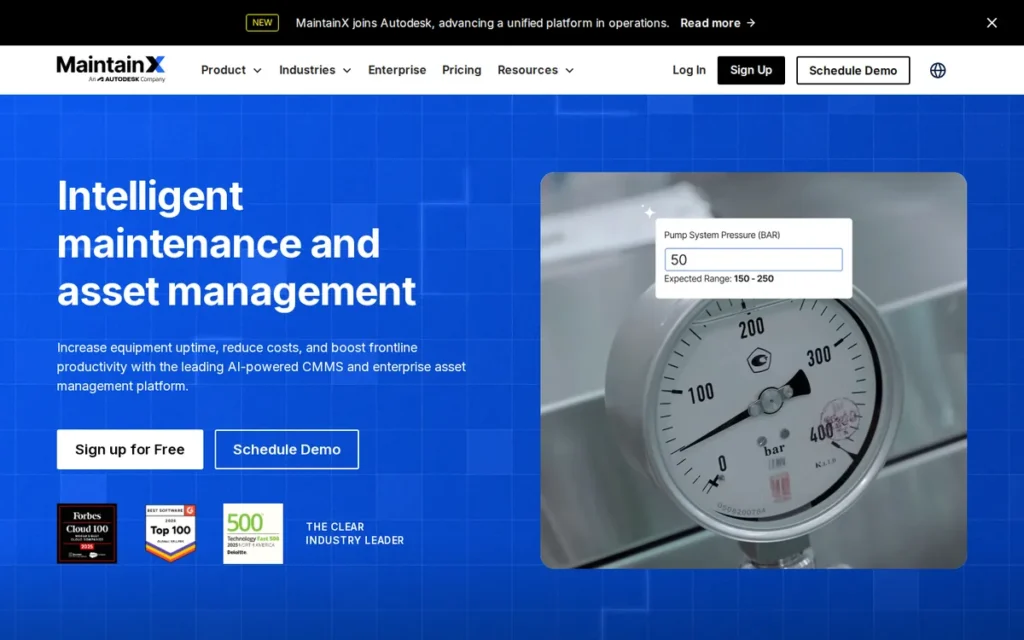
Category: CMMS, maintenance-first software that answers “what maintenance is due, and who is doing it?”
At a Glance
- Category: CMMS (mobile-first)
- Best For: Small-to-midsize in-house maintenance teams replacing spreadsheets
- Price Range: Free; $20–$65/user/month billed annually (published, 2026); Enterprise quote-only
- Primary Strength: MaintainX has the strongest verified review profile in this evaluation (4.8/5 on G2 from 1,596 reviews) and published, low-cost entry pricing.
- Biggest Limitation: MaintainX locks offline mode, parts inventory, meter-based PM and API access behind its $65/user/month Premium tier. Multi-site controls and SSO require custom-priced Enterprise.
- One-Line Summary: MaintainX is a mobile-first CMMS rated 4.8/5 on G2 and Capterra with a free entry plan. It is the strongest starting point for maintenance-first teams that can accept tier-gated advanced features.
- Last Verified: October 2026
Overview MaintainX is a cloud-based, mobile-first CMMS that combines work orders, preventive maintenance, assets, inspections and parts in a chat-style technician app. It is built for small-to-midsize maintenance teams replacing spreadsheets or paper work orders.
MaintainX publishes per-user pricing and offers a free Basic plan. MaintainX scored 36/45, one point ahead of Limble CMMS, mainly because MaintainX has more than twice as many G2 reviews.
Key Features
- MaintainX runs work orders as chat-style threads where technicians add photos, voice notes and comments from a phone.
- MaintainX schedules preventive maintenance by calendar on lower tiers and by meter reading from the Premium tier.
- MaintainX lets technicians scan a QR code to open an asset’s history and procedures on site.
- MaintainX includes offline mobile mode from its Premium tier, which independent reviewers describe as more limited than some alternatives (The Digital Project Manager, 2026).
- MaintainX Assist, the product’s AI feature, lets technicians query manuals and draft procedures. MaintainX Enterprise adds multi-site tools, SSO and IoT integrations.
Best For MaintainX suits small businesses and maintenance-first teams that want a low-risk start on a free or $20/user/month plan. MaintainX is less suitable for organizations that mainly need space management, facility scheduling or contractor coordination.
Strengths
- MaintainX holds 4.8/5 on G2 from 1,596 reviews and 4.8/5 on Capterra, the strongest combined profile in this evaluation (G2 and Capterra, October 2026). Capterra review counts conflict between sources, so check the live page.
- MaintainX publishes complete pricing for every tier except Enterprise, so buyers can estimate costs without a sales call (MaintainX pricing page, October 2026).
- MaintainX is one of eight Leaders in the Verdantix Green Quadrant: Commercial Buildings CMMS 2025, which assessed 16 vendors (Verdantix, 2025).
- MaintainX is praised by G2 and Capterra reviewers for easy mobile use, real-time work-order updates and technician-to-supervisor chat (G2 and Capterra, 2026).
Limitations MaintainX’s most consequential trade-off is heavy tier gating. The entry price triples from $20 to $65/user/month once offline mode, inventory, meter-based PM or API access is needed. G2 reviewers cite “important functionality reserved for more expensive plans” (G2, 2026).
- MaintainX was called “super basic unless you pay way more for every little add on” by an r/FacilityManagement practitioner (Reddit, 2023).
- MaintainX’s reporting is described by independent reviewers as short on advanced customization (The Digital Project Manager, 2026).
- MaintainX users at multi-site organizations report limits in asset-hierarchy depth, cross-site reporting and vendor management (The Digital Project Manager, 2026; Facilio, competitor-authored, 2026).
- MaintainX had no product-specific Reddit threads in our research, so its community evidence comes from comments in other threads.
Users on r/IndustrialMaintenance noted:
“We started using MaintainX a year ago. My team likes it and finds it very intuitive. The software is getting updated regularly with useful features. My biggest complaint is unless you go with the enterprise solution the user permission groups suck. They need more groups and granular permissions within those groups.” Posted by u/imschur66
Takeaway: MaintainX wins technicians over with an intuitive app, but teams that need fine-grained permission controls run into its Enterprise-tier paywall.
Verdict MaintainX is the best overall facility management software for maintenance-first teams in 2026 because it pairs the strongest verified user ratings in this evaluation with published, low-cost entry pricing.
MaintainX and Limble CMMS are one point apart, so either is a defensible first choice. Small businesses can test technician adoption on the free or Essential plan. Teams that need offline mode, inventory or multi-site controls should budget for Premium or Enterprise from day one.
2. Limble CMMS: Best for Preventive Maintenance, Asset Histories and Hands-On Implementation Support
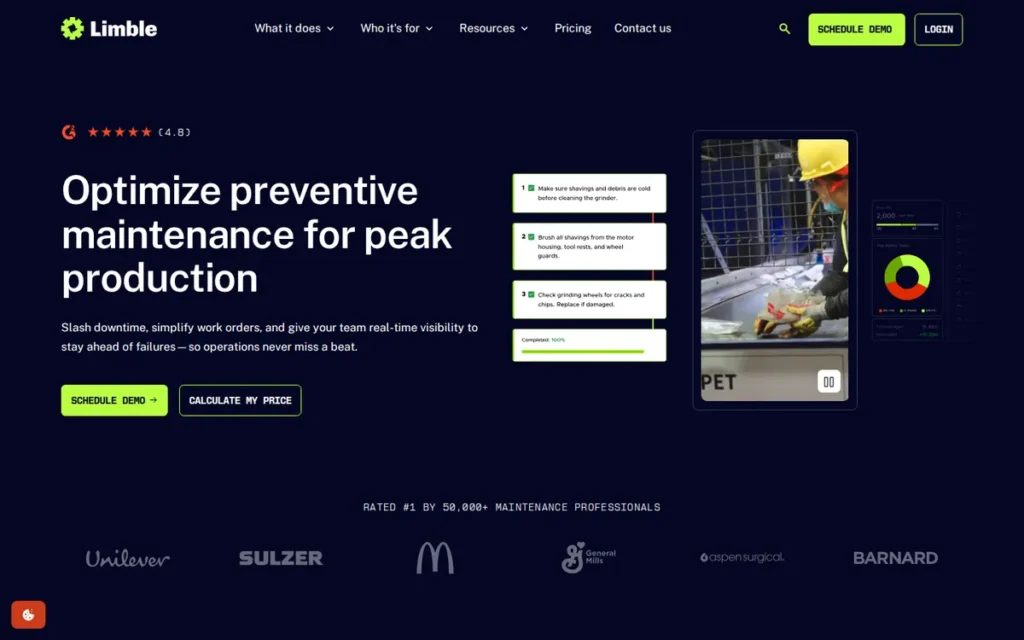
Category: CMMS, maintenance-first software that answers “what maintenance is due, and who is doing it?”
At a Glance
- Category: CMMS (configurable)
- Best For: Teams prioritizing preventive maintenance and teams migrating off legacy systems
- Price Range: $28–$69/user/month (published, 2026); Enterprise quote-only
- Primary Strength: Limble CMMS combines 4.8/5 ratings on G2 and Capterra with the most first-hand positive support accounts among the practitioner comments we reviewed.
- Biggest Limitation: Limble CMMS gates offline mobile, spare parts, meter-based scheduling and API access behind its $69/user/month Premium+ tier, and its new mobile app is still mid-transition in 2026.
- One-Line Summary: Limble CMMS is a configurable maintenance platform rated 4.8/5 on G2 and Capterra. It is best for teams that value preventive maintenance, asset histories and guided implementation.
- Last Verified: October 2026
Overview Limble CMMS is a configurable cloud and mobile maintenance system covering work orders, preventive maintenance, asset tracking, spare parts and QR-code requests. It is aimed at teams that want structured asset histories and hands-on onboarding support.
Limble CMMS was founded in 2015 and is headquartered in Lehi, Utah (Capterra, 2026). Limble CMMS scored 35/45, one point behind MaintainX.
Key Features
- Limble CMMS tracks downtime, parts cost and labor for each asset, which builds equipment histories that support reliability decisions.
- Limble CMMS schedules preventive maintenance and manages spare-parts inventory, with QR codes for requests and asset lookups.
- Limble CMMS lets customers start with their existing asset hierarchy and PM templates, then add custom fields and workflows over time.
- Limble CMMS offers vendor-led data migration, 24/7 rollout support and phased multi-site onboarding for enterprise customers, and the vendor claims customers see value in about three weeks.
- Limble CMMS integrates with third-party condition-monitoring sensors rather than selling its own hardware.
Best For Limble CMMS suits teams moving from reactive to preventive maintenance and organizations that want vendor help migrating off a legacy system. Limble CMMS is a weaker fit for buyers who need mobile-accessible floor plans or multi-location controls without an Enterprise quote.
Strengths
- Limble CMMS holds 4.8/5 on G2 from about 695 reviews and 4.8/5 on Capterra from 757 reviews (G2 and Capterra, October 2026).
- Limble CMMS publishes two tiers, Standard at $28/user/month and Premium+ at $69/user/month, so buyers can budget without a calculator or quote (Limble pricing page, October 2026).
- Limble CMMS receives positive first-hand support feedback on r/FacilityManagement, including one user who said Limble “made custom videos and tutorials for my team” (Reddit, 2023).
- Limble CMMS is one of eight Leaders in the Verdantix Green Quadrant: Commercial Buildings CMMS 2025, and G2 lists 40+ badges and 50,000+ users (Verdantix, 2025; G2, 2026).
Limitations Limble CMMS’s most consequential trade-off is tier gating that mirrors MaintainX’s. Offline mobile, spare parts, vendor and PO management, meter-based scheduling and API access require Premium+ at $69/user/month. Multi-location management and SSO require custom-priced Enterprise (Limble pricing page, October 2026).
- Limble CMMS’s new mobile app is live in 2026 and gradually replacing the legacy app. The help center lists task-template editing, parts transfers, and vendors and purchasing as not yet available in the new app (Limble help center, October 2026).
- Limble CMMS cannot attach multiple assets to one work order, according to G2 reviewers (G2, 2026).
- Limble CMMS’s report builder is “harder to customize than expected,” and setup reportedly takes longer than MaintainX’s (eWorkOrders, competitor-authored, 2026).
- Limble CMMS led one practitioner to restrict some technicians to view-and-close functions because the full interface and time tracking felt too complicated (Reddit, 2025).
Users on r/IndustrialMaintenance noted:
“All in all, it’s pretty decent if you put the effort into it. Managing PM’s, searching work orders, assets, parts with an allocated location. All good. They just need to work on the mobile app more” Posted by u/CombinationKlutzy276
Takeaway: Limble CMMS gets solid marks for PM, work-order and parts management, but its mobile app has long been the weak spot technicians notice first.
Verdict Limble CMMS is the strongest choice in 2026 for maintenance teams that prioritize preventive maintenance, asset histories and hands-on implementation support.
Limble CMMS ranks second, one point behind MaintainX, for three reasons. Its review volume is smaller, offline mode starts at a slightly higher tier price ($69 vs. $65), and its mobile app is mid-transition. Buyers should test the new app on their own workflows.
3. Fiix: Best for Manufacturing Plants and Asset-Intensive Operations
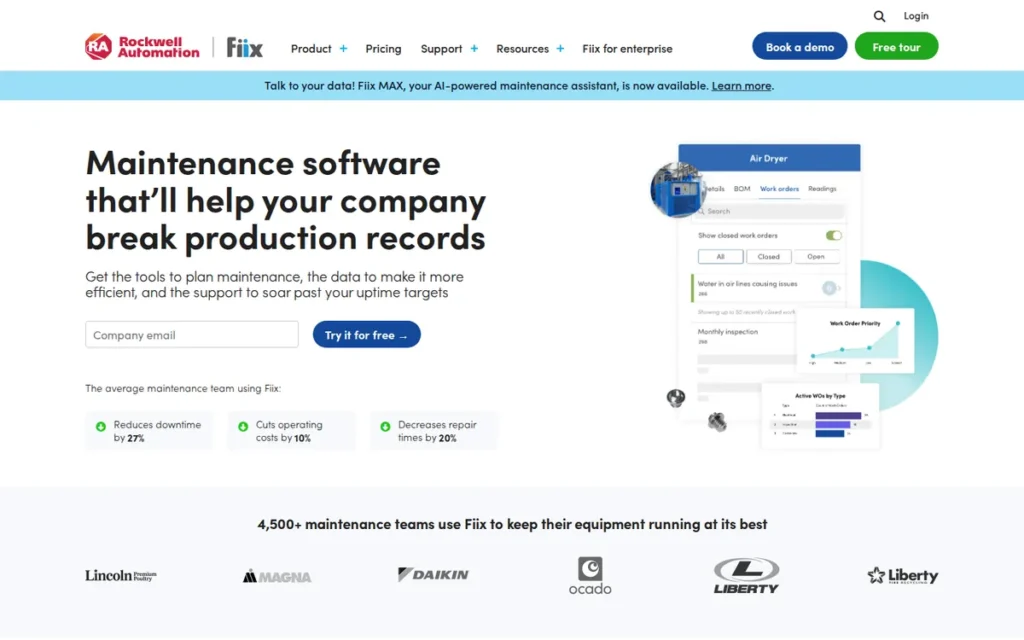
Category: CMMS, maintenance-first software that answers “what maintenance is due, and who is doing it?”
At a Glance
- Category: CMMS (industrial)
- Best For: Manufacturing plants needing meter-based PM, MRO inventory and ERP integration
- Price Range: Free (25 active PMs); $45–$75/user/month (published, 2026); Enterprise quote-only
- Primary Strength: Fiix pairs offline mobile on every plan with meter-based PM, multi-level asset hierarchies, MRO purchasing and ERP integration, a feature mix aimed at manufacturing plants.
- Biggest Limitation: Fiix has the weakest App Store rating among the CMMS products evaluated (2.8/5 from 18 ratings), and reviewers report contract friction.
- One-Line Summary: Fiix is a Rockwell Automation-owned CMMS rated 4.6/5 on G2. It is best for manufacturing plants that need asset hierarchies, MRO inventory and offline access more than a polished mobile app.
- Last Verified: October 2026
Overview Fiix is a Rockwell Automation-owned cloud CMMS providing work orders, time- and meter-based preventive maintenance, asset hierarchies, MRO inventory and purchasing. It is built primarily for manufacturing plants that need ERP integration and alignment with industrial automation systems.
Fiix was founded in Toronto and acquired by Rockwell Automation in December 2020. Fiix scored 29/45.
Key Features
- Fiix schedules preventive maintenance by time or meter reading and supports multi-level asset hierarchies.
- Fiix includes offline mobile access on every plan, including Free (Fiix pricing page, October 2026).
- Fiix manages MRO inventory and purchasing, and its Professional tier adds multi-site, nested PMs and multi-asset work orders.
- Fiix provides an open API and ERP integration, adds an Integration Hub at Enterprise, and works most naturally with Rockwell systems.
- Fiix adds Foresight AI analytics at Professional, plus audit trails, electronic signatures and SSO at Enterprise for regulated environments.
Best For Fiix suits manufacturing plants and asset-intensive operations, especially those running Rockwell systems. Fiix is less suited to small facilities teams that mainly handle reactive work orders and depend on a polished mobile app.
Strengths
- Fiix is the only product in this evaluation that does not gate offline mode by tier: offline mobile is included on every plan, including Free (Fiix pricing page, October 2026).
- Fiix holds 4.6/5 on G2 from about 475 reviews and 4.5/5 on Capterra from about 628 reviews. Reviewers praise its asset hierarchy, inventory and PM planning (G2 and Capterra, October 2026).
- Fiix has been owned by Rockwell Automation since December 2020, which gives industrial buyers an established parent company (Rockwell Automation, 2020).
- Fiix is recommended by r/FacilityManagement practitioners “for robust preventive-maintenance scheduling” (Reddit, 2025).
Limitations Fiix’s most consequential trade-off is mobile reliability. Fiix’s iOS app holds 2.8/5 from 18 US ratings (Apple App Store, October 2026). Users report freezing, forced logouts and keeping an older app version (Facilio and Limble reviews, competitor-authored, 2026).
- Fiix draws G2 complaints about slow loading with large datasets, hard-to-customize reporting, weak cross-site inventory filtering and a steep learning curve (G2, 2026).
- Fiix reviewers report extra-user costs, downgrade restrictions, auto-renewal and paying for unused subscription time (G2 and Capterra, 2026).
- Fiix’s first paid tier costs $45/user/month, which is higher than the MaintainX, Limble CMMS and UpKeep entry tiers (vendor pricing pages, October 2026).
- Fiix had no verifiable named customer outcome metrics in our research, and its Reddit data file could not be loaded.
This aligns with community sentiment on r/IndustrialMaintenance:
“Fiix is great but requires a lot of training and experience with other CMMS and most of our techs have zero. The learning curve is so high and the best features are on the highest tier paywall.” Posted by u/Dread_pirate80
Takeaway: Fiix is powerful enough to impress plant managers, but its steep learning curve and top-tier feature gating can push teams with less-experienced technicians toward simpler tools.
Verdict Fiix is the strongest fit in this evaluation for manufacturing plants that need meter-based preventive maintenance, MRO inventory, offline access and ERP or Rockwell integration.
Fiix ranks third because offline mode is included on every plan. Its 2.8/5 App Store rating and reported contract friction keep it well behind the top two. Plant teams should test the app with technicians on the floor and negotiate downgrade and cancellation terms.
4. UpKeep: Best for Budget-Conscious Mobile Teams That Want Built-In Condition Monitoring
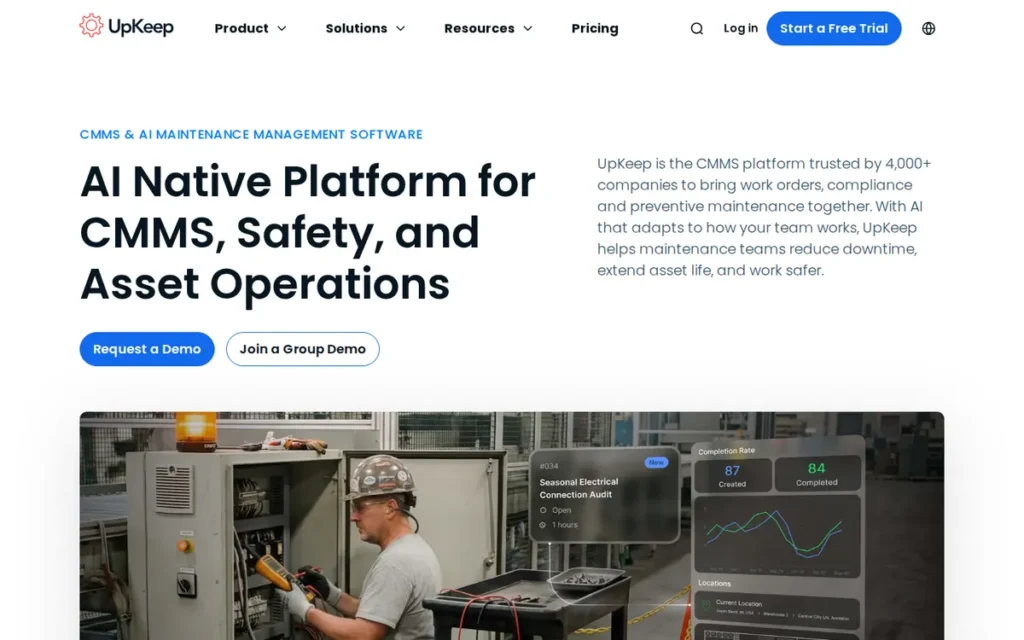
Category: CMMS, maintenance-first software that answers “what maintenance is due, and who is doing it?”
At a Glance
- Category: CMMS (mobile-first with IoT)
- Best For: Cost-conscious teams that may add sensor monitoring or EHS tracking later
- Price Range: $24–$55/user/month (published, 2026); Professional and higher tiers quote-only
- Primary Strength: UpKeep is the only CMMS in this evaluation that sells its own wireless condition-monitoring sensors, and it has the largest Capterra review base in the set.
- Biggest Limitation: UpKeep starts PM scheduling at its $55 Premium tier and includes offline mode only in its custom-quoted Professional tier.
- One-Line Summary: UpKeep is a mobile CMMS with published pricing from $24/user/month and its own condition-monitoring sensors. It is best for budget-conscious teams that can accept PM and offline mode as paid upgrades.
- Last Verified: October 2026
Overview UpKeep is a mobile CMMS that handles work orders, assets and inventory and adds proprietary condition-monitoring sensors plus EHS, fleet and AI modules. It is designed for maintenance teams that want a low-cost entry point with room to expand.
UpKeep reports 200,000+ users and names McDonald’s, Caterpillar and Chevron as customers (UpKeep, vendor-stated, 2026). UpKeep scored 27/45.
Key Features
- UpKeep’s $24 Maintenance plan covers work orders, unlimited locations and the Nova AI assistant, and requester seats are free.
- UpKeep’s $55 Premium plan adds preventive-maintenance scheduling, checklists, inventory and costing, and labor tracking (UpKeep pricing page, October 2026).
- UpKeep’s custom-quoted Professional plan adds offline mode, an external request portal, full analytics history, asset lifecycle tracking and signature capture.
- UpKeep sells UpKeep Edge wireless sensors that monitor equipment condition and can open work orders automatically.
- UpKeep offers modules beyond CMMS, including EHS and OSHA recordkeeping, training and fleet management.
Best For UpKeep suits budget-conscious teams that want mobile work orders at a published entry price and expect to add sensors or safety compliance later. UpKeep is a weaker fit for teams that need PM scheduling or offline mode on an entry-level budget.
Strengths
- UpKeep holds 4.6/5 on Capterra from about 1,331 reviews, the largest Capterra review base in this evaluation, and about 4.5/5 on G2 from 1,000+ reviews (Capterra and G2, October 2026).
- UpKeep is the only CMMS in this evaluation that sells its own condition-monitoring sensors. Competitors such as Limble CMMS integrate third-party hardware instead (UpKeep product pages, 2026).
- UpKeep publishes per-user pricing from $24/user/month and offers free requester seats, which lowers the cost of opening a request portal (UpKeep pricing page, October 2026).
- UpKeep raised a $36M Series B led by Insight Partners and publishes an annual State of Maintenance report (Insight Partners, 2020; UpKeep, vendor-published, 2026).
Limitations UpKeep’s most consequential trade-off is tier gating on core functions. The $24 plan lacks PM scheduling, which starts at $55, and offline mode requires the custom-quoted Professional tier. That is the most restrictive offline gating among the CMMS products evaluated (UpKeep pricing page, October 2026).
- UpKeep is reported to have mobile bugs after updates, including on Android (Limble and eWorkOrders, competitor-authored, 2026).
- UpKeep reportedly limits asset hierarchies to two levels (opmaint, competitor-authored, 2026).
- UpKeep’s recurring work orders reportedly populate incorrectly and reuse work-order numbers (eWorkOrders, competitor-authored, 2026).
- UpKeep had no product-specific Reddit threads in our research, and its corporate account actively promotes the product on Reddit (Reddit, 2025).
Verdict UpKeep is the best-value mobile CMMS in 2026 for teams that want published entry pricing and a built-in path to sensor-based condition monitoring.
UpKeep ranks fourth because PM scheduling starts at $55 and offline mode requires a custom quote. An outdated Lite/Starter/Professional price list is still indexed by search engines. Teams should confirm tier contents on the live pricing page and test offline use during a trial.
5. Brightly Software: Best for K-12 Districts, Higher-Ed Campuses and Public-Sector Facilities
Category: CAFM Suite, maintenance plus facility operations software that answers “what is happening in and around our buildings, and what will it cost to keep them running?”
At a Glance
- Category: CAFM Suite (sector-specific)
- Best For: School districts, campuses and public agencies that need maintenance, scheduling and capital planning
- Price Range: Pricing on request (quote-only, 2026); unofficial third-party estimate about $45/user/month
- Primary Strength: Brightly Software is the only product in this evaluation that natively combines CMMS, facility scheduling, community rentals and capital planning.
- Biggest Limitation: Brightly Software has mixed review evidence (G2 about 4.2/5 and Capterra 4.4/5 vs. Gartner 2.7/5) and a well-documented data-migration burden.
- One-Line Summary: Brightly Software is a Siemens-owned facility suite that combines maintenance, facility scheduling and capital planning for schools and public agencies. The cost is quote-only pricing and a heavy implementation.
- Last Verified: October 2026
Overview Brightly Software is a Siemens-owned family of facility products, led by the Asset Essentials CMMS, that adds facility scheduling, community rentals, capital planning and energy tracking. It serves K-12 districts, campuses and public agencies managing many buildings on public budgets.
Brightly Software began in 1999 as SchoolDude, a platform many districts still use or are migrating from. Brightly Software scored 25/45.
Key Features
- Brightly Software’s Asset Essentials provides work orders, preventive maintenance and asset tracking, with a documented REST API.
- Brightly Software’s Event Manager and FSDirect handle facility scheduling and community rentals.
- Brightly Software’s Assetic and Predictor modules support capital planning and lifecycle modeling for funding requests.
- Brightly Software’s Energy Manager tracks utilities and ESG data, though several Brightly modules reportedly offer fewer public integration options.
Best For Brightly Software suits school districts, campuses and public agencies that want maintenance, facility scheduling and capital-budget planning from one vendor. Brightly Software is heavier than necessary for districts that only need work orders and PM.
Strengths
- Brightly Software was named “Best for Education” by Newsweek and “Best Asset Management Software for Schools and Universities” by U.S. News & World Report. These are the only education-specific awards we found for any product in this evaluation (Newsweek and U.S. News & World Report, October 2024).
- Brightly Software runs at large public-sector scale. One practitioner manages Asset Essentials for a 150-building district with 1,800 users (Reddit, 2025), and Baltimore City Public Schools uses it to support capital funding requests (BusinessWire, 2024).
- Brightly Software was acquired by Siemens for about $1.575B plus up to $300M in earn-out payments, closing August 4, 2022, and reports about 11,000–12,000+ customers (Siemens, 2022; Built In, 2026).
- Brightly Software KPI data helped a North Carolina district facilities lead justify two additional technician hires (Reddit, 2025).
Users on r/maintenance shared their experience:
“Asset Essentials works well for us. I’ve mentioned it a couple of times I’m this sub and am trying not to sound like a sales rep but I’ve used 5 or 6 different CMMS and this one is a nice mix of complete and intuitive.” Posted by u/Still-Significance-8
Takeaway: Practitioners who have compared several systems rate Brightly Software’s Asset Essentials well for balancing feature depth with ease of use, even though its formal review scores are mixed.
Limitations Brightly Software’s most consequential trade-off is inconsistent review evidence. Asset Essentials shows about 4.2/5 from 240 G2 reviews and 4.4/5 from 272 Capterra reviews, but 2.7/5 from 15 Gartner Peer Insights reviews (G2 comparison page and Capterra, October 2026; checkthat.ai citing Gartner, 2026).
- Brightly Software users describe multi-site back-end setup as “brutal,” and one team hired two temps for data entry (Reddit, 2025).
- Brightly Software reviewers cite a dated interface, too many clicks, inconsistent mobile reliability and features lost in the SchoolDude migration (fieldservicesoftware.io, 2026; eWorkOrders, competitor-authored, 2026).
- Brightly Software buyers have reported price increases tied to migrating off SchoolDude (myurbi.co, competitor-authored, 2026).
- Brightly Software support since the Siemens acquisition draws split opinions. One practitioner praised its chat support, while a lower-credibility commenter called it “nonexistent” (Reddit, 2025).
Verdict Brightly Software is the most complete facility management option for K-12 districts and campuses in 2026 because it is the only evaluated product that natively combines maintenance, facility scheduling and capital planning.
Brightly Software ranks fifth because of mixed reviews and a heavy implementation. It edges ServiceChannel by one point on functional scope. Districts should pilot it with their own migrated data and budget for data-entry labor.
6. ServiceChannel: Best for Multi-Location Chains That Outsource Maintenance to Contractors
Category: Contractor Management Platform, outsourced-service software that answers “which contractor is fixing what, at which location, and are we being billed correctly?”
At a Glance
- Category: Contractor Management Platform
- Best For: Multi-location retail, restaurant and franchise operators that outsource maintenance
- Price Range: Pricing on request (quote-only, 2026); contractors pay 1.5% per approved invoice, capped at $4
- Primary Strength: ServiceChannel combines a 70,000+ contractor network with enforced not-to-exceed invoice validation.
- Biggest Limitation: ServiceChannel prices are quote-only, contractors pay per-invoice fees that may be passed back, and its provider app draws documented reliability complaints.
- One-Line Summary: ServiceChannel is a contractor management platform with a 70,000+ provider network and enforced invoice controls. It is built for multi-location chains that outsource maintenance rather than run in-house technician teams.
- Last Verified: October 2026
Overview ServiceChannel is a Fortive-owned contractor management platform and marketplace. It handles sourcing, dispatch, proposals, not-to-exceed invoice validation and provider scorecards for multi-location retailers, restaurants and franchise operators that outsource facility maintenance.
ServiceChannel is grouped by practitioners with Corrigo and Fexa as contractor-management software rather than a CMMS (Reddit, 2025). ServiceChannel scored 24/45.
Key Features
- ServiceChannel connects clients to a marketplace of 70,000+ facilities-maintenance providers.
- ServiceChannel requires invoices to be on time, within a not-to-exceed amount and itemized, and clients can approve, reject or hold each one.
- ServiceChannel scores provider performance so operators can compare contractors across locations.
- ServiceChannel’s provider app supports geolocated check-in, photos, signatures and refrigerant tracking, with 24/7 phone (IVR) check-in as a backup.
Best For ServiceChannel suits multi-location chains that rely on outside contractors and need dispatch, invoice control and provider performance data across many sites. ServiceChannel is a poor fit for organizations with a few facilities and mostly in-house technicians.
Strengths
- ServiceChannel holds 4.5/5 on Capterra from 157 reviews and 4.2/5 on G2 from 169 reviews. Reviewers praise centralized work orders, invoice and documentation management, and vendor communication (Capterra and G2, October 2026).
- ServiceChannel’s 70,000+ provider network is the only built-in contractor marketplace in this evaluation (ServiceChannel marketplace page, 2026).
- ServiceChannel enforces not-to-exceed and itemized invoice rules under its published Trade Partner Guidelines (ServiceChannel Trade Partner Guidelines, 2026).
- ServiceChannel was acquired by Fortive for about $1.2B, closing August 24, 2021, and reports 500+ enterprise customers in 70+ countries (Fortive SEC filing, 2021).
Limitations ServiceChannel’s most consequential trade-off is cost opacity. Client pricing is quote-only, and contractors pay 1.5% of each approved invoice, capped at $4 (ServiceChannel help center, 2026). Marketplace jobs reportedly carry a 5% commission (Facilio, competitor-authored, 2026).
- ServiceChannel reviewers cite occasional slow loading, workflows that take many clicks, delayed support and vendor scorecard and check-in frustrations (G2 and Capterra, October 2026).
- ServiceChannel’s provider app draws complaints that updates made work-order management harder and that accepting jobs could loop users back to the app store (Google Play, 2026).
- ServiceChannel contractors report failed photo uploads on weak signal and penalties when they fall back to IVR check-in (Facilio, competitor-authored, 2026; GetApp user reviews, 2026).
- ServiceChannel shows slow refreshes at high work-order volumes and slow vendor onboarding, according to G2’s learning hub (G2 Learn, 2026).
Verdict ServiceChannel is the right category choice in 2026 for multi-location chains that outsource facility maintenance, because it is the only evaluated platform with a built-in 70,000+ contractor network and enforced invoice controls.
ServiceChannel ranks sixth because of quote-only pricing, contractor fees and app complaints. Its user ratings are moderate and comparable to those of the broader suites. Buyers should pilot it with their actual local contractors.
7. Eptura Archibus: Best for Enterprise Real-Estate Portfolios and Integrated Workplace Management
Category: IWMS, integrated workplace management software that answers “how should our real-estate portfolio and workplaces be managed?”
At a Glance
- Category: IWMS (enterprise)
- Best For: Large enterprises and institutions managing complex real-estate portfolios
- Price Range: Pricing on request (quote-only, 2026); industry estimates put IWMS at $150–$500/user/month plus $100K–$500K+ implementation
- Primary Strength: Eptura Archibus offers the broadest portfolio-level scope in this evaluation, including space planning, leases, capital projects and BIM/CAD floor plans.
- Biggest Limitation: Eptura Archibus requires the heaviest implementation in this evaluation, with months of setup and dedicated administrators.
- One-Line Summary: Eptura Archibus is an enterprise IWMS that unifies space, real estate, capital projects and maintenance. It is best for organizations that can fund a multi-month implementation and dedicated administrators.
- Last Verified: October 2026
Overview Eptura Archibus is an enterprise IWMS covering space and occupancy, leases, maintenance, capital projects and BIM/CAD floor plans. It is built for large organizations that need portfolio-level planning rather than maintenance tracking alone.
Eptura Archibus sits within the Eptura suite alongside Eptura Workplace and Eptura Asset (formerly ManagerPlus). Eptura Archibus scored 21/45.
Key Features
- Eptura Archibus manages space and occupancy, leases, capital projects and multi-year strategic space planning.
- Eptura Archibus integrates AutoCAD and Revit floor plans, which one Reddit buyer said Limble CMMS and MaintainX do not offer on mobile (Reddit, 2025).
- Eptura Workplace adds desk and room booking, visitor management and occupancy analytics.
- Eptura Asset provides a CMMS layer for maintenance and asset work alongside the IWMS, reportedly from about $85/month (secondary source, unofficial).
Best For Eptura Archibus suits enterprises, universities and public bodies with complex property portfolios that need space, lease and capital-project data tied to maintenance. Eptura Archibus is too much system for organizations that only need work orders and preventive maintenance.
Strengths
- Eptura Archibus supports portfolio-scale deployments. Orange replaced a roughly 30-component legacy system with Archibus, deployed with partner AREMIS. Orange now handles about 175,000 maintenance requests a year across 85,000 sites (Eptura customer story, vendor-published).
- Eptura Archibus is one of eight Leaders in the Verdantix Green Quadrant: Connected Portfolio Intelligence Platforms and IWMS 2025, which assessed 12 providers (Verdantix, 2025).
- Eptura Archibus has development roots going back to 1982 and native AutoCAD and Revit integration documented by Autodesk (Autodesk, 2026).
- Eptura Workplace holds 4.3/5 on G2 from 174 reviews, with praise for ease of use and Google Calendar integration (G2, October 2026).
Limitations Eptura Archibus’s most consequential trade-off is implementation burden. Reviewers report that it needs dedicated administrators, months of setup and training, and a strong implementation partner (conversiongems third-party software directory, 2026).
- Eptura Archibus is described as having a partially dated interface, inconsistent support, slow bug fixes and merged products that don’t feel unified (conversiongems third-party software directory, 2026).
- Eptura Archibus has moderate ratings: Archibus holds 4.1/5 on G2 from 27 reviews, and ManagerPlus holds 3.9/5 on Capterra from 208 reviews, the lowest Capterra score in this set (G2 and Capterra, 2026).
- Eptura Archibus deployments without a mobile layer risk poor technician adoption, which one source reports as 73% lower than expected (Oxmaint, vendor-published estimate, 2026).
- Eptura reports 16,000+ customer organizations, but that figure may double-count merged product lines (FeaturedCustomers, 2026), and the Eptura Reddit file could not be loaded.
Verdict Eptura Archibus is the most comprehensive option in this evaluation for enterprise real-estate portfolios that need space, lease, capital-project and maintenance data in one IWMS.
Eptura Archibus ranks last at 21/45 because it has the lowest pricing-transparency and implementation scores of any product. That rank reflects a portfolio-scale IWMS being scored on maintenance-buyer criteria, not unfitness for enterprise real estate. Buyers should consider pairing it with a mobile-first CMMS.
What Does Facility Management Software Really Cost?
Facility management software costs about $20–$150/user/month for a CMMS and $150–$500/user/month for an IWMS. Implementation adds $5K–$200K for a CMMS and $100K–$500K+ for an IWMS (Infodeck and Oxmaint, vendor-published estimates, 2026). Entry prices rise fast: MaintainX triples from $20 to $65 for inventory or meter-based PM.
Infodeck and Oxmaint (vendor-published estimates, 2026) give these directional total cost of ownership benchmarks:
- CMMS implementation runs about $5K–$20K for basic deployments, $20K–$75K for standard ones and $75K–$200K for complex ones.
- First-year CMMS costs run about $15K–$300K in total.
- EAM subscriptions run about $45–$200/user/month.
- CAFM and IWMS subscriptions make up only about 30–50% of three-year cost.
Hidden facility management software costs include data-entry labor, dedicated IWMS administrators, implementation partners and contractor fees passed back from platforms like ServiceChannel. One Brightly Software district hired two temps for data entry (Reddit, 2025).
The three quote-only products carry these known cost signals as of October 2026:
- Brightly Software quotes annual subscriptions by modules, users, sites and assets, and SelectHub’s estimate of about $45/user/month is unofficial (checkthat.ai, 2026).
- Eptura Archibus and Eptura Workplace are quote-only, and Eptura Asset reportedly starts around $85/month (secondary source, unofficial).
- ServiceChannel client pricing is quote-only, and one Capterra reviewer reported provider-side costs of about $700–$800/month (Capterra, 2026).
Which Pricing Tier Unlocks the Features You Need?
| Capability | MaintainX | Limble CMMS | Fiix | UpKeep |
|---|---|---|---|---|
| Entry paid tier | Essential, $20/user/mo (annual) | Standard, $28/user/mo | Basic, $45/user/mo | Maintenance, $24/user/mo |
| Free plan | Basic, free | None published | Free, up to 25 active PMs | None published |
| Preventive maintenance | Calendar PM on lower tiers; meter-based at Premium, $65 | Meter-based at Premium+, $69 | Time or meter; unlimited PMs from Basic, $45 | PM from Premium, $55; meter-based not confirmed |
| Offline mobile | Premium, $65/user/mo (annual) | Premium+, $69/user/mo | All plans, including Free | Professional (quote) |
| Parts inventory / purchasing | Premium, $65/user/mo | Premium+, $69 (spare parts, vendor/PO) | Purchasing at Professional, $75/user/mo | Inventory from Premium, $55; purchase orders reportedly upper tiers |
| API / integrations | REST API at Premium, $65 | API at Premium+, $69 | Open API; Integration Hub at Enterprise | Custom integrations reportedly upper tiers |
| Multi-site | Enterprise (quote) | Enterprise (quote) | Professional, $75/user/mo | Unlimited locations from Maintenance, $24 |
| SSO | Enterprise (quote) | Enterprise (quote) | Enterprise (quote) | Not confirmed |
Sources for the table are the vendor pricing pages, verified October 2026. Brightly Software, Eptura Archibus and ServiceChannel are quote-only, so a comparable tier map is not possible for those three products.
At list prices, a 10-technician team that needs offline mode would pay the following per year (vendor pricing pages, October 2026):
- Fiix Free costs $0 per year, subject to its 25-PM cap.
- MaintainX Premium costs about $7,800 per year ($65 × 10 × 12).
- Limble CMMS Premium+ costs about $8,280 per year ($69 × 10 × 12).
- UpKeep Professional requires a custom quote.
Fiix reviewers report auto-renewal and downgrade restrictions (G2 and Capterra, 2026), so get contract terms in writing for any finalist. For UpKeep, rely only on the live pricing page, because an outdated price list is still indexed by search engines.
What Red Flags Should I Watch For When Evaluating Facility Management Software?
Six red flags can turn a low list price into a costly mismatch, from tier gating and paid offline mode to reviews written by competitors or posted by vendors. Each flag below is numbered and named, so buyers can check every finalist against the same list before signing a contract.
Red Flag #1: Core Features Locked Behind Upper Tiers Tier gating means the advertised entry price rarely covers inventory, meter-based PM, API access or multi-site controls. For these features, MaintainX rises from $20 to $65/user/month and Limble CMMS from $28 to $69 (vendor pricing pages, October 2026). Price the tier your full crew actually needs.
Red Flag #2: Offline Mode Sold as an Add-On Offline capability is essential for technicians in basements, plant floors and remote sites. In October 2026, the cheapest plan with offline mobile ranged from $0 (Fiix Free) to a custom quote (UpKeep Professional). MaintainX and Limble CMMS sat at $65 and $69 (vendor pricing pages, October 2026). Test offline completion before signing.
Red Flag #3: Free Tiers That Force a Second Migration Free plans with caps can trap teams after all their data is loaded. One practitioner warned that “by the time you added all the information, you hit the software limitation” (Reddit, 2025). Fiix Free’s 25-PM cap and MaintainX Basic both need a clear upgrade path before you commit data.
Red Flag #4: Roadmap Promises Instead of Working Features A vendor promise that a feature is coming soon is not the same as working functionality. One practitioner advised buyers: “don’t rely on promises like yes that will work in our system soonish.” The same practitioner warned against over-customizing (Reddit, 2025). Evaluate only features a vendor can demonstrate today.
Red Flag #5: No Written Renewal, Downgrade or Data-Export Terms In our October 2026 review, none of the seven vendors’ public pricing pages clearly stated renewal, price-escalation or data-export terms. Fiix reviewers specifically report auto-renewal, downgrade restrictions and paying for unused time (G2 and Capterra, 2026). Get all contract and exit terms in writing before signing.
Red Flag #6: Review Evidence From Competitor-Authored or Vendor-Posted Sources Much online praise and criticism comes from competitors’ comparison pages or vendor accounts. UpKeep’s corporate account promoted the product in a Reddit thread (Reddit, 2025), and many published ROI figures are unaudited vendor case studies. Give independent user reviews and first-hand practitioner accounts more weight.
What Questions Should I Ask Before Choosing Facility Management Software?
The most useful pre-purchase questions test offline field execution, true tier cost, migration effort, contract and export terms, security documentation and contractor fees. Ask every finalist the same seven questions in writing. Written answers can be compared directly, while demos and review scores alone cannot be.
Question #1: Can a technician complete a work order offline on a phone in our weakest-signal location? A live offline test shows whether field execution holds up where signal is weakest. Ask each vendor to run the test in your actual basement or plant floor. Confirm that the data syncs correctly afterward, and get in writing which pricing tier includes offline mode.
Question #2: Which tier do we need for inventory, meter-based PM, API access and multi-site controls, and what will that cost for our full crew? Asking which tier unlocks inventory, meter-based PM, API access and multi-site controls exposes the gap between list price and real cost. Multiply the required tier’s per-user rate by your full headcount. Then check which roles need paid seats, because free requester seats like UpKeep’s lower the total.
Question #3: Who migrates our data, how long will it take, and how many staff hours should we budget? Migration effort is a leading cause of failed rollouts. Practitioners stress that “garbage in, garbage out” applies to every CMMS (Reddit, 2025). Ask whether the vendor migrates data, as Limble CMMS says it does, or whether your staff must enter it manually.
Question #4: What are the auto-renewal, price-escalation, downgrade and cancellation terms in writing? Written contract terms protect your budget at renewal time. Ask for notice periods, escalation caps and whether you can reduce seats mid-term. Reviewer complaints about Fiix’s renewal and downgrade terms show why buyers should negotiate before signing (G2 and Capterra, 2026).
Question #5: In what format can we export all our data if we leave? A documented data-export right is the main protection against vendor lock-in. Ask whether asset histories, work orders, attachments and PM schedules export in a standard format, and whether exports cost extra. Make sure those rights appear in the contract, because export terms are rarely published.
Question #6: Can you provide a SOC 2 report or equivalent security documentation? Independent security documentation lets your IT team verify a vendor’s controls instead of relying on sales assurances. Ask every finalist, whatever its size, for a current SOC 2 report or equivalent. If documentation is missing or outdated, pause the evaluation until the vendor provides it.
Question #7: If we outsource maintenance, what fees will our contractors pay, and will they pass them back to us? Contractor-side fees can quietly raise total cost of ownership. ServiceChannel charges contractors 1.5% per approved invoice, capped at $4 (ServiceChannel help center, 2026). Marketplace jobs reportedly carry a 5% commission (Facilio, competitor-authored, 2026). Ask your current contractors how they would price these fees into their rates.
How Do I Get Technicians to Actually Use New Facility Management Software?
Technicians adopt new facility management software when the rollout is treated as change management, not a software install. Practitioners stress that “CMMS is less about the software and more about change management” (Reddit, 2025). They recommend team champions, role-based guides, devices from day one, visible KPIs and a gradual feature rollout.
As one user on r/IndustrialMaintenance described:
“Well, I get a new one every two years and use it for like two weeks. In theory it seems great but the administration gets overwhelming if you don’t get enough buy in” Posted by u/SadZealot
Takeaway: Facility management software fails when technician buy-in is missing, so adoption planning matters as much as the vendor you pick.
Practitioners on r/FacilityManagement (Reddit, 2025) recommend these rollout tactics:
- Successful rollouts recruit a technician “champion” on each team who tests workflows first and coaches peers.
- Successful rollouts give each role a one-page quick-reference guide covering only the screens that role uses.
- Successful rollouts give technicians phones or iPads from day one, so paper work orders stop immediately.
- Successful rollouts post a visible KPI dashboard so teams can see completed work and backlog.
- Successful rollouts turn features on gradually rather than launching every module at once.
Simplifying the interface can protect adoption. One Limble CMMS customer limited some technicians to viewing and closing work orders because the full interface and time tracking felt too complicated (Reddit, 2025).
KPI data can also win budget. A North Carolina district used Brightly Software workload KPIs to justify two additional technician hires (Reddit, 2025).
How Did We Rank These Facility Management Software Tools?
PlugRoute scored seven products from 1 to 5 on six criteria. Verified user ratings, mobile and field execution, and pricing transparency count double. Functional scope, implementation evidence and independently corroborated results count once. The maximum weighted score is 45, and every data point was re-verified in October 2026.
The six ranking criteria are:
- C1: Verified User Ratings and Review Volume (2x weight) matters because large review volumes across platforms are the broadest signal of real-world satisfaction.
- C2: Mobile and Field Execution, Including Offline (2x weight) matters because app failures on weak signal undermine technician adoption.
- C3: Pricing Transparency and Total Cost of Ownership (2x weight) matters because opaque pricing and tier gating make costs hard to predict.
- C4: Functional Scope for Target Operating Models (1x weight) matters because value depends on covering real needs without overbuying.
- C5: Implementation Effort and Team Adoption Evidence (1x weight) matters because migration and technician resistance cause failed rollouts.
- C6: Independently Corroborated Results and Credentials (1x weight) matters because many ROI figures in this category are unaudited vendor claims.
The weighted total equals two times the sum of C1–C3, plus C4, C5 and C6.
| Company | C1 | C2 | C3 | C4 | C5 | C6 | Weighted Total (/45) |
|---|---|---|---|---|---|---|---|
| MaintainX | 5 | 4 | 4 | 3 | 4 | 3 | 36 |
| Limble CMMS | 5 | 3 | 4 | 3 | 5 | 3 | 35 |
| Fiix | 4 | 3 | 3 | 3 | 3 | 3 | 29 |
| UpKeep | 4 | 2 | 3 | 3 | 3 | 3 | 27 |
| Brightly Software | 3 | 2 | 2 | 5 | 2 | 4 | 25 |
| ServiceChannel | 3 | 2 | 2 | 4 | 2 | 4 | 24 |
| Eptura Archibus | 3 | 2 | 1 | 4 | 1 | 4 | 21 |
Readers should know about four limits of this scoring method:
- Focused CMMS tools averaged 4.5–4.8 on G2, while broader suites and platforms averaged about 4.1–4.3. Scope, not quality alone, explains much of that gap.
- Adjacent ranks are close: MaintainX and Limble CMMS are one point apart, and Brightly Software and ServiceChannel are one point apart. Treat these pairs as near-equivalent and decide on fit.
- Community evidence was uneven. No Reddit threads surfaced for MaintainX or UpKeep, and the Fiix and Eptura Reddit files could not be loaded.
- Overall rank reflects the evidence score, not fitness for a segment.
Correction note (October 2026): An earlier draft scored ServiceChannel lowest on user ratings because no G2 or Capterra score had been found. A re-check found G2 4.2/5 (169 reviews) and Capterra 4.5/5 (157 reviews), and the scores were updated.
UpKeep, Limble CMMS and Fiix were re-scored after their pricing pages were re-verified. Brightly Software’s G2 rating was added. All weighted totals were recalculated with the formula above.
On product selection, eMaint, IBM Maximo, Planon and eWorkOrders were considered and replaced so that every reader segment is covered. FMX, eMaint, Planon, Corrigo, Fexa and Accruent FAMIS 360 are credible unranked alternates that did not receive equal-depth research.
Every data point is labeled by source type, including user review platforms, practitioner comments, vendor claims, competitor-authored pages, analyst reports and regulatory filings. PlugRoute has no affiliate relationships with any company listed, and rankings are determined entirely by research data and objective evaluation criteria.
What Else Do Buyers Ask About Facility Management Software?
What is the best facility management software for multi-site organizations?
The best facility management software for multi-site organizations depends on who does the work. In-house teams should compare MaintainX Enterprise, Limble CMMS Enterprise and Fiix Professional ($75/user/month, multi-site published). Chains that outsource maintenance should evaluate ServiceChannel. Enterprise portfolios that need space and lease data should evaluate Eptura Archibus.
How do I choose facility management software for schools?
Choose facility management software for schools by first deciding whether you need maintenance only, or also facility scheduling and capital planning. Brightly Software is the only evaluated product that covers all three natively. Districts that need only work orders and PM may find Limble CMMS or MaintainX lighter. Pilot with your own migrated data.
How does PlugRoute determine rankings?
PlugRoute determines rankings by scoring each product from 1 to 5 on six criteria. Verified ratings, mobile execution and pricing transparency count double. Every data point is labeled by source type and was re-verified in October 2026. Overall rank reflects the evidence score, while segment fit appears separately in the Quick Decision Framework.
Which Facility Management Software Is Right for You?
Key Insights
- MaintainX leads at 36/45, one point ahead of Limble CMMS at 35/45, so the choice between them depends more on budget structure and onboarding needs than on quality.
- Fiix is the only product in this evaluation that includes offline mobile on every plan, including Free, and that lifted Fiix to third place.
- UpKeep starts preventive-maintenance scheduling at $55/user/month and offline mode at a custom-quoted Professional tier, the most restrictive offline gating among the CMMS products evaluated.
- Brightly Software is the only evaluated product that natively combines maintenance, facility scheduling and capital planning for schools.
- ServiceChannel holds 4.5/5 on Capterra and 4.2/5 on G2 and remains the category fit for multi-location chains that outsource maintenance.
- Eptura Archibus offers the broadest portfolio scope, but IWMS subscriptions cover only about 30–50% of three-year cost (Oxmaint, vendor-published estimate, 2026).
- In our October 2026 review, none of the seven vendors’ public pricing pages clearly stated renewal, price-escalation or data-export terms.
The right facility management software depends on your operating model more than on overall rank. Maintenance-first teams should start with MaintainX or Limble CMMS. Manufacturing plants should start with Fiix, and teams planning sensors should consider UpKeep.
Schools should start with Brightly Software. Contractor-reliant chains should start with ServiceChannel, and enterprise portfolios should start with Eptura Archibus.
Run the same task-based demo on every finalist, using your own data and contractors:
- Step 1: Submit a test maintenance request through each finalist’s requester portal.
- Step 2: Route the request to a technician and confirm the technician is notified.
- Step 3: Complete the work order offline on a phone, then confirm it syncs.
- Step 4: Schedule a recurring preventive-maintenance task on a real asset.
- Step 5: Review the asset’s full history, including parts and labor.
- Step 6: Pull a cost and downtime report and check whether leadership would trust it.
For a deeper look, read PlugRoute’s full scoring methodology and our independent guide to CMMS vs. IWMS. We update this guide quarterly. Last updated: October 24, 2026.