The best food safety management software in 2026 is SafetyChain for food and beverage manufacturers, SafetyCulture (now Mitti) for free or low-cost checklists, and Jolt for multi-unit restaurant chains. No tool is the universal best. Ranks two through five are nearly tied, so your operation type should decide your shortlist.
Buyers often find this category confusing. Restaurant checklist apps and manufacturer-grade compliance platforms tend to use the same marketing language. Most vendors only give prices on request, and probes, sensors and label printers can add costs you won’t see until late in the buying process.
As one user on r/foodscience described:
“This software space is still trying to figure itself out. There is no one size fits solutions. You need to be more specific about your specific needs.” Posted by u/learnthenlearnmore
Takeaway: Food safety practitioners see no one-size-fits-all HACCP software, so buyers should define their operation type and core task before comparing vendors.
PlugRoute has no affiliate relationships with any company listed, and rankings are determined entirely by research data and objective evaluation criteria.
This guide scores seven tools on six weighted criteria. It uses dated G2, Capterra, vendor and buyer evidence checked in November 2026. Each entry labels its evidence by type and lists what PlugRoute could not verify, so you can re-weight the scores for your own operation.
What Are the 6 Categories of Food Safety Management Software?
Food safety management software falls into six categories, which differ by who does the work and where. Two categories are built for manufacturers, three for restaurants and foodservice, and one general inspection category works in both. Manufacturers usually need a plant-floor quality or supplier compliance tool. Restaurants usually need one of the three foodservice categories below.
- Plant-Floor Quality Platform: SafetyChain and Smart Food Safe connect HACCP, CAPA, audit and supplier records to work on the plant floor.
- General Inspection Platform: SafetyCulture (now Mitti) is cross-industry checklist and audit software. Food businesses set it up for their own HACCP controls.
- Restaurant Operations Suite: Jolt combines food safety checks, temperature tools and labeling with scheduling and labor management.
- HACCP Plan Builder: FoodDocs builds a HACCP plan from guided questions and turns it into daily monitoring tasks.
- Sensor-First Cold-Chain Monitor: ComplianceMate logs temperatures and sends alerts automatically through wireless sensors, with digital checklists alongside.
- Supplier Compliance Network: TraceGains manages supplier documents, specifications and approvals through a shared supplier network.
How Do the Top Food Safety Management Software Tools Compare at a Glance?
SafetyChain leads PlugRoute’s 2026 ranking with a weighted score of 4.38 out of 5. SafetyCulture (3.73), Jolt (3.65), Smart Food Safe (3.63) and FoodDocs (3.50) are nearly tied. ComplianceMate (2.80) and TraceGains (2.68) are specialist tools with a narrower scope and small review samples.
| Rank | Company | Category | Best For | One-Line Summary | Key Capabilities | Primary Strength | Key Limitation |
|---|---|---|---|---|---|---|---|
| 1 | SafetyChain | Plant-Floor Quality Platform | Single- and multi-plant food and beverage manufacturers | SafetyChain is the highest-scoring food safety and quality platform for manufacturers in PlugRoute’s 2026 ranking. | HACCP/FSMA, CCP, CAPA, supplier compliance, SPC, OEE, offline mobile | Most named, quantified customer outcomes in this ranking | Form-builder learning curve; no public pricing |
| 2 | SafetyCulture (now Mitti) | General Inspection Platform | Budget-conscious and mixed-industry teams | SafetyCulture is the most-reviewed and most affordable inspection platform in PlugRoute’s 2026 food safety ranking. | No-code checklists, actions, sensors, training, offline inspections | Free tier and published per-seat pricing | No ready-made, food-specific HACCP plans |
| 3 | Jolt | Restaurant Operations Suite | Multi-unit restaurant chains and franchises | Jolt is the best-documented restaurant operations suite for chain and franchise food safety in PlugRoute’s 2026 ranking. | HACCP checklists, Bluetooth probes, sensors, Zebra labeling, scheduling | Largest documented chain deployments (Chick-fil-A, Culver’s) | Quote-based bundles; reported 3-year contract; printer repair delays |
| 4 | Smart Food Safe | Plant-Floor Quality Platform | Small and midsize manufacturers preparing for SQF or BRCGS | Smart Food Safe is the highest-scoring modular platform for SQF- or BRCGS-bound small and midsize manufacturers in PlugRoute’s 2026 ranking. | 18+ modules: HACCP, CAPA, supplier, audit, traceability, recall | Broad modules with unlimited users per facility | Small review base; interface friction |
| 5 | FoodDocs | HACCP Plan Builder | Small food businesses that need a HACCP plan | FoodDocs is the most price-transparent HACCP plan builder in PlugRoute’s 2026 ranking. | AI-assisted HACCP plan, auto-generated tasks, sensors, traceability | Published per-site pricing from $79/month | Logging bugs; reporting still maturing |
| 6 | ComplianceMate | Sensor-First Cold-Chain Monitor | Foodservice where refrigeration failure is the top risk | ComplianceMate is the specialist sensor-first pick for 24/7 cold-chain alerts in PlugRoute’s 2026 ranking. | LoRaWAN sensors, 24/7 phoned alerts, HACCP checklists | Staffed call center phones staff on temperature breaches | Small review base (Capterra 4.8/5, 12 reviews); probe disconnects reported |
| 7 | TraceGains | Supplier Compliance Network | Brands and processors with many suppliers | TraceGains is the specialist supplier compliance network in PlugRoute’s 2026 food safety ranking. | Supplier documents, COA-to-spec checks, CAPA, audits, ERP API | Shared network where suppliers post documents once | Supplier-only scope; 8 G2 reviews |
Which Food Safety Management Software Should I Choose for My Use Case?
Choose based on your single highest-priority task, not on the longest feature list. Manufacturers should start with SafetyChain or Smart Food Safe. Restaurant chains should start with Jolt. Small businesses that need a HACCP plan should start with FoodDocs, and teams on a tight budget should start with SafetyCulture’s free tier.
| Your #1 Priority | Recommended Tool | Why | Acceptable Alternative |
|---|---|---|---|
| Quality and compliance across one or more plants | SafetyChain | Deepest workflow coverage with production data (SPC, OEE) and per-facility pricing | Smart Food Safe |
| SQF or BRCGS readiness at a small or midsize plant | Smart Food Safe | Modular certification coverage with unlimited users per facility | SafetyChain |
| Managing documents from many suppliers | TraceGains | Shared supplier network and automated COA-to-spec checks | SafetyChain (Supplier Compliance add-on) |
| Food safety across a multi-unit restaurant chain | Jolt | Documented chain deployments plus probes, sensors and labeling | FoodDocs (multi-location dashboard) |
| Preventing cold-chain inventory loss | ComplianceMate | 24/7 staffed phone alerts on temperature breaches | Jolt (wireless sensors with alerts) |
| Getting a HACCP plan written for a small business | FoodDocs | Guided HACCP builder linked to daily tasks, with published pricing | SafetyCulture |
| Free or lowest-cost digital checklists | SafetyCulture | $0 tier for up to 10 users; at 4+ paid users per site who need a HACCP plan, compare FoodDocs Lite | FoodDocs Lite |
Which Food Safety Management Software Tools Ranked Highest in 2026?
SafetyChain ranked first, 0.65 points ahead of second place. Ranks two through five fall within 0.23 points of each other, which is effectively a tie, so fit with your segment should decide among SafetyCulture, Jolt, Smart Food Safe and FoodDocs. ComplianceMate and TraceGains are 0.12 points apart and serve different buyers.
In PlugRoute’s 2026 scoring, the gap between #2 and #5 (0.23 points) is about a third of the gap between #1 and #2 (0.65 points).
- Each PlugRoute entry shows scores on six weighted criteria and a weighted total.
- Each PlugRoute entry includes a 7-field At a Glance block.
- Each PlugRoute entry labels its evidence by source, type and date.
- Each PlugRoute entry ends with a “What We Could Not Verify” line.
1. SafetyChain: Best Overall for Food and Beverage Manufacturers
PlugRoute Score: 4.38/5: Workflow Depth 5 | Review Evidence 4.5 | Customer Outcomes 5 | Pricing Transparency 2.5 | Frontline Usability 4 | Regulatory Coverage 5
Score Drivers: SafetyChain’s lead comes from workflow depth, customer outcomes and regulatory coverage, all scored 5/5. SafetyChain scores below SafetyCulture and FoodDocs on pricing transparency (2.5 vs. 5).
Category: Plant-Floor Quality Platform, manufacturer-grade software that connects food safety, quality and production data on the plant floor.
At a Glance
- Category: Plant-Floor Quality Platform
- Best For: Single- and multi-plant food and beverage manufacturers running USDA, FSMA or GFSI programs
- Price Range: Pricing on request (annual per-facility subscription, 2026)
- Primary Strength: SafetyChain links HACCP, CAPA and supplier compliance records to live production data such as SPC and OEE.
- Biggest Limitation: SafetyChain has a form-builder learning curve, and reviewers say it can require a dedicated internal power user.
- One-Line Summary: SafetyChain is the highest-scoring food safety and quality platform for manufacturers in PlugRoute’s 2026 ranking, best suited to plants that want compliance and production data in one system.
- Last Verified: November 2026
Overview
SafetyChain is a digital plant management platform for single- and multi-plant food and beverage manufacturers. It combines HACCP and FSMA monitoring, CCP checks, corrective and preventive actions, supplier compliance and statistical process control, so quality teams can replace paper records and stay ready for GFSI audits.
SafetyChain reports use in more than 2,500 food and beverage facilities (SafetyChain, vendor-published, accessed November 2026). SafetyChain has operated as a SaaS company since 2011 and supports USDA, FDA/FSMA, SQF and BRCGS programs.
Key Features
- SafetyChain runs HACCP and FSMA monitoring, with CCP checks and CAPA workflows built for regulated plants.
- SafetyChain’s Advanced tier adds statistical process control, OEE and downtime tracking alongside food safety records.
- SafetyChain’s mobile apps run on iOS, Android and Windows and work offline, which helps on plant floors with poor Wi-Fi.
- SafetyChain can pull in equipment data such as temperatures, weights and line status, so staff don’t have to enter it by hand.
- SafetyChain sells Supplier Compliance as an add-on module for supplier documentation and approval.
Best For
SafetyChain is best for food and beverage manufacturers with one or more plants that run USDA, FDA/FSMA or GFSI programs and want quality data connected to production performance.
Strengths
- SafetyChain holds a 4.5/5 G2 rating across 159 reviews and a 9.1/10 G2 support score (G2, user review, November 2026).
- SafetyChain publishes named, quantified customer results. Lincoln Premium Poultry cut yield loss from 24% to 6%, which SafetyChain says recovered about $230,000 a month, and Joyce Farms moved from a B to an AA+ on an unannounced BRC audit (SafetyChain, vendor-published, accessed November 2026).
- SafetyChain holds a 4.6/5 Capterra rating across 93 reviews, and reviewers praise its real-time production monitoring (Capterra, user review, November 2026).
- SafetyChain completed a SOC 2 Type 2 audit by Sensiba LLP covering May to October 2025 (Quality Assurance & Food Safety, trade press, 2025).
Limitations
- SafetyChain gives up simplicity for depth. G2 reviewers say the options “can feel overwhelming,” and one Capterra reviewer says you need a dedicated power user (G2 and Capterra, user review, November 2026).
- SafetyChain is rated harder to set up and use than Smart Food Safe, with weaker support, by reviewers in G2’s head-to-head comparison. Those reviewers still prefer SafetyChain overall (G2, user review, November 2026).
- SafetyChain implementations take anywhere from under a month to more than a year, and a few months is most common (G2, user review, November 2026).
- SafetyChain users report occasional sync delays and a 7.9/10 G2 reporting sub-score. They also say comparing plants often means exporting data to an outside analytics tool (G2 and Capterra, user review, November 2026).
- SafetyChain’s ChainReaction customer awards are run by the vendor, so they are not independent recognition.
Verdict
SafetyChain is the highest-scoring food safety management platform for manufacturers in PlugRoute’s 2026 ranking (4.38/5), with the deepest combination of review volume, named customer outcomes and regulatory coverage in the evaluation.
SafetyChain fits plants willing to commit internal resources to configuration. Single-site restaurants and very small processors will likely pay for capability they won’t use. Ask for itemized module and implementation pricing, and test cross-plant reporting live in the demo.
What We Could Not Verify: SafetyChain’s dollar pricing, hardware integration costs, FSMA 204 traceability depth, mock-recall performance, headcount and funding.
2. SafetyCulture (now Mitti): Best Free and Low-Cost Option
PlugRoute Score: 3.73/5: Workflow Depth 3 | Review Evidence 5 | Customer Outcomes 2 | Pricing Transparency 5 | Frontline Usability 4.5 | Regulatory Coverage 2.5
Score Drivers: SafetyCulture’s #2 position rests mainly on review evidence and pricing transparency, both 5/5. SafetyCulture scores lowest of the top five on customer outcomes (2/5).
Category: General Inspection Platform, cross-industry checklist and audit software that food businesses set up for their own HACCP controls.
At a Glance
- Category: General Inspection Platform
- Best For: Small teams, budget-conscious operators, and businesses that run food safety alongside other inspections
- Price Range: Free (up to 10 seats); Premium $24–$29/seat/month; Enterprise custom (2026)
- Primary Strength: SafetyCulture offers the lowest-cost entry point in this ranking, with a free tier and a mobile-first checklist app that works offline.
- Biggest Limitation: SafetyCulture does not include food-specific, jurisdiction-specific HACCP plans, so teams must build their own controls.
- One-Line Summary: SafetyCulture (now Mitti) is the most-reviewed and most affordable inspection platform in PlugRoute’s 2026 food safety ranking, best for teams that can set up their own HACCP checks.
- Last Verified: November 2026
Overview
SafetyCulture (now Mitti) is a mobile-first, no-code inspection and checklist platform for small teams and mixed-industry operators, including food service and hospitality. SafetyCulture gives staff templates, corrective-action tracking, temperature sensors with alerts and frontline training to replace paper audits and daily logs.
SafetyCulture rebranded as Mitti on August 11, 2026. The change is a new name, not an acquisition (Business Wire, press release, August 2026). SafetyCulture launched its app, then called iAuditor, in 2012.
Key Features
- SafetyCulture provides a no-code template builder and a template library for inspections, audits and daily checklists.
- SafetyCulture tracks issues and corrective actions raised during inspections and assigns them to staff.
- SafetyCulture sells temperature and humidity sensors that send alerts when readings go out of range.
- SafetyCulture’s mobile app supports offline inspections and generates reports automatically, according to Capterra reviewers.
- SafetyCulture includes frontline training content alongside inspections.
Best For
SafetyCulture is best for small food businesses, teams on a tight budget, and operators who want one inspection tool for food safety, cleaning and workplace safety and can design their own HACCP checks.
Strengths
- SafetyCulture has the largest review base in this ranking. It holds 4.6/5 on G2 across 486 reviews and 4.6/5 on Capterra across 355 reviews (G2 and Capterra, user review, November 2026).
- SafetyCulture is the only product evaluated that has a free tier and fully published self-serve pricing. The free tier costs $0 for up to 10 seats and 5 active templates (SafetyCulture and Restaurant Codex, published pricing, 2026).
- SafetyCulture’s templates, offline site visits and automatic reports saved time when moving off paper audits, according to a DishIs Technologies reviewer (Capterra, user review, November 2026).
- SafetyCulture is used in hospitality food safety by Trippas White Group for compliance, incidents and cleaning (SafetyCulture, vendor-published, accessed November 2026).
Limitations
- SafetyCulture trades food-specific depth for flexibility. It ships no jurisdiction-specific HACCP plans, so food businesses must set up their own hazard analysis and controls.
- SafetyCulture has no quantified food-industry outcomes that PlugRoute could verify. The Trippas White Group story is qualitative only.
- SafetyCulture reviewers report that template setup takes time, advanced workflows and specific reports are hard to configure, and dashboard customization is limited (Capterra and G2, user review, November 2026).
- SafetyCulture’s per-seat pricing discourages adding users, according to G2 reviewers. That can push teams to share logins, which weakens accountability for who did each check (G2, user review, November 2026).
- SafetyCulture offers limited supplier compliance and traceability compared with manufacturer platforms.
Verdict
SafetyCulture (now Mitti) is the lowest-cost entry point for digital food safety checklists in PlugRoute’s 2026 ranking, backed by the largest independent review base in the evaluation.
SafetyCulture suits teams that have the in-house knowledge to build their own HACCP controls. Regulated processors that need supplier approval or traceability should shortlist a food-specific platform instead. Large crews should model per-seat costs before committing.
What We Could Not Verify: SafetyCulture’s sensor hardware pricing, FSMA 204 traceability depth, mock-recall performance and any quantified food-industry outcomes.
3. Jolt: Best for Multi-Unit Restaurant Chains and Franchises
PlugRoute Score: 3.65/5: Workflow Depth 4 | Review Evidence 4.5 | Customer Outcomes 4.5 | Pricing Transparency 2.5 | Frontline Usability 3 | Regulatory Coverage 2.5
Score Drivers: Jolt’s position comes from review evidence (4.5/5) and customer outcomes (4.5/5), led by its Chick-fil-A deployment. Jolt scores 2.5/5 on pricing transparency and on regulatory coverage, because its pricing is quote-based and it documents no supplier coverage.
Category: Restaurant Operations Suite, restaurant software that combines food safety checks, temperature tools and labeling with labor and store operations.
At a Glance
- Category: Restaurant Operations Suite
- Best For: Multi-unit restaurant chains and franchises that want food safety, labeling and labor tools in one system
- Price Range: Pricing on request (Capterra lists from $89.99/month; third-party estimate $89–$170/location/month; hardware extra, 2026)
- Primary Strength: Jolt has the largest documented multi-unit restaurant deployments in this ranking, including Chick-fil-A across more than 1,200 locations and Culver’s across more than 350.
- Biggest Limitation: Jolt’s quote-based bundles can come with multi-year contracts, and reviewers report label-printer repairs taking months.
- One-Line Summary: Jolt is the best-documented restaurant operations suite for chain and franchise food safety in PlugRoute’s 2026 ranking, pairing digital HACCP checklists with probes, sensors and label printing.
- Last Verified: November 2026
Overview
Jolt is an all-in-one restaurant operations suite for multi-unit chains, franchises and single-site restaurants. Jolt combines digital food safety and HACCP checklists, Bluetooth temperature probes, wireless sensors and food labeling with scheduling, time clock, training and messaging tools in one system.
Jolt was founded in 2012, reportedly by a franchise owner trying to solve problems in his own stores (Capterra UK, listing profile, accessed November 2026). Jolt’s labeling and labor tools set it apart from apps that cover food safety only.
Key Features
- Jolt provides digital food safety and HACCP checklists for daily restaurant tasks.
- Jolt supports Bluetooth temperature probes and wireless sensors that send alerts when readings go out of range.
- Jolt prints food prep and hold-time labels on Zebra printers, using stored hold times and one-touch printing.
- Jolt bundles scheduling, a time clock, a training library and team messaging with its food safety tools.
- Jolt supports multi-location oversight at chains with anywhere from 350 to more than 1,200 locations, according to vendor case studies.
Best For
Jolt is best for multi-unit restaurant chains and franchise operators that want food safety checks, temperature tools, labeling and labor management in one restaurant platform.
Strengths
- Jolt’s case study features a Culver’s location that raised checklist completion from about 20% to over 90% and cut temperature checks from 15+ minutes to under 5 minutes. More than 350 Culver’s locations use Jolt (Jolt, vendor-published, accessed November 2026).
- Jolt holds a 4.6/5 Capterra rating across 314 reviews and a 4.4/5 G2 rating across 118 reviews, the second-largest review base in this ranking (Capterra and G2, user review, November 2026).
- Jolt runs at large chain scale. Chick-fil-A uses Jolt across more than 1,200 locations and has completed more than 10 million tasks (Jolt, vendor-published, accessed November 2026).
- Jolt’s stored hold times and one-touch label printing are praised by Capterra reviewers, who also report better inspection scores (Capterra, user review, November 2026).
Limitations
- Jolt depends on hardware, and that carries real risk. Capterra reviewers report printer repairs taking 2–3 months and one printer unusable for more than 2 of 10 months (Capterra, user review, November 2026).
- Jolt’s contract terms deserve scrutiny. One Jolt buyer reported a 3-year contract (buyer-reported, 2026), and one Capterra reviewer had to pay out the rest of the year after a labeling service failed.
- Jolt’s breadth makes setup slow, according to G2 reviewers. They also describe support as hard to reach and the product as expensive for small businesses (G2, user review, November 2026).
- Jolt documents no supplier compliance or manufacturing traceability features, so processors will need a different system.
- Jolt users also report crashes and slow performance (Capterra, user review, November 2026).
Verdict
Jolt has the largest documented multi-unit restaurant deployments in PlugRoute’s 2026 ranking, including Chick-fil-A (1,200+ locations) and Culver’s (350+ locations), and more than 400 G2 and Capterra reviews.
Jolt makes the most sense when an operator also wants labeling and labor tools in the same system. Negotiate contract length, cancellation terms and hardware repair turnaround before signing.
What We Could Not Verify: Jolt’s hardware pricing, offline app behavior, chain-wide Culver’s results, FSMA 204 traceability depth, mock-recall performance, founder names and funding.
4. Smart Food Safe: Best for SMB Manufacturers Preparing for SQF or BRCGS
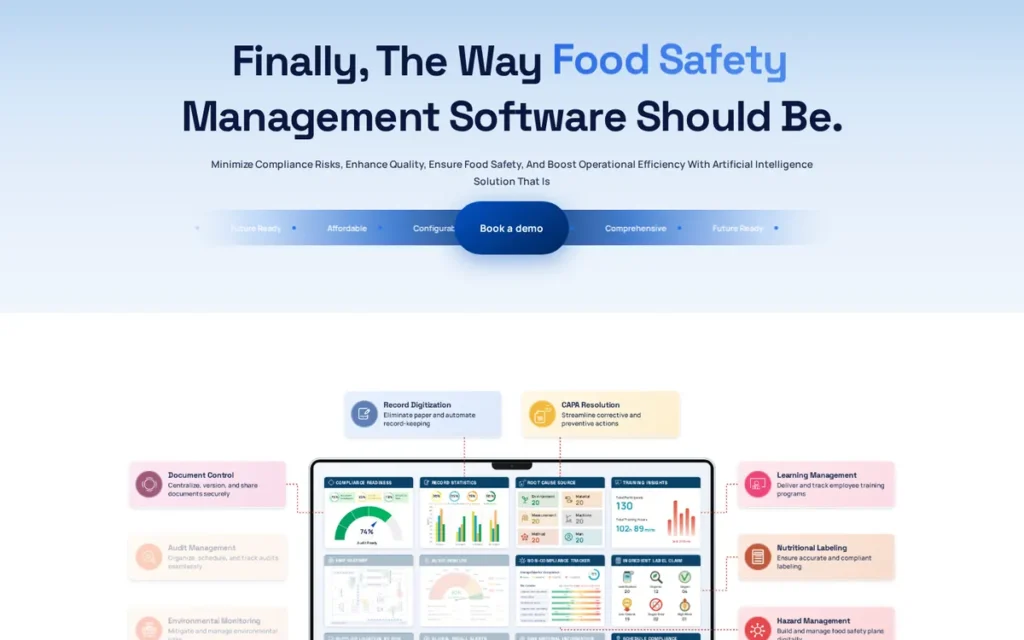
PlugRoute Score: 3.63/5: Workflow Depth 4.5 | Review Evidence 3.5 | Customer Outcomes 3 | Pricing Transparency 3 | Frontline Usability 3 | Regulatory Coverage 4.5
Score Drivers: Smart Food Safe scores near the top on workflow depth and regulatory coverage (both 4.5/5). Smart Food Safe is held back by a smaller review base (3.5/5) and no published dollar pricing (3/5).
Category: Plant-Floor Quality Platform, manufacturer-grade software that connects food safety, quality and production data on the plant floor.
At a Glance
- Category: Plant-Floor Quality Platform
- Best For: Small and midsize food manufacturers preparing for or maintaining SQF or BRCGS certification
- Price Range: Pricing on request (modular per-feature pricing, unlimited users per facility, 2026)
- Primary Strength: Smart Food Safe offers 18+ modules, sold separately and covering everything from HACCP and CAPA to supplier, recall and environmental monitoring, with unlimited users per facility.
- Biggest Limitation: Smart Food Safe reviewers report tedious onboarding, slow performance with large files and mobile buttons that are too small.
- One-Line Summary: Smart Food Safe is a modular food safety and quality platform that PlugRoute ranks as the best fit for small and midsize manufacturers working toward SQF or BRCGS certification in 2026.
- Last Verified: November 2026
Overview
Smart Food Safe is a modular food safety and quality management platform for small and midsize food manufacturers preparing for SQF or BRCGS audits. Teams buy only the Smart Food Safe modules they need, and every user at a facility gets access at no extra cost.
Smart Food Safe was founded in 2017 in Montreal, and its CEO is Prasant Prusty. Smart Food Safe’s modules include environmental monitoring and supplier approval tools alongside HACCP and CAPA.
Key Features
- Smart Food Safe’s Smart HACCP module builds hazard analyses, risk matrices, process flows and CCP/PCP decisions.
- Smart Food Safe includes Smart Record, Smart Supplier, Smart CAPA, Smart Audit and Smart Docs modules for daily records, supplier approval and audits.
- Smart Food Safe offers modules for traceability, recall, environmental monitoring, labeling, lab work and training.
- Smart Food Safe claims support for FDA, USDA, CFIA, Codex, SQF and BRCGS requirements.
- Smart Food Safe lists a native ChatGPT connection among its features.
Best For
Smart Food Safe is best for small and midsize processors that are moving off paper to prepare for SQF or BRCGS audits and want to add modules gradually without per-user fees.
Strengths
- Smart Food Safe helped Rogers Poultry Co. cut time spent on quality-control verification by 30%, according to its GFSI and HACCP coordinator (Smart Food Safe, vendor-published, accessed November 2026).
- Smart Food Safe is rated easier to set up and use than SafetyChain, with better support, by reviewers in G2’s head-to-head comparison (G2, user review, November 2026).
- Smart Food Safe holds a 4.6/5 G2 rating across 42 reviews and a 4.5/5 Capterra rating across 12 reviews. Its Capterra scores are 4.9/5 for customer service and 4.2/5 for ease of use (G2 and Capterra, user review, November 2026).
- Smart Food Safe customers, including CWD, Shogun Maitake Canada and Tippin’s Gourmet Pies, say it made SQF documents and audits easier (Smart Food Safe, vendor-published, accessed November 2026).
Limitations
- Smart Food Safe trades a polished interface for module breadth. Reviewers report tedious onboarding, slowness with large files and mobile buttons that are too small (G2, user review, November 2026).
- Smart Food Safe users on Capterra report forms with too many steps, hard document editing, some unfinished modules, and problems combining reports across sites (Capterra, user review, November 2026).
- Smart Food Safe makes bulk uploads of supplier and ingredient data difficult, according to G2 reviewers (G2, user review, November 2026).
- Smart Food Safe has 54 reviews in total, far fewer than the category leaders, and G2’s head-to-head reviewers still prefer SafetyChain overall.
Verdict
Smart Food Safe is the highest-scoring option for small and midsize manufacturers preparing for SQF or BRCGS in PlugRoute’s 2026 ranking, combining 18+ modules with unlimited users per facility.
Smart Food Safe suits processors that value responsive support and can live with some interface friction. Multi-site operators should test cross-site reporting and bulk data imports before signing.
What We Could Not Verify: Smart Food Safe’s dollar pricing, hardware requirements, offline mobile support, FSMA 204 traceability depth, mock-recall performance, headcount and any independent awards.
5. FoodDocs: Best for Small Food Businesses That Need a HACCP Plan
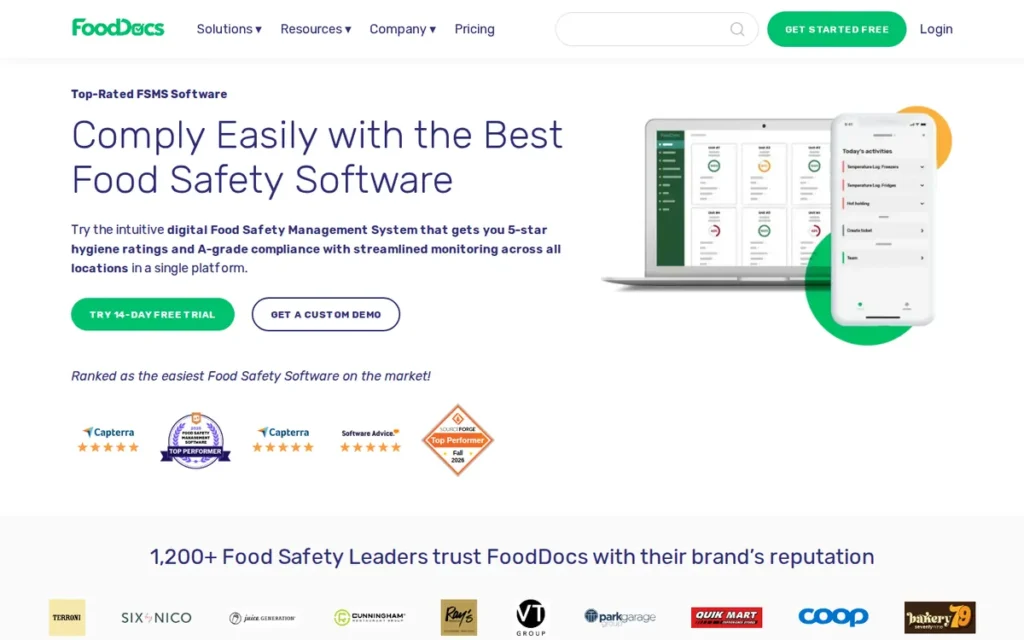
PlugRoute Score: 3.50/5: Workflow Depth 4 | Review Evidence 3.5 | Customer Outcomes 2 | Pricing Transparency 5 | Frontline Usability 3 | Regulatory Coverage 3
Score Drivers: FoodDocs shares top marks for pricing transparency (5/5) with SafetyCulture and scores 4/5 on workflow depth. FoodDocs is held back by unverified outcome claims (2/5) and a small review sample.
Category: HACCP Plan Builder, software that builds a HACCP plan from guided questions and turns it into daily monitoring tasks.
At a Glance
- Category: HACCP Plan Builder
- Best For: Single-site and small multi-site restaurants, caterers, retailers and small producers that need a HACCP plan created and digitized
- Price Range: $79–$299/site/month excluding VAT (Lite, Standard, Professional; annual or monthly billing); 14-day free trial (2026)
- Primary Strength: FoodDocs builds a HACCP plan from guided questions and converts it directly into daily mobile monitoring tasks.
- Biggest Limitation: FoodDocs reviewers report bugs in daily logging, best performance only in Chrome, and reporting that is still maturing.
- One-Line Summary: FoodDocs is the most price-transparent HACCP plan builder in PlugRoute’s 2026 ranking, best for small food businesses that need a working HACCP plan without hiring a consultant.
- Last Verified: November 2026
Overview
FoodDocs is an AI-assisted HACCP plan builder and digital monitoring system for small restaurants, caterers, retailers and small food producers. FoodDocs turns answers about the business into a hazard analysis, CCPs, flowcharts and SOPs, then creates mobile monitoring tasks from that plan automatically.
FoodDocs was founded in Tallinn, Estonia, by HACCP consultants Katrin Liivat and Karin Repp. FoodDocs raised a $2.4M round in 2022, led by Bonnier Ventures (Food Manufacture, news report, February 2022).
Key Features
- FoodDocs generates a hazard analysis, CCPs, flowcharts and SOPs from guided questions, reportedly in under an hour.
- FoodDocs automatically creates mobile monitoring tasks linked to the HACCP plan, so the plan doesn’t sit unused as a static document.
- FoodDocs supports temperature sensor integrations for automated logging.
- FoodDocs offers ingredient and batch traceability with recall search.
- FoodDocs provides a multi-location dashboard for operators with several sites.
Best For
FoodDocs is best for small food businesses, including restaurants, caterers and small producers, that need a HACCP plan written and connected to daily checks and want to know the price before a demo.
Strengths
- FoodDocs holds 4.9/5 ratings on both Capterra (28 reviews) and G2 (18 reviews), the highest average ratings in this ranking, although the samples are small (Capterra and G2, user review, November 2026).
- FoodDocs is one of only two products evaluated that publish full per-site pricing, and FoodDocs offers a 14-day free trial (FoodDocs pricing page, published pricing, November 2026).
- FoodDocs support helped one business meet a national distributor’s food safety requirements, according to a Capterra reviewer (Capterra, user review, November 2026).
- FoodDocs reports more than 30,000 users, mostly in the US and UK. FoodDocs’ figure counts users, not paying accounts (FoodDocs, vendor-published, accessed November 2026).
Limitations
- FoodDocs trades enterprise depth for fast, guided setup. Reviewers report bugs in daily logging, best performance only in Chrome, and reporting that is still being built (Capterra, user review, November 2026).
- FoodDocs plans still need human expertise. One business new to the US needed help with USDA protocols (Capterra, user review, November 2026).
- FoodDocs is “difficult for a one-person business” on price, according to one Capterra reviewer, and one G2 reviewer wanted a cheaper entry tier than Lite (Capterra and G2, user review, November 2026).
- FoodDocs is not available in every market. One G2 reviewer notes it is not offered in India (G2, user review, November 2026).
- FoodDocs’ “up to 25× efficiency” and “€20,466 saved” claims name no customer and no method, so PlugRoute treats them as marketing, not evidence.
This aligns with community sentiment on r/healthinspector:
“I recommend hiring a food safety consultant that is HACCP certified to create your plan for you. For your circumstance you are more than likely going to need lab testing as well. Ask your local health department if they have a list of approved food safety consultants. Don’t try to rip off a HACCP plan online that isn’t specific to your operation.” Posted by u/Look-Lost
Takeaway: A FoodDocs-generated HACCP plan is a starting draft, not a finished plan, because practitioners insist that plans be specific to the operation and checked by a certified expert.
Verdict
FoodDocs is the most price-transparent HACCP plan builder for small food businesses in PlugRoute’s 2026 ranking, and its plans turn directly into daily monitoring tasks.
FoodDocs suits operators who need a plan created, not just digitized. Have a qualified person review the generated plan against local requirements, and test daily logging on your own devices during the free trial.
What We Could Not Verify: Which FoodDocs tier includes sensors, its hardware pricing, offline support, FSMA 204 traceability depth, mock-recall performance and awards.
6. ComplianceMate: Best for Foodservice Where Cold-Chain Loss Is the Top Risk
PlugRoute Score: 2.80/5: Workflow Depth 3 | Review Evidence 2.5 | Customer Outcomes 3.5 | Pricing Transparency 2 | Frontline Usability 3.5 | Regulatory Coverage 2
Score Drivers: ComplianceMate scores best on customer outcomes and frontline usability (both 3.5/5), backed by named Hattie B’s results. ComplianceMate is held back by a 12-review sample (2.5/5), quote-only pricing (2/5) and narrow regulatory scope (2/5). ComplianceMate and TraceGains are 0.12 points apart and serve different buyers.
Category: Sensor-First Cold-Chain Monitor, hardware-led software that logs temperatures and sends alerts automatically, with digital checklists alongside.
At a Glance
- Category: Sensor-First Cold-Chain Monitor
- Best For: Restaurant groups, school districts and foodservice operators where refrigeration failure and inventory loss are the top risks
- Price Range: Pricing on request (one-time equipment and setup fees plus an annual subscription; competitor-sourced estimate $6,000–$20,000/year, 2026)
- Primary Strength: ComplianceMate pairs long-range wireless temperature sensors with a 24/7 call center that phones staff when thresholds are crossed.
- Biggest Limitation: ComplianceMate has a small review base (Capterra 4.8/5, 12 reviews), and reviewers report probes repeatedly losing connection.
- One-Line Summary: ComplianceMate is a sensor-first temperature monitoring and HACCP checklist system that PlugRoute ranks as the specialist pick for foodservice operators that prioritize 24/7 cold-chain alerts in 2026.
- Last Verified: November 2026
Overview
ComplianceMate is a sensor-first temperature monitoring and digital HACCP checklist system for restaurant groups, school districts and foodservice operators. ComplianceMate logs cold-holding temperature and humidity through long-range LoRaWAN sensors and phones staff around the clock when readings cross safe thresholds.
ComplianceMate is based in Lawrenceville, Georgia, and is now part of Ladle. ComplianceMate’s president is Steve Getraer.
Key Features
- ComplianceMate uses LoRaWAN wireless sensors to log temperature and humidity in walk-ins and cold holding, with a claimed range of up to 10 miles.
- ComplianceMate includes a 24/7 call center that phones staff when a temperature threshold is crossed.
- ComplianceMate’s receivers store sensor readings during power outages so records are not lost.
- ComplianceMate provides digital HACCP checklists with photo and video capture.
- ComplianceMate offers sensors for specialty equipment such as milkshake machines.
Best For
ComplianceMate is best for restaurant groups, school districts and foodservice operators that have lost, or cannot afford to lose, refrigerated inventory and want staffed 24/7 alerts rather than app notifications alone. ComplianceMate’s phoned alerts address a problem foodservice workers describe, that “alarms are loud but behind a door they can be pretty muffled” (r/FoodService, Reddit, accessed November 2026).
Strengths
- ComplianceMate helped Hattie B’s Hot Chicken save $35,000–$40,000 of food after a power outage and walk-in compressor failure (ComplianceMate, vendor-published, April 2025).
- ComplianceMate records helped Hattie B’s show its food safety procedures after a customer illness report (ComplianceMate, vendor-published, April 2025).
- ComplianceMate holds a 4.8/5 Capterra rating across 12 reviews, and reviewers praise its ease of use, reporting and responsive support (Capterra, user review, November 2026).
- ComplianceMate saved an unnamed school district more than $3,000 of food during a 30-day pilot (ComplianceMate, vendor-published, April 2025).
Limitations
- ComplianceMate trades breadth for hardware-led cold-chain protection, so sensor reliability is its most important trade-off. Capterra reviewers report probes repeatedly losing connection across 11 locations (Capterra, user review, November 2026).
- ComplianceMate users also report stale or mismatched dashboard readings and glitches after updates. Some say adding a note to an out-of-range alert can switch monitoring off (Capterra, user review, November 2026).
- ComplianceMate’s Capterra base is small at 12 reviews, so user sentiment carries lower confidence. No G2 profile was found, and some reviewers say the price could be better.
- ComplianceMate does not cover supplier or manufacturing workflows. Reddit operators note that sensors rarely cover every unit, so manual logs continue (r/FoodService, Reddit, accessed November 2026).
Verdict
ComplianceMate is the specialist choice in PlugRoute’s 2026 ranking for foodservice operators whose top food safety risk is refrigeration failure, offering staffed 24/7 phoned alerts that the app-only tools in this ranking do not.
ComplianceMate’s rank is held back by a small review sample, quote-only pricing and narrow scope, not by evidence of poor performance. Pilot the sensors on your own equipment, and get uptime and repair commitments in writing.
What We Could Not Verify: ComplianceMate’s hardware pricing, Bluetooth probe support, founding year, FSMA 204 traceability depth and mock-recall performance.
7. TraceGains: Best for Brands and Processors Managing Many Suppliers
PlugRoute Score: 2.68/5: Workflow Depth 2.5 | Review Evidence 2 | Customer Outcomes 3.5 | Pricing Transparency 1.5 | Frontline Usability 3 | Regulatory Coverage 4.5
Score Drivers: TraceGains scores high on regulatory and supplier coverage (4.5/5) and operates at meaningful network scale. TraceGains is held back by a narrow scope (2.5/5 on workflow depth), a small review sample (2/5) and no published pricing (1.5/5).
Category: Supplier Compliance Network, software that manages supplier documents, specifications and approvals through a shared supplier network.
At a Glance
- Category: Supplier Compliance Network
- Best For: Food brands and processors with large, complex supplier bases and heavy document, specification and COA workloads
- Price Range: Pricing on request (quote only for buyers; free for suppliers, 2026)
- Primary Strength: TraceGains cuts the work of collecting supplier documents through a shared network where suppliers post documents once for many customers.
- Biggest Limitation: TraceGains covers upstream supplier compliance, not plant-floor monitoring or restaurant logs, and has only 8 G2 reviews.
- One-Line Summary: TraceGains is a supplier compliance network that PlugRoute ranks as the specialist choice for food brands and processors managing hundreds of suppliers in 2026.
- Last Verified: November 2026
Overview
TraceGains is a networked supplier compliance platform for food brands and processors that run a supplier approval program across many suppliers. TraceGains manages supplier documents, certificate expiration dates, specifications, COA checks against specs, CAPA and audits through a network that suppliers join for free.
TraceGains was founded in 2008 in Westminster, Colorado, and was acquired by Veralto for approximately $350 million in October 2024 (Veralto, investor release, October 2024). TraceGains also runs Gather, a marketplace for finding suppliers.
Key Features
- TraceGains tracks supplier documents and certificate expiration dates.
- TraceGains automatically checks certificates of analysis (COAs) against ingredient specifications.
- TraceGains lets suppliers join for free and share a document once across many customers through PostOnce.
- TraceGains includes CAPA, audit management and FSMA support for supplier programs.
- TraceGains connects to ERP systems through an API, as C.H. Guenther did with SAP.
Best For
TraceGains is best for food brands, co-manufacturing networks and processors whose biggest compliance burden is collecting, checking and renewing documents from many suppliers.
Strengths
- TraceGains operates at network scale, with more than 1,500 clients, 100,000 supplier locations and over 600,000 ingredients and products (Equilar, company profile, accessed November 2026).
- TraceGains helped Baker & Baker cut supplier approvals from weeks to hours. A customer testimonial also reports a 75% drop in out-of-spec lots after COAs were digitized (TraceGains, vendor-published, accessed November 2026).
- TraceGains supports FSMA supplier programs at scale, and Organic Valley uses it to track 89 co-processing facilities (TraceGains, vendor-published, accessed November 2026).
- TraceGains holds a 4.1/5 G2 rating from 8 reviews and a 4.3/5 Microsoft Marketplace rating from 8 ratings. G2 reviewers praise buyer-supplier interaction, alerts and fast implementation (G2 and Microsoft Marketplace, user review, November 2026).
Limitations
- TraceGains trades breadth for supplier-side depth. It does not handle plant-floor CCP checks or restaurant logs, so most buyers will need a second system.
- TraceGains has too few reviews for confident conclusions: 8 on G2, 8 ratings on Microsoft Marketplace and no Capterra listing found (November 2026).
- TraceGains reviewers say the document area isn’t user-friendly and handles images poorly, some features need scripting, and notifications arrive daily (G2, user review, November 2026).
- TraceGains suppliers can depend on the buyer to fix badly configured requests, and one reviewer felt fixes favored higher-paying customers. The claim that 70–80% of suppliers are already on the network is the vendor’s own.
Verdict
TraceGains is the specialist supplier compliance choice in PlugRoute’s 2026 ranking for food brands and processors managing large supplier networks.
TraceGains should be evaluated as a supplier-quality layer that runs alongside a plant-floor or HACCP system, not as a replacement for one. Ask the vendor to check its network coverage against your own supplier list.
Users on r/WorkplaceSafety noted:
“In my experience no one system does what I want, the way I want it for each different thing and I don’t really need it in one place. Looking for safety meeting records, its in a folder on a network drive. Need training, its in the HRIS, inspections in Protoviti, incident reporting, its in an RMIS.” Posted by u/safetyhawk810
Takeaway: Compliance professionals already run a separate tool for each job, so TraceGains’ supplier-only scope is a workable trade-off for teams willing to pair it with a plant-floor system.
What We Could Not Verify: TraceGains pricing, its Capterra presence, FSMA 204 traceability depth, mock-recall performance and the 70–80% network-coverage figure.
How Do Food Safety Software Pricing Models Compare?
Food safety software uses five pricing models plus quote-only pricing, and only FoodDocs and SafetyCulture publish rates. Per-user pricing rises with headcount, while per-facility and per-site pricing rises with the number of locations. PlugRoute found no published hardware prices from any of the seven ranked vendors as of November 2026.
- Per facility: SafetyChain charges an annual subscription for each plant.
- Per seat: SafetyCulture charges for each user.
- Per site or location: FoodDocs and Jolt charge for each site.
- Per module: Smart Food Safe charges for each feature, with unlimited users.
- Hardware plus subscription: ComplianceMate charges one-time equipment and setup fees plus an annual fee.
- Quote only: TraceGains prices buyer accounts by quote alone.
| Product | Pricing Model | Published Pricing? | Hardware Dependency | Offline Support Documented? | Review Volume (Nov 2026) |
|---|---|---|---|---|---|
| SafetyChain | Per facility (annual) | No | Optional equipment integrations | Yes (iOS, Android, Windows) | 252 (G2 + Capterra) |
| SafetyCulture (now Mitti) | Per seat | Yes | Optional sensors (unpriced) | Yes (per Capterra reviewers) | 841 (G2 486 + Capterra 355) |
| Jolt | Per location, bundles | No (Capterra listing only) | Printers, probes, sensors (unpriced) | Not documented by vendor (test in trial) | 432 (G2 + Capterra) |
| Smart Food Safe | Per module, unlimited users | No | Not documented | Not documented by vendor (test in trial) | 54 (G2 + Capterra) |
| FoodDocs | Per site | Yes | Optional sensors (tier unverified) | Not documented by vendor (test in trial) | 46 (G2 + Capterra) |
| ComplianceMate | Equipment + setup + annual | No | Core (sensors, receivers) | Receivers store readings during outages | 12 (Capterra only) |
| TraceGains | Quote only | No | None documented | Not documented by vendor (test in trial) | 8 (G2) + 8 Microsoft Marketplace ratings |
Each vendor’s pricing documentation shows the following:
- SafetyChain sells Essential and Advanced tiers per facility, with Supplier Compliance as an add-on. SafetyChain says it charges no per-user, storage, mobile-device or support fees (SafetyChain, vendor-published, November 2026).
- SafetyCulture Premium costs $24 per seat per month billed annually, or $29 month to month, and Enterprise is custom (SafetyCulture and Restaurant Codex, published pricing, 2026).
- Jolt is listed from $89.99 a month on Capterra. One buyer reported a quote of $115 a month for one location on a 3-year contract (buyer-reported, 2026).
- Jolt’s full suite runs an estimated $89–$170 per location per month, according to outside comparison sites (Connecteam and Homebase, third-party estimate, 2026).
- Smart Food Safe prices each module separately, includes unlimited users per facility and claims “no hidden fees” (Capterra and G2 listings, vendor-published, 2026).
- FoodDocs costs $99, $199 or $299 per site per month for Lite, Standard or Professional. Billed annually, those fall to $79, $167 or $250, excluding VAT (FoodDocs pricing page, published pricing, November 2026).
- FoodDocs lists Standard at $1,999 a year, slightly less than $167 × 12 ($2,004), so confirm the exact figure before you buy.
- ComplianceMate’s only cost range, $6,000–$20,000 a year including hardware, comes from a guide by its competitor FoodReady (FoodReady, competitor-sourced estimate, 2026).
- TraceGains gives suppliers free network access, and PlugRoute found no reliable third-party estimate of what buyers pay.
At published 2026 annual rates, one restaurant site with 6 paid users would pay $1,728 a year for SafetyCulture Premium (6 × $24 × 12). The same site would pay $948 for FoodDocs Lite or $2,004 for FoodDocs Standard. None of these figures includes sensors or devices.
SafetyCulture Premium costs more per site than FoodDocs Lite once a site has four or more paid users ($96 vs. $79 a month). That makes headcount, not site count, the deciding factor between them. SafetyCulture Free covers up to 10 seats but only 5 active templates.
Budget planning should account for five hidden cost drivers:
- Hardware: Hardware costs add up because probes, sensors, gateways and label printers are priced separately or not published at all.
- Partial sensor coverage: A 31,000-student school district still logs reach-in freezers and milk coolers by hand despite remote alerts on its walk-ins (r/FoodService, Reddit, accessed November 2026). Budget sensors for every unit you must monitor.
- Add-on modules: Supplier compliance, traceability and advanced analytics are often sold as separate add-ons or tiers.
- Contract terms: Contract length matters because one Jolt buyer reported a 3-year term (buyer-reported, 2026). Check how cancellation and hardware failure are handled.
- Devices: Restaurant operators report needing “a dedicated tablet with a kid proof case” (r/restaurantowners, Reddit, accessed November 2026), a device cost most quotes leave out.
Does Food Safety Software Make You FDA, FSMA or HACCP Compliant?
No food safety software makes a business compliant on its own. Food safety management tools organize, schedule and timestamp the records that FDA, FSMA, HACCP and GFSI programs require. Compliance still depends on a sound food safety plan, trained staff and corrective actions that are actually carried out.
Food safety software is a recordkeeping system, not a compliance guarantee. It proves what was checked, not that the plan behind the checks is correct.
Food safety software helps in four ways:
- Software prompts the checks. Scheduled tasks and alerts reduce missed temperature logs and CCP checks.
- Software keeps records ready for audits. Digital logs speed up SQF, BRCGS and FSSC 22000 audit preparation.
- Software protects you after an incident. ComplianceMate’s records helped Hattie B’s show its food safety procedures after a customer illness report (ComplianceMate, vendor-published, April 2025).
- Software tracks corrective actions. CAPA workflows show what was fixed, by whom and when.
Food safety software has four limits:
- Software can’t write a correct plan without human expertise. An AI-generated HACCP plan still needs review by a qualified person.
- A ticked box alone can’t prove a check was physically done. Probe readings, photos or sensor data are needed to show it happened.
- Software can’t guarantee an inspection score. Inspection results depend on what staff do on site, not on the app.
- Software can’t make supplier-approval decisions for you. Practitioners describe supplier approval as a judgment based on risk and “the level of exposure you are willing to tolerate” (r/foodsafety, Reddit, accessed November 2026).
“Some apps guarantee a 5/5 hygiene rating and cost a lot and others are cheap. Do you get any use out of the apps past showing the inspector your weekly and daily checks are done?” (u/ErnestasMontvidas (r/restaurantowners, Reddit, accessed November 2026))
Takeaway: Operators doubt that apps add value beyond showing inspectors completed checks, so judge any tool on the records it produces, not on rating guarantees.
Food producers still put the basics first. A PMMI survey found that only 16% of producers use ERP in sanitation processes, and more than half name employee training as a major challenge (Food Safety Magazine, PMMI survey report, accessed November 2026).
Congress has directed FDA not to enforce the FSMA 204 Food Traceability Rule before July 20, 2028, and FDA has said it will comply. The rule’s formal compliance date of January 20, 2026 remains on the books while FDA finalizes a change (FDA, regulatory guidance, accessed November 2026).
What Red Flags Should I Watch For When Evaluating Food Safety Management Software?
The biggest red flags in food safety software are vendor claims and contract terms that run ahead of documented performance. The most common are guaranteed-compliance promises, quotes that leave out hardware, and traceability claims never tested live. Check every vendor on your shortlist against the six numbered red flags below before you sign.
Red Flag #1: Guaranteed Compliance or Hygiene-Rating Claims A vendor that guarantees an inspection score or regulatory compliance is making a marketing claim, not a product commitment. Compliance depends on what people do on site, and the software only records it.
Red Flag #2: Quote-Only Pricing That Excludes Hardware PlugRoute found no published hardware prices from any of the seven ranked vendors as of November 2026. SafetyCulture sells sensors through an online shop, but those prices were not verified. Ask for every probe, sensor, gateway and printer line item in writing.
Red Flag #3: Multi-Year Contracts Without Hardware Repair Commitments One Jolt buyer reported a 3-year contract (buyer-reported, 2026), and Capterra reviewers report Jolt printer repairs taking 2–3 months (Capterra, user review, November 2026). A long contract without guaranteed repair turnaround can leave you paying for a service you can’t use.
Red Flag #4: Tick-Box Checks With No Timestamp or Photo Proof A digital form that lets staff tick “done” without capturing a reading, timestamp or photo recreates paper-log habits on a screen. Look for probe integration, photo capture or sensor data that shows the check really happened.
A software engineer researching the restaurant compliance market on r/SaaS reported:
“What I found: most restaurants still use paper logs and clipboards for temperature monitoring. Staff back-fill entries before inspections.” Posted by u/Worldly-Bid-3591
Takeaway: Back-filled temperature logs are a known restaurant habit, so food safety software that only digitizes tick-boxes without readings or timestamps carries that weakness straight onto the screen.
Red Flag #5: Unnamed Efficiency or Savings Claims Claims such as “up to 25× efficiency” that name no customer and no method cannot be checked by a buyer. Give more weight to named, dated customer results, and remember that even those are vendor-published.
Red Flag #6: Traceability Claims Without a Live Mock Recall No vendor in this ranking has independently documented mock-recall performance or FSMA 204 traceability depth. Ask each vendor to run a timed mock recall on your own data during the demo before accepting any traceability claim.
What Questions Should I Ask Before Choosing Food Safety Management Software?
Ask every shortlisted vendor six questions before you choose food safety management software, and have each one answered live on your own devices and data. The questions cover offline corrective actions, total first-year cost, contract and hardware terms, mock-recall speed, multi-site reporting and who remains responsible for compliance.
Question #1: Can staff record a failed temperature check offline and trigger a corrective action? Ask the vendor to switch the device to airplane mode, log an out-of-range reading and show the corrective action syncing once the device reconnects. This test shows whether staff can complete checks during busy service or on a plant floor with poor Wi-Fi.
As one HACCP team leader on r/FoodSafetyPros described:
“I would highly recommend against having it only in one place, I also have each document the most current version as a print out just in case. So basically I have 3 copies, but I’m a HACCP team leader and need to make sure its all well covered and secure.” Posted by u/Lengurathmir
Takeaway: Experienced HACCP leads keep backup copies of their records outside any single food safety platform, so buyers should confirm offline access and export options before committing.
Question #2: What is the full first-year cost, including hardware, setup and add-on modules? Ask for an itemized total covering the subscription, implementation, hardware, every module you need and any per-user fees. Compare totals across vendors, because per-facility, per-site and per-seat models scale very differently.
Question #3: What are the contract term, cancellation and hardware replacement terms? Ask for the minimum contract length, the cancellation conditions and a written repair or replacement turnaround for hardware. These terms matter most when the subscription depends on printers or sensors working.
Question #4: Can you run a timed mock recall and export the records in the demo? Ask the vendor to trace one ingredient lot forward and back, against the clock, and export the result. No vendor here documents mock-recall performance, so a live test is the only reliable evidence available.
Question #5: Can I compare all my sites in one dashboard without exporting data? Multi-site operators should see reporting across locations or plants live in the demo. Reviewers of SafetyChain and Smart Food Safe report limits on cross-site reporting, and SafetyCulture reviewers cite limited dashboard customization (G2 and Capterra, user review, November 2026).
Question #6: Which regulatory frameworks and GFSI schemes do you support, and what remains my responsibility? Ask the vendor to name the frameworks it supports, such as FSMA, USDA, SQF, BRCGS or FSSC 22000, and which compliance tasks stay with you. A clear answer separates organizing records from making a business compliant.
How Did We Rank These Food Safety Management Software Tools?
PlugRoute scored each product from 1 to 5 on six weighted criteria, using only dated research: G2 and Capterra data, vendor documentation, buyer-reported pricing and Reddit sentiment. The weighted total sets the rank. The evaluation is based on documents and reviews, not hands-on testing, and every score is published below.
PlugRoute used six criteria:
- C1 Food Safety Workflow Depth (25%): This criterion scores documented coverage of HACCP, monitoring, temperature capture, CAPA, audits, supplier controls, traceability and document control, because buyers need their core tasks covered.
- C2 Independent Review Evidence (20%): This criterion combines G2 and Capterra ratings with review volume, because review platforms are the most consistent outside signal in this category.
- C3 Documented Customer Outcomes (15%): This criterion rewards named customers with quantified results, because buyers want proof from operations like theirs.
- C4 Pricing Transparency (15%): This criterion gives published pricing the highest score and deducts points for contract lock-in or hidden hardware costs, because buyers need a realistic budget.
- C5 Frontline Usability and Rollout Effort (15%): This criterion scores offline support, implementation time and recurring complaints, because checks only matter if staff complete them.
- C6 Regulatory and Supplier/Traceability Coverage (10%): This criterion scores documented FSMA, USDA and GFSI support and supplier tooling, because regulated processors need coverage that holds up in an audit.
| Rank | Product | C1 | C2 | C3 | C4 | C5 | C6 | Weighted Total |
|---|---|---|---|---|---|---|---|---|
| 1 | SafetyChain | 5 | 4.5 | 5 | 2.5 | 4 | 5 | 4.38 |
| 2 | SafetyCulture (now Mitti) | 3 | 5 | 2 | 5 | 4.5 | 2.5 | 3.73 |
| 3 | Jolt | 4 | 4.5 | 4.5 | 2.5 | 3 | 2.5 | 3.65 |
| 4 | Smart Food Safe | 4.5 | 3.5 | 3 | 3 | 3 | 4.5 | 3.63 |
| 5 | FoodDocs | 4 | 3.5 | 2 | 5 | 3 | 3 | 3.50 |
| 6 | ComplianceMate | 3 | 2.5 | 3.5 | 2 | 3.5 | 2 | 2.80 |
| 7 | TraceGains | 2.5 | 2 | 3.5 | 1.5 | 3 | 4.5 | 2.68 |
Weighted totals are rounded to two decimals.
The Pricing Transparency (C4) scores rest on these rationales:
- SafetyCulture and FoodDocs score 5 because both publish full prices.
- Smart Food Safe scores 3 because it documents its pricing model and an unlimited-users inclusion but publishes no dollar figures.
- SafetyChain scores 2.5 because it documents its model and fee exclusions but publishes no dollar figures.
- Jolt scores 2.5 because its Capterra listing price is offset by a buyer-reported 3-year contract.
- ComplianceMate scores 2 because its only cost estimate comes from a competitor, and TraceGains scores 1.5 because no estimate exists.
- Smart Food Safe would still rank above FoodDocs if scored 2.5 on C4, because its total would fall only to 3.55.
The review base behind each C2 score varies widely: 841 reviews for SafetyCulture, 432 for Jolt, 252 for SafetyChain, 54 for Smart Food Safe, 46 for FoodDocs, 12 for ComplianceMate and 8 G2 reviews plus 8 marketplace ratings for TraceGains.
PlugRoute applies five evidence labels:
- Vendor-published evidence includes case studies, testimonials and website claims, which PlugRoute labels as non-independent.
- User review evidence includes G2, Capterra and Microsoft Marketplace ratings and comments checked in November 2026.
- Buyer-reported evidence includes individual quotes or contract terms shared by buyers.
- Third-party estimate evidence includes pricing ranges from independent comparison sites.
- Competitor-sourced estimate evidence includes figures from a rival vendor’s content, which may be biased.
Three caveats apply to the scores:
- PlugRoute treats small review samples as lower confidence, not as negative sentiment.
- PlugRoute notes that review-platform ratings partly reflect how actively a vendor encourages reviews.
- PlugRoute could not verify FSMA 204 depth or mock-recall capability for any ranked product, so no product gained or lost points on them.
PlugRoute considered these tools but did not rank them:
- Safefood 360°, FoodReady, Crunchtime Ops Execution, Xenia and Safe Food Pro appeared in AI answer-engine responses but were not researched to equal depth, so they are flagged for the next refresh.
- Trustwell FoodLogiQ, Zip HACCP, Squadle, Intertek Alchemy and Redzone had less review-platform data than the ranked products.
- HACCP Builder and Smart HACCP have no G2 reviews. This Smart HACCP is a standalone product, not the Smart Food Safe module of the same name.
PlugRoute has no affiliate relationships with any company listed, and rankings are determined entirely by research data and objective evaluation criteria.
What Are Common Questions About Food Safety Management Software?
The most common buyer questions are which tool fits restaurants and small businesses, which fits manufacturers, and how PlugRoute sets its rankings. Each answer below opens with a direct recommendation drawn from PlugRoute’s 2026 scoring. By operation type, the starting points are:
- Restaurant chains should start with Jolt.
- Small restaurants that need a HACCP plan should start with FoodDocs.
- Free or budget-limited teams should start with SafetyCulture (now Mitti).
- Operators where cold-chain loss is the top risk should start with ComplianceMate.
- Manufacturers should start with SafetyChain or Smart Food Safe, adding TraceGains for supplier compliance.
What is the best food safety management software for restaurants and small businesses that need a HACCP plan?
Jolt is best documented for multi-unit restaurant chains. FoodDocs suits small restaurants that need a HACCP plan written, from $79 per site per month billed annually. SafetyCulture (now Mitti) offers a free tier for up to 10 seats if you can build your own controls. ComplianceMate fits operators whose biggest risk is refrigeration failure.
What is the best food safety management software for food manufacturers?
SafetyChain is the highest-scoring choice for food manufacturers in PlugRoute’s 2026 ranking, especially for plants that want quality data tied to production. Smart Food Safe suits small and midsize plants preparing for SQF or BRCGS. TraceGains adds supplier compliance for brands with many suppliers, usually alongside a separate plant-floor system rather than replacing one.
How does PlugRoute determine its food safety software rankings?
PlugRoute scores each product from 1 to 5 on six weighted criteria: workflow depth, independent review evidence, customer outcomes, pricing transparency, frontline usability and regulatory coverage. Scores use only dated research and labeled evidence. The weighted total sets the rank, and every product’s scores are published so readers can re-weight them for their own priorities.
What Do Key Food Safety Management Software Terms Mean?
People comparing food safety software run into the same regulatory, quality and hardware terms again and again. Knowing these twelve terms helps you read feature lists and quotes accurately and tell food-specific platforms apart from general checklist apps. It also helps you ask sharper questions in demos and trials.
HACCP (Hazard Analysis and Critical Control Points): A systematic method for identifying food safety hazards and controlling them at specific points in a process. Buyers should check whether software helps build the plan or only records the monitoring.
CCP (Critical Control Point): A step in food handling where a control can prevent a hazard or reduce it to a safe level, such as cooking or cold holding. Software should prompt CCP checks and flag readings outside the limits.
CAPA (Corrective and Preventive Action): A workflow for recording what went wrong, how it was fixed and how a repeat will be prevented. Auditors look for completed CAPA records, not just logged failures.
FSMA (Food Safety Modernization Act): The US law that shifted FDA food safety oversight toward prevention. Manufacturers should confirm which FSMA rules a tool supports.
FSMA 204 (Food Traceability Rule): An FDA rule requiring additional traceability records for certain high-risk foods. Congress has directed FDA not to enforce it before July 20, 2028, so check FDA’s current guidance before relying on any vendor claim.
GFSI (Global Food Safety Initiative): An industry body that benchmarks certification schemes such as SQF, BRCGS and FSSC 22000. Many retailers require suppliers to hold a GFSI-benchmarked certification.
SQF and BRCGS: Two widely used GFSI-benchmarked food safety certification schemes, each with its own audit requirements. Buyers preparing for either should confirm the software maps to that scheme’s records.
COA (Certificate of Analysis): A supplier document reporting test results for an ingredient lot. Software that checks COAs against specifications automatically cuts manual review and catches out-of-spec lots sooner.
SPC (Statistical Process Control): A method that charts production measurements to detect when a process drifts out of control. SPC helps quality teams catch problems before product goes out of spec.
OEE (Overall Equipment Effectiveness): A measure of how productively manufacturing equipment runs, combining availability, performance and quality. OEE matters to buyers who want food safety and production data in one system.
Mock Recall: A timed exercise that traces a product lot through the supply chain to test recall readiness. Buyers should run one live in a demo, because traceability claims are hard to verify any other way.
LoRaWAN: A low-power, long-range wireless protocol used by some temperature sensors. LoRaWAN can reach equipment that Wi-Fi or Bluetooth sensors may struggle to cover.
Which Food Safety Management Software Is Right for You?
Key Insights
- The right food safety management software matches your operation type first and your budget second, because no single tool is the universal best for restaurants, chains and plants.
- SafetyChain leads PlugRoute’s 2026 ranking on overall evidence, with a 4.38 weighted score built on review volume, named outcomes and regulatory coverage.
- SafetyCulture, Jolt, Smart Food Safe and FoodDocs are within 0.23 points of each other, so fit with your segment should decide among them.
- Only FoodDocs and SafetyCulture publish pricing, and PlugRoute found no published hardware prices from any ranked vendor.
- No ranked vendor independently documents mock-recall performance or FSMA 204 traceability depth, so run a live mock recall in the demo.
- Food safety software organizes and timestamps records but does not, by itself, make a business compliant.
By operation type, the starting points are:
- Manufacturers should start with SafetyChain or Smart Food Safe.
- Restaurant chains should start with Jolt.
- Small businesses should start with FoodDocs or SafetyCulture (now Mitti).
- Supplier-heavy brands should start with TraceGains.
- Operators most worried about cold-chain loss should start with ComplianceMate.
Plant operators that need certification readiness should compare SafetyChain and Smart Food Safe side by side on cross-site reporting and rollout effort.
Restaurant operators should decide which matters most: labeling and labor tools (Jolt), plan creation (FoodDocs) or staffed 24/7 cold-chain alerts (ComplianceMate).
Move from shortlist to decision in three steps:
- Shortlist two tools from the Quick Decision Framework table.
- Run Questions #1, #2 and #4 in both demos.
- Pilot on one site or one line for 30 days before signing any multi-year contract.
We update this guide quarterly. Last updated: November 2026. You can read PlugRoute’s full scoring methodology and other independent software reviews to build your shortlist.