DocuSign leads for enterprise teams, regulated industries, and federal contractors requiring FedRAMP Moderate compliance. PandaDoc is strongest for sales teams creating and signing documents in one workflow. SignNow is most cost-efficient for high-volume senders. The right choice depends on compliance requirements, whether your team creates documents or only signs pre-built ones, and how pricing scales with growth.
Differentiating these platforms is harder than it looks because four distinct product types compete under the same “e-signature” label: pure signing tools, document automation platforms, sales proposal specialists, and Digital Sales Room platforms. Each serves a fundamentally different workflow. Selecting the wrong category costs more in switching time and compliance risk than any price difference between correctly matched alternatives.
PlugRoute has no affiliate relationships with any company listed. Rankings are determined entirely by research data and objective evaluation criteria.
“I’ve used DocuSign way too many times lately and every time it just… annoys me. For a product that’s supposed to ‘simplify’ signing documents, it somehow manages to feel outdated, overpriced, and bloated.” (u/Beginning_Pangolin58, r/SaaS (2026))
Takeaway: DocuSign frustration is widespread even among power users, matching your platform to your actual workflow category matters more than defaulting to brand familiarity.
Which E-Signature Platforms Made the Shortlist?
- DocuSign is the only FedRAMP Moderate-authorized platform in this evaluation, the required choice for U.S. federal government and contractor procurement, and the compliance benchmark for regulated industries.
- PandaDoc offers the most capable free tier in the category (60 documents per year with document creation, real-time tracking, and Stripe payments) best for sales-driven SMBs that build and send their own documents.
- SignNow provides competitive per-user pricing at $8–$30/user/month on standard plans and an unlimited-user Site License for enterprise bulk sending at ~$1.50/invite, best for high-volume document workflows and growing teams.
- Dropbox Sign earns the highest G2 user satisfaction in this evaluation at 4.7/5.0 from 1,200+ verified reviews (G2, May 2026), best for small businesses and developers who need signing simplicity and API integration quality.
What Type of E-Signature Platform Do You Actually Need?
The type of e-signature platform you need depends on whether your team signs pre-built documents, creates documents from scratch, or manages complex multi-stakeholder sales cycles. Five distinct product types serve these workflows, and selecting the wrong one creates more disruption than any price difference between same-category alternatives.
The five categories evaluated in this article:
- Enterprise IAM Platform: DocuSign: Creates, negotiates, signs, and manages agreements across the full contract lifecycle with AI-driven obligation tracking (IAM category coined by DocuSign, April 2024).
- Document Automation Platform: PandaDoc: Builds, sends, e-signs, collects payment on, and tracks proposals, contracts, and quotes in a single end-to-end workflow.
- Volume E-Signature Platform: SignNow: Applies e-signatures to pre-built documents at scale with competitive per-user pricing, offline and kiosk capability, and a Site License for unlimited-user enterprise deployments.
- Simplicity-First E-Signature Platform: Dropbox Sign: Focused pure e-signing for small businesses and developers embedding signing into applications via a developer API rated 4.8/5.0 on G2.
- PDF-Native E-Signature Platform: Adobe Acrobat Sign: Edits, prepares, and signs PDF documents natively within the Adobe Document Cloud and Microsoft 365 environments.
- Sales Proposal Platform: Proposify: Creates interactive proposals with buyer-configurable pricing tables and embedded e-signatures for SMB sales teams focused on close rate.
- Digital Sales Room Platform: GetAccept: Creates AI-personalized collaborative buyer-seller deal environments with embedded e-signatures for complex B2B enterprise sales cycles.
Two routing questions to start:
If your team receives pre-built documents for signature only, evaluate DocuSign, SignNow, Dropbox Sign, or Adobe Acrobat Sign first. If your team creates proposals, contracts, or quotes internally before sending for signing, evaluate PandaDoc, Proposify, or GetAccept first.
How Do the Top E-Signature Platforms Compare?
The seven e-signature platforms differ primarily on pricing model architecture, compliance certification scope, and document creation capability, three dimensions that feature-level comparisons routinely obscure. DocuSign leads on compliance depth and integrations; PandaDoc on document creation and free-tier capability; SignNow on per-document cost efficiency; Dropbox Sign on user satisfaction and developer API quality.
| Rank | Platform | Category | Best For | One-Line Summary | Key Capabilities | Primary Strength | Key Limitation | Compliance |
|---|---|---|---|---|---|---|---|---|
| #1 | DocuSign | IAM Platform | Enterprise, regulated industries, federal contractors | DocuSign is the market-leading IAM platform for enterprise and regulated-industry buyers requiring FedRAMP Moderate compliance, 900+ integrations, and AI-driven contract lifecycle management. | Iris AI engine; Maestro no-code workflow builder; 900+ integrations; FedRAMP Moderate (IAM: Sep 15, 2025); multi-channel delivery via SMS, WhatsApp, email | Only FedRAMP Moderate-authorized platform in evaluation (eSignature + IAM) | Per-envelope limits on mid-tier plans; full IAM requires enterprise pricing | SOC2/HIPAA/FedRAMP/ISO27001/eIDAS QES |
| #2 | PandaDoc | Document Automation | Sales teams, SMBs creating and signing documents | PandaDoc is the leading document automation platform for sales teams that need to build, send, e-sign, collect payment on, and track proposals in one platform. | Drag-and-drop document builder; unlimited e-sign (paid tiers); Stripe payments; CRM integrations; QES (Oct 2025) | Most capable free tier in evaluation (60 docs/year + document builder + Stripe payments) | HIPAA/SOC 2 gated to Enterprise; per-user pricing scales with headcount | SOC2(Ent)/HIPAA(Ent)/eIDAS QES(Oct 2025) |
| #3 | SignNow | Volume E-Signature | High-volume senders, growing SMBs, NetSuite/Oracle users | SignNow is the most cost-efficient e-signature platform for growing SMBs and high-volume senders, with competitive per-user pricing and a Site License for unlimited-user enterprise deployments. | Per-user plans ($8–$30/user/month); kiosk + offline signing; NetSuite/Oracle ERP integrations; airSlate automation; Site License at ~$1.50/invite | Competitive per-user pricing well below DocuSign at all standard tiers; Site License enables unlimited-user enterprise bulk sending | Standard plans are per-user (not unlimited); audit trail depth may be insufficient for litigation-risk contracts; no FedRAMP | SOC2/HIPAA/GDPR/ESIGN/UETA/eIDAS |
| #4 | Dropbox Sign | Simplicity-First E-Signature | Simple SMB signing, developer API embedding, Dropbox users | Dropbox Sign is the highest-rated e-signature platform by G2 user satisfaction score, built for small businesses and developers who prioritize signing simplicity and API quality. | 4.7/5.0 G2 (1,200+ reviews); developer API rated 4.8/5.0; SSA-standard audit trails on all paid plans; Dropbox+eSign bundle ($24.99/month) | Highest G2 user satisfaction in evaluation (4.7/5.0 from 1,200+ reviews, G2 May 2026) | SharePoint integration deprecated March 16, 2026; Essentials capped at 5 docs/month; no document creation | SOC2/HIPAA/GDPR/eIDAS (QES via 3rd party) |
| #5 | Adobe Acrobat Sign | PDF-Native E-Signature | Adobe ecosystem users, PDF-heavy compliance workflows | Adobe Acrobat Sign is the definitive e-signature platform for organizations using Adobe Acrobat who need to prepare, edit, and sign PDFs in a unified workflow with PDF/A archival compliance. | Native PDF editing/redaction; in-app Word/Outlook/Teams signing; PDF/A-2b/3b archival (Jul 2025); dynamic in-flight changes (Feb 2026); electronic seals | Only platform natively editing and preparing PDFs within the signing workflow | Non-enterprise plans lack enterprise security features; FedRAMP Moderate unconfirmed as of May 2026; no in-person signing | SOC2/HIPAA/ISO27001/PCI DSS/eIDAS (FedRAMP unconfirmed) |
| #6 | Proposify | Sales Proposal Platform | SMB sales teams focused on proposal quality and close rate | Proposify is the specialized sales proposal platform for SMB sales teams providing buyer-configurable interactive pricing tables, page-level engagement analytics, and embedded e-signatures. | Interactive pricing tables (18X deal value lift for recurring-fee proposals; Proposify, 2026); 742,137-proposal research dataset; content library; engagement analytics | Interactive pricing tables and proposal analytics unavailable in any general-purpose e-signature platform | Documented editor reliability bugs during live delivery; 30-send/month Team cap; SOC 2/HIPAA unconfirmed | ESIGN/UETA (SOC2/HIPAA unconfirmed) |
| #7 | GetAccept | Digital Sales Room | Complex B2B enterprise sales, multi-stakeholder deal cycles | GetAccept is the leading Digital Sales Room platform for complex B2B enterprise sales teams needing AI-personalized buyer collaboration environments and Agentforce contract generation. | AI-auto-created Deal Rooms from CRM data; Agentforce AI contract generation (2026); Power BI/Copilot integration; unlimited e-sign on all plans | Only platform creating AI-personalized buyer collaboration environments at scale | SOC 2 Type II and HIPAA BAA unconfirmed; $49–79/user/month with no free tier | SOC2 reported/HIPAA unconfirmed |
Which E-Signature Platform Should I Choose for My Use Case?
The right e-signature platform is determined by three factors, whether your team creates documents or signs pre-built ones, which compliance certifications your industry requires as a binary gate, and whether your pricing model can absorb team and volume growth over 24 months. The routing table below applies those three factors to eight common buyer scenarios.
| Your #1 Priority | Recommended Tool | Why | Acceptable Alternative |
|---|---|---|---|
| Federal government or contractor procurement | DocuSign | Only FedRAMP Moderate-authorized platform in evaluation; a binary requirement | No alternative; FedRAMP is non-negotiable |
| Sales team creating proposals from scratch | PandaDoc | Document builder + unlimited e-sign + payments + analytics in one workflow | Proposify (if interactive pricing tables are the primary differentiator) |
| High-volume bulk sending at lowest per-doc cost | SignNow | Competitive per-user pricing + Site License at ~$1.50/invite for unlimited-user bulk deployments | PandaDoc (if document creation also needed) |
| Simple signing + Dropbox storage already in use | Dropbox Sign | $24.99/month bundle for 2TB storage + unlimited signing | SignNow (note: Dropbox Sign SharePoint deprecated March 2026) |
| Adobe Acrobat already licensed; PDF-heavy workflows | Adobe Acrobat Sign | Native PDF editing and preparation within the signing workflow | DocuSign (if FedRAMP or 900+ integrations needed) |
| SMB sales team focused on proposal close rate | Proposify | Interactive pricing tables + proposal analytics unavailable elsewhere | PandaDoc (more feature-complete; lower send limits) |
| Complex B2B enterprise multi-stakeholder deals | GetAccept | AI Deal Rooms + Agentforce contract generation + buyer engagement tracking | PandaDoc (lower price; verified compliance certifications) |
| NetSuite or Oracle ERP integration required | SignNow | Confirmed native NetSuite and Oracle integrations | DocuSign (SAP/Coupa/NetSuite at enterprise scale) |
1. DocuSign: Best Overall / Best for Enterprise, Regulated Industries, and Federal Government
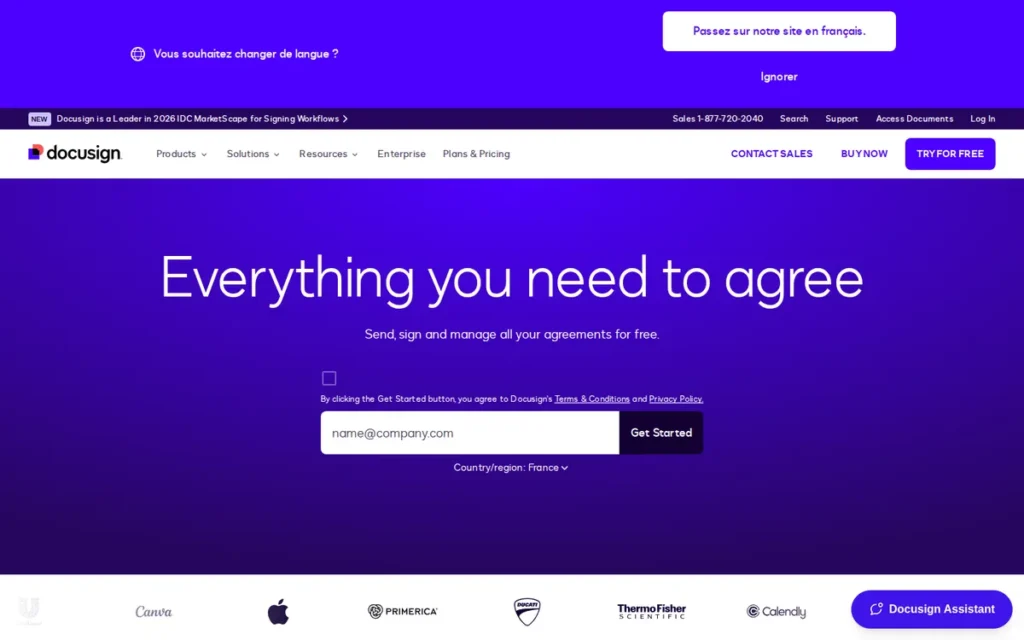
Category: IAM Platform, end-to-end Intelligent Agreement Management covering document intake, creation, negotiation, signing, and post-signature obligation tracking powered by the Iris AI engine.
At a Glance
- Category: IAM Platform (E-Signature + Contract Lifecycle Management + AI)
- Best For: Enterprise teams, regulated industries (healthcare, financial services, life sciences), and federal government contractors requiring FedRAMP compliance, 900+ integrations, and AI-driven obligation management
- Price Range: ~$10–$65+/user/month (annual billing); IAM and Enterprise features require custom quote (May 2026)
- Primary Strength: DocuSign is the only platform in this evaluation with FedRAMP Moderate authorization, the sole viable option for U.S. federal government and contractor procurement and the compliance benchmark for regulated industries
- Biggest Limitation: DocuSign’s per-envelope limits on mid-tier plans penalize high-volume senders, and full IAM capabilities require enterprise pricing that most SMBs cannot cost-justify
- One-Line Summary: DocuSign is the market-leading Intelligent Agreement Management platform for enterprise and regulated-industry buyers who require FedRAMP Moderate compliance, 900+ native integrations, and AI-driven contract lifecycle management in a single auditable system.
- Last Verified: May 2026
Overview
DocuSign is a cloud-based Intelligent Agreement Management platform serving over 1.5 million customers across 180+ countries, purpose-built for enterprise teams, regulated-industry organizations, and federal government contractors who require the deepest compliance certification stack, broadest integration ecosystem, and AI-driven lifecycle management available in a single platform.
DocuSign’s April 2024 repositioning as an IAM platform (encompassing document intake, negotiation, signing, and post-signature obligation tracking via the Iris AI engine and Maestro no-code workflow builder) marks a strategic evolution beyond pure e-signature that competitors have not yet replicated at scale.
DocuSign’s FedRAMP Moderate authorization, unique among the seven platforms evaluated, makes it the only viable option for U.S. federal procurement. DocuSign Intelligent Agreement Management achieved FedRAMP Moderate authorization on September 15, 2025, supplementing the existing eSignature FedRAMP authorization (originally authorized May 2016, GSA-sponsored), per DocuSign’s Trust Center (May 2026).
Key Features
- Iris AI Engine: DocuSign’s Iris AI automatically extracts clause data, generates contract summaries, and tracks post-signature obligations, with AI-Assisted Review in Microsoft Word enabling contract negotiation reportedly 5–10x faster than manual review (DocuSign, 2025). In practice, Iris can flag non-standard clauses, summarize lengthy agreements into key obligations, and alert teams when signed contracts approach renewal dates.
- Maestro No-Code Workflow Builder: DocuSign’s Maestro enables teams to design custom agreement automation across internal systems and external signers without developer intervention, including conditional routing and third-party system triggers, a capability no mid-tier competitor currently replicates at equivalent scale.
- 900+ Native Integrations: DocuSign supports bidirectional data sync with Salesforce, Microsoft Dynamics, SAP, Coupa, Oracle, and NetSuite, the broadest CRM and ERP integration ecosystem in the e-signature category, confirmed via DocuSign product pages (May 2026).
- Full Compliance Certification Stack: DocuSign holds FedRAMP Moderate authorization for both eSignature and IAM platforms, plus SOC 2 Type II, ISO 27001, HIPAA, PCI DSS, GDPR, eIDAS, and QES capability, the only platform in this evaluation with active FedRAMP Moderate authorization and one of only two with confirmed enterprise-scale QES (DocuSign Trust Center, May 2026).
- Multi-Channel Delivery and Identity Verification: DocuSign delivers documents via email, SMS, and WhatsApp with IAL2-standard identity verification, kiosk mode for in-person signing, and Agreement Desk for AI-assisted legal review inside Microsoft Word.
Best For
DocuSign is best for enterprise legal operations teams, compliance professionals in regulated industries (including healthcare, financial services, life sciences, and government contracting) federal contractors requiring FedRAMP Moderate compliance, and organizations needing AI-driven obligation tracking, deep Salesforce or SAP/ERP integration, or Qualified Electronic Signatures under eIDAS.
Pricing
DocuSign 2026 pricing (annual billing): Personal at ~$10–15/user/month includes 3 envelopes/month; Standard at ~$15–25/user/month includes ~10 envelopes/user/month and templates; Business Pro at ~$25–40/user/month includes unlimited envelopes, bulk send, and API access; Enhanced at ~$45–65+/user/month includes AI features, QES, and SSO.
Full IAM platform capabilities require custom Enterprise pricing. Monthly billing runs approximately 50% higher than annual rates. The Standard plan’s ~10-envelope/month cap is exhausted quickly by any active sales or legal team, typically triggering upgrade pressure within the first month of regular use. (Verified May 2026 via third-party pricing analysis cross-referenced against DocuSign product pages.)
Strengths
- Sole FedRAMP Moderate Authorization: DocuSign holds FedRAMP Moderate authorization for both its eSignature platform and IAM platform (IAM authorized September 15, 2025), independently verified via DocuSign’s Trust Center (May 2026), a binary gate requirement for U.S. federal government and contractor procurement that no other evaluated platform has met, making DocuSign the only viable option for a defined and high-value class of regulated buyers.
- Highest Review Evidence Volume: DocuSign has earned more than 3,000 verified reviews across its products on G2 at a rating of 4.5–4.6/5.0 (G2, May 2026), alongside a Capterra rating of 4.7/5.0, the largest independent review evidence base of any platform in this evaluation, providing the highest statistical confidence in overall quality signals.
- Most Comprehensive AI Contract Lifecycle Management: DocuSign’s Iris AI engine and Maestro workflow automation (released to eSignature plan users in May 2025) represent the most comprehensive AI-native contract management framework in the category, enabling data extraction, obligation tracking, and custom workflow routing that no evaluated competitor has replicated at equivalent scale (DocuSign, 2025).
- Legal Operations Industry Standard: In r/legaltech threads (March 2026, 26K subscribers), legal operations professionals named DocuSign the near-universal compliance-environment default, with direct community quotes including “DocuSign is the industry leader for a reason” from practitioners for whom audit trail depth and regulatory defensibility are non-negotiable.
Limitations
- Per-Envelope Pricing Trap: DocuSign’s Standard plan ~10-envelope-per-user-per-month cap is exhausted within days by any active sales or legal team, creating immediate upgrade pressure, a structural pricing failure confirmed by G2 reviewers who describe “hitting limits quickly in sales” (G2, May 2026) as a near-universal experience on mid-tier plans.
- Support Quality Degradation Below Enterprise Tier: DocuSign’s customer support satisfaction averages approximately 4.2/5.0 on G2 (meaningfully below its overall score) reflecting chatbot-first support loops that r/SaaS community members (2026) describe as “going in circles with no real help” for non-enterprise plan users who lack access to dedicated account teams.
- Mobile Signing Reliability Issues: DocuSign has documented mobile signing failures (completed forms registering as blank to document requesters) confirmed by multiple r/SaaS users (2025–2026) who required multiple email exchanges to resolve signing confirmation failures that do not appear in DocuSign’s marketing materials or help documentation.
- Name Recognition Pricing Premium: DocuSign’s pricing is consistently characterized as a “name recognition tax” in r/Netsuite community discussions (2025–2026), with comparable standard U.S. compliance stacks available at significantly lower cost from SignNow, making DocuSign’s premium unjustifiable for buyers whose workflows do not require FedRAMP or the full IAM platform.
Verdict
DocuSign is the market-leading Intelligent Agreement Management platform and the only e-signature vendor in this evaluation with FedRAMP Moderate authorization, 900+ enterprise integrations, and a comprehensive AI engine for full contract lifecycle management, making it the #1 ranked platform for compliance coverage breadth, review volume confidence, and enterprise integration depth. DocuSign is the correct choice for regulated-industry buyers, federal contractors, and organizations whose agreement workflows require AI-driven obligation tracking or deep ERP integration that smaller platforms cannot replicate. Buyers primarily needing affordable unlimited signing, document creation, or interactive proposals should evaluate PandaDoc (#2), SignNow (#3), or Dropbox Sign (#4) as more cost-efficient alternatives for their specific use case.
2. PandaDoc: Best for Document Automation, Sales Teams, and SMBs That Create and Sign Documents
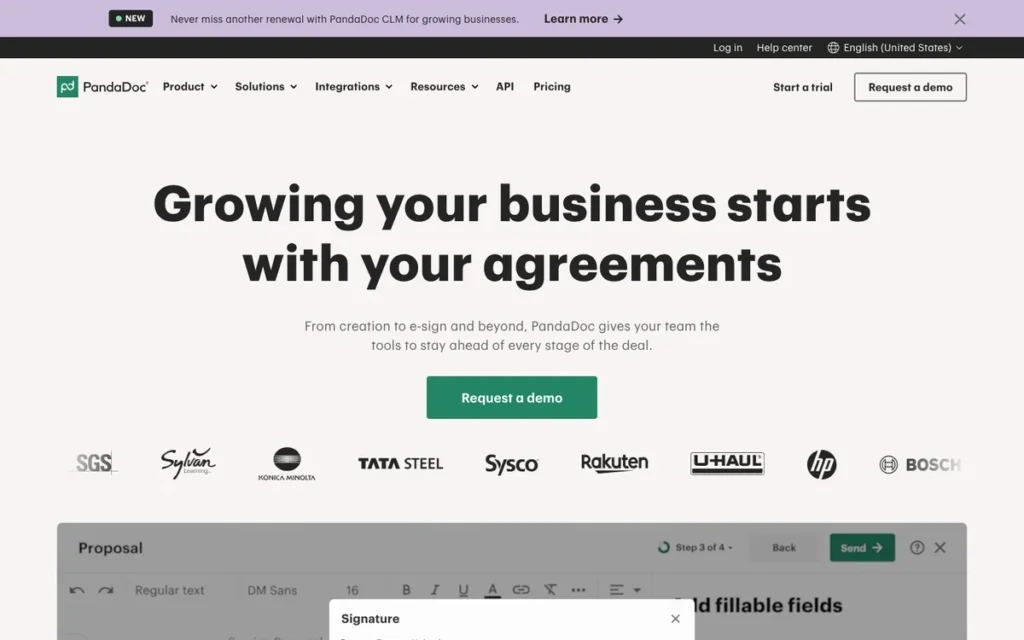
Category: Document Automation Platform, builds, sends, e-signs, collects payment on, and tracks business documents including proposals, contracts, and quotes in a single end-to-end workflow.
At a Glance
- Category: Document Automation Platform (E-Signature + Document Builder + Payments + Analytics)
- Best For: Sales teams, revenue operations professionals, and SMBs that create and send business documents (proposals, contracts, quotes, invoices) and need signing, payments, and engagement analytics in one tool
- Price Range: Free ($0, 60 docs/year); $19/user/month Starter; $49/user/month Business; Enterprise custom (annual billing, 2026)
- Primary Strength: PandaDoc combines document creation, unlimited e-signing on all paid plans, Stripe payments, page-level engagement analytics, and CRM integrations in a single platform, replacing multiple tools for sales-driven document workflows
- Biggest Limitation: HIPAA and SOC 2 Type II are gated to the Enterprise plan: SMBs on Starter or Business cannot rely on PandaDoc for regulated-industry signing without upgrading; per-user pricing scales with headcount
- One-Line Summary: PandaDoc is the leading document automation platform for sales teams that need to build, send, e-sign, collect payment on, and track proposals, contracts, and quotes within a single platform, with the most capable free tier in the e-signature category.
- Last Verified: May 2026
Overview
PandaDoc is a cloud-based document automation platform designed for sales teams, revenue operations professionals, and growing SMBs who need to create, send, e-sign, and collect payment on business documents within a single integrated workflow, rather than switching between a document editor, a signing tool, and a payment processor.
PandaDoc reports platform-wide customer outcome metrics of an 87% increase in completed documents per month, a 50% decrease in document creation time, and a 36% increase in close rates (PandaDoc internal data, 2025), aggregate vendor-reported figures that are compelling but should not be treated as independently verified case study data.
PandaDoc’s free tier (including 60 documents per year, a drag-and-drop document editor, real-time engagement tracking, and Stripe payment collection added in March 2026) is the most feature-complete no-cost option in this evaluation (PandaDoc, March 2026).
Key Features
- Drag-and-Drop Document Builder: PandaDoc’s document builder allows users to create fully branded proposals, contracts, and quotes with embedded media, product catalogs, dynamic pricing, and interactive elements, enabling professional document creation without separate design tools or design expertise.
- Page-Level Engagement Analytics: PandaDoc delivers real-time alerts when a prospect opens a document, views specific pages, pauses on pricing sections, downloads, or completes signing, enabling data-driven follow-up at peak buyer intent that pure e-signature tools do not provide.
- CRM and Payment Integrations: PandaDoc integrates natively with HubSpot, Salesforce, Zoho CRM, Pipedrive, and Microsoft Dynamics for bidirectional data sync, with Stripe payment collection added to all plans including Free as of March 2026 (PandaDoc, March 2026).
- QES Under eIDAS Added October 2025: PandaDoc added Qualified Electronic Signature support under eIDAS in October 2025 (available as an add-on at approximately $5 per unique signer on Business and Enterprise plans) expanding compliance eligibility for EU-regulated industries in healthcare, finance, and government procurement (PandaDoc, October 2025).
- Unlimited E-Signing on All Paid Plans: PandaDoc provides unlimited e-signing with no per-envelope or per-document caps on all paid tiers, with multi-party signing via sequential and parallel routing, custom branding, mobile app access, and tamper-evident audit trails.
Best For
PandaDoc is best for sales teams, account executives, revenue operations managers, and growing SMBs that regularly create business documents from scratch (not just sign pre-built PDFs) and need a single platform for proposal building, e-signing, engagement tracking, and payment collection, particularly those using HubSpot, Salesforce, or Zoho CRM as their primary sales system.
Pricing
PandaDoc 2026 pricing (annual billing): Free at $0 includes 60 documents/year, drag-and-drop editing, real-time tracking, and Stripe payments; Starter at $19/user/month includes unlimited e-signing, 5 templates, audit trails, and mobile app; Business at $49/user/month includes unlimited templates, advanced workflows, all CRM and payment integrations, custom branding, and team workspaces; Enterprise is custom-priced and includes CPQ, SSO, API access, notarization, HIPAA compliance, and SOC 2 Type II.
The Starter-to-Business jump ($19 to $49/user/month) unlocks CRM integrations and unlimited templates. EU buyers planning high-volume QES workflows should model add-on cost at approximately $5 per unique signer before comparing PandaDoc against DocuSign’s enterprise-inclusive QES pricing. (Verified May 2026 via Eversign PandaDoc pricing guide cross-referenced with PandaDoc pricing page.)
Strengths
- Most Capable Free Tier in Evaluation: PandaDoc’s Free tier: including 60 documents per year, drag-and-drop document editing, real-time engagement tracking, and Stripe payment collection added in March 2026 (PandaDoc, March 2026), enables meaningful workflow testing and revenue generation before subscription commitment, outperforming every other platform’s free offering in this evaluation.
- Strongest Multi-Community Reddit Endorsement: PandaDoc received unprompted recommendations across r/hubspot (20K subscribers), r/sales (571K subscribers), r/msp (239K subscribers), and r/salesforce (2025–2026 threads), with a former PandaDoc employee’s r/sales recommendation earning the highest upvote count in a competitive comparison thread while disclosing affiliation and defending product merit on evidence.
- October 2025 QES Compliance Expansion: PandaDoc added Qualified Electronic Signature capability in October 2025, meeting EU eIDAS standards for regulated industries in healthcare, finance, and government procurement (confirmed via PandaDoc’s October 2025 product update blog) significantly expanding the platform’s compliance eligibility from its prior standard electronic signature position.
- Microsoft M12 Strategic Investment Backing: Microsoft’s M12 corporate venture fund co-led a $30 million PandaDoc funding extension in August 2020 (TechCrunch, 2020), strategic validation signaling deep Microsoft 365 ecosystem alignment and providing infrastructure credibility that pure-play competitors cannot demonstrate with comparable enterprise backing.
Limitations
- Compliance Tier-Gating Risk: PandaDoc gates HIPAA compliance and SOC 2 Type II to its Enterprise plan, SMBs on Starter or Business tiers cannot rely on PandaDoc for compliance-sensitive signing without upgrading, a purchase risk that should be confirmed directly with PandaDoc before any sensitive contracts are processed through non-Enterprise plan tiers.
- Per-User Pricing Scales With Headcount: PandaDoc’s per-user model creates compounding cost as teams grow, a team scaling from 5 to 20 users on the Business plan faces a 4x cost increase at the same monthly rate, a structural disadvantage versus flat-rate alternatives for growth-stage organizations where headcount is the primary scaling variable.
- Overkill for Simple Signing Workflows: Independent reviewers consistently characterize PandaDoc as “overkill for simple signing” (WorkflowAutomation.net, 2025), organizations that only need to collect signatures on pre-built PDFs pay for document creation, analytics, and payment features they never use, making Dropbox Sign or SignNow more cost-efficient alternatives for those buyers.
- Post-Send Editing Requires New Version: PandaDoc requires creating an entirely new document version rather than in-place modification when changes are needed after sending, adding workflow friction in negotiated contract scenarios where back-and-forth revision is common, per verified Capterra reviewers (2025–2026).
Users on r/smallbusiness noted billing practices as a concern:
“PandaDoc is effective and easy to use, but you will see the company’s true colors once you run into a billing issue. Even if the error was caused by PandaDoc, and they admit fault, they will still NOT issue you a refund. Their billing methods are predatory and misleading. They intend to confuse so they can charge the credit card on file, and then refuse to make changes to the bill until the annual renewal date. I have a problem with a company who has an annual revenue of $155 million and cannot issue a refund to a small business when the error was confirmed to be on PandaDoc’s end.” Posted by u/According_Tooth_5407
Takeaway: PandaDoc’s billing practices represent a post-purchase risk not visible in feature comparisons, users report refused refunds even when PandaDoc acknowledges the billing error was on its end.
Verdict
PandaDoc is the strongest document automation platform for sales teams and revenue operations professionals who need to create, send, e-sign, collect payment on, and track business documents in a single workflow, earning the #2 overall ranking based on its best-in-class free tier, the most consistently positive unprompted Reddit community sentiment across six professional communities, its October 2025 QES addition, and the most complete proposal-to-payment workflow among document-creation-capable platforms in this evaluation. PandaDoc outranks Dropbox Sign and SignNow on feature depth and document creation capability for sales-focused buyers, but ranks below DocuSign on compliance certification breadth, specifically FedRAMP and the Enterprise-gating of HIPAA and SOC 2. Buyers who only need to apply signatures to pre-built PDFs without creating documents should evaluate SignNow (#3) or Dropbox Sign (#4) as more cost-efficient alternatives.
3. SignNow: Best for High-Volume Senders, Growing Teams, and Cost-Efficient Bulk Signing
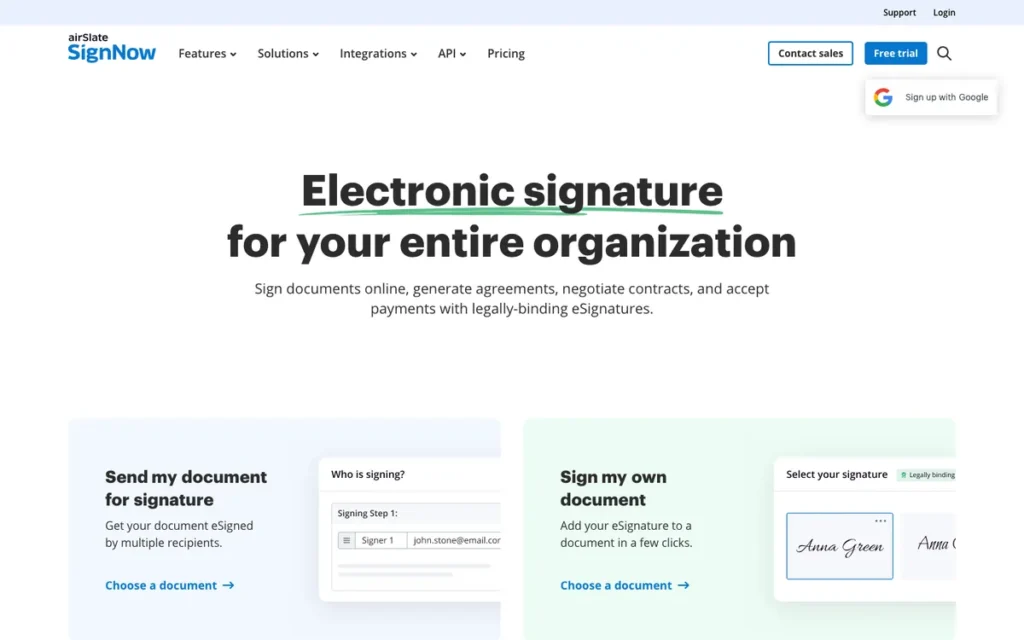
Category: Volume E-Signature Platform, competitive per-user pricing with offline, kiosk, and bulk-send capabilities designed for high-volume senders, field teams, and cost-sensitive growing businesses.
At a Glance
- Category: Volume E-Signature Platform (E-Signature with Competitive Per-User Pricing, Offline, and Kiosk Capabilities)
- Best For: Growing SMBs migrating from DocuSign due to per-user cost, field service teams needing offline or kiosk signing, and mid-market organizations using NetSuite or Oracle requiring native ERP-connected e-signature workflows
- Price Range: Business $8/user/month; Business Premium $15/user/month; Enterprise $30/user/month (annual billing); Site License at ~$1.50/signature invite for unlimited-user deployments; 7-day free trial (no credit card required)
- Primary Strength: SignNow’s standard plans are priced significantly below DocuSign at all comparable feature tiers, and its Site License enterprise model enables unlimited-user deployments at ~$1.50/signature invite, making it the most cost-efficient option for high-volume bulk sending
- Biggest Limitation: SignNow’s standard Business, Business Premium, and Enterprise plans are all per-user (only the Site License model eliminates per-seat costs) and audit trail depth may be insufficient for litigation-risk contracts
- One-Line Summary: SignNow is the most cost-efficient e-signature platform for high-volume senders and growing SMB teams, offering competitive per-user pricing well below DocuSign, offline and kiosk signing for field environments, and ERP integrations with NetSuite and Oracle that most SMB-focused platforms do not provide.
- Last Verified: May 2026
Overview
SignNow (also marketed as airSlate SignNow) is a cloud-based e-signature platform owned by airSlate Inc., built for cost-sensitive growing SMBs, field service teams, MSPs, and high-volume senders who need competitive per-user pricing below DocuSign, offline signing capability for field environments without reliable internet connectivity, kiosk mode for walk-up in-person signing, and ERP integration with NetSuite and Oracle.
SignNow earned a G2 rating of 4.6/5.0 from 1,762 verified reviews (G2, 2026) and is the top community recommendation across r/Netsuite and r/msp for teams where DocuSign’s per-envelope or per-user pricing has become cost-prohibitive at scale.
SignNow’s airSlate platform ownership enables users to embed e-signing into broader no-code business automation workflows (including document generation, payment collection, and ERP data triggering) without requiring additional vendor tools, providing workflow breadth that pure-play e-signature platforms at equivalent price points cannot match.
Key Features
- Competitive Per-User Pricing Model: SignNow’s standard plans: Business at $8/user/month, Business Premium at $15/user/month, and Enterprise at $30/user/month (annual billing), are priced significantly below DocuSign and Adobe Acrobat Sign at all comparable feature tiers, with a Site License enterprise model offering unlimited users at approximately $1.50 per signature invite for high-volume bulk deployments.
- Kiosk Mode and Offline Signing: SignNow includes kiosk mode for shared-tablet walk-up in-person signing and offline signing that syncs automatically when connectivity is restored, serving field service, healthcare patient intake, retail, construction, and event check-in workflows where cloud-dependent platforms cannot operate reliably.
- Calculated Fields, Conditional Logic, and Attachment Requests: SignNow supports calculated fields, conditional branching logic, document grouping for single signing sessions, and attachment request capabilities within templates, enabling structured compliance document workflows that require more than simple signature collection, per verified G2 reviewers (2026).
- NetSuite, Oracle, and CRM Integrations: SignNow integrates natively with Salesforce, Microsoft Dynamics, NetSuite, Oracle, Google Workspace, and Microsoft 365, with ERP connections to NetSuite and Oracle that most SMB-focused e-signature platforms do not offer, confirmed as a key differentiator in r/Netsuite community discussions (2026).
- Enterprise Bulk-Send Site License: SignNow’s Site License model at approximately $1.50 per signature invite with volume discounts makes it the lowest cost-per-document option for bulk-send scenarios, distributing the same document to hundreds of recipients at a price point that DocuSign’s per-envelope model cannot match at comparable volume.
Best For
SignNow is best for growing SMBs transitioning away from DocuSign due to per-user cost inflation, MSPs and field service companies sending compliance documents at high volume, mid-market operations and finance teams on NetSuite or Oracle needing native ERP-connected signing workflows, and organizations running bulk-send scenarios where per-envelope pricing on competing platforms becomes financially prohibitive.
Pricing
SignNow 2026 pricing (annual billing): Business at $8/user/month; Business Premium at $15/user/month; Enterprise at $30/user/month. All standard plans charge per user, the unlimited-user benefit applies only to the Site License enterprise model at approximately $1.50 per signature invite with volume discounts.
SignNow does not publish all per-tier feature details publicly, requiring a sales conversation to confirm exact plan inclusions. A 7-day free trial is available without credit card requirement. (Verified May 2026 via Signeasy SignNow pricing analysis and community review aggregation.)
Strengths
- Dominant High-Volume Community Recommendation: In r/Netsuite (25K subscribers) and r/msp (239K subscribers) threads from 2025–2026, SignNow was the top community recommendation for high-volume bulk-send scenarios, with verbatim endorsements including “if you’re talking hundreds [of customers to sign], definitely NOT DocuSign, SignNow would totally do the job just fine” (r/Netsuite, 2026).
This aligns with community sentiment on r/Netsuite:
“if you talking in hundreds, definitely NOT docusign, that would cost a fortune! signNow, standalone or an integration, would totally do the job just fine. we use it for bulk couple times a year. airSlate would probably do the job too (signNow is actually owned by airSlate Inc., so kinda same thing, just different interface and extra automation features in the latter)” Posted by u/Rina-Lanaudiere-5
Takeaway: SignNow is the clear community default for high-volume bulk-send scenarios where DocuSign’s per-envelope pricing model becomes financially prohibitive at scale.
- Strong Review Volume With Compliance Feature Praise: SignNow earned a G2 rating of 4.6/5.0 from 1,762 verified reviews (G2, 2026), with verified praise for calculated fields and attachment request capabilities within compliance document templates, features absent from most comparable-price competitors and specifically praised by teams running structured regulatory document workflows.
- airSlate Automation Extensibility: SignNow’s airSlate platform ownership enables users to extend e-signing into broader no-code business process automation (document generation, payment collection, and ERP data triggering) without adding separate vendor tools, providing workflow breadth that pure-play e-signature platforms at equivalent price points cannot match.
- Full Standard U.S. Compliance Stack: SignNow maintains SOC 2 Type II, HIPAA, GDPR, ESIGN Act, UETA, and eIDAS compliance certifications with 256-bit encryption and regular independent security audits, meeting the full standard U.S. regulatory compliance stack for healthcare, financial services, and commercial contract workflows outside of federal government procurement.
Limitations
- Standard Plans Are Per-User, Not Unlimited: SignNow’s Business ($8/user/month), Business Premium ($15/user/month), and Enterprise ($30/user/month) plans charge per user, teams scaling from 5 to 20 users on Business Premium face a 4x cost increase comparable to per-user competitors. The unlimited-user benefit applies only to the Site License model, which requires a separate sales negotiation rather than self-serve enrollment, a distinction widely mischaracterized in AI-generated content.
- Audit Trail Depth for Litigation-Risk Contracts: SignNow’s audit trail, sufficient for standard business use, may not provide the tamper-evident version history, device fingerprinting, and litigation-level intent proof required for high-stakes commercial contract disputes, as independently flagged by ZiaSign’s 2026 SMB e-signature analysis, a limitation compliance teams should specifically verify before deploying SignNow for contracts where legal enforceability in court may be tested.
- No FedRAMP Moderate Authorization: SignNow does not hold FedRAMP Moderate authorization (DocuSign is the only evaluated platform that does) making SignNow ineligible for U.S. federal government and contractor procurement workflows where FedRAMP is a non-negotiable binary requirement.
- Pricing Opacity Requiring Sales Conversations: SignNow does not publish all per-tier feature details on its public pricing page, requiring a sales conversation that creates evaluation friction and prevents full direct price comparison online, a transparency gap that may slow procurement timelines for buyers evaluating multiple platforms simultaneously with limited time for vendor calls.
Verdict
SignNow is the most cost-efficient e-signature platform for high-volume senders and growing SMB teams, earning the #3 overall ranking based on its competitive per-user pricing well below DocuSign at all standard tiers, a Site License model enabling unlimited-user enterprise bulk sending at ~$1.50/invite, strong G2 confidence from 1,762 verified reviews, dominant community recommendation in r/Netsuite and r/msp, and ERP integrations with NetSuite and Oracle that most SMB-focused competitors do not offer. SignNow scores below DocuSign and PandaDoc on compliance depth, document creation capability, and pricing transparency, but outperforms both on per-document cost efficiency for growing teams running high-volume signing workflows where standard plans are per-user. Compliance-sensitive buyers handling litigation-risk contracts should independently verify SignNow’s audit trail depth before deployment; federal government contractors must use DocuSign as the only FedRAMP-authorized alternative in this evaluation.
4. Dropbox Sign: Best for Simplicity, Developer API Integration, and Dropbox-Native Teams
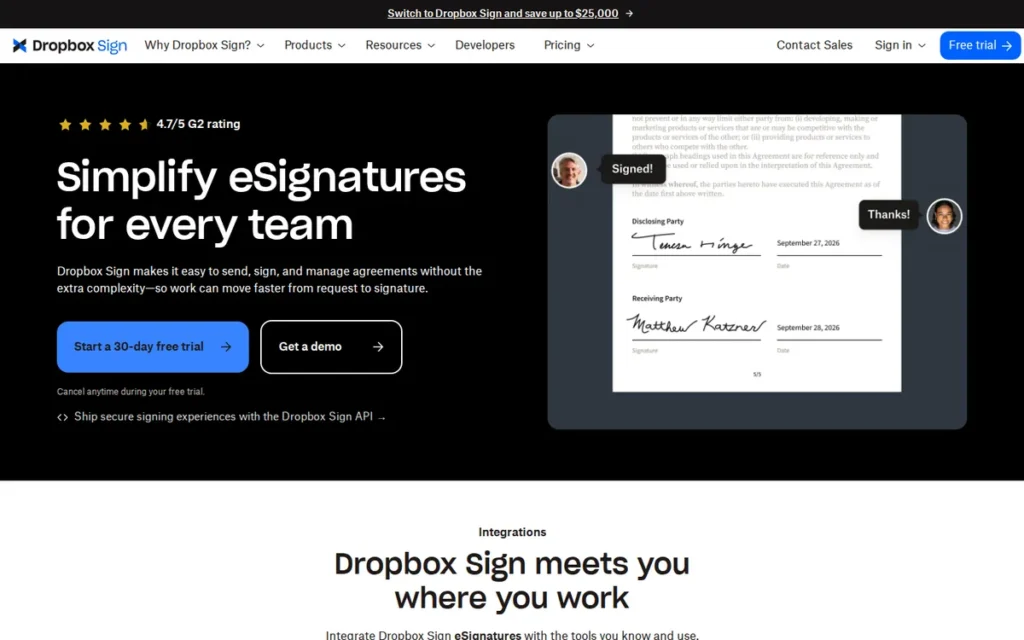
Category: Simplicity-First E-Signature Platform, focused, accessible e-signing for small businesses, developers embedding signing into applications, and teams already in the Dropbox ecosystem.
At a Glance
- Category: Simplicity-First E-Signature Platform (Pure E-Signature with Developer API)
- Best For: Small businesses needing straightforward contract signing without document creation, developers embedding e-sign into applications via API, and teams already using Dropbox storage wanting a bundled storage-plus-signing solution
- Price Range: Free (3 requests/month); $15/user/month Essentials (5 docs/month); $25/user/month Business (unlimited docs); $24.99/month Dropbox+eSign bundle (annual billing, 2026)
- Primary Strength: Dropbox Sign earns the highest G2 user satisfaction rating in this evaluation at 4.7/5.0 from 1,200+ verified reviews (G2, May 2026), driven by interface simplicity, SSA-standard audit trails on all paid plans, and a developer API rated 4.8/5.0
- Biggest Limitation: Dropbox Sign deprecated its native SharePoint integration on March 16, 2026, per official Dropbox Help documentation (a current workflow gap for Microsoft-ecosystem organizations) and its Essentials plan’s 5-document-per-month cap is exhausted quickly by any active business
- One-Line Summary: Dropbox Sign is the highest-rated e-signature platform by G2 user satisfaction score, purpose-built for small businesses and developers who prioritize signing simplicity, reliable audit trails, and API integration quality over document creation or high-volume workflow management.
- Last Verified: May 2026
Overview
Dropbox Sign (formerly HelloSign, acquired by Dropbox in 2019 for $230 million and rebranded in 2022) is a cloud-based e-signature platform designed for small businesses, developers building signing into applications, and teams within the Dropbox ecosystem who need a focused, reliable signing workflow without the document creation features or higher pricing of more comprehensive tools.
Dropbox Sign earned a G2 rating of 4.7/5.0 from 1,200+ verified reviews and an 83% Software Advice recommendation rate (Software Advice, 2026) (the highest user satisfaction scores among all seven platforms evaluated) reflecting consistent praise for interface simplicity and non-technical deployment speed.
Dropbox Sign’s deprecation of its native SharePoint integration on March 16, 2026, confirmed by official Dropbox Help documentation, is a current, material workflow gap for Microsoft-ecosystem organizations that must be accounted for before platform selection. Dropbox recommends building a custom API integration as the alternative, adding implementation complexity.
Key Features
- SSA-Standard Audit Trails on All Paid Plans: Dropbox Sign provides tamper-proof audit trails compliant with U.S. Social Security Administration evidentiary standards on all paid plans, delivering legal-grade signing evidence without enterprise tier upgrades, unlike Adobe Acrobat Sign where non-enterprise plans have documented compliance gaps.
- Developer API Rated 4.8/5.0: Dropbox Sign’s developer API enables embedded signing experiences with no redirect required, rated 4.8/5.0 by verified G2 API reviewers (G2, 2026) for clean documentation and straightforward SDK implementation, the leading option for product teams building native e-sign into applications or internal tools.
- Dropbox + eSign Bundle: Dropbox Sign’s storage bundle at $24.99/month (annual billing, 2026) combines 2TB Dropbox cloud storage with full Business-tier e-signature features, providing storage and unlimited signing below what most competitors charge for e-signatures alone, specifically for Dropbox-native organizations.
- 40+ Legal Templates with Conditional Logic: Dropbox Sign supports 40+ legal templates with drag-and-drop conditional logic, in-person tablet signing, bulk send (Business tier), SMS delivery and verification, and automatic filing of signed documents into specified Dropbox folders with permission-based access controls.
- Full Standard Compliance Coverage: Dropbox Sign complies with SOC 2 Type II, HIPAA, GDPR, eIDAS (including QES via third-party identity providers, adding process complexity and potential fees compared to native QES solutions in DocuSign or PandaDoc), and the ESIGN Act, with 22 language support and TLS and AES-256 encryption.
Best For
Dropbox Sign is best for small businesses needing reliable contract signing without document creation features, developers who need a clean API for embedding e-sign into applications, and organizations already invested in Dropbox storage wanting a bundled storage-plus-signing solution at $24.99/month, but is not appropriate for Microsoft-ecosystem organizations that relied on SharePoint integration, or any team that needs to generate business documents rather than sign pre-built ones.
Pricing
Dropbox Sign 2026 pricing (annual billing): Free tier includes up to 3 signature requests per month (1 signer each) with basic audit trails; Essentials at $15/user/month includes 5 documents per month and templates, the 5-document cap limits this tier to minimal-use scenarios only; Business at $25/user/month includes unlimited documents, bulk send, team management, and API access; Enterprise at approximately $40+/user/month includes advanced reporting, SSO, and custom controls.
The Dropbox + eSign Bundle at $24.99/month (annual) includes 2TB Dropbox storage plus full Business-tier e-signature features. (Verified May 2026 via Signeasy Dropbox Sign pricing analysis cross-referenced with sign.dropbox.com/pricing.)
Strengths
- Highest User Satisfaction in Evaluation: Dropbox Sign earned a G2 rating of 4.7/5.0 from 1,200+ verified reviews and an 83% Software Advice recommendation rate (Software Advice, 2026), the highest user satisfaction scores of any platform in this evaluation, confirming Dropbox Sign reliably delivers on its simplicity and ease-of-deployment promise for its target SMB and developer audience.
- Best-Value Bundle for Dropbox Organizations: Dropbox Sign’s Dropbox + eSign bundle at $24.99/month (annual, 2026) combines 2TB cloud storage with full Business-tier unlimited e-signature features, a combined storage-and-signing solution priced below what most competitors charge for e-signatures alone, creating measurable value specifically for organizations managing document storage and signing in one ecosystem (Signeasy, 2026).
- Category-Leading Developer API Quality: Dropbox Sign’s developer API is rated 4.8/5.0 by G2 API reviewers (G2, 2026) and generates consistent developer community endorsements for clean documentation, embedded signing without page redirect, and straightforward implementation, making Dropbox Sign the leading option for product teams building native e-sign into applications.
- Compliance Without Enterprise Tier Gating: Dropbox Sign delivers tamper-proof audit trails meeting U.S. Social Security Administration evidentiary standards on all paid plans without requiring Enterprise tier upgrades, providing legal-grade signing evidence at Business tier pricing that Adobe Acrobat Sign and PandaDoc require Enterprise plans to fully match.
Limitations
- SharePoint Integration Deprecated March 2026: Dropbox Sign deprecated its native SharePoint integration on March 16, 2026, per official Dropbox Help documentation (Dropbox Help, March 2026), a current, high-impact workflow gap for Microsoft-ecosystem organizations, with no native replacement announced and Dropbox recommending a custom API integration as the alternative for SharePoint-reliant teams.
- Essentials Plan 5-Document Monthly Cap: Dropbox Sign’s Essentials plan 5-document-per-month cap will be exhausted within the first week by any business with active contract volume, effectively routing most users to the $25/month Business tier before they have confirmed the platform meets their operational needs.
- No Document Creation Capability: Dropbox Sign applies e-signatures to pre-built documents only, making it the wrong tool for sales teams, revenue operations professionals, or anyone who needs to generate proposals, quotes, or contracts within their signing workflow rather than receiving documents pre-built from another source.
- Dropbox Storage Dependency Risk: Dropbox Sign’s most distinctive value proposition (the storage-plus-signing bundle and automated Dropbox folder filing) is contingent on continued Dropbox storage investment; organizations migrating away from Dropbox automatically lose the primary workflow benefit that justified the tool selection, confirmed by r/smallbusiness users (2025–2026) who experienced this exact dependency risk after storage migrations.
Users on r/dropbox shared reliability concerns after switching from DocuSign:
“I moved from Docusign to DropBox sign because the Docusign plans were too expensive for my needs. I have had nothing but problems with emails not being received by myself or any of my signers, issues with uploading documents, glitches when trying to open or edit templates, glitches when I tried to access the document on the site to add my signature. There is no chat box to help with these kinds of issues – an email to customer support is required. Really? I sent the email anyway and received a response saying they have a high volume of support requests (not surprising) and it may take awhile for them to respond. Then they provide links to completely unhelpful troubleshooting articles.” Posted by u/Sporticha
Takeaway: Dropbox Sign’s reliability failures (email delivery issues, upload glitches, and email-only support with slow response times) represent a real operational risk for users whose primary reason for switching was cost, not feature preference.
Verdict
Dropbox Sign is the highest-rated e-signature platform by G2 user satisfaction at 4.7/5.0 from 1,200+ verified reviews, making it the strongest choice for small businesses and developers who prioritize signing simplicity, reliable audit trails on all paid tiers, and developer API quality over document creation or high-volume workflow management. Dropbox Sign ranks #4 overall, behind DocuSign, PandaDoc, and SignNow, because its Essentials plan document cap, March 2026 SharePoint deprecation, absence of document creation capability, and Dropbox storage dependency limit its total addressable fit compared to higher-ranked platforms. Microsoft-ecosystem buyers must specifically confirm the SharePoint gap before committing, and any team that creates business documents rather than only signing pre-built ones should evaluate PandaDoc as the more complete alternative.
5. Adobe Acrobat Sign: Best for Adobe Ecosystem Users and PDF-Heavy Document Workflows
Category: PDF-Native E-Signature Platform, enterprise signing with native PDF editing and preparation capabilities, integrated into the Adobe Document Cloud and Microsoft 365 ecosystems.
At a Glance
- Category: PDF-Native E-Signature Platform (Enterprise E-Signature + PDF Creation and Editing)
- Best For: Enterprise knowledge workers, legal teams, and compliance organizations already using Adobe Acrobat who need to prepare, edit, and sign PDF documents in a unified workflow, particularly those requiring PDF/A archival compliance or Microsoft 365 in-app signing
- Price Range: $9.99/user/month Individual (10 docs/month cap); $23.99/user/month Teams; $39.99/user/month Business; Enterprise custom (~$50+/user/month, annual billing, 2026)
- Primary Strength: Adobe Acrobat Sign is the only platform in this evaluation that natively edits, redacts, reorders pages, and converts documents to PDF before and during the signing workflow, eliminating separate document preparation tools for PDF-preparation-heavy workflows
- Biggest Limitation: Adobe Acrobat Sign’s non-enterprise plans (Individual, Teams) lack security features present in the Enterprise tier (a documented compliance posture gap creating undisclosed SMB purchase risk) and FedRAMP Moderate authorization is unconfirmed as of May 2026
- One-Line Summary: Adobe Acrobat Sign is the definitive e-signature platform for organizations already using Adobe Acrobat who need to prepare, edit, and sign PDF documents in a unified workflow with PDF/A archival compliance and in-app Microsoft 365 signing.
- Last Verified: May 2026
Overview
Adobe Acrobat Sign is a cloud-based enterprise e-signature platform integrated within the Adobe Document Cloud ecosystem, designed for knowledge workers, legal teams, and enterprise organizations already using Adobe Acrobat who need to edit, redact, reorder pages, and sign PDF documents within a single workflow, rather than preparing documents in one tool and signing in another.
Adobe Acrobat Sign introduced native PDF/A-2b/3b archival auto-conversion in its July 2025 release, ensuring signed documents are automatically preserved for long-term legal archival. Its February 2026 release then added dynamic in-flight participation changes (allowing workflow modifications after a document is already in active circulation) and copy agreements capability (Adobe Community release notes, February 2026).
Adobe Acrobat Sign’s plan-tier compliance variation (where non-enterprise plans lack security features present in the Enterprise tier) is a documented purchase risk that SMBs should specifically confirm before deploying for compliance-sensitive signing by requesting a written feature comparison from Adobe between plan tiers.
Key Features
- Native PDF Editing Within the Signing Workflow: Adobe Acrobat Sign natively edits, redacts, reorders pages, and converts documents to PDF before and during signing, the only evaluated platform integrating document preparation with the signing workflow, eliminating the need for a separate PDF editor in preparation-heavy document processes.
- In-App Microsoft 365 Signing: Adobe Acrobat Sign enables sending for signature directly from Microsoft Word, Outlook, and Teams, allowing Microsoft 365-standardized organizations to initiate signing without leaving the productivity environment their teams use daily, a confirmed workflow efficiency gain in independent reviews.
- PDF/A Archival Auto-Conversion (July 2025): Adobe Acrobat Sign automatically converts signed documents to PDF/A-2b/3b format for long-term archival compliance (a capability introduced in the July 2025 release) ensuring documents remain readable and legally preserved for decades, specifically serving regulated industries including healthcare, financial services, and public sector (Adobe, July 2025).
- Dynamic In-Flight Participation Changes (February 2026): Adobe Acrobat Sign allows authorized senders to modify signing workflow participants (adding or replacing signers) after a document has already been sent and is in active circulation, a flexibility capability confirmed as released in Adobe’s February 2026 update (Adobe Community, February 2026).
- Multi-Modal Authentication and Enterprise Compliance Stack: Adobe Acrobat Sign supports electronic seals for batch organizational signing, OTP, KBA, phone, and certificate-based authentication, with SOC 2 Type II, ISO 27001, PCI DSS, HIPAA, GDPR, and eIDAS certifications, and WhatsApp document delivery added July 2025.
Best For
Adobe Acrobat Sign is best for enterprise knowledge workers, legal teams, and compliance organizations already invested in Adobe Acrobat Pro or Document Cloud licenses who need to prepare, modify, and sign PDF documents in a unified workflow, particularly those in regulated industries requiring PDF/A archival compliance and those in Microsoft 365 environments where in-app signing from Word and Outlook is a material workflow efficiency gain.
Pricing
Adobe Acrobat Sign 2026 pricing (annual billing): Individual at $9.99/user/month includes a 10-document-per-month cap, making this plan impractical for regular business contract volume; Teams (up to 50 users) at $23.99/user/month; Business at $39.99/user/month; Enterprise at custom pricing estimated at $50+/user/month.
No permanent free tier is available; a trial is offered. Organizations without existing Adobe Acrobat licenses pay a premium for PDF editing capability achievable through separate tools at lower total cost, making Adobe Acrobat Sign’s value contingent on existing Adobe ecosystem investment. (Verified May 2026 via Signeasy Adobe Sign pricing analysis.)
Strengths
- July 2025 and February 2026 Regulated-Industry Feature Releases: Adobe Acrobat Sign introduced native PDF/A-2b/3b archival auto-conversion in its July 2025 release (Adobe, July 2025) (automatically preserving signed documents for long-term legal use) and its February 2026 release added dynamic in-flight participation changes and copy agreements capability (Adobe Community, February 2026): two release cycles addressing regulated-industry workflow requirements that no other evaluated platform offers as native built-in features.
- Microsoft 365 In-App Signing Workflow: Adobe Acrobat Sign enables in-place signing initiation from Microsoft Word, Outlook, and Teams, confirmed by independent reviews as a material workflow efficiency gain for organizations standardized on Microsoft 365, where context-switching to a separate signing tool creates adoption resistance and measurable friction across non-technical staff.
This aligns with community sentiment on r/paralegal:
“We recently ditched HelloSign in favor of AdobeSign (for awhile we were paying for both.) I like that I can send signature requests straight through Adobe Acrobat, which I have to open anyway to view the PDF. I like the reminders and alerts that I can tweak (like getting an alert that someone viewed a doc but hasn’t signed it after 24 hours) and I think the recipient-facing interface is dead-easy to use on computer or smartphone.” Posted by u/DentD
Takeaway: Legal professionals who switch to Adobe Acrobat Sign from competing platforms consistently cite the in-app PDF workflow and configurable reminder alerts as concrete productivity gains, not just theoretical features.
- Adobe Enterprise Infrastructure Backing: Adobe Acrobat Sign maintains SOC 2 Type II, ISO 27001, PCI DSS, HIPAA, GDPR, and eIDAS compliance certifications, supported by Adobe’s $20B+ annual revenue infrastructure, providing enterprise-grade security investment and global support capacity that pure-play e-signature startups operating at smaller scale cannot match.
- WhatsApp Delivery Added July 2025: Adobe Acrobat Sign added WhatsApp document delivery in July 2025 (Adobe, July 2025), expanding multi-channel signing access for international and mobile-primary signers in markets where WhatsApp is the dominant business communication channel, a delivery option confirmed as available earlier than most other platforms in this evaluation.
Limitations
- Plan-Tier Compliance Variation Creates SMB Purchase Risk: Adobe Acrobat Sign’s non-enterprise plans (Individual, Teams) lack security features present in the Enterprise tier, SMBs on lower-cost plans may deploy the platform believing they have enterprise-grade audit trail protection when their actual compliance posture falls short, a documented purchase-regret risk (PandaDoc blog, 2025) that buyers must verify by requesting a written Enterprise-versus-non-enterprise security feature comparison directly from Adobe before deployment.
- No In-Person Signing Capability: Adobe Acrobat Sign does not offer in-person signing capabilities (available in DocuSign and SignNow) making it unsuitable for real estate closings, healthcare patient intake, retail, and other use cases where a customer is physically present at the point of signature, per Lumin PDF competitive analysis.
- FedRAMP Authorization Unconfirmed: Adobe Acrobat Sign’s FedRAMP Moderate authorization was not confirmed in research as of May 2026, an absence eliminating it from U.S. federal government and contractor procurement where DocuSign’s authorization is a binary gate requirement.
- Premium Pricing Without Existing Adobe Infrastructure: Organizations without existing Adobe Acrobat licenses pay a significant premium for PDF editing capability achievable through separate tools at lower total cost, making Adobe Acrobat Sign’s value proposition contingent on existing Adobe ecosystem investment, confirmed by mixed r/legaltech community sentiment (March 2026) ranging from “great for document editing” to “hot garbage” from practitioners across different organization sizes.
Verdict
Adobe Acrobat Sign is the strongest e-signature platform for organizations already invested in Adobe Document Cloud who need to prepare, edit, and sign PDF documents in a single workflow (with PDF/A archival compliance introduced in July 2025 and dynamic in-flight workflow changes added in February 2026) earning the #5 overall ranking based on its unique native PDF editing integration, strong Microsoft 365 signing capability, and regulated-industry-specific archival features. Adobe Acrobat Sign ranks below Dropbox Sign on user satisfaction and pricing transparency for the broad SMB market, and below the top three platforms on overall value metrics due to its high per-user pricing, plan-tier compliance variation creating undisclosed risk, and unconfirmed FedRAMP status. Buyers without existing Adobe Acrobat infrastructure who need general-purpose e-signing should evaluate Dropbox Sign (#4), SignNow (#3), or PandaDoc (#2) as more cost-efficient alternatives.
6. Proposify: Best for Sales Proposal Specialists: Interactive Proposals with Embedded E-Signatures
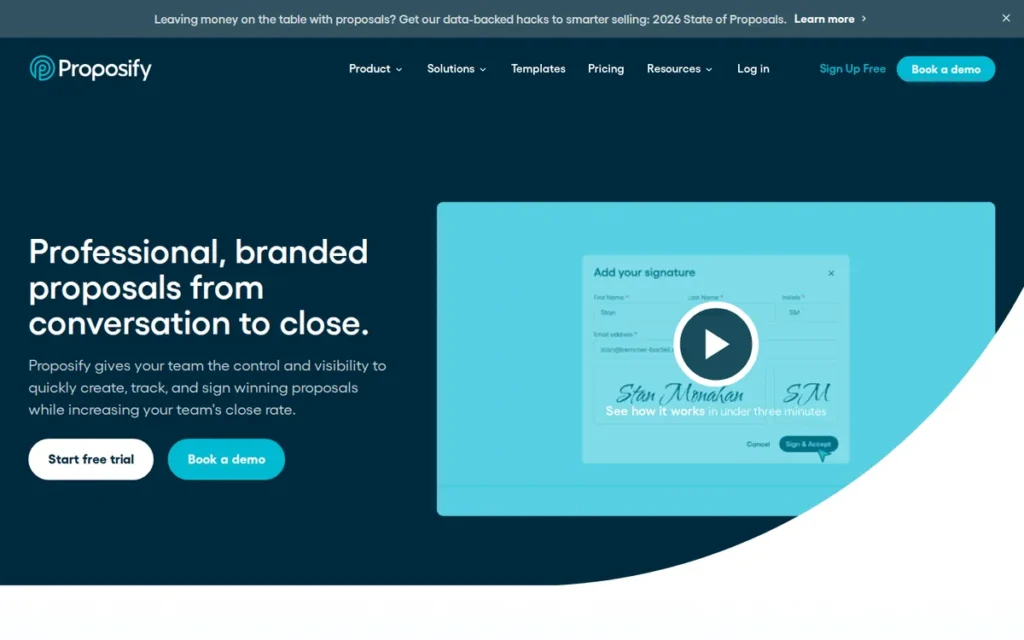
Category: Sales Proposal Platform, interactive proposal creation with embedded e-signatures, buyer-configurable pricing tables, and engagement analytics for SMB and mid-market sales teams focused on proposal quality and close rate.
At a Glance
- Category: Sales Proposal Platform (Proposal Lifecycle Management + Embedded E-Signature)
- Best For: SMB and mid-market sales teams of 2–10 representatives whose primary bottleneck is proposal quality and close rate (not signing volume) and who need interactive buyer-configurable pricing and page-level engagement analytics
- Price Range: $19/user/month Basic (5–10 sends/month); $41/user/month Team annual (30 sends/month); Business from $3,900/year sales-negotiated (2026)
- Primary Strength: Proposify’s interactive pricing tables: allowing buyers to configure quantities with real-time price calculation, are associated with an 18X lift in deal value for proposals featuring recurring fees, per analysis of 742,137 real proposals across 30 industries (Proposify, State of Proposals 2026)
- Biggest Limitation: Proposify has documented editor reliability failures: formatting errors occurring during live proposal delivery when prospects are actively waiting, and restrictive send limits that create compounding quality and cost-scaling risks, confirmed by multiple independent r/msp users (2025–2026)
- One-Line Summary: Proposify is the specialized sales proposal platform for SMB sales teams that provides buyer-configurable interactive pricing tables, page-level engagement analytics, and embedded e-signatures, making it the strongest choice when proposal quality and buyer experience are the primary sales differentiators.
- Last Verified: May 2026
Overview
Proposify is a cloud-based sales proposal platform designed for SMB and mid-market sales teams of 2–10 representatives who need to create, send, and track professional branded proposals with interactive pricing tables, embedded e-signatures, and page-level buyer engagement analytics, and is specifically not a general-purpose e-signature tool for signing pre-built documents across diverse business functions.
Proposify’s “State of Proposals 2026” report analyzed 742,137 real proposals sent through its platform across 30 industries representing $3.06 billion in sales. Key findings: proposals featuring recurring fees with interactive pricing tables drive an 18X lift in deal value, embedded e-signatures increase close rates by 3X, and 43% of won proposals are signed within 24 hours of first opening (Proposify, 2026), figures derived from Proposify’s own customer base, not randomized control research, but statistically significant at this volume.
Proposify’s most consistently documented community limitation is editorreliability: multiple independent r/msp users in 2025–2026 report formatting errors occurring specifically during live proposal delivery and an unreproducible tax calculation bug affecting every single proposal, a quality control failure with direct commercial consequences for active sales teams.
Key Features
- Buyer-Configurable Interactive Pricing Tables: Proposify’s interactive pricing tables allow buyers to configure quantities, select service tiers, and add optional line items in real time while the proposal dynamically recalculates total pricing, transforming passive proposal reading into an active buyer configuration experience that no general-purpose e-signature platform in this evaluation currently replicates.
- Page-Level Engagement Analytics with Real-Time Alerts: Proposify’s engagement analytics track document opens, time-spent per page, re-reads, and downloads with immediate seller notifications, enabling follow-up at moments of peak buyer attention when the prospect is actively reviewing the proposal.
- Pre-Approved Content Library: Proposify’s content library stores reusable case studies, team bios, product descriptions, and pricing elements that admins pre-approve, enabling sales reps to assemble professional proposals from approved components in 15–20 minutes, confirmed by verified Capterra reviewers and r/sales community members (2025–2026).
- CRM Integrations Across SMB Sales Stack: Proposify integrates natively with HubSpot, Salesforce, Zapier, Pipedrive, and Zoho CRM for deal data synchronization, with Salesforce managed package API access available as a Business tier add-on at $9/user/month, an additional cost Salesforce users must factor into total cost of ownership before committing.
- Legally Binding Embedded E-Signatures: Proposify provides legally binding embedded e-signatures with standard audit trails and approval routing meeting U.S. ESIGN Act and UETA requirements, with client input forms for capturing buyer-provided information during the signing process.
Best For
Proposify is best for SMB sales teams of 2–10 representatives whose primary competitive bottleneck is proposal quality, buyer experience, and close rate (not document volume or compliance certification depth) and who need interactive buyer-configurable pricing and professional branded templates to differentiate their proposals from static PDF alternatives.
Pricing
Proposify 2026 pricing (annual billing): Basic at $19/user/month includes 2 user seats plus 1 collaborator, 5–10 document sends per month with $0.50/send overage charges; Team at $41/user/month (quarterly: $49/user/month) includes unlimited users, 30 sends/month, and HubSpot/Salesforce/Zapier integration; Business from $3,900/year (sales-negotiated) includes unlimited users and sends, API access, detailed analytics, and custom domain.
The Salesforce managed package adds $9/user/month on Business tier, nearly doubling the effective Business price for Salesforce-dependent teams. The Team plan’s 30-send/month cap is exhausted rapidly by any active sales team. (Verified May 2026 via G2 Proposify pricing page and CheckThat AI pricing analysis.)
Strengths
- 742,137-Proposal Research Dataset: Proposify’s “State of Proposals 2026” report, derived from 742,137 real proposals across 30 industries representing $3.06 billion in sales, found that proposals featuring recurring fees with interactive pricing tables drive an 18X lift in deal value, and embedded e-signatures increase close rates by 3X and accelerate closure by 30% (Proposify, 2026), the only proposal behavior dataset in this evaluation grounded in actual platform-sending data at statistically significant scale.
- 15–20 Minute Proposal Assembly via Content Library: Proposify’s content library and template duplication enable experienced admins to configure a workflow where sales reps build professional proposals from pre-approved components in 15–20 minutes (confirmed by Capterra reviewers and r/sales community members (2025–2026)) reducing per-proposal creation time without requiring design resources or heavy customization.
- Annual Industry Research Authority: Proposify is the only platform in this evaluation that publishes annual original industry research (the “State of Proposals” report) positioning it as a domain authority on proposal best practices and providing buyers with benchmarking data (43% of won deals signed within 24 hours of first open) to justify internal tool investment to leadership.
- Interactive Pricing Tables Unavailable Elsewhere: Proposify’s buyer-configurable pricing tables (identified as the primary purchase driver for SMB sales teams in r/sales community discussions (2025–2026)) are a feature no general-purpose e-signature platform in this evaluation currently provides, making Proposify uniquely differentiated for B2B product and service proposal scenarios where buyer configuration accelerates decision-making.
Limitations
- Documented Editor Reliability Failures During Live Delivery: Proposify’s editor generates formatting errors specifically during live proposal delivery when prospects are actively waiting, and an unreproducible tax calculation bug affects every single proposal (with Proposify unable to replicate the issue on its end) creating a quality control gap with direct financial consequences confirmed by multiple independent r/msp users (2025–2026).
“Our issue with the current version is that the ‘Include Tax in Preview’ option is haunted. We use the tax function to add an admin fee to all our proposals, and it will uncheck itself at random… It’s happening with every single proposal and Proposify says they can’t replicate the issue on their end.” (u/Cheddarwhizzy, r/msp (February 2025))
Takeaway: Proposify’s tax calculation bug is a financially consequential issue affecting every proposal for at least one confirmed r/msp user, and Proposify’s inability to replicate it is itself a quality control concern for teams where pricing accuracy is non-negotiable.
- Send Limits Driving Rapid Forced Upgrade Pressure: Proposify’s Team plan cap of 30 sends/month is exhausted within the first week by any active sales team, and the Basic plan’s $0.50/send overages quickly exceed the nominal plan value, forcing Business tier upgrades at $3,900/year earlier than most buyers anticipate (CheckThat AI, 2026).
- Compliance Certifications Not Independently Verified: Proposify’s SOC 2 Type II, HIPAA, and FedRAMP certifications were not independently confirmed in research as of May 2026, making Proposify inappropriate for healthcare, financial services, or government procurement workflows where certification is a binary gate before any other evaluation begins.
- Customization-to-Reliability Trade-Off: Proposify works best when sales reps operate within standardized templates rather than heavily customizing each proposal (as confirmed by an r/sales user (2025–2026): “works best if you stay away from customization”) meaning teams requiring per-client heavy customization will experience a materially worse reliability profile than those working within templated structures.
Verdict
Proposify is the most specialized sales proposal platform in this evaluation, offering interactive pricing tables, page-level engagement analytics, and an annual industry research dataset derived from 742,137 real proposals that general-purpose e-signature tools cannot replicate, earning the #6 ranking based on its unique proposal-specific feature depth and compelling State of Proposals 2026 research. Proposify ranks below the general-purpose platforms because its documented editor reliability failures during live proposal delivery, restrictive send limits, and unconfirmed compliance certifications make it a specialized tool rather than a broadly applicable e-signature solution. Buyers should choose Proposify when proposal quality and buyer-configurable pricing are the primary differentiators, and should evaluate PandaDoc (#2) as a more feature-complete alternative when compliance depth, unlimited sends, and payment collection are also required.
7. GetAccept: Best for Complex B2B Enterprise Sales: Digital Sales Room Platform with Embedded E-Signatures
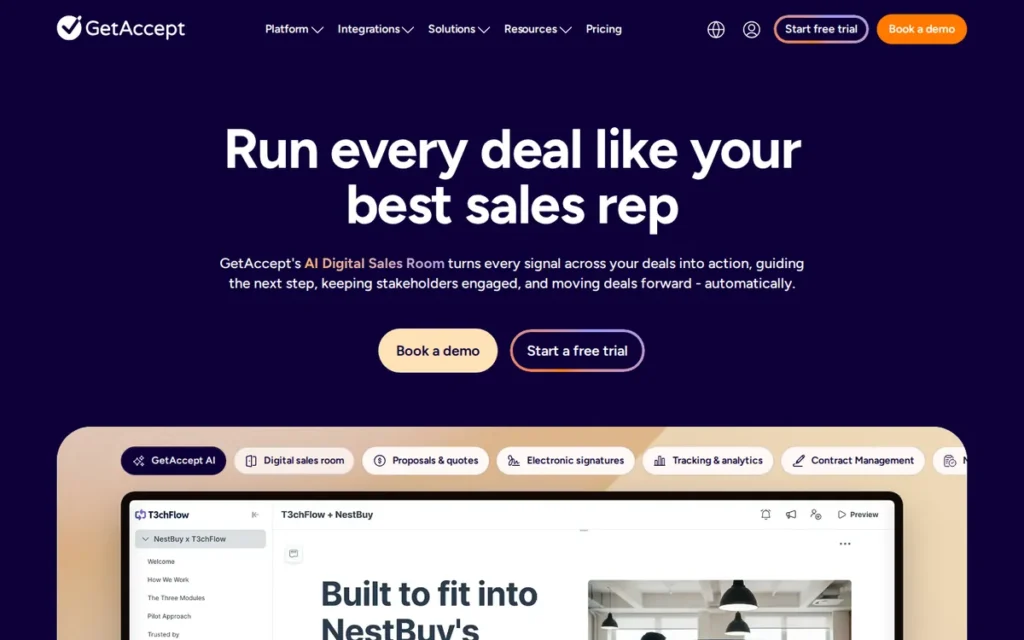
Category: Digital Sales Room Platform, AI-personalized collaborative buyer-seller deal environments with embedded e-signatures, mutual action plan tracking, and real-time engagement analytics for complex multi-stakeholder B2B sales cycles.
At a Glance
- Category: Digital Sales Room Platform (Sales Engagement + Embedded E-Signature + AI-Personalized Deal Rooms)
- Best For: B2B enterprise sales teams of 5+ representatives managing multi-stakeholder deals with extended sales cycles where buyer experience, deal velocity, and engagement visibility are primary KPIs, not teams seeking general-purpose document signing
- Price Range: $49/user/month Professional; $79/user/month Enterprise (no free tier; trial available on request, scope and duration not publicly specified; 2026)
- Primary Strength: GetAccept is the only platform in this evaluation creating AI-personalized, collaborative Digital Deal Rooms from CRM data at scale, enabling branded buyer experiences with real-time engagement tracking and Agentforce AI contract generation that no general-purpose e-signature platform replicates
- Biggest Limitation: GetAccept describes itself as SOC 2 certified with yearly audits (GetAccept, 2026), but independent confirmation of SOC 2 Type II classification and HIPAA Business Associate Agreement availability were not obtained in research as of May 2026; $49–79/user/month with no free tier is the highest cost in this evaluation
- One-Line Summary: GetAccept is the leading Digital Sales Room platform for complex B2B enterprise sales teams who need AI-personalized buyer collaboration environments, Agentforce contract generation, and real-time deal engagement analytics, and is not a general-purpose e-signature tool for standard document signing workflows.
- Last Verified: May 2026
Overview
GetAccept is a cloud-based Digital Sales Room and sales engagement platform founded in 2015 in Helsingborg, Sweden, serving over 5,000 revenue teams globally (GetAccept, 2025) and designed for B2B enterprise sales teams managing complex, multi-stakeholder deals who need a collaborative buyer portal with AI-personalized deal creation, real-time engagement tracking, and embedded e-signatures, rather than a standalone document signing tool.
GetAccept’s 2026 Agentforce integration enables Salesforce AI agents to automatically generate compliant contracts from natural language sales representative instructions grounded in approved templates with access permissions, a category-advancing capability eliminating manual contract drafting for enterprise sales teams (GetAccept, 2026).
GetAccept claims its platform shortens sales cycles by 75% through real-time buyer engagement insights and immediate signing capability (GetAccept, 2025), a vendor-stated metric without independent third-party verification cited in research, and one that buyers should treat as directional rather than guaranteed.
Key Features
- AI-Automated Deal Room Creation at Scale: GetAccept’s AI engine automatically creates personalized Digital Deal Rooms for each buyer, drawing from CRM data, deal context, and conversation history to generate branded, structured buyer engagement hubs, without requiring manual assembly by individual sales representatives for each new deal.
- Agentforce AI Contract Generation: GetAccept’s Agentforce integration enables Salesforce AI agents to generate compliant contracts from natural language sales rep instructions, grounded in approved templates and permission controls, eliminating manual contract drafting from enterprise sales workflows for Salesforce-standardized teams (GetAccept, 2026).
- Real-Time Deal Engagement Tracking: GetAccept delivers real-time notifications when prospects open Deal Rooms, view specific pages, share content with additional stakeholders, or initiate signing actions, enabling immediate seller follow-up at peak buyer intent signals throughout the purchasing process.
- Microsoft Power BI and Copilot Integration: GetAccept integrates with Microsoft Power BI and Microsoft Copilot for AI-driven buyer intent forecasting and deal pipeline analytics, connecting real-time deal engagement data to enterprise business intelligence and forecasting tooling at a depth unmatched by any other platform in this evaluation (GetAccept, 2026).
- Unlimited E-Signatures with Full Sales Engagement Suite: GetAccept includes unlimited e-signatures on all plans with mutual action plan (MAP) tracking for shared buyer-seller milestones, CPQ on Enterprise, Fathom meeting transcript integration directly into Deal Rooms, and sales content management with permission-controlled asset repositories.
Best For
GetAccept is best for B2B enterprise sales teams of five or more representatives managing complex, multi-stakeholder deals with extended sales cycles, specifically teams whose primary problem is deal velocity, buyer engagement visibility, and personalized buyer experience rather than document signing volume or compliance certification depth. GetAccept is not appropriate for HR, legal, procurement, or operations teams seeking general-purpose document signing, or for any organization primarily evaluating on cost.
Pricing
GetAccept 2026 pricing: Professional at $49/user/month includes GetAccept AI, unlimited e-signatures, sales content management, proposal creation, advanced tracking and buyer engagement tools, meetings integration, and product library; Enterprise at $79/user/month adds contract management, CPQ, SSO, Salesforce/Microsoft Dynamics/SuperOffice/LimeCRM integrations, entities management, API read access, conditional content, and HR and payment integrations.
No free plan is available; trial access is available upon request with scope and duration not publicly specified, contact GetAccept’s sales team to confirm trial terms before investing evaluation time. At $49–79/user/month, GetAccept is the most expensive platform per user in this evaluation. (Verified May 2026 via GetApp pricing mirror and Proposify GetAccept pricing guide.)
Strengths
- Agentforce AI Contract Generation (2026 Differentiator): GetAccept’s Agentforce integration enables Salesforce AI agents to automatically generate compliant contracts from natural language sales rep instructions grounded in approved templates and permission controls, a workflow automation capability eliminating manual contract drafting from enterprise sales processes, confirmed as available in GetAccept’s 2026 release notes and unmatched by any other platform in this evaluation (GetAccept, 2026).
- AI-Personalized Deal Room Creation Confirmed by DSR Communities: GetAccept’s AI-automated Deal Room creation is confirmed by targeted r/salesforce and r/ProductMarketing community recommendations in 2025–2026 threads specifically about Digital Sales Room tools, where GetAccept is consistently identified as the category-appropriate solution by users who understand the DSR product distinction from general-purpose e-signature tools.
- Microsoft Business Intelligence Integration Depth: GetAccept integrates with Microsoft Power BI and Microsoft Copilot for AI-driven buyer intent forecasting and deal pipeline analytics, providing enterprise sales leadership with real-time deal intelligence connected to business intelligence and AI forecasting tooling that no other platform in this evaluation offers at this depth (GetAccept, 2026).
- Minimal Reddit Complaint Volume: GetAccept generated minimal complaint threads across r/sales, r/salesforce, r/legaltech, r/smallbusiness, and r/SaaS community searches, a directionally positive signal relative to platforms with documented complaint patterns such as DocuSign’s support loops and Proposify’s editor bugs, though this also reflects GetAccept’s smaller user base compared to category leaders.
Limitations
- Unverified SOC 2 Type II and HIPAA BAA: Blocking Risk for Regulated Buyers: GetAccept describes itself as SOC 2 certified with yearly SOC 2 audits per its security page (GetAccept, 2026), but independent confirmation of whether this is SOC 2 Type II classification (as distinct from Type I) and HIPAA Business Associate Agreement availability were not obtained in research as of May 2026, regulated-industry buyers must resolve this by requesting current audit report type and BAA terms directly from GetAccept before any procurement decision proceeds, treating unconfirmed status as a blocking item.
- Most Expensive Platform in Evaluation: GetAccept is priced at $49–79/user/month with no free tier (the highest per-user cost in this evaluation) making it economically unjustifiable for organizations whose primary need is basic document signing at any volume; PandaDoc, SignNow, and Dropbox Sign deliver e-signature functionality at a fraction of this cost for non-sales-engagement use cases.
- Automated Reminders Rated 3.5/5.0 on GetApp: GetApp feature-level ratings surface a 3.5/5.0 score for automated reminders (based on 2 reviews, GetApp, 2026) (the lowest sub-dimension rating for any feature across all platforms evaluated) a directional yellow flag for a function central to any signing workflow, though the small review sample limits statistical confidence in this specific finding.
- Overkill Architecture for Non-Sales-Team Use Cases: GetAccept’s Digital Sales Room architecture is designed exclusively for complex B2B multi-stakeholder sales cycles, operations teams, HR departments, legal professionals, and procurement teams seeking general-purpose document signing will find GetAccept’s workflow model overcomplicated and its per-user pricing entirely unjustifiable for their actual needs.
Verdict
GetAccept is the only Digital Sales Room platform in this evaluation, offering AI-personalized Deal Room creation, Agentforce AI contract generation, and real-time buyer engagement analytics that no general-purpose e-signature platform replicates, earning the #7 ranking because its specialized positioning, unverified SOC 2 Type II and HIPAA BAA status, and $49–79/user/month pricing place it outside the cost-benefit range for the majority of buyers evaluating e-signature platforms for standard business signing workflows. GetAccept is the correct choice for revenue teams managing multi-stakeholder enterprise deals where buyer experience and deal velocity are the primary KPIs and Salesforce-plus-Agentforce is the operating environment. Buyers choosing between GetAccept and PandaDoc for sales document workflows should weigh GetAccept’s deal room architecture and AI personalization against PandaDoc’s lower pricing, broader compliance certifications, and larger verified user community before committing.
What Red Flags Should I Watch For When Evaluating E-Signature Software?
The six most consequential red flags in e-signature procurement signal compliance risk, hidden cost structures, or workflow-breaking dependencies that surface only after purchase commitment. Each flag below maps to a specific platform-tier combination found in this evaluation, not abstract categories.
The six red flags to investigate before signing any subscription:
- Red Flag #1: Plan-tier compliance gaps: certifications apply only to Enterprise tiers on some platforms, creating undisclosed risk at lower price points
- Red Flag #2: Per-envelope pricing traps: standard plan envelope limits inflate real per-document costs above headline pricing
- Red Flag #3: Send limits driving forced upgrade pressure: monthly send caps are exhausted quickly, triggering premature tier upgrades
- Red Flag #4: Deprecated integrations: integration deprecations break workflows without adequate advance notice
- Red Flag #5: Unverified compliance certifications: marketing pages claim compliance that is unconfirmed or limited in classification
- Red Flag #6: Pricing opacity requiring sales calls: platforms without published per-tier pricing add evaluation friction and delay comparison
Red Flag #1: Plan-Tier Compliance Variation
Adobe Acrobat Sign’s non-enterprise plans (Individual, Teams) lack security features present in the Enterprise tier. SMBs on these plans may deploy Adobe Acrobat Sign assuming enterprise-level audit trail protection and only discover the gap during a compliance review or contract dispute.
Always request a written feature comparison between Enterprise and non-enterprise tiers directly from Adobe before deploying Adobe Acrobat Sign for compliance-sensitive workflows. The gap is documented in independent competitive analysis (PandaDoc blog, 2025) and is a purchase-regret risk with no easy remediation once sensitive documents are in the system.
Red Flag #2: Per-Envelope Pricing Traps
DocuSign’s Standard plan includes approximately 10 envelopes per user per month, a cap that most active sales or legal teams exhaust within days to weeks, depending on contract volume.
Evaluate all platforms on total monthly send volume and 24-month growth projections, not headline tier price. At 30 documents per month, DocuSign’s Standard plan generates overage costs that can push the effective rate above DocuSign’s Business Pro tier with unlimited envelopes, making the headline “low” price misleading at moderate usage.
Red Flag #3: Send Limits That Create Forced Upgrade Pressure
Proposify’s Team plan caps sends at 30 per month, with $0.50/send overages on the Basic plan. Dropbox Sign’s Essentials plan caps at 5 documents per month.
Map your current monthly sending volume and project 24-month growth before selecting a plan tier. Both limits are exhausted quickly by any active business, triggering premature upgrades before buyers have validated platform fit for their actual workflows.
Red Flag #4: Deprecated Integrations
Dropbox Sign deprecated its native SharePoint integration on March 16, 2026, per official Dropbox Help documentation, a workflow-breaking change for Microsoft-ecosystem organizations that relied on this connection, with no native replacement announced. Dropbox recommends a custom API integration as the alternative.
Any buyer with a Microsoft SharePoint environment must specifically confirm the current integration status directly with Dropbox Sign before selection. Integration deprecations are rarely announced with adequate advance notice and are not reflected in any AI-generated content published before the deprecation date.
Red Flag #5: Unverified Compliance Certifications
GetAccept describes itself as SOC 2 certified with yearly audits but independent confirmation of SOC 2 Type II classification and HIPAA Business Associate Agreement availability were not obtained in research as of May 2026. Proposify’s SOC 2, HIPAA, and FedRAMP certifications are also unconfirmed.
Regulated-industry buyers should request current certification documentation directly from vendors (not rely on marketing page claims or third-party review sites) and treat unconfirmed Type II classification or BAA status as a blocking item until the vendor provides documentation with a current issuance date.
Red Flag #6: Pricing Opacity Requiring Sales Calls
SignNow does not publish all per-tier feature details on its public pricing page as of May 2026, requiring a sales conversation to confirm exact plan inclusions and features.
Budget additional procurement time for sales conversations with any platform that does not publish transparent per-tier pricing. Request written pricing confirmation before evaluating further, as opaque pricing makes direct online comparison impossible without vendor engagement and delays multi-platform evaluation timelines.
What Questions Should I Ask Before Choosing an E-Signature Platform?
The most important questions to ask before selecting an e-signature platform identify your compliance requirements, workflow category, pricing model tolerance, and integration dependencies before any feature comparison begins. Each question below typically eliminates one or more platforms before detailed evaluation is needed.
Question #1: Does your team create documents or only sign pre-built ones?
If your team receives documents for signature only, evaluate DocuSign, SignNow, Dropbox Sign, or Adobe Acrobat Sign. If your team generates proposals, contracts, or quotes internally before sending for signing, evaluate PandaDoc, Proposify, or GetAccept. Answering this question correctly typically eliminates three to four of seven platforms from active consideration before any feature comparison is needed.
Question #2: What compliance certifications does your industry require as a binary gate?
Map your required certifications before evaluating any features. Common requirements by industry:
- Federal government or contractor procurement: FedRAMP Moderate: DocuSign only (confirmed, May 2026)
- Healthcare: HIPAA: confirmed for DocuSign, Dropbox Sign, SignNow, Adobe Acrobat Sign; Enterprise-gated for PandaDoc; unconfirmed for GetAccept and Proposify
- EU regulated industries: eIDAS QES: DocuSign, PandaDoc (October 2025 add-on), Adobe Acrobat Sign
- All regulated commercial: SOC 2 Type II: confirmed for DocuSign, SignNow, Dropbox Sign, Adobe Acrobat Sign; Enterprise-gated for PandaDoc; unconfirmed as Type II for GetAccept
A platform missing a required certification is eliminated regardless of feature set or price.
Question #3: How will your team size and signing volume grow over the next 24 months?
Model total cost at your projected 24-month team size and send volume before selecting a plan. Per-user pricing (DocuSign, Adobe Acrobat Sign, Dropbox Sign, and SignNow standard plans) creates compounding cost as headcount grows. SignNow’s Site License at ~$1.50/invite eliminates per-seat inflation for enterprise bulk-send deployments.
Headline monthly pricing comparisons are misleading without volume and headcount projections applied.
Question #4: Which CRM, ERP, and cloud storage systems must integrate natively, not via Zapier workaround?
Confirm whether CRM and ERP integration is native (bidirectional, real-time, maintained by the vendor) or Zapier-dependent (one-way, delayed, break-prone, and maintained by your team).
- NetSuite or Oracle ERP: SignNow has confirmed native integrations; most SMB-focused platforms lack these
- Salesforce and SAP at enterprise scale: DocuSign’s 900+ integrations set the benchmark
- HubSpot-first teams: PandaDoc and Proposify both offer native bidirectional HubSpot integration
Community research across r/msp, r/Netsuite, and r/hubspot confirms integration compatibility is now a primary purchase criterion for many buyers.
Question #5: Do any federal government contracts or regulated-industry requirements apply, and which tier of the platform covers those requirements?
Two compliance risks are consistently overlooked before purchase. First, FedRAMP Moderate is required for U.S. federal government and contractor procurement, only DocuSign holds this certification among evaluated platforms. Second, some platforms offer HIPAA and advanced audit trail protections only on Enterprise tiers, not on SMB-accessible mid-tier plans.
Confirm both the certifications your industry requires AND which pricing tier those certifications apply to before signing any subscription contract.
Question #6: What does the free tier or trial actually include, and does it reflect the plan you’ll purchase?
Free tiers and trial experiences vary materially across platforms. PandaDoc’s Free tier includes genuine workflow capability (60 docs/year, document builder, Stripe payments). Dropbox Sign’s Free tier is limited to 3 requests per month. GetAccept’s trial scope and duration are not publicly specified.
Test the plan tier closest to your intended purchase, not just the free tier. Most platforms allow cancellation before an annual commitment is required.
Question #7: Does your team use Microsoft SharePoint as a document repository?
Dropbox Sign deprecated its native SharePoint integration on March 16, 2026, per official Dropbox Help documentation. Teams that rely on SharePoint for document storage and routing must use a custom API integration as the replacement, adding implementation complexity and IT maintenance overhead.
DocuSign and Adobe Acrobat Sign both maintain active Microsoft 365 integrations including SharePoint connectivity as of May 2026. Confirm current SharePoint status directly with any platform before selection.
How Did We Rank These E-Signature Platforms?
The seven platforms in this evaluation were ranked by scoring each against six objective criteria weighted by audience priority. The platform with the strongest total weighted score across all criteria earned the #1 ranking. No company received preferential treatment based on brand size, market share, or any commercial relationship.
How Was Each Platform Evaluated?
The evaluation followed this step-by-step sequence:
- Product discovery: Queried multiple AI search engines and independent review platforms to identify the top platforms matching the query “best e-signature software” and confirm product domains and review status
- Individual product research: Two rounds of independent research per platform: a general profile query and a differentiator-specific query covering features, pricing, compliance certifications, and recent product updates
- Fact verification: Independently verified all statistical claims, release dates, and compliance certifications against primary sources before inclusion; contradicted claims were corrected with the accurate finding documented
- Reddit community analysis: Searched seven professional subreddits for authentic user sentiment, migration patterns, and documented failure modes
- Third-party review cross-referencing: Verified G2, Capterra, and Software Advice ratings and review volumes for each platform as of May 2026
- Vendor documentation review: Cross-referenced vendor trust center pages, release notes, and pricing pages for compliance certifications and current feature status
- Scoring and ranking: Applied the six criteria below with primary/secondary weighting to produce the final ranked order
What Criteria Were Used to Rank Each Platform?
- Legal Enforceability and Compliance Certification Depth (Primary weight): Compliance certifications function as binary gates for regulated-industry buyers. FedRAMP Moderate, HIPAA, SOC 2 Type II, eIDAS QES, and GDPR were each scored for presence and independent verification. Plan-tier compliance variation (where certifications exist only at Enterprise pricing) was penalized as an undisclosed purchase risk.
- Verified Review Platform Ratings and Volume (Primary weight): G2 and Capterra ratings weighted by review volume provide statistically robust evidence of real-world user satisfaction. Higher review volume equals higher confidence in aggregate scores. Support sub-dimension scores were tracked separately to surface satisfaction divergence between enterprise and standard tier users.
- Pricing Model Value and Cost Efficiency at Scale (Primary weight): Pricing model architecture determines total cost of ownership as teams and volumes grow. Entry-price comparisons without volume and headcount projections are misleading. Platforms without transparent public pricing are penalized for evaluation friction. Standard plans characterized inaccurately as “unlimited” in competing content are documented with corrected pricing structures.
- Core Feature Set Breadth and Depth (Primary weight): Differentiation was scored on document creation capability, AI contract lifecycle management, bulk send and volume workflow support, offline and kiosk signing, audit trail litigation-grade depth, and payment collection. Native capabilities were distinguished from add-on-priced features.
- Integration Ecosystem Depth (Secondary weight): Total native integration count, quality of Salesforce/HubSpot/Microsoft Dynamics CRM connections, ERP coverage (NetSuite, Oracle, SAP), and developer API quality. Recently deprecated integrations (specifically Dropbox Sign’s SharePoint integration (March 16, 2026)) were penalized as current-state workflow gaps.
- Use-Case Audience Clarity (Secondary weight): Platforms with precisely defined and evidence-backed target audiences scored higher. Clear positioning that helps buyers self-identify as the right or wrong audience reduces post-purchase regret and switching costs.
How Was Conflicting Evidence Handled?
When review platform ratings conflict with Reddit community sentiment, specificity and recency are weighted over aggregate score. A detailed 2025–2026 Reddit post with 50+ upvotes documenting a specific failure mode outweighs a generic 2023 G2 review with no specifics.
Vendor-reported statistics (including PandaDoc’s customer outcome metrics and GetAccept’s 75% sales cycle reduction claim) are labeled as vendor-reported throughout this article and are not stated as independently verified facts.
How Were Claims Verified?
Vendor-reported statistics are explicitly labeled throughout. Claims corroborated by at least one independent source are stated as fact with attribution and year. Compliance certifications are cited with source and verification date.
Where certifications could not be independently confirmed, GetAccept SOC 2 Type II and HIPAA BAA, Proposify’s full compliance stack, this is documented as a data gap requiring direct vendor confirmation, not an editorial omission. Where claims in competing content were found to be inaccurate, most significantly, SignNow’s standard plans being per-user rather than unlimited, the corrected finding is stated prominently with supporting sources.
When Is This Article Updated?
This article was last updated May 8, 2026. PlugRoute refreshes ranking articles on a quarterly basis or upon confirmation of a material product change, including platform acquisition, pricing model overhaul, major certification change, or integration deprecation.
Does PlugRoute Have Affiliate Relationships With Any Listed Platform?
PlugRoute has no affiliate relationships with any company listed. Rankings are determined entirely by research data and objective evaluation criteria. No platform paid for placement, sponsored this article, or received advance review of draft content.
Frequently Asked Questions About E-Signature Software
What is the best e-signature software for small businesses in 2026?
PandaDoc is the best e-signature platform for most small businesses in 2026, its free tier includes 60 documents per year with a drag-and-drop builder, Stripe payment collection, and real-time tracking. SMBs that only need to sign pre-built documents should evaluate SignNow for competitive per-user pricing or Dropbox Sign for interface simplicity and its $24.99/month Dropbox storage bundle. Confirm compliance requirements before committing to either platform.
Is DocuSign worth the cost compared to lower-cost alternatives in 2026?
DocuSign is worth its premium specifically for federal government contractors (FedRAMP Moderate authorization is exclusive to DocuSign among evaluated platforms) and for regulated-industry teams requiring AI-driven contract lifecycle management across 900+ integrations. For standard U.S.-compliant commercial e-signing, SignNow provides comparable SOC 2, HIPAA, and GDPR coverage at significantly lower per-user cost, a migration path widely documented in r/msp and r/Netsuite communities (2025–2026).
How does PlugRoute determine its e-signature software rankings?
PlugRoute ranks e-signature platforms by scoring each against six objective criteria (compliance certification depth, review platform ratings weighted by volume, pricing model value at scale, feature set breadth, integration ecosystem depth, and use-case audience clarity) using G2, Capterra, Reddit community sentiment, vendor documentation, and independent pricing analyses. Rankings follow the methodology detailed in the section above. No company paid for placement.
What Do These E-Signature Terms Mean?
Intelligent Agreement Management (IAM): Intelligent Agreement Management is a contract lifecycle management framework that extends beyond electronic signing to include AI-driven document intake, negotiation, obligation tracking, and post-signature management in a centralized repository. DocuSign coined IAM as a distinct SaaS category in April 2024 when repositioning its platform beyond pure e-signature functionality, a strategic evolution no evaluated competitor has fully replicated at scale as of May 2026.
Qualified Electronic Signature (QES): A Qualified Electronic Signature is the highest legally binding level of electronic signature under the EU’s eIDAS regulation, requiring verified identity credentials from a qualified trust service provider and carrying the same legal weight as a handwritten signature across EU member states. QES is required for regulated industries in healthcare, financial services, and government procurement in the EU, confirmed as supported by DocuSign, PandaDoc (October 2025 add-on at ~$5/unique signer), and Adobe Acrobat Sign among the evaluated platforms.
FedRAMP Moderate Authorization: FedRAMP (Federal Risk and Authorization Management Program) Moderate authorization is a U.S. federal government security certification required for cloud services used in federal procurement, verifying that a vendor meets specific data protection and risk management standards established by NIST. Among the seven platforms evaluated, only DocuSign holds FedRAMP Moderate authorization as of May 2026 (the IAM platform authorization was achieved on September 15, 2025, supplementing the prior eSignature authorization) making it the only viable option for U.S. federal government and contractor procurement.
Digital Sales Room (DSR): A Digital Sales Room is a collaborative, branded digital environment where buyers and sellers interact throughout a sales cycle (sharing content, tracking mutual action plans, reviewing proposals, and completing signatures) rather than exchanging document attachments via email. GetAccept is the only platform in this evaluation explicitly positioned as a Digital Sales Room provider, serving complex multi-stakeholder B2B sales cycles rather than general-purpose document signing needs.
Audit Trail: An e-signature audit trail is a tamper-evident, timestamped record of all signing-related events for a document, including who viewed, signed, declined, or modified the document, from which IP address and device, and at what exact time, providing legal evidence of consent and intent in contract disputes or regulatory reviews. Audit trail depth varies materially across platforms and across pricing tiers within the same platform, a differentiation factor that becomes consequential when contracts are disputed in legal proceedings, and a specific area where SignNow’s standard-tier depth may be insufficient for litigation-risk contracts.
Glossary: Key Terms Used in This Comparison
Intelligent Agreement Management (IAM): A contract lifecycle management framework that extends beyond electronic signing to include AI-driven document intake, negotiation, obligation tracking, and post-signature management in a centralized repository. DocuSign coined IAM as a distinct SaaS category in April 2024 when repositioning its platform beyond pure e-signature functionality.
FedRAMP Moderate Authorization: A U.S. federal government security certification required for cloud services used in federal procurement, verifying that a vendor meets specific data protection and risk management standards established by NIST. Among the seven platforms evaluated, only DocuSign holds FedRAMP Moderate authorization as of May 2026, making it the only viable option for U.S. federal government and contractor procurement.
Qualified Electronic Signature (QES): The highest legally binding level of electronic signature under the EU’s eIDAS regulation, requiring verified identity credentials from a qualified trust service provider and carrying the same legal weight as a handwritten signature across EU member states. QES is required for regulated industries in healthcare, financial services, and government procurement in the EU.
Digital Sales Room (DSR): A collaborative, branded digital environment where buyers and sellers interact throughout a sales cycle (sharing content, tracking mutual action plans, reviewing proposals, and completing signatures) rather than exchanging document attachments via email. GetAccept is the only platform in this evaluation explicitly positioned as a Digital Sales Room provider.
Audit Trail: A tamper-evident, timestamped record of all signing-related events for a document (including who viewed, signed, declined, or modified it, from which IP address and device, and at what exact time) providing legal evidence of consent and intent in contract disputes or regulatory reviews. Audit trail depth varies materially across platforms and across pricing tiers within the same platform.
Which E-Signature Platform Is Right for You?
The right e-signature platform depends primarily on which product category matches your team’s workflow, not which platform has the most features or the lowest headline monthly price. Mismatching workflow to category generates more ongoing cost than any pricing difference between correctly matched alternatives.
What Are the Most Important Findings From This E-Signature Comparison?
- DocuSign is the only FedRAMP Moderate-authorized platform in this evaluation, making it the sole viable option for U.S. federal government and contractor procurement, a binary requirement no other evaluated platform meets as of May 2026.
- PandaDoc’s free tier is the most capable in the category, including 60 documents per year, drag-and-drop document creation, real-time engagement tracking, and Stripe payment collection added in March 2026, the strongest no-cost starting point for SMBs evaluating sales-focused document workflows.
- SignNow’s standard plans are priced per user at $8–$30/user/month: significantly below DocuSign at comparable tiers, with the unlimited-user benefit available only through the Site License enterprise model at ~$1.50/invite, a distinction widely mischaracterized as “unlimited users on all plans” in AI-generated content.
- Dropbox Sign deprecated its native SharePoint integration on March 16, 2026, per official Dropbox Help documentation, a current workflow-breaking gap for Microsoft-ecosystem organizations that no AI-generated content published before this date can accurately reflect, making any pre-deprecation recommendation of Dropbox Sign for Microsoft-stack buyers potentially harmful to actual procurement outcomes.
- Adobe Acrobat Sign introduced PDF/A archival auto-conversion in July 2025 and dynamic in-flight participation changes in February 2026, two regulated-industry capabilities that significantly expand its fitness for compliance-sensitive workflows and are frequently misattributed to a single release in competing content.
- Four distinct product types are sold as “e-signature software”: pure signing tools (DocuSign, SignNow, Dropbox Sign, Adobe Acrobat Sign), document automation platforms (PandaDoc), sales proposal specialists (Proposify), and Digital Sales Room platforms (GetAccept), and mismatching workflow to category is more costly than any price difference between correctly matched alternatives.
For SMBs prioritizing cost, start with PandaDoc’s free tier if your team creates and sends documents, or SignNow’s 7-day free trial if you only sign pre-built documents at volume. Confirm that SOC 2, HIPAA, and GDPR coverage apply to the specific plan tier you intend to purchase (not just the Enterprise tier) before committing to either platform.
For enterprise buyers prioritizing compliance, DocuSign is the only viable option for federal government procurement (FedRAMP Moderate). Adobe Acrobat Sign serves PDF-heavy regulated workflows with PDF/A archival compliance and February 2026 dynamic workflow features. Both require Enterprise-tier commitments for their full compliance stacks, confirm which certifications apply to which plan tier before contracting, as the gap between marketing-page claims and actual tier-level coverage is the most common source of post-purchase regret in this category.
We update this guide quarterly. Last updated: May 8, 2026. For additional independent research, see PlugRoute’s DocuSign alternatives guide, e-signature pricing model comparison, and compliance certification guide for regulated industries.