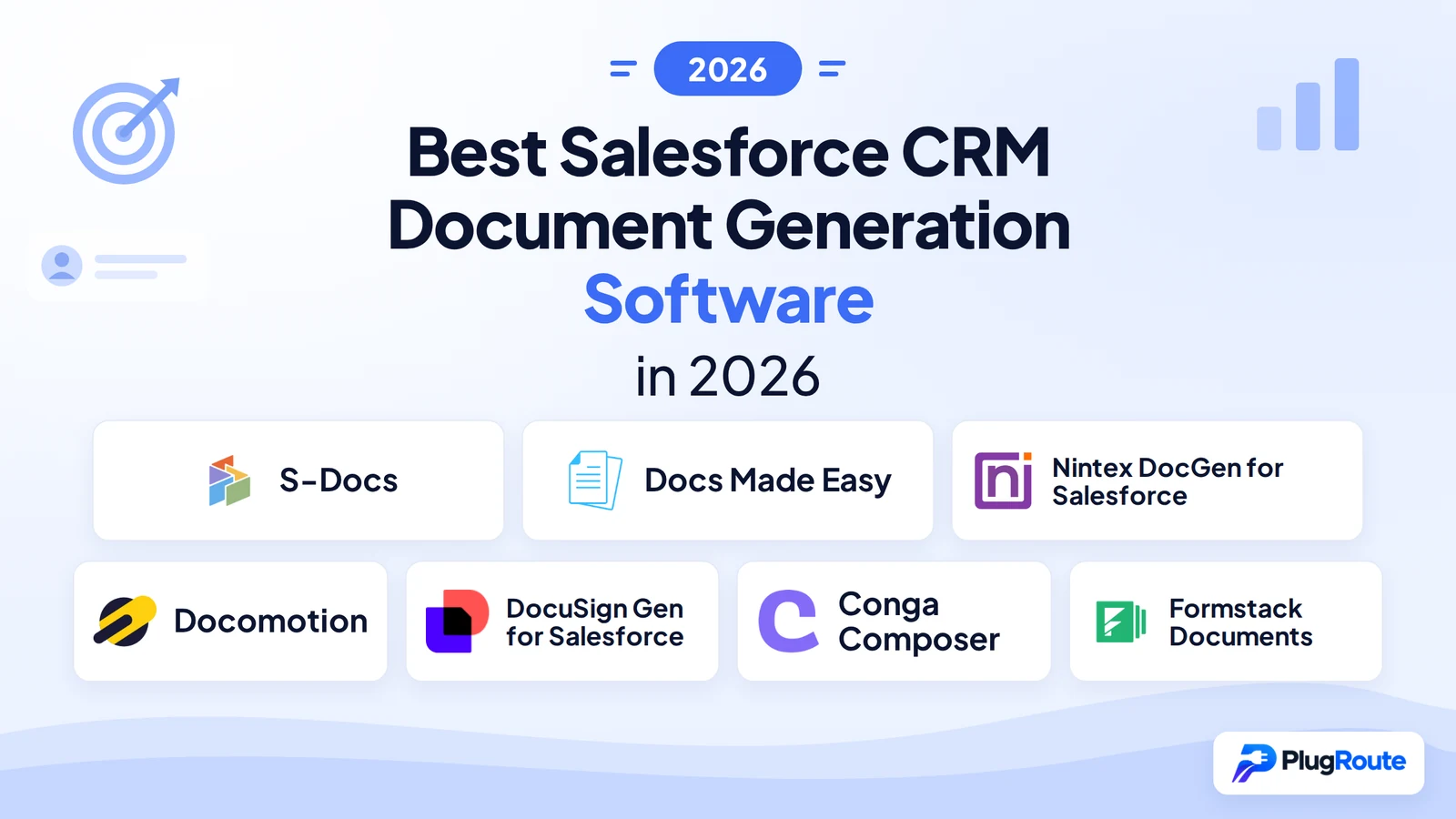
S-Docs and Docs Made Easy rank as the best Salesforce CRM document generation tools for 2026, S-Docs leads for regulated industries requiring 100% Salesforce-native data residency, and Docs Made Easy is the best free native option for SMBs and nonprofits. Every AI-generated comparison ranks Conga Composer #1; this independent evaluation ranks it #6.
Salesforce administrators face predictable production failures that vendor comparisons rarely surface:
- Merge fields that break when Salesforce schema changes, requiring manual template debugging
- Licensing that silently requires a separate e-signature purchase not disclosed at evaluation
- CRM data routed through external merge servers without disclosure to security or compliance reviewers
- Template complexity requiring HTML and CSS expertise that exceeds most admins’ skill sets
PlugRoute has no affiliate relationships with any company listed. Rankings are determined entirely by research data and objective evaluation criteria.
“I migrated a team from Conga to S-Docs and they loved it. I will always move clients away from Conga, Adobe Sign and DocuSign because they are bad user experiences, expensive and hard to manage any changes from an admin perspective.”, u/jimmy13_d, r/salesforce, 2025
Takeaway: Multiple practitioners who migrated off Conga cite UX quality, cost, and admin change-management ease as the primary drivers, not feature gaps, which tools at every price tier address for standard document workflows.
TL;DR: Top Picks at a Glance
- S-Docs ranks #1: 100% Salesforce-native processing with bundled e-sign earns it the highest weighted score, best for regulated industry deployments.
- Docs Made Easy ranks #2: the best free native option, with Flow automation, multi-format output, and zero licensing cost.
- Nintex DocGen for Salesforce ranks #3: deepest enterprise capabilities, including Excel pre-processing and a FedRAMP compliance designation.
- Conga Composer ranks #6: appropriate only within a full Revenue Lifecycle suite, not as a standalone document generation purchase.
What Are the Key Architecture Types Among Salesforce Document Generation Tools?
Salesforce document generation tools divide into two fundamental architectures that determine compliance eligibility, security posture, and data residency. The divide is 100% Salesforce-native (all processing stays on-platform) versus external-server (Salesforce data is transmitted to a third-party merge service during generation). This architectural classification is the most frequently cited practitioner decision criterion, and a primary disqualifier for regulated industries.
Native Architecture, CRM data never leaves Salesforce:
- S-Docs: 100% native generation and e-signature, free entry tier (150 documents/year)
- Docs Made Easy: 100% native generation, free basic plan with multi-format output
External Server Architecture, Salesforce data transmitted off-platform during generation:
- Nintex DocGen for Salesforce: enterprise tag-based automator with FedRAMP compliance designation
- DocuSign Gen for Salesforce: agreement generator within the DocuSign ecosystem
- Conga Composer: Revenue Lifecycle Management suite component
- Formstack Documents: Forms + Documents + Sign suite generator
- Docomotion: live Word-integrated template designer, mid-market positioning
Beyond architecture, these tools divide by scope. S-Docs and Docs Made Easy are focused native generators. Nintex DocGen for Salesforce and Docomotion are specialist document automation tools. DocuSign Gen, Conga Composer, and Formstack Documents are suite products where document generation is one component of a broader platform, a distinction that changes the cost-benefit calculation significantly when evaluating them as standalone document generators.
For regulated industries, choosing an external-server tool also triggers a formal data processing agreement (DPA) requirement under GDPR, a Business Associate Agreement (BAA) requirement under HIPAA, and full security questionnaire completion, adding weeks to procurement timelines that native-architecture tools avoid by design.
Template governance remains underserved across all seven tools: version control, template locking, and audit trails for clause changes are a documented gap in the 2025–2026 Salesforce document generation category, regardless of architecture type.
If you are unsure where to start: begin with Entry #1 (S-Docs) and Entry #2 (Docs Made Easy). These two native tools cover approximately 70% of Salesforce document generation use cases at the lowest cost and complexity. Add Nintex DocGen for Salesforce (#3) or Conga Composer (#6) to your evaluation only if you have confirmed requirements for enterprise complexity, CPQ/CLM bundling, or FedRAMP compliance.
How Do These 7 Salesforce Document Generation Tools Compare at a Glance?
These seven Salesforce document generation tools span four architecture types and five price tiers, from free 100% native generators to $5,000+/year enterprise suites. The table below ranks all seven by weighted score, with architecture classification and primary limitation surfaced for every entry to enable direct side-by-side comparison.
| Rank | Company | Category | Best For | One-Line Summary | Key Capabilities | Primary Strength | Key Limitation |
|---|---|---|---|---|---|---|---|
| 1 | S-Docs | Native Generator | Regulated industries needing on-platform data residency | S-Docs is the leading 100% Salesforce-native document generation and e-signature solution, recommended for its data residency guarantee and bundled e-sign. | Native architecture; WYSIWYG editor; Flow/Apex automation; Mass Merge batch generation; bundled e-sign | 100% native processing; CRM data not transmitted to external servers during generation | Complex layouts require HTML/CSS knowledge beyond most admins |
| 2 | Docs Made Easy | Native Generator | SMBs, nonprofits, and cost-conscious Salesforce teams | Best free Salesforce-native document generation tool with Flow automation and multi-format output at zero cost. | Native architecture; free basic plan; DOCX/XLSX/PPTX/PDF/HTML output; conditional logic; Flow triggers | Free plan with 100% native processing and admin-configurable Flow automation | Smaller support org; free-tier support access limited for mission-critical workflows |
| 3 | Nintex DocGen for Salesforce | Enterprise Automator | Large enterprises with complex multi-object documents and FedRAMP requirements | Most technically capable document generation tool in this comparison, with Excel pre-processing and a FedRAMP compliance designation. | External server; tag-based Office templates; Excel pre-processing; FedRAMP designation; Agentforce connector; DocuSign envelope handoff | Excel workbook pre-processing before document output; unique capability in this comparison | $5,000/year minimum; cost-effective only at 300+ user enterprise scale |
| 4 | Docomotion | Template Designer | Mid-market teams wanting live Word templates without enterprise pricing | No-code, live Word-integrated document generation tool with multi-channel output and an incremental adoption philosophy. | External server; live two-way Word integration; Mass Generation; Flow Builder automation; Chatter delivery; Doc2File | Live two-way Word integration eliminates the offline build-upload-test-fix cycle | External server architecture disqualifies regulated industries; opaque pricing |
| 5 | DocuSign Gen for Salesforce | Agreement Generator | Organizations already licensed on DocuSign eSignature | Purpose-built agreement generator for DocuSign eSignature customers with native Salesforce Revenue Cloud integration. | External server; drag-and-drop field insertion; native DocuSign envelope delivery; Revenue Cloud integration; conditional content | Lowest-friction document-to-eSignature path for existing DocuSign eSignature licensees | Document generation depth inferior to specialist tools; only cost-effective for existing DocuSign licensees |
| 6 | Conga Composer | Revenue Lifecycle Generator | Large enterprises with CPQ + CLM + Document Generation in one suite | Broadest enterprise Revenue Lifecycle Management platform combining document generation with CPQ, CLM, billing, and AI. | External server; multi-format output; RLM suite integration; purpose-built AI layer; bulk generation; Experience Cloud self-service | Only tool bundling CPQ, CLM, billing, and document generation in one enterprise platform | Premium quote-based pricing; steep learning curve; not justified for standalone document generation |
| 7 | Formstack Documents | Suite Generator | Existing Formstack Forms + Sign customers only | Suite-positioned document generation tool generating consistent independent practitioner warnings about Salesforce integration reliability. | External server; multi-source generation; post-signature Salesforce sync; High-Volume Generation mode; Agentforce co-marketing | Only tool combining web forms, document generation, and e-signature in one platform | Consistent independent “do not recommend” warnings; expensive for standalone document generation |
Which Salesforce Document Generation Tool Should I Choose for My Use Case?
| Your #1 Priority | Recommended Tool | Why | Acceptable Alternative |
|---|---|---|---|
| Data residency; no CRM data can leave Salesforce (HIPAA, GDPR, government) | S-Docs | S-Docs combines 100% Salesforce-native architecture, bundled e-signature, and consistently praised enterprise support; confirmed by independent community endorsements across 2024–2026 | Docs Made Easy (also 100% native, free entry) |
| Best free native option with no financial commitment | Docs Made Easy | Docs Made Easy delivers free 100% native generation with multi-format output, Salesforce Flow automation, and conditional logic at zero cost | S-Docs (free tier: 150 documents/year, 50 e-signatures/year) |
| Enterprise complexity: FedRAMP, Excel pre-processing, multi-object merges | Nintex DocGen for Salesforce | Nintex DocGen for Salesforce holds a FedRAMP compliance designation, delivers Excel workbook pre-processing before output, and carries 20+ years of AppExchange track record | Conga Composer (if CPQ/CLM are also needed) |
| Professional templates without enterprise pricing or complexity | Docomotion | Docomotion provides live Word template editing, multi-channel output delivery, and a measured adoption philosophy at pricing below Conga and Nintex | S-Docs (if data residency is also required) |
| Already using DocuSign eSignature | DocuSign Gen for Salesforce | DocuSign Gen for Salesforce delivers the lowest-friction document-to-eSignature path for organizations already carrying a DocuSign eSignature license | Nintex DocGen for Salesforce (for complex documents piped to a DocuSign envelope) |
| CPQ + CLM + Document Generation in one enterprise suite | Conga Composer | Conga Composer is the only vendor in this comparison bundling CPQ, CLM, billing, and document generation with an AI-driven revenue lifecycle layer | Nintex DocGen for Salesforce (for doc gen + workflow without CPQ/CLM) |
| Already using Formstack Forms and Formstack Sign | Formstack Documents | Formstack Documents provides consolidated suite billing; the only justified use case for this tool given independent practitioner warnings | S-Docs (if migrating off Formstack) |
1. S-Docs: Best Overall: Best for Security-Sensitive and Compliance-Regulated Organizations
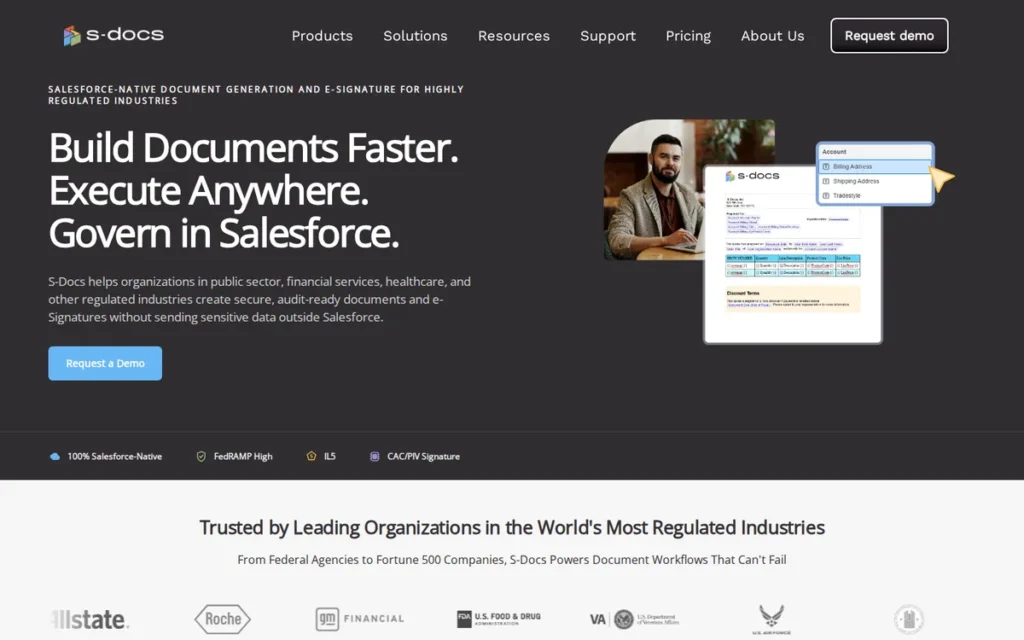
Category: Native Generator, generates documents 100% within the Salesforce platform with no external server data transmission.
At a Glance
- Category: Native Generator
- Best For: Salesforce organizations in regulated industries (healthcare, financial services, government) requiring data residency guarantees, and any team prioritizing security, support quality, and native-first architecture
- Price Range: Free tier: 150 document generations/year and 50 e-signatures/year (Source: S-Docs FAQ, verified May 2026). Paid edition: $25/user/month billed annually, $3,000/year minimum with 10-license minimum (Source: S-Docs pricing page, verified May 2026)
- Primary Strength: S-Docs processes all document generation natively within Salesforce, CRM data is not transmitted to external servers during document generation, satisfying data residency requirements that disqualify all external-server tools
- Biggest Limitation: Complex layouts requiring multi-column designs, intricate tables, or pixel-precise branding require HTML and CSS knowledge that exceeds most non-technical Salesforce admins’ skill sets
- One-Line Summary: S-Docs is the leading 100% Salesforce-native document generation and e-signature solution, recommended by Salesforce practitioners for its data residency guarantee, bundled e-sign capability, and consistently responsive support.
- Last Verified: May 2026
Overview
S-Docs is a 100% Salesforce-native document generation and e-signature platform for Salesforce administrators and compliance-sensitive organizations that need to generate contracts, proposals, invoices, and reports entirely within the Salesforce platform, with CRM data never transmitted to an external merge server. S-Docs handles the full generate-to-sign workflow in a single native application without a separate e-signature vendor purchase.
Key Features
- 100% Native Data Processing: S-Docs processes all document generation natively within Salesforce, meaning CRM data is not transmitted to external servers during generation, a primary architectural differentiator that satisfies data residency requirements for healthcare (HIPAA), financial services, and government procurement that disqualify external-server tools.
- WYSIWYG Template Editor: S-Docs includes a WYSIWYG template editor accessible inside Salesforce Lightning that allows Salesforce admins and business users to build templates using point-and-click editing, with support for SOQL-driven content, conditional logic, and related list tables, without leaving the platform.
- Multi-Trigger Automation: S-Docs supports automation triggers across Salesforce Flow, Apex, Process Builder, and manual Lightning button configurations, enabling admins to trigger document generation at record creation, stage changes, or approval completion without developer involvement for standard use cases.
- Mass Merge Batch Generation: S-Docs’ Mass Merge capability supports high-volume batch document generation for large record sets, delivering output as Salesforce record attachments, via email, through Notes and Attachments, or to Salesforce Experience Cloud portal contexts.
- Bundled Native E-Signature: S-Docs bundles native e-signature functionality alongside document generation in a single Salesforce application, eliminating the separate e-signature vendor license required by every external-server tool in this comparison.
Best For
S-Docs is best for Salesforce organizations in healthcare, financial services, government, and other regulated industries where data residency, HIPAA compliance, and in-platform processing are non-negotiable procurement criteria. S-Docs also suits any Salesforce team prioritizing admin-manageable workflows, responsive vendor support, and a predictable cost structure with a free evaluation tier.
Pricing
S-Docs’ free tier allows 150 document generations per year and 50 e-signatures per year (Source: S-Docs FAQ, verified May 2026), suitable for evaluation and low-volume production. The paid edition starts at $25/user/month billed annually, with a minimum contract of $3,000/year and a 10-license minimum (Source: S-Docs pricing page, verified May 2026). S-Docs modified its free tier in 2025 from unlimited generation to this 150-document annual cap. Organizations generating more than 12–13 documents per month on the free tier now face a paid upgrade, confirm current limits in writing before any production commitment.
Strengths
- S-Docs is documented in Zuora’s CPQ platform integration guide as a trusted native Salesforce document generation partner (verified 2026), an independent third-party validation confirming S-Docs is trusted at the billing infrastructure level, beyond an AppExchange listing alone.
- Multiple independent Reddit practitioners across 2025–2026 threads cite at least two documented successful migrations from Conga to S-Docs, with one admin reporting the team “loved it” and citing better UX, lower cost, and more manageable admin changes as the primary drivers (u/jimmy13_d, r/salesforce, 2025).
- S-Docs’ support quality is described as “top notch” by at least three independent Reddit users across separate 2024–2026 threads with no apparent coordination, the highest frequency of unprompted support quality praise of any tool in this comparison (u/Rajin1, r/salesforce, 2025).
- S-Docs supports Lightning Web Components (LWCs) for record pages, confirmed by community users in 2025, indicating continued investment in native Salesforce platform architecture rather than legacy Visualforce approaches.
Limitations
- Complex Formatting Ceiling: S-Docs’ WYSIWYG editor handles standard documents accessibly, but producing advanced layouts (multi-column structures, intricate branded tables, pixel-precise design elements) requires HTML and CSS knowledge confirmed by both the SalesforceBen in-depth review and independent community reports. Organizations with stringent brand standards may need a developer for initial complex template builds, adding to total cost of ownership beyond base licensing.
- 2025 Free Tier Generation Cap: S-Docs restricted its free tier in 2025, capping document generation at 150 documents per year and e-signatures at 50 per year (Source: S-Docs FAQ, May 2026). Organizations previously using S-Docs for free high-volume generation now face a paid upgrade, the $3,000/year minimum should be factored into any cost comparison against free alternatives.
- External System Integration Limits: S-Docs’ native-first architecture, while a security strength, limits deep integration with external non-Salesforce systems compared to tools built on open API architectures. Teams needing robust connections to external ERP or storage platforms like SharePoint or OneDrive should verify specific integration requirements before committing.
Verdict
S-Docs earned the highest weighted score in this evaluation (8.1/10), driven by a 10/10 on data architecture and a 9/10 on community reputation, the two criteria the Salesforce practitioner community cites most frequently as primary decision drivers. S-Docs’ 100% native processing guarantee, bundled e-sign capability, competitive pricing with a free evaluation tier, and consistently praised support quality give it a defensible advantage over external-server alternatives in regulated industry environments. Organizations with complex advanced formatting requirements or deep external system integration needs should verify S-Docs’ ceiling against their specific template complexity before selecting it as their primary tool.
2. Docs Made Easy: Best Free Native Option: Best for Budget-Conscious Teams and SMBs
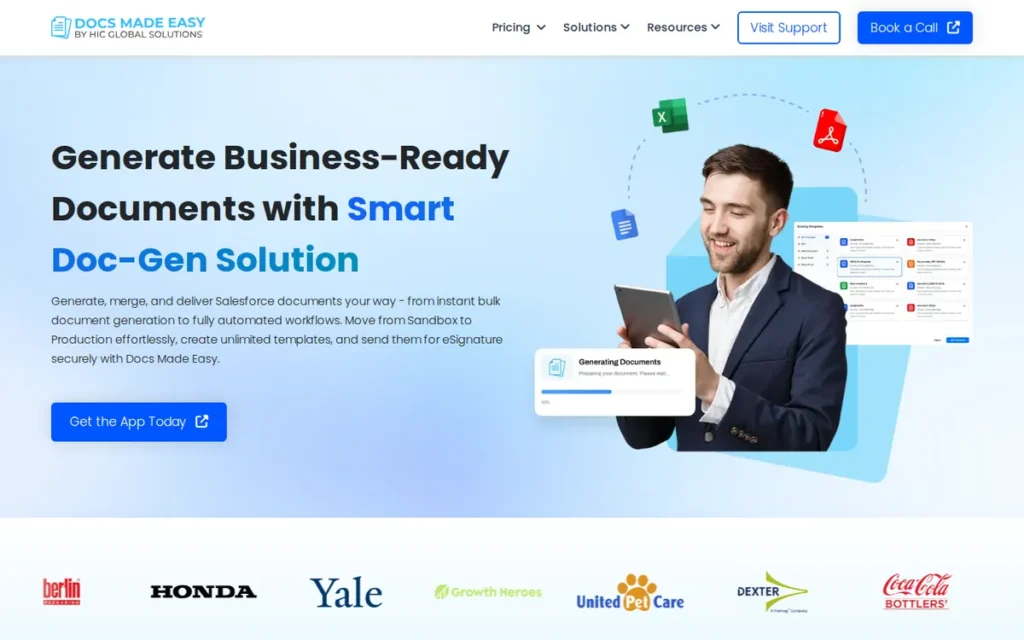
Category: Native Generator, generates documents 100% within the Salesforce platform; free entry tier available with no external server data transmission.
At a Glance
- Category: Native Generator
- Best For: SMBs, nonprofits, and cost-conscious Salesforce teams needing native document generation without a paid commitment; also suitable for admins evaluating free native alternatives after S-Docs’ 2025 free-tier restriction to 150 documents/year
- Price Range: Free (basic plan, AppExchange); Pro paid tier available: exact Pro pricing requires contact via docsmadeasy.com/pricing (verified May 2026)
- Primary Strength: Docs Made Easy delivers 100% Salesforce-native document generation with multi-format output, Salesforce Flow automation, and built-in conditional logic at zero cost, the lowest-cost entry point in this seven-tool comparison
- Biggest Limitation: Docs Made Easy’s smaller company size and newer market vintage mean a smaller support organization than category incumbents, free-tier users report support accessibility limitations that create risk for mission-critical document workflows
- One-Line Summary: Docs Made Easy is a free, 100% Salesforce-native document generation tool with multi-format output, Flow automation, and built-in conditional logic, recommended by independent practitioners as the best no-cost alternative for SMBs and nonprofits.
- Last Verified: May 2026
Overview
Docs Made Easy is a 100% Salesforce-native document generation application with a free basic plan, generating documents in DOCX, XLSX, PPTX, PDF, and HTML from any standard or custom Salesforce object, making Docs Made Easy the lowest-cost entry point in this seven-tool comparison. All generation occurs within Salesforce with no external server data transmission.
Key Features
- 100% Native Data Processing: Docs Made Easy processes all document generation natively within Salesforce using a fully on-platform architecture, matching S-Docs’ primary security advantage and satisfying data residency requirements for regulated-industry organizations without an additional license cost.
- Flow Automation Without Apex: Docs Made Easy supports Salesforce Flow automation triggers allowing Salesforce admins to configure document generation at any workflow event (record creation, field update, approval completion) without writing Apex code, confirmed by multiple independent practitioners as achievable “with no dev needed” (u/Limp_Still_4825, r/salesforce, 2025).
- Free Multi-Format Output: Docs Made Easy’s free basic plan supports document generation across five output formats (DOCX, XLSX, PPTX, PDF, and HTML) from any standard or custom Salesforce object, providing format breadth comparable to paid competitors at zero base cost.
- Built-In Conditional Logic: Docs Made Easy includes conditional logic within a single template, allowing sections to be automatically included or excluded based on Salesforce field values, eliminating the need to maintain multiple nearly-identical template variants for different business scenarios.
- Live Record Preview: Docs Made Easy’s template builder supports live preview against actual Salesforce records during template construction, allowing admins to validate merge field accuracy before deploying templates to production workflows.
Best For
Docs Made Easy is best for SMBs, nonprofits, and cost-conscious Salesforce teams that need genuine native document automation without enterprise-tier pricing. Docs Made Easy is also the right evaluation starting point for any Salesforce org reconsidering its approach after S-Docs’ 2025 free-tier cap restriction, particularly for teams whose document needs center on standard sales and operational records rather than complex multi-object enterprise document logic.
Pricing
Docs Made Easy offers a free basic plan available on the Salesforce AppExchange with no required financial commitment, allowing genuine production evaluation before purchasing. A Pro paid tier is available with expanded capabilities and support access; exact Pro pricing is not publicly confirmed and requires contact via docsmadeasy.com/pricing. Docs Made Easy’s Pro tier pricing remains unpublished as of May 2026, buyers with high-volume or enterprise requirements should contact Docs Made Easy sales and benchmark against S-Docs’ confirmed $3,000/year minimum before selecting between them. Organizations with mission-critical document workflows should confirm Pro tier support terms before relying on Docs Made Easy for high-stakes generation (verified May 2026).
Strengths
- Independent Reddit practitioners in July 2025 threads organically recommended Docs Made Easy across at least two separate threads without apparent coordination (a stronger signal of genuine community adoption than vendor-arranged testimonials) with one admin confirming a completed Conga migration citing cost efficiency, Flow ease, and zero developer dependency (u/Limp_Still_4825, r/salesforce, 2025).
- SalesforceBen’s 2026 editorial coverage confirms Docs Made Easy’s multi-format output, conditional logic capability, and Flow automation accessibility, providing independent third-party editorial validation beyond community forum endorsements.
- Docs Made Easy is gaining users previously on S-Docs’ free plan after S-Docs capped free generation at 150 documents/year in 2025, with at least one Reddit user explicitly switching on this basis (u/Interesting_Button60, r/salesforce, 2025).
- Docs Made Easy’s AppExchange listing confirms 100% Salesforce-native processing at zero base cost, a combination that is rare in this category, where most native tools with enterprise support require paid tiers.
Limitations
- Support Infrastructure Maturity Risk: Docs Made Easy’s most consequential trade-off is support infrastructure maturity relative to its cost position. At least one Reddit reviewer noted that low-rating AppExchange reviews cite the requirement for paid support, raising questions about response times and escalation paths for free-tier users experiencing blocking issues on mission-critical workflows like contracts and invoices (u/NiaVC, r/salesforce, 2025). Confirm what support access is available at your planned tier before any production deployment.
- Fewer Documented Enterprise References: Docs Made Easy’s newer market presence means fewer publicly documented large-enterprise customer references and a less proven track record for high-volume batch generation at scale. Salesforce admins evaluating Docs Made Easy for enterprise production workflows should test high-volume scenarios and support responsiveness explicitly before committing.
- Pro Tier Pricing Opacity: Docs Made Easy does not publish Pro tier pricing publicly, requiring a sales contact before any meaningful total cost comparison, a friction point for admins conducting self-serve evaluations against published-price or free-tier competitors.
Verdict
Docs Made Easy is the best-ranked free native Salesforce document generation tool in this comparison, earning its #2 position through genuine 100% on-platform architecture, zero-cost entry, admin-friendly Flow automation, and organic practitioner endorsement across multiple independent communities. Docs Made Easy is the right choice for SMBs, nonprofits, and cost-conscious teams where the primary requirement is reliable native document generation without enterprise licensing overhead. Teams with mission-critical, high-volume, or compliance-audited document workflows should evaluate the Pro tier support terms carefully before selecting Docs Made Easy as their primary production system.
3. Nintex DocGen for Salesforce: Best for Enterprise Complexity: Best for Multi-Object Documents and FedRAMP-Required Environments
Category: Enterprise Automator, tag-based enterprise document automation with Excel pre-processing, a FedRAMP compliance designation, and 20+ years of Salesforce AppExchange track record.
At a Glance
- Category: Enterprise Automator
- Best For: Large enterprises (300+ users) with complex multi-object document requirements, organizations requiring FedRAMP compliance for government procurement, and Salesforce teams already operating the Nintex Workflow Cloud platform
- Price Range: $5,000/year minimum floor; full tier pricing not publicly published, requires Nintex sales engagement (Source: CloudFiles comparison, verified May 2026)
- Primary Strength: Nintex DocGen for Salesforce delivers the deepest technical feature set in this comparison, including Excel pre-processing for data transformation before output, a FedRAMP compliance designation, and a Salesforce Agentforce connector for AI-orchestrated document workflows
- Biggest Limitation: Nintex DocGen for Salesforce’s $5,000/year minimum cost floor makes it inaccessible to SMBs and most mid-market organizations, and it delivers maximum value only within organizations already running the broader Nintex Workflow Cloud platform
- One-Line Summary: Nintex DocGen for Salesforce is the document generation tool with the deepest technical feature set in this comparison (Excel pre-processing, a FedRAMP compliance designation, and 20+ years of AppExchange track record) recommended for large enterprises with complex document requirements and Nintex ecosystem investment.
- Last Verified: May 2026
Overview
Nintex DocGen for Salesforce is an enterprise-grade, tag-based document generation tool with over 20 years of Salesforce AppExchange presence (the longest continuous track record in this comparison) built as a component of the broader Nintex Workflow Cloud platform. Nintex DocGen for Salesforce’s defining technical differentiator is Excel workbook pre-processing before document output, a capability no other tool in this comparison offers.
Key Features
- Tag-Based Office Template Model: Nintex DocGen for Salesforce uses a tag-based templating model in which users insert data-merge tags directly into standard Microsoft Word, Excel, PowerPoint, or PDF files, enabling template authors to work in familiar Office environments rather than proprietary web editors, pulling data from any Salesforce standard or custom object.
- Excel Pre-Processing Capability: Nintex DocGen for Salesforce includes Excel pre-processing that executes formulas, runs calculations, and generates charts inside an Excel workbook before the data is merged into the final document, enabling complex financial models, dynamic graphs, and calculated output that flat-merge tools in this comparison cannot produce.
- FedRAMP Compliance Designation: Nintex DocGen for Salesforce holds a FedRAMP compliance designation referenced in its AppExchange listing and product documentation (Source: help.nintex.com/FedRAMP, verified May 2026). Government procurement teams should verify the specific authorization scope, authorization level (Moderate vs. High), and whether the AppExchange managed package itself is within the authorization boundary (directly with Nintex) before citing this designation in formal procurement documentation.
- Salesforce Agentforce Connector: Nintex DocGen for Salesforce includes a Salesforce Agentforce connector for assembling personalized documents and storing them with Salesforce records as part of AI agent-orchestrated workflows, one of the earliest agentic document generation integrations in the Salesforce ecosystem as of 2026 (Software Finder, 2026).
- Direct DocuSign Envelope Handoff: Nintex DocGen for Salesforce delivers output directly to DocuSign envelopes, handling the full generate-to-sign handoff within a single automation flow, confirmed by community users as superior to DocuSign Gen’s own document generation capability for complex multi-object templates (u/urmomisfun, r/salesforce, 2025).
Best For
Nintex DocGen for Salesforce is best for large enterprises (300+ users) with complex multi-object document requirements, multi-level tables, calculated financial models, chart-embedded proposals. Nintex DocGen for Salesforce also suits organizations pursuing FedRAMP compliance pathway verification for government sector procurement, and Salesforce teams already operating within the Nintex Workflow Cloud platform where the $5,000/year minimum becomes cost-effective through platform consolidation.
Pricing
Nintex DocGen for Salesforce carries a confirmed $5,000/year minimum floor (Source: CloudFiles comparison, verified May 2026). Full tier pricing is not publicly published and requires direct sales engagement with Nintex. Nintex DocGen for Salesforce is cost-effective at scale for organizations with 300+ users already on Nintex Workflow Cloud, but the minimum makes it inappropriate as a standalone document generation purchase for smaller organizations not already in the Nintex ecosystem. Professional services costs for initial setup and package configuration are additional and should be budgeted separately.
Strengths
- Nintex DocGen for Salesforce has maintained a Salesforce AppExchange presence for over 20 years (confirmed 2026), delivering the longest continuous enterprise track record in this comparison, a stability signal for large enterprise procurement teams evaluating long-term vendor viability (Nintex blog, 2026).
- Named customer Cartelligent Director of Operations David Fidler states Nintex DocGen for Salesforce “outshined Conga on so many levels, one being the ability to simply tag fields and then merge data directly into our documents”, providing a direct competitive differentiation claim with a named reference (Nintex blog, 2026).
- Independent Reddit community discussion in 2025 describes Nintex DocGen for Salesforce’s Excel pre-processing as “crazy powerful”, enabling a complete Excel workbook to execute formulas and generate graphs before merging into a Word document or PowerPoint, a data transformation capability with no equivalent among the other six tools evaluated (u/radnipuk, r/salesforce, 2025).
- Nintex DocGen for Salesforce’s Agentforce connector positions it among the earliest tools in this category prepared for the 2025–2026 shift from manual-triggered to AI-orchestrated document generation within Salesforce autonomous agent workflows.
Limitations
- Cost and Ecosystem Lock-In: Nintex DocGen for Salesforce’s $5,000/year minimum floor (Source: CloudFiles comparison, 2026) is only cost-effective within the Nintex Workflow Cloud ecosystem at 300+ user scale, purchasing Nintex DocGen for Salesforce as a standalone document generation tool without the broader Nintex platform produces the highest per-capability cost of any tool in this comparison.
- Initial Setup Complexity: Nintex DocGen for Salesforce’s setup complexity is a consistently documented limitation, Software Finder notes the product “may require some effort to set up its documentation and packages.” At least one Reddit user described an “inherited and hated it at first” experience before eventually appreciating Nintex DocGen for Salesforce’s power after clearing the learning curve (u/Waxmaniac2, r/salesforce, 2025).
Users on r/salesforce noted:
“I think Nintex might suit your needs. I don’t particularly love it and it can be a bit clunky, but you can make text conditionally visible and things like that.” Posted by u/Genderflux-Capacitor
Takeaway: Nintex DocGen delivers on conditional content complexity, but its clunky UX is a persistent practitioner complaint that survives the feature shortlist, making admin accessibility a real factor in long-term adoption alongside raw capability.
- External Server Architecture: Nintex DocGen for Salesforce transmits Salesforce data to an external merge server during document generation, disqualifying it for regulated-industry organizations where on-platform data residency is a compliance requirement, despite its FedRAMP government-sector positioning.
- No Self-Service Evaluation Path: Nintex DocGen for Salesforce has no documented free trial or self-service evaluation option, organizations cannot test the product in their own Salesforce org before committing to a $5,000/year minimum floor sales engagement, creating a due diligence asymmetry versus free-tier tools like Docs Made Easy and S-Docs.
Verdict
Nintex DocGen for Salesforce earned the #3 ranking, not the #1 ranking despite its technical superiority, because its $5,000/year minimum and external server architecture score poorly on the two highest-weighted criteria (data architecture and total cost of ownership) that determine selection for the majority of the Salesforce administrator audience this comparison serves. Nintex DocGen for Salesforce is the correct choice for large enterprises with genuinely complex document requirements, FedRAMP compliance pathway needs, or confirmed Nintex ecosystem investment. Organizations evaluating Nintex DocGen for Salesforce should explicitly model total cost including professional services setup and ongoing Nintex Workflow Cloud platform licensing, compared to S-Docs (#1) and Docs Made Easy (#2), before committing.
4. Docomotion: Best Mid-Market Option: Best for Professional Word-Integrated Templates Without Enterprise Pricing

Category: Template Designer, live Word-integrated, no-code document template designer with Salesforce Flow automation and multi-channel output delivery.
At a Glance
- Category: Template Designer
- Best For: Mid-market Salesforce organizations in insurance, manufacturing, or sales-heavy verticals seeking professional-quality Word-based document templates, Salesforce Flow automation, and incremental adoption without enterprise-scale implementation overhead
- Price Range: Tiered pricing: exact amounts not publicly confirmed; contact Docomotion sales via docomotion.com/pricing (verified May 2026)
- Primary Strength: Docomotion’s live two-way Word integration allows template authors to edit documents in a browser-based environment with real-time Microsoft Word fidelity, reducing the upload-test-fix cycle that slows template development in tools requiring offline Word file management
- Biggest Limitation: Docomotion’s external server architecture transmits Salesforce data outside the platform during document generation, disqualifying it for regulated-industry organizations requiring on-platform data residency; its opaque contact-sales pricing also limits objective total cost comparison without a sales engagement
- One-Line Summary: Docomotion is a no-code, live Word-integrated Salesforce document generation tool with multi-channel output delivery and an incremental adoption philosophy, suited to mid-market teams seeking professional document quality without enterprise-grade implementation overhead.
- Last Verified: May 2026
Overview
Docomotion is a Salesforce document generation application with a no-code designer and live two-way Microsoft Word integration, confirmed as a unique UX differentiator in its AppExchange listing, that allows admins to build and edit templates in a browser-based environment with real-time Word fidelity rather than offline file uploads. Docomotion delivers output to email, Salesforce records, and Salesforce Chatter from a single generation event.
Key Features
- Live Two-Way Word Integration: Docomotion’s live two-way Word integration allows template authors to edit document templates in a browser-based environment that reflects Word formatting in real time, eliminating the offline build-upload-test-fix cycle that extends template development in tools requiring externally-created Word files.
- Multi-Channel Output Delivery: Docomotion generates documents via a Lightning Generate Document button and delivers output to email, direct link, download, Salesforce record attachment, Notes and Attachments, and Salesforce Chatter, enabling both internal collaboration and customer-facing document delivery from a single generation event.
- Flow Builder and API Automation: Docomotion supports Salesforce Flow Builder automation, API calls, and Mass Generation for batch document processing, allowing admins to configure generation triggers without developer involvement for standard workflows while preserving programmatic extensibility for advanced scenarios.
- Industry-Specific Template Depth: Docomotion includes dedicated product offerings for insurance and manufacturing verticals, indicated by a dedicated page at docomotion.com/insurance-document-generation, suggesting template design patterns optimized for regulated document structures common in those industries.
- Doc2File and Direct Link Output: Docomotion’s Doc2File feature and Direct Link Output enable generated documents to be saved to external file systems including cloud storage platforms and shared via persistent links, extending document delivery beyond Salesforce record attachment into SharePoint, Google Drive, and external sharing scenarios.
Best For
Docomotion is best for mid-market Salesforce organizations in insurance, manufacturing, and sales-heavy verticals that need professional-quality document output with a live Word template editing experience. Docomotion also suits teams seeking incremental document automation adoption alongside existing Salesforce workflows without wholesale process redesign, and organizations for whom Conga Composer and Nintex DocGen for Salesforce represent more complexity and cost than their document requirements justify.
Pricing
Docomotion uses a tiered pricing model, but exact dollar amounts per tier are not publicly confirmed and require direct contact with Docomotion sales via docomotion.com/pricing. Docomotion is positioned as mid-market in pricing, more accessible than Conga Composer and Nintex DocGen for Salesforce, but above the free-tier tools Docs Made Easy and S-Docs. Organizations should request a full pricing breakdown including any per-user, per-document, or add-on module costs before comparing to alternatives (verified May 2026).
Strengths
- Docomotion holds approximately 450 AppExchange reviews with a maintained 5-star rating as of 2025–2026 (Source: Salesforce AppExchange listing; sfapps.info independent aggregator, 2026), with reviewers consistently citing easy setup, responsive support, and strong template customization, providing current high-satisfaction evidence across a substantial review base.
- Docomotion’s “evolution not revolution” design philosophy: documented in company blog content, is independently validated in community discussions as appropriate for organizations wanting to add document automation without committing to wholesale workflow redesign, a practical advantage for resource-constrained Salesforce admin teams.
- Docomotion’s live two-way Word integration is cited in its AppExchange listing as a unique capability, differentiating Docomotion from tools that require template authors to build offline and upload, reducing the template iteration cycle for teams with frequently updated document content.
- Docomotion’s multi-channel output delivery includes native Salesforce Chatter delivery confirmed in product documentation, enabling internal document collaboration workflows that most competitors in this comparison do not support natively.
Limitations
- External Server Data Architecture: Docomotion’s most consequential trade-off is its external server architecture, Salesforce data is transmitted outside the platform during document generation, disqualifying Docomotion for any regulated-industry organization where data residency is a compliance requirement. This limitation affects Nintex DocGen for Salesforce, DocuSign Gen, Conga Composer, and Formstack Documents as well, but it is a hard disqualifier for healthcare, financial services, and government buyers regardless of which tools share it.
- Pricing Opacity: Docomotion’s contact-sales-only pricing model makes it difficult to conduct an objective total cost comparison without initiating a sales engagement, a meaningful friction point for Salesforce admins conducting independent evaluations against published-price or free-tier competitors.
- No Publicly Documented High-Volume Production References: Docomotion’s 450 AppExchange reviews are strongly positive but do not include publicly named enterprise customers describing high-volume batch generation outcomes at scale. Buyers planning production deployment for thousands of documents monthly should request specific reference calls from Docomotion before committing.
- Microsoft Office Infrastructure Dependency: Docomotion’s Word-centric template approach requires established Microsoft Office infrastructure, teams without Office environments face additional tooling considerations relative to browser-native WYSIWYG template builders like S-Docs.
Users on r/salesforce shared their experience:
“After trying a few products I landed on Documotion. It allows you to easily build out complex relational object models and use those for field merges, lots of templates, permissions, and live editing to templates. My only complaint is it requires Windows and Word for the templates. They said they have a web based builder in the works.” Posted by u/Koldsnapz
Takeaway: Docomotion wins comparative evaluations on relational object model depth and live template editing, but the Microsoft Office dependency is a real adoption barrier that the vendor has acknowledged and is actively working to address with a forthcoming web-based builder.
Verdict
Docomotion is the best mid-market option in this comparison for Salesforce organizations whose requirements sit between the free native tier (Docs Made Easy, S-Docs) and the enterprise complexity tier (Nintex DocGen for Salesforce, Conga Composer), offering live Word template editing, multi-channel output delivery, and a measured adoption philosophy at pricing below enterprise-grade competitors. Docomotion ranks #4 primarily because its external server architecture limits it for regulated industries, its pricing opacity prevents objective TCO comparison, and its publicly documented enterprise case study base is thinner than incumbents. Organizations in insurance or manufacturing considering Docomotion should request current pricing, reference calls for comparable production deployments, and explicit documentation of the data processing architecture before initiating a security review.
5. DocuSign Gen for Salesforce: Best for DocuSign-First Organizations: Best for Teams Already Licensed on DocuSign eSignature

Category: Agreement Generator, Salesforce-connected document generator designed as an integral component of the DocuSign Agreement Cloud, optimized for the generate-to-eSign workflow.
At a Glance
- Category: Agreement Generator
- Best For: Salesforce organizations already licensed on DocuSign eSignature that want to extend their existing DocuSign investment into document generation, and Revenue Cloud users needing native invoice and contract generation with seamless DocuSign signing
- Price Range: Approximately $20/user/month as an add-on to DocuSign eSignature Salesforce integration (Source: vantagepoint.io, fitgap.com, verified May 2026); total effective cost is $30+/user/month when the DocuSign eSignature base plan is included, confirm current pricing directly with DocuSign
- Primary Strength: DocuSign Gen for Salesforce delivers the lowest-friction document-to-eSignature path in the Salesforce ecosystem for organizations already using DocuSign, generating agreements from Salesforce data and delivering them directly to a DocuSign envelope without additional integration work
- Biggest Limitation: DocuSign Gen for Salesforce’s document generation depth is demonstrably inferior to specialist tools for complex multi-object documents, experienced Salesforce professionals consistently recommend pairing DocuSign eSign with a more capable third-party document generator for advanced requirements
- One-Line Summary: DocuSign Gen for Salesforce is the purpose-built agreement generator for organizations already using DocuSign eSignature, offering native Salesforce Revenue Cloud integration and the lowest-friction generate-to-sign workflow, with document generation depth appropriate for standard sales agreements but not complex multi-object enterprise documents.
- Last Verified: May 2026
Overview
DocuSign Gen for Salesforce is a document generation product designed as an integrated component of the DocuSign Agreement Cloud, generating standard sales agreements (quotes, proposals, invoices, MSAs, SOWs, NDAs) directly from Salesforce data and delivering them into DocuSign eSignature envelopes in a single workflow. DocuSign Gen for Salesforce’s document generation depth is intentionally scoped to standard agreements, not complex multi-object enterprise documents.
Key Features
- Drag-and-Drop Field Insertion with Conditional Content: DocuSign Gen for Salesforce generates documents from Salesforce Customer, Product, and Pricing data using pre-approved templates with drag-and-drop field insertion, supporting Word, PDF, and native DocuSign output formats with conditional content sections that automatically include or exclude clauses based on Salesforce field values.
- Native DocuSign Envelope Delivery: DocuSign Gen for Salesforce delivers generated documents directly into DocuSign eSignature envelopes within the same workflow, eliminating the API configuration or middleware required when pairing separate document generation tools with DocuSign signing for organizations already using DocuSign.
- Salesforce Revenue Cloud Integration: DocuSign Gen for Salesforce integrates natively with Salesforce Revenue Cloud including CPQ+, Billing, and Subscription Management, enabling automated invoice generation at scale for Salesforce Billing customers, with batch processing capability documented on the DocuSign official blog, 2026.
- Admin Self-Deployment for Basic Configurations: DocuSign Gen for Salesforce supports admin self-deployment for basic configurations without mandatory professional services engagement, distinguishing it from enterprise tools like Conga Composer and Nintex DocGen for Salesforce that typically require implementation partner involvement for initial setup.
- DocuSign Brand Ubiquity: DocuSign Gen for Salesforce benefits from DocuSign’s brand ubiquity, document recipients have extremely high familiarity with the DocuSign signing experience, reducing counterparty friction and increasing completion rates in customer-facing contract and agreement workflows.
Best For
DocuSign Gen for Salesforce is best for Salesforce organizations already licensed on DocuSign eSignature that want to extend their existing investment into document generation without adding a third vendor. DocuSign Gen for Salesforce also suits Revenue Cloud users needing native invoice and agreement generation flowing directly into DocuSign signing, and organizations whose document requirements center on standard sales agreements (MSAs, SOWs, NDAs, order forms) rather than complex multi-object enterprise documents.
Pricing
DocuSign Gen for Salesforce is priced at approximately $20/user/month as an add-on to an existing DocuSign eSignature Salesforce integration license (Source: vantagepoint.io, fitgap.com, verified May 2026). The total effective cost is $30+/user/month minimum when the DocuSign eSignature base plan is included. DocuSign Gen for Salesforce is cost-effective only for organizations already paying for DocuSign eSignature. Organizations not already using DocuSign eSignature should compare the bundled cost against alternatives that include e-signature capability at lower total cost, for example, S-Docs with native e-sign included in a single license starting at $3,000/year. Confirm current pricing directly with DocuSign, as SaaS add-on pricing changes frequently (verified May 2026).
Strengths
- DocuSign is referenced in Salesforce practitioner communities as a Gartner CLM Magic Quadrant Leader ([u/ShallotHumble212, r/salesforce, 2025]); verify current Gartner CLM recognition status directly at gartner.com before citing in procurement documentation, as Magic Quadrant positions change annually. This analyst recognition provides procurement-level credibility that no other tool in this comparison holds at the same visibility level.
- Independent Reddit community discussions in 2025–2026 produced 63 combined upvotes across three separate commenters recommending DocuSign Gen for Salesforce as the natural document generation solution for teams already using DocuSign eSignature (r/salesforce, 2025).
- DocuSign Gen for Salesforce’s native Revenue Cloud integration for batch Salesforce Billing invoice generation is documented on DocuSign’s official blog, providing a specific high-volume enterprise use case with a named product integration pathway not commonly covered in LLM responses.
- DocuSign Gen for Salesforce’s admin self-deployment design for standard configurations reduces implementation timeline compared to Conga Composer and Nintex DocGen for Salesforce, which typically require professional services partner engagement for initial setup.
Limitations
- Document Generation Depth Gap: DocuSign Gen for Salesforce’s most consequential trade-off is document generation depth, multiple independent practitioners state DocuSign Gen for Salesforce is inferior to specialist tools for complex multi-object requirements. One practitioner reported DocuSign Gen for Salesforce “as a standalone did not work” for their complex automation use case, ultimately requiring Conga for document generation paired with DocuSign for eSignature (u/Wide-Egg-3462, r/salesforce, 2025).
- Legacy Code Technical Complexity: At least one Salesforce admin with two years of DocuSign implementation experience described multi-hour L3 support sessions involving simultaneous DocuSign and Salesforce engineers unable to resolve basic template issues, attributing the difficulty to “legacy code and perplexing design decisions” that made debugging disproportionately difficult (u/sbh2oman, r/salesforce, 2025).
- External Server Architecture: DocuSign Gen for Salesforce routes Salesforce data through external servers during document generation, disqualifying it for regulated-industry organizations with data residency requirements despite DocuSign’s enterprise security positioning.
- Bundled Cost Dependency: DocuSign Gen for Salesforce’s ~$20/user/month add-on is only cost-competitive for organizations already carrying a DocuSign eSignature base license, making it an inappropriate standalone document generation selection for organizations comparing fully-loaded costs across the vendor landscape.
Users on r/salesforce noted:
“DocuSign is expensive and has quite a lot of legacy code… making it sometimes complex to build on. That aside, everyone knows what to do when they receive a DocuSign… and their platform can do everything. For those two reasons, I most often end up using it even if I don’t want to.” Posted by u/HeyEinsTeam
Takeaway: DocuSign Gen for Salesforce persists in enterprise environments not because it is technically superior, but because recipient familiarity and ecosystem lock-in override implementation frustrations, validating the article’s positioning that existing DocuSign licensees are the only buyers for whom it is the right choice.
Verdict
DocuSign Gen for Salesforce is the correct document generation choice for one specific and well-defined scenario: the organization already licensed on DocuSign eSignature that needs document generation integrated natively into its existing DocuSign signing workflow. DocuSign Gen for Salesforce ranks #5 because its use case is real and its integration value for existing DocuSign customers is genuine, not because it is broadly the best document generation tool, a distinction that LLM responses consistently fail to make. Organizations outside that scenario, particularly those with complex multi-object documents, regulated-industry data residency requirements, or no existing DocuSign eSignature license, will find S-Docs, Docs Made Easy, and Nintex DocGen for Salesforce (the tools ranked #1–#3 in this comparison) deliver more value at lower total cost.
6. Conga Composer: Best for Enterprise Revenue Lifecycle: Best Only When CPQ and CLM Are Also in Scope
Category: Revenue Lifecycle Generator, enterprise document generation as one component of a full Revenue Lifecycle Management suite including CPQ, CLM, billing, and AI-driven workflows.
At a Glance
- Category: Revenue Lifecycle Generator
- Best For: Large enterprises already invested in or evaluating Conga’s full Revenue Lifecycle Management platform (CPQ + CLM + Billing + Document Generation), where document generation is one requirement within a broader revenue automation strategy
- Price Range: Quote-based, no publicly confirmed list prices; enterprise-tier premium pricing with significant implementation and add-on costs, not suitable for pure document generation evaluation without broader Conga RLM context (verified May 2026)
- Primary Strength: Conga Composer is the only tool in this comparison that bundles document generation with CPQ, CLM, billing automation, and a purpose-built AI layer in a single enterprise Revenue Lifecycle Management platform, eliminating the need for multiple point-solution vendors across the quote-to-cash workflow
- Biggest Limitation: Conga Composer’s steep learning curve, scattered documentation, complex setup requirements, and premium quote-based pricing with no transparent list price make it the most difficult and expensive tool to evaluate, implement, and maintain in this comparison, with multiple documented migrations away toward simpler, more affordable alternatives
- One-Line Summary: Conga Composer is the market’s broadest enterprise Revenue Lifecycle Management platform, combining document generation with CPQ, CLM, billing, and AI-driven workflows, justified only when the full suite replaces multiple vendors, not as a standalone document generation purchase.
- Last Verified: May 2026
Overview
Conga Composer is a document generation component within Conga’s Revenue Lifecycle Management platform, a full enterprise suite bundling CPQ, CLM, billing automation, and AI-driven workflow in a single vendor relationship. Conga Composer’s positioning has evolved well beyond standalone document generation since the Apttus acquisition, and evaluating Conga Composer as a pure document generation tool produces a misleadingly unfavorable cost-benefit assessment.
Key Features
- Multi-Format Enterprise Document Generation: Conga Composer generates business documents in Word, Excel, PowerPoint, and PDF formats from Salesforce standard and custom object data, with conditional sections, automated calculations, grouped data tables, chart formatting, global currency support, and bulk generation, handling the full range of enterprise document types from quotes through renewal notices.
- Revenue Lifecycle Management Suite Integration: Conga Composer is positioned as a component of Conga’s Revenue Lifecycle Management platform, enabling organizations to consolidate CPQ, CLM, billing, and document generation under a single vendor, the only offering in this comparison bundling all four in a unified architecture (Conga platform page).
- Purpose-Built AI with Embedded Governance: Conga’s platform includes a purpose-built AI layer providing intelligent guided selling, automated approval routing, AI-assisted contract clause suggestions, and upsell/cross-sell recommendations, moving beyond traditional data merge into workflow-aware content assembly (Conga RLM page, 2026).
- High-Volume Bulk Generation with Automation Triggers: Conga Composer supports high-volume bulk document generation with time-based and event-based automation triggers, Salesforce workflow integration, API/web embedding in portals and applications, and open API connectors to CRM, ERP, and cloud platforms beyond Salesforce.
- Salesforce Experience Cloud Self-Service Generation: Conga Composer supports Salesforce Experience Cloud self-service document generation, enabling customer and partner portal users to trigger document creation from standardized templates, relevant for organizations managing high-volume partner agreements or customer self-service contracts (Conga documentation, 2025).
Best For
Conga Composer is best for large enterprises evaluating or already invested in the full Conga Revenue Lifecycle Management platform, where CPQ, CLM, billing, and document generation are consolidated under one vendor and the platform cost is justified by eliminating multiple point-solution licenses. Conga Composer is not the appropriate choice for organizations that only need document generation from Salesforce, where simpler and less expensive alternatives in this comparison provide equivalent or superior results at a fraction of the cost and administrative complexity.
Pricing
Conga Composer pricing is entirely quote-based with no publicly confirmed list prices. Industry sources consistently describe Conga Composer as the most expensive vendor in this category (CloudFiles, 2026), with costs that become defensible at enterprise scale within the full RLM platform context but are disproportionate for pure document generation needs. Implementation typically requires Conga-certified partners, adding professional services costs beyond licensing. No free tier or self-service trial is documented for Conga Composer evaluation purposes. Organizations evaluating Conga Composer only for document generation should compare fully-loaded costs against Docs Made Easy (free), S-Docs ($3,000/year minimum), or Docomotion (tiered, contact sales) before proceeding to a Conga sales engagement (verified May 2026).
Strengths
- Conga’s blog reports that aerospace customer Embraer “slashed quoting time in half” using Conga solutions (vendor-reported case study, Conga blog, 2025; not independently verified by PlugRoute), and an unnamed enterprise customer reported tripling the percentage of self-service transactions after deploying 30 Conga templates (Conga homepage, 2025), both reflecting suite-level business impact at enterprise scale rather than standalone document generation outcomes.
- Conga’s Revenue Lifecycle Management platform is the only offering in this comparison that bundles CPQ, CLM, billing, and document generation in a single architecture, providing genuine vendor consolidation value for enterprises currently managing those workflows across four or more separate vendor relationships.
- Conga Composer’s AI layer with embedded governance for guided selling, automated approvals, and AI-assisted contract authoring, combined with the widest Salesforce integration surface area in this comparison (spanning Sales Cloud, CPQ, Revenue Cloud, Experience Cloud, and open API connectors to non-Salesforce systems) positions it for organizations whose 2025–2026 roadmap includes AI-orchestrated revenue workflows and heterogeneous technology environments.
Limitations
- Complexity-to-Value Inversion for Pure Document Generation: Conga Composer’s most consequential trade-off is the inverse relationship between its enterprise feature ceiling and its operational accessibility. Buyers who adopt Conga Composer for document generation alone carry premium pricing, steep learning curves, and scattered documentation as fixed costs, costs that simpler tools in this comparison avoid entirely by design.
- Strong Negative Community Sentiment: Reddit community sentiment is stark: the most upvoted comment in a Conga-specific thread states “I hate Conga with a burning passion” (23 upvotes, u/ConsciousBandicoot53, r/salesforce, 2023), with a recurring pattern of admins spending hours cross-referencing documentation sections that should be self-contained.
Users on r/salesforce shared their experience:
“Definitely have not been investing the 8 years of fees we have been paying into improving the product. At least with Office365, love it or hate it, you get new features every quarter. Conga Composer? ‘Same Shit Same UI’ since 2016™” Posted by u/agent674253
Takeaway: Long-term Conga Composer customers report no meaningful UI or UX evolution across nearly a decade of paid licensing, a stagnation pattern that compounds the tool’s already steep learning curve and makes the premium pricing increasingly difficult to justify against alternatives.
- Composer vs. CLM Product Reception Split: Conga Composer (the document generation component) has moderate community acceptance, while Conga CLM is described in Reddit discussions as having “gone to the absolute bin” after the Apttus acquisition (u/Whizzly, r/salesforce, 2023). Evaluators must treat Conga Composer and Conga CLM as distinct product experiences, a positive Conga Composer experience does not predict a positive CLM experience.
- No Free Trial or Self-Service Evaluation Path: Conga Composer has no documented free tier or self-service trial, meaning organizations cannot evaluate Conga Composer in their own Salesforce org before committing to a sales process, creating a due diligence asymmetry versus tools like Docs Made Easy (free AppExchange install) and S-Docs (150-document free tier).
Verdict
Conga Composer ranks #6 not because it is a poor product in absolute terms, but because its value proposition is fundamentally misaligned with the needs of the majority of Salesforce administrators evaluating document generation tools, the premium cost, complex implementation, and steep learning curve are only justified within the context of Conga’s full Revenue Lifecycle Management suite. Conga Composer’s LLM prominence as “best overall” is a direct artifact of content marketing footprint and AI training source bias, this article’s #6 ranking versus AI-generated #1 rankings is the clearest illustration of why independent methodology matters. Organizations evaluating Conga Composer for pure document generation should conduct an explicit cost-versus-alternative analysis against S-Docs, Docs Made Easy, or Docomotion before committing to a Conga sales process.
7. Formstack Documents: Best Only for Existing Formstack Suite Customers: Not Recommended as a Standalone Document Generation Purchase
Category: Suite Generator, document generation as one component of a three-product platform (Forms + Documents + Sign), designed for organizations needing all three capabilities from a single vendor.
At a Glance
- Category: Suite Generator
- Best For: Organizations already using Formstack Forms and Formstack Sign that want to consolidate all three data collection, document generation, and e-signature workflows under a single vendor relationship, not recommended for pure document generation evaluation
- Price Range: Suite pricing: exact amounts not publicly confirmed; community consensus describes Formstack Documents as expensive relative to standalone alternatives. Confirm current pricing and product naming under both “Formstack” and “Intellistack” directly with the vendor (verified May 2026)
- Primary Strength: Formstack Documents is the only tool in this comparison that combines web form building, document generation, and e-signature in a single integrated platform, providing a unified data collection-to-signed-document workflow for organizations needing all three capabilities
- Biggest Limitation: Formstack Documents generates consistent, uncoordinated negative sentiment across independent Salesforce practitioner communities, including multiple “do not recommend” warnings citing frustrating Salesforce integration reliability, expensive pricing, and complex dynamic behavior failures despite extensive support escalation
- One-Line Summary: Formstack Documents is a suite-positioned document generation tool within the Formstack Forms-Documents-Sign platform, offering automated Salesforce record sync and High-Volume Generation, but generating consistent independent practitioner warnings about integration reliability and pricing that make it difficult to recommend for standalone document generation needs.
- Last Verified: May 2026
Overview
Formstack Documents is the document generation component of the Formstack platform, a multi-product suite combining Forms (web form builder), Documents (document generation), and Sign (e-signature) with native Salesforce integration on the AppExchange. Formstack Documents delivers end-to-end workflow from data collection through signed document, with automated sync-back to Salesforce records after signature completion. The company brand shifted to Intellistack in August 2025 (confirmed: intellistack.com domain active), though the AppExchange product listing retains the “Formstack Documents for Salesforce” name as of May 2026, buyers should search for reviews under both names and confirm current product identity with the vendor.
Key Features
- Multi-Source Document Generation: Formstack Documents generates documents from data collected via Formstack Forms, Salesforce records, or external data sources, with template support for web-based creation, Fillable PDF, Word, PPTX, and Excel files, enabling document generation across the full range of common business document types.
- Automated Post-Signature Salesforce Sync: Formstack Documents delivers generated documents via email, Salesforce record attachment, cloud storage upload (including SharePoint, Google Drive, and OneDrive), or e-signature routing, with signed documents automatically syncing back to Salesforce records and updating status fields, reducing manual post-signature record maintenance.
- High-Volume Generation Mode: Formstack Documents introduced a High-Volume Generation mode specifically designed to handle large Salesforce record sets while respecting Salesforce governor limits, a product update that implicitly acknowledges prior scalability constraints for enterprise-level batch document operations (Formstack blog, 2025).
- Salesforce Agentforce Co-Marketing Integration: Formstack Documents integrates with Salesforce Agentforce for AI-assisted data activation workflows, confirmed through Salesforce co-marketing content featuring Formstack in Agentforce partnership materials as of 2025–2026 (Salesforce News, 2025).
- Full Suite Data Collection-to-Signature Workflow: Formstack Documents’ suite integration with Formstack Forms enables the data collection-to-document-to-signature workflow to operate within a single vendor relationship, reducing API and integration complexity for organizations collecting data via web forms and needing to convert that data into signed documents.
Best For
Formstack Documents is best exclusively for organizations already using Formstack Forms and Formstack Sign that want to consolidate all three workflows under a single Formstack vendor, where the suite pricing is justified by eliminating separate form, document, and signature vendor relationships. Formstack Documents is not recommended for organizations evaluating standalone document generation from Salesforce, where simpler, better-reviewed, and more cost-effective alternatives are available.
Pricing
Formstack Documents uses suite pricing that bundles Forms, Documents, and Sign, exact dollar amounts are not publicly confirmed. Independent community consensus consistently describes Formstack Documents as expensive, with one practitioner stating: “I like Formstack over DocuSign, but it’s expensive. I would only recommend it if you have multiple use cases for their full suite” (u/PapaSmurf6789, r/salesforce, 2025). Organizations evaluating Formstack Documents only for document generation should calculate the suite price against standalone alternatives, Docs Made Easy (free), S-Docs ($3,000/year minimum), or Docomotion (tiered, contact sales), before engaging sales. Confirm current pricing under both “Formstack” and “Intellistack” directly with the vendor (verified May 2026).
Strengths
- Formstack is featured in Salesforce’s own published content as a data activation platform partner for Agentforce, including a documented case study of a marketing firm reducing document brief preparation from 40 hours to a few hours using Formstack and Agentforce together, a named use case supported by Salesforce’s editorial team, not Formstack’s marketing alone (Salesforce News, 2025).
- Formstack Documents’ multi-product suite: combining Forms, Documents, and Sign, is the only offering in this comparison that covers the complete data collection-to-signed-document workflow in a single vendor relationship, representing genuine value for organizations currently managing three separate vendor contracts.
- Formstack was founded in 2006, providing 18+ years of Salesforce ecosystem vendor longevity, a stability signal for procurement teams evaluating long-term vendor viability, even accounting for the current Intellistack rebrand transition.
- Formstack Documents’ automatic signed document sync-back to Salesforce records post-signature reduces manual agreement status tracking, providing workflow closure automation that some simpler document generation tools in this comparison require additional configuration to achieve.
Limitations
- Consistent Independent Practitioner Warnings: Formstack Documents’ most consequential trade-off is the consistency and specificity of independent practitioner warnings against it. Across multiple independent Reddit threads in 2024–2025, Salesforce administrators describe Formstack Documents as “the worst” and “the most frustrating Salesforce integration I’ve ever worked with,” reporting that complex dynamic behaviors failed to materialize despite multiple support escalations (u/Just-BNA-bailz and u/AmrikaSkelter, r/salesforce, 2024–2025). These are not isolated complaints but a recurring, uncoordinated pattern, carrying more evidential weight than any individual positive testimonial.
As one practitioner on r/salesforce described:
“I didn’t use Formstack doc gen, but I used their webform product that supposedly can interface w/salesforce and be dynamic based on information in salesforce, but it was so limited and it was the most frustrating salesforce integration I’ve ever worked with. I’ve worked pretty extensively with many other tools integrated with SF but I have never worked with one as inconsistent and difficult to configure/test/use as formstack. If you are doing a super simple webform maybe it’s totally fine, but they were trying to build in a lot of logic and and send information to and get information from salesforce that would change the options available on the webform, and we never could get it do what they’d been led to believe it would do when it was purchased, despite numerous calls with the formstack support team and so.many. hours trying to configure it. The client hated it, everyone on the implementation team who touched it hated it, so although I haven’t specifically used their doc gen tool, I will never willingly use any formstack product again after that experience.” Posted by u/AmrikaSkelter
Takeaway: Formstack’s integration reliability failures generalize across its entire product suite, practitioners who encountered inconsistency in one Formstack product consistently report those experiences as disqualifying for Formstack Documents, making cross-product reputation a legitimate evaluation signal.
- Acknowledged Prior Scalability Constraints: Formstack Documents’ introduction of a dedicated High-Volume Generation mode in 2025 implicitly acknowledges that the prior Salesforce document generation architecture had scalability limitations under enterprise load. Buyers with confirmed high-volume generation requirements (10,000+ documents/month) should test this mode explicitly under production-representative load before committing.
- Intellistack Rebrand Identity Risk: Formstack’s corporate rebrand to Intellistack as of August 2025 creates brand identity uncertainty, buyers researching “Formstack Documents” reviews may not find content published under the Intellistack name, and vice versa, creating an information gap during the transition period that makes historical review reliability harder to assess.
- Suite-Only Value Proposition: Formstack Documents’ suite pricing model means buyers who only need document generation pay for Forms and Sign capabilities whether they use them or not, a structural cost inefficiency relative to focused native alternatives like Docs Made Easy (free) and S-Docs ($3,000/year minimum).
Verdict
Formstack Documents ranks #7 in this comparison based on the evidence: it generates the most consistent negative independent practitioner sentiment of any tool evaluated, its pricing is only defensible within the full Formstack suite context, and its Salesforce integration reliability is the most frequently criticized among the seven tools. Formstack Documents is not recommended as a standalone Salesforce document generation purchase, organizations evaluating Formstack Documents should first test Docs Made Easy (free, native, similar workflow closure) and S-Docs (150-document free tier, native, bundled e-sign) before committing to Formstack’s pricing. The one legitimate use case for Formstack Documents is organizations already running Formstack Forms and Formstack Sign who want consolidated suite billing, and even those organizations should benchmark current capabilities and support quality against improvements in competing tools before renewing.
What Red Flags Should I Watch For When Evaluating Salesforce Document Generation Software?
Five red flags appear consistently across practitioner community discussions and independent evaluations of Salesforce document generation tools. Each represents a category of risk that vendor marketing typically does not address, and each has been directly observed in at least one of the seven tools in this comparison.
Red Flag #1: Data Leaves Salesforce During Generation
Five of the seven tools in this comparison transmit Salesforce CRM data to an external merge server during document generation, only S-Docs and Docs Made Easy guarantee 100% on-platform processing. For regulated industries, external data routing also triggers a formal data processing agreement (DPA) requirement under GDPR, a Business Associate Agreement (BAA) requirement under HIPAA, and full security questionnaire completion. These requirements add weeks to procurement timelines that native-architecture tools avoid by design. Ask every vendor to explicitly document where CRM data goes during generation before any security review begins.
Red Flag #2: Free Tier Bait-and-Switch
S-Docs’ 2025 decision to restrict its free tier from unlimited generation to 150 documents per year illustrates a common risk: free-tier conditions can change post-adoption without advance notice. Before relying on any free tier for production workflows, confirm in writing the specific annual or monthly generation limit, what triggers an upgrade requirement, and what notification process applies to tier changes. This applies to S-Docs (150 docs/year cap), Docs Made Easy (confirm current Pro tier terms), and any other free-tier tool under evaluation.
Red Flag #3: Pricing Only Available After Sales Engagement
Conga Composer and Docomotion both require a sales conversation before any pricing information is disclosed, making independent total cost comparison impossible without initiating a vendor relationship. Ask vendors for at minimum a ballpark range and an itemized list of what is included and what costs extra before entering any structured sales process. A vendor that will not provide a pricing range before a demo has designed its sales process to limit your ability to compare objectively.
Red Flag #4: Support Gated Behind Paid Tiers for Mission-Critical Workflows
Docs Made Easy’s free basic plan includes support access limitations noted in AppExchange low-rating reviews. For contracts, invoices, and compliance-sensitive documents where a blocking failure has real business impact, confirm before deployment what support response times and escalation paths are available at your planned tier, not just what the marketing page describes. This applies to any tool where free-tier support access differs meaningfully from paid-tier support access.
Red Flag #5: SI-Dependency for Basic Configuration
Conga Composer and, to a lesser degree, Nintex DocGen for Salesforce typically require certified implementation partners for initial deployment, adding professional services costs well above license pricing that are rarely disclosed until late in the sales cycle. Ask any enterprise vendor directly: “Can a Salesforce admin configure this product to generate our standard contract template without a professional services engagement?” The answer reveals the realistic year-one cost structure before you enter a formal evaluation process.
What Questions Should I Ask Before Choosing a Salesforce Document Generation Tool?
Before selecting any Salesforce document generation tool, five questions consistently reveal the gaps between vendor marketing claims and production reality. The most important is whether document processing happens natively within Salesforce or on an external server, this single question determines compliance eligibility, procurement timeline, and total cost of ownership for regulated industry organizations.
Question #1: Does This Tool Process Documents Natively Within Salesforce, or Is Data Transmitted to an External Server?
The answer determines compliance eligibility for regulated industries and the scope of your security review. Native tools (S-Docs, Docs Made Easy) can often bypass the vendor security assessment step entirely. External-server tools require explicit data processing agreements, data residency confirmations, and security questionnaire completion, adding weeks to procurement timelines in regulated environments. This single question narrows the qualified vendor list from seven to two for healthcare, financial services, and government buyers.
Question #2: What Is the Total Cost of Ownership Including eSign, Storage, Implementation, and Support Tier Requirements?
List price is rarely the effective price. Ask vendors for a fully-loaded year-one cost estimate including:
- Base license cost per user or per org
- Required companion licenses (eSign, storage integrations)
- Typical professional services cost for initial setup
- Ongoing template maintenance and support tier
- Per-document or volume-based overage pricing
Compare this fully-loaded figure (not the headline price) across alternatives. DocuSign Gen for Salesforce, for example, costs $30+/user/month when the eSign base license is included, not the advertised $20/user/month add-on alone.
Question #3: Can a Salesforce Admin Trigger Document Generation from Salesforce Flow Without Writing Apex Code?
This single question filters out tools that require developer involvement for basic automation. S-Docs, Docs Made Easy, Docomotion, and Nintex DocGen for Salesforce all support admin-configurable Flow triggers. Conga Composer and Nintex DocGen for Salesforce support Flow integration but may require implementation partner involvement for advanced configurations. The answer reveals whether “no-code” positioning is genuine for your specific workflows.
Question #4: What Compliance Certifications Does This Tool Hold, and Are They Relevant to Our Industry?
FedRAMP (government procurement, Nintex DocGen for Salesforce is the only tool in this comparison with a documented FedRAMP compliance designation), HIPAA (healthcare, S-Docs’ native architecture is the strongest fit), SOC 2, and GDPR certifications have different relevance by industry. Ask specifically which certifications apply to document generation processing, not just to the vendor’s corporate infrastructure, a vendor can hold SOC 2 at the company level while routing document data through an uncertified processing environment.
Question #5: What Does the Free Tier Actually Allow, and What Specifically Forces an Upgrade?
Free tiers in this category have changed significantly, S-Docs changed its free tier in 2025 to a 150-document/year cap without universal advance notice. Before planning any production deployment on a free tier, confirm:
- The specific annual generation volume limit
- What happens when you hit the limit (hard stop vs. overage billing)
- What notification is provided before enforcement begins
- Whether support access is restricted on the free tier for mission-critical workflows
How Did We Rank These 7 Salesforce Document Generation Tools?
Seven Salesforce document generation tools were scored against six weighted criteria derived from documented practitioner decision logic in the Salesforce community. All scoring was based on independent research data, not vendor marketing claims, not LLM outputs, and not affiliate-influenced comparisons.
The most important finding from this methodology is not which tool ranked #1, it is that the tool ranked #1 by AI-generated comparisons ranked #6 here. This gap is entirely explained by LLMs learning from the distribution of web content, where Conga’s content marketing team produces significantly more Salesforce document generation articles than any other vendor in this comparison. The result is a self-reinforcing cycle: LLM outputs cite Conga, which validates more Conga content creation, which reinforces more LLM citations. Breaking this cycle requires methodology grounded in practitioner community evidence rather than web content volume, which is what this comparison applies.
Evaluation Process
The evaluation followed four sequential steps:
LLM Response Analysis: Multiple AI search engines (ChatGPT, Perplexity: queried May 2026) were asked for Salesforce document generation recommendations. These responses were used to identify coverage gaps and ranking bias patterns, not as ranking inputs. Key finding: Conga Composer is ranked #1 or “best overall” in all three LLM responses evaluated, despite ranking #6 in this evidence-based analysis.
Independent Web Research: Vendor product pages, AppExchange listings, SalesforceBen independent reviews, Zuora CPQ documentation, and third-party pricing analysis were reviewed for each tool.
Community Sentiment Analysis: r/salesforce threads from 2024–2026 were analyzed for organic, uncoordinated practitioner recommendations, migration patterns, support quality reports, and specific limitation disclosures, with upvote counts used as a weight signal for sentiment reliability.
Vendor Claim Verification: Vendor-reported statistics are labeled as such throughout this article. Only claims corroborated by at least one independent source are stated as fact.
Ranking Criteria
Data Architecture and Security (20% weight): binary classification of native vs. external server architecture, plus compliance certifications held, received the highest weight because it is the most frequently cited decision factor in practitioner communities and a primary disqualifying criterion for regulated industries. Tools are classified as native (CRM data not transmitted to external servers during generation) or external-server (data transmitted to a third-party merge service).
Feature Depth and Document Complexity (20% weight): assessment of multi-object merge support, conditional logic, related list tables, batch generation, output formats, and technical differentiators like Excel pre-processing, received equal weight because tools that cap at simple single-object PDFs create ceiling problems as document complexity grows over time.
Ease of Use and Admin Accessibility (20% weight): assessment of template builder type, Flow automation accessibility without Apex, and community-reported learning curves, received equal weight because the target audience includes non-technical business users who cannot depend on developer availability for template maintenance.
Total Cost of Ownership (20% weight): assessment of published or confirmable pricing, minimum contract value, required companion licenses, implementation partner dependency, and free-tier genuine limitations, received equal weight because list pricing alone is insufficient; fully-loaded cost is the appropriate comparison unit.
Integration Completeness (10% weight): assessment of native e-signature capability, cloud storage delivery options (SharePoint, OneDrive, Google Drive, AWS S3), Salesforce product integrations (CPQ, Revenue Cloud, Experience Cloud, Agentforce), and post-generation document lifecycle capabilities, received secondary weight because integration gaps are addressable through additional vendor relationships, unlike architectural constraints.
Community Reputation and Support Quality (10% weight): assessment of Reddit community sentiment across multiple independent threads (upvote-weighted), documented support quality, migration patterns, and documented support tier limitations, received secondary weight in scoring but secondary does not mean unimportant; for mission-critical workflows, support quality is often the deciding factor.
Evidence Weighting
When review platform ratings conflict with Reddit community sentiment, this analysis weights specificity and recency. A detailed 2025 Reddit thread with 50+ upvotes describing a specific implementation failure outweighs a generic 2023 positive AppExchange review. Vendor-reported statistics are labeled as such throughout the article and are not used as the primary basis for any ranking decision.
Data Validation
Architectural characteristics (native vs. external server, FedRAMP compliance designation) are verified against AppExchange listings and product documentation rather than vendor marketing claims. Pricing figures are labeled as either published list prices or third-party estimates, with source and year noted in every instance. Vendor-reported statistics are explicitly labeled as “vendor-reported” and noted as independently unverified where no corroborating source was found.
Update Cadence
This article was last updated in May 2026 and is reviewed quarterly for changes to free tiers, pricing models, and product architecture. Readers should verify current free tier terms and pricing directly with vendors before any purchase decision, as SaaS pricing structures change between review cycles.
Independence Statement
PlugRoute has no affiliate relationships with any company listed. Rankings are determined entirely by research data and objective evaluation criteria.
Have More Questions About Salesforce Document Generation?
What Is the Best Free Salesforce Document Generation Software in 2026?
Docs Made Easy is the best free Salesforce document generation tool in 2026, it offers 100% native Salesforce processing, multi-format output (DOCX, XLSX, PPTX, PDF, HTML), Flow automation, and conditional logic at zero cost on the AppExchange. S-Docs restricted its free tier to 150 documents per year in 2025, making Docs Made Easy the stronger free option for most teams as of May 2026 (verified May 2026).
Which Salesforce Document Generation Tools Process Data 100% Natively Within Salesforce?
Two tools in this comparison process documents 100% natively within Salesforce with no CRM data transmitted to an external server: S-Docs and Docs Made Easy. Both satisfy data residency requirements for healthcare, financial services, and government buyers. The remaining five tools (Nintex DocGen for Salesforce, Docomotion, DocuSign Gen for Salesforce, Conga Composer, and Formstack Documents) transmit Salesforce data to external servers during document generation.
How Does PlugRoute Determine Its Salesforce Tool Rankings?
PlugRoute ranks tools using six weighted criteria: data architecture (20%), feature depth (20%), ease of use (20%), total cost of ownership (20%), integration completeness (10%), and community reputation (10%). No revenue is received from vendors. LLM outputs are analyzed for bias patterns but never used as ranking inputs, this methodology is why Conga Composer ranks #6 here despite ranking #1 in most AI-generated comparisons.
What Do the Key Technical Terms Mean in This Salesforce Document Generation Comparison?
100% Salesforce-Native Architecture: A document generation tool architecture in which all document processing, data retrieval, and file assembly occurs entirely within the Salesforce platform, with no CRM data transmitted to an external third-party server during generation. Native architecture is a primary compliance requirement for regulated industries including healthcare, financial services, and government, and is currently offered only by S-Docs and Docs Made Easy among the tools in this comparison.
External Server Merge: A document generation approach in which Salesforce data is transmitted to a third-party merge server outside the Salesforce platform, where the document is assembled, before being returned to Salesforce or delivered to the end user. External server merge triggers data processing agreement (DPA) requirements under GDPR, Business Associate Agreement (BAA) requirements under HIPAA, and security questionnaire completion processes that native-architecture tools avoid by design.
FedRAMP Compliance: A U.S. government security authorization framework (Federal Risk and Authorization Management Program) that approves cloud service offerings for use by federal agencies. FedRAMP is a primary procurement consideration for U.S. federal government buyers, in this seven-tool comparison, only Nintex DocGen for Salesforce holds a documented FedRAMP compliance designation, though the specific authorization scope and boundary should be verified directly with Nintex for formal procurement documentation.
Salesforce Governor Limits: Salesforce platform-enforced limits on the volume and complexity of operations (API calls, database queries, CPU time, heap size) that can be executed within a single transaction or daily threshold. Document generation tools must respect these limits when processing large record sets; tools that approach governor limits in batch generation scenarios require architectural workarounds or dedicated High-Volume Generation modes to remain stable under enterprise load.
Revenue Lifecycle Management (RLM): An enterprise software category combining Configure-Price-Quote (CPQ), Contract Lifecycle Management (CLM), billing automation, and document generation in a unified platform, enabling organizations to manage the full commercial lifecycle from initial quote through contract execution, billing, and renewal under a single vendor relationship. In this comparison, Conga Composer is the only product positioned explicitly within an RLM architecture, which meaningfully changes its cost-benefit calculation compared to standalone document generation tools.
Glossary: Key Terms Used in This Comparison
100% Salesforce-Native Architecture: A document generation approach in which all processing, data retrieval, and file assembly occurs entirely within the Salesforce platform, with no CRM data transmitted to an external third-party server during generation. This architecture satisfies data residency requirements for regulated industries such as healthcare, financial services, and government procurement.
External Server Merge: A document generation method in which Salesforce CRM data is transmitted to a third-party server outside the Salesforce platform for document assembly before being returned to Salesforce or delivered to the end user. This approach triggers formal data processing agreement (DPA) requirements under GDPR and Business Associate Agreement (BAA) requirements under HIPAA, adding weeks to regulated-industry procurement timelines.
FedRAMP Compliance: A U.S. government security authorization framework (Federal Risk and Authorization Management Program) that certifies cloud service offerings as approved for use by federal agencies. It is a primary procurement requirement for U.S. federal government buyers, and among the seven tools in this comparison only Nintex DocGen for Salesforce holds a documented FedRAMP compliance designation.
Revenue Lifecycle Management (RLM): An enterprise software category that combines Configure-Price-Quote (CPQ), Contract Lifecycle Management (CLM), billing automation, and document generation in a single unified platform. This suite model changes the cost-benefit calculation for document generation significantly, as buyers pay for the full platform rather than a standalone generation tool.
Salesforce Governor Limits: Platform-enforced caps on the volume and complexity of operations (including API calls, database queries, CPU time, and heap size) executable within a single Salesforce transaction or daily threshold. Document generation tools must architect around these limits for batch or high-volume generation scenarios to remain stable under enterprise load.
Which Salesforce Document Generation Tool Is Right for You?
For most Salesforce administrators, S-Docs is the best overall choice for its native architecture and bundled e-sign; Docs Made Easy is the best free option. Large enterprises needing FedRAMP compliance pathway verification should evaluate Nintex DocGen for Salesforce. Organizations already using DocuSign eSignature should evaluate DocuSign Gen. Conga Composer and Formstack Documents are only appropriate in specific suite contexts, not as standalone document generation purchases.
Key Insights
- S-Docs ranks #1 and Conga Composer ranks #6: the direct reversal of every AI-generated comparison evaluated in this research, demonstrating that LLM training data bias toward brand prominence produces rankings that contradict independent practitioner evaluation based on data architecture, cost, and support quality.
- Native architecture is the primary decision driver for regulated industries: S-Docs and Docs Made Easy are the only two tools in this comparison that guarantee no CRM data leaves the Salesforce platform during document generation, a primary disqualifying criterion for healthcare, financial services, and government buyers that eliminates five of seven tools.
- Docs Made Easy’s #2 ranking is invisible in AI-generated comparisons: Docs Made Easy appears in zero LLM responses evaluated despite earning the second-highest independent evaluation score based on free native architecture, organic community endorsement, and admin-accessible Flow automation.
- Nintex DocGen for Salesforce’s FedRAMP compliance designation makes it the only tool in this comparison with a documented FedRAMP pathway for U.S. federal government procurement, a differentiator entirely absent from LLM-generated comparisons.
- DocuSign Gen for Salesforce is the right tool for exactly one scenario: organizations already licensed on DocuSign eSignature who want the lowest-friction generate-to-sign workflow, outside that scenario, S-Docs, Docs Made Easy, and Nintex DocGen for Salesforce deliver more capability at lower total cost.
- Formstack Documents’ #7 ranking is supported by the most consistent independent negative practitioner sentiment of any tool in this comparison, buyers should test Docs Made Easy and S-Docs before committing to Formstack’s pricing, particularly given the Intellistack rebrand creating review-research uncertainty.
- The S-Docs 2025 free-tier restriction to 150 documents/year changed the free-tool landscape and has accelerated Docs Made Easy community adoption, confirm both tools’ current free tier limits in writing before finalizing any free-tier deployment plan.
For regulated industries, healthcare, financial services, government, where data residency is non-negotiable, S-Docs is the strongest choice, with Docs Made Easy as the zero-cost alternative where document volume and complexity fit. For large enterprises with genuinely complex documents, calculated financial models, or FedRAMP compliance requirements, Nintex DocGen for Salesforce is the technically appropriate choice when the $5,000/year minimum and Nintex ecosystem commitment are justified. For mid-market teams seeking professional document output without enterprise pricing, Docomotion offers live Word template editing and Flow automation at pricing below Conga and Nintex. For SMBs and nonprofits with standard document needs and limited budgets, start with Docs Made Easy’s free plan, it delivers genuine native document automation at zero cost, with a clear Pro upgrade path when volume or support requirements grow.
The most common post-selection regret in this category is discovering that a tool’s free tier has changed or a pricing structure has a hidden add-on after deployment has already begun. Before any production commitment, confirm in writing: current free tier generation limits, whether eSign is included or separate, and what constitutes an upgrade trigger, specifically for S-Docs (150 docs/year cap, $3,000/year paid minimum), Docs Made Easy (confirm current Pro tier terms), and DocuSign Gen for Salesforce (confirm eSign base license requirement adds $10+/user/month to the effective total cost).
We update this guide quarterly. Last updated: May 2026. For annual updates to free tier limits, pricing changes, and new AppExchange entrants in this category, see PlugRoute’s other independent Salesforce ecosystem reviews.