Tithely Church Management (formerly Breeze ChMS) is the best overall church management software for small to midsize churches in 2026. Planning Center is best for worship and volunteer scheduling, and ChurchTrac is best for built-in accounting on a small budget. The top three are nearly tied, so church size and accounting needs should decide. None of the seven includes payroll.
Choosing a church management system (ChMS) is hard. Pricing often scales on measures a church can’t easily forecast, and giving fees sit on top of the subscription. Most published information also comes from vendors’ own pages, so every claim in this guide carries a named source and a date.
PlugRoute has no affiliate relationships with any company listed, and rankings are determined entirely by research data and objective evaluation criteria.
Verification on November 12, 2026 confirmed new published rates and accounting details for several products. PlugRoute then rescored every affected product under the same rubric before publishing this ranking.
What Are the 5 Categories of Church Management Software?
Church management software falls into five categories, and the category is the first filter to apply before comparing products. Category determines how a church pays and how much technical setup it needs. Category also decides whether accounting is included, which is why the “best” system differs so much from one church to the next.
- All-in-One Suite: All-in-One Suites cover people, giving, check-in and communication in one subscription. This category includes Tithely Church Management and ChurchTrac.
- Modular Ministry Platform: Modular Ministry Platforms sell separate apps around a shared people database. This category includes Planning Center.
- Enterprise & Multisite Platform: Enterprise & Multisite Platforms are quote-priced systems built for complex administration and multiple campuses. This category includes Realm by ACS Technologies and Pushpay ChurchStaq.
- Open-Source Platform: Open-Source Platforms are free-license systems that the church or a partner hosts and customizes. This category includes Rock RMS.
- Hybrid Desktop/Cloud System: Hybrid Desktop/Cloud Systems combine a one-time-license desktop program with optional paid cloud services. This category includes Servant Keeper.
How Do the Top Church Management Software Platforms Compare at a Glance?
Tithely Church Management, Planning Center and ChurchTrac lead PlugRoute’s 2026 evaluation on published pricing, review strength and low lock-in risk. Less than 0.2 points separate the three. Realm, Rock RMS, Pushpay ChurchStaq and Servant Keeper serve narrower needs, from general-ledger accounting to desktop ownership. The table below shows each product’s strength and main trade-off.
| Rank | Company | Category | Best For | One-Line Summary | Key Capabilities | Primary Strength | Key Limitation |
|---|---|---|---|---|---|---|---|
| 1 | Tithely Church Management | All-in-One Suite | Non-technical small to midsize churches | Tithely Church Management is the top-scoring ChMS in this evaluation, with unlimited people at a flat $72/month. | Records, check-in, volunteers, events, giving, messaging | Flat price, published fees, free migration | No accounting; 2.9% + $0.30 card rate |
| 2 | Planning Center | Modular Ministry Platform | Worship- and volunteer-heavy churches | Planning Center is the leading modular ChMS for churches that prioritize worship planning and volunteer scheduling. | Free People database, Services, Check-Ins, Giving, Groups | Largest review base (1,139 Capterra reviews) | No accounting; four separate usage measures |
| 3 | ChurchTrac | All-in-One Suite | Small to midsize churches needing accounting | ChurchTrac is the lowest-priced all-in-one ChMS here with fund accounting in every published tier. | Fund accounting, giving, check-in, worship planning, website, app | Accounting in every tier from $29/month | Ticket-first support; single-entry accounting |
| 4 | Realm by ACS Technologies | Enterprise & Multisite Platform | Dioceses and finance-led churches | Realm offers the deepest general-ledger fund accounting and multisite administration in this evaluation. | GL accounting, bank reconciliation, Multiply multisite tier | Deepest built-in accounting | Quote-only pricing; no free trial |
| 5 | Rock RMS | Open-Source Platform | Large churches with developers | Rock RMS is the most customizable ChMS here for large churches with technical staff. | Workflow engine, website CMS, Lava, plugin marketplace | Highest Capterra rating (4.9 from 104 reviews) | Requires technical skill; true cost unpublished |
| 6 | Pushpay ChurchStaq | Enterprise & Multisite Platform | Large, giving-focused multisite churches | Pushpay ChurchStaq is a giving-first ChMS with the highest commitment risk in this evaluation. | Giving, Everygift recovery, app, per-campus giving | Recurring-gift recovery | Lowest verified ratings; reported 36-month contracts |
| 7 | Servant Keeper | Hybrid Desktop/Cloud System | Single-site Windows churches | Servant Keeper is a legacy hybrid ChMS for churches wanting a one-time license and local data. | Desktop license, cloud plans, 100+ reports, check-in | Ownership plus phone support | Dated interface; desktop price third-party only |
Which Church Management Software Should I Choose for My Use Case?
Choose church management software by your most important priority, because the top three platforms are nearly tied overall. Tithely Church Management fits simplicity and a flat price, and Planning Center fits worship and volunteer ministries. ChurchTrac fits accounting on a small budget. The table pairs each priority with a recommended tool and an evidence-based alternative.
| Your #1 Priority | Recommended Tool | Why | Acceptable Alternative |
|---|---|---|---|
| Simplicity and a flat price | Tithely Church Management | $72/month flat, unlimited people, published fees | Planning Center (free People database; pay only for modules used) |
| Worship and volunteer scheduling | Planning Center + QuickBooks/Xero | Services is the most-cited worship tool in this research | Tithely All Access (includes worship tools) |
| Accounting on a small budget | ChurchTrac | Single-entry fund accounting from $29/month | Realm (if double-entry GL is required) |
| GL depth or diocese administration | Realm by ACS Technologies | GL posting and bank reconciliation | ChurchTrac (smaller churches; single-entry fund accounting) |
| Technical staff, large church | Rock RMS | Open source, fully extensible | Planning Center |
| Large multisite, giving-first | Pushpay ChurchStaq | Per-campus giving, Everygift recovery | Realm (Multiply tier) |
| One-time license, local data | Servant Keeper | Only desktop-license option | No equivalent; ChurchTrac or Tithely if moving to cloud |
Church size gives a second filter, using prices verified in November 2026:
- Churches under 100 names can start with Planning Center’s free tiers or with ChurchTrac at $29–$39/month.
- Churches with 100 to 500 names should compare Tithely Church Management, Planning Center and ChurchTrac.
- Churches with 500+ names or multiple campuses should compare Realm, Pushpay ChurchStaq and Rock RMS, with contract terms in writing.
What Are the 7 Best Church Management Software Platforms in 2026?
The seven best church management software platforms in 2026, ranked by PlugRoute’s six-criterion weighted score, are listed below in order. Less than 0.2 points out of 5 separate the top three, so church size and accounting needs should decide among them more than rank does. Every entry follows the same structure.
- Tithely Church Management scores 4.30 out of 5.
- Planning Center scores 4.25 out of 5.
- ChurchTrac scores 4.13 out of 5.
- Realm by ACS Technologies scores 3.20 out of 5.
- Rock RMS scores 3.15 out of 5.
- Pushpay ChurchStaq scores 2.63 out of 5.
- Servant Keeper scores 2.60 out of 5.
1. Tithely Church Management (formerly Breeze ChMS): Best Overall for Small to Midsize Churches
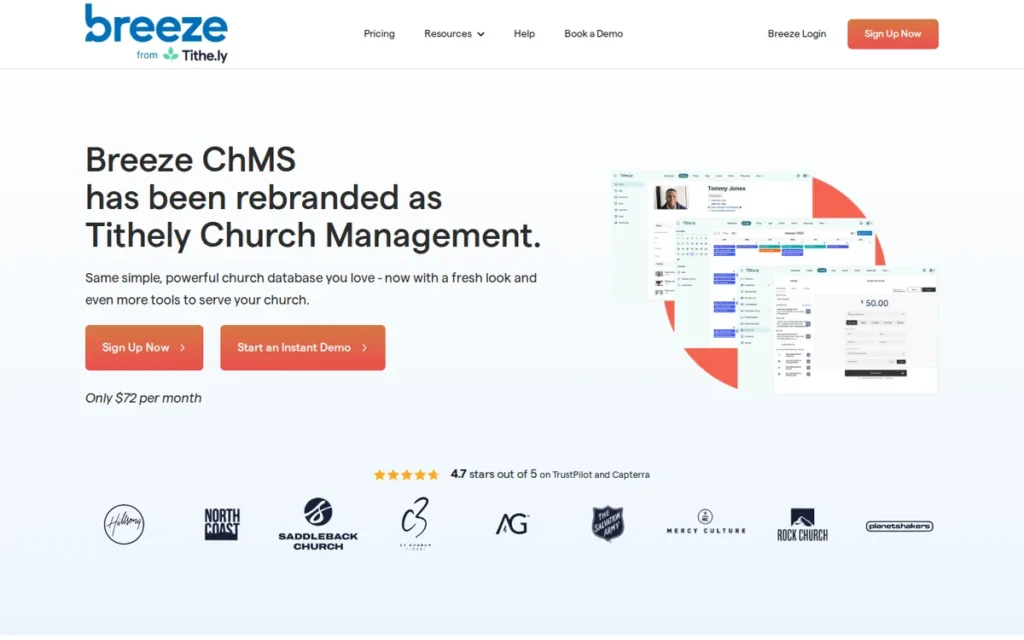
Category: All-in-One Suite: one subscription covering people, giving, communication and check-in tools.
At a Glance
- Category: All-in-One Suite
- Best For: Small to midsize churches with non-technical staff that want a price that doesn’t rise as membership grows
- Price Range: $72/month flat; $119/month All Access bundle; giving 2.9% + $0.30 card, 1% + $0.30 ACH (verified November 2026)
- Primary Strength: Tithely Church Management combines a flat, unlimited-people price and published processing fees with one of the easiest interfaces in this evaluation.
- Biggest Limitation: Tithely Church Management has no built-in accounting, and its published card processing rate is higher than Planning Center’s.
- One-Line Summary: Tithely Church Management, formerly Breeze ChMS, is the top-scoring church management system in PlugRoute’s 2026 evaluation, offering unlimited people for a flat $72 monthly fee with minimal training required.
- Last Verified: November 2026
Overview Tithely Church Management, formerly Breeze ChMS, is a flat-priced church management system with unlimited people and admin users, built for small to midsize churches whose non-technical staff need software they can learn quickly. Tithely Church Management puts member records and giving in one plan with no per-person charges.
Tithely Church Management is the same product as Breeze, now sold under the Tithely name, so buyers searching for “Breeze” should not count it twice. Tithely Church Management offers a 30-day free trial (Tithely, 2026).
Key Features
- Tithely Church Management includes a people database with custom fields, households, groups and attendance tracking at no per-person cost.
- Tithely Church Management provides child check-in with printed name tags and volunteer scheduling in the base plan.
- Tithely Church Management includes email and text communication, events, forms and online giving.
- Tithely Church Management integrates with QuickBooks for accounting and Mailchimp for email marketing.
- Tithely Church Management connects to Tithely’s wider ecosystem of giving, apps, websites and worship tools, sold individually or in the All Access bundle.
Best For Tithely Church Management is best for small to midsize churches that put ease of use and predictable budgeting ahead of advanced features and will keep accounting in separate software.
Pricing Tithely publishes the following prices (Tithely, verified November 2026):
- Tithely Church Management costs $72/month flat, with unlimited people and admin users.
- Tithely’s All Access bundle costs $119/month. Tithely’s Mobile Church App ($89/month) and Website ($19/month) are also sold separately.
- Tithely publishes giving fees of 2.9% + $0.30 per card gift, 1% + $0.30 per ACH gift and 3.5% + $0.30 per Amex gift.
- Tithely charges no setup fee, requires no contract and includes free data migration.
Tithely’s “free giving” plan means no monthly fee for the giving product, not free processing. Budget separately for accounting software and payroll.
Strengths
- Tithely Church Management holds a 4.8/5 Capterra rating from 624 reviews and a 4.7/5 G2 rating from 130 reviews (Capterra, 2026; G2, 2026).
- Tithely Church Management’s flat $72/month price with unlimited people means the subscription doesn’t rise as membership grows (Tithely, 2026).
- Tithely Church Management offers free migration, no setup fee and no contract, the lowest switching-risk terms published in this evaluation (Tithely, 2026).
- Tithely Church Management lets staff “look up folks, sort data and run reports” in a few clicks, according to a G2 reviewer (G2, 2026).
Limitations Tithely Church Management trades depth for simplicity. Its most consequential gap is the lack of built-in accounting, which its own comparison pages acknowledge (Breeze, 2026). Churches need QuickBooks or similar software, plus a payroll service if they have paid staff.
- Tithely Church Management’s published card rate of 2.9% + $0.30 and ACH rate of 1% + $0.30 are higher than Planning Center’s 2.15% + $0.30 card and $0.30 flat ACH rates (Tithely, 2026; Planning Center, 2026).
- Tithely Church Management is described by some G2 reviewers as too simple, and some larger churches report slow load times (G2, 2026; Capterra, 2026).
- Tithely Church Management’s $72 flat price can feel expensive to very small churches compared with tiered options that start at $29/month (ChurchTrac, 2026).
- Tithely Church Management can make it hard to reach a live person (Software Advice, 2026), and Capterra vendor replies mention duplicate check-in records (Capterra, 2026).
Users on r/churchtech shared their experience:
“We use tithe.ly and it works nice. We also use the entire suite from them though with the website, app, etc.
They do charge a fee per transaction. You can have an option to leave a box checked where they can cover the transaction fee.” Posted by u/Live_Bread2645
Takeaway: Churches running the full Tithely suite report that it works smoothly, but its per-transaction giving fees are a real cost they manage by asking donors to cover them.
Verdict Tithely Church Management, formerly Breeze ChMS, is the best overall church management software for small to midsize churches in 2026, earning PlugRoute’s top weighted score of 4.30 for flat pricing, published fees and ease of use.
Tithely Church Management leads Planning Center by only 0.05 points, so the top of this ranking is close. Churches that need built-in accounting should compare ChurchTrac. Every Tithely buyer should budget for separate accounting software.
2. Planning Center: Best for Worship Planning and Volunteer Scheduling
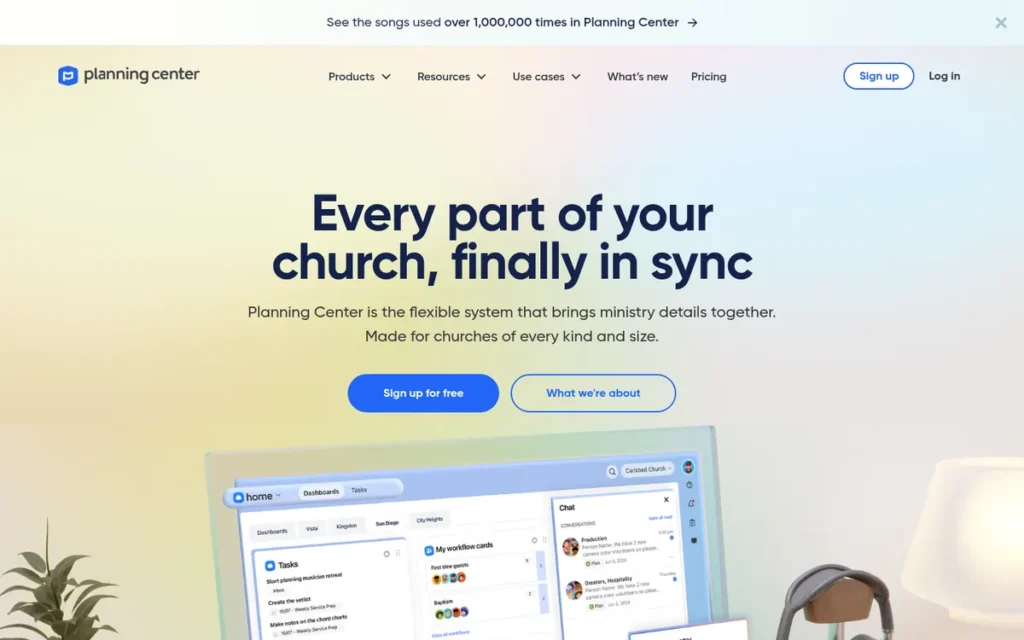
Category: Modular Ministry Platform: separate apps bought one at a time around a shared, free people database.
At a Glance
- Category: Modular Ministry Platform
- Best For: Worship- and volunteer-heavy churches comfortable pairing the platform with QuickBooks Online or Xero
- Price Range: Free (People) + modules from $15 to $239/month each; giving 2.15% + $0.30 card, $0.30 ACH (verified November 2026)
- Primary Strength: Planning Center Services is the worship-planning and volunteer-scheduling tool most often singled out by reviewers and practitioners in this research, and Planning Center has the largest review base in the category.
- Biggest Limitation: Planning Center has no built-in accounting, and its modules scale on separate usage measures that make total cost harder to forecast.
- One-Line Summary: Planning Center is the leading modular church management platform for churches that prioritize worship planning and volunteer scheduling and will run separate accounting software.
- Last Verified: November 2026
Overview Planning Center is a modular church management platform of connected apps that churches buy individually, built for congregations that want strong worship planning and volunteer scheduling and will add accounting software separately. Planning Center People is the free, shared database that links every module.
Planning Center describes itself as privately held, bootstrapped and “not for sale,” and it reports more than 78,000 customers (Planning Center About page, accessed 2026; vendor figure). Planning Center established the Ministry Centered Foundation in 2024.
Key Features
- Planning Center People is a free, unlimited-user database that serves as the shared record for every other Planning Center module.
- Planning Center Services handles worship planning, team scheduling and file storage, priced by team members plus storage.
- Planning Center Check-Ins provides child check-in priced by unique check-ins on the busiest day of the week.
- Planning Center Giving is priced by donations per month, with text credits at $0.02 each and Text2Give at $5/month.
- Planning Center’s Church Center app gives congregants a free member-facing experience for giving, groups and registrations.
Best For Planning Center is best for churches whose ministry runs on worship services and volunteer teams and that accept a setup of Planning Center plus QuickBooks Online or Xero.
Pricing Planning Center publishes the following terms (Planning Center, verified November 2026):
- Planning Center People and the Church Center app basics are free.
- Planning Center Services, Check-Ins and Groups each use the same monthly ladder: Free, $15, $32, $69, $115, $179 and $239.
- Planning Center’s free tiers cover 5 Services team members, 10 daily check-ins or 15 group members.
- Planning Center’s $32 tiers cover 50 Services team members with 4 GB of storage, 75 daily check-ins or 200 group members.
- Planning Center Giving charges 2.15% + $0.30 per US card gift, 3.65% + $0.30 per international card gift and a flat $0.30 per ACH gift.
- Planning Center offers a 30-day free trial on paid plans and monthly plan changes, with no contract, setup or cancellation fees.
Here is how module costs stack up. A church with 50 worship team members, 75 children at peak check-in and 200 group members would pay $96/month for those three modules. Giving and separate accounting software come on top (Planning Center, 2026).
Strengths
- Planning Center holds a 4.7/5 Capterra rating from 1,139 reviews (Capterra, 2026), the largest review base in this evaluation.
- Planning Center publishes its processing rates and full module ladder and charges no contract or cancellation fees, which gives it among the lowest lock-in risk in this group (Planning Center, 2026).
- Planning Center received the most positive practitioner comments in the r/churchtech threads reviewed for this evaluation, including a 15-year church administrator who said it “wins hands down” (r/churchtech, 2025).
- Planning Center paired with QuickBooks Online or Xero is the setup churches love most, according to an IT provider that supports several churches (r/churchtech, 2025–2026).
This aligns with community sentiment on r/churchtech:
“In my opinion Planning Center is the way to go, hands down. It’s people software is free and you only pay for the add on services you need, so it is very scalable.” Posted by u/church-basement-lady
Takeaway: Practitioners see Planning Center’s free People database and pay-per-module model as its main advantage for churches that expect to grow.
Limitations Planning Center trades predictable all-in-one pricing for modular flexibility. Its most consequential gap is that it has no general-ledger accounting, which its own comparison page shows (Planning Center, 2026). Churches need QuickBooks Online, Xero or similar software, plus separate payroll.
- Planning Center’s paid modules each scale on a different usage measure, and Capterra reviewers report unexpected overages on people and storage limits (Capterra, 2026).
- Planning Center’s modules can feel “like separate products rather than one suite,” according to reviewers (Softwares.com, accessed 2026), and one user said “data gets messy really quick” (r/churchtech, 2025).
- Planning Center reviewers report duplicate profiles, clunky navigation, shallower reporting than some rivals and difficulty for older users (Capterra, 2026; Software Advice, 2026).
Verdict Planning Center is the best church management software for worship planning and volunteer scheduling in 2026, with the largest review base in this evaluation at 4.7 stars from 1,139 Capterra reviews (Capterra, 2026).
Planning Center ranks second at 4.25 because it has no accounting. Its four separate usage measures also make multi-year costs harder to forecast than a flat price. Planning Center plus QuickBooks or Xero is still a legitimate setup, so model costs at your real usage.
3. ChurchTrac: Best for Built-In Accounting on a Small Budget
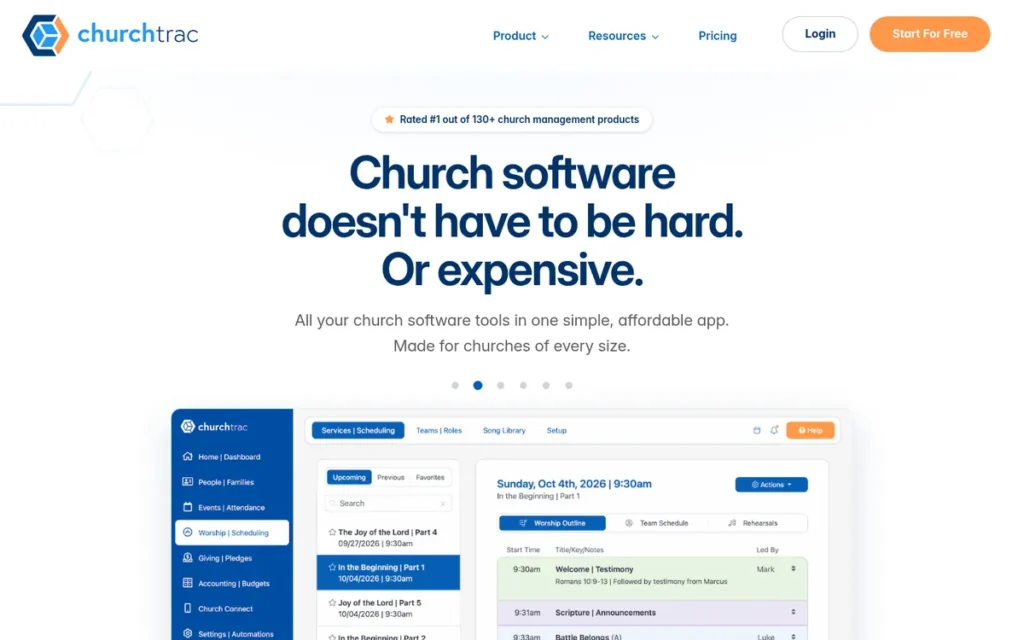
Category: All-in-One Suite: one subscription covering people, giving, communication, check-in and built-in accounting.
At a Glance
- Category: All-in-One Suite
- Best For: Small to midsize churches (up to about 1,000 names) that want built-in fund accounting at a published price
- Price Range: $29–$119/month by names tracked, plus $7/month for messaging (verified November 2026)
- Primary Strength: ChurchTrac includes fund accounting, giving, check-in, worship planning, a website and a mobile app in every published tier.
- Biggest Limitation: ChurchTrac uses single-entry accounting and ticket-first support, and reviewers report weaker reporting past a few hundred people.
- One-Line Summary: ChurchTrac is the lowest-priced all-in-one church management system in this evaluation that includes fund accounting in every published tier, starting at $29/month (2026).
- Last Verified: November 2026
Overview ChurchTrac is an all-in-one church management system that bundles member records, online giving, child check-in, volunteer scheduling, worship planning and fund accounting into one subscription, built for small to midsize churches replacing spreadsheets on a tight budget. ChurchTrac prices by names tracked rather than by module, so every feature is available at every tier.
ChurchTrac says it was founded in 2002 and reports more than 14,000 churches as users (ChurchTrac, 2026; vendor figure).
Key Features
- ChurchTrac includes fund accounting with budgets, expense tracking, bank sync and check printing in every subscription tier.
- ChurchTrac keeps people records, online giving, child check-in, groups, events and registrations in a single database.
- ChurchTrac includes worship planning and volunteer scheduling, though comparison content describes them as less deep than Planning Center Services (Churchposting, accessed 2026; competitor-published).
- ChurchTrac bundles a church website and a mobile app into the base price, and adds text, push and voice messaging for $7/month.
- ChurchTrac processes online giving through Stripe and takes no revenue share on donations.
Best For ChurchTrac is best for small to midsize churches, especially those under about 500 names, whose treasurer needs budgets and fund tracking but not payroll or double-entry books.
Pricing ChurchTrac publishes these monthly tiers (ChurchTrac, verified November 2026):
- ChurchTrac costs $29/month for 75 names and $39/month for 125 names.
- ChurchTrac costs $59/month for 250 names and $79/month for 500 names.
- ChurchTrac costs $99/month for 1,000 names and $119/month for unlimited names.
ChurchTrac’s optional accounting setup service starts at $399, and giving carries Stripe processing fees only. No permanent free plan was confirmed. An older ChurchTrac page still says “starts at $9/month,” so confirm the entry price at signup.
Budget by total names, not attendance. A church with 150 Sunday attenders may hold 300 to 400 names once inactive members, children and visitors are counted. That would put it in ChurchTrac’s $79 tier, not the $59 tier (illustrative example).
Strengths
- ChurchTrac holds a 4.8/5 Capterra rating from 864 reviews and a 4.9 support sub-score (Capterra, 2026).
- ChurchTrac publishes its full price table with every feature included at every tier, so a church can see its cost at each growth stage in advance (ChurchTrac, 2026).
- ChurchTrac is the only product in this evaluation with built-in fund accounting at small-church prices, which removes the separate accounting subscription most rivals require (ChurchTrac, 2026).
- ChurchTrac users praise its value, and one practitioner wrote that “you can’t beat the pricing” (r/churchtech, 2025–2026).
Users on r/taxpros shared their experience:
“My church uses ChurchTrac and the accounting feature is exactly what we need. We’re a small church of about 45 people, so QBO is overcomplicated. I would honestly recommend most churches just use a fund-based accounting system like ChurchTrac.” Posted by u/LegitimateMission226
Takeaway: For very small congregations, ChurchTrac’s built-in fund accounting can replace QuickBooks Online entirely, removing both a subscription and a learning curve.
Limitations ChurchTrac trades accounting depth and support access for its low price. Its most consequential limitation is single-entry accounting (ChurchTrac support documentation, 2026). Churches whose auditor, lender or denomination requires double-entry books may still need QuickBooks or similar software.
- ChurchTrac support runs mainly through email tickets, with phone calls available by request rather than an open support line (Capterra, 2026).
- ChurchTrac’s reporting is described as “weak or difficult to customize” past a few hundred people in competitor-published comparisons (Churchposting; Raklet, accessed 2026), so treat that claim as moderate-credibility.
- ChurchTrac has no native payroll and acknowledges having fewer integrations than Planning Center or Rock RMS (ChurchTrac, 2026), and reviewers question its multi-campus scaling.
- ChurchTrac lost at least one prospective buyer whose free trial would not work and who found no other way to reach the company (r/churchtech, 2025).
Verdict ChurchTrac is the best church management software for built-in accounting on a small budget in 2026, because it is the only platform in this evaluation that includes fund accounting in every published tier, starting at $29 per month.
ChurchTrac ranks third at 4.13, within 0.17 points of first, mainly because its accounting is single-entry and its multisite scaling is unproven. Treasurers should confirm their audit requirements before buying.
4. Realm by ACS Technologies: Best for General-Ledger Fund Accounting
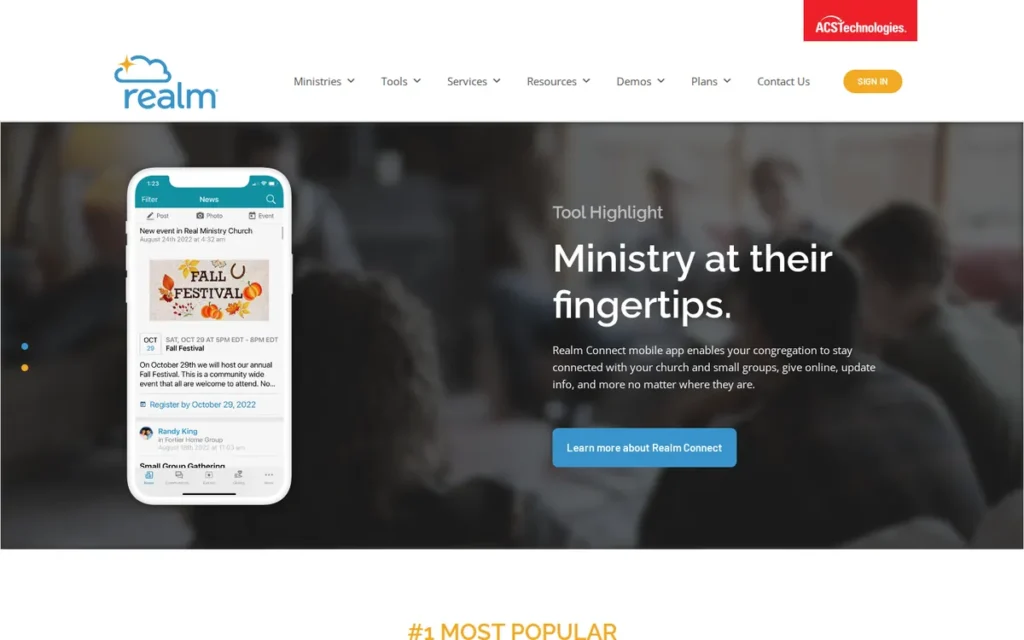
Category: Enterprise & Multisite Platform: quote-priced systems built for complex administration, deep accounting and multiple campuses.
At a Glance
- Category: Enterprise & Multisite Platform
- Best For: Mid-to-large churches, dioceses and multisite churches that need general-ledger accounting inside the ChMS
- Price Range: Pricing on request (quote based on weekly attendance); no free trial or free version (verified November 2026)
- Primary Strength: Realm provides the deepest built-in fund accounting in this evaluation, including general-ledger posting and bank reconciliation.
- Biggest Limitation: Realm publishes no prices and offers no free trial, and reviewers report slow, hard-to-read reports.
- One-Line Summary: Realm by ACS Technologies is the strongest choice for churches and dioceses that need true general-ledger fund accounting and multisite administration in one system, at quote-only prices.
- Last Verified: November 2026
Overview Realm by ACS Technologies is a cloud church management system with built-in general-ledger fund accounting and multisite tools, built for mid-to-large churches, dioceses and multi-campus organizations whose treasurers need accounting depth. Realm also covers membership, giving, groups and check-in.
Realm’s parent, ACS Technologies, was founded in 1978. ACS combined with Vanco on December 3, 2025, forming a business that serves more than 40,000 churches and ministries. Vanco payments are being built into Realm (ACS Technologies; Payments Dive, 2025).
Key Features
- Realm Accounting handles deposits, disbursements, bank reconciliation, vendors, budgets and account segments.
- Realm posts giving batches straight to the general ledger, which removes double entry between contributions and accounting.
- Realm comes in three tiers: Inform for staff use, Connect for congregation access, check-in and groups, and Multiply for multisite management.
- Realm’s Connect app lets members manage profiles, view giving history and download giving statements.
- Realm is adding Vanco payment processing following the 2025 ACS–Vanco combination.
Best For Realm by ACS Technologies is best for finance-led churches, dioceses and multisite organizations that are willing to go through a quote and implementation process.
Pricing Realm’s pricing works as follows (Capterra, verified November 2026):
- Realm is priced by quote based on weekly attendance.
- Realm shows “Contact Vendor” for every tier on Capterra, with no free trial and no free version.
- Realm has no public price for Realm Accounting or for post-merger giving fees.
When requesting a Realm quote, use the multisite checklist later in this guide to get contract and export terms in writing.
Strengths
- Realm offers GL fund accounting with bank reconciliation and giving batches that post to the ledger, the deepest accounting in this evaluation (Capterra, 2026; G2, 2026).
- Realm earns a G2 support score of 8.7, compared with 6.7 for legacy ACS (G2, 2026).
- Realm’s Multiply tier gives multisite churches a named capability with church-wide process sharing and trend analysis (Capterra, 2026).
- Realm users report that “the accounting side and giving tracking is very good” (r/churchtech, 2025–2026).
Limitations Realm trades price transparency for accounting depth. Its most consequential limitation is quote-only pricing with no free trial, which makes it hard to budget for before a sales process starts (Capterra, 2026).
- Realm modules cannot be purchased individually, and reviewers describe multisite licenses as expensive for groups of small congregations (G2, 2026).
- Realm’s reports are hard to read and slow to run, according to reviewers, and some churches still merge spreadsheets for audit reports (Capterra, 2026; GetApp, 2026).
- Realm’s chart-of-accounts setup is described as difficult, its API access as “almost non-existent,” and payroll as missing or delayed (Capterra; GetApp; Software Advice, 2026).
- Realm drew criticism from one long-term practitioner who said ACS made “so many terrible changes over the years” (r/churchtech, 2025).
Users on r/churchtech noted:
“We moved to Realm church management software a couple years ago. A big(ish) effort, but it’s working pretty well (I wasn’t involved in selecting or installing Realm, but it’s working well for us).” Posted by u/Jim_Feeley
Takeaway: Realm tends to work well once it is running, but churches should expect moving onto it to be a substantial project.
Verdict Realm by ACS Technologies is the best church management software for general-ledger fund accounting in 2026, but its quote-only pricing and lack of a free trial make it the hardest top-four option to budget for.
Realm ranks fourth at 3.20, effectively tied with Rock RMS at 3.15. Realm suits finance-led churches, while Rock RMS suits churches with developers. Realm buyers should confirm in writing how the Vanco combination affects processing terms.
5. Rock RMS: Best Open-Source Option for Large Churches
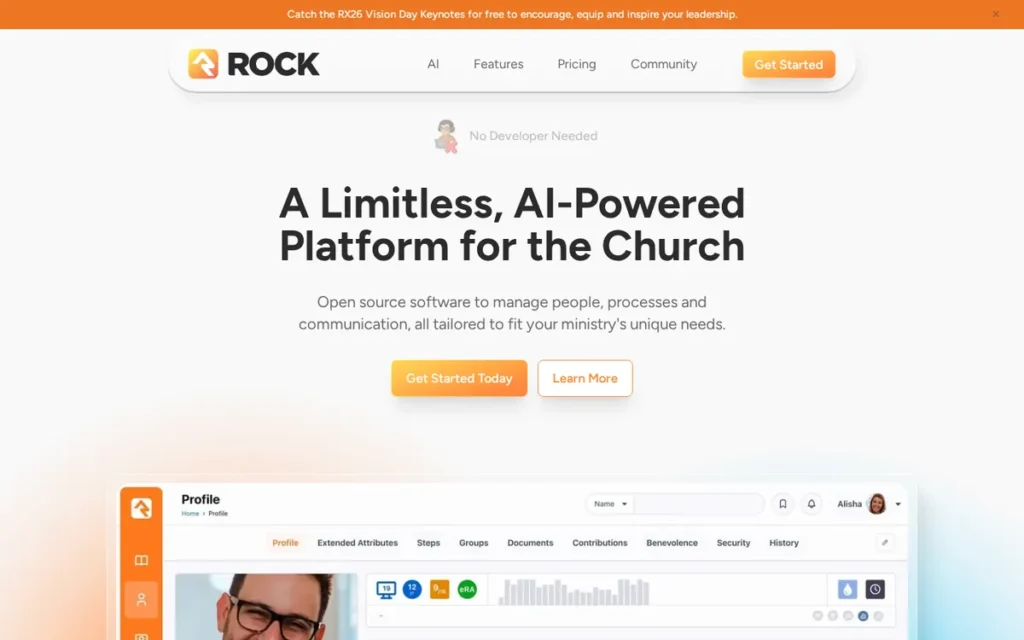
Category: Open-Source Platform: free-license software that the church hosts, or has a partner host, and customizes itself.
At a Glance
- Category: Open-Source Platform
- Best For: Large and multisite churches with in-house developers or a budget for an implementation partner
- Price Range: Free license + suggested $4.45 per weekend attendee per year; hosting and implementation costs not published (verified November 2026)
- Primary Strength: Rock RMS is the most customizable platform in this evaluation, with a workflow engine, plugin marketplace and website CMS.
- Biggest Limitation: Rock RMS needs technical expertise or a paid partner to host and maintain, and its real operating cost is not published.
- One-Line Summary: Rock RMS is the most flexible church management platform for large churches with technical staff, but its free license hides hosting and implementation costs most churches can’t absorb.
- Last Verified: November 2026
Overview Rock RMS is a free, open-source church relationship management system built on .NET and SQL Server, designed for large and multisite churches that have the technical staff to host and customize it. Rock RMS combines ministry records, workflows and a website platform in one codebase.
Rock RMS is maintained by the nonprofit Spark Development Network, whose board represents churches. Capterra dates Spark’s founding to 2011 (Capterra, 2026).
Key Features
- Rock RMS includes a visual workflow engine that churches use to automate processes such as room requests and drip campaigns.
- Rock RMS combines the people database, check-in, groups, giving and communications in one platform.
- Rock RMS includes a built-in website content management system and the Rock Mobile app framework.
- Rock RMS supports Lava templating for custom pages, emails and reports.
- Rock RMS extends through the Rock Shop plugin marketplace, with free and paid plugins.
Best For Rock RMS is best for large or multisite churches with developers or a partner budget that want full control of data, workflows and integrations.
Pricing Rock RMS costs break down as follows (Rock RMS, verified November 2026):
- Rock RMS’s license is free.
- Rock RMS suggests a contribution of $4.45 per average weekend attendee per year in 2026, about $4,450 for 1,000 attendees. Spark describes it as a suggested donation, not an invoice.
- Rock RMS plugins in the Rock Shop range from free to paid, for example $850 for one integration (Rock Shop, 2026).
Rock RMS hosting, implementation and partner fees are not published, and payment gateway fees are separate. Request quotes from Rock partners before deciding.
Strengths
- Rock RMS holds a 4.9/5 Capterra rating from 104 reviews (Capterra, 2026), the highest rating here, though the sample is about one-tenth the size of Planning Center’s.
- Rock RMS is open source and governed by a nonprofit, so churches keep control of their data and avoid vendor lock-in (Rock RMS Community, 2026).
- Rock RMS has an active community, and its RX26 conference drew 855 registered attendees and gave nine Gold Circle Awards (Rock RMS Community, 2026).
- Rock RMS is the most extensible platform in this group, with a workflow engine, Lava templating and the Rock Shop marketplace documented by Capterra and G2 (2026).
Limitations Rock RMS trades turnkey simplicity for flexibility. Its most consequential limitation is that self-hosting “may require technical expertise or a Rock Partner” (Capterra, 2026). That requirement puts Rock RMS out of reach for most volunteer-run churches and explains its usability score of 1.
- Rock RMS reviewers flag weak documentation, hard navigation, complex setup and a need for development skills (G2, 2026).
- Rock RMS’s true operating cost is unpublished, so “free” can mislead budget-conscious buyers.
- Rock RMS is not a complete general ledger and has no native payroll, so separate accounting software is required (Capterra, 2026).
- Rock RMS has no Reddit practitioner data in this research, and its SOC 2 and PCI status depends on who hosts it.
Verdict Rock RMS is the best open-source church management software in 2026 for large churches with technical staff, but Rock RMS is free to license, not free to run.
For a 1,000-attendee church, the suggested contribution alone is about $4,450 a year before hosting and implementation (Rock RMS, 2026). Rock RMS’s 4.9 rating is promising but rests on a small sample, so get partner quotes before committing.
6. Pushpay ChurchStaq: Best for Giving-First Multisite Churches
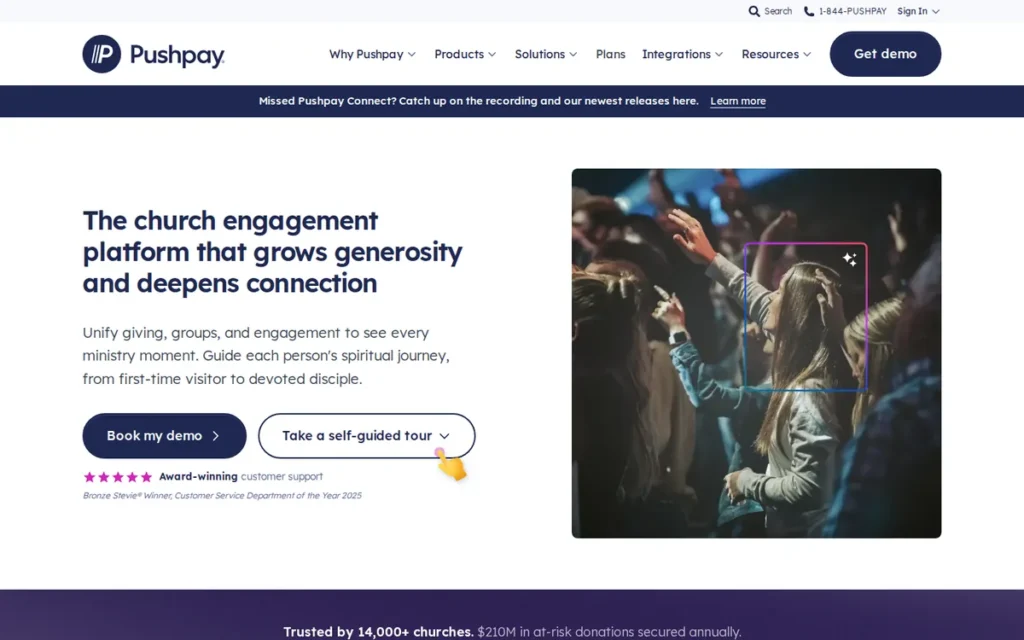
Category: Enterprise & Multisite Platform: quote-priced systems built for complex administration and multiple campuses.
At a Glance
- Category: Enterprise & Multisite Platform
- Best For: Large and multisite churches where digital giving and recurring-gift recovery come first
- Price Range: Pricing on request; reported at about $150–$199/month plus card processing of about 2.1–2.9% + $0.20–$0.30 (verified November 2026)
- Primary Strength: Pushpay ChurchStaq offers giving-first church management with recurring-gift recovery and per-campus giving.
- Biggest Limitation: Pushpay ChurchStaq is quote-only and has the lowest verified ratings in this evaluation (Capterra 4.2, G2 4.0). Its contracts are reported at 36 months with auto-renewal.
- One-Line Summary: Pushpay ChurchStaq is a giving-first church management platform for large and multisite churches, but its quote-only pricing and reported multiyear contracts carry the highest commitment risk in this evaluation.
- Last Verified: November 2026
Overview Pushpay ChurchStaq is a giving-first church management suite that combines online giving, the former Church Community Builder ChMS and a branded church app, built for large and multisite churches that prioritize donor engagement. Pushpay ChurchStaq also adds check-in and analytics on the same platform.
Pushpay acquired Church Community Builder in 2019 and launched ChurchStaq in 2022. BGH Capital and Sixth Street took the company private in 2023 (Embedded Finance Index, 2026).
Key Features
- Pushpay ChurchStaq creates a person record automatically from a first-time gift and shows giving, attendance and groups on one timeline.
- Pushpay’s Everygift tools send expired-card and failed-payment notices to recover lapsed recurring gifts.
- Pushpay’s Complete tier adds per-campus giving and consolidated multisite reporting.
- Pushpay ChurchStaq includes a branded app, check-in with pre-check, groups, process queues and forms.
- Pushpay ChurchStaq includes Insights analytics for giving and engagement trends.
Best For Pushpay ChurchStaq is best for large, multisite churches with high giving volume that can negotiate contracts and staff a complex admin system.
Pricing Pushpay ChurchStaq’s pricing, as reported (verified November 2026):
- Pushpay ChurchStaq is priced by quote, with a reported starting price of US$199/month (Capterra UK, 2026).
- Pushpay ChurchStaq cost one reviewer $150/month (Capterra, 2026).
- Pushpay card processing is reported at about 2.1–2.9% + $0.20–$0.30 per transaction, depending on contract.
- Pushpay terms are reported at one to three years, with 36 months as the default unless the order form says otherwise. Terms renew automatically for the same length, with a 90-day cancellation notice (PaymentReview, 2026).
PaymentReview (2026) also reports that Pushpay processing is required and that early termination can require paying the remaining balance. Confirm every term on your order form.
Strengths
- Pushpay’s Everygift recovery is “the real deal” and a “big reason to choose Pushpay over PCO,” according to one practitioner (r/churchtech, 2025).
- Pushpay’s recurring-gift focus matters because recurring donors account for about 40% of church giving dollars (VolunteerBadge, accessed 2026; secondary source).
- Pushpay’s Complete tier is one of the few named multisite capabilities in this evaluation, with per-campus giving and consolidated reporting (Pushpay, 2026).
- Pushpay says its platform fee doesn’t rise as active members grow, with no per-person caps on forms, check-ins or emails (Pushpay, 2026; vendor statement).
Limitations Pushpay ChurchStaq trades flexibility and transparency for giving power at scale. Its most consequential limitation is contract risk. Reported 36-month, auto-renewing, processing-tied terms with a 90-day notice create the highest lock-in risk in this evaluation (PaymentReview, 2026).
- Pushpay holds a 4.2/5 Capterra rating from 183 reviews and a 4.0/5 G2 rating from 118 reviews (Capterra, 2026; G2, 2026), the lowest verified ratings in this evaluation.
- Pushpay drew a complaint from one Capterra reviewer that “they will promise one thing just to get you to sign,” with no implementation support (Capterra, 2026). GetApp summaries mention slow support (GetApp, 2026).
- Pushpay’s CCB-based interface feels “dated” and its forms lack conditional logic, according to one user (r/churchtech, 2025).
- One r/churchtech commenter who disclosed working for competitor ChurchTrac called Pushpay “a big ship to steer” (r/churchtech, 2025). Treat this as a competitor’s view.
- Pushpay ChurchStaq has no built-in accounting and no native payroll.
Verdict Pushpay ChurchStaq is the most giving-focused church management platform in this 2026 evaluation, built for large multisite churches, but its quote-only pricing and reported 36-month contracts make it the highest-commitment option evaluated.
Pushpay ChurchStaq ranks sixth at 2.63 because its verified ratings are the lowest in the set and its contracts carry risk for small-to-midsize churches. The rank does not mean it is unsuitable for large churches. Negotiate term, exit rights and processing rates before signing.
7. Servant Keeper: Best for a One-Time Desktop License
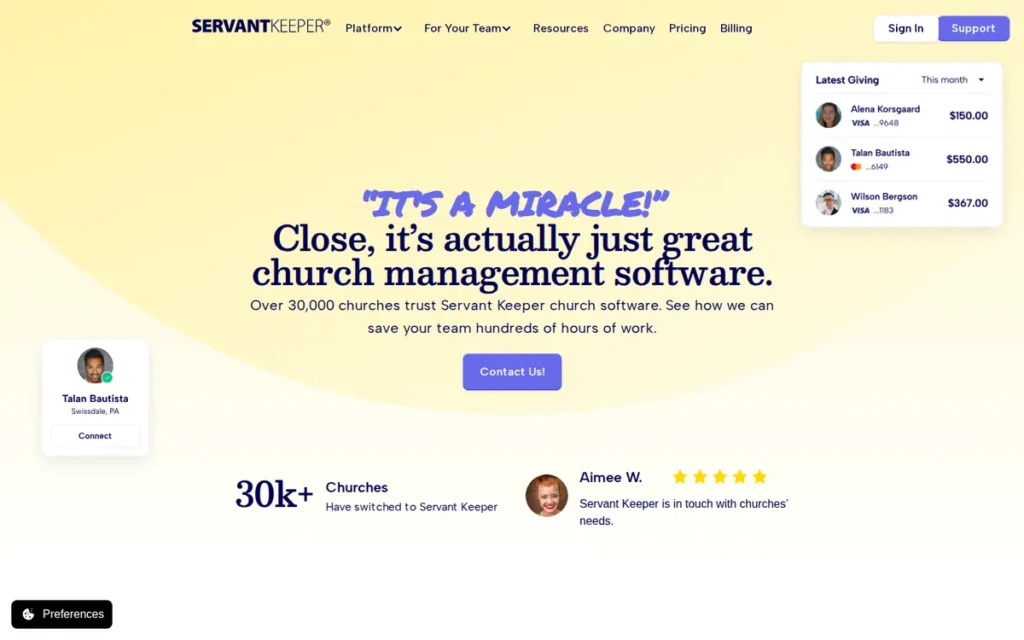
Category: Hybrid Desktop/Cloud System: a one-time-license desktop program with optional paid cloud services.
At a Glance
- Category: Hybrid Desktop/Cloud System
- Best For: Single-site churches on Windows that want to own a license and keep data locally
- Price Range: About $499 one-time desktop license (third-party figure); cloud $79.99–$159.99/month (verified November 2026)
- Primary Strength: Servant Keeper lets churches buy a desktop license outright and keep data locally, backed by well-regarded phone support.
- Biggest Limitation: Servant Keeper’s interface is widely described as dated and not mobile-friendly. Its add-on and support costs beyond the published plans are not disclosed.
- One-Line Summary: Servant Keeper is a legacy hybrid church management system best suited to single-site churches that want a one-time desktop license and local data, not to churches seeking a modern mobile experience.
- Last Verified: November 2026
Overview Servant Keeper is a hybrid church management system with a one-time-license Windows desktop edition and a cloud version, built for single-site churches that want to own their software and keep member data locally. Servant Keeper covers member records and contributions in both editions.
Servant Keeper says it was founded in 1994 by Ed Newman and reports more than 30,000 churches as users (Servant Keeper, 2026; vendor figure).
Key Features
- Servant Keeper stores unlimited member and family records with customizable fields.
- Servant Keeper includes more than 100 prebuilt report templates for membership, attendance and contributions.
- Servant Keeper tracks contributions and pledges and offers donor self-service giving statements.
- Servant Keeper supports online giving by card, debit and ACH, plus attendance tracking (including by phone) and check-in.
- Servant Keeper exports giving batch totals to outside accounting software rather than offering a built-in general ledger.
Best For Servant Keeper is best for single-site Windows churches that prefer a one-time purchase and local data and value phone support over a modern interface.
Pricing Servant Keeper’s pricing breaks down as follows (verified November 2026):
- Servant Keeper publishes cloud plans at $79.99/month for Core and $159.99/month for Complete, with roughly 8% off for annual billing (Servant Keeper, 2026; Costbench, 2026).
- Servant Keeper’s desktop edition is reported at about $499 one-time by third parties, not by the vendor (Wisefig, 2026; Costbench, 2026).
- Servant Keeper’s accounting add-on, support plans and giving rates are not published, so request them from the vendor.
Servant Keeper reviewers report extra charges for mobile, giving and support after year one. One reviewer said support became “too expensive to call for help” (Capterra, 2026).
Strengths
- Servant Keeper holds a 4.6/5 Capterra rating from 687 reviews (Capterra, 2026), a large sample with consistent praise for knowledgeable phone support.
- Servant Keeper is the only product in this 2026 evaluation offering a one-time desktop license with locally stored data.
- Servant Keeper customer Greater Fairview reports saving at least one day a week on tracking and reporting (Servant Keeper case study, accessed 2026; vendor-published).
- Servant Keeper’s 100+ report templates give administrators standard reports without custom building (Servant Keeper, 2026).
Limitations Servant Keeper trades a modern experience for ownership and familiarity. Its most consequential limitation is an interface that reviewers say “looks and feels like it was developed in the ’90s” and isn’t mobile-friendly (Capterra, 2026).
- Servant Keeper reviewers report Mobile Ministry app crashes, wrong attendance counts, limited search, Mac problems and duplicate child profiles (Capterra, 2026; GetApp, 2026).
- One Capterra reviewer (2026) alleged that only part of their data was released during a migration away from Servant Keeper. This is a single, unverified account, so confirm export terms in writing.
- Servant Keeper has no built-in general ledger and no native payroll, so churches need outside accounting software (Servant Keeper, 2026).
- Servant Keeper is not designed for multisite, which explains its lowest-in-set scalability score.
Verdict Servant Keeper is the only church management system in this 2026 evaluation that offers a one-time desktop license with local data, but its dated interface and its add-on and support costs beyond the published plans make it a weaker fit for growing churches.
Servant Keeper ranks seventh at 2.60, effectively tied with Pushpay ChurchStaq at 2.63, though the two serve very different churches. Stable single-site Windows churches remain a good fit. Current users planning a move should confirm full data export first.
Considered but Not Yet Evaluated: ChMeetings and Gracely come up in AI answers and r/churchtech discussions, especially among very small churches. PlugRoute has not yet gathered independent evidence on them to the same standard, so they are not ranked or scored here.
How Much Do Giving and Processing Fees Add?
Giving and processing fees can exceed the software subscription itself. Take a church with $200,000 of annual card giving. Planning Center’s published 2.15% rate costs it about $4,300 in percentage fees, and Tithely’s published 2.9% rate costs about $5,800. Both then add a $0.30 per-gift charge (2026).
The $1,500 difference in percentage fees alone is more than a full year of Tithely Church Management at $864 (Tithely, 2026).
| Product | Card Rate | ACH Rate | Status (November 2026) |
|---|---|---|---|
| Planning Center | 2.15% + $0.30 | $0.30 flat | Published (international cards 3.65% + $0.30) |
| Tithely Church Management | 2.9% + $0.30 | 1% + $0.30 | Published (Amex 3.5% + $0.30) |
| ChurchTrac | Stripe fees | Stripe fees | Pass-through, no revenue share |
| Pushpay ChurchStaq | ~2.1–2.9% + $0.20–$0.30 | Not verified | Reported, contract-bound |
| Realm (Vanco) | Not verified | Not verified | Changing after the 2025 merger |
| Servant Keeper | Not verified | Not verified | Not published |
| Rock RMS | Not verified | Not verified | Depends on gateway |
Planning Center charges a flat $0.30 for ACH, so encouraging bank-account giving there lowers processing costs on larger gifts. Tithely’s ACH rate is 1% + $0.30, so the savings there are smaller (2026).
Is Built-In Church Accounting Enough, or Do You Still Need QuickBooks?
Built-in church accounting is enough for many small churches but not all. Realm offers double-entry general-ledger fund accounting. ChurchTrac offers single-entry fund accounting, according to its own documentation (2026). Churches whose auditor or denomination requires double-entry books may still need QuickBooks. None of the seven platforms includes native payroll.
| Product | Accounting Depth | Native Payroll |
|---|---|---|
| Realm by ACS Technologies | Double-entry general-ledger fund accounting with reconciliation | No |
| ChurchTrac | Single-entry fund accounting (ChurchTrac, 2026) | No |
| Servant Keeper | Batch export to outside accounting | No |
| Planning Center | None; separate software needed | No |
| Tithely Church Management | None; QuickBooks integration | No |
| Pushpay ChurchStaq | None; separate software needed | No |
| Rock RMS | Not a complete general ledger | No |
Four platforms need separate accounting software:
- Planning Center needs separate accounting software such as QuickBooks Online or Xero.
- Tithely Church Management integrates with QuickBooks but has no built-in accounting.
- Pushpay ChurchStaq needs separate accounting software.
- Rock RMS is not a complete general ledger and needs separate accounting software.
Double-entry bookkeeping records every transaction as a matching debit and credit. That produces the audit trail and restricted-fund reports auditors usually expect. Single-entry systems can still track restricted funds such as building or missions, but they rarely satisfy a formal audit on their own.
As one church bookkeeper on r/taxpros described:
“Most regular bookkeeping softwares don’t work well for churches. I use both Xero and QBO for a couple of churches and you have to manually update the fund balances when there are restricted funds involved. Xero is MUCH BETTER at this than QBO and I am working to get all my clients on Xero. There are church specific softwares but I have found that they are lacking in all other areas that are important to me.” Posted by u/bookkeepr
Takeaway: Neither general bookkeeping tools nor church-specific accounting software fully solves restricted-fund tracking, so treasurers should test fund-balance handling before committing to either path.
Planning Center plus separate accounting is a common best-of-breed setup. One church administrator described it this way:
- Planning Center handles nearly everything “because their Services/People management is REALLY good (worth not being on an ‘all-in-one’ solution)” (r/churchtech, 2025).
- QuickBooks Online handles bookkeeping in the same administrator’s setup (r/churchtech, 2025).
How Should Multisite Churches Choose Church Management Software?
Multisite churches should start with the three platforms that have named multisite capabilities, then compare written contract terms as closely as features. Realm and Pushpay ChurchStaq price only by quote, so contract terms can matter as much as any feature. Rock RMS is the third option, for churches with developers.
The three multisite options serve different needs:
- Realm’s Multiply tier suits multisite churches with accounting-heavy administration.
- Pushpay’s Complete tier suits multisite churches that prioritize per-campus giving.
- Rock RMS suits multisite churches with developers who can build custom processes.
Before signing a multisite quote, confirm each of these in writing:
- The quote should state the total annual cost, including implementation and every campus license.
- The quote should state the contract term, the auto-renewal policy and the cancellation notice period.
- The quote should state whether you must use the vendor’s payment processing, and at what rates.
- The quote should state your data-export rights, including giving history, when you leave.
- The quote should show how reports consolidate across campuses, ideally in a live demo.
How Risky Is Migrating From Spreadsheets or an Old System?
Migrating from spreadsheets or an old system is manageable when a church exports everything first and tests before switching. The biggest risks are losing giving history and household links, or finding out after signing that the old vendor restricts exports. A written export guarantee and one parallel giving cycle remove most of that risk.
“I’m preemptively dreading any future software/database migration.” (u/Every_Buy_720 (r/churchtech, 2025–2026))
Takeaway: Migration risk is a common reason churches put off switching systems, so get written data-export rights before signing any contract.
Use this migration checklist:
- Export a full CSV of people, households and giving history before you cancel the old system.
- Ask whether the new vendor migrates data for free, since Tithely publishes free migration (Tithely, 2026).
- Run a test import and spot-check household records and giving totals by hand.
- Run both systems side by side for one full giving cycle before switching off the old one.
- Get export rights in writing from the new vendor so your next migration is easier.
What Red Flags Should I Watch For When Evaluating Church Management Software?
Six red flags should stop or slow a church management software purchase. Each of these six red flags has appeared in 2025–2026 reviews or practitioner discussions of the products evaluated here. Most involve access to people or contract terms rather than features, so the trial and quote stages are the easiest time to spot them.
Red Flag #1: A Free Trial You Can’t Get Working A trial that fails before you buy usually signals the onboarding problems you will face after you buy. One r/churchtech user (2025) shortlisted ChurchTrac but switched to another product after its free trial would not work and no other contact route was available.
Red Flag #2: No Way to Reach a Person Before You Buy Vendors with email-only or hard-to-reach support can leave volunteers stuck during check-in or giving-statement season. Reviews in 2026 report difficulty reaching a live person at more than one vendor in this evaluation. Test every support channel during your trial and record reply times.
Red Flag #3: Sales Promises That Differ From the Contract Verbal promises about features or implementation help are hard to enforce unless they appear in the signed agreement. One Capterra reviewer (2026) reported getting no implementation support after signing a multiyear contract. Ask the vendor to put every promised service on the order form.
Red Flag #4: Multiyear Auto-Renewing Terms Tied to Required Processing Long contracts that renew automatically and require the vendor’s payment processing make it expensive to leave if the fit is poor. PaymentReview (2026) reports Pushpay terms that default to 36 months with a 90-day cancellation notice. Negotiate a shorter term or a clear exit clause.
Red Flag #5: Unclear Data-Export Rights on Exit A vendor that cannot clearly describe a full export of member, attendance and giving data is a migration risk. One Capterra reviewer (2026) alleged that only part of their data was released on exit, a single unverified account. Ask for a sample export file before signing.
Red Flag #6: Pricing That Scales on a Measure You Can’t Forecast Usage-based pricing can produce surprise overages as ministries grow, and Capterra reviewers (2026) report exactly that on people and storage limits. PlugRoute suggests modeling next year’s bill at 25% growth before you commit. Watch these measures closely:
- Check-ins on the busiest day of the week can push a module into a higher tier.
- File storage limits can trigger an upgrade even when team size stays flat.
- Group member counts can rise quickly when a church launches new small groups.
- Monthly donation counts can raise giving-module costs during campaigns.
What Questions Should I Ask Before Choosing Church Management Software?
Before choosing church management software, ask each vendor six questions in writing and compare the answers side by side. The questions below cover the six areas where practitioners report the most regret after signing. Practitioners on r/churchtech (2025) also advise writing down your top 4–5 non-negotiables before shopping.
Question #1: What will we pay at our real database size, including add-ons and processing fees? Ask for a written total at your actual number of names, members or attendees, not your Sunday attendance. Include messaging, apps, websites and setup services, then add estimated processing fees on last year’s giving. Compare annual totals, not advertised monthly entry prices.
Question #2: Is the accounting fund accounting with a general ledger, and what about payroll? Have your treasurer confirm whether the system uses double-entry bookkeeping with a general ledger, single-entry fund tracking or batch export only. Ask how restricted funds and the chart of accounts are handled. None of the seven products includes native payroll, so ask which payroll services integrate.
Question #3: What is the contract term, renewal policy and exit process? Get the term length, auto-renewal rules, notice period and any early-termination fees in writing before signing. Month-to-month terms, which Planning Center and Tithely publish, carry the least risk. Quote-only vendors may default to multiyear terms, so request the order form early.
Question #4: Will you migrate our data and giving history, and at what cost? Ask whether migration is free, which file formats the vendor accepts and whether giving history and household links come over intact. Tithely publishes free migration (Tithely, 2026). Run a test import before signing, and check a sample of giving records by hand.
Question #5: What support channels exist, and is support free after year one? Confirm whether phone, chat and email support are available and what each costs over time. Reviews of some vendors in this evaluation report email-first channels or paid support plans after year one (Capterra, 2026). Ask for support prices and response times in writing.
Question #6: Can our least technical volunteer complete check-in and run a giving statement in a demo? Ask your least technical volunteer to do real tasks during the demo, such as checking in a child and printing a giving statement. Adoption decides success, since a system is “only helpful if your people use it,” as one practitioner put it (r/churchtech, 2025).
How Did We Rank These Church Management Software Platforms?
PlugRoute scored seven church management platforms from 1 to 5 on six weighted criteria. Review ratings and volume, pricing transparency and feature breadth with accounting depth carry 20% each. Usability and contract risk carry 15% each, and multisite scalability carries 10%. Every score uses dated, source-labeled evidence, and vendor claims were never the main basis for a score.
Each criterion has a reason and a written scoring anchor:
- C1, Independent Review Ratings and Volume (20%): C1 matters because verified reviews are the closest thing this category has to independent testing. A rating of 4.7+ from 1,000+ reviews scores 5. Smaller samples or lower ratings score lower, and no verified rating scores 1.
- C2, Pricing Transparency and Predictability (20%): C2 matters because budgeting is the audience’s top pain point. Complete published prices and fees on a simple growth path score 5, and quote-only pricing scores 1.
- C3, Feature Breadth Including Accounting Depth (20%): C3 matters because buyers need to know whether accounting software is still required. All eight core functions plus double-entry GL fund accounting score 5, and single-entry fund accounting scores 4.5. Deep ministry modules without accounting score 4, and core functions without accounting score 3.
- C4, Usability and Support Quality (15%): C4 matters because non-technical volunteers must use the system. Products reviewers consistently call easy score 5, and products reviewers say need development skills score 1.
- C5, Scalability and Multisite (10%): C5 matters because the system must keep working as a church grows. A named multisite tier or capability scores 5, and a product not designed for multisite scores 1.
- C6, Contract, Exit and Migration Risk (15%): C6 matters because lock-in is a major risk for first-time buyers. No contract plus published exit terms scores 5, and unpublished terms score 3. Reported multiyear auto-renewing terms score lower.
| Product | C1 | C2 | C3 | C4 | C5 | C6 | Weighted Score |
|---|---|---|---|---|---|---|---|
| Tithely Church Management | 4.5 | 5 | 3 | 5 | 3 | 5 | 4.30 |
| Planning Center | 5 | 3.5 | 4 | 4 | 4 | 5 | 4.25 |
| ChurchTrac | 4.5 | 5 | 4.5 | 4 | 2 | 3.5 | 4.13 |
| Realm by ACS Technologies | 3 | 1 | 5 | 3 | 5 | 3 | 3.20 |
| Rock RMS | 3.5 | 2 | 4 | 1 | 5 | 4 | 3.15 |
| Pushpay ChurchStaq | 2.5 | 1.5 | 4 | 2 | 5 | 1.5 | 2.63 |
| Servant Keeper | 3.5 | 3 | 3 | 2 | 1 | 2 | 2.60 |
The top three scores are within 0.2 points out of 5, so a half-point change on one criterion can reorder them. Treat #1 to #3 as a top tier and choose by your #1 priority. Realm and Rock RMS are also effectively tied, as are Pushpay ChurchStaq and Servant Keeper.
Verification in November 2026 changed five facts, and PlugRoute rescored every affected criterion under the same rubric:
- Tithely’s published processing rates raised Tithely Church Management’s C2 score from 4 to 5.
- Planning Center’s published module ladder raised Planning Center’s C2 score from 3 to 3.5.
- ChurchTrac’s confirmed single-entry accounting lowered ChurchTrac’s C3 score from 5 to 4.5.
- Pushpay’s verified ratings of 4.2 and 4.0 raised Pushpay ChurchStaq’s C1 score from 1 to 2.5.
- Servant Keeper’s published cloud prices raised Servant Keeper’s C2 score from 2 to 3.
Unverified data scored lower because buyers can’t confirm it, not because the product is assumed to be worse. Vendor claims such as customer counts and testimonials are labeled in each entry.
PlugRoute has no affiliate relationships with any company listed, and rankings are determined entirely by research data and objective evaluation criteria.
Who Owns What in 2026:
- Breeze ChMS is now sold as Tithely Church Management.
- ACS Technologies, the maker of Realm, combined with Vanco on December 3, 2025.
- Pushpay was taken private by BGH Capital and Sixth Street in 2023.
- Rock RMS is maintained by the nonprofit Spark Development Network.
What Do Church Leaders Most Often Ask About Church Management Software?
Church leaders most often ask which platform fits a small church, whether any platform is truly free and how rankings are decided. The short answers below summarize PlugRoute’s 2026 findings. The entries, tables and methodology above hold the evidence behind each one.
What is the best church management software for small churches?
Tithely Church Management is the best overall choice for small churches in 2026, with unlimited people for a flat $72 per month and no contract. ChurchTrac is the better fit when a small church needs built-in fund accounting, starting at $29 per month for 75 names. Very small churches can also start on Planning Center’s free tiers.
What is the best free church management software for a growing congregation?
Planning Center is the best free starting point for a growing congregation in 2026. Its People database is free, and each paid module has a free tier sized for small ministries. Rock RMS is free to license but needs technical staff and hosting. Tithely’s $0 plan covers giving only, not church management.
How does PlugRoute determine rankings?
PlugRoute ranks church management software with a published, weighted scoring model that rates every product from 1 to 5 on six criteria. Review evidence, pricing transparency and accounting depth carry 20% each. Every score relies on dated, source-labeled evidence. Vendor claims are labeled, and the full scoring table appears in the methodology section above.
What Do Key Church Management Software Terms Mean?
Church management software buyers run into pricing, accounting and contract terms that change the true cost of a system. The twelve definitions below explain the terms used in this comparison in plain language. Each one also notes why the term matters when you compare vendors side by side.
Names Tracked: Names tracked is the total number of people stored in the database, including inactive members and children. A church with 150 attenders may track 300 to 400 names, so count your full records before budgeting.
Fund Accounting: Fund accounting tracks money by designated purpose, such as general, missions or building funds, rather than as one pool. Churches need it to show donors and auditors that restricted gifts were spent as intended.
General Ledger (GL): A general ledger is the master record of every financial transaction, organized by account. A ChMS with a built-in GL can post giving straight to the books, removing double entry.
Bank Reconciliation: Bank reconciliation matches recorded transactions against the bank statement to catch errors or missing entries. Built-in reconciliation reduces the treasurer’s monthly workload and audit risk.
Single-Entry vs. Double-Entry Accounting: Single-entry accounting records each transaction once, like a checkbook register, while double-entry records a matching debit and credit. Auditors and lenders usually expect double-entry books, so treasurers should confirm which model a system uses.
Processing Fee: A processing fee is the per-transaction charge for card or bank giving, usually a percentage plus a fixed amount. Over a year, processing fees can exceed the software subscription.
ACH: ACH is the US bank-to-bank transfer network used for direct-debit giving. ACH gifts often carry lower or flat fees compared with card gifts, which reduces processing costs.
Pass-Through Processing: Pass-through processing means the software vendor charges only the payment processor’s fees and adds no markup or revenue share. This makes giving costs more transparent.
Auto-Renewal: Auto-renewal is a contract clause that extends the agreement automatically unless you cancel within a set notice window. Missing the window can lock a church into another full term.
Multisite: Multisite refers to one church running several campuses under shared administration. Multisite capability matters for consolidated reporting, per-campus giving and shared processes.
Self-Hosting: Self-hosting means the church runs the software on its own or rented servers instead of the vendor’s cloud. Self-hosting gives the church control but requires technical staff for security, backups and updates.
Data Export Rights: Data export rights are the contractual guarantees about getting all your records back in usable formats when you leave. Clear export rights reduce migration risk and lock-in.
Which Church Management Software Is Right for You?
Key Insights
Six findings stand out from PlugRoute’s 2026 evaluation of church management software. The top three platforms are nearly tied, built-in accounting varies widely in depth and no system includes payroll. Processing fees can also exceed subscriptions, quote-only vendors need written terms and “free” rarely means free.
- Tithely Church Management is the top-scoring platform in 2026, offering unlimited people at a flat $72 per month with no contract and published processing fees.
- Planning Center is the worship-planning and volunteer-scheduling platform most praised in this research, and many churches pair Planning Center with QuickBooks Online or Xero.
- ChurchTrac is the lowest-priced way to get built-in fund accounting, starting at $29 per month, though ChurchTrac’s accounting is single-entry.
- None of the seven church management systems evaluated includes native payroll, so churches with paid staff need a separate payroll service.
- Quote-only vendors such as Realm and Pushpay ChurchStaq require written confirmation of term length, renewal, processing and data-export rights.
- “Free” church management software rarely means free once modules, hosting, implementation and processing fees are counted.
The right fit depends mostly on church size and campus count:
- Churches under about 500 names with a volunteer treasurer should start with Tithely Church Management or ChurchTrac.
- Churches whose ministry runs on worship and volunteer teams should consider Planning Center with separate accounting software.
- Churches with several campuses or a diocese should request quotes from Realm and Pushpay ChurchStaq, or consider Rock RMS if they have developers.
Three of the seven vendors evaluated have changed ownership or merged in recent years, so contract exit rights matter as much as features. For more, see PlugRoute’s full scoring methodology above and our companion guides on church accounting software and multisite selection.
We update this guide quarterly. Last updated: November 12, 2026.