Proclaim is the best overall church presentation software for small-to-medium churches with distributed volunteer teams, at $24.99/month flat per church. FreeShow is the best free option with NDI and unlimited outputs, and EasyWorship is the cheapest paid license for many computers on one campus. ProPresenter leads when production depth justifies its per-seat cost.
Choosing presentation software is harder than it should be. Volunteers rotate, so learning time matters. Prices change by seat, campus or tier, so the headline price is rarely what you pay. It’s also hard to tell whether free tools are reliable enough to trust on a Sunday morning.
PlugRoute has no affiliate relationships with any company listed. Rankings are determined entirely by research data and objective evaluation criteria.
“I wasn’t going to win this battle with my preferred tool Pro Presenter – too complicated & too expensive.” (u/Practical-Skill5464, r/churchtech, 2025; user-reported)
Takeaway: For small church plants, cost and learning curve often matter more than feature depth.
What Are the 4 Categories of Church Presentation Software Tools?
Church presentation software falls into four categories. A tool’s category predicts what it costs, how long volunteers take to learn it and what support you get. Each category is defined below, along with the evaluated tools in it, so you can narrow the list before comparing products.
- Production Hub: Production Hub software runs multiple outputs and triggers lighting, MIDI and video switchers from slides. ProPresenter is in this category.
- Cloud-Collaborative Presenter: A Cloud-Collaborative Presenter stores services in the cloud. Distributed teams build services there, and the services then sync to the presentation computer. Proclaim and WorshipTools Presenter are in this category.
- Desktop Campus Presenter: A Desktop Campus Presenter is paid desktop software licensed per church location and built around a weekly lyrics, Scripture and media workflow. EasyWorship and MediaShout are in this category.
- Open-Source Presenter: An Open-Source Presenter is free, community-maintained software with no license fees and no vendor support contract. FreeShow and OpenLP are in this category.
How Do the Top Church Presentation Software Tools Compare at a Glance?
Proclaim ranks first overall and FreeShow ranks first among free tools. EasyWorship has the lowest paid cost for many computers. ProPresenter has the deepest production features but the highest per-seat cost. The table below compares all seven tools on operating systems, NDI output and annual cost for a typical three-computer setup.
| Rank | Company | Category | Best For | One-Line Summary | Key Capabilities | Primary Strength | Key Limitation |
|---|---|---|---|---|---|---|---|
| 1 | Proclaim | Cloud-Collaborative | Distributed volunteer teams; Logos users | Proclaim is the strongest all-round choice for small-to-medium churches with distributed volunteer teams. | Windows, Mac desktop; iPad, Chromebook, browser editing (higher tier); NDI: yes; 3-computer cost: $299.88/yr billed monthly ($24.99/mo) | Unlimited collaborators and installs under one flat price | Cloud dependence; user-reported glitches |
| 2 | FreeShow | Open-Source | Zero-budget churches needing multi-screen or NDI | FreeShow is the best free church presentation software in 2026. | Windows, macOS, Linux; NDI: yes; 3-computer cost: $0 | Unlimited outputs, NDI and stage display at no cost | Community-only support |
| 3 | EasyWorship | Desktop Campus | Many computers at one location | EasyWorship is the lowest-cost paid option for multi-computer campuses. | Windows, Mac; NDI: yes; 3-computer cost: $210/yr | Campus license covers every computer | User-reported crashes; Mac parity unconfirmed |
| 4 | ProPresenter | Production Hub | Livestream-heavy, multi-screen production | ProPresenter is the most capable church presentation software for production-heavy churches. | Mac, Windows; NDI in/out: yes; 3-computer cost: $667/yr | Lighting, MIDI and switcher triggers from slides | Per-seat cost and complexity |
| 5 | WorshipTools Presenter | Cloud-Collaborative | Single-screen churches wanting planning bundled in | WorshipTools Presenter is a free starting point that combines planning and presentation. | Windows, macOS; NDI: not listed; 3-computer cost: $0 free tier; multi-screen needs Pro at $195/yr (billed annually) | Free, company-backed, with SongSelect | Free tier gates outputs; no third-party reviews |
| 6 | OpenLP | Open-Source | Linux or older computers, single screen | OpenLP is a long-running free choice for basic projection on Linux and older hardware. | Windows, macOS, Linux, FreeBSD; NDI: no; 3-computer cost: $0 | Broadest operating-system support | No NDI; no release since Feb 2025 |
| 7 | MediaShout | Desktop Campus | Windows churches avoiding subscriptions | MediaShout is the main buy-once option for Windows churches. | Windows (MS7), Mac (separate MS6); NDI: yes; 3-computer cost: $599 one-time | One-time site license | Older Mac version; thin review data |
Which Church Presentation Software Should I Choose for My Use Case?
The right church presentation software depends on your top priority: budget, number of computers, remote planning or production depth. Zero-budget churches should start with FreeShow, distributed teams with Proclaim, and multi-computer campuses with EasyWorship. Production-heavy churches should look at ProPresenter. The table below matches each priority to a tool.
| Your #1 Priority | Recommended Tool | Why | Acceptable Alternative |
|---|---|---|---|
| $0 budget, needs NDI or multi-screen | FreeShow ($0) | Unlimited outputs, NDI and stage display at no cost | OpenLP (single screen, no NDI) |
| $0 budget, Linux or old computers, single screen | OpenLP ($0) | Runs on Windows, macOS, Linux and FreeBSD | FreeShow |
| $0 to start, wants planning + presentation | WorshipTools Presenter (Free; Pro $195/year) | Free tier bundles planning, SongSelect and CCLI reporting | FreeShow |
| Avoid subscriptions, Windows | MediaShout ($599 one-time) | The only major paid product sold as a one-time purchase | FreeShow ($0) |
| Many computers, one campus, paid support | EasyWorship ($210/year) | Campus license covers every computer | Proclaim ($24.99/month, unlimited installs) |
| Team builds services from different places | Proclaim ($24.99/month) | Designed around multi-user cloud editing | WorshipTools Presenter |
| Livestream-heavy with lighting/switcher control | ProPresenter ($289 for 1 seat; $667 for 3; $649 Campus) | The only evaluated product with documented lighting and ATEM switcher triggers | FreeShow (NDI and MIDI, no documented lighting control) |
PlugRoute’s rankings depend on how each criterion is weighted. With the other criteria scaled down proportionally, ProPresenter reaches #2 once livestream and production capability counts for about 43% of the score, and #1 at about 49%. FreeShow reaches #1 once total cost counts for more than about 32%.
What Are the 7 Best Church Presentation Software Tools in 2026?
PlugRoute’s weighted scoring ranks Proclaim first, FreeShow second and EasyWorship third among the seven church presentation tools evaluated in November 2026. Every entry below uses the same structure: scores, dated evidence and trade-offs. That makes the products directly comparable. The full ranking, with weighted scores out of 5:
- Proclaim (4.15)
- FreeShow (3.98)
- EasyWorship (3.55)
- ProPresenter (3.50)
- WorshipTools Presenter (3.03)
- OpenLP (2.85)
- MediaShout (2.83)
1. Proclaim: Best Overall for Distributed Volunteer Teams
Category: Cloud-Collaborative Presenter, services are built in the cloud by distributed teams and synced to the presentation computer.
PlugRoute score: 4.15/5, C1 Learnability 4 · C2 Cost 4 · C3 Livestream 4 · C4 Reviews 4 · C5 Platform 5 · C6 Support 4
Proclaim ranks #1 because it is the only product that scores 4 or higher on five of the six criteria. It doesn’t lead on cost or on production, but it has no weak score. At $299.88/year billed monthly, Proclaim’s cost score (C2 4) and its #1 rank are unchanged.
At a Glance
- Category: Cloud-Collaborative Presenter
- Best For: Small-to-medium churches whose volunteers build services from different locations, and Logos Bible Software users
- Price Range: $24.99/month flat per church ($299.88/year billed monthly); $37.99–$92.99/month with media tiers
- Primary Strength: Proclaim lets unlimited collaborators edit the same service from anywhere under one flat subscription with unlimited installs.
- Biggest Limitation: Proclaim depends on cloud sync, and users report slowdowns, display glitches and video playback failures.
- One-Line Summary: Proclaim is the strongest all-round choice for small-to-medium churches with distributed volunteer teams, combining cloud collaboration, unlimited installs and Sunday support for $24.99 a month.
- Last Verified: November 2026
Overview
Proclaim by Faithlife is cloud-based church presentation software. Several volunteers can build the same service from different locations and then present it from a desktop computer. It is aimed at small-to-medium churches with distributed planning teams and at Logos Bible Software users.
Proclaim charges one flat price per church rather than per seat (Capterra, November 2026). Reports suggest weekly operation is easy, since pastors build their own slides, but PlugRoute found no specific evidence on how hard Proclaim is to set up initially.
Key Features
- Proclaim syncs services through the cloud, so several volunteers can edit the same presentation from home and see their changes on the church’s presentation computer.
- Proclaim includes an offline mode that pre-downloads media, so a service can continue if the internet connection drops (Faithlife, November 2026; vendor-stated).
- Proclaim Remote runs in a web browser with no installation and can control slides, annotate, show the order of service and change displays.
- Proclaim offers NDI output and Signals cue triggers for connecting to livestream and production workflows.
- Proclaim connects directly to Logos Bible Software, and its higher tier adds editing on iPad, Chromebook and in a browser.
Best For
Proclaim is best for churches where the pastor, worship leader and volunteers prepare services from different places and need one shared, synced service file. Proclaim also fits congregations that already use Logos Bible Software.
Pricing
Proclaim pricing, checked on Capterra in November 2026:
- Proclaim costs $24.99/month flat per church on the plan Capterra lists as “Proclaim On Air.” Billed monthly, that is $299.88/year.
- Earlier listings showed a $249.99 annual prepay price for Proclaim, but Capterra’s current pricing page doesn’t show it, so confirm any annual discount at checkout.
- Proclaim + Pro Media costs $37.99/month.
- Proclaim + Partner Media costs $92.99/month, more than three times the base price.
- Proclaim’s three-computer reference cost is $299.88/year billed monthly, because installs and collaborators are unlimited.
Capterra also lists a free trial and a free version of Proclaim. PlugRoute did not verify what the free version includes, and Faithlife’s own pricing page did not show prices clearly when we checked.
Strengths
- Proclaim holds a 4.6/5 Capterra rating from 202 reviews, with 4.5/5 for ease of use and more than 80% of reviewers recommending it (Capterra, November 2026; third-party rating).
- One church that switched from ProPresenter reported higher volunteer adoption with Proclaim. The user wrote that they “found way higher volunteer adoption” and that their team became “much more self sufficient” (u/jordankrahn, r/churchtech, 2022; user-reported; may predate the current version).
- Proclaim costs $299.88/year billed monthly for unlimited computers, compared with $667/year for ProPresenter’s three-seat setup (Capterra and Renewed Vision, November 2026; vendor-stated pricing).
- Proclaim provides phone and chat support 7 days a week, including Sunday until noon Pacific time (Faithlife, November 2026; vendor-stated).
Limitations
The cloud sync that lets Proclaim’s teams collaborate remotely is also the source of most user complaints. Proclaim’s pricing is also less certain than its #1 rank suggests, because the advertised annual price could not be confirmed.
- Proclaim users report slowdowns, screens not displaying properly, video playback failures and rough version upgrades (Capterra, November 2026; user-reported).
- One Capterra reviewer called Proclaim’s account-related customer service “a nightmare” (Capterra, November 2026; user-reported).
- Proclaim’s built-in NDI may not replace a dedicated streaming tool. One G2 reviewer said streaming “still works best using OBS,” and another said live hotkeys are missing (G2, November 2026; user-reported).
- Proclaim is subscription-only, and PlugRoute’s research did not establish what access remains after you cancel (November 2026).
- Proclaim’s iOS app cannot edit presentations, according to a G2 reviewer (G2, November 2026; user-reported).
A long-time user on r/ProPresenter noted:
“Honestly ive been using Proclaim for about 2 years now and its not as terrible as I first felt when i started using it. The transition was annoying at first, but after a while, I have not found something I cant do. Yes, online help is limited in comparison, and some things you have to be creative. But being able to automatic cloud sync during a live service has actually saved us.” Posted by u/Fast_Expression7269
Takeaway: Proclaim’s live cloud sync wins over churches once they get through an awkward transition, but its thin online help pushes teams to improvise workarounds.
Verdict
Proclaim is the best overall church presentation software for small-to-medium congregations whose volunteers build services from different places. Proclaim gives up some of ProPresenter’s production depth, and its cloud dependence produces real user-reported glitches. During the free trial, churches should test offline mode and video playback on their own hardware and confirm the current price.
2. FreeShow: Best Free Church Presentation Software in 2026
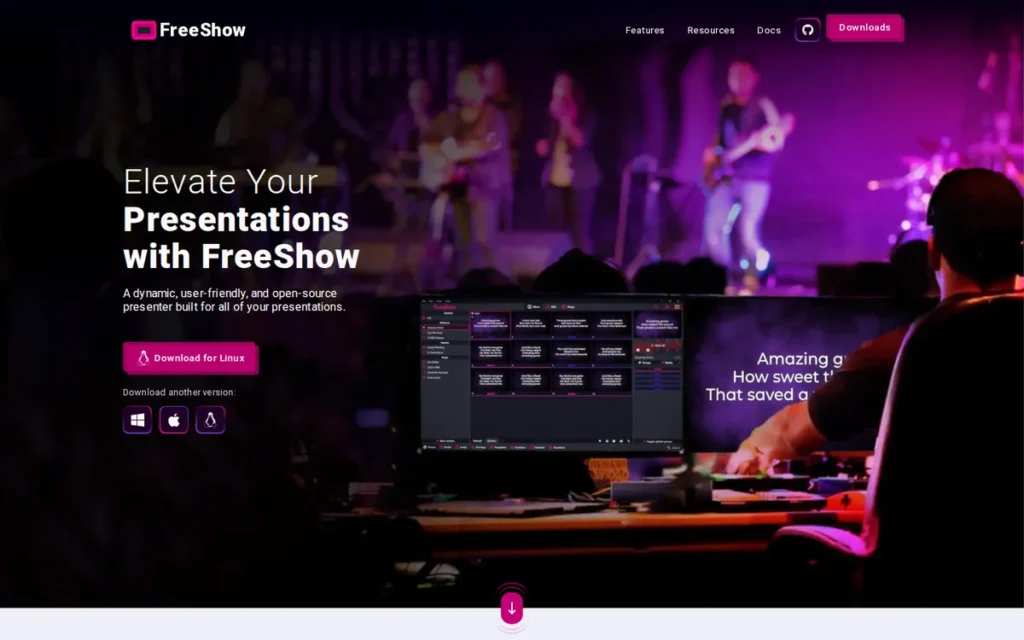
Category: Open-Source Presenter, free, community-maintained software with no license fees and no vendor support contract.
PlugRoute score: 3.98/5, C1 Learnability 4 · C2 Cost 5 · C3 Livestream 4 · C4 Reviews 3.5 · C5 Platform 4 · C6 Support 2.5
FreeShow ranks #2 rather than #1 mainly because of its support score (C6 2.5). There is no vendor support contract.
At a Glance
- Category: Open-Source Presenter
- Best For: Zero-budget churches and church plants that want multi-screen, stage display or NDI output and have one technically confident volunteer
- Price Range: Free ($0, open source; donations accepted)
- Primary Strength: FreeShow provides unlimited outputs, NDI, stage display and MIDI on Windows, macOS and Linux at no cost.
- Biggest Limitation: FreeShow has no vendor support contract, so troubleshooting depends on community help and on documentation that users call thin.
- One-Line Summary: FreeShow is the best free church presentation software in 2026, offering production features such as NDI and unlimited outputs at $0, with support coming only from the community.
- Last Verified: November 2026
Overview
FreeShow is a free, open-source church presentation program for Windows, macOS and Linux. It offers unlimited outputs, NDI, a stage display and 200+ Bible versions, and it is built for zero-budget churches that want production features close to paid tools.
Community users describe FreeShow as looking and running “very similar to ProPresenter” (u/axcruzr, r/churchtech, 2025; user-reported). FreeShow usually needs one confident volunteer to handle installation, Bible files and updates. Once that’s done, Capterra reviewers rate its ease of use at 4.6/5.
Key Features
- FreeShow drives unlimited output screens and sends NDI to livestream software at no cost.
- FreeShow includes a stage display that shows chords, notes and timers to musicians and speakers.
- FreeShow imports songs and presentations from ProPresenter, EasyWorship, OpenLP, VideoPsalm, OpenSong, PowerPoint, PDF and ChordPro.
- FreeShow accesses more than 200 Bible versions through API.Bible and connects with Planning Center, ChurchApps B1, Pixabay and Unsplash.
- FreeShow syncs content through Google Drive and offers companion Remote, Stage and Controller apps in 20+ interface languages.
Best For
FreeShow is best for church plants and small congregations with no software budget that still need multiple screens, a stage display or a livestream feed. FreeShow requires at least one volunteer who is comfortable troubleshooting without vendor help.
Pricing
FreeShow pricing, checked on Capterra in November 2026:
- FreeShow costs $0, with no paid tiers, and accepts donations.
- FreeShow includes multi-screen, streaming, stage display and remote features for free. WorshipTools Presenter’s free tier, by contrast, gates them.
- FreeShow’s three-computer reference cost is $0. The hidden cost is volunteer time spent on setup and self-support.
Strengths
- FreeShow holds a 4.7/5 Capterra rating from 90 reviews, with 4.6/5 for both ease of use and features and a 90% recommendation rate (Capterra, November 2026; third-party rating). That is the highest star rating in this evaluation, from a moderate sample.
- FreeShow is actively maintained. Version 1.6.6 shipped on October 9, 2026, with voice-triggered Scripture and Open Media Transport, two months after version 1.6.5 (GitHub releases, November 2026).
- FreeShow was the most frequently recommended free tool in the December 2025 r/churchtech church-plant thread we reviewed. One user said it has “very similar vibes to ProPresenter” (u/jptplays, r/churchtech, 2025; user-reported).
- FreeShow runs on Windows, macOS and Linux under GPL-3.0, so churches can use donated or older Linux machines (FreeShow docs, November 2026; vendor-stated).
This aligns with community sentiment on r/ProPresenter:
“Freeshow is completely free and offers the same features as ProPresenter, actually, even more when I compare them. Its performance is much better than ProPresenter 7. On my Intel i5 12th-gen system, ProPresenter 7 uses about 95% CPU, while Freeshow only uses around 15%. It also responds much faster, is highly configurable, and has no output limits.” Posted by u/New-Spell-793
Takeaway: FreeShow’s light resource use and lack of output limits let it compete with paid tools on performance, not just price.
Limitations
FreeShow trades license fees for self-reliance. When something breaks before a service, a FreeShow church must find the fix itself or through the community, with no vendor to call.
- FreeShow has no support agreement. Help comes through email, GitHub and community forums, and Capterra reviewers say the documentation is lacking (Capterra, November 2026; user-reported).
- FreeShow users report slowdowns with large files, occasional crashes and an interface some call “a bit clunky” or “old-fashioned” (Capterra and Software Advice, November 2026; user-reported).
- FreeShow’s fast release pace carries regression risk, so churches should avoid updating right before a Sunday service.
- FreeShow does not run on Chromebooks (u/weatherdt, r/churchtech, 2025; user-reported), and FreeShow has no documented lighting or ATEM switcher triggers.
- FreeShow users share Bible XML files among themselves, which shows how much depends on community self-support (u/icarusjun, r/churchtech, 2025; user-reported).
Verdict
FreeShow is the best free church presentation software in 2026 for churches that want multi-screen and NDI livestream output without license fees. FreeShow’s 4.7/5 Capterra rating and active 2026 development make it credible for Sunday use. Because there is no vendor support, a church needs one confident volunteer to own setup and updates.
3. EasyWorship: Best Paid Option for Many Computers on One Campus
Category: Desktop Campus Presenter, paid desktop software licensed per church location, focused on a weekly lyrics, Scripture and media workflow.
PlugRoute score: 3.55/5, C1 Learnability 3 · C2 Cost 5 · C3 Livestream 3 · C4 Reviews 4 · C5 Platform 3 · C6 Support 3
EasyWorship’s top cost score (C2 5) lifts it to #3. Mixed volunteer evidence (C1 3) and unconfirmed Mac parity (C5 3) keep it below FreeShow.
At a Glance
- Category: Desktop Campus Presenter
- Best For: Churches running several presentation computers at one location that want supported software at the lowest published price
- Price Range: $210/year (Basic) to $330/year (Premium) per campus
- Primary Strength: EasyWorship licenses every computer and user at one location for $210 a year, with support and training included.
- Biggest Limitation: User reports don’t consistently support EasyWorship’s volunteer-friendly reputation: they include mid-service crashes, and Mac feature parity is unconfirmed.
- One-Line Summary: EasyWorship is the lowest-cost paid church presentation software for multi-computer campuses, covering every computer at one location for $210 a year with vendor support included.
- Last Verified: November 2026
Overview
EasyWorship is paid church presentation software for Windows and Mac that handles lyrics, Scripture, media and service scheduling under one campus-wide license. It is aimed at churches that want vendor-supported software across several computers without paying per seat.
EasyWorship churches should check the pricing page to see whether their average weekly attendance bracket affects the price. PlugRoute could not retrieve a Capterra ease-of-use sub-score for EasyWorship and found no evidence that separates its setup difficulty from its weekly use.
Key Features
- EasyWorship licenses every computer and user at a single church location under one campus subscription.
- EasyWorship provides access to more than 500,000 licensed songs with automatic copyright reporting (EasyWorship, November 2026; vendor-stated).
- EasyWorship includes 99 Bible translations in 32 languages (EasyWorship, November 2026; vendor-stated).
- EasyWorship sends NDI and alpha-channel output to OBS and vMix for livestream lyric overlays.
- EasyWorship imports from Planning Center and SongSelect and offers a Remote App for controlling slides from a mobile device.
Best For
EasyWorship is best for churches with three or more presentation, stream or prep computers at one location that want paid, supported software without per-seat costs. EasyWorship suits Windows-centric teams in particular, because Mac parity is unconfirmed.
Pricing
EasyWorship pricing, checked on the EasyWorship pricing page in November 2026:
- EasyWorship Basic costs $17.50/month, prepaid as $210/year.
- EasyWorship Premium costs $27.50/month, prepaid as $330/year.
- EasyWorship Premium adds a media library and the Online Media Designer. Vendor pages list the library at both 50,900+ and 48,000+ items.
- EasyWorship includes updates, support, training and stage output in both plans, plus a 30-day trial.
- EasyWorship’s three-computer reference cost is $210/year.
PlugRoute could not verify whether EasyWorship still offers a perpetual license, or what its Bible add-ons cost.
Strengths
- EasyWorship’s $210/year Basic plan covers every computer at one location, the lowest paid cost for a three-computer setup in this evaluation (EasyWorship, November 2026; vendor-stated).
- EasyWorship holds a 4.5–4.6/5 Capterra rating from roughly 800–850+ reviews, with praise for ease of use, affordability and support (Capterra, November 2026; third-party rating; listings differed when checked).
- EasyWorship includes 99 Bible translations and automatic copyright reporting across 500,000+ songs (EasyWorship features page, November 2026; vendor-stated).
- EasyWorship’s NDI and alpha output lets a single campus license feed both the room and a livestream overlay (EasyWorship, November 2026; vendor-stated).
Limitations
EasyWorship’s low campus price comes with stability and platform trade-offs. Its license also covers only one site, so the price advantage shrinks for churches with more than one location.
- EasyWorship users report the software crashing “in the middle of the service,” along with recurring EasyWorship 7 registration failures (Capterra, November 2026; user-reported).
- EasyWorship’s Mac version is newer. G2 summaries still list “Windows-only” as a complaint and say it is less suited to Mac-based organizations, so Mac feature parity is unconfirmed (G2, November 2026).
- EasyWorship requires a separate license for each extra campus or church plant (EasyWorship pricing page, November 2026; vendor-stated).
- EasyWorship’s long-time users resent the move from buying upgrades to a subscription (Capterra, November 2026; user-reported).
- EasyWorship drew strongly negative comments on r/churchtech, including “avoid EasyWorship like the plague” (u/polarbear320, r/churchtech, 2022; user-reported; may predate the current version).
Users on r/worshipleaders shared their experience:
“We use EasyWorship for screens, and a separate PC with OBS for streaming. If I wanted to run it all on one machine, I’d switch to ProPresenter. I like PP better to begin with just because it’s cross-platform, but we were using EW before I showed up, and “if it ain’t broke…”” Posted by u/jlg89tx
Takeaway: EasyWorship keeps churches through reliable weekly screen duty, but tech leads who want cross-platform support or all-in-one streaming look elsewhere.
Verdict
EasyWorship is the best paid choice for churches that need many computers covered at one location for the lowest published price: $210 a year per campus, with support included. Capterra praise supports EasyWorship’s “easy” reputation, but user-reported crashes and older negative community feedback undercut it. Mac-based churches should run a careful trial first.
4. ProPresenter: Best for Livestream-Heavy, Multi-Screen Production
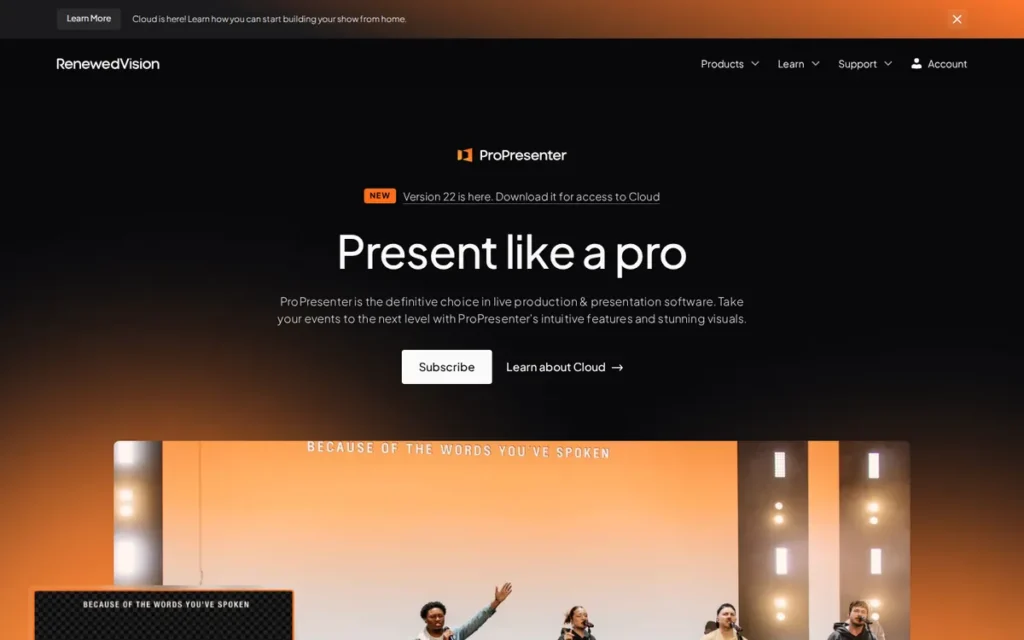
Category: Production Hub, show-control software that runs multiple outputs and triggers lighting, MIDI and video switchers from slides.
PlugRoute score: 3.50/5, C1 Learnability 3 · C2 Cost 2 · C3 Livestream 5 · C4 Reviews 5 · C5 Platform 3 · C6 Support 4
ProPresenter ranks #4 because its low cost score (C2 2) offsets its top production and review scores. ProPresenter would reach #2 only if livestream capability (C3) were weighted at about 43% or more, and #1 at about 49% or more.
At a Glance
- Category: Production Hub
- Best For: Churches with livestreams, multiple independent screens and lighting or switcher control, plus a trained tech lead
- Price Range: $289/year (1 seat) to $1,005/year (5 seats); $649/year or $59/month Campus plan (20 seats); Enterprise custom
- Primary Strength: ProPresenter offers the deepest production control in this evaluation, routing different content to every screen and triggering lighting, MIDI and switchers from slides.
- Biggest Limitation: ProPresenter’s per-seat pricing makes a three-computer setup cost $667 a year, and small-church users call it too complex.
- One-Line Summary: ProPresenter is the most capable church presentation software for livestream-heavy, multi-screen production, but its per-seat cost and complexity exceed what most small churches need.
- Last Verified: November 2026
Overview
ProPresenter by Renewed Vision is production-grade presentation and show-control software for Mac and Windows. It routes lyrics, Scripture and video to multiple screens and livestreams, and it is built for churches with complex multi-output services and a trained technical team.
The r/churchtech community widely treats ProPresenter as the industry standard (r/churchtech, 2022–2025; community perception). Users report that ProPresenter is demanding to set up but “pretty clean and volunteer friendly once the playlist is configured” (u/BoarDFIghter, r/churchtech, 2022; user-reported).
Key Features
- ProPresenter uses Looks to send different layers to main screens, confidence monitors, lobby displays, overflow rooms and the livestream.
- ProPresenter’s Macros, Timecode and Communications module let one slide trigger lighting, MIDI and ATEM video switcher actions.
- ProPresenter supports NDI input and output and includes 125–130+ Bible translations, with native SongSelect and Planning Center integration (Renewed Vision, November 2026; vendor pages conflict on the count).
- ProPresenter offers Remote and Stage Display apps for iOS, Android, tvOS and iPadOS.
- ProPresenter subscriptions include 50 GB of cloud storage and two Cloud Editor seats, though output from those seats is watermarked.
Best For
ProPresenter is best for churches running livestreams, multiple independent outputs and integrated lighting or switcher control, with a tech lead who builds templates for volunteers. ProPresenter also fits multi-site churches large enough to justify the Campus plan.
Pricing
ProPresenter pricing, checked in the Renewed Vision support article in November 2026. New customers can only subscribe:
- ProPresenter’s first seat costs $29/month or $289/year.
- ProPresenter seats 2–4 cost $189/year each, and seats 5–10 cost $149/year each, so five seats total $1,005/year. Setups with more than 10 seats need an enterprise quote.
- ProPresenter’s three-computer reference cost is $667/year.
- ProPresenter’s 20-seat Campus plan costs $649/year or $59/month for new customers. Vendor pages conflict on the legacy migration price ($599 or $579).
- ProPresenter’s add-ons are storage at $49 (200 GB), $149 (1 TB) or $249 (3 TB) per year, plus extra Cloud Editor seats at $29/year.
If you cancel ProPresenter, you keep the last version released before your subscription expired.
You can also run ProPresenter unregistered with a watermark, which gives churches a zero-cost way to evaluate it (u/eggsmack, r/churchtech, 2025; user-reported).
Strengths
- ProPresenter holds a 4.6/5 Capterra rating from about 2,086 reviews, the largest independent review sample in this evaluation (Capterra, November 2026; third-party rating).
- ProPresenter is the only evaluated product with documented lighting and ATEM video-switcher triggers from slides. FreeShow documents MIDI but not lighting or switcher control (vendor documentation, November 2026).
- ProPresenter reports 150,000 weekly sessions and more than 700 million slides triggered per month (Renewed Vision, November 2026; vendor-stated). North Point Community Church has used it across its campuses for 15+ years (Renewed Vision worship page, November 2026; vendor-stated).
- ProPresenter’s support sent one Capterra reviewer a patch “within an hour” (Capterra, November 2026; user-reported).
Limitations
ProPresenter’s production depth comes with cost and complexity that many small churches can’t justify. For a typical three-computer setup, the advertised $289 seat becomes $667 a year.
- Capterra reviewers call ProPresenter’s subscription “cost-prohibitive” for small churches (Capterra, November 2026; user-reported).
- ProPresenter users who need separate stream graphics describe either running a second seat or sending a separate Look over NDI to OBS or vMix (r/churchtech, 2025; user-reported).
- A church-plant leader called ProPresenter “too complicated & too expensive” (u/Practical-Skill5464, r/churchtech, 2025; user-reported).
- ProPresenter reviewers report crashes, freezes, lost work, slow startup and trouble with PowerPoint files that contain video. One described the Windows version as a “Mac-first product” with lag (Capterra, November 2026; user-reported).
Users on r/ProPresenter noted:
“Stick with ProPresenter. I get it the annual fee sucks, but the support, Pro’s ability to grow with your church and ease of use is, IMO, worth it.” Posted by u/fuegocheese
Takeaway: ProPresenter’s loyal users openly concede its annual fee hurts, but they argue its support and room for growth justify the cost.
Verdict
ProPresenter is the most capable church presentation software for livestream-heavy, multi-screen production, and no other evaluated product documents lighting and switcher triggers. ProPresenter ranks #4 for small-to-medium churches because $667 a year for three computers buys features most of them won’t use. Churches running lighting, switchers and separate stream graphics should treat it as their first choice.
5. WorshipTools Presenter: Best Free Starting Point for Planning Plus Presentation
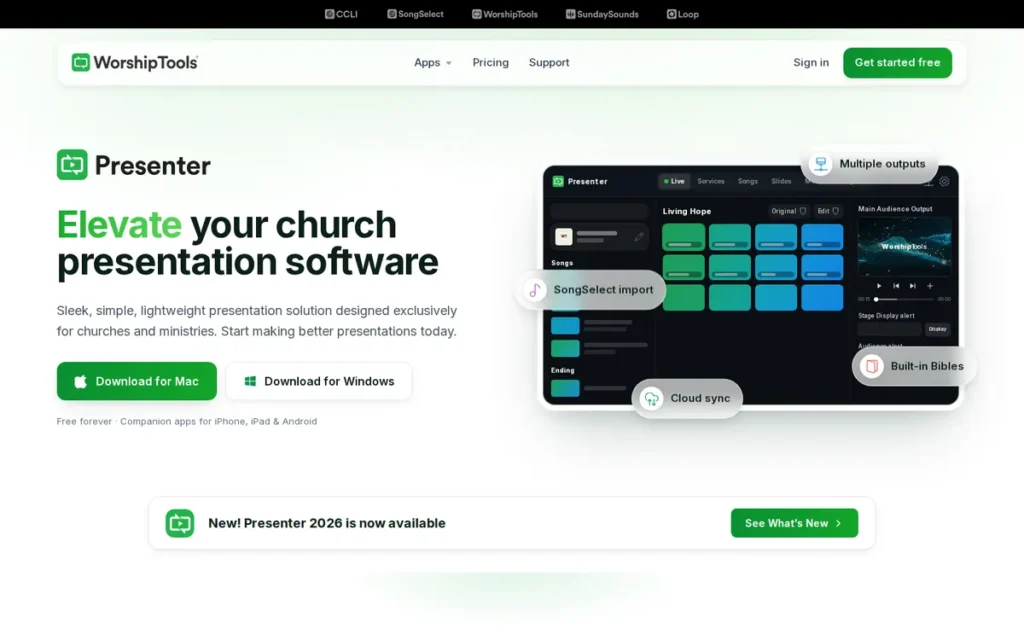
Category: Cloud-Collaborative Presenter, services are built in the cloud by distributed teams and synced to the presentation computer.
PlugRoute score: 3.03/5, C1 Learnability 3.5 · C2 Cost 4 · C3 Livestream 2 · C4 Reviews 1 · C5 Platform 4 · C6 Support 3
WorshipTools Presenter ranks #5 because PlugRoute raised its cost score from 3 to 4 after confirming its Pro price on its pricing page in November 2026. Missing third-party reviews (C4 1) keep it below the top four.
At a Glance
- Category: Cloud-Collaborative Presenter
- Best For: Small, single-screen churches that want free lyrics, Bible and SongSelect presentation bundled with service planning
- Price Range: Free; Pro $19/month or $195/year billed annually; Pro Plus price not verified (November 2026)
- Primary Strength: WorshipTools Presenter offers free, company-backed presentation with SongSelect, CCLI auto-reporting, cloud sync and a planning suite.
- Biggest Limitation: WorshipTools Presenter’s free tier excludes stage display, the mobile remote and multiple outputs, and the product has no verified third-party reviews.
- One-Line Summary: WorshipTools Presenter is a free starting point for single-screen churches that want planning and presentation in one place, but stage display and multiple screens require the $195/year Pro plan.
- Last Verified: November 2026
Overview
WorshipTools Presenter is a free, company-backed church presentation app for Windows and macOS. It shows lyrics, Bible passages and media, with SongSelect import and cloud sync, and it is aimed at small single-screen churches that want presentation and service planning in one suite.
WorshipTools Presenter puts stage display and multiple screens behind its Pro plan. PlugRoute found no evidence that separates WorshipTools Presenter’s setup difficulty from its weekly use.
Key Features
- WorshipTools Presenter installs free on unlimited Windows and macOS computers, with no credit card required.
- WorshipTools Presenter imports songs from SongSelect and Loop Community and auto-reports usage to CCLI.
- WorshipTools Presenter includes 45+ Bible translations.
- WorshipTools Presenter syncs services through the cloud and supports offline use.
- WorshipTools Presenter supports unlimited connected displays on paid tiers, each with its own layout, such as audience, stage and livestream (WorshipTools, November 2026; vendor-stated).
Best For
WorshipTools Presenter is best for small churches with one screen that mainly need lyrics, Scripture and sermon slides, with planning bundled in at no cost. WorshipTools Presenter also suits churches whose older software has lost its SongSelect connection.
Pricing
WorshipTools pricing, checked on the WorshipTools pricing page in November 2026:
- The WorshipTools Free tier costs $0. It includes 500 MB storage, 10 users, 15 items per service, unlimited services and songs, and one motion graphic and one template per month.
- WorshipTools Pro costs $19/month or $195/year billed annually. It adds 5 GB, 30 users, unlimited items, stage display, a mobile remote and multiple outputs.
- WorshipTools Pro Plus adds 50 GB, unlimited users, simultaneous Presenter sessions and unlimited motion graphics. PlugRoute did not confirm its price.
- WorshipTools offers a discount of about 15% for annual billing.
- WorshipTools Presenter’s three-computer reference cost is $0 on the free tier, or $195/year on Pro for multi-screen output.
Strengths
- WorshipTools Presenter is one of the few company-backed free options in this evaluation and the only one bundled with a planning suite. It offers SongSelect import, CCLI auto-reporting, 45+ Bibles and cloud sync at $0 on unlimited installs (WorshipTools, November 2026; vendor-stated).
- One user called WorshipTools Presenter “pretty good and much cheaper than ProPresenter” and said it does “the things most will need” (u/TapeDeck_, r/churchtech, 2022; user-reported; may predate the current version).
- WorshipTools Presenter was recommended as a replacement when a small church’s MediaShout 6 lost its SongSelect connection (u/OppositeRecover8701, r/churchtech, 2024; user-reported).
- WorshipTools Presenter supports offline use alongside cloud sync, which reduces the risk of an internet outage stopping a service (WorshipTools, November 2026; vendor-stated).
Limitations
WorshipTools Presenter trades capability for cost on its free tier. Its evidence base is also the thinnest in this evaluation, so churches have to rely mostly on vendor claims.
- WorshipTools Presenter’s free tier does not include stage display, the mobile remote or multiple output screens, all of which require the $195/year Pro plan (WorshipTools, November 2026; vendor-stated).
- WorshipTools Presenter does not list NDI support in its official materials, and its free tier caps services at 15 items (WorshipTools, November 2026).
- WorshipTools Presenter has no verified presence on Capterra, G2, the App Store or Trustpilot, so the only independent evidence is a handful of Reddit comments.
- WorshipTools Presenter’s Pro Plus price, owner and founding year were not disclosed in the sources reviewed (November 2026; unverified).
Verdict
WorshipTools Presenter is a free starting point for single-screen churches that want planning and presentation in one place. WorshipTools Presenter ranks #5 because it has no third-party review evidence and its free tier excludes key output features. Churches that need stage display or multiple screens should budget for the $195/year Pro plan.
6. OpenLP: Best for Basic Projection on Linux, Older or Mixed Computers
Category: Open-Source Presenter, free, community-maintained software with no license fees and no vendor support contract.
PlugRoute score: 2.85/5, C1 Learnability 2 · C2 Cost 5 · C3 Livestream 1.5 · C4 Reviews 2.5 · C5 Platform 4 · C6 Support 1.5
OpenLP ranks #6 because it lacks NDI (C3 1.5) and relies on community-only support (C6 1.5). It moved from #5 to #6 because newly verified pricing raised WorshipTools Presenter’s score, not because anything changed in OpenLP.
At a Glance
- Category: Open-Source Presenter
- Best For: Zero-budget churches on Linux, FreeBSD or older donated computers that need basic single-screen projection
- Price Range: Free ($0, GPL open source)
- Primary Strength: OpenLP runs basic lyrics, Bible and media projection on Windows, macOS, Linux and FreeBSD at no cost.
- Biggest Limitation: OpenLP lacks NDI output and has had no release since February 2025, which limits it for livestreaming churches.
- One-Line Summary: OpenLP is a long-running free choice for basic worship projection on Linux and older computers, but its lack of NDI and slow release pace make it a poor fit for livestreaming churches.
- Last Verified: November 2026
Overview
OpenLP is a free, community-built, open-source church presentation program for Windows, macOS, Linux and FreeBSD. It projects songs, Bible verses, custom slides and media, and it is aimed at zero-budget churches with basic projection needs and older or mixed computers.
OpenLP has been developed as a community project since 2004. On weekly workflow, one church built its sermons in Google Docs or PowerPoint and exported them to PDF before importing them into OpenLP. Setup is workable, but expect workarounds (u/Practical-Skill5464, r/churchtech, 2025; user-reported).
Key Features
- OpenLP projects songs, Bible verses, custom slides and media, playing video through VLC.
- OpenLP offers a web remote that any phone browser can open, plus a browser-based stage view, so volunteers need no app.
- OpenLP imports songs from CCLI SongSelect.
- OpenLP controls PowerPoint and Impress presentations on Windows and Linux.
- OpenLP runs on Windows, macOS, Linux and FreeBSD, the widest operating-system coverage in this evaluation.
Best For
OpenLP is best for small churches running Linux or older donated hardware that need basic lyrics, Scripture and slide projection on one main screen. OpenLP suits congregations that don’t livestream or that use a separate streaming workflow.
Pricing
OpenLP pricing, checked on the OpenLP website in November 2026:
- OpenLP costs $0 under the GPL.
- OpenLP has no paid support, hosted version or subscription.
- OpenLP’s three-computer reference cost is $0, with support coming only from the manual and community forums.
Strengths
- OpenLP has been developed as a community project since its first release on February 28, 2004. Its GPL license keeps it free, though development depends on volunteer maintainers (Wikipedia, November 2026).
- OpenLP supports four operating systems, the broadest platform coverage among the seven products (OpenLP manual, November 2026; vendor-stated).
- OpenLP holds a 3.9/5 Capterra rating from 26 reviews (Capterra, November 2026; third-party rating). A G2 listing showed 4.5/5 from 72 reviews in PlugRoute’s research snapshot, but we could not re-confirm it at our final check (G2, November 2026; third-party rating).
- One user said OpenLP is “infinitely better than smashing together multiple slide decs,” and another called it “pretty solid if you’re just looking at the basics” (u/Practical-Skill5464, r/churchtech, 2025; u/BoarDFIghter, r/churchtech, 2022; user-reported).
Limitations
OpenLP trades modern production features for simplicity and zero cost. Its slow release pace also raises questions about future fixes for new operating systems.
- OpenLP has no NDI output, and on macOS it cannot control PowerPoint, LibreOffice or Keynote (OpenLP manual, November 2026).
- OpenLP’s latest release, 3.1.7, shipped on February 16, 2025, about 21 months before this review. FreeShow releases every one to two months (GitLab, November 2026).
- OpenLP’s Capterra sub-scores are low for support (3.3) and ease of use (3.6) (Capterra, November 2026; third-party rating).
- OpenLP reviewers cite weak dual-language display, some Bible book names stuck in English and weak copyright-footer handling (Capterra and G2 reviewers, November 2026; user-reported).
Verdict
OpenLP is a long-standing free choice for basic, single-screen worship projection on Linux, FreeBSD and older computers. OpenLP ranks below FreeShow because it lacks NDI, scores lower on ease of use and hasn’t shipped a release since February 2025. Churches planning to livestream should start with FreeShow instead.
7. MediaShout: Best for Windows Churches That Want to Buy Once
Category: Desktop Campus Presenter, paid desktop software licensed per church location, focused on a weekly lyrics, Scripture and media workflow.
PlugRoute score: 2.83/5, C1 Learnability 3 · C2 Cost 4 · C3 Livestream 3 · C4 Reviews 1.5 · C5 Platform 2 · C6 Support 3
MediaShout ranks #7 because thin third-party review data (C4 1.5) and separate Windows and Mac products (C5 2) outweigh its strong one-time pricing (C2 4).
At a Glance
- Category: Desktop Campus Presenter
- Best For: Windows-based churches that want to own their software outright and avoid recurring subscription fees
- Price Range: $599 one-time (Windows site license); $698–$798 bundles; $198/year LE subscription; Mac from $499
- Primary Strength: MediaShout is the only major paid option sold as a one-time site license, covering unlimited Windows computers on one campus for $599.
- Biggest Limitation: MediaShout is split into a current Windows product and an older Mac product, and older owned versions can lose integrations like SongSelect.
- One-Line Summary: MediaShout is the best church presentation software for Windows churches that want to buy once and avoid subscriptions, though its Mac version lags and its third-party review data is thin.
- Last Verified: November 2026
Overview
MediaShout is paid church presentation software sold mainly as a one-time site license. It builds services as a script of cues and includes about 70 Bible translations, and it is aimed at Windows-based churches that want to own their software rather than subscribe.
MediaShout 7 runs only on Windows 10 and 11, so Mac users get the separate, older MediaShout 6 for Mac. The evidence on MediaShout’s weekly use comes from long-time teams whose volunteers are already trained. PlugRoute found no evidence on how hard first-time setup is.
Key Features
- MediaShout builds each service as a “script” of cues that volunteers step through in order.
- MediaShout includes about 70 Bible translations at no extra charge.
- MediaShout imports from SongSelect with automatic CCLI reporting.
- MediaShout supports stage display, multiple outputs and NDI for livestream workflows.
- MediaShout includes built-in access to Shift Worship, Pixabay and Unsplash media.
Best For
MediaShout is best for Windows-based churches that prefer a one-time purchase over a subscription and can plan for periodic paid upgrades. MediaShout is also a sensible choice to keep for teams whose volunteers already know it.
Pricing
MediaShout pricing, checked on the MediaShout pricing pages in November 2026:
- MediaShout’s Windows site license costs $599 once and covers unlimited computers on one campus, with no subscription required.
- MediaShout 7 Essentials costs $698 with one year of Plus Membership, and MediaShout 7 Complete costs $798 with Shift Worship Media included.
- MediaShout upgrades cost $399, and MediaShout 6 for Mac starts at $499.
- MediaShout 7 LE is a subscription alternative at $198/year.
- MediaShout’s three-computer reference cost is $599 one-time, or about $75–120/year over the vendor-stated 5–8 year upgrade cycle (vendor claim).
Strengths
- MediaShout’s $599 one-time license covers unlimited Windows computers on one campus, the only buy-once model among the paid products evaluated (MediaShout, November 2026; vendor-stated).
- MediaShout includes about 70 Bible translations and SongSelect reporting at no extra charge (MediaShout features page, November 2026; vendor-stated).
- MediaShout users report staying because “nearly everyone knows how to use MediaShout 7” and say support “has always been good” (u/General_Arf_Arf, r/churchtech, 2022; user-reported; may predate the current version).
- MediaShout earned a Capterra review from a church that moved from ProPresenter because it “needed software that was easy to learn and use” (Capterra, November 2026; user-reported).
Limitations
MediaShout’s buy-once model is harder for mixed-platform churches and carries a long-term risk. Older versions you own can stop working with the services they depend on.
- MediaShout 7 is Windows-only, so mixed-platform churches must train volunteers on a separate, older Mac product.
- MediaShout 6 returned a 403 error for one small church trying to pull songs from SongSelect, which shows the risk of running an older owned version (u/AdThese9021, r/churchtech, 2024; user-reported).
- MediaShout’s interface was described as “stuck in an older looking time” (u/polarbear320, r/churchtech, 2022; user-reported). A G2 reviewer called MediaShout 6 “certainly not my first choice” (G2, November 2026; user-reported).
- MediaShout’s third-party evidence is thin. Its Capterra rating could not be retrieved, and G2 shows 28 reviews with no exposed star rating (G2, November 2026).
- MediaShout’s current pages don’t state a church count, and earlier vendor pages gave differing figures, so no verified user count is available (MediaShout, November 2026).
Verdict
MediaShout is the best church presentation software for Windows churches that want to buy once and avoid subscriptions, at $599 for an unlimited-computer site license. MediaShout ranks #7 because its review data is thin, its Mac version is a separate older product and older owned versions can lose integrations. Windows teams that already know it have good reason to stay.
What Other Church Presentation Software Is Worth Considering?
Several other church presentation tools came up in PlugRoute’s research but lacked enough review-platform data to rank. These tools may still suit specific needs, such as multilingual services or regional support. Planning Center Services is listed separately because it plans services rather than putting content on screens.
- Holyrics is a church presentation tool with mainly regional adoption.
- VideoPsalm is a presentation tool known for multilingual services.
- Quelea is another free church presentation option.
- ChurchPresenter is an alternative listed in community comparisons.
- SongShow Plus and Worship Extreme are older paid presentation tools.
- OpenSong is an open-source tool that one r/churchtech user preferred over EasyWorship (u/DuplexFields, r/churchtech, 2022; user-reported).
- Planning Center Services holds a 4.7/5 G2 rating but plans services rather than displaying them, so PlugRoute treats it as an integration (G2, November 2026; third-party rating).
How Do I Choose Church Presentation Software for Livestreaming?
For livestreaming, choose software that sends NDI or alpha-channel output to streaming tools like OBS Studio or vMix and can route different content to the room and the stream. Proclaim, FreeShow, EasyWorship, ProPresenter and MediaShout support NDI. OpenLP does not, and WorshipTools Presenter does not list it.
A lyric overlay or lower third works by sending text with a transparent background, or a dedicated stream layout, over NDI. OBS Studio or vMix then keys that text over the camera video instead of covering the whole picture.
How each tool sends separate graphics to the room and the stream:
- ProPresenter: ProPresenter users send a separate Look over NDI or run a second paid seat for stream graphics (r/churchtech, 2025; user-reported).
- Proclaim: Proclaim can reportedly send different content to the room and the NDI stream without a second license (u/holmerica, r/churchtech, 2025; user-reported).
- EasyWorship: EasyWorship sends NDI and alpha-channel output to OBS and vMix for lyric overlays (EasyWorship, November 2026; vendor-stated).
- FreeShow: FreeShow sends NDI with unlimited outputs at no cost (FreeShow, November 2026; vendor-stated).
- WorshipTools Presenter: WorshipTools Presenter Pro supports a separate livestream output layout, but NDI is not listed (WorshipTools, November 2026; vendor-stated).
- OpenLP: OpenLP has no NDI output, so it needs a separate capture workflow.
Presentation software does not grant streaming rights. CCLI serves more than 260,000 churches, and streaming worship music requires a separate CCLI Streaming or Streaming Plus license (CCLI, November 2026).
What Does Church Presentation Software Really Cost for Multiple Computers?
For a typical three-computer setup, annual cost ranges from $0 (FreeShow, OpenLP) to $667 (ProPresenter). EasyWorship ($210) and Proclaim ($299.88 billed monthly) cost less than ProPresenter because they license per church rather than per seat. MediaShout costs $599 once. The licensing model matters more than the headline price.
| Licensing Model | Product | 3-Computer Annual Cost (Nov 2026) |
|---|---|---|
| Per seat | ProPresenter | $667/year ($649 Campus plan for up to 20 seats) |
| Flat per church | Proclaim | $299.88/year billed monthly ($24.99/month) |
| Per campus subscription | EasyWorship | $210/year (Basic) |
| One-time site license | MediaShout | $599 once (~$75–120/year, vendor-stated cycle) |
| Free, open source | FreeShow, OpenLP | $0 |
| Free with paid tiers | WorshipTools Presenter | $0 free; $195/year Pro for multiple outputs |
For a three-computer church, ProPresenter’s $289 seat becomes $667 a year, while EasyWorship covers every computer on one campus for $210 (PlugRoute calculation, November 2026).
A 65-attendee church with a presentation PC, a stream laptop and a prep laptop would pay these amounts per year (vendor pricing, November 2026):
- FreeShow or OpenLP would cost the church $0.
- WorshipTools Pro would cost the church $195 for multi-screen output.
- EasyWorship Basic would cost the church $210.
- Proclaim would cost the church $299.88 billed monthly.
- MediaShout would cost the church $599 once, or about $75–120 a year over the vendor-stated cycle.
- ProPresenter would cost the church $667 on individual seats.
Billing and site rules also change the comparison:
- Monthly versus annual billing changes totals: Proclaim costs $299.88/year billed monthly, and WorshipTools discounts annual billing by about 15%.
- EasyWorship and MediaShout licenses each cover one site, so every extra campus or church plant needs its own license.
- ProPresenter’s 20-seat Campus plan ($649/year) costs less than three individual seats ($667/year), so churches should confirm Campus eligibility at checkout.
For context, a $289 single seat is about 0.3% of a median small church’s budget. Churches under 100 attendees have a median income of about $87,000 (PlugRoute calculation from Faith Communities Today, FACTs on Finance, 2022). Multi-seat setups take a larger share.
Does a Small Church Need Dedicated Presentation Software at All?
Many very small churches can run services on PowerPoint, Keynote or Google Slides if they use one screen and have a small, stable team. Dedicated software becomes worth it when you need song libraries, CCLI reporting, stage display or fast Scripture lookup. The median US congregation has 65 weekly attendees (Faith Communities Today, 2020).
Some churches deliberately stay on slide tools because “the human stress cost to train everyone isn’t worth it” (u/luke-in-oz, r/churchtech, post year not recorded; user-reported). Slide tools start to fall short in these areas:
- Slide tools have no SongSelect import or automatic CCLI reporting.
- Slide tools have no stage display for musicians and speakers.
- Slide tools make it slow to look up Scripture on the fly.
- Slide tools offer no NDI output for livestreams.
Seventy percent of US congregations have 100 or fewer attendees (Faith Communities Today, 2020). For those churches, a free tool such as FreeShow or WorshipTools Presenter is usually the next step up from slides.
As one user on r/churchtech described:
“Very unpopular opinion, if you don’t have enough people to not only learn new equipment, but also enough that they don’t have to every week, then you aren’t ready for whatever new thing you’re looking at doing. There are a lot of churches that dive into something, fancier lights, live streaming, etc, and then have gear that is underutilized or not used at all, because their team wasn’t ready.”
“I’m going to push into new things as eagerly or more than the next guy, but not at the expense of our volunteers.” Posted by u/thattalldude
Takeaway: In church presentation software, volunteer capacity limits what a church can actually use more than features or budget do, which is why learnability carries the most weight in this ranking.
What Red Flags Should I Watch For When Evaluating Church Presentation Software?
The biggest red flags are pricing that hides multi-computer cost, free tiers that gate output features, cloud tools without offline mode, stalled open-source projects, old perpetual versions that lose integrations, and assuming the software covers streaming rights. Each one can raise your costs or unexpectedly break a Sunday service.
Red Flag #1: Single-Seat Pricing That Hides Multi-Computer Cost A single-seat price understates what a church with separate presentation, stream and prep computers will actually pay. ProPresenter’s $289 seat becomes $667 a year for three computers, more than double the advertised figure (Renewed Vision, November 2026; vendor-stated).
Red Flag #2: Free Tiers That Gate Output Features A “free” tier may exclude the features multi-screen churches need most. Multi-screen output costs $0 in FreeShow but $195 a year in WorshipTools Pro, because the WorshipTools free tier excludes stage display, the mobile remote and multiple outputs (vendor pricing, November 2026).
Red Flag #3: Cloud-Only Tools With No Offline Mode A cloud-only presentation tool can stop a service when the church’s internet drops. One church tech said a cloud outage “would make it a no-go” without offline mode (u/iPlayKeys, r/churchtech, 2025; user-reported). Proclaim and WorshipTools Presenter both document offline use.
Red Flag #4: Open-Source Projects With No Recent Release An open-source project without recent releases may not get fixes for new operating systems or bugs. OpenLP’s last release shipped on February 16, 2025, while FreeShow shipped version 1.6.6 on October 9, 2026 (GitLab and GitHub, November 2026).
Red Flag #5: Old Perpetual Versions That Lose Integrations Software you own outright can still lose the integrations you depend on. A small church running MediaShout 6 got a 403 error when pulling songs from SongSelect, even though it still paid for SongSelect (u/AdThese9021, r/churchtech, 2024; user-reported).
Red Flag #6: Assuming the Software Covers Streaming Rights No church presentation software licenses worship songs for livestreaming, whatever its features. Churches need a separate CCLI Streaming or Streaming Plus license to stream copyrighted worship music legally (CCLI, November 2026).
What Questions Should I Ask Before Choosing Church Presentation Software?
Before choosing church presentation software, ask seven questions. Together they cover total cost, volunteer learning time, livestream routing, platform compatibility, support, cancellation terms and free testing. They surface most hidden costs before you commit, and each one below comes with evidence from the seven tools evaluated.
Question #1: How Many Computers Will We License, and What Is the Total Annual Cost? Total annual cost depends on how many computers you license. A three-computer setup costs $0 with FreeShow or OpenLP, $210 with EasyWorship, about $300 with Proclaim billed monthly and $667 with ProPresenter. Count every machine before comparing (vendor pricing, November 2026).
Question #2: Can a Brand-New Volunteer Run a Full Service After One Walkthrough? A new volunteer should be able to run a test service during the free trial. Judge setup and weekly operation separately. ProPresenter, for example, is described as volunteer-friendly “once the playlist is configured” (u/BoarDFIghter, r/churchtech, 2022; user-reported).
Question #3: Do We Need Separate Graphics for the Room and the Stream? If you need separate graphics for the room and the stream, confirm how each tool routes them before buying. ProPresenter users report needing a second seat or a separate Look. Proclaim reportedly splits room and stream output under one license (r/churchtech, 2025; user-reported).
Question #4: Does It Run on Every Computer We Own (Windows, Mac, Linux, Chromebook)? Check every computer you own against each tool’s supported platforms, because platform coverage varies widely in this category (vendor documentation, November 2026):
- Linux runs only FreeShow and OpenLP among the seven tools.
- Chromebook and iPad editing are available only with Proclaim’s higher tier.
- MediaShout’s current version runs only on Windows.
Question #5: When Was the Last Release, and Who Fixes It on Sunday? Check the release history and the support hours before choosing. Proclaim offers phone and chat support until noon PT on Sundays (Faithlife, November 2026; vendor-stated). FreeShow and OpenLP rely entirely on community help, so check their recent release dates on GitHub and GitLab.
Question #6: What Do We Keep If We Stop Paying? Cancellation terms differ sharply, so ask before you sign:
- ProPresenter lets you keep the last version released before your subscription expired.
- MediaShout licenses are owned outright.
- Proclaim’s post-cancellation access was not established in PlugRoute’s research (November 2026).
Question #7: How Do We Test It Free on Our Own Hardware First? Every tool in this evaluation offers a free way to rehearse a full service on your own equipment:
- ProPresenter runs unregistered with a watermark.
- Proclaim lists a free trial on Capterra.
- EasyWorship offers a 30-day trial.
- FreeShow, OpenLP and the WorshipTools Free tier cost nothing to test.
How Did We Rank These Church Presentation Software Tools?
PlugRoute ranked these tools with a weighted score across six published criteria, led by volunteer learnability at 25% and realistic total cost at 20%. Each criterion was scored from 1 to 5 using dated, attributed evidence verified in November 2026, and the weighted totals set the rank order.
Ranking criteria:
- C1 Volunteer Learnability (25%): C1 matters because volunteers rotate often. C1 is measured with Capterra ease-of-use sub-scores and first-hand adoption reports, scoring setup and weekly use separately.
- C2 Realistic Total Cost (20%): C2 matters because budgets are tight. C2 uses the annual cost of a three-computer setup, and an undisclosed price lowers the score.
- C3 Livestream and Multi-Screen (15%): C3 matters because readers want to know which advanced features are worth paying for. C3 scores NDI, multiple outputs, stage display and show control, by tier.
- C4 Third-Party Reviews (15%): C4 matters because readers need neutral evidence. C4 uses Capterra and G2 ratings adjusted for sample size, and a product with no verified profile scores 1.
- C5 Platform and Collaboration (15%): C5 matters because churches run mixed hardware. C5 scores operating-system coverage, cloud collaboration, offline mode and integrations.
- C6 Support and Maintenance (10%): C6 matters because Sunday failures need fast fixes. C6 scores vendor support hours and release cadence.
| Rank | Product | C1 | C2 | C3 | C4 | C5 | C6 | Total |
|---|---|---|---|---|---|---|---|---|
| 1 | Proclaim | 4 | 4 | 4 | 4 | 5 | 4 | 4.15 |
| 2 | FreeShow | 4 | 5 | 4 | 3.5 | 4 | 2.5 | 3.98 |
| 3 | EasyWorship | 3 | 5 | 3 | 4 | 3 | 3 | 3.55 |
| 4 | ProPresenter | 3 | 2 | 5 | 5 | 3 | 4 | 3.50 |
| 5 | WorshipTools Presenter | 3.5 | 4 | 2 | 1 | 4 | 3 | 3.03 |
| 6 | OpenLP | 2 | 5 | 1.5 | 2.5 | 4 | 1.5 | 2.85 |
| 7 | MediaShout | 3 | 4 | 3 | 1.5 | 2 | 3 | 2.83 |
WorshipTools Presenter’s cost score was raised from 3 to 4 after its Pro price ($195/year) was confirmed on its pricing page in November 2026. That moved it from #6 to #5 and ended its earlier tie with MediaShout. Ties are broken on C1, and none remain.
The ranking depends on the weights. With the other criteria scaled proportionally, ProPresenter rises to #2 once C3 is weighted at about 43%, and to #1 at about 49%. FreeShow moves to #1 once C2 is weighted above about 32%.
Every claim carries an evidence label: vendor-stated, third-party rating, user-reported or unverified. Review volume affects only C4. Crash reports are individual accounts, not measured failure rates.
Prices change often in this category. Every figure here was checked on November 12, 2026, and entries say so when a price could not be confirmed.
PlugRoute has no affiliate relationships with any company listed. Rankings are determined entirely by research data and objective evaluation criteria.
Frequently Asked Questions
Which church presentation software is easiest for volunteers?
FreeShow and Proclaim score highest on PlugRoute’s volunteer learnability criterion (C1 4/5), with Capterra ease-of-use scores of 4.6/5 and 4.5/5 (Capterra, November 2026). WorshipTools Presenter follows at 3.5/5. ProPresenter is described as volunteer-friendly once a tech lead configures it, but some small-church users call it too complex.
What is the best free church presentation software in 2026?
FreeShow is the best free church presentation software in 2026. It holds a 4.7/5 Capterra rating from 90 reviews and includes unlimited outputs, NDI and stage display for free (Capterra, November 2026). OpenLP suits basic single-screen use on Linux. WorshipTools Presenter’s free plan lacks stage display and multiple screens, which require Pro.
How does PlugRoute determine rankings?
PlugRoute ranks software using six published, weighted criteria, each scored 1–5 from dated evidence. Volunteer learnability counts 25% and total cost 20%. Livestream capability, reviews and platform compatibility count 15% each, and support 10%. Missing data is scored as missing, never assumed, and all scores are published so readers can re-weight them.
What Do Key Church Presentation Software Terms Mean?
You’ll run into a handful of technical and licensing terms when comparing church presentation software, and each one affects cost or capability. The definitions below explain each term in plain language and why it matters, so volunteers and decision-makers share the same vocabulary when they compare vendors.
NDI (Network Device Interface): NDI sends video over a regular computer network instead of video cables. NDI lets presentation software feed lyrics and slides straight into livestream software, so it matters to any church that streams.
Alpha-Channel Output: Alpha-channel output sends graphics with a transparent background. Alpha-channel output lets stream software lay lyrics over camera video instead of covering the whole picture.
Stage Display (Confidence Monitor): A stage display is a separate screen facing the platform that shows upcoming lyrics, chords, notes or timers. A stage display helps musicians and speakers stay on cue without turning around.
CCLI SongSelect: CCLI SongSelect is a licensed library of worship song lyrics and charts. Software with CCLI SongSelect integration imports songs directly and can report usage automatically, which saves volunteers time and supports copyright compliance.
CCLI Streaming License: A CCLI Streaming License is a separate license required to livestream copyrighted worship songs. A CCLI Streaming License is never included with presentation software, so budget for it on its own.
Per-Seat License: A per-seat license charges for each computer that runs the software. Per-seat license costs rise with every presentation, stream or prep machine a church adds.
Campus or Site License: A campus or site license covers every computer at one church location for a single price. A campus or site license is usually cheaper than per-seat pricing once a church has three or more computers.
Perpetual License: A perpetual license is a one-time purchase you own indefinitely. A perpetual license avoids subscription fees, but older versions may lose integrations and upgrades cost extra.
Open Source (GPL): Open-source software under the GPL is free to use and modify, and a community maintains it. Open-source software has no license fees but also no vendor support contract.
Offline Mode: Offline mode lets cloud-based software run a service without an internet connection by downloading content in advance. Offline mode protects services from internet outages.
Show Control (Macros): Show control lets one slide trigger other equipment, such as lighting, MIDI devices or video switchers. Show control is valuable for production-heavy services but adds setup complexity.
Which Church Presentation Software Tool Is Right for You?
Key Insights
- The best church presentation software in 2026 depends on budget and computers. Proclaim leads overall for distributed volunteer teams at $24.99/month flat per church, and FreeShow is the best free option with NDI. EasyWorship is the cheapest paid campus license at $210/year, and ProPresenter fits production-heavy churches (PlugRoute, November 2026).
- ProPresenter fits best for production-heavy churches that will use its lighting, switcher and multi-output control.
- OpenLP, WorshipTools Presenter and MediaShout each fit a narrower need. OpenLP suits Linux or old hardware, WorshipTools Presenter suits free planning plus presentation on one screen, and MediaShout suits churches that want a one-time Windows license.
- The cost that matters for church presentation software is the total across all your computers, not the single-seat price.
- Livestreaming worship songs requires a separate CCLI Streaming license, whichever software you choose.
If your team plans services remotely, start with Proclaim’s trial. If you have no budget but need livestream output, start with FreeShow. If you run several Windows computers and dislike subscriptions, compare MediaShout’s one-time license with EasyWorship’s campus plan.
Switching tools rarely means rebuilding your song library. FreeShow imports ProPresenter, EasyWorship, OpenLP and OpenSong files, and most paid tools import from SongSelect and Planning Center (vendor documentation, November 2026).
If your current software works and your volunteers know it, staying put is often the right call. Very small churches with one screen may do fine with PowerPoint or Google Slides for now.
For more independent research, read PlugRoute’s full methodology and our other church software reviews. We update this guide quarterly. Last updated: November 12, 2026.