The best cemetery software in 2026 is Chronicle for mapping-led management at any budget, PlotBox for enterprise and multi-site operations, and Cemify for small cemeteries that want transparent pricing. The subscription is often the smallest cost, because mapping, record migration, and setup fees decide what a cemetery really pays in year one.
Many cemeteries still keep burial and ownership records on paper ledgers, card files, or spreadsheets. Unmapped plots create a risk of double-selling, and families keep calling the office to find a grave. This guide ranks seven verified vendors on six weighted criteria, using dated evidence instead of marketing claims.
PlugRoute has no affiliate relationships with any company listed, and rankings are determined entirely by research data and objective evaluation criteria.
“Thankfully found a directory book and a large map… I have to look through every photo I took of the directory book… and type in plot numbers.” (u/Worldly-Mirror938, r/findagrave, retrieved November 2026)
Takeaway: Paper-only records force volunteers and families to rebuild plot data by hand, and searchable digital records fix that problem.
What Are the 5 Categories of Cemetery Software?
Cemetery software falls into five categories: Mapping-Led Platforms, Enterprise Operations Suites, Small-Cemetery Records Platforms, Accounting-Integrated Records Systems, and Family-Engagement & Sales Platforms. The right category depends on a cemetery’s size, how accurate its map needs to be, and the accounting system it already uses.
- A Mapping-Led Platform is cemetery software built around GIS or drone maps that are linked plot by plot to burial and ownership records. Chronicle and CemSites by Ramaker fall into this category.
- An Enterprise Operations Suite is an all-in-one platform for records, mapping, sales, contracts, payments, and work orders across multiple sites and types of deathcare facility. PlotBox falls into this category.
- A Small-Cemetery Records Platform is affordable cloud software focused on records, maps, and public search for small and mid-size cemeteries. Cemify falls into this category.
- An Accounting-Integrated Records System connects cemetery records to the bookkeeping or fund-accounting system an organization already uses. CIMS and Pontem Cemetery Management fall into this category.
- A Family-Engagement & Sales Platform puts public search, branded apps, and online sales ahead of back-office depth. webCemeteries falls into this category.
Three market trends buyers should know:
- The NFDA projects that cremation will account for 63.4% of US dispositions in 2025 and 82.3% by 2045, against 31.6% for burial in 2025 (NFDA Cremation & Burial Report, 2025). Columbarium, niche, and scattering records now matter as much as plot records.
- Analyst estimates of the dedicated cemetery software market vary widely, from $233M (Market.us, 2025) to $412.6M (The Insight Partners, 2025), because firms define the market differently. Market.us projects 7.8% annual growth to $455.1M by 2034.
- Analysts estimate that cloud deployments make up 52–62% of the cemetery software market (Market.us and others, 2025), so most actively developed products are cloud-first.
How Do the Top Cemetery Software Platforms Compare at a Glance?
Chronicle leads on mapping and entry price. PlotBox leads on operational breadth and review volume. Cemify leads on pricing transparency, and CIMS leads on QuickBooks integration. CemSites leads on survey-grade mapping, webCemeteries on documented family-engagement features, and Pontem on municipal fund-accounting integration. The table below shows each product’s fit, main strength, and main limitation.
| Rank | Company | Category | Best For | One-Line Summary | Key Capabilities | Primary Strength | Key Limitation |
|---|---|---|---|---|---|---|---|
| 1 | Chronicle | Mapping-Led Platform | Community, church, municipal, and historic cemeteries of any budget | Chronicle is a mapping-led cemetery platform that links drone and GIS maps to burial records and has a free entry tier. | Drone/GIS maps, GPS grave search, memorials, online plot sales, payments, deeds | Mapping linked to records; free tier; 4.7/5 from 60 reviews | Mapping and digitization quoted per project; Pro pricing customizable |
| 2 | PlotBox | Enterprise Operations Suite | Multi-site operators, councils, dioceses, cemetery-crematoria | PlotBox is a map-centric enterprise platform that links records, contracts, payments, and work orders across sites. | PlotBox Map, EverAfter portal, PlotBox Pay, pre-need, mobile work orders | Broadest suite; largest review sample (4.7/5 from 95) | No public pricing; reviewers report difficult setup |
| 3 | Cemify | Small-Cemetery Records Platform | Cemeteries with roughly 15–200 burials a year | Cemify is a records and mapping platform for small cemeteries that publishes subscription prices and implementation estimates. | Color-coded maps, public search, plot sales, work orders, JSON/CSV backups | Most complete published pricing; 5.0/5 from 20 reviews | Lighter accounting; small review sample |
| 4 | CIMS | Accounting-Integrated Records System | Church and municipal cemeteries using QuickBooks | CIMS is a long-established GIS records platform with native QuickBooks and Salesforce integration. | GIS inventory maps, Cemetery Search, contracts, e-payments, offline access | QuickBooks/Salesforce integration; 4.6/5 from 50 reviews | No pricing or edition comparison published |
| 5 | CemSites by Ramaker | Mapping-Led Platform | Municipalities needing survey-grade remapping | CemSites is cemetery software backed by an engineering and surveying firm for survey-grade maps and records cleanup. | Surveyed maps, GPS search, perpetual-care tracking, funeral/crematory modules | In-house surveying; public contract costs | Only 4 reviews, including a 1-star implementation account |
| 6 | webCemeteries | Family-Engagement & Sales Platform | Sales-driven cemeteries with heavy visitor traffic | webCemeteries is a family-engagement and sales platform with branded apps, catalog sales, and e-signatures. | Branded apps, wayfinding, catalog sales, e-signatures, recurring payments | Most extensive documented family-facing and sales features (vendor-documented) | Zero independent reviews |
| 7 | Pontem Cemetery Management | Accounting-Integrated Records System | Townships on Pontem fund accounting | Pontem Cemetery Management is a desktop-first records system that integrates with Pontem municipal fund accounting. | Cemetery Data Manager, optional mapping, Online Burial Search, GL/AP integration | Native municipal fund-accounting link | Desktop-first; mapping is an add-on; no reviews |
Last verified: November 2026. Capterra, GetApp, and Software Advice share one Gartner-owned review pool, so their ratings do not independently confirm each other.
Which Cemetery Software Should I Choose for My Use Case?
Choose Chronicle for a free start, Cemify for a predictable small-cemetery budget, PlotBox for multi-site or crematorium operations, CIMS for QuickBooks users, CemSites for survey-grade municipal remapping, Pontem for townships on Pontem accounting, and webCemeteries for sales-driven cemeteries. Pick by your single biggest constraint.
| Your #1 Priority | Recommended Tool | Why | Acceptable Alternative |
|---|---|---|---|
| Free or near-free start for a volunteer-run cemetery | Chronicle (Basic/Lite) | Chronicle publishes a free Basic tier for up to 50 records and a $20/month Lite tier (chronicle.rip, November 2026) | Cemify Preservation ($799/year) |
| Predictable all-in budget for a small or mid-size cemetery or church | Cemify | Cemify publishes subscription and add-on prices plus implementation estimates | Chronicle |
| Best mapping linked to records | Chronicle | Chronicle offers done-for-you drone, aerial, GIS, and headstone-photo mapping | PlotBox |
| Multi-site or combined cemetery-crematorium | PlotBox | PlotBox has a multi-facility diary and covers cemeteries, crematoria, and funeral homes | CemSites (Last Rites and Pyre modules) |
| Books already in QuickBooks | CIMS | CIMS integrates natively with QuickBooks and QuickBooks Online | No documented native alternative; ask each vendor for a QuickBooks sync test |
| Survey-grade remapping for a municipality | CemSites by Ramaker | Ramaker is an engineering and surveying firm | CIMS (works with outside mapping firms) |
| Already running Pontem fund accounting | Pontem Cemetery Management | Pontem links cemetery data to its general ledger and receipts | CIMS |
| Family engagement and online sales | webCemeteries (validate with references) | webCemeteries offers branded apps, catalog sales, and e-signatures | PlotBox (EverAfter portal, pre-need sales) |
| Lowest risk of vendor lock-in | Cemify | Cemify is the only vendor that documents downloadable export formats (JSON, CSV); confirm map geometry is included | CIMS (import/export, automatic backups) |
Last verified: November 2026.
What Are the 7 Best Cemetery Software Platforms in 2026?
The seven best cemetery software platforms in 2026 are Chronicle, PlotBox, Cemify, CIMS, CemSites by Ramaker, webCemeteries, and Pontem Cemetery Management, ranked on six weighted criteria. Every entry below uses the same structure. Vendor-reported outcomes are labeled, and an unpublished price is treated as unknown, not as cheap.
1. Chronicle: Best Overall for Mapping-Led Cemetery Management
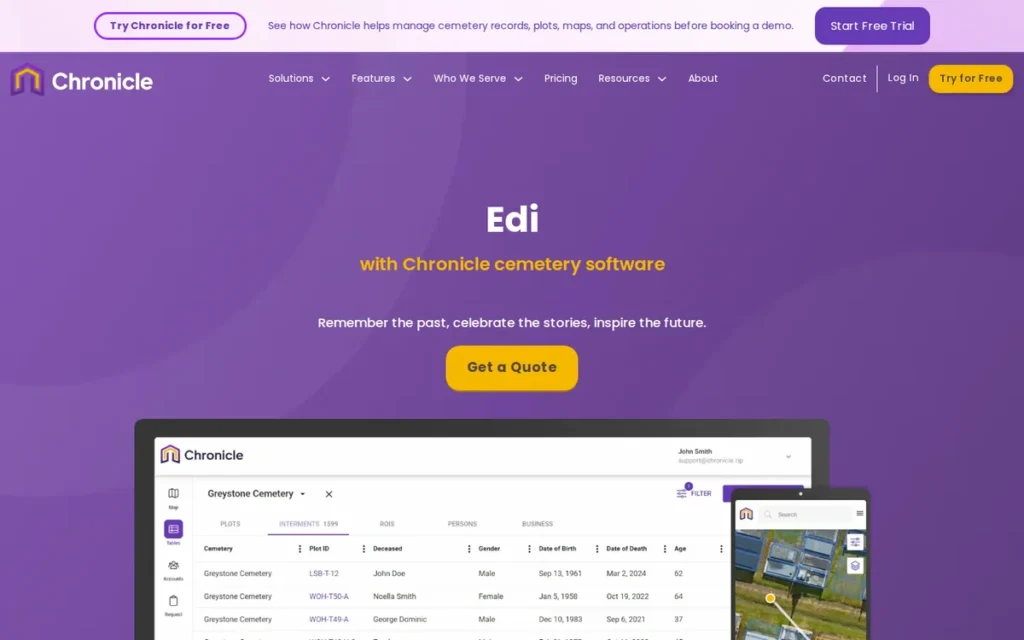
Category: Mapping-Led Platform, cemetery software built around GIS or drone maps linked plot by plot to burial and ownership records.
At a Glance
- Category: Mapping-Led Platform
- Best For: Community, religious, municipal, historic, and veterans cemeteries that want accurate maps and a low-cost start
- Price Range: Free (Basic, up to 50 records) to $165/month (Pro, customizable); Enterprise and mapping projects quoted separately (chronicle.rip, November 2026)
- Primary Strength: Chronicle combines drone and GIS mapping with linked burial records and public GPS grave search, at the lowest published entry price in the category.
- Biggest Limitation: Chronicle quotes mapping and digitization per project, and its enterprise reporting and integration depth is less documented than PlotBox’s or CIMS’s.
- One-Line Summary: Chronicle is a mapping-led cemetery management platform that links drone and GIS maps to burial records and offers a free entry tier, which makes it the most broadly suitable cemetery software for 2026.
- Last Verified: November 2026
Overview
Chronicle is a cloud cemetery management platform that links drone, aerial, and GIS maps to burial and ownership records. Chronicle is built for community, religious, municipal, and historic cemeteries that need accurate maps and public grave search without an enterprise-level budget.
Chronicle also covers work orders, online plot sales, payments, and deed generation. Chronicle has served cemeteries since 2016, and CEO Matthew Borowski has a mapping and surveying background (Chronicle, retrieved November 2026).
Key Features
- Chronicle builds interactive maps from drone surveys, aerial imagery, headstone photos, and 3D visualization, and links each plot to its burial and ownership records.
- Chronicle provides a public grave search with GPS walking directions and online memorial pages for families and genealogists.
- Chronicle handles work and event orders, online plot sales, payments, invoicing, and certificate and deed generation in one system.
- Chronicle lists encryption, daily backups, role-based access, and audit logs as its security features (Chronicle, retrieved November 2026).
- Chronicle offers mapping and paper-record conversion as a done-for-you service, quoted as a separate project.
Best For
Chronicle is best for small to mid-size community, church, municipal, and historic cemeteries that want drone or GIS mapping linked to their records and a free or low-cost way to start.
Strengths
- Chronicle holds 4.7/5 from 60 reviews (Capterra, November 2026), one of the larger samples in the category, and reviewers specifically praise its mapping and GIS functionality.
- Chronicle’s records and maps helped the Jewish Cemetery of the Virginia Peninsula identify 23 vandalized gravesites and notify families quickly (Chronicle case studies, retrieved November 2026; vendor-reported).
- Chronicle publishes tiered pricing that starts with a free Basic plan for up to 50 records (chronicle.rip, November 2026), which removes the first budget barrier for very small cemeteries.
- Chronicle names customers including West Point City Cemetery in Utah, the GAR Cemetery in Snohomish, Washington, and Warracknabeal Cemetery in Victoria, Australia (Chronicle, retrieved November 2026).
- Chronicle’s drone survey images “make it much easier to identify a disturbance in the ground,” according to one reviewer, and another said the SaaS model made Chronicle relatively easy to deploy (Capterra, November 2026).
Limitations
Chronicle’s low entry price covers the software, not the map. Chronicle quotes mapping and digitization as separate projects, so first-year cost can be far above the subscription.
- Chronicle’s pricing page says Pro pricing can be customized by record volume, mapping, digitization, migration, and support, so $165/month may not be the final price (chronicle.rip, November 2026).
- Chronicle reviewers say entering paper records took a long time, and one advised buyers to “meticulously curate your data prior to the transfer” (Capterra, November 2026).
- Chronicle has not fully documented how it keeps maps current, and one reviewer asked how new roads and headstones in an expansion area would be added to the drone map.
- Chronicle’s enterprise reporting and accounting-integration depth is less documented than PlotBox’s or CIMS’s, which matters for large multi-site operators.
Verdict
Chronicle is the best overall cemetery software for 2026 because it pairs drone and GIS mapping linked to records with a free entry tier and a 4.7/5 rating from 60 reviews.
Chronicle is the only product evaluated that scores 4 or higher on all six PlugRoute criteria. Get a written mapping and digitization quote, and confirm who updates the map after an expansion. Large operators that need deep accounting integration should also compare PlotBox and CIMS.
2. PlotBox: Best for Enterprise and Multi-Site Cemetery Operations
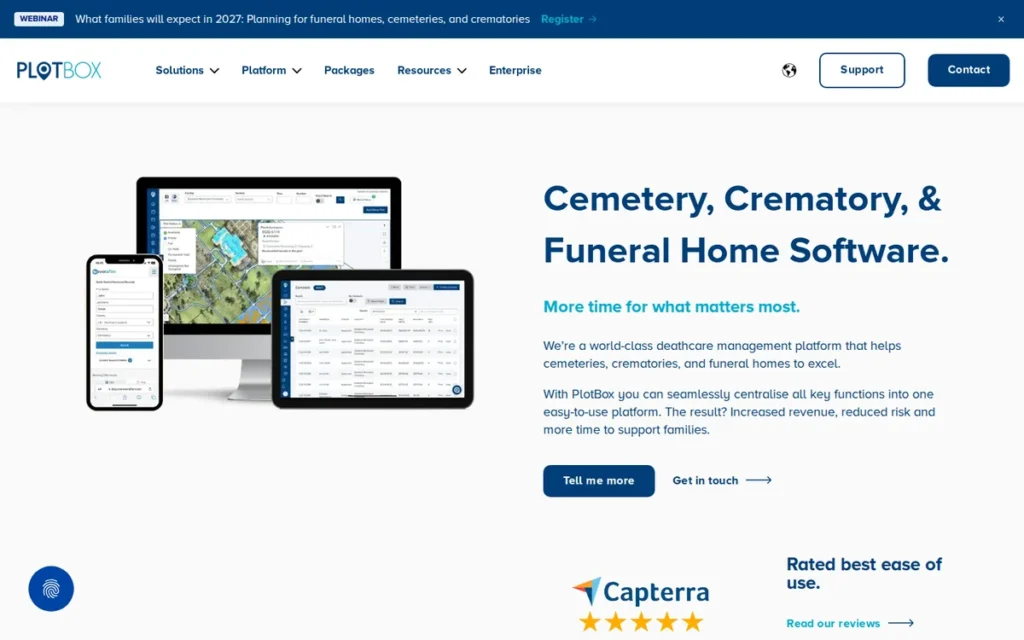
Category: Enterprise Operations Suite, an all-in-one platform for records, mapping, sales, contracts, payments, and work orders across multiple sites and facility types.
At a Glance
- Category: Enterprise Operations Suite
- Best For: Multi-site operators, councils, dioceses, sextons, and combined cemetery-crematorium organizations with professional staff
- Price Range: Pricing on request (custom quote; no public figures for the license, setup, or mapping)
- Primary Strength: PlotBox offers the broadest integrated operations suite in cemetery software, backed by the category’s largest review sample.
- Biggest Limitation: PlotBox publishes no pricing, and reviewers report stressful implementations and slow support responses.
- One-Line Summary: PlotBox is a map-centric enterprise cemetery platform that links records, inventory, contracts, payments, and work orders across multiple cemeteries and crematoria, and it suits large, professionally staffed operations best.
- Last Verified: November 2026
Overview
PlotBox is a cloud cemetery and crematorium management platform that links burial records, plot inventory, deeds, contracts, work orders, and finances to an interactive map. PlotBox is built for multi-site operators, councils, dioceses, and deathcare organizations with professional staff.
PlotBox builds its maps from drone imagery, digitization, and ground-proofing. PlotBox reports more than 130 employees and customers in the US, UK, and New Zealand. PlotBox states it holds ISO 9001 and ISO 27001 certification, but PlugRoute did not see the certificates (PlotBox, retrieved November 2026).
Key Features
- PlotBox Map links every plot to its burial records, deeds, contracts, and inventory status, using maps built from drone imagery and ground-proofing.
- PlotBox updates inventory automatically when a contract is completed and generates work orders for mobile crews, according to its Woodvale Cemetery case study (PlotBox, retrieved November 2026).
- PlotBox offers a public burial search and family portal, sold as EverAfter.
- PlotBox includes PlotBox Pay, pre-need sales and contracts, memorials management, and a diary that spans multiple facilities.
- PlotBox provides customizable reports and lets staff share plot information with owners.
Best For
PlotBox is best for multi-site cemetery operators, councils, dioceses, and combined cemetery-crematorium organizations with sextons and office staff who can manage a project-based implementation.
Strengths
- PlotBox holds 4.7/5 from 95 reviews in the shared Capterra and Software Advice pool (Capterra, November 2026), the largest independent sample of any product evaluated.
- PlotBox helped Liverpool City Council photograph and upload 300 graves in one hour during mapping (PlotBox Liverpool case study, retrieved November 2026; vendor-reported).
- PlotBox’s named customers include six UK councils, the City of Fall River, Tucson Catholic Cemeteries, and the Diocese of Worcester (PlotBox case studies, retrieved November 2026).
- PlotBox reviewers say staff can “quickly and accurately obtain information on deceased records” and “quote and process new sales” (Capterra, November 2026).
Limitations
PlotBox’s breadth costs time. Reviewers describe PlotBox’s setup as stressful and say mapping and ground-proofing took longer than expected (Software Advice, November 2026).
- PlotBox publishes no pricing, and reviewers say add-ons raise the total cost and ask for a better-defined core package (Software Advice, November 2026).
- PlotBox reviewers report slow support responses and slow handling of enhancement requests (Capterra, November 2026).
- PlotBox reviewers report bugs in financial functions, awkward mobile navigation, and US workflows that need workarounds (Capterra, November 2026).
- One r/askfuneraldirectors user wrote about PlotBox, “I very much dislike PlotBox, but I think if it was like ‘cemetery’s first software’ it would be a lot better” (u/ValkyrieGrayling, retrieved November 2026). This single comment comes from a funeral-home context and suggests PlotBox may feel heavy for teams new to software.
Verdict
PlotBox is the strongest cemetery software for multi-site and combined cemetery-crematorium operations, with the broadest integrated feature set and the largest review sample in the category.
PlotBox ranks second overall, effectively tied with Cemify, because it publishes no pricing and reviewers report difficult implementations. Large operators should budget for a longer, project-based rollout and get every module and add-on itemized in writing.
3. Cemify: Best for Small Cemeteries That Want Transparent Pricing
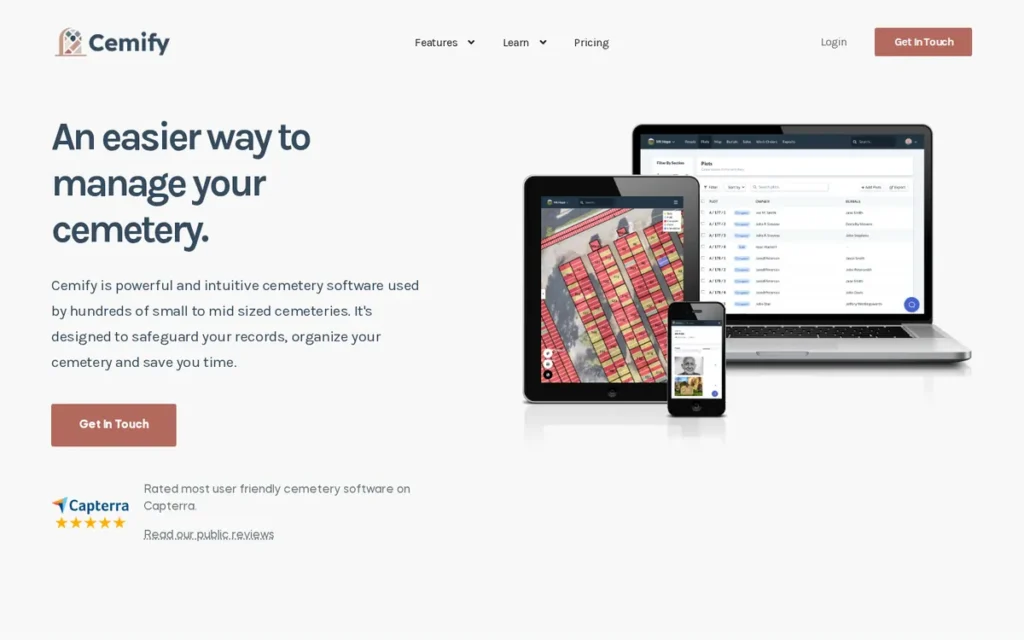
Category: Small-Cemetery Records Platform, affordable cloud software focused on records, maps, and public search for small and mid-size cemeteries.
At a Glance
- Category: Small-Cemetery Records Platform
- Best For: Small and mid-size cemeteries, churches, and towns with roughly 15–200 burials a year
- Price Range: $799–$1,899/year subscription (vendor-published) plus one-time implementation of $4,000–$25,000+ (Cemify estimate), November 2026
- Primary Strength: Cemify publishes the most complete pricing in cemetery software, including add-on unit costs and implementation estimates.
- Biggest Limitation: Cemify has lighter accounting and payment features, no documented native mobile app, and only 20 reviews.
- One-Line Summary: Cemify is a cloud cemetery records and mapping platform for small and mid-size cemeteries that publishes its subscription prices and implementation estimates, which makes it the most budget-predictable option in 2026.
- Last Verified: November 2026
Overview
Cemify is a cloud cemetery records and mapping platform for small and mid-size cemeteries with roughly 15–200 burials a year. Cemify gives churches, towns, and family-run cemeteries color-coded plot maps, burial and ownership records, plot sales, and public grave search at published prices.
Cemify began as an idea in late 2017 from a California family that owns and runs two cemeteries and a funeral home. Cemify says more than 400 US cemeteries use the platform (Cemify, retrieved November 2026; vendor-reported).
Key Features
- Cemify builds color-coded maps from paper maps, drone or satellite imagery, or GIS files, linked to plot inventory, burial records, and ownership records.
- Cemify provides a public grave-search site with walk-to-grave directions and a public map of available plots.
- Cemify supports plot sales, plot holds, “request to buy,” work orders, and document templates on its Management tier.
- Cemify stores documents and photos, supports custom fields, and manages multiple cemeteries in one account.
- Cemify creates automatic backups that customers can download as JSON and CSV files.
Best For
Cemify is best for small and mid-size cemeteries, church cemeteries, and small municipalities that need a predictable budget and want the vendor to build the map.
Strengths
- Cemify’s blog estimates implementation at $4,000–$25,000+ for typical projects (Cemify blog, 2026), which makes Cemify the only vendor evaluated that publishes its own implementation estimates alongside subscription prices.
- Cemify holds 5.0/5 from 20 reviews (Capterra, November 2026). One reviewer called Cemify “much less expensive than most other web based cemetery software companies,” and others mention no hidden costs.
- Cemify customer the City of Ocoee, Florida, merged years of records stored in multiple file formats into the platform (Cemify testimonials, retrieved November 2026; vendor-reported).
- Cemify’s downloadable JSON and CSV backups are a documented hedge against vendor lock-in that most competitors do not publish (Cemify, retrieved November 2026).
Limitations
Cemify keeps costs predictable by staying focused. Its accounting and payment features are lighter than PlotBox’s, so cemeteries with complex finances may still need separate tools.
- Cemify’s perfect 5.0 rating rests on only 20 reviews, which is too few to rule out implementation problems.
- Cemify has no documented native mobile app, and one reviewer said “the maps are not the best I’ve seen,” although Cemify revised them on request (Capterra, November 2026).
- Cemify is a small, US-focused family business, so buyers should weigh continuity risk and confirm that Cemify exports include map geometry and attachments.
Verdict
Cemify is the most budget-predictable cemetery software for small and mid-size cemeteries because it publishes its subscription prices, add-on prices, and implementation estimates.
Cemify fits churches, towns, and family-run cemeteries that need records, maps, and public search more than deep accounting. Treat the perfect rating as promising but based on a small sample, and confirm exactly what the export contains.
4. CIMS: Best for Cemeteries and Churches That Use QuickBooks
Category: Accounting-Integrated Records System, cemetery records and mapping software that connects to the bookkeeping or fund-accounting system an organization already uses.
At a Glance
- Category: Accounting-Integrated Records System
- Best For: Church, municipal, and private cemeteries that keep their books in QuickBooks or use Salesforce
- Price Range: Pricing on request (quote-based by edition: Light, Gold, Platinum, Professional)
- Primary Strength: CIMS combines GIS-linked records with native QuickBooks and Salesforce integration and a 20+ year track record.
- Biggest Limitation: CIMS publishes no pricing and no comparison of what each edition includes.
- One-Line Summary: CIMS is a long-established GIS cemetery records platform with native QuickBooks and Salesforce integration, best suited to church and municipal cemeteries that want records linked to their existing bookkeeping.
- Last Verified: November 2026
Overview
CIMS (Cemetery Information Management System) is GIS-based cemetery records software that links interactive plot maps to burial and ownership records and integrates with QuickBooks and Salesforce. CIMS is built for municipal, religious, and private cemeteries that want their mapped records connected to their bookkeeping.
CIMS says it has served more than 1,000 cemeteries over 20+ years (CIMS, retrieved November 2026; vendor-reported). CIMS is sold in Light, Gold, Platinum, and Professional editions. PlugRoute could not verify its founding year, headquarters, or ownership.
Key Features
- CIMS shows sold, available, reserved, and occupied spaces on interactive GIS maps, each linked to burial and ownership records.
- CIMS provides a public Cemetery Search portal so families and genealogists can find graves without calling the office.
- CIMS handles contracts, licenses, reservations, invoicing, electronic payments, and electronic signatures.
- CIMS’s QuickBooks Online module handles invoices, sales export, and accounts receivable, and CIMS also integrates with Salesforce CRM (CIMS, retrieved November 2026).
- CIMS supports multi-site management, offline access, document and image storage, data import and export, and automatic backups.
Best For
CIMS is best for church, parish, municipal, and private cemeteries that already keep their books in QuickBooks, or that have geo-referenced imagery they can reuse for mapping.
Strengths
- CIMS holds 4.6/5 from 50 reviews (Software Advice, November 2026), and the review extracts PlugRoute retrieved showed no recurring complaint pattern.
- CIMS helped the Township of Arran-Elderslie, Ontario, convert paper maps to GIS and merge Excel records, starting in 2022 and going live in December 2023 (CIMS case study, 2023; vendor-reported). Ramaker & Associates did the map conversion, and sources disagree on whether 4 or 6 cemeteries were involved.
- CIMS’s QuickBooks Online integration “has been especially helpful in simplifying our back-office financial processes,” according to a reviewer (GetApp, November 2026).
- CIMS names customers including Clemson University’s Woodlawn Cemetery, and one reviewer uses CIMS to organize records for a cemetery nearly 150 years old (Software Advice, November 2026).
Limitations
CIMS’s flexibility across four editions comes with opacity. CIMS publishes neither prices nor an edition comparison, so buyers can’t tell base features from add-ons before getting a quote.
- CIMS buyers should confirm whether map updates cost extra and how modern the mobile interface is, because CIMS documents neither.
- CIMS’s public memorial and family-engagement features appear less extensive than Chronicle’s or webCemeteries’.
- CIMS has relied on outside firms for new survey work in at least one deployment (Ramaker mapped Arran-Elderslie), so mapping may be a separate vendor relationship.
Verdict
CIMS is the best cemetery software for church and municipal cemeteries that run their finances in QuickBooks, thanks to native integration and a 20+ year track record.
CIMS’s 4.6/5 rating from 50 reviews (Software Advice, November 2026) includes repeated praise for support and mapping, and the extracts PlugRoute reviewed showed no recurring complaint pattern. Insist on a written edition comparison and an itemized quote, because CIMS publishes neither.
5. CemSites by Ramaker: Best for Municipalities Needing Survey-Grade Remapping
Category: Mapping-Led Platform, cemetery software built around GIS or drone maps linked plot by plot to burial and ownership records.
At a Glance
- Category: Mapping-Led Platform
- Best For: Municipalities and larger cemeteries that need survey-grade remapping, records cleanup, and perpetual-care fund tracking
- Price Range: Pricing on request; public contracts (2017–2025) range from $8,388/year (Pontiac) to $199,532 (Savannah, 2017), with recent implementations at $34,500–$61,580
- Primary Strength: CemSites pairs cemetery software with in-house engineering and surveying for maps accurate enough for lot sales and opening graves.
- Biggest Limitation: CemSites has only 4 independent reviews, including a 1-star account of a year-long implementation.
- One-Line Summary: CemSites by Ramaker is a cemetery management platform backed by an engineering and surveying firm, best suited to municipalities that need survey-grade remapping and records cleanup.
- Last Verified: November 2026
Overview
CemSites by Ramaker is cloud cemetery software from a Wisconsin engineering, surveying, and GIS firm. CemSites combines records, interactive maps, work orders, sales, and perpetual-care fund tracking for municipalities and larger cemeteries that need professionally surveyed maps and records cleanup.
CemSites’ parent, Ramaker & Associates, was founded in 1992 and did its first cemetery project in 1998 (Ramaker, retrieved November 2026). CemSites also offers funeral-home and crematory modules for organizations that run several deathcare services.
Key Features
- CemSites manages graves, lots, owners, contacts, documents, and images on interactive maps produced by Ramaker’s surveying and GIS team.
- CemSites provides a public grave search with mobile GPS walking directions and online memorials.
- CemSites includes work orders, calendars, dashboards, sales, receipts, invoices, and perpetual-care fund tracking.
- CemSites offers funeral-home (Last Rites) and crematory (Pyre) modules.
- CemSites offers a records-focused Core Essentials tier for smaller cemeteries, and buyers should confirm its current contents with CemSites.
Best For
CemSites by Ramaker is best for municipalities and larger cemeteries where sextons need maps accurate enough for lot sales and opening graves, plus vendor-led records cleanup.
Strengths
- CemSites’ parent Ramaker reached its 1,000th cemetery software implementation in 2018 (Ramaker, retrieved November 2026), one of the longest track records in the category.
- CemSites helped Beechwood Cemetery in Ottawa correct records it estimated were about 35% wrong, and the City of Barre project digitized more than 100,000 paper records (Ramaker/CemSites, retrieved November 2026; vendor-reported).
- CemSites’ contracts appear in municipal records, so public buyers can compare costs against them before procurement.
- CemSites earned a 5/5 review from a small church cemetery that praised cloud access with no patches or backups to manage and an “affordable pricing model” (Capterra, November 2026).
Limitations
CemSites’ survey-led, full-service approach comes with implementation risk and thin evidence. CemSites has only 4 independent reviews (Capterra, November 2026), which is too few to establish a pattern.
- CemSites received a 1-star review saying implementation took about a year, the system had many errors, emails went unanswered, and the cemetery still couldn’t sell a plot months later.
- CemSites drew another review criticizing how many steps it takes to sell a plot and how limited the mapping is.
- CemSites billed mapping separately in at least one public quote (Clearview, 2024), while Barre’s 2025 implementation fee included GIS mapping, so buyers should confirm which model applies.
- CemSites claims PCI and HIPAA compliance, but PlugRoute verified no independent attestation.
A pet cemetery director looking for a tool to read names and dates from row-by-row video wrote on r/CemeteryPreservation after meeting with vendors:
“Thanks! We actually met with a few and I liked CemSites but they don’t have that capability.” Posted by u/Beneficial_Analyst_4
Takeaway: CemSites makes a good impression in vendor meetings, but buyers with specialized records-capture needs run into capability gaps they must confirm before signing.
Verdict
CemSites by Ramaker is the strongest choice for municipalities that need survey-grade cemetery remapping and records cleanup from one vendor.
CemSites ranks fifth because only 4 reviews exist and they are polarized. Public buyers should budget from the procurement figures and require reference calls and implementation milestones in the contract.
6. webCemeteries: Best for Sales- and Family-Engagement-Focused Cemeteries
Category: Family-Engagement & Sales Platform, cemetery software that puts family-facing search, branded apps, and online sales and payments alongside records and maps.
At a Glance
- Category: Family-Engagement & Sales Platform
- Best For: Active cemeteries with heavy family traffic and pre-need or at-need sales programs
- Price Range: From $99/month (Capterra, usage-based, November 2026); setup, mapping, app, and payment fees not published
- Primary Strength: webCemeteries offers the most extensive documented family-facing and sales features in the category, including branded apps and e-signatures (vendor-documented).
- Biggest Limitation: webCemeteries has no independent reviews on any major directory.
- One-Line Summary: webCemeteries is a cloud cemetery platform focused on family engagement and sales, with branded mobile apps, digital-catalog plot sales, and e-signatures, best for active cemeteries with sales programs.
- Last Verified: November 2026
Overview
webCemeteries is a cloud cemetery management platform that links records and color-coded maps to contracts, payments, and family-facing tools. webCemeteries is built for active cemeteries that want branded apps, public wayfinding, and digital plot sales to act as the cemetery’s “digital front door.”
webCemeteries has operated since 2006 under CEO Nick Timpe (webCemeteries, retrieved November 2026). webCemeteries imports legacy databases, including DOS-based systems.
Key Features
- webCemeteries links property, owners, the deceased, contracts, and documents to color-coded cemetery maps.
- webCemeteries provides public burial search, wayfinding, and custom-branded mobile apps for visitors.
- webCemeteries supports selling from a digital catalog with automatic pricing and payment terms.
- webCemeteries includes e-signatures, recurring and automated payments, work orders, and family memorial tools.
- webCemeteries imports legacy cemetery databases, including DOS-era systems, and counts Gethsemane Cemetery, its 12th customer, among its long-running accounts (webCemeteries, retrieved November 2026).
Best For
webCemeteries is best for active, sales-driven cemeteries with heavy family and visitor traffic that want branded apps and online contracting. webCemeteries is a riskier fit for buyers who need independent review evidence before signing.
Strengths
- webCemeteries supports Lexington Cemetery in Kentucky, a 170-acre site that runs more than 600 burials a year on the platform (webCemeteries, retrieved November 2026; vendor-reported).
- webCemeteries helped one customer handle 5,000 Memorial Day visitors with digital maps and an app (webCemeteries, retrieved November 2026; vendor-reported).
- webCemeteries has been in business for 20 years, and its customer Sewickley Cemetery reports nearly 10 years of use (webCemeteries, retrieved November 2026).
- webCemeteries customers Gethsemane and St. Mary’s in Berks County, Pennsylvania, report fewer genealogy-request burdens and paper-free work orders (webCemeteries case study, retrieved November 2026; vendor-reported).
- webCemeteries CEO Nick Timpe is Dean of the ICCFA University College of Technology and sits on industry association boards (webCemeteries, retrieved November 2026), a credential separate from the product itself.
Limitations
webCemeteries’ family-engagement strength can’t currently be checked independently. webCemeteries has 0 reviews on Capterra, GetApp, Software Advice, or G2 (November 2026), so all of its positive evidence comes from the vendor.
- webCemeteries claims contracts take 2–3 minutes to create and support responds in 1–2 hours, but neither claim is tied to a named customer.
- webCemeteries publishes only a $99/month starting price, so buyers should ask for itemized setup, map creation, data conversion, and payment-processing figures.
- webCemeteries’ branded-app and payment features may carry separate fees that are not published.
Verdict
webCemeteries is the most family- and sales-focused cemetery software evaluated, with branded apps, catalog sales, and e-signatures that suit active cemeteries with sales programs.
webCemeteries ranks sixth because no independent reviews exist to confirm its usability or implementation quality. Validate webCemeteries with at least two reference customers and an itemized quote.
7. Pontem Cemetery Management: Best for Townships Already on Pontem Fund Accounting
Category: Accounting-Integrated Records System, cemetery records and mapping software that connects to the bookkeeping or fund-accounting system an organization already uses.
At a Glance
- Category: Accounting-Integrated Records System
- Best For: Townships, counties, and municipalities already running Pontem municipal fund accounting
- Price Range: Pricing on request (no published price list)
- Primary Strength: Pontem Cemetery Management connects cemetery records directly to Pontem’s municipal fund accounting, an integration none of the other six vendors evaluated documents.
- Biggest Limitation: Pontem Cemetery Management appears to be desktop-first, mapping is an optional module, and it has no independent reviews.
- One-Line Summary: Pontem Cemetery Management is a long-established, desktop-first cemetery records system that integrates with Pontem municipal fund accounting, best suited to townships already using Pontem.
- Last Verified: November 2026
Overview
Pontem Cemetery Management (Cemetery Data Manager) is a cemetery records system built around a database for property, ownership, and interment history, with optional mapping and online burial search. Pontem Cemetery Management is built for townships and municipalities that already run Pontem’s fund accounting.
Pontem Cemetery Management comes from Resource Information Associates, founded in 1979 in Eaton Rapids, Michigan (Pontem corporate overview, retrieved November 2026). Pontem appears to run desktop-first on Windows with web components added, so buyers should confirm cloud availability directly.
Key Features
- Pontem Cemetery Data Manager tracks property inventory, ownership, interment history, burial records, and custom reports.
- Pontem Cemetery Management offers an optional mapping module that shows plots on screen.
- Pontem Online Burial Search gives the public web access to burial records.
- Pontem Cemetery Management integrates cemetery data with Pontem’s municipal general ledger, accounts payable, and cash receipts modules.
- Pontem’s annual support includes unlimited remote training and support plus software updates.
Best For
Pontem Cemetery Management is best for townships, counties, and municipalities that already run Pontem fund accounting and want cemetery records in the same system. Pontem is a weaker fit for buyers who want a modern cloud system with mapping built in.
Strengths
- Pontem has operated since 1979 (Pontem corporate overview, retrieved November 2026), the longest track record of any vendor evaluated.
- Pontem software runs at more than 800 sites, including 18 Michigan counties, although that figure covers all Pontem products (Pontem, retrieved November 2026).
- Pontem converted Selma Cemetery District in California from BMS/Burrowes in what the customer described as a quick conversion (Pontem, retrieved November 2026; vendor-reported).
- Pontem Online Burial Search was launched by Fayetteville Cemetery Association in New York, and St. Clement Cemetery in Michigan uses Pontem to show customers plots on screen (Pontem, retrieved November 2026; vendor-reported).
Limitations
Pontem Cemetery Management’s deep tie to municipal fund accounting comes at the cost of modernity. Pontem appears to be desktop-first, so buyers must confirm whether a full cloud deployment is available.
- Pontem treats mapping as an optional add-on module rather than the core of the system.
- Pontem has no independent reviews (Software Advice, November 2026), and the one third-party comment, calling it “decent, bare-bones software,” likely comes from someone who switched vendors.
- Pontem Cemetery Management is most valuable inside the Pontem accounting ecosystem, so buyers not on Pontem fund accounting lose its main differentiator.
Verdict
Pontem Cemetery Management is the logical cemetery software choice for townships and municipalities that already run Pontem fund accounting.
Pontem has the longest vendor history in the category and native fund-accounting integration. Its apparently desktop-first design, add-on mapping, and lack of independent reviews place Pontem last for buyers starting fresh.
What Does Cemetery Software Really Cost in the First Year?
First-year cemetery software cost depends mostly on implementation, not the subscription. Published subscriptions run from free to about $2,000 a year for most small buyers. Implementation, mapping, and record conversion run from about $4,000 to $50,000+ for smaller projects and can exceed $100,000 for some municipal deployments.
Published starting prices and independent reviews (November 2026)
| Company | Published Starting Price | Independent Reviews |
|---|---|---|
| Chronicle | Free (Basic) | 4.7/5 from 60 (Capterra) |
| PlotBox | Not published | 4.7/5 from 95 (Capterra/Software Advice) |
| Cemify | $799/year | 5.0/5 from 20 (Capterra) |
| CIMS | Not published | 4.6/5 from 50 (Software Advice) |
| CemSites by Ramaker | Not published (public contracts available) | 4.0/5 from 4 (Capterra) |
| webCemeteries | From $99/month | None |
| Pontem Cemetery Management | Not published | None |
Three vendors publish some pricing as of November 2026:
- Chronicle Basic is free for up to 50 records (chronicle.rip, November 2026).
- Chronicle Lite costs $20/month for up to 4,000 records and 3 users, plus $10/month per 2,000 extra records (chronicle.rip, November 2026).
- Chronicle Pro is listed at $165/month, but Chronicle says Pro can be customized by record volume, mapping, digitization, migration, and support (chronicle.rip, November 2026).
- Cemify Preservation costs $799/year, Management costs $1,299/year, and Partner costs $1,899/year (Cemify, November 2026).
- Cemify add-ons cost $100 per user, $10 per 1,000 extra plots, $1 per GB, and $100 per extra cemetery each year, plus $165 per service hour (Cemify, November 2026).
- webCemeteries is listed from $99/month, usage-based and customized by size and tools (Capterra, November 2026).
Cemify’s blog estimates implementation separately, and its pricing page says the final fee depends on maps, records, and data complexity:
- Cemify typical projects are estimated at $4,000–$25,000+ (Cemify blog, 2026).
- Cemify map-only projects, where the customer enters records, are estimated at about $4,000–$15,000+ (Cemify blog, 2026).
- Cemify complex transcription is estimated at $25,000–$50,000+ (Cemify blog, 2026).
Four vendors publish no price list as of November 2026:
- PlotBox is listed as “custom quote,” and PlugRoute found no published setup, mapping, or per-site fees (Capterra, November 2026).
- CIMS is quoted by edition, and reviewers describe its pricing as fair or good value (Software Advice, November 2026).
- CemSites publishes no price list, but municipal procurement records show its contract costs.
- Pontem publishes no price list. A Capterra listing under the name CemeteryPro may refer to a different product, and PlugRoute could not confirm it belongs to Pontem.
Public procurement records show what CemSites has charged municipalities:
- The City of Barre, Vermont, authorized $39,500 for CemSites in August 2025, made up of $34,500 implementation including GIS mapping and a $5,000 annual license. Barre later proposed up to $121,000 for a separate records-digitization project (Barre City Council, 2025).
- The City of Madison, Wisconsin, authorized a five-year CemSites contract of $61,580 upfront, with recurring fees rising from $7,080 in Year 1 to $8,605 in Year 5 and a five-year maximum of $100,700 (Madison Legistar, 2025).
- The City of Pontiac, Michigan, contracted CemSites at $8,388/year with a two-year minimum (Pontiac City Council, 2023).
- The City of Savannah’s original 2017 CemSites contract was $199,532.07, and its 2019 maintenance renewal was about $38,730 for 7 user profiles (Savannah City Council, 2019).
- The Town of Clearview, Ontario, was quoted US$13,400 upfront, US$2,400/year, and a separate US$7,500 mapping charge (Clearview, 2024).
These CemSites figures are visible only because the municipal records are public. They do not mean CemSites costs more than vendors that quote privately.
In cemetery software, the subscription is usually the smallest line item. Recent public contracts show implementation costing roughly 7 to 9 times the annual fee: about 6.9 times in Barre and 8.7 times in Madison.
Sample first-year budgets based on published figures:
- A volunteer-run cemetery on Chronicle Basic pays $0 for software, plus any mapping or digitization quote.
- A small church cemetery on Cemify Management with a map-only project should budget at least $5,299 in year one ($1,299 subscription plus a $4,000 low-end estimate) (Cemify, 2026).
- A municipality following Barre’s 2025 path should budget $39,500 for software and implementation, plus any separate records digitization.
One cemetery staff member on r/CemeteryPreservation described life before switching:
“Before we got our cemetery management software we had all 22k burials in an Excel spreadsheet. It actually worked surprisingly well.” Posted by u/pleasedtoseedetrees
Takeaway: A spreadsheet can hold even a 22,000-burial cemetery’s records, so cemetery software has to earn its first-year cost through mapping, public search, and sales tools, not basic record storage.
How Is a Cemetery Map Made, and How Accurate Does It Need to Be?
Cemetery maps are built from drone or aerial surveys, GIS imports, digitized paper maps, field surveys, or existing geo-referenced imagery, then checked on the ground. Wayfinding needs only rough accuracy, but selling plots and opening graves may require accuracy within a couple of inches.
Each ranked vendor documents its mapping approach differently:
- Chronicle uses drone surveys, aerial imagery, headstone photos, and GIS.
- PlotBox uses drone imagery and digitization, followed by ground-proofing.
- CemSites relies on Ramaker’s in-house engineering and surveying team.
- CIMS uses GIS, can reuse a cemetery’s existing geo-referenced imagery, and has worked with outside mapping firms.
- Cemify digitizes paper maps, drone or satellite imagery, or GIS files.
- webCemeteries uses color-coded maps, but the sources PlugRoute reviewed do not detail how they are made.
- Pontem Cemetery Management offers mapping as an optional add-on module.
“If you’re creating a map for the purposes of lot ownership or for a sexton to identify places to open new graves, you may need to be accurate within a couple inches.” (u/Fredelas, r/Genealogy, 2021; retrieved November 2026)
Takeaway: Match map accuracy to its use, because plot sales and grave opening need survey-grade precision, not just a good-looking aerial image.
“Mapping a cemetery of any significant size accurately is going to be pretty time consuming, no matter what… It will take time and money. Potentially quite a bit.” (u/JoeBiden2016, r/AskAnthropology, 2021; retrieved November 2026)
Takeaway: Budget mapping as its own project, with a separate timeline and cost from the subscription.
One third-party estimate puts drone mapping at about $1,000–$1,500 per acre (Geeks Framework, retrieved November 2026). That figure is not any ranked vendor’s rate.
A cemetery map good enough to guide a visitor can still be too inaccurate to sell a plot. The test is whether a sexton could open a grave from it.
Which Cemetery Software Is Best for Small Cemeteries?
The best cemetery software for small cemeteries is Chronicle for the lowest entry cost, with a free Basic tier and a $20/month Lite tier, and Cemify for the most predictable all-in budget, at $799–$1,899 a year plus estimated implementation ranges. CIMS and CemSites can also suit small cemeteries, but both require a quote.
- Chronicle suits volunteer-run cemeteries that want to start with records before paying for a full map (chronicle.rip, November 2026).
- Cemify suits church and town cemeteries with roughly 15–200 burials a year that need a budget figure they can defend (Cemify, November 2026).
- CIMS suits small cemeteries whose bookkeeping already lives in QuickBooks.
- CemSites Core Essentials is a records-focused tier for smaller cemeteries, and buyers should confirm its current scope with CemSites.
Small cemeteries generally benefit from a vendor-built map, according to volunteers who have tried mapping themselves.
“I’ve helped as a volunteer with two cemetery mapping projects… I honestly wouldn’t consider myself qualified to attempt either on my own.” (u/Fredelas, r/Genealogy, 2021; retrieved November 2026)
Takeaway: Small cemeteries usually get better results by paying the vendor to build the map than by attempting it with volunteers.
Which Cemetery Software Is Best for Municipalities and Churches?
Municipalities and churches should choose by the accounting system they already run and the map accuracy they need. CIMS suits QuickBooks users, Pontem suits townships on Pontem fund accounting, CemSites suits municipalities needing survey-grade remapping, and PlotBox suits councils and dioceses running several cemeteries.
- CIMS integrates natively with QuickBooks and Salesforce, which helps parishes and small municipal offices.
- Pontem Cemetery Management links cemetery data to Pontem’s municipal general ledger, accounts payable, and cash receipts.
- CemSites tracks perpetual-care funds, and its contract costs are visible in public procurement records.
- PlotBox is deployed by six UK councils, the City of Fall River, and the Diocese of Worcester (PlotBox, retrieved November 2026).
- Cemify and Chronicle offer tiers sized for church budgets, and Cemify cites church congregations moving paper-only records online (Cemify, retrieved November 2026).
- webCemeteries counts the Gethsemane and St. Mary’s church cemeteries in Berks County, Pennsylvania, among its customers (webCemeteries case study, retrieved November 2026; vendor-reported).
As one user on r/CemeteryPreservation described:
“I emailed the church to ask about their records. They told me I would have to speak to the parish council. The parish council told me they haven’t got them and to speak to the church. This also means no one appears to have a map.” Posted by u/Sudden_Security1575
Takeaway: Church and parish cemeteries often have no clear owner of their burial records or map, so choosing software has to start with deciding who is responsible for the data.
Which Cemetery Software Products Were Considered But Not Ranked?
Five more products came up in research or in AI answer engines but were not ranked, because PlugRoute could not verify enough evidence about them as of November 2026. Leaving them out reflects missing verifiable data, not a judgment that the products are poor.
Buyers can still evaluate these products using PlugRoute’s six evaluation questions in this guide.
- CEMETERRA was cited by an AI answer engine at $49/month, but PlugRoute could not verify its domain, reviews, or pricing.
- CemeteryFind was cited with conflicting prices of $795 and $995, and PlugRoute could not confirm either figure.
- Everspot appeared with a free plan and paid plans from about $10/month, but PlugRoute could not verify it.
- Cemetery Plus appeared in early research, but PlugRoute could not verify its domain or review data.
- CemeteryPro by Terradise appeared on SourceForge with $500 setup and $100/month pricing, but PlugRoute could not verify it or its relationship to other CemeteryPro listings.
What Red Flags Should I Watch For When Evaluating Cemetery Software?
The biggest red flags in cemetery software are hidden implementation and mapping costs, maps with no stated accuracy, incomplete exports, and star ratings built on tiny samples. Each red flag below names a pattern found in PlugRoute’s November 2026 vendor research and explains what to check before signing a contract.
Red Flag #1: Subscription Price Quoted Without Implementation Costs A subscription quote that leaves out implementation understates first-year cost, sometimes several times over. Cemify’s blog estimates implementation at $4,000–$50,000+ (Cemify blog, 2026), against a $799–$1,899 annual subscription.
Red Flag #2: Mapping Billed Separately and Not Itemized A quote without a mapping line item may be incomplete, because vendors bundle mapping differently. Clearview’s 2024 CemSites quote listed a separate US$7,500 mapping charge, while Barre’s 2025 implementation fee included GIS mapping (Barre City Council, 2025).
Red Flag #3: Polished Map With No Stated Accuracy or Ground-Proofing A map that looks good in a demo may still be inaccurate in the field. Ask what accuracy the vendor guarantees and how it ground-proofs the map, because selling plots and opening graves may require accuracy within inches.
Red Flag #4: Exports Limited to Flat Records (No Map Geometry or Attachments) An export of flat burial records alone does not protect a cemetery from vendor lock-in. A complete export includes map geometry, attachments, and the links between records, so the cemetery can rebuild its system with another vendor.
Red Flag #5: Star Ratings Built on Fewer Than 5 Reviews Three of the seven vendors evaluated have fewer than 5 independent reviews: CemSites (4), webCemeteries (0), and Pontem (0) (November 2026). A 5.0 rating from 20 reviews and a 4.0 rating from 4 reviews are both weaker evidence than a 4.7 from 95.
Red Flag #6: Undefined Map Updates After Go-Live Contracts rarely define map upkeep after launch, yet cemeteries keep adding roads, sections, and headstones. If the contract doesn’t say who updates the map and at what cost, the map will drift away from what is on the ground.
Red Flag #7: Features Labeled Beta or Available Only in Higher Editions Features shown in demos may still be in beta or limited to premium editions. Ask the vendor to mark in writing which capabilities are in the base plan, which are paid add-ons, and which are still in beta.
What Questions Should I Ask Before Choosing Cemetery Software?
The most important vendor questions cover the itemized first-year cost, how legacy data will be handled, how complete the export is, who maintains the map, what the base plan includes, and whether references your size exist. Before requesting quotes, count your records, list your map sources, and note known numbering changes.
Vendors price implementation on those three facts, so having them ready makes quotes comparable.
Question #1: What is the itemized first-year cost, including mapping, migration, and training? A good answer separates subscription, implementation, mapping, data conversion, training, and support into dated line items. Compare the answer with published benchmarks such as Cemify’s price list and municipal CemSites contracts.
Question #2: How will you handle our changed plot numbering, duplicates, and missing markers? Legacy cemetery data is often wrong. Beechwood Cemetery in Ottawa estimated about 35% of its data was incorrect before cleanup (CemSites, retrieved November 2026; vendor-reported). Ask each vendor for a demo using your own messiest records.
At that error rate, a 10,000-record ledger would hold about 3,500 bad entries, and any one of them could lead to selling an occupied plot.
“For 99% of the cemetery there are no plot markers… the numbering scheme has obviously changed over time.” (u/JBupp, r/findagrave, retrieved November 2026)
Takeaway: Test every vendor’s migration on your messiest records, especially sections that have been renumbered.
Question #3: Can I export everything, including map geometry and record relationships, if I leave? A strong answer names the export formats, such as JSON or CSV, and confirms that the export includes map geometry, attachments, and the links between records. Ask for a sample export file before signing.
Question #4: Who updates the map when we add roads, sections, or headstones, and what does it cost? A clear answer says who does the work, how quickly, and at what price: included hours, an hourly rate, or a per-project quote. For example, Cemify’s Management tier includes 3 hours of map or data help a year (Cemify, November 2026).
Question #5: Which features are in the base plan, and which are add-ons? A complete answer is a written feature matrix covering every edition. Vendors with several editions, such as CIMS with Light, Gold, Platinum, and Professional, should show exactly where public search, payments, and mapping sit.
Question #6: Can I speak with two references of our size and type? A confident vendor provides at least two references whose size, ownership type, and records history resemble yours. This question matters most for vendors with few or no independent reviews.
If you can only do three things:
- Get an itemized first-year quote from two vendors in your category.
- Request a sample export file that includes map geometry and attachments.
- Call two reference customers of your size and type.
How Did We Rank These Cemetery Software Platforms?
PlugRoute ranked cemetery software on six weighted criteria. Mapping and records integration (25%) and independent review evidence (25%) carry the most weight, followed by pricing transparency (20%). Feature breadth, data portability and track record, and segment fit carry 10% each. Every score rests on dated, publicly traceable evidence.
The six ranking criteria:
- Mapping and Records Integration (25%): This criterion scores plot-level map-to-record links, inventory color-coding, mapping methods, and GPS search, because unmapped plots cause double-selling.
- Independent Review Evidence (25%): This criterion scores rating, volume, and consistency, caps samples under 5 reviews at 1.5, and scores zero reviews at 0.5, because small samples hide implementation problems.
- Pricing Transparency (20%): This criterion scores how visible cost is, not how cheap it is, and quote-only pricing scores 1, because boards need a defensible figure.
- Operational Feature Breadth (10%): This criterion scores scheduling, work orders, contracts, payments, and integrations, because disconnected tools create manual coordination.
- Data Portability, Security, and Track Record (10%): This criterion scores export formats, backups, years in operation, and reference customers, because records must outlast any vendor.
- Segment Fit and Scalability (10%): This criterion scores the range of customer types served and whether a small-cemetery tier exists, because size fit is a core buyer question.
| Product | C1 Mapping | C2 Reviews | C3 Pricing | C4 Features | C5 Portability | C6 Fit | Weighted Total |
|---|---|---|---|---|---|---|---|
| Chronicle | 5 | 4.5 | 4 | 4.5 | 4 | 5 | 4.53 |
| PlotBox | 5 | 5 | 1 | 5 | 4 | 4 | 4.00 |
| Cemify | 4 | 3.5 | 5 | 3 | 4 | 4 | 3.98 |
| CIMS | 4 | 4 | 1 | 4 | 4.5 | 4 | 3.45 |
| CemSites by Ramaker | 4 | 1.5 | 3 | 4.5 | 3.5 | 4 | 3.18 |
| webCemeteries | 3.5 | 0.5 | 2 | 4.5 | 3 | 3 | 2.45 |
| Pontem Cemetery Management | 2.5 | 0.5 | 1 | 3 | 3.5 | 3 | 1.90 |
Score rationale for reviews (C2) and pricing (C3):
- Chronicle scores C2 4.5 for 4.7/5 from 60 reviews, and C3 4 because its tiers are published but Pro is customizable and mapping is quoted separately.
- PlotBox scores C2 5 for the largest sample (95 reviews), with recurring complaints about support speed and financial bugs weighed against that volume, and C3 1 because pricing is quote-only.
- Cemify scores C2 3.5 because its perfect 5.0 rests on 20 reviews, about a fifth of PlotBox’s sample, and C3 5 for published tiers, add-on prices, and implementation estimates.
- CIMS scores C2 4 for 4.6/5 from 50 reviews and C3 1 for quote-only pricing. If CIMS published an edition price list scoring 4, its total would rise to 4.05.
- CemSites scores C2 1.5 under the small-sample cap. It earns partial C3 credit (3) because municipal records make its real costs verifiable, even though CemSites publishes none.
- webCemeteries scores C2 0.5 for zero reviews and C3 2 for a starting price only, and its C4 score of 4.5 rests on vendor documentation alone.
- Pontem Cemetery Management scores C2 0.5 for zero reviews and C3 1 because Pontem publishes no price list.
Sensitivity notes:
- PlotBox and Cemify are effectively tied, and a half-point change on any primary criterion for either product could reverse their order. If PlotBox’s C2 were scored 4.5, PlotBox would total 3.88 and rank below Cemify.
- Chronicle stays #1 under any single half-point adjustment, and at C3 = 3.5 it would still total 4.43.
Scoring disclosures:
- PlugRoute counted Capterra, GetApp, and Software Advice as one review source because Gartner Digital Markets owns all three and they share one review pool.
- PlugRoute scored “not published” pricing as unknown, never as inexpensive.
- PlugRoute labeled vendor-reported outcomes and certification claims as vendor-reported or unverified.
- PlugRoute marked undated vendor pages with their retrieval date (November 2026) and gave community posts their posting year where known.
PlugRoute has no affiliate relationships with any company listed, and rankings are determined entirely by research data and objective evaluation criteria.
What Do Buyers Most Often Ask About Cemetery Software?
Buyers most often ask how long digitization takes, what cemetery software really costs once setup and mapping are included, and how PlugRoute decides its rankings. The answers below draw on vendor pricing pages, municipal procurement records, and review data verified in November 2026, and each one starts with the direct answer.
How long does it take to digitize cemetery records and maps?
Digitizing cemetery records and maps can take several months to more than a year. The Township of Arran-Elderslie began its CIMS project in 2022 and went live in December 2023 (CIMS case study, 2023), and one CemSites reviewer reported a roughly year-long implementation (Capterra, November 2026). Cleaning data before transfer shortens the timeline.
A cemetery director on r/CemeteryPreservation described the kind of data that slows digitization:
“I am the director for an older pet cemetery and we have had some inconsistences with the way things have been recorded over the years. Lots of missing names, transposed names, incorrect row data and duplicates.” Posted by u/Beneficial_Analyst_4
Takeaway: Missing names, transposed entries, and duplicates are what drag out cemetery digitization projects, so data cleanup has to be the first step of any implementation.
How much does cemetery software cost, including setup and mapping?
Cemetery software typically costs from free (Chronicle Basic) to about $2,000 a year in subscription fees, plus a one-time implementation. Cemify’s blog estimates implementation at $4,000–$50,000+ (Cemify blog, 2026). Public CemSites contracts range from $8,388 a year (Pontiac, 2023) to $199,532 (Savannah, 2017). Always request an itemized quote covering mapping, migration, and training.
How does PlugRoute determine rankings?
PlugRoute ranks cemetery software using six weighted criteria: mapping integration, independent review evidence, pricing transparency, feature breadth, data portability, and segment fit. Each product receives a published 1–5 score per criterion, backed by dated evidence. Shared directory review pools count as one source, and unpublished prices are scored as unknown rather than cheap.
What Do Key Cemetery Software Terms Mean?
Cemetery software vendors use technical terms for mapping, sales, records, and finance that directly affect cost and fit. The definitions below cover the terms buyers meet most often in quotes, demos, and contracts, and each one explains why the term matters when choosing a system.
Interment: The burial or placement of remains in a grave, crypt, or niche. Interment scheduling features matter because they coordinate the office, grounds crews, and families around each service.
Plot Inventory: The record of every space’s status, such as sold, available, reserved, or occupied. Accurate inventory linked to a map is the main safeguard against double-selling.
GIS (Geographic Information System): Software that stores map data tied to real-world coordinates. GIS-based cemetery maps let each plot carry location data that links to burial and ownership records.
Geo-referenced Imagery: Aerial or satellite photos aligned to real-world coordinates. Reusing existing geo-referenced imagery can cost less than commissioning a new drone survey.
Ground-Proofing: Physically checking a digital map against what is actually on the site, such as markers, rows, and plot boundaries. Ground-proofing adds time but determines whether a map is accurate enough for plot sales.
Wayfinding: GPS-guided directions that lead visitors to a specific grave. Public wayfinding cuts phone calls to the office and reduces families’ reliance on volunteer sites such as Find a Grave.
Columbarium and Niche: A columbarium is a structure of niches that hold cremated remains. Niche records matter more as cremation grows, because software must track niche inventory and ownership alongside ground plots.
Pre-Need Sales: Plot or service purchases made before a death occurs. Pre-need contract features matter for cemeteries with active sales programs and payment plans.
Perpetual-Care Fund: A fund, often required by law, set aside from plot sales to pay for long-term grounds maintenance. Tracking these funds matters especially to municipalities and regulated cemeteries.
Fund Accounting: An accounting method used by governments and nonprofits that tracks money by its restricted purpose. Fund-accounting integration matters to townships that must report cemetery revenue separately.
Data Migration: Moving historical records from paper, spreadsheets, or legacy systems into new software. Data migration is often the largest and least predictable part of implementation cost.
Data Export: The ability to download all records in a standard format. A complete export includes map geometry, attachments, and the links between records, which protects against vendor lock-in.
Which Cemetery Software Is Right for You?
Key Insights
- Chronicle ranks #1 overall at 4.53/5 because it is the only product scoring 4 or higher on all six criteria, pairing records-linked drone and GIS mapping with a free entry tier.
- PlotBox (4.00) and Cemify (3.98) are effectively tied, so the choice between them depends on whether you run several sites or one small cemetery.
- Implementation, mapping, and record conversion usually cost more than the subscription, and recent public CemSites contracts show implementation at roughly 7 to 9 times the annual fee.
- Three of the seven vendors evaluated have fewer than 5 independent reviews, so reference calls matter more than star ratings for CemSites, webCemeteries, and Pontem Cemetery Management.
- A complete cemetery software export includes map geometry, attachments, and record relationships, and buyers should confirm this in writing before signing.
The right cemetery software depends on your cemetery’s size, accounting system, and map-accuracy needs. Chronicle suits most cemeteries, PlotBox suits enterprise and multi-site operators, and Cemify suits small cemeteries that need a predictable budget.
Four other situations point to specific vendors:
- Municipalities needing survey-grade remapping should consider CemSites by Ramaker.
- Cemeteries and churches with books in QuickBooks should consider CIMS.
- Townships already on Pontem fund accounting should consider Pontem Cemetery Management.
- Sales- and family-engagement-driven cemeteries should consider webCemeteries and verify it through references.
Before you request quotes, read PlugRoute’s full scoring methodology, see our guide to cemetery mapping accuracy, or browse more independent PlugRoute reviews. We update this guide quarterly. Last updated: November 2026.