The best architectural rendering software in 2026 depends on the job. D5 Render leads for photoreal real-time work at the lowest individual paid price on Windows, Enscape for export-free visuals inside Revit, SketchUp, Rhino and Archicad, and V-Ray for maximum photorealism. Choose by deliverable, host app, hardware and license.
Generic rankings rarely say which renderer suits which job. Buyers have to weigh speed against photorealism, confirm that a free tier allows client work, and check that the software runs on the computer they already own. Many firms must also decide between one real-time tool and a hybrid stack.
PlugRoute has no affiliate relationships with any company listed. Rankings are determined entirely by research data and objective evaluation criteria.
All seven entries below use the same structure and depth. Every price, rating and survey figure has a dated source. Where data is thin, conflicting or vendor-reported, the entry says so.
What Are the 4 Categories of Architectural Rendering Software?
Architectural rendering software falls into four categories. Real-time in-app plugins render inside your modeling app. Real-time standalone renderers live-sync your model into a separate app. Offline photoreal renderers are built for final-image quality. All-in-one 3D suites combine modeling and rendering in a single application.
The category you pick sets your speed, your realism ceiling and how much friction your workflow has.
PlugRoute groups the seven tools in this ranking as follows:
- Real-Time In-App Plugin (In-App): Enscape renders directly inside Revit, SketchUp, Rhino, Archicad and Vectorworks, with no export step.
- Real-Time Standalone Renderer (Standalone): D5 Render, Twinmotion and Lumion run as separate applications that live-sync models from your CAD or BIM tool.
- Offline Photoreal Renderer (Offline): V-Ray and Corona Renderer give up interactive speed in exchange for maximum control and realism in final stills and animations.
- All-in-One 3D Suite (Suite): Blender handles modeling, animation and rendering in one free application.
PlugRoute’s overall rank is a composite score across six weighted criteria. Each entry also has a “Best For” label for a specific job, because the research shows that no single renderer wins every job.
How Do the Top Architectural Rendering Tools Compare at a Glance?
D5 Render has the highest overall score (42/50), driven by review strength, host coverage and value. Enscape (40) and V-Ray (40) tie on points, and Enscape wins the pre-set tiebreaker on G2 review volume. Twinmotion (39), Corona Renderer (38), Blender (34) and Lumion (28) follow. The table below shows the job each tool leads for.
| Rank | Company | Category | Best For | One-Line Summary | Key Capabilities | Primary Strength | Key Limitation |
|---|---|---|---|---|---|---|---|
| 1 | D5 Render | Standalone | Windows small firms wanting photoreal real-time at the lowest individual paid price | D5 Render is the highest-rated real-time architectural renderer in 2026, pairing path tracing and eight-host LiveSync with a $360/year individual Pro seat. | Real-time path tracing, D5 GI, 16K stills, AI tools | G2 4.8/5 from 1,109 ratings (November 2026) | Windows-only and needs a dedicated GPU |
| 2 | Enscape | In-App | BIM users wanting export-free design review | Enscape is the leading in-app real-time renderer for architects in 2026, giving live visuals inside Revit, SketchUp, Rhino, Archicad and Vectorworks. | In-app rendering, VR, web panoramas, .vrscene export | No export step; G2 4.6/5 from 456 reviews (November 2026) | Less realism and control than offline tools |
| 3 | V-Ray | Offline | Viz specialists producing hero photoreal stills | V-Ray is the industry-standard offline renderer for photoreal architectural imagery, used by 60.6% of archviz respondents in the CGarchitect 2021 survey. | CPU/GPU/hybrid, Light Mix, distributed rendering, 8 hosts | 60.6% usage in the CGarchitect 2021 survey | Steep learning curve and slower turnaround |
| 4 | Twinmotion | Standalone | Beginners and firms under $1M revenue | Twinmotion is the best-value real-time architectural renderer for small firms in 2026 because it is free for commercial use under $1M annual revenue. | Lumen GI, Nanite, DXR Path Tracer, Twinmotion Cloud | Free commercial use under $1M revenue (Epic Games, November 2026) | Complaints about realism and stability |
| 5 | Corona Renderer | Offline | 3ds Max and Cinema 4D artists on CPU workstations | Corona Renderer is the lowest-priced paid offline photoreal renderer in 2026 and the second most used engine among surveyed archviz professionals. | CPU-only, LightMix, Chaos Scatter, network rendering | $414/year; 37.2% usage in the CGarchitect 2021 survey | Works only in 3ds Max and Cinema 4D |
| 6 | Blender | Suite | Freelancers and students who need free commercial rights | Blender is the only fully free architectural rendering option with unrestricted commercial use in 2026. | Cycles, EEVEE, Geometry Nodes, Bonsai IFC add-on | Free under GPL; G2 4.6/5 from 319 reviews (November 2026) | Steep learning curve; no native Revit/SketchUp link |
| 7 | Lumion | Standalone | Presentation-heavy Windows studios with high-end GPUs | Lumion is a content-rich real-time presentation tool for Windows studios, but at $1,149 per year it is the most expensive real-time renderer evaluated. | 10,000+ assets, effects stack, ray tracing, AI upscaling | Capterra 4.7/5 from 157 reviews (November 2026) | Highest real-time price; Windows-only |
Which Architectural Rendering Software Should I Choose for My Use Case?
Start with your top priority. Choose Enscape for zero-export BIM review, D5 Render Pro for the cheapest individual paid real-time seat on Windows, Twinmotion for free commercial use under $1M revenue, V-Ray for multi-host hero stills, Corona Renderer for CPU-only 3ds Max work, Blender for zero budget, and Lumion for effects-heavy Windows presentations.
| Your #1 Priority | Recommended Tool | Why | Acceptable Alternative |
|---|---|---|---|
| Revit/SketchUp firm wanting no export | Enscape | Renders inside the host app with no sync step | D5 Render (LiveSync) |
| Cheapest paid individual commercial real-time seat on Windows | D5 Render Pro | $360/year (November 2026) | Twinmotion ($445/year above $1M revenue) |
| Free commercial use at a firm under $1M revenue | Twinmotion | Free license includes commercial rights under $1M | Blender |
| Beginner with an existing BIM or CAD model | Twinmotion | Consistently rated easy to learn | Enscape |
| Hero photoreal marketing stills across multiple hosts | V-Ray | One subscription covers 8 host apps | Corona Renderer (3ds Max/Cinema 4D only) |
| 3ds Max/Cinema 4D specialist without a strong GPU | Corona Renderer | CPU-only rendering | V-Ray (CPU mode) |
| Zero budget, unrestricted commercial use, willing to learn | Blender | Free under GPL with no revenue cap | Twinmotion (under $1M) |
| Presentation-heavy Windows studio with high-end GPU | Lumion | Large content library and effects stack | D5 Render |
| Team of 3+ needing shared or multi-seat licenses | Compare Enscape, D5 Render for Teams and Lumion Floating | Per-seat team prices differ from individual prices | Twinmotion (free under $1M) |
| Hybrid real-time plus offline stack | Enscape + V-Ray | Direct .vrscene handoff | D5 Render + Corona Renderer |
| Mac-only studio | Enscape | Mac version supports four hosts | Twinmotion, Blender, or V-Ray/Corona Renderer on Mac hosts (not D5 Render or Lumion) |
What Are the 7 Best Architectural Rendering Software Tools in 2026?
The seven best architectural rendering tools in 2026 are D5 Render, Enscape, V-Ray, Twinmotion, Corona Renderer, Blender and Lumion, ranked by PlugRoute’s composite score. Every entry below follows the same structure, gets the same depth, and states where its data is thin, conflicting or vendor-reported.
1. D5 Render: Best Overall for Real-Time Photoreal Rendering on Windows
Category: Real-Time Standalone Renderer. A separate rendering app that live-syncs models from your CAD/BIM tool for fast, interactive visuals.
At a Glance
- Category: Real-Time Standalone Renderer
- Best For: Windows-based small firms, interior designers and freelancers who want photoreal real-time stills and animations at the lowest individual paid commercial price
- Price Range: Free Community (non-commercial); Pro $38/month or $360/year; Teams $75/seat/month or $708/seat/year; Enterprise on request
- Primary Strength: D5 Render combines real-time path tracing with the highest G2 rating and review volume in this evaluation.
- Biggest Limitation: D5 Render has no native macOS version and needs a dedicated GPU, with a GTX 1060 6GB minimum and an RTX 3060 recommended.
- One-Line Summary: D5 Render is the highest-rated real-time architectural renderer in 2026, pairing path-traced output and eight-host LiveSync with the cheapest paid individual commercial seat, but it runs only on Windows PCs with a capable GPU.
- Last Verified: November 2026
Overview
D5 Render is a GPU-powered real-time rendering application from Dimension 5 that combines rasterization, ray tracing and real-time path tracing for Windows-based architects, interior designers and small studios who want fast photoreal stills, animations and panoramas synced from their modeling software.
D5 Render runs as a standalone app fed by LiveSync and outputs design-review and client-presentation stills and panoramas at up to 16K. D5 Render also includes a built-in library that the vendor says holds more than 14,000 free assets.
Key Features
- D5 Render connects to eight host applications through LiveSync or direct import: SketchUp, Revit, Rhino, Archicad, 3ds Max, Blender, Cinema 4D and Vectorworks.
- D5 Render combines rasterization, GPU ray tracing, real-time path tracing and its own D5 GI global illumination for interactive photoreal previews.
- D5 Render outputs stills and panoramas at up to 16K resolution, plus video animations.
- D5 Render includes AI tools such as Scene Match, PBR Material Snap, Style Transfer, Inpainting and an AI Agent, and some of these consume paid credits.
- D5 Render ships with a built-in asset library that the vendor says contains more than 14,000 free models and materials.
Best For
D5 Render is best for Windows-based small firms, interior designers and freelancers who want path-traced real-time stills and animations from almost any host modeler at the lowest individual paid commercial price in the category.
Pricing
- D5 Render Community is free but is not licensed for commercial use (D5 Render, November 2026).
- D5 Render Pro costs $38/month or $360/year, about $30/month on annual billing.
- D5 Render for Teams costs $75/seat/month or $708/seat/year, and Enterprise pricing is quoted on request.
- D5 Render Education is free with verification and is non-commercial.
D5 Render’s 2026 pricing update added AI-credit tiers and kept Pro at $38/$360 (D5 Render, 2026). Any paid client work requires D5 Render Pro or higher.
Strengths
- D5 Render had a G2 rating of 4.8/5 from 1,109 ratings and a Capterra rating of 4.8/5 from 416 reviews (G2 and Capterra, November 2026). Both the rating and the review volume are the highest of any tool in this evaluation.
- D5 Render Pro costs $360/year (D5 Render, November 2026), the lowest paid individual commercial seat among the real-time renderers evaluated. That is about one-third the price of Lumion Pro and less than Enscape Solo.
- D5 Render offers LiveSync across eight host applications, the broadest coverage of any real-time tool in this set.
- D5 Render’s path tracing gets praise for speed. One G2 reviewer wrote, “I can do animation with path tracing without waiting for hours, which is mind-blowing” (G2, November 2026).
- D5 Render’s Penta Architecture case study, published by the vendor, describes a two-person team producing up to 10 competition stills plus an animation on a standard workstation (D5 Render, November 2026).
Users on r/archviz shared their experience:
“In my opinion it’s quite easy. There are many parameters, but the default values work very well. With a RTX 3090 I can render 1 frame per minute at 1080p. This is quite fast, considering the image is completely path traced.” Posted by u/3dforlife
Takeaway: D5 Render’s defaults are easy to work with, and users with high-end RTX cards get fully path-traced animation frames in about a minute each.
Limitations
- D5 Render’s most consequential trade-off is platform lock-in. It has no native macOS version and needs a dedicated GPU, so Mac-only studios and laptops with integrated graphics cannot run it.
- D5 Render for Teams costs $708/seat/year (D5 Render, November 2026), more than Enscape Solo’s $574.80. D5 Render’s price advantage therefore applies mainly to individual seats.
- Capterra reviewers report instability and high VRAM demands on very large D5 Render scenes, and one noted the software was “crashing occasionally” (Capterra, November 2026).
- G2 reviewers repeatedly criticize D5 Render for putting AI features and some asset limits behind paywalls or credits (G2, November 2026).
- D5 Render’s vendor claims of more than 3 million users and 60%+ hardware savings have not been independently audited. D5 Render had only a 5.0% usage share in the CGarchitect 2021 survey (CGarchitect via CG Channel, 2022), and little Reddit discussion focuses on it.
Verdict
D5 Render is the strongest all-round architectural renderer for Windows users in 2026. It combines the category’s highest review scores with real-time path tracing and the lowest paid individual commercial seat price.
D5 Render suits small firms that want one tool for design review and client imagery. Mac studios and teams without RTX-class GPUs should look elsewhere, and multi-seat teams should compare Teams pricing. You can test on the free Community tier, but license Pro before any paid work.
2. Enscape: Best for In-BIM Design Review With Zero Export
Category: Real-Time In-App Plugin. A renderer that runs inside your CAD/BIM software and updates live as you edit the model.
At a Glance
- Category: Real-Time In-App Plugin
- Best For: Revit, SketchUp, Rhino, Archicad and Vectorworks users who want live design-review visuals, walkthroughs and VR without exporting
- Price Range: Solo $47.90/month or $574.80/year; Premium $670.80/year; top tier $730.80/year (one license, billed annually); 14-day free trial
- Primary Strength: Enscape renders inside five major BIM/CAD host applications with no export or sync step.
- Biggest Limitation: Enscape offers less realism and less fine control over lighting and materials than offline renderers, and has no free commercial tier.
- One-Line Summary: Enscape is the leading in-app real-time renderer for architects in 2026, giving live, export-free visuals inside Revit, SketchUp, Rhino, Archicad and Vectorworks, though hero marketing images usually need an offline renderer.
- Last Verified: November 2026
Overview
Enscape is a real-time rendering plugin from Chaos. It runs directly inside Revit, SketchUp, Rhino, Archicad and Vectorworks, and it suits architects and BIM-centered practices that want live design-review visuals, walkthroughs and VR without exporting their model to a separate application.
Enscape is now sold within the Chaos portfolio as a named-license Solo plan plus higher tiers, bundled with Cosmos assets and Veras AI. Chaos reports more than 500,000 monthly active Enscape users in over 150 countries. That is a vendor figure and has not been independently audited.
Key Features
- Enscape runs as a plugin inside five host applications (Revit, SketchUp, Rhino, Archicad and Vectorworks) and updates the render live as the model changes.
- Enscape supports VR on Meta Quest 3 and HTC Vive Pro 2, plus web panoramas, QR panoramas and browser streaming for client reviews.
- Enscape includes Veras AI, NVIDIA DLSS and ReLAX denoising for faster, cleaner real-time output.
- Enscape exports .vrscene files to V-Ray, so teams can carry a scene from design review into offline final images.
- Enscape offers a macOS version that uses software ray tracing and supports SketchUp, Rhino, Archicad and Vectorworks.
Best For
Enscape is best for architects and BIM-centered practices that want the shortest path from a live model to review-ready visuals. That includes Mac users and teams without high-end GPUs.
Pricing
- Enscape Solo costs $47.90/month billed annually ($574.80/year) and includes up to 6,700 assets (Chaos, November 2026).
- Enscape Premium costs $55.90/month billed annually ($670.80/year) and includes up to 10,000 assets.
- Enscape’s top tier costs $60.90/month billed annually ($730.80/year) and adds 18,500+ assets, Envision cinematic animation, sustainability insights and 15× Chaos credits.
Enscape offers a 14-day free trial. The Solo plan is a named single-user license, and floating licenses are quoted on request (Chaos, November 2026). Enscape has no free commercial tier, and PlugRoute did not verify education pricing.
Strengths
- Enscape had a G2 rating of 4.6/5 from 456 reviews (G2, November 2026), the second-highest review volume in this evaluation. One reviewer praised its “seamless integration with SketchUp.”
- Enscape was used by 12.4% of respondents to the CGarchitect 2021 survey, which drew more than 2,500 archviz professionals (CGarchitect via CG Channel, 2022). That sample skews toward specialists, so it probably understates Enscape’s use among general architects.
- Enscape is the only real-time renderer evaluated that runs inside the host BIM/CAD application. That removes the export-and-sync step entirely.
- Enscape runs on macOS and on some Windows machines with integrated graphics, which makes it the most hardware-accessible real-time tool in this set.
Limitations
- Enscape’s most consequential trade-off is that its export-free speed costs it realism and fine control over lighting and materials compared with offline renderers.
- Enscape output fell short for marketing in a 2024 r/archviz thread. A real estate developer wanted Revit and Enscape renders “more realistic and usable for marketing,” and replies recommended “real proper rendering” or hiring a viz artist (r/archviz, 2024).
- Enscape has weaker vegetation and landscaping than Lumion, D5 Render or Twinmotion, and limited animation unless you buy the top tier with Envision (G2 reviews and bestcre review, November 2026).
- Reviewers say Enscape pricing has become less predictable since the Chaos consolidation, and they find the tier bundling confusing (G2, November 2026).
- Enscape’s Capterra score of 4.4/5 from 72 reviews is the lowest among the real-time tools here (Capterra, November 2026). Chaos publishes no quantified Enscape case-study results.
Users on r/LandscapeArchitecture noted:
“We’ve been using Sketchup and Enscape for producing renders. We find this useful because at client meetings (particularly over Teams), you can share the Enscape window and adjust the model in Sketchup on the fly. However, Enscape have doubled their subscription costs here in the U.K. with no obvious reason why other than greed, so I’m loathe to buy a floating licence from them.” Posted by u/Bacup1
Takeaway: Users value Enscape’s live, in-meeting editing workflow, but sharp regional price increases are making firms think twice about buying more Enscape licenses.
Verdict
Enscape is the best architectural renderer in 2026 for teams that want live, export-free visuals inside Revit, SketchUp, Rhino, Archicad or Vectorworks.
Enscape is also the most hardware-friendly and Mac-friendly real-time option evaluated. Firms that need hero marketing stills should plan to pair Enscape with V-Ray through .vrscene export, or outsource those images. Use the 14-day trial on a live project before buying.
3. V-Ray: Best for Maximum Photorealism Across Multiple Host Apps
Category: Offline Photoreal Renderer. A ray-tracing engine that trades interactive speed for maximum control and realism in final stills and animations.
At a Glance
- Category: Offline Photoreal Renderer
- Best For: Visualization specialists and multi-host firms that need maximum control over lighting and materials for photoreal marketing stills and animations
- Price Range: Solo $540/year (about $45/month billed annually); Premium about $778.80/year; 30-day free trial (verify exact amounts at checkout)
- Primary Strength: Reviewers widely regard V-Ray as offering some of the deepest lighting and material control in this evaluation, across eight host apps.
- Biggest Limitation: V-Ray has a steep learning curve, a complex interface and longer setup and render times than real-time tools.
- One-Line Summary: V-Ray is the industry-standard offline renderer for photoreal architectural imagery in 2026, used by 60.6% of surveyed archviz professionals, but it demands more skill and render time than real-time alternatives.
- Last Verified: November 2026
Overview
V-Ray is an offline photorealistic renderer from Chaos that runs on CPU, GPU or both. It plugs into eight host applications, including 3ds Max, Revit, Rhino and SketchUp, and suits visualization specialists and multi-host firms that need maximum control over lighting and materials.
V-Ray 7 for SketchUp and Rhino adds improved Sun & Sky, Light Mix for emissive materials, automatic firefly removal and GPU caustics. V-Ray also accepts Enscape scenes through .vrscene export, which makes it the final-image half of a hybrid Chaos pipeline.
Key Features
- V-Ray renders on CPU, GPU or both in hybrid mode inside eight host applications: 3ds Max, Revit, Rhino, SketchUp, Maya, Cinema 4D, Houdini and Blender.
- V-Ray 7 for SketchUp and Rhino adds Light Mix for emissive materials, automatic firefly removal, GPU caustics and scatter edge trimming.
- V-Ray supports distributed rendering and render farms for heavy stills and animations.
- V-Ray imports .vrscene files from Enscape, so design-review scenes can carry into final offline renders.
- V-Ray includes Cosmos assets such as the V-Ray Luminaires lighting library.
Best For
V-Ray is best for visualization specialists and multi-host firms that produce hero marketing stills and animations and need maximum control over lighting, materials and global illumination.
Pricing
- V-Ray Solo costs $540/year, shown as about $45/month on annual billing (Chaos, November 2026). Confirm monthly-billing pricing at checkout.
- V-Ray Premium is reported at $778.80/year.
- Upgrades for V-Ray perpetual licenses cost $910 from V-Ray 6 to 7, and $1,820 from V-Ray Next or V-Ray 5.
V-Ray offers a fully functional 30-day free trial (Chaos, November 2026). The V-Ray buy page had formatting problems when PlugRoute checked it, so confirm exact amounts at checkout. PlugRoute did not verify education pricing.
Strengths
- V-Ray was used by 60.6% of respondents to the CGarchitect 2021 survey of more than 2,500 archviz professionals, the highest share of any renderer (CGarchitect via CG Channel, 2022). V-Ray and Corona Renderer remain the leading engines in the 2024–25 survey (Chaos CGarchitect survey, 2025).
- V-Ray had a G2 rating of 4.5/5 from about 260 reviews and a Capterra rating of 4.7/5 from 31 reviews (G2 and Capterra, November 2026). Reviewers praise its control over lighting and surface detail.
- V-Ray covers eight host applications under one subscription, the widest host coverage of any offline renderer evaluated.
- In the CGarchitect 2016 survey of 1,995 respondents, V-Ray users who tried other renderers mostly added a tool rather than replacing V-Ray (CGarchitect, 2016).
Limitations
- V-Ray’s most consequential trade-off is that its realism and control come with a steep learning curve and longer setup and render times.
- G2’s pros-and-cons summary for V-Ray lists a difficult learning curve, a complex interface, slow render times and high cost (G2, November 2026).
- Capterra reviewers report occasional V-Ray integration crashes, and one wrote that “the cost associated with this was much higher than other software out there” (Capterra, November 2026).
- Hybrid V-Ray workflows carry a hidden cost. A 2020 r/archviz user found materials missing after moving V-Ray scenes into Unreal via Datasmith (r/archviz, 2020).
Users on r/archviz shared their experience:
“thanks for your feedback, for the lighting, I didn’t use sunlight, just Vray sky for the GI (with color correction map) and for the settings, I’d set the max subdivision to 12 and the noise to 0.005, render time 26-30min
PC Ryzen 7 7700x with 32gb RAM” Posted by u/gaschbond
Takeaway: V-Ray 7 can produce interior stills that commenters call photoreal on a single consumer workstation, but each frame takes around half an hour, which is the speed cost of offline rendering.
Verdict
V-Ray remains the most widely adopted photoreal architectural renderer in 2026 and is the strongest choice when final-image quality matters more than speed.
V-Ray placed third only because of the review-volume tiebreak, and it shares the top output-quality score with Corona Renderer. The eight-host subscription suits firms that use several modelers. Beginners and deadline-driven small teams should budget learning time or pair V-Ray with a real-time tool.
4. Twinmotion: Best Free Option With Commercial Rights for Small Firms and Beginners
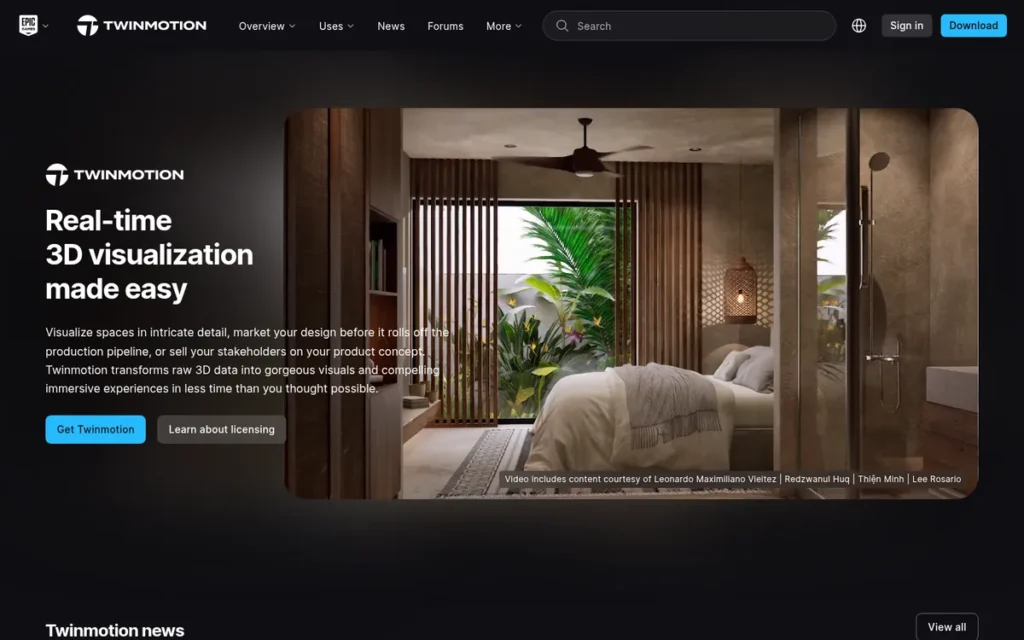
Category: Real-Time Standalone Renderer. A separate rendering app that live-syncs models from your CAD/BIM tool for fast, interactive visuals.
At a Glance
- Category: Real-Time Standalone Renderer
- Best For: Beginners, students and small firms under $1M revenue that want free commercial-use walkthroughs, landscapes and presentations
- Price Range: Free (commercial use under $1M annual revenue); $445/seat/year otherwise; $1,850/seat/year for the Unreal + Twinmotion + RealityScan bundle
- Primary Strength: Twinmotion is free for commercial work at firms under $1M annual gross revenue and is consistently rated easy to learn.
- Biggest Limitation: Twinmotion draws recurring complaints about rendering quality, lighting and crashes on complex scenes.
- One-Line Summary: Twinmotion is the best-value real-time architectural renderer for small firms in 2026 because it is free for commercial use under $1M annual revenue, though its realism ceiling sits below V-Ray and D5 Render.
- Last Verified: November 2026
Overview
Twinmotion is a real-time visualization application from Epic Games, built on Unreal Engine. It imports models through Datasmith Direct Link from Revit, SketchUp Pro, Archicad, Rhino and more, and it suits beginners and small firms that want walkthroughs, landscapes and path-traced stills on Windows or macOS.
Twinmotion pairs Lumen global illumination and Nanite geometry with a DXR Path Tracer for final stills. Epic Games released Twinmotion 2026.1 in April 2026 (Twinmotion, 2026), and the Epic ecosystem offers a direct upgrade path to Unreal Engine.
Key Features
- Twinmotion connects to six host applications through Datasmith Direct Link (Revit, SketchUp Pro, Archicad, Rhino, 3ds Max and Vectorworks) and imports FBX, GLB and glTF files.
- Twinmotion uses Lumen global illumination and Nanite virtualized geometry, which can handle billion-polygon meshes.
- Twinmotion includes a DXR Path Tracer for final stills, which requires Windows, DX12 and a DXR-capable GPU.
- Twinmotion offers 10,000+ native assets, plus access to more than 1 million others through Quixel Megascans, Sketchfab and Substance.
- Twinmotion Cloud shares interactive presentations through a browser link, so stakeholders don’t need a GPU.
Best For
Twinmotion is best for beginners, students and small firms under $1M annual revenue that want free walkthroughs, landscapes and presentation visuals they can legally use for client work, on Windows or Mac.
Pricing
- Twinmotion is free, commercial use included, for students, educators, hobbyists, and individuals or companies with under $1M gross revenue in the previous 12 months (Epic Games, November 2026).
- Twinmotion costs $445/seat/year above $1M revenue or if you need Twinmotion Cloud.
- Twinmotion is also sold in an Unreal Engine + Twinmotion + RealityScan bundle at $1,850/seat/year.
Twinmotion’s free license does not include Twinmotion Cloud, which requires the paid seat. PlugRoute could not verify whether the free tier adds watermarks or caps resolution, so check the current EULA before delivering client files.
Strengths
- Twinmotion is free for commercial use for individuals and companies under $1M annual gross revenue (Epic Games, November 2026). That is the most generous commercial free tier among the real-time tools evaluated.
- Twinmotion had a G2 rating of 4.5/5 from 61 reviews and a Capterra rating of 4.5/5 from 30 reviews (G2 and Capterra, November 2026). One Capterra reviewer called it “very easy to learn.”
- Twinmotion’s CannonDesign Mercy Hospital spotlight describes stakeholders reviewing the design through Rhino sync and Twinmotion Cloud without needing powerful GPUs. The case study gives no numbers, and Cloud requires a paid seat.
- Twinmotion runs on both Windows and macOS, unlike D5 Render and Lumion.
Limitations
- Twinmotion’s most consequential trade-off is that its ease of use comes with a lower realism ceiling. G2 comparison pages record recurring complaints about “poor rendering quality” and lighting (G2, November 2026).
- G2 users report Twinmotion crashing on complex scenes (G2, November 2026). A 2020 r/archviz user called it “a crashing hell of a software,” a comment that may be out of date (r/archviz, 2020).
- Twinmotion’s Path Tracer, which users recommend for realistic shadows (r/Twinmotion, November 2026), works only on Windows with DX12, so Mac users lose that feature.
- Twinmotion’s review samples are small, its free-tier output limits could not be verified, and its free license excludes Twinmotion Cloud.
This aligns with community sentiment on r/Twinmotion:
“Worked on a project at San Diego Comic-Con and sharing my renders to what it looked like in real life. I am a Mac user so I dont have PT, which I know is extremely limiting but I’m always trying to find ways to take some twinmotion skills to the next level.” Posted by u/plasticfish004
Takeaway: Twinmotion is good enough for real client projects on Mac, but professionals there call the missing Windows-only Path Tracer an extremely limiting gap.
Verdict
Twinmotion is the best free architectural renderer for commercial work at firms under $1M in annual revenue in 2026.
Twinmotion and Enscape are the two easiest on-ramps in this evaluation for beginners who already have a model. Firms that need hero stills should use the Windows-only Path Tracer or add an offline renderer. Check the EULA for output limits before you rely on free-tier deliverables.
5. Corona Renderer: Best for 3ds Max and Cinema 4D Visualization Specialists
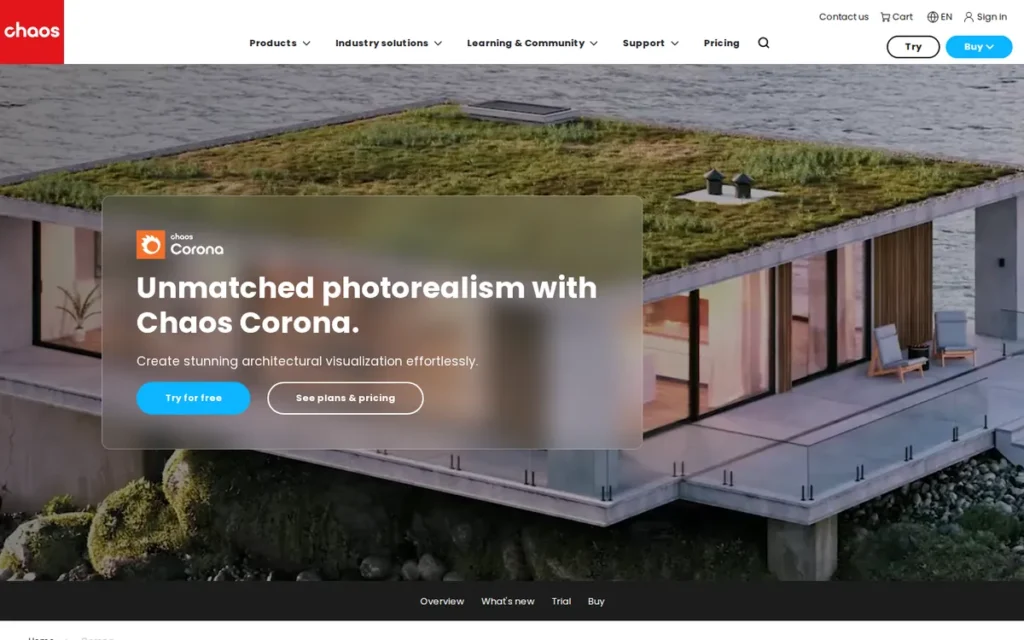
Category: Offline Photoreal Renderer. A ray-tracing engine that trades interactive speed for maximum control and realism in final stills and animations.
At a Glance
- Category: Offline Photoreal Renderer
- Best For: 3ds Max and Cinema 4D visualization artists producing photoreal stills on CPU-based workstations
- Price Range: Solo $414/year (about $34.50/month); Premium $562.80/year; 30-day free trial
- Primary Strength: Corona Renderer produces natural-looking photoreal stills with LightMix and needs no rendering GPU.
- Biggest Limitation: Corona Renderer works only inside 3ds Max and Cinema 4D and is slow for animation because it is CPU-only.
- One-Line Summary: Corona Renderer is the lowest-priced paid offline photoreal renderer in 2026 and the second most used engine among archviz professionals, but it runs only in 3ds Max and Cinema 4D.
- Last Verified: November 2026
Overview
Corona Renderer is a CPU-only, physically plausible offline renderer from Chaos that works inside 3ds Max and Cinema 4D. It suits architectural visualization artists who want natural-looking photoreal stills, the ability to adjust lights after rendering through LightMix, and no dependence on a powerful GPU.
Corona Renderer 13 adds Toon and Outline materials, a thin-film layer, the Chaos AI Enhancer and an improved Live Link to Chaos Vantage. Corona Renderer works well with render farms and now sits in the Chaos ecosystem alongside V-Ray and Enscape.
Key Features
- Corona Renderer renders on the CPU only, so it needs no dedicated rendering GPU.
- Corona Renderer includes LightMix, Interactive Rendering and Chaos Scatter for fast iteration on lighting and scenes.
- Corona Renderer supports network rendering through Deadline, Backburner and Team Render, plus EXR autosave.
- Corona Renderer 13 adds Toon and Outline materials and the Chaos AI Enhancer for people and vegetation.
- Corona Renderer connects to Chaos Vantage through Live Link for GPU real-time animation.
Best For
Corona Renderer is best for 3ds Max and Cinema 4D visualization artists who want photoreal architectural stills at the lowest paid offline price and who prefer CPU workstations or render farms over GPU investment.
Pricing
- Corona Renderer Solo costs $414/year (about $34.50/month) and includes up to 15,000 assets, Veras AI and Cloud Collaboration (Chaos, November 2026).
- Corona Renderer Premium costs $562.80/year (about $46.90/month) and includes 18,500+ assets.
- Corona Renderer’s 30-day trial bills automatically unless you cancel at least one day before it ends (Chaos, November 2026).
Corona Renderer is subscription-only, because perpetual licenses have been discontinued. PlugRoute did not verify monthly-billing or education prices.
Strengths
- Corona Renderer was used by 37.2% of CGarchitect 2021 survey respondents, second only to V-Ray (CGarchitect via CG Channel, 2022). In the 2016 survey, 44.7% of V-Ray users trying alternatives were testing Corona Renderer (CGarchitect, 2016).
- Corona Renderer Solo costs $414/year (Chaos, November 2026), the lowest-priced paid offline renderer in this evaluation.
- Corona Renderer had a G2 rating of 4.7/5 from 156 reviews (G2, November 2026), and reviewers praise its simple setup and LightMix.
- Corona Renderer’s CPU-only design avoids the GPU and VRAM barriers that limit D5 Render, Lumion and Twinmotion’s Path Tracer.
Limitations
- Corona Renderer’s most consequential trade-off is narrow host support. It works only in 3ds Max and Cinema 4D, so Revit, SketchUp, Rhino and Archicad users cannot use it directly.
- Corona Renderer’s CPU-only design means no GPU acceleration, and G2 reviewers criticize its long render times (G2, November 2026).
- Corona Renderer users described animation as “very slow” and were advised to “get a better CPU or use a cloud rendering service” (r/archviz, 2020).
- Corona Renderer’s Capterra 4.9/5 rests on only 9 reviews, and a G2 comparison page shows 119 reviews rather than 156 because of different product-page naming.
- The claim that Corona Renderer can be learned “in about one day” comes from Chaos marketing, and PlugRoute found no Reddit threads dedicated to the tool.
Verdict
Corona Renderer is the lowest-priced paid photoreal offline renderer for 3ds Max and Cinema 4D artists in 2026, at $414/year.
Corona Renderer suits stills-focused viz specialists and pairs with D5 Render or Chaos Vantage for real-time work. Architects who work mainly in Revit, SketchUp, Rhino or Archicad should look at V-Ray instead. Teams that produce a lot of animation should budget for a render farm or a faster CPU.
6. Blender: Best Fully Free Renderer for Unrestricted Commercial Use
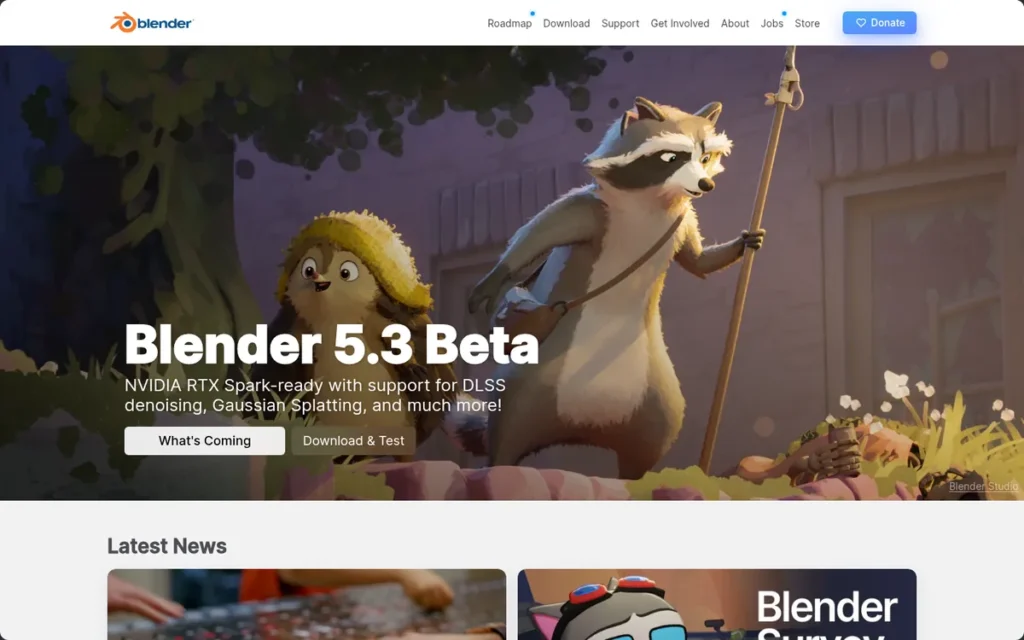
Category: All-in-One 3D Suite. A single application that handles modeling, animation and rendering, rather than a dedicated archviz renderer.
At a Glance
- Category: All-in-One 3D Suite
- Best For: Budget-conscious freelancers, students and technical artists who need free commercial-use rendering and will invest learning time
- Price Range: Free (GPL, commercial use allowed); optional add-ons and asset packs typically $20–$500+
- Primary Strength: Blender is completely free for commercial work and includes the Cycles path tracer and the EEVEE real-time engine.
- Biggest Limitation: Blender has a steep learning curve and no native live link to Revit or SketchUp.
- One-Line Summary: Blender is the only fully free architectural rendering option with unrestricted commercial use in 2026, but it demands more learning and pipeline setup than dedicated archviz renderers.
- Last Verified: November 2026
Overview
Blender is a free, open-source 3D suite from the Blender Foundation. It bundles modeling, animation, compositing and the Cycles and EEVEE render engines, and it suits budget-conscious freelancers, students and technical artists who need commercial-use rights at no license cost and accept a steeper learning curve.
Blender 5.0 improves volumes, subsurface scattering and shader startup speed. Blender reaches BIM workflows through the free Bonsai add-on, formerly called BlenderBIM.
Key Features
- Blender includes the Cycles path tracer for CPU and GPU final renders and the EEVEE engine for real-time previews.
- Blender supports five GPU backends across Windows, macOS and Linux: CUDA, OptiX, HIP, Metal and oneAPI.
- Blender combines modeling, Geometry Nodes, animation, compositing and Python scripting in one application.
- Blender connects to BIM and IFC workflows through the free GPL Bonsai add-on, which has 66,420 downloads and a 5.0 rating from 45 reviews (Blender Extensions, November 2026).
- Blender 5.0 adds a new volume algorithm, up to 4× faster shader startup on some NVIDIA/Vulkan setups, and 32-bit HDR textures in EEVEE.
Best For
Blender is best for freelancers, students and technical artists who need free commercial-use rendering, want modeling and rendering in one app, or work on Mac or Linux. It also requires users who will invest time in learning it.
Pricing
- Blender is free under the GPL, allows commercial use, and charges no per-seat or render-node fees (Blender Foundation, November 2026).
- Blender add-ons and asset packs typically cost $20–$500+. That is an indicative range from a third-party roundup that PlugRoute did not verify.
Third-party Blender assets may carry their own license restrictions, so check each asset’s terms before using it in client work.
Strengths
- Blender has been free under the GPL with commercial use allowed since October 13, 2002 (Blender Foundation, 2002). As of November 2026 it is the only option in this evaluation with no revenue threshold and no seat fee.
- Blender had a G2 rating of 4.6/5 from 319 reviews (G2, November 2026), though those reviews cover general 3D use rather than architectural rendering specifically.
- Blender 5.0 has the broadest hardware and OS support evaluated, including Apple Silicon through Metal, and Linux.
- Blender’s Bonsai BIM/IFC add-on is rated 5.0 from 45 reviews, and an r/archviz user called it “essential for our work” (r/archviz, 2024).
- Blender’s Cycles path tracer produces offline photoreal output without a separate renderer license.
Limitations
- Blender’s most consequential trade-off is that its zero cost comes with the steepest learning curve and the most pipeline setup in this evaluation.
- Architects say Blender has no native live link to Revit or SketchUp, relies on add-ons, ships fewer ready-made architectural assets and takes longer to render in Cycles (vibe3d and Meshy roundups, November 2026).
- Bonsai reviews say very large IFC files can take minutes to open in Blender, and Bonsai compatibility lags behind new Blender versions (Blender Extensions reviews, November 2026).
- Blender’s 319 G2 reviews reflect general 3D use, and the CGarchitect data PlugRoute reviewed did not measure Blender’s archviz adoption share.
Verdict
Blender is the best fully free architectural renderer for commercial work in 2026, as long as you are willing to spend time to save on licenses.
Blender suits freelancers and technically minded students who want one tool for modeling and rendering. Revit and SketchUp firms on deadlines will find the export friction costly. Budget for add-ons and check the licenses of any third-party assets.
7. Lumion: Best for Presentation-Heavy Windows Studios Needing Built-In Effects

Category: Real-Time Standalone Renderer. A separate rendering app that live-syncs models from your CAD/BIM tool for fast, interactive visuals.
At a Glance
- Category: Real-Time Standalone Renderer
- Best For: Presentation-heavy Windows studios that build exterior scenes and animations with large built-in content and effects libraries
- Price Range: Pro $1,149/year individual (€999/year EU); Pro Floating about $125/month or €1,299/year (official, verify); Student free (non-commercial)
- Primary Strength: Lumion produces finished presentation images and animations from a large content library and built-in effects stack, with no post-production needed.
- Biggest Limitation: Lumion is the most expensive real-time seat in this evaluation and runs only on Windows, with demanding GPU requirements.
- One-Line Summary: Lumion is a content-rich real-time presentation tool for Windows studios in 2026, but at $1,149 per year it is the most expensive real-time renderer evaluated and needs a high-VRAM GPU.
- Last Verified: November 2026
Overview
Lumion is a standalone Windows real-time visualization studio that builds presentation scenes from models synced through LiveSync from SketchUp, Revit and Archicad. It suits presentation-heavy Windows studios that want large content libraries, layered effects, and finished images or animations without separate post-production.
Lumion Pro 2026 adds AI upscaling and photogrammetry vegetation. Lumion discontinued its in-CAD Lumion View plugin on September 15, 2026, and replaced it with Axogram, a diagramming plugin with a limited free tier. Former Lumion View users get the paid version (Lumion, 2026).
Key Features
- Lumion uses LiveSync to connect with SketchUp, Revit, Archicad and AutoCAD, and scenes are built separately from the BIM model.
- Lumion offers optional hardware ray tracing on NVIDIA, AMD or Intel GPUs.
- Lumion includes more than 10,000 models and materials for building scenes.
- Lumion provides a layered effects stack covering weather, sky, depth of field and color grading, plus AI upscaling.
- Lumion Pro 2026 adds photogrammetry vegetation for more realistic exterior and landscape scenes.
Best For
Lumion is best for presentation-heavy Windows studios with high-end GPUs that build exterior scenes, landscapes and animations. It suits studios that value built-in content and effects more than in-CAD rendering or low cost.
Pricing
- Lumion Pro for individuals costs $1,149/year (about $96/month), or €999/year in the EU (Lumion, November 2026).
- Lumion Pro Floating appears on the official site at $125/month and €1,299/year, while a third-party source cites about $1,499/year, so check the live page.
- Lumion Student is free for one year, renewable, and non-commercial.
Lumion has moved from perpetual licenses to subscriptions. PlugRoute did not verify Lumion’s trial terms.
Strengths
- Lumion had a Capterra rating of 4.7/5 from 157 reviews, with sub-scores of 4.5 for features, 4.3 for customer service and 4.4 for ease of deployment (Capterra, November 2026).
- Lumion Pro 2026 includes more than 10,000 models and materials, one of the largest built-in content libraries evaluated.
- Lumion Pro 2026 adds photogrammetry vegetation and AI upscaling, which strengthen exterior and landscape presentation work (Lumion, 2026).
- Lumion’s layered effects stack lets users produce finished presentation images without separate post-production software.
Limitations
- Lumion’s most consequential trade-off is cost. At $1,149/year it costs about 3× D5 Render Pro and 2× Enscape Solo (Lumion, November 2026).
- Lumion needs at least 6 GB of VRAM, rising to 8 GB for 1080p ray tracing (Lumion, 2026).
- Capterra reviewers say Lumion “works only on Windows,” needs “a device with high performance,” and “gets expensive to upgrade your subscription every year” (Capterra, November 2026).
- A 2020 r/archviz user found Lumion’s quality “way far” from Corona Renderer, and a 2020 r/lumion user reported a 20-hour export for a 2-minute clip. Both comments may be out of date (r/archviz and r/lumion, 2020).
- Lumion’s G2 listing describes an unrelated product, so PlugRoute excluded it. No verified Lumion user counts or case-study metrics exist.
Users on r/archviz noted:
“After 10 years of using Lumion I switched 100% to D5 last year and cancelled my Lumion sub. Lumions performance has been so bad, doing a 1 family house with interiors on my 3080 was giving me 5fps, so bad – same project with D5 would be 40fps+ and now that I switched to a 5080 with DLSS4, my complicated projects are around a 100fps.” Posted by u/naviSTFU
Takeaway: Even long-time Lumion users report that poor viewport performance on modest projects is pushing them to cancel and move to D5 Render.
Verdict
Lumion is a capable real-time presentation renderer for well-equipped Windows studios in 2026, but it is the most expensive real-time option evaluated.
Lumion’s content library and effects suit presentation work focused on exteriors. Mac studios should consider Enscape or Twinmotion, and Windows firms on a tight budget should consider D5 Render. Confirm floating-license pricing and trial terms directly with Lumion.
Should I Use Real-Time or Offline Rendering, or Both?
Most small and mid-sized firms can start with one real-time renderer for design review. Those firms should add an offline renderer only when hero marketing stills justify the extra license and learning time. Path tracing inside D5 Render and Twinmotion narrows the gap, but no real-time tool evaluated reliably replaces skilled offline work without art direction.
The CGarchitect 2016 survey of 1,995 respondents found that most V-Ray users trying other renderers were adding a tool rather than replacing V-Ray (CGarchitect, 2016). That suggests hybrid setups have long been standard professional practice.
Real-time adoption figures differ by survey:
- An earlier Chaos/Enscape–Architizer survey of 2,000+ designers found that over 75% used real-time rendering at least twice a week (Chaos/Enscape–Architizer, survey year not stated).
- The Chaos/Architizer 2024–2025 report of 1,000+ respondents found that about 40% currently use real-time rendering, down from 44%, while the share expecting it to become more common rose about 10 points (Chaos/Architizer, 2025).
- The two surveys probably disagree because they used different samples and different question wording.
Hybrid stacks rely on specific handoff paths:
- Enscape exports .vrscene files to V-Ray, the most direct path from design review to final image among the tools evaluated.
- Corona Renderer connects to Chaos Vantage through Live Link for GPU real-time animation.
- D5 Render live-syncs from 3ds Max, so one 3ds Max scene can feed both D5 Render previews and Corona Renderer final images.
- Twinmotion imports models through Datasmith and shares the Unreal Engine ecosystem.
A two-tool hybrid stack costs between about $774 and $1,115 per seat per year at November 2026 list prices, before host-app licenses:
- Enscape Solo plus V-Ray Solo costs about $1,114.80/year combined (verify V-Ray at checkout).
- D5 Render Pro plus Corona Renderer Solo costs about $774/year combined, but Corona Renderer also requires a 3ds Max or Cinema 4D host.
Hybrid workflows also carry hidden labor. A 2020 r/archviz user who moved 3ds Max and V-Ray scenes into Unreal through Datasmith said that “it still looks like materials are missing” (r/archviz, 2020).
Test the full handoff on a real scene before committing to a stack.
How Much Does a Three-Seat Rendering Setup Cost per Year?
A three-seat commercial setup costs anywhere from $0 to about $3,447 per year at November 2026 list prices. Twinmotion and Blender can cost nothing, while Enscape Solo, D5 Render for Teams and Lumion Pro cost progressively more. The cheapest individual seat is not always the cheapest team seat.
Three commercial seats cost approximately the following at November 2026 list prices:
- Blender costs $0 for three seats under the GPL.
- Twinmotion costs $0 for firms under $1M revenue, or $1,335/year above that threshold.
- Corona Renderer Solo costs $1,242/year for three seats, before 3ds Max or Cinema 4D licenses.
- V-Ray Solo costs about $1,620/year for three seats (verify at checkout).
- Enscape Solo costs $1,724.40/year for three named licenses.
- D5 Render for Teams costs $2,124/year for three seats.
- Lumion Pro costs $3,447/year for three individual seats.
Confirm team and floating-license terms with each vendor, because per-seat rules differ by plan.
Which Free Architectural Rendering Software Can I Use for Commercial Work?
Of the seven renderers PlugRoute evaluated, only two let you deliver paid client work for $0: Blender without limits, and Twinmotion for firms under $1M in annual revenue. Blender is unrestricted under the GPL. Twinmotion’s free license covers individuals and companies under $1M gross revenue in the previous 12 months.
D5 Render Community, D5 Education and Lumion Student are free but non-commercial. Using them for client work breaks their license terms.
| Tool | Free Option | Commercial Use Allowed? | Notes (verified November 2026) |
|---|---|---|---|
| Blender | Free under GPL | Yes, unrestricted | Third-party add-ons and assets may carry their own licenses |
| Twinmotion | Free under $1M annual gross revenue | Yes, under $1M | Excludes Twinmotion Cloud; watermark and resolution limits unverified, so check the EULA |
| D5 Render | Community and Education tiers | No | Client work requires D5 Render Pro ($360/year) or higher |
| Lumion | Student license (1 year, renewable) | No | Pro starts at $1,149/year |
| Corona Renderer | 30-day trial (no permanent free tier) | Not verified | Check renewal terms before the trial ends |
| Enscape | 14-day trial (no free commercial tier) | No | Education terms not verified; check renewal terms |
| V-Ray | 30-day fully functional trial | Not verified | Check renewal terms before the trial ends |
Which Rendering Software Will Run on My Hardware or Mac?
Mac-based studios can run Enscape, Twinmotion and Blender, plus V-Ray on Mac hosts and Corona Renderer through Cinema 4D. They cannot run D5 Render or Lumion, which are Windows-only. Corona Renderer needs no rendering GPU, Enscape runs on some Windows integrated graphics, and D5 Render and Lumion need dedicated GPUs.
| Tool | Lowest Commercial Seat (2026) | Free Tier Commercial? | Operating Systems | Minimum GPU / Hardware | Integration Type |
|---|---|---|---|---|---|
| D5 Render | $360/year (Pro, individual) | No | Windows only | GTX 1060 6GB minimum; RTX 3060 recommended | Standalone LiveSync (8 hosts) |
| Enscape | $574.80/year (Solo) | No permanent free tier (14-day trial) | Windows, macOS | Some Windows integrated graphics; Mac uses software ray tracing | In-app plugin (5 hosts) |
| V-Ray | $540/year (Solo, verify) | No permanent free tier (30-day trial) | Works on Mac hosts | CPU, GPU or hybrid | Offline plugin (8 hosts) |
| Twinmotion | Free under $1M; $445/year otherwise | Yes, under $1M | Windows, macOS (Path Tracer Windows/DX12 only) | DXR-capable GPU for Path Tracer | Standalone Datasmith Direct Link (6 hosts) |
| Corona Renderer | $414/year (Solo) | No permanent free tier (30-day trial) | Wherever 3ds Max or Cinema 4D runs; Cinema 4D version works on Mac | CPU only; no rendering GPU | Offline plugin (2 hosts) |
| Blender | Free (GPL) | Yes, unrestricted | Windows, macOS, Linux | NVIDIA sm_50 or newer for GPU; CUDA, OptiX, HIP, Metal, oneAPI | All-in-one suite; Bonsai add-on for IFC |
| Lumion | $1,149/year (Pro) | No (student only) | Windows only | 6 GB VRAM minimum (GTX 1060 / RX 580 class); 8 GB for 1080p ray tracing; 10 GB recommended | Standalone LiveSync (4 hosts) |
What Changed in Architectural Rendering Software in 2026?
The biggest change in 2026 was Lumion discontinuing its in-CAD Lumion View plugin on September 15, 2026. Several vendors also revised pricing and released major versions, so rankings and price comparisons published before 2026 may no longer reflect current products or license terms.
- Lumion discontinued Lumion View on September 15, 2026, and replaced it with Axogram. Axogram is a diagramming plugin for SketchUp, Revit and Archicad. Its free tier adds a watermark and caps output at 2K, and former Lumion View users get the paid version (Lumion, 2026).
- D5 Render’s 2026 pricing update added AI-credit tiers and kept D5 Render Pro at $38/month or $360/year (D5 Render, 2026).
- Epic Games released Twinmotion 2026.1 in April 2026 (Twinmotion, 2026).
- Lumion Pro 2026 added AI upscaling and photogrammetry vegetation (Lumion, 2026).
- Enscape’s 2026 top tier bundles Envision cinematic animation, sustainability insights and 15× Chaos credits at $730.80/year (Chaos, 2026).
What Red Flags Should I Watch For When Evaluating Architectural Rendering Software?
Watch for six red flags: commercial-use bans, auto-billing trials, unmet hardware requirements, material loss between tools, credit-gated features and discontinued products. Any of them can cost a firm money or deadline time before the first client image ships, so check all six against vendor license, trial and system-requirements pages before buying.
Red Flag #1: A Free Tier That Bans Commercial Work A free tier that bans commercial work is one of the most frequent licensing traps among the tools evaluated. D5 Render Community, D5 Education and Lumion Student are all free but non-commercial.
A freelancer who renders a paid kitchen remodel in D5 Render Community breaks the license. The same job in Twinmotion is permitted if the freelancer’s annual gross revenue is under $1M.
Red Flag #2: A Trial That Auto-Bills A trial that converts automatically to a paid subscription can charge buyers who forget to cancel. Corona Renderer’s 30-day trial bills automatically unless cancelled at least one day before it ends (Chaos, November 2026). Chaos also runs the 30-day V-Ray and 14-day Enscape trials, so check each tool’s renewal terms.
Red Flag #3: GPU or OS Requirements Your Machine Can’t Meet Hardware requirements can make a renderer unusable before you render a single frame. D5 Render and Lumion are Windows-only. D5 Render needs at least a GTX 1060 6GB (D5 Render, 2026). Lumion needs at least 6 GB of VRAM, and 8 GB for 1080p ray tracing (Lumion, 2026).
Red Flag #4: Material Loss When Moving Between Tools Material loss during handoffs between real-time and offline tools adds hidden labor to hybrid workflows. A 2020 r/archviz user who moved V-Ray scenes into Unreal through Datasmith reported missing materials (r/archviz, 2020). Test the full handoff on a real scene before committing to a stack.
Red Flag #5: Features Gated Behind Credits or Higher Tiers Features gated behind credits or premium tiers can push the real cost of a renderer well above its headline seat price. D5 Render’s AI features use credits, and Enscape’s Envision animation comes only with its $730.80/year top tier (Chaos, 2026).
Red Flag #6: Planning Around a Discontinued Product Building a workflow around a discontinued product forces costly retooling mid-project. Lumion discontinued its in-CAD Lumion View plugin on September 15, 2026 (Lumion, 2026), so check vendor support pages for end-of-life notices before buying.
What Questions Should I Ask Before Choosing Architectural Rendering Software?
Before choosing architectural rendering software, confirm six things: host-app connection, commercial rights in the free or trial version, hardware and OS fit, whether you need speed or realism, total annual cost, and whether you can test on a real project. Checking these six points first rules out most poor fits.
Question #1: Does it connect directly to my modeling software? Check that the renderer connects directly to your exact host app and version. Enscape renders inside Revit, SketchUp, Rhino, Archicad and Vectorworks. D5 Render live-syncs with eight hosts and Twinmotion with six. V-Ray plugs into eight hosts, Lumion syncs with four, and Corona Renderer works only in 3ds Max and Cinema 4D.
Question #2: Can I legally use the free or trial version for client work? Commercial rights in free versions vary widely. Blender is unrestricted and Twinmotion allows commercial use under $1M annual revenue. D5 Render Community and Lumion Student do not allow it. Rely on the written license or EULA, not on marketing summaries.
Question #3: Will it run on my current GPU and operating system? Check operating system and GPU compatibility against published requirements rather than assuming it. Mac studios should rule out D5 Render and Lumion. Teams without dedicated GPUs should look at Enscape on supported integrated graphics, or at CPU-only Corona Renderer.
Question #4: Do I need design-review speed, final-image realism, or both? Your mix of deliverables decides whether one renderer is enough. Real-time tools such as Enscape and Twinmotion suit iterative reviews, while V-Ray and Corona Renderer lead for hero stills. Firms that need both should price a hybrid stack.
Question #5: What is the total annual cost, including assets, credits and a second renderer? Total annual cost often exceeds the headline seat price. Add asset tiers, AI credits such as D5 Render’s, team-seat pricing and any second renderer. For example, Enscape Solo plus V-Ray Solo comes to about $1,114.80/year at November 2026 list prices.
Question #6: Can I test it on a real project before paying? Testing on a live project is the most reliable way to judge speed and stability on your own hardware. You can test for free with D5 Render Community, free Twinmotion and Blender. Enscape has a 14-day trial, and V-Ray and Corona Renderer have 30-day trials (Chaos, November 2026).
Plan the test around the shortest trial window:
- Sync your largest current project into the renderer and note any import or material errors.
- Produce one design-review view and one client-ready still from the same scene.
- Export a 30-second animation, then record the render time and any crashes.
How Did We Rank These Architectural Rendering Tools?
PlugRoute scored all seven tools from 1 to 5 on six criteria. The four primary criteria count double and the two secondary criteria count once, for a maximum of 50 points. The formula is Total = 2×(Integration + Reviews + Pricing + Output) + Hardware + Learning.
Scores draw on four types of dated evidence:
- PlugRoute checked vendor documentation on pricing, licenses and system requirements in November 2026.
- PlugRoute recorded G2 and Capterra ratings, with review counts, in November 2026.
- The CGarchitect surveys (2016, 2021, 2024–25) and the Chaos/Architizer 2024–2025 report supplied adoption data.
- PlugRoute used Reddit community sentiment and flagged posts from 2020–2023 as possibly outdated.
The six ranking criteria, and why each matters:
- Workflow Integration and Host-App Coverage (primary, ×2): A renderer that cannot connect to Revit, SketchUp, Rhino or Archicad is ruled out before image quality matters.
- Third-Party Review Ratings and Volume (primary, ×2): G2 and Capterra ratings, weighted by review count, are the most comparable signal of real-world satisfaction and stability.
- Pricing Transparency, Commercial Licensing and Value (primary, ×2): The cost per commercial seat and the commercial rights of free tiers directly shape decisions at small firms.
- Output Quality, Photorealism and Lighting/Material Control (primary, ×2): Client-ready marketing images need a higher realism ceiling than design-review visuals.
- Hardware and Operating-System Accessibility (secondary, ×1): Heavy GPU requirements or Windows-only builds can make a tool unusable on existing machines.
- Learning Curve and Speed to Deliverable (secondary, ×1): Steep learning curves and long render times can conflict with project deadlines.
| Tool | Integration (×2) | Reviews (×2) | Pricing (×2) | Output (×2) | Hardware (×1) | Learning (×1) | Total |
|---|---|---|---|---|---|---|---|
| D5 Render | 5 | 5 | 4 | 4 | 2 | 4 | 42 |
| Enscape | 5 | 4 | 3 | 3 | 5 | 5 | 40 |
| V-Ray | 5 | 4 | 3 | 5 | 4 | 2 | 40 |
| Twinmotion | 4 | 3 | 5 | 3 | 4 | 5 | 39 |
| Corona Renderer | 2 | 4 | 4 | 5 | 4 | 4 | 38 |
| Blender | 2 | 3 | 5 | 4 | 5 | 1 | 34 |
| Lumion | 3 | 3 | 2 | 3 | 2 | 4 | 28 |
Worked example: D5 Render scores (5+5+4+4)×2 + 2 + 4 = 42. D5 Render (#1) and Lumion (#7) both score 2 on hardware, for the same Windows-only, dedicated-GPU reasons.
Enscape and V-Ray tied at 40 points. PlugRoute’s pre-set tiebreak rule is total G2 review volume, and no other factor was applied. Enscape has 456 G2 reviews and V-Ray about 260 (G2, November 2026).
Twinmotion’s small review samples (61 on G2, 30 on Capterra) held its review score at 3. That one point is the gap between Twinmotion’s 39 and the tied pair at 40.
PlugRoute raised Blender’s review score from 2 to 3 in November 2026 after verifying 319 G2 reviews. That moved Blender’s total from 32 to 34 without changing its #6 rank. The score stays below 4 because those reviews cover general 3D use rather than architectural rendering.
PlugRoute excluded several tools:
- KeyShot was excluded because it focuses mainly on product visualization and had no reliable rating data.
- Chaos Vantage was excluded because PlugRoute found no comparable G2 or Capterra data.
- Unreal Engine was excluded for the same reason, though Twinmotion offers a direct upgrade path to it.
- Consumer room planners were excluded because they don’t serve a professional BIM audience.
PlugRoute did not run hands-on benchmark tests. Vendor claims are labeled as such.
PlugRoute has no affiliate relationships with any company listed. Rankings are determined entirely by research data and objective evaluation criteria.
What Do Buyers Most Often Ask About Architectural Rendering Software?
Buyers most often ask which renderer suits beginners, which tool fits small firms in 2026, and how independent rankings are made. The answers below are direct and dated, based on November 2026 vendor documentation and third-party review data, and each one names the specific products that fit.
What is the best architectural rendering software for beginners?
Twinmotion and Enscape are the best architectural rendering software for most beginners in 2026, because reviewers consistently rate both easy to learn. Twinmotion is also free for commercial use under $1M annual revenue, while Enscape renders inside Revit and SketchUp with no export. Blender suits learners willing to invest more time to avoid license costs.
What is the best architectural rendering software for small firms in 2026?
For most small firms in 2026, the best choice is Twinmotion if annual revenue is under $1M, because its free license includes commercial use. Windows firms that want path-traced realism should consider D5 Render Pro at $360/year (vendor pricing, November 2026). BIM-centered small firms that want zero export should test Enscape Solo at $574.80/year.
How does PlugRoute rank architectural rendering software?
PlugRoute ranks architectural rendering software with a weighted 50-point score. Scores come from dated G2, Capterra, CGarchitect and vendor sources, and data gaps are disclosed rather than estimated. The criteria weights are:
- Workflow integration counts double.
- Third-party reviews count double.
- Pricing and licensing count double.
- Output quality counts double.
- Hardware and OS access counts once.
- Learning curve counts once.
What Do Key Architectural Rendering Terms Mean?
The key architectural rendering terms are real-time rendering, offline rendering, path tracing, global illumination, live sync, VRAM, IFC, PBR materials, floating licenses, distributed rendering and commercial-use licenses. Real-time rendering updates instantly for design review, while offline rendering calculates each frame fully for higher realism in final marketing images.
Real-Time Rendering: A rendering method that updates the image almost instantly as you move the camera or edit the model. Real-time rendering matters because it supports fast design reviews and client walkthroughs.
Offline Rendering: A rendering method that calculates each frame in full, often taking minutes or hours per image. Buyers accept the wait in exchange for higher realism and finer control in final marketing images.
Path Tracing: A technique that simulates how light rays bounce around a scene to produce physically realistic lighting and shadows. Real-time path tracing brings some of this realism to interactive tools.
Global Illumination (GI): The simulation of indirect light, meaning light that bounces off walls, floors and objects. Strong global illumination makes interiors look natural instead of flat.
Live Sync: A connection that sends changes from your modeling app to a separate renderer automatically. Live sync reduces export time, but users still manage two applications.
VRAM: The dedicated memory on a graphics card. Large architectural scenes and ray tracing need plenty of VRAM, and too little can cause crashes or block certain features.
IFC (Industry Foundation Classes): An open file format for exchanging BIM data between applications. IFC support matters if your renderer has no direct link to your BIM tool.
PBR Material: A physically based rendering material that describes surfaces with realistic properties such as roughness and reflectivity. PBR materials behave consistently under different lighting.
Floating License: A license that several users share, one at a time, instead of one tied to a single person or machine. A floating license can lower costs for teams whose rendering needs are staggered.
Distributed Rendering: Splitting a render job across several computers or a render farm so it finishes faster. Distributed rendering matters for heavy animations and tight deadlines.
Commercial-Use License: License terms that allow software output to be used in paid client work. Some free tiers lack this right, which makes them unsuitable for professional deliverables.
Which Architectural Rendering Software Is Right for You?
Key Insights
The right architectural rendering software depends on your host app, hardware, license needs and deliverable. D5 Render suits Windows users who want photoreal real-time output. Enscape suits BIM teams that want no export, and V-Ray suits hero stills. Twinmotion and Blender suit free commercial work. Corona Renderer suits 3ds Max artists, and Lumion suits presentation-heavy Windows studios.
- D5 Render had the highest third-party ratings in this evaluation (G2 4.8/5 from 1,109 ratings, November 2026) and the cheapest paid individual commercial real-time seat, at $360/year.
- Enscape is the only real-time renderer evaluated that runs inside Revit, SketchUp, Rhino, Archicad and Vectorworks with no export, and Enscape also runs on macOS.
- V-Ray leads professional adoption, with 60.6% usage in the CGarchitect 2021 survey (CGarchitect via CG Channel, 2022).
- Twinmotion and Blender are the only free options with commercial rights as of November 2026. Twinmotion is capped at $1M annual revenue, and Blender is unrestricted.
- Corona Renderer is the lowest-priced paid offline renderer at $414/year (Chaos, November 2026), but Corona Renderer supports only 3ds Max and Cinema 4D.
- Lumion is the most expensive real-time seat evaluated, at $1,149/year (Lumion, November 2026), and Lumion runs only on Windows.
Choose a renderer by host app first, hardware second, license third and deliverable last, because image quality only matters after a tool fits your workflow:
- Host app: Check that the renderer connects to Revit, SketchUp, Rhino, Archicad, 3ds Max or Cinema 4D.
- Operating system and GPU: Confirm whether the renderer is Windows-only and whether it needs a dedicated GPU.
- License terms: Verify the renderer’s commercial rights, trial length and renewal terms.
- Deliverable: Decide whether the renderer must produce design reviews, walkthroughs or hero stills.
Match your situation to a starting point:
- Enscape is the tool to test first if you need export-free BIM reviews.
- D5 Render is the tool to test first if you need low-cost photoreal real-time work on Windows.
- V-Ray or Corona Renderer is the right addition if hero marketing images matter most.
- Twinmotion is the tool to test first if you need free commercial use under $1M revenue.
- Blender is the right choice if you have zero budget and time to learn.
- Lumion is the tool to test first if you run a presentation-heavy Windows studio with a high-end GPU.
“No tool guarantees good results, it’s all about how you use them.” (u/18ulvs, r/Architects (r/Architects, November 2026))
Takeaway: Tool choice sets the workflow and the quality ceiling, but skill and art direction still decide whether a render is client-ready.
Test any shortlisted tool on a real project with its free tier or trial before paying. Recheck prices too, because licensing in this category changed often during 2026. For more independent analysis, explore PlugRoute’s other software reviews and read our full ranking methodology.
We update this guide quarterly. Last updated: November 2026.