Datarails is the top-ranked financial analysis software in PlugRoute’s 2026 evaluation for Excel-heavy SMB and mid-market teams, followed by Vena Solutions for Microsoft 365 shops and Planful for planning plus consolidation in one platform. Cube is the best value for lean Excel or Google Sheets teams, and Fathom fits small businesses on QuickBooks or Xero.
The right choice depends more on architecture, reliance on Excel, and accounting stack than on brand. “Financial analysis software” covers several different kinds of tools, and four factors decide most purchases:
- Eliminating manual spreadsheet consolidation is the main time saving most finance teams want.
- Keeping existing Excel models intact is the top worry for teams that rely on spreadsheets.
- Working around quote-only pricing is necessary because six of the seven vendors do not publish prices.
- Managing implementation risk matters because practitioners say the implementation partner strongly affects success.
As one user on r/FPandA described:
“The current budget Excel file is unwieldy, massive, slow, not dynamic. I am looking at rebuilding it, but ideally we would have a software that helps simplify for us. We’d want something that is more performant, able to adjust assumptions on the fly, easy to implement new revenue streams, locations, etc.” Posted by u/black_ravenous
Takeaway: Finance teams usually start shopping for financial analysis software when their master budget spreadsheet becomes too slow and rigid to update with new assumptions, revenue streams, and locations.
PlugRoute has no affiliate relationships with any company listed, and rankings are determined entirely by research data and objective evaluation criteria.
Scope note: This guide covers corporate FP&A, forecasting, consolidation, and management reporting. These categories were not researched or ranked:
- Built-in accounting reports in QuickBooks Online, Xero, and Zoho Books were not ranked.
- BI-only tools such as Power BI and Tableau were not ranked.
- Investment research terminals such as Bloomberg Terminal, FactSet, and Koyfin were not ranked, so investors should look for reviews dedicated to investment research platforms.
What Are the 4 Categories of Financial Analysis Software Tools?
The seven financial analysis software tools PlugRoute evaluated in 2026 fall into four categories: browser-based planning platforms (Planful, Anaplan, Workday Adaptive Planning), Excel-native FP&A (Datarails, Vena Solutions), spreadsheet-native FP&A (Cube), and accounting reporting layers (Fathom). The category determines how much of your Excel workflow survives.
Analysts often group these tools under corporate performance management (CPM) or enterprise performance management (EPM). The category also tells you how deep the budgeting, forecasting, and month-end close features go.
- Browser-Based Planning Platform: A Browser-Based Planning Platform is a cloud multidimensional system that replaces spreadsheets as the main planning and consolidation engine. This category includes Planful, Anaplan, and Workday Adaptive Planning.
- Excel-Native FP&A: Excel-Native FP&A software keeps Excel as the working surface and adds a central database, consolidation, and workflow behind it. This category includes Datarails and Vena Solutions.
- Spreadsheet-Native FP&A: Spreadsheet-Native FP&A software syncs both ways between Excel or Google Sheets and a central data cube. Cube is the only tool in this category.
- Accounting Reporting Layer: An Accounting Reporting Layer sits on top of QuickBooks, Xero, or similar systems and adds KPIs, forecasts, and management reports. Fathom is the only tool in this category.
How Do the Top Financial Analysis Software Tools Compare at a Glance?
PlugRoute’s 2026 comparison scores seven financial analysis software tools from 40 to 28 out of 45. Prices run from Fathom’s $59-a-month single-company plan to Anaplan’s Vendr median of $114,609 a year. The table lists each tool’s category, best-fit buyer, primary strength and key limitation.
| Rank | Company | Category | Best For | One-Line Summary | Key Capabilities | Primary Strength | Key Limitation |
|---|---|---|---|---|---|---|---|
| 1 (40/45) | Datarails | Excel-Native FP&A | Excel-heavy SMB/mid-market multi-entity teams | Datarails is an Excel-native FP&A platform that automates consolidation, budgeting, and reporting for SMB and mid-market teams. | Cross-entity data mapping, month-end close, cash management, 200+ connectors | Highest Capterra rating (4.7/5) among full FP&A platforms | Weak native dashboards; limits on data volume |
| 2 (38/45) | Vena Solutions | Excel-Native FP&A | Microsoft 365 mid-market teams | Vena Solutions is an Excel-native FP&A platform that keeps existing Excel templates while centralizing data. | CubeFLEX database, consolidation, workforce planning, Power BI Embedded | 4.5/5 on G2, Capterra, and Gartner Peer Insights | Outcomes depend heavily on the implementation partner |
| 3 (37/45) | Planful | Browser-Based Planning Platform | Mid-market teams needing planning plus consolidation | Planful is a mid-market financial performance management platform that unifies budgeting, forecasting, consolidation, and reporting. | Structured and driver-based planning, consolidation and close, Spotlight Excel add-in | Planning, consolidation, and reporting in one platform | BARC calls the user experience “somewhat dated” |
| 4 (34/45) | Anaplan | Browser-Based Planning Platform | Large enterprises planning across functions | Anaplan is an enterprise connected-planning platform that links finance with sales, workforce, and supply chain models at scale. | Hyperblock and Polaris engines, cross-functional models | Broadest cross-functional scope; practitioners cite responsiveness at 10M+ rows | Vendr median of $114,609/year; certified model builders usually needed |
| 5 (33/45) | Cube | Spreadsheet-Native FP&A | Lean teams of 1–5 on Excel or Google Sheets | Cube is a spreadsheet-native FP&A tool that syncs Excel and Google Sheets to a central data cube. | Two-way spreadsheet sync, rolling forecasts, AI analyst in Slack and Teams | Vendr median of $22,098/year | Lighter modeling and consolidation |
| 6 (29/45) | Workday Adaptive Planning | Browser-Based Planning Platform | Workday HCM/Financials customers and multi-entity groups | Workday Adaptive Planning is an enterprise planning platform that works best for organizations already on Workday. | Driver-based budgeting, workforce planning, consolidation add-on, OfficeConnect | Multi-entity consolidation and ERP data loading | Weak for complex modeling; no native QuickBooks connector |
| 7 (28/45) | Fathom | Accounting Reporting Layer | Small businesses and accounting firms on QuickBooks or Xero | Fathom is a reporting and forecasting layer for QuickBooks and Xero users and the only evaluated tool with public pricing. | 50+ KPIs, three-way forecasting, multi-entity consolidation | Public pricing from $59/month; 5.0/5 on the Xero App Store | Not full FP&A; rigid templates |
Which Financial Analysis Software Should I Choose for My Use Case?
Start with your top priority and team size, not the overall rank. Datarails fits Excel-heavy multi-entity teams, Vena Solutions fits Microsoft 365 shops, and Planful fits teams that want planning and consolidation together. Cube fits lean or Google Sheets teams, Fathom fits small businesses on QuickBooks or Xero, and Anaplan and Workday Adaptive Planning fit specific enterprise situations.
| Your #1 Priority | Recommended Tool | Why | Acceptable Alternative |
|---|---|---|---|
| Excel-heavy, multi-entity, SMB/mid-market team of 1–5 | Datarails | Keeps Excel models and maps charts of accounts across entities | Vena Solutions |
| Microsoft 365 mid-market team keeping Excel templates | Vena Solutions | Keeps templates as they are, with deep Microsoft integration | Datarails |
| Planning plus consolidation in one platform, technical FP&A team of about 5 | Planful | Unified planning, consolidation, and reporting | Workday Adaptive Planning |
| Large enterprise with a dedicated modeling team and very large data volume | Anaplan | Practitioners say it stays responsive at 10M+ rows | Workday Adaptive Planning |
| Lean team of 1–5, Google Sheets, or tight budget | Cube | Two-way Excel/Sheets sync; Vendr median $22,098/year | Datarails |
| Already on Workday HCM/Financials | Workday Adaptive Planning | Native HCM headcount data feeds workforce plans | Planful |
| Small business or accounting firm on QuickBooks/Xero | Fathom | Native integrations and public pricing from $59/month | Cube |
What Are the Best Financial Analysis Software Tools in 2026?
The seven best financial analysis software tools in PlugRoute’s 2026 evaluation are Datarails (40/45), Vena Solutions (38), Planful (37), Anaplan (34), Cube (33), Workday Adaptive Planning (29) and Fathom (28). The top three are within three points. Use each entry’s Best For label, not rank alone, because the weighting may differ from your priorities.
1. Datarails: Best Overall for Excel-Native Multi-Entity Teams
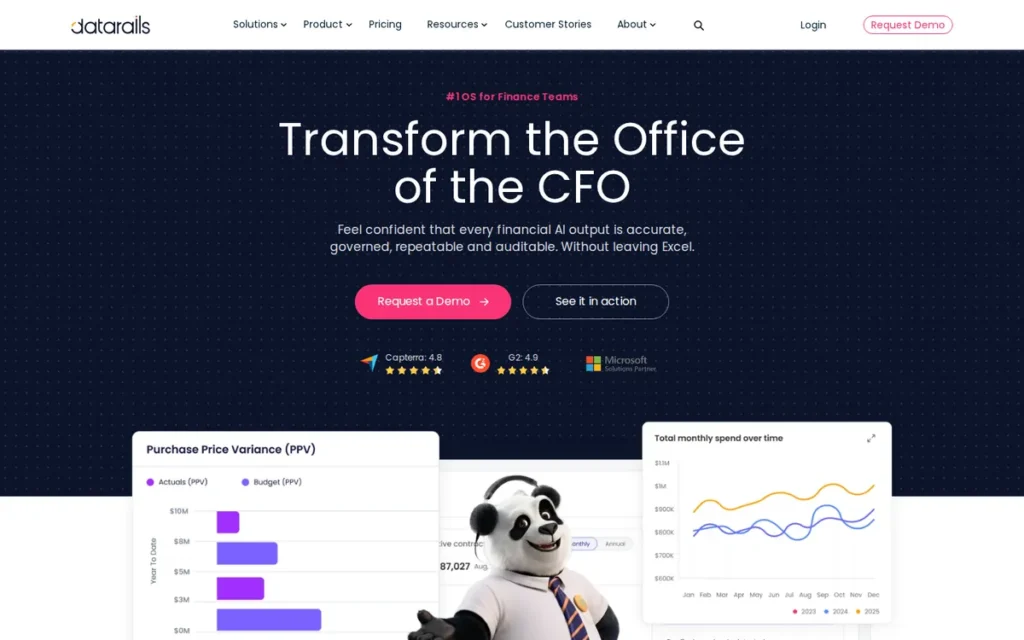
Category: Excel-Native FP&A, software that keeps Excel as the working surface and adds a central database, consolidation, and workflow behind it.
At a Glance
- Category: Excel-Native FP&A
- Best For: Excel-heavy SMB and mid-market finance teams consolidating data from multiple entities or accounting systems
- Price Range: Pricing on request; third-party estimate of about $35,000–$80,000/year for mid-market (Datarails comparison blog, 2026)
- Primary Strength: Datarails automates multi-entity consolidation around existing Excel models and holds the highest Capterra rating (4.7/5) among the full FP&A platforms evaluated.
- Biggest Limitation: Practitioners widely describe Datarails’ native dashboards as weak, and some report problems managing large data volumes and dimensions.
- One-Line Summary: Datarails is an Excel-native FP&A platform that automates consolidation, budgeting, and reporting for SMB and mid-market finance teams, with G2 and Capterra ratings of 4.6 and 4.7 out of 5 as of October 2026.
- Last Verified: October 2026
Overview
Datarails is an Excel-native FP&A platform that automates data consolidation, budgeting, forecasting, month-end close, and cash management for small and mid-market finance teams that want to keep their existing Excel models instead of rebuilding them in a browser-based system.
Datarails standardizes charts of accounts across entities through a data-mapping layer. Datarails raised a $70M Series C led by One Peak in January 2026, bringing total funding to $175M (SiliconANGLE and CFO Dive, January 2026).
Key Features
- Datarails consolidates data from multiple accounting systems and entities into existing Excel models.
- Datarails’ data-mapping layer standardizes charts of accounts across entities and subsidiaries.
- Datarails covers budgeting and forecasting, month-end close, cash management, and dashboards and storyboards.
- Datarails’ FP&A Genius AI and AI agents generate board-ready PowerPoint, PDF, and Excel outputs, according to the vendor.
- Datarails supports QuickBooks, Xero, NetSuite, and Sage Intacct, with 200+ connectors claimed in product material and 600+ listed on G2.
Best For
Datarails is best for Excel-heavy SMB and mid-market finance teams, often 1–5 people, that need to consolidate multiple entities or accounting systems without giving up their Excel workflows.
Strengths
- Datarails holds 4.7/5 from 246 Capterra reviews and 4.6/5 from 334–347 G2 reviews, the highest Capterra rating among the full FP&A platforms evaluated (Capterra and G2, October 2026).
- Datarails customer Oxford Road reduced month-end close time by 80%, and Alasko cut its budgeting process from several weeks to one day (Datarails customer stories, vendor-published and unaudited, October 2026).
- Datarails reported 70% year-over-year revenue growth in 2025, with headcount nearly doubling to 400+ (Datarails, company-reported, January 2026).
- Datarails’ Excel integration and responsive support are the themes G2 reviewers praise most consistently, and one r/FPandA user on a 3-person team said they now feel “like a rockstar” building analyses (G2, 2026; r/FPandA, 2024).
- Datarails’ cross-entity data mapping is cited by G2 reviewers as especially valuable for standardizing charts of accounts after mergers (G2, 2026).
Users on r/FPandA shared their experience:
“Depends on size of the business as well. We also have a very complicated structure, products, locations and etc. Our team was too small to maintain Anaplan, so took it off the list straight away. Workday Adaptive and Datarails were 2 main candidates. Went with Datarails in the end and really happy with the product.” Posted by u/Chemical_Teaching_28
Takeaway: Datarails wins over small finance teams with complex multi-location structures that can’t staff a heavier platform like Anaplan.
Limitations
Datarails trades visualization depth and data-volume headroom for Excel familiarity, so most Datarails buyers should plan for a separate BI tool for board reporting.
- Datarails’ dashboarding is “miles off other viz tools,” according to one r/FPandA user (r/FPandA, 2024).
- Datarails’ “dimension and data volume management” was called “a real issue” by a self-described procurement advisor on r/FPandA (r/FPandA, 2024).
- Datarails onboarding is complex according to G2 reviewers: one admin took about 6 months to feel comfortable, and others report confusion between File Boxes and Data Mapping and formulas that fail to refresh (G2, 2026).
- Datarails’ implementation was called “PAINFUL” by one practitioner, who said database tools for tasks like copying actuals into a forecast version are missing (r/FPandA, 2024).
Verdict
Datarails is the top-ranked financial analysis software in PlugRoute’s 2026 evaluation, scoring 40 of 45 as an Excel-native platform that combines native QuickBooks, Xero, NetSuite, and Sage Intacct support with a 4.7/5 Capterra rating from 246 reviews.
Datarails ranks first of seven tools on review strength, connector coverage, and named customer results, but its lead is three points or less. Datarails buyers should budget for a BI tool and compare quotes against Vena Solutions and Planful, since one practitioner says the price gap has narrowed.
Evidence note: Datarails’ customer results are vendor-published and unaudited. Gartner Peer Insights figures conflict (4.9/5 from 16 reviews vs. 4.2/5 from 20), and one pricing commenter is a self-described procurement advisor.
2. Vena Solutions: Best for Microsoft-Centric Mid-Market Teams That Want to Keep Excel Templates
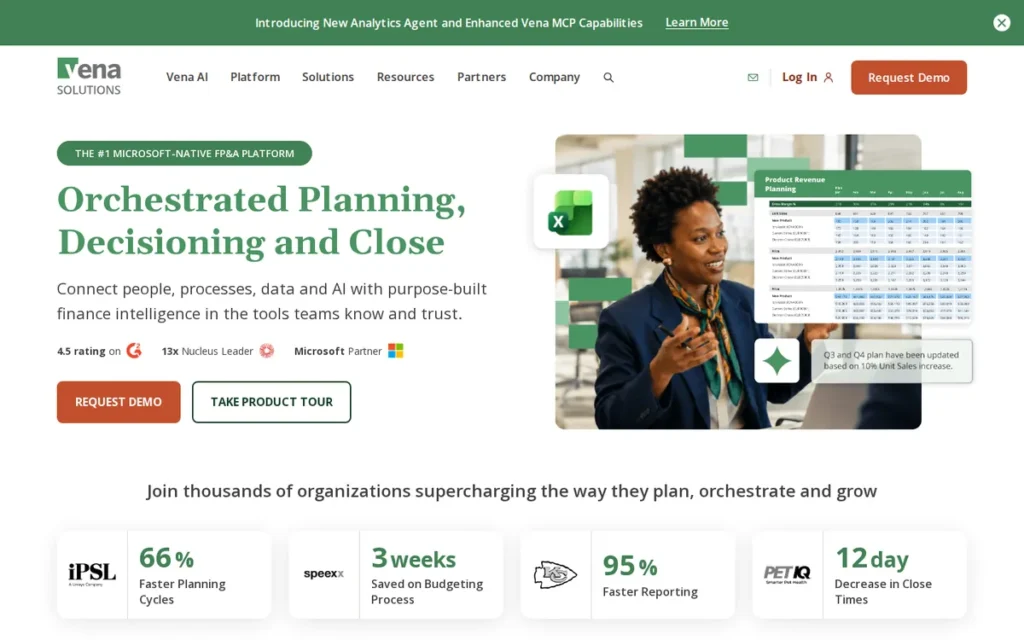
Category: Excel-Native FP&A, software that keeps Excel as the working surface and adds a central database, consolidation, and workflow behind it.
At a Glance
- Category: Excel-Native FP&A
- Best For: Mid-market finance teams on Microsoft 365 that want to keep their Excel templates
- Price Range: Pricing on request; third-party estimates range from over $60,000 to about $250,000 in the first year, including implementation (ERP Research and The Finance Weekly, 2026)
- Primary Strength: Vena Solutions keeps finance teams in their existing Excel templates while adding a central database, workflow, and consolidation, with 4.5/5 ratings on G2, Capterra, and Gartner Peer Insights.
- Biggest Limitation: Vena Solutions’ results depend heavily on the implementation partner, and practitioners report both failed rollouts that went back to Excel and successful multi-year deployments.
- One-Line Summary: Vena Solutions is an Excel-native FP&A platform for Microsoft-centric mid-market finance teams that keeps existing Excel templates while centralizing data, with 4.5/5 ratings across three major review platforms as of October 2026.
- Last Verified: October 2026
Overview
Vena Solutions is an Excel-native FP&A platform that stores planning data in its central CubeFLEX database while finance users keep working in Excel, built for Microsoft-centric mid-market teams that want budgeting, forecasting, consolidation, and workforce planning without abandoning existing templates.
Vena Solutions reports more than 2,000 customers, up from 900+ in 2021 (Vena newsroom, July 2025; TechCrunch, April 2021). Vena Solutions was founded in Toronto in 2011 (TechCrunch, April 2021).
Key Features
- Vena Solutions stores planning data in its CubeFLEX database, which combines relational storage with an in-memory engine, while users work in Excel.
- Vena Solutions covers budgeting, forecasting, financial consolidation, and workforce planning.
- Vena Solutions integrates with Power BI Embedded, Microsoft Teams, PowerPoint, and the Azure Marketplace.
- Vena Solutions offers Vena Copilot, an AI assistant for finance workflows, according to the vendor.
- Vena Solutions is sold in three tiers, Essentials, Professional, and Complete, all priced on request.
Best For
Vena Solutions is best for mid-market finance teams on Microsoft 365 that want to keep their Excel templates, will vet their implementation partner carefully, and want a system finance can own without IT.
Strengths
- Vena Solutions holds 4.5/5 on Gartner Peer Insights (378 reviews), Capterra (139), and G2, the most consistent high ratings across three platforms in this evaluation (Gartner, Capterra, and G2, October 2026).
- Vena Solutions customer Schuberg Philis cut budgeting time from four months to two weeks, and Partners in Health updated budgets 93% faster (Vena customer stories, vendor-published and unaudited, October 2026).
- Vena Solutions more than doubled its customer base, from 900+ in 2021 to 2,000+, with named customers including Coca-Cola Consolidated, Nutanix, and Volvo (Vena newsroom, July 2025).
- Vena Solutions lets teams “keep all of your templates as they are (in excel),” according to an r/FPandA user with five years on the product (r/FPandA, 2025).
- Vena Solutions is praised by G2 reviewers for being “completely owned and maintained by finance” and by Gartner reviewers for its Microsoft 365 alignment (G2 and Gartner, 2026).
Limitations
Vena Solutions keeps the Excel front end teams know, but outcomes vary widely with the implementation partner, which makes partner selection the most important decision in a Vena Solutions purchase.
- Vena Solutions was rolled out by first-time implementers at one r/FPandA user’s company, where “numerous bugs and formula errors” sent the team back to Excel (r/FPandA, 2025).
- Vena Solutions gave “very different experiences” at two companies, according to a practitioner who credits the difference to the partner (r/FPandA, 2025).
- Vena Solutions reviewers on G2 report slow loading on large templates, a hard back-end setup, months-long implementations, and a mapping learning curve, and BARC flags dependence on a few key people (G2 and BARC, 2026).
- Vena Solutions makes multi-tab workbooks that repeat the same statement, such as departmental P&Ls, difficult, according to one practitioner, though a disclosed implementation partner disputed this (r/FPandA, 2025).
Users on r/FPandA noted:
“I use Vena a the moment. It works, but I expected much more and the learning curve is brutal.” Posted by u/EnricoPallazzo_
Takeaway: Vena Solutions does the job for current users, but its steep learning curve for building templates and reports can leave teams underwhelmed relative to expectations.
Verdict
Vena Solutions ranks second in PlugRoute’s 2026 evaluation with 38 of 45 points, keeping existing Excel templates as the working surface over its CubeFLEX database for Microsoft-centric mid-market teams.
Vena Solutions places second of seven on strong ratings, full Excel compatibility, and named customer results. Vena Solutions trails Datarails on documented connectors and first-year cost. Buyers should insist on a live build and a named, experienced implementation team.
Evidence note: Vena Solutions’ customer results are vendor-published and unaudited. Vena’s own Reddit search could not be read, so quotes come from other r/FPandA threads. G2 counts differ by source (476 vs. 371), and one defender is a disclosed implementation partner.
3. Planful: Best for Planning and Consolidation in One Platform
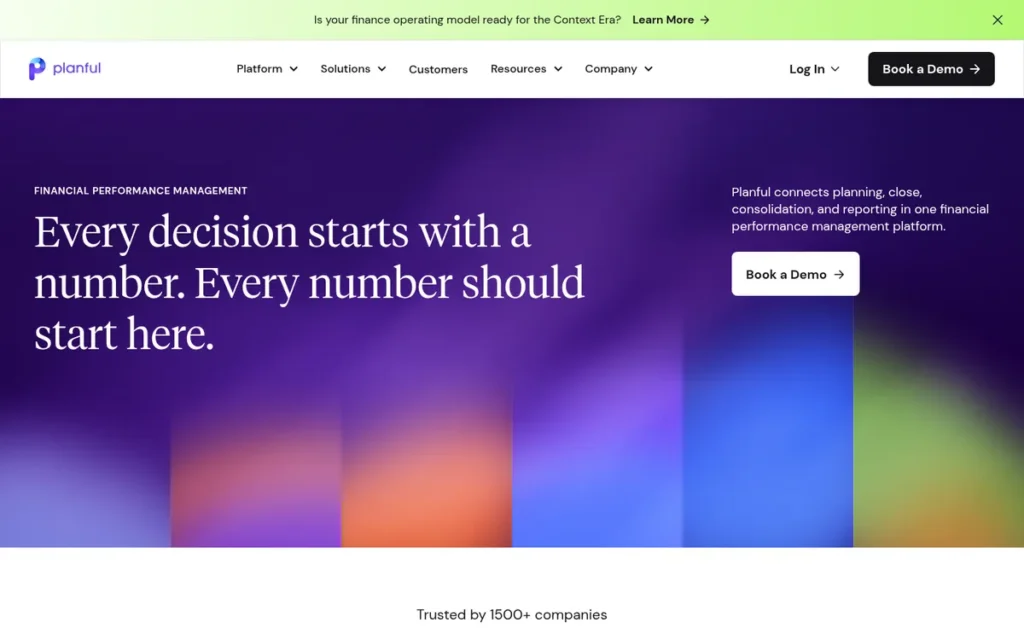
Category: Browser-Based Planning Platform, a cloud multidimensional system that replaces spreadsheets as the main planning and consolidation engine.
At a Glance
- Category: Browser-Based Planning Platform
- Best For: Mid-market and upper-mid-market finance teams needing budgeting, forecasting, consolidation, and reporting in one system
- Price Range: Pricing on request; no reliable third-party benchmark found (October 2026)
- Primary Strength: Planful combines planning, consolidation and close, and reporting in one platform, with several named, vendor-published customer results.
- Biggest Limitation: BARC describes Planful’s user experience as somewhat dated, and G2 reviewers report long implementations and slow processing on large datasets.
- One-Line Summary: Planful is a mid-market financial performance management platform that unifies budgeting, forecasting, consolidation, and reporting, with several named, vendor-published customer results as of October 2026.
- Last Verified: October 2026
Overview
Planful is a cloud financial performance management platform that combines budgeting, driver-based forecasting, financial consolidation and close, and reporting in one product, built for mid-market and upper-mid-market finance teams that want planning and consolidation without stitching separate tools together.
Planful reports more than 1,500 customers in over 100 countries, including Bose and the Boston Red Sox (G2, October 2026). Planful started as Host Analytics in 2001 and is owned by Vector Capital (Planful company information, October 2026).
Key Features
- Planful supports both structured planning and dynamic, driver-based planning for budgets and rolling forecasts.
- Planful includes financial consolidation and close, and its separately sold Consolidation Premium module handles more complex requirements.
- Planful’s Spotlight add-in lets finance users build reports and analysis in Excel connected to Planful data.
- Planful integrates with NetSuite, Sage Intacct, Microsoft Dynamics, and QuickBooks.
- Planful offers AI-assisted forecasting through Planful AI/Predict, according to the vendor.
Best For
Planful is best for mid-market finance teams, including technical FP&A teams of around five people, that want planning, consolidation, and reporting in one platform and will pay more than lighter Excel-native tools cost.
Strengths
- Planful customer CalCPA cut monthly reporting time by 90%, from 8 hours to 30 minutes, and Resource One Credit Union cut budget-building time by 84%, from 24 hours to 4 hours (Planful customer stories, vendor-published and unaudited, October 2026).
- Planful customer Golden State Foods saved nearly 3 days of monthly effort and cut quarterly business-review prep from 2 weeks to 1 week (Planful customer story, vendor-published and unaudited, October 2026).
- Planful customer Mi Hub cut close time by 30%, saving about 3 days a month (Planful customer story, vendor-published and unaudited, October 2026).
- Planful has the highest G2 review volume of the seven products, at 4.3/5 from 509 reviews, plus 4.4/5 from 229 Gartner Peer Insights reviews (G2 and Gartner, October 2026).
- Planful is recommended by r/FPandA practitioners for teams that need something “more robust and structured” than Cube or Datarails (r/FPandA, 2025).
Limitations
Planful trades user experience and rollout speed for single-platform depth, and BARC says Planful’s design and user experience “can feel somewhat dated” (BARC, 2026).
- Planful users on G2 report a learning curve, slow processing on large datasets, long implementations, and ongoing reliance on consultants (G2, 2026).
- Planful draws only lukewarm enthusiasm from some practitioners; one r/FPandA veteran said simply, “Planful is alright” (r/FPandA, 2025).
- Planful may need the separately sold Consolidation Premium module for complex consolidation, and BARC notes that some users want better native scheduled ERP loads (BARC, 2026).
- Planful costs more than Cube and Datarails, according to r/FPandA users, and no reliable third-party price benchmark exists (r/FPandA, 2025).
This aligns with community sentiment on r/FPandA:
“I’m on Planful now and wouldn’t recommend it. So much of this comes down to how it’s implemented, but for us, we grew past Planful before we implemented it so likely just made the cheapest wrong choice possible.” Posted by u/Alabatman
Takeaway: Planful can be outgrown before implementation is even finished, so buyers should check its fit against where their organization will be in a few years, not just where it is today.
Verdict
Planful is the strongest single-platform choice in PlugRoute’s 2026 rankings for mid-market teams that want planning, consolidation, and reporting in one system, scoring 37 of 45.
Planful ranks third of seven tools, one point behind Vena Solutions, because it scores lower on spreadsheet compatibility and verified ratings. Planful buyers should budget for a quote-based price and a longer implementation, and ask for a live build on their own consolidation edge cases.
Evidence note: Planful’s customer results are vendor-published and unaudited. Planful’s own Reddit search returned off-topic threads, so practitioner quotes come from other r/FPandA discussions.
4. Anaplan: Best for Large Enterprises Running Cross-Functional Connected Planning at Scale
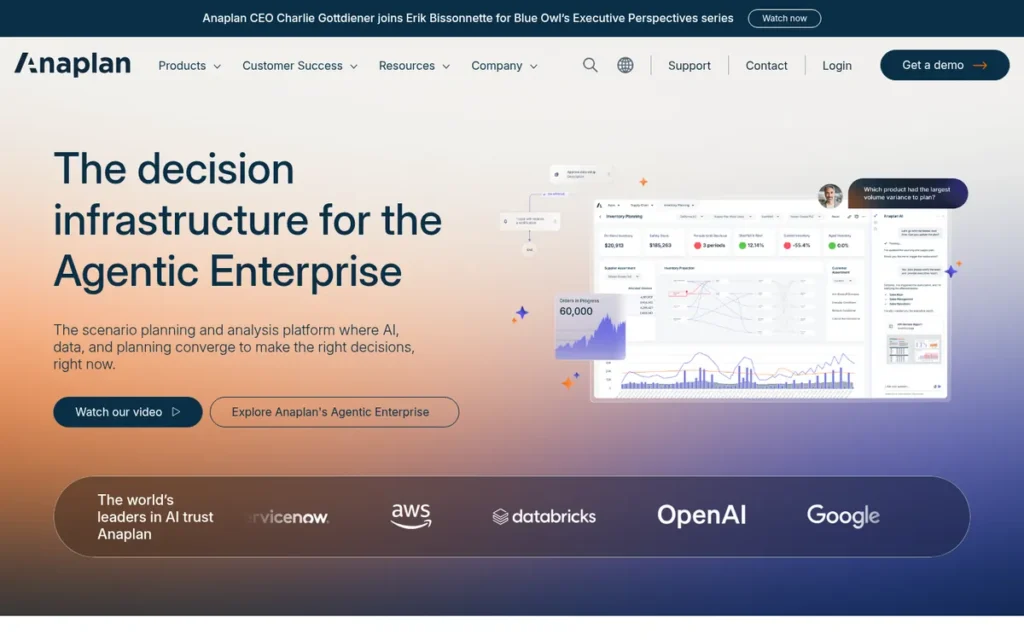
Category: Browser-Based Planning Platform, a cloud multidimensional system that replaces spreadsheets as the main planning and consolidation engine.
At a Glance
- Category: Browser-Based Planning Platform
- Best For: Large enterprises planning across finance, sales, workforce, and supply chain, with budget for certified model builders
- Price Range: Pricing on request; Vendr median of $114,609/year across 67 purchases; CostBench estimates of about $30,000 to $1.15M/year (2026)
- Primary Strength: Anaplan offers the broadest cross-functional planning scope of the seven tools evaluated, and r/FPandA practitioners cite it as the tool that stays responsive at 10M+ rows.
- Biggest Limitation: Anaplan has the highest benchmarked cost and complexity of the tools evaluated and usually needs certified model builders and a separate BI tool.
- One-Line Summary: Anaplan is an enterprise connected-planning platform that links finance with sales, workforce, and supply chain models at large scale, with a Vendr median spend of about $115,000 a year as of 2026.
- Last Verified: October 2026
Overview
Anaplan is an enterprise connected-planning platform that links finance, sales, workforce, supply chain, and operations models on its Hyperblock and Polaris engines, built for large organizations that need cross-functional scenario planning at data volumes where practitioners say spreadsheet-based tools struggle.
Anaplan holds 4.5/5 from 786 Gartner Peer Insights ratings (Gartner, October 2026). Anaplan was founded in 2006 (Gartner Peer Insights, October 2026).
Key Features
- Anaplan links finance planning with sales, workforce, supply chain, and operations models in one connected-planning platform.
- Anaplan runs on two engines: Hyperblock, and Polaris, which is designed for very large models with mostly empty cells.
- Anaplan supports multidimensional scenario modeling, which G2 reviewers consistently praise.
- Anaplan is sold in four tiers, Basic, Professional, Enterprise, and Ultimate, all priced on request.
- Anaplan has a large ecosystem of certified model builders and implementation partners.
Best For
Anaplan is best for large enterprises that plan across several functions, handle very large data volumes, and can fund a dedicated in-house or partner modeling team.
Strengths
- Anaplan has the largest single-platform review base in this evaluation, with 4.5/5 from 786 Gartner Peer Insights ratings and 4.6/5 from roughly 395–458 G2 reviews (Gartner and G2, October 2026).
- Anaplan customer Autodesk reportedly reduced forecast roll-up time by 80%, and LinkedIn cut territory planning from 34 days to 8 days (third-party and partner case studies, October 2026).
- Anaplan was named by an r/FPandA practitioner as the only tool in a Cube, Datarails, Vena, and Anaplan comparison that would “scale and be responsive” at 10M+ rows (r/FPandA, 2025).
- Anaplan’s multidimensional scenario modeling and cross-functional planning are the capabilities G2 reviewers praise most often (G2, 2026).
- Anaplan supports leading-edge cross-functional automation, according to an r/FPandA user who runs an Anaplan model-development team (r/FPandA, 2024).
Limitations
Anaplan’s scale comes at the highest benchmarked cost and complexity of any tool evaluated, with a Vendr median spend of $114,609 a year and a usual need for certified model builders (Vendr, October 2026).
- Anaplan reviewers on G2 report a steep learning curve, reliance on consultants, slow large models, hard-to-debug formulas, and limited dashboard formatting, so many teams still use Power BI or Tableau (G2, 2026).
- Anaplan Classic workspaces reportedly max out at about 130 GB, which forces large models to be split (Airframe.ai, 2026).
- Anaplan’s model building, integration, and administration cost extra on top of the subscription (CostBench, 2026).
- Anaplan divides practitioners: one r/FPandA user called it “crazy expensive” with “bad performance,” and TrustRadius reviewers call it “complex and expensive” for smaller needs (r/FPandA, 2025; TrustRadius, 2026).
Users on r/FPandA noted:
“Once you have organised your data, it’s pretty simple to build models. In Anaplan, think of them as mini pivot tables. The problem is that it’s a little too easy and very quickly you have a lot of mini models that no one knows how they link together and you use up a lot of storage/ get performance issues. Obviously, it is possible to overcome this with the right governance and build strategy.” Posted by u/tanbirj
Takeaway: Anaplan’s easy model building turns into sprawl, storage, and performance problems unless teams enforce model governance from the start.
Verdict
Anaplan is the strongest choice in PlugRoute’s 2026 rankings for large enterprises running cross-functional connected planning, and it is also the most expensive and complex tool evaluated, scoring 34 of 45.
Anaplan ranks fourth of seven tools because of its cost score (C6 = 1) and spreadsheet-compatibility score (C4 = 2), not weak capability. Teams without a dedicated modeling resource should look elsewhere, and Anaplan buyers should budget separately for a BI tool.
Evidence note: Anaplan’s named customer results come mostly from third-party and partner pages. G2 review counts vary by page (395–458), and the 130 GB limit comes from third-party analysis.
5. Cube: Best Value for Lean Finance Teams Working in Excel or Google Sheets
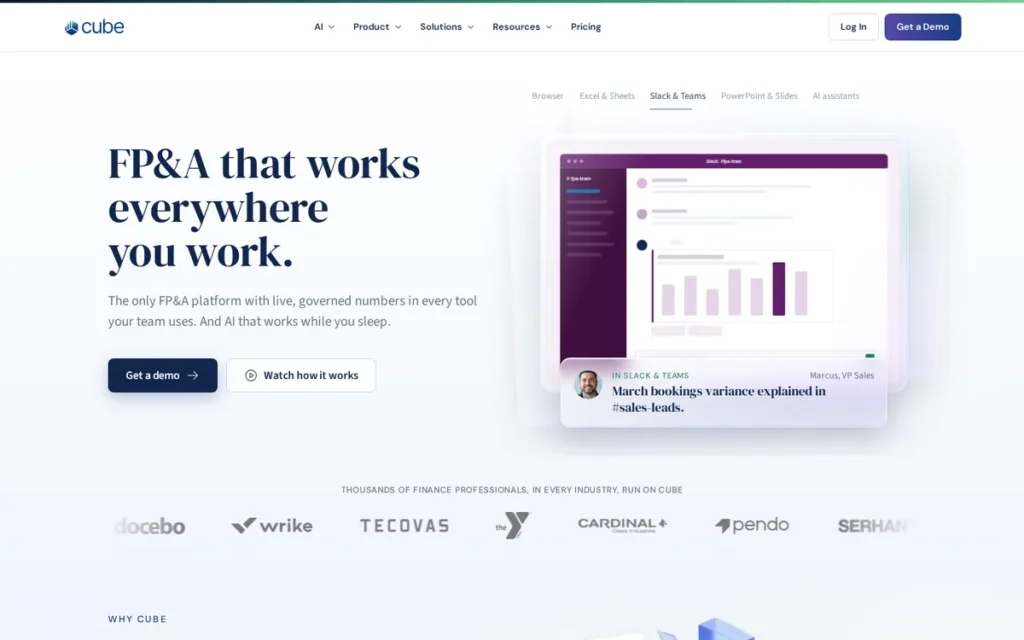
Category: Spreadsheet-Native FP&A, software that syncs both ways between Excel or Google Sheets and a central multidimensional data cube.
At a Glance
- Category: Spreadsheet-Native FP&A
- Best For: Lean finance teams of 1–5 people who want to keep working in Excel or Google Sheets
- Price Range: Custom pricing; reported starting price of about $1,250/month; Vendr median of $22,098/year across 58 purchases, range of about $12,800–$34,200 (Vendr, October 2026)
- Primary Strength: Cube is the only tool evaluated with native two-way sync for both Excel and Google Sheets, at the lowest benchmarked entry cost among the enterprise-capable FP&A tools reviewed.
- Biggest Limitation: Cube offers lighter modeling and consolidation than full platforms, and practitioners report manual mapping and turnover on the implementation team.
- One-Line Summary: Cube is a spreadsheet-native FP&A tool that syncs Excel and Google Sheets to a central data cube for budgeting, forecasting, and reporting, with a Vendr median contract of about $22,000 a year as of 2026.
- Last Verified: October 2026
Overview
Cube is a spreadsheet-native FP&A tool that syncs both ways between Excel or Google Sheets and a central multidimensional cube, built for lean finance teams that want budgeting, rolling forecasts, scenarios, and reporting without leaving their spreadsheets.
Cube customers include Acorns, Hinge Health, and Wealthfront (TechCrunch, June 2022). Cube was founded in 2018 in New York and raised $20M in March 2024 (Cube, March 2024).
Key Features
- Cube syncs both ways between Excel or Google Sheets and a central multidimensional data cube.
- Cube supports budgeting, rolling forecasts, scenario analysis, and budget-versus-actual reporting.
- Cube’s AI analyst answers questions such as actual versus plan inside Slack and Microsoft Teams, according to the vendor.
- Cube integrates with NetSuite, QuickBooks, Salesforce, and HRIS tools as data sources.
- Cube publishes reports and analysis to PowerPoint and Google Slides.
Best For
Cube is best for lean finance teams of 1–5 people, including Google Workspace companies, that want forecasts, budget-versus-actuals, and quick what-ifs without rebuilding their spreadsheet models.
Strengths
- Cube customer Edge Fitness Clubs reports spending 50% less time on key FP&A tasks, saving about 10 hours a week and roughly $300,000 a year (Cube customer story, vendor-published and unaudited, October 2026).
- Cube has the most concrete price benchmark among the enterprise-capable tools evaluated: a Vendr median of $22,098 a year across 58 purchases (Vendr, October 2026).
- Cube holds 4.6/5 from 79 Capterra reviews and 4.5/5 from 133 G2 reviews, where reviewers call it “much more affordable than competitors” (Capterra and G2, October 2026).
- Cube was described by an r/FPandA user who left Workday Adaptive Planning as “way easier to set up” and “great for forecasts, budget vs actuals, and quick what-ifs” (r/FPandA, 2025).
- Cube cut custom lender and partner reports from nearly a week to minutes, according to one G2 reviewer (G2, 2026).
Limitations
Cube’s lightweight approach trades depth for speed and cost: practitioners say Cube is “not as deep for complex modeling,” with lighter consolidation than Planful or Workday Adaptive Planning (r/FPandA, 2025).
- Cube needs templates built before it delivers value; one r/FPandA user said “the strength of Cube is also its weakness,” and others called vendor mapping “very manual” (r/FPandA, 2025).
- Cube implementations drew several practitioner complaints about implementation-team turnover that caused delays and rework (r/FPandA, 2025).
- Cube reviewers on Capterra mention manual syncs, difficulty tying out balance-sheet and cash-flow formulas, and one 18-hour data load that failed (Capterra, 2026).
Verdict
Cube is the best-value financial analysis software in PlugRoute’s 2026 rankings for lean finance teams and the only tool reviewed with native two-way sync for both Excel and Google Sheets, scoring 33 of 45.
Cube ranks fifth of seven tools because of lighter modeling depth (C1 = 3) and one named customer result (C3 = 3). Cube’s Vendr median of about $22,000 a year makes it the most budget-predictable enterprise-capable tool. Buyers should get named implementation staff in writing.
Evidence note: Cube’s Edge Fitness Clubs result is vendor-published and unaudited. Several near-identical positive Reddit comments about Cube were excluded as possibly inorganic.
6. Workday Adaptive Planning: Best for Workday HCM/Financials Customers and Multi-Entity Groups

Category: Browser-Based Planning Platform, a cloud multidimensional system that replaces spreadsheets as the main planning and consolidation engine.
At a Glance
- Category: Browser-Based Planning Platform
- Best For: Enterprises and upper-mid-market groups running Workday HCM or Financials, and multi-entity organizations
- Price Range: Pricing on request; per-user billing with a free trial and no free version; no reliable third-party benchmark found (Capterra, October 2026)
- Primary Strength: Workday Adaptive Planning offers strong multi-entity consolidation and ERP data loading, with the tightest workforce-planning alignment for Workday HCM customers.
- Biggest Limitation: Practitioners describe Workday Adaptive Planning as weak for complex modeling, and its own formula syntax creates friction for Excel users.
- One-Line Summary: Workday Adaptive Planning is an enterprise planning platform for driver-based budgeting, rolling forecasts, workforce planning, and multi-entity consolidation, strongest for organizations already on Workday HCM or Financials.
- Last Verified: October 2026
Overview
Workday Adaptive Planning is an enterprise planning platform for driver-based budgeting, rolling forecasts, workforce planning, reporting, and unlimited what-if scenarios, built for upper-mid-market and enterprise organizations, especially those already running Workday HCM or Workday Financials.
Workday Adaptive Planning had more than 3,800 customers in about 50 countries when Workday acquired it for about $1.55 billion in 2018 (Workday Newsroom, June 2018). Workday Adaptive Planning runs on Elastic Hypercube Technology (Workday product page, October 2026).
Key Features
- Workday Adaptive Planning supports driver-based budgeting, rolling forecasts, workforce planning, and unlimited what-if scenarios.
- Workday Adaptive Planning runs on Elastic Hypercube Technology, an in-memory multidimensional engine.
- Workday Adaptive Planning’s separately sold consolidation add-on provides intercompany eliminations, currency translation, account reconciliation, and audit trails.
- Workday Adaptive Planning’s OfficeConnect links plan data to Excel and PowerPoint reports.
- Workday Adaptive Planning feeds headcount and compensation data from Workday HCM directly into workforce plans.
Best For
Workday Adaptive Planning is best for organizations on Workday HCM or Financials and for multi-entity groups that need to consolidate many subsidiaries’ trial balances into a parent view.
Strengths
- Workday Adaptive Planning holds 4.5/5 from 235 Capterra reviews, with users praising modeling, ERP connectivity, scenario analysis, and reporting (Capterra, October 2026).
- Workday Adaptive Planning holds about 4.3/5 on G2, where reviewers praise ease of use for everyday planners and collaboration (G2, October 2026).
- Workday Adaptive Planning was called “incredible” for multi-site operations with independent reporting entities by a multi-year r/FPandA user, who said its APIs were “really good at getting to your ERP” (r/FPandA, 2024).
- Workday Adaptive Planning’s workforce planning is praised by Gartner Peer Insights reviewers and gains extra value from native Workday HCM headcount data (Gartner, 2026).
- Workday Adaptive Planning integrates natively with NetSuite, Sage Intacct, Salesforce, Microsoft Dynamics 365, and Oracle Cloud Financials (Capterra, October 2026).
Limitations
Workday Adaptive Planning puts cross-entity consolidation ahead of modeling flexibility, and one r/FPandA user doing ARR and capacity modeling called it “excel on a cloud for consolidation” (r/FPandA, 2024).
- Workday Adaptive Planning “doesn’t do non-linear math or regression analysis,” according to a long-time user who otherwise praised it (r/FPandA, 2024).
- Workday Adaptive Planning feels “a bit too heavy and slow” to some mid-size teams, and its own formula syntax “creates a lot of friction for users who are used to excel formulas” (r/FPandA, 2025).
- Workday Adaptive Planning reviewers on G2 report hard-to-use dashboards, manual upkeep of date settings, slow large sheets, and difficulty training new hires (G2, 2026).
- Workday Adaptive Planning connects to QuickBooks only through third parties, and Gartner reviewers note limited third-party integrations and a weak mobile experience (Capterra and Gartner, 2026).
Verdict
Workday Adaptive Planning is the best fit in PlugRoute’s 2026 rankings for organizations already on Workday HCM or Financials and for multi-entity groups that care more about consolidation than complex modeling, scoring 29 of 45.
Workday Adaptive Planning ranks sixth of seven tools because consolidation is an add-on, QuickBooks needs a third-party connector, and no quantified customer result was found. Companies not on Workday should compare Workday Adaptive Planning directly with Planful.
Evidence note: Workday Adaptive Planning’s Reddit search was only partly readable. No quantified customer result was found as of October 2026.
7. Fathom: Best for Small Businesses and Accounting Firms on QuickBooks or Xero
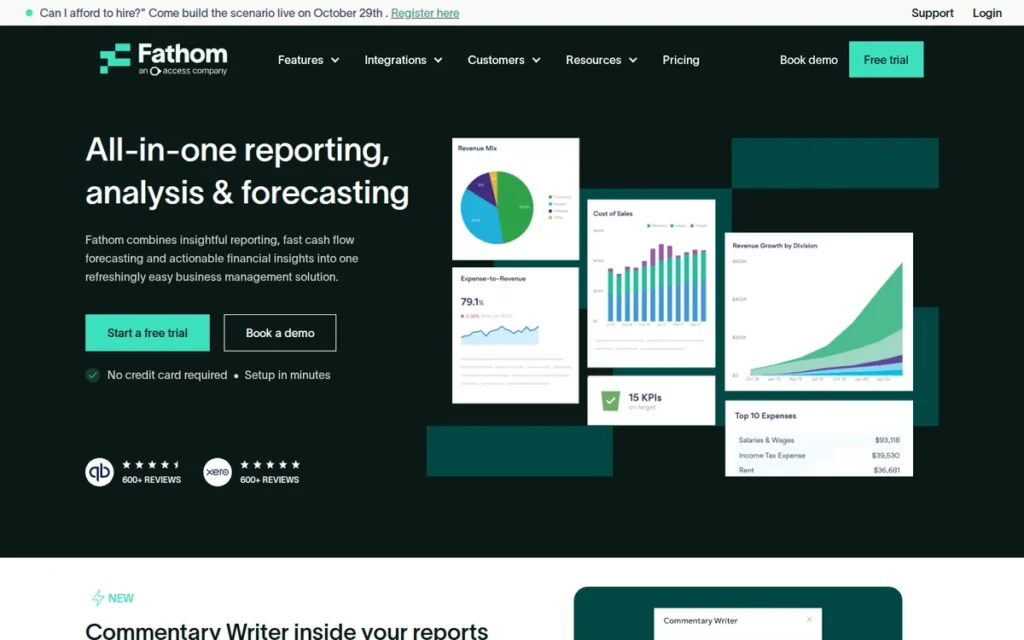
Category: Accounting Reporting Layer, software that sits on top of accounting systems like QuickBooks or Xero and adds KPIs, forecasts, and management reports.
At a Glance
- Category: Accounting Reporting Layer
- Best For: Small businesses, small multi-entity groups, and accounting or advisory firms using QuickBooks or Xero
- Price Range: Public pricing: $59/month for 1 company (Starter) to $450/month for 25 companies (Gold), no required contract, 14-day free trial (fathomhq.com/pricing, October 2026)
- Primary Strength: Fathom generates KPI dashboards, three-way forecasts, and consolidated management reports from QuickBooks and Xero data, and it is the only tool evaluated with public pricing.
- Biggest Limitation: Fathom is not full FP&A software, and reviewers report rigid templates, weak handling of accruals, and no weekly or 13-week cash view.
- One-Line Summary: Fathom is a reporting and forecasting layer for QuickBooks and Xero users that produces KPI dashboards, three-way forecasts, and multi-entity management reports, and it is the only tool in PlugRoute’s 2026 evaluation with public pricing.
- Last Verified: October 2026
Overview
Fathom is a management reporting, KPI, and forecasting tool that sits on top of accounting software such as Xero and QuickBooks, built for small businesses and accounting firms that need board reports, three-way forecasts, and multi-entity consolidation without adopting a full FP&A platform.
Fathom holds a 5.0/5 rating from 621 Xero App Store reviews (Xero App Store, October 2026). Fathom was founded in Brisbane, Australia, in 2012 and is an official Xero partner (Fathom About page, October 2026).
Key Features
- Fathom provides 50+ prebuilt KPIs plus custom KPI formulas for management reporting.
- Fathom produces three-way forecasts covering the P&L, balance sheet, and cash flow, with scenario modeling.
- Fathom consolidates multiple entities with intercompany eliminations and FX translation.
- Fathom integrates natively with Xero, QuickBooks Online and Desktop, MYOB, Sage, and FreeAgent, and imports data from Excel and Google Sheets.
- Fathom’s AI Commentary Writer drafts narrative commentary for reports, according to the vendor.
Best For
Fathom is best for small businesses and accounting or advisory firms on QuickBooks or Xero that need board-ready management reports and cash-flow forecasts rather than full budgeting and planning workflows.
Strengths
- Fathom holds 5.0/5 from 621 Xero App Store reviews, the strongest small-business marketplace rating in this evaluation (Xero App Store, October 2026).
- Fathom is the only one of the seven products with public, self-serve pricing, while a review of 8 leading FP&A vendors found that none published standard pricing (Pigment, 2026).
- Fathom holds 4.6–4.7/5 on G2 (123–156 reviews), where reviewers praise its handling of complex consolidation with eliminations and non-controlling interests (G2, October 2026).
- Fathom is described by an r/Accounting practitioner as “great for board decks, slick visuals,” with consolidation that “works well” (r/Accounting, 2025).
- Fathom reduced consolidated multi-entity management accounts once built in Excel to “a matter of minutes,” according to one Xero App Store reviewer (Xero App Store, 2026).
Limitations
Fathom trades flexibility and planning depth for templated reports, and an r/Accounting user warned that “if your clients want to modify report logic or build something unique, this won’t cut it” (r/Accounting, 2025).
- Fathom felt “more rigid” in layouts and metrics to one buyer, who chose LiveFlow instead (r/Accounting, 2025).
- Fathom reviewers on G2 report shallow formatting control, unreliable microforecasts, weak handling of accrual-heavy items like revenue recognition, and chart-of-accounts changes that need manual updates (G2, 2026).
- Fathom has no weekly or 13-week cash view, does not offer full budgeting workflows, and its consolidation is not audit-ready (Capterra, 2026).
- Fathom’s costs rise as accounting firms add clients or groups add entities, according to reviewers (Capterra, 2026).
Verdict
Fathom is the best financial analysis software for small businesses on QuickBooks or Xero in PlugRoute’s 2026 rankings, and the only tool evaluated with public pricing, starting at $59 a month.
Fathom ranks seventh of seven tools, with 28 of 45 points, because it is a reporting layer rather than full FP&A, not because it underperforms in its category. Fathom users have likely outgrown it when they need departmental budget workflows, a 13-week cash view, or custom accrual logic.
Evidence note: Fathom’s Capterra review counts conflict (32 vs. 810), and the Trustpilot “Fathom” listing belongs to the unrelated fathom.video. No named quantified customer result was found as of October 2026.
Which Financial Analysis Software Works Best With Excel and Google Sheets?
Vena Solutions and Datarails work best for teams committed to Excel, and Cube is the only tool evaluated with native two-way sync for both Excel and Google Sheets. Planful and Workday Adaptive Planning connect through Excel add-ins, Anaplan largely replaces spreadsheets, and Fathom only imports spreadsheet data.
Spreadsheet compatibility matters because 45% of organizations still rely mainly on spreadsheets for planning, down from 60% in 2022 (FP&A Trends Survey, 2025). Here is what happens to a 12-tab departmental P&L workbook in each tool:
- Vena Solutions keeps the workbook in Excel and moves its data to the CubeFLEX database, though one practitioner reports that repeating the same statement across tabs is hard in Vena Solutions.
- Datarails keeps the workbook in Excel and adds consolidation and chart-of-accounts mapping behind it.
- Cube syncs the workbook both ways with its data cube, in either Excel or Google Sheets.
- Planful rebuilds the workbook in the browser, and finance users reach the data through the Spotlight Excel add-in.
- Workday Adaptive Planning rebuilds the workbook in the browser and links it to Excel and PowerPoint through OfficeConnect, but its own formula syntax creates friction.
- Anaplan rebuilds the workbook as a browser-based multidimensional model.
- Fathom replaces the workbook with templated reports and imports Excel and Google Sheets data without two-way sync.
How Much Does Financial Analysis Software Really Cost in 2026?
Financial analysis software costs from $59 a month for one company on Fathom’s Starter plan to a Vendr median of $114,609 a year for Anaplan (2026). Cube’s Vendr median is $22,098 a year. Six of seven vendors quote on request, and implementation typically adds 30–50% of first-year subscription cost.
Anaplan’s Vendr median of $114,609 a year is roughly five times Cube’s $22,098 median, so choosing an architecture category is also choosing a budget tier (Vendr, October 2026).
| Budget Band | Best Fit | Evidence (2026) |
|---|---|---|
| $59–$450/month (1–25 companies) | Fathom | Public pricing at fathomhq.com/pricing |
| About $13K–$34K/year | Cube | Vendr median $22,098 (58 purchases) |
| About $35K–$80K/year | Datarails | Third-party mid-market estimate; Professional tier reportedly includes 1 integration and 2 users |
| Over $60K to about $250K first year | Vena Solutions | ERP Research and The Finance Weekly estimates |
| Quote only | Planful | No reliable benchmark; r/FPandA users place it above Cube and Datarails |
| Quote only | Workday Adaptive Planning | Per-user billing; no reliable benchmark |
| About $30K–$1.15M/year | Anaplan | Vendr median $114,609 (67 purchases); CostBench estimates |
The quoted subscription is not the first-year cost. A $60,000 subscription typically becomes $78,000–$90,000 in year one once implementation is added, before any separate BI tool or consolidation add-on (FinanceCopilotHQ, Centage, and Aleph, accessed October 2026).
Datarails prices have “increased significantly” toward Vena Solutions and Planful levels, according to a self-described procurement advisor on r/FPandA (r/FPandA, 2024). Implementation timelines also differ by tool type (FinanceCopilotHQ, Centage, and Aleph, accessed October 2026):
- Lightweight or Excel-adjacent tools typically take 4–8 weeks to implement.
- Mid-market tools typically take 8–16 weeks, at about $40K–$200K per year.
- Enterprise tools typically take 6–18 months, at $150K to $1M+ per year, and complex projects can cost 1–3 times the license.
What Red Flags Should I Watch For When Evaluating Financial Analysis Software?
The biggest red flags in financial analysis software evaluations are vendor behaviors that predict a failed implementation. Practitioners on r/FPandA name six patterns across Vena Solutions, Cube, Datarails, and Workday Adaptive Planning, and each is cheaper to catch before signing than after go-live (r/FPandA, 2024–2025).
Red Flag #1: Scripted Demo Instead of a Live Build A vendor that only shows prepared demos is hiding how its software handles your real data, edge cases, and chart of accounts. One r/FPandA practitioner advised buyers to insist on a live build: “Make sure they do it live or else it’s all bullshit” (r/FPandA, 2025).
This aligns with community sentiment on r/FPandA:
“everyone should know not to take ranking websites at face value already. The only way to really know how good a software is going so work for you is by taking it for a test drive imho.” Posted by u/japanese711
Takeaway: FP&A practitioners see hands-on testing as the only reliable way to judge financial analysis software, because ranking sites and polished demos can be shaped by vendor interests.
Red Flag #2: First-Time or High-Turnover Implementation Team An inexperienced or rotating implementation team is one of the most frequently reported causes of failed FP&A rollouts on r/FPandA. Practitioners describe failed Vena Solutions and Cube projects run by first-time implementers or by teams whose constant turnover caused delays and rework (r/FPandA, 2025).
Red Flag #3: Post-Go-Live Support Billed Separately Support billed separately after go-live can push total cost well above the quoted subscription, and it rarely appears in the first proposal. Datarails buyers on r/FPandA report that post-implementation support may cost extra, so get support terms in writing before comparing any quotes (r/FPandA, 2024).
Red Flag #4: Consolidation Sold as an Add-On Module Consolidation sold as an add-on means the quoted price may not cover multi-entity close, eliminations, or currency translation. Workday Adaptive Planning sells consolidation as a separate add-on, and Planful’s Consolidation Premium module for complex requirements is a separate purchase (Workday Marketplace and G2, October 2026).
Red Flag #5: Native Dashboards That Need a Separate BI Tool Weak native dashboards force finance teams to budget for Power BI or Tableau to produce board-ready reporting. Reviewers criticize the native visuals in Anaplan, Datarails, and Workday Adaptive Planning, and many Anaplan customers still run executive reporting in a separate BI tool (G2, 2026).
Red Flag #6: Third-Party-Only Connector for Your Accounting System A third-party-only connector for your accounting system adds integration risk, an extra vendor, and extra cost. Workday Adaptive Planning, for example, connects to QuickBooks only through third-party tools or partners, while Fathom and Planful list native QuickBooks integrations (Capterra and G2, October 2026).
What Questions Should I Ask Before Choosing Financial Analysis Software?
Before choosing financial analysis software, ask vendors to prove fit on your own data, name the people who will implement it, confirm native forecasting methods and connectors, explain what happens to your Excel workbooks, and itemize first-year cost. These seven questions cover gaps that review-site rankings and vendor marketing usually leave out.
Question #1: Can you build our hardest edge case live in a proof of concept? A strong answer is a scheduled live build that uses your actual consolidation or modeling edge cases, not a prepared demo dataset. Practitioners on r/FPandA recommend demanding a proof of concept built on your hardest scenario before signing, because it exposes mapping and performance limits early (r/FPandA, 2025).
Question #2: Which named staff will implement us, and what support is included after go-live? A strong answer names specific, experienced implementers and puts post-go-live support terms in writing. Practitioners report that implementation-team quality strongly affects success across Vena Solutions, Cube, Datarails, and Workday Adaptive Planning, with the same software producing very different outcomes at different companies (r/FPandA, 2024–2025).
Question #3: Does the tool support driver-based, rolling, three-way, and 13-week cash forecasting? A strong answer confirms which of these forecasting methods are native, because method affects speed. Twenty percent of teams using driver-based models finish forecasts in under 2 days, while 38% of teams using static models take more than 10 days (FP&A Trends Survey, 2025).
Coverage varies by tool. Fathom, for example, offers three-way forecasting but no weekly or 13-week cash view (Capterra, 2026).
Question #4: Is our accounting or ERP connector native or third-party? A strong answer confirms a native, vendor-maintained connector for your specific accounting system or ERP. Fathom and Planful list native QuickBooks integrations, Datarails supports QuickBooks, Xero, NetSuite, and Sage Intacct, and Workday Adaptive Planning depends on third parties for QuickBooks (G2 and Capterra, October 2026).
Question #5: What happens to our existing Excel workbooks and formulas? A strong answer explains whether your workbooks are kept, synced, or rebuilt, and who rebuilds them. Vena Solutions and Datarails keep Excel models as the front end, Cube syncs both ways with Excel and Google Sheets, and Anaplan replaces spreadsheets with browser-based models (G2, October 2026).
Question #6: What is the total first-year cost including implementation, add-ons, and BI? A strong answer itemizes subscription, implementation, add-on modules, support, and any BI tool you will need. Implementation alone typically adds 30–50% of first-year subscription cost, and complex enterprise projects can cost 1–3 times the license (FinanceCopilotHQ, Centage, and Aleph, accessed October 2026).
Question #7: Can finance run this without IT? A strong answer shows finance staff maintaining models, mappings, and reports themselves, with more than one trained admin. Practitioners want a tool “finance can run without IT,” and BARC flags key-person dependence for Vena Solutions, while Anaplan usually needs dedicated model builders (r/FPandA, 2025; BARC, 2026).
How Should I Build a Shortlist of Financial Analysis Software?
Build a shortlist of financial analysis software by choosing your category first, then narrowing to two tools, then testing both on your hardest real scenario before negotiating. This four-step sequence keeps rank, vendor marketing, and polished demos from deciding a purchase that implementation quality will ultimately determine.
- Step 1 is to pick your category from the four categories above, based on how much of your Excel workflow must survive.
- Step 2 is to shortlist two tools from the Quick Decision table, using the Recommended Tool and Acceptable Alternative for your top priority.
- Step 3 is to require each shortlisted vendor to complete a live proof-of-concept build on your hardest consolidation or modeling edge case.
- Step 4 is to get the named implementation team, post-go-live support terms, and an itemized first-year cost in writing before signing.
How Did We Rank These Financial Analysis Software Tools?
PlugRoute scored all seven financial analysis software tools from 1 to 5 on six published criteria, counting the three primary criteria twice for a maximum of 45 points. Scores range from 40 (Datarails) to 28 (Fathom), and the top three tools are within three points of each other.
Primary criteria (counted twice):
- C1: Functional Breadth: Functional breadth matters because covering budgeting, forecasting, consolidation, and reporting in one product means fewer extra tools to buy.
- C2: Verified User Ratings and Review Volume: Aggregated ratings from G2, Capterra, and Gartner Peer Insights are the most independent signal of user satisfaction available.
- C3: Documented, Quantified Customer Results: Quantified results matter because buyers need measurable outcomes; vendor-published results are labeled unaudited, and products with none found received a neutral 2.
Secondary criteria (counted once):
- C4: Excel and Google Sheets Compatibility: Spreadsheet compatibility matters because 45% of organizations still rely mainly on spreadsheets for planning (FP&A Trends Survey, 2025).
- C5: Native Accounting and ERP Integrations: Native connector coverage matters because missing QuickBooks, Xero, NetSuite, or Dynamics integrations create implementation risk.
- C6: Cost Transparency and Accessibility: Cost transparency matters because most vendors quote prices only on request, which makes budgeting difficult.
Formula: Weighted score = 2 × (C1 + C2 + C3) + (C4 + C5 + C6).
| Company | C1 | C2 | C3 | C4 | C5 | C6 | Total | Evidence Note (October 2026) |
|---|---|---|---|---|---|---|---|---|
| Datarails | 4 | 5 | 5 | 4 | 5 | 3 | 40 | Capterra 4.7/5 (246); several vendor-published case studies; 200+ connectors |
| Vena Solutions | 4 | 5 | 5 | 5 | 3 | 2 | 38 | 4.5/5 on three platforms; several vendor-published case studies; $60K–$250K first-year estimates |
| Planful | 5 | 4 | 5 | 3 | 4 | 2 | 37 | Several vendor-published case studies; G2 4.3/5 (509); no price benchmark |
| Anaplan | 5 | 5 | 4 | 2 | 3 | 1 | 34 | Gartner 4.5/5 (786); third-party/partner case studies; Vendr median $114,609 |
| Cube | 3 | 4 | 3 | 5 | 4 | 4 | 33 | Excel + Sheets sync; one vendor-published result; Vendr median $22,098 |
| Workday Adaptive Planning | 4 | 4 | 2 | 3 | 4 | 2 | 29 | Capterra 4.5/5 (235); consolidation add-on; no quantified result found |
| Fathom | 2 | 4 | 2 | 3 | 4 | 5 | 28 | Public pricing; Xero App Store 5.0/5 (621); reporting layer only |
Criterion C3 has the largest single effect on the order: a 3-point C3 gap moves a product 6 weighted points. Readers who discount vendor-published case studies should rely on Best For labels rather than rank.
Cube’s C3 score of 3 reflects one named result, and Anaplan’s 4 reflects results relayed mainly by third parties and partners. The C5 scores of 3 for Anaplan and Vena Solutions reflect connector details our research did not fully document, not confirmed gaps.
Analyst recognition (vendor-reported, 2025 Gartner Magic Quadrant for Financial Planning Software; not a scoring criterion):
- Anaplan reports a Leader placement (Anaplan, 2025).
- Workday Adaptive Planning reports a Leader placement for the fourth consecutive year (Workday, 2025).
- Vena Solutions reports a Challenger placement (Vena Solutions, 2025).
- Planful reports a Visionary placement (Planful, 2025).
- Datarails, Cube, and Fathom had no 2025 placement found in our research.
PlugRoute has no affiliate relationships with any company listed, and rankings are determined entirely by research data and objective evaluation criteria.
Also considered:
- IBM Planning Analytics was excluded because Capterra lists only 12 reviews (Capterra, October 2026).
- Pigment, OneStream, Jedox, Aleph, and LiveFlow came up in research but were not scored in this edition.
What Do Buyers Ask Most About Financial Analysis Software?
What is the best financial analysis software for FP&A teams in 2026?
Datarails, Vena Solutions, and Planful score highest for FP&A teams in PlugRoute’s 2026 evaluation, at 40, 38, and 37 of 45. Datarails and Vena Solutions keep Excel as the working surface, while Planful runs planning and consolidation in one browser-based platform. Enterprises planning across finance, sales, and supply chain should also evaluate Anaplan.
What is the best financial analysis software for small businesses?
Fathom is the best financial analysis software for small businesses on QuickBooks or Xero in PlugRoute’s 2026 rankings. Fathom offers native accounting integrations, three-way forecasting, multi-entity consolidation, and public pricing from $59 a month for one company (fathomhq.com/pricing, October 2026). Small teams that need full budgeting in Excel or Google Sheets should consider Cube.
How does PlugRoute determine rankings?
PlugRoute ranks tools with a published six-criterion scoring matrix in which breadth, verified ratings, and quantified results count double. Every score is tied to dated evidence from review platforms, pricing benchmarks, analyst reviews, and practitioner discussions. Missing evidence gets the same neutral score for every product, and evidence-quality issues are disclosed openly in each entry.
Which Financial Analysis Software Tool Is Right for You?
The right financial analysis software depends on team size, Excel reliance, accounting stack, and budget more than overall rank. Datarails and Vena Solutions lead for Excel-native teams, Planful leads for single-platform planning and consolidation, Cube leads on value for lean or Google Sheets teams, and Fathom serves small businesses on QuickBooks or Xero.
Key Insights
- Datarails, Vena Solutions, and Planful lead PlugRoute’s 2026 rankings within three points of each other; Datarails and Vena Solutions keep Excel as the working surface, and Planful unifies planning and consolidation in one platform.
- Excel-native and spreadsheet-native tools such as Datarails, Vena Solutions, and Cube let finance teams keep existing models, but they still involve admin learning curves and mapping work.
- Price transparency is rare: Fathom is the only evaluated tool with public pricing, from $59 a month, and Vendr benchmarks put Cube at $22,098 and Anaplan at $114,609 a year (Vendr, October 2026).
- Practitioners report that implementation-partner quality strongly affects success for Vena Solutions, Cube, Datarails, and Workday Adaptive Planning (r/FPandA, 2024–2025).
Match your situation to a starting point:
- A small business or accounting firm on QuickBooks or Xero should start with Fathom.
- A lean team working in Google Sheets should start with Cube.
- A multi-entity team working in Excel should compare Datarails and Vena Solutions.
- A large enterprise or Workday customer should evaluate Anaplan or Workday Adaptive Planning against Planful.
Teams with advanced data quality are far more likely to rate their forecasts as accurate (79% vs. 45% with medium data quality), which suggests data quality may matter as much as tool choice (FP&A Trends Survey, 2025).
Read our full scoring methodology and other independent FP&A and accounting software reviews at PlugRoute. We update this guide quarterly. Last updated: October 24, 2026.