Flutter is the top-ranked mobile development platform for UI-intensive cross-platform apps; React Native is the best choice for JavaScript and TypeScript teams with the largest developer talent pool; Kotlin Multiplatform is the only framework producing genuinely native UIs on both iOS and Android simultaneously. The right platform depends on team language expertise, use case, and longevity risk tolerance, not feature lists.
Choosing a mobile framework is one of the most consequential technology decisions a product team makes. Xamarin’s 2024 deprecation proved that framework abandonment is a real migration cost, Microsoft’s end-of-support announcement left enterprise teams requiring a full platform migration with months, not years, of notice. Teams face pressure to justify dual native codebases, match platforms to existing skill sets, ship fast without creating technical debt, and avoid committing to a framework that loses community support over a 3–5 year development horizon.
PlugRoute has no affiliate relationships with any company listed. Rankings are determined entirely by research data and objective evaluation criteria.
What Are the Top Picks at a Glance?
- Flutter is the top-ranked choice for UI-intensive cross-platform apps, delivering pixel-perfect visual consistency across iOS, Android, web, and desktop from a single Dart codebase with approximately 46% cross-platform developer adoption as of 2025–2026.
- React Native is the top-ranked choice for JavaScript and TypeScript teams, offering genuine native-component rendering, the largest cross-platform developer talent pool via the JavaScript ecosystem, and Expo’s streamlined deployment toolchain.
- Kotlin Multiplatform is the top-ranked choice for Android-first Kotlin teams who need iOS coverage while preserving genuinely native UI on both platforms, validated by McDonald’s 6.5 million monthly purchases and Cash App’s 7+ years of production use.
- .NET MAUI is the top-ranked choice for enterprises already standardized on C#, .NET, Azure, and Visual Studio who need mobile and Windows desktop capabilities without adopting a new programming language.
- Ionic Framework is the top-ranked choice for Angular, React, and Vue web teams building content-driven apps who need both Progressive Web App distribution and native iOS and Android App Store publishing from one HTML/CSS/JavaScript codebase.
- FlutterFlow is the top-ranked low-code choice for non-technical founders who need a native-quality Flutter app prototype with a real Flutter code export path for future professional development handoff.
- Adalo is the most accessible entry point for non-technical founders validating a simple mobile app concept at $36/month with zero coding knowledge and AI-powered app generation, with no code export and no graduation path when apps outgrow the platform.
What Are the Four Categories of Mobile Development Platforms?
The seven platforms in this comparison fall into four categories (cross-platform frameworks, hybrid web-native, low-code builders, and no-code builders) each representing a fundamentally different technical approach to mobile app delivery with distinct trade-offs for development speed, native feel, and long-term maintainability.
Cross-Platform Frameworks include Flutter (#1), React Native (#2), Kotlin Multiplatform (#3), and .NET MAUI (#4). These tools compile to native apps from shared codebases using different rendering strategies: Flutter uses its own Impeller engine, React Native maps to native OS components, KMP keeps native UIs intact on each platform, and MAUI wraps platform controls in C# and XAML.
Hybrid Web-Native Frameworks include Ionic Framework (#5). Ionic renders app UI inside a native WebView using standard HTML, CSS, and JavaScript, uniquely enabling both Progressive Web App and native App Store distribution from the same codebase, a dual-distribution capability no other platform in this comparison offers.
Low-Code Builders include FlutterFlow (#6). FlutterFlow generates real Flutter/Dart source code from a visual drag-and-drop canvas, providing a genuine exit path to professional Flutter development that distinguishes it from fully closed no-code platforms.
No-Code Builders include Adalo (#7). Adalo requires zero programming knowledge, publishing native apps directly from a drag-and-drop canvas, but offers no code export and no graduation path when apps outgrow the platform’s capabilities.
These four categories form a performance-versus-accessibility spectrum. At one end, Kotlin Multiplatform keeps everything native (native UI, native performance, native conventions) at the cost of two UI codebases. At the other end, Adalo abstracts everything into a no-code canvas for maximum accessibility and minimum control. Flutter and React Native occupy the middle: Flutter draws its own pixels for visual consistency; React Native maps to platform components for automatic native-feel inheritance.
How Do the Top 7 Mobile Development Platforms Compare?
The 7 mobile development platforms in this comparison span four categories (cross-platform frameworks, hybrid web-native, low-code, and no-code) with Flutter and React Native leading on ecosystem depth and community size, Kotlin Multiplatform leading on native UX fidelity and longevity signals.NET MAUI serving Microsoft-ecosystem enterprises, Ionic serving web teams, and FlutterFlow and Adalo serving non-technical builders at different capability levels.
| Rank | Company | Category | Best For | One-Line Summary | Primary Strength | Key Limitation | Price Range |
|---|---|---|---|---|---|---|---|
| 1 | Flutter | Cross-Platform (Native-Rendering) | UI-intensive consumer apps across iOS, Android, web, desktop | Flutter is Google’s cross-platform framework using its Impeller engine to render pixel-perfect UIs across all platforms from a single Dart codebase. | Flutter’s Impeller engine delivers pixel-perfect visual consistency on every platform without relying on OS UI components, backed by Google’s production self-use in Google Pay. | Flutter’s Dart talent pool is smaller than JavaScript; platform-native behaviors such as iOS swipe-back gestures must be manually recreated. | Free and open-source |
| 2 | React Native | Cross-Platform (Native-Components) | JavaScript/React teams building cross-platform mobile apps | React Native is Meta’s cross-platform framework that renders to actual platform-native UI components using JavaScript and TypeScript. | React Native renders to real platform-native UI components, automatically inheriting iOS and Android conventions without the manual recreation effort Flutter requires. | React Native’s New Architecture migration creates maintenance overhead for teams with mature codebases built on the legacy bridge architecture. | Free and open-source |
| 3 | Kotlin Multiplatform | Cross-Platform Logic (Shared Logic + Native UI) | Android-first teams adding iOS without a language or paradigm change | Kotlin Multiplatform is JetBrains’ framework that shares business logic while preserving platform-native UI on each OS. | Kotlin Multiplatform produces genuinely native UI on both platforms by design and carries the strongest dual-sponsor backing structure; JetBrains and Google; in the category. | Kotlin Multiplatform requires maintaining separate iOS and Android UI codebases; its package ecosystem is smaller than Flutter’s or React Native’s. | Free and open-source |
| 4 | .NET MAUI | Cross-Platform (Enterprise / Microsoft) | C#/.NET enterprise teams adding mobile to existing Microsoft stacks | .NET MAUI is Microsoft’s free cross-platform framework for building iOS, Android, macOS, and Windows apps from a single C# and XAML codebase. | .NET MAUI enables zero incremental language cost for C#/.NET teams and uniquely supports simultaneous mobile plus Windows desktop deployment from one codebase. | .NET MAUI has documented basic UI control bugs in its GitHub repository; its community is dramatically smaller than Flutter or React Native. | Free and open-source |
| 5 | Ionic Framework | Hybrid Web-Native | Angular/React/Vue web teams building content-driven or form-heavy apps | Ionic is the only mobile framework delivering both Progressive Web App and native app store distribution from a single HTML/CSS/JavaScript codebase. | Ionic is the only framework in this comparison with both PWA and native App Store distribution as first-class output channels from one web-technology codebase. | Ionic’s WebView rendering creates a performance ceiling on lower-end Android devices; its Capacitor plugin ecosystem has documented 2025 staleness concerns. | Free and open-source |
| 6 | FlutterFlow | Low-Code Builder (Flutter-Based) | Non-technical founders validating native app MVPs with a real Flutter exit path | FlutterFlow is a low-code visual builder that generates real exportable Flutter/Dart code for native iOS, Android, web, and desktop apps. | FlutterFlow is the only low-code platform generating real exportable Flutter/Dart source code, providing a genuine graduation path to professional Flutter development. | FlutterFlow-generated code is verbose, non-idiomatic Dart described by the Flutter community as a technical debt generator requiring significant refactoring before production maintenance. | $0–$150/month |
| 7 | Adalo | No-Code Builder (Visual / Zero-Code) | Non-technical founders testing a mobile idea with zero coding knowledge | Adalo is a no-code builder enabling anyone to build and publish native iOS and Android apps from a drag-and-drop canvas without writing any code. | Adalo requires zero coding and enables direct App Store and Google Play publishing from a no-code canvas at $36/month; the lowest total entry cost for native mobile distribution. | Adalo offers no code export and no custom code execution; every app outgrowing the platform must be fully rebuilt from scratch at full development cost. | $0–$36+/month |
Which Mobile Development Platform Should I Choose for My Use Case?
The right mobile development platform in 2026 is determined primarily by your team’s existing language expertise and your app’s UX requirements. Use this framework to match your specific situation to the highest-fit platform before reading individual entries.
| Your Situation | Recommended Platform | Why | Acceptable Alternative |
|---|---|---|---|
| JavaScript or React team building cross-platform mobile | React Native | Largest talent pool; Expo/EAS deployment simplicity; native-component rendering that inherits platform conventions automatically | Flutter if multi-platform scope (web + desktop) is a primary requirement |
| Starting fresh; need best UI consistency across all platforms | Flutter | Impeller rendering quality; ~46% adoption; documentation depth; mobile, web via WASM, desktop, embedded | React Native if team already knows JavaScript |
| Android/Kotlin team adding iOS coverage | Kotlin Multiplatform | Native UI by design; extends existing Kotlin skills; dual JetBrains + Google backing | Flutter if team can absorb the Dart learning curve |
| Enterprise C#/.NET team adding mobile to Microsoft stack | .NET MAUI | Zero language change; C# code reuse; Windows desktop support; Azure integration | Flutter or React Native for teams outside the .NET ecosystem |
| Angular/Vue/React web team building content-driven app | Ionic Framework | Web skills transfer directly; PWA plus native distribution from one codebase | React Native for higher-performance or animation-heavy requirements |
| Non-technical founder with some technical help available | FlutterFlow | Generates real Flutter code; code export provides graduation path to professional development | Direct Flutter with AI coding assistance such as Cursor or GitHub Copilot |
| Non-technical founder with zero coding knowledge | Adalo | Zero-code native app publishing; Ada AI Magic Start; $36/month entry pricing | FlutterFlow if some technical capability or budget is available |
| Still deciding between two platforms | Run a 2-week technical spike | Build your app’s single most complex screen in each candidate framework; actual development friction is the most reliable input before committing the codebase | No alternative; this is how to decide before committing |
1. Flutter: Best Overall Cross-Platform Framework
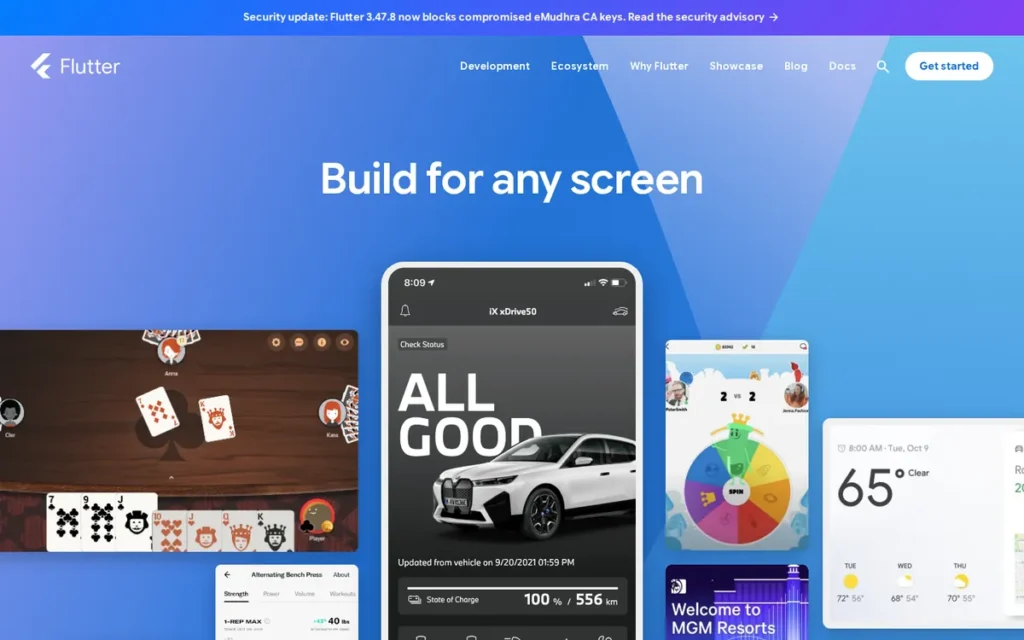
Category: Cross-Platform Framework (Native-Rendering), builds natively compiled apps for iOS, Android, web, and desktop from a single Dart codebase using its own Impeller rendering engine rather than platform-native OS UI components.
At a Glance
- Category: Cross-Platform Framework (Native-Rendering)
- Best For: Startups and product teams building UI-intensive consumer apps requiring pixel-perfect visual consistency across iOS, Android, web, and desktop from a single codebase
- Price Range: Free and open-source ($0 licensing); backend and CI/CD infrastructure costs scale with usage and team size
- Primary Strength: Flutter’s Impeller engine renders every UI pixel directly on all platforms, delivering animation-smooth, brand-consistent experiences without relying on OS UI components
- Biggest Limitation: Flutter’s custom renderer means iOS swipe-back gestures, Android back-button conventions, and platform typography scaling must be manually recreated, apps can feel less native without deliberate engineering effort
- One-Line Summary: Flutter is Google’s open-source cross-platform framework that renders its own pixels on every platform, making it the top-ranked mobile development platform in 2026 for teams building visually consistent, animation-smooth apps across iOS, Android, web, and desktop from a single Dart codebase.
- Last Verified: June 2026
Overview
Flutter is Google’s open-source UI toolkit for building natively compiled applications across iOS, Android, web, desktop, and embedded devices from a single Dart codebase, the highest-adoption cross-platform framework in 2026 for teams prioritizing visual consistency, animation performance, and multi-platform reach.
Flutter does not rely on platform OEM UI components; its Impeller graphics engine draws every pixel directly, enabling identical UI appearance across all target platforms. Flutter powers Google Pay (confirmed at flutter.dev/showcase), and is community-attributed as powering Google Ads, Google Classroom, and Google Earth, with Google Pay as the directly verified case of Google deploying Flutter in its own highest-traffic payment infrastructure. Flutter also powers BMW’s in-car entertainment system, Alibaba’s Xianyu marketplace, and banking apps for Credit Agricole and ING.
“Flutter is a lot more popular than KMP. It’s more mature and easier to learn… Flutter has a nicer learning curve and is easier and faster to ship with. I would only choose KMP if I had a special reason for it.” (u/Safe_Independence496 (r/Kotlin, score: 7, 2025))
Takeaway: An experienced native iOS developer with cross-platform exposure recommends Flutter over KMP for most teams based on adoption breadth and shipping speed, reflecting the pragmatic majority view that Flutter is the faster path to delivery for teams without a specific native-UX mandate, though developers with existing Kotlin expertise and strict native-feel requirements will find KMP the higher-fit recommendation.
Key Features
- Custom Impeller Rendering Engine: Flutter compiles Dart to native ARM code and draws every UI element directly on all platforms (eliminating the asynchronous bridge overhead of React Native and the WebView performance ceiling of Ionic) consistently achieving 60fps or more in animation-intensive scenarios (SpeedNet Software cross-platform frameworks analysis, 2026).
- Hot Reload: Flutter’s hot reload reflects UI changes in under one second without losing application state (faster than native development’s full recompile cycle) making Flutter’s iteration speed among the fastest in the cross-platform category and directly reducing development time costs during visual refinement cycles (Flutter official documentation, flutter.dev, June 2026).
- Comprehensive Widget Library: Flutter’s widget library provides complete Material Design and Cupertino component sets alongside a growing pub.dev third-party package ecosystem, enabling teams to build platform-adaptive UIs without starting component implementations from scratch.
- Broadest Multi-Platform Scope: Flutter targets mobile iOS and Android, web with WebAssembly as the 2026 roadmap default, desktop Windows/macOS/Linux, and LG webOS smart TVs, providing a single codebase investment spanning more deployment surfaces than any other framework in this comparison (Flutter & Dart 2026 Roadmap, blog.flutter.dev; LG webOS developer blog, July 2024).
- Published 2026 Roadmap with Concrete Milestones: Flutter’s published 2026 roadmap commits to WASM-default web deployment, Impeller renderer completion, decoupled Material and Cupertino design libraries, and AI-agent tooling support, providing public, accountable milestones demonstrating active Google investment rather than undocumented development priorities (Flutter blog, 2026).
Best For
Flutter is best for product teams building consumer-facing apps where visual brand consistency, animation quality, and multi-platform reach (including web and desktop) are primary requirements, particularly startups shipping cross-platform MVPs where iteration speed matters and enterprises needing identical UI behavior across all supported platforms without per-platform UI code maintenance.
Pricing
Flutter is free and open-source with zero framework licensing cost as of June 2026 (flutter.dev).
Primary cost inputs include:
- Backend infrastructure (Firebase Spark plan free; Blaze plan pay-as-you-go at firebase.google.com/pricing)
- CI/CD tooling (Codemagic, Bitrise, or GitHub Actions: costs vary by build volume)
- Apple Developer Program ($99/year) for iOS App Store distribution
Strengths
- Google’s Production Self-Commitment: Flutter powers Google Pay (confirmed at flutter.dev/showcase) in Google’s own highest-traffic payment infrastructure, a vendor self-commitment signal that directly addresses framework abandonment risk made concrete by Xamarin’s 2024 deprecation; when a sponsor deploys its own framework for revenue-critical systems, the institutional incentive to maintain it is qualitatively different from sponsored-but-not-used alternatives (flutter.dev/showcase, June 2026).
- Highest Cross-Platform Market Share: Flutter holds approximately 46% cross-platform developer adoption as of 2025–2026 per developer usage surveys (the highest share among cross-platform frameworks) translating to the deepest pub.dev package ecosystem, the densest Stack Overflow answer coverage, and the largest pool of Flutter-experienced developers available for hiring (cross-platform adoption analysis, 2025–2026).
- Active and Specific 2026 Roadmap: Flutter’s published roadmap at blog.flutter.dev commits to WASM-default web deployment, Impeller completion, LG webOS smart TV integration, and AI-agent tooling support, providing public, accountable evidence of funded forward investment rather than a framework coasting on existing adoption (Flutter blog, 2026).
- Best-in-Category Documentation Quality: Flutter’s documentation is consistently cited as the strongest in the cross-platform mobile category across independent developer comparisons, including the Infinite Lambda Flutter-vs-KMP-vs-Native study, reducing onboarding cost for new team members and engineering time spent on undocumented edge cases (Infinite Lambda comparison study, June 2026).
Limitations
- Native Feel Requires Manual Engineering: Flutter’s custom Impeller rendering engine (while delivering pixel-perfect consistency) does not inherit platform-native UI behaviors automatically; iOS swipe-back gestures, Android back-button handling, platform-specific typography scaling, and OS-standard navigation patterns must each be deliberately implemented through Flutter’s widget layer rather than inherited by default, creating meaningful engineering overhead for apps where users expect strong platform-UX fidelity.
- Smaller Dart Talent Pool: Flutter’s Dart language requirement creates a smaller developer talent pool than JavaScript (React Native) or Kotlin (KMP), hiring Flutter developers typically costs more and takes longer than hiring JavaScript developers for equivalent seniority levels, a real operational cost difference for organizations scaling development teams.
- Single-Sponsor Structural Risk: Flutter depends on a single corporate sponsor (Google), meaning teams must monitor Google’s organizational priorities, Google’s history of discontinuing products is a documented community concern, though Flutter’s integration with Google’s own revenue-critical products makes abandonment significantly less likely than typical Google experiments, and the active 2026 roadmap with specific milestones provides a measurable longevity monitoring signal.
- Web Developer Friction: Flutter has documented pushback from Angular and general web-background developers who find Flutter’s paradigms jarring, one 8-year Angular developer described the experience strongly negatively in a 2025 community thread, representing a real minority-but-vocal perspective relevant for teams converting web developers to mobile roles (u/Purple_Employment_74, r/Angular2, 2025).
Verdict
Flutter is the highest-ranked mobile development platform in 2026 for teams prioritizing cross-platform UI consistency, animation performance, and multi-platform reach, validated by Google’s production commitment in Google Pay and by approximately 46% developer adoption share in the cross-platform segment (cross-platform adoption analysis, 2025–2026). Flutter’s combination of Impeller rendering quality, active documented roadmap investment, and documentation depth makes it the most defensible long-term choice for teams that can absorb the Dart learning curve. Teams with strong existing JavaScript backgrounds, simpler app requirements where automatic native platform feel outweighs visual consistency, or significant existing React codebases should evaluate React Native as a higher-fit alternative at equivalent overall capability.
2. React Native: Best for JavaScript and React Teams
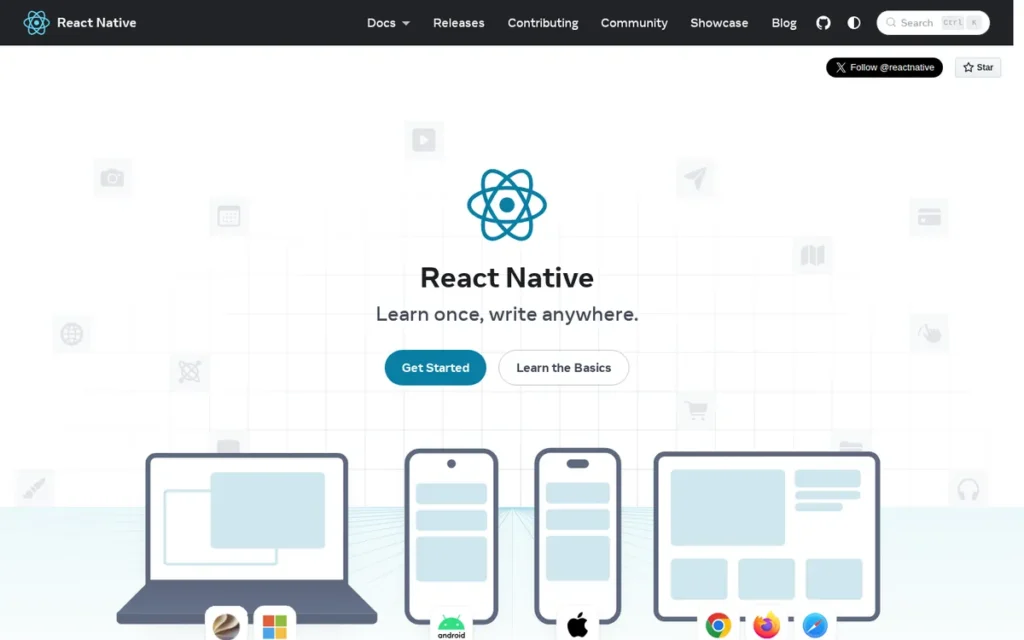
Category: Cross-Platform Framework (Native-Components), builds cross-platform mobile apps that render to actual iOS UIKit and Android native UI components using JavaScript or TypeScript and the React component model.
At a Glance
- Category: Cross-Platform Framework (Native-Components)
- Best For: Development teams with JavaScript or TypeScript expertise building cross-platform mobile apps, particularly teams sharing logic or developers with an existing React web application
- Price Range: Free and open-source ($0 framework licensing); Expo EAS Build free tier available; paid Production and Enterprise tiers for concurrent builds and OTA updates (expo.dev/pricing, June 2026)
- Primary Strength: React Native renders to real platform-native UI components, automatically inheriting iOS and Android platform conventions (gestures, typography, accessibility behaviors) without the manual recreation effort Flutter’s custom renderer requires
- Biggest Limitation: React Native 0.82’s New Architecture migration is straightforward for greenfield projects but creates active maintenance overhead for teams with mature codebases built on the legacy bridge architecture, requiring native module updates before the New Architecture’s performance improvements are accessible
- One-Line Summary: React Native is Meta’s open-source cross-platform framework that renders to actual native iOS and Android components using JavaScript, making it the second-ranked mobile development platform in 2026 and the top choice for teams with JavaScript or React expertise who need genuine native feel and the broadest developer talent pool.
- Last Verified: June 2026
Overview
React Native is Meta’s open-source framework for building native iOS and Android apps using JavaScript or TypeScript and the React component model, the second-ranked cross-platform framework in 2026 and the top choice for organizations with existing JavaScript expertise sharing developers between React web and mobile.
Unlike Flutter’s custom pixel renderer, React Native maps to actual platform-native UI components on each OS, UIKit on iOS, Android Views on Android, meaning apps inherit platform-specific behaviors automatically. React Native is used in production by Meta across Facebook, Instagram, and Ads Manager, by Microsoft across Office 365 mobile and Xbox, and by Shopify, Walmart, and Tesla, with a 10+ year production history since Facebook’s 2015 open-source release that is the deepest of any cross-platform framework in this comparison (React Native official site, June 2026).
Key Features
- New Architecture (React Native 0.82): React Native’s New Architecture: completed in version 0.82 in 2025, with the legacy asynchronous bridge fully removed, uses JSI (JavaScript Interface) for direct JS-to-native interaction, Fabric renderer for synchronous UI updates, and TurboModules for on-demand native module loading; some projects report compile time improvements of up to 10× versus the legacy bridge based on third-party analysis by Ditto.com (2026), though official React Native release notes confirm the New Architecture milestone without publishing a specific compile-time multiplier (Ditto.com state of React Native, 2026).
- Native-Component Rendering: React Native renders to real platform-native UI components on iOS (UIKit) and Android (Android Views), automatically inheriting platform-specific behaviors (pull-to-refresh patterns, navigation gestures, typography scaling, and accessibility affordances) without the manual recreation effort required by Flutter’s custom rendering engine.
- Expo and EAS Build: React Native’s Expo and EAS Build toolchain abstracts iOS and Android build configuration complexity, enabling teams to build, sign, and submit apps to the App Store and Google Play without Xcode or Android Studio expertise, and to push over-the-air updates for JavaScript-layer changes without App Store review cycles.
- npm Ecosystem Access: React Native’s JavaScript and TypeScript language support provides access to the npm ecosystem (the world’s largest package registry) and a developer talent pool vastly larger than Dart, Kotlin, or C#, directly reducing hiring cost and onboarding time for teams building and scaling engineering capacity.
- Web-to-Mobile Code Sharing: React Native’s shared codebase model allows JavaScript logic and React components to be shared with React web applications, enabling unified engineering teams where the same developers contribute to both web and mobile products, a direct operational efficiency multiplier for organizations running parallel development workstreams.
Best For
React Native is best for development teams with existing JavaScript or TypeScript expertise (especially those with React web experience) building cross-platform mobile apps where native platform feel, developer hiring ease, npm ecosystem depth, and long-term community support are prioritized over Flutter’s superior rendering consistency and broader multi-platform reach.
Pricing
React Native is free and open-source with zero framework licensing cost as of June 2026 (reactnative.dev).
Primary costs include:
- Expo EAS Build paid tiers (Production, Enterprise) for concurrent build slots and OTA update quotas, current pricing at expo.dev/pricing (June 2026)
- Apple Developer Program ($99/year) for iOS App Store distribution
Strengths
- New Architecture Performance Breakthrough: React Native 0.82 (2025) completes the multi-year New Architecture migration with the legacy asynchronous bridge fully removed, delivering JSI for direct JavaScript-to-native interaction and Fabric for synchronous UI updates, directly addressing the historical performance criticism that drove some teams toward Flutter, with third-party analysis reporting significant compile-time improvements in some project configurations (Ditto.com state of React Native, 2026).
- Meta’s Enterprise Production Commitment: React Native is used in production by Meta across Facebook, Instagram, and Ads Manager (products serving billions of users) and by Microsoft across Office 365 mobile and Xbox, establishing a 10+ year production history at enterprise scale that is the deepest battle-tested track record of any cross-platform framework in this comparison (React Native official site, June 2026).
- Largest Cross-Platform Mobile Community: The r/reactnative subreddit has 183,000+ subscribers as of June 2026 (the largest cross-platform mobile framework community on Reddit) providing a measurable proxy for hiring availability, Stack Overflow answer density, and third-party library coverage that directly reduces onboarding and troubleshooting cost (Reddit r/reactnative, June 2026).
- Top-Validated Deployment Developer Experience: Expo EAS Build’s deployment simplicity is React Native’s highest-validated practical advantage in the developer community, the top-upvoted comment (score: 55) in a 2025 React Native vs. Flutter comparison thread described Expo and EAS as “ridiculously easy,” confirming React Native’s advantage for teams without native iOS or Android build pipeline expertise (u/lulaloops, r/reactnative, 2025).
Users on r/reactnative shared their experience with the framework:
“Very simple answer – absolutely use React Native.
- the most like web dev, your skill absolutely translates
- HUGE and maturing ecosystem
- used by the super large tech/media giants: https://reactnative.dev/showcase
- there are more job postings out there for react native than flutter, large indicator that react-native is more in demand and hireable
- Expo and EAS is wonderful DX for builds and deploying” Posted by u/foamier
Takeaway: Senior developers evaluating React Native consistently cite its dominant job market presence, the maturity of its ecosystem across major tech companies, and Expo’s deployment simplicity as the decisive combination for JavaScript-background teams choosing their first cross-platform mobile framework.
Limitations
- New Architecture Migration Overhead: React Native’s New Architecture migration is straightforward for greenfield projects but creates active maintenance work for teams operating mature codebases built on the legacy bridge architecture, requiring native module wrappers to be rewritten or updated and introducing version compatibility issues during the transition period that block access to JSI’s performance gains.
- JavaScript Single-Thread Performance Ceiling: React Native executes JavaScript on a single thread, meaning synchronous compute-intensive tasks (real-time audio processing, complex encryption, or high-frequency sensor data handling) can block the UI thread and cause frame drops; teams building these workloads must offload work to native modules or use Hermes-optimized code patterns to maintain consistent 60fps render performance.
- Mobile-Primary Multi-Platform Scope: React Native’s multi-platform scope is primarily mobile (iOS and Android), while Flutter targets web via WASM, desktop, and embedded systems as first-class deployment targets, teams needing a single codebase spanning all of those surfaces will find Flutter’s platform coverage broader than React Native’s core offering.
- Legacy Codebase Compatibility Risk: React Native teams with extensive custom native modules built for the legacy bridge architecture must validate each module against the New Architecture before upgrading, a non-trivial audit process that creates schedule risk for teams with large established React Native codebases planning 2025–2026 upgrades.
Verdict
React Native is the second-ranked mobile development platform in 2026 and the definitively best choice for teams with existing JavaScript or React expertise, offering the largest developer talent pool, genuine native-component rendering that inherits platform conventions automatically, and Expo’s top-validated deployment experience, backed by Meta’s production commitment across its highest-traffic applications and a 10+ year production history. Teams deciding between Flutter and React Native should apply a clear rule: if your team knows JavaScript and React, React Native’s talent pool size, npm ecosystem depth, and automatic platform-convention inheritance deliver higher ROI; if your team is starting fresh and prioritizes pixel-perfect UI consistency, multi-platform deployment breadth beyond mobile, or animation-heavy consumer app design, Flutter’s rendering quality and documentation depth are the stronger long-term foundation.
3. Kotlin Multiplatform: Best for Native UX with Shared Logic
Category: Cross-Platform Logic Framework (Shared Logic + Native UI), shares business logic code (networking, storage, validation) across iOS and Android while keeping each platform’s native UI layer, SwiftUI/UIKit on iOS, Jetpack Compose on Android, fully intact.
At a Glance
- Category: Cross-Platform Logic Framework (Shared Logic + Native UI)
- Best For: Android development teams with Kotlin expertise who want to add iOS coverage without learning a new language or paradigm, and enterprises where true native UX fidelity on both platforms is a non-negotiable requirement
- Price Range: Free and open-source ($0 framework licensing); Android Studio is free; IntelliJ IDEA Community Edition is free; IntelliJ IDEA Ultimate requires annual JetBrains subscription (jetbrains.com/idea/buy/, June 2026)
- Primary Strength: Kotlin Multiplatform uses platform-native UI by design: SwiftUI/UIKit on iOS, Jetpack Compose on Android, producing apps that are genuinely native on every platform without the manual recreation of platform conventions that Flutter requires
- Biggest Limitation: Kotlin Multiplatform requires maintaining separate iOS and Android UI codebases, and its iOS build integration and Swift interoperability are more complex to configure than Flutter or React Native, creating significant friction for teams without existing iOS development expertise on staff
- One-Line Summary: Kotlin Multiplatform is JetBrains’ cross-platform logic framework that shares business code across iOS and Android while using each platform’s native UI, making it the third-ranked mobile development platform in 2026 for Android-first teams that need iOS coverage with genuine native user experience and the category’s strongest dual-sponsor backing structure.
- Last Verified: June 2026
Overview
Kotlin Multiplatform is JetBrains’ production-ready cross-platform development framework that enables teams to share business logic code (networking, data storage, domain models, serialization, and validation) between iOS and Android applications while retaining fully native UI implementations on each platform.
Kotlin Multiplatform is uniquely positioned in 2026 for Android-first teams where native UX fidelity and existing Kotlin expertise are both non-negotiable. Think of KMP as splitting a mobile app into two layers: the engine (business logic both platforms share in Kotlin) and the body (the UI each platform builds natively in SwiftUI or Compose). Every other framework in this comparison tries to build the entire car once, KMP shares one engine and attaches two platform-native bodies.
KMP reached Stable status in November 2023, received Google’s official endorsement at I/O 2024, and is in verified production use at McDonald’s processing 6.5 million monthly purchases and at Cash App for 7+ years continuously (kotlinlang.org/case-studies/, June 2026; KMPShip.app production readiness analysis, June 2026).
Key Features
- Shared Business Logic, Native UI: Kotlin Multiplatform shares networking, local database access, domain model definitions, serialization, and validation across iOS and Android from a single Kotlin codebase, while leaving each platform’s UI layer entirely native, giving iOS apps genuine SwiftUI or UIKit rendering and Android apps genuine Jetpack Compose rendering rather than cross-platform approximations.
- Incremental Adoption Path: Kotlin Multiplatform supports introducing shared code into an existing iOS and Android native codebase one module at a time (sharing the networking layer or database layer initially without requiring a full application rewrite) a migration path that Flutter and React Native cannot offer for teams with established native apps.
- Dual JetBrains + Google Backing: Kotlin Multiplatform is backed by both JetBrains (the language’s creator and primary framework maintainer) and Google, which endorsed KMP at I/O 2024 and migrated core Jetpack libraries (Room and Navigation) to KMP, providing the most redundant corporate backing structure of any framework in this comparison (Android developer documentation, June 2026).
- Compose Multiplatform Option: Kotlin Multiplatform’s optional Compose Multiplatform companion allows teams to write Jetpack Compose UI code running on both Android and iOS, providing a Flutter-like shared UI option while preserving the ability to use fully native platform UI on either platform when needed.
- Improved Swift Interoperability: Kotlin Multiplatform’s Swift interoperability, significantly improved by the SKIE plugin from Touchlab, enables idiomatic Swift API consumption of Kotlin shared modules, addressing one of the most documented practical pain points in KMP iOS integration for teams with existing Swift developers on staff.
Best For
Kotlin Multiplatform is best for Android development teams with Kotlin expertise who need to expand to iOS without adopting a new language or framework, for enterprises building apps where users are sensitive to platform-native interaction patterns on both iOS and Android, and for teams with existing native apps who need to add shared business logic incrementally without committing to a full cross-platform rewrite.
Pricing
Kotlin Multiplatform is free and open-source as of June 2026 (kotlinlang.org/lp/mobile/).
Tooling costs include:
- Android Studio: free from Google
- IntelliJ IDEA Community Edition: free
- IntelliJ IDEA Ultimate: annual JetBrains subscription (jetbrains.com/idea/buy/, June 2026)
The real cost of KMP adoption is team training time (particularly for iOS build toolchain setup and Xcode configuration) rather than platform licensing fees.
Strengths
- Highest-Specificity Enterprise Production Evidence: McDonald’s uses Kotlin Multiplatform to power an application processing 6.5 million monthly purchases, and Cash App has used KMP in production for 7+ years continuously, two independently documented, high-scale, high-reliability enterprise deployments establishing KMP’s production viability at the scale and longevity that matter for enterprise CTOs (kotlinlang.org/case-studies/, June 2026; KMPShip.app, June 2026).
- Fastest Adoption Growth Trajectory: Kotlin Multiplatform developer adoption rose from approximately 7% to approximately 18% among survey respondents in JetBrains’ annual developer ecosystem survey (sample: approximately 23,262 developers surveyed May–June 2024) (approximately 157% year-over-year growth) the fastest adoption trajectory of any framework in this comparison and a leading indicator of a rapidly expanding ecosystem (JetBrains Developer Ecosystem Survey, 2024–2025).
- Google’s Deepest Institutional Validation: Google’s official endorsement of KMP at Google I/O 2024 and migration of core Jetpack libraries (Room and Navigation) to run on KMP represents Google restructuring the libraries that underpin Android development itself to run cross-platform, not merely recommending KMP externally (Android developer documentation, June 2026).
- Strongest Abandonment-Risk Structure in the Category: Kotlin Multiplatform’s dual JetBrains and Google backing requires both organizations to simultaneously deprioritize the framework before abandonment becomes a credible scenario, a structurally different risk profile than Flutter (single Google sponsor) or React Native (single Meta sponsor), directly mitigating the Xamarin-style single-sponsor deprecation risk that enterprise planning teams must model.
This aligns with community sentiment on r/Kotlin:
“I’m a huge advocate, I think it’s the closest we’ve ever gotten to a cross platform dev tool that actually works.
Users can always tell when apps are non-native, but since KMP allows you to use native elements, you can build something that feels truly native.
Granted, I wasn’t really big on Flutter because I didn’t feel like learning Dart, and I love Kotlin to begin with, but I think it’s the best developer and user experience combined.” Posted by u/pittlelickle0
Takeaway: KMP advocates consistently identify native UI fidelity (not ecosystem breadth or tooling maturity) as the framework’s irreplaceable differentiator, particularly for Kotlin developers who find Flutter’s custom rendering an unacceptable trade-off for apps where platform-native behavior is non-negotiable.
Limitations
- Dual UI Codebase Requirement: Kotlin Multiplatform’s native-UI-by-design architecture requires maintaining two separate UI codebases (one in SwiftUI or UIKit for iOS and one in Jetpack Compose or Android Views for Android) meaning KMP reduces maintenance effort less dramatically than Flutter or React Native for UI-heavy applications, since the visual layer must still be written and maintained on both platforms independently.
- iOS Build Integration Complexity: Kotlin Multiplatform’s iOS build toolchain requires a Mac, Xcode, Apple Developer account, and working knowledge of Swift or Objective-C interoperability; teams without existing iOS development expertise on staff face particularly high setup friction, and KMP’s Swift API surface, while improved by the SKIE plugin, remains more complex to consume idiomatically than calling Kotlin from Kotlin (u/borninbronx, r/Kotlin, 2025).
- Smaller Package Ecosystem: Kotlin Multiplatform’s shared-layer package ecosystem is smaller than Flutter’s pub.dev or React Native’s npm, libraries for some common cross-platform use cases do not yet exist and must be built as platform-specific implementations, adding development effort that Flutter or React Native teams can often avoid with existing packages.
- Organizational Adoption Friction for iOS-First Teams: Kotlin Multiplatform adoption creates organizational friction for iOS-first teams, getting iOS-centric team members and management aligned with a JetBrains-owned, Android-originated toolchain is a documented adoption barrier beyond the technical concerns, as described by active KMP practitioners in 2025 developer community discussions (u/borninbronx, r/Kotlin, 2025).
Verdict
Kotlin Multiplatform is the third-ranked mobile development platform in 2026, a ranking that reflects ecosystem breadth and community size trailing Flutter and React Native, not a quality verdict: on longevity signals, Kotlin Multiplatform scores highest in this comparison with dual JetBrains and Google backing. Kotlin Multiplatform is the highest-fit choice for teams where genuine native UX fidelity is a hard requirement, validated by McDonald’s 6.5 million monthly purchases and Cash App’s 7+ years of continuous production use. Android-first teams with Kotlin expertise who need iOS coverage without a language or paradigm change, and enterprises with existing native apps seeking incremental logic sharing without a full rewrite, will find KMP the strongest long-term foundation. Teams without Kotlin expertise, startups optimizing for fastest time-to-market, or teams building UI-heavy consumer apps where the native UI duality doubles visual development effort should evaluate Flutter or React Native as the higher-fit starting point.
4. .NET MAUI: Best for .NET Enterprise Teams Adding Mobile
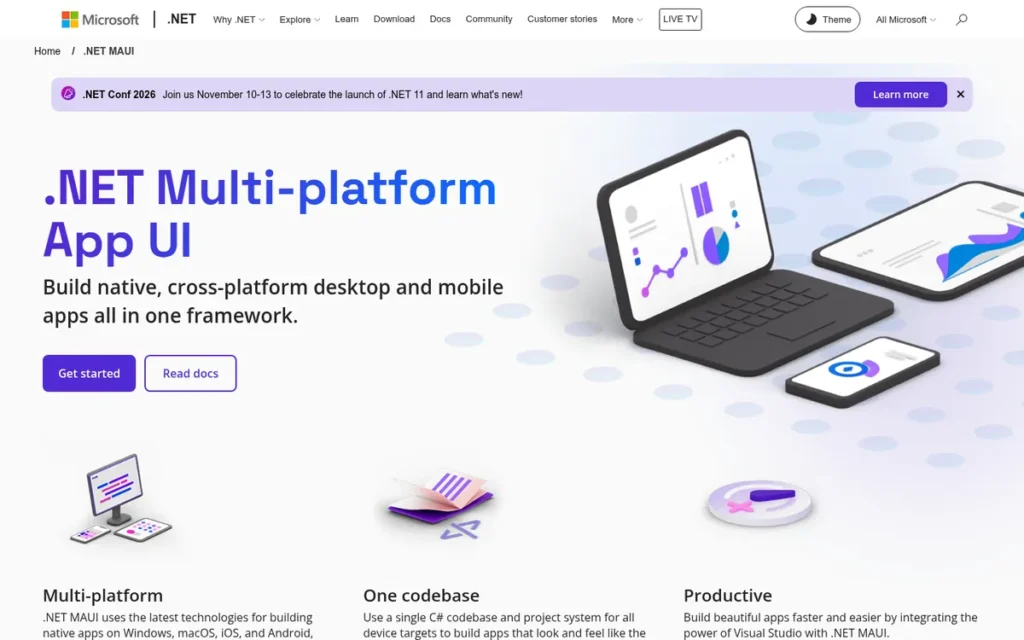
Category: Cross-Platform Framework (Enterprise / Microsoft Ecosystem), builds native apps for Android, iOS, macOS, and Windows from a single C# and XAML codebase, primarily valuable for enterprises standardized on Microsoft tooling.
At a Glance
- Category: Cross-Platform Framework (Enterprise / Microsoft Ecosystem)
- Best For: Enterprises and development teams already standardized on C#, .NET, Azure, and Visual Studio who need to add mobile iOS and Android capabilities alongside Windows desktop without adopting a new programming language
- Price Range: Free and open-source ($0 framework licensing); Visual Studio Community is free for eligible individuals and small teams; Visual Studio Professional and Enterprise require annual per-seat subscriptions (visualstudio.microsoft.com/vs/pricing/, June 2026)
- Primary Strength: .NET MAUI enables C# and .NET teams to build cross-platform mobile and desktop apps without any language or toolchain change, directly reusing existing .NET skills, NuGet packages, and Azure integrations
- Biggest Limitation: .NET MAUI has documented bugs in basic UI controls reported in its own GitHub repository, and its developer community is dramatically smaller than Flutter or React Native, meaning fewer third-party components, lower Stack Overflow answer density, and a smaller developer talent pool for hiring
- One-Line Summary: .NET MAUI is Microsoft’s free cross-platform framework for building iOS, Android, macOS, and Windows apps in C# and XAML, making it the top-ranked choice in 2026 for enterprises already standardized on the Microsoft stack who need to add mobile and desktop capabilities without adopting a new programming language.
- Last Verified: June 2026
Overview
.NET MAUI (Multi-platform App UI) is Microsoft’s free, open-source cross-platform framework for building natively compiled applications for Android, iOS, macOS, and Windows from a single C# and XAML codebase, the appropriate mobile development choice in 2026 specifically for enterprises already standardized on the Microsoft technology ecosystem.
Released in May 2022 as the architectural successor to Xamarin.Forms, .NET MAUI replaces Xamarin’s complex multi-project solution structure with a unified single-project architecture and introduces a handler-based UI rendering system replacing the deprecated Xamarin renderer approach. .NET MAUI’s value proposition is institutional rather than broadly technical: for teams standardized on C#, .NET, Azure, and Visual Studio, .NET MAUI provides mobile capability without any new language, backend integration, or toolchain investment (Microsoft official .NET MAUI documentation, June 2026).
Key Features
- Single-Project Architecture: .NET MAUI allows one codebase to target Android, iOS, macOS, and Windows simultaneously, replacing the complex multi-project Xamarin.Forms solution structure with a unified project and reducing the build system overhead that Xamarin teams historically documented as a significant developer experience pain point.
- Handler-Based Native Rendering: .NET MAUI uses a handler-based architecture mapping C# and XAML UI definitions to platform-native controls on each target OS, delivering native-rendered UI components on iOS (UIKit), Android (Android Views), macOS (AppKit), and Windows (WinUI) rather than WebView rendering.
- Full Microsoft Stack Integration: .NET MAUI integrates directly with Visual Studio 2022 (free Community edition or paid Professional and Enterprise), Azure DevOps, and the full .NET NuGet package ecosystem, enabling enterprises to add mobile development to existing CI/CD pipelines and code review workflows without separate toolchain investments.
- First-Class Windows Desktop Target: .NET MAUI targets Windows desktop as an equally-supported deployment output alongside mobile, making it the only framework in this comparison enabling a single C# codebase to simultaneously deploy as a Windows line-of-business desktop app, iOS mobile app, Android mobile app, and macOS app.
- .NET Release Cadence Integration: .NET MAUI is actively maintained within Microsoft’s .NET release cadence, receiving major updates alongside .NET 8.NET 9, and .NET 10, providing predictable enterprise update cycles aligned with Microsoft’s established software lifecycle commitments (Microsoft official .NET MAUI documentation, June 2026).
Best For
.NET MAUI is best for enterprises and development teams already standardized on C#.NET, Azure, and Visual Studio, specifically teams where adopting a new programming language would require significant organizational retraining or approval processes, and where mobile app deployment requirements include Windows desktop alongside iOS and Android.
Pricing
.NET MAUI is free and open-source as of June 2026 (dotnet.microsoft.com/apps/maui).
Tooling costs include:
- Visual Studio Community: free for individuals, open-source contributors, and non-enterprise teams
- Visual Studio Professional and Enterprise: annual per-seat subscriptions at visualstudio.microsoft.com/vs/pricing/ (June 2026)
- Apple Developer Program ($99/year) for iOS App Store distribution
Strengths
- Official Third-Party Xamarin Migration Validation: AWS’s official .NET modernization documentation explicitly positions .NET MAUI as the recommended migration path for enterprise Xamarin applications, providing external third-party validation that MAUI is the established continuation path for .NET mobile development, directly addressing the Xamarin deprecation concern for enterprises already invested in Microsoft mobile tools (AWS dotnet blog, June 2026).
- Unique Mobile + Windows Desktop Coverage: .NET MAUI enables enterprises to build native apps for Android, iOS, macOS, and Windows from a single C# codebase, uniquely combining mobile and Windows desktop as equally-supported deployment targets, a capability no other framework in this comparison offers at equivalent parity (Microsoft official .NET MAUI documentation, June 2026).
- Documented Architectural Improvement Over Xamarin: .NET MAUI’s handler-based architecture represents a substantive redesign over Xamarin.Forms’ renderer system, Microsoft explicitly rebuilt the rendering pipeline for better performance and extensibility, making .NET MAUI an architectural evolution rather than a rebranding of Xamarin (Innowise .NET MAUI vs. Xamarin comparison, June 2026).
- Zero Incremental Language Cost for .NET Teams: For enterprises standardized on C#.NET MAUI enables complete ASP.NET backend code reuse, direct NuGet package library reuse across mobile and server projects, and unified developer tooling in Visual Studio, reducing the true total cost of mobile development by eliminating language barriers and toolchain duplication.
Limitations
- Documented Basic UI Control Bugs: .NET MAUI has documented bugs in basic UI controls reported directly in its own GitHub repository, describing issues with core UI elements including layout sizing, label rendering, and border display, not edge-case or advanced components; teams should audit their specific control requirements against the dotnet/maui GitHub issue tracker and the Microsoft Learn Troubleshoot Known Issues page before committing, as these are production-relevant concerns with documented workarounds.
Users on r/dotnet noted:
“If you every day want to find workarounds for bugs then yes.
It is honestly getting embarrassing how many bugs we have in production that are hard to fix because Maui doesn’t work.
Like if you have a list of items and there is a picker for each item. If you scroll far enough the previous picked values will be reset to null.
I know this was working earlier so it’s definitely a regression bug” Posted by u/Perfect_Papaya_3010
Takeaway: Active .NET MAUI teams running production apps report spending meaningful daily effort on regression bug workarounds for basic UI controls, confirming that the framework’s GitHub issue tracker concerns translate directly into real-world development overhead rather than theoretical edge cases.
- Xamarin Migration Complexity: .NET MAUI migration from Xamarin.Forms requires teams to rewrite custom renderer-based controls to the new handler architecture, a labor-intensive process for organizations with established Xamarin UI component libraries that Microsoft’s migration tooling cannot fully automate, creating a concrete upfront migration cost that Xamarin-invested teams should explicitly budget before committing to .NET MAUI (Microsoft .NET MAUI migration documentation, June 2026).
- Small Community and Third-Party Library Gap: .NET MAUI’s developer community is dramatically smaller than Flutter’s or React Native’s, fewer third-party component libraries on NuGet for mobile use cases, lower Stack Overflow answer density for MAUI-specific problems, and a smaller pool of experienced MAUI developers for hiring or contracting create real long-term project support questions.
- Ecosystem-Conditional Competitive Position: Outside the Microsoft technology stack.NET MAUI offers no compelling technical advantage over Flutter (stronger documentation, larger community, broader multi-platform support) or React Native (larger talent pool, more mature ecosystem, better third-party library coverage), teams without a C#/.NET organizational mandate should evaluate Flutter or React Native before considering .NET MAUI.
Verdict
.NET MAUI is the fourth-ranked mobile development platform in 2026 and the correct choice for a specific, well-defined enterprise audience: teams already standardized on C#.NET, Azure, and Visual Studio who need to add mobile, and optionally Windows desktop, capabilities without a language or toolchain change. For teams outside the Microsoft ecosystem.NET MAUI offers no competitive technical advantage over Flutter or React Native and carries the documented liability of basic-controls GitHub bugs and a substantially smaller community. Teams seriously evaluating .NET MAUI should independently audit their specific UI control requirements against the dotnet/maui GitHub issue tracker and verify NuGet mobile component library coverage meets their application needs before committing, and should budget explicitly for the handler architecture migration cost if coming from Xamarin.Forms.
5. Ionic Framework: Best for Web Teams Building Content-Driven Apps
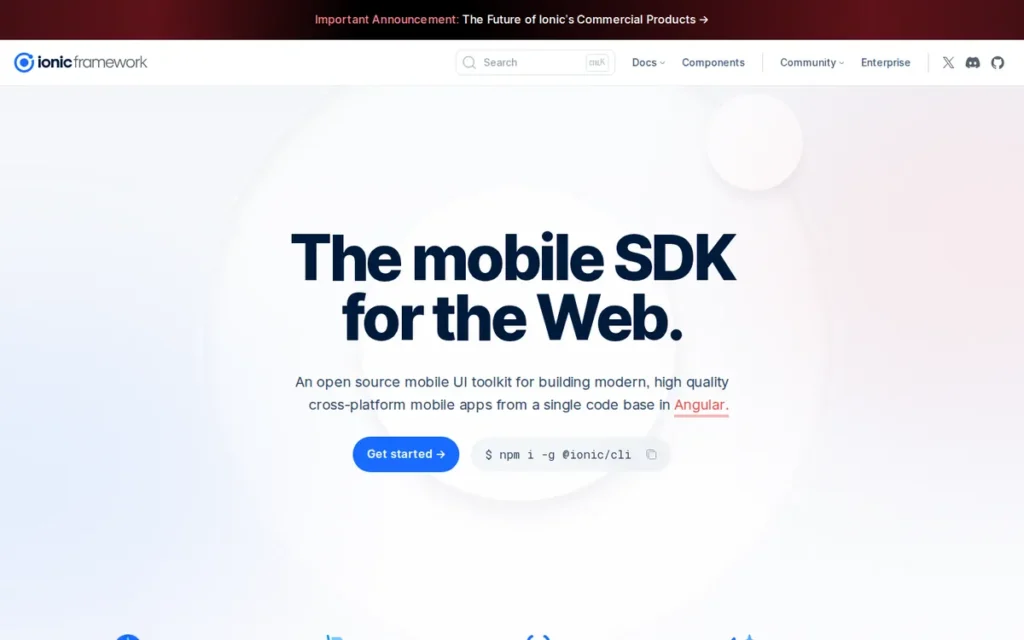
Category: Hybrid Mobile Framework (Web-Native), builds cross-platform mobile apps and Progressive Web Apps using standard HTML, CSS, and JavaScript inside a native WebView container, with Capacitor providing TypeScript-typed JavaScript APIs for device hardware access.
At a Glance
- Category: Hybrid Mobile Framework (Web-Native)
- Best For: Web development teams using Angular, React, or Vue building content-driven, form-heavy, or dashboard-style mobile apps that also need Progressive Web App distribution alongside native iOS and Android App Store publishing
- Price Range: Free and open-source ($0 for Ionic Framework and Capacitor); Ionic Appflow (managed CI/CD and live updates) has commercial tiers with custom enterprise pricing (ionic.io/appflow, June 2026)
- Primary Strength: Ionic is the only mobile development framework natively targeting both Progressive Web App distribution and native iOS and Android App Store publishing from the same HTML/CSS/JavaScript codebase
- Biggest Limitation: Ionic’s WebView-based rendering creates a performance ceiling (particularly for animation-intensive and graphics-heavy features on lower-end Android devices) that React Native’s native components and Flutter’s Impeller engine do not share
- One-Line Summary: Ionic is an open-source hybrid mobile framework that uses web technologies inside a native WebView to build cross-platform apps and Progressive Web Apps from the same codebase, making it the top-ranked choice in 2026 for Angular, React, and Vue web teams building content-driven mobile apps who need both PWA and native app store distribution.
- Last Verified: June 2026
Overview
Ionic is an open-source hybrid mobile development framework (founded 2013) that enables Angular, React, and Vue web development teams to build cross-platform iOS, Android, and Progressive Web Apps using HTML, CSS, and JavaScript, the only framework in this comparison where existing web expertise transfers directly with no new language or build toolchain to learn.
Ionic apps run inside a native WebView container, with Capacitor (Ionic’s modern native runtime replacing legacy Cordova) providing TypeScript-typed JavaScript APIs for camera, GPS, biometrics, file system, and push notifications. Ionic’s uniquely defensible position in 2026 is being the only mobile development platform that produces both native app store apps and Progressive Web Apps from the same codebase, a dual-distribution capability with specific commercial value for web-first organizations serving users across both channels from a single development investment (Ionic official documentation, June 2026).
Key Features
- Dual PWA + Native App Store Distribution: Ionic builds natively distributed apps for iOS, Android, and desktop alongside Progressive Web Apps from a single HTML/CSS/JavaScript codebase, the only framework in this comparison with both Progressive Web App and native iOS and Android App Store distribution as first-class, officially maintained output channels as of June 2026, enabling web-first teams to serve both user segments from one development investment.
- Web Framework Agnostic: Ionic integrates with Angular, React, Vue, and vanilla JavaScript, meaning development teams can build mobile apps using whichever web framework they already use in production without adopting a new component model, state management pattern, or language syntax requiring retraining.
- Capacitor Native Bridge: Capacitor, Ionic’s modern native bridge, provides TypeScript-typed JavaScript APIs for camera, GPS, file system, push notifications, biometrics, NFC, and local storage, enabling web developers to integrate native device capabilities using familiar tooling without writing Swift, Kotlin, or Objective-C.
- Platform-Adaptive UI Components: Ionic’s UI component library provides mobile-optimized components (lists, cards, modals, navigation bars, tabs, form elements) that automatically adapt their visual presentation to iOS style or Material Design based on the running platform, giving apps a platform-appropriate appearance without separate platform-specific code.
- Ionic Appflow Managed Deployment: Ionic Appflow provides managed cloud-based CI/CD, live over-the-air JavaScript updates bypassing App Store review cycles for JS-layer changes, and automated build services for iOS and Android, reducing the native toolchain DevOps burden for web-centric teams lacking native mobile build pipeline expertise.
Best For
Ionic Framework is best for Angular, React, or Vue web development teams building content-driven, form-heavy, or data-display mobile apps (such as enterprise internal tools, dashboards, booking systems, or directory applications) where both Progressive Web App distribution and native app store presence are required, and where graphics-intensive or animation-heavy user experiences are not a primary requirement.
Pricing
Ionic Framework is free and open-source as of June 2026 (ionicframework.com).
Cost structure:
- Ionic Framework: free and open-source
- Capacitor (native bridge): free and open-source
- Ionic Appflow (managed CI/CD and live updates): commercial pricing not publicly listed, contact Ionic at ionic.io/appflow for current pricing
- Apple Developer Program ($99/year) for iOS App Store distribution
Strengths
- 12+ Year Production Track Record: Ionic has maintained continuous production use and GitHub community engagement since its 2013 founding (a 12+ year production track record that exceeds every other framework in this comparison) with 52,500+ GitHub stars and 15 million monthly npm installs as of June 2026, providing evidence of sustained real-world use across multiple mobile platform generations (github.com/ionic-team/ionic-framework, June 2026; ionicframework.com, June 2026).
- Unique Dual-Distribution Architecture: Ionic is the only framework in this comparison with both Progressive Web App deployment and native iOS and Android App Store distribution as first-class, officially maintained output channels from the same codebase, enabling web-first organizations to serve both app store users and browser-based PWA users from a single development investment, a distribution architecture no other platform replicates (Ionic official documentation, June 2026).
- Capacitor’s Independent Community Respect: Capacitor, Ionic’s modern native bridge layer, retains independent community respect separate from Ionic’s UI component layer, the top-upvoted comment (score: 25) in a 2025 “Is Ionic still worth it?” r/Angular2 thread specifically validated Capacitor’s value while treating the Ionic UI layer as optional, confirming the core native bridge technology has continued practitioner confidence (u/dancingchikins, r/Angular2, 2025).
- Zero Language Learning Barrier for Web Teams: Ionic’s HTML/CSS/JavaScript foundation means web development teams can build mobile apps without any new language learning, directly avoiding the hiring and skill-transfer costs that Dart (Flutter), Kotlin (KMP), and C# (MAUI) impose on organizations standardized on web technologies.
Limitations
- WebView Performance Ceiling: Ionic Framework’s most consequential trade-off is its WebView-based rendering architecture, which creates a performance ceiling that React Native’s native-component rendering and Flutter’s Impeller engine do not share, particularly on lower-end Android devices, where Android System WebView performance has been a persistent community pain point with an active unresolved Chromium bug tracker issue documented by Ionic developers.
Users on r/Angular2 shared their experience with Ionic in production:
“Ionic is extremely opinionated, so the second you need to do something slightly differently it becomes major pain full of hacky workarounds… And Capacitor is a whole another can of worms. In general web-based apps just don’t feel ‘right’ and their performance ain’t great (it’s not that much of an issue on iOS, but Android System WebView is just awful and Google doesn’t care, and the plugin ecosystem is very poor with lots of plugins being abandoned or very limited. Overall, if you can just don’t make web-based apps for iOS and Android. Sure, you save some time, but you end up with a substandard app.” Posted by u/toasterboi0100
Takeaway: Ionic practitioners with production experience consistently identify Android System WebView’s performance ceiling and the Capacitor plugin ecosystem’s abandonment rate as the framework’s defining structural limitations rather than fixable implementation details, with the performance gap being especially pronounced on lower-end Android hardware.
- Plugin Ecosystem Staleness: Ionic’s Capacitor plugin ecosystem has documented staleness concerns in 2025 community discussions, multiple r/Angular2 threads cite specific required plugins as abandoned or unmaintained, meaning teams building apps with cutting-edge hardware integrations may discover critical implementations do not have current, maintained Capacitor versions (u/zioannou, r/Angular2, 2025).
- Eroding Platform Coherence as a Complete Stack: Ionic Framework’s coherence as a complete mobile stack is under pressure in 2026, the emerging community pattern of using Capacitor standalone without Ionic’s UI component library, recommended by the top-upvoted community comments (u/dancingchikins, score: 25; u/Agloe_Dreams, score: 21), signals eroding confidence in Ionicas an integrated offering when developers decouple the valued bridge layer from the opinionated UI components (r/Angular2, 2025).
- Reduced Community Activity Signal: Ionic Framework’s community concerns about reduced blog and social media activity since late 2024 have not been publicly addressed by the company, teams should monitor the Ionic GitHub changelog cadence at github.com/ionic-team/ionic-framework/blob/master/CHANGELOG.md and community forum response times directly before committing a 3–5 year codebase, as Xamarin’s commit frequency notably slowed in the 12 months preceding Microsoft’s May 2024 end-of-support announcement.
Verdict
Ionic Framework is the fifth-ranked mobile development platform in 2026 and the correct choice for Angular, React, or Vue web development teams building content-driven or form-heavy mobile apps who need both Progressive Web App distribution and native app store publishing from the same codebase. Ionic ranks below .NET MAUI because .NET MAUI’s limitations are ecosystem-conditional, confined to teams outside the Microsoft stack, while Ionic’s WebView performance ceiling is architectural and affects all users regardless of team background, a harder structural constraint to mitigate. Ionic’s 12-year production history, zero language-learning barrier for web developers, and unique dual-distribution capability are genuine competitive advantages no other platform replicates. Teams building animation-intensive apps, requiring cutting-edge hardware integrations via Capacitor plugins, or evaluating Ionic for performance-first consumer apps should assess requirements against the documented WebView limitations before committing, and teams attracted to Capacitor’s native bridge but not Ionic’s opinionated UI components should know that Capacitor is independently usable with any web UI framework.
6. FlutterFlow: Best Low-Code Option for MVP Validation
Category: Low-Code App Builder (Flutter-Based), visual drag-and-drop app builder that generates real Flutter/Dart code for native iOS, Android, web, and desktop apps, with AI-assisted generation and a full code export option for developer handoff.
At a Glance
- Category: Low-Code App Builder (Flutter-Based)
- Best For: Non-technical founders, designers, and small teams needing to validate a mobile app idea quickly with a native-quality prototype that can eventually be handed to a Flutter developer for production scaling
- Price Range: $0 (Free tier) to $150/month (Business tier, first seat); Growth tier $80/month for solo developers, $55/month per additional seat; enterprise pricing on request (flutterflow.io/pricing, June 2026)
- Primary Strength: FlutterFlow is the only low-code platform in this comparison that generates real, exportable Flutter/Dart code, providing a genuine escape hatch to professional Flutter development when the visual builder’s capabilities are exceeded
- Biggest Limitation: FlutterFlow-generated Flutter code is verbose and non-idiomatic Dart that the Flutter developer community consistently describes as a technical debt generator, apps built in FlutterFlow that graduate to engineering-team development require significant code refactoring before they can be maintained at production scale
- One-Line Summary: FlutterFlow is a low-code visual app builder that generates real exportable Flutter/Dart code for native iOS, Android, web, and desktop apps, making it the top-ranked low-code platform in 2026 for non-technical founders who need to validate a mobile app idea quickly and want a genuine path to professional Flutter development when the business gains traction.
- Last Verified: June 2026
Overview
FlutterFlow is a low-code visual app builder (founded 2020) that enables non-technical founders, designers, and small teams to build native iOS, Android, web, and desktop apps using a drag-and-drop canvas with pre-built component library and integrated backend connections.
FlutterFlow’s defining differentiator is full Flutter/Dart source code export, teams can download the complete generated project at any point and continue development in any Flutter IDE (VS Code or Android Studio), an escape hatch no other fully closed no-code platform in this comparison offers. FlutterFlow apps compile to native Flutter output rather than running in a WebView or proprietary runtime, meaning FlutterFlow-generated apps achieve Flutter’s rendering quality and can be published to the App Store and Google Play as genuine Flutter applications.
FlutterFlow’s 2025–2026 development focus is AI-assisted building, with an AI Agent Builder launched March 2025 supporting OpenAI, Google, and Anthropic models, and updated with GPT-5 compatibility per community release notes (v3.10.11, September 2025), verify current supported models at flutterflow.io before purchase decisions (FlutterFlow community release notes, September 2025).
Key Features
- Full Flutter Code Export: FlutterFlow’s full Flutter code export allows teams to download the complete generated Dart/Flutter project at any point and continue development in any Flutter IDE, providing the escape hatch to professional development that Adalo and other fully closed no-code platforms do not offer under any circumstances.
- AI Agent Builder with OpenAI Model Support: FlutterFlow’s AI Agent Builder, launched March 2025 with support for OpenAI, Google, and Anthropic models, enables natural-language app generation and feature modification, allowing builders to describe screens or features in plain language and have FlutterFlow generate the corresponding components and workflow logic automatically (FlutterFlow community release notes, September 2025).
- Native Backend Integrations: FlutterFlow connects natively to Firebase, Supabase, and REST APIs for backend data storage and user authentication, enabling teams to build complete, data-driven apps (including user login, real-time database operations, and cloud function triggers) without writing backend code.
- Custom Dart Code Insertion: FlutterFlow supports custom Dart code insertion at specific points in the generated app, allowing developers to extend the visual builder’s capabilities with hand-written Flutter code where the graphical tools are insufficient, creating a hybrid approach between pure visual building and full-code Flutter development.
- Multi-Platform Flutter Deployment: FlutterFlow targets native iOS, Android, web, and desktop deployment from a single visual project canvas, inheriting Flutter’s multi-platform compilation capability and enabling teams to publish across all Flutter-supported platforms without managing separate platform codebases.
Best For
FlutterFlow is best for non-technical founders, product managers, and designers who need to produce a functional, native-quality mobile app prototype or MVP within a short time horizon at $39–80/month, anticipate eventually handing the project to Flutter developers for production scaling, and specifically value FlutterFlow’s code export as a graduation mechanism rather than being permanently locked into the visual builder.
Pricing
FlutterFlow pricing tiers as of June 2026:
- Free ($0/month)
- Basic ($39/month)
- Growth ($80/month for first seat; $55/month per additional seat)
- Business ($150/month for first seat; $85/month for seats 2–5)
- Enterprise (custom pricing on request)
Annual billing provides discounted rates. Verify current pricing directly at flutterflow.io/pricing before purchase.
Strengths
- Only Low-Code Platform with Real Flutter Code Export: FlutterFlow is the only low-code platform in this comparison that generates real, exportable Flutter/Dart code (the output is a genuine Flutter application compilable in any Flutter IDE, not a proprietary or WebView-based runtime) making FlutterFlow the top-ranked low-code option for teams that need a graduation path to professional development (LearnForge.dev FlutterFlow 2026 review, June 2026).
- AI-Assisted Building with OpenAI, Google, and Anthropic Model Support: FlutterFlow’s AI Agent Builder, launched March 2025, provides AI-powered natural-language app generation comparable in scope to Adalo’s Ada/Magic Start capability, with FlutterFlow’s key differentiation being that AI-generated apps compile to real Flutter code rather than a proprietary runtime, enabling developer continuation after the visual building phase (FlutterFlow community release notes, September 2025).
- Flutter-Quality Native Rendering: FlutterFlow produces apps that compile to native Flutter output using the Impeller rendering engine for iOS, Android, web, and desktop, meaning FlutterFlow-generated apps achieve Flutter’s animation smoothness and rendering quality rather than the WebView performance ceiling of Ionic or the proprietary runtime limitations of closed no-code platforms.
- Cost-Effective MVP Path: At $80/month for a solo developer on the Growth tier, FlutterFlow provides a lower-cost path to a production-deployable native app than engaging a Flutter developer at market rates for an MVP, a legitimate ROI consideration for pre-revenue founders validating product-market fit on constrained budgets before committing development investment.
Limitations
- Technical Debt Generator: FlutterFlow’s generated Flutter/Dart code is verbose, non-idiomatic, and structurally different from code written by experienced Flutter developers, the Flutter community’s dominant published verdict is that FlutterFlow is “a technical debt generator that, like most zero-code tools, creates unmaintainable code,” the top-upvoted comment (score: 65) in the primary FlutterFlow review thread on r/FlutterDev (u/kiwigothic, r/FlutterDev, score: 65, 2025).
- Code Graduation Requires Significant Refactoring: FlutterFlow’s exported codebase typically requires significant refactoring before it can be maintained efficiently by developers accustomed to idiomatic Dart patterns, the refactoring effort may approach the cost of rebuilding key sections from scratch, meaning the “escape hatch” of code export carries meaningful labor cost when the time to graduate from FlutterFlow arrives.
- Narrowing Speed Advantage from AI Coding Tools: FlutterFlow’s speed-and-cost advantage is narrowing as AI coding assistants mature, r/FlutterDev community members in 2026 note that “an experienced Flutter developer with AI support is usually more scalable than a no-code visual builder,” meaning FlutterFlow’s competitive moat is under pressure from Cursor, GitHub Copilot, and other AI development tools (u/KamilFlutter, r/FlutterDev, 2026).
- Subscription Platform Dependency: FlutterFlow’s subscription model creates a business continuity risk categorically different from open-source frameworks, if FlutterFlow changes pricing, alters service terms, or discontinues the platform, teams that have not exported their code or who depend on FlutterFlow’s managed backend connections face disruption without the multi-year deprecation notice that open-source framework transitions typically provide.
Verdict
FlutterFlow is the sixth-ranked mobile development platform in 2026 and the top-ranked low-code option for teams that want native Flutter-quality apps with a genuine exit path to professional development, distinguished from Adalo specifically by its real Flutter code export capability. FlutterFlow is the right tool for founders and small teams validating a mobile app idea at $39–80/month who understand that successful apps will require code refactoring when they engage engineering teams for production development. Teams expecting to hand FlutterFlow-generated code directly to developers as a production codebase without significant refactoring investment should reconsider based on the Flutter community’s consistent technical debt evidence, and teams with any Flutter development capacity or budget for AI coding tools should evaluate whether AI-assisted Flutter development delivers a stronger long-term codebase investment than FlutterFlow’s visual-first approach.
7. Adalo: Best No-Code Option for Non-Technical Founders
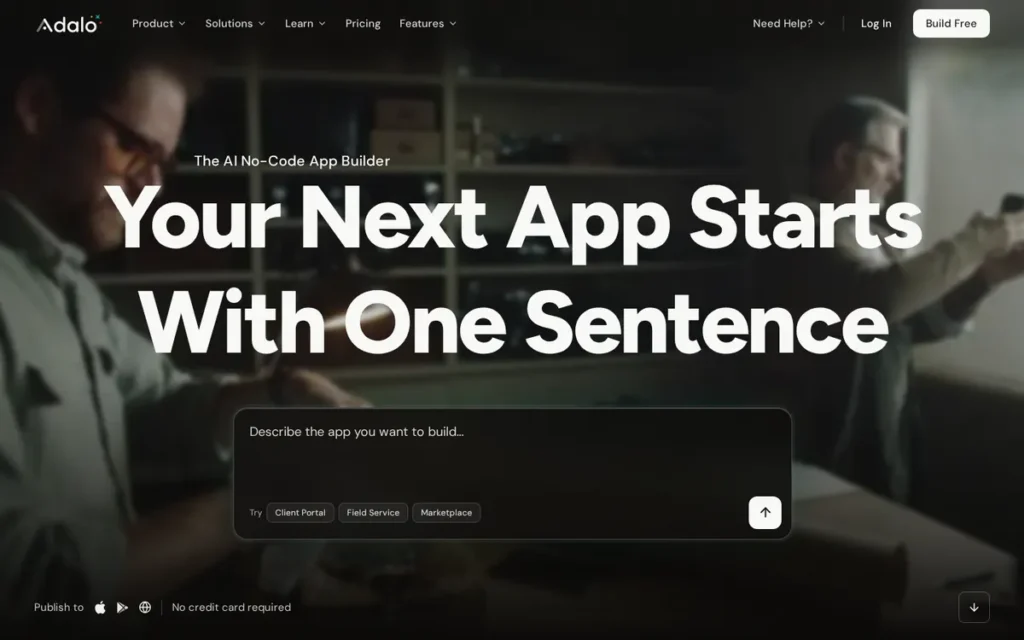
Category: No-Code App Builder (Visual / Zero-Code), builds and publishes native iOS and Android apps using a fully visual drag-and-drop canvas with built-in relational database and workflow logic, requiring no programming knowledge and offering no code export.
At a Glance
- Category: No-Code App Builder (Visual / Zero-Code)
- Best For: Non-technical founders, business professionals, and entrepreneurs who need to test a simple mobile app idea quickly without any coding knowledge, developer hiring, or technical infrastructure, specifically for concept validation rather than production scaling
- Price Range: $0 (Free tier with platform branding) to $36/month (Professional tier with native app publishing and unlimited database records); Team and Business plans available for multi-app and multi-editor use (Adalo pricing guide, June 2026)
- Primary Strength: Adalo requires zero coding knowledge and enables direct App Store and Google Play publishing from a drag-and-drop canvas, making it the most accessible entry point to native mobile app creation and distribution for non-technical founders
- Biggest Limitation: As of June 2026, Adalo does not support custom code execution (teams requiring logic beyond the built-in workflow canvas must route through external API integrations (Xano, Zapier, OpenAI) rather than executing arbitrary code) and there is no code export option, meaning every app that outgrows the platform must be fully rebuilt from scratch
- One-Line Summary: Adalo is a no-code app builder that enables non-technical founders to build and publish native iOS and Android apps from a drag-and-drop canvas without writing any code, making it the seventh-ranked but most accessible mobile development platform in 2026 for pure concept validation, with the critical constraint that apps must be fully rebuilt on a different platform when they outgrow Adalo’s no-code feature ceiling.
- Last Verified: June 2026
Overview
Adalo is a no-code platform (founded 2018 by David Adkin and Ben Haefele, backed by $8 million Series A funding led by Tiger Global) that enables anyone (regardless of programming background) to build and publish native iOS and Android apps alongside web apps using a visual drag-and-drop canvas, built-in relational database, and integrated direct App Store and Google Play publishing.
Adalo is positioned at the furthest accessibility end of this comparison: designed explicitly for non-technical builders who want to validate a mobile product idea without developer involvement. Adalo’s AI-powered Magic Start feature generates a complete app foundation from a plain-language text description.
Adalo has facilitated creation of over 3 million apps and processes 20 million+ daily data requests as of June 2026 (vendor-reported figures), while community evidence consistently identifies a performance and complexity ceiling limiting appropriate use to simple, low-traffic apps where concept validation is the primary goal (Adalo official blog, June 2026).
Key Features
- Ada AI Builder with Magic Start: Adalo’s Ada AI builder with Magic Start generates complete app foundations (including screen layouts, navigation structure, database schema, and basic workflow logic) from a plain-language text description, reducing the blank-canvas friction that prevents many non-technical founders from beginning a no-code project (Adalo AI-powered no-code app builder blog, June 2026).
- Direct App Store Publishing: Adalo publishes directly to the iOS App Store and Google Play from a single no-code project without requiring code-signing certificates, provisioning profiles, or Xcode familiarity, removing the technically complex mobile distribution barrier that typically requires developer involvement.
- Built-In Relational Database: Adalo’s built-in relational database supports unlimited records on paid plans, enabling data-driven app categories (marketplaces, directories, membership communities, booking platforms, and simple inventory tools) to be built without separate database configuration or backend development knowledge.
- Native Integrations Ecosystem: Adalo integrates with Stripe for in-app payments, Xano for external database logic, Airtable for structured data management, OpenAI for AI feature embedding, Zapier for workflow automation, and Google Maps for location features, extending platform capability beyond built-in components for common non-technical app use cases.
- Adalo 3.0 Infrastructure: Adalo’s Adalo 3.0 infrastructure overhaul delivered a claimed 3-4× performance improvement over previous platform versions, with vendor-claimed infrastructure capable of supporting apps reaching 1 million+ monthly active users on paid plans, a direct response to the scaling performance criticism that has been the platform’s most consistently documented community concern (Adalo official blog, June 2026).
Best For
Adalo is best for non-technical founders, entrepreneurs, and business professionals who need to test a simple mobile app idea quickly with a live, publishable prototype, specifically for early-stage apps such as marketplaces, directories, booking tools, and community apps where the primary goal is validating product-market fit before committing development resources, and where app complexity will remain within Adalo’s no-code feature boundaries during the validation period.
Pricing
Adalo pricing tiers as of June 2026:
- Free ($0/month, includes Adalo platform branding)
- Professional ($36/month billed monthly: unlimited database records, native app publishing, branding removal)
- Team and Business plans available for multi-app and multi-editor scenarios
Annual billing provides discounted rates. Verify current pricing at adalo.com before purchase, as higher-tier pricing may have been updated.
Strengths
- Vendor-Reported Scale with Infrastructure Investment: Adalo has facilitated creation of 3 million+ apps and processes 20 million+ daily data requests as of June 2026, with the Adalo 3.0 infrastructure overhaul delivering a claimed 3-4× performance improvement, demonstrating platform investment responding directly to scaling criticism (these are vendor-reported figures, not independently audited) (Adalo official blog, June 2026).
- Lowest Total Entry Cost for Native Publishing: Adalo’s $36/month Professional tier includes unlimited database records and direct App Store and Google Play publishing, combining native mobile distribution with a price point accessible to pre-revenue founders running idea validation experiments with no engineering budget (Adalo pricing guide, June 2026).
- AI-Powered App Generation: Adalo’s Ada AI builder with Magic Start generates complete app foundations from plain-language text descriptions, reducing the blank-canvas friction that blocks many non-technical founders from starting and positioning Adalo competitively in AI-assisted no-code generation alongside FlutterFlow’s AI Agent Builder (Adalo AI-powered no-code app builder blog, June 2026).
- 7-Year Operating History with Series A Backing: Adalo’s $8 million Series A led by Tiger Global and 7-year operating history from 2018 to 2026 provide more organizational stability than many no-code tools, though its funding is modest relative to Flutter (Google), React Native (Meta), KMP (JetBrains and Google), and .NET MAUI (Microsoft), a longevity consideration teams should factor into platform commitment decisions (Crunchbase, June 2026).
Limitations
- No Code Export and No Graduation Path: Adalo’s most consequential trade-off is absolute: as of June 2026, Adalo does not support custom code execution, there is no code export option, and there is no incremental graduation path, meaning any Adalo app that grows beyond the platform’s feature ceiling must be fully rebuilt from scratch on a different framework at full development cost, categorically different from FlutterFlow’s real Flutter code export capability.
- Documented Scaling Bugs: Adalo’s community-reported ceiling is clear and multi-source (the dominant r/nocode community verdict is “Adalo is a solid no-code web and mobile app builder, but I usually only recommend it for beginners and for prototyping) it tends to struggle with bugs once you scale out functionality,” documenting production instability when apps exceed simple use cases (r/nocode community review, 2024).
- iOS App Store Publishing Friction: Adalo’s iOS App Store publishing workflow has documented friction, community reports include Apple credential verification errors creating blocking issues for non-technical users who lack developer background to troubleshoot iOS provisioning problems, with one user documenting approximately $500/year on paid plans while repeatedly encountering publishing blockers without adequate support resolution (u/Flying_Gyoza, r/nocode, 2024).
- Modest Organizational Backing vs. Competitors: Adalo’s $8 million Series A provides organizational stability relative to bootstrapped tools but is modest compared to Flutter (Google), React Native (Meta), KMP (JetBrains + Google), and .NET MAUI (Microsoft), a real longevity signal difference that teams building apps intended to serve users across multiple years should explicitly factor into their platform selection decision.
Verdict
Adalo is the seventh-ranked mobile development platform in 2026 and the right choice for one well-defined scenario: a non-technical founder or business professional who needs to validate a simple mobile app concept quickly at $36/month with zero coding knowledge and no developer involvement. Adalo’s zero-code accessibility, direct App Store publishing, and AI-powered app generation are genuine differentiators that no other platform in this comparison replicates at equivalent technical accessibility. Teams should enter Adalo with clear and realistic expectations: every successful Adalo app that grows in complexity or traffic will require a full rebuild on a different platform (React Native, Flutter, or a coded framework) and that rebuild cost is certain rather than optional.
What Red Flags Should I Watch For When Evaluating a Mobile Development Platform?
The five most important red flags when evaluating a mobile development platform in 2026 are single-sponsor abandonment risk, stale plugin ecosystems, no code export path, documented basic-component bugs, and unexplained community activity declines, each representing a risk that compounds significantly over a 3–5 year development commitment.
Red Flag #1: Single Corporate Sponsor Without Production Self-Use
Xamarin’s 2024 deprecation is the clearest reference case: Microsoft backed Xamarin but shifted internal investment to .NET MAUI before announcing the transition publicly. Platforms where the sponsor does not use the framework for their own highest-stakes production systems face structurally higher abandonment risk.
Flutter (Google Pay), React Native (Facebook, Instagram), and KMP (Google Jetpack libraries) all demonstrate active sponsor self-use, a meaningful differentiator from frameworks where the sponsor recommends but does not deploy their own product in production. Microsoft announced Xamarin’s end of support in May 2024, giving teams approximately 6 months before the November 2024 end-of-support date, teams with 3–5 year codebase commitments should model planning around a comparable notice window.
Red Flag #2: Abandoned or Stale Plugin Ecosystem
When third-party plugins providing critical device integrations go unmaintained, apps requiring those integrations hit a hard ceiling with no documented resolution path. Ionic’s Capacitor plugin ecosystem has documented staleness in 2025 community discussions, with multiple r/Angular2 threads citing abandoned plugins as practical production blockers.
Before committing to any platform, verify that the specific hardware and API integrations your app requires have active, recently-updated implementations available, a single unmaintained plugin for a critical feature can block an entire release cycle.
Red Flag #3: No Code Export Path
Platforms with no code export option create a future platform migration cost that is certain rather than contingent. As of June 2026, Adalo has no code export under any circumstances, apps that outgrow the platform must be fully rebuilt from scratch at full development cost.
This is not a theoretical risk; it is a certainty for any app that succeeds in gaining users and complexity. Teams should always ask: “If this platform closes or we outgrow it tomorrow, what is our exit cost and timeline?”
Red Flag #4: Documented Production Bugs in Basic UI Components
.NET MAUI’s GitHub repository contains developer-reported bugs in basic UI controls, not edge-case components, but core UI elements including layout sizing, label rendering, and border display. When a framework’s own issue tracker shows unresolved bugs in fundamental building blocks, teams should audit their specific control requirements against those open issues before committing.
The Microsoft Learn Troubleshoot Known Issues page documents platform-specific workarounds, confirming these are active, production-relevant concerns rather than theoretical risks. Workarounds exist for most issues, but teams should enter with clear documented awareness rather than discovering limitations mid-project.
Red Flag #5: Community Activity Decline Without Public Explanation
Ionic’s reduced blog and social media activity since late 2024 raised community questions that have not been publicly addressed by the company. Declining community engagement (fewer framework updates, less social presence, slower issue response times) without a public organizational explanation can be an early warning of reduced investment priority.
Monitor GitHub commit frequency at github.com/ionic-team/ionic-framework directly, the changelog cadence and issue response times are observable real-time longevity signals. Notably, Xamarin’s GitHub release frequency slowed in the 12 months preceding Microsoft’s May 2024 end-of-support announcement, making commit cadence monitoring a historically-validated risk signal for teams evaluating long-term platform commitment.
What Questions Should I Ask Before Choosing a Mobile Development Platform?
Five questions (covering team language fit, UX requirements, longevity risk tolerance, hardware integration needs, and graduation path planning) provide the complete evaluation framework for making a defensible mobile platform decision aligned with both technical requirements and business risk tolerance.
Question #1: What programming languages and frameworks does your team already know?
The most consequential factor in platform selection is team language fit. JavaScript/React expertise points to React Native; Kotlin expertise points to Kotlin Multiplatform; C#/.NET expertise points to .NET MAUI; Angular/Vue/React web experience without desire to learn a new language points to Ionic. Flutter is the exception where learning Dart is worth the investment for teams prioritizing UI consistency and multi-platform reach.
Teams should assess: would hiring for platform skills not currently on staff be required, and can the organization absorb that cost and schedule risk before the first production release?
Question #2: How important is platform-native feel versus pixel-perfect visual consistency?
React Native and Kotlin Multiplatform render genuinely native platform UI components, apps inherit iOS and Android conventions automatically without additional engineering. Flutter renders its own pixels, apps can achieve pixel-perfect brand consistency but must manually implement platform conventions. Ionic renders in a WebView, apps are visually consistent but may feel less native on lower-end Android.
There is no universal right answer; the correct answer depends on your user base’s UX sensitivity and your brand’s visual requirements.
Question #3: What is your tolerance for framework discontinuation risk over a 3–5 year horizon?
Xamarin’s 2024 deprecation should be the explicit reference case for every team making a mobile platform decision today. Look for these observable signals before committing:
- Dual corporate sponsorship (KMP has the strongest dual-backing structure with JetBrains and Google)
- Active sponsor self-use in critical production systems (Flutter and React Native both qualify)
- Published roadmaps with specific milestones (Flutter and KMP have these as of June 2026)
- Growing or stable: not declining, community activity trajectory
Single-sponsor platforms without active production self-use carry the highest structural abandonment risk.
Question #4: Does your app require hardware integrations beyond standard camera, GPS, and local storage?
Advanced hardware integrations (deep NFC, specialized biometrics, ARKit, custom BLE protocols, USB peripherals) require either native development capability or verified, actively-maintained platform plugins. Before committing to a framework, specifically verify that each required integration has a current, maintained implementation for your target platforms.
Ionic’s Capacitor and React Native’s npm ecosystem have the broadest coverage; KMP and .NET MAUI have thinner third-party integration libraries for mobile-specific hardware APIs.
Question #5: If this platform hits a ceiling, is there a graduation path or will you rebuild from scratch?
Adalo has no graduation path, outgrown apps must be fully rebuilt at full development cost. FlutterFlow exports real Flutter code but requires refactoring before idiomatic production use. Coded frameworks (Flutter, React Native, KMP, MAUI) have no platform-defined ceiling, only engineering capacity constraints.
Teams should make their platform choice assuming the app will succeed and grow, not the assumption that it will stay simple.
Validation tip: Before committing to any platform, build one representative screen from your app’s highest-risk requirement (your most complex animation, most hardware-dependent integration, or most platform-specific interaction) in each of your top-2 candidate frameworks. A 2-week technical spike surfaces real friction that article reviews cannot predict for your specific team and codebase context.
How Did We Rank These 7 Mobile Development Platforms?
The 7 platforms in this comparison are ranked across six weighted criteria (production maturity evidence, ecosystem depth, rendering performance, corporate longevity signals, use case breadth, and pricing transparency) with all criteria applied identically to every platform, from Flutter at #1 to Adalo at #7.
Evaluation Process
Ranking each platform required four research stages applied consistently:
- Stage 1: AI Search Engine Analysis: We queried multiple AI search engines with the target article prompts to identify existing coverage and evidence gaps, then directed additional research to fill those gaps specifically.
- Stage 2: Independent Web Research: We gathered pricing, feature documentation, production deployment evidence, and roadmap information from vendor documentation and third-party analysis sources, dating every data point to its verification month.
- Stage 3: Reddit Community Sentiment Analysis: We reviewed r/FlutterDev (177K subscribers), r/reactnative (183K subscribers), r/Kotlin (105K subscribers), r/Angular2 (87K subscribers), and r/nocode (128K subscribers) for practitioner experience, capturing named user comments with upvote scores as a signal of community consensus weight.
- Stage 4: Cross-Reference Validation: We cross-referenced vendor claims against independent sources. Vendor-only claims are labeled as such. Only claims corroborated by at least one independent source are stated as fact without caveat.
Why Each Criterion Matters
Production Maturity and Named Deployment Evidence (Primary weight): CTOs and technical leads need evidence that a platform performs at production scale before committing a multi-year codebase. We measured the number and organizational scale of verifiable named production deployments, length of continuous production history, and evidence of use in high-reliability or high-transaction-volume contexts.
Developer Ecosystem Depth and Community Size (Primary weight): Ecosystem depth directly proxies hiring availability, third-party library coverage, and long-term project sustainability. We measured subreddit subscriber count as a dated community size proxy, GitHub stars and fork counts, and documented plugin or library abandonment incidents as negative ecosystem health signals.
Rendering Architecture and Cross-Platform Performance Quality (Primary weight): The rendering approach determines whether a cross-platform app achieves native-quality UX or a performance-compromised experience. We measured rendering architecture type (custom engine vs. native components vs. WebView vs. no-code abstraction), documented performance ceilings, and community reports of production performance limitations with named sources.
Corporate Backing and Platform Longevity Signals (Primary weight): Xamarin’s 2024 deprecation is the reference case. Key signals evaluated:
- Single vs. dual corporate sponsor structure
- Whether the primary sponsor uses the framework for their own highest-stakes production systems
- 12-month GitHub release frequency and public roadmap publication with named milestones
- Observable community activity trends (growing, flat, or declining)
Use Case Breadth and Target Audience Fit (Secondary weight): We evaluated how well each platform’s technical assumptions match the full range of target use cases (startup MVP, enterprise internal tool, consumer-facing app, content-driven app, GPU-intensive app, and beginner non-technical founder) including documented cases where teams hit a ceiling and required platform migration.
Pricing Transparency and Total Cost of Ownership (Secondary weight): Platform costs extend beyond licensing fees. We measured framework license cost, developer talent pool size as a hiring cost proxy (JavaScript/TypeScript, largest; Kotlin and C#, substantial enterprise pools; Dart, growing but smaller), required toolchain infrastructure costs, and pricing page transparency from vendor sources dated June 2026.
Evidence Weighting
When review platform ratings conflict with Reddit sentiment, we weight specificity and recency. A detailed 2025 Reddit post with 50+ upvotes from a named practitioner describing a specific, reproducible limitation outweighs a generic vendor marketing claim or an undated community post.
Named user comments are cited with username, community, score, and year. Vendor-reported statistics (such as Adalo’s “3 million+ apps created”) are labeled as vendor-reported rather than independently verified.
The Standard Applied to Every Platform
Each platform in this ranking was evaluated against a single standard: would a technically informed CTO, knowing what practitioners have documented in verified production deployments and community discussions, choose this platform for their team’s next 3–5 year mobile investment? Rankings reflect that standard, not trending GitHub stars, not vendor documentation alone, and not the platform easiest to write favorably about.
Update Cadence
This article was researched and written in June 2026. PlugRoute refreshes platform comparison articles annually at minimum, or when a major framework version, corporate announcement, or community event meaningfully changes the ranking evidence.
Independence Statement
PlugRoute has no affiliate relationships with any company listed. Rankings are determined entirely by research data and objective evaluation criteria.
Frequently Asked Questions
What is the best mobile development platform for a small team in 2026?
Flutter and React Native are the top recommendations for small teams in 2026, both are free, production-proven, and have communities large enough to prevent teams from getting stuck. Flutter excels for UI-consistency-first teams starting fresh; React Native for JavaScript or React expertise teams. For non-technical founders, FlutterFlow ($39–80/month) or Adalo ($36/month) provide lower-cost entry points with meaningful capability trade-offs detailed in each entry above.
Is Flutter or React Native better in 2026?
Neither Flutter nor React Native is objectively better in 2026. Choose React Native if your team already knows JavaScript or React. Choose Flutter if starting fresh and prioritizing pixel-perfect UI consistency, web-via-WASM deployment, or desktop targeting. Both are production-proven at enterprise scale with active corporate backing, this is a team-fit decision, not a quality decision, and both choices are recoverable if circumstances change.
How does PlugRoute determine its mobile platform rankings?
PlugRoute ranks mobile development platforms across six criteria (production maturity evidence, developer ecosystem depth, rendering architecture quality, corporate longevity signals, use case breadth, and pricing transparency) weighted by concerns most relevant to CTOs making 3–5 year technology commitments. Data comes from Reddit developer communities with named attribution, official vendor documentation, third-party analyst reports, and GitHub activity. No platform receives preferential treatment.
Glossary of Key Terms Used in This Comparison
Cross-Platform Framework: A software development toolkit enabling a single codebase to compile and deploy as native applications on multiple operating systems (typically iOS and Android) using shared programming language and shared UI or business logic code, rather than maintaining separate native codebases per platform. Examples in this comparison include Flutter, React Native, Kotlin Multiplatform, and .NET MAUI.
WebView: A system component provided by iOS (WKWebView) and Android (Android System WebView) that renders web content (HTML, CSS, JavaScript) inside a native mobile app shell. Ionic uses WebView as its primary rendering engine, which enables web technology reuse but introduces a performance ceiling compared to native component rendering (React Native) or custom rendering engines (Flutter’s Impeller). Android System WebView is known to underperform on lower-end Android devices, creating a platform-specific performance disparity in WebView-based apps.
Incremental Adoption: A migration strategy uniquely enabled by Kotlin Multiplatform where teams introduce cross-platform shared code one module at a time (sharing the networking or data layer first) without rewriting an entire existing native app from scratch. Incremental adoption reduces upfront migration risk and enables validation of the KMP approach at small scale before full cross-platform commitment.
Progressive Web App (PWA): A web application delivered through a browser that uses modern web APIs to provide app-like capabilities (offline support, push notifications, home screen installation) without requiring App Store distribution. Ionic is the only platform in this comparison natively supporting both PWA deployment and native App Store distribution from the same codebase, making it uniquely valuable for web-first organizations serving users across both distribution channels.
Impeller: Flutter’s custom graphics rendering engine that replaced the legacy Skia renderer as part of Flutter’s 2026 roadmap transition. Impeller pre-compiles shaders at build time rather than at runtime, eliminating shader compilation jank that caused animation stutters in earlier Flutter versions and delivering more consistent 60fps+ animation performance across iOS and Android. Impeller is central to Flutter’s rendering architecture advantage over WebView-based and bridge-based cross-platform approaches.
JSI (JavaScript Interface): React Native’s direct communication layer between JavaScript and native platform code, introduced in the New Architecture to replace the legacy asynchronous serialized bridge. JSI enables synchronous JS-to-native interaction, eliminating the bridge-serialization bottleneck that caused performance issues in React Native versions prior to 0.75. React Native 0.82 (2025) completes the full migration to JSI with the legacy bridge fully removed.
Which Mobile Development Platform Is Right for You?
In 2026, the right mobile development platform depends on three factors: your team’s existing language expertise, your app’s UX and performance requirements, and your tolerance for framework discontinuation risk over a 3–5 year horizon. Flutter and React Native serve the widest range of teams; Kotlin Multiplatform, .NET MAUI, and Ionic serve specific technical contexts; FlutterFlow and Adalo serve non-technical builders at different capability levels.
Key Insights
- Flutter is the highest-adoption cross-platform framework in 2026 for teams where visual UI consistency, animation performance, and multi-platform reach are primary requirements, validated by Google’s production commitment in Google Pay and by approximately 46% cross-platform developer adoption as of 2025–2026.
- React Native is the highest-ROI choice for any team with existing JavaScript or React expertise, Expo’s deployment simplicity, the npm talent pool’s size, and the New Architecture’s performance improvements are decisive advantages for JavaScript-background teams.
- Kotlin Multiplatform offers the only cross-platform approach where apps are genuinely native on every platform by design, validated by McDonald’s 6.5 million monthly purchases and Cash App’s 7+ years of production use, with the strongest dual-sponsor backing structure (JetBrains and Google) of any framework in this comparison.
- .NET MAUI is the correct choice for enterprises standardized on C#/.NET; outside that Microsoft ecosystem, .NET MAUI offers no compelling advantage over Flutter or React Native and carries documented basic-controls GitHub bugs.
- Ionic Framework is the only platform supporting both PWA and native app store distribution from a single web-technology codebase, the right choice for Angular, React, and Vue teams building content-driven apps, and a poor fit for animation-intensive or GPU-heavy consumer apps where the WebView performance ceiling is prohibitive.
- FlutterFlow and Adalo serve distinct non-coding audiences: FlutterFlow for founders who want a graduation path to professional Flutter development via code export; Adalo for founders validating pure concepts at the lowest possible cost with zero technical barriers and zero graduation options.
- The no-code-to-code graduation journey is a certainty, not a contingency: move from Adalo to FlutterFlow when you need custom logic the canvas cannot implement; move from FlutterFlow to coded Flutter when a developer estimates refactoring takes longer than rebuilding key screens from scratch; plan these transitions before you need them.
The native vs. cross-platform decision in 2026 is no longer a debate about quality. Google Pay, McDonald’s, Cash App, Facebook, and Instagram all run on cross-platform technology. The decision is now about fit: does your team’s language expertise, UX requirement, and risk tolerance align better with a custom renderer, native components, or native UI by design?
The longevity question is answerable using Xamarin’s deprecation as a reference point. Look for three observable signals: the sponsor actively uses the framework for their own highest-stakes production systems; there is a published roadmap with specific, named milestones; and community activity is growing or stable, not declining. Single-sponsor frameworks without active production self-use carry structurally higher abandonment risk, and that risk is now priced into planning assumptions by every informed technical lead.
If this article leaves you choosing between Flutter and React Native without a clear winner, that is the expected outcome, not a research failure. Both are production-proven at enterprise scale; the correct choice is a team-fit decision, not a quality verdict. Teams that start with React Native can migrate to Flutter, and vice versa, both decisions are recoverable, though neither migration is free.
We update this guide quarterly. Last updated: June 2026. For independent analysis of other software and infrastructure categories, see our other reviews at PlugRoute, where rankings are determined by research data, not affiliate relationships.