Airtable is the top-ranked no-code platform for internal tools and workflow automation, Softr leads for client portals and membership sites, and Webflow is the strongest choice for design-forward marketing sites and e-commerce. The right platform depends on your specific use case, technical background, and pricing risk tolerance, not which tool generates affiliate revenue for the site recommending it.
The real cost of choosing the wrong platform is not the subscription fee, it is the 200–400 hours a non-technical founder typically invests before discovering a platform’s ceiling. At a $75/hour opportunity cost, that is $15,000–$30,000 in time that cannot be recovered. The “plan to rebuild” framework resolves this: validate your no-code MVP fast, then rebuild in code once you have product-market fit and development budget. Your use case is the critical first filter:
- Web SaaS or marketplace → Bubble
- Marketing site or e-commerce → Webflow
- Internal tools and workflow automation → Airtable
- Client portals, membership sites, directories → Softr
- Cross-platform mobile app MVP → FlutterFlow
- Spreadsheet-to-app conversion → Glide
- Internal admin panels for technical teams → Retool
PlugRoute has no affiliate relationships with any company listed. Rankings are determined entirely by research data and objective evaluation criteria.
TL;DR: Top Picks at a Glance
- Airtable: strongest evidence-backed pick for non-technical operations teams building internal tools and automated workflows
- Softr: fastest deployment from Airtable or Google Sheets data to a live client portal; highest G2 rating (4.7/5.0) among all seven platforms evaluated
- Webflow: only platform in this evaluation that exports developer-ready HTML and CSS; best for design-forward marketing and e-commerce sites
- FlutterFlow: the sole dedicated cross-platform mobile app builder in this evaluation; community consensus says “plan to rebuild” at scale
What Are the Four Categories of No-Code Development Platforms?
The seven no-code platforms in this evaluation fall into four categories. Full-Stack and Web Builders, Bubble and Webflow, build complete web apps or export developer-ready code. Database-App tools, Airtable and Glide, build apps on structured data. Portal Builders, Softr, convert external data into deployed portals. Specialized Builders, FlutterFlow for mobile, Retool for internal tools, address distinct niches.
Category 1: Full-Stack and Web Builders
Bubble builds complete web applications (including database, logic, and hosted deployment) in one proprietary no-code environment. Webflow generates production-quality websites and e-commerce stores from visual design, outputting clean, developer-exportable HTML and CSS.
Category 2: Database-App Tools
Airtable combines a relational database with AI-powered app generation and workflow automation. Glide converts existing Google Sheets and spreadsheet data into mobile-friendly business apps without requiring new database architecture.
Category 3: Portal and Interface Builders
Softr builds user-facing portals, membership sites, and directories on top of external data sources (Airtable, Google Sheets, HubSpot, and BigQuery) without a native backend database.
Category 4: Specialized App Builders
FlutterFlow builds cross-platform iOS, Android, and web apps using Google’s Flutter framework. Retool builds internal admin panels, dashboards, and data management tools for technically literate teams with existing SQL and JavaScript expertise.
How Do the Top No-Code Platforms Compare at a Glance?
The seven platforms in this evaluation range from beginner-accessible portal builders (Softr, Glide) to technically demanding full-stack environments (Bubble, Retool). Softr holds the highest G2 rating (4.7/5.0), Airtable leads on adoption evidence (500,000+ organizations), and Bubble ranks last on beginner accessibility despite having the strongest production deployment evidence. The table below provides a side-by-side comparison across category, use case, and key trade-offs.
| Rank | Company | Category | Best For | One-Line Summary | Key Capabilities | Primary Strength | Key Limitation |
|---|---|---|---|---|---|---|---|
| 1 | Airtable | Database-App | Internal tools, workflow automation, operations teams | Airtable is a no-code database-app platform used by 500,000+ organizations that generates AI-powered apps from plain-language prompts with no hidden compute billing. | Relational database, AI Cobuilder, workflow automation, multi-view interface, 50+ integrations | Highest weighted composite score across accessibility, pricing transparency, and production evidence for non-technical founders | Per-seat pricing scales with team size; limited front-end design for externally-facing SaaS products |
| 2 | Softr | Portal Builder | Client portals, membership sites, directories | Softr is a no-code portal builder with the highest G2 rating (4.7/5.0) of all seven platforms that converts Airtable and Google Sheets data into live portals for 1M+ builders. | Block-based interface, AI Co-Builder, user authentication, role-based access, multi-source data integration | Highest G2 rating (4.7/5.0); fastest deployment from existing structured data to a live portal | No native database; every app permanently requires a separately maintained external data source |
| 3 | Webflow | Visual Web Developer | Marketing sites, e-commerce, design-forward brands | Webflow is a visual web development platform trusted by 300,000+ teams that generates exportable, developer-ready HTML and CSS from visual design. | Visual designer, hybrid CMS, native e-commerce, CDN hosting, AEO optimization | Only platform in this evaluation, based on available independent technical analysis, that exports developer-ready HTML and CSS; 12+ years of operational history | Learning curve significantly exceeds no-code marketing claims for users without design or HTML/CSS background |
| 4 | FlutterFlow | Mobile App Builder | Cross-platform mobile app MVPs for iOS and Android | FlutterFlow is a Flutter-based no-code app builder backed by $30M in confirmed funding that enables non-technical founders to ship cross-platform mobile MVPs. | Cross-platform visual builder, Firebase/Supabase integration, code export, 1,000+ templates, VS Code extension | Only dedicated cross-platform mobile app builder in this evaluation; confirmed financial stability per TechCrunch January 2024 | Code export produces output widely described by the technical community as unmaintainable spaghetti |
| 5 | Glide | Spreadsheet-to-App | Operations teams converting spreadsheets into mobile apps | Glide is a no-code spreadsheet-to-app platform with a 4.6/5.0 G2 rating that converts Google Sheets and Airtable data into deployed mobile-friendly business apps. | Spreadsheet-native data connection, Big Tables scalability path, AI Agent, mobile-first output, workflow automation | Fastest path from existing Google Sheets data to a deployed mobile-friendly app | Update limits create billing surprises; community consensus treats Glide as a prototyping tool, not a permanent production platform |
| 6 | Bubble | Full-Stack Web App Builder | Complex SaaS products, marketplaces, and web apps | Bubble is the most technically complete full-stack no-code web app builder in this evaluation; ranked #6 because its learning curve, opaque pricing, and complete vendor lock-in create the highest barriers for non-technical founders. | Full visual editor, native relational database, workflow automation, 5,300+ plugins, SOC 2 Type II compliance | Strongest production deployment evidence in this evaluation; verified at country-wide marketplace scale | Steepest learning curve; Workload Unit billing is unpredictable; no code export and no self-hosting |
| 7 | Retool | Internal Tool Builder | Internal admin panels and data dashboards for technical teams | Retool is an internal tool builder backed by $95M+ in confirmed funding with a 4.6/5.0 G2 rating; with the narrowest use case and a documented pricing risk that scaled one organization’s costs to near $1M annually. | 100+ drag-and-drop components, 70+ database/API integrations, self-hosted Docker option, RBAC, SSO, Retool AI | Strongest self-hosting option in this evaluation; 7+ years operational history | Per-external-user pricing creates catastrophic cost escalation; SQL/JS knowledge required |
Which No-Code Platform Should I Choose for My Use Case?
Choose your no-code platform by use case: Airtable for internal tools and workflow automation, Softr for client portals from existing structured data, Webflow for marketing sites and e-commerce, FlutterFlow for cross-platform mobile app MVPs, Glide for spreadsheet-to-app conversion, Bubble for complex SaaS web apps, and Retool for internal admin panels requiring SQL expertise. The table below maps each scenario in full.
| Your #1 Priority | Recommended Tool | Why | Acceptable Alternative |
|---|---|---|---|
| Build a complex SaaS web app or marketplace | Bubble | Only full-stack no-code builder covering front-end, back-end, database, and hosting in one tool | Webflow + Airtable (composable stack) |
| Build a marketing site or e-commerce store | Webflow | Best design control + developer-ready code export + 12+ years of operational history | Softr (for simpler content sites) |
| Build internal tools, automate workflows, manage operations data | Airtable | Highest weighted composite score; 500K+ org adoption; AI Cobuilder; transparent per-seat pricing | Retool (only if SQL/JS competency exists) |
| Build a client portal, membership directory, or partner hub | Softr | Highest G2 rating of all 7 platforms (4.7/5.0); fastest deployment from Airtable or Google Sheets data | Glide (if data is in Google Sheets) |
| Convert a Google Sheet into a mobile app for your team | Glide | Lowest barrier to entry from existing spreadsheet data; mobile-first output | Airtable (for more complex data requirements) |
| Build a cross-platform mobile app MVP for iOS and Android | FlutterFlow | Only dedicated mobile builder in the evaluation; confirmed $30M funding; verified 3,000-user production case | Bubble (if a web version is acceptable) |
| Build internal admin panels for a technical team with SQL expertise | Retool | Fastest internal tool development for SQL/JS-competent teams; best self-hosting option in this evaluation | Airtable (simpler; no SQL required) |
| Not sure which use case applies yet | Airtable | Start with Airtable’s free plan and AI Cobuilder; the act of building your first app clarifies whether you need a portal (Softr), a more complex product (Bubble), or better-organized data (Airtable itself) | Softr (if data already exists in Google Sheets or Airtable) |
1. Airtable: Best Overall for Internal Tools, Workflow Automation & Data-Driven Business Apps
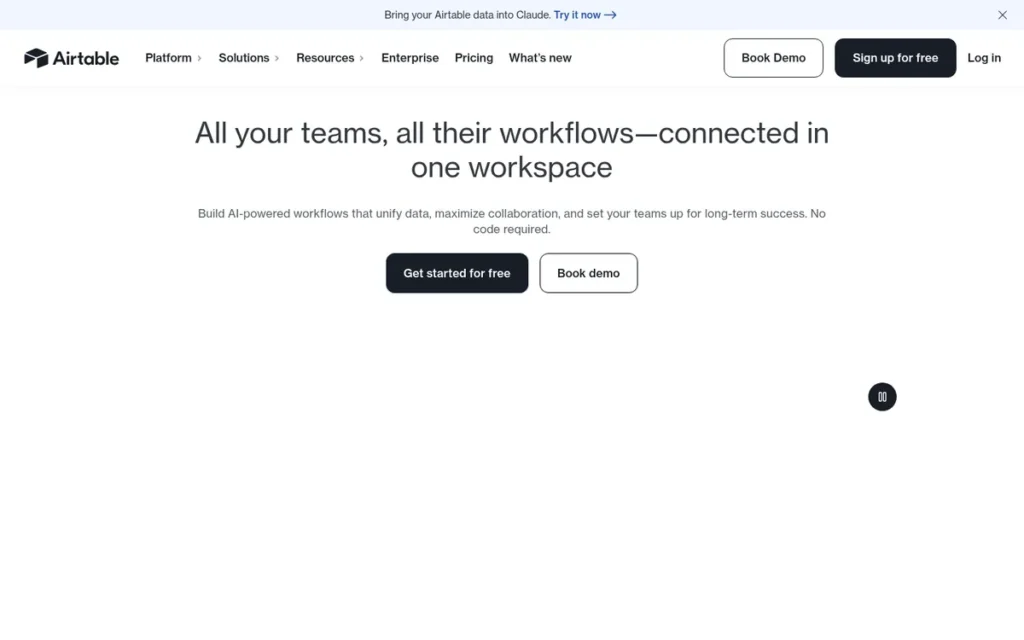
Category: Database-App, combines a relational database with AI-powered app generation, workflow automation, and interactive interface building for non-technical teams.
At a Glance
- Category: Database-App
- Best For: Operations teams, project managers, and non-technical founders building internal tools, automated workflows, and data-driven business systems
- Price Range: Free; $20/user/month Team (billed annually); $45/user/month Business (billed annually); Enterprise custom, verified June 2026 at airtable.com/pricing
- Primary Strength: Airtable’s AI Cobuilder generates a complete app: database schema, interface, and business logic, from a plain-language prompt, on a platform used by more than 500,000 organizations worldwide
- Biggest Limitation: Airtable’s per-seat pricing scales with team size, and its Interface Builder has limited front-end design control for externally-facing SaaS products or consumer apps
- One-Line Summary: Airtable is a no-code database-app platform used by more than 500,000 organizations worldwide that builds internal tools, automates workflows, and generates AI-powered apps from plain-language prompts, earning the top ranking in this evaluation for its combination of accessibility, pricing transparency, and production evidence
- Last Verified: June 2026
Overview
Airtable is a no-code database-app platform used by more than 500,000 organizations worldwide to build internal tools, automate operational workflows, and generate complete business apps from a plain-language prompt, without writing code, installing software, or hiring a developer. Airtable earned the highest weighted composite score in this evaluation, leading on Beginner Accessibility (3x weight), Pricing Transparency (2x weight), and Documented Production Scalability (2x weight), the three criteria that most directly determine whether a non-technical founder can succeed.
Airtable’s multi-model AI integration, supporting OpenAI, Anthropic Claude, IBM, and Meta models as of 2026, makes Airtable one of the most versatile AI-enhanced no-code platforms available. Airtable’s approximately $1.36 billion in reported total funding, widely cited by industry analysts but not confirmed by an official Airtable funding statement at time of research, provides long-term platform stability confidence (Airtable.com, 2026).
Key Features
- AI Cobuilder: Airtable’s Cobuilder (launched 2024) generates a complete app from a plain-language description (automatically creating the database schema, interface, and automation logic in seconds) competing directly with standalone prompt-to-app tools while offering a mature database foundation (Airtable newsroom, 2024).
- Interface Designer: Airtable’s Interface Designer allows non-technical users to build interactive, role-specific dashboards on top of their data using drag-and-drop components, without touching the underlying database structure or writing code.
- Workflow Automation: Airtable’s automation engine handles triggers, conditions, and actions across the platform (including integration with Slack, Gmail, Salesforce, and 50+ third-party services) enabling business process automation without additional tools.
- Flexible Data Views: Airtable supports Grid, Kanban, Gantt, Timeline, Gallery, and Calendar views, allowing different team members to see the same underlying data in the format most useful for their role, without duplicating records (Airtable.com, 2026).
- Multi-Model AI Integration: Airtable supports OpenAI, Anthropic Claude, IBM, and Meta model providers, enabling enterprise teams to direct AI-powered automations to specific approved models, a governance capability not offered by most competing platforms (Airtable AI tools article, 2025–2026).
Best For
Airtable is best for non-technical operations teams, project managers, and small business owners who need to organize complex data, automate repetitive workflows, and build custom internal tools, particularly teams who already think in spreadsheet terms and want a faster path to building interactive apps from existing data.
Pricing
Airtable pricing, verified June 2026 at airtable.com/pricing:
- Free: $0/user/month
- Team: $20/user/month (billed annually) / $24/user/month (billed monthly)
- Business: $45/user/month (billed annually) / $54/user/month (billed monthly)
- Enterprise Scale: Custom pricing
The Team plan caps at 50,000 records per base. The Business plan unlocks two-way syncs, 100,000+ records, and advanced app creation features. A 10-person team on Business pays $450/month billed annually. Annual billing saves approximately 16% versus monthly rates. Airtable has no hidden usage-based compute triggers, a structural advantage over Bubble’s Workload Units and Glide’s update limits.
Strengths
- Production adoption at scale: Airtable is used by more than 500,000 organizations worldwide as of 2026 (verified on Airtable’s official homepage) with authenticated user testimony describing production deployments handling 20,000+ records, automated SMS and email notification systems, and fully automated proposal generation workflows running on the Team plan (Airtable.com, 2026; u/Apptubrutae, r/Airtable, 2023).
- Highest-tier G2 rating: Airtable holds a 4.6/5.0 G2 rating: tied for the highest among all seven platforms evaluated, from a large, diverse verified reviewer base reflecting consistent satisfaction across operations, project management, and app-building use cases (G2.com, verified June 2026).
- AI Cobuilder on a mature platform: Airtable’s Cobuilder generates a working app, database schema, interface, and business logic, from a plain-language description, positioning Airtable against standalone AI app generators while offering the reliability of a platform backed by approximately $1.36 billion in reported total funding, widely cited by industry analysts but not confirmed by an official Airtable funding statement at time of research (Airtable newsroom, 2024).
- Enterprise AI governance: Airtable’s multi-model AI support: spanning OpenAI, Anthropic Claude, IBM, and Meta, enables enterprise governance controls not available on competing platforms, allowing organizations to direct automations to approved model providers (Airtable.com, 2025–2026).
Limitations
- SaaS and consumer app ceiling: Airtable’s Interface Builder excels for internal dashboards but has meaningful limitations as a full-stack front-end for externally-facing SaaS products or multi-screen mobile apps, teams building consumer-facing products, complex user journeys, or iOS App Store and Google Play Store submissions should evaluate Bubble or FlutterFlow instead.
- Per-seat cost scaling: Airtable’s per-seat pricing means a 10-person team on Business pays $450/month billed annually, costs scale directly with headcount in a way that flat-rate platforms like Bubble and Softr do not, making Airtable less cost-efficient for larger collaborative teams.
- Record limits create upgrade pressure: Airtable’s Team plan caps at 50,000 records per base, teams managing large operational databases may need to upgrade to Business ($45/user/month annually) earlier than anticipated as data volumes grow.
Users on r/nocode noted the consequences of hitting Airtable’s record limits in a production operations stack:
“Airtable pushing the next pricing tier (because we hit the limits), Interfaces not showing what we needed (and not very customizable), updating one product meant changing it in 3 places, new Zaps on top of other zaps. The worst part – failures were completely silent. We only found out when a customer complained or when someone noticed data was missing.” Posted by u/Competitive_Rip8635
Takeaway: Airtable’s record limits and Interface Builder constraints become real operational forcing functions at production scale, teams running complex, multi-tool stacks on Airtable consistently report surprise upgrade pressure and silent failure risk as data volumes and automation chains grow.
- Dual-platform dependency when used as backend: Teams who deploy Airtable as a backend for apps built on Softr or Glide carry two separate platform subscriptions and two maintenance obligations, creating concentrated platform risk and higher total cost of ownership if either service changes pricing.
Verdict
Airtable is the highest-ranked platform in this evaluation because it delivers the strongest combination of accessibility, pricing transparency, production evidence, and review satisfaction for the non-technical audience this article serves, earning the highest composite score across all six weighted criteria. Airtable’s 500,000+ organization adoption, 4.6/5.0 G2 rating, AI Cobuilder, and clear per-seat pricing with no hidden compute triggers make it the most evidence-backed recommendation for non-technical founders and operations teams building internal tools, workflows, and data-driven business systems. Teams who need an externally-facing SaaS product, consumer mobile app, or complex multi-user web application should evaluate Bubble or FlutterFlow instead.
2. Softr: Best for Client Portals, Membership Sites & Directories
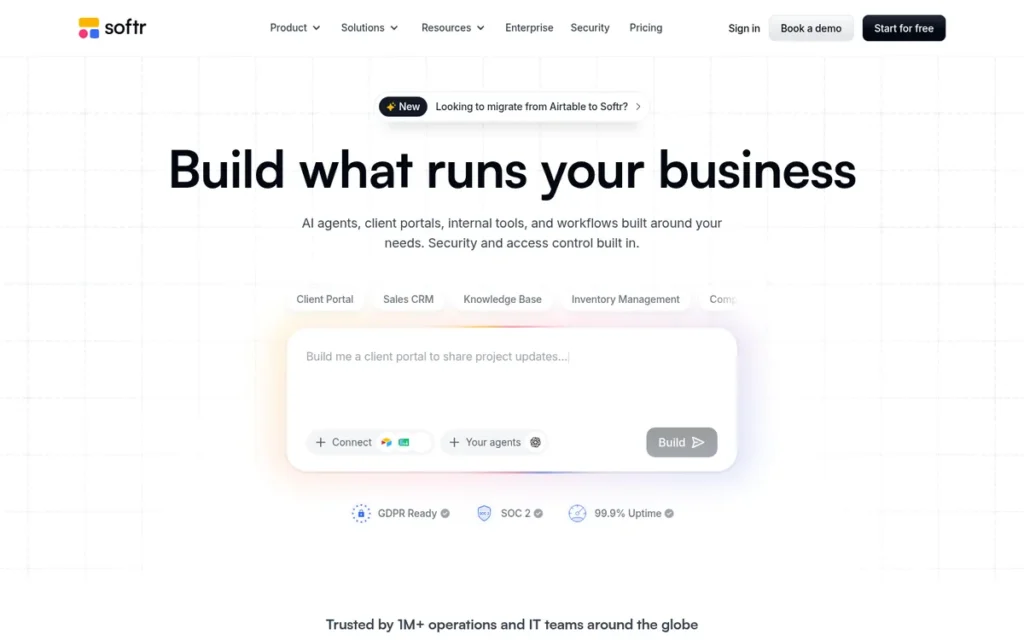
Category: Portal Builder, converts structured data from Airtable, Google Sheets, or HubSpot into deployed client portals, membership sites, internal directories, and business web apps.
At a Glance
- Category: Portal Builder
- Best For: Non-technical business owners, agencies, and founders who manage data in Airtable or Google Sheets and need to build a client portal, membership directory, or internal web app as quickly as possible
- Price Range: Free; ~$49/month Basic; ~$139/month Professional; ~$269/month Business; Enterprise custom, figures from third-party sources; verify at softr.io/pricing before committing
- Primary Strength: Softr is the fastest no-code path from existing structured data to a deployed, user-facing portal, backed by the highest G2 rating (4.7/5.0) of all seven platforms in this evaluation
- Biggest Limitation: Softr has no native database: every Softr application permanently requires a separately maintained external data source (Airtable, Google Sheets, or HubSpot), adding a second subscription cost and a second platform dependency
- One-Line Summary: Softr is a no-code portal builder with a 4.7/5.0 G2 rating: the highest of all seven platforms evaluated, that converts Airtable, Google Sheets, and HubSpot data into deployed client portals and membership sites for more than 1 million builders worldwide
- Last Verified: June 2026
Overview
Softr is a no-code portal-building platform, launched in 2020, that allows non-technical users to convert structured data from Airtable, Google Sheets, HubSpot, SmartSuite, or BigQuery into deployed client portals, membership sites, internal directories, and business web apps, without writing code, managing servers, or learning a complex interface. Softr reports powering more than 1 million builders and more than 7,000 organizations building mission-critical systems worldwide as of 2026, with named customers including Netflix, Google, Stripe, UPS, and Clay listed on its official homepage, though the scope of use within these organizations is not specified in available sources (Softr.io, 2026).
Softr expanded from its original Airtable-only positioning in 2023–2024 to support multiple data sources, and its AI Co-Builder (launched 2024–2025) added natural-language app generation capability, placing Softr in the prompt-to-app category alongside more established AI-first builders (Softr.io blog, 2025).
Key Features
- AI Co-Builder: Softr’s AI Co-Builder generates a working app: including interface layout, component structure, and data connections, from a plain-language description, enabling non-technical users to reach a deployed portal in minutes without manually designing each screen (Softr.io blog, 2025).
- Block-Based Interface Designer: Softr’s pre-built component library: lists, grids, forms, charts, search filters, and kanban boards, connects directly to Airtable, Google Sheets, or HubSpot data, allowing teams to assemble working portals without custom code or design tooling.
- User Authentication and Access Control: Softr supports user login, role-based access control, and membership gating, enabling portals where different users see different data based on their role, subscription tier, or organization membership.
- Multi-Source Data Integration: Softr integrates natively with Airtable, Google Sheets, HubSpot, SmartSuite, and BigQuery, allowing organizations to build user-facing apps on top of data sources they already manage without re-entering or migrating data (Softr 2023 year-in-review).
- Functional Free Plan: Softr’s free plan includes custom domains, basic authentication, and core components, providing meaningful functionality for personal and early-stage projects before a paid subscription is required (GapConsulting Softr guide, accessed June 2026).
Best For
Softr is best for non-technical founders, agencies, and business owners who already manage data in Airtable or Google Sheets and need to deploy a client portal, membership directory, partner hub, or internal dashboard as quickly as possible, without learning a full-stack app-building platform or writing code.
Pricing
Softr pricing (reported by third-party sources and partially cross-referenced with softr.io/pricing, June 2026):
- Free: $0
- Basic: ~$49/month
- Professional: ~$139/month
- Business: ~$269/month
- Enterprise: Custom pricing
Critical hidden cost: Softr does not include data storage. Every Softr application requires a separate Airtable, Google Sheets, or HubSpot subscription for the data layer, not included in Softr’s pricing. A team on Softr Professional plus Airtable Team pays $139 + $20/user/month combined, not $139 alone. Pricing figures above are from third-party sources, verify current rates at softr.io/pricing before committing.
Strengths
- Highest G2 rating in this evaluation: Softr holds a 4.7/5.0 G2 rating: the highest verified review platform score among all seven platforms, reflecting strong user satisfaction from a well-matched community of portal and directory builders (G2.com, verified June 2026).
- Adoption scale with named enterprise customers: Softr reports more than 1 million builders and 7,000+ organizations building mission-critical systems worldwide as of 2026, with named customers including Netflix, Google, Stripe, UPS, and Clay listed on its official homepage, though the scope of use within these organizations is not specified in available sources (Softr.io, 2026).
- AI Co-Builder on an established portal platform: Softr’s AI Co-Builder generates app structure and interface from a natural-language prompt, placing Softr in the AI generation space while the mature block-based portal builder provides the reliability of an established 2020-era platform (Softr.io blog, 2025).
- Community consensus for portal and directory use cases: The no-code community consistently identifies Softr as the first recommendation for Airtable-powered directory sites and client portals, a use-case-specific consensus reflecting genuine user satisfaction rather than platform marketing (u/Difficult-Grass-6859, r/nocode, 2024).
This aligns with community sentiment on r/nocode:
“I’ve been a dev for about 8 years and after trying a few no code products out there I’ve come to really love softr. It can be cumbersome but they allow free range custom code which makes all the difference imo. My first app with softr looked awful but I’m really pleased with my most recent one which has a lot of my custom code in it. Also the softr community and forums are pleasant with great resources since they’re constantly updating and adding new features” Posted by u/kerrie_mariah
Takeaway: Experienced developers who adopt Softr report that its custom code access and active community allow them to overcome the platform’s default UI constraints, making it viable for polished production portals in the hands of technically literate builders.
Limitations
- No native database: permanent external dependency: Softr has no native database of its own, meaning every application built on Softr permanently requires a separately maintained external data source, creating two separate points of platform risk and two separate subscription costs. If Softr’s pricing changes dramatically, users can recover their data (it lives in Airtable or Google Sheets), but their application interface must be rebuilt from scratch on a new platform (Noloco.io Softr vs. Airtable comparison, 2024).
- Structural scope ceiling: Softr performs strongly for portals, directories, and membership sites but is not appropriate for consumer-facing SaaS products, e-commerce stores, or mobile apps, teams with those requirements need Bubble, Webflow, or FlutterFlow instead.
- Backend logic constraints: Softr’s interface-only architecture limits teams who need complex data relationships, custom code, extensive UI customization, or sophisticated multi-step workflows, capabilities that experienced builders consistently encounter as they push the platform’s boundaries (Noloco.io, 2024).
Users on r/nocode noted:
“I built a CRM with Softr. It is extremely limited and frustrating once you want to do any meaningful customizations. It’s great for instant tables and signin.” Posted by u/foofork
Takeaway: Softr delivers fast results for read-heavy portals and directory use cases, but builders attempting any customization beyond its standard block components consistently report hitting a hard ceiling, confirming the platform’s “Structural scope ceiling” limitation for CRM and logic-heavy builds.
- Total cost of ownership opacity: Softr’s pricing page does not display the full monthly cost because data storage is a separate subscription, first-time buyers who compare Softr’s sticker price to Bubble’s all-in-one plan may significantly underestimate their actual combined monthly spend.
Verdict
Softr earns the #2 ranking based on its 4.7/5.0 G2 rating (the highest of any platform evaluated) its 1 million+ builder adoption with 7,000+ mission-critical deployments, and its status as the most beginner-accessible platform in this group for portal and membership site creation. Softr is the right choice for non-technical founders who already manage data in Airtable or Google Sheets and need to deploy a client portal, internal directory, or membership app as quickly as possible. Teams who need a full-stack app with a native database, complex backend logic, consumer mobile distribution, or custom front-end design control should evaluate Airtable, Bubble, or FlutterFlow instead.
3. Webflow: Best for Marketing Sites, E-Commerce & Design-Forward Web Presence
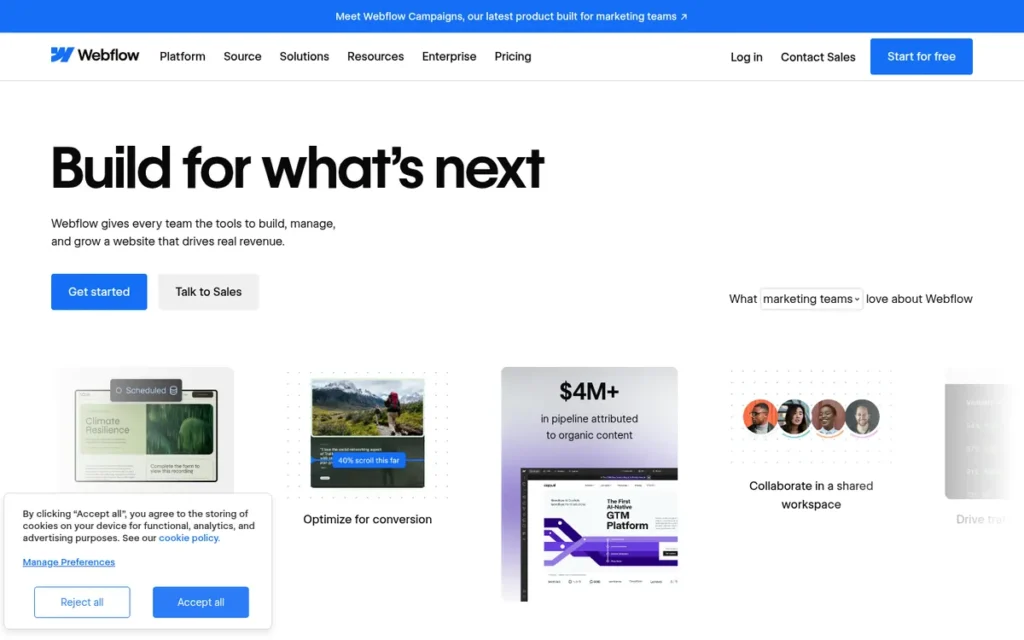
Category: Visual Web Developer, builds marketing sites, e-commerce stores, and CMS-driven web presences using a visual design interface that generates clean, exportable HTML and CSS.
At a Glance
- Category: Visual Web Developer
- Best For: Designers, marketing teams, agencies, and startups who need polished marketing sites, e-commerce stores, or CMS-driven content sites with full design control and code portability
- Price Range: Workspace plan (free + paid tiers) plus separate Site plans starting at ~$29/month for E-commerce Standard (billed annually), dual plan structure; verify full combined cost at webflow.com/pricing
- Primary Strength: Webflow generates production-quality semantic HTML and CSS from visual design actions, making it the only platform in this seven-platform evaluation, based on available independent technical analysis, where exported code is immediately developer-readable and deployable
- Biggest Limitation: Webflow’s dual pricing structure (workspace plan + site plan purchased separately) creates a higher-than-expected total monthly cost, and its learning curve significantly exceeds its “no-code” positioning for users without design or HTML/CSS background
- One-Line Summary: Webflow is a visual web development platform trusted by more than 300,000 teams that generates clean, exportable HTML and CSS, making it the strongest choice for design-forward marketing sites and the only platform in this seven-platform evaluation with genuinely developer-ready code portability
- Last Verified: June 2026
Overview
Webflow is a visual web development platform, founded in 2013 and trusted by more than 300,000 teams, that allows designers, marketing teams, and non-technical founders to build production-quality marketing sites, e-commerce stores, and CMS-driven content sites visually, with the platform automatically generating semantic HTML, CSS, and JavaScript without requiring code (Webflow.com, 2026). Webflow is the oldest platform in this evaluation with over 12 years of continuous operation, a platform longevity signal that no other platform in this comparison can match based on operational history alone (AppsRow Webflow overview, 2025).
Webflow’s 2025–2026 positioning as an “agentic web platform” includes native memberships, logic capabilities, and AEO (Answer Engine Optimization) features designed to improve content visibility in AI-driven search results, extending its reach beyond pure website building into limited web application territory.
Key Features
- Clean Code Export: Webflow’s visual designer generates semantic HTML and CSS in real time, allowing designers to build pixel-perfect, responsive layouts without writing code while producing clean, exportable code that developers can continue building on after a project handoff (CMS Critic review, accessed June 2026).
- Hybrid CMS: Webflow’s CMS allows content teams to update blog posts, case studies, landing pages, and product listings independently of the site’s design structure, enabling a clean split between designer-managed structure and editor-managed content publishing (Flowout.com, 2025).
- Native E-Commerce: Webflow includes built-in e-commerce with support for up to 15,000 products, 10,000 CMS items, 15 staff accounts, and 0% transaction fees on the Business plan, competitive with dedicated e-commerce platforms for design-forward stores.
- Production Hosting Infrastructure: Webflow provides built-in CDN delivery, SSL certificates, automated backups, and reported 99.99% uptime per third-party infrastructure analysis, removing the need for separate hosting configuration or CDN setup (ITS Buzz Interactive Webflow analysis, 2024).
- AEO Optimization Features: Webflow’s 2025–2026 platform includes Answer Engine Optimization features designed to improve content visibility in AI-driven search results, a differentiator for marketing organizations focused on AI-search discoverability not offered by any other platform in this evaluation (Webflow.com, 2026).
Best For
Webflow is best for designers, marketing teams, agency founders, and startups who need to build a polished marketing site, brand web presence, or e-commerce storefront with full design control, and who want the flexibility to export clean code or hand the project to a developer without rebuilding from scratch.
Pricing
Webflow uses a dual pricing structure (verified June 2026 at webflow.com/pricing):
- Workspace plans: Free starter tier; paid tiers for larger teams
- E-commerce Standard site plan: ~$29/month (billed annually)
- E-commerce Business plan: 15,000 products, 10,000 CMS items, 15 staff accounts, 0% transaction fees
Hidden cost warning: Webflow’s total cost requires purchasing both a workspace plan and a site plan separately, combined cost not visible on the main pricing page. Premium marketplace templates add a one-time cost on top of monthly fees. Third-party analysis (IWD Agency, 2024) estimates Webflow’s total cost for a new e-commerce user, including templates and combined workspace-plus-site plans, can exceed $47/month. Verify the full combined cost at webflow.com/pricing before committing.
Strengths
- Unmatched platform longevity: Webflow has operated continuously since 2013: more than 12 years, making it the most established platform in this evaluation and providing the strongest platform longevity signal available from operational history alone (Webflow.com; AppsRow Webflow overview, 2025).
- Only platform in this evaluation with developer-ready code export: Webflow is the only platform in this seven-platform evaluation, based on available independent technical analysis, verified to export developer-ready HTML and CSS code, a genuine, usable exit path confirmed by independent technical community analysis (CMS Critic review, accessed June 2026).
- Team adoption at scale: Webflow is trusted by more than 300,000 teams worldwide as of 2026 (per its official homepage) providing adoption-scale evidence of platform maturity and ecosystem depth that supports agency and enterprise buying decisions (Webflow.com, 2026).
- AEO forward-looking positioning: Webflow’s 2025–2026 AEO feature set represents a differentiated capability for marketing-led organizations that care about content visibility in AI-driven search results, not offered by any other platform in this evaluation (Webflow.com, 2026).
Limitations
- Learning curve mismatch with no-code positioning: Webflow is a visual web development platform (not a true beginner no-code tool) and independent reviewers consistently describe it as “closer to a visual code editor than a beginner-friendly drag-and-drop tool,” with the learning curve significantly exceeding what its “no-code” marketing implies for users without design or HTML/CSS familiarity (Digidop.com Webflow analysis, 2024).
This aligns with community sentiment on r/webflow:
“I started as a designer and learned webflow, I would 100% describe it as a visual code editor. Without at least a decent html & css background, don’t expect to make simple sites that are functionally correct.” Posted by u/RandomWeeb42
Takeaway: Webflow’s own user community (including practicing designers) consistently classifies the platform as a visual code editor, not a no-code tool, confirming that HTML and CSS fluency is a practical prerequisite rather than an optional enhancement.
- Dual pricing complexity: Webflow’s workspace plan plus site plan purchased separately creates a confusing and higher-than-expected total monthly cost not apparent from the main pricing page, the most-cited source of buyer frustration from first-time Webflow users who discover the dual structure after signing up.
- Complex web app logic constraints: Teams building data-heavy user-generated content systems, multi-user SaaS products, or apps with complex backend workflows need to combine Webflow with a separate backend tool (Airtable, Xano, or Supabase), adding integration complexity, maintenance overhead, and additional subscription cost.
- No native app store distribution: Webflow builds web experiences only: it does not produce iOS App Store or Google Play Store submissions, making it unsuitable for teams whose primary distribution channel is mobile app stores.
Verdict
Webflow is the top-ranked platform for design-forward marketing sites, brand web presences, and e-commerce stores, and the only tool in this seven-platform evaluation that provides genuinely developer-ready, exportable HTML and CSS code, earning it the strongest vendor independence score of any platform evaluated. Webflow ranks #3 through its 12+ years of platform stability, 300,000+ team adoption, 4.4/5.0 G2 rating, and a combination of design quality and code portability that no other platform in this evaluation provides. Teams who want a polished web presence with professional design control and a real exit path should choose Webflow, with the clear expectation that it requires design sensibility, a meaningful learning investment, and budget for the dual pricing structure that its “no-code” marketing does not fully communicate upfront.
4. FlutterFlow: Best for Cross-Platform Mobile App MVPs
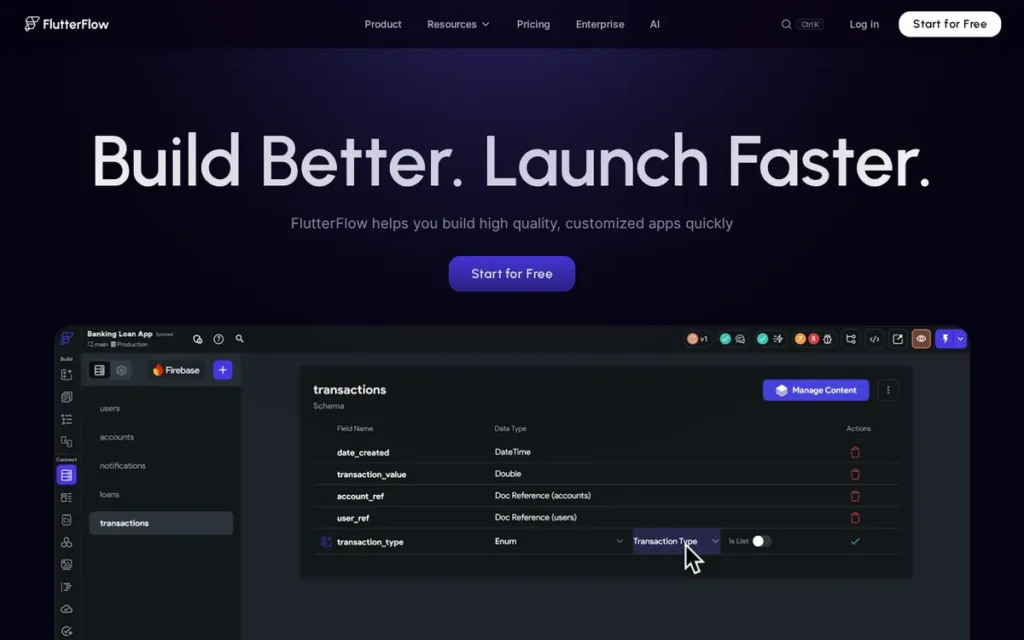
Category: Mobile App Builder, builds cross-platform iOS, Android, and web apps from a visual drag-and-drop interface using Flutter framework, with code export for future developer handoff.
At a Glance
- Category: Mobile App Builder
- Best For: Non-developer startup founders, product managers, and designers who need to build and validate a cross-platform mobile app MVP for iOS and Android without hiring a mobile development team
- Price Range: Free (no publishing); Basic at $39/month/seat (monthly) or $29.25/month (billed annually); Growth at $80/month 1st seat + $55/month each additional (monthly); Business at $150/month 1st seat, verified June 2026 at flutterflow.io/pricing
- Primary Strength: FlutterFlow is the only dedicated cross-platform mobile app builder in this evaluation, enabling non-technical founders to ship iOS App Store and Google Play Store MVPs using Flutter without code, backed by $30M in confirmed funding per TechCrunch January 2024
- Biggest Limitation: FlutterFlow’s code export feature: often cited as its vendor independence advantage, produces code that independent developers widely describe as unmaintainable spaghetti, meaning the “own your code” promise does not hold up in practice for teams planning a developer handoff
- One-Line Summary: FlutterFlow is a no-code Flutter app builder backed by $30 million in confirmed funding that enables non-technical founders to ship cross-platform iOS, Android, and web MVPs, with a 4.5/5.0 G2 rating and a community consensus that production apps should be rebuilt natively once the concept is validated
- Last Verified: June 2026
Overview
FlutterFlow is a visual Flutter-based no-code app builder, backed by $30 million in confirmed funding per TechCrunch January 2024 reporting, that allows non-technical founders, designers, and product managers to build cross-platform iOS, Android, and web applications using drag-and-drop components, with the platform generating Flutter/Dart code beneath the visual interface. FlutterFlow’s Head of Product, Leigha Reid, has explicitly confirmed in published interviews that the platform’s target audience is designers, managers, and non-developers, not Flutter engineers building production-grade applications (u/KamilFlutter citing Leigha Reid interview, r/FlutterDev, 2024).
FlutterFlow is the only platform in this evaluation exclusively focused on mobile app development, filling a gap that every other evaluated platform leaves partially or entirely unaddressed for founders who need iOS App Store and Google Play Store submissions.
Key Features
- Cross-Platform Visual Builder: FlutterFlow’s drag-and-drop interface allows non-technical founders to design multi-screen mobile apps for iOS, Android, and web from a single project, without learning Flutter syntax, Dart programming, or mobile development concepts (FlutterFlow.io, 2026).
- Production Mobile Infrastructure: FlutterFlow includes native integrations with Firebase Auth, Supabase, RevenueCat (in-app purchases), Google AdMob, OneSignal (push notifications), and GitHub, providing production-ready mobile app infrastructure (authentication, payments, push notifications) without custom code (FlutterFlow docs, 2026).
- Code Export Feature: FlutterFlow’s code export outputs Flutter/Dart code, allowing teams to download their app codebase and continue development with Flutter engineers, with the critical caveat that the exported code is widely documented by the technical community as unmaintainable in a standard IDE workflow.
- 1,000+ Prebuilt Templates: FlutterFlow provides more than 1,000 prebuilt templates at all plan levels, reducing initial build time for common app patterns including e-commerce, social, and productivity apps (FlutterFlow pricing page, 2026).
- VS Code Extension and Custom Code Editor: FlutterFlow’s VS Code extension and in-app custom code editor allow experienced developers to add custom logic alongside the visual interface, bridging pure no-code building and hybrid no-code/code development for teams with partial technical resources.
Best For
FlutterFlow is best for non-technical startup founders and product managers who need to build and ship a cross-platform mobile app MVP to validate their product concept, with the explicit expectation that apps reaching significant scale will need to be rebuilt natively once product-market fit is achieved and development budget is secured.
Pricing
FlutterFlow pricing, verified June 2026 at flutterflow.io/pricing:
- Free: $0/month (visual building only; publishing to the iOS App Store or Google Play Store and code export require a paid plan)
- Basic: $39/month per seat (monthly) / $29.25/month per seat (billed annually)
- Growth: $80/month for 1st seat + $55/month per additional seat (monthly)
- Business: $150/month for 1st seat + $85/month for seats 2–5 (monthly)
A solo founder can build and publish a mobile app MVP on Basic for $39/month. A 3-person team on Growth (monthly) pays approximately $190/month. The free plan restricts iOS App Store and Google Play Store publishing and code export entirely, a paid plan is required for either capability.
Strengths
- Confirmed financial stability with primary-source disclosure: FlutterFlow raised $25.5 million in a Series A in January 2024 (bringing total confirmed funding to approximately $30 million per TechCrunch reporting [TechCrunch, January 2024]) with the CEO separately characterizing burn as minimal with several years of runway (CEO Abel Mengistu, cited by u/ZuesSu, r/FlutterDev, 2024).
- Verified production deployment at 3,000 users: A verified community deployment scaled a FlutterFlow app to 3,000 active users before the team planned a native rebuild, directly evidencing that FlutterFlow can support real user acquisition and revenue validation before requiring a traditional development investment (u/robbincreates, r/FlutterDev, 2024).
- Explicit non-developer product strategy: FlutterFlow’s Head of Product, Leigha Reid, has explicitly confirmed in published interviews that “designers, managers, and other non-devs are explicitly the target audience”, resolving the platform identity debate and confirming that non-technical founders are using the platform as its developers intend (Leigha Reid interview, cited by u/KamilFlutter, r/FlutterDev, 2024).
- Native Flutter framework performance: FlutterFlow builds on Google’s Flutter framework, which produces performance characteristics closer to native iOS and Android than most cross-platform approaches, delivering a genuinely mobile-quality user experience from a no-code tool (FlutterFlow.io documentation, 2026; Geeksforgeeks.org FlutterFlow overview).
Limitations
- Code export quality gap: FlutterFlow’s code export feature does not produce maintainable code in practice. A detailed technical review by Andrea Bizzotto (codewithandrea.com, widely cited in r/FlutterDev with 45 upvotes, 2024) identifies the generated code as spaghetti-style, with poor version control, no support for separate development and production environments, and debugging experiences that undermine developer productivity.
“I always get stuck at the 60-80% of the app using FlutterFlow, and when I download the code to continue with it, it’s so horrible that I can’t do shit with it.” (u/Alex949o, r/FlutterDev, 2024)
Takeaway: FlutterFlow’s code export is technically available but produces output that experienced Flutter developers widely document as unmaintainable, plan for a native rebuild at scale rather than a developer handoff from FlutterFlow-generated code.
- Firebase backend dependency: FlutterFlow’s primary and most deeply integrated backend is Firebase, teams requiring alternative backends (PostgreSQL, custom APIs) must work around this dependency via integrations, adding technical complexity to a supposedly no-code workflow.
- “Plan to rebuild” ceiling: Community consensus is consistent: FlutterFlow is a validation and MVP tool, not a permanent development platform, and teams should budget explicitly for a native rebuild when their app reaches meaningful feature complexity (u/ren3f, r/FlutterDev, 2024).
- Free plan publishing restriction: FlutterFlow’s free plan restricts iOS App Store and Google Play Store publishing and code export entirely, teams cannot validate the app store submission process without purchasing at least the Basic plan, limiting the free tier to visual learning only.
Verdict
FlutterFlow is the only dedicated mobile no-code app builder in this evaluation and earns its #4 ranking by filling a gap that no other platform addresses, enabling non-technical founders to ship cross-platform iOS and Android MVPs without a mobile development team. FlutterFlow’s confirmed $30M funding, verified 3,000-user production deployment, 4.5/5.0 G2 rating, and explicit non-developer product positioning make it a defensible choice for early-stage mobile validation. (Plan to Rebuild: Yes, use FlutterFlow to validate your concept and reach paying users; plan a native rebuild once product-market fit is confirmed. Do not rely on FlutterFlow’s code export as a developer handoff mechanism.)
5. Glide: Best for Spreadsheet-to-App Conversion
Category: Spreadsheet-to-App Converter, transforms existing Google Sheets, Excel, or Airtable data into mobile-friendly business apps and internal tools without requiring a new database setup.
At a Glance
- Category: Spreadsheet-to-App Converter
- Best For: Operations managers, field workers, and small business owners who already manage data in Google Sheets or Excel and need a mobile-friendly app for their team to access and update that data
- Price Range: Free (limited; live sync requires paid plan); ~$60/month Maker; ~$125/month Team; ~$310/month Business; ~$1,200+/month Enterprise, figures from third-party sources; verify at glideapps.com/pricing
- Primary Strength: Glide is the fastest path from an existing Google Sheet to a deployed, mobile-optimized business app, and its Big Tables feature provides a scalable data migration path within the platform as apps grow
- Biggest Limitation: Glide’s “update limits” on paid plans (10,000 updates per year on the Business plan) create a hidden billing trigger as app usage grows, and live spreadsheet sync requires a paid plan, making the free plan impractical for teams who need real-time data connection
- One-Line Summary: Glide is a no-code spreadsheet-to-app platform with a 4.6/5.0 G2 rating that converts Google Sheets and Airtable data into deployed mobile-friendly business apps, best for operations teams building internal tools, with a community-documented scalability ceiling that makes it most appropriate for prototyping and early validation
- Last Verified: June 2026
Overview
Glide is a no-code app platform that converts existing spreadsheet data (from Google Sheets, Excel, Airtable, PostgreSQL, MySQL, BigQuery, and Google Cloud SQL) into mobile-friendly business apps and internal tools, without requiring users to learn a new database architecture or app development framework. Glide’s core value proposition is the lowest barrier to entry of any app-building platform in this evaluation: if a team’s data already exists in a Google Sheet, Glide can produce a working app from it in minutes (Boldtech.dev Glide overview, 2024).
Glide has evolved from a pure Google Sheets-to-app converter to support multiple data sources through Big Tables (a native scalable data layer with free migration from Google Sheets) alongside AI-assisted app generation features introduced in 2025–2026 (Glide official blog, 2025).
Key Features
- Spreadsheet-Native Data Connection: Glide’s connection layer allows teams to build apps directly on top of their existing Google Sheets, Excel, or Airtable data, without re-entering, restructuring, or migrating data to a new system before getting started.
- Big Tables Scalability Path: Glide’s Big Tables feature provides a scalable backend data layer for larger datasets with free data migration from Google Sheets, enabling teams to upgrade from spreadsheet-backed apps to database-backed apps without leaving the Glide platform (Glide official blog, 2025).
- AI Agent for App Generation: Glide’s AI Agent generates a complete app from a conversational prompt or reference materials (including layout, components, and data connections) reducing initial setup time without requiring manual screen-by-screen design (Glide platform page, 2025).
- Mobile-First Design Output: Glide’s apps are optimized for smartphone use by default (with responsive layouts, offline access capabilities, and native-feeling navigation) making Glide structurally well-suited for field worker and operations team deployments.
- Built-In Workflow Automation: Glide’s automation handles conditional logic, form submissions, data updates, and third-party integrations, enabling basic business process automation alongside the app interface without requiring a separate automation tool.
Best For
Glide is best for operations managers, field workers, and small business owners who already track data in Google Sheets or Excel and need to give their team a mobile-friendly app for accessing, updating, and managing that data, without rebuilding the data infrastructure, hiring a developer, or learning a new database platform.
Pricing
Glide pricing (third-party source: Adalo.com Glide review, verify against glideapps.com/pricing before committing):
- Free: $0 (live spreadsheet sync requires paid plan; free plan uses Glide’s own database)
- Maker: ~$60/month
- Team: ~$125/month
- Business: ~$310/month (includes 40 sign-ins and 10,000 yearly updates)
- Enterprise: ~$1,200+/month
Critical hidden cost: The “updates” limit counts every write, change, or deletion of data as one update. A field team of 10 workers updating records 5 times per workday across 250 workdays generates 12,500 updates annually, exceeding the Business plan’s 10,000-update cap before year-end and triggering a forced plan upgrade. Live sync with existing Google Sheets requires a paid plan, the free tier is suitable for learning only.
Strengths
- Strong G2 rating: Glide holds a 4.6/5.0 G2 rating: matching Airtable and Retool at the higher end of the seven platforms, reflecting genuine satisfaction from operations teams and small businesses using it for its core spreadsheet-to-app use case (G2.com, verified June 2026).
- Big Tables built-in scalability path: Glide’s Big Tables feature offers free data migration from Google Sheets to a scalable backend, directly addressing the most common scalability complaint about spreadsheet-backed apps and providing a built-in upgrade path within the Glide ecosystem (Glide official blog, 2025).
- Easiest entry point among app builders: The no-code community consistently identifies Glide as “the easiest that I tested” for new no-code builders, reflecting a genuine accessibility advantage for teams where no member has previous no-code platform experience (u/rddtusrcm, r/nocode, cited thread).
- Mobile-first design as structural default: Glide’s mobile-first output is a structural advantage for internal tools accessed primarily on smartphones, built into the platform’s default architecture rather than added as an optional responsive mode. Glide publishes customer success stories on its official site; however, specific quantitative outcomes with user counts or revenue figures were not available through verified primary sources at time of research. Community testimony documents same-day launches for field operations and internal inventory tools across multiple r/nocode threads from 2023–2025 (Glide.com platform overview, 2025).
Limitations
- Community-documented scalability ceiling: Experienced no-code users consistently view Glide as a prototyping and learning tool rather than a platform for scaling businesses, a pattern documented across multiple independent community threads.
“I generally don’t use Glide for anything other than a proof of concept. They’ve made the tool that used to be fun getting started with no-code a very limiting [one]. It’s absolutely worth it and recommended to switch if you’re going to build something scalable.” (u/Honey-Badger-9325, r/nocode, 2024)
Takeaway: Glide’s community position is consistent across multiple independent threads, it delivers fast, accessible app creation for proving concepts, but experienced no-code builders recommend migrating to a more capable platform before reaching production scale.
- Update limit billing trigger: Glide’s Business plan caps at 10,000 yearly updates, a billing trigger that a field team of 10 workers updating records 5 times daily across 250 workdays exhausts before year-end (generating 12,500 updates), forcing unanticipated plan upgrades not budgeted at launch.
- Progressive feature-gating: Glide’s progressive gating of features behind higher pricing tiers is the most-cited complaint in community discussions, particularly friction around deploying public-facing apps and the cost structure for public user access (u/jeroenishere12, r/nocode, 2024).
- Live sync paywall on free tier: Glide’s live connection to existing Google Sheets requires a paid plan, teams drawn to Glide specifically for real-time spreadsheet integration cannot use this core feature on the free tier, making the free plan suitable for learning only.
Verdict
Glide earns the #5 ranking as the most accessible entry point for operations teams who already have data in Google Sheets and need to build a mobile-friendly internal tool, with the important caveat that community consensus strongly recommends treating Glide as a prototyping and validation platform rather than a permanent production environment. Glide’s 4.6/5.0 G2 rating reflects genuine satisfaction from its core audience of small business operations managers and field workers, and its Big Tables feature provides a real scalability path within the platform. Teams should review the update limits on their target plan before launch and plan proactively for a platform migration when their app reaches production scale. (Plan to Rebuild: Yes, use Glide to validate your concept and deploy your first operational tool; set an explicit migration trigger, user count, update volume, or feature requirement, before your app reaches full production scale.)
6. Bubble: Best for Complex Web Apps, SaaS Products & Marketplaces
Category: Full-Stack Web App Builder, builds complete web applications with visual front-end design, native relational database, backend workflow logic, and built-in hosting in a single no-code platform.
At a Glance
- Category: Full-Stack Web App Builder
- Best For: Technically motivated startup founders and experienced no-code builders willing to invest 4–8 weeks learning the platform in order to build complex web apps, SaaS products, or marketplace applications at production scale
- Price Range: Free (testing only); Starter at $29/month; Growth at $119/month; Team at $349/month; Enterprise custom (monthly billing; annual discounts available) verified June 2026 at bubble.io/pricing. Caution: Workload Unit compute billing and ~$10/GB/month file storage add material hidden costs beyond plan fees
- Primary Strength: Bubble is the only full-stack no-code platform in this evaluation (covering front-end, back-end logic, relational database, and hosting in one environment) with verified production deployments at country-wide marketplace scale
- Biggest Limitation: Bubble’s learning curve is the steepest of any platform evaluated (community testimony from experienced product builders describes tasks as taking significantly longer than expected compared to other platforms) and its Workload Unit pricing model creates unpredictable billing as apps scale, compounded by file storage fees of approximately $10/GB/month
- One-Line Summary: Bubble is the most technically complete full-stack no-code web app builder in this evaluation (cited across independent 2026 comparisons for verified production deployments at country-wide marketplace scale) but ranks #6 because its learning curve, opaque Workload Unit pricing, and complete vendor lock-in create the highest barriers to success for the non-technical founder audience this article serves
- Last Verified: June 2026
Overview
Bubble is a full-stack, visual no-code development platform consistently cited across independent 2026 no-code platform comparisons as the most technically complete full-stack web app builder, a characterization supported by authenticated production deployments at country-wide marketplace scale, enterprise ERP complexity, and four-plus years of continuous operation. Bubble covers the entire app-building stack: UI design, relational database, backend workflow automation, API integration, user authentication, privacy rules, and hosting, all in a single environment (Bubble.io, 2026).
Bubble added native iOS and Android mobile app support in 2025, extending its full-stack coverage beyond web-only applications, though its core community reputation and established strengths remain concentrated in web app development (Bubble.io blog, 2025).
Key Features
- Full-Stack Visual Editor: Bubble’s visual drag-and-drop editor enables founders to design multi-page web app interfaces with responsive layouts, conditional display logic, and custom styling, without writing HTML, CSS, or JavaScript.
- Native Relational Database: Bubble’s built-in relational database enables teams to define custom data types, create relationships between records, and configure privacy rules controlling what different user types can read, create, and modify, providing full backend data control from a visual interface.
- Visual Workflow Automation: Bubble’s workflow engine handles conditional branching, API calls, scheduled recurring tasks, user authentication flows, Stripe payment processing, and custom server-side operations, all configured visually without server-side code.
- 5,300+ Plugin Marketplace: Bubble’s plugin marketplace includes more than 5,300 plugins as of 2024 (the largest ecosystem of any platform in this evaluation) enabling Stripe payments, Google Maps, Intercom chat, and thousands of niche third-party integrations (Blaze.tech no-code platforms comparison, 2024).
- SOC 2 Type II Compliance: Bubble’s SOC 2 Type II certification was audited by Sensiba LLP and confirmed with a clean report, making Bubble viable for enterprise and regulated industry deployments that require documented security controls (Bubble.io compliance docs; Sensiba LLP case study, 2024).
Best For
Bubble is best for technically motivated startup founders and experienced no-code builders who are willing to invest 4–8 weeks learning the platform’s logic system and who need to build a complex, full-featured web application (such as a SaaS product, two-sided marketplace, social network, or enterprise CRM) that would require a full development team to build in traditional code.
Pricing
Bubble pricing, verified June 2026 at bubble.io/pricing:
- Free: $0 (testing and learning only; production apps require a paid plan)
- Starter: $29/month
- Growth: $119/month
- Team: $349/month
- Enterprise: Custom pricing
Critical hidden costs: Bubble uses a “Workload Unit” (WU) billing system, every database query, workflow step, and API call consumes WUs from a monthly allowance. Apps exceeding limits incur additional charges that cannot be predicted before building. File storage is billed separately at approximately $10/GB/month, a rate community users widely describe as “absolutely insane” that forces most production apps to route file storage through third-party services like AWS S3 or Wasabi (u/mosodigital, r/nocode, 2023). Long-term Bubble users managing complex production apps report paying $300+/month at scale.
Strengths
- Strongest production deployment evidence in the evaluation: Authenticated community testimony confirms Bubble production deployments at the most demanding scale of any platform here (a country-wide food delivery marketplace, an enterprise ERP with VoIP and WhatsApp AI running four-plus years, and an enterprise CRM) the most complex real-world production evidence of any platform in this comparison (u/no_steponsnek; u/CobraJuice; u/Maleficent-Writer597, r/nocode, 2024).
- SOC 2 Type II compliance: Bubble’s SOC 2 Type II compliance was audited by Sensiba LLP and confirmed with a clean report, a documented security standard positioning Bubble as one of the few no-code platforms eligible for enterprise procurement processes in regulated industries (Bubble.io compliance docs; Sensiba LLP case study, 2024).
- Largest plugin ecosystem: Bubble’s plugin marketplace includes more than 5,300 plugins as of 2024 (the largest ecosystem of any platform evaluated) providing access to niche integrations and capabilities that would otherwise require custom development (Blaze.tech, 2024).
- Entry-price full-stack capability: Bubble’s Starter plan at $29/month provides access to front-end, back-end, database, and hosting combined, at an entry price significantly lower than hiring development resources for equivalent capability, before Workload Unit overages are factored in (Bubble.io pricing, June 2026).
Limitations
- Steepest learning curve in the evaluation: Bubble’s most consequential trade-off for the non-technical audience this article serves is its extreme learning barrier, documented in a 2025 community post from an experienced digital product professional:
“I’ve been building digital products for years, and I can’t believe how painful Bubble still is in 2025. Everything takes 10× longer than it should. A simple layout requires hunting through nested containers, hidden toggles, and counter-intuitive settings… You don’t ‘build’ on Bubble, you debug Bubble.” (u/HeartyFilms, r/nocode, 2025)
Takeaway: Bubble’s learning curve affects even experienced digital product builders, non-technical founders should budget 4–8 weeks of dedicated learning before expecting productive app development, not the hours suggested by platform tutorials.
- Opaque Workload Unit billing: Bubble’s WU billing model is fundamentally unpredictable before building, teams cannot know their monthly compute cost until they have built and tested their app’s usage patterns, creating financial uncertainty that flat-rate platforms like Airtable and Softr do not carry.
- File storage infrastructure overhead: Bubble’s file storage at approximately $10/GB/month forces production apps requiring user file uploads to implement third-party storage workarounds through AWS S3 or Wasabi, adding technical complexity and infrastructure cost to a supposedly no-code environment (u/mosodigital, r/nocode, 2023).
- Complete vendor lock-in with no exit path: Bubble offers no code export option and no self-hosting option, creating the most complete vendor dependency of any platform in this evaluation. If Bubble increases pricing, users have no migration path without a full rebuild on a new platform (u/Zealous_Bend, r/nocode, 2023).
Verdict
Bubble is the most technically complete full-stack web app builder in this evaluation and the correct choice for founders who need to build a complex SaaS product, marketplace, or multi-user web application without a development team, provided they accept a steep 4–8 week learning curve, opaque Workload Unit pricing, file storage infrastructure workarounds, and complete vendor lock-in as the cost of that capability. Bubble ranks #6 not because it is a weak platform, but because its barriers are the highest across the three criteria weighted most heavily for this non-technical audience: Beginner Accessibility (3x), Pricing Transparency (2x), and Vendor Independence (1x). Founders who invest the learning time, model WU consumption before committing, and understand that their Bubble app cannot be exported or migrated will find it capable of building production-scale applications that genuinely compete with traditionally coded products. (Plan to Rebuild: Optional, Bubble apps can scale in production, but model your exit path cost explicitly if pricing changes materially before committing long-term.)
7. Retool: Best for Internal Developer Tools & Admin Panels
Category: Internal Tool Builder, builds admin panels, dashboards, CRUD apps, and data management interfaces for internal team use, connecting drag-and-drop UI components to existing databases and APIs.
At a Glance
- Category: Internal Tool Builder
- Best For: Technical operations teams, developers, and technical co-founders who need to build internal admin panels, data dashboards, and data management tools for strictly internal use by a technically literate team with SQL or JavaScript familiarity
- Price Range: Free (limited); Team and Business plans not publicly listed: contact sales required; Enterprise custom; External user pricing: free for first 50 users, $8/user/month for 51–250, $6/user/month for 251–500, verified June 2026 at retool.com/pricing. Warning: core plan pricing opacity and per-external-user fees require formal cost projection before committing
- Primary Strength: Retool delivers internal tool development speed that verified users describe as handling “70–80% of common internal-tool work out of the box”, with 100+ pre-built UI components and 70+ database and API connections
- Biggest Limitation: Retool’s per-external-user pricing creates catastrophic cost escalation when apps scale beyond internal teams, one documented organizational case shows costs increasing from $50,000 to approximately $1,000,000 annually as external user count grew
- One-Line Summary: Retool is an internal tool builder backed by $95M+ in confirmed funding with a 4.6/5.0 G2 rating that delivers exceptional speed for building admin panels and data dashboards for internal teams, but carries a documented pricing risk that has forced enterprise organizations off the platform when per-external-user costs escalated to near $1 million annually
- Last Verified: June 2026
Overview
Retool is a low-code/no-code internal tool builder, founded in 2017 and backed by at least $95.65 million in confirmed funding as of its 2020 Series C, with more recent third-party databases estimating cumulative totals of $141 million or higher, though specific post-2020 funding details were not confirmed in available primary sources at time of research (Venture Capital Journal; Clay.com Retool dossier). Retool builds admin panels, dashboards, CRUD applications, and data workflow interfaces by connecting a drag-and-drop UI builder to existing databases, APIs, and data sources, with 100+ pre-built components and 70+ native integrations.
Retool is explicitly designed for internal use by technical teams and is not suited for externally-facing consumer apps, SaaS products, or public web presences, a critical scope limitation that has caused significant buyer dissatisfaction when organizations discover the use-case boundary after committing. Retool offers both cloud-hosted and self-hosted deployment options, the self-hosted option can be configured via Docker in approximately 15 minutes (Retool pricing page, 2026).
Key Features
- 100+ Pre-Built UI Components: Retool’s drag-and-drop interface includes tables, forms, charts, buttons, modals, and custom inputs that connect directly to SQL databases, REST APIs, GraphQL endpoints, and third-party data sources, handling the majority of internal tool UI patterns without requiring custom front-end code.
- 70+ Native Database and API Integrations: Retool connects natively to PostgreSQL, MySQL, MongoDB, Snowflake, Salesforce, Stripe, and custom REST endpoints, enabling rapid integration with existing company data infrastructure without building custom connectors (Retool.com, 2026).
- Self-Hosted Deployment via Docker: Retool’s self-hosted option: configurable in approximately 15 minutes, allows organizations to keep all data and app logic within their own infrastructure, addressing security and compliance requirements that prevent cloud-only tools from being approved in regulated industries (Retool pricing page, 2026).
- Enterprise Security Controls: Retool’s enterprise feature set includes role-based access controls (RBAC), audit logging, SSO (Single Sign-On), and independent workspaces, making Retool viable for regulated industry internal tool deployments where governance and access control are required.
- Retool AI with LLM Provider Integrations: Retool AI extends the platform with agent capabilities connecting to OpenAI, Anthropic, Google, and custom LLM providers, enabling teams to build AI-powered internal workflows alongside traditional admin interfaces (Retool.com, 2026).
Best For
Retool is best for technical co-founders, developers, and technically literate operations managers who need to build internal admin panels, data dashboards, or CRUD applications for their own team, and who have sufficient SQL and JavaScript familiarity to handle the 20% of functionality that falls outside Retool’s drag-and-drop components (Retool University platform walkthrough, 2024).
Pricing
Retool pricing, verified June 2026 at retool.com/pricing:
- Free: $0 (limited features)
- Team plan: Not publicly listed: sales contact required
- Business plan: Not publicly listed: sales contact required
- Enterprise: Custom pricing
External user pricing (billed separately from builder licenses):
- 0–50 external users: Free
- 51–250 external users: $8/user/month
- 251–500 external users: $6/user/month
- 500+ external users: $4/user/month
Critical pricing warning: One documented community case describes a single organization’s Retool costs scaling from $50,000 to approximately $1,000,000 annually as external users grew, representing one documented outcome in an external-user scaling scenario, not a typical result for teams keeping Retool strictly internal. Retool’s Git source control is gated behind the Enterprise tier, a requirement for professional development teams that is available at no extra cost on competing platforms. Request a formal cost projection covering builder seat counts AND projected external user volumes at 6- and 12-month growth scenarios before committing.
Strengths
- Confirmed financial stability and operational history: Retool was founded in 2017 and has at least $95.65 million in confirmed funding as of its 2020 Series C (with third-party databases estimating cumulative totals of $141 million or higher) providing 7+ years of operational history and substantial backing for continued platform development (Venture Capital Journal; Clay.com Retool dossier).
- Strong G2 rating for its intended use case: Retool holds a 4.6/5.0 G2 rating from a well-matched user base of technical operations teams who deploy it for internal tool building, reflecting genuine satisfaction from users employing the platform as designed (G2.com, verified June 2026).
- Best self-hosting option in the evaluation: Retool’s self-hosted deployment via Docker (configurable in approximately 15 minutes) is the strongest self-hosting offering of any platform in this evaluation, enabling organizations in regulated industries to keep data and app logic within their own infrastructure (Retool pricing page, 2026).
- Accessible to motivated non-developers with AI assistance: A verified community user with zero coding experience built a “full fledged internal web app” to run their firm using Retool combined with ChatGPT for SQL assistance, demonstrating that motivated non-technical users with operational context can succeed when SQL familiarity gaps are addressed through AI-generated queries (u/Majestic_Race_8513, r/nocode, 2024).
Limitations
- Catastrophic external-user pricing risk: Retool’s most consequential trade-off is its per-external-user pricing model, one documented organizational case describes costs scaling from $50,000 to near $1,000,000 annually as external users grew, representing a single documented outcome in an external-user scaling scenario rather than a typical result for internal-only deployments where this pricing is never triggered (u/lxivbit, r/SaaS, 2024).
“The costs go up, very quickly. Retool gets expensive sneakily fast. We bought in and were going to base our entire backend system on it, and the costs got so high that it was cheaper for us to put FTE to build the UIs we needed.” (u/lxivbit, r/SaaS, 2024)
Takeaway: Retool’s pricing model is viable for small, strictly internal teams, any growth scenario involving external users requires a formal cost projection from Retool sales before commitment, not an estimate from the public pricing page.
- Low-code, not no-code: Retool is explicitly classified by independent reviewers as “low-code rather than no-code”, requiring JavaScript and SQL familiarity for the 20% of functionality outside its drag-and-drop components, placing it outside the genuine reach of non-technical founders without a technically literate team member (Blaze.tech Retool review, 2024).
- Enterprise feature-gating: Retool’s Git source control is gated behind the Enterprise tier, a governance workflow requirement for professional development teams that is available at no additional cost on competing platforms, creating friction for teams who discover this limitation after committing (u/Successful_Art_1447, r/nocode, 2023).
- Internal-only UX ceiling: Retool’s functional-but-unpolished internal-tool aesthetic is not appropriate for client-facing or externally-presented applications, teams whose tools eventually need external-facing UX face either accepting constraints or migrating to a rebuild on another platform (u/Vigor_Assumenda_1065, r/SaaS, 2024).
Verdict
Retool ranks #7 in this evaluation because the combination of opaque pricing, one documented external-user cost explosion risk, SQL and JavaScript technical requirements, and complete unsuitability for externally-facing applications makes it the narrowest and highest-risk choice for the broadest target audience this article serves. Retool is genuinely excellent (and the correct choice) for technical teams building internal admin panels and data dashboards who understand SQL and JavaScript, who will keep their tool strictly internal, and who request a formal pricing projection covering external user growth scenarios before committing. Non-technical founders, solo entrepreneurs, and any team that might eventually need to expose their tool to external users should evaluate Airtable, Softr, or Glide instead.
What Red Flags Should I Watch For When Evaluating No-Code Platforms?
Five red flags consistently predict buyer regret in the no-code platform category, and every platform in this evaluation triggers at least one: opaque usage-based billing, per-external-user pricing, no code export or self-hosting exit path, learning curves that contradict no-code marketing claims, and free tiers that withhold the core feature the buyer actually needs.
Red Flag #1: Opaque Usage-Based Billing
Platforms that charge based on compute units, workflow executions, or “update limits” make it impossible to predict monthly costs before building. Bubble’s Workload Units and Glide’s yearly update limits both create billing surprises once apps reach active usage. Any platform with usage-based billing requires pre-launch cost modeling using realistic daily usage estimates, not marketing page scenarios.
Red Flag #2: Per-External-User Pricing
Retool’s billing separates internal builder seats from external user charges. One documented organizational case shows this model scaling costs from $50,000 to approximately $1,000,000 annually as external users grew (u/lxivbit, r/SaaS, 2024). Any platform with per-external-user fees requires explicit worst-case cost modeling before committing.
Red Flag #3: No Code Export or Self-Hosting Option
Platforms with no code export and no self-hosting create complete vendor dependency, if the platform raises prices or shuts down, apps cannot be migrated or recovered without a full rebuild. Bubble and Glide both fall into this category. FlutterFlow and Webflow partially address this with code export, though code quality varies significantly between the two.
This concern is not theoretical, it is the most frequently cited reason long-term platform users describe regretting their no-code choice:
“My personal opinion is not whether to choose no/lo code or not, but to choose something that you can own… If Bubble decide tomorrow to increase their fees by 1000% you pretty much have to eat it, I experienced this with another platform that saw massive swings in costs and pricing mechanisms over 12 months.” (u/Zealous_Bend, r/nocode, 2023)
Takeaway: The most consequential platform choice criterion is not features or price, it is whether you can exit the platform without rebuilding your application from scratch if pricing changes dramatically.
Red Flag #4: Learning Curve Mismatch with No-Code Positioning
Several platforms marketed as “no-code” require meaningful technical competency, SQL and JavaScript for Retool, complex logic management for Bubble, and design or HTML/CSS familiarity for Webflow. Discovering this after committing represents significant lost-time cost for non-technical founders. Community forums are more reliable signals of true beginner accessibility than marketing page claims.
Red Flag #5: Free Tier Missing the Core Feature You Actually Need
Glide’s live Google Sheets sync requires a paid plan. FlutterFlow’s free plan restricts iOS App Store and Google Play Store publishing and code export entirely. Bubble’s free plan prevents production deployment. Evaluating the free tier without testing the specific paid-tier feature you need can make a platform appear far more accessible than it is, test the specific feature that drove your interest before any paid commitment.
What Questions Should I Ask Before Choosing a No-Code Platform?
Ask these five questions before committing to any no-code platform: What happens to your app if pricing increases 300%? What is your total cost at 100, 1,000, and 10,000 users? How long will your first working version realistically take? Does this platform support your distribution channel, iOS App Store, Google Play Store, or web? Is the platform’s financial stability publicly documented? Verify answers in community forums, r/nocode delivers more candid signals than sales responses.
Question #1: What happens to my app and data if this platform raises prices by 300%?
The answer reveals vendor lock-in risk more clearly than any feature comparison. Platforms with code export (Webflow, FlutterFlow) or external data portability (Airtable, Glide, Softr) offer partial exit paths. Platforms with no export and no self-hosting (Bubble) leave you with no viable alternative, you accept the price increase or rebuild from scratch. Evaluate this scenario explicitly for every platform under consideration.
Question #2: What is my total monthly cost at 100 users, 1,000 users, and 10,000 users?
Many platforms with low entry prices carry usage-based triggers that accelerate costs nonlinearly. Calculate Bubble’s Workload Units per expected daily operation volume, Glide’s yearly update consumption rate, and Retool’s per-external-user fee at each user growth scenario. Simple model: (Monthly base plan) + (Usage rate × expected operations/users) × 12 = Annual platform cost. The resulting numbers may change your evaluation entirely.
Question #3: How long will it realistically take me to build my first working version?
Ignore platform marketing timelines. Search Reddit for “[Platform name] + first app + hours” and read threads from non-technical builders. Bubble regularly receives “weeks to get a basic form working” comments. Softr and Glide regularly receive “working app in a day” comments. These community signals are more reliable than polished tutorial videos.
Question #4: Does this platform support my target distribution channel?
Webflow, Airtable, and Softr produce web-only apps with no iOS App Store or Google Play Store submission capability. FlutterFlow is the only platform in this evaluation that produces iOS App Store and Google Play Store-eligible apps natively. Bubble added mobile app support in 2025 but remains primarily a web app builder. Confirm distribution channel fit before investing any build time.
Question #5: Is the platform’s financial stability publicly documented?
Platform longevity matters because migrations are expensive and disruptive. Webflow (founded 2013, 12+ years operational) and Retool ($95M+ confirmed funding, 7+ years) have the strongest stability evidence. FlutterFlow’s CEO has publicly stated minimal burn and several years of runway [TechCrunch, January 2024]. Softr (founded 2020) and Glide have limited publicly available financial disclosure, weigh this for multi-year production deployments.
Question #6: Can I replicate my exact use case on the free tier before paying?
The free-tier restrictions for every platform in this evaluation are documented in the Pricing sections above. Use them as a checklist before upgrading: if the specific feature that drove your interest is behind a paywall, test a lower-priced plan before committing annually. If a platform’s free plan does not include live data sync (Glide), app store publishing (FlutterFlow), or production deployment (Bubble), you are not testing the product you will actually pay for.
How Did We Rank These No-Code Platforms?
The seven platforms in this article were evaluated using a six-criterion weighted scoring matrix applied identically to all platforms. Two criteria carry 3x weight because they most directly determine whether a non-technical founder can succeed. Two criteria carry 2x weight as elevated secondary signals. Two criteria carry 1x weight as supporting evidence.
A useful analogy: a commercial-grade industrial kitchen is objectively more powerful than a home kitchen, but for someone who needs to cook dinner tonight, the home kitchen is the better tool. Bubble is the industrial kitchen. Airtable is the home kitchen. This evaluation ranks platforms by how quickly and reliably a non-technical founder can ship a working product, not by raw technical capability ceiling.
Evaluation Process
This evaluation followed a four-step research process:
- Discovery: Multiple AI search engines and independent 2026 no-code platform roundup lists were queried to identify the seven platforms with the strongest current evidence presence across G2 review volume, community discussion activity, and independent editorial coverage.
- Individual platform research: Each platform was researched via Perplexity queries, official pricing and feature pages, and third-party review sources. Vendor-stated claims were documented and flagged for independent verification.
- Community sentiment analysis: Reddit communities for each platform (r/nocode, r/FlutterDev, r/Airtable, r/Retool, r/webflow) were searched for authentic user experiences, particularly around pricing surprises, scalability ceilings, and vendor lock-in outcomes.
- Cross-reference and scoring: All data points were scored across six criteria. Conflicting data was resolved per the evidence weighting policy below.
Ranking Criteria
The most reliable signal in no-code platform research is the frequency with which unrelated users independently describe the same experience across separate threads, not G2 averages alone, which blend mismatched and well-matched buyers indiscriminately.
| Criterion | Weight | What It Measures |
|---|---|---|
| Use-Case Coverage & Audience Fit | 3x | How many of the target use cases (SaaS web app, internal tool, client portal, mobile app, marketing site) the platform genuinely serves at production quality |
| Beginner Accessibility & Learning Curve | 3x | Whether non-technical users regularly report successful independent builds; without SQL, JavaScript, or weeks of dedicated learning |
| Pricing Transparency & Predictability | 2x | Whether total cost of ownership at growth scale is calculable from public information alone, with no hidden usage-based billing triggers |
| Documented Production Scalability | 2x | Verified community testimony of production-scale deployments at meaningful user scale; not vendor case studies alone |
| Vendor Independence & Data Portability | 1x | Code export quality (not just availability), data portability, and self-hosting options that reduce lock-in risk |
| Review Platform Ratings & Volume | 1x | G2 ratings from verified reviewers; higher ratings from higher review volumes score higher |
Evidence Weighting
When review platform ratings conflict with Reddit sentiment, recency and specificity determine weighting. A detailed 2025 Reddit post with 50+ upvotes describing a specific billing outcome outweighs a generic 2023 G2 review. Platform marketing claims are treated as lower-confidence evidence than third-party sources. Community testimony is treated as higher confidence when multiple independent users describe the same experience across separate threads.
Data Validation
Vendor-reported statistics (adoption numbers, uptime claims, capability statements) are labeled as vendor-stated and treated as lower confidence than third-party corroboration. Only claims verified by at least one independent source are stated as fact without a vendor attribution qualifier. Financial claims not confirmed by official company statements are presented with “reportedly” qualifiers throughout.
Update Cadence
This article was researched and published in June 2026. Pricing data, G2 ratings, and feature capabilities are verified as of June 2026. Platform pricing changes frequently, verify all pricing figures directly on each platform’s pricing page before making a purchase decision. This article is reviewed and updated on a rolling 6-month cycle.
Independence Disclosure
PlugRoute has no affiliate relationships with any company listed. Rankings are determined entirely by research data and objective evaluation criteria. No platform pays for inclusion, ranking position, or editorial coverage.
What Else Do Non-Technical Founders Ask About No-Code Platforms?
What is the best no-code platform for beginners in 2026?
Softr and Glide are the most beginner-accessible platforms for their specific use cases, Softr for deploying portals from Airtable or Google Sheets data, Glide for converting spreadsheets into mobile apps. Airtable is the best all-around beginner choice for operations and workflow tools, combining a spreadsheet-familiar interface with AI Cobuilder and transparent per-seat pricing with no hidden compute triggers.
What are the hidden costs I should know about before choosing a no-code platform?
The most financially dangerous hidden costs across the seven platforms evaluated are:
- Bubble: Workload Unit billing (unpredictable before building) plus ~$10/GB/month file storage, long-term users report $300+/month at production scale
- Glide: 10,000-yearly-update Business plan cap: a 10-person field team updating records 5 times daily across 250 workdays generates 12,500 updates, exceeding the cap before year-end
- Retool: Per-external-user fees: one documented case scaled from $50,000 to ~$1,000,000 annually as external users grew
- Webflow: Dual workspace-plus-site-plan structure: combined cost not visible on the main pricing page
- Softr: Requires a separately purchased Airtable, Google Sheets, or HubSpot subscription, not included in Softr’s displayed pricing
Model worst-case costs at 100, 1,000, and 10,000 users before committing to any platform.
How does PlugRoute determine its no-code platform rankings?
PlugRoute applies a six-criterion weighted scoring matrix, identical for every platform evaluated. Use-case coverage and beginner accessibility each carry 3x weight because they most directly determine whether a non-technical founder can succeed. Pricing transparency and production scalability carry 2x weight. Vendor independence and review ratings carry 1x weight. All scores derive from G2 ratings, authenticated Reddit testimony, official pricing pages, and third-party reviews, no vendor pays for inclusion or placement.
Glossary: Key Terms Used in This Comparison
Workload Units (WUs): A compute billing metric used by Bubble that counts every backend operation (database query, workflow step, and API call) as a unit consumed from a monthly allowance. Workload Units are the primary source of unexpected cost escalation for Bubble apps at scale because total WU consumption cannot be reliably predicted before building and testing the application under production usage conditions.
Vendor Lock-In: The condition in which a software platform makes it technically or financially impractical to migrate an application to a different platform. In the no-code category, vendor lock-in is most severe when a platform offers no code export, no self-hosting option, and no data portability path, meaning that if the platform changes pricing or shuts down, the application must be rebuilt from scratch.
Code Export: A feature that allows users to download the underlying code generated by a no-code platform, enabling continued development outside the platform or handoff to a developer team. Code export availability does not guarantee code quality: FlutterFlow exports Flutter/Dart code, but the technical community widely documents it as spaghetti-style and unmaintainable in a standard IDE workflow; Webflow’s HTML and CSS export is independently described as developer-ready.
Update Limits: A billing trigger used by Glide that counts every write, change, or deletion of data in an app as one “update” consumed from an annual allowance. Apps with high-frequency data entry workflows (field teams updating inventory or job records throughout the day) can exhaust update limits faster than anticipated, triggering forced plan upgrades not budgeted at launch.
Citizen Developer: A non-technical business user who builds applications for their own team or workflow using no-code or low-code platforms, without a software engineering background or formal programming training. Citizen developer accessibility is a primary demand driver in the no-code market, with Gartner forecasting that 70% of new enterprise applications would use no-code/low-code technologies by 2025, with a separate Gartner-attributed projection of 75% by 2026 (Gartner, via Integrate.io, 2025).
Which No-Code Platform Is Right for You?
Key Insights
- Airtable is the most evidence-backed choice for non-technical founders in 2026: its 500,000+ organization adoption, 4.6/5.0 G2 rating, AI Cobuilder, and transparent per-seat pricing with no hidden compute triggers deliver the strongest balance of accessibility and production capability in this evaluation (Airtable.com, 2026; G2.com, June 2026).
- Softr holds the highest G2 rating of all seven platforms (4.7/5.0) and is the fastest deployment path for teams with existing Airtable or Google Sheets data, but every Softr application permanently requires a separately maintained external data source at additional subscription cost (G2.com, June 2026; Softr.io, 2026).
- Webflow is the only platform in this evaluation that exports developer-ready HTML and CSS, making it the strongest vendor independence option for marketing and e-commerce teams, but its dual pricing structure and learning curve require upfront budget and time planning (CMS Critic review, accessed June 2026; Webflow.com, 2026).
- FlutterFlow is the only dedicated cross-platform mobile builder in this evaluation: the community’s consistent “plan to rebuild” consensus means it should be chosen as a validation tool, not a permanent production platform, with a native rebuild expected once product-market fit is confirmed (u/ren3f; u/robbincreates, r/FlutterDev, 2024).
- Bubble is the most technically complete full-stack web app builder: verified at country-wide marketplace scale, but ranks #6 because its learning curve, Workload Unit pricing, and complete vendor lock-in create the highest barriers across the three criteria weighted most heavily for the non-technical founder audience this article serves.
- Retool’s external-user pricing model carries the highest financial risk in the evaluation: one documented case shows costs scaling from $50,000 to approximately $1,000,000 annually, making it appropriate only for strictly internal deployments by technically literate teams who complete a formal cost projection before committing (u/lxivbit, r/SaaS, 2024).
- The no-code market reached $30.12 billion in 2024 and is growing at 22.5% CAGR through 2030: with Gartner forecasting that 70% of new enterprise applications would use no-code/low-code technologies by 2025, and a separate Gartner-attributed projection of 75% by 2026, confirming that platform choice today carries multi-year strategic implications (Grand View Research, 2024; Gartner, via Integrate.io, 2025).
The goal of no-code validation is not to build your final product, it is to answer the most expensive question in startup development: does anyone want to pay for this? Once answered, rebuild in the tool designed for the next decade of maintenance, not the tool designed for the first 90 days of validation.
For situational guidance: internal tools and workflow automation → start with Airtable. Client portal on top of existing structured data → choose Softr. Design-forward marketing site or e-commerce store → choose Webflow. Mobile app MVP for iOS and Android → choose FlutterFlow. Complex SaaS web app with genuine learning curve commitment → choose Bubble. Internal admin panels for a SQL-competent technical team → choose Retool after completing a formal pricing projection.
If platforms do eventually change pricing, remember: the platforms with the lowest rebuild cost are those where your data is portable. Airtable, Glide, and Softr store data in systems you control independently, your dataset transfers cleanly even if your app interface must be rebuilt. Bubble’s data and app logic are both proprietary, migration requires rebuilding from scratch, a significant asymmetry worth weighing before committing long-term.
Browse PlugRoute’s no-code tool comparison library for independent deep-dives on individual platforms. We update this guide quarterly. Last updated: June 2026.