Flutter is the top-ranked cross-platform mobile development framework for pixel-perfect multi-platform apps; React Native leads for JavaScript and TypeScript teams building iOS and Android; Android Studio and Xcode are the irreplaceable native IDEs for their respective platforms. The right tool depends on your team’s language skills, platform targets, and whether you’re building fresh or extending an existing native codebase.
Choosing the right mobile development tool is fundamentally a language-first decision: the framework matching your team’s existing language skills will almost always outperform a better-featured framework requiring full-team retraining. Most teams should evaluate four constraints in order before comparing feature lists:
- How many platforms and which specific targets must be officially supported
- Which programming languages your team already knows and can hire for
- How performance-critical UI rendering requirements are: now and at 18-month scale
- Whether an existing production codebase constrains architectural options
PlugRoute has no affiliate relationships with any company listed. Rankings are determined entirely by research data and objective evaluation criteria.
TL;DR: Top Picks at a Glance
- Flutter builds a single codebase for iOS, Android, web, and desktop using a custom rendering engine for pixel-perfect UI consistency across all 7 official targets.
- React Native provides the fastest path to production iOS and Android apps for JavaScript and TypeScript teams through npm ecosystem compatibility and Meta’s sustained production use.
- Android Studio is Google’s only officially endorsed Android IDE, bundling Jetpack Compose Live Edit and 2025 Gemini AI integration at zero cost.
- Xcode is required for every App Store app: every iOS, macOS, watchOS, tvOS, and visionOS app regardless of primary development framework must pass through Xcode for signing and distribution.
What Are the Main Categories of Mobile Development Software?
Mobile development tools fall into three distinct categories: native IDEs providing the deepest platform integration for single-platform development, full cross-platform frameworks delivering iOS and Android from a shared codebase, and shared logic layers adding code sharing to existing native apps without replacing the UI. The category distinction matters before comparing individual tools, native IDEs and cross-platform frameworks do not compete on the same dimensions for most teams.
Despite a decade of cross-platform framework growth, native apps held 52.30% of the mobile app development market in 2025 (SNS Insider, 2025), confirming the market has not converged on a single approach.
- Native IDEs: Android Studio and Xcode, platform-specific environments providing the deepest SDK integration and day-one access to new OS APIs
- Full Cross-Platform Frameworks: Flutter, React Native, .NET MAUI, and Ionic, shared codebases targeting multiple platforms simultaneously
- Shared Logic Layer: Kotlin Multiplatform, shares Kotlin business logic between existing native apps without replacing the native UI on any platform
The right question is not “which tool is best overall?” but rather “do I need a native IDE, a full cross-platform framework, or an incremental logic-sharing layer?” Each category solves a different architectural problem for a different team type.
How Do the Top Mobile Development Tools Compare at a Glance?
| Rank | Tool | Category | Best For | One-Line Summary | Key Capabilities | Primary Strength | Key Limitation |
|---|---|---|---|---|---|---|---|
| 1 | Flutter | Cross-Platform (Custom Renderer) | Teams needing pixel-perfect UI across mobile, web, and desktop | Google’s open-source framework compiling a single Dart codebase to 7 platforms via a custom Impeller rendering engine | AOT Dart compilation; Impeller renderer; 7 official targets; pub.dev ecosystem; hot reload | Broadest platform coverage (7 targets); 1M+ published apps; active Google development cadence | Dart learning curve; no automatic native look-and-feel |
| 2 | React Native | Cross-Platform (Native Widget Bridge) | JavaScript and TypeScript teams building iOS and Android | Meta’s open-source framework mapping JavaScript components to real native platform UI controls via JSI | JSI New Architecture (default in 0.76); Hermes engine; npm compatibility; Fast Refresh | Largest developer ecosystem via npm; Meta production backing; native widget rendering | New Architecture migration complexity for teams on 0.75 or earlier |
| 3 | Android Studio | Native Android IDE | Native Android development with Jetpack Compose and Gemini AI | Google’s official free Android IDE with Compose Live Edit, 2025 Gemini AI integration, and AVD emulator | Compose Live Edit; Gemini AI multimodal UI generation; AVD emulator; IntelliJ foundation | Gemini AI integration; Compose Live Edit; 88/100 user sentiment from 1,339 SelectHub reviews | Android-only scope; high RAM consumption; slow Gradle builds |
| 4 | Xcode | Native Apple IDE | All Apple platform development and required App Store distribution | Apple’s official macOS-exclusive IDE required for every App Store app across all Apple platforms | Exclusive Apple SDK; Xcode Cloud CI/CD; SwiftUI live previews; Instruments profiler; AI code completion | Exclusive Apple SDK access; Xcode Cloud included (25 hrs/month free); day-one new platform support | macOS-only requirement; large download; version management complexity |
| 5 | Kotlin Multiplatform | Shared Logic Layer (Kotlin) | Teams with existing native apps wanting to share business logic without a UI rewrite | JetBrains’ production-stable technology for sharing Kotlin business logic while each platform retains its own native UI | Native compilation per platform; incremental adoption; Compose Multiplatform companion; Android Studio integration | Incremental adoption model; JetBrains and Google dual backing; Netflix, Duolingo, McDonald’s validated | Slower iOS builds; younger ecosystem; Compose Multiplatform still maturing toward full iOS stability |
| 6 | .NET MAUI | Cross-Platform (.NET/C#) | Enterprise C# teams migrating from Xamarin or embedding Blazor web UI in native apps | Microsoft’s cross-platform framework for native apps from a single C# codebase with unique Blazor Hybrid support | Blazor Hybrid; single-project architecture; native platform controls; Visual Studio integration | Blazor Hybrid is unique among all 7 tools; zero incremental cost for VS-licensed teams | Unreliable Hot Reload; smaller ecosystem than Flutter or React Native |
| 7 | Ionic | Hybrid Web Framework | Web developers needing iOS, Android, and PWA from a single codebase | Open-source hybrid framework enabling Angular, React, and Vue developers to deploy to iOS, Android, and PWA | Capacitor native bridge; adaptive UI components; PWA first-class target; multi-framework support | Only framework with PWA as first-class target; zero language retraining for web teams | WebView performance ceiling; growing preference for Capacitor without Ionic’s UI components |
If you answer only one question, answer this: What programming language does your team already know? The answer eliminates at least three of the seven tools before any other criterion matters.
| Your #1 Priority | Recommended Tool | Why | Acceptable Alternative |
|---|---|---|---|
| JavaScript/TypeScript team building iOS + Android | React Native | Largest JS ecosystem via npm; Meta production backing; native widgets; New Architecture is default in 0.76 (October 2024) | Flutter (if multi-platform scope beyond iOS/Android or custom UI required) |
| Pixel-perfect UI across mobile + web + desktop | Flutter | 7 official targets; Impeller renderer; 1M+ published apps | React Native (if iOS/Android only and JS team) |
| Native Android development only | Android Studio | Google’s only endorsed Android IDE; Gemini AI; Compose Live Edit | No meaningful alternative at professional scale |
| Native iOS, macOS, or any Apple platform | Xcode | Required for App Store signing; exclusive Apple SDK access; Xcode Cloud included | No alternative for App Store distribution |
| Existing native apps with duplicated business logic | Kotlin Multiplatform | Incremental adoption without UI rewrite; Netflix, Duolingo, McDonald’s validated | Flutter (if willing to rewrite UI layer) |
| Enterprise .NET team or Xamarin migration | .NET MAUI | Blazor Hybrid is unique among all evaluated tools; zero incremental Visual Studio cost; native controls | Flutter (if adopting a new language is acceptable) |
| Web developer entering mobile or PWA required | Ionic | No language switch; PWA first-class target; Capacitor for native APIs | React Native (if native widget fidelity is required) |
1. Flutter: Best Overall: Best Cross-Platform Framework for Pixel-Perfect Apps Targeting Mobile, Web, and Desktop
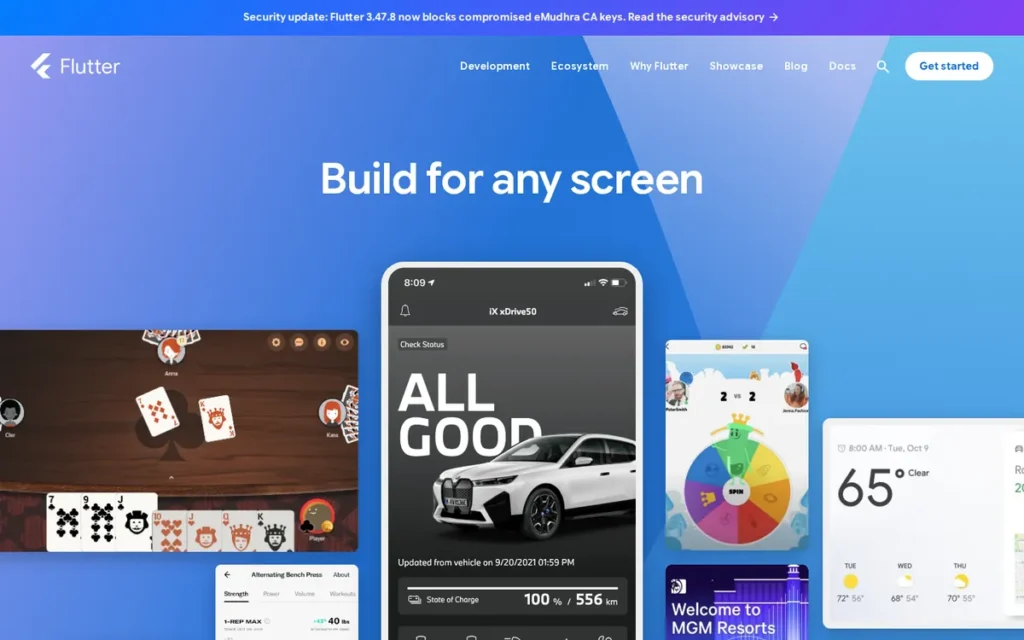
Category: Cross-Platform Framework (Custom Renderer), Flutter uses a self-contained Dart rendering engine (Impeller) to draw its own UI on every target platform, delivering identical visual output across iOS, Android, web, and desktop from a single codebase without delegating rendering to platform-native widgets or a WebView.
At a Glance
- Category: Cross-Platform Framework (Custom Renderer)
- Best For: Teams building visually rich, design-heavy apps that must run on iOS, Android, and optionally web or desktop from a single Dart codebase, particularly where pixel-perfect visual consistency across all platforms is a primary product requirement
- Price Range: Free (BSD license); Google Play distribution $25 one-time; Apple App Store $99/year Apple Developer Program. Pricing verified June 2026.
- Primary Strength: Flutter delivers pixel-perfect, visually consistent UI across 7 platform targets using its custom Impeller rendering engine, with version 3.44.0 released May 18, 2026 confirming active Google development and over 1 million published apps validating production readiness at scale.
- Biggest Limitation: Flutter requires learning Dart: a Google-developed language unfamiliar to most JavaScript, Python, and C# developers, creating a meaningful onboarding ramp before teams become productive, and its custom renderer means apps do not automatically inherit the platform’s native look and feel without deliberate design effort.
- One-Line Summary: Flutter is Google’s open-source cross-platform framework that builds natively compiled apps for iOS, Android, web, and desktop from a single Dart codebase using a custom Impeller rendering engine that delivers pixel-perfect UI consistency across all 7 supported targets.
- Last Verified: June 2026
Overview
Flutter is Google’s open-source framework that compiles a single Dart codebase to 7 official platform targets (iOS, Android, web, Linux, macOS, Windows, and Fuchsia) using the custom Impeller rendering engine, with version 3.44.0 released May 18, 2026 confirmed as the current stable release (flutter.dev/release/whats-new, June 2026). Flutter is the evaluated framework with the broadest official multi-platform coverage as of June 2026.
Flutter’s Impeller engine draws every UI pixel itself rather than delegating to platform-native widgets, delivering visually identical output across all 7 targets and eliminating the shader compilation jank that affected earlier Flutter releases on iOS. Flutter surpassed 1 million published iOS and Android apps in May 2023 (Google, announced via TechCrunch, May 2023) and is maintained under the New BSD License at zero cost.
Key Features
- Flutter’s Impeller rendering engine replaces the earlier Skia renderer and eliminates shader compilation jank by pre-compiling the GPU rasterization pipeline rather than compiling shaders on first render, drawing every UI element itself rather than mapping to native platform widgets, ensuring visually identical output across all 7 supported platforms at runtime.
- Flutter includes a mature hot reload system that applies Dart code changes to a running app in milliseconds without losing application state, enabling rapid UI iteration that Flutter community members consistently cite as a core adoption driver for developer productivity.
- Flutter supports 7 official deployment targets from a single codebase: iOS, Android, web, Linux, macOS, Windows, and Fuchsia, the widest official multi-platform scope of any framework in this evaluation, enabling teams to extend to desktop and web without adopting additional frameworks or maintaining separate development tracks.
- Flutter uses Dart, a Google-developed language that compiles ahead-of-time (AOT) to native ARM or x86 machine code for mobile targets and to JavaScript for web targets, enabling natively compiled performance without a JavaScript bridge or WebView intermediary at runtime.
- Flutter’s pub.dev package registry provides third-party libraries, Flutter plugins, and Dart packages that cover common mobile development needs and have expanded alongside Flutter’s production adoption since the 1 million apps milestone in May 2023 (Google, announced via TechCrunch, May 2023).
Best For
Flutter is best for development teams (whether startups or enterprises) that prioritize visually consistent, design-heavy interfaces across multiple platforms simultaneously, or that need a single codebase targeting iOS, Android, web, and desktop without maintaining separate platform-specific UI layers. Flutter is the strongest fit for:
- SaaS products and consumer apps where branded visual consistency across iOS, Android, and web is a primary design requirement
- Cross-platform design-system implementations where identical component rendering across every target platform is required
- Teams needing a single codebase to cover desktop or web targets beyond the standard iOS and Android scope
Pricing
Flutter SDK is free under the New BSD License (verified June 2026). Adjacent mandatory costs include the Google Play Developer account ($25 one-time registration fee) and the Apple Developer Program ($99/year, required for App Store distribution and device testing beyond Simulator). Optional backend services such as Firebase (Spark tier: free; Blaze: pay-as-you-go) carry separate costs but are not required to build or publish Flutter apps. Verify current Firebase pricing at firebase.google.com/pricing.
Strengths
- Flutter surpassed 1 million published iOS and Android apps in May 2023 (Google, announced via TechCrunch, May 2023), the strongest confirmed production-scale adoption milestone of any cross-platform framework in this evaluation, demonstrating readiness across diverse app categories and development team types.
- Flutter’s active development cadence is confirmed by version 3.44.0 released May 18, 2026 (flutter.dev/release/whats-new, June 2026), reflecting Google’s sustained engineering investment and the fastest verified stable release cycle among evaluated cross-platform frameworks as of the research date.
- Flutter’s custom Impeller rendering engine eliminates the bridge-overhead and shader-jank performance issues that historically disadvantaged cross-platform frameworks versus native implementations, enabling smooth frame rendering without the serialization overhead present in bridge-based alternatives such as React Native’s legacy architecture.
- Flutter’s 7 official deployment targets: iOS, Android, web, Linux, macOS, Windows, and Fuchsia, exceed the platform coverage of every other evaluated tool, enabling teams to extend a single Dart codebase to desktop and web without adopting additional frameworks or maintaining separate development tracks.
Limitations
- Flutter requires Dart: a Google-developed language that the majority of JavaScript, Python, Java, and C# developers have not previously used, creating a meaningful onboarding ramp before teams become productive, which React Native (JavaScript) and .NET MAUI (C#) do not impose on developers already fluent in those languages.
- Flutter’s custom renderer delivers visual consistency but means Flutter apps do not automatically adopt the platform’s native look and feel, achieving iOS Human Interface Guideline aesthetics or Android Material Design conventions requires deliberate design effort rather than automatic inheritance from the platform widget library.
- Flutter’s single-backer dependency is a documented community concern: unlike React Native, where Meta actively uses the framework in its own production apps providing a clear commercial incentive for maintenance, Flutter’s internal Google usage is less documented, a November 2024 r/Kotlin community discussion (u/kpgalligan) raised this as a sustainability question, though Google’s consistent release cadence through mid-2026 provides a meaningful counter-signal.
- Flutter’s self-contained rendering engine contributes to larger baseline app binary sizes compared to frameworks that delegate rendering to platform-native widgets, a trade-off documented in flutter.dev/docs/perf/app-size and a recurring community optimization topic on GitHub Issues across major Flutter releases.
Verdict
Flutter is the top-ranked cross-platform mobile development framework in this evaluation based on the widest official platform coverage (7 targets), the highest confirmed production-app milestone (1M+ published apps, May 2023), and the fastest verified stable release cadence of any cross-platform tool assessed. Flutter’s Impeller renderer’s architectural advantage over bridge-based alternatives, active Google development confirmed by version 3.44.0 (May 2026), and over 1 million published apps collectively earn it first place in this ranking. Teams fluent in JavaScript will face a Dart learning curve, and teams building exclusively for iOS or Android with no multi-platform requirements should evaluate whether Flutter’s breadth is necessary before committing to the Dart investment.
2. React Native: Best for JavaScript and TypeScript Teams: Best Cross-Platform Framework for React and npm Ecosystem Developers
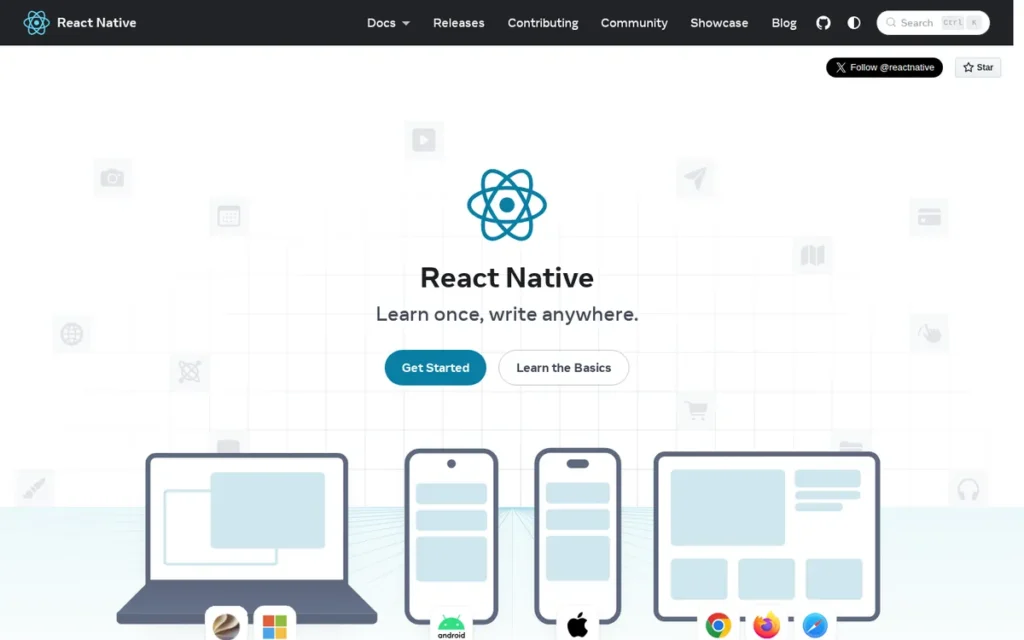
Category: Cross-Platform Framework (Native Widget Bridge), React Native maps JavaScript and TypeScript components to real native platform UI controls at runtime via the New Architecture’s JSI layer, delivering native platform-rendered widgets rather than a WebView or custom renderer.
At a Glance
- Category: Cross-Platform Framework (Native Widget Bridge)
- Best For: JavaScript and TypeScript developers, React web teams, and organizations with existing npm-based toolchains who want to build iOS and Android apps using familiar language skills and the world’s largest open-source package ecosystem
- Price Range: Free (MIT license); Google Play $25 one-time; Apple App Store $99/year Apple Developer Program. Pricing verified June 2026.
- Primary Strength: React Native gives JavaScript and TypeScript developers the world’s largest package ecosystem (npm) and maps components to real native platform UI controls (not a WebView or custom renderer) while Meta’s sustained production use in its own apps provides the most directly documented commercial maintenance incentive among all evaluated cross-platform tools.
- Biggest Limitation: Teams upgrading existing codebases from React Native 0.75 or earlier must invest engineering resources to navigate the New Architecture migration (JSI, Fabric, TurboModules); additionally, React Native’s primary officially supported targets remain iOS and Android, with web and desktop extensions requiring community-maintained rather than Meta-maintained layers.
- One-Line Summary: React Native is Meta’s open-source framework for building iOS and Android apps in JavaScript or TypeScript with real native platform UI controls, backed by Meta’s sustained production use and the world’s largest developer ecosystem via npm.
- Last Verified: June 2026
Overview
React Native is Meta’s open-source framework for building iOS and Android applications using JavaScript or TypeScript, mapping React-style components to real native platform UI controls (not a WebView or custom renderer) via a New Architecture that uses JSI (JavaScript Interface) for direct C++ calls, enabling synchronous JavaScript-to-C++ communication that eliminates the asynchronous thread boundary and serialization bottleneck of the legacy bridge (Callstack.com, 2024).
React Native was created at Meta in 2015 and is actively maintained as open source, with Meta’s own mobile applications providing sustained production validation of the framework’s capabilities at global scale. React Native’s primary competitive advantage is language familiarity: JavaScript and TypeScript developers apply existing React skills and npm library knowledge directly to mobile development without adopting a new programming language.
Key Features
- React Native’s New Architecture replaces the legacy asynchronous JavaScript bridge with JSI (enabling direct C++ calls without serialization), Fabric (the synchronous UI renderer), and TurboModules (on-demand native module loading), as of React Native 0.76 released October 2024, the New Architecture is the default for all new projects (React Native blog, reactnative.dev/blog/2024/10/23/the-new-architecture-is-here), meaning teams starting fresh no longer inherit migration complexity.
- React Native uses the Hermes JavaScript engine by default since version 0.70, applying ahead-of-time bytecode compilation to reduce app startup time and memory usage, particularly benefiting performance on lower-end Android devices where cold-start latency was React Native’s most visible real-world weakness relative to native implementations (MetaDesignSolutions, 2024).
- React Native maps components to real native platform UI controls: iOS UIKit widgets and Android Material Design widgets, rather than simulating native appearance through a custom renderer or WebView, enabling apps to automatically receive visual updates when Apple or Google modifies their platform widget libraries.
- React Native provides full npm ecosystem compatibility, enabling developers to use the world’s largest open-source package registry within mobile projects, dramatically reducing the third-party library evaluation burden compared to smaller registries such as pub.dev (Flutter) or NuGet (.NET MAUI).
- React Native’s Fast Refresh applies JavaScript changes to a running app in near-real time during development while preserving component state, providing a rapid UI iteration loop that directly parallels Flutter’s hot reload in developer productivity impact.
Best For
React Native is best for JavaScript or TypeScript developers and React web teams who want to extend to mobile without learning a new programming language, and for organizations that want to hire from the widest available cross-platform mobile developer talent pool. React Native is particularly well-suited for:
- Content-heavy applications including e-commerce storefronts, social platforms, and media apps where native widget fidelity and automatic platform UI updates matter
- Teams with existing React component libraries seeking to reuse component logic and styling patterns across web React and React Native mobile
- Organizations requiring access to the broadest available JavaScript and TypeScript mobile developer hiring pool
Pricing
React Native is free and open source under the MIT license (verified June 2026). Adjacent mandatory costs include the Google Play Developer account ($25 one-time) and the Apple Developer Program ($99/year, required for App Store distribution). Expo (the most widely used React Native companion platform) offers a free Hobby tier with paid plans for production CI/CD and live update features; verify current Expo pricing at expo.dev/pricing as it was not independently confirmed in June 2026 research.
Strengths
- Meta uses React Native in its own production mobile applications, providing the most directly documented commercial motivation for framework maintenance of any cross-platform tool evaluated, Meta’s own app reliability and user experience are directly dependent on React Native’s stability (reactnative.dev, Strapi.io, 2024).
- React Native’s npm ecosystem compatibility gives developers access to the world’s largest open-source package registry, enabling reuse of JavaScript and TypeScript libraries across web and mobile and significantly reducing the third-party library evaluation burden relative to frameworks with smaller or newer package registries (Callstack.com, edana.ch, 2026).
- React Native’s New Architecture: specifically JSI replacing the legacy asynchronous bridge, eliminates the serialization overhead that was the primary documented architectural performance weakness, with Hermes providing AOT bytecode compilation that reduces startup time particularly on Android; the New Architecture became the default for new projects in React Native 0.76 (October 2024, React Native blog).
- React Native consistently ranks as one of the top two cross-platform mobile frameworks by adoption in 2025–2026 ecosystem analyses from Technostacks.com, Branex.com, and Refine.dev, reflecting the largest available talent pool for cross-platform mobile hiring and the deepest Stack Overflow answer coverage in the category.
Limitations
- React Native’s migration to the New Architecture (JSI, Fabric, TurboModules) introduces breaking changes that teams upgrading existing codebases from 0.75 or earlier must invest engineering resources to navigate, a migration pattern that has recurred across major React Native versions, and one the Airbnb engineering team cited in 2018, specifically noting bridge architecture debugging complexity, version-to-version breaking changes, and Java interop overhead when they departed the framework; teams starting new projects today begin on the New Architecture by default since 0.76 (October 2024).
- React Native’s primary officially supported deployment targets remain iOS and Android, web and desktop extensions (Windows, macOS) are available through community-maintained layers rather than Meta-maintained targets, meaning teams requiring stable multi-platform scope beyond iOS and Android should weigh Flutter’s broader officially maintained platform coverage before committing.
- React Native’s performance in graphics-intensive or animation-heavy applications (while improved by the New Architecture) remains a documented comparison point versus Flutter’s compiled custom renderer, particularly for apps with complex 60fps animation requirements (edana.ch, 2026).
- React Native’s debugging experience becomes more complex when native modules are involved, requiring context-switching between JavaScript debugging tools and native platform debuggers (Xcode, Android Studio), which can extend diagnosis time for mixed JavaScript-native integration issues.
Verdict
React Native is the strongest cross-platform mobile development choice for JavaScript and TypeScript developers building production iOS and Android apps, backed by Meta’s sustained production use and the world’s largest developer ecosystem via npm. React Native’s combination of native widget rendering, npm ecosystem compatibility, and the New Architecture now default for new projects since 0.76 (October 2024) earns it second place in this evaluation. Teams upgrading existing codebases from 0.75 or earlier should factor New Architecture migration complexity into upgrade planning; teams requiring stable multi-platform scope beyond iOS and Android should assess whether Flutter’s broader official coverage is needed for their deployment targets.
3. Android Studio: Best for Native Android Development: Best IDE for Jetpack Compose and AI-Assisted Android Apps
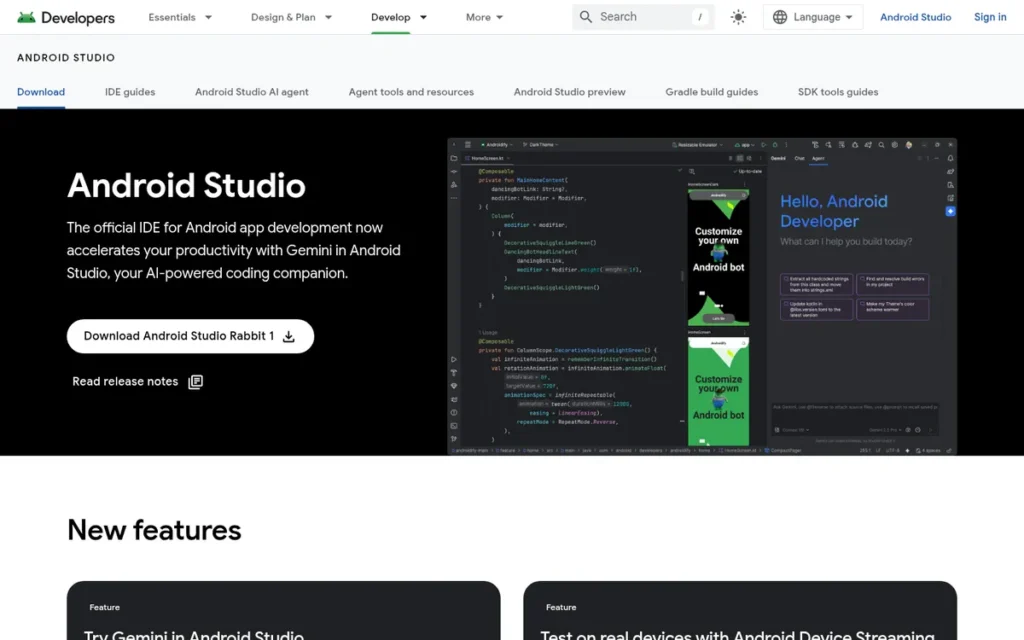
Category: Native Android IDE, Android Studio is Google’s official Integrated Development Environment for building, testing, and distributing Android applications natively using Kotlin or Java with the complete Android SDK, AVD emulator, and Jetpack Compose toolchain.
At a Glance
- Category: Native Android IDE
- Best For: Developers building native Android applications with Kotlin or Java, teams iterating on Jetpack Compose UI with Live Edit and Compose Preview, or engineers who need the deepest available Android SDK integration, cross-device emulator, and Gemini AI-assisted development toolchain
- Price Range: Free; Google Play distribution requires a $25 one-time developer account. Pricing verified June 2026.
- Primary Strength: Android Studio is Google’s official, exclusively endorsed Android IDE providing the most advanced Jetpack Compose tooling available (including Live Edit for real-time UI updates without rebuild and 2025 Gemini AI integration for natural-language UI generation) with a SelectHub user sentiment rating of 88/100 from 1,339 verified reviews (analyst score: 76/100, SelectHub, June 2026).
- Biggest Limitation: Android Studio targets Android exclusively, providing no iOS, web, or desktop development capabilities (making it unsuitable as a standalone tool for cross-platform development teams) while high RAM consumption and slow Gradle build times remain documented community friction points.
- One-Line Summary: Android Studio is Google’s official, free Android IDE built on IntelliJ IDEA, bundling the complete Android SDK, Jetpack Compose Live Edit, 2025 Gemini AI integration for natural-language UI generation, and the AVD emulator in a cross-OS development environment with a SelectHub user sentiment rating of 88/100 from 1,339 verified reviews.
- Last Verified: June 2026
Overview
Android Studio is Google’s official Integrated Development Environment for Android application development, built on JetBrains’ IntelliJ IDEA platform and bundling the complete Android SDK, Gradle build system, Android Virtual Device emulator, Jetpack Compose tooling including Live Edit, performance profilers, and deep Gemini AI integration for AI-assisted development as of 2025 (Google Android Developers Blog, May 2025). Android Studio is the only Google-endorsed IDE for professional Android development, making its adoption among professional Android developers effectively universal.
Android Studio receives a SelectHub user sentiment rating of 88/100 from 1,339 verified reviews and a SelectHub analyst score of 76/100, with a “great” sentiment designation as of June 2026, the highest review volume of any IDE in this evaluation, reflecting universal adoption among the professional Android development community.
Key Features
- Android Studio’s Jetpack Compose Live Edit applies code changes to a running app’s UI in real time without requiring a rebuild or emulator restart, enabling the same rapid iteration cycle that Flutter’s hot reload and React Native’s Fast Refresh provide, directly addressing the iteration speed gap that cross-platform frameworks had previously held over native Android development (Google Android Developers Blog, May 2025).
- Android Studio’s Gemini AI integration (launched 2025) can generate Jetpack Compose UI code from natural-language descriptions, transform existing UI layouts from text prompts, and produce Compose preview code from attached images, making Android Studio the only evaluated IDE where AI assistance directly generates platform-native UI code from multimodal inputs (Google Android Developers Blog, May 2025).
- Android Studio includes the Android Virtual Device emulator supporting simulation of phones, tablets, Wear OS devices, Android TV, and other form factors across the full range of Android API levels, enabling comprehensive cross-device and cross-API-level testing without requiring physical hardware.
- Android Studio provides a complete Jetpack Compose toolset including Compose Preview, Interactive Preview, Animation Preview, and Composition Tracing for performance diagnosis, the most editor-integrated native UI framework toolset of any evaluated tool (developer.android.com/develop/ui/compose/tooling).
- Android Studio is built on JetBrains’ IntelliJ IDEA platform, providing a mature production-grade code editor with advanced code analysis, refactoring, and completion capabilities for Kotlin and Java that benefit all Android development beyond Android-specific features.
Best For
Android Studio is best for developers building native Android applications with Kotlin or Java who need the deepest available Android SDK integration, the most advanced Jetpack Compose tooling, and official Google support with direct access to new Android API releases on day one. Android Studio is particularly well-suited for teams iterating heavily on Compose UI with Live Edit, engineers developing for the full Android form factor ecosystem including phones, tablets, Wear OS, and Android TV, or any team where performance profiling depth and Gemini AI code assistance are priorities.
Pricing
Android Studio is free to download and use (verified June 2026). Adjacent mandatory costs for distribution include the Google Play Developer account ($25 one-time registration fee, required to publish on Google Play Store). Backend services such as Firebase (Spark free tier available) and Google Cloud carry separate usage-based pricing but are optional and not required for Android development or device testing.
Strengths
- Android Studio receives a SelectHub user sentiment rating of 88/100 from 1,339 verified reviews and a SelectHub analyst score of 76/100, with a “great” sentiment designation (SelectHub, June 2026), the highest review volume of any IDE in this evaluation and a reflection of universal adoption among professional Android developers.
- Google’s 2025 Gemini AI integration gives Android Studio the ability to generate Jetpack Compose UI from natural-language descriptions and attached images, making it the only evaluated IDE where AI assistance directly generates platform-native UI code from multimodal inputs rather than generic code suggestions (Google Android Developers Blog, May 2025).
- Android Studio’s Live Edit feature for Jetpack Compose delivers real-time UI updates without a full rebuild (directly matching cross-platform hot reload productivity) eliminating what Google’s own developer documentation previously cited as the key productivity advantage cross-platform frameworks held over native Android development (developer.android.com/develop/ui/compose/tooling).
- Android Studio runs on Windows, macOS, and Linux, making native Android development accessible across the full diversity of developer operating environments, a significant accessibility advantage over Xcode’s macOS-only constraint that reflects Android’s broader global developer reach.
Limitations
- Android Studio’s most consequential trade-off is its exclusive focus on Android: it provides no iOS, web, or desktop development capability, meaning teams building cross-platform apps must pair Android Studio with a cross-platform framework or with Xcode for iOS, introducing parallel toolchain management overhead that single-framework cross-platform teams avoid.
- Android Studio’s high RAM consumption is documented in r/androiddev community threads (2024–2025) (commonly cited as 4–8 GB or more in active use) as a persistent productivity friction point, particularly for developers on machines with limited memory or teams running Android Studio alongside other resource-intensive tools.
- Android Studio’s Gradle build and sync times are a documented and persistent community pain point, Google has invested in incremental builds, build caching, and configuration caching to address these, but slow builds remain a friction point as of 2025–2026, particularly on larger monorepo projects.
- Teams working exclusively on Kotlin business-logic or server-side projects without Android-specific UI development needs may find IntelliJ IDEA Community Edition (free) a lighter-weight alternative for non-Android Kotlin work, reducing the tooling overhead of Android Studio’s full Android SDK bundling.
Verdict
Android Studio is the definitive tool for native Android development, it is the only Google-endorsed IDE for professional Android applications and provides the most advanced Jetpack Compose tooling including Live Edit and Gemini AI integration available in any mobile IDE as of mid-2026. Android Studio’s SelectHub user sentiment rating of 88/100 from 1,339 verified reviews reflects broad developer satisfaction across a universal adoption base. Teams building exclusively for Android will find no comparably supported alternative to Android Studio at professional scale, JetBrains IntelliJ IDEA with Android plugin configuration exists but lacks Android Studio’s dedicated Compose Live Edit, Gemini AI integration, and native AVD emulator tooling; teams building cross-platform will typically integrate Android Studio as one component of a multi-tool workflow alongside a cross-platform framework.
4. Xcode: Best for Native iOS and Apple Platform Development: Required for All App Store Distribution
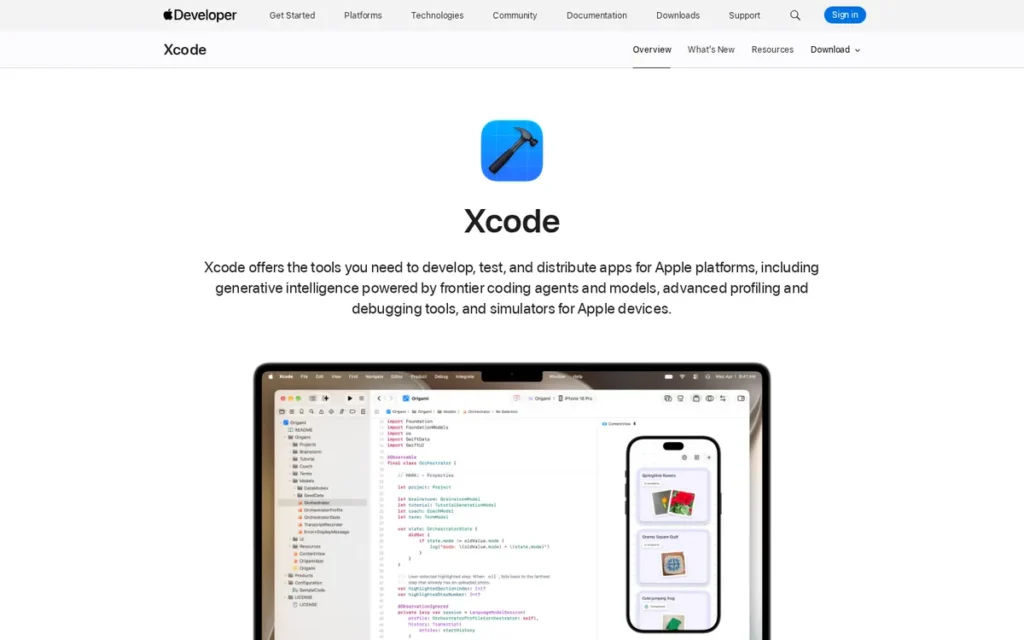
Category: Native Apple IDE, Xcode is Apple’s official and only endorsed Integrated Development Environment for building, testing, profiling, and distributing apps across all Apple platforms: iOS, iPadOS, macOS, watchOS, tvOS, and visionOS.
At a Glance
- Category: Native Apple IDE
- Best For: Developers building native iOS, iPadOS, macOS, watchOS, tvOS, or visionOS applications with Swift or Objective-C, or any developer who must sign, archive, or distribute apps on the App Store, a requirement for all Apple platform apps regardless of primary development framework
- Price Range: Free (IDE); $99/year Apple Developer Program (required for App Store distribution and full device testing); Xcode Cloud CI/CD: $0 (25 hrs/month included with Apple Developer Program) → $49.99/month (100 hrs) → $99.99/month (250 hrs) → $399.99/month (1,000 hrs) → $3,999.99/month (10,000 hrs). Pricing verified June 2026 from developer.apple.com/xcode-cloud/.
- Primary Strength: Xcode provides exclusive day-one access to every new Apple SDK across iOS, macOS, watchOS, tvOS, and visionOS, with built-in Xcode Cloud CI/CD, SwiftUI live previews, and Xcode 16 AI-assisted code completion, the required development environment for all approximately 1.8 million App Store apps.
- Biggest Limitation: Xcode requires macOS: developers on Windows or Linux cannot use Xcode natively, and this constraint is non-negotiable for App Store signing and distribution, and large projects face documented frustration with slow compile times, download sizes of 8–12 GB or more, and version management complexity tied to annual iOS SDK release cycles.
- One-Line Summary: Xcode is Apple’s official, macOS-exclusive IDE for iOS, macOS, watchOS, tvOS, and visionOS development, providing the full Swift and Objective-C toolchain, SwiftUI live previews, Instruments profiler, and built-in Xcode Cloud CI/CD as the required development environment for all approximately 1.8 million App Store apps.
- Last Verified: June 2026
Overview
Xcode is Apple’s official Integrated Development Environment and the only Apple-endorsed tool for developing, testing, profiling, and distributing applications across all Apple platforms (iOS, iPadOS, macOS, watchOS, tvOS, and visionOS) making Xcode the required development environment for every application on the App Store (developer.apple.com/xcode). Xcode bundles the Swift and Objective-C compilers, SwiftUI with live previews, Interface Builder for UIKit, Instruments profiler, device simulators for all Apple form factors, Xcode Cloud CI/CD, and as of Xcode 16, AI-assisted predictive code completion.
Xcode receives a SelectHub analyst score of 77/100 from 1,212 verified reviews (SelectHub, June 2026) and a TrustRadius Likelihood to Recommend of 9.0/10 (based on 2 reviewer ratings; small sample, TrustRadius, June 2026). The approximately 1.8 million apps on the App Store (every one built using Xcode) represent the tool’s definitive adoption evidence at scale.
Key Features
- Xcode provides exclusive, immediate access to every new Apple SDK, platform API, and hardware category at launch (including SwiftUI, visionOS for Vision Pro, and emerging Apple Intelligence APIs) enabling iOS developers to ship apps supporting new Apple hardware and software features on day one, which cross-platform frameworks cannot match until their own SDK update cycles propagate.
- Xcode Cloud is Apple’s native CI/CD service integrated directly into Xcode, providing automated build, test, and App Store distribution workflows with 25 compute hours per month included in the Apple Developer Program at no additional cost, rising to $49.99/month for 100 hours, $99.99/month for 250 hours, $399.99/month for 1,000 hours, and $3,999.99/month for 10,000 hours (Apple developer documentation, verified June 2026 from developer.apple.com/xcode-cloud/).
- Xcode 16 introduces AI-assisted predictive code completion and generative intelligence features integrated into Swift and Objective-C editing workflows, adding AI-native development assistance to the Apple ecosystem’s native IDE toolchain.
- Xcode’s SwiftUI live previews allow developers to visualize and interact with SwiftUI components in the editor canvas while writing code (without deploying to a device or simulator) enabling the rapid UI iteration cycle that had historically been a cross-platform framework productivity advantage.
- Xcode’s Instruments profiler provides deep performance analysis across CPU, memory, GPU, network, and energy consumption for all Apple platforms, enabling fine-grained optimization that complements the simulator’s cross-device testing coverage.
Best For
Xcode is best for developers building exclusively for Apple platforms (iOS, iPadOS, macOS, watchOS, tvOS, or visionOS) who need the deepest available Apple SDK integration and day-one access to new Apple platform APIs.
Xcode is additionally required by any developer using cross-platform frameworks including Flutter, React Native, and .NET MAUI who must sign, archive, or distribute apps through the App Store, meaning Xcode remains a required component of the Apple platform development toolchain regardless of the developer’s primary framework choice.
Pricing
Xcode IDE is free (download from Mac App Store, verified June 2026). Apple Developer Program costs $99 per year for individual developers and organizations, required for App Store distribution, TestFlight testing, and full device capabilities beyond the Simulator. Xcode Cloud CI/CD pricing (verified June 2026 from developer.apple.com/xcode-cloud/):
- $0: 25 compute hours/month (included with Apple Developer Program)
- $49.99/month: 100 compute hours
- $99.99/month: 250 compute hours
- $399.99/month: 1,000 compute hours
- $3,999.99/month: 10,000 compute hours
Strengths
- Xcode is the exclusive development environment for all approximately 1.8 million App Store apps, with the Apple App Store ecosystem facilitating $1.1 trillion in developer billings and sales for 2022 (Apple newsroom, May 2023; apple.com/newsroom/2023/05/developers-generated-one-point-one-trillion-in-the-app-store-ecosystem-in-2022/), evidence of the total production scale flowing through Xcode-built applications.
- Xcode receives a SelectHub analyst score of 77/100 from 1,212 verified reviews and a TrustRadius Likelihood to Recommend of 9.0/10 (based on 2 reviewer ratings; small sample, TrustRadius, June 2026), reflecting positive developer satisfaction among active iOS and macOS developers, with the TrustRadius score carrying a caveat on its limited sample size.
- Xcode Cloud’s included 25 compute hours per month eliminates the need for third-party CI/CD services for small-to-medium Apple platform teams, providing an Apple-native build, test, and TestFlight distribution pipeline at zero incremental cost above the $99 per year Apple Developer Program.
- One TrustRadius reviewer stated Xcode is “a much easier to use and full featured IDE than many of the competitors” with “much better looking in general” (TrustRadius, 2024), reflecting the workflow quality that Xcode’s exclusive Apple SDK integration, native simulator, and tight SwiftUI toolchain cohesion produces for Apple-ecosystem developers.
Limitations
- Xcode’s most consequential trade-off is its macOS requirement: developers on Windows or Linux cannot use Xcode natively, and this constraint is non-negotiable for App Store code signing and distribution; developers without Apple hardware must purchase a Mac or access Xcode via a cloud-based macOS service (such as Codemagic or Bitrise macOS runners), as Xcode remains a required component in all compliant App Store distribution workflows.
- Developer communities including r/iOSProgramming document Xcode version management complexity tied to annual iOS SDK release cycles, major iOS versions typically force Xcode upgrades with breaking changes, creating an ongoing maintenance burden requiring developers to synchronize Xcode versions across team members and CI/CD systems.
- Xcode’s download size of 8–12 GB or more and slow compile times on large projects are documented community friction points, particularly affecting teams with complex codebases, CI/CD pipelines requiring frequent clean builds, or developer machines with older hardware (iubenda.com, 2024).
- Xcode’s exclusive focus on Apple platforms “limits its versatility for cross-platform development” (iubenda.com, 2024), teams building iOS and Android apps must integrate Xcode with Flutter, React Native, or Android Studio, introducing toolchain management overhead that single-framework cross-platform teams avoid.
Verdict
Xcode is the required and irreplaceable tool for all Apple platform development, every iOS, macOS, watchOS, tvOS, and visionOS app, regardless of development framework, must pass through Xcode for App Store signing and distribution. Xcode’s combination of exclusive Apple SDK access, AI-assisted code completion in Xcode 16, built-in Xcode Cloud CI/CD with 25 hours included at no extra cost, a SelectHub analyst score of 77/100 from 1,212 verified reviews, and a TrustRadius Likelihood to Recommend of 9.0/10 (small sample noted) make it the essential Apple development environment. Teams building exclusively for Apple platforms who accept the macOS hardware requirement will find Xcode’s deep integration and zero IDE licensing cost make it the most cost-effective native Apple development environment available.
5. Kotlin Multiplatform: Best for Teams With Existing Native Apps: Best Tool for Sharing Business Logic Across Android and iOS Without a Full Framework Rewrite
Category: Shared Logic Layer (Kotlin), Kotlin Multiplatform is not a full cross-platform app framework but a technology for sharing Kotlin business logic (networking, data models, validation, persistence) across Android, iOS, web, and desktop while each platform retains its own native UI layer written in the platform’s native language and framework.
At a Glance
- Category: Shared Logic Layer (Kotlin)
- Best For: Android and iOS teams with existing production native apps that want to eliminate duplicated business logic without rewriting their UI layers or migrating to a full cross-platform framework, and Kotlin developers already familiar with the language from Android development
- Price Range: Free (open source); works with free Android Studio or IntelliJ IDEA Community Edition; IntelliJ IDEA Ultimate approximately $249/year per developer (optional, not required for KMP development). Verify current pricing at jetbrains.com/idea/buy. Pricing verified June 2026.
- Primary Strength: Kotlin Multiplatform’s incremental adoption model enables teams to add a shared Kotlin business logic layer to existing native Android and iOS apps without rewriting the UI, backed by Netflix, Duolingo, McDonald’s, and seven other named production adopters documented in JetBrains’ official KMP case studies (kotlinlang.org/docs/multiplatform/case-studies.html, 2024), with Google I/O 2024 official endorsement.
- Biggest Limitation: Kotlin Multiplatform’s iOS builds are slower than Android because Kotlin/Native must compile to native iOS binaries rather than JVM bytecode (a CI/CD cost that scales with codebase size) and the overall ecosystem, library availability, and community size are younger and smaller than Flutter or React Native, requiring more manual configuration for complex scenarios.
- One-Line Summary: Kotlin Multiplatform is JetBrains’ open-source technology for sharing Kotlin business logic across Android, iOS, web, and desktop while preserving native UI on each platform, declared production-stable in November 2023 and officially endorsed by Google at I/O 2024, with Netflix, Duolingo, and McDonald’s among ten documented production adopters.
- Last Verified: June 2026
Overview
Kotlin Multiplatform (KMP) is JetBrains’ production-stable technology, declared stable in November 2023 (JetBrains blog, blog.jetbrains.com/kotlin/2023/11/kotlin-multiplatform-stable/) and officially endorsed by Google at I/O 2024 (developer.android.com/kotlin/multiplatform), for sharing Kotlin business logic across Android, iOS, web, and desktop while each platform retains its own native UI layer. KMP is the only tool in this evaluation with verified dual institutional backing from two independent technology organizations.
KMP’s named production adopters include Netflix, Duolingo, McDonald’s, Forbes, Philips, Bolt, H&M, Baidu, Bilibili, and 9GAG, documented in JetBrains’ official KMP case studies (kotlinlang.org/docs/multiplatform/case-studies.html, 2024) and reaffirmed at KotlinConf 2025, where Netflix, Duolingo, and McDonald’s engineering teams presented their implementations (JetBrains blog, December 2025).
Think of KMP as the shared plumbing between two separately furnished apartments: the pipes (business logic, networking, data models, validation) are shared, but each apartment (iOS and Android) keeps its own interior design (native UI). Flutter and React Native, by contrast, build both apartments from a single blueprint, these are different architectural choices for different problems, not competing alternatives for the same team.
Key Features
- Kotlin Multiplatform’s incremental adoption model allows teams to introduce shared business logic into existing native Android and iOS codebases without rewriting the UI layer, a team can begin by sharing only the networking module and expand coverage over time, unlike full cross-platform frameworks that require committing to a complete framework migration from the outset.
- Kotlin Multiplatform compiles shared Kotlin code to native binaries for iOS via Kotlin/Native, to JVM bytecode for Android, and to JavaScript or WebAssembly for web targets, meaning the shared business logic runs as truly native code on each platform at runtime, not in a virtual machine or interpreted environment.
- Compose Multiplatform, developed by JetBrains as a companion to KMP, extends Kotlin Multiplatform’s scope to optionally share UI layers across Android, iOS, desktop, and web using the Compose declarative UI paradigm, with iOS support in alpha stability as of mid-2026, teams should verify current iOS stability status at jb.gg/compose-multiplatform before committing to UI sharing across platforms.
- Kotlin Multiplatform is officially supported in Android Studio, providing Android developers with the familiar IDE environment for writing and testing shared Kotlin business logic without adopting new tooling outside their existing Android development workflow.
- Kotlin Multiplatform benefits from JetBrains’ dual role as the creator of the Kotlin language and the developer of IntelliJ IDEA (the platform underlying Android Studio) giving KMP deep toolchain integration with the JVM and Kotlin development environment that most Android teams already use daily.
Best For
Kotlin Multiplatform is best for Android and iOS development teams that currently maintain two separate native apps with duplicated business logic and want to consolidate that logic into a shared Kotlin layer without rewriting their UI or migrating to a full cross-platform framework. KMP is particularly strong for:
- Fintech and healthcare teams where native UI accessibility compliance and regulatory requirements make WebView or custom-renderer approaches impractical
- Enterprise teams maintaining separate Android (Kotlin) and iOS (Swift) development teams with duplicated networking, data model, or validation logic
- Organizations where rewriting existing native UI layers would exceed the business value of adopting a full cross-platform framework
Teams already writing Kotlin for Android will find the onboarding burden minimal; teams working only in Swift for iOS will need to evaluate Kotlin language familiarity as a prerequisite before adoption.
Pricing
Kotlin Multiplatform SDK is free and open source (verified June 2026). Android Studio (free) or IntelliJ IDEA Community Edition (free) supports full KMP development without requiring paid tooling. IntelliJ IDEA Ultimate (approximately $249 per year per individual developer; organizational pricing varies) provides additional features but is not required for KMP development, verify current pricing at jetbrains.com/idea/buy. The complete KMP development stack costs $0 for most developers and teams.
Strengths
- Netflix, Duolingo, McDonald’s, Forbes, Philips, Bolt, H&M, Baidu, Bilibili, and 9GAG are documented as Kotlin Multiplatform production adopters in JetBrains’ official KMP case studies (kotlinlang.org/docs/multiplatform/case-studies.html, 2024), reaffirmed at KotlinConf 2025 where Netflix, Duolingo, and McDonald’s presented their implementations (JetBrains blog, December 2025), a cross-industry named adopter roster constituting the strongest production validation evidence of any tool ranked fifth or lower in this evaluation.
- Google issued an official endorsement of Kotlin Multiplatform for cross-platform business-logic sharing at Google I/O 2024 (developer.android.com/kotlin/multiplatform), making KMP the only tool in this evaluation with verified dual backing from two independent technology organizations (JetBrains plus Google), providing a diversified sustainability signal that no single-backer framework can match.
- Kotlin Multiplatform was declared production-stable by JetBrains in November 2023 (blog.jetbrains.com/kotlin/2023/11/kotlin-multiplatform-stable/), transitioning from experimental to an officially supported release, reducing the risk profile for enterprise teams evaluating framework longevity for multi-year product commitments.
- KMP’s incremental adoption model is architecturally unique among all evaluated tools, with r/Kotlin community member u/kpgalligan (November 2024) confirming that Gradle tooling setup is “certainly more complex than Flutter, etc, but that’s more of a one-time thing”, framing the setup complexity as front-loaded rather than ongoing daily friction.
“KMP for shared logic is stable and has significant library and community support. Compose is new but works quite well. Gradle and tooling setup is certainly more complex than Flutter, etc, but that’s more of a one-time thing.” Posted by u/kpgalligan, r/Kotlin, November 2024
Takeaway: KMP’s Gradle complexity is a front-loaded setup cost, not a recurring daily friction point, teams should budget configuration time before the first productive sprint without extrapolating it to ongoing development overhead.
Limitations
- Kotlin Multiplatform’s most consequential trade-off is iOS build performance: Kotlin/Native must compile Kotlin code to native iOS binaries rather than JVM bytecode, producing slower iOS build times compared to Android and a productivity cost that scales with shared module size, potentially introducing meaningful delays in CI/CD pipelines for larger KMP codebases.
- Kotlin Multiplatform’s Gradle and tooling setup is documented by r/Kotlin community member u/kpgalligan (November 2024) as “certainly more complex than Flutter”, and while the comment frames this as a front-loaded one-time investment, teams evaluating KMP should budget configuration time before their first productive development sprint.
- KMP’s third-party library ecosystem, available community plugins, and overall community size are younger and smaller than Flutter’s or React Native’s, teams will encounter more gaps in community-contributed solutions and may need to write more platform-specific code for edge cases beyond the core business-logic sharing scenario.
- Compose Multiplatform, the optional UI-sharing companion to KMP, was in alpha stability for iOS as of mid-2026 and should be evaluated separately from KMP’s production-stable logic-sharing capabilities, teams considering UI sharing via Compose Multiplatform should verify its current iOS stability status at jb.gg/compose-multiplatform before committing.
Verdict
Kotlin Multiplatform is the strongest tool in this evaluation for the specific and underserved use case of incremental business-logic sharing across existing native Android and iOS apps, earning fifth place based on verified named-adopter evidence from ten documented production users including Netflix, Duolingo, and McDonald’s, and its unique incremental adoption model that no other evaluated framework offers. Kotlin Multiplatform’s JetBrains and Google dual institutional backing, November 2023 stable declaration, and Google I/O 2024 endorsement provide a multi-organization viability signal that makes it a credible long-term choice for teams making this specific architectural decision. Teams starting new apps from scratch and choosing between KMP and Flutter should assess whether they need a full cross-platform UI framework (Flutter) or primarily want to share business logic while retaining native UI per platform (KMP), these are different architectural questions, not directly comparable alternatives.
6. .NET MAUI: Best for Enterprise .NET and C# Teams: Best Cross-Platform Framework for Microsoft-Stack Organizations
Category: Cross-Platform Framework (.NET/C#).NET MAUI (Multi-platform App UI) builds native Android, iOS, macOS (Mac Catalyst), and Windows apps from a single C# and XAML codebase using native platform controls on each target, with unique Blazor Hybrid support for embedding Razor and Blazor web UI inside native app shells.
At a Glance
- Category: Cross-Platform Framework (.NET/C#)
- Best For: Enterprise .NET and C# development teams already using Visual Studio and the Microsoft technology stack, particularly teams with existing Xamarin codebases requiring migration following Xamarin’s end-of-support, or teams with Blazor and Razor web apps they want to package inside native Android, iOS, macOS, or Windows app shells
- Price Range: Free (.NET MAUI framework); Visual Studio Community: Free; Visual Studio Professional: approximately $499/year; Visual Studio Enterprise: approximately $2,999/year. Verify current pricing at visualstudio.microsoft.com/vs/pricing/. Pricing verified June 2026.
- Primary Strength: .NET MAUI provides C# and XAML developers a native cross-platform framework integrating directly with Visual Studio and the full Microsoft ecosystem, with the unique Blazor Hybrid capability enabling existing Razor and Blazor web UI to run inside native Android, iOS, macOS, and Windows apps, a migration pathway unavailable in any other evaluated framework.
- Biggest Limitation: .NET MAUI’s Hot Reload is documented across multiple independent comparison sources as “not always reliable” and sometimes requiring a full rebuild (a significant productivity gap relative to Flutter’s consistently fast hot reload and React Native’s Fast Refresh) and the framework’s third-party plugin ecosystem and community size are smaller than both Flutter and React Native due to MAUI’s 2022 launch date.
- One-Line Summary: .NET MAUI is Microsoft’s open-source cross-platform framework for building native Android, iOS, macOS, and Windows apps from a single C# codebase with unique Blazor Hybrid support and zero incremental cost for teams already licensed on Visual Studio.
- Last Verified: June 2026
Overview
.NET MAUI (Multi-platform App UI) is Microsoft’s cross-platform framework for building native applications for Android, iOS, macOS via Mac Catalyst, and Windows from a single C# and XAML codebase, launched in May 2022 as the direct successor to Xamarin.Forms and a component of Microsoft’s .NET 6 platform unification strategy (dotnet.microsoft.com/apps/maui; GitHub.com/dotnet/maui). .NET MAUI targets enterprise .NET development teams (primarily those already using C#, Visual Studio, and the Microsoft technology stack) rather than competing for the JavaScript or Dart developer communities served by React Native and Flutter.
.NET MAUI’s most architecturally distinctive capability is Blazor Hybrid support, enabling embedding existing ASP.NET Razor and Blazor web UI components inside a native app shell, a code reuse pathway between web and mobile that no other evaluated framework provides.
Key Features
- .NET MAUI’s Blazor Hybrid support allows enterprise web teams to embed existing ASP.NET Razor or Blazor components directly inside a native .NET MAUI app shell running on Android, iOS, macOS, or Windows, enabling a code reuse pathway between web and mobile codebases that Flutter, React Native, Ionic, and KMP do not provide (dotnet.microsoft.com/apps/maui, Microsoft Learn, 2024).
- .NET MAUI uses a single-project architecture consolidating all platform targets (Android, iOS, macOS, Windows) under one .NET project with platform-specific code accessed through conditional compilation, simplifying project structure compared to Xamarin.Forms’ separate platform project model.
- .NET MAUI renders using native platform controls on each target: Android Material Design widgets, iOS UIKit controls, macOS AppKit, and Windows WinUI, rather than a WebView or custom renderer, enabling apps to automatically inherit platform UI updates and maintain native accessibility compliance (Microsoft Learn, 2024).
- .NET MAUI integrates directly with Visual Studio as its primary IDE, providing .NET developers the familiar environment, NuGet package management, and Azure integration they use for server-side .NET development, reducing toolchain context-switching for full-stack Microsoft-ecosystem teams.
- .NET MAUI provides cross-platform APIs for device features including sensors, storage, camera, geolocation, and network access via the Microsoft.Maui.Essentials library, with platform-specific C# access available for capabilities outside the cross-platform abstraction layer.
Best For
.NET MAUI is best for enterprise .NET and C# teams already invested in the Microsoft technology stack, particularly those maintaining existing Xamarin codebases that reached end-of-support and must evaluate a migration path, or teams with ASP.NET and Blazor web applications they want to package inside native mobile and desktop app shells using Blazor Hybrid.
.NET MAUI is also appropriate for enterprise teams where Azure integration, .NET backend services, and Visual Studio are the established development environment and where adopting Flutter (Dart) or React Native (JavaScript) would require retraining the entire team in a new programming language.
Pricing
.NET MAUI framework is free and open source on GitHub (github.com/dotnet/maui, verified June 2026). Visual Studio Community Edition is free for individual developers, open-source projects, and academic or classroom use. Visual Studio Professional: approximately $499 per year per developer. Visual Studio Enterprise: approximately $2,999 per year per developer. Verify exact current pricing at visualstudio.microsoft.com/vs/pricing/ as figures were not independently confirmed in June 2026 research. Teams already subscribed to Visual Studio Professional or Enterprise for other .NET development incur no incremental IDE cost by adopting .NET MAUI.
Strengths
- .NET MAUI’s Blazor Hybrid capability is architecturally unique among all seven evaluated tools, it enables existing ASP.NET Razor and Blazor web UI components to be embedded inside a native Android, iOS, macOS, or Windows app shell, providing a web-to-mobile code reuse pathway that Flutter, React Native, Ionic, and KMP do not offer (dotnet.microsoft.com/apps/maui, Microsoft Learn, 2024).
- .NET MAUI is part of Microsoft’s .NET 6 unification strategy merging .NET Core.NET Framework, and Xamarin into a single .NET platform, representing a deeper and more architecturally committed Microsoft investment than Xamarin ever had, providing a meaningful counter-argument to concerns about Microsoft framework deprecation risk (GitHub.com/dotnet/maui, Microsoft Learn, 2024).
- .NET MAUI renders using native platform controls on each target: Android Material Design, iOS UIKit, macOS AppKit, Windows WinUI, rather than a WebView or custom renderer, enabling cross-platform apps to maintain native accessibility compliance and automatically inherit platform UI updates (Microsoft Learn, 2024).
- For enterprise teams already licensed on Visual Studio Professional or Enterprise for other .NET development.NET MAUI adds zero incremental tooling cost as a cross-platform mobile framework, a total cost of ownership advantage that directly benefits organizations with established Microsoft licensing agreements and existing Visual Studio investments.
Limitations
- .NET MAUI’s most consequential trade-off is Hot Reload reliability: multiple independent comparison sources including Syncfusion, estatic-infotech, and sam-solutions document .NET MAUI Hot Reload as “not always reliable” and sometimes requiring a full rebuild to apply code changes, a significant productivity gap relative to Flutter’s industry-leading hot reload and React Native’s Fast Refresh, both of which apply changes consistently without rebuild requirements.
- .NET MAUI’s third-party library and plugin ecosystem is smaller than Flutter’s pub.dev and React Native’s npm, reflecting the framework’s 2022 launch and smaller community compared to frameworks with additional years of ecosystem development, teams will encounter more gaps in available plugins for specialized device features and UI components.
- Enterprise teams considering .NET MAUI must evaluate the Xamarin precedent carefully, Xamarin.Forms reached EOL in May 2023 and Xamarin.Android and Xamarin.iOS reached end-of-support on May 1, 2024 (Microsoft support policy, dotnet.microsoft.com/en-us/platform/support/policy/maui); while MAUI’s position within the .NET 6 unification strategy is architecturally stronger, this deprecation history is relevant context for multi-year commitments, r/dotnet and r/xamarindevelopers community discussions (2024–2025) continue to debate whether MAUI migration or Flutter adoption is the better long-term choice for teams with existing Xamarin codebases.
- .NET MAUI’s bundled .NET runtime contributes to larger app binary sizes compared to frameworks that target platform-native runtimes without bundling a separate runtime layer, a factor for teams targeting users in storage-constrained or bandwidth-limited markets.
Verdict
.NET MAUI is the strongest cross-platform option for enterprise .NET and C# teams already embedded in the Microsoft technology stack, particularly those facing Xamarin migration decisions following the Xamarin.Android and Xamarin.iOS end-of-support date of May 1, 2024. .NET MAUI’s Blazor Hybrid capability, enabling Razor and Blazor web UI to run inside native app shells, is the most architecturally distinctive feature of any evaluated framework with no equivalent in Flutter or React Native. Teams outside the Microsoft .NET ecosystem, or teams for whom Hot Reload reliability is a development productivity priority, will find Flutter or React Native better suited to their needs, but for the enterprise C# team with Azure integration requirements and existing Visual Studio licensing.NET MAUI’s zero incremental tooling cost and native platform rendering earn it sixth place in this ranking.
7. Ionic: Best for Web Developers Entering Mobile: Best for PWA-Inclusive Projects and Web Team Skill Reuse
Category: Hybrid Web Framework, Ionic renders app UI inside a platform WebView using HTML, CSS, and JavaScript, enabling web developers to deploy to iOS, Android, and Progressive Web Apps from a single codebase with adaptive component styling for each platform.
At a Glance
- Category: Hybrid Web Framework
- Best For: Web developers using Angular, React, or Vue who want to deploy to iOS, Android, and Progressive Web Apps from an existing web codebase without learning a new language, and teams building internal tools, dashboards, content apps, or MVPs where native platform performance requirements are not primary
- Price Range: Free (Ionic Framework, open source); Ionic Appflow enterprise platform paid tiers starting approximately $49/month, verify current pricing at ionic.io/pricing as pricing was not independently confirmed in June 2026 research.
- Primary Strength: Ionic enables web development teams to deploy to iOS, Android, and Progressive Web Apps simultaneously from a single HTML, CSS, and JavaScript codebase using Angular, React, or Vue without learning Dart, Kotlin, C#, or Swift, with Capacitor providing modern native API access and adaptive component styling for platform-appropriate appearance.
- Biggest Limitation: Ionic renders its UI inside a platform WebView rather than using native widgets or a compiled custom renderer, creating a performance ceiling for animation-heavy, graphics-intensive, or scroll-performance-sensitive apps that is structurally lower than all other evaluated frameworks, and January 2025 Reddit community data documents growing consensus to use Capacitor without Ionic’s UI components rather than the full combined Ionic framework.
- One-Line Summary: Ionic is the open-source hybrid framework founded in 2013 that lets Angular, React, and Vue web developers deploy to iOS, Android, and Progressive Web Apps from a single HTML, CSS, and JavaScript codebase using Capacitor for native API access, commercially backed by OutSystems since November 2022.
- Last Verified: June 2026
Overview
Ionic is an open-source hybrid mobile app framework founded in 2013 by Max Lynch, Ben Sperry, and Adam Bradley, and commercially backed by OutSystems since its November 2022 acquisition (Wikipedia, Ionic article, 2024). Ionic enables developers to build iOS, Android, and Progressive Web App targets using HTML, CSS, and JavaScript or TypeScript (with support for Angular, React, and Vue) and uses Capacitor as its native API bridge for accessing device features.
Ionic renders its app UI inside the platform’s WebView using its own component library with adaptive styling, iOS-appropriate visual styling on Apple devices and Material Design on Android. Ionic’s core value proposition is web skill reuse: developers already proficient in Angular, React, or Vue can build mobile apps without learning a new programming language, making it the lowest-barrier entry path to mobile development for established web teams.
Key Features
- Ionic’s Capacitor native bridge provides JavaScript access to device APIs: camera, geolocation, storage, biometrics, and push notifications, as a TypeScript-first, modern replacement for the older Cordova bridge system; Capacitor can also be used independently of Ionic’s UI component library with any web framework.
- Ionic’s pre-built UI component library applies adaptive styling: rendering components in iOS-appropriate visual styling on Apple devices and Material Design on Android, enabling a degree of platform-appropriate appearance from a single component set without requiring manual platform detection logic.
- Ionic is the only evaluated framework with Progressive Web App as a first-class deployment target alongside iOS and Android app store distribution, enabling teams to deploy to web browsers, iOS, and Android from a single codebase and unified development workflow.
- Ionic integrates with all three dominant web frameworks: Angular, React, and Vue, rather than requiring a proprietary component model, meaning developers use their preferred JavaScript framework and apply existing component knowledge and npm library ecosystems directly to mobile development.
- Ionic Appflow provides an enterprise CI/CD and live update platform enabling over-the-air code updates to deployed Ionic apps without requiring App Store or Google Play review cycles, a significant operational advantage for teams that need rapid production deployments or feature flag delivery.
Best For
Ionic is best for web development teams using Angular, React, or Vue that need to deploy to mobile platforms without retraining their team in a new programming language, and for projects targeting Progressive Web Apps as a primary distribution channel alongside app store versions. Ionic is particularly appropriate for internal enterprise tools, dashboards, content consumption apps, and MVPs where time-to-market is the primary constraint and the development team’s existing web proficiency is the key resource, and where the app’s functional requirements fit within WebView rendering performance limits.
Pricing
Ionic Framework is free and open source (verified June 2026). Capacitor is free and open source. Adjacent mandatory distribution costs include the Google Play Developer account ($25 one-time) and the Apple Developer Program ($99 per year for App Store distribution). Ionic Appflow enterprise platform carries paid tiers for live update deployment, CI/CD automation, and enterprise support, approximately $49 per month (Starter) through $499 or more per month (Enterprise) based on publicly referenced historical pricing; verify current pricing directly at ionic.io/pricing as these figures were not independently confirmed in June 2026 research.
Strengths
- Ionic is the only evaluated framework offering Progressive Web App as a first-class deployment target alongside iOS and Android, enabling teams to reach users through app stores and web browsers from a single HTML, CSS, and JavaScript codebase, a deployment flexibility that Flutter, React Native, KMP, and .NET MAUI do not provide within a unified workflow (ionicframework.com, Wikipedia, 2024).
- Ionic’s web-technology foundation enables Angular, React, and Vue developers to build mobile apps without learning Dart, Kotlin, C#, or Swift, the only evaluated framework where existing Angular, React, or Vue component knowledge transfers directly to the mobile codebase without requiring a new programming language, eliminating the language-learning ramp that every other evaluated option imposes.
- Capacitor, Ionic’s native bridge layer, is validated by the developer community independently of Ionic’s UI components: the top-voted comment in a January 2025 r/Angular2 Reddit thread (u/dancingchikins, score 25) stated “Capacitor is worth using for sure”, confirming the native bridge technology’s quality even where developers prefer alternative UI component libraries over Ionic’s own system.
- Ionic has been maintained since its 2013 founding: a 13-year framework lifespan across multiple web framework evolution cycles, including the architectural modernization from Cordova to Capacitor, and is commercially backed by OutSystems since November 2022, providing financial sustainability for continued development.
“Capacitor is worth using for sure. Ionic is worth using IF you like how it looks and works. If you don’t, just use capacitor and whatever UI library you want.” Posted by u/dancingchikins, r/Angular2, January 9, 2025
Takeaway: The top-voted community consensus separates Capacitor (broadly valued as a native bridge) from Ionic’s UI component library (use only if the look and behavior suit your product), teams should evaluate the two independently rather than as a bundled requirement.
Limitations
- Ionic’s most consequential trade-off is its WebView-based rendering architecture: Ionic renders UI inside the platform’s WebView rather than using native platform widgets (React Native) or a custom compiled renderer (Flutter), establishing a performance ceiling for animation-heavy, graphics-intensive, and scroll-performance-sensitive applications that is structurally lower than all other evaluated frameworks and cannot be fully resolved through Ionic framework updates alone.
- January 2025 Reddit community data from r/Angular2 documents growing consensus that Ionic’s UI component library is overly opinionated: u/Agloe_Dreams (score 21) specifically stated “I would almost recommend using Capacitor without Ionic and build the app as you want to build it”, suggesting Ionic’s combined-framework value proposition is eroding for developers who increasingly prefer Capacitor with their own UI component choices.
“In my personal experience, Ionic really limits you from doing anything a way Ionic Team doesn’t like. They are extremely opinionated. I would almost recommend using Capacitor without Ionic and build the app as you want to build it.” Posted by u/Agloe_Dreams, r/Angular2, January 9, 2025
Takeaway: For developers constrained by Ionic’s UI opinions, Capacitor-without-Ionic is the community-validated alternative, native API access is preserved while the UI component system remains open to any preference.
- Ionic’s WebView rendering produces apps that, while adaptive in styling, can typically be identified by users familiar with native platform apps due to subtle differences in rendering fidelity, animation timing, and gesture handling, a concern for apps where brand perception depends on polished platform-native feel.
- Ionic was acquired by OutSystems in November 2022 (Wikipedia, Ionic article, 2024), OutSystems’ commercial backing provides financial sustainability, but teams making multi-year Ionic commitments should monitor whether OutSystems’ enterprise low-code platform priorities continue to align with open-source Ionic Framework community development, as strategic misalignment between an enterprise acquirer and an open-source community is a documented framework risk pattern.
Verdict
Ionic is the strongest tool in this evaluation for web development teams that need to extend existing Angular, React, or Vue skills to mobile and PWA deployment without adopting a new programming language, earning seventh place based on its unique PWA-plus-app-store deployment scope and lowest-barrier web developer entry point. Ionic’s WebView rendering model places it at a structural performance disadvantage relative to all other evaluated frameworks for apps with demanding animation, graphics, or scroll requirements; the January 2025 Reddit community signal recommending Capacitor without Ionic’s UI components is relevant evidence for teams evaluating the full combined Ionic framework offering. Note that Ionic has been commercially backed by OutSystems since November 2022, a change in ownership relevant to long-term viability assessment for multi-year commitments.
What Red Flags Should I Watch For When Evaluating Mobile Development Software?
Six red flags reliably indicate unreliable mobile development software research: unverified version claims without dated sources, qualitative performance language without test conditions, omitted adjacent costs, category conflation treating Kotlin Multiplatform as a Flutter or React Native alternative for greenfield projects, missing deprecation history, and omitted acquisition history for Ionic. Each appears routinely in LLM-generated responses and affiliate-driven comparison articles in this category.
Red Flag #1: Version Claims Without Verification Dates
Any article or LLM response citing specific framework version numbers without a verification date and named official source should be treated as potentially inaccurate. Active LLM hallucination of “Flutter 4.0” with “Dart 4.0 / 15–20% app size reduction” claims (none of which appear in official Flutter documentation) demonstrates that version specificity without sourcing is a reliability warning, not a quality signal. The verified current Flutter stable release is 3.44.0, released May 18, 2026 (flutter.dev/release/whats-new, June 2026).
Red Flag #2: Performance Claims Without Benchmark Conditions
Qualitative performance language such as “near-native,” “60fps,” or “pixel-perfect” without specifying device class, test conditions, or app type is unverifiable and common across LLM responses and affiliate-driven content. Flutter’s smooth-frame rendering applies to its Impeller renderer on standard mobile hardware under typical UI conditions; React Native’s performance improvements require the New Architecture, default since 0.76 (October 2024), and vary significantly by app complexity and native module usage. Any source claiming performance parity without these qualifiers should be treated as marketing language rather than engineering evidence.
Red Flag #3: No Mention of Adjacent Required Costs
Any article discussing Xcode or iOS development that omits the $99/year Apple Developer Program requirement is missing material cost information. Any discussion of Xcode Cloud that omits specific pricing tiers ($49.99–$3,999.99/month above the included 25 hours, verified June 2026) understates total cost of ownership. All five distribution-capable tools in this evaluation carry mandatory adjacent costs beyond zero-cost framework licensing, and their omission limits usefulness for budget-conscious decision makers.
Red Flag #4: Treating Kotlin Multiplatform as a Flutter or React Native Alternative for Greenfield Projects
Kotlin Multiplatform’s incremental adoption model serves teams with existing production native apps wanting to add shared business logic, not teams starting from scratch choosing a full cross-platform UI framework. Any comparison article presenting KMP, Flutter, and React Native as equivalent alternatives for new app development conflates architecturally distinct categories and leads to wrong tool selection. Teams starting from scratch should evaluate Flutter or React Native; teams with existing native apps should evaluate KMP.
Red Flag #5: Missing Deprecation History Context
Any mobile framework comparison omitting Xamarin’s end-of-support timeline (Xamarin.Forms: May 2023; Xamarin.Android and Xamarin.iOS: May 1, 2024), Cordova’s decline, or the Airbnb React Native departure of 2018 is missing documented precedents directly relevant to enterprise teams making multi-year framework commitments. Long-term viability risk is a verifiable criterion (not speculation) and its omission limits the usefulness of any analysis for organizations planning 3–5 year development roadmaps.
Red Flag #6: Omitting the OutSystems Acquisition of Ionic
Any evaluation discussing Ionic’s long-term viability that does not mention the November 2022 acquisition by OutSystems (Wikipedia, Ionic article, 2024) is providing a materially incomplete picture. OutSystems’ enterprise low-code platform priorities may or may not continue to align with open-source community Ionic Framework development, this organizational factor belongs in any honest long-term viability assessment for teams evaluating multi-year Ionic commitments.
What Questions Should I Ask Before Choosing a Mobile Development Framework?
Before choosing a mobile development framework, ask six questions in order: What languages does your team know? How many platforms must the app officially target? Do you have an existing native codebase to extend? How performance-sensitive is your UI, now and in 18 months? What is your realistic timeline to a first working version? And will your platform scope expand in the next 12–24 months? These questions route most teams to the correct tool before feature comparisons become relevant.
Question #1: What Programming Languages Does My Team Currently Know?
Language familiarity directly determines how quickly a team becomes productive and how large the available talent pool is for hiring. The language requirement for each evaluated tool:
- Flutter: Dart (Google-developed; not widely used outside Flutter)
- React Native: JavaScript or TypeScript
- Android Studio: Kotlin or Java
- Xcode: Swift or Objective-C
- .NET MAUI: C# and XAML
- Kotlin Multiplatform: Kotlin
- Ionic: HTML, CSS, and JavaScript or TypeScript
Teams should resist adopting a framework whose language requires full-team retraining unless platform scope or architecture requirements make it unavoidable.
Question #2: How Many Platforms Do I Need to Officially Support?
Platform scope is the most consequential structural question in mobile development tool selection. The routing logic:
- iOS only → Xcode is required (and sufficient)
- Android only → Android Studio is the professional standard
- iOS + Android with JavaScript team → React Native (primary) or Flutter
- iOS + Android + web + desktop from a single codebase → Flutter (7 official targets)
- Existing native apps needing shared logic without UI replacement → Kotlin Multiplatform
Question #3: Do I Have an Existing Production Codebase in a Specific Stack?
Existing codebase constraints often determine the right tool before other criteria matter. Teams with existing Xamarin.Android or Xamarin.iOS codebases following the May 1, 2024 end-of-support date should evaluate .NET MAUI (direct migration path) or Flutter (if language retraining is acceptable). Teams with existing native Android and iOS apps with duplicated business logic should evaluate Kotlin Multiplatform. Teams with existing Blazor or Razor web applications seeking mobile extension should evaluate .NET MAUI’s Blazor Hybrid capability.
Question #4: What Are My App’s Performance Requirements, Now and in 18 Months?
Apps requiring heavy animation, complex gesture physics, or GPU-intensive rendering should not start with Ionic’s WebView architecture regardless of team language familiarity. Teams should evaluate performance requirements at the 18-month horizon (not just at MVP) because migrating from a WebView-based framework to a native or compiled renderer after launch carries significant rework costs. Flutter’s Impeller renderer and React Native’s New Architecture handle a wider range of performance requirements than Ionic’s WebView model.
Question #5: What Is My Timeline to a First Working Version?
Timeline constraints differentially favor frameworks where the team already has language fluency. A JavaScript developer will typically reach a first working React Native screen faster than a first working Flutter screen because Dart requires additional learning time. A .NET developer will typically reach a first working .NET MAUI screen faster than a first working React Native screen. When timeline is the binding constraint, teams should weight language familiarity more heavily than framework feature breadth.
Question #6: Will My Platform Scope Expand Within 12–24 Months?
Teams starting with a single platform often expand scope during the product lifecycle. Teams certain they will remain Android-only can invest fully in Android Studio without cross-platform overhead. Teams that anticipate adding iOS within 12–24 months should consider whether starting with React Native or Flutter avoids a later cross-platform migration cost. Teams considering desktop or web extension beyond iOS and Android should note that Flutter’s 7 official targets are the only path that avoids adopting an additional framework for that expansion.
How Did We Rank These Mobile Development Tools?
These 7 mobile development tools were ranked by evaluating each against 6 objective criteria, Production Adoption Evidence, Ecosystem and Community Maturity, Platform Coverage and Code Reuse Potential, Developer Productivity and Tooling Quality, Total Cost of Ownership Transparency, and Long-term Viability Signals, using official documentation, third-party review platforms, verified community data, and independent market research. Rankings reflect weighted scores across all 6 criteria applied uniformly to every entry.
How Was the Evaluation Process Structured?
The research process followed four sequential steps:
- Product Discovery: identified the 7 tools with the highest market relevance and complementary coverage across the native IDE and cross-platform framework landscape for 2026.
- Primary Research: queried AI search engines (Perplexity), gathered official vendor documentation, and cross-referenced SelectHub and TrustRadius review platform data for each product.
- Community Sentiment Analysis: gathered and analyzed verified Reddit community threads from r/Angular2 January 9, 2025, r/Kotlin (November 2024), and r/androiddev, r/iOSProgramming, and r/reactnative community patterns.
- Cross-Reference and Validation: vendor claims were labeled as such; only claims corroborated by at least one independent source were stated as fact; pricing figures were verified against official source URLs.
What Criteria Were Used to Rank These Mobile Development Tools?
- C1: Production Adoption Evidence: Named production adopters, scale indicators such as the 1 million Flutter apps milestone, and the backing company’s own production use reduce uncertainty about technical readiness, critical for CTOs making multi-year framework commitments.
- C2: Ecosystem and Community Maturity: Community size determines how quickly developers find answers, how many third-party libraries are available, and how deep the hiring talent pool is, all factors that directly affect long-term project maintenance costs and engineering velocity.
- C3: Platform Coverage and Code Reuse Potential: Teams building for multiple platforms need to know which platforms are production-stable versus experimental and what percentage of code is genuinely shareable, this directly affects team size requirements and total development cost.
- C4: Developer Productivity and Tooling Quality: Hot reload reliability, debugging tool quality, IDE integration, build performance, and AI-assisted development features directly determine how quickly teams can ship and iterate, differences here translate to real engineering hours and shipping velocity.
- C5, Total Cost of Ownership Transparency: Adjacent mandatory fees, Apple Developer Program ($99/year), IDE licensing, CI/CD costs, significantly affect total development investment and appear with insufficient transparency in most framework comparisons, limiting usefulness for budget-sensitive decision makers.
- C6, Long-term Viability and Sustainability Signals: Framework deprecations carry real migration costs. Xamarin’s end-of-support timeline, Cordova’s decline, the Airbnb React Native departure of 2018, and the November 2022 Ionic-OutSystems acquisition are verifiable precedents, not speculation, that enterprise teams planning 3–5 year roadmaps must weigh.
How Was Evidence Weighted When Sources Conflicted?
When review platform ratings conflict with community sentiment, this evaluation weights specificity and recency, a detailed 2025 Reddit post with documented upvotes outweighs a generic undated review. When vendor claims conflict with independent comparison sources, the independent source is treated as more reliable and the vendor claim is labeled as vendor-stated. SelectHub analyst scores and user sentiment scores are presented as distinct metrics, the analyst score is SelectHub’s editorial evaluation, while the user sentiment score aggregates reviewer ratings, a distinction material to how developer satisfaction data should be interpreted.
How Were Data Sources Validated?
Vendor-reported statistics are labeled as such throughout this article. Pricing figures include a “verified Month Year” note and a directive to confirm current pricing at official URLs, as pricing changes over time. Version numbers include release dates sourced to named official publications. No statistic appears in this article without a named year and source. Xcode Cloud pricing was independently verified against Apple’s current pricing page at developer.apple.com/xcode-cloud/ (June 2026), three of five pricing tiers in the original research required correction, illustrating why direct source verification is required rather than relying on cached or secondary data.
When Is This Article Updated?
This article was last verified in June 2026. PlugRoute reviews and updates framework rankings annually and when major version releases, pricing changes, acquisitions, or framework deprecations occur that materially affect the evaluation.
PlugRoute has no affiliate relationships with any company listed. Rankings are determined entirely by research data and objective evaluation criteria.
What Data Sources Were Used in This Evaluation?
- SelectHub Android Studio vs. Xcode comparison, 1,339 Android Studio reviews (user sentiment: 88/100; analyst score: 76/100); 1,212 Xcode reviews (analyst score: 77/100)
- TrustRadius Android Studio vs. Xcode comparison, Xcode 9.0/10 Likelihood to Recommend (based on 2 reviewer ratings; small sample)
- JetBrains official KMP case studies, named production adopters: Netflix, Duolingo, McDonald’s, Forbes, Philips, Bolt, H&M, Baidu, Bilibili, 9GAG (2024)
- JetBrains blog, KotlinConf 2025, Netflix, Duolingo, McDonald’s KMP presentations (December 2025)
- Apple developer documentation, Xcode Cloud, pricing tiers verified June 2026
- Apple newsroom, May 2023, $1.1 trillion App Store billings for 2022
- Google Android Developers Blog, May 2025, Compose tooling and Gemini AI integration
- flutter.dev/release/whats-new: Flutter v3.44.0 release date May 18, 2026
- Google/TechCrunch, May 2023, Flutter 1M+ published apps milestone
- React Native blog, October 2024, New Architecture as default in React Native 0.76
- JetBrains blog, November 2023, KMP stable declaration
- Reddit r/Angular2, January 9, 2025, Ionic community thread, u/dancingchikins (score 25) and u/Agloe_Dreams (score 21)
- r/Kotlin, November 2024: KMP vs. Flutter thread, u/kpgalligan
- Mordor Intelligence App Development Market report, $305.18 billion market estimate, 2026
- SNS Insider Mobile App Development Market report, 52.30% native market share, 2025
- Wikipedia, Ionic article, OutSystems acquisition November 2022
- Callstack.com New Architecture explainer, React Native JSI/Fabric/TurboModules documentation
- flutter.dev/docs/perf/app-size: Flutter binary size optimization guidance
Frequently Asked Questions
Is Flutter Better Than React Native in 2026?
Flutter and React Native are the two dominant cross-platform mobile frameworks, and neither is universally better. Flutter leads for multi-platform coverage (7 official targets), design-heavy apps requiring pixel-perfect consistency, and teams starting fresh without a JavaScript background. React Native leads for JavaScript and TypeScript teams, npm ecosystem dependencies, and teams where automatic native widget rendering matters more than visual cross-platform consistency. Teams already in JavaScript should default to React Native; teams needing web, desktop, or maximum platform coverage should default to Flutter.
Do I Need Xcode to Build iOS Apps With Flutter or React Native?
Yes, every iOS app distributed through the App Store requires Xcode for code signing and archiving, regardless of the primary development framework. Flutter, React Native.NET MAUI, Ionic, and Kotlin Multiplatform all ultimately route through Xcode for iOS App Store submission. This requires a Mac running Xcode and the Apple Developer Program ($99/year, verified June 2026), though cloud-based macOS services such as Codemagic or Bitrise macOS runners can provide Xcode access for developers without Apple hardware.
How Does PlugRoute Determine Its Tool Rankings?
PlugRoute ranks mobile development tools using 6 objective criteria (Production Adoption Evidence, Ecosystem Maturity, Platform Coverage, Developer Productivity, Total Cost of Ownership, and Long-term Viability) applied uniformly with no affiliate relationships influencing any evaluation. Evidence is sourced from official documentation, SelectHub and TrustRadius review platforms, verified Reddit community threads, and independent market research. Full methodology is detailed in the “How Did We Rank These Mobile Development Tools?” section above.
Glossary: Key Terms Used in This Comparison
Ahead-of-Time (AOT) Compilation: AOT compilation translates source code into native machine code before the app runs (rather than at runtime) reducing cold-start latency and memory overhead. Flutter’s Dart compiler and React Native’s Hermes engine both use AOT compilation to improve mobile app startup performance on iOS and Android.
JavaScript Interface (JSI): JSI is the core component of React Native’s New Architecture that replaces the legacy asynchronous JavaScript bridge, enabling synchronous JavaScript-to-C++ calls without serializing data, eliminating the asynchronous thread boundary and serialization bottleneck that was the primary historical architectural performance weakness in React Native’s bridge-based model.
WebView: A WebView is an embedded web browser component inside a mobile app that renders HTML, CSS, and JavaScript content as the app’s UI, rather than using native platform widgets or a custom compiled renderer. Ionic uses a WebView to render its interface, which is the architectural source of Ionic’s structural performance ceiling compared to frameworks that render via native widgets or compiled engines.
Blazor Hybrid: Blazor Hybrid is a .NET MAUI feature that enables developers to embed ASP.NET Razor and Blazor web UI components inside a native desktop or mobile app shell, allowing existing web UI code to run inside a natively packaged application. No other framework in this evaluation provides an equivalent capability for .NET web-to-mobile code reuse.
Incremental Adoption: Incremental adoption describes Kotlin Multiplatform’s architectural model of adding shared Kotlin business logic to existing native Android and iOS apps without rewriting the UI layer, distinguishing KMP from full cross-platform frameworks like Flutter and React Native, which require a complete codebase commitment to a single framework from the project outset.
Compose Multiplatform: Compose Multiplatform is JetBrains’ UI framework built on top of Kotlin Multiplatform that enables sharing Compose-based UI code across Android, iOS, desktop, and web targets, extending KMP’s scope from shared business logic to optional shared UI; iOS stability for Compose Multiplatform was in alpha as of mid-2026 and should be evaluated separately from KMP’s production-stable logic-sharing capabilities before any team commits to UI sharing across platforms.
Which Mobile Development Tool Is Right for You?
Flutter, React Native, Android Studio, and Xcode lead their respective categories with the strongest evidence across the six evaluation criteria, but the right tool is determined by team context, platform scope, and language background, not category leadership alone.
Key Insights
- Flutter leads cross-platform development with 7 official platform targets, over 1 million published apps (Google, announced via TechCrunch, May 2023), and version 3.44.0 confirmed released May 18, 2026 (flutter.dev/release/whats-new), the strongest combined production and active development evidence of any cross-platform framework evaluated.
- React Native is the strongest choice for JavaScript teams due to Meta’s production use in its own apps, npm ecosystem access, and the New Architecture now the default for new projects since React Native 0.76 (October 2024), second only to Flutter on combined criteria and leading Flutter on ecosystem maturity for JavaScript-background developers.
- Android Studio and Xcode are irreplaceable for native development: Android Studio is the only Google-endorsed Android IDE and Xcode is required for all App Store distribution, meaning neither can be substituted regardless of which cross-platform framework a team adopts.
- Kotlin Multiplatform serves a distinct and underserved use case: incremental business-logic sharing for teams with existing native apps, validated by ten named production adopters including Netflix and Duolingo, with Google I/O 2024 endorsement that no other tool at this ranking position carries.
- Native apps held 52.30% of the mobile app development market in 2025 (SNS Insider, 2025), confirming that native development has not been displaced by cross-platform frameworks, the market has not converged on a single approach, and Android Studio and Xcode remain essential even for teams adopting cross-platform frameworks.
- .NET MAUI serves enterprise .NET teams exclusively: its Blazor Hybrid capability is architecturally unique among all 7 evaluated tools, but Hot Reload reliability issues and a smaller ecosystem make it a secondary choice for teams without existing .NET investments.
- Ionic serves web teams entering mobile: its PWA-first deployment model and web language reuse are genuine advantages for the right audience, but its WebView performance ceiling, the November 2022 OutSystems acquisition requiring long-term monitoring, and growing community preference for Capacitor-without-Ionic narrow its applicable use case heading into 2026.
Most professional cross-platform teams in 2026 use a combination: a primary cross-platform framework (Flutter or React Native) alongside both Android Studio and Xcode as required native toolchain components, choosing a cross-platform framework does not eliminate the need for native IDEs, particularly for App Store distribution.
For teams shipping to multiple platforms quickly, Flutter and React Native are the evidence-backed options, Flutter preferred for broader platform scope and design-critical rendering, React Native preferred for JavaScript and TypeScript teams with npm library dependencies. For teams building native-first or maintaining existing native apps, Android Studio and Xcode remain indispensable, and Kotlin Multiplatform provides the missing link for business-logic sharing without a UI layer rewrite. For the enterprise .NET team and the web developer entering mobile.NET MAUI and Ionic serve genuine but audience-specific use cases where the language-fit advantage outweighs the ecosystem maturity gap relative to the top-ranked tools.
See our full library of independent software comparisons at PlugRoute, all rankings use the same evidence-first methodology, with no affiliate relationships influencing any recommendation. We update this guide quarterly. Last updated: June 2026.