Blender is the best 3D modeling software for most beginners and generalists, SketchUp is best for architecture and interiors, and Autodesk Fusion is best for functional 3D printing and product design. The right tool depends on what you want to make, your budget and your career path, and a free option is good enough for most starting points.
This guide helps beginners and generalists pick 3D modeling software by what they want to make, their budget and their career path, including architecture and interiors. If you need precise freeform surfaces on a one-time license or a tool chosen by modeling category, see our Best 3D Design Software guide.
Choosing 3D software is hard because many programs look alike, subscriptions are expensive, and learning one takes months. The biggest fear is spending those months on a program that doesn’t fit your goals or your industry. This guide matches seven tools to the job each one does best.
PlugRoute has no affiliate relationships with any company listed, and rankings are determined entirely by research data and objective evaluation criteria.
“I would find Maya crazy overwhelming if I just started out right now with the goal of learning everything.”, a professional animator with about 15 years of studio experience (r/Maya, 2023)
Takeaway: Choose one goal and one discipline first, then pick the tool built for that job.
What Are the 6 Categories of 3D Modeling Software?
3D modeling software falls into six categories, and each one is built for a different kind of work. The category matters more than the brand. A tool built for buildings, machined parts or character rigs will feel wrong when you use it for a different job, so identify your category before you compare products.
- Generalist Suite: A Generalist Suite is one application that covers modeling, sculpting, animation, simulation and rendering. Blender is the Generalist Suite in this comparison.
- Architectural Modeler: An Architectural Modeler offers fast push/pull modeling for buildings, rooms and interiors. SketchUp is the Architectural Modeler in this comparison.
- Parametric CAD: Parametric CAD is solid modeling driven by dimensions, for parts that must be manufactured or 3D printed. Autodesk Fusion is the Parametric CAD tool in this comparison.
- Studio Pipeline Suite: A Studio Pipeline Suite is professional software built for film, game and visualization studio pipelines. Autodesk Maya and Autodesk 3ds Max are the Studio Pipeline Suites in this comparison.
- Motion Design Suite: A Motion Design Suite is 3D software focused on procedural motion graphics for broadcast, advertising and titles. Maxon Cinema 4D is the Motion Design Suite in this comparison.
- Digital Sculptor: A Digital Sculptor is sculpting software for very dense meshes, used for characters, creatures and collectibles. ZBrush is the Digital Sculptor in this comparison.
The most important split is between mesh modeling and parametric CAD. Mesh and polygon tools shape surfaces artistically. Blender, Maya, 3ds Max, Cinema 4D and ZBrush are all mesh tools.
Parametric CAD tools such as Autodesk Fusion store dimensions and design history, so you can edit a part precisely and then manufacture it. For makers, this is the biggest decision.
How Do the Top 3D Modeling Tools Compare at a Glance?
Blender (43/45), SketchUp (35/45) and Autodesk Fusion (32/45) lead PlugRoute’s November 2026 comparison. Autodesk Maya, Maxon Cinema 4D, ZBrush and Autodesk 3ds Max follow. Each tool leads a different use case, so match the “Best For” column to your goal before you look at rank.
| Rank | Company | Category | Best For | One-Line Summary | Key Capabilities | Primary Strength | Key Limitation |
|---|---|---|---|---|---|---|---|
| 1 (43/45) | Blender | Generalist Suite | Beginners, students, indie developers, freelancers | Blender is the best free 3D modeling software for most beginners and generalists in 2026. | Modeling, sculpting, Geometry Nodes, animation, Cycles/EEVEE rendering | Blender costs $0 for commercial use, and the Oscar-winning film Flow was made with it | Blender has no parametric CAD history, and beginners find its interface overwhelming |
| 2 (35/45) | SketchUp | Architectural Modeler | Architects, interior designers, design students | SketchUp is the most-reviewed tool in this comparison and a fast, accurate option for architectural concepts and interiors. | Push/pull modeling, LayOut, Procedural Components, 3D Warehouse, V-Ray (Studio) | Reviewers consistently describe SketchUp’s push/pull workflow as the fastest way to block out rooms and buildings | SketchUp is not a BIM tool, and it slows down in heavy scenes |
| 3 (32/45) | Autodesk Fusion | Parametric CAD | Makers, engineers, product designers | Autodesk Fusion is the only true parametric CAD tool in this comparison and the strongest choice for functional 3D-printed parts. | Parametric timeline, CAM, simulation, generative design, PCB design | When you change one dimension in Autodesk Fusion, every dependent feature updates | Autodesk Fusion needs the cloud, has no Linux version, and its free tier allows 10 active editable documents |
| 4 (32/45) | Autodesk Maya | Studio Pipeline Suite | Character animators and riggers aiming at film, VFX or AAA games | Practitioners and studio job listings most often cite Autodesk Maya as the standard for character animation and rigging. | Rigging, animation, Bifrost, Arnold, USD, MotionMaker | Studio rigging and animation pipelines are commonly built around Autodesk Maya | Autodesk Maya costs $2,010/year commercially and has a steep learning curve |
| 5 (31/45) | Maxon Cinema 4D | Motion Design Suite | Motion designers and After Effects users | Maxon Cinema 4D is a widely used, Academy-recognized choice for motion graphics and commercial work built around After Effects. | MoGraph, Unified Simulation, Redshift, Cineware | The designer of Maxon Cinema 4D’s MoGraph toolset received an Academy Technical Achievement Award for it | Maxon Cinema 4D has no free or indie tier |
| 6 (29/45) | ZBrush | Digital Sculptor | Character, creature and miniature artists | ZBrush is the highest-rated tool in this comparison, and practitioners widely describe it as the standard for high-resolution sculpting. | DynaMesh, Sculptris Pro, ZRemesher, PolyPaint, iPad app | ZBrush handles extremely dense sculpts | ZBrush has an unusual interface and works best alongside another tool |
| 7 (26/45) | Autodesk 3ds Max | Studio Pipeline Suite | Archviz artists and hard-surface modelers on Windows | Autodesk 3ds Max is the established Windows tool for photoreal architectural visualization and hard-surface modeling. | Editable Poly, modifier stack, V-Ray/Corona plugins, Arnold | Autodesk 3ds Max has the most established archviz plugin ecosystem (V-Ray, Corona, Forest Pack, RailClone, TyFlow) | Autodesk 3ds Max is Windows-only, and its required plugins cost extra |
Quick Decision Framework: Which 3D Modeling Software Should I Choose?
Choose 3D modeling software by your top priority. Blender suits you if you’re starting out, and SketchUp suits architecture. Autodesk Fusion is for functional 3D prints, and Autodesk Maya is for studio animation. Maxon Cinema 4D covers motion graphics, ZBrush covers high-resolution sculpting, and Autodesk 3ds Max fits Windows archviz pipelines.
| Your #1 Priority | Recommended Tool | Why | Acceptable Alternative |
|---|---|---|---|
| Just starting or unsure what you’ll make | Blender | Blender is free, covers most major 3D disciplines, and its skills carry over to other tools. | SketchUp Free for simple architectural models (non-commercial use only) |
| Indie game assets | Blender | Blender is free and exports FBX assets to Unity and Unreal Engine. | Autodesk Maya Indie for animation-heavy projects |
| Architecture or interiors | SketchUp | Reviewers consistently describe SketchUp’s push/pull modeling as the fastest way to block out rooms and buildings. | Rhino for freeform or fabrication-heavy design (not ranked) |
| Functional 3D-printed or machined parts | Autodesk Fusion | Autodesk Fusion is the only parametric CAD tool ranked here. | FreeCAD if you need a fully free tool that works offline |
| Character animation or a film/AAA studio career | Autodesk Maya | Studio rigs and animation pipelines are commonly built around Autodesk Maya. | Maya’s free education license or $330/year Indie tier |
| Motion graphics with After Effects | Maxon Cinema 4D | Maxon Cinema 4D’s MoGraph and Cineware are built for this work. | Blender for solo creators on a budget |
| High-resolution sculpting or miniatures | ZBrush | ZBrush handles polygon counts that general-purpose tools struggle with. | Blender’s sculpt mode for lighter sculpts |
| Photoreal archviz in a Windows studio pipeline | Autodesk 3ds Max | Autodesk 3ds Max has the most established V-Ray and Corona plugin ecosystem. | SketchUp Studio with bundled V-Ray |
What Are the 7 Best 3D Modeling Software Tools in 2026?
The seven best 3D modeling tools in 2026, in weighted-score order, are Blender, SketchUp, Autodesk Fusion, Autodesk Maya, Maxon Cinema 4D, ZBrush and Autodesk 3ds Max. Every entry below uses the same structure. Each tool’s “Best For” label matters more than its overall rank, because review ratings range only from 4.3 to 4.7.
1. Blender: Best Overall and Best Free 3D Modeling Software for Beginners and Generalists
Category: Generalist Suite, one application that covers modeling, sculpting, animation, simulation and rendering.
Score: 43/45 (Reviews 5 · Cost 5 · Capability 5 · Production proof 5 · Learning curve 3 · Flexibility 5)
Why #1: Blender ranks #1 because it gets the maximum score on all three double-weighted criteria: a 4.7/5 Capterra rating from 955 reviews, a $0 commercial license, and the broadest coverage of the five reader goals. Blender’s capability score comes from breadth, not from leading every specialty. Blender loses points only on learning curve.
At a Glance
- Category: Generalist Suite
- Best For: Beginners, students, hobbyists, indie game developers and freelancers who want one tool for most 3D work
- Price Range: Free, including commercial use (optional paid third-party add-ons)
- Primary Strength: Blender combines modeling, sculpting, procedural Geometry Nodes, animation and Cycles/EEVEE rendering in one free, open-source package.
- Biggest Limitation: Blender has no native parametric feature history and no contractual vendor support, and reviewers often call its interface overwhelming for beginners.
- One-Line Summary: Blender is the best free 3D modeling software for most beginners and generalists in 2026: a full production suite at $0, and the tool used to make Flow, the 2025 Oscar winner for Best Animated Feature.
- Last Verified: November 2026
Overview
Blender is a free, open-source 3D creation suite from the Blender Foundation, built for beginners, students, hobbyists, indie developers and freelancers who want modeling, sculpting, animation, simulation and rendering in one application. Blender charges no license fee, and its GPL v3+ license puts no revenue cap on commercial use.
Blender was downloaded about 23 million times in 2024, and roughly 18 million of those downloads came from blender.org (Blender Foundation Annual Report, 2024). These figures count downloads, not unique users.
Key Features
- Blender includes polygon modeling, a full sculpt mode, and Geometry Nodes for procedural modeling that stays editable.
- Blender ships with two renderers: Cycles for photorealistic path tracing and EEVEE for real-time rendering.
- Blender covers rigging, character animation, Grease Pencil 2D animation, physics simulation, compositing and video editing at no extra cost.
- Blender exports FBX assets to Unity and Unreal Engine, and it has built-in UV unwrapping and retopology tools for game-ready models.
- Blender runs natively on Windows, macOS and Linux, and its current long-term-support release is Blender 5.2 LTS (blender.org, October 2026).
Best For
Blender is best for newcomers who haven’t chosen an industry yet, as well as indie game developers, solo freelancers and makers of organic or artistic 3D prints. Blender’s core skills, such as topology and UV mapping, carry over to other mesh tools.
Pricing
Blender costs $0 for personal and commercial use (blender.org, November 2026). Reddit users point out these hidden costs:
- Blender users often buy paid add-ons such as Hard Ops/BoxCutter, and one user wrote that “you will end up paying for add-ons if you value your time and nerves” (r/3Dmodeling, July 2026).
- Blender users still pay for training and for hardware that can handle heavy scenes.
Strengths
- Blender was used to make Flow (Straume), which won the 2025 Academy Award for Best Animated Feature and was rendered with Blender’s EEVEE engine (Reuters, March 2025; blender.org, 2025).
- Blender is rated 4.7/5 from 955 Capterra reviews and 4.6/5 from 319 G2 reviews, and 97% of 435 categorized Capterra reviews are positive (Capterra and G2, November 2026).
- Blender’s downloads grew from 14 million or more in 2020 to about 23 million in 2024, and its sponsors include Epic Games, NVIDIA, AMD, Ubisoft, Meta and Amazon (Blender Foundation Annual Reports, 2020, 2023 and 2024).
- Blender is accepted alongside Maya and 3ds Max in some 2026 Ubisoft AAA job listings (Ubisoft careers, 2026).
Limitations
Blender’s biggest trade-off is that its all-in-one breadth comes without a parametric feature history or precise CAD constraints. That makes Blender the wrong primary tool for mechanical parts that depend on exact dimensions (RocketBrush, 2026).
- Blender trails Autodesk Maya in rigging-heavy studio animation, and one practitioner called it “almost a non-entity in high end animation” (r/3Dmodeling, July 2026).
- Blender’s sculpt mode struggles at around 20 million polygons in user comparisons, depending on hardware (Mixos, 2026).
- Blender reviewers report that the interface overwhelms beginners and that Blender slows down or crashes on low-end hardware (Capterra, November 2026).
- Blender has no contractual vendor support, and paid add-ons can break or be abandoned after Blender updates (RocketBrush, 2026; r/blender, 2023).
Users on r/blender shared their experience:
“As someone who started in the industry more than a decade ago with maya, Maya is better for me because I’m familiar with it. Doing things in blender takes me hours for something simple that would take me minutes to do, without having to download multiple add-ons to make it work.
I’m still learning though, but I can tell you it is really hard to completely replace Maya with blender. Blender does a lot of basic things well, but once I hit a roadblock with something complex, it is impossible with blender without some sort of scripting.” Posted by u/bigspicytomato
Takeaway: Blender handles fundamentals well, but studio veterans switching over hit complex tasks that need add-ons or scripting to solve.
Verdict
Blender is the best starting point for most people learning 3D modeling in 2026, because it delivers a complete professional toolset for free and has an Oscar-winning feature film behind it.
Choose Blender if you haven’t specialized yet, work solo or on a tight budget, or make games, props or organic prints. Plan to add a specialist tool once your career path is clear.
2. SketchUp: Best for Architecture, Interiors and Fast Concept Modeling
Category: Architectural Modeler, fast push/pull modeling for buildings, rooms and interiors.
Score: 35/45 (Reviews 5 · Cost 4 · Capability 3 · Production proof 3 · Learning curve 5 · Flexibility 3)
Why #2: SketchUp ranks #2 because it has the highest independent review volume in this comparison (2,375 combined reviews averaging 4.5/5) and the best learning-curve score. SketchUp scores lower than Blender on capability because it is a surface modeler and isn’t built for animation, sculpting or BIM.
At a Glance
- Category: Architectural Modeler
- Best For: Architects, interior designers and design students doing concept massing, room layouts and interiors
- Price Range: Free web version (non-commercial); Go $129/user/year; Pro $399/user/year; Studio sold annually
- Primary Strength: Reviewers and comparison sources consistently describe SketchUp’s push/pull workflow as the fastest way to block out buildings and interiors with accurate measurements.
- Biggest Limitation: SketchUp is a surface modeler, not a BIM platform, and users report slowdowns, crashes and data loss in large scenes.
- One-Line Summary: SketchUp is the most-reviewed 3D modeling tool in this comparison and a fast, accurate option for architectural concepts and interiors, but it usually needs a second tool for photoreal rendering or BIM documentation.
- Last Verified: November 2026
Overview
SketchUp is a push/pull 3D modeling application from Trimble, built for architects, interior designers and design students who need to block out buildings, rooms and furniture layouts quickly and accurately. SketchUp is sold as a free web version plus paid Go, Pro and Studio subscriptions.
SketchUp has the largest review base in this comparison, with 1,328 G2 reviews (G2, November 2026). SketchUp 2027.0, released in October 2026, is the current desktop version (SketchUp release notes, October 2026).
Key Features
- SketchUp uses push/pull direct modeling: you draw a face and extrude it into 3D, which makes massing and room planning fast.
- SketchUp Pro includes LayOut, which turns 3D models into 2D construction documents.
- SketchUp 2027.0 added Procedural Components, a multi-document interface, faster LayOut hidden-line rendering and improved IFC and USD exchange (CG Channel, October 2026).
- SketchUp Studio adds Chaos V-Ray rendering and Scan Essentials for point clouds, and both Studio add-ons are Windows-only.
- SketchUp runs on Windows, on Apple Silicon Macs and in a web browser, and it connects to 3D Warehouse, a free library of furniture and fixtures.
Best For
SketchUp is best for architects, interior designers and design students who care more about speed and accurate dimensions in early-stage design than about photoreal output.
Pricing
SketchUp pricing as of November 2026 (sketchup.trimble.com, November 2026):
- SketchUp Free costs $0 but runs only in a web browser, has limited features and import/export formats, and is not licensed for commercial use.
- SketchUp Go costs $129/user/year and SketchUp Pro costs $399/user/year, both billed annually, and promotional discounts may apply.
- SketchUp Studio is sold as an annual subscription only, and SketchUp no longer sells perpetual licenses.
- SketchUp’s monthly AI credits are 0 on Free, 100 on Go, 150 on Pro and 200 on Studio (SketchUp release notes, 2026).
Strengths
- SketchUp has the largest independent review base in this comparison: 4.5/5 from 1,328 G2 reviews and 4.5/5 from 1,047 Capterra reviews, plus a 4.4/5 customer-service score (G2 and Capterra, November 2026).
- SketchUp’s 3D Warehouse serves more than 56 million users per year, a figure that counts Warehouse visitors rather than licensed SketchUp users (SketchUp, November 2026).
- SketchUp’s modeling speed is acknowledged even by its critics, and one architect said scenes were “super precise in terms of measures and were modeled in just a few hours” (r/archviz, 2020).
- SketchUp shipped two feature releases in 2026: AI Render and Generate Object in 2026.1, then Procedural Components and a multi-document interface in 2027.0 (SketchUp release notes, October 2026).
Limitations
SketchUp’s core trade-off is that its push/pull speed comes from a surface modeler, not a BIM platform. Construction documents require LayOut or workarounds, and curves look faceted because they are built from straight segments (Rankite, 2026).
- SketchUp models often need non-manifold cleanup before 3D printing.
- SketchUp reviewers report slowdowns, crashes and data loss on large projects (Capterra, November 2026), and one user called it “very slow when it comes to heavy scene handling” (r/archviz, 2020).
- SketchUp 2027.0 requires an Apple Silicon Mac, so Intel Mac users can’t run the current release (SketchUp release notes, October 2026).
- SketchUp users often render in a separate tool, although some Reddit criticism of SketchUp predates the 2026 releases and V-Ray bundling.
Users on r/Sketchup noted, in a thread about lag on a high-end PC:
“A badly organized or constructed model can lag in the best machines. Use fast styles, turn off shadows and profiles when modeling, do not download garbage models from 3DW. Purge.” Posted by u/kykymyky
Takeaway: SketchUp’s performance problems often can’t be fixed with hardware, so users have to keep models clean and be selective about 3D Warehouse imports.
Verdict
SketchUp is the most widely reviewed choice for architectural concepts and interiors in 2026, with 2,375 combined G2 and Capterra reviews averaging 4.5/5.
Choose SketchUp for massing, room layouts or interior design. If you need photoreal visualization, budget for SketchUp Studio or a second rendering tool. If you need construction documentation, look at a BIM platform.
3. Autodesk Fusion: Best for Functional 3D Printing, Product Design and Mechanical Parts
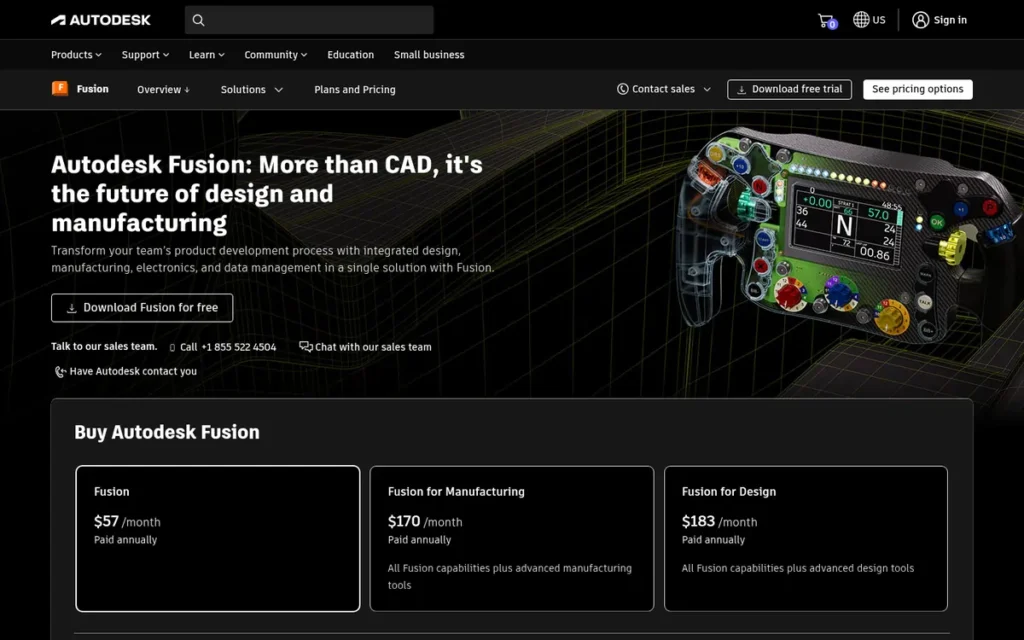
Category: Parametric CAD, solid modeling driven by dimensions, for parts that must be manufactured or 3D printed.
Score: 32/45 (Reviews 4 · Cost 4 · Capability 4 · Production proof 2 · Learning curve 4 · Flexibility 2)
Why #3: Autodesk Fusion ranks #3 because it is the only parametric CAD tool here, it has a free personal tier, and it holds 4.5/5 from 519 G2 reviews. Autodesk Fusion loses points for missing case-study data (not a known weakness), for its cloud dependency and for having no Linux version. Review data broke its 32-point tie with Maya.
At a Glance
- Category: Parametric CAD
- Best For: Makers, engineers and product designers who create functional 3D-printed parts, enclosures and CNC-machined components
- Price Range: Free Personal Use (non-commercial, limited); $85/month or $680/year commercial
- Primary Strength: Autodesk Fusion’s parametric timeline lets you change one dimension and automatically update every feature that depends on it.
- Biggest Limitation: Autodesk Fusion depends on the cloud, does not run on Linux, and its free Personal Use license allows only 10 active editable documents at a time.
- One-Line Summary: Autodesk Fusion is the only true parametric CAD tool in this comparison and the strongest choice for functional 3D-printed and machined parts, as long as you accept its cloud dependency and the limits of its free personal-use license.
- Last Verified: November 2026
Overview
Autodesk Fusion is a cloud-connected parametric CAD, CAM and simulation platform built for makers, engineers and product designers who need precisely dimensioned parts, such as brackets, enclosures and gears, for 3D printing or CNC machining. Autodesk Fusion was formerly called Fusion 360.
Autodesk Fusion is sold with a free Personal Use tier and paid commercial plans.
Key Features
- Autodesk Fusion records every modeling step on a parametric timeline, so editing one dimension or tolerance updates every dependent feature.
- Autodesk Fusion supports direct modeling, T-spline freeform modeling and sheet metal alongside parametric solid modeling.
- Autodesk Fusion includes integrated CAM for milling, turning and additive manufacturing, plus simulation and generative design.
- Autodesk Fusion adds electronics and PCB design in the same product (Autodesk, 2026).
- Autodesk Fusion exports STEP, STL, OBJ and F3D files for slicers and manufacturers, and it runs on Windows and macOS (Autodesk system requirements, 2026).
Best For
Autodesk Fusion is best for makers and product designers whose prints must fit, function and be revised. Autodesk Fusion is not the right tool for figurines or organic art, where Blender or ZBrush fit better.
Pricing
Autodesk Fusion pricing as of November 2026 (Autodesk subscription FAQ, November 2026):
- Autodesk Fusion commercial costs $85/month, $680/year or $2,040 for 3 years.
- Autodesk Fusion for Personal Use is free for non-commercial home use, generally under $1,000 in annual revenue, with basic CAM only and no extensions (Autodesk support, 2026).
- Autodesk Fusion Personal Use allows 10 active editable documents at a time, and additional documents stay stored but become read-only (Autodesk support, 2026).
- Autodesk Fusion is free for education, and its startup program costs $150 per user for 3 years.
- Autodesk Fusion extensions cost about $495–$1,465 per user per year, and Autodesk’s own sources disagree on the starting price.
Strengths
- Autodesk Fusion is rated 4.5/5 from 519 G2 reviews, the second-highest review volume in this comparison, and reviewers praise its smooth path from design to 3D printing and CNC (G2, November 2026).
- Autodesk Fusion is the only tool here with a parametric feature history, and one maker called it “beautiful for simple to complex designs where you know you’ll need to prototype first” (r/3Dprinting, 2021).
- Autodesk Fusion’s Capterra reviewers praise “accurate parts and prototypes for 3D printing and CNC machining” (Capterra, November 2026).
- Autodesk Fusion is free for students, educators and qualifying hobbyists, which according to Autodesk gives it a strong presence in schools, makerspaces and hardware startups (Autodesk, 2026).
This aligns with community sentiment on r/MechanicalEngineer:
“Their are very few things I can’t do with free software. From Coding; to Modeling. Fusion 360 is very good for most tasks I’ve encountered in Fab/Machining” Posted by u/QualityHistorical816
Takeaway: Fabrication and machining users say Autodesk Fusion handles most real shop tasks, so many makers don’t need paid CAD.
Limitations
Autodesk Fusion’s main trade-off is its cloud dependency. Saving and file access require a connection, and personal-use content can become inactive after long periods without a login (Autodesk storage FAQ, 2026).
- Autodesk Fusion’s free tier has been cut back repeatedly, hobbyists describe renewal hoops, and one hobbyist switched to FreeCAD (r/3Dprinting, 2021).
- Autodesk Fusion does not run on Linux, because its system requirements list only Windows and macOS (Autodesk system requirements, 2026).
- Autodesk Fusion reviewers report trouble with very large assemblies and call it “not very good for organic design” (Capterra, November 2026).
- Autodesk Fusion has no verified public case-study data on production scale, which lowers its production-proof score.
Verdict
Autodesk Fusion is the best 3D modeling software for functional 3D printing and product design in 2026, because it is the only tool in this comparison with true parametric modeling and integrated CAM.
Choose Autodesk Fusion if your parts must fit, function or be machined. Consider FreeCAD or Onshape if cloud dependency or the license limits are deal-breakers.
4. Autodesk Maya: Best for Character Animation and Film, VFX and AAA Studio Careers
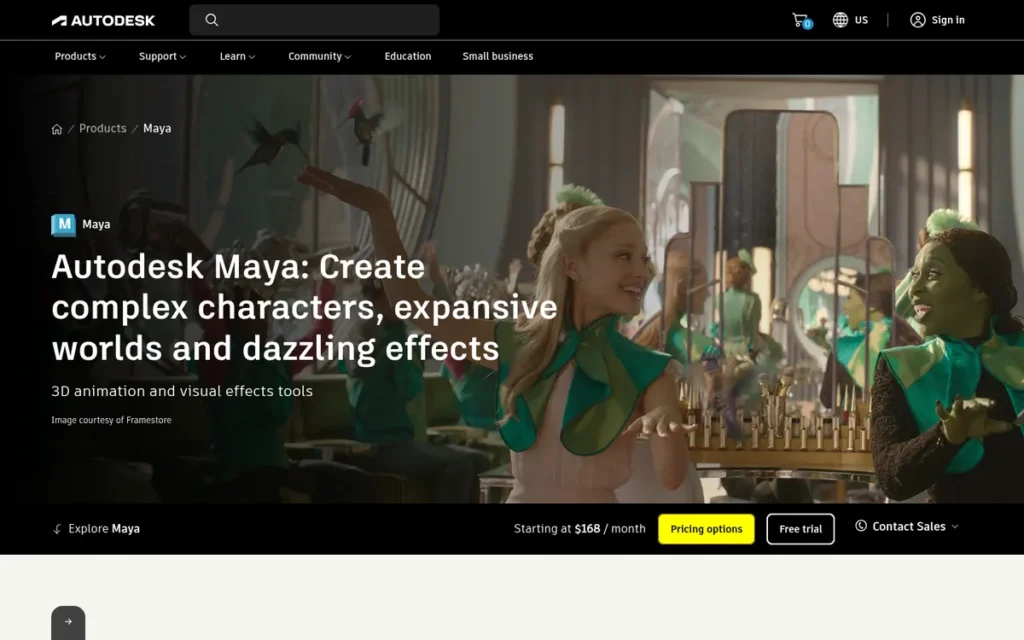
Category: Studio Pipeline Suite, professional 3D software built for film, game and visualization studio pipelines.
Score: 32/45 (Reviews 3 · Cost 3 · Capability 5 · Production proof 5 · Learning curve 2 · Flexibility 3)
Why #4: Autodesk Maya ranks #4 despite top scores for capability and production proof. Autodesk Maya’s G2 rating of 4.3/5 from 266 reviews is tied for lowest in this comparison, and its cost and learning curve lower two more scores. Review data also decided the 32-point tie with Autodesk Fusion, which the methodology discloses.
At a Glance
- Category: Studio Pipeline Suite
- Best For: Aspiring character animators, riggers and artists targeting film, TV, VFX or AAA game studio jobs
- Price Range: $255/month or $2,010/year commercial; Maya Indie $330/year in the US (revenue caps vary by region); free 1-year education license
- Primary Strength: Autodesk Maya’s rigging and animation tools are the reference that many film, VFX and AAA studio pipelines are built around.
- Biggest Limitation: Autodesk Maya costs $2,010 per year commercially and has a steep learning curve that even experienced professionals call overwhelming for newcomers.
- One-Line Summary: Autodesk Maya is the most widely cited standard for character animation and rigging in film, TV and AAA game pipelines, according to practitioners and studio job listings, and Maya Indie at $330 per year lowers the cost for qualifying freelancers.
- Last Verified: November 2026
Overview
Autodesk Maya is a professional 3D animation, rigging, modeling and effects package built for aspiring and working character animators, riggers and VFX artists aiming at film, TV or AAA game studios. Studio production pipelines are commonly built around Autodesk Maya.
Autodesk Maya is sold as a commercial subscription, a revenue-capped Indie license and a free education license. The current release is Maya 2027 (Autodesk, March 2026).
Key Features
- Autodesk Maya provides deep rigging and animation tools, including HumanIK, the Graph Editor, Trax and a node editor for constraints.
- Autodesk Maya includes Bifrost for effects, Arnold for rendering, and USD support for exchanging scenes in a studio pipeline.
- Autodesk Maya 2027 includes MotionMaker, which generates human, dog and horse motion from a few keys or a path, plus ML Deformer and Smart Bevel (Autodesk, 2026).
- Autodesk Maya supports MEL and Python scripting for custom pipeline tools, and it exports FBX assets for Unity and Unreal Engine.
- Autodesk Maya runs natively on Windows, macOS and Linux (Autodesk, 2026).
Best For
Autodesk Maya is best for students and early-career artists who have committed to character animation, rigging or film and VFX and want to use the same software as studio pipelines.
Pricing
Autodesk Maya pricing as of November 2026:
- Autodesk Maya commercial costs $255/month, $2,010/year or $6,025 for 3 years (Autodesk buy page, November 2026).
- Autodesk Maya Indie costs $330/year in the US for creative revenue under $100,000, and some Autodesk regional pages list a $50,000 cap (Autodesk blog, October 2026).
- Autodesk Maya Indie was quoted at $290/year in 2023, so the Indie price has risen (3DToolWiki, 2026).
- Autodesk Maya Flex costs about $18/day: $99 buys 33 tokens, Maya uses 6 tokens per day, and tokens expire after 1 year (3DToolWiki, 2026).
- Autodesk Maya offers a free 1-year education license.
Strengths
- Autodesk Maya earned Alias|Wavefront an Academy Scientific and Technical Award of Merit, presented March 1, 2003, and Alias’s customers at the time of Autodesk’s 2006 acquisition included ILM, DreamWorks and Nintendo (Autodesk investor release, 2006).
- One practitioner describes Autodesk Maya’s rigging tools as “the best of any software, which means the rigs are built there which means the animators work there” (r/3Dmodeling, July 2026).
- Autodesk Maya has shipped two major releases since March 2025, which made OpenPBR the default material and added MotionMaker and ML Deformer (Autodesk, 2026).
- Reddit practitioners call Autodesk Maya Indie’s price “pretty reasonable” for freelancers (r/3Dmodeling, July 2026).
Limitations
Autodesk Maya’s main trade-off is that its pipeline-grade depth comes with a $2,010/year commercial price. Its learning curve is steep too: a 15-year professional animator called Maya “crazy overwhelming” for beginners (r/Maya, 2023).
- Autodesk Maya is rated 4.3/5 from 266 G2 reviews, tied with Autodesk 3ds Max for the lowest G2 rating in this comparison (G2, November 2026).
- Autodesk Maya reviewers cite crashes with heavy rigs and plugins, high hardware demands, and confusing switches between education, Indie and commercial licenses (G2 and Capterra, November 2026).
- Autodesk Maya users lose access to the software when a subscription lapses, because Maya is sold only by subscription (Unstore, 2026).
- Autodesk Maya is no longer the only route into studio work, and some practitioners argue that “‘maya for professionals, blender for hobbyists’ is dead” (r/3Dmodeling, July 2026).
Users on r/blender noted:
“It has some advantages that studios still prefer such as it’s own scripting language and better out of the box tools for rigging / animating.
But mostly it’s still industry standard for the reason that it’s so tightly integrated in studio pipelines since forever.” Posted by u/ilgbsomuch
Takeaway: Autodesk Maya stays the studio standard more because pipelines are built around it than because its rigging and scripting are far ahead.
Verdict
Autodesk Maya is the strongest choice in this comparison for anyone aiming at a 2026 career in character animation, rigging, or film and VFX studios, because studio rigs and animation pipelines are still commonly built around it.
Learn Autodesk Maya affordably through the free education license or the $330/year Indie tier. Focus on one discipline rather than the whole package.
5. Maxon Cinema 4D: Best for Motion Graphics, Commercials and After Effects Workflows
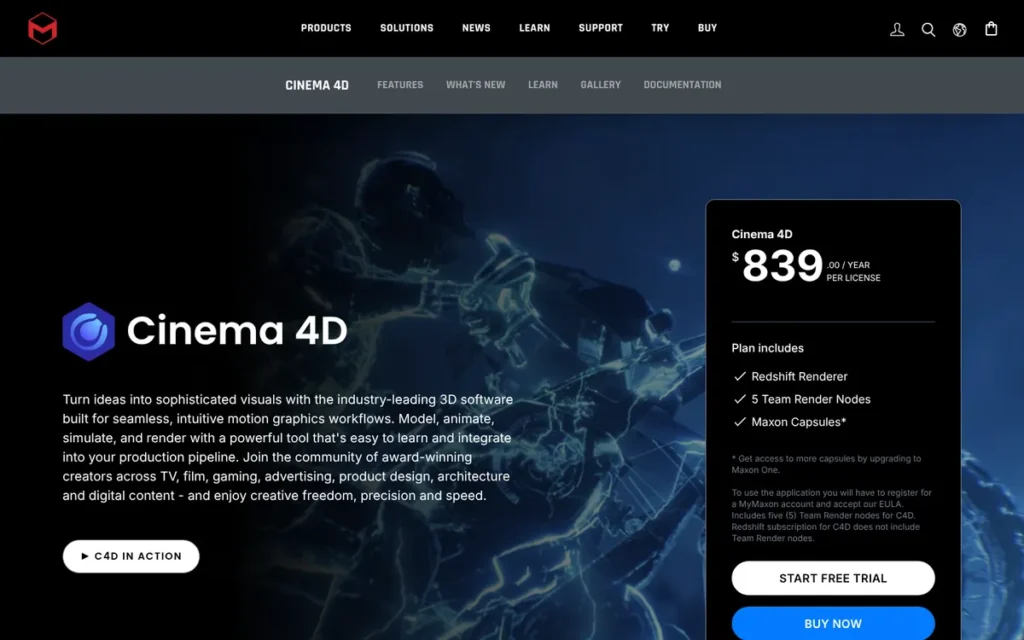
Category: Motion Design Suite, 3D software focused on procedural motion graphics for broadcast, advertising and titles.
Score: 31/45 (Reviews 4 · Cost 2 · Capability 4 · Production proof 4 · Learning curve 4 · Flexibility 3)
Why #5: Maxon Cinema 4D ranks #5 because its cost-accessibility score is tied for lowest in this comparison. That score offsets its strong ratings (4.6/5 on G2), its Academy-recognized MoGraph toolset and its easier learning curve. Maxon Cinema 4D has no free or indie tier, and PlugRoute re-checked its cost score against November 2026 pricing.
At a Glance
- Category: Motion Design Suite
- Best For: Motion designers, After Effects users and agency artists who make commercials, titles and broadcast graphics
- Price Range: About $839/year (about $69.92/month billed annually) or $109/month billed monthly; Maxon One $1,199/year renewal; no free or indie tier
- Primary Strength: Maxon Cinema 4D’s MoGraph toolset, whose designer received an Academy Technical Achievement Award, makes procedural motion graphics fast and non-destructive.
- Biggest Limitation: Maxon Cinema 4D has no indie or free tier, and its character animation, sculpting and polygon modeling trail specialist tools.
- One-Line Summary: Maxon Cinema 4D is a widely used, Academy-recognized choice for motion graphics and After Effects-based commercial work in 2026, but it lacks the indie pricing tier that Autodesk offers.
- Last Verified: November 2026
Overview
Maxon Cinema 4D is a 3D modeling, animation and rendering application built around procedural motion graphics, made for motion designers, After Effects users and agency artists who need fast turnaround on commercials and title sequences. Maxon Cinema 4D is sold only by subscription, and Redshift rendering is included.
Maxon Cinema 4D has been subscription-only since 2019. The current releases are Cinema 4D 2026.2 and 2026.3 (Maxon, 2026).
Key Features
- Maxon Cinema 4D’s MoGraph system uses cloners, effectors and fields to build procedural, non-destructive motion graphics.
- Maxon Cinema 4D’s Unified Simulation handles cloth, rigid and soft bodies, particles, pyro and liquids in one system.
- Maxon Cinema 4D includes Redshift GPU rendering, 5 Team Render nodes and Cineversity training with every subscription (Maxon, November 2026).
- Maxon Cinema 4D connects to Adobe After Effects through Cineware and Cinema 4D Lite.
- Maxon Cinema 4D runs on Windows and macOS. Version 2026.2 added Windows-on-Arm support and a Fabric Brush, and version 2026.3 added a redesigned UV Editor (Maxon, 2026).
Best For
Maxon Cinema 4D is best for motion designers who already work in After Effects, especially inside agencies or studios that use Cinema 4D in their pipeline.
Pricing
Maxon Cinema 4D pricing as of November 2026:
- Maxon Cinema 4D standalone costs about $839/year (about $69.92/month billed annually) or $109/month billed monthly (Maxon and authorized resellers, November 2026), so confirm the price at checkout.
- Maxon One renews at $1,199/year and bundles Cinema 4D, Redshift, ZBrush, Red Giant and Universe (Maxon support, November 2026).
- Maxon Cinema 4D is available through a 1-year Maxon One student license, but Maxon offers no revenue-capped indie tier.
Strengths
- Maxon Cinema 4D’s MoGraph toolset earned its designer, Per-Anders Edwards, a 2019 Academy Technical Achievement Award, and the toolset was cited for its “fast, non-destructive and intuitive workflow” (Academy, February 2019).
- Maxon Cinema 4D is rated 4.6/5 from 136 G2 reviews, and reviewers praise its intuitive interface, stability and Adobe integration (G2, November 2026).
- Practitioners value Maxon Cinema 4D for speed, and one user said you can create “the first 90% of commerical stuff in C4D pretty fast and easier than in Blender” (r/Cinema4D, 2024).
- Maxon Cinema 4D includes Redshift in every subscription, so motion designers don’t need a separate renderer license (Maxon, November 2026).
Users on r/Cinema4D shared their experience:
“Cinema4D is gold standard in the industry, and with good reason, the cloner/effector/field system is just too good and easy to use. The take system is also a godsend for versioning (I work in a bilingual market, being able to switch product labels and text with a button is very useful). Redshift is a decent render engine, although I find it very slow compared to Cycles.” Posted by u/TonyDrambuie
Takeaway: Maxon Cinema 4D’s MoGraph and take systems earn high praise from working motion designers, but its bundled Redshift renderer feels slow next to Blender’s Cycles.
Limitations
Maxon Cinema 4D’s main trade-off is that it is sold only by subscription, with no free or indie tier. One user notes there is “no reasonably priced indie version for freelancers” (r/Cinema4D, 2023).
- Maxon Cinema 4D trails specialist tools in three areas: Maya in character animation, Blender in polygon modeling and sculpting, and Houdini in procedural effects (Rankite, 2026).
- Maxon Cinema 4D users who don’t need Redshift still pay for it as part of the subscription.
- Maxon Cinema 4D’s monthly plan costs about $1,308 over a year, roughly $470 more than annual billing (Maxon and authorized resellers, November 2026).
- PlugRoute found no verified quantitative customer results or named production credits for Maxon Cinema 4D.
Verdict
Maxon Cinema 4D is the strongest motion-graphics choice in this comparison in 2026, because its MoGraph toolset and After Effects integration are built specifically for that work.
Choose Maxon Cinema 4D if you work with studios that use it, or if faster motion work pays for the subscription. Solo creators on a tight budget can learn motion design in Blender first.
6. ZBrush: Best for Digital Sculpting, Characters, Creatures and Miniatures
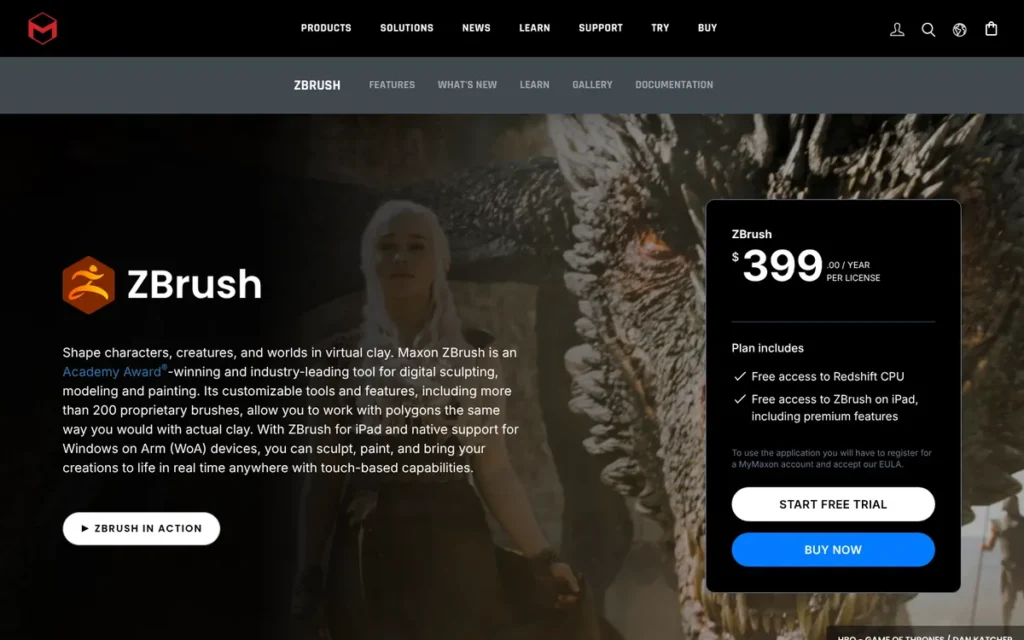
Category: Digital Sculptor, sculpting software for very dense meshes, used for characters, creatures and collectibles.
Score: 29/45 (Reviews 4 · Cost 3 · Capability 3 · Production proof 4 · Learning curve 2 · Flexibility 3)
Why #6: ZBrush ranks #6 because its narrow scope offsets its sculpting depth. ZBrush serves one of the five reader goals and is usually used alongside another tool, which caps its capability score at 3. PlugRoute verified ZBrush’s 2013 Academy award in November 2026, which raised its production-proof score from 3 to 4.
At a Glance
- Category: Digital Sculptor
- Best For: Character and creature artists, collectible and toy designers, and makers of 3D-printed miniatures
- Price Range: About $399/year (about $33.25/month billed annually) or about $40–45/month billed monthly, iPad included; also in Maxon One at $1,199/year; no perpetual license
- Primary Strength: ZBrush handles extremely dense sculpts that general-purpose tools struggle with, with a vendor-stated capacity of up to 1 billion polygons.
- Biggest Limitation: ZBrush works best alongside another tool rather than as a first tool, and its unusual interface confuses users coming from other 3D software.
- One-Line Summary: ZBrush is the highest-rated tool in this comparison (4.7/5 on G2 and Capterra), and practitioners widely describe it as the standard for high-resolution sculpting, but most artists use it alongside Blender or Maya rather than on its own.
- Last Verified: November 2026
Overview
ZBrush is Maxon’s digital sculpting application for very dense meshes, built for character and creature artists, collectible and toy designers, and miniature makers who need more sculpting detail than general-purpose 3D tools handle comfortably. Artists usually add ZBrush after learning a general tool.
ZBrush is sold by subscription, and one subscription covers both desktop and iPad (Maxon resellers, November 2026).
Key Features
- ZBrush’s DynaMesh rebuilds the mesh on the fly so artists can sculpt freely, like clay, without stretched polygons.
- ZBrush’s Sculptris Pro adds or removes detail exactly where the artist sculpts.
- ZBrush’s ZRemesher automatically generates clean retopology for animation or game-ready assets.
- ZBrush includes ZModeler, PolyPaint for painting without UV maps, Live Boolean, subtools and polygroups.
- ZBrush runs on Windows, macOS and iPad, and the iPad version has been available since 2024.
Best For
ZBrush is best for artists who already know a general 3D tool and have outgrown Blender’s sculpt mode on high-polygon characters, creatures or miniatures.
Pricing
ZBrush pricing as of November 2026:
- ZBrush costs about $399/year (about $33.25/month billed annually) or about $40–45/month billed monthly (Maxon resellers, November 2026).
- The ZBrush subscription includes iPad access, and ZBrush for iPad also has a limited free version (Maxon, 2026).
- ZBrush is included in Maxon One at $1,199/year renewal (Maxon support, November 2026).
- ZBrush stopped offering perpetual licenses after Maxon acquired Pixologic, its original developer.
Strengths
- ZBrush has the highest rating in this comparison: 4.7/5 from 104 G2 reviews and 4.7/5 from 37 Capterra reviews (G2 and Capterra, November 2026).
- ZBrush’s multi-resolution sculpting technology received a Scientific and Technical Academy Award in 2013 (Pixologic, 2013).
- ZBrush stays usable at polygon counts where Blender struggles, around 20 million polygons in user comparisons, depending on hardware (Mixos, 2026).
- ZBrush is recommended even by Blender-first users, and one wrote that “Zbrush is the best sculpting software out” (r/ZBrush, February 2026).
Limitations
ZBrush’s core trade-off is that its power comes from the “pixol” 2.5D canvas, an unusual design whose interface and camera navigation confuse newcomers (Vagon, 2026).
- ZBrush works best as one stage in a pipeline: model the low-poly base in Blender or Maya, sculpt in ZBrush, then texture in Substance Painter (r/3Dmodeling, 2021).
- ZBrush’s move to subscription-only pricing caused community backlash over the loss of perpetual licenses (ZBrushCentral forum; r/ZBrush, 2023–2024).
- ZBrush’s top rating rests on fewer reviews than most tools here, with 141 combined (G2 and Capterra, November 2026).
- ZBrush has no free desktop tier and no revenue-capped indie license, which keeps its cost score at 3.
Verdict
ZBrush is the highest-rated tool in this comparison at 4.7/5 on both G2 and Capterra, and practitioners widely describe it as the standard for high-resolution digital sculpting in 2026.
Choose ZBrush once you’ve committed to characters, creatures or miniatures and Blender’s sculpt mode can’t keep up with your polygon counts. Beginners should learn sculpting fundamentals in Blender first.
7. Autodesk 3ds Max: Best for Photoreal Archviz and Hard-Surface Modeling on Windows
Category: Studio Pipeline Suite.
Score: 26/45 (Reviews 4 · Cost 2 · Capability 4 · Production proof 3 · Learning curve 2 · Flexibility 1)
Why #7: Autodesk 3ds Max ranks #7 because it has the lowest platform-flexibility score (1, Windows-only) and is tied for the lowest cost-accessibility score (2), with required plugins on top of $2,010/year. Autodesk 3ds Max’s archviz capability still scores 4.
At a Glance
- Category: Studio Pipeline Suite
- Best For: Archviz artists and hard-surface modelers on Windows who need photoreal visualization with V-Ray or Corona
- Price Range: $255/month or $2,010/year commercial (Autodesk, November 2026), plus separately licensed plugins; Indie edition (price not public); free 1-year education license
- Primary Strength: Autodesk 3ds Max offers the most established archviz plugin ecosystem and a mature modeling workflow built on a non-destructive modifier stack.
- Biggest Limitation: Autodesk 3ds Max is Windows-only, and the real cost of an archviz setup includes paid plugins on top of a $2,010/year subscription.
- One-Line Summary: Autodesk 3ds Max is the established Windows tool for photoreal architectural visualization and hard-surface modeling, but once its required plugins are counted, it is the most expensive and least platform-flexible choice in this comparison.
- Last Verified: November 2026
Overview
Autodesk 3ds Max is a Windows-only professional 3D modeling and rendering application built for archviz artists, product visualizers and hard-surface modelers who need photoreal stills and animations made with V-Ray, Corona and related plugins. Autodesk 3ds Max has the same vendor and commercial price as Maya but focuses on modeling and visualization.
Autodesk 3ds Max traces back to 3D Studio for DOS (1990) and is one of the oldest major 3D packages still in active development (G2, 2026).
Key Features
- Autodesk 3ds Max uses Editable Poly and Graphite modeling tools with a non-destructive modifier stack, so you can edit earlier modeling steps later.
- Autodesk 3ds Max supports the main archviz plugins, each licensed separately: V-Ray and Corona for rendering, Forest Pack and RailClone for scattering, and TyFlow for particles.
- Autodesk 3ds Max includes Smart Extrude, ReForm retopology and Max Creation Graph for building tools from nodes.
- Autodesk 3ds Max ships with Arnold rendering and supports MaxScript and Python scripting.
- Autodesk 3ds Max runs only on Windows, and version 2027 adds a tech preview of Autodesk Assistant (Autodesk, 2026).
Best For
Autodesk 3ds Max is best for Windows-based archviz artists and hard-surface modelers who are joining or working for studios that rely on V-Ray or Corona and their related plugins.
Pricing
Autodesk 3ds Max pricing as of November 2026:
- Autodesk 3ds Max commercial costs $255/month, $2,010/year or $6,025 for 3 years (Autodesk, November 2026), and PlugRoute treats Autodesk’s page as authoritative.
- Older third-party listings for Autodesk 3ds Max conflict with Autodesk’s page: G2 lists $1,470/year and Capterra lists $205–$215/month.
- Autodesk 3ds Max Indie is an annual-only subscription for creators under $100,000 in creative revenue, and Autodesk does not display its price publicly (Autodesk, 2026).
- Autodesk 3ds Max’s archviz plugins cost extra, and Autodesk offers a free 1-year education license plus Flex pay-per-day tokens.
Strengths
- Autodesk 3ds Max is rated 4.6/5 from 113 Capterra reviews and 4.3/5 from 323 G2 reviews, and reviewers praise its modeling power and photoreal rendering (Capterra and G2, November 2026).
- Archviz render-farm providers describe Autodesk 3ds Max’s plugin ecosystem as the main reason studios stay on it (Ranch Computing; SuperRenders Farm, 2026).
- Reviewers describe Autodesk 3ds Max as a “powerhouse for modeling” (SelectHub, 2026), and some freelancers keep it specifically for hard-surface work (r/3Dmodeling, July 2026).
- Autodesk 3ds Max 2027 adds the Autodesk Assistant tech preview alongside Smart Extrude and ReForm retopology (Autodesk 3ds Max 2027 release page, 2026).
Limitations
Autodesk 3ds Max’s most consequential trade-off is that it runs only on Windows and depends on separately licensed plugins for archviz work. Mac and Linux users can’t run Autodesk 3ds Max at all.
- Autodesk 3ds Max’s true archviz cost goes beyond the subscription, and one user noted you’d “also want add-ons like forest pack, a renderer… (all more $$$)” (r/archviz, 2020).
- Autodesk 3ds Max reviewers report a steep learning curve, a dated interface, an 8–9 GB install, slow viewports and crashes in big scenes (Software Advice, 2026).
- Autodesk 3ds Max was called “super complex” by an architect weighing a switch away from SketchUp (r/archviz, 2020).
- Autodesk 3ds Max’s historical dominance in games is fading as Maya, Blender and Houdini spread (SuperRenders Farm; 80.lv, 2026).
Verdict
Autodesk 3ds Max remains the established Windows choice for photoreal architectural visualization and hard-surface modeling in 2026, thanks to its V-Ray and Corona plugin ecosystem.
Choose Autodesk 3ds Max if you’re targeting archviz studio work on Windows and can budget for plugins. Mac users can consider a SketchUp-plus-Blender workflow, which some archviz artists use, though plugin options differ.
How Much Does 3D Modeling Software Cost in 2026?
In 2026, 3D modeling software costs anywhere from $0 (Blender, Fusion Personal Use, SketchUp Free) to $2,010 per year (commercial Autodesk Maya and 3ds Max). Indie and education licenses lower the cost substantially. Every paid tool here is sold to new buyers by subscription only. The table below lists dated prices and confidence levels.
| Tool | Entry Price | Commercial Price | Confidence (Nov 2026) |
|---|---|---|---|
| Blender | $0 | $0 (paid add-ons optional) | High |
| Autodesk Fusion | $0 Personal Use (limited) | $680/year | High (Autodesk FAQ) |
| SketchUp | $0 Free (web, non-commercial); Go $129/year | Pro $399/year | High (official) |
| Autodesk Maya | Free education; Indie $330/year (US) | $2,010/year | High (Autodesk) |
| Maxon Cinema 4D | Student license (price not shown) | ~$839/year or $109/month | Medium (Maxon and resellers) |
| ZBrush | Limited free iPad version | ~$399/year; Maxon One $1,199/year | Medium (resellers); high (Maxon One) |
| Autodesk 3ds Max | Free education; Indie (price not public) | $2,010/year plus plugins | High (Autodesk) |
Typical first-year costs by goal, based on the November 2026 prices above:
- An indie game artist using Blender pays $0, plus any optional add-ons.
- A US freelance animator using Autodesk Maya Indie pays $330, as long as creative revenue stays under $100,000.
- An architecture student or designer using SketchUp Pro pays $399.
- A motion designer using Maxon Cinema 4D pays about $839 with annual billing.
- A Windows archviz freelancer using Autodesk 3ds Max pays $2,010 plus renderer and scatter plugins.
Is Free 3D Modeling Software Good Enough?
Free 3D modeling software is good enough for most beginners, and often for professional work too. Blender is free for commercial use, and the 2025 Oscar-winning film Flow was made with it. Free tiers from SketchUp and Autodesk Fusion are restricted, though: both are non-commercial, and each limits features or documents.
Free options compared:
- Blender is free with no commercial restrictions, but heavy users often buy paid add-ons.
- SketchUp Free runs only in a web browser, has limited features and import/export formats, and is not licensed for commercial use.
- Autodesk Fusion Personal Use is limited to non-commercial home use, 10 active editable documents and basic CAM.
- Autodesk Maya and Autodesk 3ds Max each offer a free 1-year education license to verified students and educators.
Core 3D skills such as topology and UV mapping transfer between the major mesh tools, so time spent learning a free first tool is rarely wasted. For career questions, see “Can I Get a Studio Job If I Only Know Blender?” below.
Do I Need Mesh Modeling or Parametric CAD for 3D Printing?
You need parametric CAD such as Autodesk Fusion for 3D prints that must fit, function or be revised, like brackets, enclosures, gears and threaded parts. You need mesh modeling or sculpting, such as Blender or ZBrush, for figurines, characters and organic art. Many makers use both and check the final mesh before slicing.
Here is a concrete example. In Autodesk Fusion, you can change a phone mount’s clip width from 70 mm to 75 mm, and every fillet and hole updates. Making the same change in Blender means moving vertices by hand and rechecking the mesh.
Matching common prints to the right approach:
- Autodesk Fusion suits replacement parts, enclosures, mounts and gears, because each dimension and tolerance can be changed later.
- Blender suits stylized props, decorative objects and organic shapes.
- ZBrush suits highly detailed miniatures and collectibles.
- SketchUp models usually need non-manifold cleanup before printing.
A reliable hybrid workflow for makers has four steps (StackSheriff, 2026):
- The maker models the part in the right tool for the job.
- The maker confirms that the mesh is watertight (manifold).
- The maker exports an STL or 3MF file.
- The maker sends the file to a slicer for printing.
What Is the Difference Between Maya and 3ds Max?
Autodesk Maya and Autodesk 3ds Max cost exactly the same ($2,010/year in November 2026), so choose between them by what you build, not by budget. Characters, rigs and animation point to Maya. Buildings, interiors and hard-surface products point to 3ds Max, which runs only on Windows.
Key differences:
- Autodesk Maya is the better fit for characters, rigs and animation pipelines.
- Autodesk 3ds Max is the more direct path to buildings, interiors and products.
- Autodesk Maya runs on Windows, macOS and Linux, while Autodesk 3ds Max runs only on Windows.
- Autodesk Maya Indie costs $330/year in the US, while Autodesk does not publish the price of 3ds Max Indie.
The old rule of thumb, “Max for games, Maya for film,” is weakening (3D-Ace; SuperRenders Farm, 2026). Maya, Blender and Houdini have spread through game studios, and 3ds Max’s clearest advantage is now in design visualization.
Should I Learn Blender or Cinema 4D?
Learn Blender if you work solo, have a limited budget, or need broad modeling, UV mapping and sculpting tools. Learn Maxon Cinema 4D if you do motion graphics with After Effects or work with studios that already use Cinema 4D. Cinema 4D is faster for MoGraph work and easier to learn, but it has no free or indie tier.
Practitioner perspectives:
- Blender users who switched from Cinema 4D praise Blender’s speed for modeling and UV mapping (r/Cinema4D, 2023).
- Maxon Cinema 4D users call it “way more user friendly,” and one user described Blender’s interface as “a massive barrier to entry” (r/Cinema4D, 2023).
- Reddit advice on Blender versus Cinema 4D sums it up: “Are you working on your own? Blender. Are you working with a studio…? C4d” (r/Cinema4D, 2024).
Can I Get a Studio Job If I Only Know Blender?
You can get some studio jobs knowing only Blender, especially in games and generalist work. However, studio rigging and animation pipelines still lean heavily on Autodesk Maya. No public hiring dataset settles the question, so the safest path is strong fundamentals plus familiarity with your target studio’s tools.
The evidence on each side:
- Blender’s case rests on two points: Flow won the 2025 Academy Award for Best Animated Feature, and some 2026 Ubisoft AAA job listings accept Blender alongside Maya and 3ds Max (Ubisoft careers, 2026). A AAA environment artist also wrote that their studio now prioritizes artists who know both Maya and Blender (r/3Dmodeling, July 2026).
- Autodesk Maya’s case is that, as one practitioner puts it, Maya’s rigging tools are “the best of any software, which means the rigs are built there which means the animators work there” (r/3Dmodeling, July 2026). Ubisoft rigging roles still emphasize Maya or 3ds Max (Ubisoft careers, 2026).
- Practitioners on both sides commonly advise that a strong demo reel matters more than which software you used, though no primary hiring data confirms this.
What Should I Learn After My First 3D Tool?
After learning a general tool such as Blender, add a specialist tool that matches your career path. Choose ZBrush for sculpting, Houdini for procedural effects or Autodesk Maya for studio animation. For freeform architecture or fabrication, add Rhino. For alternative parametric CAD, try FreeCAD or Onshape. Each of these builds on skills you already have.
Specialist tools not ranked in this comparison:
- Houdini is the procedural and VFX specialist (G2 4.5/5 from 36 reviews, November 2026), and it was left out of the ranking only because it has fewer reviews.
- Rhino offers NURBS modeling for architecture and fabrication (Capterra 4.6/5 from 92 reviews for Rhino 7, November 2026), and it was left out only because it has fewer reviews.
- FreeCAD is a free, open-source parametric CAD tool that Reddit makers recommend as a fallback to Autodesk Fusion.
- Onshape is a browser-based CAD alternative that some practitioners prefer.
- Tinkercad is a free browser-based starting point for simple 3D-printing designs, though PlugRoute did not research Tinkercad in depth.
As one engineering hiring manager on r/MechanicalEngineer described:
“Second, the software you know is not important. What is more important (and what I look for when hiring) is that you have good modeling practices and understand fundamentals like how to use layers and how to properly constrain a sketch. If you know how to do these things, learning another CAD program is pretty straight forward.” Posted by u/buginmybeer24
Takeaway: CAD hiring managers care more about sound modeling fundamentals than about any one program, so time spent in Autodesk Fusion, FreeCAD or Onshape carries over.
What Red Flags Should I Watch For When Evaluating 3D Modeling Software?
The biggest red flags in 3D modeling software are free tiers that ban commercial work, plugin costs hidden behind the base price, and cloud or subscription lock-in that can cut off access to your files. Single-OS support is another. So are rankings that don’t publish their method or date their prices.
Red Flag #1: Free Tiers With Commercial-Use Restrictions
Free tiers often prohibit paid work, so a freelance business built on one can break its license terms. SketchUp Free and Autodesk Fusion Personal Use are both non-commercial, and Fusion’s free tier has been cut back repeatedly (Autodesk support, 2026).
Red Flag #2: Hidden Plugin and Add-On Costs
Base subscription prices understate the real cost of many workflows. Blender’s $0 and Autodesk 3ds Max’s $2,010/year are both list prices. The real comparison is Blender plus optional add-ons versus 3ds Max plus a renderer and Forest Pack.
Red Flag #3: Cloud Dependency and Losing Access When a Subscription Lapses
Subscription and cloud-based tools can cut off access to your own work. Autodesk Fusion saves files to the cloud and can deactivate inactive personal-use content. Autodesk Maya users lose access when a subscription ends, and ZBrush no longer offers perpetual licenses.
Red Flag #4: Operating System Lock-In
Several leading tools don’t run on every operating system, so check support before you invest learning time. Autodesk 3ds Max runs only on Windows, Autodesk Fusion has no Linux version, and SketchUp 2027.0 requires an Apple Silicon Mac (SketchUp release notes, October 2026).
Red Flag #5: Rankings Without a Stated Methodology or Dated Prices
Rankings that don’t publish their criteria, weights or price dates may reflect vendor marketing rather than evidence. A trustworthy 3D software comparison shows its scoring weights, the date each price was checked, and which figures are low-confidence, so readers can verify every claim themselves.
What Questions Should I Ask Before Choosing 3D Modeling Software?
Before choosing 3D modeling software, decide whether you need artistic mesh modeling or precise parametric CAD. Then ask whether a studio pipeline will dictate your tool and whether you qualify for Indie, education or free licenses. Finally, confirm OS support and price the full toolchain, including renderers and plugins.
Question #1: Do I need artistic mesh modeling or dimension-accurate parametric CAD?
The answer decides your whole category. If you’ll ever need to change a hole from 5 mm to 6 mm and have the whole part update, you need parametric CAD such as Autodesk Fusion. If you’re shaping a face, you need a mesh tool such as Blender or ZBrush.
Question #2: Will I work solo or inside a studio pipeline that dictates the tool?
Studio pipelines often decide which software you use. Film and AAA animation studios commonly use Autodesk Maya, and motion design agencies often use Maxon Cinema 4D. Solo creators have more freedom and can choose by budget and goal.
Question #3: Do I qualify for an Indie, education or free personal-use license?
Discounted licenses can cut costs dramatically. Autodesk Maya Indie costs $330/year in the US for creators with under $100,000 in revenue (Autodesk, October 2026). Autodesk offers free education licenses and free Fusion personal use, while Maxon offers no indie tier for Cinema 4D.
Question #4: Does the software run on my operating system and hardware?
OS support and hardware demands can rule out a tool before features matter. SketchUp 2027.0 requires an Apple Silicon Mac, Autodesk Fusion has no Linux version, and Autodesk 3ds Max is Windows-only. Reviewers report that Blender, Maya and 3ds Max all need powerful hardware for heavy scenes.
Question #5: What will the full toolchain cost, including renderers and plugins?
The full cost of a 3D workflow includes renderers, plugins and texturing tools on top of the base license. Those add-ons differ sharply from one tool to the next, so price each layer of the toolchain before you commit:
- The base license ranges from $0 for Blender to $2,010/year for Autodesk Maya or Autodesk 3ds Max.
- Maxon Cinema 4D includes Redshift rendering, while V-Ray or Corona costs extra for Autodesk 3ds Max.
- Scatter plugins such as Forest Pack add cost to Autodesk 3ds Max, and paid add-ons add cost to Blender.
- ZBrush pipelines often add Substance Painter for texturing.
How Did We Rank These 3D Modeling Software Tools?
PlugRoute scored each of the seven tools from 1 to 5 on six criteria. Three primary criteria count double: independent ratings, cost accessibility and capability depth. Three secondary criteria count once: production proof, learning curve and platform flexibility. The maximum weighted score is 45, and ties are broken by the review criterion (C1).
Primary criteria (double weight):
- C1, Independent Review Ratings and Volume: C1 uses G2 and Capterra ratings weighted by review count, because verified-user reviews are the most independent satisfaction signal. A 5 requires a weighted average of at least 4.5 from 1,000+ combined reviews. A 4 requires at least 4.35, and a 3 means below 4.35.
- C2, Cost Accessibility and Licensing Value: C2 scores list prices, free tiers, Indie and education options, and required add-on costs, because readers worry about paying for features they don’t need.
- C3, Capability Depth for the Target Use Case: C3 scores depth in the tool’s primary use case plus breadth across the five reader goals, so Blender’s 5 reflects breadth rather than leading every specialty.
Secondary criteria (single weight):
- C4, Verified Production Proof and Recognition: C4 scores awards, production credits and audited usage figures with a primary source, because they show whether a tool leads to professional work.
- C5, Learning Curve: C5 scores patterns in G2, Capterra and Reddit feedback about how fast new users get results, based on review patterns rather than hands-on testing.
- C6, Platform and Licensing Flexibility: C6 scores operating-system support, cloud dependency, perpetual-license availability and the stability of free-tier terms.
| Rank | Tool | C1 | C2 | C3 | C4 | C5 | C6 | Weighted Total |
|---|---|---|---|---|---|---|---|---|
| 1 | Blender | 5 | 5 | 5 | 5 | 3 | 5 | 43 |
| 2 | SketchUp | 5 | 4 | 3 | 3 | 5 | 3 | 35 |
| 3 | Autodesk Fusion | 4 | 4 | 4 | 2 | 4 | 2 | 32 |
| 4 | Autodesk Maya | 3 | 3 | 5 | 5 | 2 | 3 | 32 |
| 5 | Maxon Cinema 4D | 4 | 2 | 4 | 4 | 4 | 3 | 31 |
| 6 | ZBrush | 4 | 3 | 3 | 4 | 2 | 3 | 29 |
| 7 | Autodesk 3ds Max | 4 | 2 | 4 | 3 | 2 | 1 | 26 |
Weighted score = 2 × (C1 + C2 + C3) + (C4 + C5 + C6). Autodesk Fusion and Autodesk Maya tied at 32. Fusion ranks higher on the C1 tie-break: G2 4.5/5 from 519 reviews versus Maya’s 4.3/5 from 266 (G2, November 2026).
Because C1 also lowered Maya’s total, review data affected Maya’s position twice. PlugRoute discloses this compounding effect so readers can weigh it themselves.
Score re-checks after November 2026 corrections:
- SketchUp’s cost score stays at 4 after official pricing of $129–$399/year was confirmed.
- Maxon Cinema 4D’s cost score stays at 2 at about $839/year, because Cinema 4D has no free or indie tier.
- ZBrush’s cost score stays at 3 at about $399/year, because ZBrush has no free desktop or indie tier.
- ZBrush’s production-proof score rose from 3 to 4 after its 2013 Academy award was verified, which lifted its total from 28 to 29 without changing its rank.
Limits of this method:
- Every tool’s rating falls between 4.3 and 4.7 stars, so the star rating can’t tell you which software to learn, but your use case can.
- Prices and ratings were checked in November 2026, and the Cinema 4D and ZBrush standalone prices rely on Maxon resellers.
- Some Reddit threads date from 2020–2021, before recent product changes.
- PlugRoute did not sample YouTube content, and no public independent hiring dataset exists.
PlugRoute has no affiliate relationships with any company listed, and rankings are determined entirely by research data and objective evaluation criteria.
Frequently Asked Questions
What is the best 3D modeling software for game development and animation?
Blender is the best 3D modeling software for indie game development in 2026, because it is free and exports FBX assets to Unity and Unreal Engine. Autodesk Maya remains the most common requirement for AAA animation and rigging roles, though some 2026 Ubisoft AAA job listings accept Maya, 3ds Max or Blender (Ubisoft careers, 2026).
What is the best 3D modeling software for architecture and interiors?
SketchUp is the best 3D modeling software for architecture and interiors in 2026 for concept massing and room layouts. It has 2,375 reviews averaging 4.5/5 (G2 and Capterra, November 2026). Photoreal visualization usually adds SketchUp Studio’s V-Ray, Blender or Autodesk 3ds Max, and BIM documentation needs a dedicated BIM platform.
How does PlugRoute determine its 3D modeling software rankings?
PlugRoute ranks 3D modeling software with a published six-criterion weighted score out of 45. Independent ratings, cost accessibility and capability depth count double, while production proof, learning curve and platform flexibility count once. Prices and ratings are dated to November 2026, conflicting or low-confidence figures are labeled, and review data breaks ties.
What Do Key 3D Modeling Software Terms Mean?
Mesh Modeling: Mesh (or polygon) modeling shapes 3D surfaces artistically by moving vertices, edges and faces. It suits characters, props, figurines and organic art. It is less suited to parts that need exact dimensions, because changing a measurement means moving vertices by hand and rechecking the mesh.
Parametric CAD: Parametric CAD is solid modeling driven by dimensions. The software stores your design history, so you can change one measurement and every dependent feature updates. Buyers who make functional 3D-printed or machined parts (brackets, enclosures, gears) should look for this, because mesh tools can’t edit them precisely.
Parametric Timeline (Feature History): A parametric timeline records every modeling step in order, so you can go back and edit an earlier dimension or tolerance later. Without it, revising a part that has to fit and function becomes slow manual work.
Push/Pull Modeling: Push/pull is a direct modeling method: you draw a face and extrude it into 3D. It makes massing, room layouts and interiors fast to block out, which is why architects and interior designers value it.
BIM (Building Information Modeling): BIM is a type of architectural platform built for construction documentation. Fast architectural modelers are not always BIM tools, so buyers who need construction documents may need a dedicated BIM platform as well as their modeler.
Studio Pipeline: A studio pipeline is the set of tools and workflows that a film, VFX, game or visualization studio builds its production around. If you want a studio career, the pipeline often decides which software you have to learn. Solo creators can choose by budget and goal instead.
Indie License: An indie license is a discounted commercial license for creators whose creative revenue stays under a set cap, and the cap can vary by region. It can sharply lower the cost of professional software for freelancers, but not every vendor offers one.
Non-Commercial (Personal Use) License: A non-commercial license lets you use a free or limited tier only for hobby or home projects, not paid work. Some of these tiers also limit features, file formats or the number of editable documents. A freelancer who builds a business on one can end up breaking the license terms.
Perpetual License vs. Subscription: You pay once for a perpetual license and keep using that version. With a subscription you pay on a recurring basis and lose access when it lapses. Every paid tool in this category is now sold to new buyers by subscription only, so think about lock-in and long-term cost.
Flex Tokens: Flex is a pay-per-day model: you buy tokens in advance, each day of use costs a set number of tokens, and unused tokens expire. It can suit occasional users, but frequent users usually pay less with a standard subscription.
Plugins and Add-Ons: Plugins and add-ons are separately sold extensions, such as renderers, scatter tools and modeling helpers. Many workflows rely on them, so the base license price often understates the real cost of a full toolchain. Price each layer before you commit.
Manifold (Watertight) Mesh: A manifold mesh is a closed, watertight model with no gaps or stray geometry, and a slicer needs one to 3D print it correctly. Models from some tools need non-manifold cleanup before you export an STL or 3MF file.
Which 3D Modeling Software Is Right for You?
Key Insights
The right 3D modeling software depends on what you make. Blender is the best free starting point for most people, SketchUp suits architecture and interiors, Autodesk Fusion suits functional 3D printing, and Autodesk Maya suits studio animation. Maxon Cinema 4D, ZBrush and Autodesk 3ds Max fit motion graphics, sculpting and Windows archviz.
- Blender is the best free starting point for most 3D learners in 2026, backed by about 23 million downloads in 2024 and the Oscar-winning film Flow (Blender Foundation Annual Report, 2024).
- Parametric CAD such as Autodesk Fusion beats mesh modeling tools for 3D-printed parts that must fit, function or be revised.
- Autodesk Maya remains the most widely cited standard for studio animation pipelines, but Blender is increasingly accepted alongside Maya in AAA job listings (Ubisoft careers, 2026).
- Review ratings for all seven tools range only from 4.3 to 4.7, so fit for your use case should decide your choice more than overall rank.
- Professional 3D artists usually combine several tools, and a 15-year studio animator advises learning one discipline at a time rather than a whole package (r/Maya, 2023).
If you’re unsure, start with Blender and add a specialist tool later. If you’re committed to a studio animation career, learn Autodesk Maya through its education or Indie license. If you print functional parts, start with Autodesk Fusion Personal Use and check its limits first.
Prices, license terms and AI features in these tools change quickly, so recheck vendor pages before you buy. Read PlugRoute’s full scoring methodology and browse more independent PlugRoute reviews to compare your next tool. We update this guide quarterly. Last updated: November 5, 2026.