Blender is the best overall 3D design software in 2026 for free art, animation and game assets. Autodesk Fusion is best for functional 3D-printed parts and product design, and Rhino is best for precise freeform surfaces on a one-time license. The right tool depends on which of five modeling categories your goal needs.
This guide matches 3D design tools to five modeling categories, from free art and game assets to functional printed parts and precise freeform surfaces. If you are a beginner choosing a first tool by career path and budget, or you work in architecture and interiors, see our Best 3D Modeling Software guide.
Most 3D programs market themselves as the best, but each is built for a different job. A tool made for animated characters can produce parts that fail in a 3D-printing slicer. A tool made for engineering can feel stiff for sculpting.
Choosing the wrong one can cost you months of learning and a subscription you didn’t need. This guide scores seven tools on six published criteria. It then matches each tool to a goal, a budget and the licensing rules that apply.
PlugRoute has no affiliate relationships with any company listed. Rankings are determined entirely by research data and objective evaluation criteria.
“Blender for art, cad for functional parts.” (u/SilasCloud (r/3Dprinting, accessed November 2026))
Takeaway: Experienced makers split the job by category. They use a polygon tool like Blender for visual work and parametric CAD for parts that must fit.
What Are the 5 Categories of 3D Design Software?
3D design software falls into five modeling categories, and each one is built for a different kind of object. Choose the category before the product. This one step prevents most wrong-tool mistakes: a Polygon Suite makes things that look right, while Parametric CAD makes things that fit exact dimensions.
- Polygon Suite: A Polygon Suite builds visual models from editable meshes of vertices, edges and faces for art, animation and games. Example object: a game character or animated short. Tools: Blender and Autodesk Maya.
- Parametric CAD: Parametric CAD builds solid models driven by dimensions, with an editable feature history, and exports STL files with exact tolerances for slicers. Example object: a 3D-printed bracket with exact screw-hole spacing. Tools: Autodesk Fusion and Onshape.
- NURBS Surfacer: A NURBS Surfacer builds mathematically precise freeform curves and surfaces for industrial design, jewelry and complex architecture. Example object: a ring, a shoe sole or a curved building facade. Tool: Rhino.
- Direct Modeler: A Direct Modeler builds models by pushing and pulling faces directly, without a feature history, for fast concept work. Example object: a room layout, house concept or bookshelf plan. Tool: SketchUp.
- Digital Sculptor: A Digital Sculptor shapes high-polygon organic forms like digital clay for characters, creatures and collectibles. Example object: a fantasy creature bust or tabletop miniature. Tool: ZBrush.
Here is how parametric history differs from mesh editing in practice. Suppose a printed bracket’s screw holes are 2 mm too far apart. In Autodesk Fusion or Onshape, you change one number and the part rebuilds. In Blender, you move vertices by hand and then check that the mesh is still watertight for the slicer.
Many creators use more than one category. A common pattern on r/blender and r/3Dprinting is to sculpt organic forms in ZBrush or Blender and model functional parts in parametric CAD (accessed November 2026).
How Do the Top 3D Design Software Tools Compare at a Glance?
The seven ranked tools cover five modeling categories. Blender leads overall at 42/45 on goal coverage, independent ratings and free commercial licensing. Autodesk Fusion follows at 32/45 for precise parts. Rhino, SketchUp, Onshape, ZBrush and Autodesk Maya each lead a narrower goal, such as freeform surfaces, architecture, browser CAD, sculpting or studio animation.
| Rank | Company | Category | Best For | One-Line Summary | Key Capabilities | Primary Strength | Key Limitation |
|---|---|---|---|---|---|---|---|
| 1 | Blender | Polygon Suite | Free art, animation, game assets | Blender is the best free all-in-one 3D suite for art, animation and game assets, but it is the wrong tool for precise engineering parts. | Modeling; sculpting; Geometry Nodes; Cycles/EEVEE; animation; video editing | Full pipeline at $0, commercial use allowed | No parametric history for exact parts |
| 2 | Autodesk Fusion | Parametric CAD | Functional 3D prints, product design | Autodesk Fusion is a free-to-start parametric CAD tool that combines CAD, CAM, simulation and PCB design, but its free tier forbids commercial use and its files live in the cloud. | Parametric timeline; CAM; simulation; generative design; PCB | Integrated design-to-manufacture workflow | Free tier is non-commercial; cloud-only files |
| 3 | Rhino | NURBS Surfacer | Industrial design, jewelry, freeform architecture | Rhino is a one-time-purchase tool for precise freeform surfaces, but it lacks the parametric history that iterative mechanical design needs. | NURBS; SubD; Grasshopper; ShrinkWrap; open .3dm | $995 perpetual license, no maintenance fees | No parametric feature history |
| 4 | SketchUp | Direct Modeler | Architecture, interiors, woodworking | SketchUp is the easiest-to-learn tool in this ranking for architecture, interiors and woodworking concepts, but BIM documentation and precise printable curves need other software. | Push/Pull; LayOut; 3D Warehouse; Diffusion AI | Highest learnability score in this ranking (5/5) | Not BIM; faceted geometry can fail in slicers |
| 5 | Onshape | Parametric CAD | Students, teams, Chromebooks | Onshape has the highest G2 rating among the CAD tools in this ranking (4.7/5, 724 reviews, November 2026), but its free plan makes all designs public and it needs an internet connection. | Browser CAD; PDM; branching; co-editing; FeatureScript | Runs in a browser on low-end hardware | Free documents are public; $1,500/yr next step |
| 6 | ZBrush | Digital Sculptor | Characters, creatures, collectibles | ZBrush is a dedicated sculpting specialist for high-detail characters, creatures and collectibles, but it is subscription-only, hard to learn and needs other software for animation. | DynaMesh; ZRemesher; Sculptris Pro; Polypaint; 3D Print Hub | About 100M polygons on desktop (Maxon) | No rigging or animation; difficult UI |
| 7 | Autodesk Maya | Polygon Suite | Studio animation careers | Autodesk Maya is a professional animation and rigging suite, launched in 1998, that Reddit practitioners describe as common in studio pipelines, but its cost and complexity make it a poor first choice for hobbyists. | Rigging; animation; Arnold; Bifrost; OpenUSD | Deepest rigging and pipeline tools in this ranking | Most expensive subscription here ($2,010/yr) |
Which 3D Design Software Should I Choose for My Goal?
Start with your goal, not the overall rank. Blender fits $0 art and animation, Autodesk Fusion fits functional 3D prints, and SketchUp fits architecture and woodworking. The table below matches twelve common priorities to a recommended tool and a fallback, including sculpting, studio careers, selling on a budget and Chromebook use.
| Your #1 Priority | Recommended Tool | Why | Acceptable Alternative |
|---|---|---|---|
| Complete beginner modeling rooms or furniture | SketchUp Free | Push/Pull earned the highest learnability score (5/5) | Tinkercad (unranked) |
| Complete beginner making art | Blender | Free, with no commercial restrictions | Tinkercad (unranked) for simple shapes |
| $0 art and animation | Blender | Full pipeline from modeling to finished video at no cost | ZBrush free iPad tier for sculpting only |
| Free functional 3D printing | Autodesk Fusion Personal Use | Parametric history with private files | Onshape Free (all documents public) |
| Selling 3D-printed parts on a small budget | Autodesk Fusion commercial ($680/yr) or Rhino ($995 one-time) | Both allow commercial use; Rhino avoids a subscription | Blender for art-focused products |
| Selling woodworking or interior designs | SketchUp Go ($129/yr) | Lowest paid price in this ranking with commercial use allowed | Rhino ($995 one-time) for curved pieces |
| Architecture and woodworking concepts | SketchUp | Fast concept modeling plus LayOut documentation | Rhino for freeform architecture |
| Engineering student | Autodesk Fusion Education or Onshape Education | Both give free parametric CAD to students | FreeCAD (unranked) |
| Industrial design and jewelry | Rhino | Precise NURBS surfaces | Autodesk Fusion for mechanical products |
| Film and game studio career | Autodesk Maya (Education or Indie) plus Blender | Studio-pipeline tool plus a free all-rounder | Blender alone for indie work |
| Character and collectible sculpting | ZBrush (try free iPad tier first) | Dedicated sculpting at high polygon counts | Blender sculpt mode |
| Chromebook or school laptop | Onshape | Processing runs on Onshape’s servers | SketchUp Free (web-based) |
What Are the 7 Best 3D Design Software Tools in 2026?
The seven best 3D design software tools in 2026 are Blender (42/45), Autodesk Fusion (32), Rhino (31), SketchUp (31), Onshape (29), ZBrush (23) and Autodesk Maya (20). PlugRoute scored them on six weighted criteria using data gathered November 5, 2026. Every entry uses the same structure and evidence standard.
1. Blender: Best Overall and Best Free All-in-One Tool for 3D Art, Animation and Game Assets
Category: Polygon Suite, builds visual models from editable meshes for art, animation and games.
At a Glance
- Category: Polygon Suite
- Best For: Hobbyists, students and indie artists making 3D art, animation, game assets or decorative 3D prints on a $0 budget
- Price Range: Free, including commercial use
- Primary Strength: Blender delivers a complete pipeline from modeling to final render at no cost, with commercial use allowed under the GPL.
- Biggest Limitation: Blender is not parametric CAD, so it lacks the feature history and constraint-driven sketches needed for dimensionally exact, editable functional parts.
- One-Line Summary: Blender is the best free all-in-one 3D suite for art, animation and game assets, proven in Oscar-winning production, but it is the wrong tool for precise engineering parts.
- Last Verified: November 2026
Why #1: Blender ranks #1 with 42/45. Blender scores 5/5 on all three double-weighted criteria (goal coverage, independent ratings and cost) and 2/5 on beginner learnability.
Overview
Blender is a free, open-source 3D creation suite from the Blender Foundation that covers modeling, sculpting, animation, rendering and video editing, built for hobbyists, students, artists and indie studios who want a complete creative pipeline at no cost.
Blender ships about three releases a year. Blender 5.0 arrived on November 18, 2025 with 588 bug fixes (Blender Foundation, November 2025).
Key Features
- Blender includes polygon modeling, sculpt mode and Geometry Nodes procedural tools in one application.
- Blender ships two built-in renderers: Cycles for path-traced realism and EEVEE for real-time previews.
- Blender supports rigging, character animation, Grease Pencil 2D animation and physics simulation.
- Blender includes compositing, motion tracking and a video editor, so projects can be finished without other software.
- Blender 5.0 added full ACES color support, HDR, and new Volume and SDF nodes (Blender Foundation, November 2025).
Best For
Blender is best for beginners and budget-conscious creators who want one free program for 3D art, animation, game assets and decorative or figurine 3D prints.
Pricing
Blender costs $0 for every user, including commercial use, under the GNU GPL v3+, and users own the work they create (Blender Foundation license page, November 2026). Blender has no paid tier and no formal vendor support or SLA.
Strengths
- Blender has been proven at the highest level of production. Flow, made in Blender and rendered with EEVEE, won Best Animated Feature at the 97th Academy Awards on March 2, 2025 (Reuters, March 2025; Academy Software Foundation, accessed November 2026).
- Blender holds a 4.7/5 Capterra rating from 955 reviews and a 4.6/5 G2 rating from about 320 reviews, and Capterra’s summary of 435 reviews reports 97% positive sentiment (Capterra and G2, November 2026).
- Blender’s Development Fund is backed by more than 7,900 individuals and 41 organizations (Blender Foundation, November 2025).
- Blender’s GPL license means no subscription can lapse and lock users out of their own files.
Limitations
Blender gives up precision in exchange for creative breadth. Blender is a mesh tool with no parametric history, constraint-driven sketches or engineering drawings, and r/3Dprinting users warn that art tools can produce non-manifold geometry for functional parts (r/3Dprinting, accessed November 2026).
- Blender has a steep learning curve. Reviewers cite a cluttered, shortcut-heavy interface (SoftwareSuggest, accessed November 2026), and one r/blender user advises beginners to “ignore 90% of the interface” (r/blender, accessed November 2026).
- Blender updates can break add-ons, and reviewers report slow Cycles renders (SoftwareSuggest, accessed November 2026).
- Blender’s FBX/USD interchange is imperfect, which matters when files move into studio pipelines (SoftwareSuggest, accessed November 2026).
- Blender offers no formal vendor support or SLA, which matters for businesses that need guaranteed help.
Users on r/woodworking noted:
“I use Blender, on the plus side it is completely free and very powerful, you can control everything and do photorealistic renders of your project before the build. One the down side, it can be a steep learning curve, its a full featured 3D software and not geared toward making plans. I really like it but I learned if for unrelated reasons and just take advantage of it for plans, as good as it is I don’t know if its worth learning from scratch for woodworking.” Posted by u/trl579
Takeaway: Blender’s free, powerful toolset pays off most for people who already know it, but its steep learning curve makes it a poor first choice if all you need is build plans.
Verdict
Blender is the best overall 3D design software in this ranking for creative users in 2026, including beginners willing to climb a steep learning curve.
Blender combines a full art-and-animation pipeline, strong independent ratings and unrestricted commercial use at no cost. Choose Blender for art, animation, game assets and decorative prints. For tolerance-critical mechanical parts, pair Blender with a parametric CAD tool such as Autodesk Fusion or Onshape.
2. Autodesk Fusion: Best for Product Design, Engineering and Functional 3D-Printed Parts
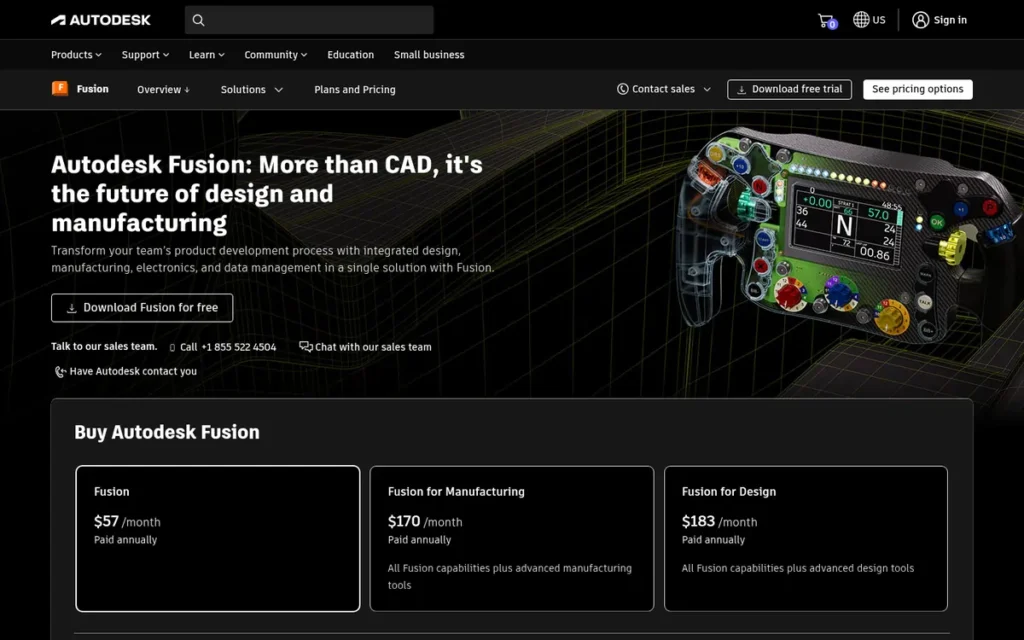
Category: Parametric CAD, builds solid models driven by dimensions, with an editable feature history, for precise, manufacturable parts.
At a Glance
- Category: Parametric CAD
- Best For: Makers, product designers and small manufacturers creating functional 3D-printed parts and CNC-machined components
- Price Range: Free (Personal Use, non-commercial; Education) + $85/month or $680/year commercial
- Primary Strength: Autodesk Fusion combines parametric CAD, CAM and simulation in one design-to-manufacture workflow.
- Biggest Limitation: Autodesk Fusion’s free Personal Use license is non-commercial, capped at 10 active editable documents, and restricts some export, drawing, CAM and simulation features.
- One-Line Summary: Autodesk Fusion is a free-to-start parametric CAD tool that combines CAD, CAM, simulation and PCB design in one product, but its free tier forbids commercial use and its files live in the cloud.
- Last Verified: November 2026
Why #2: Autodesk Fusion ranks #2 with 32/45. Autodesk Fusion earns the second-highest primary-criteria subtotal in this ranking (24/30) across goal coverage, ratings and cost. Its lowest score is lock-in risk (2/5), because its files are stored only in the cloud.
Overview
Autodesk Fusion is a cloud-connected parametric CAD platform that combines timeline-based solid modeling, CAM, simulation and electronics design, built for makers, product designers and small manufacturers who need dimensionally accurate, editable parts for 3D printing and CNC machining.
Autodesk Fusion launched in 2013 as Fusion 360 and was later renamed (Autodesk, March 2023).
Key Features
- Autodesk Fusion uses a parametric history timeline, so changing an early sketch dimension automatically updates later features.
- Autodesk Fusion combines parametric, direct, freeform and mesh modeling in a single product.
- Autodesk Fusion includes integrated CAM toolpaths for CNC machining alongside simulation and generative design.
- Autodesk Fusion includes PCB and electronics design, so enclosures and circuit boards can be designed together.
- Autodesk Fusion offers free Personal Use and Education licenses alongside its commercial subscription.
Best For
Autodesk Fusion is best for makers and early-career product designers who need precise, editable models for functional prints, assemblies or CNC work, as long as hobby projects stay within the Personal Use limits.
Pricing
Autodesk Fusion has the following options (Autodesk, November 2026):
- Autodesk Fusion commercial costs $85/month, $680/year or $2,040 for three years.
- Autodesk Fusion’s startup program costs $150 per user for three years for up to 10 users, and extensions start at $495 per user per year.
- Autodesk Fusion Personal Use is free, forbids commercial use and is limited to under $1,000/year in revenue.
- Autodesk Fusion Personal Use caps users at 10 active editable documents.
- Autodesk Fusion Personal Use renews on a recurring term (described as annual on Autodesk’s Personal Use page, November 2026) and restricts some export, drawing, CAM and simulation features.
Strengths
- Autodesk Fusion holds a 4.5/5 G2 rating from about 520–537 reviews and a 4.5/5 Capterra rating from about 290 reviews, with reviewers praising its integrated CAD/CAM (G2 and Capterra, November 2026).
- Autodesk Fusion was used in a Toyohashi University of Technology course that won the Japan Society of Mechanical Engineers Education Award (Autodesk customer story, vendor-published, accessed November 2026).
- Autodesk Fusion’s parametric timeline gives the dimension-driven editing that art tools lack, which is why r/3Dprinting users recommend CAD for functional parts (r/3Dprinting, accessed November 2026).
- Autodesk Fusion Personal Use covers typical hobby needs, according to one r/Fusion360 user: “As a hobbyist you will not even notice the limitations” (r/Fusion360, accessed November 2026).
Limitations
Autodesk Fusion offers a convenient cloud-integrated workflow at the cost of file ownership and licensing stability. Autodesk Fusion stores files in the cloud only. r/3Dprinting users report losing trust after license changes and after features moved behind paid extensions (r/3Dprinting, accessed November 2026).
- Autodesk Fusion handles meshes poorly, and r/Fusion360 users say “even the paid version is not a good tool for mesh modification” when converting downloaded STL files (r/Fusion360, accessed November 2026).
- Autodesk Fusion slows down with very large assemblies, according to reviewers (3DToolWiki, accessed November 2026). A 2026 r/3Dprinting commenter also reported timeline bugs.
- Outside its startup program, Autodesk Fusion has no low-cost tier between free Personal Use and the $680/year commercial license. Creators earning more than $1,000 a year must move straight to the full price.
Users on r/Fusion360 noted:
“And yes parametrically it’s very brittle, I do everything right, change one small dimension, and it falls over. I came from SOLIDWORKS, which in hindsight was more robust.” Posted by u/Max-entropy999
Takeaway: Autodesk Fusion’s parametric timeline can be fragile in practice, and users coming from SOLIDWORKS find that small dimension changes can break a model.
Verdict
Autodesk Fusion is the strongest all-round parametric CAD choice in this ranking for hobbyist product design and functional 3D printing in 2026. That verdict holds as long as your work stays within the Personal Use limits or you budget $680/year for commercial use.
Choose Autodesk Fusion when parts need exact dimensions and an editable history. If you want local file ownership, compare Rhino or FreeCAD first.
3. Rhino: Best for Precision Freeform Design and Best One-Time License
Category: NURBS Surfacer, builds mathematically precise freeform curves and surfaces for industrial design, jewelry and complex architecture.
At a Glance
- Category: NURBS Surfacer
- Best For: Industrial designers, jewelers, footwear and marine designers, and computational architecture students
- Price Range: $995 one-time (commercial); $195 education; 90-day free evaluation
- Primary Strength: Rhino combines precise NURBS freeform modeling with a perpetual license that never expires or requires maintenance fees.
- Biggest Limitation: Rhino lacks a SOLIDWORKS-style parametric feature history, so designs that need constant dimensional changes are harder to revise.
- One-Line Summary: Rhino is the best one-time-purchase tool for precise freeform surfaces in industrial design, jewelry and computational architecture, but it is less suited to iterative, dimension-driven mechanical design.
- Last Verified: November 2026
Why #3: Rhino ranks #3 with 31/45. Rhino ties with SketchUp and wins the tiebreak on its primary-criteria subtotal (22 vs 20). Rhino scores 5/5 on lock-in risk but 2/5 on beginner learnability and 2/5 on professional evidence.
Overview
Rhino is a NURBS-based freeform modeling application from Robert McNeel & Associates with built-in Grasshopper visual programming, built for industrial designers, jewelers and computational architects who need precise curved surfaces and prefer a one-time perpetual license over subscriptions.
Rhino runs on Windows and Mac under a single license (Rhino sales page, accessed November 2026).
Key Features
- Rhino models precise freeform curves and surfaces with NURBS geometry and also supports SubD modeling.
- Rhino includes Grasshopper, a built-in visual programming environment for computational design.
- Rhino.Inside lets Rhino run inside other applications such as Revit.
- Rhino 8’s ShrinkWrap tool generates watertight meshes for 3D printing.
- Rhino uses the open .3dm file format through the openNURBS toolkit, which is free for commercial use.
Best For
Rhino is best for designers whose work depends on precise, complex curves, such as jewelry, footwear, consumer products, boats and freeform architecture. Rhino also suits readers who want to own their software outright.
Pricing
Rhino 9 has the following prices (Rhino US sales page, November 2026):
- Rhino 9 costs $995 for a commercial perpetual license, with no subscription or maintenance fees.
- Rhino 9 upgrades cost $595, sometimes discounted to $395, and are available from any older version.
- Rhino 9 education licenses cost $195, with a $95 education upgrade.
- Rhino 9 offers a 30-seat lab kit for $975, plus free Cloud Zoo and LAN Zoo license management.
- Rhino 9 offers a 90-day full evaluation.
Strengths
- Rhino’s $995 perpetual license costs less than half of three years of Autodesk Fusion commercial (about $2,040) and about a quarter of three years of Onshape Standard ($4,500) (vendor pricing pages, November 2026).
- Rhino holds a 4.7/5 rating on both G2 (100 reviews) and Capterra (35 reviews), as reported by SelectHub (accessed November 2026), and Capterra reviewers say Rhino rarely crashes.
- Rhino’s open .3dm format, available through the commercially free openNURBS toolkit, lowers the risk of vendor lock-in.
- Rhino’s perpetual license is its most-praised trait on r/rhino: “Once you buy it, there are no fees, subscriptions, or time limits” (r/rhino, accessed November 2026).
This aligns with community sentiment on r/jewelryCAD:
“You can likely get 90% of the way there with just Rhino. Any proficiency you gain in that software will carry nearly directly over to Matrix. Plus, the investment cost for Matrix isn’t really worth it unless you know you can make profit from it.” Posted by u/mintyhobo
Takeaway: Working jewelry CAD designers treat Rhino as the core skill for the trade, enough for most jewelry work without pricier specialist add-ons.
Limitations
Rhino gives up parametric history in exchange for freeform flexibility. Rhino has no feature timeline. r/rhino users advise that projects needing “constant iterations and dimensional adjustments” fit better in a parametric tool such as FreeCAD or SOLIDWORKS (r/rhino, accessed November 2026).
- Rhino’s command-line interface and Grasshopper create a steep learning curve for beginners (Capterra, accessed November 2026).
- Rhino’s native rendering is buggy or limited, and the Mac version lags behind Windows, according to Capterra reviewers (Capterra, accessed November 2026).
- Rhino has no free tier beyond the 90-day evaluation, which puts it out of reach for hobbyists with a $0 budget.
Verdict
Rhino is the best 3D design software in this ranking for precise freeform surfaces bought with a one-time perpetual license in 2026.
Choose Rhino when curve quality and long-term ownership matter more than parametric history. If you are a complete beginner or revise dimensions constantly, Autodesk Fusion or Onshape will fit better.
4. SketchUp: Best for Architecture, Interiors and Woodworking Beginners
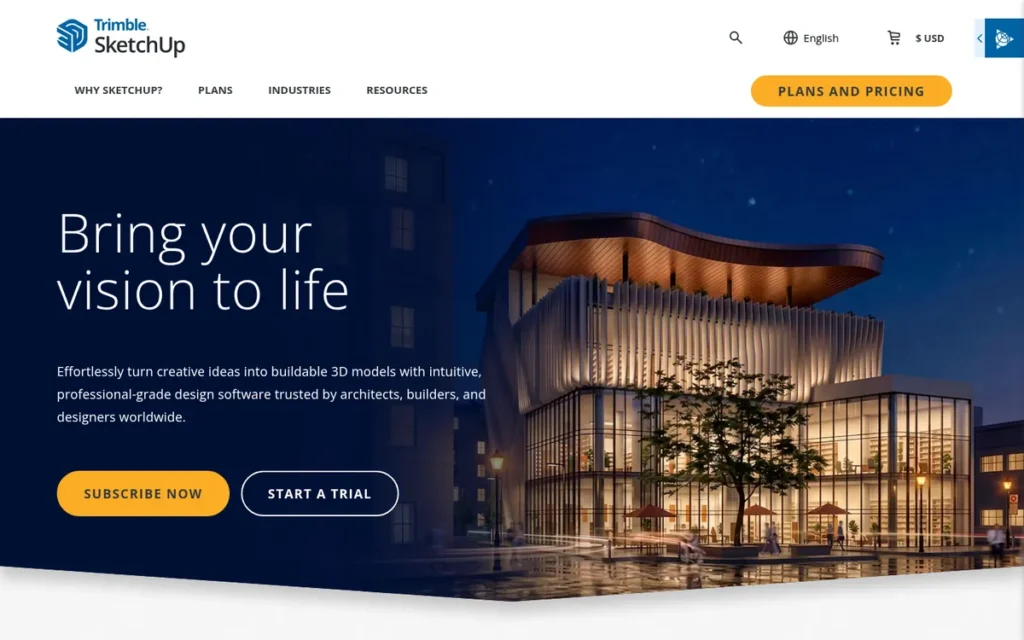
Category: Direct Modeler, builds models by pushing and pulling faces directly, without a feature history, for fast concept work.
At a Glance
- Category: Direct Modeler
- Best For: Architecture and interior design students, early-career designers and woodworkers sketching buildings, rooms and furniture
- Price Range: Free (web, non-commercial) + $129–$859/year
- Primary Strength: SketchUp’s Push/Pull tool makes building and modifying 3D geometry easier to learn than any other tool in this ranking.
- Biggest Limitation: SketchUp is neither parametric nor native BIM, and its faceted geometry can become non-manifold and fail in 3D-printing slicers.
- One-Line Summary: SketchUp is the easiest-to-learn 3D tool in this ranking for architecture, interiors and woodworking concepts, but serious BIM documentation and precise printable curves require other software.
- Last Verified: November 2026
Why #4: SketchUp ranks #4 with 31/45. SketchUp ties with Rhino but loses the primary-criteria tiebreak (20 vs 22). SketchUp earns the highest learnability score in this ranking (5/5) and lower scores for goal coverage (3/5), cost (3/5) and lock-in risk (2/5).
Overview
SketchUp is Trimble’s push/pull 3D modeling software for web, iPad and desktop, built for architecture students, interior designers and woodworkers who want to sketch buildings, rooms and furniture quickly and show concepts to clients without a steep learning curve.
SketchUp passed one million active subscribers in November 2024 (Trimble investor release, November 2024).
Key Features
- SketchUp uses Push/Pull direct modeling, so users extrude and reshape faces without managing a feature history.
- SketchUp includes LayOut for producing 2D documentation and drawings from 3D models.
- SketchUp connects to 3D Warehouse, a library of millions of ready-made models, and to the Extension Warehouse for add-ons.
- SketchUp includes the SketchUp Diffusion AI renderer and Scan Essentials for point clouds.
- SketchUp runs in a browser, on iPad and on desktop.
Best For
SketchUp is best for beginners who are modeling buildings, interiors, renovations and woodworking plans and want results within hours rather than weeks.
Pricing
SketchUp has the following tiers (SketchUp plans page and SketchUp Help, November 2026):
- SketchUp Free costs $0 and is web-only, non-commercial and without extensions.
- SketchUp Go costs $129/year and includes 100 AI credits per month.
- SketchUp Pro costs $399/year and includes 150 AI credits per month.
- SketchUp Studio costs about $859/year ($71.58/month billed annually) and includes 200 AI credits per month.
SketchUp is subscription-only, because perpetual licenses and the free desktop SketchUp Make were discontinued. SketchUp education pricing was not verified, so check with SketchUp directly.
Strengths
- SketchUp is the only tool in this ranking with a published paid-subscriber figure: more than 1 million active subscribers (Trimble investor release, November 2024).
- SketchUp holds a 4.5/5 G2 rating from 1,328 reviews and a 4.5/5 Capterra UK rating from 1,048 reviews, with reviewers praising its “highly intuitive push-pull tool” (G2 and Capterra, November 2026). One third-party summary instead lists G2 at 4.3 from 373 reviews.
- SketchUp Diffusion has more than 200,000 users who have generated more than 13 million images (Trimble investor release, November 2024).
- SketchUp supports professional woodworking. One r/Woodworkingplans user reported earning about 75% of their living with it, although that report is from 2019 (r/Woodworkingplans, 2019).
Users on r/woodworking shared their experience:
“Seccond the sketchup. Used it for years. I like being able to see and manipulate what i’m going to build. Using it has made design easier in a lot of ways, and adjusting something is really simple as opposed to having to fabricate a new piece of wood to adjust your vision.” Posted by u/NotSafeForLight
Takeaway: Long-time SketchUp users value it as a cheap way to test woodworking designs, since changing a model costs nothing while recutting lumber does.
Limitations
SketchUp gives up precision in exchange for speed and ease of use. SketchUp’s faceted geometry approximates curves with straight segments and can become non-manifold, so models can fail in 3D-print slicers (BIMToolsHub, accessed November 2026).
- SketchUp is not native BIM, so serious construction documentation usually moves to Revit or Archicad (BIMToolsHub, accessed November 2026).
- SketchUp users report that large models lag or crash and that native rendering is basic, with V-Ray included only in Studio (G2 and Capterra reviews, accessed November 2026).
- SketchUp Pro now costs $399/year and perpetual licenses are no longer sold. SketchUp Free forbids commercial use, so woodworkers who sell their pieces need a paid plan (SketchUp plans page, November 2026).
- SketchUp’s available Reddit sentiment dates from 2013–2019, so recent community evidence is thin.
Verdict
SketchUp is the easiest 3D design software to learn in this ranking for architecture, interior and woodworking concepts in 2026, backed by more than one million active subscribers.
Start with SketchUp Free for personal projects. Upgrade to Go ($129/year) or Pro ($399/year) before doing any commercial work. If you are heading into BIM-heavy practice, plan to add Revit or Archicad.
5. Onshape: Best Browser-Based CAD for Students, Teams and Low-End Hardware
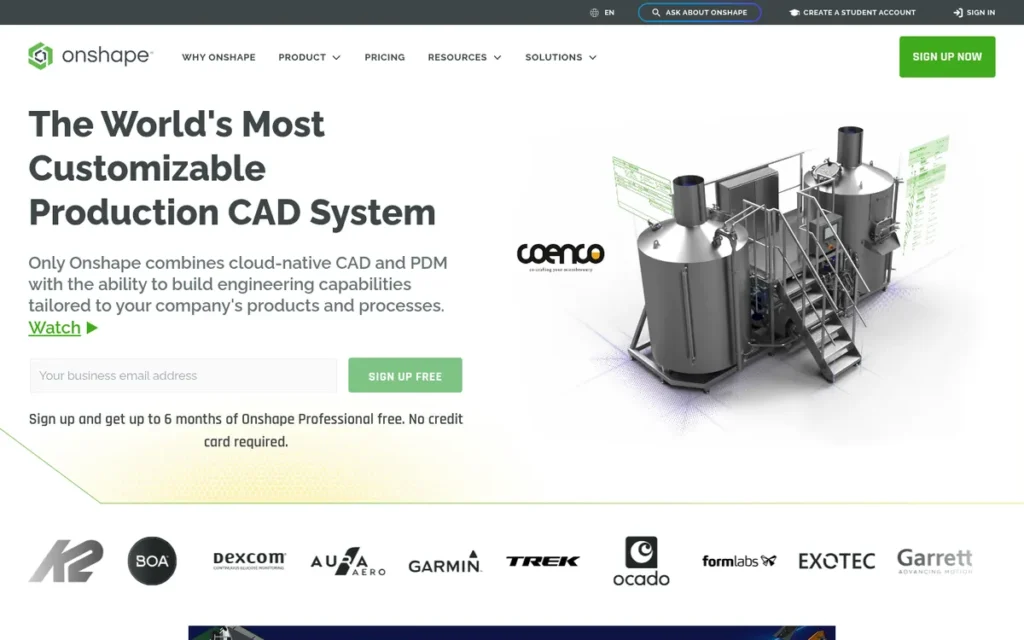
Category: Parametric CAD.
At a Glance
- Category: Parametric CAD
- Best For: Students, school robotics teams and collaborative product teams who need parametric CAD on any device, including Chromebooks
- Price Range: Free (non-commercial, public documents) + $1,500–$2,500/user/year; Enterprise custom; Education free
- Primary Strength: Onshape runs full parametric CAD in a web browser with built-in version control and real-time co-editing.
- Biggest Limitation: Onshape’s free plan makes every document public, and the next step costs $1,500 per user per year, the steepest free-to-paid jump in this ranking.
- One-Line Summary: Onshape has the highest G2 rating among the CAD tools in this ranking (4.7/5 from 724 reviews, November 2026), but its free plan makes all designs public and it requires an internet connection.
- Last Verified: November 2026
Why #5: Onshape ranks #5 with 29/45. Onshape earns 5/5 for independent ratings, the highest review score among the CAD tools, but scores 3/5 for cost and 2/5 for both professional evidence and lock-in risk.
Overview
Onshape is PTC’s browser-based, cloud-native parametric CAD platform with built-in version control and real-time co-editing, built for students, robotics teams and product teams who need precise solid modeling on any device, including Chromebooks and low-end laptops.
Onshape processes models on its own servers, so local hardware matters less than it does for desktop CAD (Onshape platform page, accessed November 2026).
Key Features
- Onshape runs entirely in a web browser and on iOS and Android, with no local installation required.
- Onshape includes built-in product data management with version history and Git-like branching and merging.
- Onshape supports real-time co-editing, so several users can work on the same design at once.
- Onshape offers FeatureScript for building custom modeling features.
- Onshape adds Render Studio, CAM Studio and Simulation on Professional plans and above.
Best For
Onshape is best for students and teams on school-issued or low-end computers who need to collaborate on parametric designs in real time.
Pricing
Onshape has the following tiers (Onshape pricing page, November 2026):
- Onshape Free costs $0, is non-commercial, and makes all documents public.
- Onshape Standard costs $1,500 per user per year.
- Onshape Professional costs $2,500 per user per year.
- Onshape Enterprise uses custom pricing.
Onshape Education is free, and startups get Professional free for up to six months. Onshape has no paid hobbyist tier.
Strengths
- Onshape has the highest G2 rating among the CAD tools in this ranking at 4.7/5 from 724 reviews, plus 4.5/5 on Capterra from 357 reviews (G2 and Capterra, November 2026).
- Onshape runs on low-end hardware. One student said it “ran better on the crappy Chromebooks we have to use at school” and allowed simultaneous teamwork (r/Fusion360, accessed November 2026).
- Onshape’s branching, merging and version history make collaboration across locations seamless, according to G2 reviewers (G2, accessed November 2026).
- Onshape’s free Education plan gives students full parametric CAD at no cost (Onshape pricing page, November 2026).
Limitations
Onshape gives up offline access and privacy in exchange for collaboration from anywhere. Onshape requires an internet connection and has no full offline editor (Onshape Terms of Use, accessed November 2026), and every document on its free plan is public.
- Onshape jumps from $0 straight to $1,500 per user per year for any commercial use, the steepest free-to-paid step in this ranking (Onshape pricing page, November 2026).
- Onshape regenerates complex models slowly over weak connections, and its rendering is weaker than Autodesk Fusion’s, according to Capterra reviewers (Capterra, accessed November 2026).
- Onshape’s workflow divides experienced users, and one 25-year SOLIDWORKS veteran called it “horrible” (r/Fusion360, accessed November 2026).
Users on r/Fusion360 noted:
“I won’t use it. I’d either need to make everything I play around with public or pay 1,500/year. Neither are going to happen. I’d happily use it if there were a price point that made sense for an occasional non-professional user as I have no issue paying for good software, but 1500/year for hobby software ain’t happening.” Posted by u/zthunder777
Takeaway: Onshape’s choice between public files and $1,500 a year drives away hobbyists who would gladly pay a reasonable price for private CAD.
Verdict
Onshape is the best browser-based parametric CAD tool in this ranking for students and collaborative teams in 2026, with a 4.7/5 G2 rating from 724 reviews (G2, November 2026).
Choose Onshape when you work on Chromebooks or with teammates in real time. If you need private files, compare Autodesk Fusion Personal Use or FreeCAD first.
6. ZBrush: Best for Character, Creature and Collectible Sculpting
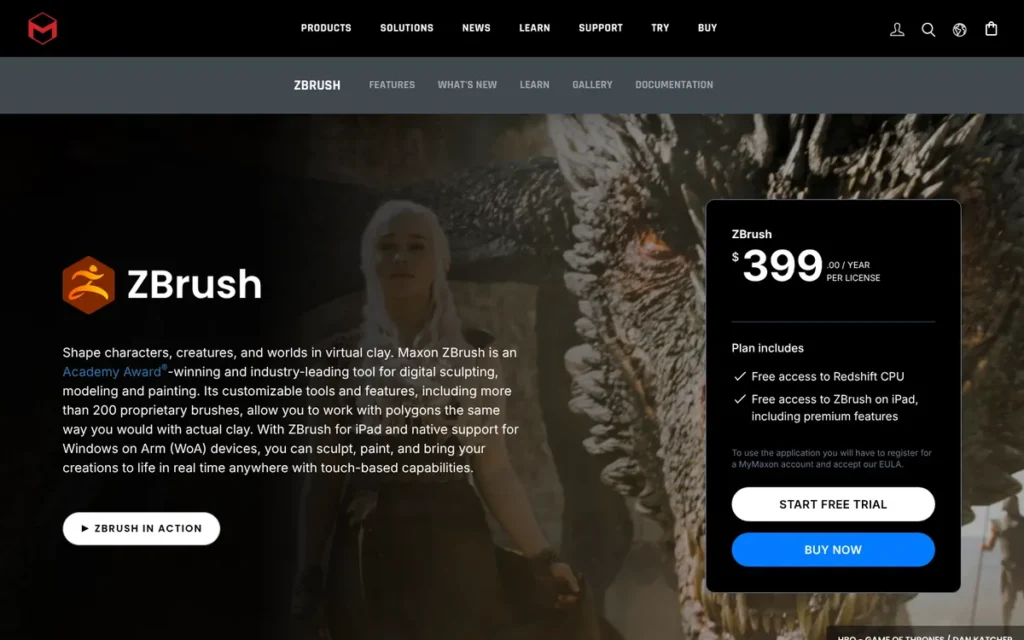
Category: Digital Sculptor, shapes high-polygon organic forms like digital clay for characters, creatures and collectibles.
At a Glance
- Category: Digital Sculptor
- Best For: Character artists, creature designers and makers of 3D-printed collectibles and miniatures
- Price Range: Free iPad tier (limited) + $49/month or $399/year (desktop and iPad)
- Primary Strength: ZBrush sculpts highly detailed organic forms at about 100 million polygons on desktop (Maxon, November 2026).
- Biggest Limitation: ZBrush is a sculpting specialist with no rigging or animation, and users widely criticize its interface as idiosyncratic.
- One-Line Summary: ZBrush is a dedicated sculpting specialist for high-detail characters, creatures and collectibles, with film credits cited by Maxon, but it is subscription-only, hard to learn and needs other software for animation.
- Last Verified: November 2026
Why #6: ZBrush ranks #6 with 23/45 after PlugRoute re-scored it for verified pricing and vendor-cited evidence. As a sculpting-only tool, ZBrush scores 2/5 on goal coverage, and its 37-review Capterra base is the smallest in this ranking.
Overview
ZBrush is Maxon’s high-resolution digital sculpting application for desktop and iPad, built for character artists, creature designers and collectible or miniature makers who need to sculpt organic detail at tens of millions of polygons rather than build precise mechanical parts.
ZBrush was originally developed by Pixologic before Maxon acquired it.
Key Features
- ZBrush’s DynaMesh feature lets artists reshape a model freely without worrying about the underlying topology.
- ZBrush’s ZRemesher automatically generates clean retopology from high-detail sculpts.
- ZBrush’s Sculptris Pro mode adds detail dynamically where the artist sculpts.
- ZBrush includes Polypaint for painting color directly onto sculpted surfaces.
- ZBrush’s 3D Print Hub prepares sculpts for 3D printing.
Best For
ZBrush is best for artists focused on detailed organic sculpting, such as characters, creatures, busts, miniatures and toy prints, usually paired with an animation tool.
Pricing
ZBrush has the following options (Maxon, November 2026):
- ZBrush costs $49/month or $399/year in the US, and the subscription covers both desktop and iPad.
- ZBrush prices vary by region, and perpetual licenses ended for new buyers after the Maxon acquisition.
- ZBrush’s free iPad tier, launched in 2024, offers 28 brushes and a 20-million-polygon cap, with limited export and no plugins.
- ZBrush is also included in the Maxon One bundle.
Strengths
- ZBrush handles about 100 million polygons on desktop and up to 90 million on the paid iPad tier (Maxon plan options, accessed November 2026).
- ZBrush holds a 4.7/5 Capterra rating from 37 reviews, with reviewers calling it “a great tool for organic sculpting” (Capterra, November 2026).
- ZBrush is cited by Maxon as used on Star Wars, The Lord of the Rings, the MCU, Transformers and Dune (Maxon, vendor-cited, accessed November 2026).
- ZBrush’s free iPad tier gives beginners a no-cost way to try professional sculpting tools.
This aligns with community sentiment on r/ZBrush:
“ZBrush is crazy tailored towards sculpting and excels in that department by a huge margin.
Blender doesn’t deal very well with ultra high poly stuff.” Posted by u/Twidom
Takeaway: Even Blender sculptors say ZBrush is far ahead for high-polygon sculpting, which is the one job it is built for.
Limitations
ZBrush gives up breadth in exchange for sculpting depth. ZBrush has no rigging or animation, so finished characters must move to Blender or Autodesk Maya (Capterra reviews and Maxon, accessed November 2026).
- ZBrush users repeatedly criticize its “poor UI and overabundance of workflow idiosyncrasies” (Capterra, accessed November 2026).
- ZBrush users on r/ZBrush report broken tools and lower stability since the Maxon acquisition. One 2025 commenter predicted that users will switch to Blender if prices keep rising (r/ZBrush, accessed November 2026).
- ZBrush’s free iPad tier limits export and sharing, so client work generally needs the $399/year subscription (Maxon help documentation, November 2026).
- ZBrush’s 37 Capterra reviews are the thinnest review base in this ranking.
Verdict
ZBrush is a dedicated sculpting specialist in 2026 for high-detail characters, creatures and collectibles. In user reports, ZBrush handles polygon counts that general 3D suites struggle with.
If you are committed to sculpting, try ZBrush’s free iPad tier before subscribing. If you are on a tight budget, Blender’s sculpt mode is a free starting point.
7. Autodesk Maya: Best for Film, TV and Game Studio Character Animation Careers
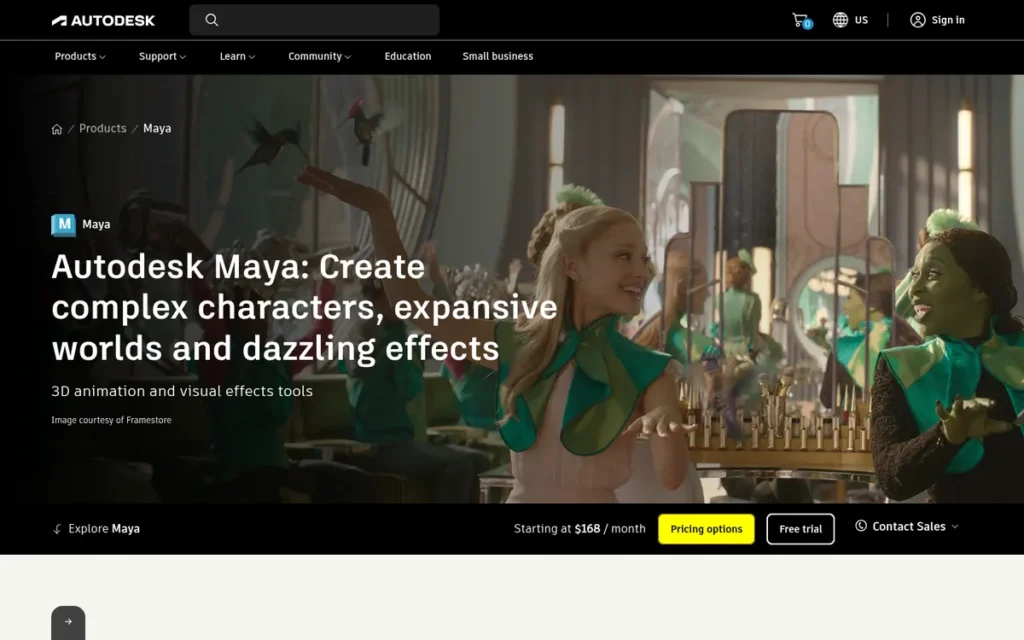
Category: Polygon Suite.
At a Glance
- Category: Polygon Suite
- Best For: Students and early-career artists targeting character animation, rigging or VFX roles at film, TV and AAA game studios
- Price Range: $255/month or $2,010/year; Maya Indie $330/year (eligible countries, revenue cap); Education free
- Primary Strength: Autodesk Maya offers the deepest rigging, animation and pipeline tools in this ranking.
- Biggest Limitation: Autodesk Maya is the most expensive subscription in this ranking and is widely criticized for its complexity, dated interface and crashes.
- One-Line Summary: Autodesk Maya is a professional animation and rigging suite, launched in 1998, that Reddit practitioners describe as common in studio pipelines, but its cost and complexity make it a poor first choice for hobbyists and indie creators.
- Last Verified: November 2026
Why #7: Autodesk Maya ranks #7 with 20/45. Autodesk Maya earns 5/5 for professional evidence but has the lowest learnability score in this ranking (1/5). It scores 2/5 on independent ratings because no G2 or Capterra rating could be confirmed. A #7 rank means a poor fit for this beginner audience, not low quality.
Overview
Autodesk Maya is a professional 3D animation, rigging and visual-effects suite with polygon, NURBS and subdivision modeling, built for students and artists pursuing film, TV and game careers in studios whose pipelines rely on its referencing and animation tools.
Autodesk Maya 1.0 launched in 1998 under Alias|Wavefront (Wikipedia, accessed November 2026).
Key Features
- Autodesk Maya provides deep rigging and character animation tools for studio productions.
- Autodesk Maya’s referencing and pipeline features scale to many artists working on a single shot.
- Autodesk Maya bundles the Arnold renderer and includes Bifrost for simulation.
- Autodesk Maya supports OpenUSD and Python/MEL scripting for pipeline customization.
- Autodesk Maya 2027 includes the ML Deformer and MotionMaker, which supports human, dog and horse motion (CG Channel, May 2026).
Best For
Autodesk Maya is best for students and early-career artists specifically targeting character animation, rigging or pipeline roles at large studios.
Pricing
Autodesk Maya has the following options (Autodesk and CG Channel, November 2026):
- Autodesk Maya costs $255/month, $2,010/year or $6,025 for a three-year subscription as of the 2027.1 release.
- Autodesk Maya’s earlier price was $225/month or $1,785/year, so prices have risen (PCMag, accessed November 2026).
- Autodesk Maya Indie costs $330/year. In certain countries only, it permits commercial work for users earning under $100,000 a year on projects valued under $100,000.
- Autodesk Maya Education is free for learning, not commercial work.
- Autodesk Maya Creative is a lighter, pay-as-you-go version sold through Flex tokens, without Bifrost or custom plug-ins (Autodesk, October 2026).
Strengths
- Autodesk Maya’s developers received an Academy Award for Technical Achievement in 2003, and Autodesk Maya was used on films including The Lord of the Rings: The Two Towers and Spider-Man (Wikipedia, accessed November 2026).
- Autodesk Maya holds a 4.4/5 TrustRadius rating from 90 reviews, as reported by SoftwareLore, with reviewers praising its animation and rigging (SoftwareLore, accessed November 2026).
- Autodesk Maya is preferred even by some Blender users for animation and pipeline work: “animation: Maya by far” (r/blender, accessed November 2026).
- Autodesk Maya Indie gives eligible freelancers a $330/year commercial option that many beginners don’t know exists (r/blender, accessed November 2026).
Limitations
Autodesk Maya gives up accessibility in exchange for studio-pipeline depth. At $2,010/year, Autodesk Maya is the most expensive subscription in this ranking, and r/blender users say “for indie work… there’s very little reason to use Maya over Blender” (r/blender, accessed November 2026).
- Autodesk Maya’s modeling is rated only “so-so” by PCMag, and users report crashes during selection and a dated UI (PCMag; r/Maya, accessed November 2026).
- Autodesk Maya Indie is limited by a revenue cap and by region.
- Autodesk Maya’s career value is hard to verify. No credible studio-share statistic exists, and no G2 or Capterra rating could be confirmed (November 2026).
Verdict
Autodesk Maya is the strongest choice in this ranking for students targeting character animation and rigging roles in studio pipelines in 2026, but it is the least suitable starting point for hobbyists.
If you are focused on a career, use Autodesk Maya’s free education license or Maya Indie. Practitioners on Reddit also recommend learning Blender alongside Autodesk Maya so your skills aren’t tied to one program.
How Much Does 3D Design Software Cost?
3D design software uses three pricing models. Blender is free under the GPL. Rhino sells a one-time perpetual license. The other ranked tools charge a subscription, and most of them offer a free tier. Blender is the only full-featured tool here that is free with unrestricted commercial use. Autodesk Fusion Personal Use, SketchUp Free and Onshape Free all forbid commercial work. Over three years, the ranked tools range from $0 (Blender) to $6,025 (Autodesk Maya).
Your license type affects the bill more than features do. The big cost jump usually comes when you start selling. Autodesk Fusion Personal Use ends once you earn more than $1,000 a year, and there is no cheaper step before the $680/year commercial license. Onshape goes from $0 straight to $1,500 per user per year, and its free plan makes every document public.
There are also hidden costs to plan for:
- Paid add-ons: Autodesk Fusion extensions start at $495 per user per year.
- Upgrades: Rhino upgrades cost $595, sometimes discounted to $395.
- Price increases: Autodesk Maya rose from $1,785/year to $2,010/year.
- Higher tiers for key features: SketchUp includes V-Ray only in Studio.
- Regional pricing: ZBrush prices vary by region.
| Product | Pricing Model | Starting Price | What Raises the Cost |
|---|---|---|---|
| Blender | Free and open source (GPL v3+) | $0, including commercial use | Nothing: there is no paid tier |
| Autodesk Fusion | Freemium subscription | Free (Personal Use); $85/month or $680/year commercial | Commercial use or revenue over $1,000/year, extensions from $495/user/year, $2,040 three-year term |
| Rhino | One-time perpetual license | $995 ($195 education) | Optional upgrades at $595 (sometimes $395) |
| SketchUp | Freemium subscription | Free (web, non-commercial); Go at $129/year | Pro ($399/year) or Studio (about $859/year) for more features, AI credits and V-Ray |
| Onshape | Freemium subscription, per user | Free (public documents); Standard at $1,500/user/year | Professional ($2,500/user/year), Enterprise (Custom quote), more seats |
| ZBrush | Subscription with free iPad tier | Free iPad tier; $49/month or $399/year | Full desktop features, client work needing export, regional pricing |
| Autodesk Maya | Subscription | Free Education; Indie at $330/year; $255/month or $2,010/year | Full commercial license, Indie revenue cap and region limits, recent price increases |
Before you pay for anything, add up the three-year cost of the license type you would actually need (commercial if you plan to sell), and build a small test project on the tool’s free route.
What Does Free Really Mean in 3D Design Software?
Blender is the only full-featured tool in this ranking that is free with unrestricted commercial use. Autodesk Fusion Personal Use, SketchUp Free and Onshape Free forbid commercial use, and Onshape Free also makes documents public. Maxon’s terms for ZBrush’s free iPad tier include no non-commercial clause. Rhino and Autodesk Maya offer only evaluation, education or paid Indie routes.
| Product | Free Option | Commercial Use Allowed? | Key Restrictions | Files Stored | Last Verified |
|---|---|---|---|---|---|
| Blender | Full software (GPL v3+) | Yes | None | Local | November 2026 |
| Autodesk Fusion | Personal Use; Education | No | Under $1,000/yr revenue; 10 active documents; feature limits | Cloud | November 2026 |
| SketchUp | SketchUp Free | No | Web-only; no extensions | Cloud (web) | November 2026 |
| Onshape | Free plan; Education | No | All documents public | Cloud | November 2026 |
| ZBrush | Free iPad tier | No non-commercial clause in Maxon’s free-plan terms; confirm in the EULA | 28 brushes; 20M polygons; limited export; no plugins | Not verified | November 2026 |
| Rhino | 90-day evaluation; $195 education | Not during evaluation; Yes with the $995 license | Time-limited | Local (desktop) | November 2026 |
| Autodesk Maya | Free education license; Indie $330/yr | Indie: Yes, under $100K revenue (paid); Education: No (learning only) | Indie: revenue cap, select countries | Not assessed | November 2026 |
In 3D design software, “free” usually means free to learn, not free to sell. Three of the five free plans in this ranking forbid commercial use.
Consider a hobbyist who earns $1,200 a year selling printed organizers designed in Autodesk Fusion Personal Use. That revenue is over the $1,000 limit, so the hobbyist needs the $680/year license. The same designs made in Blender would be free to sell, but they would lack exact editable dimensions.
What Other 3D Design Tools Are Worth Considering?
Three unranked tools are worth a look. Tinkercad suits absolute beginners, FreeCAD offers open-source parametric CAD, and SOLIDWORKS for Makers is a reported low-cost CAD option. PlugRoute did not research these tools to its full standard, so they are not scored or ranked.
- Tinkercad is a free, browser-based starting point for absolute beginners and simple 3D prints. Tinkercad’s G2 rating of about 4.5 from roughly 120 reviews is unverified.
- FreeCAD is free, open-source parametric CAD that stores files locally. Reddit users increasingly mention FreeCAD as an open alternative to Autodesk Fusion and Onshape.
- SOLIDWORKS for Makers is reported by Reddit users at about $48–$120/year (unverified). That price would make SOLIDWORKS for Makers a middle option between free hobby licenses and full commercial CAD.
Houdini (procedural VFX) and Cinema 4D (motion graphics) appear in some AI-generated answers. PlugRoute did not research either tool to its standard, so both are out of scope for this ranking.
What Red Flags Should I Watch For When Evaluating 3D Design Software?
The biggest red flags are choosing a tool from the wrong modeling category, selling work made under a non-commercial license, and relying on cloud-only storage. Also watch for license or price changes after you invest, art-tool meshes that fail in slicers, and “industry standard” claims that no independent statistic supports.
Red Flag #1: Wrong Modeling Category for the Job Choosing the wrong modeling category is the most common way to waste months in 3D design software. A Polygon Suite such as Blender can produce non-manifold parts that fail in slicers, and Parametric CAD such as Autodesk Fusion is awkward for organic characters. Match the category to the object first.
Red Flag #2: Non-Commercial Free License Used for Sales A free plan that forbids commercial use becomes a legal risk the moment you sell. Autodesk Fusion Personal Use, SketchUp Free and Onshape Free all forbid it. Sellers should budget for a paid commercial route or, for art and decorative products only, use Blender:
- Autodesk Fusion commercial costs $680/year and suits functional parts.
- Rhino costs $995 one time and suits freeform products.
- SketchUp Go costs $129/year and suits woodworking and interior designs.
- Blender costs $0 with commercial use allowed, but Blender suits art and decorative products, not precise parts.
Red Flag #3: Cloud-Only File Storage Cloud-only storage makes access to your designs depend on a vendor’s terms and on your internet connection. Autodesk Fusion and Onshape keep files on vendor servers, and users on r/Fusion360 and r/3Dprinting flag this as a long-term risk (accessed November 2026). Export local copies of important designs regularly.
Red Flag #4: Subscription Price or License Changes After You Invest Price and license changes after months of learning are a documented risk in this category. Reddit users report losing trust after Autodesk Fusion license changes and frustration with ZBrush prices. Autodesk Maya’s price rose from $1,785/year to $2,010/year (PCMag, accessed November 2026; CG Channel, May 2026).
Red Flag #5: Art-Tool Meshes That Fail in the Slicer Non-manifold meshes, meaning meshes that are not watertight, often fail in 3D-print slicers. r/3Dprinting users report this with art tools, and reviewers report it with SketchUp’s faceted models (r/3Dprinting; BIMToolsHub, accessed November 2026). Check meshes before printing, or model functional parts in parametric CAD.
Red Flag #6: “Industry Standard” Claims Without Evidence “Industry standard” claims rarely come with independent evidence. No credible studio-share statistic exists for Autodesk Maya, ZBrush or any other tool in this ranking, and many studio names attached to 3D tools are unverified. Treat vendor-cited film credits as marketing until independent sources confirm them.
What Questions Should I Ask Before Choosing 3D Design Software?
Before choosing 3D design software, ask six questions about dimensions, commercial rights, file ownership, hardware, career pipeline and three-year cost. Each answer points to a modeling category and a license type. Together, the answers usually narrow the seven ranked tools to one or two candidates.
Question #1: Does my project need exact, editable dimensions? Projects that need exact, editable dimensions, such as brackets, enclosures and furniture joinery, belong in Parametric CAD (Autodesk Fusion or Onshape). Rhino suits precise curved surfaces. Projects focused on appearance, such as characters, figurines and decorative prints, fit Blender or ZBrush better.
Question #2: Will I ever sell what I make? Check commercial-use rights before you start, not after your first sale. Blender allows free commercial use, and Autodesk Maya Indie allows it for eligible users. Autodesk Fusion, SketchUp and Onshape require a paid plan for commercial work. Earning more than $1,000/year also ends Autodesk Fusion Personal Use eligibility.
Question #3: What happens to my files if I stop paying? File access after you stop paying depends on the license model. Blender’s GPL license and Rhino’s perpetual license never expire, so your files stay usable. Subscription and cloud-only tools depend on the vendor’s continued terms, so read each lapse policy before you invest months of work.
Question #4: Will it run on my current computer? Hardware needs vary widely across this ranking. Onshape runs in a browser on Chromebooks because processing happens on Onshape’s servers, and SketchUp Free also runs on the web. Desktop tools such as Blender, ZBrush and Autodesk Maya need more capable local hardware, especially for rendering and high-polygon sculpts.
Question #5: Am I targeting a specific studio or career pipeline? Studio animation roles often expect Autodesk Maya, according to Reddit practitioners. Others argue that the best job security is a skillset that isn’t tied to one program (r/blender, accessed November 2026). Pairing Autodesk Maya’s free education license with Blender covers both views at no cost while you study.
Question #6: What will this cost me over three years? Over three years, the ranked tools range from $0 (Blender) to $6,025 (Autodesk Maya). The cheapest paid route depends more on license type than on features, so calculate the three-year cost before committing. US list prices over three years are as follows (vendor pricing pages, November 2026):
- Blender costs $0 over three years.
- SketchUp Go costs $387 over three years at $129/year.
- Autodesk Maya Indie costs $990 over three years for eligible users.
- Rhino costs $995 one time.
- ZBrush costs $1,197 over three years at $399/year.
- SketchUp Pro costs $1,197 over three years at $399/year.
- Autodesk Fusion commercial costs about $2,040 over three years.
- Onshape Standard costs $4,500 per user over three years.
- Autodesk Maya costs $6,025 for a three-year subscription.
ZBrush at $399/year and Rhino at $995 one time cost about the same after 30 months. After that point, Rhino costs nothing more until an optional upgrade, while ZBrush keeps billing.
How Did We Rank These 3D Design Software Tools?
PlugRoute scored each tool from 1 to 5 on six published criteria. Goal coverage, independent ratings and cost accessibility count double (×2). Learnability, professional evidence and lock-in risk count once (×1). The weighted total, out of 45, sets the rank, and ties are broken by the primary-criteria subtotal.
PlugRoute has no affiliate relationships with any company listed. Rankings are determined entirely by research data and objective evaluation criteria.
The six criteria and why each matters:
- C1 Goal Coverage (primary, ×2): Goal coverage measures how well a tool serves art, printable parts, buildings or sculpting. Goal coverage matters because picking the wrong tool wastes months.
- C2 Independent Review Ratings and Volume (primary, ×2): This criterion uses G2 and Capterra ratings weighted by review count and discounts third-party or missing ratings. Verified user satisfaction is more objective than vendor claims.
- C3 Cost Accessibility and Licensing Freedom (primary, ×2): This criterion covers free-tier scope, commercial-use rights, the first paid step and the three-year cost. Subscription costs and licensing confusion are top reader concerns.
- C4 Beginner Learnability (secondary, ×1): Learnability is based on recurring learning-curve themes in reviews and on Reddit. Learnability matters because most readers are new to 3D.
- C5 Documented Professional Evidence (secondary, ×1): This criterion credits independent awards, named productions and published adoption figures. Vendor-cited claims are discounted, and unverified studio claims earn no credit.
- C6 Long-Term Ownership and Lock-In Risk (secondary, ×1): This criterion covers the license model, file storage, open formats and the history of license changes. Readers fear losing access to work they have invested in.
| Rank | Tool | C1 | C2 | C3 | C4 | C5 | C6 | Primary Subtotal | Total (/45) |
|---|---|---|---|---|---|---|---|---|---|
| 1 | Blender | 5 | 5 | 5 | 2 | 5 | 5 | 30 | 42 |
| 2 | Autodesk Fusion | 4 | 4 | 4 | 3 | 3 | 2 | 24 | 32 |
| 3 | Rhino | 3 | 4 | 4 | 2 | 2 | 5 | 22 | 31 |
| 4 | SketchUp | 3 | 4 | 3 | 5 | 4 | 2 | 20 | 31 |
| 5 | Onshape | 3 | 5 | 3 | 3 | 2 | 2 | 22 | 29 |
| 6 | ZBrush | 2 | 3 | 3 | 2 | 3 | 2 | 16 | 23 |
| 7 | Autodesk Maya | 2 | 2 | 2 | 1 | 5 | 2 | 12 | 20 |
PlugRoute re-scored three values after live checks on November 5, 2026:
- ZBrush’s cost score rose from 2 to 3 after PlugRoute verified Maxon’s official $399/year price, which matches the price and score of SketchUp Pro.
- ZBrush’s professional-evidence score fell from 4 to 3, because its film credits are vendor-cited.
- Rhino’s professional-evidence score fell from 3 to 2, because its reported studio associations could not be verified.
Rhino and SketchUp tie at 31. Rhino ranks #3 on the tiebreak because its primary subtotal is higher (22 vs 20). Ranks 2 through 5 fall within 3 points of each other, so treat them as close.
The overall rank measures broad value for beginners and people switching tools. A lower-ranked specialist such as ZBrush or Autodesk Maya can still be the right tool for a specific goal. Match your goal using each entry’s Best For field or the goal-based decision table earlier in this article.
All data was gathered on November 5, 2026, and PlugRoute plans to refresh this ranking every quarter. These figures remain unverified:
- Autodesk Maya’s G2 and Capterra ratings could not be verified as of November 2026.
- SketchUp’s G2 and Capterra counts conflict across listings, so this ranking uses the live G2 category figure.
- Rhino’s G2 and Capterra ratings are reported via SelectHub and were not checked against the live listings.
- Several founding and acquisition dates, including Pixologic’s founding year and Onshape’s acquisition by PTC, were not verified against primary sources.
What Do Readers Most Often Ask About 3D Design Software?
Readers most often ask which 3D design software suits beginners, which free option works for 3D printing, and how PlugRoute ranks tools. In short, beginners should choose SketchUp or Blender depending on the goal. For free functional printing, Autodesk Fusion Personal Use or Onshape Free is the best fit.
What is the best 3D design software for beginners in 2026?
SketchUp is the easiest 3D design software for beginners in 2026 when the goal is rooms, buildings or furniture, with a 5/5 learnability score in PlugRoute’s ranking. Blender is the best free starting point for art and animation, despite a steeper learning curve. Absolute beginners making simple prints can also try Tinkercad (unranked).
What is the best free 3D design software for 3D printing?
Autodesk Fusion Personal Use is the best free option for functional 3D-printed parts in 2026. It offers parametric history and private files, within a 10-document, non-commercial limit (Autodesk, November 2026). Onshape Free is a strong alternative, but all its documents are public. For decorative prints, Blender is free and allows commercial use.
How does PlugRoute determine rankings?
PlugRoute scores each tool from 1 to 5 on six published criteria. Goal coverage, independent ratings and cost accessibility count double, while learnability, professional evidence and lock-in risk count once. The weighted total out of 45 sets the rank, and ties go to the higher primary subtotal. Unverified data is labeled as unverified.
What Do Key 3D Design Software Terms Mean?
Polygon Suite: A type of 3D software that builds visual models from editable meshes made of vertices, edges and faces, used for art, animation and games. It suits things that need to look right, but it can’t hold the exact dimensions that functional parts need.
Parametric CAD: Modeling software that builds solid models driven by dimensions and keeps an editable feature history, so changing one number rebuilds the part. Buyers who make functional 3D prints or machined parts need this category to get exact fits and tolerances.
Feature History (Timeline): The record of modeling steps that parametric CAD keeps, so changing an early sketch dimension updates the features that come after it. Tools without it make you edit geometry by hand, which makes designs that change often much harder to revise.
NURBS: A way of modeling mathematically precise freeform curves and surfaces, used in industrial design, jewelry and complex architecture. It matters when the quality of a curved surface is the main requirement.
Direct Modeling (Push/Pull): A modeling approach where you shape a model by pushing and pulling its faces directly, with no feature history. It is quick and easy to learn for concepts like rooms and furniture, but it gives up precision.
Digital Sculpting: Shaping high-polygon organic forms like digital clay, for characters, creatures and collectibles. Sculpting tools handle very high polygon counts but may have no rigging or animation, so you may need a second program.
Non-Manifold Mesh: A mesh that is not watertight, which often makes it fail in 3D-printing slicers. Art tools and faceted direct modelers can produce these meshes, so check models before printing or design functional parts in parametric CAD.
STL and Slicer: STL is a file format exported for 3D printing, and a slicer is the program that prepares that file for the printer. A model has to be clean and watertight to slice correctly.
Perpetual License: A one-time purchase that never expires and has no subscription or maintenance fees, though later upgrades may cost extra. Your files stay usable if you stop paying, and over several years it can cost less than a subscription.
Non-Commercial License: A free plan that lets you learn and make personal projects but forbids selling what you make. Some also add revenue caps, document limits or public files, so anyone planning to sell needs a paid commercial route or a tool whose free license allows commercial use.
Cloud-Only Storage: A setup where your design files live on the vendor’s servers instead of your own computer. Access then depends on the vendor’s terms and your internet connection, so export local copies of important work regularly.
Vendor Lock-In: The risk of losing access to your work, or being stuck with one vendor, because of the license model, file storage or closed file formats. Open formats, local files and perpetual licenses lower this risk, while cloud-only storage and license changes raise it.
Which 3D Design Software Is Right for You?
Key Insights
- Blender is the highest-scoring 3D design software in this ranking (42/45) and the only full-featured tool here that is free with unrestricted commercial use.
- Autodesk Fusion is the strongest free-to-start choice for product design, engineering and functional 3D prints, but its Personal Use license forbids commercial work.
- Rhino’s $995 perpetual license costs less than half of three years of Autodesk Fusion commercial, which suits industrial designers and jewelers who want to avoid subscriptions.
- SketchUp is the easiest tool to learn for architecture, interiors and woodworking, though SketchUp is not native BIM and SketchUp Pro now costs $399/year.
- Onshape has the highest G2 rating among the CAD tools in this ranking (4.7/5 from 724 reviews), but every document on Onshape’s free plan is public.
- ZBrush and Autodesk Maya are career specialists, and both are best reached through free or low-cost routes such as the ZBrush iPad tier, education licenses or Maya Indie.
Combining tools is common and valid. Makers often use Blender for art and parametric CAD for functional parts. Character artists often sculpt high-poly detail in ZBrush, retopologize with ZRemesher, then rig and render in Blender or Autodesk Maya.
Every tool in this ranking has a no-cost route. Build one small project in the tool that matches your category before you pay:
- Blender is free for every user, including commercial use.
- Autodesk Fusion Personal Use is free for non-commercial hobby projects.
- SketchUp Free runs in a browser for personal projects.
- Onshape Free gives full parametric CAD with public documents.
- ZBrush’s free iPad tier offers 28 brushes and a 20-million-polygon cap.
- Rhino offers a 90-day full evaluation.
- Autodesk Maya Education is free for eligible students.
Licensing terms and prices in this category change often, so check each vendor’s current terms before you commit months of learning. Read PlugRoute’s full methodology and other independent software reviews to compare your next tool with the same evidence standard.
We update this guide quarterly. Last updated: November 5, 2026.