The best TeamViewer alternatives in 2026 are Zoho Assist for help desks on a budget, ISL Online for self-hosted remote support, and RemotePC for low-cost unattended access to your own computers. The right choice depends on how a tool is licensed and what you use it for, and switching alone won’t reliably fix connection problems.
TeamViewer users mostly leave over cost and licensing friction. The common complaints are limits per user and per channel, “commercial use suspected” flags on the free version, and contracts that renew automatically unless you cancel 28 days before the term ends.
PlugRoute has no affiliate relationships with any company listed. Rankings are determined entirely by research data and objective evaluation criteria.
This ranking compares seven alternatives using verified G2 data (November 2026), published pricing and documented security history. It scores each product on six published criteria, and the full scorecard appears in the methodology section.
Why Do People Look for TeamViewer Alternatives?
People mainly leave TeamViewer over cost, licensing complexity and connection reliability. TeamViewer holds a 4.5/5 G2 rating from 4,224 reviews (G2, November 2026). Its top cons include Connection Issues (181 mentions), Expensive (138) and Slow Performance (134), and reviewers ask for clearer, more flexible licensing.
TeamViewer’s top G2 cons (G2, November 2026):
- TeamViewer reviewers cite Connection Issues in 181 reviews.
- TeamViewer reviewers cite Connectivity Issues in 147 reviews.
- TeamViewer reviewers cite Expensive in 138 reviews.
- TeamViewer reviewers cite Slow Performance in 134 reviews.
- TeamViewer reviewers cite Remote Access Issues in 122 reviews.
“team viewer is pricey. We use for some of our clients, and we pay dearly for a small number of licenses.” (u/bjc1960, r/sysadmin (Reddit, 2024))
Takeaway: For small support teams, the trigger for switching is often TeamViewer’s per-license cost rather than missing features.
TeamViewer also has real strengths. Its top G2 pros are Ease of Use (518 mentions) and Remote Access (428) (G2, November 2026). G2 reviewers ask TeamViewer for three main improvements:
- TeamViewer reviewers want a simpler interface for common device, search and connection tasks.
- TeamViewer reviewers want better connection performance on slow or unstable networks.
- TeamViewer reviewers want clearer, more flexible licensing for small teams and occasional users.
How much does TeamViewer cost? TeamViewer’s only G2 list price is Basic at $15.00 per month (G2, November 2026). A third-party G2 pricing listing with annual billing shows a different tier table. That table conflicts with the verified Basic figure, so treat it as indicative only:
- TeamViewer Remote Access is listed at $24.90 per month for 1 user and 1 channel.
- TeamViewer Business is listed at $50.90 per month for 1 user and 1 channel.
- TeamViewer Premium is listed at $112.90 per month for up to 15 users and 1 channel.
- TeamViewer Corporate is listed at $229.90 per month for up to 30 users and 3 channels.
What are TeamViewer’s renewal and free-use terms? TeamViewer subscriptions renew automatically every 12 months. To cancel, customers must open a ticket or write in at least 28 days before the term ends (TeamViewer, 2026).
TeamViewer’s free version can show “commercial use suspected” timeouts. To appeal, users submit a form listing all their IDs, and TeamViewer aims to review it within 72 hours (TeamViewer, 2026).
In a thread about TeamViewer flagging personal use as commercial, a user on r/teamviewer described:
“Yes it becoming a pain. Ive had them reset 2x already and im still getting it. i hope they fix it” Posted by u/leo72793
Takeaway: A successful appeal does not reliably stop TeamViewer’s commercial-use flags from coming back, which pushes legitimate free users toward alternatives.
What Are the 5 Categories of TeamViewer Alternative Tools?
TeamViewer alternatives fall into five categories: general-purpose remote desktop, help desk remote support, personal and unattended access, RMM/UEM platforms, and device and OT remote access. Self-hosting is not a category of its own. It is a deployment option offered by tools in several categories, and it shifts maintenance work to the buyer.
- General-Purpose Remote Desktop: General-purpose remote desktop tools cover attended support, unattended access and file transfer the way TeamViewer does. AnyDesk is the ranked example.
- Help Desk Remote Support: Help desk remote support tools are built to support other people’s devices and are usually licensed per technician or per concurrent user. Zoho Assist and ISL Online are the ranked examples.
- Personal & Unattended Access: Personal and unattended access tools are built mainly to reach your own fixed set of computers. RemotePC is the ranked example.
- RMM/UEM Platform: RMM/UEM platforms bundle remote control with monitoring, patching and device management. NinjaOne and LogMeIn Resolve are the ranked examples.
- Device & OT Remote Access: Device and OT remote access tools reach servers, embedded hardware and industrial or restricted-network devices. RealVNC Connect is the ranked example.
Which tools can be self-hosted?
- ISL Online sells a separate Self-Hosted edition, priced by quote (ISL Online, 2026).
- RealVNC Connect Enterprise offers on-premises and offline deployment (RealVNC, 2026).
- AnyDesk offers on-premises deployment only on its quote-based Ultimate tier (AnyDesk, 2026).
Self-hosting gives you control over your data. In return, your team takes on the patching, uptime and security work.
How Do the Top TeamViewer Alternatives Compare at a Glance?
Zoho Assist ranks first with 39.5 of 45 weighted points, followed by ISL Online with 38.5. RemotePC (34.5), NinjaOne (34) and RealVNC Connect (33.5) sit within one point of each other, so use-case fit should decide among them. AnyDesk (31.5) and LogMeIn Resolve (30) complete the ranking.
| Rank | Company | Category | Best For | One-Line Summary | Key Capabilities | Primary Strength | Key Limitation |
|---|---|---|---|---|---|---|---|
| 1 | Zoho Assist | Help Desk | Small help desks on a budget | Zoho Assist is a low-cost, browser-based remote support tool with a 4.7/5 G2 rating and a free tier marketed for small-business use. | Attended and unattended sessions, browser join, help desk integrations | Free Edition plus $10–$15/technician paid plans | Features split across paid tiers; no self-hosting |
| 2 | ISL Online | Help Desk | Self-hosted support and data control | ISL Online is a self-hostable remote support suite with the highest share of 4–5 star G2 reviews in this ranking (98.9%). | Cloud, self-hosted or private cloud; recording; white label | Self-hosting sold as its own edition | Self-hosted pricing is quote-only; no free tier |
| 3 | RemotePC | Unattended | Reaching your own computers cheaply | RemotePC is a per-computer unattended access service starting at $29.50 per year with a 4.7/5 G2 rating. | Always-on access, file transfer, remote printing, recording | Lowest paid entry price in this ranking | First-year discount only; auto-renews; HelpDesk sold separately |
| 4 | NinjaOne | RMM/UEM | IT teams and MSPs needing patching | NinjaOne is a unified IT operations platform with built-in remote access, rated 4.7/5 from 5,862 G2 reviews. | RMM, patching, backup, MDM, service desk, remote access | Largest, highest-rated review base | No public pricing; more than remote-only buyers need |
| 5 | RealVNC Connect | Device/OT | Device fleets, OT networks, Raspberry Pi | RealVNC Connect is a VNC-based remote access tool for device fleets, OT networks and Raspberry Pi, rated 4.7/5 on G2. | Cloud and direct LAN, offline (Enterprise), local recordings | $8.25 per-session entry; LAN and offline options | Annual billing only; attended support needs Premium or higher |
| 6 | AnyDesk | General | Teams wanting minimal retraining | AnyDesk is the closest like-for-like TeamViewer replacement, rated 4.5/5 on G2 from 1,102 reviews. | Attended, unattended, file transfer, broad OS support | Lightweight DeskRT client | Verified February 2024 breach; free tier is personal-use only |
| 7 | LogMeIn Resolve | RMM/UEM | Flat-rate support, ticketing and MDM | LogMeIn Resolve is GoTo’s flat-rate remote support and endpoint management bundle, rated 4.3/5 on G2. | Remote support, patching, MDM, ticketing | Published flat-rate tiers | Lowest G2 rating here; tier limits unverified |
Which TeamViewer Alternative Should I Choose for My Use Case?
Choose by your main priority:
- RemotePC fits budget access to your own computers.
- Zoho Assist fits small help desks.
- ISL Online fits vendor-supported self-hosting.
- NinjaOne fits IT teams that need patching.
If you know why you are leaving TeamViewer, the last four rows map that reason to a tool. RustDesk and Chrome Remote Desktop are unranked and appear only as reference points.
| Your #1 Priority | Recommended Tool | Why | Acceptable Alternative |
|---|---|---|---|
| Reach your own computers on a budget | RemotePC | Priced per computer, from $29.50/year (G2, November 2026) | RealVNC Connect Essentials |
| Run a small help desk | Zoho Assist | Free Edition plus $10–$15 per technician (G2, November 2026) | ISL Online |
| Self-host with vendor support | ISL Online | Self-hosted and private-cloud editions | RealVNC Connect Enterprise |
| Self-host DIY with open source | RustDesk (unranked) | Open-source client and self-hosted server | ISL Online |
| Get RMM plus patching | NinjaOne | Remote access bundled with patching, backup and MDM | LogMeIn Resolve |
| Get a flat-rate support bundle | LogMeIn Resolve | Published flat monthly tiers, $29–$78 (G2, November 2026) | NinjaOne |
| Reach OT devices or Raspberry Pi | RealVNC Connect | Direct LAN, offline deployment, preinstalled on Raspberry Pi OS | AnyDesk |
| Minimize retraining | AnyDesk | Closest TeamViewer-style workflow | Zoho Assist |
| Get free, basic personal access | Chrome Remote Desktop (unranked) | Free access through a Google account | RealVNC Connect Lite (non-commercial) |
| Leaving TeamViewer over price | RemotePC or Zoho Assist | Lowest G2 entry list prices for own-computer access and help desks | RealVNC Connect Essentials |
| Leaving over commercial-use flags | Zoho Assist Free Edition | Zoho markets the free edition for small-business use (Zoho, 2026) | Any paid plan in this ranking |
| Leaving over data control | ISL Online | Self-hosting sold as its own edition | RustDesk (unranked) |
| Leaving to consolidate tools | NinjaOne | Remote access, patching, backup and MDM in one console | LogMeIn Resolve |
How Does Each Alternative Compare with TeamViewer?
Five of the seven alternatives rate higher than TeamViewer’s 4.5/5 on G2. AnyDesk matches it, and LogMeIn Resolve rates lower. Zoho Assist, RealVNC Connect Essentials and RemotePC all start below TeamViewer Basic’s $15.00 monthly G2 list price. ISL Online is the only one that sells self-hosting as its own edition (G2 and vendor pages, November 2026).
| Product | G2 Rating (reviews) | Licensing Unit | G2 Entry List Price | Free Tier and Commercial Use | Self-Host Option | Verified Security Incident |
|---|---|---|---|---|---|---|
| TeamViewer (baseline, unranked) | 4.5 (4,224) | Per user and channel | Basic $15.00/month | Free version can flag commercial use; 72-hour appeal review | Enterprise (Tensor) only | June 2024 corporate IT breach attributed to APT29; no product or customer data impact reported (TeamViewer, 2024) |
| Zoho Assist | 4.7 (765) | Per technician | Free; $10/technician/month | Free Edition marketed for small-business use: 1 technician, 5 unattended computers; mobile sessions 15 minutes (Zoho, 2026) | No | None found in PlugRoute research (November 2026) |
| ISL Online | 4.6 (634) | Per concurrent user | $16.90/month (12-month license) | No free tier | Yes, separate Self-Hosted edition (quote) | None found in PlugRoute research (November 2026) |
| RemotePC | 4.7 (716) | Per computer, per year | $29.50/year | None documented | No | None found in PlugRoute research (November 2026) |
| NinjaOne | 4.7 (5,862) | Per managed device (quote) | Not listed | None documented | No | None found in PlugRoute research (November 2026) |
| RealVNC Connect | 4.7 (441) | Per concurrent session | $8.25/month, billed annually | Lite: non-commercial only | Enterprise only | None found in PlugRoute research (November 2026) |
| AnyDesk | 4.5 (1,102) | Per tier (users, connections, devices) | Solo $22.90/month | Personal use only; can flag commercial use | Ultimate tier only (quote) | February 2024 production-system breach (AnyDesk, 2024) |
| LogMeIn Resolve | 4.3 (476) | Flat rate per month | Starter $29.00/month | None documented | No | Parent GoTo: 2022 backup theft disclosed January 2023; Resolve not named among affected products (GoTo, 2023) |
1. Zoho Assist: Best Overall for Small Help Desks on a Budget
Category: Help Desk Remote Support. These tools support other people’s devices through attended and unattended sessions and are licensed per technician.
At a Glance
- Category: Help Desk Remote Support
- Best For: Solo IT technicians, small help desks and MSPs supporting staff or customers on a tight budget
- Price Range: Free; $10–$15 per technician/month (G2 list prices, November 2026, subject to change)
- Primary Strength: Zoho Assist offers a no-expiry free edition (Zoho’s “free forever” plan, per G2, November 2026) with 1 technician and 5 unattended computers, plus paid plans from $10 per technician per month.
- Biggest Limitation: Zoho Assist spreads file transfer, session recording and bulk deployment across different paid tiers, so buyers must check plan tables carefully.
- One-Line Summary: Zoho Assist is a low-cost, browser-based remote support tool with a 4.7/5 G2 rating (765 reviews, November 2026) and a free tier that suits small help desks leaving TeamViewer.
- Last Verified: November 2026
Overview
Zoho Assist is a browser-based remote support and unattended access tool from Zoho Corporation. Zoho Assist is built for small help desks, solo IT technicians and MSPs that want per-technician pricing and a free tier instead of TeamViewer’s user-and-channel licensing.
Zoho Assist is made by Zoho Corporation, which was founded in 1996, is privately held, and reports more than 100 million users across its products (Zoho, 2026).
Key Features
- Zoho Assist lets customers join attended support sessions in a web browser without installing software, which reduces friction for help desks.
- Zoho Assist includes chat, audio, reboot-and-reconnect, session transfer and multi-monitor support in remote support sessions.
- Zoho Assist offers file transfer on paid plans and session recording on Enterprise and the higher unattended tiers. Its unattended tiers add bulk deployment, Wake-on-LAN and distributor-based deployment.
- Zoho Assist integrates with Zoho Desk, Zendesk, ServiceNow, Freshdesk and Jira, so technicians can start sessions from help desk tickets.
- Zoho Assist supports GDPR, HIPAA and SOC 2 requirements with MFA, consent prompts and audit logs, according to Zoho (Zoho, vendor-stated, 2026).
Best For
Zoho Assist is best for solo technicians and small help desks that support other people’s computers. Zoho Assist suits buyers who want a free starting tier, predictable per-technician pricing, and browser-based joining for end users.
How Much Does Zoho Assist Cost in 2026?
Zoho Assist G2 list prices (November 2026, subject to change):
- Zoho Assist Free Edition costs $0 for 1 technician and 5 unattended computers, with 1 concurrent session, no expiry, and mobile sessions capped at 15 minutes (G2, November 2026; Zoho, 2026).
- Zoho Assist Standard Remote Support costs $10 per technician per month.
- Zoho Assist Professional Remote Support costs $15 per technician per month.
- Zoho’s own pricing page showed Zoho Assist Remote Support Standard at $12, Professional at $18 and Enterprise at $28 per technician per month (Zoho, 2026).
- Zoho’s own pricing page showed Zoho Assist Unattended Access Standard at $12 and Professional at $18 per month for 25 computers (Zoho, 2026).
- The gap between Zoho Assist’s G2 and Zoho pricing-page figures may come from billing term, so confirm at zoho.com/assist/pricing.html.
Strengths
- Zoho Assist holds a 4.7/5 G2 rating from 765 reviews, with 98.0% at 4–5 stars and Ease of Use (143 mentions) as its top pro (G2, November 2026).
- Zoho markets Zoho Assist Free Edition for small-business remote support (Zoho, 2026). That separates it from the AnyDesk free version and RealVNC Connect Lite, which are restricted to personal or non-commercial use.
- Zoho Assist is linked on G2 to switches from TeamViewer and AnyDesk driven by “lower costs, more manageable licensing” (G2, November 2026). r/sysadmin users have also recommended it for domain environments (Reddit, 2024).
- Zoho Assist teams most often report going live in less than a day (G2, November 2026).
Users on r/teamviewer shared their experience:
“You should check out Zoho Assist. It’s a solid alternative to TeamViewer, and it offers a free plan for personal use which works great for basic remote access (no timeouts). Even if you need a paid plan, it’s way more affordable and doesn’t lock you into annual billing like TeamViewer. You can easily remote in from any device, including through a browser. I use it to hop onto my friend’s PC, and it’s been smooth, no lag, no sudden drops. Perfect for gaming setups like yours.” Posted by u/Emergency-Assist0909
Takeaway: Former TeamViewer users value Zoho Assist mostly for its timeout-free free plan and for paid billing that doesn’t force an annual commitment.
Limitations
Zoho Assist’s biggest trade-off is a low entry price in exchange for tier fragmentation. File transfer, recording, bulk deployment and Wake-on-LAN sit on different remote-support and unattended plans, so buyers who need all of them may pay for two plan lines.
- Zoho Assist offers no self-hosted deployment, and Remote Access Issues (32 mentions) is its top G2 con (G2, November 2026).
- Zoho Assist reviewers ask for better iOS and macOS performance and simpler end-user onboarding, and G2 review summaries describe uneven chat-support response (G2, November 2026).
- Zoho Assist reviewers also list Feature Limitations (21 mentions), Not User-Friendly (17) and Expensive (15) among its top G2 cons. The Free Edition caps mobile sessions at 15 minutes (G2, November 2026; Zoho, 2026).
How Does Zoho Assist Compare with TeamViewer?
Zoho Assist rates higher than TeamViewer on G2 (4.7 vs 4.5) and offers a free tier marketed for business support (G2, November 2026; Zoho, 2026). On G2 list prices, Zoho Assist Standard ($10 per technician per month) costs less than TeamViewer Basic ($15.00 per month). Zoho Assist does not match TeamViewer’s enterprise AR and IoT features.
Verdict
Zoho Assist is the best overall TeamViewer alternative for small help desks in 2026, combining a 4.7/5 G2 rating with a free tier marketed for business use and per-technician pricing from $10 per month (G2, November 2026).
PlugRoute score: 39.5/45 (C1 4.5, C2 5, C3 4, C4 3.5, C5 4, C6 5). Zoho Assist earns the only C2 score of 5 because it pairs public per-technician prices with the only business-marketed free tier in this ranking. It loses points on C4 because it has no self-hosting.
Buyers who need self-hosting or deep endpoint management should look at ISL Online or NinjaOne instead.
2. ISL Online: Best for Self-Hosted Remote Support and Data Control
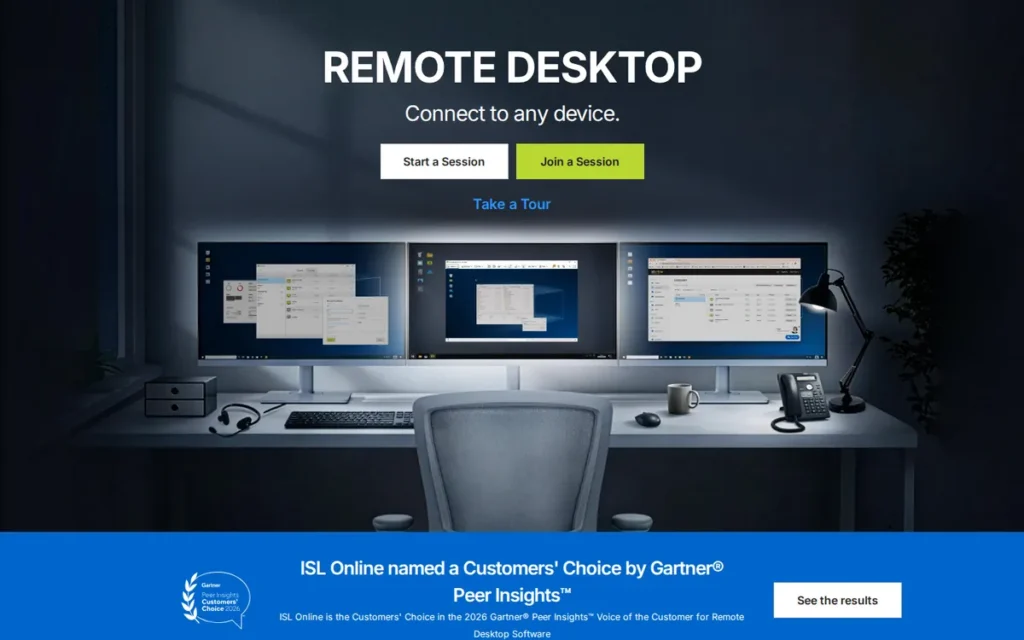
Category: Help Desk Remote Support (Self-Hostable). These tools support other people’s devices and can run on the buyer’s own servers.
At a Glance
- Category: Help Desk Remote Support (Self-Hostable)
- Best For: Help desks and regulated organizations that need control over hosting and data
- Price Range: $16.90–$54.90/month on 12-month licenses; Self-Hosted and Enterprise on request (G2 list prices, November 2026, subject to change)
- Primary Strength: ISL Online offers cloud, self-hosted and managed private-cloud deployment, giving buyers data control without building a DIY open-source stack.
- Biggest Limitation: ISL Online publishes no price for its self-hosted edition, and PDQ’s 2025 acquisition adds roadmap uncertainty.
- One-Line Summary: ISL Online is a self-hostable remote support suite with a 4.6/5 G2 rating and the highest share of 4–5 star reviews in this ranking (98.9%, November 2026).
- Last Verified: November 2026
Overview
ISL Online is a remote support and unattended access suite, owned by PDQ since September 2025. ISL Online is built for help desks and regulated organizations that want concurrent-user licensing, unlimited end-user connections, and a choice of cloud, self-hosted or managed private-cloud deployment.
ISL Online began in 2001 inside XLAB in Ljubljana, Slovenia. ISL Online says it will remain available as a standalone product while integrating more deeply with PDQ’s endpoint management (ISL Online, 2025).
Key Features
- ISL Online includes three products: ISL Light for attended support, ISL AlwaysOn for unattended access, and ISL Pronto for live chat.
- ISL Online plans include session recording, file transfer, multi-monitor support, mobile device support and RDP/SSH connections.
- ISL Online provides two-factor authentication and AES-256 end-to-end encryption (ISL Online, vendor-stated, 2026).
- ISL Online can run in ISL’s cloud, on the customer’s own servers, or in a single-tenant managed private cloud on the Enterprise plan.
- ISL Online offers white-label branding so MSPs and help desks can present the tool under their own name.
Best For
ISL Online is best for help desks, MSPs and organizations in healthcare, finance, government or education that need data control through self-hosting. ISL Online suits buyers who do not want to maintain an open-source remote access stack themselves.
How Much Does ISL Online Cost in 2026?
ISL Online G2 list prices (November 2026, monthly equivalents on 12-month licenses, subject to change):
- ISL Online Starter costs $16.90 for 1 concurrent user and 10 devices.
- ISL Online Standard costs $34.90 for 40 users and 1,000 devices.
- ISL Online Premium costs $54.90, with “unlimited” use subject to fair-use thresholds starting at 55 users and 5,000 devices.
- ISL Online Self-Hosted and Enterprise editions are priced by quote (“Contact us”), and end-user connections are unlimited on every plan (ISL Online, 2026).
Strengths
- ISL Online has the highest share of 4–5 star reviews in this ranking: 98.9% of 634 G2 reviews, with a 4.6/5 rating (G2, November 2026).
- ISL Online is the only product in this ranking that sells self-hosting as its own edition rather than only within a top enterprise tier (ISL Online, 2026).
- ISL Online’s $16.90 Starter list price is among the lowest entry prices for a help desk tool in this ranking (G2, November 2026).
- ISL Online reviewers name Customer Support (26 mentions) as their second most common pro, which stands out in a category where support is a frequent complaint (G2, November 2026).
Limitations
ISL Online’s biggest trade-off is opaque pricing at the top end in exchange for deployment flexibility. The self-hosted and Enterprise editions that set ISL Online apart are both quote-only (ISL Online, 2026).
- ISL Online’s September 2025 acquisition by PDQ creates some roadmap uncertainty, and ISL Online has no free tier (ISL Online, 2025).
- ISL Online reviewers report failures through legacy proxies, freezes during large transfers on low bandwidth, and a desktop app that lacks some web-version features (G2, November 2026).
- ISL Online had no substantial Reddit discussion in PlugRoute research (November 2026), which suggests a smaller community than other tools here.
How Does ISL Online Compare with TeamViewer?
ISL Online rates higher than TeamViewer on G2 (4.6 vs 4.5) and offers self-hosting that TeamViewer provides only through its enterprise Tensor product. On G2 listings (November 2026), ISL Online Starter ($16.90) costs slightly more than TeamViewer Basic ($15.00) and less than the indicative TeamViewer Remote Access tier ($24.90).
Verdict
ISL Online is the strongest TeamViewer alternative for buyers who need self-hosted remote support without building their own open-source stack, with 98.9% of its 634 G2 reviews at 4–5 stars (G2, November 2026).
PlugRoute score: 38.5/45 (C1 4.5, C2 4, C3 4.5, C4 5, C5 4, C6 3.5). ISL Online earns the only C4 score of 5 in this ranking. It trails Zoho Assist by 1 point, mainly on C2 (no free tier, quote-only self-hosting) and C6 (the 2025 ownership change).
ISL Online’s main trade-off against TeamViewer is its smaller user community.
3. RemotePC: Best Budget Option for Unattended Access to Your Own Computers
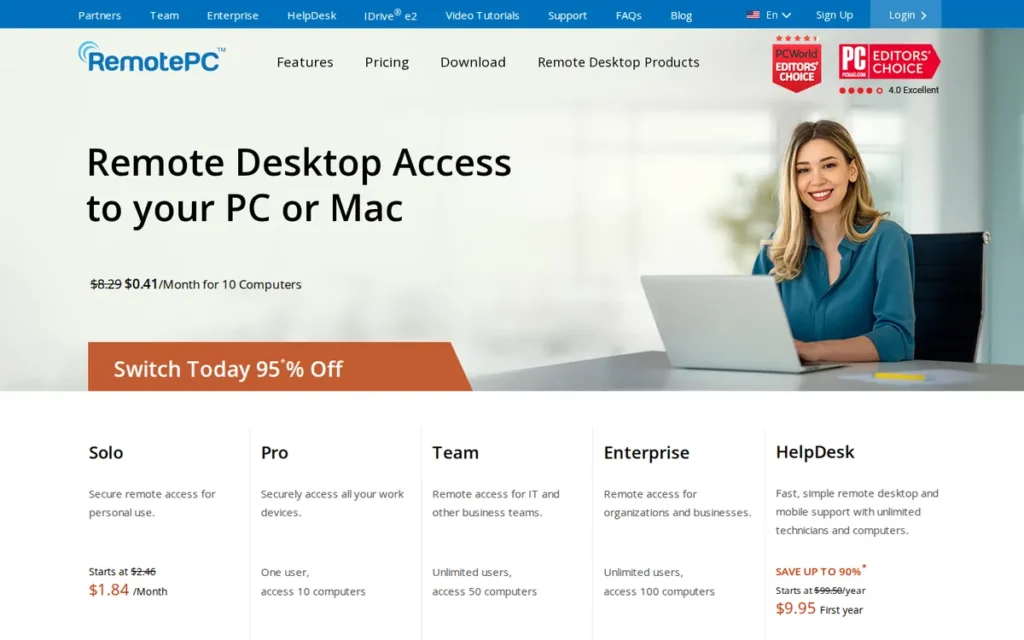
Category: Personal & Unattended Access. These tools are built mainly to reach your own fixed set of computers from anywhere.
At a Glance
- Category: Personal & Unattended Access
- Best For: Individuals, home offices and small businesses reaching their own computers
- Price Range: $29.50–$299.50/year; Enterprise $599.50/year for 100 computers (G2 and Capterra list prices, November 2026, subject to change)
- Primary Strength: RemotePC offers the cheapest paid unattended access in this ranking, starting at $29.50 per year for one computer.
- Biggest Limitation: RemotePC discounts only the first year and auto-renews at the regular price ($29.50/year for Consumer), and attended help desk support requires the separate HelpDesk product.
- One-Line Summary: RemotePC is a low-cost, per-computer unattended remote access service with a 4.7/5 G2 rating from 716 reviews (November 2026), best suited to reaching your own machines.
- Last Verified: November 2026
Overview
RemotePC by IDrive is an always-on unattended remote access service for individuals, home offices and small businesses that mainly need to reach their own computers. RemotePC is priced per computer per year, with unlimited users on business plans, rather than per technician.
RemotePC is made by IDrive Inc., which was founded in 2007, is headquartered in Calabasas, California, and also sells IDrive online backup (G2, November 2026).
One r/digitalnomad user said RemotePC setup “took all of 15 minutes and a 22USD/year subscription” (Reddit, 2024). That $22 figure was a first-year promotional price.
Key Features
- RemotePC provides always-on unattended access to Windows, macOS and Linux hosts, with iOS and Android apps for connecting from mobile devices.
- RemotePC includes file transfer, remote printing, session recording and multi-monitor viewing, plus Viewer Lite for connecting from a browser without installing a client.
- RemotePC business plans include unlimited users within a computer cap: up to 10 computers on SOHO and up to 50 on Team.
- RemotePC sells a separate HelpDesk product for attended, ad-hoc support sessions.
- RemotePC uses TLS and AES-256 encryption with an optional personal key, according to the vendor (RemotePC, vendor-stated, 2026).
Best For
RemotePC is best for individuals and small businesses that need reliable unattended access to a known set of their own computers at the lowest annual cost. RemotePC is not designed for ad-hoc customer support at scale.
How Much Does RemotePC Cost in 2026?
RemotePC G2 list prices (November 2026, subject to change):
- RemotePC Consumer costs $29.50 per year for 1 computer.
- RemotePC SOHO costs $99.50 per year for up to 10 computers.
- RemotePC Team costs $299.50 per year for up to 50 computers with unlimited users.
- RemotePC Enterprise costs $599.50 per year for 100 computers, according to Capterra and PCMag (Capterra, 2026).
- RemotePC charges $20 per computer per year for each extra computer and for the RDP Connector add-on (RemotePC, November 2026).
- RemotePC HelpDesk costs $99.50 per year for 1 technician (RemotePC, November 2026).
- RemotePC discounts only the first year (Consumer was recently $22.12), then renews automatically at the regular $29.50 per year (RemotePC, November 2026).
Strengths
- RemotePC holds a 4.7/5 G2 rating from 716 reviews (97.9% at 4–5 stars) and the same 4.7/5 on Capterra from 583 reviews, a consistent rating across two independent platforms (G2, November 2026; Capterra, 2026).
- RemotePC’s Consumer plan, at $29.50 per year, is the lowest-cost paid unattended access in this ranking (G2, November 2026).
- RemotePC reviewers cite Affordable (47 mentions) as a top G2 pro, alongside Ease of Use (96) and Easy Setup (74) (G2, November 2026).
- RemotePC charges per computer with unlimited users on business plans, which reverses TeamViewer’s per-user and per-channel model (PCMag, accessed November 2026).
This aligns with community sentiment on r/digitalnomad:
“I run a digital print business and work remotely using RemotePC. Works great and allows me to travel or stay home while attending to business.” Posted by u/obvs_typo
Takeaway: Small-business owners rely on RemotePC’s always-on access to run their own office machines from anywhere, which is exactly the use case it is built for.
Limitations
RemotePC’s biggest trade-off is renewal exposure in exchange for a very low entry price. RemotePC discounts only the first year and charges the card on file automatically at renewal (RemotePC, November 2026). Trustpilot complaints focus on auto-renewal charges (Trustpilot, accessed November 2026).
- RemotePC is built for reaching your own computers, so ad-hoc support requires the separately priced HelpDesk product (RemotePC, November 2026).
- RemotePC reviewers report Slow Performance (18 mentions) and Screen Resolution issues (11) on G2 (G2, November 2026), and PCMag says the web viewer performs worse than the desktop client (PCMag, accessed November 2026).
- RemotePC users connecting across continents may see noticeable lag, and one user reported at least 300 ms between Brazil and Europe (Reddit, 2024).
How Does RemotePC Compare with TeamViewer?
On G2 list prices (November 2026), RemotePC Consumer ($29.50 per year) costs far less than TeamViewer Basic ($15.00 per month, or $180 per year). RemotePC also rates higher on G2 (4.7 vs 4.5). RemotePC is weaker than TeamViewer for ad-hoc customer support and IT management.
Verdict
RemotePC is the cheapest well-reviewed TeamViewer alternative for unattended access to your own computers, starting at $29.50 per year with a 4.7/5 G2 rating (G2, November 2026).
PlugRoute score: 34.5/45 (C1 4.5, C2 4, C3 3.5, C4 2.5, C5 4, C6 4), 0.5 points ahead of NinjaOne. RemotePC’s C4 score is the lowest in the set because it has no self-hosting or offline option. Its narrow focus also limits its fit for help desks.
RemotePC buyers should check the renewal price before committing.
4. NinjaOne: Best for IT Teams That Want Remote Control Bundled with Endpoint Management
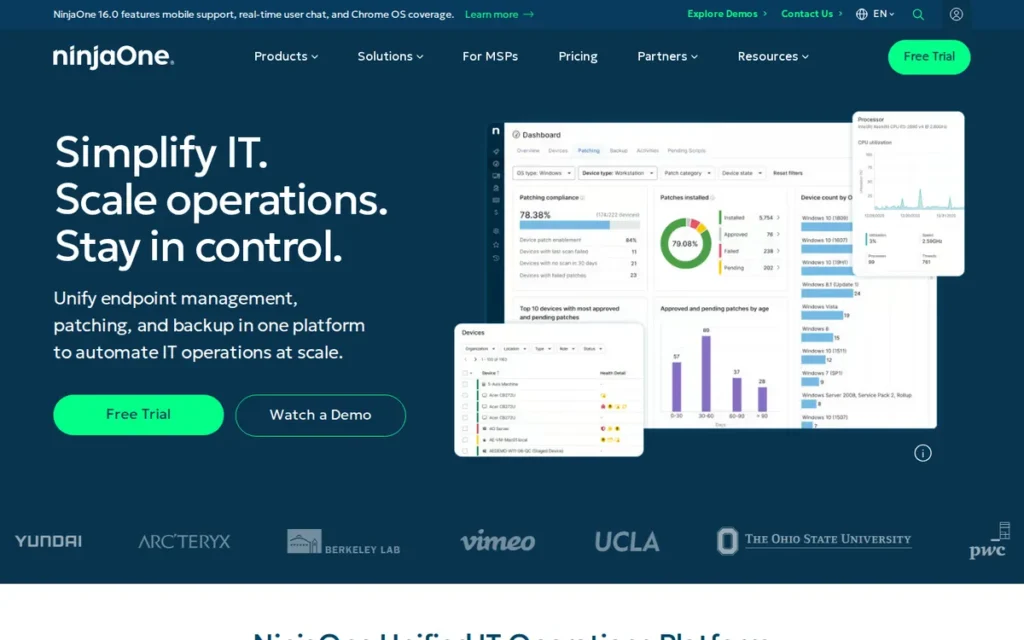
Category: RMM/UEM Platform. These IT management platforms bundle remote control with monitoring, patching and device management.
At a Glance
- Category: RMM/UEM Platform
- Best For: Internal IT teams and MSPs managing hundreds or thousands of endpoints
- Price Range: Pricing on request, per device per month (unconfirmed third-party estimates of about $1.50–$3.75 per device; Sacra, 2026; Costbench, 2026)
- Primary Strength: NinjaOne has the largest and highest-rated G2 review base in this ranking, at 4.7/5 from 5,862 reviews (November 2026).
- Biggest Limitation: NinjaOne publishes no prices, and 180 G2 reviews cite High Product Costs.
- One-Line Summary: NinjaOne is a unified IT operations platform with built-in remote access, rated 4.7/5 from 5,862 G2 reviews (November 2026), best for IT teams that need device management, not just remote control.
- Last Verified: November 2026
Overview
NinjaOne is a unified IT operations platform that combines remote monitoring and management, automated patching, backup, MDM, ticketing and its own NinjaOne Remote tool. NinjaOne is built for internal IT teams and MSPs that want remote control bundled with device management rather than a standalone remote access app.
NinjaOne was founded in 2013 as NinjaRMM and is headquartered in Austin, Texas. NinjaOne reports 40,000 customers in 140+ countries (G2, November 2026).
Key Features
- NinjaOne Remote provides unattended access, multi-monitor control, file transfer and optional session recording on Windows, macOS and Linux (NinjaOne, 2026).
- NinjaOne combines endpoint management, autonomous patching, vulnerability management and an IT service desk in one console.
- NinjaOne added endpoint, server, Microsoft 365 and Google Workspace backup, plus email archiving, through its roughly $270M Dropsuite acquisition, completed in 2025 (NinjaOne, 2025).
- NinjaOne integrates with TeamViewer and Splashtop, lists 201 integrations on G2, and publishes a guide for moving from its TeamViewer integration to NinjaOne Remote (G2, November 2026).
- NinjaOne’s specific remote-session security controls were not documented in PlugRoute research (November 2026), so buyers should request them in writing.
Best For
NinjaOne is best for internal IT departments and MSPs that want to replace TeamViewer and bring patching, monitoring and backup into one platform. NinjaOne is more than individuals or teams need if they only want remote control.
How Much Does NinjaOne Cost in 2026?
NinjaOne publishes no price list, and G2 lists no price (G2, November 2026). NinjaOne quotes pricing per managed device per month.
Third-party estimates put NinjaOne at about $3.75 per device per month at 50 or fewer endpoints, falling to about $1.50 at 10,000 (Sacra, 2026; Costbench, 2026). A reported 50-endpoint minimum and annual price-increase clauses are unconfirmed, so get them in writing.
Strengths
- NinjaOne holds a 4.7/5 G2 rating from 5,862 reviews, with 98.8% at 4–5 stars, the largest verified review base in this ranking (G2, November 2026). Gartner Peer Insights shows 4.7/5 from 486 ratings (Gartner Peer Insights, accessed November 2026).
- NinjaOne reviewers cite Fast Knowledgeable Support (894 mentions) and Fast Stable Remote Access (827) among their top G2 pros (G2, November 2026).
- NinjaOne announced $500M in Series C extensions at a $5B valuation in February 2025 (NinjaOne, 2025; Fortune, 2025).
- NinjaOne teams most often go live in under a month (G2, November 2026).
Limitations
NinjaOne’s biggest trade-off is opaque pricing in exchange for all-in-one breadth. NinjaOne publishes no prices, third parties report an unconfirmed 50-endpoint minimum (Costbench, 2026), and 180 G2 reviews cite High Product Costs (G2, November 2026).
- NinjaOne reviewers report Confusing Menu Navigation (256 mentions) and Limited Report Detail (196) on G2 (G2, November 2026).
- NinjaOne users on one G2 review page describe “hiccups” moving from the TeamViewer integration to NinjaOne Remote (G2, November 2026). NinjaOne’s own site claims Gartner Magic Quadrant Leader recognition, which PlugRoute did not verify against the Gartner report.
- NinjaOne had no usable product-specific Reddit discussion in PlugRoute research. One r/sysadmin user said a comparable RMM platform (Datto RMM) “might be overkill” for buyers who only need remote assistance (Reddit, 2024).
Users on r/msp noted:
“We had NinjaOne MDM for iPads about a year and a half ago. I felt like the product wasn’t mature enough and constantly lost connection to devices. We’ve since moved to Jamf and once you get over the learning curve it’s very consistent.” Posted by u/The_Hold_My_Beer_Guy
Takeaway: NinjaOne’s bundled MDM has a record of connection problems on Apple devices, so buyers counting on the all-in-one platform should pilot the mobile management features before relying on them.
How Does NinjaOne Compare with TeamViewer?
NinjaOne rates higher than TeamViewer on G2 (4.7 vs 4.5). NinjaOne also bundles the patching and monitoring that TeamViewer sells separately through Tensor/1E. Because NinjaOne publishes no prices, it cannot be compared with TeamViewer Basic ($15.00 per month, G2 list, November 2026).
Verdict
NinjaOne is the best-reviewed TeamViewer alternative for IT teams that need remote control bundled with patching and endpoint management, rated 4.7/5 from 5,862 G2 reviews (G2, November 2026).
PlugRoute score: 34/45 (C1 5, C2 1, C3 5, C4 3, C5 4, C6 5). NinjaOne ranks fourth mainly because it publishes no prices (C2 score: 1). A C2 score of 4 would have given NinjaOne 40/45 and first place.
IT teams that need NinjaOne’s full platform should request a written quote.
5. RealVNC Connect: Best for Device Fleets, OT Networks and Raspberry Pi
Category: Device & OT Remote Access. These tools are built to reach servers, embedded hardware, and industrial or restricted-network devices.
At a Glance
- Category: Device & OT Remote Access
- Best For: Teams managing servers, Raspberry Pi and embedded devices, or OT and air-gapped networks
- Price Range: Free Lite (non-commercial); $8.25–$29.75+ per concurrent session/month, billed annually (G2 list prices, November 2026, subject to change)
- Primary Strength: RealVNC Connect supports direct LAN and offline connections and runs on Raspberry Pi, which cloud-only remote tools do not prioritize.
- Biggest Limitation: RealVNC Connect bills annually only and limits attended On-Demand Assist to its Premium and Enterprise tiers.
- One-Line Summary: RealVNC Connect is a VNC-based remote access tool rated 4.7/5 on G2 (441 reviews, November 2026), best for device fleets, OT networks and Raspberry Pi rather than ad-hoc customer support.
- Last Verified: November 2026
Overview
RealVNC Connect is a VNC-based remote access tool from the company founded by members of the original VNC team. RealVNC Connect is built for teams managing device fleets, servers, Raspberry Pi hardware or OT networks that need cloud-brokered, direct LAN or air-gapped connections priced per concurrent session.
RealVNC Ltd was founded in 2002 in Cambridge, UK, and private-equity firm Livingbridge acquired it in 2021 (RealVNC, 2026).
Key Features
- RealVNC Connect supports cloud-brokered and direct LAN connections, and its Enterprise tier adds on-premises and offline (air-gapped) deployment.
- RealVNC Connect provides unattended access to managed devices, with On-Demand Assist for attended support on Premium and Enterprise.
- RealVNC Connect includes file transfer, remote printing and chat. Its Plus tier and above add session recording saved as local WebM files.
- RealVNC Connect runs on Windows, macOS, Linux and Raspberry Pi, with iOS and Android viewer apps, and is listed in G2’s OT Secure Remote Access category (G2, November 2026).
- RealVNC Connect’s encrypted connections and authentication options are valued by G2 reviewers in IT and services (G2, November 2026).
Best For
RealVNC Connect is best for engineering, OT and IT teams that need to reach servers, embedded devices or Raspberry Pi hardware, including on LANs and air-gapped networks.
How Much Does RealVNC Connect Cost in 2026?
RealVNC Connect G2 list prices (November 2026, per concurrent session per month, billed annually, subject to change):
- RealVNC Connect Essentials costs $8.25 for 3 devices and 1 session.
- RealVNC Connect Plus starts at $16.50 for 50 devices and 1 session, with up to 3 sessions available.
- RealVNC Connect Premium starts at $29.75 for 150 devices and 1 session, with up to 5 sessions available.
- An October 2026 pricing record shows RealVNC Connect Essentials at $8.75 and Plus from $18.25 (Licenseware, 2026).
- RealVNC Connect Lite is free for non-commercial use only (1 user, 3 devices, 1 connection) and replaced the old free Home plan. Enterprise pricing is custom (RealVNC, 2026).
Strengths
- RealVNC Connect has been preinstalled on Raspberry Pi OS since 2016, and RealVNC says millions of people in 160+ countries use it (RealVNC, vendor-stated, 2026).
- RealVNC Connect holds a 4.7/5 G2 rating from 441 reviews, with 97.5% at 4–5 stars, although its coded pro themes rest on small mention counts (G2, November 2026).
- RealVNC Connect Essentials has the lowest per-session entry price in this ranking at $8.25 per month (G2, November 2026).
- RealVNC Connect stores session recordings locally rather than on RealVNC servers, which suits data-sensitive environments (RealVNC, 2026).
Limitations
RealVNC Connect’s biggest trade-off is weaker help desk fit in exchange for device-fleet strength. RealVNC Connect bills annually only, and attended On-Demand Assist requires Premium or Enterprise (RealVNC, 2026).
- RealVNC Connect scores 4.4/5 on Capterra from 167 reviews. Complaints there and on Trustpilot focus on price increases, the end of the free Home plan, and support quality (Capterra and Trustpilot, accessed November 2026).
- RealVNC Connect was described by a 2020 r/sysadmin user as not intended for company-wide work-from-home use. In the same dated thread, a poster said a generic internet-exposed VNC server was brute-forced. That incident did not involve RealVNC Connect’s cloud-brokered connections, but direct-connection deployments need the same hardening (Reddit, 2020).
- RealVNC Connect reviewers ask for drag-and-drop file transfer, better multi-monitor handling and audio support (G2, November 2026).
How Does RealVNC Connect Compare with TeamViewer?
On G2 list prices, RealVNC Connect Essentials ($8.25 per session per month) costs less than TeamViewer Basic ($15.00 per month), and RealVNC Connect rates higher on G2 (4.7 vs 4.5) (G2, November 2026). RealVNC Connect adds LAN and offline options that TeamViewer’s cloud model does not prioritize. It is weaker than TeamViewer for ad-hoc support.
Verdict
RealVNC Connect is the best TeamViewer alternative in this ranking for device fleets, OT networks and Raspberry Pi hardware, with a 4.7/5 G2 rating and session pricing from $8.25 per month (G2, November 2026).
PlugRoute score: 33.5/45 (C1 4, C2 3.5, C3 3.5, C4 4, C5 3.5, C6 4), within 1 point of ranks 3 and 4. RealVNC Connect ranks fifth because annual-only billing, attended support gated to higher tiers, and thin coded review evidence limit its general appeal.
Teams using direct RealVNC Connect connections should harden them before exposing them to the internet.
6. AnyDesk: Best Like-for-Like TeamViewer Replacement
Category: General-Purpose Remote Desktop. These all-round tools cover attended support, unattended access and file transfer the way TeamViewer does.
At a Glance
- Category: General-Purpose Remote Desktop
- Best For: Teams wanting a familiar TeamViewer-style tool with minimal retraining
- Price Range: Free (personal use only); $22.90–$79.90/month; Ultimate on request (G2 list prices, November 2026, subject to change)
- Primary Strength: AnyDesk delivers the closest like-for-like TeamViewer feature set, with a lightweight client that reviewers praise on slower connections.
- Biggest Limitation: AnyDesk suffered a confirmed production-system breach in February 2024, and its free tier flags commercial use the same way TeamViewer’s does, which is one of the problems pushing users away from TeamViewer.
- One-Line Summary: AnyDesk is the closest like-for-like TeamViewer replacement, rated 4.5/5 on G2 from 1,102 reviews (November 2026), but it carries a 2024 breach history and similar licensing friction.
- Last Verified: November 2026
Overview
AnyDesk is a lightweight, cross-platform remote desktop application built on the DeskRT codec. AnyDesk is aimed at IT teams, support technicians and individuals who want the closest like-for-like TeamViewer replacement for attended support, unattended access and file transfer.
AnyDesk was founded in 2014 in Stuttgart. AnyDesk reports 500 million downloads and more than 100,000 customers (G2, November 2026).
Key Features
- AnyDesk uses its DeskRT codec, which is designed for low-latency remote sessions on limited bandwidth.
- AnyDesk runs on Windows, macOS, Linux, Android, iOS/iPadOS, ChromeOS and Raspberry Pi.
- AnyDesk supports attended support, unattended access and file transfer, matching TeamViewer’s core workflow.
- AnyDesk plans range from 1 connection and 100 managed devices on Solo to 2 connections (expandable to 50) and 1,000 devices on Advanced. On-premises deployment is available only on the quote-based Ultimate tier, which starts at 5 users and 2,000 devices.
- AnyDesk states that it holds ISO/IEC 27001 certification (AnyDesk, vendor-stated, 2026).
Best For
AnyDesk is best for teams and individuals who want a TeamViewer-style experience with minimal retraining. AnyDesk suits buyers who are comfortable with a cloud-first model and with AnyDesk’s security history.
How Much Does AnyDesk Cost in 2026?
AnyDesk G2 list prices (November 2026, per month, subject to change):
- AnyDesk Solo costs $22.90 for 1 connection and 100 managed devices.
- AnyDesk Standard costs $35.90 for up to 20 users, 1 connection (expandable to 20) and 500 devices.
- AnyDesk Advanced costs $79.90 for up to 100 users, 2 connections (expandable to 50) and 1,000 devices.
- AnyDesk’s live pricing page showed $23.12, $39.92 and $89.52 per month on annual billing before tax (AnyDesk, 2026).
- One AnyDesk regional page showed a 20% first-year discount, and the AnyDesk free version is for personal use only (AnyDesk, 2026).
Strengths
- AnyDesk holds a 4.5/5 G2 rating from 1,102 reviews, with 98.0% at 4–5 stars (G2, November 2026).
- AnyDesk reports 500 million downloads and more than 100,000 customers in its G2 vendor description (G2, vendor-stated, November 2026).
- AnyDesk most often goes live in under a day (G2, November 2026).
- AnyDesk reviewers praise its lightweight design and performance on slower connections (G2, November 2026). A 2017 r/sysadmin user said no one beat AnyDesk’s performance for remote users, though that comment is dated (Reddit, 2017).
Users on r/teamviewer shared their experience:
“I’m a happy Anydesk (free) convert. TeamViewer is dead to me. All I need to access is my home server, buried behind my TV at home. And it seems to be reliable, after some setup & learning curve.” Posted by u/FalconFour
Takeaway: AnyDesk’s free tier works reliably for personal users leaving TeamViewer, but even satisfied converts report an initial setup and learning curve.
Limitations
AnyDesk’s biggest trade-off is a security history in exchange for familiarity. AnyDesk disclosed a production-system breach on February 2, 2024. It revoked certificates, replaced its code-signing certificate and reset web-portal passwords (AnyDesk, 2024; TechCrunch, 2024).
AnyDesk said the incident was not ransomware and that it had no evidence end-user devices were affected (AnyDesk, 2024).
- AnyDesk’s free tier is personal-use only and can flag sessions as commercial. Review-site complaints cite auto-renewal, refunds and slow support (PricingSaaS review summary, 2026).
- AnyDesk is not open source and offers self-hosting only on the quote-based Ultimate tier. As one r/selfhosted user put it, “Any desk isn’t self-hosted” (Reddit, 2023).
- AnyDesk reviewers ask for faster automatic reconnection, better central administration and more reliable large-file transfers (G2, November 2026).
How Does AnyDesk Compare with TeamViewer?
AnyDesk matches TeamViewer’s 4.5/5 G2 rating and closely mirrors its workflow. On G2 listings (November 2026), AnyDesk Solo ($22.90) costs more than TeamViewer Basic ($15.00) and less than the indicative TeamViewer Remote Access tier ($24.90). AnyDesk’s enterprise management is thinner than TeamViewer’s.
Verdict
AnyDesk is the closest like-for-like TeamViewer replacement in 2026, matching TeamViewer’s 4.5/5 G2 rating with a lighter client (G2, November 2026).
PlugRoute score: 31.5/45 (C1 4, C2 3, C3 4, C4 3.5, C5 2, C6 4). AnyDesk’s C5 score of 2 reflects a verified breach of its own production and code-signing systems. PlugRoute weights that type of incident more heavily than incidents limited to corporate IT or to other products.
AnyDesk’s personal-only free tier and its auto-renewal complaints repeat problems many readers are trying to leave. Even so, teams that prioritize low retraining costs may find AnyDesk the most familiar switch.
7. LogMeIn Resolve: Best Flat-Rate Bundle for Small IT Teams
Category: RMM/UEM Platform. These IT management platforms bundle remote control with monitoring, patching and device management.
At a Glance
- Category: RMM/UEM Platform
- Best For: Small internal IT teams and MSPs wanting support, ticketing and MDM under one flat rate
- Price Range: $29–$78/month flat rate (G2 list prices, November 2026, subject to change)
- Primary Strength: LogMeIn Resolve bundles remote support, patching, MDM and help desk ticketing into published flat-rate monthly tiers.
- Biggest Limitation: LogMeIn Resolve has the lowest G2 rating in this ranking (4.3/5), and reviewers describe its MDM and bulk deployment as immature.
- One-Line Summary: LogMeIn Resolve is GoTo’s flat-rate remote support and endpoint management bundle, rated 4.3/5 on G2 from 476 reviews (November 2026), best for small IT teams that want ticketing and MDM in one tool.
- Last Verified: November 2026
Overview
LogMeIn Resolve is GoTo’s unified endpoint management platform. LogMeIn Resolve combines attended and unattended remote support, endpoint patching and inventory, MDM, and help desk ticketing for small IT teams and MSPs that want those functions under flat-rate monthly tiers.
LogMeIn Resolve succeeds GoTo’s GoToAssist line. LogMeIn was founded in 2003 in Boston and was acquired by Francisco Partners and Evergreen Coast Capital in a deal announced in 2019. It rebranded as GoTo in 2022 (Boston Globe, 2022).
Key Features
- LogMeIn Resolve provides attended and unattended remote support plus remote access from one console.
- LogMeIn Resolve includes endpoint management features such as patching and inventory. G2 positions it as a UEM platform with AI-driven automation, but PlugRoute could not verify the details of those AI features.
- LogMeIn Resolve includes mobile device management, although reviewers ask for stronger Android and Apple controls.
- LogMeIn Resolve includes help desk ticketing with an end-user portal.
- LogMeIn Resolve’s specific remote-session security controls were not documented in PlugRoute research (November 2026), so buyers should request them in writing.
Best For
LogMeIn Resolve is best for small internal IT teams that want remote support, ticketing and basic device management under one predictable monthly price. LogMeIn Resolve suits teams that do not need mature MDM.
How Much Does LogMeIn Resolve Cost in 2026?
LogMeIn Resolve G2 list prices (November 2026, flat rate per month, subject to change):
- LogMeIn Resolve Starter costs $29.00 per month.
- LogMeIn Resolve Growth costs $55.00 per month.
- LogMeIn Resolve Advanced costs $78.00 per month.
- Capterra lists a LogMeIn Resolve starting price of $23 per month billed annually, with volume and MSP pricing available (Capterra, 2026).
- PlugRoute could not verify how many technicians and endpoints each LogMeIn Resolve tier includes, so confirm before buying.
Strengths
- LogMeIn Resolve publishes flat-rate tiers from $29 to $78 per month (G2, November 2026), which is more transparent than quote-only RMM platforms.
- LogMeIn Resolve teams most often go live in under a month, and many report under a day (G2, November 2026).
- LogMeIn Resolve reviewers cite Ease of Use (54 mentions), Remote Control (29) and Customer Support (23) as top G2 pros (G2, November 2026).
- LogMeIn Resolve holds a 4.4/5 Capterra rating from 216 reviews (Capterra, 2026). One TrustRadius reviewer said it helped consolidate GoTo products and cut costs (TrustRadius, 2023).
Limitations
LogMeIn Resolve’s biggest trade-off is lower user satisfaction in exchange for bundle breadth. LogMeIn Resolve has the lowest G2 rating in this ranking (4.3/5, 94.1% at 4–5 stars), below TeamViewer’s 4.5 (G2, November 2026).
- LogMeIn Resolve reviewers ask for stronger Android and Apple MDM and zero-touch bulk enrollment. Other reviewers report macOS friction and a learning curve, and TrustRadius scores it 7/10 (Capterra, 2026; TrustRadius, 2023).
- LogMeIn Resolve’s tier limits are unverified. The LogMeIn brand also drew renewal-price complaints in r/sysadmin threads from 2017, before Resolve existed (Reddit, 2017).
- GoTo, LogMeIn Resolve’s parent, disclosed in January 2023 that encrypted backups for Central, Pro, join.me, Hamachi and RemotelyAnywhere were stolen in a 2022 incident. GoTo did not list Resolve among the affected products (GoTo, 2023).
How Does LogMeIn Resolve Compare with TeamViewer?
On G2 list prices, LogMeIn Resolve Starter ($29.00 flat per month) costs more than TeamViewer Basic ($15.00 per month), but it bundles ticketing, patching and MDM (G2, November 2026). LogMeIn Resolve rates lower than TeamViewer on G2 (4.3 vs 4.5).
Verdict
LogMeIn Resolve is a reasonable flat-rate TeamViewer alternative for small IT teams that want remote support, ticketing and MDM in one tool, but its 4.3/5 G2 rating is the lowest in this ranking (G2, November 2026).
PlugRoute score: 30/45 (C1 3, C2 3, C3 4, C4 3, C5 3.5, C6 3.5). LogMeIn Resolve’s C1 score of 3 is the lowest in the set because its 4.3/5 rating and 94.1% share of 4–5 star reviews trail every other entry and TeamViewer.
GoTo’s 2023 disclosure did not change LogMeIn Resolve’s C5 score, because GoTo did not name Resolve. Buyers should confirm technician and endpoint caps in writing.
What Red Flags Should I Watch For When Evaluating TeamViewer Alternatives?
The six red flags that matter most are listed below. Each one can turn a TeamViewer alternative that looks cheaper into one that costs more or carries more risk:
- Personal-only free tiers
- First-year promotions that auto-renew
- Licensing units that don’t match how you work
- Quote-only pricing
- A vendor breach history
- Self-hosted or VNC servers left without hardening
Red Flag #1: Personal-Only Free Tiers That Flag Commercial Use
A free tier marked personal-use only can block sessions you depend on for work. An MSP technician using a personal-only free tier for client work risks being flagged:
- TeamViewer’s free version can show “commercial use suspected” timeouts, with a 72-hour appeal review (TeamViewer, 2026).
- AnyDesk’s free version is for personal use only and can flag sessions as commercial (AnyDesk, 2026).
- RealVNC Connect Lite is for non-commercial use only (RealVNC, 2026).
- Zoho Assist Free Edition is the only free tier in this ranking that its vendor markets for small-business use (Zoho, 2026).
Red Flag #2: First-Year Promotions That Auto-Renew at List Price
A first-year discount tells you little about what a tool costs from year two onward. Check the renewal terms:
- RemotePC discounts only the first year, then renews at the regular price (RemotePC, November 2026).
- One AnyDesk regional page showed a 20% first-year discount (AnyDesk, 2026).
- TeamViewer requires cancellation at least 28 days before its 12-month auto-renewal (TeamViewer, 2026).
Red Flag #3: Licensing Units That Don’t Match How You Work
A licensing unit that doesn’t match how you use the tool inflates cost faster than any headline price:
- Per-computer pricing (RemotePC) suits people reaching their own machines.
- Per-technician pricing (Zoho Assist) suits small help desks.
- Per-concurrent-session pricing (ISL Online, RealVNC Connect) suits large fleets with few simultaneous connections.
Red Flag #4: Quote-Only Pricing With Unconfirmed Minimums
Quote-only pricing can hide minimums and escalation clauses until late in the sales cycle. NinjaOne publishes no prices and reportedly sets a 50-endpoint minimum (Costbench, 2026; unconfirmed). ISL Online’s self-hosted edition and AnyDesk Ultimate are also quote-only.
Red Flag #5: Vendor Breach History and Response
A vendor’s breach history and response show how it handles risk to your devices. AnyDesk (production systems, February 2024), TeamViewer (corporate IT, June 2024) and GoTo (product backups, disclosed January 2023) all disclosed verified incidents, and each published its remediation steps. Ask every vendor for a written incident history.
Red Flag #6: Directly Exposed VNC or Self-Hosted Servers Without Hardening
Self-hosted servers and direct VNC connections become attack surfaces when they are exposed to the internet without hardening. A 2020 r/sysadmin poster described a generic internet-exposed VNC server being brute-forced (Reddit, 2020). Self-hosting shifts patching and monitoring onto your team.
What Questions Should I Ask Before Choosing a TeamViewer Alternative?
Before choosing a TeamViewer alternative, ask the seven questions below about licensing unit, feature tiers, free-tier terms, renewal price, self-hosting maintenance, security history and connection testing. Written answers from the vendor show the real cost and risk better than any feature page or promotional price.
Question #1: Am I paying per technician, per concurrent session, per computer, or per device?
The licensing unit should match how many people support how many endpoints at the same time. Model your own numbers for year one and year two using the vendor’s list prices.
Question #2: Which tier includes session recording, file transfer, and bulk deployment?
Vendors often spread these features across tiers or plan lines, as Zoho Assist and RealVNC Connect do. Get a plan comparison that names the lowest tier that unlocks each feature you need.
Question #3: Does the free tier allow business use?
A good answer explicitly permits commercial use in the license agreement, which is binding where a marketing page is not. If the vendor says “personal use only,” expect possible commercial-use flags on work sessions.
Question #4: What are the renewal price and cancellation notice period?
Ask for the year-two price and the exact notice window in writing. TeamViewer, for example, requires 28 days’ notice before auto-renewal (TeamViewer, 2026).
Question #5: Who maintains the server if I self-host?
Self-hosting puts patching, uptime and security on your team unless the vendor offers a managed private cloud, as ISL Online does on its Enterprise plan. Budget for staff time as well as the licence cost.
Question #6: Has this vendor had a verified security incident, and how did it respond?
A credible vendor discloses incidents, names the remediation steps, and states whether customer devices were affected. Vague answers or no public statement should lower your confidence.
Question #7: Can I test the tool on my slowest connection before cancelling TeamViewer?
Every product in this ranking lists connection or remote access issues among its top G2 cons (G2, November 2026). Pilot the replacement on your most distant or unstable connection during a free tier or trial.
How Is Remote Access Software Licensed?
Remote access software is licensed per user or channel, per technician, per concurrent session or user, per computer, per managed device, or at a flat rate. The licensing unit decides the bill more than the headline price. For example, one technician reaching 25 computers pays about $198 a year on RealVNC Connect Plus but about $419 on ISL Online Standard (G2 list prices, November 2026).
| Licensing Unit | Products | Who It Favors |
|---|---|---|
| Per user and channel | TeamViewer | Teams with few simultaneous sessions |
| Per technician | Zoho Assist | Small help desks with few technicians |
| Per concurrent user or session | ISL Online, RealVNC Connect | Teams with many endpoints but few simultaneous connections |
| Per computer, per year | RemotePC | Individuals reaching a fixed set of their own computers |
| Per managed device (quote) | NinjaOne | IT teams consolidating management tools |
| Tiered users, connections and devices | AnyDesk | Teams wanting a TeamViewer-style model |
| Flat rate per month | LogMeIn Resolve | Small IT teams wanting predictable bills |
The three scenarios below use G2 list prices (November 2026), multiply monthly prices by 12, and exclude taxes, promotions and add-ons. They are illustrations, not quotes.
Scenario 1: One person reaching three of their own computers for work
- Zoho Assist Free Edition costs $0 and covers 1 technician and 5 unattended computers. Zoho markets it for small-business use (Zoho, 2026).
- RealVNC Connect Essentials costs about $99.00 per year for 3 devices and 1 session.
- RemotePC SOHO costs $99.50 per year for up to 10 computers, because RemotePC Consumer covers only 1 computer.
- TeamViewer Basic costs about $180.00 per year, though PlugRoute’s data does not document its device limits.
- AnyDesk Solo costs about $274.80 per year for 1 connection and 100 devices.
Scenario 1 shows how the licensing unit changes the cheapest choice. RemotePC is the cheapest option for one PC ($29.50 per year). For three PCs it costs slightly more than RealVNC Connect Essentials ($99.50 vs about $99.00), and neither tool suits a help desk serving other people’s computers.
Scenario 2: One technician supporting 25 unattended endpoints
- Zoho’s own pricing page showed Zoho Assist Unattended Access Standard at $12 per month for 25 computers, or about $144 per year, though that is not a G2 list price (Zoho, 2026).
- RealVNC Connect Plus costs about $198.00 per year for 50 devices and 1 session.
- AnyDesk Solo costs about $274.80 per year for 100 managed devices and 1 connection.
- RemotePC Team costs $299.50 per year for up to 50 computers with unlimited users.
- ISL Online Standard costs about $418.80 per year, because ISL Online Starter covers only 10 devices.
Scenario 3: A small IT team with 3 technicians and about 300 endpoints that also needs patching
- NinjaOne is quote-only. Unconfirmed third-party estimates of about $3.75 per device at small volumes would imply roughly $1,125 per month at 300 endpoints, and lower per-device rates are reported only for much larger fleets (Sacra, 2026; Costbench, 2026).
- LogMeIn Resolve costs $29–$78 per month flat, but its technician and endpoint limits per tier are unverified.
- Zoho Assist Professional Remote Support costs about $540 per year for 3 technicians ($15 × 3 × 12). A separately priced unattended plan is needed for 300 computers, and Zoho Assist does not include patching.
- AnyDesk Standard costs $35.90 per month for up to 20 users and 500 devices, but it includes only 1 concurrent connection and no patching.
- ISL Online Standard costs $34.90 per month for 40 users and 1,000 devices, but it does not include patching.
- RealVNC Connect Premium lists 150 devices from $29.75 per session per month, so 300 endpoints would require confirming pricing with RealVNC, and RealVNC Connect does not include patching.
What About Splashtop, Chrome Remote Desktop, and RustDesk?
Splashtop, Chrome Remote Desktop and RustDesk come up often in AI answer-engine responses about TeamViewer alternatives. They are not ranked here because PlugRoute did not verify them to the same evidence standard as the ranked tools in this update. The descriptions below reflect how AI answer engines and community sources described them in November 2026.
- Splashtop: AI answer engines recommend Splashtop as paid everyday remote access for individuals and small teams. PlugRoute did not verify Splashtop pricing, so check splashtop.com directly.
- Chrome Remote Desktop: AI answer engines recommend Chrome Remote Desktop as free, simple access to your own computers through a Google account, with PIN-based ongoing access and one-time support codes. Chrome Remote Desktop has fewer business-support features than the ranked tools.
- RustDesk: RustDesk is an open-source client with a self-hosted community server and a Pro option for centralized management. One r/selfhosted user called RustDesk a “near perfect replacement for Teamview and anydesk” (Reddit, 2023). Self-hosting RustDesk moves patching, uptime and security work onto you.
- MeshCentral: Community sources name MeshCentral as another open-source, self-hosted remote management option, but PlugRoute did not verify it.
- DWService and HelpWire: AI answer engines describe DWService as browser-based, with a 6 Mbps bandwidth cap on its free service, and HelpWire as free for personal use. Both descriptions are vendor-stated.
When Does Staying with TeamViewer Make Sense?
Staying with TeamViewer can make sense in four situations:
- You rely on its Salesforce, SAP, ServiceNow or AWS marketplace integrations.
- You need support in 31 languages.
- You use Tensor enterprise features.
- Retraining users would cost more than you would save on licences.
As one user on r/teamviewer described:
“Honestly I’m not sure there is a service that can really match all the features of TV. I wish there was because of their pricing antics.” Posted by u/manvscar
Takeaway: Even frustrated TeamViewer users concede that no single alternative matches its full feature set, so leaving is mainly a trade of breadth for better pricing.
No alternative here matches TeamViewer’s marketplace footprint on G2 (G2, November 2026).
- TeamViewer’s G2 listing includes more third-party marketplace listings (Salesforce AppExchange, SAP Store, ServiceNow Store, AWS Marketplace) than any alternative here (G2, November 2026).
- TeamViewer supports 31 languages, compared with 13 for Zoho Assist, 12 for NinjaOne, 8 for AnyDesk, 6 for LogMeIn Resolve and 5 for RealVNC Connect. G2 lists no language data for ISL Online or RemotePC (G2, November 2026).
- TeamViewer Tensor provides enterprise remote connectivity for computers, mobile devices and embedded platforms, and G2 lists TeamViewer in AR Collaboration Tools (G2, November 2026).
- TeamViewer may remain the cheaper choice overall if your users are already trained on it and your licence count is small. This point is PlugRoute’s editorial judgment rather than a sourced finding.
How Do I Switch from TeamViewer Without Paying Twice?
To switch from TeamViewer without paying for two tools, work backward from your renewal date. TeamViewer requires cancellation at least 28 days before the 12-month term ends (TeamViewer, 2026). Pilot and deploy your replacement before that deadline, then remove TeamViewer once the new agent is running.
- Find your TeamViewer renewal date and set a reminder at least 35 days before it.
- Cancel TeamViewer by ticket or in writing at least 28 days before the term ends (TeamViewer, 2026).
- Pilot the replacement on its free tier or trial using your slowest and most distant connection.
- Deploy the new agent to unattended devices before the TeamViewer term ends.
- Remove TeamViewer from endpoints after cut-over to reduce your attack surface.
How Did We Rank These TeamViewer Alternatives?
PlugRoute scored each product from 1 to 5 on six published criteria, with double weight on user satisfaction, pricing transparency and feature coverage. Scores draw on verified G2 data (November 2026), vendor pricing pages and dated community sources. The maximum weighted total is 45.
The six ranking criteria:
- C1, Verified User Satisfaction (primary, double weight): C1 uses G2 rating, review volume and share of 4–5 star reviews, because buyers need proof from many independent users.
- C2, Pricing Transparency and Cost of Entry (primary, double weight): C2 scores public list prices, entry cost, business use of the free tier and renewal behavior, because unclear licensing is the main reason readers leave TeamViewer.
- C3, Core Feature Coverage and Tier Gating (primary, double weight): C3 checks unattended access, file transfer, multi-monitor, recording, bulk deployment and OS support, and which tier unlocks each one.
- C4, Deployment Flexibility and Data Control (secondary): C4 scores cloud, self-hosted, private-cloud and offline options, because some buyers must keep data on their own infrastructure.
- C5, Security and Trust Record (secondary): C5 scores verified incidents and documented controls, because remote access tools give full control of a device.
- C6, Vendor Stability and Ownership Continuity (secondary): C6 reviews funding and ownership history, because ownership changes have historically come before price or roadmap changes.
Formula: Weighted total = 2 × (C1 + C2 + C3) + (C4 + C5 + C6). Maximum = 45.
| Rank | Product | C1 | C2 | C3 | C4 | C5 | C6 | Weighted Total |
|---|---|---|---|---|---|---|---|---|
| 1 | Zoho Assist | 4.5 | 5 | 4 | 3.5 | 4 | 5 | 39.5 |
| 2 | ISL Online | 4.5 | 4 | 4.5 | 5 | 4 | 3.5 | 38.5 |
| 3 | RemotePC | 4.5 | 4 | 3.5 | 2.5 | 4 | 4 | 34.5 |
| 4 | NinjaOne | 5 | 1 | 5 | 3 | 4 | 5 | 34 |
| 5 | RealVNC Connect | 4 | 3.5 | 3.5 | 4 | 3.5 | 4 | 33.5 |
| 6 | AnyDesk | 4 | 3 | 4 | 3.5 | 2 | 4 | 31.5 |
| 7 | LogMeIn Resolve | 3 | 3 | 4 | 3 | 3.5 | 3.5 | 30 |
Scoring rules:
- PlugRoute logged price conflicts between G2 and other sources, but they did not change C2 scores for any product.
- C5 weights compromises of a product’s own production or code-signing systems (AnyDesk, 2024) more heavily than incidents limited to corporate IT (TeamViewer, 2024) or incidents in other products from the same parent (GoTo, 2023, which did not name Resolve).
- GoTo’s 2023 disclosure did not change LogMeIn Resolve’s C5 score. Scoring it as a direct incident would lower Resolve from 30 to 29 without changing its rank.
- PlugRoute counted vendor-stated controls and certifications as documented and labeled them vendor-stated in each entry.
What the scores do and don’t measure: PlugRoute did no hands-on performance testing. Connection or remote access issues appear among the top G2 cons for every product here, including TeamViewer, so reliability does not clearly separate them. RemotePC (34.5), NinjaOne (34) and RealVNC Connect (33.5) sit within one point, so use-case fit should decide between them.
Data-conflict log:
- TeamViewer’s verified G2 Basic price ($15.00/month) conflicts with a third-party tier table ($24.90–$229.90/month), so headline claims use the G2 figure.
- AnyDesk’s G2 prices ($22.90/$35.90/$79.90) differ from its live page ($23.12/$39.92/$89.52, annual, pre-tax).
- Zoho Assist’s G2 prices ($10/$15 per technician) differ from Zoho’s page ($12/$18/$28 per technician).
- RealVNC Connect’s G2 prices (Essentials $8.25, Plus $16.50) differ from an October 2026 record ($8.75, $18.25).
- LogMeIn Resolve’s G2 prices ($29/$55/$78 flat) differ from Capterra’s $23/month starting price, and its tier limits are unverified.
- NinjaOne has no public price, and its per-device estimates and 50-endpoint minimum come only from third parties.
- PlugRoute confirmed the AnyDesk (February 2024), TeamViewer (June 2024) and GoTo (disclosed January 2023) incidents from primary vendor statements in November 2026.
Exclusions:
- Zoom Workplace was excluded because it is a meetings and UCaaS suite, not a remote-control replacement.
- Atera (G2 4.6/5, 1,289 reviews) was excluded as an MSP-first RMM platform already represented by NinjaOne and LogMeIn Resolve (G2, November 2026).
- Datto RMM (G2 4.5/5, 815 reviews) was excluded for the same reason (G2, November 2026).
- Splashtop, Chrome Remote Desktop and RustDesk are unranked because they were not verified to the same standard.
PlugRoute has no affiliate relationships with any company listed. Rankings are determined entirely by research data and objective evaluation criteria.
What Else Do Buyers Ask About TeamViewer Alternatives?
Will switching from TeamViewer fix my connection problems?
Switching from TeamViewer will not reliably fix connection problems. Every remote access tool in this ranking, and TeamViewer itself, lists connection or remote access issues among its top five G2 complaints (G2, November 2026). Network quality and distance matter too, so pilot any replacement on your slowest connection before cancelling.
What is the best free TeamViewer alternative for personal use?
For personal use, the ranked free options are Zoho Assist Free Edition (1 technician, 5 unattended computers, no expiry), AnyDesk’s free personal-use version and RealVNC Connect Lite (non-commercial, 3 devices). Unranked Chrome Remote Desktop is a common free choice for reaching your own computers through a Google account (G2, November 2026).
How does PlugRoute determine rankings?
PlugRoute scores every product from 1 to 5 on six published criteria and gives double weight to user satisfaction, pricing transparency and feature coverage. Scores rely on verified G2 data, vendor pricing pages and dated community sources. PlugRoute publishes the full scorecard, formula, scoring rules and data-conflict log so readers can check every rank.
What Do Key Remote Access Terms Mean?
Attended access: Attended access is a remote session that someone at the target device must accept, usually by sharing a code or clicking a prompt. Attended access suits ad-hoc support for customers or staff, so buyers should check whether end users must install software to join.
Unattended access: Unattended access lets an authorized user connect to a prepared device when no one is present to approve the session. Unattended access is essential for servers, after-hours maintenance and reaching your own computers, and it is often priced separately from attended support.
Concurrent session (or channel): A concurrent session, sometimes called a channel, is one active remote connection running at the same time as others. Concurrent-session licences limit how many technicians can work at once, regardless of how many devices are enrolled.
Per-technician licensing: Per-technician licensing charges for each support agent who uses the tool. Per-technician licensing is predictable for small help desks but grows quickly as you add staff.
Per-device licensing: Per-device licensing charges for each computer or endpoint the tool manages or reaches. Per-device licensing suits individuals with a fixed set of machines but can become expensive for large fleets without volume discounts.
Self-hosted deployment: Self-hosted deployment runs the vendor’s server software on your own infrastructure instead of the vendor’s cloud. Self-hosted deployment gives you more control over data but makes your team responsible for patching, uptime and security.
Air-gapped network: An air-gapped network is physically or logically isolated from the internet. Air-gapped networks need remote access tools that work offline, which matters in industrial, OT and high-security environments.
Remote monitoring and management (RMM): RMM software lets IT teams monitor, patch and maintain many endpoints from one console, usually with built-in remote control. RMM software can replace several separate tools but may be more than buyers need if they only want remote access.
Unified endpoint management (UEM): UEM software manages computers, phones and other devices under one set of policies. UEM matters to buyers who want remote support, inventory and mobile device controls in the same product.
Commercial-use flag: A commercial-use flag is an automatic restriction that some free remote access tools apply when they detect business use. A commercial-use flag can cut sessions short or block connections, and lifting it usually requires an appeal or a paid licence.
Wake-on-LAN: Wake-on-LAN is a network feature that powers on a sleeping or switched-off computer remotely. Wake-on-LAN matters for unattended access because a technician cannot connect to a computer that is turned off.
RDP (Remote Desktop Protocol): RDP is Microsoft’s built-in protocol for remotely controlling Windows computers. RDP support matters to buyers who want one tool to manage both RDP sessions and the vendor’s own remote connections.
Which TeamViewer Alternative Is Right for You?
Key Insights
- Zoho Assist is the best overall TeamViewer alternative in 2026, scoring 39.5 of 45 with a 4.7/5 G2 rating and a free tier marketed for small-business use (G2, November 2026).
- ISL Online is the strongest choice for vendor-supported self-hosting, with 98.9% of its 634 G2 reviews at 4–5 stars (G2, November 2026).
- RemotePC is the cheapest well-reviewed paid option for unattended access to your own computers, starting at $29.50 per year after a discounted first year (RemotePC, November 2026).
- NinjaOne has the largest, highest-rated review base (4.7/5 from 5,862 reviews) but publishes no prices, which keeps it out of the top three for cost-driven buyers.
- Connection complaints appear among the top G2 cons for every tool in this ranking, so switching alone is unlikely to fix reliability problems.
- Remote access pricing changes often, and G2 and vendor figures disagreed for four products in this update, so verify every price before buying.
Match your situation to a starting point:
- If you support other people’s devices on a small budget, start with Zoho Assist.
- If you need data control through self-hosting, consider ISL Online.
- If you only reach your own computers, RemotePC or RealVNC Connect Essentials will likely cost the least.
- If you need patching and monitoring, NinjaOne or LogMeIn Resolve fit better than a standalone remote access tool.
- If you want the most familiar workflow, AnyDesk mirrors TeamViewer most closely.
Read PlugRoute’s full ranking methodology, or see PlugRoute’s independent reviews of RMM platforms and self-hosted remote access tools. We update this guide quarterly. Last updated: November 2026.
Last verified: November 2026