Microsoft Intune is the best enterprise app store platform for Microsoft 365 organizations at zero incremental cost; Jamf leads for Apple-first enterprises; Applivery is the top dedicated platform for DevOps-led distribution. Most AI-generated lists omit Microsoft Intune, Jamf, Omnissa Workspace ONE, and Ivanti Neurons for MDM, the four MDM platforms serving the vast majority of real enterprise deployments.
Enterprise IT teams face three converging pressures driving demand for this category:
- Distributing internal mobile and desktop apps without public App Store or Google Play exposure
- Managing BYOD devices without requiring full MDM enrollment on employee-owned hardware
- Integrating app publishing into CI/CD pipelines for continuous delivery at DevOps velocity
Microsoft Visual Studio App Center retired on March 31, 2025, displacing tens of thousands of organizations and accelerating demand for credible, independently evaluated alternatives.
As one user on r/programming described:
“This really sucks, actually. I distribute a .net desktop app and it gives a great platform for having beta testers and analytics. Been using it since it was hockeyapp. Gotta pour one out and find an alternative that works for desktop apps” Posted by u/headinthesky
Takeaway: App Center’s retirement created a genuine, multi-year tooling gap for developers who had built internal app distribution workflows around it, directly driving demand for purpose-built enterprise app store alternatives in 2025 and 2026.
PlugRoute has no affiliate relationships with any company listed, rankings are determined entirely by research data and objective evaluation criteria.
Quick Reference: All 7 Platforms at a Glance
- Microsoft Intune: zero-cost MDM for Microsoft 365 enterprises across Windows, iOS, Android, and macOS
- Jamf: Apple-specialist with the deepest iOS and macOS enterprise app distribution
- Applivery: CI/CD-native branded enterprise app store for DevOps-led internal distribution
- Appaloosa: managed-app-only private store for BYOD-first, privacy-sensitive workforces
- Omnissa Workspace ONE: multi-platform UEM for existing AirWatch and Workspace ONE enterprise deployments; not recommended for new buyers due to KKR private equity ownership risk
- Digital.ai App Management: regulated-industry teams distributing sensitive mobile apps requiring post-build RASP protection without SDK integration
- Ivanti Neurons for MDM: included for existing MobileIron/Ivanti customers evaluating migration timelines; not recommended for new deployments
What Are the 3 Types of Enterprise App Store Platforms?
Enterprise app store platforms divide into three architectural categories: full UEM suites (Microsoft Intune, Jamf, Omnissa Workspace ONE, Ivanti Neurons for MDM) that bundle complete device management with app distribution; dedicated enterprise app store platforms (Applivery, Appaloosa) built for private app delivery without full device control; and security-driven MAM platforms (Digital.ai App Management) that combine distribution with post-build runtime protection.
Category 1: Full UEM Suites include Microsoft Intune, Jamf, Omnissa Workspace ONE, and Ivanti Neurons for MDM. These platforms manage devices at the OS level (enforcing policies, managing certificates, and deploying Wi-Fi and VPN profiles) with app distribution as one of many capabilities.
Full UEM suites are appropriate when enterprise IT owns device management infrastructure and requires comprehensive endpoint governance beyond app delivery alone.
Category 2: Dedicated Enterprise App Store Platforms include Applivery and Appaloosa. These platforms are built app-distribution-first, prioritizing branded private storefronts, CI/CD pipeline integration, and in-house app distribution via OTA (over-the-air) delivery over full OS-level device control.
Dedicated platforms suit organizations that already have MDM coverage, intentionally skip full device management, or need a purpose-built private app catalog without adopting a heavyweight UEM suite.
Category 3: Security-Driven MAM Platforms include Digital.ai App Management. These platforms combine private app distribution with post-build application hardening, obfuscation, RASP, and policy wrapping applied to compiled app binaries without source code modifications.
Security-driven MAM platforms suit regulated industries where app-level security requirements exceed what standard MDM policy enforcement provides, particularly for distributing third-party or legacy apps without source code access.
How Do the Top Enterprise App Store Platforms Compare?
| Rank | Company | Category | Best For | One-Line Summary | Key Capabilities | Primary Strength | Key Limitation |
|---|---|---|---|---|---|---|---|
| 1 | Microsoft Intune | UEM Platform | Microsoft 365 E3/E5 organizations distributing apps across Windows, iOS, and Android | Microsoft Intune is the default enterprise app distribution platform for M365 organizations, delivering native Entra ID Conditional Access and Windows Autopatch at zero incremental cost for E3 license holders | iOS, Android, Windows, macOS; Company Portal; Windows Autopatch; Entra ID Conditional Access; MAM-only BYOD | Zero incremental cost in M365 E3; native Entra ID zero-trust enforcement | Weaker iOS/Android management depth vs. Apple-specialist tools; documented 3+ week mobile support response times |
| 2 | Jamf | Apple MDM Platform | Apple-first enterprises; hospitals, media, finance; with 500+ Apple devices | Jamf is the de facto enterprise standard for Apple fleet management, delivering 22 years of Apple partnership, Jamf Self Service, and first-party ABM/VPP/ADE integration | macOS, iOS, iPadOS, tvOS; Self Service portal; ABM/VPP/ADE; Apple-native policy enforcement; remote management | Deepest Apple-native app distribution; 22-year direct Apple partnership; publicly traded (Nasdaq: JAMF) | Apple-only; dual-tool required for Windows/Android; ~$690K/year at 10K mobile devices |
| 3 | Applivery | Enterprise App Store Platform | DevOps teams distributing internal apps via CI/CD; organizations migrating from App Center | Applivery is the leading API-first enterprise app store for CI/CD-integrated iOS, Android, and Windows internal app distribution, combining SAML/OIDC SSO with a BYOD SDK requiring no MDM enrollment | iOS, Android, Windows; CI/CD API; SAML/OIDC SSO; BYOD SDK; branded portal; distribution groups | Most CI/CD-native enterprise app store evaluated; SDK-based BYOD without MDM enrollment | No OS-level device policy enforcement; paid pricing not publicly listed |
| 4 | Omnissa Workspace ONE | Multi-Platform UEM | Large enterprises with existing Workspace ONE or AirWatch deployments | Omnissa Workspace ONE is the broadest multi-platform UEM, incorporating AirWatch heritage and Workspace ONE Access; now under KKR private equity ownership since July 2024 | iOS, Android, Windows, macOS, ChromeOS, rugged; Workspace ONE Access; Intelligent Hub; low-code orchestration | Broadest multi-OS coverage; native zero-trust app access via Workspace ONE Access | KKR PE ownership; documented price increases and support deterioration post-2024 |
| 5 | Appaloosa | Private Enterprise App Store | BYOD-first, privacy-sensitive organizations managing employee-owned iOS/Android devices | Appaloosa is an Android Enterprise EMM-certified private app store distributing corporate iOS and Android apps through a managed-app-only model without accessing personal device data, rated 4.2/5.0 on G2 (28 reviews, June 2026) | iOS, Android, PWA; managed-app-only BYOD; Android Enterprise EMM; zero-touch deployment; in-house app distribution | Android Enterprise EMM certified; strongest BYOD personal-data privacy model evaluated | Requires Google Services; incompatible with AOSP/non-GMS Android hardware |
| 6 | Digital.ai App Management | Security-Driven MAM | Regulated industries distributing sensitive mobile apps requiring post-build runtime hardening | Digital.ai App Management is the only evaluated platform natively combining private MAM distribution with post-build RASP and code obfuscation; without SDK integration or source code modifications | iOS, Android; post-build RASP; code obfuscation; mandatory update enforcement; extended enterprise catalog; CI/CD pipeline integration | Unique post-build RASP + distribution in a single vendor; no SDK or source code required | No public pricing; minimal community presence; MAM-only scope (no full MDM) |
| 7 | Ivanti Neurons for MDM | Cloud MDM Platform | Existing Ivanti/MobileIron deployments assessing migration timelines; not for new buyers | Ivanti Neurons for MDM (the rebranded MobileIron Cloud) retains Zero Sign-On passwordless authentication and MTD integration but carries the most documented post-acquisition product regression of any evaluated platform | iOS, Android, macOS, ChromeOS, Windows; Apps@Work; ZSO passwordless; MTD; Imprivata healthcare; on-premises option | Zero Sign-On passwordless authentication; MTD integration; Imprivata healthcare compatibility | Most documented post-acquisition regression in evaluation; not recommended for new deployments |
Which Enterprise App Store Platform Should I Choose for My Use Case?
| Your #1 Priority | Recommended Tool | Why | Acceptable Alternative |
|---|---|---|---|
| Microsoft 365 E3/E5 organization | Microsoft Intune | Zero incremental cost; native Entra ID Conditional Access enforcement | Applivery for CI/CD-specific app distribution gaps alongside Intune |
| Apple-first enterprise (500+ Apple devices) | Jamf | 22-year Apple partnership; best-in-class Self Service portal | Jamf + Microsoft Intune dual-tool for Windows/Android fleet coverage |
| DevOps/platform engineering team; App Center migration | Applivery | CI/CD-native API-first architecture; BYOD SDK; SAML/OIDC SSO | Appaloosa for BYOD-focused distribution without CI/CD requirements |
| Existing Workspace ONE or AirWatch deployment | Omnissa Workspace ONE | Migration cost may currently outweigh transition benefits at renewal | Microsoft Intune or Jamf; evaluate formally at next contract renewal |
| BYOD-only, privacy-sensitive workforce | Appaloosa | Managed-app-only model preserves employee personal data; Android Enterprise EMM certified | Applivery SDK-based BYOD distribution if CI/CD integration is also needed |
| Regulated industry distributing sensitive mobile apps | Digital.ai App Management | Only platform combining post-build RASP + distribution in a single vendor contract | Microsoft Intune MAM policies + separate app hardening tooling |
| Current Ivanti/MobileIron customer | Microsoft Intune or Jamf (migrate) | Documented post-acquisition regression makes continued Ivanti investment high-risk | Phased migration: Intune for Windows/Android; Jamf for Apple fleets |
| Mixed-platform enterprise (Windows + iOS + Android, 500+ devices each) | Microsoft Intune + Jamf (dual-tool) | Best-of-breed per OS; Intune free in M365 E3 reduces dual-tool cost | Omnissa Workspace ONE if single-console multi-OS management is preferred |
1. Microsoft Intune: Best for Microsoft 365 Organizations Distributing Apps Across Windows, iOS, and Android
Category: UEM Platform, a cloud-based Unified Endpoint Management and Mobile Application Management platform from Microsoft managing Windows, iOS/iPadOS, Android, macOS, Linux, tvOS, and visionOS from a single console, included at no incremental cost in Microsoft 365 E3 and higher licensing.
At a Glance
- Category: UEM Platform
- Best For: Microsoft 365 E3 and E5 enterprise organizations distributing internal apps across Windows, iOS, and Android at zero incremental MDM licensing cost
- Price Range: Included in Microsoft 365 E3/E5 at no incremental cost; $8.00/user/month standalone Plan 1; Intune Suite included in M365 E3/E5 from July 2026 (Microsoft announcement, December 2025; verified June 2026)
- Primary Strength: Microsoft Intune is included at no incremental cost in Microsoft 365 E3 and higher licensing, making it the default zero-TCO enterprise app distribution and device management platform for the majority of Microsoft-standardized enterprise organizations
- Biggest Limitation: Microsoft Intune’s iOS and Android mobile device management depth is weaker than Apple-specialist alternatives, with documented community reports of three-or-more-week support response times for mobile-specific tickets
- One-Line Summary: Microsoft Intune is the default enterprise app distribution and device management platform for Microsoft 365 organizations, delivering native Entra ID Conditional Access enforcement, Windows Autopatch automation, and a branded Company Portal self-service software portal, at zero incremental cost for E3 or higher license holders.
- Last Verified: June 2026
Overview
Microsoft Intune is Microsoft’s cloud-based Unified Endpoint Management platform for enterprise IT teams managing Windows, iOS, Android, macOS, Linux, tvOS, and visionOS endpoints from a single console.
Microsoft Intune is included at no incremental cost in Microsoft 365 E3 and higher licensing, making Microsoft Intune among the most widely adopted enterprise app distribution platforms for Microsoft-standardized organizations worldwide, as documented in Microsoft Intune official licensing documentation.
Microsoft Intune distributes internal line-of-business apps, Win32 packages, and store-sourced apps through Company Portal, a brandable employee app portal that employees access on enrolled or MAM-registered devices without administrator intervention.
A verified practitioner account documented approximately $300,000 in annual cost savings after one organization migrated from a standalone MDM competitor to Microsoft Intune by leveraging their existing M365 E3 licensing (r/Intune, 2023).
Key Features
- Multi-OS App Distribution: Microsoft Intune distributes iOS (IPA), Android (APK/AAB), Windows (Win32, MSIX, MSI), and macOS packages through a unified cloud console, supporting both MDM-enrolled devices and MAM-only BYOD configurations where employees access corporate apps without surrendering full device control to IT (Microsoft Intune documentation).
- Native Entra ID Conditional Access: Microsoft Intune integrates natively with Microsoft Entra ID to enforce Conditional Access policies that gate corporate resource access based on real-time device compliance posture, the only platform in this evaluation with native zero-trust identity enforcement built into the same vendor’s identity plane without a separate contract (Microsoft Intune core concepts).
- Company Portal Enterprise App Store: Microsoft Intune’s Company Portal application functions as the end-user enterprise app store and self-service software portal on iOS, Android, and Windows devices, providing employees a branded interface for browsing and installing IT-approved internal and licensed apps without requiring administrator assistance.
- Windows Autopatch Automation: Microsoft Intune includes Windows Autopatch, which automates Windows OS, Microsoft 365 application, and Microsoft Edge update cycles on enrolled devices, functioning as a near-zero-touch patch management layer that reduces enterprise IT overhead for Windows update compliance at scale.
- Enterprise App Catalog: Microsoft Intune’s Enterprise App Catalog enables automated Win32 application deployment and maintenance for a growing catalog of popular enterprise applications, reducing the IT packaging workload for software distribution across large Windows endpoint fleets (Microsoft Intune core concepts).
Best For
Microsoft Intune is best for organizations already licensed on Microsoft 365 E3 or higher who need cross-platform internal app distribution at zero incremental licensing cost. Microsoft Intune is also the top choice for enterprise IT teams managing predominantly Windows endpoints requiring best-in-class Windows policy enforcement, Autopilot provisioning, and Autopatch automation.
Pricing
Microsoft Intune Plan 1 is $8.00/user/month billed annually as a standalone purchase (verified June 2026). Microsoft Intune Plan 1 is included at no incremental cost in Microsoft 365 E3, E5, F1/F3, Enterprise Mobility + Security (EMS) E3/E5, and Microsoft 365 Business Premium.
Important Pricing Update (December 2025): Microsoft announced that the full Intune Suite, previously a $10.00/user/month add-on, will be included in Microsoft 365 E3 and E5 at no incremental cost beginning July 2026 [Source: Microsoft 365 blog, December 2025; SRA.io analysis]. Organizations renewing or purchasing M365 E3/E5 after July 2026 should confirm updated Intune Suite entitlement directly with Microsoft before budgeting for any add-on subscription.
Strengths
- Verified $300,000 Annual TCO Savings: A practitioner account from r/Intune (2023) documented approximately $300,000 in annual cost savings after migrating from MobileIron (Ivanti) to Microsoft Intune, attributed entirely to Intune’s inclusion in the organization’s existing Microsoft 365 E3 licensing, making this the strongest independently documented TCO advantage in the enterprise app distribution category.
“Intune is the future! As someone mentioned, their support is shit but all other MDM support is shit too! Most of the times, we resolve our own issues before their support can. Why everyone moved to Intune was because the way the licensing cost is designed by Microsoft.” (u/Certain-Savings-6257, r/Intune, 2023)
Takeaway: The r/Intune community identifies Microsoft 365 licensing economics (not technical feature superiority) as the primary driver of Intune adoption at enterprise scale, confirming that organizations already on M365 E3 hold a structural financial advantage that feature-focused MDM comparisons alone will not capture.
- Native Zero-Trust Identity Enforcement: Microsoft Intune’s integration with Microsoft Entra ID Conditional Access provides zero-trust device compliance enforcement that gates access to corporate resources in real time, a security architecture confirmed in Microsoft Intune core concepts documentation that no standalone MDM vendor can replicate without a separate identity platform contract.
- Broadest OS Coverage in the Category: Microsoft Intune manages the widest OS range of any evaluated platform (Windows, iOS/iPadOS, Android, macOS, Linux, tvOS, and visionOS) from a single cloud console, eliminating the multi-tool complexity of Apple-only or mobile-only MDM solutions at enterprise scale.
- Pricing Update Amplifies TCO Advantage: Microsoft announced in December 2025 that the full Intune Suite will be included in M365 E3/E5 from July 2026 at no additional cost, further strengthening Microsoft Intune’s TCO advantage for existing Microsoft 365 enterprise customers who previously viewed the Suite add-on as a cost barrier [Source: Microsoft 365 blog, December 2025; SRA.io analysis].
Limitations
- Mobile Management Depth Trade-Off: Microsoft Intune’s most consequential trade-off is iOS and Android management quality, Microsoft Intune delivers best-in-class Windows endpoint management but is consistently rated below Apple-specialist alternatives for mobile workflows, with the r/Intune community characterizing mobile support response times as averaging at least three weeks and noting IT teams resolve 80% of mobile issues themselves before support responds (u/hw2B, r/Intune, 2023).
- Setup and Configuration Complexity: Microsoft Intune is described by experienced administrators as “the biggest pain in the ass to set up compared to other solutions,” with advanced workflows frequently requiring PowerShell scripting or Microsoft Graph API knowledge beyond standard IT administrator skill sets (u/hw2B, r/Intune, 2023).
- Apple Fleet Supplementation Required: Microsoft Intune’s limited Apple management depth means organizations with substantial Apple fleets typically run Microsoft Intune for Windows and Android alongside Jamf for macOS and iOS, adding a second licensing and administrative layer that should be explicitly modeled into total cost of ownership before selecting Intune as the sole enterprise MDM platform.
Verdict
Microsoft Intune is the highest-value enterprise app distribution and device management platform for organizations already licensed on Microsoft 365 E3 or higher, delivering zero incremental licensing cost and native Entra ID zero-trust enforcement that no standalone alternative can match at equivalent TCO. Microsoft Intune’s Windows management depth, Autopilot provisioning, and Autopatch automation set the category standard for Windows-centric enterprises, while Company Portal delivers self-service app access across all supported platforms. Organizations with substantial Apple fleets or requiring best-in-class iOS and macOS workflow depth should plan for a supplementary Jamf deployment alongside Microsoft Intune rather than relying on Intune’s mobile management as a primary Apple management strategy.
2. Jamf: Best for Apple-First Enterprises: Best macOS and iOS Enterprise App Distribution
Category: Apple MDM Platform, a purpose-built Apple enterprise management platform for macOS, iOS, iPadOS, tvOS, visionOS, and watchOS exclusively, publicly traded on Nasdaq (JAMF) since its July 2020 IPO with over 22 years of direct Apple enterprise partnership; Jamf does not manage Windows or Android devices.
At a Glance
- Category: Apple MDM Platform
- Best For: Enterprises with large Apple device fleets: hospitals, media companies, financial firms, and universities, requiring the deepest available Apple-native app distribution, Self Service portal, and zero-touch deployment workflows
- Price Range: $4.00/device/month (Jamf Now); $5.75/device/month (Jamf for Mobile, billed annually, 25-device minimum); $12.50/macOS device/month (Jamf for Mac, billed annually) (verified June 2026)
- Primary Strength: Jamf provides the deepest Apple-native enterprise app distribution of any evaluated platform, built on over 22 years of direct Apple enterprise partnership and first-party access to ABM, VPP, and ADE deployment workflows unavailable to cross-platform competitors
- Biggest Limitation: Jamf manages Apple devices only: macOS, iOS, and iPadOS, requiring enterprises with Windows or Android fleets to run Jamf alongside a second MDM platform, doubling licensing complexity and administrative overhead
- One-Line Summary: Jamf is the de facto enterprise standard for Apple fleet management, delivering the market’s deepest iOS and macOS enterprise app distribution through the Jamf Self Service portal, with over 22 years of direct Apple enterprise partnership, publicly listed Nasdaq financials, and first-party Apple Business Manager and Automated Device Enrollment integration.
- Last Verified: June 2026
Overview
Jamf is a purpose-built Apple enterprise management platform founded in 2002 and publicly traded on Nasdaq (JAMF) since its July 2020 IPO, providing mobile device management, enterprise app distribution, and security enforcement exclusively for macOS, iOS, iPadOS, tvOS, visionOS, and watchOS.
Jamf is the longest-tenured and most credentialed Apple-specialist MDM vendor for enterprise IT, with a direct Apple enterprise partnership that gives Jamf first-party access to Apple Business Manager, Volume Purchase Program app licensing, and Automated Device Enrollment at a depth no cross-platform UEM vendor has replicated.
Jamf’s Self Service application acts as a branded enterprise app store, allowing employees to browse and install IT-approved apps, printers, and configuration profiles on demand without administrator assistance, replicating the consumer App Store experience within corporate IT policy controls.
Key Features
- Jamf Self Service Branded App Store: Jamf Self Service functions as a fully branded enterprise app store for Apple devices, enabling employees to self-install IT-approved applications, printers, and configuration profiles without help-desk tickets, providing consumer App Store familiarity within enterprise policy controls while IT retains full workflow control (Jamf Pro Overview Brochure).
- Apple Business Manager and VPP Integration: Jamf integrates directly with Apple Business Manager for Volume Purchase Program (VPP) app licensing and Automated Device Enrollment (ADE) zero-touch provisioning, enabling large Apple fleet deployments with automated out-of-box device configuration that requires no per-device physical IT setup.
- Full Apple Device Lifecycle Management: Jamf Pro provides granular policy enforcement across the complete Apple device lifecycle (enrollment, configuration, app distribution, compliance monitoring, and decommission) with pre-built workflow templates for healthcare, education, and financial services compliance frameworks.
- First-Party Apple Enterprise API Access: Jamf’s direct Apple enterprise partnership provides first-party access to Apple enterprise APIs before public documentation release, giving Jamf a consistent feature lead on Apple-specific management capabilities including Apple silicon requirements and the latest MDM protocol features.
- Remote Device Management: Jamf Pro’s remote management capabilities include remote lock, remote wipe, application inventory reporting, and macOS compliance baseline enforcement, providing full device lifecycle management for corporate-owned Apple assets at enterprise scale.
Best For
Jamf is best for enterprises managing 500 or more Apple devices in verticals where Apple hardware is standard-issue, hospitals distributing clinical iOS apps, media production companies managing macOS workflows, financial firms deploying iOS trading and compliance applications, and universities managing mixed student and staff Apple fleets where Jamf Self Service reduces help-desk volume.
Pricing
Jamf Now starts at $4.00/device/month (verified June 2026). Jamf for Mobile is $5.75/device/month billed annually with a 25-device minimum. Jamf for Mac is $12.50/macOS device/month billed annually with a 25-device minimum.
At enterprise scale, a 10,000-device Apple mobile fleet on Jamf for Mobile costs approximately $690,000 per year in licensing alone. Organizations should budget for dedicated Apple administration headcount alongside licensing costs, as Jamf requires Apple-specialized administrative expertise (Spendflo Jamf pricing analysis).
Strengths
- 22-Year Apple Partnership Depth: Jamf has maintained a direct Apple enterprise partnership since its 2002 founding, providing first-party access to Apple Business Manager, Volume Purchase Program, and Automated Device Enrollment workflows at a depth no cross-platform UEM competitor has replicated, confirmed in Jamf product documentation and validated by r/macsysadmin community consensus that Apple management “just works differently” with Apple-native tools (u/preeminence87, r/macsysadmin, 2023).
This practitioner experience from r/macsysadmin further validates Jamf’s Apple management depth even in predominantly Windows enterprise environments:
“Jamf Pro’s minimum is 50 devices, however beyond that it is a very solid platform with metric crap tons of automation and the support is usually pretty good. We use Jamf Pro to manage 300 Macs instead of using Intune (Intune is fine for iOS but garbage for macOS) in our environment which is some 99% Windows based.” Posted by u/MacAdminInTraning
Takeaway: Even in predominantly Windows enterprise environments, Jamf Pro remains the practitioner-validated standard for macOS fleet management, confirming that Intune’s macOS depth routinely fails enterprise requirements and that the dual-tool architecture is the real-world norm, not an edge case.
- Publicly Traded Financial Transparency: Jamf is publicly traded on Nasdaq (JAMF) with transparent investor reporting and a 22-year operating history as a pure-play Apple management vendor, making Jamf the most financially transparent and vendor-stable Apple management provider evaluated, in direct contrast to private equity-owned Omnissa and multi-acquisition roll-up Ivanti.
- Fortune 500 Dual-Tool Standard: Practitioners in the r/Intune community confirm Jamf as the standard Apple management pairing with Microsoft Intune in Fortune 500 dual-tool deployments, “Intune is 1 million times better at managing Windows. JAMF handles Apple”, establishing Jamf as the unchallenged Apple management standard in large enterprise IT architecture (u/Jddf08089, r/Intune, 2023).
Takeaway: The r/Intune community’s “JAMF handles Apple” consensus confirms that Jamf’s Apple management depth is the settled standard for enterprise IT, organizations with Apple-primary fleets face a documented quality gap when relying on cross-platform UEM tools over a purpose-built Apple-native platform.
Limitations
- Apple-Only Platform Scope: Jamf’s most consequential trade-off is platform exclusivity, Jamf manages Apple devices only, meaning any enterprise with Windows desktops or Android mobile devices must run Jamf alongside a second MDM platform (typically Microsoft Intune), doubling licensing complexity, vendor management overhead, and administrative training requirements.
- High Cost at Enterprise Scale: Jamf’s per-device pricing scales linearly with fleet size, a 10,000-device macOS fleet on Jamf for Mac at $12.50/device/month reaches $1.5 million per year in licensing before factoring in the dedicated Apple administration expertise the platform requires (Spendflo Jamf pricing analysis).
- Apple Admin Expertise Requirement: Jamf requires dedicated Apple administration expertise, and the most common failure mode documented by r/macsysadmin practitioners is applying Windows-centric MDM management approaches to Jamf deployments, adding HR cost and specialized hiring requirements to TCO beyond licensing alone (u/preeminence87, r/macsysadmin, 2023).
Verdict
Jamf is the most consistently practitioner-validated enterprise app distribution platform for hospitals, media companies, and financial firms managing Apple-primary fleets, validated by r/macsysadmin community consensus and over 22 years of Apple partnership depth. Jamf’s publicly traded financial transparency, consistent Apple API access advantages, and purpose-built Apple workflow depth make it the natural first choice for organizations where Apple device management is the primary IT infrastructure challenge. Organizations evaluating Jamf should model the full dual-tool licensing cost of running Jamf for Apple alongside a second MDM for Windows and Android, and confirm that Apple-specialized administrative headcount is available, before committing at enterprise scale.
3. Applivery: Best Pure-Play Enterprise App Store: Best for DevOps-Led Internal App Distribution and App Center Migration
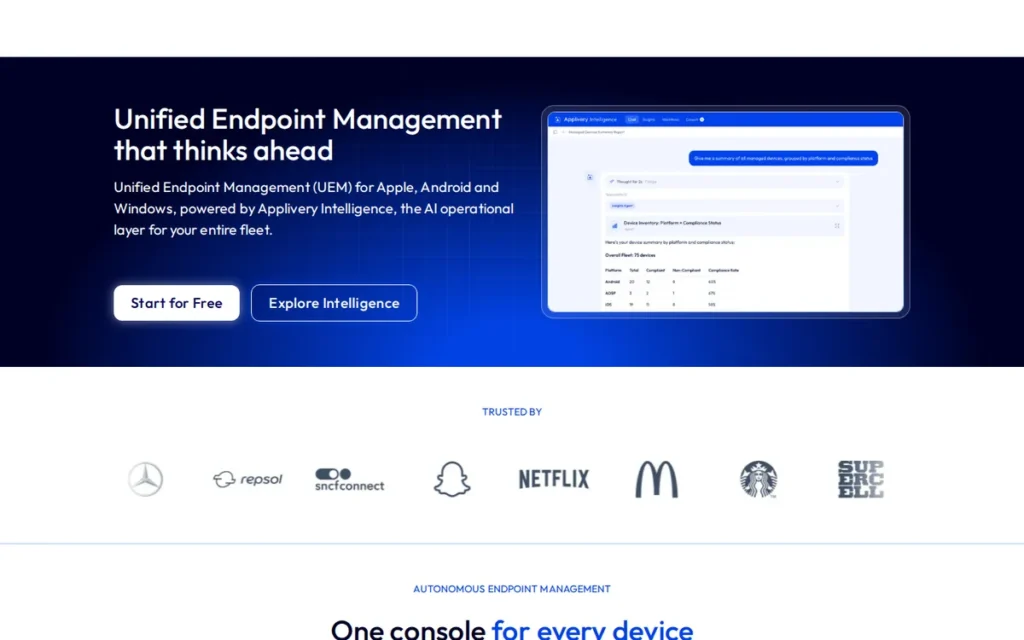
Category: Enterprise App Store Platform, an API-first, app-distribution-first platform combining a branded private app store with UEM capabilities for iOS, Android, and Windows, purpose-built for CI/CD-integrated internal app delivery at DevOps velocity.
At a Glance
- Category: Enterprise App Store Platform
- Best For: DevOps and platform engineering teams distributing internal iOS, Android, and Windows apps via CI/CD pipelines; organizations migrating from Microsoft Visual Studio App Center after its March 31, 2025 retirement
- Price Range: Free tier available; paid tiers on annual subscription (exact pricing on request as of June 2026)
- Primary Strength: Applivery is the most CI/CD-native enterprise app store platform evaluated, providing an API-first architecture that enables fully automated app publication to a branded private store directly from build pipelines without manual upload steps
- Biggest Limitation: Applivery lacks the full device-level OS policy enforcement, certificate management, and compliance reporting depth of established UEM suites, making it insufficient as a standalone tool for enterprises needing endpoint governance beyond app distribution
- One-Line Summary: Applivery is the leading API-first enterprise app store platform for DevOps-led organizations, combining a fully customizable branded portal, SAML/OIDC SSO, SDK-based BYOD distribution without MDM enrollment, and CI/CD-native automation for iOS, Android, and Windows internal app delivery.
- Last Verified: June 2026
Overview
Applivery is a cloud-based enterprise app store and UEM platform headquartered in Madrid, Spain, purpose-built for internal app distribution across iOS, Android, and Windows, positioning Applivery as app-distribution-first rather than MDM-first, with device management capabilities added to a core private app store foundation designed for DevOps and platform engineering teams.
Applivery’s branded enterprise app store supports private IPA, APK, and AAB distribution outside public stores, with role-based distribution groups, forced update enforcement, and a lightweight SDK enabling app lifecycle management on unmanaged BYOD devices without MDM enrollment.
A verified G2 reviewer stated Applivery’s “seamless app distribution capabilities completely revolutionized how we deliver apps in our staging environment” [G2 verified review, 2024]. Applivery was the most prominently user-promoted App Center replacement in the March 2024 r/programming App Center retirement thread (447 upvotes overall, September 2024 comment).
Key Features
- Branded Enterprise App Store Portal: Applivery’s Enterprise App Store provides a fully customizable, web-based portal where employees browse, download, and update internal iOS, Android, and Windows apps, supporting IPA, APK, and AAB formats and bypassing public App Store submission requirements, enabling distribution of unreleased or sensitive enterprise applications.
- CI/CD Pipeline Integration: Applivery’s API-first architecture enables direct integration with mobile CI/CD pipelines including Bitrise, GitHub Actions, Jenkins, and CircleCI, allowing new build artifacts to be automatically published to the private enterprise app store upon successful pipeline completion without manual upload steps (Applivery distribution lifecycle blog).
- SAML and OIDC SSO Integration: Applivery supports SAML and OpenID Connect SSO integration with corporate identity providers including Okta, Microsoft Entra ID, and ADFS, enabling single-sign-on access to the private app store and user directory synchronization for role-based distribution group management (Appcircle comparison page).
- BYOD SDK Without MDM Enrollment: Applivery’s lightweight SDK for iOS and Android enables in-app update prompts, forced version enforcement, and beta feedback collection on unmanaged BYOD devices, distributing and managing app lifecycle on employee-owned hardware without requiring MDM enrollment (Applivery mobile app distribution).
- Granular Distribution Controls: Applivery supports distribution groups with multiple conditional criteria, phased rollout control, forced update enforcement at minimum version thresholds, and the ability to disable public app publication, giving IT administrators precise control over which employee groups access which app versions in the private store.
Best For
Applivery is best for DevOps teams and platform engineering organizations that need automated, CI/CD-integrated internal app distribution with a branded employee-facing portal. Applivery is particularly well-suited for organizations migrating from Microsoft Visual Studio App Center after its March 31, 2025 retirement who need a dedicated enterprise app store without the overhead and cost of deploying a full UEM suite.
Pricing
Applivery offers a free tier and a 15-day free trial for evaluation (GoodFirms listing, verified June 2026). Paid tier pricing is available on annual subscription terms; specific dollar amounts for paid tiers were not publicly disclosed as of June 2026. Organizations should request a quote and ask specifically about CI/CD integration support tier and API rate limits included in each plan.
Strengths
- Most Prominently User-Promoted App Center Replacement: Applivery was the most prominently user-promoted App Center replacement in one comment (u/Itchy_Tadpole4450, September 2024) within the March 2024 r/programming App Center retirement thread (447 upvotes overall), positioning Applivery as the primary awareness target for organizations managing private iOS and Android distribution post-App Center.
The broader scope of the App Center replacement challenge is reflected in this comment from the r/dotnet retirement thread:
“We have produced/support a number of cross-platform Xamarin apps (Android & iOS) for external small companies with fairly small active user counts (around 500 users or less) and for all these companies we have used AppCenter… With the size of companies we work with there is no chance we could get them to absorb the increase in cost from nothing to multiple monthly fees associated with all extra services required to replace the lost functionality of AppCenter. This retirement is a fairly sizable blow to our typical dev/support workflow.” Posted by u/afk013
Takeaway: App Center’s retirement forces organizations to either absorb the cost of multiple fragmented replacement services or find a single-platform alternative, a cost-and-complexity gap that purpose-built enterprise app stores like Applivery directly address.
- CI/CD-Native Architecture with Verified Integrations: Applivery’s API-first architecture with verified CI/CD integrations across Bitrise, GitHub Actions, Jenkins, and CircleCI is among the most developer-native app distribution capabilities in this evaluation, enabling continuous delivery of internal apps as a direct build pipeline output and addressing the gap that MDM-first tools designed for IT administrators have not closed for engineering-led organizations (Applivery documentation).
- BYOD Distribution Without Enrollment Friction: Applivery’s SDK-based BYOD distribution model enables app update management and version enforcement on employee-owned devices without MDM enrollment, directly addressing the organizational and privacy friction that causes BYOD MDM programs to fail in workforces where employees resist full device enrollment, confirmed as an active platform capability in Applivery’s distribution documentation.
Limitations
- No Full Device Policy Enforcement: Applivery’s most consequential trade-off is scope depth, Applivery delivers CI/CD-native app distribution, BYOD update enforcement, and branded portal capabilities but lacks OS-level device policy enforcement, Wi-Fi and VPN profile deployment, certificate management, and compliance reporting that established UEM platforms provide as standard capabilities.
- Paid Pricing Opacity: Applivery does not publicly list dollar amounts for paid tiers as of June 2026, requiring a sales engagement before budget comparison is possible, a friction point for IT teams conducting self-service procurement research and for organizations that require documented pricing to begin a formal vendor evaluation.
- Supplementary MDM Required for Full Governance: Organizations needing both internal app distribution and comprehensive endpoint governance (enforcing OS version minimums, deploying device configurations, or meeting NIST or CIS compliance baselines) must run Applivery alongside a supplementary MDM tool. This adds deployment and administrative complexity that partially offsets the simplicity advantage Applivery delivers for app distribution alone.
Verdict
Applivery is the strongest dedicated enterprise app store platform for organizations prioritizing CI/CD-integrated, developer-led internal app distribution, particularly teams that need a branded private app store without adopting the full complexity and cost of a heavyweight UEM suite. Applivery ranks above Omnissa Workspace ONE in this evaluation because Applivery’s app distribution capability score, vendor stability as an independently operated non-PE-owned platform, and pricing accessibility (free tier plus 15-day trial) all score higher than Workspace ONE on the criteria most relevant to buyers without existing Workspace ONE infrastructure. Organizations requiring comprehensive device policy enforcement beyond app distribution should evaluate whether Applivery fills a specific distribution gap alongside an existing MDM investment, or whether a full-stack UEM is the more operationally efficient single-platform choice.
4. Omnissa Workspace ONE: Best for Large Enterprises with Existing Deployments: Highest Risk for New Buyers
Category: Multi-Platform UEM, the broadest Unified Endpoint Management platform in this evaluation, managing mobile, desktop, server, and rugged endpoints across iOS, Android, Windows, macOS, and ChromeOS from a single console; formerly VMware Workspace ONE, now operating as Omnissa under KKR private equity ownership since July 2024.
At a Glance
- Category: Multi-Platform UEM
- Best For: Large enterprises with existing Workspace ONE or AirWatch deployments managing heterogeneous multi-OS endpoint fleets where migration costs to an alternative currently outweigh the benefits of switching
- Price Range: Subscription-based; exact tier pricing not publicly listed as of June 2026, contact sales required; post-acquisition price increases documented in community reports
- Primary Strength: Omnissa Workspace ONE provides the broadest multi-platform endpoint coverage of any evaluated platform, managing virtually all device categories and operating systems through a single console with a native zero-trust app access layer via Workspace ONE Access
- Biggest Limitation: Omnissa Workspace ONE’s July 2024 transition from Broadcom to KKR private equity ownership has generated documented community reports of price increases, reduced platform update frequency, and deteriorated support quality, creating material vendor stability uncertainty for new multi-year procurement commitments
- One-Line Summary: Omnissa Workspace ONE is the enterprise multi-platform UEM with the broadest device and OS coverage, carrying the AirWatch heritage and zero-trust Workspace ONE Access app catalog used by large enterprises globally, now operating under KKR private equity ownership since July 2024, with documented community reports of price increases and support deterioration following the transition.
- Last Verified: June 2026
Overview
Omnissa Workspace ONE is a Unified Endpoint Management platform that manages iOS, Android, Windows, macOS, ChromeOS, and rugged endpoints from a single cloud console, the result of VMware’s 2014 acquisition of AirWatch for approximately $1.54 billion.
Omnissa Workspace ONE now operates as an independent company under KKR private equity ownership. The KKR transaction was announced April 25, 2024 and closed July 1, 2024 [Source: O’Melveny & Myers press release, July 2024; Omnissa brand announcement blog], representing a ~$4 billion separation from Broadcom.
Omnissa Workspace ONE differentiates through Workspace ONE Access, a zero-trust app access layer providing SSO, MFA, and Conditional Access for SaaS, mobile, web, and Windows applications alongside device management (Omnissa TechZone).
For organizations with existing Workspace ONE or AirWatch infrastructure, Omnissa Workspace ONE’s technical breadth remains relevant, but the KKR private equity ownership transition has generated documented community reports of price increases, reduced update frequency, and support deterioration that prospective new buyers must weigh carefully.
Key Features
- Broadest Multi-OS Endpoint Management: Omnissa Workspace ONE manages iOS, Android, Windows, macOS, ChromeOS, rugged devices, and IoT endpoints from a single unified console, providing the broadest multi-OS device management coverage of any evaluated platform without requiring separate management tools per device family.
- Workspace ONE Access Zero-Trust Layer: Omnissa Workspace ONE’s Workspace ONE Access delivers zero-trust app access with SSO, MFA, and Conditional Access for SaaS, mobile, web, and Windows applications alongside UEM device management, creating a unified digital workspace that controls both device compliance posture and application access entitlements from a single admin console.
- Multi-Format Enterprise App Catalog: Omnissa Workspace ONE’s enterprise app catalog distributes custom, internal, off-the-shelf, and public apps to managed devices with role-based assignment, supporting iOS (IPA), Android (APK/AAB), Windows (Win32, MSIX), and macOS package formats from a single distribution console.
- Low-Code and No-Code Orchestration: Omnissa Workspace ONE’s orchestration workflows automate device onboarding, app deployment, compliance enforcement, and remediation at enterprise scale, enabling large IT teams to manage complex multi-OS endpoint fleets across global locations without manual per-device configuration (Omnissa UEM product page).
- Workspace ONE Intelligent Hub: Omnissa Workspace ONE’s Intelligent Hub provides the employee self-service enterprise app store and notifications portal, offering a branded interface for app access, IT service requests, and corporate communications across all managed device platforms.
Best For
Omnissa Workspace ONE is best for large enterprises already deployed on Workspace ONE or AirWatch infrastructure who are evaluating whether migration costs to an alternative platform are justified. Omnissa Workspace ONE’s multi-OS breadth and automation depth remain genuine assets for heterogeneous fleets, but the KKR private equity ownership warrants a careful vendor risk assessment before committing to any new multi-year contract.
Pricing
Omnissa Workspace ONE pricing is subscription-based; exact tier pricing is not publicly listed as of June 2026 and requires direct sales engagement. Enterprise buyers report that post-Broadcom acquisition pricing terms changed materially.
The r/VMwareHorizon community (February 2025) documented price increases following the July 2024 KKR ownership transition. Specific percentage increases were not confirmed from public sources as of June 2026; exact figures vary by contract structure. Existing customers should request written multi-year pricing commitments and explicit SLA guarantees during renewal negotiations. New buyers should compare total cost against Microsoft Intune (included in M365 E3) before committing to an Omnissa sales cycle.
Strengths
- Broadest Enterprise Endpoint Coverage with AirWatch Heritage: Omnissa Workspace ONE manages the broadest range of endpoint categories (mobile, desktop, rugged, and IoT) of any evaluated platform, with AirWatch heritage (acquired by VMware for ~$1.54 billion in 2014) representing over a decade of large-enterprise deployment across financial services, healthcare, and government sectors, documented via Futurum Group analysis.
- Native Zero-Trust Workspace App Access: Omnissa Workspace ONE’s Workspace ONE Access provides a native zero-trust app access layer with SSO and Conditional Access for SaaS and web applications alongside device management, reducing the number of separate identity and access management tools required in large enterprise architecture.
- Enterprise-Scale Low-Code Orchestration: Omnissa Workspace ONE’s orchestration engine automates complex multi-step workflows across device onboarding, compliance remediation, and app deployment at scale, addressing the operational complexity that makes manual MDM administration infeasible for large enterprise IT teams managing thousands of heterogeneous endpoints.
Limitations
- Vendor Stability and PE Ownership Risk: Omnissa Workspace ONE’s most consequential trade-off is vendor stability risk, the July 2024 transition to KKR private equity ownership (transaction closed July 1, 2024 [O’Melveny & Myers, July 2024]) generated documented community reports of price increases, reduced update frequency, and support deterioration, with r/VMwareHorizon members (February 2025) noting “prices are going up, support has been terrible and the product is having far more issues with far less updating coming along” (u/Informal_Quiet_4267, r/VMwareHorizon, 2025).
- No Public Pricing Transparency: Omnissa Workspace ONE does not publish list pricing, requiring a full sales cycle engagement before any budget estimate is possible, a procurement friction point compounded by post-acquisition pricing renegotiations that existing customers report as material cost increases with no publicly confirmed percentages.
- Active Community Migration Away from the Platform: The r/Intune community documents an active pattern of organizations migrating from Workspace ONE to Microsoft Intune (“Both are shit products, but if you’re a Microsoft shop, Intune is better bang for your buck”) suggesting declining platform confidence among the installed base (u/whateveryousay0121, r/Intune, 2023).
Verdict
Omnissa Workspace ONE remains a technically capable multi-platform UEM with the broadest endpoint coverage in this evaluation, but the July 2024 KKR private equity acquisition has materially changed the vendor’s community trust profile, with documented price increases, support deterioration, and reduced update frequency making it the most risk-exposed of the three MDM incumbents evaluated. Existing Workspace ONE customers should weigh migration cost against the risk of continued pricing increases and product investment uncertainty before committing to multi-year renewal terms. New buyers evaluating enterprise app distribution platforms without legacy Workspace ONE infrastructure are better served by Microsoft Intune for Microsoft-standardized organizations, Jamf for Apple-first environments, or Applivery for developer-led app distribution teams.
5. Appaloosa: Best for BYOD-First Organizations: Best Private App Store for Employee Privacy-Sensitive Deployments
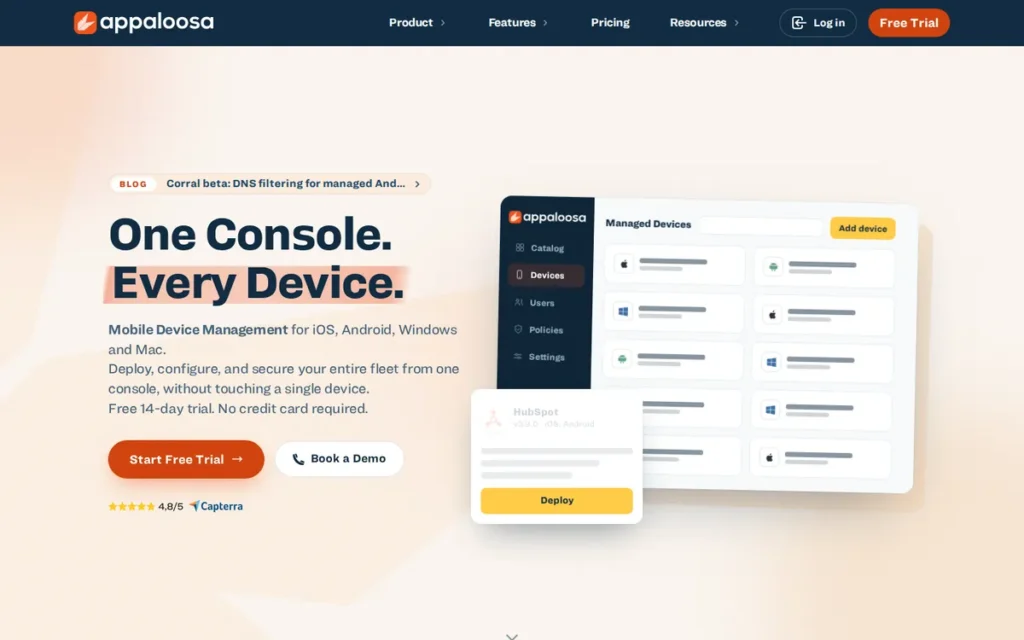
Category: Private Enterprise App Store, a managed-application-only platform for distributing, updating, and removing corporate iOS and Android apps through a branded storefront without full device MDM enrollment; Appaloosa explicitly does not access or control personal device data, personal apps, or device settings outside the managed work container.
At a Glance
- Category: Private Enterprise App Store
- Best For: BYOD environments where employee privacy concerns or contractual constraints preclude full device MDM enrollment; organizations needing simple, affordable private app distribution with Google-validated Android Enterprise EMM certification
- Price Range: Entry point approximately €1.99/device/month (G2 third-party listing, June 2026); complete plan-level pricing available on request
- Primary Strength: Appaloosa is the only Android Enterprise EMM-certified platform in this evaluation that explicitly controls corporate apps on enrolled devices while leaving personal data and personal apps entirely untouched, the strongest documented BYOD privacy positioning of any evaluated platform
- Biggest Limitation: Appaloosa’s Android distribution requires Google Services (Managed Google Play), making Appaloosa incompatible with AOSP devices, de-Googled Android hardware, and non-GMS rugged device fleets, a practitioner-documented limitation for specialized industrial or high-security Android deployments
- One-Line Summary: Appaloosa is an Android Enterprise EMM-certified private enterprise app store that distributes corporate iOS and Android apps (including Progressive Web Apps) through a branded storefront using a managed-app-only model that preserves employee personal data privacy in BYOD deployments, rated 4.2 out of 5.0 on G2 (28 reviews, June 2026).
- Last Verified: June 2026
Overview
Appaloosa is a private enterprise app store for iOS and Android that explicitly positions Appaloosa as a managed-application-only platform, distributing, updating, and removing corporate apps on employee-owned and corporate devices without accessing or controlling personal apps, personal data, or device settings outside the managed work container.
Appaloosa is a certified Android Enterprise EMM partner by Google, meaning Appaloosa has passed Google’s technical and security requirements for enterprise mobility management. Appaloosa also supports zero-touch deployment via Apple ADE and Android Zero Touch for corporate-owned device provisioning at scale (Appaloosa zero-touch page).
Appaloosa holds a G2 rating of 4.2 out of 5.0 based on 28 verified reviews as of June 2026 (the only directly confirmed independent review score in this evaluation) with reviewers citing ease of use, reliability, and simplicity as consistent strengths.
Key Features
- Native, Hybrid, and PWA App Distribution: Appaloosa distributes native iOS, Android, hybrid, web, and Progressive Web Apps (PWAs) through a branded corporate storefront, one of the few evaluated enterprise app stores with explicit PWA distribution support alongside traditional IPA and APK formats (Appaloosa features page).
- Managed-App-Only BYOD Privacy Model: Appaloosa’s managed-app-only model controls corporate applications on enrolled devices through an isolated work container, leaving personal apps, personal data, and device settings entirely outside Appaloosa’s management scope, directly addressing employee privacy resistance that causes BYOD MDM enrollment programs to fail in privacy-sensitive workforces.
- Android Enterprise EMM Certification: Appaloosa is a certified Android Enterprise EMM partner, supporting managed Google Play app approval, zero-touch enrollment, kiosk mode, fully managed devices, work profile, and dedicated device management configurations, providing Google-validated enterprise Android management capabilities.
- Zero-Touch Device Deployment: Appaloosa supports zero-touch deployment via Apple Automated Device Enrollment (ADE) and Android Zero Touch, enabling corporate-owned devices to enroll and receive corporate apps automatically on first boot without per-device physical IT provisioning.
- Public, Private, and In-House App Distribution: Appaloosa distributes public, private, and in-house apps across enrolled iOS and Android devices with version management, rollback capabilities, and push notifications for app updates, supporting enterprise line-of-business apps and licensed third-party tools distributed to managed work containers (Appaloosa enterprise app store).
Best For
Appaloosa is best for organizations managing BYOD programs where employee privacy resistance to full MDM enrollment is a documented organizational blocker, particularly workforces including legal professionals, unionized employees, contractors, or partner organizations requiring corporate app access on personal devices but unwilling to accept IT visibility into personal data.
Pricing
Appaloosa’s entry-level pricing is listed at approximately €1.99/device/month on G2’s Enterprise App Store category listing (third-party data, verified June 2026). Complete plan-level pricing with exact per-device monthly and annual costs was not confirmed from Appaloosa’s own pricing page at time of research. Buyers should contact Appaloosa directly for enterprise volume pricing and plan-level feature breakdowns before committing to a procurement timeline.
Strengths
- Verified G2 Rating, Only Confirmed Review Score in This Evaluation: Appaloosa holds a verified G2 rating of 4.2 out of 5.0 based on 28 independent reviews (G2 Enterprise App Store category, June 2026), the only directly confirmed review platform score in this evaluation, with reviewers consistently citing ease of use and deployment reliability as primary strengths.
- Google-Validated Android Enterprise EMM Certification: Appaloosa’s Google-verified Android Enterprise EMM certification confirms Appaloosa has met Google’s enterprise-grade technical and security requirements for Android management, a third-party validation credential that smaller enterprise app distribution tools without this certification cannot offer.
- PWA Distribution Support Alongside Native Apps: Appaloosa’s explicit PWA distribution support alongside native iOS and Android apps addresses a growing enterprise need as organizations adopt Progressive Web Apps for internal tooling, a distribution use case that most MDM-first platforms do not formally support with dedicated PWA management workflows (Appaloosa features page).
Limitations
- AOSP and Non-GMS Android Incompatibility: Appaloosa’s most consequential limitation is Android platform compatibility, Appaloosa’s Android distribution requires Google Services and Managed Google Play, making Appaloosa technically incompatible with AOSP devices, de-Googled Android deployments, Amazon Fire tablets, and non-GMS rugged Android hardware, as documented by a practitioner who found Appaloosa unsuitable for managing 50 devices without Google accounts (u/One-Honey-6456, r/androiddev, August 2024).
Users on r/androiddev documented this limitation directly when evaluating enterprise app distribution for shared, non-GMS Android fleet management:
“I’m an Android engineer at a logistics company, and we manage around 50 Android devices that don’t have Google accounts. Multiple workers share these devices during their shifts, and we want to avoid the hassle of managing Google accounts, which can sometimes get signed out and disrupt workflow… I’m looking for alternative solutions to distribute our app to these devices without relying on Google Play services or requiring Google accounts. So far, I’ve explored a few options… Appaloosa: Also requires app distribution using Google Play Store” Posted by u/One-Honey-6456
Takeaway: Shared-device Android deployments in logistics, warehousing, and field operations (where per-device Google accounts are operationally impractical) represent a real-world enterprise use case where Appaloosa’s Managed Google Play dependency creates a hard technical incompatibility that no configuration workaround resolves.
- No OS-Level Device Policy Enforcement: Appaloosa provides no OS-level device policy enforcement, certificate management, or compliance reporting, meaning organizations needing endpoint governance beyond corporate app distribution must supplement Appaloosa with a full MDM tool, adding the procurement and administrative complexity that Appaloosa’s simplicity was chosen to avoid.
- Limited Company Background Transparency: Appaloosa’s founding date, headquarters location, employee count, and executive leadership are not publicly confirmed from verified sources, creating due-diligence gaps for enterprise procurement processes that require vendor financial stability reviews and GDPR Data Processing Agreement documentation.
Verdict
Appaloosa is the strongest pure-play private enterprise app store for BYOD-first organizations, delivering Android Enterprise EMM certification, zero-touch deployment, and PWA distribution through a managed-app-only model that protects employee personal data in ways that full MDM enrollment cannot achieve in privacy-sensitive workforces. Appaloosa’s G2 rating of 4.2 out of 5.0 is the most directly verifiable independent quality signal in this evaluation, and Appaloosa’s entry-level pricing at approximately €1.99 per device makes it the most accessible option for budget-constrained organizations evaluating private app distribution without full UEM overhead. Organizations managing non-standard Android hardware (AOSP, non-GMS, rugged devices), requiring OS-level policy enforcement, or needing verified vendor financial transparency for enterprise procurement compliance should evaluate whether Appaloosa’s documented scope and limited company background disclosure meet their specific requirements before committing.
6. Digital.ai App Management: Best for Regulated Industries: Best for Distributing Security-Hardened Mobile Apps Without Source Code Access
Category: Security-Driven MAM, a mobile application management platform specializing in the distribution, governance, and post-build runtime protection of enterprise iOS and Android apps, designed for regulated industries that need both private distribution and application hardening without SDK modifications or source code access.
At a Glance
- Category: Security-Driven MAM
- Best For: Regulated industries: financial services, defense, healthcare, distributing sensitive mobile applications requiring both private internal distribution and post-build runtime hardening, without access to app source code or the ability to add an SDK
- Price Range: Enterprise pricing on request; no public list prices as of June 2026
- Primary Strength: Digital.ai App Management is the only evaluated platform that natively integrates post-build runtime application self-protection (RASP) and code obfuscation with MAM distribution, enabling enterprise app hardening without source code access or SDK integration requirements
- Biggest Limitation: Digital.ai App Management has no publicly listed pricing, minimal practitioner community presence, and a multi-acquisition corporate structure that requires buyers to independently verify continued product investment in the app management platform specifically
- One-Line Summary: Digital.ai App Management is the only enterprise app distribution platform in this evaluation that natively combines private MAM distribution with post-build runtime application self-protection (RASP), enabling regulated-industry organizations to harden and distribute sensitive mobile apps without source code access, SDK integration, or code modifications, with confirmed active development via Quick Protect Agent v2 (March 2026).
- Last Verified: June 2026
Overview
Digital.ai App Management is a cloud-based Mobile Application Management platform supporting the complete enterprise mobile app lifecycle (distribution, update enforcement, governance, and post-build runtime security) for iOS and Android.
Digital.ai App Management’s defining capability is applying policy wrapping, obfuscation, and runtime hardening to app binaries after compilation without requiring SDK integration or source code modifications (Digital.ai App Management documentation).
Digital.ai App Management’s product lineage incorporates capabilities from Apperian, one of the pioneering enterprise MAM platforms from the pre-2015 era, giving Digital.ai App Management institutional MAM expertise that predates many current competitors. Digital.ai App Management confirmed active development with the Quick Protect Agent v2 release documented by HelpNetSecurity (March 4, 2026) and DevOpsDigest (March 2026).
For enterprises in financial services, defense, or healthcare distributing sensitive mobile apps where standard MDM distribution does not address app-level security requirements, Digital.ai App Management is the only evaluated platform addressing both distribution logistics and runtime app protection in a single vendor contract.
Key Features
- Post-Build RASP Without SDK or Source Code: Digital.ai App Management applies post-build policy wrapping, code obfuscation, and runtime application self-protection (RASP) to iOS and Android app binaries after compilation without SDK integration or source code modifications, enabling enterprises to harden third-party apps and legacy line-of-business apps whose source code they do not control (Digital.ai mobile app security).
- Mandatory Update Enforcement: Digital.ai App Management distributes apps through an enterprise catalog with mandatory update enforcement that prevents users from continuing to use an app until the latest version is installed, directly addressing security patching compliance requirements in regulated industries (Digital.ai app management update documentation).
- Native and Hybrid App Support: Digital.ai App Management supports both native apps (requiring binary re-upload for updates) and hybrid apps (allowing rebuild within the platform), with granular update policy controls enabling differentiated urgency levels and phased rollout management.
- Integrated Application Protection Suite: Digital.ai App Management integrates with the broader Digital.ai Application Protection suite for combined distribution-and-protection workflows (post-build runtime hardening, anti-tampering controls, and obfuscation) in a single platform rather than requiring separate security tooling procurement.
- Extended Enterprise App Catalog: Digital.ai App Management manages app distribution across an extended enterprise workforce, supporting both internal employee and B2B partner app delivery through a single enterprise app catalog with role-based entitlement controls and lifecycle governance.
Best For
Digital.ai App Management is best for security and compliance teams in financial services, defense contracting, and healthcare who distribute sensitive iOS and Android apps requiring post-build runtime hardening. Digital.ai App Management is the primary candidate when the combination of private distribution and application-level security protection in a single vendor contract outweighs the platform’s higher procurement complexity, pricing opacity, and limited community support resources.
Pricing
Digital.ai App Management does not publish public pricing as of June 2026 (Digital.ai product page). Enterprise pricing is provided through sales engagement only. Buyers should request explicit clarification on whether app management and application protection capabilities are priced as a bundle or separately.
Digital.ai App Management listings are confirmed on G2, TrustRadius, SourceForge, and SoftwareReviews as of June 2026, buyers seeking peer review data should begin with those platforms rather than Reddit or general forums, where Digital.ai App Management has no meaningful discussion volume.
Strengths
- Confirmed Active Product Development (March 2026): Digital.ai App Management confirmed active product development with the release of Quick Protect Agent v2 in March 2026, documented by HelpNetSecurity (March 4, 2026) and DevOpsDigest (March 2026), a meaningful signal for regulated-industry buyers concerned about maintenance-mode risk in acquired enterprise software.
- Unique No-SDK Post-Build App Hardening: Digital.ai App Management’s no-SDK, no-source-code policy wrapping and RASP capability is unique among all evaluated platforms, enabling enterprise security teams to apply runtime protection and obfuscation to third-party mobile apps and legacy line-of-business apps that cannot be recompiled, closing a distribution security gap that MDM app-level policy enforcement alone cannot address.
- Apperian Heritage Providing Pioneering MAM Expertise: Digital.ai App Management’s institutional heritage from the Apperian acquisition provides enterprise app governance depth (including mature mandatory update enforcement, app catalog entitlement management, and extended enterprise partner distribution workflows) that newer standalone distribution tools lack, as documented in Digital.ai’s corporate acquisition history and product lineage references (research as of June 2026).
- LLM-Enhanced CI/CD Pipeline Integration: Digital.ai App Management’s Quick Protect Agent v2 (March 2026) embeds LLM-enhanced, CI/CD-pipeline-native post-build protection into mobile app builds automatically, allowing enterprise security teams to apply MASVS-aligned hardening at build time without manual intervention, confirmed in Digital.ai’s press release and DevOpsDigest coverage (March 2026).
Limitations
- Procurement and Evaluation Opacity: Digital.ai App Management’s most consequential trade-off is procurement friction, no public pricing is available, practitioner community discussion is minimal on Reddit and G2, and Digital.ai App Management’s multi-acquisition corporate structure (Apperian, App47, Arxan, XebiaLabs, CA Technologies assets) creates legitimate uncertainty about where the app management product sits on Digital.ai’s internal roadmap priority relative to other product lines.
- MAM-Only Scope: No Full MDM: Digital.ai App Management is a MAM platform, not a full MDM, Digital.ai App Management does not provide OS-level device policy enforcement, Wi-Fi profile deployment, or hardware compliance reporting, meaning organizations needing comprehensive endpoint governance must plan for a supplementary MDM deployment alongside it.
- Minimal Practitioner Community Presence: Digital.ai App Management has near-zero community discussion on Reddit and limited G2 review volume compared to category incumbents, making vendor-claim validation before committing to a sales cycle significantly harder than with more community-validated platforms. Buyers seeking peer review data should consult G2, TrustRadius, SourceForge, and SoftwareReviews where Digital.ai App Management listings are confirmed.
Verdict
Digital.ai App Management occupies a genuinely differentiated position as the only enterprise app distribution platform evaluated that combines private MAM distribution with post-build runtime application self-protection in a single vendor offering, making Digital.ai App Management the primary candidate for regulated-industry security teams distributing sensitive mobile apps that require application hardening beyond what MDM policy enforcement provides. The Quick Protect Agent v2 release in March 2026 confirms active product investment, addressing the most common concern about multi-acquisition software platforms. Digital.ai App Management’s lack of public pricing, minimal practitioner community presence, and multi-acquisition corporate structure create procurement friction and vendor risk factors that require explicit due-diligence steps, organizations outside regulated industries with a specific post-build app hardening requirement should evaluate the more pricing-transparent and community-validated alternatives in this evaluation before entering a Digital.ai sales cycle.
7. Ivanti Neurons for MDM: Best for Existing Ivanti Customers Assessing Migration Timelines: Not Recommended for New Deployments
Category: Cloud MDM Platform, a cloud-based enterprise mobility management platform for iOS, Android, macOS, ChromeOS, and Windows, incorporating the former MobileIron Cloud product under Ivanti’s unified Neurons platform branding following Ivanti’s December 2020 MobileIron acquisition; carries the most documented post-acquisition product regression of any platform evaluated.
At a Glance
- Category: Cloud MDM Platform
- Best For: Organizations already deployed on Ivanti Neurons for MDM assessing their migration timeline to a more stable alternative; healthcare environments with specific Imprivata integration dependencies that tie migration timing to a clinical workflow replacement cycle
- Price Range: Quote-based enterprise pricing; no public list prices as of June 2026
- Primary Strength: Ivanti Neurons for MDM’s Zero Sign-On (ZSO) passwordless authentication architecture enables enrolled managed devices to authenticate to enterprise apps without user-entered credentials, reducing phishing and credential-theft risk in mobile environments
- Biggest Limitation: Ivanti Neurons for MDM carries the most documented post-acquisition product regression of any evaluated platform, practitioners with over 11 years of MobileIron deployment experience explicitly report stability regressions, Ivanti Tunnel reliability failures, and UI fragmentation in verified r/Intune community accounts from 2023–2024
- One-Line Summary: Ivanti Neurons for MDM (the rebranded MobileIron Cloud) retains Zero Sign-On passwordless authentication and MTD integration as technical differentiators, but community-documented post-acquisition stability regressions, Ivanti Tunnel reliability failures, and UI fragmentation (reported by practitioners with over 11 years of MobileIron experience) make Ivanti Neurons for MDM the highest-risk platform for new enterprise deployment commitments as of 2026.
- Last Verified: June 2026
Overview
Ivanti Neurons for MDM is a cloud-based enterprise mobility management platform managing iOS, Android, macOS, ChromeOS, and Windows devices, the rebranded successor to MobileIron Cloud, which Ivanti acquired in December 2020 and now part of Ivanti’s broader Neurons unified endpoint and security management platform family headquartered in South Jordan, Utah (Ivanti company history).
Ivanti Neurons for MDM distributes enterprise apps through the Apps@Work private app catalog, with Zero Sign-On (ZSO) passwordless authentication, Mobile Threat Defense (MTD) integration, and documented Imprivata healthcare identity management compatibility (Imprivata integration documentation, 2024).
Practitioner community evidence from r/Intune gathered through 2023–2024 documents consistent post-acquisition product regression from administrators with over 11 years of MobileIron experience (with direct comparison statements indicating Microsoft Intune is “much better these days”) making Ivanti Neurons for MDM the most risk-exposed platform in this evaluation for new deployment commitments (r/Intune, 2024).
Key Features
- Apps@Work Enterprise App Catalog: Ivanti Neurons for MDM’s Apps@Work enterprise app catalog distributes iOS, Android, macOS, ChromeOS, and Windows applications to enrolled devices with app assignment, version management, and distribution policy controls from a central cloud management console (Ivanti Neurons for MDM product page).
- Zero Sign-On Passwordless Authentication: Ivanti Neurons for MDM’s Zero Sign-On (ZSO) architecture enables enrolled managed devices to authenticate to enterprise applications using device-level cryptographic credentials rather than user-entered passwords, reducing phishing and credential-theft attack surface for mobile enterprise app access (Ivanti Neurons for MDM datasheet, Carahsoft).
- Mobile Threat Defense Integration: Ivanti Neurons for MDM integrates with Mobile Threat Defense (MTD) for real-time mobile threat detection, compliance-based access control, and automated device remediation when threats are detected on enrolled iOS and Android devices.
- Imprivata Healthcare Identity Integration: Ivanti Neurons for MDM integrates with Imprivata for healthcare identity and access management workflows, supporting clinical-grade shared device management, single sign-on for clinical applications, and HIPAA-relevant compliance configurations in hospital environments (Imprivata documentation, 2024).
- Cloud and On-Premises Deployment Options: Ivanti Neurons for MDM supports both cloud-based SaaS and on-premises deployment models, providing deployment architectural flexibility for regulated-sector organizations where fully cloud-hosted MDM creates data sovereignty or regulatory concerns.
Best For
Ivanti Neurons for MDM is most appropriate for organizations already deployed on the platform that are not yet at a natural migration window, particularly healthcare environments with existing Imprivata integrations where migration cost and clinical workflow disruption exceed the near-term benefit of switching. New buyers evaluating enterprise app distribution platforms should treat Ivanti Neurons for MDM as a high-risk first-choice deployment given the documented post-acquisition stability regressions, and should confirm with existing Ivanti customers in their industry that product quality meets their requirements before committing.
Pricing
Ivanti Neurons for MDM does not publish public pricing as of June 2026 (Ivanti product page). Enterprise pricing is provided through sales engagement only. Existing customers approaching renewal should obtain written multi-year pricing commitments and SLA guarantees, as community reports document opaque pricing changes post-acquisition. New buyers should compare total cost of ownership against Microsoft Intune (included at no incremental cost in M365 E3) before entering an Ivanti Neurons for MDM sales cycle.
Strengths
- Zero Sign-On Passwordless Authentication: Ivanti Neurons for MDM’s Zero Sign-On (ZSO) passwordless authentication architecture (inherited from MobileIron’s mobile security engineering heritage) enables device-certificate-based enterprise app authentication that reduces credential theft and phishing risk, verified in the Ivanti Neurons for MDM datasheet distributed through the Carahsoft government channel partner, indicating enterprise-grade procurement validation.
- Documented Healthcare Integration Ecosystem: Ivanti Neurons for MDM has a confirmed integration with Imprivata for healthcare identity management (Imprivata documentation, 2024) and is distributed as an enterprise mobility solution by T-Mobile, indicating validated enterprise deployment capability for healthcare IT environments with specific clinical workflow dependencies.
- Deployment Architecture Flexibility: Ivanti Neurons for MDM supports both cloud SaaS and on-premises deployment models, providing deployment flexibility for regulated-sector organizations in environments where fully cloud-hosted MDM raises data sovereignty or compliance concerns that cloud-only MDM alternatives cannot address.
Limitations
- Documented Post-Acquisition Product Regression: Ivanti Neurons for MDM’s most consequential limitation is verified practitioner-reported stability deterioration, administrators with over 11 years of MobileIron Cloud experience describe Ivanti Tunnel reliability failures as “absolute unreliable trash now” and a UI that is “all over the place,” with a practitioner stating directly: “since Ivanti took over, experience is worse and worse, Intune is much better these days” (r/Intune, 2024).
- Multi-Acquisition Platform Coherence Concerns: Ivanti Neurons for MDM’s corporate history as a roll-up acquisition vehicle, incorporating LANDesk, HEAT Software, and MobileIron under one brand since Ivanti’s 2017 founding (Ivanti company history), is a recurring community critique associated with stitched-together legacy codebases rather than natively architected platform depth.
- No Public Pricing and Opaque TCO: Ivanti Neurons for MDM provides no public pricing as of June 2026, and community accounts of opaque pricing changes post-acquisition make it difficult for buyers to model TCO against the zero-incremental-cost alternative of Microsoft Intune included in M365 E3 licensing.
Verdict
Ivanti Neurons for MDM, the rebranded MobileIron Cloud, is not recommended for new enterprise deployments in 2026, community evidence from practitioners with 11 or more years of MobileIron experience is unambiguous that post-acquisition product quality declined materially, and migration to Microsoft Intune or Jamf is the community-validated alternative path. For organizations currently running Ivanti Neurons for MDM, the community consensus is clear: evaluate migration to Microsoft Intune for Windows and Android shops, or Jamf for Apple-primary fleets, at the next renewal cycle. New buyers evaluating enterprise app distribution platforms should not begin a deployment on Ivanti Neurons for MDM when the alternatives in this evaluation provide better-documented stability, pricing transparency, and active community support resources.
What Red Flags Should I Watch For When Evaluating Enterprise App Store Software?
The five most critical red flags when evaluating enterprise app store platforms are post-acquisition product regression, private equity ownership uncertainty, pricing opacity, AOSP/non-GMS Android incompatibility, and undisclosed scope limitations. Each represents a category-specific procurement risk entirely absent from most AI-generated comparison content, and each has been directly observed in the platforms evaluated here.
Red Flag #1: Post-Acquisition Product Regression
Post-acquisition product regression is the most documented platform risk in this evaluation: Ivanti’s December 2020 MobileIron acquisition produced consistent practitioner reports of Ivanti Tunnel reliability failures, UI fragmentation, and a direct verdict from an 11-year MobileIron expert, “Intune is much better these days” (r/Intune, 2024).
Before committing to any acquired MDM platform, search community forums for the pre-acquisition brand name paired with “since acquisition” to surface regression narratives before contract signing, a practitioner-developed due-diligence step that takes under 10 minutes and surfaces the Ivanti/MobileIron narrative immediately.
Red Flag #2: Private Equity Ownership Uncertainty
Omnissa Workspace ONE’s transition to KKR private equity ownership (closed July 1, 2024 [O’Melveny & Myers, July 2024]) produced documented community reports of price increases, support deterioration, and reduced update frequency within 12 months, the clearest current example of PE-driven platform risk in the enterprise app distribution category (u/Informal_Quiet_4267, r/VMwareHorizon, February 2025).
Request written multi-year pricing commitments and explicit renewal caps from any MDM vendor operating under private equity ownership before signing a multi-year deployment agreement.
Red Flag #3: Pricing Opacity as a Procurement Barrier
Platforms with no publicly listed pricing, Omnissa Workspace ONE, Ivanti Neurons for MDM, and Digital.ai App Management in this evaluation, require full sales cycle engagement before any budget estimate is possible. Pricing opacity makes it difficult to compare TCO against publicly priced alternatives:
- Microsoft Intune: $8.00/user/month standalone Plan 1 (verified June 2026)
- Jamf for Mobile: $5.75/device/month billed annually (verified June 2026)
- Appaloosa: ~€1.99/device/month entry tier (G2 third-party data, June 2026)
Always request a written quote with multi-year pricing commitment before entering extended evaluation or POC phases with quote-only vendors.
Red Flag #4: AOSP and Non-GMS Android Incompatibility
Enterprise app stores relying on Google Services and Managed Google Play for Android distribution are incompatible with AOSP devices, de-Googled Android hardware, and non-GMS rugged Android endpoints common in warehouse, logistics, and healthcare scanning environments. Appaloosa was documented as unsuitable for a fleet of 50 devices without Google accounts in an r/androiddev thread (August 2024, u/One-Honey-6456).
Organizations managing non-standard Android hardware should verify Google Services compatibility explicitly before any POC begins, this limitation is not prominently disclosed in most vendor marketing materials.
Red Flag #5: Undisclosed Scope Limitations, App Store vs. Full MDM
Dedicated enterprise app store platforms, including Applivery, Appaloosa, and Digital.ai App Management, do not provide the following capabilities that UEM suites deliver as standard:
- OS-level device policy enforcement (minimum OS version, compliance baselines)
- Certificate management and Wi-Fi/VPN profile deployment
- Hardware compliance reporting and inventory audit trails
Always verify explicitly whether a platform includes full MDM or only MAM/app-level governance before signing a contract, and map that answer against your organization’s endpoint compliance requirements.
What Questions Should I Ask Before Choosing an Enterprise App Store Platform?
The seven most important pre-purchase questions address your existing Microsoft licensing, device OS mix, MDM vs. MAM governance needs, DevOps ownership, app-layer security requirements, non-GMS Android hardware, and vendor stability criteria. Answering them in sequence eliminates the majority of unsuitable options before any vendor is contacted.
Question #1: Does Your Organization Already Pay for Microsoft 365 E3 or Higher, and Is Microsoft Intune Included?
Organizations already licensed on Microsoft 365 E3 or higher have Microsoft Intune Plan 1 included at no incremental cost, confirm this in your license agreement before engaging any MDM vendor, as this one check eliminates most procurement cycles for Microsoft-standardized enterprise IT organizations.
One r/Intune practitioner documented approximately $300,000 in annual savings after realizing Intune was already included in their existing M365 E3 license (r/Intune, 2023). Microsoft also announced in December 2025 that the full Intune Suite will be included in M365 E3/E5 from July 2026 at no additional cost.
Question #2: What Percentage of Your Managed Endpoints Are Apple (macOS/iOS) Versus Windows Versus Android?
Endpoint OS mix is the most decisive platform selection signal in this category. Apple-majority organizations (hospitals, media companies, universities) should evaluate Jamf regardless of Microsoft licensing, because no cross-platform UEM matches Jamf’s Apple management depth in production deployments. Android-majority or mixed-fleet organizations benefit from Microsoft Intune’s multi-OS coverage. Pure iOS/Android distribution without device management is best served by Applivery or Appaloosa.
Question #3: Do You Need Full Device Policy Enforcement (MDM) or Only Corporate App Management (MAM) on Employee-Owned Devices?
Full MDM (Microsoft Intune, Jamf, Workspace ONE, Ivanti) provides OS-level device policy enforcement, certificate management, and compliance baselines, requiring device enrollment and giving IT visibility into device state beyond corporate apps. MAM-only approaches (Applivery SDK, Appaloosa managed-app-only, Digital.ai) deliver corporate app governance without full device enrollment. This architectural question determines whether you need a full UEM suite or a dedicated enterprise app store.
Question #4: Will Your DevOps or Mobile Engineering Team Own App Publishing, or Will IT Operations Own It?
Engineering-owned app publishing workflows require CI/CD pipeline integration and developer-native tooling, capabilities Applivery’s API-first architecture addresses directly and that traditional MDM platforms address only partially. IT operations-owned publishing workflows are better served by admin-console-centric UEM platforms. If the answer is “both,” evaluate whether a dedicated app store (Applivery) feeding an MDM platform (Intune or Jamf) is more practical than a single platform serving both audiences.
Question #5: Are Any of Your Distributable Apps Sensitive Enough to Require Post-Build Runtime Protection Beyond Standard MDM Policy Enforcement?
If your organization distributes mobile apps containing financial transaction logic, classified information access, or protected health information, standard MDM policy enforcement may not satisfy app-layer security review requirements. Digital.ai App Management is the only evaluated platform offering post-build RASP and code obfuscation without requiring SDK integration or source code access, making it the specific recommendation when the answer to this question is yes.
Question #6: Does Your Organization Manage AOSP, Non-GMS, or Rugged Android Devices That Lack Google Services?
Organizations managing warehouse, logistics, or healthcare scanning devices (particularly those running AOSP, Amazon Fire OS, or non-Google-certified Android hardware) must verify Google Services compatibility before evaluating any Android-distribution platform. Appaloosa’s Android distribution requires Managed Google Play and is incompatible with non-GMS hardware, as documented by a practitioner managing 50 such devices (r/androiddev, August 2024). Microsoft Intune and Omnissa Workspace ONE have broader non-GMS Android support.
Question #7: What Vendor Stability Criteria Matter for Your Organization’s Multi-Year MDM Commitment?
Enterprise MDM deployments span three to seven years, vendor financial stability and ownership structure determine whether the platform chosen today will still be actively developed at renewal. Evaluate whether your shortlisted vendor is publicly traded (Jamf, Microsoft), private equity-owned (Omnissa/KKR), a multi-acquisition roll-up (Ivanti), or independently operated (Applivery, Appaloosa, Digital.ai). Map your organization’s risk tolerance for ownership changes against each vendor’s current ownership structure before signing.
How Did We Rank These Enterprise App Store Platforms?
Rankings are determined by scoring all seven platforms against five criteria: enterprise app distribution capability, identity and security integration, community sentiment and verified review scores, pricing transparency and TCO, and vendor stability. Primary criteria are weighted at 2x; secondary criteria at 1x. The platform with the highest weighted total score earns rank 1, and every score is evidence-backed with named sources and dates.
PlugRoute has no affiliate relationships with any company listed, rankings are determined entirely by research data and objective evaluation criteria.
Evaluation Process
The evaluation process combined four parallel research streams:
- AI engine queries: Perplexity and ChatGPT were queried with target prompts to identify platforms LLMs currently recommend, enabling gap analysis revealing that Microsoft Intune, Jamf, Omnissa Workspace ONE, and Ivanti are absent from most AI-generated lists despite serving the majority of enterprise deployments
- Independent web research: Official vendor documentation, pricing pages, product datasheets, and third-party analyst coverage were reviewed for each platform with verification as of June 2026
- Verified review platform aggregation: G2, Capterra, TrustRadius, and SoftwareReviews data were examined for each platform to extract confirmed ratings and documented praise and criticism patterns
- Practitioner community analysis: Reddit communities: r/Intune, r/macsysadmin, r/androiddev, r/VMwareHorizon, r/sysadmin, and r/programming, were searched and analyzed for real-world deployment experiences, migration narratives, and vendor risk signals with named user citations
Ranking Criteria
C1: Enterprise App Distribution Capability (primary weight, 2x)
Assessed by platform OS and file format coverage, private distribution without public store requirement, BYOD support model, forced update and version rollback capabilities, CI/CD pipeline integration depth, and branded storefront configurability. This criterion matters because it directly addresses the audience’s core problem, distributing internal apps without public App Store or Google Play exposure.
C2: Identity and Security Integration (primary weight, 2x)
Assessed by SSO protocol support (SAML, OIDC, LDAP), native identity provider integrations, Conditional Access enforcement, BYOD authentication model, and post-build app protection capabilities. This criterion matters because enterprise buyers require authenticated app store access and MDM/MAM policy enforcement to satisfy security review requirements.
C3: Community Sentiment and Verified Review Scores (primary weight, 2x)
Assessed by verified G2/Capterra numerical ratings where retrieved, documented praise and criticism themes, practitioner sentiment from Reddit with named user citations, and community-validated performance narratives including post-acquisition regression reports. This criterion matters because post-deployment user experience is the most frequently cited procurement regret factor in this category.
C4: Pricing Transparency and Total Cost of Ownership (secondary weight, 1x)
Assessed by publicly listed pricing tiers with verified dollar amounts, bundled versus standalone licensing model analysis, free tier or trial availability, and documented TCO case studies from practitioner communities. This criterion matters because licensing model and TCO frequently determine platform selection before feature comparison begins.
C5: Vendor Stability and Long-Term Viability (secondary weight, 1x)
Assessed by ownership structure (publicly traded vs. private equity vs. multi-acquisition roll-up), years in market, documented post-acquisition product regression evidence, active development signals with verified release dates, and financial transparency. This criterion matters because enterprise MDM deployments span three to seven years.
Weighted Scoring Summary
| Platform | C1: App Distribution | C2: Identity/Security | C3: Community | C4: Pricing/TCO | C5: Vendor Stability | Overall |
|---|---|---|---|---|---|---|
| Microsoft Intune | Excellent | Excellent | Good | Excellent | Excellent | Highest |
| Jamf | Excellent (Apple) | Excellent | Good | Good | Excellent | High |
| Applivery | Good | Good | Good | Moderate | Good | High |
| Omnissa Workspace ONE | Excellent | Excellent | Moderate | Weak | Moderate | Moderate |
| Appaloosa | Good | Good | Good | Good | Moderate | Moderate |
| Digital.ai App Management | Good | Excellent | Weak | Weak | Moderate | Moderate |
| Ivanti Neurons for MDM | Moderate | Good | Weak | Weak | Weak | Lowest |
Evidence Weighting
When review platform ratings conflict with Reddit practitioner sentiment, specificity and recency are weighted over volume. A detailed 2024 Reddit post with named practitioner credentials and direct comparative experience outweighs a generic 2022 G2 review with no comparative context.
When vendor documentation conflicts with community practitioner accounts, community accounts are treated as evidence of real-world deployment reality. Vendor documentation is treated as aspirational capability claims until corroborated by independent sources.
Data Validation
Vendor-reported statistics are labeled throughout this article. Only claims corroborated by at least one independent source (practitioner community confirmation, third-party review platform listing, or analyst report) are stated as verified facts. Pricing figures include the month and year of verification. All community quotes include username, subreddit, and approximate post date.
Update Cadence
This article was last updated June 2026. PlugRoute refreshes enterprise software comparison articles annually and following material market events, including platform ownership changes, major pricing announcements, or significant community-documented product changes.
What Else Do IT Teams Ask About Enterprise App Store Software?
How much does enterprise app store software cost in 2026?
Enterprise app store software costs range from €1.99/device/month at entry level (Appaloosa, G2 data, June 2026) to $12.50/macOS device/month for Jamf for Mac (verified June 2026). Microsoft Intune is included at no incremental cost in Microsoft 365 E3 and higher licensing. Omnissa Workspace ONE, Digital.ai App Management, and Ivanti Neurons for MDM require sales engagement for any budget estimate, no public list pricing is available from those vendors.
What happened to Microsoft Visual Studio App Center, and what should organizations use instead?
Microsoft Visual Studio App Center retired on March 31, 2025, displacing tens of thousands of organizations relying on it for private iOS and Android app distribution. Applivery was the most prominently user-promoted replacement in the r/programming App Center retirement thread (447 upvotes, 2024). Appaloosa is a viable alternative for BYOD-focused distribution. Organizations already on Microsoft Intune can use Company Portal as the direct distribution replacement for enrolled or MAM-registered device fleets.
How does PlugRoute determine its enterprise software rankings?
PlugRoute ranks platforms by scoring each against five criteria (enterprise app distribution capability, identity and security integration, community sentiment, pricing transparency and TCO, and vendor stability) with primary criteria weighted at 2x, secondary at 1x. The complete scoring methodology, evidence weighting rationale, and data sources are documented in the How Did We Rank These Enterprise App Store Platforms section of this article.
What Do Key Enterprise App Store Terms Mean?
Unified Endpoint Management (UEM): A platform category that manages all enterprise endpoint devices (mobile (iOS, Android), desktop (Windows, macOS), and sometimes rugged or IoT devices) from a single cloud-based console, combining device enrollment, policy enforcement, app distribution, and compliance monitoring into one administrative interface. Microsoft Intune, Jamf, Omnissa Workspace ONE, and Ivanti Neurons for MDM are all UEM platforms evaluated in this article.
Mobile Application Management (MAM): An endpoint management approach that governs corporate apps and their associated data on a device without requiring full device enrollment or OS-level device control, MAM creates a managed work container on the device, leaving personal apps and personal data outside IT’s management scope. Appaloosa’s managed-app-only model and Digital.ai App Management are both MAM-based approaches addressing BYOD privacy requirements without full device enrollment.
Runtime Application Self-Protection (RASP): A security technology applied to compiled mobile app binaries after the development build is complete that detects and responds to attacks from within a running application, RASP can terminate app sessions or alert administrators when tampering, reverse engineering, or unauthorized runtime behavior is detected, without requiring modification of the app’s source code. Digital.ai App Management is the only platform in this evaluation that delivers RASP as part of its enterprise app distribution workflow.
Zero-Touch Enrollment: A provisioning workflow in which newly unboxed corporate devices automatically enroll in MDM and receive apps and configurations on first boot without requiring physical IT setup per device. Apple implements zero-touch enrollment via Automated Device Enrollment (ADE) through Apple Business Manager; Android implements it via Android Zero Touch. Jamf, Microsoft Intune, Appaloosa, and Omnissa Workspace ONE all support zero-touch enrollment in this evaluation.
Android Enterprise EMM Certification: A Google-administered technical certification confirming that an Enterprise Mobility Management platform meets Google’s requirements for enterprise Android device management, certified platforms must support specific Android Enterprise management modes including work profile, fully managed devices, and dedicated device configurations, and must pass Google’s security and functionality requirements. Appaloosa holds this certification and is the only pure-play enterprise app store in this evaluation to do so.
Glossary: Key Terms Used in This Comparison
Unified Endpoint Management (UEM): A platform category that manages all enterprise endpoint devices (mobile, desktop, and rugged) from a single cloud-based console, combining device enrollment, policy enforcement, app distribution, and compliance monitoring into one administrative interface. Microsoft Intune, Jamf, Omnissa Workspace ONE, and Ivanti Neurons for MDM are all UEM platforms evaluated in this article.
Mobile Application Management (MAM): An endpoint management approach that governs corporate apps and their associated data on a device without requiring full device enrollment or OS-level device control, creating a managed work container that leaves personal apps and personal data outside IT’s management scope. Appaloosa’s managed-app-only model and Digital.ai App Management are both MAM-based approaches evaluated here.
Runtime Application Self-Protection (RASP): A security technology applied to compiled mobile app binaries after the development build is complete that detects and responds to attacks from within a running application, without requiring modification of the app’s source code. Digital.ai App Management is the only platform in this evaluation that delivers RASP as part of its enterprise app distribution workflow.
Over-the-Air (OTA) Delivery: A method of wirelessly distributing app builds, updates, and configurations directly to mobile devices without requiring physical connection or submission through a public app store. Dedicated enterprise app store platforms like Applivery and Appaloosa use OTA delivery as their primary distribution mechanism for internal iOS and Android apps.
Android Enterprise EMM Certification: A Google-administered technical certification confirming that an Enterprise Mobility Management platform meets Google’s requirements for enterprise Android device management, including support for work profile, fully managed device, and dedicated device management configurations. Appaloosa holds this certification and is the only pure-play enterprise app store in this evaluation to do so.
Which Enterprise App Store Platform Is Right for You?
Key Insights
- Microsoft Intune is included at no incremental cost in Microsoft 365 E3 and higher licensing, making it the default zero-TCO enterprise app distribution platform for organizations already on the Microsoft stack, with a practitioner-documented $300,000/year savings case study confirming the TCO advantage over standalone MDM competitors (r/Intune, 2023).
- Jamf is the most consistently practitioner-validated enterprise app distribution platform for hospitals, media companies, and financial firms where Apple device management is the primary IT challenge, built on a 22-year direct Apple partnership and publicly listed on Nasdaq (JAMF) with financial transparency no other Apple management vendor provides.
- Applivery is the strongest purpose-built enterprise app store for DevOps-led organizations migrating from Microsoft Visual Studio App Center, offering the most CI/CD-native, API-first distribution architecture evaluated, the most prominently promoted named alternative in the 447-upvote App Center retirement community discussion (r/programming, 2024).
- Appaloosa is the right choice for BYOD-first organizations where employee privacy resistance to full MDM enrollment is a documented organizational blocker, rated 4.2/5.0 on G2 (28 reviews, June 2026) and holding the only Android Enterprise EMM certification among pure-play app stores evaluated.
- Omnissa Workspace ONE’s technical breadth remains an asset for large existing deployments, but the KKR private equity ownership transition (closed July 1, 2024) introduced the most significant new-buyer vendor risk of the three MDM incumbents evaluated, existing customers should formally assess migration alternatives at their next renewal.
- Digital.ai App Management is the sole platform evaluated that combines private app distribution with post-build runtime application self-protection without requiring SDK integration, making it the only recommendation for regulated-industry teams distributing sensitive mobile apps requiring app-layer RASP hardening.
- Ivanti Neurons for MDM, the rebranded MobileIron Cloud, is not recommended for new enterprise deployments in 2026, community evidence from practitioners with 11 or more years of MobileIron experience is unambiguous that post-acquisition product quality declined materially, and migration to Microsoft Intune or Jamf is the community-validated alternative path.
Organizations managing mixed-platform fleets (Windows, macOS, and Android simultaneously) should model the full cost of a dual-tool architecture (Jamf for Apple + Intune for Windows and Android) against the operational simplicity of Workspace ONE’s multi-OS single-console approach. For organizations on M365 E3, the economics almost universally favor Intune plus supplementary Jamf for Apple rather than a separate UEM contract, given Intune’s documented zero-incremental-cost advantage.
Organizations displaced by the March 31, 2025 App Center retirement should evaluate Applivery first for developer-led, CI/CD-integrated private distribution, and Appaloosa for BYOD-focused storefronts on Google-managed Android fleets, both platforms are purpose-built for the private app delivery workflow that App Center served, without the full MDM overhead that larger UEM suites require for organizations whose core problem is distribution, not device governance.
Where to Start Your Evaluation:
- Check your M365 license: if you have E3 or E5, Microsoft Intune Plan 1 (and the Intune Suite from July 2026) may already be included at no incremental cost.
- Map your device OS split: Apple majority points to Jamf; Windows/mixed points to Microsoft Intune; DevOps-led distribution points to Applivery.
- Work through the seven Evaluation Questions in sequence before any vendor demo to eliminate unsuitable platforms before a sales cycle begins.
- If currently on Ivanti Neurons for MDM, request a migration assessment from Microsoft or Jamf before your next contract renewal.
We update this guide quarterly. Last updated: June 2026.