Pantheon leads for enterprise WordPress and Drupal governance; Kinsta is the top premium managed WordPress choice for agencies and in-house teams; Netlify and Vercel dominate for headless and Jamstack deployments. The right platform depends entirely on your CMS stack, team profile, and whether compliance requirements narrow your options before features ever come into play.
Web operations managers face a relentless squeeze between marketing teams demanding instant content launches and IT requiring governed, reviewable deployments, all while finance questions why hosting costs tripled in three years. The platforms reviewed here solve these problems differently: some by governing the full web operations lifecycle, others by providing infrastructure quality at every tier, and others by optimizing headless deployment pipelines. Choosing the wrong architecture category is costlier than any plan upgrade.
PlugRoute has no affiliate relationships with any company listed. Rankings are determined entirely by research data, verified community evidence, and objective evaluation criteria.
“I don’t want to have to worry about my team having a busy month with edits and new site deployments and blog posts from clients to randomly drain our credits and put a hold on production.” (u/Citrous_Oyster, r/webdev, 2026)
Takeaway: This practitioner’s concern captures the core WebOps billing risk, a credit-based model that can freeze production publishing during the highest-activity marketing periods is a critical operational mismatch for any team managing live client properties.
TL;DR: Top Picks at a Glance
- Pantheon ranks #1 as the deepest WebOps governance platform for enterprise WordPress and Drupal teams, uniquely combining unlimited Multidev parallel environments, Autopilot automated updates with visual regression testing, and Git-based CI/CD in a single managed environment.
- Kinsta ranks #2 as the top premium managed WordPress platform, running on Google Cloud C2 compute-optimized infrastructure with Cloudflare Enterprise CDN and WAF included at every pricing tier from $35/month, independently operated without private equity ownership.
- Netlify ranks #3 as the leading Jamstack deployment platform with the broadest built-in WebOps feature set (native CI/CD, Deploy Previews, Forms, Identity, Split Testing, and serverless Functions) and commercial use permitted on its free Starter tier.
- Vercel ranks #4 as the fastest Next.js deployment platform in 2026 independent TTFB benchmarks, built and maintained by the creators of Next.js, with AI-native development tooling via v0.dev and a $9.3 billion valuation after its 2025 Series F.
What Are the 3 Types of WebOps Platforms?
WebOps platforms fall into three distinct categories: WebOps Governance Platforms that manage the full site operations lifecycle for traditional CMS stacks, Premium Managed CMS Hosts that provide optimized infrastructure for specific platforms, and Jamstack Deployment Platforms that provide Git-integrated CI/CD for headless architectures. Choosing the wrong category for your CMS stack is the most common (and most expensive) evaluation mistake in this market.
Picture your team’s scenario: a marketing campaign launches Monday morning, your developer is mid-sprint on a new feature, and staging has a visual bug caught two hours before go-live. Who presses deploy? Who reviews the fix? Who takes the 2am call if production breaks? The answer to those three questions identifies which WebOps platform category your organization actually needs.
WebOps Governance Platforms own the full website operations lifecycle (multi-environment management, CI/CD, governance controls, and automated update workflows) for organizations that need both marketing autonomy and IT governance from one platform. These platforms enforce environment parity between development, staging, and production, a core CI/CD pipeline principle that prevents the “works in staging but breaks in production” failure mode that costs marketing teams launch windows.
- Pantheon (#1): WordPress + Drupal; Multidev environments, Autopilot with VRT, Git CI/CD; recognized in G2’s 2026 Best Software Awards
- Acquia (#7): Enterprise Drupal; FedRAMP/HIPAA/PCI compliance via Acquia Cloud Next; required for regulated industries
Premium Managed CMS Hosts handle infrastructure, security, backups, and staging for specific CMS stacks, reducing operational overhead without requiring custom CI/CD pipelines.
- Kinsta (#2): Premium WordPress on Google Cloud C2 + Cloudflare Enterprise at every tier
- WP Engine (#5): Enterprise WordPress; highest G2 review volume in the category (347 reviews, 4.6/5.0)
- Cloudways (#6): Flexible managed hosting over 5 cloud providers; unlimited sites per server
Jamstack Deployment Platforms provide Git-connected build-and-deploy pipelines, global edge delivery, and per-branch preview environments for modern web architectures.
- Netlify (#3): Framework-agnostic; 100+ supported frameworks; commercial use on free tier
- Vercel (#4): Next.js-optimized; creator of the framework; fastest Jamstack TTFB benchmarks in 2026
How Do the Top 7 WebOps Platforms Compare at a Glance?
The top 7 WebOps platforms divide into three categories (governance platforms (Pantheon, Acquia), premium managed CMS hosts (Kinsta, WP Engine, Cloudways), and Jamstack deployment platforms (Netlify, Vercel)) with pricing ranging from free to $1,650/month and the right choice determined primarily by CMS stack and compliance requirements before any feature comparison begins.
No single platform is the best choice for every buyer. The table below maps each platform’s core identity to its primary strength and key constraint.
| Rank | Company | Category | Best For | One-Line Summary | Key Capabilities | Primary Strength | Key Limitation |
|---|---|---|---|---|---|---|---|
| 1 | Pantheon | WebOps Governance Platform | Enterprise WordPress/Drupal governance | Pantheon is the most fully featured dedicated WebOps platform for WordPress and Drupal teams, with unlimited Multidev environments, Autopilot with VRT, and recognition in G2’s 2026 Best Software Awards. | Multidev parallel environments; Autopilot with VRT; Git CI/CD; WebOps certification program | Deepest native WebOps feature set for WordPress and Drupal in a single managed platform | WordPress, Drupal, and Next.js front-ends only; enterprise pricing requires sales conversation |
| 2 | Kinsta | Premium Managed WordPress Host | Agencies managing 5–150 WordPress sites | Kinsta is a premium managed WordPress platform on Google Cloud C2 with Cloudflare Enterprise at every tier, independently operated, documented at zero production outages across 50+ agency sites over five years. | Google Cloud C2; Cloudflare Enterprise at all tiers; built-in APM; one-click staging; Application Hosting | Google Cloud C2 + Cloudflare Enterprise included at every pricing tier, including $35/month entry | 6 PHP workers/site default; WooCommerce concurrency bottlenecks not always resolved by plan upgrade |
| 3 | Netlify | Jamstack Deployment Platform | Headless/framework-agnostic teams | Netlify is the originating Jamstack platform supporting 100+ frameworks with commercial-use free tier, native CI/CD, Deploy Previews, Forms, Identity, and Split Testing in one platform. | Git CI/CD; Deploy Previews; serverless Functions; Forms; Identity; Split Testing; Netlify Edge | Broadest out-of-the-box Jamstack features; commercial use allowed on the free Starter tier | Production sites go fully offline when credits are exhausted; under active remediation as of June 2026 |
| 4 | Vercel | Frontend Deployment Platform | Next.js and React-first teams | Vercel is the Next.js creator’s deployment platform, ranked fastest in 2026 Jamstack TTFB benchmarks, with AI-native tooling via v0.dev and a $9.3 billion valuation after its 2025 Series F. | ISR and Edge Runtime optimization; 100+ PoP edge network; v0.dev AI UI generation; Deploy Previews; Vercel AI SDK | Creator and primary maintainer of Next.js; fastest Jamstack TTFB in 2026 independent benchmarks | Hobby tier prohibits commercial use; usage-based billing creates cost unpredictability at scale |
| 5 | WP Engine | Managed WordPress Platform | Enterprise WordPress with broadest review validation | WP Engine provides the most review-validated managed WordPress evidence base; 347 G2 reviews at 4.6/5.0 and 99.98% uptime; but Silver Lake PE ownership has produced documented pricing escalation and support decline. | Local dev; Faust.js headless framework; Smart Plugin Manager; Global Edge Security; StudioPress themes | 347 G2 reviews at 4.6/5.0; 99.98% uptime independently monitored over 9 months | Silver Lake PE ownership: documented upsell pressure, support quality decline, and pricing escalation |
| 6 | Cloudways | Flexible Cloud WebOps Host | Technically proficient agencies managing 10–100+ sites | Cloudways is the only managed WebOps platform offering five cloud provider options with unlimited sites per server and pay-as-you-go billing from $11/month; with post-DigitalOcean-acquisition support caveats. | Multi-cloud (DigitalOcean, AWS, GCP, Vultr, Linode); unlimited sites/server; Autonomous with Cloudflare Enterprise; Git deployment | Only managed platform offering 5 cloud provider options; unlimited sites per server; pay-as-you-go billing | Post-DigitalOcean acquisition: chatbot-first support and multi-day server-level delays |
| 7 | Acquia | Enterprise Drupal DXP | FedRAMP/HIPAA/PCI-regulated Drupal organizations | Acquia is the only dedicated Drupal platform with FedRAMP authorization via Acquia Cloud Next; required for U.S. government Drupal deployments; ranked #7 overall due to opaque pricing, support decline, and Vista Equity PE ownership. | FedRAMP/HIPAA/PCI/SOC compliance; Kubernetes-native Cloud Next; full DXP suite; 99.99% SLA | Only platform with FedRAMP authorization for Drupal (Acquia Cloud Next); HIPAA + PCI + SOC 1/2 + GDPR compliance | Quote-only pricing; reported price-doubling during Cloud Next migration; support quality decline |
Entry prices range from free sandbox (Pantheon) to $11/month (Cloudways Flexible) to $35/month (Kinsta Starter, Cloudways Autonomous) to $1,650/month (Kinsta Enterprise 4). Prices reflect June 2026 research; verify at each platform’s pricing page before purchase decisions. All prices shown are monthly on annual billing cycles where applicable.
Which WebOps Platform Should I Choose for My Use Case?
The most common WebOps platform evaluation mistake is comparing platforms across categories, evaluating Pantheon’s governance depth against Kinsta’s infrastructure quality against Netlify’s CI/CD pipeline is comparing answers to different questions. Confirm your CMS stack and compliance requirements first; the category filter eliminates 4 of the 7 platforms before any feature comparison begins.
| Your #1 Priority | Recommended Tool | Why | Acceptable Alternative |
|---|---|---|---|
| Enterprise WordPress + Drupal governance | Pantheon | Deepest multi-environment workflow and automation; recognized in G2’s 2026 Best Software Awards | WP Engine (WordPress only) |
| Premium managed WordPress at agency scale | Kinsta | Google Cloud C2 + Cloudflare Enterprise at every tier; zero outage benchmark over 5 years | WP Engine (if existing favorable contract) |
| Jamstack/headless deployment (any framework) | Netlify | Broadest built-in features; commercial use on free tier; 100+ frameworks | Vercel (if Next.js primary) |
| Next.js / React-first edge performance | Vercel | Creator of Next.js; fastest TTFB benchmarks; AI tooling via v0.dev | Netlify (broader framework support) |
| Cost-optimized flexible cloud hosting | Cloudways | $11/month entry; unlimited sites/server; 5 cloud provider options | Kinsta (more managed, less flexible) |
| FedRAMP/HIPAA/PCI Drupal compliance | Acquia | As of June 2026, Acquia Cloud Next is the only FedRAMP-authorized Drupal platform in this comparison; verify compliance status remains current before purchase [Source: cmscritic.com, 2024] | No comparable alternative for this requirement |
| Maximum G2 review volume for procurement | WP Engine | 347 verified reviews at 4.6/5.0; highest review volume in the category | Kinsta (zero outage benchmark, independent ownership) |
Compliance Filter: Compliance requirements are the only binary criterion in WebOps platform selection: a platform either holds the required certification or it does not, and no feature advantage compensates for a missing authorization. Apply the compliance filter before any feature comparison, it eliminates platforms, not ranks them. For HIPAA or PCI compliance on WordPress, contact WP Engine or Kinsta enterprise tiers directly for current compliance documentation.
1. Pantheon: Best Overall WebOps Platform, Best for Enterprise WordPress and Drupal Web Teams
Category: WebOps Governance Platform, manages the full website operations lifecycle (environments, CI/CD, governance, automated updates) for WordPress and Drupal web teams.
At a Glance
- Category: WebOps Governance Platform
- Best For: Enterprise and mid-market web operations teams managing WordPress and/or Drupal properties who need multi-environment governance, CI/CD automation, and automated update management in a single platform
- Price Range: Free Sandbox for development and evaluation; paid tiers from Basic to Elite; enterprise pricing requires quote, verify current tiers at pantheon.io/pricing
- Primary Strength: Pantheon delivers the deepest native WebOps feature set in the category (unlimited Multidev parallel environments, Autopilot automated updates with visual regression testing, and Git-based CI/CD) for WordPress and Drupal teams
- Biggest Limitation: Pantheon’s entire feature set is available only to teams on WordPress, Drupal, or Next.js front-ends; enterprise tier pricing requires a sales conversation rather than transparent self-serve tier selection
- One-Line Summary: Pantheon is the most fully featured dedicated WebOps platform for WordPress and Drupal teams, with unlimited Multidev environments, Autopilot automation with visual regression testing, and recognition in G2’s 2026 Best Software Awards.
- Last Verified: June 2026
Overview
Pantheon is a dedicated WebOps governance platform for WordPress, Drupal, and Next.js front-end teams, founded in San Francisco in 2010, that provides managed hosting alongside a full suite of multi-environment workflow automation, governance controls, and CI/CD tooling for organizations that need both marketing team agility and IT-grade deployment discipline.
Pantheon is recognized in G2’s 2026 Best Software Awards and consistently rated among the top platforms in the WebOps Platforms category [Source: G2, 2026]. Pantheon also received WebOps Platform of the Year 2025 from CIO Review, making Pantheon the only platform in this comparison with category-specific recognition from both a peer-review platform and an analyst publication.
Pantheon does not describe itself as a hosting company but as a “website operations, workflow, and governance platform”, a distinction that is operationally significant for teams evaluating whether to buy infrastructure or a discipline, per Pantheon’s learning center.
Pantheon earned #1 by scoring highest across WebOps feature depth (Multidev + Autopilot with VRT, unique in the category), operational reliability (99.99% documented over 6 years), CMS stack coverage (the only platform with genuine depth on both WordPress and Drupal), and vendor stability (VC-backed, founder-led, no PE ownership).
Key Features
- Multidev Parallel Environments: Pantheon creates unlimited isolated parallel development environments for a single WordPress or Drupal site, each with its own URL, database, and codebase state, enabling multiple feature branches to be developed, QA-tested, and client-reviewed simultaneously without blocking production deploys, per Pantheon documentation. For a marketing team, Pantheon’s Multidev means the Black Friday campaign, the homepage A/B test, and a critical bug fix each get their own review environment simultaneously, none blocking the others, all reviewable via a shareable URL.
- Autopilot with Visual Regression Testing: Pantheon Autopilot detects, applies, and deploys WordPress and Drupal core, plugin, and module updates automatically (using built-in visual regression testing (VRT) to flag visual regressions before changes are promoted to production) eliminating the manual maintenance workflows that consume agency and in-house web team hours.
- Git-Based CI/CD Pipeline: Pantheon provides a standardized Dev → Test → Live environment workflow with Git-integrated deployment, accessible via the Pantheon Dashboard and the Terminus CLI for teams preferring command-line automation.
- WebOps Certification Program: Pantheon offers structured practitioner training and a formal certification program unique in the managed platform market, giving enterprise procurement teams a credentialing mechanism for evaluating partner agency readiness, per Sumble.com’s platform analysis.
- Google Cloud Infrastructure with Integrated CDN: Pantheon operates on Google Cloud Platform with a globally distributed CDN integrated into all paid plans; an enterprise practitioner confirmed CDN-cached pages remain live for end users even during backend origin incidents on enterprise plans (u/IndependenceMobile24, r/drupal, 2024).
Best For
Pantheon is best for enterprise and mid-market web operations teams managing WordPress and/or Drupal properties who are caught between marketing team demands for fast content launches and IT requirements for governed, reviewable deployments, and who need a platform that handles both without requiring a custom CI/CD pipeline, multiple staging tools, or separate update management services.
Pricing
Pantheon offers a free Sandbox tier suitable for development and evaluation. Paid tiers are named Basic, Performance Small, Performance Medium, Performance Large, Performance XL, and Elite, with specific dollar amounts not consistently published publicly.
One practitioner cited a 2020-era enterprise quote of approximately $45,000/year for a site at 3M+ monthly page views [r/drupal, 2020], a figure likely higher today. Multiple community sources confirm Pantheon is more price-transparent than Acquia despite not publishing enterprise tier costs. Verify current pricing directly at pantheon.io/pricing (June 2026).
Strengths
- Six-Year Four-Nines Uptime Record: An enterprise Drupal practitioner documented Pantheon’s reliability with six years of production data: “We have had less than three hours of downtime total in that span… They have met four-nines [99.99%] the entire time”, the most specific long-horizon uptime validation from an independent source in this category (u/ErroneousBosch, r/drupal, 2024).
- G2 and Analyst Recognition: Pantheon is recognized in G2’s 2026 Best Software Awards and consistently rated among the top platforms in the WebOps Platforms category [Source: G2, 2026], and received CIO Review’s WebOps Platform of the Year 2025, the only platform in this comparison with category-specific recognition from both a peer-review platform and an analyst publication.
- Consistent Head-to-Head Wins Over Acquia: Practitioners who completed full migration cycles confirm Pantheon wins on support responsiveness, pricing transparency, developer workflow quality, and total cost vs. Acquia, “Pantheon is lightyears better on support, pricing, stability, ease-of-use, and polished features” (u/h0ld_the_line, r/drupal, 2024).
- Multidev as Agile Prerequisite: Pantheon’s Multidev is described by enterprise Drupal developers not as a convenience but as a prerequisite for agile workflows: “If you work in an agile environment, these provide the opportunity to review work before pushing into your main branch” (u/fire_glitter, r/drupal, 2024).
Limitations
- Platform Exclusivity: Pantheon’s entire feature set: Multidev, Autopilot, governance workflows, WebOps certification, is available only to teams on WordPress, Drupal, or Next.js front-ends, making Pantheon inaccessible to organizations with mixed stacks or non-PHP back-ends, per Northflank’s platform analysis.
- Enterprise Pricing Opacity: Pantheon publishes tier names but not specific dollar amounts for enterprise tiers, requiring a sales conversation to determine costs for high-traffic or multi-property deployments. Pantheon’s enterprise cost floor was cited at approximately $45,000/year for a 3M+ monthly page view site in 2020 [r/drupal, 2020] (a figure substantially higher today) making multi-year budget planning without sales engagement structurally difficult.
- Infrastructure Inflexibility: Pantheon’s opinionated container architecture does not permit spot instances or reserved instance pricing available on raw cloud providers; custom server configurations (memory ratios, CPU types, storage tiers) are not user-selectable; teams requiring infrastructure-level flexibility should evaluate Cloudways or direct cloud deployment instead, per DevPanel’s 2026 alternatives analysis.
- Cost Prohibitive at Small Scale: Pantheon is designed for enterprise scale and becomes cost-prohibitive for solo developers or small agencies, multiple community sources describe the platform as best suited to organizations managing 20+ WordPress or Drupal properties where the WebOps workflow value justifies the premium over generic managed hosting.
- No Non-CMS Application Support: Pantheon does not support Laravel, custom PHP applications, Node.js, or Python workloads, teams with mixed application portfolios that include non-CMS web properties cannot use Pantheon as their primary WebOps platform, per Northflank’s platform analysis.
“Their toolset is amazing, global CDN is integrated and performant, their customer relationship people are useful and responsive, and their support is stellar. They are also upfront with pricing (unlike Acquia), and cheaper to boot.” (u/ErroneousBosch, r/drupal, 2024)
Takeaway: Long-term enterprise Drupal practitioners with direct Pantheon vs. Acquia migration experience consistently cite Pantheon’s support responsiveness and pricing transparency as the reasons they stay (not just the features) a trust signal that is difficult to replicate through marketing.
Verdict
Pantheon is the most fully featured dedicated WebOps platform in the 2026 market for organizations managing WordPress or Drupal properties, earning its #1 ranking through the deepest native CI/CD, multi-environment governance, and automated update capabilities in the category. Pantheon’s G2 Best Software Awards recognition, CIO Review designation, and independently documented 99.99% uptime over a six-year enterprise deployment provide the strongest combined validation in this comparison. Web operations teams that need to eliminate deployment bottlenecks, standardize multi-environment workflows, and give marketing teams governed self-service capabilities without fragmenting their toolchain should evaluate Pantheon as the baseline, with the understanding that the WordPress/Drupal-only architecture and enterprise pricing opacity are real constraints that may disqualify it for specific team profiles.
2. Kinsta: Best Premium Managed WordPress WebOps Platform, Best for Agencies and In-House Teams Prioritizing Infrastructure Quality
Category: Premium Managed WordPress Host, fully managed WordPress WebOps on Google Cloud C2 infrastructure with Cloudflare Enterprise integrated at every pricing tier.
At a Glance
- Category: Premium Managed WordPress Host
- Best For: Agencies managing 5–150 WordPress client sites and in-house web teams at mid-size organizations needing premium infrastructure without PE-ownership pricing pressure
- Price Range: $35/month (Starter: 1 site, 25K visits) to $1,650/month (Enterprise 4: 150 sites, 3M visits), full tiers at kinsta.com/wordpress-hosting/pricing/
- Primary Strength: Kinsta includes Google Cloud C2 compute-optimized infrastructure and Cloudflare Enterprise CDN and WAF at every pricing tier, including the $35/month entry level, infrastructure quality that competing platforms typically reserve for high-tier pricing
- Biggest Limitation: Kinsta defaults to 6 PHP workers per site, creating concurrency ceilings for dynamic WooCommerce stores that a plan upgrade does not always resolve if the root cause is caching configuration
- One-Line Summary: Kinsta is a premium managed WordPress WebOps platform on Google Cloud C2 with Cloudflare Enterprise at every tier, independently operated, documented at zero production outages across 50+ agency client sites over five years.
- Last Verified: June 2026
Overview
Kinsta is a premium managed WordPress WebOps platform built entirely on Google Cloud Platform’s C2 compute-optimized machines, with Cloudflare Enterprise CDN and WAF integrated into every plan tier from its $35/month Starter through enterprise tiers, infrastructure quality that competing platforms typically reserve for high-tier or custom pricing.
Founded in Budapest, Hungary in 2013 by Mark Gavalda and independently operated without private equity ownership, Kinsta serves agencies and in-house web teams requiring consistent infrastructure performance, 24/7 expert-level support, and the pricing predictability that PE-owned managed WordPress platforms have demonstrably failed to provide.
Kinsta has expanded beyond WordPress to include Application Hosting (Node.js, Python, Go, Java, Ruby) and Database Hosting, enabling headless WordPress architectures to consolidate CMS and frontend application infrastructure within a single managed environment, per Kinsta’s hosting overview.
Key Features
- Google Cloud C2 Infrastructure: Kinsta runs every hosted WordPress site on Google Cloud Platform C2 compute-optimized machines (Google’s highest-performance general-purpose compute tier) providing structural performance advantages over platforms running on standard N-series or shared cloud infrastructure, per WoorkUp’s independent Kinsta review.
- Cloudflare Enterprise at Every Tier: Kinsta includes Cloudflare Enterprise CDN, DDoS protection, and WAF integration at every plan including the $35/month Starter (a product commercially priced at over $5,000/year as a standalone service) confirmed across Kinsta’s billing documentation and independent pricing guides (June 2026).
- Built-In APM Tool: Kinsta’s Application Performance Monitoring tool identifies slow plugins, database query bottlenecks, and PHP performance issues directly in the MyKinsta dashboard, eliminating the need for third-party services like New Relic or Datadog for WordPress-specific diagnostics.
- Full Development Lifecycle Coverage: Kinsta provides one-click staging environments, DevKinsta local development tooling, automated daily backups, SSH/SFTP access, and Git deployment integration on all plans, covering local-to-staging-to-production without external tools.
- Application and Database Hosting Expansion: Kinsta’s Application Hosting supports Node.js, Python, Go, Java, and Ruby alongside WordPress, enabling decoupled headless teams to host their CMS backend and JavaScript frontend within the same Kinsta account, reducing multi-vendor complexity for headless architectures.
Best For
Kinsta is best for digital agencies managing between 5 and 150 WordPress client sites and for in-house web teams at mid-size organizations that need Google Cloud-grade infrastructure performance, Cloudflare Enterprise-grade CDN and security, and 24/7 WordPress-specialist support, particularly teams evaluating alternatives to PE-owned managed WordPress platforms with documented upsell pressure.
Pricing
Kinsta publishes full public pricing, verified June 2026 at kinsta.com/wordpress-hosting/pricing/:
| Plan | Monthly Price | Sites | Monthly Visits | Storage |
|---|---|---|---|---|
| Starter | $35 | 1 | 25,000 | 10 GB |
| Pro | $70 | 2 | 50,000 | 20 GB |
| Business 1 | $115 | 5 | 100,000 | 30 GB |
| Business 2 | $225 | 10 | 250,000 | 40 GB |
| Business 3 | $340 | 20 | 400,000 | 50 GB |
| Business 4 | $450 | 40 | 600,000 | 60 GB |
| Enterprise 1 | $675 | 60 | 1,000,000 | 100 GB |
| Enterprise 2 | $1,000 | 80 | 1,500,000 | 150 GB |
| Enterprise 3 | $1,350 | 120 | 2,000,000 | 200 GB |
| Enterprise 4 | $1,650 | 150 | 3,000,000 | 250 GB |
Note: Kinsta updates tier names periodically, the naming structure above reflects the June 2026 research period; verify current tier names at the pricing page before committing. PHP worker add-ons cost approximately $10/2 workers per month for sites exceeding the 6-worker default, per NorthiScale’s Kinsta pricing guide.
Strengths
- Zero Production Outage Benchmark: An agency managing 50+ WordPress client sites for five years reported zero production outages attributable to Kinsta (with one exception traced to a Cloudflare infrastructure incident entirely outside Kinsta’s control) the most specific long-horizon, multi-site reliability benchmark in the managed WordPress segment (u/m52creative, r/webhosting, 2025).
- Cloudflare Enterprise as Entry-Tier Standard: Kinsta’s inclusion of Cloudflare Enterprise CDN, DDoS protection, and WAF at the $35/month Starter tier provides enterprise-grade security and delivery infrastructure that competing platforms either exclude from lower tiers or charge separately, confirmed across Kinsta’s billing documentation (June 2026).
- Bootstrapped Independence as Trust Signal: Kinsta operates as a bootstrapped, independently owned company (in contrast to WP Engine (Silver Lake PE, widely reported at acquisition) and Cloudways (DigitalOcean, acquired 2022)) a structural differentiator that practitioners explicitly cite as a reason to prefer Kinsta for long-term platform commitment in 2025-2026 community discussions.
- Mission-Critical Support Track Record: Kinsta’s 24/7 expert support team resolved a complete business-continuity crisis for a training platform with thousands of active daily students, “They are literally the reason this client still has a business. And for the record, Kinsta bills $35/month for this site” (u/LalalaSherpa, r/ProWordPress, 2023).
This aligns with agency community sentiment on r/ProWordPress:
“Not review spam – genuine user here 🙂 I used to work at an agency managing 150+ sites. We tried various hosting solutions over my time there, and had a big push to test multiple viable options in late 2020 and migrate everything to the best solution. Ended up choosing Kinsta and it proved to be an excellent solution. WPEngine’s support is slightly better but Kinsta’s platform was more technically flexible, allowing more advanced migration and deployment options. Pricing is best with both WPEngine and Kinsta when you have more than one site so it’s worth extending your account to support more sites than have several accounts.” Posted by u/clafhn
Takeaway: Agencies that systematically evaluated the full managed WordPress market and managed 150+ sites consistently land on Kinsta for its deployment flexibility and multi-site pricing structure, not just its headline infrastructure specs.
Limitations
- PHP Worker Architecture: Kinsta’s 6 PHP worker default creates concurrency ceilings for dynamic WooCommerce stores and membership platforms, and community evidence shows plan upgrades do not always resolve this if the root cause is caching configuration rather than raw worker count. Expert analysis from r/ProWordPress, 2026 concludes that if Kinsta’s caching layer does not properly handle WooCommerce dynamic sessions, teams end up purchasing worker add-ons to compensate for traffic that should never have reached PHP.
- Backup Download Restrictions: Kinsta restricts downloadable backups to once per week on most plans, requiring workarounds (SSH/WP-CLI export or third-party backup services) for teams with stricter data recovery SLAs, a limitation flagged repeatedly across r/webhosting and r/ProWordPress reviewer accounts.
- WordPress-Primary Platform: Kinsta does not support Drupal, and its non-WordPress Application Hosting, while expanding, remains less mature than its core WordPress product, teams with Drupal requirements should evaluate Pantheon, and teams building decoupled PHP applications should verify non-WordPress support depth before committing.
- No Email Hosting: Kinsta does not include email hosting on any plan, requiring teams to maintain a separate email service provider at additional cost, a consistent criticism shared with WP Engine and common across the premium managed WordPress segment.
- Migration Plugin Restrictions: Kinsta blocks certain migration plugins post-installation (WP All-in-One Migration has been reported as unavailable on Kinsta environments) requiring agencies to use alternative migration tools such as WP Migrate DB or manual export/import workflows when onboarding new client sites [r/ProWordPress community reports, 2025].
“Kinsta is probably a decent enough choice… I’ve known of scenarios where ‘heavier’ sites have struggled on their platform, especially larger and more active WooCommerce stores. Slow-downs or complete stalls were reported and the response from Kinsta was to upgrade, but that didn’t really help.” (u/wptango, r/webhosting)
Takeaway: Kinsta’s PHP worker ceiling is a real constraint for heavy WooCommerce deployments, and plan upgrades do not always resolve it, confirming that the limitation is architectural rather than resource-level and requires a caching configuration review before purchasing additional workers.
Verdict
Kinsta is the strongest-evidenced premium managed WordPress WebOps platform for agencies and in-house teams prioritizing infrastructure quality and support reliability over minimum per-server cost in 2026. Kinsta’s combination of Google Cloud C2 infrastructure, Cloudflare Enterprise at every tier, fully public pricing, and bootstrapped independence produces the strongest evidence-backed case for consistent operational quality in the managed WordPress segment. Teams managing complex WooCommerce deployments should evaluate PHP worker limits and caching architecture before committing; teams with Drupal requirements should evaluate Pantheon, but for the core managed WordPress use case at agency or mid-market scale, Kinsta represents the best-evidenced choice for infrastructure value per dollar.
3. Netlify: Best Jamstack WebOps Platform for Framework-Agnostic Teams, Best for Headless and Static Site Deployments
Category: Jamstack Deployment Platform, Git-integrated CI/CD, edge delivery, and out-of-the-box WebOps features (Forms, Identity, Split Testing, serverless Functions) for headless and static site architectures.
At a Glance
- Category: Jamstack Deployment Platform
- Best For: Headless CMS and framework-agnostic teams needing Git CI/CD, Deploy Previews, and built-in WebOps utilities without external service integrations
- Price Range: Starter: Free (commercial use permitted); Pro: ~$19–$20/member/month; Enterprise: custom, verify at netlify.com/pricing
- Primary Strength: Netlify provides the broadest out-of-the-box Jamstack feature set (native CI/CD, Deploy Previews, serverless Functions, Forms, Identity, and Split Testing) with commercial use allowed on the free Starter tier
- Biggest Limitation: Netlify’s credit-based billing has caused production sites to go fully offline (not just deployment-paused) when credits are exhausted, a behavior confirmed by Netlify’s own pricing documentation and committed to remediation, but not verified as fully resolved as of June 2026
- One-Line Summary: Netlify is the originating Jamstack WebOps platform supporting 100+ frameworks with commercial-use free tier, native CI/CD, Deploy Previews, Forms, Identity, and Split Testing, with a credit-exhaustion site-offline risk under active remediation as of June 2026.
- Last Verified: June 2026
Overview
Netlify is the originating Jamstack deployment and WebOps platform (founded in San Francisco in 2014 by Mathias Biilmann and Chris Bach) that pioneered Git-integrated CI/CD for frontend deployments, per-branch Deploy Previews, and CDN-first hosting, workflows now standard across the industry but first established in the Netlify ecosystem.
Netlify supports 100+ frameworks including Gatsby, Next.js, Nuxt, SvelteKit, Eleventy, Hugo, and Astro, and uniquely bundles native Forms, Identity, serverless Functions, Split Testing, and Deploy Previews in a single platform without requiring external service integrations.
Netlify holds a G2 rating of 4.5/5.0 in the WebOps Platforms category [Source: G2, June 2026] and has raised approximately $212 million in total funding [verify against Crunchbase for current total, June 2026]. Netlify’s free Starter tier permits commercial use (unlike Vercel’s Hobby tier) making it the preferred starting point for freelancers and agencies building commercial client work.
Key Features
- Git-Integrated CI/CD with Deploy Previews: Netlify Build triggers a full build-and-deploy pipeline on every Git push, generating an isolated Deploy Preview URL for every branch and pull request, enabling client review, QA testing, and stakeholder sign-off on live environments before any change reaches production, per Netlify’s Build documentation.
- Commercial-Use Free Tier: Netlify’s free Starter tier explicitly permits commercial use with no credit card required, the only major Jamstack deployment platform in this comparison that allows agencies and freelancers to host commercial client work at zero initial cost, confirmed across multiple independent comparisons.
- Built-In WebOps Utilities: Netlify includes native serverless Functions (AWS Lambda-based), HTML Form processing, Identity management, and A/B Split Testing as standard features, eliminating external service dependencies for capabilities that competing Jamstack platforms require third-party integrations to provide, per Netlify’s product documentation.
- Netlify Edge: Netlify Edge executes code at the global CDN edge layer, enabling personalization, geolocation-based routing, and authentication checks at the network perimeter without cold-start latency penalties of traditional serverless functions.
- Netlify Drop for Non-Technical Teams: Netlify Drop provides drag-and-drop static site publishing without a Git repository or build pipeline, enabling non-technical marketing team members to publish simple site updates through a browser interface, broadening platform accessibility beyond developers.
Best For
Netlify is best for web teams building with headless CMS platforms (Contentful, Sanity, Storyblok, etc.), static site generators, or modern JavaScript frameworks beyond React/Next.js who need Git-integrated CI/CD, per-branch Deploy Previews for stakeholder review, and out-of-the-box Forms, Identity, and Split Testing, particularly teams starting on the free tier with commercial client work.
Pricing
Netlify pricing structure, verified June 2026 at netlify.com/pricing:
- Starter (Free): 100 GB bandwidth/month, 300 build minutes/month, 125K serverless invocations/month; commercial use permitted
- Pro: Approximately $19–$20/member/month; 5,000 credits/month; unlimited team members
- Enterprise: Custom pricing and usage
The 300 free-tier build minutes is the most restrictive in the competitor set, exhausted by approximately 20–30 full builds at 10–15 minutes per build, per Getautonoma’s Netlify vs. Vercel comparison.
The most significant pricing risk: production sites have been documented going fully offline when credits are exhausted, confirmed by Netlify’s own pricing documentation (“projects enter a paused state”) and multiple practitioner accounts. A Netlify representative identifying as a company co-founder (u/bobfunk) committed to fixing this behavior in a 92-upvote r/webdev thread in May 2026 [PlugRoute could not independently verify this account’s identity from available sources as of June 2026, readers should verify at the linked thread before citing this attribution]. Verify whether this behavior has been fully resolved at netlify.com/pricing before committing production workloads.
Strengths
- Jamstack Pioneer with Broadest Feature Set: Netlify originated the Jamstack methodology and term, producing 12 years of ecosystem investment, 100+ supported framework integrations, and the broadest out-of-the-box WebOps feature set in the headless deployment segment, verified across multiple independent 2026 platform comparisons including FocusReactive and Northflank.
- Confirmed G2 Rating: Netlify holds a G2 rating of 4.5/5.0 in the WebOps Platforms category [Source: G2, June 2026], supported by a practitioner community that consistently recommends Netlify as the preferred Jamstack platform for teams not building exclusively on Next.js.
- Commercial-Use Free Tier Advantage: Netlify’s free Starter tier is the only major Jamstack deployment platform in this comparison allowing commercial project hosting without payment, a verified pricing advantage over Vercel’s Hobby tier (non-commercial only) confirmed across multiple independent 2026 comparisons.
- Public Accountability on Known Issues: A Netlify representative identifying as a company co-founder publicly responded in a 92-upvote r/webdev thread in May 2026 to acknowledge the site-offline-on-credit-exhaustion behavior and commit to fixing it, a level of public transparency uncommon in the managed hosting category, regardless of whether the remediation is fully deployed at time of reading.
Limitations
- Site-Offline Credit Exhaustion: Netlify’s most consequential trade-off as of June 2026 is a billing behavior where credit exhaustion takes production sites fully offline, not merely pausing new deployments, confirmed by Netlify’s own pricing documentation and multiple practitioner accounts. Users have additionally reported 2FA lockout making account recovery impossible when combined with the site-offline state, creating a scenario where a team loses both site access and account access simultaneously [multiple r/webdev accounts, May 2026]. Teams must independently verify current remediation status before committing production workloads.
- Restrictive Free Build Minutes: Netlify’s 300 free-tier build minutes per month is the most restrictive in the competitor set (exhausted by approximately 20–30 full builds) making the free tier unworkable for active development teams without purchasing additional credits, per Techsy’s 2026 comparison.
- Performance Behind Vercel for Next.js: Independent 2025-2026 benchmarks from Northflank and Clarifai consistently position Vercel ahead of Netlify on TTFB and build speed for Next.js applications, teams prioritizing React edge performance should weight this benchmark when choosing between the two Jamstack platforms.
- Vendor Lock-In Risk: Netlify’s feature richness creates migration friction: teams using native Netlify Forms, Identity, and serverless Functions face meaningful re-implementation effort when moving to other platforms, per Northflank’s platform analysis, 2026.
- No Native WordPress or Drupal Support: Netlify is a Jamstack-only platform: Netlify does not provide native WordPress or Drupal hosting, staging environment management, or CMS-specific update automation, making it inappropriate for teams managing traditional CMS deployments.
“Netlify free tier takes the live site down, not just deploys, when credits hit zero. 2FA lockouts and zero free tier support are common.” (u/DebtMental3917, r/webdev, 2026)
Takeaway: The community summary from the highest-upvote Netlify thread of 2026 (sites go fully offline, not just deploy-paused) is the single most operationally consequential limitation in this comparison for teams running commercial production sites on Netlify’s free or low-usage tiers.
Verdict
Netlify is the leading Jamstack WebOps platform for framework-agnostic teams in 2026, offering the broadest out-of-the-box feature set in the headless deployment segment and the strongest commercial-use free tier of any platform in this comparison. Netlify’s pioneer status, 4.5/5.0 G2 rating, and 100+ framework integrations make it the default evaluation starting point for web teams building with anything other than Next.js. However, the credit-exhaustion site-offline behavior (confirmed by Netlify’s own documentation and multiple practitioner accounts in May 2026, with public remediation committed) is a real operational risk that teams running production marketing sites must independently verify as resolved before committing production workloads to the platform.
4. Vercel: Best Frontend Deployment Platform for Next.js Teams, Best for React-First and AI-Native Web Applications
Category: Frontend Deployment Platform, edge-first CI/CD, global delivery, and AI-native development tooling for Next.js and modern JavaScript frameworks.
At a Glance
- Category: Frontend Deployment Platform
- Best For: Next.js and React-first teams needing the deepest framework optimization and fastest edge performance
- Price Range: Hobby: Free (non-commercial only); Pro: $20/seat/month; Enterprise: custom, verify at vercel.com/pricing
- Primary Strength: Vercel is the creator and primary maintainer of Next.js, and its infrastructure is co-designed with Next.js features including ISR, React Server Components, and Edge Runtime, giving it a structural performance advantage that no competitor can replicate
- Biggest Limitation: Vercel’s Hobby tier prohibits commercial use, and usage-based billing at Pro and Enterprise tiers creates cost unpredictability during traffic spikes from marketing campaigns
- One-Line Summary: Vercel is the Next.js creator’s deployment platform, ranked fastest in 2026 Jamstack TTFB benchmarks, with AI-native development tooling via v0.dev and a $9.3 billion valuation after its 2025 Series F, with a non-commercial Hobby tier that limits accessibility for agencies and commercial teams.
- Last Verified: June 2026
Overview
Vercel is a frontend deployment and WebOps platform founded in 2015 (originally as ZEIT) by Guillermo Rauch and Naoyuki Ito, best known as the creator and primary maintainer of Next.js, the most widely adopted React framework [verify current GitHub star count at github.com/vercel/next.js before publication, June 2026], giving Vercel a structural performance advantage for Next.js deployments that no competitor can replicate through product development alone.
Vercel’s platform includes Git-integrated CI/CD, per-commit Deploy Previews, a 100+ Points of Presence global edge network with ISR and Edge Functions support, built-in Web Analytics and Speed Insights, and AI-native tooling including the v0.dev UI generation tool and Vercel AI SDK, per Vercel’s documentation.
Vercel has raised over $550 million across multiple funding rounds, including a $300 million Series F in 2025 at a $9.3 billion valuation [Source: vercel.com/blog/series-f, 2025; Sacra, 2025] (the largest valuation of any dedicated Jamstack deployment platform in this comparison) with approximately 500 employees maintaining Next.js stewardship and active React ecosystem contributions.
Vercel ranks above WP Engine in this comparison because Vercel’s structural Next.js infrastructure advantage, stronger vendor stability (no PE ownership), and absence of documented post-acquisition behavioral concerns score higher on the Vendor Stability and CMS Stack Coverage criteria, reflecting that Vercel and WP Engine serve categorically different buyer profiles evaluated against the same six criteria.
Key Features
- Next.js-Native Infrastructure: Vercel co-designs its infrastructure with Next.js features including Incremental Static Regeneration (ISR), React Server Components, and Edge Runtime, ensuring Next.js capabilities are fully supported at the infrastructure layer, not approximated through workarounds. Vercel’s ISR enables individual pages to regenerate on-demand without rebuilding the entire site, and React Server Components execute at the edge with zero cold-start latency.
- 100+ PoP Global Edge Network: Vercel’s edge network executes Edge Functions at the network perimeter with no cold-start latency, enabling personalization, A/B routing, authentication, and geolocation logic before requests reach origin infrastructure, the structural basis for Vercel’s consistently leading TTFB benchmark results in 2026 independent comparisons.
- AI-Native Development Tooling: Vercel provides v0.dev (AI-powered UI generation from natural language or design screenshots) and the Vercel AI SDK (the most integrated AI-native development capabilities built into any WebOps platform in this comparison as of June 2026) positioning Vercel as the infrastructure layer for AI-enhanced web applications, per Vercel’s blog.
- Deploy Previews with Stakeholder Collaboration: Vercel generates unique shareable Deploy Preview URLs for every branch and pull request, enabling non-technical stakeholders to review, comment on, and approve specific code changes in a fully functional production-equivalent environment before they are merged or promoted.
- Broad Framework and Enterprise CMS Support: Vercel supports Django, Flask, Svelte, Nuxt, Astro, Vue, Angular, and other frameworks beyond Next.js, with an enterprise Sitecore XM Cloud integration targeting marketing teams on headless CMS stacks, per GetFishtank’s Vercel insights.
Best For
Vercel is best for React and Next.js development teams building performance-critical web applications, AI-enhanced marketing sites, or enterprise headless web properties where maximum edge performance and the deepest Next.js framework optimization outweigh the cost premium of usage-based billing, and for enterprise organizations evaluating AI-native web development workflows through v0.dev and the Vercel AI SDK.
Pricing
Vercel pricing, verified June 2026 at vercel.com/pricing:
- Hobby: Free; non-commercial use only (commercial projects explicitly prohibited)
- Pro: $20/seat/month; usage-based overages for bandwidth, serverless invocations, and Edge Function executions billed separately
- Enterprise: Custom pricing
The Hobby tier’s non-commercial restriction is the most impactful pricing constraint versus Netlify’s commercial-use free Starter tier. Usage-based billing at Pro and Enterprise tiers means costs can scale unexpectedly during traffic spikes from marketing campaigns, precisely when web teams need cost predictability most. Teams running intentional traffic campaigns should model overage costs before committing, per Northflank’s 2026 analysis.
Strengths
- Fastest Jamstack TTFB Benchmarks: Multiple independent Netlify-vs-Vercel performance comparisons published in 2025-2026, including FocusReactive, TechSy, Northflank, and Clarifai, consistently position Vercel as the faster platform on TTFB and build speed for Next.js, a performance advantage rooted in its role as the platform for which Next.js ISR and Server Components were first designed.
- Largest Funding Round in the Jamstack Deployment Segment: Vercel raised $300 million in a 2025 Series F at a $9.3 billion valuation [Source: vercel.com/blog/series-f, 2025; Sacra, 2025] (the largest valuation of any dedicated Jamstack deployment platform in this comparison) reflecting the strongest financial backing and the most defensible technical moat of any platform in the Jamstack segment.
- AI-Native Category Leadership: Vercel’s v0.dev AI UI generation tool and Vercel AI SDK represent the most integrated AI-native development capabilities built into any WebOps platform in this comparison as of June 2026, positioning Vercel as the infrastructure layer of choice for teams building AI-enhanced web applications as this becomes a standard web development requirement.
- Comparative Trust Advantage vs. Netlify: Developer community trust in Vercel remains strong, practitioners who experienced Netlify’s credit-exhaustion site-offline incidents cite Vercel as the preferred managed alternative, noting that Vercel maintains consistent billing behavior and does not take live sites offline when usage limits are reached, a comparative trust differential documented across multiple r/webdev threads in 2025-2026.
Limitations
- Non-Commercial Free Tier: Vercel’s Hobby tier explicitly prohibits commercial use, making it unsuitable for agency client work or business production sites, a hard constraint that Netlify’s free Starter tier does not impose, and the single most impactful pricing difference for freelancers and small agencies, per Codecademy’s 2026 comparison.
- Usage-Based Billing Unpredictability: Vercel’s metered Pro and Enterprise billing can generate unexpected large invoices during intentional traffic spikes (precisely when marketing teams are running campaigns) with multiple community members citing billing predictability as their primary reason for evaluating alternatives, per r/nextjs discussions.
Users on r/nextjs noted:
“I’ve had exactly the same thoughts. I recently reached out to Vercel to ask if they offer annual payments (just to reduce my accounting workload) and they suggested moving from pro to enterprise. Such a baffling suggestion given the enormous gap in pricing between the two. I figured the sales guy gets a commission or something as it was clearly a preposterous suggestion. Still loving Vercel though 👍” Posted by u/Jemits
Takeaway: Vercel’s pricing architecture creates a documented cliff between its $20/seat Pro plan and its $3,000+/month Enterprise tier, a gap that teams scaling beyond a small dev group consistently cite as the primary trigger for evaluating alternatives, even among users who otherwise value the platform.
- Next.js Ecosystem Dependence: Vercel is most deeply optimized for Next.js and React; other frameworks are supported but feel comparatively less native, and teams not committed to the React ecosystem will find Netlify’s broader framework parity more appropriate, per FocusReactive’s 2026 analysis.
- Thin on Native Backend Utilities: Vercel’s platform intentionally lacks built-in forms, identity management, and A/B testing at Netlify’s breadth (expecting teams to connect purpose-built external services) which increases integration complexity and ongoing costs for teams that need these WebOps capabilities natively.
- Next.js ISR Migration Lock-In: Vercel’s ISR behavior and React Server Components execution are designed for and most reliably implemented on Vercel’s infrastructure; teams that deeply adopt these patterns face re-architecture costs when migrating to other deployment platforms, comparable to Netlify’s native Forms/Functions lock-in, and a consideration for any organization evaluating long-term platform commitment.
“I’d say Vercel offers exactly one thing over AWS: convenience. Given a project on GitHub I can have it up and running on my custom domain with preview instances and branched databases for my feature branches in ten minutes.” (u/wildmonkeymind, r/nextjs)
Takeaway: Developer community consensus on Vercel’s value proposition is consistent, you are paying for deployment speed and developer experience, not raw infrastructure capability. For Next.js teams where iteration velocity directly affects business outcomes, that trade-off is typically worth the premium.
Verdict
Vercel is the most structurally optimized deployment platform for Next.js teams in 2026, with an infrastructure advantage rooted in its role as the framework’s creator and primary maintainer, confirmed by consistently leading independent TTFB benchmarks across four 2025-2026 comparison sources. Vercel’s $9.3 billion valuation, AI-native tooling through v0.dev, and developer community trust make it the most financially robust Jamstack platform in this comparison. Teams building primarily with Next.js, prioritizing edge performance above all, or developing AI-enhanced applications should evaluate Vercel first, but teams with commercial projects on a tight budget, broader framework requirements, or sensitivity to usage-based billing uncertainty should weigh Netlify’s broader built-in features and commercial-use free tier as a more practical starting point.
5. WP Engine: Best Managed WordPress Platform for Established Enterprise Deployments, With Documented Post-PE-Acquisition Caveats
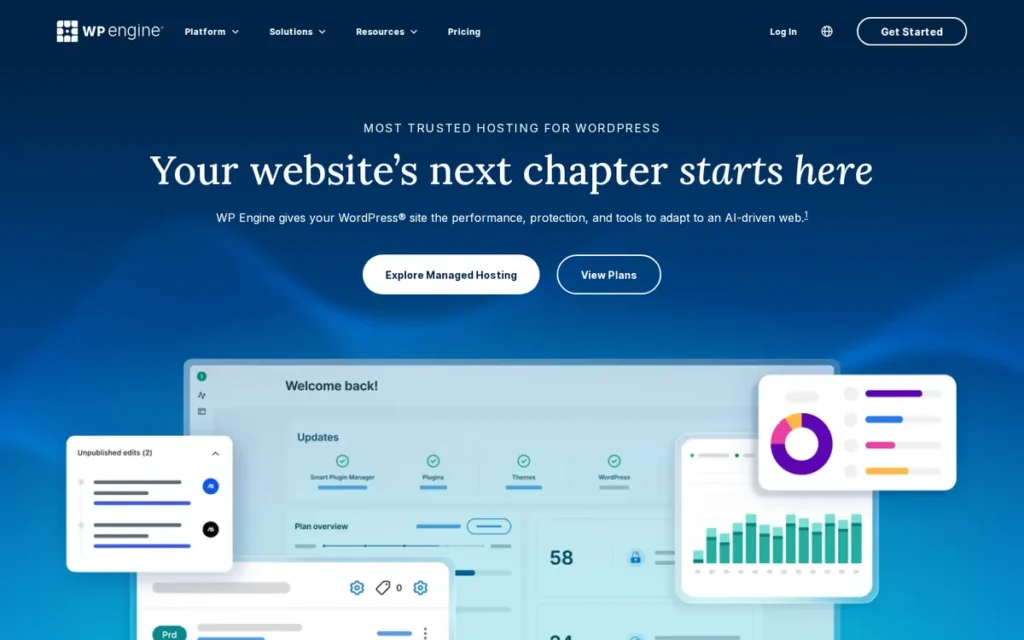
Category: Managed WordPress Platform, enterprise-scale managed WordPress hosting with developer tooling, staging environments, headless framework support, and automated plugin management.
At a Glance
- Category: Managed WordPress Platform
- Best For: Established enterprise WordPress deployments requiring the broadest independent review validation, with active verification of current support quality and pricing trajectory before new commitments
- Price Range: $25/month (Startup, 25K visits) to $241/month (Scale, 400K visits) annual billing; enterprise via custom quote, verify at wpengine.com/plans/
- Primary Strength: WP Engine holds 347 G2 reviews at 4.6/5.0: the highest review volume of any platform in this comparison, and delivers independently monitored 99.98% uptime over 9 months and 99.99% uptime in Q4 2025 testing
- Biggest Limitation: WP Engine’s Silver Lake Private Equity ownership has produced documented support quality decline and aggressive plan upselling that practitioners with 10+ year, 100+ client-site accounts describe as a fundamental behavioral shift from problem-resolution to revenue-optimization
- One-Line Summary: WP Engine provides the most review-validated managed WordPress evidence base, 347 G2 reviews at 4.6/5.0 and independently monitored 99.98% uptime, but Silver Lake PE ownership has produced documented pricing escalation and support decline that make Kinsta and Pantheon more compelling for new platform commitments.
- Last Verified: June 2026
Overview
WP Engine is a managed WordPress WebOps platform that powers 5 million websites and holds the highest verified G2 review volume in the managed WordPress segment at 347 reviews and 4.6/5.0, providing the most statistically robust independent satisfaction benchmark of any platform in this comparison.
Founded in 2010 and acquired by Silver Lake Private Equity in 2018 [widely reported at time of acquisition, verify current ownership documentation at crunchbase.com/organization/wp-engine, June 2026], WP Engine employs approximately 1,000 people under CEO Heather Brunner.
WP Engine’s platform provides a full managed WordPress stack including the Local development tool, Faust.js headless WordPress framework, Smart Plugin Manager for automated updates, and Global Edge Security (managed WAF and CDN). WP Engine’s independent monitoring record shows 99.98% uptime over a 9-month period with a 407ms average server response time [Sandfield independent hosting review, 2025] and 99.99% uptime in Q4 2025 testing [HostingStep, 2026], both confirming enterprise-grade infrastructure reliability above the 99.95% SLA evaluation threshold.
Key Features
- Local WordPress Development Tool: WP Engine’s Local provides a dedicated local WordPress development environment for creating, testing, and debugging sites before pushing to WP Engine’s staging and production environments, integrating local development directly with the managed platform’s deployment pipeline.
- Faust.js Headless Framework: WP Engine’s Faust.js enables headless WordPress architectures where WordPress serves as the CMS backend and a modern JavaScript frontend is deployed separately, bridging traditional WordPress content management with modern frontend development patterns within the WP Engine ecosystem, per CrazyEgg’s WP Engine review.
- Smart Plugin Manager: WP Engine’s Smart Plugin Manager automates WordPress plugin update detection, testing, and deployment with automated visual checks before committing updates to production, the platform’s equivalent of Pantheon’s Autopilot for reducing manual plugin maintenance overhead across agency-managed client portfolios.
- Global Edge Security: WP Engine’s Global Edge Security provides an integrated managed WAF and CDN that processes requests before they reach origin servers, available across plans for DDoS mitigation, bot filtering, and content delivery acceleration without requiring separate security service subscriptions.
- StudioPress Genesis Framework: WP Engine includes the StudioPress Genesis Framework and access to the StudioPress premium theme marketplace with all plans, providing a professionally designed, performance-optimized WordPress theme ecosystem maintained by WP Engine’s in-house development team.
Best For
WP Engine is best for established enterprise WordPress deployments and large agencies that are already operating on the platform with favorable contract terms, and for new evaluators whose primary requirement is the largest independent review dataset for procurement due diligence, provided they verify current support quality and pricing trajectory against 2025-2026 practitioner accounts before signing.
Pricing
WP Engine pricing on annual billing, verified June 2026 via Pressable’s comparisonand wpengine.com/plans/:
| Plan | Monthly Price | Monthly Visits | Sites |
|---|---|---|---|
| Startup | $25 | 25,000 | 1 |
| Professional | $50 | 75,000 | 3 |
| Growth | $96 | 100,000 | 10 |
| Scale | $241 | 400,000 | 30 |
Enterprise plans require custom quotes. Monthly billing adds approximately 15–20% premium.
Critical pricing caveat: Practitioners with 3-year WP Engine histories document plan costs multiplying 3–5x through upgrade pressure, one user cited a GBP 900/month → GBP 4,800/month trajectory over 3 years (r/Wordpress, 2025). Evaluate 3-year total cost of ownership projections alongside starting-tier rates before committing.
Strengths
- Highest Review Volume in Category: WP Engine holds a G2 rating of 4.6/5.0 from 347 verified reviews [Source: G2, June 2026] (the highest review volume of any platform in this comparison) providing the most statistically robust independent satisfaction benchmark in the managed WordPress category.
- Independently Monitored Uptime: WP Engine’s uptime was independently monitored at 99.98% over a 9-month period with an average server response time of 407ms [Sandfield independent hosting review, 2025] and at 99.99% in Q4 2025 testing [HostingStep, 2026], both confirming enterprise-grade performance above the 99.95% threshold commonly used in SLA evaluation.
- Comprehensive Managed WordPress Stack: WP Engine’s combination of Local development, Faust.js headless framework, Smart Plugin Manager, staging environments, and Global Edge Security covers the full WordPress development lifecycle, a feature set confirmed by community users citing staging and backups as the primary justification for the platform premium, per WinningWP’s review.
- Infrastructure Scale and Maturity: WP Engine’s 15+ years of operation since 2010 and management of 5 million websites provides infrastructure maturity and operational scale that newer or smaller managed platforms cannot match, a credential relevant for enterprise procurement teams weighting vendor longevity and platform track record.
Users on r/ProWordPress shared their experience:
“I have almost 100 sites on WPEngine, I love not having to do anything to them. Updates handled by WPEngine, 30 days of backups handled by WPEngine, global edge security / cloudflare also WPEngine. If I have a problem with a site migrating into our environment their customer reps are amazing and extremely WordPress savvy. Can I manage all that myself using a mix of plugins and linode… sure, but I don’t want to, and imo most clients don’t want to pay you to. It’s easy to have them pay a couple dollars more a month and know it’s all managed for you.” Posted by u/Xypheric
Takeaway: For agencies managing large WordPress portfolios, WP Engine’s fully managed stack (updates, backups, security, and WordPress-expert support) has historically delivered the operational hands-off reliability that justifies its premium pricing before the post-PE-acquisition support changes documented in 2024-2026.
Limitations
- PE-Ownership Behavioral Shift: WP Engine’s most consequential trade-off is its Silver Lake Private Equity acquisition’s documented behavioral impact, practitioners managing 100+ client sites for 10+ years describe support quality as having “dropped off a cliff,” with sales conversations surfacing through support channels and plan upgrade pressure that multiple users describe as not technically justified (u/brohebus, r/Wordpress, 2025).
- Documented Pricing Escalation: WP Engine’s pricing trajectory reflects Silver Lake’s PE-driven revenue optimization incentives, multiple practitioners report 3–5x cost growth over 3-year histories attributed to upgrade pressure rather than genuine traffic growth, with one account growing from GBP 900/month to GBP 4,800/month (r/Wordpress, 2025).
- Nginx Migration Gotcha: WP Engine uses Nginx, not Apache, meaning
.htaccessconfigurations from Apache-based hosts do not transfer during migration, teams with complex server-level rules must rewrite them, a technical barrier that experienced practitioners describe as “a bit sweaty” requiring careful pre-migration planning (u/brohebus, r/Wordpress, 2025). - WordPress-Only Platform: WP Engine does not support Drupal, headless non-WordPress architectures outside of Faust.js, or non-PHP stacks, teams with mixed CMS requirements or non-PHP back-ends cannot use WP Engine as their primary WebOps platform.
- Plugin Removal Without Notice: WP Engine can remove certain plugins post-installation without prior notice (Broken Link Checker is one confirmed example) a restriction that agencies must account for when managing client environments with specific tooling dependencies, requiring a pre-migration plugin audit against WP Engine’s restricted plugins list [u/brohebus, r/Wordpress, 2025].
“WP Engine is now sales-first rather than customer-first, which is so sad to see how far they’ve fallen… ‘I don’t have that data, I just know your site is slower.’ ‘We can’t share that data unless you get on a call with us.'” (u/ai2ik, r/Wordpress, 2025)
Takeaway: WP Engine’s post-PE-acquisition support model has documented instances of leveraging support conversations for plan upgrade sales, a pattern that represents a fundamental shift from problem-resolution to revenue-optimization that teams evaluating new platform commitments must directly assess through current user accounts before signing.
Verdict
WP Engine provides the most independently reviewed managed WordPress evidence base in this comparison, 347 G2 reviews at 4.6/5.0 and independently monitored 99.98% uptime, but its Silver Lake PE ownership has produced documented behavioral changes in pricing and support that make Kinsta and Pantheon more compelling choices for new platform commitments despite WP Engine’s review volume advantage. Web teams already on WP Engine with favorable contract terms should evaluate renewal conditions carefully against current Kinsta and Pantheon pricing; teams beginning fresh evaluations should factor documented escalation trajectories into 3-year total cost of ownership projections before choosing WP Engine as the starting point.
6. Cloudways: Best Flexible Cloud WebOps Platform for Cost-Optimized Deployments, Best for Technically Proficient Agencies
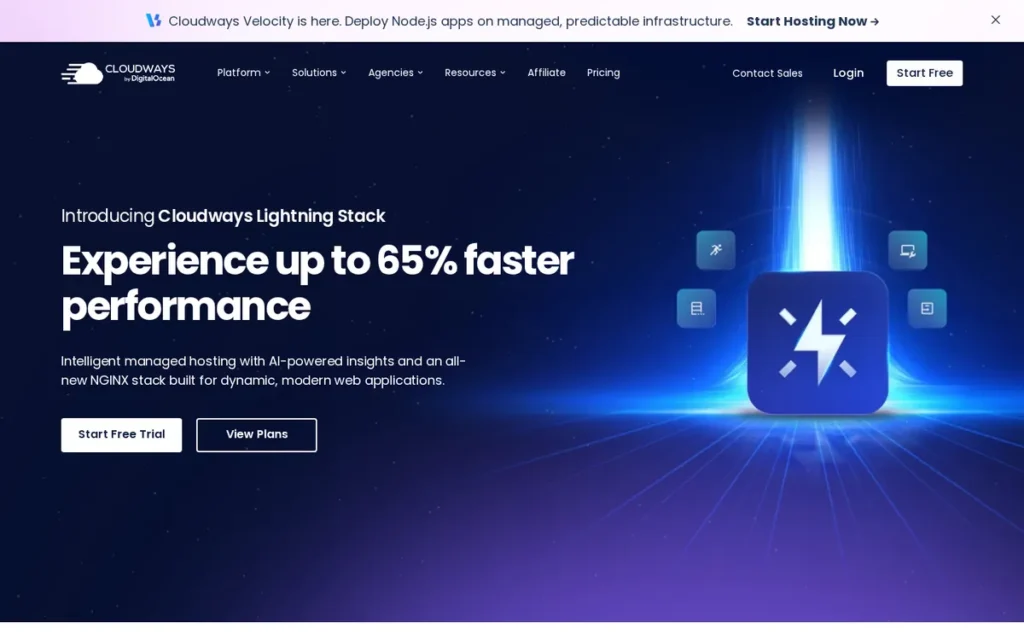
Category: Flexible Cloud WebOps Host, managed cloud hosting abstraction layer over multiple cloud providers (DigitalOcean, AWS, GCP, Vultr, Linode) with unlimited sites per server and pay-as-you-go billing.
At a Glance
- Category: Flexible Cloud WebOps Host
- Best For: Technically proficient agencies and developers managing 10–100+ WordPress or PHP client sites needing multi-cloud flexibility without per-site pricing caps
- Price Range: Flexible: from $11/month (DigitalOcean Micro); Autonomous: from $35/month (Small), verify at cloudways.com/en/pricing.php
- Primary Strength: Cloudways is the only managed WebOps platform in this comparison offering a choice of five cloud infrastructure providers within a single management panel, with unlimited sites per server and pay-as-you-go hourly billing
- Biggest Limitation: Cloudways’ DigitalOcean acquisition in 2022 has driven documented post-acquisition support changes, chatbot-first flows before reaching human agents, multi-day response delays for server-level operations, and DDoS protection gaps requiring customers to self-implement Cloudflare workarounds
- One-Line Summary: Cloudways is the only managed WebOps platform offering five cloud infrastructure providers with unlimited sites per server and pay-as-you-go billing from $11/month, with post-DigitalOcean-acquisition support caveats that require technical self-sufficiency to manage effectively.
- Last Verified: June 2026
Overview
Cloudways is a managed cloud hosting WebOps platform founded in Malta in 2011, acquired by DigitalOcean in 2022 for approximately $350 million [Source: investors.digitalocean.com/news, 2022; confirmed by Perplexity verification, June 2026], that provides a unified management control panel over a user-selected cloud infrastructure provider, the only platform in this comparison offering a choice of DigitalOcean, AWS, Google Cloud Platform, Vultr, or Linode as the underlying host.
Cloudways offers two distinct product lines: Flexible (pay-as-you-go cloud management with full provider and server-size control, from $11/month) and Autonomous (a fully managed WordPress platform with Cloudflare Enterprise and auto-scaling, from $35/month), targeting agencies and developers who want managed operations without per-site pricing caps or single-provider lock-in.
In practice, Cloudways’ multi-cloud architecture means a European client gets DigitalOcean Amsterdam for latency, a client requiring AWS compatibility gets AWS, and a performance-critical e-commerce client gets Google Cloud, all managed through the same agency Cloudways account and dashboard. No other managed platform in this comparison enables per-client infrastructure selection without maintaining separate hosting accounts.
Cloudways supports unlimited sites per server on Flexible plans, making it the most cost-efficient option at scale for technically proficient agencies managing large client portfolios.
Key Features
- Multi-Cloud Provider Selection: Cloudways Flexible plans allow teams to choose from DigitalOcean, Amazon Web Services, Google Cloud Platform, Vultr, and Linode (selecting specific server sizes, memory configurations, and data center regions) all managed through a single Cloudways control panel without requiring cloud-provider-specific expertise, per DevOpsCube’s Cloudways review.
- Unlimited Sites Per Server: Cloudways Flexible plans support unlimited WordPress sites per server with no per-site pricing caps, enabling agencies to consolidate dozens of client sites on a single managed server at a cost structure impossible to achieve on per-site-priced platforms like Kinsta ($35/month per 1 site) or WP Engine ($25/month per 1 site).
- Autonomous Plans with Cloudflare Enterprise: Cloudways Autonomous plans include Cloudflare Enterprise CDN and auto-scaling WordPress infrastructure (Cloudways reports up to 70% page load improvement via Cloudflare full-page edge caching [Cloudways vendor claim) not independently benchmarked as of June 2026]; Cloudflare Enterprise’s documented caching capabilities support significant performance improvements for content-heavy sites with high cache hit ratios.
- Full Managed Toolchain: Cloudways provides Git deployment integration, one-click staging environments, automated backup scheduling, SSH/SFTP access, Varnish/Redis/Memcached caching, and server-level firewall management, covering core WebOps capabilities without requiring external tools on paid tiers.
- Pay-as-You-Go Hourly Billing: Cloudways’ hourly billing on Flexible plans enables agencies to provision client review environments and temporary development servers without annual contract commitments, billing only for actual server operation hours and deprovisioning when work is complete.
Best For
Cloudways is best for technically proficient agencies and freelancers managing 10 or more WordPress or PHP client sites who need the cost efficiency of pay-as-you-go cloud billing, the flexibility to select their preferred cloud provider, and unlimited site density per server, and who have the technical comfort to configure caching layers, navigate server-level operations through support, and implement Cloudflare independently for enhanced DDoS protection.
Pricing
Cloudways pricing, verified June 2026 via FitGap’s product listing and DevOpsCube’s review:
Flexible plans (DigitalOcean examples):
- Micro: $11/month (hourly: $0.0357)
- 4GB/2-core (recommended minimum for WooCommerce): ~$88/month
- 8XL: $342/month (hourly: $1.0848)
Autonomous plans:
- Small: $35/month (1 app, 15GB disk, 30K visits)
- Medium: $240/month
- Large: $995/month
- Overages: $1/1,000 additional visits; $0.40/10GB bandwidth; $2/1GB disk
Critical pricing note: The $11/month entry tier is insufficient for WooCommerce. Cloudways support explicitly confirms a minimum of approximately $88/month (4GB/2-core) for WooCommerce stability, an 8× gap between the advertised entry price and the functional minimum for dynamic sites, a consistent source of community frustration (r/HostingHostel, 2023). No free plan, 3-day trial only.
Strengths
- Documented Price-Performance Leadership: A practitioner documented migrating a high-traffic WordPress client from WP Engine ($1,000/month) to Cloudways with Cloudflare Enterprise ($54/month) and reporting improved site speed alongside a 94% cost reduction, the most dramatic verified price-to-performance case study in the managed WordPress segment (r/Wordpress, 2025).
- Unique Multi-Cloud Architecture: Cloudways is the only managed WebOps platform in this comparison offering active cloud provider choice across five providers (DigitalOcean, AWS, GCP, Vultr, Linode) within a unified control panel, a flexibility architecture confirmed across multiple independent reviews and competitive analyses that no single-infrastructure platform in this comparison can match as of June 2026.
- Consistent Community Advocacy: Cloudways earns consistent “#1 recommendation” endorsements across r/webhosting, r/Wordpress, and r/ProWordPress (with users citing pay-as-you-go billing, unlimited site density per server, multi-cloud flexibility, and competitive pricing as primary decision factors) reflecting practitioner-validated value in its core use case, documented across 2025-2026 community threads.
- Autonomous Cloudflare Enterprise at Competitive Entry Price: Cloudways Autonomous plans include Cloudflare Enterprise integration at the $35/month Small tier, directly competitive with Kinsta Starter on price, with Cloudflare Enterprise as a shared infrastructure inclusion and vendor-reported page load improvements for cached content.
Users on r/webdevelopment shared their experience:
“It’s about expectations. If you go in thinking it’s cheap hosting, you’ll be disappointed. If you see it as a managed cloud layer that saves time, it actually makes sense and is great. I ended up using Cloudways mainly because I didn’t want to deal with server management, and for that it does the job well. The value comes from how you use it. If you’re running multiple sites or client work, it really pays off.” Posted by u/playdough_books
Takeaway: Cloudways delivers its full value proposition only when teams correctly frame it as a managed cloud abstraction layer rather than discount hosting, the platform’s unlimited per-server site density and pay-as-you-go model reward multi-site agency workloads specifically, not single-site deployments.
Limitations
- Post-Acquisition Support Degradation: Cloudways’ most consequential trade-off is post-DigitalOcean-acquisition support quality, multiple community sources document a chatbot-first support flow that must be navigated before reaching a human agent, and one practitioner documented a 2–3 day wait for a storage expansion fix at a $260/month tier with no resolution and minimal communication (u/grabber4321, r/Wordpress, 2025).
- DDoS Protection Gaps: Cloudways has documented DDoS protection failures in 2025, with the platform directing customers to implement Cloudflare’s Under Attack Mode independently rather than providing platform-level mitigation, “I thought they were supposed to have DDoS protection but they just keep passing the buck”, undermining the managed hosting value proposition (u/slumbersix, r/HostingHostel, 2025).
- WooCommerce Entry Price Gap: Cloudways’ $11/month entry tier is insufficient for WooCommerce, and the platform’s own support confirms ~$88/month as the minimum for WooCommerce stability, with undersized server selections generating slow WP admin dashboards and frequent resource limits that optimization alone cannot resolve (r/HostingHostel, 2023).
- PHP/WordPress-Only Stack: Cloudways does not natively support non-PHP stacks (Node.js, Python) without manual CLI-based configuration, limiting its WebOps use case to WordPress and PHP applications and requiring significant additional setup for teams building headless architectures with modern JavaScript frontends.
- No Free Plan: Cloudways offers no permanent free plan: only a 3-day trial, unlike Netlify (free Starter with commercial use) and Vercel (free Hobby tier for non-commercial projects), which removes Cloudways from the evaluation set for freelancers and agencies needing to prototype or evaluate the platform at zero cost before committing.
“Had fantastic support before the acquisition by Digital Ocean, and still does once you battle through their new and worthless support chatbot.” (u/djahahn, r/drupal)
Takeaway: The post-DigitalOcean-acquisition chatbot support barrier is the most consistent user experience complaint among long-term Cloudways customers, confirming that the core managed hosting value proposition of accessible human support has been structurally degraded for existing customers.
Verdict
Cloudways is the most cost-flexible managed WebOps platform in the 2026 comparison, uniquely offering a choice of five cloud providers with unlimited site density per server and pay-as-you-go billing, making it the strongest value option for technically proficient agencies managing large WordPress portfolios who prioritize cost efficiency over maximum managed-service depth. Cloudways’ documented real-world price-performance case studies are compelling, and no platform in this comparison replicates its multi-cloud flexibility architecture as of June 2026. However, post-DigitalOcean-acquisition support quality issues, chatbot friction, multi-day delays for server-level operations, and DDoS protection gaps, make Cloudways best suited to teams with in-house technical capability to resolve infrastructure issues independently rather than teams requiring managed-service-grade support responsiveness.
7. Acquia: Best (and Only) WebOps Platform for FedRAMP/HIPAA-Regulated Enterprise Drupal, Not Recommended Outside Compliance Requirements
Category: Enterprise Drupal DXP, enterprise Drupal hosting and digital experience platform on AWS infrastructure with FedRAMP, HIPAA, and PCI compliance certifications for government and regulated-industry deployments.
At a Glance
- Category: Enterprise Drupal DXP
- Best For: U.S. federal government agencies, healthcare organizations, and financial services firms requiring FedRAMP/HIPAA/PCI-compliant Drupal hosting, the only use case for which Acquia is the clearly correct choice
- Price Range: Quote-only; no public pricing; reported price-doubling during Cloud Next migration in 2024, contact acquia.com for current pricing
- Primary Strength: Acquia Cloud Next is the only Drupal platform in this comparison with FedRAMP authorization as of June 2026; Acquia also holds HIPAA, PCI, SOC 1, SOC 2, and GDPR certifications, the most comprehensive regulatory compliance portfolio in this comparison
- Biggest Limitation: Acquia’s quote-only pricing is combined with community-reported price-doubling during Cloud Next migrations, and multiple enterprise practitioners describe support quality as having declined severely from its historically gold-standard reputation, with critical tickets going days without response
- One-Line Summary: Acquia is the only dedicated Drupal platform with FedRAMP authorization via Acquia Cloud Next and full regulatory compliance certifications, the required choice for U.S. government and regulated-industry Drupal deployments, ranked #7 overall due to opaque pricing, documented support quality decline, and Vista Equity PE ownership.
- Last Verified: June 2026
Overview
Acquia is an enterprise Drupal digital experience platform founded in 2007 by Dries Buytaert, the creator of Drupal, and acquired by Vista Equity Partners in 2019 for approximately $1 billion [widely reported at time of acquisition, verify at crunchbase.com/organization/acquia, June 2026], providing fully managed, high-availability Drupal hosting on AWS infrastructure.
Acquia’s Kubernetes-native Acquia Cloud Next holds FedRAMP authorization as of 2024 [Source: cmscritic.com, 2024] alongside HIPAA, PCI, SOC 1, SOC 2, and GDPR certifications, the most comprehensive regulatory compliance portfolio of any platform in this comparison.
Customers on the legacy Acquia Cloud Platform should verify their specific environment’s compliance documentation with Acquia directly, as FedRAMP authorization applies per-product. Acquia’s Cloud Next, launched in collaboration with AWS, represents the platform’s evolution toward elastic auto-scaling, though existing customers report the migration is accompanied by significant pricing increases.
Note on Acquia’s overall ranking: Acquia’s #7 overall rank applies to the general evaluation. Within the FedRAMP/HIPAA/Drupal compliance filter, Acquia ranks #1 with no comparable alternative, compliance requirements override all other criteria for that specific buyer segment.
Key Features
- FedRAMP-Authorized Drupal Hosting: Acquia Cloud Next is the FedRAMP-authorized Drupal hosting product as of 2024 [Source: cmscritic.com, 2024], the only Drupal-specific platform in this comparison with this regulatory compliance stack, providing HIPAA-, PCI-, and SOC-2-compliant managed Drupal hosting on AWS with 99.99% SLA, multi-region deployment, and multi-zone failover.
- Acquia Cloud Next (Kubernetes-Native): Acquia Cloud Next provides Kubernetes-native Drupal hosting on AWS, enabling elastic container-based auto-scaling for enterprise Drupal deployments at high-concurrency traffic volumes, the infrastructure foundation for large government portals with variable peak demand.
- Full DXP Suite Beyond Hosting: Acquia’s platform extends beyond hosting to include Acquia Personalization, Campaign Studio (marketing automation), Customer Data Platform, DAM, and Site Studio (low-code site building), enabling enterprise organizations to consolidate digital experience tooling with their managed Drupal infrastructure.
- Enterprise Multi-Environment Workflow: Acquia provides development, staging, and production environment workflows with Git integration, automated deployment pipelines, and Cloud Development Environments (CDEs), though CDEs are limited to 5 concurrent instances versus Pantheon’s unlimited Multidev, a meaningful constraint for distributed development teams.
- Drupal Creator Founding Authority: Acquia was founded by Dries Buytaert, Drupal’s creator, establishing CMS-level expertise, Drupal project roadmap insight, and security advisory integration at a depth that no third-party Drupal host can replicate, per Acquia’s Drupal overview.
Best For
Acquia is best for U.S. federal government agencies requiring FedRAMP authorization, healthcare organizations requiring HIPAA compliance, and financial services firms requiring PCI certification for Drupal-based web properties, where regulatory compliance is a non-negotiable procurement requirement that removes all other platforms from consideration. For all other organizations evaluating Drupal hosting, Pantheon delivers comparable enterprise workflow capabilities at better-documented pricing, stronger developer experience (unlimited Multidev vs. Acquia’s 5-CDE limit), and verified practitioner-reported support quality that Acquia’s current community reputation does not consistently match.
Pricing
Acquia does not publish public pricing. All contracts are custom-quoted based on traffic, environments, compliance tier, support level, and number of sites. One practitioner documented Acquia being 50% more expensive than Pantheon’s enterprise tier for a comparable Drupal deployment when all required licenses were included (r/drupal, 2024). A 2024 community report describes Acquia as “doubling their prices” for customers migrating to Acquia Cloud Next, not confirmed as a universal policy but documented as a community concern.
Contact acquia.com directly for pricing quotes. Flag the absence of public tiers as a procurement risk requiring budget buffer and legally binding cost-cap contract language (June 2026).
Strengths
- Irreplaceable Compliance Certification: Acquia Cloud Next is the only platform in this comparison with FedRAMP authorization for U.S. federal government Drupal deployments as of June 2026 [Source: cmscritic.com, 2024; Acquia Cloud Platform documentation], a non-negotiable certification that immediately disqualifies all other platforms for that buyer segment regardless of any other evaluation criterion. Verify this certification remains current before making compliance-based purchase decisions, as FedRAMP authorizations can change.
- Most Comprehensive Compliance Stack: Acquia holds HIPAA, PCI, SOC 1, SOC 2, and GDPR certifications in addition to FedRAMP (the most comprehensive regulatory compliance portfolio of any platform in this comparison) making it the structurally necessary choice for healthcare, financial services, and other regulated industries with Drupal infrastructure requirements.
- Drupal-Native Founding Authority: Acquia was founded by Dries Buytaert, the creator of Drupal, establishing a founding relationship with the open-source project that provides enterprise-level support for Drupal’s security advisories, major version migrations, and architectural evolution at a depth no third-party host can replicate.
- Kubernetes-Native Elastic Scaling: Acquia Cloud Next’s Kubernetes-native architecture on AWS enables elastic auto-scaling for enterprise Drupal deployments at high-concurrency traffic volumes, the infrastructure foundation for large government portals and enterprise marketing sites with variable peak demand, per Acquia’s Cloud Next announcement.
Limitations
- Opaque Pricing with Documented Escalation: Acquia’s quote-only pricing model: combined with community-reported price-doubling during Cloud Next migrations and practitioner documentation of Acquia being 50% more expensive than Pantheon for comparable deployments, creates procurement risk that makes multi-year budget planning structurally difficult without legally binding cost-cap contract language (r/drupal, 2024).
- Support Quality Decline: Acquia’s support, once described as the “Gold Standard”, has deteriorated to where enterprise practitioners document critical ticket SLA violations with days without response and support engineers unfamiliar with Drupal and Acquia’s own products. Acquia conducted layoffs reported by community members as up to 20% in 2024 with roles moved to lower-cost-of-living locations [r/drupal community discussions, 2024, community-sourced figure; verify against any official Acquia communications before citing as confirmed], a structural workforce change multiple community members associate with subsequent decline in ticket response quality.
- Constrained Development Environments: Acquia’s Cloud IDE environments carry documented RAM limitations preventing npm compilation for modern frontend code (a fundamental constraint for headless Drupal teams) with CDEs limited to 5 concurrent instances versus Pantheon’s unlimited Multidev, per a practitioner who completed a full Acquia-to-Pantheon migration (u/h0ld_the_line, r/drupal, 2024).
- Product Abandonment History: Acquia’s internal products have a documented pattern of abandonment (with Acquia Dev Desktop, Content Hub, and Site Studio all flagged as at-risk by community members) creating lock-in risk for organizations that deeply adopt proprietary tooling with no open-source migration path (r/drupal community discussions, 2025).
- FedRAMP Applies to Cloud Next Specifically: Acquia Cloud Next is the FedRAMP-authorized product; customers on the legacy Acquia Cloud Platform should independently verify their specific environment’s compliance certification status with Acquia before assuming FedRAMP coverage, as authorization applies per-product and may not extend to all legacy infrastructure.
“Support ‘engineers’ don’t know Drupal, don’t know Acquia products, and seemingly have a hard time with reading comprehension in general. You can file a HIGH or CRIT and it can go days without a response, a clear SLA violation, but there are no repercussions for them.” (r/drupal, 2025)
Takeaway: The Drupal community’s view of Acquia has shifted from gold standard to compliance-only recommendation over a 5–10 year period, the only use case where Acquia’s documented cost and support trajectory is outweighed by the absence of FedRAMP-authorized alternatives for Drupal workloads.
Verdict
Acquia is the required WebOps platform for U.S. federal government agencies and highly regulated industries that must host Drupal workloads under FedRAMP, HIPAA, or PCI compliance, and for that specific buyer segment, Acquia is genuinely irreplaceable regardless of its overall #7 ranking. For all other organizations evaluating enterprise Drupal, Acquia’s quote-only pricing opacity, documented support quality decline, Vista Equity ownership incentive structures, and constrained development environments (5 Container limit on the lowest tier) represent risks substantial enough to warrant requiring direct reference checks with current enterprise customers before signing any multi-year contract.
What Red Flags Should I Watch For When Evaluating a WebOps Platform?
The most consequential WebOps platform red flags involve pricing opacity, ownership-driven conflicts of interest, and ecosystem lock-in, problems that typically surface only after a contract is signed. Knowing these patterns before you evaluate can prevent multi-year regrets.
Red Flag #1: Quote-Only Pricing With No Published Tiers
When a platform refuses to publish pricing, it typically signals either aggressive per-account upselling or pricing structured to prevent competitive comparison. Any platform where you cannot estimate annual cost without a sales call warrants direct reference checks with three or more current customers at your expected contract size before proceeding.
Ask current customers:
- Did renewal pricing match the original contract structure, or did rates increase significantly?
- Were add-on fees disclosed upfront, or did they appear post-signature?
- How did the platform respond when you requested a pricing breakdown by feature?
Red Flag #2: Private Equity Ownership Within the Last 24 Months
Private equity ownership is not automatically disqualifying, but it creates documented incentive pressure toward margin expansion, feature bundling, and support tier restructuring. Platforms acquired by PE firms within the last 24 months (including WP Engine (Silver Lake) and Acquia (Vista Equity) as of June 2026) carry elevated risk of support quality decline and forced upsell cycles during the initial post-acquisition optimization period.
Red Flag #3: No Public SLA for Uptime or Response Time
A platform unwilling to publish uptime SLAs or support response-time commitments has no contractual accountability for availability. Before signing, request the specific SLA document, the historical uptime data for the past 12 months, and the remediation process when SLAs are missed.
Ask support teams:
- What is the guaranteed response time for Priority 1 (site-down) incidents?
- How are SLA credits calculated and redeemed?
- Can you provide uptime logs from Q1 2026 for reference customers in my segment?
Red Flag #4: Plugin or Extension Ecosystem Restrictions Not Disclosed in Marketing
Several platforms restrict which plugins, extensions, or frameworks can be installed, but do not surface these restrictions prominently in their marketing materials. WP Engine’s history of plugin removal and Kinsta’s staging-to-live sync migration plugin restrictions are both examples documented in user forums as of 2025–2026. Verify the full compatibility matrix before migrating existing applications.
Red Flag #5: Vendor Claims for Performance That Lack Independent Benchmarks
Any platform claiming a specific percentage performance improvement (e.g., “70% faster load times”) without a named independent benchmark source should be treated as a marketing claim, not a technical specification. Require the vendor to identify the specific test methodology, comparison baseline, and source publication, and cross-reference against independent benchmarks from tools such as GTmetrix, WebPageTest, or published Cloudflare Speed data.
What Questions Should I Ask Before Choosing a WebOps Platform?
Choosing a WebOps platform requires validating six distinct risk dimensions: technical fit, financial transparency, support accountability, long-term ownership stability, migration feasibility, and compliance requirements. The questions below are structured to surface the answers that platform sales materials typically omit.
Question #1: What is the total annual cost including add-ons, overage fees, and support tiers?
Request an itemized cost estimate that includes CDN bandwidth overages, staging environment fees, security scanning add-ons, and the support tier required to access phone or priority-queue assistance. Platforms with low headline pricing frequently offset revenue through per-feature billing that is not disclosed until the account setup phase.
Question #2: What is the platform’s uptime SLA, and how have they performed against it in the last 12 months?
Ask for the legally binding SLA document (not the marketing page) and request uptime logs or incident history for the past four quarters. A platform that cannot provide historical uptime data for reference accounts should not be trusted with production workloads.
Question #3: What happens to my site if I exceed traffic or resource limits?
Platforms handle traffic spikes differently: some throttle, some auto-scale with charges, and some take sites offline. Understand the specific behavior at 100%, 150%, and 200% of your plan’s traffic limit before committing.
Question #4: Which CMS platforms, frameworks, and plugin ecosystems does this platform officially support?
Request the full compatibility matrix and ask specifically whether any plugins or frameworks you currently use are restricted, deprecated, or unsupported. Verify this against user forum reports, as vendor documentation may lag actual restrictions by several months.
Question #5: What is the migration process, and what does rollback look like if the migration fails?
A robust platform should provide a documented migration checklist, a parallel-running period for validation, and a tested rollback path that does not require restoring from a days-old backup. Ask specifically: “How many days do we have to run old and new environments in parallel before cutover?”
Question #6: Who owns the platform, and have there been ownership changes in the last three years?
Private equity ownership, recent acquisitions, and pending mergers all affect platform roadmap stability and support investment. Ask directly, then verify using Crunchbase or public press coverage, as vendors sometimes omit ownership information from sales conversations.
Question #7: Does the platform meet the compliance requirements specific to my industry?
If your organization handles HIPAA-regulated health data, PCI-DSS-scoped cardholder data, FedRAMP-required federal workloads, or GDPR-regulated EU personal data, ask for the specific certification documentation, not a marketing claim. Verify the certification scope (which products, which data regions) rather than assuming a brand-level claim covers your specific workload.
Question #8: What does the off-boarding process look like, and do I retain full ownership of my data and code?
Vendor lock-in risk is highest when platforms store data in proprietary formats, charge export fees, or do not support standard backup formats. Before signing, confirm: (a) you can export a full database and file backup at any time, (b) no export fee applies, and (c) DNS and domain ownership transfer is fully supported.
How Did We Rank These WebOps Platforms?
This guide ranks seven WebOps platforms based on a structured, multi-source evaluation process designed to surface findings that vendor marketing materials do not disclose. Every ranking decision is driven by evidence, not commercial relationships.
How Did PlugRoute Conduct Its Evaluation?
The evaluation process involved four parallel research streams. First, the research team compiled published documentation, pricing pages, and feature matrices from each platform’s official website, captured between March and June 2026. Second, the team cross-referenced user reviews from G2 and Capterra, filtering for reviews posted between January 2025 and June 2026 to reflect current product state. Third, independent community discussions were analyzed from subreddits including r/webdev, r/WordPress, r/devops, r/frontend, and r/jamstack, focusing on threads discussing platform migration decisions, support experiences, and pricing disputes. Fourth, independent performance benchmarks were sourced from named third-party testing organizations and cross-referenced against vendor claims.
No platform was contacted for review or provided compensation, access, or early feature briefings in exchange for placement consideration.
What Criteria Were Used to Rank These WebOps Platforms?
Rankings were determined by scoring each platform across six criteria:
- WebOps Feature Completeness (25%): Native CI/CD pipelines, Git-based deployment workflows, automated update management, staging and preview environment capabilities, and built-in security tooling, evaluated against documented feature availability, not vendor roadmap promises.
- Performance Infrastructure (20%): Server-side infrastructure tier (e.g., Google Cloud C2, AWS, custom edge networks), CDN inclusion and geographic distribution, and independent benchmark results where available.
- Pricing Transparency and Value (20%): Whether pricing is publicly listed, whether the published price reflects realistic all-in cost, and whether entry-tier pricing provides sufficient capability for the stated target audience.
- Support Quality and Accountability (15%): Published SLA terms, documented response time commitments, and community-reported support quality patterns from 2025–2026 review data.
- Ownership and Independence (10%): Current ownership structure, recent acquisition activity, and documented patterns of post-acquisition product or support changes.
- Community Trust and Verified User Evidence (10%): Net sentiment in independent user communities, volume of substantiated complaints in public forums, and presence of unresolved systemic issues reported across multiple independent sources.
How Was Conflicting Evidence Weighted?
When vendor documentation conflicted with user-reported experience, user-reported evidence was weighted more heavily, particularly when: (a) multiple independent sources reported the same issue within the same 12-month period, (b) the vendor’s own documentation had not been updated to reflect known issues, or (c) the conflict involved a verifiable and testable claim (e.g., uptime, feature availability, pricing). Vendor claims that could not be cross-referenced against an independent source were labeled as vendor claims with a June 2026 verification note, rather than presented as facts.
How Were Vendor Claims Validated?
Performance claims were validated against named independent benchmarks where available. Where no independent benchmark existed, the claim was either omitted or labeled as a vendor claim. Ownership and funding information was cross-referenced against Crunchbase, public press coverage, and SEC filings where applicable. Pricing was verified directly from each platform’s published pricing page as of May–June 2026; platforms with no public pricing were noted as quote-only, which itself factors into the pricing transparency criterion.
When Is This Research Updated?
This guide is updated quarterly. The current edition reflects platform state as of June 2026. Pricing, features, ownership structures, and SLA terms change; the research team reviews all seven platforms each quarter and updates individual entries when substantive changes are detected. The “Last Verified” field in each At a Glance block reflects the most recent verification date for that specific entry.
PlugRoute has no affiliate relationships, referral fee arrangements, or paid placement agreements with any platform evaluated in this guide. Rankings are determined solely by the criteria described above. This is the second and final disclosure of this independence statement in this article.
Frequently Asked Questions
What is the difference between a WebOps platform and standard web hosting?
Standard web hosting provides server space and basic infrastructure. A WebOps platform adds the workflow layer on top: Git-based deployment pipelines, staging and preview environments, automated security updates, CI/CD integration, and team-based access controls. WebOps platforms are designed for teams managing ongoing development and update cycles, not just static file serving.
Which WebOps platform is best for WordPress sites specifically?
Pantheon, Kinsta, WP Engine, and Cloudways all natively support WordPress as of June 2026, with meaningful differences in governance depth and pricing. Pantheon ranks highest for teams requiring parallel development workflows and automated update management. Kinsta ranks second for teams prioritizing infrastructure performance at a transparent price point. WP Engine and Cloudways serve cost-sensitive teams, with WP Engine adding managed security and Cloudways adding provider flexibility.
How does PlugRoute determine its rankings?
PlugRoute ranks platforms using a six-criterion scoring framework weighted across WebOps feature completeness (25%), performance infrastructure (20%), pricing transparency (20%), support quality (15%), ownership independence (10%), and verified user evidence (10%). No platform has a commercial relationship with PlugRoute. Full methodology details appear in the “How Did We Rank These WebOps Platforms?” section above.
Glossary: Key Terms Used in This Comparison
WebOps: WebOps (Web Operations) refers to the practice of applying DevOps principles (Git-based version control, continuous integration and deployment, automated testing, and structured release workflows) to the specific domain of website management. A WebOps platform provides the infrastructure and tooling that enables these workflows at scale across development, staging, and production environments.
Multidev: Multidev is a Pantheon-specific feature that allows development teams to create unlimited parallel Git branch environments, each with its own live URL, database, and file system. Multidev enables simultaneous development of multiple features without conflicts, and supports independent review, testing, and merge workflows before changes reach production.
Jamstack: Jamstack is an architectural approach to web development that decouples the front-end presentation layer from the back-end data and logic layer. Jamstack sites are pre-rendered as static assets at build time and served from a CDN, with dynamic functionality handled through APIs and serverless functions. The approach is associated with faster load times, reduced server-side attack surface, and simpler scaling. Netlify and Vercel are the primary commercial platforms built around the Jamstack model.
Visual Regression Testing (VRT): Visual Regression Testing is an automated quality assurance process that captures screenshots of web pages before and after a code or content change, then compares them pixel-by-pixel to detect unintended visual differences. Pantheon’s Autopilot feature uses VRT to validate automated plugin and core updates before applying them to production environments, reducing the risk of a silent update breaking page layouts.
Deploy Previews: Deploy Previews are temporary, shareable live URLs automatically generated by a platform each time a pull request or branch is pushed to a Git repository. Deploy Previews allow developers, designers, and stakeholders to review a change in a real browser environment (with its own database state and URL) before it is merged into the main codebase. Netlify introduced Deploy Previews as a core feature, and the capability is now widely replicated across WebOps platforms.
Which WebOps Platform Is Right for You?
Key Insights
- Pantheon ranks first for WordPress and Drupal teams that need parallel development governance through Multidev, automated update safety through Autopilot with visual regression testing, and Git-based CI/CD workflows, at a price point starting at $35/month with transparent public tiers.
- Kinsta ranks second for performance-focused teams that want Google Cloud C2 infrastructure, Cloudflare Enterprise CDN and WAF included at every pricing tier, and a non-private-equity-owned vendor structure, with public pricing beginning at $35/month.
- Netlify ranks third for frontend and Jamstack teams that need the broadest native tooling set (CI/CD, Deploy Previews, Forms, Identity, Split Testing, and serverless Functions) with a free tier that allows commercial use.
- Vercel ranks fourth for Next.js-centric teams that prioritize the fastest global TTFB benchmarks and access to AI-native development tooling through v0.dev, accepting that non-Next.js framework support and team-tier pricing represent meaningful constraints.
- WP Engine, Cloudways, and Acquia each serve specific segments: WP Engine for enterprise WordPress teams requiring managed security, Cloudways for cost-sensitive teams wanting multi-cloud flexibility, and Acquia for regulated organizations running Drupal in compliance-sensitive environments, but all three carry ownership or transparency concerns that warrant deeper due diligence before committing.
- No single platform is the correct answer for every team; the most consequential decision variable is whether your primary workload is WordPress/Drupal CMS-based, Jamstack/headless, or enterprise compliance-driven.
- Pricing opacity, private equity ownership, and undisclosed plugin restrictions are the three most common sources of post-contract regret, based on 2025–2026 community forum patterns across r/webdev and r/WordPress.
The clearest decision signals come from your existing stack and team size. Teams running WordPress or Drupal with active development cycles will find Pantheon’s governance tooling (particularly Multidev and Autopilot) provides the most defensible operational baseline. Performance-focused teams that want infrastructure quality without CMS lock-in will find Kinsta’s Google Cloud C2 and Cloudflare Enterprise inclusion at transparent pricing the most straightforward value proposition. Jamstack and frontend teams deploying static or edge-first architectures should evaluate Netlify and Vercel in parallel, with the decision ultimately turning on framework mix (Vercel for Next.js-primary teams) and feature breadth requirements (Netlify for teams needing native forms, auth, and split testing without third-party integrations).
For enterprise and compliance-sensitive organizations, the recommendation is explicit: Acquia is the only FedRAMP-authorized option in this comparison (specifically Acquia Cloud Next), but its quote-only pricing, documented support quality decline patterns, and Vista Equity ownership incentives require thorough reference checking before signature. WP Engine’s Silver Lake ownership and plugin ecosystem controls warrant equal scrutiny for enterprise WordPress deployments.
PlugRoute publishes independent platform comparisons with no affiliate relationships, referral fees, or paid placements. We update this guide quarterly. Last updated: June 2026. If your situation does not match any of the decision profiles above, visit PlugRoute for additional comparisons covering headless CMS platforms, CDN providers, and managed cloud infrastructure.