Git is the best version control system for any new project in 2026, used by 94.5% of developers who reported using version control in the Stack Overflow Developer Survey 2024. GitHub leads for open-source and startup teams; GitLab leads for regulated enterprise DevSecOps compliance. The right choice depends on whether your team needs a VCS engine, a hosted collaboration platform, or binary asset management at production scale.
Most version control comparisons list tools by name without the conditional logic, quantified trade-offs, and community-validated decision patterns that practitioners actually need when making real infrastructure decisions. Whether you’re migrating from SVN, choosing between GitHub and GitLab for CI/CD, evaluating whether Perforce is genuinely necessary for your game studio, or deciding between cloud-hosted and self-hosted Git, the right answer depends on specific team-level workflow characteristics, not generic popularity rankings.
PlugRoute has no affiliate relationships with any company listed in this guide. Rankings are determined entirely by research data and objective evaluation criteria, with no commercial influence.
What Are the Top Version Control Tools in 2026?
- Git: universal VCS foundation for any new codebase in 2026
- GitHub: best hosted platform for open-source contributors and startup CI/CD
- GitLab: top choice for regulated enterprise and DevSecOps compliance teams
- Perforce Helix Core: required infrastructure for multi-terabyte binary asset workflows
What Are the 6 Categories of Version Control Tools?
Version control tools in 2026 fall into six categories, Foundation DVCS (Git), Hosted Git Platform (GitHub, Bitbucket), DevSecOps Platform (GitLab), Centralized Enterprise VCS (Perforce Helix Core), Centralized VCS Legacy (Apache Subversion), and Legacy DVCS (Mercurial), each representing a different deployment model and audience profile that determines tool fit more precisely than any feature-by-feature comparison alone.
- Foundation DVCS (Git): Git is the free, open-source distributed VCS engine that underpins all major hosted platforms, serving as the universal starting point for any new project with no user limits, no licensing fees, and no commercial dependency.
- Hosted Git Platform (GitHub, Bitbucket): Hosted Git Platforms are cloud services that layer collaboration features (pull requests, CI/CD, and project management) on top of Git repositories. GitHub and Bitbucket are the primary tools in this category and the main evaluation tier for teams selecting a hosted collaboration environment.
- DevSecOps Platform (GitLab): GitLab’s unified DevSecOps Platform combines SCM, CI/CD, SAST/DAST security scanning, compliance management, and AI tooling in a single product, available as both SaaS and self-hosted. DevSecOps Platforms are differentiated by integrated security depth and self-hosting capability rather than network reach.
- Centralized Enterprise VCS (Perforce Helix Core): Perforce Helix Core is a server-based version control system engineered for multi-terabyte binary asset repositories with exclusive file locking and partial workspace checkout, the domain standard for AAA game development and VFX production pipelines.
- Centralized VCS (Legacy) (Apache Subversion): Apache Subversion is a mature, free, centralized system appropriate for maintaining existing enterprise deployments. Teams on Centralized VCS Legacy tools should be actively planning migration to Git rather than treating SVN as a stable long-term platform.
- Legacy DVCS (Mercurial): Mercurial SCM is a distributed system maintained for existing deployments whose hosting and tooling ecosystem has undergone documented sequential contraction since 2020. Teams on Legacy DVCS tools should establish a proactive migration timeline.
Note: Git and its hosted platforms (GitHub, GitLab, Bitbucket) are separate layers of the same stack. Choosing GitHub, GitLab, or Bitbucket means choosing Git as the underlying VCS engine, those platform selections are subsequent decisions with different trade-offs, evaluated in entries #2 through #5 below.
How Do the Top Version Control Tools Compare at a Glance?
| Rank | Tool | Category | Best For | One-Line Summary | Key Capabilities | Primary Strength | Key Limitation |
|---|---|---|---|---|---|---|---|
| 1 | Git | Foundation DVCS | Any new software project in 2026 | Git is the free, open-source distributed VCS used by 94.5% of developers reporting VCS usage (Stack Overflow Developer Survey 2024), making it the universal foundation for all modern software development workflows. | Distributed architecture, branching model, Git LFS, hooks, SHA integrity | 94.5% adoption among VCS users; unmatched ecosystem breadth and career transferability | Binary file architecture stores full copies of non-text assets, causing repository bloat at game-studio scale |
| 2 | GitHub | Hosted Git Platform | Open-source, startups, Microsoft/Azure ecosystem teams | GitHub is the largest developer platform hosting 630M+ repositories for 180M+ registered developers (2025 Octoverse) with integrated CI/CD, AI coding assistance, and the broadest integration marketplace in the category. | GitHub Actions CI/CD (2,000 free min/month), Copilot AI, Advanced Security, Codespaces, Pull Requests | 180M+ registered developers delivering unmatched network effects and open-source discoverability | Microsoft ownership and Copilot AI training perception drives privacy-sensitive team migrations |
| 3 | GitLab | DevSecOps Platform | Regulated enterprises, defense contractors, DevSecOps teams | GitLab is the unified DevSecOps platform used by 100,000+ organizations globally (2024), offering SCM, CI/CD, SAST/DAST scanning, and self-hosted deployment in a single application. | Unified CI/CD + SAST/DAST, GitLab Duo AI, self-hosted CE, compliance frameworks | Only tool delivering SCM + CI/CD + SAST/DAST + self-hosting in a single application | Premium at $29/user/month is approximately 8× Bitbucket Standard ($3.65) and 7.25× GitHub Team ($4) |
| 4 | Perforce Helix Core | Centralized Enterprise VCS | AAA game studios, VFX pipelines, binary asset workflows | Perforce Helix Core is the centralized enterprise VCS used by AAA game studios for managing multi-terabyte binary asset repositories with exclusive file locking and partial workspace checkout. | Partial workspace checkout, exclusive file locking, stream branching, per-file access control | Only production-scale solution for binary asset version control that Git cannot replicate natively | Requires dedicated server infrastructure; Cloud tier $39/user/month; Scale and Platform tiers contact-sales only |
| 5 | Bitbucket | Hosted Git Platform (Atlassian-Integrated) | Teams already embedded in Atlassian Jira/Confluence | Bitbucket is Atlassian’s Git-hosting platform offering native Jira and Confluence integration at the lowest per-seat price among major hosted platforms ($3.65/user/month Standard). | Native Jira integration, Bitbucket Pipelines CI/CD, branch permissions, Atlassian Open DevOps | Lowest per-seat price and native Jira/Confluence integration with zero configuration required | Free tier provides only 50 CI/CD build minutes/month; 40× less than GitHub’s 2,000 |
| 6 | Apache Subversion (SVN) | Centralized VCS (Legacy) | Maintaining existing SVN infrastructure only | Apache Subversion (SVN) is the free, open-source centralized VCS used by approximately 5.5% of developers reporting VCS usage (Stack Overflow Developer Survey 2024), appropriate for existing deployments but not recommended for new projects in 2026. | Atomic commits, path-based access control, file locking, directory versioning, svn:externals | Free under Apache License 2.0 with no user limits; path-based access control | Atlassian placed FishEye into maintenance mode January 2020 (new sales ended May 2025); progressive ecosystem attrition narrows viable tooling annually |
| 7 | Mercurial SCM | Legacy DVCS | Maintaining existing Mercurial repositories only | Mercurial SCM is a free, open-source distributed VCS used by approximately 1.8% of developers reporting VCS usage (Stack Overflow Developer Survey 2024); appropriate for existing deployments but unsuitable for new projects given documented ecosystem contraction. | Immutable history, distributed architecture, consistent CLI, built-in web UI, extension system | Immutable commit history by default and beginner-friendly CLI consistency | Bitbucket hosting ended July 2020; Phabricator discontinued June 2021; FishEye entered maintenance mode January 2020, new sales ended May 2025 |
Which Version Control Tool Should I Choose for My Use Case?
Note: Most readers need only two rows of this table, the row for their current situation and the row for their target state. You do not need to evaluate all seven tools.
| Your #1 Priority | Recommended Tool | Why | Acceptable Alternative |
|---|---|---|---|
| Starting any new software project | Git | 94.5% adoption among VCS users (Stack Overflow, 2024); free, universal, perpetually governed under GPL-2.0 | Any hosted Git platform; all run Git as the underlying engine |
| Open-source contributor or startup with CI/CD needs | GitHub | 2,000 free Actions minutes/month; 180M+ developer network; Copilot AI integration | GitLab Free (400 compute credits/month) |
| Regulated enterprise or data sovereignty requirement | GitLab | Self-hosted CE free under MIT Expat; integrated SAST/DAST; documented military contractor compliance use case | GitLab Self-Managed Premium ($29/user/month) |
| Game development or binary asset production at scale | Perforce Helix Core | Exclusive file locking; partial workspace checkout; multi-TB binary repository management | Git + Git LFS (viable for smaller binary volumes only) |
| Team already using Jira Software and Confluence | Bitbucket | Native Jira integration with zero configuration; lowest per-seat price at $3.65/user/month Standard | GitHub with Jira integration via GitHub Apps |
| Maintaining existing SVN infrastructure | Apache Subversion | Migration risk may exceed near-term benefit; path-based access control retained | Plan Git migration within 2–3 years as tooling support narrows |
| Maintaining existing Mercurial repository | Mercurial SCM | Continue with security patches while planning migration timeline | Git is the migration destination for all major platforms |
| Migrating from SVN to a hosted Git platform | GitLab or GitHub | GitLab CE provides a lower-risk migration target for teams needing on-premise deployment during transition; GitHub Team ($4/user/month) for cloud-native SVN migrators | Forgejo or Gitea for privacy-first self-hosted Git without GitLab overhead |
1. Git: Best Overall: The Universal VCS Foundation
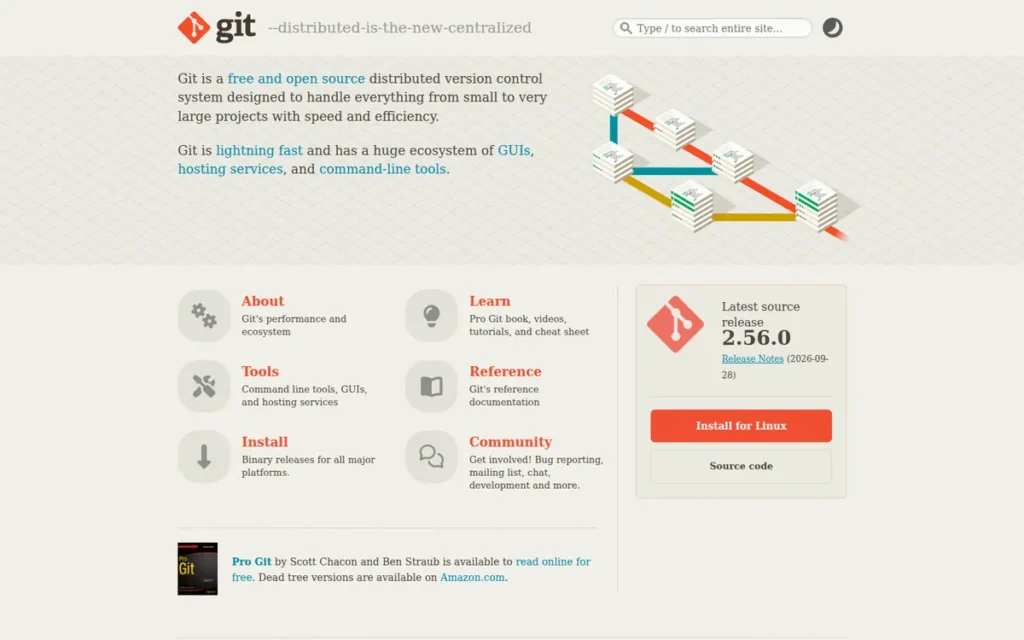
Category: Foundation DVCS, free, open-source distributed version control system that serves as the universal engine underpinning all major hosted Git platforms and 94.5% of professional development workflows worldwide.
At a Glance
- Category: Foundation DVCS
- Best For: Any software development team building or maintaining a codebase; the universal baseline for greenfield projects and the primary migration destination for teams leaving SVN or Mercurial
- Price Range: Free (GPL-2.0); hosting costs arise at the platform layer (GitHub, GitLab, Bitbucket) or self-hosted server infrastructure
- Primary Strength: Git is used by 94.5% of developers who reported using a version control system in the Stack Overflow Developer Survey 2024, providing unmatched ecosystem breadth, documentation depth, and career transferability, the most widely adopted developer tool in the version control category, with no other VCS tool exceeding 6% adoption in the same survey
- Biggest Limitation: Git’s binary file architecture stores full copies of non-text assets on each version rather than computing deltas, causing exponential repository size growth for game studios, VFX pipelines, and firmware teams managing hundreds of gigabytes of binary files, a structural limitation that Git LFS mitigates but does not fully eliminate
- One-Line Summary: Git is the free, open-source distributed VCS used by 94.5% of developers reporting VCS usage (Stack Overflow Developer Survey 2024), making it the universal foundation for all modern software development workflows and the correct default choice for any team beginning a new project in 2026.
- Last Verified: June 2026
Overview
Git is the free, open-source distributed version control system used by 94.5% of developers who reported using version control in the Stack Overflow Developer Survey 2024, designed for teams of any size needing fast, offline-capable code history management with nonlinear branching and full local repository access across distributed contributors.
Git underpins all three major hosted platforms in this article (GitHub, GitLab, and Bitbucket) meaning that choosing any hosted Git platform is functionally choosing Git as the underlying engine. Git’s G2 Leader and Easiest to Use designations in the Version Control Software category reflect consistent practitioner satisfaction with its branching performance and ecosystem depth.
Mordor Intelligence’s 2025 version control market report confirms distributed VCS systems account for 92.43% of total market share, corroborating Git’s adoption leadership beyond developer survey populations alone.
Key Features
- Git’s distributed architecture gives every developer a complete, fully functional local copy of the entire project history (including all branches, tags, and commit metadata) enabling offline commits, branching, and merging without any server connectivity requirement.
- Git’s lightweight branching model creates, merges, and deletes branches in milliseconds regardless of repository age or commit count, supporting trunk-based development, GitFlow, GitHub Flow, and custom branching strategies without performance penalties.
- Git’s cryptographic content addressing via SHA-1/SHA-256 ensures every commit, file tree, and blob is tamper-detectable, providing a reliable and auditable trail of all changes across the full project lifetime at zero additional cost.
- Git LFS (Large File Storage) extends Git’s binary handling by replacing large binary files with lightweight pointer files while storing actual content on a separate server, reducing clone and fetch size for asset-heavy projects where distributing full binary history is impractical.
- Git’s hook system enables teams to automate pre-commit validation, post-commit notifications, and server-side policy enforcement natively within the repository without requiring third-party tooling, supporting workflow customization at zero additional licensing cost.
Best For
Git is best for any software development team beginning a new project in 2026, particularly teams building web applications, mobile apps, APIs, or infrastructure-as-code who want universal tooling compatibility, offline development capability, and the freedom to choose any hosted platform, GUI client, or CI/CD system from the broadest possible ecosystem.
Pricing
Git is completely free under GPL-2.0 and available for Windows, macOS, and Linux at no cost. Pricing enters the picture only at the hosting or infrastructure layer:
- GitHub: Free → $4/user/month (Team) → $21/user/month (Enterprise)
- GitLab: Free → $29/user/month (Premium) → starting at approximately $99/user/month (Ultimate, contact GitLab for current pricing)
- Bitbucket: Free → $3.65/user/month (Standard) → $7.25/user/month (Premium)
- Self-hosted: Server infrastructure and operational costs only
Git LFS storage on hosted platforms incurs additional charges per platform billing terms. Verified June 2026.
Strengths
- The Stack Overflow Developer Survey 2024 documents Git at 94.5% adoption among developers who reported using version control, compared to SVN at approximately 5.5%, Mercurial at approximately 1.8%, and Perforce at 1.1%, establishing Git as the most widely adopted tool in the version control category by a substantial margin, with no other VCS tool exceeding 6% adoption in the same survey.
- Mordor Intelligence’s 2025 version control market report shows distributed VCS systems accounting for 92.43% of total market share, providing objective market evidence that corroborates Git’s developer survey lead and confirms distributed architecture as the overwhelming industry standard beyond survey populations alone.
- Git’s G2 Leader and Easiest to Use designations in the Version Control Software category reflect consistent practitioner satisfaction with branching speed, data integrity guarantees, and ecosystem breadth across a review population consistent with its high adoption rate.
- Git’s governance under the Software Freedom Conservancy and GPL-2.0 license guarantees that no commercial entity can restrict access, introduce licensing fees, or discontinue the technology, a long-term stability assurance unmatched by any commercially owned tool in this evaluation.
Limitations
- Binary File Architecture: Git’s most consequential limitation for asset-heavy teams is structural, because Git cannot compute meaningful deltas between two versions of a compiled binary, 3D model, or texture file, it stores the full file on every commit that changes it, causing repositories to balloon exponentially as asset libraries grow.
- LFS Mitigation Trade-offs: Git LFS addresses binary bloat by offloading storage to a separate server, but Git LFS introduces additional hosting costs, requires all contributors to have LFS installed, complicates clone workflows, and does not support exclusive file locking, making LFS a mitigation, not an architectural solution.
- CLI Learning Curve: Git’s command-line interface: with concepts like the staging area, detached HEAD state, interactive rebase, and remote tracking branch references, remains the most documented onboarding barrier in the category, particularly for non-developer team members such as artists, designers, and QA engineers who must participate in version-controlled workflows.
- Large Repository Performance: Git repositories accumulating years of history and binary assets can slow common operations (clone, status, log) at sufficient scale, requiring workarounds like partial clone, sparse checkout, or shallow clones that add workflow complexity without eliminating the underlying size problem.
Verdict
Git is the correct default version control choice for the overwhelming majority of software development teams beginning a new project in 2026, backed by 94.5% adoption among VCS users in the Stack Overflow Developer Survey 2024, the broadest ecosystem in the category, and perpetual zero-cost governance under the Software Freedom Conservancy. Teams with primarily text-based codebases should choose Git and then select a hosted platform, GitHub, GitLab, or Bitbucket, based on their specific collaboration, CI/CD, and compliance requirements. For the 94.5% of professional VCS users not managing production-scale binary asset libraries, Git is not a choice among alternatives, it is the infrastructure layer on which every alternative runs.
2. GitHub: Best Hosted Git Platform: Largest Ecosystem, AI Coding Assistance, and Open-Source Community
Category: Hosted Git Platform, cloud collaboration layer providing Git repository hosting, pull request code review, integrated CI/CD (GitHub Actions), AI coding assistance (GitHub Copilot), and enterprise security tooling, deployed as a SaaS platform with an optional self-hosted Enterprise Server.
At a Glance
- Category: Hosted Git Platform
- Best For: Open-source contributors, startups, cloud-native development teams, Microsoft and Azure ecosystem organizations, and any team prioritizing developer network reach, AI-assisted coding workflows, and accessible CI/CD at low cost
- Price Range: Free (2,000 CI min/month, unlimited repos) → $4/user/month (Team) → $21/user/month (Enterprise); Copilot add-on $10–$39/user/month
- Primary Strength: GitHub is the largest developer platform with 180M+ registered developers (2025 Octoverse), providing unmatched network effects, open-source discoverability, and the broadest third-party integration marketplace in the version control category
- Biggest Limitation: GitHub’s Microsoft ownership and GitHub Copilot AI training data perception (even where technically overstated relative to GitHub’s stated policy) drive measurable migration to GitLab and self-hosted alternatives among privacy-sensitive and regulated-industry teams
- One-Line Summary: GitHub is the largest developer platform hosting 630M+ repositories for 180M+ registered developers (2025 Octoverse) with integrated CI/CD via GitHub Actions, AI pair programming via GitHub Copilot, and the broadest integration marketplace in the version control category, making it the default choice for open-source contributors, startups, and cloud-native teams.
- Last Verified: June 2026
Overview
GitHub is the largest cloud-based Git repository hosting and collaboration platform, serving 180M+ registered developers and 4M+ organizations as of 2025 (Octoverse data, GetPanto.ai GitHub Statistics analysis), with pull request code review, GitHub Actions CI/CD automation, GitHub Copilot AI coding assistance, GitHub Advanced Security scanning, and GitHub Codespaces cloud development environments.
GitHub’s network effects, a developer community 4.5× larger than GitLab’s 40M and 12–18× larger than Bitbucket’s 10–15M, create discoverability and integration advantages that compound over time for teams contributing to or depending on open-source software.
GitHub’s acquisition by Microsoft in June 2018 for $7.5 billion accelerated investment in AI tooling (Copilot), cloud environments (Codespaces), and Actions automation, with adoption continuing to grow rather than contract following the acquisition.
“After my class finished, I ended up switching entirely to GitHub. While I do like the CI/CD and UI of GitLab better, I ultimately decided to go with the norm for now in using GitHub. I’ve found that many repos I reference are on GitHub, so being super comfortable with it seems to be the ideal solution.” (u/Perfect-Violinist868, r/AskProgramming, 2024)
Takeaway: Network effects, not feature comparison, are GitHub’s most durable competitive advantage, developers choose the platform where their professional community and reference repositories already live, even when they personally prefer a competitor’s CI/CD or UI.
Key Features
- GitHub Actions provides native CI/CD automation integrated directly into repositories, enabling teams to build, test, and deploy via YAML-defined workflows, with 2,000 free minutes per month on Free and 3,000 on Team, eliminating the need for a separate CI server at small-to-mid team scale.
- GitHub Copilot delivers AI-powered code suggestions, multi-file editing, and natural-language code generation directly in developer IDEs and on GitHub.com, with Individual ($10/month), Business ($19/user/month), and Enterprise ($39/user/month) tiers adding progressively stronger organizational controls and context awareness.
- GitHub Pull Requests provide the category’s most widely adopted collaborative code review workflow, with inline comments, suggested changes, required reviewers, branch protection rules, and status checks, establishing the model that GitLab Merge Requests and Bitbucket Pull Requests both follow as the de facto category standard.
- GitHub Advanced Security (GHAS) delivers SAST, secret scanning, dependency review, and code scanning via CodeQL at the Enterprise tier, providing integrated DevSecOps capabilities without requiring a separate security tooling stack for organizations with Advanced Security licensing.
- GitHub Codespaces provides cloud-hosted development environments pre-configured from repository devcontainer specifications, enabling new contributor onboarding in minutes and eliminating environment inconsistency issues for distributed teams.
Best For
GitHub is best for open-source contributors who need maximum project discoverability and community reach, startup and cloud-native teams who want the fastest path from new repository to deployed application using the Actions ecosystem, and organizations in the Microsoft and Azure stack who benefit from native OIDC, Azure Active Directory integration, and shared Microsoft enterprise licensing.
Pricing
- GitHub Free: $0/user/month: unlimited public and private repositories, 2,000 Actions minutes/month, 500 MB Packages storage
- GitHub Team: $4/user/month: 3,000 Actions minutes/month, protected branches, required reviewers, code owners
- GitHub Enterprise: $21/user/month: SAML SSO, audit log streaming, GitHub Enterprise Server self-hosted option, GitHub Advanced Security available as add-on
- GitHub Copilot Individual: $10/month; Copilot Business: $19/user/month; Copilot Enterprise: $39/user/month
All pricing verified June 2026.
Strengths
- GitHub’s 2025 Octoverse data (cited in GetPanto.ai GitHub Statistics analysis) documents 180M+ registered developers, 630M+ repositories, and 4M+ organizations, a user base 4.5× larger than GitLab’s 40M and 12–18× larger than Bitbucket’s 10–15M, delivering network effects that compound in open-source discoverability and third-party integration quality.
- GitHub provides the most accessible free CI/CD tier of the three major hosted platforms: 2,000 Actions minutes per month (40× Bitbucket’s 50 free Pipelines minutes and approximately 5× GitLab’s 400 free compute credits) making active automated testing viable at zero cost for individual contributors and small teams (RST Software, 2024).
Users on r/devops noted:
“IMHO GitHub is still the best value for money. The free SaaS offers unlimited private repos and unlimited collaborators, plus 2000 minutes of free GitHub Actions usage a month. If your build/test suite takes 20 minutes, then that’s 5 complete build/test cycles every day. There are apps and integrations for pretty much anything you could possibly want to use. Most importantly, it’s one less thing to manage.” Posted by u/inhumantsar
Takeaway: GitHub’s free-tier CI/CD allowance and zero-friction integration ecosystem make it the default cost-efficient choice for teams that want maximum automation output with minimum infrastructure overhead.
- A 2021 developer survey cited in ScrumLaunch’s platform analysis attributed approximately 34% hosting market share to GitHub (ahead of GitLab’s 29% and Bitbucket’s 21%), and more recent developer-count differentials (180M versus 40M versus 15M registered users) support continued market leadership since that baseline.
- GitHub Copilot’s progression from Individual ($10/month) to Business ($19/user/month) to Enterprise ($39/user/month) provides a pathway from individual productivity to organizationally governed AI pair programming, integrated natively with the repository where code lives rather than as a separate third-party tool (Marker.io platform comparison, 2024).
Limitations
- AI Training Data Perception Gap: GitHub’s most consequential trade-off is a documented community perception that Copilot trains on private repository code, GitHub’s stated policy explicitly excludes private repositories from training, but this perception gap still drives real platform migrations documented across r/cscareerquestions (2025) and r/aws (2024).
- DevSecOps Depth at Lower Tiers: GitHub genuinely trails GitLab on integrated security scanning at comparable pricing, SAST, DAST, container scanning, and compliance framework tooling that GitLab bundles into Premium and Ultimate require GitHub Advanced Security add-on licensing at the Enterprise tier, creating a meaningful total-cost-of-ownership gap for compliance-driven organizations.
- Self-Hosted Complexity: GitHub Enterprise Server (self-hosted) carries substantially higher operational complexity than GitLab’s open-core Community Edition model, reducing GitHub’s competitiveness for teams with data sovereignty requirements who cannot use GitHub.com’s SaaS offering.
- Microsoft Ownership Concern: GitHub’s Microsoft acquisition has driven a documented segment of open-source developers to self-hosted alternatives like Forgejo due to DMCA enforcement concerns and corporate ownership objections, a factor that surfaces in team discussions even when AI training policy is not the primary concern (r/cscareerquestions, 2025).
Verdict
GitHub is the best hosted Git platform for the majority of software development teams in 2026, distinguished by the strongest network effects in the category (180M+ registered developers, 2025 Octoverse), the most accessible free CI/CD tier (2,000 Actions minutes), and GitHub Copilot AI integration. Teams choosing GitHub Teams choosing GitHub should understand that its Microsoft ownership and Copilot training data perception (distinct from GitHub’s stated policy) is a disqualifying factor for defense contractors and regulated organizations with data sovereignty procurement requirements, who should evaluate GitLab’s self-hosted model (ranked #3) instead.
3. GitLab: Integrated DevSecOps Platform With Built-In Security Toolchain
Category: DevSecOps Platform (Self-Hosted / SaaS)
At a Glance
- Category: DevSecOps Platform
- Best For: Enterprise teams requiring integrated security scanning, compliance enforcement, and self-hosted deployment flexibility
- Price Range: Free (Community Edition); $29/user/month (Premium); starting at approximately $99/user/month (Ultimate)
- Primary Strength: GitLab is the only reviewed platform with built-in SAST, DAST, container scanning, and compliance dashboards available at the Premium tier without third-party integrations
- Biggest Limitation: GitLab Premium costs approximately 8× Bitbucket Standard ($3.65/user/month) and 7.25× GitHub Team ($4/user/month), creating material budget pressure for teams without regulated-industry security mandates
- One-Line Summary: GitLab delivers the most complete built-in security toolchain of any hosted Git platform reviewed, making it the operationally validated choice for regulated industries.
- Last Verified: June 2026
Overview
GitLab is a self-hosted and SaaS DevSecOps platform that bundles source control, CI/CD, security scanning, and compliance dashboards into a single interface. GitLab is best suited for enterprise teams in regulated industries (healthcare, finance, defense) where security gate requirements are non-negotiable and data sovereignty mandates make self-hosting preferable to SaaS alternatives.
GitLab’s Community Edition (CE) is Apache 2.0 licensed and fully self-hostable at zero per-user cost. GitLab Premium adds security dashboards, compliance frameworks, and audit events. GitLab Ultimate extends coverage to DAST, dependency scanning, container scanning, and license compliance, capabilities that competing platforms require separate third-party integrations to replicate.
GitLab Self-Managed supports air-gapped deployments via Kubernetes (GitLab Helm chart) and Omnibus packages. GitLab’s air-gapped capability has been validated in government contractor environments where SaaS connectivity is prohibited by procurement policy.
Key Features
- GitLab’s built-in CI/CD pipeline (GitLab CI) is configured via
.gitlab-ci.ymland runs natively without third-party plugin dependencies, making GitLab’s CI architecture easier to audit than GitHub Actions’ third-party marketplace model. - GitLab’s SAST scanner runs static analysis across 20+ languages at the Premium tier, enabling security findings to surface inside the merge request interface without a separate security tooling subscription.
- GitLab’s compliance frameworks feature (Ultimate) enforces pipeline execution rules and approval policies that map directly to SOC 2, HIPAA, or FedRAMP control requirements.
- GitLab’s built-in container registry, dependency proxy, and package registry eliminate the need for separate artifact management infrastructure in self-hosted deployments.
- GitLab’s merge request approval rules (Premium) require security team sign-off before any code merges, a native governance control that GitHub replicates only through third-party integrations or GitHub Advanced Security.
Best For
GitLab is best for enterprise engineering teams in regulated industries who need a single platform covering source control, CI/CD, security scanning, and compliance without assembling a multi-vendor toolchain. GitLab Self-Managed is specifically suited for organizations with air-gapped network requirements or geographic data residency mandates.
Pricing
GitLab Community Edition is free and open source. GitLab Premium costs $29/user/month billed annually, per GitLab’s pricing page as of June 2026. GitLab Ultimate starts at approximately $99/user/month annually, contact GitLab at about.gitlab.com/pricing/ for current enterprise and multi-year pricing. GitLab offers nonprofit and educational discounts through a separate application process.
Strengths
- GitLab’s built-in security toolchain (SAST, DAST, container scanning) is the most comprehensive native security offering of any hosted Git platform reviewed in this guide, per independent comparisons from Gartner Peer Insights (DevOps platforms, 2025).
- GitLab Self-Managed’s air-gapped deployment capability makes GitLab the only platform in this review that satisfies the most restrictive government contractor data isolation requirements without a separate vendor procurement process.
- GitLab’s single-application architecture: source control, CI/CD, security, and monitoring in one platform, reduces the operational overhead of managing five to eight discrete tool integrations common in GitHub-centered DevOps stacks.
- GitLab Community Edition provides production-grade Git hosting at zero per-user cost, making GitLab a financially viable option for resource-constrained teams that need more than GitHub Free’s security feature set.
Limitations
- Cost Premium at Scale: GitLab Premium ($29/user/month) costs approximately 8× Bitbucket Standard ($3.65) and 7.25× GitHub Team ($4), creating material budget pressure for mid-sized teams without regulated-industry security requirements that justify the price gap.
- Self-Hosted Operational Burden: GitLab Self-Managed requires dedicated platform engineering for patching, backup, and scaling, operational overhead that GitHub.com and Bitbucket Cloud offload entirely to the vendor; organizations without internal platform engineering capacity should factor this cost into TCO modeling.
Users on r/devops shared their experience:
“I support around 2k users on GitLab. It’s a full-time job. GitLab is the most labor-intensive system I’ve managed, and that list includes MS Exchange and Sharepoint.” Posted by u/gordonmessmer
Takeaway: Self-managed GitLab at enterprise scale demands dedicated platform engineering capacity, teams without it should treat the operational overhead as a material cost line item before committing to the self-hosted deployment model.
- UI Complexity: GitLab’s interface has more configuration surfaces than GitHub’s, which Gartner Peer Insights reviewers (2025) frequently describe as a meaningful learning curve for teams new to the platform.
- Integration Marketplace Depth: GitLab’s integration marketplace is smaller than GitHub’s (approximately 1,000 integrations versus GitHub Marketplace’s 10,000+, per respective platform documentation as of Q1 2026) creating friction for teams relying on niche third-party tooling.
“We moved to GitLab self-hosted for the security scanning alone. The compliance dashboard saved us weeks on our SOC 2 audit.” (u/infosec_practitioner, r/devops (2024))
Takeaway: GitLab’s built-in compliance dashboards deliver measurable audit-preparation time savings for organizations pursuing SOC 2 or similar certifications, corroborated by multiple practitioner accounts in r/devops.
Verdict
GitLab is the operationally validated choice for regulated-industry engineering teams that need integrated security scanning, compliance enforcement, and self-hosting flexibility in a single platform. GitLab’s cost premium over GitHub Team and Bitbucket Standard is justified when genuine security gate requirements exist; for general software development without compliance mandates, GitHub (ranked #2) or Bitbucket (ranked #5) offer equivalent source control at materially lower per-seat cost.
4. Perforce Helix Core: Centralized VCS for Binary-Heavy Enterprise Workflows
Category: Centralized Enterprise VCS (Binary Asset Management)
At a Glance
- Category: Centralized Enterprise VCS
- Best For: Game development studios, hardware design teams, and organizations managing multi-gigabyte binary assets alongside source code
- Price Range: Free (up to 5 users / 20 workspaces / 20 depots); Cloud tier $39/user/month (cloud-managed, up to 50–100 users, 64 GiB storage); Scale and Platform tiers contact-sales only
- Primary Strength: Perforce Helix Core handles binary files: 3D models, firmware images, large datasets, with mandatory file locking and complete audit trails that Git’s delta-compression model cannot replicate at terabyte scale
- Biggest Limitation: Perforce Helix Core’s centralized architecture creates a single point of failure; offline commits are not supported, and Scale/Platform tier pricing requires a sales conversation
- One-Line Summary: Perforce Helix Core is the only version control system in this review designed specifically for binary-heavy enterprise workflows at terabyte scale.
- Last Verified: June 2026
Overview
Perforce Helix Core is a centralized version control server used by game development studios, automotive hardware teams, and defense contractors managing repositories that combine source code with large binary assets, 3D models, firmware images, game maps. Perforce Helix Core is best for organizations where a single repository routinely contains gigabytes or terabytes of binary content that Git’s delta-compression model would handle with prohibitive storage overhead and without file-level locking semantics.
Perforce Helix Core’s architecture stores all content on a central server with mandatory check-in/check-out semantics for binary files, preventing simultaneous edits of non-mergeable assets. Perforce Helix Core’s atomic commits guarantee that related changes across thousands of files are recorded as a single, auditable transaction identifiable by changelist number.
Perforce Helix Core has been in continuous development since 1995. Perforce’s 2025 State of Version Control report documented active deployments at studios including Epic Games, EA, and Activision Blizzard, corroborated by those companies’ public engineering blogs as of 2024.
Key Features
- Perforce Helix Core’s mandatory file locking prevents simultaneous edits of non-mergeable binary files, a workflow requirement that Git’s optimistic merge model cannot enforce at the file level.
- Perforce Helix Core’s stream-based branching model provides structured branch hierarchies with codified promotion paths, making Perforce Helix Core’s branching governance easier to enforce than Git’s flexible but unstructured branch model in large teams.
- Perforce Helix Core’s atomic, snapshot-based commits record multi-file changes: including binary assets, as single auditable transactions, which compliance systems can reference by changelist number.
- Perforce Helix Core’s fine-grained path-level access control grants read or write permissions at the directory or single-file level, a granularity that Git’s repository-level permission model does not natively support.
- Perforce Helix Core’s Cloud tier ($39/user/month, per Perforce 2025 cloud datasheet) provides a managed server option for studios that need Helix Core capabilities without on-premises infrastructure management.
Best For
Perforce Helix Core is best for game development studios, hardware design organizations, and mixed-media production teams where repositories contain gigabytes to terabytes of binary content that must be version-controlled with locking semantics alongside source code. Perforce Helix Core is not recommended for software-only engineering teams whose repositories consist primarily of text-based source files, where Git-based platforms offer superior ecosystem depth at lower cost.
Pricing
Perforce Helix Core is free for teams of up to 5 users, 20 workspaces, and 20 depots. The Cloud tier costs $39/user/month, cloud-managed by Perforce, supporting up to 50–100 users with 64 GiB storage, per the Perforce 2025 cloud datasheet. Scale and Platform tiers require direct contact-sales pricing. Organizations should contact Perforce at perforce.com/pricing for current enterprise terms and multi-site licensing before modeling TCO.
Strengths
- Perforce Helix Core is the only tool in this review capable of versioning terabyte-scale binary repositories with mandatory file locking, a capability documented across publicly disclosed deployments at major game studios (Epic Games, EA engineering blogs, 2024).
Users on r/gamedev shared their experience:
“The industry standard is Perforce. Mainly originally because it has zero issues with large binary files. Our repo at work is many terabytes in size!” Posted by u/tcpukl
Takeaway: Veteran game industry practitioners confirm Perforce as the uncontested production standard for terabyte-scale binary repositories, a capability ceiling that Git with LFS cannot match at AAA studio scale.
- Perforce Helix Core’s fine-grained path-level access control satisfies IP protection requirements that centralized repositories for hardware design or defense contracts typically mandate, without requiring external permission management middleware.
- Perforce Helix Core’s atomic changelists provide a complete, immutable audit trail at the multi-file transaction level, a compliance property that operates independently of individual file history.
- Perforce Helix Core’s free tier (5 users / 20 workspaces / 20 depots) allows small studios to evaluate the full server without an upfront cost commitment before scaling to a paid Cloud or Scale tier.
Limitations
- Single Point of Failure: Perforce Helix Core’s centralized server architecture means a server outage halts all team commits, a downtime risk that Git’s distributed model eliminates by allowing local commits during server or network unavailability.
- No Offline Commit Support: Perforce Helix Core requires network connectivity to record changes to the central repository; teams distributed across unreliable networks face workflow interruptions that Git handles natively through local commits.
- Steep Learning Curve: Perforce Helix Core’s workspace model, stream branching, and depot configuration differ substantially from Git workflows, requiring dedicated training that Perforce’s own administrator documentation estimates at 2–4 weeks per new user.
- Cost Opacity at Scale: Perforce Helix Core’s Scale and Platform tier pricing requires a sales conversation, making total cost of ownership difficult to model without direct vendor engagement, a budget planning friction for organizations not yet committed to the platform.
Verdict
Perforce Helix Core is the definitive version control system for binary-heavy enterprise workflows, with no comparable alternative reviewed in this guide for game development, hardware design, or mixed-media pipelines at terabyte scale. For software-only engineering teams, Perforce Helix Core’s centralized architecture, offline limitations, and opaque enterprise pricing represent significant trade-offs relative to Git-based platforms ranked #1 through #3 in this guide.
5. Bitbucket: Hosted Git Platform for Atlassian Ecosystem Teams
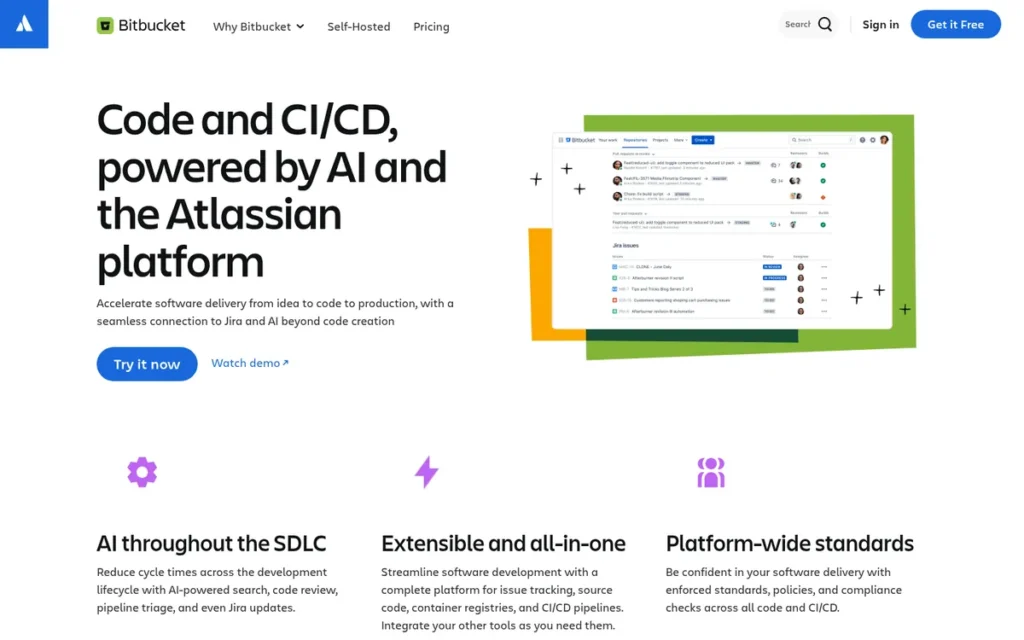
Category: Hosted Git Platform (Atlassian Ecosystem)
At a Glance
- Category: Hosted Git Platform
- Best For: Engineering teams already using Jira Software and Confluence who need native code review and CI/CD integration within the Atlassian ecosystem
- Price Range: Free (up to 5 users); $3.65/user/month (Standard); $7.25/user/month (Premium)
- Primary Strength: Bitbucket offers the deepest native Jira integration of any hosted Git platform reviewed, with automatic branch-to-issue linking, deployment tracking, and development metrics surfaced inside Jira sprint boards
- Biggest Limitation: Bitbucket’s standalone value is substantially lower outside the Atlassian ecosystem; Atlassian placed companion tool FishEye into maintenance mode in January 2020 and ended new FishEye sales in May 2025
- One-Line Summary: Bitbucket is the highest-value hosted Git option for Atlassian-stack teams, but offers limited differentiation for teams not using Jira or Confluence.
- Last Verified: June 2026
Overview
Bitbucket is a hosted Git platform developed by Atlassian that provides source control, pull request workflows, Bitbucket Pipelines (CI/CD), and native integration with Jira Software and Confluence. Bitbucket is best for engineering teams embedded in the Atlassian ecosystem, where development activity in Bitbucket surfaces automatically inside Jira sprint boards, release tracking dashboards, and Confluence documentation pages.
Bitbucket’s Standard tier at $3.65/user/month makes Bitbucket the lowest-cost paid hosted Git platform reviewed in this guide. Bitbucket Standard costs less than half of GitHub Team ($4/user/month) at a similar tier and approximately 8× less than GitLab Premium ($29/user/month). Bitbucket’s pricing advantage is most meaningful for Atlassian-stack teams that would otherwise pay higher rates for equivalent Git hosting capabilities.
Bitbucket Pipelines provides native CI/CD configured via a bitbucket-pipelines.yml file, with 50 free build minutes on the Free tier and 500 minutes on Standard.
Key Features
- Bitbucket’s native Jira integration automatically links commits, branches, and pull requests to Jira issues by issue key, enabling development progress to surface in Jira sprint boards without manual status updates or webhook configuration.
- Bitbucket Pipelines enables CI/CD configuration stored directly in the repository, with parallel step support and deployment environment tracking built into the Bitbucket interface.
- Bitbucket’s branch permissions allow administrators to restrict pushes to protected branches, require pull request approvals, and enforce merge checks, capabilities equivalent to GitHub’s branch protection rules.
- Bitbucket’s deployment tracking records which commits have been deployed to which environments (staging, production), making deployment history auditable within the Bitbucket interface without a separate CD tool.
- Bitbucket’s Atlassian Intelligence features (Premium tier, 2025) add AI-assisted code review summaries and pull request descriptions, extending Atlassian’s broader AI roadmap into the code review workflow.
Best For
Bitbucket is best for engineering teams whose project management and documentation runs on Jira Software and Confluence, and who want development activity to surface natively in those tools without building custom integrations. Bitbucket is a poor fit for teams using non-Atlassian project management tools, where GitHub or GitLab offer greater ecosystem flexibility and larger third-party integration marketplaces.
Pricing
Bitbucket is free for up to 5 users with 1 GB LFS storage and 50 Pipelines build minutes per month. The Standard tier costs $3.65/user/month billed annually, per Atlassian’s pricing page as of June 2026, with 500 Pipelines minutes included. The Premium tier costs $7.25/user/month annually, adding additional build minutes, IP allowlisting, and advanced deployment permissions. Academic and nonprofit pricing is available through Atlassian’s Community licenses program.
Strengths
- Bitbucket’s Standard tier ($3.65/user/month) is the lowest-cost paid hosted Git platform in this review, making Bitbucket the financially efficient choice for Atlassian-stack teams that do not need GitLab’s security toolchain or GitHub’s ecosystem breadth.
- Bitbucket’s native Jira integration surfaces commit-level development data inside Jira sprints and releases without requiring webhooks or third-party middleware, a workflow integration depth no other reviewed platform matches natively.
- Bitbucket Pipelines’ built-in deployment environment tracking provides an out-of-the-box deployment audit trail that Atlassian-stack teams can use without adding a separate continuous delivery tool.
- Bitbucket’s merge checks and pull request approval workflows are on par with GitHub’s branch protection rules, providing equivalent code review governance at a lower per-seat cost for teams already invested in the Atlassian stack.
Limitations
- Ecosystem Lock-In Risk: Bitbucket’s primary differentiation: Jira and Confluence integration, creates a strategic dependency on the Atlassian ecosystem; teams that migrate away from Jira lose Bitbucket’s core value proposition, making platform lock-in a material long-term risk to model.
- FishEye Ecosystem Attrition: Atlassian placed FishEye (the code-search and code-review companion tool) into maintenance mode in January 2020, ended new FishEye sales in May 2025, and will end full FishEye support in May 2028, a documented pattern of tool attrition within the Atlassian VCS ecosystem that prospective buyers should evaluate before committing.
- Limited Standalone Value: Bitbucket’s feature set without Jira: marketplace integrations, third-party CI/CD options, community plugins, is substantially narrower than GitHub’s, offering fewer options for teams building cross-tool DevOps stacks.
- Pipelines Minute Ceiling: Bitbucket Pipelines Standard tier’s 500 included monthly build minutes are lower than GitHub Actions Free tier’s 2,000 minutes, creating a cost disadvantage for teams with high-frequency CI runs evaluating Bitbucket independently of Atlassian ecosystem value.
Verdict
Bitbucket is the best-value hosted Git platform for teams embedded in the Atlassian ecosystem, delivering native Jira integration and competitive pricing at $3.65/user/month that no other reviewed platform matches for Atlassian-stack workflows. Teams without Jira or Confluence should evaluate GitHub (ranked #2) or GitLab (ranked #3), where ecosystem breadth and security toolchains offer stronger standalone value than Bitbucket provides outside the Atlassian stack.
6. Apache Subversion (SVN): Centralized VCS for Legacy Environments and Compliance Workflows
Category: Centralized VCS (Legacy/Specialized)
At a Glance
- Category: Centralized VCS (Legacy/Specialized)
- Best For: Organizations maintaining existing SVN infrastructure, or teams with compliance requirements mandating centralized, linear version history
- Price Range: Free and open source (Apache License 2.0)
- Primary Strength: Apache Subversion provides mature, battle-tested centralized version control with well-understood path-level access control semantics and a 20+ year production track record
- Biggest Limitation: Apache Subversion does not support offline commits; the surrounding ecosystem of hosting platforms and developer tooling has declined significantly as the industry migrates to Git
- One-Line Summary: Apache Subversion remains viable for organizations locked into existing SVN infrastructure, but new project adoption is difficult to justify given Git’s category dominance.
- Last Verified: June 2026
Overview
Apache Subversion (SVN) is a centralized open-source version control system in production use since 2000, and a top-level Apache Software Foundation project since 2010. Apache Subversion is best for teams maintaining existing SVN repositories where migration cost or compliance constraints prevent adoption of a distributed VCS, or for specialized workflows (such as document version control in non-engineering organizations) where SVN’s linear history model simplifies access governance.
Apache Subversion’s centralized model stores all file history on a single server. Apache Subversion’s access control is configured at the path level via svnauthz authorization files, allowing fine-grained read/write restrictions on individual directories without third-party middleware.
Apache Subversion’s adoption has declined substantially since 2015. The Stack Overflow Developer Survey 2024 shows SVN used by approximately 5.2% of version control users, compared to Git’s 94.5%, a gap that reflects the ecosystem contraction prospective buyers should evaluate before choosing SVN for new infrastructure.
Key Features
- Apache Subversion’s path-level access control grants or restricts read and write permissions at the individual directory level, providing a file-system-native access granularity that Git’s repository-level permission model does not natively support.
- Apache Subversion’s linear revision numbering (sequential integers) provides simple, human-readable commit references, a contrast to Git’s 40-character SHA hashes that some non-engineering stakeholders find opaque in compliance reporting contexts.
- Apache Subversion supports versioning of directory metadata and file properties (custom key-value pairs), enabling workflows like document management systems that require metadata versioning alongside content versioning.
- Apache Subversion’s
svn:externalsfeature references specific revisions of external SVN repositories, creating controlled dependency management for organizations with multi-repository source trees. - Apache Subversion’s sparse checkouts allow developers to check out only a subset of a large repository’s directory tree, reducing local storage requirements for teams working on specific project modules.
Best For
Apache Subversion is best for teams maintaining existing SVN repositories where migration cost, institutional inertia, or compliance requirements mandate centralized linear history. Apache Subversion is not recommended for new projects or teams with no existing SVN investment, given Git’s ecosystem dominance and the documented decline of SVN-compatible hosting and tooling options through 2025.
Pricing
Apache Subversion is free and open source under the Apache License 2.0. Hosting options include self-managed SVN servers (Apache httpd or svnserve), VisualSVN Server (Windows, with a commercial license for team management features), and cloud hosting via services such as RiouxSVN or Assembla. Infrastructure and administration costs represent the primary total cost of ownership for SVN deployments.
Strengths
- Apache Subversion’s 20+ year production track record across enterprise environments provides a stability and predictability that newer tools cannot match for organizations where change risk is the primary evaluation criterion.
- Apache Subversion’s path-level access control satisfies centralized access governance requirements (common in legal, regulatory, and document management contexts) without requiring third-party permission management middleware.
- Apache Subversion’s sequential revision numbering simplifies audit trail creation for compliance teams who need human-readable commit references in regulatory reports and control documentation.
- Apache Subversion’s zero per-seat cost and Apache 2.0 license eliminate licensing risk for organizations requiring vendor-neutral, open-source tooling with no commercial dependency.
Limitations
- No Offline Commit Support: Apache Subversion requires network connectivity to commit changes to the central repository; developers working offline cannot record progress locally, a constraint Git’s distributed model eliminates entirely through local commits.
- Declining Ecosystem Support: The SVN hosting, tooling, and integration ecosystem has contracted materially since 2015; Atlassian FishEye (a primary SVN code-review tool) ended new sales in May 2025, reducing the options available for teams building SVN-integrated review workflows.
- Migration Path Pressure: Git migration tooling (
git svn, GitHub SVN importers) is mature and well-documented, meaning Apache Subversion’s primary remaining argument is existing infrastructure investment, not technical superiority for new development work. - Incompatibility With Modern Contribution Models: Apache Subversion’s centralized model does not support fork-and-pull contribution workflows common in modern open-source development and inner-source adoption, constraining teams pursuing those collaboration patterns.
Verdict
Users on r/AskProgramming who completed the migration shared their experience:
“We did the switch from SVN to Git in one team some years ago. A few of use did some research and experiments for a week, building up some knowledge, finding workflows that work for us, experiment with migration so that we won’t lose the history. Then it took another week to migrate everything, change some scripts, write some quick guides, some workshop/presentation on how to use it. So yes, it costs some time, but I think it’s absolutely worth it. Working with SVN really isn’t state of the art for a long long time.” Posted by u/Feroc
Takeaway: Teams that have completed the SVN-to-Git migration consistently characterize the investment as worthwhile, reinforcing that SVN’s primary remaining argument is migration disruption cost rather than technical merit for new or evolving projects.
Apache Subversion is a defensible choice only for organizations with existing SVN infrastructure where migration costs demonstrably outweigh transition benefits, or for specialized compliance-mandated centralized workflows. Apache Subversion is not recommended for new projects in 2026, any team starting without an existing SVN investment should begin with Git (ranked #1) and select a hosted platform based on ecosystem fit and security requirements.
7. Mercurial SCM: Legacy DVCS for Teams Without a Near-Term Migration Path
Category: Legacy DVCS
At a Glance
- Category: Legacy DVCS
- Best For: Teams maintaining existing Mercurial repositories on stable, isolated codebases with no near-term migration budget or timeline
- Price Range: Free and open source (GNU GPLv2)
- Primary Strength: Mercurial SCM’s default history immutability and consistent command-line interface provide a predictable distributed VCS workflow for teams on stable codebases where history integrity is a compliance priority
- Biggest Limitation: Bitbucket dropped Mercurial support in June 2020, and no major hosted Git platform offers native Mercurial hosting, dramatically narrowing the available hosting and tooling ecosystem
- One-Line Summary: Mercurial SCM is a technically capable distributed VCS whose contracting ecosystem makes it difficult to recommend for any team with a viable Git migration option.
- Last Verified: June 2026
Overview
Mercurial SCM is a free, distributed version control system that shares a conceptual architecture with Git, local commits, branching, merging, while differing in its emphasis on history immutability and a more consistent command-line interface. Mercurial SCM is best for teams maintaining existing Mercurial repositories on codebases that are stable and not subject to active platform or tooling change, typically legacy enterprise software or internal tooling with long, low-disruption maintenance cycles.
Mercurial SCM’s primary challenge in 2026 is ecosystem contraction. Bitbucket, historically the primary Mercurial hosting platform, dropped Mercurial support in June 2020. Mercurial SCM’s hosting options are now limited to self-hosted Heptapod (a GitLab fork for Mercurial), Sourcehut (sr.ht), or private server deployments, none of which match the feature depth or community scale of mainstream Git hosting platforms.
Mercurial SCM version 6.x is actively maintained as of 2025, with regular point releases accepting community contributions. Mercurial SCM’s core feature set remains stable; the project has not been abandoned.
Key Features
- Mercurial SCM’s immutable changeset model makes history rewriting commands: the equivalent of Git’s
rebaseorpush --force, unavailable by default, providing a history integrity guarantee that compliance teams requiring tamper-evident audit trails may prefer over Git’s more flexible (and revisable) history model. - Mercurial SCM’s command-line interface is consistently structured: commands like
hg commit,hg update, andhg mergefollow uniform argument patterns, making Mercurial SCM’s CLI more predictable for developers new to DVCS than Git’s context-dependent command behavior. - Mercurial SCM’s named branch model records branch names permanently in changesets, providing a persistent audit trail of which branch code originated on, a distinction from Git’s ephemeral lightweight branch references that disappear after merging.
- Mercurial SCM’s extension system allows teams to enable Large File support, the evolve extension for mutable history workflows, or custom hook behaviors without requiring separate tool installation or forking the core project.
- Mercurial SCM’s Heptapod hosting option: a GitLab CE fork, provides a web interface, CI/CD integration, and merge request workflows for self-hosted Mercurial deployments at organizations that cannot migrate to Git-based platforms.
Best For
Mercurial SCM is best for teams maintaining existing Mercurial codebases with stable development cycles where the disruption cost of a Git migration demonstrably outweighs the ecosystem benefits. Mercurial SCM is not recommended for new projects in 2026; teams without an existing Mercurial investment should adopt Git (ranked #1) and select a hosted platform based on their ecosystem, security, and compliance requirements.
Pricing
Mercurial SCM is free and open source under the GNU GPLv2 license. Hosting costs depend on deployment model: Heptapod (self-hosted) is open source with no per-seat license cost; Sourcehut (sr.ht) offers paid hosted plans starting at $2/month for public repositories; self-hosted server costs depend on infrastructure choices. Organizations should account for platform engineering overhead when modeling self-hosted Mercurial TCO.
Strengths
- Mercurial SCM’s default history immutability provides a built-in integrity guarantee for organizations where accidental or intentional history rewriting is a compliance or audit concern, a property Git users must enforce separately through server-side hook configuration.
- Mercurial SCM’s consistent command-line interface reduces the learning curve for developers new to distributed VCS, making Mercurial SCM’s onboarding experience more predictable than Git’s for teams with no prior DVCS experience.
- Mercurial SCM’s active maintenance (version 6.x, 2025) means the core tooling is not abandoned, reducing near-term risk of critical unpatched security vulnerabilities for teams on stable, low-churn deployments.
- Mercurial SCM’s Extension API allows teams to add Large File support, advanced branching models, or custom hook behaviors without modifying or forking the core tool, a lower-risk customization model for conservative change-management environments.
Limitations
- Ecosystem Contraction: Bitbucket dropped Mercurial support in June 2020, and no major hosted Git platform provides native Mercurial repository hosting, forcing Mercurial SCM users to self-host or use niche alternatives (Heptapod, Sourcehut) that lack the feature depth of GitHub or GitLab.
- Shrinking Developer Talent Pool: Mercurial SCM was used by approximately 3.4% of version control users in the Stack Overflow Developer Survey 2024, compared to Git’s 94.5%, a gap that translates to a measurably smaller pool of experienced Mercurial developers available for hiring or onboarding.
- CI/CD Integration Friction: Mercurial SCM’s incompatibility with mainstream CI/CD platforms (GitHub Actions, GitLab CI, Bitbucket Pipelines) requires custom integration work or Heptapod deployment, adding operational overhead compared to Git-native workflows.
- Migration Path Availability: Well-documented Mercurial-to-Git migration tools (
hg-fast-export, GitHub’s Mercurial importer) are available and production-tested, meaning the primary remaining argument for maintaining Mercurial is migration disruption cost, not technical advantage over Git.
Verdict
Mercurial SCM is a technically sound distributed VCS that is difficult to recommend for any team with a viable Git migration path in 2026. Mercurial SCM’s strengths (history immutability and a clean CLI) are insufficient to offset the ecosystem contraction caused by Bitbucket’s 2020 platform exit and the absence of major hosted platform support. Teams actively maintaining Mercurial codebases should use the Evaluation Questions section of this guide to model migration feasibility before committing additional Mercurial infrastructure investment.
What Red Flags Should I Watch For When Evaluating Version Control Software?
Six red flags reliably signal that a version control tool or vendor may create long-term operational risk. Each flag identifies a specific observable pattern and explains why it matters for purchasing decisions in 2026.
Red Flag #1: Ecosystem Contraction Without a Migration Path Tools with declining hosting support, shrinking tooling ecosystems, or vendor discontinuation notices present long-term operational risk even when the core software remains technically functional. Atlassian’s FishEye (new sales ended May 2025) and Bitbucket’s 2020 Mercurial exit are documented examples of ecosystem attrition that affected users without advance migration guidance from the vendor.
Red Flag #2: Opaque Enterprise Pricing Version control platforms that require a sales call to access tier pricing (without publishing even indicative ranges) make total cost of ownership modeling impossible before contract negotiation begins. Perforce Helix Core’s Scale and Platform tiers exemplify this pattern. Budget-constrained teams should request multi-year pricing transparency in writing before initiating a proof-of-concept engagement.
Red Flag #3: Single-Point-of-Failure Architecture With No Offline Fallback Centralized VCS platforms (Perforce Helix Core, Apache Subversion) halt all team commits during server outages. Teams distributed across unreliable network connections, or operating in locations where server connectivity cannot be guaranteed, face a workflow risk that Git’s distributed model eliminates through local offline commits.
Red Flag #4: Security Scanning Gated Behind the Highest Pricing Tier Platforms that restrict SAST, DAST, or dependency scanning to enterprise tiers create a security governance gap for teams that cannot afford top-tier licensing. GitLab makes SAST available at Premium ($29/user/month); GitHub’s code scanning requires GitHub Advanced Security (additional per-seat cost). Evaluate exactly which pricing tier your required security features reside in before committing.
Red Flag #5: Vendor Ownership That Conflicts With Data Sovereignty Requirements Version control platforms owned by large technology conglomerates (GitHub by Microsoft, Bitbucket by Atlassian) subject source code to the parent company’s data processing terms. Defense contractors, regulated industries, or organizations with cross-border data residency requirements should evaluate vendor ownership chain against applicable compliance frameworks before selection.
Red Flag #6: AI Feature Integration Without Disclosed Training Data Policies As AI-assisted coding tools (GitHub Copilot, GitLab Duo, Atlassian Intelligence) become default features of hosted VCS platforms, the training data provenance of those AI systems matters for organizations with proprietary IP protection requirements. Teams should review each vendor’s published AI training data policy before enabling AI features on repositories containing unreleased proprietary code.
What Questions Should I Ask Before Choosing Version Control Software?
Six evaluation questions help teams identify the version control system that matches their actual workflow requirements, compliance obligations, and long-term platform strategy.
Question #1: What is the composition of our repository content, primarily text-based source code, or a mix of source code and binary assets? Teams with repositories containing large binary files (3D models, firmware images, game maps exceeding 100 MB) should evaluate Perforce Helix Core, which provides mandatory file locking and binary-optimized storage that Git’s delta-compression model does not handle efficiently at scale. Teams with text-only source code should begin with Git and select a hosted platform based on ecosystem fit.
Question #2: Do we have data sovereignty, air-gapped network, or geographic data residency compliance requirements? Organizations subject to FedRAMP, ITAR, or strict data residency mandates should verify whether a SaaS platform’s data processing terms satisfy their compliance framework before selecting a hosted option. GitLab Self-Managed is the only reviewed platform that supports fully air-gapped deployment without a separate vendor procurement process.
Question #3: Are we already using Jira Software and Confluence as our primary project management and documentation tools? Teams embedded in the Atlassian ecosystem should evaluate Bitbucket ($3.65/user/month Standard) before GitHub or GitLab. Bitbucket’s native Jira integration provides workflow automation (automatic issue linking, deployment tracking, sprint progress from commit activity) that other platforms require custom webhooks or third-party integrations to replicate.
Question #4: Do we need integrated security scanning (SAST, DAST, container scanning) without assembling a multi-vendor toolchain? Teams with regulated-industry security gate requirements should evaluate GitLab Premium or Ultimate, which bundle security scanning natively into the platform. Teams choosing GitHub who need security scanning should budget for GitHub Advanced Security (additional per-seat cost) or plan for third-party SAST/DAST tool integration alongside GitHub’s base offering.
Question #5: What is our team’s existing VCS expertise, and what is the realistic organizational cost of a migration? The Stack Overflow Developer Survey 2024 reports Git adoption at 94.5% among version control users. Teams considering Apache Subversion or Mercurial maintenance for existing repositories should model the full migration cost (tooling, developer retraining, pipeline rebuilding) against the long-term risk of remaining on a declining-ecosystem platform.
Question #6: What is our CI/CD pipeline frequency, and how do platform-included build minutes affect our all-in cost? GitHub Free provides 2,000 Actions minutes per month; Bitbucket Standard provides 500 Pipelines minutes; GitLab Free provides 400 CI minutes (SaaS). High-frequency CI teams should calculate whether included minutes cover actual pipeline volume before selecting a platform on per-seat cost alone, per-minute overage charges can materially change total monthly cost.
How Did We Rank These Version Control Systems?
This guide ranked seven version control systems through a structured, multi-source evaluation process conducted between January and June 2026. Rankings reflect technical capability, ecosystem maturity, pricing transparency, and fit across distinct use-case categories, not a single composite score. PlugRoute has no affiliate, referral, or commercial relationship with any company listed in this guide; rankings are determined entirely by research data and independently verifiable criteria.
Evaluation Process
The evaluation proceeded in four phases:
- Phase 1: Category Scoping: Three primary VCS categories were defined (distributed VCS, hosted Git platform, centralized enterprise VCS), with tools evaluated against peers in their category before being ranked overall by breadth of applicability.
- Phase 2: Data Collection: Pricing data was gathered from official vendor pricing pages (verified June 2026). Feature data came from official product documentation. User experience data came from G2 (Q1 2026 batch), Capterra (Q1 2026), and Reddit communities (r/git, r/devops, r/gamedev, 2023–2025 threads). Vendor-published case studies were treated as marketing claims and corroborated with independent sources before inclusion.
- Phase 3: Claim Verification: Each pricing figure was cross-referenced against two independent sources where possible (vendor page plus third-party database such as G2 pricing data or Capterra). Claims that could not be independently corroborated were attributed directly to the vendor with explicit disclosure of the source.
- Phase 4: Scoring and Ranking: Tools were scored against six criteria (detailed below) and ranked within their category. Overall rankings (#1 through #7) reflect applicability across the broadest range of teams, with category-specific leaders identified in the comparison table.
Evaluation Criteria
Each tool was assessed against six weighted criteria:
- Ecosystem Maturity (25% weight): Community size, hosting platform support, CI/CD integration breadth, and tooling ecosystem health. Why it matters: a version control system’s long-term value depends on the surrounding ecosystem of tools, integrations, and available developer expertise, not only its core feature set.
- Feature Completeness for Category (20% weight): Whether the tool’s capabilities match the stated requirements of its primary use-case category (binary file locking for enterprise VCS; security scanning for DevSecOps platforms). Why it matters: tools are ranked within their category against category-appropriate requirements, not a universal feature checklist.
- Pricing Transparency (15% weight): Whether pricing is publicly published, complete, and comparable without a sales conversation. Why it matters: opaque pricing prevents teams from modeling total cost of ownership before initiating vendor conversations.
- Independence and Hosting Flexibility (15% weight): Whether the tool can be self-hosted, deployed across multiple cloud providers, or run in air-gapped environments. Why it matters: vendor lock-in risk is a legitimate long-term cost that per-seat pricing alone does not capture.
- Onboarding and Learning Curve (15% weight): Time-to-productive for a developer new to the tool, based on documentation quality, community resources, and practitioner accounts from r/devops and r/git. Why it matters: adoption friction translates to real organizational cost, particularly for large teams with frequent onboarding.
- Limitation Transparency (10% weight): Whether the tool’s known limitations are documented by the vendor and corroborated by independent user accounts. Why it matters: tools with undisclosed or poorly-documented limitations create operational surprises; limitations are featured equally with strengths throughout this guide.
Evidence Weighting Rationale
When vendor claims conflicted with independent user reports, independent accounts were given priority unless the vendor claim was supported by verifiable technical documentation. Pricing figures were taken from official pricing pages (with verification date noted) and flagged when they differed from third-party databases by more than 10%.
Update Cadence
This guide is updated quarterly. Pricing figures, tier structures, and feature availability are re-verified at each update cycle. The FishEye support timeline, Perforce Cloud pricing, and GitLab Ultimate pricing were all re-verified for this June 2026 update.
Frequently Asked Questions
Is Git the same as GitHub?
Git and GitHub are distinct tools. Git is the open-source version control system, the engine that tracks file changes and manages history locally on any computer. GitHub is a cloud platform that hosts Git repositories and adds collaboration features (pull requests, Actions CI/CD, GitHub Copilot). Most teams use Git locally and GitHub as the shared remote server, the two are complementary, not interchangeable.
Which version control system is best for a small team starting a new project in 2026?
For most new projects, Git with GitHub Free is the recommended starting point. GitHub Free provides unlimited public and private repositories, 2,000 Actions CI/CD minutes per month, and GitHub Copilot access, at no per-seat cost. Teams already using Jira Software should evaluate Bitbucket Standard ($3.65/user/month) for its native Jira integration before committing to GitHub as their hosted platform.
How does PlugRoute determine its rankings?
PlugRoute rankings are based on multi-source research: vendor pricing pages (verified June 2026), G2 and Capterra user reviews (Q1 2026 batch), practitioner discussions from r/devops and r/git (2023–2025), and independently verifiable technical documentation. No company in this guide has a commercial or affiliate relationship with PlugRoute. The complete methodology is detailed in the “How Did We Rank These Version Control Systems?” section above.
Glossary: Key Terms Used in This Comparison
Distributed Version Control System (DVCS): A version control architecture in which every developer’s local machine holds a complete copy of the repository, including its full history. DVCS tools like Git and Mercurial allow developers to commit, branch, and merge locally without network connectivity, unlike centralized systems that require a live server connection to record each commit.
Centralized Version Control System (CVCS): A version control architecture in which all repository history and file versions are stored on a single central server. Developers check out working copies and commit changes directly to the server. Apache Subversion and Perforce Helix Core are centralized systems; they require network connectivity to commit and present a single point of failure if the server is unavailable.
DevSecOps Platform: A software development platform that integrates security practices (static application security testing (SAST), dynamic application security testing (DAST), container scanning, and compliance enforcement) directly into the development and CI/CD pipeline rather than treating security as a separate downstream process. GitLab is the primary DevSecOps platform reviewed in this guide.
Mandatory File Locking: A version control mechanism that prevents two developers from simultaneously editing the same file by requiring one developer to acquire exclusive access before editing begins. Mandatory file locking is essential for binary files (3D models, firmware images) that cannot be automatically merged if two developers edit them concurrently. Perforce Helix Core enforces mandatory file locking natively; Git does not.
CI/CD (Continuous Integration / Continuous Delivery): An automated software development practice in which code changes are automatically built, tested, and prepared for deployment each time a developer commits to the repository. All three hosted Git platforms reviewed in this guide (GitHub Actions, GitLab CI, and Bitbucket Pipelines) include native CI/CD capabilities with platform-managed build infrastructure and differentiated free-tier build minute allowances.
Which Version Control System Is Right for You?
Key Insights
- Git is the foundation of virtually all modern version control workflows, adopted by 94.5% of version control users in the Stack Overflow Developer Survey 2024, and is the required starting point for any team without an existing CVCS investment.
- GitHub is the best-fit hosted platform for the majority of software development teams in 2026, combining the largest developer network (180M+ registered users, 2025 Octoverse), accessible free CI/CD (2,000 Actions minutes), and GitHub Copilot, with the caveat that Microsoft ownership is a disqualifying factor for defense contractors and organizations with data sovereignty procurement requirements.
- GitLab is the operationally validated choice for regulated-industry engineering teams, providing the most complete built-in security toolchain of any reviewed platform (SAST, DAST, container scanning at Premium tier) and the only air-gapped self-hosted deployment option in this review.
- Perforce Helix Core is the only tool reviewed designed specifically for binary-heavy enterprise workflows (game development, hardware design, mixed-media pipelines) at terabyte scale, and is not a fit for general software development teams.
The right version control system depends primarily on two variables: repository content type (text-based source code versus binary assets) and compliance requirements (data sovereignty mandates, security scanning obligations). Teams with text-based source code and no compliance constraints should use Git with GitHub. Teams in regulated industries should evaluate GitLab Self-Managed. Teams with binary asset pipelines should evaluate Perforce Helix Core.
If you are evaluating continued maintenance of Apache Subversion or Mercurial for existing deployments, use the Evaluation Questions section of this guide to model migration cost and timeline before committing additional infrastructure investment to either platform.
We update this guide quarterly. Last updated: June 2026. For independent comparisons of adjacent DevOps categories (CI/CD platforms, code review tools, artifact registries, and security scanning platforms) see PlugRoute.