GitLab is the best all-in-one GitHub alternative. Forgejo is the best community-governed self-hosted forge, and Gitea is the best lightweight self-hosted option with paid support. Bitbucket suits Jira teams, and Azure DevOps suits Microsoft shops. None is a drop-in replacement, so the right choice depends on hosting model, ecosystem and migration cost.
Leaving GitHub takes more than pushing code to a new remote. Teams worry about losing CI/CD pipelines, issue history, permissions and integrations during the move. Many also fear trading one corporate lock-in for another.
This guide compares seven alternatives by use case, current pricing and what actually moves. The list includes the nonprofit Codeberg and the email-driven SourceHut. Every price and rating is dated, and GitHub appears as an unranked baseline so you can see what you would be leaving.
PlugRoute has no affiliate relationships with any company listed, and rankings are determined entirely by research data and objective evaluation criteria.
What Are the 4 Categories of GitHub Alternatives?
GitHub alternatives fall into four categories of Git hosting and source code management (SCM). All-in-One DevOps Suites (GitLab, Azure DevOps) bundle code, CI/CD and planning. Ecosystem-Integrated Code Hosts (Bitbucket) connect to one vendor’s tools. Self-Hosted Lightweight Forges (Forgejo, Gitea) run on your own server. Nonprofits or small operators run Independent Hosted Forges (Codeberg, SourceHut).
Each category is listed below with the short label used in this article’s comparison tables:
- All-in-One DevOps Suite (“Suite”) covers GitLab and Azure DevOps. These suites replace GitHub plus separate CI, planning and security tools.
- Ecosystem-Integrated Code Host (“Ecosystem”) covers Bitbucket. Bitbucket is built to link code activity directly to Jira and Confluence.
- Self-Hosted Lightweight Forge (“Self-Hosted”) covers Forgejo and Gitea. Both are free software that teams install and run themselves, on-premises or on their own cloud servers.
- Independent Hosted Forge (“Independent”) covers Codeberg and SourceHut. These hosted services run outside large corporations, and each has its own usage rules or workflow model.
How Do the Top GitHub Alternatives Compare at a Glance?
GitLab ranks first on breadth and evidence. Forgejo and Gitea lead on cost and control. Azure DevOps and Bitbucket fit teams whose planning already lives in Microsoft or Atlassian tools. Codeberg and SourceHut serve open-source and minimalist niches. GitHub appears first as an unranked baseline for comparison.
| Rank | Company | Category | Best For | One-Line Summary | Key Capabilities | Primary Strength | Key Limitation |
|---|---|---|---|---|---|---|---|
| Baseline (not ranked) | GitHub | Baseline | Teams happy with Actions and open-source reach | GitHub is the incumbent code host, rated 4.7/5 from 2,439 G2 reviews; Team $4/user/month, Enterprise $21 (G2 list prices, 2026). | Repos, PRs, Actions, Projects, Copilot | Largest developer network and review base | Complexity and learning curve top its G2 cons |
| 1 | GitLab | Suite | One vendor for code, CI/CD, planning and security | GitLab combines code hosting, built-in CI/CD, planning and security scanning in one application, on GitLab.com or self-managed. | Repos, merge requests, CI/CD, SAST/DAST, planning | Broad built-in coverage; G2 4.5 (904 reviews) | Premium $29/user/month; steep learning curve |
| 2 | Forgejo | Self-Hosted | Community-governed self-hosting | Forgejo is a free, GPL-licensed, nonprofit-stewarded forge that teams run themselves. | Repos, review, issues, packages, Forgejo Actions | No license cost; published LTS window | No commercial support or SLA |
| 3 | Gitea | Self-Hosted | Lightweight self-hosting with optional paid support | Gitea is a lightweight, MIT-licensed self-hosted forge with a paid Enterprise tier. | Repos, PRs, issues, packages, Gitea Actions | Single binary; GitHub importer for issues and PRs | Governance concerns; only 17 G2 reviews |
| 4 | Azure DevOps | Suite | Microsoft-centric teams with formal QA | Azure DevOps is Microsoft’s suite of Repos, Pipelines, Boards, Test Plans and Artifacts. | Git + TFVC, Pipelines, Boards, Test Plans, Entra ID | Dedicated Test Plans module; 5 free Basic users | Microsoft guidance steers repos to GitHub (Boards and Pipelines kept) |
| 5 | Bitbucket | Ecosystem | Jira and Confluence teams | Bitbucket is Atlassian’s Git host with Pipelines CI/CD and native Jira linking. | Repos, PRs, Pipelines, Jira panel, Smart Commits | Largest G2 sample (1,017 reviews) | 50 free build minutes; self-hosting is quote-only |
| 6 | Codeberg | Independent | Nonprofit hosting for open-source projects | Codeberg is a free, nonprofit, Forgejo-based host in Berlin for free and open-source projects only. | Repos, issues, PRs, Pages, Forgejo Actions | Free, EU-based, exit path to self-hosting | Not for proprietary or commercial private code |
| 7 | SourceHut | Independent | Email-based patch workflows | SourceHut is a minimal, free-software forge built around email-based patch review. | Git + Mercurial, builds.sr.ht, mailing lists | BSD CI images; fully self-hostable | Public alpha; two staff as of June 2024 |
Quick Decision Framework (verified November 2026):
| Your #1 Priority | Recommended Tool | Why | Acceptable Alternative |
|---|---|---|---|
| One vendor for code, CI/CD, planning and security | GitLab | Broad built-in coverage, as SaaS or self-managed | Azure DevOps |
| Community-governed self-hosting | Forgejo | Nonprofit stewardship, GPL license, published LTS | Gitea |
| Self-hosting with paid support | Gitea | Enterprise tier adds SAML SSO, audit logs and priority support | GitLab self-managed |
| Microsoft ecosystem and formal QA | Azure DevOps | Test Plans, Boards and Entra ID in one suite | GitLab |
| Jira-centred planning | Bitbucket | Native Jira development panel and Smart Commits | GitLab |
| Private repositories on a tight budget | Azure DevOps | 5 free Basic users plus 1,800 hosted CI minutes/month | Bitbucket (5 free users, 50 build minutes) or self-hosted Forgejo/Gitea |
| Nonprofit hosting for open source | Codeberg | Free, EU-based, Forgejo exit path | Self-hosted Forgejo |
| Email-based patch workflow | SourceHut | Mailing-list review, Mercurial, BSD CI images | Self-hosted SourceHut |
| Already happy with Actions and network reach | Stay on GitHub | Largest network; Team at $4/user (G2 list, 2026) | Hybrid: GitHub repos + Azure Boards |
1. GitLab: Best Overall All-in-One GitHub Alternative

Category: All-in-One DevOps Suite, one platform for code hosting, planning, CI/CD and security.
At a Glance
- Category: All-in-One DevOps Suite
- Best For: Teams that want one vendor for repositories, CI/CD, planning and security scanning, hosted or self-managed
- Price Range: Free (5 users per private top-level group on GitLab.com); Premium $29/user/month billed annually; Ultimate on request (GitLab pricing page, 2026)
- Primary Strength: GitLab bundles source control, CI/CD, planning and security scanning in one application that runs as SaaS or self-managed.
- Biggest Limitation: GitLab’s breadth brings a steep learning curve and heavy self-hosting resource needs, and GitLab Premium costs far more per user than GitHub Team.
- One-Line Summary: GitLab is an all-in-one GitHub alternative that combines code hosting, built-in CI/CD, planning and security scanning in one application, usable on GitLab.com or self-managed.
- Last Verified: November 2026
Overview
GitLab is an all-in-one DevSecOps platform from GitLab Inc. It combines Git hosting, merge requests, issue tracking, CI/CD and security scanning in one application. GitLab is built for teams that want to replace GitHub plus separate tools with a single hosted or self-managed vendor.
GitLab uses an open-core model. The Free tier runs on the MIT-licensed Community Edition, and the paid tiers add proprietary Enterprise Edition features. G2 lists GitLab in 21 software categories, from SAST and DAST to Value Stream Management (G2, 2026).
Key Features
- GitLab includes built-in CI/CD with 400 compute minutes per month on Free, 10,000 on Premium and 50,000 on Ultimate. Jobs on self-hosted runners do not use up minutes (GitLab pricing page, 2026).
- GitLab provides SAST, DAST, software composition analysis and value stream management in the same application as the repository.
- GitLab runs as SaaS on GitLab.com or self-managed, and GitLab’s self-managed Free edition has no 5-user cap on private groups.
- GitLab’s GitHub importer brings over repositories, issues, pull requests (converted to merge requests) and wikis (GitLab docs, 2026).
- GitLab Premium includes $12 per user per month in GitLab Credits for AI features (GitLab pricing page, 2026).
Best For
GitLab is best for engineering teams that want repositories, CI/CD, planning and security tooling from one vendor and the option to self-manage the same platform later.
Pricing
G2 lists no GitLab prices, so these figures come from GitLab’s own pricing page (GitLab pricing page, verified November 2026):
- GitLab Free costs $0. On GitLab.com, it is limited to 5 users per private top-level group, 400 compute minutes and 10 GiB of storage.
- GitLab Premium costs $29/user/month billed annually and includes 10,000 compute minutes and 500 GiB of storage.
- GitLab Ultimate is quote-based and includes 50,000 compute minutes and 500 GiB of storage.
- GitLab’s 5-user cap does not apply to public groups or to self-managed Free.
How It Compares With GitHub
GitLab offers more built-in CI, security scanning and planning than GitHub. GitLab Premium at $29/user/month costs about seven times GitHub Team’s $4 G2 list price (G2, 2026).
GitLab’s importer moves repositories, issues, pull requests and wikis. GitHub Actions workflows still have to be rewritten as GitLab CI.
Strengths
- GitLab holds a 4.5/5 G2 rating from 904 reviews, with 97.0% at 4–5 stars. That is the second-largest review sample among the ranked alternatives (G2, 2026).
- Gartner named GitLab a Leader in its Magic Quadrant for DevOps Platforms for the third consecutive year (GitLab Investor Relations, 2025). GitLab’s claim to rank first in 4 of 6 Critical Capabilities use cases is self-reported.
- GitLab reported FY2026 revenue of $955.2 million, up 26% year over year, which lowers vendor-continuity risk (GitLab SEC 8-K, 2026).
- GitLab self-hosters cite unlimited CI minutes on their own runners as the main cost advantage, saying they “only pay the server rent and not the user count” (u/d3f3kt3d, r/PHP, 2021).
Users on r/devops shared their experience:
“GitLab, definitely. Even the free version has a lot of very nice features. It has a great CI integration and runs very stable for us for many years. We are using the self-hosted version.” Posted by u/joex_lww
Takeaway: Long-running self-managed GitLab deployments earn praise for stable operation and strong built-in CI, even on the free edition.
Limitations
GitLab trades simplicity for breadth, and the biggest cost is a full CI rewrite. GitLab’s importer does not move CI pipelines, variables, artifacts, job logs or webhooks (GitLab docs, 2026).
- GitLab’s top G2 cons are Difficult Learning (19), Confusing Interface (16) and Complex User Interface (15) (G2, 2026).
- GitLab needs much more hardware to self-host than lightweight forges. One r/selfhosted user reports 8 GB+ of RAM (r/selfhosted, 2026).
- GitLab Premium at $29/user/month is expensive for small teams that only need a code host.
- GitLab’s open-core model keeps some features proprietary and limited to higher tiers.
- GitLab reviewers on G2 ask for clearer pipeline troubleshooting and better performance on large repositories (G2, 2026).
Verdict
GitLab is the strongest overall GitHub alternative in 2026 for teams that want code hosting, CI/CD, planning and security scanning from a single vendor. GitLab scored 39 of 45, the highest score for review evidence and tied-highest for workflow coverage and hosting flexibility.
GitLab buyers should budget for the learning curve and a full CI rewrite. Small teams that only need Git hosting may pay for more platform than they use.
2. Forgejo: Best Community-Governed Self-Hosted Forge
Category: Self-Hosted Lightweight Forge, free software you run on your own server for Git hosting, review, issues and CI.
At a Glance
- Category: Self-Hosted Lightweight Forge
- Best For: Small teams and open-source projects that want a lightweight self-hosted forge under nonprofit, community governance
- Price Range: Free (GPL-3.0-or-later); no paid edition; infrastructure costs only (Forgejo, November 2026)
- Primary Strength: Forgejo provides a full-featured, lightweight forge with community governance and a published LTS schedule at no license cost.
- Biggest Limitation: Forgejo offers no commercial support or SLA, so the team running it owns uptime, security, backups and upgrades.
- One-Line Summary: Forgejo is a free, community-governed, self-hosted Git forge that gives small teams and open-source projects repositories, code review, packages and Actions-style CI without depending on a corporate vendor.
- Last Verified: November 2026
Overview
Forgejo is a free, self-hosted Git forge stewarded by the nonprofit Codeberg e.V. It offers repositories, code review, issues, a package registry and Actions-style CI. Forgejo is built for small teams and open-source projects that want full control without a corporate owner.
Forgejo was announced in December 2022 as a Gitea fork after a governance dispute and became a hard fork in 2024 (Forgejo, 2024). Forgejo has been licensed GPL-3.0-or-later since v9.0 in August 2024, and earlier versions were MIT-licensed.
Key Features
- Forgejo Actions runs CI through a separate Forgejo Runner. Forgejo warns that its Actions are not identical to GitHub Actions and that workflows may need changes.
- Forgejo’s package registry covers formats including a Docker/OCI container registry, Cargo, Debian, Go and Swift (Forgejo docs, 2026).
- Forgejo ships quarterly releases with one LTS release per year, and Forgejo v15.0 LTS is supported until July 15, 2027 (Forgejo, 2026).
- Forgejo 13 added mandatory instance-wide two-factor authentication, better handling of Actions secrets and faster PR conflict checks (Forgejo, 2025).
- Forgejo is developing ActivityPub/ForgeFed federation, which is still in progress and not production-ready.
Best For
Forgejo is best for small teams, self-hosting hobbyists and open-source projects that value copyleft licensing and nonprofit governance and have someone available to run the server.
Pricing
Forgejo is free software with no paid edition, no official SLA and no commercial support (Forgejo, verified November 2026).
- Forgejo’s real costs are the server, storage and administrator time.
- G2 lists no Forgejo prices.
- Codeberg, a nonprofit hosted Forgejo service ranked #6 in this comparison, offers free hosted Forgejo for free and open-source projects only.
How It Compares With GitHub
Forgejo has no license cost, while GitHub Team costs $4/user/month (G2 list price, 2026). In exchange, the team running Forgejo takes on all hosting work and loses GitHub’s network reach.
Forgejo’s GitHub migrator can import issues, pull requests, labels, milestones, releases and wikis along with Git history when those options are enabled (Forgejo migration guides, 2026). Forgejo Actions needs self-run runners, so expect to adjust workflows.
Strengths
- Fedora soft-launched Fedora Forge on Forgejo on September 18, 2025. The launch began a phased move of Fedora teams off Pagure, and Fedora contributed its migration tool back upstream (Fedora Community Blog, 2025).
- Forgejo powers Codeberg, the largest public Forgejo instance, which hosted more than 300,000 repositories in November 2025 (Wikipedia/Codeberg e.V., 2025).
- Forgejo publishes a predictable support window, with v15.0 LTS supported until July 15, 2027 (Forgejo, 2026).
- Forgejo is reported to be light on resources. One user said “lightweight VPS + Forgejo has been way smoother than I expected” (u/Silent-Lecture4008, r/selfhosted, 2026).
Limitations
Forgejo trades vendor support for independence. Forgejo has no paid edition, SLA or commercial support, so disk failures, attacks, upgrades and backups fall entirely on the team running it.
- Forgejo has no verified G2 or Capterra presence as of November 2026. This is missing data, not a negative signal, but it leaves buyers without structured user ratings.
- Forgejo Actions needs your own runners and may require workflow changes.
- One r/selfhosted user argued that Forgejo “hasn’t really added any useful technical features since forking” (u/rustvscpp, r/selfhosted, 2025).
- Forgejo’s compatibility with Gitea now depends on version, so moving between the two requires APIs or migration tools.
Users on r/selfhosted noted:
“Unfortunately Forgejo is no better than its upstream in that the pipeline token can’t push to its own registry. As another user commented, there is currently an open issue for this and I think a merge request already has it implemented.” Posted by u/AlbatrossInitial567
Takeaway: Forgejo Actions still can’t push to Forgejo’s own container registry with the default pipeline token, so CI/CD setups need workarounds like service accounts or personal access tokens.
Verdict
Forgejo is the best GitHub alternative in 2026 for small teams and open-source projects that want a free, community-governed forge they fully control. Forgejo tied Gitea at 34 of 45. Forgejo ranks higher only because PlugRoute breaks ties on durability and governance (C6), where Forgejo scored 4 and Gitea 3.
Forgejo’s trade-off is no commercial support. Teams that need SAML SSO or a vendor SLA should compare Gitea Enterprise.
3. Gitea: Best Lightweight Self-Hosted Forge with Optional Paid Support
Category: Self-Hosted Lightweight Forge, free software you run on your own server for Git hosting, review, issues and CI.
At a Glance
- Category: Self-Hosted Lightweight Forge
- Best For: Small teams and businesses that want a lightweight, MIT-licensed self-hosted forge with an optional enterprise support path
- Price Range: Free (MIT open source); Enterprise $19/user/month, or $9.50/user/month paid online with a 1-year commitment (Gitea pricing page, 2026)
- Primary Strength: Gitea pairs a lightweight single-binary forge with a commercial support path that community alternatives do not offer.
- Biggest Limitation: Gitea’s governance under the for-profit Gitea Ltd worries some users, and Gitea’s G2 rating rests on only 17 reviews.
- One-Line Summary: Gitea is a lightweight, MIT-licensed, self-hosted Git forge that gives small teams repositories, pull requests, packages and GitHub Actions-style CI, with a paid Enterprise tier for teams that need SSO and support.
- Last Verified: November 2026
Overview
Gitea is a lightweight, MIT-licensed Git forge written in Go that teams self-host as a single binary. It offers repositories, pull requests, issues, a package registry and Gitea Actions. Gitea is built for small teams and businesses that want control plus optional paid support.
Gitea started in 2016 as a community fork of Gogs. In October 2022, Gitea’s domains and trademark moved to the for-profit Gitea Ltd, which prompted the Forgejo fork. Gitea’s code remains MIT-licensed.
Key Features
- Gitea Actions is designed to run GitHub Actions workflows. Gitea’s documentation lists differences, such as
GITEA_TOKENpermissions that may require a personal access token instead (Gitea docs, 2026). - Gitea’s built-in migration tool uses an access token to import GitHub repositories with their issues and pull requests (Gitea docs, 2026).
- Gitea ships as a single Go binary. A third-party guide estimates about 2 CPU cores and 1 GB of RAM for small teams, which is not an official specification (OpenSourceDrop, 2026).
- Gitea includes a package registry alongside repositories, pull requests and issues.
- Gitea Enterprise adds SAML SSO, audit logs, Kubernetes autoscaling runners and priority support (Gitea pricing page, 2026).
Best For
Gitea is best for small teams and businesses that want to self-host a lightweight forge, prefer a permissive MIT license, and may later need vendor-backed SSO, audit logs or priority support.
Pricing
Gitea’s official prices come from its pricing page (Gitea pricing page, verified November 2026):
- Gitea’s open-source edition is free under the MIT license, with unlimited users and repositories.
- Gitea Enterprise lists at $19/user/month, shown as $9.50/user/month when paid online with a 1-year commitment.
- A third party reports Gitea Cloud at the same price, but Gitea’s official page does not confirm this, so treat it as unverified.
- G2 lists no Gitea prices.
How It Compares With GitHub
Gitea’s open-source edition has no license cost, while GitHub Team costs $4/user/month (G2 list price, 2026). Gitea Enterprise costs more than GitHub Team, even at the $9.50 annual rate.
Gitea’s importer moves issues and pull requests, and its Actions compatibility makes CI migration lighter than a move to GitLab, Bitbucket or Azure DevOps. Gitea teams still take on all of the hosting work.
Strengths
- Gitea holds a 4.7/5 G2 rating from 17 reviews (G2, November 2026).
- Gitea’s documented GitHub importer brings over repositories, issues and pull requests through an access token (Gitea docs, 2026).
- Gitea can run in larger team setups. One r/selfhosted administrator runs Gitea with Postgres, Valkey, Elasticsearch, OIDC via Authentik and GPU-enabled Act Runner CI (r/selfhosted, 2026).
- Gitea’s documented compatibility with GitHub Actions workflows means less CI rewriting than suites with their own pipeline syntax (Gitea docs, 2026).
This aligns with community sentiment on r/selfhosted:
“Gitea and Forgejo both support GitHub actions so moving CI workflows from Github is pretty seamless. GitLab can be more resource intensive than the others but in my experience is the more common self-hosted solutions for large organizations looking for a well supported product with alot of features. It does use a different CI syntax but is well documented.” Posted by u/thetman0
Takeaway: Gitea’s GitHub Actions compatibility makes it one of the easiest CI migrations off GitHub, though GitLab is still the more common pick for large organizations that want a heavily supported platform.
Limitations
Gitea trades community governance for a commercial support path. Gitea’s domains and trademark belong to the for-profit Gitea Ltd, and some self-hosters worry that features could move behind a paywall. One noted that “gitea has not done so yet” (u/nextsnake, r/selfhosted, 2024).
- Gitea’s 4.7 G2 rating rests on only 17 reviews, and PlugRoute found no named case studies or verified adoption metrics as of November 2026. Readers can check live signals, such as the go-gitea/gitea repository, themselves.
- Gitea Actions is not fully compatible with GitHub Actions, so some workflows and token permissions need adjustment.
- Gitea’s governance history includes a disputed security-disclosure episode (r/selfhosted “Gitea vs Forgejo” thread, 2023–2025). Forgejo said Gitea stopped responding, and a Gitea Technical Oversight Committee member blamed email that had been caught by a spam filter.
- Gitea teams own uptime, backups and upgrades unless they buy Enterprise priority support.
Verdict
Gitea is the best GitHub alternative in 2026 for small teams that want a lightweight self-hosted forge with the option to buy enterprise support later. Gitea tied Forgejo at 34 of 45 and lost the tiebreak because PlugRoute breaks ties on durability and governance (C6). Gitea scored 3 there and Forgejo 4.
Gitea’s GitHub importer and Actions compatibility make it one of the lowest-friction migrations in this list. Readers who weight hosting flexibility or paid support above governance should treat Gitea and Forgejo as interchangeable at #2.
4. Azure DevOps (Azure Repos): Best for Microsoft-Centric Teams with Formal QA
Category: All-in-One DevOps Suite, one platform for code hosting, planning, CI/CD and security.
At a Glance
- Category: All-in-One DevOps Suite
- Best For: Microsoft and Azure-centric organizations that need formal test management, rich work tracking and Entra ID access control
- Price Range: First 5 Basic users free, then $6/user/month; Basic + Test Plans $52/user/month (Microsoft pricing page, 2026)
- Primary Strength: Azure DevOps combines Git repositories with Boards, Pipelines, Test Plans and Artifacts in one Microsoft-integrated suite.
- Biggest Limitation: Azure DevOps carries roadmap risk because Microsoft’s own guidance encourages moving Azure DevOps repositories to GitHub while keeping Boards and Pipelines.
- One-Line Summary: Azure DevOps is Microsoft’s integrated suite of Git repositories, pipelines, boards, test plans and artifacts, best suited to Microsoft-centric teams that need formal QA and planning, with some long-term roadmap risk for its repository hosting.
- Last Verified: November 2026
Overview
Azure DevOps is Microsoft’s development suite. It combines Azure Repos (Git and TFVC), Pipelines, Boards, Test Plans and Artifacts. Azure DevOps is built for organizations in the Microsoft and Azure ecosystem that need formal test management and work tracking alongside code hosting.
Azure DevOps grew out of Team Foundation Server (2005) and Visual Studio Team Services and took its current name in September 2018 (Microsoft, 2018). Azure DevOps runs as a cloud service or as the self-hosted Azure DevOps Server.
Key Features
- Azure DevOps Repos supports both Git and TFVC, so teams can keep older centralized codebases alongside Git repositories.
- Azure DevOps Test Plans and Boards offer richer formal QA and work tracking than GitHub Projects, which suits compliance-heavy teams.
- Azure DevOps integrates with Microsoft Entra ID for identity and access control.
- Azure DevOps Pipelines can build GitHub-hosted repositories, so teams can run a hybrid setup without a full migration.
- Azure DevOps can add GitHub Advanced Security to Azure Repos for code security scanning.
Best For
Azure DevOps is best for organizations already invested in Microsoft and Azure that need formal test management, structured planning and Entra ID access control. Azure DevOps also suits small teams that fit within the 5 free Basic users.
Pricing
G2 lists no Azure DevOps prices, so these come from Microsoft (Microsoft pricing page, verified November 2026):
- Azure DevOps gives the first 5 Basic users free, then charges $6/user/month. Visual Studio subscriptions may already include Basic access.
- Azure DevOps Basic + Test Plans costs $52/user/month, and limited Stakeholder access is free.
- Azure DevOps includes one free Microsoft-hosted parallel job with 1,800 minutes per month, and each extra job costs $40/month.
- Azure DevOps includes one free self-hosted job with unlimited minutes, and each extra job costs $15/month.
- Azure DevOps Artifacts includes 2 GiB of free storage.
How It Compares With GitHub
Azure DevOps costs $6/user/month after 5 free users, compared with $4 for GitHub Team (G2 list price, 2026). In return, Azure DevOps offers much deeper test management and planning than GitHub Projects.
Azure Repos’ Import repository feature brings over Git history from a GitHub clone URL but does not import GitHub issues or pull requests (Microsoft Learn, 2026). Azure Pipelines uses its own YAML, so GitHub Actions workflows must be rewritten.
Strengths
- Azure DevOps holds 4.3/5 from 198 ratings on Gartner Peer Insights. Azure DevOps Server holds 4.2/5 from 198–202 reviews on G2, a figure that covers only the Server product (Gartner Peer Insights and G2, 2026).
- Azure DevOps gives the first 5 Basic users free (Microsoft, 2026). One user stays on Azure DevOps because “we are a small team too so it is free” (u/JonnyRocks, r/github, 2023).
- Azure DevOps still has active 2025–26 roadmap items for Pipelines, Test Management and GitHub Advanced Security integration (Microsoft feature timeline, 2026).
- Azure DevOps is praised by G2 reviewers for collaboration, integrations and broad project-management plus CI/CD coverage (G2, 2026).
Limitations
Azure DevOps trades long-term certainty for ecosystem depth. Microsoft’s 2025 DevOps blog recommends moving repositories to GitHub for full Copilot agent features while still using Azure Boards and Pipelines. Microsoft has announced no retirement date (Microsoft DevOps Blog, 2025).
- Some Azure DevOps users report moving repositories to GitHub. One wrote, “I closed my company’s ado last month as all dev work is now in gh” (u/ArieHein, r/azuredevops, 2025).
- Azure DevOps draws criticism for its interface: “It’s so bloated. Even the UI is slow” (u/NatoBoram, r/github, 2023).
- Azure DevOps is described by G2 reviewers as complex for beginners (G2, 2026).
- Azure DevOps Test Plans raises the per-user cost from $6 to $52 per month (Microsoft, 2026).
Users on r/devops shared their experience:
“Hi all, we recently migrated out of Azure DevOps to Github for our code and project management on account of all the complexity that Azure DevOps tempts its users with. What do you guys think of your DevOps/Project Management environments? Are you, like me, going full circle and opting for intentionally utilitarian environments?” Posted by u/PossiblyHeroin
Takeaway: Azure DevOps’s depth can turn into complexity that pushes some teams back to GitHub’s simpler code and project management.
Verdict
Azure DevOps is the best GitHub alternative in 2026 for Microsoft-centric organizations that need formal test management and structured planning next to their repositories. Azure DevOps scored 33 of 45, with full marks for workflow coverage but only 2 of 5 for durability.
For multi-year commitments, Microsoft’s guidance steering repositories toward GitHub is a documented risk, although Boards and Pipelines remain supported. A hybrid setup of GitHub repositories with Azure Boards and Pipelines may meet the need without a migration.
5. Bitbucket: Best for Jira and Atlassian-Centred Teams
Category: Ecosystem-Integrated Code Host, hosted Git built to connect tightly with one vendor’s planning and collaboration tools.
At a Glance
- Category: Ecosystem-Integrated Code Host
- Best For: Teams that already plan work in Jira and document in Confluence and want code, CI and issues linked without third-party connectors
- Price Range: Free up to 5 users; Standard $2/user/month; Premium $5/user/month (G2 list prices, 2026; Atlassian’s page shows $3.65 and $8)
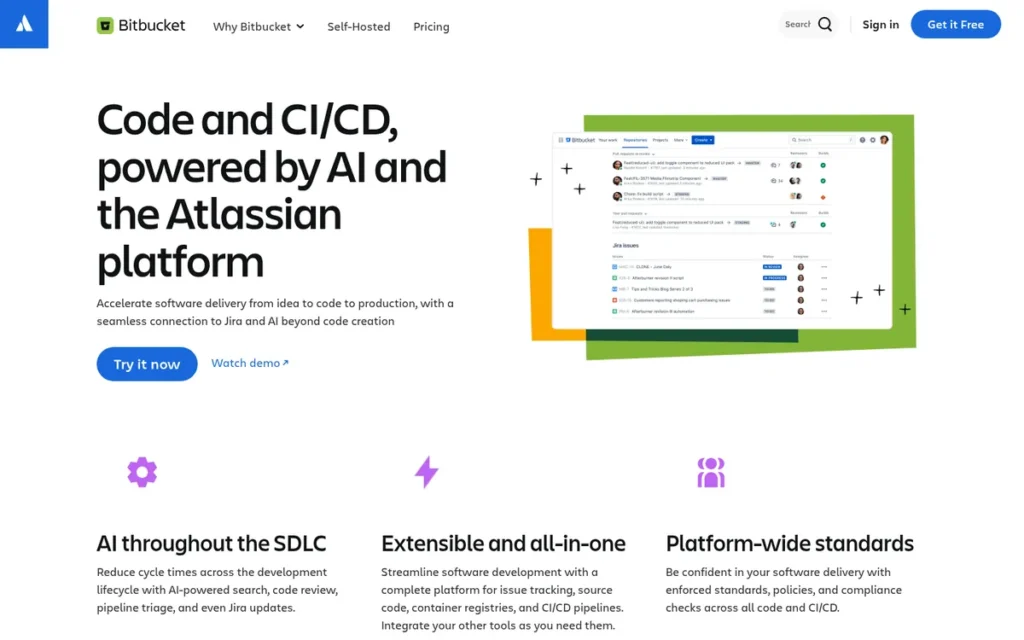
- Primary Strength: Bitbucket links branches, commits, pull requests, builds and deployments directly to Jira work items through Atlassian’s native development panel, plus built-in Pipelines CI/CD.
- Biggest Limitation: Bitbucket’s only self-managed option is now quote-only Data Center, and Bitbucket’s Free plan includes only 50 build minutes per month.
- One-Line Summary: Bitbucket is Atlassian’s Git hosting service with built-in Pipelines CI/CD and native Jira integration, best suited to teams that already run their work in Jira and Confluence.
- Last Verified: November 2026
Overview
Bitbucket is Atlassian’s Git hosting service, with pull requests, built-in Bitbucket Pipelines CI/CD and native Jira integration. Bitbucket is designed for teams that already plan work in Jira and Confluence and want code, builds and issues linked in one ecosystem.
Bitbucket Cloud is now the main offering, because Bitbucket Server reached end of support on February 15, 2024 (Atlassian, 2024). Bitbucket dropped Mercurial support in 2020 (Atlassian, 2020) and now offers Rovo AI features, though which plans include them is unconfirmed.
Key Features
- Bitbucket shows branches, commits, pull requests, builds and deployments on each Jira work item.
- Bitbucket supports Smart Commits, which let developers comment on or move Jira issues from commit messages. Smart Commits also work with some other hosts (Atlassian Support, 2026).
- Bitbucket Pipelines provides built-in CI/CD with 50 build minutes on Free, 2,500 on Standard and 3,500 on Premium (Atlassian pricing page, 2026).
- Bitbucket offers team access controls that G2 reviewers cite as a reason for switching (G2, 2026).
- Bitbucket includes Rovo AI features for code review, pipeline triage and Jira updates.
Best For
Bitbucket is best for small and mid-sized teams that already run their work in Jira and Confluence and want code activity visible in Jira without third-party connectors.
Pricing
Bitbucket’s G2 list prices (November 2026, may change) conflict with Atlassian’s own page, so confirm prices on Atlassian’s site before buying:
- Bitbucket Free covers up to 5 users with 50 build minutes and 1 GB of Git LFS storage (Atlassian pricing page, 2026).
- Bitbucket Standard lists at $2/user/month on G2 and $3.65/user/month on Atlassian’s page (2026).
- Bitbucket Premium lists at $5/user/month on G2 and $8/user/month on Atlassian’s page (2026).
- Bitbucket’s paid plans can add 1,000 build minutes for $10, but Free-plan workspaces cannot buy extra minutes (Atlassian pricing page, 2026).
- Bitbucket Data Center, the self-managed option, is quote-only.
How It Compares With GitHub
Bitbucket’s per-user price is close to GitHub Team’s $4 G2 list price: $2 on G2 or $3.65 on Atlassian’s page (2026). Bitbucket’s Jira linking is more native than GitHub’s, but the Free plan’s 50 build minutes are very tight.
Bitbucket Cloud’s repository import brings over Git history but not GitHub issues or pull requests (secondary sources, 2026; confirm in Atlassian documentation). GitHub Actions workflows must be rewritten as Bitbucket Pipelines.
Strengths
- Bitbucket holds a 4.4/5 G2 rating from 1,017 reviews, the largest review sample of any ranked alternative (G2, 2026).
- Bitbucket’s Jira development panel and Smart Commits give Jira-centred teams code-to-issue traceability without extra connectors. One r/devops poster noted that GitLab “requires more steps to integrate than Bitbucket” with Jira (r/devops, 2022).
- Bitbucket has the lowest hosted per-user list price among the commercial alternatives, at $2/user/month on G2, though Atlassian’s page shows $3.65 (G2 and Atlassian, 2026).
- Bitbucket is backed by Atlassian, which reported 12,157 full-time employees as of June 30, 2024 (Atlassian 10-K, 2024).
Limitations
Bitbucket trades hosting flexibility for ecosystem fit. Bitbucket Server reached end of support on February 15, 2024, so self-hosting now requires quote-only Data Center (Atlassian, 2024).
- Bitbucket Server customers had to “pay more and upgrade to Datacenter edition, migrate to the cloud or potentially seek other options,” according to one r/devops user (r/devops, 2022).
- Bitbucket Free’s 50 build minutes per month are very limiting for active CI, and Free workspaces cannot buy more (Atlassian pricing page, 2026).
- Bitbucket’s G2 reviewers ask for simpler navigation, faster large-repository performance, clearer merge-conflict resolution, better search and better pipeline diagnostics (G2, 2026).
- Bitbucket has no named independent customer result. Atlassian’s figure of 1 billion+ build minutes a month describes Atlassian’s own engineering (Bitbucket product page, 2026).
- One Reddit user advised small teams to “ditch Jira altogether,” which would remove Bitbucket’s core advantage (u/ArieHein, r/devops, 2022).
Users on r/devops noted:
“Gitlab is better at continuous integration. Bitbucket is better integrated with Attlassian. Is this the companies first rodeo with Git? Then Bitbucket will work. Are there expectations regarding workflows and CI? Gitlab is the better product.” Posted by u/I_pee_in_shower
Takeaway: Bitbucket wins on Atlassian integration, but teams with demanding CI and workflow needs often find GitLab the stronger product.
Verdict
Bitbucket is the best GitHub alternative in 2026 for teams whose planning already runs in Jira and Confluence. Bitbucket scored 29 of 45 and has the largest G2 evidence base of any alternative. Conflicting prices, quote-only self-hosting and a full CI rewrite held it back.
Bitbucket buyers should check Atlassian’s current prices before buying and budget for a paid plan if they need more than 50 build minutes a month.
6. Codeberg: Best Nonprofit Hosted Home for Open-Source Projects
Category: Independent Hosted Forge, hosted Git run by a nonprofit or small independent operator rather than a large corporation.
At a Glance
- Category: Independent Hosted Forge
- Best For: Maintainers of free and open-source projects who want a non-corporate, nonprofit hosted home
- Price Range: Free (donation-funded); optional association membership (Codeberg docs, November 2026)
- Primary Strength: Codeberg gives open-source projects free, nonprofit, EU-based hosting on Forgejo with a clear exit path to self-hosting.
- Biggest Limitation: Codeberg does not allow proprietary or commercial private code, and Codeberg users report capacity strain under growing load.
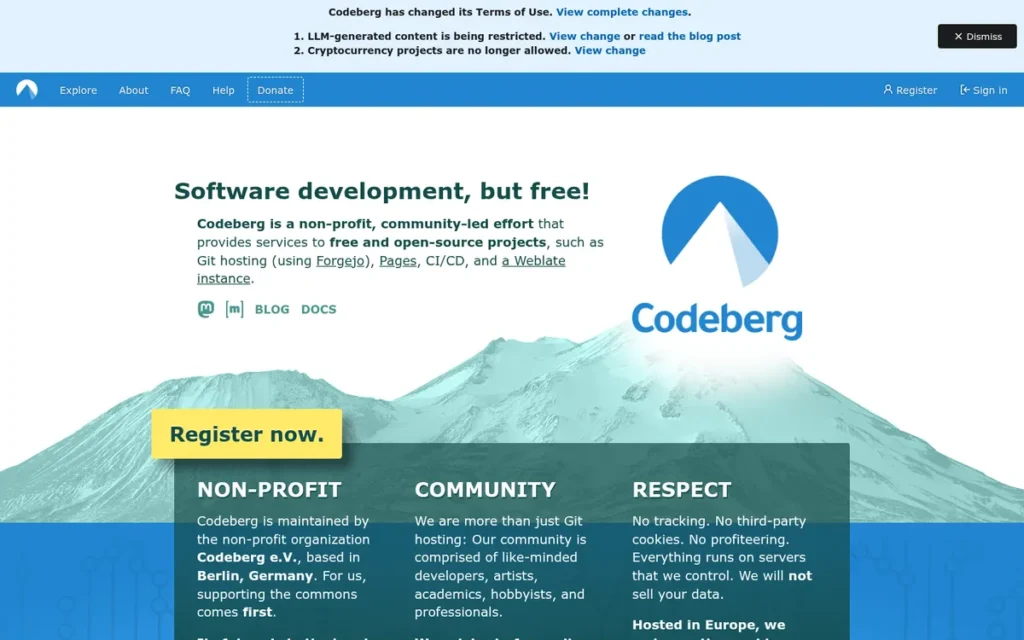
- One-Line Summary: Codeberg is a free, nonprofit, Forgejo-based hosting service in Berlin for free and open-source projects, and it does not accept proprietary or commercial private code.
- Last Verified: November 2026
Overview
Codeberg is a free, donation-funded Git hosting service that the Berlin nonprofit Codeberg e.V. runs on Forgejo. Codeberg is built for maintainers of free and open-source projects who want a community-run, non-corporate home with repositories, issues, pull requests, Pages and CI.
Codeberg launched on January 1, 2019 on Gitea and later switched to Forgejo (Wikipedia/Codeberg e.V., 2025). Codeberg’s Terms of Use require FSF- or OSI-approved licenses, which determines who can use it.
Key Features
- Codeberg provides Forgejo Actions runners by default and hosted Woodpecker CI on request.
- Codeberg includes Codeberg Pages for static sites and Weblate for community translation.
- Codeberg sets soft quotas of 750 MiB of Git storage, 1.5 GiB for packages and LFS, and 100 repositories per user or organization, and users can request more (Codeberg docs, 2026).
- Codeberg allows private repositories only for project-related needs, such as security fixes, team discussions and release preparation, plus small personal uses up to 100 MiB.
- Codeberg runs Forgejo, so a project can move to a self-hosted Forgejo instance and keep the same features.
Best For
Codeberg is best for maintainers of FSF- or OSI-licensed projects who want free, nonprofit, EU-based hosting and will trade some of GitHub’s network reach for independence.
Pricing
Codeberg is free and funded by donations (Codeberg docs, verified November 2026).
- Codeberg association membership is optional. A secondary source says it starts at about €24 per year, which PlugRoute has not verified.
- Codeberg does not offer a paid plan for commercial or proprietary private repositories.
- G2 lists no Codeberg prices.
How It Compares With GitHub
Codeberg is free for eligible projects, as is GitHub’s Free plan. Unlike GitHub, Codeberg restricts projects to free and open-source licenses and limits private repositories. Codeberg’s Forgejo Actions is similar to GitHub Actions but not identical.
Codeberg also lacks GitHub’s network effect and discoverability. When Zig moved, it did not migrate its existing GitHub issues and pull requests, and it left its GitHub repository read-only (ziglang.org, 2025).
Strengths
- Codeberg had more than 200,000 users, over 300,000 repositories and about 1,208 association members as of November 2025 (Wikipedia/Codeberg e.V., 2025).
- Codeberg became the primary home of the Zig programming language on November 26, 2025. Lead developer Andrew Kelley cited GitHub Actions bugs and GitHub’s AI direction (ziglang.org, 2025).
- Codeberg avoids lock-in because it runs Forgejo. One user noted that “one can selfhost forgejo, which codeberg runs and develops, with all features” (u/NightH4nter, r/theprimeagen, 2025).
- Codeberg is EU-based and nonprofit-governed, which suits readers concerned about data residency and corporate ownership.
Limitations
Codeberg trades general-purpose flexibility for a free-software mission. Codeberg’s Terms of Use make it unsuitable for proprietary or commercial private code (Codeberg Terms of Use, 2026).
- Codeberg’s license requirement makes some maintainers uneasy. One said they are “not necessarily comfortable hosting my repositories on a platform that… mandated what licenses you’re allowed to use” (u/Aggressive-Pen-9755, r/theprimeagen, 2025).
- Codeberg users report capacity strain. One said “you can tell the hosted offerings are collapsing under the load” (u/Spare-Ad-1429, r/selfhosted, 2026).
- Codeberg experienced spam and DDoS disruption in February 2025, according to a secondary source (cloudparts.dev, 2025).
- Codeberg has no verified review-platform presence as of November 2026, which is missing data rather than a negative signal. Codeberg’s soft storage quotas can also constrain large projects.
Verdict
Codeberg is the best GitHub alternative in 2026 for open-source maintainers who want free, nonprofit, non-corporate hosting. Codeberg scored 27 of 45. It is strong on cost, but its license rules exclude most private-repository use.
Codeberg is hosted Forgejo, so open-source projects can start there free and self-host the same software if they outgrow it. Commercial and proprietary teams should look at self-hosted Forgejo or Gitea instead.
7. SourceHut: Best for Minimalist, Email-Driven Development Workflows
Category: Independent Hosted Forge, hosted Git run by a nonprofit or small independent operator rather than a large corporation.
At a Glance
- Category: Independent Hosted Forge
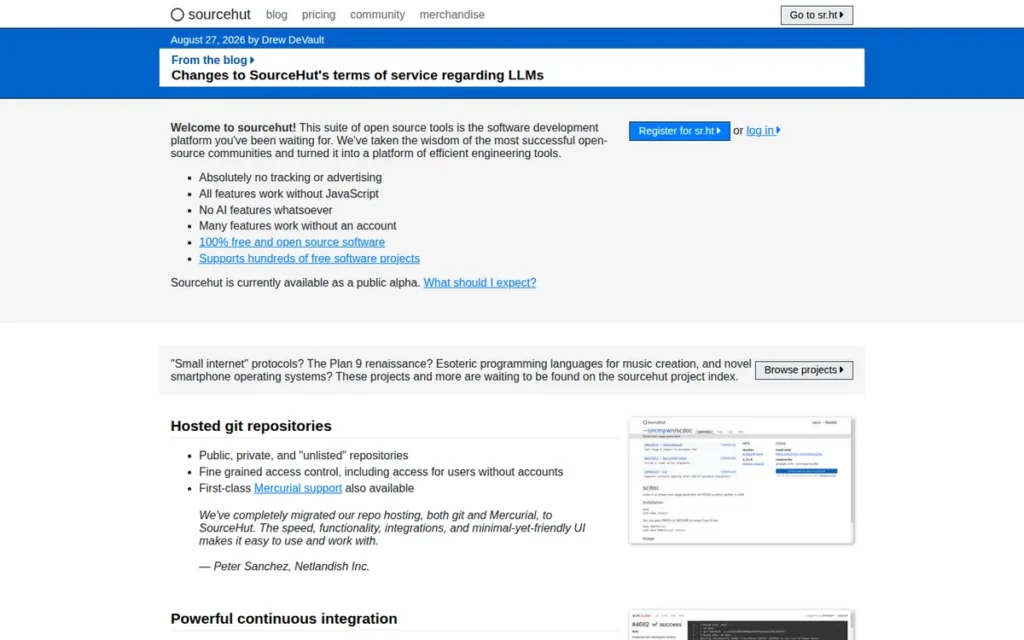
- Best For: Experienced developers and projects comfortable with email-based patch review who want a minimal, JavaScript-free, free-software forge
- Price Range: €4, €8 or €12/month (US$5, $10 or $15) per account for new customers, with the same service on every tier; existing customers keep earlier prices; financial aid available (SourceHut pricing page, 2026)
- Primary Strength: SourceHut provides a minimal, fully free-software forge with Git and Mercurial hosting, BSD-capable CI and mailing-list review.
- Biggest Limitation: SourceHut is still labelled public alpha, runs with a very small team, and requires an email-based workflow unfamiliar to teams used to web pull requests.
- One-Line Summary: SourceHut is a minimal, free-software Git and Mercurial forge built around email-based patch review, best suited to experienced developers who prefer mailing-list workflows over web pull requests.
- Last Verified: November 2026
Overview
SourceHut is a minimal, fully free-software forge hosted at sr.ht. It offers Git and Mercurial hosting, CI, mailing lists and issue tracking, all built around email-based patch review. SourceHut is designed for experienced developers who prefer lightweight, JavaScript-free tooling to web pull requests.
SourceHut is still labelled public alpha. During the alpha, SourceHut charges for builds and chat. It says project owners will need to pay after the beta, with financial aid available (SourceHut, 2026).
Key Features
- SourceHut handles code review by email through
git send-emailand lists.sr.ht mailing lists instead of web pull requests. - SourceHut supports both Git and Mercurial hosting, which is rare among the alternatives in this list.
- SourceHut’s builds.sr.ht CI offers images including FreeBSD, OpenBSD and Alpine, and reportedly NixOS.
- SourceHut includes todo.sr.ht for issue tracking, and SourceHut works without JavaScript.
- SourceHut is 100% free software, so teams can self-host the full stack.
Best For
SourceHut is best for experienced developers and projects, especially BSD or Mercurial codebases, that already prefer mailing-list patch review and want a minimal free-software forge.
Pricing
SourceHut has two price sets on record (SourceHut pricing page, verified November 2026):
- SourceHut’s live pricing page lists €4, €8 or €12 per month (US$5, $10 or $15) per account for new customers, with the same service on every tier.
- SourceHut’s historical prices of $2, $5 or $10 per month still apply to existing customers, who keep their earlier price.
- SourceHut’s December 2025 proposal of $5, $10 or $15 is now the live US-dollar price (SourceHut, 2025).
- SourceHut offers financial aid, and G2 lists no SourceHut prices.
How It Compares With GitHub
SourceHut charges a flat €4–€12 (US$5–$15) per month per account rather than per user, while GitHub Team costs $4/user/month (G2 list price, 2026).
SourceHut requires the biggest workflow change in this list: pull requests become emailed patches, and GitHub Actions workflows become builds.sr.ht manifests. PlugRoute found no documented GitHub importer for SourceHut as of November 2026.
Strengths
- SourceHut issued 10,484 subscriber invoices in 2021 and approved all 81 financial-aid requests in 2022. These figures come from its self-published reports (SourceHut financial reports, 2022–2023).
- SourceHut is one of the few forges in this list that supports Mercurial alongside Git (sourcehut.org, 2026).
- SourceHut’s builds.sr.ht offers hosted FreeBSD and OpenBSD build images (sourcehut.org, 2026). PlugRoute did not find these in the default hosted runners of the other platforms reviewed.
- SourceHut’s mailing lists were called “the best thing since the invention of reviewing patches” by postmarketOS developer Martijn Braam, in a testimonial published by SourceHut (sourcehut.org, 2026).
Limitations
SourceHut trades mainstream convenience for minimalism. Email-based patch review is the biggest adoption hurdle for teams used to web pull requests.
- SourceHut is still labelled public alpha, and a third-party review flags the long alpha period and rough edges (iTechGuides, 2026).
- SourceHut suffered a DDoS attack in January 2024 that caused an outage of about 170 hours and ended with an emergency move to Amsterdam (SourceHut post-mortem, 2024).
- SourceHut had two staff as of June 2024, the most recent public figure, which concentrates operational risk (SourceHut, 2024).
- SourceHut prices new accounts in euros and dollars at different nominal figures, so buyers should confirm their billing currency.
- SourceHut has no verified review-platform data or relevant Reddit discussion as of November 2026, which is missing data rather than a negative signal.
Verdict
SourceHut is the best GitHub alternative in 2026 for experienced developers who already prefer email-based patch review and want a minimal, fully free-software forge. SourceHut scored 22 of 45 and has the thinnest independent evidence base in this list.
SourceHut’s Mercurial support, BSD CI images and self-hostability serve a real niche. Teams should confirm the service is ready for their needs before making it their primary forge.
How Do Hosting, CI and Pricing Compare Across the Alternatives?
The alternatives differ most on hosting model, CI compatibility and entry price. Gitea and Forgejo run Actions-style CI on your own runners. GitLab, Azure DevOps and Bitbucket need a CI rewrite. Entry prices range from free self-hosting to GitLab Premium at $29/user/month (vendor pricing pages, 2026).
Hosting, CI and pricing facts (verified November 2026):
| Product | Hosting Model | Built-in CI and Free Allowance | Does CI Match GitHub Actions? | Entry Price (Source) | License / Owner | Rating (Sample) |
|---|---|---|---|---|---|---|
| GitHub (baseline) | SaaS + Enterprise Server | Actions | Native | Free; Team $4/user; Enterprise $21/user (G2 list, Nov 2026, may change) | Proprietary / Microsoft | G2 4.7 (2,439) |
| GitLab | SaaS + self-managed | GitLab CI; 400 min/month Free | No; rewrite needed | Free; Premium $29/user (GitLab page) | Open core (CE MIT) / GitLab Inc. | G2 4.5 (904) |
| Forgejo | Self-host only | Forgejo Actions; your own runners | Similar, not identical | Free | GPL-3.0-or-later / Codeberg e.V. umbrella | No verified data |
| Gitea | Self-host + Enterprise | Gitea Actions; your own runners | Designed to run them, with documented differences | Free; Enterprise $19/user (Gitea page) | MIT / Gitea Ltd | G2 4.7 (17) |
| Azure DevOps | Cloud + Server | Pipelines; 1 free hosted job, 1,800 min/month | No; rewrite needed | 5 users free; then $6/user (Microsoft page) | Proprietary / Microsoft | G2 4.2 (198–202, Server only) |
| Bitbucket | Cloud + Data Center | Pipelines; 50 min/month Free | No; rewrite needed | Free (5 users); Standard $2/user (G2 list) or $3.65 (Atlassian page) | Proprietary / Atlassian | G2 4.4 (1,017) |
| Codeberg | Hosted (nonprofit) | Forgejo Actions; Woodpecker on request | Similar, not identical | Free (donations) | Free/open-source projects only / Codeberg e.V. | No verified data |
| SourceHut | Hosted + self-host | builds.sr.ht (paid during alpha) | No; build manifests | €4 / US$5 per month per account, up to €12 / US$15 (SourceHut page) | Free software / small independent company | No verified data |
What Does a 10-Person Team Pay Each Month?
A 10-person team pays from $0 on self-hosted Forgejo or Gitea to $290 a month on GitLab Premium, before CI minutes, storage and Test Plans. GitHub Team costs $40, Azure DevOps Basic costs $30 after five free users, and Bitbucket Standard costs $20 to $36.50, depending on the price source.
| Product | Plan | Monthly Cost for 10 Users | Source (November 2026, may change) |
|---|---|---|---|
| GitHub (baseline) | Team | $40 | G2 list price |
| GitLab | Premium | $290 | GitLab pricing page |
| Forgejo | Self-hosted | $0 + server and admin time | Forgejo |
| Gitea | Open source / Enterprise | $0 + server; Enterprise $95–$190 | Gitea pricing page |
| Azure DevOps | Basic (5 free + 5 × $6) | $30 | Microsoft pricing page |
| Bitbucket | Standard | $20 (G2 list) or $36.50 (Atlassian page) | G2; Atlassian pricing page |
| Codeberg | Free | $0, open-source projects only | Codeberg docs |
| SourceHut | Per account | From €4 / US$5 per paying account; not priced per user | SourceHut pricing page |
CI minutes, storage, Test Plans and server costs are extra on every platform.
How Do Forgejo and Gitea Differ?
For users, Forgejo and Gitea run nearly the same code. The real choice is between nonprofit governance with no paid support (Forgejo) and a for-profit steward with an optional Enterprise tier (Gitea). Forgejo is GPL-licensed under Codeberg e.V. Gitea is MIT-licensed, and Gitea Ltd holds its trademark.
- License: Forgejo has been licensed GPL-3.0-or-later since v9.0 (Forgejo, 2024). Gitea remains MIT-licensed.
- Steward: Forgejo sits under the nonprofit Codeberg e.V. Gitea’s domains and trademark moved to Gitea Ltd in October 2022.
- Support: Forgejo has no paid edition or SLA. Gitea Enterprise lists at $19/user/month (Gitea pricing page, 2026).
- Releases: Forgejo publishes quarterly releases plus one LTS release per year. Forgejo v15.0 LTS is supported until July 15, 2027 (Forgejo, 2026).
- Compatibility: Forgejo became a hard fork of Gitea in 2024. Moving between the two now depends on version and goes through APIs or migration tools, not a guaranteed database swap.
Why Are Teams Looking for GitHub Alternatives in 2026?
Teams are leaving GitHub in 2026 mainly because of complexity and uncertain Actions pricing for self-hosted runners. Other reasons are a rise in reported incidents, concerns about GitHub’s AI direction and Microsoft ownership, and European data-sovereignty pressure. GitHub still holds a 4.7/5 G2 rating, so most moves are about fit rather than dissatisfaction.
The documented drivers:
- Complexity: GitHub’s top G2 cons are Complexity (47 mentions), Learning Curve (45) and Difficulty for Beginners (43) (G2, 2026).
- Requested improvements: GitHub’s G2 reviewers ask for simpler permission administration, clearer troubleshooting of failed Actions runs and richer project planning (G2, 2026).
- Actions pricing: GitHub announced a $0.002-per-minute fee for self-hosted runners on private repositories, then postponed it without ruling it out (The Register, 2025). GitHub separately cut GitHub-hosted runner prices by up to 39% on January 1, 2026 (GitHub, 2026).
- Reliability: The Uptime Report counted 52 GitHub incidents and 157 degraded hours in January–September 2026, up from 22 incidents and 96 hours a year earlier. This is a single independent tally of GitHub’s own monthly reports (The Uptime Report, 2026).
- AI direction and ownership: Zig’s lead developer cited GitHub Actions bugs and GitHub’s AI direction when the project moved to Codeberg (ziglang.org, 2025).
- Data sovereignty: Some European teams cite EU data residency as a reason to choose self-hosting or EU-based hosts such as Codeberg.
Each motive points to a different destination:
- Teams that want fewer tools should look at an All-in-One DevOps Suite.
- Teams that want to avoid CI pricing changes should look at self-hosted runners or a Self-Hosted Lightweight Forge.
- Teams that want independence from corporate owners should look at a Self-Hosted Lightweight Forge or an Independent Hosted Forge.
- Teams that need Jira or Microsoft depth should look at Bitbucket or Azure DevOps.
What Moves and What Do You Rebuild When You Leave GitHub?
Standard Git commands can push your Git history to every alternative, but CI is the expensive part of leaving GitHub. GitLab, Gitea and Forgejo can import issues and pull requests. Bitbucket and Azure Repos imports bring over Git history only. Every platform requires rebuilding secrets, runners, artifacts and webhooks.
According to GitHub’s own importer documentation, the following do not migrate or usually need separate work (GitHub Docs, 2026):
- CI workflows and runners usually need rebuilding on the new platform.
- Secrets, variables and environments must be re-created by hand.
- Artifacts and workflow run history are not migrated.
- Webhooks, OAuth apps and branch protections must be reconfigured.
- Git LFS objects often need a separate transfer.
Git history is the easy part of leaving GitHub. CI pipelines, secrets and integrations are where the migration cost actually sits.
| Platform | Documented GitHub Import Scope (Nov 2026) | CI From GitHub Actions |
|---|---|---|
| GitLab | Repos, issues, PRs (as merge requests), wikis; not pipelines, variables, artifacts, job logs or webhooks | Rewrite as GitLab CI |
| Forgejo | Repos, issues, PRs, labels, milestones, releases, wiki via GitHub migrator (Forgejo migration guides) | Similar; adjust workflows, run your own runners |
| Gitea | Repos with issues and PRs via access token (Gitea docs) | Designed to run them, with documented differences |
| Azure DevOps | Git history via Import repository; no issues or PRs (Microsoft Learn) | Rewrite as Azure Pipelines YAML, or go hybrid |
| Bitbucket | Git history only; issues and PRs not imported (secondary sources) | Rewrite as Bitbucket Pipelines |
| Codeberg | Repos, issues, PRs, labels, milestones, releases, wiki via Forgejo’s GitHub migrator; public open-source repositories only | Forgejo Actions similar; Woodpecker on request |
| SourceHut | No documented importer | Rewrite as builds.sr.ht manifests |
A safe migration follows four steps:
- Take an inventory of every repository, workflow, secret, webhook and integration before moving anything.
- Test-import a few representative repositories and run their pipelines on the new platform.
- Cut over during a change freeze so no commits or issues are lost in transit.
- Keep the GitHub repository read-only, not deleted, until the new platform has completed at least one full release cycle, as Zig did (ziglang.org, 2025).
When Does Staying on GitHub Make Sense?
Staying on GitHub makes sense when GitHub Actions already works for you, open-source visibility matters and your main complaint is complexity, which reviewers also raise about the alternatives. GitHub has the highest G2 rating in this comparison (4.7 from 2,439 reviews) and a low-priced Team tier at $4/user/month.
The evidence for staying:
- GitHub holds a 4.7/5 G2 rating from 2,439 reviews, with 98.6% at 4–5 stars (G2, 2026).
- GitHub Team is among the lowest-priced hosted team tiers at $4/user/month (G2 list price, November 2026). Bitbucket Standard lists lower on G2, at $2.
- GitHub has the largest developer network, with more than 180 million developers (GitHub Octoverse, 2025).
- GitHub’s Actions and Copilot tooling are built into the platform.
- GitHub’s biggest complaints also apply to the alternatives. G2 reviewers ask GitHub, GitLab and Bitbucket alike for clearer pipeline troubleshooting (G2, 2026).
As one user on r/selfhosted described:
“If you’re already paying cloud costs tbh I don’t know why you wouldn’t just do GitHub unless there’s other concerns I’m missing.
Even with the new $.002 charge per minute on self hosted runners, that’s gonna be cheaper than self hosting an entire git repo and the needed ci/cd, right?” Posted by u/Chasian
Takeaway: For teams already paying for cloud infrastructure, GitHub often costs less than self-hosting a full forge and CI stack, so cost alone rarely justifies a move.
Switching platforms rarely fixes a learning-curve complaint. G2 reviewers list complexity or learning curve as a top con for GitHub, GitLab and Azure DevOps alike (G2, November 2026).
Teams that want stronger planning without migrating can keep repositories on GitHub and add Azure Boards and Azure Pipelines. Microsoft explicitly supports this hybrid setup.
What Red Flags Should I Watch For When Evaluating GitHub Alternatives?
The six biggest red flags when evaluating GitHub alternatives are assuming GitHub Actions will run unchanged, missing free-tier user and CI-minute caps, putting proprietary code on a free-software-only host, ignoring vendor roadmaps, trusting ratings without sample sizes and underestimating self-hosting work. Each can turn one migration into two.
Red Flag #1: Assuming GitHub Actions Will Just Work
Assuming GitHub Actions workflows will run unchanged is the most expensive migration mistake. Gitea and Forgejo Actions are similar to GitHub Actions but not identical, and both need self-run runners. Four platforms need a full rewrite:
- GitLab requires rewriting GitHub Actions workflows as GitLab CI.
- Bitbucket requires rewriting them as Bitbucket Pipelines.
- Azure DevOps requires rewriting them as Azure Pipelines YAML.
- SourceHut requires rewriting them as builds.sr.ht manifests.
A workflow that checks out code and runs tests usually ports to Gitea or Forgejo Actions with little change. On Gitea, a workflow that writes to the repository with GITHUB_TOKEN may need a personal access token instead, per Gitea’s own comparison docs (Gitea docs, 2026).
Red Flag #2: Free Tiers With Hidden User or CI-Minute Caps
Free tiers often cap users and CI minutes well below what an active team needs. GitLab.com Free caps private top-level groups at 5 users and 400 compute minutes. Bitbucket Free includes 50 build minutes a month and cannot buy more (vendor pricing pages, 2026).
Red Flag #3: Hosting Proprietary Code on a Free-Software-Only Platform
Putting proprietary code on a free-software-only host can break that platform’s rules. Codeberg’s Terms of Use require FSF- or OSI-approved licenses and allow private repositories only for project-related needs. Commercial teams that move proprietary code there risk violating those terms (Codeberg Terms of Use, 2026).
Red Flag #4: Vendor Roadmaps That Point Somewhere Else
Vendor roadmap signals affect any multi-year plan. Microsoft’s 2025 guidance recommends moving repositories to GitHub while still using Azure Boards and Pipelines, and Microsoft has announced no retirement date for Azure DevOps (Microsoft DevOps Blog, 2025). Bitbucket Server reached end of support on February 15, 2024, but Data Center remains available.
Red Flag #5: Ratings Without Sample Sizes
A rating without its sample size and scope can mislead buyers. Gitea’s 4.7 G2 rating comes from 17 reviews, while Bitbucket’s 4.4 comes from 1,017 (G2, 2026). Azure DevOps’s G2 rating covers only the Server product. Always check the review count and scope behind a score.
Red Flag #6: Underestimating Self-Hosting Operations
Self-hosting a forge makes your team responsible for disk failures, attacks, upgrades and backups. One r/selfhosted user reports that self-hosted GitLab needs 8 GB+ of RAM (r/selfhosted, 2026). Decide who is on call before you migrate, not after the first outage.
What Questions Should I Ask Before Choosing a GitHub Alternative?
Before choosing a GitHub alternative, ask six questions. Who will operate it? Which Actions workflows and integrations must be rebuilt? Does planning live in Jira or Azure Boards? Is your code proprietary? What does the plan cost at your team size? Who governs the platform? The answers usually narrow seven options to one or two.
Question #1: Do we need to self-host, and who will be on call?
Self-hosting Forgejo, Gitea or GitLab gives full control but makes your team responsible for uptime, security and backups. If nobody can own operations, choose a hosted option or Gitea Enterprise with priority support.
Question #2: Which of our GitHub Actions workflows, secrets and integrations must be rebuilt?
GitHub’s importer documentation says Actions secrets, variables, environments, runners and artifacts do not migrate (GitHub Docs, 2026). Count your workflows and integrations, then compare them against each platform’s CI compatibility in the hosting and CI facts table.
Question #3: Does our planning live in Jira or Azure Boards?
Jira-centred teams get native code-to-issue linking from Bitbucket’s development panel and Smart Commits. Azure Boards teams get the tightest fit from Azure DevOps, or from a hybrid setup that keeps repositories on GitHub.
Question #4: Is our code proprietary or open source?
Proprietary code rules out Codeberg, whose Terms of Use require free or open-source licenses. Open-source projects can consider Codeberg alongside every other option, including self-hosted Forgejo, the same software Codeberg runs.
Question #5: What will the plan cost at our team size, including CI minutes and storage?
Per-user list prices hide CI-minute caps, storage limits and overage fees. On a paid Bitbucket plan, 1,000 extra build minutes cost $10. An extra Azure DevOps hosted parallel job costs $40/month (vendor pricing pages, 2026).
Question #6: Who governs the platform, and what’s our exit path?
Forgejo and Codeberg sit under the nonprofit Codeberg e.V., while Gitea’s trademark belongs to Gitea Ltd. Platforms built on open-source software, such as Codeberg running Forgejo, let you move to self-hosting without changing tools.
How Did We Rank These GitHub Alternatives?
PlugRoute scored each alternative from 1 to 5 on six published criteria, using research collected up to November 2026. Workflow coverage, review evidence and pricing transparency count double, for a maximum of 45 points, and ties are broken on durability and governance. GitHub is the baseline and is not ranked.
The six criteria and why each matters:
- C1 Workflow Coverage and GitHub Feature Parity (primary): The platforms are not drop-in replacements, and readers fear losing CI/CD, issues, review or permissions.
- C2 Independent Review Evidence and Adoption (primary): Ratings are weighed by sample size, and named adopters are used where no review data exists.
- C3 Pricing Transparency and Small-Team Cost (primary): Free-tier caps, CI minutes and conflicting prices change the real cost.
- C4 Migration Path and CI Portability (secondary): Importer scope and Actions compatibility decide switching effort.
- C5 Hosting Flexibility and Data Control (secondary): Deployment options and license openness determine control over code.
- C6 Long-Term Durability and Governance (secondary): Roadmap signals, stability and governance determine lock-in risk.
| Rank | Product | C1 | C2 | C3 | C4 | C5 | C6 | Total |
|---|---|---|---|---|---|---|---|---|
| 1 | GitLab | 5 | 5 | 3 | 4 | 5 | 4 | 39/45 |
| 2 | Forgejo | 4 | 2 | 5 | 4 | 4 | 4 | 34/45 (wins C6 tiebreak) |
| 3 | Gitea | 4 | 2 | 5 | 4 | 5 | 3 | 34/45 |
| 4 | Azure DevOps | 5 | 3 | 4 | 3 | 4 | 2 | 33/45 |
| 5 | Bitbucket | 4 | 4 | 3 | 2 | 2 | 3 | 29/45 |
| 6 | Codeberg | 3 | 2 | 4 | 3 | 3 | 3 | 27/45 |
| 7 | SourceHut | 3 | 1 | 3 | 2 | 4 | 2 | 22/45 |
Key scoring decisions:
- GitLab scores 5 on C2 and Bitbucket scores 4, despite Bitbucket’s larger G2 sample, because Gartner named GitLab a Magic Quadrant Leader in 2025 and Bitbucket has no named independent customer result.
- Codeberg scores one point below Forgejo on C4 for two reasons. Private repositories, a common part of GitHub organizations, cannot move there, and Codeberg’s hosted CI capacity is shared and limited.
- SourceHut’s C3 score was re-checked in November 2026 after its prices were corrected to €4/€8/€12 (US$5/$10/$15). The score stays at 3 because of grandfathered prices, the difference between euro and dollar figures, and paid-only builds.
Products with no review-platform presence (Forgejo, Codeberg, SourceHut) were scored on other independent evidence, such as named adopters and published usage figures. No product was scored zero only because ratings were missing.
The numbered order reflects overall strength of evidence, not the best fit for every reader. To find your fit, use the Quick Decision Framework table in the comparison section, or re-weight the scores. For example, doubling C5 instead of C2 puts Gitea (37) ahead of Forgejo (36).
G2 lists eight tools next to GitHub that do not host Git code. We excluded them because they complement a code host rather than replace one:
- Red Hat Ansible Automation Platform
- Harness
- Jira
- CloudBees
- Jenkins
- CircleCI
- Copado
- Gearset
Harness is a borderline editorial judgment. It sells a code repository module, but its G2 reviews focus on CI/CD.
PlugRoute has no affiliate relationships with any company listed, and rankings are determined entirely by research data and objective evaluation criteria. We found no peer-reviewed studies for this category.
What Do Readers Ask Most About GitHub Alternatives?
What is the best GitHub alternative for private repositories in 2026?
For most teams, GitLab is the best GitHub alternative for private repositories in 2026. GitLab offers private hosting, built-in CI/CD and security scanning, on GitLab.com or self-managed. Bitbucket suits Jira teams, and Azure DevOps suits Microsoft shops. Teams that want full control should self-host Forgejo or Gitea, because Codeberg does not accept proprietary private code.
Can I use Codeberg for private or commercial projects?
No. Codeberg is not suitable for proprietary or commercial private code. Codeberg’s Terms of Use require FSF- or OSI-approved licenses. Private repositories are allowed only for project needs, such as security fixes or release preparation, and for small personal uses up to 100 MiB. Teams with commercial code should self-host Forgejo, the software Codeberg runs.
How does PlugRoute determine its rankings?
PlugRoute scores each alternative from 1 to 5 on six published criteria. Workflow coverage, review evidence and pricing transparency count double, for a maximum of 45 points. Ties are broken on durability and governance. Products without review-platform data are scored on other independent evidence, such as named adopters, and are never marked down because ratings are missing.
What Do Key GitHub Alternative Terms Mean?
These terms come up most often on code-hosting comparison pages, pricing pages and migration documentation.
Forge: A forge is a web platform that hosts Git repositories and adds code review, issue tracking and CI. Buyers compare forges rather than bare Git hosts because these extras decide what a migration must replace.
Self-Hosted (Self-Managed): Self-hosting means running the platform on servers you control instead of using the vendor’s hosted service. Self-hosting gives control over data and costs but makes your team responsible for uptime, upgrades and backups.
Open Core: Open core is a business model in which paid, proprietary features extend a free, open-source edition. Buyers should check whether the features they need sit behind the paid tiers.
Copyleft License: A copyleft license, such as the GPL, requires any modified versions you distribute to stay under the same license. It matters if you plan to modify and redistribute the platform itself.
Permissive License: A permissive license, such as MIT, allows reuse with few conditions, including in proprietary products. It gives buyers the most freedom to adapt the software.
Compute Minutes (Build Minutes): Compute minutes are the time CI jobs may run each month on machines the vendor hosts. Low free allowances can force an upgrade or overage charges for active teams.
Runner: A runner is a machine that executes CI jobs. Running your own runners usually avoids per-minute charges but adds hardware and maintenance work.
Parallel Job: A parallel job is one CI job slot that can run at the same time as others. The number of parallel jobs you pay for determines how quickly a team’s pipelines finish under load.
Git LFS (Large File Storage): Git LFS is an extension that stores large binary files outside the main repository. LFS storage is often metered separately and can need a separate transfer during migration.
LTS (Long-Term Support) Release: An LTS release is a version that receives security and bug fixes for a published, extended period. LTS windows let self-hosting teams plan upgrades rather than chase every release.
SAML SSO: SAML SSO is single sign-on through a central identity provider using the SAML standard. Organizations with compliance requirements often need it, and it is frequently a paid-tier feature.
Email-Based Patch Review: Email-based patch review is a workflow where contributors send code changes as emails to a mailing list instead of opening web pull requests. It suits some experienced developers but is a significant change for teams used to web pull requests.
Which GitHub Alternative Is Right for You?
Key Insights
The right GitHub alternative depends on your hosting model, ecosystem and license. GitLab is PlugRoute’s top-ranked overall choice at 39 of 45, and Forgejo and Gitea tie for self-hosting at 34. Azure DevOps and Bitbucket fit Microsoft and Jira teams, while Codeberg and SourceHut serve open-source and email-driven niches.
- GitLab is the strongest overall GitHub alternative in 2026 for teams that want code, CI/CD, planning and security from one vendor, scoring 39 of 45.
- Forgejo is the best choice for community-governed self-hosting, with a GPL license, nonprofit stewardship and an LTS release supported to July 2027.
- Gitea is the best self-hosted choice for teams that may need paid enterprise support, though its 4.7 G2 rating rests on only 17 reviews.
- Azure DevOps is the best fit for Microsoft-centric teams that need formal test management. Microsoft recommends moving repositories to GitHub while keeping Boards and Pipelines.
- Bitbucket is the best fit for Jira-centred teams, but its G2 and Atlassian prices conflict and its Free plan includes only 50 build minutes.
- Codeberg is the best nonprofit home for open-source projects, but it does not accept proprietary or commercial private code.
- SourceHut serves experienced developers who prefer email-based patch review, but it remains in public alpha with a very small team.
Start from your hardest constraint: hosting model, ecosystem, license or budget. If you need one vendor, consider GitLab. If you need control without corporate ownership, consider Forgejo or Gitea.
Before migrating, test-import a few representative repositories, run their pipelines on the new platform and recheck pricing on the vendor’s page. Read our full methodology, or see our other independent reviews of developer tools on PlugRoute.
We update this guide quarterly. Last updated: November 2026.