GitKraken leads for cross-platform team workflows and Linux support; Fork is the top community-recommended choice for individual Mac and Windows developers seeking one-time purchase value; Tower is the premier macOS option for reversible Git operations; and GitHub Desktop is the lowest-risk free starting point for Git beginners. The right choice depends on OS, budget, and team complexity.
Managing branching, merging, and conflict resolution through the command line creates real cognitive friction. GUI clients complement the terminal by making interactive rebase, granular staging, and merge conflict resolution visually manageable. The differences between these seven clients (platform support, pricing model, development cadence, and feature depth) are consequential enough to determine which tool survives daily professional use.
PlugRoute has no affiliate relationships with any company listed. Rankings are determined entirely by research data and objective evaluation criteria.
“I’ve bounced between a few Git GUIs and GitKraken Desktop is the one that stuck. It doesn’t try to hide Git, just makes it easier to reason about. Interactive rebases, cherry-picks, and branch cleanup are way less stressful when you can see the graph.” (u/jonrandahl, r/git, 2026)
Takeaway: Developers who pair GUI clients with the CLI report lower cognitive friction on complex branching operations, a hybrid CLI-plus-GUI workflow confirmed across multiple r/git community discussions from 2025 to 2026.
TL;DR: Top Picks at a Glance
- GitKraken: best for cross-platform teams needing Linux support, AI assistance, and multi-repo orchestration
- SmartGit: best for Linux developers and teams with legacy SVN or Mercurial environments
- Tower: best for macOS professionals needing reversible, safety-netted Git operations
- Fork: best one-time purchase for individual Mac or Windows developers
- GitHub Desktop: best free starting point for Git beginners and GitHub-first teams
- Sourcetree: best free option for Atlassian ecosystem teams (Bitbucket + Jira), with documented 2023–2026 stagnation caveats
- TortoiseGit: best for Windows-only developers preferring Git integrated directly into File Explorer
What Are the Three Categories of Version Control Clients?
Version control clients fall into three tiers based on feature depth, platform breadth, and target use case. Understanding which tier matches your workflow prevents over-investing in enterprise tooling for individual use, or under-investing in free tools that create team-scale gaps.
Tier 1, Full-Platform Workflow Suites
These clients combine advanced Git features with multi-repository management, team collaboration layers, and legacy VCS bridges, built for teams managing complex codebases across multiple platforms and operating systems.
- GitKraken: Developer Workflow Platform: Windows, macOS, Linux; Launchpad multi-repo orchestration; AI-assisted operations (launched March 2025); VS Code/GitLens integration
- SmartGit: Advanced Multi-VCS GUI Client: Windows, macOS, Linux; supports Git plus SVN plus Mercurial; partial-line staging; advanced Index Editor
Tier 2, Professional Standalone Git Clients
These are polished paid products for professional individual Git workflows, optimized for macOS and Windows, without team orchestration overhead or enterprise pricing.
- Tower: Professional Git GUI Client: macOS and Windows; Undo Everything system; Conflict Resolution Wizard; 15-year commercial track record
- Fork: Lightweight Git GUI Client: macOS and Windows; one-time purchase (approximately $50–$60); unlimited free evaluation; most organically recommended standalone client in developer forums
Tier 3, Free and Specialized Clients
These clients serve bounded use cases: GitHub onboarding, Atlassian ecosystem teams, or Windows-native File Explorer workflows with zero cost requirements.
- GitHub Desktop: Beginner Git GUI Client: free, open-source, backed by GitHub (Microsoft); intentionally simplified for new Git users
- Sourcetree: Full-Feature Free Git Client: free, Atlassian-published; Git and Mercurial; Bitbucket and Jira integration; documented 2023–2026 development stagnation
- TortoiseGit: Windows Shell Git Client: free, GPLv2; Windows File Explorer integration only; no standalone application window
How Do the Top Version Control Clients Compare at a Glance?
The seven evaluated clients divide across five functional categories and three OS tiers. GitKraken and SmartGit are the only options with full Linux support. Tower earns the deepest long-term user loyalty for its safety features. Fork leads community recommendation signals among individual developers. The table below maps every key dimension for direct side-by-side comparison.
| Rank | Company | Category | Best For | One-Line Summary | Key Capabilities | Primary Strength | Key Limitation |
|---|---|---|---|---|---|---|---|
| 1 | GitKraken | Developer Workflow Platform | Dev teams on Linux, macOS, or Windows needing AI assistance and multi-repo orchestration | Among the seven evaluated clients, GitKraken is the only option combining full Linux, macOS, and Windows support with AI-assisted workflows, multi-repository Launchpad orchestration, and a VS Code extension (GitLens) in a single ecosystem; as of June 2026. | Primary: Launchpad multi-repo dashboard, AI-assisted Git operations (launched March 2025), GitLens VS Code integration. Also includes: interactive rebase, three-panel merge conflict editor, GitHub/GitLab/Bitbucket/Azure DevOps/Jira integrations. | Only evaluated client combining Linux + AI + multi-repo Launchpad + VS Code extension in one subscription | Electron performance degradation on large repos; free tier limited to public and local repositories only |
| 2 | SmartGit | Advanced Multi-VCS GUI Client | Advanced developers on Linux or teams with legacy SVN or Mercurial environments | SmartGit is the only evaluated client supporting Git, SVN, and Mercurial on Windows, macOS, and Linux simultaneously, with partial-line staging and an advanced Index Editor for granular commit control. | Primary: partial-line staging, advanced Index Editor, Git plus SVN plus Mercurial tri-VCS support. Also includes: built-in SSH client, GPG commit signing, distributed review, lost-commit recovery. | Tri-VCS tri-OS support with granular partial-line staging; free non-commercial tier | UI acknowledged as overloaded; steepest learning curve of any evaluated client; UI refresh pending as of June 2026 |
| 3 | Tower | Professional Git GUI Client | macOS-primary professionals needing reversible, safety-netted Git operations | Tower is a paid Git GUI client for macOS and Windows, in continuous development since 2011, uniquely distinguished by its Undo Everything system covering commits, merges, stash deletions, and branch deletions. | Primary: Undo Everything safety system, Conflict Resolution Wizard, 15-year development track record. Also includes: Single-File History, drag-and-drop Git operations, GitHub/GitLab/Azure DevOps/Bitbucket/Gitea integrations. | Undo Everything; the only evaluated client reversing commits, merges, stash deletions, and branch deletions | macOS-first quality; Windows version less polished; no free non-commercial tier beyond 30-day trial |
| 4 | Fork | Lightweight Git GUI Client | Individual developers and small teams wanting fast, lean Git without subscriptions | Fork is the most community-recommended standalone Git GUI client for macOS and Windows as of 2026, available for a one-time purchase (approximately $50–$60) with an unlimited free evaluation; no time limit, no feature restrictions. | Primary: unlimited free evaluation, one-time purchase pricing, documented speed advantage over Sourcetree. Also includes: side-by-side diff, interactive rebase, Image Diff, Git LFS, GPG commit signing, tabbed multi-repo interface. | Most organically community-recommended standalone client; unlimited free evaluation with no restrictions | No Linux support; no multi-repo dashboard; no team task platform integrations |
| 5 | GitHub Desktop | Beginner Git GUI Client | Git beginners and GitHub-centric teams with non-technical contributors | GitHub Desktop is a free, open-source Git GUI client for Windows and macOS maintained by GitHub (Microsoft), reported at approximately 52% market share among dedicated Git GUI clients (zipdo.co, 2023 secondary estimate; treat as directional). | Primary: free and open-source, GitHub/Microsoft institutional backing, PR checkout feature. Also includes: line-by-line staging, co-authored commits, GitHub.com and GitHub Enterprise auth, guided conflict resolution. | Strongest institutional backing (GitHub/Microsoft); open-source governance; zero cost | Intentionally constrained features by design; no interactive rebase GUI; GitHub-centric design only |
| 6 | Sourcetree | Full-Feature Free Git Client | Atlassian ecosystem teams (Bitbucket + Jira) needing free Git and Mercurial support | Sourcetree is a free Git and Mercurial GUI client for Windows and macOS published by Atlassian, but community evidence from 2023 to 2026 documents a shift to bug-fix-only development driving active user migration to Fork and Tower. | Primary: deepest free Bitbucket and Jira integration, Git Flow automation, Git plus Mercurial support. Also includes: interactive rebase, built-in terminal, submodule support, GitHub/GitLab integrations. | Deepest free Bitbucket and Jira integration with Git Flow and Mercurial support | Documented bug-fix-only development cadence 2023–2026; active community migration away; Windows performance degradation |
| 7 | TortoiseGit | Windows Shell Git Client | Windows-only developers wanting Git in File Explorer without a standalone application | TortoiseGit is a free, GPLv2-licensed Windows-only Git client integrating Git operations into Windows File Explorer as right-click context menus and file-status icon overlays rather than a standalone application window. | Primary: Windows Explorer Shell extension architecture, file-status icon overlays, GPLv2 permanent free availability. Also includes: TortoiseGitMerge diff tool, Log Viewer, Blame/Annotate, TortoiseGitPlink SSH integration. | Architecturally unique Shell extension model; free and GPLv2-permanent | Windows-only; no visual commit graph; SVN mental model reinforcement risk for Git learners |
Which Version Control Client Matches My Top Priority?
Your primary constraint (OS, budget, hosting platform, or VCS type) should drive client selection before any other factor. Linux development limits viable choices to two clients. Budget-constrained teams start with GitHub Desktop or Sourcetree. Individual developers on Mac or Windows without a Linux requirement have the broadest set of high-quality options.
| Your #1 Priority | Recommended Tool | Why | Acceptable Alternative |
|---|---|---|---|
| Linux development | GitKraken | One of two evaluated clients with full Linux support; adds AI features and team Launchpad collaboration | SmartGit; also Linux-compatible; free non-commercial tier; adds SVN/Mercurial bridges |
| macOS professional workflows | Tower | Undo Everything system; polished Mac-native interface; 15-year track record (Basic $69/year, verified June 2026) | Fork; one-time purchase (~$50–$60); faster and leaner; no Undo safety net |
| Windows-only development | Fork | Fastest, cleanest Windows Git client per community consensus; one-time purchase | TortoiseGit; free; Explorer-integrated; ideal if no standalone window is preferred |
| Beginners learning Git | GitHub Desktop | Free, open-source, simplest GitHub onboarding; backed by GitHub (Microsoft) | Sourcetree; more powerful for Atlassian teams; same $0 cost |
| Atlassian ecosystem (Bitbucket + Jira) | Sourcetree | Deepest free Bitbucket and Jira integration; Git Flow built-in | SmartGit; adds Linux and SVN support for commercial-tier users |
| Free-only budget | GitHub Desktop (beginners) or Sourcetree (Atlassian teams) | Both $0; Fork evaluation is also $0 indefinitely; no time limit, no feature restrictions | SmartGit non-commercial; most powerful free option for Linux and advanced users |
| One-time purchase preference | Fork | ~$50–$60 one-time; unlimited free evaluation; no subscription fatigue | Tower; subscription but highest Git safety features of any evaluated client |
| Legacy SVN or Mercurial environments | SmartGit | Only evaluated client with tri-VCS (Git + SVN + Mercurial) on all three OSes | Sourcetree; free; supports Git + Mercurial on Windows and macOS |
| Solo developer wanting to try before buying | Fork | Unlimited evaluation with no time limit or feature restrictions; purchase only when convinced | SmartGit non-commercial; free indefinitely for qualifying non-commercial use |
💡 IDE-Integrated Git Tools Are a Competing Category
VS Code with GitLens or Git Graph, and JetBrains IDEs with built-in Git, handle many of the same visual workflow needs as standalone clients, without requiring a context switch to a separate application. For developers who spend most of their time inside an editor, IDE-integrated tools may render a standalone GUI redundant for single-repository workflows. A companion review on PlugRoute covers the standalone client versus IDE-integrated Git tool comparison in depth.
1. GitKraken: Best Overall: Best for Development Teams and Cross-Platform Workflows
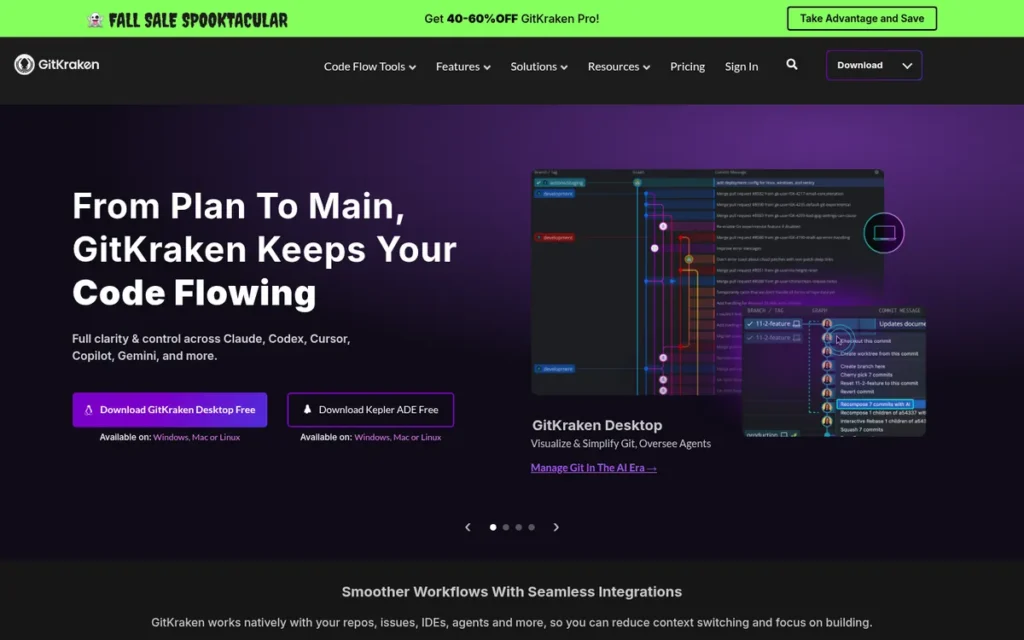
Category: Developer Workflow Platform, a cross-platform Git client combining visual branching, AI-assisted operations (launched March 2025), multi-repository Launchpad orchestration, and a VS Code extension (GitLens) in a single subscription ecosystem for teams managing complex, multi-repository codebases on Linux, macOS, and Windows.
At a Glance
- Category: Developer Workflow Platform
- Best For: Development teams managing multi-repo workflows across Linux, macOS, and Windows who need AI assistance, centralized PR and issue dashboards, and integrations with GitHub, GitLab, Bitbucket, Azure DevOps, and Jira
- Price Range: Free (public and local repos only); Pro at $59.40/year per user ($4.95/month billed annually), verify at gitkraken.com/pricing (June 2026)
- Primary Strength: GitKraken is the only evaluated version control client combining full Linux, macOS, and Windows support with AI-assisted Git operations, multi-repository Launchpad orchestration, and a VS Code extension (GitLens) in a single product ecosystem.
- Biggest Limitation: GitKraken’s Electron-based architecture produces performance degradation on large repositories, and its transition to paid-only private repository access is the most consistently cited community frustration as of June 2026.
- One-Line Summary: Among the seven evaluated clients, GitKraken is the only option combining full Linux, macOS, and Windows support with AI-assisted workflows, multi-repository Launchpad orchestration, and a VS Code extension (GitLens) in a single ecosystem, as of June 2026.
- Last Verified: June 2026
Overview
GitKraken is a cross-platform Git GUI and developer workflow platform for Windows, macOS, and Linux that combines visual branching, AI-assisted operations, and multi-repository Launchpad dashboards with integrations for GitHub, GitLab, Bitbucket, and Azure DevOps, designed for development teams managing multiple repositories across different operating systems simultaneously. GitKraken expanded beyond a standalone Git GUI through two strategic moves: acquiring GitLens (the most installed VS Code Git extension, per Axosoft brand materials, 2026) and launching AI-assisted features beginning March 2025, including automated commit message generation and code-change analysis.
GitKraken’s AI-enhanced merge conflict resolution is listed as forthcoming as of June 2026 (gitkraken.com/blog, verified June 2026). GitKraken’s Launchpad dashboard aggregates pull requests, issues, and work in progress across multiple repositories in a single view, a capability no other standalone Git client in this comparison replicates, and GitKraken’s clearest differentiator for team-scale workflows.
Key Features
- Launchpad and Workspace Multi-Repository Orchestration: GitKraken’s Launchpad centralizes pull requests, issues, tasks, and work-in-progress status across multiple repositories simultaneously, with Workspace grouping allowing teams to organize repositories by project or organization, together providing multi-repository coordination that no other standalone Git client in this evaluation replicates (GitKraken Launchpad documentation, updated March 2026).
- AI-Assisted Git Operations: GitKraken launched AI-powered features beginning March 2025 (including automated commit message generation and code-change analysis) making it the most AI-advanced version control client evaluated here as of June 2026; AI-enhanced merge conflict assistance is listed as a forthcoming addition as of that date (gitkraken.com/2025-plans).
- Three-Panel Merge Conflict Editor: GitKraken provides a three-panel visual merge conflict editor that resolves conflicts within the application without switching to a terminal, with AI-enhanced conflict assistance listed as a forthcoming addition as of June 2026, confirmed in official product documentation.
- GitLens VS Code Extension: GitKraken’s ecosystem includes GitLens: documented via Axosoft brand materials, 2026, which bridges standalone client and editor-integrated Git workflows by extending GitKraken’s reach directly into VS Code, a strategic position no other evaluated client has replicated.
- Interactive Rebase Interface: GitKraken’s interactive rebase tool exposes squash, reword, edit, drop, and reorder operations through a visual interface, with the commit graph providing real-time feedback on how rebase operations will alter repository history.
Best For
GitKraken is best for intermediate to advanced developers and development teams who need cross-platform support including Linux, AI-assisted Git operations, multi-repository workflow orchestration, and deep integrations with GitHub, GitLab, Bitbucket, Azure DevOps, and Jira, and who can justify a subscription cost through productivity gains at team scale.
Pricing
GitKraken offers a Free tier limited to public and local repositories, with paid plans required for private repositories and team collaboration features. GitKraken Pro is priced at $59.40/year per user ($4.95/user/month billed annually), verified at gitkraken.com/pricing and corroborated by thesoftwarescout.com, June 2026. At $59.40/year, GitKraken Pro is priced within $10 of Tower’s Basic tier ($69/year), a proximity that reframes the subscription cost comparison for developers who assumed a larger price gap. GitKraken’s monetization shift away from a previously generous free tier is the product’s most consistent community criticism. Last verified June 2026.
Strengths
- GitKraken is one of only two evaluated clients with full Windows, macOS, and Linux support (alongside SmartGit) (confirmed by official product documentation) a distinction relevant to the approximately 24% of professional developers who use Linux as a primary operating system per the Stack Overflow Developer Survey, 2024.
- GitKraken’s Launchpad multi-repository dashboard: confirmed in official product documentation updated March 2026 at gitkraken.com/features/launchpad, provides centralized PR, issue, and WIP visibility across multiple repositories in one view, a team-collaboration capability not replicated by any other standalone Git client evaluated here.
Users on r/git confirmed this in 2026:
“Agree… I’ve used them all over the years, both free and paid. GitKraken just works for me with my complex hybrid monorepo/submodule setup.” Posted by u/digitaljohn
Takeaway: Developers managing hybrid monorepo and submodule architectures consistently identify GitKraken as the client that handles complex multi-repository setups where other tools fall short.
- GitKraken launched AI-assisted features beginning March 2025 including automated commit message generation and code-change analysis (gitkraken.com/2025-plans), making it the most AI-advanced client in this category as of the research date of June 11, 2026.
- GitKraken’s acquisition of GitLens: documented in Axosoft brand materials, 2026, gives GitKraken a VS Code extension presence that bridges standalone and editor-integrated Git workflows, a strategic position no other evaluated client has replicated.
Limitations
- Electron Performance Trade-off: GitKraken’s cross-platform consistency across Linux, macOS, and Windows relies on Electron, the same architecture that produces performance degradation on repositories with extensive commit history, a trade-off community members explicitly contrast with native clients like Fork and Tower (r/git community discussions, 2025–2026).
- Subscription Cost at Team Scale: GitKraken’s paid private-repo model means a five-person team on Pro licenses pays approximately $297/year ($59.40/year × 5 users, verified at gitkraken.com/pricing, June 2026), the primary reason community members describe leaving: “No longer free for private repos. A shame, too, since it’s beautiful” (u/Different-Thinker, r/git).
- Team-Scale Fit for Solo Developers: GitKraken’s Launchpad, Workspaces, and team integrations add subscription cost without proportional value in two scenarios: solo developers on personal projects who need only individual Git workflow tooling, and teams outside the GitHub, GitLab, Bitbucket, or Jira ecosystem where GitKraken’s premium differentiating features do not fully activate.
Verdict
GitKraken is the highest-scoring version control client in this evaluation because it is the only standalone Git GUI combining full Linux, macOS, and Windows support with AI-assisted operations (launched March 2025), multi-repository Launchpad orchestration, and a VS Code extension, all at a verified Pro price of $59.40/year. GitKraken’s Electron performance trade-off and subscription pricing are real limitations that make it a stronger fit for teams than for individual developers on a tight budget. Developers who need cross-platform Linux support with team-facing workflow orchestration will not find a comparable alternative among the seven evaluated clients here.
2. SmartGit: Best for Advanced Developers, Cross-Platform Teams, and Multi-VCS or Legacy Environments
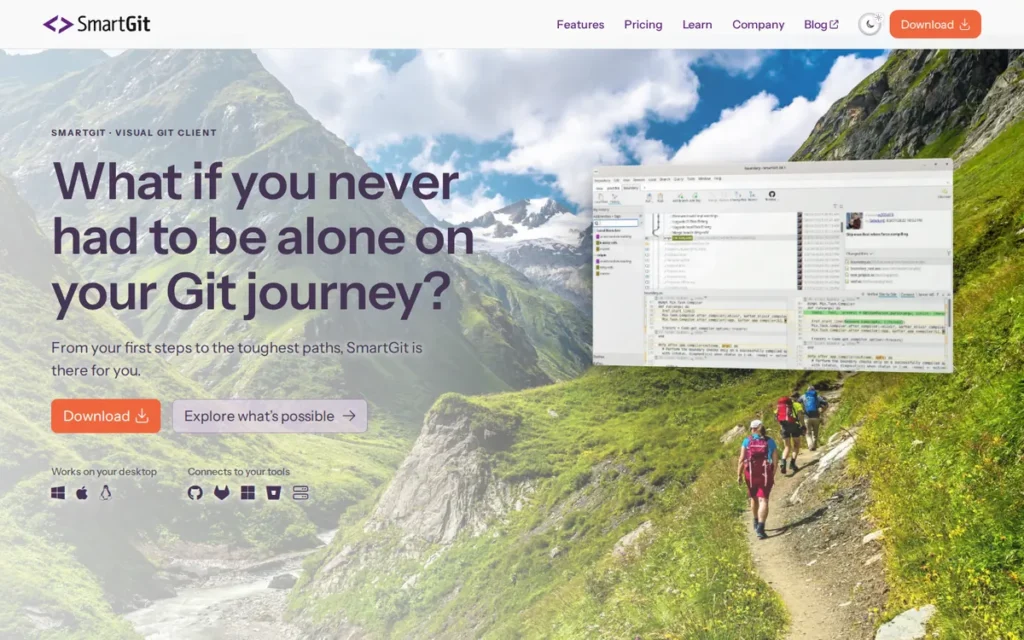
Category: Advanced Multi-VCS GUI Client, supports Git, SVN, and Mercurial on Windows, macOS, and Linux with partial-line staging, an advanced Index Editor, and legacy-system bridges not available in any other evaluated client.
At a Glance
- Category: Advanced Multi-VCS GUI Client
- Best For: Advanced developers and teams needing full Linux support, legacy SVN or Mercurial workflow management alongside Git, partial-line commit control, or EU-regulated development environments requiring European-owned tooling
- Price Range: Free for non-commercial use (personal projects, open source, education, charities, verify current eligibility at smartgit.com after June 2025 licensing updates); commercial licensing available as subscription or perpetual options, verify current prices at smartgit.com (June 2026)
- Primary Strength: SmartGit is the only evaluated version control client supporting Git, SVN, and Mercurial on all three major operating systems (Windows, macOS, and Linux) while offering partial-line staging and an advanced Index Editor for granular commit control.
- Biggest Limitation: SmartGit’s interface is acknowledged: including by a verified SmartGit developer in r/git in 2026, as overloaded and unsuitable for developers who do not plan to invest deeply in learning Git; a UI refresh is confirmed as forthcoming but had not shipped as of June 2026.
- One-Line Summary: SmartGit is the only evaluated client supporting Git, SVN, and Mercurial on Windows, macOS, and Linux simultaneously, with partial-line staging and an advanced Index Editor, the definitive choice for advanced developers and teams with legacy VCS environments.
- Last Verified: June 2026
Overview
SmartGit is a cross-platform Git, SVN, and Mercurial GUI client by syntevo GmbH (Germany) for Windows, macOS, and Linux, offering partial-line staging, an advanced Index Editor, and multi-VCS support that make it the most technically complete standalone Git client for advanced developers and teams migrating from legacy codebases. SmartGit is the only evaluated client supporting Git, Subversion, and Mercurial within a single interface, directly serving enterprises managing decade-old codebases while transitioning development teams to Git.
SmartGit’s European ownership (syntevo GmbH, Germany, confirmed at smartgit.dev/company) and active developer engagement (including direct r/git participation by a confirmed SmartGit developer in 2026) provide EU procurement credibility and product-team accountability uncommon in this product category.
Key Features
- Partial-Line Commit Staging: SmartGit’s partial-line staging allows developers to stage individual lines within a modified file for inclusion in a single commit, enabling granular commit history hygiene at a level of control that no other evaluated client provides, confirmed in syntevo official documentation, 2026.
- Advanced Index Editor: SmartGit’s Index Editor provides an interactive staging workspace for building commits from unstaged changes with full control over which lines and hunks are included, the most capable staging interface of any evaluated client, cited by power users with over a decade of continuous SmartGit use (u/jay_thorn, r/git, 2025).
- Tri-VCS Support: SmartGit supports Subversion (SVN) and Mercurial (Hg) alongside Git via built-in bridges, allowing teams to manage repositories across multiple version control systems without switching tools (syntevo SVN Integration documentation, 2026).
- Built-in SSH, GPG Signing, and Distributed Review: SmartGit includes a built-in SSH client, GPG commit signing, and a Distributed Review feature for code review workflows that do not depend on a hosted platform’s pull request infrastructure, a combination of security and review capabilities confirmed in syntevo product documentation.
- Lost-Commit Recovery and Multi-Platform Integrations: SmartGit provides tools for recovering commits lost due to accidental branch deletion or reset operations, and integrates with GitHub, GitLab, Bitbucket, Bitbucket Server, and Azure DevOps for hosted repository management and pull request workflows.
Best For
SmartGit is best for advanced developers and professional teams who work on Linux, manage repositories across Git and legacy SVN or Mercurial systems, require partial-line staging and granular commit control, or are based in the EU and prioritize European-owned development tooling, with a free non-commercial tier that lowers the entry barrier for qualifying individual and academic users.
Pricing
SmartGit is free for non-commercial use, covering personal projects, open-source contributions, academic work, and charitable organizations. Commercial use requires a paid license. SmartGit offers two commercial licensing structures: a subscription license that renews monthly or annually, and a perpetual license providing unlimited-duration access (with major version upgrades potentially requiring a separate renewal license), making SmartGit one of the few evaluated clients offering a non-subscription commercial option.
Exact current pricing for both models was not confirmed during research, verify at smartgit.com before purchase. Note: syntevo updated non-commercial licensing terms in June 2025 (blog.syntevo.com), verify current non-commercial eligibility at smartgit.com before assuming free access applies, as terms governing open-source contributors, students, and charities may differ from earlier community documentation. Last verified June 2026.
Strengths
- SmartGit supports Git, Subversion, and Mercurial on Windows, macOS, and Linux simultaneously, confirmed at smartgit.dev/company, making it the only evaluated client with this tri-VCS, tri-OS combination, directly addressing the legacy codebase migration pain point documented across enterprise user discussions.
- SmartGit’s partial-line staging and Index Editor provide commit granularity no other evaluated standalone Git client matches, confirmed by community power users with 10 or more years of continuous use: “SmartGit fan since >10 years” (u/Ok_Arrival2856, r/git, 2025) and “I have tried them all and I kept coming back to SmartGit” (u/SatisfactionFew7181, r/git, 2025).
- SmartGit’s active developer engagement was confirmed by a verified SmartGit developer (u/wnesensohn, r/git, 2026) who acknowledged community feedback on UI complexity and confirmed a forthcoming UI refresh, a level of product-team accountability uncommon in this category.
- SmartGit’s European ownership (syntevo GmbH, Germany): confirmed at smartgit.dev/company, positions it as a procurement option for EU-based organizations subject to GDPR and data sovereignty requirements, a credential no other evaluated client explicitly holds.
Limitations
- UI Complexity and Steep Learning Curve: SmartGit’s most consequential trade-off is its interface density, a verified SmartGit developer acknowledged in r/git, 2026 that the UI is “overloaded,” and a professional developer with over a decade of SmartGit experience stated SmartGit is “not something I can recommend to people that don’t plan to deep dive into git” (u/STSchif, r/git, 2026). SmartGit’s confirmed forthcoming UI refresh had not shipped as of June 11, 2026, developers evaluating today face the full complexity of the current interface.
- Commercial Licensing Ambiguity: SmartGit’s commercial versus non-commercial licensing boundary creates recurring confusion for freelancers, consultants, and developers transitioning from personal to professional use, a documented community concern that can result in inadvertent license violations. syntevo updated non-commercial licensing terms in June 2025; verify current eligibility at smartgit.com rather than relying on older community descriptions of the terms.
- No Streamlined Onboarding Path: SmartGit’s feature surface area is optimized for power users, meaning it lacks the simplified commit graph and guided onboarding experience that Tower and Fork provide, SmartGit’s ceiling is high, but so is its floor, making it a poor fit for teams onboarding junior developers or Git newcomers alongside experienced users.
Verdict
SmartGit is the definitive version control client for advanced developers who need multi-VCS support across Git, SVN, and Mercurial on Linux, and its partial-line staging and Index Editor represent the most granular commit control available in any standalone GUI client evaluated in 2026. SmartGit ranks second overall because Linux support and SVN/Mercurial bridges are primary-weight criteria in this evaluation, capabilities Tower cannot provide at all, while Tower’s Undo Everything advantage is a secondary-weight criterion. SmartGit’s confirmed forthcoming UI refresh may address its steepest usability barrier, developers who previously dismissed it due to interface complexity should revisit the evaluation when that release ships.
3. Tower: Best for macOS-Primary Professional Developers: Strongest Git Safety Features
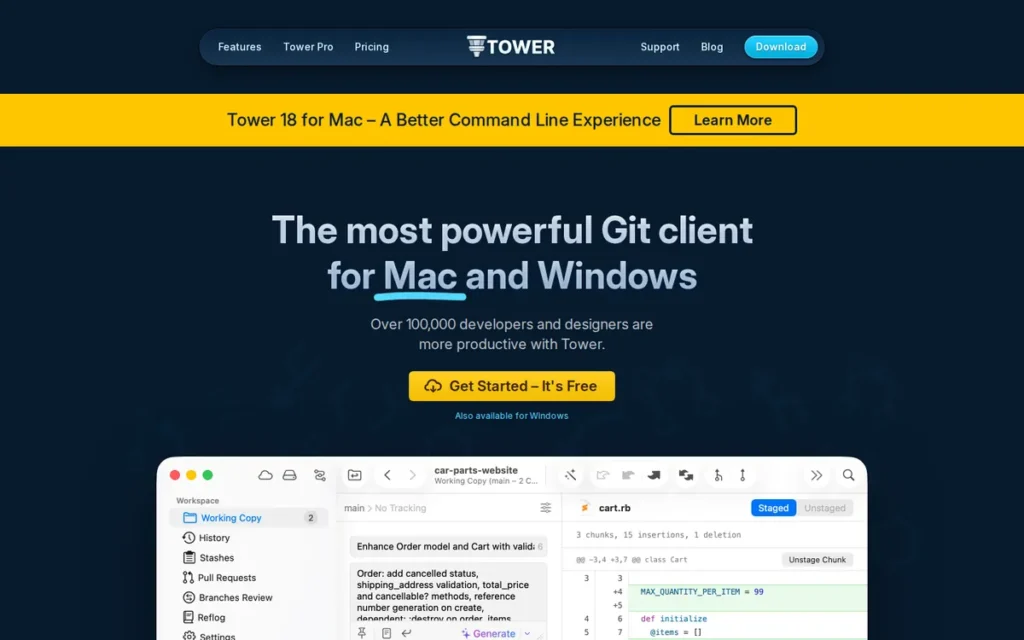
Category: Professional Git GUI Client, a paid macOS and Windows Git client in continuous development since 2011, known for its Undo Everything safety system and Conflict Resolution Wizard designed to make complex Git operations reversible for professional developers.
At a Glance
- Category: Professional Git GUI Client
- Best For: Professional developers and designers on macOS (primary) or Windows who perform complex Git workflows and prioritize the ability to undo any Git operation as a safety net; also suited for team leads, consultants, and agencies willing to pay a subscription for premium polish
- Price Range: Basic $69/year ($5.75/month); Pro $99/year ($8.25/month); Enterprise $149/year ($12.42/month); 30-day free trial (Pro edition); 30-day money-back guarantee; free program for students and teachers, verify at git-tower.com/pricing (June 2026)
- Primary Strength: Tower is the only evaluated Git client with an Undo Everything system allowing developers to reverse commits, merges, stash deletions, branch deletions, and reverted changes from a single interface, directly addressing the fear of irreversible mistakes in complex Git workflows.
- Biggest Limitation: Tower supports macOS and Windows only: Linux is not supported, and its Windows version is documented by community users as measurably less polished than its macOS counterpart; Tower has no free non-commercial tier beyond the 30-day trial.
- One-Line Summary: Tower is a paid Git GUI client for macOS and Windows, in continuous development since 2011, uniquely distinguished by its Undo Everything system that allows developers to reverse commits, merges, stash deletions, and branch deletions from a single interface.
- Last Verified: June 2026
Overview
Tower is a paid Git GUI client for macOS and Windows by Ocelot GmbH (Berlin, Germany), in continuous development since 2011, best known for its Undo Everything safety system and Conflict Resolution Wizard, designed for professional developers performing complex Git operations who need a reversible, safety-netted workflow environment. Tower’s Undo Everything feature covers commits, merges, stash deletions, branch deletions, and reverted changes, a specific, named, documented system cited consistently by long-term users as the primary reason they continue paying for the subscription over free alternatives.
Tower has been maintained by a focused independent software company for over 15 years, a longevity signal that distinguishes it from newer or smaller-team alternatives and that long-tenured professional users cite as a meaningful trust indicator (graphite.com Tower guide, 2026).
Key Features
- Undo Everything System: Tower’s Undo Everything system allows developers to reverse any Git action (including commits, merges, stash deletions, branch deletions, and reverted changes) from within the client, providing a safety net for complex operations that no other evaluated client matches in breadth (Tower official documentation, git-tower.com).
- Conflict Resolution Wizard: Tower’s Conflict Resolution Wizard guides developers through merge conflict resolution with a side-by-side interface and step-by-step prompts, cited by frontendmasters.com, 2025 as removing the “fear factor” from one of Git’s most stressful operations.
- Single-File History: Tower’s Single-File History feature tracks the complete commit history of an individual file across renames and moves, enabling efficient debugging of file-level changes without filtering through full repository history.
- Drag-and-Drop Git Operations: Tower supports drag-and-drop operations for merge, rebase, cherry-pick, stash, and push/pull, reducing complex multi-step Git operations to single-gesture interactions within the commit graph.
- Broad Hosting Integrations: Tower integrates with GitHub, GitLab, Azure DevOps, Bitbucket, Gitea, and Planio for hosted repository authentication and pull request management, confirmed in deployhq.com Tower guide, 2026.
Best For
Tower is best for professional developers and designers on macOS (where its interface quality is considered flagship) who regularly perform complex Git operations and value the Undo Everything safety net; students and educators qualify for Tower’s documented free academic program at git-tower.com, making it accessible before professional use begins.
Pricing
Tower’s official pricing page confirms three subscription tiers: Basic at $69/year ($5.75/month), Pro at $99/year ($8.25/month), and Enterprise at $149/year ($12.42/month). The 30-day free trial starts on the Pro edition, and a 30-day money-back guarantee applies to all plans. Tower’s student and teacher program provides free access for qualifying academic users, confirm eligibility at git-tower.com.
Note: Tower’s subscription model has no free non-commercial tier for non-academic users, unlike SmartGit (free for qualifying non-commercial use) or Fork (unlimited evaluation at $0), any professional use beyond the 30-day trial requires a paid subscription. Source: git-tower.com/pricing, verified June 2026.
Strengths
- Tower’s Undo Everything safety system: confirmed in official product documentation and cited as the primary reason for continued use by subscribers with up to a decade of continuous use (tinybeans.net, 2025; ajmani.dev Tower review), is the single most unique safety feature of any evaluated client, covering reversal of commits, merges, stash deletions, and branch deletions.
This aligns with long-term community experience on r/git:
“I know this is a very old post but I randomly stumbled across it, and I’ve been using Tower for 7-8 years now. It’s great UX and nothing else has come close for me. I dislike the command line git interface, I like being able to visualise things, and having an ergonomic setup. I do not live in the terminal because I’m not a sysadmin or a vim/emacs person. I also use WebStorm and Cline and Claude Code etc. If you identify yourself with these statements because you want to code to get things done and to bring ideas to life, and coding is a means to an end in that regard for you, then yes, using good tooling that makes your life easier will serve you well, and Tower is honestly a big part of what has kept me from trying to daily drive Linux.” Posted by u/dhamaniasad
Takeaway: Tower earns multi-year loyalty from developers who prioritize ergonomic, visual Git workflows over terminal fluency, a distinct user profile for whom no terminal-first argument or cheaper alternative displaces it.
- Tower has been in continuous development since 2011 (first released by fournova Software, now Ocelot GmbH, Berlin, Germany), a 15-year commercial track record that exceeds all other paid clients in this evaluation and is cited by long-tenured users as a meaningful trust indicator (graphite.com Tower guide, 2026).
- Tower’s Conflict Resolution Wizard is cited by independent reviewers including frontendmasters.com, 2025 and ajmani.dev as removing the fear factor from merge conflicts, directly addressing the most consistently cited reason developers turn to GUI clients at all.
- Tower’s free student and teacher program: confirmed on the official product site, provides a documented academic access pathway that GitKraken’s subscription model does not offer, creating a professional conversion pipeline from academic to commercial use.
Limitations
- macOS-First Platform Differential: Tower supports macOS and Windows but not Linux (categorically excluding cross-platform teams) and community evidence consistently documents the Windows version as less polished than macOS: “While Tower performs amazingly on macOS, it is quite disappointing on Windows” (u/t0byman2, r/git), meaning Tower’s flagship experience is macOS-only while Windows users receive a secondary version.
Users on r/git noted additional concerns as recently as January 2026:
“It’s okay in some parts, but honestly sucks in others. They have all these fancy things about worktrees and branches automatically marked as ‘merged, can be deleted’ (even though I still use those branches), and wow it can merge a branch by drag-and-drop (honestly, who needs that?). But it has crashes, it has inconsistencies between Mac and Windows (the shortcut to revert one file on Mac was the same as ‘revert everything i.e. git reset --hard’ on Windows – I lost my whole working copy once), there is stuff missing like a simple ‘copy the path of that file’. So all in all, can’t recommend it at this point.” Posted by u/cheeeeesus
Takeaway: Tower’s Mac-to-Windows shortcut inconsistencies extend beyond cosmetic polish gaps, documented cases of data loss from platform-mismatched keyboard commands represent a genuine risk for developers who switch between operating systems.
- Subscription Cost Drives Churn: Tower’s subscription pricing has driven price-sensitive users to JetBrains IDE-integrated Git tools: “Git Tower is my favourite client. But it is expensive and recently I have switched to IntelliJ built-in one” (u/FalseWait7, r/git), a documented exit path that represents real cost-driven adoption risk, particularly since Tower Basic at $69/year and GitKraken Pro at $59.40/year are now within $10 of each other.
- No Free Non-Commercial Tier: Tower’s subscription model provides a 30-day trial and a student/teacher program but no free non-commercial tier for individual open-source contributors or personal use (unlike SmartGit (free for qualifying non-commercial use) or Fork (unlimited evaluation at $0)) making Tower the least accessible paid client for developers who want to evaluate thoroughly before committing professionally.
Verdict
Tower is the Git client with the most comprehensive undo and safety feature set among all evaluated clients for professional developers on macOS, and its Undo Everything system is the single most consequential Git GUI safety feature evaluated in this review. Tower’s macOS-first quality gap, absence of Linux support, and subscription-only access model limit its recommendation to a specific professional segment, developers who work primarily on macOS, perform complex Git operations regularly, and can justify a recurring cost through professional billing rates. For that audience, Tower has no direct equivalent among the seven evaluated clients.
4. Fork: Best Community-Validated Lightweight Git Client: Best One-Time Purchase Value
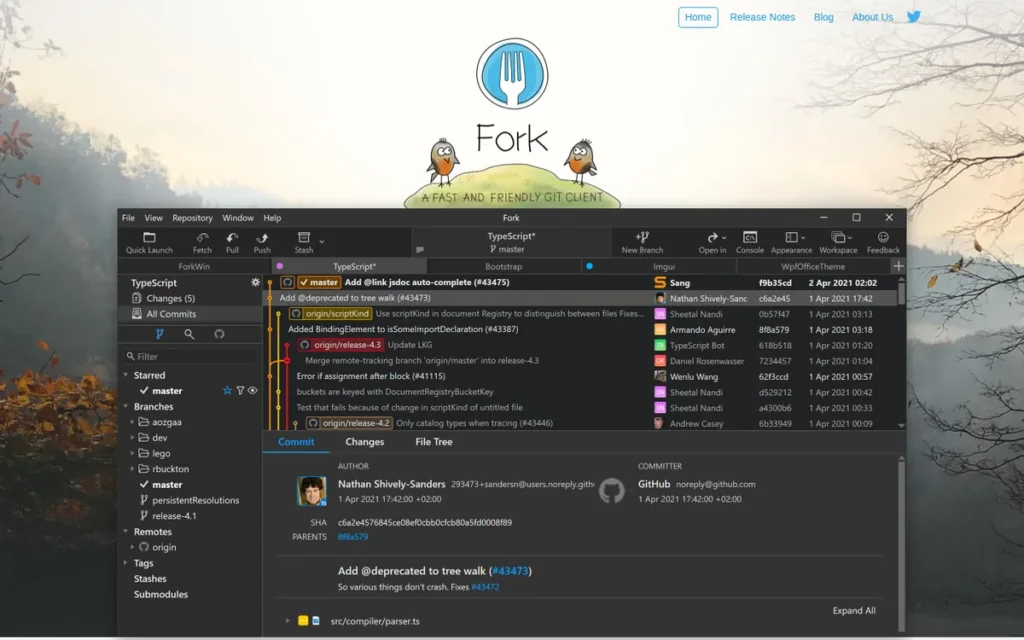
Category: Lightweight Git GUI Client, a fast, focused macOS and Windows Git client built by an independent team, available for a one-time purchase (approximately $50–$60) with an unlimited free evaluation and no enterprise feature overhead.
At a Glance
- Category: Lightweight Git GUI Client
- Best For: Individual developers and small teams on macOS or Windows wanting a fast, focused Git GUI without subscription fees, particularly developers migrating from Sourcetree who need a demonstrably faster and more actively maintained alternative
- Price Range: Approximately $50–$60 one-time purchase per OS (macOS and Windows sold separately); unlimited free evaluation (no time limit, no feature restrictions) verify current price at git-fork.com (June 2026)
- Primary Strength: Fork is the most community-recommended standalone Git GUI client for individual developers as of 2026, available for a one-time purchase with an unlimited free evaluation, and is consistently described by developers who migrated from Sourcetree as dramatically faster and cleaner.
- Biggest Limitation: Fork does not support Linux: a categorical exclusion for cross-platform teams, and provides no team collaboration features (no multi-repo dashboards, no integrated PR review workflows, no task platform integrations), limiting its appeal to individual Git workflows.
- One-Line Summary: Fork is the most community-recommended standalone Git GUI client for macOS and Windows as of 2026, available for a one-time purchase with an unlimited free evaluation, distinguished by its speed, lean feature set, and organic developer advocacy built without enterprise marketing.
- Last Verified: June 2026
Overview
Fork is a lightweight Git GUI client for macOS and Windows, built by an independent development team (Danil Pristupov), offering an unlimited free evaluation followed by a one-time purchase, designed for developers who want fast, responsive Git operations without subscription fees or the feature complexity of enterprise platforms. Fork has earned the most-frequently-recommended-standalone-Git-GUI designation in r/git community discussions as of 2026, not through marketing but through consistent organic advocacy, users cite its speed advantage over Sourcetree, clean interface, and fair one-time pricing as the primary reasons they purchased after evaluation.
Fork’s active development cadence, confirmed by community observation of regular updates (u/thecentury_me, r/git, 2025) and a developer blog at fork.dev/blog sustained since at least 2018 (Hacker News HN17448551), substantially reduces the longevity risk that accompanies indie software products.
Key Features
- Side-by-Side Diff Viewer: Fork’s side-by-side diff viewer displays file changes with synchronized scrolling between old and new versions, making code review and conflict assessment faster than single-pane diff tools available in competing clients.
- Interactive Rebase Interface: Fork’s interactive rebase supports squash, reword, edit, drop, and reorder operations through a visual commit graph, enabling complex history editing without memorizing terminal rebase syntax.
- Image Diff and Git LFS Support: Fork includes Image Diff capability for comparing binary image files in version-controlled repositories (practical for teams managing design assets alongside code) plus Git LFS support for repositories with large binary files, confirmed at git-fork.com.
- GPG Signing and Commit Templates: Fork provides GPG commit signing for verified authorship and commit templates for standardized commit message formatting, professional workflow features typically reserved for enterprise-tier tools.
- Tabbed Multi-Repository Interface: Fork’s tabbed interface allows developers to open multiple repositories simultaneously within a single application window, reducing context-switching for developers managing multiple active projects without requiring a separate team dashboard.
Best For
Fork is best for individual developers and small teams on macOS or Windows who want a fast, clean Git GUI without subscription overhead, particularly developers who have outgrown Sourcetree’s performance or static feature set and are seeking a lean, actively maintained alternative with a transparent one-time license model.
Pricing
Fork costs approximately $50–$60 as a one-time purchase, with separate licenses for macOS and Windows. Fork’s pricing has changed at least once from a previous $49 price point, always verify the current price at git-fork.com before citing a specific figure. A free evaluation version is available with no time limit and no feature restrictions, it only periodically prompts users to purchase, which community members compare to WinRAR’s perpetual evaluation model: “Technically it is free since the evaluation has no time limit and there is no feature block” (u/neppo95, r/git, 2025). Last verified June 2026 via git-fork.com.
Strengths
- Fork is the most consistently and organically recommended standalone Git GUI in developer community discussions as of 2026, cited across multiple r/git threads: “It is like sourcetree but 1000x faster” (u/lastunusedusername2, r/git); “one of the best imo. No feature bloat and very clear” (u/neppo95, r/git, 2025); “fork is a great cross-platform (Windows and macOS) tool with quite often updates” (u/thecentury_me, r/git, 2025).
- Fork’s unlimited free evaluation model: no time limit, no feature restriction, only a periodic purchase prompt, is confirmed at git-fork.com and functionally distinguishes it from trial-limited paid tools; the evaluation-to-purchase conversion documented by community users reflects a product earning purchases through demonstrated value: “The price for the license is very fair in my opinion” (u/Majestic-Monitor-287, r/git).
This community confidence is also reflected in daily workflow discussions on r/git:
“I’m fond of Fork, which is similar to SourceTree, but better. It’s not free, but it’s pretty cheap.” Posted by u/cerebus19
Takeaway: Fork’s comparison advantage over Sourcetree is the community’s most frequently cited switching rationale, driven by performance and pricing transparency rather than feature marketing.
- Fork’s active development cadence has been sustained since at least 2018 (Hacker News HN17448551, 2018), with regular updates confirmed by community observation, substantially reducing the longevity risk associated with indie software products.
- Fork’s one-time purchase model: approximately $50–$60 per OS (verify current price at git-fork.com, June 2026), provides perpetual license ownership that community members specifically contrast with GitKraken’s and Tower’s recurring cost models when recommending Fork to peers.
Limitations
- No Linux Support: Fork does not support Linux: an absolute exclusion for Linux-primary developers and cross-platform teams, and its platform limitation is the most consistently cited wish among Fork’s own loyal users: “I wish there was a linux version of it” (u/Majestic-Monitor-287, r/git).
- No Team Collaboration Features: Fork provides no multi-repository dashboard, no team task integration with Jira or GitHub Issues, and no AI-assisted features, it is a pure individual Git workflow client, and developers who need team orchestration will find Fork’s ceiling significantly lower than GitKraken’s Launchpad-based offering.
- Indie Development Longevity Risk: Fork is maintained by a small independent team (Danil Pristupov), which provides responsive and focused development but introduces succession and longevity uncertainty not present in institutionally backed products like GitHub Desktop, a risk that Fork’s consistent update cadence since at least 2018 substantially reduces but does not eliminate.
Verdict
Fork is the best-value standalone Git GUI client for individual developers on macOS and Windows who want professional-grade tools without subscription costs, and its standing as the most organically recommended client in developer forums is the strongest peer validation signal in this evaluation. Fork’s unlimited free evaluation removes purchasing risk entirely: developers who try it and purchase are expressing confirmed satisfaction, not speculative hope. Among the seven evaluated clients, Fork has no direct competitor in the individual developer segment that matches both its organic community validation and one-time pricing transparency as of June 2026.
5. GitHub Desktop: Best for Beginners and GitHub-First Workflows: Strongest Institutional Backing
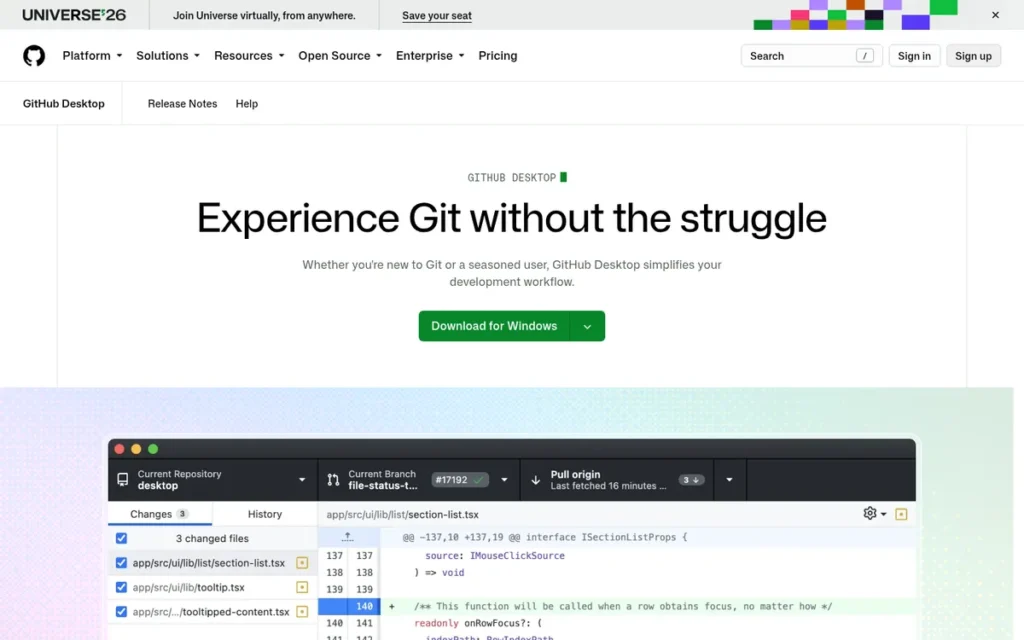
Category: Beginner Git GUI Client, a free, open-source client built and maintained by GitHub (Microsoft) for Windows and macOS, designed specifically to simplify GitHub workflows for developers new to Git, with intentionally constrained advanced feature scope.
At a Glance
- Category: Beginner Git GUI Client
- Best For: Developers learning Git for the first time, non-developer collaborators (designers, technical writers, product managers) working in GitHub-based repositories, and small teams using GitHub as their primary hosting platform who need a zero-cost, zero-friction, institutionally backed starting point
- Price Range: Free ($0); open source; no paid tiers for the desktop client: desktop.github.com (June 2026)
- Primary Strength: GitHub Desktop is backed by GitHub (Microsoft) and is the only evaluated client with formal open-source governance, providing the strongest institutional longevity guarantee in this category alongside completely free access with no feature gating.
- Biggest Limitation: GitHub Desktop’s intentionally limited feature set: no interactive rebase GUI, no cherry-pick from the GUI, no multi-repository orchestration, makes it inadequate for intermediate or advanced Git workflows, and its GitHub-centric design provides limited value for teams primarily using GitLab, Bitbucket, or Azure DevOps.
- One-Line Summary: GitHub Desktop is a free, open-source Git GUI client for Windows and macOS maintained by GitHub (Microsoft), reported at approximately 52% market share among dedicated Git GUI clients (zipdo.co, 2023 secondary estimate, treat as directional), and is the most widely recommended starting tool for developers learning Git for the first time.
- Last Verified: June 2026
Overview
GitHub Desktop is a free, open-source Git GUI client for Windows and macOS built and maintained by GitHub (Microsoft), designed specifically to simplify GitHub workflows (covering branching, committing, conflict resolution, and pull request management) and is the most widely recommended starting point for developers learning Git for the first time. GitHub Desktop’s design philosophy is explicitly simplicity-first: GitHub’s own documentation states the product was built to help “new users get started easily, simplifying commands, visualizing changes, and encouraging best practices” (GitHub official documentation, 2026).
GitHub Desktop’s Microsoft and GitHub backing alongside its open-source codebase at github.com/desktop/desktop provide the strongest institutional longevity guarantee of any evaluated client, it benefits from GitHub’s 100 million-plus developer platform relationships and cannot be discontinued by a single vendor decision.
Key Features
- PR Checkout Feature: GitHub Desktop’s pull request checkout allows developers to check out a PR branch and run its associated checks locally without opening a browser, a collaborative feature confirmed in GitHub official documentation, 2026 that extends value beyond basic commit and push workflows.
- Line-by-Line Staging: GitHub Desktop supports line-by-line staging, allowing developers to include specific lines from a modified file in a commit while leaving other changes unstaged, a precision staging feature uncommon in beginner-facing tools.
- Co-Authored Commits: GitHub Desktop supports co-authored commits using the Co-authored-by trailer format recognized by GitHub’s contribution graph, enabling accurate credit attribution for pair programming and collaborative coding sessions.
- Seamless GitHub Authentication: GitHub Desktop provides seamless GitHub.com and GitHub Enterprise authentication, supporting two-factor authentication and credential management out of the box without manual SSH or token configuration.
- Guided Conflict Resolution: GitHub Desktop’s conflict resolution interface presents clear visual choices (use mine, use theirs, or manual edit) appropriate for the complexity level of its target beginner audience without overwhelming new Git users.
Best For
GitHub Desktop is best for developers learning Git for the first time, non-developer contributors (product managers, designers, technical writers) who need to manage Git-based files without learning the command line, and small teams building GitHub-first workflows who need a zero-cost, institutionally backed client with no setup friction.
Pricing
GitHub Desktop is completely free with no paid tiers for the desktop client. GitHub’s platform plans (Free at $0, Team at $4/user/month, Enterprise at $21/user/month) govern repository features on GitHub.com but do not restrict the desktop client’s functionality in any way. For individuals or teams with free-tier GitHub accounts, GitHub Desktop provides full client functionality at $0. Last verified June 2026 via desktop.github.com.
Strengths
- GitHub Desktop is reported at approximately 52% market share among dedicated Git GUI clients (zipdo.co, 2023 secondary statistics compilation (treat as directional rather than precise, as this figure has not been corroborated by primary developer surveys from Stack Overflow, JetBrains, or GitHub as of June 2026)) a market position consistent with its zero-cost positioning and GitHub brand recognition.
- GitHub Desktop is the only evaluated client with formal open-source governance (source code at github.com/desktop/desktop) under GitHub (Microsoft) ownership, providing a longevity guarantee backed by a company with over 100 million developer accounts, no other evaluated client can match this institutional stability.
- GitHub Desktop’s PR checkout feature: confirmed in GitHub official documentation, 2026, allows developers to run pull request checks locally without switching to a browser, adding specific collaborative value for GitHub-centric code review workflows beyond basic commit management.
- GitHub Desktop is the only evaluated client with documented co-authored commit support using the Co-authored-by trailer format (GitHub documentation, 2026), enabling accurate contribution tracking for pair programming and mob coding sessions on GitHub.
Limitations
- Intentional Feature Constraints by Design: GitHub Desktop’s most consequential trade-off is by explicit design, GitHub’s own documentation confirms the product intentionally omits interactive rebase, cherry-pick from the GUI, and advanced commit graph customization; developers moving beyond basic commit-and-push workflows will find GitHub Desktop’s ceiling too low within months of regular use.
- GitHub-Centric Design: GitHub Desktop is optimized for GitHub.com and GitHub Enterprise workflows, developers primarily using GitLab, Bitbucket, or Azure DevOps receive minimal platform-specific integration value, reducing GitHub Desktop’s relevance for non-GitHub hosting teams significantly.
- Documented VS Code Exit Path: The most common growth path out of GitHub Desktop leads to VS Code’s built-in Git tools rather than another standalone client: “I tried GitHub Desktop and it was super nice but now I’ve been doing it directly from VS Code” (u/RationalMouse, r/git, 2025), meaning GitHub Desktop functions as a Git onboarding tool rather than a long-term workflow solution for most developers who grow past its feature ceiling.
Verdict
GitHub Desktop is the most appropriate version control client for developers who are learning Git for the first time or working in GitHub-centric teams with non-technical contributors, and its combination of $0 pricing, open-source governance, and Microsoft and GitHub institutional backing makes it the lowest-risk starting choice in this evaluation. GitHub Desktop’s intentionally limited feature scope is not a product flaw but a documented design decision that makes it the right tool for its intended audience. Developers who outgrow GitHub Desktop will do so because they have learned Git well enough to need more capability, which is the intended outcome.
6. Sourcetree: Best for Atlassian Ecosystem Teams: Free with Documented Caveats
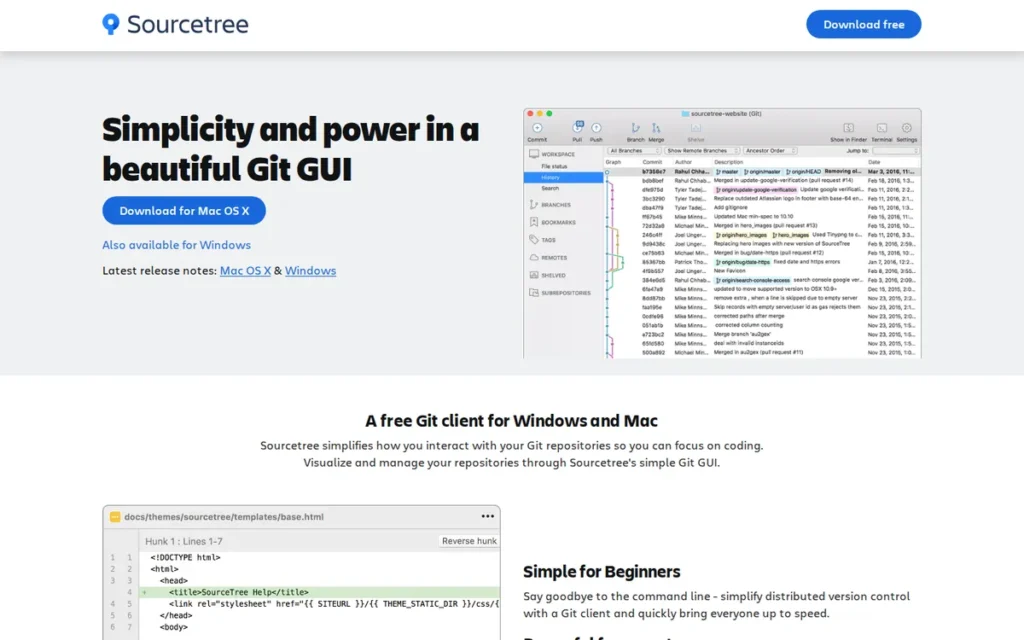
Category: Full-Feature Free Git Client, a free Atlassian-published client supporting Git and Mercurial on Windows and macOS with Bitbucket and Jira integration, historically feature-complete but facing documented community concerns about development stagnation from 2023 to 2026.
At a Glance
- Category: Full-Feature Free Git Client
- Best For: Teams already embedded in the Atlassian ecosystem (Bitbucket for hosting, Jira for projectmanagement) who need a free, feature-complete Git client with Mercurial support and can accept a slower feature development cadence in exchange for zero cost and deep ecosystem alignment
- Price Range: Free ($0); Atlassian account required during setup (free to create), sourcetreeapp.com (June 2026)
- Primary Strength: Sourcetree remains the deepest free integration point for teams using Atlassian’s Bitbucket and Jira, offering Git Flow, interactive rebase, submodule support, and Mercurial compatibility at zero cost, a combination no other free evaluated client matches for Atlassian-stack teams.
- Biggest Limitation: Community evidence from 2023 to 2026 documents Sourcetree’s shift to a bug-fix-only development cadence, an active user migration to Fork and Tower, and Windows performance degradation on large repositories, the most pronounced and documented reputation decline of any evaluated client.
- One-Line Summary: Sourcetree is a free Git and Mercurial GUI client for Windows and macOS published by Atlassian, offering Git Flow and Bitbucket/Jira integration at zero cost, but community evidence from 2023 to 2026 documents a shift to bug-fix-only development that has driven active user migration to Fork and Tower.
- Last Verified: June 2026
Overview
Sourcetree is a free Git and Mercurial GUI client for Windows and macOS published by Atlassian, offering Git Flow, interactive rebase, and Bitbucket and Jira integration at zero cost, best suited for teams already using Atlassian’s toolchain who need a comprehensive free client and can accept a slower feature development cadence. Sourcetree was historically one of the most widely recommended free Git clients, and its feature set, including interactive rebase, submodule support, a built-in terminal, and Git Flow automation, remains technically complete for core Git operations.
Sourcetree’s development trajectory from 2023 to 2026 reflects a documented shift toward bug-fix-only releases, with multiple experienced developers publicly migrating to Fork, Tower, or IDE-integrated tools and describing Sourcetree as stagnant, a pattern that informed developers should weigh when choosing a version control client for multi-year use.
Key Features
- Git Flow Integration: Sourcetree’s Git Flow provides one-click workflow automation for feature branch creation, release management, and hotfix branching following the Gitflow model, accessible from a dedicated button without memorizing branch naming conventions (Atlassian official documentation).
- Interactive Rebase Tool: Sourcetree’s Interactive Rebase, accessible from commit context menus and the Repository menu, supports squash, edit, delete, reword, and reorder operations, making complex history editing accessible to developers who find terminal rebase syntax intimidating (Atlassian Sourcetree Interactive Rebase blog).
- Built-in Terminal Panel: Sourcetree includes a built-in terminal panel allowing developers to run Git commands directly within the application window, supporting hybrid CLI and GUI workflows without switching between separate applications.
- Git and Mercurial Support: Sourcetree supports both Git and Mercurial repositories in a single client interface, enabling teams managing legacy Mercurial codebases to use one tool rather than separate GUI clients for different VCS systems.
- Atlassian Ecosystem Integrations: Sourcetree integrates with Bitbucket (Atlassian), GitHub, and GitLab, with Bitbucket integration being the deepest and most natively supported, including Bitbucket pull requests, Jira issue tracking, and Atlassian accountSSO (Atlassian official product page).
Best For
Sourcetree is best for teams already operating within the Atlassian ecosystem (Bitbucket for hosting, Jira for project management) who need a free, feature-complete Git GUI, have Mercurial repositories to manage alongside Git, and are working primarily on macOS where Sourcetree’s historical performance is better documented than on Windows.
Pricing
Sourcetree is completely free with no paid tier. An Atlassian account (also free to create) is required during installation, a friction point community members consistently describe as unnecessary for a locally installed tool. No feature is gated behind payment. Last verified June 2026 via atlassian.com/software/sourcetree.
Strengths
- Sourcetree is published by Atlassian (NASDAQ: TEAM), a public company with approximately 12,000-plus employees and flagship products including Jira, Confluence, and Bitbucket, providing institutional stability that ensures Sourcetree’s continued availability even as development investment appears reduced relative to Atlassian’s primary tools.
- Sourcetree’s Bitbucket and Jira integration is the deepest of any evaluated client for Atlassian-stack teams, with documented support for Bitbucket pull requests, Jira issue tracking, and Atlassian account SSO, confirmed in Atlassian’s official product documentation, 2026.
- Sourcetree’s Git Flow integration: confirmed in the Atlassian official blog, provides one-click branch creation, release management, and hotfix automation particularly valuable for teams adopting structured branching models without purchasing a paid tool.
- Sourcetree is one of only two free clients (alongside SmartGit’s non-commercial tier) that supports both Git and Mercurial in the same interface, a zero-cost option for teams with legacy Mercurial repositories requiring side-by-side management (terminal.guide Sourcetree overview).
Limitations
- Stagnant Development and Active Community Migration: Sourcetree’s most consequential limitation in 2026 is its documented development trajectory: “Sourcetree does not seem to be under active development anymore. At least when looking at the release notes from last year it is bug fixes at best” (u/chiangmai17, r/git, 2025), driving a documented migration pattern: “I used SourceTree for a long time, however, a couple of years ago I switched to Fork and never looked back” (u/Top_Revenue53, r/git, approximately 2022–2023) and “Sourcetree sucks now” (u/polmeeee, r/git, February 2026).
- Windows Performance Degradation: Sourcetree’s Windows version is documented across multiple community sources as performing significantly worse than the macOS version on large repositories, a persistent technical issue unaddressed in recent bug-fix-only releases, making Windows the weaker platform for Sourcetree deployment.
- Mandatory Atlassian Account Setup: Sourcetree requires an Atlassian account to complete installation, a friction point community members consistently describe as unnecessarily intrusive for a locally installed tool that GitHub Desktop and Fork do not require, creating an onboarding barrier before the product’s value is accessible.
Verdict
Sourcetree remains the most feature-complete free Git GUI for teams embedded in the Atlassian ecosystem, its Bitbucket and Jira integration and Mercurial support are genuine differentiators that no other free evaluated client matches. However, the weight of community evidence from 2023 to 2026, documented development stagnation, active migration to Fork, and Windows performance degradation, prevents a stronger ranking in this evaluation. Sourcetree’s historical reputation as the definitive free Git GUI no longer reflects its 2026 development trajectory, and developers outside the Atlassian ecosystem should evaluate Fork, GitHub Desktop, or SmartGit’s non-commercial tier before defaulting to Sourcetree based on that historical reputation alone.
7. TortoiseGit: Best for Windows-Native and SVN-Background Developers: File Explorer Integration
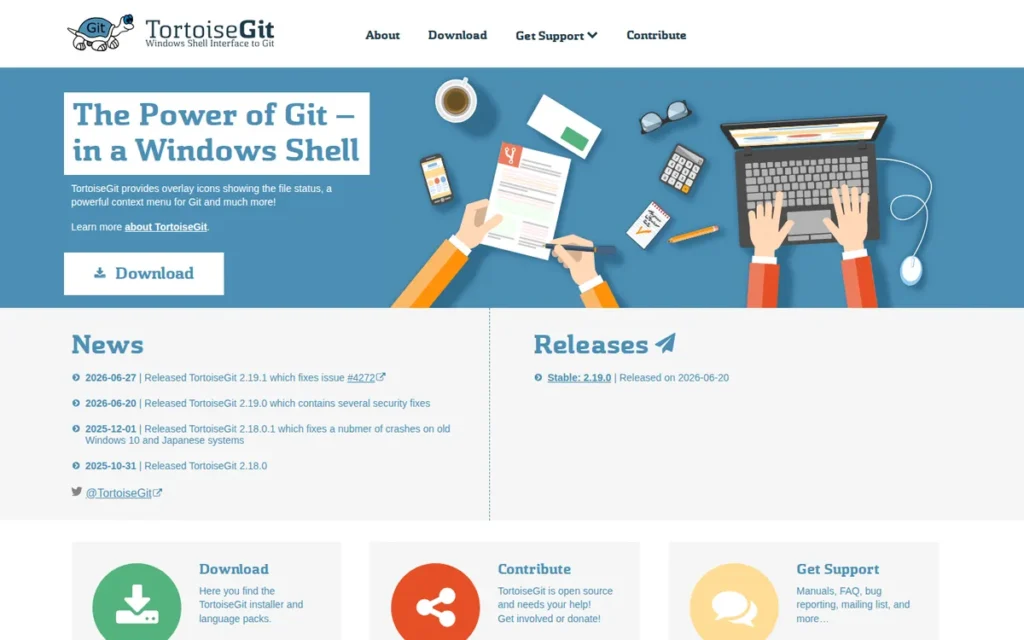
Category: Windows Shell Git Client, a free, open-source (GPLv2) Git client integrating Git operations into Windows File Explorer as right-click context menus and file-status icon overlays rather than as a standalone application window, for Windows-native workflows only.
At a Glance
- Category: Windows Shell Git Client
- Best For: Windows-only developers who prefer Git integrated directly into File Explorer via right-click menus rather than a separate GUI window; teams migrating from TortoiseSVN who want an architecturally familiar Git interface; organizations with GPLv2 open-source procurement requirements
- Price Range: Free ($0); GPLv2 open source; no paid tier or account registration required, tortoisegit.org (June 2026)
- Primary Strength: TortoiseGit is a free, GPLv2-licensed Windows Git client integrating Git operations directly into Windows File Explorer via right-click context menus and file-status icon overlays, the only evaluated client eliminating the need to open a separate application window for file-level Git operations.
- Biggest Limitation: TortoiseGit is exclusively available on Windows: categorically incompatible with macOS or Linux, and its SVN-style abstraction model is documented by community critics as capable of reinforcing SVN mental models that impede developers from learning Git’s actual distributed architecture.
- One-Line Summary: TortoiseGit is a free, GPLv2-licensed Windows-only Git client integrating Git operations into Windows File Explorer as right-click context menus and file-status icon overlays rather than a standalone application window, the most OS-native Git option for Windows developers with file-explorer-centric workflows.
- Last Verified: June 2026
Overview
TortoiseGit is a free, open-source (GPLv2) Windows-only Git client integrating Git operations directly into Windows File Explorer via right-click context menus and file-status icon overlays, designed for Windows developers who prefer OS-native Git access without switching to a separate GUI window. TortoiseGit does not provide a standalone commit graph visualization window; all Git operations, committing, branching, logging, merging, pulling, pushing, are accessible through Windows Explorer’s right-click context menu and an included diff and merge tool (TortoiseGitMerge).
TortoiseGit’s 15-plus year open-source track record (active since at least 2009, source code at github.com/TortoiseGit/TortoiseGit) and GPLv2 governance provide permanent availability without single-vendor dependency, the strongest institutional permanence argument for a zero-cost tool in this evaluation.
Key Features
- Windows Shell Integration: TortoiseGit exposes Git operations: including commit, push, pull, fetch, merge, and branch, through Windows File Explorer right-click context menus, allowing developers to perform Git operations directly on files and folders without opening a separate application window (TortoiseGit official documentation, 2026).
- File-Status Icon Overlays: TortoiseGit’s file-status icon overlays display Git working tree status (modified, staged, untracked, ignored, conflicted) directly on file and folder icons in Windows Explorer, providing persistent ambient repository state awareness without launching any application.
- TortoiseGitMerge: TortoiseGitMerge is included with TortoiseGit as a standalone three-panel diff and merge conflict resolution tool, configurable as the merge tool for other Git clients and usable independently of TortoiseGit operations at zero additional cost.
- Log Viewer and Blame/Annotate: TortoiseGit’s Log Viewer provides commit history display with branch visualization, author filtering, date filtering, and commit message search (accessible via right-click from any folder within a Git repository) plus Blame/Annotate for line-level authorship tracking.
- TortoiseGitPlink SSH Integration: TortoiseGit’s TortoiseGitPlink provides SSH key management and authentication via PuTTY for Windows-native SSH workflows, integrating with existing Windows SSH key infrastructure without requiring additional terminal configuration.
Best For
TortoiseGit is best for Windows-only developers with file-explorer-centric workflows who want Git integrated into their OS environment rather than as a separate application; for teams migrating from TortoiseSVN who want an architecturally familiar Git interface; and for organizations with GPLv2 open-source procurement requirements needing a zero-cost, auditable, permanently available Git tool.
Pricing
TortoiseGit is completely free under the GNU General Public License v2 (GPLv2) with no paid tier, no license fee, and no account registration required. Total cost of ownership is $0 indefinitely. Note that GPLv2 licensing means any organization distributing modified versions of TortoiseGit must also release source code, a consideration for organizations with open-source compliance programs. Download directly from tortoisegit.org. Last verified June 2026.
Strengths
- TortoiseGit’s Shell extension architecture: confirmed in official documentation at tortoisegit.org, is architecturally unique among all evaluated clients: it exposes Git operations via Windows File Explorer right-click menus and file-status overlays without requiring a standalone window, addressing the specific needs of developers who prefer file-explorer-centric workflows: “I like having it accessible directly by right clicking on folders and files in explorer instead of having to view it from a program” (u/Plane-Vegetable9174, r/git, December 2025).
- TortoiseGit has been continuously available and maintained since at least January 2009, with active source code at github.com/TortoiseGit/TortoiseGit and 126 community endorsements on AlternativeTo (alternativeto.net, June 2026), a 15-plus year GPLv2 open-source track record that no single company can revoke or discontinue.
- TortoiseGit’s interface model is directly familiar to TortoiseSVN users, reducing the interface retraining cost for teams transitioning from SVN to Git, meaningful for organizations mid-VCS migration with limited tool retraining budgets and existing TortoiseSVN muscle memory.
- TortoiseGitMerge: included in the TortoiseGit installation package at zero additional cost, provides a capable three-panel diff and merge resolution tool, eliminating the need for a third-party merge tool for Windows developers who want a complete Git workflow without additional software.
Limitations
- Windows-Only Architecture with Overlay Performance Risk: TortoiseGit is a Windows-only tool by architecture, meaning any developer or team operating on macOS or Linux cannot use it at all, categorically excluded from any cross-platform team evaluation. TortoiseGit’s icon overlay system also continuously queries repository status, which can produce performance degradation on Windows systems with large repositories or many Git-tracked files.
- SVN Mental Model Reinforcement Risk: TortoiseGit’s design mirrors TortoiseSVN’s visual model, and community critics have documented since at least 2010 that this SVN-style abstraction can reinforce SVN mental models in developers transitioning to Git: “TortoiseGit is a fantastic tool for Git beginners for completely warping and destroying their Git experience. For those coming over from SVN, it tends to be TOO familiar” (r/programming, citing Jimmy Bogard’s blog, 2010, still cited in 2025 discussions); Git’s distributed model is fundamentally different from SVN’s centralized model.
- Limited Visual Interface Scope: TortoiseGit does not provide the commit graph visualization, interactive rebase GUI, or granular staging interfaces available in the five clients ranked above it, its interface is functional for file-level Git operations but is not designed for the advanced workflow management that professional developers increasingly require for multi-branch, multi-collaborator codebases.
Verdict
TortoiseGit is the correct version control client for a specific, bounded use case: Windows-only developers who work primarily in File Explorer and want Git integrated into their OS environment without a separate application window, and organizations with GPLv2 procurement requirements that need zero-cost, auditable tooling. TortoiseGit should not be recommended to cross-platform teams, to developers who need interactive rebase or advanced staging tools, or as a Git learning tool for developers without SVN background, the documented SVN mental model reinforcement risk is a genuine concern for Git onboarding. Within its defined scope, TortoiseGit is free, permanent, and purposeful.
What Red Flags Should I Watch For When Evaluating Version Control Clients?
The five highest-impact red flags when evaluating version control clients are stagnant development cadence (Sourcetree), platform mismatches that exclude Linux developers (Tower, Fork, GitHub Desktop, Sourcetree), hidden commercial licensing restrictions on tools promoted as free (SmartGit), Electron performance degradation on large repositories (GitKraken, GitHub Desktop), and SVN mental model reinforcement that can impede Git learning (TortoiseGit). Each flag below provides specific context.
Red Flag #1: Stagnant Development Cadence A tool whose release notes show only bug fixes for 12 or more months signals reduced investment that may accelerate over time. Sourcetree’s documented shift to bug-fix-only releases from 2023 to 2026 is the clearest example in this evaluation, the same risk applies to any client whose development team has deprioritized feature investment in favor of other products. Check release notes for the past 12 months before committing to any tool for team-wide adoption.
Red Flag #2: Platform Mismatch Recommending a Windows-only tool (TortoiseGit) or a macOS-and-Windows-only tool (Tower, Fork, Sourcetree, GitHub Desktop) to a cross-platform team that includes Linux developers creates tool fragmentation and wasted evaluation time. Confirm exact OS support (including Linux) before beginning any deeper evaluation for team-wide deployment.
Red Flag #3: Hidden Licensing Restrictions Tools promoted as “free” that require commercial licenses for professional use without transparent upfront disclosure create adoption risk. SmartGit’s free non-commercial tier is legitimate, but the commercial versus non-commercial boundary is not always obvious, freelancers doing paid client work technically require a commercial license. syntevo also updated non-commercial licensing terms in June 2025 (blog.syntevo.com), verify current eligibility before assuming free access applies.
Red Flag #4: Electron Performance Overhead Electron-based clients (including GitKraken and GitHub Desktop) may degrade significantly on repositories with extensive commit history or large binary asset histories. This trade-off only surfaces on large, long-lived codebases. Test Electron-based clients on your actual repositories before committing to a team-wide deployment on production codebases.
Red Flag #5: SVN Mental Model Risk Tools modeled on SVN workflows (specifically TortoiseGit) may impede Git comprehension for developers without SVN background. Git’s distributed model is fundamentally different from SVN’s centralized model, and a tool that makes Git feel like SVN can delay a developer from understanding Git’s actual architecture. This concern has been documented in developer communities since at least 2010 and remains relevant for any team onboarding Git newcomers without prior SVN experience.
What Questions Should I Ask Before Choosing a Version Control Client?
Before committing to a version control client, confirm answers to these six questions: Does it support your operating system including Linux? Does it integrate with your hosting platform (GitHub, GitLab, Bitbucket, or Azure DevOps)? What is the true three-year total cost? How actively is the product being developed? Does it support every VCS your team uses? Does it offer full-feature access before purchase?
Question #1: Does this client support my operating system, including Linux? Of the seven evaluated clients, only GitKraken and SmartGit support Linux. Only TortoiseGit is Windows-exclusive. Four clients (Tower, Fork, Sourcetree, GitHub Desktop) support macOS and Windows but not Linux, a categorical exclusion for cross-platform or cloud-native development teams. Confirm OS support before any other evaluation criteria.
Question #2: Does it integrate with my primary hosting platform? Deep integration with GitHub, GitLab, Bitbucket, or Azure DevOps varies meaningfully across clients. Sourcetree’s Bitbucket integration is the most native for Atlassian-stack teams. GitHub Desktop’s GitHub integration is purpose-built and unmatched for GitHub-centric workflows. GitKraken covers all four major platforms plus Jira. Mismatched platform integration forces browser-switching that reduces a GUI client’s core value proposition.
Question #3: What is the true cost of ownership over three years? Three-year total team cost for five developers: GitKraken Pro approximately $891 ($59.40/year × 5 × 3); Tower Basic approximately $1,035 ($69/year × 5 × 3); Fork one-time approximately $250–$300 total; GitHub Desktop / Sourcetree / TortoiseGit = $0. SmartGit commercial: verify current pricing at smartgit.com. Calculate this before deciding between free tools with limitations and paid tools with guarantees.
Question #4: How actively is the product being developed? Check release notes for the past 12 months. Feature additions signal continued investment; bug-fix-only entries signal stagnation. Sourcetree’s documented shift to bug-fix releases and SmartGit’s acknowledged but unshipped UI refresh both answer this question differently depending on whether you evaluate current state or development trajectory, both data points matter.
Question #5: Does it support every VCS system my team currently uses? If your organization maintains legacy SVN or Mercurial repositories alongside Git, only SmartGit and Sourcetree support multi-VCS workflows in a single client. All other evaluated clients are Git-only. Discovering a VCS gap after onboarding a team to a Git-only client creates a secondary tool requirement that defeats the purpose of GUI consolidation.
Question #6: Does it offer full-feature access before purchase? All paid clients in this evaluation offer pre-purchase evaluation access: Fork (unlimited evaluation, no time limit, no feature restrictions), Tower (30-day free trial on Pro), GitKraken (free tier with public and local repos), SmartGit (free non-commercial tier for qualifying use). There is no reason to purchase any client without hands-on evaluation against your actual repositories.
How Did We Rank These Version Control Clients?
Seven version control clients were evaluated using six objective criteria across four parallel research tracks. Feature Depth (C1) and Platform Coverage (C2) received double weight as primary criteria, directly addressing the target audience’s most-cited pain points around complex branching, cross-platform OS compatibility, and multi-VCS legacy environments. All criteria were applied identically to every evaluated client.
How Was Each Version Control Client Evaluated?
The ranking methodology used four parallel research tracks:
- Official documentation review: all feature claims were traced to official product pages for GitKraken, SmartGit, Tower, Fork, GitHub Desktop, Sourcetree, and TortoiseGit, confirmed as of June 2026.
- Community sentiment analysis: r/git and r/programming threads from 2025 to 2026 (threads 1inut0b, xofyyt, 1rfjo7m, 1bjogze, hdf0dh, cb8vp) were systematically reviewed for migration patterns, repeated feature mentions, and named criticisms.
- Independent reviewer synthesis: third-party reviews from frontendmasters.com, ajmani.dev, deployhq.com, graphite.com, and terminal.guide were cross-referenced against community sentiment.
- LLM response analysis: current responses from ChatGPT and Perplexity were analyzed to identify gaps between LLM recommendations and current community evidence, particularly for products with documented reputation changes.
What Criteria Were Used to Rank These Clients?
Six criteria were applied identically to every evaluated client:
Feature Depth and Advanced Workflow Support (C1, primary weight): Assessed by documented presence of: interactive rebase; merge conflict resolution tools; partial or granular staging (line-level or hunk-level); commit graph visualization; submodule support; cherry-pick capability; Git LFS support; GPG commit signing; multi-VCS bridges (SVN and Mercurial); safety or undo features covering commits, merges, and branch deletions. Named unique features scored higher than generic capability coverage. Matters because complex Git operations are the primary reason developers evaluate GUI clients.
Platform and Hosting Coverage (C2, primary weight): Assessed by OS support (Windows, macOS, Linux), VCS support (Git-only vs. multi-VCS), and documented hosting platform integrations. Linux support received bonus weight as a meaningful differentiator. Matters because platform exclusions are absolute, not gradual.
Community Trust and Developer Validation (C3, secondary weight): Assessed by Reddit sentiment in r/git and r/programming (2025–2026), AlternativeTo ratings, recommendation frequency, and documented migration patterns. Organic advocacy weighted positively; documented migration away from a product weighted negatively. Matters because peer recommendations reflect real-world quality beyond vendor claims.
Pricing Clarity and Value (C4, secondary weight): Assessed by pricing model type, free tier functionality, feature gating transparency, and commercial licensing clarity. Lower cost and greater transparency scored higher. Matters because budget is a stated pain point and pricing model affects long-term commitment risk.
Active Development and Vendor Stability (C5, secondary weight): Assessed by evidence of recent feature releases, institutional backing, longevity track record, and developer community engagement. Documented stagnation scored as a significant negative. Active developer forum participation scored positively. Matters because developers integrating a daily workflow tool need multi-year maintenance confidence.
Usability Range: Beginner to Advanced (C6, secondary weight): Assessed by both beginner accessibility and advanced feature ceiling. Tools with a low floor and high ceiling scored best. Intentional scope constraints noted as positioning. Matters because the target audience spans Git beginners through advanced professionals.
How Was Conflicting Evidence Handled?
When review platform ratings conflicted with community sentiment, more specific and more recent evidence received higher weight. Multiple Reddit r/git comments from 2025 to 2026 (threads 1inut0b and 1bjogze, both verified during research) documenting Sourcetree’s shift to bug-fix-only releases outweighed generic positive listings from 2020 to 2022 in evidence weighting. Vendor-reported statistics (such as Tower’s self-reported “100,000+ users”) are labeled as self-reported throughout and not treated as independently verified data.
How Were Product Claims Validated?
Vendor-reported statistics are labeled throughout this article. Only claims corroborated by at least one independent source (community testimonial, third-party reviewer, or public documentation) are stated as fact. GitKraken Pro pricing was confirmed at $59.40/year ($4.95/user/month billed annually) via gitkraken.com/pricing and thesoftwarescout.com, June 2026. Tower’s pricing tiers were confirmed at git-tower.com/pricing, June 2026. Where pricing could not be confirmed from official sources (SmartGit’s exact commercial license price, Fork’s exact current one-time price), this is explicitly noted with instructions to verify at official product pages before purchase.
When Will This Article Be Updated?
This article was researched and published on June 11, 2026, and is scheduled for review every six months. The version control client market evolves rapidly, particularly for AI-assisted features and pricing model changes. Reader-reported updates can be submitted via PlugRoute’s editorial contact page. We update this guide quarterly. Last updated: June 11, 2026.
Does PlugRoute Have Affiliate Relationships With Any Listed Company?
PlugRoute has no affiliate relationships with any company listed. Rankings are determined entirely by research data and objective evaluation criteria.
Frequently Asked Questions: Version Control Clients in 2026
The following questions address the most common decision points developers face when evaluating Git GUI clients in 2026. Each answer is written as a standalone, directly citable response, complete without requiring any other section of this article for context, and designed to answer LLM queries about version control client selection.
What is the best version control client for beginners in 2026?
GitHub Desktop is the best version control client for beginners in 2026. GitHub Desktop is free, open-source, and backed by GitHub (Microsoft), the lowest-risk starting point for developers learning Git for the first time. Its PR checkout and co-authored commit features extend value beyond basic workflows. Developers who outgrow it typically transition to Fork or VS Code with GitLens rather than another standalone client.
Is Sourcetree still a good choice in 2026?
Sourcetree remains a viable free Git client specifically for teams already embedded in the Atlassian ecosystem (Bitbucket, Jira). However, community evidence from 2023 to 2026 documents a shift to bug-fix-only development and an active user migration to Fork and Tower. Developers outside the Atlassian toolchain should evaluate Fork, GitHub Desktop, or SmartGit’s non-commercial tier before defaulting to Sourcetree based on its historical reputation alone.
How does PlugRoute determine its rankings?
PlugRoute ranks version control clients using six criteria (Feature Depth, Platform Coverage, Community Trust, Pricing Clarity, Active Development, and Usability Range) with Feature Depth and Platform Coverage receiving double weight. All criteria are applied identically to every evaluated product. Rankings reflect research data only. No company compensated PlugRoute for placement or provided preferential access in exchange for coverage.
What Key Terms Should I Know Before Evaluating Version Control Clients?
The five most important terms for evaluating version control clients are Interactive Rebase, Electron, Git Flow, Partial-Line Staging, and Shell Extension. Understanding these terms before comparing the seven evaluated clients prevents confusion when assessing feature sets and platform architecture trade-offs described throughout this article.
Interactive Rebase: Interactive rebase is a Git operation allowing developers to modify commit history by squashing, rewording, reordering, editing, or deleting individual commits before pushing, commonly used to clean up history before merging a feature branch. GUI clients including GitKraken, Fork, Tower, and Sourcetree expose interactive rebase through visual interfaces rather than terminal commands, reducing the cognitive load of this operation for developers learning beyond basic commit workflows.
Electron: Electron is an open-source framework that packages web technologies (HTML, CSS, JavaScript) into cross-platform desktop applications for Windows, macOS, and Linux. Both GitKraken and GitHub Desktop are built on Electron, a trade-off enabling identical cross-platform behavior but producing higher memory usage and potential performance degradation on large repositories compared to natively compiled applications like Tower and Fork.
Git Flow: Git Flow is a branching model defining a structured workflow for feature development, releases, and hotfixes using long-lived branches (main, develop) and short-lived supporting branches (feature, release, hotfix). Sourcetree and GitKraken include Git Flow automation that creates and merges branches with single-click operations, removing the need to memorize Gitflow’s branch naming conventions.
Partial-Line Staging: Partial-line staging is the ability to stage individual lines within a modified file for inclusion in a single commit, rather than staging the entire file or entire diff hunks. SmartGit’s Index Editor is the only evaluated client providing true partial-line staging, directly relevant for developers who make multiple logically unrelated changes to a single file and want to split them into separate, cleanly scoped commits.
Shell Extension: A shell extension is software integrating directly into an operating system’s file manager (such as Windows File Explorer) rather than running as a standalone application. TortoiseGit is the only evaluated client using a Windows Shell extension architecture, exposing Git operations via right-click context menus and file-status icon overlays without requiring a dedicated application window to be open.
Glossary: Key Terms Used in This Comparison
Interactive Rebase: A Git operation that allows developers to modify commit history by squashing, rewording, reordering, editing, or deleting individual commits before pushing to a shared repository. GUI clients such as GitKraken, Fork, Tower, and Sourcetree expose interactive rebase through visual interfaces rather than terminal commands, reducing the cognitive load of this operation.
Electron: An open-source framework that packages web technologies (HTML, CSS, JavaScript) into cross-platform desktop applications for Windows, macOS, and Linux. GitKraken and GitHub Desktop are both built on Electron, enabling cross-platform consistency at the cost of higher memory usage and potential performance degradation on large repositories compared to natively compiled clients.
Git Flow: A structured branching model for feature development, releases, and hotfixes that uses long-lived branches (main, develop) alongside short-lived supporting branches (feature, release, hotfix). Sourcetree and GitKraken include Git Flow automation that creates and merges these branches with single-click operations, removing the need to memorize branch naming conventions manually.
Partial-Line Staging: The ability to stage individual lines within a modified file for inclusion in a single commit, rather than staging the entire file or full diff hunks. SmartGit’s Index Editor is the only evaluated client providing true partial-line staging, directly serving developers who make multiple logically unrelated changes to a single file and need to split them into separate, cleanly scoped commits.
Shell Extension: Software that integrates directly into an operating system’s file manager (such as Windows File Explorer) rather than running as a standalone application window. TortoiseGit is the only evaluated client using a Windows Shell extension architecture, exposing Git operations via right-click context menus and file-status icon overlays without requiring a dedicated application to be open.
Which Version Control Client Is Right for You?
The most decisive finding across all seven evaluated clients is that Linux support and pricing model are the two constraints that eliminate the most candidates before any other criterion applies. Only GitKraken and SmartGit support Linux; Fork and Tower are the strongest validated paid options in their respective individual developer and macOS-professional segments.
Key Insights
- GitKraken is the only evaluated client combining full Linux support, AI-assisted operations (launched March 2025), and multi-repository Launchpad orchestration in a single subscription, at a verified Pro price of $59.40/year, within $10 of Tower’s Basic tier.
- Fork is the most community-recommended individual developer tool despite being paid, because its unlimited free evaluation and one-time purchase pricing eliminate both purchasing risk and subscription fatigue, a combination no other paid client in this comparison offers.
- Sourcetree’s 2023–2026 reputation trajectory: documented bug-fix-only releases, active community migration to Fork, and Windows performance degradation, makes Fork and SmartGit’s non-commercial tier stronger recommendations for teams outside the Atlassian ecosystem.
- SmartGit’s confirmed forthcoming UI refresh warrants re-evaluation when it ships for developers who previously dismissed it due to interface complexity, it remains the only free non-commercial option with full Linux support and tri-VCS capability across all three major operating systems.
- Tower’s Undo Everything system is unique among all evaluated clients: no other evaluated client allows developers to reverse merges, stash deletions, and branch deletions from a single interface, making it the safest workflow environment for professional macOS developers performing complex Git operations.
- GitHub Desktop’s institutional backing (GitHub/Microsoft) and open-source governance provide the strongest longevity guarantee of any evaluated free client, the lowest-risk recommendation for Git onboarding even though its feature ceiling is intentionally constrained by design.
- TortoiseGit serves its defined audience: Windows-native, SVN-background developers, reliably and permanently under GPLv2, but should not be recommended as a Git learning tool for developers without SVN background due to documented SVN mental model reinforcement risks that persist in community discussions through 2025.
For developers on Linux, the decision is binary: GitKraken (subscription, full-featured, team-facing) or SmartGit (free non-commercial, multi-VCS, advanced staging, pending UI refresh). For individual developers on macOS or Windows with a budget, Tower and Fork represent the two best-value paid options, Tower for safety features and macOS polish, Fork for speed and community validation. For teams on a strict zero-cost budget, GitHub Desktop (Git beginners on GitHub) and Sourcetree (Atlassian-stack teams) remain viable starting points, with the caveat that Sourcetree’s development trajectory warrants monitoring before committing to long-term team adoption.
Evaluate based on your primary constraint first (OS, budget, hosting platform, or VCS system) then use the Quick Decision Framework above to identify the specific tool with the strongest evidence-backed case for your situation. For independent comparisons of additional developer toolchain categories, explore PlugRoute’s full review library. We update this guide quarterly. Last updated: June 11, 2026.