Ad Astra is the best-evidenced academic scheduling software for demand-based higher-ed course planning, Coursedog for combining scheduling with curriculum and catalog, 25Live for room and event scheduling, and Abl for US K-12 request-based master schedules. Higher-ed course scheduling and K-12 master scheduling are different jobs, so start with your job.
Generic “best” lists rank university course timetabling and K-12 master scheduling side by side, as if one tool could win both. Most vendors hide their pricing. SIS integration claims rarely say what data moves where or how often. This shortlist separates the jobs and labels every figure by source and date.
PlugRoute has no affiliate relationships with any company listed, and rankings are determined entirely by research data and objective evaluation criteria.
Each entry shows its limitations next to its strengths. The ranking section explains where the evidence is too thin to separate neighboring products. The Quick Decision Framework sends K-12 readers straight to their entries.
What Are the 4 Categories of Academic Scheduling Software?
Academic scheduling software falls into four categories, and higher-ed and K-12 buyers should start in different ones. Course planning platforms build higher-ed schedules around student demand. Space and event schedulers manage campus rooms. Constraint optimizers solve complex course and exam timetables. K-12 schedulers build school master schedules or class timetables.
- Course Planning Platform: This category builds higher-ed course schedules around student demand, conflicts and departmental workflows. Products: Ad Astra and Coursedog.
- Space and Event Scheduler: This category manages campus rooms, events and course-room assignment in one system. Product: 25Live / Series25.
- Constraint Optimizer: This category solves complex course, exam and student-sectioning timetables against many constraints. Products: UniTime and Infosilem.
- K-12 Scheduler: This category builds school master schedules from student course requests or generates class timetables. Products: Abl (BetterLesson) and aSc TimeTables.
Most K-12 districts compare dedicated tools against the scheduling modules built into PowerSchool, Infinite Campus and Skyward. PlugRoute did not evaluate those SIS-native schedulers, but K-12 readers should still treat them as the baseline.
As one user on r/school described:
“It’s a very complicated process to set up a school schedule. You need to match students with the classes they need, class periods, and teachers that are available, while trying to avoid major conflicts, and accounting for the different classes teacher teach and their prep periods.” Posted by u/UrgentPigeon
Takeaway: K-12 master scheduling is a multi-constraint matching problem across students, periods, teachers and prep time, which is why it needs different tools from higher-ed course planning.
How Do the Top Academic Scheduling Tools Compare at a Glance?
Ad Astra, Coursedog and 25Live are the best-evidenced higher-ed platforms in this comparison. UniTime and Infosilem specialize in constraint-heavy course and exam timetabling. Abl and aSc TimeTables serve K-12 schools. The table shows each product’s category, best-fit buyer, main strength and most important limitation.
| Rank | Company | Category | Best For | One-Line Summary | Key Capabilities | Primary Strength | Key Limitation |
|---|---|---|---|---|---|---|---|
| 1 | Ad Astra | Course Planning Platform | Higher ed on Banner, Colleague or Jenzabar | Ad Astra is a higher-ed scheduling platform that plans course sections around student demand and peer benchmarks, with certified two-way Banner and Colleague integration. | Course optimization, demand forecasting, registration monitoring, rooms and events, HESI benchmarking | Largest review sample (G2 4.5/5, 52 reviews) and the only public multi-year contract | Reviewers criticize the event-request interface; no Workday or PeopleSoft integration documented |
| 2 | Coursedog | Course Planning Platform | Universities consolidating legacy systems | Coursedog is a higher-ed academic operations suite that combines course scheduling, demand projections, curriculum, catalog and room scheduling on one shared data platform. | Scheduling, demand projections, curriculum, catalog, events, syllabus | Only product here covering curriculum and catalog workflows | Reviewers describe multi-module rollouts as taxing |
| 3 | 25Live / Series25 | Space and Event Scheduler | Campuses unifying rooms, events and SIS sync | 25Live is CollegeNET’s campus scheduling suite that combines event booking, course-room optimization and analytics, with the broadest documented SIS sync in this evaluation. | Events, approvals, Schedule25 room optimizer, X25 analytics, LYNX integration | Pulls section data from 6+ SIS families about every 60 seconds and writes room assignments back | Assigns rooms but does not plan course times from demand |
| 4 | UniTime | Constraint Optimizer | Large universities with in-house IT | UniTime is a free, open-source university timetabling system for course, exam and student-sectioning schedules, used for Purdue University’s exam scheduling since 2008. | Course and exam timetabling, sectioning, events, minimal-change re-solving | No license fee; peer-reviewed solver | Requires hosting, IT staff and integration work |
| 5 | Infosilem | Constraint Optimizer | Exam-heavy, constraint-heavy universities | Infosilem is a student-aware optimization suite for university course timetabling, final exams and student sectioning, owned by Berger-Levrault since 2016. | Academic, Exam, Sectioner, Campus modules | Exam conflict matrix built from registration data | Steep learning curve; no named SIS list |
| 6 | Abl | K-12 Scheduler | US secondary schools scheduling from requests | Abl is a US K-12 master scheduling platform, now part of BetterLesson, that builds schedules from student course requests and analyzes course access by student group. | Course requests, sandbox scenarios, equity analytics, drag-and-drop editing | 92% first-run fulfillment in a case reported by a news outlet | K-12 SIS support unverified; acquired in 2025 |
| 7 | aSc TimeTables | K-12 Scheduler | Small K-12 and international schools | aSc TimeTables is a low-cost automatic timetable generator for K-12 and international schools, with published one-time pricing and an unlimited free trial. | Automatic generation, divided classes, alternating weeks, substitutions | Published pricing from $399 one-time | PDF and Excel export only; no SIS export |
Which Academic Scheduling Software Should I Choose for My Use Case?
The right academic scheduling software depends on your main scheduling job. Higher-ed buyers planning sections from demand should start with Ad Astra or Coursedog. Campuses centered on rooms and events should start with 25Live. Exam-heavy universities should compare Infosilem and UniTime. US K-12 schools should start with Abl or aSc TimeTables.
| Your #1 Priority | Recommended Tool | Why | Acceptable Alternative |
|---|---|---|---|
| Demand-based higher-ed course planning | Ad Astra | Ad Astra pairs demand forecasting with HESI peer benchmarking. | Coursedog |
| Scheduling plus curriculum and catalog | Coursedog | Coursedog is the only product here with curriculum and catalog workflows. | Ad Astra |
| Campus rooms, events and course-room assignment | 25Live / Series25 | 25Live combines events, a room optimizer and analytics in one suite. | Coursedog |
| Institution on Workday Student or PeopleSoft | 25Live / Series25 | 25Live’s LYNX documents Workday and PeopleSoft/Campus Solutions integration. | Coursedog (confirm in demo) |
| Final exams and student sectioning | Infosilem | Infosilem builds an exam conflict matrix from registration data. | UniTime |
| Free option with in-house IT | UniTime | UniTime is free under Apache 2.0 and has a peer-reviewed solver. | Infosilem (commercial) |
| US K-12 master schedule from student requests | Abl | Abl builds schedules from student requests and adds equity analytics. | Your SIS’s built-in scheduler |
| Low-cost K-12 or international timetable | aSc TimeTables | aSc TimeTables publishes one-time licenses from $399. | Abl (for request-based US schools) |
What Are the 7 Best Academic Scheduling Software Tools in 2026?
PlugRoute’s evidence-based ranking puts Ad Astra first at 4.25/5 and aSc TimeTables seventh at 2.50/5. The order reflects total weighted evidence on six criteria. It leans toward higher ed because most published data comes from colleges. The table below shows every product’s score on every criterion.
| Product | C1 Scope (25%) | C2 SIS Integration (25%) | C3 Outcomes (20%) | C4 Reviews (10%) | C5 Pricing Transparency (10%) | C6 Implementation (10%) | Weighted Total |
|---|---|---|---|---|---|---|---|
| Ad Astra | 5 | 4 | 5 | 4 | 3 | 3 | 4.25 |
| Coursedog | 5 | 4 | 4 | 3.5 | 2 | 3 | 3.90 |
| 25Live / Series25 | 4 | 5 | 4 | 2.5 | 1 | 2.5 | 3.65 |
| UniTime | 4 | 3 | 4 | No data | 4 | 2 | 3.50 |
| Infosilem | 4.5 | 2 | 4 | 3.5 | 1 | 2.5 | 3.13 |
| Abl | 3.5 | 2 | 4 | No data | 2 | 2.5 | 2.92 |
| aSc TimeTables | 3 | 1 | 2 | 3 | 5 | 3 | 2.50 |
The ranking is built from published research, not hands-on testing. Nearly all outcome figures are published by vendors, and no product has more than 52 reviews on any platform.
PlugRoute treats score gaps of 0.4 or less as within the evidence’s margin of uncertainty. By that rule, every neighboring pair except Abl and aSc TimeTables is too close to separate, including Ad Astra (4.25) and Coursedog (3.90). Read the order as a measure of how much evidence exists, and choose by job fit.
K-12 readers: Abl (#6) and aSc TimeTables (#7) are the K-12 entries. Their positions reflect the higher-ed lean of published evidence, not lower quality.
1. Ad Astra (Astra Schedule): Best Overall for Higher-Ed Demand-Based Course Scheduling
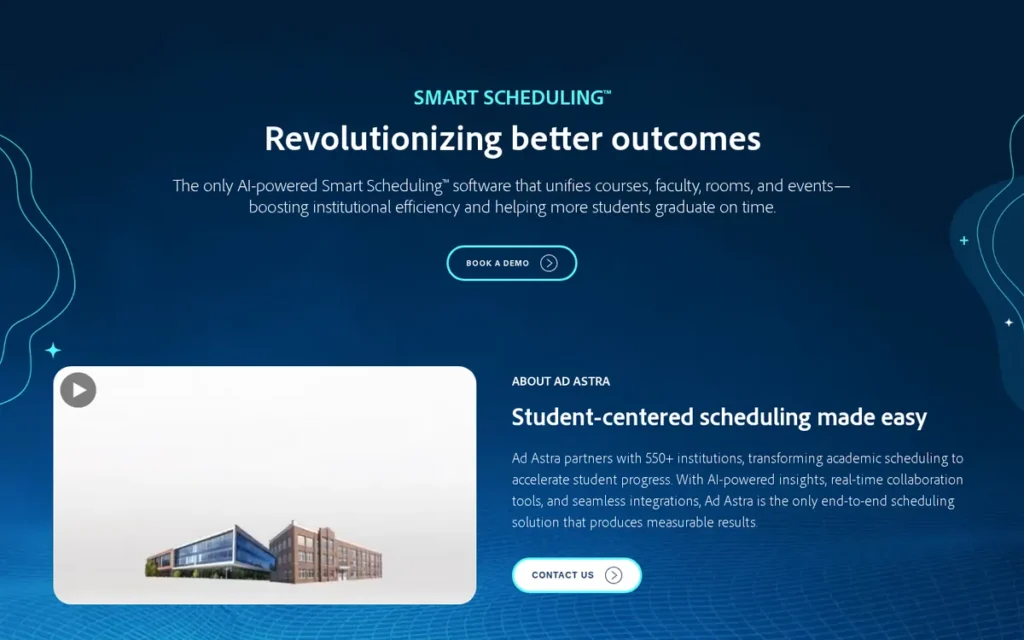
Category: Course Planning Platform, builds higher-ed course schedules around student demand, conflicts and departmental workflows.
At a Glance
- Category: Course Planning Platform
- Best For: Colleges and universities on Banner, Colleague or Jenzabar that want course offerings planned around student demand and completion
- Price Range: Pricing on request (one public 2025 contract: about $27,000–$29,500/year)
- Primary Strength: Ad Astra pairs demand forecasting with HESI peer benchmarking from 420+ institutions, a combination not documented for any other product in this evaluation.
- Biggest Limitation: Reviewers complain that Ad Astra’s event-request interface is cluttered and its event scheduling is slow, and no Workday or PeopleSoft integration was documented.
- One-Line Summary: Ad Astra is a higher-ed scheduling platform that plans course sections around student demand and peer benchmarks, with certified two-way Banner and Colleague integration.
- Last Verified: November 2026
Overview
Ad Astra is a higher-education scheduling platform that combines course optimization, demand forecasting, registration monitoring, and room and event scheduling for colleges that want course offerings planned around student demand. Ad Astra is built for registrars and provost offices moving away from faculty-preference scheduling.
Ad Astra also offers the Higher Education Scheduling Index (HESI) and a consultative Course Schedule Evaluation, which let institutions compare their schedule health against peers. Ad Astra Information Systems is based in Overland Park, Kansas, and has published scheduling benchmarks since 2008 [Source: Ad Astra 2024 Benchmark Report, 2024].
Key Features
- Ad Astra forecasts course demand to help schedulers decide which sections to offer.
- Ad Astra monitors registration during the term so schedulers can add seats or sections where demand exceeds supply.
- Ad Astra’s Astra Schedule handles room and event scheduling alongside academic course scheduling.
- Ad Astra’s HESI benchmarks 50 scheduling variables against peer institutions, and its Course Schedule Evaluation pulls SIS data to estimate the return on schedule changes.
- Ad Astra documents certified two-way integrations with Ellucian Banner and Colleague, a Jenzabar API partnership with 60+ shared clients and a Kuali Academic Operations integration.
Best For
Ad Astra is best for colleges and universities on Banner, Colleague or Jenzabar, especially community colleges and regional publics, that want to move from faculty-preference to student-demand section planning. Ad Astra’s peer benchmarks help justify that change with metrics such as time to degree.
Strengths
- Ad Astra’s HESI had 420+ participating institutions in its 2024 report and analyzes data on 1.3M+ students [Source: Ad Astra 2024 Benchmark Report, 2024]. HESI is the largest peer-benchmarking dataset documented among the products evaluated here.
- Ad Astra has the most-reviewed listing in this evaluation, with a G2 rating of 4.5/5 from 52 reviews [Source: G2, November 2026]. On Capterra, Ad Astra rates 4.4/5 from 8 reviews, and reviewers praise real-time room availability, customization and support [Source: Capterra, retrieved November 2026].
- Ad Astra reports a $4,028,800 financial impact at Front Range Community College [Source: Ad Astra case study, 2026]. It also reports that Mohawk Valley Community College cut average time to degree from 5.5 to 4.6 years [Source: Ad Astra case study, retrieved November 2026]. Both figures are vendor-published.
- Ad Astra reports that South Louisiana Community College cut cancelled classes by 86% [Source: Ad Astra Financial Health outcomes, retrieved November 2026]. The figure is vendor-published.
Limitations
Ad Astra’s depth in course planning comes with a weaker event-scheduling experience. Institutions that mainly book events should test Ad Astra’s event workflow first, because Capterra reviewers report several problems [Source: Capterra, retrieved November 2026].
- Capterra reviewers call Ad Astra’s event-request screen “intimidating.”
- Reviewers say Ad Astra’s event request button is easy to miss.
- Reviewers say rooms are hard to find in Ad Astra and that event scheduling is slow.
- This research found no documented Ad Astra integration with Workday Student or PeopleSoft, so institutions on those systems must confirm support in a demo.
- All of Ad Astra’s outcome figures are vendor-published, and none can be attributed to the software alone.
- One Capterra review from 2017 reported that Ad Astra had no Outlook connection. The review is nine years old and may no longer apply.
Verdict
Ad Astra is the best-evidenced choice in 2026 for higher-ed institutions that want course schedules built around student demand rather than faculty preference.
Ad Astra scored 4.25/5. Its 0.35-point lead over Coursedog comes from documented outcomes, review sample size and pricing transparency. The two tie on scope and SIS integration, and the gap is within PlugRoute’s 0.4 uncertainty band.
Buyers whose main need is campus events, or who run Workday or PeopleSoft, should compare Ad Astra against 25Live.
2. Coursedog: Best for Consolidating Scheduling, Curriculum and Catalog in One Suite
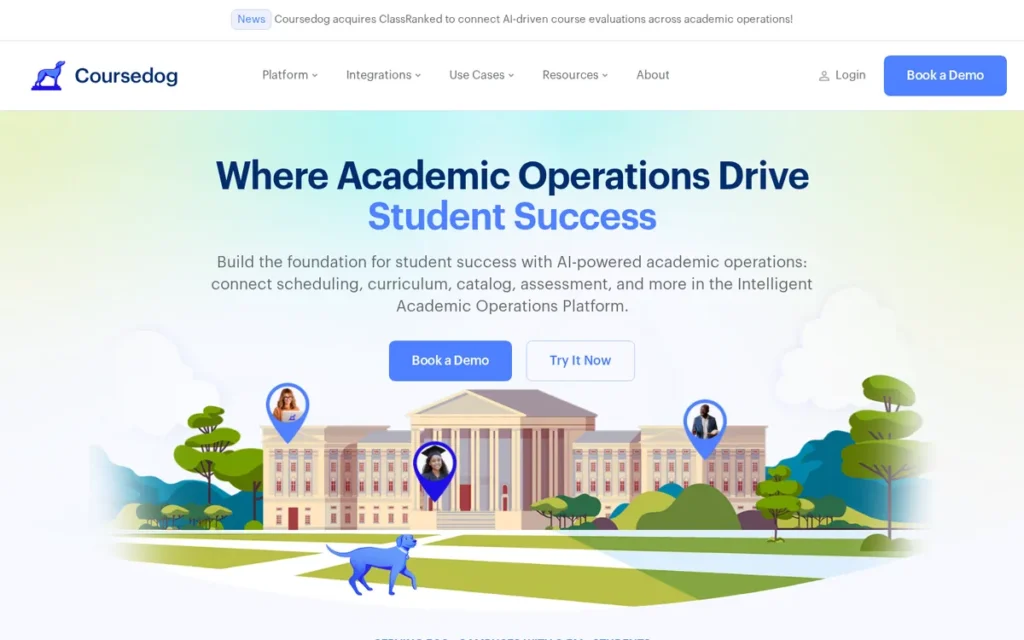
Category: Course Planning Platform, builds higher-ed course schedules around student demand, conflicts and departmental workflows.
At a Glance
- Category: Course Planning Platform
- Best For: Universities replacing several legacy systems with one platform for scheduling, curriculum, catalog and events
- Price Range: Pricing on request (unconfirmed directory figure: $20,000/user/year)
- Primary Strength: Coursedog is the only evaluated product that connects academic scheduling with curriculum and catalog approval workflows on one platform.
- Biggest Limitation: One reviewer describes Coursedog’s multi-module rollout as more taxing than expected, and another reports weaker integration with Colleague SaaS.
- One-Line Summary: Coursedog is a higher-ed academic operations suite that combines course scheduling, demand projections, curriculum, catalog and room scheduling on one shared data platform.
- Last Verified: November 2026
Overview
Coursedog is a higher-education academic operations suite that combines course scheduling, demand projections, curriculum management, catalog, and event and room scheduling for universities replacing several disconnected legacy systems. Coursedog is designed for registrars and academic affairs teams that want one shared data platform.
Coursedog claims a live, two-way SIS sync that shares data across its modules. In its Lake Michigan College case study, Coursedog reports 380+ hours saved each year on schedule building and an underused building closed for the summer [Source: Coursedog case study, retrieved November 2026]. Both figures are vendor-published.
Key Features
- Coursedog’s academic scheduling module checks for room and instructor conflicts while departments build course sections.
- Coursedog’s course demand projections use historical enrollment and degree-audit data to add sections where demand exceeds supply and to merge under-enrolled ones.
- Coursedog includes curriculum management and catalog modules with approval workflows that share data with scheduling.
- Coursedog offers event and room scheduling, plus utilization data for consolidating space.
- Coursedog lists integrations with Ellucian Banner, Colleague and Ethos, plus an integration hub for CSV uploads and manual SIS merges.
Best For
Coursedog is best for universities whose scheduling problems are tied up with curriculum approvals and catalog production. Coursedog fits institutions that want one vendor and one data model across section planning, curriculum and catalog.
Strengths
- Coursedog reports that Pratt Institute cut its schedule build from 3 weeks to under 1, cut room assignment time by 66% and shortened approval cycles from about 4 months to 4 weeks [Source: Coursedog case study, retrieved November 2026]. The figures are vendor-published.
- Coursedog links its demand projections to two reported outcomes: 14% fewer overfilled sections at Northern Arizona University and $300K in spring tuition kept each year at Hawaii Pacific University [Source: Coursedog, retrieved November 2026]. The figures are vendor-published.
- Coursedog has a G2 rating of 4.8/5 from 12 reviews [Source: G2, November 2026]. Coursedog reviewers praise usability, support, SIS connectivity and AI reporting.
- Coursedog publishes testimonials from registrars at Norwich University (Cindy Suter) and Wilkes University (Joseph Kultys), who credit it with fewer scheduling conflicts and double-bookings [Source: Coursedog, retrieved November 2026]. The testimonials are vendor-published.
Limitations
Coursedog’s breadth makes implementation heavier. One G2 reviewer said rolling out five modules alongside daily work was “more taxing than expected.” Others say the amount of information in Coursedog can overwhelm new users [Source: G2, November 2026].
- Coursedog does not publicly document how deep its integrations go, and one reviewer reports weaker integration with Colleague SaaS than with other SIS platforms.
- Coursedog’s PeopleSoft and Workday support appears only in a Capterra listing, so buyers must confirm data objects and sync direction in a demo.
- Coursedog’s high rating rests on 12 G2 reviews, and its Capterra listing showed no usable reviews.
- Coursedog’s founding date, funding and SOC 2 status were not verified, so buyers should request the SOC 2 report directly.
Verdict
Coursedog is the best-documented option in 2026 for universities that want course scheduling, demand projections, curriculum and catalog on a single platform.
Coursedog scored 3.90/5 and ties Ad Astra on scheduling scope (5) and SIS integration (4). It trails on review sample size and pricing transparency, and its outcome figures come from vendor case studies.
Institutions should budget staff time for a multi-module Coursedog rollout and test their own SIS during evaluation, especially Colleague SaaS.
3. 25Live / Series25 (CollegeNET): Best for Unified Room, Event and Course-Room Scheduling
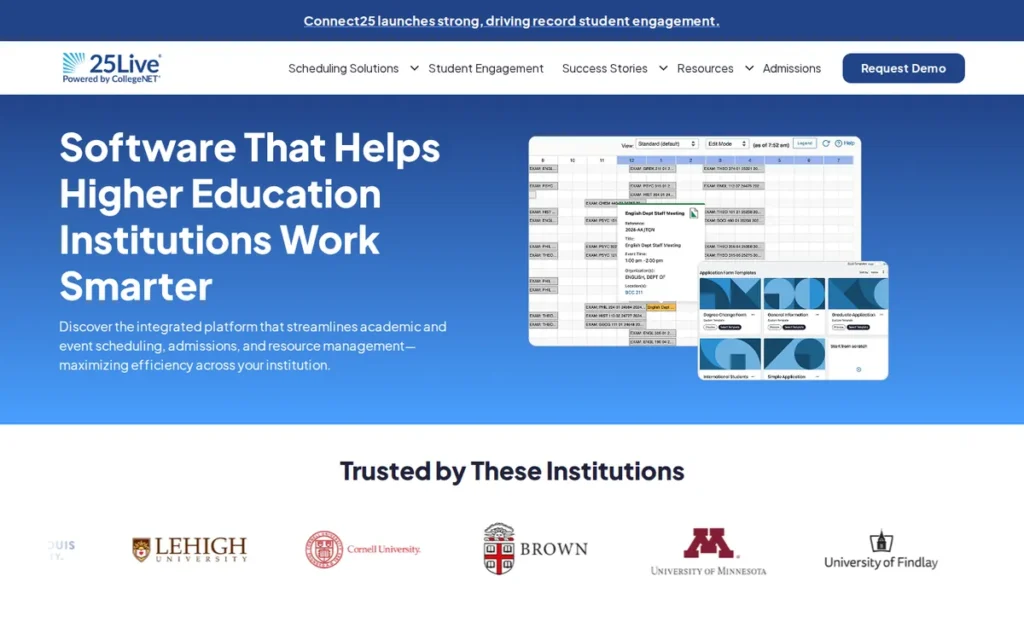
Category: Space and Event Scheduler, manages campus rooms, events and course-room assignment in one system.
At a Glance
- Category: Space and Event Scheduler
- Best For: Campuses where room, event and course-room scheduling must run in one system tightly synced with the SIS
- Price Range: Pricing on request (no public figures found)
- Primary Strength: 25Live’s LYNX connector pulls section data from Banner, Workday, Colleague, PeopleSoft/Campus Solutions, Anthology and Ethos-based systems about every 60 seconds and writes room assignments back to the SIS.
- Biggest Limitation: 25Live’s Schedule25 optimizer assigns rooms to sections but does not build course meeting times from student demand.
- One-Line Summary: 25Live is CollegeNET’s campus scheduling suite that combines event booking, course-room optimization and analytics, with the broadest documented SIS sync in this evaluation.
- Last Verified: November 2026
Overview
25Live is CollegeNET’s campus scheduling platform, part of the Series25 suite. It brings room and event reservations, approvals, calendars, course and exam room assignment, and space analytics into one system for colleges that manage academic and event space together. 25Live is built for registrars and event offices that share one space inventory.
25Live connects to the SIS through LYNX, CollegeNET’s in-house integration. The suite’s other modules are described under Key Features.
Key Features
- 25Live handles event, room and resource requests with approval workflows, calendar publishing and invoicing.
- 25Live’s Schedule25 optimizer assigns course and exam sections to rooms using rules for capacity, room features, accessibility, proximity, preferences and utilization goals.
- 25Live’s X25 analytics module provides 20+ standard reports plus space modeling and master planning.
- 25Live’s LYNX connector pulls section data from six SIS families about every 60 seconds and writes room assignments back [Source: CollegeNET, 2026].
- 25Live keeps academic room assignment and non-academic event booking in one suite, so registrars and event offices work from the same space inventory.
Best For
25Live is best for universities where event and space operations matter as much as course scheduling. 25Live also suits institutions on Workday or PeopleSoft that need a documented, high-frequency SIS sync.
Strengths
- 25Live’s LYNX has the broadest documented SIS coverage in this evaluation. It is also the only product here with a published sync frequency: inbound section data arrives about every 60 seconds [Source: CollegeNET, 2026].
- 25Live reports that the University of Tennessee, Knoxville cut administrative time by nearly 80% [Source: CollegeNET customer story, retrieved November 2026]. The figure is vendor-published.
- 25Live’s LYNX cut Providence College’s term upload from 3 hours to under 5 minutes, according to Associate Registrar Gina DeBernardo. At Cincinnati State, Schedule25 placed 3,000 sections in minutes [Source: CollegeNET, retrieved November 2026]. Both figures are vendor-published.
- Beverly Roth of the University of Findlay said 25Live had more features than the competitors her team evaluated [Source: CollegeNET customer story, retrieved November 2026]. The quote is vendor-published.
Limitations
25Live’s strength in space and events comes at the cost of demand-driven planning. Schedule25 assigns sections to rooms, but 25Live does not decide which sections to offer, or when, based on student demand.
- 25Live’s every-minute frequency covers inbound section data only, and CollegeNET notes that some Workday outbound configurations sync less often [Source: CollegeNET Knowledge25, retrieved November 2026].
- 25Live has the lowest G2 rating in this evaluation: 3.9/5 from 14 reviews, shown on a G2 comparison page [Source: G2, November 2026]. Reviewers criticize a dated or cluttered interface, multi-step workflows and slow loading, while others praise its ease of use.
- One respondent in a 2016 AACRAO survey called 25Live’s predecessor, R25, “too complex and confusing” [Source: AACRAO Class Scheduling Practices 60-Second Survey, 2016]. The R25 quote is a single, older account.
- 25Live has no published pricing, and no contract amount was found.
Verdict
25Live is the strongest choice in 2026 for campuses that need course-room assignment, events and space analytics in one system tightly synced with the SIS.
25Live scored 3.65/5. It has the highest SIS integration score in the set (5) and the lowest pricing-transparency score (1). Its 0.15-point gap to UniTime is within PlugRoute’s uncertainty band.
Registrars whose main problem is deciding which sections to offer should evaluate 25Live alongside Ad Astra or Coursedog.
4. UniTime: Best Free and Open-Source Option for Universities With In-House IT
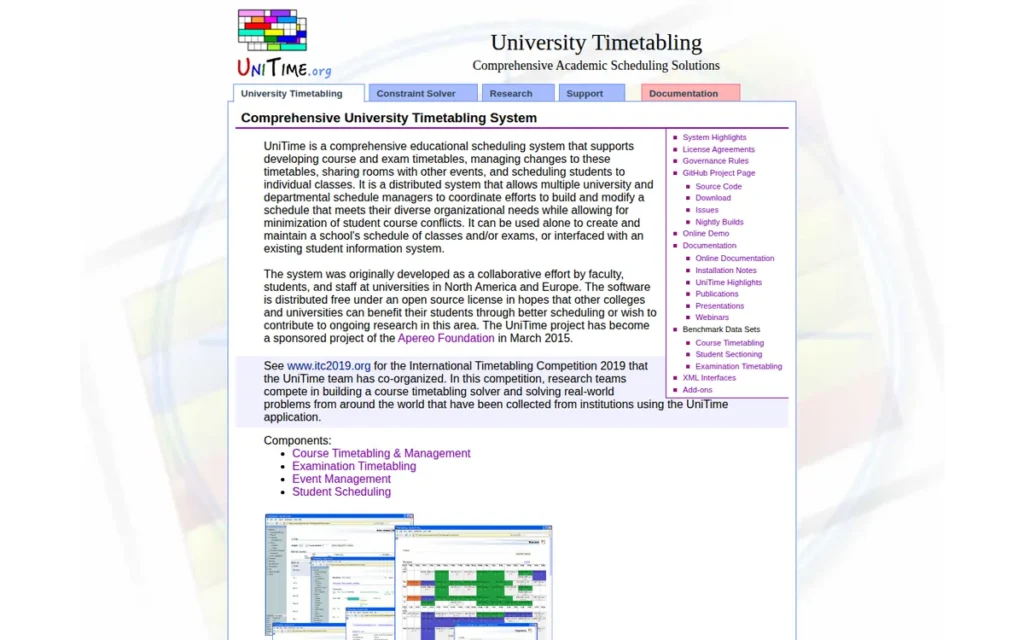
Category: Constraint Optimizer, solves complex course, exam and student-sectioning timetables against many constraints.
At a Glance
- Category: Constraint Optimizer
- Best For: Large universities with in-house IT that want a no-license-fee solver for course, exam and student-sectioning timetables
- Price Range: Free (Apache 2.0); commercial support pricing on request
- Primary Strength: UniTime can re-solve a published timetable while minimizing changes, and Purdue University has scheduled its roughly 1,900 final exams with UniTime since 2008.
- Biggest Limitation: UniTime’s real cost is hosting, IT staff and integration work, and its SIS integration is documented only for Banner XE.
- One-Line Summary: UniTime is a free, open-source university timetabling system for course, exam and student-sectioning schedules, used for Purdue University’s exam scheduling since 2008.
- Last Verified: November 2026
Overview
UniTime is a free, open-source, web-based university timetabling system that covers course timetabling, exam timetabling, student sectioning, events and instructor scheduling for universities with IT staff who can host it. UniTime is built for institutions that need a peer-reviewed constraint solver without a license fee.
UniTime began at Purdue University and has been an Apereo Foundation project since March 2015. Most of UniTime’s evidence comes from peer-reviewed papers and institutional presentations rather than vendor marketing.
Key Features
- UniTime’s solver uses iterative forward search, which combines local search with backtracking, to build course timetables against complex constraints.
- UniTime can re-solve an existing timetable while minimizing changes, which supports revisions after a schedule is published.
- UniTime treats student sectioning as part of the timetabling problem and supports online student scheduling.
- UniTime includes exam timetabling, event management and instructor scheduling modules.
- UniTime can run standalone or connect to an SIS, and a Banner XE integration is documented at Purdue University.
Best For
UniTime is best for large research universities with developers or IT staff who can host and integrate the system. UniTime suits institutions that want a course and exam timetabling optimizer without paying a license fee.
Strengths
- UniTime schedules all departments together at Purdue University, which has about 40,000 students [Source: PATAT 2022 paper, 2022]. Purdue has run exam scheduling on UniTime since 2008, covering about 1,900 exams, 120,000 enrollments and 29 periods [Source: Apereo presentation, 2015].
- UniTime’s solver won the examination and curriculum-based course timetabling tracks of the 2007 International Timetabling Competition and placed 5th in post-enrollment timetabling [Source: UniTime ITC 2007 results, 2007]. UniTime was not among the ITC 2019 winners [Source: Apereo, 2020].
- UniTime is backed by peer-reviewed research, including a 2025 Journal of Scheduling paper, and has been governed by the Apereo Foundation since 2015 [Source: UniTime publications, retrieved November 2026].
- UniTime’s minimal-change re-solving lets schedulers revise a published timetable without reshuffling students who have already registered.
Limitations
UniTime’s free license moves cost from licensing to people. Institutions must supply the hosting, IT staff and integration work themselves. UniTime, s.r.o. offers commercial support but does not publish prices.
- UniTime’s SIS integration is documented only for Banner XE at Purdue, and no PeopleSoft integration is documented.
- UniTime has no review-platform presence. That is a gap in the evidence, not a negative finding, but it means UniTime’s usability cannot be checked against user reviews.
- UniTime’s own research notes that deployment involves work beyond the solver and that heavily constrained requests can create “perceived fairness problems” [Source: ICAPS 2007 paper, 2007].
- This research found no institutional testimonials about UniTime with a named source.
Verdict
UniTime is the only free, open-source option in this evaluation, and it has peer-reviewed research and more than 15 years of large-scale exam scheduling at Purdue behind it.
UniTime scored 3.50/5, with the review criterion excluded for lack of data. It documents both minimal-change re-solving and student sectioning. Its 0.37-point lead over Infosilem is within PlugRoute’s uncertainty band.
UniTime fits only institutions that can staff hosting and integration, so buyers should estimate those IT costs first.
5. Infosilem (Berger-Levrault): Best for Exam-Heavy Institutions With Complex Constraints
Category: Constraint Optimizer, solves complex course, exam and student-sectioning timetables against many constraints.
At a Glance
- Category: Constraint Optimizer
- Best For: Universities with complex constraints and heavy final-exam scheduling needs that want a commercially supported optimizer
- Price Range: Pricing on request (no public figures found)
- Primary Strength: Infosilem builds exam schedules from a student registration conflict matrix, and Penn State reports publishing its exam schedules 3 weeks earlier.
- Biggest Limitation: Infosilem is hard to learn for occasional schedulers, and it does not publicly name the SIS products it supports.
- One-Line Summary: Infosilem is a student-aware optimization suite for university course timetabling, final exams and student sectioning, owned by Berger-Levrault since 2016.
- Last Verified: November 2026
Overview
Infosilem is a constraint-based scheduling suite from Berger-Levrault that covers course timetabling, exam scheduling, student sectioning and campus event scheduling for universities with complex constraints and heavy exam loads. Infosilem is built for institutions that need schedules arranged so students can register for the courses they need.
Infosilem was founded in 1987 in Blainville, Quebec, and is now based in Laval. At its 2016 acquisition by Berger-Levrault, Infosilem had about 40 employees and 150+ clients across several continents [Source: Newswire, 2016].
Key Features
- Infosilem Academic checks whether proposed course times will let students register for the courses they need.
- Infosilem Exam builds a conflict matrix from student registration data to avoid student-level exam clashes and overloads.
- Infosilem Sectioner assigns students to sections while handling program, athletic and tutorial constraints and credit-hour limits.
- Infosilem Campus handles event and room scheduling alongside the academic modules.
- Infosilem Sectioner publishes results to the SIS, although the specific SIS products it supports are not documented.
Best For
Infosilem is best for large universities where final-exam conflicts and student-level course access are the hardest scheduling problems. Infosilem fits teams whose staff can invest time in learning an advanced optimizer.
Strengths
- Infosilem reduced direct and overload exam conflicts at Penn State and let it publish final exam schedules 3 weeks earlier, according to Todd Clouser [Source: Berger-Levrault testimony, retrieved November 2026]. The testimony is vendor-published.
- Infosilem’s own case study reports that the University of Toronto made 30% fewer schedule changes after publication [Source: Infosilem case study, retrieved November 2026]. PlugRoute found no independent confirmation of the 30% figure.
- Infosilem helps Rutgers–New Brunswick students get the courses they need when they need them, according to Associate Vice Chancellor Paul Hammond [Source: Berger-Levrault testimony, retrieved November 2026]. The testimony is vendor-published.
- Infosilem has G2 ratings of 4.8/5 from 4 reviews on its product page and 4.6/5 from 8 reviews on the category page [Source: G2, November 2026]. Reviewers praise Infosilem’s knowledgeable support and its handling of complex exam conflicts.
Limitations
Infosilem’s optimization depth makes it harder to learn. G2 reviewers cite a steep learning curve, confusing terminology and interface quirks. They also say Infosilem is “not always intuitive” for occasional schedulers [Source: G2, November 2026].
- Infosilem claims SIS integration, but no list of supported SIS products was found, so buyers must confirm their SIS, data objects and sync direction in a demo.
- Infosilem’s two G2 listings show different ratings from small samples of 4 and 8 reviews, no Capterra data was found, and Infosilem publishes no pricing.
- Infosilem’s University of Toronto result appears only in the vendor’s own case study.
Verdict
Infosilem is the most exam-focused commercial optimizer in this 2026 evaluation, and it builds final exam schedules and student-aware timetables from registration data.
Infosilem scored 3.13/5. Only Ad Astra and Coursedog scored higher on scope than Infosilem (4.5). Undocumented SIS support and the lack of public pricing pulled its total down.
Infosilem suits institutions with complex constraints that can invest in training. Buyers should confirm by name that Infosilem supports their SIS before shortlisting it.
6. Abl (BetterLesson): Best for US K-12 Request-Based Master Scheduling With Equity Analytics
Category: K-12 Scheduler, builds school master schedules from student course requests or generates class timetables.
At a Glance
- Category: K-12 Scheduler
- Best For: US middle and high schools and districts that build master schedules from student course requests and want course-access equity analytics
- Price Range: Pricing on request (2017 historical: about $5–$7/student/year plus $3,000–$5,000 setup per school)
- Primary Strength: Abl scheduled 92% of students fully on the first run at one high school, against the scheduler’s previous best of under 60%.
- Biggest Limitation: Abl’s support for specific K-12 SIS platforms and any feature that explains unmet requests are unverified, and its February 2025 acquisition adds roadmap uncertainty.
- One-Line Summary: Abl is a US K-12 master scheduling platform, now part of BetterLesson, that builds schedules from student course requests and analyzes course access by student group.
- Last Verified: November 2026
Overview
Abl is a US K-12 master scheduling platform, now part of BetterLesson, that builds master schedules from student course requests and analyzes course access by student group for middle and high schools. Abl is aimed at principals and district scheduling leads who track request fulfillment and equity.
Abl reports use in 81 districts across 19 states [Source: Abl, retrieved November 2026]. Abl sells its software together with consulting. BetterLesson announced its acquisition of Abl on February 3, 2025 [Source: BetterLesson, 2025].
Key Features
- Abl collects student course requests and uses them to build course sections and assign students.
- Abl lets schedulers model master schedule scenarios in a sandbox alongside the SIS before committing changes.
- Abl analyzes course requests by demographic group and flags students suited to advanced courses who did not request them.
- Abl supports drag-and-drop schedule editing and schedule audits.
- Abl says it handles SIS integration so data is not re-entered, although support for specific K-12 SIS platforms was not verified.
Best For
Abl is best for US middle and high schools and districts that schedule individual students from course requests. Abl fits schools that want to use the master schedule as a tool for course access and acceleration.
Strengths
- At one high school, Abl fully scheduled 92% of students on the first run, against scheduler Jason Medlin’s previous best of under 60%. Only 13 of nearly 1,000 requests went unmet [Source: KQED MindShift, retrieved November 2026]. A news outlet reported this result.
- Abl’s Henry County Schools case study reports AP enrollment up 15%, 4th–5th grade accelerated math up 40% and middle schoolers taking high school courses up 26% [Source: BetterLesson case study, retrieved November 2026]. The study does not separate out how much of those gains came from the software.
- Abl’s Portland Public Schools case study reports 5,000+ transcripts analyzed and college and career readiness reaching 73%, up 15 points from the 2021 dip [Source: BetterLesson case study, retrieved November 2026]. The figures are vendor-published.
- Abl names clients including Portland Public Schools, Henry County Schools, Jackson Public Schools and 14 Washington state districts serving 300+ educators [Source: Abl and BetterLesson, retrieved November 2026].
Limitations
Abl’s focus on course requests and equity comes with thin technical documentation. Abl’s SIS integration evidence is a general claim that names no K-12 SIS platform. Districts on PowerSchool, Infinite Campus, Skyward or Aeries must confirm that schedules write back to their SIS.
- Abl, like every other vendor in this research, has no public documentation of a feature that explains why a course request went unfulfilled, so buyers should test it in a demo.
- Abl’s February 2025 acquisition by BetterLesson makes roadmap and support continuity a key diligence question.
- Abl’s only pricing figures are from 2017, so current pricing must come from BetterLesson.
- Abl has no review-platform presence. That is a gap in the evidence rather than a negative finding.
Verdict
Abl is the most-documented US K-12 master scheduler in this 2026 evaluation for schools that build schedules from student course requests.
Abl scored 2.92/5 with the review criterion excluded. Its position reflects the higher-ed lean of published evidence. Among K-12 tools Abl ranks first, and its equity analytics are unique in this set.
Districts should confirm Abl’s SIS write-back, current pricing and post-acquisition roadmap before committing.
7. aSc TimeTables: Best Budget Timetable Generator for Small K-12 and International Schools
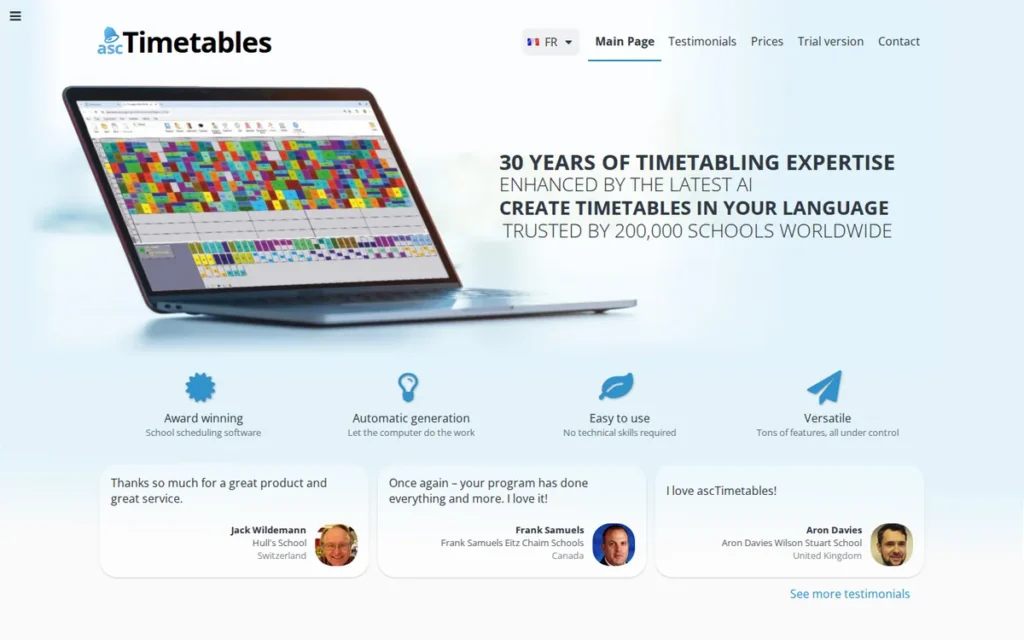
Category: K-12 Scheduler, builds school master schedules from student course requests or generates class timetables.
At a Glance
- Category: K-12 Scheduler
- Best For: Small K-12 and international schools that need a low-cost automatic class timetable generator
- Price Range: $399–$3,995 one-time license on the vendor price page (third-party listings conflict)
- Primary Strength: aSc TimeTables publishes one-time license pricing from $399, the lowest commercial price documented in this evaluation.
- Biggest Limitation: aSc TimeTables documents only PDF and Excel export, with no SIS export, which is a major gap for US districts.
- One-Line Summary: aSc TimeTables is a low-cost automatic timetable generator for K-12 and international schools, with published one-time pricing and an unlimited free trial.
- Last Verified: November 2026
Overview
aSc TimeTables is an automatic school timetable generator that builds class timetables with divided classes, alternating weeks, electives and multiple buildings for small K-12 and international schools on tight budgets. aSc TimeTables is designed for schools that want low-cost timetabling with published pricing.
aSc TimeTables is made by aSc Applied Software Consultants, s.r.o., based in Bratislava, Slovakia. aSc TimeTables offers an unlimited free trial, with export blocked and printouts watermarked.
Key Features
- aSc TimeTables generates timetables automatically, and the vendor says it “evaluates more than 5 million possibilities.”
- aSc TimeTables supports divided classes, alternating weeks, electives, multiple buildings and room-movement optimization.
- aSc TimeTables includes conflict checks and lets schedulers edit generated timetables by hand.
- aSc TimeTables connects with aSc Substitutions for covering absent teachers and with the EduPage platform for class registers and published schedules.
- aSc TimeTables runs as a Windows-only desktop app and as an online version that works on Mac, Linux and Chromebook.
Best For
aSc TimeTables is best for small K-12 and international schools that build class-based timetables on tight budgets. aSc TimeTables fits schools that do not need automatic write-back to a US SIS.
Strengths
- aSc TimeTables is the only commercial vendor in this evaluation with a published price list. It sells one-time licenses from $399 to $3,995, with two years of support included [Source: aSc price page, November 2026].
- aSc TimeTables offers an unlimited free trial, so schools can test their own constraints before buying.
- aSc TimeTables handles complex timetable structures, including divided classes, alternating weeks, multiple buildings and room-movement optimization, according to vendor documentation [Source: aSc, retrieved November 2026].
- aSc TimeTables has G2 ratings of 4.6/5 from 4 reviews and 4.7/5 from 3 reviews, and a Capterra rating of 5.0/5 from 1 review [Source: G2 and Capterra, November 2026]. These samples are too small to be more than signals.
Limitations
aSc TimeTables trades integration for low cost. It documents only PDF and Excel export, so US schools on PowerSchool, Infinite Campus or Skyward should expect to move data by hand.
- A third-party comparison says aSc TimeTables handles US-style electives and option lines less explicitly than Edval, and that it has a steep learning curve and a dated interface [Source: Smootables, 2026]. That comparison source has low to medium credibility.
- aSc TimeTables’ free trial blocks export, so schools cannot test moving a schedule into their SIS before they buy.
- This research found no verified count of schools using aSc TimeTables and no case studies with measured results.
- Price sources for aSc TimeTables conflict, so the live order page is the only reliable figure.
Verdict
aSc TimeTables is the lowest-cost commercial option in this 2026 evaluation, with one-time licenses from $399 and an unlimited free trial for testing real constraints.
aSc TimeTables scored 2.50/5. It has the top pricing-transparency score (5) and the lowest SIS integration score (1). It fits class-based and international timetabling best.
US schools that schedule from individual student requests, or that need SIS write-back, should confirm fit before buying aSc TimeTables.
How Are Most Institutions Scheduling Today?
Many institutions schedule with only partial tooling. In a 2016 AACRAO survey, only 49.3% of 683 institutions owned and used a course scheduling tool [Source: AACRAO Class Scheduling Practices 60-Second Survey, 2016]. AACRAO research also found that faculty preference drove scheduling at 78% of institutions. Newer national data is scarce, so treat these figures as a baseline.
AACRAO survey research describes the state of practice:
- AACRAO reports that about 40% of institutions use email and spreadsheets for curriculum work [Source: AACRAO survey reports, retrieved November 2026].
- AACRAO reports that 57% of institutions use a purpose-built tool for classroom space, but only 25% use it exclusively [Source: AACRAO survey reports, retrieved November 2026].
- AACRAO reports that only 27% of institutions practice student-centered scheduling [Source: AACRAO survey reports, retrieved November 2026].
- AACRAO survey respondents describe department worksheets that staff retype into the SIS, and changes that run through email chains and sticky notes [Source: AACRAO survey reports, retrieved November 2026].
Users on r/CollegeRant noted:
“As the person who does the scheduling for a university department, I 100% agree with this. As a staff member, I bring dysfunction up constantly at the department level, but rarely do I see change unless the provost calls for it.” Posted by u/Maddy_egg7
Takeaway: Department-level schedulers in higher ed report that scheduling problems rarely get fixed until the provost pushes for change.
Hanover Research, in a best-practices report for Stephen F. Austin State University, found that a typical classroom is in use for less than half of weekly instructional hours [Source: Hanover Research for SFASU, retrieved November 2026]. When in use, a typical classroom is 62% full, and peak-hour utilization averages 67%.
Market-size estimates for academic scheduling software vary widely, because each firm defines the category differently and uses a different base year:
- The Insight Partners estimates the market at $727.5M [Source: The Insight Partners, 2025].
- Emergen Research estimates the global market at $2.25B [Source: Emergen Research, 2026].
- Research and Markets estimates $1.06B for university course scheduling alone [Source: Research and Markets, 2026].
The estimates measure different things, so they should not be added together.
Can One Platform Handle Courses, Rooms and Events?
Yes, but “course scheduling” covers two different tasks. Room assignment places existing sections into rooms. Course-time planning decides which sections to offer and when, based on student demand. 25Live is strongest for rooms and events. Ad Astra and Coursedog plan sections from demand and also include event scheduling.
Room assignment answers “Where does this section meet?” Course-time planning answers “Should this section exist, and when?” Buyers who confuse the two can end up with a tool built for the wrong job.
For example, Schedule25 placed 3,000 Cincinnati State sections into rooms in minutes. A room optimizer will still not tell a registrar that an oversubscribed gateway course needs a fourth section. Demand planning does that.
This aligns with community sentiment on r/CollegeRant:
“With a capstone, the course sections should all be scheduled around other common courses to avoid scheduling conflicts for the students that need it. Ideally, it shouldn’t be a problem.” Posted by u/Suspicious-Spell-130
Takeaway: Required higher-ed courses like capstones need their sections planned around other common courses to avoid student conflicts, which is a course-time planning job that room assignment alone cannot do.
Here is how each product maps to the two tasks:
- Ad Astra plans sections from demand and also handles room and event scheduling through Astra Schedule, although reviewers criticize its event-request interface.
- Coursedog plans sections from demand and includes event and room scheduling on the same data platform as curriculum and catalog.
- 25Live / Series25 combines events, approvals and calendars with course and exam room assignment, but Schedule25 does not plan course times from demand.
- Infosilem pairs student-aware course and exam timetabling with a Campus module for events and rooms.
- UniTime includes event management alongside course, exam and instructor scheduling.
- Abl and aSc TimeTables focus on K-12 master schedules and timetables, not campus event booking.
Institutions that need both demand-based planning and heavy event operations should demo a course-planning platform’s event workflow before deciding whether to add a separate space system.
Which Academic Scheduling Tools Integrate With My SIS?
25Live has the broadest documented SIS integration in this evaluation. Its LYNX connector covers Banner, Workday, Colleague, PeopleSoft/Campus Solutions, Anthology and Ethos-based systems, pulling section data about every 60 seconds and writing room assignments back. Ad Astra and Coursedog document Ellucian integrations. Infosilem and Abl make general claims, and aSc documents only file export.
The matrix shows the strongest level of evidence found for each SIS [Source: vendor documentation and directories, retrieved November 2026]:
| Product | Banner | Colleague | Ethos | Workday | PeopleSoft | Jenzabar | Anthology | K-12 SIS |
|---|---|---|---|---|---|---|---|---|
| Ad Astra | Vendor-documented (certified, two-way) | Vendor-documented (certified, two-way) | Not documented | Not documented | Not documented | Vendor-documented (API partnership) | Not documented | N/A |
| Coursedog | Vendor-documented | Vendor-documented; reviewer reports weaker Colleague SaaS | Vendor-documented | Directory only (Capterra) | Directory only (Capterra) | Not documented | Not documented | N/A |
| 25Live / Series25 | Vendor-documented (LYNX) | Vendor-documented (LYNX) | Vendor-documented (LYNX) | Vendor-documented (LYNX) | Vendor-documented (LYNX) | Not documented | Vendor-documented (LYNX) | N/A |
| UniTime | Institution-documented (Banner XE, Purdue) | Not documented | Not documented | Not documented | Not documented | Not documented | Not documented | N/A |
| Infosilem | Not documented (generic claim only) | Not documented (generic claim only) | Not documented (generic claim only) | Not documented (generic claim only) | Not documented (generic claim only) | Not documented (generic claim only) | Not documented (generic claim only) | N/A |
| Abl | N/A | N/A | N/A | N/A | N/A | N/A | N/A | Claimed, unverified |
| aSc TimeTables | N/A | N/A | N/A | N/A | N/A | N/A | N/A | PDF/Excel export only |
LYNX note: 25Live’s LYNX pulls sections in about every 60 seconds and writes room assignments back. For Banner, Workday and Campus Solutions, it also writes back meeting patterns. CollegeNET notes that some Workday outbound configurations run less often [Source: CollegeNET Knowledge25, retrieved November 2026].
The matrix leaves out several other documented connections:
- Ad Astra also documents a Kuali Academic Operations integration.
- Coursedog also offers an integration hub for CSV uploads and manual SIS merges.
- UniTime can also run standalone without an SIS.
None of these labels says which data objects sync or in which direction. Confirm both with your own data during a demo.
How Much Does Academic Scheduling Software Cost?
Most academic scheduling vendors do not publish pricing. aSc TimeTables is the only commercial vendor in this evaluation with a public price list, starting at $399 one-time. UniTime is free but requires IT staff. One public contract shows Ad Astra at about $27,000–$29,500 a year. The remaining figures are historical or unconfirmed.
| Product | Price Figure | Evidence Type | Date |
|---|---|---|---|
| Ad Astra | $117,933.31 total; about $27,038–$29,545/year | Public procurement contract (SFASU B2500042) | 2025–2029 |
| Coursedog | $20,000/user/year “starting price” | Directory figure, unconfirmed by vendor | November 2026 |
| 25Live / Series25 | None found | No pricing found | Verified November 2026 |
| UniTime | Free license; commercial support unpriced | Published license (Apache 2.0, LGPL solver) | Verified November 2026 |
| Infosilem | None found | No pricing found | Verified November 2026 |
| Abl | About $5–$7/student/year plus $3,000–$5,000 setup per school | Historical (Education Next) | 2017 |
| aSc TimeTables | $399–$3,995 one-time; $79 support after 2 years | Published price list (third-party sources conflict) | Verified November 2026 |
Each price figure comes with caveats:
- Ad Astra’s SFASU contract B2500042 covers an Astra Schedule subscription: $4,818.49 for June–August 2025, then $27,037.50, $27,848.63, $28,684.08 and $29,544.61 a year through 2029 [Source: SFASU procurement contract B2500042, 2025].
- Ad Astra’s SFASU contract totals $117,933.31 and rises about 3% a year, and it does not say whether implementation is included. It is one institution’s contract, not an Ad Astra list price.
- Coursedog’s $20,000-per-user-per-year “starting price” on Capterra is unconfirmed by the vendor, and G2 shows no Coursedog pricing [Source: Capterra and G2, November 2026]. A per-user price is unusual for institutional software, so confirm the billing unit in a quote.
- 25Live and Infosilem have no published pricing or contract amounts, so buyers should request quotes broken out by module.
- UniTime’s license is free, but its total cost of ownership is mostly staff time. Estimate the staff hours for hosting and integration, and compare them against a commercial subscription such as the SFASU Ad Astra contract.
- Abl’s only figures are historical: about $7 per student per year for a 1,000-student high school, about $5 for a 10,000-student district and $3,000–$5,000 setup per school [Source: Education Next, 2017]. Confirm current Abl pricing with BetterLesson.
- aSc TimeTables’ price page lists Primary at $399, Standard at $499, Premium at $995 (with timetable help) and PRO at $3,995 (individual student schedules) [Source: aSc price page, November 2026].
- aSc TimeTables’ third-party listings disagree: Capterra shows ₹125 per user per month, and SoftwareSuggest shows $149–$699 [Source: SoftwareSuggest, October 2026]. Check the live aSc order page before budgeting.
Public universities often publish their software contracts. Search “[vendor name] contract site:.edu procurement” to find contracts at peer institutions. Then check the term length, the annual price increase and whether implementation is billed separately.
What Other Academic Scheduling Tools Should I Know About?
Several other academic scheduling tools appear in AI answer-engine responses or on comparison sites, but PlugRoute did not research them to the same depth. They are listed here for completeness and are not ranked. Buyers whose needs the seven ranked products do not cover may want to add one to a demo shortlist.
- CELCAT was named in AI answer-engine responses for academic timetabling. Not evaluated to the same depth; not ranked.
- CourseLeaf CLSS was named in AI answer-engine responses for higher-ed course scheduling. Not evaluated to the same depth; not ranked.
- TimeEdit was named in AI answer-engine responses for academic timetabling. Not evaluated to the same depth; not ranked.
- nOS was named by ChatGPT as a K-12 scheduling option. Not evaluated to the same depth; not ranked.
- Rediker Scheduling was named by ChatGPT as a K-12 scheduling option. Not evaluated to the same depth; not ranked.
- Edval is described by a third-party comparison as handling US-style electives and option lines explicitly [Source: Smootables, 2026]. Not evaluated to the same depth; not ranked.
- Accruent EMS was named in AI answer-engine responses for space and event scheduling. Not evaluated to the same depth; not ranked.
- Mazevo was named in AI answer-engine responses for space and event scheduling. Not evaluated to the same depth; not ranked.
- SIS-native schedulers (PowerSchool, Infinite Campus, Skyward) are the built-in scheduling baseline most K-12 districts compare against. Not evaluated to the same depth; not ranked.
What Red Flags Should I Watch For When Evaluating Academic Scheduling Software?
The biggest red flags are claims you cannot check against your own data. PlugRoute found six, numbered below, that come up across vendors in this category, and any one of them can sink an otherwise strong shortlist. In each case, a vendor should be able to clear up the question with documentation or a live demo before you sign.
Red Flag #1: An Integration Claim With No Named SIS or Sync Direction A claim that a product “integrates with your SIS” without naming systems, data objects or sync direction is a warning sign. In this research, only 25Live published a sync frequency, and that figure covers inbound section data rather than both directions. Ask every vendor for the same level of detail.
Red Flag #2: A Room Optimizer Marketed as Course Planning A tool that assigns sections to rooms does not decide which sections to offer or when. Schedule25, for example, places existing sections quickly but does not plan course times from demand. Ask whether a product plans course times from student demand or only places sections that already exist.
Red Flag #3: Outcome Statistics With No Date or Attribution An outcome figure with no institution, date or author cannot be checked. Nearly all outcome figures in this category are vendor-published, and few have been confirmed independently. Before treating a figure as evidence, ask for a reference contact at the named institution and the date the result was measured.
Red Flag #4: A High Rating on a Handful of Reviews Infosilem’s 4.8/5 from 4 reviews on one G2 listing tells you less than Ad Astra’s 4.5/5 from 52. A single 1-star review would drop a 4.8/5 rating on 4 reviews to about 4.0. The same review would move a 4.5/5 rating on 52 reviews only to about 4.4.
Red Flag #5: No Answer on Roadmap After an Acquisition A vendor that has changed ownership should be able to explain its product roadmap and support commitments in writing. Abl (acquired by BetterLesson in February 2025) and Infosilem (acquired by Berger-Levrault in 2016) both have ownership histories worth asking about during diligence.
As one user on r/Teachers described:
“Our school’s timetable software has shut down, and we’re currently without a system to generate schedules. I’m a teacher, and we need to create class and teacher timetables without clashes (period overlaps, double-booking teachers, etc.).” Posted by u/Jiagoals
Takeaway: When a school’s timetabling software goes offline, staff are left building clash-free class and teacher timetables by hand, which makes vendor continuity a real operational risk for K-12 buyers.
Red Flag #6: No Way to See Why a Student Request Went Unscheduled A K-12 scheduler that cannot show why a student’s request was not fulfilled leaves counselors guessing. This research found no vendor that publicly documents this feature, even though AI answer engines credit one with it. Ask the vendor to show it on a real student whose requests conflicted.
What Questions Should I Ask Before Choosing Academic Scheduling Software?
Ask vendors to prove every claim with your own data rather than a prepared demo. The six questions below are ordered by risk, starting with SIS data flow and ending with K-12 request handling. Each one targets a gap this research could not close from public documentation.
Question #1: Which data objects sync with our SIS, in which direction, and how often? Look for named objects such as sections, meeting times, rooms, instructors and enrollments, with a stated direction and frequency for each. Treat vague answers as unverified. 25Live’s LYNX documentation shows the level of detail to expect: inbound section data about every 60 seconds, with room assignments written back.
Question #2: Can you rebuild our hardest scenario in the demo using our data? Bring linked sections, shared instructors and room restrictions from your real schedule. A credible vendor should build and check the scenario live instead of showing a prepared demo. If a vendor cannot load your data before the demo, ask what that means for implementation.
Question #3: How do we revise a published schedule without disrupting registered students? Look for features that minimize changes and keep what-if scenarios separate from the live schedule. UniTime’s minimal-change re-solving and Abl’s scenario sandbox are examples of what to ask about. Ask the vendor to change one published section and show which students are affected.
Question #4: What does implementation cost, and how many staff hours does it take? Ask for implementation fees, timelines and expected staff hours in writing. There is no industry benchmark for either, and a Coursedog G2 reviewer described a five-module rollout as more taxing than expected. Check whether peer contracts you find bill implementation separately.
Question #5: Can you share your SOC 2 report and a peer reference at an institution like ours? Ask for the current SOC 2 report and a reference at an institution with the same size, SIS and scheduling model. SOC 2 status was not verified for any vendor in this research, so every vendor on your shortlist should supply the report directly.
Question #6: For K-12, how does the tool explain unfulfilled course requests? Ask the vendor to show, student by student, which constraint blocked each unmet request. No vendor in this research publicly documents this feature. Test it in the demo with a real student whose request could not be scheduled last year.
How Did We Rank These Academic Scheduling Tools?
PlugRoute scored seven academic scheduling products from 1 to 5 on six weighted criteria, using dated, sourced research. Three primary criteria carry 70% of the weight: scheduling scope (25%), SIS integration depth (25%) and documented outcomes (20%). Review signal, pricing transparency and implementation signals carry 10% each. PlugRoute did not test products hands-on.
The six criteria and why each matters:
- Scheduling Scope and Job Fit (25%): This criterion measures documented capabilities for each scheduling job, because higher-ed course scheduling, exams and K-12 master scheduling are different jobs.
- Documented SIS Integration Depth (25%): This criterion measures named SIS families, sync direction and frequency, because integration is the main technical risk of the purchase.
- Documented Outcomes and Adoption Evidence (20%): This criterion measures named, dated outcomes and gives extra credit to third-party sources, because marketing claims do not prove results.
- Review Platform Signal (10%): This criterion weighs G2 and Capterra ratings by sample size, because reviews are the only available measure of day-to-day usability.
- Pricing Transparency (10%): This criterion scores price evidence on a scale from a published list (5) down to none found (1), because a shortlist is only defensible if it fits the budget.
- Implementation and Usability Signals (10%): This criterion measures review themes, IT requirements, trial availability and ownership changes, because they decide whether staff actually adopt the tool.
PlugRoute applied these scoring rules:
- PlugRoute marked a criterion “No data” where no evidence existed, removed it from that product’s score and rescaled the remaining weights, so missing reviews neither help nor hurt Abl or UniTime.
- PlugRoute scored free licenses with unpriced commercial support a 4, not a 5, on pricing transparency, which applied to UniTime.
- PlugRoute treats score gaps of 0.4 or less between neighboring products as within the evidence’s margin of uncertainty.
- PlugRoute marks undated sources “retrieved November 2026,” which is when PlugRoute accessed them.
The research has these known limits:
- PlugRoute did not test any product hands-on, and nearly all outcome figures are vendor-published.
- Review samples in this research range from 1 to 52 reviews per listing.
- Eight Reddit searches found no usable discussion of any product.
- Some of the adoption data PlugRoute relied on comes from AACRAO’s 2016 survey.
- PlugRoute excluded PowerSchool, Infinite Campus, Skyward, Modern Campus and the long-tail tools for lack of scheduling-specific review data.
PlugRoute could not verify the following:
- PlugRoute could not verify SOC 2 status for any vendor.
- PlugRoute could not verify an unmet-request explanation feature for any K-12 vendor.
- PlugRoute could not verify Workday or PeopleSoft integration for Ad Astra or UniTime.
- PlugRoute could not verify named SIS support for Infosilem or Abl.
- PlugRoute could not find pricing for 25Live or Infosilem.
PlugRoute has no affiliate relationships with any company listed, and rankings are determined entirely by research data and objective evaluation criteria.
What Do Buyers Most Often Ask About Academic Scheduling Software?
Buyers most often ask which tool is best for universities, which is best for K-12 schools, and how independent rankings are produced. Ad Astra leads on evidence for higher ed, and Abl leads for US K-12 request-based scheduling. PlugRoute ranks products on six weighted, sourced criteria.
What is the best academic scheduling software for universities in 2026?
Ad Astra is the best-evidenced academic scheduling software for universities in 2026, scoring 4.25/5 on PlugRoute’s weighted criteria. Coursedog (3.90) is the stronger pick for combining scheduling with curriculum and catalog, and 25Live (3.65) leads for rooms and events. Exam-heavy institutions should compare Infosilem and UniTime. The top three scores are all within PlugRoute’s uncertainty band.
What is the best academic scheduling software for K-12 schools?
Abl is the most-documented K-12 option for US schools that build master schedules from student course requests, with a 92% first-run fulfillment rate reported by a news outlet. aSc TimeTables suits small or international schools that need affordable class timetables from $399. Districts should compare both against the built-in scheduler in PowerSchool, Infinite Campus or Skyward, which PlugRoute did not evaluate.
How does PlugRoute determine its rankings?
PlugRoute ranks products by scoring dated, sourced evidence on six weighted criteria: scheduling scope (25%), SIS integration (25%), outcomes (20%), and reviews, pricing transparency and usability (10% each). Criteria without data are excluded and the remaining weights are rescaled, so missing evidence never counts as a weakness. PlugRoute does not test products hands-on.
What Do Key Academic Scheduling Terms Mean?
The most important academic scheduling terms separate jobs that vendors often blur together. Course-room assignment places existing sections into rooms, while demand forecasting decides which sections to offer. Two-way SIS sync, conflict matrices and minimal-change re-solving decide whether a schedule stays accurate after students register. The definitions below cover each term used in this article.
Master schedule: A master schedule is the full set of course sections, times, teachers and rooms for a school term. In K-12, the master schedule decides which students can take which courses, so it shapes both access and teacher workload.
Course request: A course request is a student’s choice of the courses they want in an upcoming term. Request-based schedulers build sections from these choices, and the share of requests fulfilled is a key measure of schedule quality.
Student sectioning: Student sectioning assigns individual students to specific sections of the courses they need. Good sectioning reduces conflicts for students with tight requirements, such as athletes or students in structured programs.
Course-room assignment: Course-room assignment places sections that are already scheduled into rooms based on capacity, features and location. Course-room assignment is different from deciding which sections to offer or when, which matters when comparing tools.
Demand forecasting: Demand forecasting estimates how many seats a course will need, using historical enrollment and degree-progress data. Demand forecasting helps registrars add sections before students are turned away and merge sections that are under-enrolled.
Two-way SIS sync: A two-way SIS sync moves scheduling data both into and out of the student information system automatically. Buyers should confirm which data objects sync, in which direction and how often.
Conflict matrix: A conflict matrix records which courses share students, so a scheduler can avoid putting them at the same time. A conflict matrix is especially important for final exams, where a student-level clash forces rescheduling.
Minimal-change re-solving: Minimal-change re-solving updates an existing schedule while changing as little as possible. Minimal-change re-solving matters when you revise a schedule after students have already registered.
What-if scenario: A what-if scenario is a draft version of a schedule used to test changes without touching the live schedule. A what-if scenario lets planners compare options before committing to one.
Space utilization: Space utilization measures how often rooms are used and how full they are when in use. Low utilization can justify consolidating buildings or cutting energy costs.
SOC 2 report: A SOC 2 report is an independent audit of a vendor’s security and data-handling controls. Institutions that share student data with a cloud vendor should request the current report.
Open-source license: An open-source license lets institutions use, modify and host software without paying a license fee. The total cost then shifts to hosting, IT staff time and integration work.
Which Academic Scheduling Software Is Right for You?
Key Insights
- Higher-ed course scheduling and K-12 master scheduling are different jobs, so buyers should shortlist within their category before comparing products.
- Ad Astra leads on evidence for demand-based higher-ed planning, Coursedog for scheduling plus curriculum and catalog, and 25Live for rooms and events.
- Abl leads for US K-12 request-based master schedules, and aSc TimeTables is the lowest-cost option documented for class-based timetables.
- Of the seven products evaluated, only 25Live publicly documents an SIS sync frequency, so buyers should verify other integration claims with their own data.
- Only aSc TimeTables publishes a commercial price list in this evaluation, so public procurement records are the best way to estimate costs for the other vendors.
- In a category where nearly every outcome figure is vendor-published, the most reliable evidence is your own hardest scenario rebuilt live in a demo.
The right academic scheduling software depends on your scheduling job. Higher-ed teams planning sections from demand should shortlist Ad Astra and Coursedog. Space and event offices should start with 25Live. Exam-heavy universities should compare Infosilem and UniTime. US K-12 schools should start with Abl and compare it against their SIS’s built-in scheduler.
Before you finalize your shortlist, read PlugRoute’s full scoring methodology or browse our other independent reviews of higher-ed and K-12 software. PlugRoute re-verifies every product at the same time, so no entry’s data is older than another’s.
We update this guide quarterly. Last updated: November 2026.