TalkingPoints ranks #1 in PlugRoute’s 2026 review of classroom messaging software and is the top pick for multilingual families. ParentSquare is the strongest district-wide platform, and Bloomz has the clearest public pricing. The best fit depends on your scope: one classroom, an elementary class, a multilingual community or a whole district.
Teachers have to choose from many similar apps. Many families won’t install another app or don’t have reliable Wi-Fi, and some parents don’t read English. In 2026, Seesaw’s free plan got smaller and Remind Hub closed to new K–12 customers. Administrators also need privacy approval and student information system (SIS) integration before they commit.
PlugRoute has no affiliate relationships with any company listed, and rankings are determined entirely by research data and objective evaluation criteria.
“We’re hoping to have our PTA members, parents, and teachers download as few apps as possible so we’re looking for something that will do multiple things.” (u/faythe1215 (r/Teachers, 2018))
Takeaway: Families and staff resist installing more apps, so tools that cover several jobs or reach families by text cause less friction.
What Are the 4 Categories of Classroom Messaging Software?
Classroom messaging software falls into four categories. The right one depends on who you need to reach and what you need to record. Each category below lists the tools in this review that belong to it, so you can narrow the field before you compare individual products.
- Text-First Messenger (“Messenger” in tables) tools send class messages that families can read and answer by text without an app. This category includes TalkingPoints and Remind.
- Unified School-Family Platform (“Platform”) tools are one licensed system for district, school and classroom communication. This category includes ParentSquare and Bloomz.
- Classroom Community and Portfolio App (“Community”) tools share photos, stories and student work with families alongside messaging. This category includes ClassDojo and Seesaw.
- Data-Linked Outreach Platform (“Outreach”) tools record family contacts next to attendance, grade and behavior data. This category includes SchoolStatus Connect (formerly ClassTag).
Many teachers use different tools for different audiences. One r/Teachers user wrote, “Remind for students. Talking points for parents” (r/Teachers, 2024). Another wrote, “I use Remind for students and Parent Square for families” (r/Teachers, 2024).
ParentSquare has owned Remind’s K–12 business since 2023 (ParentSquare, 2023). Both products appear in this review because Remind Chat is still a separate free product for teachers.
How Do the Top Classroom Messaging Tools Compare at a Glance?
TalkingPoints leads PlugRoute’s 2026 classroom messaging rankings on translation and independent evidence. ParentSquare and Bloomz tie on score but lead on different strengths: ParentSquare on reach reporting and Bloomz on published pricing. The table below puts all seven tools side by side by category, best use and main trade-off.
| Rank | Company | Category | Best For | One-Line Summary | Key Capabilities | Primary Strength | Key Limitation |
|---|---|---|---|---|---|---|---|
| 1 | TalkingPoints | Messenger | Multilingual families | TalkingPoints is a nonprofit, translation-first family messaging platform that is free for individual teachers and holds a Tier 3 Evidence for ESSA rating. | Two-way translation; replies by text, web or app; Clever, ClassLink and OneRoster on school plans | Two-way translation in 150+ languages (vendor-stated) and a Tier 3 Evidence for ESSA rating | Users report uneven translation accuracy; school pricing is quote-only |
| 2 | ParentSquare | Platform | District-wide consolidation | ParentSquare is a district-wide family communication platform that combines classroom messages, alerts, forms and payments with delivery on several channels and contactability reporting. | App, text, voice and email; auto-translation; SIS integration; contactability reports | Reports showing which families aren’t being reached | No free teacher version; add-on modules raise the cost |
| 3 | Bloomz | Platform | Budget-conscious schools | Bloomz is an all-in-one school-family communication platform with public per-student pricing from $3 to $11 and family replies that don’t need a login. | Messaging, sign-ups, PBIS, alerts; PowerSchool, Infinite Campus and Skyward connectors | Clearest published pricing among the schoolwide platforms | Google Play 3.8/5; voice calls cover about 49 languages |
| 4 | ClassDojo | Community | Free K–5 classrooms | ClassDojo is a free elementary classroom community app that combines family messaging, photo and video class stories, portfolios and behavior feedback points. | Messaging, Class Story, Portfolios, Feedback Points; 130+ languages (vendor-stated) | $0 for teachers, schools and districts; 2025 Common Sense Privacy Seal | SMS for teacher messages unconfirmed; behavior-point criticism |
| 5 | SchoolStatus Connect (formerly ClassTag) | Outreach | Documented outreach | SchoolStatus Connect is a district-managed family communication tool that records, transcribes and logs teacher outreach next to student attendance, grade and behavior data. | Virtual phone numbers, call recording, SIS-linked logs, admin review | Most detailed outreach record in this review (vendor-documented) | Quote-only pricing; few B2B reviews |
| 6 | Seesaw | Community | Elementary portfolios | Seesaw is an elementary learning-portfolio platform with built-in family messaging and translation in 100+ languages, sold to schools from $2,500 per school. | Student portfolios, translated messages and comments, PreK–5 curriculum | Family conversations built around student work | No SMS; free Starter plan limited to 1 class |
| 7 | Remind | Messenger | Free secondary texting | Remind is a free teacher texting tool, owned by ParentSquare since 2023, whose district product Hub is closed to new K–12 customers. | SMS, app and email; logged conversations; 90+ languages | Free Chat plan with SMS for verified K–12 teachers | Hub closed to new K–12 customers; translated SMS requires Hub |
Which Classroom Messaging Tool Should I Choose for My Use Case?
Choose classroom messaging software by your single most important priority, not by overall rank. The table below maps nine common priorities to a recommended tool and an acceptable alternative. A teacher with one class and a district buying for 40 schools can each find a starting point in one row.
| Your #1 Priority | Recommended Tool | Why | Acceptable Alternative |
|---|---|---|---|
| Free, single elementary classroom | ClassDojo | Messaging, stories and portfolios are $0 with no procurement | Seesaw Starter (1 class only) |
| Multilingual families, free teacher start | TalkingPoints | 150+ languages, two-way, free for individual teachers | ClassDojo (states 130+ languages; app-based) |
| Simple free secondary texting | Remind Chat | Free SMS for verified K–12 teachers; not for new district contracts | TalkingPoints |
| Separate student and family channels | Remind Chat for students plus TalkingPoints for families | A two-tool setup that teachers report using (r/Teachers, 2024) | Remind Chat plus ParentSquare |
| Elementary learning portfolios | Seesaw | Family messaging tied to student work | ClassDojo |
| School budget with public pricing | Bloomz | $3–$11 per student per year, published by tier | Seesaw ($2,500+ per school) |
| District-wide consolidation with reach reporting | ParentSquare | One system with contactability reports | Bloomz |
| Auditable outreach tied to attendance | SchoolStatus Connect | Call recording and logs stored next to SIS data (vendor-stated) | ParentSquare |
| Currently on Remind Hub with automated rostering | ParentSquare (Remind’s designated K–12 path) | Hub rostering through Clever, ClassLink or SFTP ends in September 2027 | Bloomz or TalkingPoints after a pilot |
What Are the 7 Best Classroom Messaging Software Tools in 2026?
TalkingPoints ranks first in PlugRoute’s 2026 weighted scores at 4.4 out of 5. ParentSquare and Bloomz follow at 3.9 each, and ParentSquare takes #2 on the published tiebreaker. Every entry below uses the same nine-part structure, so you can compare the tools section by section.
- TalkingPoints ranks #1 with a weighted score of 4.4 out of 5.
- ParentSquare ranks #2 with 3.9, winning the tiebreaker on primary-criteria sum (17).
- Bloomz ranks #3 with 3.9 (primary-criteria sum 16).
- ClassDojo ranks #4 with 3.6.
- SchoolStatus Connect ranks #5 with 3.2.
- Seesaw ranks #6 with 3.0.
- Remind ranks #7 with 2.5.
Every claim below carries one of three labels: Independently verified, User-reported or Vendor-stated. Attributions use the format (Source, Year). When a source has no publication date, the year shows when PlugRoute accessed it.
1. TalkingPoints: Best Overall for Multilingual Families
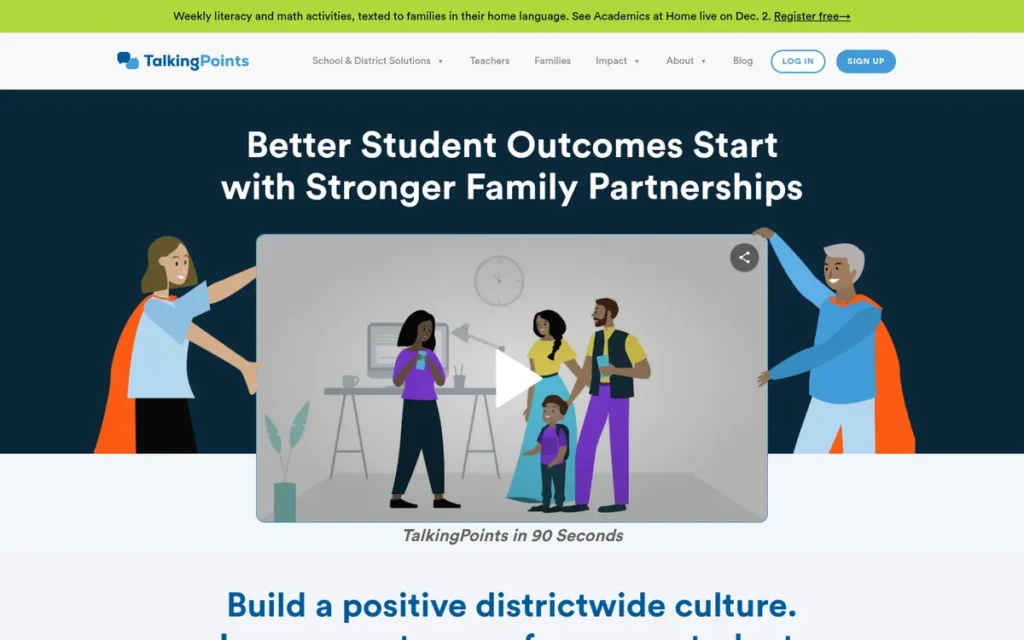
Category: Text-First Messenger, a tool that sends class messages families can read and answer by text, without needing an app.
At a Glance
- Category: Text-First Messenger
- Best For: Teachers and schools serving multilingual families who need two-way translated conversations
- Price Range: Free for individual teachers; school and district plans are quote-only (TalkingPoints, 2026)
- Primary Strength: TalkingPoints offers two-way translated messaging in 150+ languages and is the only product among the seven reviewed with a third-party Evidence for ESSA rating.
- Biggest Limitation: TalkingPoints users report uneven translation accuracy, and TalkingPoints doesn’t publish school or district pricing.
- One-Line Summary: TalkingPoints is a nonprofit, translation-first family messaging platform that is free for individual teachers and holds a Tier 3 Evidence for ESSA rating.
- Last Verified: November 2026
Overview
TalkingPoints is a nonprofit two-way family messaging platform that translates conversations between teachers and families in 150+ languages over text, web and app. It is built for K–12 teachers and schools whose families may not install another app. TalkingPoints states the 150+ figure itself, and G2 lists 145 home languages (G2, 2026).
TalkingPoints ranks #1 because it scored 5 on translation, user ratings and independent evidence, and no lower than 3 on any criterion. The TalkingPoints weighted total is 4.4 out of 5.
Key Features
- TalkingPoints translates messages in both directions in 150+ languages, using a mix of human and AI translation (TalkingPoints, 2026).
- TalkingPoints lets families reply by text, web or app. Third-party sources indicate that families can reply by text on the free teacher plan (G2, 2026), but confirm this on the TalkingPoints FAQ before relying on it.
- TalkingPoints school and district plans add admin controls and rostering through Clever, ClassLink, OneRoster, SSO and SIS integrations (TalkingPoints, 2026).
- TalkingPoints sells optional add-ons for Attendance Improvement, District Communications and Academic Improvement.
- TalkingPoints includes in-app coaching on family engagement, which it calls Universal Family Engagement (Evidence for ESSA, 2026).
Best For
TalkingPoints is best for teachers, English learner (EL) coordinators and schools whose main barrier is language, especially those serving families who prefer texts to apps.
Strengths
- TalkingPoints holds a Tier 3 “Promising” rating from Evidence for ESSA, the only third-party outcome rating among the seven tools reviewed. The rating rests on one quasi-experimental study of about 30,000 students in one large urban district. The study found a gain of 8.7 points in math for grades 3–8 (effect size +0.08) and no significant gain in ELA (Evidence for ESSA, 2026). Independently verified.
- TalkingPoints has the highest B2B review score in this comparison, 4.8/5 from 570 G2 reviews, and reviewers praise its translation (G2, 2026). User-reported.
- TalkingPoints reports a 24% drop in absenteeism in grades K–5 and 7 at Tulsa Public Schools (TalkingPoints, 2026). Vendor-stated.
- TalkingPoints says it reaches 1 in 4 U.S. schools and districts and has powered more than 2 billion conversations (TalkingPoints, 2026). Vendor-stated.
A teacher on r/Teachers shared their experience:
“Oh yeah my principal wants us to call all the time. But id rather email or using talking points to have my conversations on a paper trail.” Posted by u/Reasonable_Device448
Takeaway: Teachers who use TalkingPoints value it as a written, documented alternative to phone calls, especially for parent conversations that may need a record later.
Limitations
TalkingPoints gives up some translation accuracy in exchange for the number of languages it covers. For a tool built around translation, that is the most important trade-off.
- App Store reviewers of the TalkingPoints Teachers app report confusing English-to-Korean translations and translated messages that came out shorter than the original (Apple App Store, 2026). User-reported.
- TalkingPoints can send translations to families who read English when language preferences are set wrong, which one teacher said caused “friction” (r/Teachers, 2024). User-reported.
- TalkingPoints Families app users report lag, buggy private messaging and crashes, and the Android app holds 4.4/5 from about 17,600 reviews (Google Play, 2026). User-reported.
- TalkingPoints school pricing is quote-only (TalkingPoints, 2026), and PlugRoute couldn’t confirm its Student Privacy Pledge status or find an independent privacy rating.
Verdict
TalkingPoints is the strongest classroom messaging choice in 2026 for reaching multilingual families, combining two-way translation in 150+ languages with independent outcome evidence.
Teachers can start with TalkingPoints for free. Schools should get written confirmation of which TalkingPoints plan includes SMS before asking for a quote. Staff should also check family language settings so translations don’t go to families who read English.
2. ParentSquare: Best for District-Wide Communication
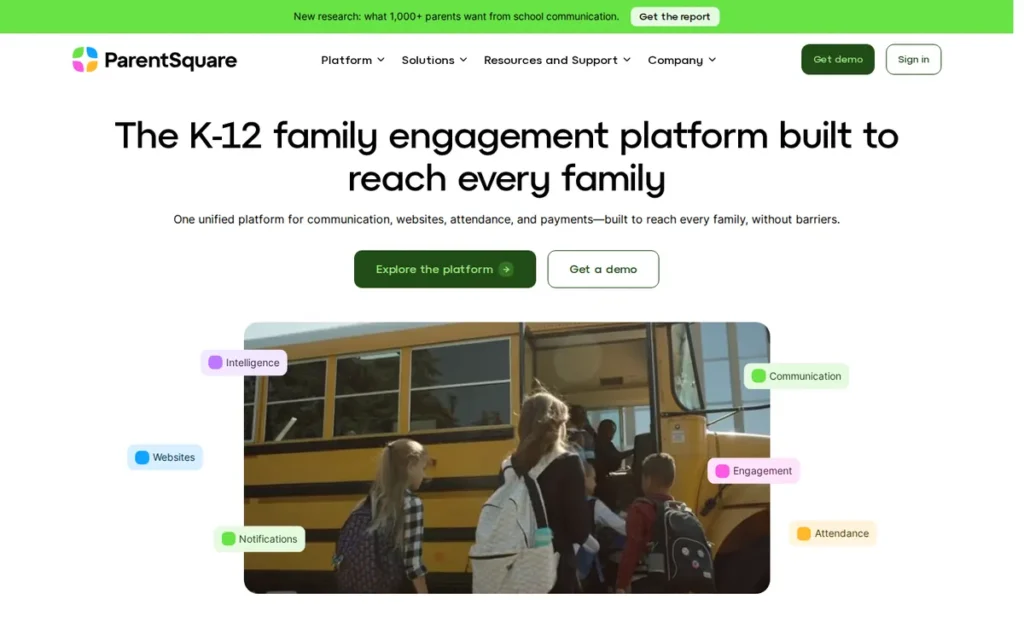
Category: Unified School-Family Platform, one licensed system for district, school and classroom communication.
At a Glance
- Category: Unified School-Family Platform
- Best For: Districts and schools that want all family communication in one system with administrator oversight
- Price Range: From about $3,000/year for up to 600 students plus an onboarding fee (Capterra, 2026); no free version
- Primary Strength: ParentSquare delivers messages by app, text, voice and email with automatic translation and reports which families aren’t being reached.
- Biggest Limitation: ParentSquare has no free teacher version, and reviewers say add-on modules can add thousands of dollars a year.
- One-Line Summary: ParentSquare is a district-wide family communication platform that combines classroom messages, alerts, forms and payments with delivery on several channels and contactability reporting.
- Last Verified: November 2026
Overview
ParentSquare is a licensed K–12 family engagement platform that puts district, school and classroom messaging in one system with urgent alerts, forms and payments. It is built for administrators who need consistent, translated communication with oversight in every classroom. ParentSquare has owned Remind’s K–12 business since 2023 (ParentSquare, 2023).
ParentSquare ranks #2 at 3.9 out of 5, ahead of Bloomz on the primary-criteria tiebreaker (17 vs. 16). ParentSquare trails TalkingPoints on pricing (2 vs. 3) and evidence (3 vs. 5). ParentSquare scored 4 on reach because PlugRoute’s sources didn’t confirm that families can reply without the app.
Key Features
- ParentSquare sends messages through its app, text, voice and email, with automatic translation (ParentSquare, 2026).
- ParentSquare provides contactability reports plus delivery and read receipts, so administrators can see which families aren’t being reached.
- ParentSquare integrates with student information systems and offers an Attendance Plus module.
- ParentSquare combines posts, direct messages, urgent alerts, forms, sign-ups, payments and school websites in one platform.
- ParentSquare is adding Remind features, including group two-way texting and QR-code joining (ParentSquare, 2023).
Best For
ParentSquare is best for districts that want to replace several tools with one licensed platform and need administrator oversight and reach reporting.
Strengths
- ParentSquare reports that Taunton Public Schools (MA) reached 99% contactability for 8,400 students in 13 schools, with families speaking 33 home languages (ParentSquare, 2026). Vendor-stated.
- ParentSquare reports that Charlotte County (FL) reached 99.5% contactability across about 18,000 households using 60+ languages (ParentSquare, 2026). Vendor-stated.
- ParentSquare holds 4.6/5 from 336 G2 reviews and 4.6/5 from 98,000 Apple App Store ratings, and reviewers praise its translation and the way it keeps personal phone numbers private (G2, 2026; Apple App Store, 2026). User-reported.
- ParentSquare lists SOC 2 Type II and FERPA/COPPA compliance and 2026 awards from EdTech Awards, EdTech Breakthrough and G2 (ParentSquare, 2026). Vendor-stated.
Limitations
ParentSquare gives up low cost in exchange for breadth, which matters most to schools with tight budgets.
- Capterra reviewers name cost as the main ParentSquare criticism and say add-on modules can “add thousands of dollars per year” (Capterra, 2026). User-reported.
- ParentSquare app reviewers report notification overload, district posts burying teacher updates, links that open the wrong post and unexpected logouts. The Android app holds 4.3/5 (Google Play, 2026). User-reported.
- One district sysadmin described the ParentSquare app as “a web browser disguised as an app” that students can use to bypass Chromebook web filters (r/k12sysadmin, 2025). User-reported.
- One ParentSquare user reported 502 errors during the October 2025 AWS outage while the status page showed no issues (r/k12sysadmin, 2025). User-reported.
Verdict
ParentSquare covers the widest set of district communication functions in this review. It pairs translated delivery on four channels with contactability reports that show administrators which families they aren’t reaching.
ParentSquare suits districts that want to consolidate tools, not individual teachers. Buyers should get a full ParentSquare quote that includes onboarding and add-ons. IT staff should test web-filter behavior and outage communication during a pilot.
3. Bloomz: Best for Budget-Conscious Schools Wanting Public Pricing
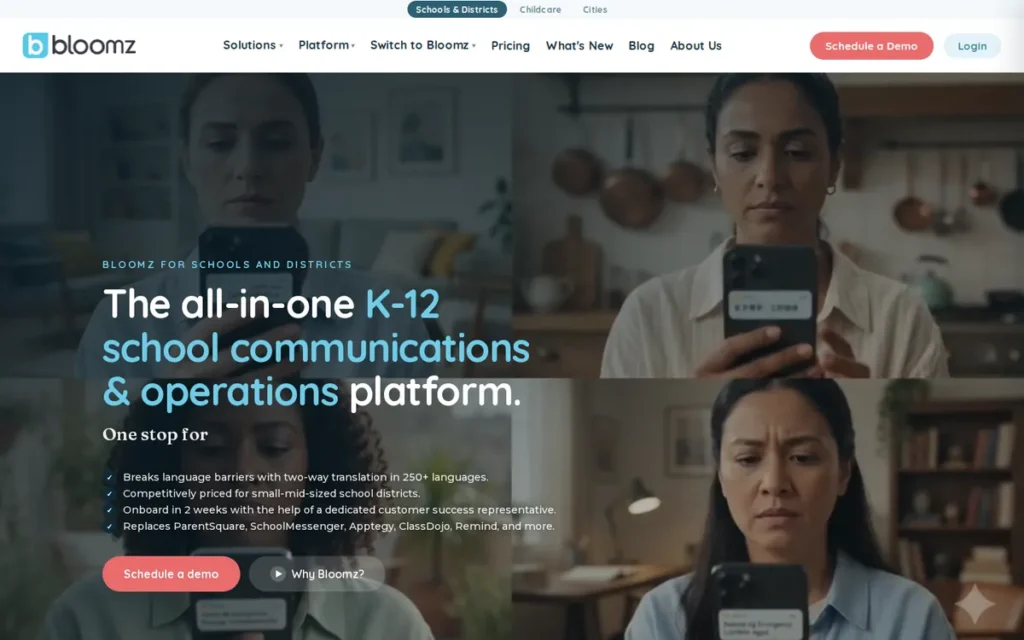
Category: Unified School-Family Platform, one licensed system for district, school and classroom communication.
At a Glance
- Category: Unified School-Family Platform
- Best For: Budget-conscious schools that want published pricing and one app for messaging, sign-ups and behavior tracking
- Price Range: Free teacher app; school tiers $3–$11 per student per year, with annual minimums for smaller organizations (Bloomz, 2026)
- Primary Strength: Bloomz publishes per-student pricing and lets families reply by text or email without an app or login.
- Biggest Limitation: Bloomz has the lowest Google Play rating (3.8/5) among the six reviewed tools with Google Play data, and its voice calls cover about 49 languages.
- One-Line Summary: Bloomz is an all-in-one school-family communication platform with public per-student pricing from $3 to $11 and family replies that don’t need a login.
- Last Verified: November 2026
Overview
Bloomz is an all-in-one parent-teacher communication app that combines messaging and class updates with calendars, conference sign-ups and behavior tracking. It is built for teachers and budget-conscious schools that want fewer apps and published prices. Bloomz connects to major SIS platforms, but SIS write-back requires the Complete tier or higher (Bloomz, 2026).
Bloomz ranks #3 at 3.9 out of 5. It ties ParentSquare on score but falls behind on the primary-criteria tiebreaker (16 vs. 17). Bloomz trails ParentSquare on user ratings (3 vs. 4) and independent evidence (2 vs. 3).
Key Features
- Bloomz lets families receive messages and reply by app, push notification, email or text without downloading the app or creating a login (Bloomz, 2026).
- Bloomz combines messaging, read tracking, calendars, urgent alerts, and sign-ups for conferences and volunteers.
- Bloomz includes behavior and PBIS tracking alongside its communication tools.
- Bloomz integrates with PowerSchool, Clever, ClassLink, Infinite Campus, Skyward and Synergy, plus SSO (Bloomz, 2026).
- Bloomz states that it translates into 250+ languages for app, push, email and SMS and about 49 for automated voice calls, while an older Google Play listing says 80 (Bloomz, 2026). Vendor-stated.
Best For
Bloomz is best for schools and smaller districts that want to replace separate messaging, sign-up and behavior tools and need to budget from published prices.
Strengths
- Bloomz has the clearest public pricing among the schoolwide platforms reviewed, at $3–$11 per student per year. Final quotes depend on enrollment and modules, and Bloomz says pricing is locked for the contract term (Bloomz, 2026). Vendor-stated.
- Bloomz holds 4.6/5 from 67 verified Capterra reviews and 4.6/5 from 13,000 Apple App Store ratings (Capterra, 2026; Apple App Store, 2026). User-reported.
- Bloomz reports a 40% increase in engagement among ESL families in one semester at a 16-school charter network in Denver and Aurora (Bloomz, 2026). Vendor-stated.
- Common Sense Privacy has published a privacy report on Bloomz, and a Common Sense Education teacher review praised having behavior tools, communication and sign-ups in one place (Common Sense Privacy, 2026; Common Sense Education, 2026). Independently verified; User-reported.
Limitations
Bloomz gives up some app reliability in exchange for its range of features, and families notice this trade-off first.
- Bloomz holds 3.8/5 from about 17,400 Google Play reviews, the lowest among the six reviewed tools with Google Play data. Reviewers complain about crashes during photo uploads and slow loading (Google Play, 2026). User-reported.
- Bloomz Capterra reviewers report parents locked out after a period of not using the app and support questions that went unanswered (Capterra, 2026). User-reported.
- A Common Sense teacher reviewer reported that Bloomz needed setup effort and synced slowly between devices (Common Sense Education, 2026). User-reported.
- Bloomz cites an “independent study” of 203 schools without giving effect sizes (Bloomz, 2026), and SIS write-back requires the $7+ Complete tier.
Verdict
Bloomz is the most price-transparent schoolwide classroom messaging platform in 2026. It publishes per-student tiers from $3 to $11 and lets families reply without an app or login.
Bloomz suits schools that want messaging, sign-ups and PBIS in one tool. Buyers should test the Bloomz Android app with families before signing. Districts that rely on phone calls should get Bloomz’s voice-language coverage in writing.
4. ClassDojo: Best Free Option for Elementary Classroom Community
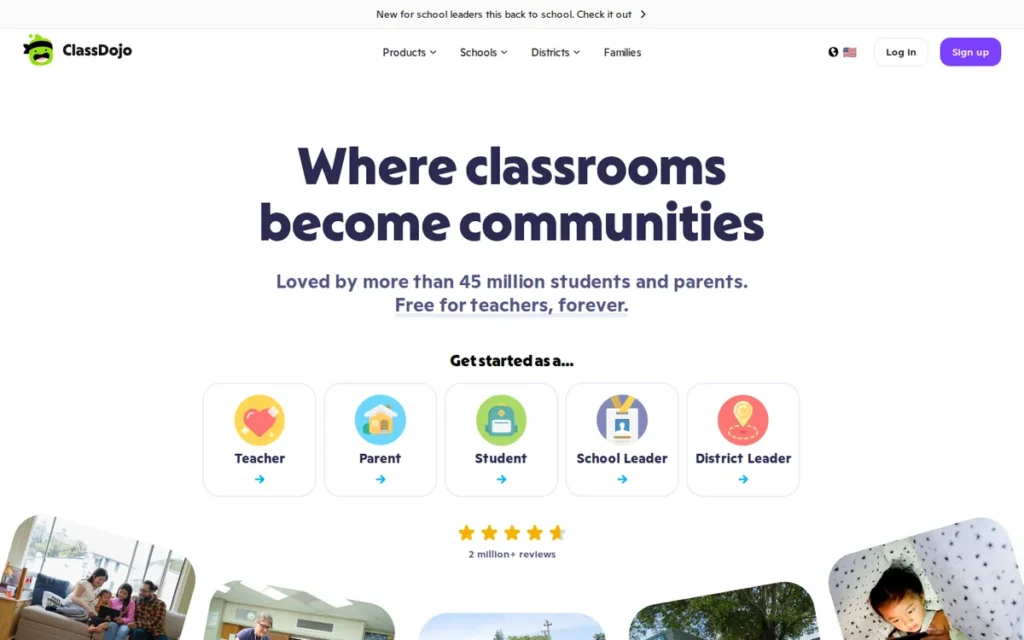
Category: Classroom Community and Portfolio App, a tool that shares classroom life and student work with families alongside messaging.
At a Glance
- Category: Classroom Community and Portfolio App
- Best For: K–5 teachers who want free messaging, class photo stories and behavior tracking in one app
- Price Range: $0 for teachers, schools and districts; optional ClassDojo Plus family subscription, priced only in the app (ClassDojo, 2026)
- Primary Strength: ClassDojo gives teachers, schools and districts messaging, class stories and portfolios at no cost and holds a 2025 Common Sense Privacy Seal.
- Biggest Limitation: PlugRoute couldn’t verify that ClassDojo delivers teacher messages by SMS or offers admin monitoring, and its behavior points and parent upsells draw criticism.
- One-Line Summary: ClassDojo is a free elementary classroom community app that combines family messaging, photo and video class stories, portfolios and behavior feedback points.
- Last Verified: November 2026
Overview
ClassDojo is a free classroom community app that combines teacher-family messaging, photo and video Class Story updates, student portfolios and behavior Feedback Points. It is built mainly for K–5 teachers who want a no-cost way to share classroom life with families. ClassDojo says districts can adopt it with “no licenses, per-student charges, or procurement requirement” (ClassDojo, 2026).
ClassDojo ranks #4 at 3.6 out of 5 after checks in November 2026 confirmed translation in 130+ languages (vendor-stated). ClassDojo scored 5 on user ratings and pricing, but 3 on reach, translation and privacy/oversight.
Key Features
- ClassDojo lets teachers and families message each other without sharing personal phone numbers (ClassDojo, 2026).
- ClassDojo states that messages and posts can be translated into 130+ languages (ClassDojo, 2026). Vendor-stated.
- ClassDojo Class Story and School Story share photos, videos and announcements with connected families, and ClassDojo district tools send announcements by SMS, email and voice (ClassDojo, 2026).
- ClassDojo Portfolios let students share their work with families, and ClassDojo Feedback Points track behaviors such as teamwork and persistence through student avatars.
- ClassDojo deletes feedback points after one year and inactive student accounts after 12 months, according to its privacy policy (ClassDojo, 2026).
Best For
ClassDojo is best for elementary teachers who want one free app for messaging, photo updates and behavior tracking, as long as their school or district has approved it.
Strengths
- ClassDojo earned the Common Sense Privacy Seal in 2025 (Common Sense Privacy, 2025). Independently verified.
- ClassDojo has the largest review base in this comparison, with 4.8/5 from about 1.35 million Google Play reviews and 4.7/5 from 1,042 Capterra reviews (Google Play, 2026; Capterra, 2026). User-reported.
- ClassDojo states that it holds iKeepSafe COPPA Safe Harbor and FERPA certification and has signed the Student Privacy Pledge (ClassDojo, 2026). Vendor-stated.
- ClassDojo says teachers and families in “90% of U.S. schools” use it, though PlugRoute found no independent count (ClassDojo, 2026). Vendor-stated.
Limitations
ClassDojo’s free, playful design comes with privacy and teaching concerns, which is why some districts restrict it.
- Common Sense’s privacy report notes that ClassDojo parent and teacher data, though not student data, may be used for third-party advertising and tracking (Common Sense Privacy, 2025). Independently verified.
- One r/Teachers user reported that their district restricted ClassDojo for parent communication over privacy concerns but still allowed it for behavior tracking (r/Teachers, 2024). User-reported.
- Critics argue that ClassDojo’s visible behavior points can shame children, and Google Play users complain about clutter and ClassDojo Plus subscription prompts (Google Play, 2026). User-reported.
- PlugRoute’s research didn’t verify that ClassDojo delivers teacher direct messages by SMS, offers admin message monitoring or integrates with an SIS.
Users on r/Teachers noted:
“Love it for parent communication, but firmly against individual points, especially ones that can be taken away, and especially since they’re visible to the class. Last year I used it for parent contact and then set it up for group points, ONLY positive reinforcement not “you made a mistake, let’s shun you for it”.” Posted by u/littlebeebec
Takeaway: Teachers like ClassDojo’s parent messaging but say its public, removable behavior points have to be redesigned or avoided to keep from shaming students.
Verdict
ClassDojo is the strongest free classroom messaging app for elementary teachers who want messaging, photo stories and behavior tracking in one place, and it holds a 2025 Common Sense Privacy Seal.
Teachers should check district approval and photo policies before adopting ClassDojo. Schools that need families to receive translated texts without the app should confirm that ClassDojo supports this. Schools uneasy about public behavior points should weigh that debate.
5. SchoolStatus Connect (formerly ClassTag): Best for Documented, Attendance-Linked Outreach
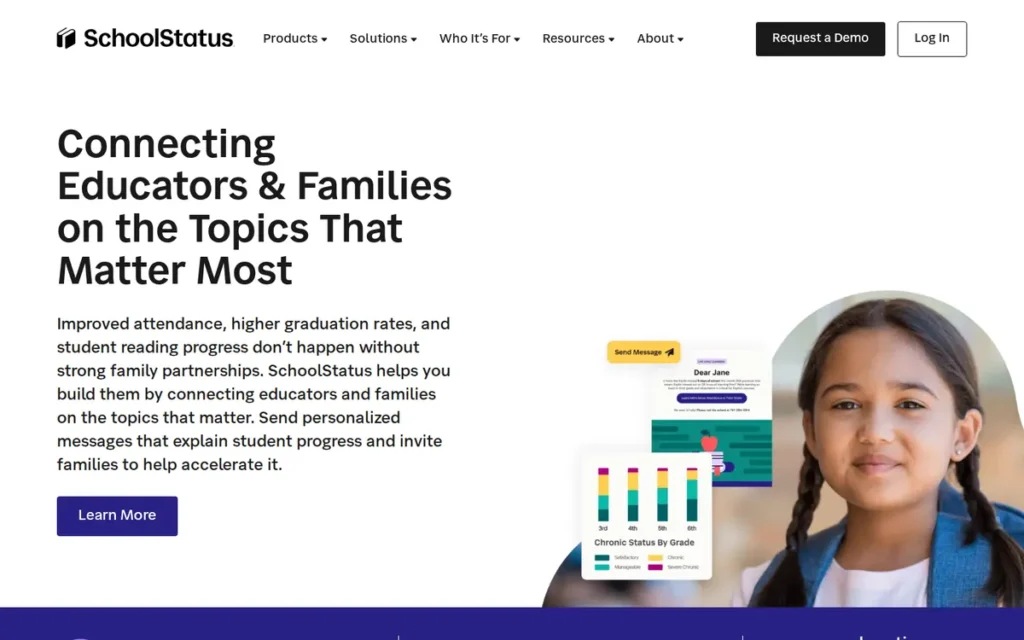
Category: Data-Linked Outreach Platform, a tool that logs family contacts next to student data for oversight and attendance work.
At a Glance
- Category: Data-Linked Outreach Platform
- Best For: Districts that need documented, auditable family outreach tied to attendance and SIS data
- Price Range: Quote-only (SchoolStatus, 2026); the app is listed as free on Google Play, but PlugRoute couldn’t verify a free teacher plan
- Primary Strength: SchoolStatus Connect states that it logs texts, calls and messages next to SIS data, with call recording and transcripts that administrators can review.
- Biggest Limitation: SchoolStatus Connect publishes no pricing and has the least B2B review evidence in this comparison.
- One-Line Summary: SchoolStatus Connect is a district-managed family communication tool that records, transcribes and logs teacher outreach next to student attendance, grade and behavior data.
- Last Verified: November 2026
Overview
SchoolStatus Connect (formerly ClassTag) is a district-managed teacher-family communication tool that reaches families by app, email, SMS and phone and logs contacts next to SIS data. It is built for districts that need auditable outreach focused on attendance. SchoolStatus acquired ClassTag in August 2023 (SchoolStatus, 2023).
SchoolStatus Connect ranks #5 at 3.2 out of 5. SchoolStatus Connect trails ClassDojo mainly on user ratings (2 vs. 5) and pricing (1 vs. 5), and leads on reach and oversight. It scored 4 on reach because PlugRoute found no documented contactability or read-receipt reporting.
Key Features
- SchoolStatus Connect lets teachers reach families by app, email, SMS and phone, with translation listed as 100+ languages on Google Play and 130+ on the SchoolStatus site (Google Play, 2026; SchoolStatus, 2026).
- SchoolStatus Connect gives teachers district-managed virtual phone numbers, so teachers don’t share personal numbers.
- SchoolStatus Connect records and transcribes calls and keeps communication in a searchable log next to attendance, grade and behavior data (SchoolStatus, 2026). Vendor-stated.
- SchoolStatus Connect lets administrators review teacher-family communication logs.
- SchoolStatus Connect includes classroom tools for conference and event scheduling, flyers, volunteer requests and newsletters.
Best For
SchoolStatus Connect is best for district administrators who must document family outreach, for example for chronic-absenteeism interventions, and who care more about oversight than about a free tool teachers can adopt on their own.
Strengths
- SchoolStatus reports that chronic absenteeism at Corsicana ISD (TX) fell from 19.7% to 10.7% in one year and high school attendance rose from 92.3% to 94.4%. SchoolStatus credits these results to its separate Attend product (SchoolStatus, 2026). Vendor-stated.
- SchoolStatus Connect holds 4.8/5 from about 7,280 Google Play reviews, and G2 reviewers praise its ease of use and translation (Google Play, 2026; G2, 2026). User-reported.
- Based on vendor product pages, PlugRoute judges that SchoolStatus Connect has the most detailed documentation model of the seven tools, with call recording, transcripts and SIS-linked logs (SchoolStatus, 2026). Vendor-stated.
- SchoolStatus reported serving more than 22 million students across all 50 states when it acquired ClassTag (SchoolStatus, 2023). Vendor-stated.
A teacher on r/Teachers described switching to the legacy ClassTag product:
“I too love it for communication but not for points, my littles need tangible rewards.
But for those of you who like the communication features and don’t use the points, I switched to ClassTag this year and I REALLY like it a lot.” Posted by u/UltraVioletKindaLove
Takeaway: Teachers who only wanted messaging from ClassDojo found legacy ClassTag, now SchoolStatus Connect, to be a strong communication-only alternative.
Limitations
SchoolStatus Connect gives up teacher independence and pricing clarity in exchange for district control, and PlugRoute couldn’t verify that teachers can adopt it for free.
- SchoolStatus Connect has little B2B review evidence. Legacy ClassTag holds 3.9/5 from only 10 Capterra reviews, and G2 returned no rating (Capterra, 2026). User-reported.
- SchoolStatus Connect G2 reviewers report inaccurate automatic translations and contacts that don’t appear until the app restarts (G2, 2026). User-reported.
- SchoolStatus Connect G2 reviewers also report missed-call alerts and teachers who can’t update contact details themselves (G2, 2026). User-reported.
- SchoolStatus Connect’s published outcome results come from the separate Attend product, and the ClassTag rebrand adds uncertainty during the transition.
Verdict
SchoolStatus Connect keeps the most auditable family-communication record in this review, according to vendor documentation of call recording, transcripts and SIS-linked logs.
SchoolStatus Connect suits districts focused on documented outreach and attendance. Buyers should request a full SchoolStatus quote and confirm whether teachers can use it for free. Pilots should test translation accuracy in the district’s most common home languages.
6. Seesaw: Best for Elementary Student-Work Portfolios
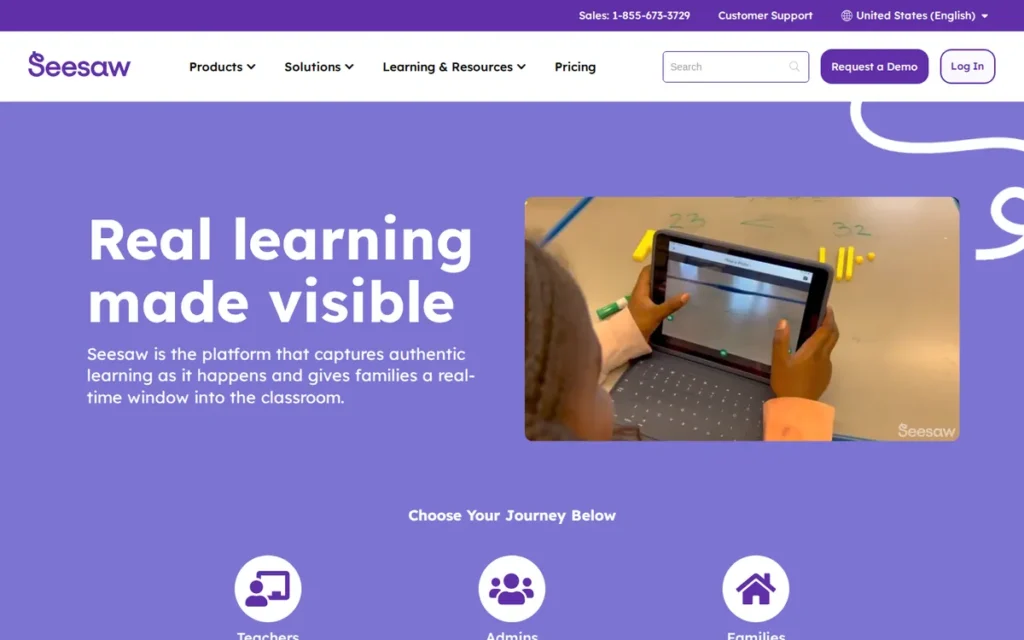
Category: Classroom Community and Portfolio App, a tool that shares classroom life and student work with families alongside messaging.
At a Glance
- Category: Classroom Community and Portfolio App
- Best For: Elementary schools that want families to see student learning, not just announcements
- Price Range: Free Starter plan (1 class, 35 students); Seesaw for Schools from $2,500 per school (Seesaw, 2026)
- Primary Strength: Seesaw ties family messaging to student-created portfolios and translates messages, comments and captions in 100+ languages.
- Biggest Limitation: Seesaw doesn’t send SMS, and since June 30, 2026, its free Starter plan has been limited to one class and 35 students.
- One-Line Summary: Seesaw is an elementary learning-portfolio platform with built-in family messaging and translation in 100+ languages, sold to schools from $2,500 per school.
- Last Verified: November 2026
Overview
Seesaw is an elementary learning platform built around student-created photo, video and voice portfolios, with family messaging and translation in 100+ languages included. It is designed for PreK–5 teachers and schools that want families to see and discuss student work. Seesaw sells licenses to schools and districts, not to individual teachers (Seesaw, 2026).
Seesaw ranks #6 at 3.0 out of 5, with its best marks on translation and user ratings. Seesaw scored 2 on family reach because it has no SMS. It scored 2 on privacy/oversight because PlugRoute couldn’t verify its admin monitoring or rostering.
Key Features
- Seesaw lets students build portfolios of photo, video and voice work that families can view and comment on.
- Seesaw translates messages, announcements, comments and captions in 100+ languages and shows senders when a message was translated (Seesaw, 2026).
- Seesaw puts family messaging and announcements in the same app teachers use for classwork.
- Seesaw offers a standards-aligned PreK–5 supplemental curriculum (Seesaw, 2026).
- Seesaw Starter allows 1 active class, 1 teacher, 35 students and 35 saved activities. Existing classes, student work and family connections stayed accessible after the June 30, 2026 changes (Seesaw, 2026).
Best For
Seesaw is best for elementary schools and K–5 teachers who want family communication tied to student learning. Seesaw is a poor fit for teachers who mainly need SMS outreach.
Strengths
- Seesaw holds 4.8/5 from about 100,000 Apple App Store ratings and 4.7/5 from 89 Capterra reviews, with praise for ease of use and for sharing student work (Apple App Store, 2026; Capterra, 2026). User-reported.
- Seesaw reports ESSA Tier III validation from LearnPlatform and CODiE awards for Best Education Platform (2025) and Best AI Solution for Education (2026) (Seesaw, 2026). Vendor-stated.
- Seesaw shows senders when a message has been translated. PlugRoute didn’t find this feature documented for the other six tools (Seesaw, 2026). Vendor-stated.
- A 2020 report, which may now be out of date, said Seesaw was used in “more than three-quarters of U.S. schools,” including Dallas and Los Angeles (Denver Post, 2020). Independently verified.
Limitations
Seesaw gives up messaging reach in exchange for learning depth, because it doesn’t send SMS to families who won’t install the app.
- Since June 30, 2026, Seesaw’s free Starter limit of 1 class and 35 students rules out specialists and teachers with several sections (Seesaw, 2026).
- A long-time teacher wrote in an App Store review that a recent Seesaw update made messaging harder to navigate and “parents struggled to reply” (Apple App Store, 2026). User-reported.
- Seesaw holds 4.4/5 from 48 G2 reviews, and its Google Play figures conflict: 4.0 from 25,900 reviews in one listing and 4.1 from 18,700 in another (G2, 2026; Google Play, 2026). User-reported.
- PlugRoute’s research didn’t verify Seesaw’s admin message monitoring, Clever and ClassLink rostering, or Common Sense Privacy rating, and Seesaw’s Tier III ESSA rating is vendor-reported.
Verdict
Seesaw is the strongest option in this review for elementary schools that want family conversations built around student-created portfolios.
Schools can buy Seesaw starting at $2,500 per school. Seesaw shouldn’t be the only channel for families who rely on texts. Teachers with a single class can still use the limited free Seesaw Starter plan.
7. Remind: Best for Free Secondary Teacher Texting
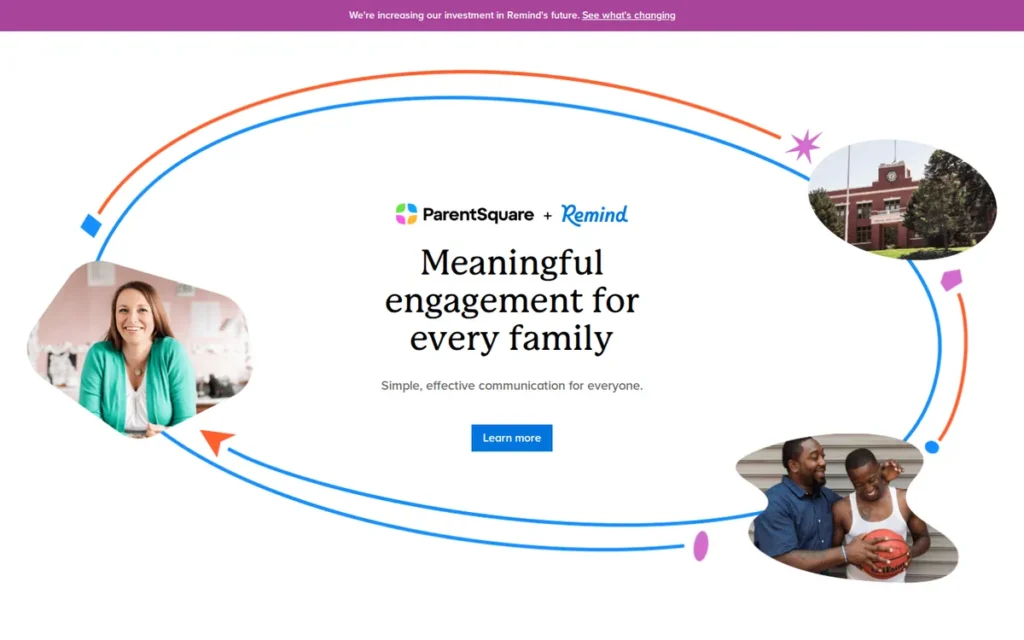
Category: Text-First Messenger, a tool that sends class messages families can read and answer by text, without needing an app.
At a Glance
- Category: Text-First Messenger
- Best For: Individual secondary teachers who need free, simple class texting with students and families
- Price Range: Remind Chat is free; Remind Hub has custom pricing and is closed to new K–12 customers (Remind, 2026)
- Primary Strength: Remind Chat gives teachers free class messaging by SMS, app and email, with logged conversations and private phone numbers.
- Biggest Limitation: Remind Hub no longer accepts new K–12 customers, Hub rostering through Clever, ClassLink or SFTP ends in September 2027, and translated SMS requires Hub.
- One-Line Summary: Remind is a free teacher texting tool, owned by ParentSquare since 2023, whose district product Hub is closed to new K–12 customers.
- Last Verified: November 2026
Overview
Remind is a free class messaging tool. Its Remind Chat plan lets verified K–12 teachers send announcements and hold two-way conversations with students and families by text, app or email. Remind is best for individual secondary teachers who need simple, logged texting. Brett and David Kopf founded Remind in 2011, and it joined ParentSquare in 2023 (Remind, 2026).
Remind ranks #7 at 2.5 out of 5. The low Remind score reflects documented structural changes, not how well Remind handles its core job of texting.
Key Features
- Remind Chat is free for teachers and supports up to 10 classes per account and 150 participants per class (Remind, 2026).
- Remind delivers messages by SMS, app or email, but SMS on the free Chat plan is limited to verified K–12 teachers (Remind, 2026).
- Remind translates messages into 90+ languages using Google Translate, but translated SMS requires the sender’s organization to have Hub (Remind, 2026).
- Remind logs conversations and keeps teachers’ personal phone numbers private.
- Remind Hub supports up to 100 classes, 5,000 participants per class and two-way text with attachments (Remind, 2026).
Best For
Remind is best for individual middle and high school teachers who want free, quick texting and don’t need translated SMS. Remind isn’t an option for districts signing new K–12 contracts.
Strengths
- Remind holds 4.8/5 from 1.8 million Apple App Store ratings, one of the largest user bases in K–12 messaging (Apple App Store, 2026). User-reported.
- Remind Chat remains “always free” for teachers, with up to 10 classes and 150 participants per class (Remind, 2026). Vendor-stated.
- Remind holds 4.5/5 from 35 Capterra reviews, and one reviewer called it “easy to understand, fast, efficient” (Capterra, 2026). User-reported.
- r/Teachers users valued Remind’s conversation logs for record-keeping and legal protection (r/Teachers, 2018). User-reported.
This aligns with community sentiment on r/teaching:
“You could try “remind 101” it’s a student teacher texting app. It’ll keep your number private, while still allowing messages back and forth between you both” Posted by u/poeticwasteland
Takeaway: Teachers have long recommended Remind as a way to text students two ways without giving out a personal phone number.
Limitations
Remind offers free simplicity but no long-term district future. Remind Hub is closed to new K–12 customers, and Remind directs new K–12 schools to ParentSquare (Remind, 2026).
- Current Remind Hub customers that roster through Clever, ClassLink or SFTP can use Hub until September 2027, and customers without automated rostering can continue unchanged (Remind, 2026). Vendor-stated.
- Taunton Public Schools has already moved from Remind Hub to ParentSquare, which owns Remind and ranks #2 in this PlugRoute review (ParentSquare, 2026). Vendor-stated.
- Remind’s free plan doesn’t offer translated SMS, and a Capterra reviewer criticized an SMS change because their audience “relied on texts” (Capterra, 2026). User-reported.
- Remind has no G2 reviews and no confirmed Student Privacy Pledge status. One user reported, without verification, that Florida privacy laws ban Remind (r/Teachers, 2024). User-reported.
Verdict
Remind is still a free, simple class-texting tool for individual secondary teachers, but Remind isn’t an option for new district contracts because Remind Hub is closed to new K–12 customers.
Teachers can keep using Remind Chat to text students. Multilingual family outreach needs a tool with translated SMS on the plan in use. Districts on Remind Hub with automated rostering should plan a migration before September 2027.
What Does Free Classroom Messaging Software Actually Include in 2026?
Several free classroom messaging plans include less in 2026 than before, especially Seesaw Starter and Remind’s SMS. ClassDojo’s core product is still $0 for teachers, schools and districts, and TalkingPoints and Remind Chat are still free for individual teachers. The table below shows each tool’s free plan, its limits and its paid path.
| Tool | Free Plan | Key Free-Plan Limits | Paid Path | Pricing Transparency |
|---|---|---|---|---|
| TalkingPoints | Free for individual teachers | Free-plan family SMS indicated only by third-party sources | School and district plans, quote-only | Quote-only |
| ParentSquare | No free version confirmed | Not applicable | About $3,000/year for up to 600 students plus onboarding (Capterra, 2026) | Partly published (third-party listing) |
| Bloomz | Free teacher app | Teacher Premium price unconfirmed | Essentials $3, Premium $5, Complete $7 (SIS write-back), Bloomz 360 $11 per student per year | Published |
| ClassDojo | Core product $0 for teachers, schools and districts | SMS for teacher direct messages unconfirmed; Plus upsell prompts for families | ClassDojo Plus family subscription (price shown in app); DojoTutor sold separately | In-app only (Plus) |
| SchoolStatus Connect | App listed as free on Google Play | Free teacher plan not verified | Quote-only | Quote-only |
| Seesaw Starter | Free | 1 class, 1 teacher, 35 students, 35 saved activities, 5 media items per post (since June 30, 2026) | Seesaw for Schools from $2,500 per school | Published (starting price) |
| Remind Chat | “Always free” | 10 classes, 150 participants per class; SMS only for verified K–12 teachers; no translated SMS | Hub, custom pricing, closed to new K–12 customers | Quote-only (Hub) |
Which Classroom Messaging Tools Work Best for Multilingual Families?
TalkingPoints scores highest for multilingual families in PlugRoute’s review. It offers two-way human-plus-AI translation in 150+ languages and lets families reply by text (TalkingPoints, 2026; Vendor-stated). Every other tool reviewed also translates, but language counts and SMS access differ by plan. PlugRoute didn’t test translation quality, so pilot in your families’ languages.
A language count tells you what a tool can translate. It doesn’t tell you whether a translated message reaches a family without the app on the plan you buy.
- TalkingPoints states 150+ languages, and G2 lists 145 home languages (TalkingPoints, 2026; G2, 2026).
- Bloomz states 250+ languages for text channels and about 49 for voice calls (Bloomz, 2026).
- ClassDojo states 130+ languages for messages and posts (ClassDojo, 2026).
- SchoolStatus Connect lists 100+ languages on Google Play and 130+ on its own site (Google Play, 2026; SchoolStatus, 2026).
- Seesaw states 100+ languages and shows senders when a message was translated (Seesaw, 2026).
- Remind translates into 90+ languages through Google Translate, but translated SMS requires Hub (Remind, 2026).
- ParentSquare doesn’t state a language count, though its case studies cite 33 to 60+ languages (ParentSquare, 2026).
Here is a concrete example. A Spanish-speaking parent without the Remind app who gets a text sent from Remind’s free Chat plan would likely receive it untranslated, because translated SMS requires Hub (Remind, 2026).
About 5.3 million U.S. public-school students, or 10.6%, were English learners in fall 2021, and Spanish speakers made up 76.4% of that group (NCES, 2021).
As one user on r/Teachers described:
“At my old job our student body was around 50% hispanic with many parents who did not speak English and our admin still insisted on phone calls from gen. ed. teachers. I was lucky in speaking Spanish but I cannot imagine how a phone call is more positive than an email when neither party understands what’s going on.” Posted by u/Eclectique1
Takeaway: When schools rely on untranslated phone calls, conversations with families who don’t speak English break down, which is why written two-way translation matters so much in classroom messaging tools.
The legal background for language access changed recently:
- The U.S. Department of Education rescinded the 2015 DOJ/ED guidance on communicating with parents with limited English in 2025 (Federal Register, 2026).
- A joint DOJ–ED notice published October 23, 2026, states that the guidance is no longer enforceable (Federal Register, 2026).
- Title VI of the Civil Rights Act and the Equal Educational Opportunities Act still apply to schools.
- This summary isn’t legal advice, so districts should check state law with counsel.
Which Plans Include SMS and Translation for Each Tool?
| Tool | Delivery Channels | Family Replies Without App | Stated Languages | Translated SMS on Free/Base Plan | Documented Accuracy Issues |
|---|---|---|---|---|---|
| TalkingPoints | Text, web, app | Yes (text, web) | 150+ (G2 lists 145) | Free-plan SMS indicated by third-party sources only | Yes: Korean errors, shortened messages, translations sent to families who read English |
| ParentSquare | App, text, voice, email | Not confirmed in sources; group two-way texting being added | Not stated (case studies cite 33–60+) | No free plan | None documented in sources |
| Bloomz | App, push, email, text | Yes, no app or login (vendor-stated) | 250+ text channels; about 49 voice (older listing says 80) | Not specified by plan | None documented in sources |
| ClassDojo | App; district tools send SMS, email and voice announcements | Not verified | 130+ (vendor-stated) | Unconfirmed | None documented in sources |
| SchoolStatus Connect | App, email, SMS, phone | SMS and phone through district numbers | 100+ vs. 130+ (conflicting) | Quote-only plans | Yes: inaccurate auto-translations (G2) |
| Seesaw | App | No SMS | 100+, with a note shown to the sender | No SMS | Messaging navigation complaints |
| Remind | SMS, app, email | Yes, by SMS (free SMS limited to verified K–12 teachers) | 90+ via Google Translate | No; requires Hub | None documented in sources |
What Red Flags Should I Watch For When Evaluating Classroom Messaging Software?
The biggest red flags in classroom messaging software are product sunsets, translated texts locked behind paid plans, quote-only pricing with add-on modules, and vendor case studies presented as proof. PlugRoute identified the nine red flags below and applies each one to every vendor, not just one.
Red Flag #1: Product Sunset or Forced Migration A tool that is acquired or retired can strand a district in the middle of a contract. Remind Hub is closed to new K–12 customers, and Hub rostering through Clever, ClassLink or SFTP ends in September 2027 (Remind, 2026).
Red Flag #2: Translated Texts Behind a Paywall A language count doesn’t guarantee translated texts on your plan. Remind’s translated SMS requires Hub (Remind, 2026), so check which plan unlocks translated messages for families without the app.
Red Flag #3: Conflicting Language Counts When one vendor gives different counts, the claim may not have been checked. SchoolStatus lists 100+ languages on Google Play and 130+ on its site, and an older Bloomz Google Play listing says 80 while Bloomz’s site states 250+ (Google Play, 2026; SchoolStatus, 2026; Bloomz, 2026).
Red Flag #4: Quote-Only Pricing With Add-On Modules Quote-only pricing makes total costs hard to compare. Capterra reviewers report that ParentSquare’s add-on modules can “add thousands of dollars per year” (Capterra, 2026), and Bloomz quotes also vary by module (Bloomz, 2026).
Red Flag #5: SIS Write-Back Gated to Higher Tiers A connector that only reads SIS data can still leave staff entering data by hand. Bloomz offers SIS write-back only on its $7+ Complete tier (Bloomz, 2026), so confirm the sync direction on every vendor’s plan.
Red Flag #6: Vendor Case Studies Presented as Proof Of seven classroom messaging tools reviewed in 2026, only one, TalkingPoints, has an outcome rating from an independent clearinghouse, and its measured math effect is small, +0.08 (Evidence for ESSA, 2026). SchoolStatus credits its attendance results to a different product, Attend.
Red Flag #7: Parent or Teacher Data Used for Ads Strong student privacy protections don’t always cover adults. Common Sense Privacy found that ClassDojo parent and teacher data may be used for third-party advertising (Common Sense Privacy, 2025), so read how each vendor treats adult data.
Red Flag #8: In-App Browsers That Bypass Student Web Filters A family app that runs as an embedded browser may get around district filters. A sysadmin reported this problem with ParentSquare on Chromebooks (r/k12sysadmin, 2025), so IT should test every candidate on student devices.
Red Flag #9: Teacher Workarounds Using Personal Numbers Teachers who text from personal or Google Voice numbers create gaps in privacy and record-keeping. One r/Teachers user wrote, “I have a Google voice that I use to text and call parents” (r/Teachers, 2024), which suggests the approved tool isn’t meeting their needs.
What Questions Should I Ask Before Choosing Classroom Messaging Software?
The most important questions to ask before choosing classroom messaging software are whether families can reply by text without an app on your plan, which plan includes translated SMS, and whether the SIS sync writes data back. Also ask for the full itemized cost and what happens to your contract if the product is acquired or retired.
Question #1: Can families reply by text without an app or login on the plan we would buy? Ask the vendor to confirm in writing that families can reply by text without an app or login on the exact plan you would buy. Free and paid tiers often differ. For example, Remind’s free Chat plan limits SMS to verified K–12 teachers and excludes translated SMS (Remind, 2026).
Question #2: Which plan includes translated SMS, and is translation human, machine or both? Ask which plan sends translated messages by SMS and whether translation is human, machine or both. Request the language count in writing and confirm that translation works in both directions. Seesaw, for example, shows senders when a message was translated (Seesaw, 2026), which helps staff catch errors.
Question #3: Which SIS and rostering connectors are supported, and is the sync read-only or write-back? Ask the vendor to name each supported connector, such as PowerSchool, Clever, ClassLink or OneRoster, and the tier each one requires. Then ask whether the sync is read-only or writes updated contact details back to the SIS, because read-only sync can leave staff fixing records by hand.
Question #4: What can administrators see, log and review? Ask whether the tool has message logs, call records, contactability reports or monitoring dashboards, and confirm them in a live demo rather than in marketing materials. Reach reporting matters. Dover Area School District says its contactability rose from about 70% to 100% after it began verifying contacts (ParentSquare, 2026; Vendor-stated).
Question #5: What independent privacy rating or certification exists? Give more weight to independent ratings, such as a Common Sense Privacy evaluation, than to compliance claims the vendor makes about itself. Ask how the vendor uses parent and teacher data, not only student data, because strong student protections don’t always cover adults (Common Sense Privacy, 2025).
Question #6: What is the total cost, including onboarding and add-on modules? Ask for an itemized quote that covers the full contract term, including onboarding fees, per-feature charges and annual minimums. Then ask whether pricing is locked for the term. Comparing only starting prices can hide thousands of dollars a year in add-on modules (Capterra, 2026).
Question #7: What happens to our data and contract if the product is acquired or retired? Ask for contract language on data export, notice periods and migration support before signing. Two of the seven tools in this review changed owners in 2023, when ParentSquare acquired Remind’s K–12 business and SchoolStatus acquired ClassTag (ParentSquare, 2023; SchoolStatus, 2023).
Question #8: Can we pilot with our main home languages before signing? Ask for a pilot with real families in your main home languages before signing. Native-speaking staff should check translations in both directions, because PlugRoute didn’t test translation quality for any tool. The pilot should also cover notification behavior and how the vendor communicates during an outage.
Pilot Checklist
- Send one translated text to five families in each of your top home languages, and ask a native-speaking staff member to check each reply.
- Test a notification that links into the app on both iOS and Android devices.
- Ask IT to test the family app on a filtered student Chromebook.
- Confirm the export format for message logs before the pilot ends.
How Did We Rank These Classroom Messaging Tools?
PlugRoute scored all seven products from 1 (weak or unverified) to 5 (strongest verified evidence) on six published criteria. Four primary criteria carry 20% weight each: family reach, translation, verified user ratings, and privacy/oversight/SIS integration. Two secondary criteria carry 10% each: pricing transparency, and independent evidence with vendor stability.
Primary criteria (20% each):
- C1 Family Reach and Delivery Channels matters because families without apps or Wi-Fi can be reached only through SMS, voice or email. A score of 5 requires verified no-app replies and reach reporting.
- C2 Two-Way Translation and Language Access matters because language barriers block real conversations with parents who don’t speak English.
- C3 Verified User Ratings (Volume-Adjusted) matters because teachers and families use these tools every day, and large review samples show real-world usability.
- C5 Privacy, Admin Oversight and SIS Integration matters because district privacy reviews can override teacher choice, and missing integrations create manual data entry.
Secondary criteria (10% each):
- C4 Pricing Transparency and Free-Tier Value matters because buyers can’t compare costs when pricing is quote-only or free tiers are shrinking.
- C6 Independent Outcome Evidence and Vendor Stability matters because consolidation and product sunsets create migration risk.
| Product | C1 Reach | C2 Translation | C3 Ratings | C4 Pricing | C5 Privacy/SIS | C6 Evidence | Primary Sum | Weighted Total |
|---|---|---|---|---|---|---|---|---|
| TalkingPoints | 4 | 5 | 5 | 3 | 4 | 5 | 18 | 4.4 |
| ParentSquare | 4 | 4 | 4 | 2 | 5 | 3 | 17 | 3.9 |
| Bloomz | 5 | 4 | 3 | 5 | 4 | 2 | 16 | 3.9 |
| ClassDojo | 3 | 3 | 5 | 5 | 3 | 3 | 14 | 3.6 |
| SchoolStatus Connect | 4 | 3 | 2 | 1 | 5 | 3 | 14 | 3.2 |
| Seesaw | 2 | 4 | 4 | 3 | 2 | 3 | 12 | 3.0 |
| Remind | 3 | 2 | 3 | 4 | 2 | 1 | 10 | 2.5 |
When totals tie, the product with the higher primary-criteria sum ranks higher. That rule places ParentSquare (17) ahead of Bloomz (16).
Rescore note (November 2026):
- ClassDojo’s translation score rose from 2 to 3 after its help center confirmed 130+ languages (ClassDojo, 2026), raising its total from 3.4 to 3.6.
- Bloomz’s translation score rose from 3 to 4 after its site confirmed 250+ text-channel languages (Bloomz, 2026), raising its total from 3.7 to 3.9.
- ParentSquare’s reach score fell from 5 to 4 because no-app family replies weren’t confirmed, lowering its total from 4.1 to 3.9.
- SchoolStatus Connect’s reach score fell from 5 to 4 because PlugRoute found no documented reach reporting, lowering its total from 3.4 to 3.2.
- The ranking order changed at #4 and #5. TalkingPoints’ reach score stayed at 4 because only secondary sources confirm free-plan SMS.
Evidence labels and limits:
- Independently verified claims come from third parties such as Evidence for ESSA, Common Sense Privacy or press reports.
- User-reported claims come from G2, Capterra, app stores and Reddit.
- Vendor-stated claims come from company websites, case studies and press releases.
- PlugRoute did not hands-on test translation quality, translated two-way SMS, reply rates or notification behavior.
Open data conflicts:
- SchoolStatus Connect’s language count (100+ vs. 130+) is unresolved.
- The ClassDojo Plus price appears only in the app, and SMS delivery of ClassDojo teacher direct messages is unconfirmed.
- TalkingPoints free-plan SMS is confirmed only by secondary sources.
- PlugRoute didn’t verify Seesaw’s rostering or admin monitoring.
- Reddit evidence is thin and mostly from 2018–2025, and PlugRoute found no Reddit discussion specific to Bloomz, TalkingPoints or SchoolStatus Connect.
Scope notes:
- PlugRoute excluded SchoolMessenger (mainly a mass-alert tool), brightwheel (early childhood) and Konstella (PTA-focused).
- ParentSquare has owned Remind’s K–12 business since 2023.
- PlugRoute recalculates scores when new evidence confirms features that are currently unverified.
PlugRoute has no affiliate relationships with any company listed, and rankings are determined entirely by research data and objective evaluation criteria.
What Do Teachers Most Often Ask About Classroom Messaging Software?
The three questions below answer what teachers and administrators most often ask about classroom messaging software in 2026. They cover free options, Remind’s status for districts and how PlugRoute ranks tools. Each answer starts with a direct response and cites a dated source where one exists, so it can be read on its own.
What is the best free classroom messaging software for teachers in 2026?
ClassDojo is the strongest free option for elementary teachers, and TalkingPoints is the strongest free option for teachers with multilingual families. ClassDojo’s core product costs $0 for teachers, schools and districts (ClassDojo, 2026). TalkingPoints is free for individual teachers, but confirm that family SMS is included. Seesaw Starter has been limited to one class since June 30, 2026.
Is Remind still a good choice for school districts?
Remind isn’t an option for new district contracts, because Remind Hub is closed to new K–12 customers (Remind, 2026). Current K–12 Hub customers that roster through Clever, ClassLink or SFTP lose rostering in September 2027, and customers without automated rostering can continue unchanged. Remind Chat stays free for individual teachers, but translated SMS requires Hub.
How does PlugRoute determine rankings?
PlugRoute ranks classroom messaging software on six published criteria scored from 1 to 5. Four primary criteria carry 20% weight each, and two secondary criteria carry 10% each. Every claim is labeled independently verified, user-reported or vendor-stated, with a year. Unconfirmed features score as unverified, and scores are recalculated when new evidence confirms them.
What Do Key Classroom Messaging Terms Mean?
Classroom messaging software uses a handful of terms that decide whether a tool fits your families and systems. The most important are SMS, two-way translation, contactability, rostering and SIS write-back. The definitions below explain each one in plain language so you can compare vendor claims accurately.
SMS (Short Message Service): Standard text messaging that works on almost any phone without an app or data plan. SMS matters because it reaches families who won’t install apps or have limited Wi-Fi.
Two-Way Translation: Translation that converts the teacher’s message into the family’s language and the family’s reply back into the teacher’s language. Without both directions, families can read messages but can’t easily respond.
Machine Translation: Translation done by software instead of a person. Machine translation is fast and cheap but can make mistakes, so buyers should test it in their most common home languages.
Contactability: The share of families a school can actually reach through at least one working channel. Contactability reports help administrators find and fix missing or outdated contact information.
Student Information System (SIS): The district database of record for student enrollment, attendance, grades and family contacts. A messaging tool that connects to the SIS avoids duplicate data entry.
Rostering: The automatic creation of classes, students and family contacts from district data. Automated rostering keeps class lists current without teachers adding families by hand.
OneRoster: An open data standard for exchanging class and enrollment data between education systems. OneRoster support can make integrations simpler and reduce dependence on a single vendor.
SIS Write-Back: A sync that sends data from the messaging tool back into the SIS, such as updated contact details. Read-only sync can leave staff fixing records by hand, so ask which tier includes write-back.
Single Sign-On (SSO): One login that gives users access to several approved systems. SSO cuts down on password problems for staff and helps IT control who has access.
FERPA: The Family Educational Rights and Privacy Act, the U.S. federal law that protects student education records. Vendors handling student data should explain how their practices support FERPA compliance.
COPPA: The Children’s Online Privacy Protection Act, the U.S. federal law that limits how online services collect data from children under 13. COPPA matters for any tool that students in younger grades use directly.
ESSA Evidence Tiers: The four levels of evidence defined under the Every Student Succeeds Act, from Tier 1 (strong) to Tier 4 (demonstrates a rationale). A tier rating from a third party is more credible than one a vendor reports about itself.
Which Classroom Messaging Tool Is Right for You?
Key Insights
- TalkingPoints ranks #1 in PlugRoute’s 2026 review at 4.4 out of 5 and leads on translation, user ratings and independent evidence, though its measured math effect is small (+0.08).
- ParentSquare and Bloomz tie at 3.9 out of 5. ParentSquare leads on district-wide reach reporting, and Bloomz leads on published pricing.
- ClassDojo moved to #4 after checks in November 2026 confirmed that it translates into 130+ languages (vendor-stated).
- Several free classroom messaging plans got smaller in 2026, including Seesaw Starter’s one-class limit and Remind’s restrictions on translated SMS.
- Two of the seven tools in this review changed owners in 2023, so contract exit terms matter as much as features.
- PlugRoute didn’t hands-on test translation quality for any tool, so a pilot in your families’ own languages is essential.
Your best starting point depends on your role:
- A single elementary teacher can start with ClassDojo for free classroom community, or with Seesaw Starter if student portfolios matter more.
- A school whose main barrier is language can start with TalkingPoints on its free teacher plan.
- Schoolwide buyers comparing ParentSquare, Bloomz and SchoolStatus Connect should compare total quoted cost, including onboarding and add-on modules.
- Schoolwide buyers should also compare SIS sync direction, because read-only sync can leave manual data entry.
- Schoolwide buyers should confirm in a live demo what administrators can log and review.
Pilot any district-wide tool with real families before you sign a multi-year contract. For more help, read PlugRoute’s full scoring methodology or browse our other independent reviews of K–12 software.
We update this guide quarterly. Last updated: November 2026.