ClassDojo ranks #1 for free behavior tracking and family communication. NetSupport School scores highest among the screen-monitoring tools for self-hosted control across mixed devices, and LanSchool has the clearest published price. For Chromebook-first districts, GoGuardian Teacher has the strongest G2 rating. ClassDojo does not monitor screens, so choose by job and device fleet first.
Review-site rankings often put hundreds of products with different purposes on one list. Most vendors give prices only on request, and features change by operating system. That makes it hard to tell which tools actually see student screens, which only track behavior, and what a mixed-device district will really pay.
PlugRoute has no affiliate relationships with any company listed. Rankings are determined entirely by research data and objective evaluation criteria.
This guide ranks seven tools across four categories and publishes every criterion score. Each piece of evidence is labeled by source type and year, so buyers can check the reasoning before they build a shortlist.
What Are the 4 Categories of Classroom Management Tools?
Classroom management software falls into four categories: behavior and communication, cloud screen monitors, desktop-agent monitors and student-work visibility tools. Each category sees and controls different things. Buyers should compare tools only within the category that matches the job they need done, because a cross-category score comparison is misleading.
- Behavior & Communication: ClassDojo tracks student behavior and connects teachers with families, but ClassDojo does not monitor or control screens.
- Cloud Screen Monitor: GoGuardian Teacher, Lightspeed Classroom Management and Securly Classroom offer cloud-managed live screen viewing and focus controls, delivered mainly through the browser.
- Desktop-Agent Monitor: NetSupport School and LanSchool install software that sees and controls the full device screen, including desktop apps, and both offer self-hosted options.
- Student-Work Visibility: Hāpara shows teachers students’ Google Workspace files and guides browsing in Chrome and Edge.
Google Classroom and Schoology are learning management systems (LMS), not classroom management tools, so PlugRoute left them out of this ranking.
Mixing LMS platforms into classroom management lists is one of the main reasons “top-rated” rankings mislead buyers.
How Do the Top Classroom Management Tools Compare at a Glance?
ClassDojo leads on overall evidence. NetSupport School leads the screen-monitoring tools, and LanSchool has the only public store price. GoGuardian Teacher, Lightspeed Classroom Management and Securly Classroom are close together as cloud monitors for Chromebook districts, and Hāpara serves a narrower Google Workspace need. Each row below can be read on its own.
| Rank | Company | Category | Best For | One-Line Summary | Key Capabilities | Primary Strength | Key Limitation |
|---|---|---|---|---|---|---|---|
| 1 | ClassDojo | Behavior & Communication | K–8 behavior and family messaging | ClassDojo is a free behavior-tracking and family-communication platform with verified privacy certifications but no screen monitoring. | Behavior points, Class Story, portfolios, translated messaging; no device visibility | Verified privacy seals; Capterra 4.7/5 (1,042 reviews) | No device visibility or control |
| 2 | NetSupport School | Desktop-Agent Monitor | Self-hosted labs and mixed fleets | NetSupport School is a self-hosted desktop-agent suite with built-in testing, sold on subscription or perpetual license. | Full-desktop view and control, Testing Module, Student Journal, offline use | Capterra 4.8/5 (36 reviews); perpetual license | No public prices; complex setup |
| 3 | LanSchool | Desktop-Agent Monitor | Budget-conscious mixed fleets | LanSchool is Lenovo’s mixed-device tool, offered as self-hosted Classic or cloud Air, at about $7 per device per year. | Full-desktop view (Classic), thumbnails, app blocking, broadcasting, testing | Only public store price among monitors; one license covers Classic and Air | Ease of use 3.9/5; lag at scale; no remote takeover in Air |
| 4 | GoGuardian Teacher | Cloud Screen Monitor | Chromebook-first 1:1 districts | GoGuardian Teacher is a Chromebook-first screen monitor with strong teacher ratings and quote-only pricing. | Mainly browser activity; Scenes, tab locking, roster sync, chat | G2 4.7/5 (101 reviews) | Mainly browser-tab visibility on Windows and Mac (user-reported, 2022–2023) |
| 5 | Lightspeed Classroom Management | Cloud Screen Monitor | One-vendor filter-plus-classroom buyers | Lightspeed Classroom Management is a suite-based screen monitor with a public contract price of $1.92 per license. | Visibility scope undocumented; session recording, off-task flags, AI-activity view | Verifiable public contract price | Only 18 Capterra reviews |
| 6 | Securly Classroom | Cloud Screen Monitor | AI-chat oversight; Dyknow migrations | Securly Classroom is a safety-suite screen monitor that adds visibility into students’ AI-chat history. | Native Windows/macOS agents; screen locking, URL push, AI-chat history | Most explicit AI-chat visibility | No public pricing; no student iPad support |
| 7 | Hāpara | Student-Work Visibility | Google Workspace schools | Hāpara is a Google Workspace tool that shows teachers students’ Drive work and guides their browsing. | Chrome/Edge tabs plus Google Drive files; Teacher Dashboard, Highlights, Workspace | Visibility into unshared Google files | Only 4 Capterra reviews; Chrome and Edge only |
Which Classroom Management Tool Should I Choose for My #1 Priority?
Start with the single job you need done, then match it to the tool built for that job. The Quick Decision Framework below maps nine common priorities to a recommended tool, the reason and an acceptable alternative, so teachers, IT staff and procurement teams can draw up a shortlist without reading every entry first.
Quick Decision Framework
| Your #1 Priority | Recommended Tool | Why | Acceptable Alternative |
|---|---|---|---|
| Behavior and family communication | ClassDojo | Free, with verified privacy certifications | Your district’s approved communication platform |
| Self-hosted or offline control for a mixed fleet or lab | NetSupport School | Full-desktop agent, perpetual license option | LanSchool Classic |
| Tight budget, mixed fleet, Lenovo devices | LanSchool | Public price of about $7/device/year; free year with Lenovo devices | NetSupport School |
| Chromebook-first 1:1 with fast teacher setup | GoGuardian Teacher | Strongest G2 rating among monitors (4.7/5, 101 reviews); one-step Scenes | Lightspeed Classroom Management |
| One vendor for filter plus classroom | Lightspeed Classroom Management | $1.92/license in a public contract; full suite bundle | Securly Classroom |
| AI-chat oversight or Dyknow migration | Securly Classroom | AI-chat history; official Dyknow successor | Lightspeed Classroom Management |
| Visibility into student work in Google Drive | Hāpara | Only tool built around student files | GoGuardian Teacher (screen view only) |
| iPad-only classrooms | Apple Classroom + MDM (Also Consider) | iPad-native management through MDM | NetSupport School (iOS version) |
| Zero budget with IT capacity | Veyon (Also Consider) | Free, open source, self-hosted | LanSchool free version |
How to use this table:
- Screen-monitoring buyers should compare only NetSupport School, LanSchool, GoGuardian Teacher, Lightspeed Classroom Management and Securly Classroom, because ClassDojo’s #1 rank reflects evidence strength, not screen control.
- Many elementary schools pair ClassDojo for family communication with one screen-monitoring tool for 1:1 devices.
- Teachers should start with this table. IT staff should start with the mixed-fleet section and Questions #1, #2 and #6, and procurement staff should start with the cost section and Question #3.
What Are the 7 Best Classroom Management Software Tools in 2026?
PlugRoute ranks ClassDojo first on overall evidence and NetSupport School first among the screen-monitoring tools. LanSchool, GoGuardian Teacher, Lightspeed Classroom Management, Securly Classroom and Hāpara follow in that order. The top two are 0.10 points apart, and #4 and #5 tied before the tiebreak, so small changes in evidence could reorder those positions.
1. ClassDojo: Highest Overall Evidence Score, Best for Behavior and Family Communication
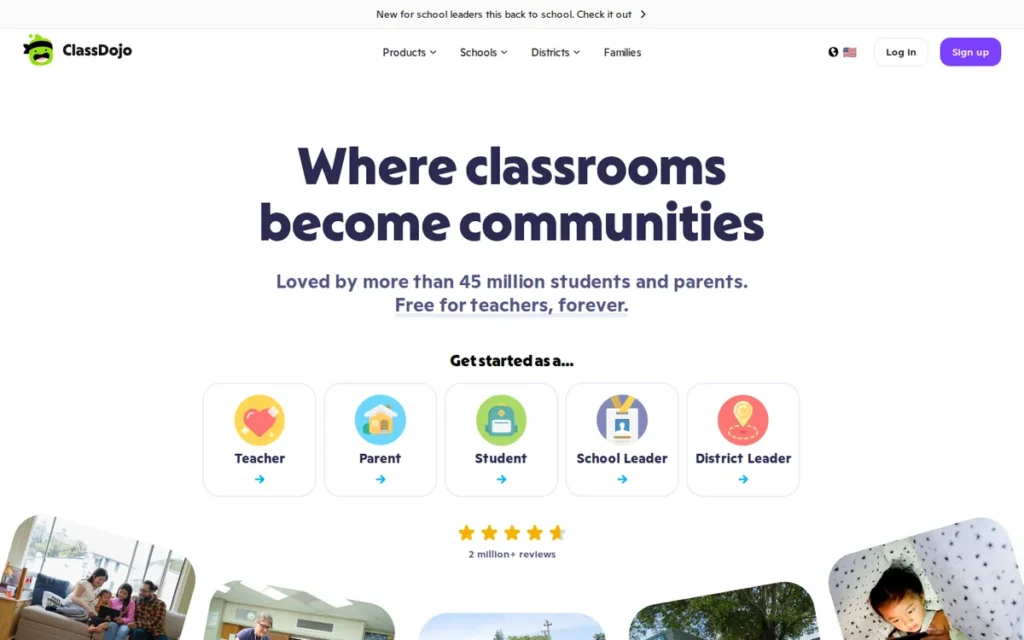
Category: Behavior & Communication. ClassDojo tracks student behavior and connects teachers with families. It does not monitor or control student screens.
At a Glance
- Category: Behavior & Communication
- Best For: K–8 teachers and schools that need behavior reinforcement, portfolios and multilingual family messaging at no cost
- Price Range: Free for teachers, schools and districts; optional family ClassDojo Plus reported at $4.99/month or $59.99/year (Contrary Research, accessed November 2026; third-party figure)
- Primary Strength: ClassDojo combines the largest review base in this evaluation (Capterra 4.7/5 from 1,042 reviews) with the only privacy certifications PlugRoute could independently verify among the seven products.
- Biggest Limitation: ClassDojo cannot see, lock or control student devices, so schools that need screen monitoring must buy a separate tool.
- One-Line Summary: ClassDojo is a free behavior-tracking and family-communication platform for K–8 classrooms that holds verified privacy certifications but offers no student screen monitoring.
- Last Verified: November 2026
Overview
ClassDojo is a free communication and behavior-reinforcement platform for K–8 teachers, schools and districts. It puts customizable behavior points, a Class Story feed, student portfolios and automatically translated family messaging in one app, and it does not monitor student devices.
ClassDojo’s district tools add attendance alerts, announcements across several channels, audit logs and content-safety scanning. ClassDojo is a cloud service that runs on any device, but ClassDojo sees neither browser tabs nor desktop apps.
Key Features
- ClassDojo lets teachers award customizable behavior points and share student progress with families in real time.
- ClassDojo translates messages and posts automatically, although ClassDojo’s own pages cite both 130+ and 190+ supported languages (ClassDojo, 2026).
- ClassDojo’s district tools include attendance alerts, announcements by app, text, email and voice, audit logs and content-safety scanning.
- ClassDojo includes “Big Ideas” social-emotional learning content that the company says it built with Stanford’s PERTS research center (ClassDojo, 2026; vendor-reported).
- ClassDojo offers optional AI drafting tools and a Sidekick Live feature that can transcribe classroom audio, and schools should review Sidekick Live for consent.
Best For
ClassDojo is best for elementary, special-education and high-needs classrooms where daily home communication and positive-behavior routines matter more than device control. ClassDojo also suits schools with multilingual families and no budget for paid tools.
Strengths
- ClassDojo holds the Common Sense Privacy Seal plus iKeepSafe COPPA Safe Harbor and FERPA certifications (Common Sense Privacy, seal awarded April 2025). These are the only privacy certifications PlugRoute could independently verify among the seven products.
- ClassDojo has the largest independent review base in this evaluation, with a Capterra rating of 4.7/5 from 1,042 reviews (Capterra, 2026).
- ClassDojo is free for teachers, schools and districts (ClassDojo, 2026), so ClassDojo avoids the procurement barrier that quote-based monitoring tools create.
- ClassDojo is relied on in high-needs classrooms. A teacher of students with limited verbal communication said ClassDojo was how “I was able to get important info about their day home in a timely manner” (r/Teachers, 2025).
Limitations
ClassDojo gives up device control in exchange for communication breadth. ClassDojo cannot view, lock or restrict student screens, so 1:1 schools still need a separate monitoring tool.
Some districts have banned ClassDojo’s two-way messaging because ClassDojo would not give the third-party data assurances they required (r/Teachers, 2025). Common Sense’s evaluation also notes that parent and teacher information may be used by third parties for advertising, although student data is not sold (Common Sense Privacy, 2025).
Users on r/ElementaryTeachers shared their experience:
“We were told we had to stop using dojo and to use parent square. But dojo only got banned as a parent communication tool because admin needs to surveil the correspondence from school. How annoying. We can still use dojo to keep track of group points we just can’t use parent emails.” Posted by u/Careless-Two2215
Takeaway: District bans on ClassDojo usually target its parent-messaging channel, not its behavior points, so teachers can lose ClassDojo’s main communication value while keeping its classroom features.
ClassDojo’s points-based scoreboards were criticized for public shaming and subjective judgments in New York Times reporting (The New York Times, 2014). ClassDojo’s Sidekick Live transcription raises its own consent questions, and Google Play reviewers report frequent prompts to upgrade to Plus (Google Play, 2026).
ClassDojo’s reach figures do not agree with each other. One figure is 90% of U.S. schools and another is 95% of U.S. pre-K–8 schools, and both are vendor-reported (ClassDojo, 2026).
Verdict
ClassDojo is the strongest free choice for K–8 behavior routines and family communication, but ClassDojo is not a screen-monitoring tool. ClassDojo earned the highest overall evidence score for its review volume, verified privacy credentials and zero cost. That lead depends partly on a neutral device-coverage score, which the methodology explains. Schools should confirm district communication-app policy before rollout.
2. NetSupport School: Best for Self-Hosted, Mixed-Device Control and Labs
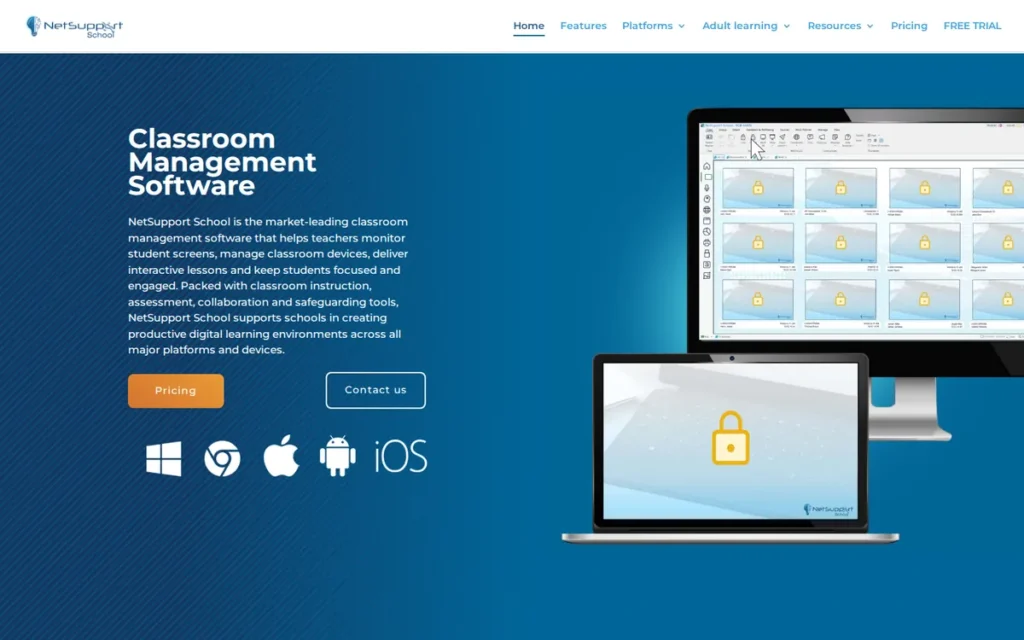
Category: Desktop-Agent Monitor. NetSupport School is installed software that sees and controls the full device screen, including desktop apps, and it offers self-hosted options.
At a Glance
- Category: Desktop-Agent Monitor
- Best For: Schools and computer labs with mixed Windows, Mac, Chromebook, iPad and Android devices that need self-hosted, offline-capable control and built-in testing
- Price Range: Pricing on request (per device); subscription or perpetual license; free trial
- Primary Strength: NetSupport School has the highest Capterra score in this evaluation (4.8/5 from 36 reviews) and is the only product here offering a perpetual license.
- Biggest Limitation: NetSupport School publishes no prices, and reviewers describe its setup as complex for less technical staff.
- One-Line Summary: NetSupport School is a self-hosted desktop-agent classroom management suite for mixed-device schools that adds built-in testing and student journals and can be bought on a perpetual license.
- Last Verified: November 2026
Overview
NetSupport School is a desktop-agent classroom management suite for K–12 schools and labs that need to see and control full student screens across Windows, Mac, Chromebook, iOS and Android. NetSupport School runs on the school’s own network without depending on a cloud service.
NetSupport School also includes a Testing Module, surveys and a Student Journal. Southern Illinois University Edwardsville uses NetSupport School for exam monitoring (NetSupport, 2026; vendor-reported). NetSupport sells a separate product, classroom.cloud, for schools that prefer cloud hosting.
Key Features
- NetSupport School provides screen monitoring, screen presenting, and web and application control through an installed agent rather than a browser extension.
- NetSupport School includes a Testing Module with exportable results, plus surveys and Q&A tools for checks during lessons.
- NetSupport School’s Student Journal records lesson notes, learning goals and test results for each student.
- NetSupport School offers dedicated versions for Windows, Mac, Chromebook, iOS and Android, and NetSupport states that “feature availability differs by platform” (NetSupport, 2026).
- NetSupport School runs on the school’s local network and keeps working offline, so schools control where classroom data is stored.
Best For
NetSupport School is best for secondary schools, computer labs and mixed-fleet districts that need full-desktop visibility, assessment during lessons and self-hosted data control. NetSupport School’s perpetual license suits labs with stable device counts.
Strengths
- NetSupport School holds a Capterra rating of 4.8/5 from 36 reviews, with ease of use 4.6, support 4.7 and 90% likely to recommend (Capterra, 2026). That is the highest Capterra score in this evaluation.
- NetSupport School is the only product evaluated with a perpetual license option, which can lower total cost for labs with stable device counts (NetSupport, 2026).
- NetSupport School is the only tool here with built-in assessment and per-student lesson records, which can remove the need for a separate testing tool.
- NetSupport School was called “the one we see the least issues with” by one sysadmin (r/sysadmin, 2021). NetSupport cites SoftwareReviews ratings of 82% positive and 91% would recommend (NetSupport, 2026; vendor-reported).
Limitations
NetSupport School gives up simplicity in exchange for control. Capterra reviewers report that setup is complex for less technical staff and that ongoing maintenance adds cost (Capterra, 2026).
NetSupport School publishes no prices, and one sysadmin recommended it only “if budgetting is not a problem” (r/sysadmin, 2021). There is little recent online discussion of NetSupport School from U.S. K–12 users, and most threads date from 2017–2021.
Users on r/sysadmin noted:
“I’d go with NetSupport School if budgetting is not a problem. Support has been great over the years.” Posted by u/dcg1k
Takeaway: NetSupport School wins long-term loyalty through support quality, but IT staff treat its cost as the main barrier to adoption.
NetSupport School’s ISO 27001 and Cyber Essentials status could not be verified. Security teams should not confuse it with NetSupport Manager, a separate remote-access product that malware has abused.
NetSupport School’s monitoring raises the same category-wide concerns that CDT reported in 2025 about alerts leading to discipline (CDT, 2025). Schools should review after-hours monitoring settings.
Verdict
NetSupport School has the highest Capterra score in this evaluation (4.8/5 from 36 reviews) among tools offering self-hosted, full-desktop classroom control across mixed devices, and NetSupport School is the only one sold on a perpetual license. NetSupport School ranks #2 overall, 0.10 behind ClassDojo, and first among the screen-monitoring tools. Buyers should get written per-platform feature confirmation and a multi-year license quote.
3. LanSchool: Best for Budget-Transparent Mixed-Device Fleets
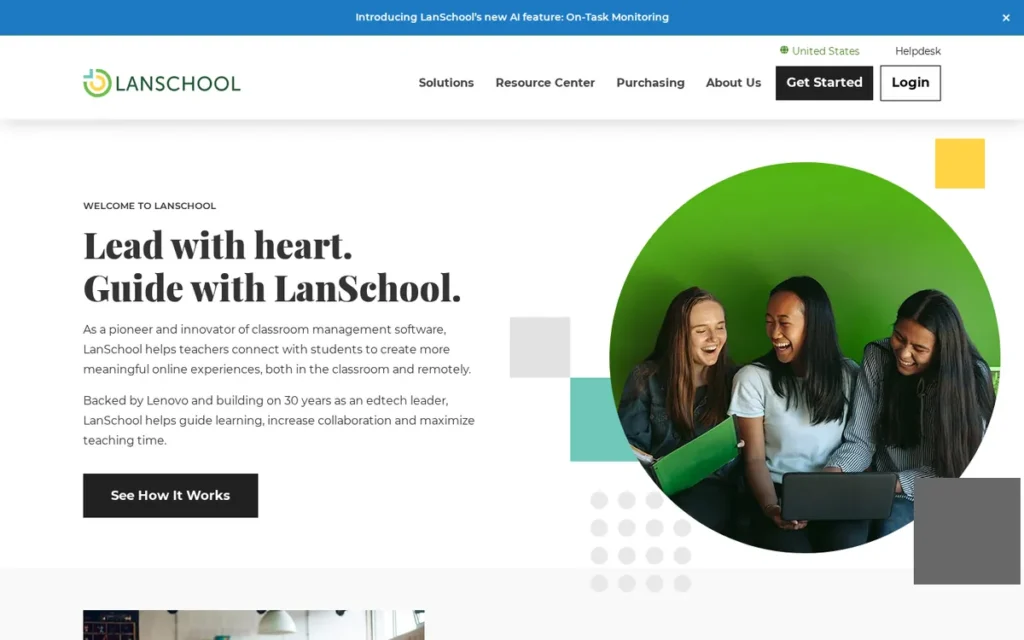
Category: Desktop-Agent Monitor. LanSchool is installed software that sees and controls the full device screen, and LanSchool also offers a cloud edition.
At a Glance
- Category: Desktop-Agent Monitor
- Best For: Small schools, computer labs and mixed Windows, Mac and Chromebook fleets, especially schools buying Lenovo education devices
- Price Range: $244.99 for 35 licenses for 1 year (about $7/device/year; Lenovo, 2026); free version and trial listed
- Primary Strength: LanSchool is the only screen-monitoring product in this evaluation with a publicly listed store price, and LanSchool offers both self-hosted (Classic) and cloud (Air) editions under one license.
- Biggest Limitation: LanSchool has the lowest ease-of-use sub-score in this evaluation (Capterra 3.9/5), and reviewers report lag and dropouts when many devices are connected.
- One-Line Summary: LanSchool is Lenovo’s mixed-device classroom management tool, available as self-hosted Classic or cloud-based Air, with transparent store pricing of about $7 per device per year.
- Last Verified: November 2026
Overview
LanSchool is Lenovo’s classroom management software for schools running mixed Windows, Mac and ChromeOS fleets. LanSchool comes as LanSchool Classic on a school-hosted server or LanSchool Air in the cloud, with screen thumbnails, web limiting, app blocking, screen broadcasting and messaging.
LanSchool dates back to LanFan Technologies (1986), and Lenovo acquired it through Stoneware in 2012 (Wikipedia, 2026). LanSchool customers include Sorø Municipality in Denmark (about 2,400 students) and Butler Tech (LanSchool, 2026; vendor-reported).
Key Features
- LanSchool shows live screen thumbnails and lets teachers limit websites and block applications.
- LanSchool lets teachers broadcast their screen and message students, and LanSchool gives students a Raise Hand feature.
- LanSchool includes testing tools for checks during lessons.
- LanSchool Classic runs on a school-hosted server and LanSchool Air runs in the cloud, and one LanSchool license covers both.
- LanSchool supports Windows, Mac and ChromeOS and lists iOS, but full iPad feature parity in LanSchool is unconfirmed (Lenovo, 2026).
Best For
LanSchool is best for small schools, labs and budget-limited districts with mixed devices that want a known per-device price. LanSchool also suits schools buying Lenovo education devices, which come with one year of LanSchool at no extra charge.
Strengths
- LanSchool lists a public retail price of $244.99 for 35 licenses for one year (Lenovo, 2026). That is the only publicly listed store price among the screen-monitoring tools evaluated.
- LanSchool includes one year at no extra charge with Lenovo education devices, and a free version and free trial are listed (Lenovo, 2026).
- LanSchool Classic’s full-desktop view and remote control are valued by teachers. One teacher whose school switched to a browser-based tool wrote, “Give me back lanschool please” (r/Teachers, 2022).
- LanSchool holds a Capterra rating of 4.3/5 from 34 reviews, with value 4.2 and support 4.1 (Capterra, 2026).
Limitations
LanSchool gives up polish and reliability in exchange for low cost. LanSchool’s Capterra ease-of-use score of 3.9/5 is the lowest in this evaluation, and reviewers report lag and freezing with many devices (Capterra, 2026).
This aligns with community sentiment on r/sysadmin:
“I used Faronic’s Insight which I think is a licensed version of LanSchool. I found it to be rather unreliable with connecting to slower PCs. The price was what kept us using the tool.” Posted by u/woojo1984
Takeaway: LanSchool-style tools keep their place on price rather than reliability, and the connection drops on slower PCs match the lag LanSchool reviewers report.
LanSchool Air does not support remote-control takeover of a student’s mouse and keyboard. LanSchool Classic does support it on supported Windows and Mac devices (LanSchool Help Desk, 2026).
Some LanSchool reviewers say students drop off the teacher’s view by toggling Wi-Fi or closing their laptops, and that setup and updates take effort (G2 and Software Advice, 2026). Older threads describe crashes (r/sysadmin, 2017 and 2021).
LanSchool’s privacy certifications could not be verified, and a single unverified blog post alleges a problem with a LanSchool Air installation on Mac (roze.ma, 2026). LanSchool’s monitoring also raises the category-wide CDT concerns about discipline (CDT, 2025).
Verdict
LanSchool is the most budget-transparent option for mixed Windows, Mac and Chromebook classrooms, with a choice of self-hosted or cloud deployment under one license. LanSchool ranks #3 because its pricing and deployment flexibility outweigh weaker ease-of-use and reliability evidence. Schools should load-test LanSchool at full class size before renewing after any free year.
4. GoGuardian Teacher: Best for Chromebook-First Districts
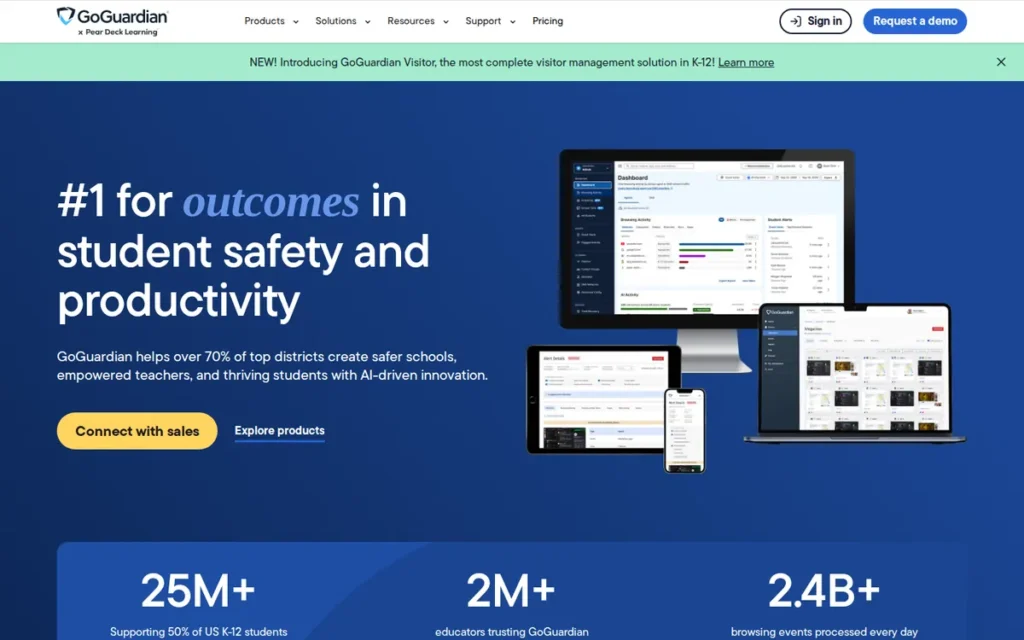
Category: Cloud Screen Monitor. GoGuardian Teacher provides cloud-managed live screen viewing and focus controls, delivered mainly through the browser, and it is strongest on Chromebooks.
At a Glance
- Category: Cloud Screen Monitor
- Best For: Chromebook-heavy 1:1 districts that want fast teacher setup and roster sync with Google Classroom, Clever or ClassLink
- Price Range: Pricing on request (by enrollment, bundle and term); about $5/student/product/year in 2021 reporting (LA Business Journal, 2021; historical press)
- Primary Strength: GoGuardian Teacher pairs the strongest G2 rating among the monitoring tools (4.7/5 from 101 reviews) with saved “Scenes” that teachers can activate in one step.
- Biggest Limitation: GoGuardian Teacher mainly shows browser activity rather than desktop apps on Windows and Mac, so IT may need to disable other browsers.
- One-Line Summary: GoGuardian Teacher is a Chromebook-first, cloud-based screen-monitoring tool used by more than 2 million teachers, with strong teacher ratings but quote-only pricing and documented privacy criticism.
- Last Verified: November 2026
Overview
GoGuardian Teacher is a cloud-based screen-monitoring and focus-control tool for K–12 teachers in Chromebook-heavy 1:1 districts. GoGuardian Teacher offers thumbnail screen views, tab control, site locking and saved rule sets, and it syncs rosters from Google Classroom, Clever and ClassLink.
GoGuardian Teacher is part of a product family that includes GoGuardian Admin filtering, Beacon self-harm alerts, Pear Deck and Pear Assessment. GoGuardian Teacher is cloud-only and mainly sees browser activity rather than the full desktop.
Key Features
- GoGuardian Teacher shows thumbnail views of student screens and lets teachers open, close and lock tabs to a single site.
- GoGuardian Teacher “Scenes” save allowed and blocked site lists so teachers can apply a lesson’s rules in one step.
- GoGuardian Teacher includes Focus Tabs, private chat, class announcements and audio/video calls.
- GoGuardian Teacher runs on ChromeOS, Windows, macOS and iOS, and GoGuardian Teacher’s iOS support depends on district setup (GoGuardian, 2026).
- GoGuardian Teacher syncs class rosters from Google Classroom, Clever and ClassLink.
Best For
GoGuardian Teacher is best for Chromebook-first 1:1 districts that want a teacher-friendly monitoring tool with minimal setup during lessons. GoGuardian Teacher also suits districts already considering GoGuardian Admin or Pear Deck.
Strengths
- GoGuardian Teacher holds a G2 rating of 4.7/5 from 101 reviews (G2, 2026), the strongest combination of volume and score among the five screen-monitoring tools.
- GoGuardian Teacher reports use by more than 2 million teachers, with 15.3 million students supported across GoGuardian products (GoGuardian, 2026; vendor-reported).
- GoGuardian Teacher is praised for ease of use. One teacher said that once Scenes are set up, “the teacher literally just has to turn it on” (r/Teachers, 2024).
- GoGuardian Teacher’s classroom features are “a big hit with the teachers,” according to a district administrator who also called the tool “a bit pricey” (r/k12sysadmin, 2023).
Limitations
GoGuardian Teacher gives up visibility in exchange for Chromebook simplicity. One teacher using Windows PCs said they could see only browser tabs, not games or apps loaded on the device (r/Teachers, 2022).
Users on r/k12sysadmin noted:
“We had a large issue with teachers not understanding how the program works. They’re expecting it to be similar to LANSchool where they are able to view the whole screen. GoGuardian only shows what they’re doing on Google Chrome. If they have other apps or browsers it won’t be blocked.” Posted by u/ACAD-IT
Takeaway: GoGuardian Teacher’s Chrome-only visibility catches out teachers who expect desktop-agent coverage, so districts need to set expectations before rollout on non-Chromebook devices.
Rolling out GoGuardian Teacher on Windows and Mac can mean using group policy or MDM to disable other browsers (r/k12sysadmin, 2023). GoGuardian Teacher publishes no prices, and teachers reported students finding bypasses within two weeks of a trial (r/Teachers, 2022).
GoGuardian’s monitoring products were the subject of an EFF investigation that documented false positives, monitoring outside school hours and little visible notice to students (EFF, 2023). No GoGuardian privacy certifications could be verified.
PlugRoute found no equivalent investigation of the other vendors. The CDT’s 2025 survey data on discipline and law-enforcement contact applies to student activity monitoring as a category (CDT, 2025).
Verdict
GoGuardian Teacher has the strongest G2 rating among the screen-monitoring tools (4.7/5 from 101 reviews, 2026) and suits Chromebook-first districts that want live monitoring teachers can run with minimal setup. GoGuardian Teacher tied Lightspeed at 3.675 and ranks #4 on stronger review evidence (primary subtotal 2.825 vs. 2.525). Districts should test bypass routes and off-hours settings during a pilot.
5. Lightspeed Classroom Management: Best for One-Vendor Filter-Plus-Classroom Bundles
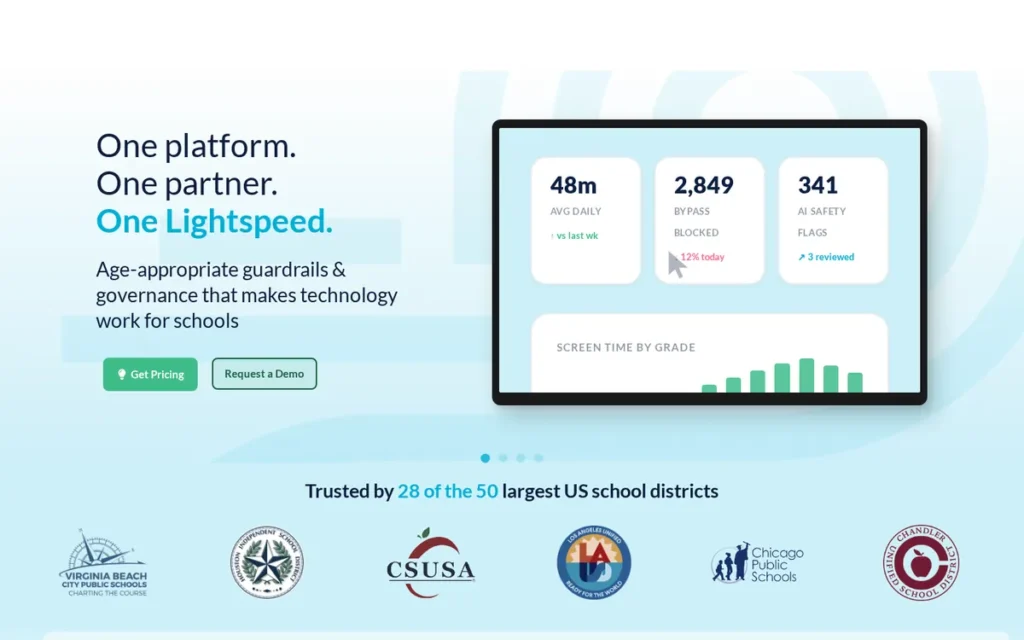
Category: Cloud Screen Monitor. Lightspeed Classroom Management provides cloud-managed live screen viewing and focus controls, delivered mainly through the browser, and it is strongest on Chromebooks.
At a Glance
- Category: Cloud Screen Monitor
- Best For: Districts that want classroom management bundled with web filtering, safety alerts and analytics from one vendor, including MDM-managed iPad fleets (iPad support user-reported, 2023; confirm with Lightspeed)
- Price Range: $1.92/license/year in a public DCPS contract (negotiated rate); about $11/unit for the four-product bundle; no extra cost for Utah districts
- Primary Strength: Lightspeed Classroom Management is the only monitoring tool with a per-license price verifiable in a public district contract ($1.92 per license per year, DC Public Schools).
- Biggest Limitation: Lightspeed Classroom Management has thin independent review data (18 Capterra reviews, 5 G2 reviews) and publishes no per-platform feature list.
- One-Line Summary: Lightspeed Classroom Management is a cloud-based screen-monitoring tool sold within Lightspeed’s filter-and-safety suite, with a verifiable public contract price and session recording but limited independent reviews.
- Last Verified: November 2026
Overview
Lightspeed Classroom Management is a cloud-based screen-monitoring tool for K–12 districts. Lightspeed Classroom Management offers live screen views, browsing restrictions, session recording and visibility into students’ AI-tool activity, and it is bundled with Lightspeed Filter, Alert and Analytics from one vendor.
Lightspeed does not publish whether Lightspeed Classroom Management’s Windows and Mac agents show desktop apps or only browser activity, so buyers should confirm the visibility scope in a demo. One sysadmin reported strong iPad support through MDM (r/k12sysadmin, 2023).
Key Features
- Lightspeed Classroom Management shows student screens, closes tabs, restricts browsing and sends links to the class.
- Lightspeed Classroom Management records screens and keeps class-session browsing history for later review.
- Lightspeed Classroom Management flags off-task students and generates daily class reports.
- Lightspeed Classroom Management supports co-teaching and shows students’ generative AI activity for academic-integrity oversight (Lightspeed, 2026).
- Lightspeed Classroom Management is sold alongside Lightspeed Filter, Alert and Analytics (CatchOn) as a one-vendor bundle.
Best For
Lightspeed Classroom Management is best for districts that want filtering, safety alerts and classroom monitoring under one vendor and one contract. Lightspeed Classroom Management also suits Utah districts, which get it at no extra cost through the state contract.
Strengths
- Lightspeed Classroom Management costs $1.92 per license per year under DC Public Schools’ public contract: 40,000 licenses for $76,800 in the base period, rising to 51,000 licenses in option years (DCPS, 2022 contract).
- Lightspeed Classroom Management is available at no extra cost to Utah school districts through the state contract (Lightspeed, 2026).
- Lightspeed Classroom Management was described by administrators as “very stable the last couple of years” and “a mature well thought out product” (r/k12sysadmin, 2023).
- Lightspeed Classroom Management holds a Capterra rating of 4.4/5 from 18 reviews, and Lightspeed names Fairfax County Public Schools and Northwest ISD as customers (Capterra, 2026; Lightspeed, 2026; vendor-reported).
Limitations
Lightspeed Classroom Management gives up independent evidence in exchange for bundle convenience. Its ratings rest on 18 Capterra reviews and 5 G2 reviews (Capterra and G2, 2026), and the low DCPS rate was negotiated, while the four-product bundle costs about $11 per unit.
Lightspeed Classroom Management’s Capterra reviewers report false flags on permitted sites, bandwidth use, delays when ending a class and friction with allowlisting (Capterra, 2026).
Lightspeed Classroom Management had a confirmed Relay outage and a buggy agent (r/k12sysadmin, 2020) and conflicts with Windows antivirus (r/k12sysadmin, 2019). Lightspeed’s company history and privacy certifications could not be verified.
Lightspeed Classroom Management’s monitoring raises the same category-wide CDT concerns about alerts leading to discipline (CDT, 2025). Schools should review after-hours monitoring settings.
Verdict
Lightspeed Classroom Management is the only screen-monitoring tool here with a per-license price verifiable in a public district contract, which makes it the most cost-transparent choice for districts that want monitoring bundled with filtering and safety tools. Lightspeed Classroom Management tied GoGuardian Teacher at 3.675 and ranks #5 on its thinner review evidence. Districts should price the classroom tool alone and the bundle separately.
6. Securly Classroom: Best for AI-Chat Visibility Within a Safety Suite
Category: Cloud Screen Monitor. Securly Classroom provides cloud-managed live screen viewing and focus controls, delivered mainly through the browser, and it is strongest on Chromebooks.
At a Glance
- Category: Cloud Screen Monitor
- Best For: Districts already using Securly Filter or Aware that want live monitoring plus visibility into students’ AI-chat use, and current Dyknow customers
- Price Range: Pricing on request; unverified third-party estimate of $2–3/device/year (Kybergate, accessed November 2026)
- Primary Strength: Securly Classroom offers the most explicit AI-chat visibility of the monitoring tools evaluated, showing teachers students’ AI-chat history.
- Biggest Limitation: Securly Classroom has no public pricing, no student iPad support and no verified privacy certifications, and sysadmins criticize its documentation.
- One-Line Summary: Securly Classroom is a cloud-based screen-monitoring tool within Securly’s safety suite that adds AI-chat visibility and native Windows and macOS agents, and will absorb Dyknow customers by June 2027.
- Last Verified: November 2026
Overview
Securly Classroom is a cloud-based screen-monitoring tool for K–12 districts. Securly Classroom offers live screen viewing, screen locking, tab restrictions and visibility into students’ AI-chat history, and it integrates with Securly Filter, Aware and Home and with major LMS and roster platforms.
Securly Classroom is replacing Dyknow, which Securly acquired and will discontinue on June 15, 2027 (Securly, 2026). Securly does not publish whether Securly Classroom’s native Windows and macOS agents show desktop apps or only browser activity, so buyers should confirm in a demo.
Key Features
- Securly Classroom lets teachers view screens live, freeze or lock screens, close tabs and restrict students to set tabs or sites.
- Securly Classroom pushes URLs to the whole class and can unblock a site for a single class period.
- Securly Classroom shows teachers students’ AI-chat history for academic-integrity oversight and connects to Securly AI Transparency.
- Securly Classroom provides native Windows and macOS agents alongside Chromebook support, but Securly Classroom does not support student iPads (Securly Support, 2026).
- Securly Classroom integrates with Google Classroom, Canvas, Schoology, Clever and ClassLink.
Best For
Securly Classroom is best for districts already using Securly products that want classroom monitoring plus oversight of students’ AI-chat use. Securly Classroom is also the default path for Dyknow customers ahead of the June 15, 2027 shutdown.
Strengths
- Securly Classroom holds a G2 rating of 4.4/5 from 51 reviews, and reviewers praise real-time visibility, pushing URLs and locking tabs during tests (G2, 2026).
- Securly Classroom was endorsed by a district sysadmin comparing paid and open-source tools: “Just pay for Securly Classroom it’s just…it works” (r/k12sysadmin, 2025).
- Securly Classroom’s AI-chat visibility is backed by a case study in which Ysleta ISD reported nearly 90% less AI misuse (Securly, 2026; vendor-reported).
- Securly reports 20,000+ schools and 20M+ students company-wide, including Securly Classroom deployments at Atlanta Public Schools and Madison Metropolitan (Securly, 2026; vendor-reported).
Limitations
Securly Classroom gives up pricing transparency in exchange for suite breadth. The only price figure available for Securly Classroom ($2–3 per device) is an unverified third-party estimate (Kybergate, accessed November 2026).
Securly Classroom does not support student iPads. Teachers can run classes from an iPad, but students on iPads cannot be monitored through Securly Classroom (Securly Support, 2026).
One sysadmin called Securly “pretty expensive” and said its documentation “isn’t very good,” and later switched to Lightspeed (r/k12sysadmin, 2023). Securly Classroom has no Capterra listing of its own.
A review of the related SecurlyMDM product reported that only a third to a half of devices were visible at times (Capterra, 2026). Securly Classroom’s privacy certifications could not be verified, and its monitoring raises the same CDT concerns as the rest of the category (CDT, 2025).
Verdict
Securly Classroom is the strongest choice for districts that prioritize visibility into students’ AI-chat use within an existing Securly safety suite. Securly Classroom ranks #6, 0.20 points behind #4 and #5, because it has the weakest pricing transparency, no student iPad support and unverified privacy certifications. Pilots should measure what share of devices actually appears in the teacher view.
7. Hāpara: Best for Student-Work Visibility in Google Workspace
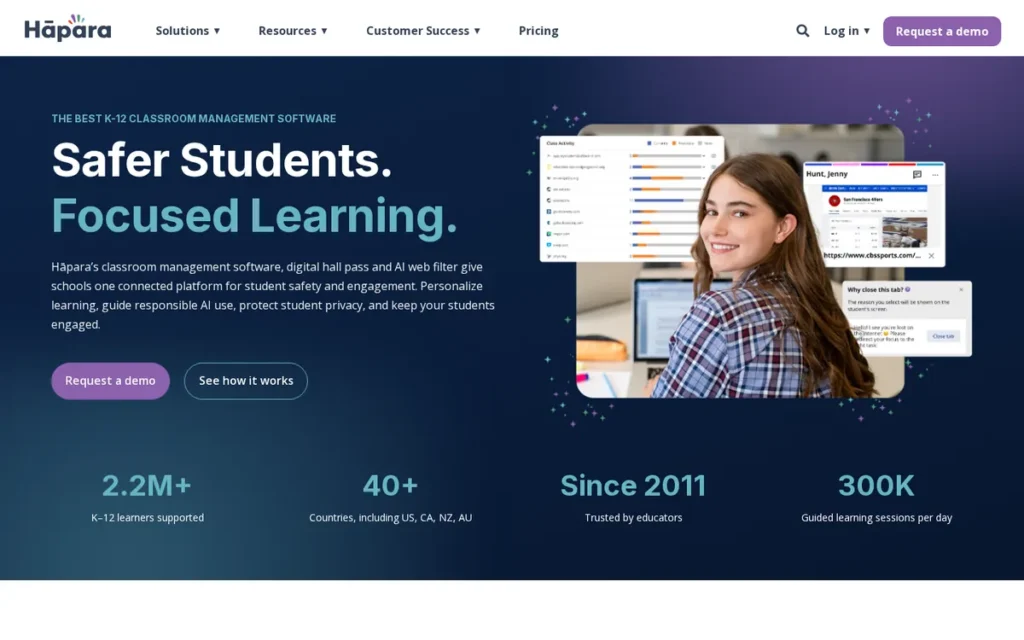
Category: Student-Work Visibility. Hāpara shows teachers students’ Google Workspace files and guides browsing in Chrome and Edge.
At a Glance
- Category: Student-Work Visibility
- Best For: Google Workspace schools that want teachers to see and give feedback on students’ Docs, Slides and Sheets and to differentiate assignments
- Price Range: Pricing on request (by student count); pricing page says it “starts around $1,500” without defining scope (Hāpara, 2026)
- Primary Strength: Hāpara is the only product evaluated that shows teachers students’ recent Google Docs, Slides, Sheets and Drawings, including unshared files, from one dashboard.
- Biggest Limitation: Hāpara has the thinnest review evidence in this evaluation (Capterra 3.8/5 from 4 reviews), and Hāpara’s browser monitoring works only in Chrome and Edge.
- One-Line Summary: Hāpara is a Google Workspace classroom tool that gives teachers visibility into students’ Drive work and guided browsing, best for Google-centered schools but backed by thin independent review data.
- Last Verified: November 2026
Overview
Hāpara is a Google Workspace classroom management suite for K–12 schools. Teachers can see students’ recent Docs, Slides, Sheets and Drawings, give feedback from one dashboard, differentiate assignments and guide browsing in Chrome and Edge.
Hāpara grew out of New Zealand’s Manaiakalani school cluster, and Hāpara’s Teacher Dashboard launched in 2011 (Hāpara, 2026). Hāpara’s named U.S. customers include Chesterfield County Public Schools and Appleton Area School District (Hāpara, 2026; vendor-reported).
Key Features
- Hāpara Teacher Dashboard shows students’ recent Docs, Slides, Sheets and Drawings, including unshared files, with Drive search and feedback in one place.
- Hāpara Highlights monitors browsing in real time in Chrome and Edge, letting teachers open and close tabs, run focus sessions and message students.
- Hāpara Workspace supports differentiated assignments for groups of students.
- Hāpara Student Dashboard organizes students’ Google Classroom work and due dates.
- Hāpara integrates with ClassLink, and a Capterra reviewer praises Hāpara’s Google Classroom and PowerSchool syncing (Capterra, 2026).
Best For
Hāpara is best for Google Workspace schools whose main need is seeing and responding to student work in Drive rather than controlling devices. Hāpara especially suits schools focused on differentiation and student self-regulation.
Strengths
- Hāpara is the only tool in this evaluation built around visibility into student work rather than screens alone, including unshared Google files (Hāpara, 2026).
- Hāpara reports more than 2.2 million K–12 learners in 40+ countries (Hāpara, 2026; vendor-reported).
- Hāpara’s Manaiakalani case study reports that one cluster college’s 2013 exam pass rates were more than double its 2005–2011 average, but the study does not show that Hāpara caused the gain (Hāpara, 2026; vendor-reported).
- Hāpara is praised by Capterra reviewers for access to student documents and for Google Classroom and PowerSchool syncing (Capterra, 2026).
Limitations
Hāpara gives up device breadth in exchange for depth in Google Workspace. Hāpara’s value depends on Google Workspace, and Hāpara Highlights monitors only Chrome and Edge, not desktop apps.
Hāpara has the thinnest review evidence here: Capterra 3.8/5 from 4 reviews and no G2 data (Capterra, 2026). One Capterra reviewer calls Hāpara expensive for small schools.
Students got around Hāpara Highlights by opening a private browser (r/Teachers, 2022), so IT must block guest and incognito modes. Hāpara’s privacy certifications could not be verified, and Hāpara’s browser monitoring falls under the category-wide CDT concerns (CDT, 2025).
Verdict
Hāpara is the most specialized choice for Google Workspace schools whose main need is seeing and responding to student work, not controlling devices. Hāpara ranks #7 mainly because its independent evidence is thin and its scope is narrow, not because of documented performance problems. Schools should ask Hāpara for references from comparable U.S. districts before a pilot.
Which Classroom Management Tools Actually Monitor Student Screens?
Five of the seven tools monitor student screens: NetSupport School, LanSchool, GoGuardian Teacher, Lightspeed Classroom Management and Securly Classroom. Hāpara monitors browsing only in Chrome and Edge, and ClassDojo does not monitor screens at all. Desktop agents see the full screen and its apps, while browser-based tools mostly see browser activity.
Monitoring is now the norm in U.S. schools. In a nationally representative CDT survey of 806 teachers, 89% said their school used student activity monitoring software, up 5 points from the year before (CDT, 2025).
- Full-desktop agents: NetSupport School and LanSchool Classic install software that sees and controls the whole screen on Windows and Mac, including desktop apps.
- Browser or cloud tools: GoGuardian Teacher, Lightspeed Classroom Management and Securly Classroom work best on Chromebooks. On Windows and Mac they mainly see browser activity, so buyers should confirm what any native agent can see.
- Browser-only work visibility: Hāpara Highlights watches Chrome and Edge tabs, and Hāpara Teacher Dashboard shows Google Drive files.
- No device control: ClassDojo tracks behavior and messages families, with no screen visibility.
Here is a concrete example. If a student on a Windows laptop opens a desktop game, a browser-based monitor may not show it. Under a desktop agent such as NetSupport School or LanSchool Classic, the game appears on the teacher’s screen.
“Now I can only see their open browser tabs. And they know it… Any games or other apps that are actually loaded on their pc are invisible to me.” (r/Teachers, 2022)
Takeaway: A browser-based monitor on a Windows PC sees the browser, not the computer, so confirm what the tool can see on every device type before buying.
Which Classroom Management Software Works Best on Chromebooks in 2026?
GoGuardian Teacher, Lightspeed Classroom Management and Securly Classroom are the three strongest cloud monitors for Chromebook districts in 2026, and no one of them wins on every measure. GoGuardian Teacher leads on teacher ratings, Lightspeed on verifiable pricing and bundling, and Securly on AI-chat visibility. The right pick often depends on which filter suite you already use.
- GoGuardian Teacher has the strongest G2 rating among monitors (4.7/5 from 101 reviews, G2, 2026) and one-step Scenes, but its only price figure is a historical one from 2021.
- Lightspeed Classroom Management has a verifiable $1.92 per-license contract rate (DCPS, 2022 contract) and session recording, but only 18 Capterra reviews.
- Securly Classroom has AI-chat history visibility and a 4.4/5 G2 rating from 51 reviews (G2, 2026), but only an unverified third-party price estimate.
All three cloud monitors deploy as force-installed extensions on managed Chromebooks through the Google Admin console, usually as part of a 1:1 device program. All three also face the same bypass risks:
- Guest or incognito mode lets students sign out of the managed profile that the monitoring extension runs on.
- VPNs and proxy sites route traffic around filter and monitoring controls.
- Personal hotspots take devices off the school network.
- Certificate tricks, shared in YouTube tutorials, can block the monitoring extension (r/Teachers, 2022).
As one user on r/k12sysadmin described:
“Exactly. I describe filtering as accidental access prevention. If you happen to click a bad link it will likely be blocked but anyone who is really trying to break through will be able to access something.
This is why we don’t filter at home. We literally tell the parents that home filtering is on them.” Posted by u/vawlk
Takeaway: Experienced K–12 IT staff treat cloud filtering and monitoring as a guard against accidental access, not a barrier against determined students, so bypass testing belongs in every Chromebook pilot.
What Works for Mixed Windows, Mac, Chromebook and iPad Schools?
Mixed fleets usually need a desktop agent such as NetSupport School or LanSchool. Browser-based tools mainly see browser activity on Windows and Mac, and Securly’s native agents are the main exception to check. With the other browser-based tools, IT often has to force students into a single browser.
PlugRoute found no vendor that publishes a full feature list for each operating system (November 2026). Mixed-fleet buyers should get written confirmation of features on each platform before signing. Coverage documented as of November 2026:
- NetSupport School offers dedicated Windows, Mac, Chromebook, iOS and Android versions, though NetSupport says features differ by platform (NetSupport, 2026).
- LanSchool supports Windows, Mac and ChromeOS and lists iOS, but full iPad feature parity for LanSchool is unconfirmed (Lenovo, 2026).
- GoGuardian Teacher runs on ChromeOS, Windows, macOS and iOS, and GoGuardian Teacher’s iOS support depends on district setup (GoGuardian, 2026).
- Lightspeed Classroom Management has strong iPad support through MDM, according to one sysadmin (r/k12sysadmin, 2023; user-reported).
- Securly Classroom provides native Windows and macOS agents, but Securly Classroom does not support student iPads (Securly Support, 2026).
Browser-based tools on Windows and Mac often require IT to use group policy or an MDM such as Jamf to disable other browsers (r/k12sysadmin, 2023).
Desktop agents avoid that step but add installation, updates and possible antivirus conflicts. IT usually fixes those conflicts by allowlisting the agent in the antivirus software.
What Is the Best Free Classroom Management Software for Teachers?
ClassDojo is the best free option for behavior and family communication, but ClassDojo does not monitor screens. For free screen monitoring, LanSchool lists a free version, Lenovo devices include one free LanSchool year, and Veyon is free open-source software. Every free route has a catch, whether that is district policy, renewal costs or IT workload.
- ClassDojo is free for teachers, schools and districts, but districts can ban ClassDojo over data concerns, and the free version pushes Plus upgrades (r/Teachers, 2025; Google Play, 2026).
- LanSchool lists a free version and free trial, and the free LanSchool year with Lenovo devices renews at about $7 per device (Lenovo, 2026).
- Veyon is free, open-source and self-hosted. One sysadmin said “Veyon and TightVNC. Works great for what we need,” while another said Veyon was the only one they “don’t care for” (r/k12sysadmin, 2025).
- Securly’s free filter helps with basic compliance with CIPA, but a filter is not a classroom management tool (r/k12sysadmin, 2020).
Google Class Tools is not free. It requires a Google Workspace for Education Plus or Teaching and Learning add-on license for each teacher using it, plus managed Chromebooks on ChromeOS 137 or later (Google Admin Help, 2026).
Free self-hosted tools like Veyon move the cost from licensing to IT staff time. Schools without dedicated IT capacity should budget for that before choosing a self-hosted tool.
How Much Does Classroom Management Software Cost?
Published or reported classroom management prices range from $1.92 per license per year (Lightspeed, DC Public Schools contract, 2022) to about $7 per device per year (LanSchool, Lenovo store, 2026), and ClassDojo is free. Only Lightspeed and LanSchool have verifiable per-unit monitoring prices. GoGuardian, Securly, NetSupport School and Hāpara quote on request.
Every available price, with its source type:
- ClassDojo is free for teachers, schools and districts, and its optional family ClassDojo Plus subscription is reported at $4.99/month or $59.99/year (Contrary Research, accessed November 2026; third-party figure).
- LanSchool costs $244.99 for 35 licenses for one year, about $7 per device (Lenovo, 2026; store listing).
- Lightspeed Classroom Management costs $1.92 per license per year under the DC Public Schools contract (DCPS, 2022 contract; public contract).
- GoGuardian Teacher was reported at about $5 per student per product per year in 2021 (LA Business Journal, 2021; historical press).
- Securly Classroom is estimated by a third party at $2–3 per device per year (Kybergate, accessed November 2026; unverified estimate).
- Hāpara’s pricing page says pricing “starts around $1,500” without defining scope (Hāpara, 2026; vendor pricing page).
- NetSupport School is quote-only and priced per device, with subscription or perpetual licenses (NetSupport, 2026).
The worked example below shows what these figures mean for a school with 1,000 devices. The numbers are illustrative, not quotes:
- LanSchool at its Lenovo list price comes to about $7,105 per year for 29 bundles of 35 licenses (1,015 licenses).
- Lightspeed Classroom Management at the DCPS negotiated rate comes to about $1,920 for the classroom tool alone, or about $11,000 for the four-product bundle.
- GoGuardian Teacher at the 2021 historical figure comes to about $5,000 per product per 1,000 students.
Buying classroom management inside a filter and safety suite changes the math. In the DCPS contract, Lightspeed Classroom Management alone costs $1.92, while the bundle with Filter, Alert and Analytics costs about $11 per unit (DCPS, 2022 contract).
Of the tools in this guide, only NetSupport School offers a perpetual license, which can lower long-term cost for labs with stable device counts. Buyers should compare three-to-five-year totals, including maintenance, against subscription quotes.
In classroom management pricing, the per-license rate matters less than the pricing unit, the bundle and the renewal price.
What Evidence Is Missing From Classroom Management Vendor Claims?
PlugRoute found no independent outcome data, such as time on task or learning gains, showing that any tool in this evaluation improves classrooms (November 2026). Vendor case studies show how large deployments are, not whether the tools work. PlugRoute also found no vendor that publishes a full per-OS feature list, and review samples range from 4 to 1,042.
- Outcome evidence: Every case study found is vendor-reported and does not show the tool caused the result. Examples include ClassDojo’s claim that Spring ISD saved $120,000 per year (ClassDojo, 2026; vendor-reported) and Hāpara’s Manaiakalani exam results (Hāpara, 2026; vendor-reported).
- Per-OS documentation: PlugRoute found no monitoring vendor that publishes a feature-by-platform breakdown.
- Review volume: ClassDojo has 1,042 Capterra reviews and Hāpara has 4 (Capterra, 2026), so raw star ratings cannot be compared directly.
- Market definitions: 2025 market-size estimates range from $314.9M (The Insight Partners, 2025) to $1.84B (Dataintelo, 2025), each projected to 2034, because firms define “classroom management” differently.
Vendor case studies in classroom management software prove scale, not effectiveness.
What Other Classroom Management Options Should I Consider?
Four options did not get full entries but may fit specific situations. Apple Classroom with an MDM suits iPad-only schools. Veyon serves zero-budget schools with IT capacity, and Google Class Tools serves licensed Chromebook fleets. Dyknow customers need a migration plan before Dyknow shuts down on June 15, 2027. Each option has too little evidence for a full ranked entry.
- Apple Classroom + MDM (for example Mosyle) is a situational option for iPad-heavy elementary schools and requires an MDM, according to sysadmins (r/k12sysadmin, 2021).
- Veyon is a free, open-source, self-hosted monitoring tool, and IT carries all of Veyon’s setup and maintenance (r/k12sysadmin, 2025).
- Google Class Tools offers built-in controls for managed Chromebooks, but Google Class Tools requires Education Plus or the Teaching and Learning add-on per teacher and ChromeOS 137 or later (Google Admin Help, 2026).
- Dyknow will be discontinued by Securly on June 15, 2027, and Dyknow’s features are moving into Securly Classroom (Securly, 2026).
How Should I Pilot Classroom Management Software?
A classroom management pilot should run for two to four weeks in real lessons, test the bypass routes students actually use, and count how many devices actually show up in the teacher view. A good pilot turns vendor claims into evidence you can compare, before a district commits to a multi-year contract.
A two-to-four-week classroom management pilot should:
- Run the tool in at least two full-size classes for each device type, so that problems with lag at scale show up.
- Test incognito and guest mode, VPNs, personal hotspots, Wi-Fi toggling and closing laptop lids.
- Count what share of devices appears in the teacher view each class period.
- Confirm that after-hours monitoring settings match district policy.
- Collect teacher feedback on how long setup takes before each lesson.
What Red Flags Should I Watch For When Evaluating Classroom Management Software?
The biggest red flags in classroom management purchases fall into six patterns:
- Browser-only tools sold as full monitoring
- No written per-OS feature list
- Pricing you can’t project past year one
- Privacy claims you can’t verify
- Monitoring that runs after school hours
- Bypass routes nobody tested
Each one is a common reason a tool is replaced before its contract ends.
Red Flag #1: Browser-Only Visibility Sold as Full Monitoring Red Flag #1 applies when a vendor describes a browser-extension tool as full classroom monitoring. Browser extensions see open tabs in a supported browser but typically miss desktop apps, games and other browsers on Windows and Mac, as one teacher reported after switching tools (r/Teachers, 2022). Ask for a demo on your actual devices.
Red Flag #2: No Written Per-OS Feature List Red Flag #2 applies when a vendor says a tool is “supported” on a platform without listing which features work there. PlugRoute found no vendor in this evaluation that publishes a full per-OS list (November 2026). Securly Classroom, for example, does not support student iPads (Securly Support, 2026). Get the list in writing.
Red Flag #3: Quote-Only Pricing or a Free Year That Renews at Full Cost Red Flag #3 applies when a buyer can’t project cost past year one. Among the monitoring tools, only Lightspeed Classroom Management (public DCPS contract) and LanSchool (Lenovo store) have verifiable per-unit prices. The free LanSchool year included with Lenovo devices renews at about $7 per device (Lenovo, 2026).
Red Flag #4: Privacy Certifications You Can’t Verify Red Flag #4 applies when a vendor claims privacy compliance without a third-party seal you can look up. Only ClassDojo’s certifications could be independently verified among the seven classroom management tools PlugRoute evaluated in November 2026. Ask every vendor for certifier names and links to the listings, and check them yourself.
Red Flag #5: Monitoring That Runs Outside School Hours by Default Red Flag #5 applies when monitoring keeps running after school hours unless someone turns it off. In schools that monitor, 44% of teachers said a student had been contacted by law enforcement because of an alert (CDT, 2025). The EFF documented monitoring outside school hours (EFF, 2023).
Red Flag #6: Bypass Routes Nobody Tested in the Pilot Red Flag #6 applies when a pilot checks features but not workarounds. Teachers report students finding bypasses within two weeks of a trial (r/Teachers, 2022). Before signing, pilots should test:
- Incognito and guest mode.
- VPN and proxy access.
- Personal hotspots.
- Wi-Fi toggling and closing laptop lids, which LanSchool reviewers reported (G2, 2026).
What Questions Should I Ask Before Choosing Classroom Management Software?
Before choosing classroom management software, ask vendors for written answers to eight questions:
- What the tool sees on each operating system
- Whether they will provide a written feature list for each platform
- Pricing and renewal terms
- Roster sync
- Privacy certifications and after-hours limits
- How the tool blocks bypasses
- Compliance with district communication-app policy
- Support quality and documentation
Written answers let you compare vendors side by side.
Question #1: Does it see the full desktop or only browser tabs on each of our operating systems? Question #1 matters because desktop agents such as NetSupport School and LanSchool Classic see the full screen, while browser-based monitors mainly see browser activity on Windows and Mac. Look for a written, platform-by-platform answer and a live demo on your own Windows, Mac and Chromebook devices before signing.
Question #2: Will you provide a written per-OS and iPad feature list? Question #2 matters because PlugRoute found no vendor that publishes one, and iPad support varies widely. Securly Classroom does not support student iPads, while Lightspeed’s iPad support rests on user reports. Look for a signed document that states the iPad status clearly, not just “supported.”
Question #3: What is the per-unit price, pricing unit, license model and renewal price? Question #3 matters because per-device and per-student pricing produce different totals, and bundles change the math. Lightspeed costs $1.92 alone but about $11 in its four-product bundle (DCPS, 2022 contract). Look for the renewal price after any discounts or free years end.
Question #4: Does it sync rosters from Google Classroom, Clever or ClassLink? Question #4 matters because teachers who build class lists by hand stop using the tool. GoGuardian Teacher and Securly Classroom document Google Classroom, Clever and ClassLink sync, and Hāpara documents ClassLink. Look for automatic sync with your actual student information and learning systems, and test it during the pilot.
Question #5: Which independent privacy certifications do you hold, and can monitoring be limited to school hours? Question #5 matters because district privacy review can stop or reverse a purchase. Only ClassDojo’s certifications could be verified in this evaluation. Look for third-party seals you can check and an admin setting that switches off monitoring outside school hours for every student.
Question #6: How does it block incognito or guest mode, VPNs and hotspots? Question #6 matters because bypasses are the most common teacher complaint about monitoring tools, including documented workarounds for GoGuardian Teacher and Hāpara Highlights (r/Teachers, 2022). Look for specific controls, the IT policies each one depends on, and the vendor’s own results from bypass testing.
Question #7: Does it comply with our district’s communication-app and two-way-messaging policy? Question #7 matters because districts have banned ClassDojo, Remind and Seesaw over third-party data assurances (r/Teachers, 2025). A teacher’s free sign-up can be overruled by district policy. Look for written data-sharing assurances that meet your district’s policy before teachers start using the tool.
Question #8: What are your support response times, and where is your documentation? Question #8 matters because poor documentation and slow support are recurring sysadmin complaints, including about Securly (r/k12sysadmin, 2023). Look for published support hours, a public knowledge base and named escalation contacts, and test response times with a real ticket during the pilot.
How Did We Rank These Classroom Management Tools?
PlugRoute scored each of the seven products from 1 to 5 on six published criteria with fixed weights. Capability depth and device coverage carry the most weight. The overall rank is the weighted total, and ties go to the product with the higher subtotal on the three primary criteria.
PlugRoute has no affiliate relationships with any company listed. Rankings are determined entirely by research data and objective evaluation criteria.
Ranking criteria:
- C1 Documented Capability Depth (25%) measures what a tool actually sees and controls for its job, because buying on feature count often fails in real lessons.
- C2 Device/OS Coverage and Deployment Flexibility (20%) measures documented OS and iPad coverage plus cloud, self-hosted and offline options, because mixed fleets are common.
- C3 Independent Review Evidence (20%) converts G2 or Capterra ratings to scores, caps them by sample size, and subtracts 0.5 for any sub-score below 4.0, because small samples mislead.
- C4 Pricing Transparency and Cost Accessibility (15%) rewards free tiers, public list prices and public contract prices, because quote-only pricing hides total cost.
- C5 Privacy and Governance Verifiability (10%) rewards verified third-party certifications and self-hosted data control, because district privacy review can stop a purchase.
- C6 Real-World Fit and Reliability (10%) uses dated user reports on bypasses, outages, lag and support, because those decide whether a tool lasts the school year.
Full score table:
| Rank | Product | C1 (25%) | C2 (20%) | C3 (20%) | C4 (15%) | C5 (10%) | C6 (10%) | Weighted Total |
|---|---|---|---|---|---|---|---|---|
| 1 | ClassDojo | 4 | 3 | 5 | 5 | 5 | 3 | 4.15 |
| 2 | NetSupport School | 5 | 4.5 | 4 | 3 | 2.5 | 4 | 4.05 |
| 3 | LanSchool | 4.5 | 4.5 | 3.5 | 4.5 | 2.5 | 2.5 | 3.90 |
| 4 | GoGuardian Teacher | 4.5 | 4 | 4.5 | 2 | 2 | 3.5 | 3.675 |
| 5 | Lightspeed Classroom Management | 4.5 | 4 | 3 | 4 | 2 | 3.5 | 3.675 |
| 6 | Securly Classroom | 4.5 | 3.5 | 4 | 2 | 2 | 3.5 | 3.475 |
| 7 | Hāpara | 4 | 2.5 | 2 | 3 | 2 | 2.5 | 2.80 |
Scoring notes:
- GoGuardian Teacher and Lightspeed Classroom Management tied at 3.675, and GoGuardian Teacher took #4 on its higher primary-criteria subtotal (2.825 vs. 2.525).
- ClassDojo’s C2 score of 3 is a neutral score for tools that provide no device control. At 2.5, ClassDojo would total 4.05 and tie NetSupport School, and NetSupport School would rank #1 on the tiebreak (2.95 vs. 2.50).
- LanSchool’s C5 score is 2.5 because LanSchool Classic is self-hosted, the same treatment NetSupport School receives.
- Securly Classroom’s C2 score is 3.5 because Securly Support (2026) confirmed that Securly Classroom does not support student iPads. Neither adjustment changes any rank.
Evidence labels used:
- Independently verified evidence comes from review sites, public contracts, store listings or third-party certifiers.
- Vendor-reported evidence comes from company pages, help desks and case studies.
- User-reported (year) evidence comes from Reddit and review-site comments.
- Unverified estimate marks third-party figures that PlugRoute could not confirm.
PlugRoute did not test any product hands-on and found no independent outcome data for any vendor. For undated pages, the year shown is the year PlugRoute accessed them (November 2026).
What Do Buyers Most Often Ask About Classroom Management Software?
Buyers most often ask three questions. They want to know whether “top-rated” classroom management lists can be trusted, what to use if a district bans ClassDojo, and how PlugRoute sets its rankings. Each answer below is short, self-contained and grounded in the dated evidence PlugRoute gathered in November 2026.
Can I trust “top-rated” classroom management software lists?
Treat most “top-rated” classroom management lists with caution, because they mix hundreds of products with different jobs and rarely show the review count behind each score. A 4.8 from 36 reviews (NetSupport School) is thinner evidence than a 4.7 from 1,042 (ClassDojo). Check the category, sample size and review date before trusting any ranking.
What should I use if my district bans ClassDojo?
If your district bans ClassDojo, use the communication platform your district has approved, because bans usually stem from two-way-messaging and data-sharing policies rather than features. ClassDojo never provided screen monitoring, so if you also need device control, compare NetSupport School, LanSchool, GoGuardian Teacher, Lightspeed Classroom Management and Securly Classroom against your fleet and privacy policy.
How does PlugRoute determine rankings?
PlugRoute scores each product from 1 to 5 on six weighted criteria: capability depth, device coverage, review evidence, pricing transparency, privacy verifiability and real-world reliability. Review scores are capped by sample size, and every claim carries a source-type label and year. The full score table, tiebreak rule and score-sensitivity notes are published with the rankings.
What Do Key Classroom Management Software Terms Mean?
Classroom management software buyers need to understand about a dozen terms, including browser extension versus desktop agent, self-hosted deployment, perpetual licensing, roster sync, MDM, CIPA, COPPA and FERPA. These terms determine what a tool can see, how it is priced and whether it passes district privacy review.
Browser extension: Software that runs inside a web browser and monitors only what happens in that browser. A browser extension usually can’t see desktop apps or other browsers, which matters on Windows and Mac.
Desktop agent: Software installed on the device itself that can see and control the full screen, including desktop apps. A desktop agent suits Windows and Mac fleets but adds installation and update work.
Self-hosted (on-premises): A setup where the software runs on the school’s own servers instead of the vendor’s cloud. Self-hosting matters for schools that want offline use or direct control over student data.
Perpetual license: A one-time purchase that lets a school use the software indefinitely, usually with optional paid maintenance. A perpetual license can lower long-term cost when device counts stay stable.
Per-device vs. per-student pricing: Two pricing units, charging either for each device or for each enrolled student. The pricing unit matters because the two produce different totals in schools with shared or spare devices.
Roster sync: Automatic import of classes and students from a school’s information or learning systems. Roster sync saves teachers from building class lists by hand and keeps classes current.
MDM (mobile device management): Software that IT uses to configure, restrict and push apps to devices at scale. MDM matters because some classroom tools need it to work fully, especially on iPads.
Allowlist: A list of websites students may visit while everything else is blocked. Allowlist management matters because friction in maintaining allowlists is a common teacher complaint.
CIPA: The Children’s Internet Protection Act, the U.S. federal law that requires schools to filter internet access. CIPA compliance comes from filtering, and filtering is not the same as classroom management.
COPPA: The Children’s Online Privacy Protection Act, which governs how online services collect data from children under 13. COPPA matters most when evaluating tools used in elementary grades.
FERPA: The Family Educational Rights and Privacy Act, which protects the privacy of student education records. FERPA matters because vendors handling student data must support a school’s FERPA obligations.
Student activity monitoring: Software that records or flags what students do on school devices or accounts. Student activity monitoring matters because CDT survey data links monitoring alerts to student discipline and law-enforcement contact.
Which Classroom Management Tool Is Right for You?
Key Insights
The right classroom management tool depends on the job first and the device fleet second. Choose ClassDojo for free behavior and family communication, and NetSupport School or LanSchool for full-desktop control across mixed devices. For Chromebook-first monitoring, choose GoGuardian Teacher, Lightspeed or Securly. Choose Hāpara for Google Drive student-work visibility.
- Classroom management software covers different jobs, so buyers should decide whether they need behavior communication, screen control or student-work visibility before comparing any scores.
- Desktop-agent tools such as NetSupport School and LanSchool see the full screen on Windows and Mac, while browser-based tools mainly see browser activity outside Chromebooks.
- Only LanSchool ($244.99 for 35 licenses, Lenovo, 2026) and Lightspeed Classroom Management ($1.92 per license, DCPS, 2022 contract) have verifiable per-unit monitoring prices.
- Only ClassDojo’s privacy certifications could be independently verified among the seven tools PlugRoute evaluated (Common Sense Privacy, 2025).
- Every classroom management pilot should include bypass tests and full-class load tests, because student workarounds and lag at scale are the most commonly reported failures.
If you need behavior routines and family messaging, start with ClassDojo and check district policy first. If you need self-hosted control across mixed devices, compare NetSupport School and LanSchool. Chromebook districts should weigh GoGuardian Teacher, Lightspeed and Securly against the filter suite they already use.
Prices, features and review counts in this category change every year, so re-check quotes before spring budget season. Read PlugRoute’s full scoring methodology and other independent edtech reviews before you build your shortlist.
We update this guide quarterly. Last updated: November 2026.