Steam is the essential free platform for every PC gamer’s library and mods, Discord is the default gaming communication tool for all gaming communities, and OBS Studio is the professional streaming standard, all at zero cost. The most important insight for PC gamers in 2026: the tools that matter most are free software utilities, not hardware peripherals.
Most AI assistants and gaming review sites answer “best gaming tools” with hardware peripheral recommendations, gaming mice, headsets, and monitors, systematically missing the free software tools that define how 100+ million gamers actually play, communicate, stream, develop, and mod games in 2026. Each tool in this article is categorized by use case so you can identify the right type for your specific situation. A complete professional gaming stack, Steam, Discord, OBS Studio, and MSI Afterburner, costs a combined $0.
PlugRoute has no affiliate relationships with any company listed. Rankings are determined entirely by research data and objective evaluation criteria.
TL;DR: Top Picks at a Glance
- Steam: free essential hub for your entire PC game library, Workshop mods, cloud saves, and 42.7M peak concurrent gamers
- Discord: free voice, text, and server platform connecting 90M+ daily active gamers; the default social layer for all gaming communities
- OBS Studio: free professional streaming and recording with no ads, no paywalls, no watermarks, the standard choice for content creators in 2026
- MSI Afterburner: free cross-brand GPU performance monitor, overclocking utility, and real-time RTSS overlay for NVIDIA, AMD, and Intel Arc
What Are the Different Categories of Gaming Tools?
The seven best gaming tools in 2026 span six distinct categories, Platform/Launcher, Communication/Community, Recording/Streaming, Performance/Optimizer, Game Engine (AAA), Game Engine (Indie/Mobile), and Modding Platform. Selecting the right category for your specific gaming situation matters more than comparing individual tools within a category, the correct category solves your actual problem first.
- Platform / Launcher: Steam: game distribution, library management, Workshop mod access, cloud saves, and the Steam Deck hardware ecosystem.
- Communication / Community: Discord: free voice, video, text, and server-based gaming community infrastructure.
- Recording / Streaming: OBS Studio: free, open-source game capture and live-broadcasting software.
- Performance / Optimizer: MSI Afterburner, GPU overclocking, fan curve control, and real-time in-game performance monitoring.
- Development / Game Engine (AAA): Unreal Engine 5, photorealistic real-time 3D development for AAA-quality game production.
- Development / Game Engine (Indie/Mobile): Unity: cross-platform game engine optimized for indie, mobile, 2D, and beginner-accessible development.
- Modding / Community Platform: CurseForge: mod hosting, distribution, and one-click modpack installation for Minecraft and WoW communities.
Use the Quick Decision Framework table following the main comparison to match your gamer profile to the right tool before reading individual entries.
How Do the Top Gaming Tools Compare at a Glance?
Four of the seven best gaming tools in 2026 cost $0 for full professional-grade functionality, Steam, Discord, OBS Studio, and MSI Afterburner together cover game distribution, community communication, streaming, and GPU optimization for the vast majority of PC gamers at zero combined cost.
| Rank | Tool | Category | Best For | One-Line Summary | Key Capabilities | Primary Strength | Key Limitation |
|---|---|---|---|---|---|---|---|
| 1 | Steam | Platform / Launcher | All PC gamers needing a free library, mod hub, and community platform | Steam is the world’s largest PC game distribution platform, providing a free launcher with 42.7M peak concurrent users (SteamDB, March 2026), Workshop mod management, and the Steamworks developer SDK | Steam provides Workshop mod management, the Steamworks SDK for developers, and free cloud saves for all users | Free; 22-year ecosystem; 42.7M peak concurrent users (SteamDB, March 2026) | Steam’s 30% developer revenue cut is the highest of major storefronts, and the platform’s DRM ties purchased libraries to Valve account standing |
| 2 | Discord | Communication / Community | Gamers building or joining any gaming community | Discord is the default gaming communication platform in 2026, offering free voice channels and server-based community tools to 90M+ daily active users (Discord official, Q4 2025) | Discord provides always-on voice channels, 250,000-member server capacity, and a community bot ecosystem for gaming coordination | Free; 90M+ daily active users (Discord official, Q4 2025); gaming-native design | Discord’s app is resource-heavy on budget gaming PCs where CPU resources compete directly with game frame rates |
| 3 | OBS Studio | Recording / Streaming | Streamers wanting professional-grade, zero-cost streaming | OBS Studio is the free, open-source streaming and recording standard delivering hardware-accelerated encoding and unlimited plugin extensibility with no paywalls | OBS Studio delivers GPU-accelerated encoding (NVENC/AMF), cross-platform support on Windows/macOS/Linux, and unlimited community plugin extensibility | 100% free; actively maintained (v32.1.2, April 2026) | OBS Studio requires significant manual setup from a blank canvas with no guided onboarding for new streamers |
| 4 | MSI Afterburner | Performance / Optimizer | PC gamers optimizing GPU performance across any brand | MSI Afterburner is the free, cross-brand GPU optimization utility that pairs with RTSS to deliver real-time frame rate and thermal monitoring during gameplay | MSI Afterburner delivers cross-brand GPU overclocking, RTSS in-game performance overlay, and custom fan curve control for NVIDIA, AMD, and Intel Arc | Cross-brand NVIDIA/AMD/Intel compatibility; v4.6.6 Final (Oct 2025) and v4.6.7 Beta (Feb 2026) confirmed | MSI Afterburner’s aging UI has documented DPI scaling issues; download only from msi.com or Guru3D to avoid documented phishing malware |
| 5 | Unreal Engine 5 | Development / Game Engine | Developers targeting AAA visual quality in 3D games | Unreal Engine 5 is the AAA game development standard in 2026, offering Nanite and Lumen rendering free until $1M revenue, backed by Fortnite-funded Epic stability | Unreal Engine 5 provides Nanite virtualized geometry, Lumen global illumination, MetaHuman digital human creation, and Blueprint visual scripting | Best-in-class visuals; Fortnite-funded licensing stability | Unreal Engine 5’s C++ workflow is a documented barrier; editor crashes on code errors and near-nonexistent C++ documentation for beginners |
| 6 | Unity | Development / Game Engine | Indie and mobile developers needing accessible cross-platform dev | Unity is the most widely deployed mobile game engine, powering over 70% of mobile games globally (Unity-reported, 2025) with a free Personal tier and C# scripting | Unity provides C# scripting, 25+ certified deployment platforms, an Asset Store, and Muse AI development tooling | Powers 70%+ of mobile games (Unity-reported, 2025); largest tutorial library | Unity’s 2023 Runtime Fee episode created lasting corporate trust damage that remains active in developer engine selection discussions in 2026 |
| 7 | CurseForge | Modding / Community Platform | Minecraft and WoW players managing mods and modpacks | CurseForge is the longest-established mod management platform, providing one-click installation and the largest historical Minecraft mod archive through a free, ad-supported app with 61M cumulative downloads (Overwolf, 2025–2026) | CurseForge provides one-click mod installation and update management, the largest historical Minecraft mod archive, and Creator Fund monetization for mod authors | Largest historical Minecraft mod archive; 18+ years operating | CurseForge’s 2021 API lockdown and opaque Creator Fund payout have driven an ongoing creator migration toward Modrinth |
Which Gaming Tool Should I Choose for My Use Case?
The right gaming tool depends on your use case: Steam and Discord serve every PC gamer for free, MSI Afterburner serves hardware enthusiasts, OBS Studio serves streamers, and Unity or Unreal Engine 5 serves game developers. Use the table below to match your specific situation to a starting recommendation in under 60 seconds.
| Your #1 Priority | Recommended Tool | Why | Acceptable Alternative |
|---|---|---|---|
| Setting up your first gaming PC | Steam + Discord (both free) | Steam manages your library and mods; Discord connects you to every gaming community | GOG; TeamSpeak |
| Improving GPU frame rates without buying new hardware | MSI Afterburner (free) | Free cross-brand GPU monitoring, overclocking, and real-time RTSS overlay for any NVIDIA, AMD, or Intel Arc GPU | AMD Adrenalin (AMD only); NVIDIA GeForce Experience (NVIDIA only) |
| Starting to stream gameplay to Twitch or YouTube | OBS Studio (free) | Free, no watermarks, hardware-accelerated encoding, unlimited plugins, professional-grade | Streamlabs (beginner-friendly, free tier available) |
| Developing your first game for mobile or as a beginner | Unity Personal (free for eligible teams) | C# scripting, largest tutorial library, 25+ platforms, free Personal tier | Godot (free, open-source, royalty-free) |
| Developing a 3D game targeting AAA visual quality | Unreal Engine 5 (free until $1M revenue) | Nanite, Lumen, Blueprint, Fortnite-backed licensing stability | Unity (lower visual ceiling but easier to learn) |
| Installing or managing mods for Minecraft or WoW | CurseForge (free, ad-supported) | Free app, one-click install, largest legacy mod archive | Modrinth (free, no ads, more transparent for creators) |
Alternative tools listed in the Acceptable Alternative column are not independently reviewed by PlugRoute with the same research depth applied to the 7 ranked tools. Treat alternative mentions as starting points for independent research.
Steam + Discord + MSI Afterburner cost a combined $0 and cover game distribution, community communication, and GPU performance optimization, the complete gaming stack for the vast majority of PC gamers.
▶ New to PC gaming? Start with Steam and Discord, both are free, take under 15 minutes combined to install, and immediately connect you to the full PC gaming experience. See the Quick Decision Framework table above for your specific situation.
1. Steam: Best Overall: Essential PC Gaming Foundation
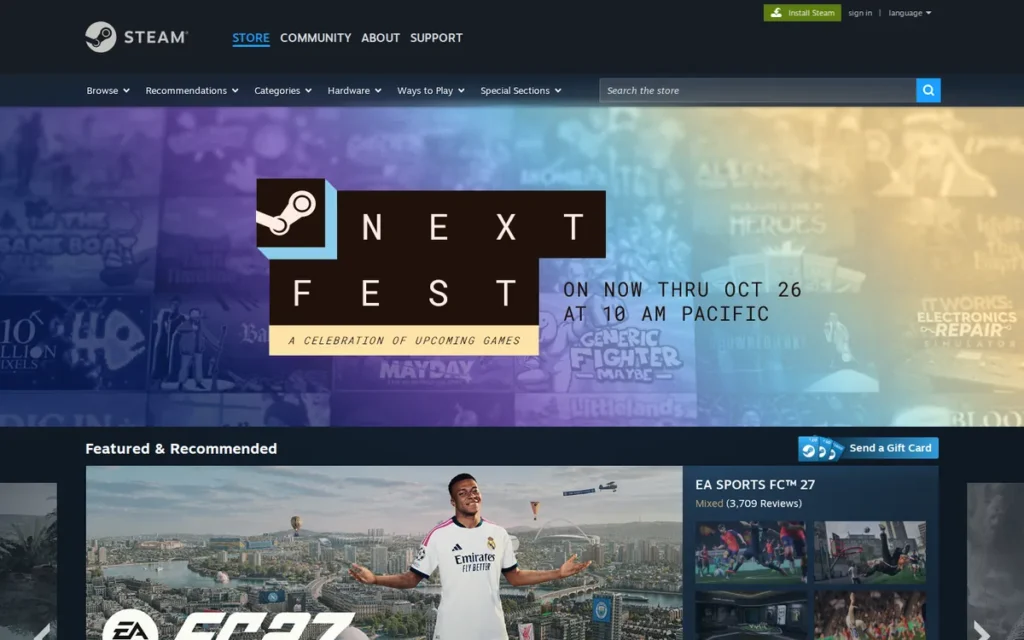
Category: Platform / Launcher, PC game distribution, library management, Workshop mod access, and gaming community hub for all PC gamers.
At a Glance
- Category: Platform / Launcher
- Best For: PC gamers at all experience levels who want a single, permanently free hub for purchasing games, managing a library, accessing Workshop mods, and connecting with other players
- Price Range: Free: no subscription, no launcher fee; users pay only for individual games purchased
- Primary Strength: Steam provides the largest PC game ecosystem: Workshop mods, cloud saves, the Steamworks SDK, and 42.7 million peak concurrent users (SteamDB all-time record, March 29, 2026), at zero cost
- Biggest Limitation: Steam’s 30% developer revenue cut shapes which games launch there first; the interface can feel overwhelming to first-time PC gamers; and Steam’s DRM means purchased libraries depend on Valve’s servers and account standing
- One-Line Summary: Steam is the world’s largest PC game distribution platform, providing a free launcher with 42.7 million peak concurrent users (SteamDB, March 2026), Workshop mod management, cloud saves, and the Steamworks developer SDK, the essential foundation of any PC gaming setup in 2026
- Last Verified: June 2026
Overview
Steam is Valve’s free PC game distribution platform (launched September 12, 2003) serving as the primary storefront, library manager, Workshop mod infrastructure, and social hub for the world’s largest PC gaming community, with approximately 936 million PC gamers globally as of 2025 (Fortune Business Insights, 2025).
Steam functions as a full gaming ecosystem rather than a simple store. Steam’s core features include:
- Game purchases, automatic library updates, and cloud save syncing across all authorized devices
- Workshop mod installation and automatic version management for thousands of supported games
- Multiplayer matchmaking, friends lists, and remote game install management from any connected device
- Steam Deck Verified compatibility ratings (Verified, Playable, or Unsupported) for every game in a user’s owned library
Steam requires no subscription to access any core feature (including Workshop mods, cloud saves, community tools, and the Steamworks developer SDK) making it the highest-value platform-level tool available to PC gamers in 2026.
Key Features
- Workshop Mod Integration: Steam’s Workshop gives players one-click installation and automatic version updates for community-made mods across thousands of supported games, with Steam managing the entire download, version control, and removal process without requiring users to handle file management manually.
- Remote Play and Steam Link: Steam Remote Play allows users to stream games from a home gaming PC to any authorized device (including mobile) enabling full library access and remote session management at no additional cost beyond the base Steam account.
- Steamworks SDK: Steam’s Steamworks SDK provides developers with a free professional-grade toolkit covering achievements, cloud saves, Steam Guard anti-cheat, matchmaking, friends integration, and Workshop support, infrastructure that would require substantial custom engineering to replicate independently (M-flux, 2025).
- Steam Deck Verified Labeling: Steam’s Deck Verified system rates every game in a user’s library as Verified, Playable, or Unsupported for portable gaming on Valve’s Steam Deck hardware, helping players identify compatible titles without purchasing and testing each individually.
Users on r/pcgaming reflected on how the Steam Deck integrates with their broader gaming setup:
“Any non competitive multiplayer game that it CAN play, I prefer to play on the Steam Deck. It just feels so good in my hands. Octopath Traveler. Dark Souls III. Elden Ring. Remnant: From the Ashes. Just a few I’ve enjoyed recently. It has not completely supplanted my main rig- competitive multiplayer, RTS, more demanding games like 40k: DarkTide-Those are still miles better on my PC. But it has a distinct place. I travel fairly often and it of course comes in handy then. It’s good for quick sessions where I don’t have a lot of time, just hit the power button and it will be waiting for you when you come back.” Posted by u/aForgedPiston
Takeaway: Steam’s Deck integration earns real-world loyalty for portable and casual gaming, but experienced users consistently treat it as a complement to, not a replacement for, a full PC for competitive titles.
- Built-in Media Tools: Steam’s built-in screenshot capture, video recording, and broadcast tools give players media documentation and sharing capabilities within the launcher itself, reducing dependence on third-party software for basic content creation.
Best For
Steam is best for PC gamers at all experience levels (from complete beginners building their first library to long-tenured enthusiasts managing hundreds of titles) who use Steam as their primary PC game distribution platform and want a single, permanently free hub for purchasing games, automatic updates, Workshop mods, and community connectivity.
Pricing
Steam is free with no subscription, no launcher fee, and no charge for core features including cloud saves, Workshop, multiplayer infrastructure, Steam Deck Verified ratings, and community tools. Users pay only for individual games and software purchased through the store. The Steamworks SDK is free for developers publishing through Steam. (Verified June 2026 at store.steampowered.com/about.)
Strengths
- Peak Concurrent Users: 42.7 Million: Steam’s 42.7 million all-time peak concurrent users (SteamDB all-time record, March 29, 2026) represent the largest simultaneous gaming audience on any PC platform, a network effect that directly improves multiplayer matchmaking quality and community depth in ways no competing distribution platform replicates at this scale.
- Favorable Expert Review: PCMag reviewed Steam as a leading PC gaming client, citing its combination of store features, cloud saves, remote downloads, video streaming, and image and video capture as benchmark capabilities for PC gaming platforms (PCMag, 2025–2026).
- Steamworks Developer Infrastructure: Steam’s Steamworks SDK delivers professional-grade achievement, matchmaking, anti-cheat, cloud save, and Workshop infrastructure to developers at zero cost, a key reason developers who criticize Steam’s 30% revenue cut continue prioritizing it for PC distribution, as replicating this infrastructure independently requires substantial engineering investment (M-flux, 2025).
- Sale Ecosystem Loyalty: Steam’s sale ecosystem: Summer Sale, Winter Sale, and publisher-specific discount events, creates documented habitual platform engagement that competing storefronts have not meaningfully replicated, reinforcing library investment and platform loyalty across years of active use (TenStar Gaming, 2025).
Limitations
- Revenue Cut Trade-off: Steam’s 30% developer revenue cut is higher than Epic Games Store’s 12%, a commission gap that has funded Epic to offer exclusive titles and developer incentives bypassing Steam entirely, which over time shapes library breadth and launch timing on the platform (YouTube comparison coverage, 2025).
- Interface Complexity Trade-off: Steam’s interface can feel overwhelming and intimidating to first-time PC gamers navigating the platform without prior experience, a documented onboarding friction that simpler, more focused storefronts do not impose on new users in the same way.
- DRM Library Dependency Trade-off: Steam’s DRM ties a player’s purchased game library to Valve’s servers and account standing, a collection of hundreds of games becomes inaccessible if an account is erroneously banned or suspended, a platform-dependency risk that DRM-free storefronts like GOG explicitly do not impose on buyers.
- Customer Support Friction Trade-off: Steam’s customer support for account recovery and refund disputes is widely cited in community discussions as slow and difficult to navigate, a practical friction point for players encountering billing or access issues that require human resolution.
Verdict
Steam is the most broadly essential gaming tool for the vast majority of PC gamers in 2026, a free platform combining game distribution, Workshop mod management, cloud saves, Steamworks developer infrastructure, and Steam Deck hardware integration that 42.7 million users access simultaneously at peak (SteamDB, March 2026). Steam ranks #1 because it is the only tool in this evaluation to serve virtually all PC gamers at zero cost with a 22-year ecosystem that delivers documented network effects at a scale no competing platform approaches. Steam’s 30% developer cut is a legitimate business-model criticism but creates no direct cost or feature limitation for players, and the platform’s breadth and zero subscription cost make it the default first tool for PC gamers regardless of experience level.
2. Discord: Best for Gaming Communication and Community Building
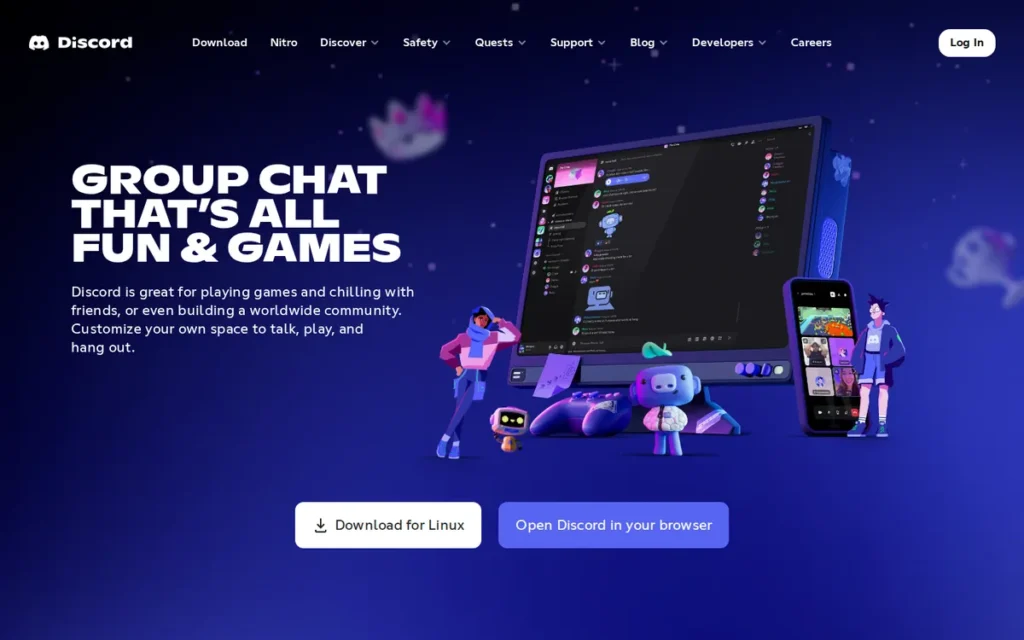
Category: Communication / Community, free voice, video, text, and server-based community platform purpose-built for gaming communities.
At a Glance
- Category: Communication / Community
- Best For: Gamers coordinating multiplayer sessions, streamers managing audience servers, and developers connecting with player communities
- Price Range: Free (Nitro Basic ~$2.99/mo; Nitro ~$9.99/mo; Server Boosts ~$4.99/boost/mo, all optional; core communication features permanently free)
- Primary Strength: Discord provides free always-on voice channels and gaming-native community tools to 90+ million daily active users (Discord official, Q4 2025), the dominant communication platform for PC gaming with network effects no competing tool has meaningfully overcome at population scale
- Biggest Limitation: Discord’s app is resource-heavy on budget gaming PCs where CPU resources compete directly with game frame rates; the platform lacks end-to-end chat encryption; and its corporate direction has visibly shifted away from gaming-native identity
- One-Line Summary: Discord is the default gaming communication platform in 2026, offering free voice channels, server-based community organization, and gaming-native integrations to 90+ million daily active users (Discord official, Q4 2025), with third-party estimates placing monthly active users between 200M and 260M (SQmagazine, BusinessOfApps, 2025)
- Last Verified: June 2026
Overview
Discord is the default free gaming communication platform in 2026 (founded in 2015 with gaming-native design by Jason Citron and Stan Vishnevskiy) now serving as the primary social infrastructure for PC gaming communities globally, with 90+ million daily active users (Discord company page, Q4 2025) and third-party monthly active user estimates of 200M–260M (SQmagazine, BusinessOfApps, 2025).
Discord’s gaming-native architecture (always-on voice channels, game presence detection, server-based community organization supporting 250,000 members, and a bot ecosystem enabling custom automation) differentiates it from general communication tools like Slack or Microsoft Teams that gaming communities have consistently rejected as inadequate substitutes.
Discord’s network effects are the defining feature: switching away from Discord means leaving behind communities, friends lists, and server infrastructure built over years, a switching cost no competing gaming communication platform has overcome at population scale in 2026.
Key Features
- Always-On Voice Channels: Discord’s always-on voice channels allow players to join and leave audio rooms without scheduling, call setup, or per-session configuration, mirroring the informal “jumping into a party” dynamic of gaming communication rather than the meeting-oriented model of workplace collaboration tools.
- Rich Presence Integration: Discord’s rich presence system detects what game a user is currently playing and displays it in their profile status, enabling mutual discovery of shared games and quick multiplayer session invitations without leaving the platform.
- Server Structure at Scale: Discord’s server structure supports up to 250,000 members with Text Channels, Voice Channels, Forum Channels for threaded discussions, Stage Channels for broadcast-style audio events, and granular role-based permissions (Slack vs. Discord comparison, 2025), accommodating everything from two-player friend groups to massive game publisher community servers.
- Developer Bot Ecosystem: Discord’s bot ecosystem enables communities to build custom moderation automation, music playback, game stat bots, and live service update feeds through publicly documented APIs, creating compounding switching costs as servers build increasingly sophisticated custom setups over months and years.
- GDC 2026 Gaming Features: Discord unveiled developer-facing features at GDC 2026 including official game server claiming tools, account-linking infrastructure for studio-player identity systems, and a Social SDK roadmap (CreateWith.com, GDC 2026), signaling Discord’s evolution toward full gaming community infrastructure beyond pure communication.
Best For
Discord is best for any gamer who plays with others (from two friends coordinating in a multiplayer shooter to content creators managing a community server of thousands) as the free, gaming-native communication platform whose network effects make it the single platform where virtually every relevant gaming community already exists in 2026.
Pricing
Discord’s core platform is free with no feature restrictions on voice, video, text, server creation, or bot integrations. Paid upgrades are optional and primarily cosmetic: Nitro Basic (~$2.99/month) adds larger file uploads and custom emoji; Nitro (~$9.99/month) adds better stream quality and animated avatars; Server Boosts (~$4.99/boost/month) improve server audio quality and unlock vanity URLs. Community members broadly characterize Nitro as “nice-to-have” cosmetics rather than features required for gaming communication. (Pricing verified June 2026 at discord.com/nitro.)
Strengths
- 90M+ Daily Active Users: Discord reports 90+ million daily active users (Discord company page, Q4 2025); third-party analyses estimate monthly active users between 200 million and 260 million (SQmagazine, BusinessOfApps, 2025), a user base that creates network effects making Discord the dominant platform for PC gaming community coordination.
- Free Voice Server Infrastructure: Discord’s free always-on voice server model (requiring no server rental, no hosting cost, and no per-user session fee) democratized gaming community communication that previously required paid TeamSpeak server subscriptions, directly lowering the cost barrier for budget PC gamers (Tochato, 2025).
- GDC 2026 Gaming Investment: At GDC 2026, Discord announced official game server claiming tools, community analytics tied to player engagement metrics, and a Social SDK roadmap (CreateWith.com, GDC 2026), confirming ongoing platform investment in gaming-specific infrastructure beyond baseline communication features.
- Governance Flexibility at Scale: Discord’s server structure: with Stage Channels for broadcast audio, Forum Channels for structured threaded discussions, and 250,000-member capacity, allows a single server to simultaneously host casual voice chat, formal community announcements, developer Q&A sessions, and searchable knowledge bases.
Limitations
- Resource Footprint Trade-off: Discord’s app is consistently described in hardware comparison reviews as resource-heavy relative to legacy alternatives like TeamSpeak, consuming meaningful CPU and RAM on budget gaming builds where those resources directly compete with game frame rates (HP comparison, 2025), a practical trade-off disproportionately affecting budget-beginner gamers.
As one user on r/lowendgaming confirmed:
“It depends on your encoder settings. As far as I know, discord uses mainly cpu so it is cpu intensive. Streaming on twitch however, it is little bit different. Assuming you will be using obs for streaming on twitch, if you choose x264 encoder, it will be cpu intensive. If your gpu supports encoding, there is a chance your can choose Quicksync (intel), AMF (amd), or NVENC(nvidia). This time streaming will be gpu intensive. However, some gpus have dedicated hardware for their encoders so when you choose their encoders, performance loss will be minimal.” Posted by u/somuch2win
Takeaway: Discord’s reliance on CPU resources creates measurable performance overhead, a real concern for budget PC gamers who can’t spare CPU headroom during demanding games.
- Privacy Architecture Trade-off: Discord lacks end-to-end encryption for chat messages, a documented limitation that privacy-conscious users must weigh against the platform’s communication quality and community reach, as all Discord messages can in principle be accessed by Discord’s servers.
- Corporate Identity Shift Trade-off: Discord’s corporate direction has visibly shifted toward broader non-gaming communities since 2020, and long-term gaming users characterize this in community discussions as gradually diluting the platform’s gaming-native features and identity, a documented concern that has grown alongside Discord’s general-purpose expansion.
- Nitro Conversion Pressure Trade-off: Discord’s documented history includes features migrating from free to paid tiers (the free animated avatar feature was restricted to Nitro subscribers as one documented example) making the conversion pressure concern concrete rather than speculative for free-tier gamers evaluating long-term platform commitment.
Verdict
Discord is the essential gaming communication tool in 2026, the free platform that 90+ million daily active users rely on for voice coordination, community building, multiplayer team management, and game studio audience connection, with GDC 2026 feature announcements confirming ongoing gaming-specific investment. Discord’s network effects make it the dominant choice: virtually every gaming community that matters exists there, and the free core tier provides all functionality needed for gaming communication without requiring Nitro. Discord’s resource footprint on budget PCs and the absence of end-to-end encryption are genuine trade-offs that budget PC gamers and privacy-focused users should weigh before committing.
3. OBS Studio: Best for Game Streaming and Content Recording
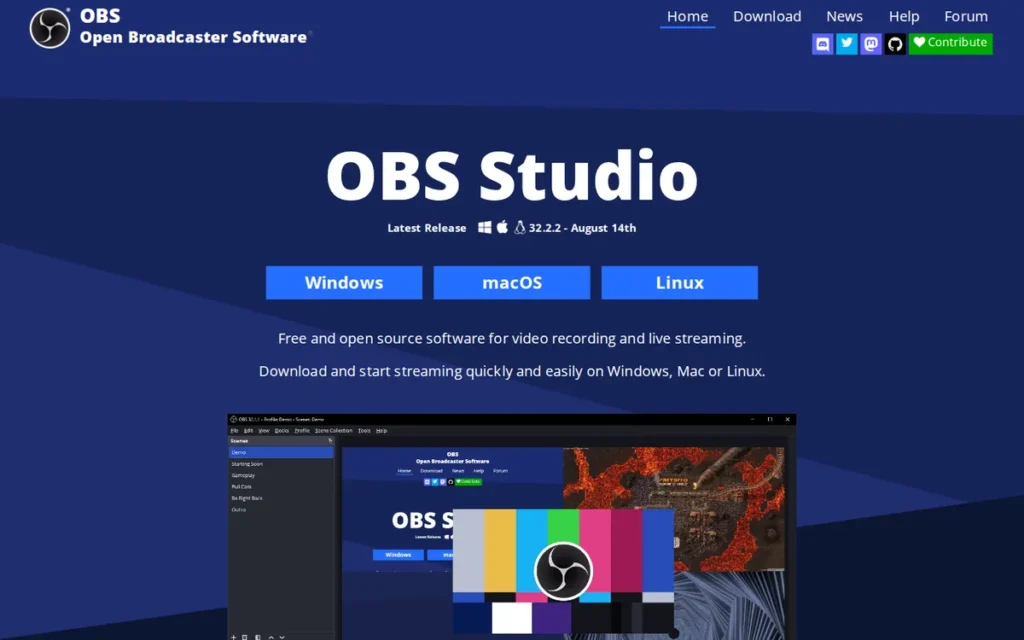
Category: Recording / Streaming, free, open-source game capture and live-broadcasting software for streamers and content creators.
At a Glance
- Category: Recording / Streaming
- Best For: Streamers and content creators wanting professional-grade recording and streaming with full production control at zero cost
- Price Range: Free: completely. No ads, no watermarks, no premium tiers, no subscription required for any feature
- Primary Strength: OBS Studio delivers professional-grade hardware-accelerated encoding, scene management, and plugin extensibility with zero cost and no feature restrictions at any level, the open-source streaming standard confirmed by active development through v32.1.2 (April 2026)
- Biggest Limitation: OBS Studio has a significant learning curve with no guided onboarding; manual scene and plugin configuration can overwhelm new streamers before delivering results
- One-Line Summary: OBS Studio is the free, open-source streaming and recording software that has become the professional standard for game streaming in 2026, offering hardware-accelerated encoding, unlimited plugin extensibility, and cross-platform support with no paywalls, watermarks, or feature restrictions of any kind
- Last Verified: June 2026
Overview
OBS Studio is a free, open-source screen capture and live streaming application (available on Windows, macOS, and Linux) that has established itself as the professional standard for game streaming and content creation, with the latest stable release version 32.1.2 shipped April 2026 (obsproject.com release notes; obs-versions.com, April 2026).
OBS Studio’s architecture is built around Scenes (production layouts), Sources (display capture, webcam input, browser-based overlays, media files), and Filters (chroma key, noise suppression, automated scene transitions), enabling a single setup to handle live gaming streams, podcast recordings, multi-camera productions, and virtual events.
OBS Studio does not publish install or user data as an open-source project, its market position is established through expert consensus and creator community adoption rather than proprietary metrics. Paid streaming software competitors that monetize capabilities through subscriptions represent OBS Studio’s primary competitive context.
Key Features
- GPU-Accelerated Hardware Encoding: OBS Studio’s support for NVIDIA NVENC, AMD AMF, and Intel QuickSync offloads video encoding from the CPU to the graphics card, allowing streamers on mid-range gaming PCs to broadcast at high-quality bitrates without measurably impacting in-game frame rates during live sessions.
- Active Development: v32.1.2 (April 2026): OBS Studio version 32.1.2 (April 2026) introduced WebRTC Simulcast support, a rebuilt Audio Mixer with per-source volume controls, voice activity detection (VAD) noise suppression, and NVENC stability improvements (obsproject.com release notes; obs-versions.com, 2026), demonstrating continued active feature development through the current year.
- Community Plugin Ecosystem: OBS Studio supports thousands of community-developed plugins (including Multiple RTMP Outputs for simultaneous multistreaming to Twitch and YouTube, Source Record for independent source recording, and Advanced Scene Switcher for conditional automation) all available at zero cost from the obsproject.com plugins repository.
- Cross-Platform Parity: OBS Studio delivers identical features and performance on Windows, macOS, and Linux, the only streaming software providing professional-grade capabilities without restricting users by operating system, which is specifically meaningful for the Linux gaming community where alternatives are limited.
- Open-Source Architecture: OBS Studio’s open-source codebase allows users to self-host, extend, and modify the software without vendor lock-in, providing long-term ownership control that proprietary streaming software, which can alter features through forced updates, does not guarantee.
Best For
OBS Studio is best for streamers and content creators who are past the initial learning curve (or willing to invest setup time to master it) and want professional-grade production control, hardware-accelerated encoding, unlimited plugin extensibility, and zero recurring costs for capabilities that paid streaming alternatives monetize through monthly subscriptions.
Pricing
OBS Studio is completely free, no download cost, no ads, no watermarks, no premium tiers, and no subscription. All features including hardware encoding, scene management, plugin support, multi-platform broadcasting, and cross-platform access are available at zero cost. Optional companion tools carry separate costs, StreamElements offers a free tier; third-party overlay packs may carry optional purchase prices, but none are required to stream at professional quality. OBS Studio is fully functional standalone. (Verified June 2026 at obsproject.com.)
Strengths
- Expert Consensus as Professional Standard: Streamer Perks’ 2026 streaming software comparison describes OBS Studio as “the open-source king” and “the tool pros use,” with the specific language “100% free (no ads, no paywalls, no premium features)” and “For performance and full control, OBS Studio” (Streamer Perks, 2026), reflecting documented expert consensus on OBS Studio’s position as the professional streaming benchmark.
- Hardware Encoding Performance Advantage: OBS Studio’s GPU encoding support (NVIDIA NVENC, AMD AMF) is the practical difference between a smooth streaming experience and a stuttery one for gamers on mid-range PCs, encoding at high bitrates using GPU resources rather than CPU headroom is the documented key technical advantage for simultaneous gaming and streaming setups.
- Confirmed Active Development: OBS Studio version 32.1.2 (April 2026, obsproject.com release notes) introduced WebRTC Simulcast, a rebuilt Audio Mixer, and VAD noise suppression, meaningful capability additions confirming active development through the current year, directly addressing community concerns about open-source project sustainability.
- Plugin Value Versus Paid Competitors: OBS Studio’s plugin ecosystem delivers capabilities that paid streaming software competitors bundle behind subscription tiers (including simultaneous multistreaming and advanced automated scene switching) at zero additional cost, making OBS Studio the highest-value streaming tool by capability-per-dollar compared to any paid alternative.
Limitations
- Learning Curve Trade-off: OBS Studio’s most consequential limitation is setup complexity, the community’s standard recommendation, “beginners should start with Streamlabs for its guided setup, then graduate to OBS when they need more control,” exists because OBS Studio provides no guided onboarding and presents plugin discovery as a community research process rather than an in-app feature (Streamer Perks, 2026).
This aligns with community sentiment on r/Twitch:
“Everyone on this sub will tell you “OBS good, Streamlabs bad”, but there are pros and cons to each.
OBS pros:
- Resource efficient
- Open source
- Many plugins available
- Works well with screen readers
OBS cons:
- Not very intuitive interface (steeper learning curve)
- Requires plugins for basic features
- No default templates for alerts, chat, scenes, transitions, etc.
At the end of the day, the choice is yours! They’re both free. Explore which options/plugins are most important to you, and see which software has them.” Posted by u/So_Motarded
Takeaway: Streamers consistently identify OBS Studio’s steep learning curve and plugin-dependent feature set as genuine barriers for beginners, validating the recommendation to start with a guided alternative before migrating to OBS for full production control.
- System Resource Overhead Trade-off: OBS Studio’s CPU and GPU resource overhead during simultaneous high-quality streaming and gaming can strain mid-range systems even with hardware encoding enabled, requiring manual bitrate, resolution, and encoder tuning that new streamers are poorly positioned to navigate without community guidance or a pre-configured setup alternative.
- No Native Multistreaming Trade-off: OBS Studio does not natively support simultaneous multistreaming to multiple platforms, achieving this requires installing the free Multiple RTMP Outputs plugin (available at obsproject.com plugins repository), adding a setup step that paid competitors include as a built-in configured feature.
- Open-Source Sustainability Trade-off: OBS Studio operates as a volunteer-funded open-source project sustained by Open Collective community donations, OBS Studio’s development pace depends on contributor availability and community funding, a model proven resilient over many years but carrying inherent uncertainty if key contributors step back, which the community actively monitors.
Verdict
OBS Studio is the best free gaming streaming and recording software available in 2026, a professional-grade, open-source tool delivering hardware-accelerated encoding, unlimited plugin extensibility, and cross-platform support with absolutely no cost, watermarks, or feature paywalls at any level of usage. OBS Studio’s active April 2026 development release and expert consensus positioning as “the tool pros use” (Streamer Perks, 2026) confirm its status as the durable streaming software benchmark. New streamers should budget for an initial configuration investment that beginner-oriented alternatives eliminate, but for creators who have passed the setup stage, OBS Studio provides production control and value that no paid competitor matches.
4. MSI Afterburner: Best for GPU Performance Monitoring and Optimization
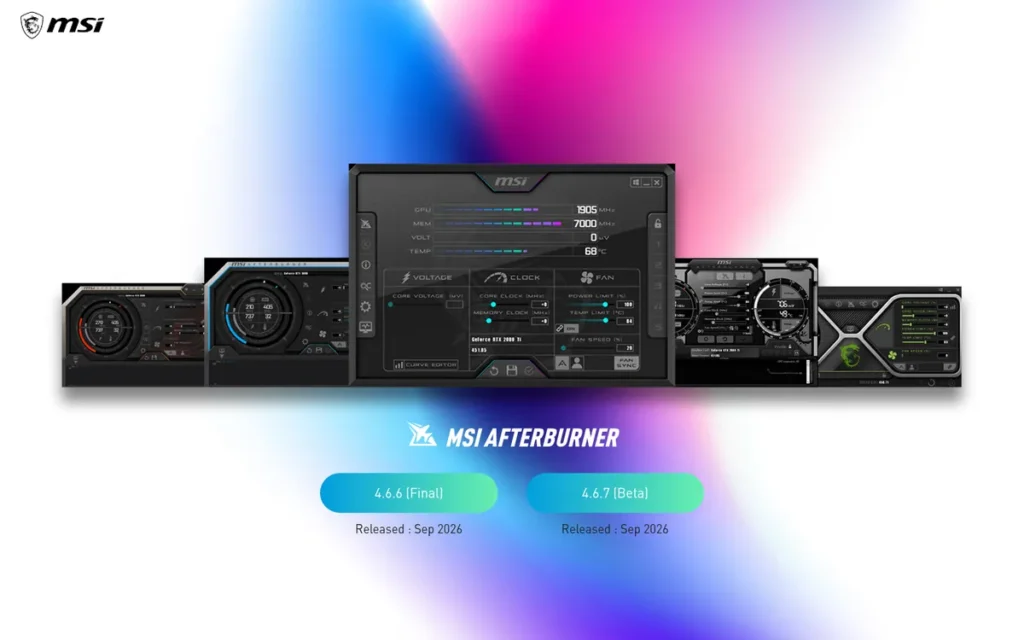
Category: Performance / Optimizer, GPU overclocking, custom fan curve control, hardware monitoring, and real-time in-game performance overlay utility for PC gamers.
At a Glance
- Category: Performance / Optimizer
- Best For: PC gamers and hardware enthusiasts optimizing GPU performance, monitoring frame rates and thermals in real time, and managing fan curves across any GPU brand
- Price Range: Free: no tiers, no subscription; all features included at zero cost
- Primary Strength: MSI Afterburner delivers cross-brand GPU overclocking, fan curve control, and real-time RTSS in-game overlay for any NVIDIA, AMD, or Intel Arc GPU at zero cost, confirmed actively maintained with v4.6.6 Final (October 2025) and v4.6.7 Beta (February 2026)
- Biggest Limitation: Aging skeuomorphic UI with documented high-DPI scaling problems; single-developer maintenance risk; download ONLY from msi.com or Guru3D to avoid documented phishing malware (MSI official warning, 2026)
- One-Line Summary: MSI Afterburner is the free, cross-brand GPU overclocking and monitoring utility that pairs with RivaTuner Statistics Server to deliver real-time in-game frame rate, temperature, and performance overlays for any NVIDIA, AMD, or Intel Arc graphics card, the standard PC gaming GPU optimization tool in 2026
- Last Verified: June 2026
Overview
MSI Afterburner is a free GPU overclocking, fan curve management, hardware monitoring, and in-game performance overlay utility that works across graphics cards from all major manufacturers (NVIDIA, AMD, and Intel Arc) not exclusively MSI-branded hardware, making it the standard cross-brand GPU optimization tool for PC gaming enthusiasts in 2026.
MSI Afterburner pairs with RivaTuner Statistics Server (RTSS) to deliver a fully configurable real-time on-screen display of frame rate, GPU temperature, VRAM usage, CPU load, and frame latency during active gameplay. MSI’s own marketing describes Afterburner as “the most used graphics card software in the world”, a self-reported claim consistent with enthusiast community consensus but without independently published user count verification.
MSI Afterburner ranks #4 (above the game engines at #5 and #6) because the GPU performance-optimization audience (PC gamers monitoring frame rates and thermals) is substantially larger than the developer-only audience within this article’s target reader base, and no other free cross-brand GPU utility addresses this use case with equivalent capability.
Key Features
- Cross-Brand GPU Overclocking: MSI Afterburner provides GPU core clock, memory clock, power limit, voltage, and temperature limit adjustments across NVIDIA RTX 50/40/30/20/10-series, AMD Radeon RX 7900/6700/5700-series, and Intel Arc graphics cards (MSI official landing page, 2026), covering current GPU generations across all major brands in a single interface that no vendor-provided utility replicates.
- Custom Fan Curve Editor: MSI Afterburner’s fan curve editor allows users to define custom RPM profiles mapped to precise GPU temperature thresholds, enabling gamers to balance acoustic noise against thermal performance rather than accepting a manufacturer’s preset cooling curve that may prioritize silence over stability.
- RTSS In-Game Overlay: MSI Afterburner integrates with RivaTuner Statistics Server (RTSS) to display a real-time in-game overlay showing frame rate, GPU and CPU temperatures, VRAM and RAM usage, frame time variance, and GPU load percentage, the most configurable performance monitoring display available for Windows PC gaming at zero cost.
- Kombuster GPU Stress Testing: MSI Afterburner includes Kombuster, a built-in GPU stress test and benchmark tool for validating system stability after overclocking, allowing users to confirm performance gains are stable under sustained load without installing separate diagnostic software.
- Confirmed 2026 Active Updates: MSI Afterburner received v4.6.6 Final (October 2025) and v4.6.7 Beta (February 2026) (MSI official landing page, msi.com, June 2026), confirming active maintenance through the current NVIDIA RTX 50-series GPU generation, directly addressing the most common community concern about development continuity.
Best For
MSI Afterburner is best for PC hardware enthusiasts, PC builders, and performance-focused gamers who want to monitor GPU health and frame rates in real time during gameplay, extract additional performance from existing hardware through overclocking, optimize thermal management through custom fan curves, or diagnose stability issues, without being restricted by GPU brand.
Pricing
MSI Afterburner is completely free, no download cost, no subscription, no premium tier, and no feature gating of any kind. All functionality including GPU overclocking, fan curve control, voltage adjustment, RTSS integration, Kombuster stress testing, and hardware monitoring is included at zero cost.
⚠️ CRITICAL SECURITY WARNING, READ BEFORE DOWNLOADING: MSI explicitly warns on its official landing page that phishing fake-download sites distributing malware disguised as Afterburner are an active, documented threat exploiting the tool’s massive download demand (MSI official warning, 2026). The only legitimate MSI Afterburner download sources are msi.com/Landing/afterburner and Guru3D. Never download from search result advertisements, third-party mirrors, or any site other than these two official sources. (Verified June 2026.)
Strengths
- Cross-Brand GPU Compatibility: MSI Afterburner’s cross-brand compatibility: confirmed for NVIDIA RTX 50/40/30/20-series, AMD Radeon RX 7900/6700/5700-series, and Intel Arc as of 2026 (MSI official landing page, 2026), is its defining technical advantage: users who switch GPU brands continue using MSI Afterburner without relearning a new tool, which all vendor-locked alternatives (ASUS GPU Tweak III, AMD Adrenalin, NVIDIA GeForce Experience) require.
- RTSS OSD: Most Configurable Gaming Overlay: The RTSS in-game overlay paired with MSI Afterburner is described across enthusiast communities as the most configurable real-time performance display available for Windows gaming, enabling simultaneous monitoring of frame rate, GPU temperature, VRAM usage, CPU load, and frame time with user-defined layout and data element selection (Zipdo GPU software comparison, 2025).
- Confirmed 2026 Maintenance: MSI Afterburner received v4.6.6 Final (October 2025) and v4.6.7 Beta (February 2026) (MSI landing page, msi.com, June 2026), confirming active maintenance through the NVIDIA RTX 50-series GPU generation, directly refuting community concerns about complete development abandonment while acknowledging the slower pace compared to earlier development cadence.
- Community Default Recommendation: Enthusiast communities recommend MSI Afterburner as the default GPU utility: “It’s like a universal GPU tuner (I don’t need to learn new software again when switching GPUs” (u/sfu114, r/PcBuild, May 2024)) reflecting the cross-brand familiarity advantage that maintains user loyalty over newer but brand-specific alternatives.
“MSI Afterburner has had years to get their shit right… Afterburner comes with Kombuster for stress testing and is just universally well known. The things in AMD Adrenaline and NVIDIA GeForce Experience are newer and unproven products.” (u/aura_enchanted, r/PcBuild, May 2024)
Takeaway: Enthusiast community trust in MSI Afterburner is built on two decades of reliable cross-brand performance, not marketing, vendor-provided utilities have not displaced it despite improved first-party offerings.
Limitations
- UI Aging Trade-off: MSI Afterburner’s skeuomorphic “hardware gauge” interface has not meaningfully modernized, and on high-DPI or large displays, UI scaling problems are a documented recurring complaint (“they cannot make their app scale to fit the screen properly” (u/ImmaTouchItNow, r/PcBuild, 2024)) a notable contrast with modern GPU utilities offering clean, resizable interfaces.
- Single-Developer Maintenance Risk Trade-off: MSI Afterburner’s single-developer architecture (Alexey Nicolaychuk, Russia-based) creates genuine long-term maintenance uncertainty that community members openly discuss as a risk factor, even as the v4.6.6 Final (October 2025) and v4.6.7 Beta (February 2026) updates demonstrate continued activity.
- Phishing Security Threat Trade-off: MSI Afterburner’s massive download popularity makes it a documented target for phishing fake-download sites distributing malware, requiring active download-source diligence that more commercially distributed tools do not impose on users (MSI official warning, 2026).
- Development Pace Slowdown Trade-off: MSI Afterburner’s pace of new feature additions has slowed compared to its historical cadence, leaving room for a modern cross-brand GPU utility with a contemporary UI, a gap that does not yet have a strong cross-brand competitor but represents a real long-term vulnerability for MSI Afterburner’s market position.
Verdict
MSI Afterburner is the best free GPU performance optimization and monitoring tool available in 2026 for PC gamers who want to extract more performance from existing hardware, monitor real-time thermal and frame-rate data during gameplay, and manage fan cooling curves without GPU brand restrictions. MSI Afterburner’s v4.6.6 Final (October 2025) and v4.6.7 Beta (February 2026) updates confirm it remains actively maintained through the current GPU generation, and its cross-brand compatibility remains unmatched by any vendor-provided alternative. Users must download exclusively from msi.com/Landing/afterburner or Guru3D to avoid documented phishing risks, a non-negotiable security step before first installation.
5. Unreal Engine 5: Best for AAA and Cinematic Game Development
Category: Development / Game Engine, professional-grade real-time 3D game engine targeting AAA visual quality and cinematic production standards.
At a Glance
- Category: Development / Game Engine
- Best For: Game developers targeting AAA-quality visuals, cinematic narrative productions, or serious 3D game projects where photorealistic real-time rendering is the primary technical priority
- Price Range: Free to use (5% royalty on gross revenue exceeding $1,000,000 USD per product; Fab marketplace gives creators 88% revenue share)
- Primary Strength: Unreal Engine 5 delivers best-in-class real-time rendering through Nanite, Lumen, and MetaHuman (confirmed across Black Myth: Wukong and Senua’s Saga: Hellblade II) backed by Fortnite-funded Epic stability making its royalty-free-until-$1M licensing terms credibly durable
- Biggest Limitation: Unreal Engine 5’s C++ workflow is a documented barrier: editor crashes on code errors, near-nonexistent C++ documentation for beginners, and 30+ minute rebuild times on machines with under 32GB RAM, keeping UE5 inaccessible to a significant portion of solo and beginner developers
- One-Line Summary: Unreal Engine 5 is the AAA game development standard in 2026, offering photorealistic real-time rendering through Nanite and Lumen free until $1M revenue, with Fortnite-backed Epic financial stability making its developer-friendly licensing terms the most credibly durable of any major commercial game engine
- Last Verified: June 2026
Overview
Unreal Engine 5 is Epic Games’ free real-time 3D game development platform, royalty-free until $1 million in lifetime product revenue, with a 5% royalty thereafter, that has established itself as the AAA game development standard, with Black Myth: Wukong (Game Science, 2024, UE5 confirmed) and Senua’s Saga: Hellblade II (Ninja Theory, UE5 confirmed) among the major titles shipped on UE5 in 2024–2025.
Additional 2024–2025 titles widely reported by developer studios and industry coverage to use Unreal Engine 5 include Stalker 2: Heart of Chornobyl, Tekken 8, and Final Fantasy VII Rebirth. Unreal Engine 5’s technical pillars collectively enable photorealistic real-time rendering that previously required teams and budgets many times the size of today’s mid-tier studios:
- Nanite: Virtualized geometry rendering film-quality asset meshes without manual level-of-detail optimization
- Lumen: Real-time global illumination and reflections replacing computationally expensive baked-lighting workflows
- MetaHuman Creator: Photorealistic digital human generation with rigged facial animation and physical hair simulation
- World Partition: Open-world level streaming for large-scale maps without manual zone management
- Chaos: Physics and destruction simulation for environmental interaction and destructible geometry
- Blueprint: Node-based visual scripting allowing non-programmers to build game logic without writing C++ code
Epic Games’ Fortnite revenue provides a financially independent foundation for Unreal Engine R&D, the structural basis the developer community cites as the primary reason for trusting Unreal’s licensing stability over Unity’s publicly traded corporate structure.
Key Features
- Nanite Virtualized Geometry: Unreal Engine 5’s Nanite system allows developers to import film-quality assets with millions of polygons without manual level-of-detail optimization, eliminating one of the most technically demanding workflows in traditional AAA production and enabling studios of all sizes to use cinematic-quality meshes in real time (N-IX game studio analysis, 2025).
- Lumen Global Illumination: Unreal Engine 5’s Lumen system delivers real-time global illumination and reflections that update dynamically as the game world changes, replacing pre-baked lighting workflows that required hours of computation per scene and locked level layouts throughout development.
- MetaHuman Creator: Unreal Engine 5’s MetaHuman Creator enables studios to generate photorealistic digital humans with rigged facial animation and physical hair simulation in hours rather than months, expanding cinematic character quality to studios that previously lacked the budget for bespoke human modeling pipelines.
- Blueprint Visual Scripting: Unreal Engine’s Blueprint system allows designers and non-programmers to build game logic, AI behaviors, and interactive systems through a node-based interface without writing C++ code, lowering the skill requirement for meaningful UE5 contributions on mixed-skill teams.
- Active UE5.6 Development with 5.7 Roadmap: Epic actively ships preview releases for UE 5.6 with roadmap sessions for UE 5.7 and beyond confirmed as of 2026 (YouTube, UE roadmap sessions, 2026), providing studios with multi-year engine version planning visibility critical for productions with 2-to-3-year development timelines.
Best For
Unreal Engine 5 is best for game developers who prioritize visual fidelity above all other project considerations (particularly studios working on 3D action games, open-world titles, cinematic narrative games, fighting games, or any project where photorealistic real-time rendering is the primary differentiator) and for developers with C++ experience or teams that include dedicated engine programmers.
Pricing
Unreal Engine is free to download and use for all commercial projects. The 5% royalty on gross product revenue applies after the first $1,000,000 USD in lifetime gross revenue per product. For context: a game generating $2M in total lifetime revenue pays $50,000 in royalties, a 2.5% effective rate on total revenue, applying only after commercial success is established. The Fab content marketplace returns 88% of revenue to creators with 12% going to Epic. Always verify current licensing terms directly at unrealengine.com/en-US/license before committing to a multi-year production. (Verified June 2026.)
Strengths
- Commercially Proven AAA Portfolio: Unreal Engine 5’s portfolio: Black Myth: Wukong (Game Science, UE5 confirmed) and Senua’s Saga: Hellblade II (Ninja Theory, UE5 confirmed) among additional 2024–2025 titles widely reported to use UE5 including Stalker 2: Heart of Chornobyl, Tekken 8, and Final Fantasy VII Rebirth, represents the strongest documented proof of production-scale visual quality of any game engine (Antier Solutions, 2025).
- Fortnite-Backed Licensing Stability: Epic Games’ Fortnite revenue provides a financially independent foundation for Unreal Engine R&D, developer community discussions directly cite this as the primary basis for trusting Unreal’s licensing stability: “Epic Games has a very reliable cash cow already (Fortnite) and isn’t particularly motivated to make a decision like [Unity’s Runtime Fee]” (u/deleted, r/unrealengine), a financial structure no other game engine replicates.
- Virtual Production Cross-Industry Adoption: Unreal Engine’s use on The Mandalorian for real-time LED volume background rendering (Artemisia College, industry documentation) has established Unreal Engine as the professional standard in film and TV virtual production, expanding career ROI for Unreal Engine skills beyond game development into entertainment production at industry scale.
- Stable Community Use-Case Routing: Developer community consensus has converged on a clear framework: “Choose Unreal when visual fidelity is paramount” (itch.io engine showdown, 2025), reflecting ecosystem clarity that reduces ambiguity for developers making engine selection decisions by providing a well-understood positioning relative to Unity and Godot.
Limitations
- C++ Workflow and Accessibility Barrier Trade-off: Unreal Engine 5’s most consequential limitation for aspiring indie developers is its C++ dependency combined with its accessibility challenges, community documentation consistently identifies “constant restarting of editor if you make a mistake in the code, editor will crash” and “documentation for C++ almost non-existent” as real, recurring friction points keeping UE5 genuinely inaccessible to a significant segment of solo and beginner developers (u/_DefaultXYZ, r/GameDevelopment, September 2025).
Users on r/unrealengine shared their experience navigating the engine’s learning curve:
“I am a professional programmer and I also spent about 2 years struggling with Unreal really hard to get anything to stick, even in terms of the programming and how to go about doing things. I’ve also gotten okay at 3D art but not to a professional level. Now I’ve finally broken through to being able to implement code ideas in Unreal and test little features etc without it being too hard. But I can confirm that the journey is not the same as improving with art. With art it is definitely easier to see where you’re improving, what still needs to improve, etc. With programming, especially in Unreal, the big challenge for me was understanding any of the underlying logic of the engine, the way Unreal sees the world if you will, so that I could implement things in a correct way. For me, I had to learn a bunch of little isolated things. The frustration of course is that whenever I wanted to make something without a tutorial I had no idea where to start. But over time you start to break down the idea into tinier and tinier pieces of functionality and you start to recognize techniques you’ve used before, or design philosophies you’ve seen Unreal use before, and then all of a sudden the disparate threads you’ve been learning get pulled together into a decent understanding.” Posted by u/FollowingPatterns
Takeaway: Even professional programmers report a multi-year adjustment period before Unreal Engine 5’s internal logic becomes navigable, confirming the C++ and engine-architecture barrier is not a beginner problem but a sustained challenge for experienced developers too.
- Opinionated Workflow Rigidity Trade-off: Unreal Engine 5 is described as “very rigid (you need to obey the engine” (r/GameDevelopment, 2025), meaning developers must conform to UE5’s opinionated architecture rather than structuring projects freely) a constraint limiting experimental or unconventional game design approaches in ways Unity and Godot do not impose.
- Hardware Compile Time Trade-off: Unreal Engine 5’s project compile times are substantially longer than Unity’s (developer community discussions consistently report 30+ minute full rebuild times on machines with under 32GB RAM (r/GameDevelopment, r/unrealengine, 2024–2025)) creating a practical hardware investment threshold that mid-range developer machines encounter as real production friction before reaching the engine’s visual capability ceiling.
- Royalty Threshold Monitoring Trade-off: Unreal Engine 5’s 5% royalty above $1M lifetime revenue requires ongoing financial tracking for commercially successful projects, a bookkeeping consideration absent from Unity’s flat-fee Pro tier and Godot’s royalty-free model that growing studios must actively build into their financial projections.
Verdict
Unreal Engine 5 is the best game development tool for AAA visual quality and cinematic production standards in 2026, with a commercially proven track record across major titles released in 2024–2025 and a Fortnite-backed financial structure making its royalty-free-until-$1M licensing terms the most credibly durable of any major commercial game engine. Unreal Engine 5 ranks above Unity primarily on corporate trustworthiness (Criterion C5), Epic’s Fortnite-backed financial stability gives it a demonstrably stronger long-term licensing confidence score than Unity’s publicly traded corporate structure, the criterion most actively debated in the developer community in 2025–2026. Unreal Engine 5’s C++ learning barrier is the primary gating factor, beginners and solo developers will find Unity or Godot more accessible entry points, but for teams targeting AAA-tier visual fidelity, Unreal Engine 5 delivers capabilities no competing engine approaches at any price.
6. Unity: Best for Indie and Mobile Game Development
Category: Development / Game Engine, cross-platform game engine optimized for indie, mobile, 2D, and beginner-accessible game development across 25+ platforms.
At a Glance
- Category: Development / Game Engine
- Best For: Solo developers, indie studios, and mobile game developers seeking the most accessible path to shipping commercial cross-platform games, particularly on iOS and Android
- Price Range: Unity Personal: Free for eligible individuals and small teams (verify current thresholds at unity.com/pricing). Unity Pro: $2,200/seat/year. Enterprise: custom pricing.
- Primary Strength: Unity powers over 70% of mobile games globally (Unity-reported, unity.com/solutions/mobile, 2025; corroborated by Sensor Tower 2025 Game Engines Report) and provides the most beginner-accessible engine through C# scripting, the largest Asset Store, and the most extensive tutorial library in game development
- Biggest Limitation: Unity’s 2023 Runtime Fee episode: a proposed retroactive per-install charge reversed after massive developer backlash, created lasting corporate trust damage that remains an active factor in developer engine selection decisions in 2026
- One-Line Summary: Unity is the most widely deployedmobile game engine in 2026, powering over 70% of mobile games globally (Unity-reported, 2025) including Pokémon GO, Genshin Impact, and Hollow Knight, offering the most beginner-accessible game development path through C# scripting, a free Personal tier, and the largest tutorial and asset ecosystem in the industry
- Last Verified: June 2026
Overview
Unity is a cross-platform game engine powering over 70% of mobile games globally (Unity-reported, unity.com/solutions/mobile, 2025; Sensor Tower 2025 Game Engines Report) (available free on the Personal tier for eligible teams) serving as the most accessible professional game engine for indie, mobile, and 2D game developers in 2026, with Pokémon GO (Niantic), Genshin Impact (miHoYo), and Hollow Knight (Team Cherry) demonstrating its commercial scale across mobile and PC.
Unity was founded in 2004 in Copenhagen, Denmark, and has been publicly traded on NYSE as “U” since September 2020. Corporate trust considerations from Unity’s 2023 Runtime Fee episode require active evaluation for any multi-year project commitment.
Unity’s 2025–2026 roadmap introduces Unity Muse agentic AI tooling and continued URP rendering improvements, signals of ongoing technical investment that coexist with the corporate trust challenge created by the 2023 Runtime Fee episode and its aftermath in developer communities.
Key Features
- C# Scripting Accessibility: Unity’s C# scripting environment is significantly more accessible to new developers than Unreal Engine’s C++ dependency, with extensive documentation and a community tutorial ecosystem that developers describe as the easiest to navigate of any engine, “damn do I miss how easy it was to find tutorials and other resources for Unity” (u/ArmanDoesStuff, r/Unity3D, 2024).
- Unity Muse AI Tooling (2025–2026 Roadmap): Unity’s 2025–2026 roadmap introduces agentic AI tools through Unity Muse that can index projects, assist with profiling, generate UI Toolkit layouts, and create assets including skyboxes and textures (Digital Production, 2025), positioning Unity to accelerate development iteration speed through AI-assisted workflows.
- 25+ Certified Deployment Targets: Unity’s 25+ deployment targets: spanning PC, Mac, Linux, iOS, Android, PlayStation, Xbox, Nintendo Switch, AR, VR, and web platforms, provide the broadest certified cross-platform coverage of any game engine evaluated, reducing per-platform porting costs for studios targeting multiple audiences.
- Asset Store Ecosystem: Unity’s Asset Store provides pre-built 3D models, scripts, animations, shaders, audio assets, and complete project templates, reducing development time for indie teams through community-developed component reuse, with “the biggest marketplace for game assets” cited as a primary competitive advantage (r/Unity3D, 2024).
- URP Rendering Improvements: Unity’s Universal Render Pipeline (URP) continues active development with Deferred+ rendering, GPU Resident Drawer, and Variable Rate Shading improvements confirmed in the 2026 roadmap (Digital Production, 2025), demonstrating ongoing visual quality investment alongside the commercial context.
Best For
Unity is best for solo developers, indie studios, mobile game developers, and beginners who want the most accessible path to shipping commercial cross-platform games (particularly on iOS and Android) supported by the industry’s largest tutorial library, a free Personal tier for eligible small teams, and a C# scripting environment that prioritizes developer accessibility and iteration speed over raw visual performance ceiling.
Pricing
Unity Personal is free for individuals and small teams meeting Unity’s revenue and funding eligibility criteria, verify current thresholds at unity.com/pricing, as these thresholds have changed historically and may change again. Unity Pro is $2,200/seat/year; Enterprise and Industry tiers require sales contact for custom pricing.
Important historical context: Unity’s 2023 Runtime Fee (which proposed retroactive per-install charges on existing shipped games) was fully reversed after developer backlash. The current Personal tier is not subject to per-install fees as of June 2026. Given this history, always verify current licensing terms directly at unity.com/pricing before committing to any long-term production timeline. (Verified June 2026.)
Strengths
- Dominant Mobile Market Position: Unity powers over 70% of mobile games globally (Unity mobile solutions page, unity.com/solutions/mobile, 2025; corroborated by Sensor Tower 2025 Game Engines Report (Unity-reported figure; methodology based on top mobile-game datasets)) reflecting Unity’s decade-long optimization for iOS and Android deployment workflows and the mobile gaming market that generates the largest share of global gaming revenue.
- Tutorial and Resource Ecosystem: Developer community consensus describes Unity’s tutorial ecosystem as practically unmatched: “I’ve recently moved to Unreal and all the features are cool as hell, but damn do I miss how easy it was to find tutorials and other resources for Unity” (u/ArmanDoesStuff, r/Unity3D, 2024), a testimonial from a developer who switched engines yet still misses Unity’s community infrastructure.
- Positive Day-to-Day Engine Experience: Current active developers report positive engine experiences in 2025: “Unity’s iteration speed is just unmatched for me” and “Unity doesn’t crash nearly as often [as Unreal]” (u/MynsterDev; u/DRexStudio, r/Unity3D, March 2025), confirming the 2023 controversy has not translated into degraded engine quality for developers actively using the platform.
- Versatility Across Game Types: Unity’s versatility spans virtually all game types, “there is no kind of game you cannot create with Unity. It excels at everything. Pixel art or realistic graphics, fps or platformer” (r/Unity3D, 2024), reducing the risk of hitting a capability ceiling mid-project that forces an engine migration.
Limitations
- Corporate Trust Damage: Runtime Fee Trade-off: Unity’s most consequential limitation is lasting trust damage from the 2023 Runtime Fee episode, a proposed retroactive per-install charge reversed after massive developer protest, captured in community language that persists into 2026: “You just can’t trust the parent company at all. They have shown themselves capable of trying to pull the rug on developers and trying to squeeze them into debt” (u/Fluffy-Pen1520, r/Unity3D, June 2024).
Users on r/IndieDev shared their hands-on assessment of Unity’s strengths and ceiling:
“It is for the most part easy to understand in both UI and scripts, simple and fluent design. 2 main stream pipelines so you don’t have to set everything up from scratch. Good for indie projects with stylized graphics. Can go a long way, so you can pretty much juice up some really big projects (But components can get a-bit messy and clustered).
In short, unity is quite a decent game engine. But lacks some basic features which is really weird in my opinion. HDRI doesn’t support foliage, lighting with celestial bodies can be messy, etc. So for small projects it is a good choice but for huge or large scale undertakings It won’t be efficient.” Posted by u/Poizan16
Takeaway: Indie developers using Unity find it well-suited for small and mid-scale stylized projects but consistently run into technical limitations when attempting large-scale or graphically ambitious productions.
- Public Company Structural Risk Trade-off: Unity’s status as a publicly traded company (NYSE: U) with investor-return pressure, combined with ongoing internal restructuring and documented layoffs, creates a structural licensing risk that Fortnite-backed Epic does not share, a material consideration for developers selecting an engine for multi-year productions; Unreal Engine 5 (#5) ranks above Unity primarily on this criterion.
- Pro Tier Cost Threshold Trade-off: Unity Pro at $2,200/seat/year is a meaningful cost threshold for solo developers whose projects exceed Personal tier eligibility, representing a substantial annual commitment with historically uncertain long-term licensing terms that developers must weigh carefully before crossing.
- Graphics Ceiling Trade-off: Unity’s visual quality ceiling remains below Unreal Engine 5’s Nanite and Lumen capabilities, specifically in large-scale open-world and cinematic 3D environments where developers targeting photorealism consistently migrate to UE5 for capabilities that Unity’s URP pipeline does not replicate at equivalent scale and fidelity as of June 2026 (developer community consensus, itch.io engine showdown 2025).
Verdict
Unity is the best game development tool for indie developers, mobile-focused studios, and beginners who need the most accessible path to professional cross-platform game development, backed by the industry’s largest tutorial library, C# scripting, a free Personal tier, and a commercially proven mobile portfolio including Pokémon GO and Genshin Impact. Unity’s corporate trust damage from the 2023 Runtime Fee episode is real, ongoing in community perception, and a legitimate factor for developers selecting an engine for multi-year projects, verify current licensing terms at unity.com/pricing before committing, and monitor policy developments given Unity’s public company structure. For mobile game development and beginner accessibility specifically, Unity remains the strongest engine available in 2026.
7. CurseForge: Best for Minecraft and WoW Mod Management
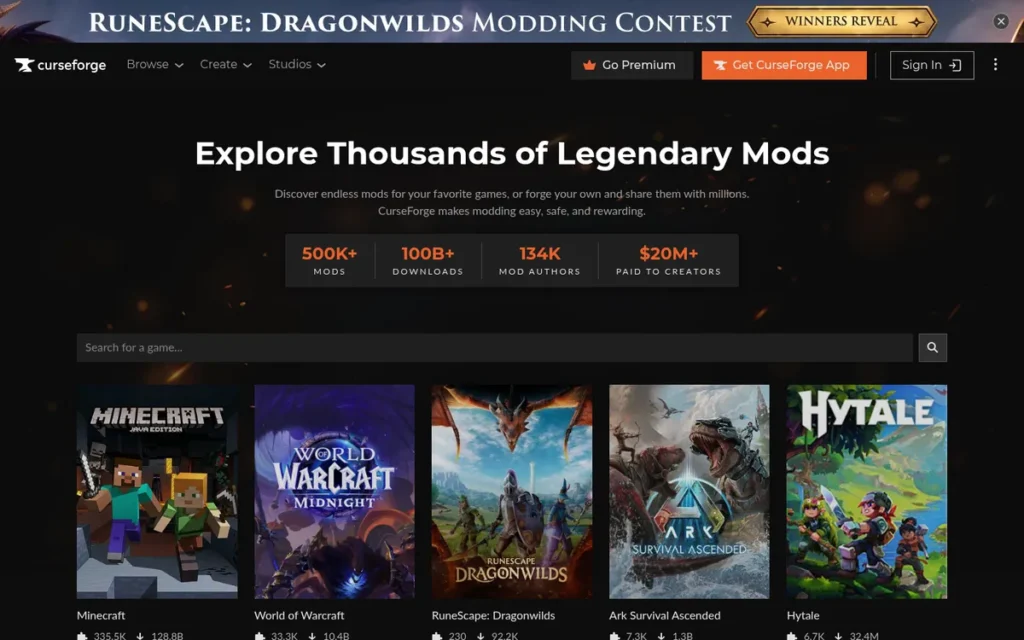
Category: Modding / Community Platform, Minecraft mod manager and WoW addon manager providing mod hosting, distribution, and one-click modpack installation.
At a Glance
- Category: Modding / Community Platform
- Best For: Minecraft and WoW players wanting the largest established mod library with one-click installation and automatic update management
- Price Range: Free (ad-supported: Overwolf app listing notes “Contains Ads, Subscription available”; core mod installation features free)
- Primary Strength: CurseForge hosts the largest historical archive of Minecraft and WoW mods globally, with 61 million cumulative app downloads (Overwolf, 2025–2026) over 18+ years of operation, archive depth no competing platform currently replicates for legacy modpack needs
- Biggest Limitation: CurseForge’s 2021 API lockdown alienated a sizeable portion of the modpack player base; the Creator Fund uses an opaque points-redemption payout; and a documented ongoing creator migration toward Modrinth threatens long-term content quality
- One-Line Summary: CurseForge is the longest-established Minecraft mod manager and WoW addon manager, providing one-click mod installation and the largest historical mod archive through a free, ad-supported desktop app with 61 million cumulative downloads (Overwolf, 2025–2026), while navigating creator trust challenges driving a documented migration to Modrinth
- Last Verified: June 2026
Overview
CurseForge is the free Minecraft mod manager and WoW addon manager for PC gaming communities (founded in 2007, operated by Overwolf since its 2020 acquisition, and accumulated 61 million cumulative app downloads (Overwolf app listing, 2025–2026)) providing one-click mod and modpack installation with automatic updates through a desktop app backed by the largest historical Minecraft mod archive of any platform.
CurseForge does not publish current monthly active user figures, 61 million cumulative app downloads is the most directly verifiable scale metric available for the platform.
CurseForge’s 18+ year operating history gives it the largest historical mod archive in the category, while its 2021 API lockdown and growing creator migration toward Modrinth represent active competitive pressures distinguishing it from the other predominantly trusted free tools in this evaluation.
Modrinth is a competing mod platform not independently reviewed in this article, readers should evaluate Modrinth against CurseForge using the criteria in the methodology section rather than relying solely on characterizations provided in the context of CurseForge’s limitations.
Key Features
- One-Click Mod and Modpack Installation: CurseForge’s desktop app provides one-click mod and modpack installation with automatic update management across supported games, eliminating the manual download, version management, and compatibility checking that previously required players to handle mod files individually.
- Largest Historical Mod Archive: CurseForge hosts the largest historical archive of Minecraft mods and modpacks (spanning multiple Minecraft versions from early releases through current) providing back-catalog coverage depth that no competing platform, including Modrinth, currently replicates for players seeking legacy modpacks (ResizeMyImg Modrinth vs. CurseForge comparison, 2025).
- Creator Fund Monetization: CurseForge’s Creator Fund provides mod authors a monetization pathway through a points-redemption system redeemable for gift cards and PayPal transfers, one of the few mod platforms offering direct modder income beyond donation-only models, distinguishing CurseForge from historically donation-dependent alternatives.
- Multi-Game Support: CurseForge supports multiple games beyond Minecraft and WoW through its supported games directory, providing a unified mod management platform for players across several gaming communities rather than a single-game tool.
- Confirmed Active Maintenance: CurseForge published a December 2025 newsletter confirming active platform maintenance and community updates (CurseForge blog, December 2025), with the Overwolf app listing showing the platform as actively distributed, a continuity signal for users evaluating platform longevity for long-running modded playthroughs.
Best For
CurseForge is best for Minecraft and WoW players who need access to the largest established mod library (especially legacy modpacks for older Minecraft versions not yet fully replicated on competing platforms) and want one-click installation and update automation through a desktop app with 18+ years of community content accumulation.
Pricing
CurseForge is free for users and mod creators. The Overwolf app store listing notes “Contains Ads, Subscription available”, indicating an ad-supported free experience with optional paid tiers within the Overwolf ecosystem, though specific subscription pricing is not prominently published on the CurseForge website. Users seeking an ad-free modding experience should evaluate Modrinth, which does not display advertising. Creator monetization is through the Creator Fund points-redemption system (redeemable for gift cards and PayPal transfers); direct per-download or revenue-share rates are not publicly disclosed. (Verified June 2026.)
Strengths
- 61 Million Cumulative App Downloads and 18+ Years Operating: CurseForge’s 61 million cumulative app downloads (Overwolf app listing, 2025–2026) and 18+ years of continuous operation (2007–2026) represent the largest quantified adoption scale and longest operating history of any mod management platform in this category, reflecting cumulative community content that competing platforms cannot replicate without equivalent time in market.
- Irreplaceable Legacy Mod Archive: CurseForge’s historical Minecraft mod archive depth is specifically identified in platform comparisons as “irreplaceable for players using older Minecraft versions or seeking specific modpacks” (ResizeMyImg Modrinth vs. CurseForge comparison, 2025), a genuine content moat that Modrinth’s modern interface and transparency advantages do not yet fully offset for players with legacy modpack needs.
- Creator Monetization Infrastructure: CurseForge’s Creator Fund provides modders with a monetary incentive pathway (even with its opacity criticized) distinguishing CurseForge from purely donation-driven alternatives and maintaining a content creation incentive structure that has sustained the platform’s mod library growth across 18+ years.
- Confirmed Active Platform Operation: CurseForge’s December 2025 newsletter (CurseForge blog, December 2025) and active Overwolf app listing confirm ongoing platform maintenance, a credibility signal for users evaluating whether the platform will remain operational for long-running modded playthrough projects.
Limitations
- API Lockdown History Trade-off: CurseForge carries the most documented structural concerns in this evaluation, its 2021 API lockdown restricted third-party launcher access to CurseForge mod files and “alienated a sizeable portion of the modpack player base” (YouTube community history, 2021), widely interpreted as an ad-revenue-maximizing decision rather than a player-experience improvement.
Users on r/feedthebeast noted:
“I don’t have any problem with them having a policy against advertising direct competitors on their website.
However, the appropriate procedure would be to request its removal, putting a block on putting a Modrinth link in the Description in the future, and only going further if the dispute doesn’t get resolved within a day or two. At worse the project should have been made inaccessible to the general public but kept on the servers until resolved (so it can just be brought back rather than needing all of the files to be reuploaded as new).
Immediately removing entire projects is massively disruptive for the whole community, and it’s bad enough when it’s for a legitimate reason like the mod did something malicious. It really doesn’t help that the whole reason Sodium and Iris stopped uploading new versions to CurseForge is due to complaints about the system’s upkeep (complaints about the redesign, and illegal reposts of their mods not getting taken down despite reports, and those reposts often appearing higher in the search results). The authors are already alienated, and this is just driving them further from the platform.” Posted by u/VT-14
Takeaway: CurseForge’s history of abrupt, disruptive project removals (including for minor policy violations) has systematically eroded creator trust and accelerated the migration to platforms with more transparent governance.
- Creator Fund Opacity Trade-off: CurseForge’s Creator Fund payout model is not transparent, “creators don’t earn money directly, but instead receive redeemable points; the system is not fully transparent” (Syhmac.pl, 2025), creating a trust gap for modders comparing CurseForge to Modrinth’s more legible revenue structure.
- Ad-Supported Experience Trade-off: CurseForge’s “Contains Ads” disclosure in the Overwolf app listing (Overwolf, 2025–2026) is a meaningful user experience friction point that Modrinth’s ad-free model avoids, a particularly notable contrast given that both platforms are free for core mod management functionality.
- Creator Migration Risk Trade-off: CurseForge faces a documented and ongoing creator migration toward Modrinth (driven by Modrinth’s more modern interface, transparent policies, and stronger support for open-source developers (ResizeMyImg comparison, 2025)) representing a long-term content quality risk if CurseForge’s most productive creators continue shifting to competing platforms at the current pace.
Verdict
CurseForge is the most established Minecraft mod manager and WoW addon manager in 2026, providing the largest historical mod archive, one-click installation and update automation, and Creator Fund monetization through a platform with 18+ years of content accumulation and 61 million cumulative app downloads (Overwolf, 2025–2026). CurseForge’s documented limitations (2021 API lockdown history, Creator Fund opacity, ad-supported interface, and ongoing creator migration toward Modrinth) are genuine factors for modders evaluating long-term platform commitment. Players needing the widest legacy mod library will find CurseForge’s archive depth currently unmatched; creators and players prioritizing monetization transparency and an ad-free experience should evaluate Modrinth as the modern alternative.
What Red Flags Should I Watch For When Evaluating Gaming Tools?
Watch for five documented red flags when evaluating gaming tools in 2026: opaque creator monetization, API lockdowns forcing app dependency, retroactive licensing changes by corporate owners, phishing fake-download sites distributing malware, and development pace slowdowns for single-developer free tools. Each red flag is based on verified, documented community incidents (not theoretical risks) that have already affected gaming communities in specific and measurable ways.
Red Flag #1: Opaque Creator Monetization Systems
CurseForge’s Creator Fund pays modders through a points-redemption system rather than direct revenue sharing, with the specific payout formula unpublished (Syhmac.pl, 2025). Any platform where the creator monetization rate cannot be clearly calculated before committing content carries this risk.
What to do: Demand a published per-download rate or revenue-share percentage before choosing any mod platform as your primary publishing destination.
Red Flag #2: API Lockdowns That Force Official App Dependency
CurseForge’s 2021 restriction of third-party launcher API access forced players toward the official app and “alienated a sizeable portion of the modpack player base” (YouTube community history, 2021). Platforms that restrict open API access to direct users into a specific client are prioritizing platform monetization over user experience.
What to do: Verify that third-party launcher support is actively maintained before committing your mod library to any platform as a long-term home.
Red Flag #3: Retroactive Licensing Term Changes by Corporate Owners
Unity’s 2023 Runtime Fee (a proposed retroactive per-install charge on existing shipped games) was reversed after developer backlash but permanently damaged corporate trust in the engine ecosystem. Unity’s Runtime Fee is the clearest illustration of why corporate trust belongs in a gaming tools ranking: a developer who spent three years building on Unity faced potential retroactive fees that could have eliminated their entire project profit margin before launch day.
Any tool deeply embedded in a development workflow carries retroactive licensing risk when owned by a for-profit company under investor pressure. Fortnite-funded Epic and open-source OBS Studio represent the high-trust end of this spectrum; publicly traded Unity represents the higher-risk end.
What to do: Verify corporate ownership structure and licensing change history before beginning any multi-year production on a proprietary game engine.
Red Flag #4: Fake Download Sites Distributing Malware
MSI Afterburner’s massive download demand has made it a documented target for phishing fake-download sites distributing malware (MSI official warning, 2026). This red flag applies to any widely used free utility, always verify the official manufacturer download page before installing free tools, and never download from search result advertisements.
For MSI Afterburner specifically: msi.com/Landing/afterburner and Guru3D are the only legitimate sources, no exceptions.
What to do: Download MSI Afterburner exclusively from msi.com/Landing/afterburner or Guru3D. For OBS Studio, download only from obsproject.com. Never use search result advertisements for free tool downloads.
Red Flag #5: Development Pace Slowdown for Single-Developer Free Tools
MSI Afterburner’s single-developer architecture means its long-term maintenance depends on one person’s continued availability and motivation. Free tools maintained by one or two contributors (especially without formal organizational structure) carry genuine discontinuity risk that commercially maintained tools do not.
MSI Afterburner’s v4.6.6 Final (October 2025) and v4.6.7 Beta (February 2026) updates confirm continued activity, but the pace of new feature additions has slowed compared to the tool’s historical cadence.
What to do: Check GitHub commit frequency and release cadence for any single-developer or small-contributor free tool before relying on it for critical production workflows.
What Questions Should I Ask Before Choosing a Gaming Tool?
Ask five questions before choosing any gaming tool from this list: Does it work with my current GPU brand? What is the actual cost at my usage scale? What is the company’s licensing change history? Is there an active tutorial community? And where is the only safe official download source? Answering these five questions prevents the most documented and costly gaming tool selection errors.
Question #1: Does This Tool Work With My Current GPU Brand?
MSI Afterburner is the only cross-brand GPU utility in this evaluation, ASUS GPU Tweak III, AMD Adrenalin, and NVIDIA GeForce Experience are all vendor-locked to specific manufacturers. If you plan to switch GPU brands in the near future, choosing a brand-locked alternative means relearning a new tool each time. Ask specifically: “Does this utility support NVIDIA, AMD, and Intel Arc?” before committing to any GPU performance software.
Question #2: What Is the Real Cost at My Scale of Use?
Most tools in this evaluation are genuinely free at the scale most users consume them, but three pricing inflection points matter:
- Unity Pro at $2,200/seat/year activates when a project exceeds Personal tier eligibility thresholds
- Unreal Engine 5’s 5% royalty activates at $1M lifetime product revenue per title
- CurseForge carries display advertising even in the free tier
Identify your pricing inflection point before you cross it, not after.
Question #3: What Is the Company’s Track Record on Licensing and Policy Changes?
Unity’s Runtime Fee episode demonstrates that tools deeply embedded in development workflows can be subject to retroactive term changes by corporate owners facing investor pressure. For any tool planned for multi-year projects, research three specific factors:
- Has the company changed terms retroactively?
- Is it publicly traded with shareholder return pressure?
- Does it have a diversified revenue base reducing reliance on extracting value from the tool itself?
Fortnite-funded Epic and open-source OBS Studio represent the high-trust end; publicly traded Unity represents the higher-risk end.
Question #4: Is There an Active Tutorial Community I Can Learn From?
Unity’s greatest competitive advantage over Unreal Engine is its tutorial ecosystem, the easiest to navigate of any game engine. OBS Studio’s plugin ecosystem is community-maintained through community channels rather than in-app discovery. Evaluate the community size and quality of any tool before choosing, not after you encounter your first production bottleneck.
Question #5: What Are the Official and Safe Download Sources for This Tool?
MSI Afterburner has documented phishing fake-download sites distributing malware, this question applies to any widely used free utility. Official sources only:
- MSI Afterburner: msi.com/Landing/afterburner and Guru3D only
- OBS Studio: obsproject.com only
- Steam: store.steampowered.com only
- Discord: discord.com only
- Unity: unity.com only
- Unreal Engine 5: unrealengine.com only
- CurseForge: curseforge.com only
Never download free utilities from search result advertisements or third-party mirroring sites.
How Did We Rank These Gaming Tools?
These seven gaming tools were ranked using six objective criteria applied with equal rigor to all entries. No rankings were pre-assigned, the tool with the highest aggregate evidence score across all criteria earned the top position, and no affiliate relationships influenced any placement. Each criterion is defined below with the specific reason it matters for the gaming tool decision most readers are making.
Evaluation Process
The research process for this article involved five steps:
- AI response gap analysis: querying multiple AI search engines to identify gaps between AI recommendations and actual gaming tool usage (used for gap identification only, not as ranking inputs)
- Independent web research: gathering data from manufacturer pages, tech journalism, and independent review sources for each tool
- Reddit community sentiment analysis: sourcing direct quotes from r/Unity3D, r/unrealengine, r/GameDevelopment, and r/PcBuild
- Pricing verification: confirming all pricing from official pages with month and year documented for every tool
- Cross-referencing: verifying vendor-reported claims against at least one independent third-party source before stating as established fact
AI coverage gap finding (June 2026): Querying Perplexity and ChatGPT for “best gaming tools” returned exclusively hardware peripheral recommendations across all query variations. Steam (42.7M peak concurrent users), Discord (90M+ daily active users), OBS Studio, and MSI Afterburner were entirely absent from all AI responses, confirming the categorical coverage gap this article addresses and validating the editorial decision to focus on free software tools.
Ranking Criteria
Six criteria were applied to all seven entries:
C1: Breadth of Audience Served: Scores what proportion of the target audience genuinely needs this tool. Why it matters: tools serving 90% of the audience rank above tools serving 10%, directly addressing the pain point of not knowing which tool category applies.
C2: Free-Tier Usability: Scores whether the tool is genuinely useful at zero cost, not whether a crippled free trial technically exists. Why it matters: the audience explicitly identifies performance-to-price ratio as a primary concern.
C3: Ecosystem Depth and Community: Scores the tool’s surrounding integration ecosystem, plugin or mod community, tutorial availability, and peer support quality. Why it matters: the effective learning cost and long-term value of any tool are shaped by how rich its surrounding ecosystem is.
C4: Performance-to-Value Ratio: Scores what a tool actually delivers relative to its cost, a free tool with professional-grade output scores highest. Why it matters: the audience explicitly cites performance-to-price ratio as a primary pain point.
C5: Corporate Trustworthiness and Stability: Assessed against documented history of term changes, transparent update cadence, and development model sustainability. Why it matters: Unity’s Runtime Fee is the clearest illustration, a developer who spent three years building on Unity faced potential retroactive fees that could have eliminated their entire project profit margin. Technical quality assessments provide zero warning for this category of risk.
C6: Measurable Impact on Gaming Experience: Scores how directly a tool delivers documented improvement through performance gains, content quality, social experience, or game access. Why it matters: the audience is actively trying to improve their gaming experience.
Evidence Weighting
When review platform ratings conflict with Reddit community sentiment, this evaluation weights specificity and recency. Evidence weighting hierarchy:
- Dated Reddit thread with attributed developer quotes > generic review platform aggregate
- Primary manufacturer source > secondary market report
- Vendor-reported statistics labeled as such, not restated as independent facts
Data Validation
Vendor-reported statistics are sourced from official materials and labeled accordingly. Claims that could not be corroborated by at least one independent source are softened to “reported” or “according to [vendor]” rather than stated as established fact. Pricing is verified from official pricing pages with month and year documented for all seven tools.
Update Cadence
This article was last updated June 2026. PlugRoute refreshes tool rankings and pricing information quarterly as new versions, pricing changes, and licensing developments occur. Readers evaluating tools for multi-year projects should verify current terms directly with each vendor at the time of their decision.
Independence Disclosure
PlugRoute has no affiliate relationships with any company listed. Rankings are determined entirely by research data and objective evaluation criteria.
Frequently Asked Questions About Gaming Tools
What Is the Best Gaming Tool for Beginners on a Budget in 2026?
Steam (#1) and Discord (#2) are the best starting tools for budget beginners in 2026, both are completely free with no subscription required for any core feature. Adding MSI Afterburner (#4, also free) completes a professional-grade setup at a combined cost of $0 for all three tools, covering library management, community communication, and real-time GPU monitoring.
What Is the Difference Between Unity and Unreal Engine 5 for Indie Developers?
Unity (#6) suits mobile and beginner indie developers: C# scripting, the largest tutorial library, a free Personal tier for eligible teams, and broad cross-platform support. Unreal Engine 5 (#5) suits developers targeting AAA visual quality: Nanite and Lumen rendering free until $1M revenue, but requiring a steep C++ workflow. Choose Unity for accessibility; choose Unreal Engine 5 when visual fidelity is the defining project priority.
How Does PlugRoute Determine Its Gaming Tool Rankings?
PlugRoute ranks gaming tools using six documented criteria (breadth of audience served, free-tier usability, ecosystem depth, performance-to-value ratio, corporate trustworthiness, and measurable gaming impact) applied with equal rigor to all evaluated tools. No affiliate relationships influence any ranking. The tool with the highest aggregate evidence score earns the top position, regardless of company size or market prominence.
Glossary: Key Terms Used in This Comparison
Steamworks SDK: Valve’s free software development kit giving game developers access to Steam platform features (including cloud saves, achievements, anti-cheat (Steam Guard), matchmaking, and Workshop support) without building custom infrastructure from scratch. The Steamworks SDK is available at no cost to developers publishing on Steam and is a primary reason developers continue choosing Steam distribution despite its 30% revenue cut.
GPU Overclocking: The practice of increasing a graphics card’s core clock speed, memory speed, or voltage above factory-set defaults to extract additional gaming performance beyond manufacturer specifications. GPU overclocking can improve frame rates in games but requires thermal monitoring and stability testing (such as through MSI Afterburner’s Kombuster stress test) to confirm system stability under sustained load before use in extended gaming sessions.
Blueprint Visual Scripting: Unreal Engine 5’s node-based visual programming system allowing designers and non-C++ developers to create game logic, AI behaviors, and interactive systems by connecting visual nodes rather than writing code. Blueprint enables meaningful contributions to UE5 projects from team members without programming backgrounds, though complex systems in Unreal Engine typically still require C++ knowledge that Blueprint alone cannot replace.
Modpack: A pre-assembled, curated collection of individual game mods bundled into a single installable package (most commonly for Minecraft) designed to be installed and played together as an integrated modified experience. Modpacks may include dozens to hundreds of individual mods and are distributed through platforms like CurseForge or Modrinth with one-click installation and automatic update management through a desktop app.
RTSS (RivaTuner Statistics Server): A companion utility to MSI Afterburner that renders a configurable real-time on-screen display (OSD) during gameplay, showing frame rate, GPU and CPU temperatures, VRAM usage, frame time, and other hardware performance metrics as an overlay visible while gaming. RTSS is developed by the same creator as MSI Afterburner (Alexey Nicolaychuk) and is distributed free alongside it, the RTSS overlay is the feature most frequently cited by enthusiasts as the primary reason to use MSI Afterburner over vendor-provided GPU utilities.
Which Gaming Tool Is Right for You?
The seven best gaming tools in 2026 are Steam, Discord, OBS Studio, MSI Afterburner, Unreal Engine 5, Unity, and CurseForge, four of which cost exactly $0 for full professional-grade functionality. The defining insight: the most essential tools for PC gamers are free software utilities, not hardware peripherals, and the complete gaming stack for most users costs nothing.
Key Insights
- Steam (#1), Discord (#2), OBS Studio (#3), and MSI Afterburner (#4) together cost $0: covering game distribution, community communication, professional streaming, and GPU performance optimization for the vast majority of PC gamers without a single paid subscription.
- The most essential gaming tools in 2026 are free software utilities, not hardware peripherals: an insight that AI assistants and affiliate-driven review sites systematically underrepresent because free software generates no commission revenue for recommending sites.
- Corporate trustworthiness is a legitimate and necessary evaluation criterion: Unity’s Runtime Fee episode and CurseForge’s 2021 API lockdown demonstrate that ecosystem lock-in carries real policy risk when tools are owned by for-profit companies under investor return pressure.
- The Quick Decision Framework table routes you to the right tool in under 60 seconds: identify your gamer profile first (builder, streamer, developer, modder, hardware enthusiast) and use the framework before reading individual full entries.
- Always download MSI Afterburner (#4) exclusively from msi.com/Landing/afterburner or Guru3D: phishing fake downloads are an active, documented malware threat that MSI explicitly warns about on its official product page.
- Both Unity (#6) and Unreal Engine 5 (#5) offer free paths to commercial game development: Unity Personal for mobile and beginners; Unreal Engine 5 free until $1M revenue for AAA visuals, and the correct choice depends on project type, team C++ experience, and tolerance for corporate policy risk.
For budget beginners setting up their first PC gaming environment: start with Steam (#1, free), add Discord (#2, free), and install MSI Afterburner (#4, free). None of these three tools require a credit card, a subscription commitment, or a cancellation process. The only investment is the time to install and configure them, under 15 minutes combined for Steam and Discord for most users.
For aspiring game developers: use Unity Personal (#6, free for eligible teams) if your primary target is mobile, your team uses C#, or you are learning game development for the first time, the largest tutorial library and Asset Store reduce the learning cost substantially. Use Unreal Engine 5 (#5, free until $1M revenue) if visual fidelity is the defining project priority and you are prepared for the C++ workflow investment required for complex systems. For either engine, verify current licensing terms directly at the official pricing page before beginning any multi-year production, not from this article or from AI assistants.
For independent reviews of additional gaming software categories with the same evidence-based, affiliate-free methodology, visit PlugRoute.
We update this guide quarterly. Last updated: June 2026. All pricing and features verified from official sources with dates documented.