Unity leads for mobile and cross-platform game development, Unreal Engine 5 leads for photorealistic 3D on PC and console, and Godot offers the strongest permanently free alternative under MIT licensing. The engine you choose before writing a single line of code determines whether you ship your first game, or spend months in a costly migration to a better-matched platform.
Committing to the wrong engine is the most expensive pre-production mistake a new developer makes. Switching engines six months into production typically means rebuilding all scene architecture, rewriting all scripts, and discarding engine-specific assets, a minimum loss of two to six months of work at solo-developer productivity rates. Unity’s September 2023 runtime fee event, which proposed retroactive per-install charges on existing games before being fully reversed by 2024, proved that even category-defining engines carry licensing risks worth auditing before you start.
PlugRoute has no affiliate relationships with any company listed. Rankings are determined entirely by research data and objective evaluation criteria.
“For smaller teams/indies Godot is by far the most practical and better suited. Unity is plugin hell and has grown way too complex and Unreal is plainly not made for indies or smaller teams.” (u/Drinking_King, r/unrealengine)
Takeaway: An experienced developer in an Unreal-focused forum recommending Godot over both major engines confirms that complexity overhead in Unity and Unreal is a documented, recurring pain point for small teams, not a skill gap.
TL;DR: Top Picks at a Glance
- Unity: most widely used engine by active developer count; broadest platform coverage and deepest ecosystem for mobile and cross-platform games
- Unreal Engine 5: industry standard for high-fidelity 3D PC/console; royalty-free until $1M per-product revenue; Lumen and Nanite unavailable on mobile
- Godot Engine: permanently MIT-free under non-profit governance; best 2D workflow in the zero-cost category; console export requires third-party middleware
- Cocos Creator: MIT-free since 2026; the only major engine with TypeScript/JavaScript scripting; strongest fit for web developers entering mobile game development
- GameMaker: strongest 2D commercial proof portfolio (Undertale, Hotline Miami, Hyper Light Drifter); subscription required; GML has no career transferability
- Construct 3: highest confirmed review rating in this evaluation (Capterra 4.7/5.0 from 321 reviews, June 2026); best no-code beginner entry point; browser-based, no installation required
- CryEngine: niche outdoor 3D specialist; not recommended for most developers, 5% royalty begins at $5,000/year versus Unreal’s $1,000,000 threshold
What Are the Three Categories of Game Engine Software in 2026?
The seven engines evaluated here fall into three categories: full-featured generalist engines (Unity and Unreal Engine 5), open-source free engines (Godot Engine and Cocos Creator), and specialized niche engines (GameMaker, Construct 3, and CryEngine). Each category makes distinct trade-offs between licensing cost, capability breadth, and accessibility for the target developer profile.
Category 1, Full-Featured Generalist Engines: Unity and Unreal Engine 5. These engines support 2D, 3D, mobile, console, and XR development from a single codebase, with the largest commercial ecosystems and professional adoption. Unity leads on mobile and community breadth; Unreal leads on 3D visual fidelity and commercial proof.
Category 2, Open-Source Free Engines: Godot Engine and Cocos Creator. Both are MIT-licensed with zero royalties. Godot leads on 2D workflow and English-language community depth; Cocos Creator leads on mobile architecture optimization and TypeScript/JavaScript workflow for web developers.
Category 3, Specialized and Niche Engines: GameMaker, Construct 3, and CryEngine. GameMaker specializes in commercially proven 2D indie games; Construct 3 specializes in no-code education and browser prototyping; CryEngine specializes in outdoor open-world 3D rendering for experienced C++ teams.
How Do the Top 7 Game Engines Compare?
The table below summarizes all seven engines across the eight criteria most relevant to the target audience’s pre-production decision. Scripting language is included because career transferability is a documented decision factor across r/gamedev community discussions.
| Rank | Engine | Category | Best For | One-Line Summary | Scripting Language | Primary Strength | Key Limitation |
|---|---|---|---|---|---|---|---|
| 1 | Unity | Generalist 2D/3D | Mobile, cross-platform, live-service | Most widely used engine by active developer count; 1.2M monthly active creators and 25+ deployment targets (Unity official, 2025) | C# | Largest verified developer community; broadest platform coverage | 2023 licensing trust deficit; URP/HDRP pipeline fragmentation |
| 2 | Unreal Engine 5 | AAA/High-Fidelity 3D | High-fidelity 3D PC/console | Estimated 31% of Steam revenue in 2024; Lumen and Nanite deliver photorealistic real-time rendering (artemisiacollege.com 2025; single secondary source) | C++ and Blueprints (visual) | Royalty-free to $1M per product; industry-leading visual fidelity | Lumen/Nanite entirely unavailable on mobile; steep learning curve |
| 3 | Godot Engine | Open-Source 2D/3D | 2D indie, zero-budget projects | Permanently MIT-licensed under non-profit governance; zero royalties enforced by open-source law, not modifiable corporate policy | GDScript and C# | MIT license by non-profit governance; best 2D workflow in zero-cost category | Console export requires third-party middleware; Godot 3 vs. 4 API fragmentation |
| 4 | Cocos Creator | Mobile/Web 2D | Mobile/web, TypeScript developers | Only major MIT-licensed engine with TypeScript/JavaScript scripting; native WeChat Mini Games integration since COCOS 4 (2026) | TypeScript/JavaScript | Only MIT engine with TypeScript workflow; mobile-optimized dual-runtime architecture | English-language community and tutorials are sparse |
| 5 | GameMaker | 2D Specialist | Proven 2D indie games | Most commercially validated 2D proof portfolio; Undertale, Hotline Miami, Hyper Light Drifter | GML (proprietary) | Strongest 2D commercial proof portfolio in this evaluation | Subscription required; GML has no career transferability; $799–$1,500 console add-on |
| 6 | Construct 3 | No-Code 2D | Beginners, educators, browser games | Highest Capterra rating of any engine evaluated (4.7/5.0 from 321 verified reviews, June 2026); only browser-based no-install engine | No-code event sheets / JavaScript plugins | Highest confirmed review rating; only browser-based no-install development environment | Development ceiling limits commercial ambition; free tier restricted to 2 event sheets and 50 events |
| 7 | CryEngine | Niche Outdoor 3D | Outdoor open-world 3D (experts only) | Applies 5% royalty beginning at $5,000/year; 200 times lower than Unreal Engine’s $1,000,000 threshold | C++ | Sandbox Editor integrated outdoor terrain workflow | Royalties begin at $5K/year vs. Unreal’s $1M; approximately 100 Steam products; thin documentation |
This evaluation covers all seven major game engines relevant to aspiring developers in 2026. No engine is listed as filler, and no engine is excluded to benefit a competitor. CryEngine at rank #7 receives the same editorial depth as Unity at rank #1, the evidence points to different conclusions, but the depth of analysis is identical.
Which Game Engine Should I Choose for My Use Case?
Match your situation to the row that best describes your project. If your situation is not listed, read the Godot and Unity entries first, both cover the widest range of beginner use cases with the deepest community support.
| If You Are… | Choose This Engine | Key Reason | Acceptable Alternative |
|---|---|---|---|
| A complete beginner or educator building browser games with no programming knowledge | Construct 3 | No-code event sheet; runs in browser with no installation; Capterra 4.7/5.0 from 321 reviews (June 2026) | Godot Engine (free, approachable GDScript) |
| A solo indie developer building 2D on zero budget | Godot Engine | MIT-free, best 2D workflow in zero-cost category, non-profit governed | GameMaker (better dedicated 2D tooling, but requires subscription) |
| An indie developer wanting proven 2D commercial workflow | GameMaker | Undertale, Hotline Miami, Hyper Light Drifter; most acclaimed 2D proof portfolio | Godot Engine (free, growing 2D ecosystem) |
| A mobile-first developer targeting iOS/Android in Western markets | Unity | Dominant mobile engine; URP pipeline; Unity Gaming Services backend | Godot Engine (free but less complete mobile tooling) |
| A web developer building mobile or mini-game-platform games | Cocos Creator | TypeScript/JS scripting; MIT-free since 2026; native WeChat Mini Games integration | Unity (broader community, stronger English documentation) |
| A developer building high-fidelity 3D for PC or console | Unreal Engine 5 | Lumen + Nanite; royalty-free to $1M revenue; estimated 31% of Steam revenue in 2024 | Unity HDRP (easier onboarding, mobile versatility) |
| An experienced C++ developer for niche outdoor open-world 3D | CryEngine | Sandbox Editor terrain workflow; only if Unreal Engine cannot meet your specific requirements | Unreal Engine 5 (nearly always the better choice) |
| Unsure of your project type or target platform | Godot Engine | MIT-free with no financial commitment; zero sunk cost if you later switch to Unity or Unreal after clarifying your project direction | Unity (strongest community support for any first project type) |
1. Unity: Best Overall: Best for Mobile, Cross-Platform, and Live-Service Game Development
Category: Generalist 2D/3D Engine, a cross-platform game development environment supporting 2D, 3D, mobile, VR/AR, and live-service game development across 25+ deployment targets from a single codebase.
Unity ranks first by achieving the highest combined weighted score across community depth (1.2M verified monthly active creators), platform coverage (25+ targets with first-party mobile URP), and commercial ecosystem (100K+ Asset Store items), criteria where Unity leads Unreal in breadth, even while Unreal leads on 3D rendering peak quality.
At a Glance
- Category: Generalist 2D/3D Engine
- Best For: Mobile-first games, cross-platform indie projects, live-service and free-to-play titles targeting iOS, Android, XR, or multiple platforms simultaneously
- Price Range: Free (under $200K/year revenue) / ~$2,040/year per seat (Unity Pro), subscription only, no per-install fees as of 2024
- Primary Strength: Unity supports 25+ deployment targets from a single codebase and reports 1.2 million monthly active creators (Unity official statement, 2025), the largest verified developer community and broadest platform coverage of any game engine evaluated
- Biggest Limitation: Unity’s September 2023 runtime fee announcement: later fully reversed by 2024, created a documented trust deficit that continues to motivate some studios to evaluate open-source alternatives as licensing risk hedges, even after the fee was rescinded
- One-Line Summary: Unity is the most widely used cross-platform game engine by active developer count, reporting over 1.2 million monthly active creators and 25+ deployment targets, with a mobile-first URP pipeline and an integrated live-service backend that no competing engine provides as a native first-party SDK at an equivalent price point
- Last Verified: June 2026
What Is Unity and Who Is It For?
Unity is the most widely used cross-platform game engine by active developer count, supporting 2D, 3D, mobile, VR/AR, and live-service development across 25+ platforms from a single codebase (Unity official statement, 2025). Unity Technologies, founded in 2004, reports over 1.2 million monthly active creators, the largest verified developer community of any single game engine evaluated here.
Unity’s Asset Store contains over 100,000 assets, plugins, and content packages (widely cited in 2025 engine comparisons, verify current count at assetstore.unity.com). Unity 6, released November 2024, introduced expanded Universal Render Pipeline capabilities for mobile deferred rendering, CoreCLR runtime migration for improved .NET compatibility, Android XR support, and AI tooling including Sentis (on-device ML) and Muse (AI-assisted content creation).
Key Features
- Universal Render Pipeline (URP): Unity’s URP is purpose-built for mobile and mid-range hardware performance, outperforming Unreal Engine on mobile devices where Lumen and Nanite are entirely unavailable, making Unity the practical choice for mobile 3D development where Unreal’s headline rendering advantages do not apply (r/gamedev performance comparison, 2025).
- Unity Gaming Services (UGS): Unity Gaming Services provides an integrated live-ops backend covering authentication, analytics, cloud save, economy management, multiplayer relay, and leaderboards, a first-party backend capability that Godot lacks entirely and that Unreal provides only through third-party integrations rather than a comparable native SDK at this price point.
- 100,000+ Asset Store Items: Unity’s Asset Store is the largest commercial engine ecosystem available, allowing developers to license existing physics systems, character controllers, audio frameworks, and UI libraries rather than building from scratch, dramatically reducing development time across all subscription tiers (widely cited across 2025 engine comparisons).
- 25+ Platform Export Targets: Unity supports first-party export to iOS, Android, Windows, macOS, Linux, PlayStation, Xbox, Nintendo Switch, WebGL, and XR platforms, with console certification pipelines integrated into Pro tier and above, eliminating the third-party middleware requirement that Godot’s console workflow imposes on developers targeting console platforms.
- Unity 6 AI Tooling: Unity 6 introduced AI-assisted development including Sentis (on-device machine-learning runtime) and Muse (AI-assisted content creation), expanding Unity’s toolset for developers integrating generative AI into game prototyping and asset workflows, alongside the existing C# scripting path that remains the engine’s primary coding language.
Who Should Use Unity?
Unity is best for mobile-first developers, indie creators building cross-platform 2D or 3D games targeting multiple platforms simultaneously, and studios requiring live-service backend infrastructure. Unity is particularly strong for developers deploying to iOS, Android, or XR platforms where Unity’s URP pipeline and Unity Gaming Services backend represent an integrated stack with no comparable native alternative at the same price point.
How Much Does Unity Cost?
Unity Personal is free for developers earning under $200,000 in annual revenue. Unity Pro costs approximately $2,040/year per seat. Unity Enterprise requires direct sales negotiation. Unity reversed its controversial 2023 install-based runtime fee and now operates on subscription-only pricing with no per-install fees under any tier. (As of June 2026, verify at unity.com/pricing.)
Strengths
- Unity reports over 1.2 million monthly active creators (Unity official statement, 2025) (the largest verified developer community of any single game engine) providing the broadest pool of tutorials, forum answers, and third-party educational resources when developers encounter problems at any stage of development.
- Unity-built titles including Pokémon GO (Niantic), Cuphead (Studio MDHR), Escape From Tarkov (Battlestate Games), and Subnautica (Unknown Worlds) demonstrate Unity’s commercial range from mass-market mobile to technically demanding PC, a proof portfolio spanning more genres and scales than any other engine in this evaluation JuegoStudio engine comparison, 2025.
- A 2025 community performance comparison documented on r/gamedev confirmed that Unity’s URP outperforms Unreal Engine on lower-end and mobile devices where Nanite is unavailable, validating Unity’s practical mobile performance advantage over the engine that leads on desktop rendering quality.
- Unity 6 (November 2024) confirmed active roadmap investment covering CoreCLR migration, expanded mobile deferred rendering, and verified package stability Digital Production, 2025, reducing long-term engine obsolescence risk for developers committing to Unity for multi-year projects.
What Are Unity’s Biggest Limitations?
Trust Deficit from 2023 Licensing Event: Unity’s September 2023 runtime fee announcement, proposing $0.20 per install for games exceeding 200,000 lifetime installs and $200,000 annual revenue, applied retroactively to existing games, triggered a documented wave of developer evaluation of Godot and Unreal as alternatives. CEO John Riccitiello resigned in October 2023.
Unity fully reversed the fee by 2024 and now operates on subscription-only pricing, but community discussions through 2026 consistently note a persistent trust deficit motivating some studios to hedge by maintaining open-source alternatives, documented in itch.io Game Engine Showdown 2025 and techneeds.com Unity vs. Unreal guide 2026.
URP/HDRP Pipeline Fragmentation: Unity’s split between the Universal Render Pipeline (mobile-optimized) and the High Definition Render Pipeline (high-fidelity PC/console) creates documentation fragmentation, tutorials, shaders, and third-party assets are frequently pipeline-specific.
Beginners who do not identify which pipeline their project uses before following technical guides risk debugging pipeline incompatibilities entirely unrelated to their actual game logic, a preventable time sink that affects developers at all skill levels.
“For stylized games you’ll have to fight Unreal Engine a little bit because the default is making ‘realistic’ graphics out of the box, Unity is far better for that especially if you know how to program your own shaders.” (u/ChillOnTheHillz, r/unity, January 2026)
Takeaway: Unity’s advantage for stylized or non-photorealistic art direction is a non-obvious use case that working developers specifically call out, relevant for indie developers whose visual style doesn’t align with Unreal’s default realistic rendering pipeline.
Editor Performance at Scale: Unity’s editor is described by experienced developers in 2025 community comparisons as becoming increasingly sluggish on complex projects compared to the lighter editors in Godot or GameMaker (r/unity and r/gamedev 2025 community threads). Unity remains functional at indie scale, but developers on lower-spec hardware may notice iteration slowdowns as project complexity grows.
Is Unity the Right Choice for Your Project?
Unity is the best-overall game engine for aspiring developers building mobile, cross-platform, or live-service games in 2026, combining the largest verified developer community (1.2M monthly active creators), the broadest confirmed platform coverage (25+ targets), and the deepest commercial ecosystem of any engine at this price point.
Unity’s 2023 licensing controversy was the most significant trust event in game engine history and is accurately documented here, but its clean reversal to subscription-only pricing means developers starting projects under Unity 6 today face no install-based fee exposure.
For mobile-targeting developers specifically, Unity’s URP pipeline and Unity Gaming Services backend represent an integrated stack that Unreal Engine cannot match at equivalent technical requirements, making Unity the evidence-based first choice for mobile and cross-platform projects in 2026.
2. Unreal Engine 5: Best for High-Fidelity 3D: Best for PC/Console AAA and AA Development
Category: AAA/High-Fidelity 3D Engine, a professional-grade real-time 3D engine delivering industry-leading photorealistic rendering for PC, console, and virtual production, free to use until a single product generates $1,000,000 in gross revenue.
Unreal Engine 5 ranks second because its mobile rendering gap (Lumen and Nanite are entirely unavailable on mobile, the largest game revenue platform) and a steeper learning curve lower its scores on cross-platform coverage and beginner accessibility, despite leading on 3D visual quality and commercial proof portfolio metrics.
At a Glance
- Category: AAA/High-Fidelity 3D Engine
- Best For: High-fidelity 3D games targeting PC and console; cinematic experiences; AAA and AA-scale projects where photorealistic or near-photorealistic visual quality is a core development goal
- Price Range: Free to develop; 5% royalty on gross product revenue above $1,000,000 per product; full source code included; no subscription fee
- Primary Strength: Unreal Engine 5 is the only major engine to provide fully dynamic global illumination (Lumen) and virtualized micropolygon geometry (Nanite) out of the box, enabling cinematic-quality 3D environments without dedicated technical art optimization
- Biggest Limitation: Unreal Engine’s two headline rendering features: Lumen and Nanite, are entirely unavailable on mobile devices, making Unreal a poor choice for mobile game development despite its industry-leading desktop rendering quality
- One-Line Summary: Unreal Engine 5 is the industry-standard engine for high-fidelity 3D game development, estimated to have generated 31% of Steam revenue in 2024 (artemisiacollege.com 2025, single secondary source estimate; independent verification recommended), with a royalty-free licensing model until $1,000,000 in per-product gross revenue
- Last Verified: June 2026
What Is Unreal Engine 5 and Who Is It For?
Unreal Engine 5 (Epic Games, founded 1991) is the industry-standard engine for high-fidelity 3D game development, providing fully dynamic global illumination (Lumen), virtualized micropolygon geometry (Nanite), and a royalty-free commercial license until any single product generates $1,000,000 in gross revenue. Unreal Engine 5 games are estimated to have generated 31% of Steam revenue in 2024 (artemisiacollege.com 2025, single secondary source estimate; independent verification recommended).
Unreal Engine 5’s commercial proof portfolio spans:
- Black Myth: Wukong (Game Science, 2024): action RPG
- Senua’s Saga: Hellblade II (Ninja Theory/Xbox, 2024): cinematic narrative
- Tekken 8 (Bandai Namco, 2024): AAA fighting game
- S.T.A.L.K.E.R. 2: Heart of Chornobyl (GSC Game World, 2024): open-world FPS
- The Witcher 4 (CD Projekt Red): confirmed in active development on Unreal Engine 5
Unreal Engine 5.6 is the current release as of 2026, with Epic maintaining a consistent major-version cadence that reduces engine obsolescence risk for developers making long-term platform commitments.
Key Features
- Lumen Dynamic Global Illumination: Unreal Engine 5’s Lumen system provides fully dynamic global illumination and reflections requiring no light-baking, allowing game environments to respond in real-time to lighting changes and enabling cinematic environmental quality at interactive frame rates without pre-computation overhead.
- Nanite Virtualized Geometry: Unreal Engine 5’s Nanite system allows artists to import film-quality polygon meshes without manual level-of-detail (LOD) workflows, eliminating a traditional technical art bottleneck and enabling small teams to achieve photorealistic environments that previously required dedicated technical art departments.
- Blueprint Visual Scripting: Unreal Engine’s Blueprint system enables game logic development and rapid prototyping without C++ code; however, experienced developers document a scaling risk in which complex Blueprint systems become unmanageable (described as “Blueprint spaghetti”) with teams typically transitioning critical systems to C++ as project complexity increases.
- $1M Royalty Threshold with Full Source Code: Unreal Engine is free at all revenue levels until a product’s gross revenue crosses $1,000,000, at which point a 5% royalty applies; full source code access is included in the standard commercial license, enabling engine-level modification unavailable in Unity’s subscription tiers at an equivalent price point (official Epic license page, June 2026).
- Production-Proven AAA Toolset: Unreal Engine’s first-party tools: MetaHuman digital humans, Chaos physics, Niagara VFX, and Sequencer cinematic tools, are production-proven in shipped AAA titles including Black Myth: Wukong and Senua’s Saga: Hellblade II, confirming these are battle-tested pipelines at the highest commercial scale, not experimental features.
Who Should Use Unreal Engine 5?
Unreal Engine 5 is best for developers building high-fidelity 3D games targeting PC and console platforms where photorealistic or cinematic visual quality is a core project requirement. Unreal Engine 5 is also appropriate for solo or small-team indie developers whose projects are unlikely to exceed the $1,000,000 per-product revenue threshold, making the engine financially free for the entire development and early commercial phase.
How Much Does Unreal Engine 5 Cost?
Unreal Engine is free to download and develop with at all revenue levels. A 5% royalty on gross product revenue applies above the first $1,000,000 USD per product under the standard commercial license. Full source code is included. No subscription or per-seat fee exists. (As of June 2026, verify at unrealengine.com/en-US/license.)
Strengths
- Unreal Engine 5 games are estimated to have generated 31% of Steam revenue in 2024 (artemisiacollege.com industry analysis, 2025, single secondary source estimate), the strongest commercial validation of any engine in this evaluation, confirmed by a portfolio spanning Black Myth: Wukong, Senua’s Saga: Hellblade II, and Tekken 8.
- Unreal Engine’s royalty-free threshold of $1,000,000 per product means a solo developer earning $900,000 from a successful game pays nothing to Epic, competing directly with Godot’s zero-cost structure for non-mobile projects and offering materially better commercial terms than CryEngine’s $5,000/year trigger.
- Unreal Engine is battle-tested at the extreme scale of Fortnite: Epic Games’ own live-service title, active as of June 2026, providing production-proven validation for multiplayer networking and high-concurrent-user architecture that indie developers can leverage as a technical credibility anchor.
- Unreal Engine 5.6 (2026) maintains Epic’s consistent major-version release cadence, with an active roadmap covering MetaHuman, crowd simulation, and open-world streaming improvements (topmostads.com, 2026), reducing engine obsolescence risk for developers committing to multi-year project timelines.
What Are Unreal Engine 5’s Biggest Limitations?
Mobile Rendering Gap: The practical scenario this limitation creates: a developer watches Unreal Engine tech demos, selects Unreal for visual quality, builds three months of 3D environment work, then discovers that Lumen and Nanite are entirely unavailable on mobile, the platform they planned to ship on.
Unreal Engine falls back to traditional rendering paths on mobile that Unity’s URP demonstrably outperforms on mid-range Android hardware (dev.to practical mobile comparison, 2025). A developer who selects Unreal for visual quality and pivots to mobile will find neither headline feature available, precisely the costly mid-project engine mismatch this article exists to prevent.
Steep Learning Curve and Hardware Requirements: Unreal Engine’s learning curve is described by an experienced developer educator on r/unrealengine as “the white cliffs of Dover: you need to be extremely strong and motivated to learn it, but once you’re past the top your life is going to be so much easier.”
Hardware requirements, 16GB RAM minimum recommended, high-spec GPU required (per multiple 2025–2026 engine comparison benchmarks including blog.nilo.io), create additional barriers for beginners or resource-constrained developers without high-spec workstations.
Users on r/unrealengine captured Unreal’s asymmetric learning ramp directly:
“For example I know how to make a first person shooter in unreal, but I wouldn’t know how to make tic tac toe. In Unity it’s easier to learn how to make tic tac toe before making a first person shooter.” Posted by u/FowlOnTheHill
Takeaway: Unreal Engine 5 structures its learning around complex, top-down game systems, developers who need to build simple things first before tackling ambitious projects will find Unity’s entry ramp substantially more accessible than Unreal’s.
Blueprint Scaling Risk: Unreal Engine’s Blueprint visual scripting carries a documented scaling problem that community members in a January 2026 r/unity discussion explicitly call “a real trap for new devs who don’t know how to code.” The three failure modes:
- Complex Blueprint graphs become unreadable as project scope grows
- The transition to C++ is disruptive and poorly supported by Blueprint-only documentation
- “Blueprint spaghetti” maintenance cost accelerates non-linearly with project scale
Is Unreal Engine 5 the Right Choice for Your Project?
Unreal Engine 5 is the definitive choice for developers building high-fidelity 3D games for PC or console, with the strongest commercial proof portfolio in this evaluation (estimated 31% of Steam revenue in 2024) and a royalty-free licensing model that is financially free for virtually all indie developers until significant commercial success triggers the 5% royalty.
Unreal Engine 5 should not be the primary choice for mobile game development, Lumen and Nanite are mobile-unavailable, eliminating the engine’s primary advantages on that platform. Unreal Engine 5 is also not the right first engine for developers on lower-spec hardware or without time to invest in a materially steeper learning curve than Unity or Godot.
For developers committed to 3D PC/console development where visual quality is the differentiating factor, Unreal Engine 5 offers the strongest combination of 3D rendering quality, commercial proof portfolio, and royalty-free licensing of any engine evaluated here in 2026.
3. Godot Engine: Best Free/Open-Source Engine: Best for Zero-Budget Indie 2D Development
Category: Open-Source 2D/3D Engine, a permanently free, MIT-licensed game engine with best-in-class 2D workflow and improving 3D capabilities, governed by the Godot Foundation, a non-profit organization.
Godot ranks third because its commercial proof portfolio (Cassette Beasts, Dome Keeper) is smaller in commercial scale than Unreal’s estimated 31% of Steam revenue in 2024, and its console export middleware requirement introduces cost and complexity that partially offsets its free licensing advantage for developers targeting console platforms.
At a Glance
- Category: Open-Source 2D/3D Engine
- Best For: Solo indie developers building 2D games on zero budget, developers who want to eliminate commercial licensing risk by structural design rather than corporate policy, and beginners who find GDScript’s Python-like syntax more approachable than C# or C++
- Price Range: Free: MIT license, zero royalties, zero subscriptions, zero install fees, permanently enforced by open-source law
- Primary Strength: Godot Engine is the only major game engine governed by a non-profit foundation under the MIT license, meaning all commercial revenue is retained by the developer regardless of success level, enforced by open-source law rather than a modifiable corporate policy
- Biggest Limitation: Godot’s console export pipeline for Nintendo Switch, PlayStation, and Xbox requires third-party middleware or paid certification partnerships (unlike Unity’s and Unreal’s first-party console pipelines) adding cost and complexity for developers planning console releases
- One-Line Summary: Godot Engine is a permanently free, MIT-licensed game engine governed by the non-profit Godot Foundation, with zero royalties for all commercial revenue, confirmed grants from Epic Games ($250,000) and Meta, and Godot 4.6 released January 2026 as evidence of sustained active development
- Last Verified: June 2026
What Is Godot Engine and Who Is It For?
Godot Engine is a permanently free, open-source game engine under the MIT license, governed by the Godot Foundation (a non-profit organization) meaning developers pay nothing, owe no royalties, and face no licensing risk regardless of commercial success, with these terms enforced by open-source law rather than any company’s commercial policy.
Godot 4.6, the current stable release as of January 2026, delivers a rewritten Vulkan rendering backend, multithreading physics, embedded OpenXR VR/AR support, and dynamic navigation mesh baking. Godot Engine has received a confirmed $250,000 MegaGrant from Epic Games and additional financial support from Meta’s Reality Labs (Godot Foundation official announcements), cross-industry financial validation from direct competitors.
Key Features
- MIT License Structurally Enforced: Godot’s MIT license guarantees zero royalties, zero subscriptions, and zero install fees on all commercial revenue, enforced by open-source law rather than a modifiable commercial policy, making Godot the only major engine where the licensing model structurally cannot be changed retroactively by any corporate decision.
- Node-Based Scene Architecture: Godot uses a node-based architecture in which every game element is composed of nodes organized into reusable scenes, a structure that community comparisons consistently describe as producing cleaner project organization than Unity’s component system, particularly for 2D game logic and rapid iteration workflows.
- GDScript and C# Scripting Support: Godot’s primary scripting language, GDScript, uses Python-like syntax designed for the engine’s node/scene workflow (making it the most accessible scripting language in the major engine category) with C# support for developers migrating from Unity and native C/C++ extensions for performance-critical code.
- Godot 4.x Rewritten Rendering Backend: Godot 4.x introduced a completely rewritten Vulkan rendering backend, dynamic navigation mesh baking, embedded OpenXR for VR/AR development, and multithreading physics optimization, dramatically expanding 3D capabilities from the Godot 3.x baseline, with Godot 4.6 (January 2026) confirming sustained active development.
- Cross-Industry Financial Backing: Godot Engine received a confirmed $250,000 grant from Epic Games’ MegaGrant program and additional financial support from Meta’s Reality Labs (Godot Foundation official announcements), cross-industry donations from direct competitors that validate Godot’s ecosystem importance and reduce long-term sustainability concerns without commercial monetization of the engine.
Who Should Use Godot Engine?
Godot Engine is best for solo indie developers building 2D games who need zero licensing overhead by structural guarantee, developers who want to permanently eliminate commercial engine licensing risk following Unity’s 2023 policy event, and developers for whom GDScript’s Python-like syntax or C# familiarity (for Unity migrants) represents the most accessible scripting path into game development.
How Much Does Godot Engine Cost?
Godot Engine is permanently free under the MIT license, no subscription tiers, no royalty thresholds, no install fees, and no revenue caps of any kind. Console export to Nintendo Switch, PlayStation, or Xbox requires third-party middleware or platform certification partnerships not maintained by the Godot Foundation; these may involve additional costs. Developers planning console releases should verify current third-party console export options at godotengine.org before committing. (As of June 2026.)
Strengths
- Godot Foundation received a confirmed $250,000 grant from Epic Games’ MegaGrant program and additional funding from Meta’s Reality Labs (Godot Foundation official announcements), demonstrating that direct industry competitors view Godot’s ecosystem as worth funding, substantially reducing long-term sustainability concerns for a donation-funded open-source project.
- Commercially successful Godot-built titles including Cassette Beasts (Bytten Studio, 2023), Dome Keeper (Bippinbits, 2022), and Endoparasitic (Levi Miller, 2022) confirm that Godot 4.x can produce polished, commercially released indie games generating meaningful Steam revenue, beyond proof-of-concept or hobbyist projects (dev.to engine comparison, 2025).
- Godot’s developer community expanded significantly following Unity’s September 2023 runtime fee announcement, bringing new contributors, expanded tutorial libraries, faster bug resolution, and a larger plugin ecosystem, making Godot materially more capable in 2025–2026 than its pre-controversy state across all community support dimensions (itch.io 2025 showdown).
- Godot 4.6 (January 2026) confirms a consistent release cadence with active development by the Godot Foundation and community contributors, reducing the engine abandonment risk that would otherwise be a legitimate concern for a donation-funded open-source project.
What Are Godot Engine’s Biggest Limitations?
Console Export Middleware Requirement: Godot’s most consequential limitation for developers planning console releases is the absence of a first-party console export pipeline. Nintendo Switch, PlayStation, and Xbox exports require third-party middleware solutions or platform-specific certification partnerships not maintained by the Godot Foundation, adding cost and complexity that can negate Godot’s core value proposition of being completely free.
Developers planning console releases must research current third-party options and associated costs before selecting Godot, as this pipeline differs materially from Unity’s and Unreal’s integrated console certification workflows.
Godot 3 vs. 4 Documentation Fragmentation: The practical experience: a beginner opens Godot 4.6, finds a highly-rated 2022 tutorial series, follows it for three days, then spends two days debugging errors that are API incompatibilities between Godot 3.x and Godot 4.x, incompatibilities that have nothing to do with their actual game. This exact experience is documented repeatedly in r/godot beginner threads. Every beginner must explicitly confirm that tutorials reference Godot 4.x before following them.
“Godot’s GDScript syntax is easy to understand, compared to Unity C# and especially UE C++. Godot if you want to be an indie game developer.” (u/Jaded_Ad_9711, r/unity, January 2026)
Takeaway: A developer in a Unity-focused forum recommending Godot for indie developers in January 2026 reflects how significantly Godot’s community standing has strengthened, Godot is now a default first-choice recommendation, not a secondary option.
Smaller Commercial Ecosystem: Godot’s plugin and asset ecosystem is materially smaller than Unity’s 100,000+ Asset Store items or Unreal’s Fab marketplace. In practical terms, systems available as off-the-shelf plugins in Unity’s Asset Store (advanced pathfinding, complex physics rigs, third-party multiplayer frameworks) must typically be built from scratch in Godot, adding significant development time for teams without dedicated programming resources.
Is Godot Engine the Right Choice for Your Project?
Godot Engine is the strongest zero-cost game engine for 2D indie development in 2026, combining permanently enforced MIT licensing with best-in-class 2D workflow in the open-source category and a non-profit governance model that structurally eliminates the commercial licensing policy risk that damaged Unity’s reputation in 2023.
Godot is the strongest choice for solo and small-team developers building 2D or moderate-complexity 3D games who do not require a first-party console export pipeline, particularly those motivated by permanent licensing certainty over the full commercial life of their project.
Every beginner using Godot must explicitly verify all tutorials reference Godot 4.x, not the widely available but API-incompatible Godot 3.x documentation.
4. Cocos Creator: Best for Mobile/Web with TypeScript: Best for Web Developers Entering Game Development
Category: Mobile/Web 2D Game Engine, a free, MIT-licensed engine using TypeScript/JavaScript scripting, optimized for native mobile performance and mini-game platform distribution, dominant in Asian mobile gaming markets and underrecognized in Western development communities.
Cocos Creator ranks fourth because its 2026 MIT license (providing licensing terms equivalent to Godot) combined with a TypeScript/JavaScript workflow uniquely suited to web developers entering mobile game development distinguishes it from GameMaker (subscription required) and Construct 3 (no-code ceiling) on the commercial licensing and use-case coverage criteria.
At a Glance
- Category: Mobile/Web 2D Game Engine
- Best For: Web developers (TypeScript/JavaScript) transitioning to mobile game development; developers targeting WeChat Mini Games or Asian mobile platforms; 2D and light-3D mobile titles where install package size is a competitive factor
- Price Range: Free: MIT license (COCOS 4, early 2026), zero royalties, zero subscriptions
- Primary Strength: Cocos Creator is the only major MIT-licensed game engine with a TypeScript/JavaScript scripting workflow, making it the lowest-friction transition for web developers entering mobile game development with no additional language learning required
- Biggest Limitation: Cocos Creator’s developer community and tutorials are concentrated in Chinese-language resources, English-speaking developers encounter a significantly smaller support base than they would find in Unity, Godot, or Unreal
- One-Line Summary: Cocos Creator is a permanently free, MIT-licensed game engine using TypeScript/JavaScript scripting, absent from most Western comparison articles despite its claimed 1.5 million registered developers (Cocos official claim, 2025 (not independently verified) and 2026 MIT license adoption) the strongest overlooked option for web developers building mobile games
- Last Verified: June 2026
What Is Cocos Creator and Who Is It For?
Cocos Creator is a permanently free, cross-platform 2D and light-3D game engine using TypeScript/JavaScript for scripting, optimized for native mobile performance and mini-game platform distribution, the only MIT-licensed major engine with a TypeScript workflow as of COCOS 4 (early 2026). Cocos claims over 1.5 million registered developers primarily in Asian markets (official Cocos claim, 2025, not independently verified), where WeChat Mini Games represents its most differentiated deployment channel.
Cocos Creator’s dual-runtime architecture uses a JavaScript engine for web and mini-game targets and a C++ native runtime for iOS and Android. Cocos Creator was acquired by SUD (Super Us Digital) for approximately $72 million in late 2025 (itsfoss.com, 2026, single source; verify at cocos.com), resulting in the COCOS 4 MIT license release in early 2026.
Key Features
- TypeScript/JavaScript Scripting: Cocos Creator’s TypeScript/JavaScript scripting layer allows web developers to apply existing front-end programming knowledge directly to mobile game development, the only engine in this evaluation with a TypeScript workflow, meaning web developers need not learn a new programming language to begin building mobile games Cocos official FAQ, 2026.
- Dual-Runtime Mobile Architecture: Cocos Creator uses a JavaScript engine for web and mini-game platform targets (producing smaller install package sizes) and a C++ native runtime for iOS and Android (providing higher runtime efficiency), a mobile-optimized structure that differs from Unity’s generalist runtime and is specifically suited to markets with install-size sensitivity.
- MIT License Adopted in Early 2026: COCOS 4 adopted the MIT license following SUD’s approximately $72 million acquisition, confirmed by itsfoss.com (2026), making Cocos Creator permanently free with zero royalties, equivalent to Godot’s licensing terms while adding a TypeScript/JavaScript workflow that Godot does not natively support.
- Native WeChat Mini Games Integration: Cocos Creator provides native toolchain integration for the WeChat Mini Games platform, which operates inside WeChat’s multi-billion user ecosystem in China, the only major game engine in this evaluation with first-party support for this distribution channel.
- Tencent and NetEase Production Validation: Cocos Creator is used in production by Tencent and NetEase for mobile titles (Cocos official materials, 2025 (not independently verified with named titles)) affirming deployment reliability at the highest commercial scale in Asian mobile gaming, the world’s largest game revenue market.
Who Should Use Cocos Creator?
Cocos Creator is best for web developers with TypeScript or JavaScript experience building mobile or mini-game-platform games who want zero licensing cost. Cocos Creator is also the strongest choice for developers specifically targeting WeChat Mini Games, Chinese mobile markets, or Asian mini-game platforms where Cocos Creator’s native platform integration provides structural advantages unavailable in Unity, Godot, or Unreal.
How Much Does Cocos Creator Cost?
Cocos Creator is free under the MIT license as of COCOS 4 (early 2026). The official Cocos FAQ states “all money you make with the game stays with you”, no royalties, no subscriptions, no revenue thresholds apply. The MIT license adoption is a recent structural change from prior versions; verify current terms at cocos.com. (As of June 2026.)
Strengths
- COCOS 4 (early 2026) adopted the MIT license following SUD’s approximately $72 million acquisition (itsfoss.com, 2026 (single source)) making Cocos Creator’s commercial terms permanently free and equivalent to Godot while adding a TypeScript/JavaScript scripting workflow that Godot does not natively provide.
- Cocos Creator claims over 1.5 million registered developers and documents production-scale use by Tencent and NetEase for mobile titles (Cocos official materials, 2025 (not independently verified)) affirming deployment reliability at the highest commercial scale in Asian mobile gaming.
- Cocos Creator claims to produce smaller install package sizes on web and mini-game targets than Unity’s generalist runtime (Cocos official FAQ, 2025 (vendor claim; no independent benchmark verification available as of June 2026)) a potential advantage for markets with slower mobile networks or app store install-size sensitivity.
- The SUD acquisition at approximately $72 million (late 2025, per itsfoss.com) provides financial backing for continued engine development that exceeds the donation-and-grant model funding Godot, representing a stronger commercial stability signal for long-term platform commitment.
What Are Cocos Creator’s Biggest Limitations?
English-Language Community Gap: Cocos Creator’s most consequential limitation for Western developers is informational rather than technical, the developer community, tutorials, and documentation are overwhelmingly concentrated in Chinese-language resources. English-speaking developers who encounter a problem will find significantly fewer community-answered questions than in Unity, Godot, or Unreal.
A September 2023 r/gamedev post captured this precisely: a developer with web experience researching Cocos noted that “every time I look at a post about someone recommending a game engine, I almost never see anyone talk about it”, confirming that Cocos Creator’s Western recognition gap is persistent even among technically qualified candidates.
This dynamic was reflected in a 2023 r/gamedev discussion explicitly titled “Why isn’t anyone mentioning Cocos Creator?”:
“Great engine. While the editor is closed source, the engine is still open source and both are completely free to use. I found it even easier to use than godot. It has good docs. Compiles down to c++ to native platformas, and js/wasm/html for web. Only issue I’ve had with it is the rather small community so it would be nice to see it recommended more often.” Posted by u/lemon07r
Takeaway: Even developers who actively recommend Cocos Creator identify the engine’s small community as its primary barrier, confirming that the engine’s technical strengths remain invisible to most Western developers because the English-language support ecosystem is too thin to generate word-of-mouth adoption.
Limited 3D Capability and Console Story: Cocos Creator’s 3D capabilities are less mature than Unity’s HDRP or Unreal Engine 5’s rendering pipeline, and Cocos Creator’s console export story is limited. Cocos Creator is primarily suitable for 2D or light-3D mobile and web games rather than cross-platform or console-targeted projects requiring complex 3D workflows or native console certification pipelines.
MIT License Transition Recency: Cocos Creator’s MIT license adoption occurred in early 2026, a recent structural change whose uniform application across all engine components has not yet been tested at commercial scale. Developers committing to Cocos Creator for multi-year commercial projects should verify the MIT license has been formally applied to all engine components at cocos.com before relying on it for long-term commercial planning.
Is Cocos Creator the Right Choice for Your Project?
Cocos Creator is the strongest game engine for a specific, well-defined developer profile, web developers with TypeScript or JavaScript experience building mobile or mini-game-platform titles who want zero licensing costs. Cocos Creator’s 2026 MIT license shift, Tencent and NetEase production validation, and TypeScript workflow represent genuine differentiated value that current LLM recommendations and most Western comparison articles have completely overlooked.
Cocos Creator is not the right engine for developers who need strong English-language community support, console export capability, or a mature 3D pipeline. For those developers, Unity or Godot represent better fits at equivalent zero cost.
5. GameMaker: Best Commercially Proven 2D Engine: Best for Indie Developers Seeking Purpose-Built 2D Workflow Validation
Category: 2D Specialist Game Engine, a commercially proven 2D-specialist engine with an event-driven object architecture and proprietary GML scripting, validated by Undertale, Hotline Miami, and Hyper Light Drifter.
GameMaker ranks fifth because its subscription pricing model and GML’s proprietary scripting dead-end lower its licensing safety and accessibility scores relative to free alternatives (Godot, Cocos Creator), despite holding the strongest 2D commercial proof portfolio in this evaluation, which is not sufficient to outweigh two primary-criteria disadvantages.
At a Glance
- Category: 2D Specialist Game Engine
- Best For: Indie developers building 2D arcade, action, RPG, or platformer games who want purpose-built 2D tooling with a proven commercial success portfolio, and who have evaluated Godot and determined GameMaker’s workflow justifies its subscription cost
- Price Range: Free (GX.games export only, very limited) / ~$99–$2,200+/year by tier; console export adds $799–$1,500 as a separate purchase
- Primary Strength: GameMaker has the most commercially validated 2D indie game portfolio of any engine in this evaluation (including Undertale, Hotline Miami, and Hyper Light Drifter) confirming its purpose-built 2D architecture produces breakout commercial hits at solo and small-team scale
- Biggest Limitation: GameMaker’s proprietary GML scripting language has no career value outside the GameMaker ecosystem (creating a professional dead-end for developers who treat game development as a path to broader programming) a risk that C# (Unity/Godot), TypeScript (Cocos), and GDScript (Godot) do not impose
- One-Line Summary: GameMaker is the most commercially validated 2D game engine for indie developers, with Undertale, Hotline Miami, and Hyper Light Drifter as proof, but its subscription pricing and GML’s proprietary scripting dead-end make it harder to justify over Godot’s free, career-transferable alternative for developers building their first 2D game
- Last Verified: June 2026
What Is GameMaker and Who Is It For?
GameMaker is the most commercially validated 2D indie game engine in this evaluation (confirmed by Undertale (Toby Fox, 2015), Hotline Miami (Dennaton Games, 2012), and Hyper Light Drifter (Heart Machine, 2016)) using an event-driven object architecture where each game object defines behaviors through named events (Create, Step, Draw, Collision) with attached GML scripting. GameMaker (YoYo Games / Opera, originally released 1999 by Mark Overmars) supports export to Windows, macOS, Linux, iOS, Android, and HTML5 in standard subscription tiers, with console platforms available as paid add-ons.
GameMaker’s full commercial proof portfolio, Undertale (Toby Fox, 2015), Hotline Miami (Dennaton Games, 2012), Hyper Light Drifter (Heart Machine, 2016), Chicory: A Colorful Tale (Greg Lobanov, 2021), and Nuclear Throne (Vlambeer, 2015), spans diverse 2D genres over more than a decade of releases (gamedesignskills.com). YoYo Games was acquired by Opera Software in 2021.
Key Features
- Event-Driven Object Architecture: GameMaker’s object system structures all game behavior as named events with attached GML code, creating an intuitive “when X happens, do Y” logic structure that developers describe as more naturally suited to 2D arcade and action game design than the component-based architectures used in Unity or Godot (r/gamemaker community discussions, 2023).
- GML Scripting Language: GameMaker’s GML (Game Maker Language) is a purpose-built scripting language described in community comparisons as “like TypeScript but easier”, offering lower initial coding overhead than Unity’s C# while providing full code-level control over game behavior, though GML has no career value outside the GameMaker ecosystem.
- Cross-Platform Export with Console Add-On: GameMaker supports export to Windows, macOS, Linux, iOS, Android, and HTML5 in standard subscription tiers; PlayStation, Xbox, and Nintendo Switch export requires add-on purchases at approximately $799 for one console platform or approximately $1,500 for all consoles (2025 pricing data, verify at gamemaker.io/en/get).
- Purpose-Built 2D Rendering Pipeline: GameMaker’s 2D rendering pipeline is documented by working developers as lighter-weight than Unity’s adapted 2D pipeline, providing granular control and lower engine overhead for mobile 2D on mid-range Android devices (r/gamemaker, 2023: “you can control every process and every event and it’s lightweight compared to Unity”).
- GML Visual Warning: GameMaker’s drag-and-drop GML Visual system is marketed as a no-code entry point, but r/gamemaker community members actively advise beginners to skip it and learn GML scripting from the start (citing that training materials are outdated and “will quite literally drive you mad” (u/mikesstuff, r/gamemaker)) making GML scripting the practical onboarding path regardless of GameMaker’s marketing.
Who Should Use GameMaker?
GameMaker is best for indie developers specifically building 2D arcade, action, RPG, or platformer games who want purpose-built 2D tooling validated by the strongest commercial proof portfolio in this category. GameMaker is the right choice for developers who have independently evaluated Godot and determined that GameMaker’s event-driven 2D architecture or commercial legacy is worth the subscription premium over a free alternative.
How Much Does GameMaker Cost?
GameMaker’s free tier limits export to GX.games (Opera’s web gaming portal) only, insufficient for commercial release on Steam, mobile app stores, or consoles. The Indie/Creator tier costs approximately $99–$199/year. The Professional tier is approximately $2,200/year. Console export adds $799 (one platform) or approximately $1,500 (all consoles). A solo developer on the Indie tier for three years spends approximately $297–$600 in subscriptions before earning a dollar of revenue, compared to $0 for Godot over the same period. (As of 2025 pricing data, verify at gamemaker.io/en/get.)
Strengths
- Undertale (Toby Fox, 2015), built entirely in GameMaker by a single developer and widely reported to have sold over 1 million copies on PC (widely reported by gaming press, no official developer sales disclosure available as of June 2026), remains the strongest demonstration in this evaluation that a game engine can produce a commercially breakthrough solo project.
- GameMaker’s 2D commercial success portfolio spans Hotline Miami (Dennaton Games, 2012), Hyper Light Drifter (Heart Machine, 2016), Chicory: A Colorful Tale (Greg Lobanov, 2021), and Nuclear Throne (Vlambeer, 2015), confirming the engine’s 2D workflow produces commercially significant games across diverse genres over more than a decade of releases.
- GameMaker’s purpose-built 2D architecture provides documented granular control and lower engine overhead than Unity’s adapted 2D pipeline (confirmed by developers who describe GameMaker as “lightweight compared to Unity” for 2D development (r/gamemaker, 2023)) a practical performance advantage for mobile 2D on mid-range Android devices.
- Opera’s 2021 acquisition stabilized GameMaker’s development with consistent subscription-based revenue, enabling ongoing engine investment and console platform certification maintenance that requires active developer relationships with platform holders.
What Are GameMaker’s Biggest Limitations?
Subscription Cost vs. Free Alternatives: GameMaker’s most consequential limitation relative to Godot is its recurring cost: Godot’s MIT license is permanently free with zero royalties, while GameMaker requires a subscription to export beyond GX.games plus $799–$1,500 in console add-on fees. At the Professional tier over three years, GameMaker costs approximately $6,600 before a single dollar of game revenue is earned, versus $0 for Godot.
Users on r/gamemaker engaged directly with this trade-off:
“I bought the Desktop version before they switched models so my opinion may be less valid, but consider that you can use Unity, Unreal, Godot, etc. for free with little restriction. Imo no engine does 2d better than GMS, but all the ones I’ve mentioned can do 2d to some extent and more.” Posted by u/MarkZuckerman
Takeaway: GameMaker’s own community acknowledges that free alternatives now cover 2D adequately, making GameMaker’s subscription a premium for workflow preference rather than a capability requirement unavailable elsewhere.
GML Proprietary Scripting Dead-End: GML is a proprietary language with no career value outside GameMaker. A developer who spends six months learning GML has learned to code, but GML skills appear on zero job descriptions outside GameMaker-specific work. A developer who spends six months learning C# (Unity/Godot) gains skills valued in enterprise software, web backend, and game studio hiring. This career-transferability gap compounds over the full learning investment timeline, unlike C# (Unity/Godot), TypeScript (Cocos), or C++ (Unreal).
GML Visual Documentation Obsolescence: The GML Visual drag-and-drop system, despite being a marketed accessibility feature, carries an active community advisory to skip it entirely (with r/gamemaker members describing training materials as outdated and “will quite literally drive you mad” (u/mikesstuff, r/gamemaker)) meaning GML scripting is the practical onboarding path regardless of how GameMaker markets its no-code offering.
Is GameMaker the Right Choice for Your Project?
GameMaker is the most commercially validated 2D game engine in this evaluation, with a proof portfolio (Undertale, Hotline Miami, Hyper Light Drifter) unmatched for 2D indie development. GameMaker ranks fifth because its subscription cost and GML’s proprietary career dead-end represent material disadvantages relative to Godot, which provides equivalent 2D capability at zero cost with better scripting career transferability.
GameMaker is the right choice for developers who have evaluated Godot side by side and determined that GameMaker’s event-driven 2D architecture or commercial legacy justifies the subscription premium, not as a default first choice for 2D development when a free, capable alternative exists.
6. Construct 3: Best No-Code Beginner Tool: Best for Educators and Complete Beginners Building Browser Games
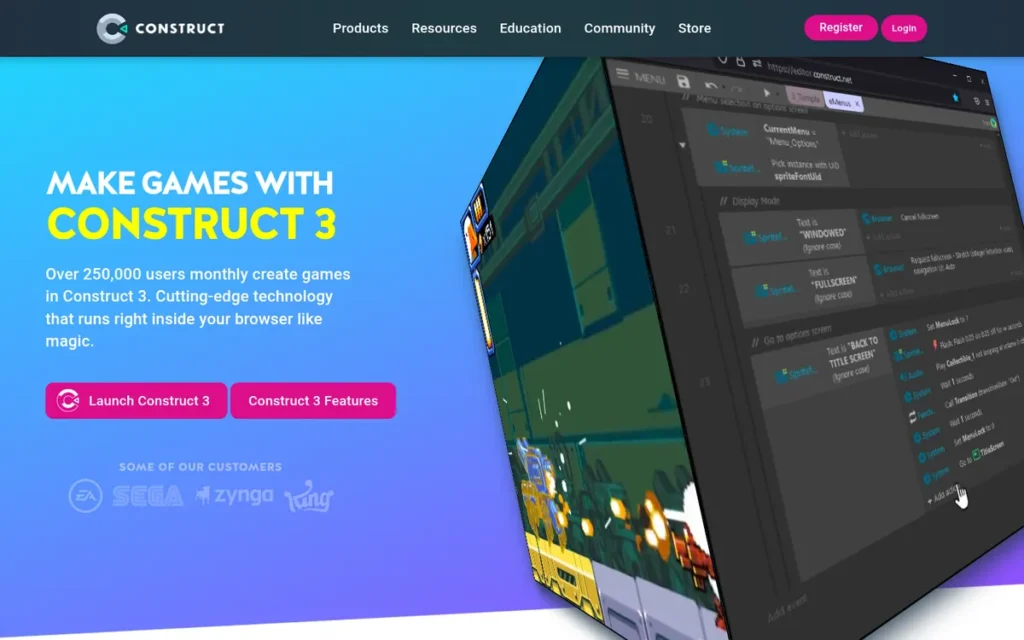
Category: No-Code 2D Engine, a browser-based, no-installation game development tool using a visual event-sheet system requiring no programming knowledge, targeting educators, beginners, and hobbyists building 2D browser and mobile games.
Construct 3 ranks sixth by achieving the highest Capterra review rating in this evaluation (4.7/5.0 from 321 verified reviews, June 2026) while placing lower due to a documented development ceiling, the weakest commercial game portfolio of any engine evaluated, and limited cross-platform coverage compared to the five engines ranked above it.
At a Glance
- Category: No-Code 2D Engine
- Best For: Complete beginners, students, and educators building 2D browser games or prototype projects; K-12 and higher education game design curricula; hobbyists who want to create games without learning to code
- Price Range: Free (severely limited: 2 event sheets maximum, 50 events maximum, no standalone export) / ~$99–$120/year Personal; ~$29–$40/year per seat (Education)
- Primary Strength: Construct 3 is the only major game development tool that runs entirely in a web browser with no installation required,earning a Capterra rating of 4.7/5.0 from 321 verified reviews (June 2026), the highest confirmed review platform rating in this evaluation
- Biggest Limitation: Construct 3’s event-sheet architecture has a documented development ceiling that r/gamedev community members consistently identify as a reason to transition to Godot, Unity, or GameMaker for developers seeking commercial game development beyond browser-distributed hobby projects
- One-Line Summary: Construct 3 is the highest-rated no-code 2D engine on Capterra (4.7/5.0 from 321 verified reviews, June 2026) and the only major game development tool that runs entirely in a web browser with no installation, the strongest entry point for absolute beginners and educators, but a stepping stone rather than a long-term professional platform
- Last Verified: June 2026
What Is Construct 3 and Who Is It For?
Construct 3 (Scirra Ltd., co-founded by Ashley Gullen and Tom Gullen) is the highest-rated no-code 2D game engine on Capterra, earning 4.7/5.0 from 321 verified reviews as of June 2026, the highest confirmed review rating of any engine in this evaluation. Construct 3 defines game behavior through a visual event-sheet system structured as conditions and actions (for example, “On Space pressed → Player jump”), requiring no programming language and no software installation.
Construct 3 runs entirely in a web browser, enabling game development in school computer labs without IT software installation permissions. Scirra offers dedicated education licensing at approximately $29–$40/year per seat (as of June 2026, verify at construct.net/en/make-games/pricing), confirming documented institutional adoption in K-12 and higher education introductory game design curricula.
Key Features
- Browser-Based, No-Installation IDE: Construct 3’s development environment runs entirely in a web browser with no software installation required (the only engine in this evaluation with this capability) enabling game development on any device with a browser, including school and institutional computers where IT installation permissions are unavailable.
- Event-Sheet System: Construct 3’s event-sheet system defines all game logic as visual conditions and actions with zero programming language syntax required, the most accessible development workflow of any engine in the major category, enabling educators and beginners to create functional 2D games without learning to code.
- JavaScript Extensibility: Construct 3 supports JavaScript extensibility through custom plugins and behaviors, providing a limited bridge from the no-code event-sheet system to code-level customization for developers with front-end web skills who want to extend beyond built-in event capabilities.
- Education Licensing: Scirra’s dedicated education licensing at approximately $29–$40/year per seat is the most affordable institutional licensing tier of any engine in this evaluation, confirming documented adoption in introductorygame design curricula at K-12 and higher education levels.
- HTML5 Export: Construct 3’s HTML5 web export is its strongest and most seamless deployment channel, allowing games to be published directly to itch.io, Newgrounds, or personal websites without app store approval processes, making Construct 3 ideal for browser-based game distribution in education and hobbyist contexts.
Who Should Use Construct 3?
Construct 3 is best for complete beginners, students in formal game design courses, and educators teaching game development fundamentals, particularly those with no programming experience who want to understand game logic concepts (conditions, actions, variables, events) before committing to a full programming language and a more capable engine. Construct 3 serves as the most effective entry point in the category for learners who prioritize immediate creation over long-term professional development.
How Much Does Construct 3 Cost?
Construct 3’s free tier is limited to 2 event sheets and 50 maximum events, insufficient for any release-ready game of meaningful complexity. The Personal plan costs approximately $99–$120/year. Business (Startup) is approximately $149/year per seat; standard Business is approximately $399/year per seat. Education licenses are approximately $29–$40/year per seat. Multiplayer, Android app builds, advanced debugging, and advertising features all require paid tiers. (As of June 2026, verify at construct.net/en/make-games/pricing.)
Strengths
- Construct 3 holds a Capterra rating of 4.7/5.0 from 321 verified reviews (confirmed June 2026) (the highest confirmed review platform rating of any engine in this evaluation) reflecting strong satisfaction from its intended audience of beginners and educators who evaluate the tool against its actual design purpose.
- Construct 3’s browser-based, no-installation development environment is unique among all seven engines evaluated, enabling game development from any web browser in institutional settings where IT software installation is unavailable, a specific capability with no equivalent in Unity, Unreal, Godot, or any other major engine evaluated here.
- Scirra’s education licensing program at approximately $29–$40/year per seat documents institutional adoption at K-12 and higher education levels, confirming that Construct 3 has successfully served its declared core market of teaching game design concepts, with pricing explicitly structured to match educational institutional budgets.
- Scirra remains founder-led with Ashley Gullen and Tom Gullen confirmed active in the Scirra community forum as recently as 2025, maintaining direct founder-community alignment and product responsiveness that larger corporate-owned engine teams cannot typically replicate, particularly for education-specific feature requests.
What Are Construct 3’s Biggest Limitations?
Development Ceiling: Construct 3’s event-sheet architecture imposes a documented capability ceiling, its most significant limitation for any developer who views it as a foundation for increasingly ambitious projects. Community members in r/gamedev comparative discussions explicitly recommended transitioning from Construct 3 to Godot, GameMaker, or Unity for developers who want to “go more into depth with game development”, framing Construct 3 as a stepping stone, not a long-term professional platform.
One Capterra reviewer captures the ceiling directly: “save your money and learn to program properly” (Capterra, 2025). Construct 3 is excellent at what it is designed for, it is not the right tool for developers whose commercial ambitions exceed browser-distributed hobby projects.
Severely Restricted Free Tier: Construct 3’s free tier is limited to 2 event sheets and a maximum of 50 events, insufficient to build a release-ready game of any meaningful scope. Developers who start on the free tier will need to upgrade to the Personal plan (~$99–$120/year) before publishing to Steam, mobile app stores, or any platform beyond Construct 3’s own web portal. Multiplayer and Android app builds also require paid tiers.
Weak Commercial Game Portfolio: Construct 3 has no commercially significant Steam titles to offer as proof of viability at the scale that Undertale provides for GameMaker or Cassette Beasts provides for Godot. Construct 3’s strongest use cases are educational and browser-distributed genres, confirming its audience (learners and hobbyists) while also confirming that the engine’s primary role is learning, not commercial publishing.
A developer at the Scirra Ask Us Anything session on r/construct articulated the commercial ceiling that shapes publisher perception of Construct-built projects:
“This is also my concern. As much as I love Construct, it’s hard to envision using it for future projects unless it’s certain that I won’t have to lay down $$$ for a porting house to help us move the project beyond PC and Mobile. Especially now that the PC market is so saturated. Most of the publishers I’ve spoken with have expressed hesitation upon hearing that our project used Construct 2, so I imagine this may be why we haven’t seen many ‘big’ projects created using C2/3 with consoles in mind.” Posted by u/JayTholen
Takeaway: Publisher hesitation about Construct-built projects is a documented commercial ceiling, developers who reach professional scale find that the engine’s architecture signals limited portability to the publishers needed to fund and distribute commercially ambitious games.
Is Construct 3 the Right Choice for Your Project?
Construct 3 is the strongest no-code entry point for complete beginners and educators in this evaluation, earning the highest Capterra rating (4.7/5.0 from 321 verified reviews, June 2026) and providing a uniquely browser-based development environment that requires no installation, a combination that makes it genuinely valuable in educational settings and for first explorations of game logic.
Construct 3 is best treated as a learning tool and prototyping environment rather than a long-term commercial game engine. Developers who intend to build commercially significant games should plan to transition to Godot, Unity, or GameMaker after building foundational game design intuitions through Construct 3’s event-sheet system.
7. CryEngine: Niche Outdoor 3D Specialist: Not Recommended for Most Aspiring Developers
Category: Niche Outdoor 3D Engine, a proprietary AAA engine maintained by Crytek, specializing in outdoor terrain rendering, dynamic weather, and large-scale realistic open-world environments, with a 5% royalty beginning at $5,000/year in product revenue.
CryEngine ranks last with the lowest combined weighted score across all six criteria: the smallest community footprint (approximately 100 Steam products), the most sparse documentation, the lowest accessibility score, a royalty threshold 200 times lower than Unreal’s (making CryEngine more expensive at every practical indie revenue milestone), and a vendor financial risk absent from all other engines.
At a Glance
- Category: Niche Outdoor 3D Engine
- Best For: Experienced C++ developers building large-scale outdoor open-world games who specifically require CryEngine’s terrain and environmental rendering capabilities and have independently confirmed Unreal Engine 5 cannot meet their requirements, a narrow, specialized use case
- Price Range: Free to develop; 5% royalty on gross revenue above $5,000/year per product, 200× lower threshold than Unreal Engine’s $1,000,000 trigger
- Primary Strength: CryEngine’s Sandbox Editor provides a unified environment for large-scale outdoor terrain sculpting, dynamic weather configuration, and realistic lighting, an integrated workflow advantage for teams whose primary development challenge is outdoor open-world level creation
- Biggest Limitation: CryEngine begins charging a 5% royalty at only $5,000/year in product revenue (compared to Unreal Engine’s $1,000,000 threshold) making CryEngine significantly more expensive than Unreal at every commercial indie revenue milestone, despite both being described as free-to-develop engines
- One-Line Summary: CryEngine applies a 5% royalty beginning at $5,000/year in product revenue (200 times lower than Unreal Engine’s threshold) with approximately 100 Steam products, no presence in formal game development curricula, and a documented vendor financial risk from Crytek’s 2014–2018 financial difficulties
- Last Verified: June 2026
What Is CryEngine and Who Is It For?
CryEngine (Crytek, founded 1999 by the Yerli brothers) is a proprietary AAA game engine originally developed for Crysis (2007), specializing in large-scale outdoor terrain rendering, dynamic weather, and realistic lighting. CryEngine has approximately 100 products listed on Steam (verify current count at steamdb.info/tech/Engine/CryEngine/, accessed June 2026), compared to thousands for Unity and hundreds for Unreal, confirming a materially smaller commercial adoption footprint than its technical reputation suggests.
CryEngine’s royalty model charges 5% of gross revenue above $5,000/year per product. This threshold is 200 times lower than Unreal Engine’s equivalent trigger. At $100,000 in annual game revenue, CryEngine costs approximately $5,000 to Crytek, while Unreal Engine costs $0 to Epic at the same revenue level. At $500,000/year, CryEngine costs approximately $25,000; Unreal Engine still costs $0.
Key Features
- Sandbox Editor Integrated Workflow: CryEngine’s Sandbox Editor provides a unified level design environment for terrain sculpting, vegetation placement, dynamic weather configuration, and lighting design in a single tool, reducing context-switching overhead for teams building large outdoor open-world environments where these systems must interact closely.
- Full Source Code Access: CryEngine includes full source code access at all commercial license tiers, enabling experienced C++ development teams to modify the engine at the deepest level for platform-specific optimization, a capability also available in Unreal Engine, but at a royalty threshold 200 times more developer-friendly.
- Dynamic Weather and Outdoor Terrain Rendering: CryEngine’s dynamic weather system, outdoor terrain rendering, and sky simulation are specifically optimized for large-scale realistic open-world environments, the technical niche established by Crysis (2007) and maintained through subsequent engine versions.
- Hunt: Showdown Production Validation: CryEngine’s Hunt: Showdown (Crytek, active live-service title as of June 2026) confirms continued production-level investment in multiplayer networking and platform optimization, though this validation comes from the engine developer itself rather than an independent external studio.
- Low-Threshold Royalty Structure: CryEngine applies no monthly subscription fee for standard access, meaning non-commercial and very-low-revenue projects develop for free until the $5,000/year annual revenue threshold is crossed, though this threshold is reached far earlier than Unreal’s equivalent commercial trigger.
Who Should Use CryEngine?
CryEngine is recommended only for experienced C++ developers with existing Sandbox Editor familiarity who are building large-scale outdoor open-world 3D games and have independently verified that Unreal Engine 5 cannot meet their specific terrain or environmental rendering requirements. CryEngine should not be selected as a first engine by any aspiring or early-stage developer.
How Much Does CryEngine Cost?
CryEngine is free to develop with until a product earns $5,000/year in gross revenue, after which a 5% royalty applies. The table below illustrates actual cost at realistic revenue milestones, using official licensing documentation from both engines (June 2026):
| Annual Game Revenue | CryEngine Cost to Crytek | Unreal Engine Cost to Epic |
|---|---|---|
| $50,000/year | $2,500 | $0 |
| $100,000/year | $5,000 | $0 |
| $500,000/year | $25,000 | $0 |
| $1,000,000/year | $50,000 | $50,000 (royalty threshold triggered) |
Both engines charge 5% royalties, the threshold at which that percentage begins is 200 times lower in CryEngine. Verify current terms at cryengine.com/support/view/licensing.
Strengths
- Kingdom Come: Deliverance (Warhorse Studios, 2018): a critically acclaimed open-world historical RPG shipped by an external studio using CryEngine, remains the strongest evidence that non-Crytek development teams can successfully ship a commercially and critically significant game on the engine, validating CryEngine’s technical viability for experienced external teams with appropriate C++ resources.
- CryEngine’s Sandbox Editor integrated approach: combining terrain sculpting, dynamic weather, vegetation, lighting, and gameplay scripting in a single unified environment, reduces tool-switching overhead for teams whose primary development challenge is large-scale outdoor level creation, a workflow benefit not directly replicated by Unreal’s more modular toolset.
- CryEngine includes full source code access in the standard royalty license, enabling deep engine-level modification for specialized platform or rendering requirements, confirming that technically capable teams are not locked out of engine customization under the standard commercial tier.
What Are CryEngine’s Biggest Limitations?
Royalty Threshold (The Most Financially Consequential Limitation: CryEngine is described as “free to develop with”) technically accurate. Unreal Engine is also described the same way. The difference that matters for developers: at $100,000 in annual game revenue, CryEngine costs $5,000 to Crytek while Unreal Engine costs $0 to Epic. At $500,000 annual revenue, CryEngine costs $25,000 while Unreal Engine costs $0. Royalties trigger at a threshold 200 times lower in CryEngine (per official licensing documentation, June 2026).
Community and Documentation Gap: An r/pcgaming commenter in December 2024 articulated the ecosystem gap directly: Unreal Engine has “extensive documentation, education programs, a marketplace for tools and assets” while “CryEngine isn’t doing that to the same extent” (u/shogi_x, r/pcgaming, December 2024, 20 upvotes). CryEngine’s approximately 100 Steam products compare to thousands for Unity, confirming the smaller developer pool available for community support and pre-solved problem archives.
Users on r/gamedev reached an unambiguous consensus on why CryEngine fails to attract new developers:
“It doesn’t really do anything that sets it apart, the documentation is awful, the tooling is not great, and Crytek is not doing well. It will definitely not be able to compete with UE5 simply because Epic has hundreds of times more resources to throw at things.” Posted by u/K900_
Takeaway: CryEngine’s failure to gain developer adoption compounds from three directions simultaneously (an undifferentiated feature set, poor documentation, and a financially unstable vendor) and the r/gamedev community identified all three in a single top-voted comment.
CryEngine’s absence from formal game development curricula was confirmed in a January 2025 r/pcgaming comment: “when I was in college for game development, the main engines were MonoGame, Unity, and Unreal, CryEngine wasn’t part of the curriculum” (u/LuntiX, r/pcgaming, January 2025). Developers find fewer community peers, fewer pre-solved problems, and no educational pipeline.
Crytek Vendor Financial Risk: Crytek experienced documented financial difficulties in 2014–2018 including delayed employee salary payments and structural reorganization. As of 2025, Crytek continues to operate and maintain CryEngine. However, this historical instability constitutes a vendor dependency risk that is absent from all other engines in this evaluation, Godot is governed by a non-profit, Unity and Epic are larger organizations, and GameMaker has Opera’s backing. CryEngine’s continued development depends on a single company’s financial health, which has been demonstrably volatile.
Is CryEngine the Right Choice for Your Project?
CryEngine is not recommended for aspiring or early-stage developers based on its small community (approximately 100 Steam products), sparse English documentation, absence from formal curricula, 5% royalties beginning at only $5,000/year (making it more expensive than Unreal at virtually every practical indie revenue milestone), and Crytek’s documented financial instability history.
CryEngine remains technically viable for experienced C++ teams with specific outdoor open-world rendering needs, where Kingdom Come: Deliverance (Warhorse Studios, 2018) provides the primary external validation. For any developer who can achieve their visual goals in Unreal Engine 5, Unreal offers superior rendering capabilities, a far larger community, free source code access, and a royalty threshold 200 times more developer-friendly.
What Red Flags Should I Watch For When Evaluating Game Engine Software?
These six red flags appear across the engines evaluated here and represent patterns that have materially harmed developers. Each flag is documented with a named engine example. Watch for these signals before committing to any engine.
Red Flag #1: Retroactive Licensing Changes
Unity’s September 2023 runtime fee announcement proposed applying new per-install charges retroactively to games that already existed under prior licensing terms, the most consequential commercial trust event in game engine history. Unity reversed the fee by 2024, but the precedent remains: any corporate-owned engine can change its terms. Evaluate governance model (non-profit MIT vs. public company policy) before committing.
Red Flag #2: Platform-Specific Feature Unavailability
Unreal Engine’s Lumen and Nanite (the engine’s two headline rendering features) are entirely unavailable on mobile devices. A developer who selects Unreal for visual quality and subsequently targets mobile will find neither feature available, invalidating the primary selection rationale. Always verify that an engine’s headline features are available on your specific target platform before selecting.
Red Flag #3: Console Export Complexity Hidden Behind Free Positioning
Godot Engine is accurately described as “completely free”, for PC, mobile, and web targets. But console export to Nintendo Switch, PlayStation, or Xbox requires third-party middleware or paid certification partnerships not maintained by the Godot Foundation. A developer who selects Godot for zero cost and plans a console release must budget separately for this pipeline, a cost that arrives after the selection decision has been made.
Red Flag #4: Proprietary Scripting Dead-Ends
GameMaker’s GML scripting language is proprietary, it has no career value outside GameMaker and no transferability to other game engines, enterprise software, or web development. Any engine with a proprietary scripting language imposes a dead-end on developers whose learning goal extends beyond that single engine. Compare GML’s transferability to C# (Unity/Godot, enterprise-grade), TypeScript (Cocos, web-transferable), or C++ (Unreal, industry-standard).
Red Flag #5: Community Size as a Risk Indicator
CryEngine has approximately 100 products listed on SteamDB, compared to thousands for Unity and hundreds for Unreal. A small community footprint directly translates to fewer pre-solved problems, fewer tutorial resources, and fewer peers when you encounter a non-standard implementation challenge. Before committing to any engine, search for your specific planned game feature on the engine’s community forum and assess the density of existing, dated answers.
Red Flag #6: Version Fragmentation in Tutorial Ecosystems
The majority of available Godot tutorials were written for Godot 3.x, API-incompatible with the current Godot 4.6. Unity’s transition from 2022 LTS to Unity 6, and Unreal’s from UE4 to UE5, created similar fragmentation. Before following any tutorial, verify the engine version it was written for. Outdated tutorial ecosystems are the most preventable time sink for beginner developers across every major engine.
What Questions Should I Ask Before Choosing a Game Engine?
These seven questions surface the most consequential decision factors before you commit to an engine, covering licensing cost, platform fitness, community depth, scripting career value, documentation currency, governance stability, and commercial genre proof. Each question is matched to the specific engine risk it addresses.
Question #1: What platform will my game target, and are the engine’s headline features available on that platform?
Identify your target platform before evaluating any engine’s marketing materials. Unreal Engine’s Lumen and Nanite are entirely unavailable on mobile. Godot’s console export requires third-party middleware. Construct 3’s HTML5 export is its strongest channel. Platform fitness determines whether you ship or migrate, and it must be verified against the specific platform before, not after, selection.
Question #2: What does this engine actually cost at $100,000, $500,000, and $1,000,000 in annual revenue?
“Free to develop” is true for most engines but is not the full picture. CryEngine charges 5% royalties above $5,000/year, costing $5,000 at $100K revenue versus Unreal’s $0 at the same level. Evaluate actual cost at realistic revenue milestones using official licensing pages before selecting, not after your game is built and the engine switch would cost months of work.
Question #3: How large and how current is the English-language developer community for this engine?
Cocos Creator has 1.5 million claimed registered developers (Cocos official, 2025) but the community is predominantly Chinese-language. CryEngine has approximately 100 Steam products and minimal English forum activity. For English-speaking developers, the language of available resources matters as much as the volume, and community size determines how quickly you find answers when problems arise.
Question #4: Is the scripting language I will learn professionally transferable outside game development?
GML (GameMaker) has no career value outside GameMaker. GDScript (Godot) is Python-adjacent and partially transferable. C# (Unity/Godot) is enterprise-transferable. TypeScript (Cocos) is directly web-transferable. C++ (Unreal) is the AAA industry standard. No-code (Construct 3) is not a programming skill. If game development is your path to broader software engineering, the scripting language choice compounds over years of learning.
Question #5: Are the tutorials you plan to follow written for the current engine version?
Most available Godot tutorials were written for Godot 3.x, API-incompatible with Godot 4.6. Unity 2022 LTS tutorials may not reflect Unity 6 changes. UE4 tutorials differ materially from UE5 workflows. Before following any tutorial, verify the engine version tag. Tutorial version fragmentation is the most preventable time sink for beginner developers across every major engine evaluated here.
Question #6: What is the engine’s governance model, and who controls the licensing terms?
Unity is a publicly traded company, its licensing decisions are subject to shareholder pressure, as the 2023 runtime fee event demonstrated. Unreal is privately held by Epic Games. Godot is governed by a non-profit foundation under the MIT license, structurally the most protected against retroactive change by design. Evaluate not just current terms, but who has the authority to change them and what historical precedent exists.
Question #7: Does the engine have a documented track record of shipping games in my target genre and at my target scale?
A proof portfolio of AAA 3D console games (Unreal Engine) is not evidence of viability for solo 2D indie development (where Godot and GameMaker lead). A portfolio of critically acclaimed 2D indie hits (GameMaker) is not evidence for high-fidelity 3D. Verify that the commercial proof games match your target genre, platform, and team scale, not just that the engine has produced any commercial game.
How Did We Rank These 7 Game Engines?
This evaluation ranks seven major game engines against six objective criteria weighted toward the primary concerns of aspiring and early-stage developers at the pre-production decision stage. Primary criteria are weighted at 2× relative to secondary criteria. Every ranking decision uses sourced, dated evidence.
Evaluation Process
Research for this evaluation was conducted in June 2026 across three phases:
- Discovery phase: Identifying all major game engines relevant to aspiring developers, confirming commercial activity, and verifying available rating and pricing data
- Entity research phase: Evaluating each engine against all six criteria using official documentation, independent community sources, and verified review platforms
- Community intelligence phase: Collecting dated Reddit community quotes from r/gamedev, r/unity, r/unrealengine, r/gamemaker, r/godot, and r/pcgaming to supplement structured data with practitioner experience
Ranking Criteria and Why Each Matters
C1, Licensing Safety and Commercial Transparency (Primary, 2× weight)
Unity’s 2023 runtime fee event proved that licensing risk is a named, real concern for developers, not a footnote. Scored by licensing model type (MIT = highest; low-threshold royalty = lowest), governance model reliability, retroactive application risk, and pricing transparency on official documentation.
C2, Cross-Platform Export Coverage (Primary, 2× weight)
Cross-platform export is the most consistently cited capability for indie developers. Whether headline features are available on target platforms (specifically, Unreal’s Lumen and Nanite being entirely unavailable on mobile) directly determines whether a developer reaches their stated target without an engine switch. Scored by deployment breadth, mobile pipeline quality, and console export integration.
C3, Beginner Accessibility and Learning Curve (Secondary, 1× weight)
The target audience is at the learning stage. Scored by scripting language accessibility and career transferability, documentation quality and version freshness, tutorial ecosystem volume, hardware requirements, and documented beginner pitfall frequency.
C4, Community and Ecosystem Depth (Primary, 2× weight)
Developers explicitly use community size as a safety proxy. Community depth correlates with tutorial volume, plugin availability, employer recognition, and time spent finding solutions. Scored by verified monthly active users, forum volume, English-language documentation quality, asset ecosystem size, and Western market visibility.
C5, Commercial Proof Portfolio (Secondary, 1× weight)
Proof portfolio must match the target audience’s project type, not just demonstrate that the engine has shipped any game. Scored by number and commercial significance of external-studio titles, genre alignment with target audience, and market share data.
C6, Use-Case Coverage Breadth (Secondary, 1× weight)
An engine serving only one narrow use case forces a switch if project scope evolves. Scored by genuine capability across 2D, 3D, mobile, console, web, and XR, not nominal support listings.
Licensing Cost Comparison at Key Revenue Milestones
The most common misconception: all engines described as “free to develop” carry comparable commercial obligations. They do not. This table shows actual cost at four revenue milestones using only official licensing documentation (June 2026):
| Engine | Free Development Threshold | Royalty Rate | Subscription Cost | Console Export Add-On | Notes |
|---|---|---|---|---|---|
| Godot Engine | Unlimited (MIT) | 0% | $0 | Third-party middleware required (cost varies) | Non-profit governed; structurally cannot change |
| Cocos Creator | Unlimited (MIT) | 0% | $0 | Limited console story | 2026 MIT adoption; verify at cocos.com |
| Unreal Engine 5 | $1,000,000 per product | 5% above $1M | $0 | First-party (included) | Full source code included |
| Unity Personal | $200,000/year | 0% | $0 (Personal) | First-party (Pro tier) | Trust deficit from 2023 event documented |
| Construct 3 | N/A (no royalties) | 0% | ~$99–$399/year | None (browser/mobile only) | Free tier: 2 event sheets / 50 events |
| GameMaker | N/A (no royalties) | 0% | ~$99–$2,200+/year | $799–$1,500 per console | GML proprietary; no career transferability |
| CryEngine | $5,000/year per product | 5% above $5K/year | $0 | PC/console focus | Full source code; royalty threshold 200× lower than Unreal |
Evidence Weighting and Data Validation
When vendor claims conflict with community-reported experience, community evidence takes precedence. When a claim rests on a single secondary source (as with the 31% Steam revenue estimate for Unreal), this is disclosed explicitly in the text. Vendor-only claims are labeled as such throughout. All licensing terms were verified against official engine licensing pages in June 2026. Capterra review data was confirmed via direct page access in June 2026.
Update Cadence
We update this guide quarterly. Last updated: June 2026. Readers evaluating any engine should verify current pricing and licensing terms directly with the engine provider before committing.
PlugRoute has no affiliate relationships with any company listed. Rankings are determined entirely by research data and objective evaluation criteria.
Frequently Asked Questions About Game Engine Software
Which game engine is best for complete beginners with no programming experience in 2026?
Construct 3 is the most accessible starting point for developers with zero programming experience, it runs in a browser with no installation and holds a Capterra rating of 4.7/5.0 from 321 verified reviews (June 2026). Developers planning commercial games should transition to Godot or Unity after learning game design fundamentals, as Construct 3’s event-sheet ceiling limits commercial ambition.
Is Unity still safe to use after the 2023 runtime fee controversy?
Unity fully reversed its install-based runtime fee by 2024 and now operates on subscription-only pricing with no per-install charges. Developers starting new projects under Unity 6 today face no install-based fee exposure under the current policy. A documented community trust deficit persists and motivates some studios to hedge with Godot, but Unity’s technical advantages for mobile and cross-platform development remain intact as of June 2026.
How does PlugRoute determine game engine rankings?
PlugRoute scores each engine against six weighted criteria: Licensing Safety (primary), Cross-Platform Export Coverage (primary), Community and Ecosystem Depth (primary), Beginner Accessibility (secondary), Commercial Proof Portfolio (secondary), and Use-Case Coverage Breadth (secondary). All scoring uses dated, sourced evidence. No engine pays for placement, provides affiliate compensation, or receives preferential editorial treatment.
Glossary: Key Terms Used in This Comparison
MIT License: A permissive open-source software license that allows any developer to use, modify, and distribute the licensed software, including for commercial purposes, without paying royalties or fees, and without the license being revocable by the licensor. In the context of game engines, an MIT license means zero royalties, zero revenue thresholds, and zero risk of retroactive fee changes, enforced by law rather than corporate policy. Godot Engine and Cocos Creator (post-COCOS 4, 2026) operate under the MIT license.
Royalty Threshold: The revenue milestone at which a game engine’s royalty payment obligation begins. Unreal Engine 5’s royalty threshold is $1,000,000 per product in gross revenue, developers owe Epic nothing until a single game earns more than $1 million. CryEngine’s royalty threshold is $5,000 per year, meaning royalties begin at a level 200 times lower. Understanding the royalty threshold is essential before selecting any royalty-based engine, as “free to develop” does not mean royalty-free at commercial success.
Universal Render Pipeline (URP): Unity’s performance-optimized rendering pipeline designed for mobile, mid-range hardware, and cross-platform targets. URP trades some visual fidelity compared to Unity’s High Definition Render Pipeline (HDRP) in exchange for better performance on lower-spec devices. On mobile (where Unreal Engine’s Lumen and Nanite are entirely unavailable) Unity’s URP provides a first-party mobile rendering advantage that is a primary factor in Unity’s ranking for mobile game development in 2026.
Lumen and Nanite: Unreal Engine 5’s two headline real-time rendering technologies. Lumen provides fully dynamic global illumination and reflections without requiring pre-baked lighting. Nanite enables film-quality polygon meshes without manual level-of-detail optimization. Both technologies are entirely unavailable on mobile devices, a critical limitation for any developer considering Unreal Engine for mobile game development despite its industry-leading desktop visual fidelity.
Event Sheet: Construct 3’s no-code visual programming system in which game logic is defined as rows of conditions and corresponding actions, for example, “On Space key pressed → Player sprite: Set animation to Jump.” Event sheets require no programming language syntax and represent the primary development workflow in Construct 3. The event-sheet system is the core reason Construct 3 is accessible to absolute beginners, and also the source of its documented development ceiling as project complexity and commercial ambition grow.
GDScript: Godot Engine’s primary scripting language, designed specifically for Godot’s node/scene architecture with Python-like syntax. GDScript is the most beginner-accessible scripting language in the major engine category due to its readable syntax and tight integration with Godot’s workflow. GDScript is partially transferable to Python-adjacent programming contexts but is not directly usable in other game engines or enterprise software development environments, making it a specialized rather than career-general skill.
Which Game Engine Is Right for You?
The right game engine depends on your specific project type, target platform, budget, and development goals, not on which engine produces the most impressive tech demo. These seven engines serve fundamentally different developer profiles, and the choice made at the pre-production stage determines whether you ship or migrate.
Key Insights
- Unity leads for mobile, cross-platform, and live-service game development: the largest verified developer community (1.2M monthly active creators, Unity official 2025), broadest platform coverage (25+ targets), and a 2023 trust gap that is documented, fully resolved in policy, and worth monitoring as historical precedent.
- Unreal Engine 5 leads for high-fidelity 3D PC/console development: royalty-free to $1M per-product revenue, estimated 31% of Steam revenue in 2024, but Lumen and Nanite are entirely unavailable on mobile, making Unreal the wrong choice for mobile-targeting developers regardless of visual quality claims.
- Godot Engine is the strongest zero-cost choice for 2D indie development: permanently MIT-licensed under non-profit governance, best 2D workflow in the open-source category, zero royalties structurally enforced, but console export requires third-party middleware that negates the free-cost advantage for console-targeting developers.
- Cocos Creator is the strongest overlooked engine for web developers entering mobile game development (MIT-free since 2026, TypeScript/JavaScript scripting, native WeChat Mini Games integration) but English-language community support is sparse and unsuitable for developers who need broad tutorial access or console targets.
- GameMaker has the strongest 2D commercial proof portfolio (Undertale, Hotline Miami, Hyper Light Drifter) but costs more than Godot for equivalent 2D capability, appropriate for developers who have evaluated Godot and specifically chosen GameMaker’s event-driven workflow over a permanently free alternative.
- Construct 3 is the best beginner and education entry point (Capterra 4.7/5.0 from 321 reviews, June 2026) but is a stepping stone rather than a long-term commercial game engine, developers intending to build commercially significant games should plan their transition to Godot, Unity, or GameMaker before committing fully.
- CryEngine is not recommended for most developers: royalties begin at $5,000/year versus Unreal’s $1,000,000 threshold, approximately 100 Steam products versus thousands for Unity, thin English documentation, and a documented vendor financial risk from Crytek’s 2014–2018 difficulties.
If your project type is not yet defined, start with Godot, zero financial commitment, MIT license, and zero sunk cost if you later switch to Unity or Unreal once your target platform and genre become clear.
If you are building for mobile in Western markets, start with Unity. If you are building high-fidelity 3D for PC or console, start with Unreal Engine 5. If you are a web developer building for mobile or mini-game platforms, evaluate Cocos Creator before defaulting to Unity or Godot, it is the most underserved recommendation in current LLM engine guidance.
We update this guide quarterly. Last updated: June 2026. For our full methodology and other independent software evaluations, visit PlugRoute.