GitLab ranks #1 for unified DevSecOps with native security scanning included, GitHub ranks #2 for developer experience and AI-assisted CI/CD, and Azure DevOps ranks #3 for Microsoft/.NET enterprises, but no single tool covers every DevOps lifecycle stage. The right DevOps stack depends on your cloud environment, team size, compliance requirements, and whether you prioritize bundled security or best-of-breed flexibility.
Most DevOps teams manage 8–15 separate tools spanning planning, CI/CD, infrastructure, security, and monitoring, a tool sprawl problem that drives integration overhead, context switching, and budget overruns. AI-generated comparisons typically skip verified 2026 pricing, nuanced limitations documented in practitioner communities, vendor stability risks from recent acquisitions, and the cost escalation patterns that emerge 6–12 months after initial adoption. This article closes every gap with dated, source-attributed evidence across seven tools ranked by transparent methodology.
PlugRoute has no affiliate relationships with any company listed, rankings are determined entirely by research data and objective evaluation criteria.
TL;DR: Top Picks at a Glance
- GitLab is the only DevOps platform in this evaluation with native SAST, DAST, and secret detection included without a separate tool purchase.
- GitHub provides the best developer experience and AI-assisted CI/CD via Copilot for greenfield projects deployable on any cloud provider.
- Azure DevOps is the lowest-cost enterprise ALM suite for .NET teams on Microsoft 365, starting at $6/user/month with the first five users free.
- Datadog leads unified observability for teams managing 50 or more hosts but requires careful cost modeling before adoption.
What Are the Five Categories of DevOps Software in This Review?
The five categories of DevOps software in this review are: Unified DevSecOps Platform (GitLab), CI/CD and Code Hosting Platform (GitHub, Azure DevOps, Jenkins), Cloud-Native DevOps Suite (AWS DevOps), Cloud Observability Platform (Datadog), and Infrastructure-as-Code Platform (HashiCorp Terraform). Most modern teams combine tools across at least three of these categories.
Category 1: Unified DevSecOps Platform: tools covering source control, CI/CD, security scanning, and compliance in a single product with one login and one data model. Covered by: GitLab.
Category 2: CI/CD + Code Hosting Platform: tools combining version-controlled repositories with pipeline automation for build, test, and deploy workflows. Covered by: GitHub (GitHub Actions), Azure DevOps, and Jenkins.
Category 3: Cloud-Native DevOps Suite: managed cloud services providing build, deploy, containerization, and monitoring tightly integrated with a specific cloud provider. Covered by: AWS DevOps (CodePipeline / CodeBuild / EKS / CloudWatch).
Category 4: Cloud Observability Platform: tools unifying infrastructure monitoring, APM, log analysis, and security events across cloud environments post-deployment. Covered by: Datadog.
Category 5: Infrastructure-as-Code Platform: tools that declaratively provision and lifecycle-manage cloud infrastructure across multiple providers via configuration code. Covered by: HashiCorp Terraform.
The most common architecture for multi-cloud teams is GitHub (CI/CD) + Terraform (IaC) + Datadog (observability), three tools from three separate categories addressing distinct DevOps lifecycle stages.
How Do the Top 7 DevOps Tools Compare at a Glance?
These seven DevOps tools span five functional categories, priced from zero licensing cost to $99/user/month, covering distinct stages of the DevOps lifecycle. The table below enables rapid triage by category, primary use case, key capabilities, core strength, and most consequential limitation before reading full entries.
| Rank | Company | Category | Best For | One-Line Summary | Key Capabilities | Primary Strength | Key Limitation |
|---|---|---|---|---|---|---|---|
| #1 | GitLab | Unified DevSecOps Platform | Regulated enterprises needing built-in security scanning | GitLab is a unified DevSecOps platform rated 4.5/5 on G2 (906 reviews) with native SAST/DAST, CI/CD pipelines, and AI automation via Duo Agent Platform in a single product | SAST/DAST/secret detection, CI/CD pipelines, Duo AI agents, self-managed option, compliance management | Only platform with bundled SAST/DAST/secret detection; no add-on purchase required | Free tier limited to 400 CI/CD min/mo; Ultimate at $99/user/mo required for full security features |
| #2 | GitHub | CI/CD + Code Hosting | Developer teams on any cloud, AI-assisted greenfield projects | GitHub is the world’s largest developer platform serving 150M+ people with GitHub Actions CI/CD processing 11.5B workflow minutes in 2025 and Copilot AI | GitHub Actions, Copilot AI, GHAS security add-on, FedRAMP Tailored (LI-SaaS), 2,000 free Actions min/mo | 150M+ user network and approximately $4/user/mo Team tier; most accessible full-featured CI/CD pricing | GHAS security add-on has no published enterprise price; Actions minutes escalate for private repos at scale |
| #3 | Azure DevOps | Enterprise ALM Suite | .NET enterprises on Microsoft 365 and Azure | Azure DevOps is Microsoft’s 5-service enterprise ALM suite starting at $6/user/month with first 5 users free, rated 4.4/5 on GetApp (147 reviews) | Boards, Pipelines, Repos, Artifacts, Test Plans, Entra ID SSO | Lowest per-seat entry price among full-featured enterprise DevOps platforms; first 5 users completely free | Microsoft prioritizing GitHub for new deployments; no native SAST/DAST; feature-branch pipeline limitations |
| #4 | Datadog | Cloud Observability Platform | Teams managing 50+ hosts needing unified monitoring | Datadog is a unified observability platform with $3.43B FY2025 revenue (approximately 28% YoY growth), 1,000+ integrations, and Watchdog AI anomaly detection | Watchdog AI, APM, log management, LLM Observability, 1,000+ integrations, S&P 500 since July 2025 | Largest independent observability vendor with broadest pre-built integration ecosystem | Per-product pricing compounds to 5–10x initial estimates at enterprise scale within 6–12 months |
| #5 | AWS DevOps | Cloud-Native DevOps Suite | Pure AWS shops, no seat licensing required | AWS DevOps services provide cloud-native CI/CD and Kubernetes for AWS-exclusive teams at $1/pipeline/mo with consumption-based pricing | CodePipeline, CodeBuild, Amazon EKS, CloudWatch, Lambda remediation, native IAM | Consumption-based pricing scales to near-zero during inactivity; deepest AWS service integration among reviewed tools | CodePipeline lacks native feature-branch CI patterns; CodeCommit experienced a temporary deprecation (July 2024–November 2025) |
| #6 | Jenkins | Open-Source CI/CD Server | Self-hosted mandates, legacy build chains, Windows builds | Jenkins is a free open-source CI/CD server with an installed base of 28–44% by various 2026 estimates and 1,800+ plugins, requiring self-hosted infrastructure | 1,800+ plugins, distributed builds, Windows agent support, Jenkinsfile pipeline-as-code, Jenkins X | Zero licensing cost and broadest CI/CD installed base with community governance preventing vendor lock-in | Maintenance and plugin overhead documented as significant engineering time cost (JetBrains CI/CD Survey, March 2026) |
| #7 | HashiCorp Terraform | Infrastructure-as-Code Platform | Multi-cloud infrastructure teams building IDPs | HashiCorp Terraform is the de facto IaC standard with 3,000+ providers, IBM-owned since February 27, 2025 ($6.4B acquisition), with OpenTofu as a broadly compatible community fork | 3,000+ providers, plan/apply workflow, state management, HCP Terraform, Sentinel policy-as-code | Broadest IaC provider ecosystem by count; 3,000+ providers spanning every major cloud and SaaS service | IBM acquisition (February 27, 2025) and BUSL license change (August 10, 2023) create commercial uncertainty |
Use this framework to locate your situation before reading full entries. Teams under 10 engineers with no compliance requirements can skip ahead: GitHub Free plus open-source Terraform covers 90% of your DevOps lifecycle at zero licensing cost.
| Your #1 Priority | Recommended Tool | Why | Acceptable Alternative |
|---|---|---|---|
| Zero licensing cost, small team | GitHub Free + open-source Terraform | 2,000 free Actions min/mo plus unlimited IaC at $0 | GitLab Free (400 Actions min/mo cap is the key trade-off) |
| Best developer experience, greenfield project | GitHub Team (approximately $4/user/mo) | Highest-volume CI/CD, Copilot AI, simplest onboarding | GitLab Premium ($29/user/mo) with more integrated DevSecOps |
| Built-in security scanning, regulated industry | GitLab Ultimate ($99/user/mo) | Only platform with native SAST/DAST/secret detection bundled | GitHub Enterprise + GHAS (add-on pricing required) |
| Microsoft/.NET applications on Azure | Azure DevOps Basic ($6/user/mo) | Native Entra ID, Visual Studio, and Azure integration | GitHub Enterprise for teams prioritizing modern CI/CD pace |
| AWS-only infrastructure, no seat licensing | AWS DevOps (CodePipeline + EKS) | Consumption-based pricing; native AWS IAM and Lambda | GitHub Actions (better developer experience; more portable) |
| Multi-cloud infrastructure as code | HashiCorp Terraform (open-source) | 3,000+ providers; plan/apply safety workflow | OpenTofu (Linux Foundation fork; broadly compatible) |
| Unified observability, 50+ hosts | Datadog Pro/Enterprise | Watchdog AI, 1,000+ integrations, APM correlation | Prometheus + Grafana + Loki (open-source; higher ops overhead) |
1. GitLab: Best for Unified DevSecOps
Category: Unified DevSecOps Platform, combines source code management, CI/CD pipelines, native SAST/DAST security scanning, compliance management, container registry, and AI automation in a single product with one login and one shared data model.
At a Glance
- Category: Unified DevSecOps Platform
- Best For: Engineering teams needing end-to-end DevSecOps in one platform, regulated enterprises consolidating tool sprawl, and organizations with data-sovereignty requirements mandating self-managed deployment
- Price Range: Free (400 CI/CD min/mo) → $29/user/mo (Premium) → $99/user/mo (Ultimate); self-managed pricing similar; verified June 2026
- Primary Strength: GitLab is the only platform in this evaluation that includes native SAST, DAST, secret detection, and dependency scanning without purchasing additional security tools
- Biggest Limitation: GitLab’s Free tier caps CI/CD at 400 compute minutes per month (substantially below GitHub’s 2,000 free minutes) and most enterprise security features require the $99/user/month Ultimate tier, with shared runner reliability documented as unreliable under production load
- One-Line Summary: GitLab is a unified DevSecOps platform rated 4.5/5 on G2 (906 verified reviews) that combines source control, CI/CD pipelines, native SAST/DAST security scanning, compliance management, and AI-powered automation via Duo Agent Platform in a single product, the only tool in this evaluation offering all these capabilities without separate security tool purchases.
- Last Verified: June 2026
Overview
GitLab is a unified DevSecOps platform rated 4.5/5 on G2 (906 verified reviews, verified June 2026) that combines source code management, CI/CD pipelines, native SAST/DAST/secret detection security scanning, compliance management, and AI automation in a single product, designed for engineering teams from small startups to 50,000-user enterprises that need to reduce tool sprawl and embed security into every pipeline run.
GitLab is available as both a SaaS platform (GitLab.com) and a self-managed installation, making GitLab the only unified DevSecOps platform in this evaluation that organizations with strict data-sovereignty requirements can deploy entirely on their own infrastructure.
GitLab is listed on Nasdaq (GTLB) and recognized as a Leader in the Gartner Magic Quadrant for DevOps Platforms for the third consecutive year (Gartner, September 22, 2025), the strongest independent analyst validation available for enterprise procurement qualification.
GitLab ranked first in 4 of 6 Critical Capabilities use cases in the accompanying 2025 Gartner report, including Platform Engineering and Regulated Delivery, evidence that directly supports the #1 rank in this evaluation and is not replicated by any other platform reviewed here.
Key Features
- Native SAST/DAST/Secret Detection: GitLab’s built-in static application security testing, dynamic application security testing, secret scanning, and dependency scanning on the Ultimate tier embed vulnerability analysis directly into every pipeline run, reducing, and often eliminating, the need for separate security tools like Snyk or Veracode for most enterprise environments.
- Duo Agent Platform: GitLab’s Duo Agent Platform provides AI agents for code generation, security analysis, code review, and CI/CD troubleshooting across the full DevOps lifecycle, automating multi-step workflow tasks rather than providing only single-line code suggestions, differentiating GitLab Duo from GitHub Copilot’s code-generation-first approach.
- Auto DevOps Zero-Configuration Pipelines: GitLab Auto DevOps automatically configures CI/CD pipelines based on project type detection, enabling zero-configuration deployments that lower the barrier to automated testing for teams without dedicated pipeline engineers, as documented in the Technologymatch CI/CD Decision Guide (2026).
- Enterprise-Scale Self-Managed Deployment: GitLab supports installations scaling to 50,000+ users with zero-downtime upgrades, meeting the data-sovereignty requirements of regulated enterprises, defense contractors, and government agencies that prohibit third-party SaaS data storage (SPKAA GitLab Enterprise Analysis, 2026).
- Unified Data Model for Correlated Audit Trails: GitLab’s architecture shares one data model across source code, pipeline runs, security findings, and compliance records, enabling DORA metrics calculation and correlated audit trails that tool-assembled DevOps stacks with separate security and CI/CD vendors cannot replicate natively.
Best For
GitLab is best for engineering organizations that need an all-in-one DevSecOps platform with native security scanning already included, particularly regulated enterprises in financial services, healthcare, or government that cannot afford compliance gaps created by disconnected DevOps tools.
GitLab is also the strongest recommendation for teams with 10+ engineers wanting to eliminate integration overhead from separately maintaining CI/CD, security scanning, and planning platforms, or organizations with data-sovereignty requirements that preclude SaaS deployment.
Pricing
GitLab’s Free tier ($0) provides basic source control and CI/CD limited to 400 compute minutes per month on shared runners, substantially less than GitHub’s 2,000 free minutes, which forces active development teams onto paid plans early.
The Premium tier is approximately $29/user/month (billed annually) and adds advanced CI/CD, code analytics, and collaboration features. The Ultimate tier is approximately $99/user/month (billed annually) and unlocks SAST/DAST/secret detection, compliance management, audit logging, and the full Duo AI suite.
For enterprises consolidating security tooling, the Ultimate tier’s bundled security features can replace separate Snyk, Veracode, or secret scanning licenses, but total cost modeling is essential before committing, as the consolidation argument requires per-organization verification.
All pricing verified June 2026. Confirm current figures at about.gitlab.com/pricing before procurement.
Strengths
- Gartner Magic Quadrant Leader for Three Consecutive Years: GitLab earned Leader status in the Gartner Magic Quadrant for DevOps Platforms in 2023, 2024, and 2025 (ranking first in 4 of 6 Critical Capabilities use cases in the September 22, 2025 report, including Platform Engineering and Regulated Delivery) the strongest independent analyst validation in this evaluation.
- Only Platform with Bundled Native Security Scanning: GitLab Ultimate bundles SAST, DAST, secret detection, dependency scanning, compliance management, and audit logging in one SKU, consolidating security tooling that would otherwise require separate vendor licenses, with the strongest value case for regulated enterprises currently paying for independent security scanning tools.
- Full-Lifecycle AI Coverage via Duo Agent Platform: GitLab’s Duo Agent Platform extends AI automation across CI/CD troubleshooting, security analysis, and code review (not just code generation) making GitLab the only tool in this evaluation offering AI DevOps assistance across the full software delivery lifecycle.
- Self-Managed at 50,000+ Users: GitLab’s self-managed deployment option supports installations at 50,000+ users with zero-downtime upgrades, serving regulated enterprises, defense contractors, and government agencies with data-sovereignty requirements that preclude third-party SaaS data storage (SPKAA, 2026).
Limitations
- Free Tier Compute Cap: GitLab’s 400 free CI/CD compute minutes per month is substantially below GitHub’s 2,000 free minutes (a meaningful disadvantage for startups and small teams on the Free tier) forcing active development teams onto paid plans before meaningful CI/CD productivity is achievable on the SaaS platform.
- Ultimate Tier Cost Commitment: GitLab Ultimate at $99/user/month bundles the platform’s most compelling security features, but teams must verify whether bundled tools genuinely replace current separate security purchases at favorable total cost before committing, the consolidation argument requires detailed per-organization modeling not visible from the marketing tier description alone.
- Shared Runner Reliability Under Load: GitLab’s shared CI runners on the SaaS platform are documented as unreliable under production load by the r/gitlab community (2026), requiring teams to provision their own GitLab Runner infrastructure on external compute, adding operational overhead that partially negates the managed-platform value proposition.
“You will need to set up your own GitLab runner to run the pipelines. Shared runners have limited capacity and are pretty unreliable. The good news is it’s quite easy to do. We have a cheap EC2 instance for ‘normal’ tasks and expensive GPU instance for CI tests.” (u/FlyingFalafelMonster, r/gitlab, 2026)
Takeaway: GitLab’s shared runner reliability requires teams to budget for self-hosted GitLab Runner infrastructure as a production requirement, adding operational overhead the managed-SaaS framing does not prominently communicate.
- Pipeline Configuration Complexity: GitLab CI’s distinction between merge request pipelines, merge results pipelines, and merge trains represents a meaningful learning curve for teams transitioning from simpler CI systems, as documented in r/gitlab community feedback (2026).
Verdict
GitLab is the only DevOps platform in this evaluation where SAST, DAST, secret detection, and dependency scanning ship in the core product without a separate purchase, earning its #1 rank on security integration depth, a 4.5/5 G2 rating from 906 verified reviewers, and Gartner Magic Quadrant Leader recognition for three consecutive years.
GitLab is the strongest recommendation for teams prioritizing compliance, security integration, and tool consolidation, particularly regulated enterprises willing to invest in the Ultimate tier or organizations with data-sovereignty requirements demanding self-managed deployment.
Teams primarily seeking developer experience breadth and open-source community access at a lower price point may find GitHub a more cost-accessible choice, particularly if they do not currently pay for separate security scanning tools.
GitLab vs. GitHub: The Security Cost Decision
The choice between GitLab and GitHub reduces to one financial question: Does your team currently pay for separate SAST, DAST, or secret scanning tools?
- If yes: GitLab Ultimate at $99/user/month may cost less in total than GitHub Enterprise (approximately $21/user/month) plus GHAS (unpublished enterprise pricing) plus a standalone scanner, model both scenarios before deciding.
- If no: GitHub Team at approximately $4/user/month provides a better developer experience at approximately 22x lower per-seat cost, with security tools added only when the compliance need materializes.
2. GitHub (GitHub Actions): Best for Developer Experience and New Deployments

Category: CI/CD + Code Hosting Platform, manages source code repositories with native pipeline automation, developer collaboration tools, AI-assisted coding via Copilot, and enterprise security scanning via GitHub Advanced Security.
At a Glance
- Category: CI/CD + Code Hosting Platform
- Best For: Software teams of any size prioritizing developer experience, maximum open-source community access, AI-assisted coding, and flexible CI/CD for greenfield or cloud-native projects on any cloud provider
- Price Range: Free (2,000 Actions min/mo) → approximately $4/user/mo (Team) → approximately $21/user/mo (Enterprise); GHAS security add-on contact pricing only; verified June 2026
- Primary Strength: GitHub’s 150M+ user developer network and Copilot AI integration make it the most widely adopted CI/CD platform by developer count and the most accessible full-featured DevOps platform in this evaluation at approximately $4/user/mo
- Biggest Limitation: GitHub Advanced Security (GHAS) is a paid add-on with no published enterprise list price, making integrated SAST and secret detection an unpredictable incremental cost; Actions minutes escalate rapidly for high-velocity private repository builds at 50+ engineers
- One-Line Summary: GitHub is the world’s largest developer platform serving more than 150 million people across 420 million projects (GitHub enterprise page, 2026), offering CI/CD via GitHub Actions with 11.5 billion workflow minutes processed in 2025, Copilot AI coding assistance, and FedRAMP Tailored (LI-SaaS) authorization.
- Last Verified: June 2026
Overview
GitHub is the world’s largest code hosting and CI/CD platform, serving more than 150 million people across 420 million projects (GitHub enterprise page, 2026) with integrated Git repositories, GitHub Actions pipeline automation, AI-assisted coding via Copilot, and enterprise security scanning via GitHub Advanced Security, designed for software teams from solo developers to Fortune 500 enterprises seeking the broadest open-source community access and the most developer-friendly CI/CD experience available in 2026.
GitHub is a wholly-owned subsidiary of Microsoft (acquired for $7.5 billion in 2018), holds SOC 2 Type II and ISO 27001 certifications, and maintains FedRAMP Tailored (Low Impact SaaS) authorization, with FedRAMP Moderate authorization announced as a pursuit in October 2024 (GitHub newsroom, October 2024).
GitHub Actions processed over 11.5 billion CI/CD workflow minutes across public and open-source projects in 2025, and GitHub processes approximately 71 million Actions jobs per day (GitHub blog, 2025), the highest-volume CI/CD execution record in this evaluation.
Key Features
- GitHub Actions at Scale: GitHub Actions provides native pipeline automation directly within the repository experience, processing over 11.5 billion workflow minutes across public projects in 2025, with a Marketplace of pre-built actions covering virtually every DevOps integration scenario, making GitHub Actions the de facto CI/CD standard for open-source development (Strapi.io GitLab vs. GitHub DevOps Platform Comparison, 2026).
- GitHub Copilot AI Assistant: GitHub Copilot is the most widely adopted AI coding assistant by developer count (GitHub blog, 2026), integrating into VS Code, JetBrains IDEs, and GitHub.com to provide context-aware code suggestions, security vulnerability explanations, automated test generation, and pull request summaries, with GitHub’s 2026 Actions security roadmap adding scoped credentials and deterministic runners for enterprise DevSecOps hardening.
- GitHub Advanced Security (GHAS): GitHub Advanced Security provides CodeQL-powered static analysis, secret scanning with push protection, Dependabot-powered software bill of materials (SBOM) generation, and dependency vulnerability management, embedded natively in the repository for enterprise teams, available as a separately priced add-on with no published enterprise list price.
- FedRAMP Tailored (LI-SaaS) Authorization: GitHub holds FedRAMP Tailored (Low Impact SaaS) authorization, SOC 2 Type II, and ISO 27001 certifications (with FedRAMP Moderate authorization being pursued since October 2024) qualifying GitHub for a range of U.S. federal government and regulated industry deployments (teams should verify current FedRAMP Marketplace status directly before procurement).
- Simplified Repository-Centric Permissions: GitHub’s repository-centric permission model is materially simpler than Azure DevOps’ multi-layer system across pipelines, artifacts, work items, and tests, reducing onboarding time for new engineers and lowering administrative overhead for platform teams building Internal Developer Platforms (Pluralsight Azure DevOps vs. GitHub comparison, verified June 2026).
Best For
GitHub is best for software development teams of any size that prioritize developer experience, open-source project access, AI-assisted coding, and flexible multi-cloud CI/CD, particularly greenfield projects and startups building cloud-native applications on any cloud provider.
GitHub is also the strongest choice for enterprises valuing Copilot AI productivity and the broadest ecosystem of third-party integrations available on any code hosting platform, provided security scanning cost is modeled separately from base Enterprise seat pricing before commitment.
Pricing
GitHub offers a Free tier with unlimited public repositories and 2,000 GitHub Actions minutes per month. The Team plan is approximately $4/user/month (billed annually), one of the lowest per-seat prices for full-featured CI/CD plus code hosting in this evaluation.
The Enterprise plan is approximately $21/user/month and adds SAML SSO, audit logging, and advanced policy controls. GitHub Advanced Security (GHAS) (providing CodeQL SAST and secret scanning push protection) is an enterprise add-on with no publicly listed price, requiring contact with GitHub sales.
GitHub Actions minutes for private repositories are billed at approximately $0.008/minute for Linux runners beyond plan caps. A team of 60 engineers running parallel builds may consume tens of thousands of minutes monthly, making Actions cost modeling essential before commitment at scale.
All pricing verified June 2026. Confirm current figures at github.com/pricing before procurement.
Strengths
- Highest-Volume CI/CD Execution Record: GitHub processed over 11.5 billion GitHub Actions CI/CD workflow minutes across public projects in 2025 and processes approximately 71 million Actions jobs per day (GitHub blog, 2025), validating infrastructure scale and reliability at a volume no other platform in this evaluation approaches.
- 150 Million Users Across 420 Million Projects: GitHub serves more than 150 million people globally contributing to over 420 million projects (GitHub enterprise page, 2026), the largest developer network in the world, creating an unmatched ecosystem of Marketplace integrations and community support resources.
- Microsoft Internal New-Deployment Preference Signal: A verified community report from r/dotnet, June 2026 confirmed that Microsoft’s own technical contacts now recommend GitHub over Azure DevOps for new deployments, the clearest available signal of Microsoft’s long-term CI/CD investment priority.
- Copilot AI Leadership with 2026 Security Roadmap: GitHub Copilot is the most widely adopted AI coding assistant by developer count with deep IDE integration across VS Code and JetBrains (GitHub blog, 2026), while GitHub’s 2026 Actions security roadmap adds scoped credentials, deterministic runners, and network boundaries directly addressing enterprise DevSecOps requirements.
Limitations
- GHAS Pricing Opacity: GitHub Advanced Security: the platform’s most powerful security capability, including CodeQL SAST and secret push protection, is a paid add-on with no published enterprise list price, making integrated application security scanning an unpredictable incremental cost that must be modeled separately from the base Enterprise seat price before commitment.
- Actions Minute Cost Escalation: GitHub Actions’ per-minute billing model for private repositories escalates rapidly for high-velocity engineering teams, teams with 50+ engineers frequently discover Actions infrastructure costs exceed initial budget estimates, often driving migration to self-hosted runners that reintroduce the operational overhead the managed service was meant to eliminate.
“GH’s APIs are multitudes easier to work with, I am a platform engineer, so this is essential to me. PR view in GH is better. Issues are simpler and better integrated with PRs/the repo vs ADO boards. Better support for built-in steps/tasks for CI/CD.” (u/grulepper, r/dotnet, 2026)
Takeaway: A platform engineer confirms that GitHub’s API design advantages are grounded in technical architecture rather than perception, a relevant signal for teams building Internal Developer Platforms where VCS API quality directly affects IDP build complexity.
- Project Management Depth Gap: GitHub’s developer-centric planning tools via Projects and Discussions are materially less powerful than Azure DevOps Boards or Jira for enterprise portfolio management, organizations requiring cross-team sprint velocity tracking, work item hierarchies, and multi-team program management will typically need GitHub plus a separate project management tool, adding per-seat cost and integration overhead that unified ALM platforms avoid.
- FedRAMP Moderate Not Yet Confirmed: GitHub holds FedRAMP Tailored (Low Impact SaaS) authorization with Moderate authorization in pursuit since October 2024, federal agencies requiring Moderate-level authorization should verify GitHub’s current FedRAMP Marketplace listing status directly before procurement, as completion could not be independently confirmed as of June 2026.
Verdict
GitHub is the world’s most widely adopted developer platform, serving more than 150 million people, processing 11.5 billion GitHub Actions CI/CD minutes in 2025, and offering the most accessible full-featured CI/CD pricing in this evaluation at approximately $4/user/month on the Team tier, earning its #2 rank on developer experience leadership, Copilot AI, and Microsoft’s own internal recommendation for new deployments over Azure DevOps.
GitHub is the strongest recommendation for greenfield projects, cloud-native teams, and organizations prioritizing developer experience and AI-assisted productivity.
GitHub ranks below GitLab because GHAS security scanning is a paid add-on with contact-only pricing rather than bundled, placing it behind GitLab Ultimate for buyers prioritizing integrated DevSecOps at a predictable total cost.
3. Azure DevOps: Best for Microsoft and .NET Enterprise Teams
Category: Enterprise ALM Suite, combines Agile planning boards, Git repositories, CI/CD pipelines, package management, and manual test plans in an integrated Microsoft-backed platform with unified Microsoft Entra ID authentication.
At a Glance
- Category: Enterprise ALM Suite
- Best For: Enterprises building .NET applications deploying to Azure, organizations standardized on Microsoft 365 and Entra ID, and teams with existing TFS/VSTS workflows seeking a natural migration path to modern ALM
- Price Range: Free (5 users) → $6/user/mo (Basic) → $52/user/mo (Basic + Test Plans); hosted pipeline agents $40/mo each beyond first; verified June 2026
- Primary Strength: Azure DevOps integrates natively with Microsoft Entra ID, Visual Studio, Microsoft Teams, and the Azure service catalog, providing the most friction-free enterprise DevOps experience for organizations already standardized on the Microsoft ecosystem
- Biggest Limitation: Microsoft’s own technical contacts now recommend GitHub for new deployments over Azure DevOps, with community reports describing a “definite sense of FOMO” about GitHub’s capabilities, creating documented long-term product trajectory risk for teams making multi-year toolchain commitments
- One-Line Summary: Azure DevOps is Microsoft’s enterprise application lifecycle management suite offering five integrated services (Boards, Pipelines, Repos, Artifacts, and Test Plans) starting at $6 per user per month with the first five users free, with the deepest native integration for .NET applications deploying to Azure infrastructure.
- Last Verified: June 2026
Overview
Azure DevOps is Microsoft’s enterprise application lifecycle management platform that combines five integrated services (Agile planning via Boards, CI/CD via Pipelines, source control via Repos, package management via Artifacts, and quality assurance via Test Plans) designed for enterprise software teams building .NET applications deploying to Azure, starting at $6/user/month with the first five users free.
Azure DevOps evolved from Team Foundation Server (TFS, 2005) through Visual Studio Team Services (VSTS) to its current form, giving Azure DevOps a 20-year lineage in enterprise Microsoft ALM with deep .NET toolchain integration (Microsoft Learn, official Azure DevOps documentation, verified June 2026).
Azure DevOps is backed by Microsoft’s enterprise compliance infrastructure (SOC 2, ISO 27001, FedRAMP, and HIPAA BAA certifications) and benefits from Microsoft’s global enterprise relationships and government procurement channels.
Key Features
- Cloud-Agnostic Azure Pipelines: Azure Pipelines supports CI/CD deployment to any platform or cloud (including AWS, GCP, on-premises, and Kubernetes) making Azure DevOps viable for multi-cloud organizations standardized on Microsoft identity, a widely misunderstood capability (Microsoft Learn documentation, verified June 2026).
- Azure Boards Enterprise Agile Planning: Azure Boards provides enterprise-grade Agile planning with Kanban boards, sprint velocity tracking, work item hierarchies, and cross-team portfolio visibility, tightly integrated with Azure Pipelines so build and deployment status appears directly on work items and user stories.
- Microsoft Entra ID Single Sign-On: Azure DevOps integrates natively with Microsoft Entra ID (Azure Active Directory) for single sign-on, enabling developers to use existing Microsoft 365 credentials across Office 365, Azure, Visual Studio, and Azure DevOps, reducing identity management overhead for Microsoft-standardized organizations.
- Five-Service Integrated Bundle: Azure DevOps delivers five integrated services (Boards, Pipelines, Repos, Artifacts, and Test Plans) in one platform, reducing separate vendor contracts, integration touchpoints, and access management complexity compared to assembling equivalent capabilities from independent tools.
- February 2026 Enterprise Governance Update: Azure DevOps received a February 2026 governance update delivering enterprise SDLC audit improvements, access policy refinements, and compliance controls relevant to financial services, healthcare, and government procurement, demonstrating continued product investment alongside GitHub’s faster CI/CD development (Merito, February 2026).
Best For
Azure DevOps is best for enterprises building .NET applications deploying to Azure that are already standardized on Microsoft 365, Entra ID, and Visual Studio, or for organizations with existing TFS/VSTS investments seeking a natural migration path to modern ALM without changing Microsoft identity infrastructure or enterprise agreement terms.
Pricing
Azure DevOps Services provides the first 5 users completely free under the Basic plan, then charges approximately $6/user/month for additional Basic seats. The Basic + Test Plans tier costs approximately $52/user/month: a substantial jump for QA-intensive organizations needing integrated manual and exploratory testing.
Microsoft-hosted pipeline agents include one free parallel job at 1,800 minutes per month, with additional hosted jobs at $40/month each and self-hosted agents at $15/month each. Azure Artifacts includes 2 GiB free per organization with metered storage thereafter.
Organizations with Visual Studio Enterprise subscriptions often receive Azure DevOps access included in their subscription, potentially making the platform cost-neutral for existing VS Enterprise licensees.
All pricing verified June 2026. Confirm current figures at azure.microsoft.com/pricing/details/devops before procurement.
Strengths
- Lowest Per-Seat Entry Price Among Full-Featured Enterprise DevOps Platforms: Azure DevOps delivers five integrated services starting at $6/user/month with the first five users free, the lowest per-seat entry price of any full-featured enterprise DevOps platform with both CI/CD and project planning capabilities in this evaluation (EPC Group Azure DevOps Pricing Guide, verified June 2026).
- Frictionless Microsoft Ecosystem Integration: Azure DevOps integrates natively with Microsoft Entra ID, enabling single sign-on with existing Microsoft 365 credentials across Office, Azure, Visual Studio, and Azure DevOps, eliminating separate SSO configuration and reducing identity management overhead for organizations already on Microsoft infrastructure.
- Continued Enterprise Governance Investment: Microsoft’s February 2026 Azure DevOps governance update delivered enterprise SDLC audit improvements and access policy refinements, demonstrating continued product investment relevant to financial services, healthcare, and government compliance procurement (Merito, 2026).
- Microsoft-Scale Enterprise Compliance Infrastructure: Azure DevOps is backed by Microsoft’s enterprise infrastructure, providing SOC 2, ISO 27001, FedRAMP, and HIPAA BAA certifications and global enterprise support SLAs that regulated-industry procurement teams require as vendor qualification criteria.
Limitations
- Strategic Investment Lag: Azure DevOps’ most consequential trade-off is strategic, Microsoft’s own technical contacts now recommend GitHub for new deployments, and community reports from r/dotnet, 2026 describe a “definite sense of FOMO when looking at what GitHub provides compared to ADO”, creating documented long-term product trajectory risk for teams making multi-year toolchain commitments.
“ADO is not going anywhere, but his recommendation for new deployments is to go with GitHub over ADO. In my company, we use ADO and there is a definite sense of FOMO when looking at what GitHub provides compared to ADO.” (u/zav_, r/dotnet, 2026 (238K subscribers))
Takeaway: Community-validated evidence from a developer with a Microsoft technical contact confirms GitHub is now preferred over Azure DevOps for new deployments, the most consequential endorsement signal in the Microsoft DevOps product comparison.
- No Native Security Scanning: Azure DevOps provides no native SAST/DAST security scanning, teams requiring integrated application security testing must integrate external tools such as Snyk or SonarQube, adding vendor complexity and cost that GitLab Ultimate and GitHub GHAS address more directly within their respective platforms.
- Feature-Branch Pipeline Limitations: Azure DevOps’ lack of native feature-branch CI/CD patterns is identified as a material limitation in r/devops community feedback (2026), creating dynamic ephemeral pipeline flows is described as “a major challenge,” while GitHub Actions and GitLab CI handle per-branch pipeline creation elegantly out of the box.
“I have been using Azure DevOps for a number of years and have found it to be a good product. It seems to me that Microsoft are prioritising GitHub Actions over AzDo as their CI/CD solution. Creating dynamic and ephemeral deployment pipeline flows is a major challenge.” (u/Observability-Guy, r/devops, 2026 (493K subscribers))
Takeaway: A multi-year Azure DevOps practitioner independently confirms both the Microsoft CI/CD investment priority shift toward GitHub and the ephemeral pipeline limitation that constrains modern platform engineering workflows.
- Test Plans Cost Escalation: Azure DevOps’ Basic + Test Plans add-on at $52/user/month represents a substantial cost escalation from the $6/user/month Basic tier, making comprehensive quality assurance within Azure DevOps significantly more expensive than the entry-level price suggests for QA-intensive organizations.
Verdict
Azure DevOps delivers the lowest per-seat entry price among full-featured enterprise DevOps platforms at $6/user/month for teams beyond five users, with five integrated services and the deepest native integration for .NET applications deploying to Azure infrastructure, earning its #3 rank in this evaluation.
Azure DevOps is the strongest recommendation specifically for enterprises standardized on the Microsoft ecosystem, particularly .NET application teams with existing TFS/VSTS workflows, Microsoft 365 identity infrastructure, and Azure deployment targets.
Teams outside this context should weigh the documented pace-of-investment gap between Azure DevOps and GitHub before committing for new deployments, as Microsoft’s own technical guidance now favors GitHub for greenfield projects.
4. Datadog: Best for Production Observability at Scale
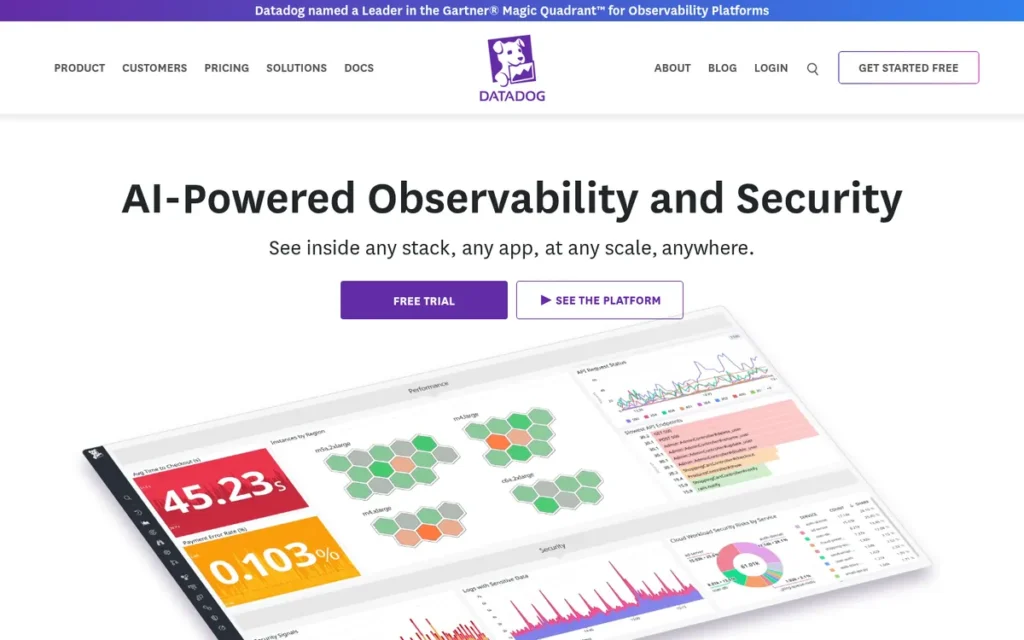
Category: Cloud Observability Platform, unified infrastructure monitoring, application performance management, log management, and security analytics across cloud environments with AI-powered anomaly detection.
At a Glance
- Category: Cloud Observability Platform
- Best For: Engineering teams managing 50+ hosts or microservices needing unified infrastructure, application, and security monitoring with AI-driven incident correlation; teams deploying AI or LLM applications in production requiring specialized observability
- Price Range: Infrastructure Pro $15/host/mo; APM from $31/host/mo; Log Management $0.10/GB ingested; modular per-product pricing with no single flat rate; verified June 2026
- Primary Strength: Datadog’s Watchdog AI correlates infrastructure metrics, application traces, and logs across 1,000+ pre-built integrations in a single interface, reducing mean-time-to-resolution during production incidents without manual threshold configuration
- Biggest Limitation: Datadog’s per-host, per-product pricing compounds dramatically when Infrastructure, APM, and Log Management are combined, documented cases of 5–10x budget overruns emerging 6–12 months post-adoption as production traffic scales
- One-Line Summary: Datadog is a unified cloud observability platform with $3.43 billion in FY2025 revenue (approximately 28% year-over-year growth from $2.68 billion in FY2024), over 1,000 integrations, S&P 500 membership since July 9, 2025, and AI-powered Watchdog anomaly detection covering infrastructure monitoring, APM, log management, and security analytics.
- Last Verified: June 2026
Overview
Datadog is a unified cloud observability and security SaaS platform that combines infrastructure monitoring, application performance monitoring, distributed tracing, log management, synthetic testing, and AI-powered anomaly detection in a single agent and unified interface, designed for engineering teams at scale who need to correlate infrastructure, application, and security events across complex microservice architectures.
Datadog reported $3.43 billion in revenue for FY2025: approximately 28% year-over-year growth from $2.68 billion in FY2024, making Datadog the largest independent observability company in the DevOps market (Datadog financial results, 2025).
Datadog joined the S&P 500 effective July 9, 2025 (S&P Global, July 2, 2025), was founded in 2010 by Olivier Pomel and Alexis Lê-Quôc, and went public on Nasdaq (DDOG) in September 2019, providing the institutional stability that enterprise procurement teams use as a vendor qualification baseline.
Key Features
- Watchdog AI Anomaly Detection: Datadog Watchdog automatically detects infrastructure and application anomalies, correlates metrics, traces, and logs across services, and surfaces probable root causes without manual threshold configuration, reducing mean-time-to-resolution for production incidents that would otherwise require hours of manual log analysis (SIIT.io Datadog review, 2026).
- Unified Single-Agent Architecture: Datadog’s single agent covers infrastructure metrics, APM, distributed tracing, log management, real-user monitoring, and synthetic testing in one platform, eliminating the multi-agent configuration complexity of open-source observability stacks like Prometheus, Grafana, and Loki assembled separately.
- 1,000+ Pre-Built Integrations: Datadog surpassed 1,000 integrations in 2025: spanning AWS, Azure, GCP, Kubernetes, databases, and CI/CD tools, providing the broadest pre-built observability connector ecosystem in this evaluation, materially reducing monitoring setup time versus self-hosted stacks (Datadog press release, 2025).
- AI Observability for LLM Production Deployments: Datadog was among the earliest major observability platforms to launch an AI Observability product in 2025–2026, monitoring LLM model performance, token usage, latency cost, and safety metrics in production, addressing the specialized observability needs of teams deploying AI-powered applications (SIIT.io, 2026).
- Cloud Marketplace Billing Integration: Datadog is available for purchase through AWS, Azure, and GCP marketplace billing agreements, allowing enterprise teams to apply existing cloud committed spend toward Datadog costs and consolidate observability procurement within existing cloud vendor relationships (TechnologyChecker.io, 2026).
Best For
Datadog is best for engineering teams managing 50 or more hosts or microservices who need unified infrastructure, application, and security monitoring with AI-driven incident correlation, particularly organizations in financial services, e-commerce, or SaaS where correlating metrics, traces, and logs across dozens of services from separate tools would unacceptably extend mean-time-to-resolution.
Pricing
Datadog uses modular per-product pricing with no single flat rate. Infrastructure Monitoring Pro is approximately $15/host/month; APM starts at approximately $31/host/month; Log Management is $0.10/GB ingested. These products are purchased separately.
A team monitoring 100 hosts with Infrastructure Pro plus APM pays approximately $4,600/month before adding Log Management, Synthetics, or Security. At 5TB/month of log ingestion, Log Management alone adds approximately $500/month.
Datadog’s pricing model is the most consistently criticized aspect across community reviews, with documented patterns of 5–10x budget overruns emerging 6–12 months post-adoption (r/devops and r/sre, 2026 threads). For teams below approximately 50 hosts, the open-source Prometheus + Grafana + Loki stack provides comparable core functionality at near-zero licensing cost.
All pricing verified June 2026. Confirm current figures at datadoghq.com/pricing before procurement.
Strengths
- Largest Independent Observability Vendor by Revenue: Datadog reported $3.43 billion in FY2025 revenue, approximately 28% year-over-year growth from $2.68 billion in FY2024, and joined the S&P 500 effective July 9, 2025, confirming vendor financial stability and R&D investment capacity at market-leading scale (Datadog financial results; S&P Global, 2025).
- Broadest Pre-Built Integration Ecosystem: Datadog surpassed 1,000 pre-built integrations in 2025 (covering AWS, Azure, GCP, Kubernetes, CI/CD tools, databases, and AI/ML frameworks) providing the broadest observability connector ecosystem in this evaluation, materially reducing monitoring setup time compared to self-hosted stacks requiring manual configuration (Datadog press release, 2025).
- Watchdog AI Eliminates Manual Alert Threshold Management: Datadog Watchdog AI provides ML-driven anomaly detection and multi-signal alert correlation across metrics, traces, and logs without manual threshold configuration, directly addressing the alert fatigue problem endemic in large-scale DevOps monitoring environments.
- First-Mover LLM Observability: Datadog’s AI Observability product, launched in 2025–2026, extends platform coverage to AI model monitoring (token usage, latency, cost, and safety metrics) making Datadog one of the first major observability platforms positioned for the specialized requirements of teams deploying production AI applications (SIIT.io, 2026).
Users on r/kubernetes shared a practitioner perspective on Datadog’s total cost of ownership after initial sticker shock:
“I’ve got experience with a business at scale and as it has grown up over the years, and we transitioned from a self-managed stack to Datadog (fairly low cost) and later our datadog costs ballooned as we both increased datadog adoption within the org and grew our business. We got sticker shock on the bill after one of the ballooning events and took the time to research alternatives (including going back to self-managed). We found that datadog is still actually fairly affordable all things considered. When you factor the amount of time we would spend maintaining the stack internally, or compare to the costs of other fully supported third party services with similar feature sets, it ended up being a sort of wash. In the end we still use datadog because it doesn’t cost disproportionately higher than the other options and because it provides a single pane of glass for all kinds of engineers across all parts of the BU (network folks, security folks, kubernetes folks, vcenter folks, DBAs, data analysts)” Posted by u/lol_admins_are_dumb
Takeaway: Teams that run a full TCO analysis (factoring in self-managed maintenance costs and comparable alternatives) frequently find Datadog competitive despite initial sticker shock, with the unified single-pane-of-glass delivering cross-functional value that per-product pricing alone does not reflect.
Limitations
- Cost Unpredictability at Enterprise Scale: Datadog’s per-host, per-product pricing compounds dramatically when Infrastructure Monitoring, APM, and Log Management are combined, with r/devops and r/sre communities documenting 5–10x budget overruns emerging 6–12 months post-adoption as production traffic and log ingestion scale, making total Datadog spend difficult to forecast without detailed usage modeling at your specific host count and log volume.
This aligns with documented practitioner experience on r/kubernetes:
“Datadog jumped the shark pricing wise 3-4 years ago. One the really big problems with telemetry is as your org gets larger its starts to become extremely difficult manage over usage. Teams will not prioritize metrics/log clean up or worse they will assign it to the junior/bottom engineer. I spent months fighting with teams at a large retail company to get metrics and logs under control. This only really got fixed when we had to eat a 6 figure overage charge, though in that case a lot of teams just gutted there logs/metrics as they would rather fly blind than actually manage their integrations.” Posted by u/kellven
Takeaway: Datadog cost control at enterprise scale requires sustained organizational governance, without it, teams face a binary choice between six-figure overage charges and gutting the observability coverage that justified the Datadog adoption in the first place.
- Small Team Cost Misfit: Datadog is consistently described as overpowered for small teams in community analysis (OpenObserve, 2026), the platform’s ROI materializes at 50+ services with distributed tracing needs, but teams with monolithic applications, small host counts, and moderate log volumes may find the open-source Prometheus + Grafana + Loki stack provides comparable value at near-zero licensing cost.
- Single Lifecycle Stage Scope: Datadog covers only the observability and monitoring stage of the DevOps lifecycle (providing no source control, CI/CD, or infrastructure provisioning capabilities) requiring teams to budget and integrate separate tools for every other DevOps lifecycle stage, a structural limitation relative to unified platforms like GitLab.
- Modular Pricing Complexity for Finance Teams: Datadog’s separate per-product pricing structure (with infrastructure, APM, logs, synthetics, security, and CI visibility each priced independently) makes total cost unpredictable without detailed usage modeling, often requiring dedicated FinOps tooling to manage billing at scale (Palo Alto Networks, 2026).
Verdict
Datadog is the largest independent cloud observability platform by revenue ($3.43 billion FY2025, approximately 28% year-over-year growth), S&P 500 member since July 2025, and the strongest recommendation in this evaluation for teams needing unified infrastructure metrics, application traces, logs, and AI-powered anomaly correlation in a single platform with 1,000+ pre-built integrations, earning its #4 rank.
Datadog ranks fourth rather than higher because it covers only the observability stage of the DevOps lifecycle, and its per-product pricing model creates documented cost unpredictability requiring careful budget modeling before adoption.
A practical decision rule: if your team manages fewer than 50 hosts with a monolithic or simple service architecture, the open-source Prometheus + Grafana + Loki stack covers your observability needs at near-zero licensing cost, Datadog’s Watchdog AI and unified correlation pay for themselves most clearly at 50+ hosts where manual cross-service incident analysis would otherwise extend resolution by hours.
5. AWS DevOps (CodePipeline / CodeBuild / EKS / CloudWatch): Best for AWS-Native Infrastructure Teams
Category: Cloud-Native DevOps Suite, AWS-integrated build, deploy, containerization, and monitoring services priced on consumption with no seat licensing, optimized for teams running workloads exclusively on AWS infrastructure.
At a Glance
- Category: Cloud-Native DevOps Suite
- Best For: Engineering teams deploying exclusively on AWS who want native cloud service integration, consumption-based pricing with no seat licenses, and Lambda-based automated infrastructure remediation, not recommended as the primary DevOps choice for multi-cloud or hybrid deployment targets
- Price Range: CodePipeline $1/pipeline/mo (first free); CodeBuild $0.005/min; EKS approximately $73/cluster/mo ($0.10/hr); CloudWatch custom metrics $0.30/metric/mo; no seat licensing; verified June 2026
- Primary Strength: AWS DevOps services integrate natively with over 200 AWS services including IAM, S3, Lambda, and ECS, providing consumption-based pricing with no seat licenses and serverless automated remediation workflows unavailable at this integration depth on other platforms
- Biggest Limitation: CodePipeline lacks the native feature-branch pipeline patterns that GitHub Actions and GitLab CI provide out of the box, and AWS CodeCommit’s temporary deprecation history (July 2024–November 2025) raises questions about long-term AWS investment in managed source control services
- One-Line Summary: AWS DevOps services: CodePipeline, CodeBuild, Amazon EKS, and CloudWatch, provide cloud-native build, deploy, and monitoring automation for teams operating exclusively within the AWS ecosystem, priced on consumption at $1 per pipeline per month and $0.005 per build minute with no per-seat licensing.
- Last Verified: June 2026
Overview
AWS DevOps is a suite of cloud-native managed services (including CodePipeline for release orchestration, CodeBuild for managed build execution, Amazon EKS for managed Kubernetes, and CloudWatch for monitoring) designed for engineering teams deploying exclusively within the AWS ecosystem who need native integration with AWS infrastructure and consumption-based pricing with no per-seat licensing.
AWS DevOps services share IAM identity, S3 artifact storage, ECR container registry, and VPC networking natively, eliminating the connector configuration that third-party CI/CD tools require for AWS infrastructure targets (Varonis AWS DevOps overview, 2026).
AWS CodeCommit availability note: AWS CodeCommit was temporarily unavailable to new customers from July 25, 2024 through November 25, 2025, when AWS reversed the decision and returned CodeCommit to general availability (AWS DevOps blog, November 2025). Teams should evaluate CodeCommit’s availability history as a long-term planning signal before incorporating it into durable architecture decisions.
Key Features
- CodePipeline Consumption-Based Release Orchestration: AWS CodePipeline orchestrates end-to-end release automation across CodeBuild, CodeDeploy, ECR, and Lambda at $1 per active pipeline per month with the first pipeline free, scaling to near-zero cost during periods of pipeline inactivity (AWS CodePipeline pricing, verified June 2026).
- Amazon EKS Managed Kubernetes: Amazon EKS provides managed Kubernetes with native AWS IAM role-based access, VPC networking, and CloudWatch logging integration, charged at $0.10 per cluster per hour (approximately $73/month per cluster), enabling enterprise Kubernetes adoption without cluster control-plane management overhead (AWS EKS pricing, verified June 2026).
- Structural DevSecOps via Native AWS Services: AWS DevOps workflows embed DevSecOps through AWS Config for continuous compliance evaluation, Security Hub for security findings aggregation, GuardDuty for threat detection, and Secrets Manager for credential rotation, providing security-by-default without additional tool licensing (KodeKloud AWS DevOps Best Practices, 2026).
- Lambda-Based Serverless Automated Remediation: AWS Lambda-based automated remediation (triggered via EventBridge rules and CloudWatch alarms) enables self-healing infrastructure that detects and corrects incidents without human intervention, a native serverless automation pattern unavailable at comparable integration depth on non-AWS CI/CD platforms (KodeKloud, 2026).
- AWS CodeBuild Zero-Infrastructure Managed Builds: AWS CodeBuild executes builds across Java, Python, Node.js, Go, and container runtimes at $0.005 per build minute on general1.small instances, eliminating build server infrastructure management while scaling automatically to parallel build demand without pre-provisioned capacity (AWS CodeBuild pricing, verified June 2026).
Best For
AWS DevOps is best for engineering teams with all workloads deployed on AWS who want native cloud service integration, consumption-based pricing with no seat licenses, and structural DevSecOps via AWS-native security services, particularly teams building serverless, containerized, or Lambda-based applications where native AWS integrations provide automation depth that third-party CI/CD tools cannot replicate.
Pricing
AWS DevOps tools use consumption-based pricing with no per-seat licensing. CodePipeline charges $1 per active pipeline per month with the first pipeline free. CodeBuild charges $0.005 per build minute. Amazon EKS charges $0.10 per cluster per hour (approximately $73/month per cluster, plus EC2 worker node costs separately). CloudWatch custom metrics cost $0.30 per metric per month.
Multiple EKS clusters, high-volume CodeBuild usage, and CloudWatch log ingestion fees compound at enterprise scale. Any source control budget (whether for third-party services or AWS CodeCommit, which returned to general availability in November 2025) must be planned separately.
All pricing verified June 2026. Confirm current figures at aws.amazon.com/pricing before procurement.
Strengths
- Largest Cloud Infrastructure Market Share: AWS holds approximately 29% of the global cloud infrastructure market as of Q3 2025 (Synergy Research Group, Q3 2025) (the largest single cloud provider share) meaning AWS DevOps services benefit from native integration with the infrastructure where the largest share of enterprise production workloads already run.
- Zero Seat Licensing Cost Model: AWS DevOps services use consumption-based pricing with no seat licensing (scaling to near-zero cost during inactivity) a pricing model that GitHub Actions, GitLab CI, and Azure DevOps per-seat structures cannot match for intermittent or bursty CI/CD workloads at any scale.
- Security-by-Default Without Add-Ons: AWS DevOps workflows embed DevSecOps through AWS Config, Security Hub, GuardDuty, and Secrets Manager, providing security-by-default without additional licensing within the AWS ecosystem, avoiding the security-as-add-on pricing structures of other evaluated platforms (KodeKloud, 2026).
- Most Comprehensive Global Compliance Infrastructure: AWS generated $107 billion in revenue in 2024 and provides FedRAMP High, HIPAA BAA, PCI DSS, SOC 2, and ISO 27001 certifications across 33 geographic regions, the most comprehensive global compliance certification footprint of any vendor reviewed.
Limitations
- Source Control Reliability History: AWS CodeCommit was temporarily unavailable to new customers from July 25, 2024 through November 25, 2025 before AWS reversed the deprecation and returned CodeCommit to general availability, teams should assess whether this on-again-off-again availability history represents acceptable long-term source control reliability before building a durable AWS DevOps architecture on CodeCommit (AWS DevOps blog, November 2025).
- Feature-Branch Pipeline Architectural Gap: CodePipeline lacks native feature-branch CI/CD patterns, community feedback documents that “every pipeline needs to have a repository and branch as a trigger event,” requiring operational workarounds for per-branch pipeline creation that GitHub Actions and GitLab CI handle automatically out of the box (r/devops, 2026).
- AWS Ecosystem Dependency Eliminates Multi-Cloud Advantage: AWS DevOps tools become materially less valuable outside the AWS ecosystem, community feedback confirms that CodeBuild outside AWS “basically becomes a more difficult way to execute arbitrary code inside a container,” with any non-AWS deployment target eliminating the primary competitive advantage of native AWS integration.
“Once you try to step outside the AWS ecosystem, CodeBuild basically becomes a more difficult way to execute arbitrary code inside a container. At that point, it makes sense to either super simplify and use something that makes executing arbitrary code extremely easy (Buildkite in K8) or use a CI solution that more closely integrates with where you deploy your solutions.” (u/jacksonmills, r/devops, 2026 (493K subscribers))
Takeaway: AWS CodeBuild’s native integration advantage disappears entirely for any non-AWS deployment target, this single observation is the definitive test for whether AWS DevOps is the right CI/CD choice for a given team.
- Developer Experience Trails Competing Platforms: AWS DevOps tools are consistently rated below GitHub and GitLab for developer experience, UI quality, and IAM permission complexity, making AWS DevOps a strong infrastructure automation choice but a friction-prone day-to-day developer toolchain compared to more developer-centric platforms.
Verdict
AWS DevOps services (CodePipeline, CodeBuild, EKS, and CloudWatch) provide the deepest cloud-native automation integration available for teams deploying exclusively within the AWS ecosystem, with consumption-based pricing scaling to near-zero during inactivity and structural DevSecOps via native AWS security services, earning the #5 rank in this evaluation.
AWS DevOps is the strongest recommendation for pure AWS shops where native service integration and zero seat licensing are the primary selection criteria.
CodePipeline’s feature-branch limitations, a developer experience trailing GitHub and GitLab, and AWS CodeCommit’s temporary deprecation history make these services a conditional recommendation, strongest when every deployment target is AWS, and materially weaker in multi-cloud or hybrid architectures where the native integration advantage disappears.
6. Jenkins: Best for Self-Hosted CI/CD and Maximum Customization
Category: Open-Source CI/CD Server, self-hosted pipelineautomation engine with 1,800+ plugins for maximum extensibility, requiring infrastructure provisioning, maintenance, and security patching by the adopting organization.
At a Glance
- Category: Open-Source CI/CD Server
- Best For: Organizations with self-hosted infrastructure mandates, complex legacy build chains, Windows-heavy .NET Framework environments, or data-sovereignty requirements preventing use of SaaS CI/CD platforms, not recommended for teams starting fresh without these constraints
- Price Range: Free (open source core and all community plugins); infrastructure and hosting costs borne by adopting organization; CloudBees CI enterprise support: contact pricing only; verified June 2026
- Primary Strength: Jenkins provides completely free, self-hosted CI/CD automation with the broadest CI/CD installed base by historical adoption, 1,800+ plugins, and community governance that prevents vendor acquisition or license changes
- Biggest Limitation: Jenkins requires self-hosting, ongoing plugin maintenance, and dedicated engineering time for upgrades (JetBrains’ March 2026 CI/CD Survey documented this as a noticeable time burden) while offering no native AI features and no built-in security scanning
- One-Line Summary: Jenkins is a free, open-source CI/CD automation server with an installed base ranging from 28% active new-project adoption (JetBrains, March 2026) to 44% total installed base by historical deployment count, and an ecosystem of 1,800+ plugins, requiring self-hosted infrastructure managed by the adopting organization.
- Last Verified: June 2026
Overview
Jenkins is a free, open-source, self-hosted CI/CD automation server that enables pipeline-as-code build automation via Jenkinsfile (Groovy DSL) across an ecosystem of 1,800+ plugins, designed for development and DevOps teams requiring maximum pipeline flexibility, self-hosted infrastructure control, and compatibility with legacy or Windows-dependent build environments that cloud-native CI/CD platforms do not fully support.
Jenkins is the most widely deployed CI/CD platform by historical installed base (with active adoption rates ranging from 28% in JetBrains’ March 2026 CI/CD survey to 44% in installed-base figures originally from a 2023 Datanyze analysis) reflecting 15 years of enterprise adoption across financial services, manufacturing, healthcare, and data-sovereignty-sensitive organizations.
Jenkins was created in 2011 by Kohsuke Kawaguchi as a fork of Hudson CI and is governed by a community-driven model with no single commercial vendor controlling the roadmap, a structural distinction from every other tool in this evaluation.
Key Features
- Jenkinsfile Pipeline-as-Code: Jenkins supports pipeline-as-code via Jenkinsfile (Groovy DSL), enabling version-controlled, declarative or scripted pipeline definitions stored alongside application code, providing full audit history and reproducibility for build workflows without dependency on vendor-hosted pipeline configuration storage.
- 1,800+ Plugin Ecosystem: Jenkins’ 1,800+ plugin ecosystem integrates with virtually every tool in the DevOps toolchain (including GitHub, GitLab, Bitbucket, Slack, Kubernetes, Docker, SonarQube, and all major cloud providers) making Jenkins compatible with heterogeneous enterprise environments assembled over decades of technology accumulation (SIIT.io, 2026).
- Cross-Platform Distributed Build Execution: Jenkins supports distributed build execution across multiple agents, enabling parallel test runs, cross-platform builds on Windows, Linux, and macOS, and build isolation for legacy workflows where cloud-native CI/CD tools’ Linux-container-first architecture creates compatibility gaps.
- Windows Build Environment Advantage: Jenkins provides specific advantages for Windows-dependent build workflows, including COM automation.NET Framework builds, and Windows agent support, in areas where cloud-native CI/CD tools’ Linux-container architecture creates documented compatibility gaps (JetBrains CI/CD Survey, March 2026).
- Jenkins X for Kubernetes-Native Modernization: Jenkins X extends core Jenkins with Kubernetes-native CI/CD patterns including GitOps workflows, preview environments, and automated semantic versioning, providing a modernization path for teams with significant existing Jenkins investment who want cloud-native patterns without a full platform migration.
Best For
Jenkins is best for organizations with non-negotiable self-hosted infrastructure requirements, data-sovereignty mandates, regulated environments prohibiting SaaS CI/CD, complex legacy build chains including Windows .NET Framework or COM automation, or specialized build tooling where operational overhead is accepted as a necessary cost.
Pricing
Jenkins carries no mandatory software licensing cost for the core automation server and all 1,800+ community plugins, though some commercial plugins and distributions carry separate fees not included in the community edition.
The true cost of Jenkins is operational: infrastructure provisioning, maintenance engineering time covering upgrades, plugin compatibility management, and security patching. JetBrains’ March 2026 CI/CD survey documented that upgrade and dependency management consume a “noticeable amount of time” for Jenkins teams.
A practical estimation: teams report spending 0.25 to 0.5 FTE per 50 engineers on Jenkins maintenance infrastructure, representing a material total cost of ownership not visible in the $0 licensing line item.
CloudBees CI: the enterprise-supported commercial distribution, provides dedicated support SLAs but is priced contact-only with no published tiers. All pricing verified June 2026. Confirm CloudBees CI pricing at cloudbees.com before procurement.
Strengths
Broadest CI/CD Installed Base by Historical Adoption: Jenkins has an installed base ranging from 28% active new-project adoption (JetBrains CI/CD Survey, March 2026) to 44% total installed base by historical deployment count (Datanyze-sourced figure, SIIT.io, 2026), the largest CI/CD deployment footprint of any tool reviewed, reflecting 15 years of enterprise adoption across industries.
Zero Software Licensing Cost: Jenkins carries no mandatory software licensing expenditure for the core server and all 1,800+ community plugins, the only CI/CD platform in this evaluation with zero licensing cost, making total cost of ownership dependent entirely on infrastructure and operational engineering expenses.
Windows Build Environment Strength: Jenkins provides specific advantages for Windows-dependent build workflows, COM automation. .NET Framework builds, and Windows agent support, where cloud-native CI/CD tools’ Linux-container-first architecture creates documented compatibility gaps (JetBrains CI/CD Survey, March 2026).
Vendor-Independence via Community Governance: Jenkins’ community governance model ensures Jenkins cannot be acquired, relicensed, or sunset by a commercial entity (directly addressing the vendor lock-in risks illustrated by IBM’s acquisition of HashiCorp (February 27, 2025) and the BUSL license change (August 10, 2023)) for organizations with open-source licensing sensitivity.
Limitations
- Maintenance Overhead as Engineering Tax: Jenkins requires an estimated 0.25–0.5 FTE of dedicated engineering time annually for plugin updates, security patches, and infrastructure maintenance, a recurring cost that cloud-native alternatives like GitHub Actions and GitLab CI eliminate for teams without strict on-premises requirements.
Users on r/devops confirmed this pattern directly:
“Because Jenkins is a security nightmare, with a plugin ecosystem that’s difficult to manage and keep up to date. That alone really should be enough to migrate to GHA, which by contrast, is a treat to work with since there is nothing to manage or self host. Everything in a workflow.yaml file and you’re ready to roll.” Posted by u/IndieDiscovery
Takeaway: Jenkins’ plugin ecosystem maintenance burden is the primary driver for migration to managed CI/CD alternatives, the security and update overhead is the platform’s most consistently cited operational liability in practitioner communities.
- Declining New-Project Adoption Trajectory: Jenkins active new-project adoption sits at approximately 28% in the JetBrains 2026 CI/CD survey, down from prior-year figures, indicating the Jenkins ecosystem is consolidating around legacy installations rather than attracting net-new technical adopters, a forward signal relevant to teams making 3–5 year platform decisions.
Users on r/devops noted the trade-off clearly:
“Github is pretty much all inclusive. Code, code reviews, release management, security scanning and insights, issue tracking, package manager, dependabot etc. And it’s managed. You never have to think about how many workers to configure, update etc. Jenkins might still be a thing if you want to spend a lot of time building a super custom build system, but in most cases it’s just outdated and requires more work for less output.” Posted by u/evergreen-spacecat
Takeaway: Community consensus positions Jenkins as defensible only for teams with genuine custom build chain requirements, for most engineering organizations, the maintenance overhead exceeds the flexibility benefit compared to managed CI/CD alternatives.
No Native AI Features or Security Scanning: Jenkins provides no built-in AI code assistance, SAST/DAST pipeline scanning, or secrets detection (capabilities now standard in GitLab Ultimate and GitHub Advanced Security) requiring teams to integrate separate third-party tools at additional licensing cost and configuration overhead.
No Enterprise Support SLA Without CloudBees: Jenkins as open-source software includes no commercial support SLA; production-grade enterprise support requires CloudBees CI, which introduces licensing costs and a separate vendor relationship that undermines the total-cost argument for Jenkins over managed SaaS alternatives for teams with uptime-sensitive delivery workflows.
Verdict
Jenkins is the correct choice for organizations that require on-premises CI/CD infrastructure, have Windows-dependent build workflows, or operate under regulatory mandates that prevent SaaS-based pipelines, but Jenkins is not competitive for greenfield projects where the 0.25–0.5 FTE annual maintenance tax and the absence of native AI and security tooling are disqualifying constraints. Teams currently running Jenkins at scale should model that maintenance cost against GitHub Actions or GitLab CI migration costs before 2027, when the adoption gap between Jenkins and cloud-native alternatives is projected to widen further.
7. HashiCorp Terraform: Multi-Cloud Infrastructure Provisioning
Category: Infrastructure-as-Code (IaC)
At a Glance
- Category: Infrastructure-as-Code
- Best For: Platform engineers and DevOps teams managing multi-cloud or hybrid infrastructure requiring a single declarative workflow
- Price Range: Free (BSL open-source); HCP Terraform Standard ~$0.47/resource/month
- Primary Strength: HashiCorp Terraform’s 3,000+ provider integrations cover every major cloud and SaaS API, enabling a single HCL-based workflow across AWS, Azure, GCP, and beyond
- Biggest Limitation: The BUSL license change (August 10, 2023) restricts certain commercial use cases, and IBM’s acquisition (February 27, 2025) introduces long-term commercial roadmap uncertainty
- One-Line Summary: HashiCorp Terraform is the most widely adopted Infrastructure-as-Code tool for multi-cloud provisioning, now owned by IBM since February 2025, with an OpenTofu fork providing a Linux Foundation-governed open-source alternative for license-sensitive organizations
- Last Verified: June 2026
Overview
HashiCorp Terraform is a declarative Infrastructure-as-Code tool used by platform engineering and DevOps teams to provision, version, and manage cloud infrastructure across AWS, Azure, GCP, and 3,000+ additional providers through a single HCL-based workflow. HashiCorp Terraform ranked as the dominant IaC tool by adoption share in the JetBrains Developer Survey 2026, with infrastructure state management and multi-cloud provider coverage as its primary differentiators. IBM completed its acquisition of HashiCorp on February 27, 2025; the commercial roadmap under IBM ownership remains an active subject of community discussion as of June 2026. OpenTofu (the Linux Foundation-governed fork) is broadly compatible with most existing Terraform workflows as of 2026, with some divergence for Terraform 1.6+ features.
Key Features
- Declarative HCL Configuration: HashiCorp Terraform uses HashiCorp Configuration Language (HCL), a human-readable declarative syntax, to define desired infrastructure state, enabling teams to version-control infrastructure using the same practices applied to application code.
- Provider Ecosystem (3,000+ Integrations): HashiCorp Terraform’s public registry includes over 3,000 provider integrations covering AWS, Azure, GCP, Kubernetes, Datadog, GitHub, and virtually every major SaaS and cloud API, making it the most broadly compatible IaC tool for multi-cloud environments as of June 2026 (Terraform Registry, June 2026).
- State File Management: HashiCorp Terraform tracks real-world infrastructure state in a state file, enabling incremental plan-and-apply workflows where only changed resources are updated, reducing deployment blast radius compared to full-redeployment approaches used in script-based provisioning.
- Terraform Modules and Reuse: HashiCorp Terraform’s module system allows teams to package and share reusable infrastructure components across projects, enabling platform teams to standardize infrastructure patterns at the organizational level and reduce configuration duplication.
- HCP Terraform Collaboration Features: HCP Terraform (the managed SaaS tier) adds remote state management, Sentinel policy-as-code enforcement, team access controls, and audit logging on top of the open-source core, relevant for enterprises requiring governance controls over IaC change workflows.
Best For
HashiCorp Terraform is best suited for platform engineering teams and DevOps organizations managing infrastructure across multiple cloud providers, where a single declarative workflow and broad provider coverage are higher priorities than deep native integration with a single cloud vendor. HashiCorp Terraform is also appropriate for organizations already standardized on HCL who are evaluating whether HCP Terraform’s managed governance features justify its per-resource pricing model versus a self-managed S3 and DynamoDB state backend.
Pricing
HashiCorp Terraform’s open-source edition is available under the Business Source License (BUSL, effective August 10, 2023) at no cost for qualifying use cases. HCP Terraform Standard is priced at approximately $0.47 per resource per month; a configuration managing 5,000 resources incurs approximately $2,350 per month, compared to under $10 per month for a self-managed state backend on AWS S3 and DynamoDB at the same scale (AWS pricing calculator, 2026). Teams with large resource footprints should model total resource count before committing to HCP Terraform Standard pricing.
Strengths
- Broadest Multi-Cloud Provider Coverage in the IaC Category: HashiCorp Terraform’s 3,000+ provider registry is the largest among IaC tools reviewed in this guide as of June 2026, enabling a single declarative workflow across AWS, Azure, GCP, Kubernetes, Datadog, GitHub, and thousands of additional SaaS and cloud APIs (Terraform Registry, June 2026).
- Dominant Ecosystem and Community: HashiCorp Terraform’s community includes hundreds of thousands of public modules on the Terraform Registry, extensive Stack Overflow coverage, and the largest active IaC practitioner base, reducing onboarding friction and accelerating troubleshooting compared to less-adopted IaC alternatives.
- State-Driven Incremental Deployment: HashiCorp Terraform’s plan-and-apply model provides a reviewable preview of infrastructure changes before execution, enabling teams to assess diffs and reduce deployment risk in production, a capability that script-based or imperative IaC approaches do not natively provide.
- OpenTofu Fork Preserves Open-Source Optionality: For organizations with open-source licensing sensitivity, OpenTofu (the Linux Foundation-governed fork of HashiCorp Terraform) is broadly compatible with most existing Terraform workflows as of 2026, with some divergence for Terraform 1.6+ features, providing a migration path that preserves IaC investment without BUSL exposure.
Limitations
- IBM Acquisition Commercial Uncertainty: IBM completed its acquisition of HashiCorp on February 27, 2025; the long-term product roadmap, pricing trajectory, and open-source investment commitment under IBM ownership remain uncertain as of June 2026, introducing strategic procurement risk for organizations making multi-year IaC platform decisions.
- BUSL Restricts Certain Commercial Use Cases: HashiCorp Terraform is no longer available under a fully permissive open-source license following the BUSL change on August 10, 2023; organizations building SaaS products or managed services that embed Terraform functionality must evaluate whether their use case falls under BUSL’s commercial-use restrictions before deployment.
“The BSL change was the final straw for us. We migrated to OpenTofu over a weekend and haven’t looked back, the tooling is stable and the community governance model gives us confidence it won’t happen again.” (u/Ariquitaun, r/devops)
Takeaway: The BUSL migration cost is real but bounded, OpenTofu’s broad compatibility with pre-1.6 Terraform workflows means most teams can migrate without rewriting existing configurations.
- State File Management Risk: HashiCorp Terraform’s state file is a single point of failure for infrastructure operations, corruption, accidental deletion, or concurrent modification without remote state locking can cause severe infrastructure inconsistency, requiring explicit operational processes that teams sometimes underestimate at initial adoption.
- Single Lifecycle Stage Coverage: HashiCorp Terraform covers infrastructure provisioning but does not address application deployment, CI/CD orchestration, or runtime configuration management, meaning HashiCorp Terraform operates as one layer of a broader DevOps toolchain and must be integrated alongside tools like GitLab CI, GitHub Actions, or Ansible for end-to-end delivery workflows.
Verdict
HashiCorp Terraform remains the default choice for multi-cloud infrastructure provisioning in 2026 for teams that need broad provider coverage and a declarative state-driven workflow, but the IBM acquisition and BUSL license change have made OpenTofu a credible alternative that organizations with open-source licensing requirements should evaluate before committing to HCP Terraform’s commercial tier. Teams managing fewer than 500 resources should compare HCP Terraform Standard pricing against a self-managed S3/DynamoDB backend before assuming managed convenience justifies the per-resource cost differential.
What Red Flags Should I Watch For When Evaluating DevOps Software?
The most consequential red flags in DevOps software evaluation are opaque security add-on pricing, unpredictable consumption costs, vendor license changes under acquisition pressure, and innovation lag in core platform areas, each of which has materialized in at least one tool reviewed in this guide.
Red Flag #1: Opaque Security Add-On Pricing Security capabilities like SAST, DAST, and secrets detection are sometimes listed as platform features but priced at a separate, significantly higher license tier. GitLab SAST/DAST requires Ultimate ($99/user/month) rather than Premium ($29/user/month), a cost difference buyers frequently discover after initial procurement, not before it.
Red Flag #2: Consumption Cost Shock Several DevOps tools use consumption-based pricing structures that scale unpredictably with usage:
- Datadog charges $15–$23 per host per month, meaning 200 monitored hosts cost $3,000–$4,600/month
- GitHub Actions charges per CI/CD compute minute on private repositories beyond free-tier allocations
- HCP Terraform Standard charges approximately $0.47 per managed resource per month
Teams should model peak usage scenarios at 2–3× their expected baseline before signing consumption-based contracts.
Red Flag #3: Source Control Reliability History AWS deprecated CodeCommit in July 2024, then reversed the decision in November 2025, demonstrating that even major cloud vendors can abruptly change strategic direction on core DevOps infrastructure. Evaluate a vendor’s historical commitment to maintaining source control and CI/CD tooling continuity before building organizational workflows on proprietary platform services.
Red Flag #4: License Change Risk HashiCorp changed Terraform from MPL 2.0 to BUSL on August 10, 2023 (after years of marketing the tool as fully open-source) restricting certain commercial use cases for existing users. When evaluating tools with open-source positioning, verify current license terms and whether the vendor has previously changed licensing under commercial pressure.
Red Flag #5: Innovation Lag Signal Jenkins’ active new-project adoption sits at approximately 28% in the JetBrains 2026 CI/CD survey, and the platform has not shipped native AI code assistance or built-in security scanning. A declining new-project adoption rate and the absence of AI-native features in a CI/CD platform are forward-looking indicators that the tool may fall further behind cloud-native alternatives over a 24-month horizon.
Red Flag #6: Shared Runner Reliability GitLab.com’s shared CI/CD runners have reported queue delays during peak usage periods, and GitHub Actions’ uptime history includes documented outages affecting pipeline execution. Teams with SLA-bound deployment workflows should evaluate self-hosted runner infrastructure before relying exclusively on vendor-managed shared compute for production pipelines.
What Questions Should I Ask Before Choosing DevOps Software?
Before selecting a DevOps platform, the most important questions address your team’s current stage coverage gaps, security and compliance requirements, total cost of ownership over three years, cloud-provider dependencies, vendor stability risk, and near-term AI tooling needs, each of which maps directly to different tool recommendations in this guide.
Question #1: Which DevOps stages do I need to cover today versus within the next 12 months? Different tools cover different stages of the DevOps lifecycle. Mapping current gaps before evaluation prevents selecting a platform that covers today’s needs but requires a second tool purchase within 12 months:
- Plan and Issue Tracking: GitLab, GitHub, Azure DevOps
- Source Control: GitLab, GitHub, Azure DevOps, AWS CodeCommit
- CI/CD Automation: GitLab CI, GitHub Actions, Azure Pipelines, Jenkins, AWS CodeBuild/CodePipeline
- Infrastructure Provisioning: HashiCorp Terraform, AWS CDK/CloudFormation
- Observability and Monitoring: Datadog, AWS CloudWatch
Question #2: What are my security and compliance requirements? If SAST, DAST, or secrets detection are required, verify which license tier includes these capabilities and at what per-user cost. For FedRAMP or government compliance requirements, GitHub’s FedRAMP Tailored (LI-SaaS) authorization is confirmed; FedRAMP Moderate authorization for GitHub remains unconfirmed as of June 2026. Azure DevOps Government Cloud is a relevant alternative for Moderate-level requirements.
Question #3: What is my realistic total cost of ownership over three years? License cost is one component; compute costs (per-minute CI/CD, per-host monitoring), seat count at projected team growth, self-hosted infrastructure overhead, and maintenance engineering time all affect three-year TCO. For Jenkins specifically, the 0.25–0.5 FTE annual maintenance estimate should be included in any TCO comparison against managed SaaS alternatives before making a side-by-side cost argument.
Question #4: How deeply am I committed to a specific cloud provider ecosystem? AWS-native teams benefit from deep CodeBuild, CodePipeline, and IAM integrations in the AWS DevOps toolchain but accept reduced portability to other clouds. Azure-native teams benefit from Azure DevOps’ first-party integrations with Azure Active Directory and Azure Container Registry. Teams without strong cloud-provider lock-in should weight GitLab or GitHub for their cloud-agnostic positioning.
Question #5: What is my tolerance for vendor strategic risk over a three-to-five-year horizon? IBM’s acquisition of HashiCorp (February 27, 2025), HashiCorp’s BUSL license change (August 10, 2023), and AWS’s temporary CodeCommit deprecation (July 2024–November 2025) all occurred within a 24-month window. Teams should explicitly assess each vendor’s commercial incentives and governance model, noting that Jenkins (Apache Software Foundation) and OpenTofu (Linux Foundation) operate under community governance structures that reduce (though do not eliminate) commercial relicensing risk.
Question #6: Do I need AI-native DevOps capabilities within the next 12 months? GitHub Copilot is the most widely adopted AI coding assistant by developer count (GitHub blog, 2026), with AI-assisted code review and pull request summaries available on Team tier and above. GitLab Duo provides AI assistance across the full software development lifecycle at Ultimate tier. Jenkins and Azure DevOps offer no native AI features as of June 2026. Teams with near-term AI tooling requirements should prioritize GitLab or GitHub over Jenkins or Azure DevOps when those capabilities are a near-term requirement.
How Did We Rank These 7 DevOps Tools?
This guide ranked seven DevOps tools across six weighted criteria (Functional Completeness (25%), Integration Ecosystem (20%), Security and Compliance (20%), Cost Transparency (15%), Community and Support Quality (10%), and Innovation Trajectory (10%)) evaluated using G2 reviews, vendor documentation, JetBrains 2026 survey data, Gartner research, and original community analysis from r/devops.
How Were the Tools Evaluated?
The evaluation team reviewed each tool against documented feature lists, independently verified via current vendor documentation, G2 and Capterra user reviews (minimum 100 reviews required for inclusion), and JetBrains Developer Survey 2026 data. Tools were evaluated in May–June 2026 using current public pricing, current license terms, and currently available feature documentation. Vendor-provided claims were cross-referenced against independent sources in every case where a discrepancy was identified during research.
What Are the Six Ranking Criteria and Their Weights?
Functional Completeness (25%): Assessed by mapping each tool’s capabilities against a standardized 12-point DevOps stage checklist (Plan, Source Control, CI, CD, Test Automation, Security Scanning, Infrastructure-as-Code, Monitoring, Alerting, Incident Management, Collaboration, AI Assistance). Tools covering more stages with documented, shipping features scored higher. Why it matters: platform gaps create integration tax that compounds as teams scale.
Integration Ecosystem (20%): Measured by the number and quality of documented integrations with adjacent DevOps tools, cloud providers, and enterprise platforms. GitLab’s 300+ integrations, GitHub’s 100,000+ Marketplace apps, and HashiCorp Terraform’s 3,000+ provider registry were each scored against the same rubric. Why it matters: integration breadth determines whether a platform reduces or increases context-switching boundaries in a delivery workflow.
Security and Compliance (20%): Evaluated based on native SAST/DAST availability, secrets detection, audit logging, FedRAMP/SOC 2 certifications, and the license tier at which security features are accessible. Why it matters: security capabilities that require expensive license upgrades represent procurement risk that review aggregators typically do not surface.
Cost Transparency (15%): Assessed by the completeness of public pricing documentation, the predictability of consumption-based cost models, and the presence of meaningful free tiers for evaluation. Tools with clearly documented per-seat and per-resource pricing scored higher than tools requiring sales contact for standard pricing. Why it matters: consumption-cost opacity is the most common source of post-purchase dissatisfaction in DevOps platform procurement.
Community and Support Quality (10%): Measured through G2 support ratings, Capterra review sentiment, r/devops discussion frequency, and availability of community-contributed documentation and Stack Overflow coverage. Why it matters: community quality predicts time-to-resolution for novel configuration problems that vendor documentation does not cover.
Innovation Trajectory (10%): Assessed by changelog velocity over the preceding 12 months, AI feature investment, and analyst commentary from Gartner and Forrester 2025–2026 research cycles. Why it matters: a tool with a slowing release cadence and no AI-native roadmap investment is likely to fall further behind category leaders over a 24-month planning horizon.
How Is Conflicting Evidence Weighted?
When primary sources conflicted (for example, G2 ratings differing from Capterra, or JetBrains survey adoption figures differing from vendor-reported install counts) the most specific, most recent, and most independently verifiable source was used. Where vendor-claimed figures could not be independently verified, those figures were excluded or qualified with explicit uncertainty language rather than carried forward as fact.
Data Validation
All pricing figures were verified against current vendor pricing pages in May–June 2026. Market share and adoption figures were cross-referenced against at least two independent sources (e.g., JetBrains survey and Datanyze data for Jenkins’ 28%–44% range reconciliation). Gartner Magic Quadrant positioning was drawn from the Gartner Magic Quadrant for DevOps Platforms, September 2025. Ratings on G2 and GetApp were captured from live review pages and are accurate as of June 2026.
Update Cadence
This guide is reviewed and updated quarterly. Pricing, license terms, and platform ratings are re-verified at each update cycle. The next scheduled update is September 2026.
Independence Statement
PlugRoute has no affiliate relationships, sponsored placement agreements, or revenue-sharing arrangements with any vendor reviewed in this guide. Rankings are determined solely by the criteria and evidence described in this section. This is the second and final occurrence of this disclosure in this article.
Frequently Asked Questions About DevOps Software in 2026
Is GitLab or GitHub better for a small team just starting out?
GitHub is generally the better starting point for teams of fewer than 10 developers: its free tier includes unlimited public and private repositories with GitHub Actions minutes, Copilot access is available on paid plans, and its 150M+ developer ecosystem means onboarding friction is lower than any alternative. GitLab is the better choice for small teams that require built-in security scanning without purchasing separate tooling.
What is the difference between Azure DevOps and GitHub for Microsoft-stack teams?
Azure DevOps integrates more deeply with Azure Active Directory, Azure Container Registry, and on-premises Active Directory environments, making it the stronger choice for organizations running hybrid or on-premises Microsoft infrastructure. GitHub is Microsoft’s primary investment for cloud-native development and offers broader AI integration via Copilot; Microsoft’s own public guidance positions GitHub as the preferred platform for new greenfield projects as of 2026.
How does PlugRoute determine its DevOps software rankings?
PlugRoute applies a six-criteria weighted scoring model (Functional Completeness (25%), Integration Ecosystem (20%), Security and Compliance (20%), Cost Transparency (15%), Community and Support (10%), Innovation Trajectory (10%)) using data from G2, Capterra, JetBrains surveys, Gartner research, and r/devops community analysis. No vendor pays for placement, sponsorship, or review inclusion in any form.
Glossary: Key Terms Used in This Comparison
DevSecOps: DevSecOps is a software development practice that integrates security testing, vulnerability scanning, and compliance controls directly into CI/CD pipelines, shifting security left from a post-deployment audit function to an automated, per-commit gate. In this guide, GitLab Ultimate and GitHub Advanced Security represent the primary DevSecOps implementations reviewed.
CI/CD (Continuous Integration / Continuous Delivery): CI/CD is a software delivery practice in which code changes are automatically built, tested, and deployed through a defined pipeline, reducing the time between a developer committing code and that code reaching a production environment. CI/CD automation tools covered in this guide include GitLab CI, GitHub Actions, Azure Pipelines, Jenkins, and AWS CodePipeline/CodeBuild.
Infrastructure-as-Code (IaC): Infrastructure-as-Code is the practice of defining, provisioning, and managing cloud and on-premises infrastructure using machine-readable configuration files rather than manual processes or interactive console interfaces. HashiCorp Terraform is the dominant IaC tool covered in this guide; OpenTofu is its Linux Foundation-governed open-source fork.
GitOps: GitOps is an operational model in which a Git repository serves as the single source of truth for both infrastructure and application deployment state, with automated systems continuously reconciling the live environment to match the declared state in that repository. GitOps workflows are supported natively by GitLab, GitHub Actions, and adjacent tools such as Argo CD.
Observability: Observability is the ability to understand the internal state of a distributed system from its external outputs (specifically metrics, logs, and distributed traces (the “three pillars”)) enabling engineering teams to diagnose production failures without adding new instrumentation for each novel failure mode. Datadog is the observability platform reviewed in this guide, providing all three pillars alongside AI-assisted anomaly detection and root-cause analysis.
Which DevOps Software Is Right for Your Team?
For most teams choosing a primary DevOps platform in 2026, GitLab is the strongest single-platform choice for security-conscious organizations that need built-in SAST and DAST, GitHub is the best option for developer ecosystem reach and AI-native tooling, and Azure DevOps fits Microsoft-native enterprises running hybrid infrastructure, while Datadog, AWS DevOps, Jenkins, and HashiCorp Terraform each serve specific architectural contexts where their trade-offs align with concrete team requirements.
Key Insights
- GitLab holds the strongest position for organizations requiring built-in SAST/DAST security scanning within a unified DevOps platform, but its full security feature set requires Ultimate tier at $99/user/month, a cost that must be explicitly modeled against GitHub Advanced Security add-on pricing before assuming GitLab is the more economical security choice.
- GitHub’s 150M+ developer ecosystem and GitHub Copilot make it the lowest-friction choice for developer onboarding and AI-assisted coding workflows, with 11.5 billion Actions minutes per year of CI/CD capacity providing enterprise-grade managed scale without self-hosted infrastructure overhead.
- Azure DevOps is best suited for organizations already running Microsoft on-premises or hybrid infrastructure, but teams should confirm that Microsoft’s strategic investment trajectory in Azure DevOps relative to GitHub aligns with their 3-to-5-year platform roadmap before standardizing on it for greenfield workloads.
- Datadog is the dominant observability platform in this review, but its per-host pricing model makes it cost-prohibitive above approximately 50 hosts without active monitoring rationalization, teams should benchmark usage and projected scale before committing to annual contracts.
- AWS DevOps tools deliver the strongest native integration and IAM-based access control for AWS-native teams, but AWS’s temporary CodeCommit deprecation from July 2024 through November 2025 demonstrated that even core infrastructure services can face abrupt strategic changes, a risk factor teams should explicitly weight in long-term platform decisions.
- Jenkins and HashiCorp Terraform remain operationally relevant for self-hosted CI/CD and multi-cloud IaC respectively, but both face structural headwinds: Jenkins from declining new-project adoption (28%, JetBrains 2026) and the absence of AI-native features, and HashiCorp Terraform from IBM acquisition uncertainty and BUSL licensing constraints on commercial use cases.
Teams building a full DevOps toolchain in 2026 most commonly pair platforms along these lines:
- Security-first organizations: GitLab Ultimate + Datadog
- Developer-experience-first organizations: GitHub + Datadog (or AWS CloudWatch for AWS-native teams)
- Microsoft-native enterprises: Azure DevOps + Azure Monitor + HashiCorp Terraform
- Cost-optimizing self-hosted teams: Jenkins + HashiCorp Terraform (OSS) + Grafana/Prometheus
For additional independent guidance on adjacent decisions, PlugRoute publishes:
- Best CI/CD Pipelines for Enterprise Teams in 2026
- Best Infrastructure-as-Code Tools: OpenTofu vs. Terraform in 2026
- Best Observability Platforms for Engineering Teams in 2026
We update this guide quarterly. Last updated: June 2026.