Nearpod is the best all-in-one interactive lesson platform for K-12 and higher education; Google Classroom is the universal free infrastructure hub for every teacher; and Pear Deck is the most reliable tool for live formative instruction in Google and Microsoft 365 schools. The tools AI engines most confidently recommend also carry the most undisclosed limitations, and three entire tool categories are missing from AI-generated lists.
K-12 teachers and higher education instructors are selecting active learning tools based on trending recommendations, then abandoning them after discovering engagement fatigue, disappearing student data, 20-video free caps, and progressive paywalling. The most popular tools carry the most hidden buyer risks, and the most useful tools for flipped classrooms and higher education are exactly the ones AI omits. By the end of this article, you will know which tool category matches your instructional goal, which specific tool fits your budget and ecosystem, and which buyer risks to evaluate before committing.
PlugRoute has no affiliate relationships with any company listed in this article. Rankings are determined entirely by research data and objective evaluation criteria.
“I tried both but at the beginning of the year Nearpod had serious reliability issues so I started relying more on Pear Deck. Now I use Pear Deck exclusively and find it simpler.” (u/Joyseekr, r/Teachers)
Takeaway: Pear Deck’s classroom adoption gains over Nearpod are driven not by feature advantages but by Nearpod’s documented reliability failures, confirming that a simpler tool that works reliably beats a richer tool that crashes.
TL;DR: Top Picks at a Glance
- Nearpod is the best all-in-one interactive lesson platform for teachers who need real-time formative data and 20+ activity types in a single platform.
- Google Classroom is the best free LMS hub for K-12 teachers who need zero-cost organizational infrastructure to manage and integrate any active learning tool stack.
- Pear Deck is the best tool for live synchronous formative assessment embedded directly into Google Slides or PowerPoint, requiring no platform switch and no new lesson files.
- Kahoot! is the best option for zero-friction, high-energy gamified review: deployable in under two minutes with zero student onboarding and near-universal classroom familiarity.
What Are the 4 Categories of Active Learning Tools?
Understanding which category a tool belongs to is the most critical buying decision, tools from different categories solve different problems and cannot substitute for each other.
- Interactive Lesson Platforms (Nearpod, Pear Deck): Nearpod and Pear Deck are Interactive Lesson Platforms that embed real-time interactive questions, drawing prompts, and formative assessments directly into lesson delivery, providing teachers with simultaneous, anonymous visibility into every student’s understanding without calling on individuals.
- LMS Hubs (Google Classroom, Canvas by Instructure): Google Classroom and Canvas by Instructure are LMS Hubs that manage assignment creation, distribution, grading, and parent communication, serving as the organizational infrastructure through which other active learning tools are deployed.
- Gamified Review Platforms (Kahoot!): Kahoot! is a Gamified Review Platform that delivers competitive, real-time quiz games with leaderboards and countdown timers, best suited for episodic review and engagement events rather than daily formative instruction.
- Specialized Function Tools (Edpuzzle, Quizlet): Edpuzzle and Quizlet are Specialized Function Tools, Edpuzzle transforms existing video content into tracked interactive assignments for flipped classrooms; Quizlet provides student-directed spaced repetition and active recall for exam preparation.
A practical example: a teacher asking “Should I use Nearpod or Kahoot!?” is asking the wrong question, Nearpod is a lesson delivery platform and Kahoot! is a review game. They serve different moments in a lesson and are not substitutes. The right question is: “What do I need right now, deliver a lesson with formative checkpoints, or run a five-minute review at the end of class?”
The most consequential active learning tool decision is not which platform to choose, it is which category of tool you actually need, because Interactive Lesson Platforms, LMS Hubs, Gamified Review Platforms, and Specialized Function Tools solve fundamentally different instructional problems and cannot substitute for each other.
How Do the Top Active Learning Tools Compare at a Glance?
Before comparing features: If your school is a Google Workspace school, evaluate Pear Deck (Google Slides add-on), Google Classroom (native), and Nearpod (Google-compatible) first. If your school is a Microsoft 365 school, evaluate Pear Deck (PowerPoint integration, free tier) and Nearpod (Microsoft-compatible) as starting points. This single filter eliminates half the comparison work.
| Rank | Tool | Category | Best For | Verdict Summary | Free Tier Limit | Primary Strength | Key Limitation |
|---|---|---|---|---|---|---|---|
| 1 | Nearpod | Interactive Lesson Platform | K-12 and higher education teachers needing all-in-one formative lesson delivery | Nearpod is the most feature-complete interactive lesson platform for K-12 and higher education teachers who need real-time formative assessment, multimedia lesson delivery, and differentiation tools in a single platform; provided their school’s internet infrastructure is stable. | 100MB storage, 11+ activity types | 20+ activity types including VR, AI lesson creation, and reading-level differentiation | Documented student data loss and recurring reliability failures across multiple independent teacher reports |
| 2 | Google Classroom | LMS Hub | K-12 Google Workspace teachers needing a free, universal hub | Google Classroom is the universal free LMS hub for K-12 Google Workspace schools; the infrastructure layer through which most other active learning tools are assigned and tracked, now gaining built-in active content creation capabilities through its 2026 AI feature additions. | No meaningful participant or storage cap on core features | Zero cost for full LMS functionality at Education Fundamentals tier; no participant cap | Native interactive learning is minimal; depends entirely on third-party tool integrations for actual active learning |
| 3 | Pear Deck | Interactive Presentation Tool | K-12 Google or Microsoft teachers wanting formative assessment inside existing slides | Pear Deck is the most reliable interactive presentation tool for K-12 teachers who want real-time formative assessment embedded into existing Google Slides or PowerPoint lessons; with free AI lesson tools, anonymous student response, and a drawing capability that competitors cannot replicate. | Pear Start AI tools 100% free; premium $149.99/year | Native Google Slides and PowerPoint add-on; free AI tools via Pear Start | Narrower instructional scope than Nearpod; premium is the highest individual-teacher price in this evaluation |
| 4 | Canvas by Instructure | Full LMS | Higher education and large K-12 districts needing outcomes tracking at institutional scale | Canvas by Instructure is the highest-rated full LMS for higher education and large K-12 districts; offering outcomes tracking, adaptive MasteryPaths, SpeedGrader for large-cohort grading, and 1,100+ integrations; though its enterprise pricing model and institutional deployment requirements make it inaccessible as an individual teacher tool. | Canvas Free for Teachers (individual, limited) | 4.5/5.0 G2 rating (1,800+ reviews, 2026); MasteryPaths, SpeedGrader, 1,100+ LTI integrations | Pricing not publicly listed; institutional-only access; not suitable for individual teacher adoption |
| 5 | Kahoot! | Gamified Review Platform | K-12 and higher education teachers needing instant-deploy gamified review | Kahoot! is the most instantly deployable gamified review platform for K-12 and higher education classrooms; with 10+ billion cumulative participants, a 9.3/10 ease-of-use rating, seven distinct game modes, and AI quiz generation; best used as a high-energy review tool rather than a primary formative assessment platform. | 40 players | Highest ease-of-use rating in this evaluation (G2: 9.3/10); near-universal student familiarity | Documented engagement fatigue curve; no controlled learning outcome studies at ESSA Tier I or II standards |
| 6 | Edpuzzle | Interactive Video Platform | K-12 and higher education flipped classroom teachers assigning video content | Edpuzzle is the leading interactive video platform for K-12 and higher education flipped classroom teachers; converting existing videos into tracked, question-embedded learning assignments with LMS-grade sync; though its 20-video free cap and documented student circumvention vulnerability require careful deployment planning for graded contexts. | 20 videos | 4.6/5.0 Software Advice (2026); per-student analytics; native LMS grade sync | 20-video free tier cap; documented Chrome extension that bypasses anti-skip lock |
| 7 | Quizlet | Study and Recall Platform | Self-directed students and higher education instructors for exam preparation | Quizlet is the leading student-directed study and spaced repetition platform for higher education and K-12 exam preparation; with 500M+ user-generated study sets, Magic Notes AI flashcard generation, and Quizlet Live for teacher-facilitated team games; though its progressive paywalling and documented cancellation friction make it the highest buyer-risk tool in this evaluation. | Free with ads, limited study modes | 500M+ user-generated study sets; Magic Notes AI; spaced repetition via Learn mode | Progressive paywalling of previously free features; documented cancellation friction |
Which Active Learning Tool Should I Choose for My Use Case?
| Educator Profile | Primary Recommendation | Why | Avoid If | Setup Complexity |
|---|---|---|---|---|
| K-12 teacher wanting one platform for lessons and formative data | Nearpod | 20+ activity types, real-time anonymous response, reading-level differentiation, works in Google and Microsoft schools | Your school has unreliable internet or lacks IT support for cache troubleshooting | Hours (some IT support helpful) |
| Budget-constrained teacher at a Google Workspace school | Google Classroom + Pear Deck (Pear Start free tier) | Both offer meaningful functionality at zero cost; no participant cap on Google Classroom; Pear Start AI tools free | You need VR, 3D objects, or multimedia lesson types beyond slide-based interaction | Hours for Google Classroom; Minutes for Pear Deck add-on |
| Teacher wanting to make existing slide decks interactive | Pear Deck | Lives inside Google Slides and PowerPoint; no new platform login required; anonymous response display | You need asynchronous, student-paced, or flipped classroom video capabilities | Minutes (add-on install only) |
| Higher education instructor or large-district administrator | Canvas by Instructure | 4.5/5.0 G2 rating (1,800+ reviews, 2026); MasteryPaths; SpeedGrader; 1,100+ LTI integrations | You are an individual teacher without an institutional license; Canvas requires enterprise contract | Days–Weeks (institutional deployment, IT required) |
| Teacher needing a high-energy, instant-deploy review game | Kahoot! | 9.3/10 ease-of-use; near-universal student familiarity; seven game modes; AI quiz generator | You need daily formative assessment data; engagement fatigue becomes a problem with frequent daily use | Minutes (account creation + quiz) |
| Flipped classroom teacher assigning video homework | Edpuzzle | Purpose-built for interactive video; native LMS grade sync; per-student completion analytics | Your students are tech-savvy enough to use Edpuzzle Chrome extension workarounds; or you have fewer than 20 video assignments annually | Hours (video search + question embedding) |
| Self-directed student or higher education study tool | Quizlet | 500M+ study sets; Magic Notes AI; spaced repetition; Quizlet Live for zero-prep team review | You need teacher-directed formative control, real-time data, or a frustration-free subscription experience | Minutes (account creation + set creation or import) |
1. Nearpod: Best Overall Active Learning Platform
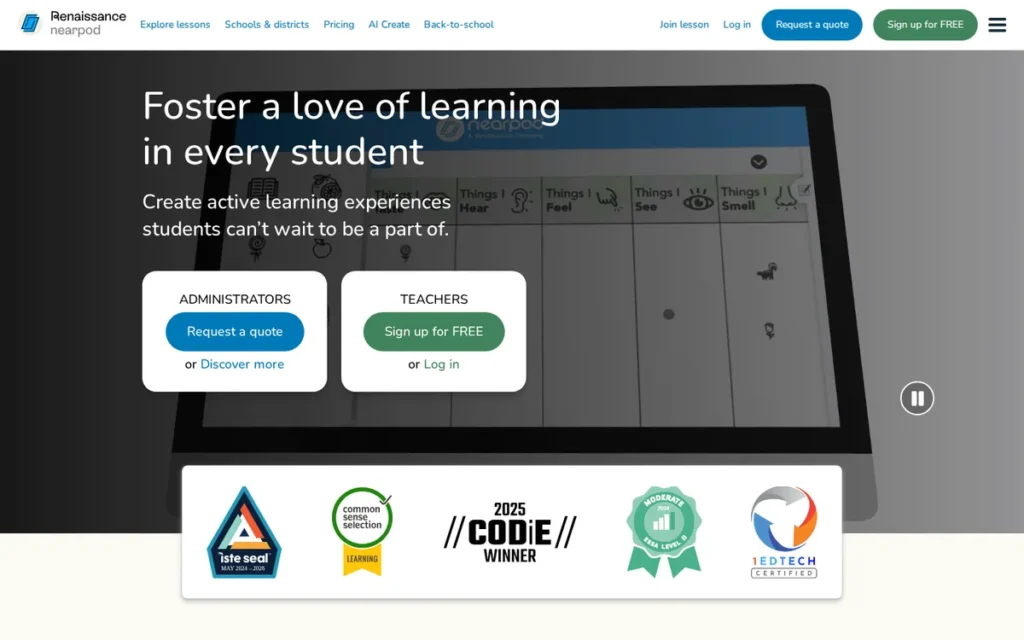
Category: Interactive Lesson Platform, delivers teacher-designed lessons with embedded real-time student response, formative assessment, and multimedia experiences directly to student devices.
At a Glance
- Category: Interactive Lesson Platform
- Best For: K-12 and higher education teachers who want a single platform for interactive lessons, real-time formative data, and differentiated instruction, especially in Google or Microsoft 365 schools
- Price Range: Free (individual, 100MB storage); Gold $120/year; Platinum $349/year (90-student cap); district pricing on request
- Primary Strength: Nearpod offers 20+ activity types: including VR field trips, drag-and-drop, collaborative drawing, and real-time anonymous response display, making it the most pedagogically complete active learning platform in this evaluation
- Biggest Limitation: Nearpod has documented reliability issues, with multiple independent teachers reporting student responses disappearing mid-lesson and recurring glitches requiring cache-clearing workarounds, a direct contradiction of its core formative assessment value proposition
- One-Line Summary: Nearpod is the most feature-complete interactive lesson platform for K-12 and higher education teachers who need real-time formative assessment, multimedia lesson delivery, and differentiation tools in a single platform, provided their school’s internet infrastructure is stable.
- Last Verified: April 2026
Overview
Nearpod is an interactive lesson platform for K-12 and higher education teachers that embeds 20+ real-time activity types (including VR field trips, drag-and-drop manipulatives, collaborative drawing, and formative quizzes) directly into slide-based lessons delivered to student devices, with every student’s anonymous response visible to the teacher simultaneously.
Nearpod supports both teacher-paced live instruction and student-paced independent work, with a Zoom-integrated hybrid variant for blended learning environments. Nearpod’s $650 million acquisition by Renaissance Learning in February 2021 (TechCrunch, 2021; EdSurge, 2021) provides enterprise-grade district sales infrastructure and bundling potential with Accelerated Reader and other literacy products.
Nearpod’s 2025–2026 additions (Reading Level Adjustment, AI lesson creation, co-editing for curriculum teams, and a 140-lesson ELA program for grades 3–5) mark its evolution from a technology platform into a curriculum-embedded instructional resource.
Key Features
- Real-Time Anonymous Response Display: Nearpod shows every student’s answer on the teacher’s screen simultaneously, enabling whole-class formative assessment without the participation anxiety of cold-calling, per Nearpod Zendesk feature documentation, accessed April 2026.
- Reading Level Adjustment (February 2026): Nearpod’s Reading Level Adjustment tool adapts vocabulary and text complexity to individual reading levels while preserving the original lesson structure, directly addressing ELL and mixed-ability classroom requirements, per Nearpod product blog, 2026.
- AI Create: Nearpod’s AI Create tool generates complete, standards-aligned interactive lessons with embedded activities from a topic or learning objective, reducing lesson creation time from hours to minutes for time-constrained educators.
- 8,500+ Pre-Built Lesson Library: Nearpod offers a library of pre-built lessons from trusted content partners including SciShow Kids and Crash Course, per Nearpod back-to-school updates, August 2025, allowing teachers to deploy research-aligned content without creating from scratch.
- Co-Editing: Nearpod’s co-editing feature allows teachers, curriculum coaches, and content specialists to collaborate on lessons simultaneously, supporting curriculum consistency across grade-level teams and inclusion co-teaching models, per Nearpod product blog, 2026.
Best For
Nearpod is best for K-12 teachers in grades 3–12 and higher education instructors who want a single platform to replace separate quiz tools, collaborative whiteboard tools, and video tools. Nearpod is particularly well-suited for teachers serving ELL students or mixed-ability classrooms who need reading-level differentiation built directly into lesson delivery.
Pricing
As of April 2026: Free tier includes 11+ activity types and 100MB storage, functional for classroom pilots but storage-constrained for full-year use. Gold plan is $120/year (individual teacher). Platinum is $349/year but supports only 90 students, restrictive for middle and high school teachers managing 150+ students across multiple periods.
District pricing requires direct negotiation through Renaissance Learning. Schools may find Nearpod bundled with Renaissance’s existing literacy and assessment products in district-level deals.
Strengths
- Nearpod’s formative-assessment-first design aligns with ESSA evidence frameworks: a 2026 EdTech Evidence Report co-published by Instructure and InnovateEDU, covered by GovTech, found that 40% of purpose-built EdTech tools demonstrate positive learning outcomes versus just 2% of consumer apps (a structural advantage for tools designed for educational accountability [Note: Instructure is Canvas’s parent company) readers should weigh this context alongside the finding (govtech.com)].
- Nearpod’s 20+ activity types: including VR field trips, PhET simulations, 3D objects, Matching Pairs, Memory Test, and Time to Climb, give teachers a single platform capable of replacing separate quiz tools, whiteboard tools, and video embedding tools, per UPEducators overview, 2024.
- Nearpod’s Reading Level Adjustment (launched February 2026, per Nearpod product blog, 2026) makes Nearpod the only tool in this evaluation with a native differentiation mechanism that adapts content complexity without a separate teacher action per student.
- Nearpod’s $650 million acquisition by Renaissance Learning (February 2021, TechCrunch 2021) provides enterprise-grade district sales infrastructure, making Nearpod the most institutionally credible individual-classroom tool in this evaluation for district procurement contexts.
Users on r/Teachers noted the ELL and differentiation capabilities as a standout:
“The variety that can done with it is awesome, especially in terms of differentiation. I especially like that for open-ended responses, you can toggle an option where students can record their responses instead. I have a ton of ELL students, so that’s a godsend for them. And like someone else mentioned here, you can put other websites/tools onto a Nearpod lesson so it’s kind of like an all-in-one thing.” Posted by u/niakbtc
Takeaway: Nearpod’s ELL-accessible recorded-response option and all-in-one tool architecture are independently confirmed by multilingual classroom teachers as the platform’s most differentiating practical features over standard slide delivery.
Limitations
- Reliability: Nearpod’s most consequential limitation is a reliability record that directly contradicts its core value proposition, multiple independent teachers across r/Teachers threads spanning 2021–2024 report student responses disappearing mid-lesson, with failures persistent enough that one teacher whose school held a paid subscription stated “I don’t know of a single teacher that still uses it” (r/Teachers, 2024).
- Complexity Trade-Off: Nearpod’s greater feature breadth comes with a steeper learning curve, G2 ease-of-use scores 8.5/10 versus Kahoot!’s 9.3/10, per G2 Kahoot vs. Nearpod comparison, meaning first-year teachers and schools with limited PD time face a higher adoption barrier than with simpler tools.
- Student Cap: Nearpod’s $349/year Platinum plan supports only 90 students: a cap that secondary teachers managing 150+ students across multiple periods cannot operate within, forcing either a higher district pricing tier or splitting class rosters.
- Infrastructure Dependency: Nearpod is not recommended for classrooms with unreliable internet, the platform’s real-time synchronous features require consistent connectivity, and reliability failures compound when school WiFi is inconsistent.
This practitioner account from r/Teachers illustrates what the platform delivers when connectivity is stable:
“I use it a lot in Math. I like that they have a Student paced version and a live version. If its like a station I leave it as student paced, but if I use it during whole group I use it live and they are forced to go with me. They can’t get ahead or fall behind bc I control their screen and I can see their every move on the teacher screen. I can also see who gets it and who struggles without calling out students.” Posted by u/Mikrohn
Takeaway: Nearpod’s teacher-paced live mode delivers on its core formative assessment promise (real-time screen-level visibility into every student’s work without cold-calling) but only in classrooms with the stable connectivity the platform requires.
Verdict
Nearpod is the most pedagogically complete active learning platform in this evaluation, combining interactive lesson delivery, real-time formative assessment, VR and 3D media, AI content creation, and native differentiation in a single platform that works equally in Google and Microsoft 365 schools. Nearpod’s documented reliability issues are a genuine concern that teachers should evaluate against their school’s internet infrastructure before committing to a school license. For classrooms with stable connectivity and IT support, Nearpod’s breadth of active learning modalities and its 2026 differentiation features give it a meaningful edge over every single-function competitor in this evaluation.
2. Google Classroom: Best Free Platform and Active Learning Infrastructure Hub
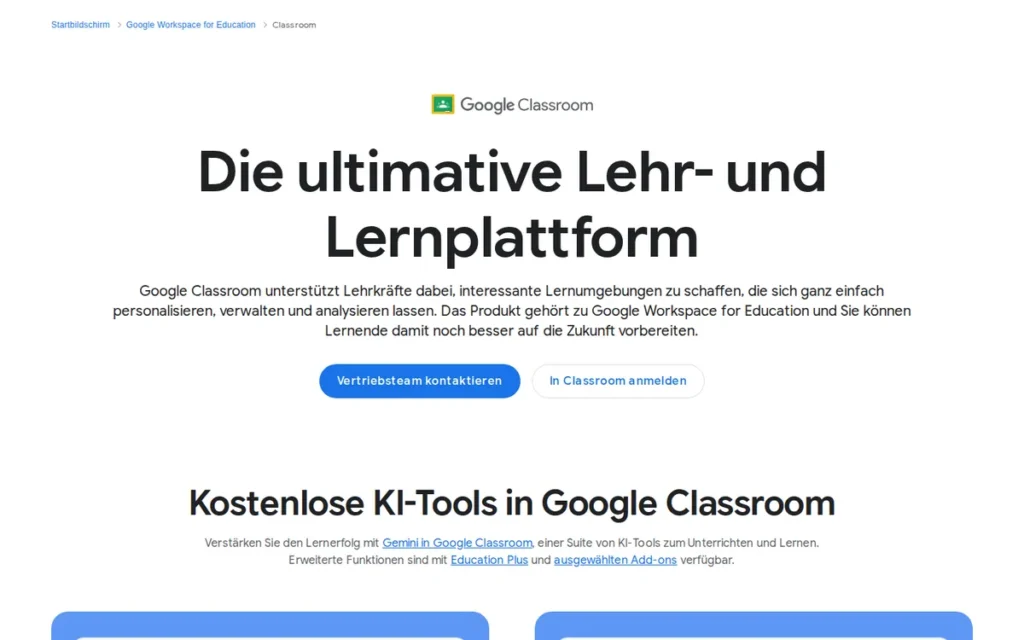
Category: LMS Hub, a free learning management system that organizes assignments, grades, and communication while serving as the integration layer for other active learning tools.
At a Glance
- Category: LMS Hub
- Best For: K-12 teachers at Google Workspace schools who need a free, reliable assignment and communication platform that integrates with all active learning tools, particularly new or budget-constrained teachers who cannot justify paid EdTech subscriptions
- Price Range: Free (Education Fundamentals: full core LMS); $3/student/year (Education Standard); $4/license/month (Teaching and Learning Upgrade); $5/student/year (Education Plus, full premium)
- Primary Strength: Google Classroom provides full LMS functionality: assignments, grading, parent communication, and multi-teacher collaboration, at zero cost for qualifying schools, making it the only active learning infrastructure tool in this evaluation with no budget barrier to entry
- Biggest Limitation: Google Classroom’s native active learning functionality is minimal (it is a distribution and grade management layer, not an interactive content platform) meaning teachers must rely on integrated third-party tools to deliver actual interactive learning experiences
- One-Line Summary: Google Classroom is the universal free LMS hub for K-12 Google Workspace schools, the infrastructure layer through which most other active learning tools are assigned and tracked, now gaining built-in active content creation capabilities through its 2026 AI feature additions.
- Last Verified: April 2026
Overview
Google Classroom is a free Learning Management System for K-12 and higher education teachers that integrates natively with Google Workspace (including Docs, Drive, Slides, Meet, and Calendar) to manage assignment creation, grading with rubrics, originality reports, parent summaries, and co-teacher collaboration at no cost for qualifying schools under the Education Fundamentals tier.
Google Classroom functions primarily as the organizational infrastructure through which other active learning tools (Nearpod, Pear Deck, Edpuzzle, Kahoot!) are assigned to students. Google Classroom’s 2026 additions of a built-in Recording Studio, Gemini AI integration, and NotebookLM Audio Lessons are beginning to bridge the gap between infrastructure and active content creation for schools on paid Google Education tiers.
For any K-12 teacher in a Google Workspace school, Google Classroom is the foundational deployment layer for the entire active learning stack, not optional, but not sufficient on its own.
Key Features
- Assignment and Gradebook Management: Google Classroom creates class assignment streams, distributes materials to student Google Drive folders automatically, and returns graded work with rubric-based feedback, eliminating the file management overhead that makes paper-based workflows unsustainable at classroom scale.
- Built-In Recording Studio (2026): Google Classroom’s Recording Studio (Education Plus and Teaching and Learning Upgrade accounts) enables teachers to create audio recordings, video lessons, and screencasts directly within the platform, adding native asynchronous content creation without a separate tool, per EdTech Innovation Hub, 2026.
- NotebookLM Audio Lessons (2026): Google Classroom’s NotebookLM Audio Lessons feature converts teacher-uploaded text resources into AI-voiced teacher-student dialogue format audio, per Chrome Unboxed, 2026, creating a novel listen-and-engage format for differentiated or independent study assignments.
- Gemini AI Integration (2026): Google Classroom’s Gemini integration allows teachers to use @Classroom tags within Gemini chats to retrieve assignment details, student deadlines, and class information, reducing context-switching for teachers managing multiple sections, per Chrome Unboxed, 2026.
- Parent and Guardian Summaries: Google Classroom’s parent summary emails provide weekly or daily updates on student work status without requiring parents to create accounts, addressing the family communication burden that is a consistent K-12 teacher pain point.
Best For
Google Classroom is best for K-12 teachers in Google Workspace schools who need a reliable, zero-cost organizational infrastructure that connects all their active learning tools in one place. Google Classroom is also best for new teachers or budget-constrained educators who need the lowest possible friction entry point to digital classroom management before investing in premium interactive tools.
Pricing
As of April 2026, per Google Education pricing page, 2026: Education Fundamentals (the tier most K-12 schools use) is free and includes full core Classroom functionality.
Education Standard costs $3/student/year and adds enhanced security and admin management. The Teaching and Learning Upgrade is $4/license/month per teacher and adds the 2026 Recording Studio. Education Plus is $5/student/year for full premium access across all users.
Most K-12 teachers will operate within the free Education Fundamentals tier, the active learning additions that matter most (Recording Studio, Gemini) require premium tiers that must be evaluated at the district level.
Strengths
- Google Classroom’s zero-cost model for Education Fundamentals is its most structurally significant advantage: no other LMS in this evaluation provides comparable assignment management, grade tracking, and parent communication functionality at zero cost for qualifying schools, making it the strongest free-tier option for full LMS functionality in this comparison.
Users on r/Teachers shared how Google Classroom’s differentiation workflow operates in a mixed-ability classroom:
“Google classroom has been invaluable for differentiation. I use google slides for bellwork. I am able to assign different tasks and vocab and students aren’t the wiser. Last week, in one class, someone finally noticed there were different vocab words for different students.” Posted by u/frizziefrazzle
Takeaway: Google Classroom’s silent differentiation capability (assigning different content to different students without surfacing the variation to the class) is the workflow feature most cited by SPED and ELL teachers as transformative for mixed-ability classroom management.
- Google Classroom’s 2026 additions: Recording Studio, NotebookLM Audio Lessons, and Gemini integration, represent the most substantial feature additions in recent years, per Chrome Unboxed, 2026 and EdTech Innovation Hub, 2026, signaling Google’s strategic commitment to making Classroom an active content creation platform.
- Google Classroom’s native integration with Nearpod, Pear Deck, Edpuzzle, Quizlet, and Kahoot! means teachers using any of those tools can assign, collect, and grade through a single familiar interface, reducing the multi-platform management overhead documented as the primary tool abandonment driver in 2025–2026 teacher community research, per Uniklms blog.
- Google Classroom’s universal adoption in Google Workspace schools means students arrive already knowing how to use it, eliminating the platform-learning overhead and login friction that consistently drive tool abandonment in less familiar platforms.
Limitations
- Active Learning Ceiling: Google Classroom’s most consequential limitation is that it is an infrastructure and distribution layer, not an interactive learning platform, teachers who rely on it alone for active learning will find it insufficient for delivering interactive questions, gamified review, or real-time formative feedback without integrated third-party tools.
- Customization Constraints: Google Classroom offers minimal course-level customization (all courses follow the same four-tab layout (Stream, Classwork, People, Grades)) and creating rich learning pathways requires Google Apps or third-party tools, per D2L Brightspace comparison, 2024.
- Analytics Limitations: Google Classroom’s built-in analytics are limited compared to Canvas and Nearpod, per-student engagement metrics, comprehension heat maps, and mastery tracking require integration with third-party tools, reintroducing the multi-platform complexity Google Classroom partially resolves.
- Premium Feature Gate: Google Classroom’s most compelling 2026 active learning additions (Recording Studio and Gemini integration) require paid Google Education tiers, meaning the platform’s most significant new capabilities are inaccessible to budget-constrained teachers on the free Education Fundamentals plan.
Verdict
Google Classroom is the universal free infrastructure layer of K-12 active learning, the recommended zero-cost starting point for K-12 teachers in Google Workspace schools before evaluating paid alternatives. Google Classroom’s 2026 active content creation additions make it a more complete instructional platform than in any prior year, but it remains best understood as the hub that makes the other tools work together, not as a standalone replacement for interactive lesson platforms, gamified review tools, or interactive video platforms.
3. Pear Deck: Best for Live Synchronous Instruction and Formative Assessment in Google and Microsoft Schools
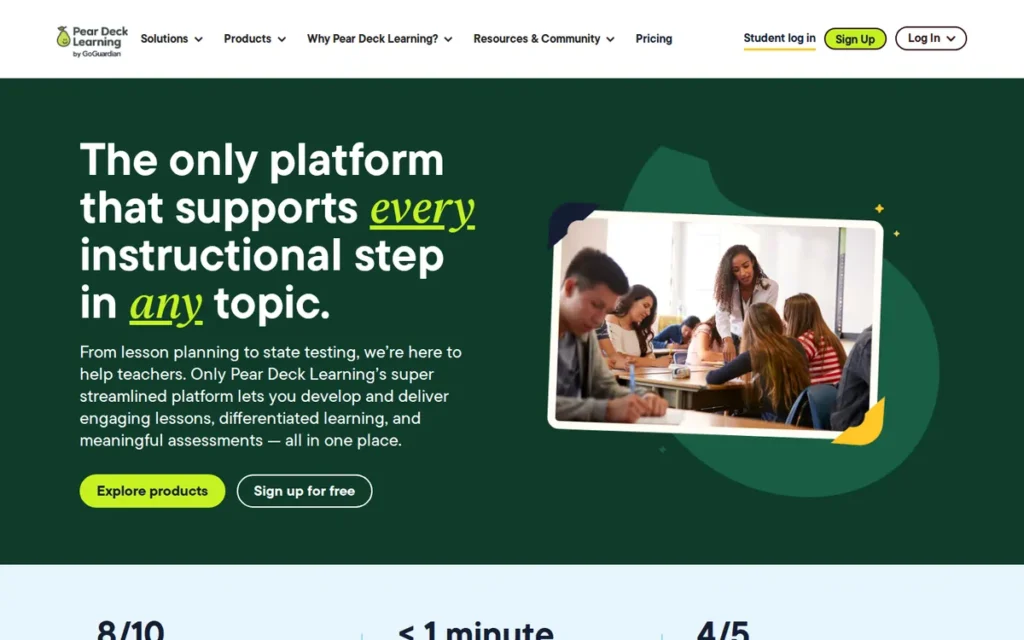
Category: Interactive Presentation Tool, overlays real-time interactive questions and formative response types onto existing Google Slides and PowerPoint presentations during live instruction.
At a Glance
- Category: Interactive Presentation Tool
- Best For: K-12 teachers in Google Workspace or Microsoft 365 schools who want real-time formative assessment embedded directly into their existing slide presentations without switching to a new platform, especially teachers prioritizing anonymous student response and creative open-ended question types
- Price Range: Free (Pear Start AI tools: 100% free per Pear Deck 2025 product updates; teachers should confirm current free-tier scope directly with Pear Deck as AI tool access policies may evolve); Premium $149.99/year individual; school and district pricing on request
- Primary Strength: Pear Deck functions as a native add-on inside Google Slides and Microsoft PowerPoint, enabling teachers to embed real-time interactive questions into existing presentations without switching platforms or creating new lesson files
- Biggest Limitation: Pear Deck is primarily designed for synchronous live instruction and does not match Nearpod’s breadth of activity types or asynchronous functionality, making it less versatile for student-paced independent work, flipped classroom models, or VR and multimedia-heavy lesson delivery
- One-Line Summary: Pear Deck is the most reliable interactive presentation tool for K-12 teachers who want real-time formative assessment embedded into existing Google Slides or PowerPoint lessons, with free AI lesson tools, anonymous student response, and a drawing capability that competitors cannot replicate.
- Last Verified: April 2026
Overview
Pear Deck (now Pear Deck Learning, following GoGuardian’s 2021 acquisition) is an interactive presentation tool that functions as a native add-on inside Google Slides and Microsoft PowerPoint, allowing K-12 and higher education teachers to embed real-time interactive questions including draggable elements, drawing prompts, text responses, and numeric inputs directly into their existing slide presentations, with every student’s anonymous answer appearing on the teacher’s projected screen simultaneously.
Pear Deck’s 2025 AI expansion added Instant Lesson Packages (launched July 1, 2025), Instant Insights real-time analytics, autograding, polling, and the Pear Start suite of 40+ AI instructional tools described as 100% free, per Pear Deck product release notes, 2025.
Pear Deck is best understood as a live instruction enhancement layer that makes existing slide decks interactive, not a standalone lesson delivery platform.
Key Features
- Anonymous Real-Time Response Display: Pear Deck shows every student’s drawing, text, or draggable response on the teacher’s projected screen simultaneously, enabling whole-class formative discussion without the participation anxiety of cold-calling while protecting student dignity.
- Drawing Response Type: Pear Deck’s drawing response type allows students to respond to open-ended prompts with hand-drawn answers on their devices, a creative assessment format uniquely valued by ELA and arts teachers that auto-grading tools cannot fully replicate.
- Instant Lesson Packages (July 1, 2025): Pear Deck’s Instant Lesson Packages generate complete, standards-aligned interactive lesson files from a topic or learning objective, per Pear Deck product updates, 2025, reducing custom lesson creation time for teachers working under high prep-time constraints.
- Native Google Slides and PowerPoint Add-On: Pear Deck’s native add-on architecture allows teachers to add interactivity to presentations they already own without creating new files or learning a new platform interface, the lowest-friction entry point of any interactive lesson tool in this evaluation.
- Student-Paced Mode: Pear Deck’s student-paced mode enables the same interactive presentations to be assigned as independent work, homework, or substitute teacher coverage, extending a single lesson asset across both synchronous and asynchronous instructional contexts.
Best For
Pear Deck is best for K-12 teachers in Google Workspace or Microsoft 365 schools who already build lessons in Google Slides or PowerPoint and want to make those existing presentations interactive without rebuilding them in a new platform. Pear Deck is particularly suited for teachers who value anonymous response for class discussion, creative open-ended prompts, and reliable daily use without technical support dependencies.
Teachers who have tested both platforms confirm this category distinction. Users on r/Teachers shared their comparative assessment:
“I’ve used PearDeck more, but I’ve used NearPod a couple of times. I feel like PearDeck is better for live instruction while NearPod is better for asynchronous/independent work. You can use either application for both, but to me those are their strengths.” Posted by u/aidoll
Takeaway: Cross-platform practitioners who have tested both tools independently confirm that Pear Deck’s live synchronous design and Nearpod’s asynchronous student-paced capability reflect genuinely different instructional purposes (not merely feature gaps) validating the article’s category distinction between the two platforms.
Pricing
As of April 2026, per Pear Deck product updates, 2025: Pear Start AI tools are listed as 100% free, including 40+ AI tools for lesson creation, assessment generation, and instructional planning. Teachers should confirm current free-tier scope directly with Pear Deck, as AI tool access policies may evolve.
The premium individual plan is $149.99/year, the highest individual-teacher price point among tools in this evaluation (compared to Nearpod Gold at $120/year and Quizlet Plus at $35.99/year). School and district licensing is available through GoGuardian’s enterprise sales channel. PowerPoint integration is available on the standard tier, which Nearpod charges for, per FLT Magazine interactive slides comparison.
Strengths
- Pear Deck’s reliability advantage over Nearpod is directly documented in practitioner communities: multiple independent Reddit teachers specifically switched from Nearpod to Pear Deck after reliability failures, “I tried both but at the beginning of the year Nearpod had serious reliability issues so I started relying more on Pear Deck. Now I use Pear Deck exclusively and find it simpler” (u/Joyseekr, r/Teachers, 2024).
- Pear Deck’s Pear Start AI instructional tools are described as 100% free, per Pear Deck product updates, 2025, making Pear Deck the only tool in this evaluation that offers substantive AI lesson creation without requiring a paid subscription (verify current free-tier scope directly with Pear Deck).
- Pear Deck’s drawing and draggable response types generate the most enthusiastic teacher testimonials in the category: “My favorite feature is the ability for students to answer questions by adding a drawing. I love seeing their creativity, and they have so much fun that they forget they’re learning” (Capterra verified review, 2025).
- Pear Deck’s GoGuardian acquisition (2021) provides enterprise-grade institutional sales infrastructure, CIPA compliance credibility, and bundling potential in the significant share of districts already holding GoGuardian device safety contracts, reducing procurement friction for school-level purchasing decisions, per The Journal, September 2025.
Limitations
- Instructional Scope: Pear Deck’s most consequential trade-off is its narrower instructional scope, Pear Deck does not offer Nearpod’s VR field trips, 3D object integration, pre-built lesson library of 8,500+ titles, or rich asynchronous content library, meaning teachers who need multimedia-heavy or student-paced options will hit Pear Deck’s ceiling quickly.
- Large Class Chaos: Pear Deck was designed primarily for smaller classroom contexts, reviewed teachers note that large classes (30+ students) can make the shared anonymous response screen chaotic, per HR.com EdTech review, January 2026, a significant limitation for secondary and higher education contexts.
- Premium Pricing: Pear Deck’s premium plan at $149.99/year is the highest individual-teacher price point among all evaluated tools, a meaningful constraint for teachers in systems with slow procurement cycles who cannot individually justify the cost.
- Parent Company Perception: Pear Deck’s GoGuardian parent company is primarily known as a student device monitoring and surveillance platform (GoGuardian tracks student browser activity, application usage, and communications) a context that some teacher-autonomy advocates, parents, and school privacy advocates find incompatible with classroom tool adoption. Teachers in districts with active parent privacy advocacy should verify institutional comfort with the GoGuardian vendor relationship before adopting Pear Deck.
Verdict
Pear Deck is the most reliable interactive presentation tool for K-12 teachers who want real-time formative assessment embedded directly into their existing Google Slides or PowerPoint lessons, without switching to a new platform, without losing student data mid-lesson, and without paying for AI features. Pear Deck’s documented reliability advantage over Nearpod, its free Pear Start AI tools, and its unique drawing response capability make it a strong first choice for synchronous live instruction in Google and Microsoft 365 schools. Teachers who need broader instructional modalities, including asynchronous, student-paced, VR, or large-scale multimedia delivery, will find Pear Deck’s scope limiting and should evaluate Nearpod alongside it.
4. Canvas by Instructure: Best for Higher Education and Large K-12 Districts Requiring Outcomes Tracking
Category: Full LMS, a comprehensive Learning Management System providing course delivery, outcomes tracking, adaptive pathways, media creation, grading workflows, and 1,100+ third-party integrations for institutional-scale deployment.
At a Glance
- Category: Full LMS
- Best For: Higher education institutions and large K-12 districts that need institutional-scale outcomes tracking, adaptive learning pathways, efficient grading workflows for large course sections, and a centralized integration hub for their entire EdTech ecosystem
- Price Range: Free for Teachers (individual, limited); institutional pricing starts at approximately $5/user/month, full pricing requires direct contract with Instructure (not publicly listed)
- Primary Strength: Canvas provides the highest-rated LMS experience in higher education (4.5/5.0 based on 1,800+ G2 reviews, 2026), with SpeedGrader for efficient large-cohort grading, MasteryPaths for adaptive learning, and 1,100+ LTI integrations connecting it to institutional EdTech ecosystems
- Biggest Limitation: Canvas pricing is not publicly listed for institutional tiers, requiring a sales contract that creates a significant access barrier for small institutions, individual teachers, and community colleges evaluating options without a dedicated EdTech procurement team
- One-Line Summary: Canvas by Instructure is the highest-rated full LMS for higher education and large K-12 districts (offering outcomes tracking, adaptive MasteryPaths, SpeedGrader for large-cohort grading, and 1,100+ integrations) though its enterprise pricing model and institutional deployment requirements make it inaccessible as an individual teacher tool.
- Last Verified: April 2026
Overview
Canvas by Instructure is a cloud-based Learning Management System for higher education institutions and large K-12 districts providing comprehensive course delivery infrastructure, including MasteryPaths for adaptive learning, SpeedGrader for efficient multi-section grading, New Quizzes with randomization and multiple question types, Ignite AI for rubric generation and discussion trend analysis, Canvas Portfolio for competency-based credentialing, and an open API with 1,100+ LTI integrations.
Canvas holds a 4.5/5.0 G2 rating based on 1,800+ verified user reviews (G2, 2026), earning top placement in the G2 Winter 2025 Learning Management System Leader grid and 24 Winter 2025 G2 awards across learning management, corporate training, and digital learning categories (Instructure blog, 2025).
Canvas is not an individual teacher tool: its full capabilities require an institutional license negotiated directly with Instructure, and meaningful active learning features are only accessible at scale.
Key Features
- SpeedGrader: Canvas’s SpeedGrader enables higher education instructors to annotate student submissions, apply rubric-based scoring, and record audio/video feedback directly within the platform, reducing grading time for instructors managing 200+ student sections, per MyEngineeringBuddy Canvas review.
- MasteryPaths: Canvas’s MasteryPaths automatically routes students to differentiated content based on their quiz performance, creating adaptive personalized learning pathways without manual instructor intervention per student.
- Ignite AI (2025): Canvas’s Ignite AI generates assignment rubrics from learning objectives, identifies discussion post themes and trends, and surfaces students at risk of falling behind, applying AI to instructor workflow efficiency at institutional scale.
- New Quizzes: Canvas’s New Quizzes module supports multiple question types: including matching, categorization, ordering, fill-in-the-blank, and file upload, with item randomization, enabling rigorous academic assessment that cannot be defeated by question-order memorization.
- 1,100+ LTI Integrations: Canvas’s app center integrations connect it to Zoom, Microsoft Teams, Turnitin, McGraw-Hill, Pearson, and specialized subject-matter tools, making Canvas the institutional integration hub for complex higher education technology ecosystems, per Devopsschool, 2025.
Best For
Canvas by Instructure is best for higher education institutions and large K-12 districts with dedicated instructional design support, where SpeedGrader efficiency at scale, MasteryPaths adaptive routing, outcomes-based accreditation requirements, and institutional LTI integration needs justify the enterprise licensing investment. Canvas is particularly compelling for institutions currently on Blackboard, where Canvas’s consistently superior usability ratings create a well-documented migration case.
Pricing
As of April 2026: Canvas Free for Teachers provides a limited individual account sufficient for platform exploration but not representative of institutional capabilities. Canvas does not publish institutional pricing publicly, the $5/user/month figure cited in third-party LMS comparisons (Devopsschool, 2025) is an estimated baseline that varies significantly by institution size, contract length, and bundled services. Individual teachers and small institutions cannot obtain pricing without engaging Instructure’s sales team directly.
Instructure was acquired by private equity firm Thoma Bravo in 2020 for $2 billion, per MyEngineeringBuddy Canvas review. Canvas does not publish a nonprofit or educator discount program comparable to Kahoot!’s 50% nonprofit discount.
Strengths
- Canvas holds a 4.5/5.0 G2 rating based on 1,800+ verified user reviews (G2, 2026), earning top placement in the G2 Winter 2025 LMS Leader grid and 24 Winter 2025 G2 awards, validated by institutional adoption at Stanford University (Winter 2026 pilot features, per Stanford Canvas update notes, Winter 2026) and Conroe ISD (Canvas Portfolio enabled by default, November 2025).
- Canvas’s MasteryPaths and outcomes tracking align it most directly with ESSA evidence frameworks: a 2026 EdTech Evidence Report co-published by Instructure and InnovateEDU found that 40% of purpose-built educational tools demonstrate positive outcomes versus 2% of consumer apps [Note: Instructure is Canvas’s parent company, readers should weigh this context alongside the finding (govtech.com)].
- Canvas’s 1,100+ LTI integrations, per Devopsschool, 2025, surpass all other tools in this evaluation, enabling institutional IT departments to build Canvas as a centralized hub connecting SIS systems, video conferencing, plagiarism detection, and specialized learning tools.
- Canvas’s Reddit community sentiment is the most positive in this evaluation: the highest-upvoted comment (499 upvotes) states “It’s a better platform than most of the other ones. I have had no issues using it as both a student and a grader” (u/Lt-shorts, r/college), with the primary failure mode correctly identified as instructor configuration error rather than platform inadequacy.
Limitations
- Institutional Access Only: Canvas’s most consequential limitation for individual teachers is that the full Canvas experience requires an institutional license, individual teachers cannot access MasteryPaths, Ignite AI, SpeedGrader at scale, or the LTI integration ecosystem through the free teacher account.
- Pricing Opacity: Canvas’s enterprise-contract-only pricing model creates a procurement barrier, no public pricing tiers exist for institutional deployment, and small institutions and community colleges cannot get cost estimates without committing to a sales conversation, per CYPHER Learning alternatives review.
- Configuration Complexity: Canvas’s power creates structural instructor error risk, “the setup for instructors is so insanely complicated and cumbersome that it’s almost inevitable to make mistakes in the setup of the classes, modules, assignments” (u/PrincessMarigold42, r/college), a genuine usability tension where platform depth creates near-infinite misconfiguration possibilities.
- K-12 Parent Communication Gap: Canvas’s parent communication tools: parent portals, behavioral tracking, and SIS integration, are less developed than tools built specifically for K-12 contexts such as Schoology and Infinite Campus, making it a weaker choice for K-12 districts prioritizing family engagement alongside academic delivery.
- Private Equity Risk: Thoma Bravo’s 2020 $2 billion private equity acquisition introduces a long-term institutional risk factor, private equity ownership patterns (pricing escalation, feature monetization) are documented in EdTech, and multi-year licensing decisions for essential educational infrastructure should account for vendor ownership risk.
Verdict
Canvas by Instructure is the best active learning infrastructure platform for higher education institutions and large K-12 districts that require outcomes tracking, adaptive learning pathways, efficient large-cohort grading, and a centralized integration hub, and it is the most defensible LMS choice for institutions currently on Blackboard, where Canvas’s usability advantage is both dramatic and well-documented. Canvas is not a tool for individual teacher adoption or small institutions without procurement infrastructure, for those contexts, Google Classroom, Nearpod, and Pear Deck provide more immediately actionable active learning functionality at a fraction of the commitment.
5. Kahoot!: Best for Gamified Review, Engagement Events, and First-Day-of-School Simplicity
Category: Gamified Review Platform, delivers competitive, real-time quiz games to whole-class audiences with leaderboards, timers, and game show mechanics to drive engagement during review and formative check activities.
At a Glance
- Category: Gamified Review Platform
- Best For: K-12 and higher education teachers who need a zero-friction, universally familiar tool for whole-class review games, end-of-unit assessments, and high-energy engagement events, especially teachers who want to launch an activity in under two minutes without student onboarding
- Price Range: Free (40-player cap); individual plans from $3/month; school plans from approximately $12.49/month/teacher; 50% nonprofit discount available
- Primary Strength: Kahoot! offers the highest ease-of-use rating in this evaluation (G2: 9.3/10) and 10+ billion cumulative participants globally, making it among the most instantly deployable active learning tools with near-zero student onboarding required
- Biggest Limitation: Kahoot!’s free tier is capped at 40 participants: insufficient for many classroom contexts without a paid plan, and its evidence base for measurable learning outcomes at ESSA Tier I or II standards is the weakest in this evaluation
- One-Line Summary: Kahoot! is the most instantly deployable gamified review platform for K-12 and higher education classrooms, with 10+ billion cumulative participants, a 9.3/10 ease-of-use rating, seven distinct game modes, and AI quiz generation, best used as a high-energy review tool rather than a primary formative assessment platform.
- Last Verified: April 2026
Overview
Kahoot! is a game-based learning platform for K-12 and higher education teachers that delivers real-time, competitive multiplayer quizzes with countdown timers, competitive leaderboards, background music, and a game show atmosphere, with 10+ billion cumulative participants since its 2013 launch across 200+ countries (Kahoot.com, 2023), and 8 million educators worldwide using the platform.
Kahoot! supports six question types and seven game modes (including Classic, Confidence, and team-based modes Color Kingdoms, Tallest Tower, and Treasure Trove) plus an AI quiz generator that builds complete games from uploaded files, presentation slides, or URLs, per Tarphi review, 2026 and Atomisystems review, 2026.
Kahoot!’s core strength is episodic, high-energy deployment for review; its core limitation is a documented engagement fatigue curve that requires rotation with alternatives to remain effective.
Key Features
- AI Quiz Generator: Kahoot!’s AI quiz generator creates complete, playable games from teacher-uploaded files, presentation slides, URLs, Wikipedia articles, or topic prompts, reducing the content creation overhead that has historically been the primary barrier to Kahoot! deployment, available on Bronze, Silver, and Gold plans, per Atomisystems review, 2026.
- Seven Distinct Game Modes: Kahoot!’s seven game modes: including individual Classic and Confidence modes and team-based Color Kingdoms, Tallest Tower, and Treasure Trove, allow teachers to vary the competitive mechanic, addressing both individual accountability and collaborative team dynamics within the same platform, per Tarphi review, 2026.
- Pause-and-Reteach: Kahoot!’s pause-and-reteach feature allows teachers to freeze the live game when a high proportion of students answer incorrectly, create an impromptu teaching moment, and then resume, the most pedagogically distinctive mechanism of its live game format.
- Story Mode: Kahoot!’s Story mode integrates slides, images, video, audio, and PDFs into game sequences, extending the platform beyond pure quiz format into mixed-media lesson delivery for teachers who want more than a quiz-only experience.
- Near-Universal Student Familiarity: Kahoot!’s 10+ billion cumulative participants mean students recognize and know how to play Kahoot! before the teacher introduces it, eliminating the platform-learning overhead that delays deployment of less familiar tools, per Atomisystems review, 2026.
Best For
Kahoot! is best for K-12 and higher education teachers who need a high-energy, zero-friction review tool for end-of-unit assessments, pre-test warm-ups, and engagement events, particularly teachers new to EdTech who want to start with the most familiar, instantly deployable platform in the category, and for any teacher who values the pause-and-reteach formative moment that a synchronized whole-class game uniquely enables.
Pricing
As of April 2026, per Kahoot! pricing page and Wooclap pricing comparison: The free Basic tier is capped at 40 participants. Individual plans start at $3/month (annual billing); Kahoot!+ Max is $9.99/month (discounted from $12.99). School plans range from approximately $12.49/month/teacher, with annual plans at $228–$708+ depending on participant limits.
A 50% nonprofit discount is available on all Kahoot! 360 plans, per Kahoot! nonprofit pricing page. The AI quiz generator requires Bronze, Silver, or Gold plans, it is not available on the free Basic tier.
Strengths
- Kahoot!’s G2 ease-of-use rating of 9.3/10 is the highest documented in this evaluation, compared to Nearpod’s 8.5/10, per G2 Kahoot vs. Nearpod comparison, validating the practitioner consensus that Kahoot! has the lowest friction from teacher setup to student engagement of any tool in the category.
- Kahoot!’s 10+ billion cumulative participants since 2013 (Kahoot.com, 2023) make it the only tool in this evaluation whose student familiarity functions as a zero-cost adoption accelerator, “students are likely very familiar with it, meaning it can be plugged into a lesson with little time to learn a new app” (Atomisystems review, 2026).
- Kahoot!’s seven distinct game modes: including three team-based territory and construction games, address the competition-anxiety limitation of individual leaderboard formats, giving teachers a built-in mechanism for collaborative active learning within the same platform, per Tarphi review, 2026.
- Kahoot!’s 50% nonprofit discount on all 360 plans (Kahoot! nonprofit pricing page) makes it among the most accessible paid-tier options for Title I schools and nonprofit educational organizations that qualify.
Limitations
- Engagement Fatigue: Kahoot!’s most consequential limitation is the documented engagement fatigue curve, “Kids just got bored with Kahoot. One thing I like about Gimkit is practicing the same questions over and over. Whereas Kahoot is great for a quick assessment” (u/HermioneMarch, r/AskTeachers), a pattern confirmed across multiple independent teacher accounts spanning multiple years that limits Kahoot! to episodic use rather than sustained daily instruction.
- Evidence Gap: Kahoot!’s evidence base includes engagement-focused peer-reviewed research, but no independently verified controlled studies with named institutional participants demonstrating specific test score improvements at ESSA Tier I or II standards were confirmed in independent verification, engagement evidence and controlled outcome evidence are meaningfully different for procurement decisions.
- Bot Flooding Vulnerability: Kahoot!’s open PIN-based join system creates documented bot flooding and game code sharing vulnerabilities, “I’ve also had some issues with students using apps or websites to fill the lobby with bots” (u/kaeorin, r/Teachers), requiring active classroom management practices that add implementation overhead.
- Free Tier Cap: Kahoot!’s 40-player free tier cap is functionally restrictive for many secondary classrooms, and any teacher whose standard classes exceed 40 students will face an immediate paid upgrade requirement.
Verdict
Kahoot! is the most instantly deployable gamified review tool in this evaluation, the right choice when a teacher needs to launch a high-energy, universally familiar whole-class game in under two minutes with zero student onboarding. Kahoot!’s combination of the highest ease-of-use rating, near-universal student familiarity, AI quiz generation, and seven distinct game modes gives it versatility within the gamificationcategory that no single competitor matches. Kahoot! should be understood as an episodic review and engagement tool, not a primary formative assessment platform, its controlled learning outcome evidence is limited, its free tier is constrained, and its engagement effect follows a documented fatigue curve that requires rotation with Blooket, Gimkit, or non-gamified alternatives to remain effective beyond the first month of regular use.
6. Edpuzzle: Best for Flipped Classroom and Accountable Video-Based Learning
Category: Interactive Video Platform, embeds questions and notes at video timestamps to transform passive video watching into tracked, interactive learning with per-student completion and comprehension analytics.
At a Glance
- Category: Interactive Video Platform
- Best For: K-12 and higher education teachers running flipped classroom models or assigning video content for independent study, particularly those who need per-student video completion tracking, comprehension analytics, and automatic grade sync with their LMS without creating new video content from scratch
- Price Range: Free (20-video cap); paid subscription starts at approximately $11.50/month per GetApp and Capterra pricing data (2026), teachers should confirm current pricing directly with Edpuzzle before budgeting
- Primary Strength: Edpuzzle converts any existing YouTube, Khan Academy, or teacher-uploaded video into an interactive, tracked learning assignment with embedded questions and anti-skip locks, providing per-student comprehension analytics that no standard LMS video link delivers
- Biggest Limitation: Edpuzzle’s 20-video free tier cap is structurally restrictive for full-year classroom use, and a documented Chrome extension allows tech-savvy students to auto-skip videos and auto-answer questions, directly undermining the accountability mechanism that defines Edpuzzle’s core value proposition for graded assessment
- One-Line Summary: Edpuzzle is the leading interactive video platform for K-12 and higher education flipped classroom teachers (converting existing videos into tracked, question-embedded learning assignments with LMS-grade sync) though its 20-video free cap and documented student circumvention vulnerability require careful deployment planning for graded contexts.
- Last Verified: April 2026
Overview
Edpuzzle is an interactive video platform for K-12 and higher education teachers that allows educators to clip YouTube, Khan Academy, and other video sources, embed multiple-choice and open-ended questions at specific timestamps, add audio or text notes, enforce anti-skip locks, and track individual student completion and comprehension analytics, with native grade sync to Google Classroom, Canvas, and Schoology eliminating manual grade entry overhead.
Edpuzzle was founded in 2013 by Carlos de Marchena, went through Y Combinator, and has evolved to include dynamic slides, student-created video lessons, Premium Content Packs, and HD streaming in its 2025–2026 updates. Edpuzzle occupies a unique category niche (interactive video for flipped classroom delivery) that no other tool in this evaluation directly addresses, making it the strongest purpose-built option for teachers whose primary challenge is converting passive video consumption into accountable, measurable learning.
Key Features
- Timestamp Question Embedding: Edpuzzle’s question embedding places multiple-choice and open-ended questions at specific video timestamps, pausing playback automatically to require student responses before the video continues, converting passive watching into active engagement at the moment of highest content relevance.
- Per-Student Analytics Dashboard: Edpuzzle’s analytics dashboard shows which students completed assigned videos, how long each student watched, and which specific questions each student answered incorrectly, enabling targeted reteaching based on actual comprehension data rather than completion time alone.
- Native LMS Grade Sync: Edpuzzle’s native grade sync with Google Classroom, Canvas, and Schoology automatically transfers student scores to the teacher’s existing gradebook without manual entry, the single most significant adoption enabler for flipped classroom teachers who cannot sustain dual grade-tracking systems.
- Anti-Skip Lock: Edpuzzle’s anti-skip lock prevents students from fast-forwarding through assigned video content, enforcing video completion accountability in independent study and homework contexts where teacher monitoring is not possible.
- Student-Created Video Lessons (2025–2026): Edpuzzle’s student-created video lesson feature allows students to build their own interactive assignments from video sources, enabling peer teaching, project-based learning, and student demonstration of understanding through content creation rather than passive consumption.
Best For
Edpuzzle is best for K-12 and higher education teachers running flipped classroom models (where students watch video instruction outside class and use class time for practice and application) and for any teacher who regularly assigns existing YouTube or Khan Academy video content and wants per-student completion tracking and comprehension analytics integrated directly with their LMS gradebook.
Pricing
As of April 2026, per Software Advice, 2026: The free Basic tier is capped at 20 videos, described consistently in teacher reviews as unrealistic for active classroom teachers who routinely assign more than 20 distinct video lessons across a school year.
Edpuzzle’s paid subscription tier starts at approximately $11.50/month per GetApp and Capterra pricing data (2026). Teachers should confirm current pricing directly with Edpuzzle before budgeting, as subscription structures in this category change frequently. A 2022 teacher review characterizes the paid tier as adding video quantity rather than additional features, meaning the primary value of upgrading is removing the 20-video ceiling, not accessing new functionality.
Strengths
- Edpuzzle holds a 4.6/5.0 Software Advice rating (2026): consistent across Software Advice, GetApp, and Capterra, with balanced sub-ratings across Ease of Use (4.5), Customer Support (4.4), Value for Money (4.5), and Functionality (4.3), per Software Advice, 2026, indicating convergent reviewer satisfaction rather than a platform-specific outlier.
- Edpuzzle’s per-student analytics represent the most granular individual learning data from video-based content in this evaluation, verified teacher quote: “By clicking on a video I assigned to a class, I can quickly see who completed the video and how well students understood specific topics by looking at questions students got wrong” (Software Advice, 2026).
- Edpuzzle’s Y Combinator founding (2013) and sustained 2025–2026 product development (dynamic slides, student-created video lessons, Premium Content Packs, HD streaming) demonstrate a durable business model with continued investment, an important consideration for teachers who build workflows around a tool.
- Edpuzzle’s native LMS grade sync with Google Classroom, Canvas, and Schoology eliminates the manual grade entry overhead documented as the most commonly cited reason teachers abandon otherwise useful EdTech tools.
Limitations
- Student Circumvention: Edpuzzle’s most consequential limitation is a documented Chrome extension that automatically skips video content and selects correct answers without watching, “There are Chrome extensions for Edpuzzle that make it useless for multiple choice questions. The extension will fast-forward through the video and automatically select the correct answers” (u/cross-the-threshold, r/Teachers, confirmed active 2021–2024). As of April 2026, no official Edpuzzle patch announcement has been confirmed that eliminates this vulnerability, teachers should test circumvention resistance on their specific device/browser configuration before deploying Edpuzzle for high-stakes graded assessment.
- Question-Interruption Design: Edpuzzle’s value is contingent on thoughtful question cadence, “You know those mandated reporter trainings that you have to watch every two seconds with a question… yeah. Those are Edpuzzles” (u/tn00bz, r/Teachers, 173 upvotes, 2024), capturing the student experience when question density is miscalibrated, creating an adversarial rather than engaging dynamic.
- Free Tier Cap: Edpuzzle’s 20-video free tier cap forces a paid upgrade decision for any teacher who uses Edpuzzle as a primary delivery tool, most active classroom teachers will hit this ceiling within a single semester, per Software Advice reviews, 2026.
- Limited Question Types: Edpuzzle’s question variety is constrained: “Sometimes the question-adding feature can be a bit limited in terms of customization, which can make it harder to create varied or more complex assessments” (Software Advice verified review, 2026), which limits its utility for teachers who need diverse question formats beyond multiple-choice and open-ended.
Verdict
Edpuzzle is the best active learning tool for K-12 and higher education teachers who assign video content and need per-student accountability, comprehension analytics, and LMS grade sync, it fills a specific category gap (accountable flipped classroom video delivery) that no other tool in this evaluation addresses. Edpuzzle should be deployed with intentional question cadence (fewer questions, higher cognitive level) to avoid the adversarial viewing experience documented in teacher communities, and teachers should treat the anti-skip lock as a completion accountability tool rather than a cheat-proof assessment mechanism for graded contexts with tech-savvy students. The 20-video free tier cap will require most active users to upgrade within a single school year.
7. Quizlet: Best for Student-Directed Study, Spaced Repetition, and Higher Education Exam Preparation
Category: Study and Recall Platform, provides student-directed active recall and spaced repetition through flashcard modes, adaptive learning, and collaborative team games built on user-generated content libraries.
At a Glance
- Category: Study and Recall Platform
- Best For: Self-directed students in higher education and K-12 who study independently for exams, professional certifications, or vocabulary-intensive courses, and for higher education instructors who want students to use active recall tools outside class without requiring teacher-created content
- Price Range: Free (with ads, limited modes); Quizlet Plus approximately $35.99/year ($7.99/month billed monthly, with $1 introductory first-month offer); teacher and school/district plans with separate enterprise pricing
- Primary Strength: Quizlet’s 500M+ user-generated study sets provide instant access to pre-built active recall content for virtually any K-12 course, college textbook, certification exam, or vocabulary list, requiring zero teacher content creation for student study use
- Biggest Limitation: Quizlet has progressively migrated previously free features behind its Plus paywall while maintaining a documented cancellation friction pattern, “BEWARE!!! Very scammy. It is nearly impossible to cancel a subscription” (u/A_Personne, r/quizlet, 2025), representing the most significant trust concern of any tool in this evaluation
- One-Line Summary: Quizlet is the leading student-directed study and spaced repetition platform for higher education and K-12 exam preparation (with 500M+ user-generated study sets, Magic Notes AI flashcard generation, and Quizlet Live for teacher-facilitated team games) though its progressive paywalling and documented cancellation friction make it the highest buyer-risk tool in this evaluation.
- Last Verified: April 2026
Overview
Quizlet is a digital study platform for K-12 and higher education students built on active recall and spaced repetition, offering Flashcard mode, adaptive Learn mode, Match game, Test mode, Write mode, Spell mode, Gravity game, and Quizlet Live, plus Q-Chat AI tutor and Magic Notes (auto-generates flashcards from PDFs, URLs, or lecture content in approximately five seconds) on the Plus plan.
Quizlet was founded in 2005 and has grown to 500M+ user-generated study sets, per Atomisystems Quizlet Review, 2026, the largest free study content repository in existence, covering K-12, AP exams, MCAT, nursing boards, and professional certifications.
Quizlet’s primary orientation is student-directed self-study rather than teacher-directed active learning, its Quizlet Live format provides teacher-facilitated classroom use, but the platform’s core identity and most powerful features serve students preparing independently for high-stakes assessments.
Key Features
- Adaptive Learn Mode: Quizlet’s adaptive Learn mode uses a spaced repetition algorithm to resurface struggled terms more frequently than mastered terms, creating a structured active recall practice that is more scientifically grounded than passive re-reading, per Atomisystems Quizlet Review, 2026.
- Magic Notes (Plus): Quizlet’s Magic Notes feature generates complete flashcard sets and practice quizzes from uploaded PDFs, pasted lecture notes, or URLs in approximately five seconds, the fastest content-to-study-material conversion of any tool in this evaluation.
- Quizlet Live: Quizlet Live transforms any existing Quizlet study set into a teacher-facilitated competitive team game, enabling a zero-prep collaborative review activity from student-created or pre-existing content without any additional teacher preparation.
- Q-Chat AI Tutor (Plus): Quizlet’s Q-Chat AI tutor engages students in Socratic-style dialogue about study set content, asking follow-up questions, explaining incorrect answers, and personalizing the conversation to demonstrated knowledge gaps.
- 500M+ User-Generated Study Sets: Quizlet’s 500M+ study sets cover virtually every K-12 subject, AP exam, college textbook, and professional certification, providing students with instant access to peer-created active recall content without teacher-assigned preparation, per Atomisystems Quizlet Review, 2026.
Best For
Quizlet is best for self-directed students in higher education and K-12 who study independently for exams, standardized tests, and professional certifications, and for higher education instructors who want students to engage in structured active recall outside class without requiring teacher-created content or a formal LMS assignment workflow.
Quizlet is not recommended as a primary classroom active learning tool for K-12 teachers who need real-time formative data, teacher-paced instruction control, or reliable subscription management.
Pricing
As of April 2026: The free tier includes core flashcard mode and basic study tools but carries ads and restricts access to Learn mode depth, Q-Chat AI tutor, Magic Notes, offline access, and textbook solutions.
Quizlet Plus is approximately $35.99/year ($3/month on annual billing) or $7.99/month billed monthly, with a documented $1 introductory first-month offer that can mask the full renewal cost, per r/quizlet community discussions. Auto-renewal without reminder notifications is documented by multiple community users: “I paid for Quizlet Plus for one semester, used it for like two weeks, then forgot about it until the renewal charge hit” (u/wafdiaproc, r/quizlet, 2026).
Buyers should verify current free-tier feature availability directly with Quizlet, as the progressive paywalling pattern means feature availability may have changed since this review was verified.
Strengths
- Quizlet’s 500M+ user-generated study sets, per Atomisystems Quizlet Review, 2026, make it the only tool in this evaluation where students frequently arrive with pre-existing content, reducing teacher preparation to zero for vocabulary, concept review, and exam prep use cases where peer-created sets already exist and are accurate.
- Quizlet’s Magic Notes feature generates the most enthusiastic verified user testimonials in the category: “my professor has very vague power points that I just copy and paste into quizlet and the AI basically makes sense of it all. Makes flashcards and practice quizzes. It’s fucking amazing” (u/keepTimid, r/quizlet).
- Quizlet is rated 8/10 overall by AIFlowReview (2025), an independent AI-focused software review publication, with recognition for active retrieval practice and an engaging digital experience that outperforms passive paper flashcards, per AIFlowReview, 2025. Note: AIFlowReview is a smaller-scale platform than G2 or Software Advice; Quizlet lacks a verified aggregate G2 or Capterra rating in the research data.
- Quizlet Live requires zero teacher content creation: it launches directly from any existing study set as a team-based classroom game, giving time-constrained teachers a zero-prep collaborative review option whenever a relevant study set already exists in Quizlet’s library.
Limitations
- Progressive Paywalling: Quizlet’s most consequential limitation for educator buyers is its systematic migration of previously free features behind the Plus subscription, multiple independent Reddit users across multiple years document features previously available for free subsequently moved behind a paywall, per r/quizlet, 2025.
- Cancellation Friction: Quizlet’s cancellation process is documented as deliberately difficult, “BEWARE!!! Very scammy. It is nearly impossible to cancel a subscription. They also DO NOT send auto reminders. I spent 45 minutes crawling the website with no luck” (u/A_Personne, r/quizlet, 2025), a convergent pattern across independent users indicating intentional design rather than a bug.
- Student-Directed Architecture: Quizlet’s student-direction orientation means it lacks teacher-paced control, real-time formative visibility, and classroom accountability mechanisms, making it unsuitable as a primary classroom active learning tool for K-12 teachers who need synchronized instruction control.
- Academic Integrity Risk: Quizlet’s user-generated content model creates a documented academic integrity risk, shared answer sets for graded assessments are a known misuse pattern that teachers must actively manage when assigning Quizlet as a graded activity.
Verdict
Quizlet is the best active recall and exam preparation tool for self-directed students in higher education and K-12, particularly those using Magic Notes to convert lecture content into study material, or those accessing 500M+ pre-existing study sets for standardized test and certification preparation. For K-12 teachers evaluating Quizlet as a primary classroom active learning tool, the progressive paywalling, documented cancellation friction, and absence of real-time teacher formative data make it the highest buyer-risk choice in this evaluation. Quizlet is best treated as a student study resource that complements teacher-directed tools like Nearpod, Pear Deck, or Kahoot!, not as a replacement for any of them.
What Red Flags Should I Watch For When Evaluating Active Learning Tools?
Five patterns consistently predict post-adoption regret in active learning tools: engagement fatigue, progressive paywalling, student circumvention, reliability failures, and private equity ownership risk. Recognizing these patterns before purchase prevents the most common causes of EdTech tool abandonment.
Red Flag #1: Engagement Fatigue: The Novelty Curve
Engagement fatigue means that gamified tools like Kahoot! and interactive tools like Nearpod lose their student-engagement effect within weeks of daily use, documented across multiple independent teacher communities as “Kahoot! is overdone” and “another Nearpod?” The solution is tool rotation: deploy gamified tools episodically for review sessions rather than daily, rotating between Kahoot!, Blooket, and Gimkit to reset novelty throughout the school year.
Buyers should not expect initial student excitement to represent sustainable engagement over a full school year, that expectation is the primary cause of reactive tool abandonment.
Red Flag #2: Progressive Paywalling: When Free Features Disappear
Quizlet is the most documented example of progressive paywalling in this evaluation (multiple features previously free now require a Plus subscription) followed by Kahoot!, which has progressively monetized features including its AI quiz generator. Before committing to any tool based on its free tier, verify that specific features you depend on have not already been moved behind a paywall in a previous update cycle.
That pattern reliably predicts future migration of currently free features. Set a calendar reminder before any annual renewal date to re-evaluate whether the tool’s paid features still justify the cost.
Red Flag #3: Student Circumvention: The Chrome Extension Problem
Three tools in this evaluation have documented student circumvention vulnerabilities that directly undermine their core accountability value:
- Edpuzzle: A Chrome extension auto-skips videos and auto-selects correct answers, confirmed active 2021–2024 (u/cross-the-threshold, r/Teachers). As of April 2026, no official Edpuzzle patch has been confirmed that eliminates this vulnerability.
- Kahoot!: Open PIN-based join system enables bot flooding, documented across teacher communities (u/kaeorin, r/Teachers).
- Quizlet: User-generated study sets routinely used as shared answer keys for graded assignments, a structural academic integrity risk that requires active teacher management.
For any graded assessment context, research known bypass methods specific to your classroom’s device and browser configuration before deployment.
Red Flag #4: Reliability Failures: When Student Work Disappears
Nearpod is the tool in this evaluation with the most consequential documented reliability failure: student responses disappearing mid-lesson, reported by multiple independent teachers across r/Teachers spanning 2021–2024, a direct failure of its core formative assessment promise, not a peripheral inconvenience.
Before deploying any interactive lesson tool at school scale, test it on your actual classroom devices and school network, not under ideal conditions. Nearpod’s failures are most severe on unstable WiFi and shared Chromebook environments common in Title I schools.
Red Flag #5: Private Equity Ownership Risk: Evaluating Long-Term Vendor Stability
Three tools in this evaluation are under corporate or private equity ownership that introduces long-term pricing and product risk:
- Canvas: Thoma Bravo private equity acquisition, $2 billion, 2020
- Pear Deck: GoGuardian acquisition, 2021
- Nearpod: Renaissance Learning acquisition, $650 million, February 2021
When renewing multi-year institutional licenses for any of these tools, factor vendor ownership stability, pricing escalation risk, and acquisition track record into the decision alongside product features and current pricing.
What Questions Should I Ask Before Choosing an Active Learning Tool?
Five questions determine which active learning tool fits any specific classroom context: the school’s technology ecosystem, the instructional orientation required, the free-tier tolerance, internet reliability, and the procurement pathway. Answering these five questions before evaluating specific tool features prevents the most common category of misaligned EdTech purchases.
Question #1: What Is My School’s Primary Technology Ecosystem: Google Workspace or Microsoft 365?
Google Workspace schools should evaluate Pear Deck (Google Slides add-on) and Nearpod (Google-compatible) first. Microsoft 365 schools should evaluate Pear Deck (PowerPoint integration, free on standard tier) and Nearpod (Microsoft-compatible). Nearpod works equally in both ecosystems, making it the default choice for schools with mixed or uncertain technology environments.
- Google Workspace: Pear Deck (add-on), Nearpod (compatible), Google Classroom (native)
- Microsoft 365: Pear Deck (PowerPoint add-on), Nearpod (compatible)
- Either ecosystem: Nearpod, Kahoot!, Edpuzzle, Quizlet, Canvas
Question #2: Do I Need Teacher-Directed or Student-Directed Active Learning?
- Teacher-directed tools (Nearpod, Pear Deck, Google Classroom, Canvas, Kahoot!, Edpuzzle): instructor controls pacing, visibility, and accountability, teacher sees all student responses in real time.
- Student-directed tools (Quizlet’s Learn mode, Magic Notes, individual study features): optimize for independent self-study with minimal teacher oversight, student controls the pace and content of their own review.
Choosing a student-directed tool for a context requiring teacher accountability (or vice versa) is the most common category error in EdTech selection.
Question #3: What Is My Free-Tier Tolerance: Can I Work Within a 20-Video or 40-Player Cap?
Every tool in this evaluation imposes meaningful free-tier constraints:
- Kahoot!’s free tier caps simultaneous players at 40: classes larger than 40 students require a paid school plan.
- Edpuzzle’s free tier caps total video assignments at 20: most active classroom teachers will exhaust this limit within a single semester.
- Quizlet’s free tier carries ads and restricts access to the full Learn mode adaptive algorithm, Q-Chat AI tutor, and Magic Notes: the three features that drive the highest-value use cases.
- Nearpod’s free tier is storage-constrained at 100MB: sufficient for classroom pilots but restrictive for full-year lesson libraries with media-rich content.
- Google Classroom’s free Education Fundamentals tier has no participant cap and no storage cap for core LMS functionality, making it the only tool in this evaluation whose free tier scales to any class size without a paid upgrade.
Before adopting a tool on the strength of its free tier, calculate your actual annual usage volume against the specific cap to determine whether a paid upgrade is inevitable within your first semester.
Question #4: Do I Have Reliable Internet in My Classroom?
All seven tools in this evaluation require consistent internet connectivity, but some are more sensitive to infrastructure limitations than others. Nearpod’s reliability issues are most severe on unstable networks, and Kahoot!’s synchronous game format requires all students to be online simultaneously.
Only Canvas offers meaningful offline functionality via its mobile app, per Instructure blog. Teachers in Title I schools, rural districts, or buildings with aging network infrastructure should test any tool’s performance on their actual school network before whole-class deployment.
Question #5: Am I Buying Individually or Through District Procurement?
Individual teacher purchasing and district procurement follow entirely different criteria:
- Individual buyers need tools with transparent pricing, usable free tiers, and cancellation-friendly subscriptions, Google Classroom (free), Pear Deck (Pear Start free), Kahoot! (free tier), and Quizlet Plus ($35.99/year) are appropriate starting points.
- District procurement should prioritize LTI integration (Canvas), FERPA/COPPA compliance documentation, institutional pricing transparency, and vendor ownership stability, criteria that reorder the entire ranking from the individual teacher version.
How Did We Rank These Active Learning Tools?
PlugRoute ranked these seven active learning tools using a six-criterion weighted scoring system (pedagogical versatility, evidence base, free-tier viability, reliability, ecosystem integration, and pricing transparency) with no affiliate relationships influencing any score. Data sources include G2, Software Advice, Reddit communities (r/Teachers, r/AskTeachers, r/quizlet, r/college), product documentation, and third-party EdTech analysis. No vendor-reported claim is treated as fact without independent corroboration.
PlugRoute has no affiliate relationships with any company listed. Rankings are determined entirely by research data and objective evaluation criteria.
Evaluation Process
Each tool was evaluated through four independent research passes:
- Product documentation review: official feature pages, release notes, and pricing pages verified against product websites as of April 2026
- Independent review platform analysis: G2, Software Advice (Gartner-owned), Capterra, and AIFlowReview ratings aggregated with sub-ratings where available
- Practitioner community sentiment analysis: Reddit threads across r/Teachers, r/AskTeachers, r/quizlet, and r/college analyzed for convergent patterns across independent users and multiple time periods
- Web research synthesis: third-party EdTech analysis (Atomisystems, FLT Magazine, Devopsschool, Tarphi) cross-referenced against vendor claims
Ranking Criteria
Pedagogical Versatility and Active Learning Depth (Primary)
Teachers need tools that support multiple active learning modalities. Breadth of documented activity types, formative assessment capability, and differentiated instruction support were measured against product documentation. A tool capable of serving as a primary instructional platform outscores a tool that only functions as a supplemental review activity.
Evidence Base and Research Validation (Primary)
ESSA-aligned procurement requires independently verified outcome data, not just engagement metrics. A 2026 EdTech Evidence Report co-published by Instructure and InnovateEDU, covered by GovTech, found that 40% of purpose-built EdTech tools demonstrate positive learning outcomes versus 2% of consumer apps [Note: Instructure is Canvas’s parent company, readers should weigh this context alongside the finding]. This distinction was applied to differentiate tools designed for educational accountability from consumer-origin platforms adapted for classroom use.
Free-Tier Classroom Viability (Primary)
Most teachers operate under constrained individual budgets. Free tier participant limits, storage caps, and documented paywalling history were evaluated against standard classroom use requirements. Tools with participant caps below standard class sizes (40 players, 20 videos) scored lower on free-tier viability.
Reliability and User-Experience Consistency (Primary)
A formative assessment tool that loses student responses mid-lesson fails its primary function. Convergent Reddit practitioner complaints (pattern threshold: recurring across multiple independent users, multiple time periods) and review platform ease-of-use scores were weighted equally. Student circumvention vulnerabilities that undermine core accountability mechanisms were included in reliability assessment.
Ecosystem Integration Breadth (Secondary)
Native Google Workspace and Microsoft 365 compatibility, LMS grade passback, and verified LTI integration counts were evaluated. Tools that integrate into teachers’ existing workflows scored higher than tools requiring separate platform adoption.
Pricing Transparency and Long-Term Value Stability (Secondary)
Progressive paywalling, cancellation friction, and pricing opacity were documented and weighted. Tools with publicly listed pricing and stable free-tier commitments scored higher than tools requiring enterprise sales conversations or with documented paywalling histories.
Evidence Weighting
When review platform ratings conflict with Reddit sentiment, specificity and recency are prioritized. A detailed 2025 Reddit post from a named user with 100+ upvotes describing a specific failure mode outweighs a generic 2023 G2 review with a high score. Convergent Reddit patterns (the same failure type reported by multiple independent users across multiple years) are treated as high-confidence findings regardless of aggregate platform ratings.
Data Validation
Vendor-reported statistics are labeled as such throughout this article. Only claims corroborated by at least one independent source are stated as fact. GoGuardian’s marketing materials reference significant teacher time savings from AI-assisted lesson planning, a directional claim without an independently quantified hour figure. Quizlet’s claim to “double learning speed” is similarly a vendor claim without independent controlled-study confirmation.
Update Cadence
This article was last verified in April 2026. Pricing, feature availability, and platform capabilities in the active learning category change frequently, particularly as AI features are added and free-tier constraints evolve. PlugRoute reviews this article quarterly and updates verified data points when changes are documented through product release notes or community reports.
What Do Teachers Most Frequently Ask About Active Learning Tools?
What is the best active learning tool for K-12 teachers in 2026?
Nearpod is the best overall active learning tool for K-12 teachers in 2026, providing 20+ activity types including VR field trips, real-time formative assessment with anonymous response display, Reading Level Adjustment for differentiated instruction, and AI lesson creation in a single platform that works in both Google and Microsoft 365 schools. Teachers in schools with unreliable internet should evaluate Pear Deck as a more reliable alternative for live synchronous instruction.
What is the best free active learning tool for teachers?
Google Classroom is the best free active learning infrastructure tool for K-12 teachers, providing full LMS functionality at zero cost for qualifying schools with no participant cap, per Google Education pricing page, 2026. For interactive lesson features at no cost, Pear Deck’s Pear Start AI tools are listed as 100% free. Kahoot!’s free tier supports up to 40 players for gamified review at no cost.
How does PlugRoute determine its active learning tool rankings?
PlugRoute ranks active learning tools using a six-criterion weighted scoring system (pedagogical versatility, evidence base, free-tier viability, reliability, ecosystem integration, and pricing transparency) applied equally to every tool. Scores are derived from G2, Software Advice, Reddit practitioner communities, product documentation, and third-party EdTech analysis. No affiliate relationships exist with any company listed, and no vendor self-reported claims are treated as verified without independent corroboration.
What Key Terms Do I Need to Understand to Evaluate Active Learning Tools?
Spaced Repetition: A study technique that resurfaces information at increasing time intervals, prioritizing terms a learner has struggled with over terms already mastered. Quizlet’s Learn mode implements a simplified version of spaced repetition; dedicated spaced repetition tools like Anki use more rigorous algorithms (SM-2/FSRS) to optimize forgetting-curve predictions, per Lumie AI comparison, 2025.
Formative Assessment: The practice of gathering real-time data on student understanding during instruction (rather than only measuring outcomes after instruction ends) to allow teachers to adjust teaching in the moment. Nearpod and Pear Deck are the formative assessment leaders in this evaluation, providing simultaneous anonymous visibility into every student’s thinking without cold-calling.
Flipped Classroom: An instructional model where students consume lecture or instruction content (typically video) outside of class time, and use in-class time for practice, discussion, and application. Edpuzzle is the purpose-built flipped classroom tool in this evaluation, providing the accountability layer (anti-skip locks, embedded questions, per-student analytics) that standard video platforms like YouTube do not offer.
LTI Integration: Learning Tools Interoperability (LTI) is a technical standard that allows third-party educational tools to connect with Learning Management Systems, enabling single sign-on, grade passback, and deep integration without separate login credentials. Canvas’s 1,100+ LTI integrations are its most important competitive advantage for institutional higher education deployments.
Progressive Paywalling: The practice of migrating features that were previously available for free behind a paid subscription tier, often after users have built workflows around the free version. Progressive paywalling is most extensively documented for Quizlet in this evaluation and is a primary driver of tool abandonment after initial adoption in teacher EdTech communities.
ESSA Evidence Tiers: The Every Student Succeeds Act establishes four levels of evidence for educational interventions, Tier I (strong evidence, controlled studies), Tier II (moderate evidence, quasi-experimental), Tier III (promising evidence, correlational), and Tier IV (emerging evidence, rationale-based). Most EdTech tools in this evaluation operate at Tier III or IV; tools like Canvas with outcomes-tracking architecture are best positioned for Tier I or II alignment in institutional procurement contexts.
Glossary: Key Terms Used in This Comparison
Formative Assessment: The practice of gathering real-time data on student understanding during instruction (rather than only after instruction ends) so teachers can adjust their teaching in the moment. Nearpod and Pear Deck are the formative assessment leaders in this evaluation, providing simultaneous anonymous visibility into every student’s responses without cold-calling.
Spaced Repetition: A study technique that resurfaces information at increasing time intervals, prioritizing terms a learner has struggled with over terms already mastered. Quizlet’s Learn mode implements a simplified version of spaced repetition to help students retain material more efficiently than passive re-reading.
LTI Integration: Learning Tools Interoperability (LTI) is a technical standard that allows third-party educational tools to connect with Learning Management Systems, enabling single sign-on, grade passback, and deep integration without separate login credentials. Canvas’s 1,100+ LTI integrations are its most significant competitive advantage for institutional higher education deployments.
Flipped Classroom: An instructional model where students consume lecture or video content outside of class time and use in-class time for practice, discussion, and application. Edpuzzle is the purpose-built flipped classroom tool in this evaluation, providing anti-skip locks, embedded questions, and per-student analytics that standard video platforms do not offer.
Progressive Paywalling: The practice of migrating features that were previously available for free behind a paid subscription tier, often after users have already built workflows around the free version. Progressive paywalling is most extensively documented for Quizlet in this evaluation and is a primary driver of tool abandonment in teacher EdTech communities.
Which Active Learning Tool Is Right for You?
Key Insights
- Edpuzzle, Canvas by Instructure, and Google Classroom as a ranked tool are entirely absent from current AI-generated active learning recommendations, despite representing the interactive video category, the dominant higher education LMS, and the universal K-12 infrastructure layer through which most other tools in this evaluation are deployed.
- Reliability consistently outweighs feature breadth for daily classroom use: Pear Deck’s market share gains are directly attributable to Nearpod’s documented reliability failures, confirming that a simpler tool that works reliably beats a richer tool that crashes under classroom conditions.
- Free-tier limitations are a primary adoption barrier that most reviews underreport, verify specific participant caps (Kahoot!: 40 players), video caps (Edpuzzle: 20 videos), and storage caps (Nearpod: 100MB) before building a classroom workflow around any free tier.
- Engagement fatigue from over-reliance on a single gamified tool is predictable and manageable, the most effective teachers rotate Kahoot!, Blooket, Gimkit, and non-gamified alternatives across the school year rather than committing exclusively to one platform.
- The most consequential active learning tool decision is not which platform to choose, it is which category of tool you actually need, because Interactive Lesson Platforms, LMS Hubs, Gamified Review Platforms, and Specialized Function Tools solve fundamentally different instructional problems and cannot substitute for each other.
When the right active learning tool is deployed well, students who previously stared at a board during lecture are drawing their hypotheses on Pear Deck, receiving individualized reading-level-adjusted text in Nearpod, or watching a video that pauses to ask what they noticed before it continues in Edpuzzle. The teacher sees every student’s thinking, not just the three who raised their hands. That is the instructional promise this evaluation is designed to help you fulfill.
If you are a K-12 teacher starting from scratch: Configure Google Classroom as your organizational hub first, then layer Nearpod for interactive lessons, Pear Deck for daily formative assessment, and Kahoot! for episodic review.
If you need to choose a single paid tool: Nearpod’s breadth justifies the $120/year Gold plan for most K-12 contexts with stable internet.
If you are running a flipped classroom: Add Edpuzzle to your existing Google Classroom or Canvas workflow, it fills a category gap that no other tool in this evaluation addresses.
If you are a higher education instructor: Deploy Canvas as your LMS and evaluate Nearpod or Pear Deck as a synchronous engagement layer. Quizlet serves a genuine supplemental role for student-directed exam preparation outside class.
We update this guide quarterly. Last updated: April 2026. For independent EdTech reviews with zero affiliate relationships, visit PlugRoute to explore our full library of evidence-based tool comparisons.