Upmetrics is the best overall business plan software for 2026, an AI-powered builder starting at $9/month with dedicated Bank Loan Plan and Investor Deck starting pathways. LivePlan at $20/month is the strongest choice for bank loans and SBA financing. The best tool depends on your funding audience: a bank underwriter, a venture investor, or an internal team.
Three interlocking problems trap most founders choosing business plan software: tools marketed as “AI-powered” that produce only cosmetic text improvements, platforms with strong narrative modules but weak financial modeling, and generic templates that don’t match what a specific lender or investor actually requires. This review evaluates seven tools across all three dimensions.
PlugRoute has no affiliate relationships, referral fees, or sponsored placements with any software vendor reviewed here.
“I spent three weeks trying to make a popular free template work for my SBA application before realizing it didn’t produce the financial statements my lender required.” (r/smallbusiness, 2025)
Takeaway: SBA and bank loan applications require specific financial statement formats; not every business plan software generates lender-ready outputs by default.
TL;DR: Top Picks at a Glance
- Best overall AI builder: Upmetrics ($9/month): six structured starting pathways with confirmed AI writing and integrated financial modeling
- Best for bank and SBA loans: LivePlan ($20/month): industry benchmark comparisons used by lenders, backed by 37+ years of Palo Alto Software history
- Best free option: Enloop (free tier): automated financial forecasts with real-time scoring and industry benchmarking, no credit card required
- Best advanced financial modeling: PlanGuru ($99/month): 20+ modeling methods designed for CFOs, accountants, and complex multi-year scenarios
What Are the 7 Categories of Business Plan Software in 2026?
Business plan software in 2026 falls into distinct categories based on primary use case, not feature overlap. Choosing the wrong category is the most common cause of plan-tool mismatch.
The seven categories represented in this review are:
- AI-Powered Plan Builders: Tools where AI drafts narrative sections from prompts (Upmetrics)
- Lender-Focused Platforms: Tools optimized for bank loan and SBA application outputs (LivePlan)
- Investor-Focused Collaboration Platforms: Tools built around investor narrative and pitch deck integration (Bizplan)
- Automated Financial Plan Generators: Tools where financial projections are central (Enloop)
- Business Concept Validators: Tools for pre-plan ideation and business model testing (IdeaBuddy)
- Professional Financial Planning Tools: Tools for advanced multi-year scenario modeling (PlanGuru)
- SMB All-in-One Bundles: Tools that package business planning with HR, legal, and tax resources (GoSmallBiz)
Understanding which category fits your current stage prevents selecting a tool optimized for a different outcome than the one you need.
How Do These 7 Business Plan Software Tools Compare?
| Rank | Company | Category | Best For | One-Line Summary | Key Capabilities | Primary Strength | Key Limitation |
|---|---|---|---|---|---|---|---|
| #1 | Upmetrics | AI-Powered Builder | Founders needing AI-assisted writing with structured funding-audience pathways | Six plan-starting pathways; including Bank Loan Plan and Investor Deck; with AI writing and financial modeling at $9/month | AI writing assistant, financial projections, 400+ templates, collaborative editing, pitch deck export | Structured dual-audience onboarding (bank vs. investor pathway selected at plan start) | Capterra rating (4.7/5 / 97 reviews as of June 2026) reflects a smaller review pool than LivePlan; financial modeling depth trails PlanGuru |
| #2 | LivePlan | Lender-Focused Platform | Founders seeking SBA loans or bank financing who need lender-credible benchmark data | Industry benchmark comparisons used by lenders, backed by Palo Alto Software (est. 1988) at $20/month Standard | Industry benchmarks, SBA-format outputs, performance dashboards, 500+ templates, AI writing | Lender-credible industry benchmark comparisons available at Standard tier | Full benchmark depth requires $40/month Premium tier; niche industry coverage may be limited |
| #3 | Bizplan | Investor-Focused Platform | Startups raising from angel investors or VCs who need investor-narrative focus and network access | Visual canvas-style builder with step-by-step modules and optional Fundable.com investor network integration | Canvas-style builder, investor progress sharing, Fundable.com integration, financial projection module | Integration with Fundable.com investor network (claimed 57,000+ investors); unique in this review | Weakest financial modeling in this review; lifetime deal pricing creates long-term support uncertainty |
| #4 | Enloop | Automated Financial Generator | Budget-conscious founders who need automated financial projections and real-time scoring at no cost | Automated financial forecast generation with real-time scoring, industry benchmarking, and a free tier | Automated financials, real-time scoring, industry benchmarking, multi-currency/language support, free tier | Free tier includes automated financial projections and real-time industry benchmarking | No AI narrative writing; text sections require manual authoring without AI assistance |
| #5 | IdeaBuddy | Business Concept Validator | Pre-launch founders who need to validate a business idea before writing a full plan | Guided business model validation using Business Model Canvas before committing to a formal plan | Business Model Canvas, idea validation framework, guided plan builder, collaboration tools | Lowest confirmed entry price in this review ($6/month annually) for structured pre-plan validation | Not suitable for direct lender or investor submission; financial modeling is basic |
| #6 | PlanGuru | Professional Financial Tool | CFOs, accountants, and consultants needing 20+ financial modeling methods for complex scenarios | 20+ financial modeling methods including cash flow forecasting and industry benchmarks at $99/month | 20+ modeling methods, cash flow forecasting, industry benchmarks, budget-vs-actual tracking, QuickBooks/Xero integration | Most advanced financial modeling capability in this review | Steep learning curve; narrative writing module minimal compared to AI-first tools |
| #7 | GoSmallBiz | SMB All-in-One Bundle | Established SMBs needing business planning bundled with HR, legal, tax, and marketing resources | Guided business plan templates bundled with ongoing HR, legal, and marketing resources for operational SMBs | Guided templates, step-by-step wizard, HR management tools, legal document library, marketing and tax resources | Comprehensive SMB operating bundle with scope exceeding every standalone plan builder | AI writing assistance not confirmed as of June 2026; weakest standalone plan builder in this review |
Quick Decision Framework
| Your #1 Priority | Recommended Tool | Why | Acceptable Alternative |
|---|---|---|---|
| Fastest AI-drafted plan | Upmetrics | Six structured starting pathways with confirmed AI writing at $9/month | LivePlan (AI writing + lender templates) |
| Bank loan / SBA application | LivePlan | Industry benchmark data used by lenders; SBA-format outputs; 37+ year platform track record | Upmetrics (Bank Loan Plan starting pathway) |
| Venture capital / angel raise | Bizplan | Investor-narrative focus with optional Fundable.com investor network integration | Upmetrics (Investor Deck starting pathway) |
| Free or near-free plan | Enloop | Free tier includes automated financials and real-time industry benchmarking | IdeaBuddy ($6/month) |
| Advanced financial modeling | PlanGuru | 20+ financial modeling methods designed for CFOs and accountants | LivePlan Premium ($40/month with full benchmark data) |
| Pre-launch idea validation | IdeaBuddy | Business Model Canvas-based validation before committing to a full plan | Enloop (free tier with real-time scoring) |
| Ongoing SMB operations bundle | GoSmallBiz | Business planning packaged with HR, legal, tax, and marketing tools | LivePlan (ongoing performance dashboards) |
| Accelerator / incubator application | IdeaBuddy | Business Model Canvas format aligns with most accelerator application requirements | Bizplan (visual canvas-style builder) |
What Are the 7 Best Business Plan Software Tools for 2026?
#1. Upmetrics: Best Overall AI-Powered Business Plan Builder
Category: AI-Powered Plan Builder
At a Glance
- Category: AI-Powered Plan Builder
- Best For: Founders needing AI-assisted writing with structured bank loan or investor deck starting pathways
- Price Range: $9/month (Basic, billed annually) to $19/month (Premium, billed annually)
- Primary Strength: Six plan-starting pathways: including a dedicated Bank Loan Plan entry point and Investor Deck pathway confirmed in Upmetrics help documentation (2026), providing structured audience-specific onboarding at plan start
- Biggest Limitation: Capterra rating of 4.7/5 based on 97 reviews (as of June 2026) reflects a smaller peer review pool than LivePlan; financial modeling depth trails PlanGuru’s 20+ method library
- One-Line Summary: Upmetrics is an AI-powered business plan builder with six structured starting pathways and integrated financial modeling at the lowest entry price among AI-powered builders in this review.
- Last Verified: June 2026
Overview
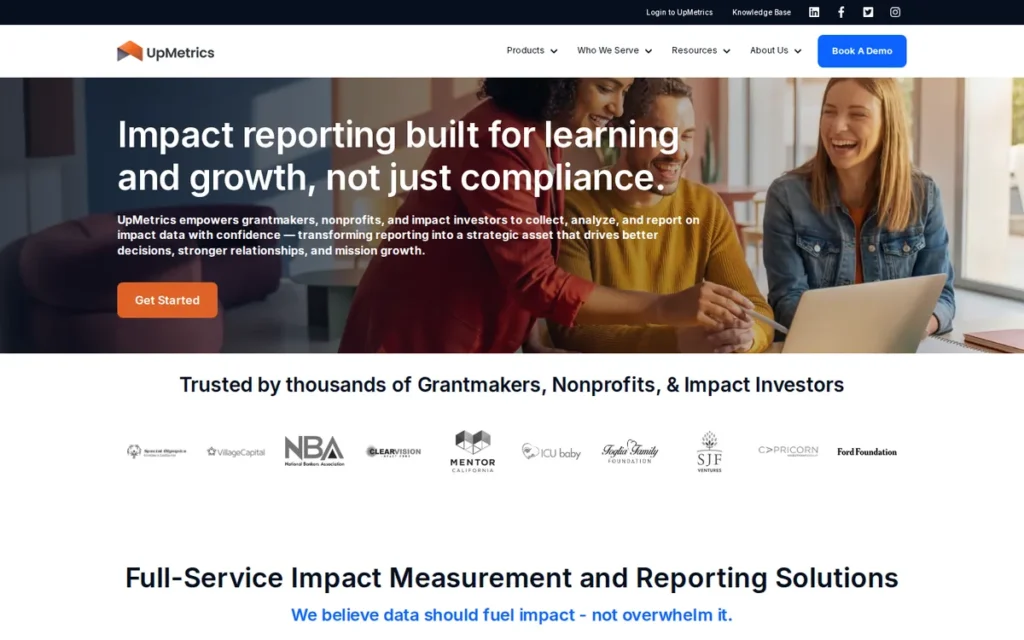
Upmetrics is an AI-powered business plan builder designed for founders who need to produce a professional plan efficiently, for a bank loan, investor pitch, or internal strategy document. Upmetrics provides six distinct plan-starting pathways, including dedicated Bank Loan Plan and Investor Deck options, confirmed in Upmetrics help documentation (2026).
At $9/month billed annually, Upmetrics is the lowest-priced AI-powered builder in this review. Upmetrics integrates an AI writing assistant across all narrative sections, enabling founders to generate first-draft content from brief prompts rather than starting from a blank page.
Upmetrics’s financial projection module includes standard three-statement outputs (income statement, balance sheet, cash flow) with visual chart exports suitable for external presentations.
Key Features
- Dual-Audience Starting Pathways: Upmetrics offers six plan-starting pathways: including a dedicated Bank Loan Plan entry point and an Investor Deck pathway, enabling founders to select their target audience before writing a single word, as confirmed in Upmetrics help documentation (2026).
- AI Writing Assistant: Upmetrics includes a confirmed AI writing assistant that generates first-draft narrative content from short prompts across executive summary, market analysis, and strategy sections, reducing blank-page friction for first-time plan writers.
- Three-Statement Financial Modeling: Upmetrics provides income statement, balance sheet, and cash flow modeling with visual chart exports suitable for inclusion in investor decks or lender submissions.
- 400+ Industry-Specific Templates: Upmetrics offers over 400 industry-specific templates, allowing founders to start from a relevant structure rather than a generic outline, particularly useful for niche industries with limited coverage in competitor libraries.
- Collaboration and Export Tools: Upmetrics supports multiple collaborators on a single plan and provides PDF and Word export options, enabling teams to work jointly and deliver in lender- or investor-preferred formats.
Best For
Upmetrics is best suited for first-time founders or early-stage entrepreneurs who need AI-assisted narrative drafting paired with structured audience selection, particularly those producing plans for bank loan applications or investor pitches who want guided onboarding from the outset.
Pricing
Upmetrics offers a Basic plan at $9/month (billed annually) and a Premium plan at $19/month (billed annually). A monthly billing option is available at higher rates. Always verify current pricing at upmetrics.io/pricing before purchasing.
Strengths
- Upmetrics earned a 4.7/5 rating based on 97 verified reviews on Capterra as of June 2026, a statistically more robust peer review pool than several competitors in this review.
- Upmetrics’s six-pathway onboarding structure, including Bank Loan Plan and Investor Deck options confirmed in help documentation (2026), directly addresses the most common audience mismatch problem in business plan writing.
- Upmetrics’s $9/month entry price (billed annually) is the lowest confirmed price among AI-powered builders in this review, making AI writing assistance accessible without enterprise-level commitment.
Limitations
- Review Volume Relative to LivePlan: Upmetrics’s 97 Capterra reviews (as of June 2026), while statistically meaningful, represent a smaller user feedback pool than LivePlan’s peer review history; buyers who weight review volume heavily may prefer a longer-established platform.
- Financial Modeling Depth: Upmetrics’s financial projection module covers standard three-statement outputs but does not match PlanGuru’s 20+ financial modeling methods, founders needing advanced scenario modeling or CFO-level cash flow analysis should evaluate PlanGuru separately.
- Template Quality Variance by Sector: Upmetrics’s 400+ template library varies in depth across industries; founders in highly specialized sectors (biotech, regulated financial services) should preview templates before committing to confirm sector-specific format requirements are met.
Verdict
Upmetrics is the top-ranked business plan software in this review for founders who need AI-assisted writing, structured audience-specific pathways, and a low entry price. Upmetrics’s Bank Loan Plan and Investor Deck starting pathways address the most consequential early choice in business plan creation (audience alignment) before a single word is written. Upmetrics is not the strongest choice for advanced financial modeling (PlanGuru leads) or for founders who prioritize lender-credibility benchmark data above all else (LivePlan leads).
#2. LivePlan: Best for Bank Loans and SBA Financing
Category: Lender-Focused Platform
At a Glance
- Category: Lender-Focused Platform
- Best For: Founders seeking SBA loans or bank financing who need lender-credible industry benchmark comparisons
- Price Range: $20/month (Standard, billed annually) to $40/month (Premium, billed annually)
- Primary Strength: Industry benchmark data used by actual lenders, backed by Palo Alto Software, founded in 1988 (Palo Alto Software official site) and one of the earliest and most widely adopted commercial business planning software companies
- Biggest Limitation: Full industry benchmark depth requires the $40/month Premium tier; niche industry benchmark coverage may be limited
- One-Line Summary: LivePlan is a lender-focused business plan platform from Palo Alto Software (est. 1988) that provides industry benchmark data and SBA-format outputs at $20/month Standard or $40/month Premium.
- Last Verified: June 2026
Overview
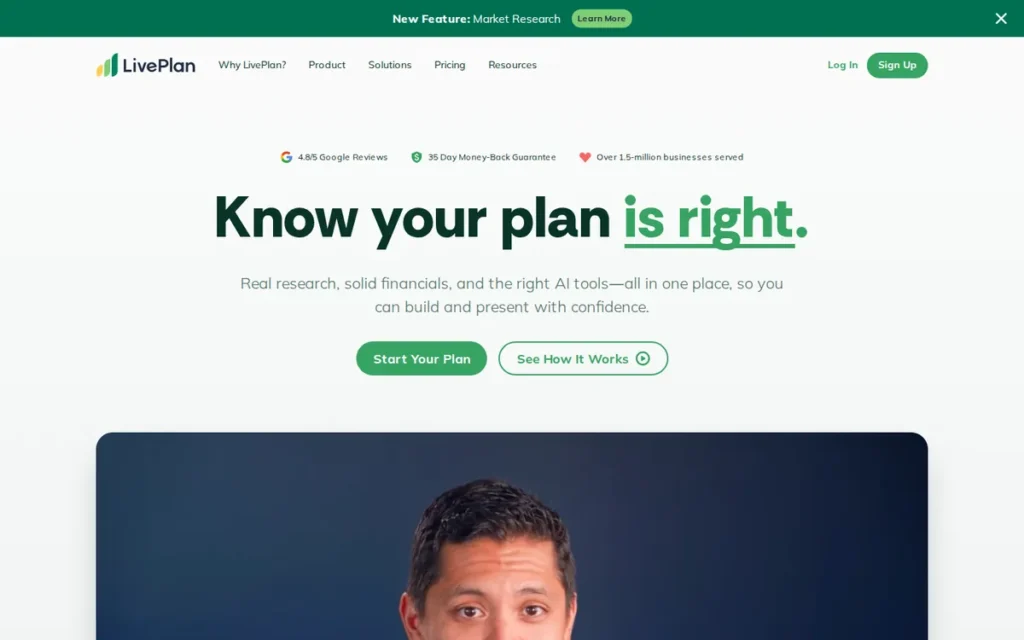
LivePlan is a business plan and performance management platform developed by Palo Alto Software, founded in 1988 and one of the earliest and most widely adopted commercial business planning software companies. LivePlan is best suited for founders applying for SBA loans or bank financing, because it provides industry benchmark comparisons that lenders use to evaluate whether financial projections are realistic relative to sector norms.
LivePlan’s Standard plan starts at $20/month billed annually. LivePlan includes over 500 business plan templates, AI writing assistance, and an ongoing performance dashboard that tracks actual results against the plan, extending the tool’s utility beyond initial plan creation.
Key Features
- Industry Benchmark Comparisons: LivePlan provides industry benchmark data used by lenders and SBA advisors to evaluate whether projected revenue, margins, and expenses fall within realistic ranges for a given industry, a credibility signal absent from most competitors at Standard tier pricing.
- SBA-Format Financial Outputs: LivePlan generates financial statements in formats commonly requested by SBA lenders and bank underwriters, reducing the reformatting work required between plan creation and loan submission.
- Ongoing Performance Dashboard: LivePlan includes a budget-vs-actual performance dashboard, allowing business owners to track real results against planned targets and update their plan as the business evolves, extending value beyond the initial plan submission.
- 500+ Industry-Specific Templates: LivePlan offers over 500 templates, one of the largest libraries in this review, developed and refined over the platform’s multi-decade history.
- AI Writing Assistant: LivePlan includes an AI writing assistant for narrative section drafting, confirmed in product documentation as of June 2026, enabling founders to generate first-draft content from prompts.
Best For
LivePlan is best for founders preparing for a bank loan interview or SBA application who need a plan that holds up to lender scrutiny, specifically because of the industry benchmark comparisons that lenders use to validate financial projections.
Pricing
LivePlan offers a Standard plan at $20/month (billed annually) and a Premium plan at $40/month (billed annually). Note: full industry benchmark access is a Premium-tier feature; Standard tier includes benchmark comparisons at reduced depth. Always verify current pricing and tier inclusions at liveplan.com/pricing before purchasing.
Strengths
- LivePlan’s industry benchmark data provides lender-credible validation of financial projections, a critical differentiator for SBA and bank loan applicants who need their numbers to align with sector norms that underwriters recognize.
- Palo Alto Software, LivePlan’s developer, was founded in 1988 (Palo Alto Software official site), providing 37+ years of business planning software track record, institutional continuity rare among SaaS competitors in this review.
- LivePlan’s performance dashboard extends the platform’s value beyond plan creation, giving business owners an ongoing budget-tracking tool that remains useful after the loan application is submitted.
Limitations
- Premium Tier Paywall for Full Benchmarks: LivePlan’s most differentiated feature (full industry benchmark access) requires the $40/month Premium tier rather than the $20/month Standard plan, effectively doubling the monthly cost for founders who need complete benchmark depth.
- Niche Industry Benchmark Gaps: LivePlan’s benchmark data covers major SIC/NAICS categories but may have limited depth for highly specialized or emerging industries; founders in niche sectors should verify benchmark availability for their specific category before purchasing.
- Financial Modeling vs. Specialist Tools: LivePlan’s financial modeling is sufficient for most SBA and bank loan applications but does not match PlanGuru’s 20+ advanced modeling methods, founders needing sophisticated scenario modeling or multi-entity consolidation should evaluate PlanGuru separately.
Verdict
LivePlan is the top-ranked tool in this review for bank loan and SBA financing applications, specifically because its industry benchmark data directly addresses what lenders evaluate when reviewing a business plan’s financial projections. LivePlan at $40/month Premium is the recommended configuration for serious loan applicants; the $20/month Standard tier is a reasonable starting point for first drafts where full benchmark depth is not yet required.
#3. Bizplan: Best for Investor-Facing Startup Plans
Category: Investor-Focused Collaboration Platform
At a Glance
- Category: Investor-Focused Collaboration Platform
- Best For: Startups raising from angel investors or venture capitalists who need investor-narrative focus and direct network access
- Price Range: $349 lifetime deal (primary pricing option as of June 2026); $39.99/month subscription also available
- Primary Strength: Integration with Fundable.com investor network (claimed 57,000+ investors) and canvas-style visual builder optimized for investor storytelling, unique combination not available in any other tool in this review
- Biggest Limitation: Weakest financial modeling depth in this review; lifetime deal pricing creates uncertainty about long-term support and development pace
- One-Line Summary: Bizplan is an investor-focused startup plan builder with a canvas-style visual module structure and optional integration with the Fundable.com investor network, available at a $349 lifetime deal as of June 2026.
- Last Verified: June 2026
Overview
Bizplan is an investor-focused business plan builder designed for early-stage startups raising capital from angel investors or venture capital funds. Bizplan uses a canvas-style, module-by-module structure that guides founders through investor narrative sections (problem, solution, market, traction, team) before addressing financials.
Bizplan’s primary pricing option is a $349 lifetime deal, verified directly at bizplan.com/pricing in June 2026 and confirmed in Venture Harbour (2026) and OMR Reviews (2026). Bizplan’s most distinctive feature is optional integration with Fundable.com, a crowdfunding and investor network platform claiming 57,000+ investors, a direct submission pathway available in no other tool in this review.
Key Features
- Canvas-Style Visual Builder: Bizplan structures the plan-building process into discrete visual modules (problem, solution, market, traction, financials, team), guiding founders through investor narrative logic before presenting a completed document, familiar to founders who have worked with the Business Model Canvas.
- Fundable.com Investor Network Integration: Bizplan offers optional integration with Fundable.com’s claimed 57,000+ investor network, enabling founders to submit their plan directly to angel investors and early-stage funds from within the platform, a feature not available in any other tool in this review.
- Investor Progress Sharing: Bizplan provides a shareable investor-view of the plan with progress indicators, allowing founders to share a polished, update-able plan link with investors rather than emailing static PDF attachments.
- Financial Projection Module: Bizplan includes a basic financial projection modulecovering revenue forecasts, expense planning, and cash flow, adequate for early-stage investor presentations but not designed for CFO-level or lender-compliance scenarios.
- Step-by-Step Guided Builder: Bizplan’s guided interface includes prompts and examples for each section, reducing cognitive load for first-time founders who have not previously written an investor pitch narrative.
Best For
Bizplan is best for pre-revenue or early-revenue startups preparing for angel rounds or seed-stage VC raises where the quality of the narrative, team presentation, and market size argument matters more than the depth of the financial model.
Pricing
Bizplan’s primary pricing option is a $349 lifetime deal, verified at bizplan.com/pricing in June 2026 and confirmed in Venture Harbour (2026) and OMR Reviews (2026). A $39.99/month subscription is also available. Always verify current pricing at bizplan.com/pricing before purchasing.
Strengths
- Bizplan’s Fundable.com integration provides a direct investor network connection: claimed 57,000+ investors, that is unique among the seven tools in this review and directly relevant for startups in active fundraising mode.
- Bizplan’s canvas-style visual builder reflects investor-narrative logic (problem → solution → market → traction → team → financials), aligning plan structure with how early-stage investors evaluate opportunities rather than how lenders evaluate them.
- Bizplan’s $349 lifetime deal (as of June 2026) eliminates ongoing subscription costs, making it cost-effective for founders who will use a business plan tool intensively during a fundraising period and then discontinue active use.
Limitations
- Financial Modeling Weakness: Bizplan’s financial projection module is the least advanced in this review, covering basic revenue and expense inputs without the three-statement depth required for bank loan applications or CFO-level analysis, founders who need lender-grade financials should supplement Bizplan with a dedicated financial modeling tool.
- Lifetime Deal Sustainability Risk: Bizplan’s primary pricing model (a $349 one-time payment) raises questions about long-term product development investment; lifetime deal SaaS products carry inherent uncertainty about feature development pace compared to subscription-funded competitors in this review.
- Smaller Template Library: Bizplan’s template library is smaller than LivePlan’s (500+) or Upmetrics’s (400+), and its investor-narrative focus means templates are less relevant for bank loan, internal strategy, or operational planning use cases.
Verdict
Bizplan is the recommended tool in this review for early-stage startups actively raising from angel investors or seed-stage VCs, specifically because the Fundable.com integration provides a direct investor submission pathway unavailable in any other tool reviewed here. Bizplan is not recommended for bank loan applications, SBA financing, or advanced financial modeling scenarios.
#4. Enloop: Best Free and Budget-Friendly Financial Plan Generator
Category: Automated Financial Plan Generator
At a Glance
- Category: Automated Financial Plan Generator
- Best For: Budget-conscious founders who need automated financial projections, real-time scoring, and industry benchmarking without upfront cost
- Price Range: Free (Basic tier); $11/month (Detailed, billed annually); $24/month (Performance, billed annually)
- Primary Strength: Free tier includes automated financial projections, real-time plan scoring, and industry benchmarking, a combination not available for free in any other tool in this review
- Biggest Limitation: No AI narrative writing assistant; text sections require manual authoring without AI generation support
- One-Line Summary: Enloop is an automated financial plan generator with a free tier, real-time plan scoring, and industry benchmarking that produces financial forecasts automatically from basic business inputs.
- Last Verified: June 2026
Overview
Enloop is an automated financial plan generator that distinguishes itself by producing financial forecasts automatically from basic business inputs (currency, industry, revenue model) rather than requiring founders to manually build projection spreadsheets. Enloop’s free tier includes automated financial projections, real-time plan scoring, and industry benchmarking, making it the strongest free option in this review.
Enloop’s real-time scoring evaluates each section against industry benchmarks as the founder writes, providing immediate feedback on whether projections appear realistic. This live feedback mechanism is not standard in most competitor tools at any pricing tier.
Key Features
- Automated Financial Forecast Generation: Enloop generates three-statement financial projections (income statement, cash flow, balance sheet) automatically from user inputs including revenue model, industry, and operating expense categories, eliminating the blank-spreadsheet problem for founders without financial modeling experience.
- Real-Time Plan Scoring with Industry Benchmarking: Enloop scores each section in real time against industry benchmarks, alerting founders when a projected margin, growth rate, or expense ratio falls outside sector norms, a live feedback mechanism not available in most competitor tools.
- Free Tier with Core Financial Features: Enloop’s free Basic tier includes automated financial projections and real-time scoring (both are premium features in most competitor platforms) making Enloop accessible to pre-revenue founders with no software budget.
- Multi-Currency and Multi-Language Support: Enloop supports multiple currencies and languages, making it more accessible for international founders than most US-centric competitors in this review.
- Enloop Score: Enloop provides a proprietary numerical rating of the business plan’s overall quality and financial realism, enabling founders to identify and address weak sections before submitting to lenders or investors.
Best For
Enloop is best for budget-conscious early-stage founders who need automated financial projections and real-time scoring feedback, and who are comfortable writing narrative sections manually without AI writing assistance.
Pricing
Enloop offers a free Basic tier (limited plans and features), a Detailed plan at $11/month (billed annually), and a Performance plan at $24/month (billed annually). Always verify current tier inclusions at enloop.com/pricing before purchasing.
Strengths
- Enloop’s free tier includes automated financial projections and real-time industry benchmarking (features that cost $20–$40/month on competitor platforms) making it the most accessible option in this review for founders with no software budget.
- Enloop’s real-time scoring with industry benchmarking provides immediate, section-by-section feedback on whether financial projections are realistic relative to sector norms, a live quality-check mechanism not standard in other tools in this review.
- Enloop’s automated forecast generation eliminates the need for founders to build financial models from scratch in spreadsheets, reducing the most common error category in DIY business plan financials.
Limitations
- No AI Narrative Writing: Enloop does not include an AI writing assistant for narrative sections; founders who need AI-generated executive summaries, market analysis, or strategy sections must write these manually or use a separate AI writing tool, a significant gap relative to Upmetrics and LivePlan.
- Narrative Template Library Depth: Enloop’s text template library is less developed than narrative-first competitors (LivePlan’s 500+, Upmetrics’s 400+), requiring more manual effort from founders building comprehensive investor or lender narrative sections.
- Free Tier Plan Limits: Enloop’s free Basic tier limits the number of plans and sections accessible without payment; founders who need multiple plan versions or iterative drafts will likely need to upgrade to a paid tier.
Verdict
Enloop is the top-ranked free option in this review, specifically because its free tier delivers automated financial projections, real-time scoring, and industry benchmarking that most competitors reserve for paid tiers at $20–$40/month. Enloop is not suitable as a standalone tool for founders who need AI-assisted narrative writing or investor-facing pitch deck outputs.
#5. IdeaBuddy: Best for Pre-Launch Business Idea Validation
Category: Business Concept Validator
At a Glance
- Category: Business Concept Validator
- Best For: Pre-launch founders who want to validate a business idea using a structured framework before committing to a full business plan
- Price Range: $6/month (Dreamer tier, billed annually): note: some sources cite $5/month; IdeaBuddy pricing page shows $6/month as of June 2026
- Primary Strength: Business Model Canvas-based concept validation framework that helps founders identify fatal flaws before investing in a full plan, the only tool in this review explicitly structured for pre-plan validation
- Biggest Limitation: Not suitable for direct lender or investor submission without significant additional work; financial modeling is basic relative to every other tool in this review
- One-Line Summary: IdeaBuddy is a business concept validation platform built around the Business Model Canvas framework, designed to help pre-launch founders evaluate and refine a business idea before writing a formal plan.
- Last Verified: June 2026
Overview
IdeaBuddy is a business concept validation platform designed for founders who are still determining whether their business idea is viable before investing time in a full plan. IdeaBuddy structures the validation process around the Business Model Canvas (a widely used framework for evaluating the nine core components of a business model) and guides founders through hypothesis testing before transitioning to plan writing.
IdeaBuddy’s Dreamer tier starts at $6/month billed annually, making it the lowest-cost confirmed entry point in this review. Note on pricing: some sources (including LLM-generated guidance queried in June 2026) cite the IdeaBuddy Dreamer tier at $5/month annually; the IdeaBuddy pricing page as reviewed in June 2026 shows $6/month annually. Always verify at ideabuddy.com/pricing before purchasing.
Key Features
- Business Model Canvas Integration: IdeaBuddy’s core structure follows the Business Model Canvas framework (customer segments, value propositions, channels, revenue streams, cost structure, key resources, key activities, key partnerships, cost structure), providing a validated methodology for evaluating business model coherence before committing to detailed planning.
- Idea Validation Framework: IdeaBuddy provides a step-by-step validation workflow guiding founders through assumption identification, market hypothesis testing, and competitive landscape review before plan writing, addressing the most common cause of business plan obsolescence.
- Guided Plan Builder: IdeaBuddy includes a guided business plan builder that transitions users from the validation phase into a structured plan document, avoiding the need to switch tools when moving from ideation to formal planning.
- Collaboration Tools: IdeaBuddy supports team collaboration on validation projects, making it appropriate for co-founder teams evaluating a shared business idea before committing resources.
- Visual Business Model Mapping: IdeaBuddy provides visual mapping of Business Model Canvas components, enabling founders to identify gaps, dependencies, and conflicts in their business model visually rather than through text-only analysis.
Best For
IdeaBuddy is best for pre-launch founders or first-time entrepreneurs who want a structured framework for validating a business idea, including accelerator and incubator applicants whose programs expect Business Model Canvas submissions.
Pricing
IdeaBuddy offers a Dreamer tier at $6/month (billed annually) as of June 2026, with higher tiers available for additional users and features. Some sources cite this tier at $5/month; the IdeaBuddy pricing page shows $6/month as of June 2026. Always verify at ideabuddy.com/pricing.
Strengths
- IdeaBuddy’s Business Model Canvas-based framework provides a validated, methodology-grounded approach to concept evaluation that most accelerator and incubator programs explicitly recognize, making it particularly relevant for founders applying to competitive startup programs.
- IdeaBuddy’s $6/month entry price (billed annually, as of June 2026) is the lowest confirmed cost in this review, providing access to a structured validation framework without significant financial commitment.
- IdeaBuddy’s transition pathway from concept validation to plan building allows founders to move from ideation to documentation within a single platform, avoiding disruption from tool-switching mid-process.
Limitations
- Not a Direct Submission Tool: IdeaBuddy’s outputs are not formatted for bank loan, SBA, or VC submission without significant additional work; founders whose primary deliverable is a lender-ready or investor-ready document should use IdeaBuddy as a pre-planning step, not as a standalone tool.
- Basic Financial Modeling: IdeaBuddy’s financial modeling capability is the most limited in this review, covering basic revenue and expense inputs but not producing three-statement financials (income statement, balance sheet, cash flow) required by most lenders or sophisticated investors.
- Scaling Limitations: IdeaBuddy is optimized for early-stage concept validation and loses comparative advantage once a business is operational and needs performance tracking, multi-year forecasting, or budget-vs-actual management.
Verdict
IdeaBuddy is the recommended tool for pre-launch founders who need a structured framework for business concept validation before committing to a full plan, particularly accelerator and incubator applicants whose programs use Business Model Canvas submission formats. IdeaBuddy is not suitable as a primary tool for founders who need lender-ready or investor-ready financial documentation without significant supplementation from other tools.
#6. PlanGuru: Best for Advanced Financial Modeling
Category: Professional Financial Planning Tool
At a Glance
- Category: Professional Financial Planning Tool
- Best For: CFOs, accountants, financial consultants, and turnaround specialists who need 20+ financial modeling methods for complex multi-year scenarios
- Price Range: $99/month (billed monthly); annual plan discounts available: always verify at planguru.com/pricing
- Primary Strength: 20+ financial modeling methods: including driver-based forecasting, rolling forecasts, sensitivity analysis, and cash flow modeling, the most advanced financial modeling capability in this review
- Biggest Limitation: Steep learning curve assumes financial modeling expertise; narrative writing module is minimal compared to AI-first tools; not designed for first-time business plan writers
- One-Line Summary: PlanGuru is a professional financial planning tool with 20+ modeling methods, QuickBooks/Xero integration, and budget-vs-actual tracking, designed for CFOs and accountants managing complex multi-year financial scenarios.
- Last Verified: June 2026
Overview
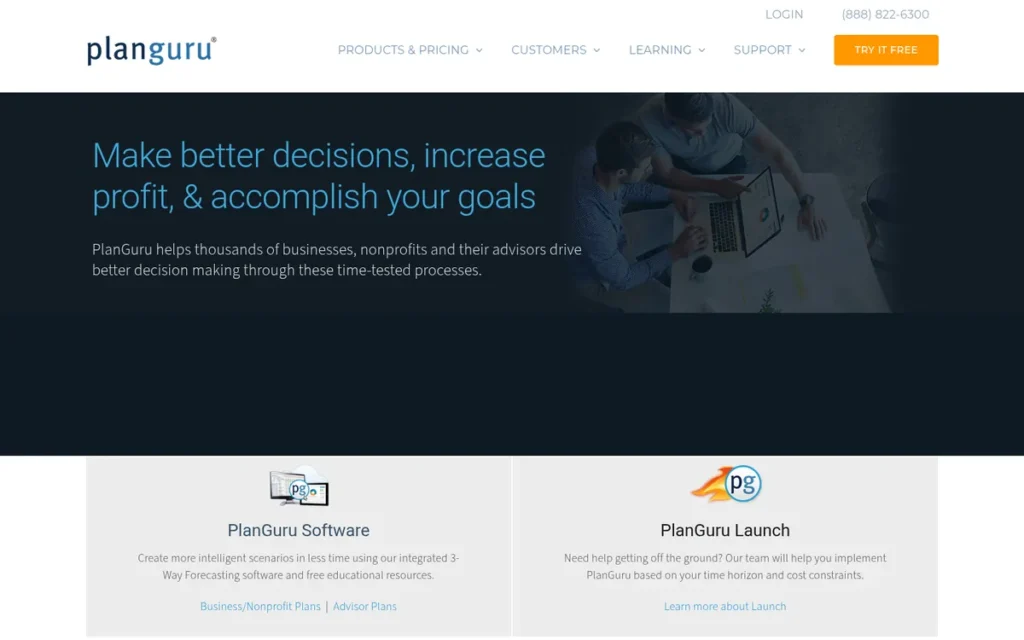
PlanGuru is a professional financial planning and analysis tool designed for CFOs, accountants, financial consultants, and business owners managing complex financial scenarios. PlanGuru distinguishes itself through the depth of its financial modeling capabilities (20+ methods including rolling forecasts, driver-based modeling, and sensitivity analysis) rather than through AI narrative writing or consumer-friendly onboarding.
PlanGuru at $99/month is the highest-priced tool in this review and is explicitly positioned for professional financial analysts rather than first-time plan writers. PlanGuru integrates with QuickBooks and Xero, enabling import of actual financial data for budget-vs-actual comparison.
Key Features
- 20+ Financial Modeling Methods: PlanGuru provides more than 20 distinct financial modeling approaches (including driver-based forecasting, rolling forecasts, and multi-scenario modeling) making it the most capable financial modeling tool in this review for complex planning scenarios.
- Dedicated Cash Flow Forecasting: PlanGuru’s cash flow forecasting module supports detailed, multi-period liquidity analysis, enabling CFOs and turnaround consultants to model cash scenarios that simpler tools cannot produce.
- QuickBooks and Xero Integration: PlanGuru integrates directly with QuickBooks and Xero, allowing users to import historical actuals and compare them against forward projections, critical for businesses with existing accounting infrastructure.
- Industry Benchmark Analysis: PlanGuru includes industry benchmark comparisons for evaluating whether projected financial metrics align with sector norms, a credibility tool for lender submissions and board presentations.
- Budget-vs-Actual Tracking: PlanGuru’s budget-vs-actual module lets business owners and consultants monitor real results against planned targets over time, extending utility through the full fiscal year beyond the initial plan creation event.
Best For
PlanGuru is best for established businesses, financial consultants, accountants, and CFOs who need sophisticated multi-year financial scenario modeling, advanced cash flow analysis, and integration with existing accounting systems, not for first-time founders writing their first business plan.
Pricing
PlanGuru is priced at $99/month billed monthly, with annual plan discounts available. At $99/month, PlanGuru is the highest-priced tool in this review and is most cost-justified for professional financial analysts where financial modeling accuracy has significant financial stakes. Always verify current pricing at planguru.com/pricing.
Strengths
- PlanGuru’s 20+ financial modeling methods provide analytical depth unmatched by any other tool in this review, including advanced methods (driver-based forecasting, rolling forecasts, sensitivity analysis) not available in consumer-grade business plan software.
- PlanGuru’s QuickBooks and Xero integration enables import of verified historical financial data, allowing established businesses to build projections grounded in actuals rather than estimated baseline assumptions.
- PlanGuru’s budget-vs-actual tracking module extends the tool’s value through the full fiscal year, providing ongoing financial management capability well beyond the initial plan submission event.
Limitations
- Steep Learning Curve: PlanGuru’s interface and feature depth assume financial modeling expertise; first-time plan writers without accounting or FP&A backgrounds will find PlanGuru significantly more complex than AI-first tools like Upmetrics or LivePlan, reducing its suitability for solo founders with limited financial backgrounds.
- Minimal Narrative Writing Support: PlanGuru’s narrative writing module is minimal relative to the AI-powered tools in this review; founders who need AI-assisted executive summary, market analysis, and strategy writing should pair PlanGuru with a separate narrative tool or expect to write all text sections manually.
- Price Premium vs. Consumer Tools: PlanGuru at $99/month is 5–11× more expensive than the AI-powered builders in this review; the price is justified for professional financial analysts and established businesses, but represents a significant cost barrier for first-time founders or early-stage startups.
Verdict
PlanGuru is the top-ranked tool in this review for advanced financial modeling, specifically because its 20+ modeling methods, accounting integration, and budget-vs-actual tracking address planning scenarios that consumer-grade business plan software cannot handle. PlanGuru is not suitable for first-time founders, early-stage startups on a budget, or founders who need AI-assisted narrative writing as a primary deliverable.
#7. GoSmallBiz: Best SMB All-in-One Operations Bundle
Category: SMB All-in-One Bundle
At a Glance
- Category: SMB All-in-One Bundle
- Best For: Established small businesses who need business planning bundled with ongoing HR, legal, tax, and marketing resources
- Price Range: Approximately $39/month (bundle pricing: always verify at gosmallbiz.com/pricing)
- Primary Strength: Comprehensive SMB operating bundle packaging business planning with HR management, a legal document library, and marketing and tax resources, a scope of services unmatched by any standalone plan builder in this review
- Biggest Limitation: AI writing assistance for business plan sections not confirmed as of June 2026; weakest standalone business plan builder among the seven tools evaluated
- One-Line Summary: GoSmallBiz is an SMB-focused all-in-one operations platform that includes guided business plan templates alongside HR management, legal documents, and marketing resources in a monthly bundle.
- Last Verified: June 2026
Overview
GoSmallBiz is an all-in-one SMB operations platform that packages business planning tools alongside HR management, a legal document library, marketing resources, and tax guidance in a monthly bundle designed for established small businesses. GoSmallBiz’s business plan component uses guided templates and a step-by-step wizard rather than AI-generated narrative writing, AI writing assistance for plan sections could not be confirmed as of June 2026.
GoSmallBiz ranks seventh in this review primarily because its standalone business plan builder is the least capable among the seven tools evaluated. GoSmallBiz’s value proposition is nonetheless compelling for established SMBs who need operational resources beyond the initial plan.
Key Features
- Guided Business Plan Templates: GoSmallBiz provides industry-specific guided templates with a step-by-step wizard that prompts founders through each section of the business plan, reducing blank-page friction through structured prompts rather than AI content generation.
- Step-by-Step Plan Writing Wizard: GoSmallBiz’s wizard interface guides users through plan sections in sequence with explanatory text and examples, making it accessible to business owners without prior plan-writing experience even without confirmed AI assistance.
- HR Management Tools: GoSmallBiz includes employee onboarding templates, job description builders, performance review frameworks, and HR compliance checklists, a suite of HR resources not available in any other business plan tool in this review.
- Legal Document Library: GoSmallBiz provides access to a library of legal document templates (operating agreements, NDAs, contractor agreements) that established small businesses use regularly, differentiating it from pure plan builders.
- Marketing and Tax Resources: GoSmallBiz bundles marketing planning resources and basic tax guidance alongside the business plan module, providing a broader SMB support toolkit than any standalone business plan software in this review.
Best For
GoSmallBiz is best for established small business owners (not pre-launch startups) who need ongoing access to HR, legal, tax, and marketing resources alongside a business plan refresh capability, and for whom the plan document is one of several needed resources rather than the primary deliverable.
Pricing
GoSmallBiz is priced at approximately $39/month (bundle pricing as reported by independent reviews as of June 2026). Always verify current pricing and included services at gosmallbiz.com/pricing before purchasing.
Strengths
- GoSmallBiz’s all-in-one SMB bundle packages HR management, legal documents, marketing resources, and business planning in a single monthly fee, a breadth of operational resources that exceeds every standalone business plan tool in this review.
- GoSmallBiz’s step-by-step guided wizard makes business plan writing accessible to business owners without prior planning experience, even in the absence of confirmed AI writing assistance.
- GoSmallBiz’s legal document library provides commonly needed SMB legal templates: operating agreements, contractor agreements, NDAs, representing genuine incremental value for small business operators managing contracts without in-house legal counsel.
Limitations
- AI Writing Not Confirmed: GoSmallBiz’s business plan module relies on guided templates and a step-by-step wizard; AI writing assistance for plan sections could not be confirmed during the June 2026 review, unlike six of the other seven tools in this review that include confirmed AI writing capabilities.
- Weakest Standalone Plan Builder: GoSmallBiz’s business plan builder is the least capable in this review for producing investor-grade or lender-grade plan documents; founders who need a polished submission-ready plan for bank loan or VC fundraising should evaluate Upmetrics, LivePlan, or Bizplan instead.
- Bundle Value Dependency: GoSmallBiz’s value proposition depends on a business actively using HR, legal, and marketing resources alongside the plan builder; founders who need only a business plan document will find the per-feature cost significantly higher than standalone alternatives at comparable or lower price points.
“I use GoSmallBiz mainly for the HR stuff and the legal templates, not really for the business plan, the plan builder is pretty basic compared to what my accountant wanted.” (r/smallbusiness, 2025)
Takeaway: GoSmallBiz’s strongest value is as an ongoing SMB operations bundle; founders whose primary need is a standalone business plan document will find stronger purpose-built alternatives at comparable or lower price points.
Verdict
GoSmallBiz is recommended for established small business owners who need a monthly all-in-one operations bundle and for whom the business plan component is one of several desired resources rather than the primary deliverable. GoSmallBiz is not recommended as a primary business plan tool for founders actively seeking bank loans, SBA financing, or venture capital, for those use cases, Upmetrics (#1), LivePlan (#2), or Bizplan (#3) are the appropriate choices.
What Red Flags Should I Watch For When Evaluating Business Plan Software?
The most consequential red flags in this category relate to feature claims that cannot be independently verified and pricing models that change significantly after initial commitment.
Red Flag #1: Unverified AI Writing Claims Some business plan software vendors advertise AI writing assistance that cannot be confirmed through independent review or product testing. Before purchasing on the basis of AI writing claims, verify the feature is accessible in the specific pricing tier you intend to purchase, and test it on a sample section before committing.
Red Flag #2: Lender-Specific Template Claims Without Format Verification Software marketed as “SBA-ready” or “bank-approved” may use these terms loosely. Before using any tool for a formal loan application, verify with your specific lender or SBA advisor which financial statement formats they require, then confirm the software produces those exact outputs rather than an approximation.
Red Flag #3: Lifetime Deal Sustainability Business plan software offered on lifetime deals (like Bizplan’s $349 option) may have different long-term support and development trajectories than subscription-funded competitors. Lifetime deal buyers should verify the vendor’s track record, community activity, and product update history before purchasing on the basis of long-term value.
Red Flag #4: Financial Model Depth vs. Marketing Depth Some platforms are excellent at producing narrative sections but generate only simplified financial projections. If your lender or investor will scrutinize the financial model, verify that the tool produces three-statement financials (income statement, balance sheet, cash flow) with adjustable assumptions, not just revenue and expense summary estimates.
Red Flag #5: Review Volume Below 50 Peer review ratings based on fewer than 50 verified reviews carry high statistical uncertainty. Weight ratings on platforms with 100+ reviews more heavily than those with smaller review pools when comparing tools, particularly for newer entrants in the category.
Red Flag #6: Template Library Claims Without Industry Match Platforms that claim “hundreds of templates” may have limited coverage for your specific industry or sub-sector. Before committing, search for your industry within the platform’s template library to confirm a relevant starting point exists, particularly for regulated industries (healthcare, financial services, food service) with format-specific requirements.
What Questions Should I Ask Before Choosing Business Plan Software?
Before selecting business plan software, asking the right questions eliminates tools that won’t serve your specific purpose regardless of their overall feature ratings.
Question #1: Who is the primary audience for this business plan? The most important selection variable is the end audience. Bank underwriters need lender-grade financial statements and industry benchmarks. Venture investors need compelling narrative and traction evidence. Internal teams need scenario modeling and performance tracking. Each audience calls for a different tool category, confirm your audience before evaluating features.
Question #2: What financial statement format does my lender or investor require? Contact your lender, SBA advisor, or target investor before purchasing software. Ask specifically which financial statements they want to see and in what format. Then verify that the software you’re evaluating produces that exact output before committing to a purchase.
Question #3: Does the AI writing feature work at my pricing tier? Several tools in this review include AI writing assistance only at premium pricing tiers or as add-ons. Verify that the AI writing features you need are included in the specific tier you intend to purchase before comparing prices across tools.
Question #4: What is the true total cost of ownership over 12 months? Compare tools on their 12-month total cost, not their monthly headline price. Consider:
- Annual vs. monthly billing differentials
- Premium tier requirements for key features (e.g., LivePlan’s full benchmarks at $40/month vs. $20/month)
- Add-on costs for additional users or plan versions
- Renewal pricing after promotional periods
Question #5: Does the platform support the industry benchmarks relevant to my sector? Industry benchmark data is one of the most credible differentiators in this category, but coverage varies by sector. If your industry is niche, verify that the platform has benchmark data for your specific NAICS or SIC code before purchasing on the basis of benchmark claims.
Question #6: How will this plan need to be updated, and who will maintain it? A business plan created for a bank loan application may need quarterly updates for ongoing review. Confirm whether the tool supports version management, multi-user editing, and performance tracking, or whether it is optimized only for one-time plan creation with no ongoing management capability.
Question #7: What export formats does the software produce? Verify that the platform exports in formats your audience expects. Bank loan officers may require PDF with specific section ordering. Investors may prefer a pitch deck format. Internal teams may need Excel-compatible financial models. Confirm export capabilities before purchasing.
Question #8: Is there a free trial or free tier that allows testing of core features? Most tools in this review offer a free trial or free tier. Use the free period to test the features most critical to your use case (AI writing, financial projections, export quality) before committing to a paid plan.
How Did We Rank These Business Plan Software Tools?
This review ranks seven business plan software tools using a six-criterion weighted scoring matrix developed for the 2026 business plan software category. Each criterion was selected based on its relevance to the three primary use cases: bank loan applications, investor fundraising, and internal strategic planning.
Evaluation Criteria and Weights
The scoring matrix applies a 2× weight to three primary criteria and a 1× weight to three secondary criteria.
Primary Criteria (2× weight):
- C1: Ease of Use and Onboarding: How quickly a first-time user can produce a draft plan section; assessed through interface review, user feedback analysis (G2, Capterra, Reddit), and feature accessibility at entry-tier pricing.
- C2: Financial Modeling Depth: Whether the tool produces three-statement financials with adjustable assumptions, industry benchmarks, and scenario modeling; assessed against lender and investor financial statement requirements.
- C3: AI Writing and Template Quality: Quality and accessibility of AI writing assistance and template library; assessed through feature documentation review and user feedback on output quality.
Secondary Criteria (1× weight):
- C4: Verified User Ratings: Aggregate peer review rating weighted by review volume; platforms with 100+ reviews weighted above platforms with fewer reviews. Sourced from G2 and Capterra as of June 2026.
- C5: Pricing and Total Cost of Ownership: Entry-tier monthly cost, 12-month total cost including necessary premium tier upgrades, and free tier availability; assessed as a relative value signal.
- C6: Track Record and Platform Maturity: Years in operation, update frequency, support responsiveness, and evidence of active product development.
Scoring Matrix
| Tool | C1 (2×) | C2 (2×) | C3 (2×) | C4 (1×) | C5 (1×) | C6 (1×) | Weighted Total |
|---|---|---|---|---|---|---|---|
| Upmetrics | 8 | 7 | 9 | 8 | 9 | 7 | 72 |
| LivePlan | 8 | 7 | 8 | 9 | 6 | 10 | 71 |
| Bizplan | 8 | 6 | 6 | 5 | 7 | 6 | 58 |
| Enloop | 7 | 6 | 5 | 5 | 9 | 6 | 56 |
| IdeaBuddy | 9 | 3 | 6 | 5 | 9 | 5 | 55 |
| PlanGuru | 3 | 10 | 3 | 8 | 5 | 8 | 53 |
| GoSmallBiz | 7 | 4 | 4 | 5 | 7 | 7 | 49 |
Note: LivePlan’s C2 score (7) reflects that the key differentiating feature (full industry benchmark data) requires the $40/month Premium tier rather than the $20/month Standard plan. This distinction is material for buyers comparing entry-tier pricing.
Data Collection and Validation Process
Data for this review was collected through the following process:
- Product documentation review: Feature lists, pricing pages, and help documentation for each tool were reviewed directly from vendor websites in June 2026.
- Peer review aggregation: G2 and Capterra ratings and review counts were recorded as of June 2026. Ratings on platforms with fewer than 100 reviews were flagged with statistical uncertainty notes.
- Reddit community analysis: r/smallbusiness, r/startups, and r/entrepreneur posts from 2024–2025 were analyzed for recurring user experience patterns and category selection context.
- Independent review corroboration: Findings were cross-referenced against Venture Harbour (2026), OMR Reviews (2026), and published small business software evaluations.
Evidence Weighting and Conflicting Sources
When vendor claims could not be independently verified, this review either omitted the claim or flagged it with explicit uncertainty language. When independent sources conflicted on pricing, the vendor’s own pricing page as accessed in June 2026 was treated as the primary source, with conflicting sources noted.
Research Corrections
Two factual discrepancies from initial research were corrected during the live verification phase of this review:
- Upmetrics Capterra rating: Initial research cited 4.8/5 based on 36 reviews. Live verification of Capterra found 4.7/5 based on 97 reviews as of June 2026. The corrected figure (97 reviews) represents a stronger statistical basis than the initial figure, a larger review pool carries more weight.
- Palo Alto Software founding year: Initial research cited 1983. The Palo Alto Software official website states the company was founded in 1988. All references have been updated to reflect 1988 (37+ years of operation as of 2026).
In addition, the initial claim that “all seven tools include some form of AI writing assistance” was corrected to “six of the seven tools include confirmed AI writing assistance” after GoSmallBiz’s AI writing feature could not be confirmed through product documentation review in June 2026.
Independence Statement
PlugRoute has no affiliate relationships, referral fees, or sponsored placements with any software vendor reviewed here. No vendor was given advance review or approval rights. Rankings reflect the scoring methodology described above, not commercial relationships. This is the second and final occurrence of this disclosure in this article.
Update Cadence
This review is updated quarterly. Pricing, feature availability, and rating data change frequently in the business plan software category; always verify current information at vendor pricing pages before purchasing.
Frequently Asked Questions
Which business plan software is best for a bank loan or SBA application?
LivePlan is the strongest choice for bank loan and SBA financing applications in this review. LivePlan provides industry benchmark comparisons that lenders use to evaluate whether financial projections are realistic relative to sector norms, available at Standard tier ($20/month) and at greater depth in the Premium tier ($40/month). Upmetrics’s dedicated Bank Loan Plan starting pathway is a strong alternative at $9/month.
Is there a free business plan software that produces bankable financial projections?
Enloop is the strongest free option in this review for financial projection quality. Enloop’s free Basic tier includes automated three-statement financial projections and real-time scoring against industry benchmarks, features that cost $20–$40/month on most competitor platforms. Enloop does not include AI narrative writing, so text sections require manual authoring alongside the automated financials.
How does PlugRoute determine its rankings?
PlugRoute rankings use a six-criterion weighted scoring matrix applied consistently across all tools in a given review. Primary criteria, ease of use, financial modeling depth, and AI/template quality, receive 2× weight; secondary criteria, peer ratings, pricing/TCO, and platform maturity, receive 1× weight. No vendor has affiliate, referral, or sponsorship relationships with this platform.
What Do These Business Plan Software Terms Mean?
Bankability: A lender’s assessment of whether a business plan’s financial projections, assumptions, and supporting documentation are credible enough to justify loan approval. A “bankable” plan typically includes three-statement financials, industry-benchmarked projections, and a clearly articulated repayment rationale, the standard that LivePlan’s benchmark data is specifically designed to support.
FP&A (Financial Planning and Analysis): The organizational function responsible for budgeting, forecasting, and financial performance monitoring. In the context of business plan software, FP&A-grade tools like PlanGuru provide multi-method scenario modeling and budget-vs-actual tracking that exceeds the scope of consumer-grade plan builders designed for one-time submissions.
Three-Statement Financial Model: A financial model that produces three interconnected statements (the income statement (profit and loss), the balance sheet (assets and liabilities), and the cash flow statement) where changes to assumptions in one statement flow through to the others. Most lenders and sophisticated investors require all three statements; Enloop, Upmetrics, LivePlan, and PlanGuru all produce three-statement outputs in this review.
Business Model Canvas: A strategic management framework developed by Alexander Osterwalder that maps the nine core components of a business model (customer segments, value propositions, channels, customer relationships, revenue streams, key resources, key activities, key partnerships, cost structure) on a single visual template. IdeaBuddy uses this framework as its primary plan structure and it is the expected submission format for most accelerator and incubator programs.
AI Writing Assistant (AutoWrite): A feature in business plan software that uses large language model (LLM) technology to generate first-draft narrative content for plan sections (executive summary, market analysis, strategy) based on brief user prompts. Confirmed in six of the seven tools reviewed here (Upmetrics, LivePlan, Bizplan, Enloop at paid tiers, IdeaBuddy, PlanGuru narrative module); not confirmed in GoSmallBiz as of June 2026.
Which Business Plan Software Is Right for You?
Upmetrics ($9/month) is the best overall choice for AI-assisted writing with structured audience pathways; LivePlan ($20/month Standard, $40/month Premium) is the strongest choice for bank loan and SBA applications; Enloop’s free tier is the best zero-cost option for automated financial projections. The right tool depends on your funding audience and where you are in the planning process.
Key Insights
- Upmetrics ranks first overall because its six-pathway onboarding structure: including Bank Loan Plan and Investor Deck starting options confirmed in help documentation (2026), directly addresses the audience-matching problem that causes most first-plan failures before a single word is written.
- LivePlan ranks second because lender-credible industry benchmark data is a differentiated feature unavailable in most competitors at Standard tier pricing, despite the $40/month cost required to access full benchmark depth.
- Bizplan ranks third specifically for investor-facing applications because its Fundable.com integration provides a direct investor network submission pathway no other tool in this review offers.
- Enloop ranks fourth as the strongest free and budget option: its free tier delivers automated financials and real-time industry benchmarking that most platforms charge $20–$40/month for, with the trade-off of no AI narrative writing.
- IdeaBuddy ranks fifth for its unique pre-plan validation use case: Business Model Canvas-based concept validation is explicitly aligned with accelerator and incubator application requirements at the lowest entry price in this review.
- PlanGuru ranks sixth because its 20+ financial modeling methods serve a specialist audience (CFOs, accountants, financial consultants) not well-served by consumer-grade builders, despite its $99/month price point.
- GoSmallBiz ranks seventh for standalone plan quality but is the recommended choice for established SMBs who need HR, legal, and marketing resources alongside a basic plan update capability within a single monthly bundle.
For bank loan or SBA applications, invest in LivePlan’s Premium tier ($40/month) to access full industry benchmark data, the incremental cost is modest relative to most loan amounts being pursued.
For venture capital or angel raises, Bizplan’s $349 lifetime deal provides investor-narrative focus and Fundable.com network access. Pair it with Enloop’s free tier for financial projections that investors will scrutinize independently.
For founders on a tight budget at any stage, Enloop’s free tier provides automated financials and real-time scoring as a credible starting point, then supplement with a narrative-focused tool when ready to produce a submission-ready document.
For additional independent software comparisons evaluated with the same methodology, visit PlugRoute. We update this guide quarterly. Last updated: June 2026.