Playwright is the strongest choice for new web E2E projects in 2026, Postman leads for API and microservices testing, and Selenium remains the rational choice for Java enterprise environments with existing test suites. BrowserStack, Katalon, Cypress, and Appium each serve distinct workloads, no single tool covers web, API, and mobile testing optimally at zero cost.
Most QA engineers and engineering leads face the same friction: a fragmented tool landscape with no clear framework for matching tools to their specific app type, pipeline, and team skill level. The wrong choice compounds over every sprint, every broken locator, and every new team member who inherits a poorly chosen stack. Most production teams need at least two tools from different categories, and this decision carries a 2-to-3-year compounding cost horizon.
PlugRoute has no affiliate relationships with any company listed. Rankings are determined entirely by research data and objective evaluation criteria.
“There’s not one single reason I can think of to use Selenium over Playwright unless you’re joining a team with a major legacy suite in Selenium.” (u/neon-kitten, r/QualityAssurance, 2025)
Takeaway: The QA practitioner community’s consensus is that Selenium is a legacy-continuity choice for existing Java suites, not a greenfield recommendation, any evaluation that does not distinguish between these two scenarios is behind the current community consensus.
TL;DR: Top Picks at a Glance
- Playwright: lowest CI flakiness through built-in auto-wait, zero-cost all-in-one tooling; the community default for any new web E2E project in 2026
- Selenium: W3C WebDriver standard with 20+ years of Java ecosystem depth; the rational choice for enterprise teams with established suites
- Postman: 40 million developers, G2 4.6/5; the dominant API testing platform for microservices and backend QA workflows
- BrowserStack: 20,000+ real devices, 99% SLA; essential infrastructure for Safari/iOS and real-device cross-browser coverage
- Katalon: unique hybrid no-code/code model with AI self-healing locators; best all-in-one entry point for mixed-skill QA teams
- Cypress: time-travel DOM debugging; fastest local feedback for JavaScript and TypeScript single-page application teams
- Appium: most widely adopted free open-source framework for cross-platform iOS and Android native app automation; foundation for every major commercial device cloud
What Are the 5 Categories of Automation Testing Tools?
The five categories of automation testing tools each address a different layer of the QA stack, and most production teams require at least two.
- Web E2E Frameworks test full application user flows by controlling real browser instances, Playwright (#1), Selenium (#2), Cypress (#6)
- API Testing Platforms validate request/response contracts, authentication flows, and service behavior without a browser, Postman (#3)
- Cloud Testing Infrastructure executes tests across real devices and managed cloud browsers, solving Safari/iOS and device diversity gaps, BrowserStack (#4)
- All-in-One QA Platforms bundle test creation, execution, management, and analytics for web, mobile, API, and desktop in one product, Katalon (#5)
- Mobile Automation Frameworks automate native and hybrid iOS and Android applications from a single codebase, Appium (#7)
As one user on r/QualityAssurance described:
“I have no coding/programming background. I’ve searched online, read articles, watched videos and I keep getting confusing recommendations. Some say I should start by learning front-end tools like HTML, CSS, and JavaScript then after that learn Java and then Selenium. Others say I should go straight to learning Java, etc.” Posted by u/GalacticWanderer01
Takeaway: The automation tool landscape produces contradictory guidance precisely because different sources optimise for different layers, a category-first framework cuts through the confusion that tool-first recommendations consistently create.
No single tool in this comparison covers all five layers with equal depth. Most production QA stacks need a Web E2E Framework plus either an API Testing Platform or a Mobile Automation Framework.
The market shift toward shift-left testing (embedding automated checks earlier in the CI/CD pipeline rather than at release gates) is the primary force driving migration from Selenium to Playwright for web teams, and adoption of API-layer tools like Postman in microservices environments where API contracts are validated before UIs are built.
Common Misconception: “Selenium is declining, Playwright has overtaken it in npm downloads.”
Reality: This comparison is a structural measurement error. Selenium’s primary language is Java, distributed via Maven Central, not npm. Core Selenium contributor Diego Molina documented 98.5 million Maven downloads in May 2024 alone. Comparing Playwright’s npm downloads to Selenium’s is measuring the wrong package manager.
How Do the Top 7 Automation Testing Tools Compare?
The seven tools span five distinct categories. Use the table to identify the category matching your testing layer, then use the Quick Decision Framework below to match your specific team profile.
| Rank | Tool | Category | Best For | One-Line Summary | Primary Strength | Key Limitation | Price Range |
|---|---|---|---|---|---|---|---|
| #1 | Playwright | Web E2E Framework | New web projects needing lowest CI flakiness | Playwright is Microsoft’s open-source web automation framework combining built-in auto-waiting, multi-browser support, and native parallelism at zero licensing cost. | Built-in auto-wait eliminates CI flakiness structurally; fastest in real-world E2E scenarios per Checkly 2024 benchmark | No native iOS/Android mobile app testing | Free (MIT license); optional Azure Playwright Testing (consumption-based) |
| #2 | Selenium | Web E2E Framework | Java enterprise teams with existing legacy suites | Selenium is the 20-year-old W3C WebDriver standard receiving 98.5M Maven downloads monthly (May 2024), powering more enterprise Java QA suites than any competing framework. | W3C standard; 6+ language bindings; self-hosted Grid; 20-year ecosystem depth | Manual explicit wait required; higher CI flakiness than Playwright by architecture | Free (Apache 2.0) |
| #3 | Postman | API Testing Platform | Microservices and REST/GraphQL/gRPC API testing | Postman is the world’s most widely used API platform serving 40M developers with unified testing, CI integration via Newman CLI, and AI-assisted test generation through Postbot. | G2 4.6/5; highest in this comparison; 40M users; full API lifecycle coverage | Electron app RAM overhead (500MB–1GB+); proprietary collection format vs. code-as-tests | Free tier; ~$19/user/month Team plan; verify at postman.com/pricing |
| #4 | BrowserStack | Cloud Testing Infrastructure | Safari/iOS and real-device cross-browser testing at scale | BrowserStack is the leading cloud testing platform serving 50,000+ companies with 20,000+ real mobile devices, 3,500+ browser/OS combinations, and a 99% uptime SLA. | 20,000+ real physical devices; G2 4.5/5 Leader; framework-agnostic (Selenium, Playwright, Cypress, Appium) | Most expensive tool in this comparison; VPN incompatibility in enterprise networks | Automate from ~$50/month; Percy from $199/month Desktop or $599/month Desktop+Mobile; verify at browserstack.com/pricing |
| #5 | Katalon | All-in-One QA Platform | Mixed-skill QA teams covering web, mobile, and API | Katalon is an all-in-one test automation platform combining no-code record-and-playback, Groovy scripting, and AI-powered self-healing locators for web, mobile, API, and desktop testing. | Unique hybrid no-code/code model; TruePath self-healing locators; broadest single-tool platform coverage | No-code ceiling as team maturity grows; Groovy learning curve; opaque paid-tier pricing | Free tier (Katalon Studio IDE); paid tiers require sales contact |
| #6 | Cypress | Web E2E Framework (JS-native) | JS/TS frontend teams building single-page applications | Cypress is a JavaScript-native E2E framework running tests inside the browser with time-travel DOM debugging; delivering the fastest local feedback loop for JS/TS frontend teams. | Time-travel DOM debugging with per-step snapshots; fastest local developer feedback; built-in cy.intercept | JS/TS only; single-tab limit; parallel CI execution requires paid Cypress Cloud | Free (open-source runner); Cypress Cloud $67/month billed annually; verify at cypress.io/pricing |
| #7 | Appium | Mobile Automation Framework | Cross-platform iOS + Android testing from one codebase | Appium is the OpenJS Foundation-governed open-source mobile framework supporting iOS and Android native app testing from a single multi-language codebase; the compatibility standard for every major commercial device cloud. | Most widely adopted free cross-platform iOS+Android framework; OpenJS Foundation governed; foundation for all major commercial device clouds | ~45s login test vs. 3–5s on native frameworks; high daily Android maintenance burden | Free (Apache 2.0); device cloud costs ~$50–$500+/month |
Which Tool Fits Your Team Right Now?
| Your #1 Priority | Recommended Tool | Why | Acceptable Alternative |
|---|---|---|---|
| Starting a new web project with coding skills in JS/TS/Python/Java | Playwright | Auto-wait, multi-browser, zero cost, five-language support, fastest in real-world E2E scenarios per Checkly 2024 | Cypress (JS/TS teams only) |
| Java enterprise team with existing Selenium suite | Selenium (stay) | Migration ROI rarely positive without confirmed gains exceeding rewrite cost over 12–24 months | Playwright for greenfield modules only |
| Microservices team with REST/GraphQL/gRPC API testing needs | Postman | Full API lifecycle, Newman CI integration, 40M users, G2 4.6/5; highest rating in this comparison | Playwright’s built-in API layer (moderate requirements only) |
| Team needing Safari/iOS or real-device mobile coverage | BrowserStack | 20,000+ real devices, framework-agnostic, 99% SLA; no comparable free alternative | LambdaTest or Sauce Labs (price comparison warranted) |
| Mixed-skill team with manual QA transitioning to automation | Katalon | Hybrid no-code/code model, self-healing locators, immediate productivity without coding prerequisite | Selenium IDE (limited, no AI self-healing) |
| Frontend JS/TS team needing fastest local debugging | Cypress | Time-travel DOM debugging unmatched among open-source tools for SPA development workflow | Playwright (if multi-tab or non-JS requirements emerge) |
| Cross-platform iOS + Android mobile testing | Appium + device cloud | Most widely adopted free cross-platform mobile framework; all major commercial device clouds built around Appium | Espresso (Android only), XCUITest (iOS only) |
| Experiencing Cypress CI flakiness or multi-tab/cross-origin issues | Playwright | Auto-wait eliminates authoring discipline requirement; no single-tab or JS-only architectural constraints | N/A |
Common efficient stacks:
- Playwright + Postman: covers web E2E and API testing at zero licensing cost for development teams with coding skills
- Playwright + Postman + Appium + BrowserStack entry tier: full three-layer coverage for teams with mobile and real-device requirements
- Katalon + BrowserStack: consolidated coverage for mixed-skill teams who prefer fewer vendor relationships
How to use these results: If your situation matches multiple rows, start with the highest-ranked matching tool and check its Limitations section first. Re-evaluating an existing tool? Read that tool’s Verdict section and compare it directly with the Limitations of your target replacement. Re-evaluating Selenium? Jump to Entry #2 Verdict for the migration decision rule.
1. Playwright: Best Overall / Best for Modern Web E2E Testing
Category: Web E2E Framework, an open-source library that controls browsers programmatically to verify that web applications behave correctly from a real user’s perspective across Chromium, Firefox, and WebKit.
At a Glance
- Category: Web E2E Framework
- Best For: QA engineers and developers building new web application test suites who want fast, reliable, multi-browser automation with the lowest CI flakiness profile of any major E2E testing framework
- Price Range: Free (open-source, MIT license); optional Azure Playwright Testing (consumption-based, free tier available), verify at azure.microsoft.com/products/playwright-testing (last verified June 2026)
- Primary Strength: Playwright’s built-in auto-wait mechanism verifies element visibility, enabled state, and DOM stability before every test action, eliminating the manual timing calls that cause CI flakiness in Selenium and Cypress suites.
- Biggest Limitation: Playwright does not support native iOS or Android mobile app testing, requiring Appium or platform-native frameworks for any team with mobile test requirements.
- One-Line Summary: Playwright is Microsoft’s open-source web automation framework that combines built-in auto-waiting, multi-browser support across Chromium, Firefox, and WebKit, and native parallelism to deliver the lowest CI flakiness rate of any major E2E testing framework in 2026, at zero licensing cost.
- Last Verified: June 2026
Overview
Playwright is Microsoft’s open-source end-to-end web testing framework designed for QA engineers and developers who need reliable, multi-browser automation across Chromium, Firefox, and WebKit, with official language support for TypeScript, JavaScript, Python, Java, and .NET at zero cost. Playwright was built by the original authors of Puppeteer and communicates directly with browsers via the Chrome DevTools Protocol rather than the WebDriver layer used by Selenium, the architectural reason Playwright executes faster and produces fewer flaky tests in CI than WebDriver-based alternatives.
Playwright ships an all-in-one tooling suite (Trace Viewer for post-run debugging, Codegen for test recording, UI Mode for interactive inspection, and Playwright Inspector) all at no charge, making Playwright the framework with the strongest out-of-box developer experience for teams starting from scratch in 2026.
Key Features
- Playwright’s built-in auto-wait mechanism performs actionability checks: verifying element visibility, enabled state, and DOM stability, before executing every test action, eliminating the manual
sleep()andwaitFor()calls responsible for the majority of CI flakiness in Selenium and Cypress suites without requiring additional test design discipline. - Playwright’s Trace Viewer captures a full timeline of screenshots, network requests, console logs, and DOM snapshots at every test step, providing post-run forensic debugging of failed CI builds without requiring external reporting plugins or paid dashboard subscriptions that comparable commercial frameworks charge for separately.
- Playwright supports TypeScript, JavaScript, Python, Java, and .NET from a single unified API, allowing enterprise QA teams to write tests in their existing language stack without adopting a new programming language alongside the framework.
- Playwright includes a built-in API testing layer that makes direct HTTP requests within the same test execution context as browser UI tests, enabling mixed UI-and-API test flows without adding a separate tool for teams with moderate API testing requirements.
- Playwright’s Codegen tool records browser interactions and auto-generates test code in any of its five supported languages, providing a scaffold for engineers new to the framework and reducing time-to-first-working-test for teams migrating from other tools.
Best For
Playwright is best for development teams (particularly those writing TypeScript, JavaScript, or Python) building new web application test suites from scratch or migrating from Selenium or Cypress who prioritize CI/CD pipeline stability, multi-browser coverage, and zero licensing cost over low-code accessibility or native mobile testing.
Pricing
The Playwright core framework is free and open-source under the MIT license with no commercial restrictions or usage limits. Microsoft’s Azure Playwright Testing service provides managed cloud-parallel test execution and centralized reporting, priced on a consumption basis with a free tier; verify current rates at azure.microsoft.com/products/playwright-testing (last verified June 2026). For most teams running tests in GitHub Actions, CircleCI, or Jenkins, Playwright runs at zero incremental software cost.
Strengths
- Checkly’s 2024 speed benchmark identified Playwright as the fastest web automation tool in real-world end-to-end test scenarios, attributing the advantage to direct Chrome DevTools Protocol communication bypassing the WebDriver intermediary, an independently published, non-vendor-produced finding (Checkly, 2024). Note: Puppeteer outperforms Playwright on very short scripted automations; Playwright’s speed advantage is most pronounced in full E2E flows.
- Playwright received top satisfaction and usage rankings in the State of JS 2024 developer survey and holds ThoughtWorks Technology Radar “Adopt” status as of 2024–2025, two independent practitioner-community endorsements produced by separate organizations not funded by Microsoft.
- Playwright community consensus in r/QualityAssurance is documented and directional: “I expect Playwright to take over and dominate the market very soon, it’s definitely the most popular with us people who use the tools directly” (u/SiegeAe, r/QualityAssurance, May 2024), with 2025 threads producing top-voted comments recommending Playwright over Selenium for all new projects.
- Playwright’s MIT license and all-in-one tooling suite: Trace Viewer, Codegen, UI Mode, and Inspector, eliminate both licensing fees and the cost of third-party reporting, debugging, and test generation tools that comparable frameworks either charge for or require teams to source and integrate independently.
Limitations
- No Native Mobile Testing: Playwright does not support native iOS or Android application testing, teams with mobile QA requirements must pair Playwright for web with Appium or platform-native frameworks (XCUITest for iOS, Espresso for Android), introducing tool fragmentation for stacks that would otherwise consolidate on one framework.
- Code-First Requirement: Playwright requires programming proficiency in at least one of its five supported languages; teams without existing JavaScript, TypeScript, Python, Java, or .NET skills cannot productively use Playwright without an upskilling investment, and Playwright offers no equivalent to Katalon’s persistent hybrid no-code authoring model.
- Codegen Is a Scaffold, Not a Maintenance Solution: Playwright’s Codegen generates test code as a starting scaffold that still requires developer-level reading, maintenance, and extension as the application evolves, teams seeking genuine no-code, maintenance-free record-and-playback workflows will find Playwright unsuitable for their current skill profile.
Verdict
Playwright is the top-ranked automation testing framework for modern web applications in 2026, recommended over Selenium and Cypress by the QA practitioner community for greenfield projects based on its structural flakiness reduction through auto-wait, its zero-cost all-in-one tooling suite, and its fastest execution time in real-world E2E scenarios per the Checkly 2024 published benchmark. Teams building new web automation suites with coding capability in any of Playwright’s five supported languages should default to Playwright. The only scenario where a different web framework is the correct choice is an existing high-coverage Java Selenium suite where migration cost outweighs the performance and reliability gains over a defined 12-to-24-month horizon. Playwright’s sole meaningful gap is native mobile testing, which requires a separate framework regardless of web framework choice.
2. Selenium: Best for Enterprise Java Environments and Legacy Suite Continuity
Category: Web E2E Framework, an open-source library that controls browsers via the W3C WebDriver standard to verify that web applications behave correctly across multiple browsers, languages, and enterprise CI environments.
At a Glance
- Category: Web E2E Framework
- Best For: Java-heavy enterprise QA teams with existing Selenium suites, teams requiring maximum language compatibility across Java, Python, C#, Ruby, and JavaScript, or organizations needing self-hosted parallel grid execution without cloud fees
- Price Range: Free (open-source, Apache 2.0 license): no licensing fees, no commercial tiers, no paid support from the Selenium project
- Primary Strength: Selenium is the W3C WebDriver standard with the broadest language ecosystem in this comparison (6+ languages) and received 98.5 million Maven downloads in May 2024 alone, reflecting the largest enterprise installed base of any browser automation framework.
- Biggest Limitation: Selenium requires manual explicit wait handling throughout the test suite and must be assembled with third-party libraries to function as a complete framework, producing more verbose code and higher CI flakiness than Playwright’s built-in auto-wait architecture.
- One-Line Summary: Selenium is the 20-year-old open-source W3C WebDriver standard for browser automation, receiving 98.5 million Maven downloads monthly in 2024 and powering more enterprise Java QA suites than any competing framework, making it the rational choice for Java teams with legacy investments and a secondary choice for any greenfield project.
- Last Verified: June 2026
Overview
Selenium is the 20-year-old open-source browser automation framework that defines the W3C WebDriver standard, built for enterprise QA teams and developers requiring maximum language flexibility (Java, Python, C#, Ruby, and JavaScript) and compatibility with every major browser and CI infrastructure. Selenium comprises three components: WebDriver (browser control via the W3C standard), Grid (distributed parallel execution across multiple machines), and IDE (browser-based record-and-playback).
Selenium powers the broadest installed base in enterprise QA through its Java and Maven ecosystem, which received 98.5 million downloads in May 2024 alone, according to data published by Diego Molina, a named core Selenium contributor (LinkedIn, May 2024). Selenium’s 20-year production history creates network effects no newer tool can replicate: more Stack Overflow answers, more wrapper frameworks (SeleniumBase, Selenide), more QA course material, and more legacy test suites than any competing automation framework.
Key Features
- Selenium WebDriver implements the W3C WebDriver standard, providing a language-agnostic protocol that every major browser (Chrome, Firefox, Safari, Edge) supports natively, ensuring Selenium tests remain compatible with browser updates without requiring driver workarounds from the test author.
- Selenium Grid enables distributed parallel test execution across multiple machines, browsers, and operating systems in a self-hosted configuration, the only major free on-premises solution for large-scale heterogeneous parallel testing without requiring a paid cloud device farm or per-session fees.
- Selenium supports Java, Python, C#, Ruby, and JavaScript, making it the only web automation framework in this comparison with full compatibility for Java-first enterprise QA teams whose automation engineers have no JavaScript or TypeScript expertise.
- Selenium’s two-decade ecosystem has produced the most extensive library of third-party integrations, wrapper frameworks (SeleniumBase for Python, Selenide for Java), community forum answers, and QA job-market recognition of any automation framework, a compounding knowledge-base advantage that newer tools cannot replicate.
- Selenium IDE, the browser-based record-and-playback plugin, provides a no-code entry point for non-developer QA team members to create basic test scripts that can be exported to Java, Python, or JavaScript for engineering team extension.
Best For
Selenium is best for Java-heavy enterprise organizations with existing high-coverage Selenium test suites where migration cost outweighs performance gains, teams whose QA engineers are proficient in Java or C# but not JavaScript or TypeScript, and infrastructure-conscious organizations that need self-hosted parallel execution via Selenium Grid without recurring cloud service fees.
Pricing
Selenium is 100% free and open-source under the Apache 2.0 license with no licensing fees, no commercial tiers, and no paid support contract from the Selenium project itself. Infrastructure costs (CI/CD runner hours, Selenium Grid server provisioning, driver management tooling) are the only relevant costs and depend entirely on the team’s existing CI investment. Third-party commercial grids (BrowserStack, LambdaTest, Sauce Labs) support Selenium at their own published pricing (last verified June 2026).
Strengths
- Diego Molina, a named core Selenium contributor, published data in May 2024 showing Selenium’s Java library received 98.5 million downloads that month alone (LinkedIn, May 2024 (Maven Central does not publish a public download counter; this figure is drawn from internal analytics shared by the named contributor)) a figure that makes npm-download-based “Selenium is declining” narratives structurally misleading, because Selenium’s dominant language distributes via Maven Central, a registry entirely invisible in npm trend comparisons.
- TestGrid’s 2025 software testing statistics blog documented 31,854 companies starting to use Selenium in 2025, demonstrating continued net-new enterprise adoption rather than pure legacy retention, counter-evidence to the widely repeated narrative that Selenium’s user base is sustained only by existing installations.
- Selenium received the top-voted community defense in a 2024 r/QualityAssurance thread: “Selenium will only become obsolete if and when it is fully replaced. The underlying tech of Selenium is honestly just good” (u/camalaio, 31 upvotes, r/QualityAssurance, 2024), reflecting experienced practitioners’ honest assessment of the framework’s technical foundations.
- Selenium Grid’s self-hosted distributed execution model eliminates per-session cloud fees for large test suites, providing a total cost of ownership advantage that no commercial cloud alternative can match at equivalent scale for organizations with existing DevOps infrastructure.
Limitations
- Manual Wait Requirement: Selenium requires manually placed
WebDriverWaitcalls at every dynamic element interaction, without them, Selenium tests produce element-not-found failures in CI environments where DOM rendering speed differs from local machines, and this is a continuous test design responsibility that grows with team size and cannot be addressed by one-time configuration. - Framework Assembly Overhead: Selenium alone is not a complete test framework: teams must assemble third-party libraries (JUnit or TestNG for test organization, AssertJ for assertions, Allure or ExtentReports for reporting) to match the out-of-box experience Playwright provides natively, adding long-term maintenance overhead for library upgrades and compatibility management.
- Greenfield Disadvantage: Selenium is not the starting recommendation for new projects per QA community consensus, as u/VahnKaiser noted in r/softwaretesting, “Selenium is literally just a tool that automates browsers” requiring manual assembly into a full framework, while Playwright provides an opinionated all-in-one setup that reduces time-to-productive-suite for teams starting from scratch (r/softwaretesting, 2025).
Verdict
Selenium remains the dominant browser automation framework in enterprise Java environments in 2026, receiving 98.5 million Maven downloads monthly and powering more installed production QA suites than any competing tool, making it the rational choice for organizations with large existing Java-based test suites rather than a starting recommendation for any new project. Java-first enterprises evaluating migration to Playwright should weigh the measurable productivity gains, lower flakiness, less configuration overhead, built-in debugging tooling, against the real engineering cost of rewriting high-coverage suites. Migration decision rule: Teams should migrate when weekly locator maintenance and CI flakiness triage exceeds 3–4 engineering hours per week across the team, at that overhead level, Playwright’s auto-wait architecture produces positive ROI within 12–18 months even accounting for rewrite time. Teams below that threshold should stay on Selenium until a suite expansion or team growth event changes the calculation.
3. Postman: Best for API Testing and Microservices Workflows
Category: API Testing Platform, a software tool for sending requests to APIs, validating responses, automating API regression testing in CI/CD pipelines, and managing the full API development lifecycle from design through production monitoring.
At a Glance
- Category: API Testing Platform
- Best For: Backend engineers, microservices teams, and QA professionals who need to design, automate, document, and monitor APIs across REST, GraphQL, gRPC, WebSocket, or SOAP, particularly teams with collaborative API development workflows or heavy third-party integration testing
- Price Range: Free tier (3 users, limited monitoring calls); Team plans from approximately $19/user/month billed annually (secondary source, verify at postman.com/pricing, last verified June 2026); Enterprise pricing custom
- Primary Strength: Postman is the world’s largest API platform with 40 million registered developers (confirmed via BusinessWire, June 2026) and a G2 rating of 4.6/5 (the highest commercial platform rating in this comparison) offering a unified workspace for the full API lifecycle from design and testing to documentation and production monitoring.
- Biggest Limitation: Postman’s Electron-based desktop application consumes 500MB–1GB+ of RAM during active sessions, and its proprietary collection JSON format does not natively align with Git pull-request code review workflows the way plain test code files do.
- One-Line Summary: Postman is the world’s most widely used API testing platform, serving 40 million developers with a unified workspace for REST, GraphQL, gRPC, and WebSocket API testing, automated CI/CD execution via Newman CLI, and AI-assisted test generation through Postbot, with a G2 rating of 4.6/5, the highest commercial platform rating in this comparison.
- Last Verified: June 2026
Overview
Postman is the world’s most widely used API testing platform, built for backend engineers, microservices teams, and QA professionals who need to design, automate, document, and monitor APIs across REST, GraphQL, gRPC, WebSocket, and SOAP from a single collaborative workspace. Postman Collections (organized groups of API requests with embedded JavaScript test scripts) serve as the foundation for automated testing via Collection Runner (GUI) and Newman (CLI), which integrates directly into GitHub Actions, Jenkins, CircleCI, and Azure DevOps for automated CI/CD regression testing.
Postman’s 40 million registered users (confirmed via BusinessWire press release, June 2, 2026) and G2 rating of 4.6/5 (the highest commercial rating in this comparison) make it the most adopted and highest-rated API testing tool by measurable metrics, and the most important standalone tool for engineering teams whose primary QA workload is validating microservices and backend APIs rather than browser-based user interfaces.
Key Features
- Postman Collections organize API requests into reusable, shareable test suites that execute via the GUI Collection Runner or Newman (Postman’s open-source CLI runner) enabling the same collection to serve both interactive API development and automated CI/CD regression testing without duplication or separate framework maintenance.
- Postman’s Newman CLI integrates Collections directly into GitHub Actions, Jenkins, CircleCI, Azure DevOps, and comparable pipeline platforms as structured pipeline jobs, allowing teams to run API regression tests automatically on every commit using the same collections created during interactive development.
- Postbot, Postman’s AI-powered test assistant, generates JavaScript test scripts and assertion suggestions from API response data, reducing the manual scripting effort required for teams whose QA members have limited JavaScript experience and accelerating API test creation for anyone onboarding to the platform.
- Postman supports REST, GraphQL, gRPC, WebSocket, and SOAP in a single platform, covering a broader API protocol surface than any other tool in this comparison and making Postman the only single-tool solution for teams whose service architecture spans multiple communication patterns.
- Postman’s Public API Network provides pre-built collections for thousands of popular APIs including AWS, Stripe, Twilio, GitHub, and Salesforce, enabling teams to start testing third-party integrations in minutes rather than building request libraries and test assertions from scratch.
Best For
Postman is best for backend engineering teams, microservices architects, and QA engineers whose primary testing workload involves API validation across multiple protocols, particularly teams working in environments where collaborative shared collections with non-technical stakeholders such as product managers and third-party API consumers add measurable workflow value.
Pricing
Postman offers a free tier supporting core collection and testing features for individual users. Paid Team plans are reported at approximately $19/user/month billed annually by secondary analysis articles (API7, 2025), verify current rates at postman.com/pricing before budgeting (last verified June 2026). Community forum threads document ongoing concern about feature migration from free to paid tiers; teams whose workflows depend on collaboration and monitoring features should audit current tier boundaries carefully before committing to organizational adoption.
Strengths
- Postman’s G2 rating of 4.6/5 is the highest commercial platform rating in this 7-tool comparison (last verified June 2026), and its 40 million registered developer community (confirmed via BusinessWire, June 2, 2026) is the largest measured user base, representing independently measurable evidence of broad, sustained satisfaction at enterprise scale.
- Postman has raised $433 million in total institutional funding across multiple rounds, reaching a $5.6 billion valuation at its Series D of $225 million led by Insight Partners in August 2021 (BusinessWire, August 2021), providing enterprise procurement teams with a vendor stability signal that only BrowserStack approaches among the commercial tools in this comparison.
- Postman’s Newman CLI enables Collections to execute in GitHub Actions, Jenkins, CircleCI, and Azure DevOps as structured pipeline jobs, bridging interactive API development with automated regression testing in a single workflow without requiring teams to maintain a separate test framework codebase.
- Postman’s Public API Network: providing pre-built collections for thousands of popular third-party APIs, is a unique community asset with no equivalent in any other tool in this comparison, enabling teams to import existing collections and begin validated testing in minutes for external service integrations.
Limitations
- Electron RAM Overhead: Postman’s Electron-based desktop application is a recurring operational complaint with documented specific impact, users consistently report 500MB to 1GB-plus RAM consumption during active sessions, which is noticeable on lower-specification developer machines and may create resource conflicts on CI agents running multiple concurrent processes.
- Proprietary Collection Format and Git Friction: Postman’s proprietary collection JSON format stores test logic in a Postman workspace rather than alongside application source code, creating pull-request workflow friction for teams accustomed to reviewing all test code in the same repository, a mismatch that code-first API testing tools such as REST-assured (Java), Karate DSL, or Playwright’s built-in API layer do not have.
- Pricing Trajectory Risk: Postman community forum threads document ongoing concern about feature migration from free to paid tiers as the platform grows its commercial model (Postman community forum, 2024–2025); teams planning multi-year adoption should audit current tier boundaries carefully, as features available today in lower tiers may move to higher tiers in future pricing restructuring.
Users on r/QualityAssurance shared their experience:
“Where I work, Postman is used for manual testing and Playwright for automation. If they are serious about automation, it’s worth the time investment to use Playwright.” Posted by u/nopuse
Takeaway: Postman’s top-voted community guidance positions it as a manual and exploratory API testing companion, teams whose primary goal is automated regression coverage in CI are consistently directed toward code-first solutions.
Verdict
Postman is the world’s most widely used API testing platform in 2026, with 40 million registered developers, a G2 rating of 4.6/5, the highest commercial rating in this comparison, and $433 million in total institutional funding at a $5.6 billion valuation. Postman ranks #3 on the strength of its unique API testing layer, its highest-in-comparison G2 rating, its 40 million user community, and its protocol breadth (REST, GraphQL, gRPC, WebSocket, SOAP) that no other tool in this comparison covers with equal depth. Newman CLI integration makes Postman Collections first-class CI/CD assets runnable in every major pipeline platform. Teams already using Playwright for web UI should evaluate Playwright’s built-in API testing capability first, Playwright’s built-in API layer handles HTTP request assertions within E2E flows but does not provide collaborative collections, multi-protocol coverage, API mocking, or production monitoring, making it suitable for moderate integration testing but not for teams whose primary workload is API development and contract testing. For teams with complex multi-protocol API surfaces, Postman’s platform depth and community ecosystem remain unmatched.
4. BrowserStack: Best for Real Device and Cross-Browser Coverage at Scale
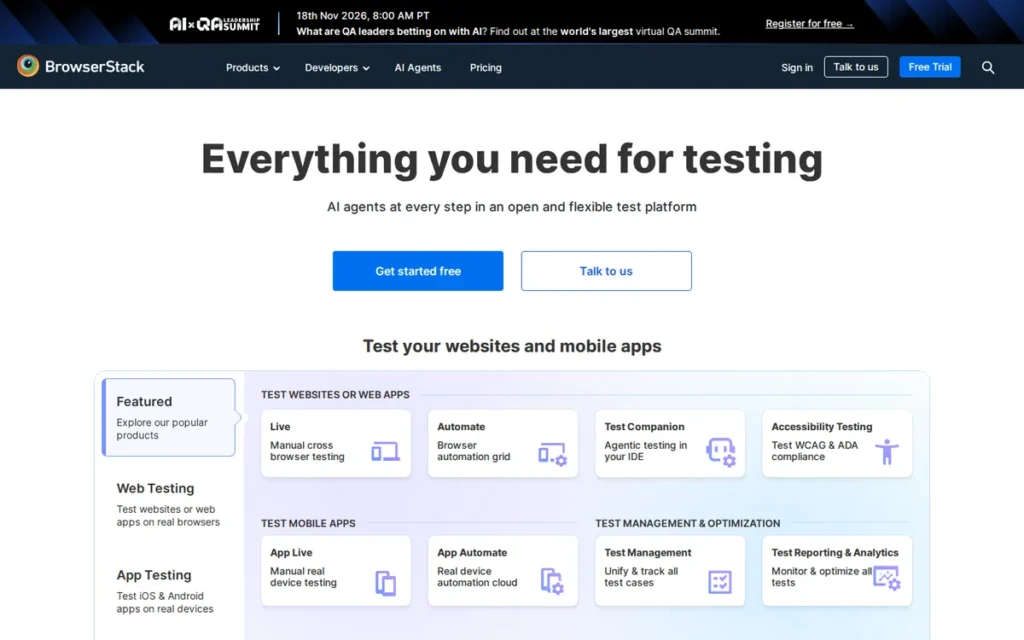
Category: Cloud Testing Infrastructure, a hosted service that provides access to real devices, desktop browsers, and operating system environments for running automated and manual tests without on-premises device lab investment.
At a Glance
- Category: Cloud Testing Infrastructure
- Best For: QA teams and engineering organizations that need Safari/iOS testing, real-device mobile coverage, or cross-browser compliance verification across hundreds of device and browser combinations without maintaining their own device laboratory
- Price Range: Automate from approximately $50/month (community-reported, 2023–2025); higher parallel tiers from approximately $250/month; Percy visual testing from $199/month (Desktop) or $599/month (Desktop + Mobile) per published tiers, verify at browserstack.com/pricing, last verified June 2026
- Primary Strength: BrowserStack provides access to 20,000+ real mobile devices and 3,500+ browser/OS combinations with a 99% uptime SLA, processing nearly 1 billion tests per year across 50,000+ companies.
- Biggest Limitation: BrowserStack is the most expensive tool in this comparison with steep escalation above free tiers, and its value proposition is weak for teams whose testing only requires Chrome or Chromium in CI.
- One-Line Summary: BrowserStack is the leading cloud testing infrastructure platform serving 50,000+ companies with 20,000+ real mobile devices, 3,500+ browser/OS combinations, and a 99% uptime SLA, the default enterprise solution for Safari/iOS coverage and cross-browser compliance testing at a cost that requires confirmed real-device requirements to justify.
- Last Verified: June 2026
Overview
BrowserStack is a cloud-based testing infrastructure platform built for QA teams and engineering organizations that need to run automated and manual tests across real mobile devices and desktop browsers without building or maintaining their own device laboratory. BrowserStack’s six-product suite (Automate (web UI on real browsers), App Automate (Appium-based mobile on real devices), Percy (visual regression), Accessibility (AI-assisted WCAG auditing), Live (manual testing), and Test Management) makes it one of the few single-vendor solutions consolidating web, mobile, visual, and accessibility testing under one contract.
BrowserStack is framework-agnostic, supporting Selenium, Playwright, Cypress, Appium, and WebdriverIO, meaning teams can connect existing test frameworks to BrowserStack’s infrastructure without rewriting test code. BrowserStack holds a G2 Leader badge in the cross-browser testing category with a 4.5/5 rating (last verified June 2026).
Key Features
- BrowserStack provides access to 20,000-plus real physical mobile devices: not emulators, hosted across 19 global data centers, enabling QA teams to test on specific device, OS, and carrier combinations where actual users experience issues, including hardware sensor behavior and OEM-specific rendering differences that emulators cannot replicate.
- BrowserStack Automate supports Selenium, Playwright, Cypress, Appium, and WebdriverIO without requiring teams to modify existing test code, enabling incremental adoption alongside current automation investments rather than requiring upfront rewrites.
- BrowserStack Percy provides visual regression testing by capturing UI screenshots across builds and flagging layout differences, extending functional test coverage to catch rendering regressions (pixel-level and layout-level failures) that assertion-based functional tests cannot detect.
- BrowserStack Accessibility integrates AI-assisted WCAG compliance auditing within the same test execution pipeline as functional regression testing, allowing QA teams to surface accessibility issues on real browsers without a separate audit workflow or additional vendor contract.
- BrowserStack’s 99% uptime SLA and global data center infrastructure provide contractual execution accountability that self-hosted Selenium Grid or open-source CI runners rarely match with equivalent guarantees for enterprise procurement decisions.
Best For
BrowserStack is best for enterprise QA teams with genuine Safari and iOS testing requirements (no other tool in this comparison provides reliable real-device iOS coverage) mobile-heavy products that must verify behavior across diverse OEM hardware, or organizations with cross-browser compliance mandates requiring documented test execution across a broad and standardized device and browser matrix.
Pricing
BrowserStack pricing is tiered by product line and usage volume. Community-reported figures from Reddit discussions (2023–2025) place the base Automate plan at approximately $50/month for 100 automated testing minutes, with higher parallel execution tiers at $250/month and above. Percy’s published tiers include a limited free tier and paid screenshot-based plans documented at $199/month for Desktop or $599/month for Desktop and Mobile, verify current rates at browserstack.com/pricing before budgeting (last verified June 2026). Automate plan figures are community-reported and may not reflect current 2026 rates; always verify with BrowserStack directly.
Strengths
- BrowserStack holds a G2 Leader badge in the cross-browser testing category with a 4.5/5 rating (last verified June 2026), G2 Leader designation requires both a high satisfaction score and sufficient verified review volume, providing independent third-party endorsement not based on analyst projections or vendor-produced materials.
- BrowserStack processes nearly 1 billion tests per year across its global infrastructure (Aqua-cloud review, 2025), a scale indicator of production-hardened reliability that no self-hosted Selenium Grid approaches, a credible signal that execution consistency has been proven at workloads exceeding what most individual organizations will generate.
- A senior frontend infrastructure engineer articulated BrowserStack’s build-vs-buy rationale directly: “You’d need Mac machines and mobile emulators in CI, parallel execution across multiple machines, snapshot artifact storage, and a comparison system, that’s a fair bit of work, and that’s why providers like BrowserStack charge what they do” (u/vivshaw, r/rails, 2023).
- BrowserStack’s framework-agnostic compatibility means teams with Selenium, Playwright, Cypress, or Appium suites connect to BrowserStack infrastructure by changing a configuration endpoint rather than rewriting tests, reducing the evaluation barrier before making a multi-year commitment.
Limitations
- Cost and Steep Tier Escalation: BrowserStack is the most expensive tool in this comparison. Percy’s limited free tier provides minimal coverage, and paid visual testing plans are documented at $199/month for Desktop or $599/month for Desktop and Mobile, a significant jump from free that, combined with Automate plan costs of $250+/month at higher parallelism, places the full BrowserStack suite among the highest-cost options in this comparison. Verify current pricing at browserstack.com/pricing before budgeting.
- VPN Incompatibility: BrowserStack has a documented VPN incompatibility issue in enterprise environments (the BrowserStack tunnel approach can conflict with corporate VPN configurations) a significant operational friction point in enterprises with strict network security policies where VPN is mandatory, as noted by u/volen, r/softwaretesting, 2023.
- Weak Value for Chrome-Only CI: BrowserStack’s value justification is weakest for teams that primarily run Chromium-based automated tests in CI, “unless you really need the hardware mobile device testing, it is absolutely not necessary and GitHub Actions runners are fine” (u/needmoresynths, r/softwaretesting, 2023), a consistent community conclusion that teams should evaluate honestly before committing.
Verdict
BrowserStack is the leading cloud testing infrastructure platform for real-device cross-browser test execution in 2026, providing the only commercial solution with 20,000-plus real physical devices, a 99% uptime SLA, and framework-agnostic compatibility with every major automation framework under one platform contract. Engineering leads evaluating BrowserStack should confirm that Safari and iOS real-device testing or broad mobile hardware coverage is a genuine, non-negotiable requirement before committing, for teams that primarily run Chromium-based automated tests in CI, GitHub Actions runners and Playwright’s native parallel execution provide functionally equivalent results at zero incremental software cost. BrowserStack’s six-product consolidation is a legitimate efficiency gain for enterprise QA organizations, but each product line, particularly Percy, with paid tiers starting at $199/month for Desktop or $599/month for Desktop and Mobile, should be evaluated on its individual cost-versus-alternative merits rather than assumed to be justified by the consolidated contract.
5. Katalon: Best All-in-One Platform for Mixed-Skill QA Teams
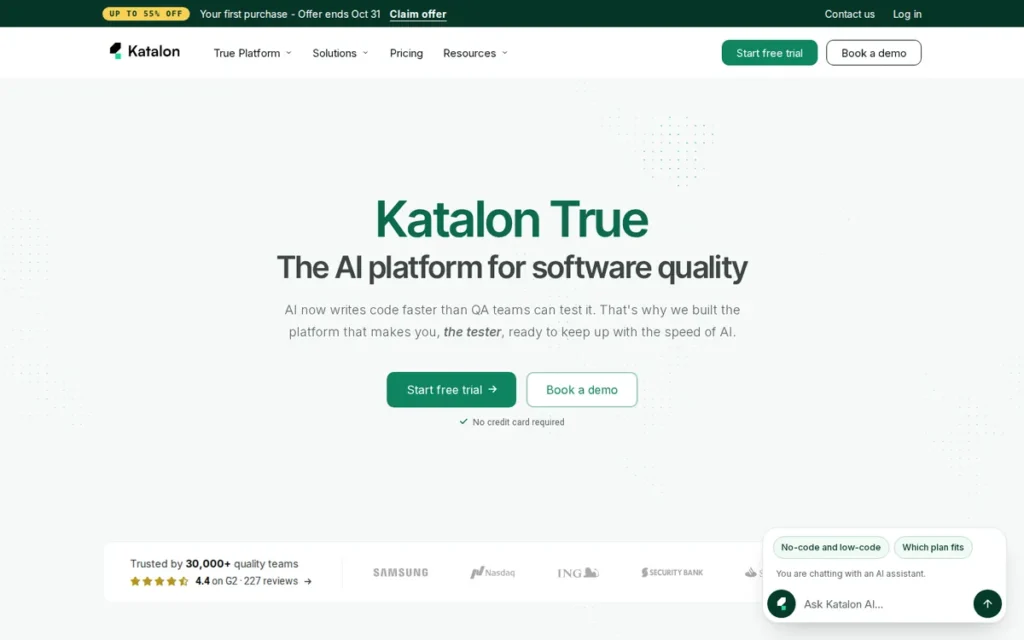
Category: All-in-One QA Platform, a commercial test automation product that bundles test creation, execution, management, and analytics for multiple application types (web, mobile, API, desktop) in a single tool with both no-code and code-based authoring modes.
At a Glance
- Category: All-in-One QA Platform
- Best For: Mixed-skill QA teams transitioning from manual to automated testing, or organizations needing web, mobile, API, and desktop coverage from a single tool without requiring all team members to have full coding expertise
- Price Range: Free tier (Katalon Studio IDE with core testing and local execution features); Premium and Ultimate tiers add cloud execution, AI analytics, and enterprise integrations (pricing requires contacting Katalon sales and is not publicly listed (last verified June 2026) verify at katalon.com/pricing)
- Primary Strength: Katalon uniquely combines no-code record-and-playback with full Groovy/Java scripting and AI-powered TruePath self-healing locators that automatically update broken element selectors after UI changes, directly addressing the maintenance overhead that ranks as the top QA frustration across practitioner communities.
- Biggest Limitation: Katalon’s no-code capability reaches a documented ceiling as QA maturity grows, and the code-mode Groovy scripting introduces a nontrivial learning curve; community evidence consistently shows teams migrating to code-first frameworks over a 12–18 month adoption cycle.
- One-Line Summary: Katalon is an all-in-one test automation platform that uniquely combines no-code record-and-playback, full Groovy scripting, and AI-powered self-healing locators for web, mobile, API, and desktop testing in a single freemium product, making it the most accessible entry point for mixed-skill QA teams and the only tool in this comparison with a genuine hybrid no-code/code model.
- Last Verified: June 2026
Overview
Katalon is an all-in-one test automation platform for QA teams of mixed skill levels (from manual testers without a coding background to experienced QA engineers) providing no-code record-and-playback, full scripting in Groovy and Java, and unified coverage for web, mobile, API, and desktop applications within a single product. Katalon’s hybrid model is its primary technical differentiation: a manual tester can create tests using record-and-playback, and an engineer can extend those same tests with Groovy code in the same file, on the same platform, without separate tools.
Katalon has been in active commercial development since its public release in September 2016, reports a self-reported user base of 300,000-plus testers, and holds a G2 rating of 4.5/5. Katalon is the only tool in this 7-tool comparison with a named position in the 2025 Gartner Magic Quadrant for AI-Augmented Software Testing (Katalon, 2025).
Key Features
- Katalon’s hybrid no-code/code model allows a manual tester to create tests via record-and-playback and an automation engineer to extend those exact same tests with Groovy scripting in the same file, the only tool in this comparison where both authoring modalities coexist at equal depth in a single test artifact without requiring separate tools or workflows.
- Katalon’s TruePath self-healing locator technology automatically detects when a UI element’s CSS selector or XPath has changed after a front-end update and repairs the locator during test execution, directly reducing the maintenance overhead that practitioners across all frameworks identify as their highest ongoing time cost (Testsigma, 2025).
- Katalon covers web, mobile (via Appium), REST and SOAP API, and desktop application testing from a single platform, making Katalon the only tool in this comparison that eliminates the need for separate frameworks for each test layer in a single product offering.
- Katalon’s TestOps analytics platform provides centralized dashboards with AI-powered failure categorization that automatically distinguishes between flaky failures (environmental or timing-related) and script failures (code logic errors), reducing the diagnostic triage time QA leads spend interpreting CI failure reports.
- Katalon integrates natively with Jira, Azure DevOps, TestRail, qTest, Kobiton, and 15-plus CI/CD platforms (Jenkins, Bamboo, TeamCity, CircleCI, Travis CI, Azure Pipelines) enabling test results and defects to flow automatically into the project management and bug-tracking systems enterprises are already using (Qameta, 2025).
Best For
Katalon is best for QA teams transitioning from manual testing to automation who need immediate productivity without a full coding prerequisite, for organizations requiring a single tool covering web, mobile, and API testing with a manageable onboarding curve, and particularly for teams with frequently changing UI where TruePath self-healing locators would otherwise require significant manual locator maintenance after every release cycle.
Pricing
Katalon offers a free tier (Katalon Studio IDE) that provides core test creation and local execution with genuine utility for individual testers and small teams. Premium and Ultimate tiers add cloud parallel execution, full AI failure analytics, advanced test management, and enterprise integrations, pricing for paid tiers requires contacting Katalon sales and was not available from a publicly listed pricing page during research (last verified June 2026). Teams should request explicit documentation of which features remain in the free tier before organizational adoption, given the community pattern of feature migration to paid tiers across SaaS testing platforms.
Strengths
- Katalon is named a Visionary in the 2025 Gartner Magic Quadrant for AI-Augmented Software Testing (Katalon, 2025) (making Katalon the only tool in this 7-tool comparison with a named Gartner MQ position) and holds a G2 rating of 4.5/5 from verified end users, two independent evaluative signals from separate organizations.
- Katalon’s TruePath self-healing locator capability automatically updates broken element selectors after UI changes during test execution, multiple independent comparison analyses identify this as Katalon’s strongest technical differentiator over Playwright and Selenium, which require manual locator remediation on every affected test after each UI release cycle (Testsigma, 2025).
- Katalon’s self-reported 300,000-plus user base and 9-year active development history since its September 2016 public release demonstrate sustained production adoption across web, mobile, API, and desktop layers, Katalon is a production-hardened platform with years of enterprise customer feedback incorporated, not an experimental product.
- Katalon’s built-in TestOps analytics and test management capabilities eliminate the need for a separate test management system such as TestRail, Zephyr, or qTest for teams with moderate reporting requirements, reducing per-seat licensing cost for organizations that would otherwise pay for both an automation framework and a standalone test management tool.
Limitations
- No-Code Capability Ceiling: Katalon’s no-code adoption follows a documented pattern, as test suite complexity grows and QA maturity increases, the limitations of record-and-playback become apparent and teams increasingly rely on Katalon’s Groovy scripting mode, which introduces a nontrivial learning curve given that Groovy is significantly less commonly taught than Python, Java, JavaScript, or TypeScript.
- Documented Migration Pattern: Multiple Reddit practitioners describe a consistent adoption funnel: “In my experience, orgs transitioning from manual QA to automation find themselves in this middle phase and adopt a no-code solution… the reality of how inadequate/limited these solutions are becomes apparent and teams generally move to a framework like webdriver/cypress/playwright/etc.” (u/tanaciousp, r/QualityAssurance, 2023), indicating Katalon is often a stepping stone rather than a permanent endpoint.
- Opaque Paid Pricing: Katalon’s paid tier pricing requires sales contact rather than being publicly transparent, making total cost of ownership planning more difficult than with tools such as Playwright (free) or Cypress ($67/month, publicly listed), a structural disadvantage for engineering leads who must present budget justifications before initiating a vendor conversation.
- Scale Performance Limitations: Katalon’s test execution performance at high parallelism and large suite sizes is noted as inferior to leaner code-first frameworks in multiple independent comparison analyses (Functionize, BugBug, Testsigma, 2025), teams planning suites exceeding 1,000 tests or high-frequency parallel CI runs should validate performance at their target scale before organizational adoption.
Verdict
Katalon is the highest-coverage all-in-one QA platform for mixed-skill teams in 2026, uniquely combining no-code record-and-playback, full Groovy scripting, AI-powered self-healing locators, and web, mobile, API, and desktop coverage in a single freemium product. Katalon ranks above Cypress (#6) because its multi-layer coverage, web, mobile, API, and desktop, addresses the full breadth of the described audience’s workload, while Cypress’s advantage is confined to JavaScript and TypeScript frontend teams testing single-page applications. Katalon’s TruePath self-healing locator technology is the most substantive AI-driven maintenance reduction feature of any tool in this comparison, directly addressing the number-one QA pain point. Engineering leads evaluating Katalon for teams with strong coding proficiency should weigh the self-healing benefits against the documented community pattern of migrating to code-first frameworks as automation maturity grows, planning for framework evolution at the 18-to-24-month mark is realistic.
6. Cypress: Best for JavaScript Frontend and Component Testing
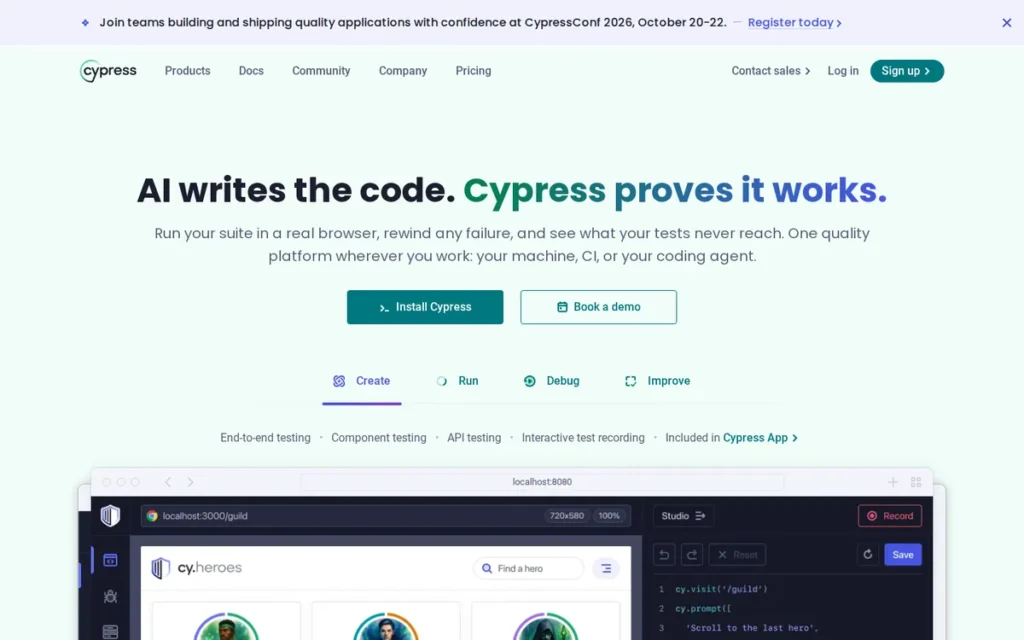
Category: Web E2E Framework (JS-native), a JavaScript-native testing framework that runs inside the browser to verify web application user flows end-to-end and test individual frontend components in isolation.
At a Glance
- Category: Web E2E Framework (JS-native)
- Best For: JavaScript and TypeScript frontend teams building single-page applications who prioritize the fastest possible local debugging feedback and component-level testing in the same tool as full E2E flows
- Price Range: Free (open-source test runner, no restrictions on local or self-managed CI use); Cypress Cloud from $67/month billed annually ($799/year), verify at cypress.io/pricing (last verified June 2026)
- Primary Strength: Cypress provides time-travel debugging with per-step DOM snapshots during live test execution, no other widely adopted open-source web testing framework currently provides this native interactive debugging capability, making it the fastest local debugging experience for complex frontend interactions.
- Biggest Limitation: Cypress is constrained to JavaScript and TypeScript, supports only single-tab browser interactions, and requires paid Cypress Cloud for parallel CI execution, causing teams with complex multi-domain flows or non-JS stacks to prefer Playwright.
- One-Line Summary: Cypress is a JavaScript-native E2E testing framework that runs tests inside the browser with time-travel DOM debugging (delivering the fastest local feedback loop for JS/TS frontend teams) while its architectural constraints (JS-only, single-tab, paid parallelism) cause enterprise teams with complex flows to prefer Playwright.
- Last Verified: June 2026
Overview
Cypress is a JavaScript-native end-to-end testing framework built for frontend developers and JS/TypeScript QA teams who prioritize rapid feedback, interactive debugging with time-travel DOM snapshots, and fast test execution for single-page applications. Cypress’s architecture (running tests inside the browser rather than controlling it from outside) gives it direct access to the application’s DOM, network layer, and JavaScript execution context, enabling its signature time-travel debugging capability where every command step is captured with a DOM snapshot that can be replayed interactively.
Cypress was founded in 2015, approximately five years before Playwright entered the market, and has a correspondingly larger body of tutorials, community plugins, and existing production suites, a practical onboarding advantage for teams evaluating either framework without prior automation experience.
Key Features
- Cypress’s time-travel debugger captures a DOM snapshot at every command step during test execution, allowing developers to hover over any command in the Cypress GUI and inspect the exact application state at that moment, a capability no other widely adopted open-source web testing framework currently provides natively, directly reducing debugging time on complex UI interaction failures.
- Cypress runs tests inside the browser rather than controlling it from outside, giving tests direct synchronous access to the application’s JavaScript context, window object, cookies, and localStorage, enabling test hooks and stub implementations that out-of-browser frameworks implement through more complex external approaches.
- Cypress supports component testing for React, Vue, and Angular applications, allowing frontend developers to mount and test individual UI components in isolation within the same framework, runner, and configuration used for full application E2E flows.
- Cypress includes built-in network request interception via
cy.intercept, allowing tests to stub, mock, and assert on HTTP requests during execution, valuable for testing application behavior during API loading states, error responses, and third-party dependency failures without requiring a backend service to be running. - Cypress’s interactive test runner provides real-time test execution feedback as code changes are saved during local development, reducing the write-to-result iteration cycle to near-instant and improving the test-driven development experience for frontend engineers.
Best For
Cypress is best for JavaScript and TypeScript frontend development teams building React, Vue, or Angular single-page applications who prioritize the fastest possible interactive debugging experience and are willing to useCypress Cloud for parallel CI execution, and for teams whose application flows do not require multi-tab navigation, cross-origin testing, or non-JavaScript language support.
Pricing
The Cypress open-source test runner is free with no usage restrictions, teams run unlimited tests locally or in self-managed CI without cost. Cypress Cloud, the SaaS layer for test parallelization, run history, flakiness analytics, and centralized dashboards, is priced at $67/month billed annually ($799/year) as of June 2026; verify current pricing at cypress.io/pricing. Teams requiring parallelized tests across multiple CI machines must use Cypress Cloud or implement their own orchestration approach, unlike Playwright, which provides native parallel execution without additional paid infrastructure.
Strengths
- Cypress’s time-travel debugging: providing interactive DOM snapshots at every command step during live test execution, is identified by multiple independent practitioner comparisons (GetAutonoma, 2025; SHIFT Asia, 2025) as the most productive local debugging experience available in any open-source testing framework, with no free equivalent from any competing tool.
- Cypress is listed on ThoughtWorks Technology Radar (2024–2025) and tracked in State of JS 2024 as a significant production web testing tool, independent practitioner-community endorsements of Cypress’s ongoing production readiness even as Playwright grows its share of new-project recommendations.
- Cypress’s
cy.interceptAPI enables tests to natively intercept, stub, and assert on network requests without additional proxy tooling, allowing frontend teams to create reliable, backend-independent tests for loading states, error handling, and API integration behavior using built-in framework capabilities. - Cypress’s founding in 2015: five years before Playwright’s creation, means it has a larger body of published tutorials, community plugins, and course materials than Playwright, providing a genuine onboarding advantage for teams new to test automation; Cypress is the second most widely used web E2E testing framework by npm download volume after Playwright, indicating a large and active installed base.
Limitations
- JavaScript/TypeScript Only: Cypress is architecturally constrained to JavaScript and TypeScript, teams with Java, Python, C#, or Ruby QA stacks cannot use Cypress without adopting a new language for their entire test suite, making Cypress unsuitable for the large portion of enterprise QA that operates in non-JavaScript language environments.
- Architecture-Based Structural Constraints: Cypress’s in-browser execution model, which creates the time-travel debugging advantage, also prevents multi-tab testing, cross-origin navigation, and certain out-of-browser interactions, documented friction for enterprise application flows involving authentication redirects, multiple browser tabs, or third-party OAuth service integrations.
- CI Flakiness Requires Authoring Discipline: Cypress CI flakiness is frequently a test authoring discipline problem rather than a framework defect, meaning Cypress’s reliability in CI is more sensitive to team automation skill level than Playwright’s structural auto-wait mechanism, and the community response is instructive: “Use Playwright with TypeScript. It’s a million times better and easier” was the top-voted reply to a Cypress pipeline flakiness thread (u/Achillor22, 12 upvotes, r/QualityAssurance, 2024).
- Paid Parallelism: Cypress requires paid Cypress Cloud ($67/month billed annually) for parallel test execution across multiple CI machines, a cost that Playwright’s native, free parallelism eliminates entirely for teams running large suites in CI.
Verdict
Cypress is the best JavaScript-native testing framework for frontend developers who prioritize interactive debugging and rapid feedback cycles on single-page applications in 2026, with time-travel DOM snapshot debugging that no competing open-source framework matches for local development productivity. Cypress’s architectural choice to run inside the browser creates both the time-travel debugging experience and the JavaScript-only, single-tab, and cross-origin restrictions that cause teams with growing enterprise test suites to migrate to Playwright as their automation program scales. Switch trigger: If your Cypress suite experiences CI-vs-local flakiness on more than 5% of test runs, your application flows involve multi-tab navigation or cross-origin authentication, or your team needs to add non-JavaScript engineers to the automation effort, these are the three concrete signals that Playwright’s architecture would address structurally rather than requiring continued test discipline investment.
Users on r/QualityAssurance noted:
“What problem are you trying to solve? Problems where ‘port to another stack’ is the correct answer are extremely rare. What you have works (I assume). You already know all the gotchas and have workarounds in place. Cypress is supported and well documented. It’s easy to hire people to work with it.” Posted by u/mzalewski
Takeaway: Experienced QA practitioners consistently counsel against migrating away from Cypress unless a concrete, workflow-level problem (not theoretical framework superiority) justifies the switching cost and rewrite investment.
7. Appium: Best for Cross-Platform Mobile Automation (iOS and Android)
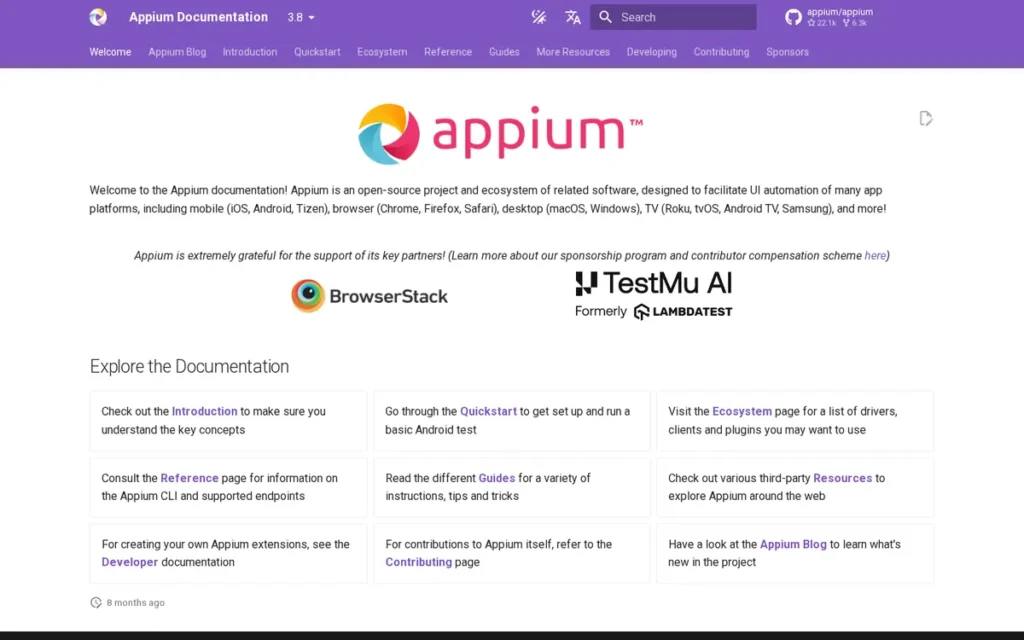
Category: Mobile Automation Framework, an open-source library that automates interactions with native, hybrid, and mobile web applications on real iOS and Android devices, emulators, and simulators.
At a Glance
- Category: Mobile Automation Framework
- Best For: QA teams that need to test native or hybrid mobile apps on both iOS and Android from a single codebase, particularly teams prioritizing cross-platform code reuse over raw execution speed, or teams whose testing requires access to commercial device cloud infrastructure built around Appium
- Price Range: Free (open-source, Apache 2.0 license); device cloud infrastructure costs vary (approximately $50–$500+/month depending on coverage and parallelism (BrowserStack, Sauce Labs, LambdaTest, Kobiton)) last verified June 2026
- Primary Strength: Appium is the most widely adopted free open-source framework supporting cross-platform iOS and Android native app automation from a single multi-language codebase, and it serves as the compatibility standard for every major commercial mobile device cloud platform.
- Biggest Limitation: Appium is significantly slower than native mobile frameworks, 2026 independent benchmarks show Espresso completing a 50-test Android suite approximately 4.5x faster than Appium, and Android webview context switching produces persistent flakiness requiring daily maintenance effort.
- One-Line Summary: Appium is the OpenJS Foundation-governed open-source mobile automation framework enabling cross-platform iOS and Android testing from a single multi-language codebase (the compatibility foundation for every major commercial device cloud) despite documented speed trade-offs versus native frameworks that make it unsuitable for single-platform products or teams with tight CI execution time constraints.
- Last Verified: June 2026
Overview
Appium is the open-source mobile test automation framework governed by the OpenJS Foundation, the same foundation that manages Node.js and jQuery, designed for QA engineers who need to test native, hybrid, and mobile web applications on both iOS and Android from a single cross-language codebase in Java, Python, JavaScript, Ruby, or C#. Appium’s core value proposition is platform unification: Appium replaces the need for separate test codebases in Espresso (Android/Kotlin) and XCUITest (iOS/Swift) with one framework and one set of tests, at the cost of significantly slower execution and higher maintenance overhead than either platform-native alternative.
Appium is the only tool in this comparison purpose-built for mobile application automation, and Appium’s OpenJS Foundation governance provides vendor-neutral project sustainability that Microsoft-backed Playwright and VC-backed commercial tools cannot offer.
Key Features
- Appium enables iOS and Android native, hybrid, and mobile web application automation from a single codebase in five languages (Java, Python, JavaScript, Ruby, and C#) eliminating the separate skill sets, build processes, and CI configurations required for maintaining platform-native test frameworks (Espresso for Android, XCUITest for iOS) independently.
- Appium 2.0, released in 2023, introduced a modular plugin and driver architecture that separates the core Appium server from platform-specific drivers (UIAutomator2 for Android, XCUITest driver for iOS), allowing individual driver updates and community-developed drivers for emerging platforms without reinstalling the full Appium framework (Perfecto, 2023).
- Appium implements the W3C WebDriver protocol, making Appium’s API model familiar to any QA engineer with Selenium experience and allowing Selenium-based patterns to extend naturally to mobile test scenarios, reducing the mobile testing onboarding curve for web automation teams expanding their coverage.
- Appium is the compatibility foundation for BrowserStack App Automate, Sauce Labs, LambdaTest, Kobiton, and Perfecto, enabling teams to execute Appium tests on thousands of real physical devices and OS combinations without maintaining their own device laboratory infrastructure.
- Appium’s OpenJS Foundation governance provides vendor-neutral project oversight and long-term independence from any single commercial sponsor, protecting Appium’s roadmap from conflicts of interest relevant to enterprise teams assessing multi-year tool dependency risk.
Best For
Appium is best for QA teams that need to test native or hybrid applications on both iOS and Android and prioritize cross-platform code reuse over raw test execution speed, particularly teams needing access to commercial device cloud infrastructure built around Appium compatibility. Teams building tests for a single mobile platform (Android-only or iOS-only) should evaluate Espresso or XCUITest first before committing to Appium’s cross-platform overhead.
Pricing
Appium itself is 100% free and open-source under the Apache 2.0 license with no restrictions. The primary costs for Appium users are infrastructure: local testing with emulated devices can be zero-cost, but teams needing broad real-device coverage typically require a commercial device cloud. Community-reported pricing for Appium-compatible device clouds ranges from approximately $50/month for entry-tier plans to $500/month and above for enterprise real-device coverage, verify current rates with BrowserStack, LambdaTest, Sauce Labs, Kobiton, or Perfecto before budgeting (last verified June 2026).
Strengths
- Appium’s status as the compatibility foundation for every major commercial mobile device cloud (BrowserStack App Automate, Sauce Labs, LambdaTest, Kobiton, and Perfecto have all built their mobile automation businesses specifically around Appium protocol compatibility) represents the strongest possible market validation: five separate commercial businesses independently chose Appium as their technical standard.
- Appium’s OpenJS Foundation governance: the same foundation managing Node.js and jQuery, provides vendor-neutral, commercially independent project sustainability that Microsoft-backed Playwright and VC-backed Cypress cannot offer, protecting Appium’s roadmap independence over the multi-year tool commitment horizons relevant to enterprise procurement.
- Appium 2.0’s modular plugin and driver architecture (released 2023) addressed the major operational pain point from Appium 1.x where updating one platform’s driver required reinstalling the entire framework; Appium 3.0 development is active with speed improvements noted by community members in 2026 threads (r/QualityAssurance, 2026), teams evaluating Appium should verify whether Appium 3.0 stable release is available at the time of their evaluation, as the speed penalty may narrow with each major version.
- Appium’s W3C WebDriver protocol compatibility provides API continuity for QA engineers already proficient in Selenium, reducing mobile automation onboarding time for web automation teams expanding into mobile testing.
Limitations
- Severe Speed Penalty vs. Native Frameworks: Appium has the most severe documented performance limitations of any tool in this comparison, a 2026 independent benchmark found Espresso completing a 50-test Android suite approximately 4.5x faster than Appium (4:12 versus 18:47, GetAutonoma, 2026), with individual iOS login flow timings in the 30–45-second range on Appium versus 3–5 seconds on native frameworks (maestro.dev, 2026; corroborated by u/StraitChillinAllDay, r/QualityAssurance, December 2023), a compounding operational cost that grows with suite size and CI run frequency.
- High Daily Maintenance Burden: Appium’s Android webview context switching produces persistent flakiness requiring disproportionate daily maintenance, at least one active Appium user reported in 2025 that maintaining their Android Appium suite required “100% effort daily just to make sure it runs smoothly” (u/beastczzz, r/softwaretesting, 2025), a maintenance overhead significantly higher than any web automation framework in this comparison.
- Complex Initial Setup Barrier: Appium’s setup complexity: managing the Appium server, platform-specific drivers, device configurations, and WebdriverAgent on iOS, represents a significant initial barrier that practitioners consistently rate as higher than any web automation framework in this comparison, particularly for iOS where Apple’s toolchain adds additional configuration requirements.
- Native Framework Alternatives for Single-Platform Products: Appium’s cross-platform code reuse benefit is meaningful only when teams genuinely test on both iOS and Android, teams building Android-only or iOS-only products should evaluate Espresso (Android) or XCUITest (iOS) before defaulting to Appium, because native frameworks eliminate the speed penalty and maintenance overhead entirely.
This aligns with community sentiment on r/softwaretesting:
“Your three pain points are basically the universal mobile-automation story, so you’re not doing anything wrong. A few things that helped us without changing tools: Stop writing scripted tests for the long tail, that’s where Appium maintenance compounds fastest. Keep code-based tests only for stable, high-value flows, and push their ownership onto the feature devs so they don’t rot.” Posted by u/Ok_Opportunity_4228
Takeaway: Appium’s maintenance compounding on long-tail test coverage is the universally recognized mobile automation pain point, the practitioner-validated mitigation is restricting Appium coverage to stable, high-value flows rather than attempting comprehensive automated coverage across the full test suite.
Verdict
Appium is the dominant open-source mobile automation framework for cross-platform iOS and Android testing in 2026, serving as the compatibility foundation for every major commercial device cloud and the most widely adopted free framework for teams that genuinely need cross-platform mobile code reuse from a single codebase. Teams building automated tests for a single mobile platform, Android-only or iOS-only products, should seriously evaluate native frameworks (Espresso for Android, XCUITest for iOS) before committing to Appium, because the documented 4.5x performance gap and Android webview flakiness are real, ongoing operational costs that native frameworks eliminate without trade-off. For teams with genuine cross-platform coverage requirements and access to commercial device cloud infrastructure, Appium remains the most widely adopted free framework, but planning for higher maintenance overhead than any web automation framework in this comparison is essential for setting realistic CI/CD expectations. Appium 3.0 development is active; verify its release status before your evaluation, as speed improvements may alter the performance trade-off calculation.
What Red Flags Should I Watch For When Evaluating Automation Testing Tools?
Six concrete red flags signal that a vendor claim, comparison article, or tool evaluation deserves scrutiny, identifying them early prevents poor tool commitments before they compound across your test suite, team time, and infrastructure budget over a 2-to-3-year horizon.
Red Flag #1: Vendor Claims Zero Flakiness Without Explaining the Architectural Mechanism
Reject any flakiness claim that lacks a named architectural mechanism. A vendor claiming zero flakiness without specifying whether that comes from built-in auto-wait, self-healing selectors, or explicit synchronization handling is making a marketing claim, not an engineering claim. Mechanism-free flakiness claims cannot predict your team’s actual weekly CI maintenance overhead.
The Flakiness Architecture Rule: tools that reduce flakiness by architecture (Playwright’s built-in auto-wait performs actionability checks before every action regardless of who wrote the test) produce more consistent CI results than tools that reduce flakiness by authoring discipline (Selenium’s explicit wait placement, Cypress’s async handling). Ask vendors: “What happens when an element is not immediately visible?” Mechanism-free answers disqualify the claim.
Red Flag #2: Pricing Requires Sales Contact With No Published Tier Structure
Avoid committing to any tool whose pricing requires a sales conversation before a single tier is visible. If a vendor won’t publish its pricing, costs may escalate in ways they prefer not to advertise. Katalon and BrowserStack’s enterprise tiers both require sales contact, plan for total cost of ownership uncertainty before any vendor conversation begins. Always request a full 3-year TCO estimate including infrastructure, parallel execution credits, and device farm costs before committing.
Red Flag #3: No Named CI/CD Platform Integrations, Only Generic Pipeline Claims
Tools that claim “CI/CD integration” without naming specific platforms likely have shallow or manually scripted integrations rather than first-class, maintained connectors. Ask the vendor to name their GitHub Actions, Jenkins, CircleCI, Azure DevOps, and Bamboo integrations specifically. Generic pipeline claims can mean anything from basic shell script documentation to genuine native support, and the difference in setup and maintenance overhead is significant.
Red Flag #4: AI Features Described as Beta or Coming Soon Without Production Case Studies
AI-assisted features (self-healing locators, AI test generation, AI failure categorization) reduce current maintenance overhead only when production-deployed and supported by named customer evidence. Katalon’s TruePath self-healing is a production feature cited in multiple independent analyses; “coming soon” AI features should not influence current tool selection decisions. Ask for a named reference customer with a production deployment of the specific AI feature before weighting it in your evaluation.
Red Flag #5: All-in-One Platform With No Documented Migration Path as Requirements Grow
Vendors who provide no clear migration guidance (how to export test data, how to transition to code-first frameworks) are optimizing for lock-in rather than long-term customer success. All-in-one platforms including Katalon are appropriate starting tools for many teams but carry the documented risk of becoming limiting as QA maturity increases. Ask any all-in-one vendor: “What does our migration path look like if we outgrow this tool in 18 months?” The answer quality reveals the vendor’s intentions.
Red Flag #6: Adoption Statistics Based on npm Downloads for a Primarily Java or Maven-Based Tool
Any “Selenium is declining” claim based exclusively on npm metrics is a structural measurement error: Selenium’s dominant language is Java, which distributes via Maven Central, entirely separate from npm. Core Selenium contributor Diego Molina documented 98.5 million Maven downloads in May 2024 alone (LinkedIn, May 2024). For Selenium adoption data, consult Maven Central at search.maven.org for the org.seleniumhq.selenium artifact, the authoritative source for Java-language Selenium adoption that npm trend dashboards structurally cannot display.
What Questions Should I Ask Before Choosing an Automation Testing Tool?
Six targeted questions separate a well-matched tool selection from a decision that generates compounding maintenance costs over the next two to three years of your automation program. Each question targets a specific constraint (language compatibility, real-device requirements, migration cost, flakiness architecture, tool consolidation, or infrastructure budget) that most tool evaluations overlook until it becomes a production problem.
Question #1: What programming languages does your team currently use for test automation, and are you willing to adopt a new language?
Language compatibility is the first filter, if none of your QA engineers write the language a framework requires, adoption cost includes a reskilling investment that rarely appears in vendor pricing. Playwright and Selenium have the broadest language support; Cypress supports JavaScript and TypeScript only, which eliminates it for Python-first or Java-first teams.
Language support by tool:
- Playwright: JavaScript, TypeScript, Python, Java, C#
- Selenium: JavaScript, TypeScript, Python, Java, C#, Ruby
- Cypress: JavaScript and TypeScript only: no Python, Java, or Ruby support
- Appium: JavaScript, Python, Java, Ruby, C# (via WebDriver protocol)
- Katalon: Groovy (GUI mode), Java (script mode)
- Postman: JavaScript (test sandbox only: no UI automation)
Question #2: Do you need real-device Safari/iOS testing or broad Android OEM coverage, or do Chromium-based browser tests cover your use case?
Safari/iOS real-device testing determines whether BrowserStack’s cost is justified for your team. If your user base is predominantly Chrome and Firefox on desktop, Playwright’s native multi-browser support on GitHub Actions runners delivers equivalent coverage at zero incremental cost. If you support Safari and iOS, real-device testing is functionally non-negotiable, emulators do not replicate hardware rendering or carrier-specific network conditions.
- Chromium-only CI: GitHub Actions + Playwright at zero incremental cost
- Safari/iOS required: BrowserStack or equivalent real-device cloud
- Android OEM diversity required: BrowserStack App Automate or Appium + device cloud
Question #3: Are you starting a new test suite from scratch, or migrating an existing suite, and if migrating, what percentage of coverage would be lost in a full rewrite?
Suite size drives migration cost more than any other variable. For greenfield projects, Playwright is the community default. For existing suites, the migration ROI calculation must include the full engineering cost of rewriting tests multiplied by current coverage breadth.
- Under 500 tests: full framework switch feasible in one sprint
- 500–5,000 tests: plan a parallel-run period of 4–8 weeks
- 5,000+ tests: incremental migration: new tests in the target framework, existing tests maintained until natural retirement
Question #4: What is your team’s current weekly maintenance overhead for broken test locators and CI flakiness, and which framework architecture reduces that overhead structurally versus requiring discipline?
Playwright’s auto-wait reduces CI flakiness structurally and by default, it requires no developer discipline to engage on each test. Selenium’s flakiness reduction requires disciplined explicit wait placement throughout the entire suite by every test author. Katalon’s self-healing locators address locator breakage specifically. The question is whether you want flakiness reduction built into the framework’s architecture, or dependent on your team’s consistent authoring discipline. Teams with varied or developing automation experience benefit most from architectural flakiness reduction.
Question #5: Do you need a single vendor covering web, mobile, API, and visual testing, or are you comfortable assembling and integrating a multi-tool stack?
Single-vendor solutions (Katalon, BrowserStack’s full suite) reduce integration overhead and vendor management complexity. Multi-tool stacks (Playwright + Postman + Appium) provide best-in-class tools at each testing layer but require explicit integration engineering and ongoing maintenance across framework versions. Neither approach is universally superior, the decision depends on your team’s DevOps maturity and comfort with integration complexity.
The most common efficient stacks:
- Playwright + Postman: web E2E and API testing at zero licensing cost
- Playwright + Postman + Appium + BrowserStack entry tier: full three-layer coverage for mobile and real-device requirements
- Katalon + BrowserStack: consolidated coverage for mixed-skill teams preferring fewer vendor relationships
Question #6: What is your realistic 3-year total cost of ownership budget, including infrastructure costs such as parallel CI execution credits, device farm subscriptions, and cloud test execution fees?
Free frameworks carry zero licensing cost but nonzero infrastructure cost at scale. Playwright running in parallel on GitHub Actions uses runner minutes that have a per-minute cost. Appium at scale requires a commercial device cloud at $50–$500+/month. BrowserStack’s Automate plan escalates rapidly with parallel sessions. Budget for the full infrastructure stack over three years (not just the framework licensing cost) to avoid planning for a “free” tool that incurs significant cloud costs at production scale.
How Did We Rank These 7 Automation Testing Tools?
The seven tools in this comparison were ranked using six objective criteria covering CI/CD reliability, testing coverage breadth, community ecosystem health, developer experience, pricing transparency, and CI/CD integration depth. All seven tools were researched with identical query depth and editorial treatment. The three primary criteria (C1, C2, C3) are weighted double to reflect their outsized impact on long-term automation program success.
Evaluation Process
Each tool was researched through the following steps:
- AI search engine analysis: querying Perplexity and ChatGPT with five target prompts to identify which tools appear and which are absent from current AI answers
- Independent web research: collecting primary source data on features, pricing, and third-party benchmarks for each tool
- Reddit community sentiment analysis: reviewing relevant threads from r/QualityAssurance and r/softwaretesting (2023–2026), with primary weight given to high-upvote practitioner comments describing specific mechanisms and experiences
- Third-party review platform data: collecting G2 ratings and Leader badge status where commercially available
- Analyst report cross-referencing: verifying market data against Mordor Intelligence, Fortune Business Insights, Global Market Insights, and Technavio
- Pricing page verification: capturing current pricing from official vendor pages with last-verified dates included in every entry
How Did We Weight the Ranking Criteria?
- Primary weight (double): C1 CI/CD Reliability and Flakiness Rate, C2 Coverage Breadth, C3 Community Ecosystem and Maintenance Activity: these criteria determine day-to-day test quality outcomes
- Secondary weight (standard): C4 Developer Experience and Learning Curve, C5 Pricing and Total Cost of Ownership, C6 CI/CD Integration Depth: these criteria determine adoption feasibility and budget fit
What Did Each Criterion Measure?
C1, CI/CD Reliability and Flakiness Profile: Test flakiness is the number-one cited frustration across QA communities. Assessed using: auto-wait architecture, the Checkly 2024 benchmark, and community-reported CI-vs-local inconsistency patterns.
C2, Testing Coverage Breadth and Platform Support: Coverage breadth determines how many additional tools a team must assemble. Assessed using: supported test types, language count, browser and device coverage, and supplementary tool requirements.
C3, Community Adoption and Ecosystem Health: Community size predicts long-term support availability, plugin frequency, and job-market recognition. Assessed using: npm or Maven downloads with named source and date, G2 ratings, State of JS 2024, ThoughtWorks Technology Radar (2024–2025), and governance structure.
C4, Developer Experience, Tooling, and Learning Curve: Built-in debugging tools, code generation, and no-code options determine team velocity. Assessed using: built-in tooling breadth, no-code availability, and community-reported onboarding experiences.
C5, Pricing Transparency and Total Cost of Ownership: Pricing predictability over a 2-to-3-year horizon is as important as the current published tier. Assessed using: published pricing tiers, free tier utility, community-reported TCO, and device farm and parallel execution infrastructure costs.
C6, CI/CD Integration Depth and Compatibility: Automation delivers ROI only when tests run reliably on every commit. Assessed using: named CI/CD platform integrations, Docker support, parallel execution infrastructure requirements, and community-reported setup complexity.
How Did We Handle Conflicting Evidence?
When review platform ratings conflict with Reddit community sentiment, specificity and recency are weighted more heavily, a detailed 2025 Reddit post with 50+ upvotes from an identified practitioner outweighs a generic 2023 G2 review.
A specific measurement-bias correction applies to Selenium throughout this article. Comparing Selenium’s and Playwright’s adoption using npm download statistics is a structural measurement error: Selenium’s dominant language (Java) distributes via Maven Central, not npm. Core Selenium contributor Diego Molina documented 98.5 million Maven downloads in May 2024 alone (LinkedIn, May 2024). Any article claiming “Selenium is declining” based solely on npm metrics is measuring the wrong package manager. This correction is applied in Selenium’s evidence analysis and documented in Red Flag #6.
How Do We Keep This Guide Current?
Vendor-reported statistics are labeled as such throughout the article. Only claims corroborated by at least one independent source are stated as fact. Pricing figures from community sources are labeled “community-reported” with the Reddit URL and date, and all pricing entries include an instruction to verify at the official pricing page before budgeting. This article was last updated in June 2026. PlugRoute refreshes automation testing tool rankings on a semi-annual basis to reflect pricing changes, new framework releases, and community sentiment shifts.
Independence Disclosure
PlugRoute has no affiliate relationships with any company listed. Rankings are determined entirely by research data and objective evaluation criteria.
Frequently Asked Questions About Automation Testing Tools
Is Playwright Better Than Selenium in 2026?
Playwright is the stronger choice for any new web E2E project, its built-in auto-wait, faster real-world E2E execution per the Checkly 2024 benchmark, and zero-cost tooling suite make it structurally superior for greenfield work. Selenium remains rational for teams with large Java test suites where rewriting costs more in engineering time than performance gains justify over a 12-to-24-month horizon.
What Is the Best Automation Testing Tool for Mobile Apps?
For cross-platform iOS and Android mobile testing, Appium is the most widely adopted free open-source option and the compatibility standard for every major commercial device cloud. Teams testing Android only should evaluate Espresso first, 2026 independent benchmarks show Espresso completing test suites approximately 4.5x faster (GetAutonoma, 2026). For iOS-only products, XCUITest eliminates Appium’s performance overhead and setup complexity entirely.
How Does PlugRoute Determine Its Automation Testing Tool Rankings?
PlugRoute ranks automation testing tools across six criteria: CI/CD reliability and flakiness profile, testing coverage breadth, community ecosystem health, developer experience and learning curve, pricing transparency and total cost of ownership, and CI/CD integration depth. Scores are derived from published benchmarks, G2 ratings, Reddit practitioner sentiment (r/QualityAssurance and r/softwaretesting, 2023–2026), analyst reports, and dated primary sources. No vendor provided input into the ranking process.
Glossary: Key Terms Used in This Comparison
Test Flakiness: Test flakiness refers to automated tests that produce inconsistent results (passing on some runs and failing on others) despite no changes to the application code. Common causes include timing dependencies, shared test state, and network latency variance. Flakiness is the number-one cited maintenance burden across QA practitioner communities in r/QualityAssurance and r/softwaretesting, and the primary criterion used to differentiate framework architectures in this comparison.
Auto-Wait Mechanism: An auto-wait mechanism is a testing framework feature that automatically delays a test action (such as clicking a button or filling a form field) until the target element has reached a defined “actionable” state (visible, enabled, stable, and ready to receive events). Playwright’s auto-wait is built into every action by default, eliminating the need for manual timing calls that are the primary source of CI flakiness in WebDriver-based frameworks like Selenium.
Self-Healing Locators: Self-healing locators are a test automation feature that automatically detects when a UI element’s selector (CSS class, XPath, or ID) has changed after a front-end code update and repairs the broken locator during test execution, reducing the manual maintenance work required when developers rename HTML elements or restructure the DOM between releases. Katalon’s TruePath self-healing is the most widely cited production implementation in 2026 practitioner comparisons as a differentiator over Playwright and Selenium.
WebDriver Protocol: The WebDriver Protocol is the W3C-standardized specification for browser automation that defines how test frameworks communicate with web browsers, specifying the HTTP API that automation clients use to open URLs, locate elements, click elements, and retrieve page state. The protocol was standardized by the W3C in 2018 and is implemented natively by all major browsers. Selenium is the reference implementation, and Appium extends the same protocol to mobile device automation, which is why QA engineers with Selenium experience find Appium’s API familiar.
CI/CD Pipeline: A CI/CD (Continuous Integration / Continuous Delivery) pipeline is an automated software delivery workflow that runs tests, validates code quality, and deploys application changes on every commit to a source code repository. Native CI/CD integration means the framework publishes an official plugin or documented action for major pipeline platforms (GitHub Actions, Jenkins, CircleCI, Azure DevOps) rather than relying on generic CLI invocation. CI/CD integration depth is a primary ranking criterion in this comparison because automated tests deliver ROI only when they run automatically on every code change.
Which Automation Testing Tool Is Right for You?
For most teams starting new projects in 2026, Playwright plus Postman covers web E2E and API testing at zero licensing cost, the optimal zero-cost starting stack for teams with coding capability. For teams re-evaluating existing tooling, the decision hinges on whether migration ROI over a defined 12-to-24-month horizon justifies the engineering cost of rewriting existing high-coverage test suites.
Key Insights
- Playwright is the community’s default recommendation for any new web E2E project: its built-in auto-wait, zero cost, five-language support, and fastest-in-class CI execution in real-world E2E scenarios per the Checkly 2024 benchmark make it the documented first choice for greenfield web automation, reflected in top-voted practitioner comments across r/QualityAssurance and r/softwaretesting in 2025.
- Selenium’s Maven ecosystem receives 98.5 million downloads monthly, making npm-only adoption comparisons structurally misleading, and making Selenium the rational choice for Java-first enterprise teams with established suites rather than a declining legacy tool that should be replaced immediately.
- Postman is the world’s most widely used API testing platform in this comparison: serving 40 million developers with the highest G2 rating (4.6/5) in this comparison, directly relevant to API testing workloads that are central to microservices and backend QA programs and frequently overlooked in tool recommendations.
- BrowserStack’s value is conditional on confirmed Safari and iOS requirements: for Chrome-only CI pipelines, GitHub Actions runners plus Playwright’s native parallelism provide equivalent results at zero incremental software cost, making BrowserStack unjustifiable unless real-device mobile testing is a genuine, documented requirement.
- Katalon’s no-code capability ceiling is real and community-documented: teams transitioning from manual QA find it effective in the first 12–18 months, but the documented pattern of migrating to code-first frameworks as automation maturity grows means Katalon is often a starting tool rather than a permanent endpoint.
- Most teams with web and API testing needs will require at least two tools from this list: Playwright for web E2E and Postman for API testing cover the primary QA layers of modern application development at zero licensing cost, representing the most common efficient starting stack for startups through mid-size engineering organizations.
- The zero-cost 2026 starting stack: Playwright (web E2E, MIT license) + Postman free tier (API testing, 3-user limit) + Appium (cross-platform mobile) + BrowserStack or LambdaTest entry tier (~$50/month for device coverage), comprehensive three-layer test automation at approximately $50/month in infrastructure costs with zero framework licensing fees.
For teams starting fresh: Playwright handles web E2E at zero cost, Postman handles API testing at zero cost for small teams, and Appium handles cross-platform mobile, a stack covering the three primary testing layers at minimal licensing cost when CI infrastructure is already in place.
For teams re-evaluating existing tooling: the question is not which tool is theoretically best, but whether the switching cost (rewriting tests, retraining engineers, re-integrating CI pipelines) is justified by the gains over a realistic time horizon. In most cases, selective migration rather than wholesale replacement is the answer.
Tool selection is a compounding decision: the wrong framework at launch multiplies its maintenance cost over every sprint, every new test author who joins the team, and every UI change that breaks locators across an under-suited suite. The goal of this analysis is to ensure each tool in your stack earns its place through evidence rather than habit or vendor familiarity.
For more independent, evidence-based software tool comparisons, explore our rankings at PlugRoute. We update this guide quarterly. Last updated: June 2026.