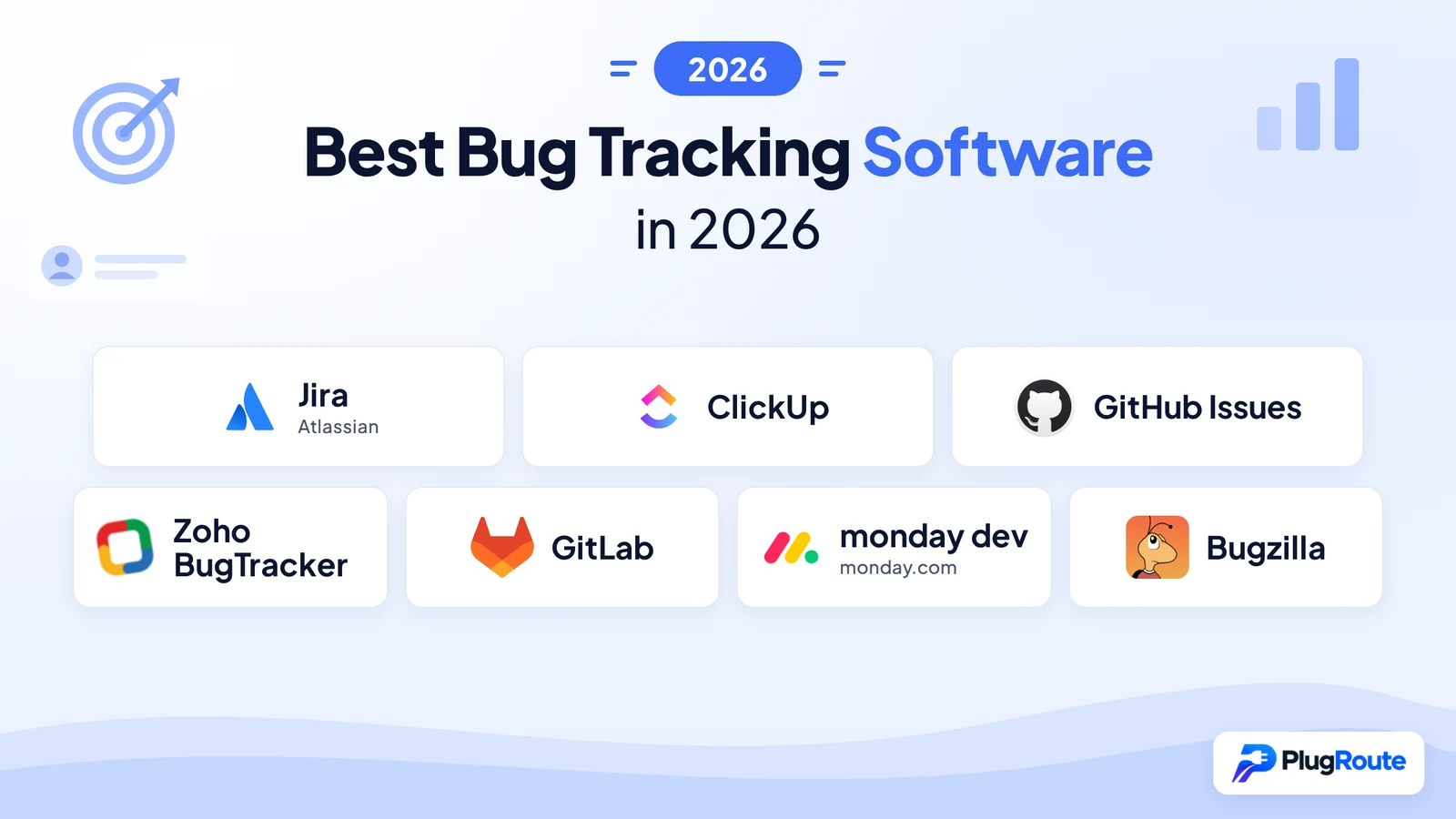
Jira is the best overall bug tracker for mid-to-large engineering teams requiring formal QA workflow enforcement. ClickUp is the strongest all-in-one alternative at lower per-user cost with a genuinely unlimited free tier. GitHub Issues is the best zero-cost option for developer-native teams already on GitHub. This comparison ranks all seven by verified ratings, real pricing at team scale, and QA workflow depth.
Most engineering teams adopt Jira by default, without evaluating fit, pricing at their actual team size, or whether the tool enforces the defect lifecycle their QA process requires. GitLab issues have no status-blocking transitions. monday.com’s bucket pricing inflates real costs 25–50%. These hidden mechanics cost teams more than vendor demos reveal.
PlugRoute has no affiliate relationships with any company listed. Rankings are determined entirely by research data and objective evaluation criteria.
“You work at a startup and GitHub projects won’t cut it? You do realize GH projects are used successfully at much larger engineering orgs right?” (u/b1e, r/ExperiencedDevs)
Takeaway: Experienced developers frequently challenge the assumption that GitHub Issues is suitable only for small teams, a pattern this comparison confirms: GitHub Issues scores the highest G2 rating in this evaluation at 4.7/5 despite its structural absence of formal QA lifecycle enforcement.
TL;DR: Top Picks at a Glance
- Jira: deepest configurable QA workflow enforcement for mid-to-large teams requiring formal defect lifecycle management from triage to verified close
- ClickUp: Jira-comparable workflow flexibility at lower per-user cost with a genuinely unlimited free tier and built-in AI for consolidation-focused teams
- GitHub Issues: zero-setup, zero-cost tracker for GitHub-native developer and open-source teams at no additional tooling cost
- Zoho BugTracker: most affordable dedicated tracker at $3/user/month (Standard); SLA management and Business Rules triage automation on Premium ($8/user/month)
What Are the Main Categories of Bug Tracking Tools?
Bug tracking tools in 2026 fall into three structural categories based on where defect management sits within the product’s architecture. The category determines how much initial setup a team needs and how well the tool enforces formal defect lifecycles without custom workarounds, a distinction vendor demos rarely surface.
Category 1: Enterprise Issue Trackers and Code-Native Platforms
These tools place bug tracking at the center of a broader engineering workflow ecosystem. Enterprise issue trackers offer the deepest QA workflow enforcement; code-native trackers provide zero-friction integration where code already lives; DevSecOps platforms link bugs to the full CI/CD pipeline.
This category includes:
- Jira: enterprise issue tracker
- GitHub Issues: code-native tracker
- GitLab: DevSecOps platform
Category 2: Work OS Platforms with Bug Tracking
These tools treat bug tracking as one configurable use case on a broad work management platform. Work OS platforms offer high team-breadth and cross-functional accessibility but require initial configuration investment to enforce defect lifecycles, they are not purpose-built bug trackers out of the box.
This category includes:
- ClickUp: all-in-one work management with configurable bug workflows
- monday dev: visual work management with cross-functional bug tracking
Category 3: Dedicated and Specialized Bug Trackers
These tools are purpose-built for defect management rather than repurposed project management. Dedicated trackers provide structured defect fields and SLA management without configuration overhead, but offer narrower third-party ecosystems.
This category includes:
- Zoho BugTracker: dedicated SaaS bug tracker
- Bugzilla: open-source self-hosted tracker
Note on Linear: Linear is frequently cited by developer communities as a fast-growing Jira alternative with strong developer UX and is recommended by multiple LLMs for engineering-first teams. Linear was not included in the evaluated research corpus for this comparison. A dedicated Linear evaluation is forthcoming at PlugRoute.
How Do the Top Bug Tracking Tools Compare at a Glance?
These seven tools span a 10-user annual cost range from $0 (Bugzilla licensing) to $3,480 (GitLab Premium SaaS), a 266% cost difference that headline per-user rates entirely conceal. G2 ratings range from 4.1 to 4.7, and QA workflow enforcement depth varies from none (GitHub Issues, GitLab) to full status-blocking lifecycle management (Jira).
| Rank | Company | Category | Best For | One-Line Summary | Key Capabilities | Primary Strength | Key Limitation |
|---|---|---|---|---|---|---|---|
| 1 | Jira (Atlassian) | Enterprise Issue Tracker | Mid-to-large teams requiring formal QA workflow enforcement and deep integrations | Jira is the most feature-complete bug tracking platform for mid-to-large engineering teams, offering configurable QA workflow enforcement, 6,000+ integrations, and 20 years of market-validated reliability. | Status-blocking workflow transitions; 6,000+ marketplace apps including Zephyr Scale and Xray; Atlassian Intelligence AI; JSM integration pipeline | Deepest configurable QA workflow enforcement of any evaluated tool; only tool with vendor-commissioned Forrester ROI study | Jira requires dedicated administrator overhead for mid-sized teams and scales to approximately $8,724/year for 50 users on Premium |
| 2 | ClickUp | Work OS / Bug Tracker | Teams of 5–50 consolidating bug tracking and project management at lower per-user cost | ClickUp is a highly configurable all-in-one work platform offering bug tracking workflows, a genuinely unlimited free tier, and built-in AI at lower per-user cost than Jira. | Bug and Issue Tracking template; Custom Status workflows; ClickUp Brain AI; GitHub/GitLab integrations; Free Forever plan | G2 rating of 4.6/5 from 12,428+ reviews; unlimited Free Forever tier; 12% lower per-user cost than Jira Standard | ClickUp’s bug tracking effectiveness is entirely configuration-dependent; default deployment produces a task list, not a defect workflow |
| 3 | GitHub Issues | Code-Native Issue Tracker | Developer-first and open-source teams on GitHub wanting zero-setup bug tracking | GitHub Issues is the best zero-cost, zero-setup bug tracker for development teams already on GitHub, with 2025–2026 platform upgrades closing prior search and hierarchy gaps. | PR-linked bug closure; April 2026 Advanced Search GA; Sub-issues and Issue Types GA; Projects v2 with Custom Fields | Highest G2 rating in comparison (4.7/5); zero additional cost for existing GitHub users; Microsoft-backed vendor stability | GitHub Issues lacks enforced workflow transitions, SLA management, and QA-specific reporting dashboards; architectural constraints, not configuration gaps |
| 4 | Zoho BugTracker | Dedicated Bug Tracker | Small-to-mid teams needing affordable dedicated bug tracking, especially in the Zoho ecosystem | Zoho BugTracker is the most affordable dedicated bug tracker in this comparison, offering structured tracking at $3/user/month (Standard) and native SLA management plus automated triage at $8/user/month (Premium). | Business Rules automation (Premium); SLA management (Premium); Crashlytics integration; Client User Access; Zoho ecosystem integrations | Lowest-cost dedicated bug tracker; purpose-built defect management; Crashlytics crash-to-bug workflow | SLA management and Business Rules triage automation require Premium ($8/user/month); not included in Standard ($3/user/month) |
| 5 | GitLab | DevSecOps Platform | DevSecOps teams needing end-to-end pipeline integration; regulated orgs requiring self-managed deployment | GitLab is the strongest end-to-end DevSecOps platform in this comparison with a self-managed option for data-sovereign organizations, but its complete absence of workflow enforcement disqualifies it for teams requiring formal defect lifecycle management. | End-to-end pipeline traceability; GitLab Duo AI; self-managed deployment option; Service Desk | NASDAQ-listed (GTLB); end-to-end DevSecOps traceability; self-managed Premium at approximately $19/user/month | GitLab issues have no status-blocking workflow transitions; any bug can be closed without verification at any time |
| 6 | monday dev | Visual Work Management | Cross-functional teams where non-technical stakeholders manage bugs alongside roadmaps | monday dev is the most accessible bug tracking platform for cross-functional teams with non-technical stakeholders, but its performance limitations at high defect volumes and bucket pricing mechanics make it a poor fit for high-volume QA workflows. | Out-of-the-box bug dashboards; form-based intake; defect routing automation; 200+ integrations; sprint management | Strongest non-technical UX of any evaluated tool; zero-configuration defect dashboards requiring no setup | monday dev has documented performance degradation at 100+ defect volumes and bucket pricing inflates real costs 25–50% above headline rates |
| 7 | Bugzilla | Open-Source Self-Hosted | Data-sovereign organizations, air-gapped environments, and open-source communities at any team scale | Bugzilla is the original zero-cost, self-hosted bug tracker powering Mozilla, Linux-related projects, and LibreOffice; strongest for data-sovereign organizations prioritizing query depth and zero licensing cost over modern UX. | Advanced Boolean search; Automatic Duplicate Detection; Bug Groups for visibility control; zero licensing cost at any team size | Zero licensing cost at any team size; most powerful defect query engine in the category; 26 years of production reliability | Bugzilla requires self-hosting operational overhead, has a 26-year-old UI, uses XML-RPC/JSON-RPC APIs only, and has no agile features |
Which Bug Tracking Tool Should I Choose for My Use Case?
The right bug tracker depends on your team’s top priority, whether that is formal QA enforcement, budget constraints, ecosystem fit, or cross-functional accessibility. The table below maps common priorities to the strongest evaluated tool for each.
| Your #1 Priority | Recommended Tool | Why | Acceptable Alternative |
|---|---|---|---|
| Formal QA lifecycle enforcement with status-blocking transitions | Jira Standard | Only evaluated tool with configurable status-blocking transitions enforcing the full defect lifecycle from triage to verified close | Zoho BugTracker Premium ($8/user/month); native SLA management and Custom Workflows |
| Zero cost for GitHub-hosted codebases | GitHub Issues | Embedded in GitHub at no additional cost; highest G2 rating (4.7/5); April 2026 Advanced Search GA closes prior search limitations | ClickUp Free Forever; unlimited users, no time expiry |
| Lowest cost for dedicated bug tracking structure | Zoho BugTracker Standard | $3/user/month ($360/year for 10 users); lowest paid-tier cost of any commercial tracker in this comparison for basic structured defect logging | GitHub Issues Team ($4/user/month) |
| All-in-one consolidation (bugs + tasks + docs + sprints) | ClickUp Unlimited | $7/user/month; configurable defect workflows alongside full project management; 4.6/5 G2 from 12,428+ reviews | Jira Standard; deeper QA enforcement at slightly higher cost |
| Cross-functional team with non-technical bug reporters | monday dev Standard | Strongest non-technical UX; form-based intake; out-of-the-box dashboards require no configuration | ClickUp Business; configurable intake forms at $12/user/month |
| End-to-end DevSecOps pipeline traceability | GitLab Premium | Single platform from bug report to CI/CD deployment; GitLab Duo AI for issue summarization and root cause analysis | Jira + Bitbucket; comparable traceability via Atlassian ecosystem |
| Data sovereignty or air-gapped environment | Bugzilla | $0 licensing at any team scale; completely self-hosted; full data sovereignty | GitLab Self-Managed Premium (approximately $19/user/month; verify at about.gitlab.com/pricing) |
| Formal QA plus test case management in one platform | Jira Premium + Xray or Zephyr Scale | Only tool with marketplace-native test case management linked to defect records at enterprise scale | No direct equivalent among the seven evaluated tools |
1. Jira (Atlassian): Best Overall / Best for Mid-to-Large Engineering Teams Requiring Formal QA Workflows
Category: Enterprise Issue Tracker, a commercial, cloud-hosted bug and issue tracking platform with configurable QA workflow enforcement, status-blocking defect lifecycle management, and a 6,000+ app third-party marketplace.
At a Glance
- Category: Enterprise Issue Tracker
- Best For: Mid-to-large engineering teams (10–1,000+ users) requiring formal defect lifecycle enforcement, QA traceability, and deep third-party integrations, especially teams already in the Atlassian ecosystem
- Price Range: Free (up to 10 users) / Standard $7.91/user/month / Premium $14.54/user/month / Enterprise: custom (all billed annually; pricing subject to Atlassian FY26/27 changes, verify at atlassian.com/software/jira/pricing; as of June 2026)
- Primary Strength: Jira provides the deepest configurable bug-tracking workflow enforcement of any tool in this comparison, with 6,000+ marketplace integrations and native support for formal QA defect lifecycle management from triage to verified close
- Biggest Limitation: Jira requires dedicated administrator overhead for mid-sized teams and scales to approximately $8,724/year for 50 users on the Premium plan, a significant cost for teams needing only lightweight defect tracking without the full enterprise feature set
- One-Line Summary: Jira is the most feature-complete bug tracking platform for mid-to-large engineering teams, offering configurable QA workflow enforcement, 6,000+ integrations, and 20 years of market-validated reliability.
- Last Verified: June 2026
Overview
Jira (Atlassian) is the market-defining enterprise bug and issue tracker built for software teams of 10 to 10,000+ users who need configurable defect workflows, structured priority triage, and deep CI/CD and developer toolchain integrations.
Jira’s origins in 2002 as a dedicated bug tracker (before expanding into agile project management) continue to define its architecture, giving it native defect lifecycle constructs that work management platforms must replicate through configuration.
Jira’s value compounds for teams also using Confluence, Jira Service Management, or Bitbucket, where cross-product linking connects bugs to documentation, support tickets, and specific commits. Jira is listed on NASDAQ (ticker: TEAM) and has served as the category-defining bug tracker for over 20 years.
Key Features
- Status-Blocking Workflow Enforcement: Jira provides configurable bug workflow enforcement with status-blocking transitions, meaning a defect cannot advance to Closed or Resolved without passing through defined QA-verified states, the most rigorous lifecycle control of any tool in this comparison.
- 6,000+ Marketplace Apps: Jira’s marketplace offers over 6,000 apps including dedicated QA test management tools Zephyr Scale and Xray, which extend Jira into full test case management, execution tracking, and coverage reporting without requiring a separate test management platform.
- Atlassian Intelligence AI Layer: Jira includes Atlassian Intelligence, a platform-wide AI feature bundle covering issue summarization, automated content generation, and workflow automation across Jira, Confluence, Loom, and Rovo AI for teams on qualifying plans.
- Dedicated Bug Tracking Templates: Jira’s pre-built bug tracking templates provide defect intake forms, triage queues, and QA reporting dashboards with out-of-the-box priority and status visualizations, reducing initial setup time for teams new to the platform.
- Jira Service Management Integration: Jira integrates natively with Jira Service Management (JSM) (Atlassian’s IT service desk and customer support platform) enabling customer-reported defects to flow from support tickets directly into the engineering backlog with full context, eliminating manual re-entry and cross-tool context-switching.
Best For
Jira is best for mid-to-large engineering teams of 10+ users that require enforced defect lifecycle management, formal QA traceability from bug intake to verified close, and a broad integration ecosystem, particularly teams already invested in the Atlassian stack (Confluence, Jira Service Management, Bitbucket) who benefit from cross-product traceability linking bugs to documentation, support tickets, and code commits.
Pricing
Jira Cloud pricing (billed annually, as of June 2026):
- Free: $0/month (up to 10 users)
- Standard: $7.91/user/month: ~$950/year for 10 users; ~$4,746/year for 50 users
- Premium: $14.54/user/month: ~$1,745/year for 10 users; ~$8,724/year for 50 users
- Enterprise: Custom pricing via sales
Zephyr Scale and Xray are separate marketplace purchases not included in standard Jira licensing, teams requiring formal test management should budget these additional costs separately. Atlassian has announced pricing changes in its FY26/27 window; verify current rates at atlassian.com/software/jira/pricing.
Strengths
- Vendor-Commissioned ROI Evidence: A Forrester Total Economic Impact Spotlight study, vendor-commissioned by Atlassian, reported a 155% ROI for Jira Software plus Confluence for small digital-native companies on Atlassian Cloud (Forrester TEI Spotlight, originally published 2021; cited in Deviniti 2026 analysis), the strongest documented third-party outcome evidence of any tool in this comparison, though readers should note its scope and vendor-commissioned status.
- Strong Independent Review Rating: Jira holds a G2 rating of 4.3/5 across thousands of verified reviews, with consistent documented praise for deep workflow configurability, enterprise-grade permissions management, and the breadth of the 6,000+ app marketplace (G2, June 2026).
- Deepest QA Test Management Ecosystem: Jira’s marketplace includes dedicated QA tools Zephyr Scale and Xray, giving teams formal test-case-to-defect traceability within a single platform, a depth no other evaluated tool provides without switching to a separate test management system (Atlassian Marketplace, 2026).
- 20+ Years of Market-Defining Leadership: Jira has been the category-defining bug tracker since 2002 and is listed on NASDAQ (TEAM), providing the highest vendor stability of any paid commercial tool in this comparison with financial transparency that supports long-term procurement decisions.
Limitations
- Configuration and Administrator Overhead: Jira’s most consequential trade-off is the inverse relationship between its configurability and its operational burden, mid-sized teams of 20+ users typically require a dedicated Jira administrator to manage workflow schemes, permission configurations, field hierarchies, and automation rules, a hidden labor cost that per-user pricing tables never capture.
- Scaling Cost Reality: Jira Premium scales to approximately $8,724/year for 50 users in licensing alone, before factoring in QA add-on costs (Zephyr Scale and Xray are separate marketplace purchases), administrator compensation, and configuration ramp-up time that frequently delays productive adoption by weeks (eesel.ai, 2026).
- Default-Adoption Over-Engineering Risk: Jira adoption patterns documented across community research consistently show teams choosing the platform because of organizational inertia (“I’ve been using Jira since it came from bugzilla… so I’m probably a bit invested” (u/mrdiyguy, r/agile) rather than through genuine fit evaluation, leading to over-engineered workflows for problems simpler tools would solve at lower cost.)
- Mismatch for Small Teams: Jira becomes structurally over-engineered for teams under 15 users with straightforward defect workflows, where ClickUp, GitHub Issues, or Zoho BugTracker achieve equivalent outcomes at significantly lower total cost and setup burden.
Users on r/gamedev shared their experience with Jira at smaller team sizes:
“The problem I have with Jira is that it tends to require extra configuration to get going, it is powerful, it supports shitton of 3rd party integrations and scripts but it can also be slow and unwieldy to use. Personally I prefer simpler tools if you have nearly flat team structure with just few employees. You definitely want some sort of a kanban to track it but you probably don’t need custom pipelines and flows Jira can help with at this stage.” Posted by u/ziptofaf
Takeaway: Experienced developers consistently report that Jira’s configuration depth becomes a liability rather than an asset for small, flat-structure teams whose actual needs a lightweight kanban would fully cover.
Verdict
Jira is the most feature-complete bug tracking platform for mid-to-large engineering teams requiring formal QA workflow enforcement, earning #1 in this independent evaluation through the deepest configurable defect lifecycle management, the largest integration marketplace (6,000+ apps), and the only tool with a vendor-commissioned Forrester ROI study (155% for small digital-native companies on Atlassian Cloud, 2021) in this comparison. Teams with fewer than 15 users, straightforward defect workflows, or no dedicated administration capacity should evaluate ClickUp or GitHub Issues before defaulting to Jira’s configuration overhead. Enterprise teams already in the Atlassian ecosystem will find Jira’s compound value (linking bugs to Confluence documentation, Jira Service Management support tickets, and Bitbucket commits) structurally difficult to replicate with any alternative reviewed here.
2. ClickUp: Best All-in-One Alternative to Jira / Best for Teams Consolidating Bug Tracking with Project Management at Lower Cost

Category: Work OS / Bug Tracker, an all-in-one configurable work management platform that enables bug tracking through templates, Custom Task Types, and workflow automation alongside project management, documentation, and sprint planning in a single workspace.
At a Glance
- Category: Work OS / Bug Tracker
- Best For: Teams of 5–50 seeking a Jira alternative that consolidates bug tracking, task management, documentation, and sprint planning, willing to invest initial configuration time for a highly personalized defect workflow at lower per-user cost
- Price Range: Free Forever ($0, unlimited users, no time expiry) / Unlimited $7/user/month / Business $12/user/month / Enterprise: custom (billed annually; as of June 2026)
- Primary Strength: ClickUp delivers Jira-comparable workflow configurability at $7/user/month on the Unlimited plan, with a genuinely unlimited Free Forever tier and ClickUp Brain AI for task summarization, at a 12% lower per-user cost than Jira Standard
- Biggest Limitation: ClickUp’s bug tracking effectiveness is entirely configuration-dependent, teams that invest in Custom Status enforcement and Automation rule setup get a rigorous defect workflow; teams that deploy with default settings get an undifferentiated task list that enforces no bug lifecycle whatsoever
- One-Line Summary: ClickUp is a highly configurable all-in-one work platform offering bug tracking workflows, a genuinely unlimited free tier, and built-in AI at lower per-user cost than Jira.
- Last Verified: June 2026
Overview
ClickUp is an all-in-one work management platform that enables bug tracking through configurable Custom Task Types, Custom Statuses, and a dedicated Bug and Issue Tracking template, designed for development teams of 5 to 50+ users who want to manage defects, tasks, documentation, and sprints in a single workspace at lower per-user cost than Jira.
ClickUp was founded in 2017 and, per company reporting, raised $537M+ in total funding reaching a $4 billion valuation at its 2021 Series C. ClickUp maintains one of the fastest feature development cadences in the work management category.
ClickUp is not a purpose-built bug tracker, ClickUp applies bug tracking as one configurable use case through its Template Center, and its effectiveness as a defect management tool depends entirely on the quality of initial team configuration.
Key Features
- Bug and Issue Tracking Template: ClickUp provides a dedicated Bug and Issue Tracking template in its Template Center, with pre-configured Custom Task Types, defect severity fields, reproduction steps structure, and QA workflow statuses (Triage → In Progress → Fixed → Verified) that teams can activate without building from scratch (ClickUp Template Center, 2026).
- Custom Status Workflow System: ClickUp’s Custom Status system allows teams to model any defect lifecycle with configurable transition controls, replicating Jira-style bug state management at $7/user/month, provided teams invest in the initial workflow configuration before expecting lifecycle enforcement.
- ClickUp Brain AI: ClickUp Brain provides automated task summarization, status descriptions, and content generation directly within bug records, reducing the documentation overhead engineers spend writing detailed defect context for reproducibility.
- GitHub and GitLab Integration: ClickUp integrates natively with GitHub and GitLab for PR-linked bug status updates, Slack for triage notification routing, and 200+ additional tools, ensuring bugs tracked in ClickUp connect to the development toolchain without manual data synchronization.
- Free Forever Plan with No User Limit: ClickUp’s Free Forever plan supports unlimited users with no time expiry and no enforced ceiling on core bug tracking functionality, making it the most accessible no-cost entry point of any paid-tier-capable tool in this comparison.
Best For
ClickUp is best for teams of 5–50 developers and QA engineers who want Jira-comparable workflow flexibility at a lower per-user cost, particularly teams managing a fragmented toolchain of separate bug tracker, task manager, and documentation tools who are willing to invest 2–4 weeks in initial configuration to build a disciplined, enforced defect workflow.
Pricing
ClickUp pricing (billed annually, as of June 2026):
- Free Forever: $0 (unlimited users, no time expiry, core bug tracking features included)
- Unlimited: $7/user/month: ~$840/year for 10 users; ~$4,200/year for 50 users
- Business: $12/user/month: ~$1,440/year for 10 users; ~$7,200/year for 50 users
- Enterprise: Custom pricing via sales
10-user ClickUp Unlimited costs $840/year vs. Jira Standard ~$950/year, ClickUp saves approximately 12% per user at the comparable paid tier. For teams under 10 users with basic defect tracking needs, the Free Forever plan eliminates licensing cost entirely. Verify current rates at clickup.com/pricing.
Strengths
- Strong Independent Review Rating: ClickUp holds a G2 rating of 4.6/5 from 12,428+ verified reviews (among the highest-rated work management tools in this comparison) reflecting broad verified-user satisfaction across its platform capabilities including bug tracking workflows (G2, June 2026).
- Long-Term User Retention: Community evidence documents ClickUp users maintaining active platform adoption for 4+ consecutive years, with one user reporting preference over Asana, monday.com, and Trello after direct comparison, a retention signal distinguishing ClickUp from tools teams frequently abandon after initial trials (r/clickup, 2024–2026).
This aligns with community sentiment on r/clickup:
“We’ve been using Clickup for at least 4 years now and honestly it’s by far one of the best project management tools. We’ve tried with Asana, Monday.com and Trello before deciding to go with Clickup. Best choice ever! I never had any big issues and the customer service has been helpful. I’m on a paid subscription and with the new version, it keeps getting better. Overall, for the price and vast amount of tools, Clickup has definitely surpassed all my expectations. I definitely gained perspectives on our workflow processes after learning to use Clickup effectively.” Posted by u/junoalej
Takeaway: Multi-year ClickUp teams that have directly evaluated and rejected competitor tools report compounding satisfaction, validating that ClickUp’s retention strength is earned through platform depth and feature improvement pace, not just ease of onboarding.
- Genuinely Unlimited Free Tier: ClickUp’s Free Forever plan carries no user limit and no time expiry, community-verified as genuinely usable for small-team bug tracking, unlike competitor free tiers that cap users at 2–10 seats or expire after a trial window (r/ExperiencedDevs, 2026).
- Rapid Feature Development Cadence: ClickUp releases significant new features on a near-monthly schedule (including ClickUp Brain AI, advanced workflow views, and expanded integrations) giving it one of the fastest documented feature development velocities in the category (r/ExperiencedDevs, 2026).
Limitations
- Configuration-Dependence Risk: ClickUp’s most consequential trade-off is that bug tracking effectiveness is entirely a function of initial configuration quality, teams that enforce Custom Status transitions, define Custom Fields for severity and reproduction steps, and build Automation rules for triage routing get Jira-comparable workflows; teams that deploy with default settings get a general task list that enforces no bug lifecycle, a risk third-party comparisons explicitly identify as ClickUp-specific (crosscheck.cloud, 2026).
- Performance at Scale: ClickUp shows documented performance slowdowns in larger, more complex workspaces, a concern for high-volume QA teams tracking hundreds of concurrent defects, distinct from the dedicated-infrastructure scalability profile of purpose-built trackers (r/ExperiencedDevs, 2025–2026).
Users on r/clickup noted:
“If ClickUp worked properly, it would be a great choice. It doesn’t, to the point that it because unusable for my team due to performance issues. Unfortunately, I can’t recommend it as a result.” Posted by u/Nimue82
Takeaway: ClickUp’s performance ceiling has caused documented real-world team abandonment, validating the article’s warning that performance degradation at scale is a genuine disqualifier, not merely a community complaint, for high-volume QA workflows.
- Feature Bloat and Notification Overload: ClickUp’s breadth creates breadth-related friction, teams using ClickUp specifically for bug tracking often use only 20–30% of the platform’s total capabilities, and notification overload as defect volumes scale is consistently cited as a recurring management burden across independent reviews.
- Mobile Experience Limitations: ClickUp’s mobile app is consistently rated as weaker than the desktop version for managing detailed defect metadata, limiting its suitability for engineers who triage bugs from mobile devices during incident response.
Verdict
ClickUp is the most capable all-in-one alternative to Jira in this independent evaluation, holding a G2 rating of 4.6/5 from 12,428+ verified reviews at a lower per-user cost ($7/user/month vs. Jira’s $7.91) with a genuinely unlimited free entry tier, making it the #2 overall pick for teams willing to invest in initial configuration. ClickUp’s bug tracking power is earned through disciplined setup of Custom Statuses and Automation rules, not automatic on deployment, so teams that configure ClickUp correctly gain Jira-comparable workflow management without Jira’s administration overhead, while teams that don’t will pay for an expensive general task list. For teams already on GitHub whose bugs are managed through developer PR workflows without formal QA gatekeeping, GitHub Issues at #3 provides a zero-setup alternative at lower total cost.
3. GitHub Issues: Best for Developer-Native and Open-Source Teams / Best Free Bug Tracker for GitHub-Based Workflows
Category: Code-Native Issue Tracker, a repository-embedded bug tracking system built natively into GitHub’s platform, offering issues, labels, milestones, Projects boards, sub-issues, and issue types as part of the same environment where code is written, reviewed, and merged.
At a Glance
- Category: Code-Native Issue Tracker
- Best For: Developer-first and open-source teams of 1–30 users whose code already lives on GitHub and who want zero-setup, zero-additional-cost bug tracking with automatic PR-linked defect closure
- Price Range: Free ($0 for public repos and core Issues features) / Team $4/user/month / Enterprise $21/user/month (billed annually; as of June 2026)
- Primary Strength: GitHub Issues provides zero-friction bug tracking natively embedded in the same platform where code is written and reviewed, with automatic PR-linked issue closures and, as of April 2026, advanced natural-language search at no additional tooling cost
- Biggest Limitation: GitHub Issues lacks enforced workflow transitions, SLA management, and QA-specific reporting dashboards, making it structurally unsuitable as a formal defect lifecycle management system for teams with dedicated QA processes or cross-functional stakeholder reporting requirements
- One-Line Summary: GitHub Issues is the best zero-cost, zero-setup bug tracker for development teams already on GitHub, with 2025–2026 platform upgrades closing the hierarchy and search gaps that previously limited its use at scale.
- Last Verified: June 2026
Overview
GitHub Issues is a native, repository-embedded bug tracking and work management system built into the GitHub platform for development teams of 1 to 100+ users who want zero-setup defect tracking integrated directly with pull requests, code commits, and CI/CD pipelines at no additional tooling cost.
GitHub’s 2025–2026 platform upgrades (Sub-issues GA, Issue Types GA, and Advanced Search GA (April 2026)) materially upgraded GitHub Issues from a flat issue list into a more structured tracking environment capable of handling larger issue volumes.
GitHub Issues is strong for developer-to-developer bug communication but structurally limited for formal QA lifecycle management, teams with dedicated QA processes, SLA requirements, or non-technical stakeholder reporting needs will encounter hard feature ceilings that configuration cannot remove.
Key Features
- Automatic PR-Linked Bug Closure: GitHub Issues provides automatic closure via commit message references (e.g., “Fixes #123”), creating a zero-effort audit trail connecting every resolved defect to the exact code change that fixed it, a workflow integration no external tracker can replicate without additional configuration overhead.
- April 2026 Advanced Search GA: GitHub Issues launched Advanced Search as Generally Available in April 2026, adding natural-language and hybrid search capabilities accessible via the GitHub UI and the /search/issues API endpoint, directly resolving the most frequently cited product limitation in prior competitive evaluations (GitHub Changelog, April 2, 2026).
- Projects v2 with Custom Fields: GitHub Projects v2 provides GitHub Issues with table, board, and roadmap visualization including Custom Fields, allowing teams to build structured defect prioritization views and sprint-style iteration management without leaving the GitHub interface.
- Sub-Issues and Issue Types GA: GitHub Issues now supports Sub-issues (parent/child relationships) and Issue Types, both reaching GA in 2025–2026, enabling hierarchical defect tracking such as linking individual bug reports to a parent release-blocker epic (Plone community, citing GitHub GA announcements, 2025).
- AI-Assisted Issue Summarization: GitHub Copilot’s issue summary integration provides AI-assisted issue creation and summarization for teams on qualifying GitHub plans, reducing the documentation burden for engineers filing detailed defect reproduction reports.
Best For
GitHub Issues is best for developer-first teams of 1–30 users whose code already lives on GitHub and who manage bugs primarily through PR-linked commits rather than formal QA verification cycles, particularly open-source projects, early-stage startups on GitHub Free, and engineering teams that close defects through code review rather than through a dedicated QA sign-off workflow.
GitHub Issues is the right tool when your bugs and your code live in the same place and get resolved by the same people, and the wrong tool when your QA team needs to enforce a verification gate that any developer can bypass with a single click.
Pricing
GitHub pricing (billed annually, as of June 2026):
- Free: $0 (public repos; unlimited issues; core Issues features included)
- Team: $4/user/month: ~$480/year for 10 users; ~$2,400/year for 50 users, the most cost-effective paid cloud tier in this comparison
- Enterprise: $21/user/month: ~$2,520/year for 10 users; ~$12,600/year for 50 users
For teams already paying for GitHub Team or Enterprise for code hosting, GitHub Issues adds zero additional licensing cost, it is included in the existing subscription. Verify current rates at github.com/pricing.
Strengths
- Highest G2 Rating in This Comparison: GitHub Issues holds a G2 rating of 4.7/5 (the highest score of any tool in this comparison) reflecting strong satisfaction from its developer-native user base across public and private repository teams (G2, June 2026).
- April 2026 Advanced Search GA, Resolves Top Prior Limitation: GitHub’s April 2026 GA release of Advanced Search for GitHub Issues, including natural-language and hybrid search, directly resolves the most frequently cited product limitation in prior-year evaluations, making 2026 the first year GitHub Issues is a credible choice for teams managing large issue volumes without separate search tooling (GitHub Changelog, April 2, 2026).
- Microsoft-Backed Vendor Stability: GitHub Issues is backed by Microsoft (acquired 2018 for $7.5 billion) and serves 100+ million developers on the platform, providing the highest vendor stability and largest active developer community of any tool in this comparison, eliminating longevity risk for multi-year procurement decisions (GitHub, 2026).
- Validated at Scale by Experienced Developers: Developer community evidence confirms GitHub Issues is successfully used at larger engineering organizations than commonly assumed, experienced engineers explicitly challenge the reflex to migrate to Jira as teams grow, arguing GitHub Issues covers the majority of real-world bug tracking needs without additional cost (r/ExperiencedDevs, 2025–2026).
Users on r/gamedev confirmed GitHub Projects at larger organizational scale:
“Second this. Our whole organisation (~200 people) uses GitHub projects and Miro. The only thing it is missing is collab documents like in confluence. GitHub wiki is too limited.” Posted by u/-sry-
Takeaway: GitHub Projects is actively used at 200-person engineering organizations, validating GitHub Issues’ suitability well beyond small teams, while independently confirming that collaborative documentation integration, not defect tracking capacity, is its primary structural gap.
Limitations
- No Workflow Enforcement: Structural, Not Configurable: GitHub Issues’ most consequential trade-off is the complete architectural absence of formal defect lifecycle enforcement, no status-blocking workflow transitions, no SLA management for priority-based resolution deadlines, no native cycle-time analytics, and no dedicated defect severity reporting dashboards. None of these gaps are addressable through standard configuration options, though GitHub Actions can be used to build partial automation checks at the cost of ongoing custom development and maintenance overhead.
- No Defect-Specific Reporting: GitHub Issues provides no native defect-specific reporting, no cycle-time analytics by severity, no resolution-rate trending, and no defect density reports by component or sprint. Engineering managers tracking QA metrics must use third-party analytics integrations or manually export data, adding tooling overhead that purpose-built trackers eliminate at their standard tiers.
- Documented Scaling Incident: GitHub Issues has a documented operational incident in which project board updates were delayed for hours during a scaling event attributed to processing backlog, suggesting that very large-scale, heavily automated Projects workflows can encounter performance ceilings (InfoQ: “GitHub Outages and Scaling,” April 2026, infoq.com/news/2026/04/github-outages-scaling/).
- Non-Technical User Barrier: Non-technical stakeholders: product managers, customer support agents, and business partners, consistently find GitHub Issues’ developer-oriented interface significantly less intuitive than alternatives like monday dev or ClickUp for structured bug reporting without prior training, limiting its suitability for cross-functional defect management workflows.
Verdict
GitHub Issues is the best zero-cost, zero-setup bug tracker for development teams already working on GitHub, earning the highest G2 rating in this comparison (4.7/5) at the lowest cloud paid-tier cost ($4/user/month) with 2026 platform upgrades that materially close the search and hierarchy gaps that limited prior-year evaluations. GitHub Issues ranks #3 overall rather than higher because its absence of enforced workflow transitions, SLA management, and QA-specific reporting dashboards are architectural constraints, not missing settings, that make it structurally unsuitable for teams running formal defect lifecycle processes. For any team where code lives on GitHub and bugs are resolved through PR-linked developer workflows without dedicated QA gatekeeping, GitHub Issues is the highest-value tool in this evaluation. Teams that outgrow GitHub Issues typically migrate to Jira for formal QA enforcement or ClickUp for consolidated work management, both tools support data export from GitHub Issues via API.
4. Zoho BugTracker: Best Budget Dedicated Bug Tracker / Best for Small Teams in the Zoho Ecosystem

Category: Dedicated Bug Tracker, a purpose-built, commercial SaaS bug tracking application designed specifically for defect management workflows, with SLA management and business rule triage automation available on the Premium plan, and client user access native to the platform within the Zoho product ecosystem.
At a Glance
- Category: Dedicated Bug Tracker
- Best For: Small-to-mid teams of 3–30 users seeking a purpose-built, affordable bug tracker, particularly teams already using Zoho CRM, Zoho Desk, or Zoho Analytics where native integrations compound the tool’s value
- Price Range: Free ($0, 3 users, 2 projects) / Standard $3/user/month / Premium $8/user/month (billed annually; as of June 2026)
- Primary Strength: Zoho BugTracker Premium ($8/user/month) provides native SLA management and Business Rules triage automation, the lowest-cost dedicated bug tracking tier with these QA automation features in this comparison
- Biggest Limitation: SLA management and Business Rules triage automation require the Premium plan ($8/user/month) and are not included in the Standard plan ($3/user/month); integration breadth is narrow outside the Zoho suite
- One-Line Summary: Zoho BugTracker is the most affordable dedicated bug tracker in this comparison, offering structured bug tracking at $3/user/month (Standard) and native SLA management plus automated triage at $8/user/month (Premium) within the Zoho ecosystem.
- Last Verified: June 2026
Overview
Zoho BugTracker is a purpose-built commercial SaaS bug tracking application within Zoho Corporation’s 55+ product suite, designed for small-to-mid engineering teams of 3 to 30 users who need dedicated defect lifecycle management at the lowest per-user price of any commercial tool in this comparison.
Zoho BugTracker integrates natively with Zoho Desk for bidirectional support-ticket-to-bug sync, Zoho Analytics for defect reporting dashboards, and Crashlytics for automatic mobile crash-to-bug creation, providing meaningful workflow automation for teams embedded in the Zoho ecosystem.
Zoho BugTracker delivers the strongest value for Zoho ecosystem users and cost-sensitive SMBs. Teams outside the Zoho ecosystem will find its third-party integration footprint significantly narrower than Jira, ClickUp, or GitHub Issues.
Key Features
- Business Rules Triage Automation (Premium): Zoho BugTracker’s Business Rules engine (available on the Premium plan ($8/user/month)) automatically updates bug severity, status, module, classification, and assignment when triggered by creation or update events, enabling condition-based defect triage automation without requiring ongoing engineering configuration work beyond initial rule setup (Zoho BugTracker feature documentation, 2026).
- Native SLA Management (Premium): Zoho BugTracker includes native SLA management for defect resolution deadlines on the Premium plan ($8/user/month), allowing teams to set time-bound escalation rules by severity, a feature that requires a premium marketplace add-on in Jira and is entirely absent from GitHub Issues, GitLab, ClickUp, and monday dev at standard tiers.
- Crashlytics Integration for Mobile Teams: Zoho BugTracker’s Crashlytics integration enables automatic bug record creation from mobile application crash reports, providing mobile development teams a direct pipeline from production crash detection to a tracked, assigned defect, a native workflow not available in any other reviewed tool.
- Zoho Ecosystem Native Integrations: Zoho BugTracker integrates natively with Zoho Desk (bidirectional support-ticket-to-defect sync), Zoho Analytics (advanced defect reporting), GitHub, Bitbucket, Dropbox, and Zapier, covering the Zoho ecosystem and key developer workflow tools without custom middleware (Zoho BugTracker plan comparison, 2026).
- Client User Access for External Reporters: Zoho BugTracker’s Client User Access feature provides configurable external stakeholder permissions, allowing non-technical reporters such as customers, product managers, and support agents to submit structured bug reports without accessing the full engineering workspace.
Best For
Zoho BugTracker is best for small-to-mid teams of 3–30 users on tight budgets who need purpose-built dedicated bug tracking, particularly teams already using Zoho Desk, Zoho CRM, or Zoho Analytics where native ecosystem integrations compound the tool’s value, and mobile development teams leveraging the Crashlytics crash-to-bug creation pipeline.
Pricing
Zoho BugTracker pricing (billed annually, as of June 2026):
- Free: $0 (up to 3 users, 2 projects, 5 GB storage)
- Standard: $3/user/month: ~$360/year for 10 users (structured bug tracking, Custom Workflows, Client User Access; up to 10 users, 10 projects, 100 GB)
- Premium: $8/user/month: ~$960/year for 10 users; ~$4,800/year for 50 users (adds SLA management, Business Rules automation, unlimited users and projects, 120 GB)
The Standard plan ($360/year for 10 users) is the lowest-cost paid tier of any commercial tool in this comparison for basic structured bug logging. The Premium plan ($960/year for 10 users) is required for SLA management and Business Rules triage automation, still cost-competitive vs. Jira Standard ($950/year) at 10 users. Verify current rates at zoho.com/bugtracker/pricing.html.
Strengths
- Strong Ticket Management Sub-Rating: GetApp users rate Zoho BugTracker’s Ticket Management at 4.7/5 (19 verified reviews) and Issue Tracking at 5.0/5, though the Issue Tracking rating reflects only 3 verified reviews and should be interpreted as directionally positive rather than statistically conclusive, reflecting overall satisfaction with core defect management functionality (GetApp, 2026).
- Lowest Standard-Tier Cost of Any Commercial Tool: Zoho BugTracker Standard at $3/user/month is the lowest paid-tier cost of any commercial bug tracker in this comparison, a 10-person team pays $360/year vs. $480 on GitHub Issues Team, $840 on ClickUp Unlimited, or $950 on Jira Standard (Zoho pricing, June 2026).
- Native SLA and Business Rules on Premium at Competitive Cost: Zoho BugTracker Premium’s native SLA management and Business Rules triage automation are available at $8/user/month (features requiring premium add-ons in Jira and absent from GitHub Issues, GitLab, ClickUp, and monday dev at standard tiers) at a price competitive with or below those alternatives’ base tiers (Zoho BugTracker plan comparison, 2026).
- 30-Year Founder-Led Vendor Stability: Zoho Corporation was founded in 1996, remains privately held under founder Sridhar Vembu who has publicly refused acquisition offers, and operates with a mission-driven pricing philosophy emphasizing affordable access, providing one of the strongest long-term vendor stability profiles for cost-sensitive procurement decisions (Zoho company profile, 2026).
Limitations
- Standard Plan Feature Ceiling: Zoho BugTracker’s most consequential trade-off is the gating of SLA management and Business Rules triage automation to the Premium plan ($8/user/month), not the Standard plan ($3/user/month). Teams adopting BugTracker Standard receive basic structured bug logging and Custom Workflows only; automated defect triage requires upgrading to Premium, budgeting $960/year for 10 users rather than the $360/year Standard rate.
- Narrow Third-Party Ecosystem: Zoho BugTracker’s integration footprint outside the Zoho product suite is significantly limited, teams not already using Zoho products will find third-party breadth considerably narrower than Jira’s 6,000+ apps, ClickUp’s 200+ integrations, or GitHub Issues’ native code embedding, restricting workflow automation options for mixed-stack engineering teams.
- Minimal Developer Community Mindshare: Zoho BugTracker received zero organic mentions in the most active developer issue tracking discussion thread reviewed during this research (r/ExperiencedDevs, 2026) (despite multiple references to Jira, Linear, GitLab, GitHub Issues, and ClickUp) indicating very low mindshare among experienced software developers, meaning fewer peer-maintained templates and less community peer support.
- Cost Advantage Narrows at Scale: Zoho BugTracker Premium ($8/user/month) erodes the pricing advantage that drives initial adoption, at 50 users, Zoho Premium ($4,800/year) is cost-comparable to Jira Standard ($4,746/year) for materially shallower workflow depth and significantly narrower integrations, removing the primary competitive argument for larger teams.
Verdict
Zoho BugTracker serves two distinct value propositions depending on the plan: Standard ($3/user/month) is the lowest-cost structured bug logger in this comparison; Premium ($8/user/month) is the lowest-cost dedicated bug tracker with automated SLA enforcement and condition-based triage, two different capability tiers at two different prices, both within the same product. Zoho BugTracker ranks #4 overall because its narrow ecosystem outside the Zoho suite and limited community resources create genuine constraints for teams not already embedded in Zoho products. For Zoho ecosystem users and budget-constrained SMBs needing purpose-built defect tracking, Zoho BugTracker delivers the strongest value-to-capability ratio in this comparison at small team scale. Teams that outgrow Zoho BugTracker typically migrate to Jira or GitLab, Zoho’s GitHub and Bitbucket integrations keep code repository data accessible during that transition.
5. GitLab: Best for DevSecOps Teams Needing End-to-End Pipeline Integration / Best Self-Managed Bug Tracker for Regulated Industries

Category: DevSecOps Platform, an end-to-end software development lifecycle platform combining source control, CI/CD pipelines, security scanning, compliance management, and issue tracking in a single application, available as both cloud SaaS and self-managed installation.
At a Glance
- Category: DevSecOps Platform
- Best For: DevSecOps teams needing end-to-end pipeline traceability from bug report to code deployment, and regulated-industry organizations requiring self-managed deployment for data sovereignty
- Price Range: Free ($0, up to 5 users, 400 CI/CD min/month) / Premium SaaS $29/user/month / Premium Self-Managed approximately $19/user/month (verify at about.gitlab.com/pricing, sources inconsistent at review date) / Ultimate $99/user/month (billed annually; as of June 2026)
- Primary Strength: GitLab provides end-to-end DevSecOps traceability: linking bug reports directly to commits, CI/CD pipelines, security scans, and deployments, in a single platform available as both cloud SaaS and a self-managed installation with a meaningful pricing advantage for data-sovereign organizations
- Biggest Limitation: GitLab issues have no enforced status-blocking workflow transitions, meaning any bug can be moved to Closed without verification, QA sign-off, or linked resolution, making GitLab structurally unsuitable for teams requiring formal defect lifecycle enforcement without custom automation workarounds that any team member can bypass
- One-Line Summary: GitLab is the strongest end-to-end DevSecOps platform in this comparison with a self-managed option for data-sovereign organizations, but its complete absence of workflow enforcement disqualifies it for teams requiring formal defect lifecycle management.
- Last Verified: June 2026
Overview
GitLab is an end-to-end DevSecOps platform combining source control, CI/CD pipelines, security scanning, compliance management, and issue tracking in a single application for engineering teams of 5 to 1,000+ users who need full pipeline traceability from bug report to code deployment, available as both cloud SaaS and self-managed installation.
GitLab completed a NASDAQ IPO (GTLB, October 2021, ~$14.8B valuation) and offers GitLab Duo, an AI layer available on Premium and Ultimate plans providing issue summarization, root cause analysis assistance, and vulnerability resolution guidance.
GitLab issues do not support enforced status-blocking transitions, making GitLab better characterized as an engineering task tracking system than a formal defect lifecycle management tool for teams requiring enforced QA workflows.
Key Features
- End-to-End Pipeline Traceability: GitLab’s issue system integrates natively with the same platform used for coding, testing, releasing, and security monitoring, enabling direct linking from a bug report to the specific CI/CD pipeline failure, security vulnerability, commit, and deployment that caused or resolved it, without any additional integration configuration.
- GitLab Duo AI for DevSecOps Workflows: GitLab Duo, available on Premium and Ultimate plans, provides AI-assisted issue thread summarization, root cause analysis assistance, and vulnerability resolution suggestions directly within issue records, one of the most DevSecOps-context-specific AI implementations of any tool reviewed (GitLab Duo documentation, 2026).
- Self-Managed at Approximately 34% Below SaaS Pricing: GitLab’s self-managed deployment option has been listed at approximately $19/user/month for Premium by third-party procurement sources, compared to SaaS Premium at $29/user/month, providing a meaningful cost advantage for organizations with data sovereignty or compliance requirements (verify current self-managed pricing directly at about.gitlab.com/pricing, sources inconsistent at review date).
- Most Complete Free DevOps Environment: GitLab’s Free tier provides full source control, CI/CD pipelines, and issue tracking for up to 5 users with 400 compute minutes per month, the most complete free DevOps environment of any tool reviewed, enabling early-stage teams to run a full development pipeline at zero licensing cost (GitLab pricing, June 2026).
- Service Desk for External Bug Intake: GitLab’s Service Desk feature automatically converts externally submitted bug reports via email into GitLab issues, providing a non-technical bug intake channel that does not require reporters to have GitLab accounts or access the platform interface directly.
Best For
GitLab is best for DevSecOps-oriented engineering teams already using or adopting a GitLab-hosted codebase who need end-to-end traceability from bug report to deployment, and for regulated-industry organizations with strict data sovereignty requirements, including:
- Healthcare organizations with HIPAA data residency requirements that prohibit cloud-hosted bug data
- Defense contractors and government agencies with FISMA compliance requirements or air-gapped network mandates
- Financial services organizations with SOC 2 or PCI-DSS compliance frameworks requiring on-premise data control
Pricing
GitLab pricing (billed annually, as of June 2026):
- Free: $0 (5 users, 400 CI/CD min/month, issue tracking included)
- Premium SaaS: $29/user/month: ~$3,480/year for 10 users; ~$17,400/year for 50 users
- Premium Self-Managed: approximately $19/user/month per third-party sources: ~$2,280/year for 10 users; ~$11,400/year for 50 users (verify directly at about.gitlab.com/pricing, source consistency could not be confirmed at review date)
- Ultimate (SaaS and Self-Managed): $99/user/month: ~$11,880/year for 10 users
⚠️ Pricing Trap Warning: Third-party analysts have documented a “pricing trap” in the Premium-to-Ultimate transition, enterprise security features including Dynamic Application Security Testing (DAST: automated vulnerability scanning of running applications), Static Application Security Testing (SAST: code analysis for security flaws), and regulatory compliance frameworks are gated behind the $99/user/month Ultimate tier (gforge.com, 2025). Teams should audit which features they need before assuming Premium is sufficient. Verify current rates at about.gitlab.com/pricing.
Strengths
- NASDAQ-Listed Validation and G2 Rating: GitLab holds a G2 rating of 4.5/5 and completed a NASDAQ IPO in October 2021 at approximately $14.8 billion valuation, providing public market validation of the single-platform DevSecOps thesis with financial transparency that private competitors cannot match (G2, June 2026; GitLab IPO, October 2021).
- Self-Managed Cost Advantage for Data-Sovereign Teams: GitLab’s self-managed Premium tier at approximately $19/user/month represents a meaningful cost advantage vs. GitLab SaaS Premium ($29/user/month), making GitLab Self-Managed one of the strongest options for regulated-industry organizations with data sovereignty requirements (verify current self-managed rate at about.gitlab.com/pricing, as third-party source consistency on this figure could not be confirmed at review date; GitLab pricing, June 2026).
- DevSecOps-Context AI with GitLab Duo: GitLab Duo’s AI capabilities on Premium and Ultimate plans (issue thread summarization, root cause analysis, and vulnerability resolution assistance) represent a more DevSecOps-context-specific AI implementation than the general-purpose AI layers in ClickUp Brain or Atlassian Intelligence, directly targeting documentation bottlenecks in security-adjacent defect workflows (GitLab Duo documentation, 2026).
- Most Complete Free DevOps Tier: GitLab’s Free tier is the most complete free DevOps environment in this comparison, source control plus CI/CD pipelines plus issue tracking plus basic security scanning at $0 for up to 5 users, enabling early-stage teams to operate a full development pipeline before any licensing expenditure (GitLab pricing, June 2026).
Limitations
- No Workflow Enforcement: Confirmed Architectural Absence: GitLab’s most consequential trade-off is the structural absence of enforced workflow transitions, any GitLab issue can be moved to any status at any time without restriction, and community evidence is unambiguous: “Workflow is however non-existent, any ticket can be moved to any column without any stops and tickets do not really have a status” (u/tehBarrow, r/gitlab). Teams cannot enforce a QA-verified close gate without custom label automations that are labor-intensive and easily bypassed.
- Most Expensive Cloud-Hosted Option in Comparison: GitLab Premium SaaS at $29/user/month ($3,480/year for 10 users) is the most expensive cloud-hosted tool in this comparison, 3.7× the per-user cost of Jira Standard, with a documented “pricing trap” where features teams expect at mid-tier are gated behind the $99/user/month Ultimate plan (gforge.com, 2025).
- Developer-Only Interface Design: Community evidence consistently characterizes GitLab’s interface as “written by developers, for developers, with little to no consideration of roles outside the development team”, lacking a proper task board showing ownership and status under backlog items (u/chrisgagne, r/agile), a real barrier for product managers, QA leads, and business stakeholders who participate in bug triage.
- Steep Free-to-Premium Pricing Cliff: GitLab’s Free-to-Premium pricing step ($0 to $19–$29/user/month) is the most abrupt pricing escalation of any tool in this comparison, with no intermediate tier for growing small teams, a barrier documented in community discussions for startups that outgrow the 5-user free plan.
Verdict
GitLab is the strongest end-to-end DevSecOps platform in this independent evaluation, delivering direct pipeline traceability from bug report to code commit to deployment in a single application, with a self-managed Premium option at approximately $19/user/month that is among the most cost-competitive data-sovereignty choices of any commercial tool reviewed, backed by NASDAQ-listed financial stability (GTLB, IPO October 2021). GitLab ranks #5 overall because a critical structural limitation makes formal defect lifecycle management impossible without custom workarounds: GitLab issues have no enforced workflow transitions, allowing bugs to be closed without verification or QA confirmation at any time. For DevSecOps teams where pipeline traceability value outweighs QA lifecycle enforcement, GitLab is the right tool, for teams with dedicated QA processes requiring enforced defect lifecycles, Jira or ClickUp are more structurally appropriate choices.
6. monday dev (monday.com): Best for Cross-Functional Teams with Non-Technical Stakeholders / Best for Bug Tracking Managed Alongside Product Roadmaps
Category: Visual Work Management, a Work OS platform enabling bug tracking through configurable boards, automation, and templates alongside product management, sprint planning, and cross-functional reporting in a visual interface designed for both technical and non-technical team members.
At a Glance
- Category: Visual Work Management
- Best For: Cross-functional R&D and product teams of 5–30 users who need bugs managed visually alongside product roadmaps and sprints, particularly teams where non-technical stakeholders file and monitor bugs regularly
- Price Range: Free ($0, up to 2 seats) / Basic $9/seat/month / Standard $12/seat/month / Pro $19/seat/month / Enterprise: custom (3-seat minimum; bucket pricing applies, real cost 25–50% above headline rates; billed annually; as of June 2026)
- Primary Strength: monday dev provides out-of-the-box bug tracking dashboards, cross-functional visual workflows, and 200+ integrations in a platform navigable by non-technical stakeholders without developer training
- Biggest Limitation: monday dev has documented performance degradation with large defect volumes (100+ items cause slowdowns attributed to nested AJAX architecture), and its bucket seat pricing model inflates real team costs 25–50% above headline per-seat rates
- One-Line Summary: monday dev is the most accessible bug tracking platform for cross-functional teams with non-technical stakeholders, but its performance limitations at high defect volumes and bucket pricing mechanics make it a poor fit for high-volume QA workflows.
- Last Verified: June 2026
Overview
monday dev is an engineering-oriented product layer built on monday.com’s Work OS platform for R&D teams of 5 to 50 users who need to manage bug tracking, sprint planning, and product roadmaps in a single visual workspace, particularly for teams where product managers, customer success, and non-technical stakeholders actively participate in the defect management process.
monday.com completed a NASDAQ IPO (MNDY, June 2021, ~$6.8B valuation) and offers a dedicated monday dev product line with bug intake forms, automations, sprint management, and out-of-the-box dashboard analytics.
monday dev is a cross-functional work platform where bug tracking is one use case managed alongside product work, its strengths favor product-driven defect visibility over formal QA lifecycle enforcement.
Key Features
- Out-of-the-Box Bug Dashboards: monday dev provides pre-built dashboards with widgets showing bugs by priority, bugs by source, total open bugs, and average resolution time, delivering real-time defect visibility to engineering managers and product teams without any custom reporting configuration (monday.com bug tracking template, 2026).
- Form-Based Bug Intake for Non-Technical Reporters: monday dev’s bug intake form builder enables non-technical stakeholders (product managers, customer support agents, designers) to submit structured bug reports with guided field prompts, directly addressing the incomplete defect reports that slow QA triage cycles across most engineering teams.
- Defect Routing Automation: monday dev’s automation engine routes new bugs to appropriate team members, triggers status notifications, and updates related project items when a bug’s status changes, reducing manual cross-team handoff overhead for organizations managing defects across multiple product squads.
- 200+ Native Integrations via Open API: monday dev integrates natively with GitHub, GitLab, Slack, and Microsoft Teams, plus 200+ additional tools via its open API, enabling bugs tracked in monday.com to connect with code commits and team communication channels without additional middleware (monday.com integrations, 2026).
- Unified Bug and Product Workspace: monday dev manages bug tracking alongside sprint planning, product roadmaps, and feature development in a single workspace, enabling engineering managers to view bug resolution status in direct context of sprint health and product release milestones.
Best For
monday dev is best for cross-functional product and R&D teams of 5–30 users where non-technical stakeholders (product managers, customer success leads, design team members) need to file, track, and monitor bugs alongside broader product work in a visual interface they can use without developer training, particularly in organizations already using monday.com for non-engineering functions.
Pricing
monday.com pricing (billed annually, as of June 2026):
- Free: $0 (up to 2 seats)
- Basic: $9/seat/month (3-seat minimum)
- Standard: $12/seat/month (3-seat minimum): ~$1,440/year for exactly 10 seats
- Pro: $19/seat/month (3-seat minimum)
- Enterprise: Custom via sales
⚠️ Bucket Pricing Warning: Seats are sold in fixed-size increments, a team of 4 buys a 5-seat tier, a team of 9 pays the same as a team of 10, and a team of 11 pays for 15 seats. This inflates real costs 25–50% above headline per-seat pricing for teams whose headcount doesn’t fill a bucket exactly (monday.com support, 2026). At exactly 10 seats on Standard ($1,440/year), monday dev is 52% more expensive than Jira Standard ($950/year) for materially shallower QA depth. Verify current rates at monday.com.
Strengths
- NASDAQ-Listed Public Company Stability and Strong G2 Rating: monday.com holds a G2 rating of approximately 4.6–4.7/5 for its Work Management platform and completed a NASDAQ IPO (MNDY) in June 2021 at approximately $6.8B valuation, providing public company financial stability and market validation for the Work OS platform thesis (G2, June 2026; MNDY IPO, June 2021).
- Strongest Non-Technical Accessibility in Comparison: monday dev’s cross-functional usability is the strongest of any tool in this comparison, its visual board interface, form-based bug intake with guided field prompts, and pre-built dashboard analytics are navigable by non-technical stakeholders without developer-level training (monday.com product documentation, 2026).
- Zero-Configuration Defect Dashboards: monday dev’s out-of-the-box bug dashboards (showing bugs by priority, bugs by source, and average resolution time) require no custom reporting setup and deliver executive-ready defect visibility on day one, a capability that requires significant configuration investment in Jira and ClickUp (monday.com bug tracking template, 2026).
- 200+ Integrations with Open API: monday dev’s 200+ native integrations and open API (including GitHub, GitLab, Slack, and Microsoft Teams) provide engineering teams cross-functional bug visibility across the full communication and code development toolchain without additional middleware (monday.com integrations documentation, 2026).
Limitations
- Documented Performance Degradation at Scale: monday dev’s most consequential trade-off is documented performance degradation at high defect volumes, an engineering team reports performance slowing “to a crawl” with 100+ items on a board, attributed specifically to “nested AJAX calls” in the platform’s architecture (u/DeathByClownShoes, r/ExperiencedDevs, December 2024, reporting on monday dev adoption within an organization that standardized on monday.com company-wide), a direct concern for high-activity QA teams tracking hundreds of concurrent active defects.
- Bucket Pricing Cost Inflation: monday.com’s bucket seat pricing means a team of 9 pays the same price as a team of 10, and an 11-person team pays for 15 seats, inflating real costs 25–50% above headline per-seat rates for teams whose headcount doesn’t fill a bucket exactly. monday dev Standard is 52% more expensive than Jira Standard at a 10-user comparison for materially shallower QA feature depth.
- No QA Lifecycle Enforcement: monday dev lacks status-blocking workflow transitions, native SLA management without additional configuration, and formal defect severity workflows preventing low-priority bugs from being miscategorized or closed without verification, structural gaps that purpose-built trackers like Zoho BugTracker address natively at a lower cost.
- Configuration Maintenance Overhead: monday.com’s flexibility creates a compounding customization trap, teams build increasingly elaborate automation rules to compensate for missing QA structure (“increasingly elaborate tables and automation” (u/Adept_Carpet, r/ExperiencedDevs, 2024), then spend ongoing maintenance hours managing those rules when team membership, project structure, or workflows change.)
Verdict
monday dev is the best-positioned tool for cross-functional R&D teams where non-technical stakeholders need to file and monitor bugs alongside product roadmaps, delivering the most accessible visual interface, out-of-the-box defect dashboards, and 200+ integrations of any reviewed tool, backed by public company (NASDAQ: MNDY) stability. monday dev ranks #6 overall because documented performance degradation at 100+ bug volumes, bucket pricing mechanics that inflate real costs 25–50% above headline rates, and shallow QA lifecycle feature depth make it a structurally poor fit for high-volume or formal defect management workflows. Teams considering monday dev for bug tracking should explicitly validate performance at their expected defect volume and calculate their actual seat cost under the bucket pricing model before committing to an annual contract.
7. Bugzilla: Best Zero-Cost Self-Hosted Bug Tracker / Best for Data-Sovereign and Open-Source Communities
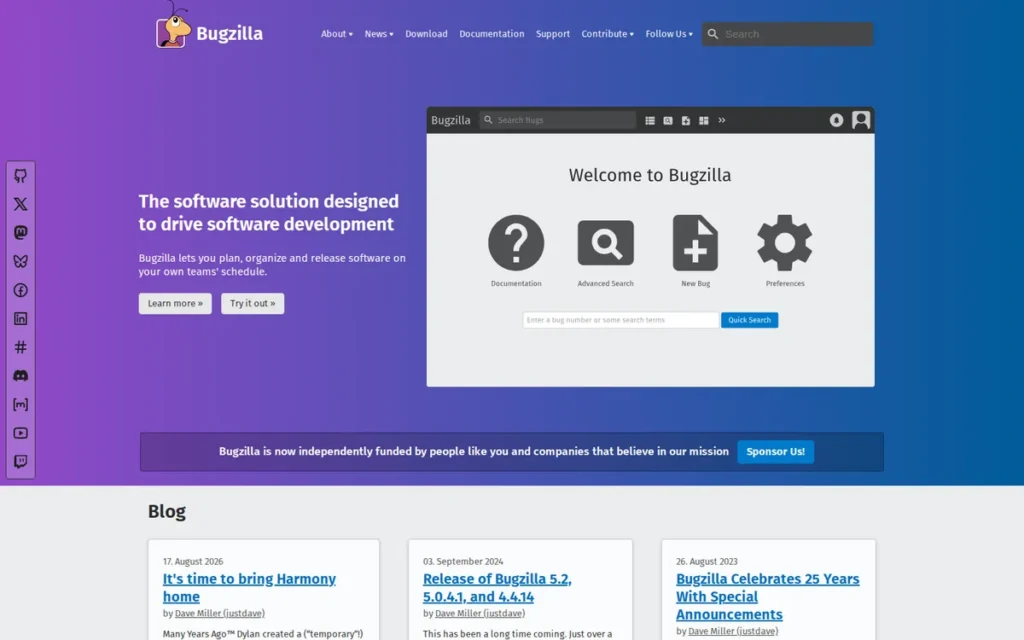
Category: Open-Source Self-Hosted Tracker, a free, open-source, self-hosted bug tracking system requiring server installation and IT administration, with no licensing cost, designed for technically sophisticated teams requiring full data sovereignty and advanced defect query capabilities.
At a Glance
- Category: Open-Source Self-Hosted Tracker
- Best For: Data-sovereign organizations, air-gapped environments, technically sophisticated open-source communities, and large teams (50+ users) where zero licensing cost at scale and full data control are the primary decision criteria
- Price Range: Free (open-source; $0 licensing under Mozilla Public License; self-hosted only, infrastructure provisioning and IT administration costs apply)
- Primary Strength: Bugzilla provides zero licensing cost at any team size, the most powerful advanced defect query engine in this comparison, and 26 years of proven reliability at Mozilla, Linux-related open-source projects, LibreOffice, and KDE, with complete self-hosted data sovereignty no SaaS competitor can match
- Biggest Limitation: Bugzilla requires server installation and dedicated IT administration, has a 26-year-old UI that non-technical users find prohibitively difficult, uses XML-RPC/JSON-RPC APIs rather than modern REST endpoints, and provides no agile planning features
- One-Line Summary: Bugzilla is the original zero-cost, self-hosted bug tracker powering Mozilla, Linux-related projects, and LibreOffice, the strongest choice for data-sovereign organizations and open-source communities that prioritize advanced query depth and zero licensing cost over modern UX or agile workflows.
- Last Verified: June 2026
Overview
Bugzilla is a free, open-source, self-hosted bug tracking system first created in 1998 for Mozilla.org, designed for technically sophisticated engineering teams and open-source communities that require full data sovereignty, zero licensing cost at any team scale, and the most powerful advanced defect query capabilities in the category, without the UX polish, agile features, or REST API integrations of commercial SaaS alternatives.
Bugzilla remains actively maintained in 2026, Bugzilla 5.9.1 release notes were documented in 2024, and continues to power bug tracking at Mozilla, Linux-related open-source projects, LibreOffice, and KDE.
Bugzilla is not a default recommendation for modern agile teams, SMBs with non-technical stakeholders, or organizations without dedicated IT infrastructure. Bugzilla is the correct tool for a specific and important technical use case that no SaaS alternative serves as well.
Key Features
- Most Powerful Advanced Search Engine: Bugzilla’s Advanced Search supports complex Boolean queries, time-based change filters (e.g., “show bugs where severity changed from Major to Critical in the last 7 days”), cross-field filtering, and saved search templates, the most powerful defect query capability of any tool in this comparison, enabling analysis that commercial alternatives require third-party BI integrations to replicate (Bugzilla feature documentation, 2026).
- Automatic Duplicate Bug Detection: Bugzilla includes Automatic Duplicate Bug Detection, which flags new submissions matching existing open bugs based on summary text, reducing duplicate defect records at high intake volumes without requiring manual triage review at scale.
- Bug Groups for Visibility Control: Bugzilla provides Bug Groups for data governance, enabling teams to restrict sensitive bugs (security vulnerabilities, compliance-related defects) to specific user groups without exposing them to the full team, relevant for security-focused open-source projects and regulated environments.
- Structured Defect Documentation: Bugzilla supports Custom Fields, multiple file attachments, full audit trail of field changes, Scheduled Reports delivered via email, and Saved Searches, covering core defect documentation requirements that major open-source projects have relied on continuously for 26+ years (Bugzilla.org, 2026).
- XML-RPC and JSON-RPC Web Services APIs: Bugzilla’s web services APIs enable custom integrations and automated bug creation from external systems, though XML-RPC and JSON-RPC do not support the HTTP-based REST conventions expected by modern CI/CD pipelines, Slack webhooks, and developer automation tools, meaning teams must write custom adapter code rather than using off-the-shelf integrations available for any REST-native tool in this comparison.
Best For
Bugzilla is best for:
- Data-sovereign organizations with air-gapped or FISMA-regulated environments: federal agencies, defense contractors, and regulated healthcare systems, where cloud-hosted SaaS violates data residency policy
- Large teams of 50+ users where Bugzilla’s $0 licensing cost at any team scale outweighs self-hosting operational overhead that erodes the cost advantage for smaller teams
- Technically sophisticated open-source communities with developer-first user bases comfortable with Bugzilla’s functional rather than aesthetically modern interface
Pricing
Bugzilla software license cost: $0: no per-user fees, no subscription tiers, no commercial licensing required (Bugzilla.org, 2026).
Real-world cost components the $0 figure does not include:
- Server infrastructure (cloud VM or on-premise hardware)
- IT administration labor for installation, security patching, upgrade cycles, and backup implementation
- Optional third-party support services for organizations without internal Bugzilla expertise
Infrastructure and admin labor for self-hosted tools frequently approach or exceed SaaS licensing savings for teams under 30 users.
The break-even point where Bugzilla’s $0 licensing justifies total self-hosting overhead typically occurs at 50+ users, compare against Jira Standard ($4,746/year) or ClickUp Unlimited ($4,200/year) at that scale as reference points.
Strengths
- Highest Value-for-Money Sub-Rating in Comparison: GetApp users rate Bugzilla’s Value for Money at 4.3/5 across 136 verified reviews, the strongest value-for-money endorsement relative to any tool in this comparison, consistently reflecting that teams using Bugzilla find its $0 licensing cost to deliver greater value than higher-priced alternatives for their specific use case (GetApp, 2026).
- Most Powerful Defect Query Engine in Category: Bugzilla’s Advanced Search capability is independently documented as the most powerful defect query engine in the category, supporting Boolean searches, time-based change tracking, and cross-field filtering that commercial tools require third-party BI add-ons to replicate at comparable depth (Bugzilla feature documentation, 2026).
- 26 Years of Proven Production Reliability: Bugzilla has been in active production use since 1998 at Mozilla.org and continues to power major open-source projects including Mozilla, Linux-related projects, LibreOffice, and KDE as of 2024–2026, 26 years of proven reliability at significant engineering scale that no commercial tool in this comparison approaches by longevity (Bugzilla.org; r/cpp, 2024).
- Complete Data Sovereignty: Bugzilla’s self-hosted architecture provides complete data sovereignty (no SaaS pricing change exposure, minimal vendor lock-in risk (open-source under Mozilla Public License), no third-party cloud data access, and no dependency on external infrastructure uptime) while the team accepts full operational responsibility for self-managed uptime and security patching (Bugzilla.org, 2026).
Limitations
- Self-Hosting Operational Overhead: Bugzilla’s most consequential trade-off is its operational model, unlike every other tool in this comparison, Bugzilla requires server installation, IT administration, security patch management on the team’s own timeline, backup implementation, and upgrade maintenance, costs invisible in the $0 licensing figure but real in team labor, infrastructure budget, and vulnerability exposure during delayed maintenance windows.
- Non-Technical User Exclusion: Bugzilla’s UI reflects 26 years of functional rather than experiential design, effective for trained engineers familiar with the tool, but prohibitive for non-technical stakeholders filing bugs or reviewing defect status, making Bugzilla unsuitable for cross-functional defect management involving product managers, customer success, or business partners.
- Legacy API Architecture: Bugzilla’s XML-RPC/JSON-RPC API standards do not support the HTTP-based REST conventions expected by modern CI/CD pipelines, Slack webhooks, and developer automation tools, meaning teams must write custom adapter code rather than using off-the-shelf integrations available for any REST-native tool in this comparison, a meaningful integration tax for teams with modern toolchains (Bugzilla feature documentation, 2026).
- No Agile Features and Migration Friction: Bugzilla has no agile features: no sprint boards, no burndown charts, no velocity tracking, making it a poor fit for teams operating under Scrum or Kanban methodologies. The broader open-source ecosystem shows gradual migration signals: Fedora has publicly discussed moving away from Bugzilla as a long-term platform (Fedora community discussion, 2024), reflecting a modernization trend that Bugzilla’s current maintenance pace has not reversed.
Verdict
Bugzilla is the original and still-maintained open-source self-hosted bug tracker, the only tool in this evaluation that costs zero in licensing at any team scale, backed by 26 years of active production use at Mozilla, Linux-related open-source projects, LibreOffice, and KDE, with the most powerful advanced defect query engine in the comparison. Bugzilla ranks #7 for the primary audience of modern engineering teams because its self-hosting operational overhead, 26-year-old UI, XML-RPC API architecture, and absence of agile features make it structurally unsuitable for most teams evaluating new bug tracking solutions today. Bugzilla is the correct tool, not the fallback, for technically sophisticated, data-sovereign, or cost-maximizing organizations where zero licensing at scale and full data control outweigh every UX and operational trade-off. Organizations in that profile should choose Bugzilla without apology.
What Red Flags Should I Watch For When Evaluating Bug Tracking Software?
Five structural red flags distinguish genuinely capable bug trackers from tools that appear capable in demos but fail in production QA workflows. The most disqualifying is the absence of status-blocking workflow transitions, a gap present in both GitLab and GitHub Issues that makes formal defect lifecycle enforcement structurally impossible regardless of configuration.
Red Flag #1: No Workflow Enforcement
GitLab and GitHub Issues both lack status-blocking workflow transitions, meaning any team member can close a defect without verification, QA sign-off, or a linked code fix at any time. This is an architectural absence, not a configuration gap, making formal defect lifecycle management structurally impossible in both tools without custom automation workarounds that are easily bypassed.
Scenario: A QA lead marks a critical bug Resolved after two hours of root-cause analysis. Three weeks later, the same defect surfaces in production.
The post-mortem reveals a developer marked the bug Closed from an inbox notification, no test was run, no fix was verified. With GitLab Issues or GitHub Issues, nothing in the system prevented this, flagged it, or recorded that the QA step was skipped.
Every Closed bug in these tools carries this risk by default, regardless of team norms or documentation policies.
Red Flag #2: Bucket Seat Pricing
monday.com’s fixed-seat-tier pricing model, where a team of 9 pays for 10 seats and a team of 11 pays for 15, inflates real annual costs 25–50% above headline per-seat rates. Teams should always calculate their cost at projected headcount in 12 months, accounting for the next bucket boundary, not the headline rate multiplied by current team size.
Scenario: A startup signs monday dev at the 10-seat Standard tier to stay within budget. Six months later, two engineers join and total headcount reaches 12.
monday.com now requires the 15-seat bucket, paying for three unused seats at $12/seat/month. Budget projections built on the $12/seat/month headline rate will be wrong from the first headcount change above any bucket ceiling.
Red Flag #3: Developer-Only Interface Design
Platforms optimized exclusively for engineers effectively exclude non-technical bug reporters, product managers, customer success agents, and business stakeholders who observe bugs daily but cannot navigate a developer-oriented interface without training. GitLab and Bugzilla are the clearest examples in this comparison.
Excluding non-technical reporters creates incomplete defect records that engineers must compensate for manually, a triage overhead never measured in vendor ROI claims but directly visible in sprint velocity reports.
Red Flag #4: Configuration-Dependent Effectiveness
Tools that require extensive setup to function as bug trackers (where default settings produce a general task list rather than a structured defect workflow) create a setup-quality risk. ClickUp and monday dev both exhibit this pattern, where the quality of initial configuration determines whether the tool enforces a defect lifecycle at all.
Scenario: An engineering manager deploys ClickUp using the Bug Tracking template and shows stakeholders a clean sprint board. Two months into production use, a developer logs a customer-reported defect as a Task rather than a Bug, bypassing all custom severity fields.
The issue misses triage entirely. ClickUp performed exactly as configured, the configuration was wrong from day one, and the platform had no mechanism to surface that problem automatically.
Red Flag #5: Pricing Trap Between Tiers
Steep pricing jumps between plan tiers (where features teams need are gated behind the highest tier) create unexpected cost escalation after initial purchase decisions.
- GitLab’s Premium-to-Ultimate transition ($29 → $99/user/month) gates enterprise security features (DAST, SAST, compliance frameworks) behind Ultimate
- Jira’s Zephyr Scale and Xray add-ons present a softer version: formal test-to-bug traceability requires separate marketplace purchases not covered by any base Jira subscription tier
What Questions Should I Ask Before Choosing a Bug Tracker?
Six questions separate informed bug tracker evaluations from default adoption decisions. Each question targets a specific dimension (workflow depth, real pricing, cross-functional fit, integration, AI capability, and vendor risk) that vendor demos and LLM summaries routinely omit.
Question #1: Does this tool enforce defect lifecycle transitions, or can bugs be closed without verification?
Ask the vendor to demonstrate moving a bug from “In Progress” to “Closed” without completing a QA-Verified step, and whether the system blocks that transition or allows it freely. Tools that cannot block the transition (GitLab, GitHub Issues) are structurally incompatible with formal defect lifecycle management. This single question eliminates the most common hidden mismatch in bug tracker evaluations.
Question #2: What is the real annual cost at our projected team size in 12 months, accounting for bucket pricing and tier gates?
Calculate projected headcount against actual tier mechanics, not headline per-user rate multiplied by current team size. Key examples:
- monday.com: a team of 11 pays for 15 seats, inflating cost 36% above the headline rate per seat
- GitLab: a team needing SAST security scanning pays $99/user/month (Ultimate), not $29/user/month (Premium)
- Jira: formal test-to-bug traceability requires Xray or Zephyr Scale add-ons not included in the $7.91/user/month Standard rate
Question #3: Can non-technical stakeholders submit a complete, actionable bug report without developer training?
Request a live demonstration where a non-technical evaluator submits a bug using only the tool’s intake interface, without guidance. monday dev and ClickUp perform best on this criterion; GitLab and Bugzilla perform worst. Incomplete bug reports from non-technical reporters add hidden engineer triage time, invisible in vendor ROI claims but visible in sprint velocity reports.
Question #4: Does this tool integrate natively with our code hosting platform and CI/CD pipeline, or through middleware?
Native integration (e.g., GitHub Issues on GitHub, GitLab Issues on GitLab) produces automatic PR-linked bug closures and commit references with zero configuration. Middleware-dependent integration (Zapier, custom webhooks) introduces fragility, maintenance overhead, and latency. Vendor integration pages routinely obscure whether integrations are first-party native vs. Zapier-mediated.
Question #5: What AI-assisted triage or documentation features does this tool include, and are they gated to higher-priced tiers?
Atlassian Intelligence (Jira), GitLab Duo (Premium and Ultimate), and ClickUp Brain (Unlimited and above) represent the most developed AI implementations in this evaluation. None of the three provide AI-native triage that autonomously routes defects by severity without human review. Teams expecting AI to replace manual triage configuration should validate this against each vendor’s current feature documentation before purchasing.
Question #6: What is the vendor’s financial stability and pricing change history over the past 3 years?
Atlassian has announced FY26/27 pricing changes. GitLab raised its SaaS Premium price in recent years. Understanding a vendor’s pricing change trajectory helps teams model 3-year total cost of ownership and assess whether contracts include price-lock protections. Public companies (Atlassian, GitLab, monday.com, GitHub/Microsoft) provide more pricing change transparency through investor communications than private or open-source alternatives.
How Did We Rank These Bug Tracking Tools?
These seven bug tracking tools are ranked by six weighted criteria: bug-tracking feature depth and QA workflow enforcement (primary), integration ecosystem breadth (primary), pricing transparency at real team sizes (primary), verified third-party ratings (secondary), team fit for technical and non-technical users (secondary), and vendor stability (secondary), using a multi-source evidence protocol that surfaces information absent from LLM responses, vendor marketing, and most third-party review aggregations.
How Did We Collect Evidence for Each Tool?
The PlugRoute research team executed the following steps for each of the seven tools:
- Queried multiple AI search engines (Perplexity, ChatGPT) to inventory current LLM recommendation patterns and identify factual gaps
- Gathered independent web research via Perplexity on features, pricing, and third-party analyses for each tool
- Analyzed Reddit community sentiment across r/ExperiencedDevs, r/agile, r/gitlab, r/clickup, and r/cpp for real-world adoption evidence
- Cross-referenced vendor claims against G2, GetApp, Capterra, and Vendr review data
- Calculated annual costs at 10-user and 50-user thresholds using official pricing pages, verified June 2026
- Verified GA release dates for product features (e.g., GitHub Issues Advanced Search, April 2, 2026)
What Six Criteria Determined the Rankings?
C1, Bug-Tracking Feature Depth and QA Workflow Enforcement (Primary)
Presence of configurable status-transition enforcement, SLA management, defect severity and priority fields, QA triage automation, test-to-bug traceability, and first-party or marketplace QA add-ons. Teams need tools that enforce formal defect lifecycles (not just shared issue lists) to produce valid QA reporting data.
C2, Integration Ecosystem Breadth (Primary)
Native integrations with code repositories, CI/CD platforms, communication tools, and crash reporting tools. API modernity (REST vs. XML-RPC). Poor integration with existing toolchains is the primary switching trigger across all evaluated tools.
C3, Pricing Value and Transparency at Scale (Primary)
Calculated annual costs at 10-user and 50-user thresholds. Documentation of non-obvious pricing mechanics (bucket seats, minimum counts, enterprise feature gating). Headline per-user pricing is the most misleading metric in this category, real cost transparency requires full calculation at team scale.
C4, Verified Third-Party Review Ratings (Secondary)
G2, GetApp, and Capterra ratings with review counts. Ratings interpreted in proportion to review volume, a 4.9/5 on 12 reviews carries less evidential weight than a 4.3/5 on 3,000 reviews. All ratings sourced and dated to June 2026.
C5, Team Fit Breadth for Technical and Non-Technical Users (Secondary)
Non-technical onboarding friction, availability of structured intake forms, UI clarity for non-developer roles, and community evidence of multi-persona adoption. Bug reporting increasingly involves non-developer stakeholders whose exclusion creates documentation gaps engineers must absorb.
C6, Vendor Stability and Market Longevity (Secondary)
Company founding year, public or private financial status, pricing change history, and open-source vs. commercial sustainability model. Engineering teams invest significant configuration work in bug trackers, vendor instability creates disruptive migration projects.
Evidence Weighting
When review platform ratings conflict with Reddit sentiment, this evaluation weights specificity and recency: a detailed 2025 Reddit post with 50+ upvotes from a named engineering context outweighs a generic 2023 G2 review.
Vendor-commissioned studies (e.g., the Forrester TEI Spotlight for Jira, vendor-commissioned and originally published 2021) are included but labeled as vendor-commissioned and not treated as equivalent to independent third-party analysis.
Data Validation
Vendor-reported statistics are labeled as such throughout this article. Only claims corroborated by at least one independent source are stated as established fact. Pricing is sourced from official vendor pages verified in June 2026, not from third-party aggregators used as primary sources.
Deployment Model Comparison
| Tool | Deployment Model | Cloud / Self-Managed / Both | Data Control Level |
|---|---|---|---|
| Jira | Cloud-first SaaS (Data Center available) | Both (SaaS primary) | Limited on cloud; full on Data Center |
| GitHub Issues | Cloud-only (github.com) | Cloud only | Minimal; hosted by Microsoft |
| GitLab | Cloud SaaS or self-managed (team’s choice) | Both | Full control on self-managed |
| monday dev | Cloud-only SaaS | Cloud only | Minimal |
| ClickUp | Cloud-only SaaS | Cloud only | Minimal |
| Bugzilla | Self-hosted only | Self-hosted only | Complete sovereignty |
| Zoho BugTracker | Cloud-only SaaS | Cloud only | Limited |
How Does Pricing Compare Across All Seven Tools at Real Team Sizes?
| Tool | Free Tier | Entry Paid Tier | Annual Cost (10 Users) | Annual Cost (50 Users) | Notable Pricing Mechanics |
|---|---|---|---|---|---|
| Zoho BugTracker | $0 (3 users, 2 projects) | $3/user/month (Standard) | ~$360 (Standard) / ~$960 (Premium) | ~$4,800 (Premium) | Standard limited to 10 users; SLA/Business Rules require Premium |
| GitHub Issues | $0 (public repos) | $4/user/month (Team) | ~$480 | ~$2,400 | Included in existing GitHub subscription at no additional cost |
| ClickUp | $0 (unlimited users, no expiry) | $7/user/month (Unlimited) | ~$840 | ~$4,200 | Free Forever genuinely usable; no bucket pricing |
| Jira | $0 (up to 10 users) | $7.91/user/month (Standard) | ~$950 | ~$4,746 (Standard) / ~$8,724 (Premium) | Zephyr/Xray for QA traceability are additional marketplace purchases |
| monday dev | $0 (2 seats) | $9/seat/month (Basic) | ~$1,440 (Standard, 10 seats) | ~$7,200 (Standard) | Bucket pricing inflates costs 25–50%; 3-seat minimum |
| GitLab | $0 (5 users, 400 CI/CD min) | ~$19/user/month (Self-Managed Premium; verify at about.gitlab.com/pricing) | ~$2,280 SM / ~$3,480 SaaS | ~$11,400 SM / ~$17,400 SaaS | Steep Free-to-Premium cliff; Premium→Ultimate pricing trap for security features |
| Bugzilla | $0 licensing (any team size) | N/A; open source | $0 licensing + infra/admin costs | $0 licensing + infra/admin costs | Real TCO includes server infrastructure, IT admin labor, and security maintenance |
Update Cadence
This article was last updated in June 2026 and is reviewed quarterly. All pricing data, G2 ratings, and feature availability are verified at time of each update. Readers are advised to verify current pricing directly with each vendor before making procurement decisions.
Independence Statement
PlugRoute has no affiliate relationships with any company listed. Rankings are determined entirely by research data and objective evaluation criteria.
Frequently Asked Questions
The most common questions about bug tracking software focus on three practical concerns: which free tools are genuinely usable for real workflows, what the actual annual cost is at team scale (not just the headline rate), and how to identify QA workflow enforcement depth that vendor demos and LLM summaries rarely disclose.
What Is the Best Free Bug Tracking Software in 2026?
GitHub Issues is the best free bug tracking software for teams whose code already lives on GitHub, offering unlimited issues, automatic PR-linked closures, and April 2026 Advanced Search at $0 for public repos. ClickUp Free Forever (unlimited users, no time expiry) is the best no-cost option for teams not on GitHub who need configurable workflow templates across a broader work management platform.
What Is the Best Bug Tracking Software for Agile Development Teams?
Jira is the best bug tracking software for agile teams of 10+ users requiring enforced defect lifecycle management alongside sprint planning and QA traceability, its architecture has served this workflow since its 2002 founding as a dedicated bug tracker. ClickUp is the strongest lower-cost agile alternative for teams willing to configure Custom Statuses and Automations. GitLab is strongest for DevSecOps-oriented agile teams already on the GitLab platform.
How Does PlugRoute Determine Its Bug Tracking Software Rankings?
PlugRoute ranks bug tracking tools across six criteria: QA workflow enforcement depth, integration ecosystem breadth, and pricing transparency at real team sizes (all primary); plus verified third-party review ratings, team fit for technical and non-technical users, and vendor stability (all secondary). No company has any commercial relationship with PlugRoute, rankings are determined entirely by the evidence score, not market share or revenue.
What Key Bug Tracking Terms Do You Need to Know?
Status-Blocking Workflow Transition: A configuration in bug tracking software that prevents a defect record from advancing to a specified status (such as “Closed” or “Resolved”) unless a defined prerequisite condition has been met, such as QA sign-off or a linked code commit. Status-blocking transitions are the primary mechanism for enforcing a formal defect lifecycle. Jira supports status-blocking transitions natively; GitLab and GitHub Issues do not.
SLA Management (in Bug Tracking): Service Level Agreement management in bug tracking refers to time-bound resolution rules that automatically escalate or flag defects based on their severity and age. A team might configure an SLA rule that escalates any Critical-severity bug unresolved after 24 hours to the engineering director. Zoho BugTracker Premium includes native SLA management at $8/user/month; most tools in this comparison require a premium add-on or do not offer this feature at standard tiers.
Business Rules Automation: A configurable automation system in bug tracking tools that triggers automatic field updates (such as changing a bug’s severity, status, assigned team, or classification) based on creation or update events without requiring manual triage. Business Rules automation reduces engineer time spent on repetitive, rule-based triage decisions. Zoho BugTracker’s Business Rules engine (Premium plan, $8/user/month) is the most purpose-built implementation of this feature in this comparison.
DevSecOps: An extension of DevOps that integrates security practices throughout the software development lifecycle, from issue tracking and code review through CI/CD pipelines and deployment. In the context of bug tracking, DevSecOps platforms like GitLab combine defect management with vulnerability scanning, compliance reporting, and security audit trails in a single application rather than requiring separate security tools.
Work OS: A category of work management software, exemplified by monday.com and ClickUp, that provides a configurable general-purpose platform for managing tasks, projects, workflows, and documentation across any team function. Work OS platforms enable bug tracking as one configurable use case among many, distinguishing them from purpose-built bug trackers. The key trade-off of Work OS platforms is configurability: bug tracking effectiveness depends entirely on the quality of initial team configuration rather than being opinionated by the platform.
Glossary: Key Terms Used in This Comparison
Status-Blocking Workflow Transition: A configuration in bug tracking software that prevents a defect record from advancing to a specified status (such as “Closed” or “Resolved”) unless a defined prerequisite condition has been met, such as QA sign-off or a linked code commit. Jira supports status-blocking transitions natively; GitLab and GitHub Issues do not at an architectural level.
SLA Management: Service Level Agreement management in bug tracking refers to time-bound resolution rules that automatically escalate or flag defects based on their severity and age. Zoho BugTracker Premium includes native SLA management at $8/user/month, while most tools in this comparison require a premium add-on or omit the feature entirely at standard tiers.
DevSecOps: An extension of DevOps that integrates security practices throughout the software development lifecycle, from issue tracking and code review through CI/CD pipelines and deployment. In bug tracking, DevSecOps platforms like GitLab combine defect management with vulnerability scanning, compliance reporting, and security audit trails in a single application.
Work OS: A category of configurable, general-purpose work management software, exemplified by monday.com and ClickUp, that enables bug tracking as one use case among many rather than as a purpose-built function. The key trade-off of Work OS platforms is that bug tracking effectiveness depends entirely on the quality of initial team configuration rather than being enforced by the platform’s architecture.
Business Rules Automation: A configurable automation system in bug tracking tools that triggers automatic field updates (such as changing a bug’s severity, status, or assigned team) based on creation or update events, without requiring manual triage. Zoho BugTracker’s Business Rules engine, available on the Premium plan, is the most purpose-built implementation of this feature among the tools evaluated in this comparison.
Which Bug Tracking Tool Is Right for You?
Key Insights
- Jira is the most feature-complete bug tracker for formal QA lifecycle workflows but requires dedicated administrator overhead that adds hidden cost beyond per-user pricing, a 50-user Premium deployment costs ~$8,724/year in licensing alone, before any QA add-ons.
- GitHub Issues Advanced Search reached GA in April 2026, closing the search weakness that previously limited its use at scale, making all LLM assessments of GitHub Issues that predate this release factually outdated.
- GitLab issues have no enforced workflow transitions, making GitLab structurally unsuitable for formal defect lifecycle management without custom label automation that any team member can bypass at any time.
- Zoho BugTracker Standard ($3/user/month) is the lowest-cost structured bug logger in this comparison; SLA management and Business Rules triage automation require Premium ($8/user/month), a distinction absent from most competitive comparisons and every LLM response evaluated.
- ClickUp’s bug tracking effectiveness is entirely configuration-dependent: teams that configure Custom Statuses and Automations correctly get Jira-comparable workflows; teams that deploy with defaults get a general task list at a non-trivial per-user cost.
- Bugzilla’s $0 licensing cost is genuinely zero at any team scale, but real TCO includes server infrastructure and IT administration labor that frequently approaches SaaS licensing costs for teams under 30 users.
- monday dev is the only tool where bucket pricing inflates real costs 25–50% above headline rates: a mechanics disclosure absent from every LLM response evaluated for this comparison.
- LLM coverage gap (verified June 2026): In evaluating current AI-generated responses about bug tracking software for this comparison, at least two of the following three facts were absent from every response tested: actual annual cost at real team scale versus headline per-user pricing; GitLab Issues’ structural absence of status-transition enforcement; and GitHub Issues Advanced Search general availability in April 2026, the three facts most likely to change a purchasing decision.
If your team is already on GitHub and resolves bugs through PR-linked developer workflows, GitHub Issues is the highest-value tool in this comparison and potentially the only tool needed. If your team runs formal QA processes with enforced lifecycle gates and cross-platform integrations, Jira is the strongest fit despite its administrator overhead. If budget is the primary constraint for basic structured tracking, Zoho BugTracker Standard at $3/user/month delivers purpose-built defect tracking at a price no competitor matches.
For teams that are genuinely unsure, revisit the Quick Decision Framework table above, match your top priority to the recommended tool, then validate against the Red Flags section to confirm no structural mismatch exists before committing to an annual contract.
For additional independent software evaluations covering project management, test management, and developer toolchain categories, visit PlugRoute. We update this guide quarterly. Last updated: June 2026.